Upgrade to Pro
— share decks privately, control downloads, hide ads and more …
Speaker Deck
Sign up for free
Menu
Search
Features
All features
Private URLs
Password Protection
Custom URLS
Scheduled publishing
Remove Branding
Restrict embedding
Deck Collections
Notes
Features
All features
Private URLs
Password Protection
Custom URLS
Scheduled publishing
Remove Branding
Restrict embedding
Deck Collections
Notes
Explore
Featured decks
Featured speakers
Programming
Technology
Storyboards
Explore
Featured decks
Featured speakers
Programming
Technology
Storyboards
Pricing
Search
Sign in
Sign up for free
ぼくのClaude Codeの使い方
Search
Sponsored
·
SiteGround - Reliable hosting with speed, security, and support you can count on.
→
Michael Tedder
PRO
November 12, 2026
Technology
110
1
Share
Embed
Copy iframe code
Copy JS code
Copy link
Start on current slide
ぼくのClaude Codeの使い方
Sapporo Claude Code Meetup LT, 2026/11/12
Michael Tedder
PRO
November 12, 2026
Transcript
12 slides
ぼくのClaude Codeの使い⽅ テッダー マイケル 株式会社コールド‧フュージョン
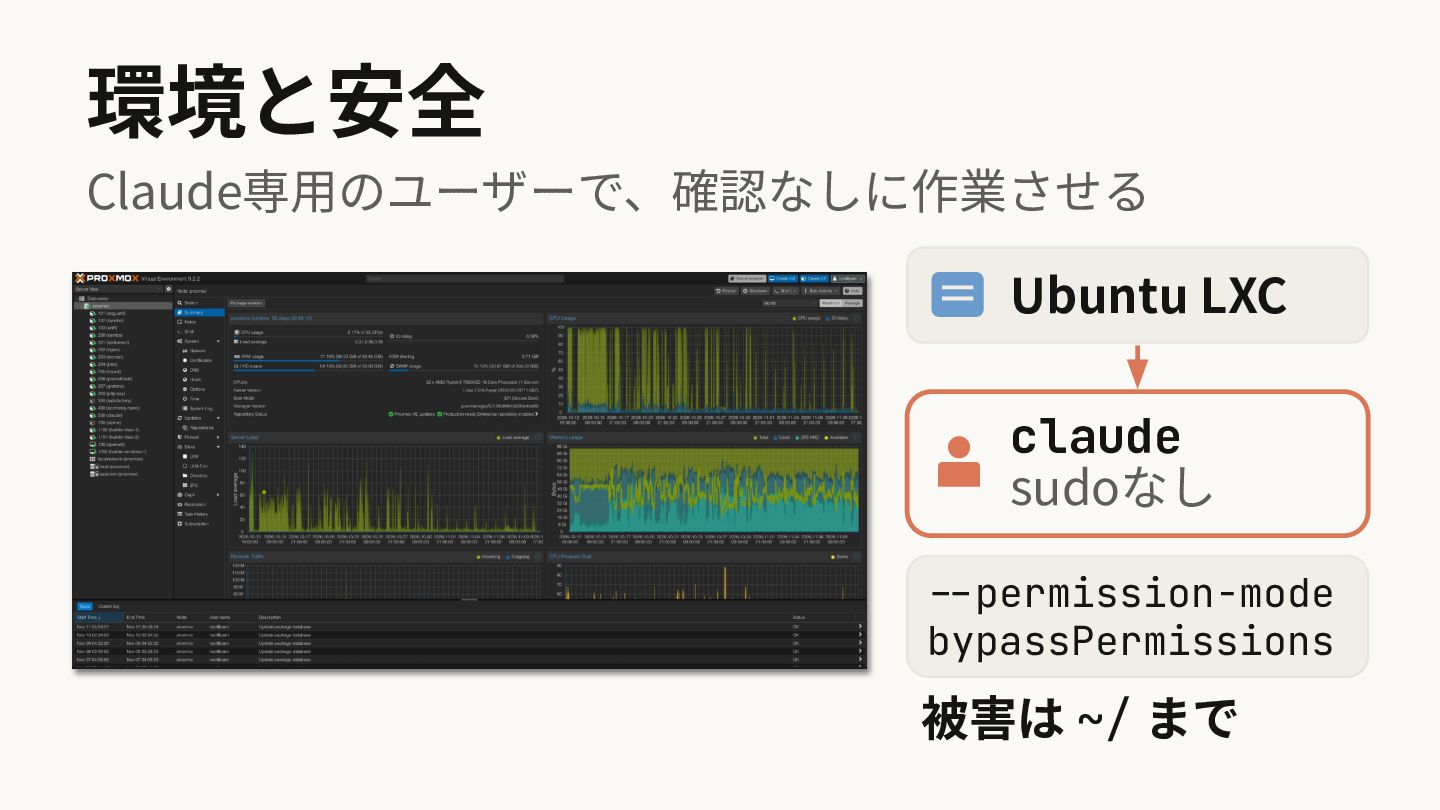
環境と安全 Claude専⽤のユーザーで、確認なしに作業させる Ubuntu LXC claude sudoなし --permission-mode bypassPermissions 被害は ~/
まで
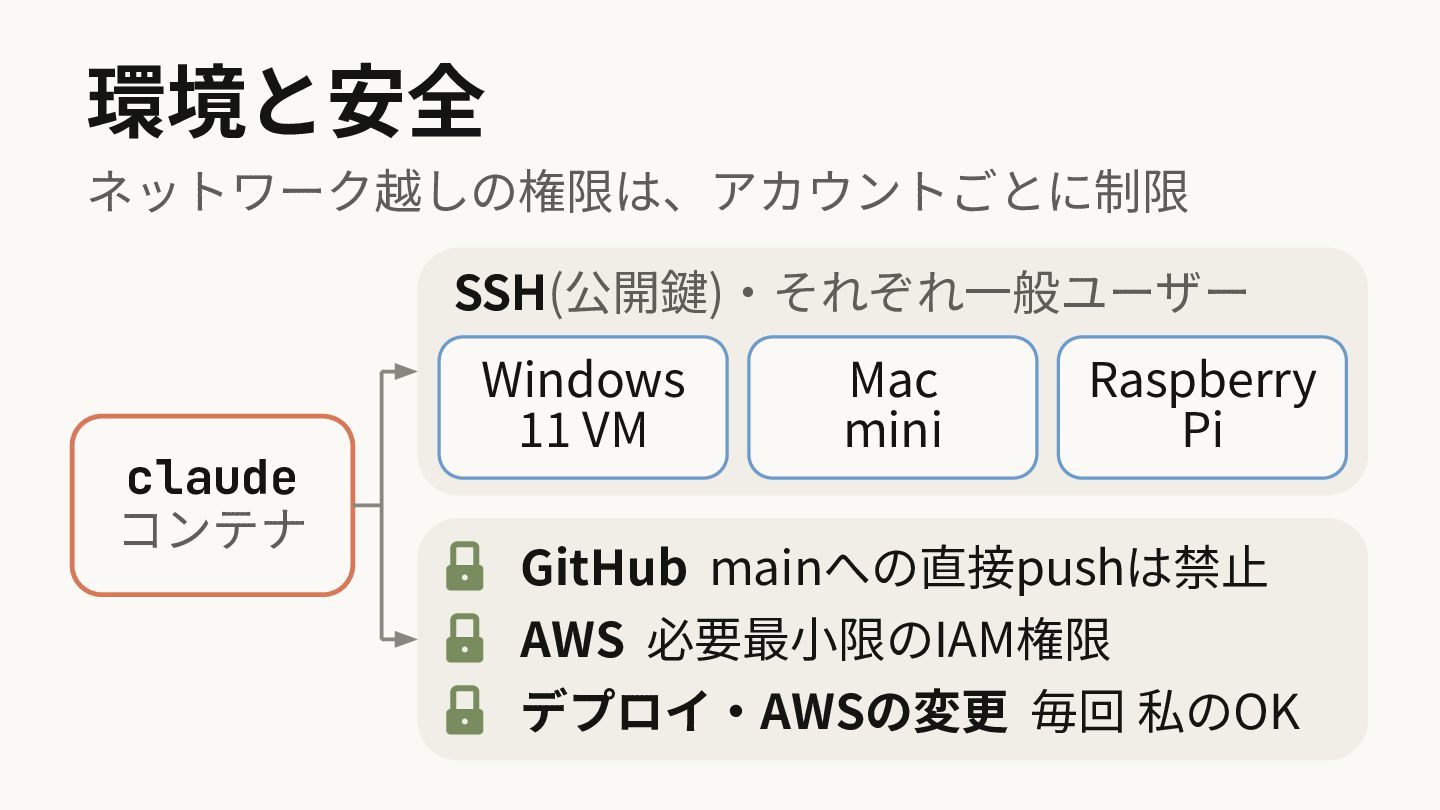
環境と安全 ネットワーク越しの権限は、アカウントごとに制限 SSH(公開鍵)‧それぞれ⼀般ユーザー claude コンテナ Windows 11 VM Mac mini
Raspberry Pi GitHub mainへの直接pushは禁⽌ AWS 必要最⼩限のIAM権限 デプロイ‧AWSの変更 毎回 私のOK
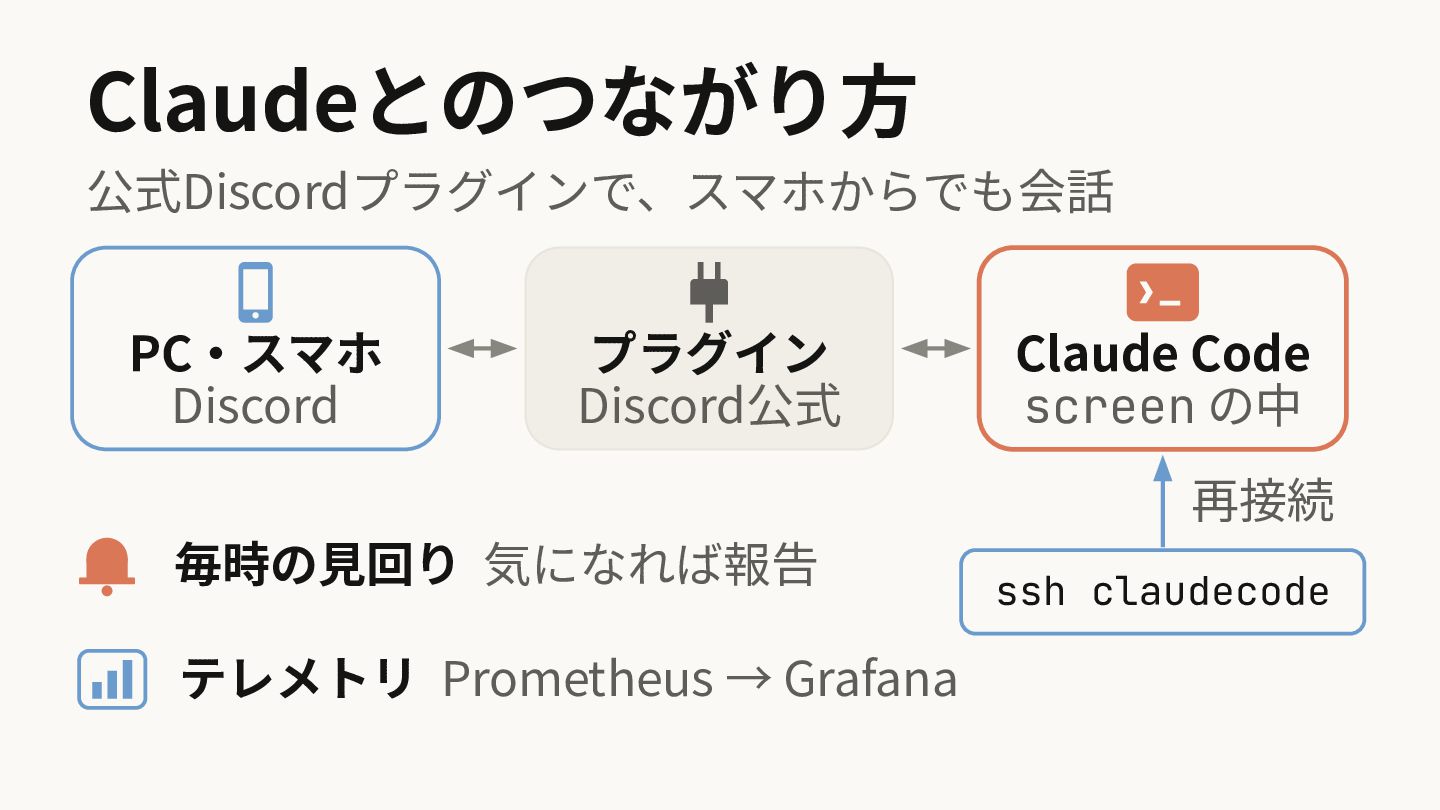
Claudeとのつながり⽅ 公式Discordプラグインで、スマホからでも会話 PC‧スマホ Discord プラグイン Discord公式 Claude Code screen の中
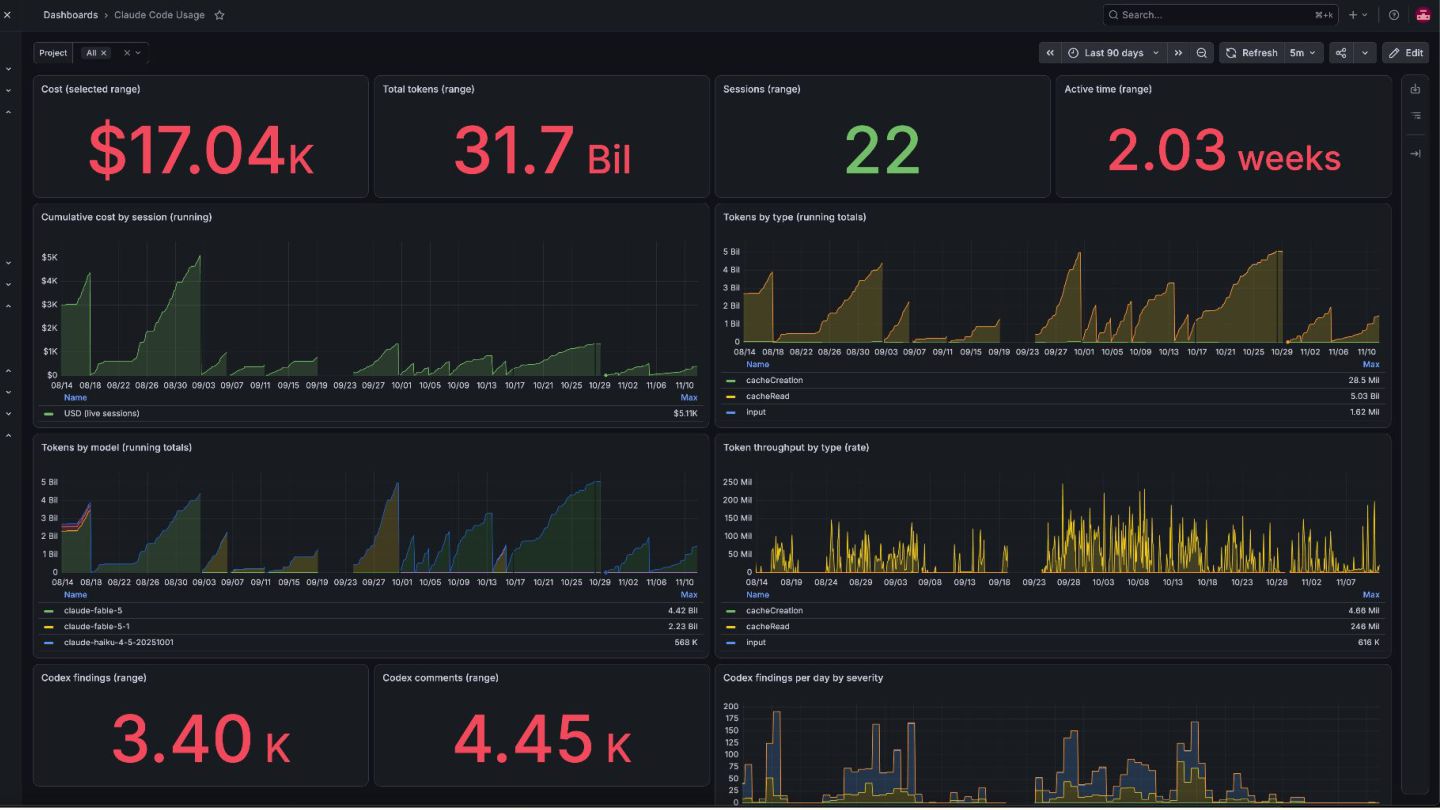
再接続 毎時の⾒回り 気になれば報告 テレメトリ Prometheus → Grafana ssh claudecode
None
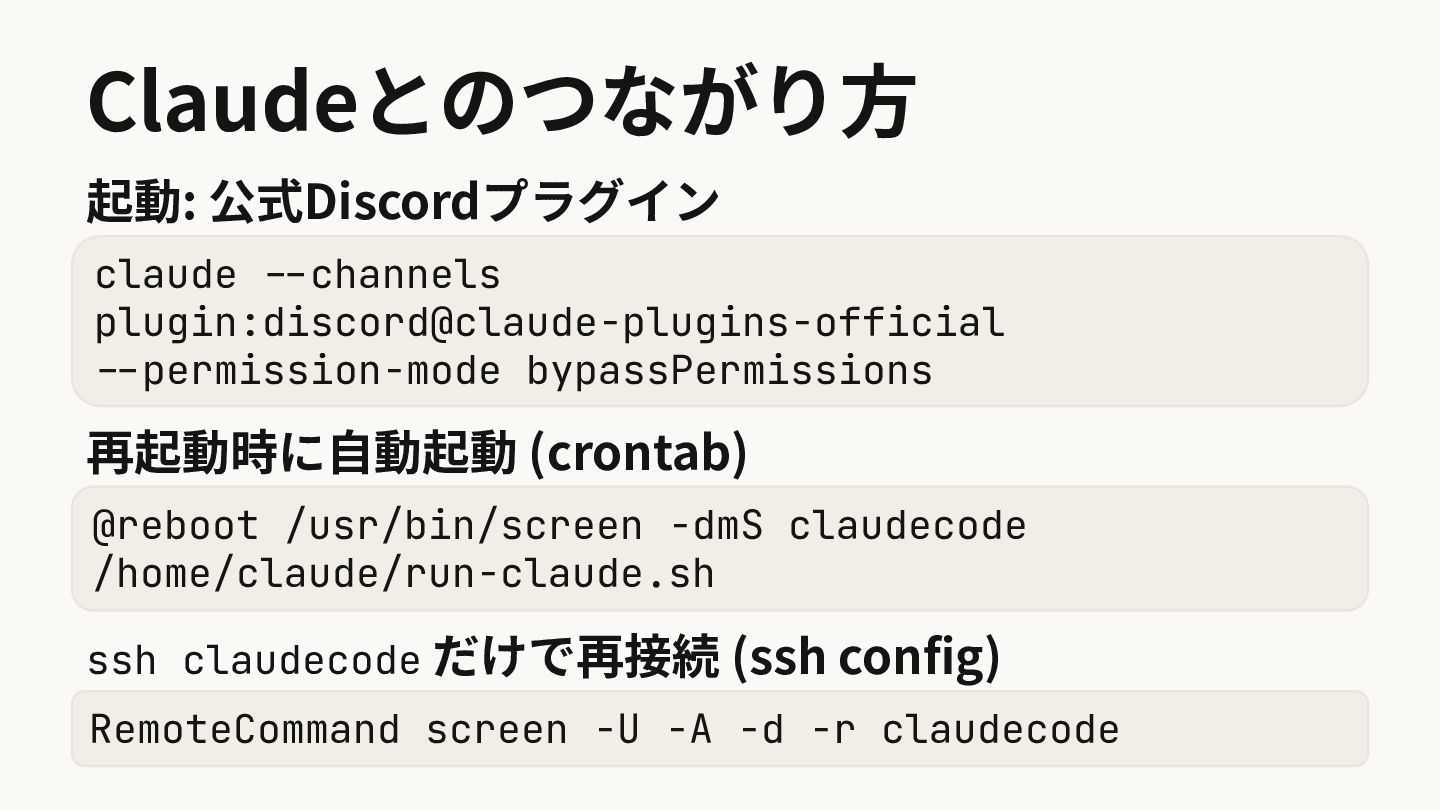
Claudeとのつながり⽅ 起動: 公式Discordプラグイン claude --channels plugin:discord@claude-plugins-official --permission-mode bypassPermissions 再起動時に⾃動起動 (crontab)
@reboot /usr/bin/screen -dmS claudecode /home/claude/run-claude.sh ssh claudecode だけで再接続 (ssh config) RemoteCommand screen -U -A -d -r claudecode
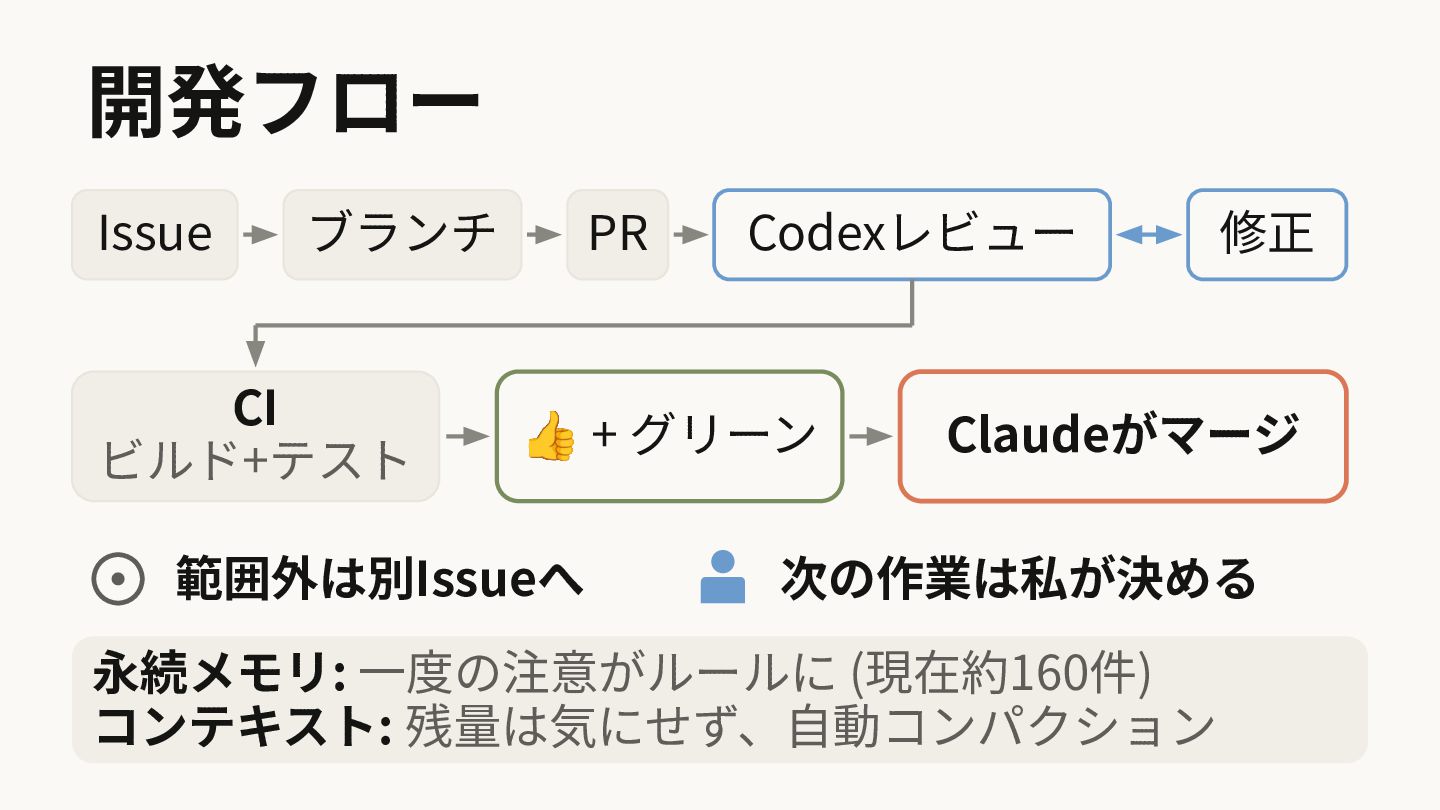
開発フロー Issue ブランチ CI ビルド+テスト PR Codexレビュー 👍 + グリーン
範囲外は別Issueへ 修正 Claudeがマージ 次の作業は私が決める 永続メモリ: ⼀度の注意がルールに (現在約160件) コンテキスト: 残量は気にせず、⾃動コンパクション
で、何を作ってるの...?
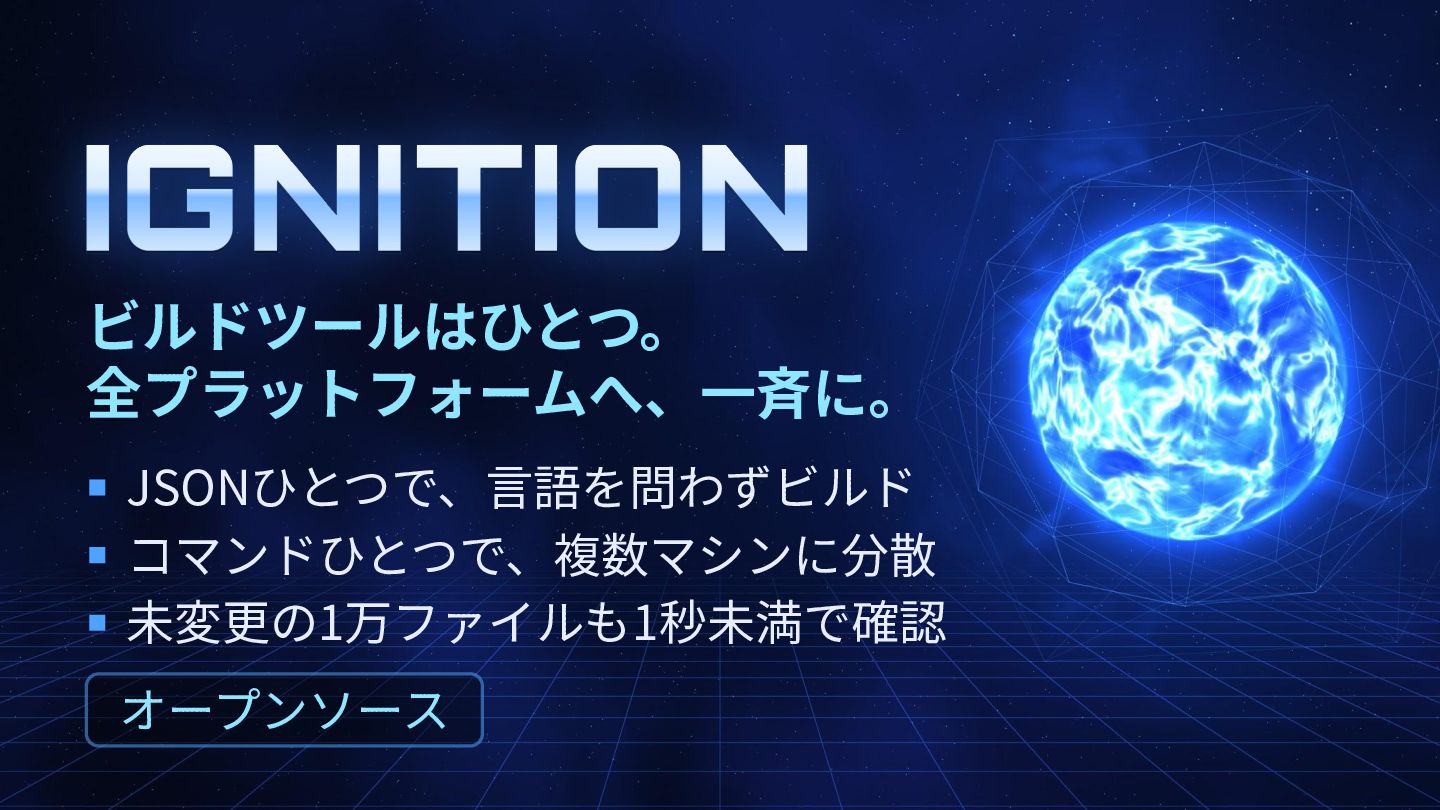
ビルドツールはひとつ。 全プラットフォームへ、⼀⻫に。 JSONひとつで、⾔語を問わずビルド コマンドひとつで、複数マシンに分散 未変更の1万ファイルも1秒未満で確認 オープンソース
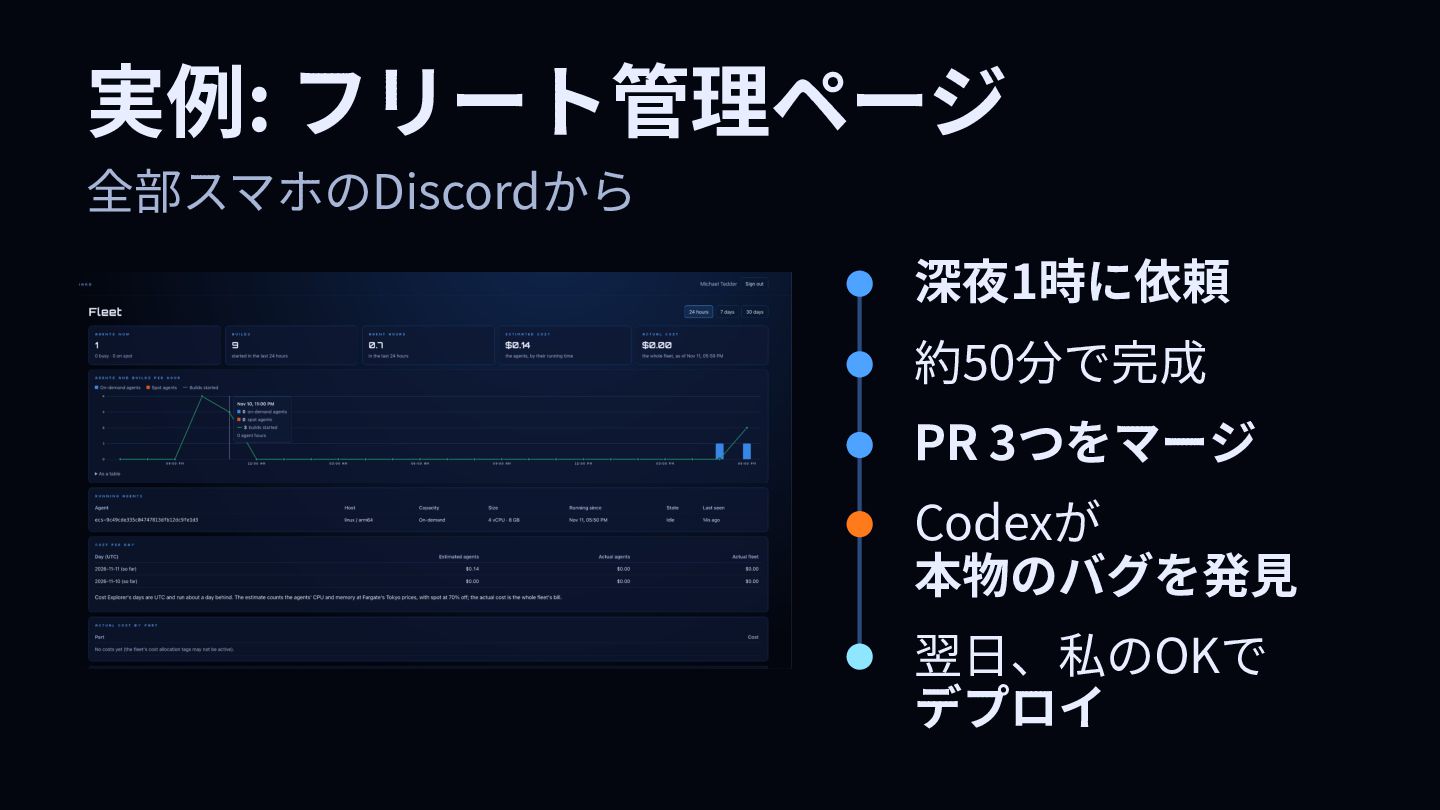
実例: フリート管理ページ 全部スマホのDiscordから 深夜1時に依頼 約50分で完成 PR 3つをマージ Codexが 本物のバグを発⾒ 翌⽇、私のOKで
デプロイ
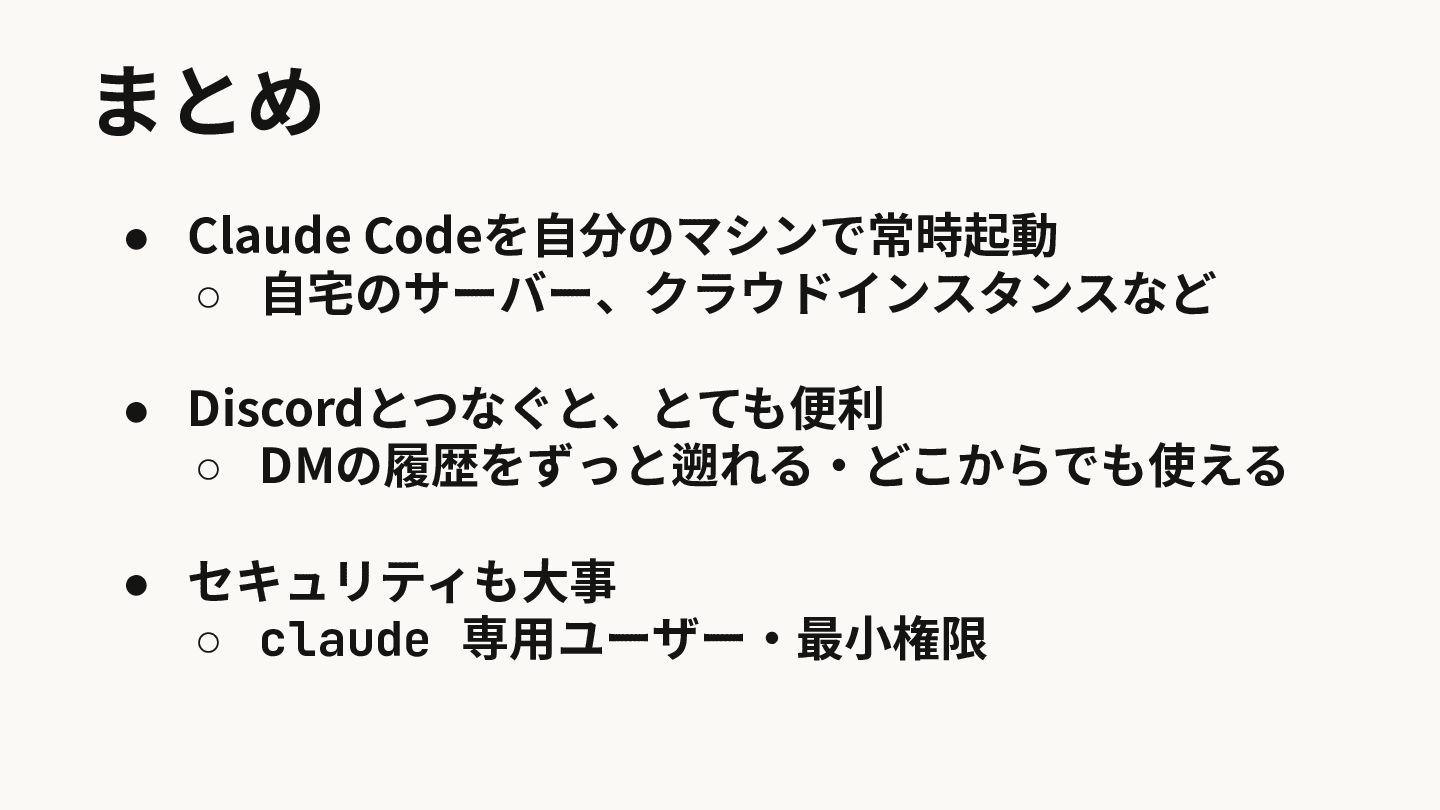
まとめ • Claude Codeを⾃分のマシンで常時起動 ◦ ⾃宅のサーバー、クラウドインスタンスなど • Discordとつなぐと、とても便利 ◦ DMの履歴をずっと遡れる‧どこからでも使える
• セキュリティも⼤事 ◦ claude 専⽤ユーザー‧最⼩権限
ご清聴ありがとうございました
More Decks by Michael Tedder
See All by Michael Tedder
リージョンの壁を越える、 ちょっと変わったAWSサービスの話
falken
PRO
1
400
ローカル環境でAIを動かそう!
falken
PRO
2
380
Amazon BedrockとAmazon QでAIを身近に
falken
PRO
2
1.2k
最先端のMRデバイス Magic Leap 2 の可能性を探求
falken
PRO
1
950
Llama.cpp+MetalをM1 Ultraで動かしてみた
falken
PRO
0
930
Implementing WebGL with Stripe Apps
falken
PRO
0
240
[re:Invent 2022] Using RDS Blue/Green Deployments
falken
PRO
0
120
How we run a Realtime Puzzle Fighting Game on AWS Serverless
falken
PRO
0
790
Serverless event ticket sales using Stripe
falken
PRO
0
190
Other Decks in Technology
See All in Technology
Cloudflareの向き先
chimame
1
290
Kiro IDE 入門 (画面の各部から、頼み方、任せ方、戻し方まで) | 目指せ Kiro マスター 02
inariku
PRO
4
210
Kiro CLI 入門 (ターミナルと CI で使う) | 目指せ Kiro マスター 03
inariku
PRO
2
130
cdkd (CDK Direct)
gotok365
4
290
[JAWS Festa 2026]一番いい仕事は、請求書に現れない / jawsfesta2026
sh_fk2
2
440
Ebitengine製iOSアプリ公開ボタンを押す会
eiei114
0
120
AI時代における医療情報システムのセキュリティ / Security of Healthcare IT Systems in the AI Era
henryofficial
0
140
Gifu WordPress Meetup #200 に向けて、私たちには何ができるだろうか?/ 2026-11-07 Gifu WordPress Meetup
torounit
0
250
The Author Pays
hiccupps
0
160
AWSを利用する上で知っておきたい名前解決の話 2026
nagisa53
5
3.4k
AIエージェントの監視、思考を見るか行動を見るか / Monitoring AI Agents: Thoughts or Actions
yusukeshimizu
2
180
あの日、見つかっていなかったらどうなっていたか
kazzpapa3
2
110
Featured
See All Featured
Building Applications with DynamoDB
mza
96
7.3k
GraphQLの誤解/rethinking-graphql
sonatard
75
12k
How to build an LLM SEO readiness audit: a practical framework
nmsamuel
2
980
For a Future-Friendly Web
brad_frost
184
11k
CSS Pre-Processors: Stylus, Less & Sass
bermonpainter
360
31k
The SEO Collaboration Effect
kristinabergwall1
1
620
End of SEO as We Know It (SMX Advanced Version)
ipullrank
3
4.5k
ラッコキーワード サービス紹介資料
rakko
5
5.8M
A Soul's Torment
seathinner
9
3.9k
Bioeconomy Workshop: Dr. Julius Ecuru, Opportunities for a Bioeconomy in West Africa
akademiya2063
PRO
1
450
Navigating the moral maze — ethical principles for Al-driven product design
skipperchong
2
690
Breaking role norms: Why Content Design is so much more than writing copy - Taylor Woolridge
uxyall
2
520


 SiteGround - Reliable hosting with speed, security, and support you can count on.


 falken
 chimame
 inariku
 gotok365
 sh_fk2
 eiei114
 henryofficial
 torounit
 hiccupps
 nagisa53
 yusukeshimizu
 kazzpapa3
 mza
 sonatard
 nmsamuel
 brad_frost
 bermonpainter
 kristinabergwall1
 ipullrank
 rakko
 seathinner
 akademiya2063
 skipperchong
 uxyall