Upgrade to Pro — share decks privately, control downloads, hide ads and more …

How to tame Core Animation

Sponsored · SiteGround - Reliable hosting with speed, security, and support you can count on. →

How to tame Core Animation

Core Animation is a wild animal - powerful and beautiful but hard to familiarize and tame. Yet, when you befriend this animal, you can do great things with app visuals. Here's my story on creating a powerful animation for Apple devices in Swift with lots of experiments, limit testing and some math.

Kristaps Grinbergs

November 08, 2019

Transcript

69 slides
  1. tame adjective Reduced from a state of native wildness especially
    so as to be tractable and useful to humans
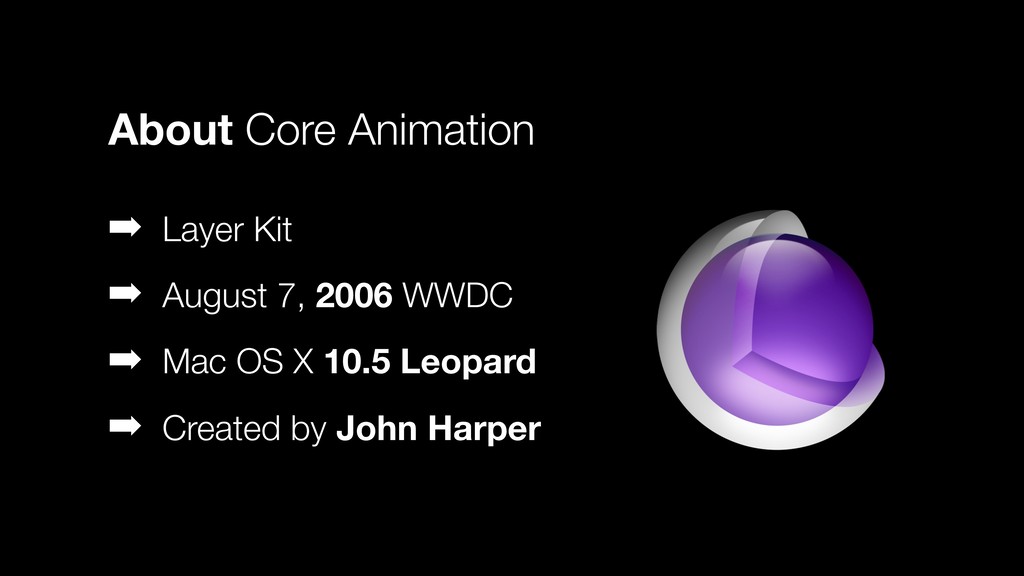
  2. ➡ Layer Kit ➡ August 7, 2006 WWDC ➡ Mac

    OS X 10.5 Leopard ➡ Created by John Harper About Core Animation
  3. Core Animation provides high frame rates and smooth animations without

    burdening the CPU and slowing down your app. – Apple Documentation
  4. ➡ iOS, macOS and tvOS ➡ Hardware accelerated GPU ➡

    Runs on separate process Core Animation ???
  5. Views Layers vs complex, Auto Layout user interaction CPU powered

    restricted no responder chain drawn on the GPU
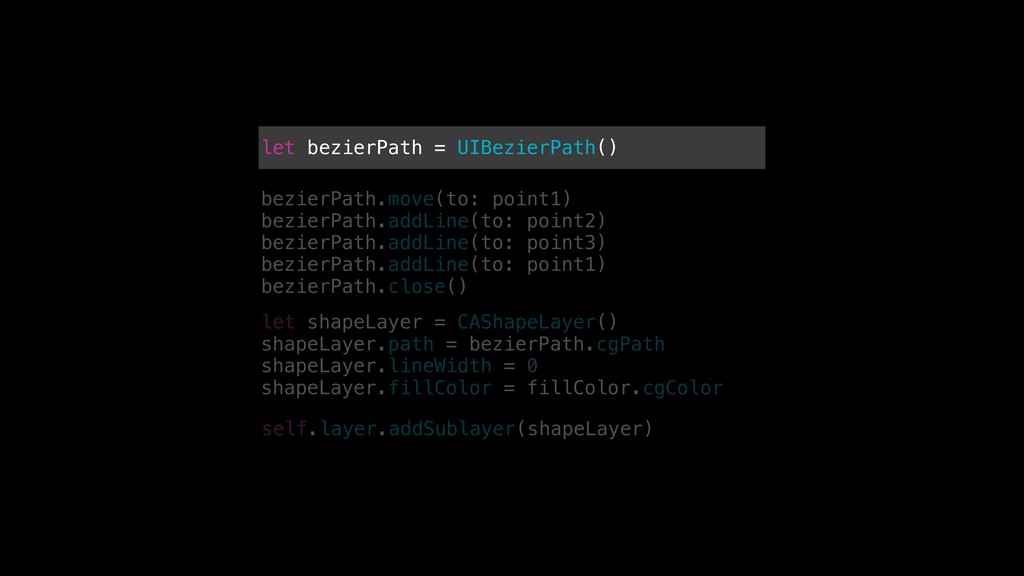
  6. let bezierPath = UIBezierPath() bezierPath.move(to: point1) bezierPath.addLine(to: point2) bezierPath.addLine(to: point3)

    bezierPath.addLine(to: point1) bezierPath.close() let shapeLayer = CAShapeLayer() shapeLayer.path = bezierPath.cgPath shapeLayer.lineWidth = 0 shapeLayer.fillColor = fillColor.cgColor self.layer.addSublayer(shapeLayer)
  7. let bezierPath = UIBezierPath() bezierPath.move(to: point1) bezierPath.addLine(to: point2) bezierPath.addLine(to: point3)

    bezierPath.addLine(to: point1) bezierPath.close() let shapeLayer = CAShapeLayer() shapeLayer.path = bezierPath.cgPath shapeLayer.lineWidth = 0 shapeLayer.fillColor = fillColor.cgColor self.layer.addSublayer(shapeLayer)
  8. let bezierPath = UIBezierPath() bezierPath.move(to: point1) bezierPath.addLine(to: point2) bezierPath.addLine(to: point3)

    bezierPath.addLine(to: point1) bezierPath.close() let shapeLayer = CAShapeLayer() shapeLayer.path = bezierPath.cgPath shapeLayer.lineWidth = 1 shapeLayer.fillColor = fillColor.cgColor self.layer.addSublayer(shapeLayer)
  9. let bezierPath = UIBezierPath() bezierPath.move(to: point1) bezierPath.addLine(to: point2) bezierPath.addLine(to: point3)

    bezierPath.addLine(to: point1) bezierPath.close() let shapeLayer = CAShapeLayer() shapeLayer.path = bezierPath.cgPath shapeLayer.lineWidth = 1 shapeLayer.fillColor = fillColor.cgColor self.layer.addSublayer(shapeLayer)
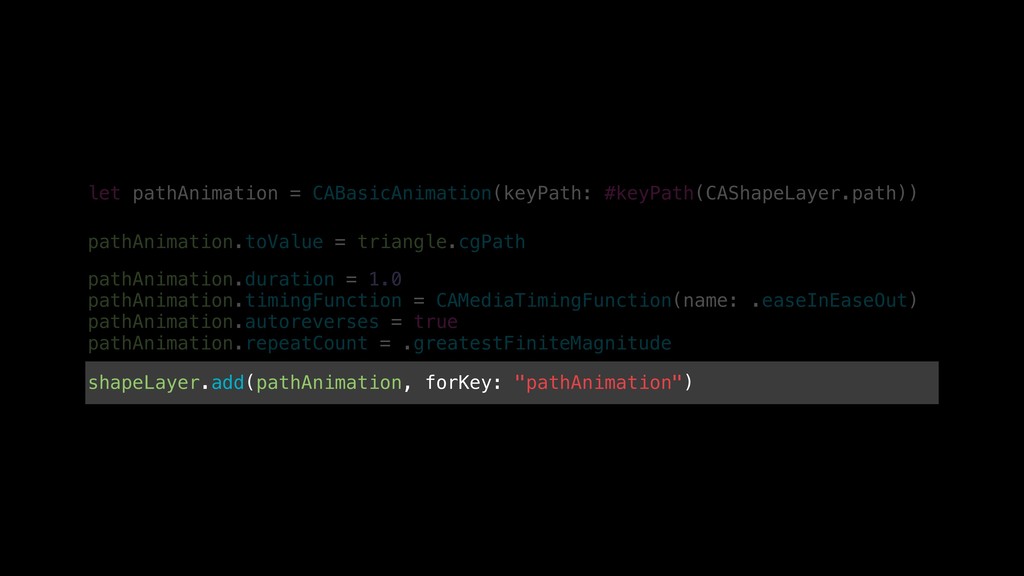
  10. let pathAnimation = CABasicAnimation(keyPath: #keyPath(CAShapeLayer.path)) shapeLayer.add(pathAnimation, forKey: "pathAnimation") pathAnimation.toValue =

    triangle.cgPath pathAnimation.duration = 1.0 pathAnimation.timingFunction = CAMediaTimingFunction(name: .easeInEaseOut) pathAnimation.autoreverses = true pathAnimation.repeatCount = .greatestFiniteMagnitude
  11. let pathAnimation = CABasicAnimation(keyPath: #keyPath(CAShapeLayer.path)) shapeLayer.add(pathAnimation, forKey: "pathAnimation") pathAnimation.toValue =

    triangle.cgPath pathAnimation.duration = 1.0 pathAnimation.timingFunction = CAMediaTimingFunction(name: .easeInEaseOut) pathAnimation.autoreverses = true pathAnimation.repeatCount = .greatestFiniteMagnitude
  12. let pathAnimation = CABasicAnimation(keyPath: #keyPath(CAShapeLayer.path)) shapeLayer.add(pathAnimation, forKey: "pathAnimation") pathAnimation.toValue =

    triangle.cgPath pathAnimation.duration = 1.0 pathAnimation.timingFunction = CAMediaTimingFunction(name: .easeInEaseOut) pathAnimation.autoreverses = true pathAnimation.repeatCount = .greatestFiniteMagnitude
  13. let pathAnimation = CABasicAnimation(keyPath: #keyPath(CAShapeLayer.path)) shapeLayer.add(pathAnimation, forKey: "pathAnimation") pathAnimation.toValue =

    triangle.cgPath pathAnimation.duration = 1.0 pathAnimation.timingFunction = CAMediaTimingFunction(name: .easeInEaseOut) pathAnimation.autoreverses = true pathAnimation.repeatCount = .greatestFiniteMagnitude
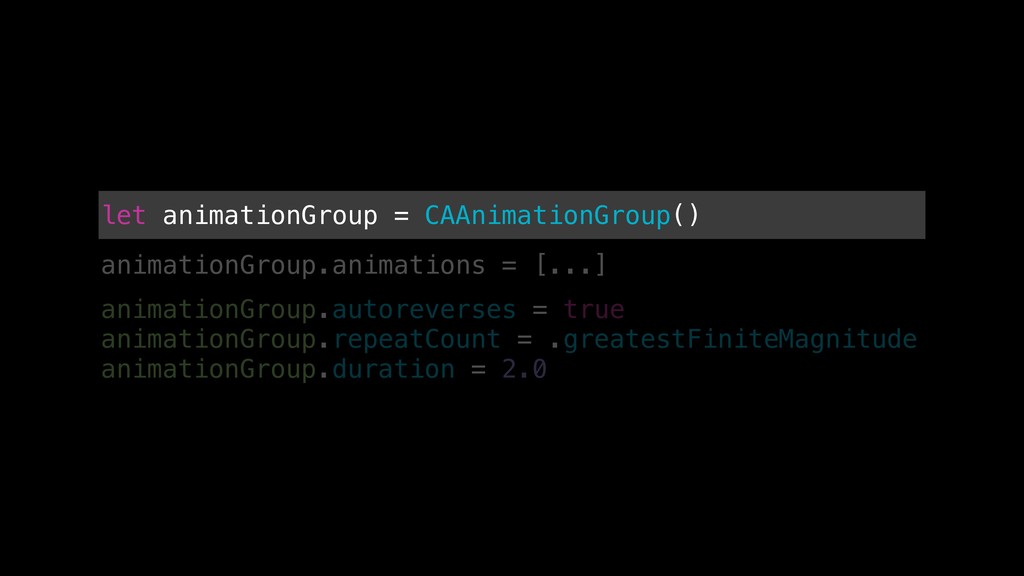
  14. let animationGroup = CAAnimationGroup() animationGroup.animations = [...] animationGroup.autoreverses = true

    animationGroup.repeatCount = .greatestFiniteMagnitude animationGroup.duration = 2.0
  15. let animationGroup = CAAnimationGroup() animationGroup.animations = [...] animationGroup.autoreverses = true

    animationGroup.repeatCount = .greatestFiniteMagnitude animationGroup.duration = 2.0
  16. let animationGroup = CAAnimationGroup() animationGroup.animations = [...] animationGroup.autoreverses = true

    animationGroup.repeatCount = .greatestFiniteMagnitude animationGroup.duration = 2.0
  17. Know when it’s too much CA is powerful & well

    documented API Hard to do something out of bounds Conclusions

More Decks by Kristaps Grinbergs

Other Decks in Programming