Upgrade to Pro
— share decks privately, control downloads, hide ads and more …
Speaker Deck
Sign up for free
Menu
Search
Features
All features
Private URLs
Password Protection
Custom URLS
Scheduled publishing
Remove Branding
Restrict embedding
Deck Collections
Notes
Features
All features
Private URLs
Password Protection
Custom URLS
Scheduled publishing
Remove Branding
Restrict embedding
Deck Collections
Notes
Explore
Featured decks
Featured speakers
Programming
Technology
Storyboards
Explore
Featured decks
Featured speakers
Programming
Technology
Storyboards
Pricing
Search
Sign in
Sign up for free
FileBeat (Won't save you from the JVM)
Search
Chris Fidao
January 24, 2016
Technology
390
1
Share
Embed
Copy iframe code
Copy JS code
Copy link
Start on current slide
FileBeat (Won't save you from the JVM)
A quick presentation about using Elastic's FileBeat for log aggregation.
Chris Fidao
January 24, 2016
More Decks by Chris Fidao
See All by Chris Fidao
Development Environments that Feel Local
fideloper
0
110
Refactoring Terraform - CloudCasts - Scaling EC2
fideloper
0
120
Scaling Laravel - Laracon.net 2018
fideloper
15
2k
Linux Environment
fideloper
1
11k
Server Survival
fideloper
29
24k
Powering Your Applications With Nginx
fideloper
9
7.7k
Hexagonal Architecture
fideloper
49
200k
Intro to etcd
fideloper
3
680
Service Oriented Architecture with a little help from NodeJS
fideloper
4
2.3k
Other Decks in Technology
See All in Technology
Kiro Crewをはじめよう
kizawa2020
1
110
Loop Engineering これくらいでいい
mikanichinose
0
160
自主式軟體工廠
philipz
0
250
Deep Data Security 機能解説
oracle4engineer
PRO
2
740
転んだ話が背中を預ける理由になる / A_story_about_falling_down_gives_you_a_reason_to_watch_each_other_s_backs.pdf
pauli
3
340
Essential architectural thinking (revised edition)
ufried
0
110
20260930_Gemma4_Hands-on
tsho
0
240
V8のArray.prototype.flatを最大約20倍速くするまでと、巨大OSSへの大規模コミットの道のり
riyaamemiya
0
110
AIは爆速なのに、私が詰まっていた話 ― 音声入力と鳴くマスコットでボトルネックを削る
yama3133
0
570
ブラウザとサーバーから考えるAI時代のフロントエンド監視
shogo4131
3
630
生成AIを使って「人が」考える技術 ― AI時代の人機共想と実践ノウハウ|UNITT AC2026
ishiirikie
0
580
FOSS4Gを活用した自治体業務DXの試み
470715
0
140
Featured
See All Featured
For a Future-Friendly Web
brad_frost
184
10k
We Analyzed 250 Million AI Search Results: Here's What I Found
joshbly
2
2k
ReactJS: Keep Simple. Everything can be a component!
pedronauck
666
130k
Agile that works and the tools we love
rasmusluckow
331
22k
Are puppies a ranking factor?
jonoalderson
2
4k
Practical Tips for Bootstrapping Information Extraction Pipelines
honnibal
25
2.1k
Game over? The fight for quality and originality in the time of robots
wayneb77
1
300
So, you think you're a good person
axbom
PRO
2
2.2k
How GitHub (no longer) Works
holman
316
150k
WENDY [Excerpt]
tessaabrams
14
40k
How to Think Like a Performance Engineer
csswizardry
28
2.9k
Cheating the UX When There Is Nothing More to Optimize - PixelPioneers
stephaniewalter
287
14k
Transcript
FileBeat (Won’t save you from the JVM)
Beats Data Shippers for Elasticsearch (written in Golang)
PacketBeat TopBeat
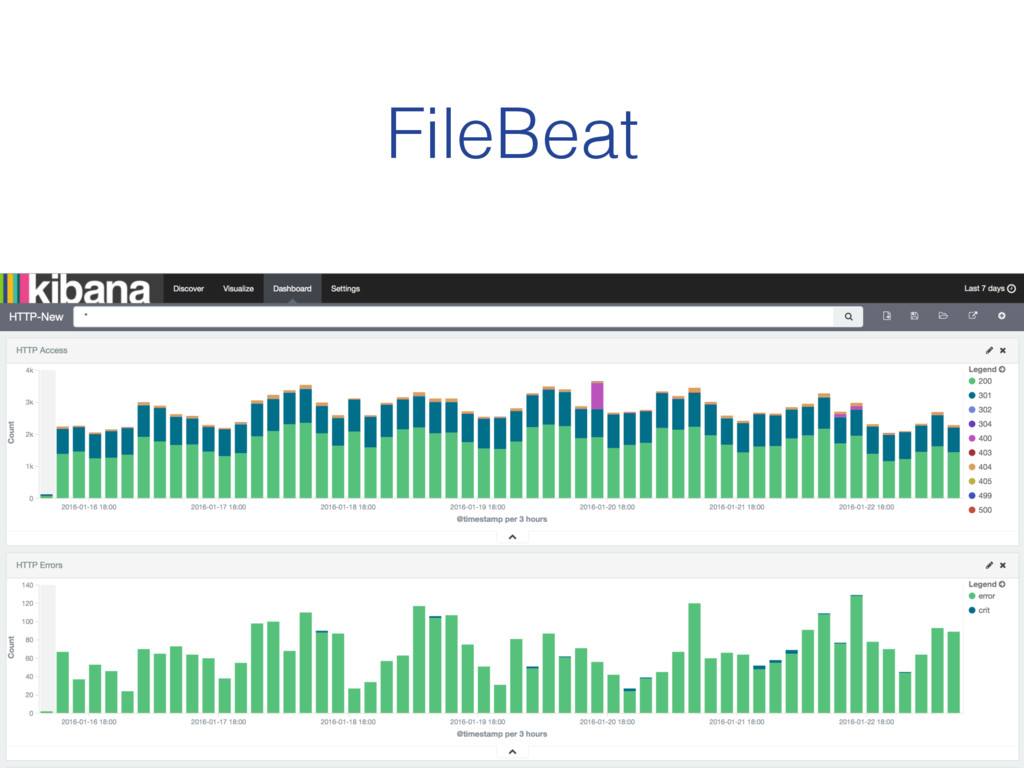
FileBeat
Versus:
!
None
None
None
Goal: "
# Download Filebeat Package (Debian/Ubuntu) curl -L -O https://download.elastic.co/beats/filebeat/ filebeat_1.0.1_amd64.deb
# Install from .deb file, # without worrying about dependencies, # because Golang ! sudo dpkg -i filebeat_1.0.1_amd64.deb #!/usr/bin/env bash
filebeat: prospectors: - paths: - /var/log/nginx/*.log input_type: log - paths:
- /var/log/php7.0-fpm.log input_type: log output: elasticsearch: hosts: [“https://search-sadevops.us-east-1.es.aws.com:443"] shipper: tags: ["web-service", "or-like-whatever"] /etc/filebeat/filebeat.yml
useless (un-parsed message)
Plaintext Log Message useless
You Can’t Escape the JVM
None
Plaintext Log Message Parsed Log (JSON)
# Install Java sudo apt-get install -y openjdk-7-jdk # Add
ES Key wget -O - http://packages.elasticsearch.org/GPG-KEY-elasticsearch | sudo apt-key add - # Add Repo echo "deb http://packages.elastic.co/logstash/2.1/debian stable main" | sudo tee /etc/apt/sources.list.d/logstash.list # Update and install package sudo apt-get update sudo apt-get install -y logstash # Install Filebeat Plugin sudo /opt/logstash/bin/plugin install logstash-input-beats On a new server…
input { beats { type => beats port => 5044
} } filter { grok { match => { "message" => "%{COMBINEDAPACHELOG}" } remove_tag => ["_grokparsefailure"] add_tag => ["nginx_access"] } } output { elasticsearch { hosts => ["search-sadevops.us-east-1.es.aws.com:80"] } } /etc/logstash/conf.d/filebeat.conf
filebeat: prospectors: - paths: - /var/log/nginx/*.log input_type: log - paths:
- /var/log/php7.0-fpm.log input_type: log output: logstash: hosts: ["172.31.28.187:5044"] shipper: tags: ["web-service", "or-like-whatever"] /etc/filebeat/filebeat.yml
None
None
$ ab -n 50000 -c 2 localhost/ mehhhhhh
40% 250mb
Conclusion: (for my use case) Fluentd is good enough. •One
less server (yay!) •Trade-off of more ram used: acceptable •JVM is “scary”, because I’m ignorant •(But PacketBeat and TopBeat look really useful)
@fideloper Thanks! Chris Fidao


 fideloper
 kizawa2020
 mikanichinose
 philipz
 oracle4engineer
 pauli
pauli
 ufried
 tsho
tsho
 riyaamemiya
 yama3133
 shogo4131
 ishiirikie
 470715
 brad_frost
 joshbly
 pedronauck
 rasmusluckow
 jonoalderson
 honnibal
 wayneb77
 axbom
axbom
 holman
 tessaabrams
 csswizardry
 stephaniewalter