Upgrade to Pro — share decks privately, control downloads, hide ads and more …

Building AI Agents with ADK (Agent Development ...

Building AI Agents with ADK (Agent Development Kit) for Java

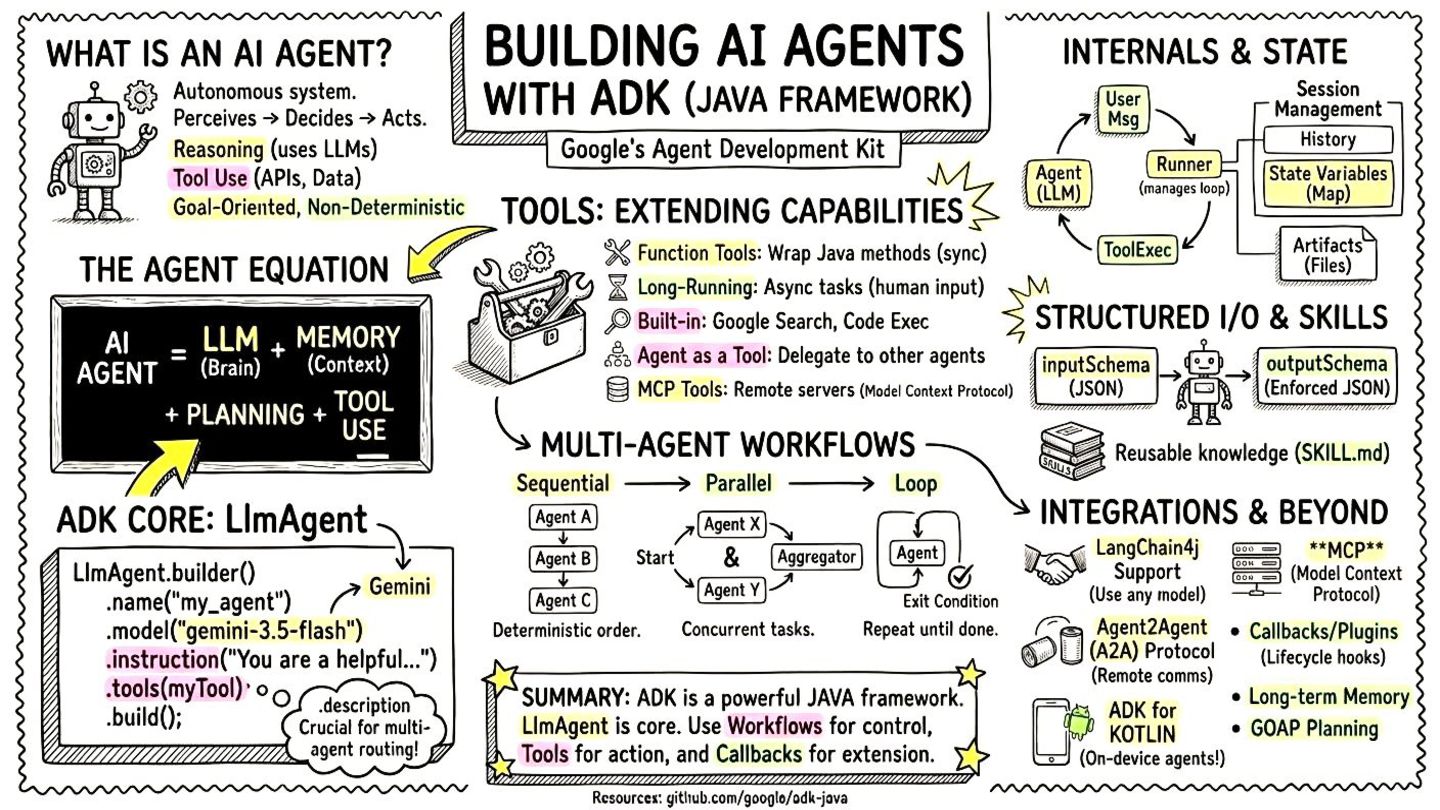
Buzzword of the year, AI agents are becoming mainstream. You don’t even need to use Python to create agents, you can develop them using Java! In this presentation, we’ll focus in particular on one framework: ADK, the Agent Development Kit released by Google.

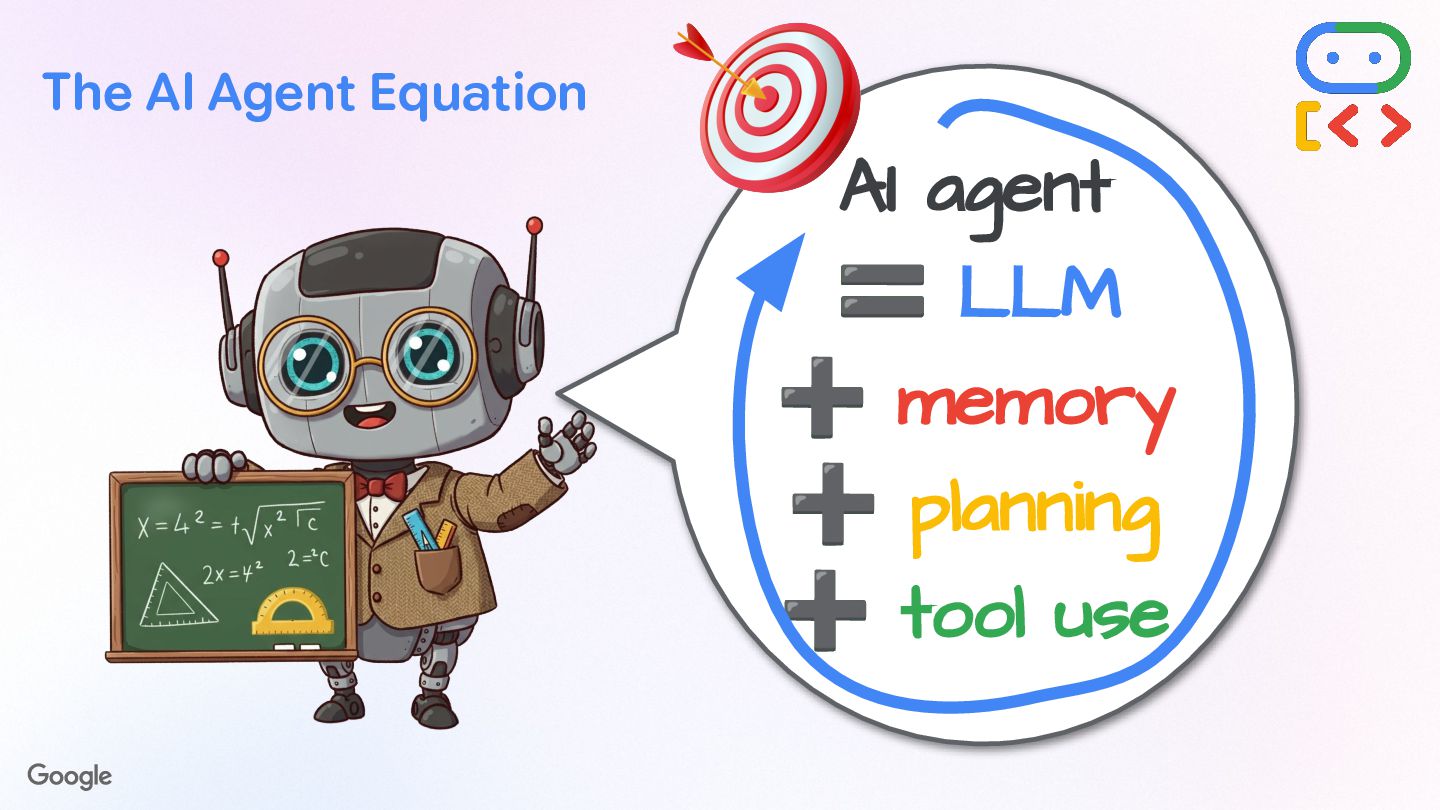
AI Agents perceive, decide, and act to achieve goals using LLMs and tools. We’ll explore the various tools at our disposal, including built-in ones like Google Search or sandboxed code execution, as well as custom Java code, or MCP servers. To make agents even smarter, skills can teach them the right knowledge and procedures to follow for complex actions.

Multi-agent systems can be built by delegating tasks to more specialized sub-agents. We’ll see the various patterns at play to organize agents to work together, using sequential, parallel, or loop flows. Or how you can interact with remote A2A (Agent2Agent Protocol) agents or expose your own via A2A. Also, some multi-agent scenarios require more agency, and Goal Oriented Action Planning gives more flexibility to your systems.

That’s not all, we’ll also look into how callbacks allow you to plug into the AI agent workflow (including for hooking up guardrails), or how state can be shared and manipulated, and how events flow in our agentic systems or how they are persisted in memory.

At the end of this presentation, you’ll know everything about ADK for Java, and you’ll be able to build your first AI agents in no time!

Avatar for Guillaume Laforge

Guillaume Laforge

July 05, 2026

More Decks by Guillaume Laforge

Other Decks in Technology

Transcript

  1. Building AI Agents with ADK (Agent Development Kit) A Deep

    Dive into the Java Framework @glaforge — July 2026
  2. What are AI Agents? An AI Agent is an autonomous

    system that can perceive its environment, make decisions, and take actions to achieve specific goals. • Reasoning — Agents "think" and "plan" using LLMs. • Tool Use — Interact with external systems, APIs, and data sources. • Goal-Oriented — Work to complete tasks defined by their instructions. • Non-Deterministic — Behavior driven by the LLM's reasoning, not a fixed script.
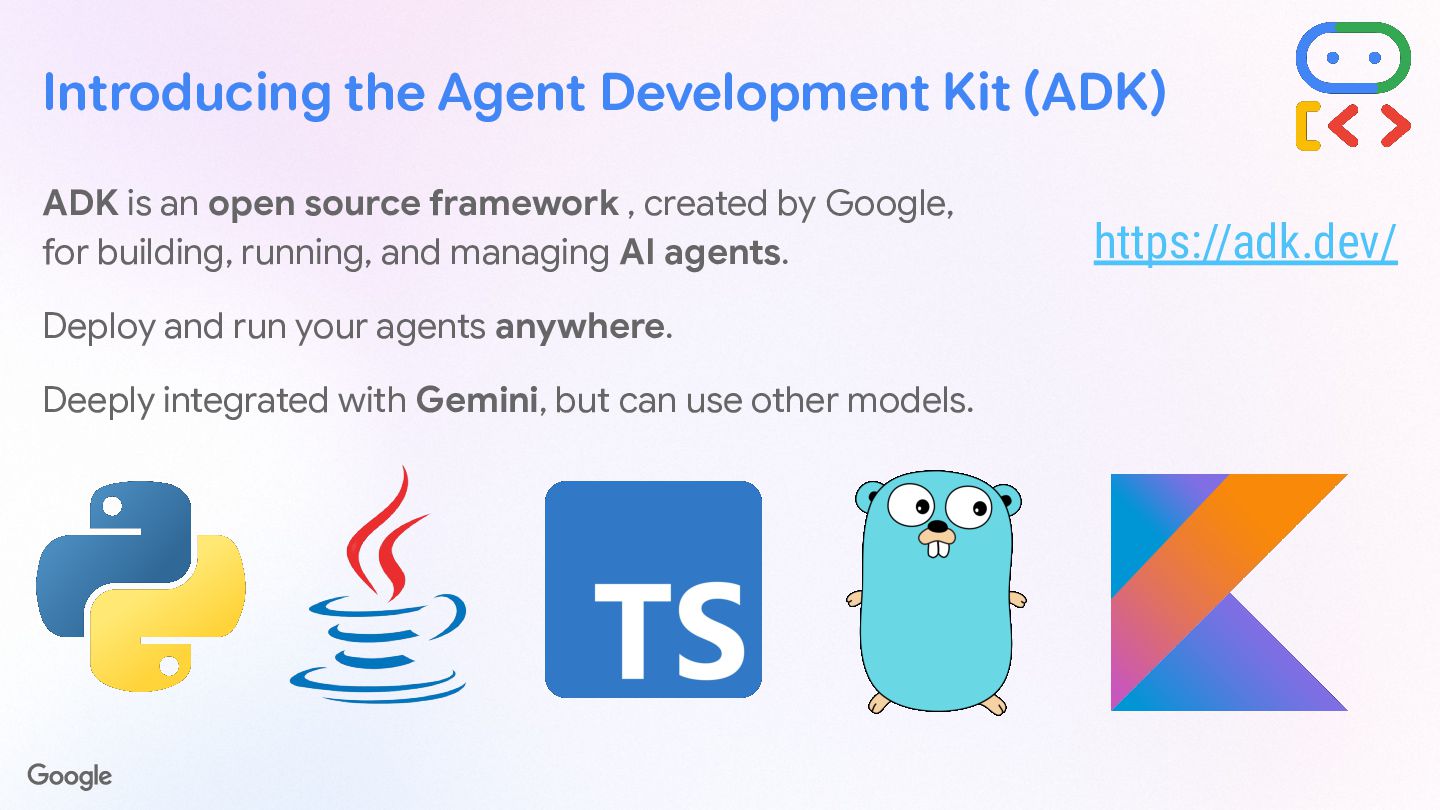
  3. Introducing the Agent Development Kit (ADK) ADK is an open

    source framework , created by Google, for building, running, and managing AI agents. Deploy and run your agents anywhere. Deeply integrated with Gemini, but can use other models. https://adk.dev/
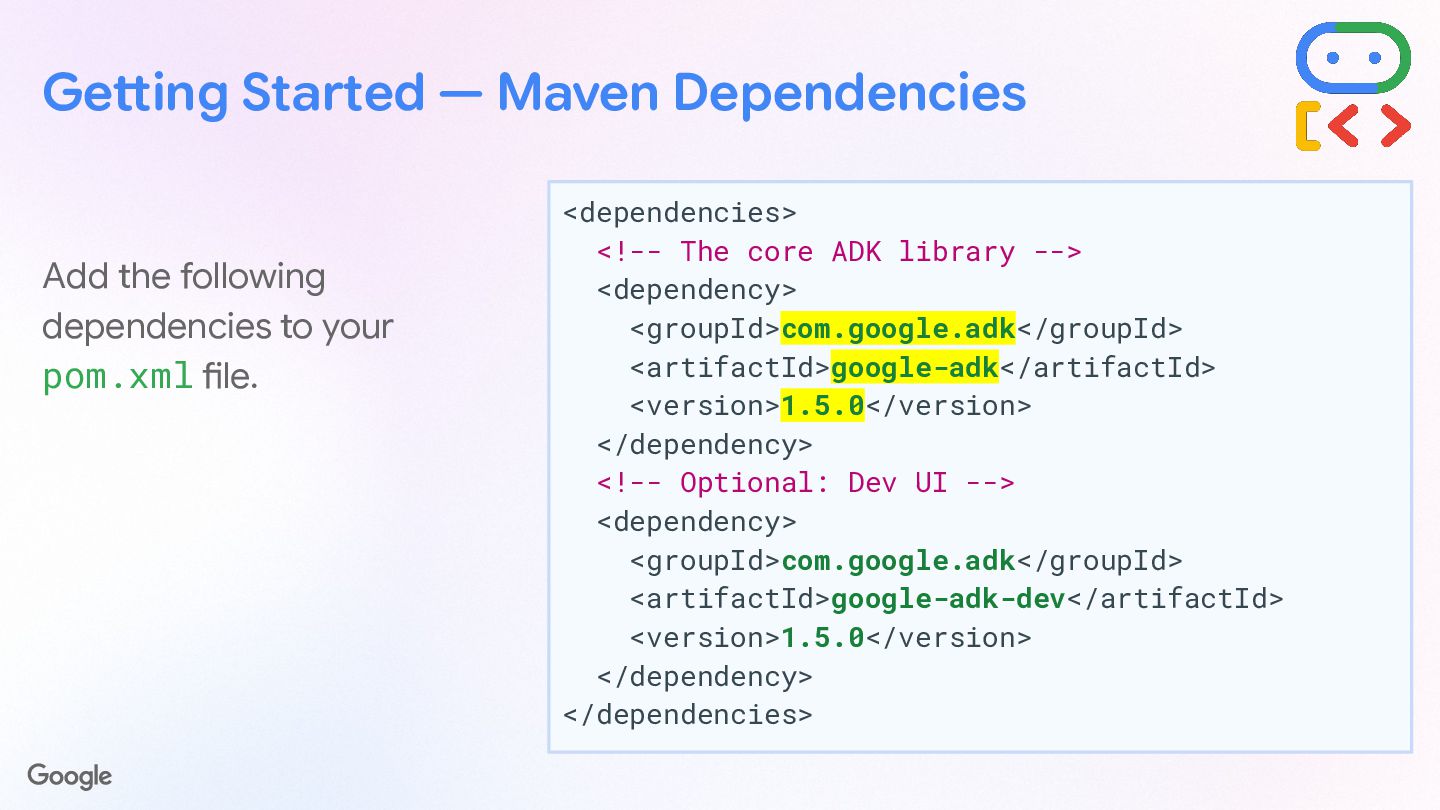
  4. Getting Started — Maven Dependencies <dependencies> <!-- The core ADK

    library --> <dependency> <groupId>com.google.adk</groupId> <artifactId>google-adk</artifactId> <version>1.6.0</version> </dependency> <!-- Optional: Dev UI --> <dependency> <groupId>com.google.adk</groupId> <artifactId>google-adk-dev</artifactId> <version>1.6.0</version> </dependency> </dependencies> Add the following dependencies to your pom.xml file.
  5. Getting Started — Maven Dependencies <dependencies> <!-- The core ADK

    library --> <dependency> <groupId>com.google.adk</groupId> <artifactId>google-adk</artifactId> <version>1.6.0</version> </dependency> <!-- Optional: Dev UI --> <dependency> <groupId>com.google.adk</groupId> <artifactId>google-adk-dev</artifactId> <version>1.6.0</version> </dependency> </dependencies> Optionally add the Dev UI
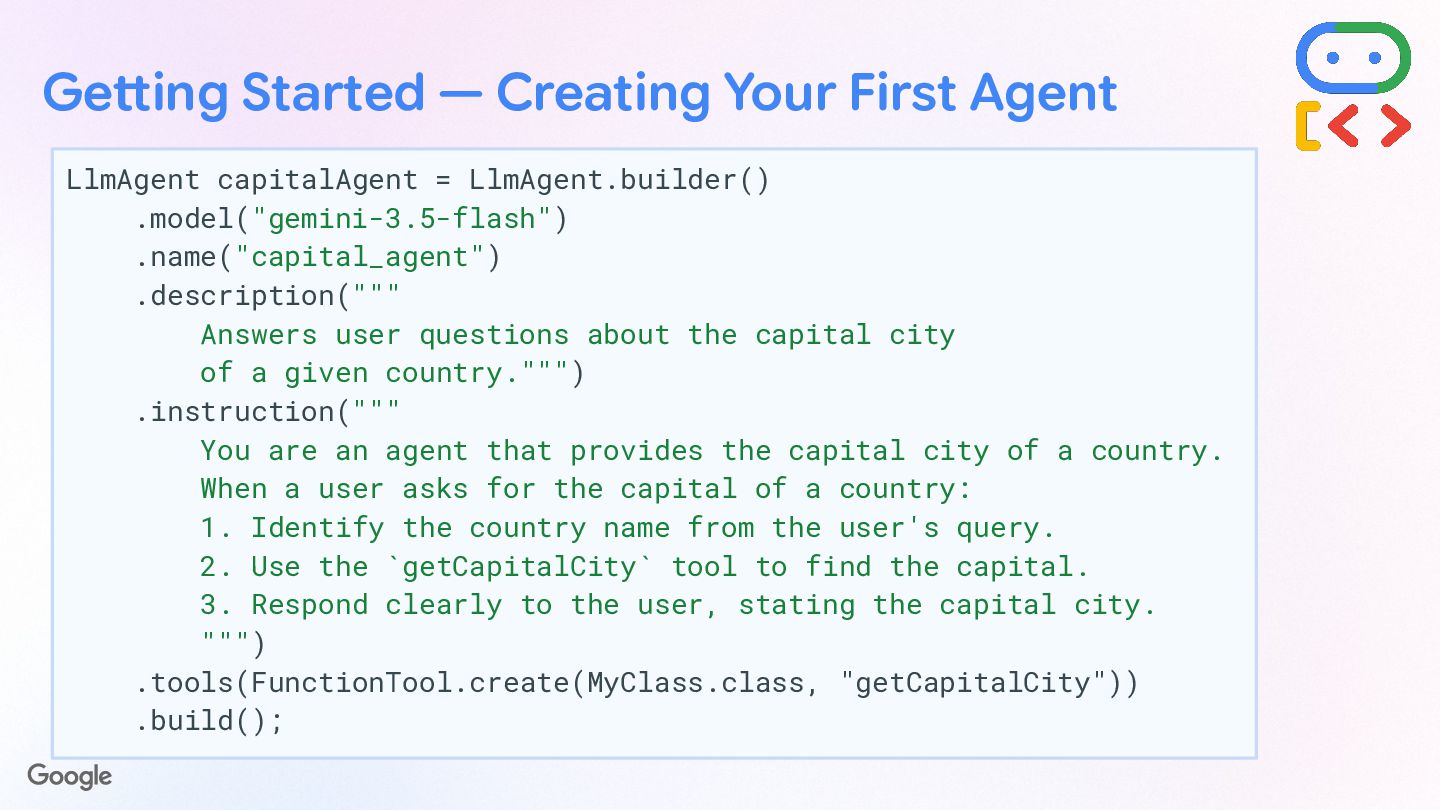
  6. Getting Started — Creating Your First Agent LlmAgent capitalAgent =

    LlmAgent.builder() .name("capital_agent") .description(""" Answers user questions about the capital city of a given country.""") .model("gemini-3.5-flash") .instruction(""" You are an agent that provides the capital city of a country. When a user asks for the capital of a country: 1. Identify the country name from the user's query. 2. Use the `getCapitalCity` tool to find the capital. 3. Respond clearly to the user, stating the capital city. """) .tools(FunctionTool.create(MyClass.class, "getCapitalCity")) .build();
  7. Getting Started — Creating Your First Agent LlmAgent capitalAgent =

    LlmAgent.builder() .name("capital_agent") .description(""" Answers user questions about the capital city of a given country.""") .model("gemini-3.5-flash") .instruction(""" You are an agent that provides the capital city of a country. When a user asks for the capital of a country: 1. Identify the country name from the user's query. 2. Use the `getCapitalCity` tool to find the capital. 3. Respond clearly to the user, stating the capital city. """) .tools(FunctionTool.create(MyClass.class, "getCapitalCity")) .build(); Unique string identifier for the agent
  8. Getting Started — Creating Your First Agent LlmAgent capitalAgent =

    LlmAgent.builder() .name("capital_agent") .description(""" Answers user questions about the capital city of a given country.""") .model("gemini-3.5-flash") .instruction(""" You are an agent that provides the capital city of a country. When a user asks for the capital of a country: 1. Identify the country name from the user's query. 2. Use the `getCapitalCity` tool to find the capital. 3. Respond clearly to the user, stating the capital city. """) .tools(FunctionTool.create(MyClass.class, "getCapitalCity")) .build(); Summary of its capabilities (important for multi-agent routing)
  9. Getting Started — Creating Your First Agent LlmAgent capitalAgent =

    LlmAgent.builder() .name("capital_agent") .description(""" Answers user questions about the capital city of a given country.""") .model("gemini-3.5-flash") .instruction(""" You are an agent that provides the capital city of a country. When a user asks for the capital of a country: 1. Identify the country name from the user's query. 2. Use the `getCapitalCity` tool to find the capital. 3. Respond clearly to the user, stating the capital city. """) .tools(FunctionTool.create(MyClass.class, "getCapitalCity")) .build(); Underlying LLM to power the agent
  10. Getting Started — Creating Your First Agent LlmAgent capitalAgent =

    LlmAgent.builder() .name("capital_agent") .description(""" Answers user questions about the capital city of a given country.""") .model("gemini-3.5-flash") .instruction(""" You are an agent that provides the capital city of a country. When a user asks for the capital of a country: 1. Identify the country name from the user's query. 2. Use the `getCapitalCity` tool to find the capital. 3. Respond clearly to the user, stating the capital city. """) .tools(FunctionTool.create(MyClass.class, "getCapitalCity")) .build(); Instructions give a goal, personality, constraints, and how to use its tools
  11. Getting Started — Creating Your First Agent LlmAgent capitalAgent =

    LlmAgent.builder() .name("capital_agent") .description(""" Answers user questions about the capital city of a given country.""") .model("gemini-3.5-flash") .instruction(""" You are an agent that provides the capital city of a country. When a user asks for the capital of a country: 1. Identify the country name from the user's query. 2. Use the `getCapitalCity` tool to find the capital. 3. Respond clearly to the user, stating the capital city. """) .tools(FunctionTool.create(MyClass.class, "getCapitalCity")) .build(); Tool definition
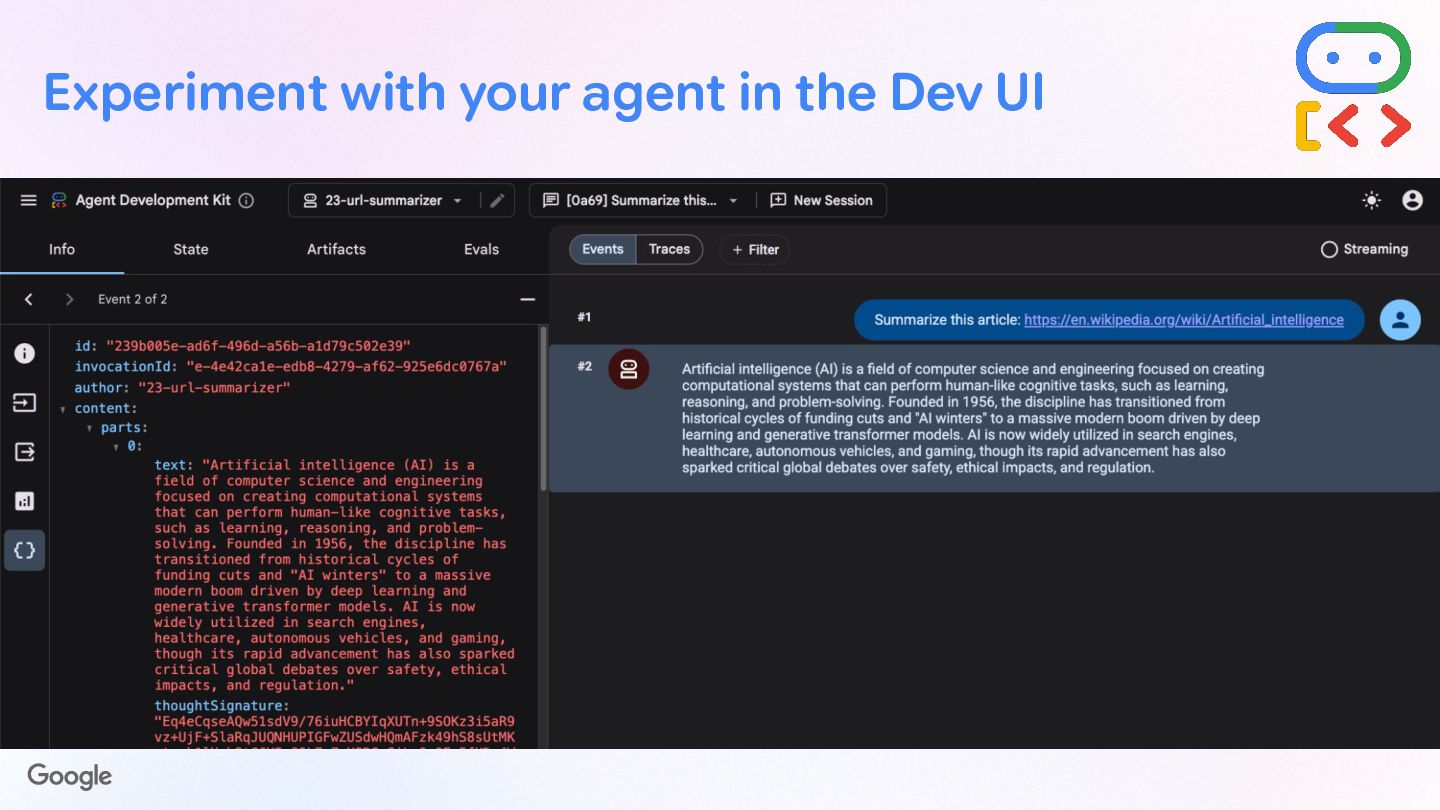
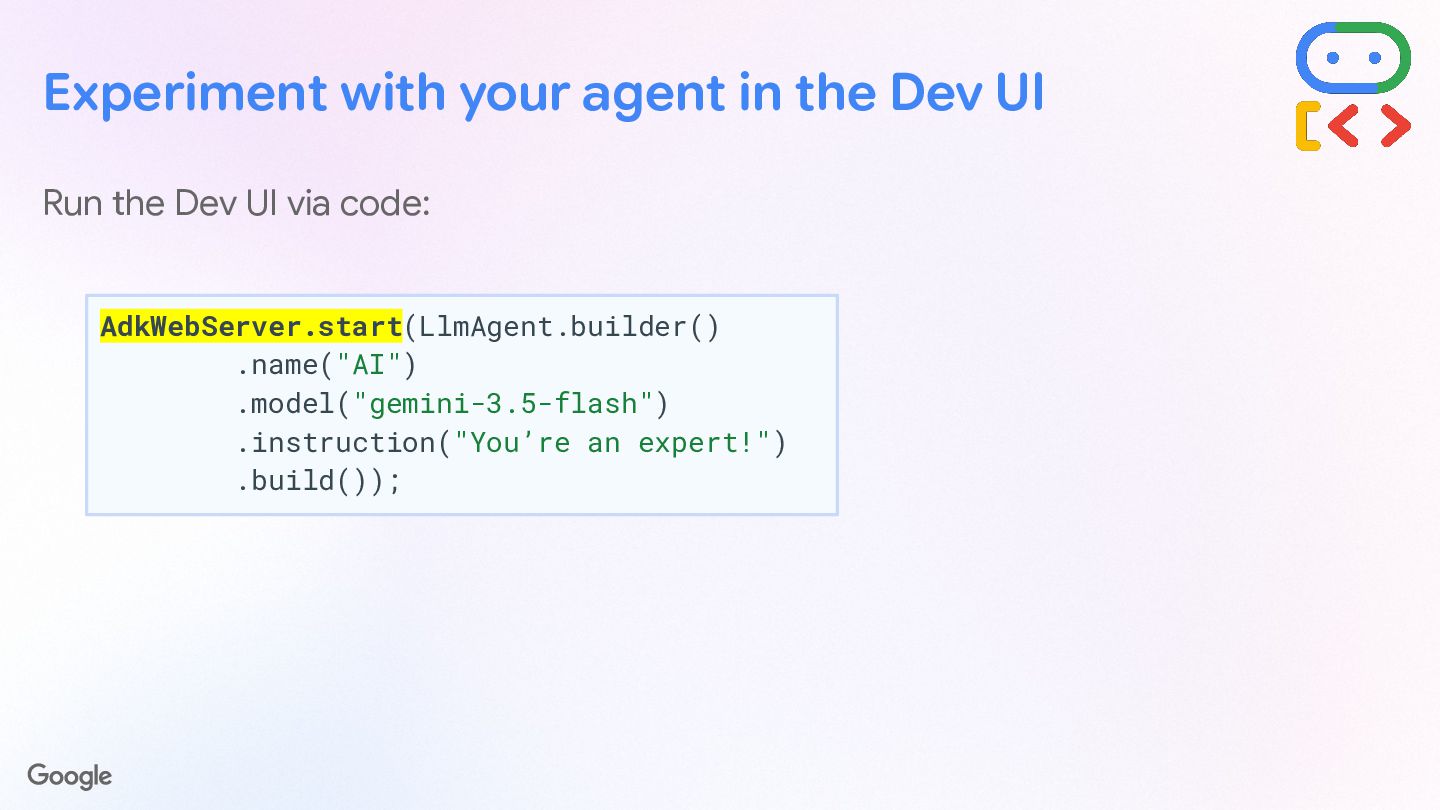
  12. Experiment with your agent in the Dev UI Run the

    Dev UI via code: AdkWebServer.start(LlmAgent.builder() .name("AI") .model("gemini-3.5-flash") .instruction("You’re an expert!") .build());
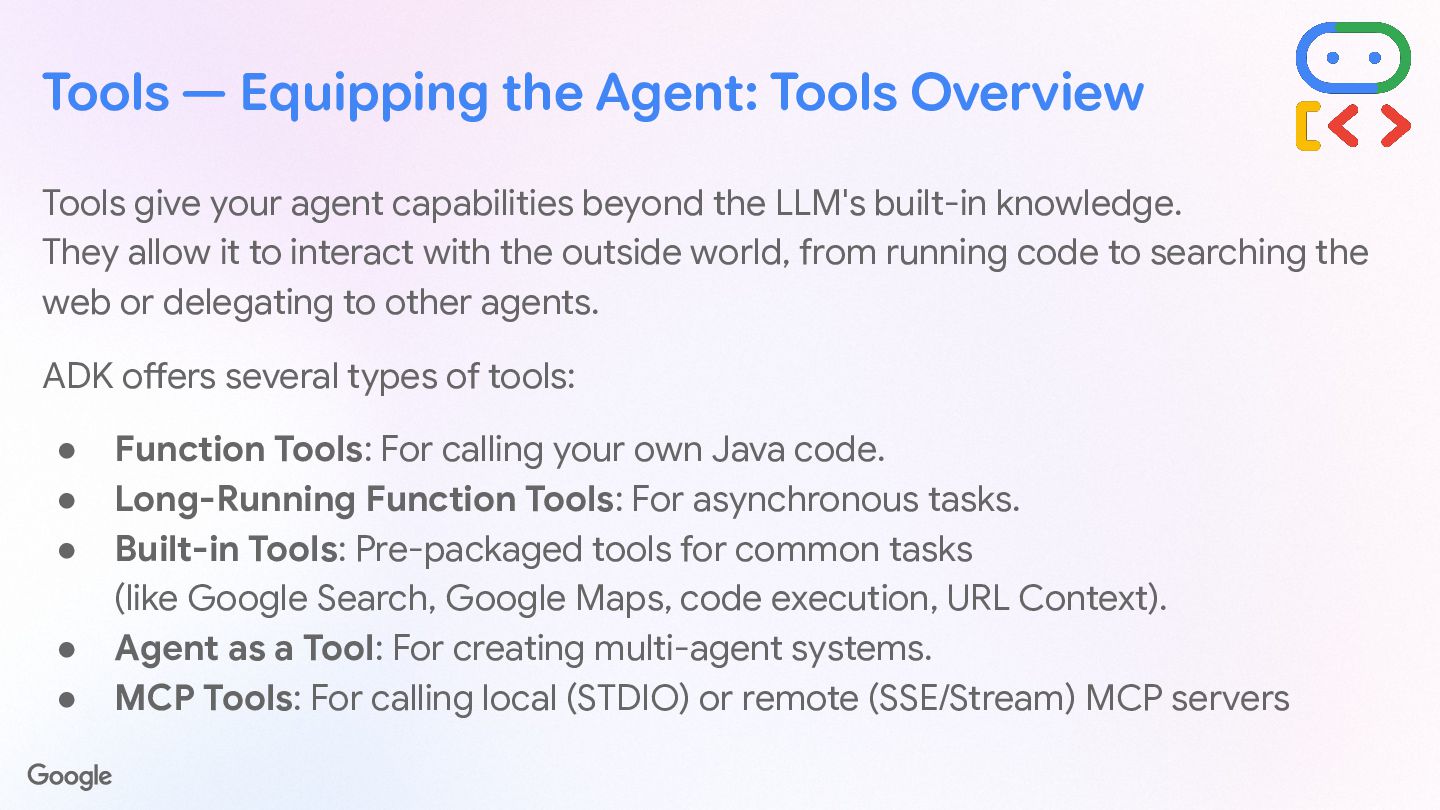
  13. Tools give your agent capabilities beyond the LLM's built-in knowledge.

    They allow it to interact with the outside world, from running code to searching the web or delegating to other agents. Tools — Equipping the Agent: Tools Overview Function Tools For calling your own Java code. Long-Running Function Tools For asynchronous tasks. Built-in Tools Pre-packaged tools (Google Search, Google Maps, code execution., URL Context). Agent as a Tool For creating multi-agent systems. MCP Tools For calling local (STDIO) or remote (SSE/Stream) MCP servers.
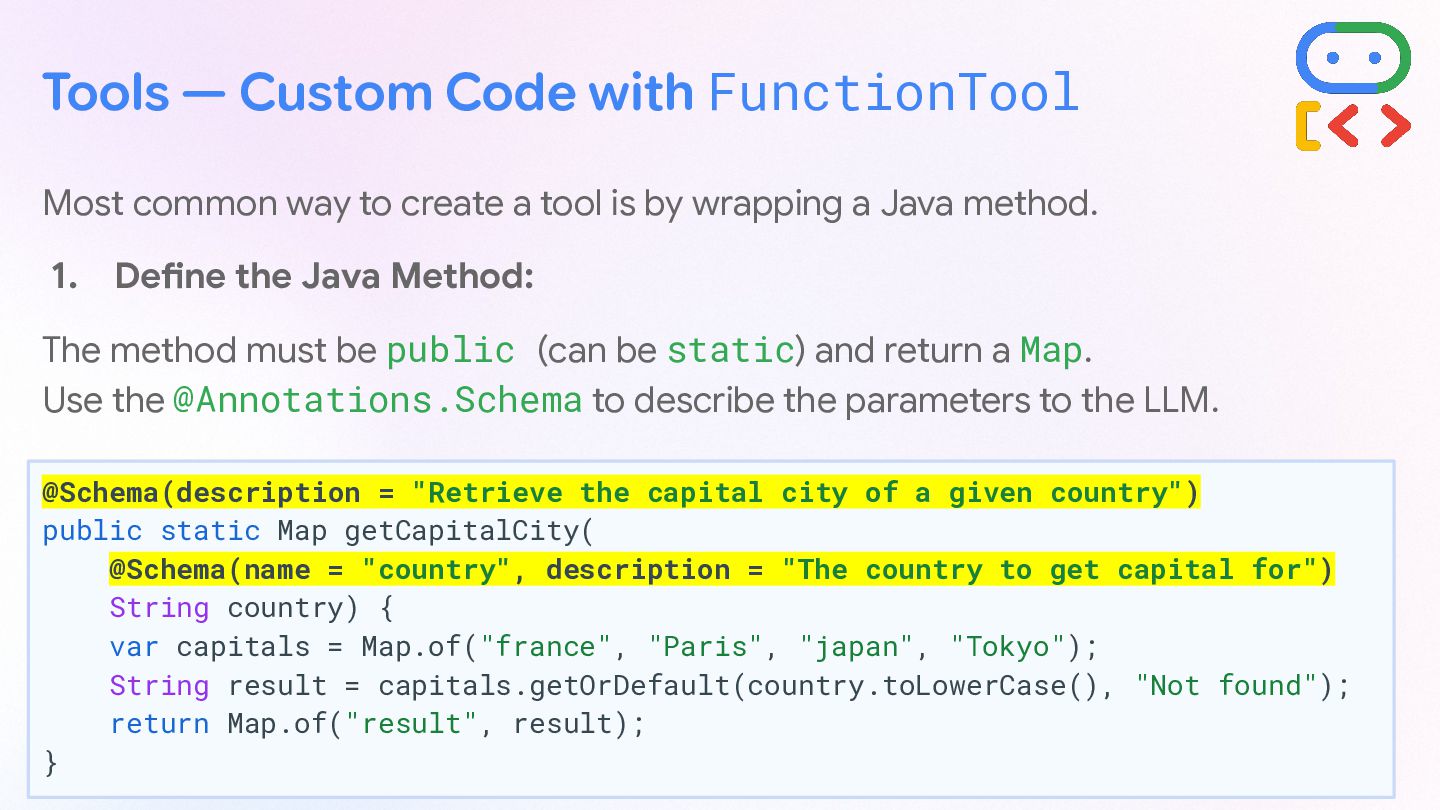
  14. Tools — Custom Code with FunctionTool Most common way to

    create a tool is by wrapping a Java method. 1. Define the Java Method: The method must be public (can be static) and return a Map. Use the @Annotations.Schema to describe the parameters to the LLM. @Schema(description = "Retrieve the capital city of a given country") public static Map getCapitalCity( @Schema(name = "country", description = "The country to get capital for") String country) { var capitals = Map.of("france", "Paris", "japan", "Tokyo"); String result = capitals.getOrDefault(country.toLowerCase(), "Not found"); return Map.of("result", result); }
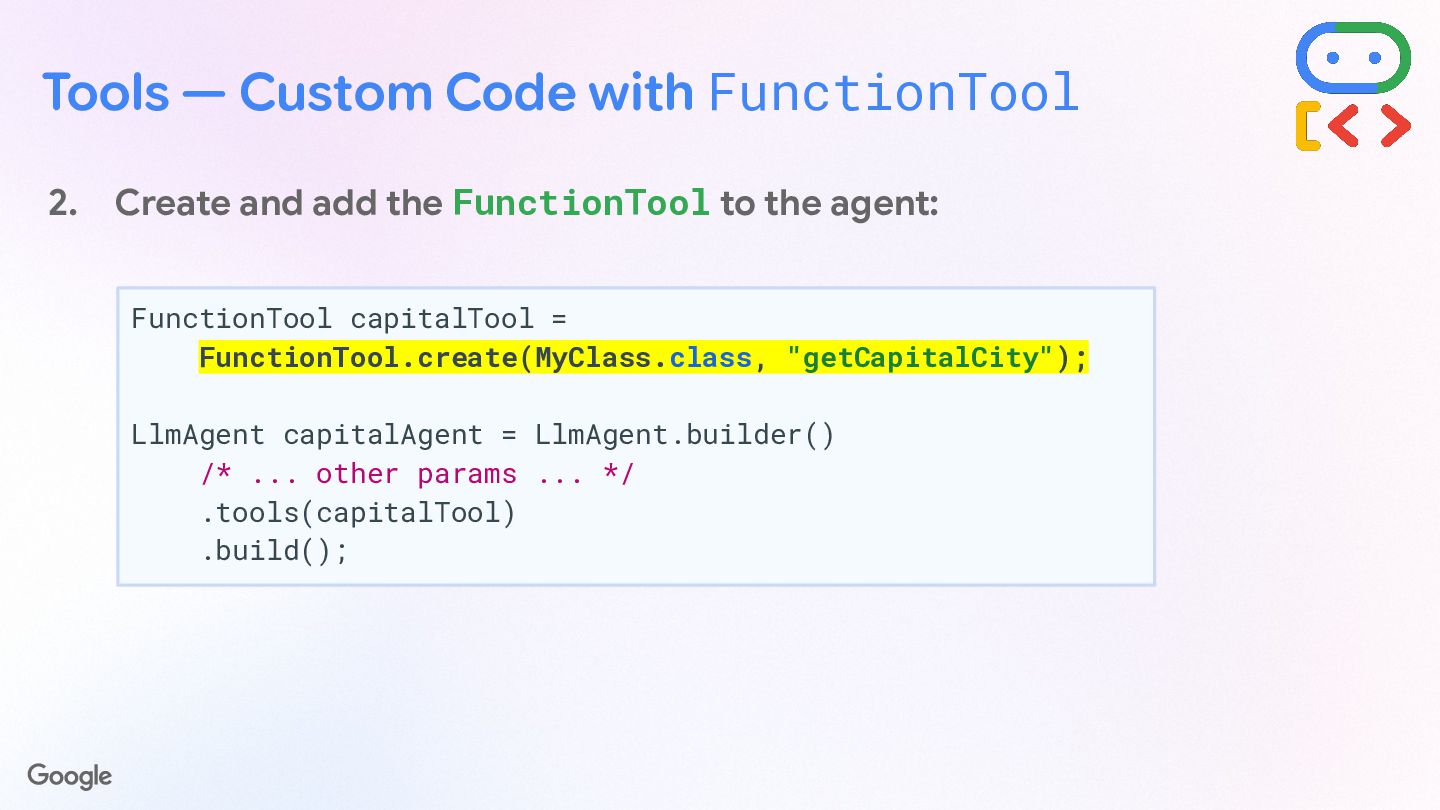
  15. Tools — Custom Code with FunctionTool 2. Create and add

    the FunctionTool to the agent: FunctionTool capitalTool = FunctionTool.create(MyClass.class, "getCapitalCity"); LlmAgent capitalAgent = LlmAgent.builder() /* ... other params ... */ .tools(capitalTool) .build();
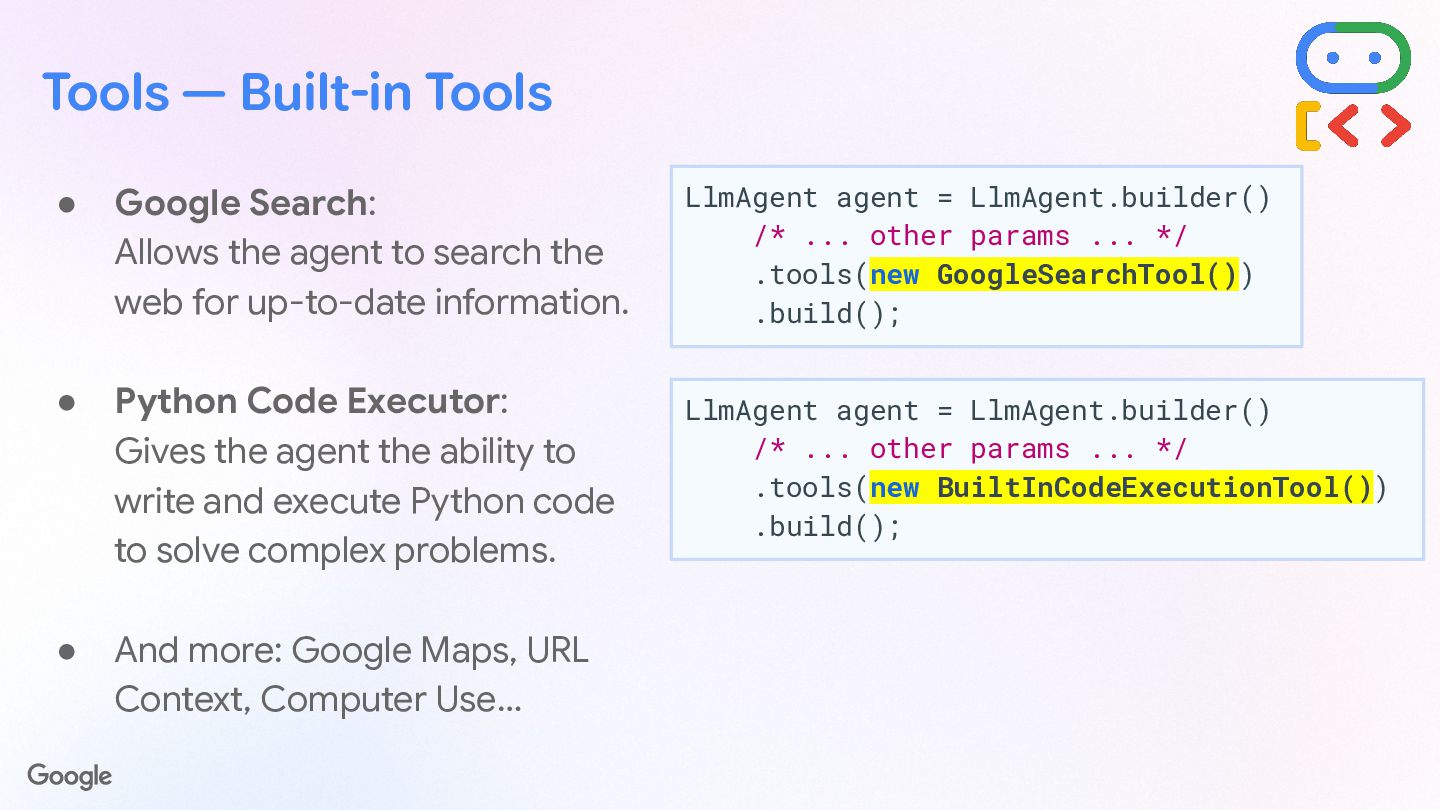
  16. Tools — Built-in Tools • Google Search: Allows the agent

    to search the web for up-to-date information. • Python Code Executor: Gives the agent the ability to write and execute Python code to solve complex problems. • And more: Google Maps, URL Context, Computer Use… LlmAgent agent = LlmAgent.builder() /* ... other params ... */ .tools(new GoogleSearchTool()) .build(); LlmAgent agent = LlmAgent.builder() /* ... other params ... */ .tools(new BuiltInCodeExecutionTool()) .build();
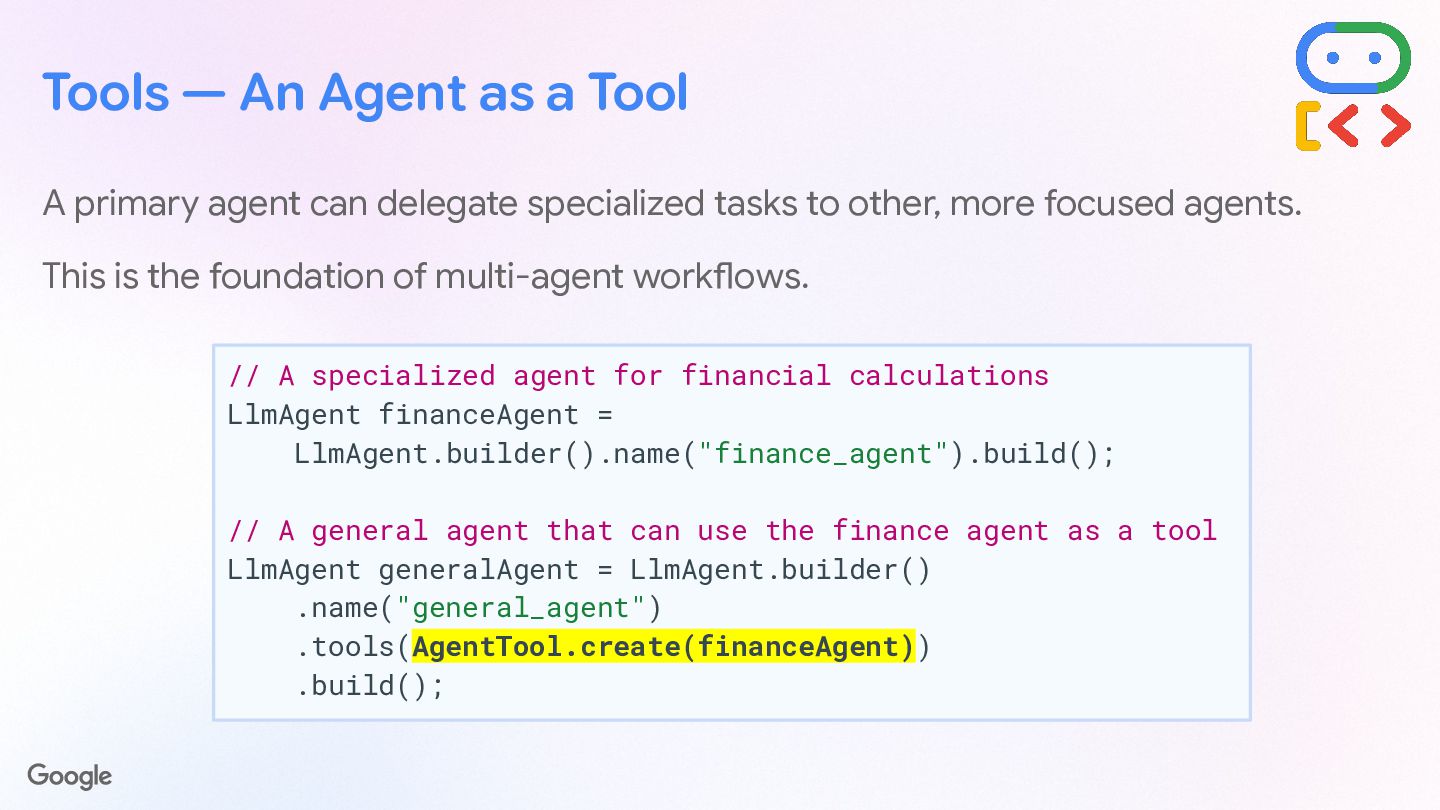
  17. Tools — An Agent as a Tool A primary agent

    can delegate specialized tasks to other, more focused agents. This is the foundation of multi-agent workflows. // A specialized agent for financial calculations LlmAgent financeAgent = LlmAgent.builder().name("finance_agent").build(); // A general agent that can use the finance agent as a tool LlmAgent generalAgent = LlmAgent.builder() .name("general_agent") .tools(AgentTool.create(financeAgent)) .build();
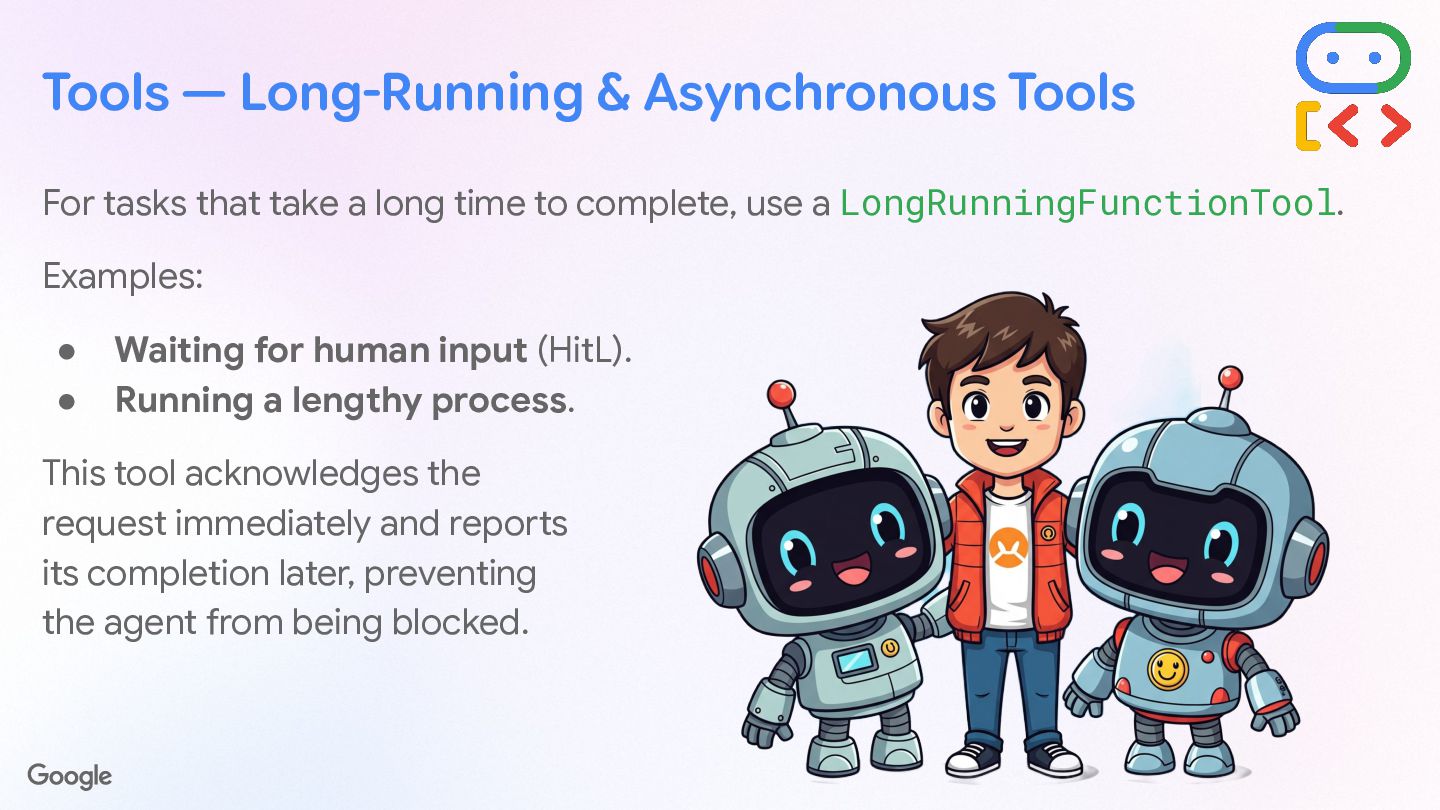
  18. Tools — Long-Running & Asynchronous Tools For tasks that take

    a long time to complete, use a LongRunningFunctionTool. Examples: • Waiting for human input (HitL). • Running a lengthy process. This tool acknowledges the request immediately and reports its completion later, preventing the agent from being blocked.
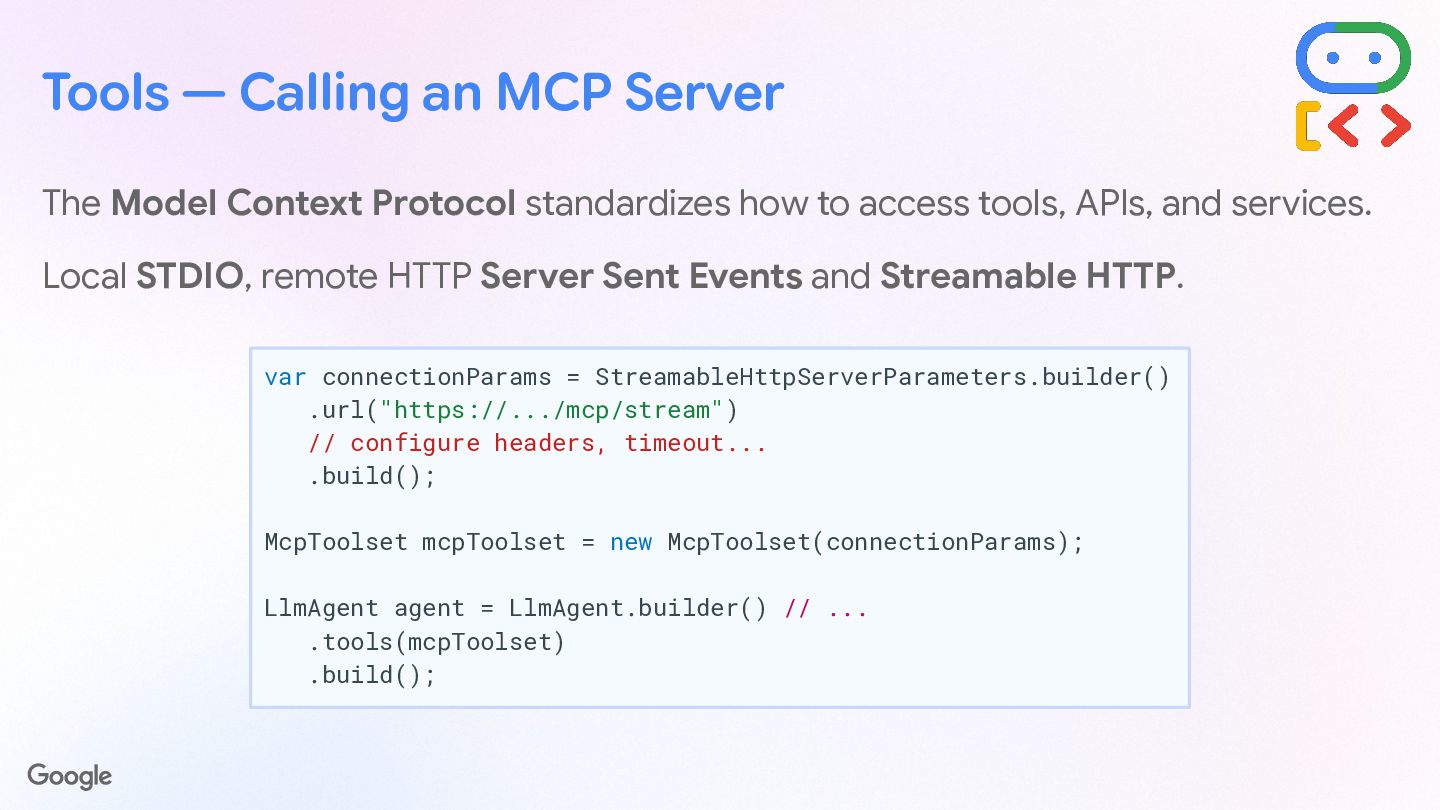
  19. Tools — Calling an MCP Server The Model Context Protocol

    standardizes how to access tools, APIs, and services. Local STDIO, remote HTTP Server Sent Events and Streamable HTTP. var connectionParams = StreamableHttpServerParameters.builder() .url("https://.../mcp/stream") // configure headers, timeout... .build(); McpToolset mcpToolset = new McpToolset(connectionParams); LlmAgent agent = LlmAgent.builder() // ... .tools(mcpToolset) .build();
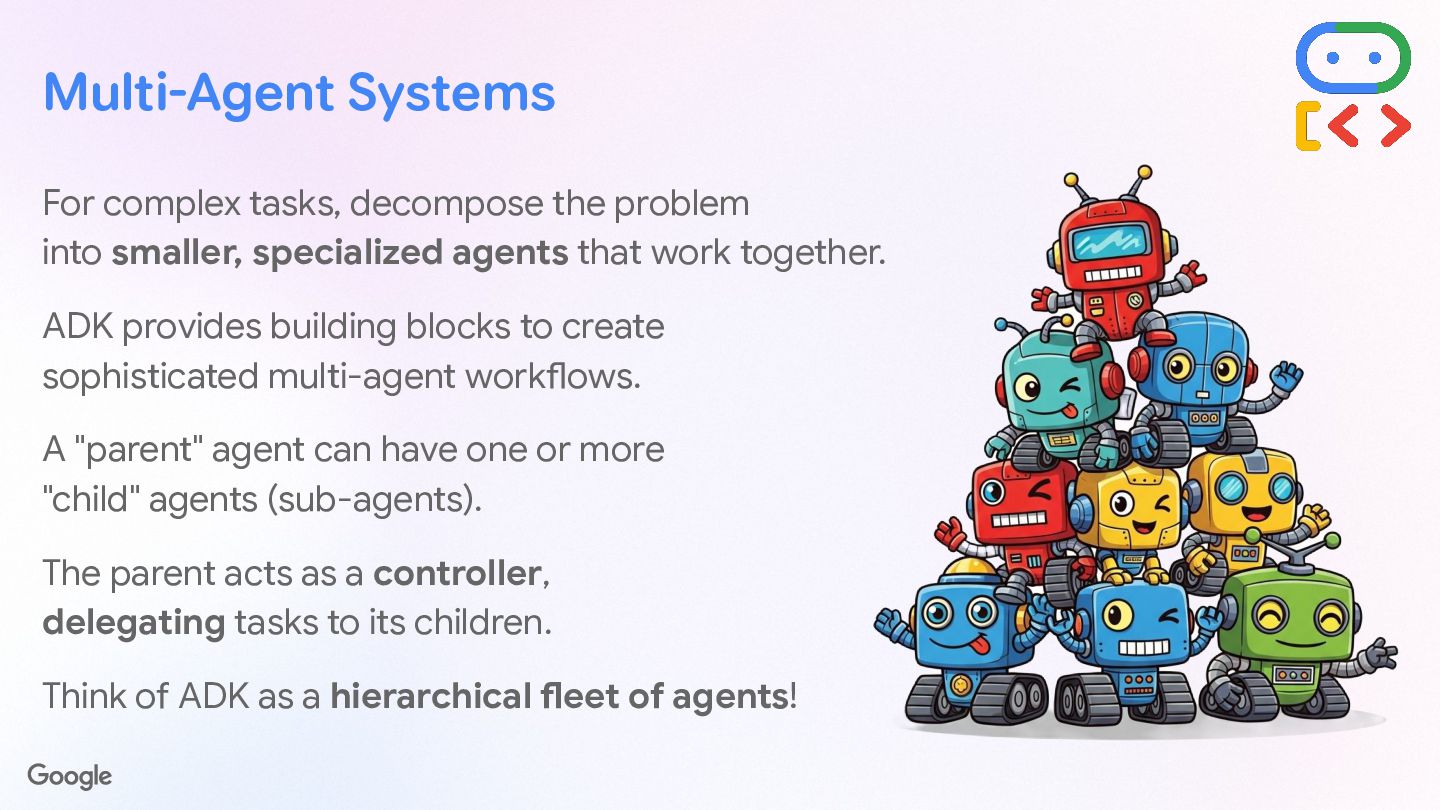
  20. Multi-Agent Systems Decompose & Cooperate Decompose complex problems into smaller,

    specialized agents that work together to achieve goals. Parent & Child Hierarchy A parent agent acts as a controller, delegating tasks to its specialized child sub-agents. Orchestrate with ADK ADK provides the building blocks to construct and scale a hierarchical fleet of agents.
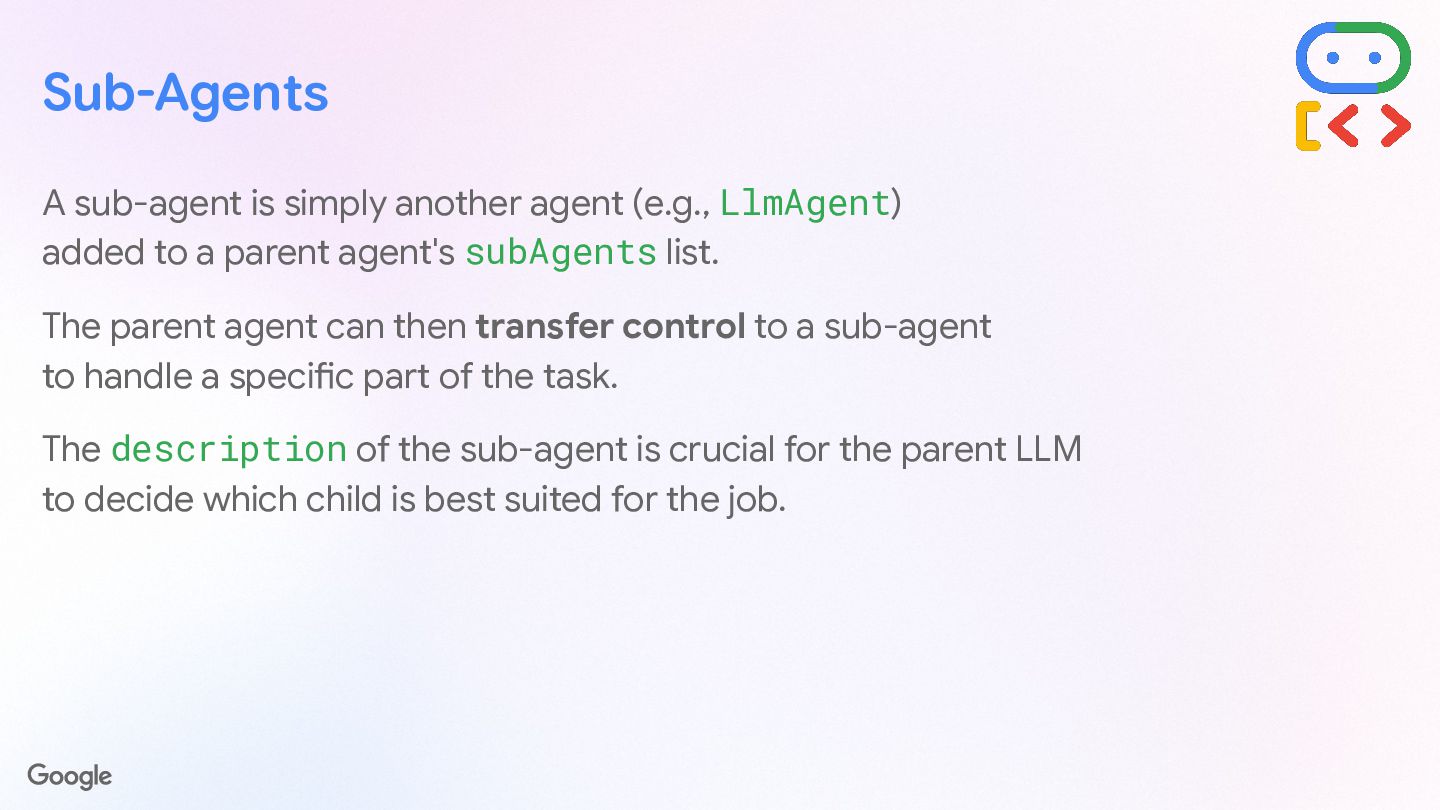
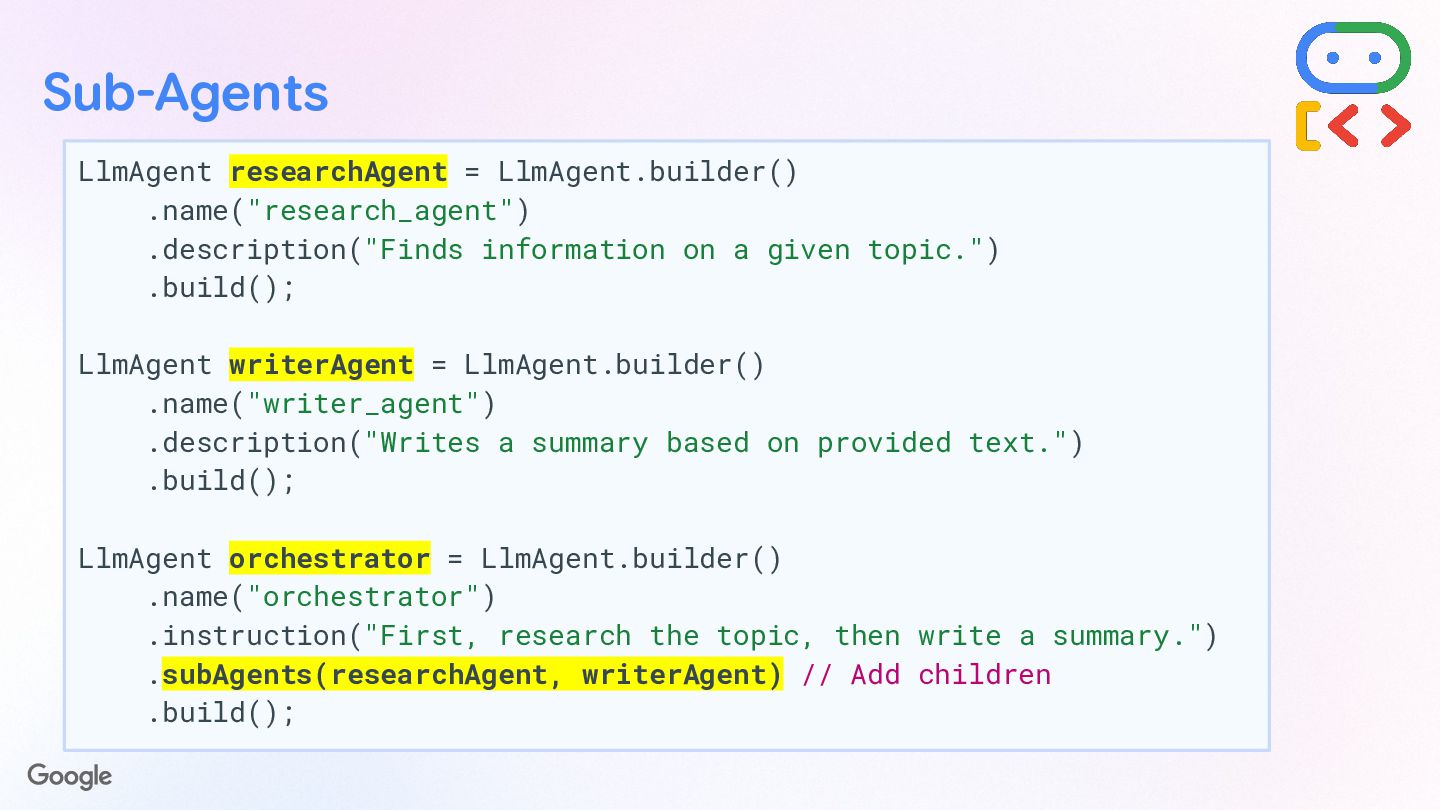
  21. Sub-Agents  What is a Sub-Agent? A sub-agent is simply

    another agent (e.g., LlmAgent) added to a parent agent's subAgents list.  Transfer Control The parent agent can then transfer control to a sub-agent to handle a specific part of the task seamlessly.  Smart Selection The description of the sub-agent is crucial for the parent LLM to decide which child is best suited for the job.
  22. Sub-Agents LlmAgent researchAgent = LlmAgent.builder() .name("research_agent") .description("Finds information on a

    given topic.") .build(); LlmAgent writerAgent = LlmAgent.builder() .name("writer_agent") .description("Writes a summary based on provided text.") .build(); LlmAgent orchestrator = LlmAgent.builder() .name("orchestrator") .instruction("First, research the topic, then write a summary.") .subAgents(researchAgent, writerAgent) .build(); Sub-agents as children of the parent agent
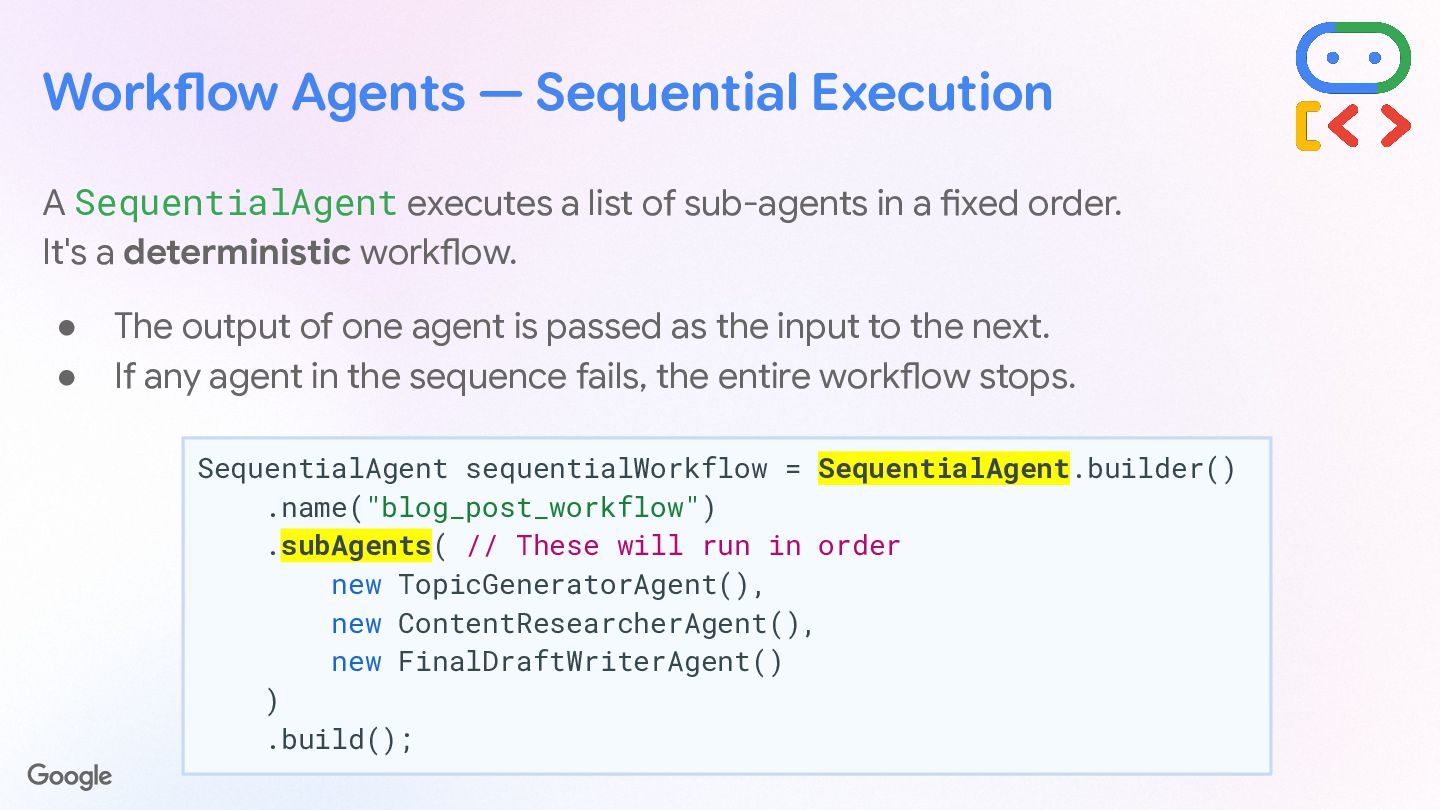
  23. Workflow Agents — Sequential Execution A SequentialAgent executes a list

    of sub-agents in a fixed order. It's a deterministic workflow. • The output of one agent is passed as the input to the next. • If any agent in the sequence fails, the entire workflow stops. SequentialAgent sequentialWorkflow = SequentialAgent.builder() .name("blog_post_workflow") .subAgents( new TopicGeneratorAgent(), new ContentResearcherAgent(), new FinalDraftWriterAgent() ) .build(); These agents will run in this order
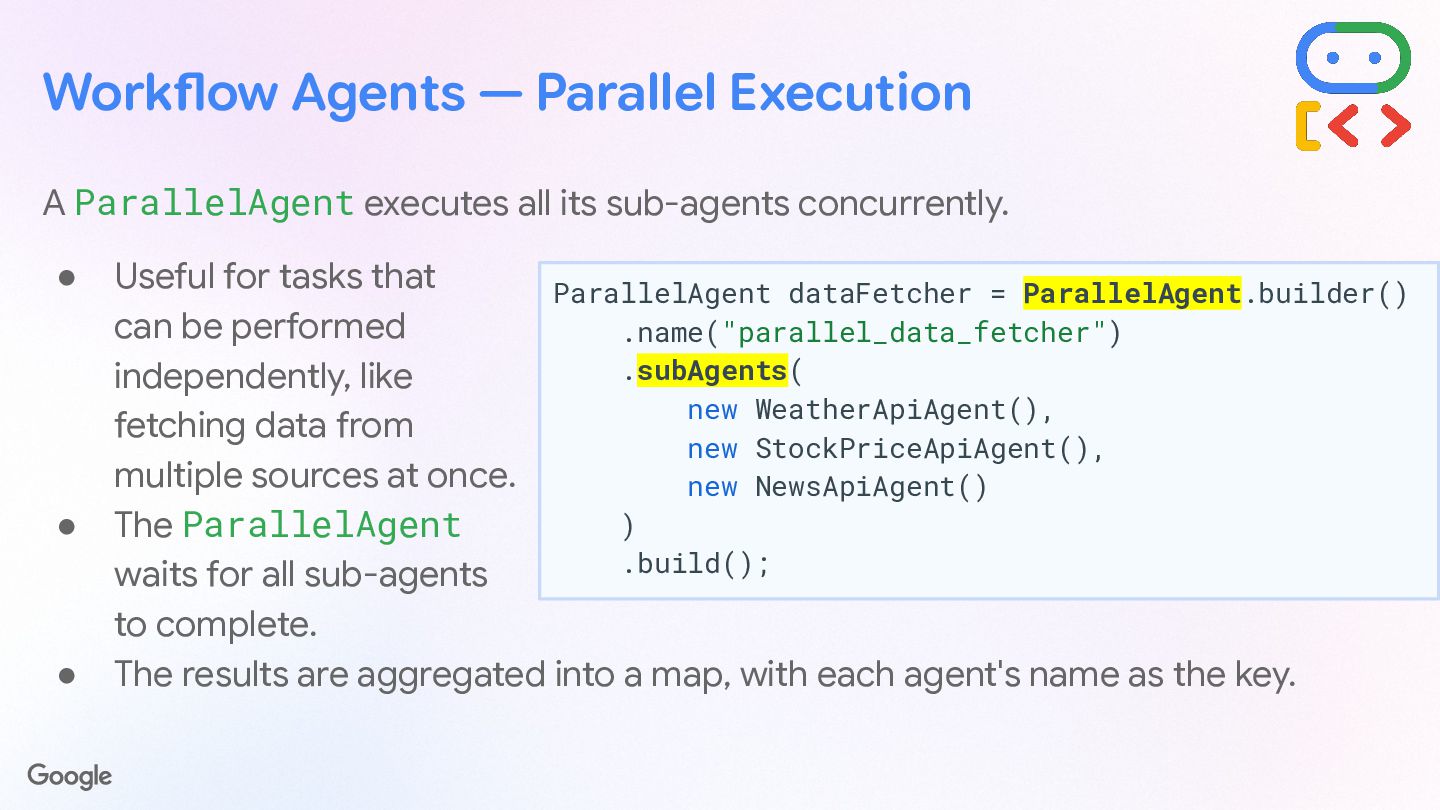
  24. Workflow Agents — Parallel Execution A ParallelAgent executes all its

    sub-agents concurrently. • Useful for independent tasks (like fetching data from multiple sources). • ParallelAgent waits for all sub-agents to complete. • Results are aggregated into a map, with each agent's name as the key. var dataFetcher = ParallelAgent.builder() .name("parallel_data_fetcher") .subAgents( new WeatherApiAgent(), new StockPriceApiAgent(), new NewsApiAgent() ) .build();
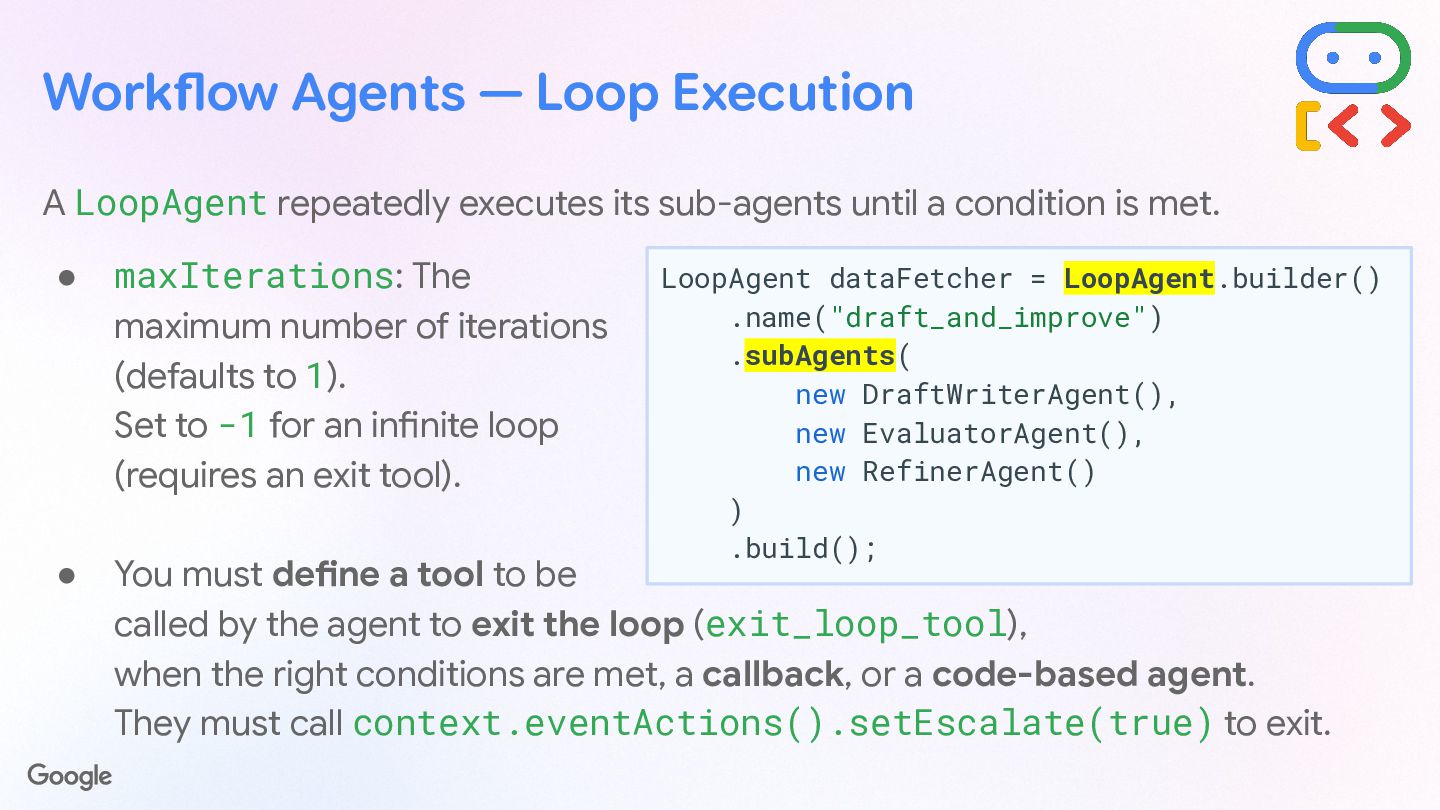
  25. Workflow Agents — Loop Execution A LoopAgent repeatedly executes its

    sub-agents until a condition is met. • maxIterations: The maximum number of iterations (defaults to 1). Set to -1 for an infinite loop (requires an exit tool). • You must define a tool to be called by the agent to exit the loop (exit_loop_tool), when the right conditions are met, a callback, or a code-based agent. They must call context.eventActions().setEscalate(true) to exit. LoopAgent dataFetcher = LoopAgent.builder() .name("draft_and_improve") .subAgents( new DraftWriterAgent(), new EvaluatorAgent(), new RefinerAgent() ) .build();
  26. [ DEMO ] → Comic Trip main_ ow (sequential) poi_and_comic_

    ow (parallel) picture_analyzer_agent (agent) Model: Gemini 3.5 Flash points_of_interest_agent (agent) Model: Gemini 3.5 Flash Tools: Google Maps comic_illustrator_agent (agent) Model: Nano Banana Pro
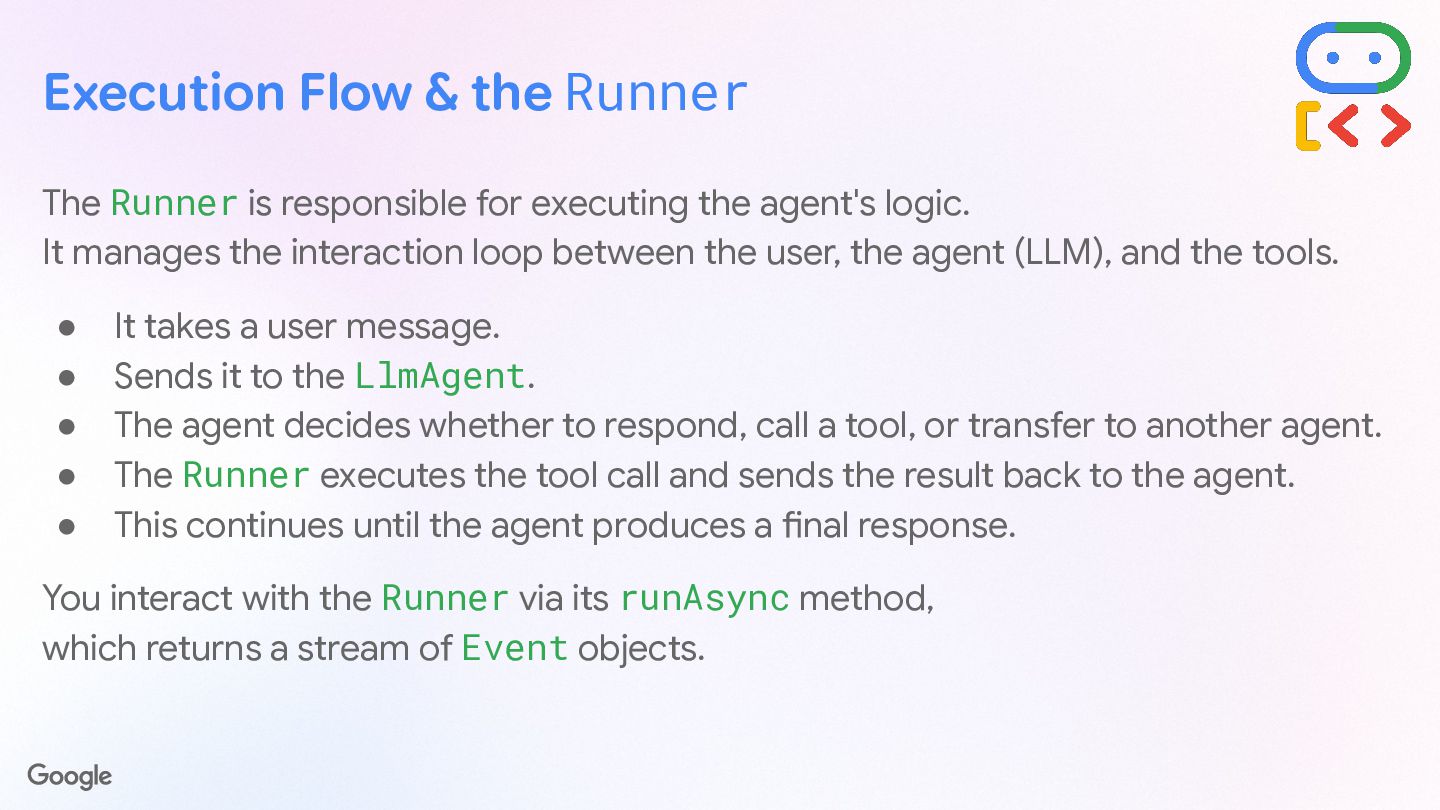
  27. Execution Flow & the Runner The Runner is responsible for

    executing the agent's logic. It manages the interaction loop between the user, the agent (LLM), and the tools. You interact with the Runner via its runAsync() method, which returns a stream of Event objects. STEP 01 Takes a user message and sends it to the LlmAgent. STEP 02 Agent decides whether to respond, call a tool, or transfer agents. STEP 03 The Runner executes tool calls and sends results back to agent. STEP 04 Loop continues until the agent produces a final response.
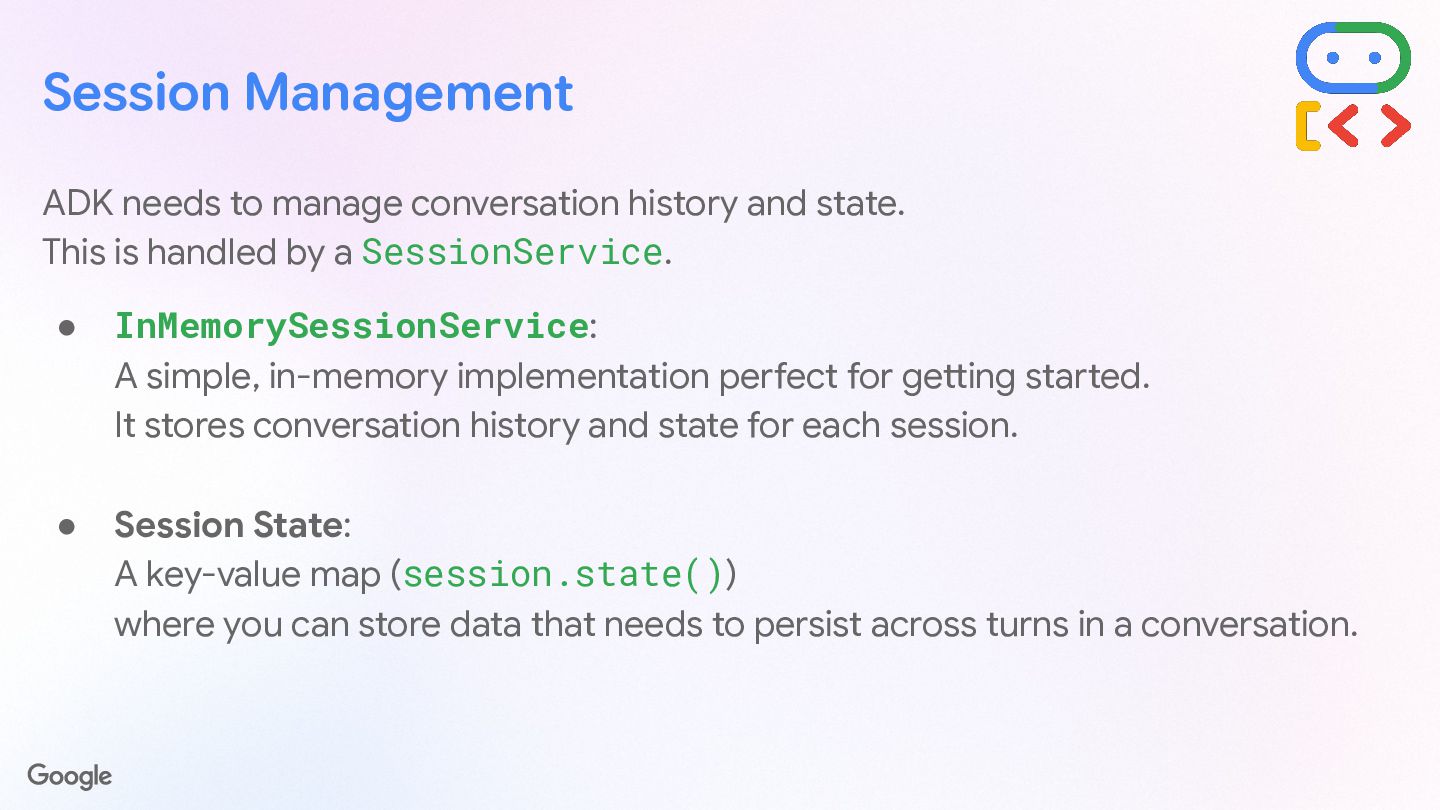
  28. Session Management ADK needs to manage conversation history and state.

    This is handled by a SessionService. • InMemorySessionService: A simple, in-memory implementation perfect for getting started. It stores conversation history and state for each session. • Session State: A key-value map (session.state()) where you can store data that needs to persist across turns in a conversation.
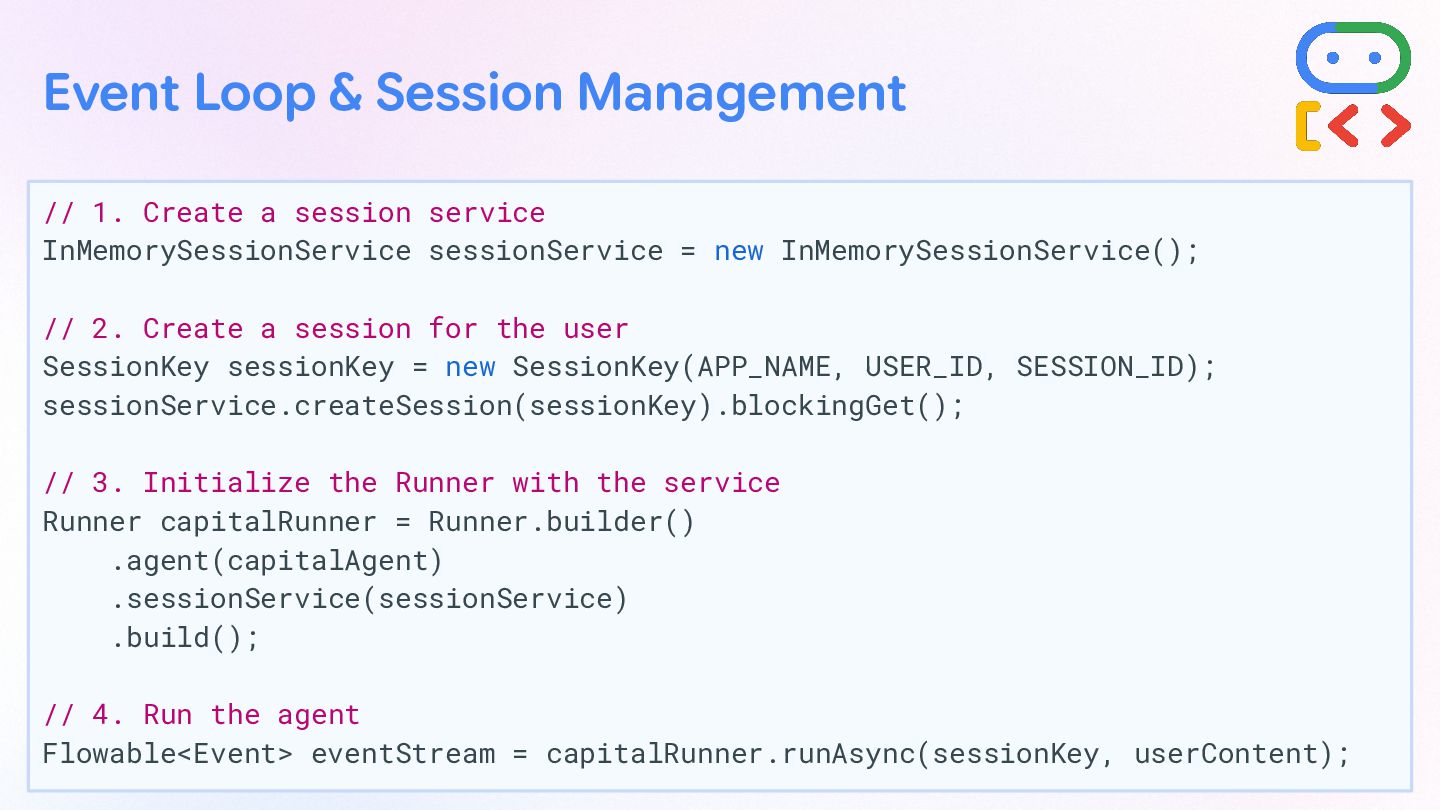
  29. InMemorySessionService sessionService = new InMemorySessionService(); SessionKey sessionKey = new SessionKey(APP_NAME,

    USER_ID, SESSION_ID); sessionService.createSession(sessionKey).blockingGet(); Runner capitalRunner = Runner.builder() .agent(capitalAgent) .sessionService(sessionService) .build(); Flowable<Event> eventStream = capitalRunner.runAsync(sessionKey, userContent); Event Loop & Session Management Create a session service
  30. InMemorySessionService sessionService = new InMemorySessionService(); SessionKey sessionKey = new SessionKey(APP_NAME,

    USER_ID, SESSION_ID); sessionService.createSession(sessionKey).blockingGet(); Runner capitalRunner = Runner.builder() .agent(capitalAgent) .sessionService(sessionService) .build(); Flowable<Event> eventStream = capitalRunner.runAsync(sessionKey, userContent); Event Loop & Session Management Create a session for the user
  31. InMemorySessionService sessionService = new InMemorySessionService(); SessionKey sessionKey = new SessionKey(APP_NAME,

    USER_ID, SESSION_ID); sessionService.createSession(sessionKey).blockingGet(); Runner capitalRunner = Runner.builder() .agent(capitalAgent) .sessionService(sessionService) .build(); Flowable<Event> eventStream = capitalRunner.runAsync(sessionKey, userContent); Event Loop & Session Management Initialize the runner with the service
  32. InMemorySessionService sessionService = new InMemorySessionService(); SessionKey sessionKey = new SessionKey(APP_NAME,

    USER_ID, SESSION_ID); sessionService.createSession(sessionKey).blockingGet(); Runner capitalRunner = Runner.builder() .agent(capitalAgent) .sessionService(sessionService) .build(); Flowable<Event> eventStream = capitalRunner.runAsync(sessionKey, userContent); Event Loop & Session Management Run the agent asynchronously
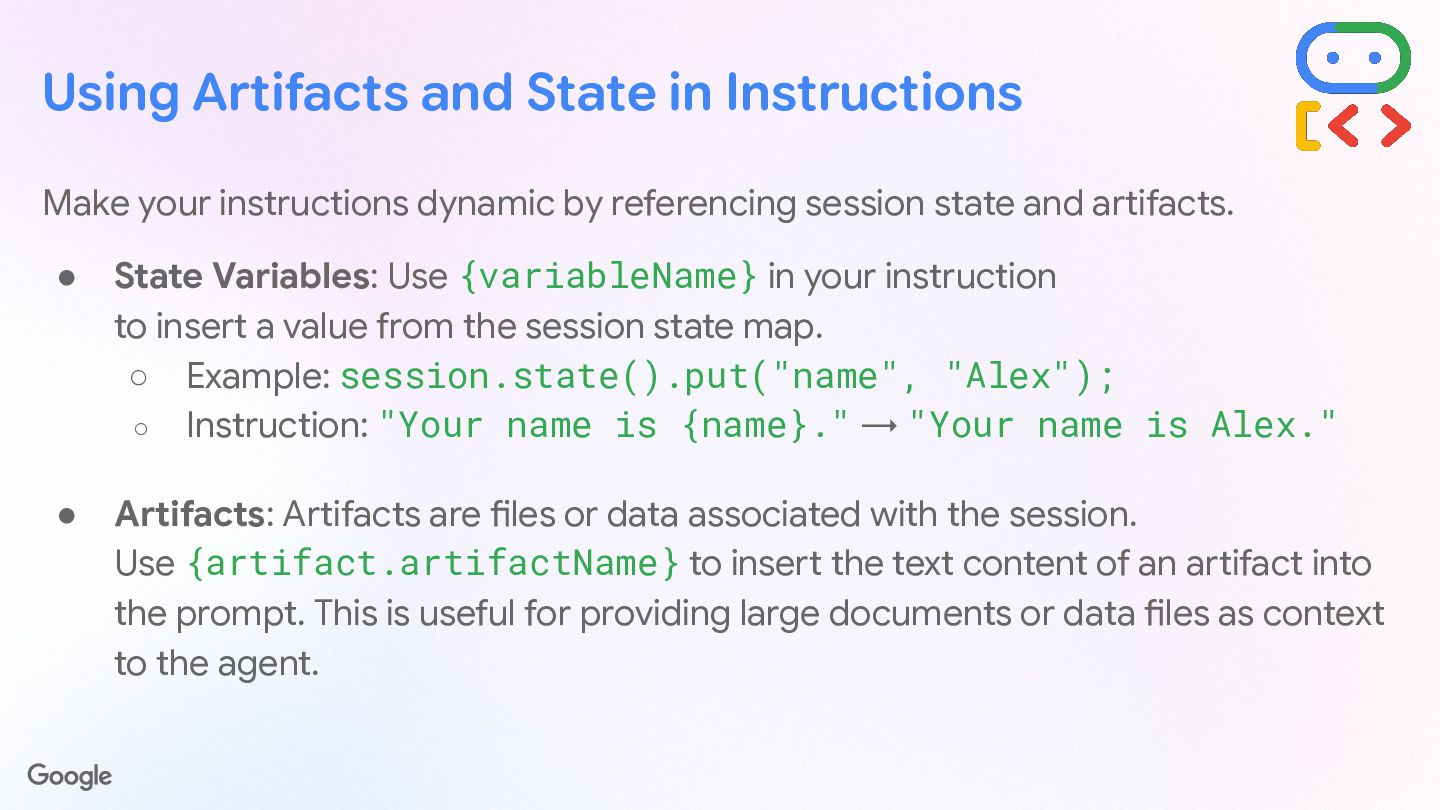
  33. Using Artifacts and State in Instructions Make your instructions dynamic

    by referencing session state and artifacts. State Variables Use {variableName} in your instruction to insert a value from the session state map. session.state() .put("name", "Alex"); "Your name is {name}." → "Your name is Alex." Artifacts Artifacts are files or data associated with the session. Use {artifact.artifactName} to insert the text content of an artifact into the prompt. 💡Useful for providing large documents, configuration files, or external data sets as context to the agent.
  34. Structured I/O with Schemas For tasks requiring structured data, define

    an inputSchema and outputSchema. inputSchema Enforces that the input to the agent is a JSON string conforming to a specific schema. Type: INCOMING DATA outputSchema Forces the agent's final response to be a JSON string conforming to the designated schema. Type: OUTGOING RESPONSE
  35. Schema CAPITAL_INFO_OUTPUT_SCHEMA = Schema.builder() .type("OBJECT") .properties(Map.of("capital", Schema.builder().type("STRING").build())) .build(); LlmAgent structuredAgent

    = LlmAgent.builder() .instruction("Respond with the name of a capital.") .outputSchema(CAPITAL_INFO_OUTPUT_SCHEMA) .outputKey("structured_info_result") .build(); Structured I/O with Schemas Define an output schema
  36. Schema CAPITAL_INFO_OUTPUT_SCHEMA = Schema.builder() .type("OBJECT") .properties(Map.of("capital", Schema.builder().type("STRING").build())) .build(); LlmAgent structuredAgent

    = LlmAgent.builder() .instruction("Respond with the name of a capital.") .outputSchema(CAPITAL_INFO_OUTPUT_SCHEMA) .outputKey("structured_info_result") .build(); Structured I/O with Schemas Build the agent and define the output schema
  37. Schema CAPITAL_INFO_OUTPUT_SCHEMA = Schema.builder() .type("OBJECT") .properties(Map.of("capital", Schema.builder().type("STRING").build())) .build(); LlmAgent structuredAgent

    = LlmAgent.builder() .instruction("Respond with the name of a capital.") .outputSchema(CAPITAL_INFO_OUTPUT_SCHEMA) .outputKey("structured_info_result") .build(); Structured I/O with Schemas Save the result into the session state (with a custom key name)
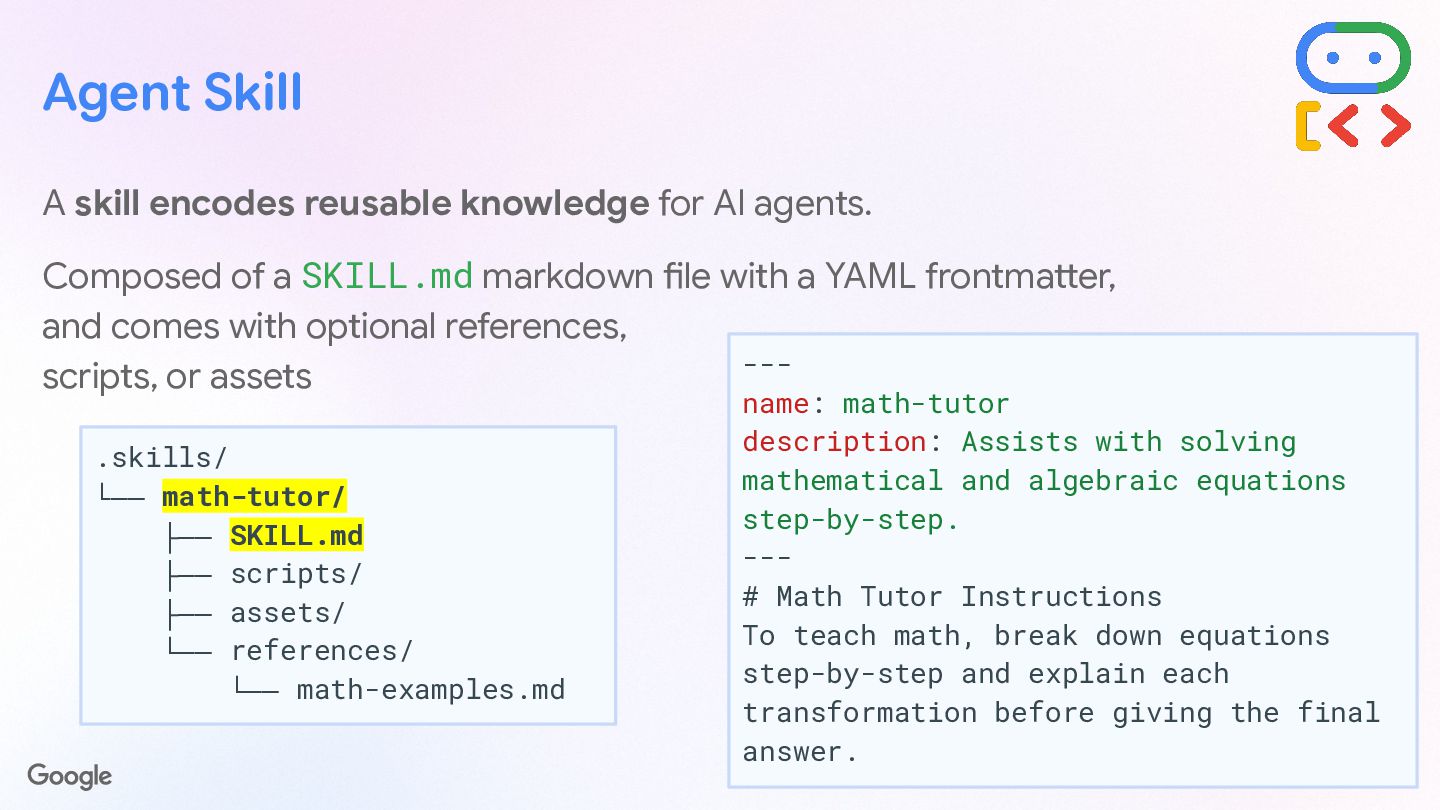
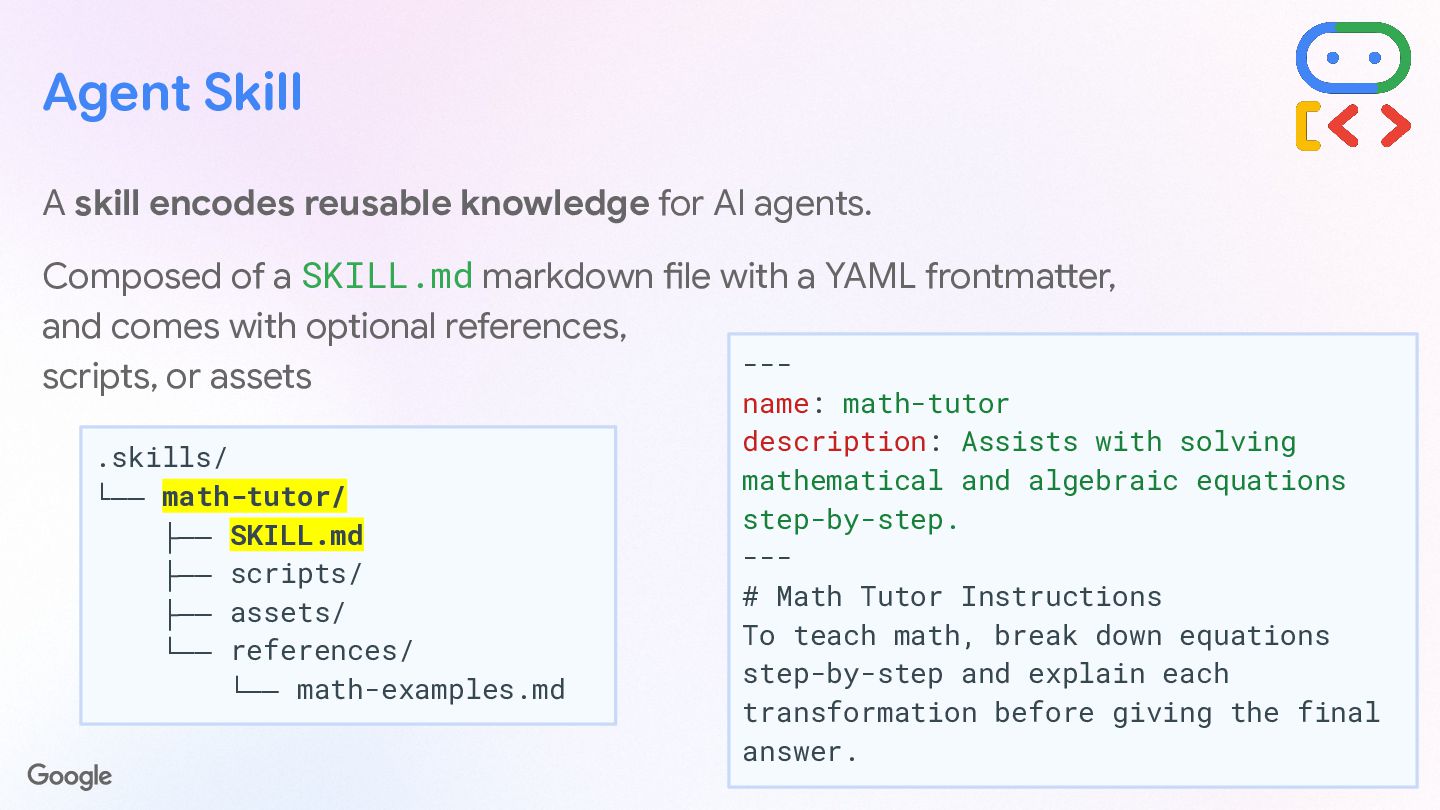
  38. Agent Skill A skill encodes reusable knowledge for AI agents.

    Composed of a SKILL.md markdown file with a YAML frontmatter, and comes with optional references, scripts, or assets .skills/ └── math-tutor/ ├── SKILL.md ├── scripts/ ├── assets/ └── references/ └── math-examples.md --- name: math-tutor description: Assists with solving mathematical and algebraic equations step-by-step. --- # Math Tutor Instructions To teach math, break down equations step-by-step and explain each transformation before giving the final answer.
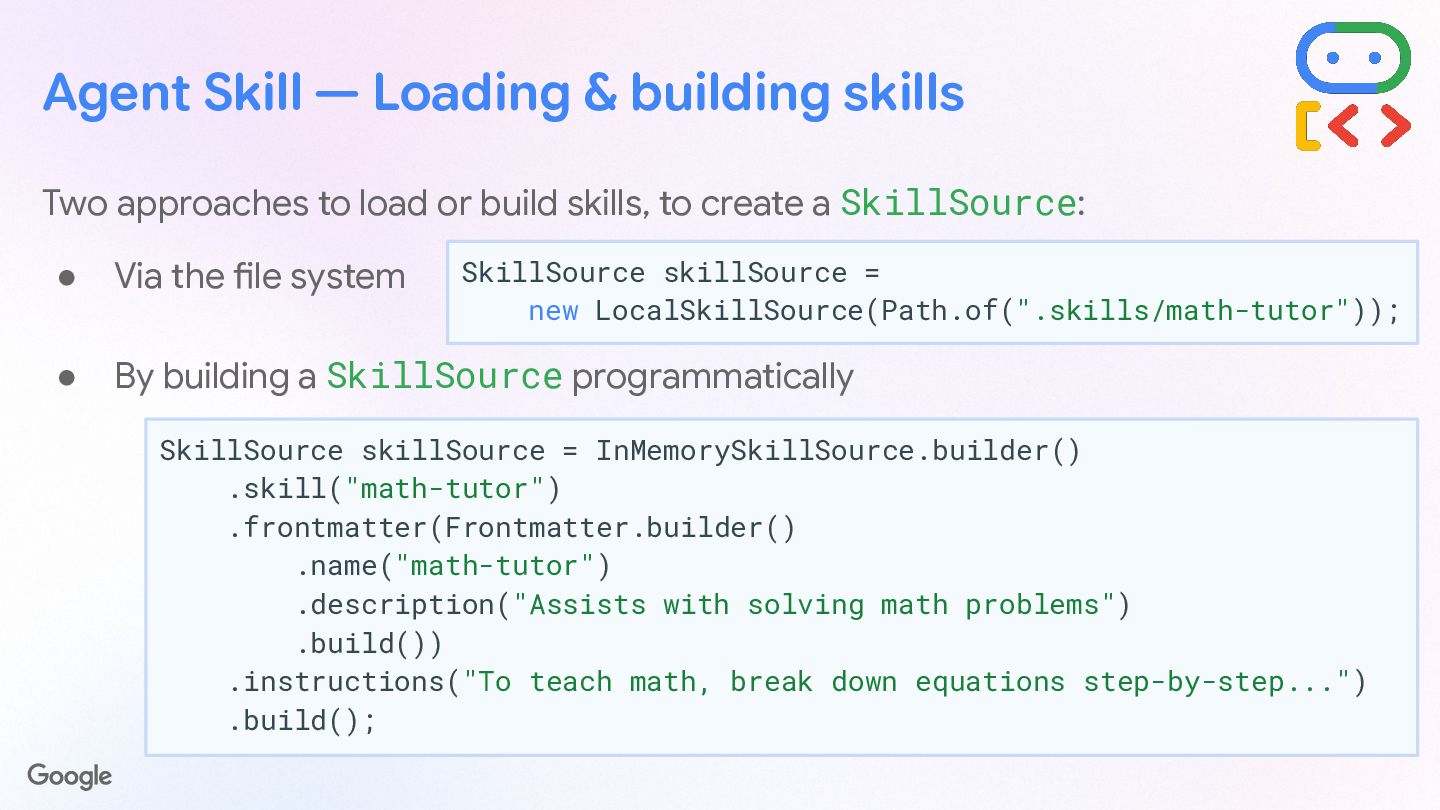
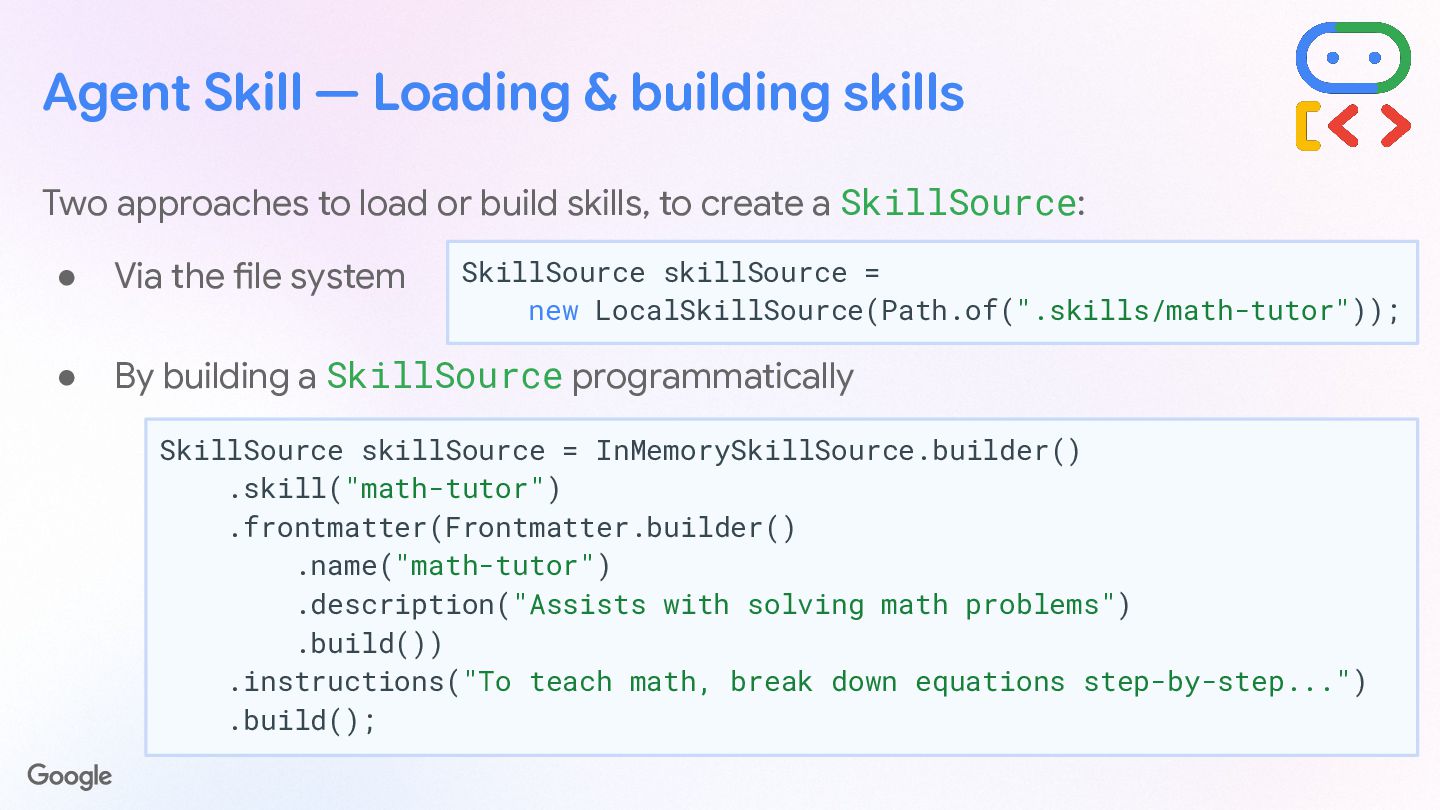
  39. Agent Skill — Loading & building skills Two approaches to

    load or build skills, to create a SkillSource: • Via the file system • By building a SkillSource programmatically SkillSource skillSource = new LocalSkillSource(Path.of(".skills/math-tutor")); SkillSource skillSource = InMemorySkillSource.builder() .skill("math-tutor") .frontmatter(Frontmatter.builder() .name("math-tutor") .description("Assists with solving math problems") .build()) .instructions("To teach math, break down equations step-by-step...") .build();
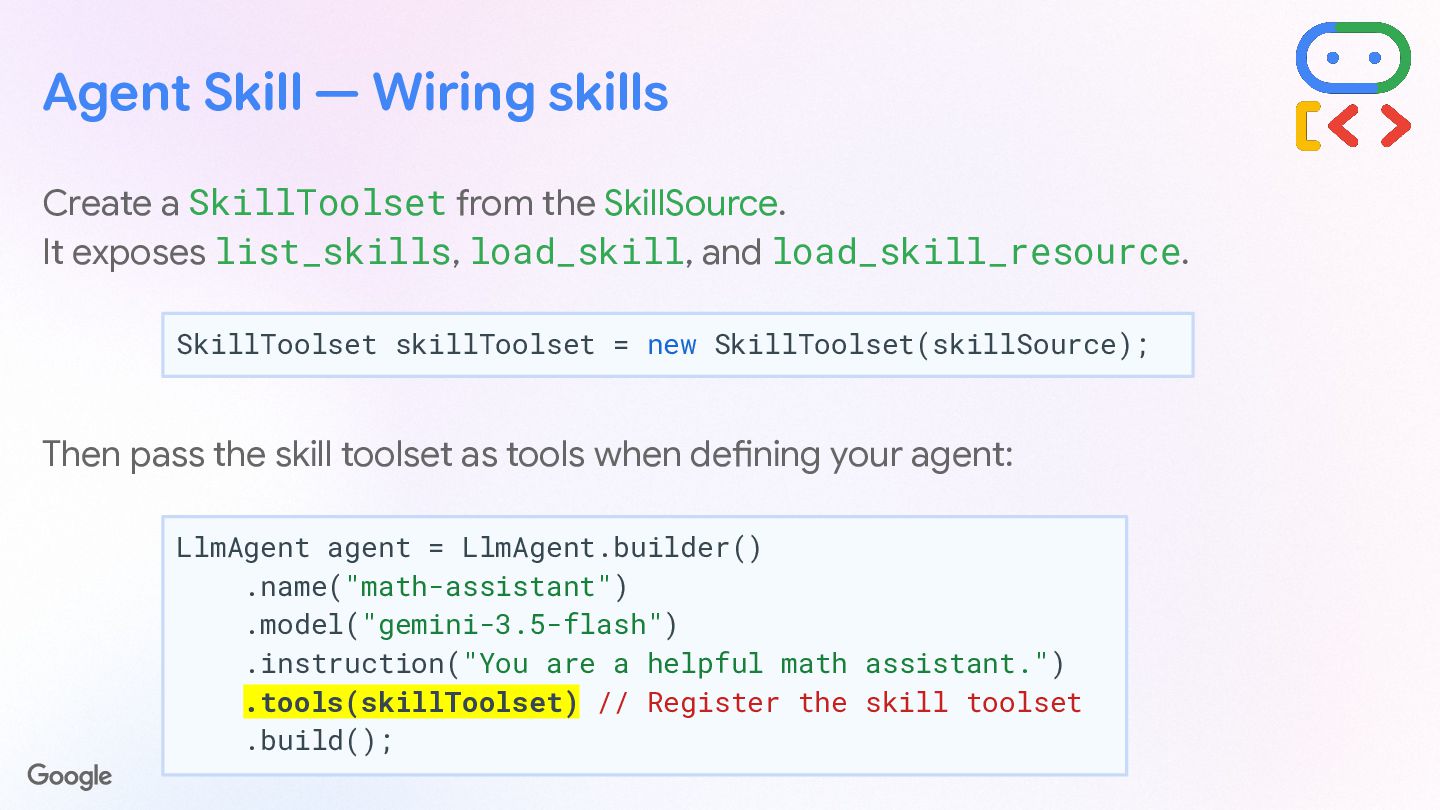
  40. Create a SkillToolset from the SkillSource. It exposes list_skills, load_skill,

    and load_skill_resource. Then pass the skill toolset as tools when defining your agent: SkillToolset skillToolset = new SkillToolset(skillSource); Agent Skill — Wiring skills LlmAgent agent = LlmAgent.builder() .name("math-assistant") .model("gemini-3.5-flash") .instruction("You are a helpful math assistant.") .tools(skillToolset) // Register the skill toolset .build();
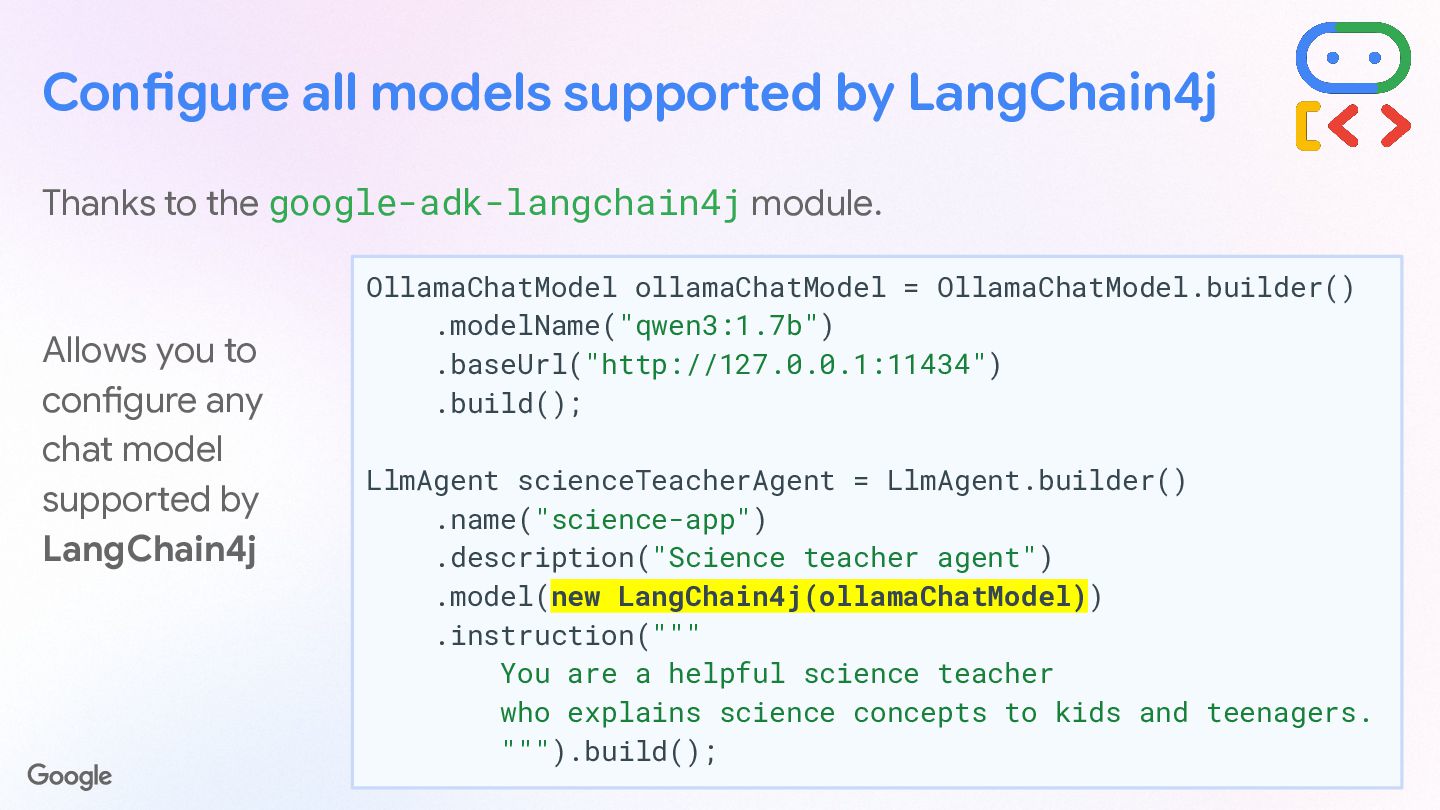
  41. Configure all models supported by LangChain4j Thanks to the google-adk-langchain4j

    module. Allows you to configure any chat model supported by LangChain4j OllamaChatModel ollamaChatModel = OllamaChatModel.builder() .modelName("qwen3:1.7b") .baseUrl("http://127.0.0.1:11434") .build(); LlmAgent scienceTeacherAgent = LlmAgent.builder() .name("science-app") .description("Science teacher agent") .model(new LangChain4j(ollamaChatModel)) .instruction(""" You are a helpful science teacher who explains science concepts to kids and teenagers. """).build();
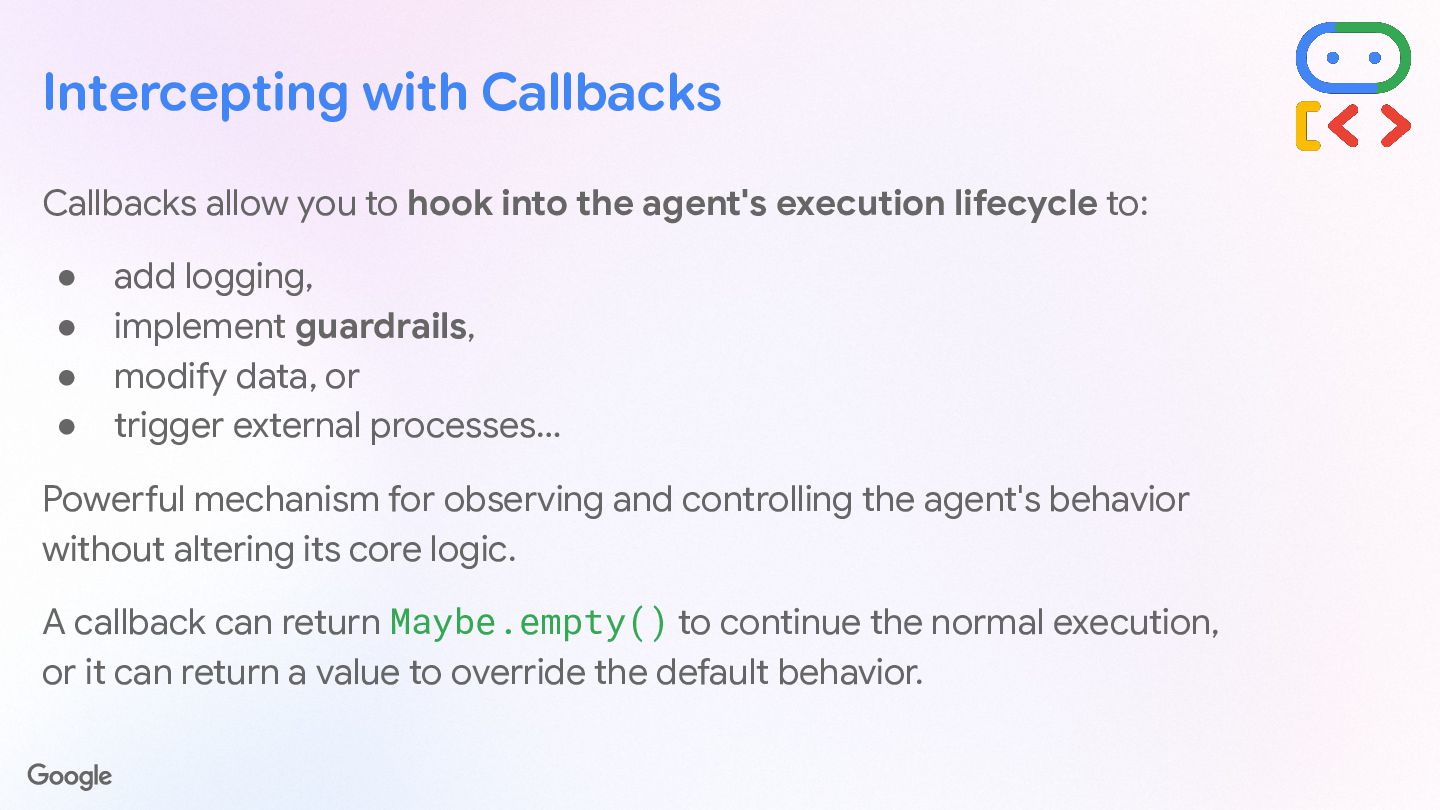
  42. Intercepting with Callbacks  Tracing Track execution steps, collect timings,

    and audit internal agent states dynamically.  Guardrails Enforce safety policies, block harmful inputs, and validate agent outputs before delivery.  Modify Data Intercept and enrich prompt payloads or format model responses on the fly.  Trigger Process Initiate side effects, notify external APIs, or spin off asynchronous background tasks. Hook into the lifecycle of the agent. Powerful mechanism for observing and controlling the agent's behavior without altering its core logic. Return Maybe.empty() to continue normal execution, or return a value to override the default behavior.
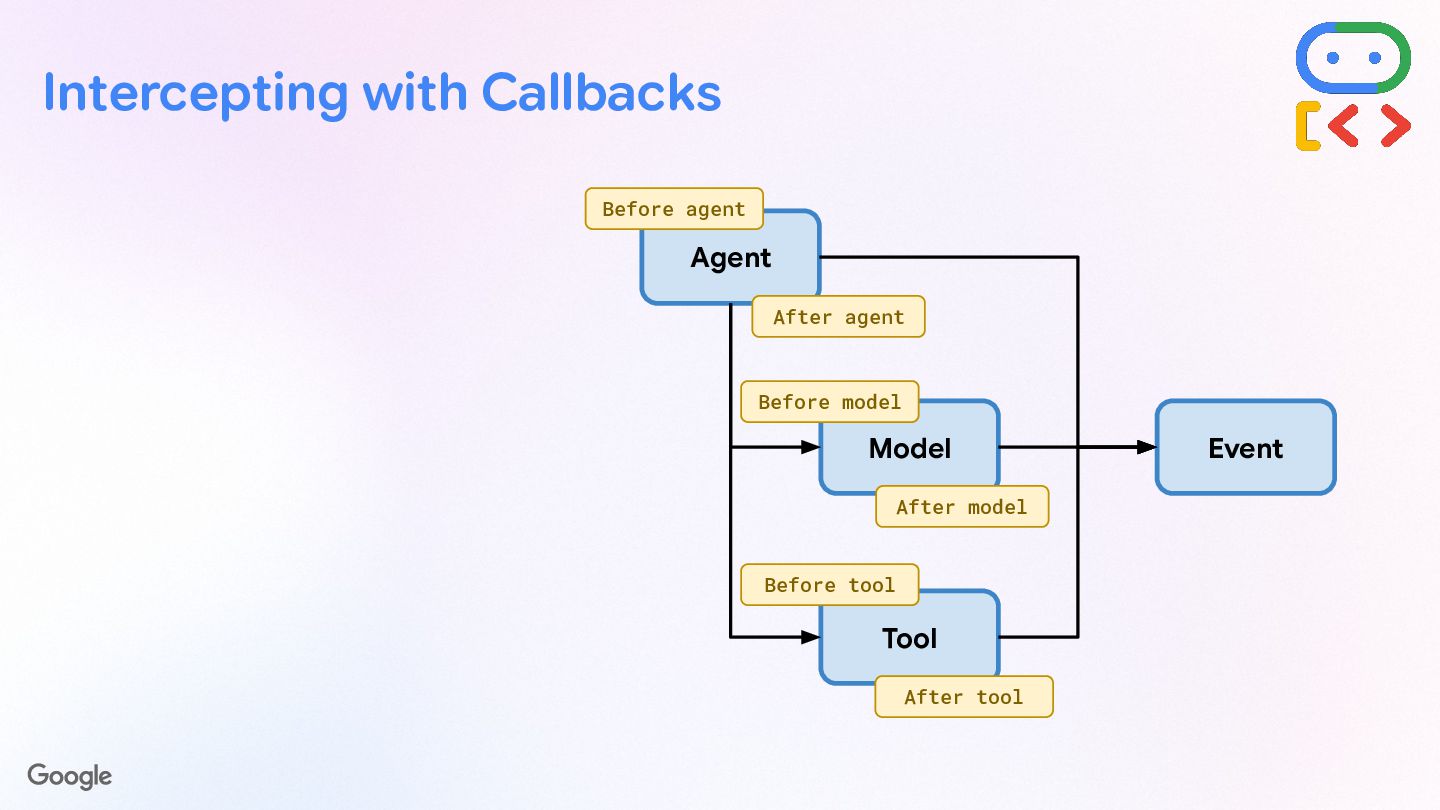
  43. Intercepting with Callbacks Agent Model Tool Event Before agent After

    agent Before model After model After tool Before tool
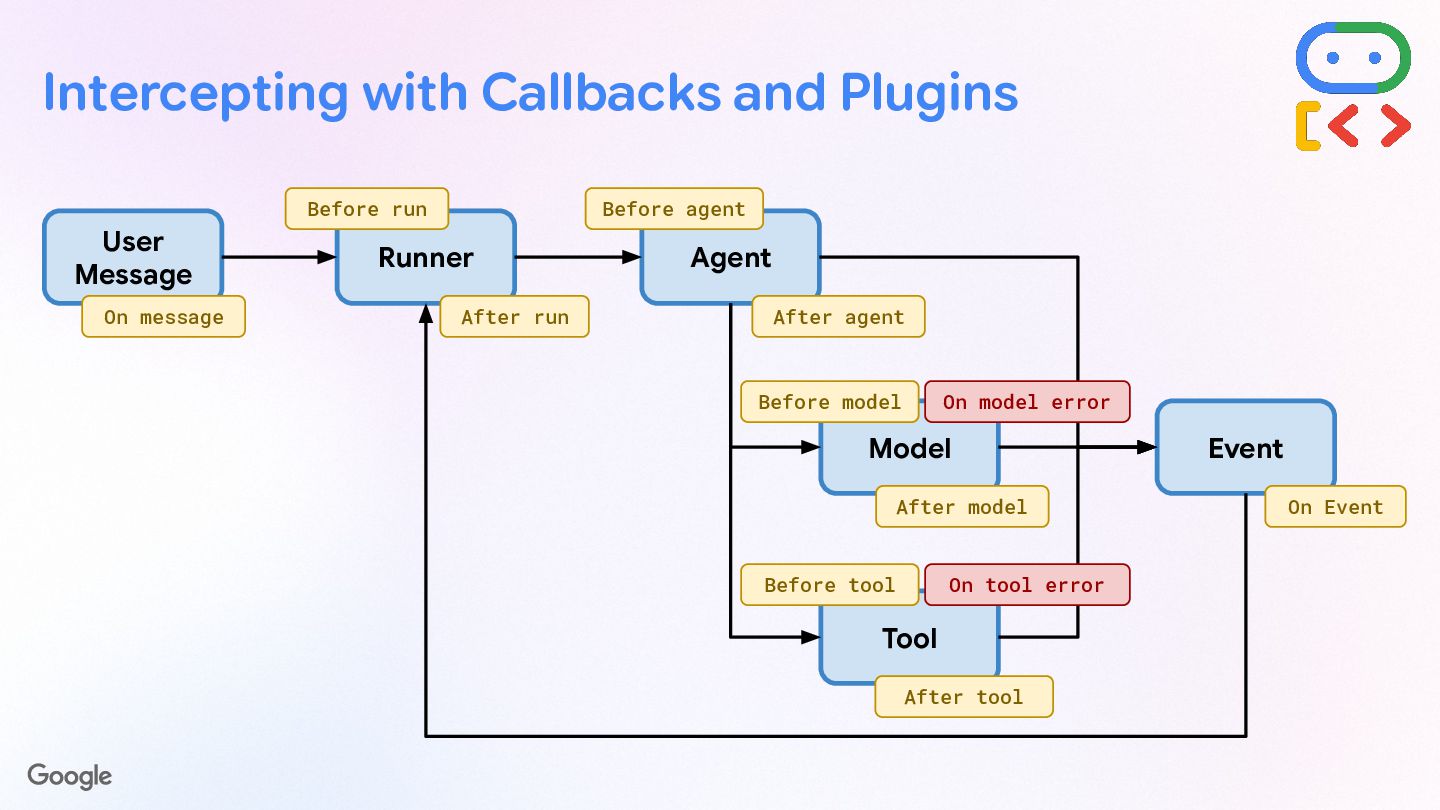
  44. Intercepting with Callbacks, Apps & Plugins User Message Runner Agent

    Model Tool Event On message Before run After run Before agent After agent Before model After model On Event After tool Before tool On model error On tool error
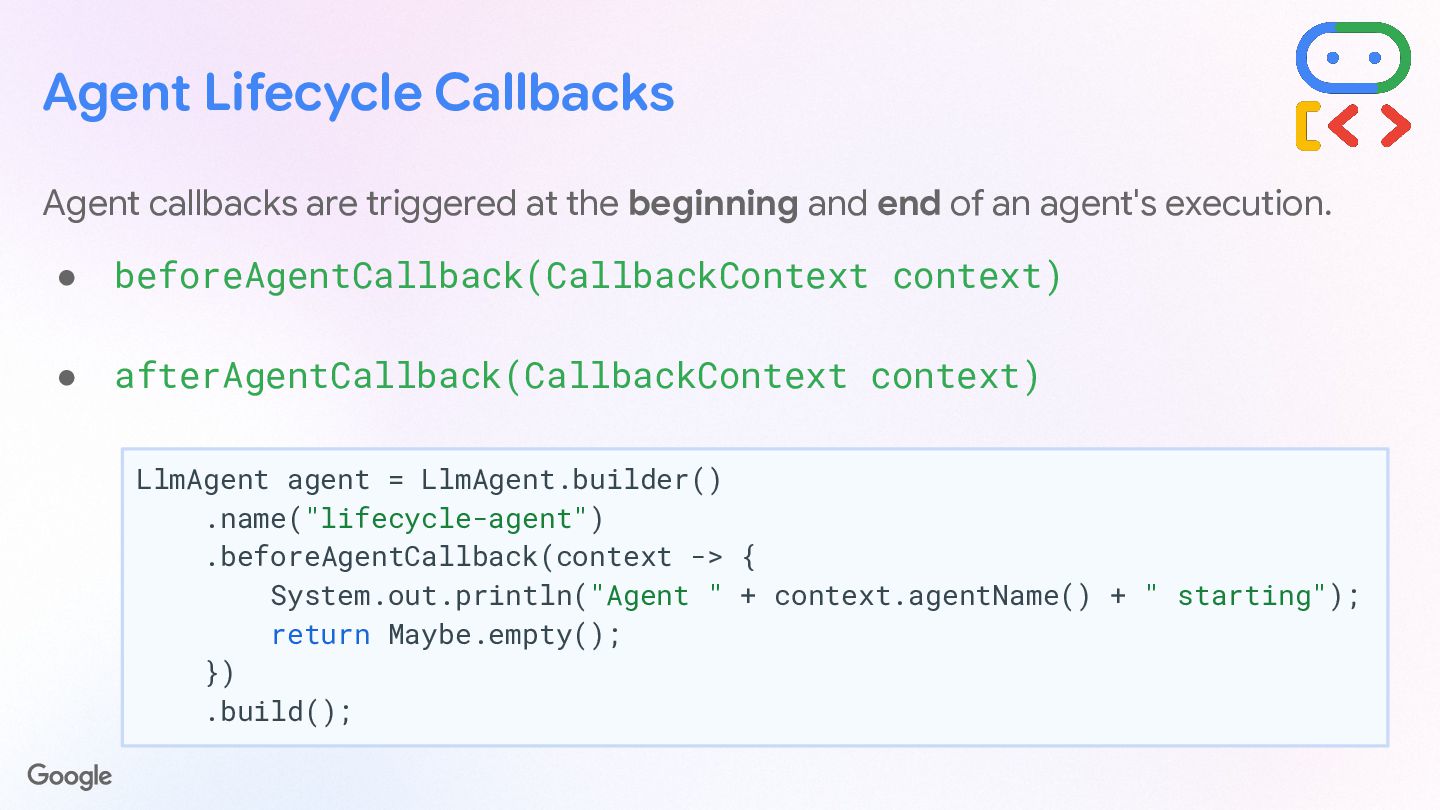
  45. Agent Lifecycle Callbacks Agent callbacks are triggered at the beginning

    and end of an agent's execution. • beforeAgentCallback(CallbackContext context) • afterAgentCallback(CallbackContext context) LlmAgent agent = LlmAgent.builder() .name("lifecycle-agent") .beforeAgentCallback(context -> { System.out.println("Agent " + context.agentName() + " starting"); return Maybe.empty(); }) .build();
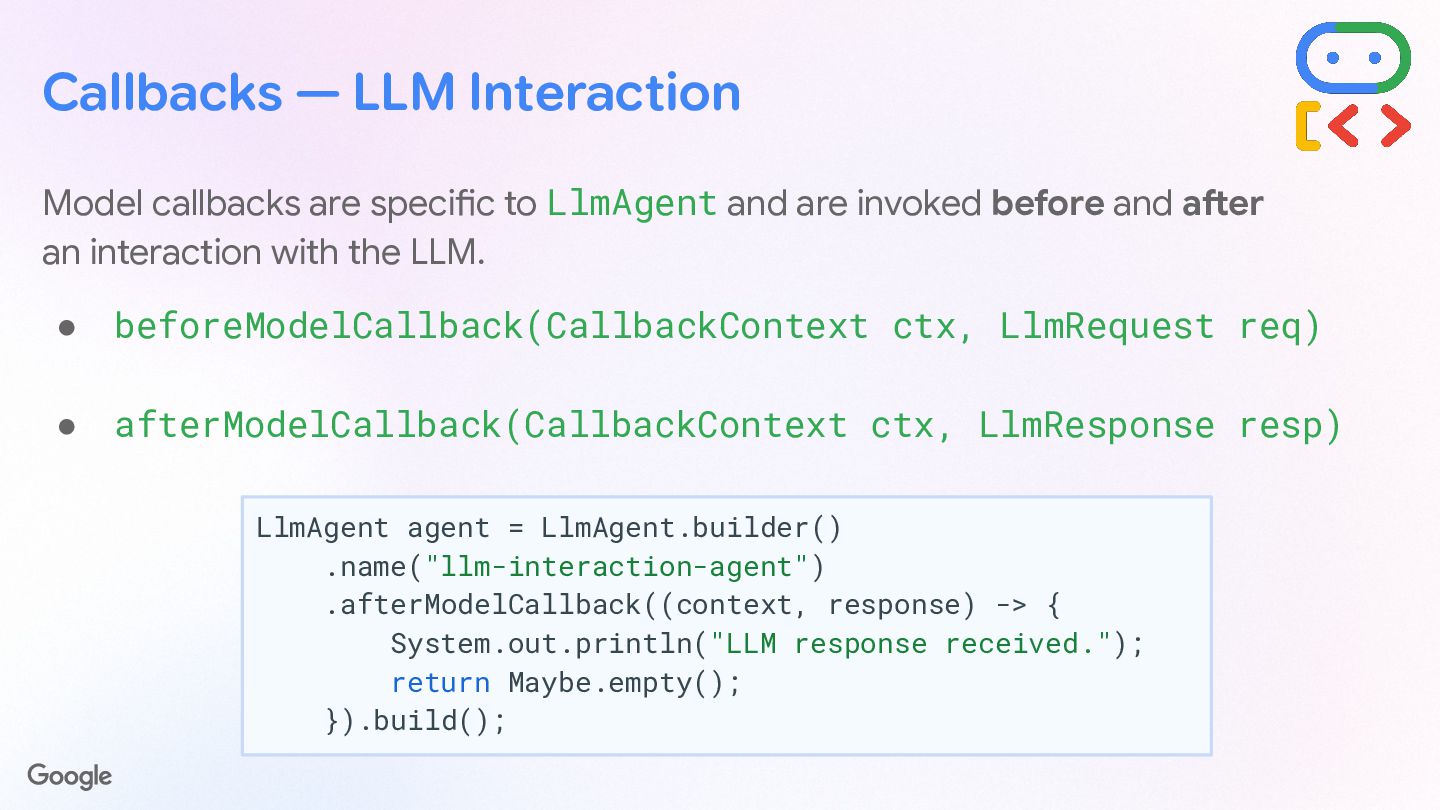
  46. Callbacks — LLM Interaction Model callbacks are specific to LlmAgent

    and are invoked before and after an interaction with the LLM. • beforeModelCallback(CallbackContext ctx, LlmRequest req) • afterModelCallback(CallbackContext ctx, LlmResponse resp) LlmAgent agent = LlmAgent.builder() .name("llm-interaction-agent") .afterModelCallback((context, response) -> { System.out.println("LLM response received."); return Maybe.empty(); }).build();
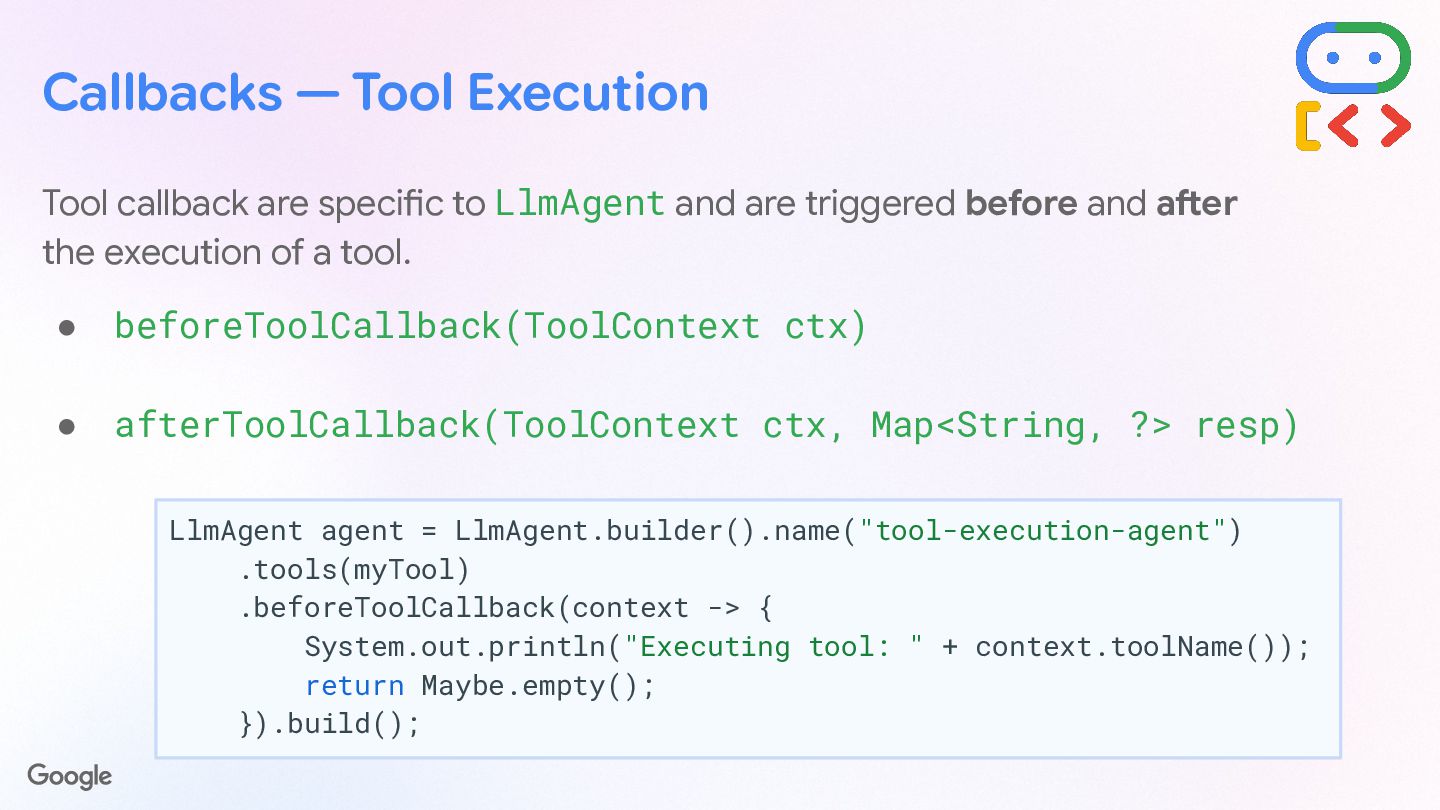
  47. Callbacks — Tool Execution Tool callback are specific to LlmAgent

    and are triggered before and after the execution of a tool. • beforeToolCallback(ToolContext ctx) • afterToolCallback(ToolContext ctx, Map<String, ?> resp) LlmAgent agent = LlmAgent.builder().name("tool-execution-agent") .tools(myTool) .beforeToolCallback(context -> { System.out.println("Executing tool: " + context.toolName()); return Maybe.empty(); }).build();
  48. Plugin system for extensibility Register & configure plugins to extend

    the agent lifecycle, with callbacks. • Define your plugin by extending BasePlugin public class LoggingPlugin extends BasePlugin { private static final Logger logger = ... public LoggingPlugin() { super("SimpleLogger"); } public Maybe<Content> beforeAgentCallback( BaseAgent agent, CallbackContext context) { logger.info("Agent starting: {}", agent.name()); return Maybe.empty(); // Continue execution } }
  49. Register & configure plugins to extend the agent lifecycle, with

    the usual LlmAgent callbacks, plus: • before/afterRunCallback(), • onUserMessageCallback(), • onEventCallback(), • onModelErrorCallback(), • onToolErrorCallback(). Runner runner = Runner.builder() .agent(mainAgent) .appName("comictrip") .plugins(loggingPlugin) .build(); Plugin system for extensibility App app = App.builder() .name("comictrip") .rootAgent(mainAgent) .plugins(loggingPlugin) .build();
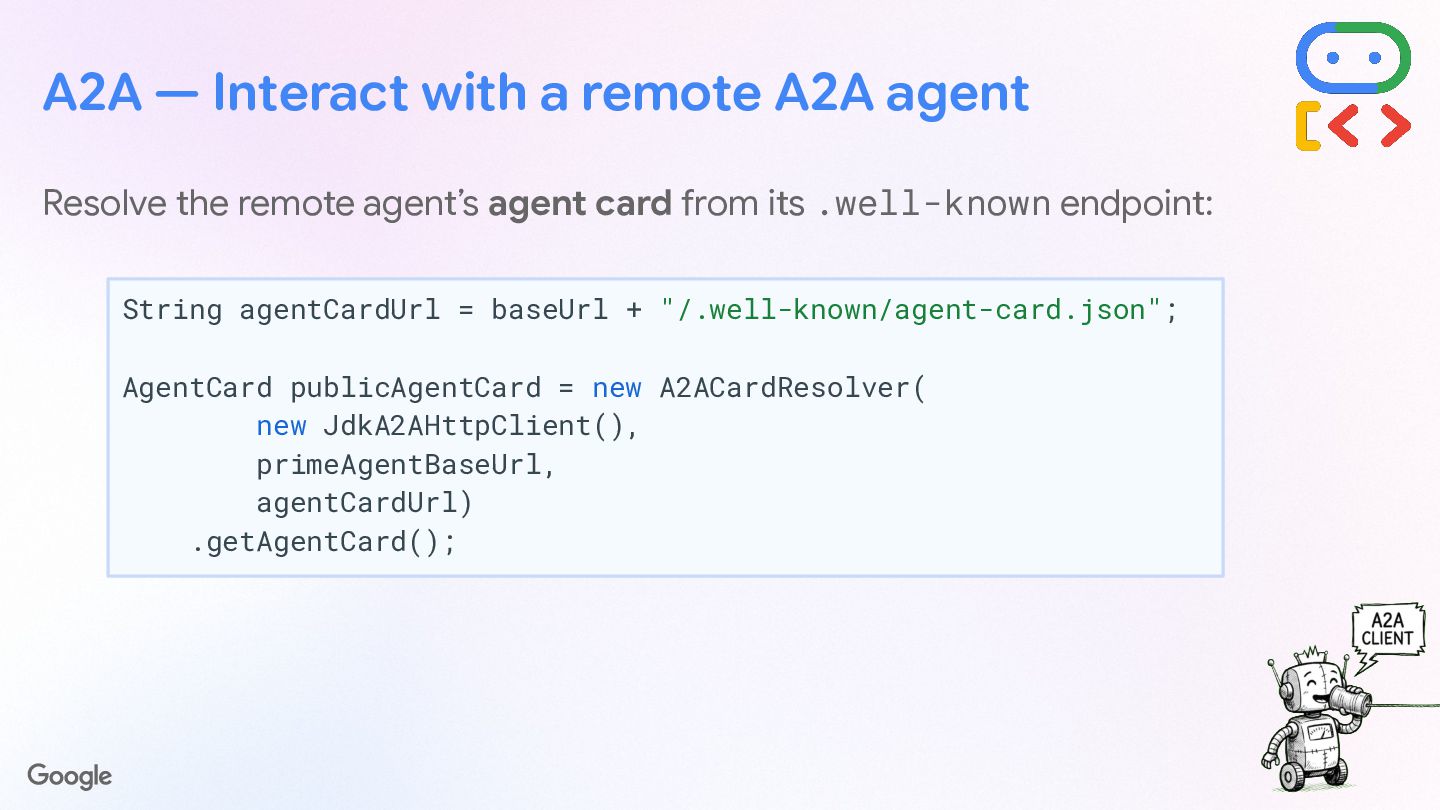
  50. Resolve the remote agent’s agent card from its .well-known endpoint:

    String agentCardUrl = baseUrl + "/.well-known/agent-card.json"; AgentCard publicAgentCard = new A2ACardResolver( new JdkA2AHttpClient(), baseUrl, agentCardUrl) .getAgentCard(); A2A — Interact with a remote A2A agent
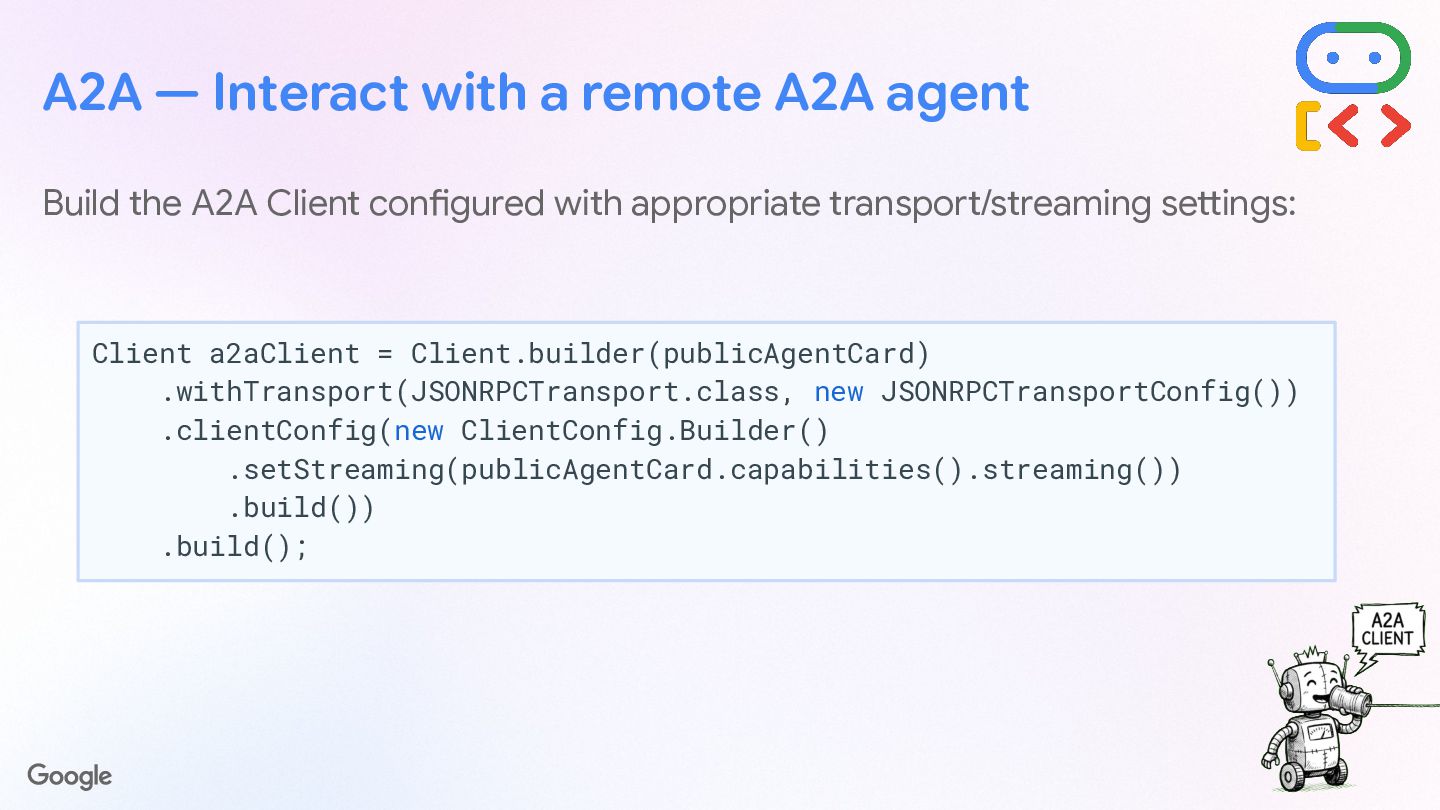
  51. Build the A2A Client configured with appropriate transport/streaming settings: A2A

    — Interact with a remote A2A agent Client a2aClient = Client.builder(publicAgentCard) .withTransport(JSONRPCTransport.class, new JSONRPCTransportConfig()) .clientConfig(new ClientConfig.Builder() .setStreaming(publicAgentCard.capabilities().streaming()) .build()) .build();
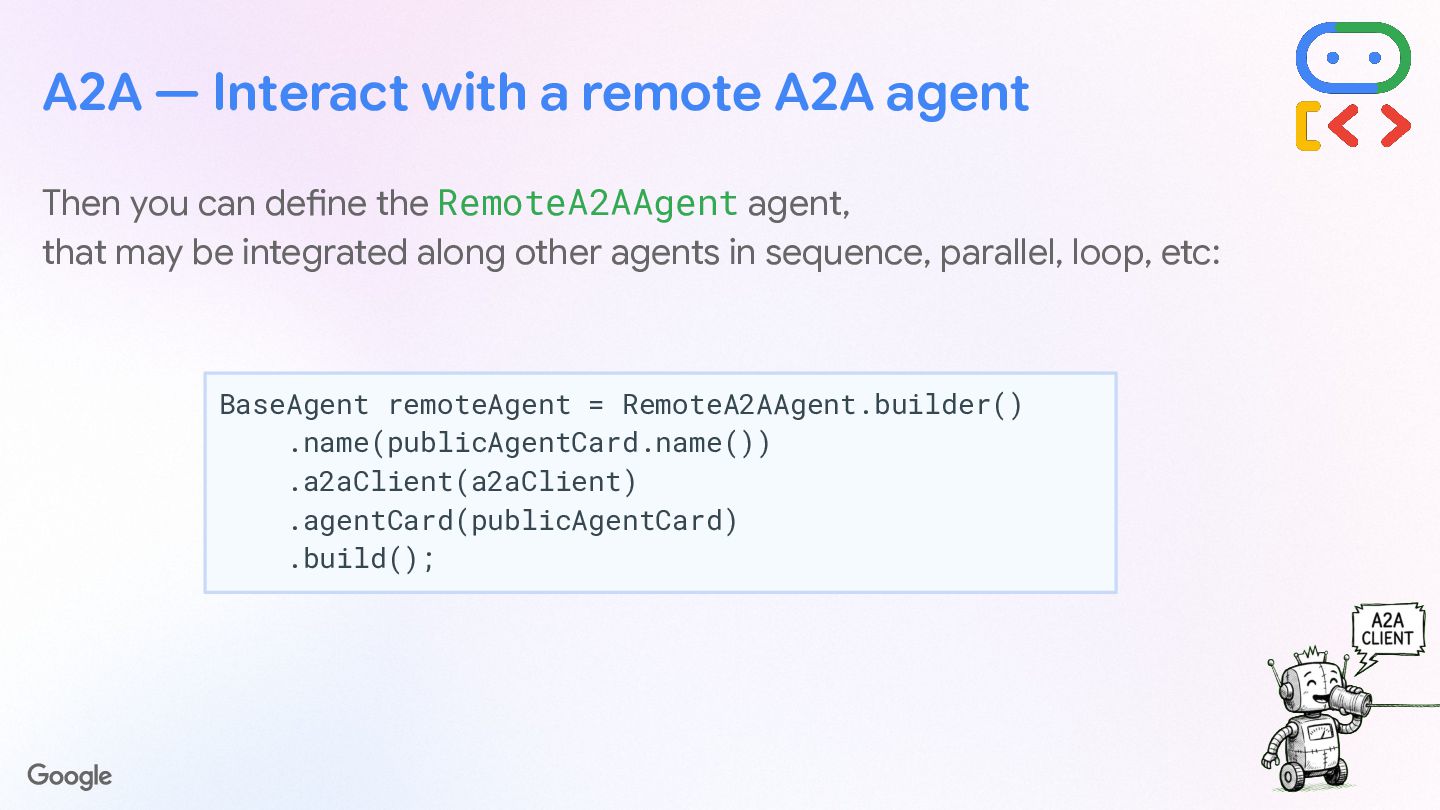
  52. A2A — Interact with a remote A2A agent Then define

    the RemoteA2AAgent agent, that may be integrated along other agents in sequence, parallel, loop, etc: BaseAgent remoteAgent = RemoteA2AAgent.builder() .name(publicAgentCard.name()) .a2aClient(a2aClient) .agentCard(publicAgentCard) .build();
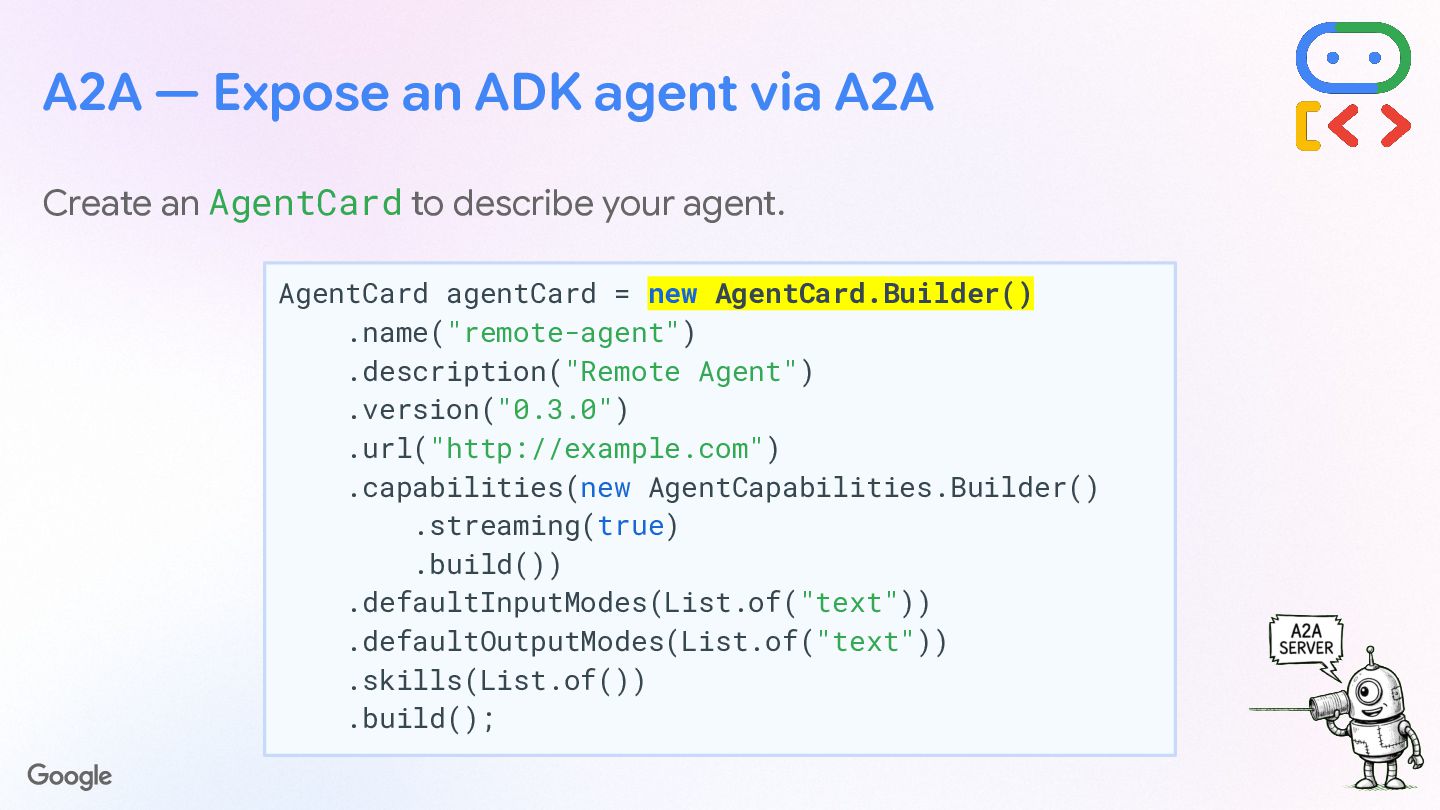
  53. A2A — Expose an ADK agent via A2A Create an

    AgentCard to describe your agent. AgentCard agentCard = new AgentCard.Builder() .name("remote-agent") .description("Remote Agent") .version("0.3.0") .url("http://example.com") .capabilities(new AgentCapabilities.Builder() .streaming(true) .build()) .defaultInputModes(List.of("text")) .defaultOutputModes(List.of("text")) .skills(List.of()) .build();
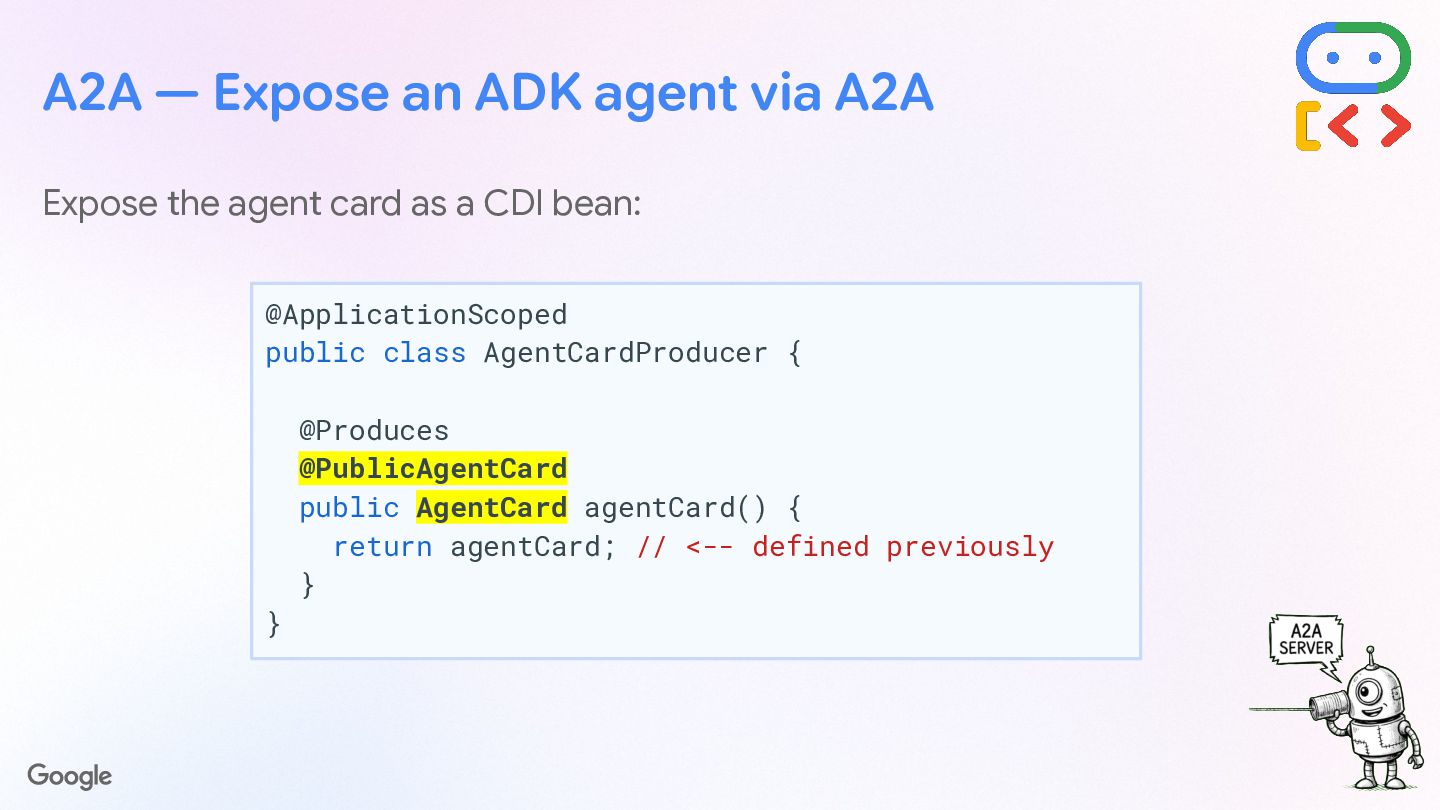
  54. A2A — Expose an ADK agent via A2A Expose the

    agent card as a bean: @ApplicationScoped public class AgentCardProducer { @Produces @PublicAgentCard public AgentCard agentCard() { return agentCard; // <-- defined previously } }
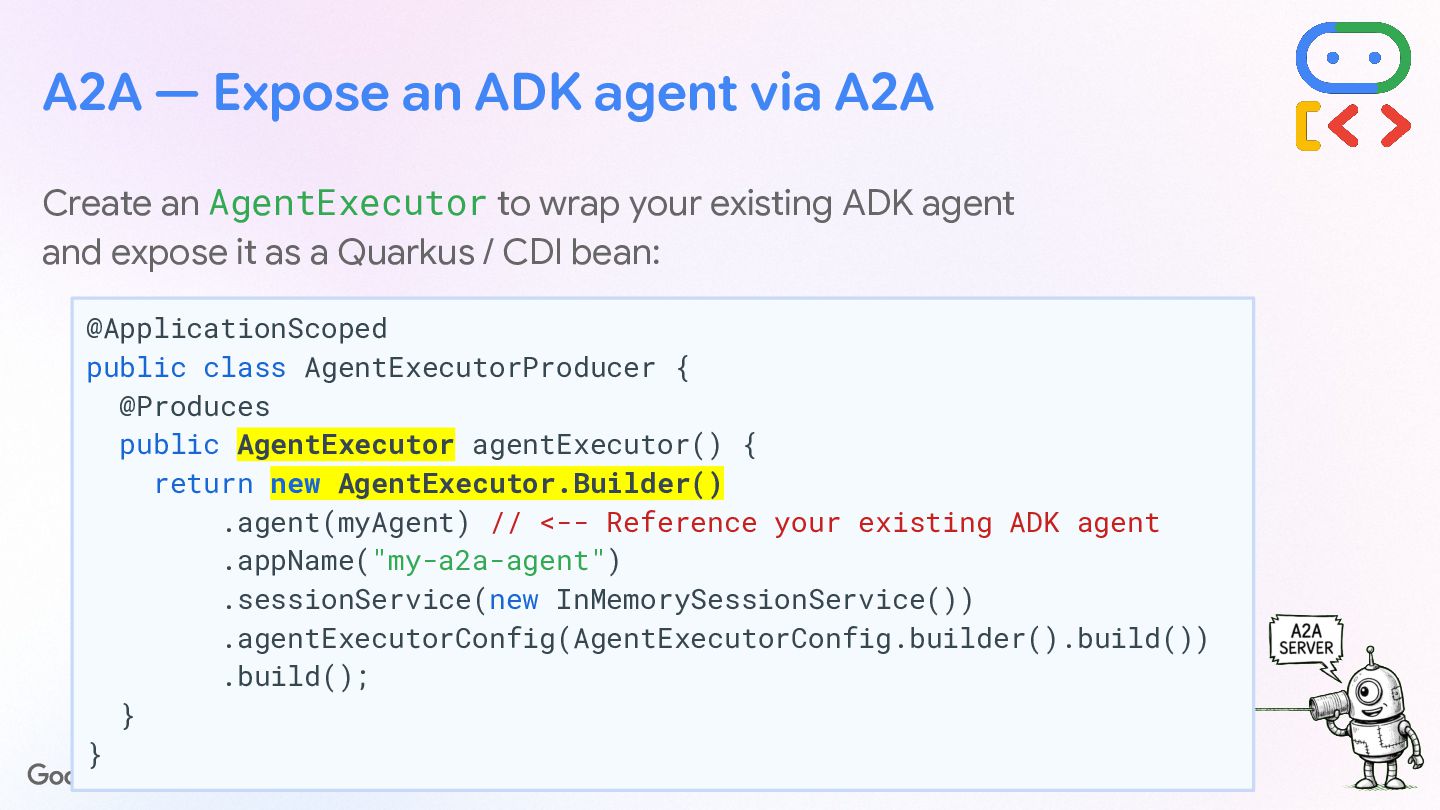
  55. A2A — Expose an ADK agent via A2A Create an

    AgentExecutor to wrap your existing ADK agent and expose it as a Quarkus / CDI bean: @ApplicationScoped public class AgentExecutorProducer { @Produces public AgentExecutor agentExecutor() { return new AgentExecutor.Builder() .agent(myAgent) // <-- Reference your existing ADK agent .appName("my-a2a-agent") .sessionService(new InMemorySessionService()) .agentExecutorConfig(AgentExecutorConfig.builder().build()) .build(); } }
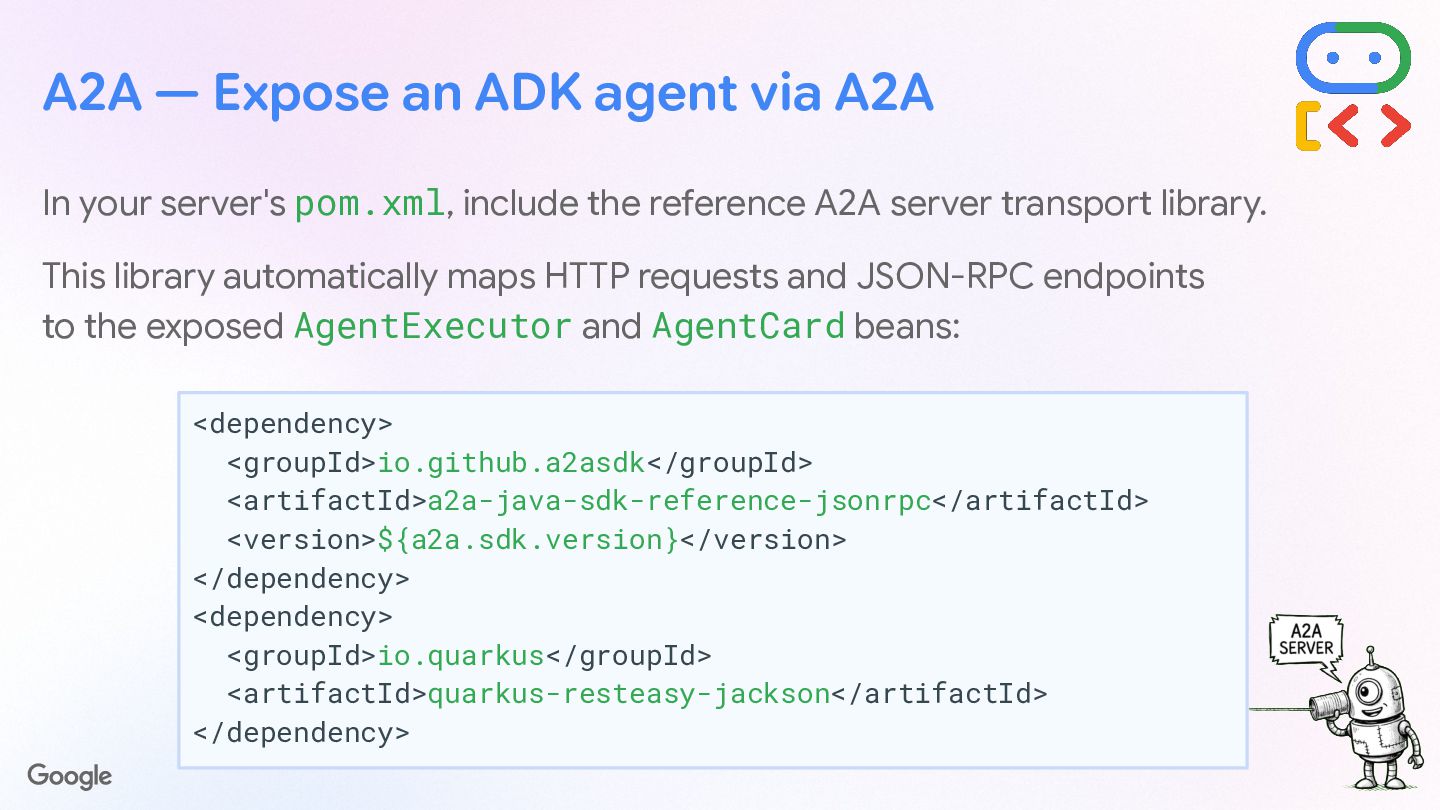
  56. A2A — Expose an ADK agent via A2A In your

    server's pom.xml, include the reference A2A server transport library. This library automatically maps HTTP requests and JSON-RPC endpoints to the exposed AgentExecutor and AgentCard beans: <dependency> <groupId>io.github.a2asdk</groupId> <artifactId>a2a-java-sdk-reference-jsonrpc</artifactId> <version>${a2a.sdk.version}</version> </dependency> <dependency> <groupId>io.quarkus</groupId> <artifactId>quarkus-resteasy-jackson</artifactId> </dependency>
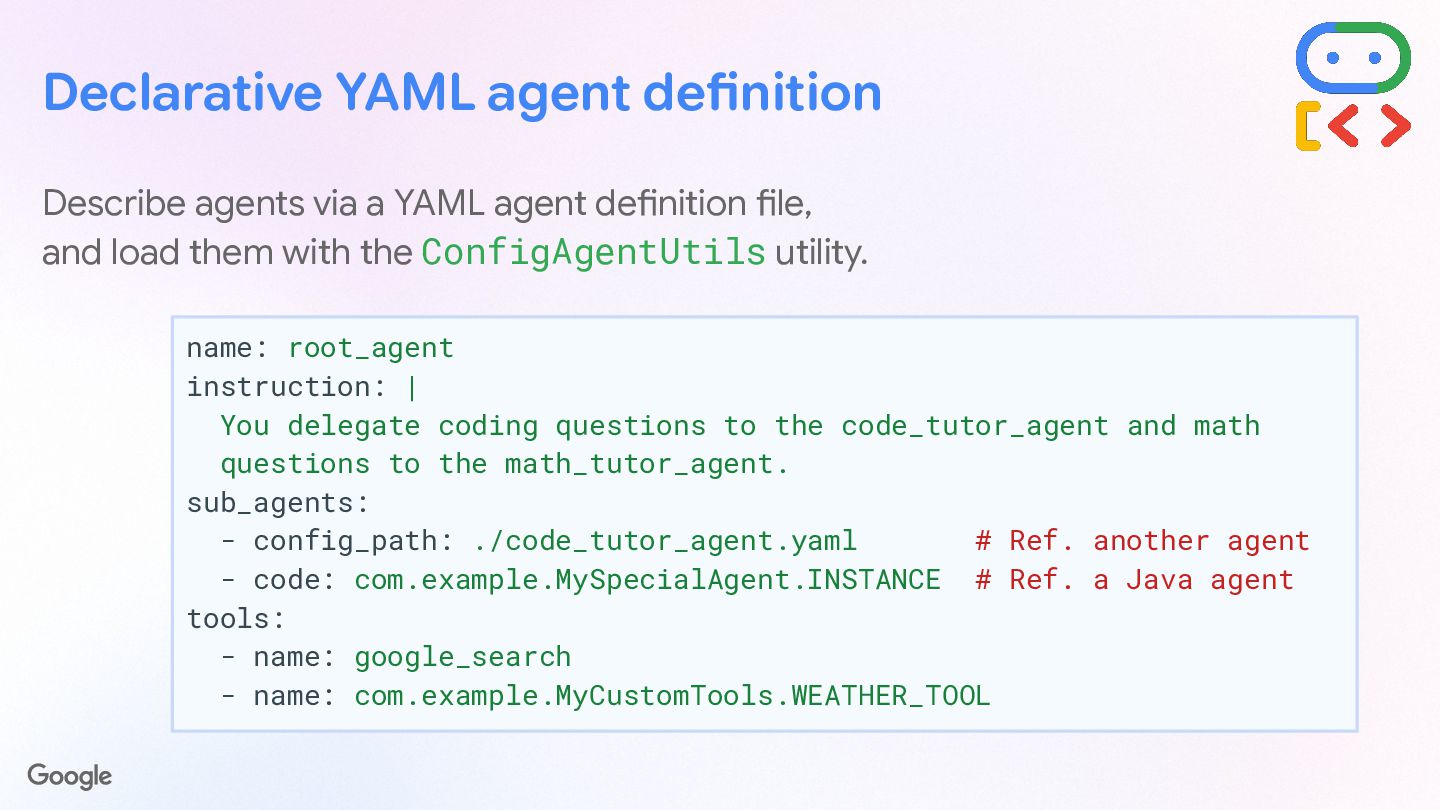
  57. Declarative YAML agent definition Describe agents via a YAML agent

    definition file, and load them with the ConfigAgentUtils utility. name: root_agent instruction: | You delegate coding questions to the code_tutor_agent and math questions to the math_tutor_agent. sub_agents: - config_path: ./code_tutor_agent.yaml # Ref. another agent - code: com.example.MySpecialAgent.INSTANCE # Ref. a Java agent tools: - name: google_search - name: com.example.MyCustomTools.WEATHER_TOOL
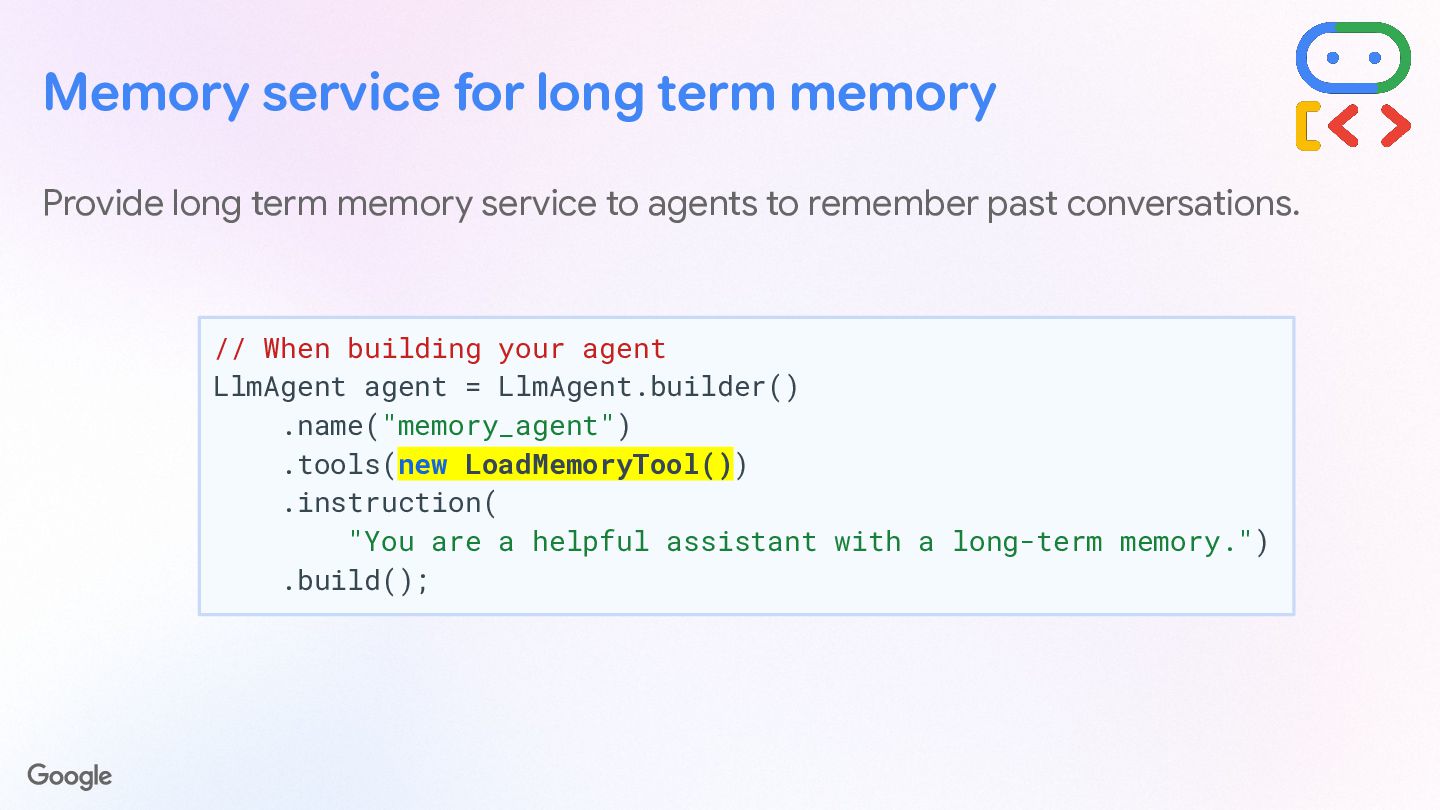
  58. Memory service for long term memory Provide long term memory

    service to agents to remember past conversations. // When building your agent LlmAgent agent = LlmAgent.builder() .name("memory_agent") .tools(new LoadMemoryTool()) .instruction( "You are a helpful assistant with a long-term memory.") .build();
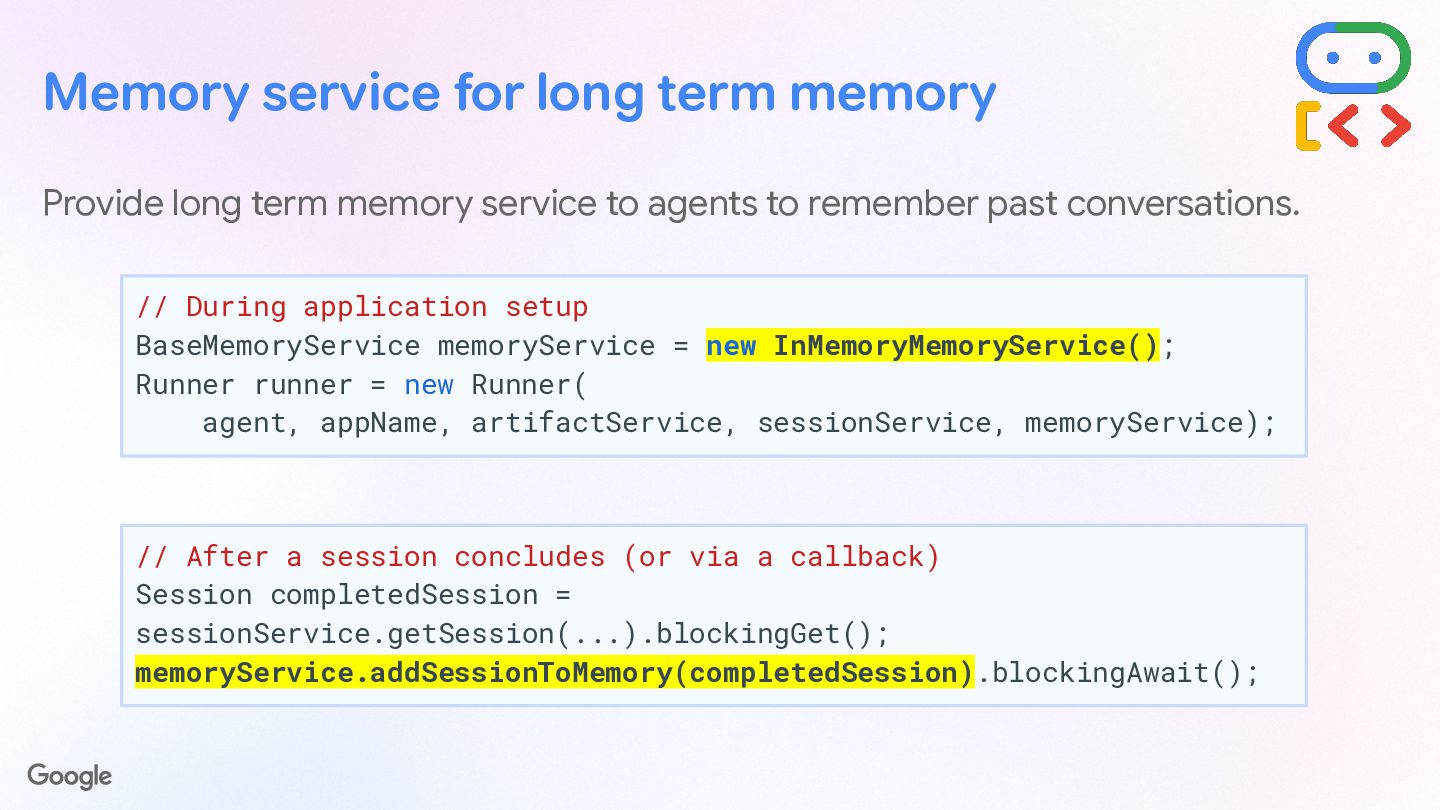
  59. Provide long term memory service to agents to remember past

    conversations. // During application setup BaseMemoryService memoryService = new InMemoryMemoryService(); Runner runner = new Runner( agent, appName, artifactService, sessionService, memoryService); Memory service for long term memory // After a session concludes (or via a callback) Session completedSession = sessionService.getSession(...).blockingGet(); memoryService.addSessionToMemory(completedSession).blockingAwait();
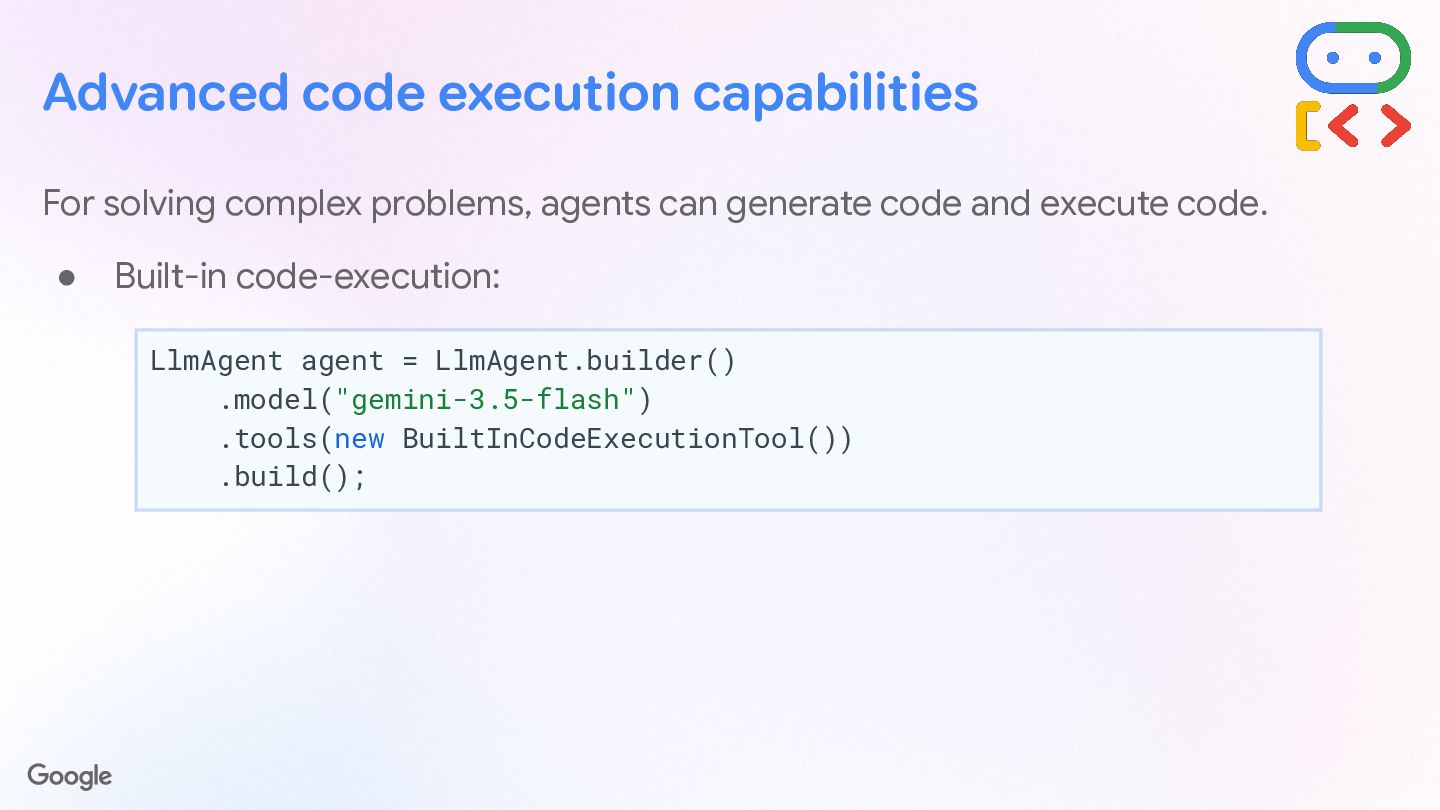
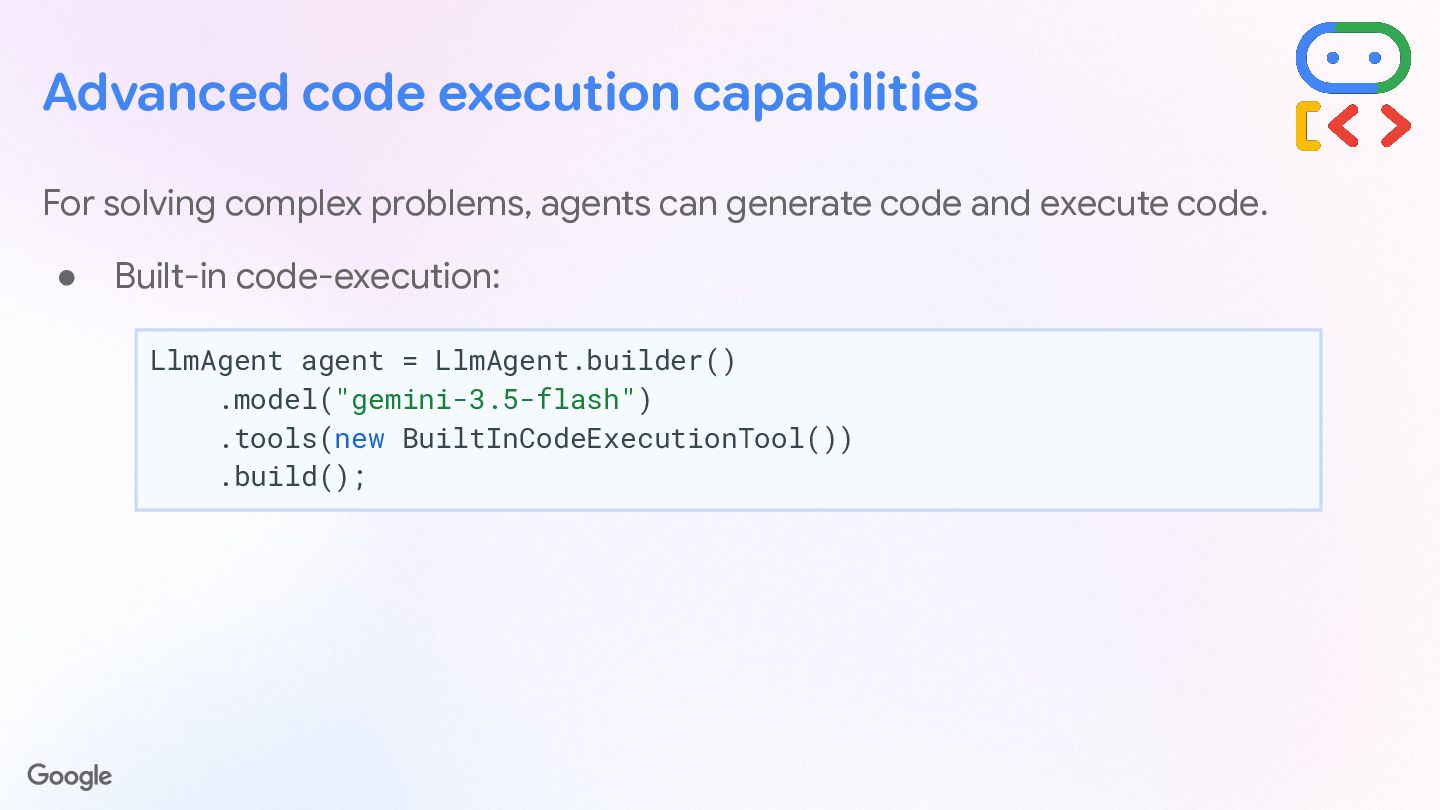
  60. Advanced code execution capabilities For solving complex problems, agents can

    generate code and execute code. • Built-in code-execution: LlmAgent agent = LlmAgent.builder() .model("gemini-3.5-flash") .tools(new BuiltInCodeExecutionTool()) .build();
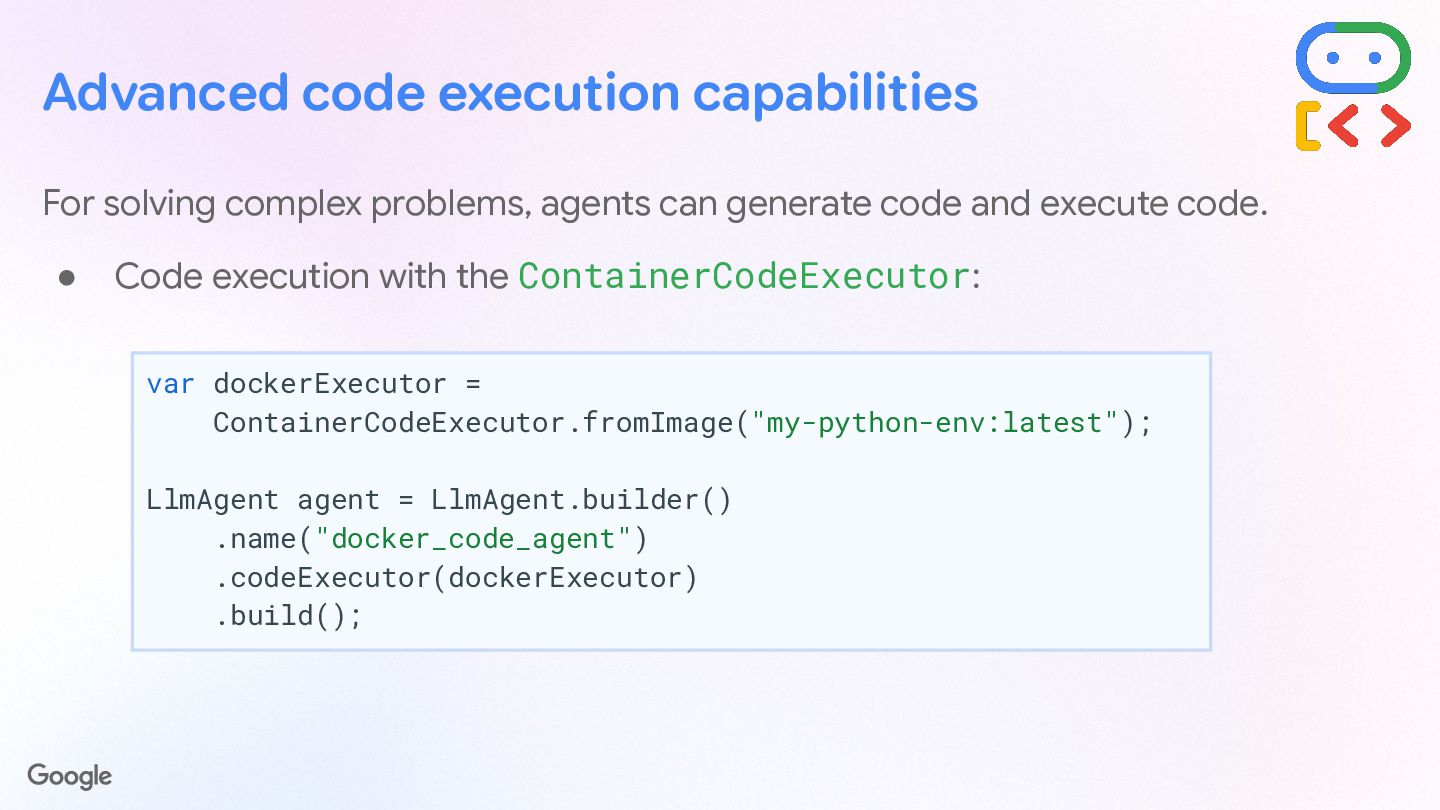
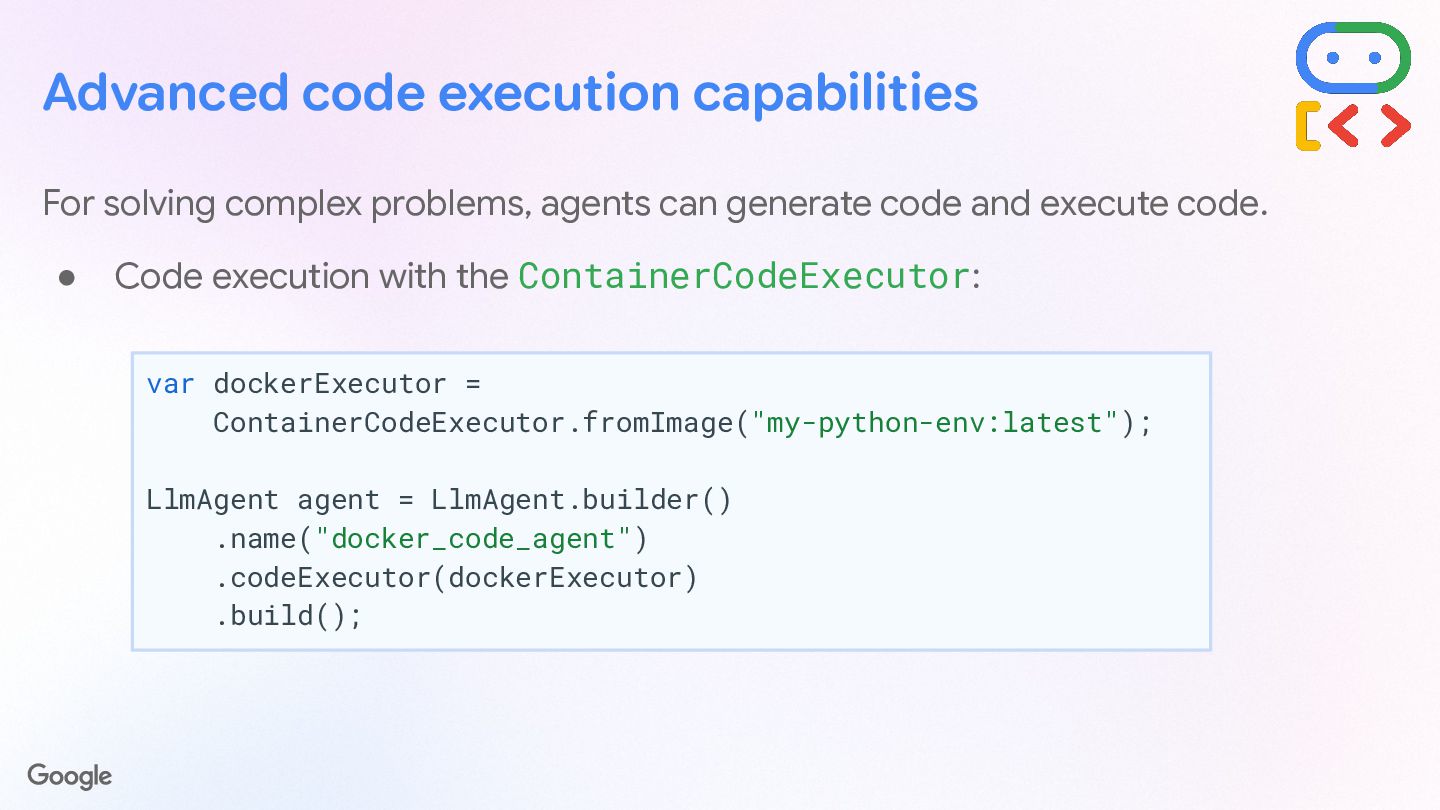
  61. Advanced code execution capabilities For solving complex problems, agents can

    generate code and execute code. • Code execution with the ContainerCodeExecutor: var dockerExecutor = ContainerCodeExecutor.fromImage("my-python-env:latest"); LlmAgent agent = LlmAgent.builder() .name("docker_code_agent") .codeExecutor(dockerExecutor) .build();
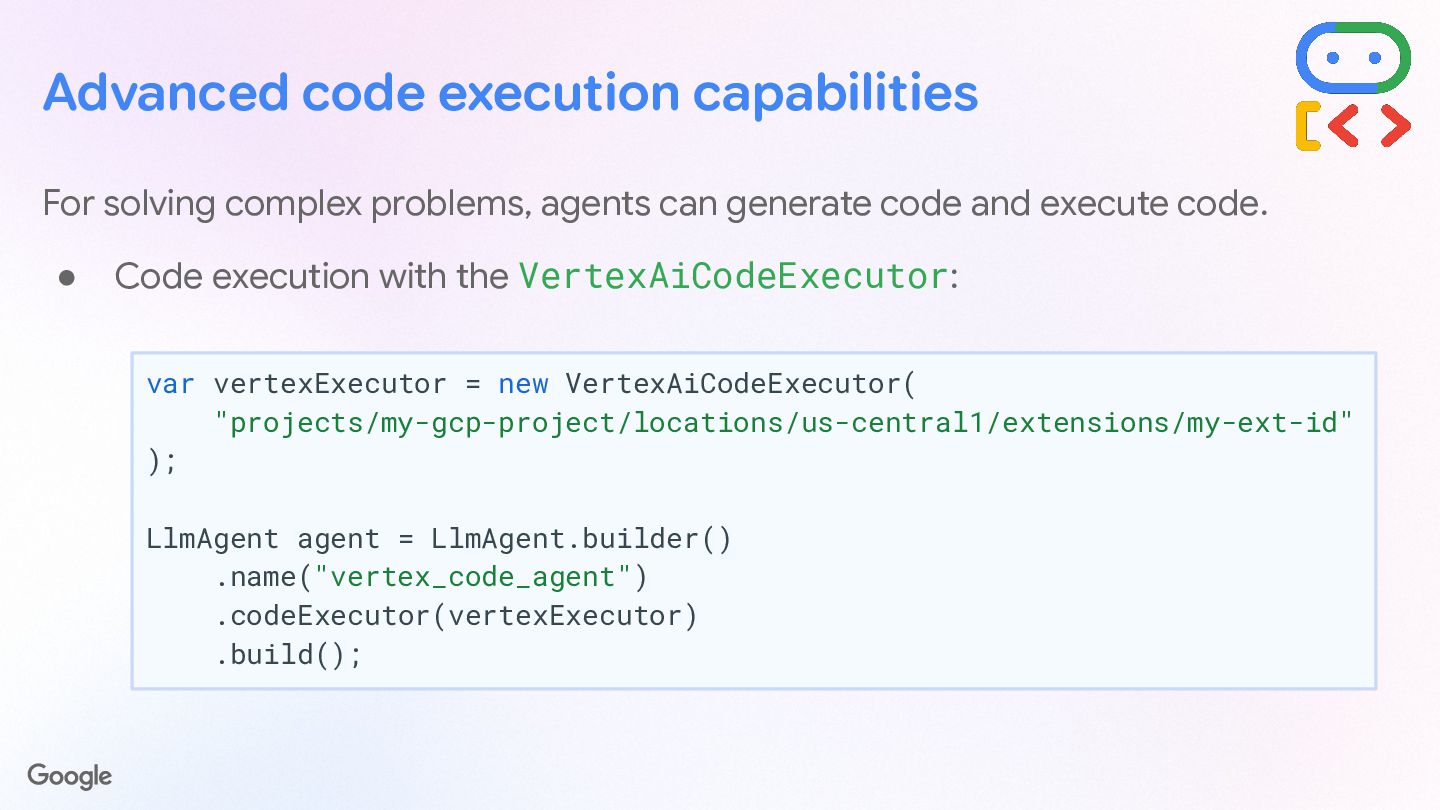
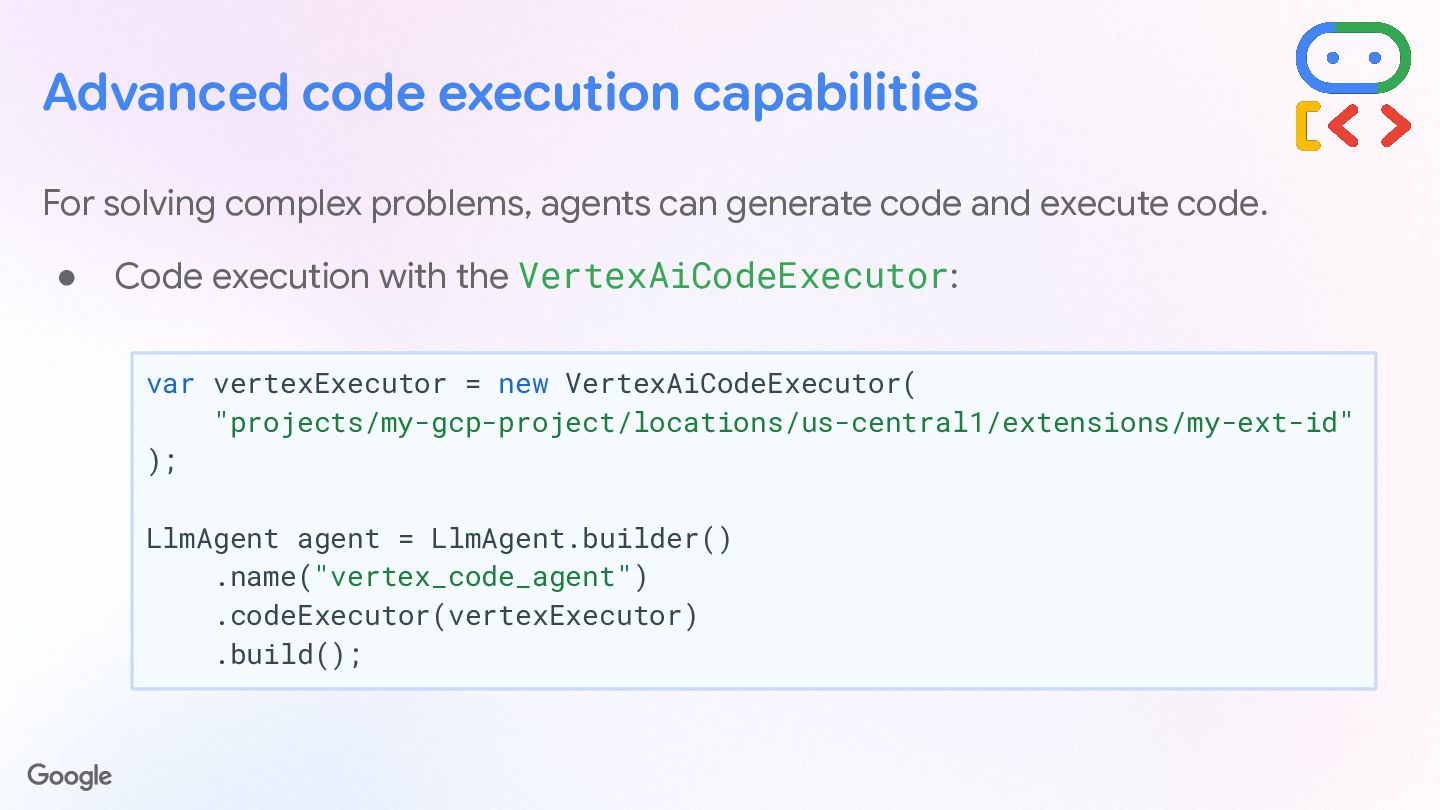
  62. Advanced code execution capabilities For solving complex problems, agents can

    generate code and execute code. • Code execution with the VertexAiCodeExecutor: var vertexExecutor = new VertexAiCodeExecutor( "projects/my-gcp-project/locations/us-central1/extensions/my-ext-id" ); LlmAgent agent = LlmAgent.builder() .name("vertex_code_agent") .codeExecutor(vertexExecutor) .build();
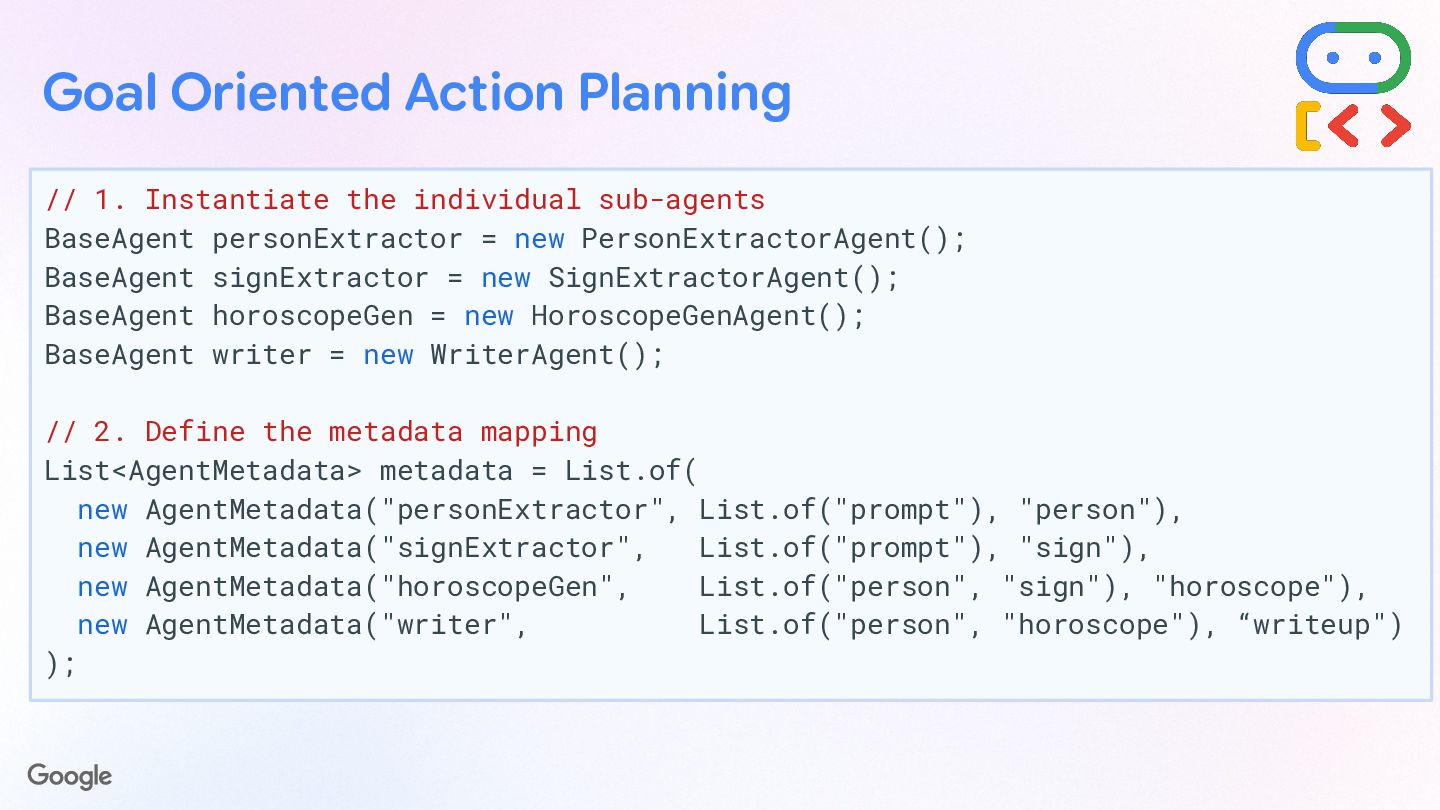
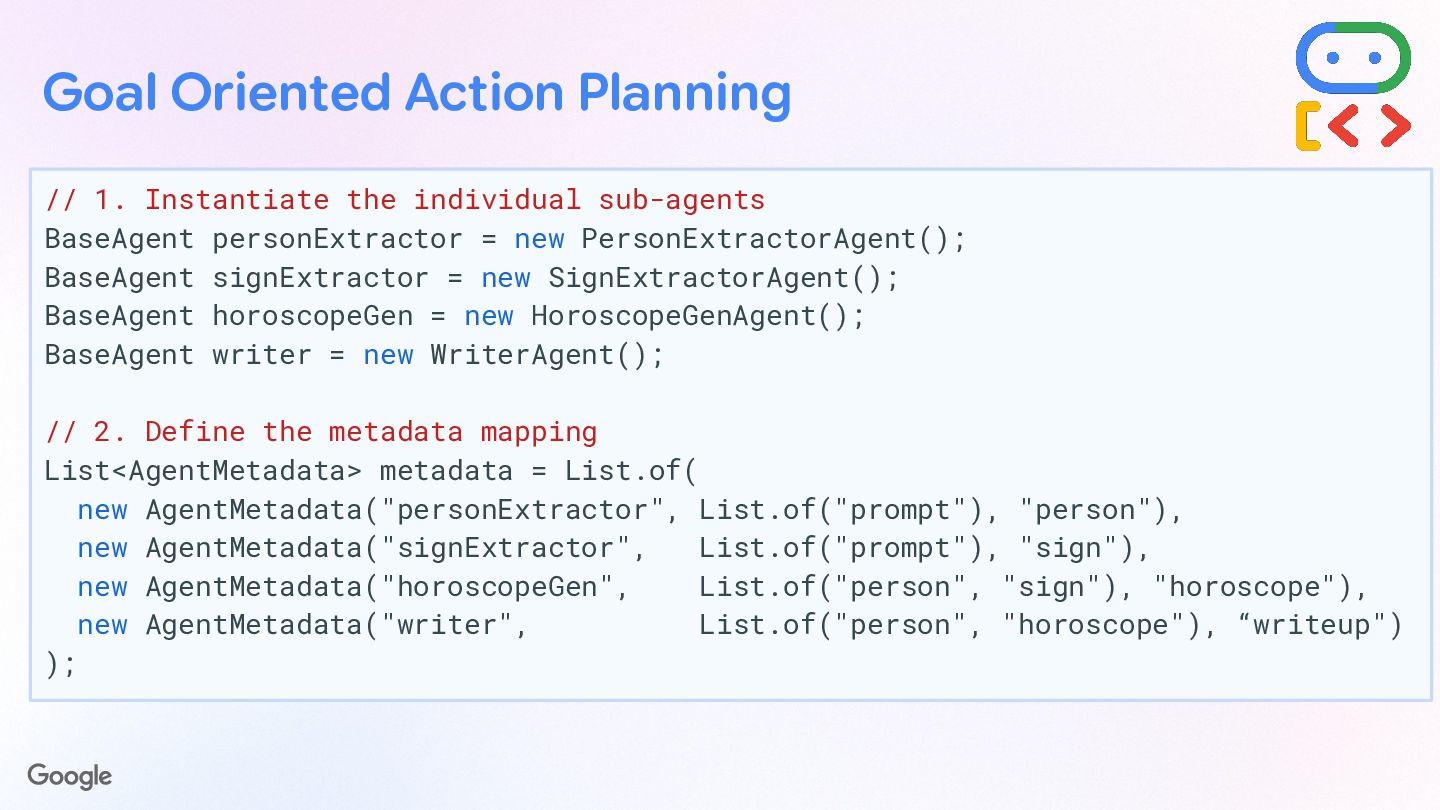
  63. Goal Oriented Action Planning // 1. Instantiate the individual sub-agents

    BaseAgent personExtractor = new PersonExtractorAgent(); BaseAgent signExtractor = new SignExtractorAgent(); BaseAgent horoscopeGen = new HoroscopeGenAgent(); BaseAgent writer = new WriterAgent(); // 2. Define the metadata mapping List<AgentMetadata> metadata = List.of( new AgentMetadata("personExtractor", List.of("prompt"), "person"), new AgentMetadata("signExtractor", List.of("prompt"), "sign"), new AgentMetadata("horoscopeGen", List.of("person", "sign"), "horoscope"), new AgentMetadata("writer", List.of("person", "horoscope"), “writeup") );
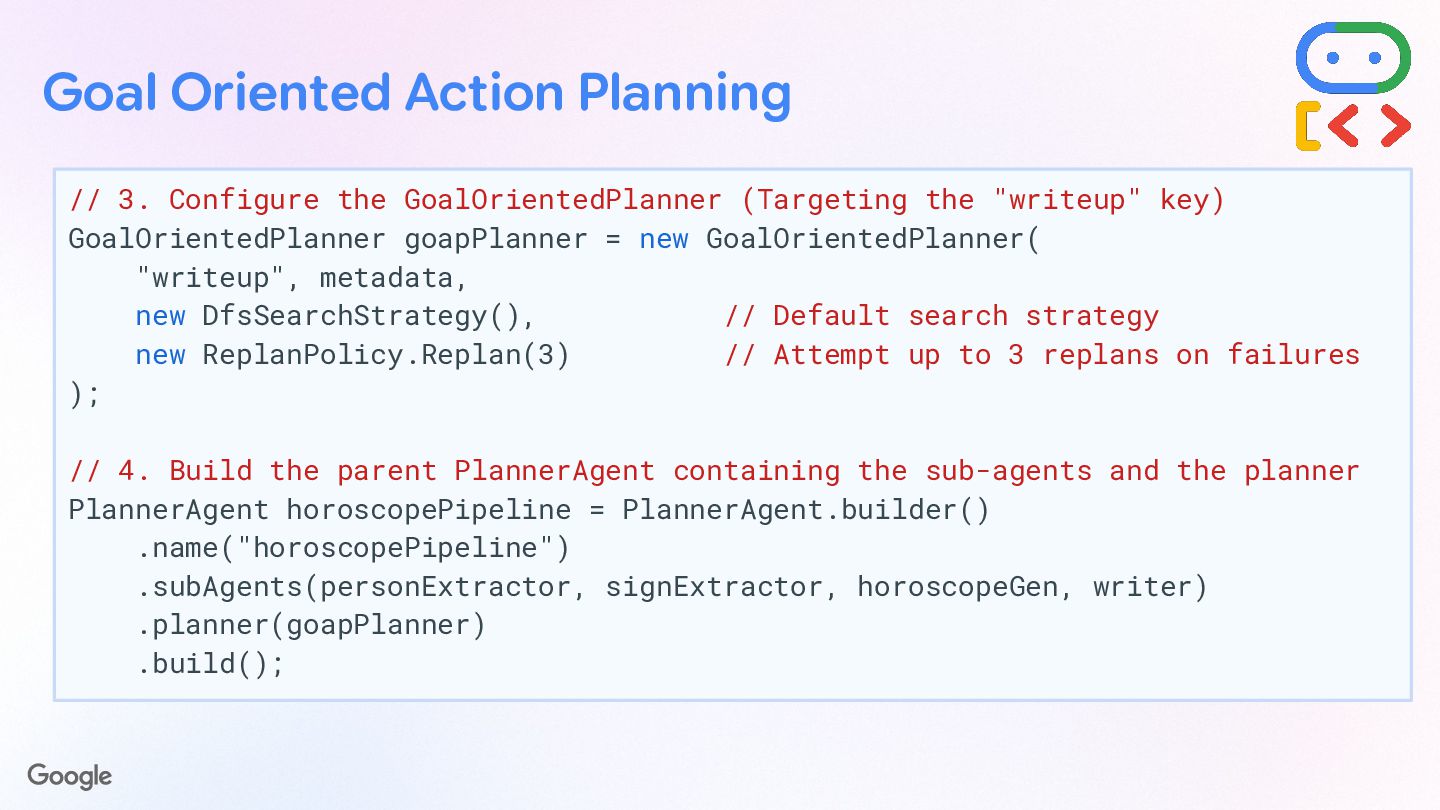
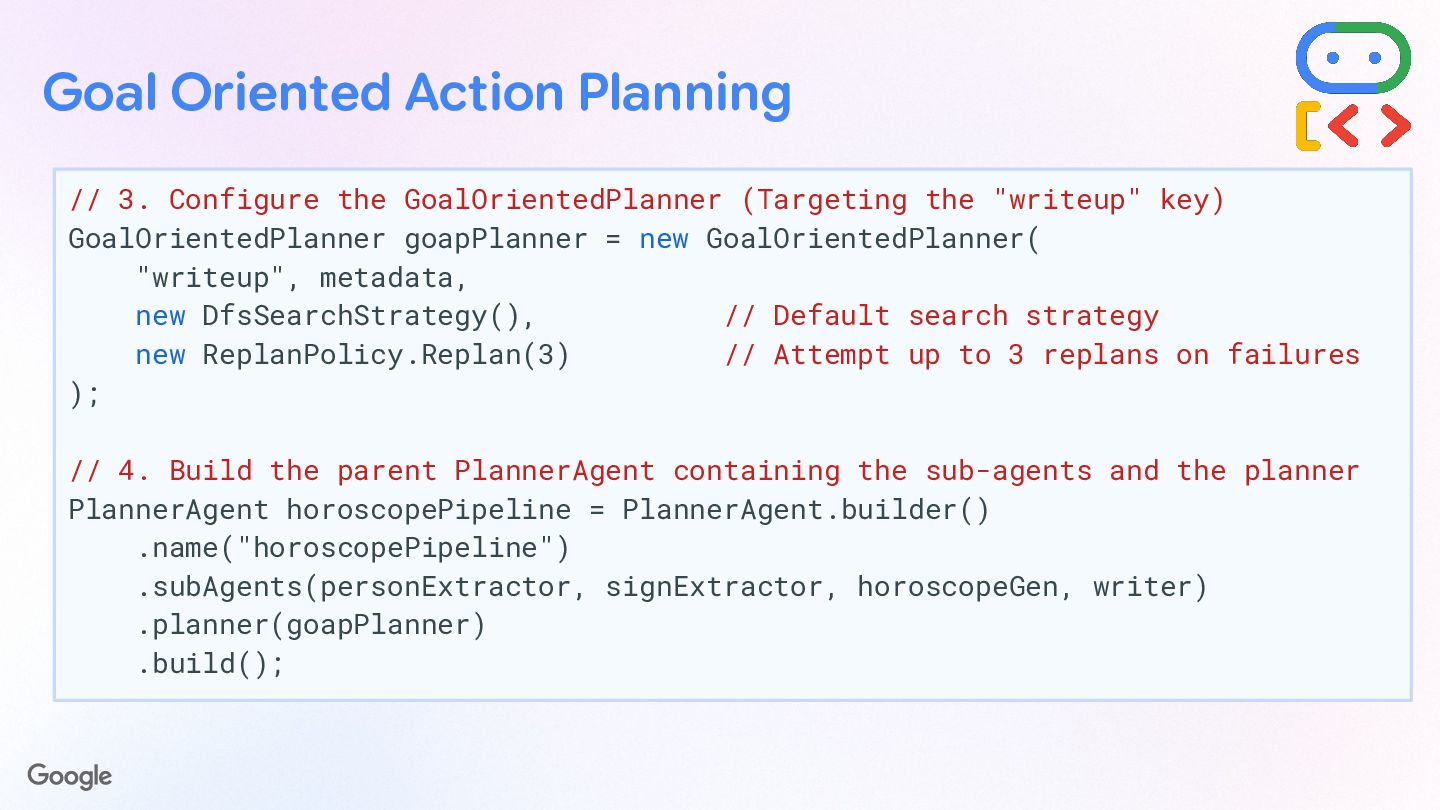
  64. Goal Oriented Action Planning // 3. Configure the GoalOrientedPlanner (Targeting

    the "writeup" key) GoalOrientedPlanner goapPlanner = new GoalOrientedPlanner( "writeup", metadata, new DfsSearchStrategy(), // Default search strategy new ReplanPolicy.Replan(3) // Attempt up to 3 replans on failures ); // 4. Build the parent PlannerAgent containing the sub-agents and the planner PlannerAgent horoscopePipeline = PlannerAgent.builder() .name("horoscopePipeline") .subAgents(personExtractor, signExtractor, horoscopeGen, writer) .planner(goapPlanner) .build();
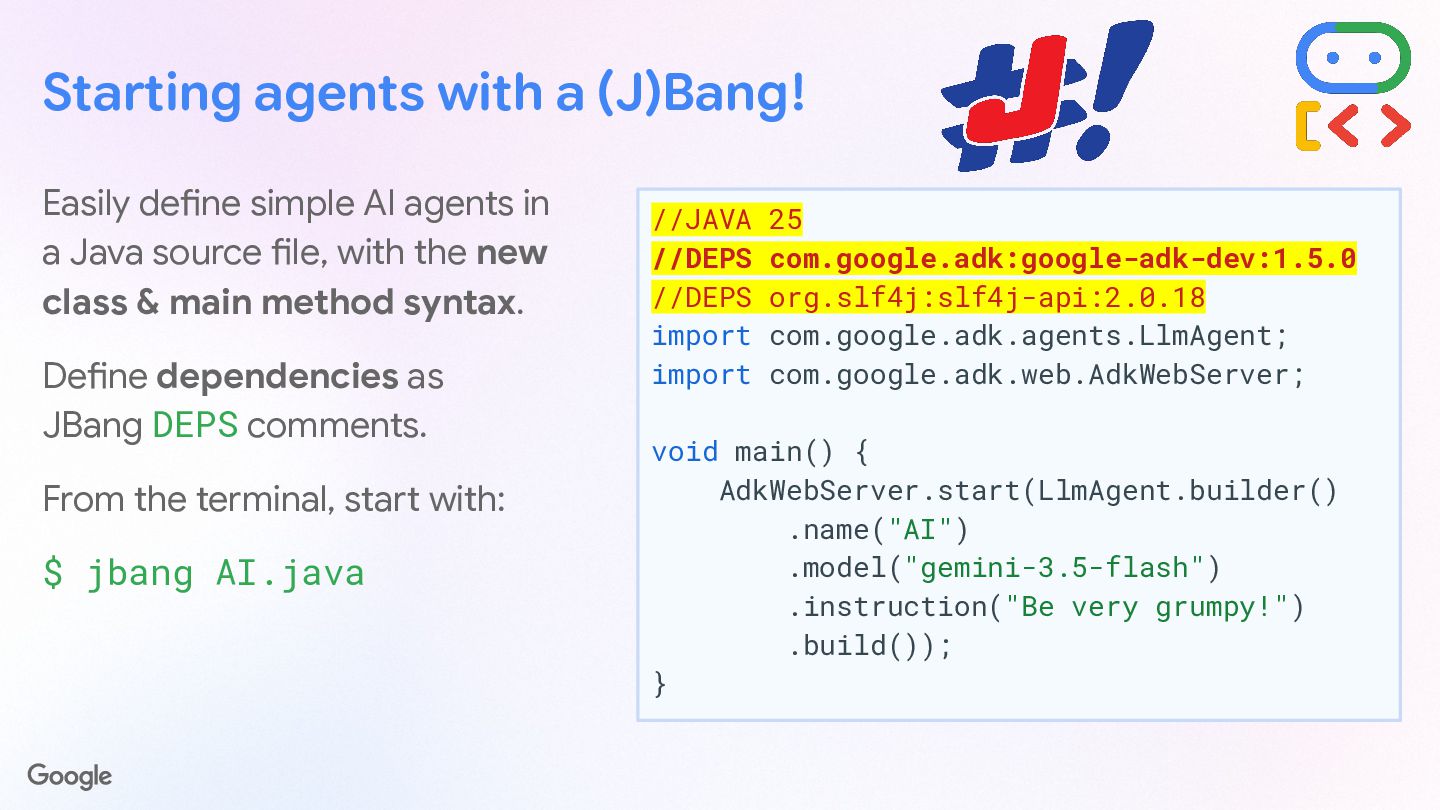
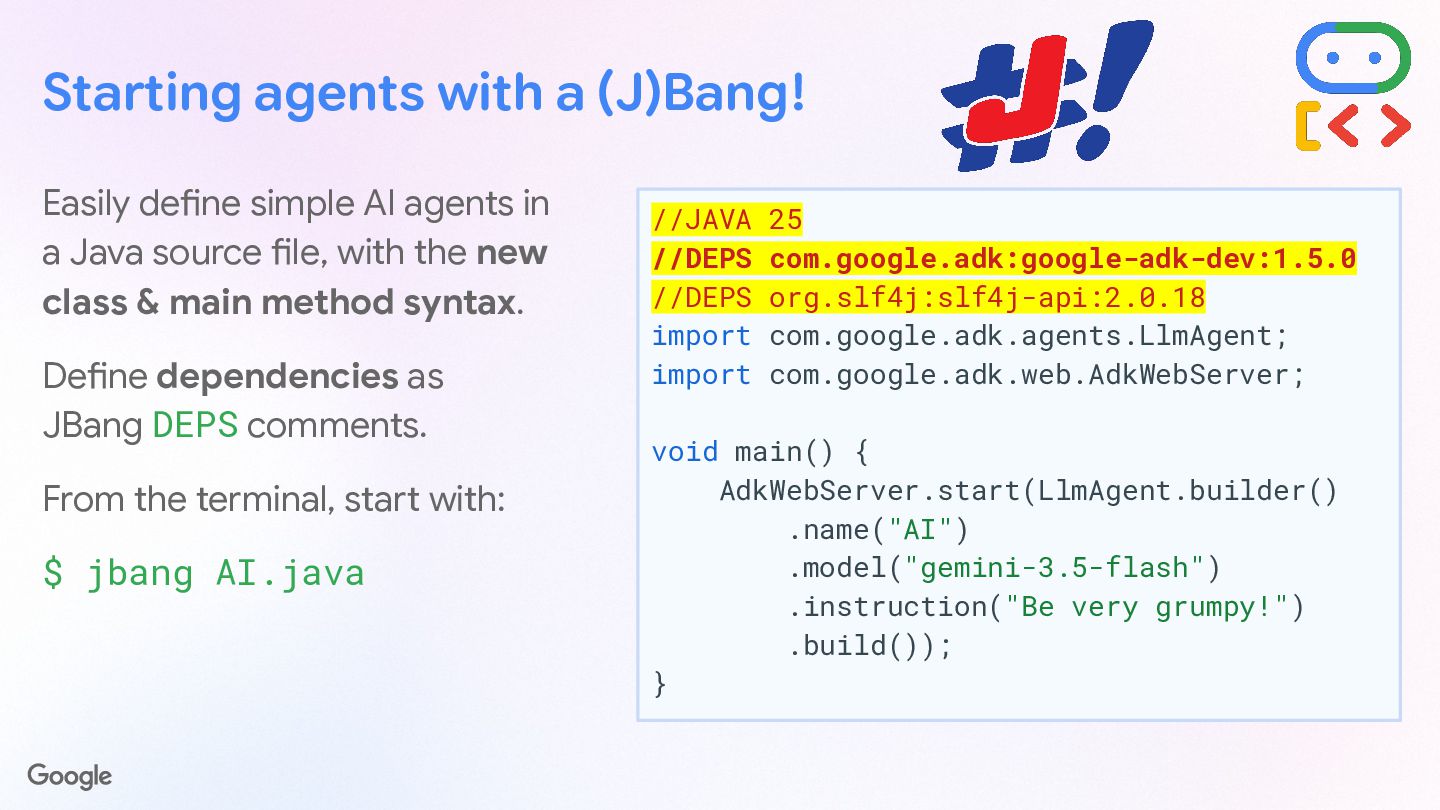
  65. Starting agents with a (J)Bang! Easily define simple AI agents

    in a Java source file, with the new class & main method syntax. Define dependencies as JBang DEPS comments. From the terminal, start with: $ jbang AI.java //JAVA 25 //DEPS com.google.adk:google-adk-dev:1.5.0 //DEPS org.slf4j:slf4j-api:2.0.18 import com.google.adk.agents.LlmAgent; import com.google.adk.web.AdkWebServer; void main() { AdkWebServer.start(LlmAgent.builder() .name("AI") .model("gemini-3.5-flash") .instruction("Be very grumpy!") .build()); }
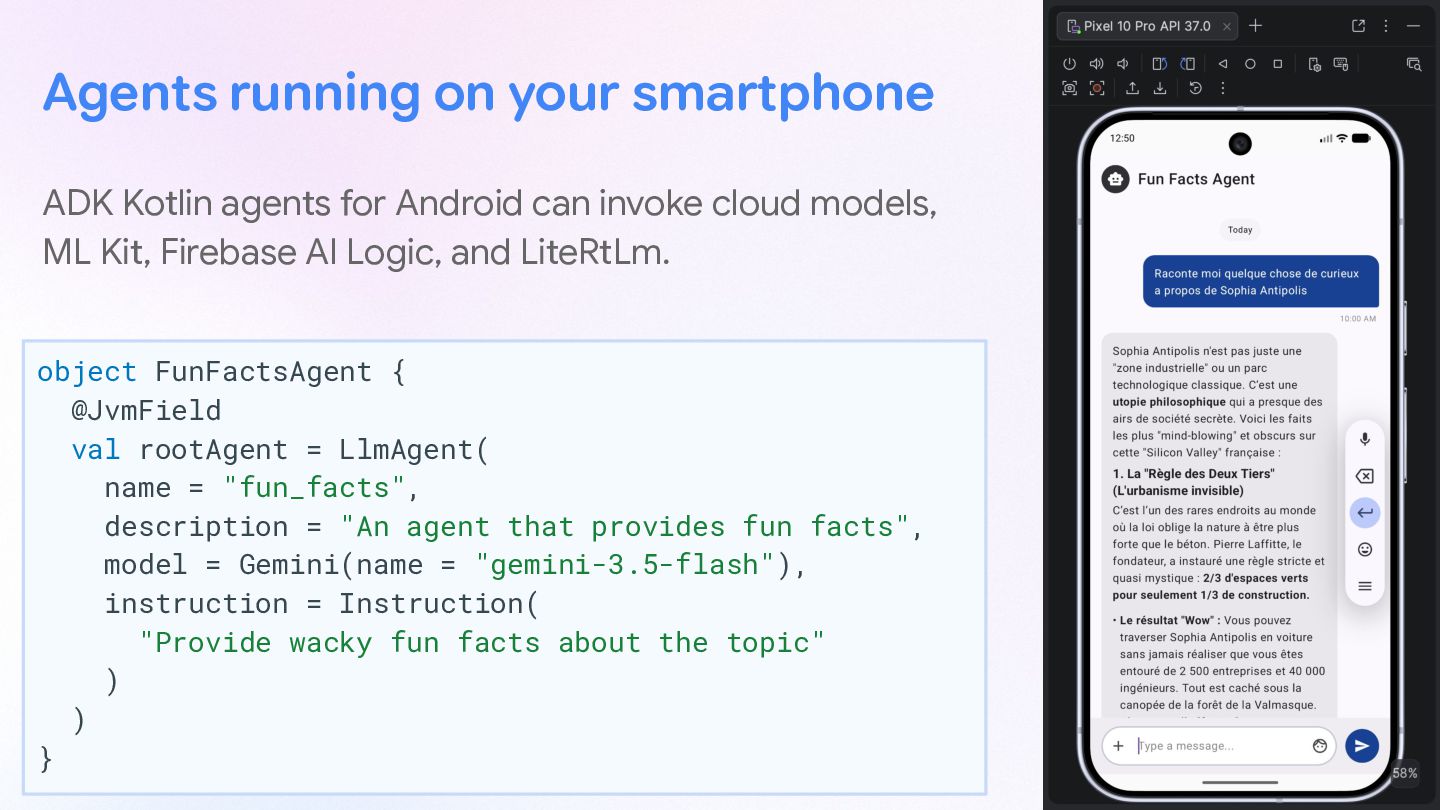
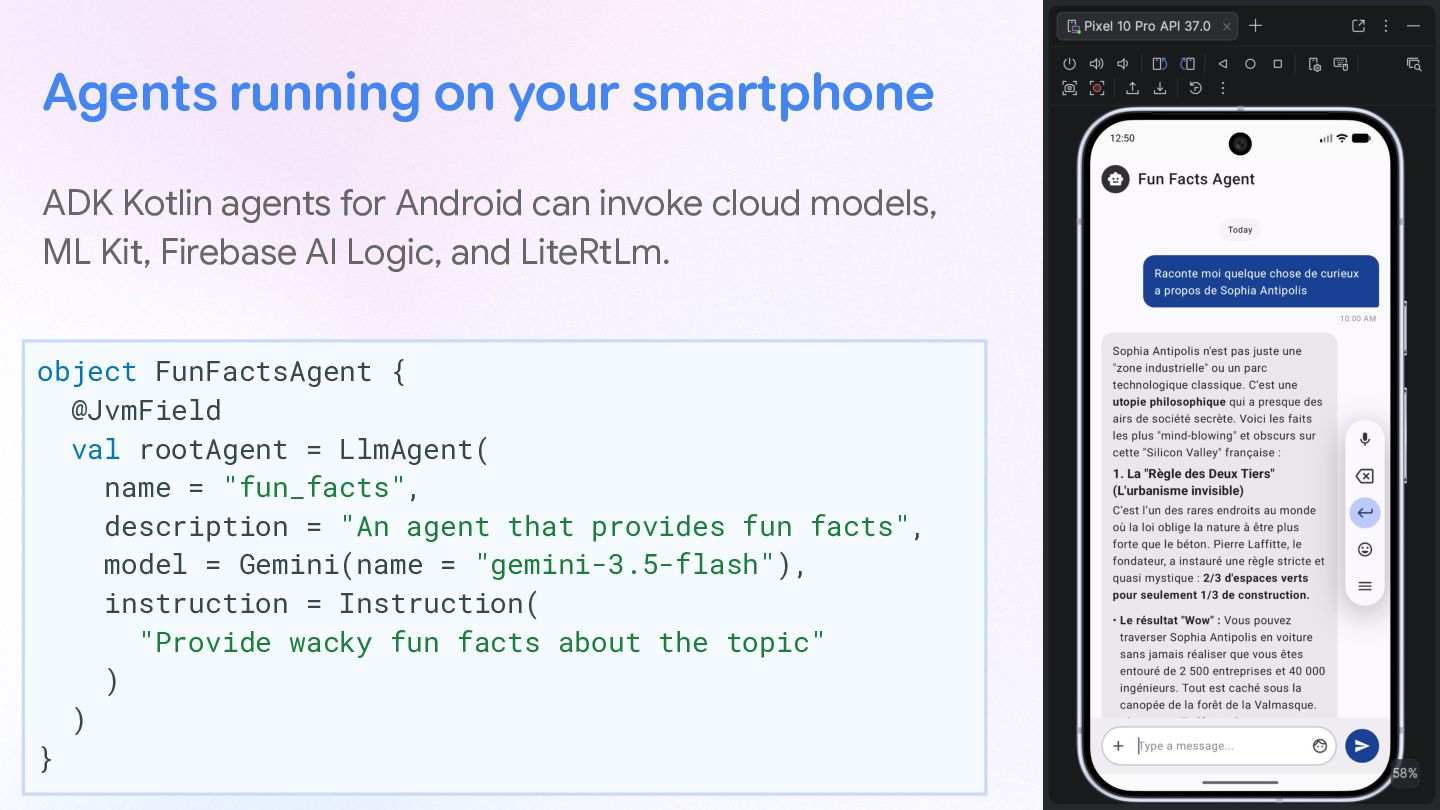
  66. Agents running on your smartphone ADK Kotlin agents for Android

    can invoke cloud models, ML Kit, Firebase AI Logic, and LiteRtLm. object FunFactsAgent { @JvmField val rootAgent = LlmAgent( name = "fun_facts", description = "An agent that provides fun facts", model = Gemini(name = "gemini-3.5-flash"), instruction = Instruction( "Provide wacky fun facts about the topic" ) ) }