Upgrade to Pro
— share decks privately, control downloads, hide ads and more …
Speaker Deck
Sign up for free
Menu
Search
Features
All features
Private URLs
Password Protection
Custom URLS
Scheduled publishing
Remove Branding
Restrict embedding
Deck Collections
Notes
Features
All features
Private URLs
Password Protection
Custom URLS
Scheduled publishing
Remove Branding
Restrict embedding
Deck Collections
Notes
Explore
Featured decks
Featured speakers
Programming
Technology
Storyboards
Explore
Featured decks
Featured speakers
Programming
Technology
Storyboards
Pricing
Search
Sign in
Sign up for free
Introduction to OpenvSwitch
Search
Hung-Wei Chiu
September 23, 2017
Technology
720
0
Share
Embed
Copy iframe code
Copy JS code
Copy link
Start on current slide
Introduction to OpenvSwitch
Hung-Wei Chiu
September 23, 2017
More Decks by Hung-Wei Chiu
See All by Hung-Wei Chiu
Kubernetes self-healing of your workload
hwchiu
1
1.2k
DevOps and GenAI: Navigating the Future in the Era of Artificial Intelligence
hwchiu
0
400
Why and Why not of enabling swap in Kubernetes
hwchiu
0
1.3k
Introduction to GitOps
hwchiu
0
670
Exploring the Gradually Lost Technical Skills in the Cloud Native Era
hwchiu
2
5.2k
Does Kubernetes is really easy than VM for cluster administrator.
hwchiu
0
1.1k
Workshop: control and fix your own K8s cluster.
hwchiu
0
600
The difference between Kubenet and Azure CNI in AKS
hwchiu
0
440
Opening in Cloud Native Taiwan User Group Meetup2
hwchiu
0
160
Other Decks in Technology
See All in Technology
[General] 개발자로 해외 기업에서 일하기
skydoves
1
300
なぜ東京にいる私が、新潟の技術コミュニティを運営するのか by 八雲慎之助
yakumo
0
220
AIコーディングはじめました
miso
0
150
2拠点SRE活動始めてみた | sogaoh's LT @ ホンマでっかSRE勉強会 #3
sogaoh
PRO
0
240
Flutter Widget Previewerで始めるUIプレビューとVRTの自動化
sakusaku3939
0
210
IoTとは〜? 数字で見るSORACOM UG【SORACOM UG Explorer 2026】
soracom
PRO
0
190
コードレビューをなくして見えたもの
henteko
0
140
FinOpsを導入してマルチプロダクトのコスト最適化を実現する
kworkdev
PRO
0
140
`go get`したらELFが降ってきた件
taiyow
0
180
AIに任せられるFlutterコードベースを作る 〜仕様をコードで表し、ハーネスで守る〜
myohei
1
640
試験勉強はGrokBotでやれ
maigo999
0
110
視野はAIに、視座は人に / ai-for-breadth-humans-for-perspective
nkzn
6
3.1k
Featured
See All Featured
Why You Should Never Use an ORM
jnunemaker
PRO
61
10k
Crafting Experiences
bethany
1
430
ReactJS: Keep Simple. Everything can be a component!
pedronauck
666
130k
Optimising Largest Contentful Paint
csswizardry
37
4k
Dominate Local Search Results - an insider guide to GBP, reviews, and Local SEO
greggifford
PRO
0
400
Ten Tips & Tricks for a 🌱 transition
stuffmc
1
280
Test your architecture with Archunit
thirion
2
2.5k
How to Build an AI Search Optimization Roadmap - Criteria and Steps to Take #SEOIRL
aleyda
1
2.2k
DBのスキルで生き残る技術 - AI時代におけるテーブル設計の勘所
soudai
PRO
68
60k
Beyond borders and beyond the search box: How to win the global "messy middle" with AI-driven SEO
davidcarrasco
3
300
Breaking role norms: Why Content Design is so much more than writing copy - Taylor Woolridge
uxyall
1
510
We Are The Robots
honzajavorek
0
440
Transcript
Introduction to OVS Hung-Wei Chiu, Linker Networks TFC Meetup 2017/09/23
Hung Wei-Chu • Linker Networks Software Engineer ◦ Container/Virtualization •
SDNDS-TW Co-Founder • Experiences ◦ Synology Network Software Engineer ◦ Open Source Contributor ▪ Mininet / Floodlight / ONOS / FRRouting ◦ Blog ▪ hwchiu.com
Before we talk about to OpenvSwitch.
Have you heard Linux Bridge ?
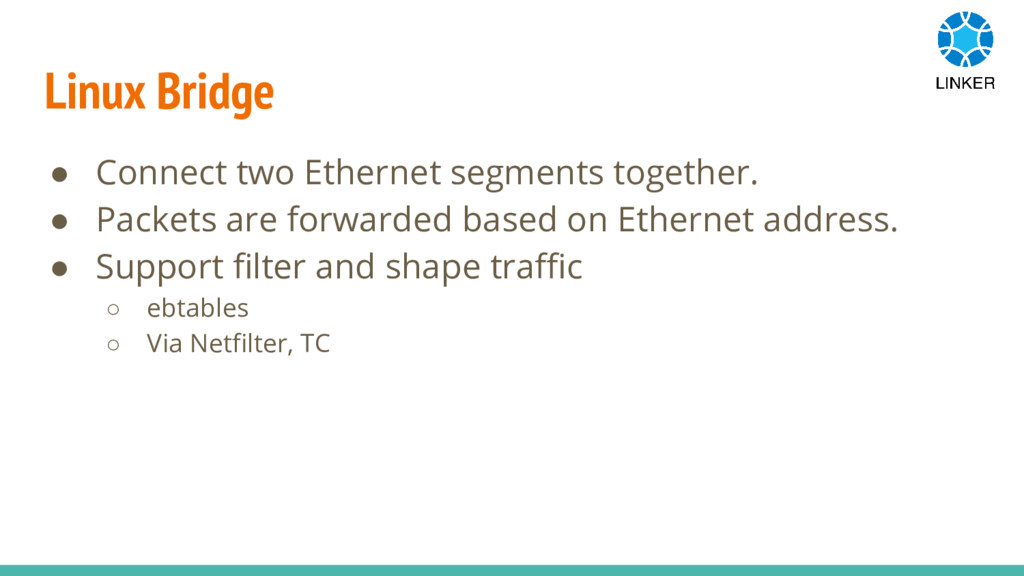
Linux Bridge • Connect two Ethernet segments together. • Packets
are forwarded based on Ethernet address. • Support filter and shape traffic ◦ ebtables ◦ Via Netfilter, TC
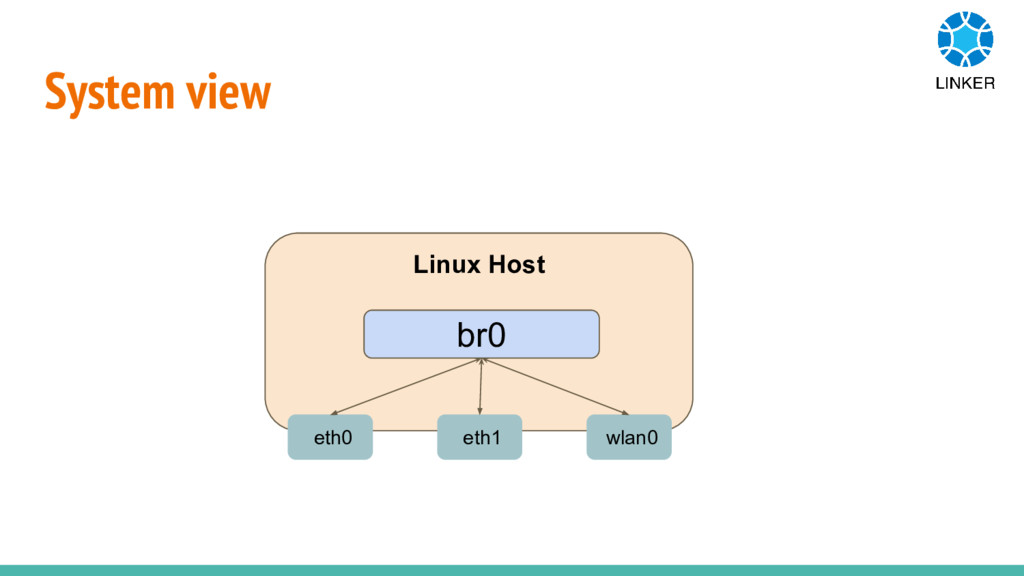
System view eth0 eth1 wlan0 br0 Linux Host
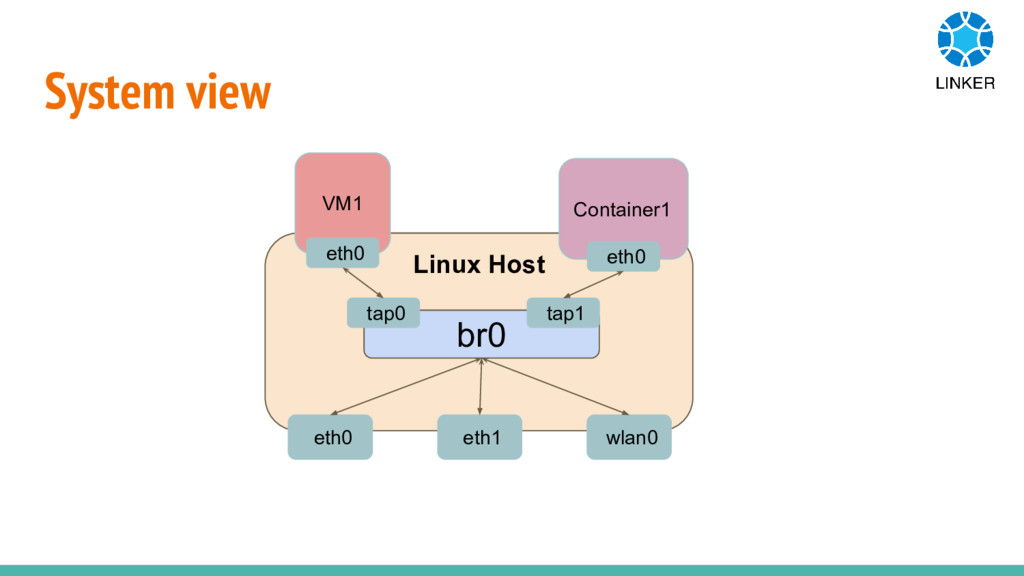
System view eth0 eth1 wlan0 br0 Linux Host tap0 tap1
VM1 eth0 Container1 eth0
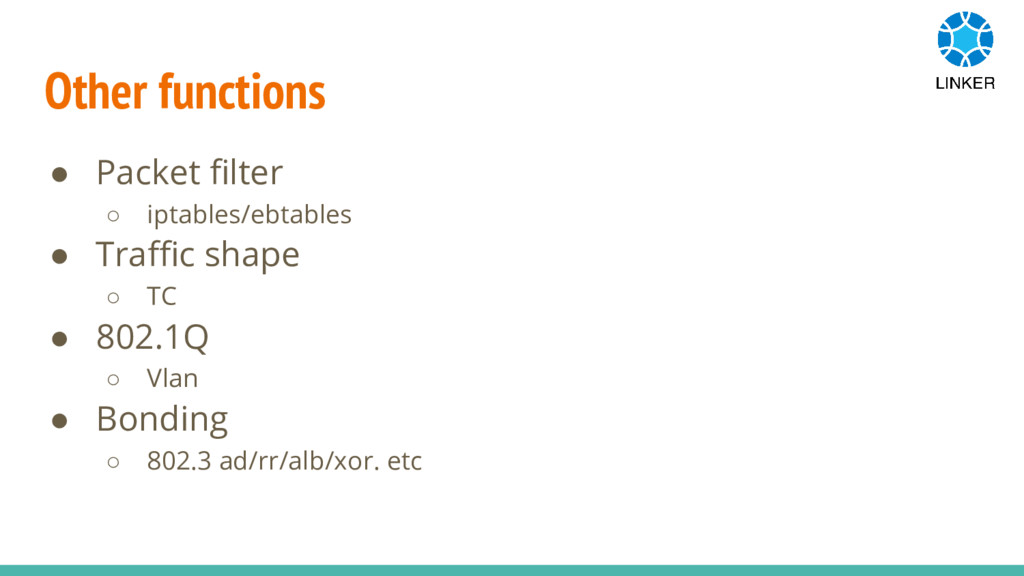
Other functions • Packet filter ◦ iptables/ebtables • Traffic shape
◦ TC • 802.1Q ◦ Vlan • Bonding ◦ 802.3 ad/rr/alb/xor. etc
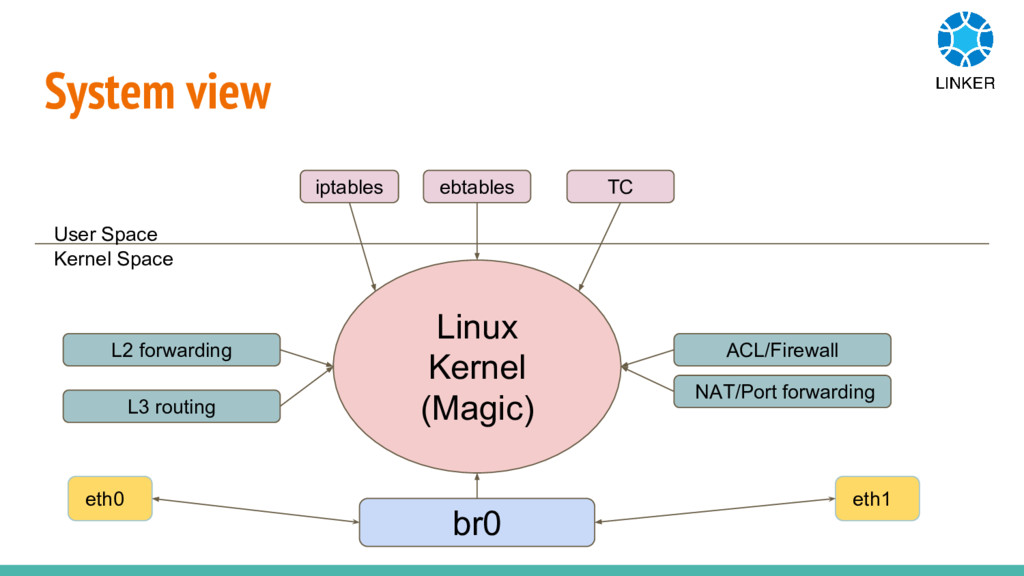
System view User Space Kernel Space iptables ebtables TC Linux
Kernel (Magic) br0 eth0 eth1 L2 forwarding L3 routing ACL/Firewall NAT/Port forwarding
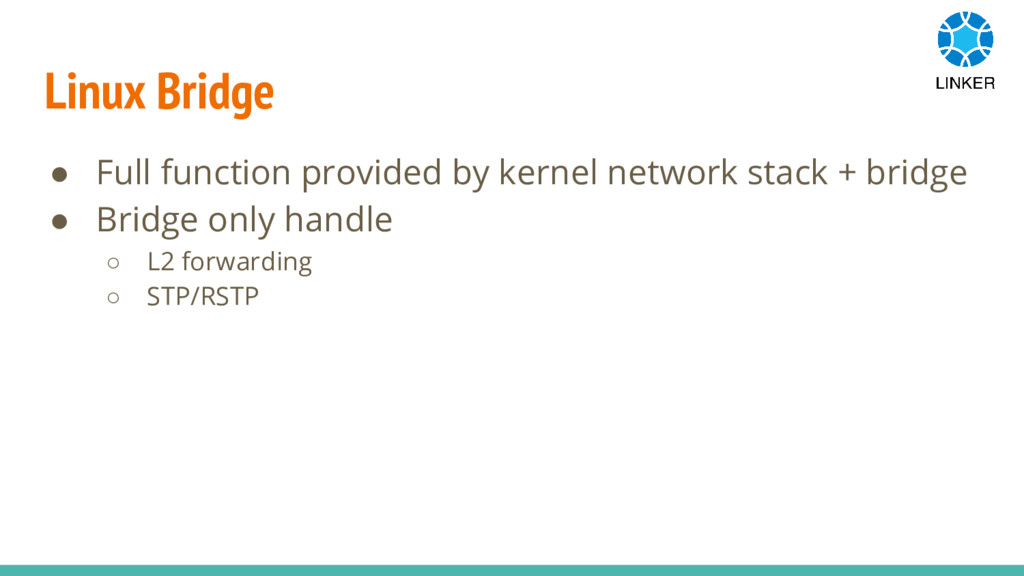
Linux Bridge • Full function provided by kernel network stack
+ bridge • Bridge only handle ◦ L2 forwarding ◦ STP/RSTP
So, What is OpenvSwitch
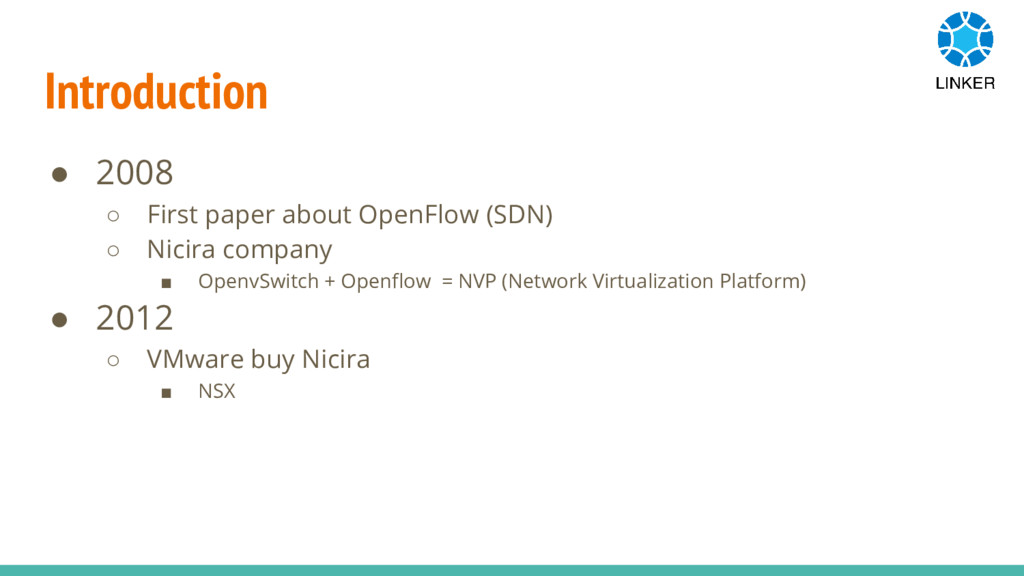
Introduction • 2008 ◦ First paper about OpenFlow (SDN) ◦
Nicira company ▪ OpenvSwitch + Openflow = NVP (Network Virtualization Platform) • 2012 ◦ VMware buy Nicira ▪ NSX
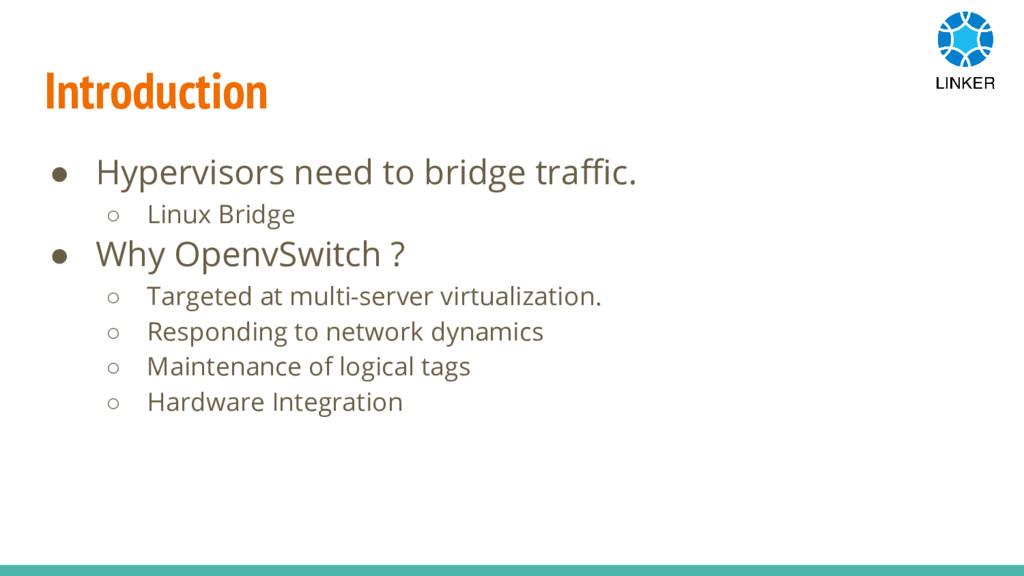
Introduction • Hypervisors need to bridge traffic. ◦ Linux Bridge
• Why OpenvSwitch ? ◦ Targeted at multi-server virtualization. ◦ Responding to network dynamics ◦ Maintenance of logical tags ◦ Hardware Integration
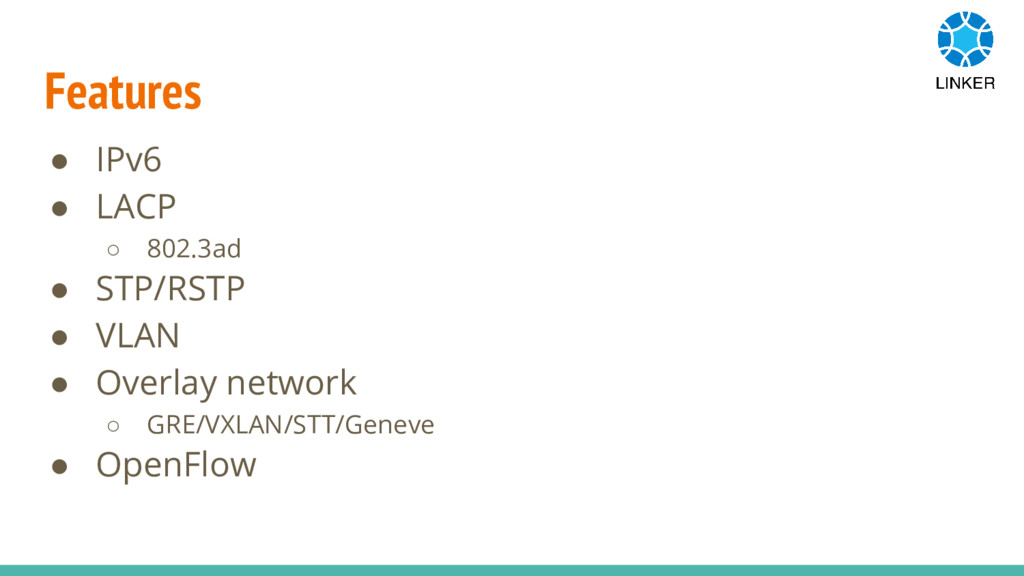
Features • IPv6 • LACP ◦ 802.3ad • STP/RSTP •
VLAN • Overlay network ◦ GRE/VXLAN/STT/Geneve • OpenFlow
Compare • OpenvSwitch V.S Linux Bridge ◦ Architecture ◦ Functions
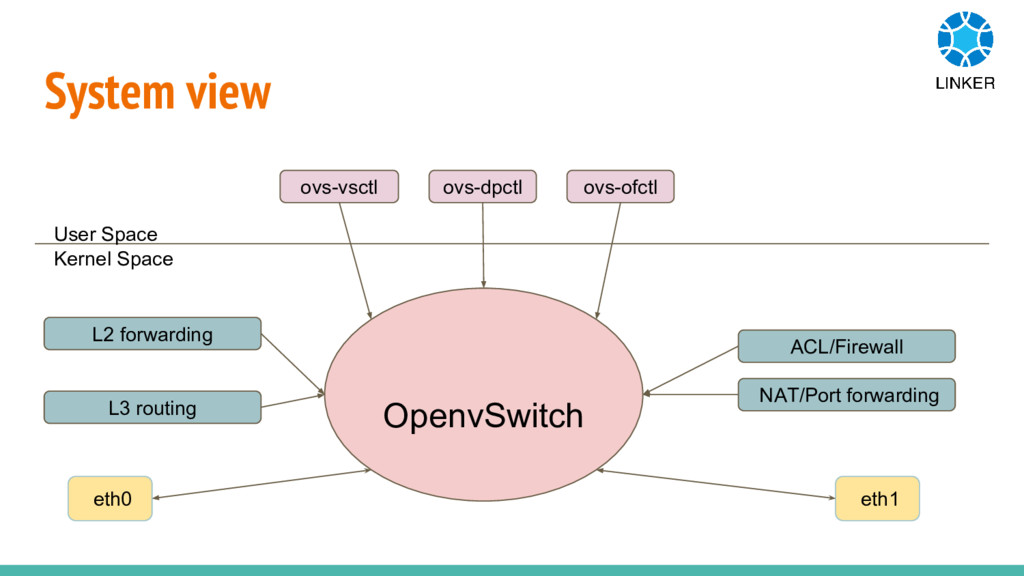
System view User Space Kernel Space ovs-vsctl ovs-dpctl ovs-ofctl OpenvSwitch
eth0 eth1 L2 forwarding L3 routing ACL/Firewall NAT/Port forwarding
All in one • iptables/ebtables won’t work anymore. • Linux
native function add complicated ◦ VLAN ◦ Bonding • OpenvSwitch try to handle provide features by itself.
How • Handle packets via Openflow rules. • Handle port
types ◦ Vlan ◦ Bonding • Some features are supported by linux kernel. ◦ Traffic Control ◦ Conntrack
Openflow • What is Openflow?
Openflow • One of the first SDN standards. • Defined
the communication protocol in SDN. ◦ Controller to forwarding plane of network devices.
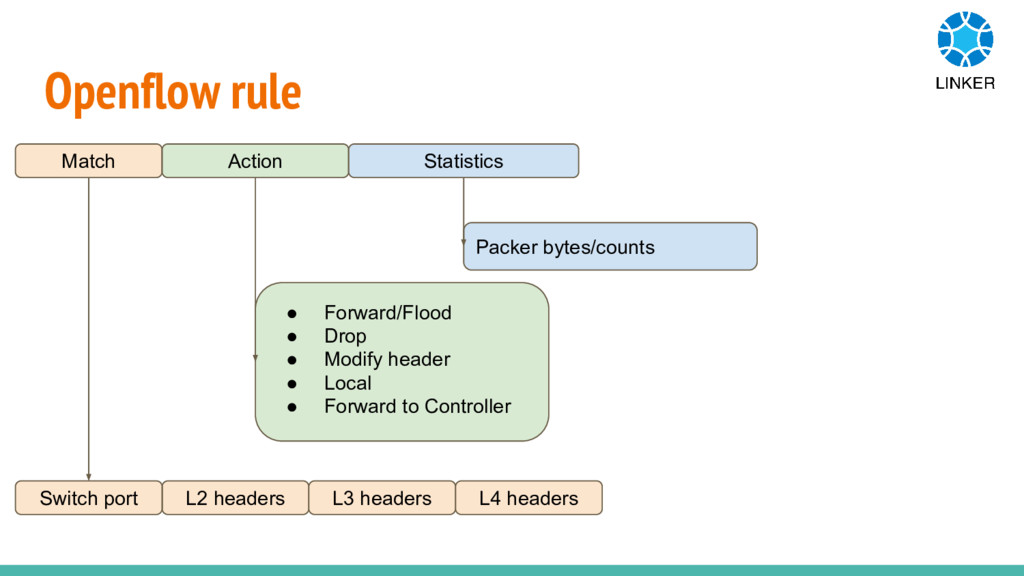
Openflow rule L2 headers L3 headers L4 headers Switch port
• Forward/Flood • Drop • Modify header • Local • Forward to Controller Packer bytes/counts Match Action Statistics
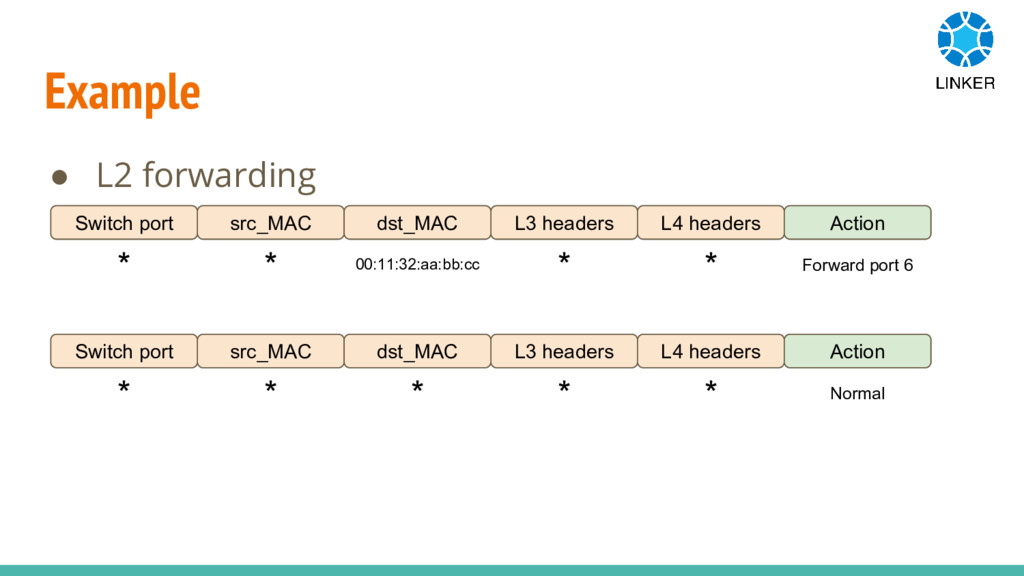
Example • L2 forwarding src_MAC L3 headers L4 headers Switch
port dst_MAC Action * * 00:11:32:aa:bb:cc * * Forward port 6 src_MAC L3 headers L4 headers Switch port dst_MAC Action * * * * * Normal
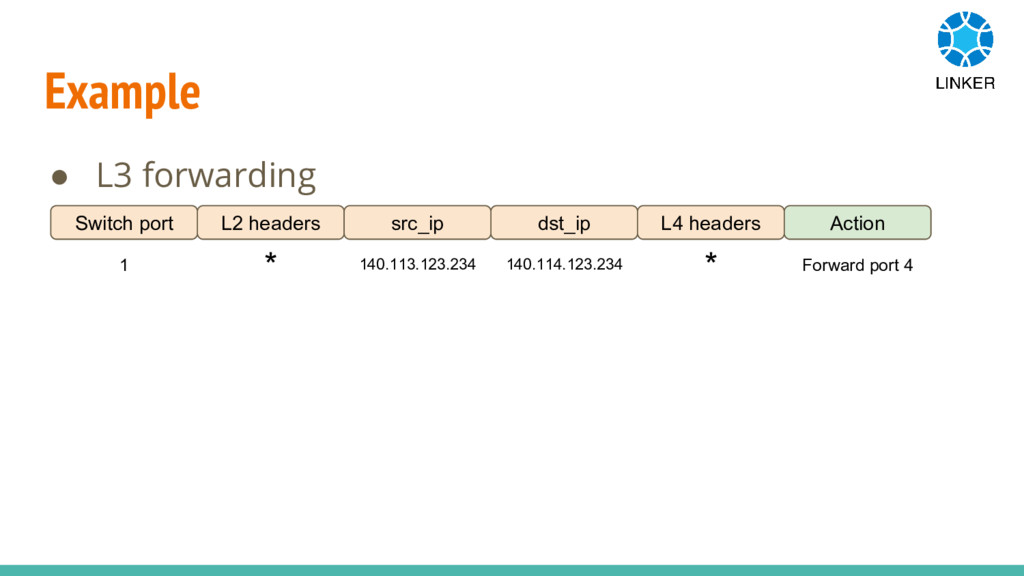
Example • L3 forwarding L2 headers dst_ip L4 headers Switch
port src_ip Action 1 * 140.113.123.234 140.114.123.234 * Forward port 4
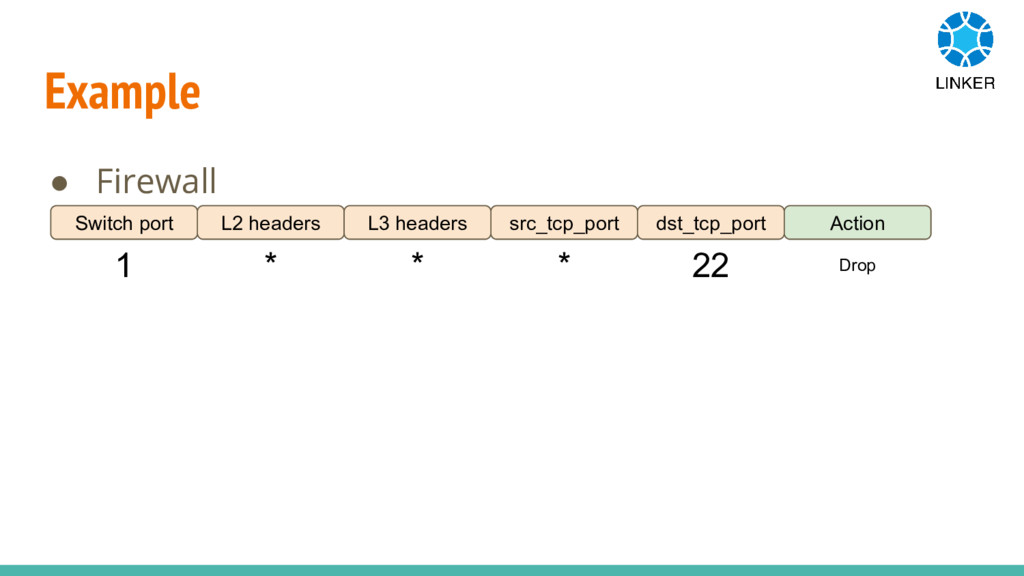
Example • Firewall L2 headers src_tcp_port dst_tcp_port Switch port L3
headers Action 1 * * * 22 Drop
Who control those openflow rules ?
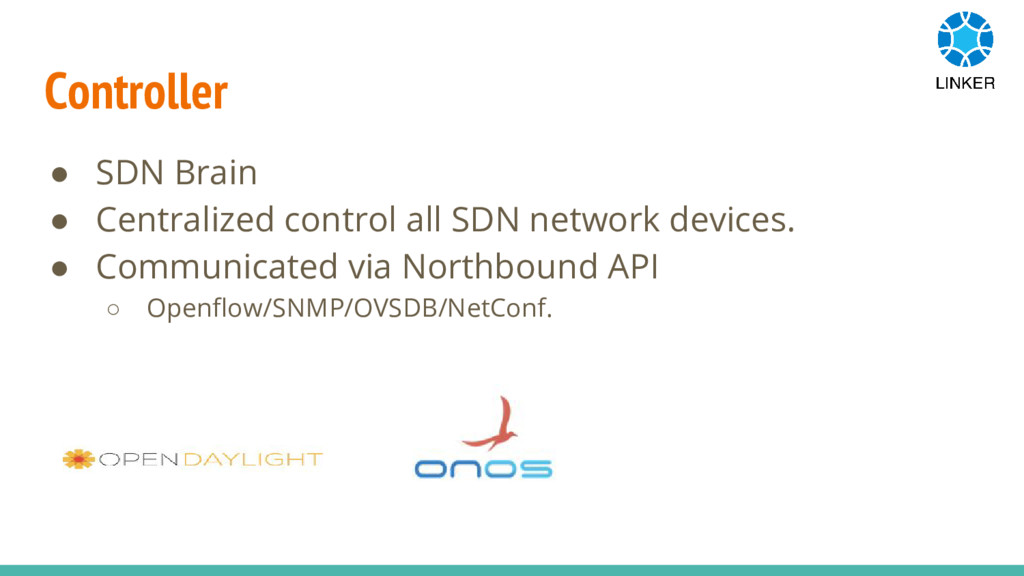
Controller • SDN Brain • Centralized control all SDN network
devices. • Communicated via Northbound API ◦ Openflow/SNMP/OVSDB/NetConf.
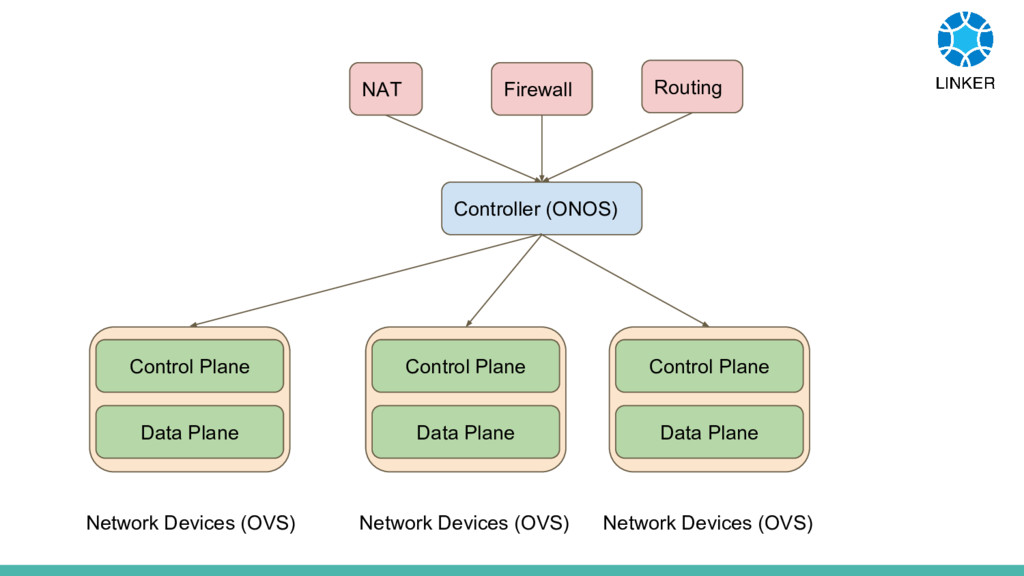
Control Plane Data Plane Network Devices (OVS) Controller (ONOS) NAT
Routing Firewall Control Plane Data Plane Network Devices (OVS) Control Plane Data Plane Network Devices (OVS)
OpenvSwitch • Support connection mode ◦ Controller ◦ Standalone ▪
Default behavior is L2 forwarding • You can control openflow rules via ◦ Openflow controller ◦ OVS tools
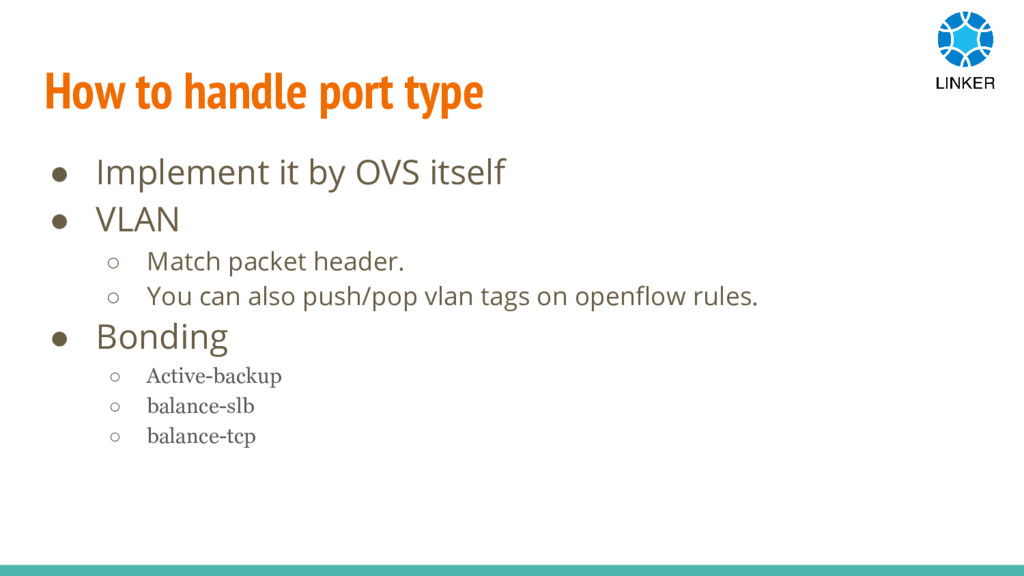
How to handle port type • Implement it by OVS
itself • VLAN ◦ Match packet header. ◦ You can also push/pop vlan tags on openflow rules. • Bonding ◦ Active-backup ◦ balance-slb ◦ balance-tcp
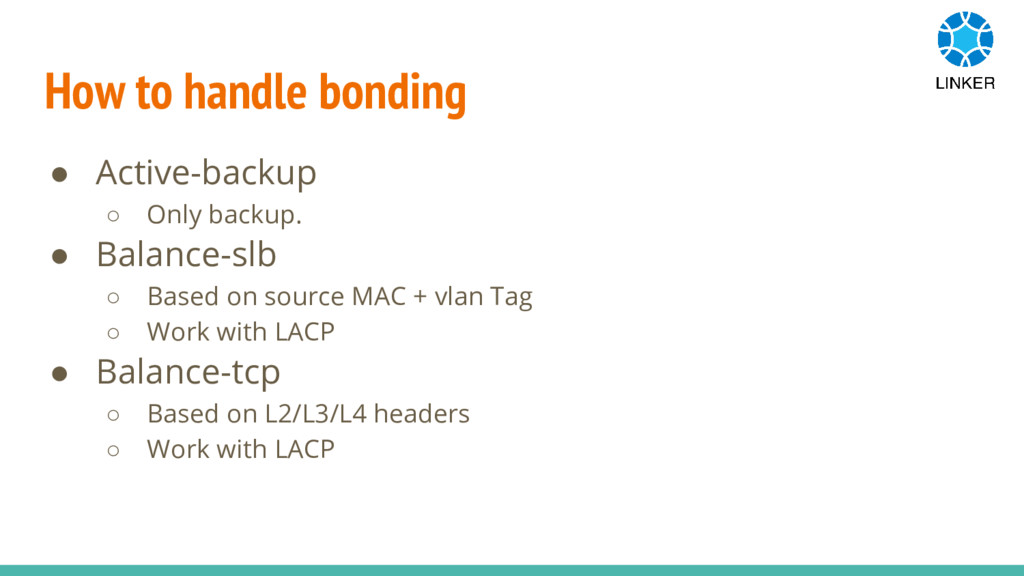
How to handle bonding • Active-backup ◦ Only backup. •
Balance-slb ◦ Based on source MAC + vlan Tag ◦ Work with LACP • Balance-tcp ◦ Based on L2/L3/L4 headers ◦ Work with LACP
The other features • Traffic Shape by queue ◦ Linux
kernel TC • Conntrack ◦ Linux kernel conntrack module
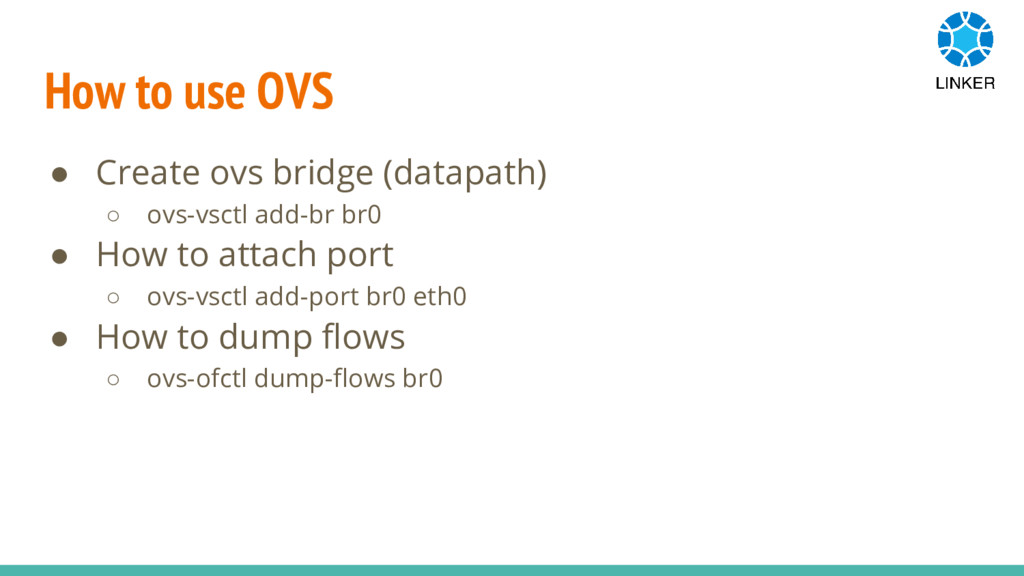
How to use OVS • Create ovs bridge (datapath) ◦
ovs-vsctl add-br br0 • How to attach port ◦ ovs-vsctl add-port br0 eth0 • How to dump flows ◦ ovs-ofctl dump-flows br0
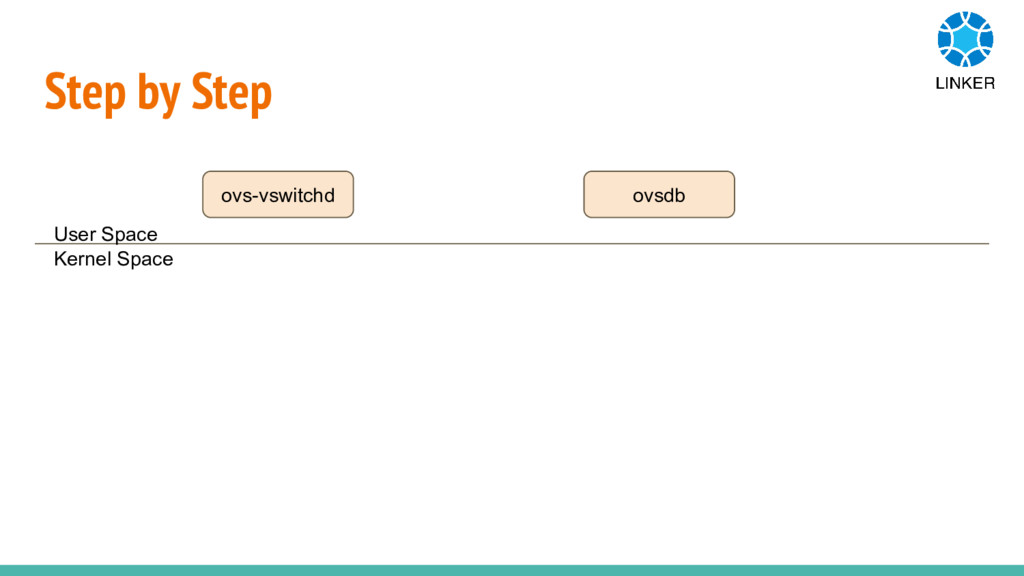
Step by Step User Space Kernel Space ovs-vswitchd ovsdb
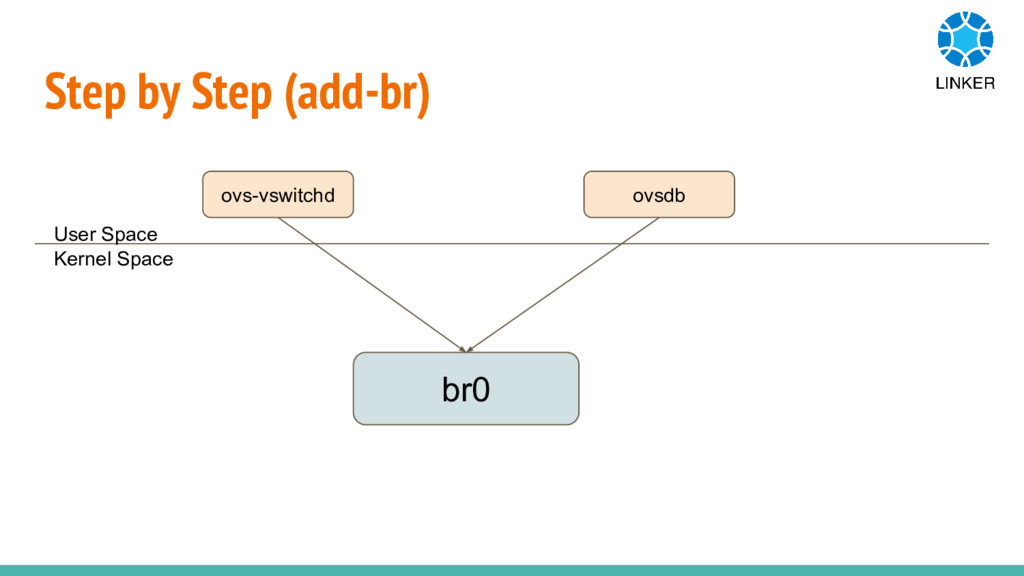
Step by Step (add-br) User Space Kernel Space ovs-vswitchd ovsdb
br0
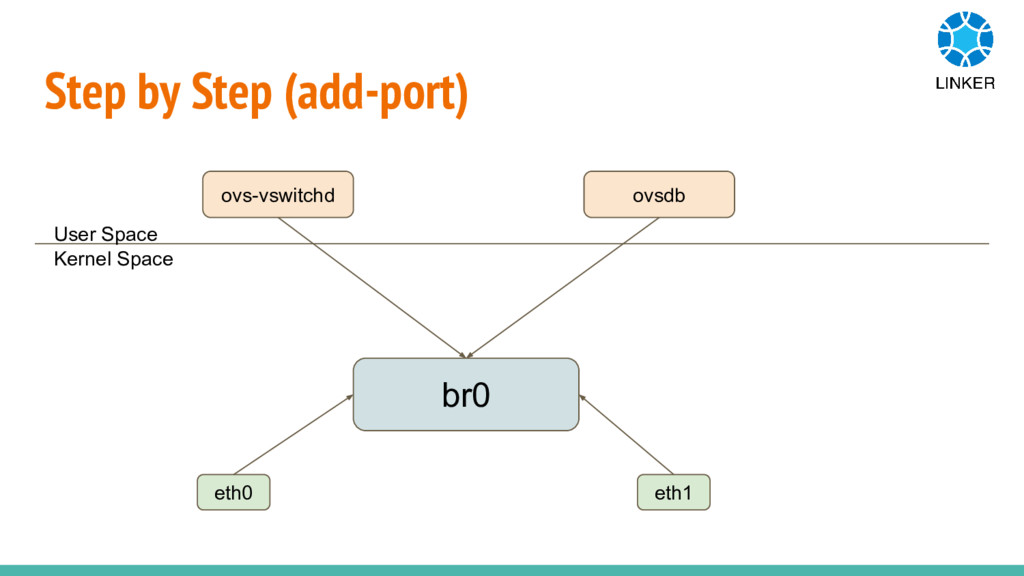
Step by Step (add-port) User Space Kernel Space ovs-vswitchd ovsdb
br0 eth0 eth1
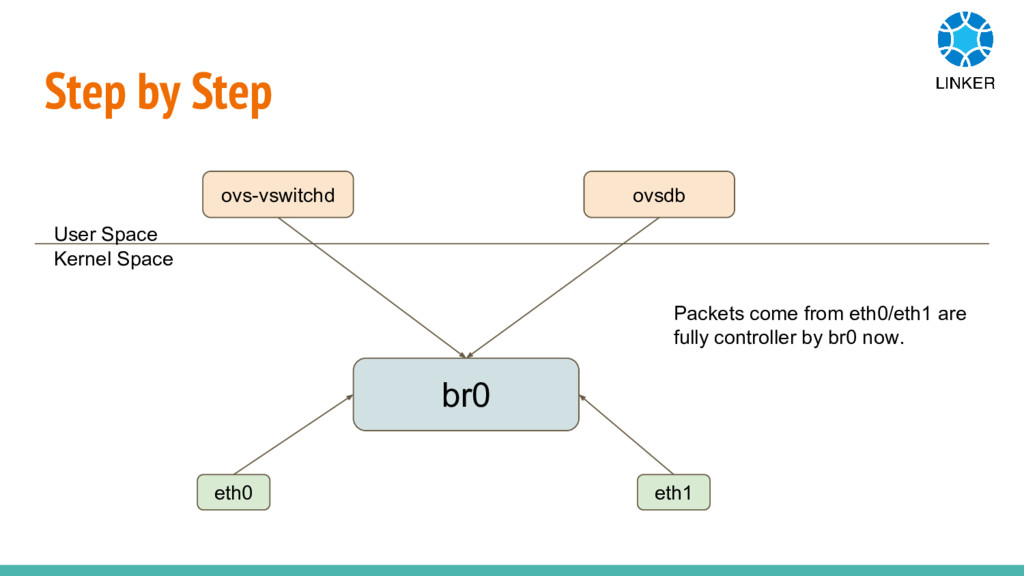
Step by Step User Space Kernel Space ovs-vswitchd ovsdb br0
eth0 eth1 Packets come from eth0/eth1 are fully controller by br0 now.
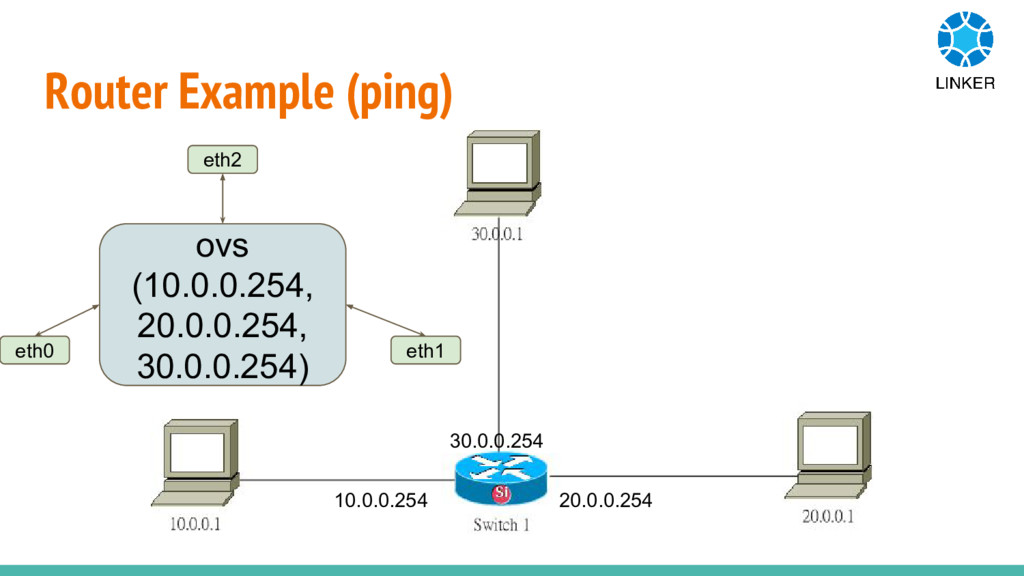
Router Example (ping) 10.0.0.254 30.0.0.254 20.0.0.254 ovs (10.0.0.254, 20.0.0.254, 30.0.0.254)
eth0 eth1 eth2
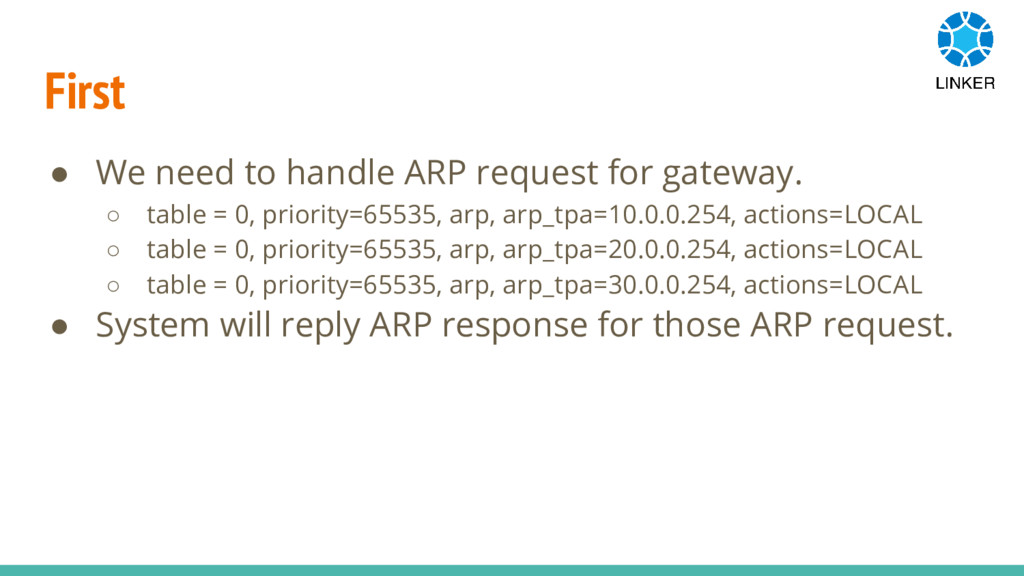
First • We need to handle ARP request for gateway.
◦ table = 0, priority=65535, arp, arp_tpa=10.0.0.254, actions=LOCAL ◦ table = 0, priority=65535, arp, arp_tpa=20.0.0.254, actions=LOCAL ◦ table = 0, priority=65535, arp, arp_tpa=30.0.0.254, actions=LOCAL • System will reply ARP response for those ARP request.
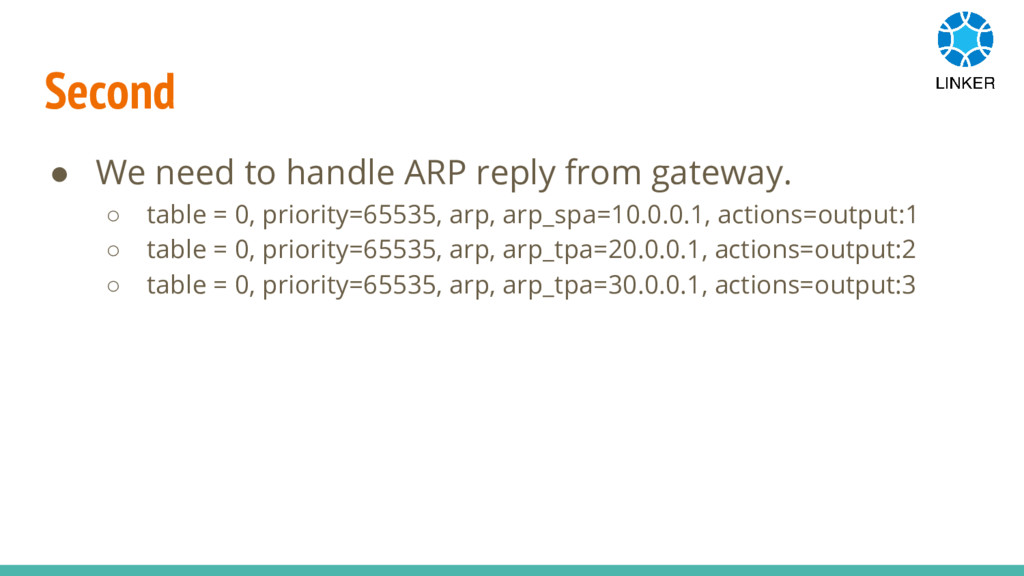
Second • We need to handle ARP reply from gateway.
◦ table = 0, priority=65535, arp, arp_spa=10.0.0.1, actions=output:1 ◦ table = 0, priority=65535, arp, arp_tpa=20.0.0.1, actions=output:2 ◦ table = 0, priority=65535, arp, arp_tpa=30.0.0.1, actions=output:3
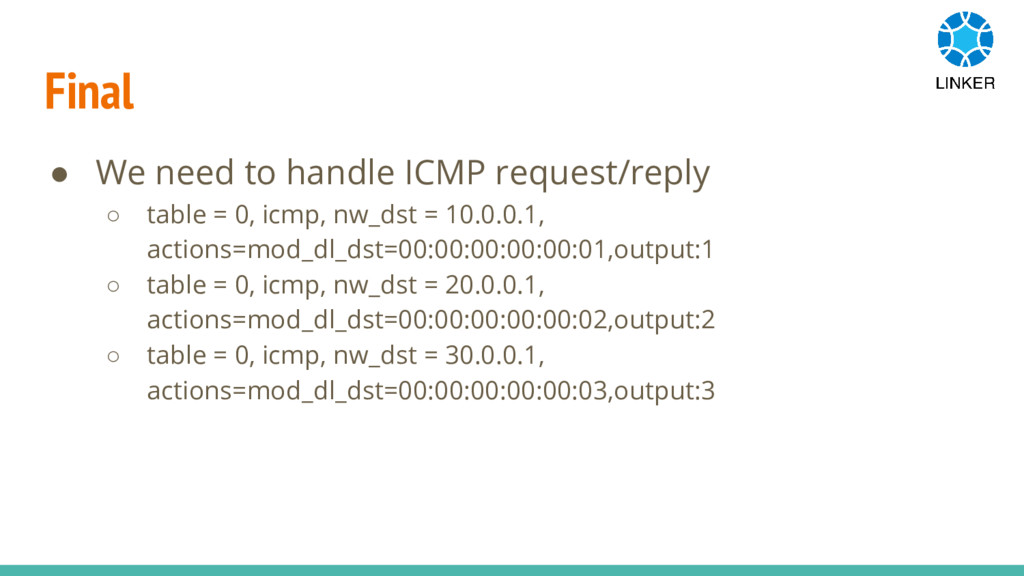
Final • We need to handle ICMP request/reply ◦ table
= 0, icmp, nw_dst = 10.0.0.1, actions=mod_dl_dst=00:00:00:00:00:01,output:1 ◦ table = 0, icmp, nw_dst = 20.0.0.1, actions=mod_dl_dst=00:00:00:00:00:02,output:2 ◦ table = 0, icmp, nw_dst = 30.0.0.1, actions=mod_dl_dst=00:00:00:00:00:03,output:3
How to Contribute to ONOS Thank You!


 hwchiu
 skydoves
 yakumo
 miso
 sogaoh
 sakusaku3939
 soracom
 henteko
 kworkdev
 taiyow
 myohei
 maigo999
 nkzn
 jnunemaker
 bethany
 pedronauck
 csswizardry
 greggifford
 stuffmc
 thirion
 aleyda
 soudai
 davidcarrasco
 uxyall
 honzajavorek