Upgrade to Pro — share decks privately, control downloads, hide ads and more …

Agentic UI - AI-Oberflächen mit AG-UI, A2UI und...

Sponsored · Your Podcast. Everywhere. Effortlessly. Share. Educate. Inspire. Entertain. You do you. We'll handle the rest.

Agentic UI - AI-Oberflächen mit AG-UI, A2UI und MCP Apps entwickeln

Die Zeiten, in denen AI aus simplen Chats bestand, sind längst vorbei. Heute bildet sich mit AI-Agents ein völlig neues Anwendungsmodell. Und dieses benötigt Benutzerinteraktion. Ob grafische Darstellungen von Modellausgaben oder Benutzerinteraktionen über AI-generierte Oberflächen: Mit AG-UI, A2UI und MCP Apps stehen gleich drei Standards bereit, die AI mit dem Anwender verbinden wollen. Jörg Neumann stellt beide Standards vor und zeigt, wie die Anwendungen von morgen aussehen.

Avatar for Jörg Neumann

Jörg Neumann

March 08, 2026
Tweet

More Decks by Jörg Neumann

Other Decks in Programming

Transcript

  1. THEMEN  AI Development  Business App Development  Frontend

    Technologies  Development, Consulting, Coaching, Training KONTAKT  Mail: [email protected]  LinkedIn: www.linkedin.com/in/jörgneumann  X: @JoergNeumann  Web: www.neogeeks.de JÖRG NEUMANN Founder & CEO NeoGeeks GmbH Azure AI Foundry
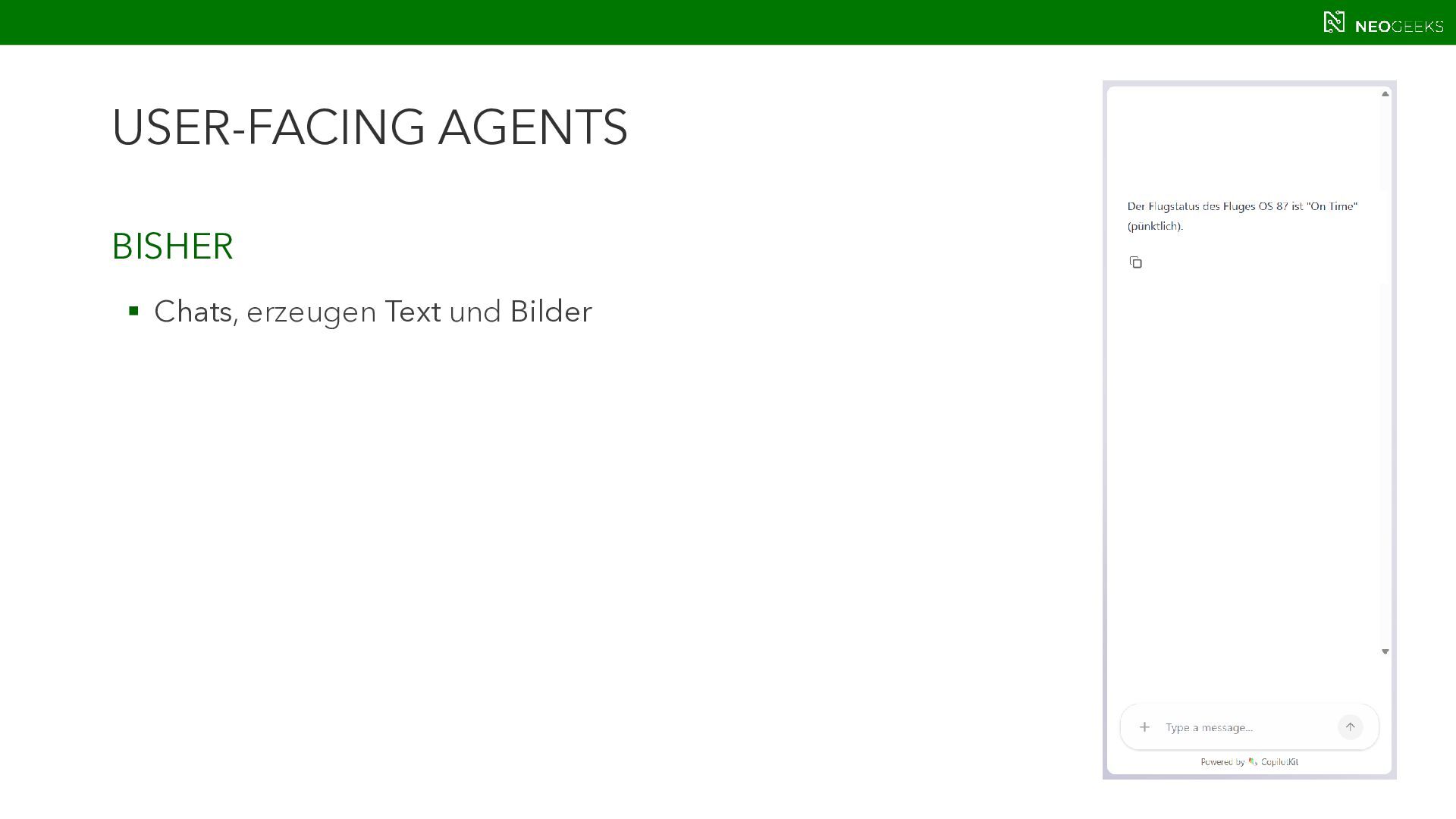
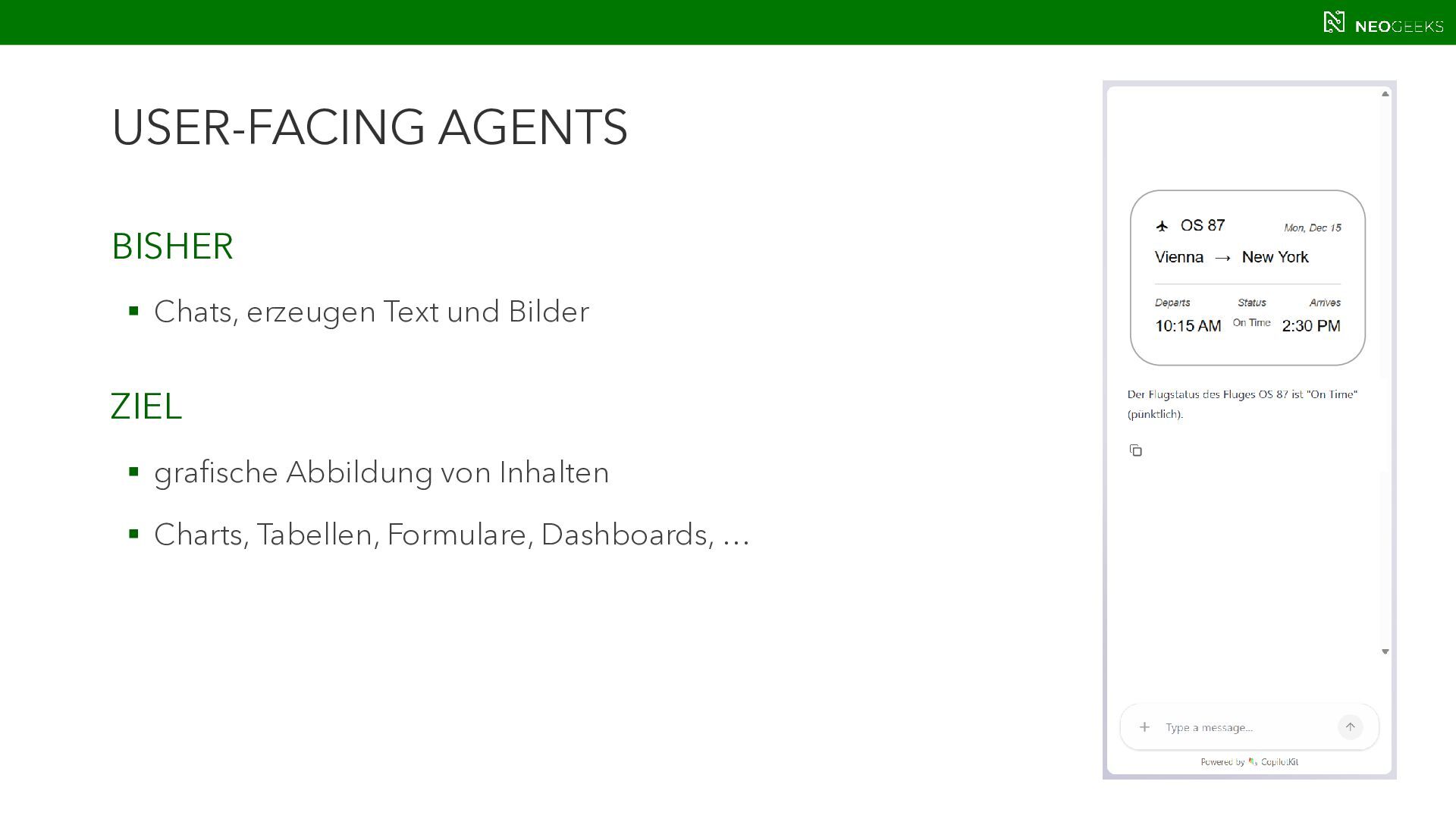
  2. USER-FACING AGENTS BISHER  Chats, erzeugen Text und Bilder ZIEL

     grafische Abbildung von Inhalten  Charts, Tabellen, Formulare, Dashboards, …
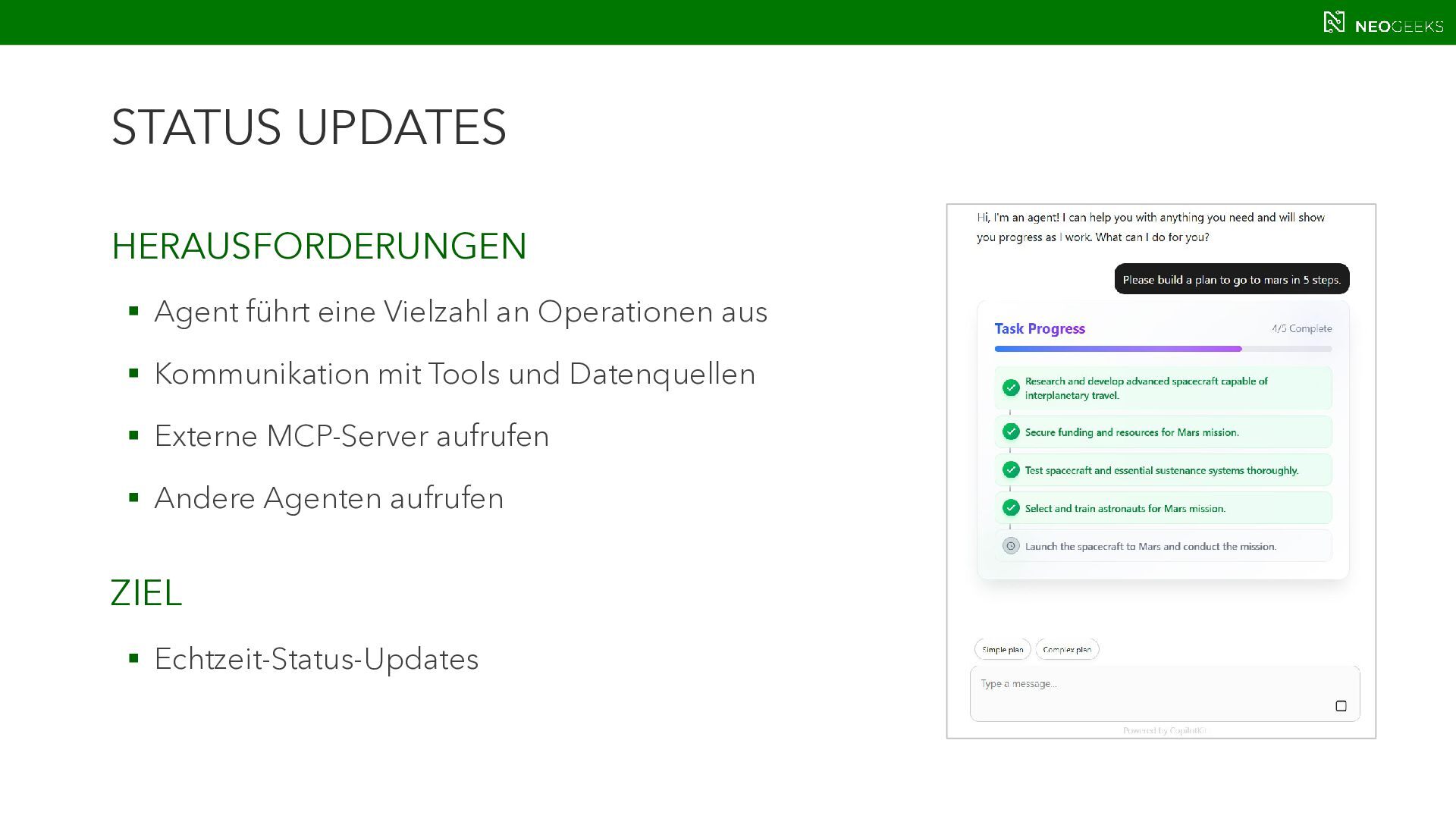
  3. STATUS UPDATES HERAUSFORDERUNGEN  Agent führt eine Vielzahl an Operationen

    aus  Kommunikation mit Tools und Datenquellen  Externe MCP-Server aufrufen  Andere Agenten aufrufen ZIEL  Echtzeit-Status-Updates
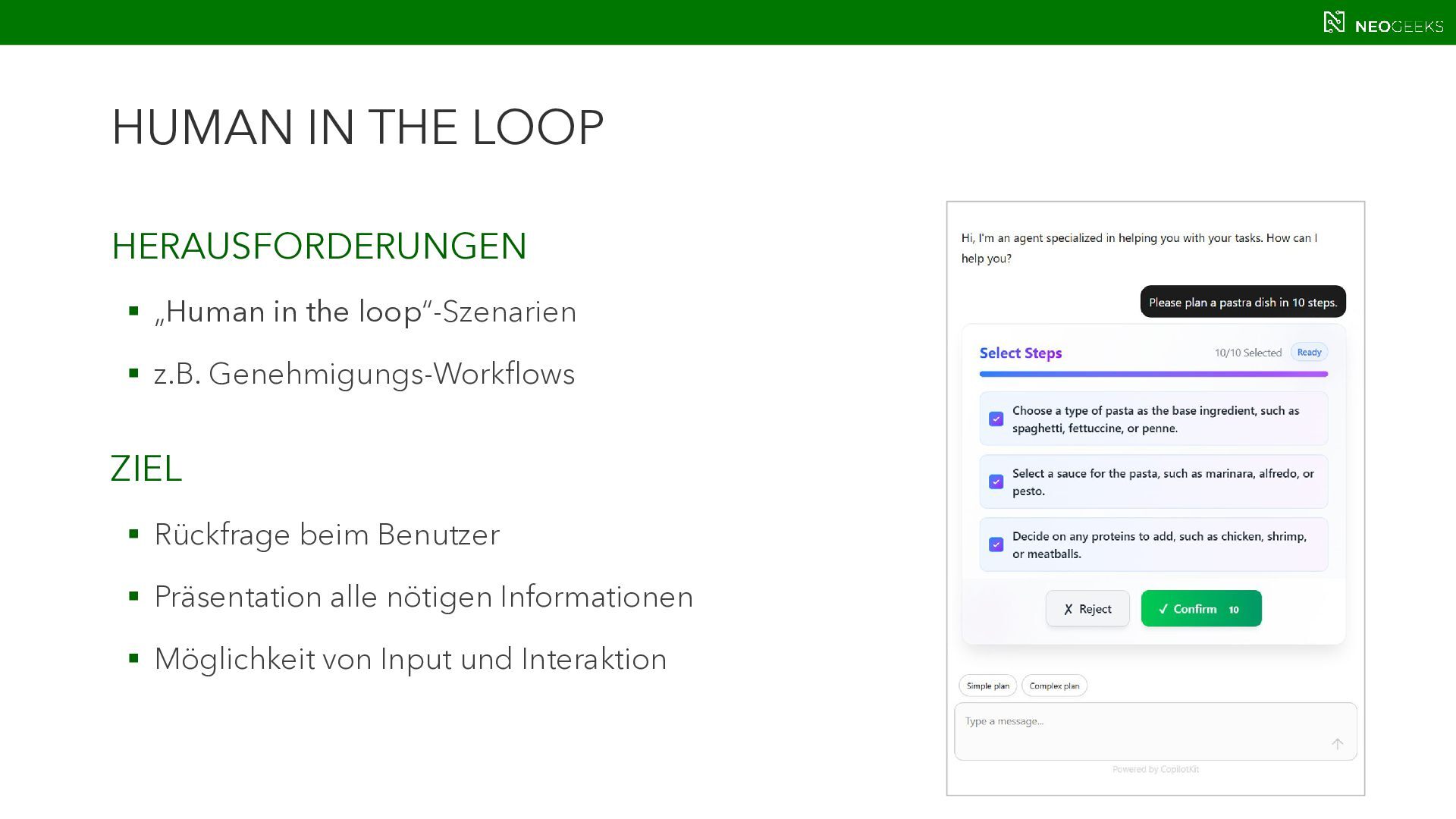
  4. HUMAN IN THE LOOP HERAUSFORDERUNGEN  „Human in the loop“-Szenarien

     z.B. Genehmigungs-Workflows ZIEL  Rückfrage beim Benutzer  Präsentation alle nötigen Informationen  Möglichkeit von Input und Interaktion
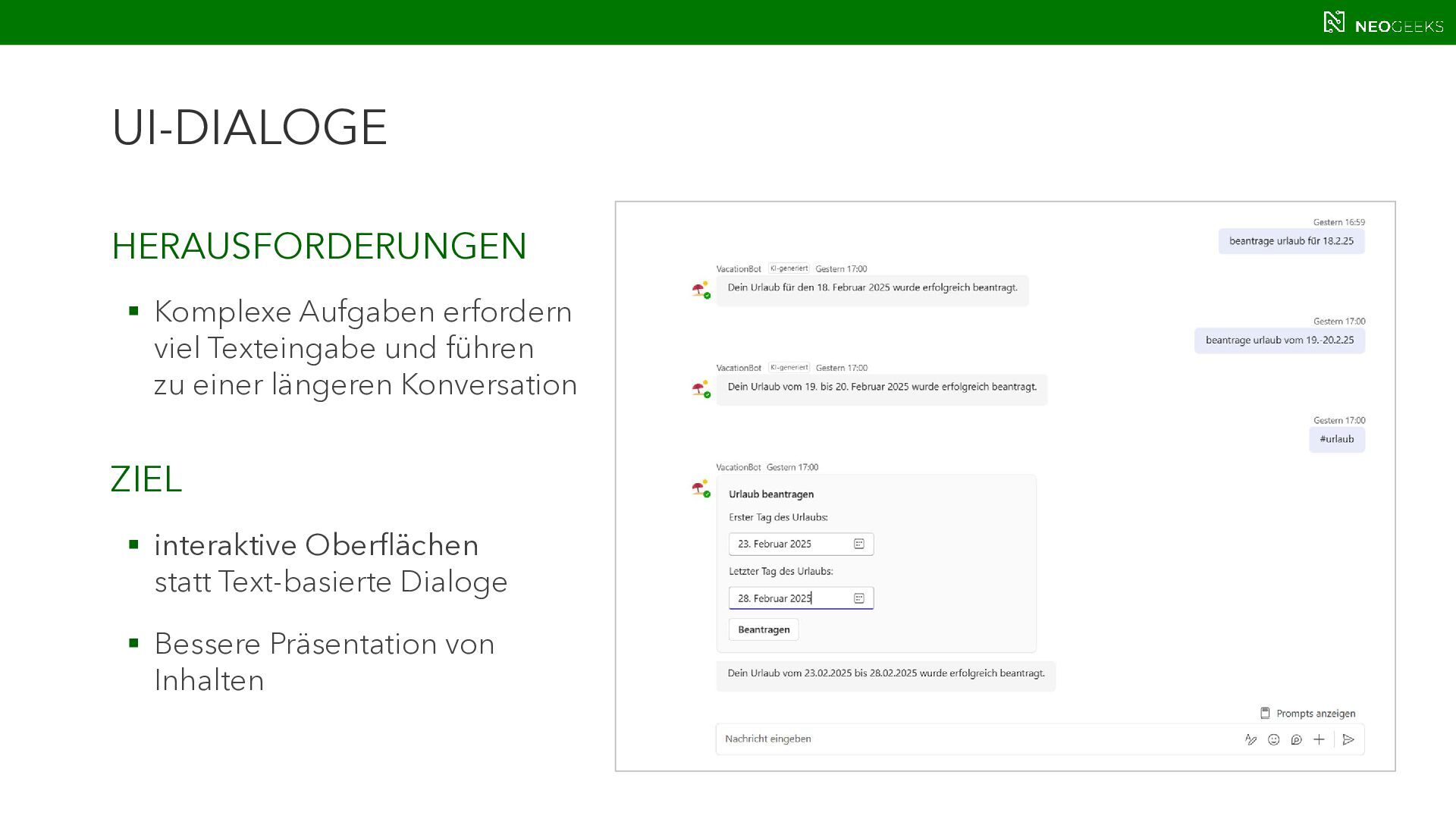
  5. UI-DIALOGE HERAUSFORDERUNGEN  Komplexe Aufgaben erfordern viel Texteingabe und führen

    zu einer längeren Konversation ZIEL  interaktive Oberflächen statt Text-basierte Dialoge  Bessere Präsentation von Inhalten
  6. USER-FACING AGENTS ZIEL  Micro Apps, die in einer Super

    App laufen und UI, Tools und Daten mitbringen  Ad-hoc-Aufgaben erledigen  User-centered design
  7. USER-FACING AGENTS WAS WIR DAFÜR BRAUCHEN:  Echte Client-/Server-Architektur, nicht

    nur ein Model auf Serverseite und ein Client der sich alles kümmert.  Protokolle, die sich um die einzelnen Aspekte kümmern und eine sichere, bidirektionale Kommunikation ermöglichen
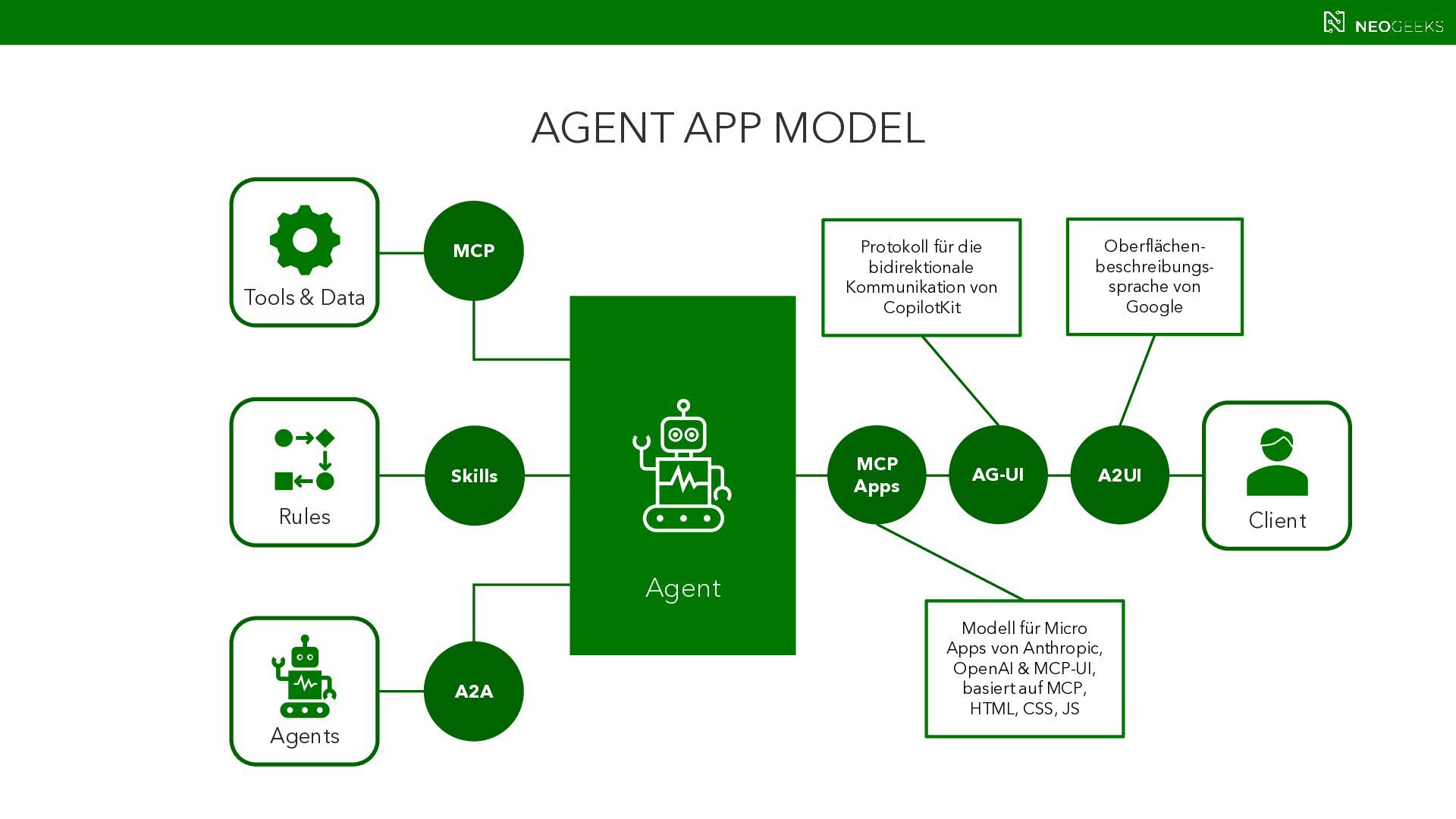
  8. AGENT APP MODEL Agent Agents Tools & Data Client MCP

    A2A MCP Apps A2UI AG-UI Skills Rules Protokoll für die bidirektionale Kommunikation von CopilotKit Oberflächen- beschreibungs- sprache von Google Modell für Micro Apps von Anthropic, OpenAI & MCP-UI, basiert auf MCP, HTML, CSS, JS
  9. AG-UI HINTERGRUND  Agent User Interaction-Protokoll – verbindet Agent Frontends

    + Backends  Open Source-Projekt, getrieben von CopilotKit FEATURES  Echtzeitstreaming  Zustandsverwaltung  interaktive UI-Komponenten (via CopilotKit)
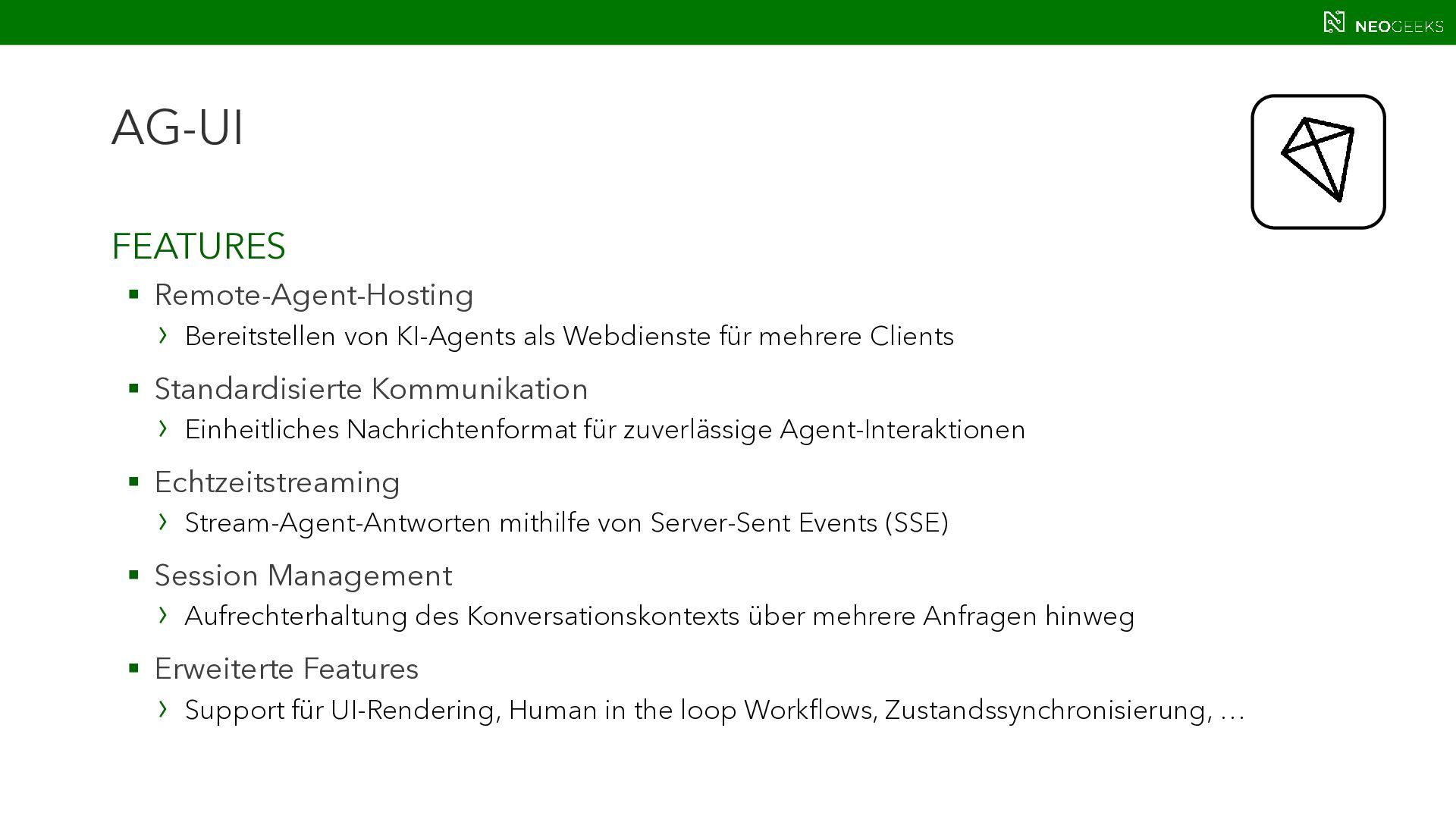
  10. AG-UI FEATURES  Remote-Agent-Hosting › Bereitstellen von KI-Agents als Webdienste

    für mehrere Clients  Standardisierte Kommunikation › Einheitliches Nachrichtenformat für zuverlässige Agent-Interaktionen  Echtzeitstreaming › Stream-Agent-Antworten mithilfe von Server-Sent Events (SSE)  Session Management › Aufrechterhaltung des Konversationskontexts über mehrere Anfragen hinweg  Erweiterte Features › Support für UI-Rendering, Human in the loop Workflows, Zustandssynchronisierung, …
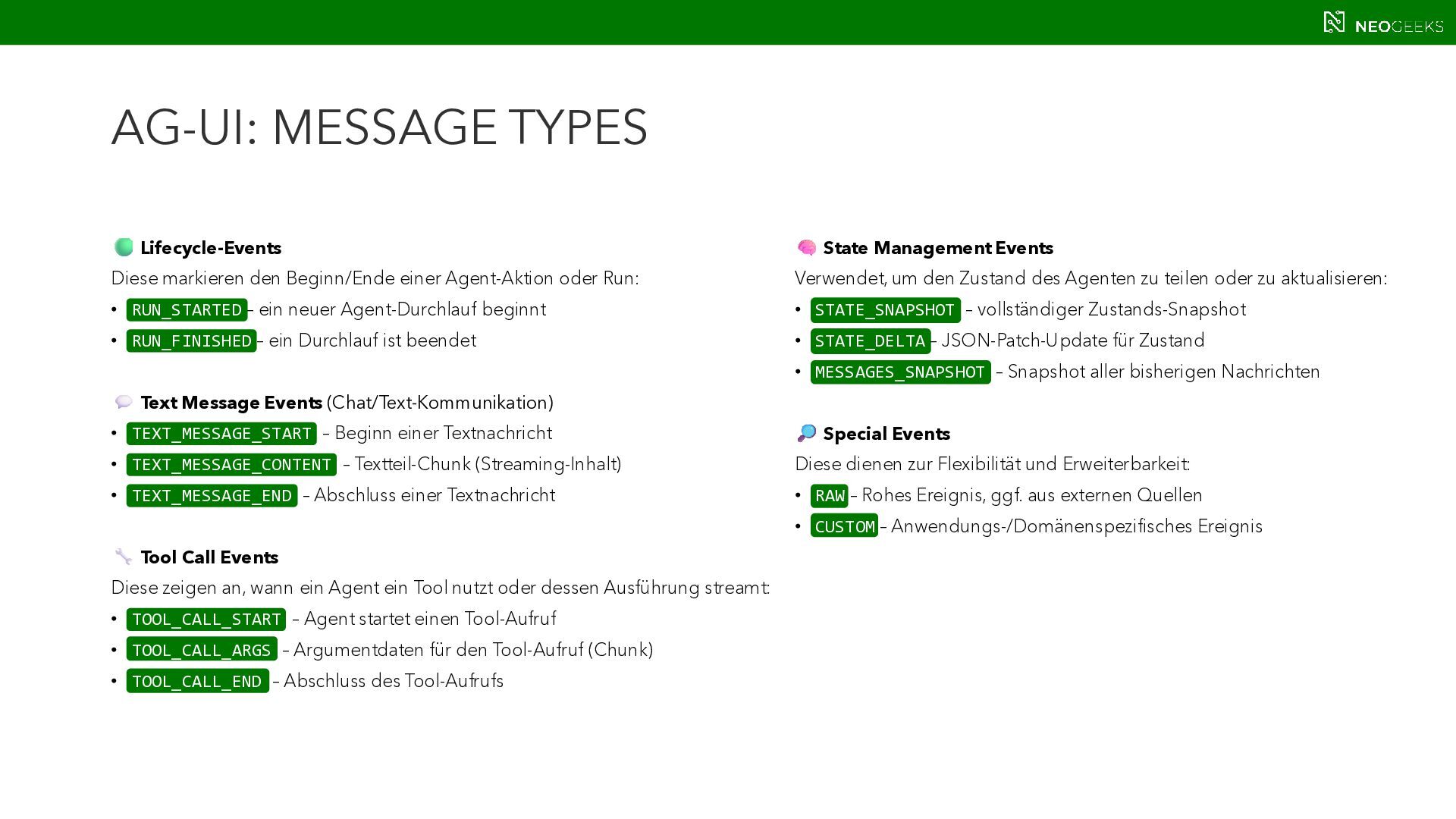
  11. AG-UI: MESSAGE TYPES Lifecycle-Events Diese markieren den Beginn/Ende einer Agent-Aktion

    oder Run: • RUN_STARTED – ein neuer Agent-Durchlauf beginnt • RUN_FINISHED – ein Durchlauf ist beendet Text Message Events (Chat/Text-Kommunikation) • TEXT_MESSAGE_START – Beginn einer Textnachricht • TEXT_MESSAGE_CONTENT – Textteil-Chunk (Streaming-Inhalt) • TEXT_MESSAGE_END – Abschluss einer Textnachricht Tool Call Events Diese zeigen an, wann ein Agent ein Tool nutzt oder dessen Ausführung streamt: • TOOL_CALL_START – Agent startet einen Tool-Aufruf • TOOL_CALL_ARGS – Argumentdaten für den Tool-Aufruf (Chunk) • TOOL_CALL_END – Abschluss des Tool-Aufrufs State Management Events Verwendet, um den Zustand des Agenten zu teilen oder zu aktualisieren: • STATE_SNAPSHOT – vollständiger Zustands-Snapshot • STATE_DELTA – JSON-Patch-Update für Zustand • MESSAGES_SNAPSHOT – Snapshot aller bisherigen Nachrichten Special Events Diese dienen zur Flexibilität und Erweiterbarkeit: • RAW – Rohes Ereignis, ggf. aus externen Quellen • CUSTOM – Anwendungs-/Domänenspezifisches Ereignis
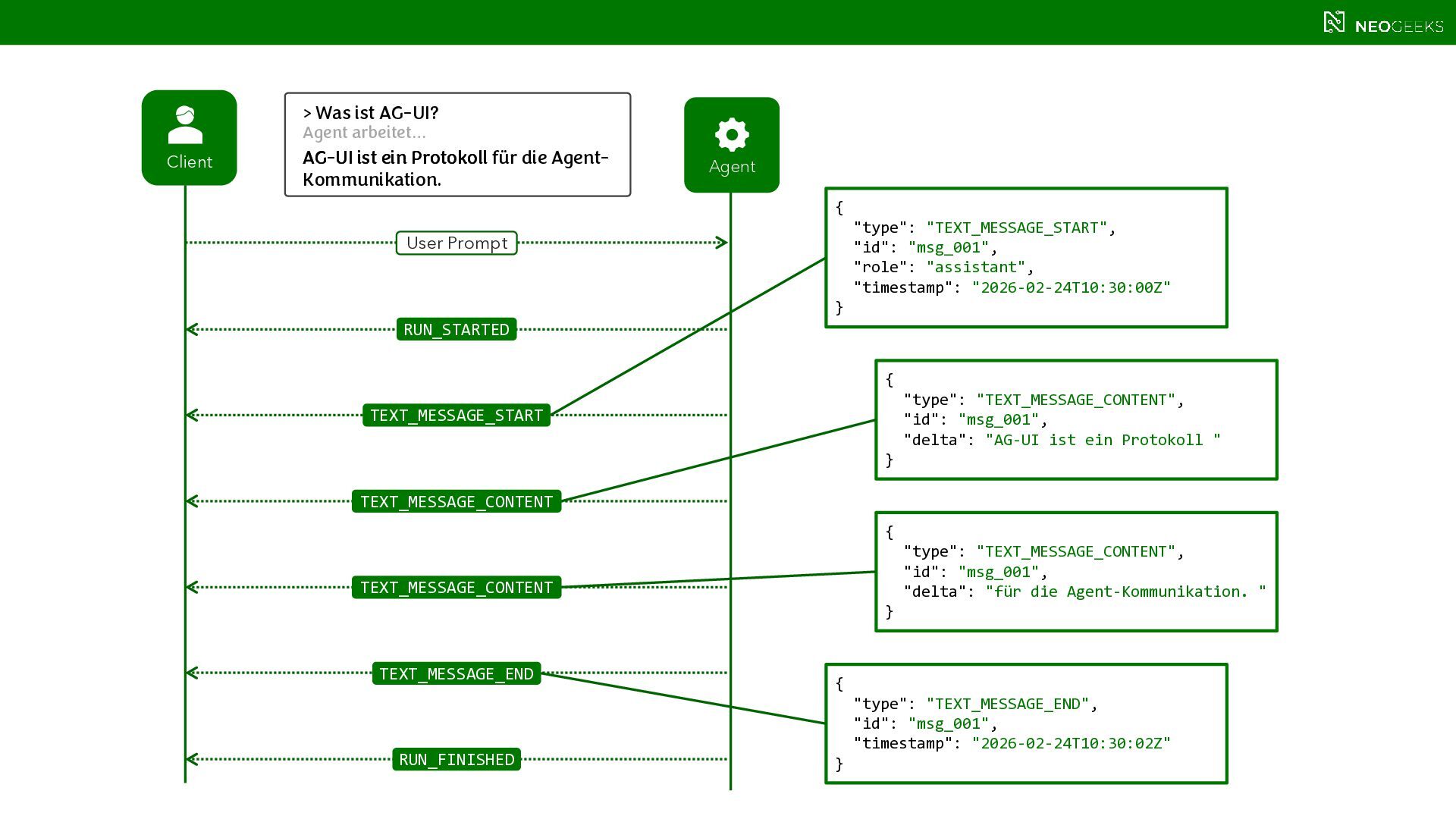
  12. > Was ist AG-UI? Client Agent RUN_STARTED RUN_FINISHED TEXT_MESSAGE_START TEXT_MESSAGE_CONTENT

    TEXT_MESSAGE_END Agent arbeitet… User Prompt { "type": "TEXT_MESSAGE_START", "id": "msg_001", "role": "assistant", "timestamp": "2026-02-24T10:30:00Z" } { "type": "TEXT_MESSAGE_CONTENT", "id": "msg_001", "delta": "AG-UI ist ein Protokoll " } { "type": "TEXT_MESSAGE_END", "id": "msg_001", "timestamp": "2026-02-24T10:30:02Z" } { "type": "TEXT_MESSAGE_CONTENT", "id": "msg_001", "delta": "für die Agent-Kommunikation. " } TEXT_MESSAGE_CONTENT AG-UI ist ein Protokoll AG-UI ist ein Protokoll für die Agent- Kommunikation.
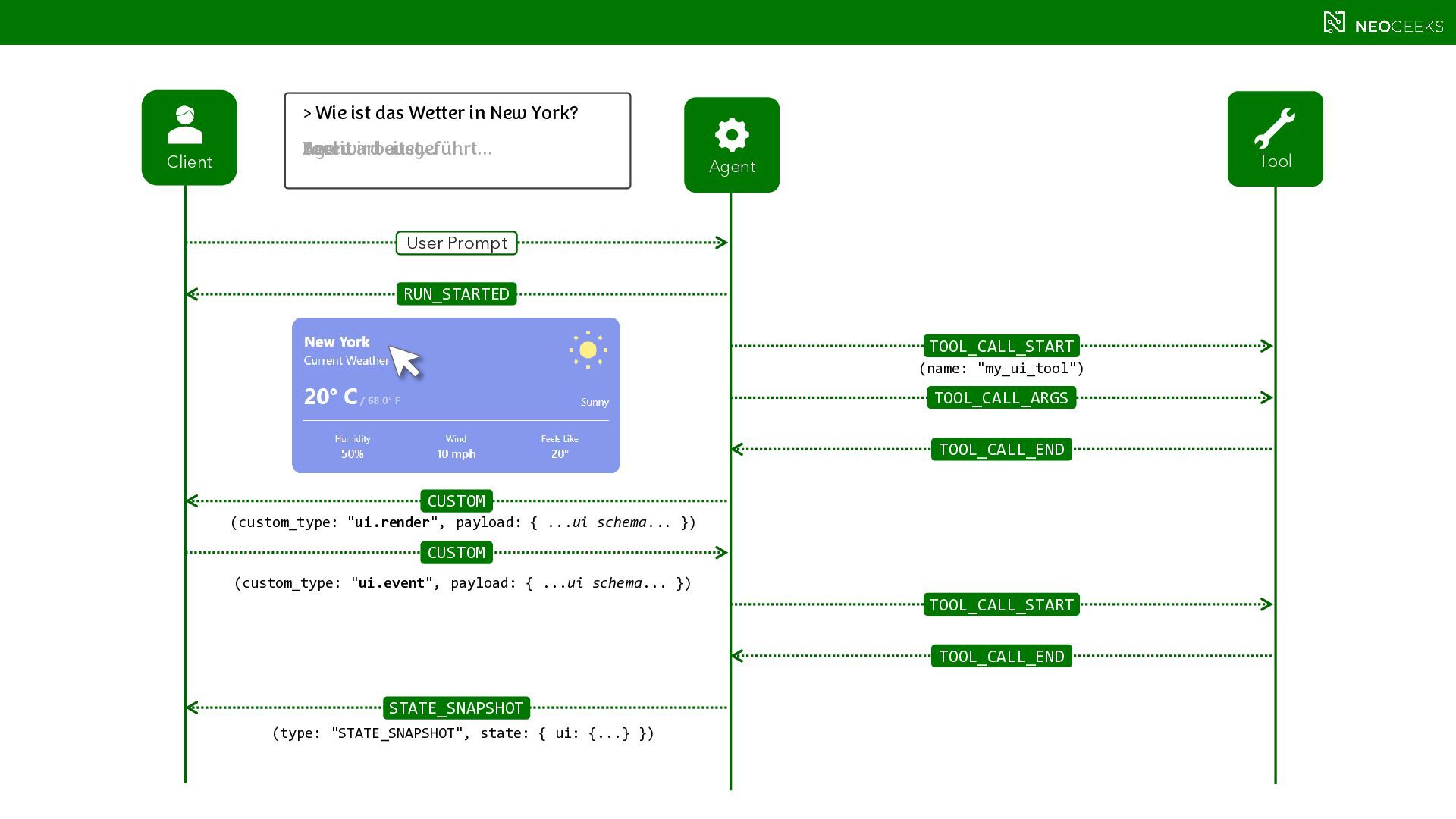
  13. > Wie ist das Wetter in New York? Client Agent

    Tool RUN_STARTED CUSTOM CUSTOM STATE_SNAPSHOT TOOL_CALL_START TOOL_CALL_ARGS TOOL_CALL_END TOOL_CALL_START TOOL_CALL_END Agent arbeitet… Tool wird ausgeführt… Bereit. User Prompt (custom_type: "ui.render", payload: { ...ui schema... }) (name: "my_ui_tool") (type: "STATE_SNAPSHOT", state: { ui: {...} }) (custom_type: "ui.event", payload: { ...ui schema... })
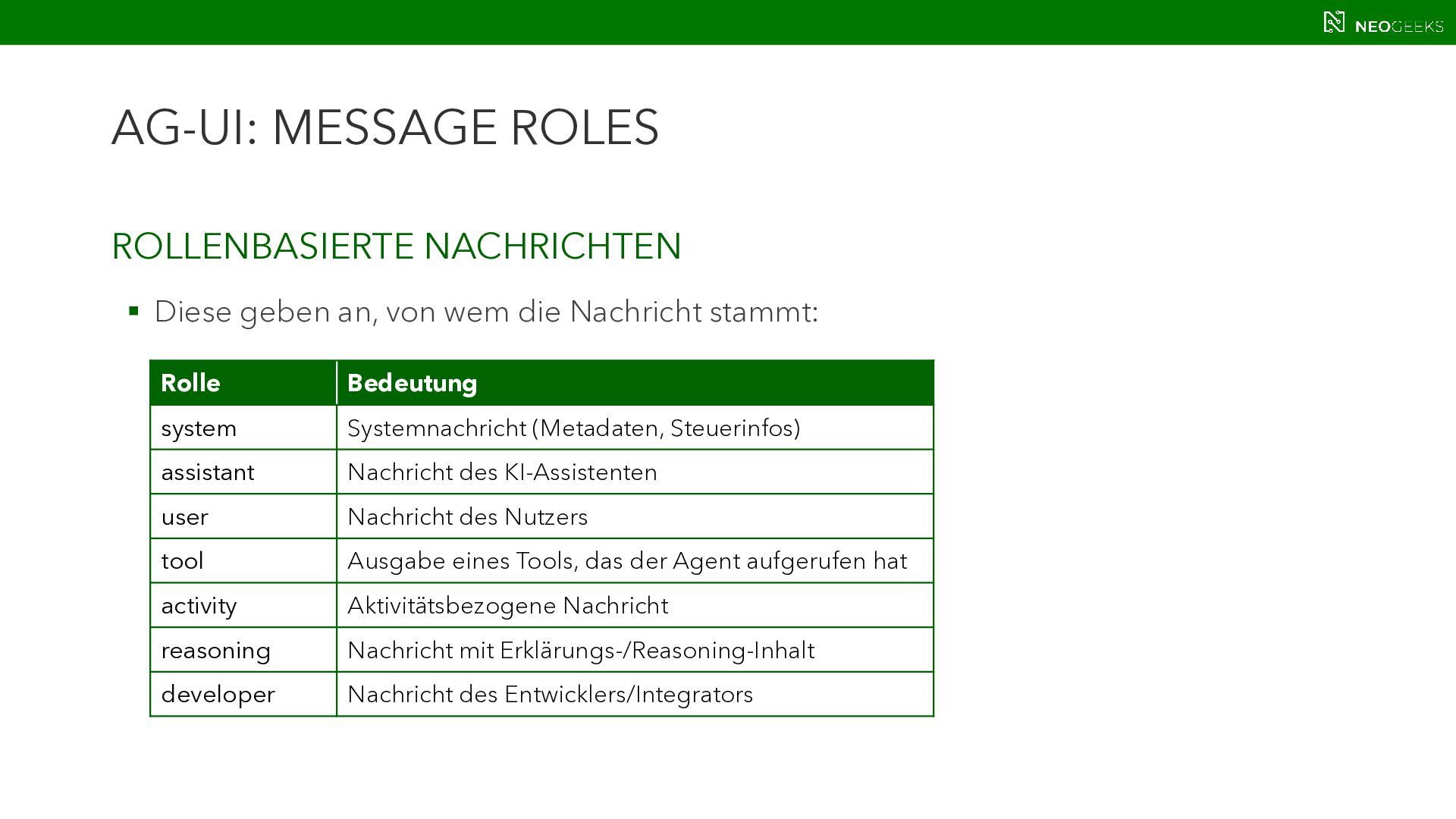
  14. AG-UI: MESSAGE ROLES ROLLENBASIERTE NACHRICHTEN  Diese geben an, von

    wem die Nachricht stammt: Rolle Bedeutung system Systemnachricht (Metadaten, Steuerinfos) assistant Nachricht des KI-Assistenten user Nachricht des Nutzers tool Ausgabe eines Tools, das der Agent aufgerufen hat activity Aktivitätsbezogene Nachricht reasoning Nachricht mit Erklärungs-/Reasoning-Inhalt developer Nachricht des Entwicklers/Integrators
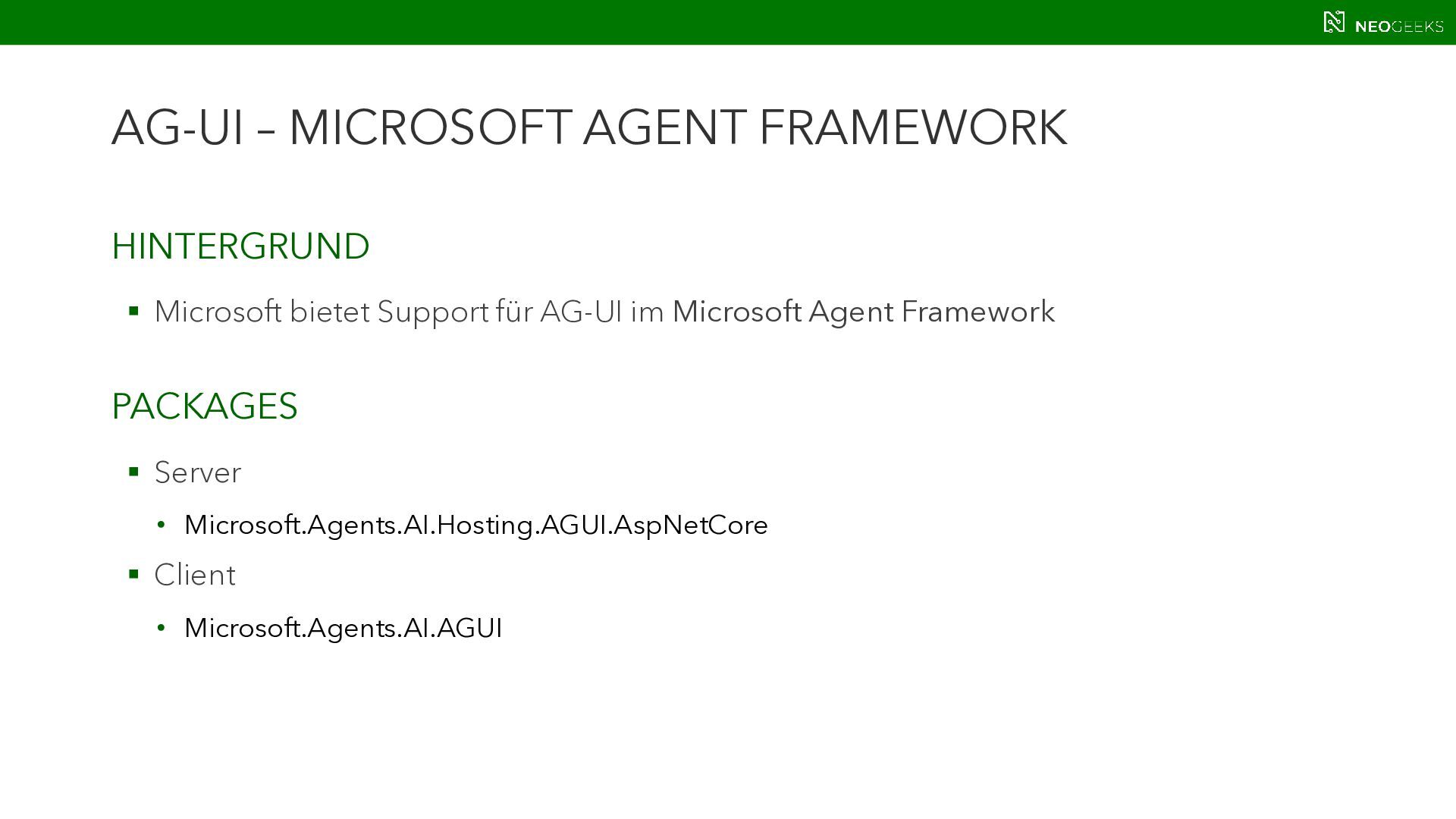
  15. AG-UI – MICROSOFT AGENT FRAMEWORK HINTERGRUND  Microsoft bietet Support

    für AG-UI im Microsoft Agent Framework PACKAGES  Server • Microsoft.Agents.AI.Hosting.AGUI.AspNetCore  Client • Microsoft.Agents.AI.AGUI
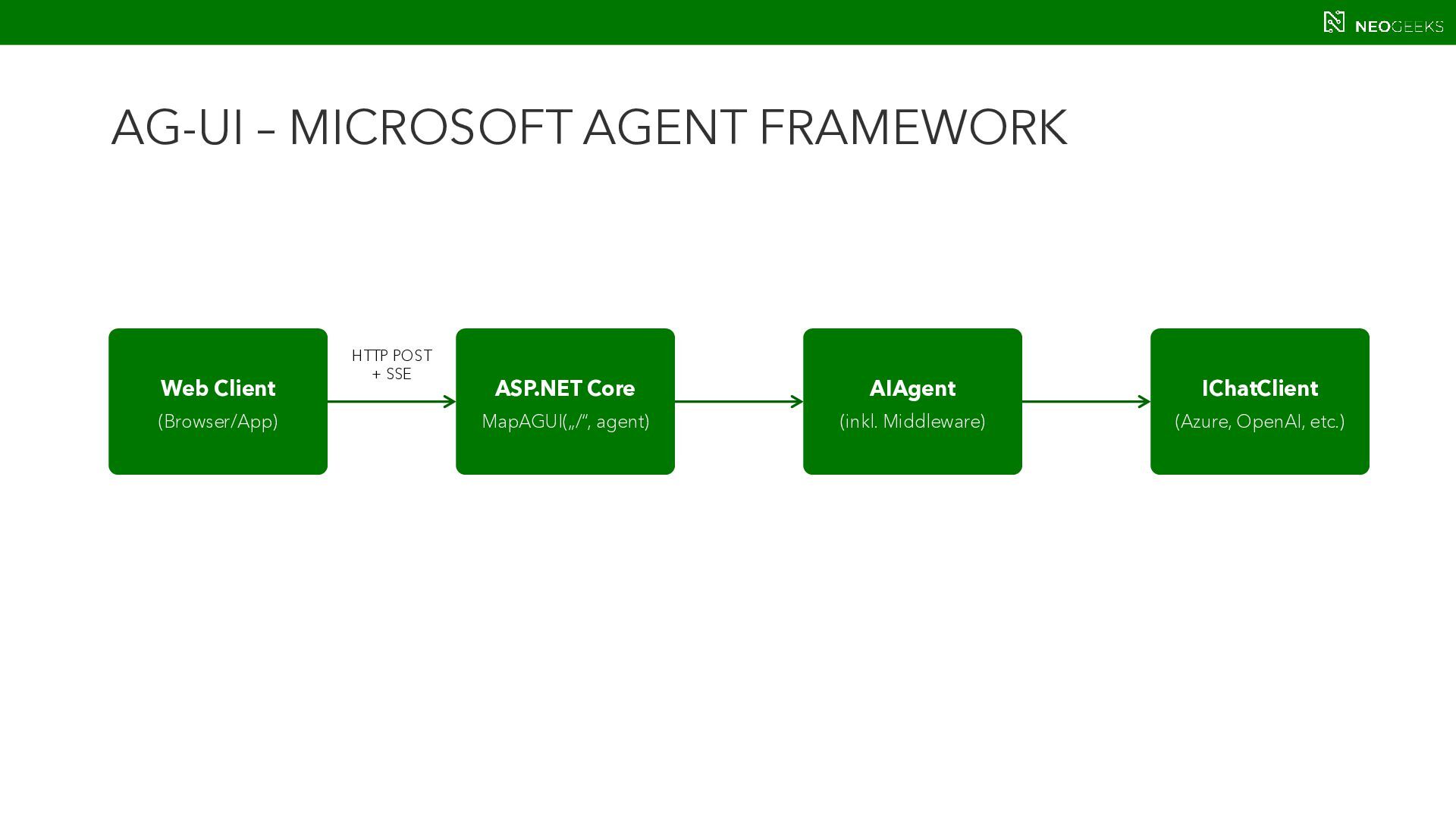
  16. AG-UI – MICROSOFT AGENT FRAMEWORK Web Client (Browser/App) ASP.NET Core

    MapAGUI(„/“, agent) AIAgent (inkl. Middleware) IChatClient (Azure, OpenAI, etc.) HTTP POST + SSE
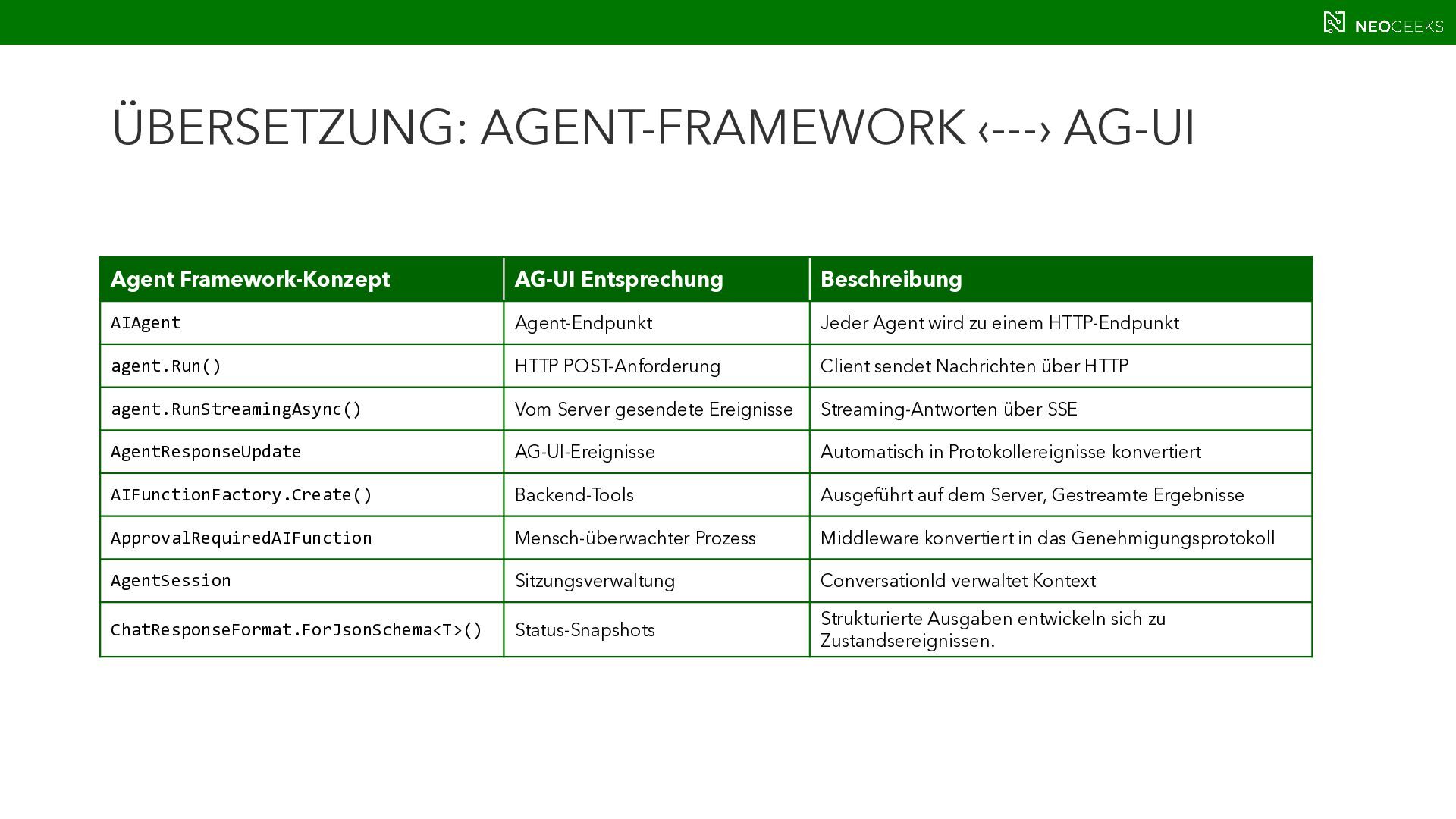
  17. ÜBERSETZUNG: AGENT-FRAMEWORK ‹---› AG-UI Agent Framework-Konzept AG-UI Entsprechung Beschreibung AIAgent

    Agent-Endpunkt Jeder Agent wird zu einem HTTP-Endpunkt agent.Run() HTTP POST-Anforderung Client sendet Nachrichten über HTTP agent.RunStreamingAsync() Vom Server gesendete Ereignisse Streaming-Antworten über SSE AgentResponseUpdate AG-UI-Ereignisse Automatisch in Protokollereignisse konvertiert AIFunctionFactory.Create() Backend-Tools Ausgeführt auf dem Server, Gestreamte Ergebnisse ApprovalRequiredAIFunction Mensch-überwachter Prozess Middleware konvertiert in das Genehmigungsprotokoll AgentSession Sitzungsverwaltung ConversationId verwaltet Kontext ChatResponseFormat.ForJsonSchema<T>() Status-Snapshots Strukturierte Ausgaben entwickeln sich zu Zustandsereignissen.
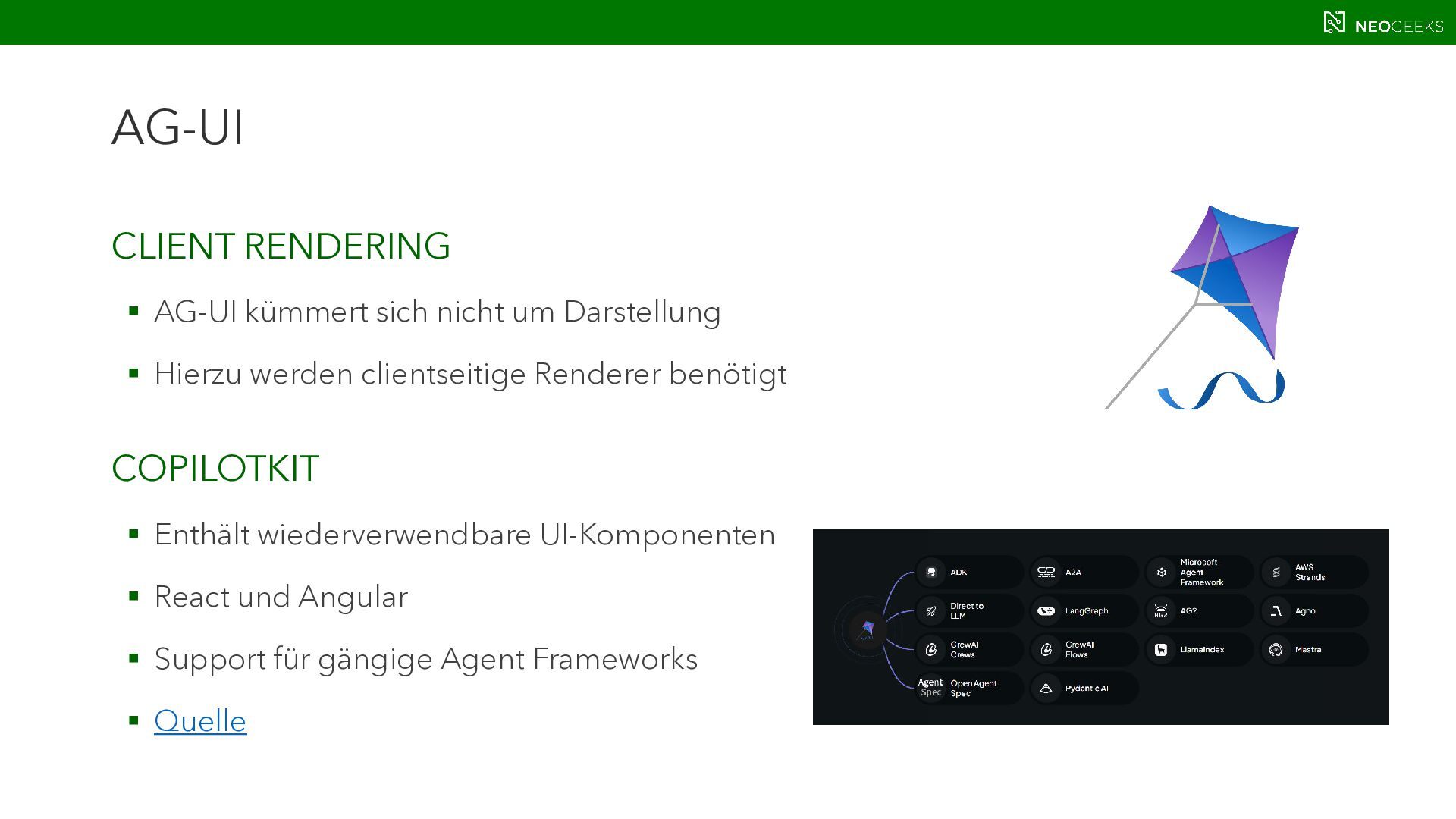
  18. AG-UI CLIENT RENDERING  AG-UI kümmert sich nicht um Darstellung

     Hierzu werden clientseitige Renderer benötigt COPILOTKIT  Enthält wiederverwendbare UI-Komponenten  React und Angular  Support für gängige Agent Frameworks  Quelle
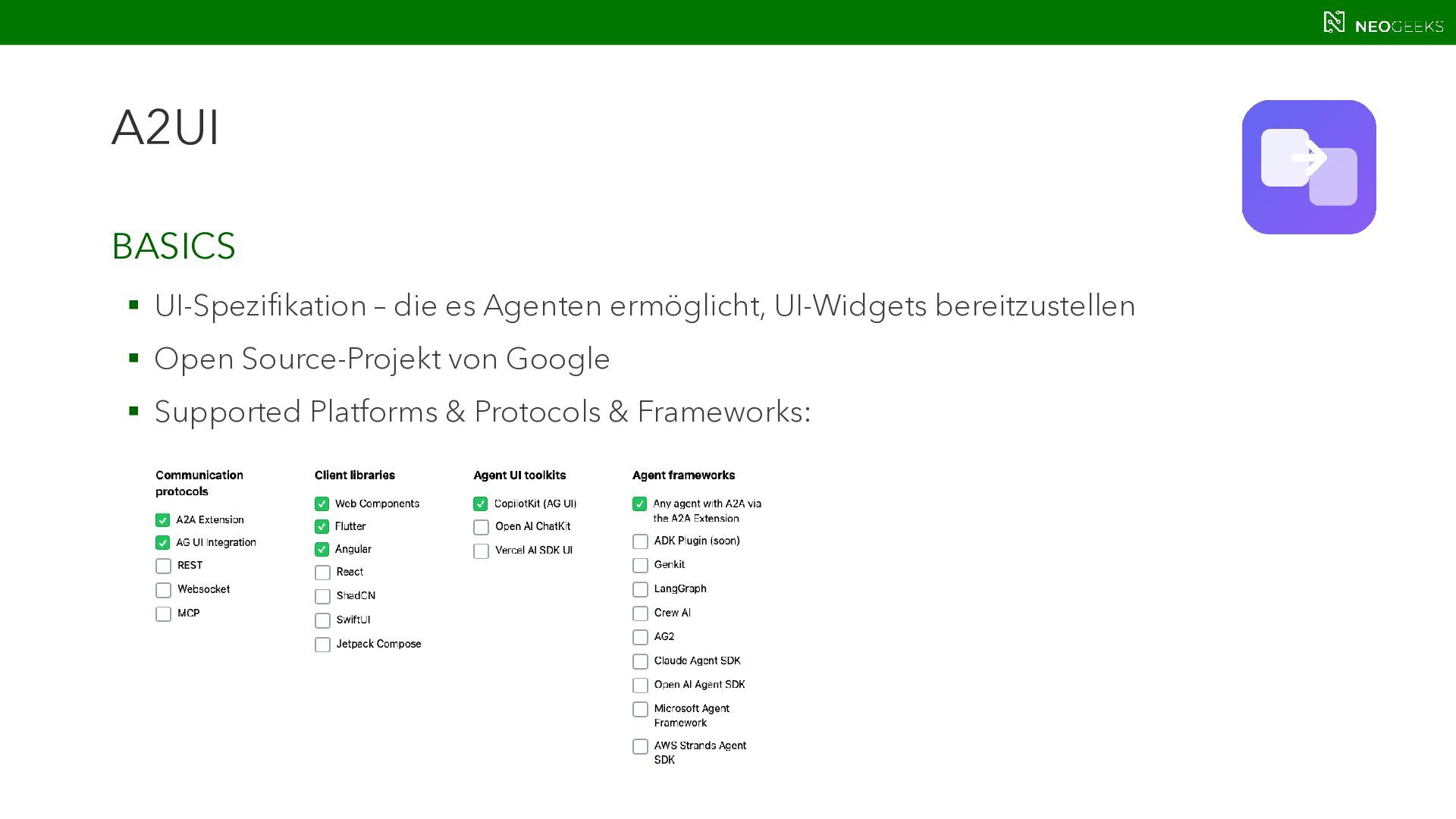
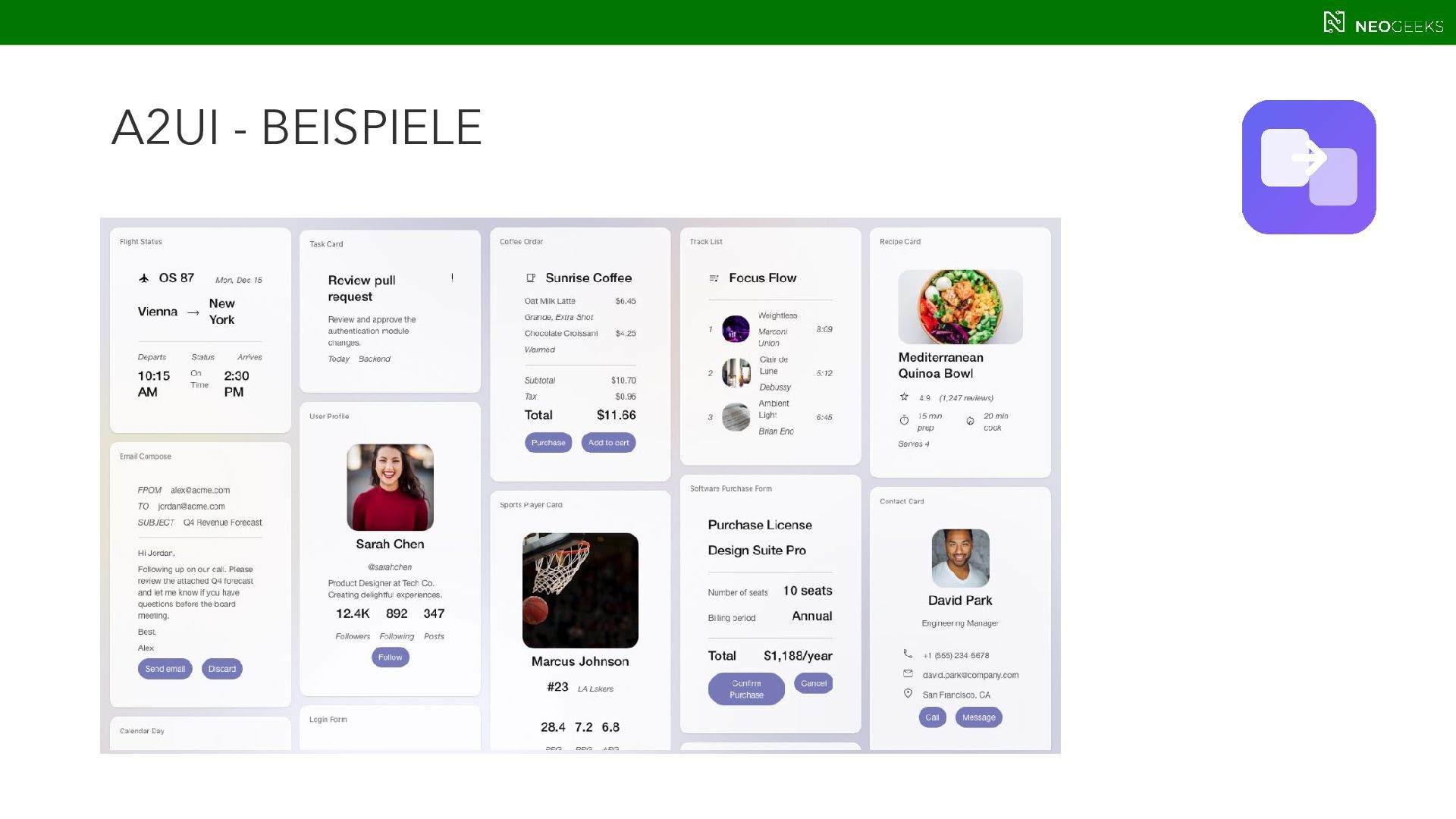
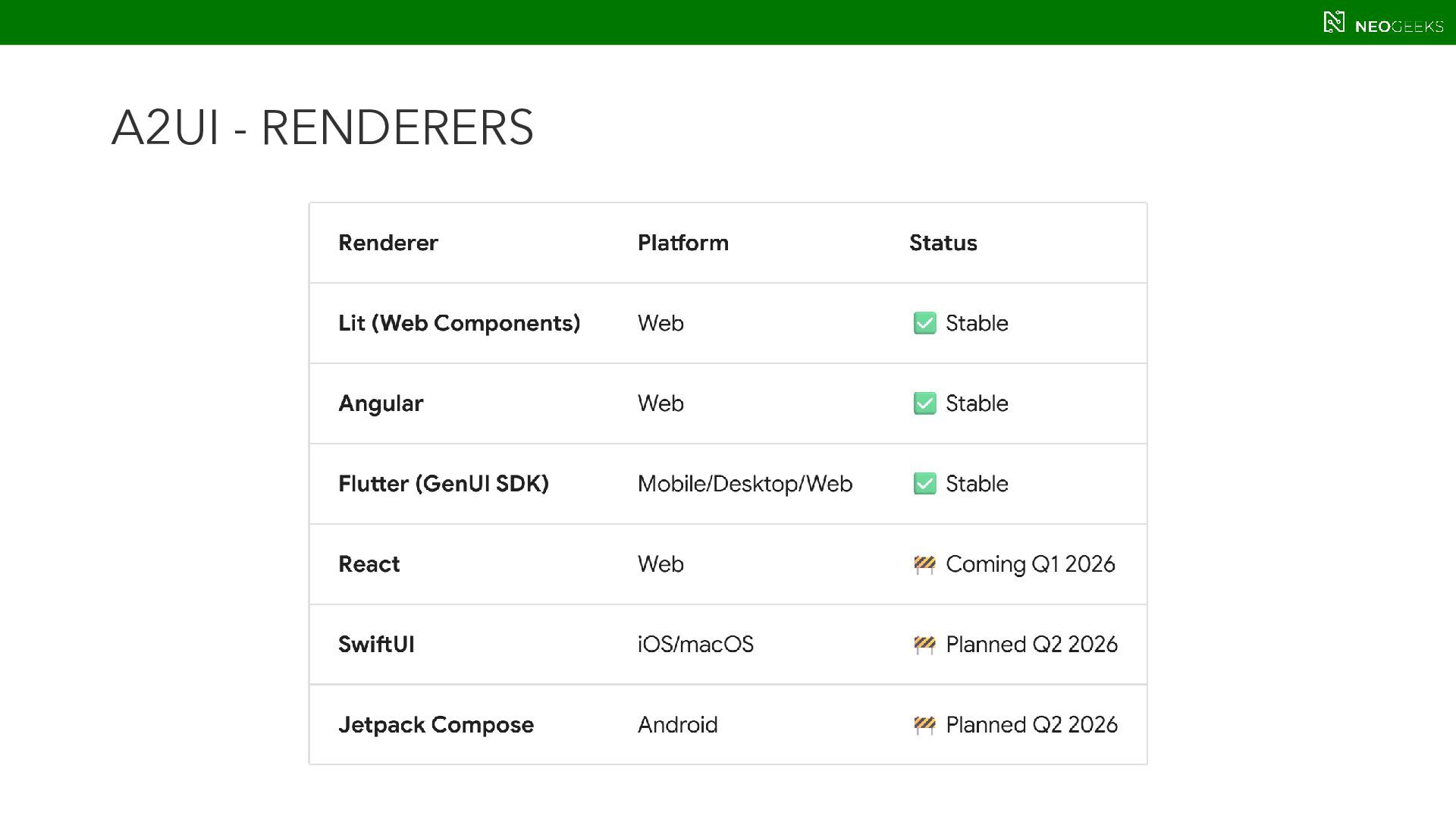
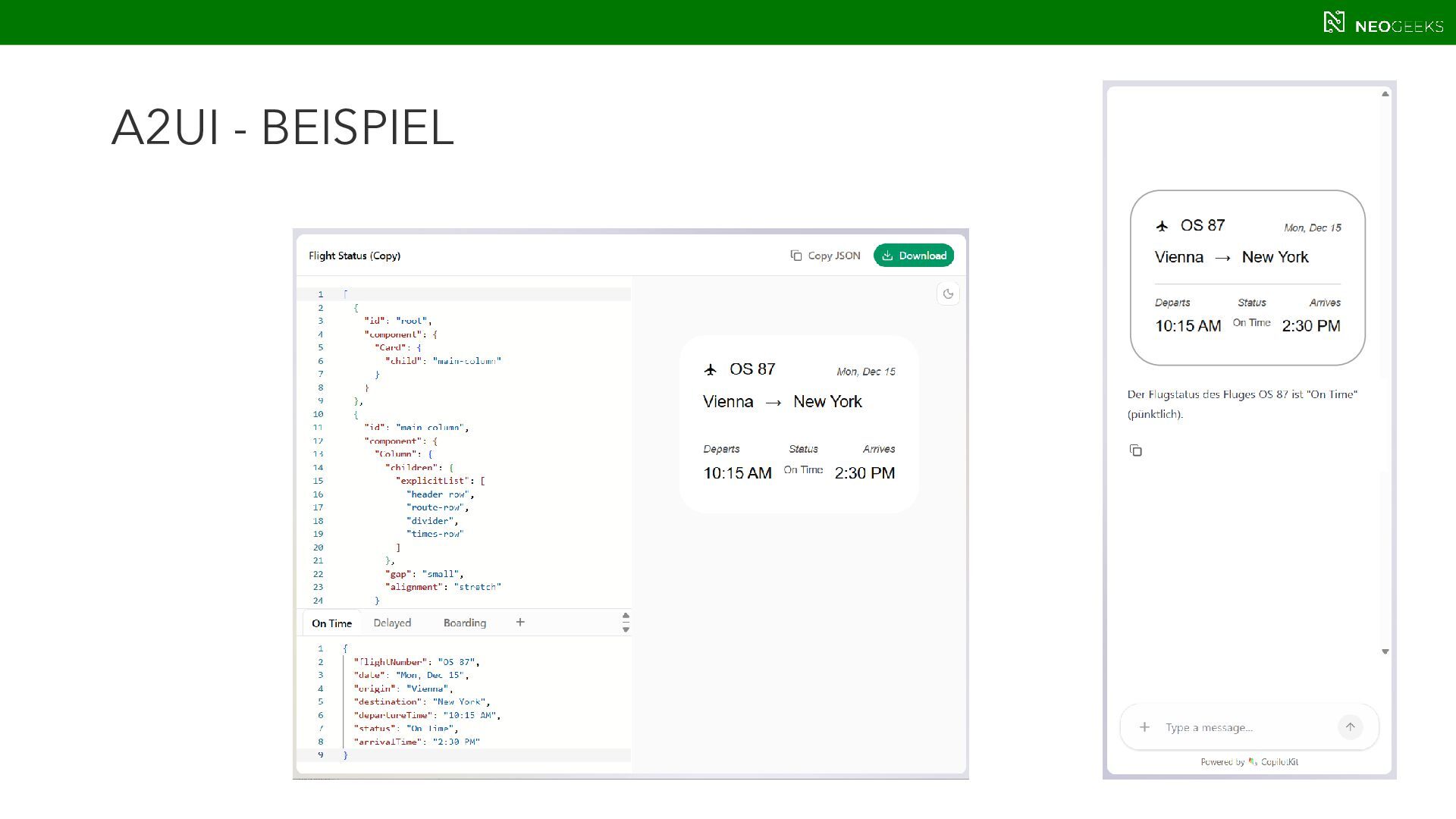
  19. A2UI BASICS  UI-Spezifikation – die es Agenten ermöglicht, UI-Widgets

    bereitzustellen  Open Source-Projekt von Google  Supported Platforms & Protocols & Frameworks:
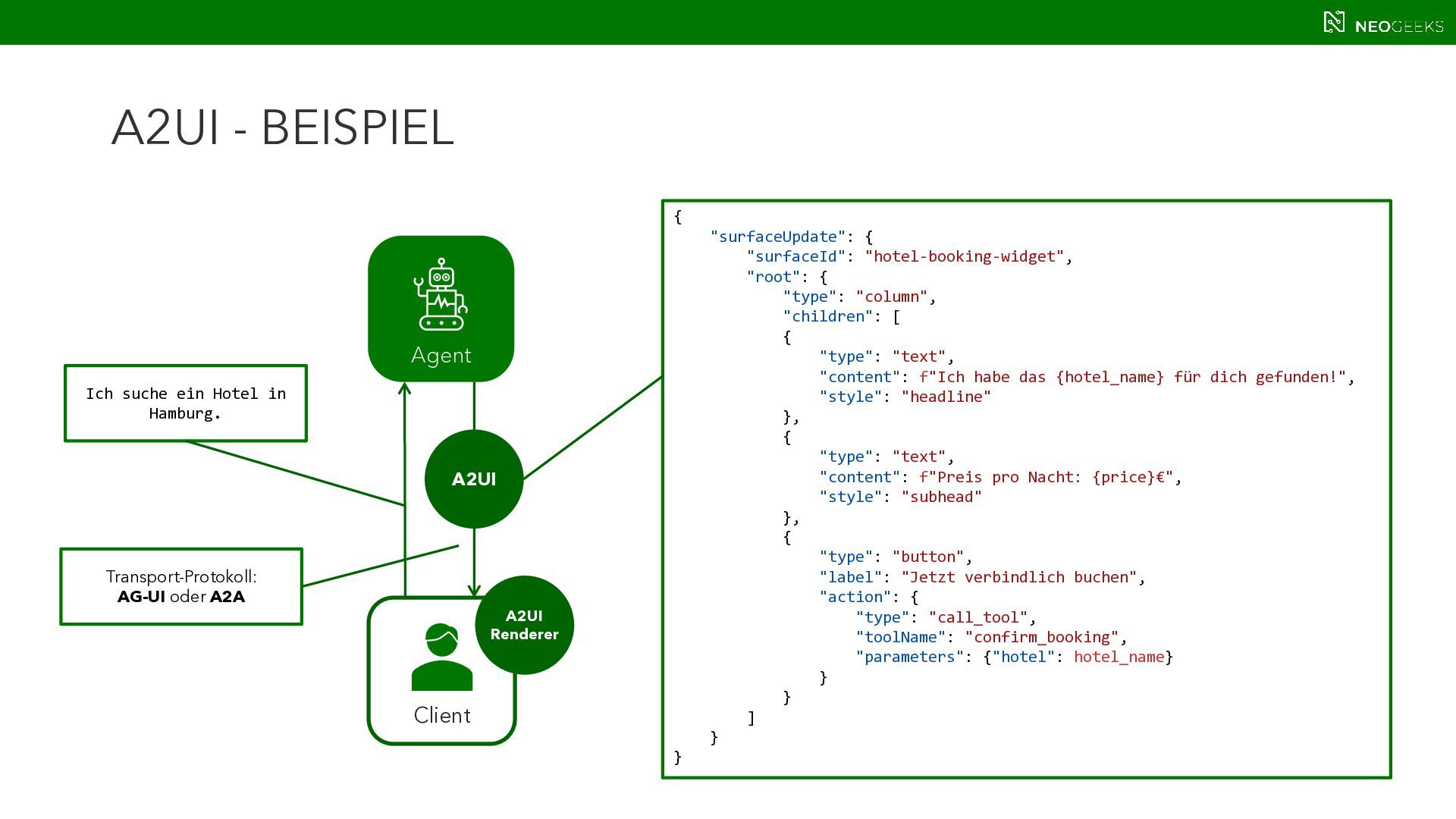
  20. { "surfaceUpdate": { "surfaceId": "hotel-booking-widget", "root": { "type": "column", "children":

    [ { "type": "text", "content": f"Ich habe das {hotel_name} für dich gefunden!", "style": "headline" }, { "type": "text", "content": f"Preis pro Nacht: {price}€", "style": "subhead" }, { "type": "button", "label": "Jetzt verbindlich buchen", "action": { "type": "call_tool", "toolName": "confirm_booking", "parameters": {"hotel": hotel_name} } } ] } } A2UI - BEISPIEL Client A2UI Ich suche ein Hotel in Hamburg. A2UI Renderer Agent Transport-Protokoll: AG-UI oder A2A
  21. STANDARDS MCP APPS  offiziell vorgeschlagene Erweiterung für MCP (SEP-1865)

    aus 11-2025  Nachfolger von MCP-UI und OpenAI‘s ChatKit  getrieben von Anthropic, OpenAI und MCP UI Contributors
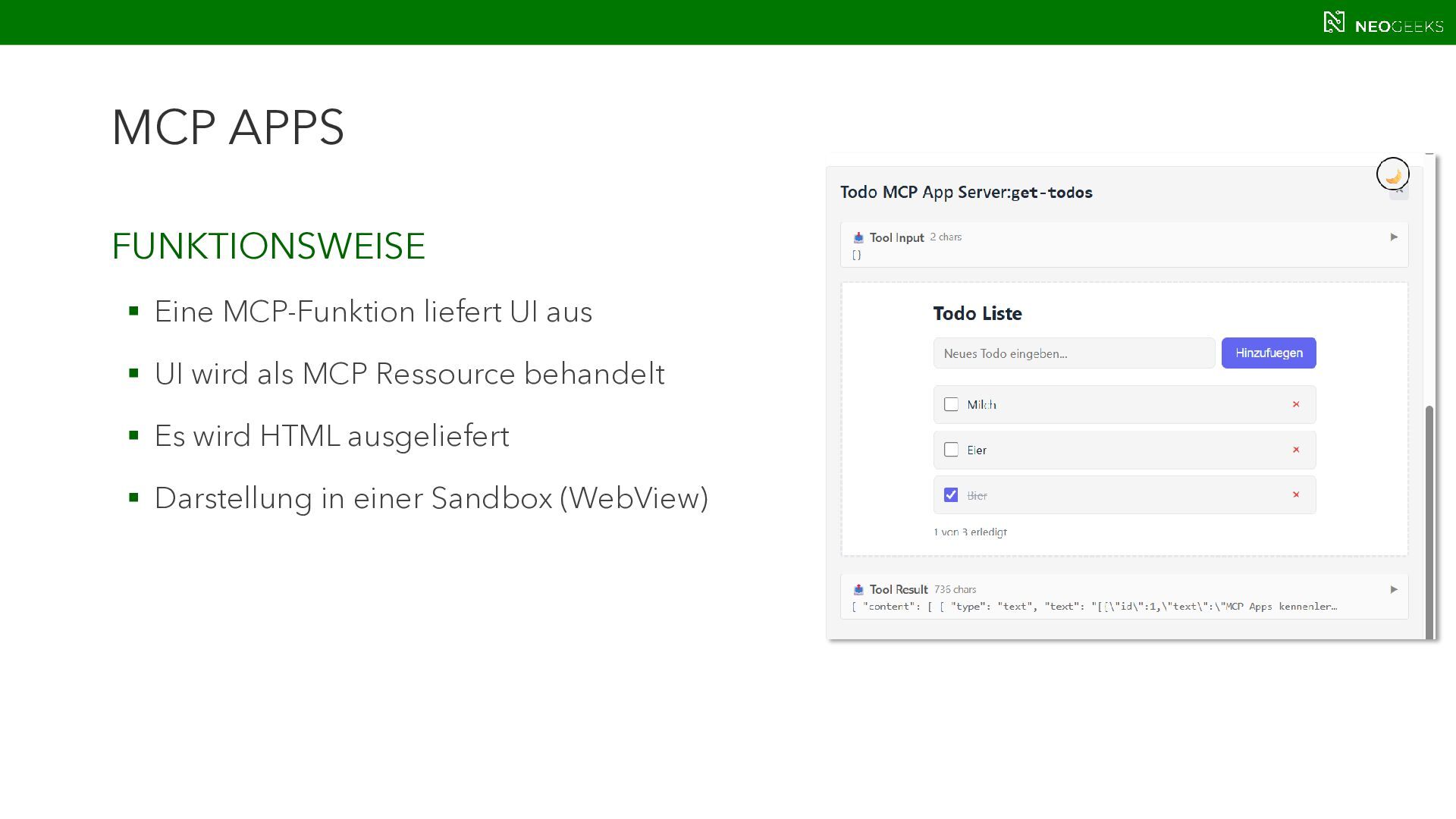
  22. MCP APPS FUNKTIONSWEISE  Eine MCP-Funktion liefert UI aus 

    UI wird als MCP Ressource behandelt  Es wird HTML ausgeliefert  Darstellung in einer Sandbox (WebView)
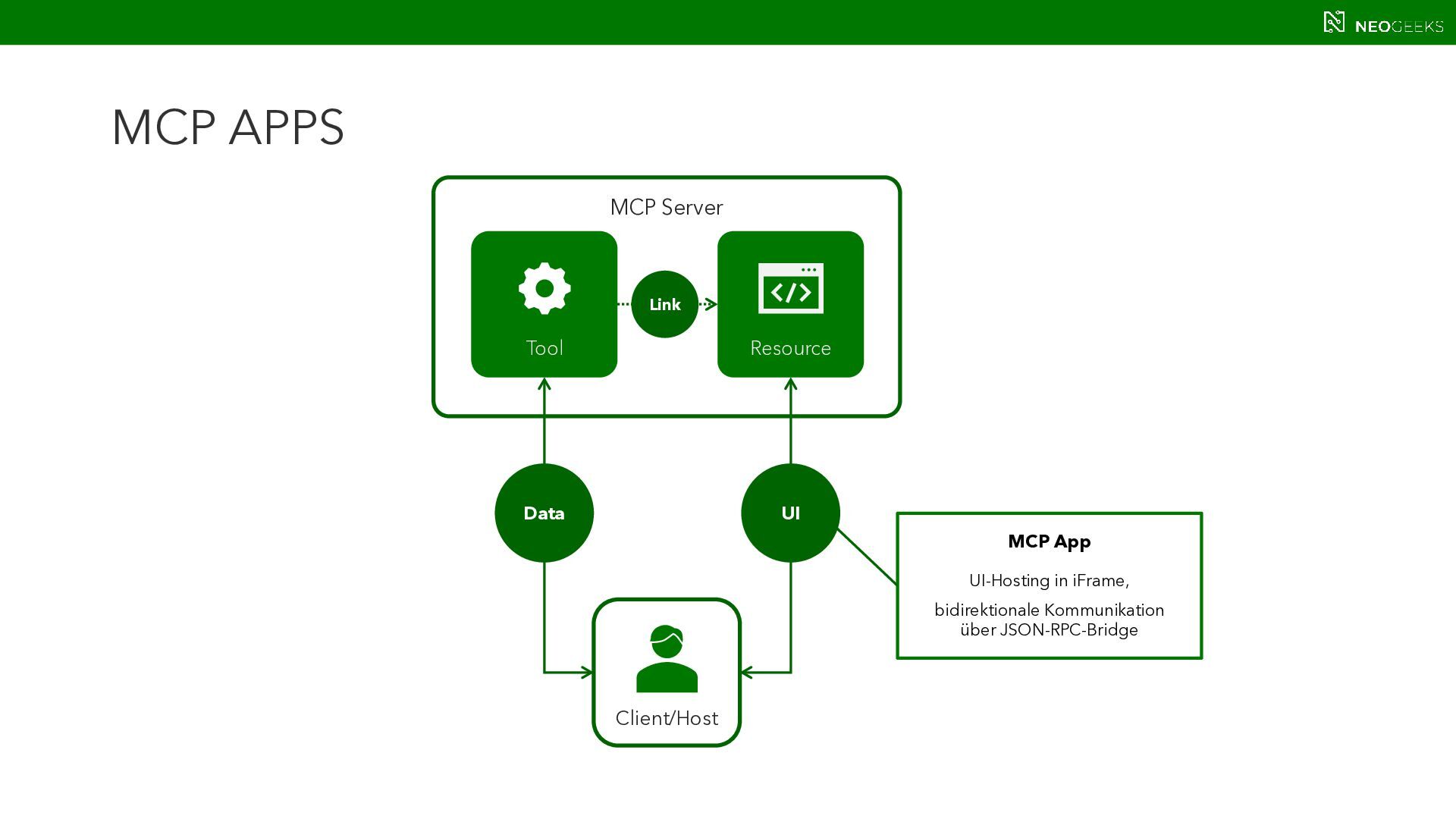
  23. MCP APPS Client/Host MCP Server Tool Resource Link Data UI

    MCP App UI-Hosting in iFrame, bidirektionale Kommunikation über JSON-RPC-Bridge
  24. MCP APPS GAST-APP  kann HTML, CSS, JS enthalten 

    Läuft im iFrame (isoliert) und spricht nur über die Bridge mit dem Host  kann Tool-Calls anstoßen (tools/call),  kann host-spezifische UI-Aktionen anfordern (z. B. ui/message, ui/open-link, ui/update- model-context je nach Host/Spec).
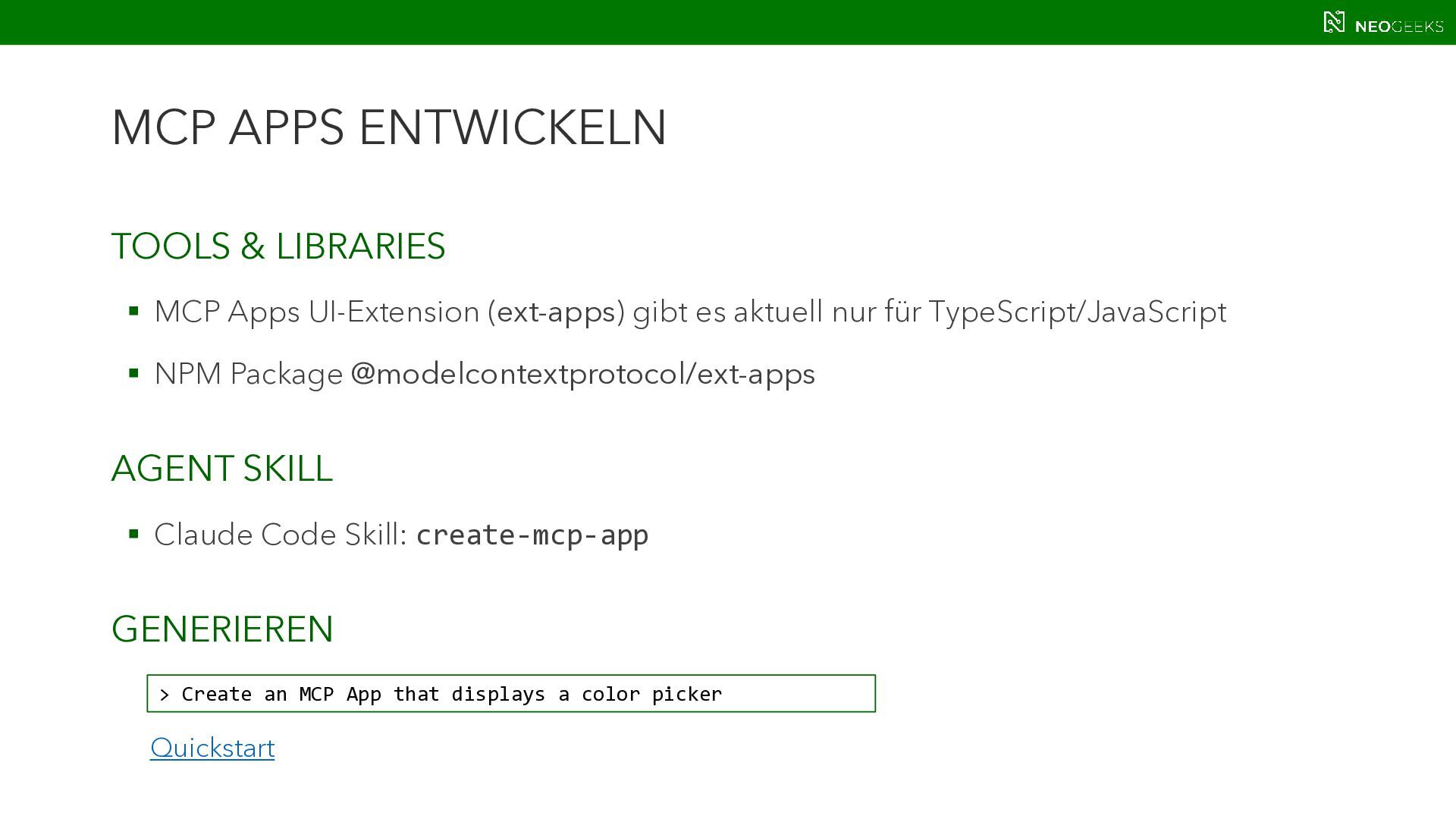
  25. MCP APPS ENTWICKELN TOOLS & LIBRARIES  MCP Apps UI-Extension

    (ext-apps) gibt es aktuell nur für TypeScript/JavaScript  NPM Package @modelcontextprotocol/ext-apps AGENT SKILL  Claude Code Skill: create-mcp-app GENERIEREN > Create an MCP App that displays a color picker Quickstart
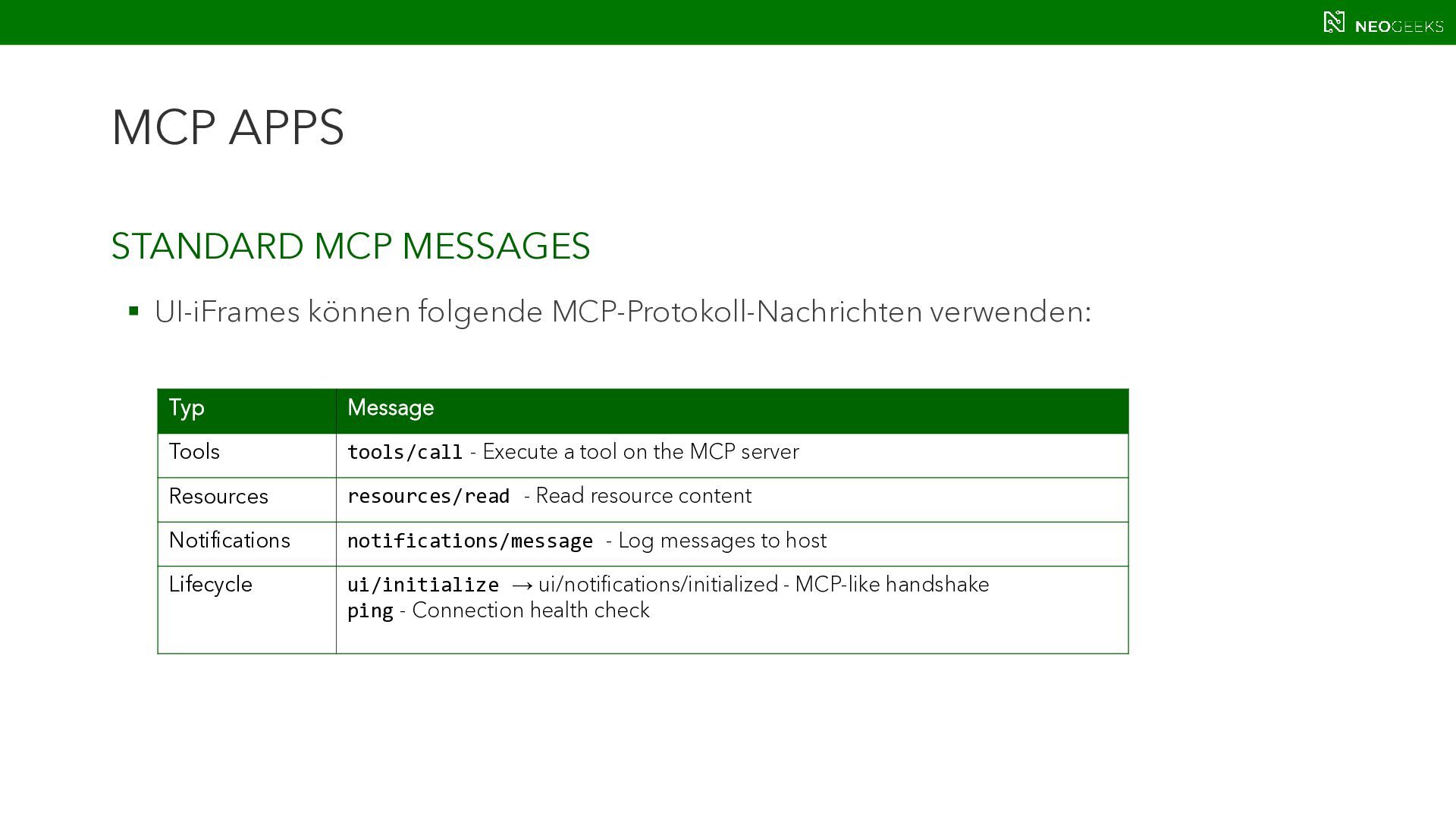
  26. MCP APPS STANDARD MCP MESSAGES  UI-iFrames können folgende MCP-Protokoll-Nachrichten

    verwenden: Typ Message Tools tools/call - Execute a tool on the MCP server Resources resources/read - Read resource content Notifications notifications/message - Log messages to host Lifecycle ui/initialize → ui/notifications/initialized - MCP-like handshake ping - Connection health check
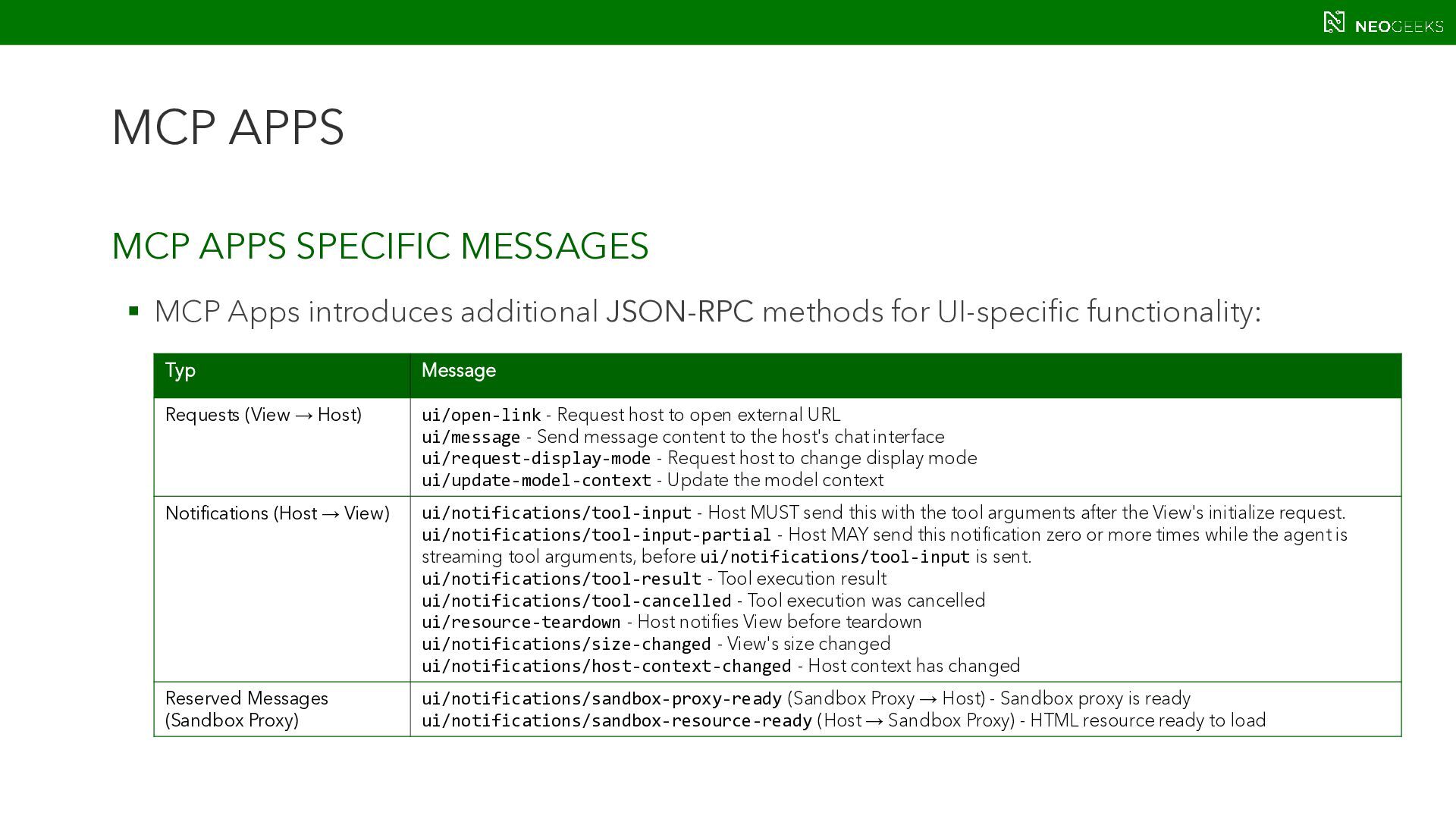
  27. MCP APPS MCP APPS SPECIFIC MESSAGES  MCP Apps introduces

    additional JSON-RPC methods for UI-specific functionality: Typ Message Requests (View → Host) ui/open-link - Request host to open external URL ui/message - Send message content to the host's chat interface ui/request-display-mode - Request host to change display mode ui/update-model-context - Update the model context Notifications (Host → View) ui/notifications/tool-input - Host MUST send this with the tool arguments after the View's initialize request. ui/notifications/tool-input-partial - Host MAY send this notification zero or more times while the agent is streaming tool arguments, before ui/notifications/tool-input is sent. ui/notifications/tool-result - Tool execution result ui/notifications/tool-cancelled - Tool execution was cancelled ui/resource-teardown - Host notifies View before teardown ui/notifications/size-changed - View's size changed ui/notifications/host-context-changed - Host context has changed Reserved Messages (Sandbox Proxy) ui/notifications/sandbox-proxy-ready (Sandbox Proxy → Host) - Sandbox proxy is ready ui/notifications/sandbox-resource-ready (Host → Sandbox Proxy) - HTML resource ready to load
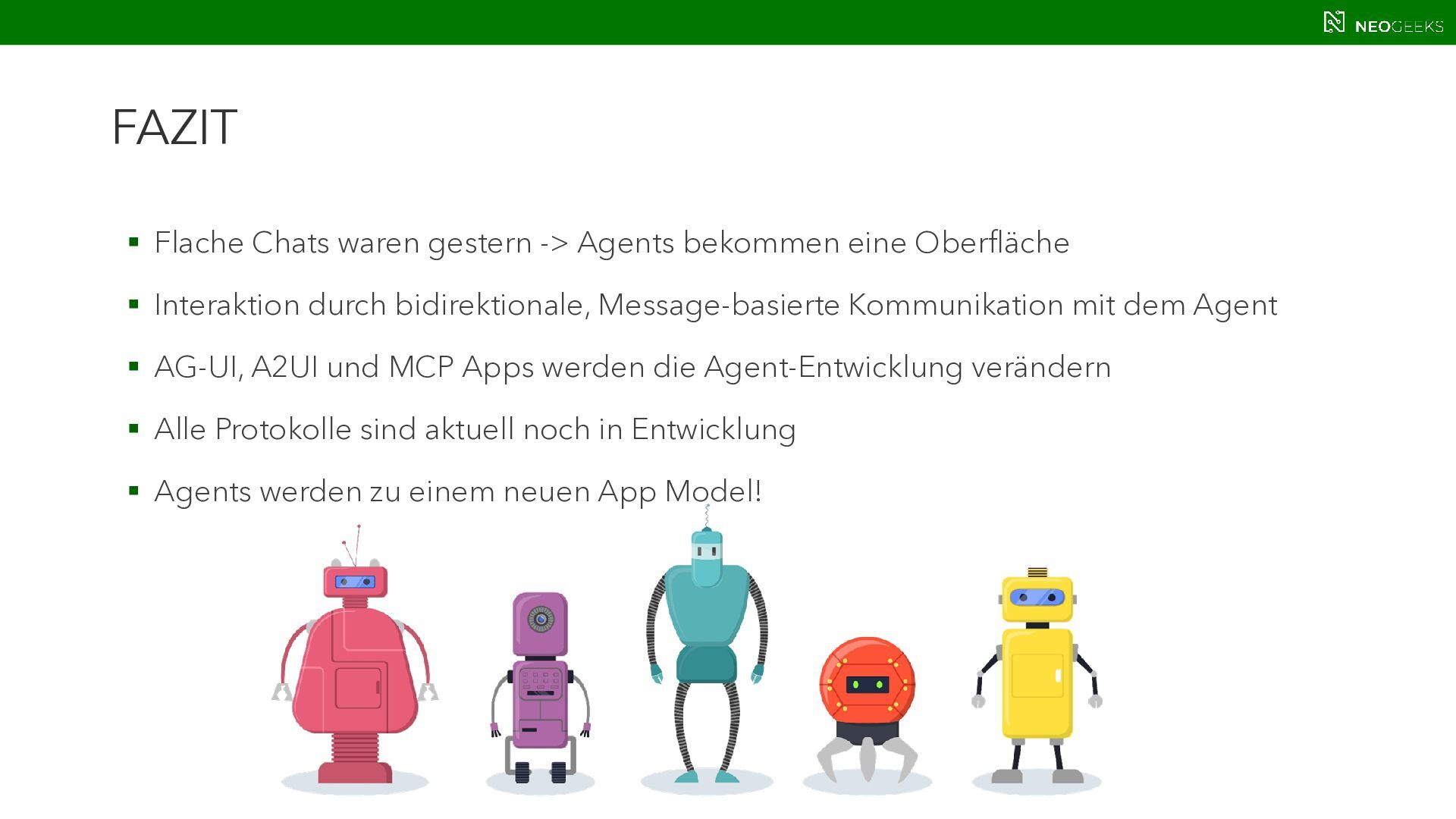
  28. FAZIT  Flache Chats waren gestern -> Agents bekommen eine

    Oberfläche  Interaktion durch bidirektionale, Message-basierte Kommunikation mit dem Agent  AG-UI, A2UI und MCP Apps werden die Agent-Entwicklung verändern  Alle Protokolle sind aktuell noch in Entwicklung  Agents werden zu einem neuen App Model!
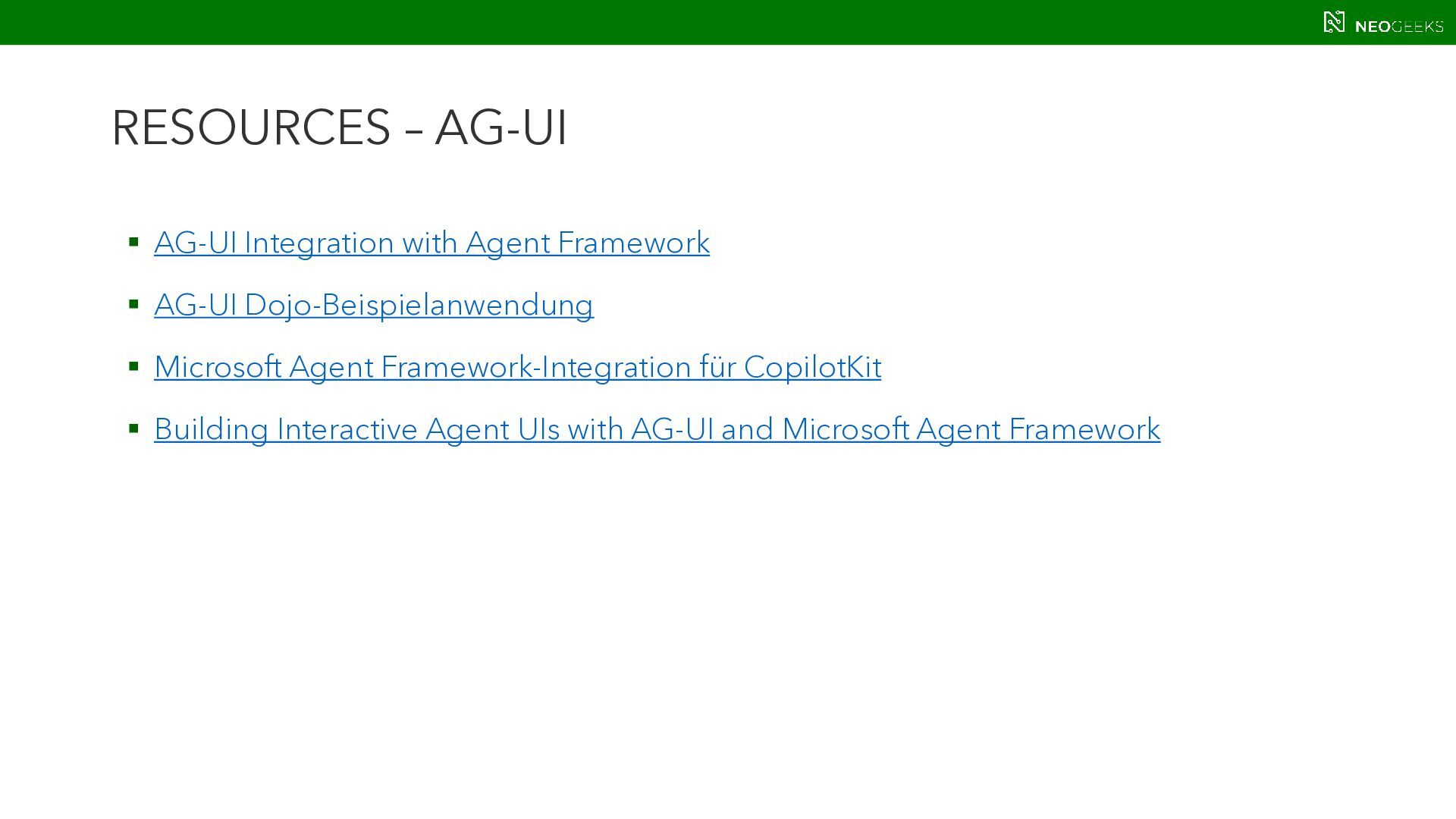
  29. RESOURCES – AG-UI  AG-UI Integration with Agent Framework 

    AG-UI Dojo-Beispielanwendung  Microsoft Agent Framework-Integration für CopilotKit  Building Interactive Agent UIs with AG-UI and Microsoft Agent Framework
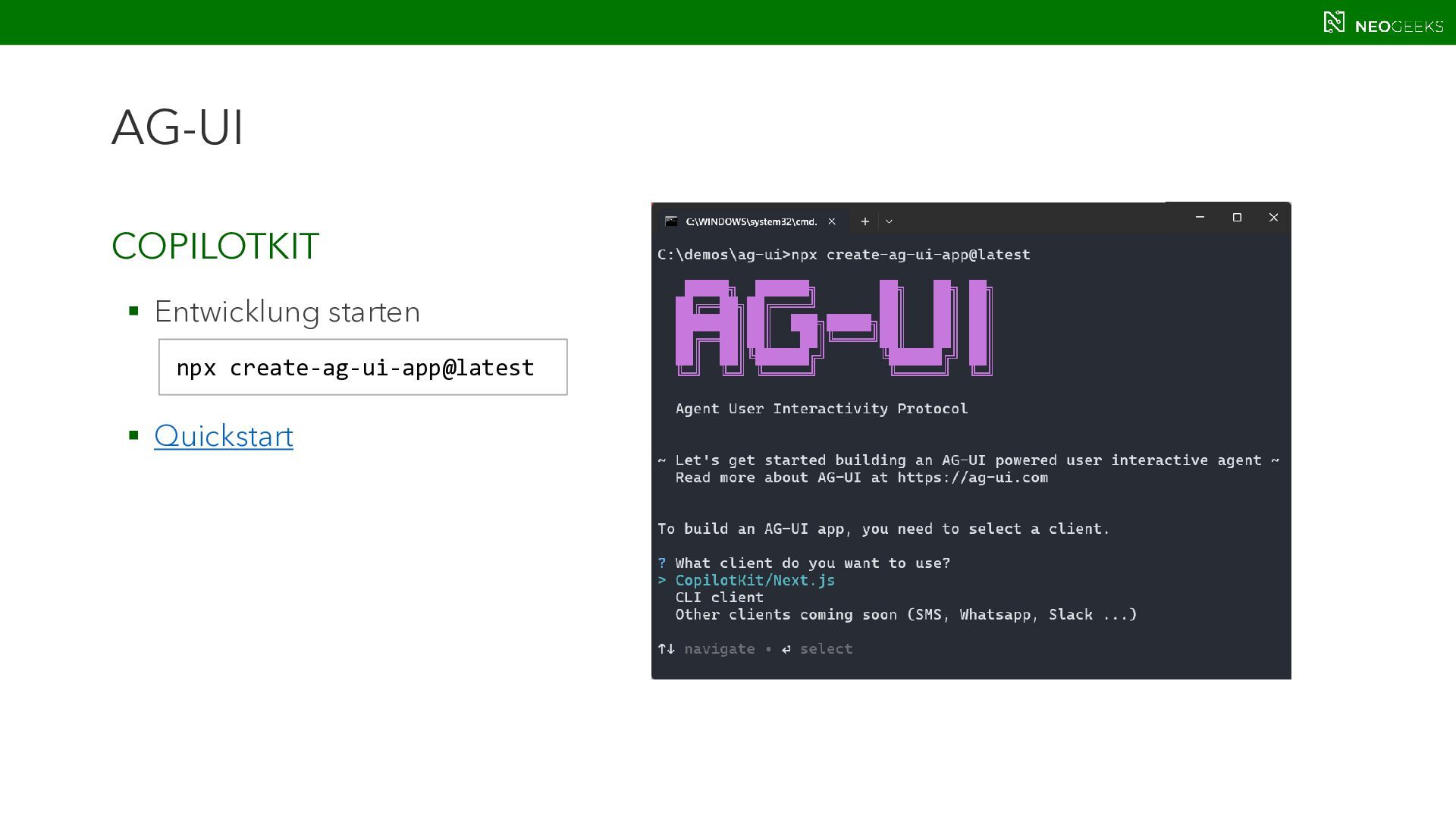
  30. RESOURCES – COPILOTKIT  AG-UI Home  Quickstart: Build applications

     CopilotKit mit Microsoft Agent Framework entwickeln
  31. A2UI - RESOURCES  A2UI Home  Introducing A2UI: An

    open project for agent-driven interfaces  A2UI @ CopilotKit  A2UI Composer