Upgrade to Pro — share decks privately, control downloads, hide ads and more …

No Server, No Backend, Just Blazor WebAssembly ...

jsakamoto
November 22, 2026

No Server, No Backend, Just Blazor WebAssembly Doing Semantic Search

The presentation slide deck for the Tokyo .NET Developers Meetup on November 17, 2026.

jsakamoto

November 22, 2026

Transcript

54 slides
  1. NO SERVER, NO BACKEND, JUST BLAZOR WEBASSEMBLY DOING SEMANTIC SEARCH

    Jun-ichi Sakamoto Tokyo .NET Developers Meetup, Nov 17, 2026
  2. About Me “Learn, Practice, Share.” • Microsoft MVP Award holder

    for over 10 years • Passionate about sharing Blazor knowledge • Living in Sapporo, Hokkaido, Japan • Working on presentation skills in English 2
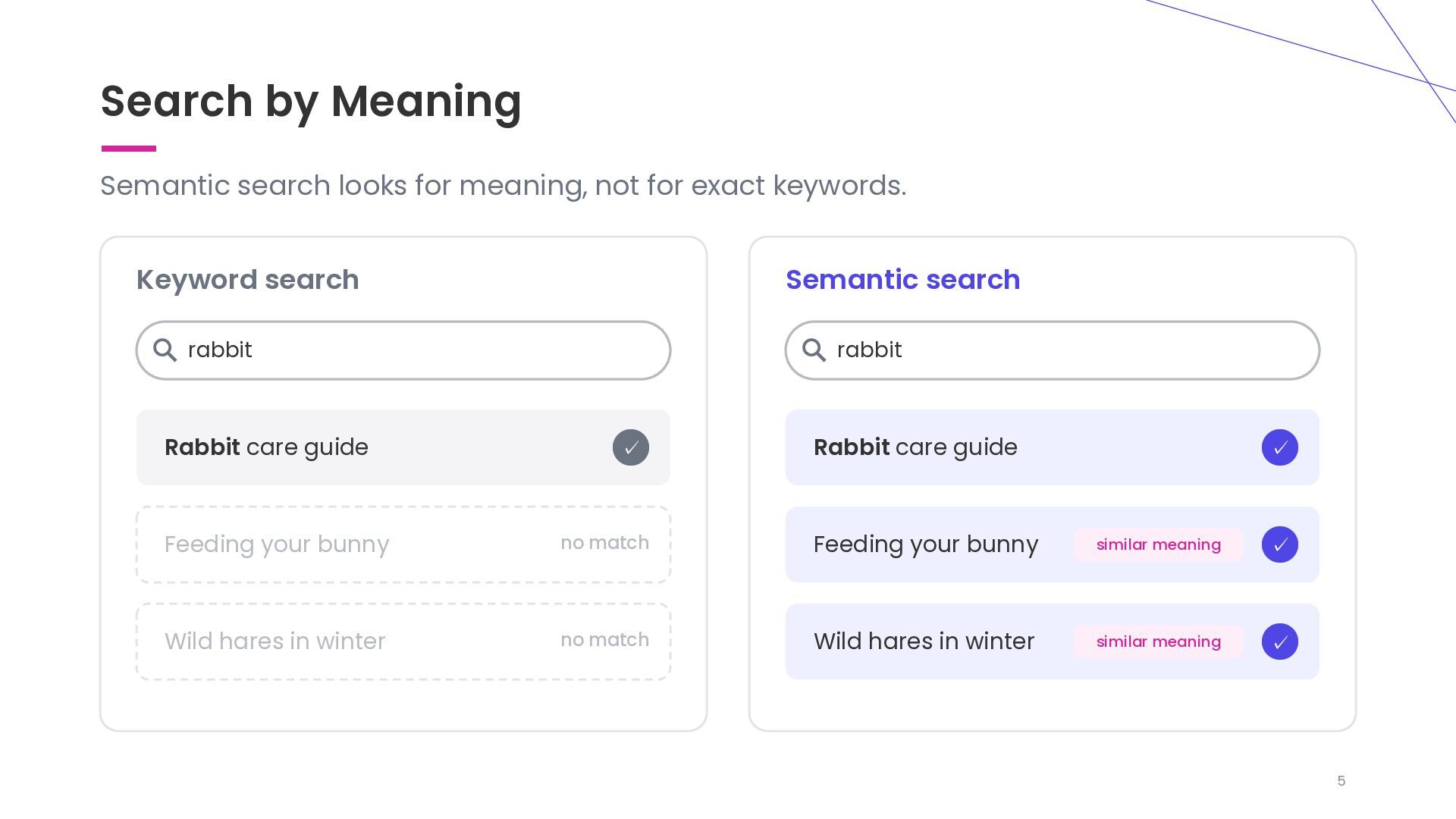
  3. Search by Meaning Semantic search looks for meaning, not for

    exact keywords. Keyword search Semantic search rabbit Rabbit care guide rabbit ✓ Rabbit care guide ✓ Feeding your bunny no match Feeding your bunny similar meaning ✓ Wild hares in winter no match Wild hares in winter similar meaning ✓ 5
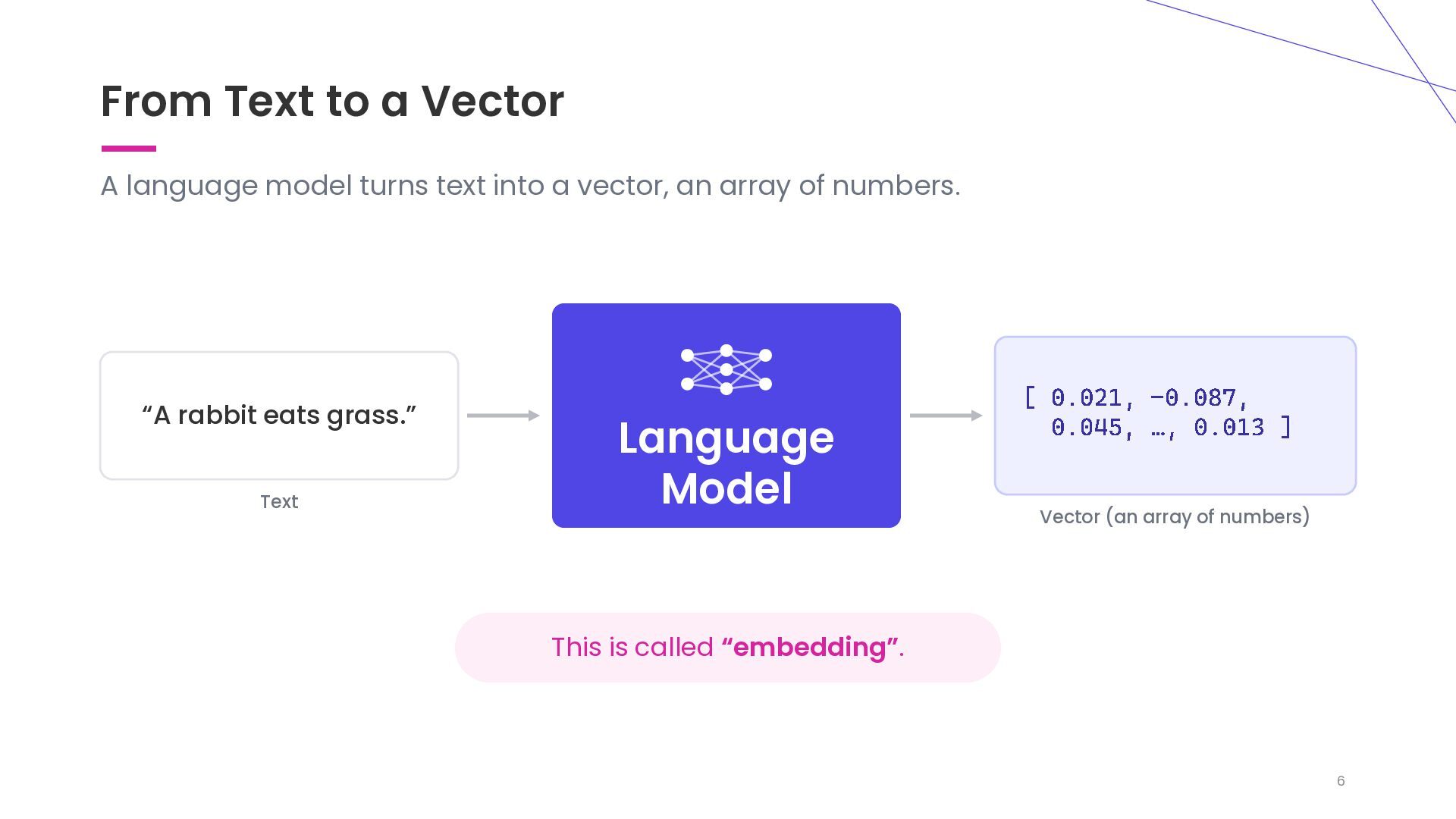
  4. From Text to a Vector A language model turns text

    into a vector, an array of numbers. “A rabbit eats grass.” Text Language Model [ 0.021, - 0.087, 0.045, …, 0.013 ] Vector (an array of numbers) This is called “embedding”. 6
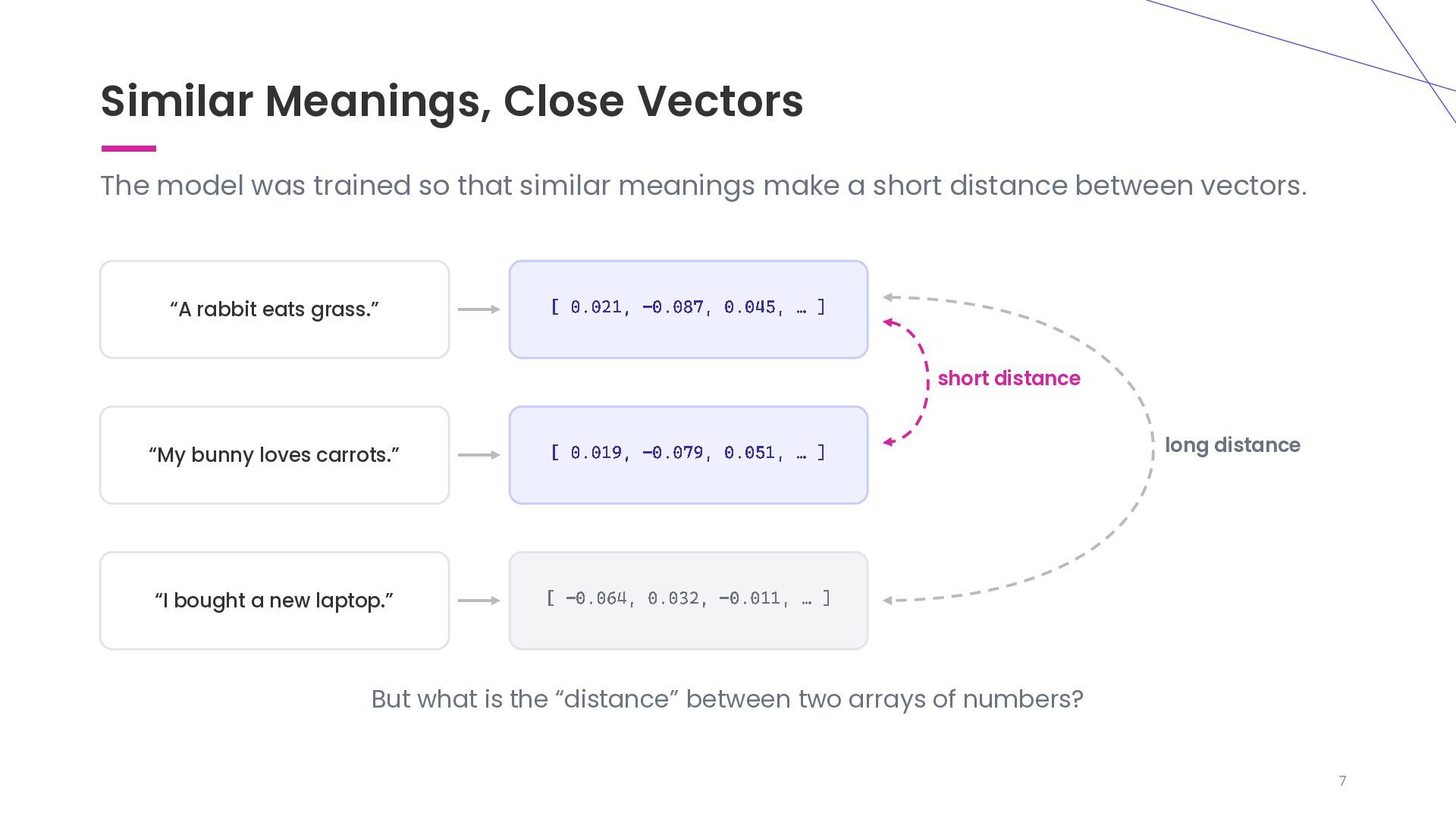
  5. Similar Meanings, Close Vectors The model was trained so that

    similar meanings make a short distance between vectors. “A rabbit eats grass.” [ 0.021, - 0.087, 0.045, … ] short distance “My bunny loves carrots.” [ 0.019, “I bought a new laptop.” [ - 0.064, 0.032, - 0.079, 0.051, … ] long distance - 0.011, … ] But what is the “distance” between two arrays of numbers? 7
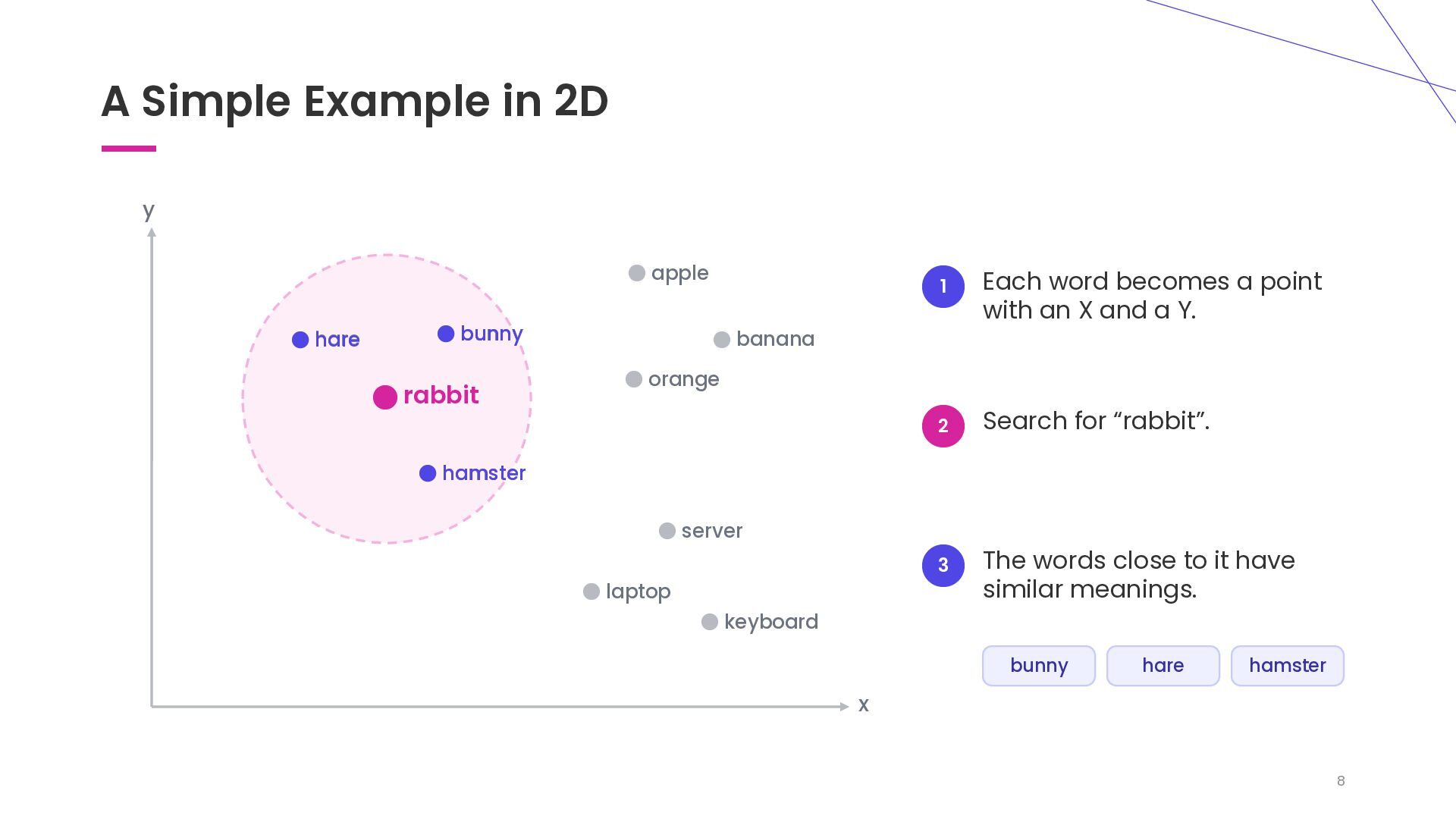
  6. A Simple Example in 2D y apple hare bunny rabbit

    1 banana Each word becomes a point with an X and a Y. orange 2 Search for “rabbit”. hamster server 3 laptop The words close to it have similar meanings. keyboard bunny hare hamster x 8
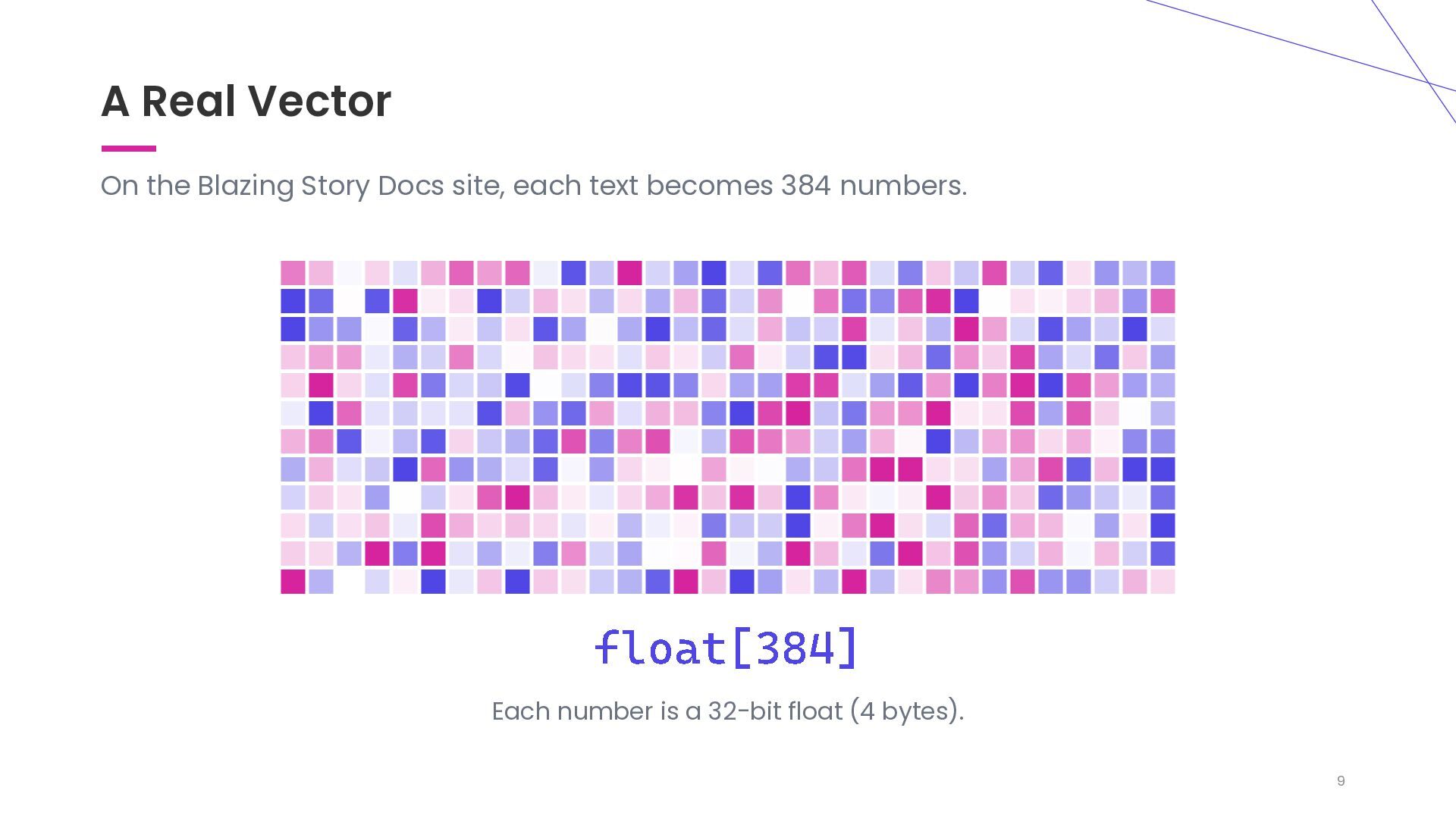
  7. A Real Vector On the Blazing Story Docs site, each

    text becomes 384 numbers. float[384] Each number is a 32-bit float (4 bytes). 9
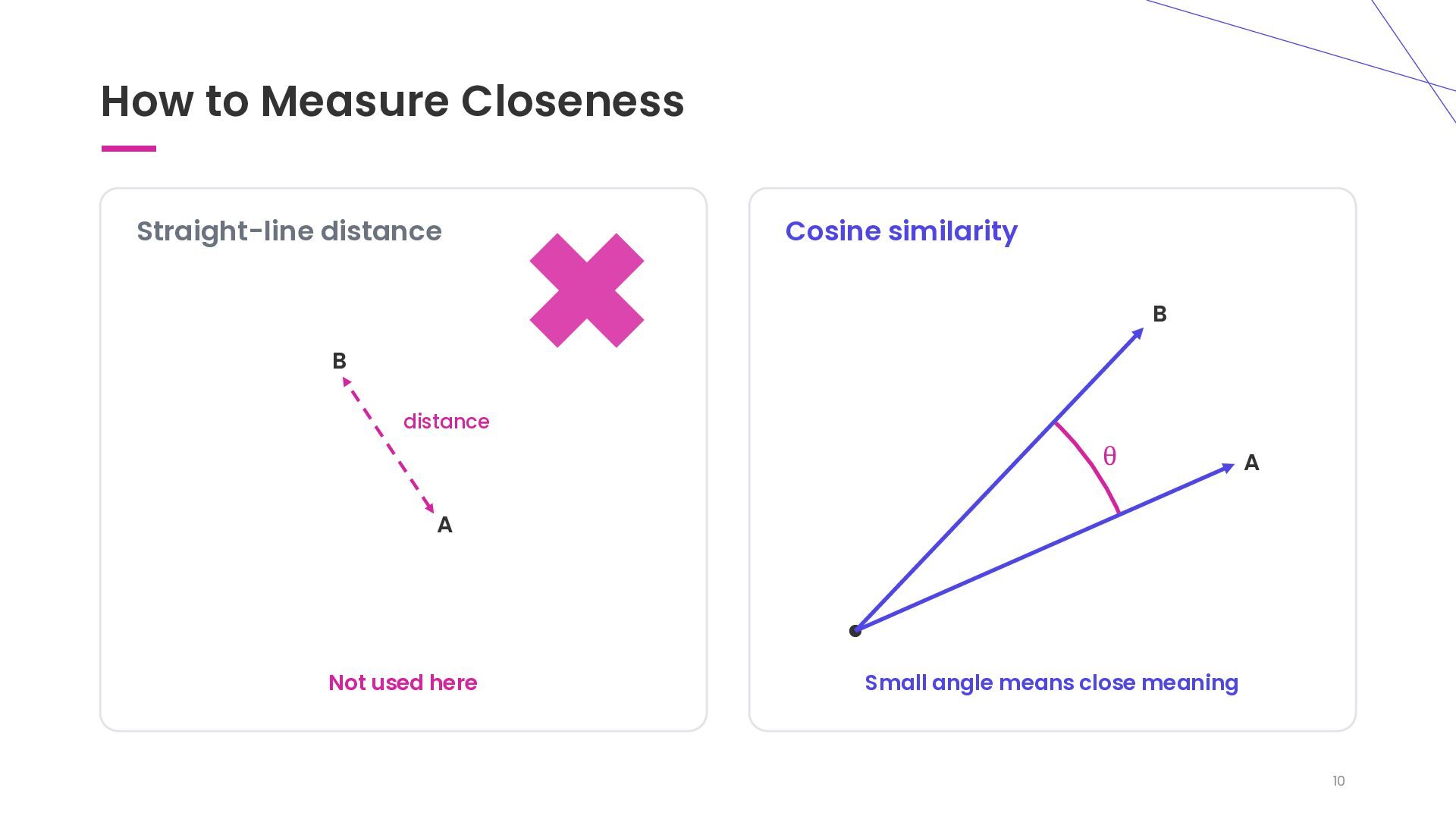
  8. How to Measure Closeness Straight-line distance Cosine similarity B B

    distance θ A A Not used here Small angle means close meaning 10
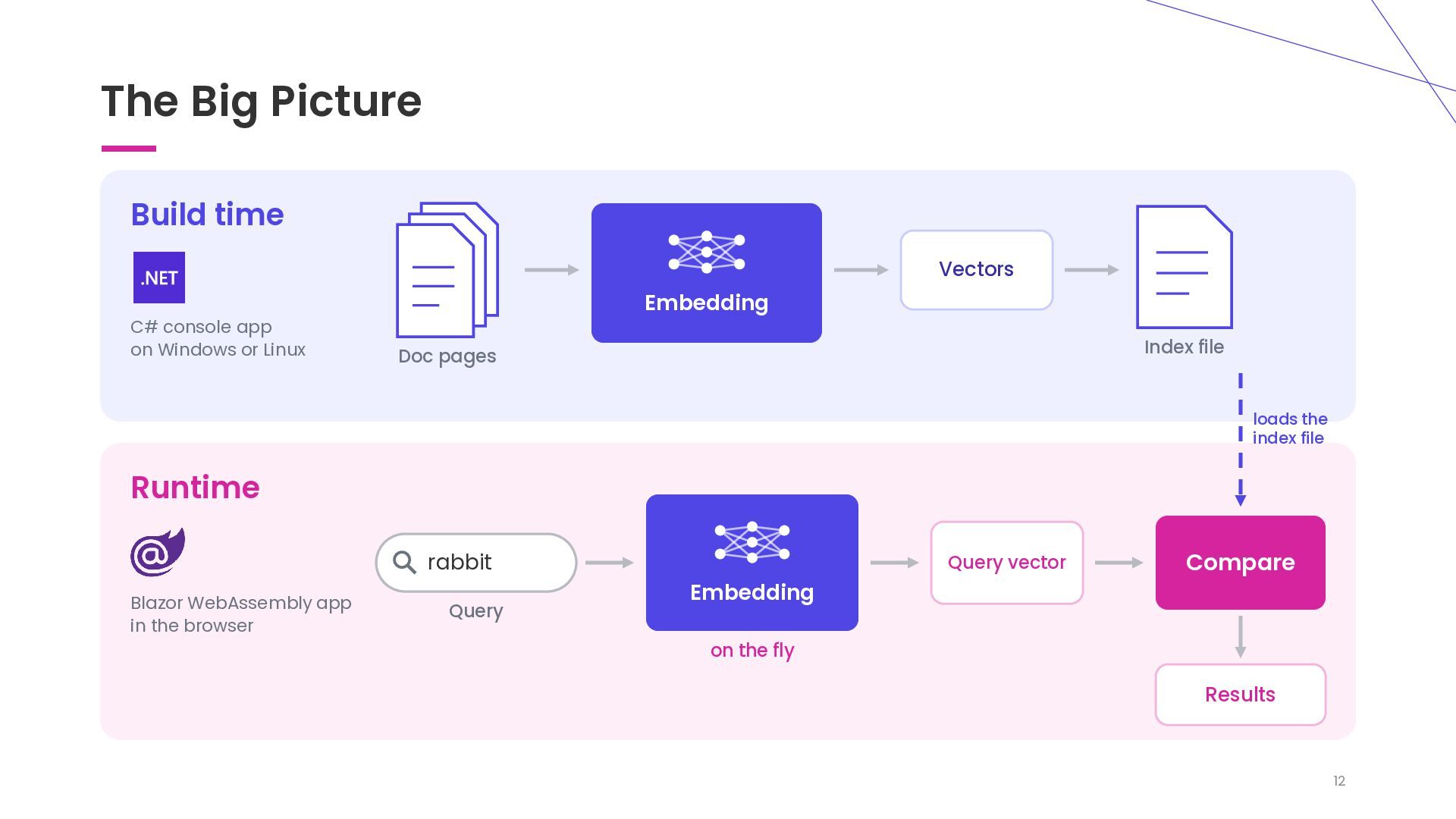
  9. The Big Picture Build time Vectors C# console app on

    Windows or Linux Embedding Index file Doc pages loads the index file Runtime rabbit Blazor WebAssembly app in the browser Query Query vector Embedding Compare on the fly Results 12
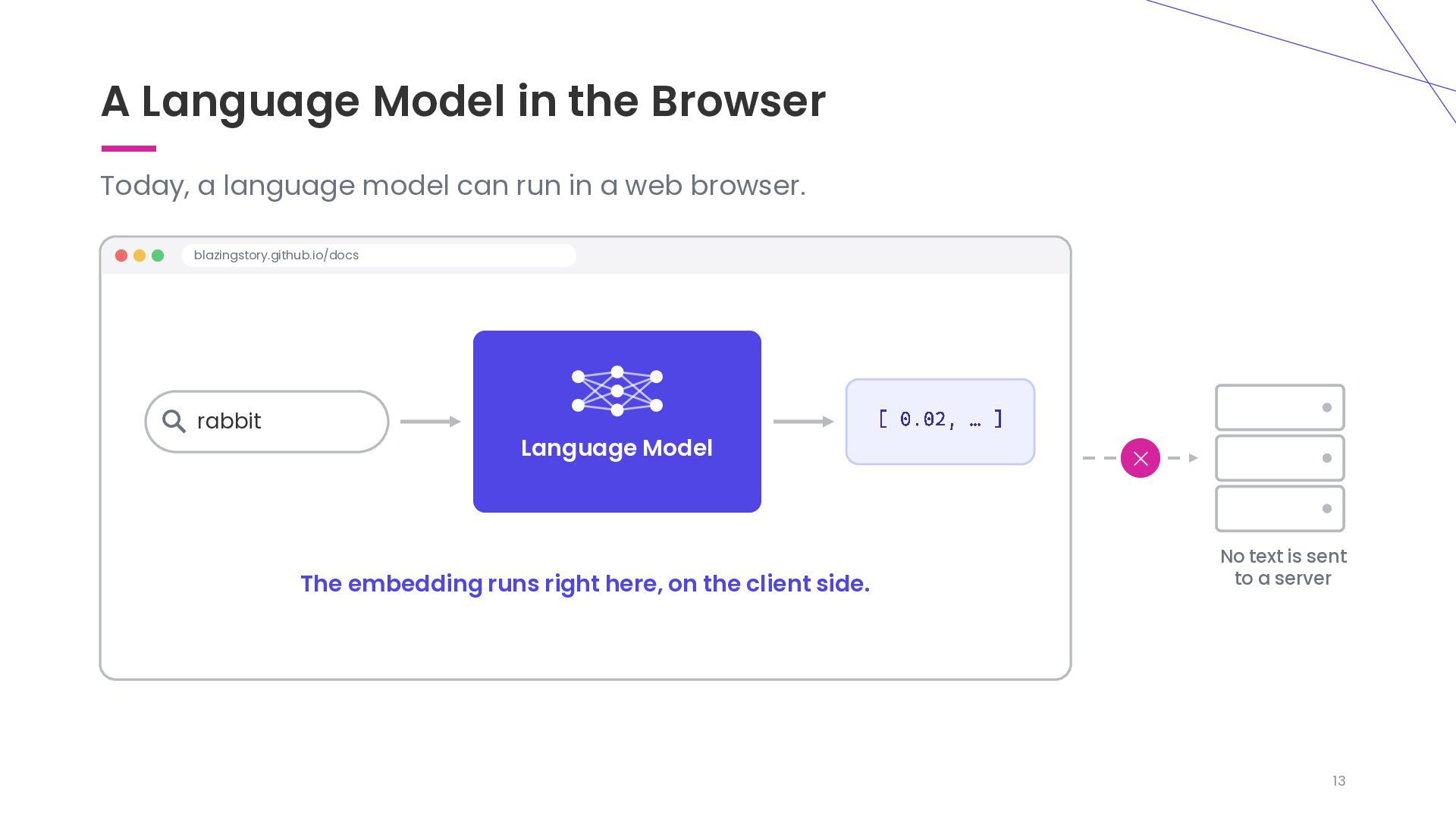
  10. A Language Model in the Browser Today, a language model

    can run in a web browser. blazingstory.github.io/docs rabbit Language Model The embedding runs right here, on the client side. [ 0.02, … ] ✕ No text is sent to a server 13
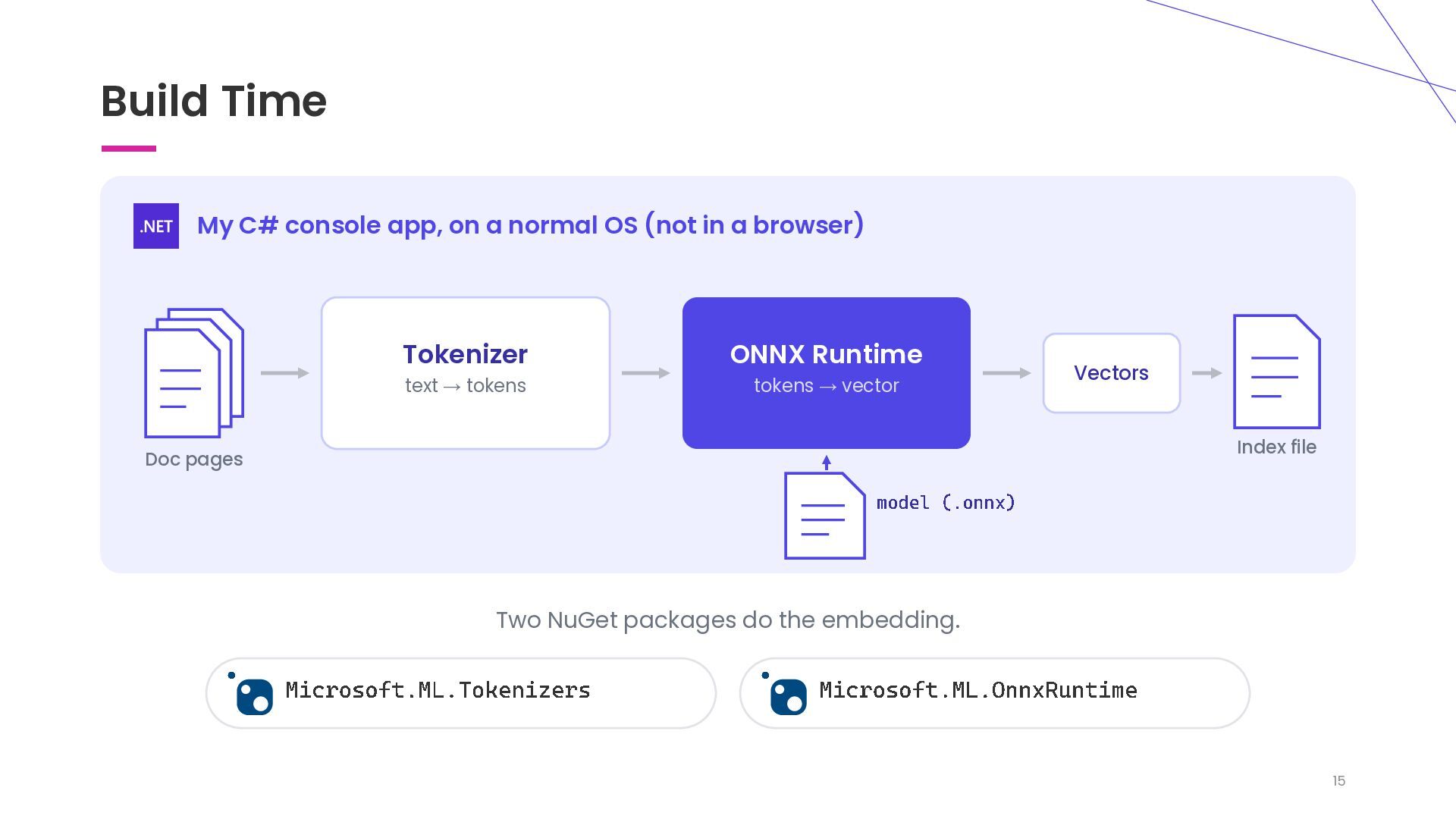
  11. Build Time My C# console app, on a normal OS

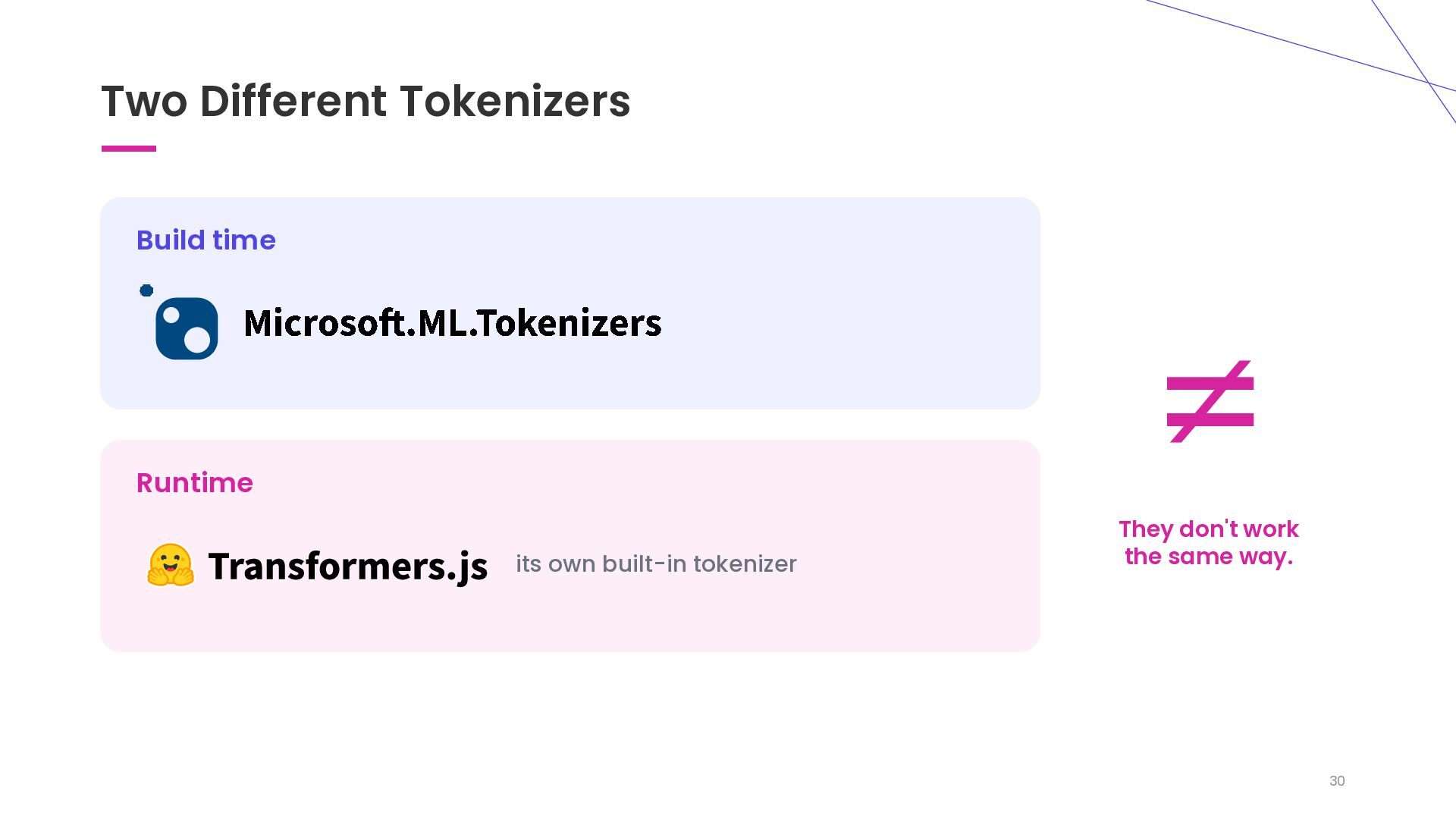
    (not in a browser) Tokenizer ONNX Runtime text → tokens tokens → vector Vectors Index file Doc pages model (.onnx) Two NuGet packages do the embedding. Microsoft.ML.Tokenizers Microsoft.ML.OnnxRuntime 15
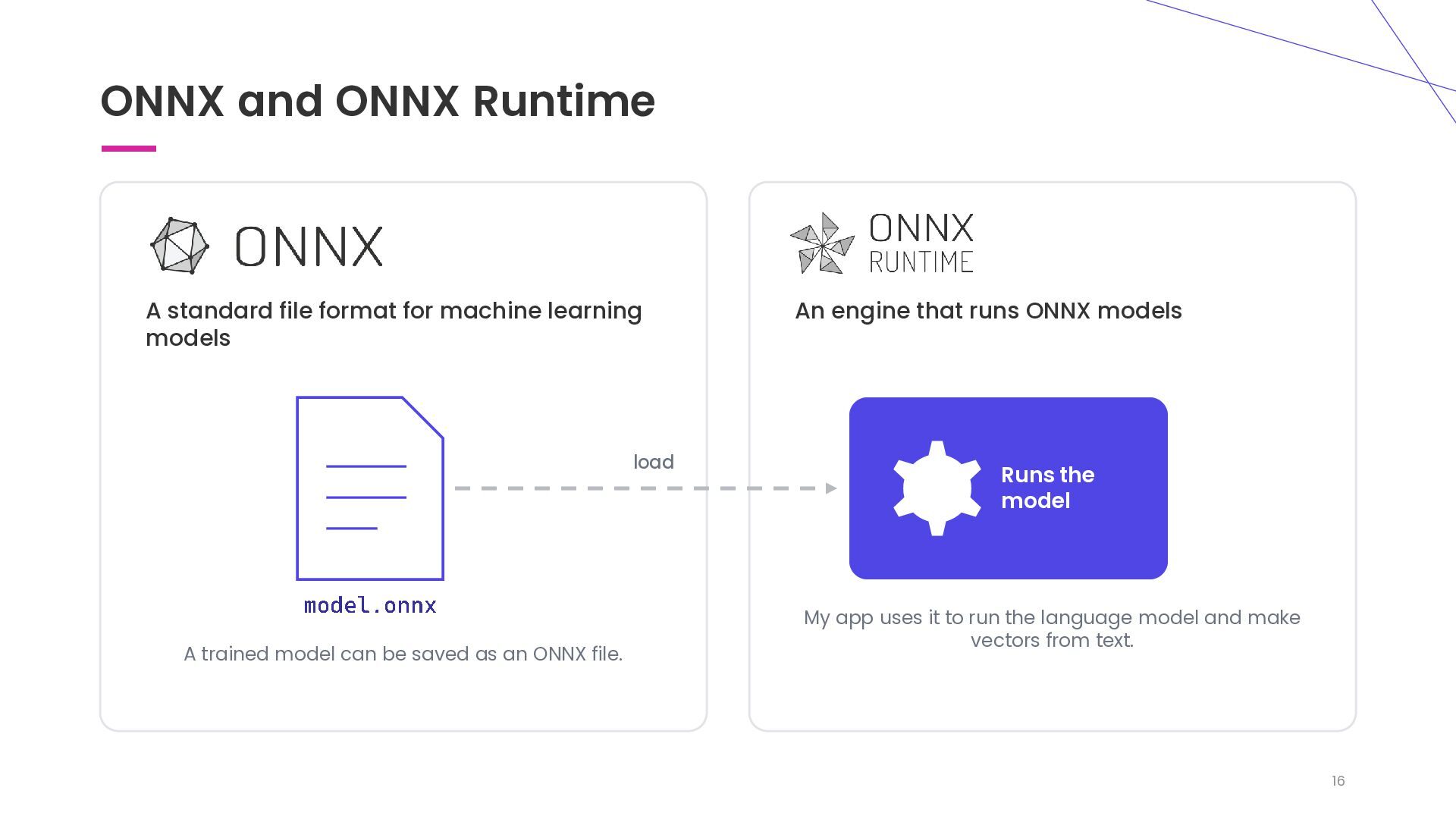
  12. ONNX and ONNX Runtime A standard file format for machine

    learning models load model.onnx A trained model can be saved as an ONNX file. An engine that runs ONNX models Runs the model My app uses it to run the language model and make vectors from text. 16
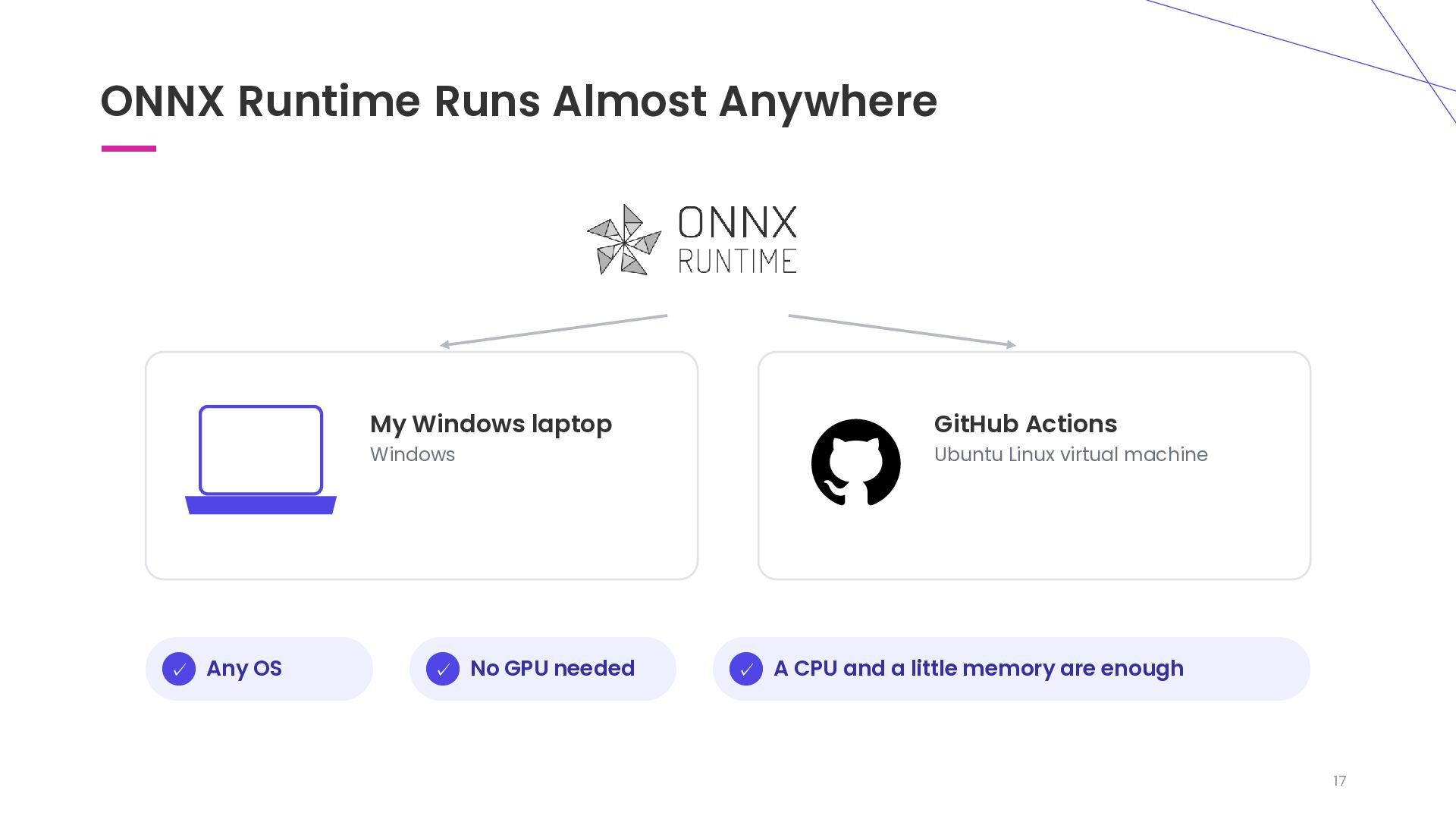
  13. ONNX Runtime Runs Almost Anywhere ✓ Any OS My Windows

    laptop GitHub Actions Windows Ubuntu Linux virtual machine ✓ No GPU needed ✓ A CPU and a little memory are enough 17
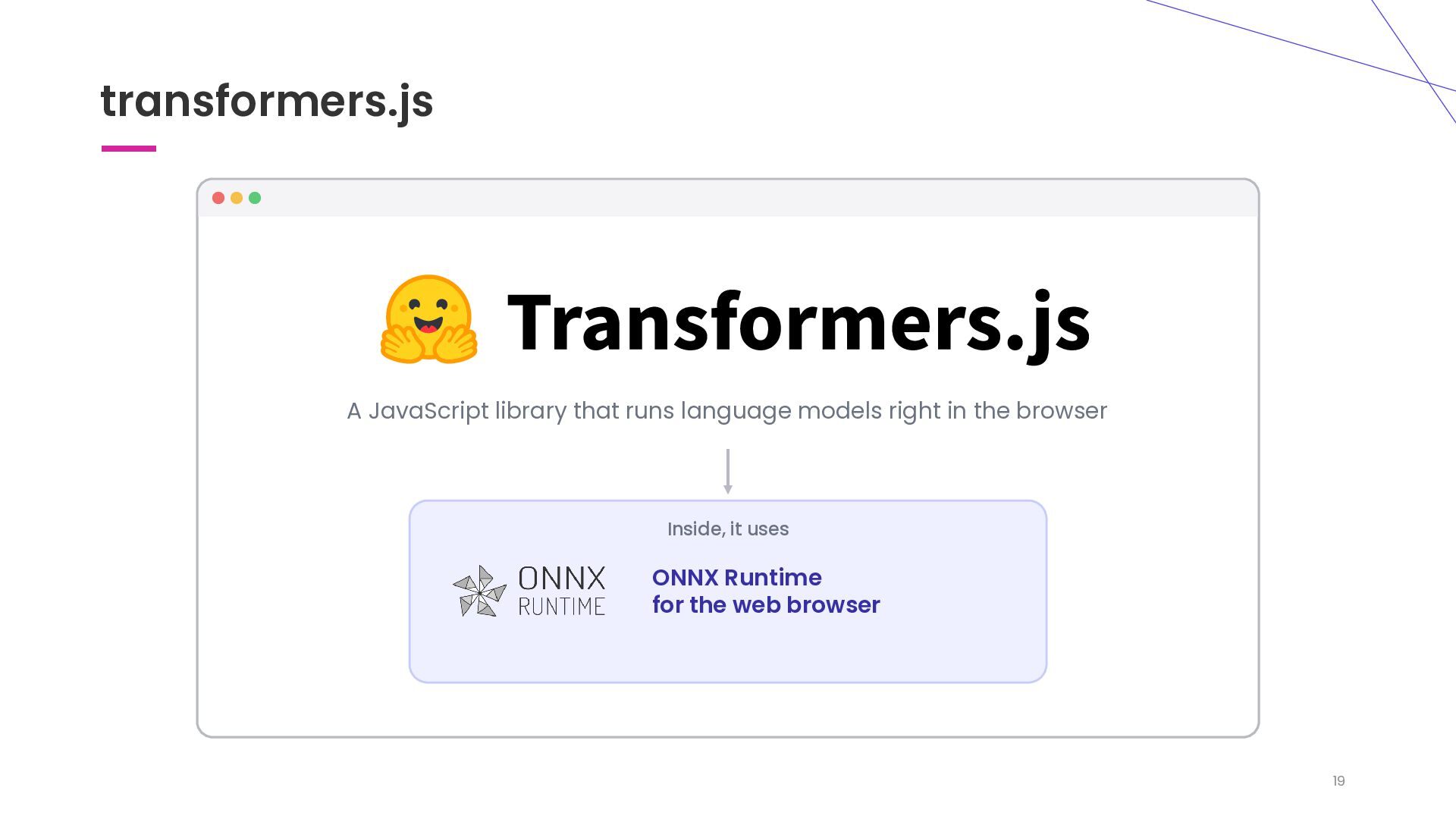
  14. transformers.js A JavaScript library that runs language models right in

    the browser Inside, it uses ONNX Runtime for the web browser 19
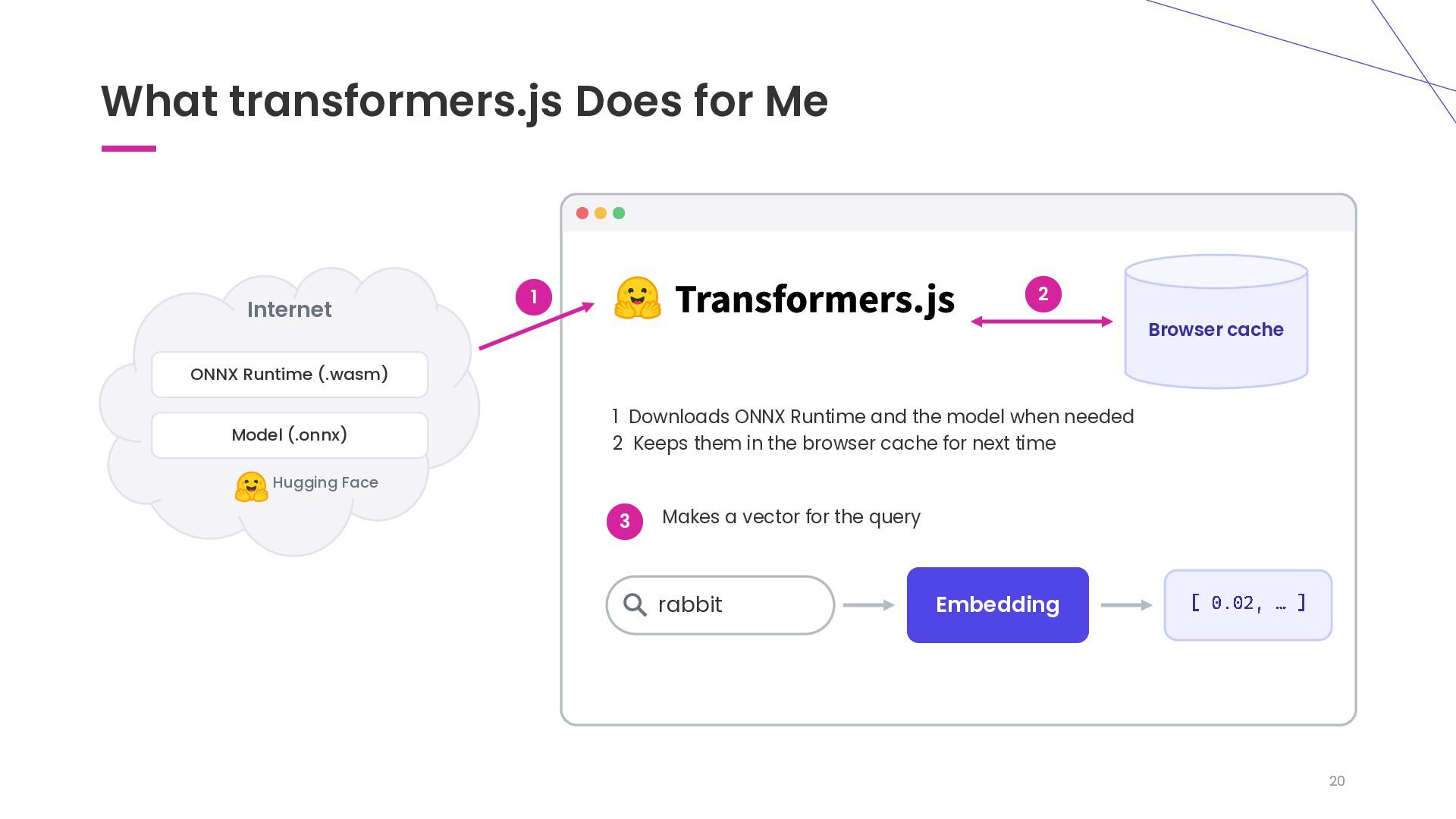
  15. What transformers.js Does for Me Internet 2 1 Browser cache

    ONNX Runtime (.wasm) Model (.onnx) 1 Downloads ONNX Runtime and the model when needed 2 Keeps them in the browser cache for next time Hugging Face 3 Makes a vector for the query rabbit Embedding [ 0.02, … ] 20
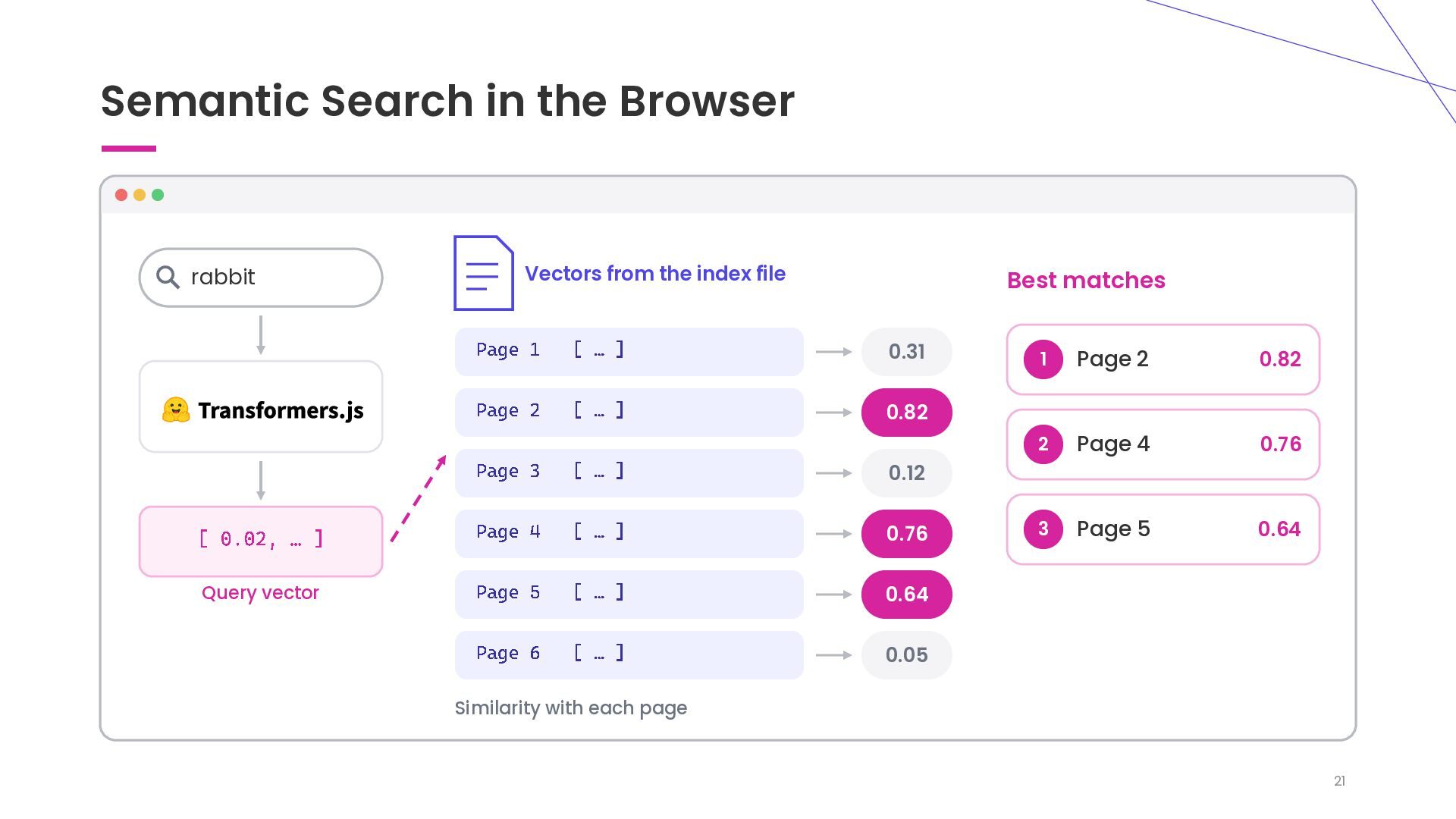
  16. Semantic Search in the Browser rabbit Vectors from the index

    file Best matches Page 1 [ … ] 0.31 Page 2 [ … ] 0.82 Page 3 [ … ] 0.12 [ 0.02, … ] Page 4 [ … ] 0.76 Query vector Page 5 [ … ] 0.64 Page 6 [ … ] 0.05 1 Page 2 0.82 2 Page 4 0.76 3 Page 5 0.64 Similarity with each page 21

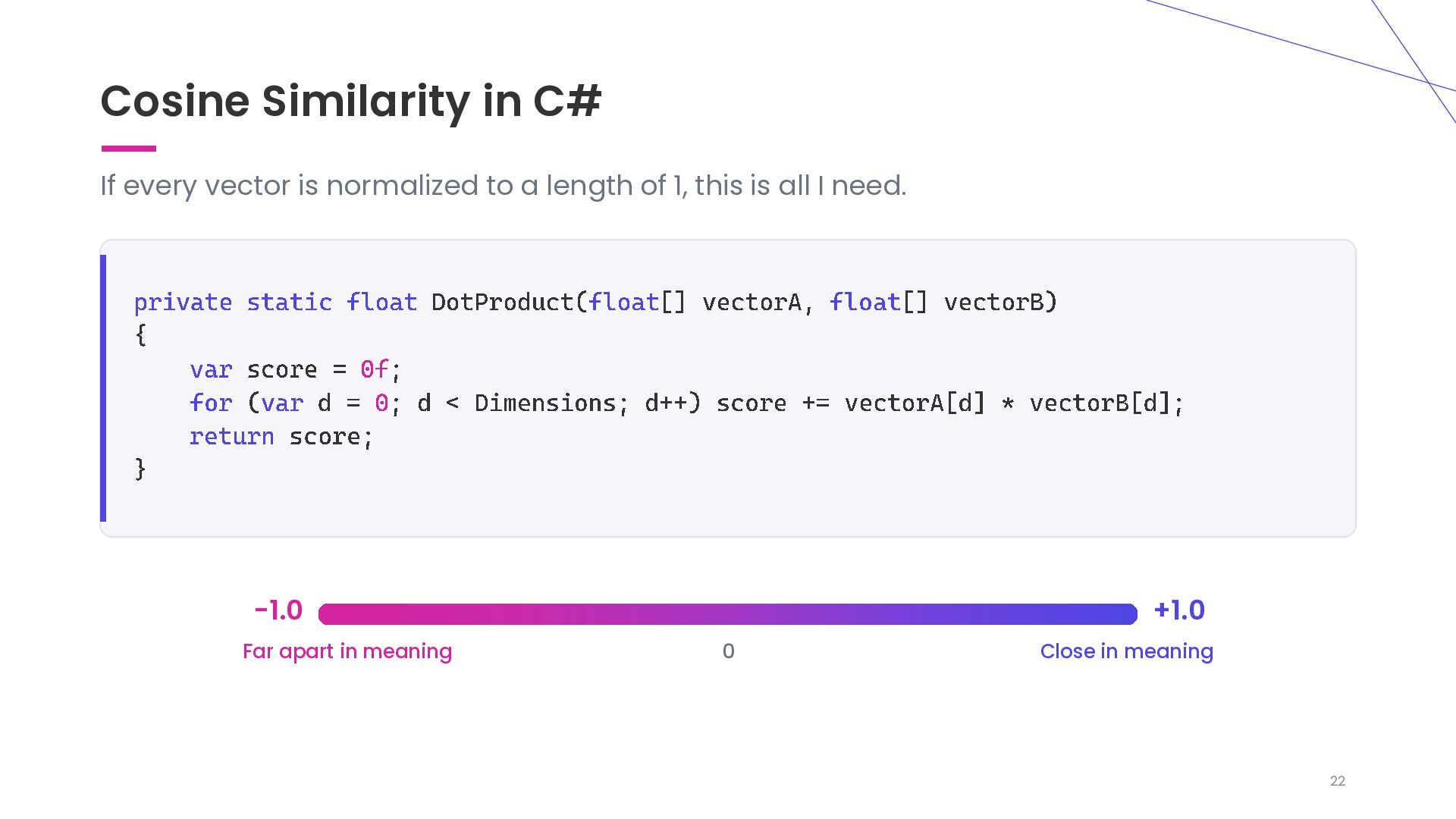
  17. Cosine Similarity in C# If every vector is normalized to

    a length of 1, this is all I need. private static float DotProduct( float [] vectorA, float [] vectorB) { var score = 0f ; for ( var d = 0; d < Dimensions; d++) score += vectorA[d] * vectorB[d]; return score; } -1.0 Far apart in meaning +1.0 0 Close in meaning 22
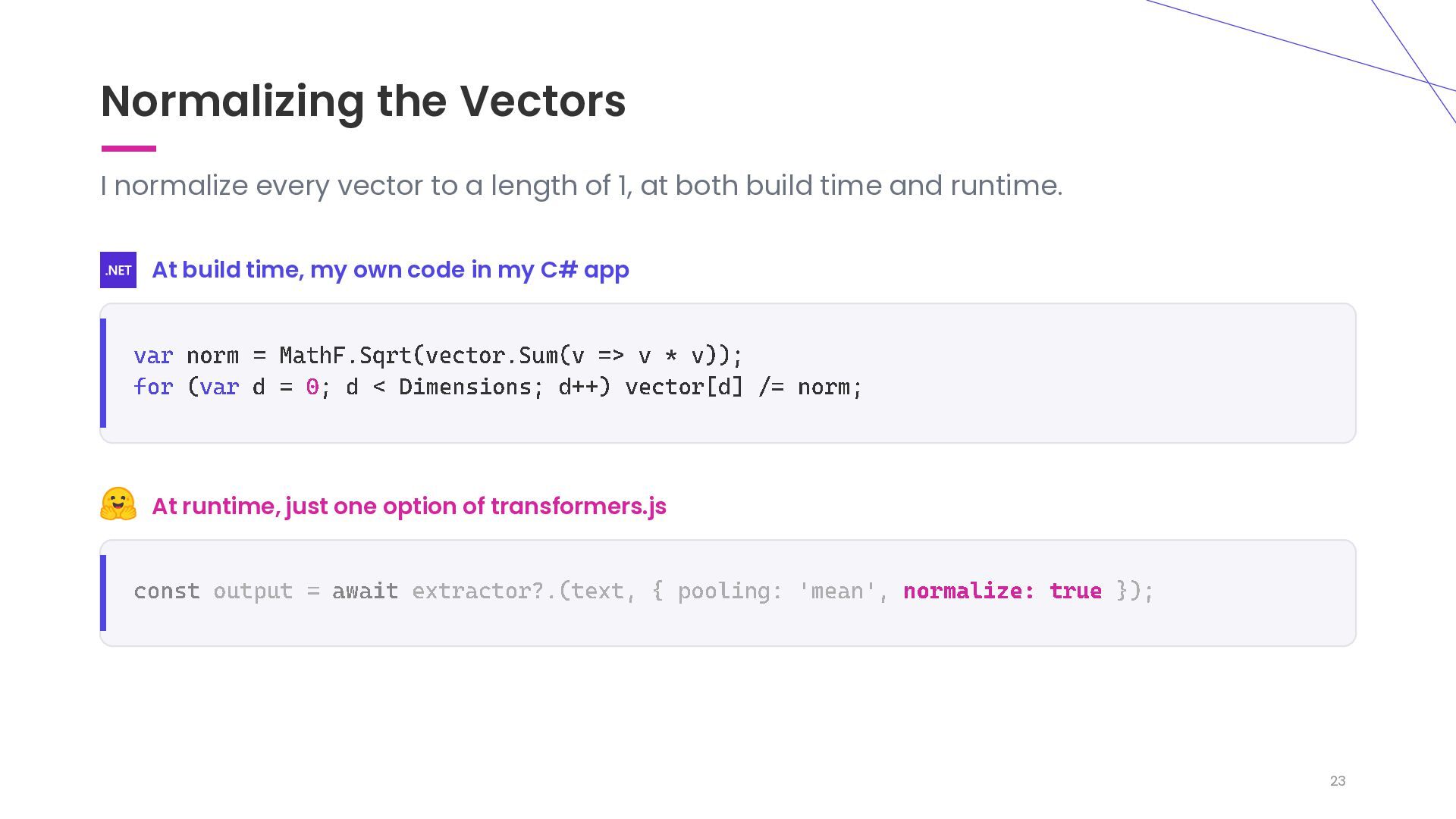
  18. Normalizing the Vectors I normalize every vector to a length

    of 1, at both build time and runtime. At build time, my own code in my C# app var for norm = MathF.Sqrt(vector.Sum(v => v * v)); ( var d = 0; d < Dimensions; d++) vector[d] /= norm; At runtime, just one option of transformers.js const output = await extractor?.(text, { pooling: 'mean', normalize: true }); 23
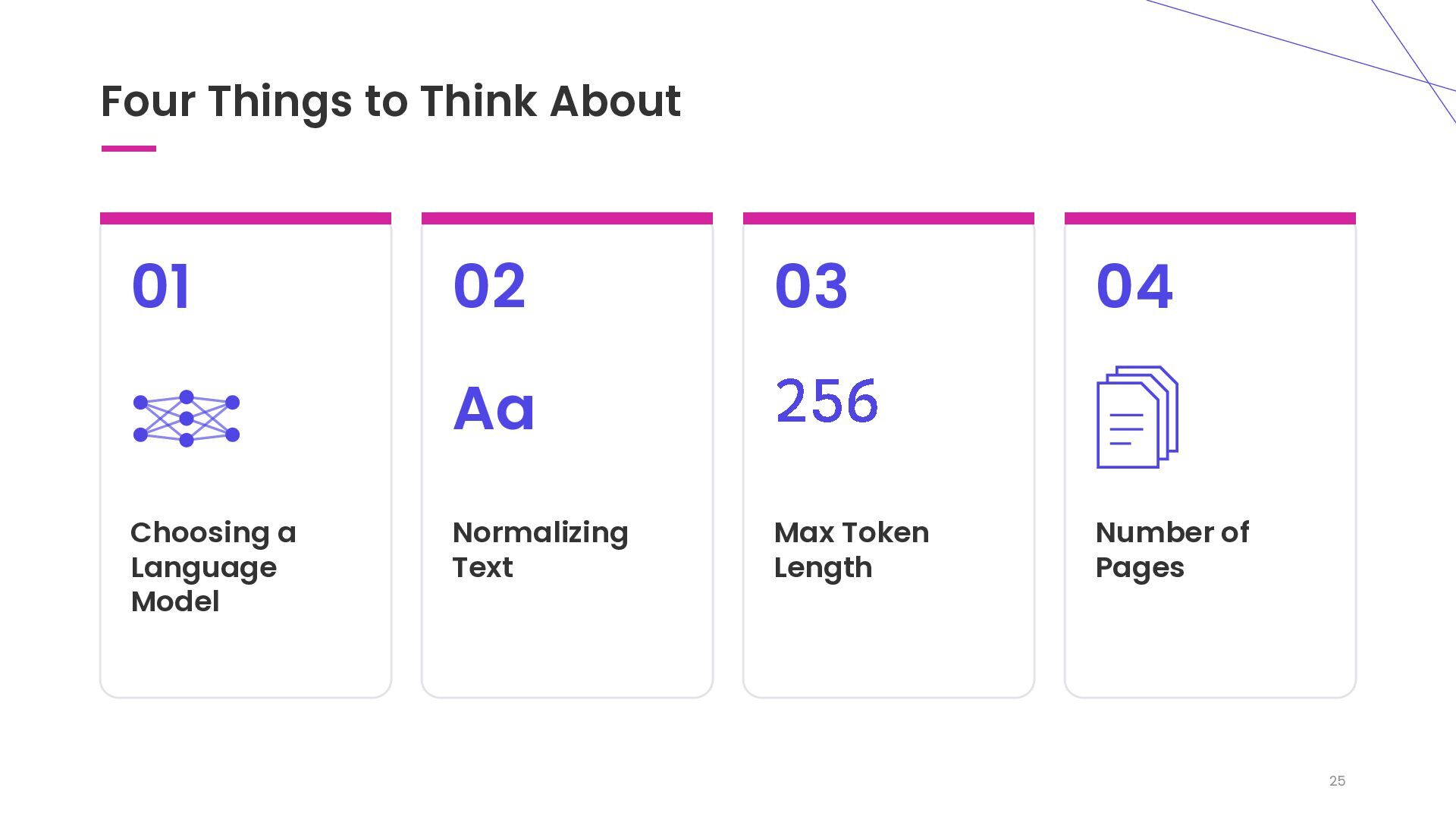
  19. Four Things to Think About 01 Choosing a Language Model

    02 03 Aa 256 Normalizing Text Max Token Length 04 Number of Pages 25
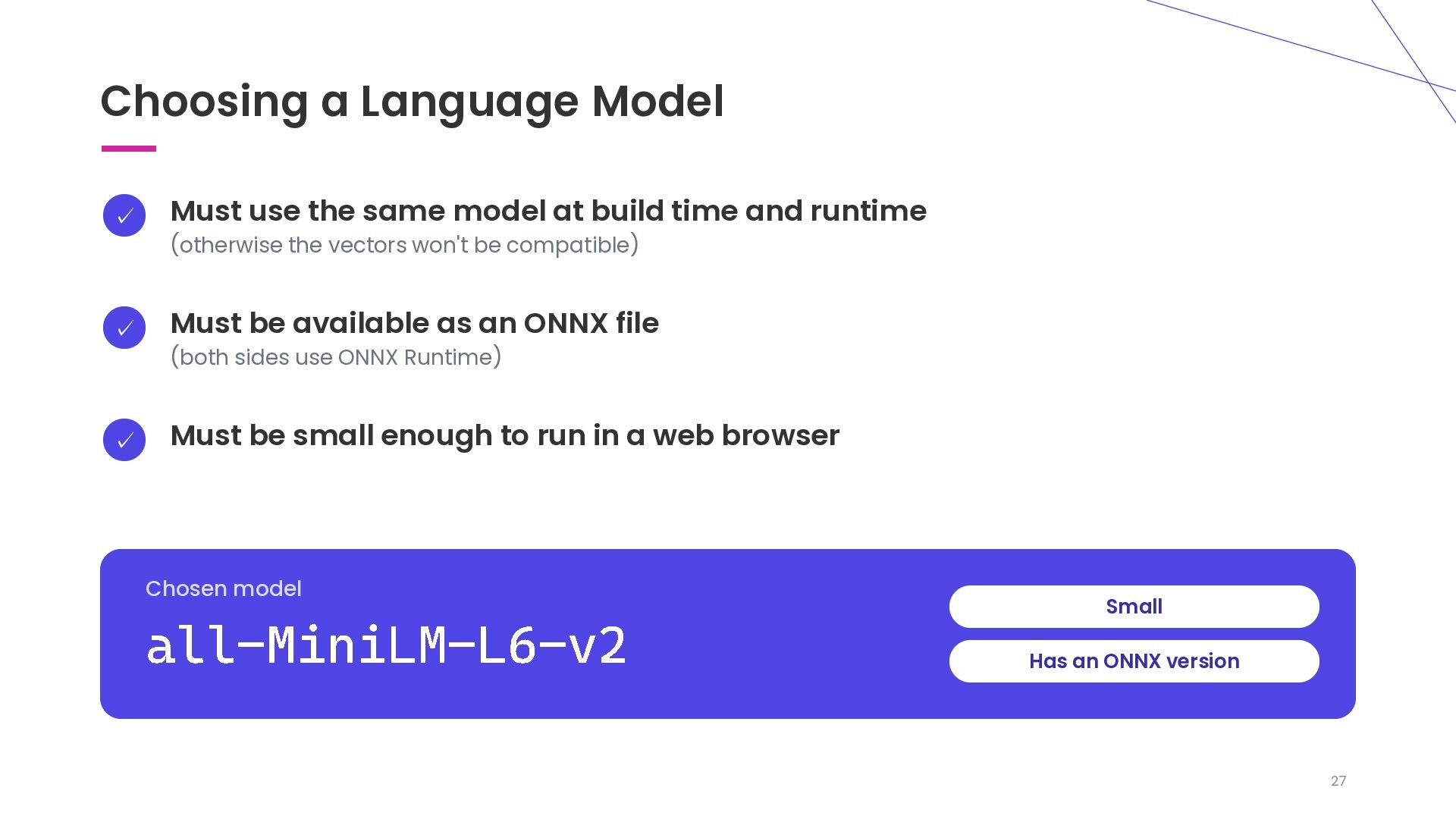
  20. Choosing a Language Model ✓ Must use the same model

    at build time and runtime (otherwise the vectors won't be compatible) ✓ Must be available as an ONNX file (both sides use ONNX Runtime) ✓ Must be small enough to run in a web browser Chosen model all - MiniLM - L6 - v2 Small Has an ONNX version 27
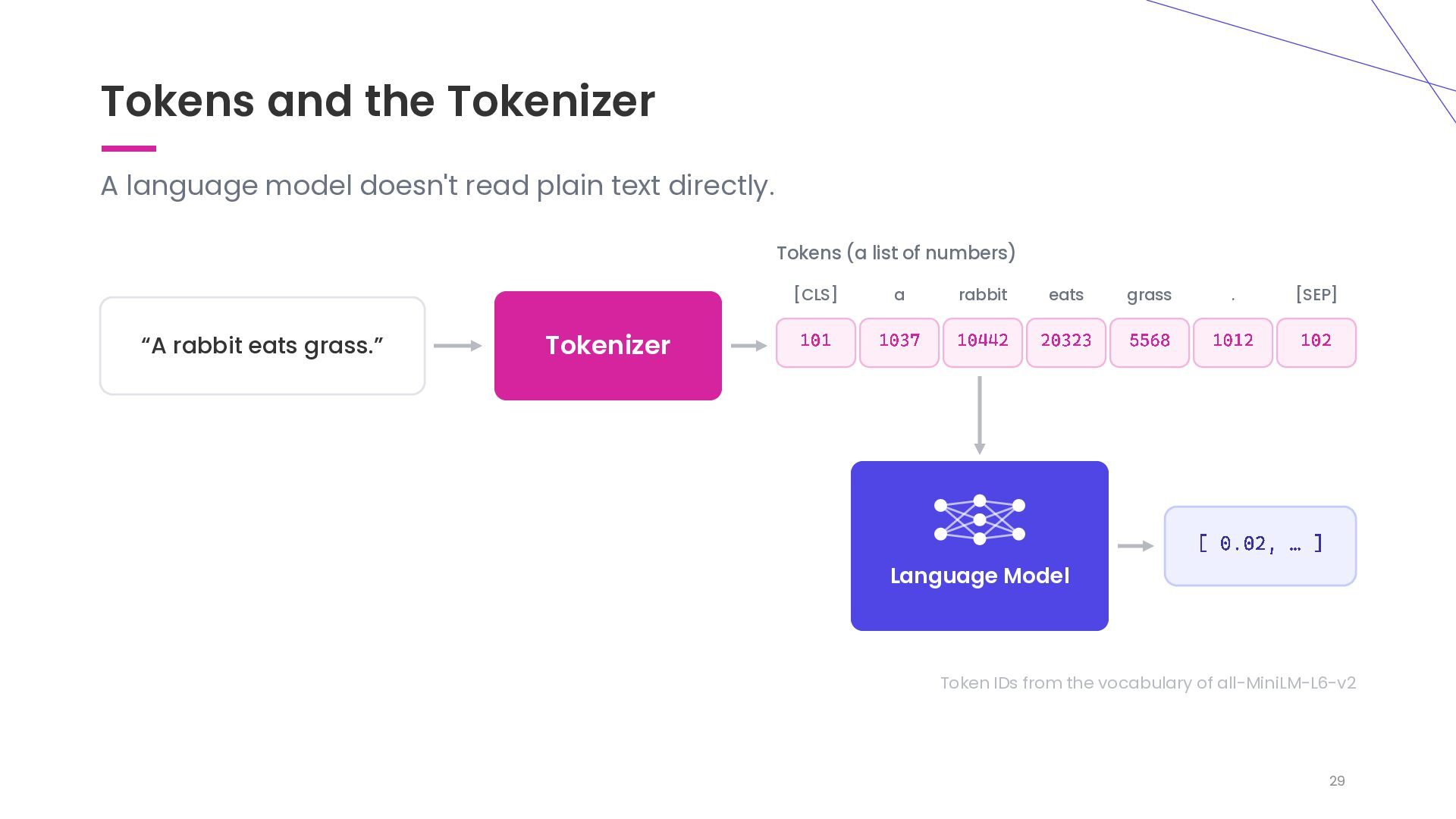
  21. Tokens and the Tokenizer A language model doesn't read plain

    text directly. Tokens (a list of numbers) “A rabbit eats grass.” Tokenizer [CLS] a rabbit eats grass . [SEP] 101 1037 10442 20323 5568 1012 102 [ 0.02, … ] Language Model Token IDs from the vocabulary of all-MiniLM-L6-v2 29
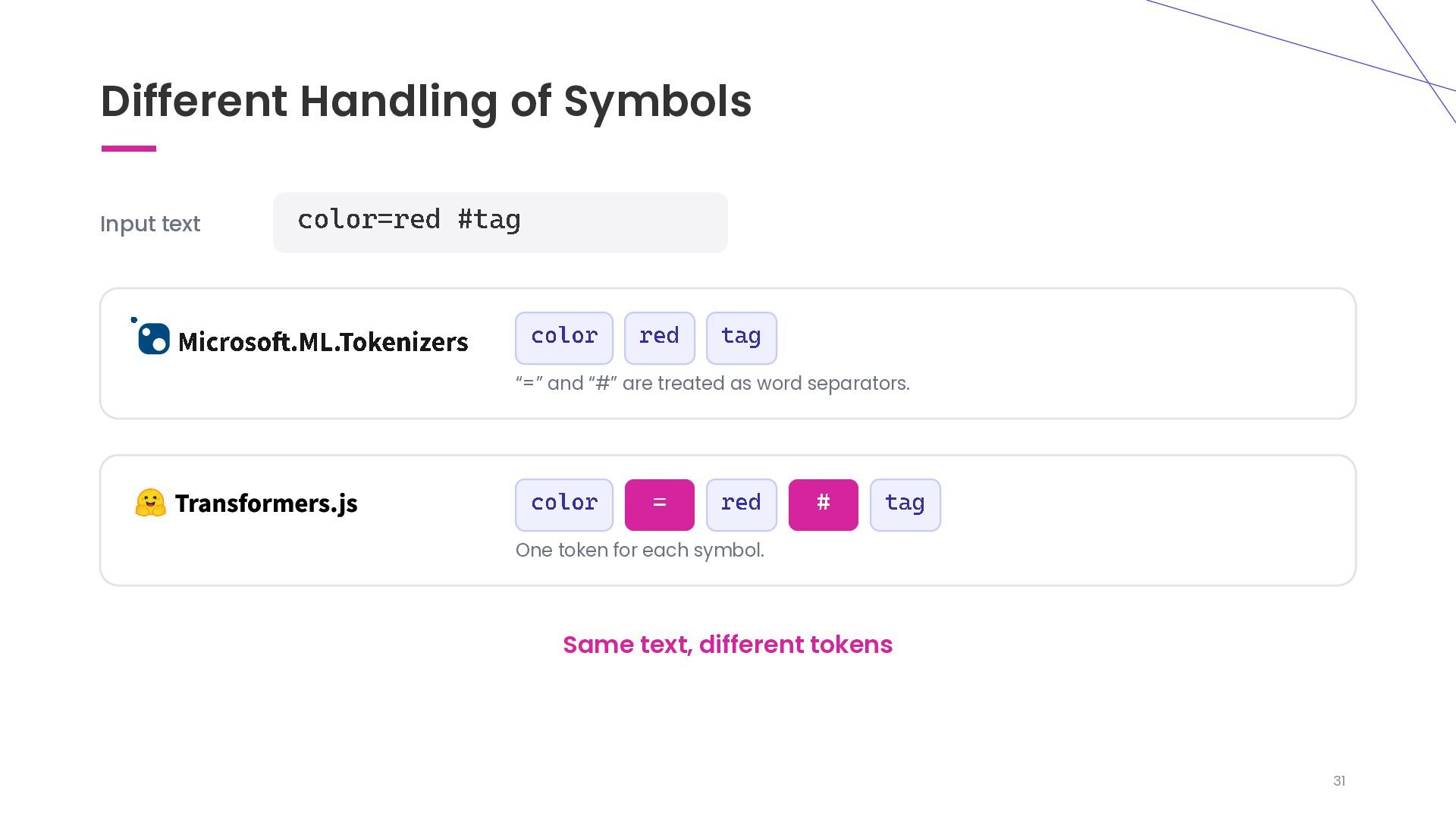
  22. Different Handling of Symbols Input text color=red #tag Microsoft.ML.Tokenizers color

    red tag “=” and “#” are treated as word separators. color = red # tag One token for each symbol. Same text, different tokens 31
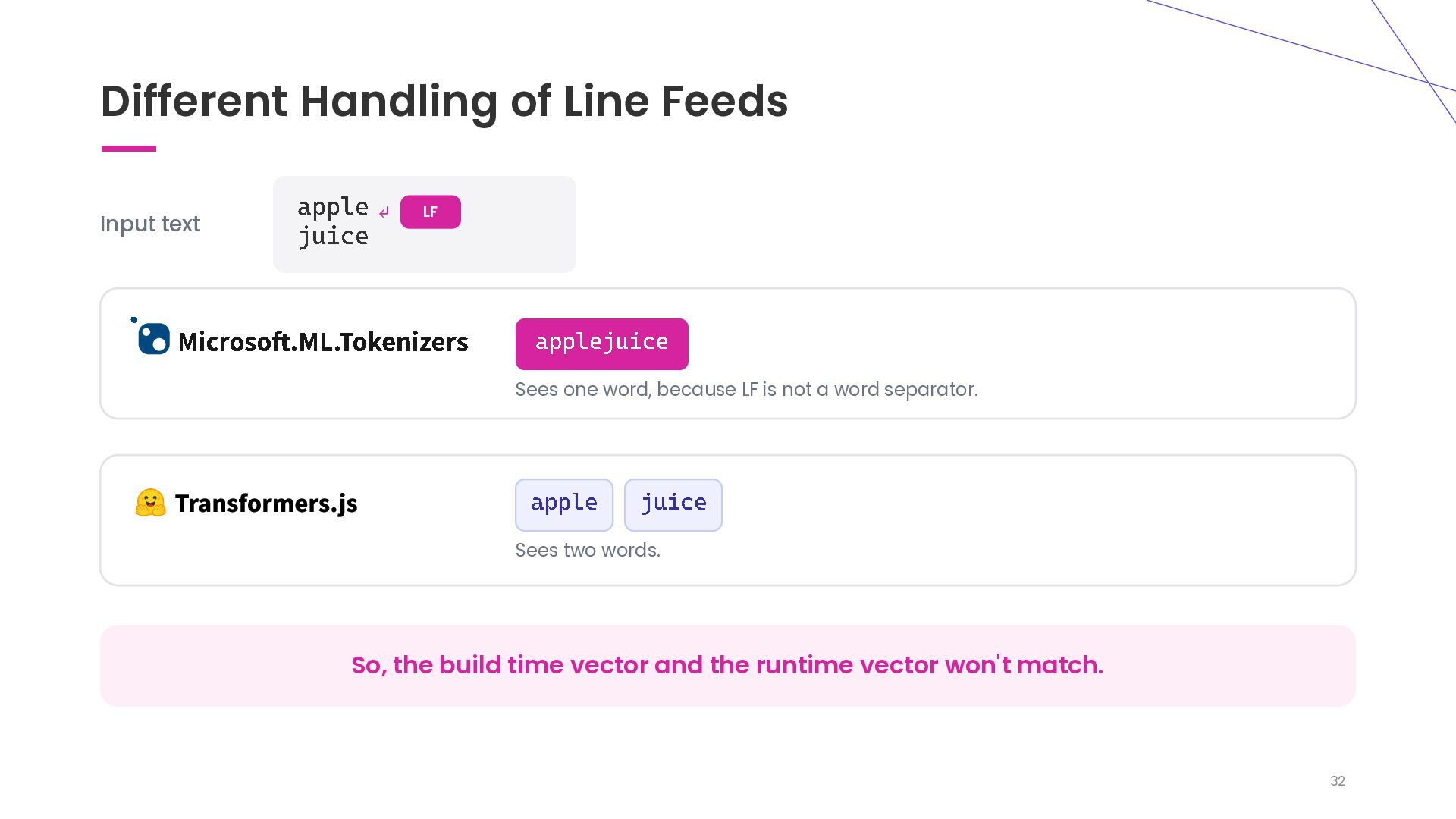
  23. Different Handling of Line Feeds Input text apple juice ↵

    LF Microsoft.ML.Tokenizers applejuice Sees one word, because LF is not a word separator. apple juice Sees two words. So, the build time vector and the runtime vector won't match. 32
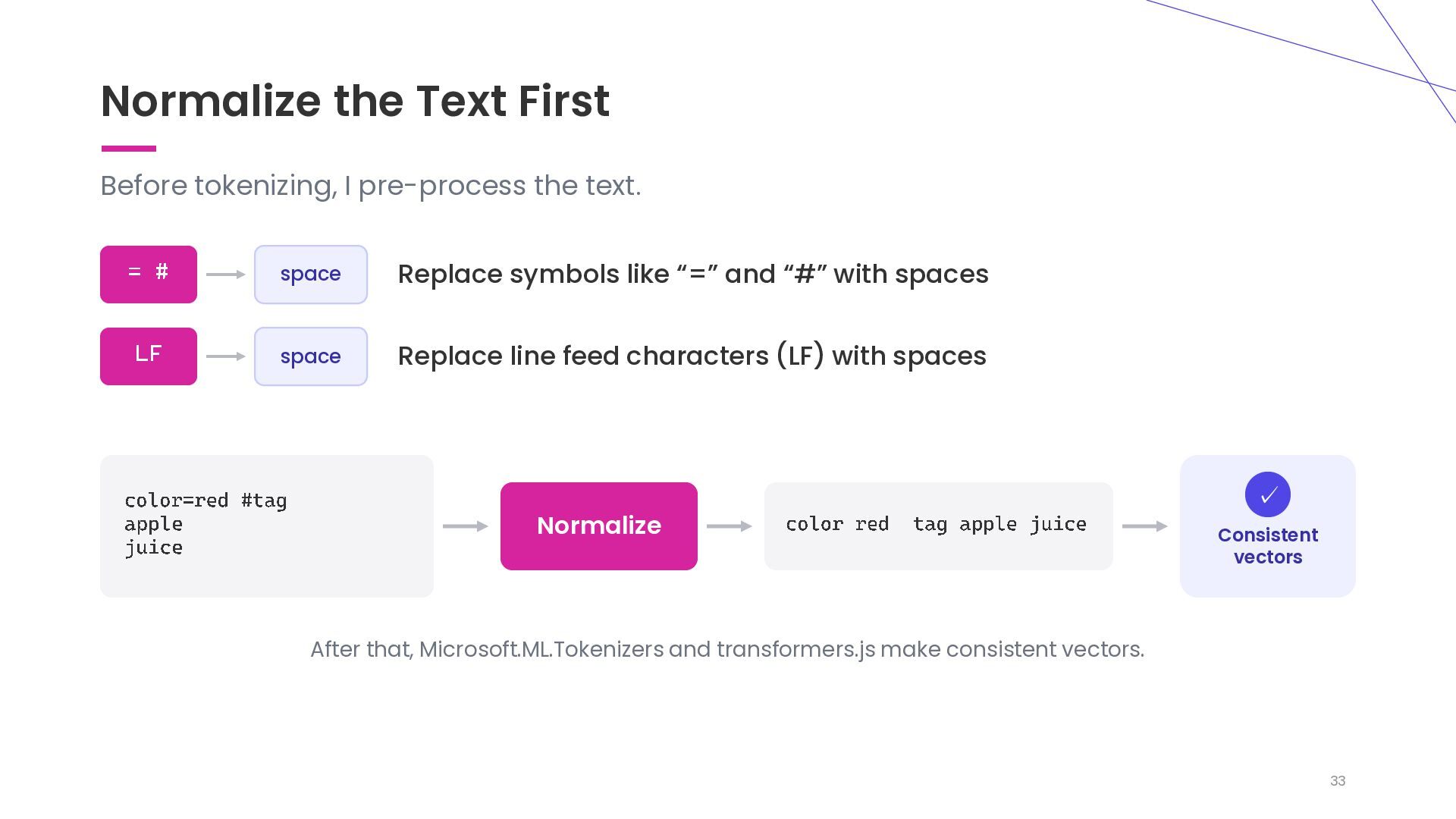
  24. Normalize the Text First Before tokenizing, I pre-process the text.

    =# space Replace symbols like “=” and “#” with spaces LF space Replace line feed characters (LF) with spaces color=red #tag apple juice ✓ Normalize color red tag apple juice Consistent vectors After that, Microsoft.ML.Tokenizers and transformers.js make consistent vectors. 33
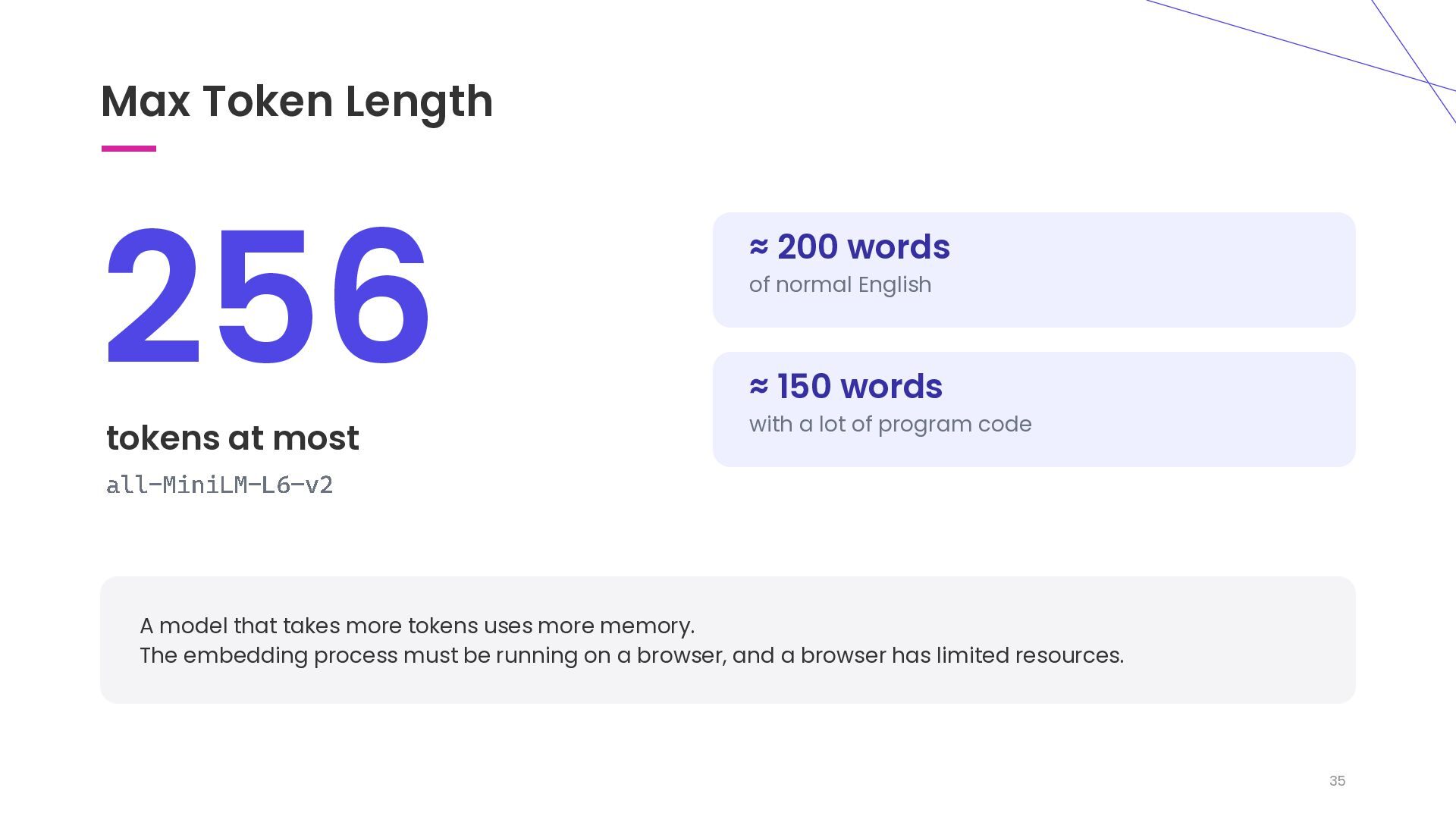
  25. Max Token Length 256 tokens at most ≈ 200 words

    of normal English ≈ 150 words with a lot of program code all - MiniLM - L6 - v2 A model that takes more tokens uses more memory. The embedding process must be running on a browser, and a browser has limited resources. 35
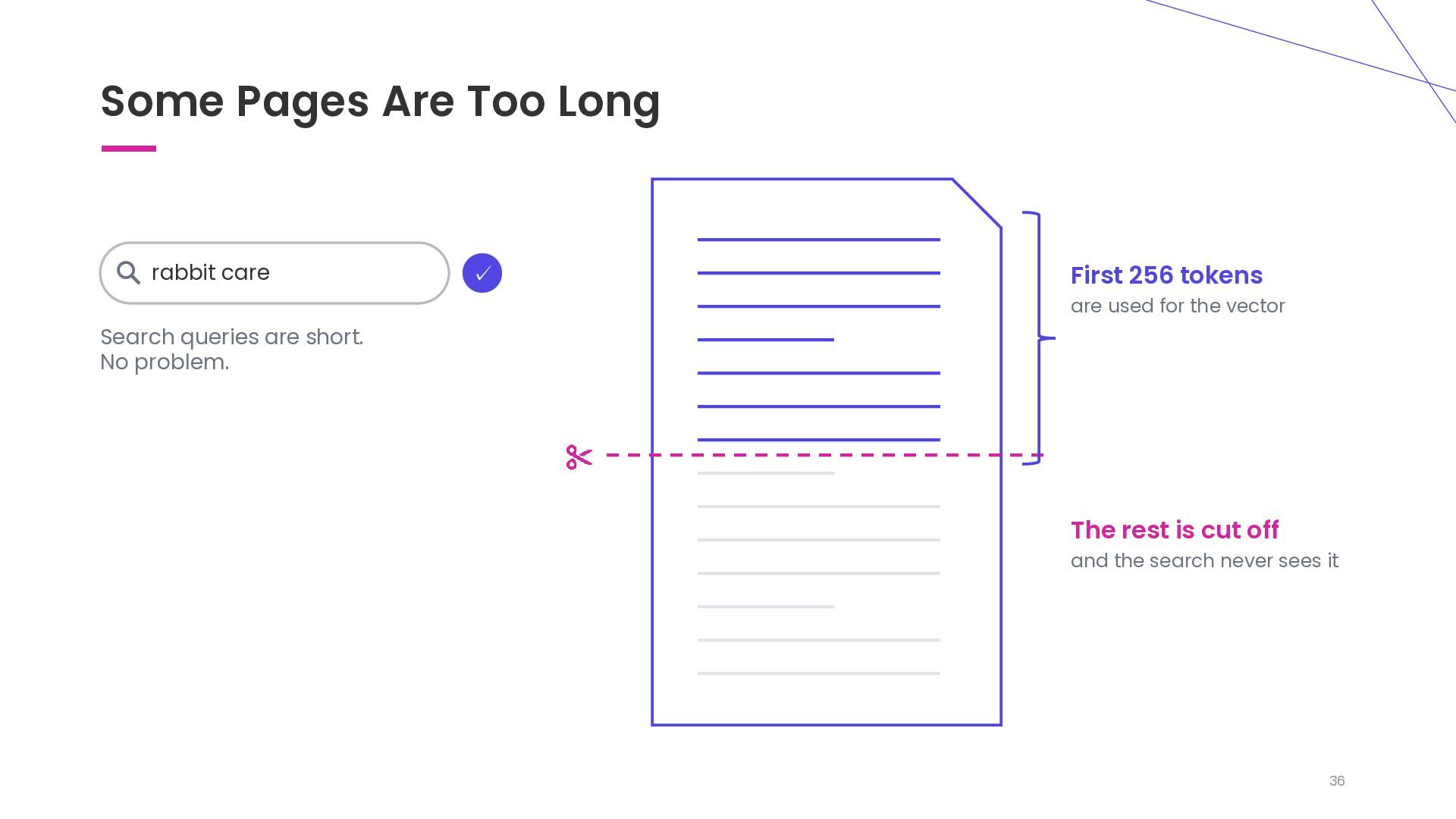
  26. Some Pages Are Too Long rabbit care ✓ First 256

    tokens are used for the vector Search queries are short. No problem. The rest is cut off and the search never sees it 36
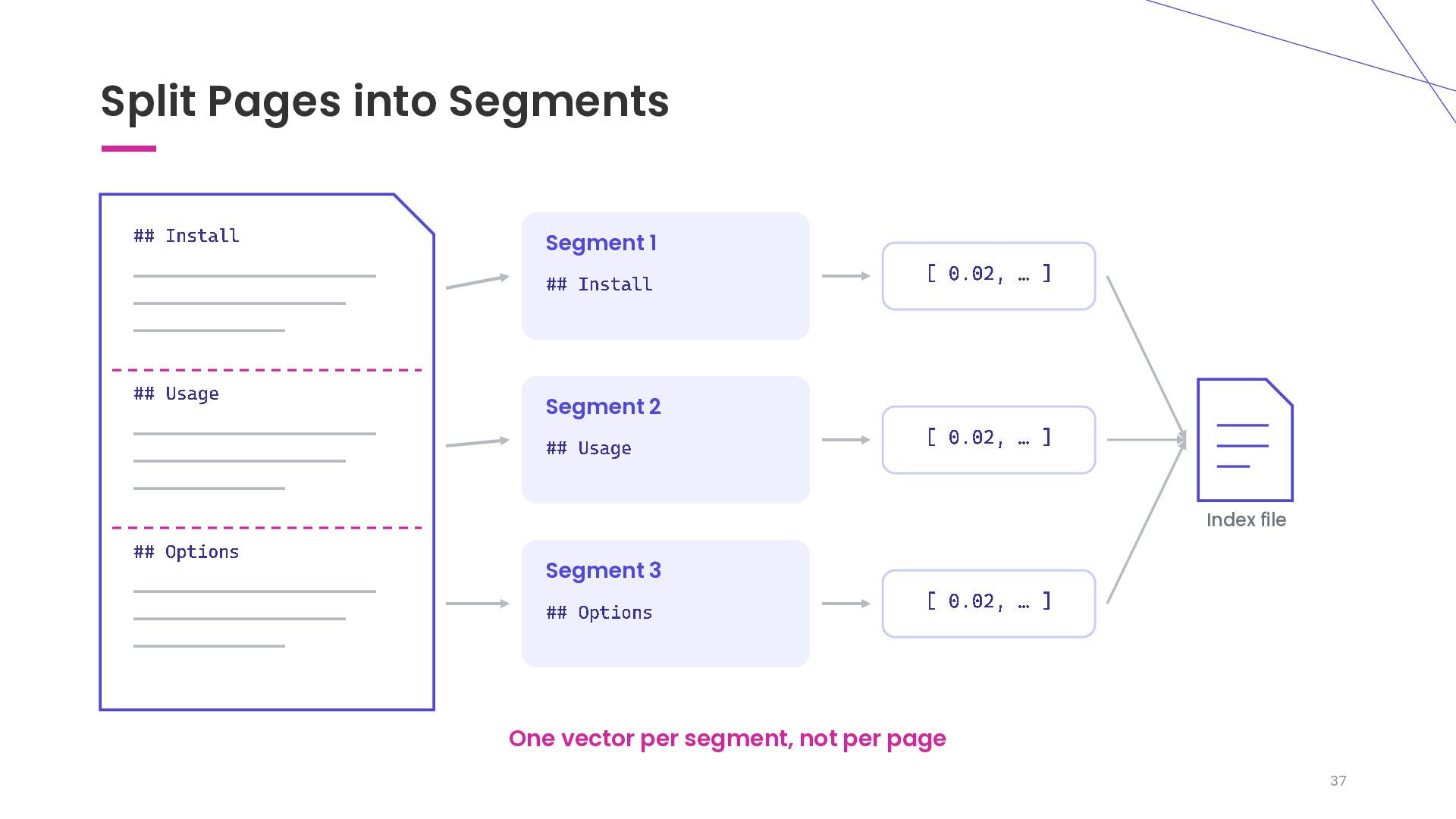
  27. Split Pages into Segments ## Install Segment 1 ## Install

    ## Usage [ 0.02, … ] Segment 2 ## Usage [ 0.02, … ] Index file ## Options Segment 3 ## Options [ 0.02, … ] One vector per segment, not per page 37
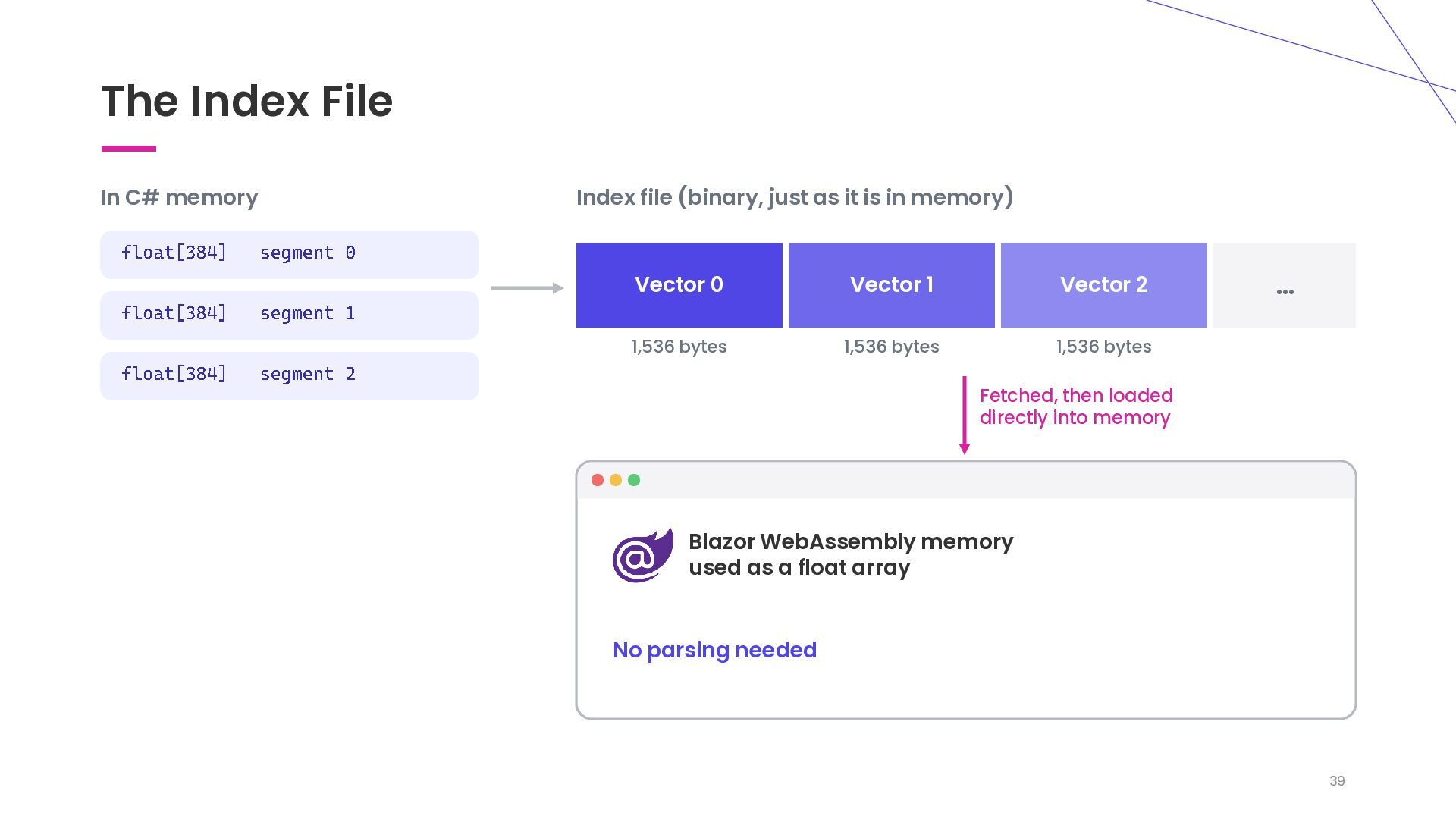
  28. The Index File In C# memory Index file (binary, just

    as it is in memory) float[384] segment 0 Vector 0 Vector 1 Vector 2 1,536 bytes 1,536 bytes 1,536 bytes … float[384] segment 1 float[384] segment 2 Fetched, then loaded directly into memory Blazor WebAssembly memory used as a float array No parsing needed 39
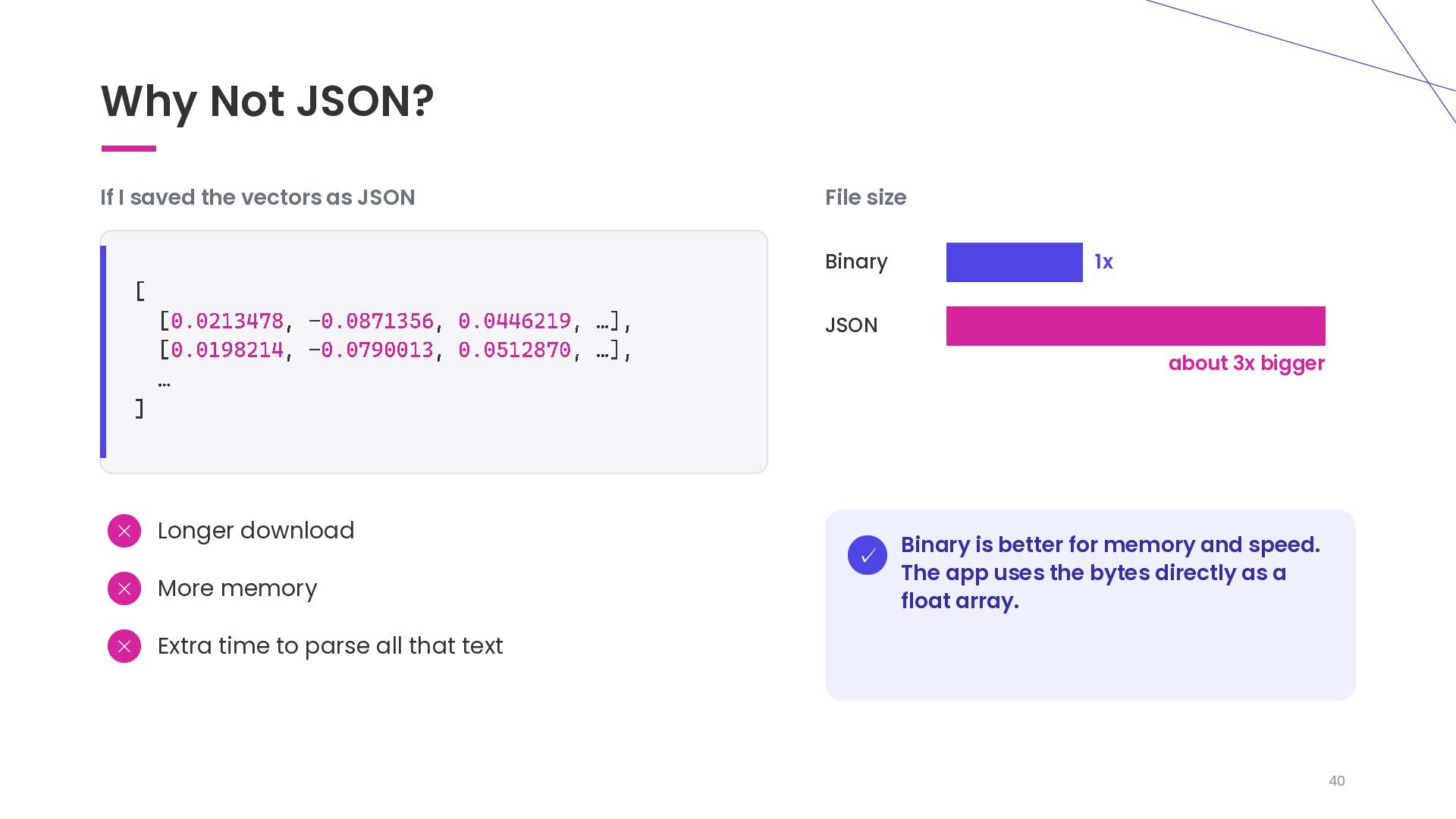
  29. Why Not JSON? If I saved the vectors as JSON

    File size Binary 1x [ [ 0.0213478 , - 0.0871356 , 0.0446219 , …], [ 0.0198214 , - 0.0790013 , 0.0512870 , …], … JSON about 3x bigger ] ✕ Longer download ✕ More memory ✕ Extra time to parse all that text ✓ Binary is better for memory and speed. The app uses the bytes directly as a float array. 40
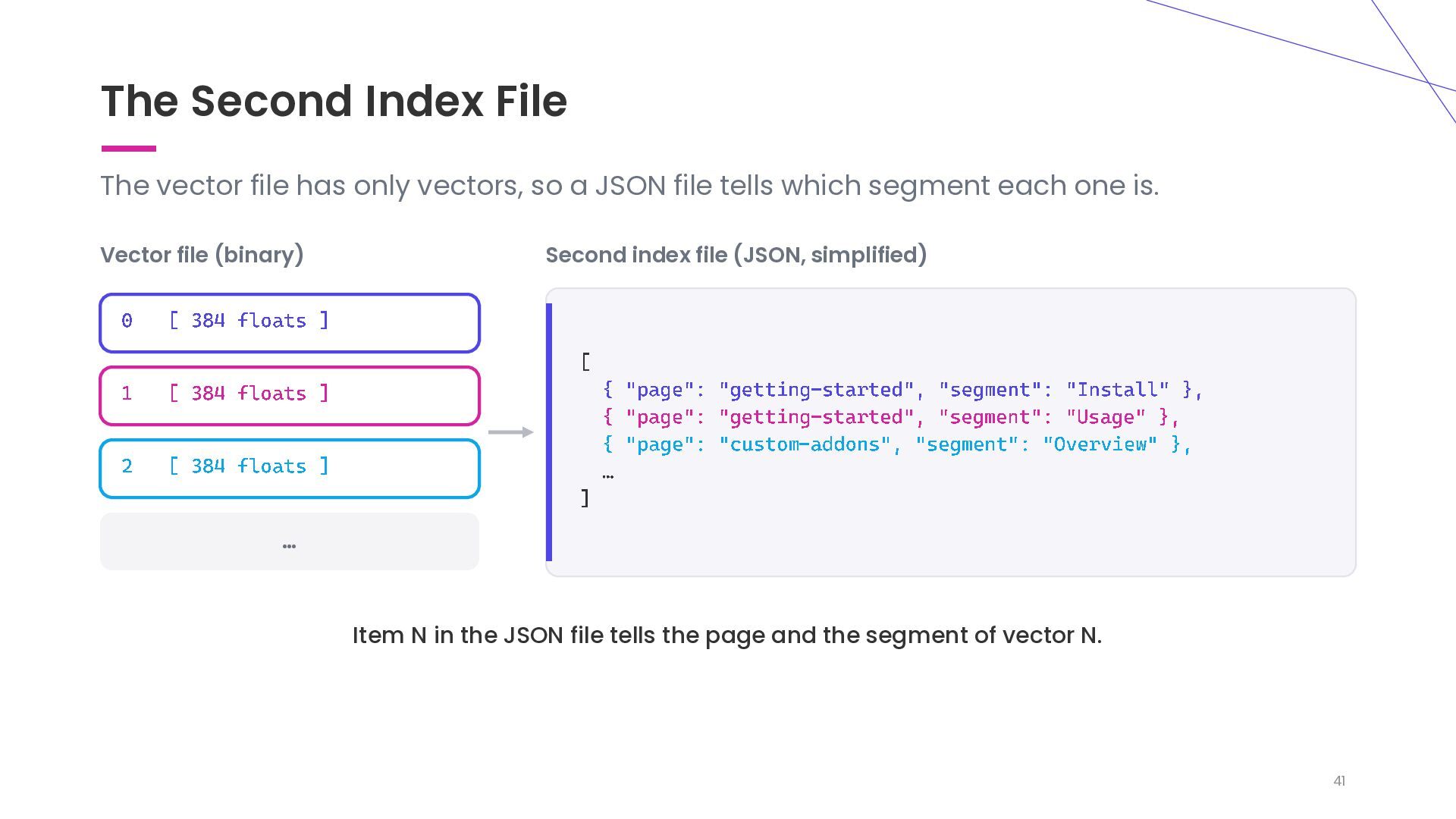
  30. The Second Index File The vector file has only vectors,

    so a JSON file tells which segment each one is. Vector file (binary) Second index file (JSON, simplified) 0 [ 384 floats ] [ { "page": "getting { "page": "getting { "page": "custom … 1 [ 384 floats ] 2 [ 384 floats ] - started", "segment": "Install" }, - started", "segment": "Usage" }, - addons", "segment": "Overview" }, ] … Item N in the JSON file tells the page and the segment of vector N. 41
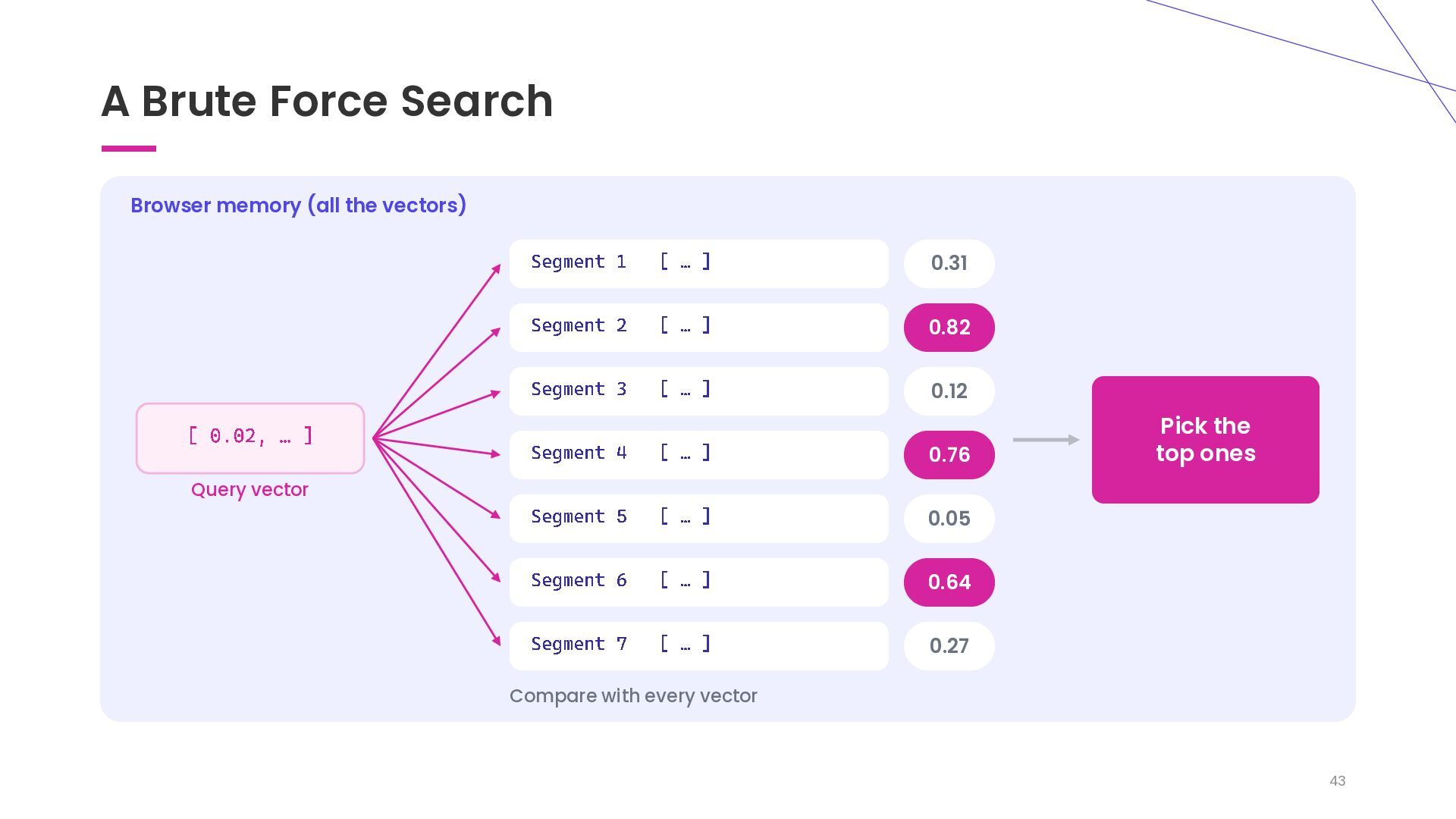
  31. A Brute Force Search Browser memory (all the vectors) [

    0.02, … ] Segment 1 [ … ] 0.31 Segment 2 [ … ] 0.82 Segment 3 [ … ] 0.12 Segment 4 [ … ] 0.76 Segment 5 [ … ] 0.05 Segment 6 [ … ] 0.64 Segment 7 [ … ] 0.27 Pick the top ones Query vector Compare with every vector 43
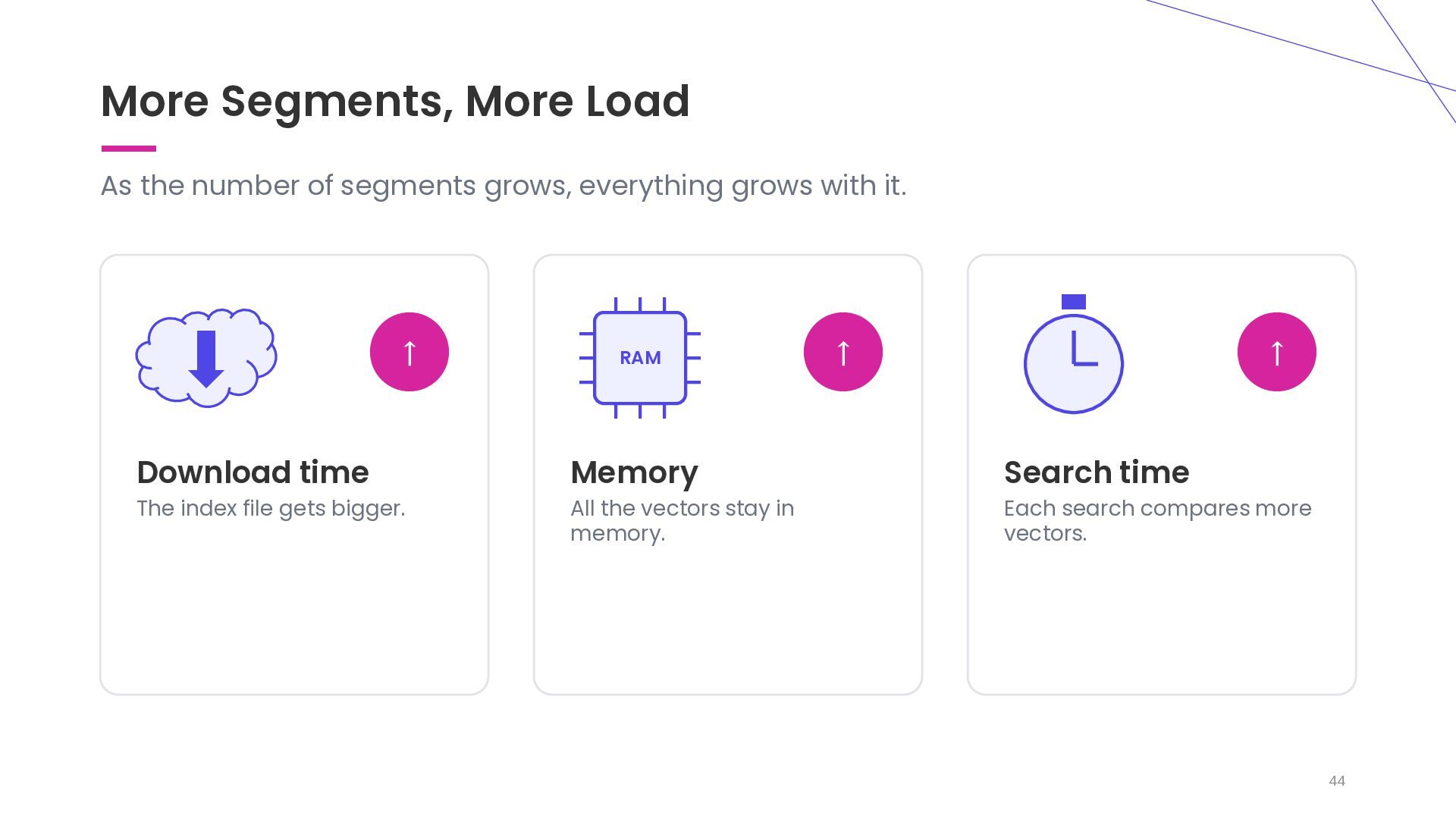
  32. More Segments, More Load As the number of segments grows,

    everything grows with it. ↑ Download time The index file gets bigger. RAM Memory All the vectors stay in memory. ↑ ↑ Search time Each search compares more vectors. 44
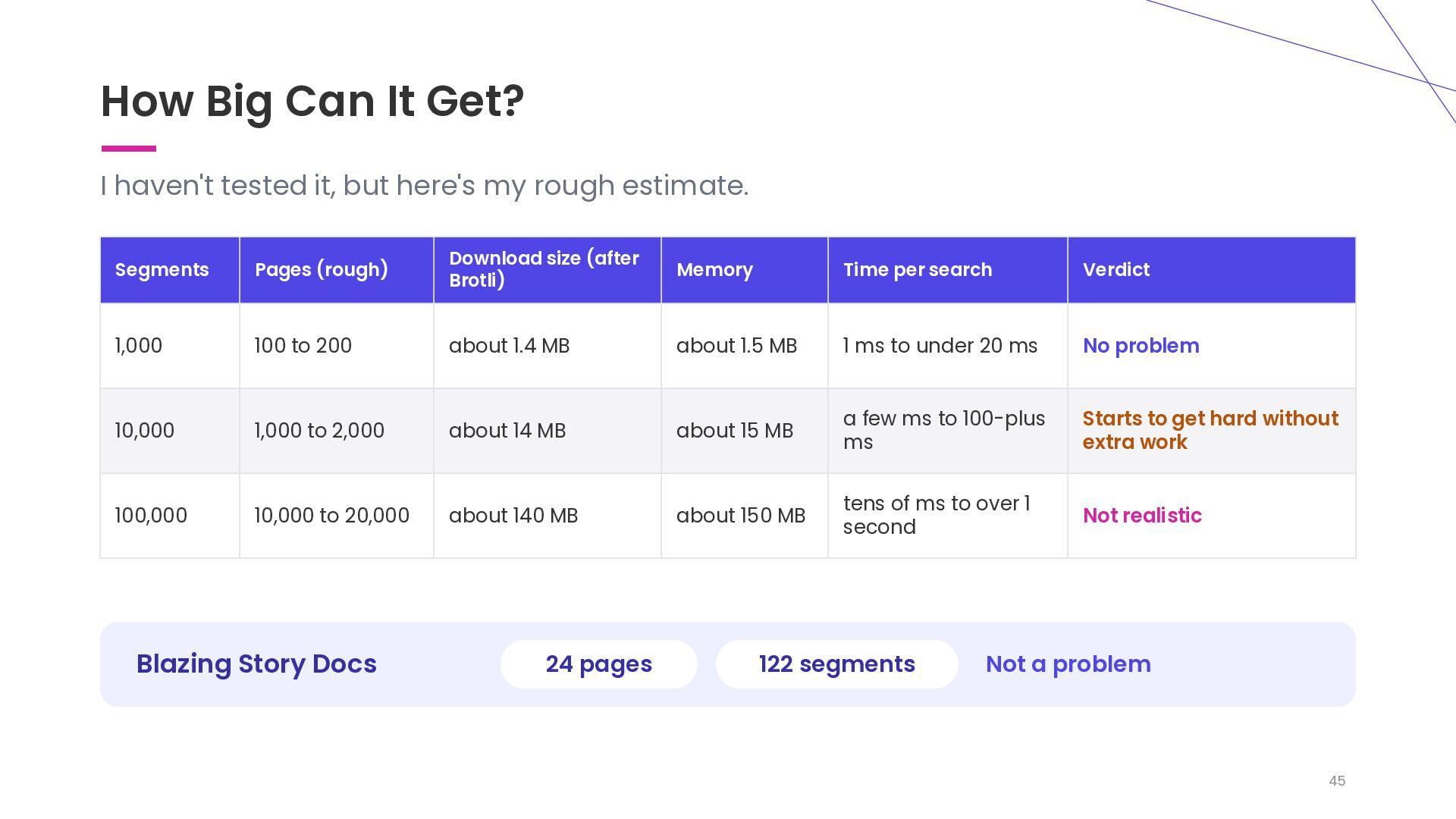
  33. How Big Can It Get? I haven't tested it, but

    here's my rough estimate. Segments Pages (rough) Download size (after Brotli) Memory Time per search Verdict 1,000 100 to 200 about 1.4 MB about 1.5 MB 1 ms to under 20 ms No problem 10,000 1,000 to 2,000 about 14 MB about 15 MB a few ms to 100-plus ms Starts to get hard without extra work 100,000 10,000 to 20,000 about 140 MB about 150 MB tens of ms to over 1 second Not realistic Blazing Story Docs 24 pages 122 segments Not a problem 45
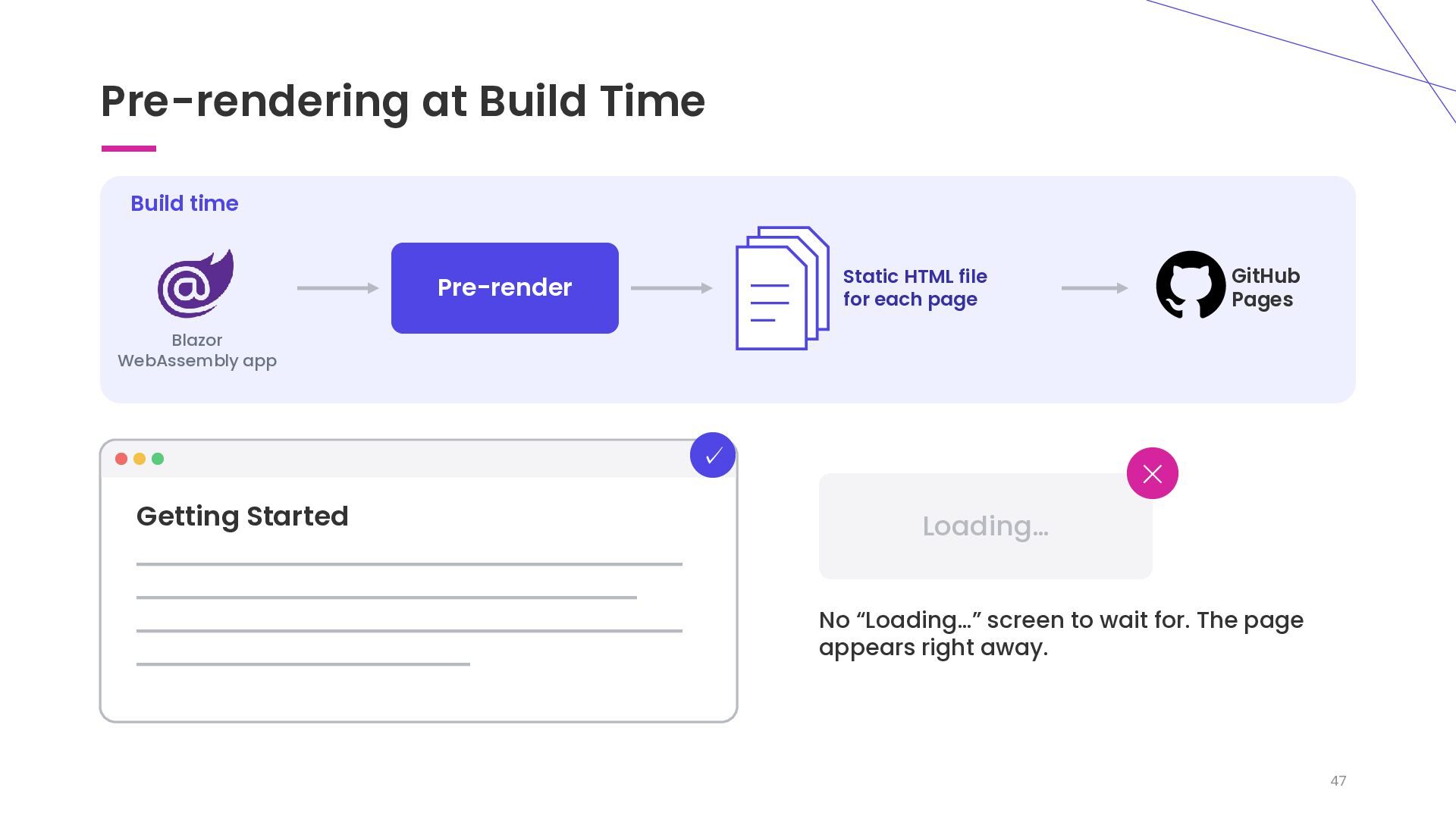
  34. Pre-rendering at Build Time Build time GitHub Pages Static HTML

    file for each page Pre-render Blazor WebAssembly app ✓ Getting Started ✕ Loading… No “Loading…” screen to wait for. The page appears right away. 47
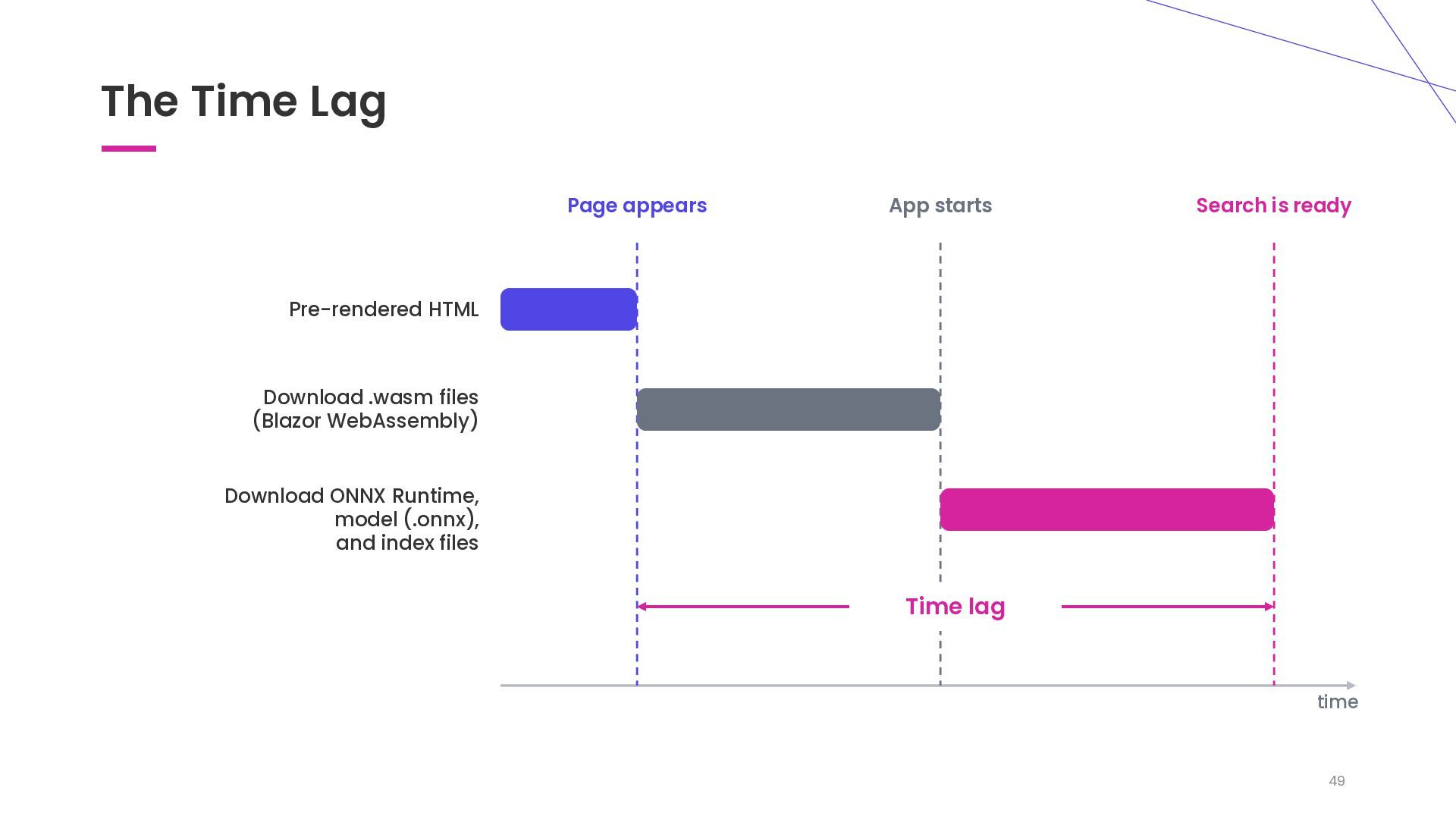
  35. The Time Lag Page appears App starts Search is ready

    Pre-rendered HTML Download .wasm files (Blazor WebAssembly) Download ONNX Runtime, model (.onnx), and index files Time lag time 49
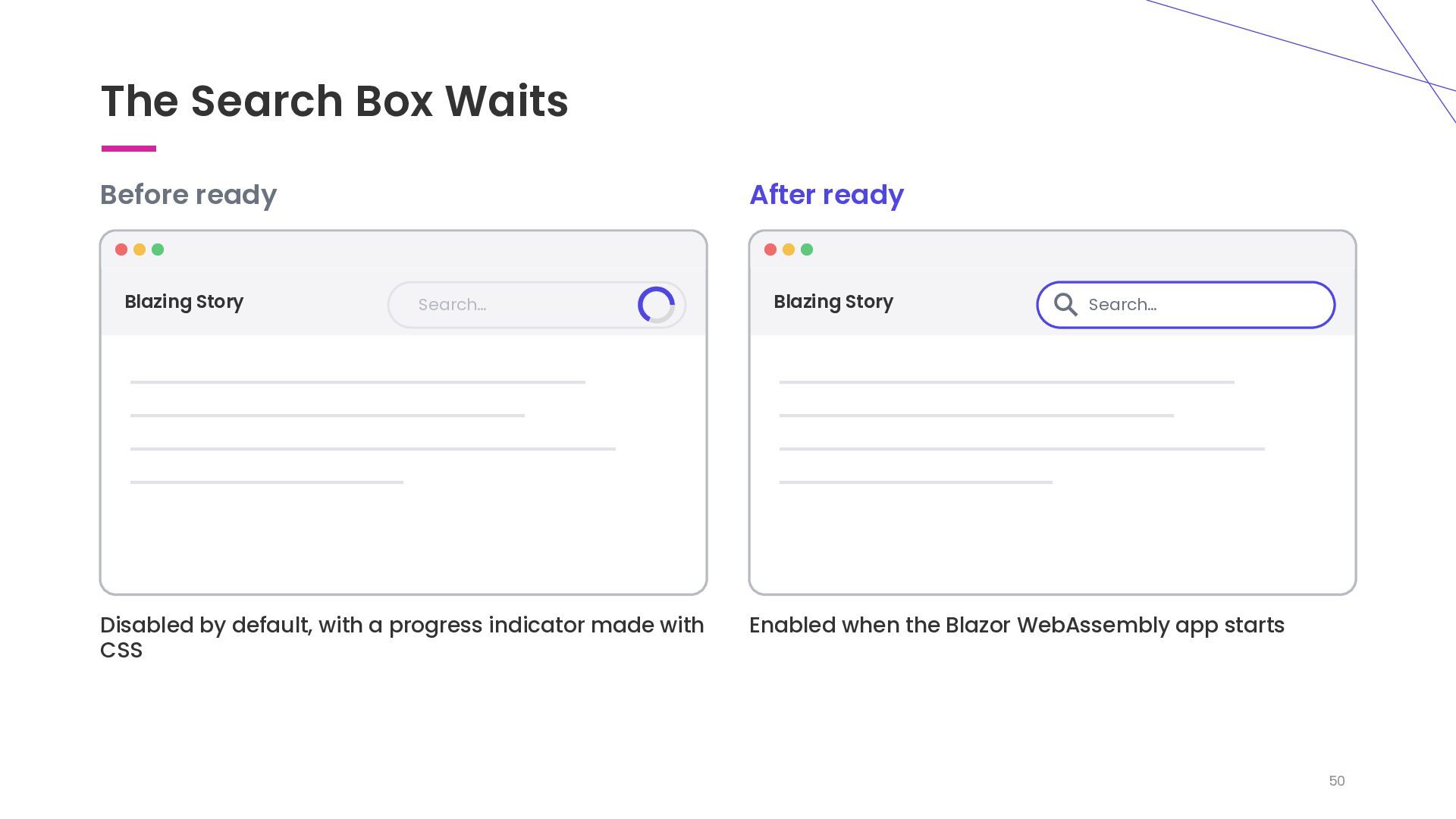
  36. The Search Box Waits Before ready Blazing Story After ready

    Search… Disabled by default, with a progress indicator made with CSS Blazing Story Search… Enabled when the Blazor WebAssembly app starts 50
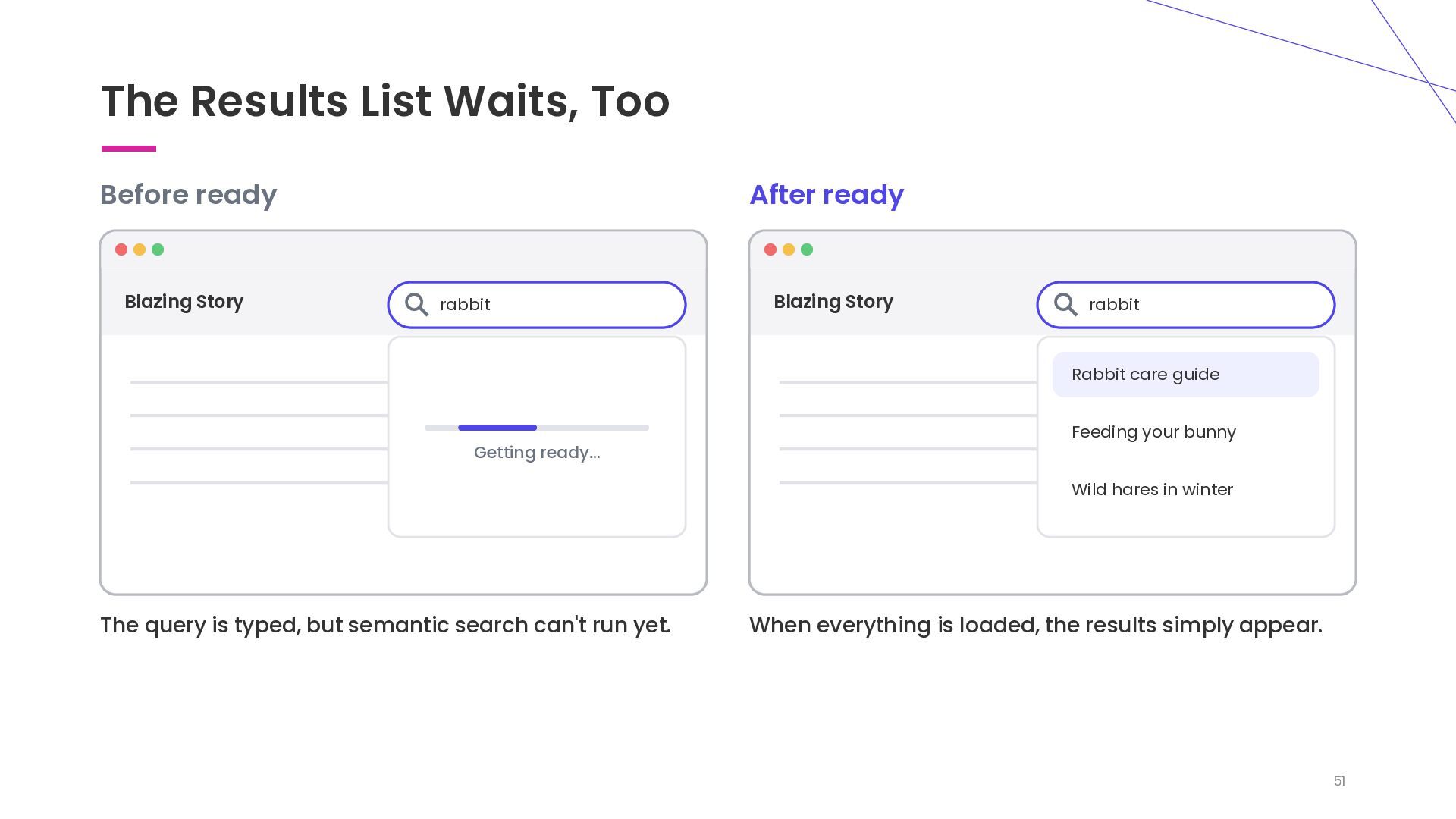
  37. The Results List Waits, Too Before ready Blazing Story After

    ready rabbit Blazing Story rabbit Rabbit care guide Getting ready… Feeding your bunny Wild hares in winter The query is typed, but semantic search can't run yet. When everything is loaded, the results simply appear. 51
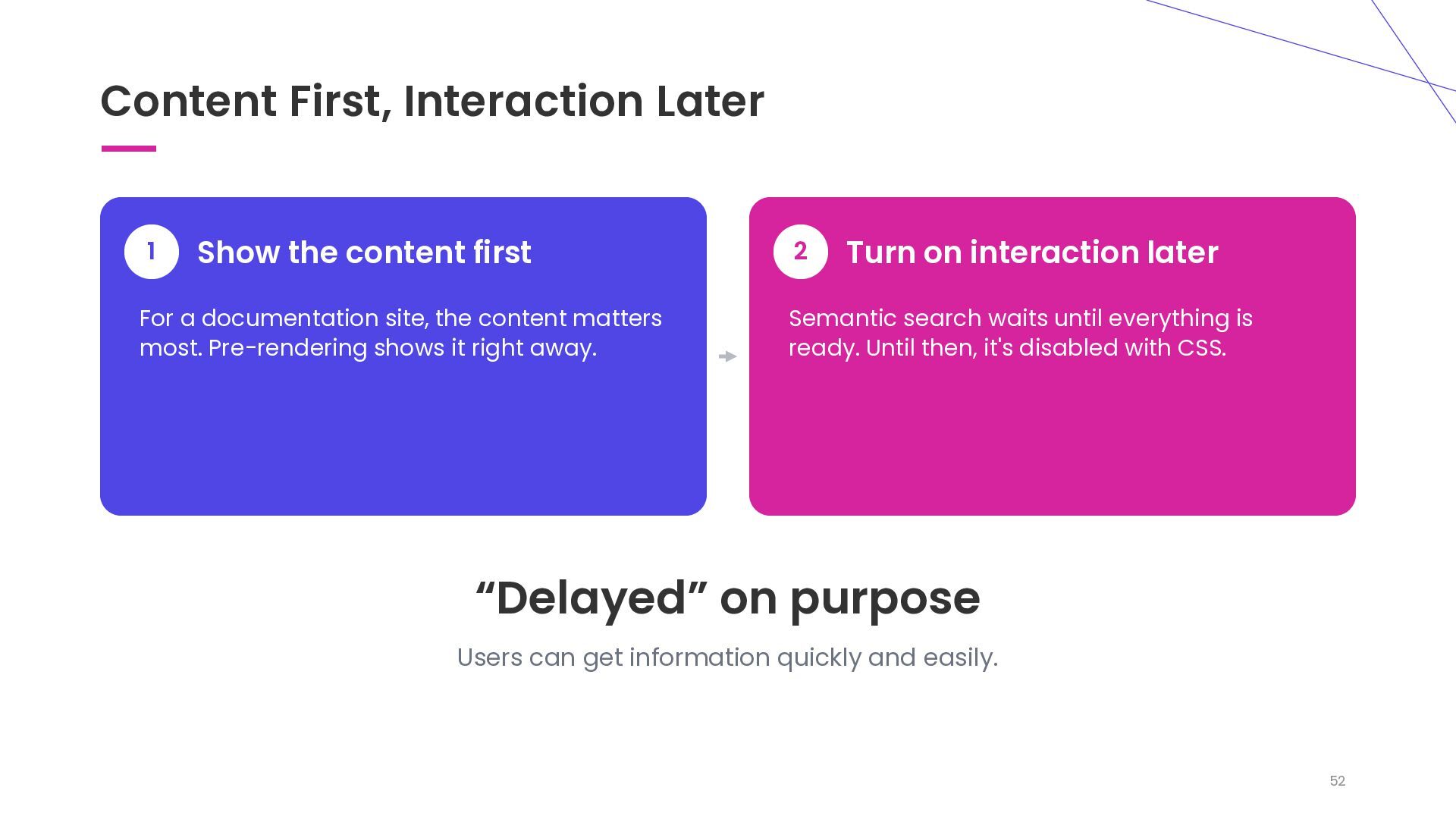
  38. Content First, Interaction Later 1 Show the content first For

    a documentation site, the content matters most. Pre-rendering shows it right away. 2 Turn on interaction later Semantic search waits until everything is ready. Until then, it's disabled with CSS. “Delayed” on purpose Users can get information quickly and easily. 52
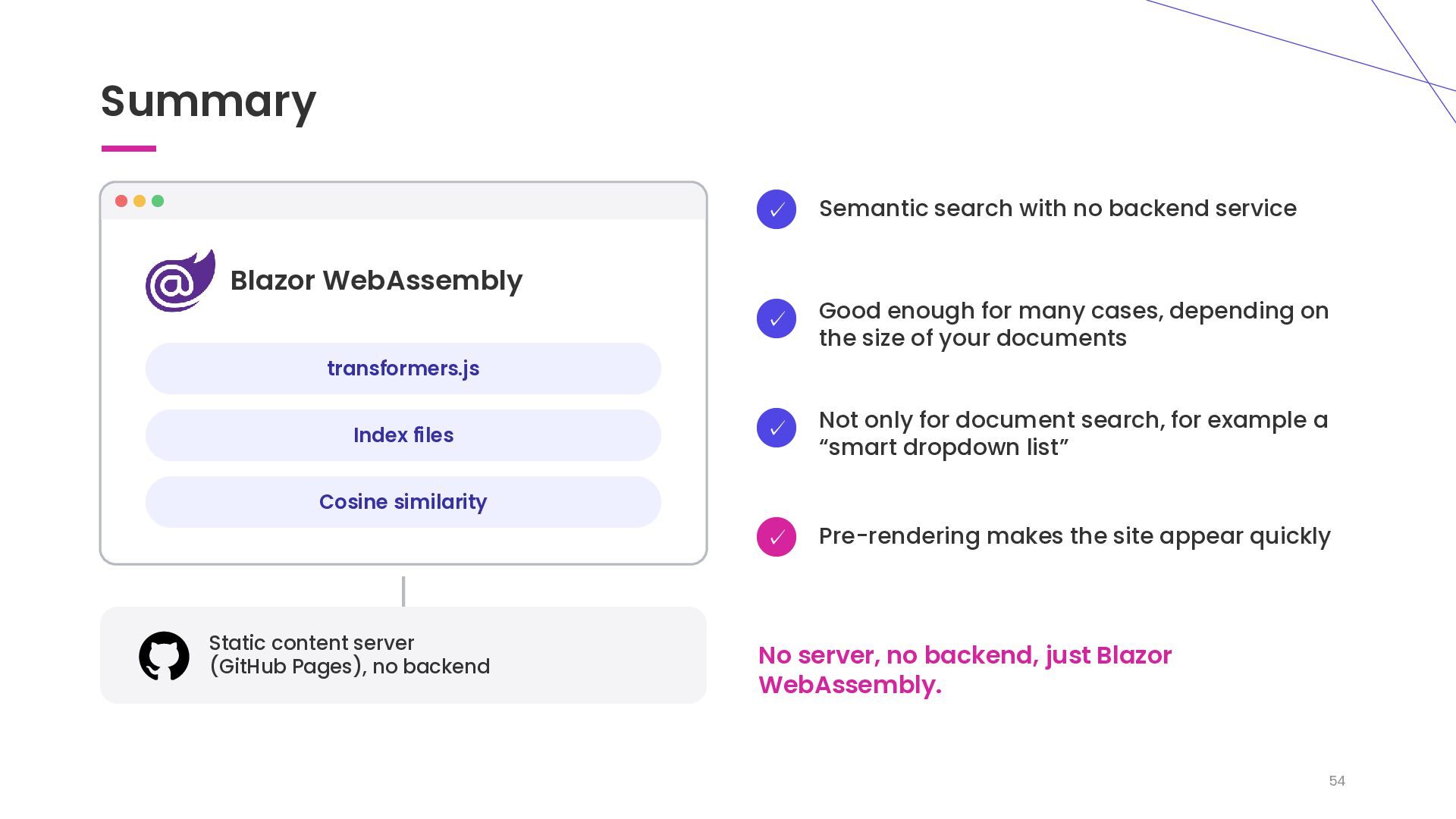
  39. Summary ✓ Semantic search with no backend service ✓ Good

    enough for many cases, depending on the size of your documents ✓ Not only for document search, for example a “smart dropdown list” ✓ Pre-rendering makes the site appear quickly Blazor WebAssembly transformers.js Index files Cosine similarity Static content server (GitHub Pages), no backend No server, no backend, just Blazor WebAssembly. 54

More Decks by jsakamoto

Other Decks in Programming