$30 off During Our Annual Pro Sale. View Details »

ルータで Godot Engine を動かそう!

ルータで Godot Engine を動かそう!

2025年12月13日に開催された、
「オープンソースカンファレンス2025 Hiroshima 」で発表したスライドです。

イベント詳細 : https://event.ospn.jp/osc2025-hiroshima/
セミナー詳細 : https://event.ospn.jp/osc2025-hiroshima/session/2251644

Avatar for NAKAOKU Takahiro

NAKAOKU Takahiro

December 14, 2025
Tweet

More Decks by NAKAOKU Takahiro

Other Decks in Technology

Transcript

  1. ナカオク タカヒロ Follow me! Github/Facebook @kamera25 X @csc_kamera25 仕事 :

    NWエンジニア@広島 好きなゲーム : ・ギフトピア ・ゼルダの伝説 ・風来のシレン 2
  2. 12

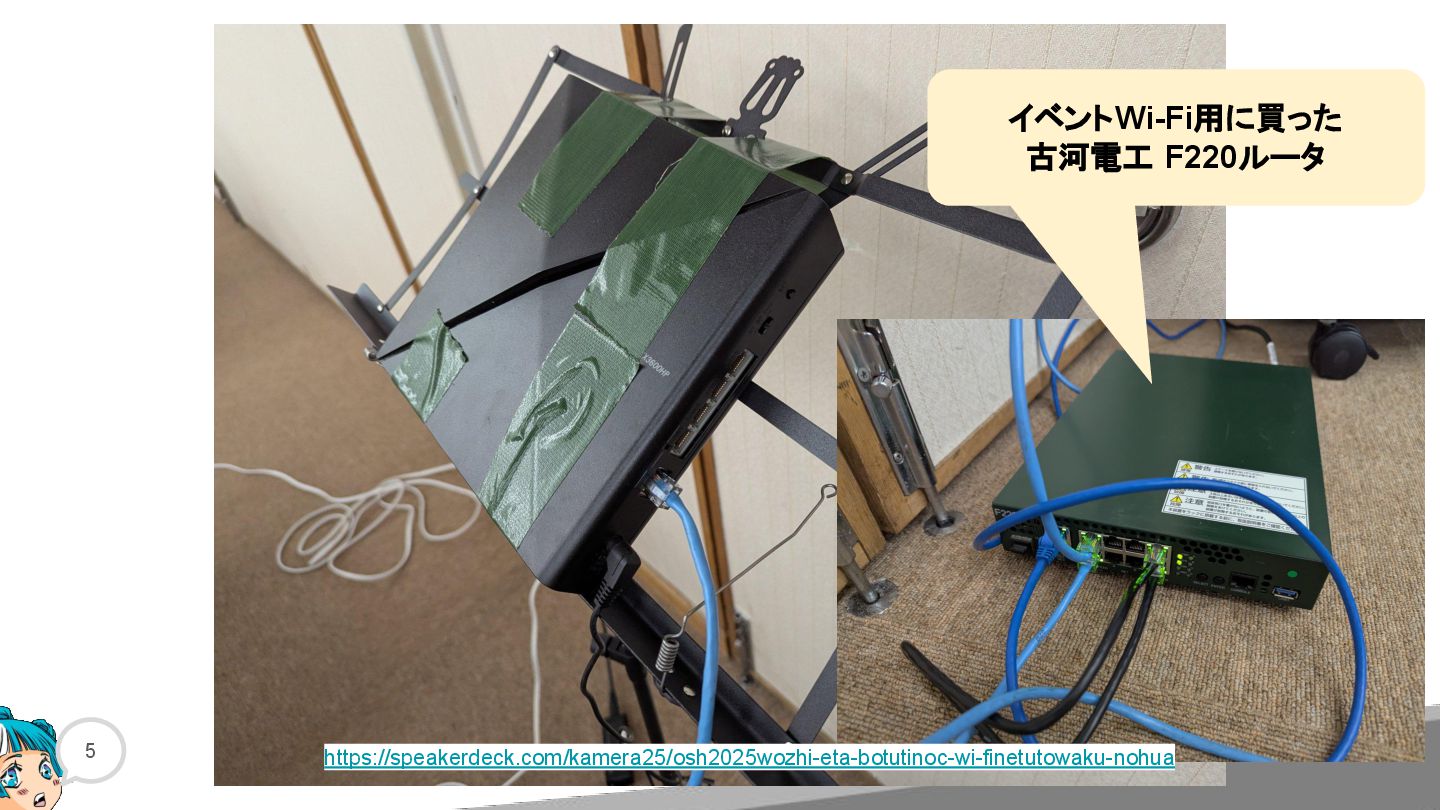
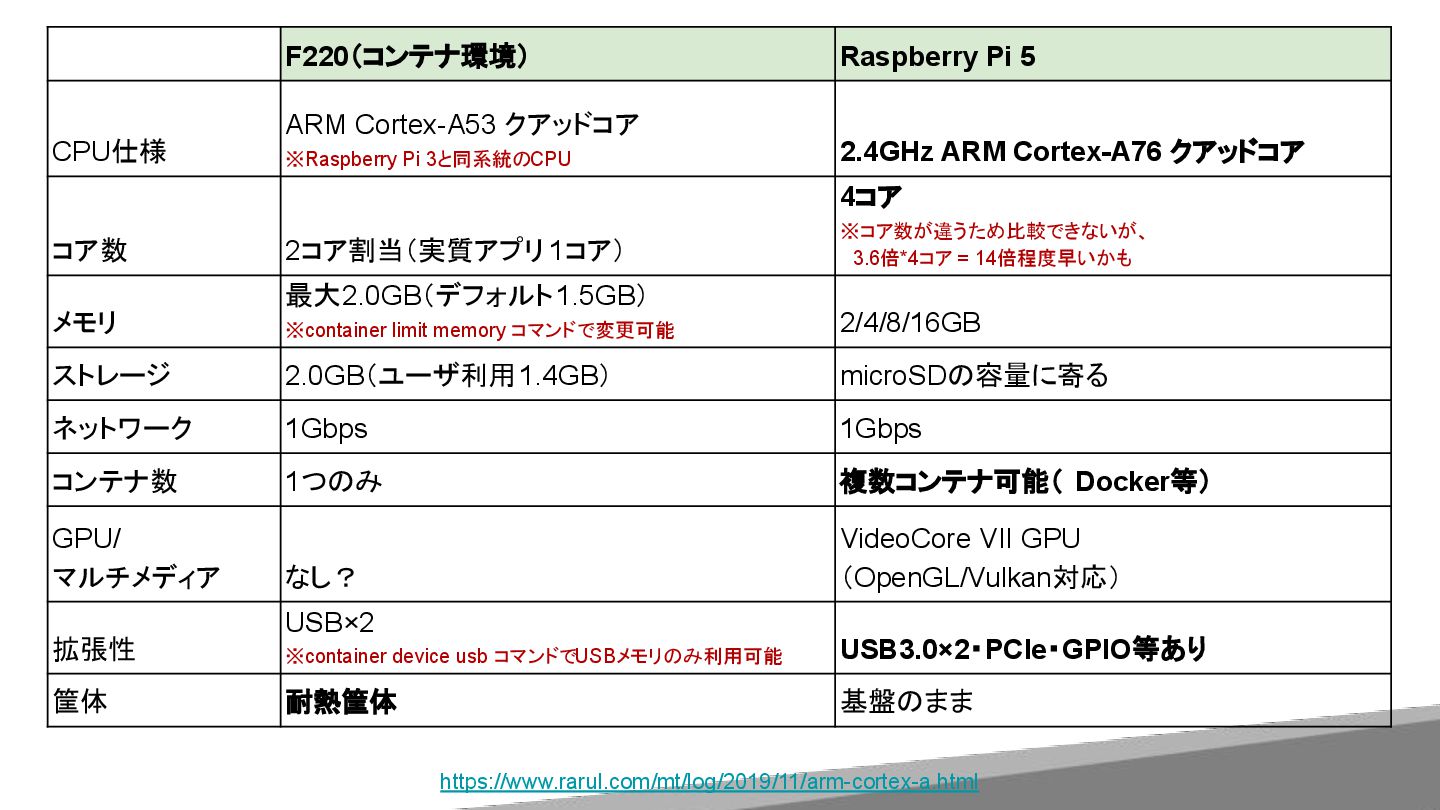
  3. F220(コンテナ環境) Raspberry Pi 5 CPU仕様 ARM Cortex-A53 クアッドコア ※Raspberry Pi

    3と同系統のCPU 2.4GHz ARM Cortex-A76 クアッドコア コア数 2コア割当(実質アプリ 1コア) 4コア ※コア数が違うため比較できないが、  3.6倍*4コア = 14倍程度早いかも メモリ 最大2.0GB(デフォルト1.5GB) ※container limit memory コマンドで変更可能 2/4/8/16GB ストレージ 2.0GB(ユーザ利用1.4GB) microSDの容量に寄る ネットワーク 1Gbps 1Gbps コンテナ数 1つのみ 複数コンテナ可能( Docker等) GPU/ マルチメディア なし? VideoCore VII GPU (OpenGL/Vulkan対応) 拡張性 USB×2 ※container device usb コマンドでUSBメモリのみ利用可能 USB3.0×2・PCIe・GPIO等あり 筐体 耐熱筐体 基盤のまま https://www.rarul.com/mt/log/2019/11/arm-cortex-a.html
  4. 16

  5. 17

  6. 18

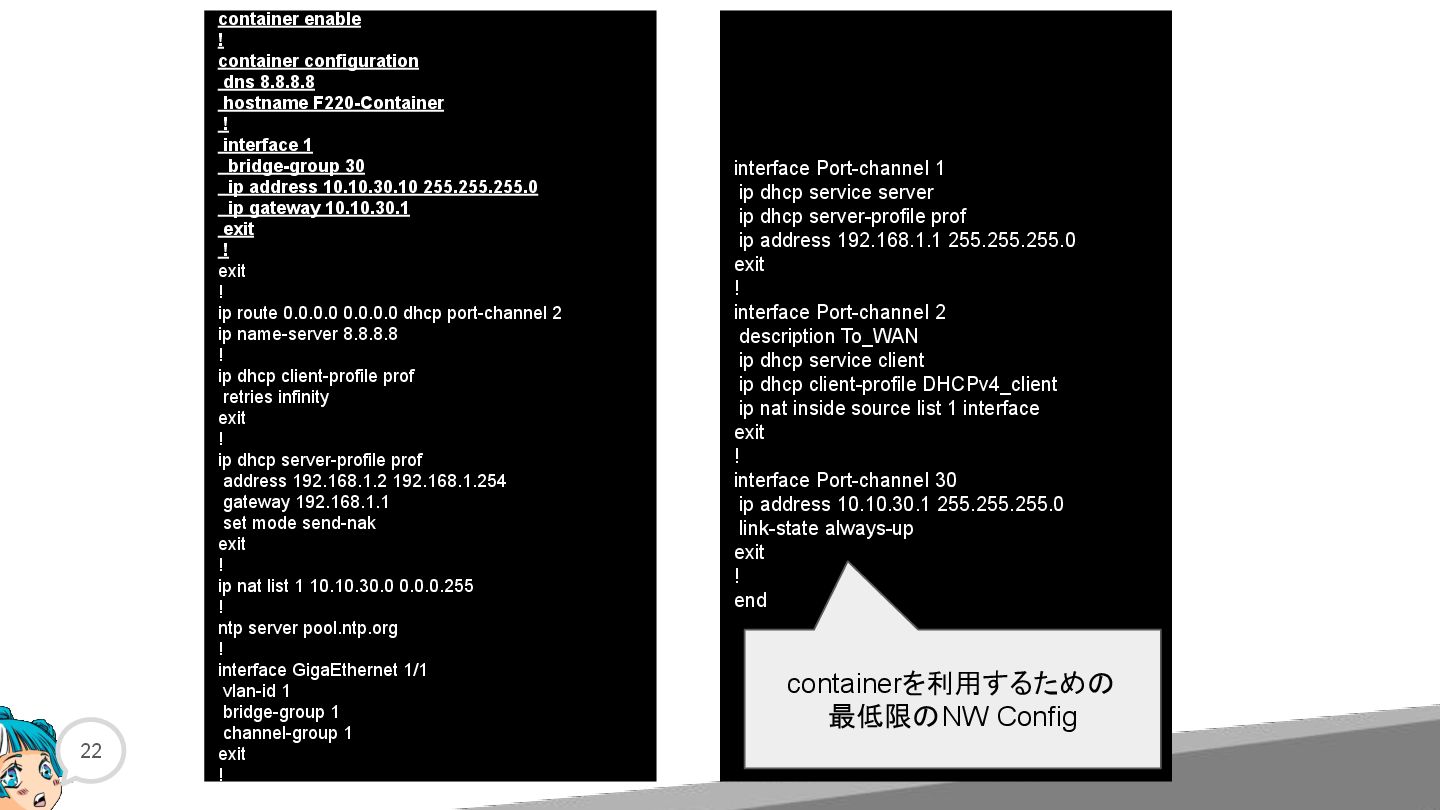
  7. 22 container enable ! container configuration dns 8.8.8.8 hostname F220-Container

    ! interface 1 bridge-group 30 ip address 10.10.30.10 255.255.255.0 ip gateway 10.10.30.1 exit ! exit ! ip route 0.0.0.0 0.0.0.0 dhcp port-channel 2 ip name-server 8.8.8.8 ! ip dhcp client-profile prof retries infinity exit ! ip dhcp server-profile prof address 192.168.1.2 192.168.1.254 gateway 192.168.1.1 set mode send-nak exit ! ip nat list 1 10.10.30.0 0.0.0.255 ! ntp server pool.ntp.org ! interface GigaEthernet 1/1 vlan-id 1 bridge-group 1 channel-group 1 exit ! interface Port-channel 1 ip dhcp service server ip dhcp server-profile prof ip address 192.168.1.1 255.255.255.0 exit ! interface Port-channel 2 description To_WAN ip dhcp service client ip dhcp client-profile DHCPv4_client ip nat inside source list 1 interface exit ! interface Port-channel 30 ip address 10.10.30.1 255.255.255.0 link-state always-up exit ! end containerを利用するための 最低限のNW Config
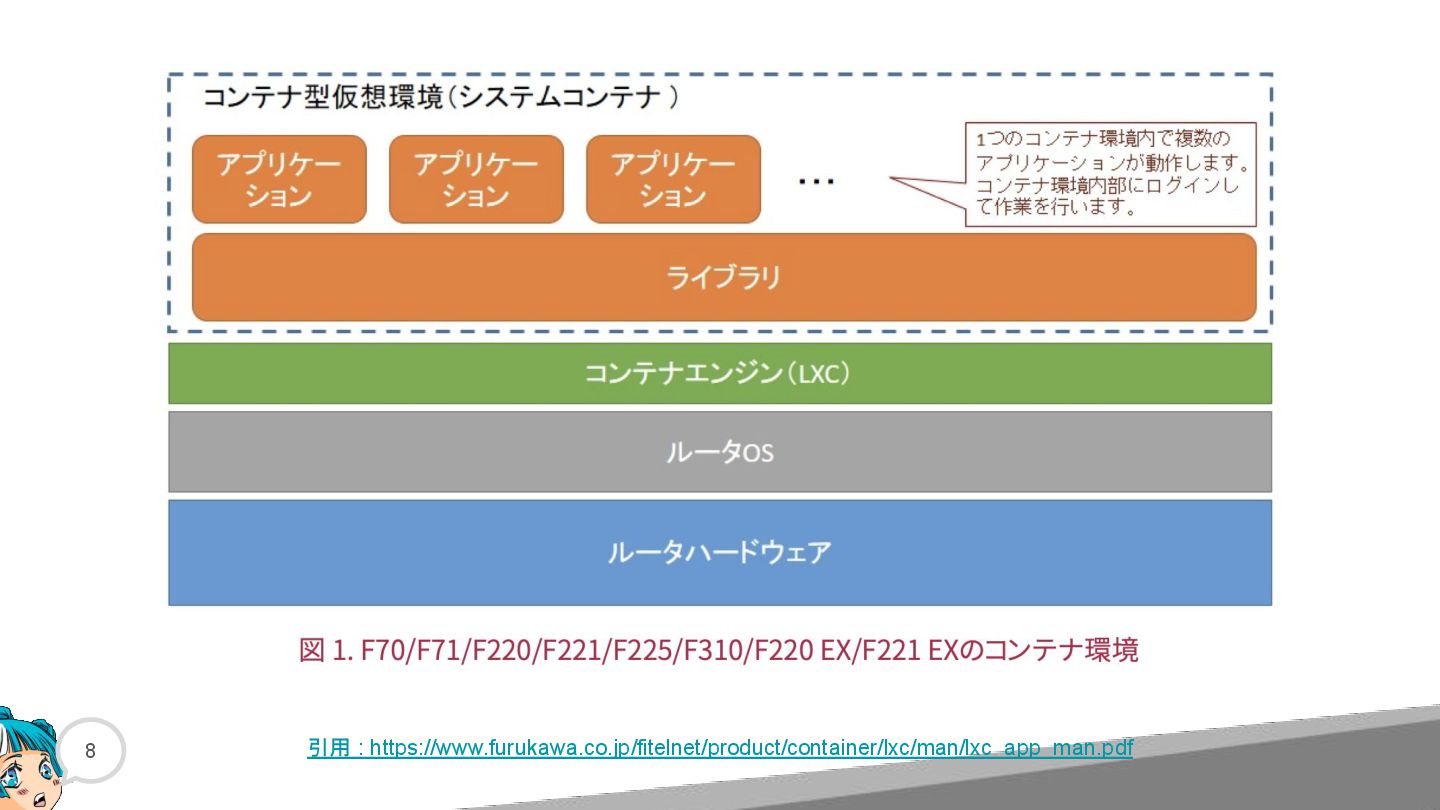
  8. 23 #container start start ok?[y/N]:yes The container is already running.

    #show container information Name: container Remote: unix:// Architecture: aarch64 Created: 2025/11/30 03:00 UTC Status: Stopped Type: persistent Profiles: default #container attach どうやらARM CPU らしい ※下線が引かれている箇所は、ユーザ入力したコマンド および プロンプト を示します
  9. 24 #container start start ok?[y/N]:yes The container is already running.

    #show container information Name: container Remote: unix:// Architecture: aarch64 Created: 2025/11/30 03:00 UTC Status: Stopped Type: persistent Profiles: default #container attach ~ # どうやらARM CPU らしい Linuxの世界に入った!
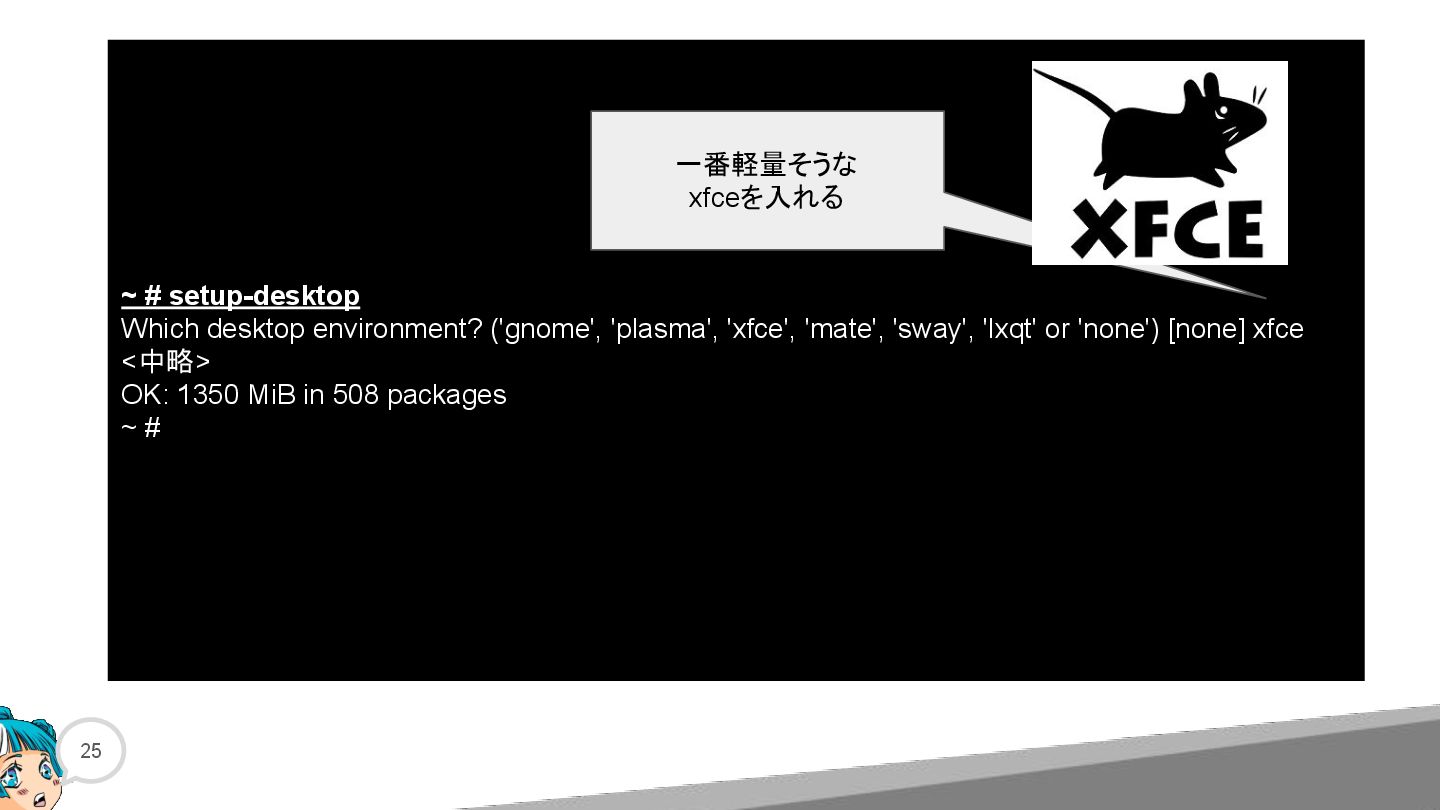
  10. 25 ~ # setup-desktop Which desktop environment? ('gnome', 'plasma', 'xfce',

    'mate', 'sway', 'lxqt' or 'none') [none] xfce <中略> OK: 1350 MiB in 508 packages ~ # 一番軽量そうな xfceを入れる
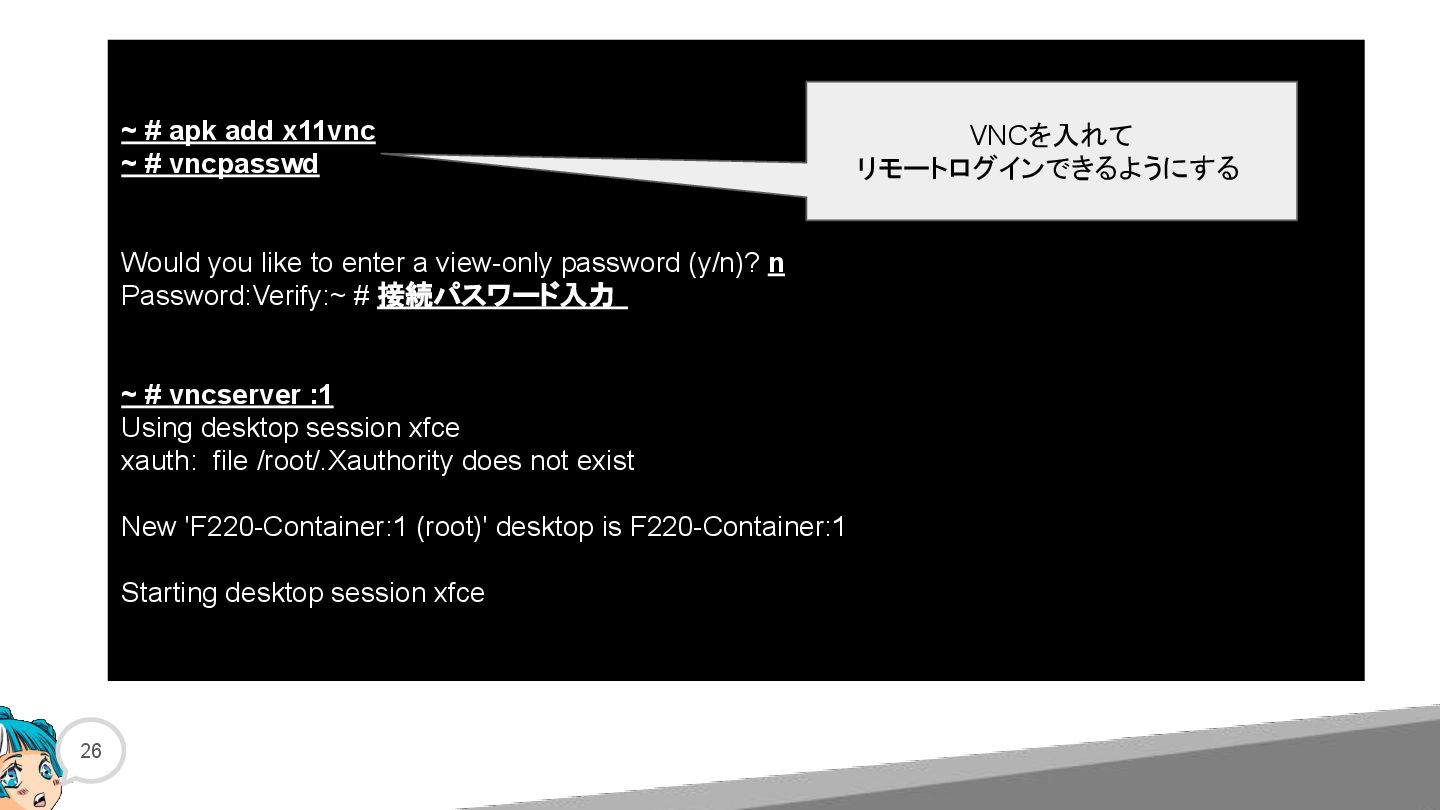
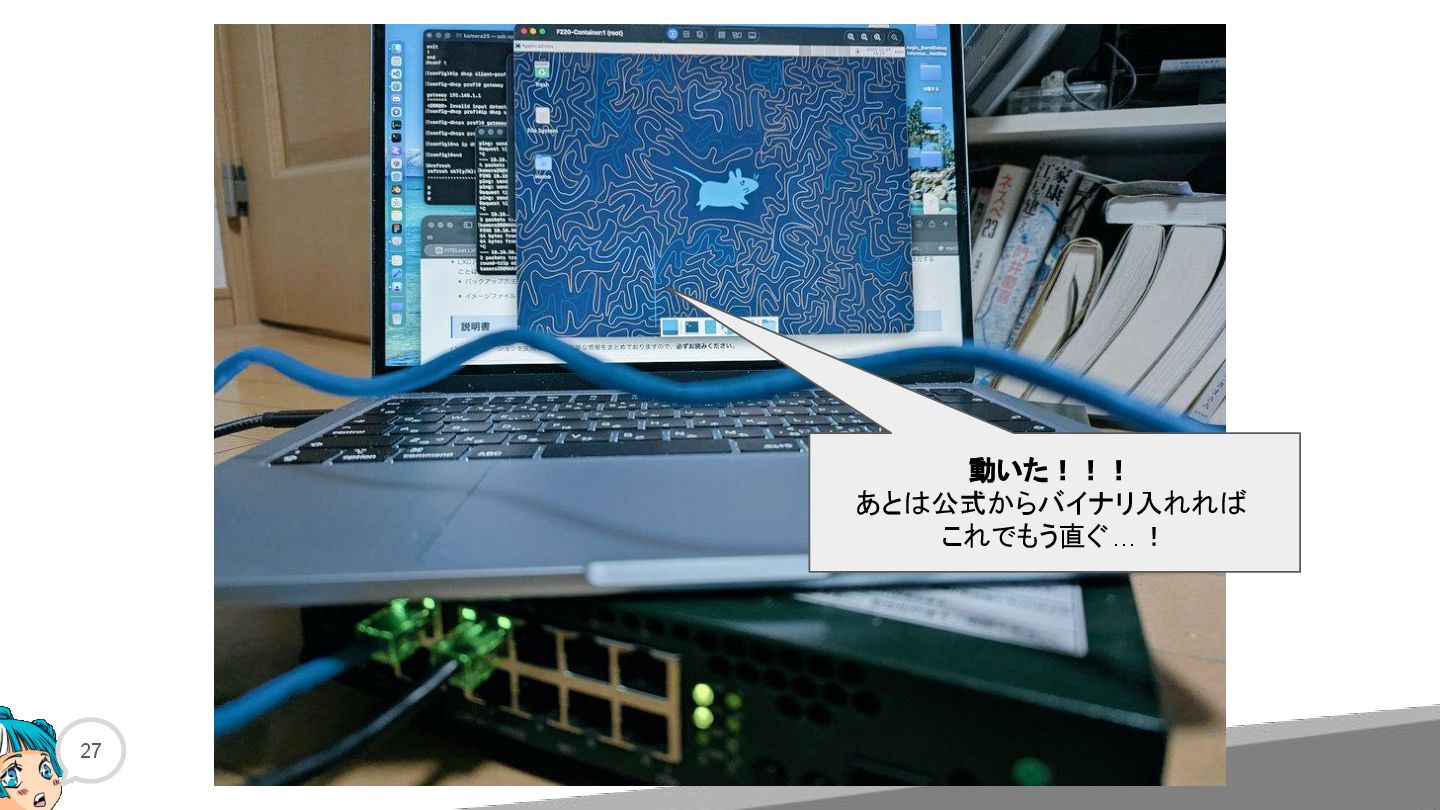
  11. 26 ~ # apk add x11vnc ~ # vncpasswd Would

    you like to enter a view-only password (y/n)? n Password:Verify:~ # 接続パスワード入力 ~ # vncserver :1 Using desktop session xfce xauth: file /root/.Xauthority does not exist New 'F220-Container:1 (root)' desktop is F220-Container:1 Starting desktop session xfce VNCを入れて リモートログインできるようにする
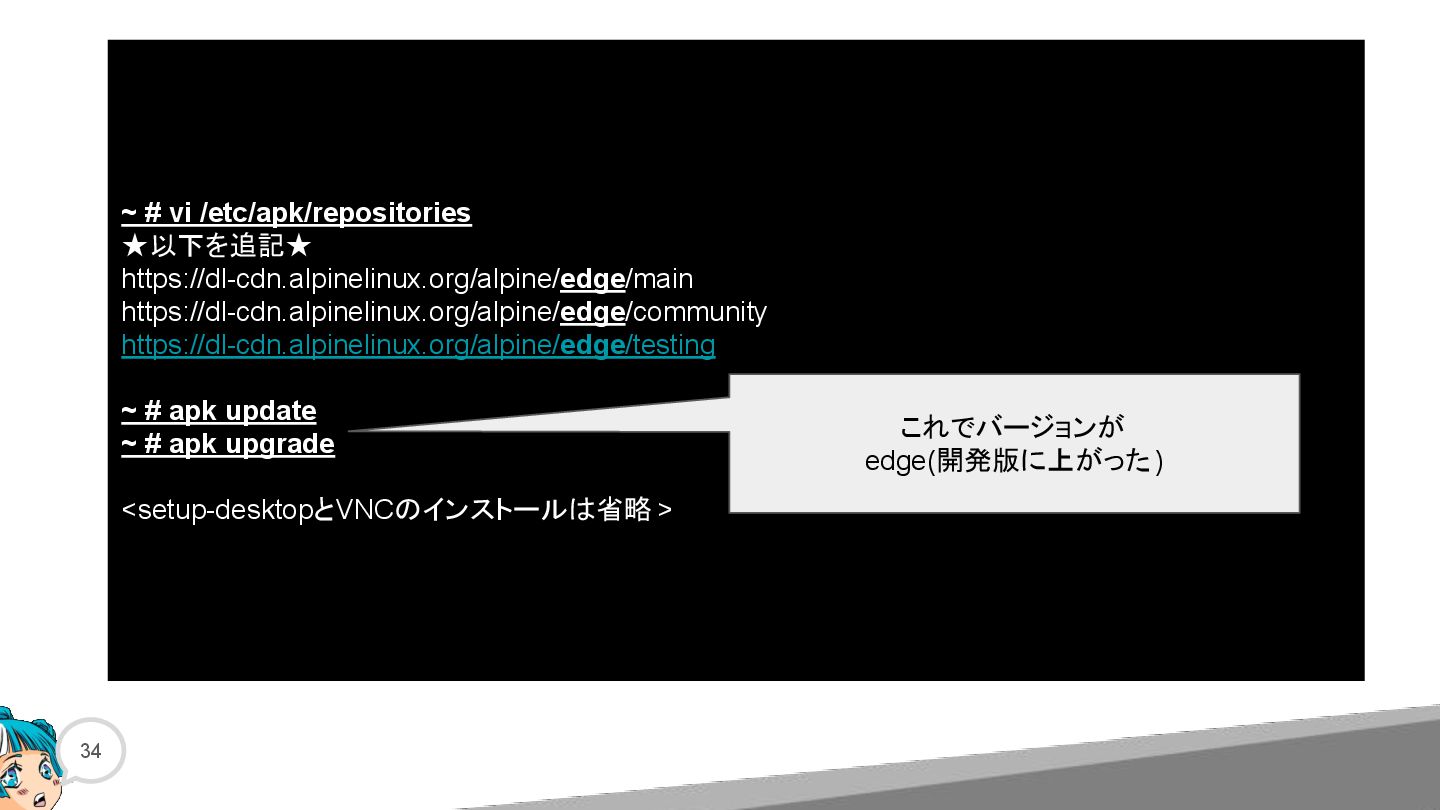
  12. 34 ~ # vi /etc/apk/repositories ★以下を追記★ https://dl-cdn.alpinelinux.org/alpine/edge/main https://dl-cdn.alpinelinux.org/alpine/edge/community https://dl-cdn.alpinelinux.org/alpine/edge/testing ~

    # apk update ~ # apk upgrade <setup-desktopとVNCのインストールは省略 > これでバージョンが edge(開発版に上がった)
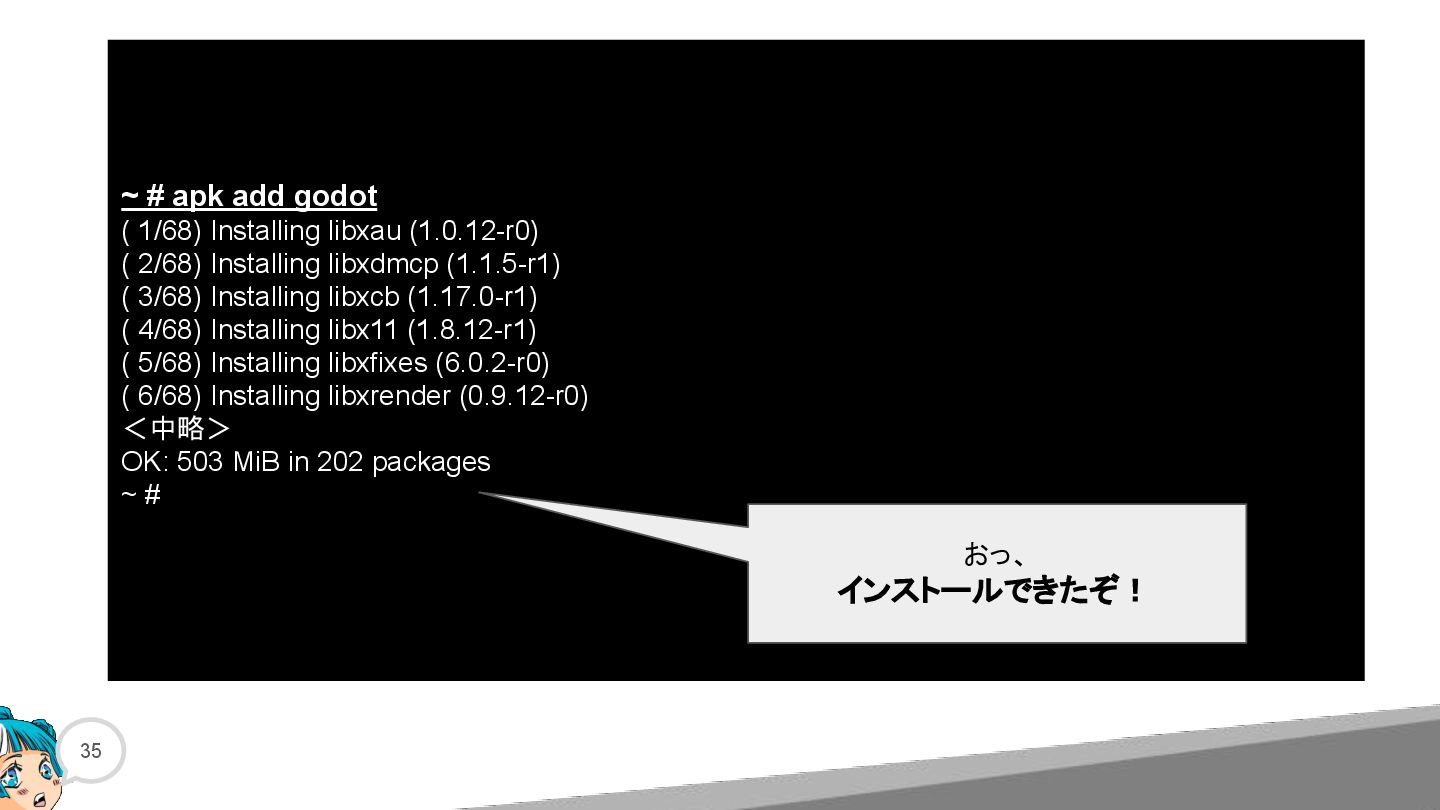
  13. 35 ~ # apk add godot ( 1/68) Installing libxau

    (1.0.12-r0) ( 2/68) Installing libxdmcp (1.1.5-r1) ( 3/68) Installing libxcb (1.17.0-r1) ( 4/68) Installing libx11 (1.8.12-r1) ( 5/68) Installing libxfixes (6.0.2-r0) ( 6/68) Installing libxrender (0.9.12-r0) <中略> OK: 503 MiB in 202 packages ~ # おっ、 インストールできたぞ!
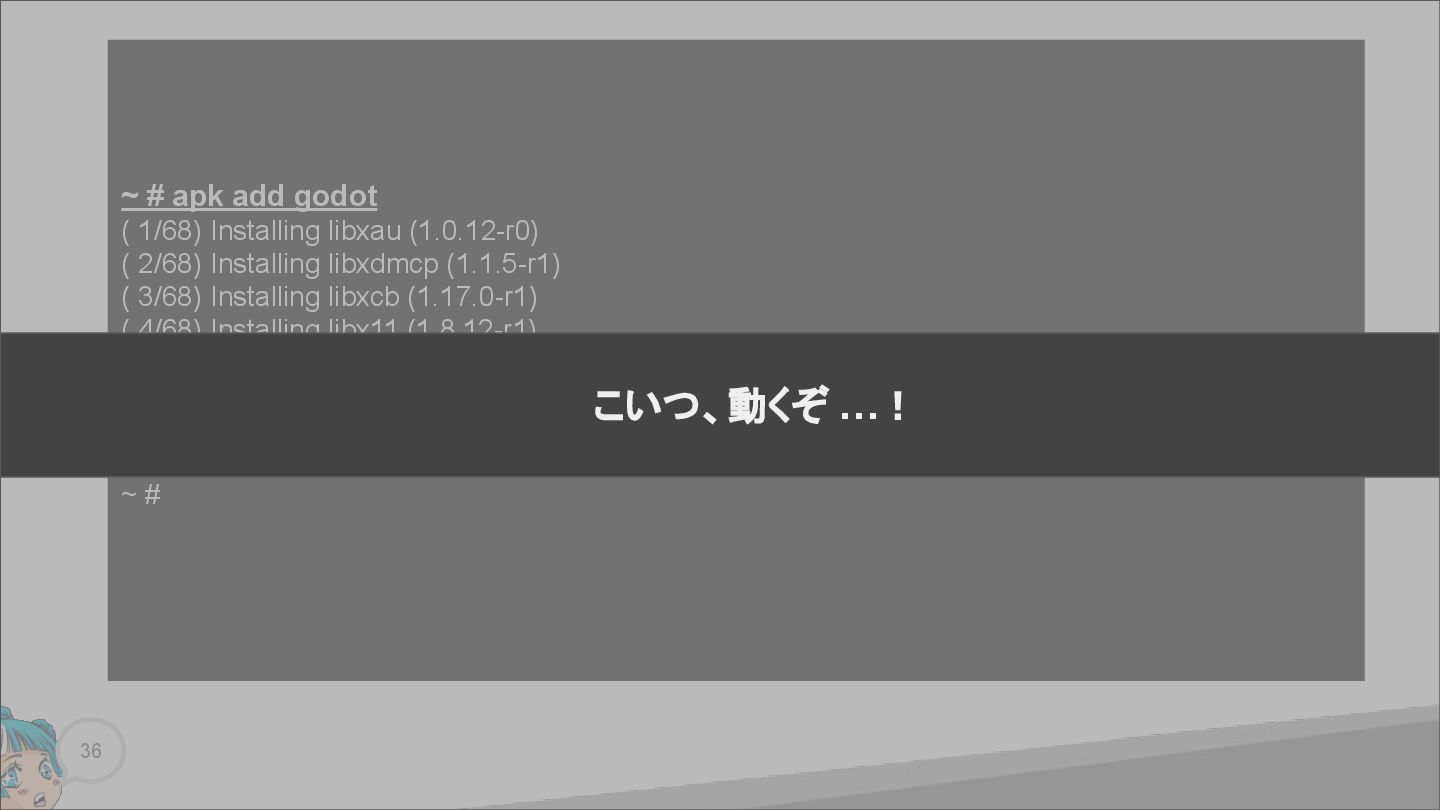
  14. 36 ~ # apk add godot ( 1/68) Installing libxau

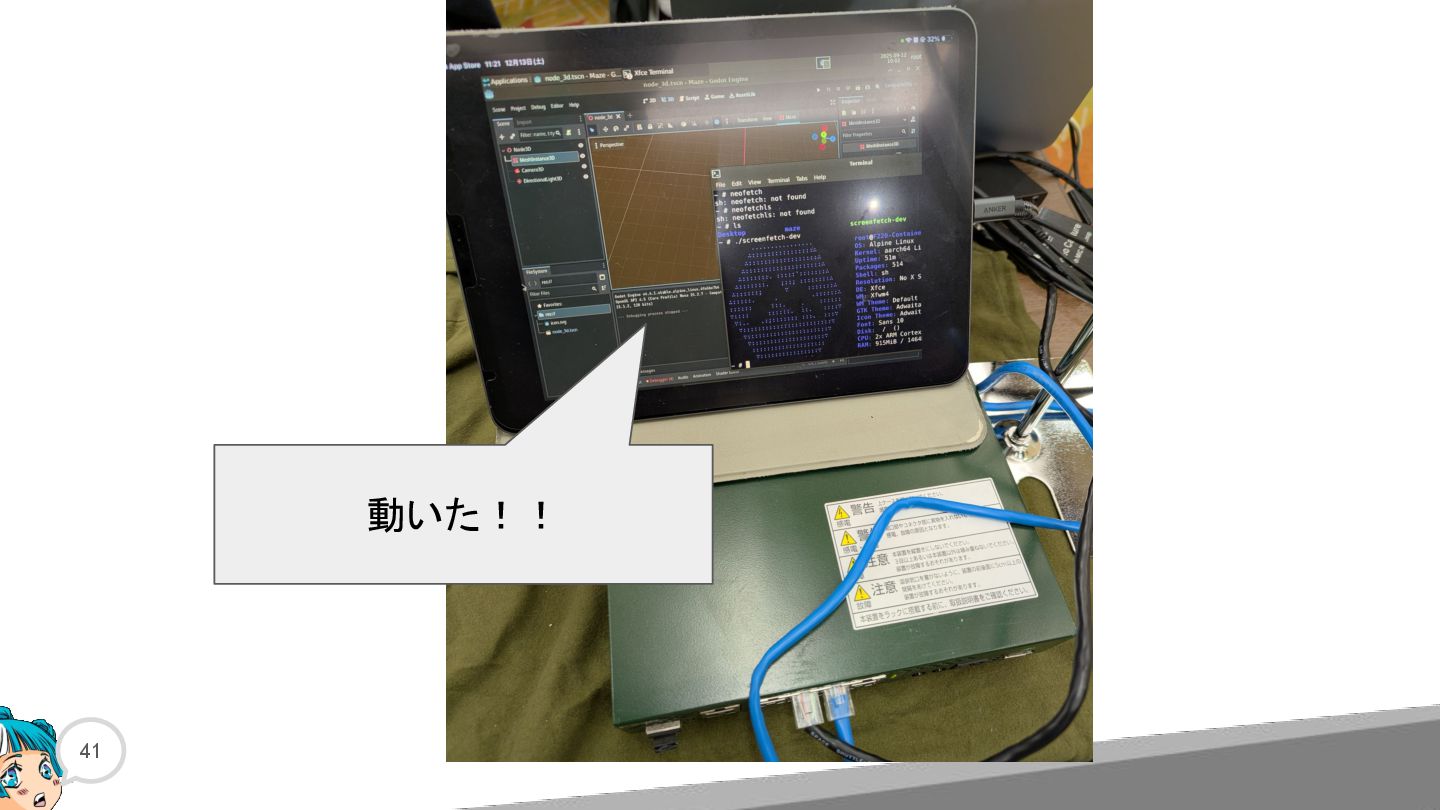
    (1.0.12-r0) ( 2/68) Installing libxdmcp (1.1.5-r1) ( 3/68) Installing libxcb (1.17.0-r1) ( 4/68) Installing libx11 (1.8.12-r1) ( 5/68) Installing libxfixes (6.0.2-r0) ( 6/68) Installing libxrender (0.9.12-r0) <中略> OK: 503 MiB in 202 packages ~ # こいつ、動くぞ …!
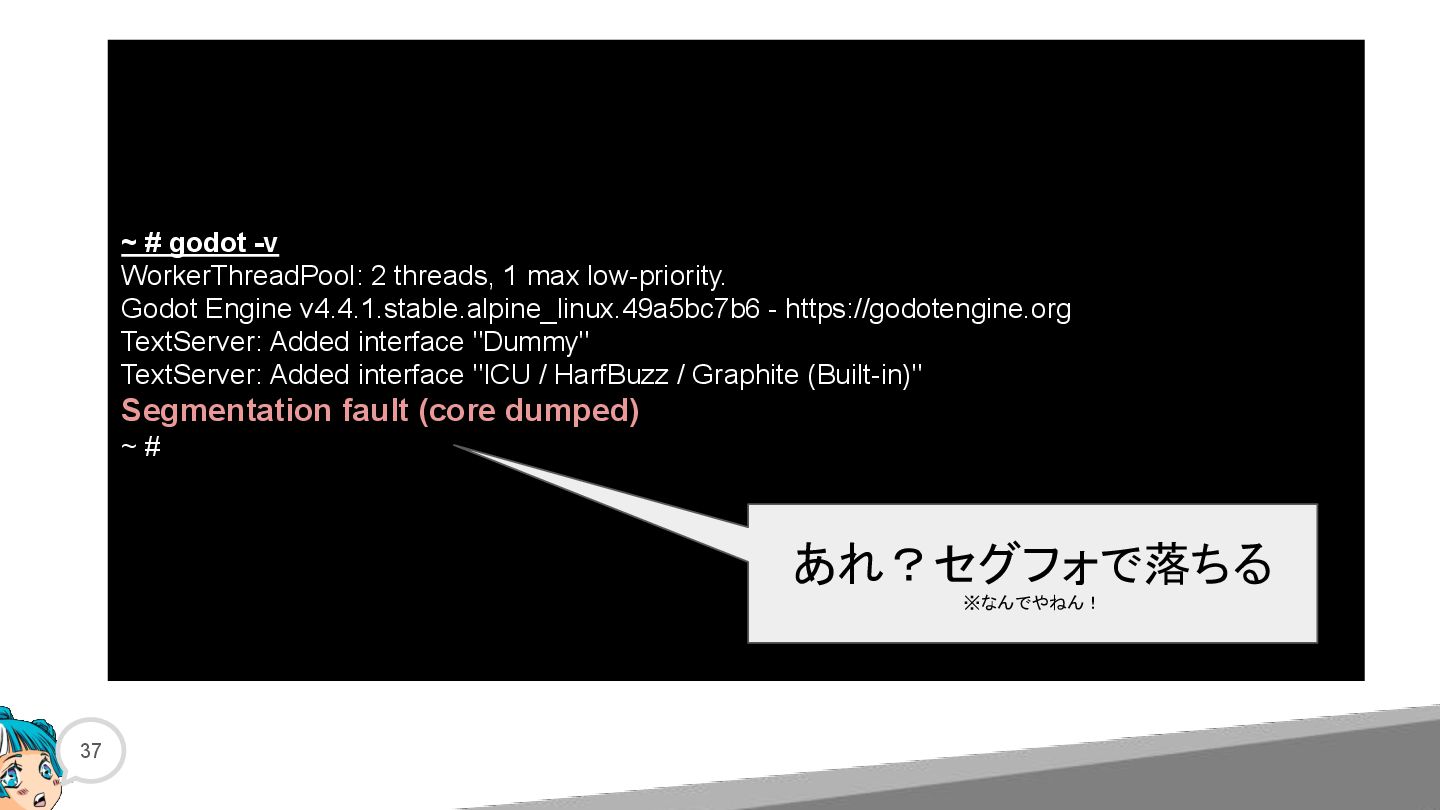
  15. 37 ~ # godot -v WorkerThreadPool: 2 threads, 1 max

    low-priority. Godot Engine v4.4.1.stable.alpine_linux.49a5bc7b6 - https://godotengine.org TextServer: Added interface "Dummy" TextServer: Added interface "ICU / HarfBuzz / Graphite (Built-in)" Segmentation fault (core dumped) ~ # あれ?セグフォで落ちる ※なんでやねん!
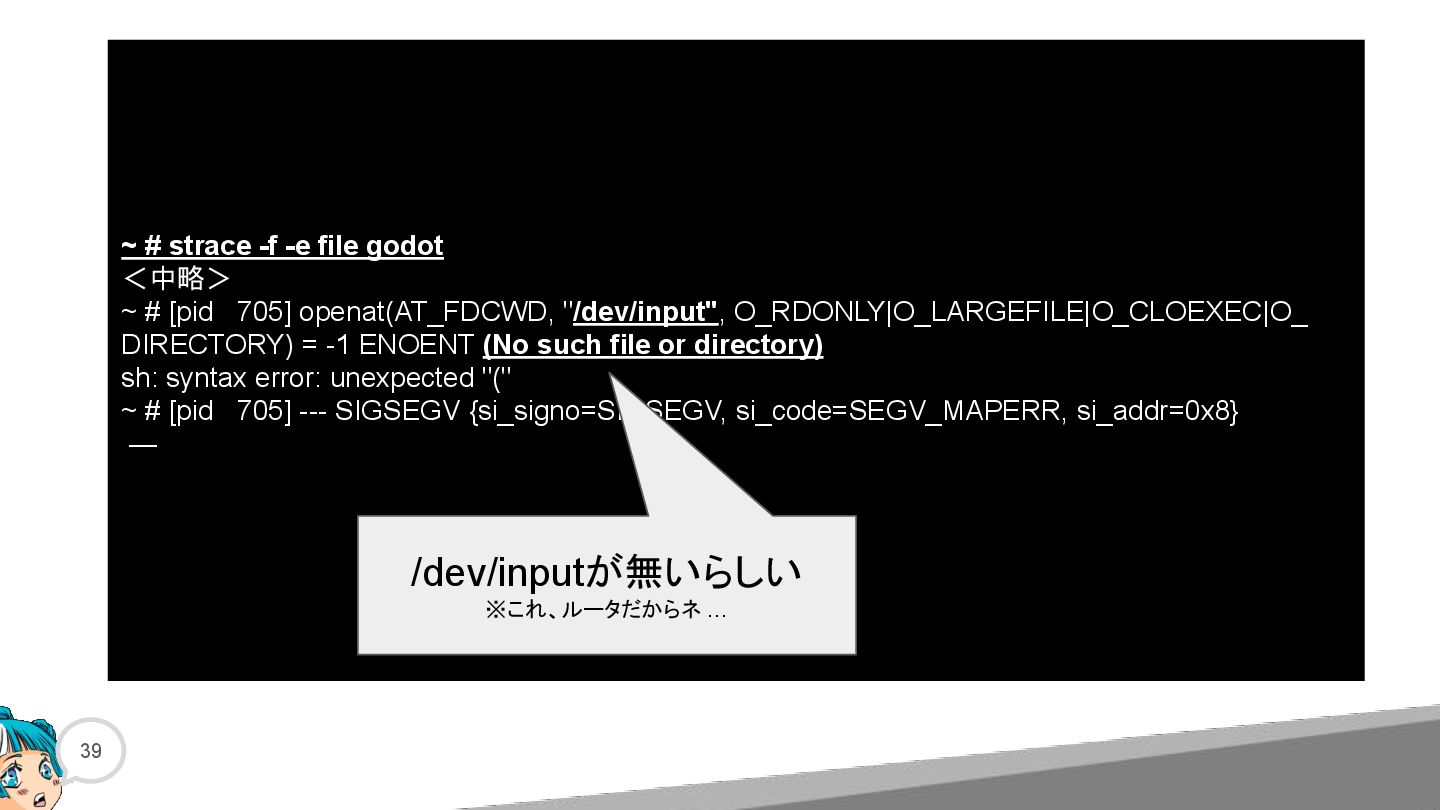
  16. 39 ~ # strace -f -e file godot <中略> ~

    # [pid 705] openat(AT_FDCWD, "/dev/input", O_RDONLY|O_LARGEFILE|O_CLOEXEC|O_ DIRECTORY) = -1 ENOENT (No such file or directory) sh: syntax error: unexpected "(" ~ # [pid 705] --- SIGSEGV {si_signo=SIGSEGV, si_code=SEGV_MAPERR, si_addr=0x8} — /dev/inputが無いらしい ※これ、ルータだからネ …
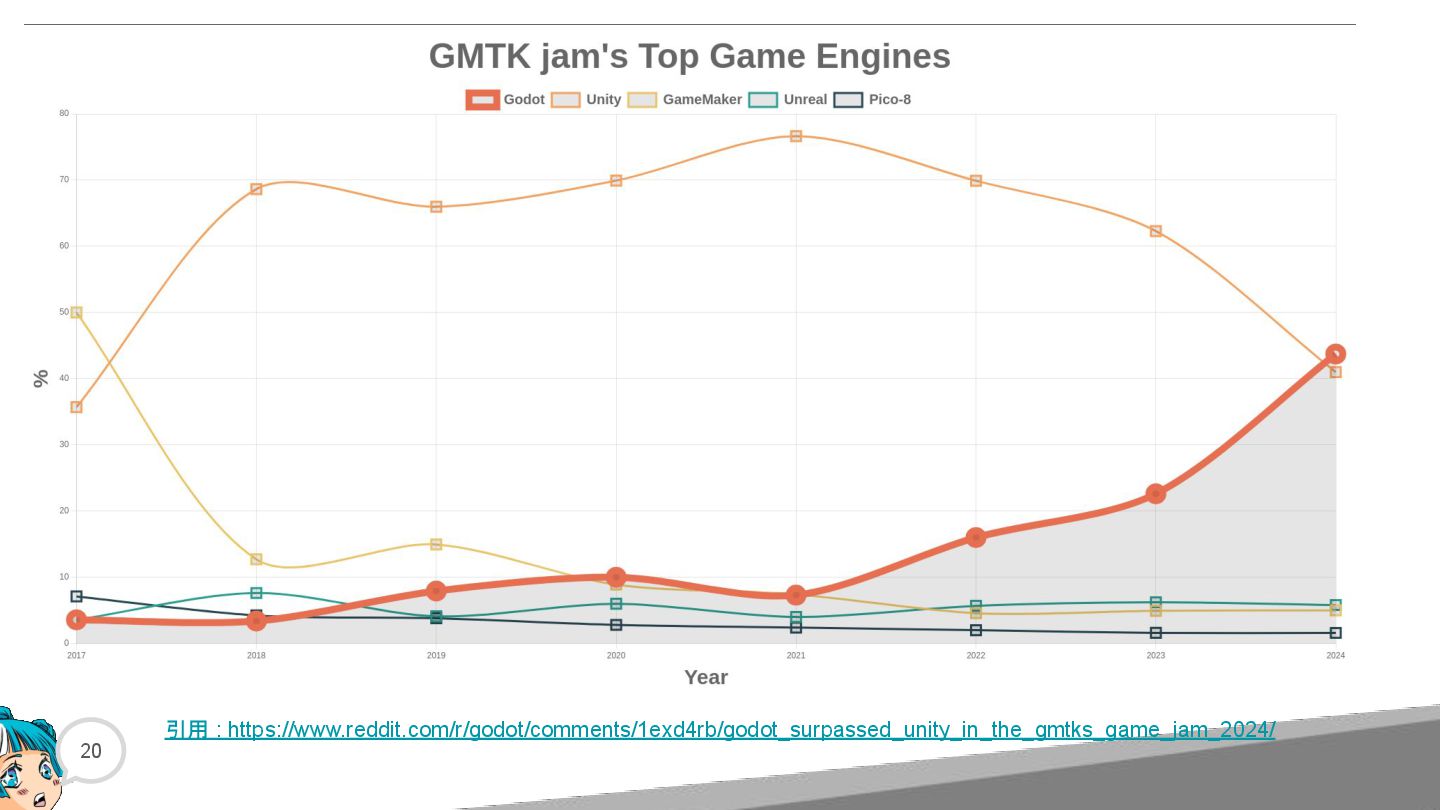
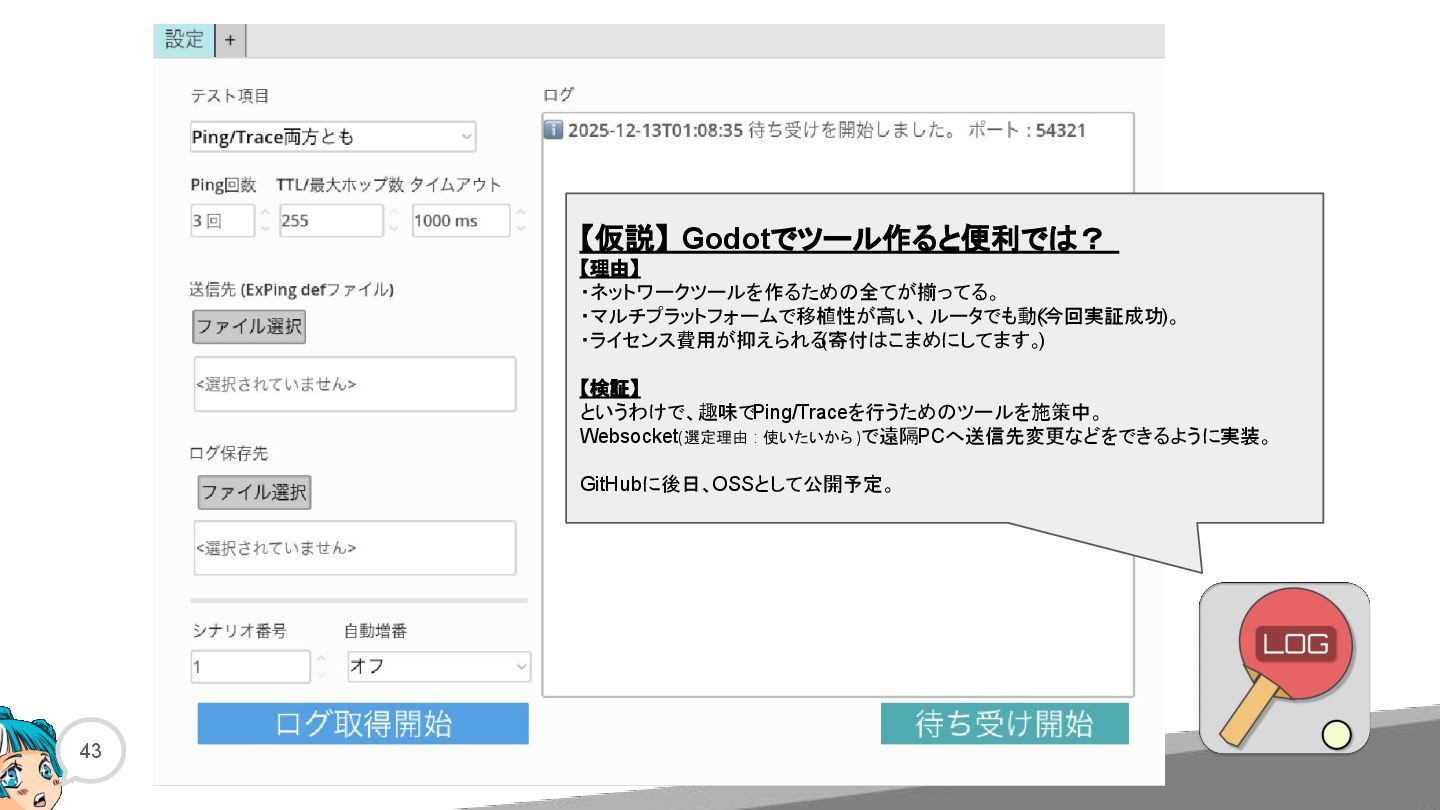
  17. 43 【仮説】 Godotでツール作ると便利では? 【理由】 ・ネットワークツールを作るための全てが揃ってる。 ・マルチプラットフォームで移植性が高い、ルータでも動く (今回実証成功)。 ・ライセンス費用が抑えられる (寄付はこまめにしてます。 )

    【検証】 というわけで、趣味で Ping/Traceを行うためのツールを施策中。 Websocket(選定理由 : 使いたいから )で遠隔PCへ送信先変更などをできるように実装。 GitHubに後日、OSSとして公開予定。
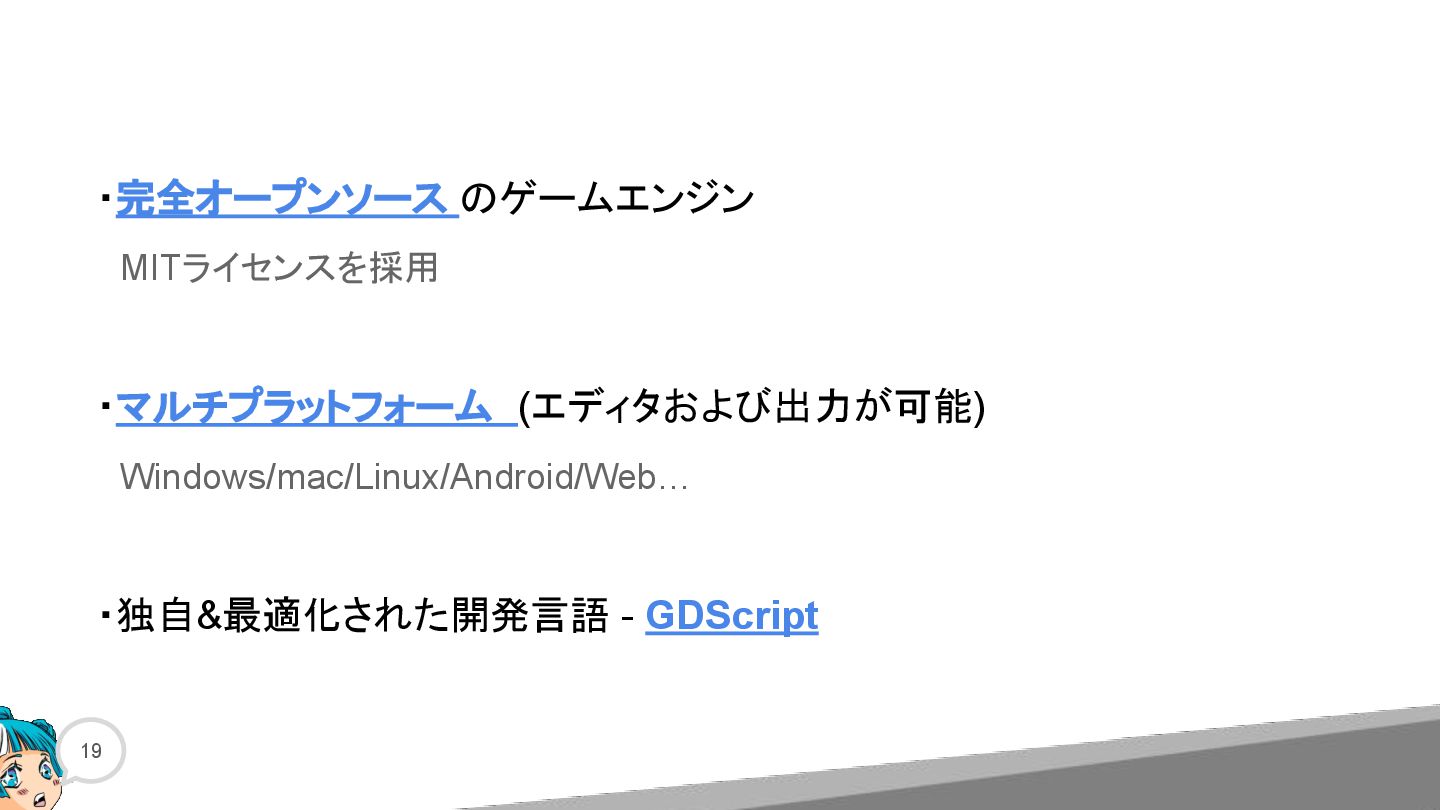
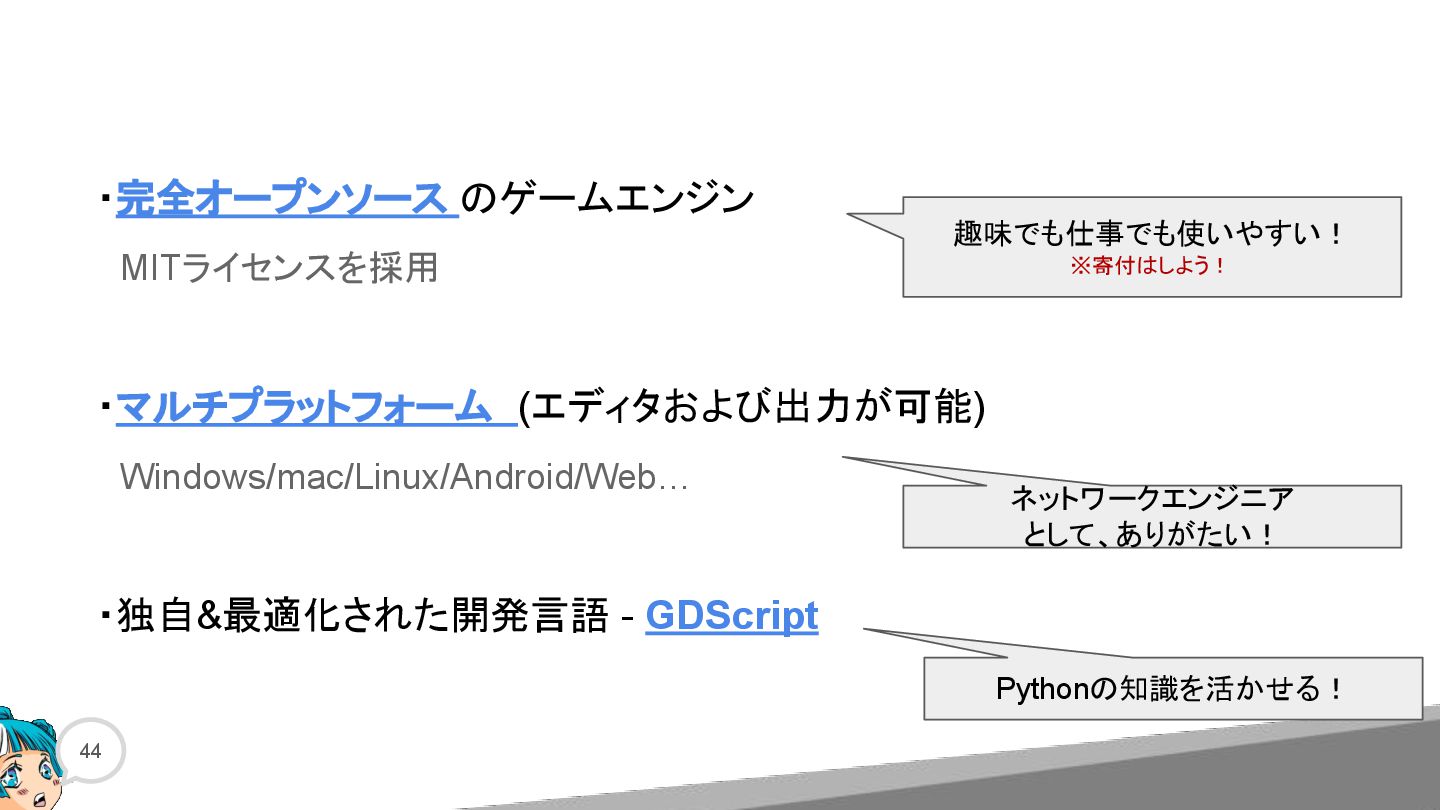
  18. 44 ・完全オープンソース のゲームエンジン  MITライセンスを採用 ・マルチプラットフォーム (エディタおよび出力が可能)  Windows/mac/Linux/Android/Web… ・独自&最適化された開発言語 - GDScript

    趣味でも仕事でも使いやすい! ※寄付はしよう! ネットワークエンジニア として、ありがたい! Pythonの知識を活かせる!