Upgrade to Pro
— share decks privately, control downloads, hide ads and more …
Speaker Deck
Sign up for free
Menu
Search
Features
All features
Private URLs
Password Protection
Custom URLS
Scheduled publishing
Remove Branding
Restrict embedding
Deck Collections
Notes
Features
All features
Private URLs
Password Protection
Custom URLS
Scheduled publishing
Remove Branding
Restrict embedding
Deck Collections
Notes
Explore
Featured decks
Featured speakers
Programming
Technology
Storyboards
Explore
Featured decks
Featured speakers
Programming
Technology
Storyboards
Pricing
Search
Sign in
Sign up for free
OpenCVを使ってみよう.pdf
Search
Sponsored
·
SiteGround - Reliable hosting with speed, security, and support you can count on.
→
linyixain
December 10, 2019
Programming
530
0
Share
Embed
Copy iframe code
Copy JS code
Copy link
Start on current slide
OpenCVを使ってみよう.pdf
linyixain
December 10, 2019
More Decks by linyixain
See All by linyixain
AITRIOSとNode-RED
linyixian
0
160
Algyan イベント振り返り
linyixian
0
420
.NET nanoFramework programming
linyixian
0
460
Azure Blob Storage on IoT Edge
linyixian
0
560
ALGYAN関西支部2019.pdf
linyixian
0
740
Other Decks in Programming
See All in Programming
AIに “答え“を書かせるのを やめてみた
___akari11
0
110
Findy - エンジニア向け会社紹介/Findy Company Deck
findyinc
6
400k
なぜCTOを降りてFDEを選んだのか?〜なぜプロダクト企業がFDEで顧客の現場に踏み込むのか〜
gonta
1
160
Augmenting AI with the Power of Jakarta EE
ivargrimstad
0
480
手動確認はもう限界 〜XCUITestでCustom URL Schemeの遷移を起動種別ごとに自動テストする〜 / Testing Custom URL Schemes with XCUITest
otouto
0
390
SREの越境 / SRE Collaboration
y0hgi
2
300
[Rails World 2026] Durable orchestration on Rails: from continuation to workflow
palkan
1
490
最近”作らせてる” ローカルAIアプリの話
akit37
0
210
速く作れる。その次は、速く確かめられる開発へ 〜AIネイティブ開発を支える、Shift Down〜 / Can build fast. Next, moving to development where we can verify fast.
rkaga
8
5.5k
AI時代のコードレビューは人に向けるな、仕組みに向けろ
texmeijin
5
3.5k
設計次第でAIコードの読む量は減らせる / designing-for-code-reading
minodriven
34
16k
R8 の設定見直しでアプリサイズ削減
andpad
0
190
Featured
See All Featured
Why Our Code Smells
bkeepers
PRO
340
58k
Making Projects Easy
brettharned
120
6.8k
<Decoding/> the Language of Devs - We Love SEO 2024
nikkihalliwell
1
350
Side Projects
sachag
456
43k
Sharpening the Axe: The Primacy of Toolmaking
bcantrill
46
3k
BBQ
matthewcrist
90
10k
Exploring anti-patterns in Rails
aemeredith
4
520
Measuring & Analyzing Core Web Vitals
bluesmoon
9
1k
Paper Plane (Part 1)
katiecoart
PRO
2
11k
Unsuck your backbone
ammeep
672
58k
Build your cross-platform service in a week with App Engine
jlugia
234
19k
End of SEO as We Know It (SMX Advanced Version)
ipullrank
3
4.4k
Transcript
OpenCVを使ってみよう 2019/12/10 株式会社リンシステムズ 林 宜憲(Yoshinori Hayashi) @linyixian
自己紹介 林 宜憲(はやし よしのり)@linyixian 株式会社リンシステムズ Microsoft MVP for Windows Development
IoTデバイスについてなんかやってます。 AIについてもちょっとだけやってます。
画像認識ってなに? ・今のはやりはカメラに映った映像の内容を理解すること ディープラーニングなどを利用してリアルタイムに映像を解析 できるようになっています。 ・以前からあるのはデジカメの顔検出機能 今日はこの機能をRasPiとカメラを使ってプログラミングします。
人を検出するには 人が写っている画像と写っていない画像を大量(数千枚・・・)に用意して機 械学習を行います。 精度を上げようとすると大量の学習と画像の用意が必要・・・ しかし、先人が学習したモデルがあるので今はそれを利用すれば簡単に検出で きます。
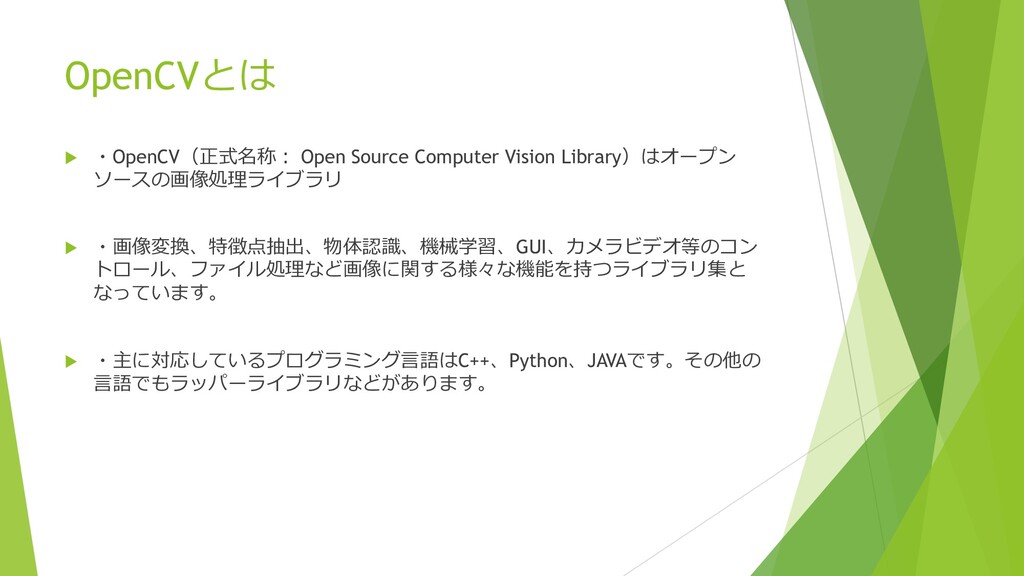
OpenCVとは ・OpenCV(正式名称: Open Source Computer Vision Library)はオープン ソースの画像処理ライブラリ
・画像変換、特徴点抽出、物体認識、機械学習、GUI、カメラビデオ等のコン トロール、ファイル処理など画像に関する様々な機能を持つライブラリ集と なっています。 ・主に対応しているプログラミング言語はC++、Python、JAVAです。その他の 言語でもラッパーライブラリなどがあります。
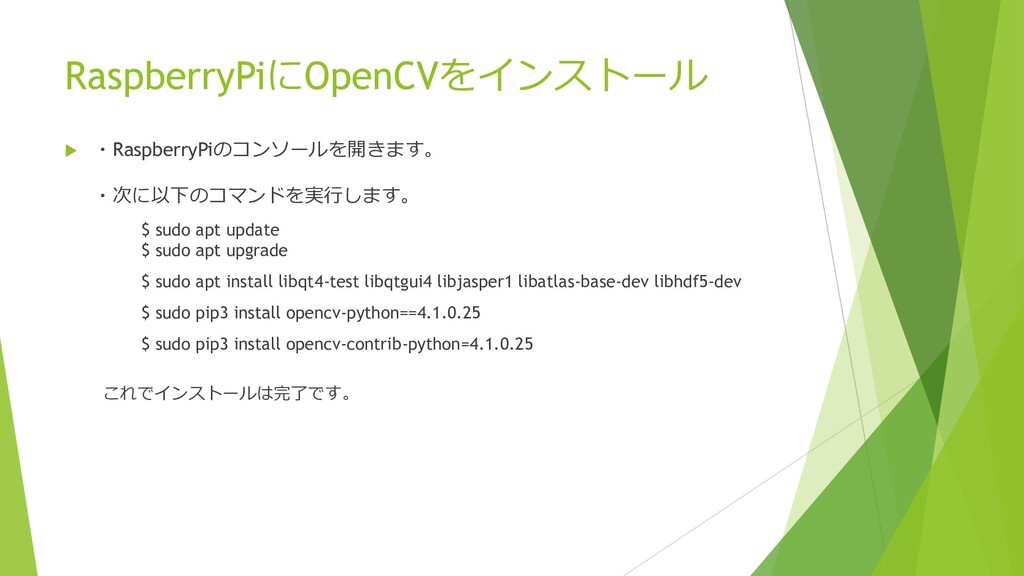
RaspberryPiにOpenCVをインストール ・RaspberryPiのコンソールを開きます。 ・次に以下のコマンドを実行します。 $ sudo apt update $ sudo
apt upgrade $ sudo apt install libqt4-test libqtgui4 libjasper1 libatlas-base-dev libhdf5-dev $ sudo pip3 install opencv-python==4.1.0.25 $ sudo pip3 install opencv-contrib-python=4.1.0.25 これでインストールは完了です。
インストールの確認 コンソール上でPython3を実行します。 $ python3 >>> import cv2 >>> cv2.__version__
バージョンが表示されればインストールはできています。
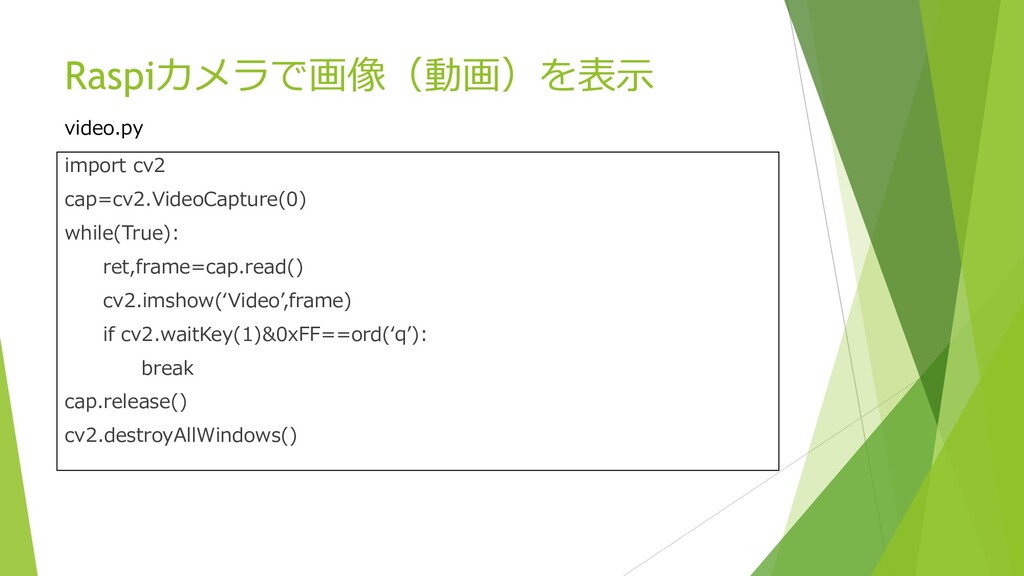
Raspiカメラで画像(動画)を表示 import cv2 cap=cv2.VideoCapture(0) while(True): ret,frame=cap.read() cv2.imshow(‘Video’,frame) if cv2.waitKey(1)&0xFF==ord(‘q’): break
cap.release() cv2.destroyAllWindows() video.py
人検出機能を追加 先ほどのコードに人検出機能を追加します。 detect.py import cv2 import time faceCascade=cv2.CascadeClassifier('/usr/local/lib/python3.7/dist-packages/cv2/data/haarcascade_frontalface_default.xml') cap=cv2.VideoCapture(0) while(True):
ret,frame=cap.read() gray=cv2.cvtColor(frame,cv2.COLOR_BGR2GRAY) faces=faceCascade.detectMultiScale(gray,1.1,3,0,(10,10)) for(x,y,w,h) in faces: cv2.rectangle(frame,(x,y),(x+w,y+h),(0,0,255),2) cv2.imshow('Video',frame) if cv2.waitKey(1)&0xFF==ord('q'): break time.sleep(0.1) cap.release() cv2.destroyAllWindows()
参考 インストールがうまくいかない時は次の記事を参考にしてください。 ラズパイ3にOpenCV3/4を簡単に導入 https://qiita.com/mt08/items/e8e8e728cf106ac83218


 linyixian
 ___akari11
 findyinc
 gonta
gonta
 ivargrimstad
 otouto
 y0hgi
y0hgi
 palkan
 akit37
 rkaga
rkaga
 texmeijin
 minodriven
 andpad
 bkeepers
 brettharned
 nikkihalliwell
 sachag
 bcantrill
 matthewcrist
 aemeredith
 bluesmoon
 katiecoart
 ammeep
 jlugia
 ipullrank