Share
Embed
LAMP <3 AWS
The presentation to go along with my 2-hour workshop at PHPUK Conference 2019.
The ideal way to follow would be to use the provided terraform/packer example and s3-pull-deploy examples and deploy your own branch.
The slides refer to the "phpuk" branches but to deploy outside of the conference just use the master branches - you will need to have your own domain hosted on AWS' Route53 service to do so.
Mike Lehan
February 22, 2019
Transcript
71 slides
-
Hey there I’m Mike Lehan Software engineer, CTO of StuRents.com,
skydiver, northerner Follow me on Twitter @M1ke Love/hate to https://joind.in/talk/f77b6 2 -
Cloud changes the way our products work But how can
we move applications to the cloud without changing the way we develop, deploy and manage those products? 3 -
Why move to the cloud? Scalable No need to migrate
to new servers when our business grows or requirements change Available The services we use must be there when we need them, resistant to faults in underlying utilities Durable If something goes wrong with our system, being able to recover data or revert changes 5 -
Where are we coming from? • Shared hosting • Single
server (VPS/dedicated) • LAMP stack • Separate database • Hypervisors 6 Still love LAMP? Never fear! -
The basics We need to know what we’re doing… before
we do it Acronyms ahead AWS is an acronym. They also use a lot of other acronyms. The capitals don’t mean they are shouting at you 7 -
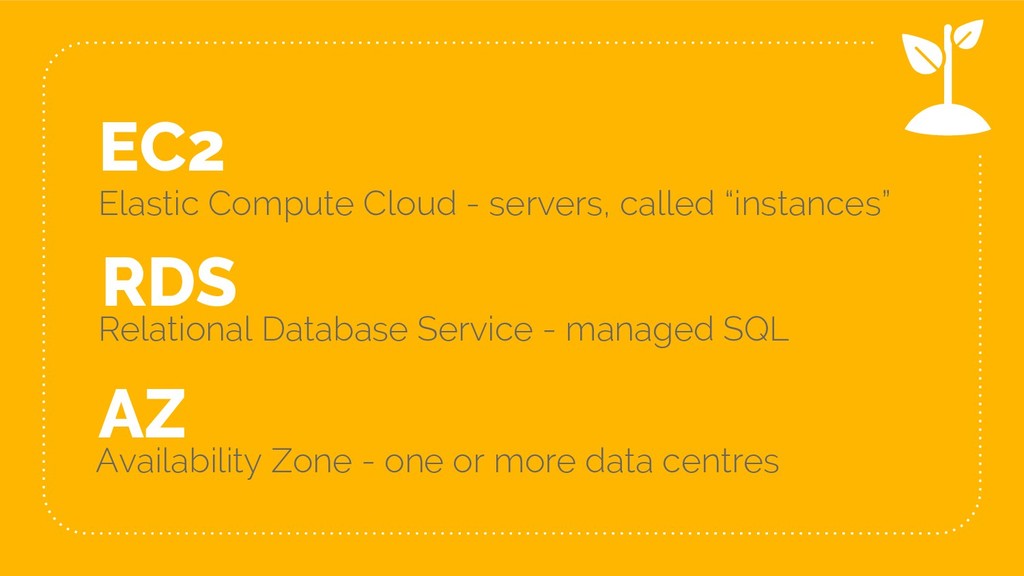
EC2 Elastic Compute Cloud - servers, called “instances” AZ Availability
Zone - one or more data centres 8 RDS Relational Database Service - managed SQL -
“ Also… this workshop is kind of backwards 10 Is
this really the best way to do all this? -
11 These dark slides mean you need to do something
Let’s start out easy... -
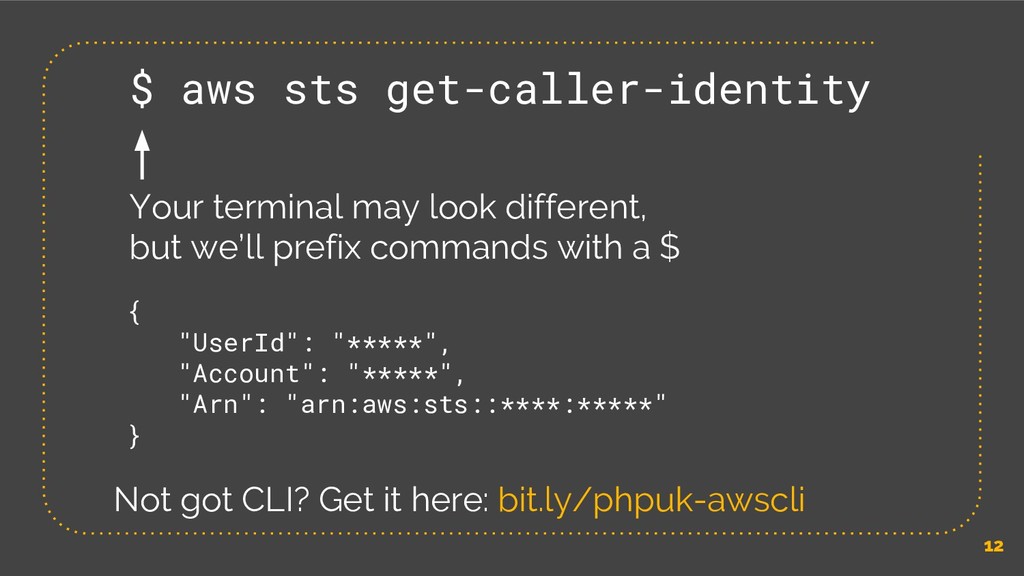
12 $ aws sts get-caller-identity Your terminal may look different,
but we’ll prefix commands with a $ { "UserId": "*****", "Account": "*****", "Arn": "arn:aws:sts::****:*****" } Not got CLI? Get it here: bit.ly/phpuk-awscli -
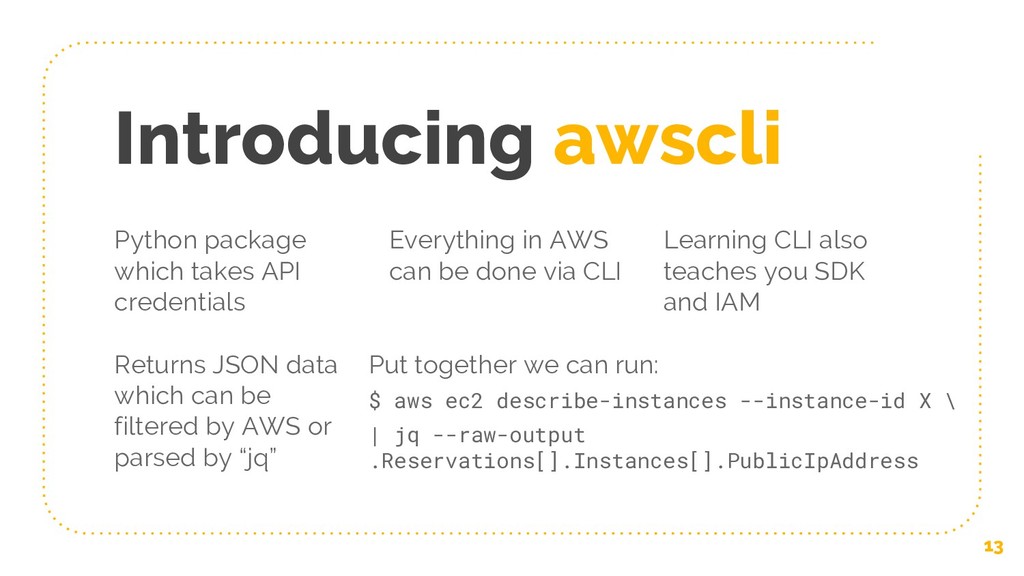
Introducing awscli 13 Python package which takes API credentials Everything
in AWS can be done via CLI Learning CLI also teaches you SDK and IAM Returns JSON data which can be filtered by AWS or parsed by “jq” Put together we can run: $ aws ec2 describe-instances --instance-id X \ | jq --raw-output .Reservations[].Instances[].PublicIpAddress -
Cli risks 14 • Much easier to make mistakes in
CLI than console • Some resource types (e.g. database) have extra “deletion protection” • Use IAM roles instead of users - assume a role relevant to the task, have read & write roles • Use a tool build on top of AWS APIs or CLI -
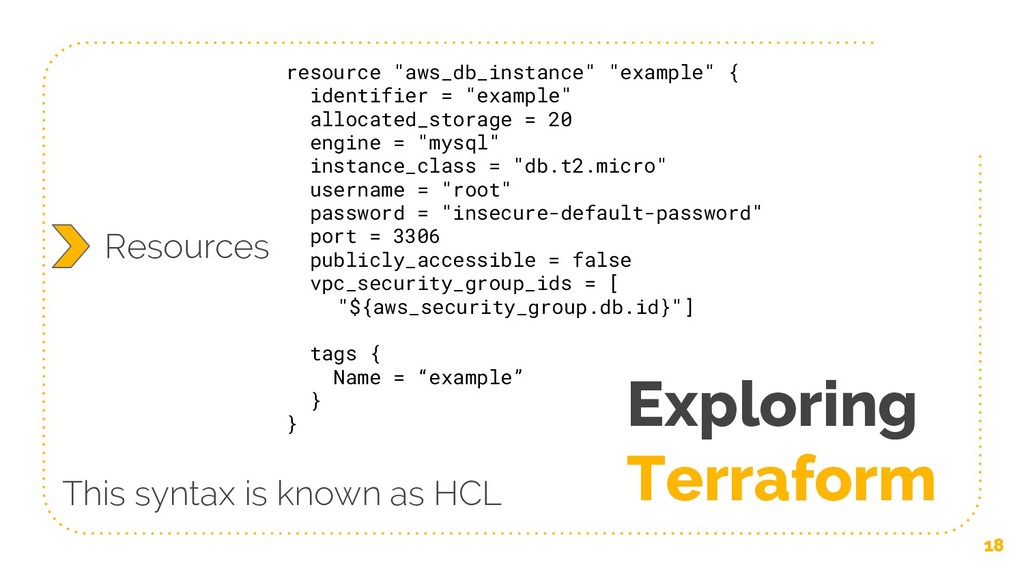
resource "aws_db_instance" "example" { identifier = "example" allocated_storage = 20
engine = "mysql" instance_class = "db.t2.micro" username = "root" password = "insecure-default-password" port = 3306 publicly_accessible = false vpc_security_group_ids = [ "${aws_security_group.db.id}"] tags { Name = “example” } } Exploring Terraform 18 Resources This syntax is known as HCL -
data "aws_ami" "web-ami" { most_recent = true name_regex = "^web-([0-9_-]+)"
owners = [ "self"] } 19 Data resource "aws_s3_bucket" "deploy" { bucket = "${var.s3-deploy}" acl = "private" Variables output "db-endpoint" { value = "${aws_db_instance.example.endpoint}" } Output provider "aws" { region = "${var.aws_region}" version = "~> 1.7" Providers -
ASG Auto Scaling Group - we’ve already mentioned these Launch
Configuration - types of instances for ASG 20 AMI Amazon Machine Image - config + disk snapshot -
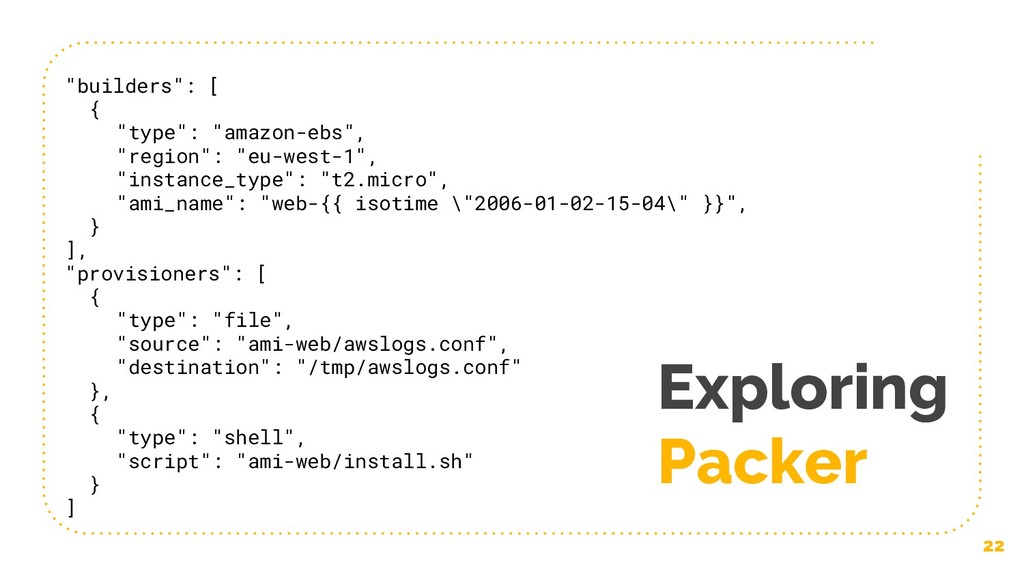
Exploring Packer 22 "builders": [ { "type": "amazon-ebs", "region": "eu-west-1",
"instance_type": "t2.micro", "ami_name": "web-{{ isotime \"2006-01-02-15-04\" }}", } ], "provisioners": [ { "type": "file", "source": "ami-web/awslogs.conf", "destination": "/tmp/awslogs.conf" }, { "type": "shell", "script": "ami-web/install.sh" } ] -
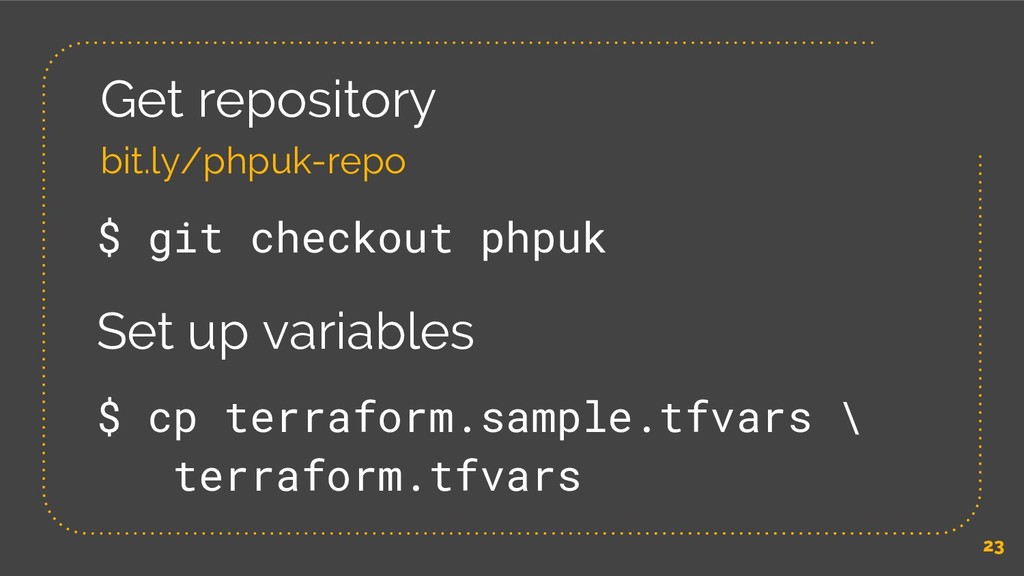
23 Get repository bit.ly/phpuk-repo $ cp terraform.sample.tfvars \ terraform.tfvars $
git checkout phpuk Set up variables -
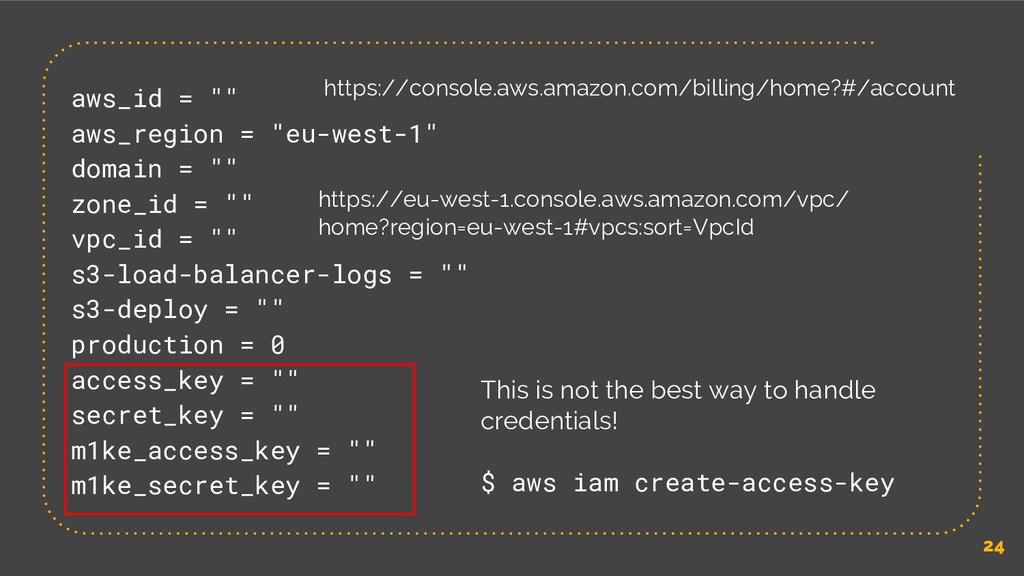
24 aws_id = "" aws_region = "eu-west-1" domain = ""
zone_id = "" vpc_id = "" s3-load-balancer-logs = "" s3-deploy = "" production = 0 access_key = "" secret_key = "" m1ke_access_key = "" m1ke_secret_key = "" This is not the best way to handle credentials! $ aws iam create-access-key https://console.aws.amazon.com/billing/home?#/account https://eu-west-1.console.aws.amazon.com/vpc/ home?region=eu-west-1#vpcs:sort=VpcId -
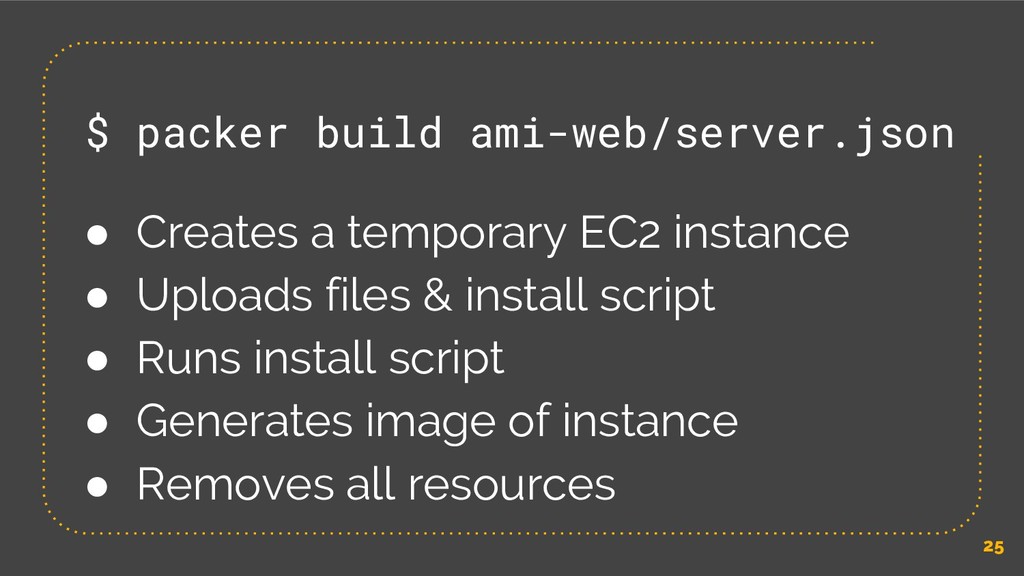
25 $ packer build ami-web/server.json • Creates a temporary EC2
instance • Uploads files & install script • Runs install script • Generates image of instance • Removes all resources -
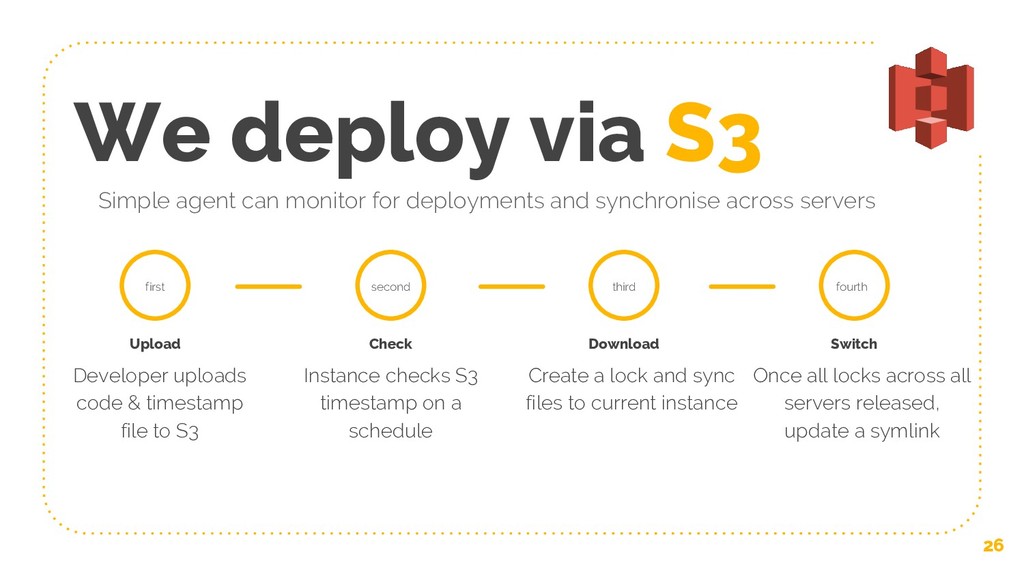
We deploy via S3 26 Simple agent can monitor for
deployments and synchronise across servers first Upload Developer uploads code & timestamp file to S3 Check Instance checks S3 timestamp on a schedule second Download Create a lock and sync files to current instance third Switch Once all locks across all servers released, update a symlink fourth -
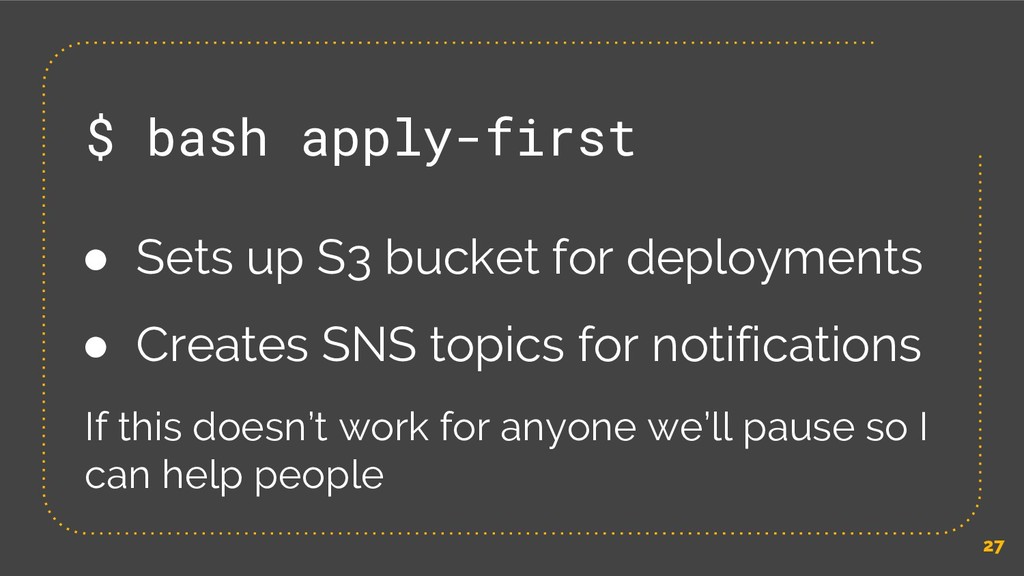
27 $ bash apply-first • Sets up S3 bucket for
deployments • Creates SNS topics for notifications If this doesn’t work for anyone we’ll pause so I can help people -
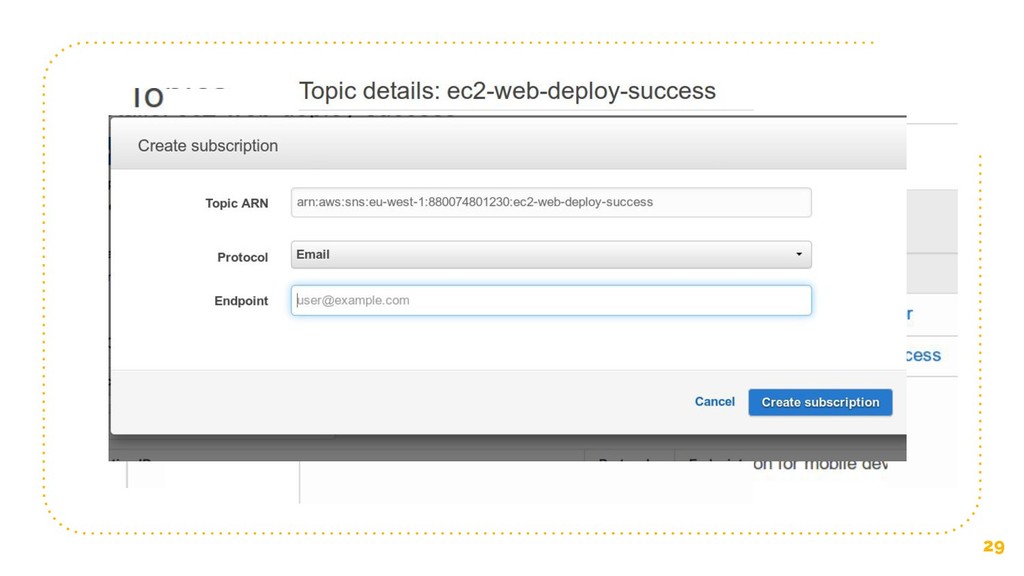
28 Unfortunately we can’t quite automate everything Let’s sign in
to the AWS console: https://signin.aws.amazon.com -
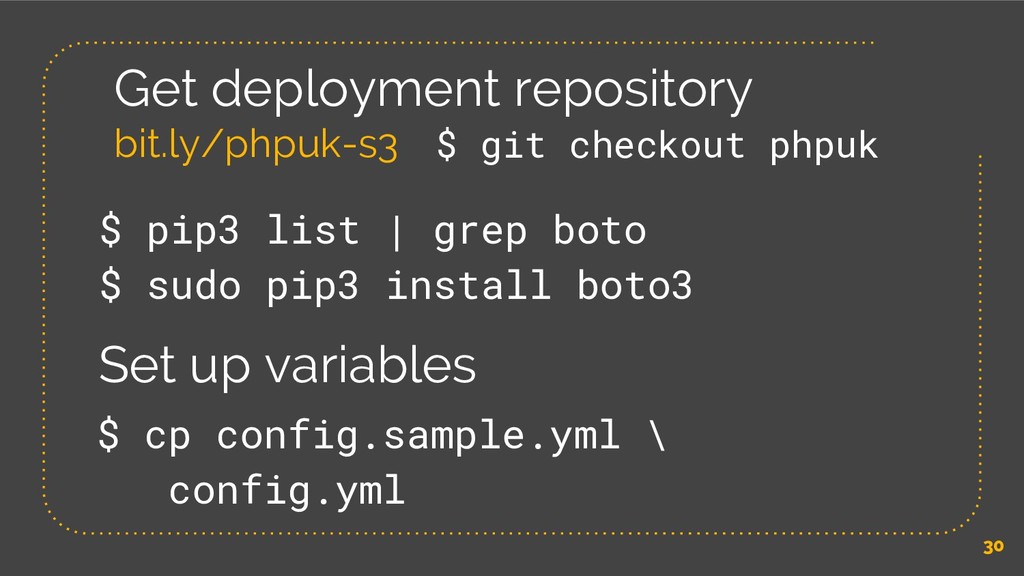
30 Get deployment repository bit.ly/phpuk-s3 $ cp config.sample.yml \ config.yml
$ pip3 list | grep boto $ sudo pip3 install boto3 Set up variables $ git checkout phpuk -
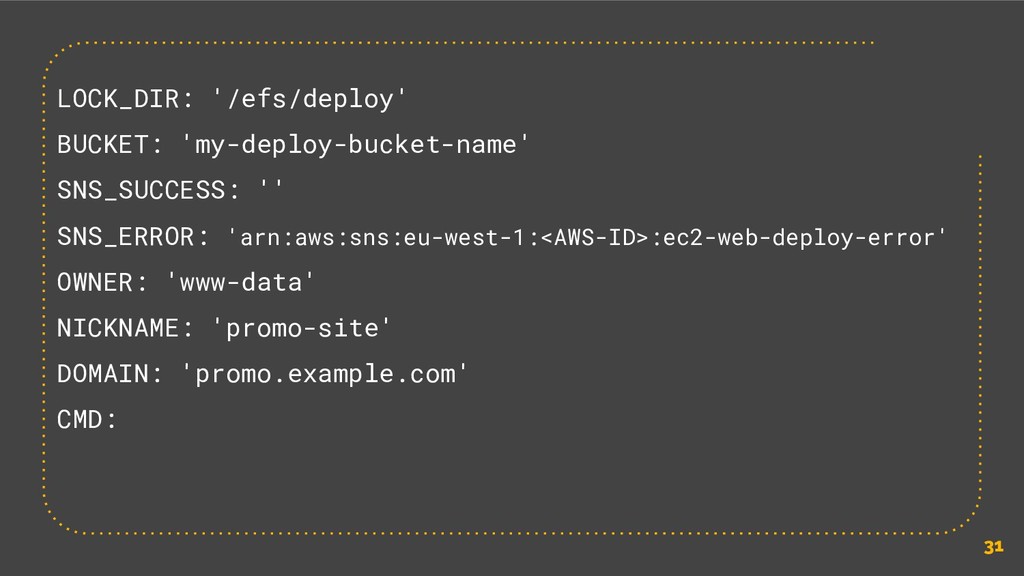
31 LOCK_DIR: '/efs/deploy' BUCKET: 'my-deploy-bucket-name' SNS_SUCCESS: '' SNS_ERROR: 'arn:aws:sns:eu-west-1:<AWS-ID>:ec2-web-deploy-error' OWNER:
'www-data' NICKNAME: 'promo-site' DOMAIN: 'promo.example.com' CMD: -
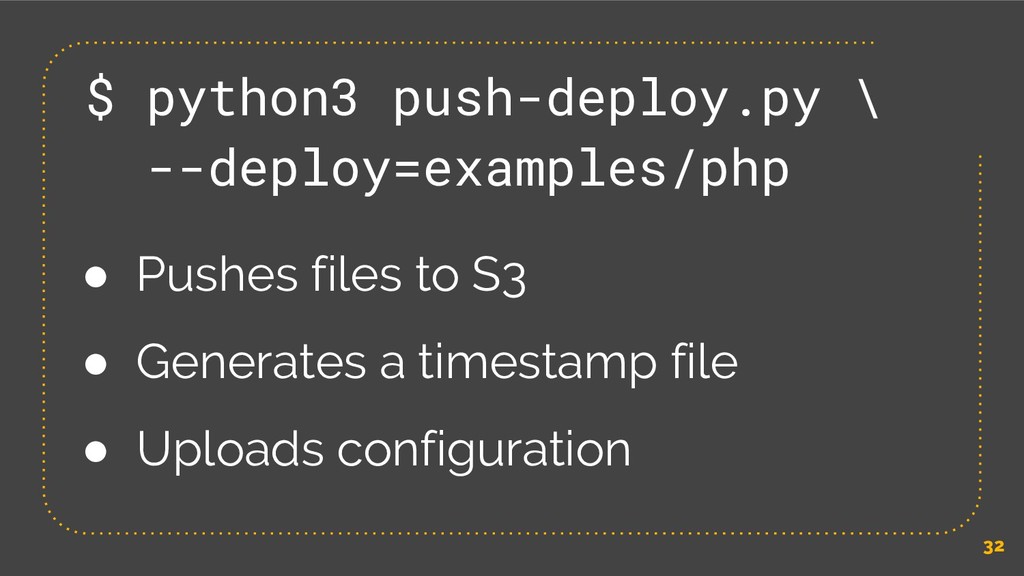
32 $ python3 push-deploy.py \ --deploy=examples/php • Pushes files to
S3 • Generates a timestamp file • Uploads configuration -
AMI • We built this with Packer • Locks down
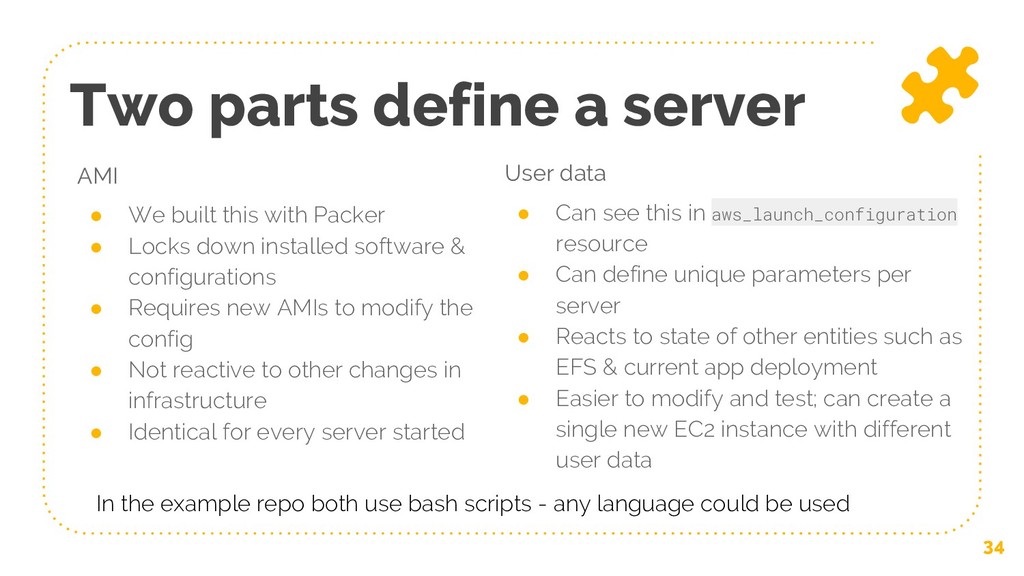
installed software & configurations • Requires new AMIs to modify the config • Not reactive to other changes in infrastructure • Identical for every server started Two parts define a server User data • Can see this in aws_launch_configuration resource • Can define unique parameters per server • Reacts to state of other entities such as EFS & current app deployment • Easier to modify and test; can create a single new EC2 instance with different user data 34 In the example repo both use bash scripts - any language could be used -
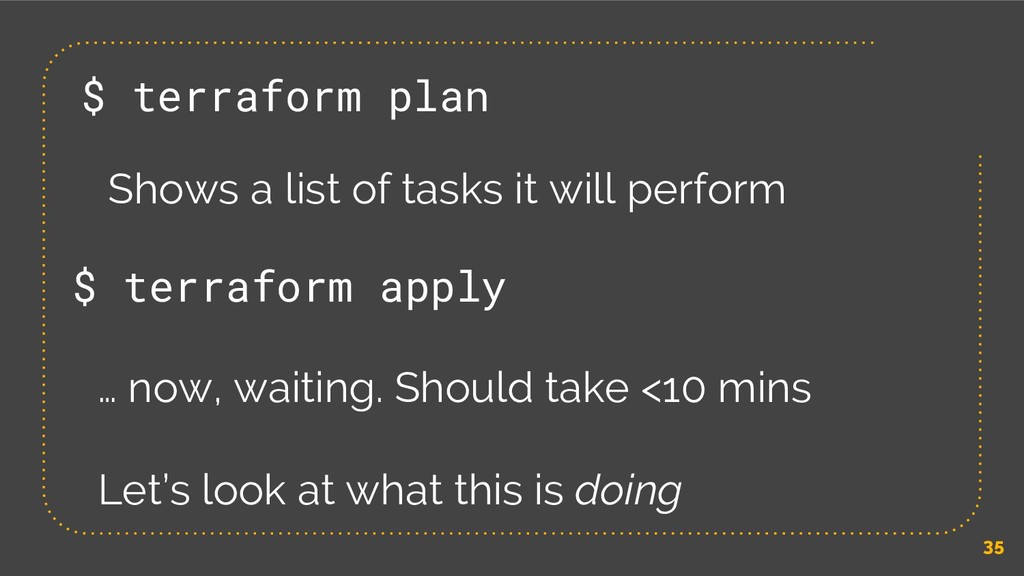
35 $ terraform apply … now, waiting. Should take <10
mins Let’s look at what this is doing $ terraform plan Shows a list of tasks it will perform -
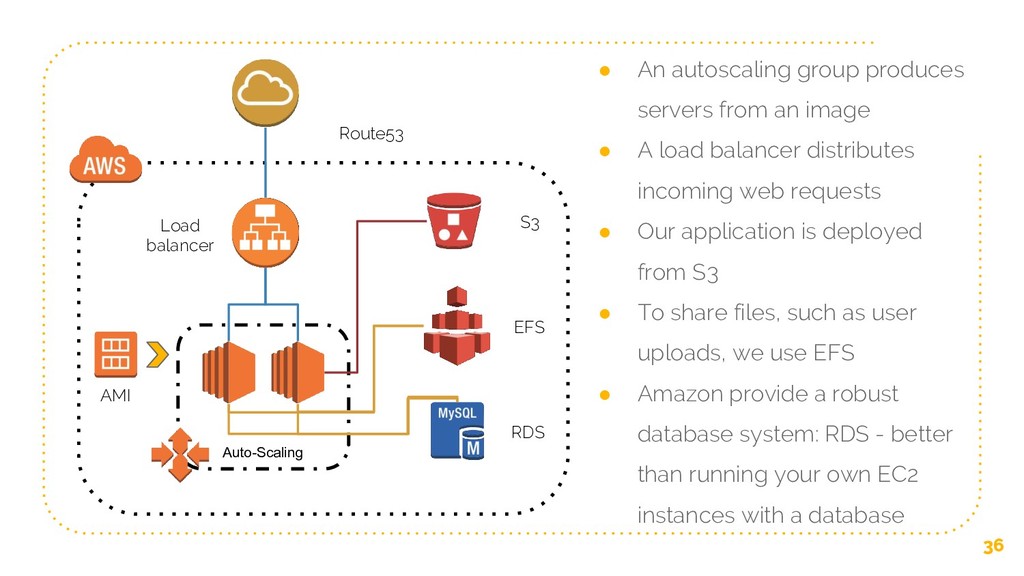
36 Auto-Scaling • An autoscaling group produces servers from an
image • A load balancer distributes incoming web requests • Our application is deployed from S3 • To share files, such as user uploads, we use EFS • Amazon provide a robust database system: RDS - better than running your own EC2 instances with a database AMI RDS EFS S3 Load balancer Route53 -
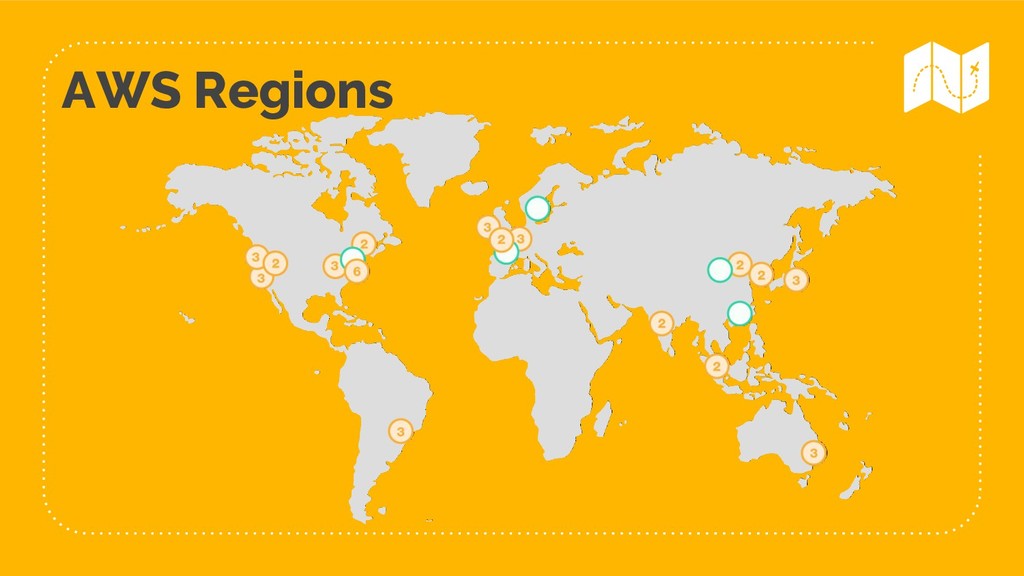
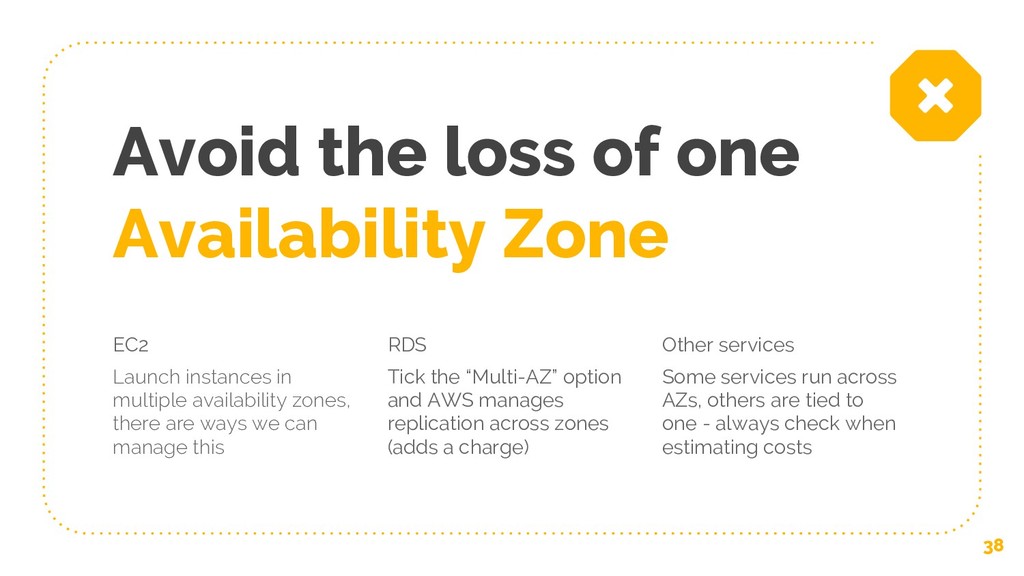
Avoid the loss of one Availability Zone EC2 Launch instances
in multiple availability zones, there are ways we can manage this RDS Tick the “Multi-AZ” option and AWS manages replication across zones (adds a charge) Other services Some services run across AZs, others are tied to one - always check when estimating costs 38 -
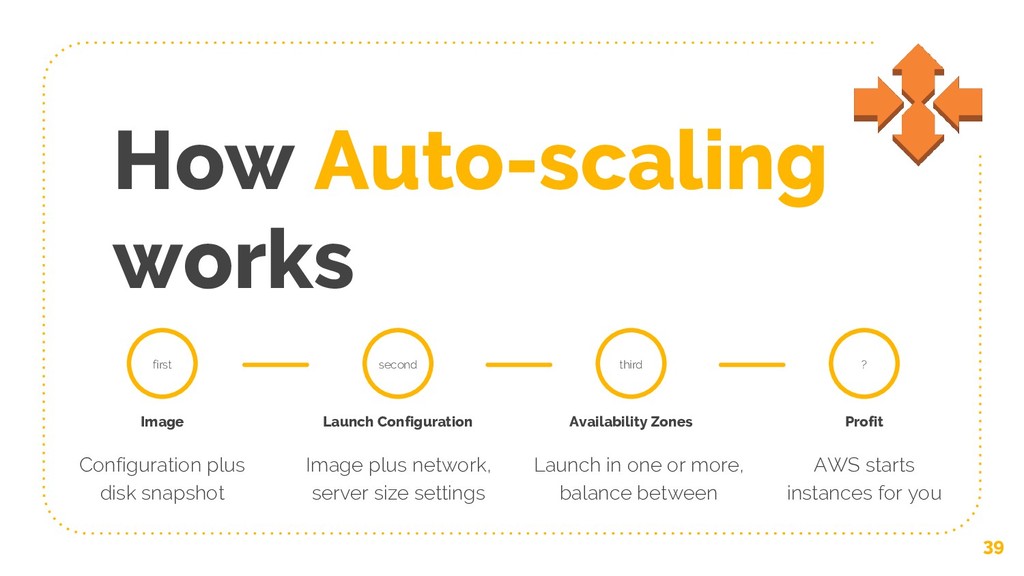
How Auto-scaling works 39 first Image Configuration plus disk snapshot
Launch Configuration Image plus network, server size settings second Availability Zones Launch in one or more, balance between third Profit AWS starts instances for you ? -
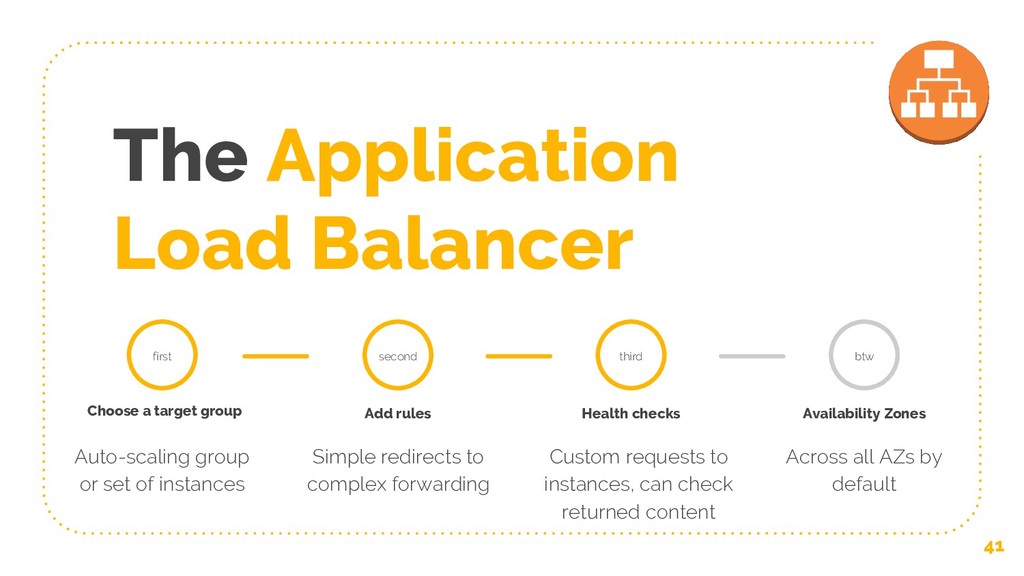
The Application Load Balancer 41 first Choose a target group
Auto-scaling group or set of instances Add rules Simple redirects to complex forwarding second Health checks Custom requests to instances, can check returned content third Availability Zones Across all AZs by default btw -
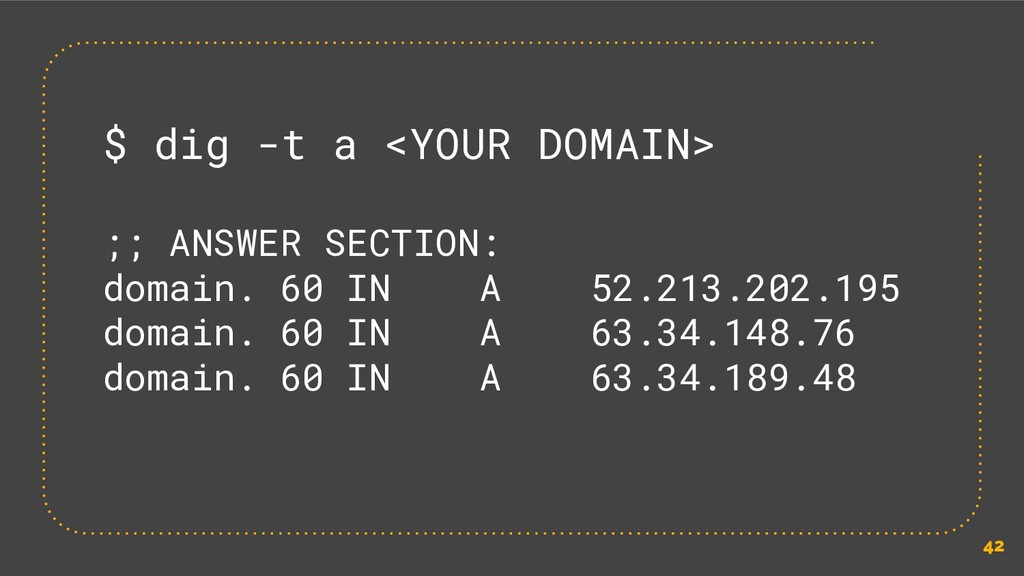
42 $ dig -t a <YOUR DOMAIN> ;; ANSWER SECTION:
domain. 60 IN A 52.213.202.195 domain. 60 IN A 63.34.148.76 domain. 60 IN A 63.34.189.48 -
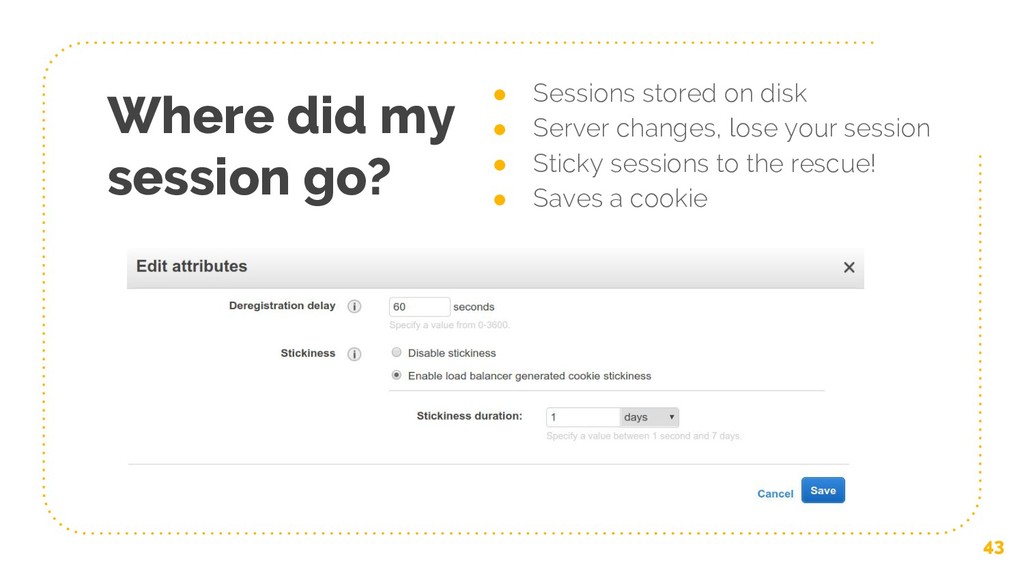
Where did my session go? • Sessions stored on disk
• Server changes, lose your session • Sticky sessions to the rescue! • Saves a cookie 43 -
Each server has its own disk This will cause problems
for two areas of a traditional LAMP stack application: • Deploying application code • Storing content generated by or uploaded through the application 45 -
EBS Elastic Block Store - hard disks used by instances
EFS Elastic File System - networked hard disk 46 S3 Simple Storage Service - API driven object store 0.10 $/GB 0.30 0.023 -
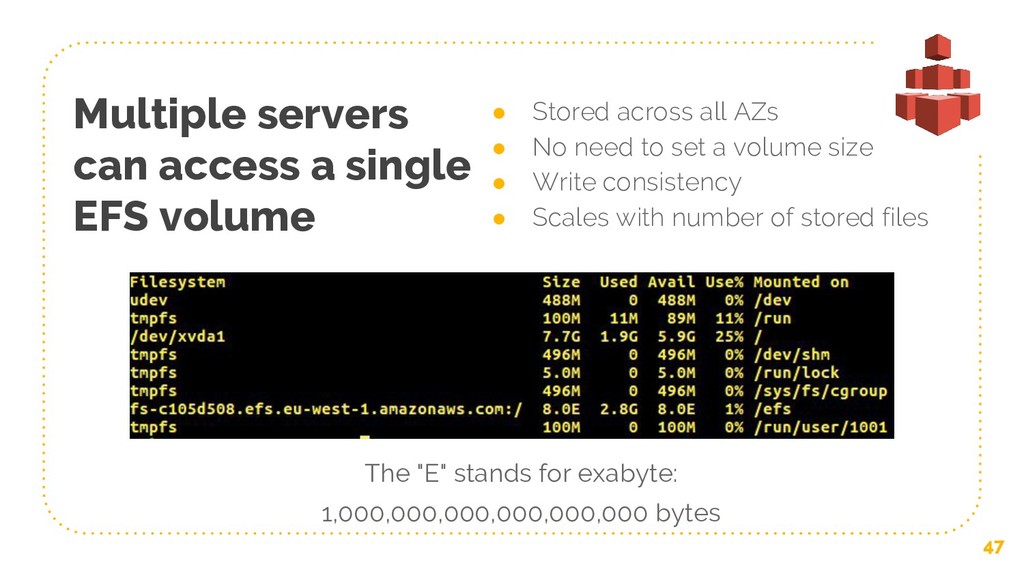
Multiple servers can access a single EFS volume • Stored
across all AZs • No need to set a volume size • Write consistency • Scales with number of stored files 47 The "E" stands for exabyte: 1,000,000,000,000,000,000 bytes -
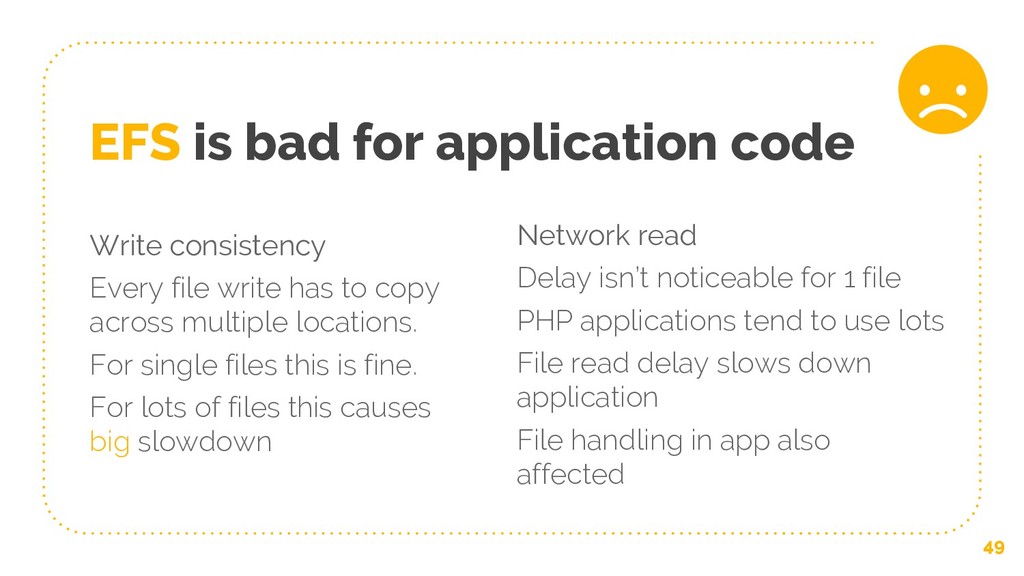
Write consistency Every file write has to copy across multiple
locations. For single files this is fine. For lots of files this causes big slowdown EFS is bad for application code Network read Delay isn’t noticeable for 1 file PHP applications tend to use lots File read delay slows down application File handling in app also affected 49 -
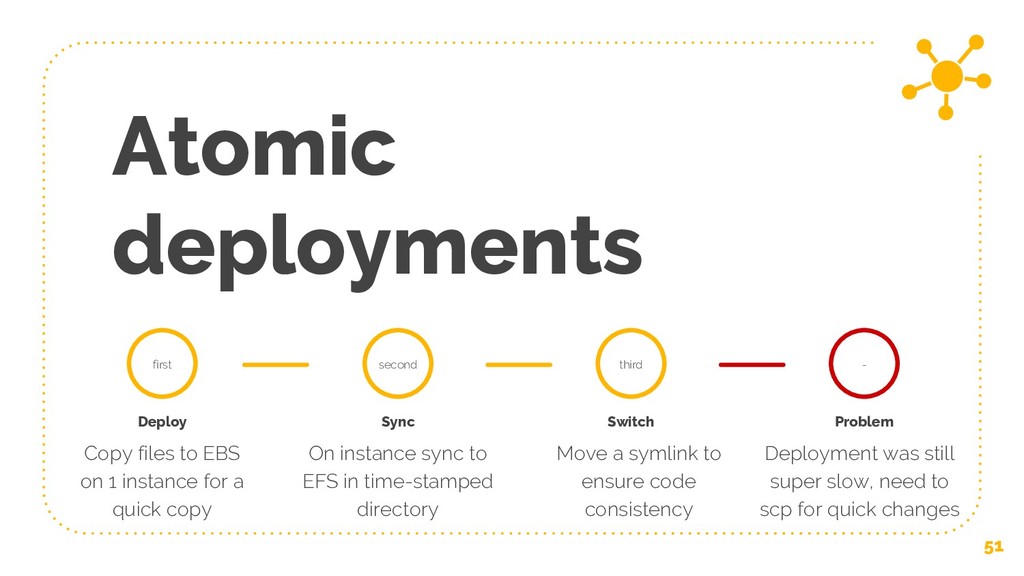
How we tried to deploy to multiple servers Atomic deployments
Key problem with write time is for deployments and app code consistency Custom rsync + bash solution Opcache Reduce dependency on PHP file reads by caching generated opcodes Invalidate this cache on deployment S3 deployments Remove EFS effect on application code by deploying code direct to servers Must ensure consistency 50 -
Atomic deployments 51 first Deploy Copy files to EBS on
1 instance for a quick copy Sync On instance sync to EFS in time-stamped directory second Switch Move a symlink to ensure code consistency third Problem Deployment was still super slow, need to scp for quick changes - -
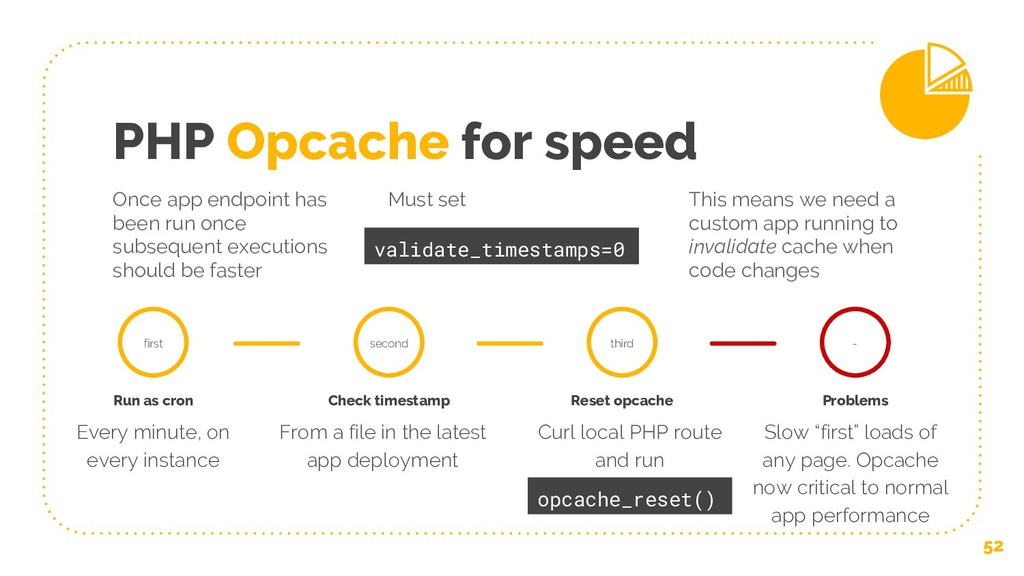
PHP Opcache for speed Once app endpoint has been run
once subsequent executions should be faster Must set This means we need a custom app running to invalidate cache when code changes 52 validate_timestamps=0 first Run as cron Every minute, on every instance Check timestamp From a file in the latest app deployment second Reset opcache Curl local PHP route and run third Problems Slow “first” loads of any page. Opcache now critical to normal app performance - opcache_reset() -
Well what then? • Blue-green deployment • CodeDeploy or other
tools 53 But... • Problems of consistency, especially front end cache • Not designed for different types of servers • Harder to run post-deployment code -
• You may encounter API services which require inbound IPs
to be whitelisted, or you may want this security option available • Instances get random public IP addresses on creation Curse of the IP whitelist 55 -
EIP Elastic IP - fixed IP that can move between
instances 56 • Elastic IPs can be stored on an account and rebound very quickly • We keep 2x the expected usage in reserve - when new servers are starting they should be able to bind without stealing an IP • EIPs cost for time they are not being used on an instance • User data allows binding according to specific rules per ASG -
With one server 58 • System level logs are generally
in /var/log • Web application might log to content files or to server level logs • Some app runtime errors may appear in apache/php system logs • Cron can have logs for app output, stderr, cron problems (sometimes in /var/mail ??? ) -
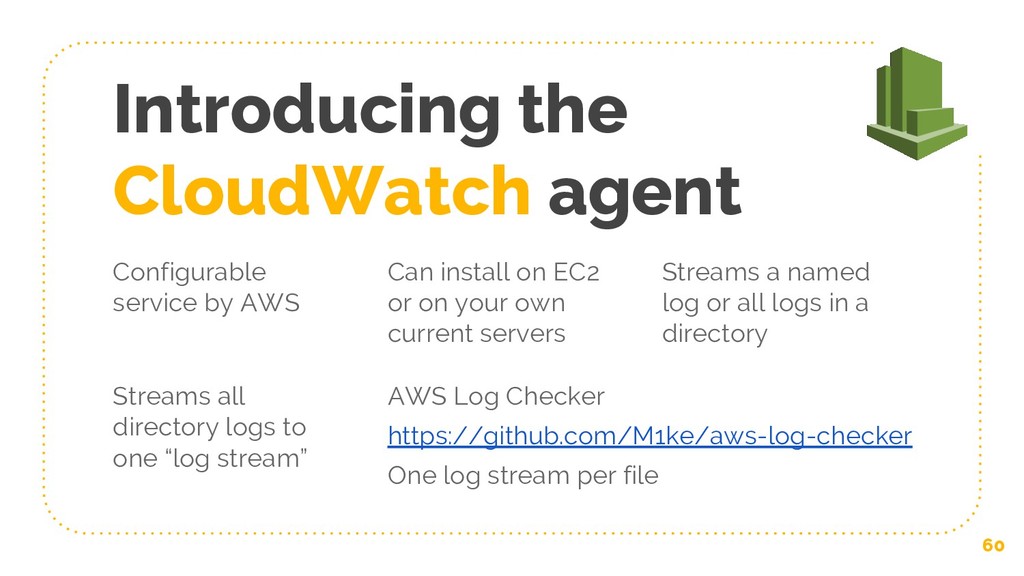
Introducing the CloudWatch agent 60 Configurable service by AWS Can
install on EC2 or on your own current servers Streams a named log or all logs in a directory Streams all directory logs to one “log stream” AWS Log Checker https://github.com/M1ke/aws-log-checker One log stream per file -
The best loggers use CLI 61 https://github.com/jorgebastida/awslogs Stream logs from
multiple sources to terminal -
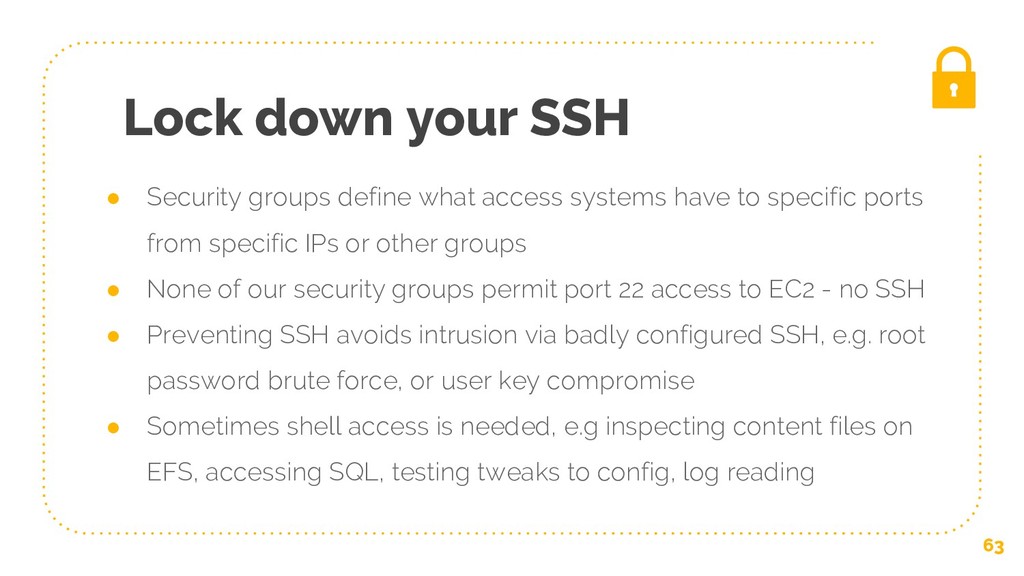
• Security groups define what access systems have to specific
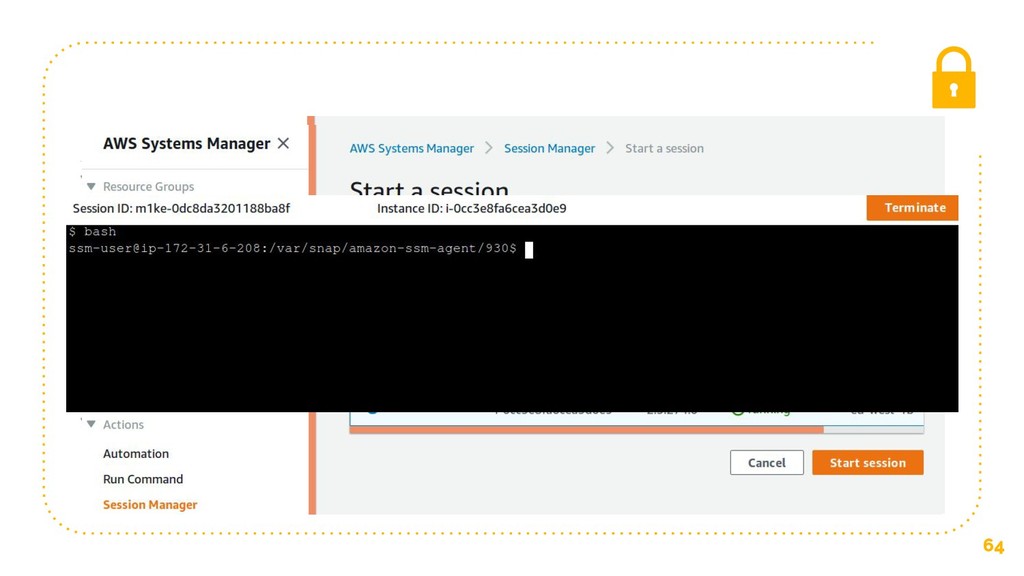
ports from specific IPs or other groups • None of our security groups permit port 22 access to EC2 - no SSH • Preventing SSH avoids intrusion via badly configured SSH, e.g. root password brute force, or user key compromise • Sometimes shell access is needed, e.g inspecting content files on EFS, accessing SQL, testing tweaks to config, log reading Lock down your SSH 63 -
Other features we could use • Cloudfront for static content
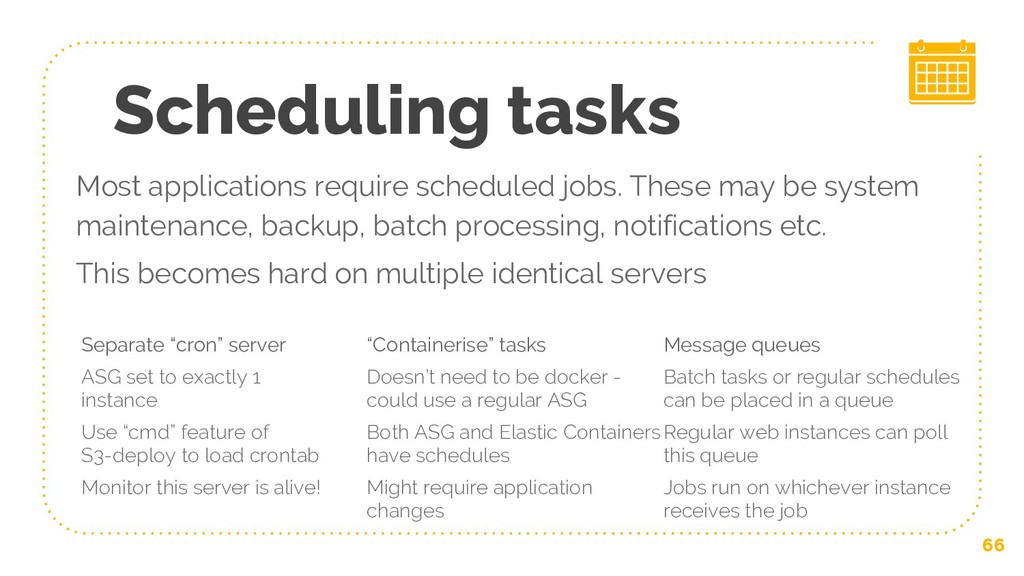
& caching • Lambda for serverless PHP Necessary next steps for our setup • Scheduling tasks - cron & others • Storage - objects not files • Networking - public/private What’s next? -
Scheduling tasks Separate “cron” server ASG set to exactly 1
instance Use “cmd” feature of S3-deploy to load crontab Monitor this server is alive! “Containerise” tasks Doesn’t need to be docker - could use a regular ASG Both ASG and Elastic Containers have schedules Might require application changes Message queues Batch tasks or regular schedules can be placed in a queue Regular web instances can poll this queue Jobs run on whichever instance receives the job 66 Most applications require scheduled jobs. These may be system maintenance, backup, batch processing, notifications etc. This becomes hard on multiple identical servers -
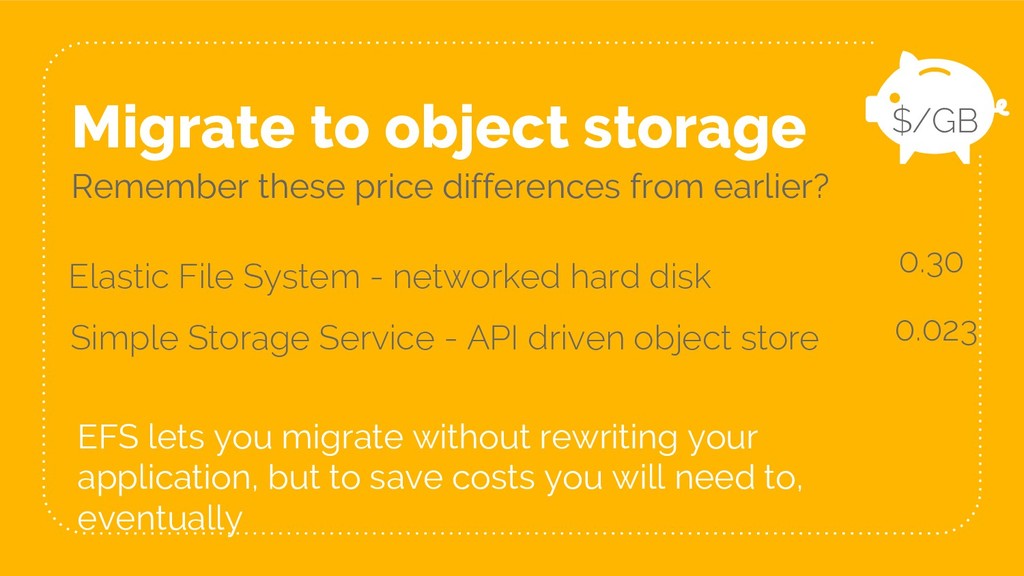
Migrate to object storage Remember these price differences from earlier?
Elastic File System - networked hard disk 67 Simple Storage Service - API driven object store $/GB 0.30 0.023 EFS lets you migrate without rewriting your application, but to save costs you will need to, eventually -
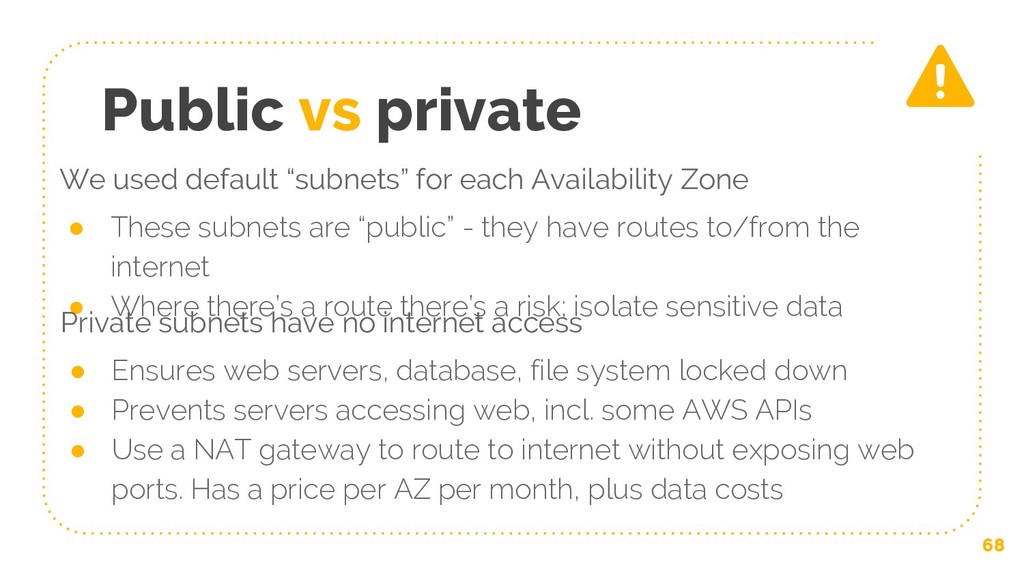
We used default “subnets” for each Availability Zone • These
subnets are “public” - they have routes to/from the internet • Where there’s a route there’s a risk; isolate sensitive data Public vs private Private subnets have no internet access • Ensures web servers, database, file system locked down • Prevents servers accessing web, incl. some AWS APIs • Use a NAT gateway to route to internet without exposing web ports. Has a price per AZ per month, plus data costs 68 -
“ CloudFront is easy to set up to serve your
static resources right now 69 -
“ PHP now runs “serverless” in AWS Lambda using Lambda
layers 70 https://bref.sh/ -
71 Cheers for attending Questions or troubleshooting? Ask away… Or
find me on: Twitter @M1ke | Slack #phpnw & #og-aws Liked this? Tell me on https://joind.in/talk/f77b6 (please be nice) Presentation template by SlidesCarnival