Share
Embed
Writing Ruby Scripts with TypeProf
@ RubyKaigi 2025 (2025-04-17)
https://rubykaigi.org/2025/presentations/mametter.html
Yusuke Endoh
April 17, 2025
Transcript
31 slides
-
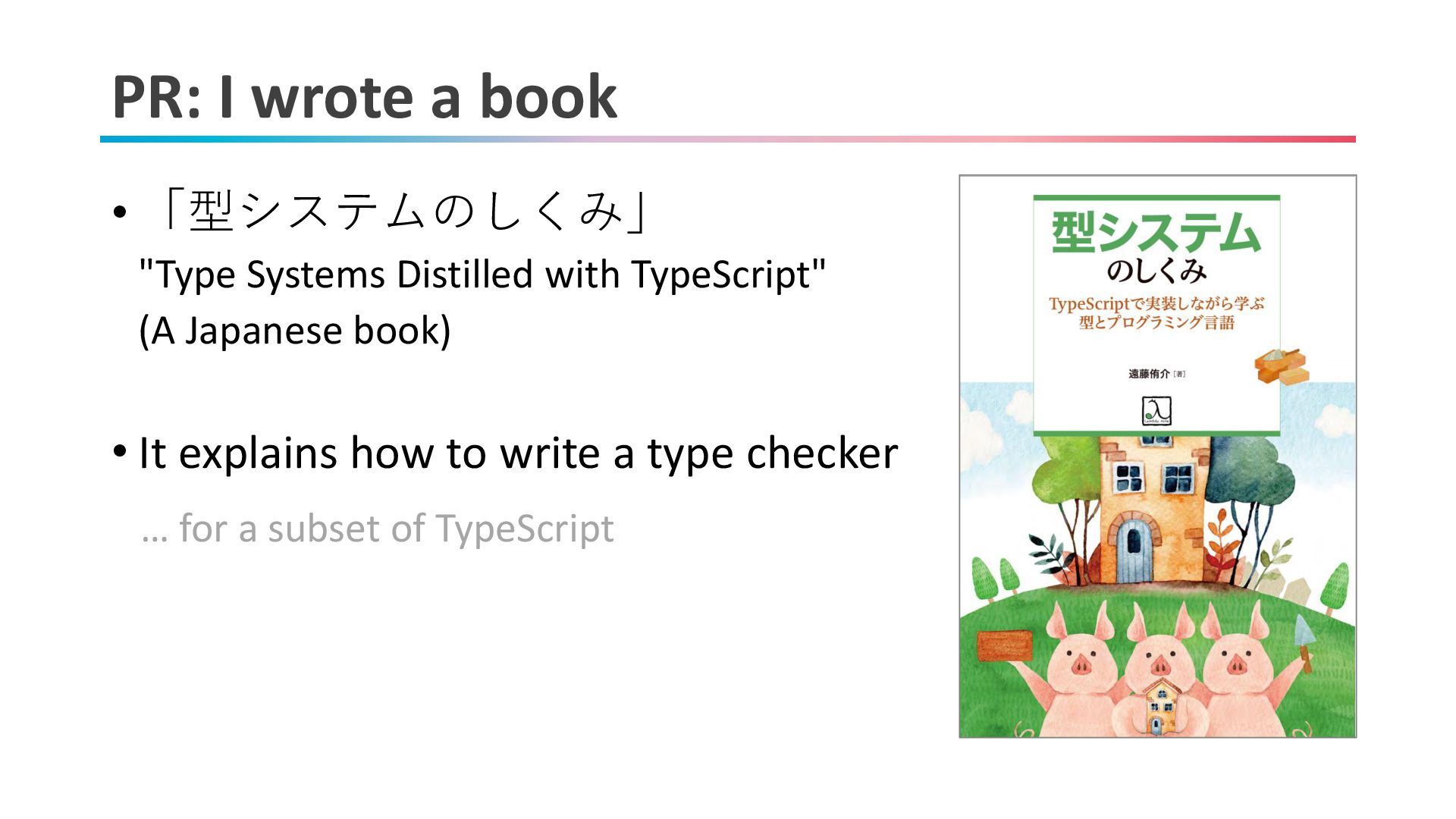
PR: I wrote a book • 「型システムのしくみ」 "Type Systems Distilled
with TypeScript" (A Japanese book) • It explains how to write a type checker … for a subset of TypeScript -
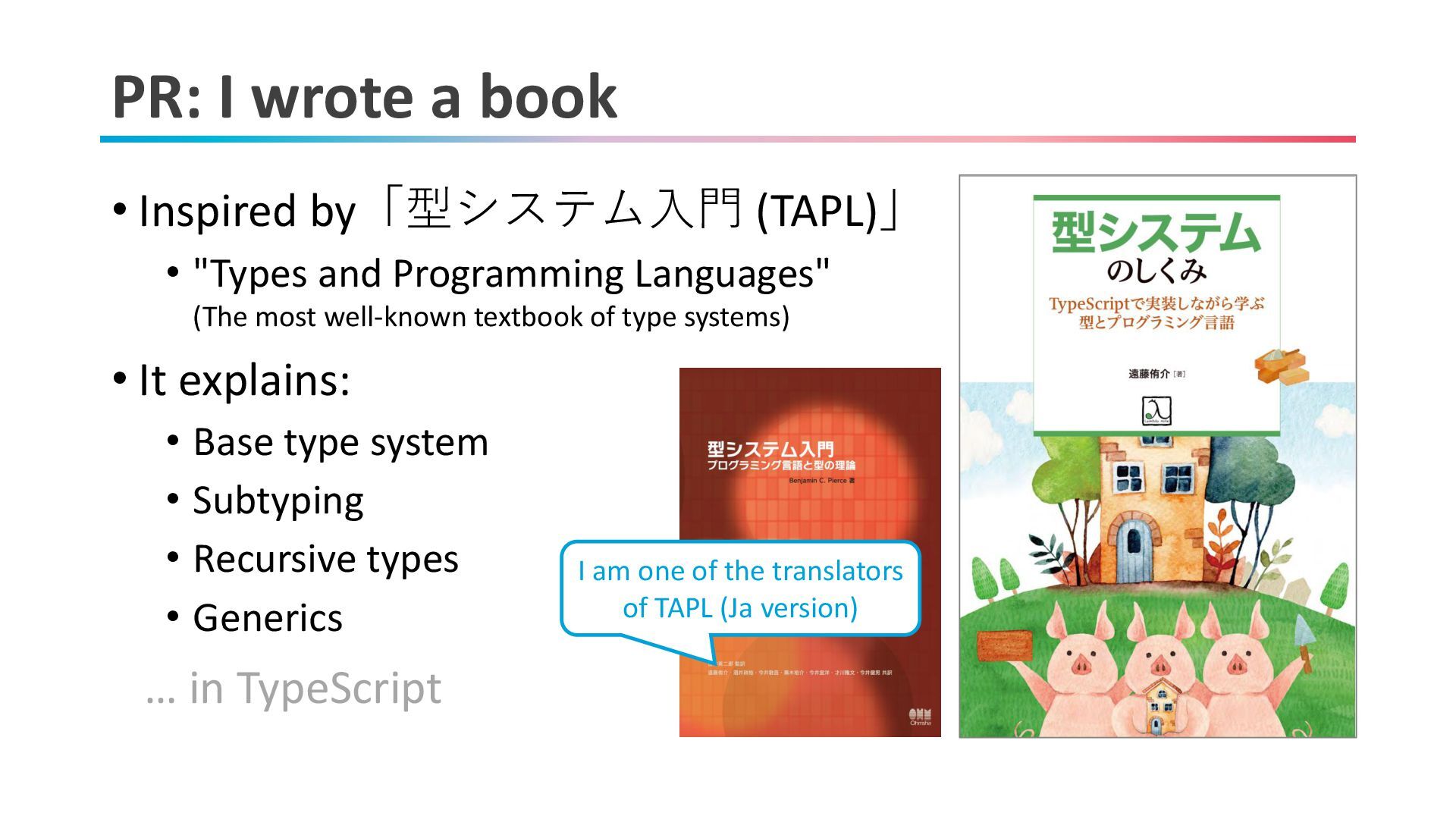
PR: I wrote a book • Inspired by「型システム入門 (TAPL)」 •
"Types and Programming Languages" (The most well-known textbook of type systems) • It explains: • Base type system • Subtyping • Recursive types • Generics … in TypeScript I am one of the translators of TAPL (Ja version) -
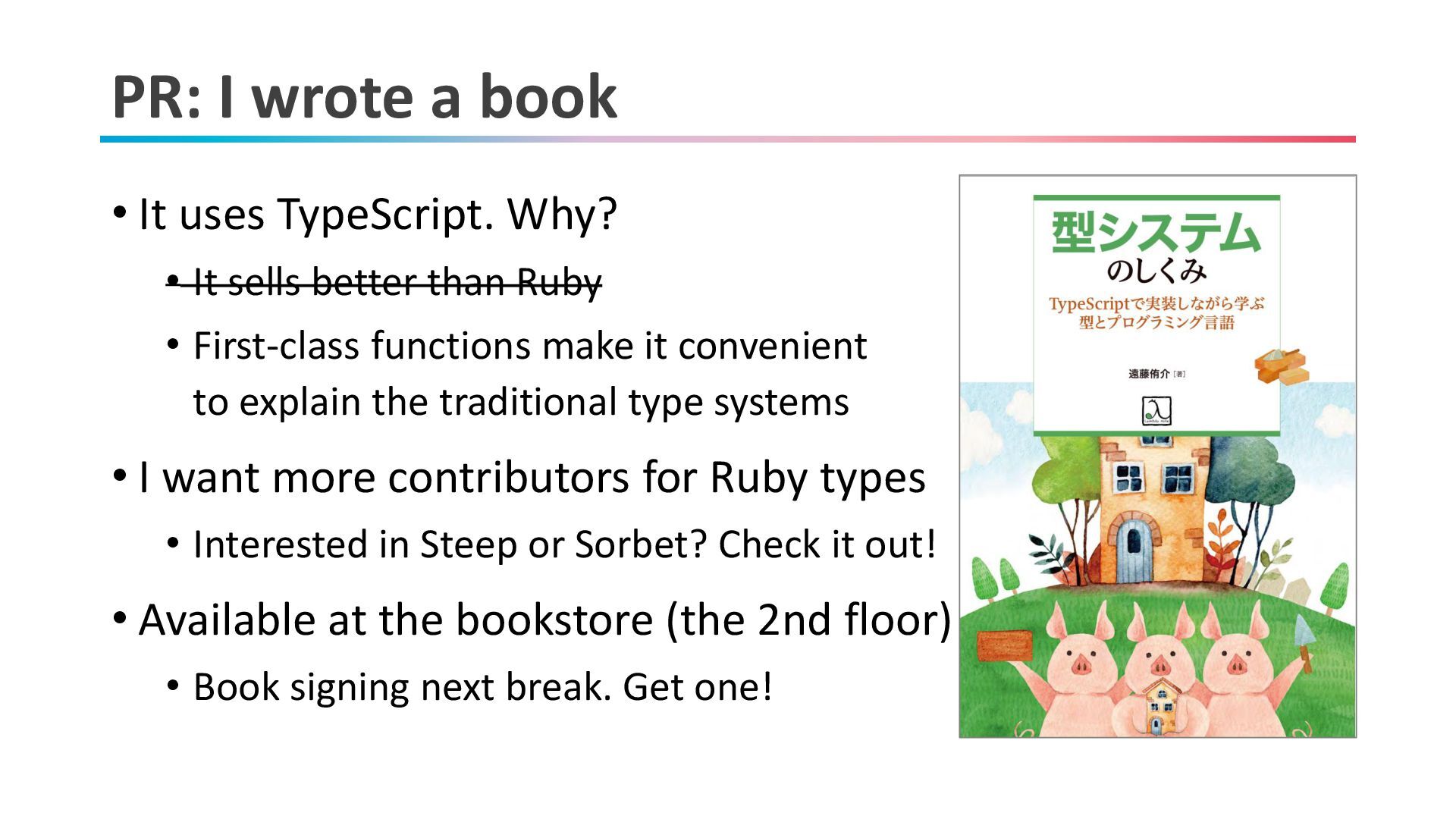
PR: I wrote a book • It uses TypeScript. Why?
• It sells better than Ruby • First-class functions make it convenient to explain the traditional type systems • I want more contributors for Ruby types • Interested in Steep or Sorbet? Check it out! • Available at the bookstore (the 2nd floor) • Book signing next break. Get one! -
PR: IRB Treasure Hunt! (@ STORES booth) https://ruby-quiz-2025.storesinc.tech/ by mame,
hogelog, and ima1zumi -
Today's talk • What is TypeProf? • How to use
TypeProf effectively • Ruby's constant is • Conclusion 6 -
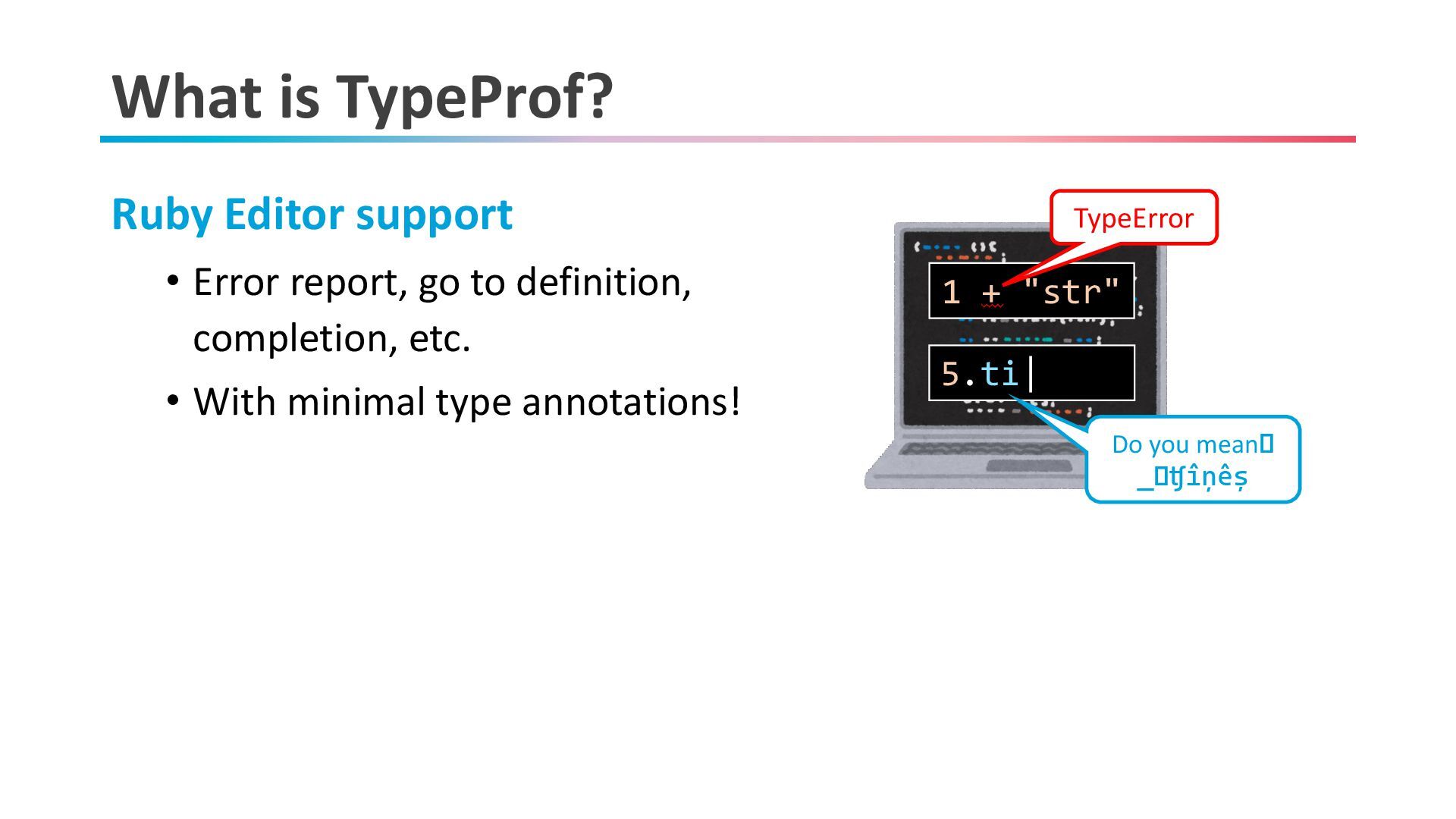
What is TypeProf? Ruby Editor support • Error report, go
to definition, completion, etc. • With minimal type annotations! 5.ti| 1 + "str" TypeError Do you mean: 5 .times -
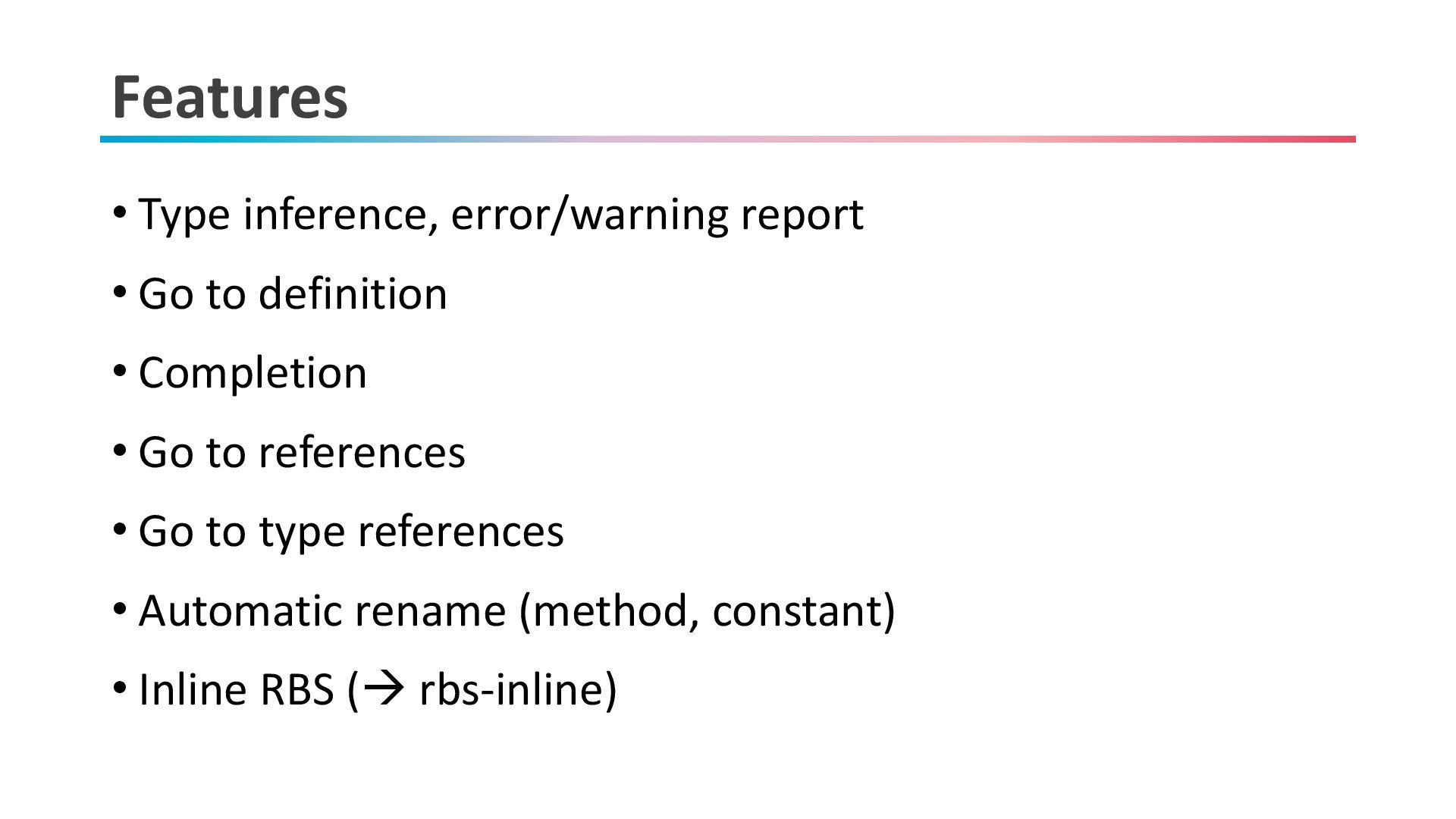
Features • Type inference, error/warning report • Go to definition
• Completion • Go to references • Go to type references • Automatic rename (method, constant) • Inline RBS (→ rbs-inline) -
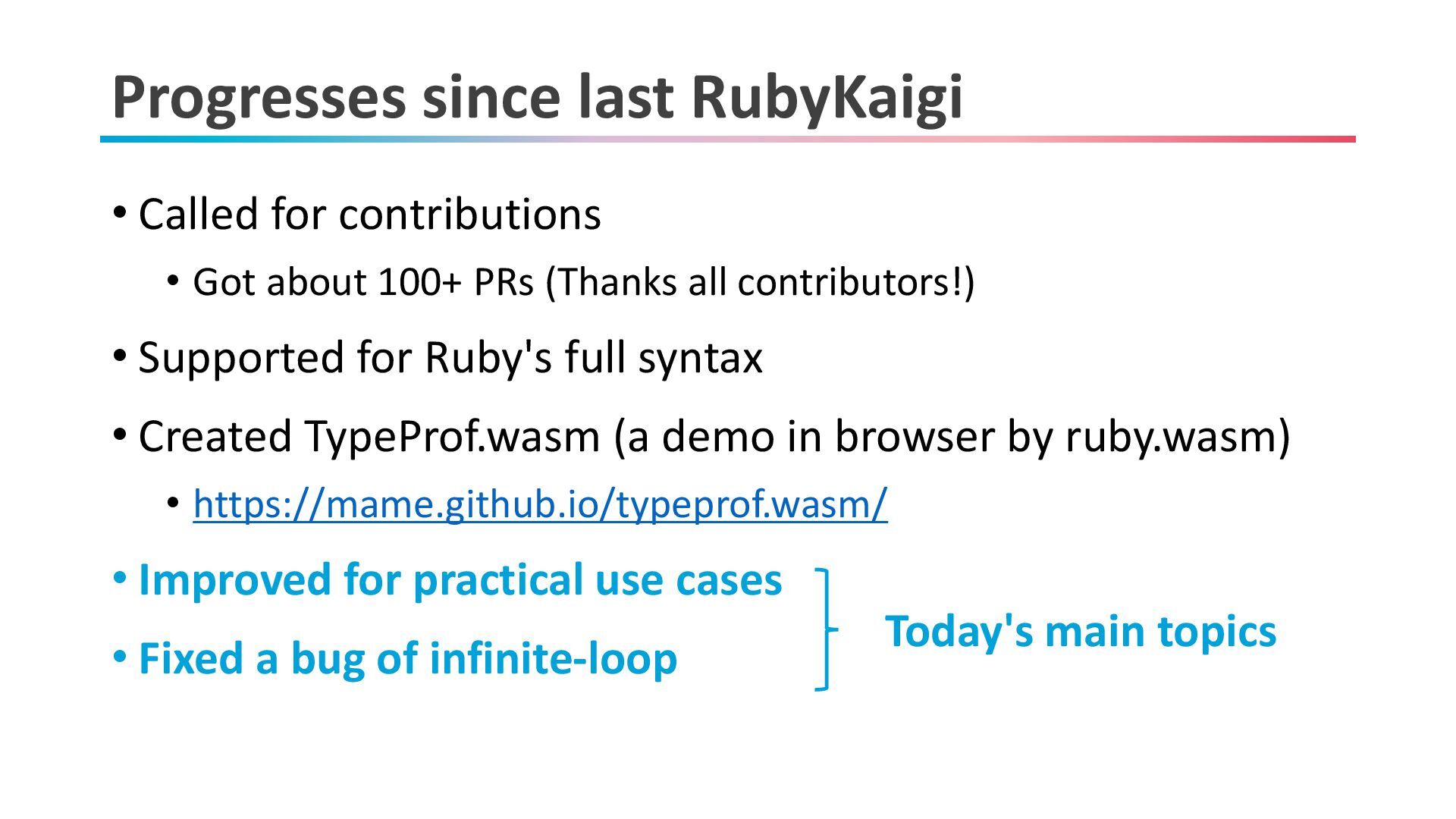
Progresses since last RubyKaigi • Called for contributions • Got
about 100+ PRs (Thanks all contributors!) • Supported for Ruby's full syntax • Created TypeProf.wasm (a demo in browser by ruby.wasm) • https://mame.github.io/typeprof.wasm/ • Improved for practical use cases • Fixed a bug of infinite-loop Today's main topics -
Today's talk • What is TypeProf? • How to use
TypeProf (and recent improvements) • Ruby's constant is • Conclusion 11 -
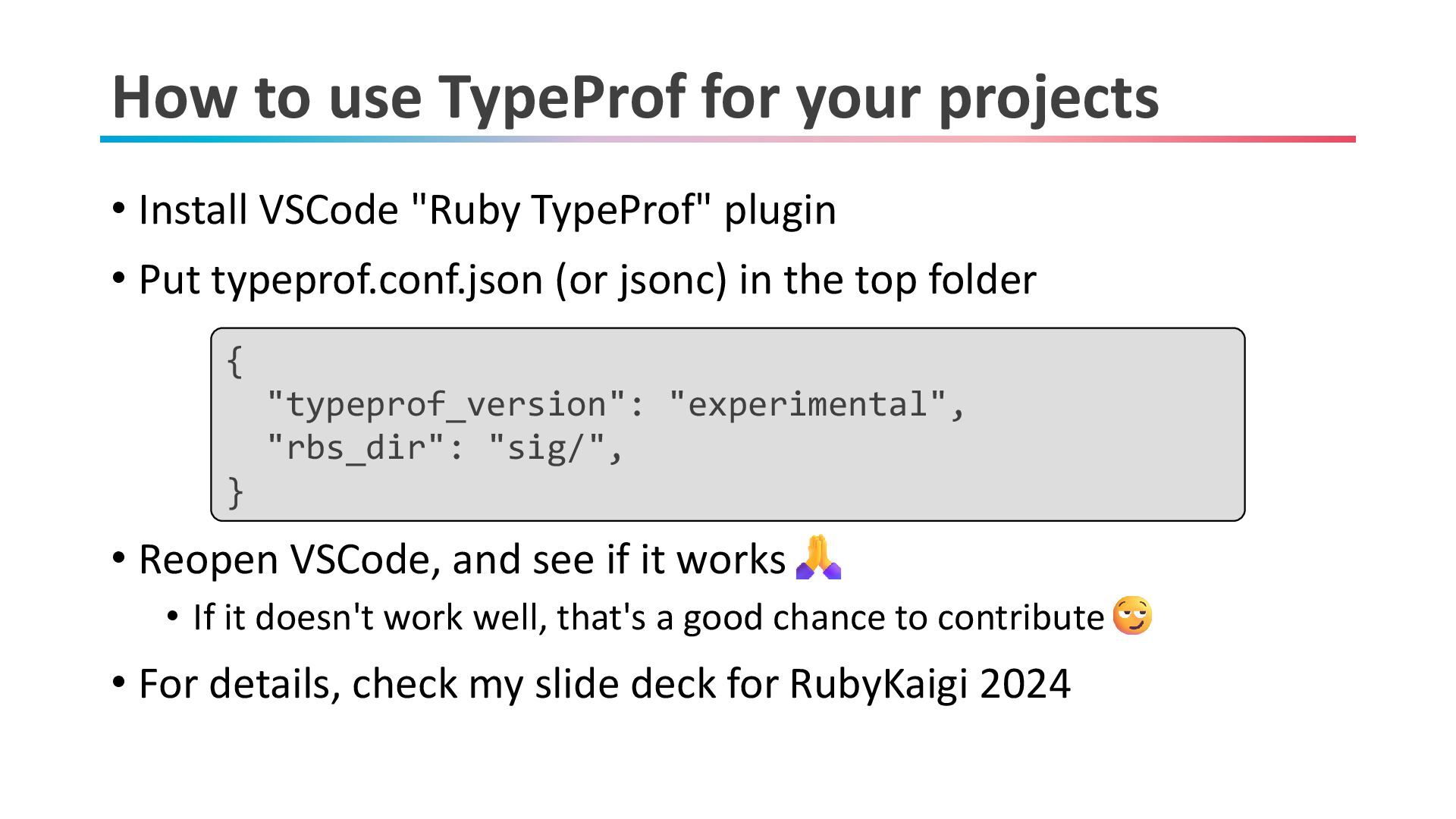
How to use TypeProf for your projects • Install VSCode
"Ruby TypeProf" plugin • Put typeprof.conf.json (or jsonc) in the top folder • Reopen VSCode, and see if it works • If it doesn't work well, that's a good chance to contribute • For details, check my slide deck for RubyKaigi 2024 { "typeprof_version": "experimental", "rbs_dir": "sig/", } -
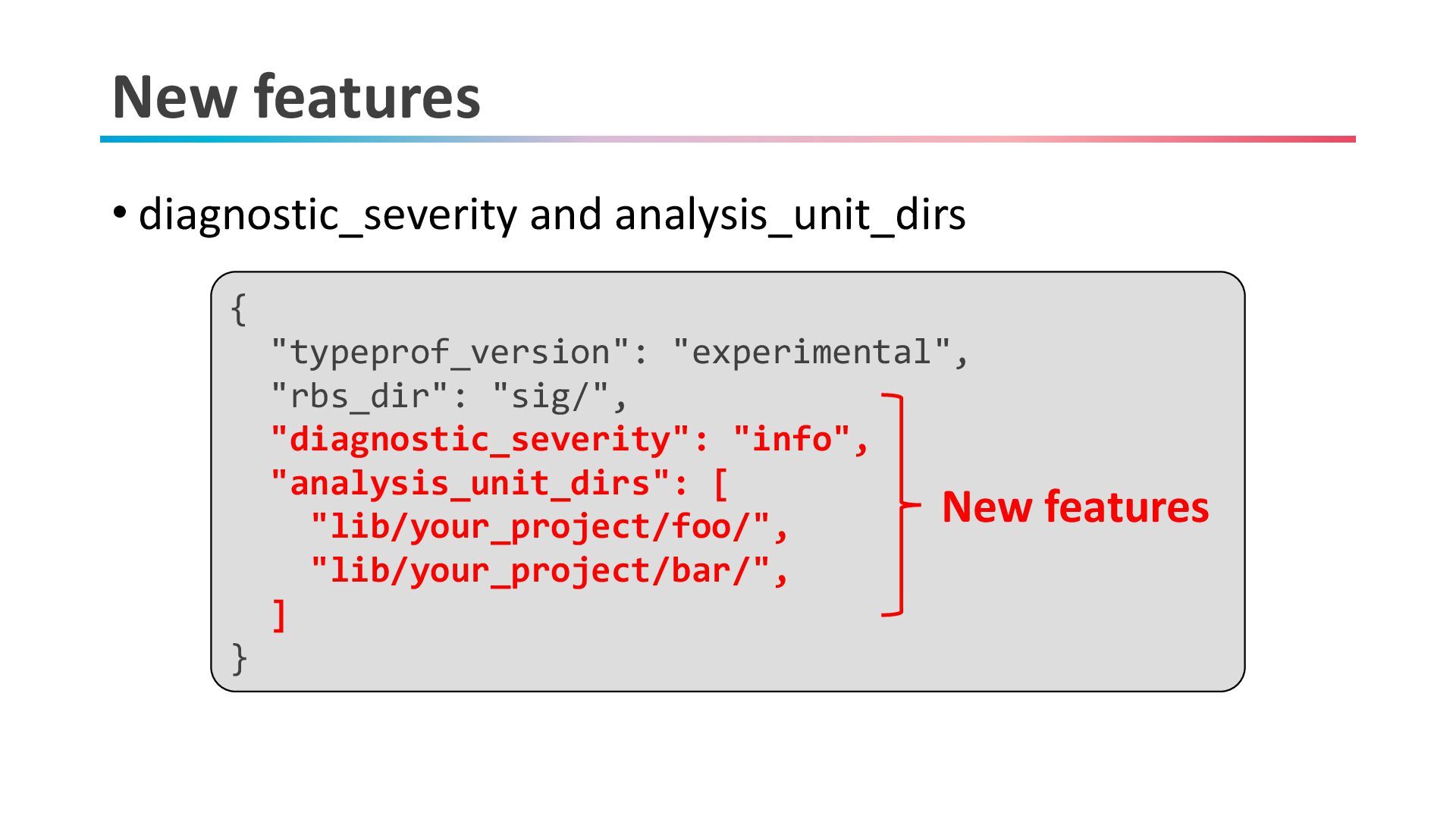
New features • diagnostic_severity and analysis_unit_dirs { "typeprof_version": "experimental", "rbs_dir":
"sig/", "diagnostic_severity": "info", "analysis_unit_dirs": [ "lib/your_project/foo/", "lib/your_project/bar/", ] } New features -
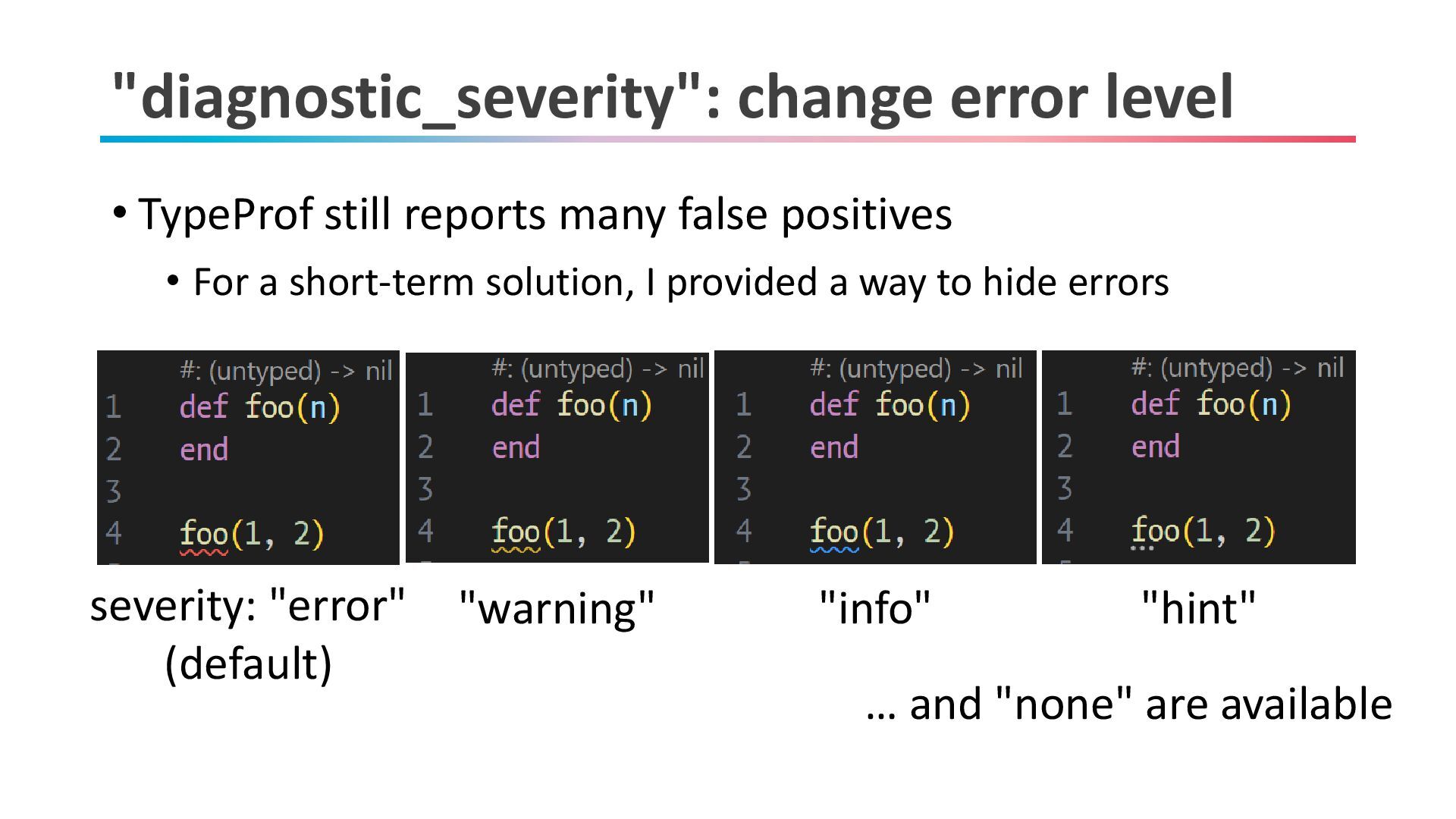
"diagnostic_severity": change error level • TypeProf still reports many false
positives • For a short-term solution, I provided a way to hide errors severity: "error" (default) "warning" "info" "hint" … and "none" are available -
"analysis_unit_dirs": separate analysis • You can specify directories to be
analyzed together • For a large project, you need to separate analysis for each directory • API calls across file groups should be declared in RBS -
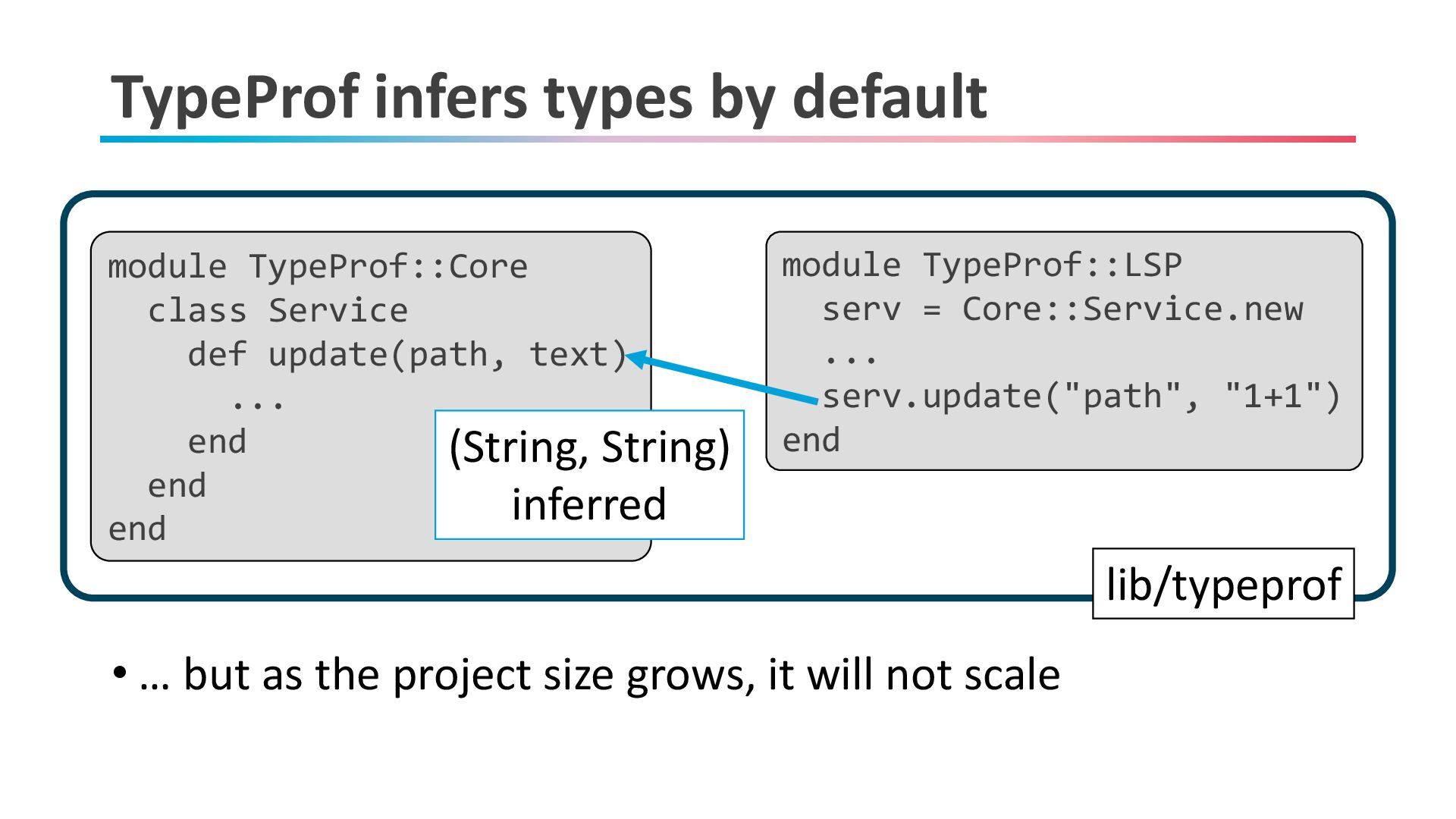
TypeProf infers types by default • … but as the
project size grows, it will not scale lib/typeprof/core module TypeProf::Core class Service def update(path, text) ... end end end module TypeProf::LSP serv = Core::Service.new ... serv.update("path", "1+1") end (String, String) inferred lib/typeprof -
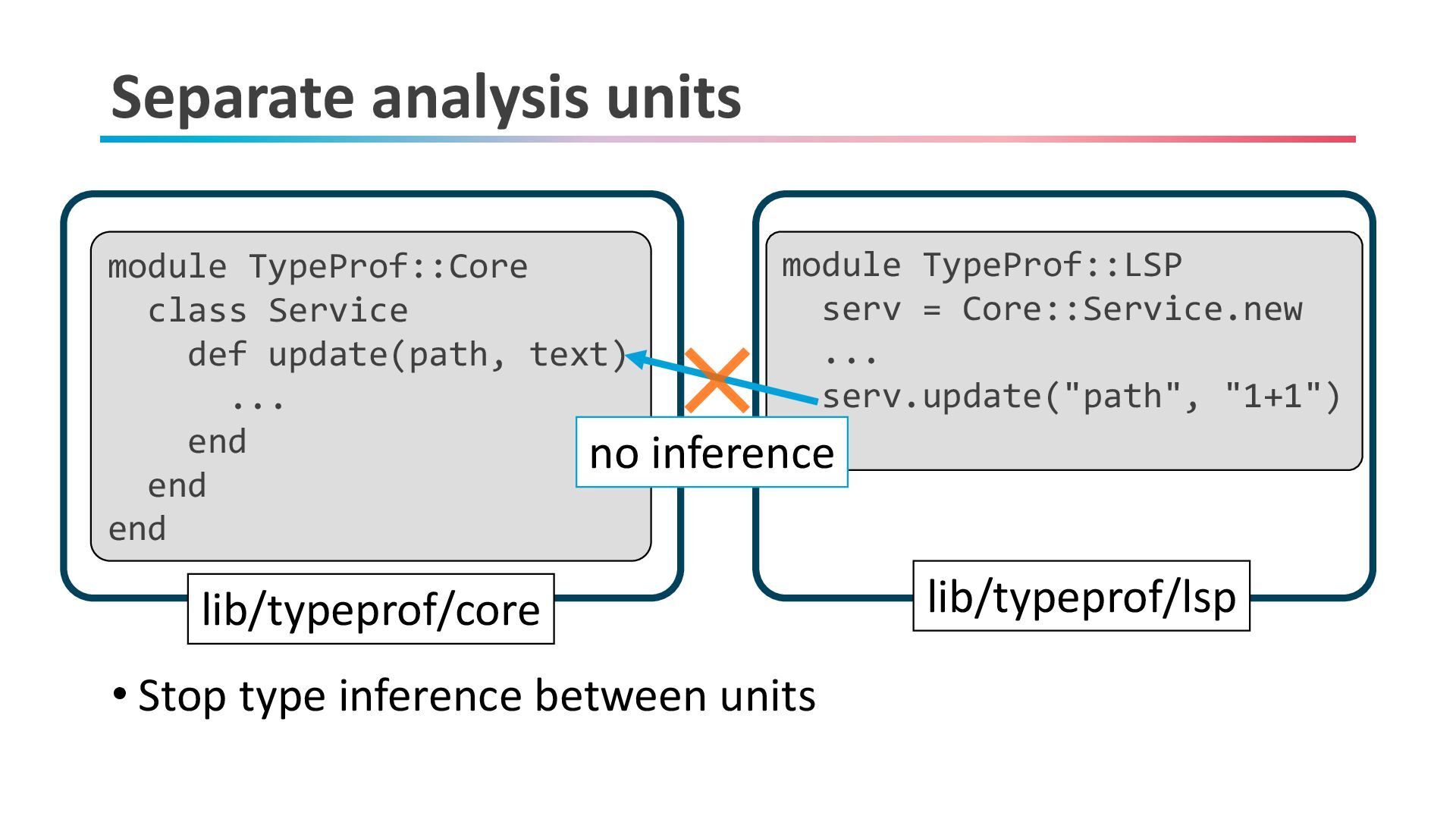
Separate analysis units • Stop type inference between units lib/typeprof/core
module TypeProf::Core class Service def update(path, text) ... end end end module TypeProf::LSP serv = Core::Service.new ... serv.update("path", "1+1") end lib/typeprof/core lib/typeprof/lsp no inference -
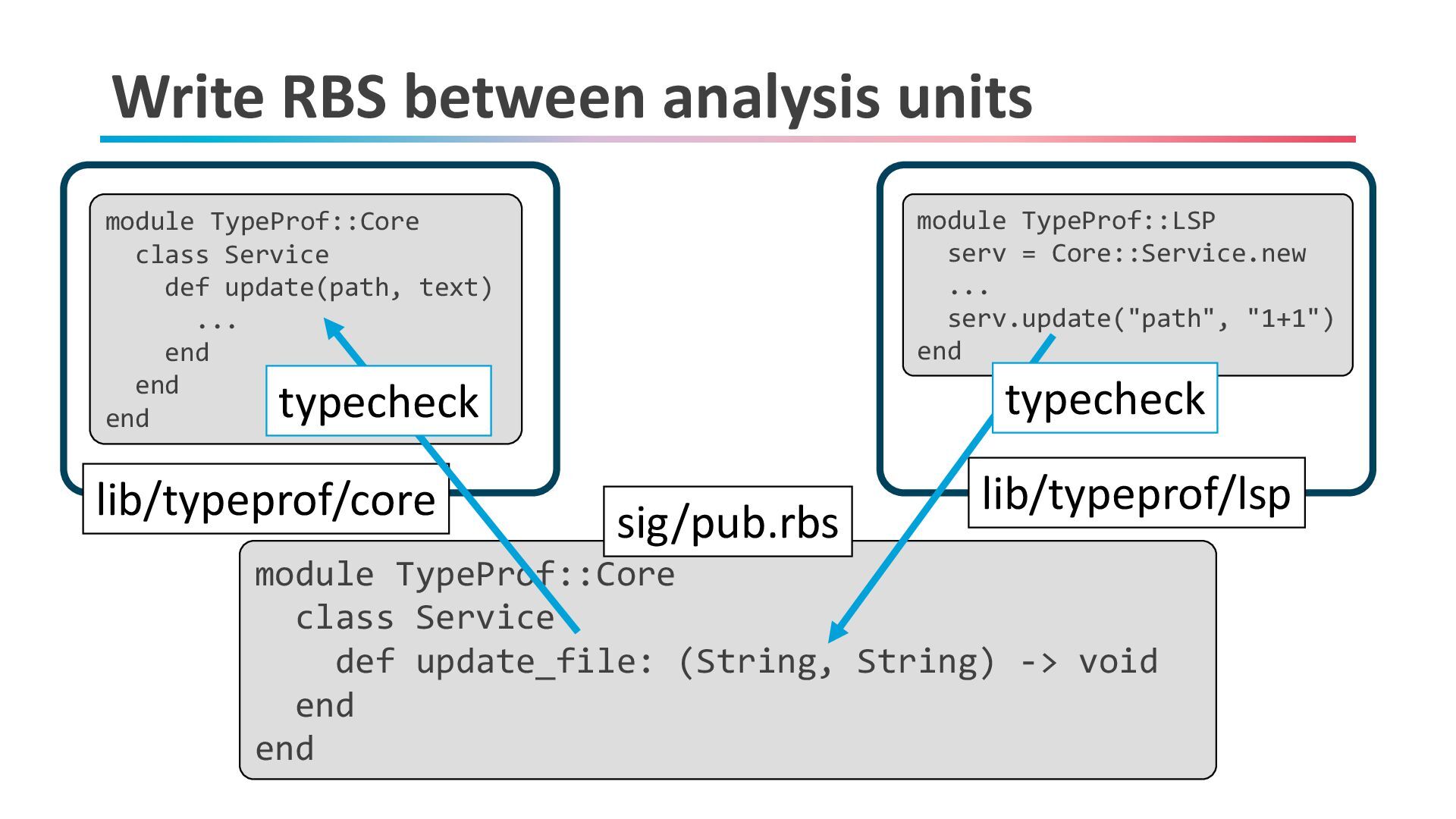
Write RBS between analysis units module TypeProf::Core class Service def
update(path, text) ... end end end module TypeProf::LSP serv = Core::Service.new ... serv.update("path", "1+1") end lib/typeprof/core lib/typeprof/lsp module TypeProf::Core class Service def update_file: (String, String) -> void end end sig/pub.rbs typecheck typecheck -
Today's talk • What is TypeProf? • How to use
TypeProf (and recent improvements) • Ruby's constant is • Conclusion 19 -
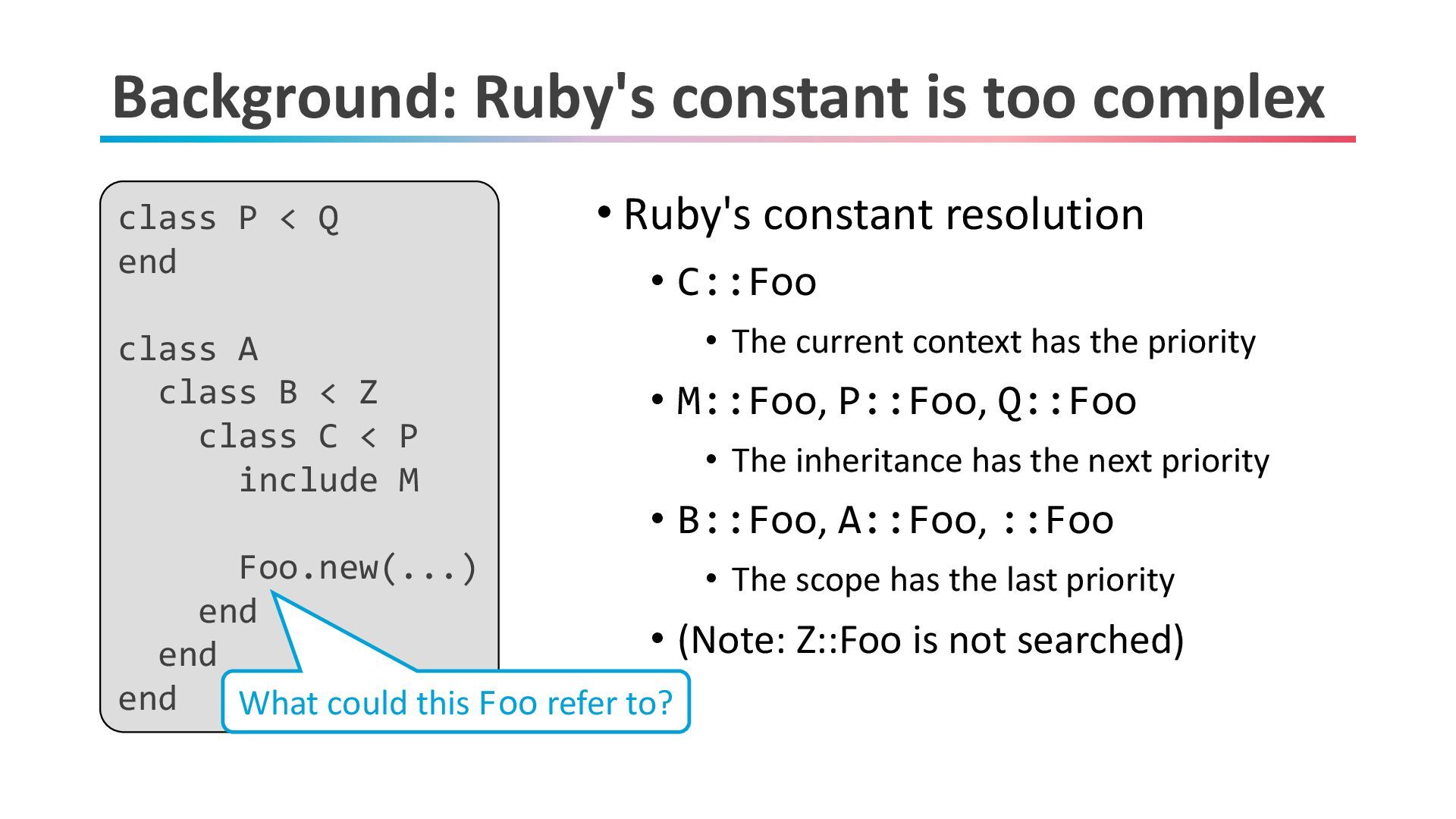
Background: Ruby's constant is too complex • Ruby's constant resolution
• C::Foo • The current context has the priority • M::Foo, P::Foo, Q::Foo • The inheritance has the next priority • B::Foo, A::Foo, ::Foo • The scope has the last priority • (Note: Z::Foo is not searched) class P < Q end class A class B < Z class C < P include M Foo.new(...) end end end What could this Foo refer to? -
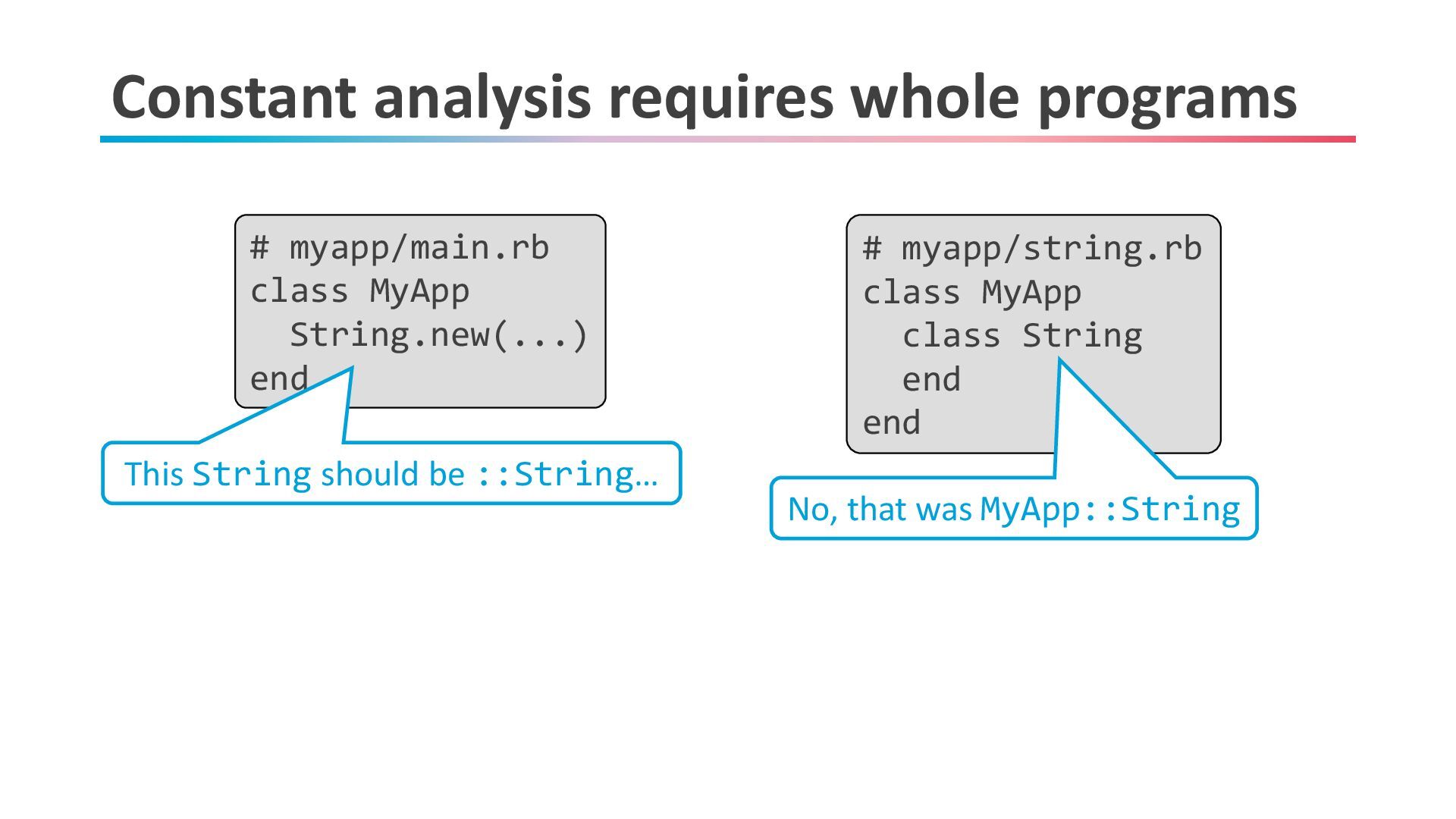
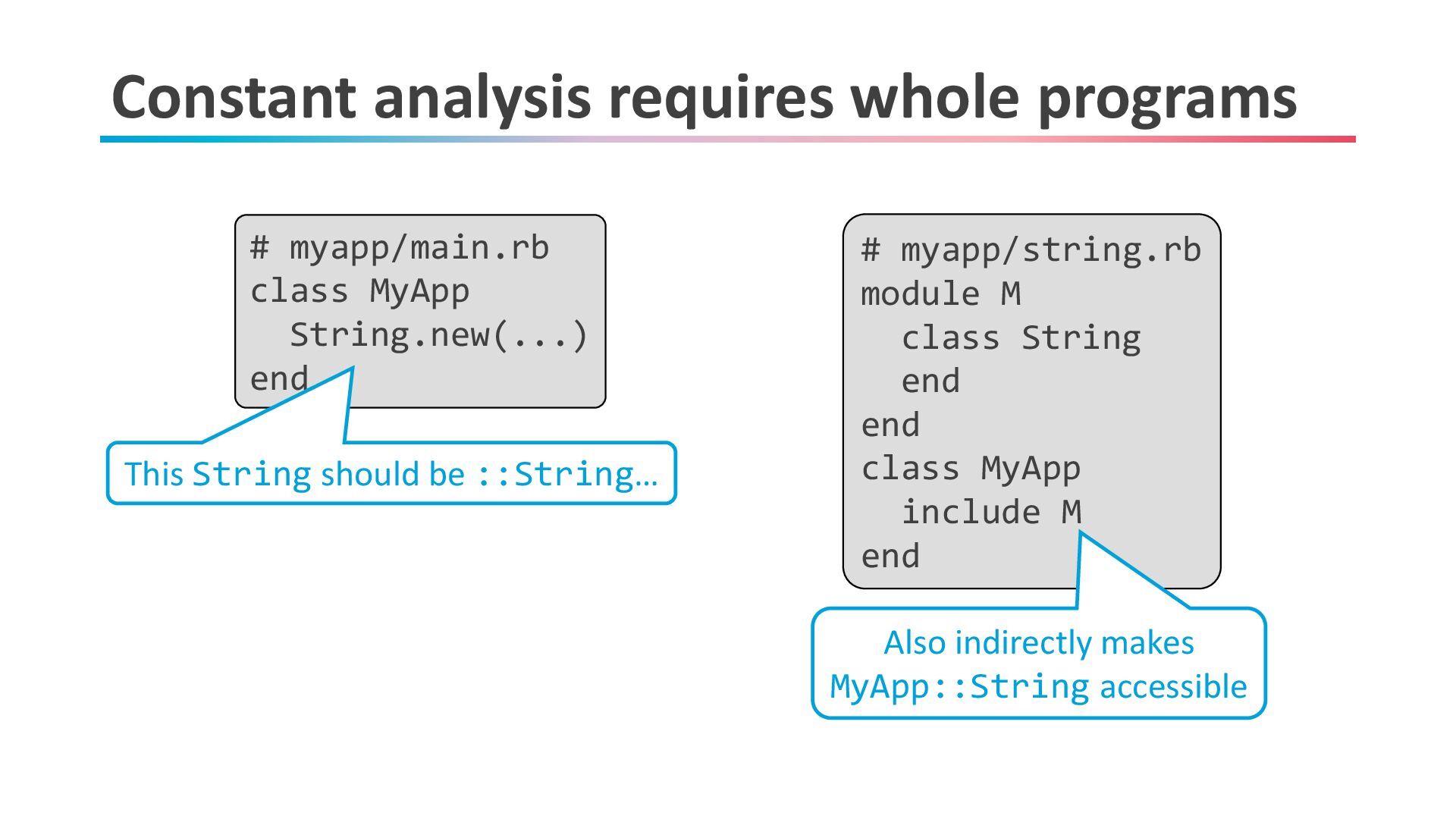
Constant analysis requires whole programs # myapp/main.rb class MyApp String.new(...)
end # myapp/string.rb class MyApp class String end end This String should be ::String… No, that was MyApp::String -
Constant analysis requires whole programs # myapp/main.rb class MyApp String.new(...)
end # myapp/string.rb module M class String end end class MyApp include M end This String should be ::String… Also indirectly makes MyApp::String accessible -
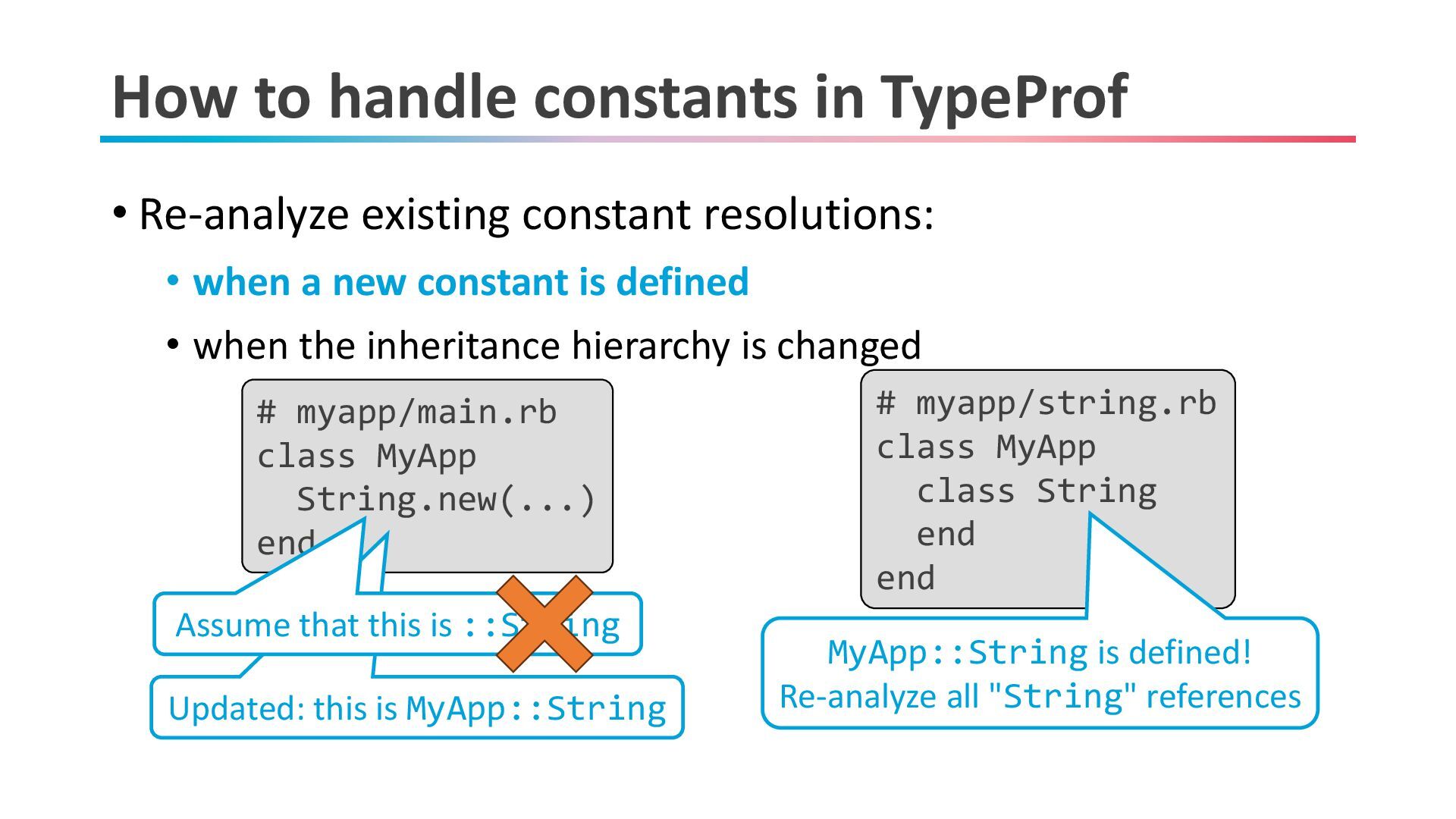
How to handle constants in TypeProf • Re-analyze existing constant
resolutions: • when a new constant is defined • when the inheritance hierarchy is changed # myapp/main.rb class MyApp String.new(...) end # myapp/string.rb class MyApp class String end end MyApp::String is defined! Re-analyze all "String" references Updated: this is MyApp::String Assume that this is ::String -
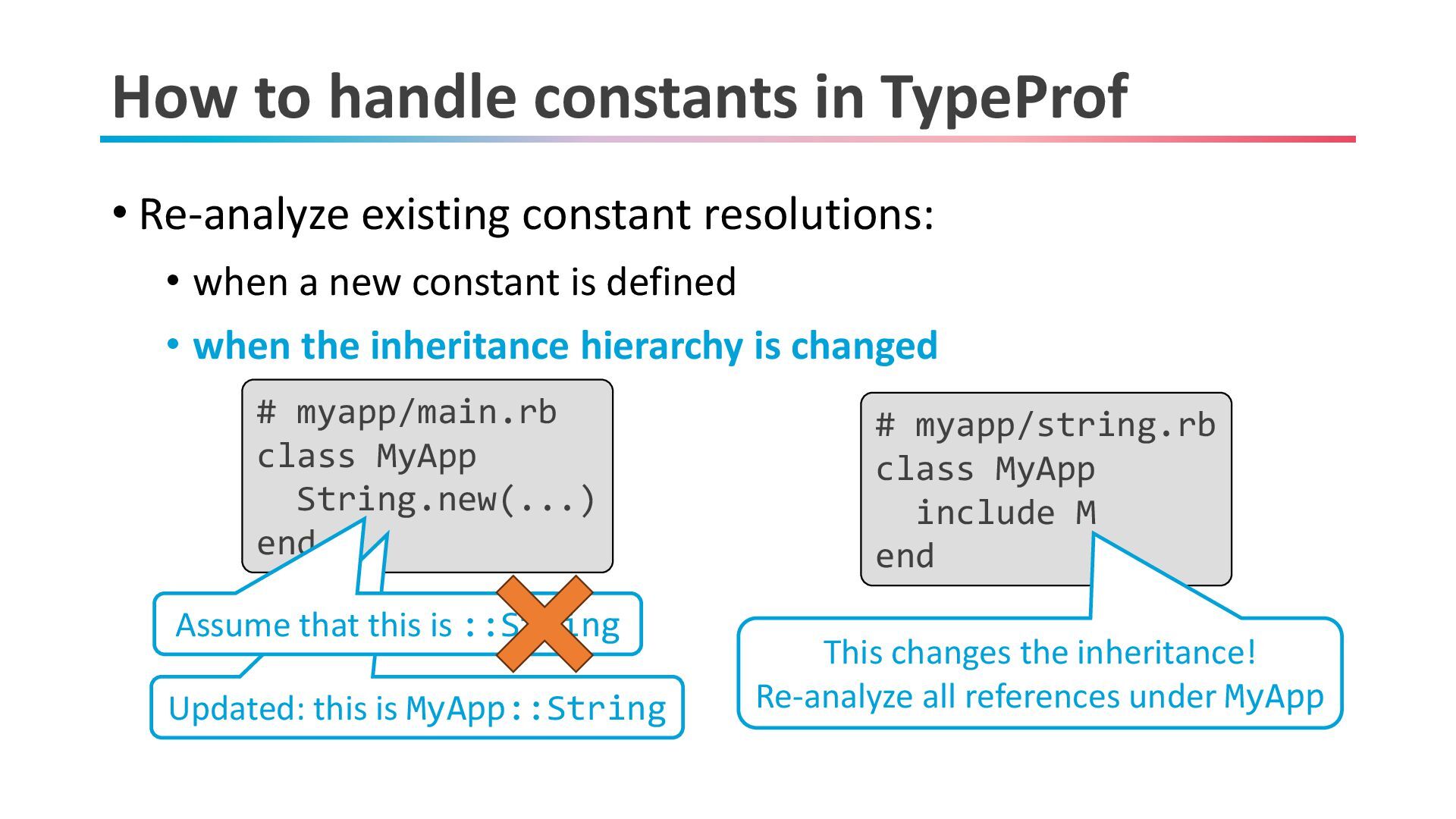
How to handle constants in TypeProf • Re-analyze existing constant
resolutions: • when a new constant is defined • when the inheritance hierarchy is changed # myapp/main.rb class MyApp String.new(...) end # myapp/string.rb class MyApp include M end This changes the inheritance! Re-analyze all references under MyApp Updated: this is MyApp::String Assume that this is ::String -
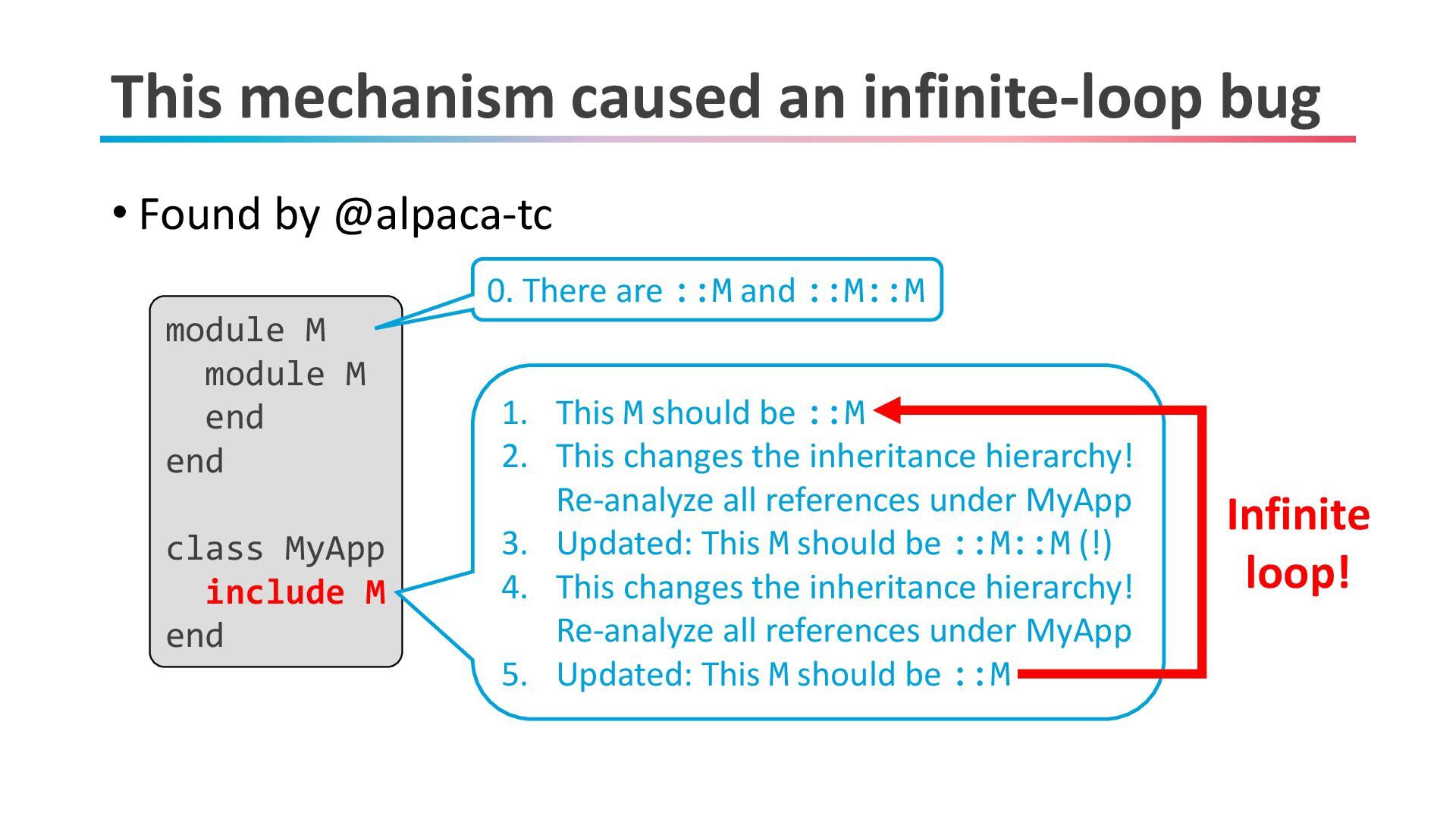
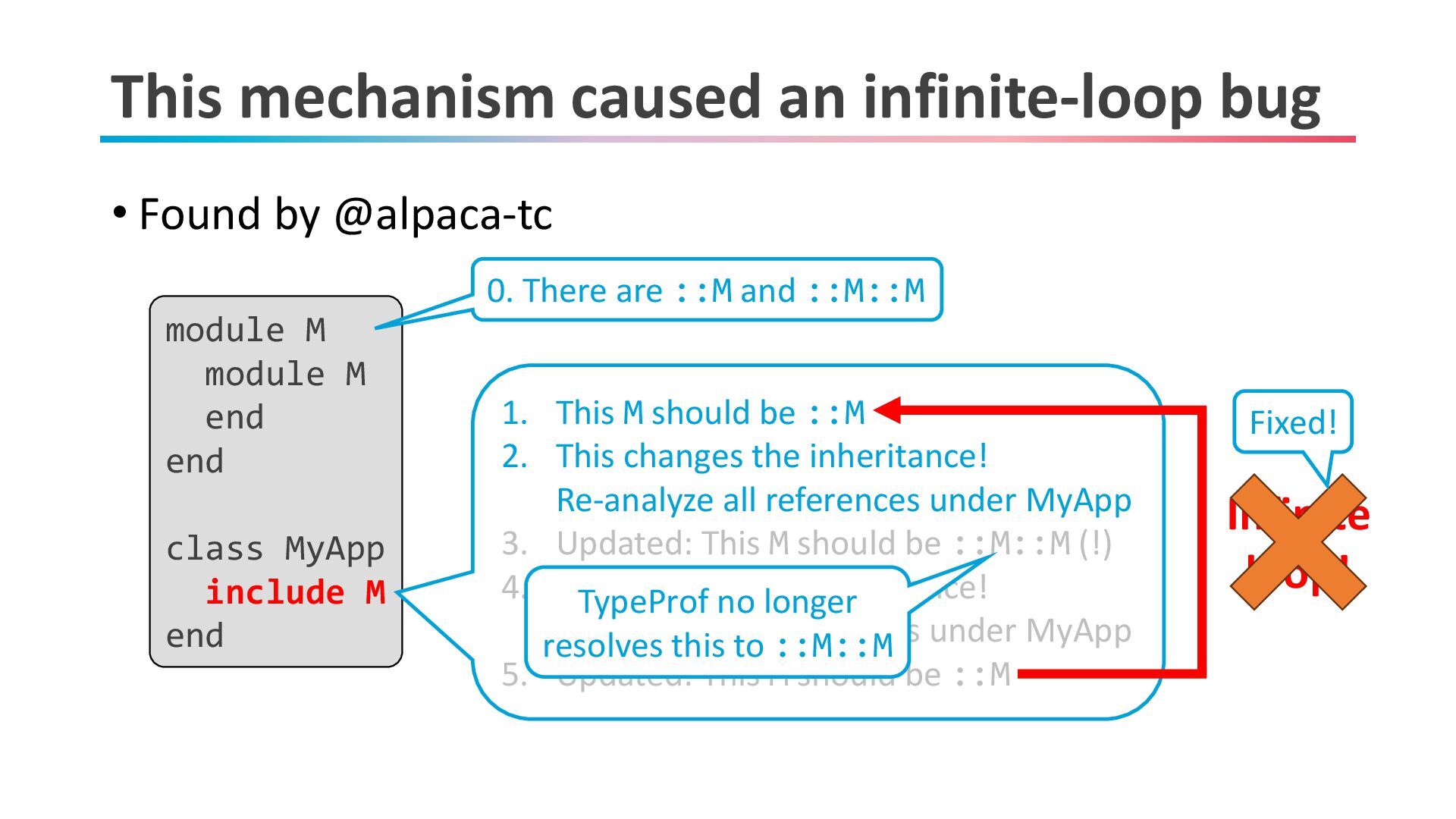
This mechanism caused an infinite-loop bug • Found by @alpaca-tc
module M module M end end class MyApp include M end 0. There are ::M and ::M::M 1. This M should be ::M 2. This changes the inheritance hierarchy! Re-analyze all references under MyApp 3. Updated: This M should be ::M::M (!) 4. This changes the inheritance hierarchy! Re-analyze all references under MyApp 5. Updated: This M should be ::M Infinite loop! -
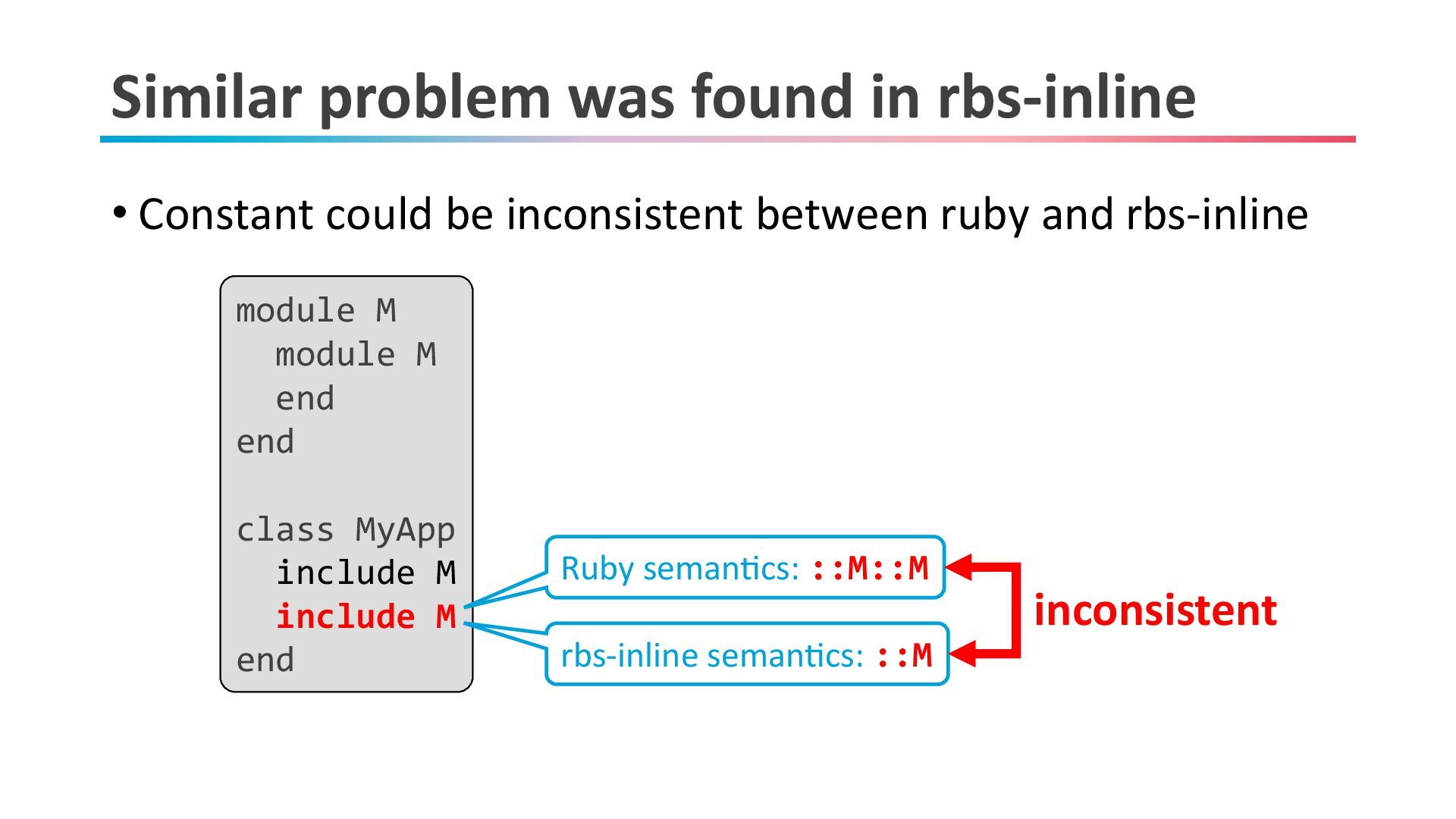
Similar problem was found in rbs-inline • Constant could be
inconsistent between ruby and rbs-inline module M module M end end class MyApp include M include M end Ruby semantics: ::M::M rbs-inline semantics: ::M inconsistent -
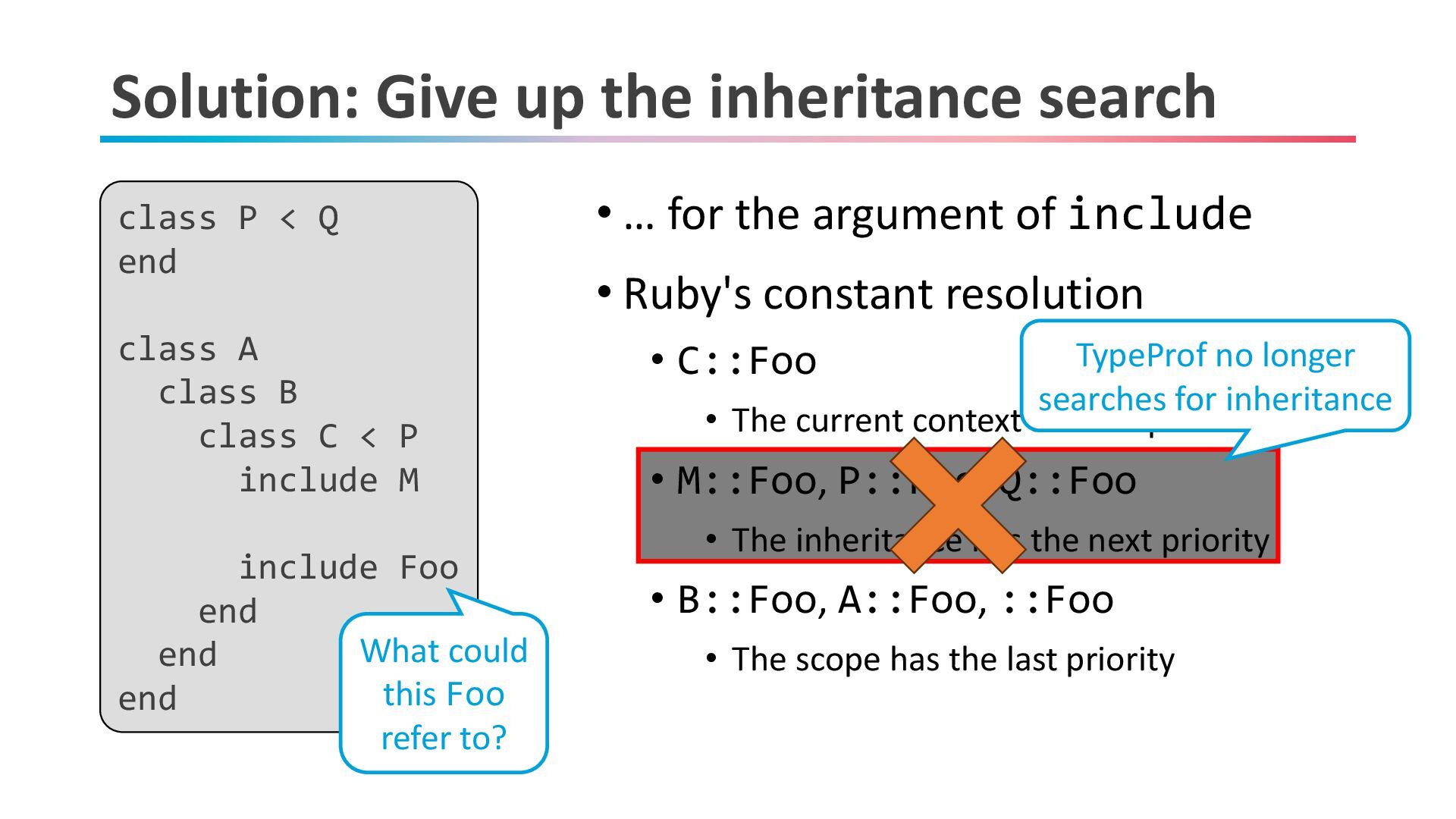
Solution: Give up the inheritance search • … for the
argument of include • Ruby's constant resolution • C::Foo • The current context has the priority • M::Foo, P::Foo, Q::Foo • The inheritance has the next priority • B::Foo, A::Foo, ::Foo • The scope has the last priority class P < Q end class A class B class C < P include M include Foo end end end What could this Foo refer to? TypeProf no longer searches for inheritance -
This mechanism caused an infinite-loop bug • Found by @alpaca-tc
module M module M end end class MyApp include M end 0. There are ::M and ::M::M 1. This M should be ::M 2. This changes the inheritance! Re-analyze all references under MyApp 3. Updated: This M should be ::M::M (!) 4. This changes the inheritance! Re-analyze all references under MyApp 5. Updated: This M should be ::M Infinite loop! TypeProf no longer resolves this to ::M::M Fixed! -
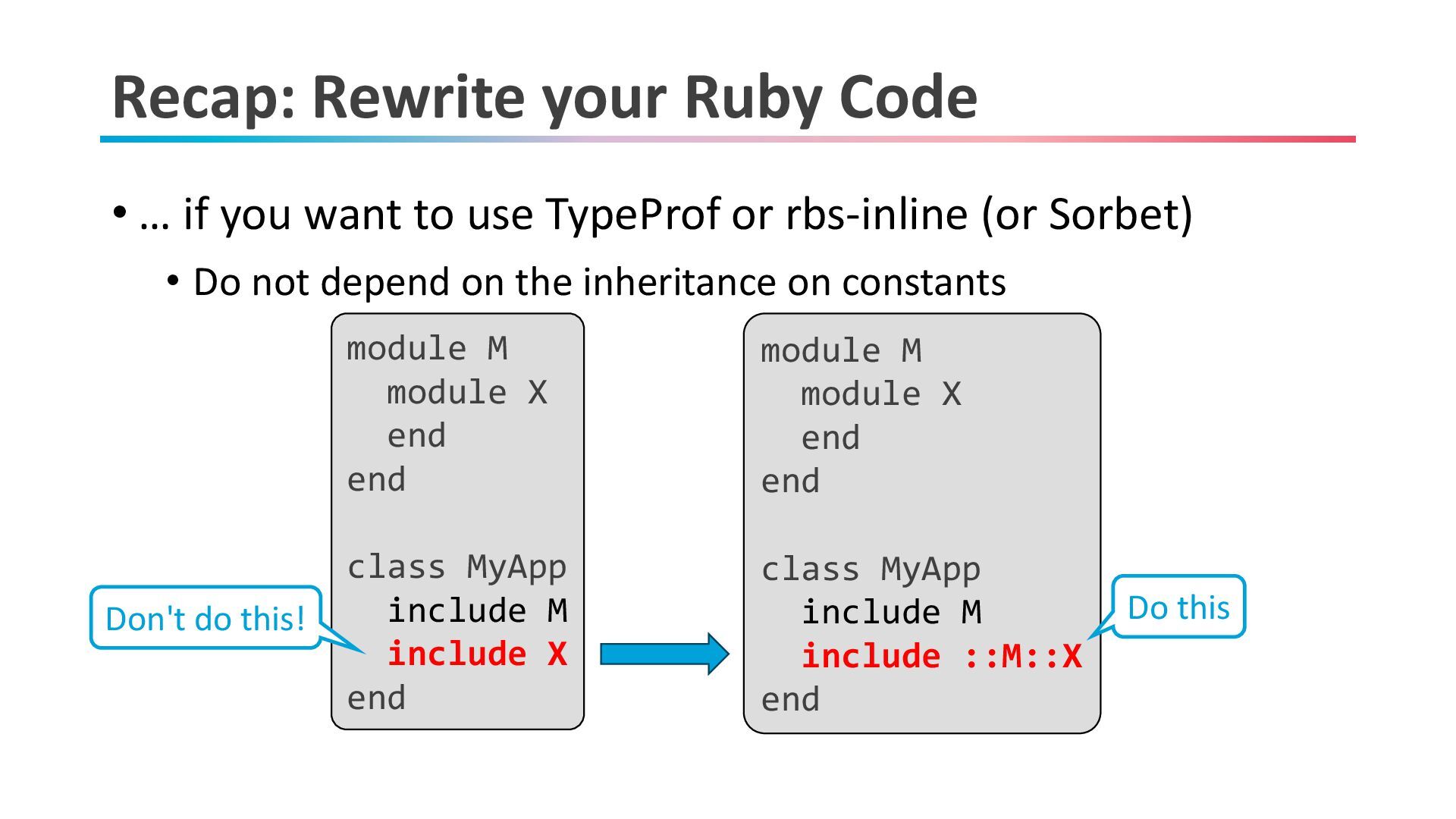
Recap: Rewrite your Ruby Code • … if you want
to use TypeProf or rbs-inline (or Sorbet) • Do not depend on the inheritance on constants module M module X end end class MyApp include M include X end module M module X end end class MyApp include M include ::M::X end Don't do this! Do this -
Today's talk • What is TypeProf? • How to use
TypeProf (and recent improvements) • Ruby's constant is • Conclusion 30 -
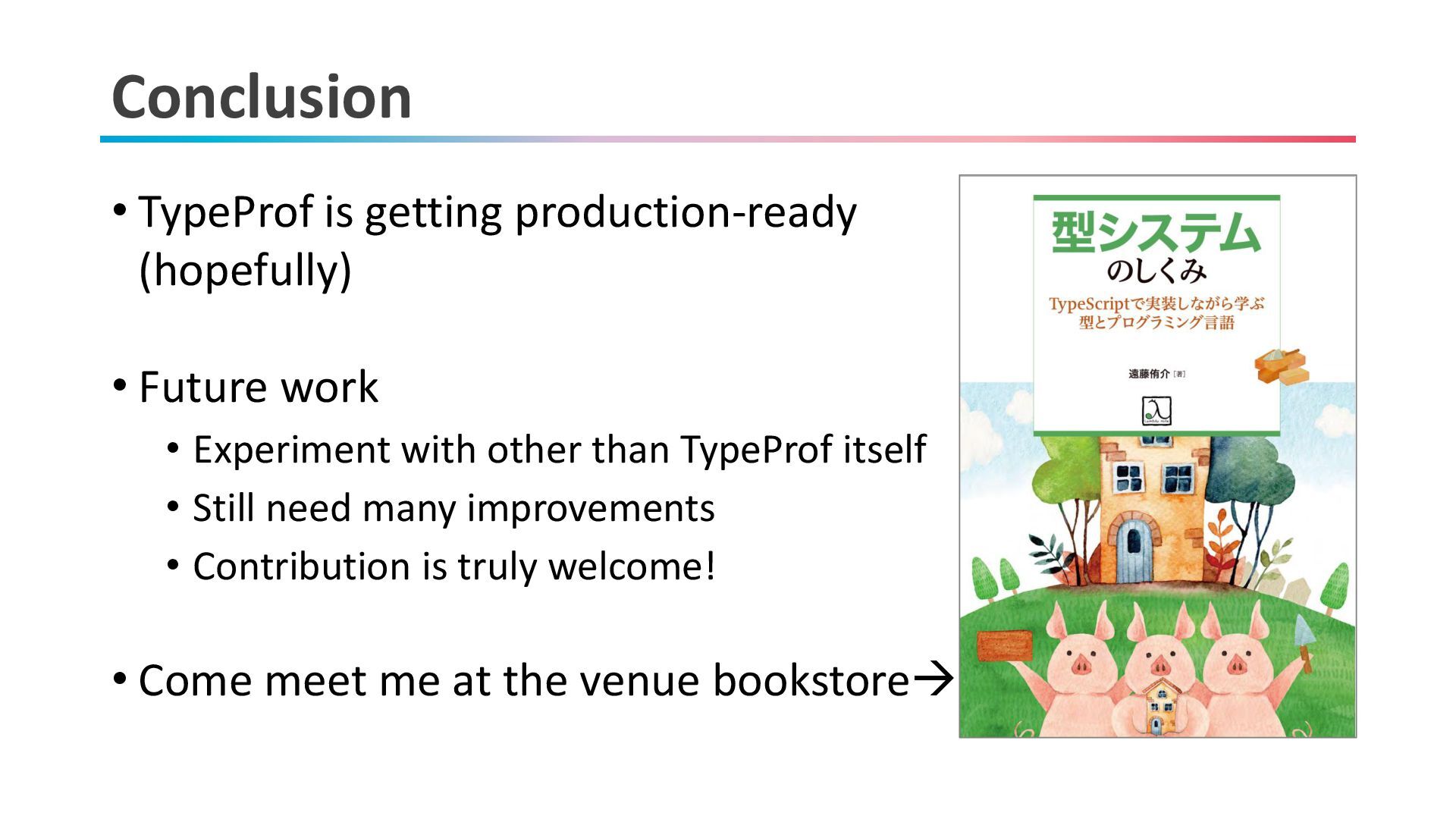
Conclusion • TypeProf is getting production-ready (hopefully) • Future work
• Experiment with other than TypeProf itself • Still need many improvements • Contribution is truly welcome! • Come meet me at the venue bookstore→