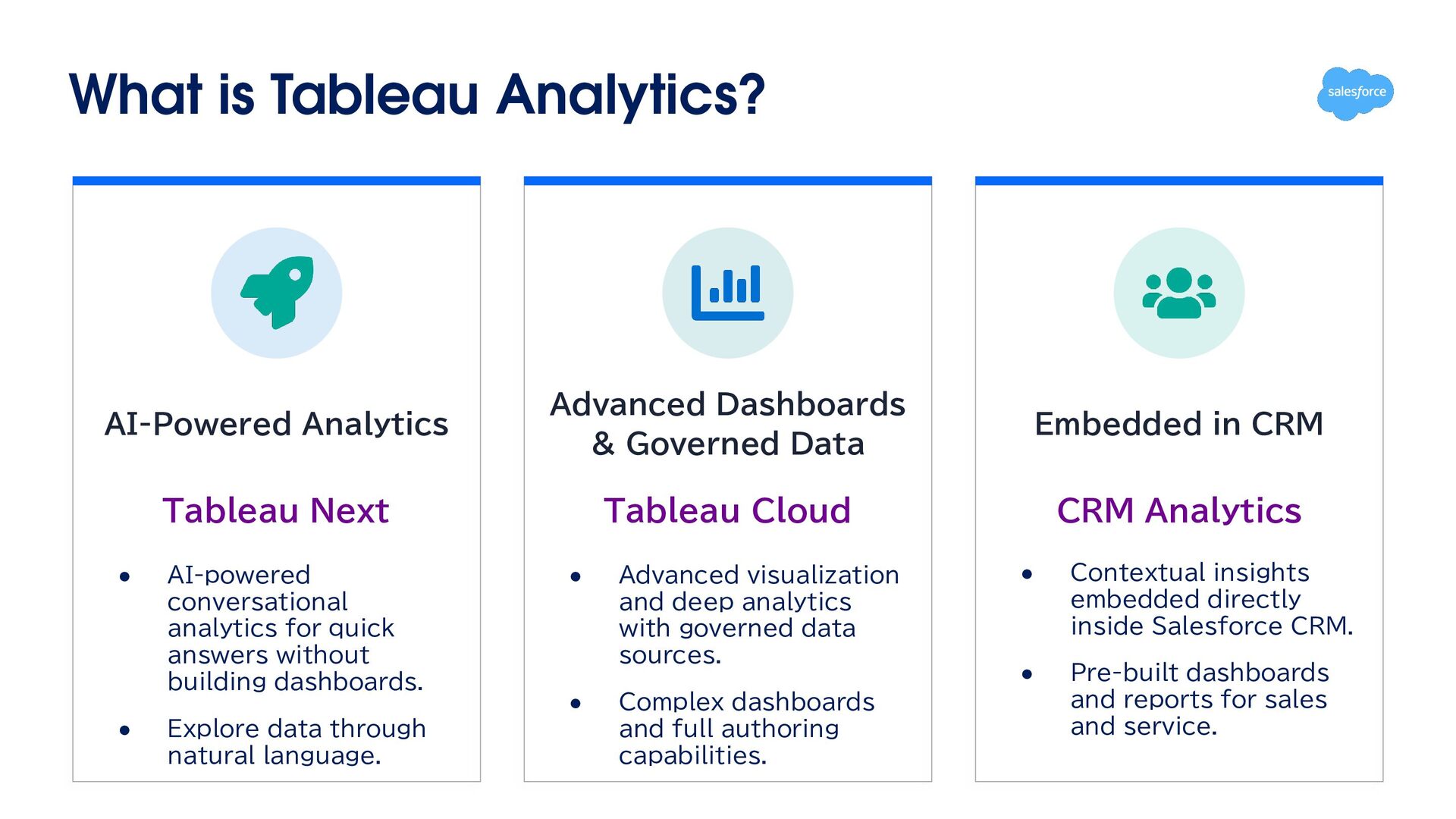
Data Embedded in CRM Tableau Next Tableau Cloud CRM Analytics • AI-powered conversational analytics for quick answers without building dashboards. • • • Explore data through natural language. Advanced visualization and deep analytics with governed data sources. Complex dashboards and full authoring capabilities. • Contextual insights embedded directly inside Salesforce CRM. • Pre-built dashboards and reports for sales and service.
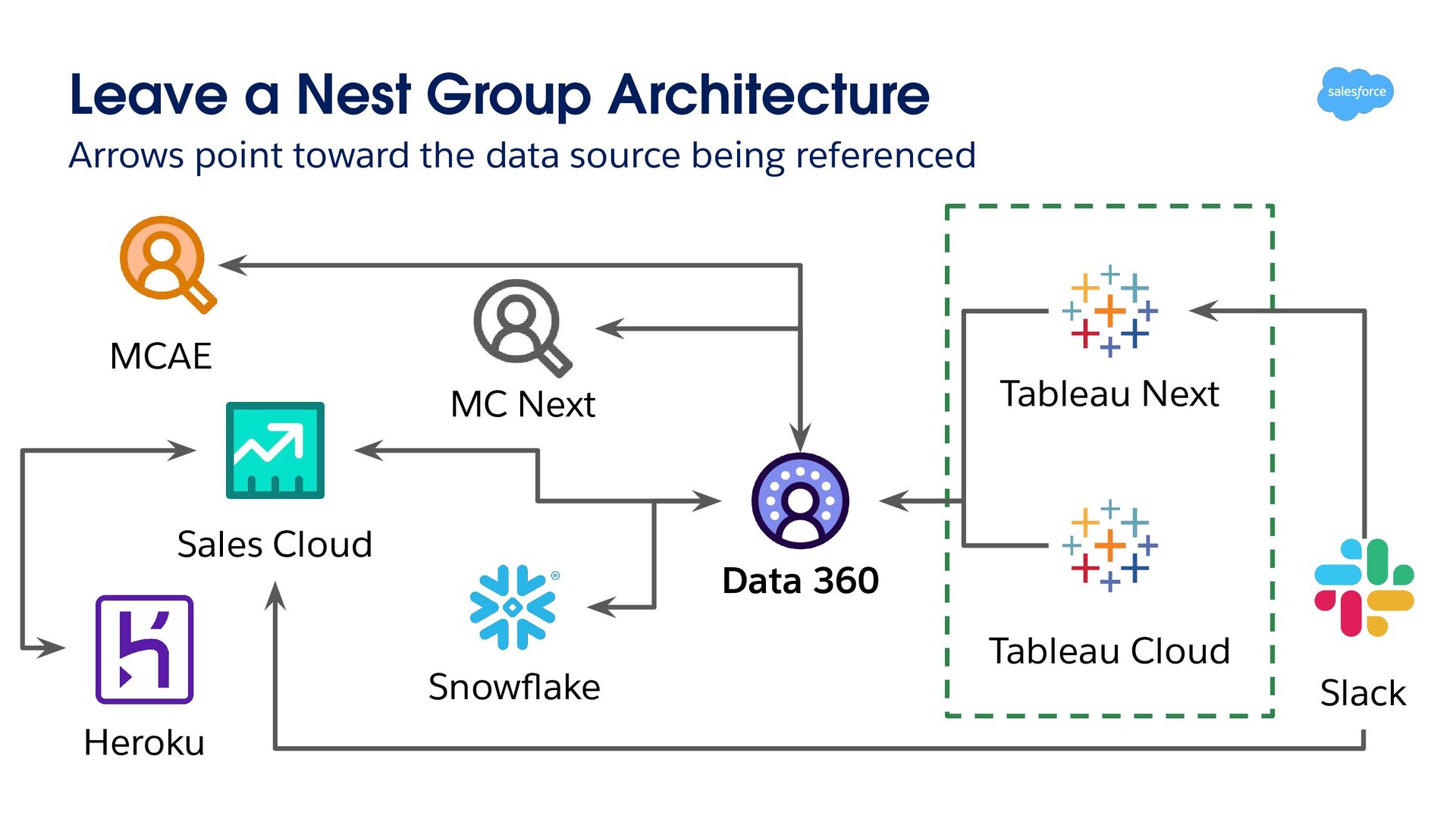
04 Managing Multiple 05 Data 360 solves all 06 The Real System Misconceptions About Tableau Agenda three challenges Whom, and Why Tableaus without Data 360 Creates Real Challenges Architecture of Leave a Nest Group
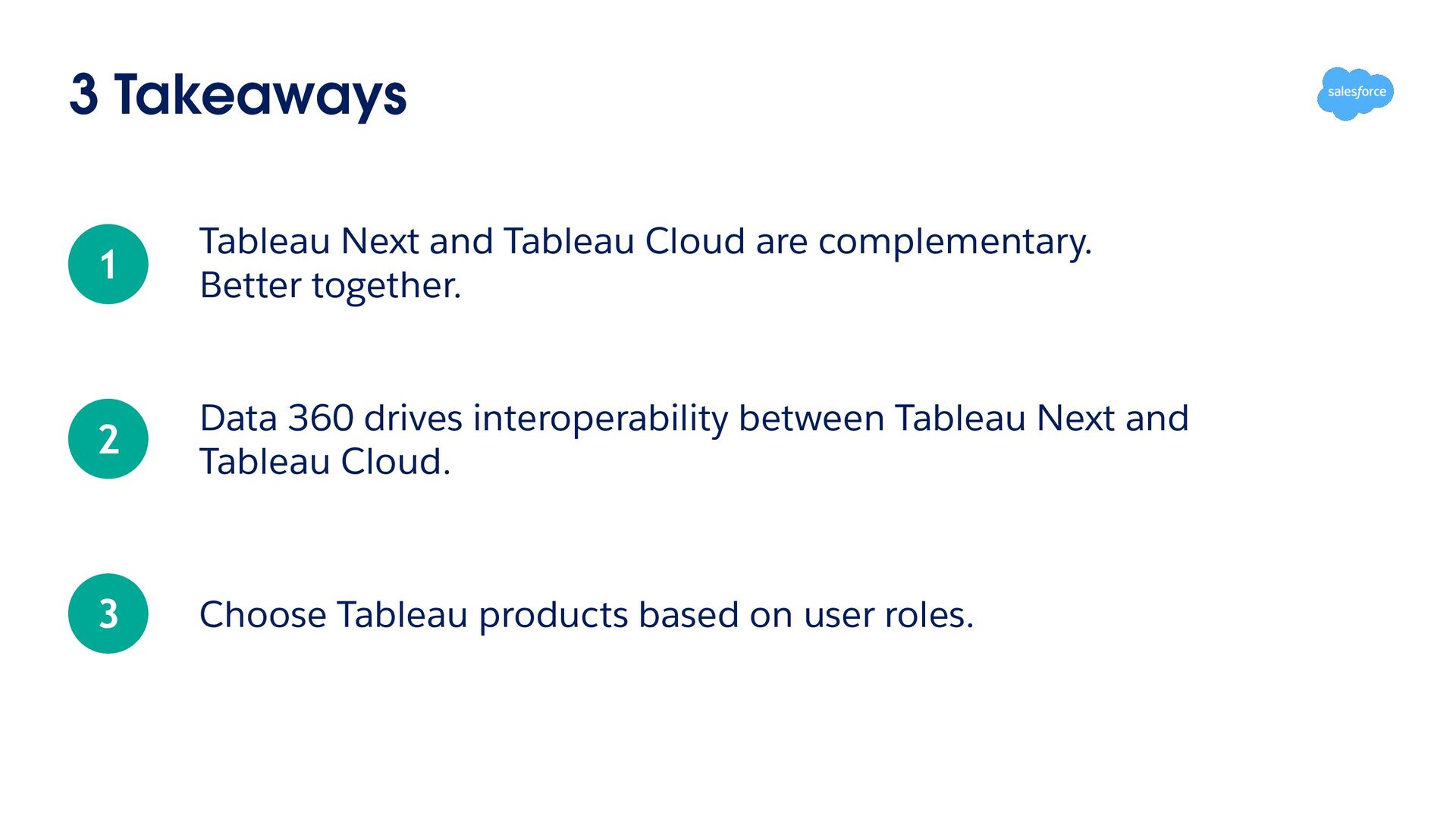
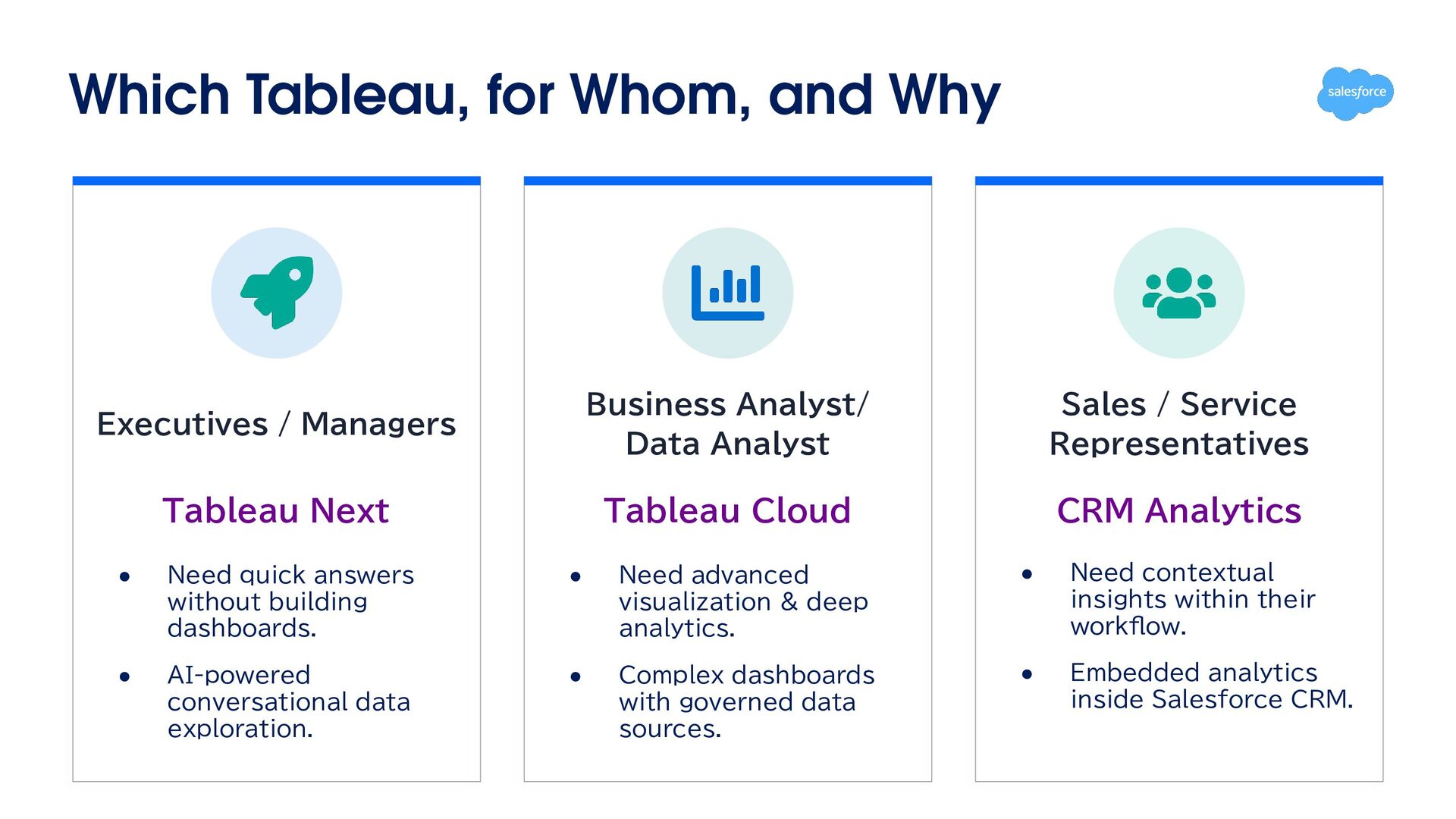
Analyst/ Data Analyst Sales / Service Representatives Tableau Next Tableau Cloud CRM Analytics • Need quick answers without building dashboards. • Need advanced visualization & deep analytics. • Need contextual insights within their workflow. • AI-powered conversational data exploration. • Complex dashboards with governed data sources. • Embedded analytics inside Salesforce CRM.
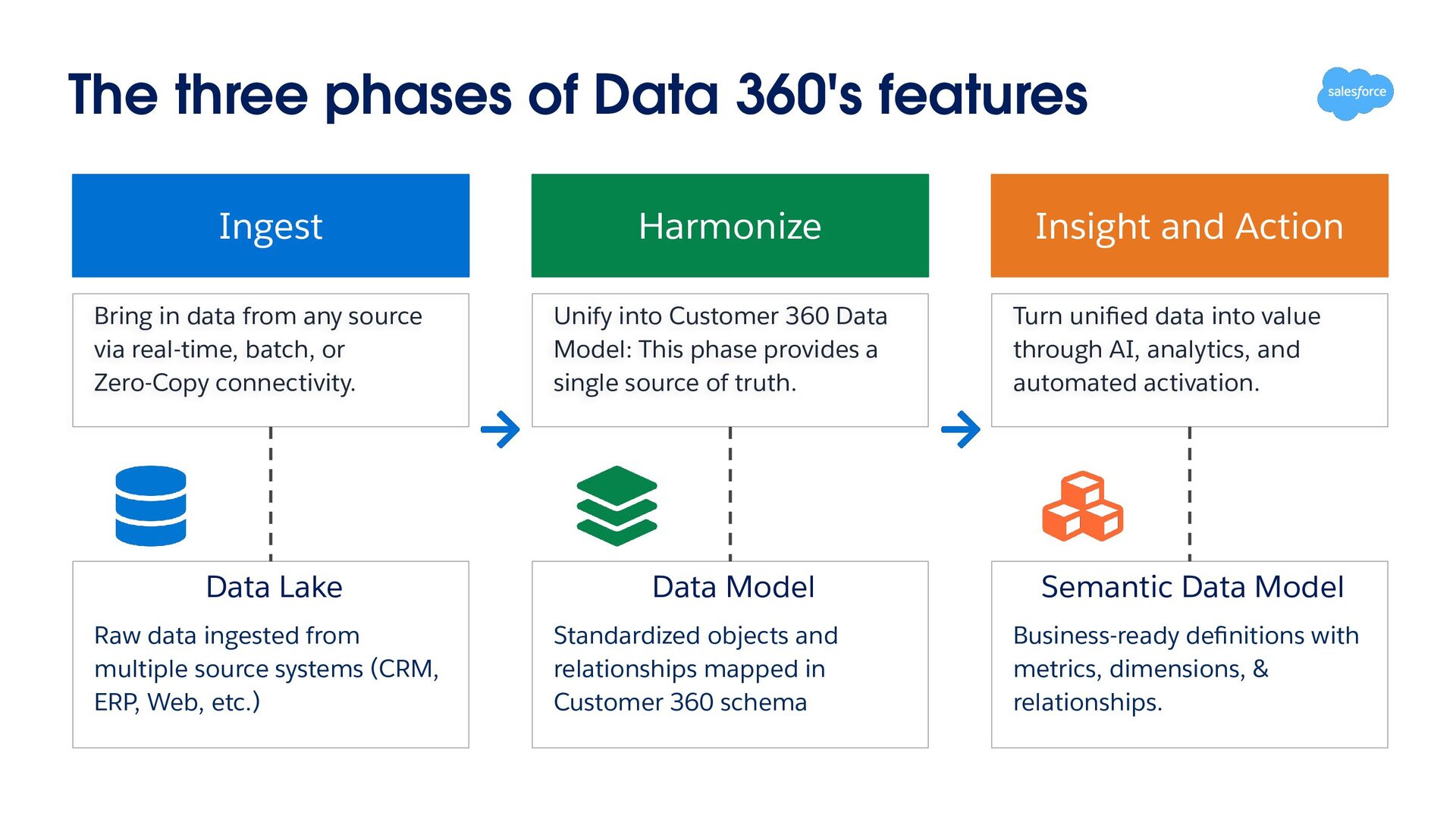
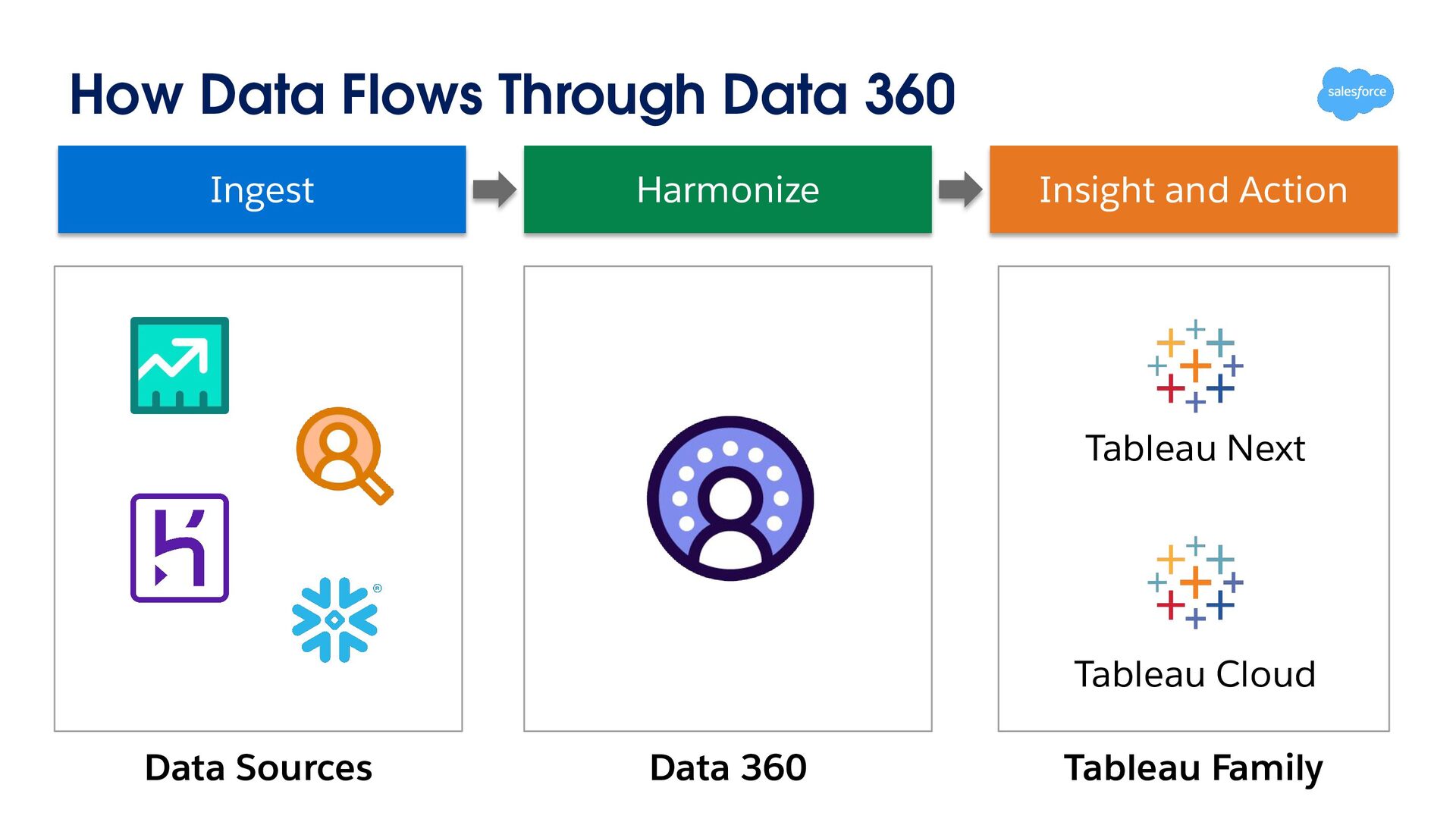
in data from any source via real-time, batch, or Zero-Copy connectivity. Unify into Customer 360 Data Model: This phase provides a single source of truth. Data Lake Data Model Raw data ingested from multiple source systems (CRM, ERP, Web, etc.) Standardized objects and relationships mapped in Customer 360 schema Insight and Action Turn unified data into value through AI, analytics, and automated activation. Semantic Data Model Business-ready definitions with metrics, dimensions, & relationships.
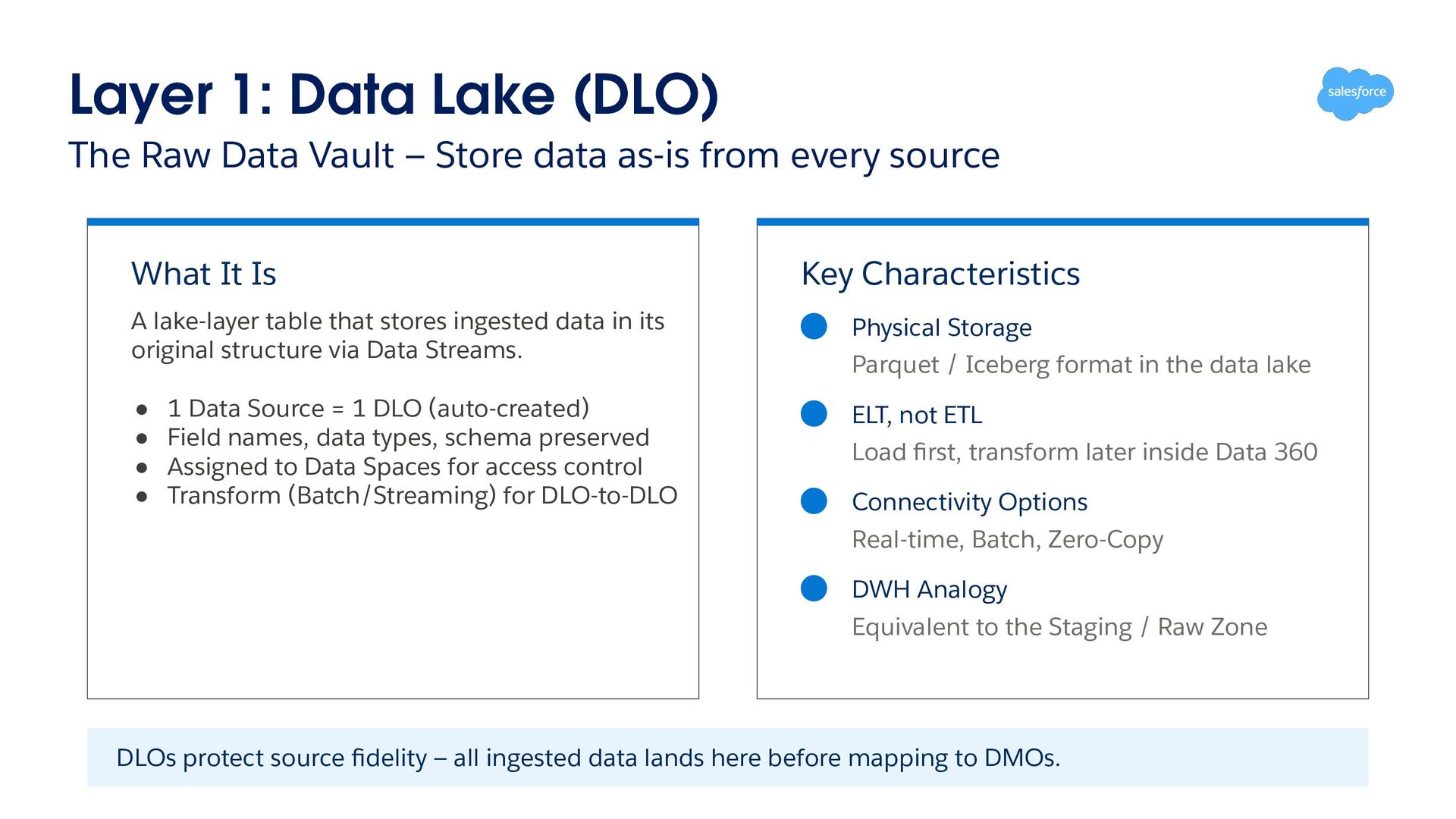
Store data as-is from every source What It Is Key Characteristics A lake-layer table that stores ingested data in its original structure via Data Streams. Physical Storage • • • • ELT, not ETL 1 Data Source = 1 DLO (auto-created) Field names, data types, schema preserved Assigned to Data Spaces for access control Transform (Batch/Streaming) for DLO-to-DLO Parquet / Iceberg format in the data lake Load first, transform later inside Data 360 Connectivity Options Real-time, Batch, Zero-Copy DWH Analogy Equivalent to the Staging / Raw Zone DLOs protect source fidelity — all ingested data lands here before mapping to DMOs.
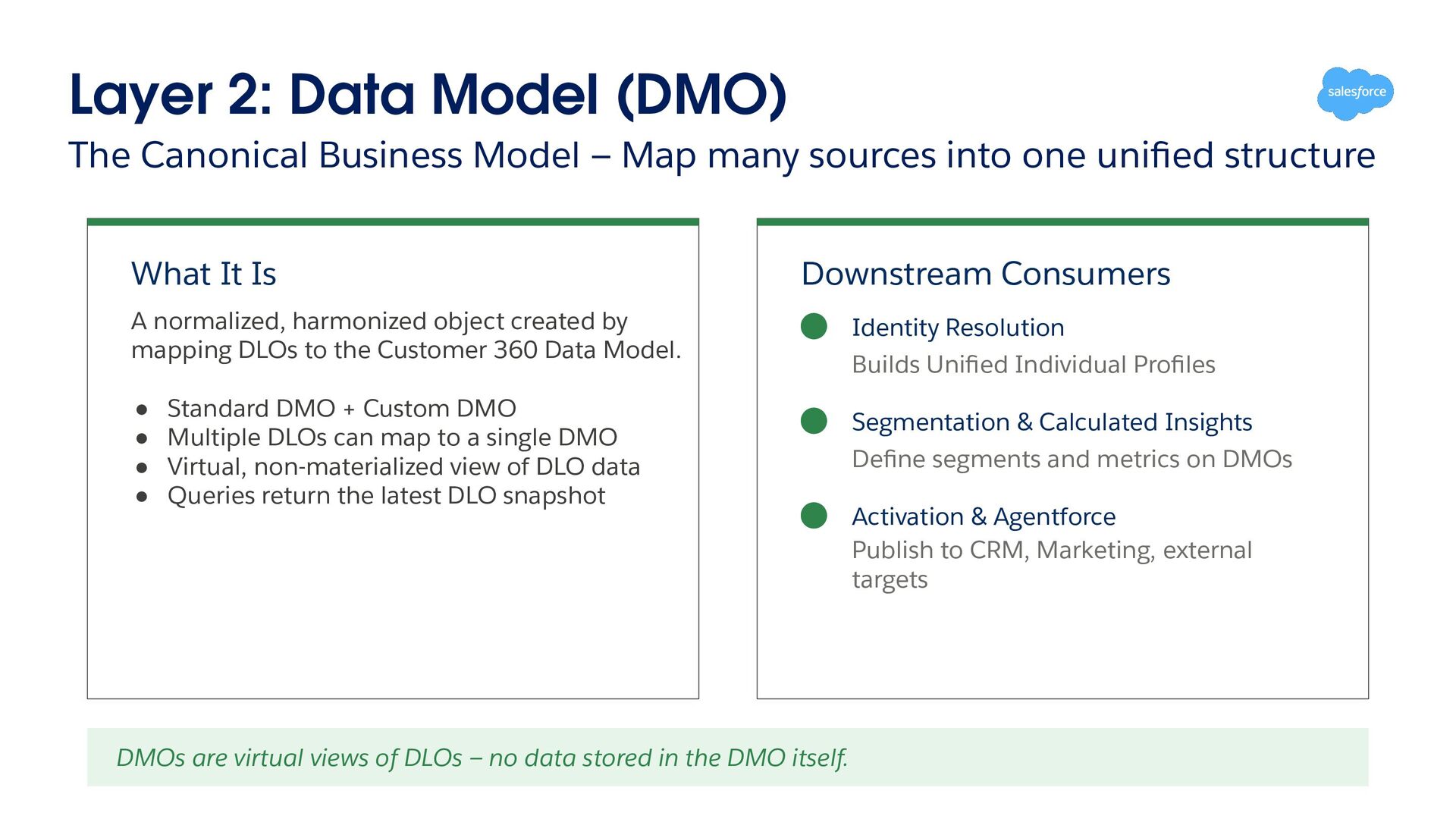
Map many sources into one unified structure What It Is Downstream Consumers A normalized, harmonized object created by mapping DLOs to the Customer 360 Data Model. • • • • Standard DMO + Custom DMO Multiple DLOs can map to a single DMO Virtual, non-materialized view of DLO data Queries return the latest DLO snapshot DMOs are virtual views of DLOs — no data stored in the DMO itself. Identity Resolution Builds Unified Individual Profiles Segmentation & Calculated Insights Define segments and metrics on DMOs Activation & Agentforce Publish to CRM, Marketing, external targets
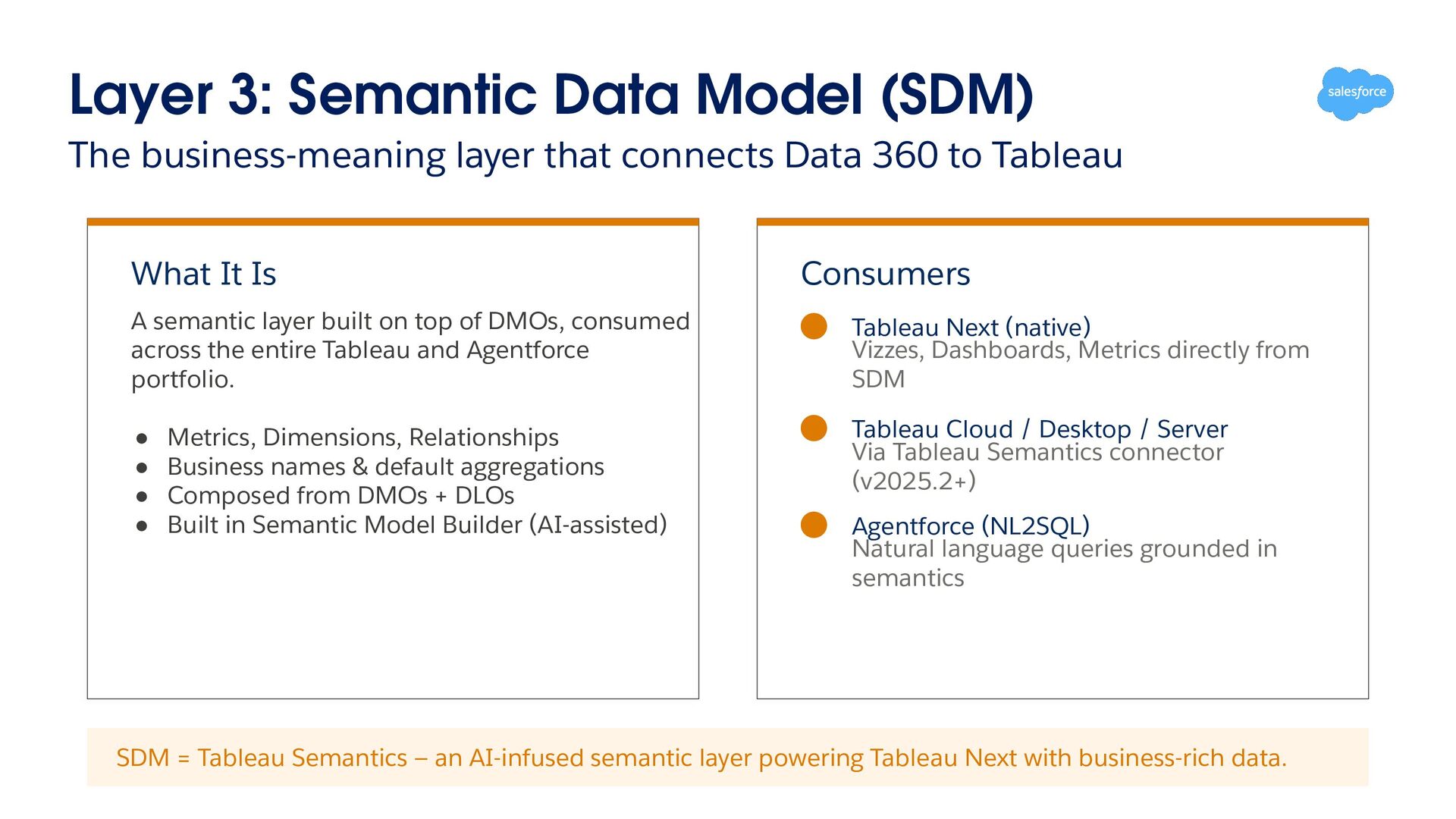
connects Data 360 to Tableau What It Is Consumers A semantic layer built on top of DMOs, consumed across the entire Tableau and Agentforce portfolio. Tableau Next (native) Vizzes, Dashboards, Metrics directly from SDM • • • • Tableau Cloud / Desktop / Server Via Tableau Semantics connector (v2025.2+) Metrics, Dimensions, Relationships Business names & default aggregations Composed from DMOs + DLOs Built in Semantic Model Builder (AI-assisted) Agentforce (NL2SQL) Natural language queries grounded in semantics SDM = Tableau Semantics — an AI-infused semantic layer powering Tableau Next with business-rich data.
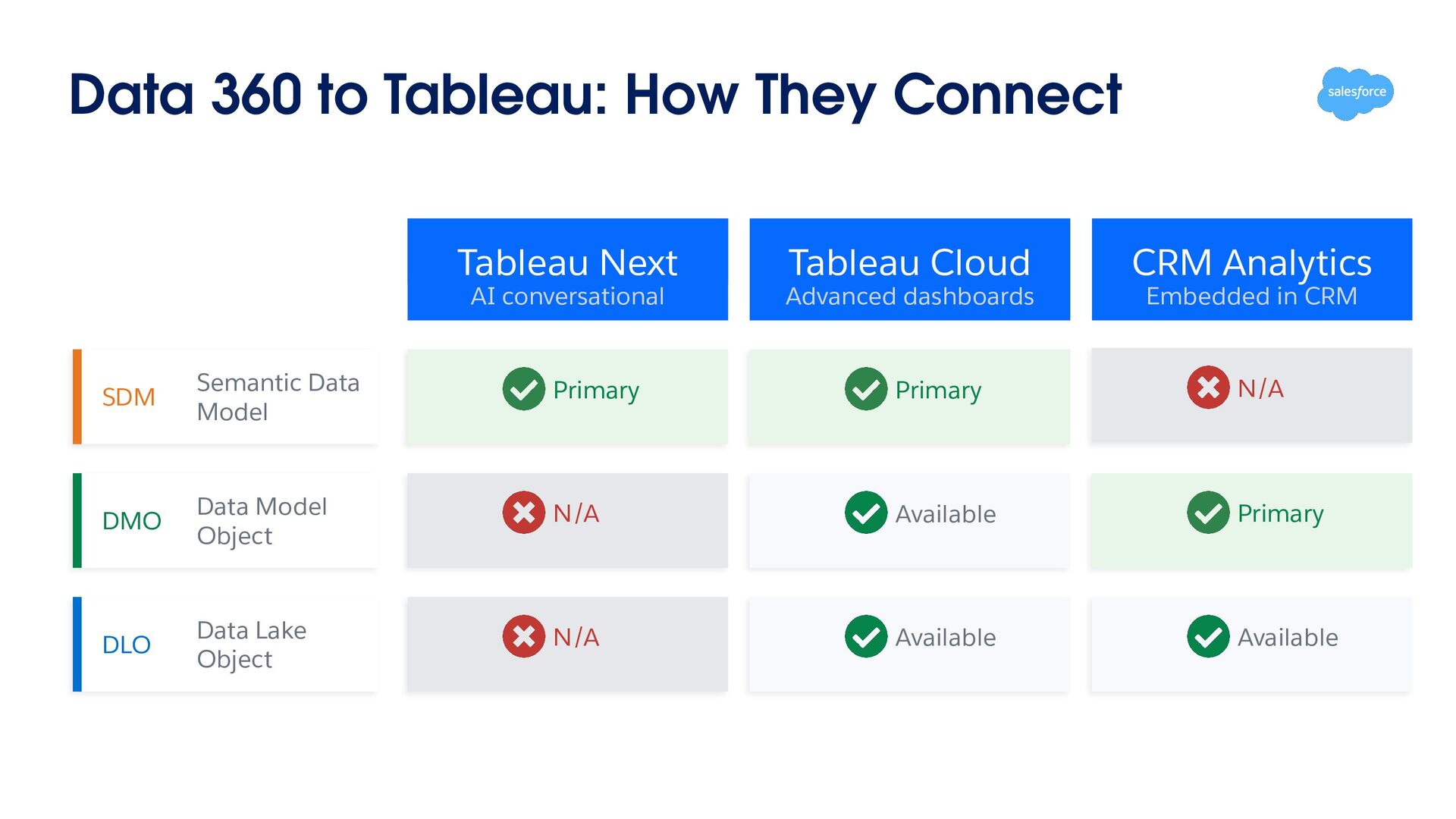
Cloud CRM Analytics AI conversational Advanced dashboards Embedded in CRM SDM Semantic Data Model Primary Primary N/A DMO Data Model Object N/A Available Primary DLO Data Lake Object N/A Available Available
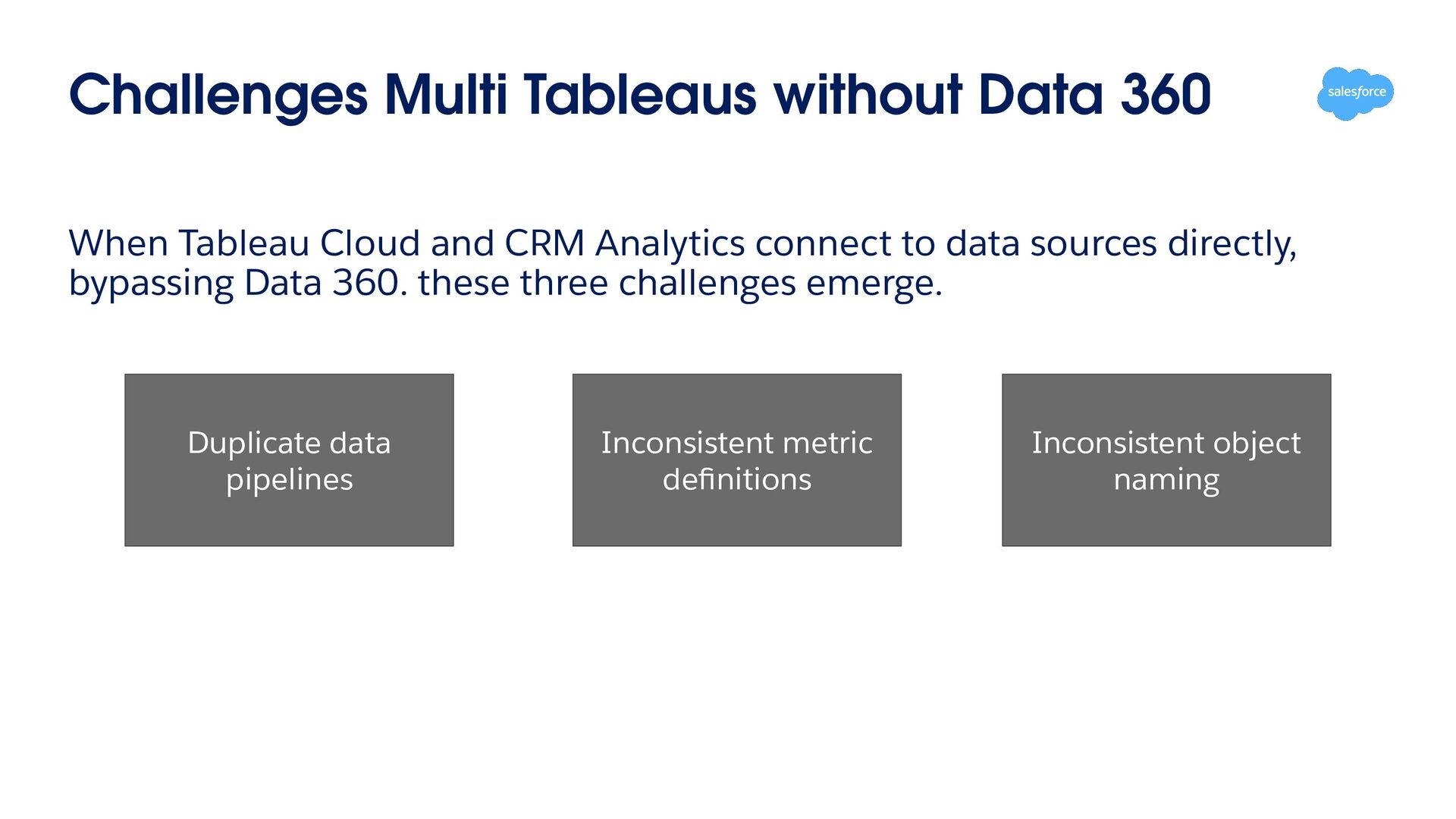
CRM Analytics connect to data sources directly, bypassing Data 360. these three challenges emerge. Duplicate data pipelines Inconsistent metric definitions Inconsistent object naming
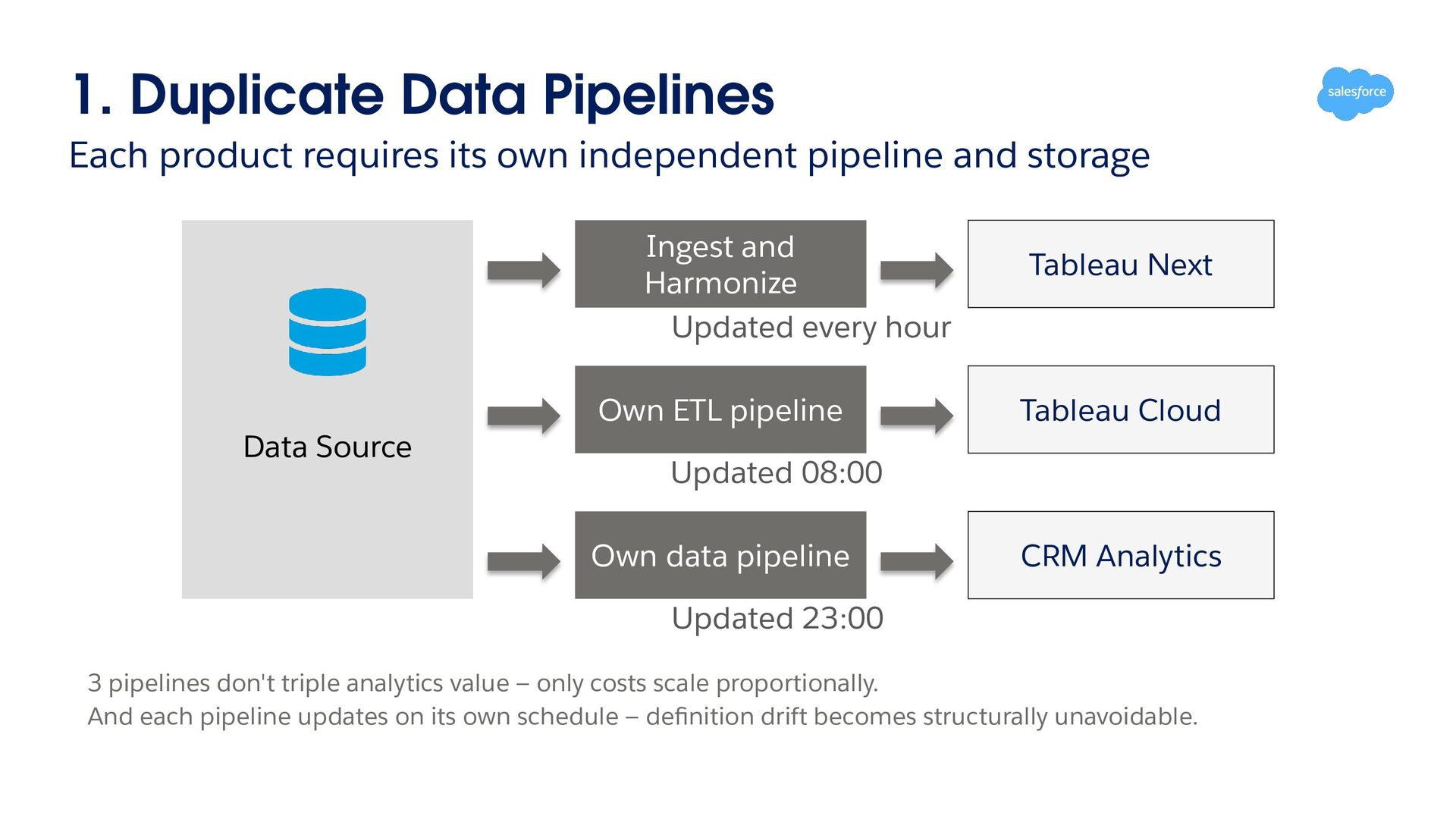
pipeline and storage Ingest and Harmonize Updated every hour Own ETL pipeline Data Source Tableau Next Tableau Cloud Updated 08:00 Own data pipeline CRM Analytics Updated 23:00 3 pipelines don't triple analytics value — only costs scale proportionally. And each pipeline updates on its own schedule — definition drift becomes structurally unavoidable.
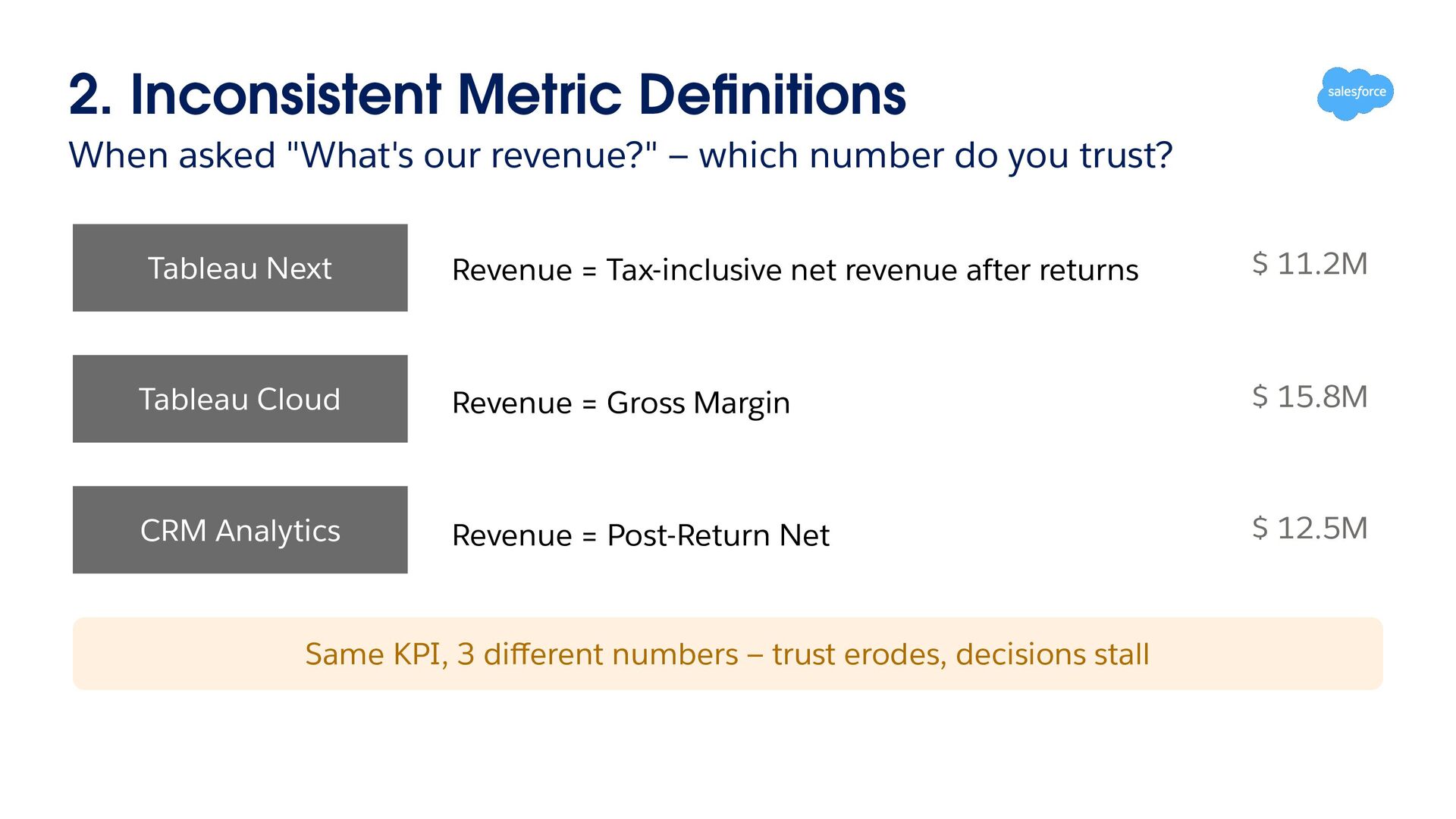
which number do you trust? Tableau Next Revenue = Tax-inclusive net revenue after returns $ 11.2M Tableau Cloud Revenue = Gross Margin $ 15.8M CRM Analytics Revenue = Post-Return Net $ 12.5M Same KPI, 3 different numbers — trust erodes, decisions stall
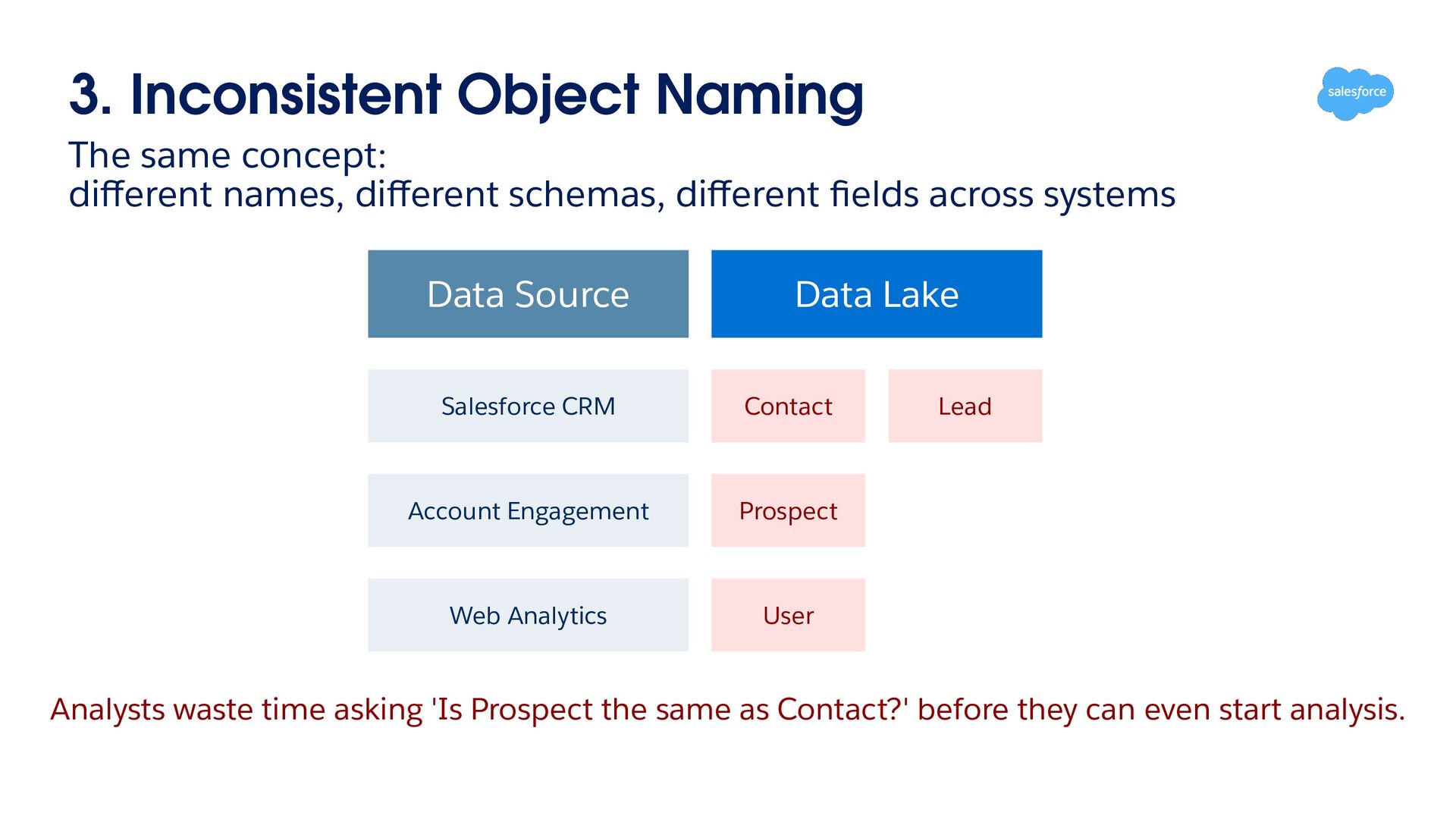
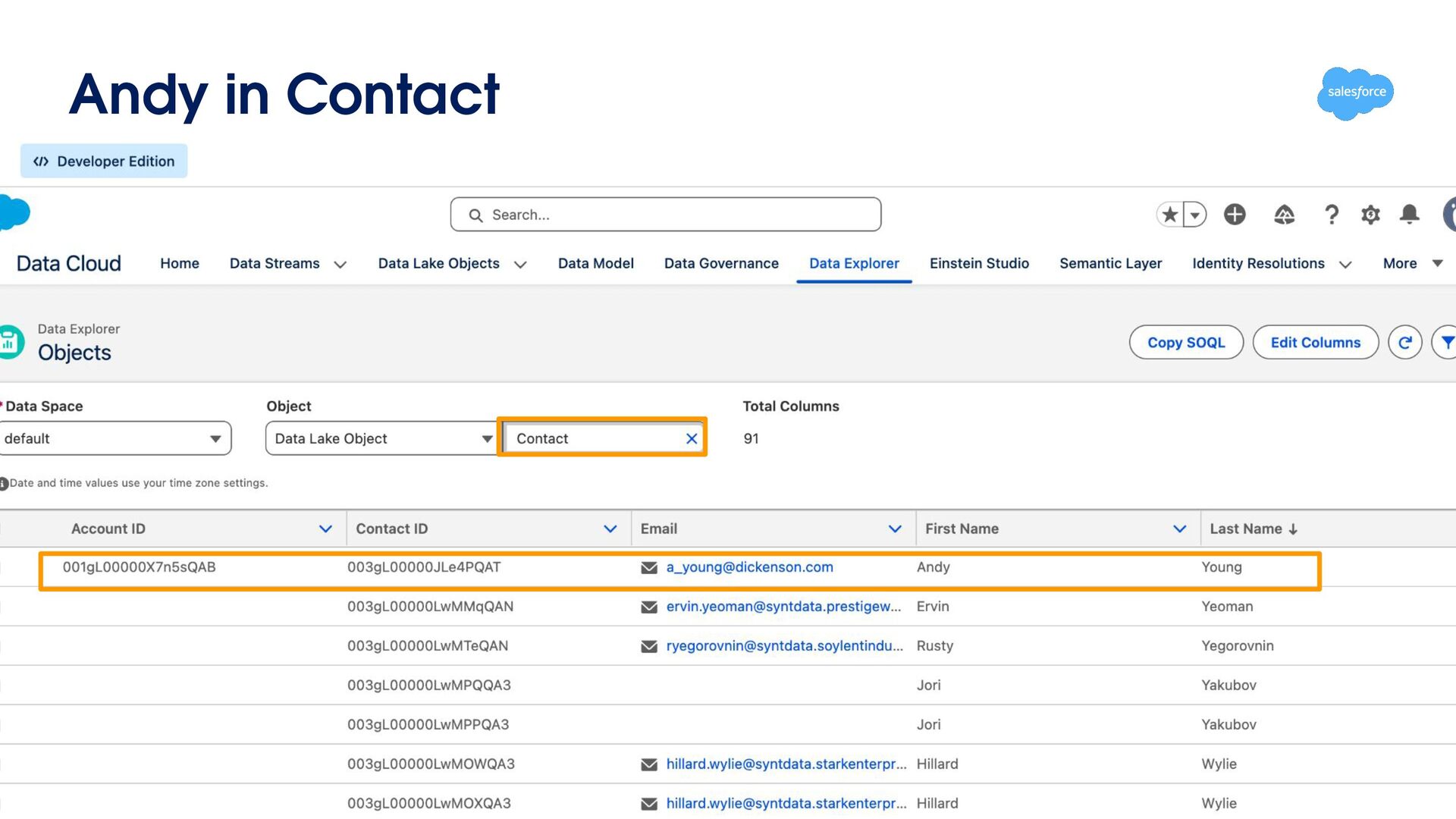
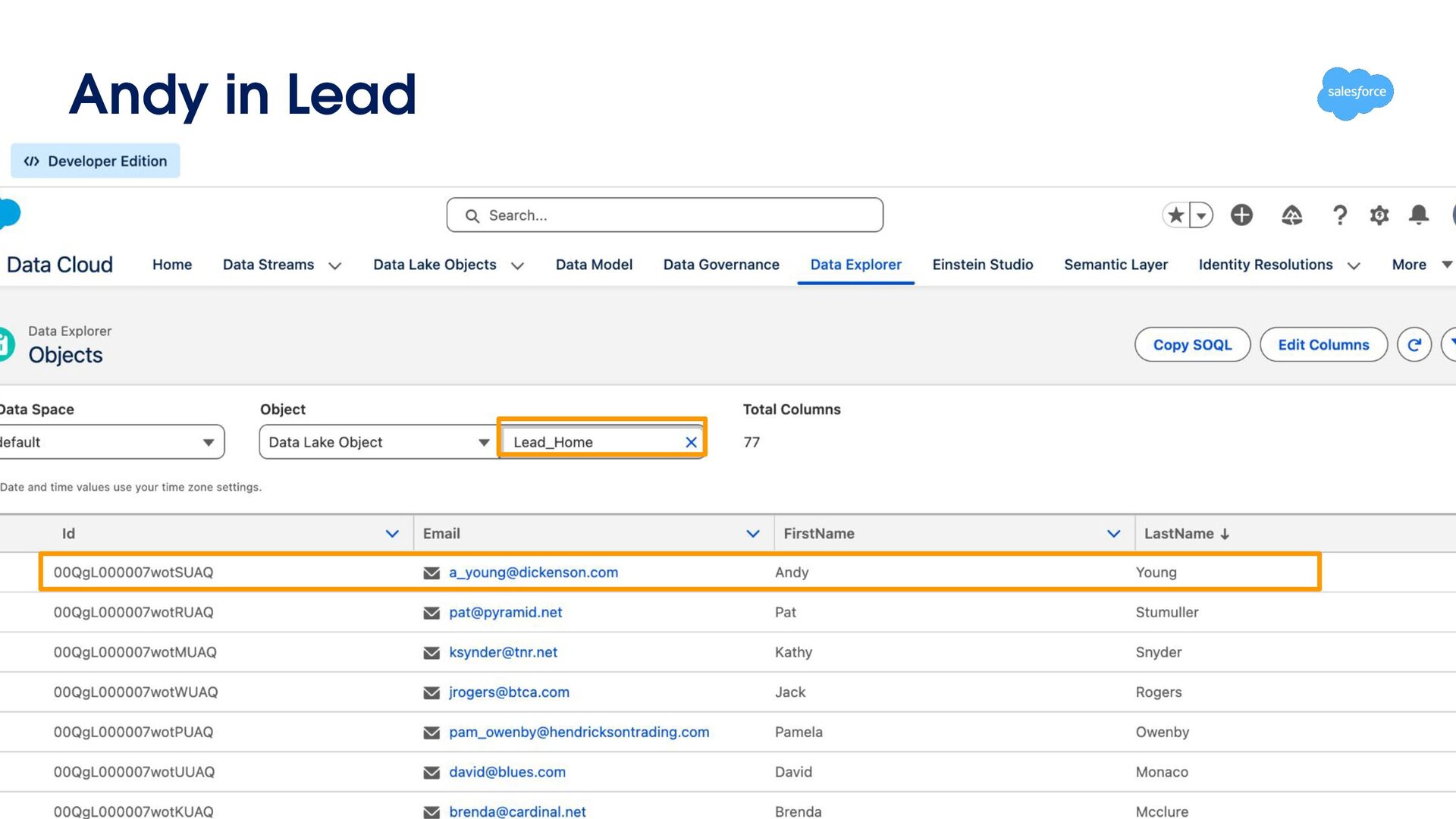
schemas, different fields across systems Data Source Data Lake Salesforce CRM Contact Account Engagement Prospect Web Analytics User Lead Analysts waste time asking 'Is Prospect the same as Contact?' before they can even start analysis.
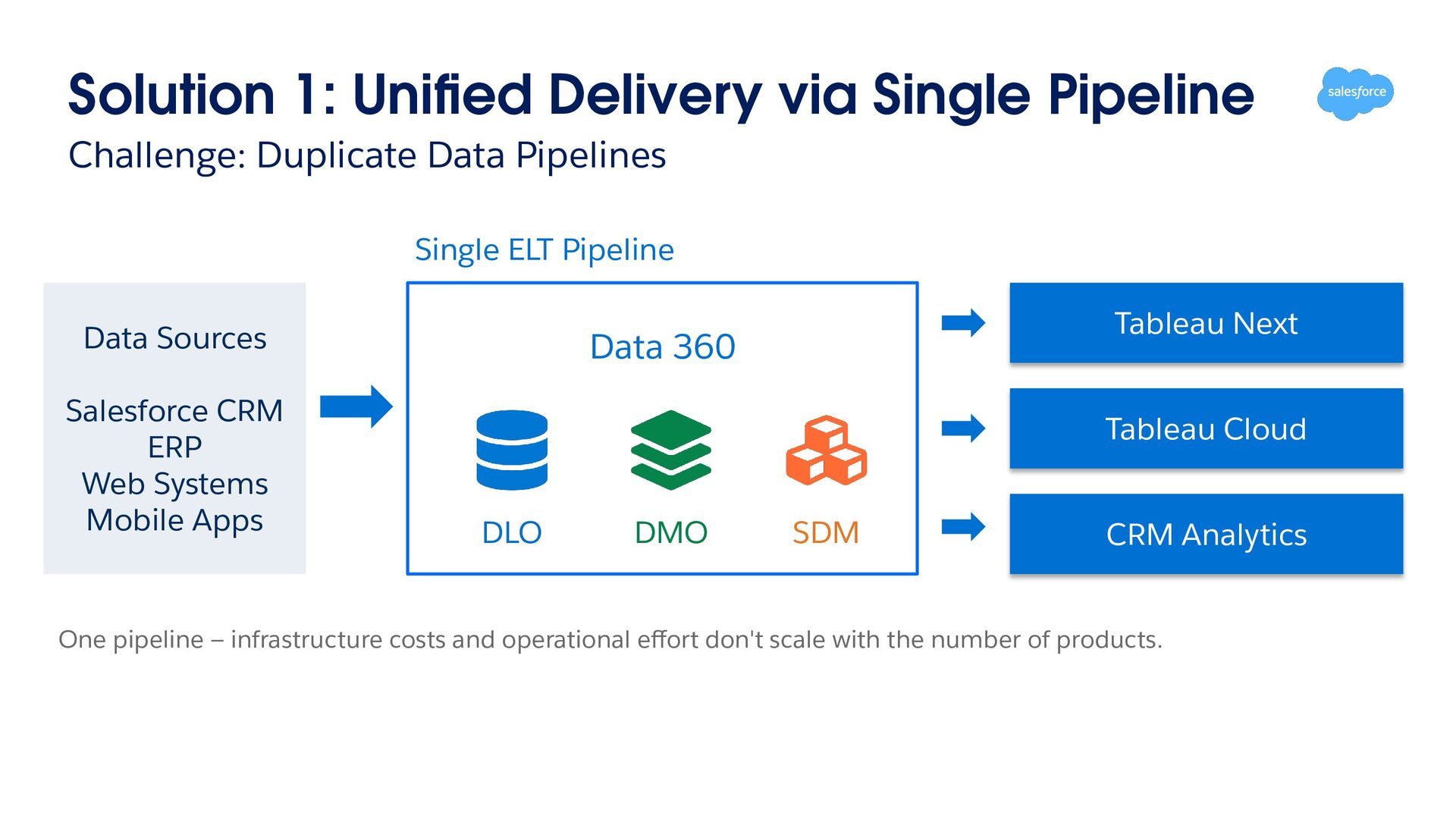
Pipelines Single ELT Pipeline Data Sources Salesforce CRM ERP Web Systems Mobile Apps Tableau Next Data 360 Tableau Cloud DLO DMO SDM CRM Analytics One pipeline — infrastructure costs and operational effort don't scale with the number of products.
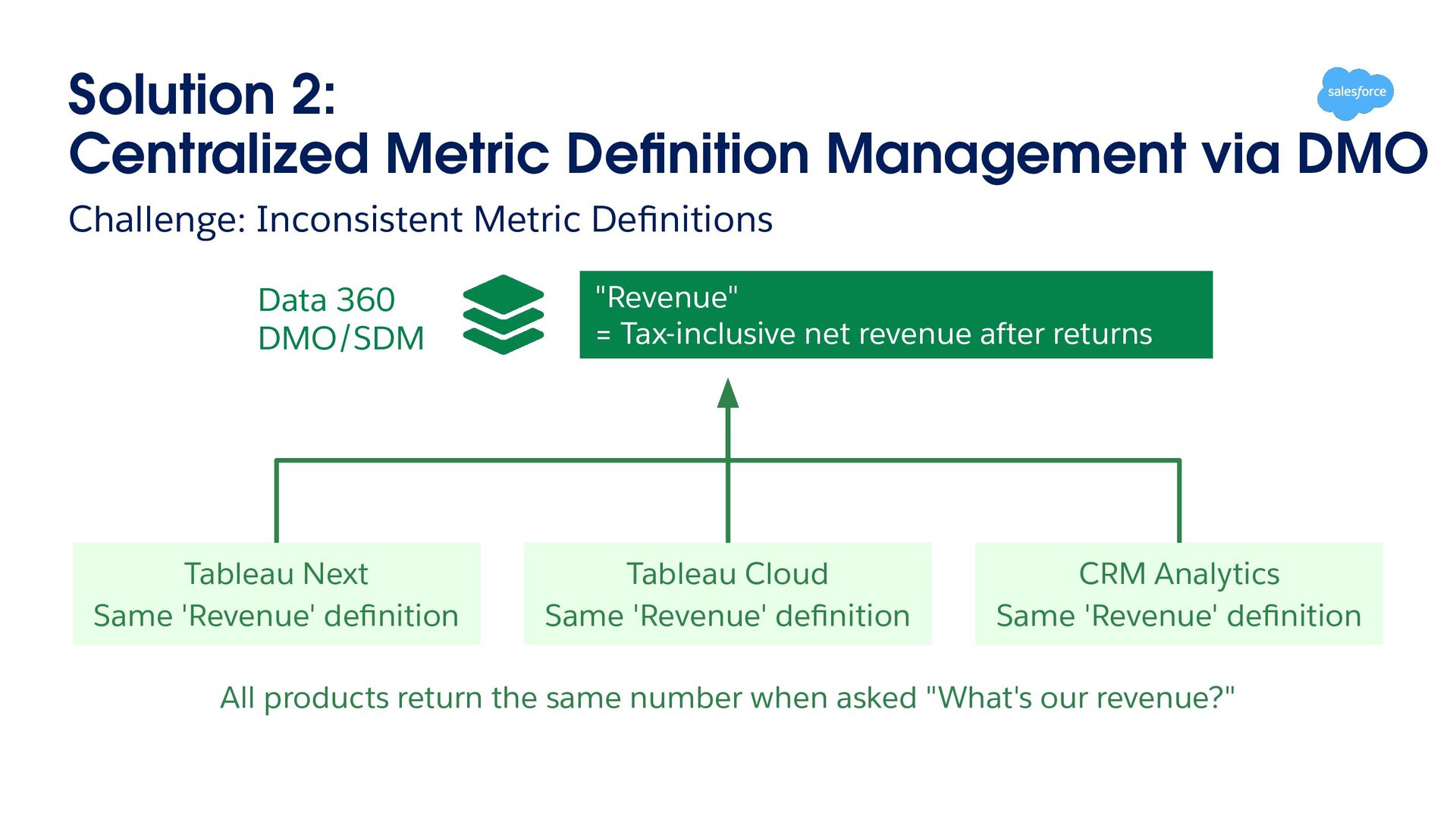
Metric Definitions Data 360 DMO/SDM Tableau Next Same 'Revenue' definition "Revenue" = Tax-inclusive net revenue after returns Tableau Cloud Same 'Revenue' definition CRM Analytics Same 'Revenue' definition All products return the same number when asked "What's our revenue?"
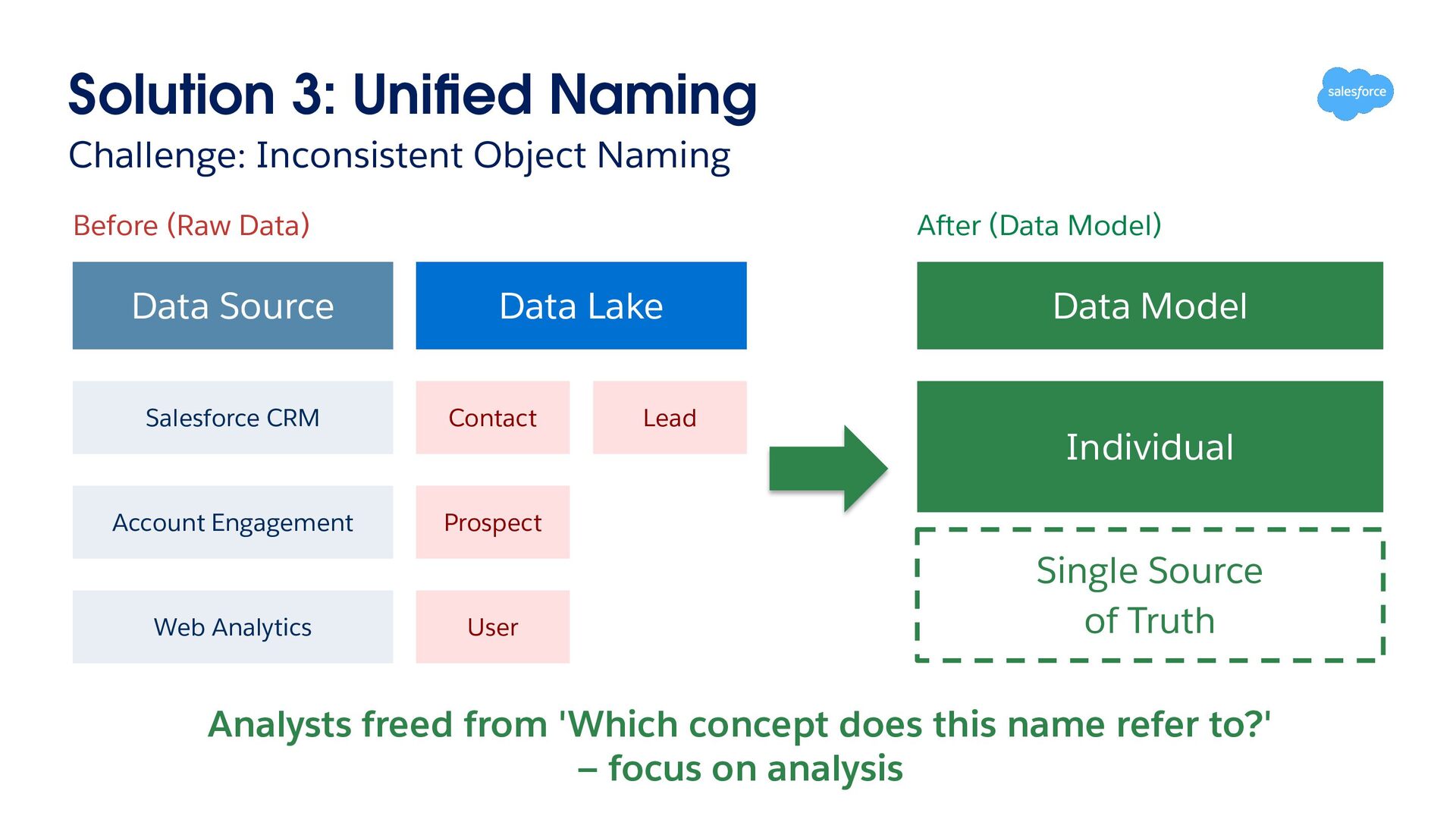
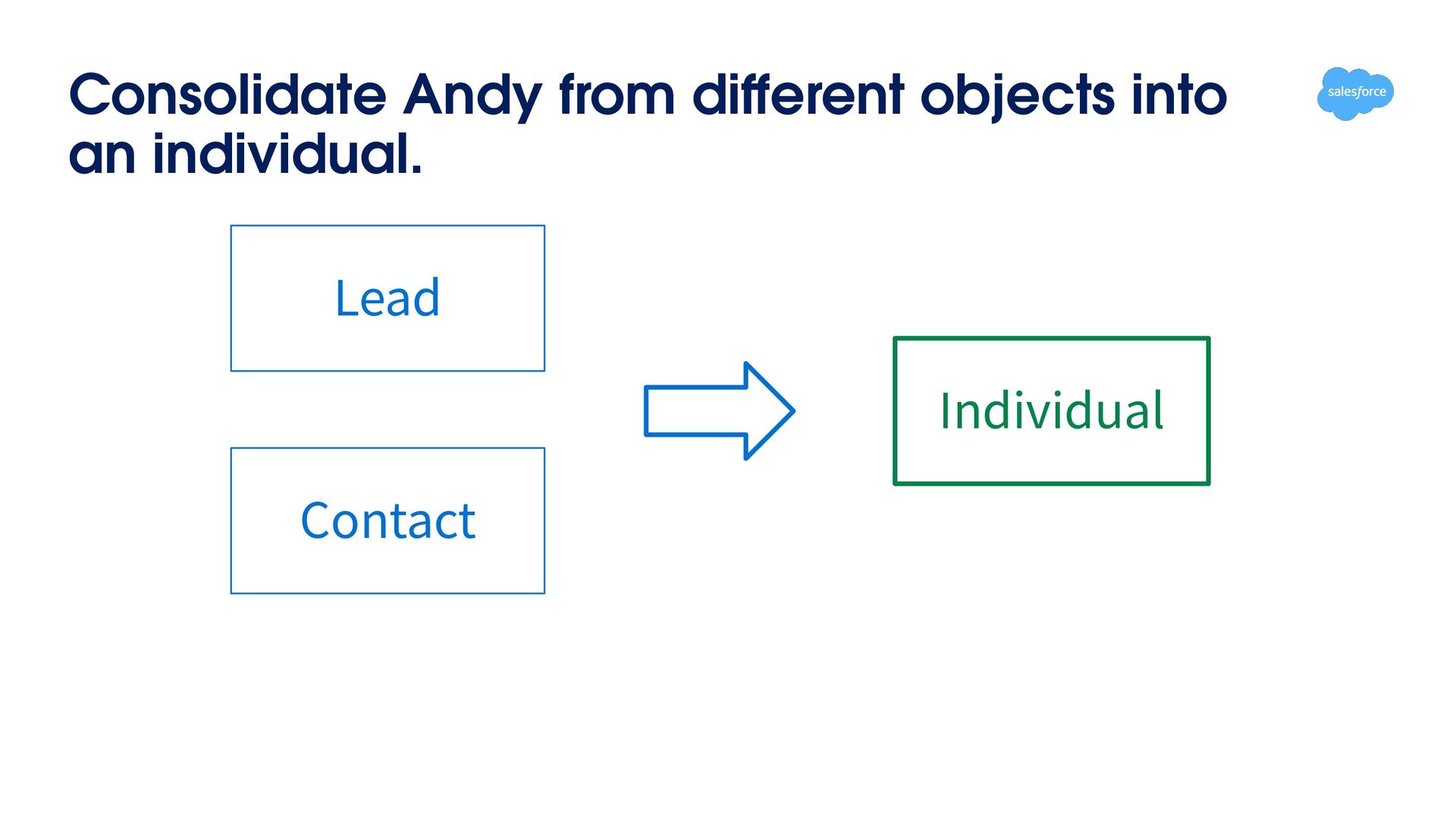
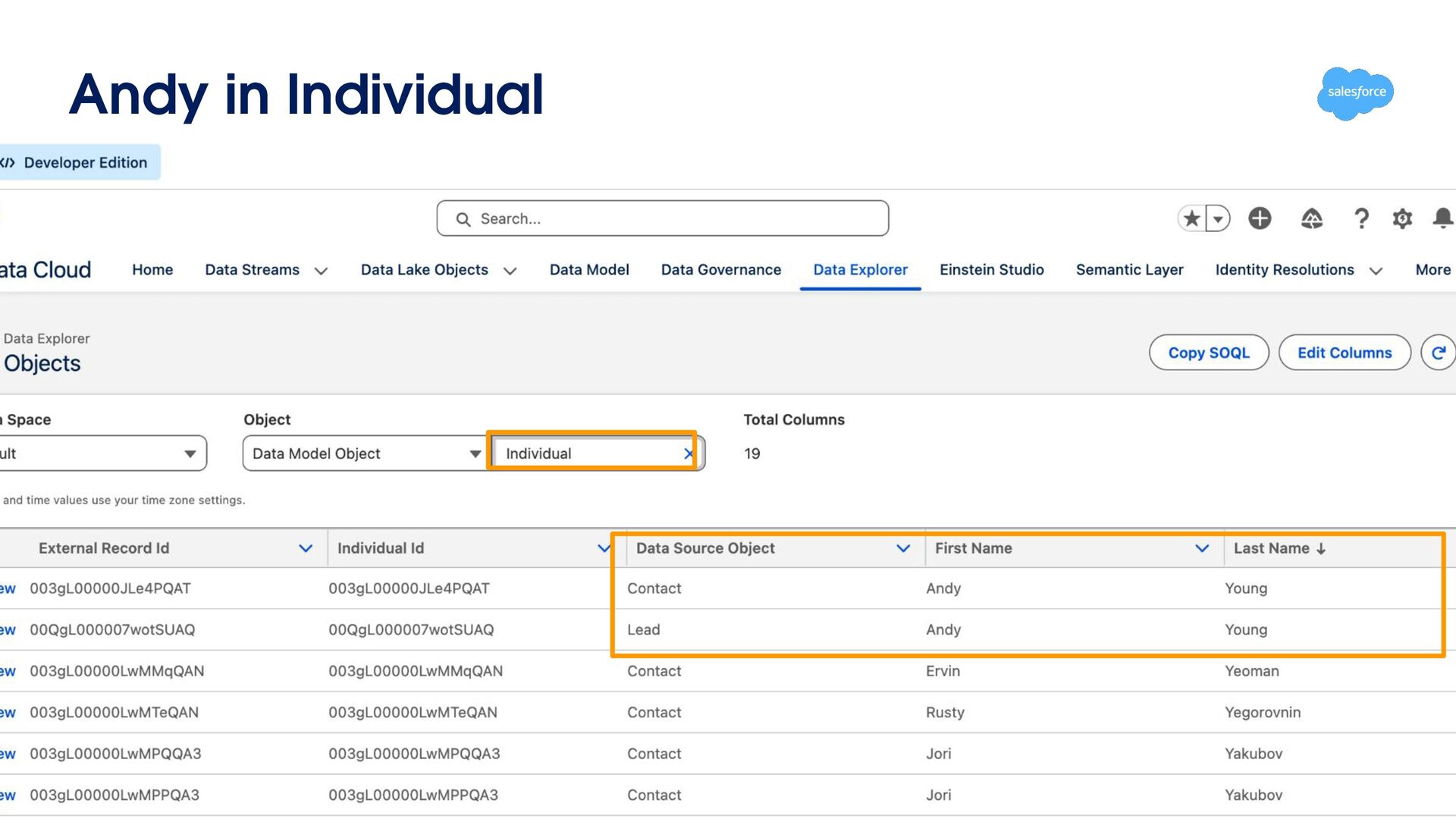
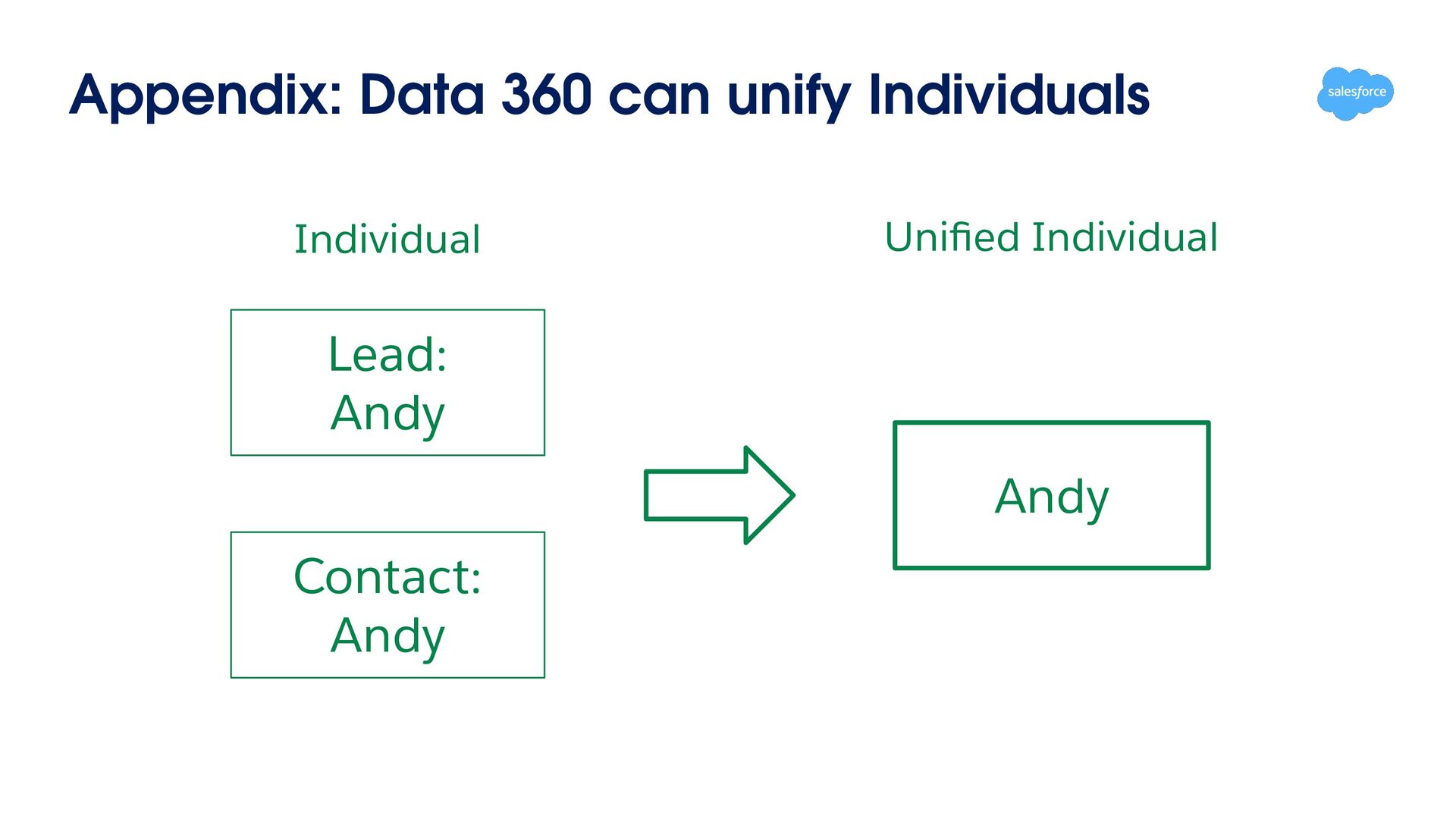
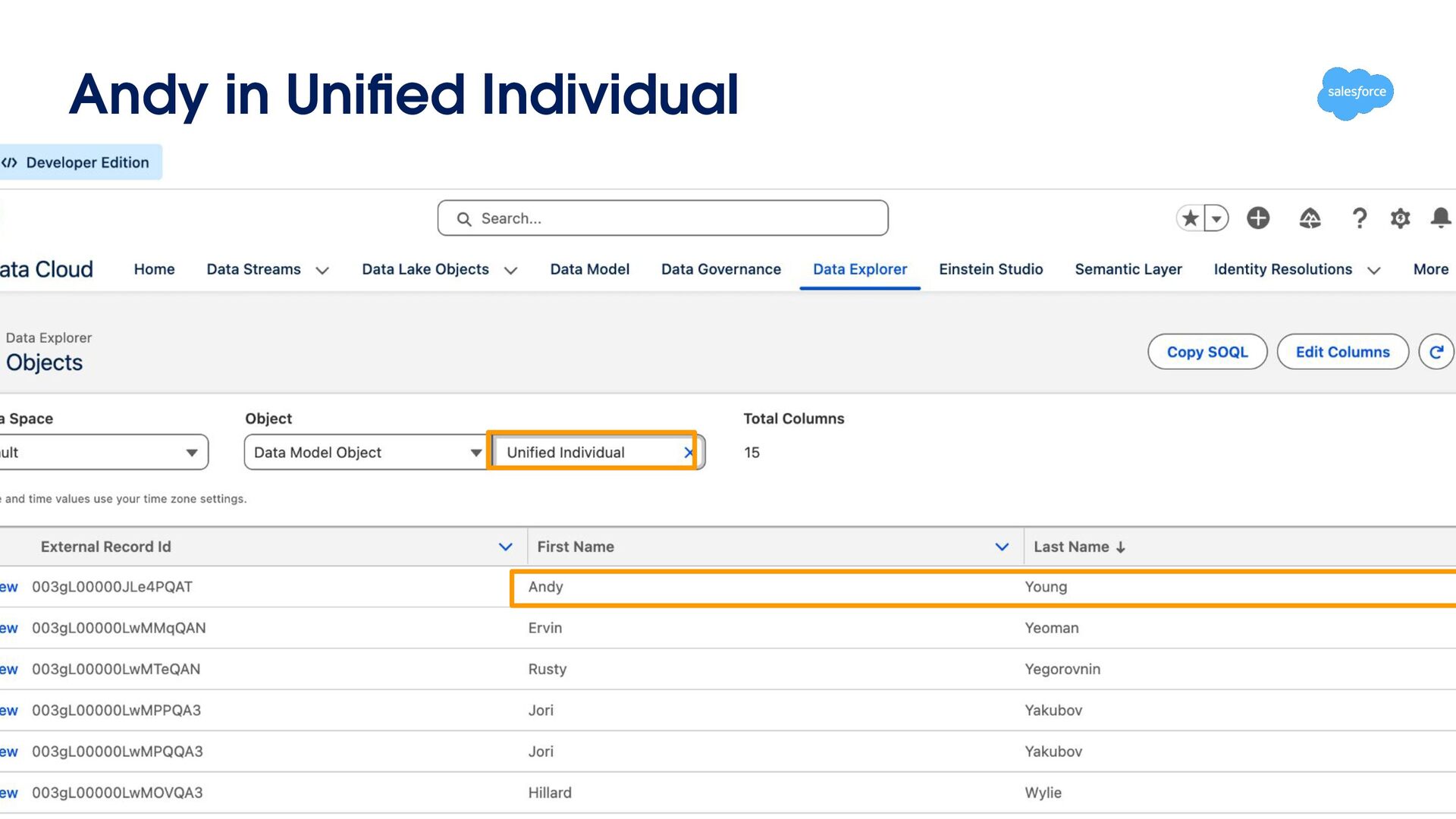
Data) Data Source Salesforce CRM After (Data Model) Data Lake Contact Data Model Lead Individual Account Engagement Web Analytics Prospect User Single Source of Truth Analysts freed from 'Which concept does this name refer to?' — focus on analysis
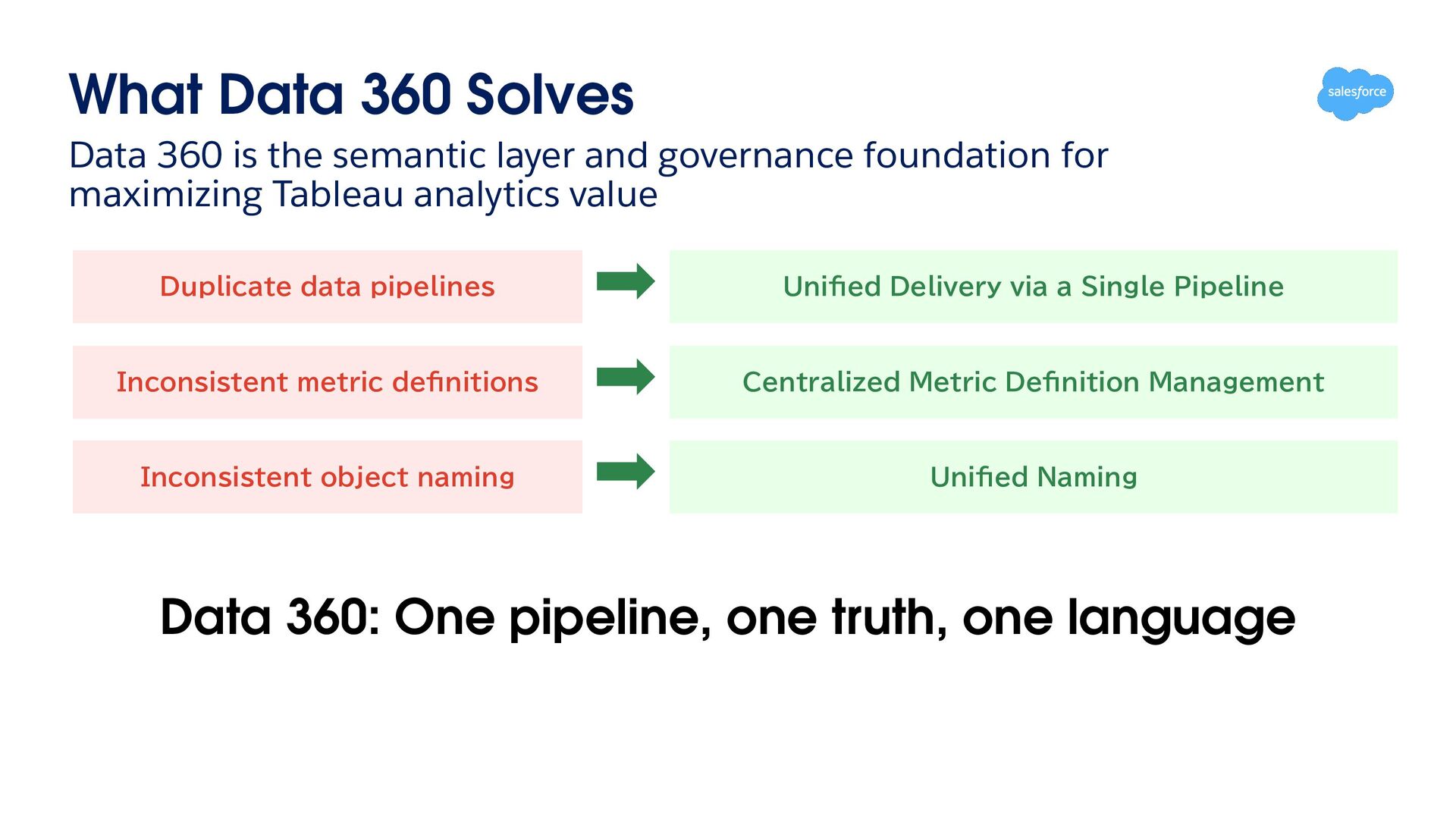
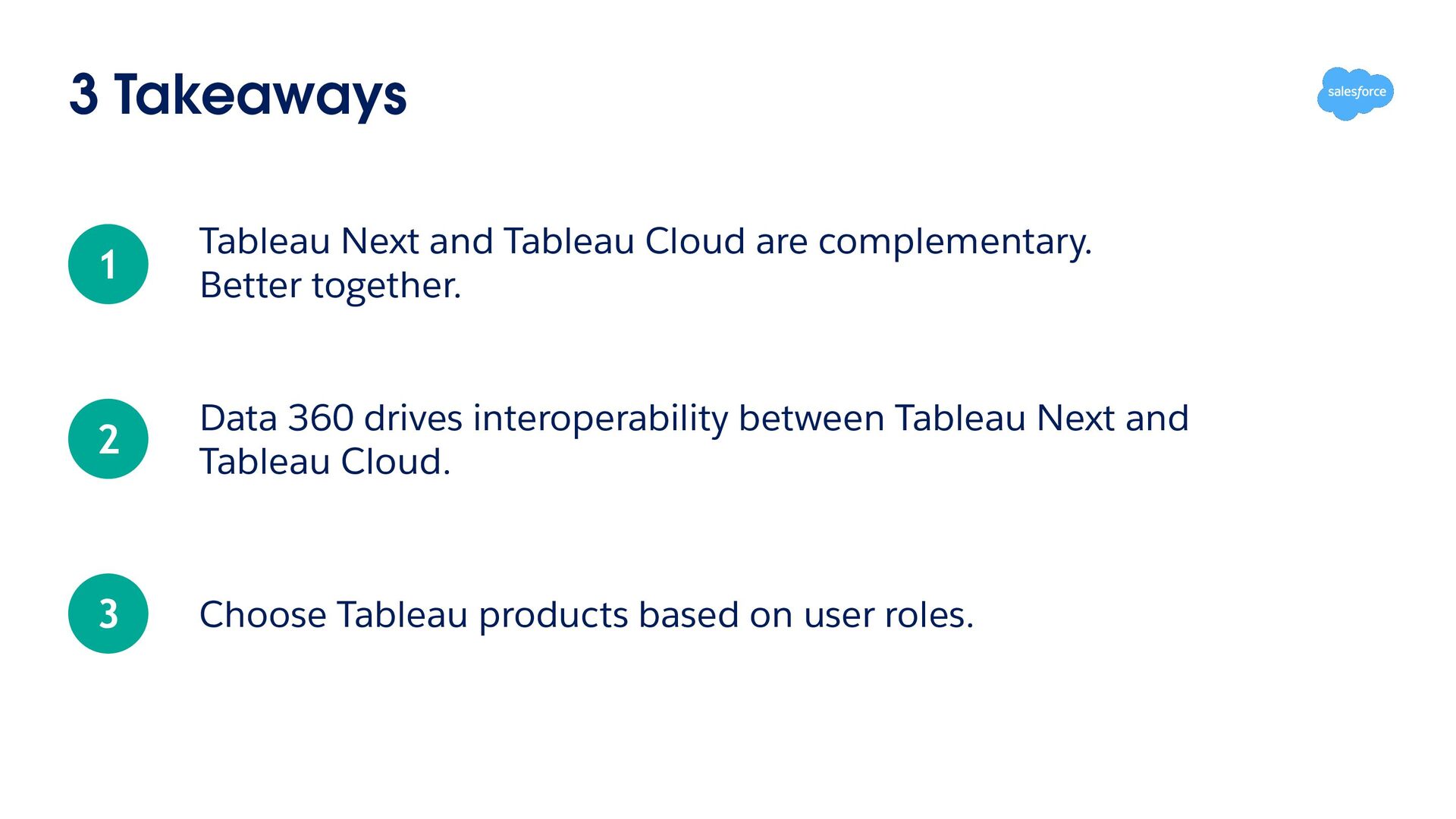
and governance foundation for maximizing Tableau analytics value Duplicate data pipelines Unified Delivery via a Single Pipeline Inconsistent metric definitions Centralized Metric Definition Management Inconsistent object naming Unified Naming Data 360: One pipeline, one truth, one language


 marreta27
 riyaamemiya
 z63d
 yappli_developers
 inariku
 smt7174
 kentosuzuki
 murachiakira
 tomoaki25
 sansantech
 oidfj
 shift_evolve
 tmiket
 cassininazir
 addyosmani
 lynnandtonic
 aleyda
 denniskardys
 davidcarrasco
 afnizarnur
 maggiecrowley
 trishagee
 swwweet
 palkan