Upgrade to Pro
— share decks privately, control downloads, hide ads and more …
Speaker Deck
Sign up for free
Menu
Search
Features
All features
Private URLs
Password Protection
Custom URLS
Scheduled publishing
Remove Branding
Restrict embedding
Deck Collections
Notes
Features
All features
Private URLs
Password Protection
Custom URLS
Scheduled publishing
Remove Branding
Restrict embedding
Deck Collections
Notes
Explore
Featured decks
Featured speakers
Programming
Technology
Storyboards
Explore
Featured decks
Featured speakers
Programming
Technology
Storyboards
Pricing
Search
Sign in
Sign up for free
AWS Directory ServiceとFSxをCLIでさわってみた / AWS Dire...
Search
める
September 02, 2021
Technology
640
0
Share
Embed
Copy iframe code
Copy JS code
Copy link
Start on current slide
AWS Directory ServiceとFSxをCLIでさわってみた / AWS Directry Service and FSx for Windows Server
2021/09/02 JAWS-UG CLI専門支部でのLT内容です。
める
September 02, 2021
More Decks by める
See All by める
aws loginがいいぞ / aws login is good
mel_27
0
69
AWSをCLIで理解したい! / I want to understand AWS using the CLI
mel_27
2
1.5k
AWS ドキュメントをあるいてみた / Walk on AWS documents
mel_27
0
230
Amazon FSx for ONTAPを 試してみた / Try Amazon FSx for ONTAP
mel_27
0
990
Other Decks in Technology
See All in Technology
"AWSはちょっと苦手"でも大丈夫。AWS Blocks で手軽に作る Flutter のバックエンド #FlutterKaigi
tacck
PRO
0
110
Deep Data Security 機能解説
oracle4engineer
PRO
3
970
キヨさん、67歳。AIコーディングエージェントに挑む
happysamurai294
0
130
バイブコーディングの特徴と「コケて直す」ループ
happysamurai294
0
130
re:Invent の去年のスケジュールを公開します!
miu_crescent
PRO
0
120
Patterns in AI Driven Software Development
akosma
PRO
0
380
正解のない研修に放り出されて / Being thrown into a training program with no right answers
ohnoeight
1
170
AIエージェントに 権限と鍵をどこまで渡すか
nrinetcom
PRO
2
160
GitHub、使う?使わない?
happysamurai294
0
120
自律的なチームを作るためにTechPMがやらないこと
ny7760
0
250
re:Inventで、人生は変わったのか? / growth-builders-hub-1-reinvent-2026
mhrtech
2
170
契約で守るコンパウンドプロダクトのデザインシステム
yug1224
1
1.6k
Featured
See All Featured
What’s in a name? Adding method to the madness
productmarketing
PRO
24
4.2k
Lightning talk: Run Django tests with GitHub Actions
sabderemane
0
310
ReactJS: Keep Simple. Everything can be a component!
pedronauck
666
130k
Collaborative Software Design: How to facilitate domain modelling decisions
baasie
1
360
[RailsConf 2023] Rails as a piece of cake
palkan
59
7.1k
The Pragmatic Product Professional
lauravandoore
37
7.5k
Neural Spatial Audio Processing for Sound Field Analysis and Control
skoyamalab
0
590
Winning Ecommerce Organic Search in an AI Era - #searchnstuff2025
aleyda
2
2.2k
The Anti-SEO Checklist Checklist. Pubcon Cyber Week
ryanjones
0
290
Navigating the moral maze — ethical principles for Al-driven product design
skipperchong
2
660
Lessons Learnt from Crawling 1000+ Websites
charlesmeaden
PRO
1
1.7k
10 Git Anti Patterns You Should be Aware of
lemiorhan
PRO
659
62k
Transcript
AWS Directory Serviceと FSxをCLIでさわってみた める(@mel________27) JAWS-UG CLI専門支部 #224R 2021/09/02
Who am I? 名前:める (@mel________27) 所属:三重県の某SIer 業務:インフラエンジニア(今年6月~) 好きなAWSのサービス:Cloud9、CloudShell 2
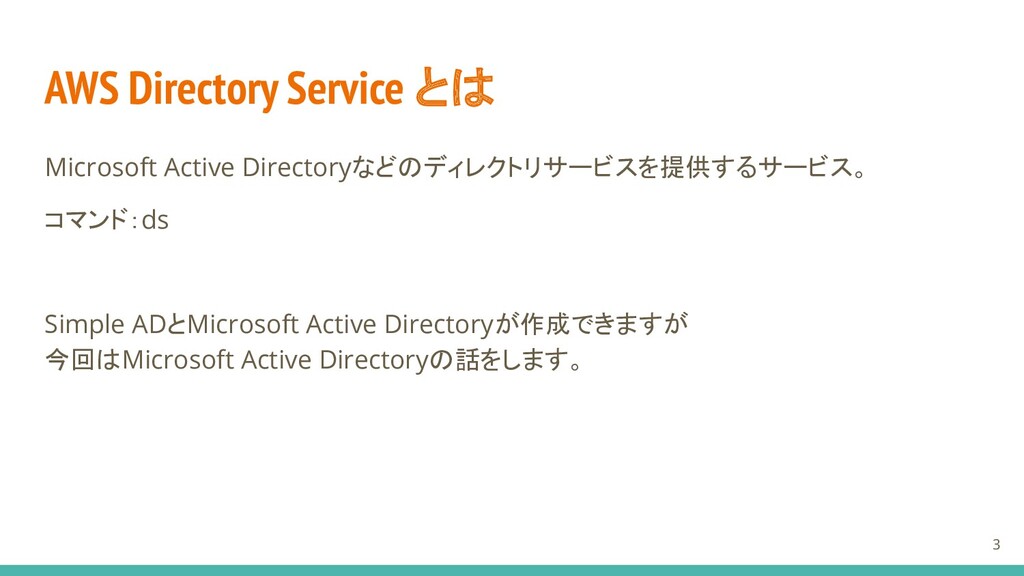
AWS Directory Service とは Microsoft Active Directoryなどのディレクトリサービスを提供するサービス。 コマンド:ds Simple ADとMicrosoft
Active Directoryが作成できますが 今回はMicrosoft Active Directoryの話をします。 3
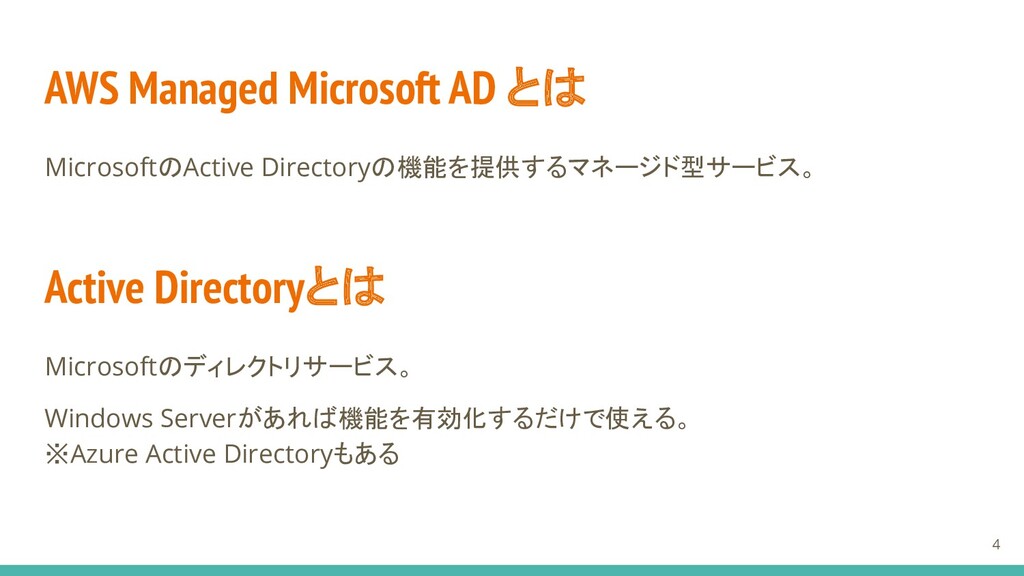
AWS Managed Microsoft AD とは MicrosoftのActive Directoryの機能を提供するマネージド型サービス。 Active Directoryとは Microsoftのディレクトリサービス。
Windows Serverがあれば機能を有効化するだけで使える。 ※Azure Active Directoryもある 4
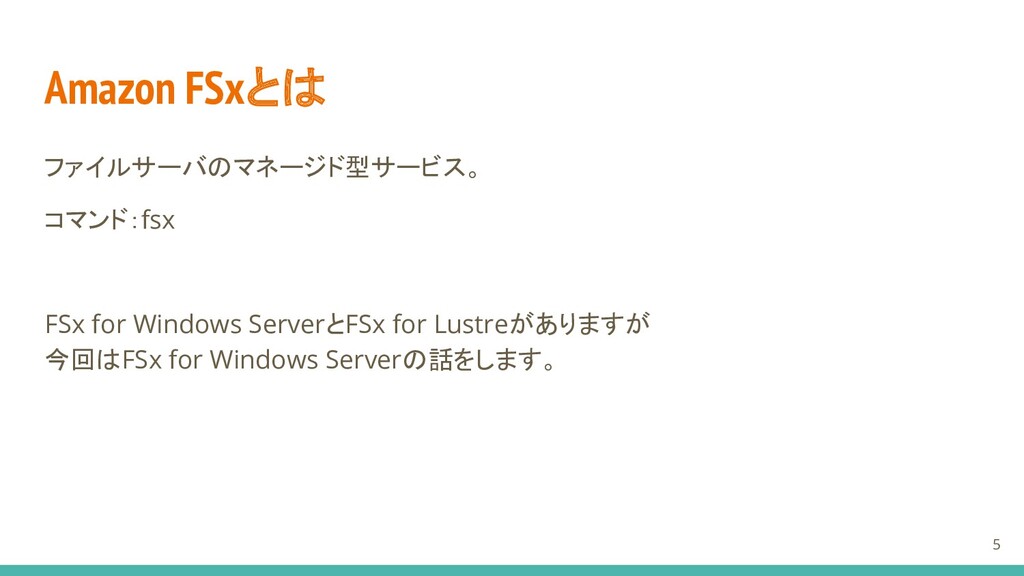
Amazon FSxとは ファイルサーバのマネージド型サービス。 コマンド:fsx FSx for Windows ServerとFSx for Lustreがありますが
今回はFSx for Windows Serverの話をします。 5
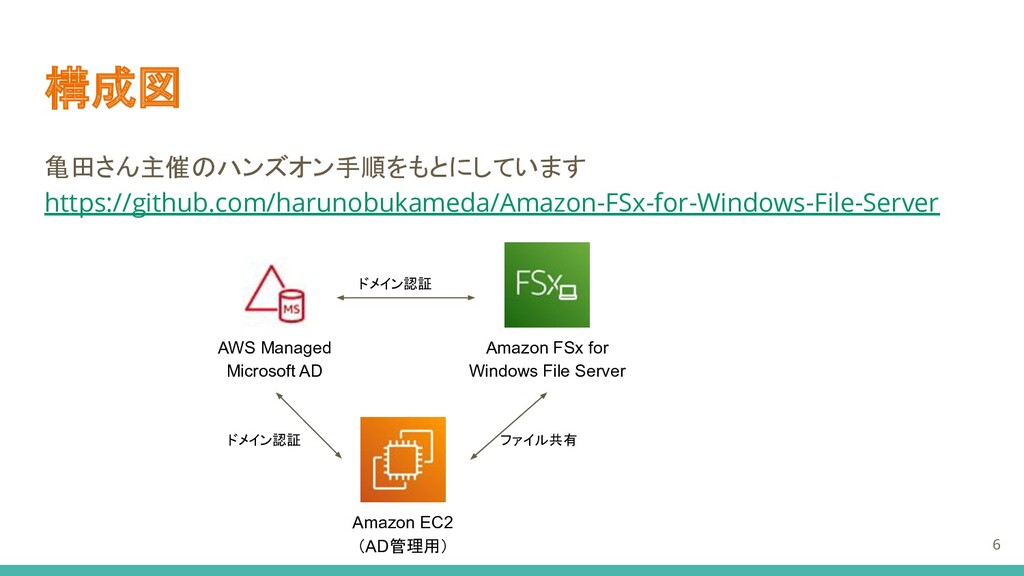
構成図 亀田さん主催のハンズオン手順をもとにしています https://github.com/harunobukameda/Amazon-FSx-for-Windows-File-Server Amazon FSx for Windows File Server AWS
Managed Microsoft AD Amazon EC2 (AD管理用) ドメイン認証 ドメイン認証 ファイル共有 6
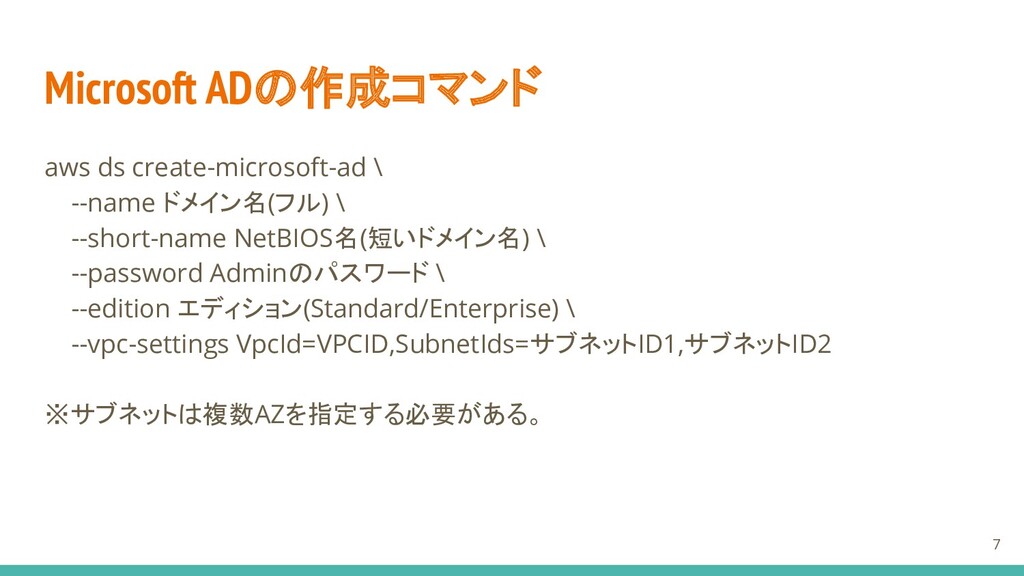
aws ds create-microsoft-ad \ --name ドメイン名(フル) \ --short-name NetBIOS名(短いドメイン名) \
--password Adminのパスワード \ --edition エディション(Standard/Enterprise) \ --vpc-settings VpcId=VPCID,SubnetIds=サブネットID1,サブネットID2 ※サブネットは複数AZを指定する必要がある。 Microsoft ADの作成コマンド 7
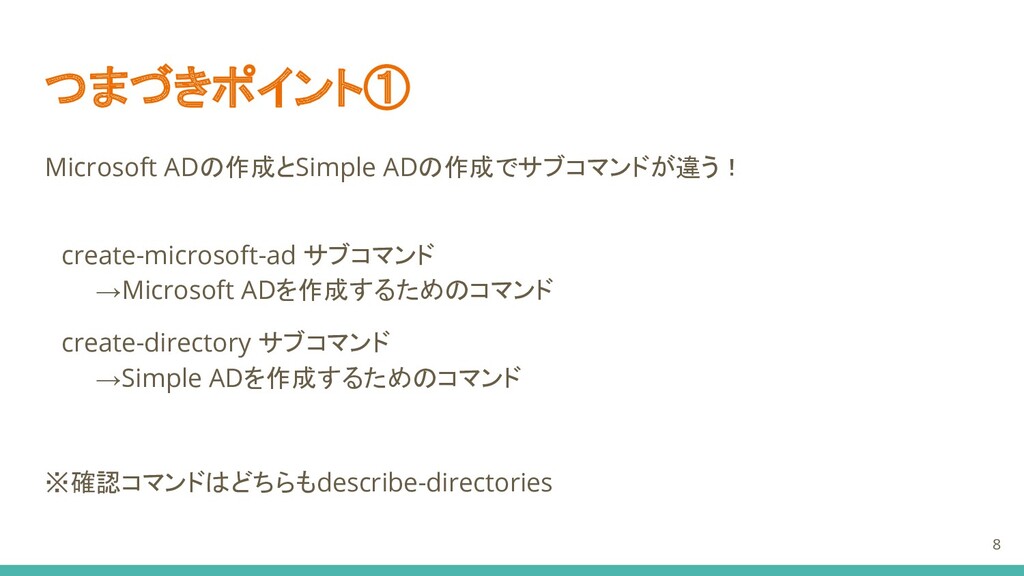
Microsoft ADの作成とSimple ADの作成でサブコマンドが違う! create-microsoft-ad サブコマンド →Microsoft ADを作成するためのコマンド create-directory サブコマンド →Simple
ADを作成するためのコマンド ※確認コマンドはどちらもdescribe-directories つまづきポイント① 8
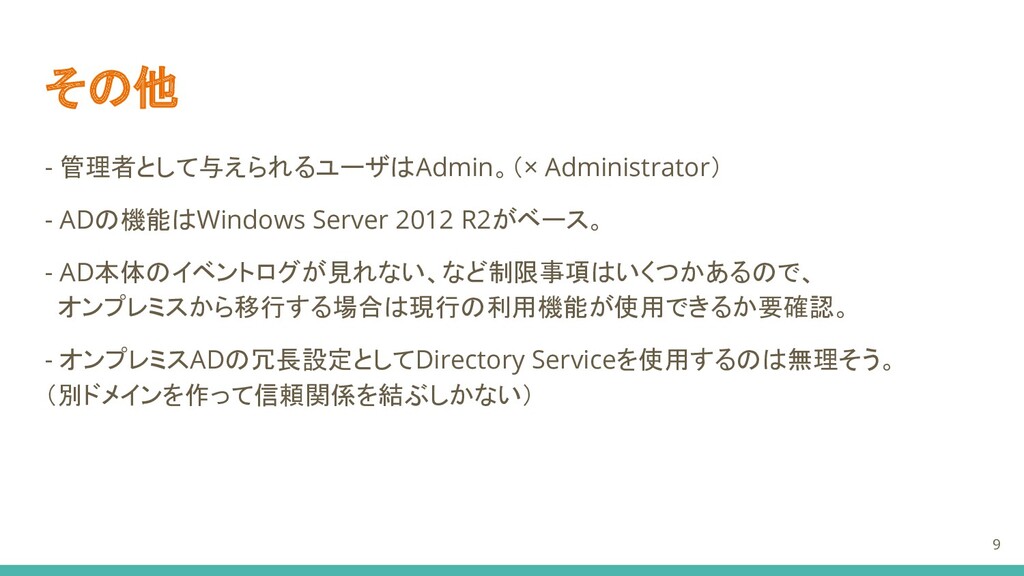
その他 - 管理者として与えられるユーザはAdmin。(× Administrator) - ADの機能はWindows Server 2012 R2がベース。 -
AD本体のイベントログが見れない、など制限事項はいくつかあるので、 オンプレミスから移行する場合は現行の利用機能が使用できるか要確認。 - オンプレミスADの冗長設定としてDirectory Serviceを使用するのは無理そう。 (別ドメインを作って信頼関係を結ぶしかない) 9
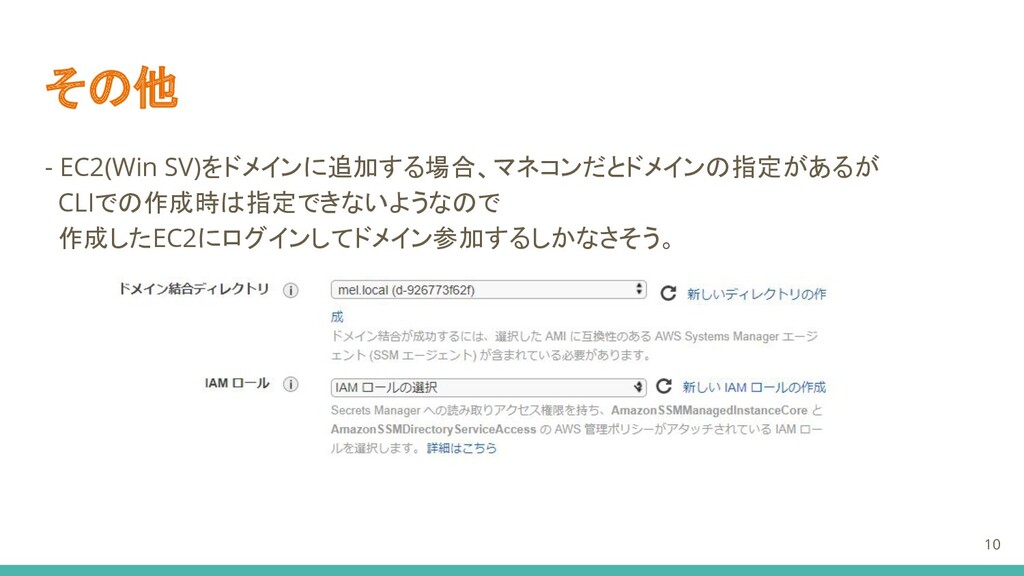
その他 - EC2(Win SV)をドメインに追加する場合、マネコンだとドメインの指定があるが CLIでの作成時は指定できないようなので 作成したEC2にログインしてドメイン参加するしかなさそう。 10
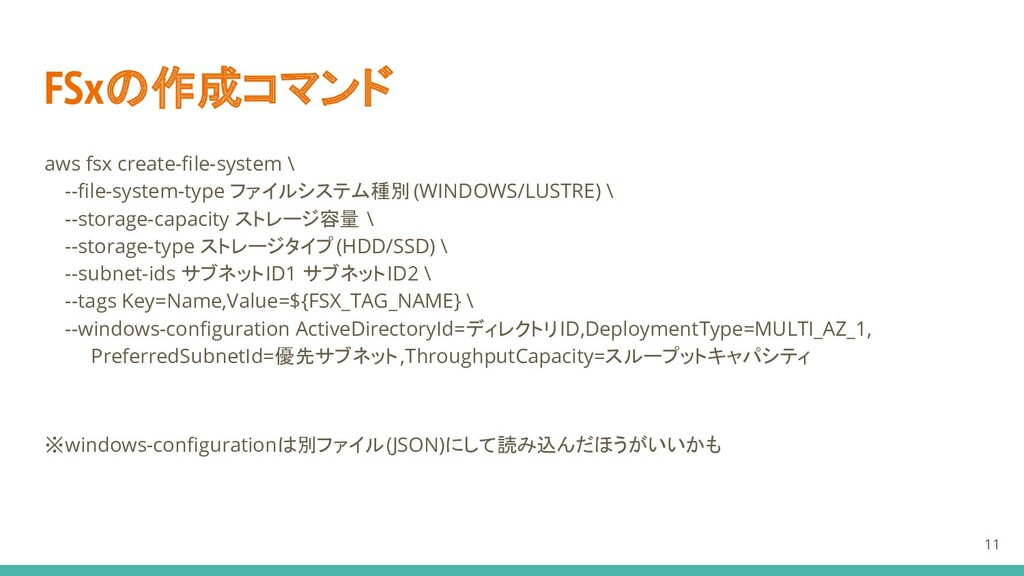
aws fsx create-file-system \ --file-system-type ファイルシステム種別 (WINDOWS/LUSTRE) \ --storage-capacity ストレージ容量
\ --storage-type ストレージタイプ(HDD/SSD) \ --subnet-ids サブネットID1 サブネットID2 \ --tags Key=Name,Value=${FSX_TAG_NAME} \ --windows-configuration ActiveDirectoryId=ディレクトリID,DeploymentType=MULTI_AZ_1, PreferredSubnetId=優先サブネット,ThroughputCapacity=スループットキャパシティ ※windows-configurationは別ファイル(JSON)にして読み込んだほうがいいかも FSxの作成コマンド 11
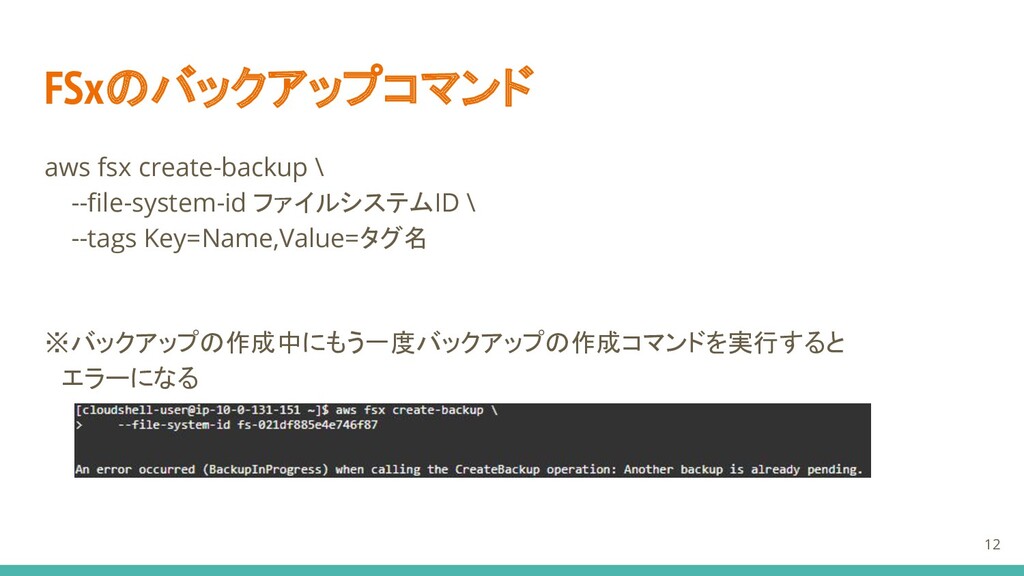
aws fsx create-backup \ --file-system-id ファイルシステムID \ --tags Key=Name,Value=タグ名 ※バックアップの作成中にもう一度バックアップの作成コマンドを実行すると
エラーになる FSxのバックアップコマンド 12
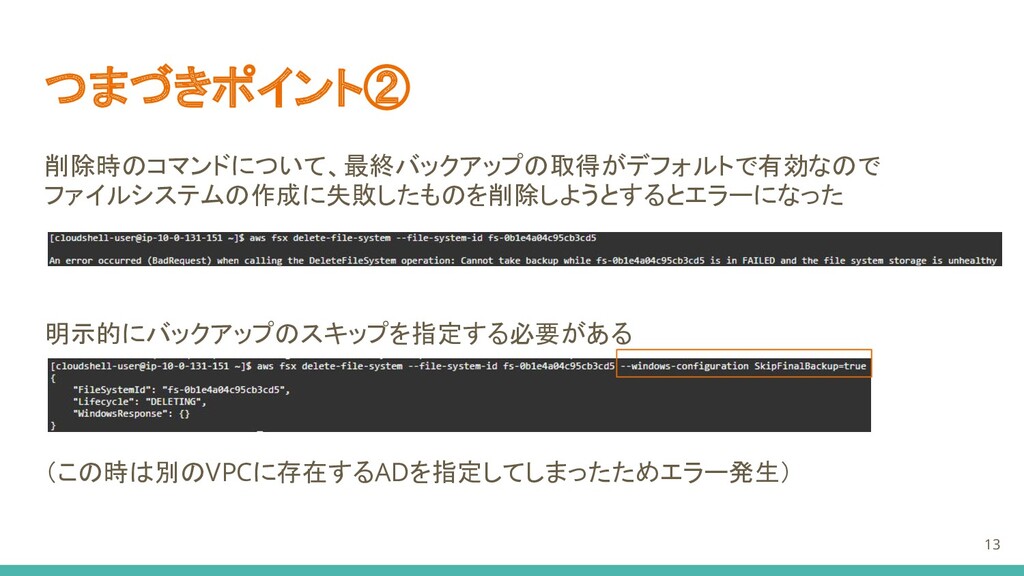
つまづきポイント② 削除時のコマンドについて、最終バックアップの取得がデフォルトで有効なので ファイルシステムの作成に失敗したものを削除しようとするとエラーになった 明示的にバックアップのスキップを指定する必要がある (この時は別のVPCに存在するADを指定してしまったためエラー発生) 13
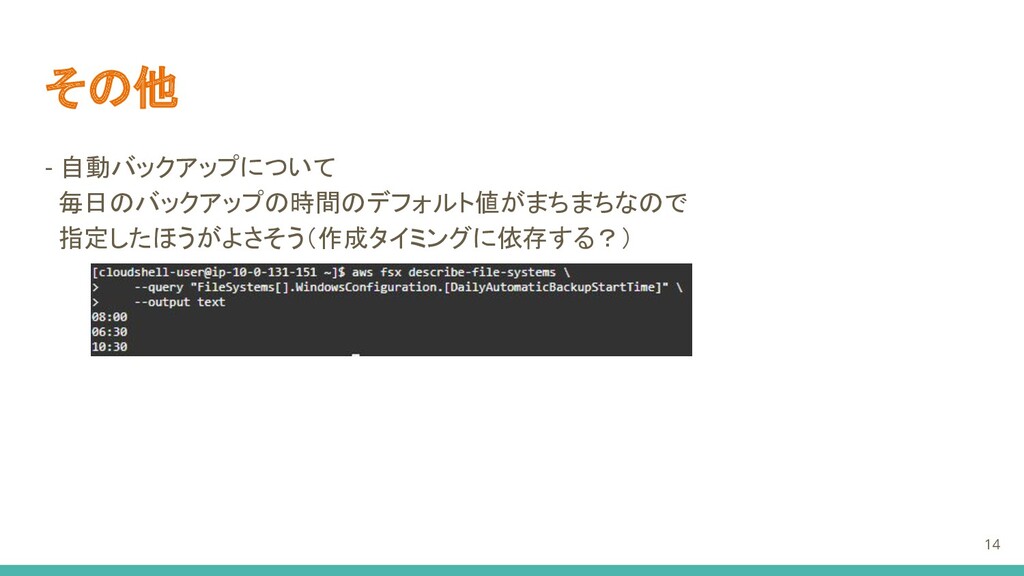
その他 - 自動バックアップについて 毎日のバックアップの時間のデフォルト値がまちまちなので 指定したほうがよさそう(作成タイミングに依存する?) 14
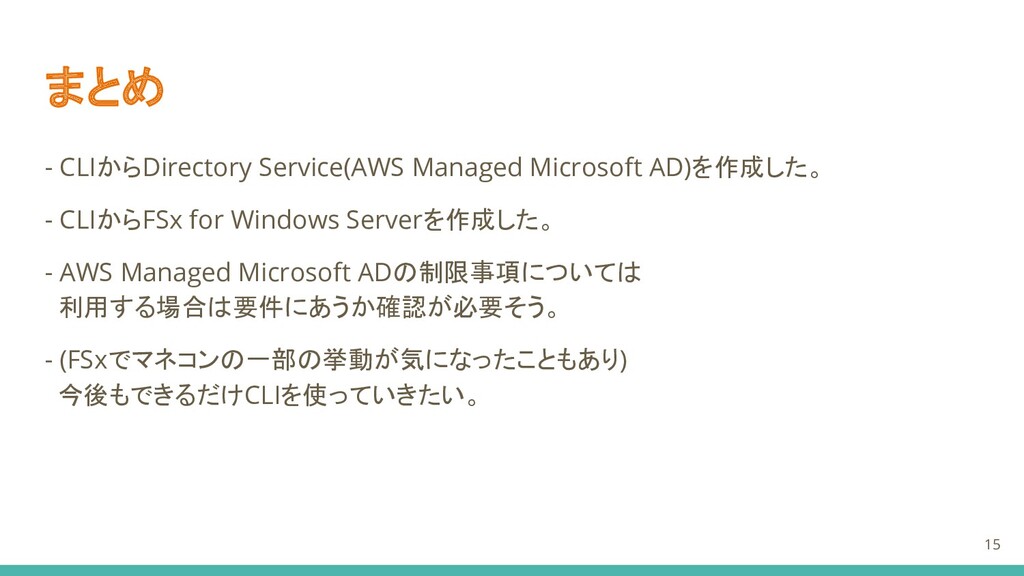
まとめ - CLIからDirectory Service(AWS Managed Microsoft AD)を作成した。 - CLIからFSx for
Windows Serverを作成した。 - AWS Managed Microsoft ADの制限事項については 利用する場合は要件にあうか確認が必要そう。 - (FSxでマネコンの一部の挙動が気になったこともあり) 今後もできるだけCLIを使っていきたい。 15
参考 亀田さん主催のハンズオン手順 https://github.com/harunobukameda/Amazon-FSx-for-Windows-File-Server [AWS Black Belt Online Seminar] AWS Managed
Microsoft AD https://aws.amazon.com/jp/blogs/news/webinar-bb-awsmanagedmicrosoftad-2021/ 16


 mel_27
 tacck
tacck
 oracle4engineer
 happysamurai294
 miu_crescent
 akosma
 ohnoeight
 nrinetcom
 ny7760
 mhrtech
 yug1224
 productmarketing
 sabderemane
 pedronauck
 baasie
 palkan
 lauravandoore
 skoyamalab
 aleyda
 ryanjones
 skipperchong
 charlesmeaden
 lemiorhan
![参考 亀田さん主催のハンズオン手順 https://github.com/harunobukameda/Amazon-FSx-for-Windows-File-Server [AWS Black Belt Online Seminar] AWS Managed](https://files.speakerdeck.com/presentations/4f524a7bdeee4d6a9738564755937457/slide_15.jpg)