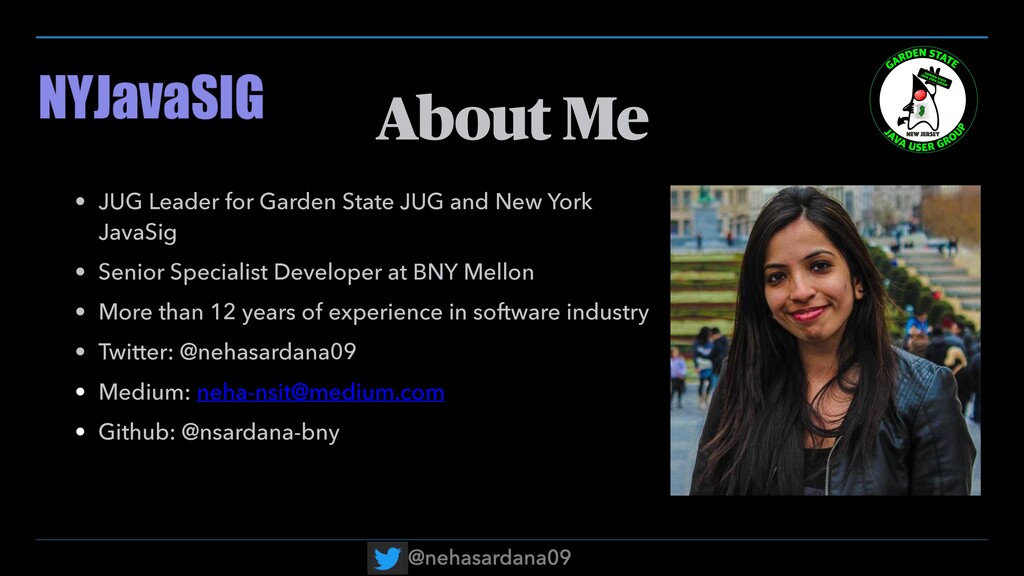
New York JavaSig • Senior Specialist Developer at BNY Mellon • More than 12 years of experience in software industry • Twitter: @nehasardana09 • Medium: [email protected] • Github: @nsardana-bny
different is OSS from other softwares? • Why should I care about OSS? • Checkpoint before Contributing • What is the anatomy of an OSS? • What are the important files to look for in an OSS?
to help contribute? • How to contribute to OSS? • An example from Github • Tips on finding a project to contribute • Tips on finding an issue to contribute • Different areas to contribute
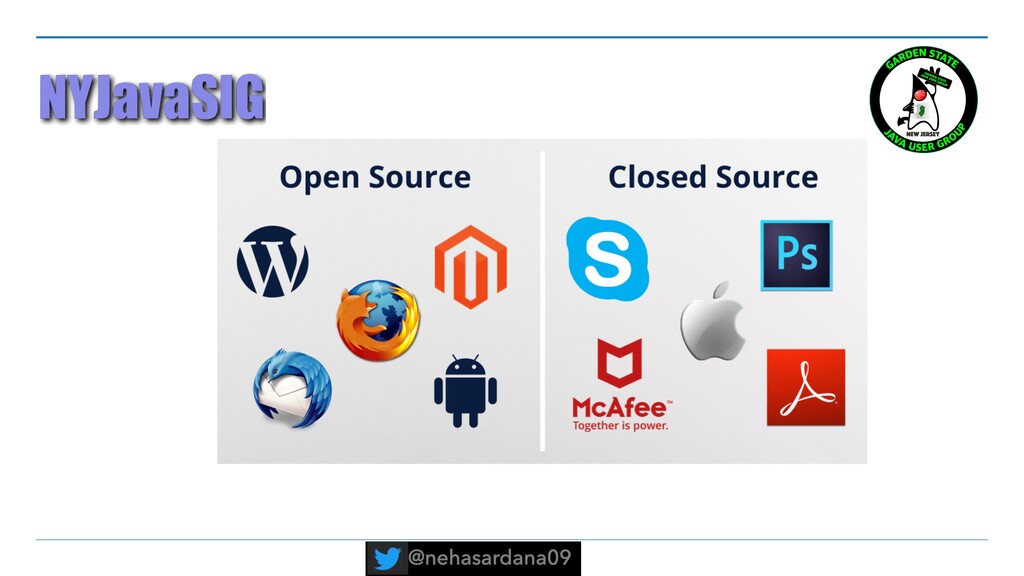
inspect, modify, and enhance. •The users also have the ability to distribute as many copies of the original program as they want. •Anyone can use the program for any purpose; there are no licensing fees or other restrictions on the software.
•Only original authors can legally copy, inspect and alter that software. •And in order to use proprietary software, users must agree (usually by signing a license displayed the first time they run this software) that they will not do anything with the software that the software's authors have not expressly permitted.
modify, and distribute software. In general, open source licenses grant users permission to use OSS for any purpose they wish. •Some open source licenses—what some people call "copyleft" licenses—stipulate that anyone who releases a modified open source program must also release the source code for that program alongside it.
and shares a program with others must also share that program's source code without charging a licensing fee for it. •By design, OSS licenses promote collaboration and sharing because they permit other people to make modifications to source code and incorporate those changes into their own projects.
improve the code and better the software overall, not just for monetary gain. •OSS generally track all the upgrades, improvements and maintenance measures using paid tools to help maintain a record of the versioning and who was the code contributed by. The community has already got the maintenance concern or issue covered before it even gets started.
effective ecosystems of users that improve quality. •In the open source community when a bug is found, users contribute fixes. •Using open source software brings in vulnerabilities and it can be avoided by contributing to the library directly itself.
entire agenda of open source software is to make sure people can make it fit in their shoes with the help of respective expertise and their organizational requirements.
• Owner: The person/s who has administrative ownership over the organization or repository (not always the same as the original author) • Maintainers: Contributors who are responsible for driving the vision and managing the organizational aspects of the project (They may also be authors or owners of the project.)
open source license. If the project does not have a license, it is not open source. •README: The README is the instruction manual that welcomes new community members to the project. It explains why the project is useful and how to get started.
help people contribute to the project. It explains what types of contributions are needed and how the process works. While not every project has a CONTRIBUTING file, its presence signals that this is a welcoming project to contribute to.
behavior associated and helps to facilitate a friendly, welcoming environment. While not every project has a CODE_OF_CONDUCT file, its presence signals that this is a welcoming project to contribute to.
•Pull Requests: Where people discuss and review changes that are in progress. •Discussion Forums or mailing lists: Some projects may use these channels for conversational topics (for example, “How do I…“ or “What do you think about…“ instead of bug reports or feature requests). Others use the issue tracker for all conversations.
skill at any stage of your career. •As a beginner, you can really learn to level up your skills. •As an experienced developer, you can always brush up your skills and help make a software much better quality.
•Find an issue on the project to work on (look for labels like “good-first-issue” or “first-timers-only” if you are new to contributing. •Create an issue on a project if you find any and log it in the issues tab of the project.
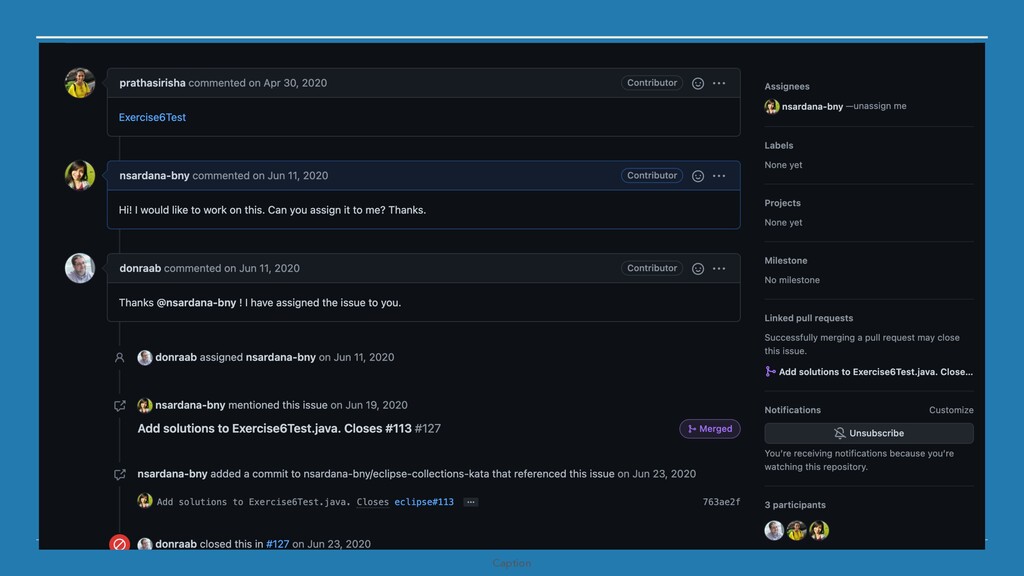
the mailing list or follow the project (if you like the project, please star the project!). • Sign the Contributor License Agreement (CLA) if there is any. • Once you spot the area to work on, inform the project committers that you are interested in working on it. You can either do this by creating an issue or comment on the issue which you want to work on.
project on your local machine. •Make appropriate changes to the project. •Make sure to build the project! •Squash your commits to one commit for a single feature. •Remember to test your code!
project to update (so that you are adding your changes on the latest version of the project always). •Push your code from local to your Github account. •Create a Pull Request on Github. •Remember to link your PR with the issue you worked upon. •Based on the code review from the project, make changes to your source code and update your PR. •Once your PR is merged, go and celebrate!!
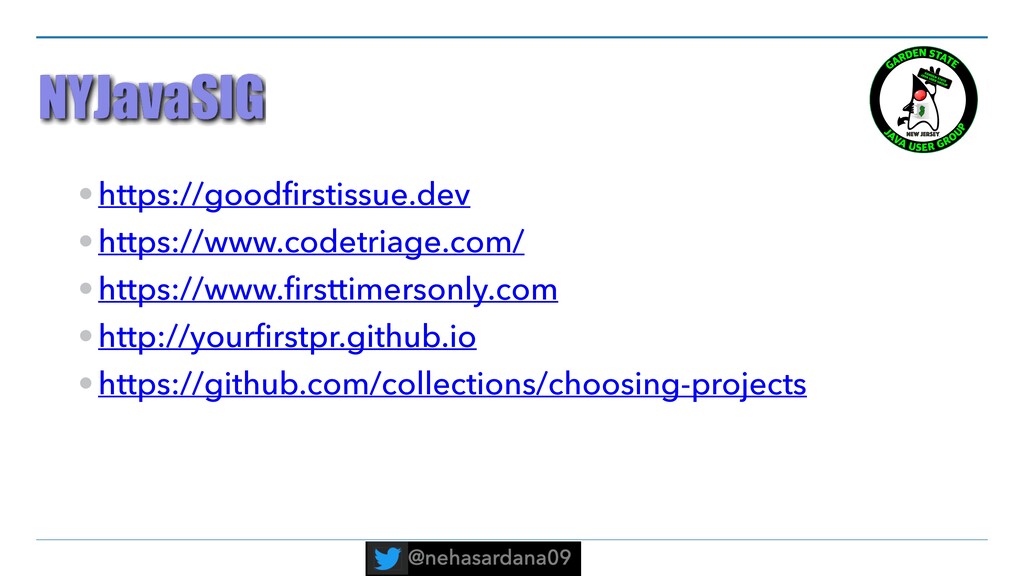
a project where the contributions are welcomed. •Some projects invite contributions from Twitter posts. •Search for trending projects on Github. •Create your own projects like Code Kata to learn a new project.
Github and Twitter. •Look for issues with following labels - “good-first-issue” or “first-timers-only”. •You can also get in touch with Project Owners and get some help on where to start.
the biggest companies in the world, for instance Google and Facebook, rely on Linux to run their servers, so they will always be concerned with maintaining software that basically runs the platform on which its business is built. •What’s more, with OSS, a business can always bring in an independent third party for support and consultation, rather than having to wait for the proprietary vendor to get around to addressing a particular issue they may have.
It was simple code change but it turned out to change a lot of interfaces in the project. • Did pair programming to make sure I was doing the right thing. • After submitting the pull request, I was asked to divide the 3 features into 3 commit messages to maintain history. • Also discovered a code which could be refactored. • Also invited to add a new method based on the features I was working upon.
you are stuck while working on an issue and unable to continue due to work commitments, do inform the project owners. Just speak up :-) •Be mindful of the fact that most of the projects are done using volunteers. •Be kind to yourself and spread Infectious Enthusiasm!


 nehasardana
 knwoop
 oidfj
 jacopen
 harutiro
 chmikata
 jcabot
 bengo4com
 takaha4k
 tascript
 carta_engineering
 vivion
 skoyamalab
 codingconduct
 aleyda
 427marketing
 marktimemedia
 stephenakadiri
 tessaabrams
 jonoalderson
 bluesmoon
 varn
 csswizardry
 schlessera