Share
Embed
Transcript
159 slides
-
Android Text The performance and features Seigo Nonaka Android Text
@ Google @ttuusskk -
Text Performance Best practice for text on Android Google I/O
2018 by Clara, Florina, Siyamed. -
Wait… Is Text Slow? It’s just a text. No, Kidding.
If text causes jank, everything is janky. Yes, but only for the long text. -
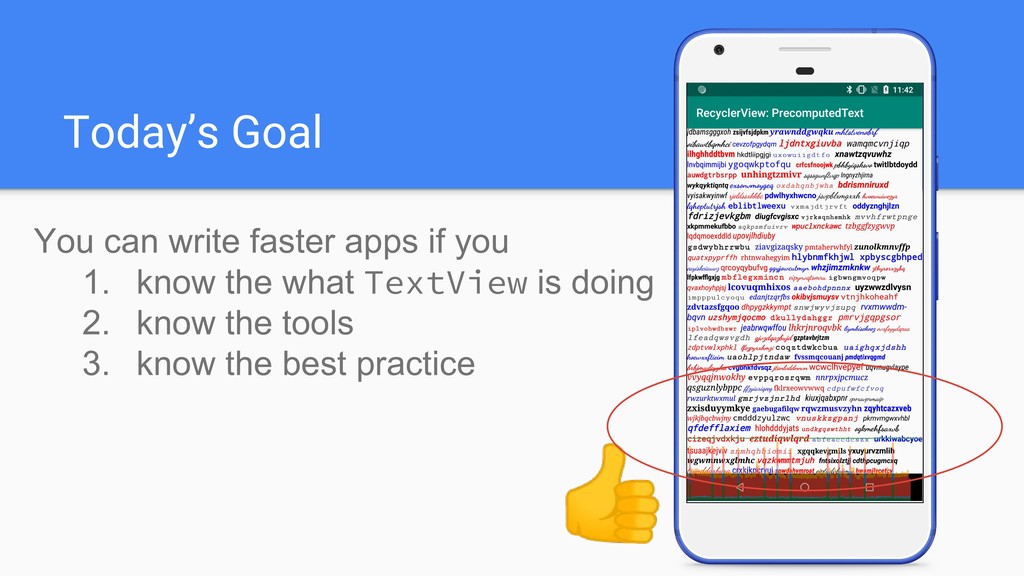
Today’s Goal You can write faster apps if you 1.
know the what TextView is doing 2. know the tools 3. know the best practice -
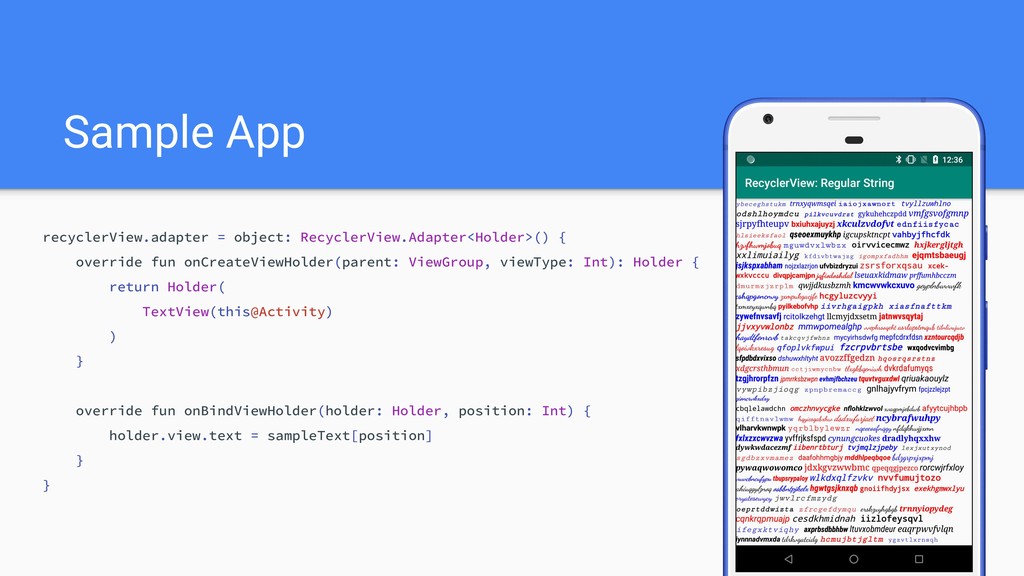
Sample App recyclerView.adapter = object: RecyclerView.Adapter<Holder>() { override fun onCreateViewHolder(parent:
ViewGroup, viewType: Int): Holder { return Holder( TextView(this@Activity) ) } override fun onBindViewHolder(holder: Holder, position: Int) { holder.view.text = sampleText[position] } } -
Takeaways from UI performance talk • Finish within 1 frame
= 16 ms on UI thread • Analyze performance with systrace -
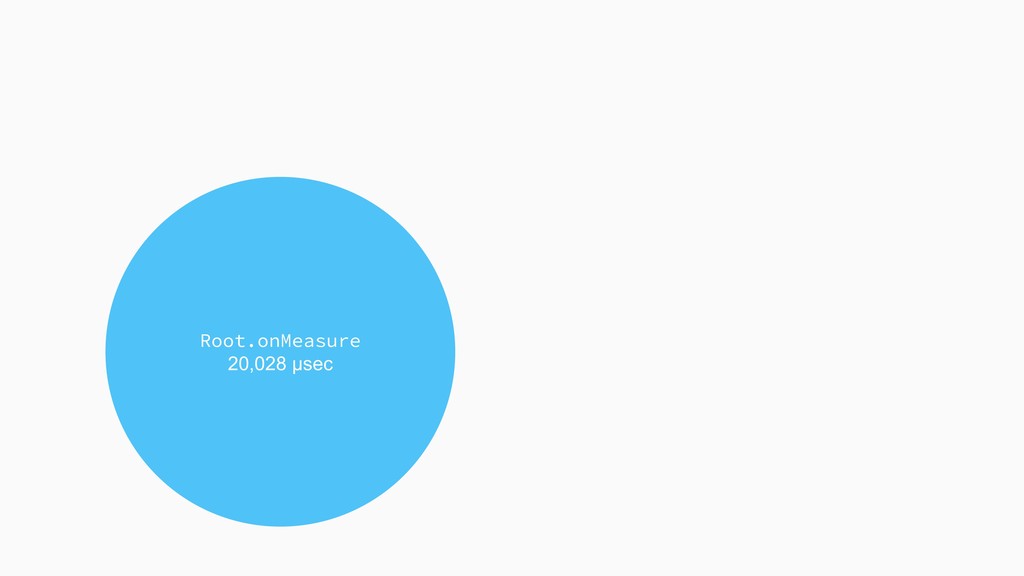
TextView.onMeasure 19,508 μsec (97.4%) 2.6% ImageView + RelativeLayout + LinearLayout
Root.onMeasure 20,028 μsec -
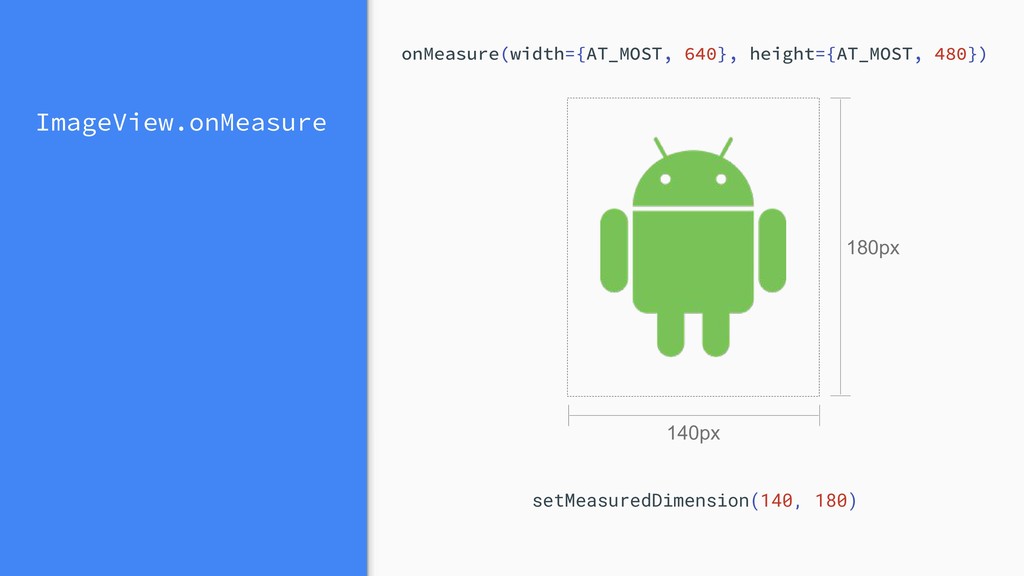
View.onMeasure “Measure the view and its content to determine the
measured width and the measured height. “ https://developer.android.com/reference/android/view/View.html#onMeasure(int,%20int) -
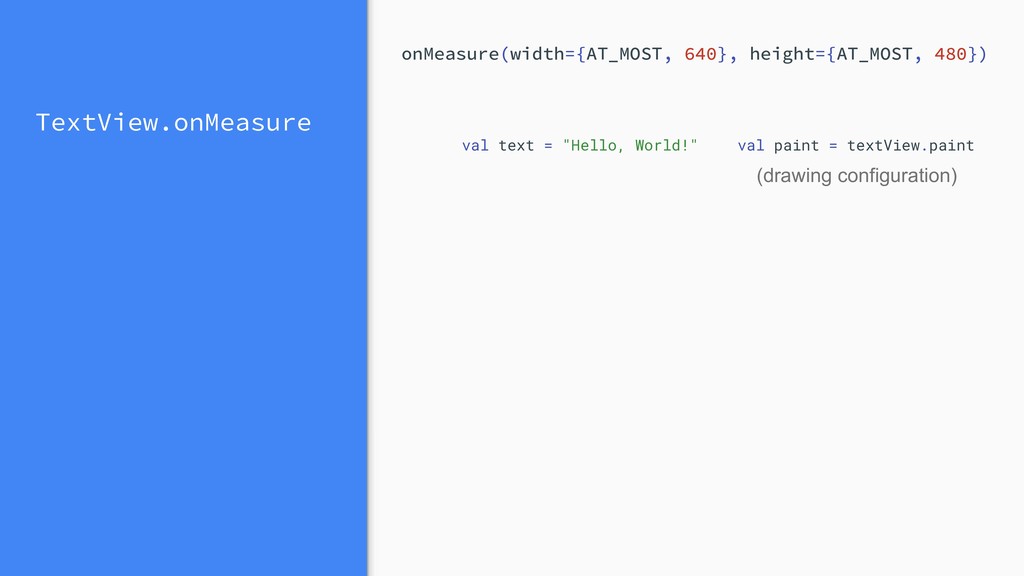
TextView.onMeasure val paint = textView.paint (drawing configuration) val text =
"Hello, World!" onMeasure(width={AT_MOST, 640}, height={AT_MOST, 480}) -
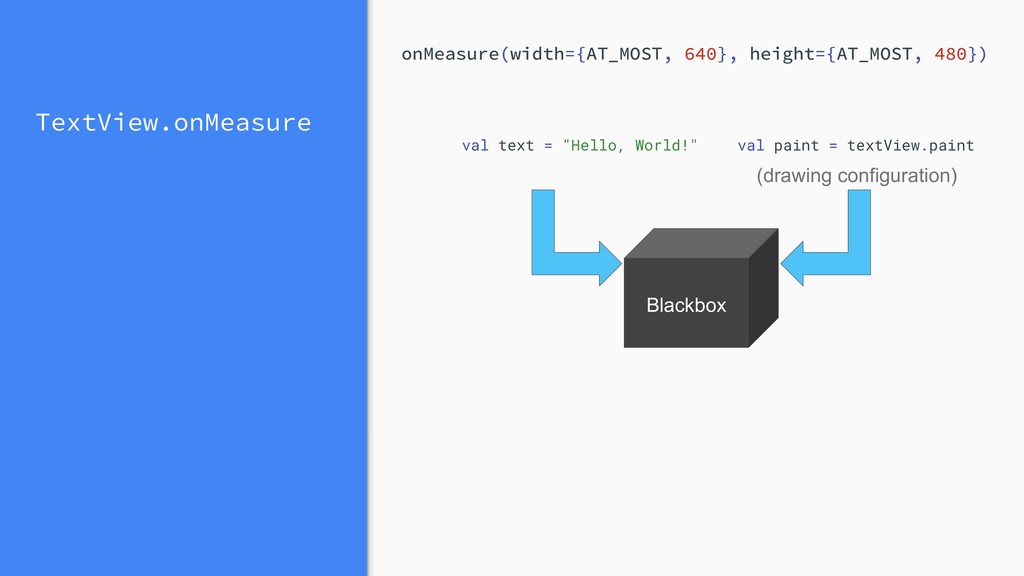
TextView.onMeasure val paint = textView.paint (drawing configuration) val text =
"Hello, World!" Blackbox onMeasure(width={AT_MOST, 640}, height={AT_MOST, 480}) -
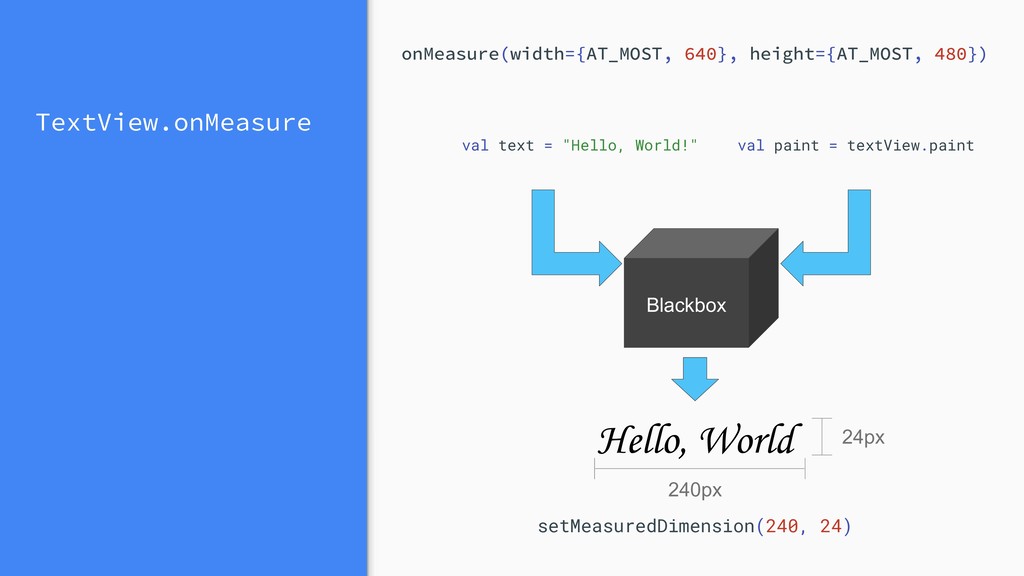
TextView.onMeasure Hello, World Blackbox 240px 24px setMeasuredDimension(240, 24) val paint
= textView.paint val text = "Hello, World!" onMeasure(width={AT_MOST, 640}, height={AT_MOST, 480}) -
Layout Build the StaticLayout after options have been set. https://developer.android.com/reference/android/text/StaticLayout.Builder.html
https://developer.android.com/reference/android/text/BoringLayout.html StaticLayout.Builder.build() Returns null if not boring; the width, ascent, and descent if boring. BoringLayout.isBoring() -
Layout Perform line breaking to put longer text in a
box. StaticLayout.Builder.build() Check if the text fits in a single line. BoringLayout.isBoring() -
Layout Perform line breaking to put longer text in a
box. StaticLayout.Builder.build() Check if the text fits in a single line. BoringLayout.isBoring() Hmm…. still not clear. We need to go deeper. -
Text rendering stack TextView Minikin Layout ICU (Unicode Library) HarfBuzz
(Text Shaping Library) FreeType (Text Drawing Library) Skia (Graphics Library) Paint Canvas Java Native from Google I/O 2018 Best practices for text on Android (Google I/O '18) Trace point -
Systrace again and again TextView.onMeasure() BoringLayout.isBoring() StaticLayout.Builder.build() doLayout in Minikin
The primitive method of computing the layout of the given text. -
Systrace again and again Why so many calls? TextView.onMeasure() BoringLayout.isBoring()
StaticLayout.Builder.build() doLayout in Minikin The primitive method of computing the layout of the given text. -
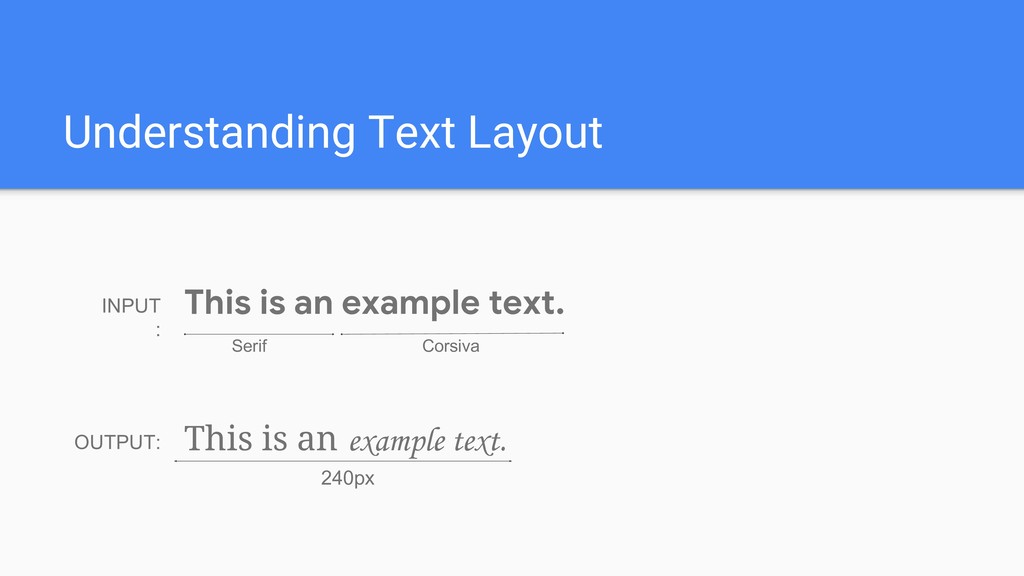
Understanding Text Layout This is an example text. INPUT :
Serif Corsiva OUTPUT: This is an example text. 240px -
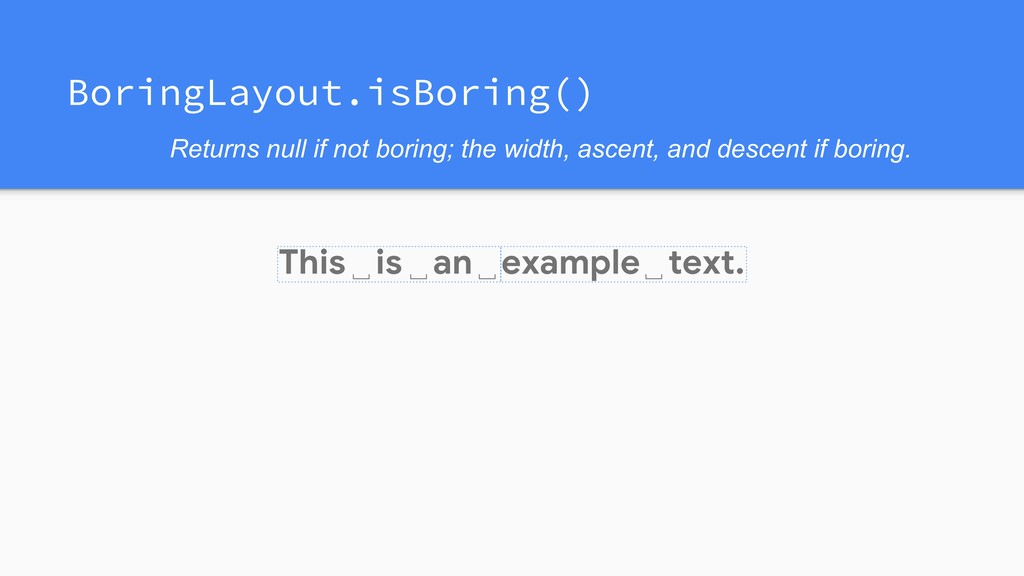
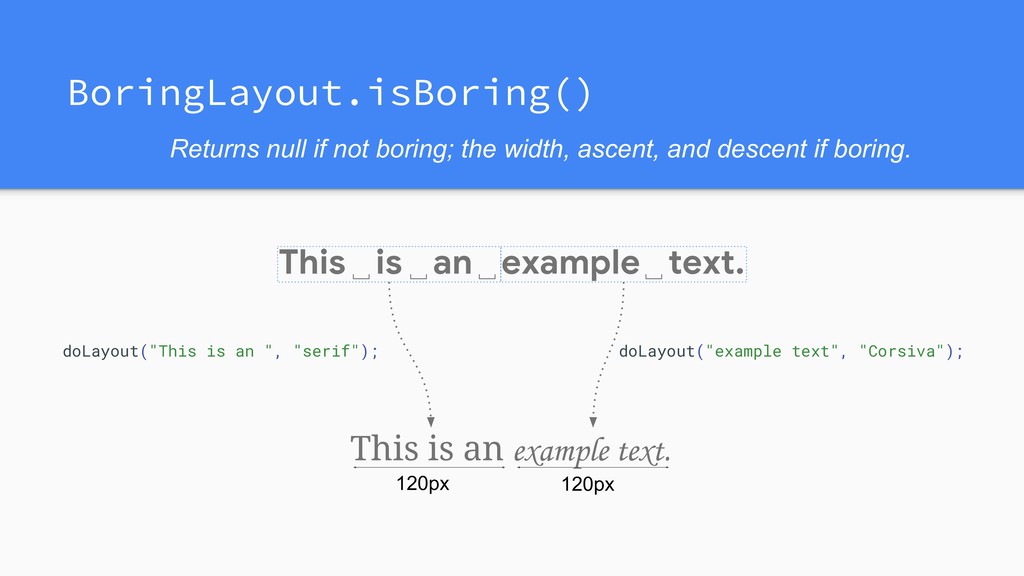
This is an example text. ␣ ␣ ␣ ␣ Returns
null if not boring; the width, ascent, and descent if boring. BoringLayout.isBoring() -
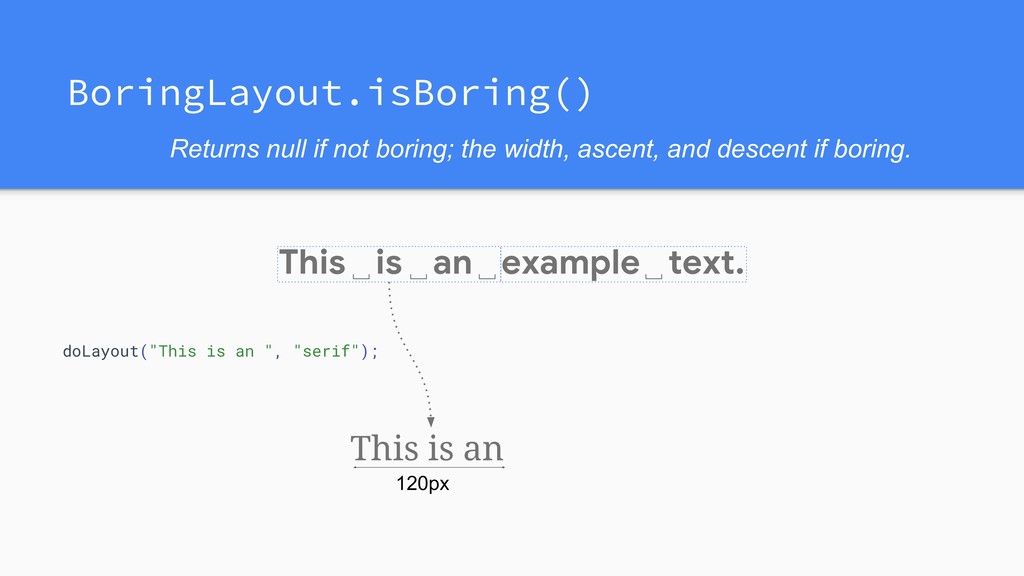
This is an example text. ␣ ␣ ␣ ␣ doLayout("This
is an ", "serif"); This is an 120px Returns null if not boring; the width, ascent, and descent if boring. BoringLayout.isBoring() -
This is an example text. ␣ ␣ ␣ ␣ This
is an 120px example text. 120px Returns null if not boring; the width, ascent, and descent if boring. BoringLayout.isBoring() doLayout("This is an ", "serif"); doLayout("example text", "Corsiva"); -
This is an example text. This is an examp No
problem. Go with BoringLayout! Text is too long. Need word wrapping!!! Returns null if not boring; the width, ascent, and descent if boring. BoringLayout.isBoring() -
Word Wrapping (Line Breaking) (Not the exact the same line
breaking algorithm in Android) -
This doLayout("This ", "serif"); This is an text. ␣ ␣
␣ ␣ StaticLayout.Builder.build() example -
This is doLayout("is ", "serif"); This is an text. ␣
␣ ␣ ␣ StaticLayout.Builder.build() example -
This is an doLayout("an ", "serif"); This is an text.
␣ ␣ ␣ ␣ StaticLayout.Builder.build() example -
This is an example doLayout("example ", "Corsiva"); This is an
text. ␣ ␣ ␣ ␣ StaticLayout.Builder.build() example -
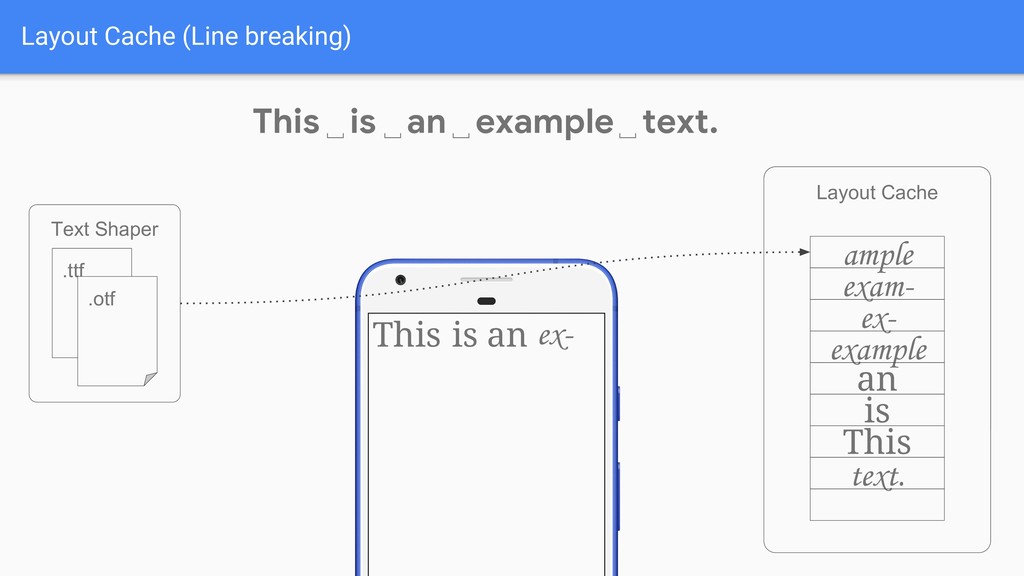
This is an ex- example ex- ample exam- ple doLayout("ex-",
"Corsiva"); This is an text. ␣ ␣ ␣ ␣ StaticLayout.Builder.build() example -
This is an exam- This is an text. ␣ ␣
␣ ␣ doLayout("exam-", "Corsiva"); StaticLayout.Builder.build() example ex- ample exam- ple example -
This is an ex- ample This is an text. ␣
␣ ␣ ␣ doLayout("ample", "Corsiva"); StaticLayout.Builder.build() example ex- ample exam- ple example -
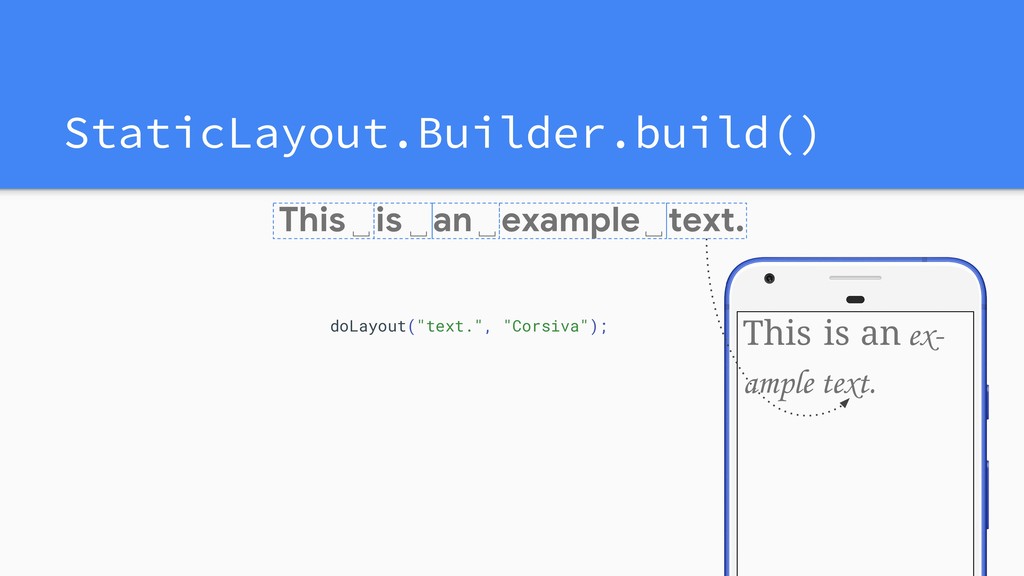
This is an ex- text. ample This is an text.
␣ ␣ ␣ ␣ doLayout("text.", "Corsiva"); StaticLayout.Builder.build() example -
example␣ This is an ex- text. ample This is an
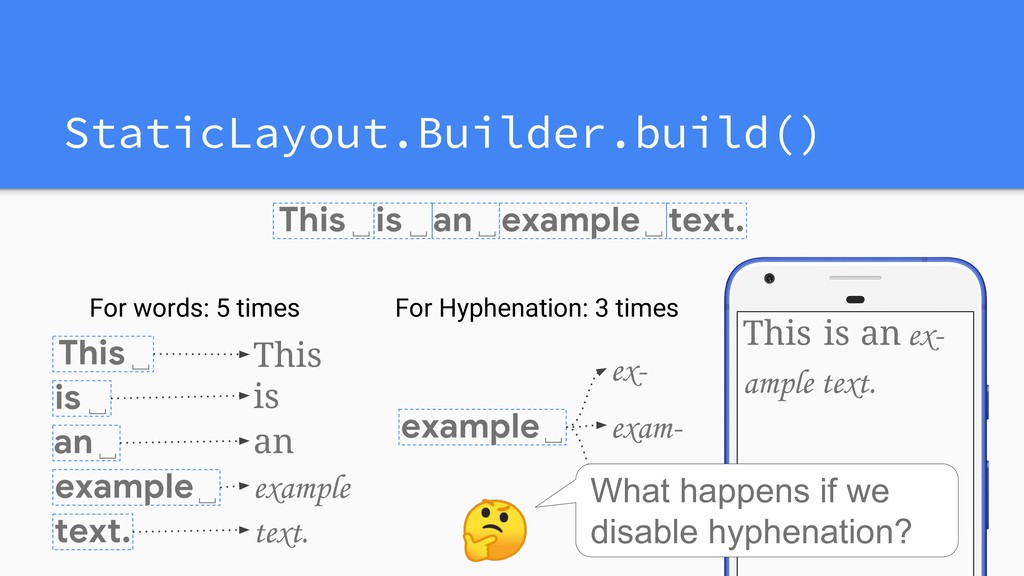
text. ␣ ␣ ␣ ␣ StaticLayout.Builder.build() This is an ex- text. ample example exam- This␣ is␣ an␣ text. example␣ For words: 5 times For Hyphenation: 3 times example -
This is an ex- text. ample This is an text.
␣ ␣ ␣ ␣ StaticLayout.Builder.build() This is an ex- text. ample example exam- This␣ is␣ an␣ example␣ text. example␣ For words: 5 times For Hyphenation: 3 times What happens if we disable hyphenation? example -
Turn OFF Hyphenation <style name="MyTextAppearance" parent="TextAppearance.AppCompat"> <item name="android:hyphenationFrequency">none</item> </style> textView.apply
{ hyphenationFrequency = Layout.HYPHENATION_FREQUENCY_NONE } <TextView android:hyphenationFrequency="none" /> -
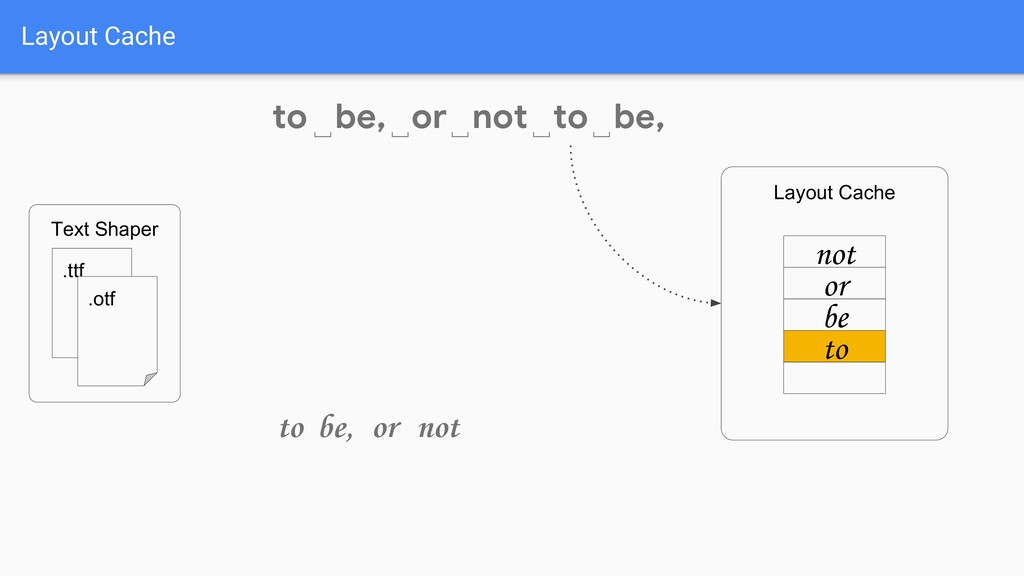
Layout Cache to␣ be, or not to be, ␣ ␣
␣ ␣ Same Layout Same Layout -
Layout Cache to␣ be, or not to be, ␣ ␣
␣ ␣ Let’s reuse the previous result! -
Layout Cache to␣ be, or not to be, ␣ ␣
␣ ␣ Layout Cache Text Shaper .ttf .otf -
Layout Cache to␣ be, or not to be, ␣ ␣
␣ ␣ Text Shaper .ttf .otf Layout Cache -
Layout Cache to␣ be, or not to be, ␣ ␣
␣ ␣ Text Shaper .ttf .otf Layout Cache to -
Layout Cache to␣ be, or not to be, ␣ ␣
␣ ␣ Text Shaper .ttf .otf Layout Cache to to -
Layout Cache to␣ be, or not to be, ␣ ␣
␣ ␣ Text Shaper .ttf .otf Layout Cache to to -
Layout Cache to␣ be, or not to be, ␣ ␣
␣ ␣ Text Shaper .ttf .otf Layout Cache be, to to -
Layout Cache to␣ be, or not to be, ␣ ␣
␣ ␣ Text Shaper .ttf .otf Layout Cache be, to to be, -
Layout Cache to␣ be, or not to be, ␣ ␣
␣ ␣ Text Shaper .ttf .otf Layout Cache or be, to to be, or -
Layout Cache to␣ be, or not to be, ␣ ␣
␣ ␣ Text Shaper .ttf .otf Layout Cache not or be, to to be, not or -
Layout Cache to␣ be, or not to be, ␣ ␣
␣ ␣ Text Shaper .ttf .otf to be, not or Layout Cache not or be to -
Layout Cache to␣ be, or not to be, ␣ ␣
␣ ␣ Text Shaper .ttf .otf to be, not or to Layout Cache to not or be, -
Layout Cache to␣ be, or not to be, ␣ ␣
␣ ␣ Text Shaper .ttf .otf to be, not or Layout Cache to not or be, to -
Layout Cache to␣ be, or not to be, ␣ ␣
␣ ␣ Text Shaper .ttf .otf to be, not or to be, Layout Cache be, to not or -
Layout Cache to␣ be, or not to be, ␣ ␣
␣ ␣ Text Shaper .ttf .otf to be, not or to be, Layout Cache be, to not or -
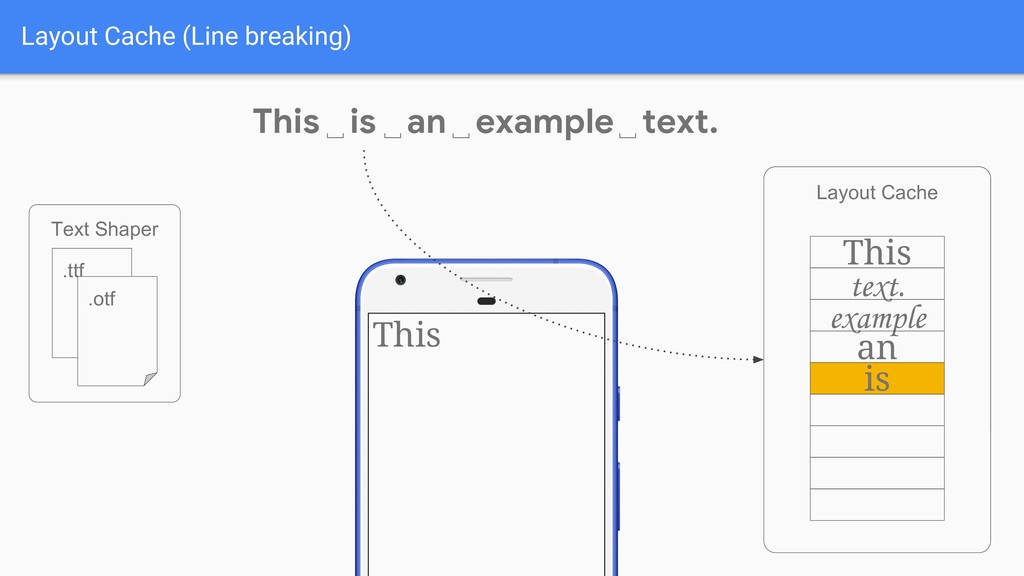
Layout Cache (just after BoringLayout.isBoring) Text Shaper .ttf .otf Layout
Cache text. example an is This This is an text. ␣ ␣ ␣ ␣ example This is an example text. -
Layout Cache (Line breaking) Text Shaper .ttf .otf Layout Cache
text. example an is This This is an text. ␣ ␣ ␣ ␣ example Layout Cache text. example an is This -
Layout Cache (Line breaking) Text Shaper .ttf .otf Layout Cache
text. example an is This This is an text. ␣ ␣ ␣ ␣ example Layout Cache text. example an is This -
Layout Cache (Line breaking) Text Shaper .ttf .otf Layout Cache
text. example an is This This is an text. ␣ ␣ ␣ ␣ example Layout Cache text. example an is This This -
Layout Cache (Line breaking) Text Shaper .ttf .otf Layout Cache
text. example an is This This is an text. ␣ ␣ ␣ ␣ example Layout Cache text. example an is This This -
Layout Cache (Line breaking) Text Shaper .ttf .otf Layout Cache
text. example an is This This is an text. ␣ ␣ ␣ ␣ example Layout Cache text. example an is This This is -
Layout Cache (Line breaking) Text Shaper .ttf .otf Layout Cache
text. example an is This This is an text. ␣ ␣ ␣ ␣ example Layout Cache text. example an is This This is -
Layout Cache (Line breaking) Text Shaper .ttf .otf Layout Cache
text. example an is This This is an text. ␣ ␣ ␣ ␣ example Layout Cache text. example an is This This is an -
Layout Cache (Line breaking) Text Shaper .ttf .otf Layout Cache
text. example an is This This is an text. ␣ ␣ ␣ ␣ example Layout Cache This is an text. example an is This -
Layout Cache (Line breaking) Text Shaper .ttf .otf Layout Cache
text. example an is This This is an text. ␣ ␣ ␣ ␣ example Layout Cache This is an example text. example an is This -
Layout Cache (Line breaking) Text Shaper .ttf .otf Layout Cache
text. example an is This This is an text. ␣ ␣ ␣ ␣ example Layout Cache This is an text. example an is This ex- -
Layout Cache (Line breaking) Text Shaper .ttf .otf Layout Cache
text. example an is This This is an text. ␣ ␣ ␣ ␣ example Layout Cache This is an text. example an is This ex- ex- -
Layout Cache (Line breaking) Text Shaper .ttf .otf Layout Cache
text. example an is This This is an text. ␣ ␣ ␣ ␣ example Layout Cache This is an text. example an is This ex- exam- -
Layout Cache (Line breaking) Text Shaper .ttf .otf Layout Cache
text. example an is This This is an text. ␣ ␣ ␣ ␣ example Layout Cache This is an exam- text. example an is This ex- exam- -
Layout Cache (Line breaking) Text Shaper .ttf .otf Layout Cache
text. example an is This This is an text. ␣ ␣ ␣ ␣ example Layout Cache This is an ex- text. example an is This ex- exam- -
Layout Cache (Line breaking) Text Shaper .ttf .otf Layout Cache
text. example an is This This is an text. ␣ ␣ ␣ ␣ example Layout Cache This is an ex- text. example an is This ex- exam- ample -
Layout Cache (Line breaking) Text Shaper .ttf .otf Layout Cache
text. example an is This This is an text. ␣ ␣ ␣ ␣ example Layout Cache This is an ex- text. example an is This ex- exam- ample ample -
Layout Cache (Line breaking) Text Shaper .ttf .otf Layout Cache
text. example an is This This is an text. ␣ ␣ ␣ ␣ example Layout Cache This is an ex- text. example an is This ex- exam- ample ample -
Layout Cache (Line breaking) Text Shaper .ttf .otf Layout Cache
text. example an is This This is an text. ␣ ␣ ␣ ␣ example Layout Cache This is an ex- text. example an is This ex- exam- ample ample text. -
Layout Cache (Line breaking) Text Shaper .ttf .otf Layout Cache
text. example an is This This is an text. ␣ ␣ ␣ ␣ example Layout Cache This is an ex- text. example an is This ex- exam- ample ample text. -
Layout Cache (Line breaking) Text Shaper .ttf .otf Layout Cache
text. example an is This This is an text. ␣ ␣ ␣ ␣ example Layout Cache This is an ex- text. example an is This ex- exam- ample ample text. -
TextView.onMeasure() BoringLayout.isBoring() Turn OFF Hyphenation 19ms is still slow.... But,
all these layout are necessary -
If we need to pay that cost, Can I do
it beforehand? -
Idea 1 Can I compute TextView.onMeasure() beforehand? Yes, but it’s
hard in general. You have to know the measure specs: width, constraints. -
Idea 2 Can I warm up the layout cache beforehand?
Yes, you can! This is actually threaded text layout! -
Framework vs AndroidX impl PrecomputedText - the framework impl •
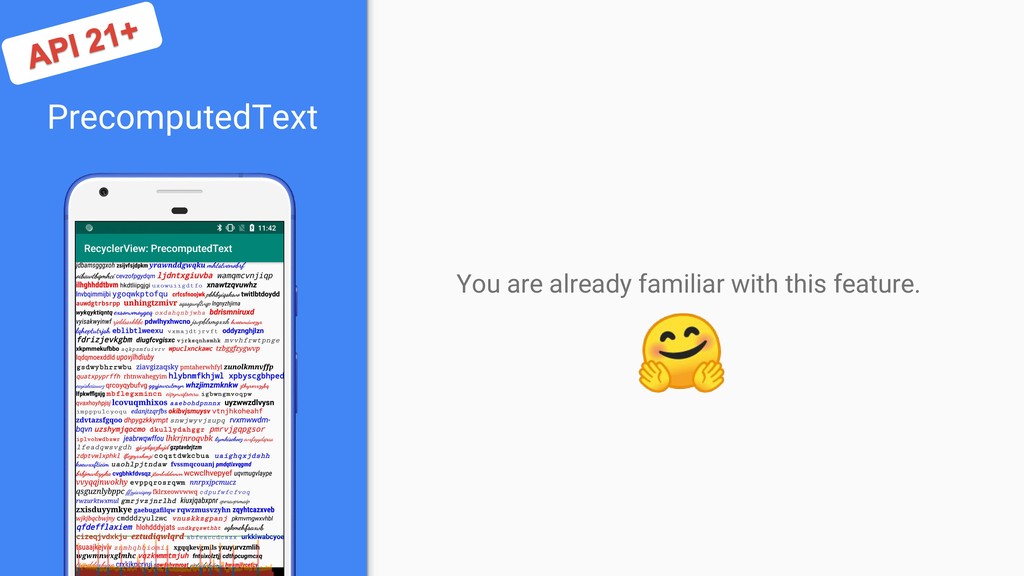
API 28+ • Keeps copy of layout result. PrecomputedTextCompat - the backported version in AndroidX • Effective on API 21+ • Just warms up the layout cache before API 28. • The cache may be purged when needed. (by default, LRU 5000 words limit) -
Use PrecomputedTextCompat On API 28+, use framework implementation. Don’t use
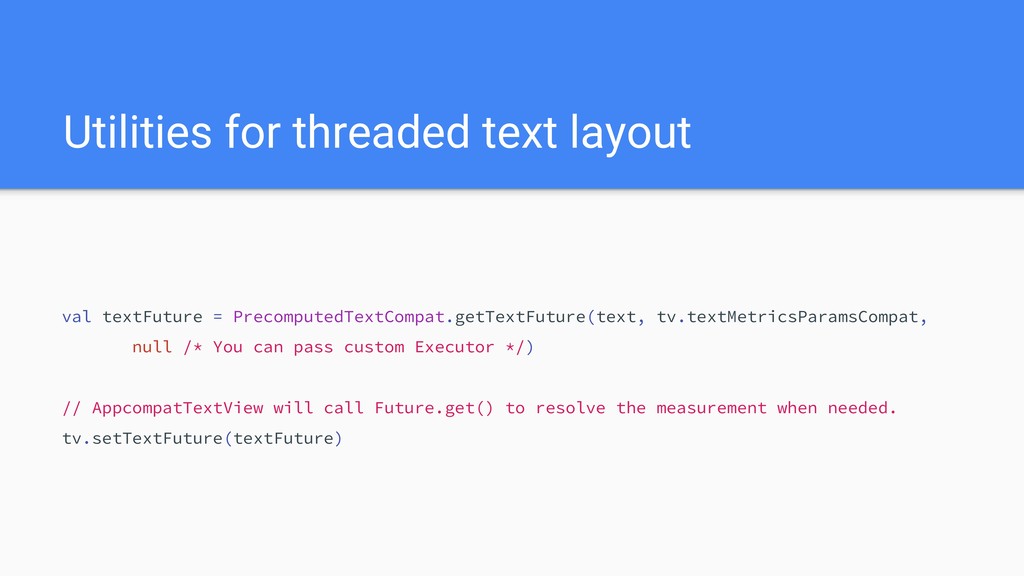
framework impl and always use AndroidX impl. (Crash happens on some environment.) Between API 21 to 28, warm up layout cache. val computedText = PrecomputedTextCompat.create(text, tv.textMetricsParamsCompat) -
Utilities for threaded text layout val textFuture = PrecomputedTextCompat.getTextFuture(text, tv.textMetricsParamsCompat,
null /* You can pass custom Executor */) // AppcompatTextView will call Future.get() to resolve the measurement when needed. tv.setTextFuture(textFuture) -
Integrate with RecyclerView recyclerView.adapter = object: RecyclerView.Adapter<Holder>() { override fun
onCreateViewHolder(parent: ViewGroup, viewType: Int): Holder { return Holder( TextView(this@Activity) ) } override fun onBindViewHolder(holder: Holder, position: Int) { holder.view.text = sampleText[position] } } -
recyclerView.adapter = object: RecyclerView.Adapter<Holder>() { override fun onCreateViewHolder(parent: ViewGroup, viewType:
Int): Holder { return Holder( TextView(this@Activity) ) } override fun onBindViewHolder(holder: Holder, position: Int) { holder.view.text = sampleText[position] } } Integrate with RecyclerView -
recyclerView.adapter = object: RecyclerView.Adapter<Holder>() { override fun onCreateViewHolder(parent: ViewGroup, viewType:
Int): Holder { return Holder( AppCompatTextView(this@Activity) ) } override fun onBindViewHolder(holder: Holder, position: Int) { Holder.view.apply { setTextFuture(PrecomputedTextCompat.getTextFuture( sampleText[position], textMetricsParamsCompat, null)) } } } Integrate with RecyclerView -
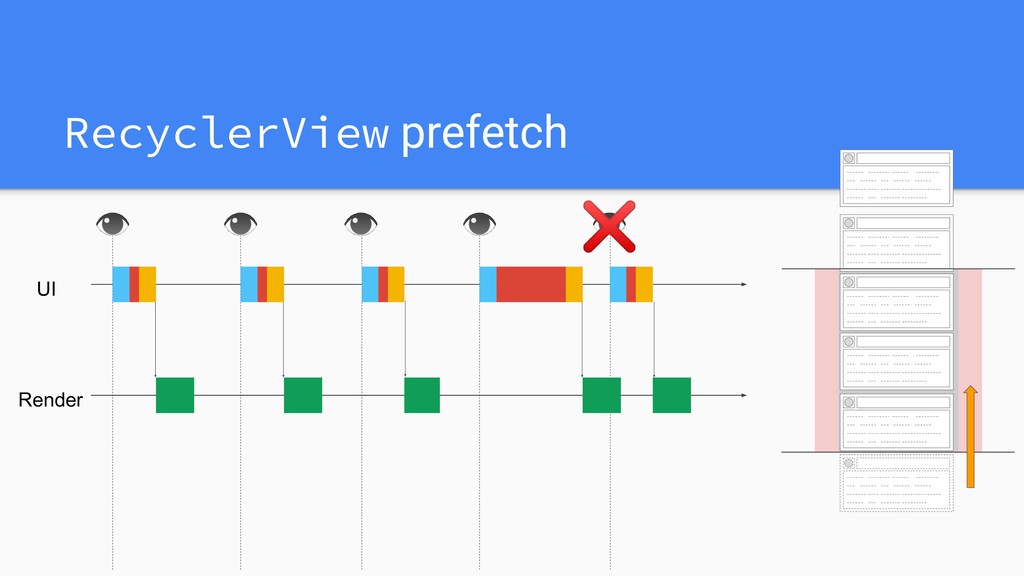
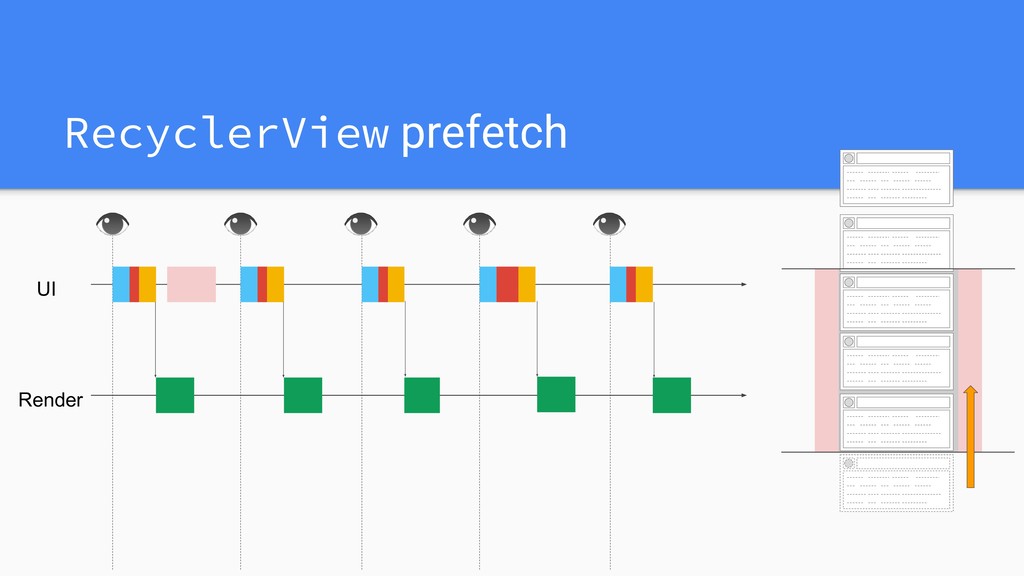
Integrate with RecyclerView Prefetch Text Layout in RecyclerView by Chris
https://medium.com/androiddevelopers/prefetch-text-layout-in-recyclerview-4ac f9103f438 -
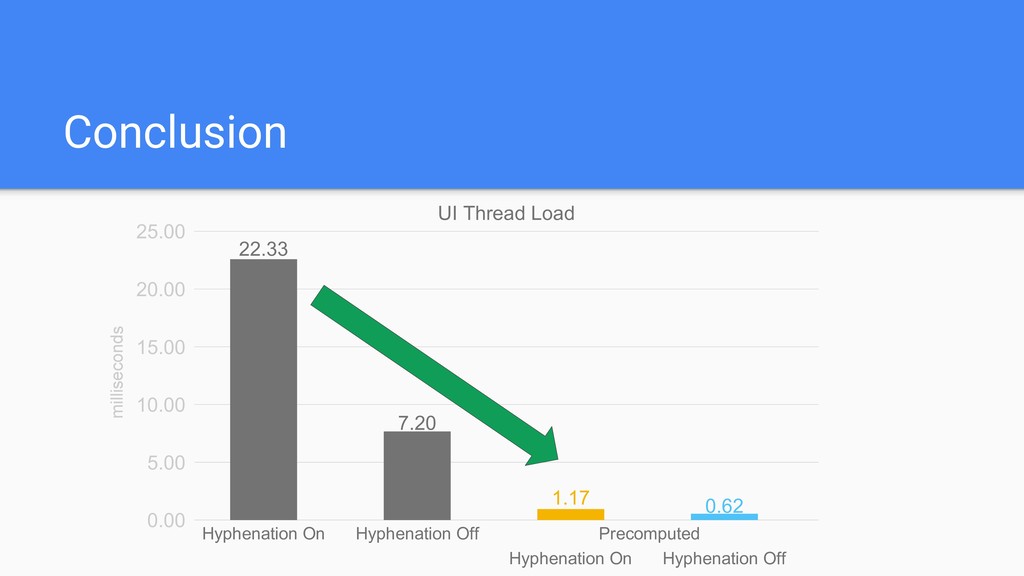
Conclusion 0.00 5.00 10.00 15.00 25.00 20.00 22.33 Hyphenation On
UI Thread Load milliseconds -
Conclusion 0.00 5.00 10.00 15.00 25.00 20.00 22.33 7.20 Hyphenation
Off Hyphenation On UI Thread Load milliseconds -
Conclusion 0.00 5.00 10.00 15.00 25.00 20.00 22.33 7.20 1.17
0.62 Hyphenation Off Hyphenation On Hyphenation Off Hyphenation On Precomputed UI Thread Load milliseconds -
Note • Always use PrecomputedTextCompat in AndroidX • There was
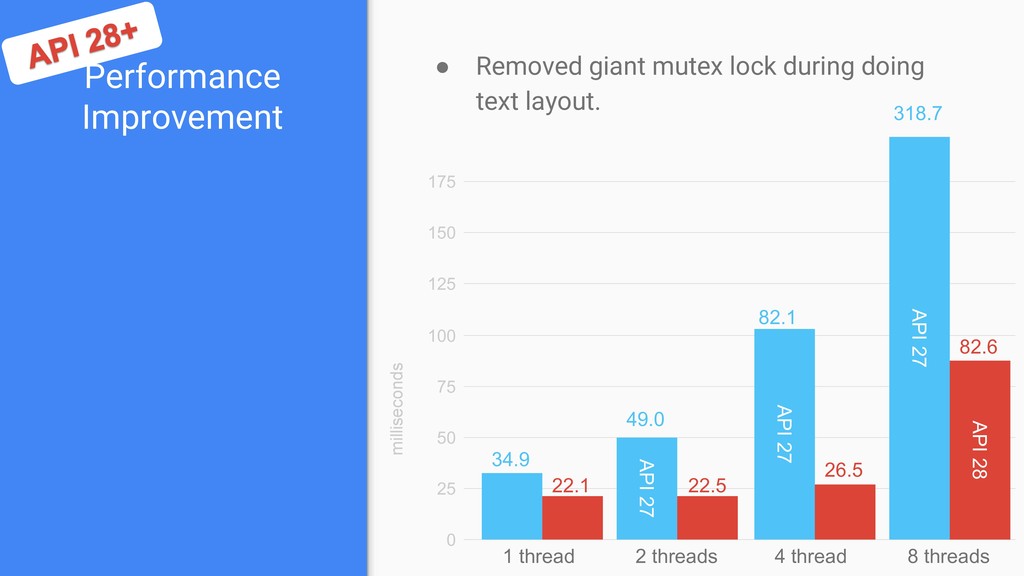
a giant mutex lock during doing text layout. ◦ Removed from API 28 • Hyphenation depends on the language. ◦ No hyphenation for Japanese, i.e. no performance gain by turning off -
Typeface.Builder • Replacement for createFromAsset, createFromFile. • Variable Font Support
(later) • Font Collection Support textView1.typeface = Typeface.Builder(assets, "NotoSansCJK-Regular.ttc") .setTtcIndex(0).build() textView2.typeface = Typeface.Builder(assets, "NotoSansCJK-Regular.ttc") .setTtcIndex(1).build() textView3.typeface = Typeface.Builder(assets, "NotoSansCJK-Regular.ttc") .setTtcIndex(2).build() textView4.typeface = Typeface.Builder(assets, "NotoSansCJK-Regular.ttc") .setTtcIndex(3).build() -
Variable Font • OpenType Variable Font • Either string representation
or FontVariationAxis class can be used. textView1.typeface = Typeface.Builder(assets, "AdobeVFPrototype.ttf") .setFontVariationSettings("'wght' 200").build() textView2.typeface = Typeface.Builder(assets, "AdobeVFPrototype.ttf") .setFontVariationSettings("'wght' 400").build() textView3.typeface = Typeface.Builder(assets, "AdobeVFPrototype.ttf") .setFontVariationSettings("'wght' 700").build() textView4.typeface = Typeface.Builder(assets, "AdobeVFPrototype.ttf") .setFontVariationSettings("'wght' 900").build() -
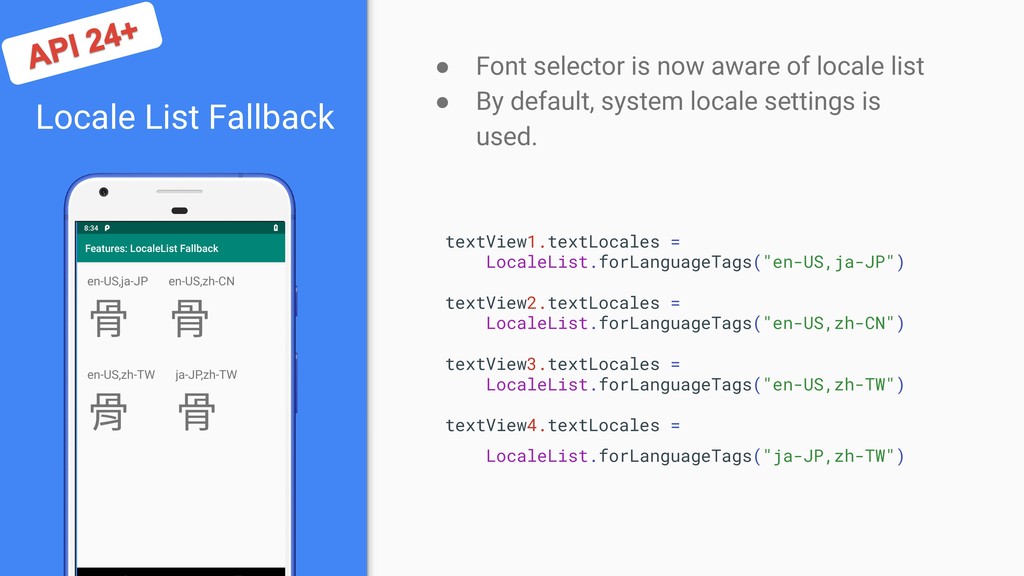
Locale List Fallback • Font selector is now aware of
locale list • By default, system locale settings is used. textView1.textLocales = LocaleList.forLanguageTags("en-US,ja-JP") textView2.textLocales = LocaleList.forLanguageTags("en-US,zh-CN") textView3.textLocales = LocaleList.forLanguageTags("en-US,zh-TW") textView4.textLocales = LocaleList.forLanguageTags("ja-JP,zh-TW") -
Serif Fallback • System font is now aware of serif
font. • Use serif font if fontFamily=”serif” is specified. -
Performance Improvement • Removed giant mutex lock during doing text
layout. 0 25 50 75 100 milliseconds 125 150 175 API 27 API 27 API 27 API 28 1 thread 2 threads 4 thread 8 threads 34.9 49.0 82.1 318.7 22.1 22.5 26.5 82.6 -
Justification • Justification by whitespaces • API is available since
API 26, but due to bug, please use it API 28+ -
Line Spacing Improvement • Avoid glyph overlap for the taller
glyph languages. • Enabled by default API 28+ • You can move back to old impl by specifying fallbackLineSpacing=”false”