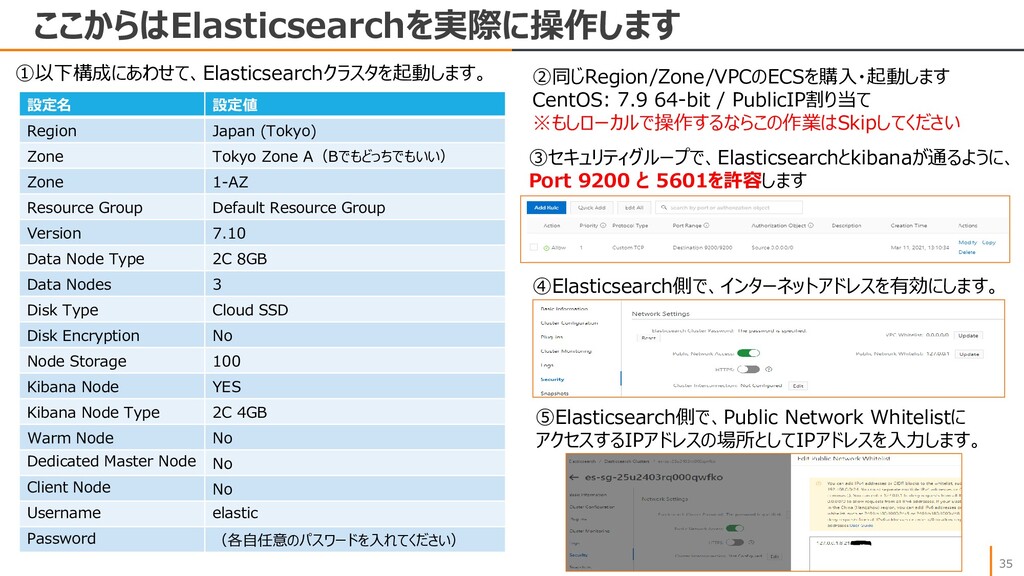
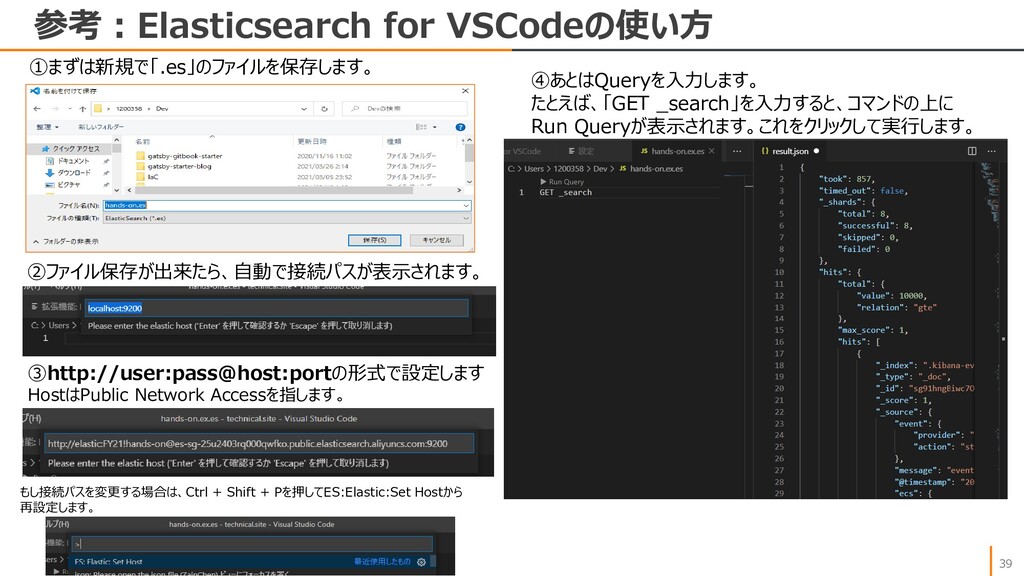
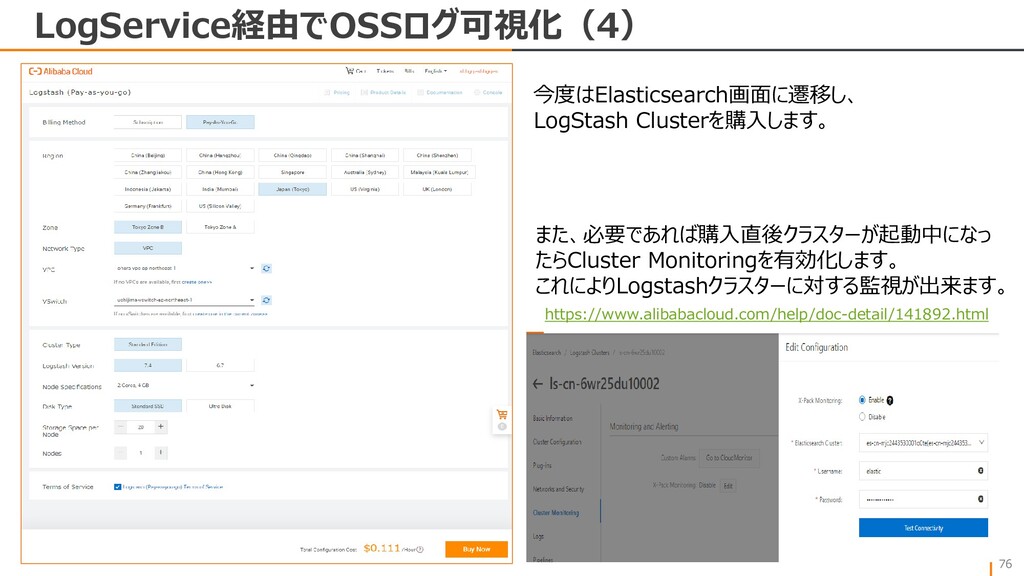
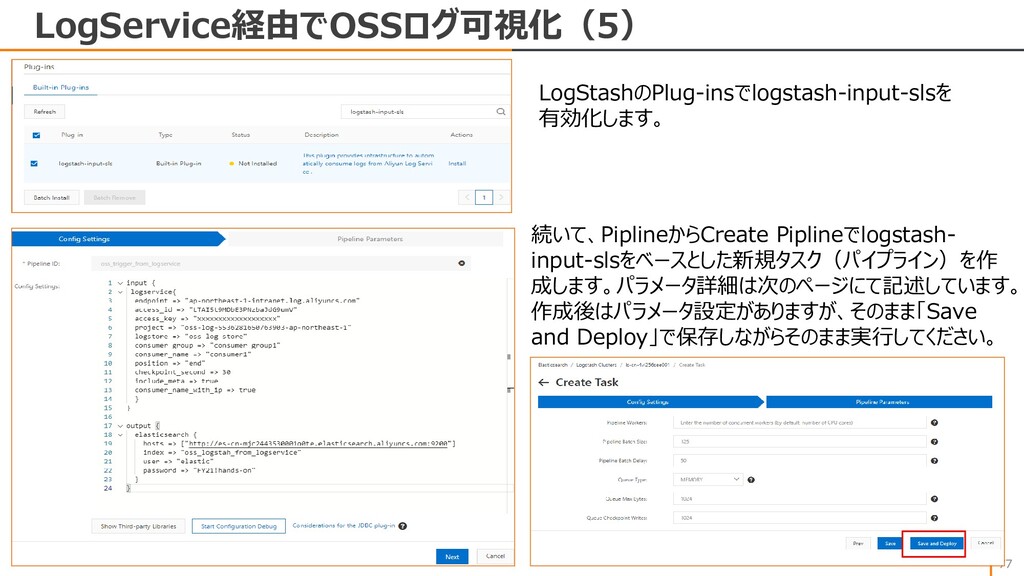
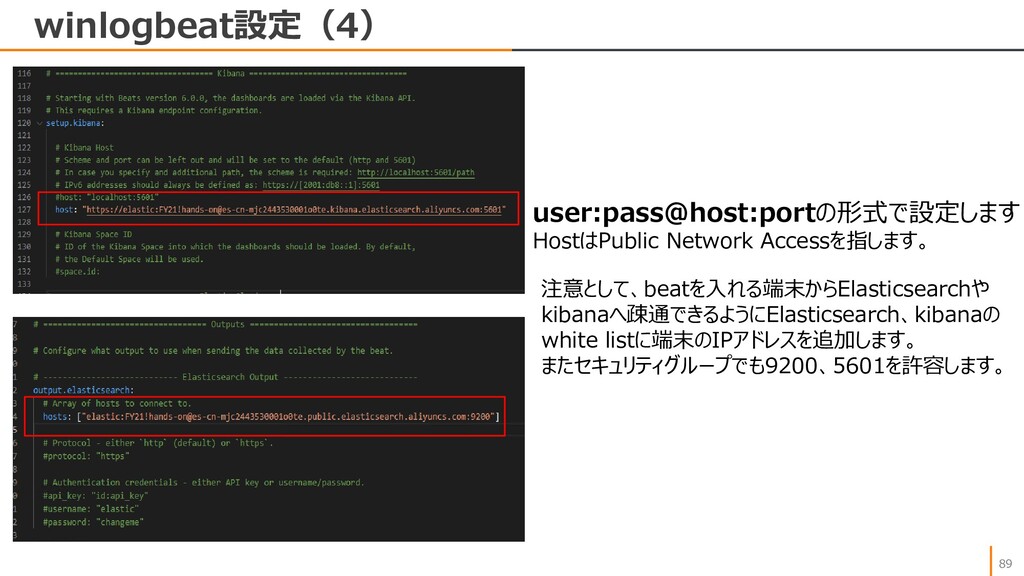
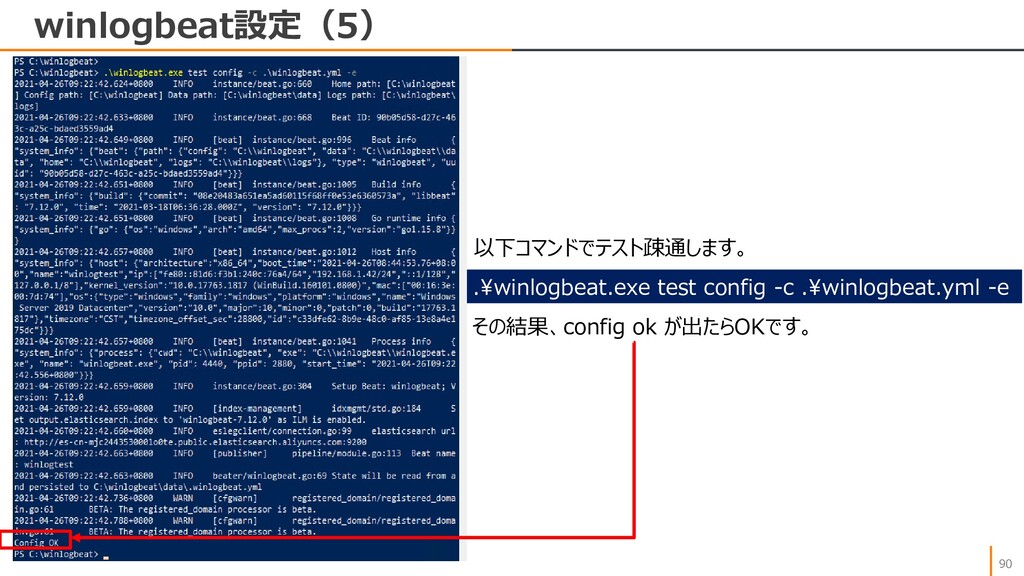
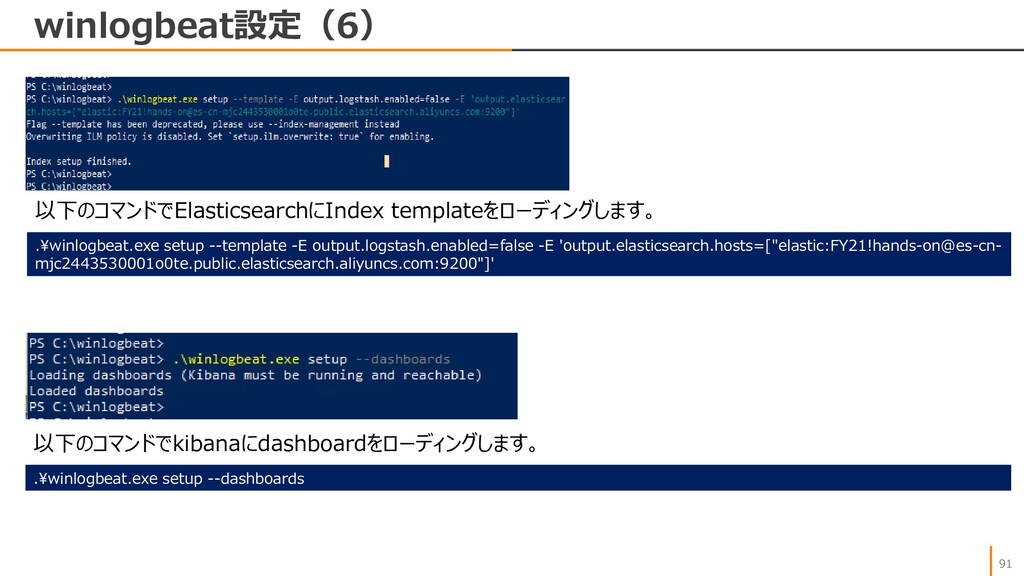
Zone A(Bでもどっちでもいい) Zone 1-AZ Resource Group Default Resource Group Version 7.10 Data Node Type 2C 8GB Data Nodes 3 Disk Type Cloud SSD Disk Encryption No Node Storage 100 Kibana Node YES Kibana Node Type 2C 4GB Warm Node No Dedicated Master Node No Client Node No Username elastic Password (各自任意のパスワードを入れてください) ②同じRegion/Zone/VPCのECSを購入・起動します CentOS: 7.9 64-bit / PublicIP割り当て ※もしローカルで操作するならこの作業はSkipしてください ③セキュリティグループで、Elasticsearchとkibanaが通るように、 Port 9200 と 5601を許容します ④Elasticsearch側で、インターネットアドレスを有効にします。 ⑤Elasticsearch側で、Public Network Whitelistに アクセスするIPアドレスの場所としてIPアドレスを入力します。
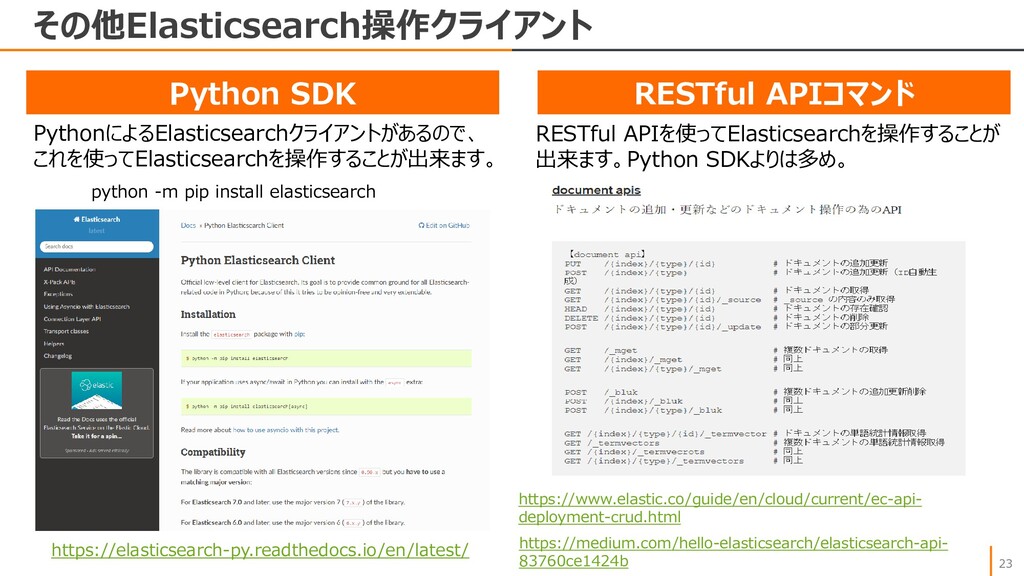
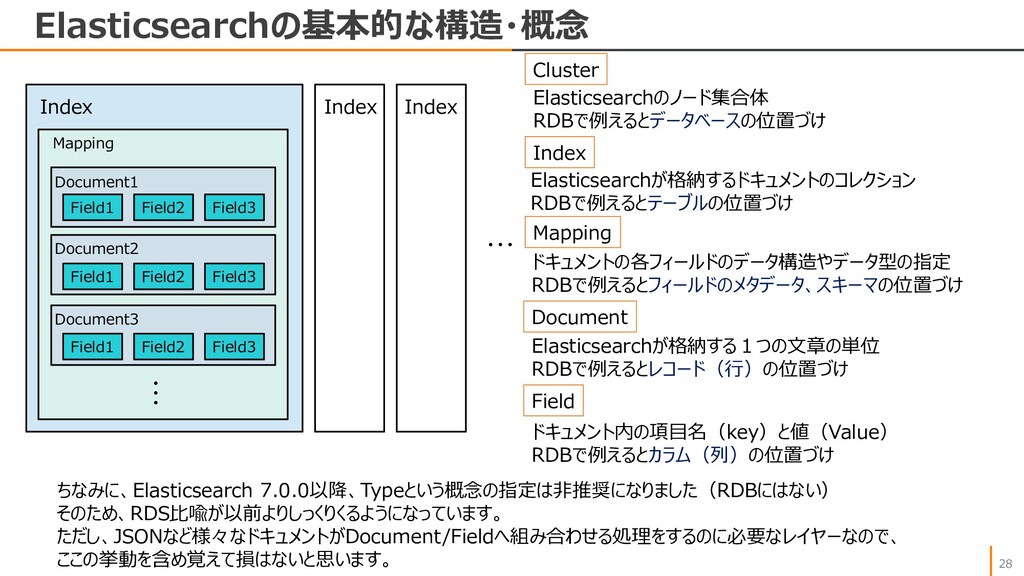
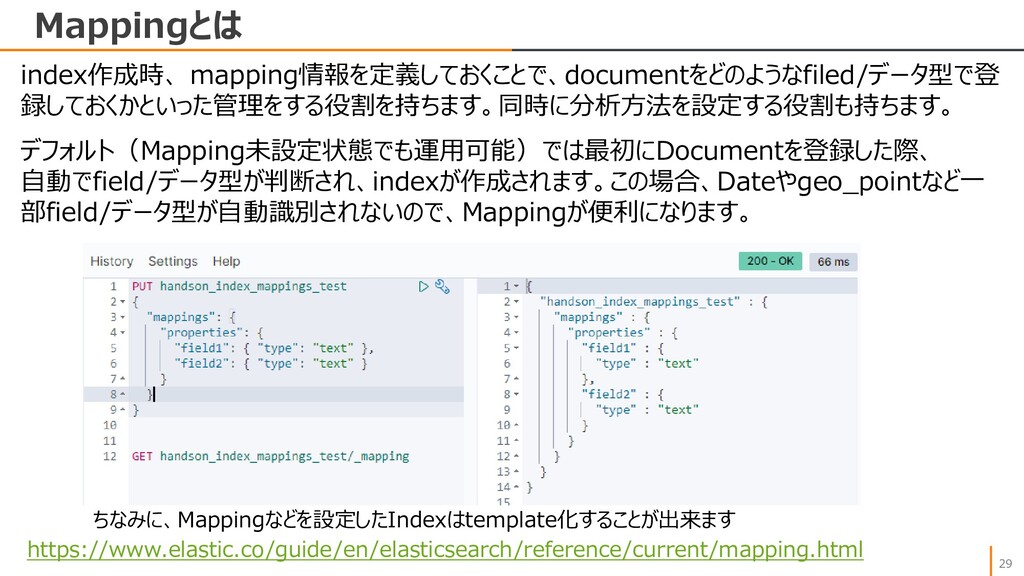
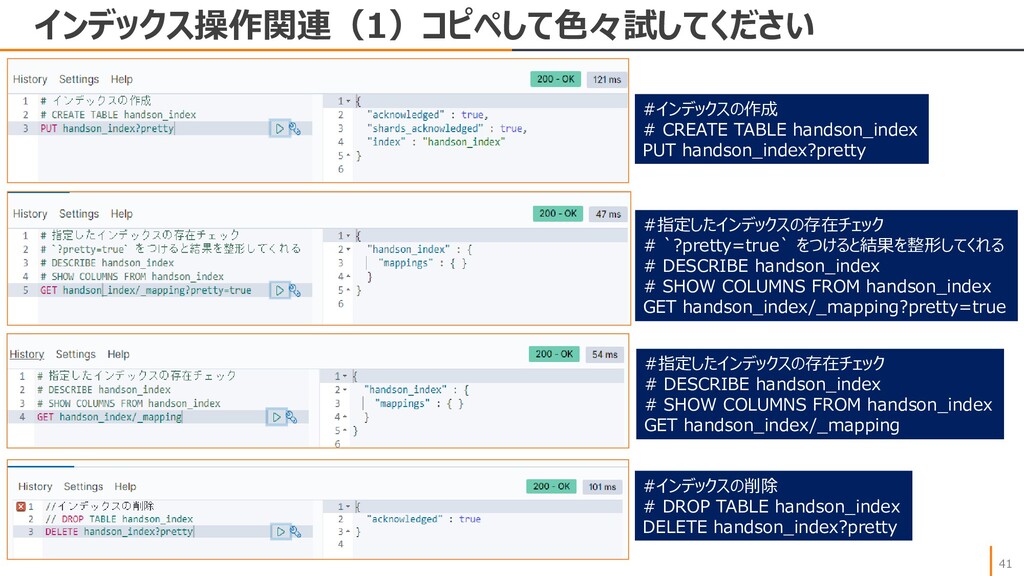
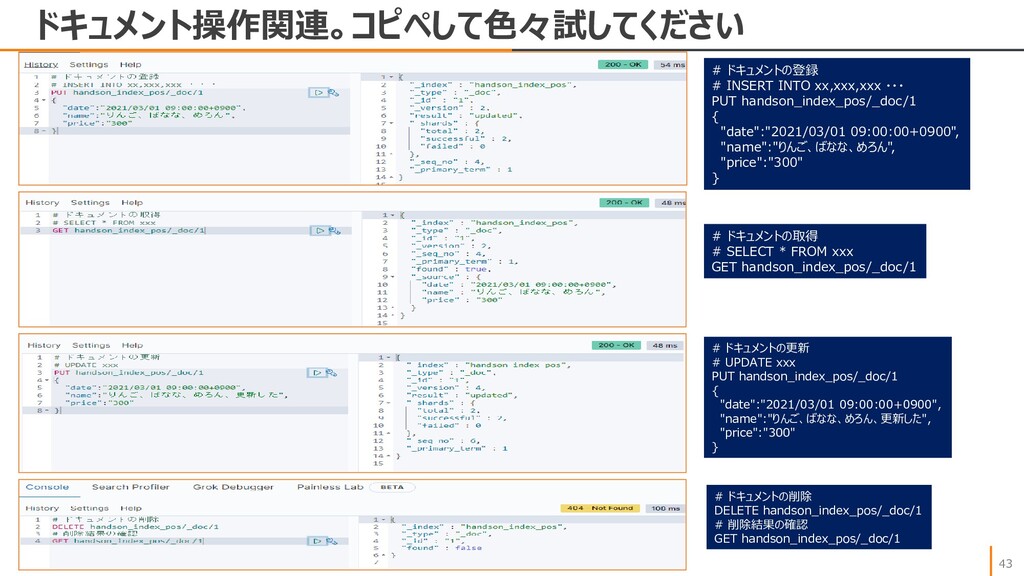
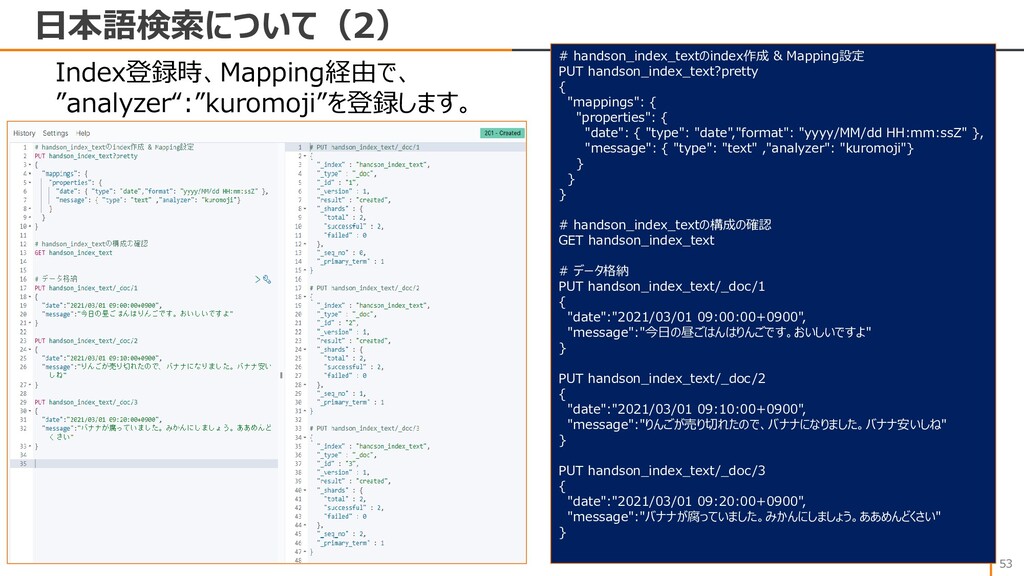
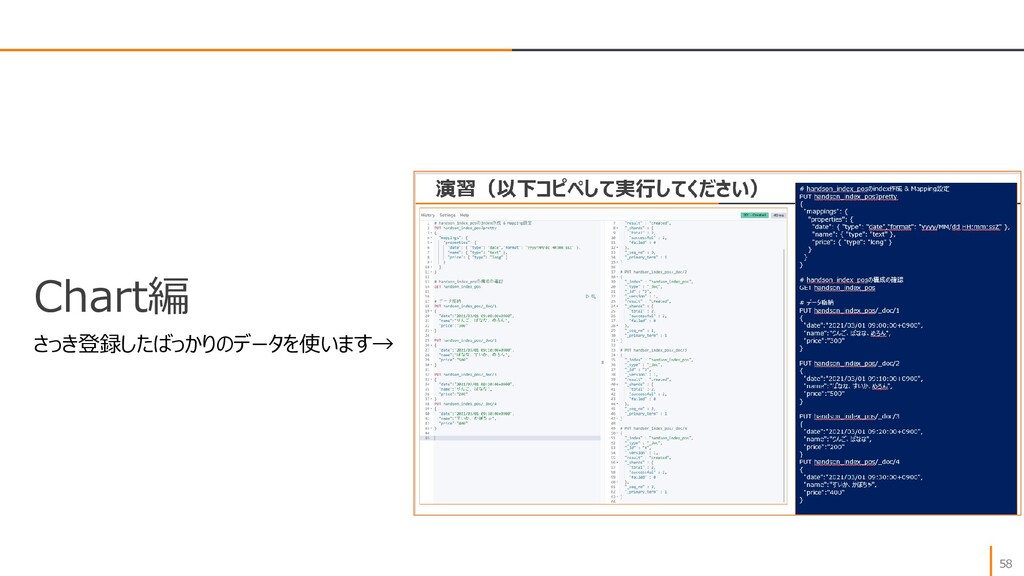
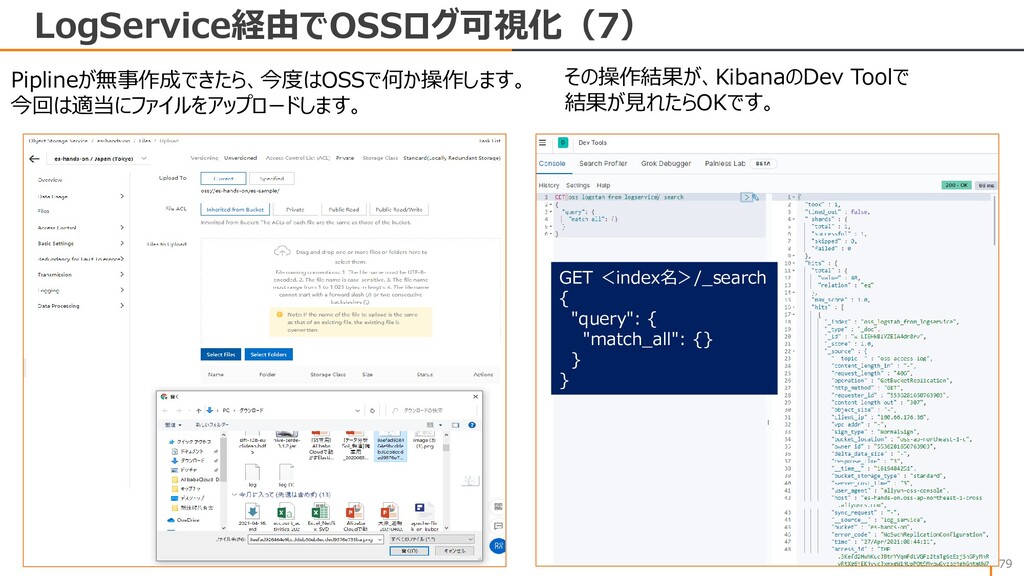
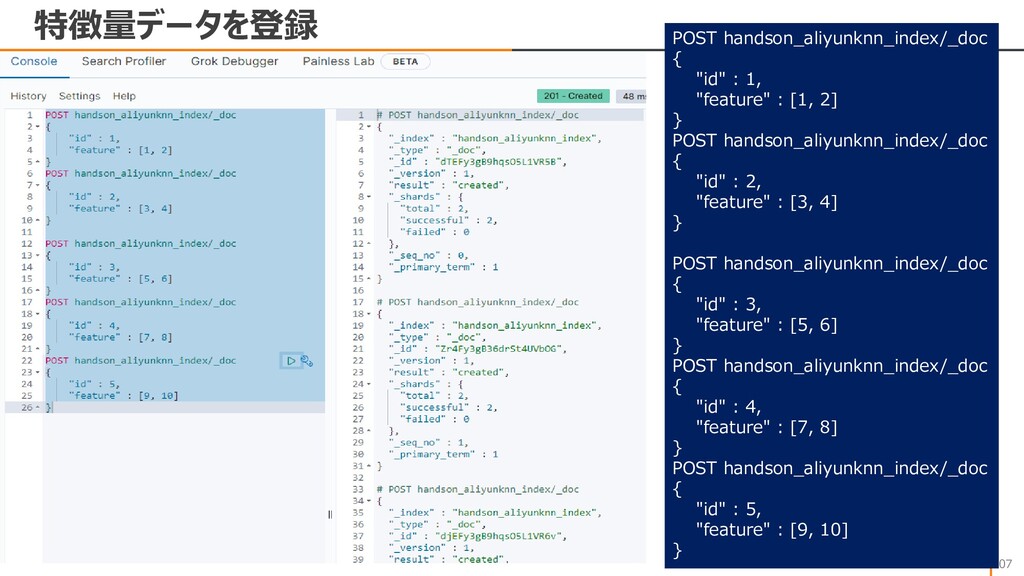
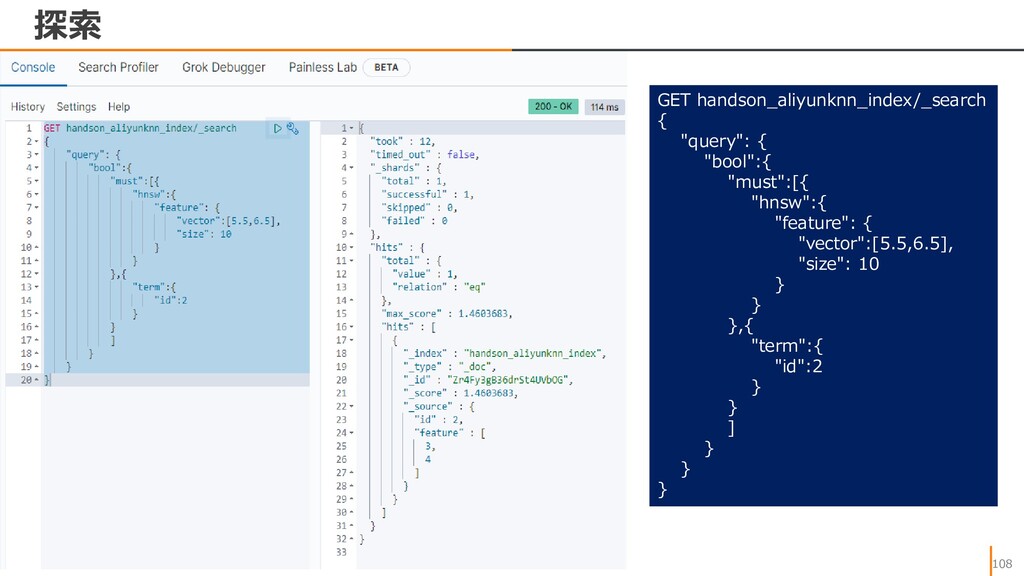
# `?pretty=true` をつけると結果を整形してくれる # DESCRIBE handson_index # SHOW COLUMNS FROM handson_index GET handson_index/_mapping?pretty=true #指定したインデックスの存在チェック # DESCRIBE handson_index # SHOW COLUMNS FROM handson_index GET handson_index/_mapping #インデックスの削除 # DROP TABLE handson_index DELETE handson_index?pretty
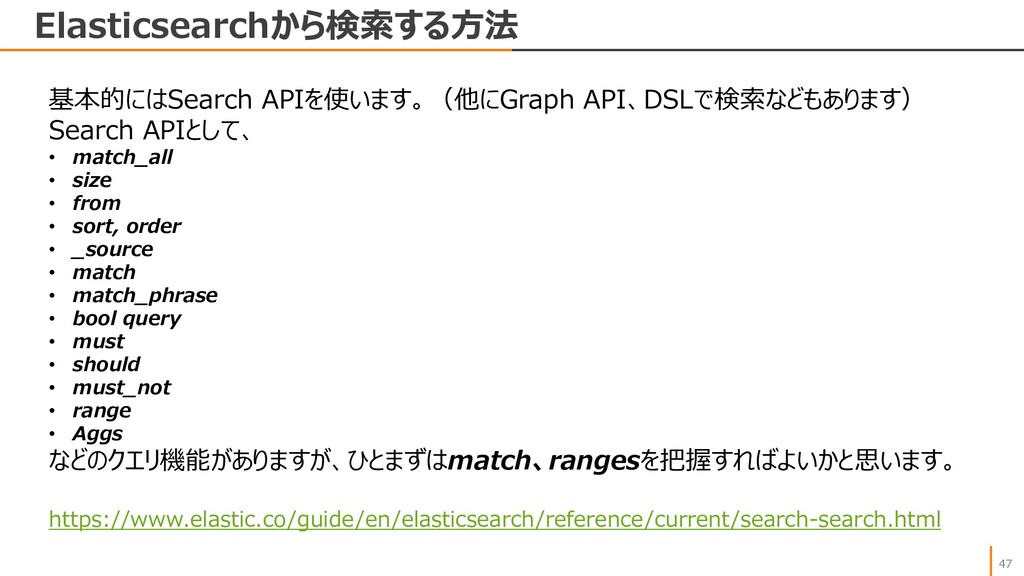
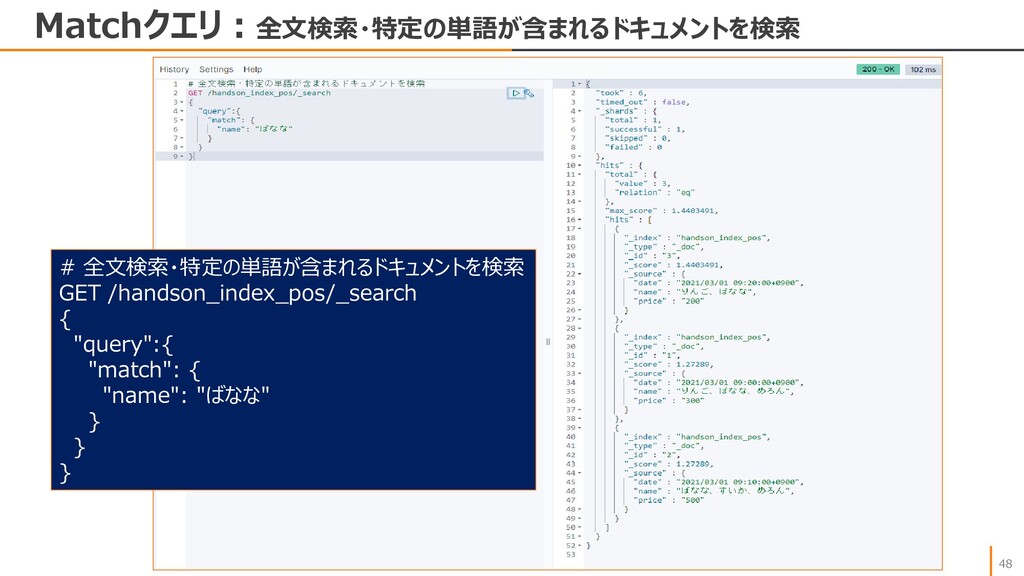
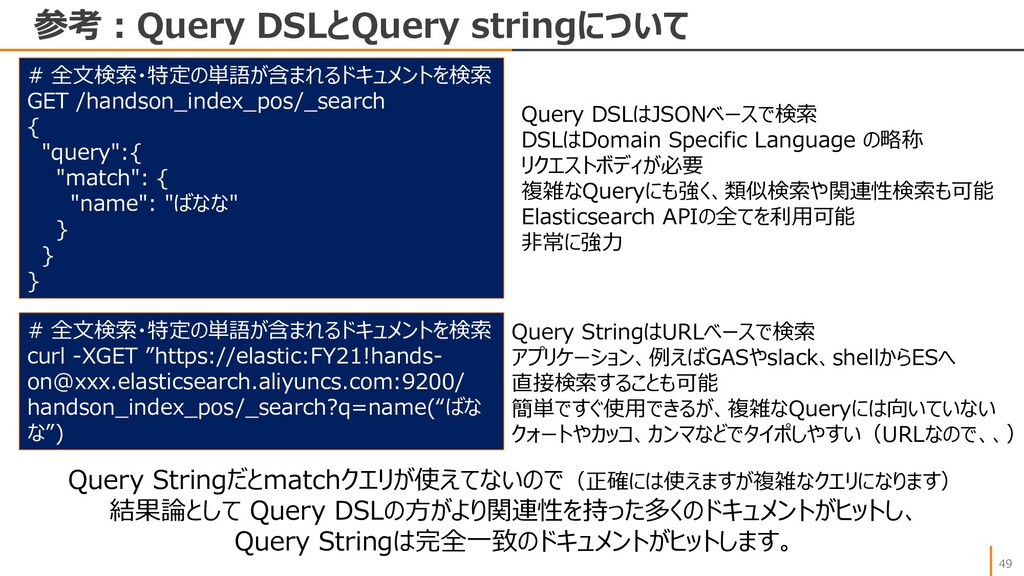
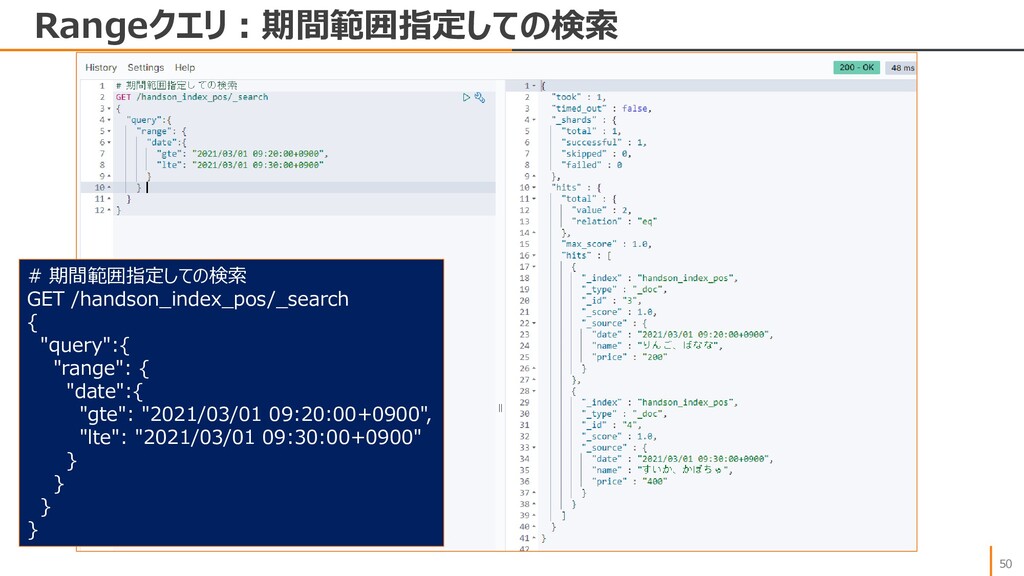
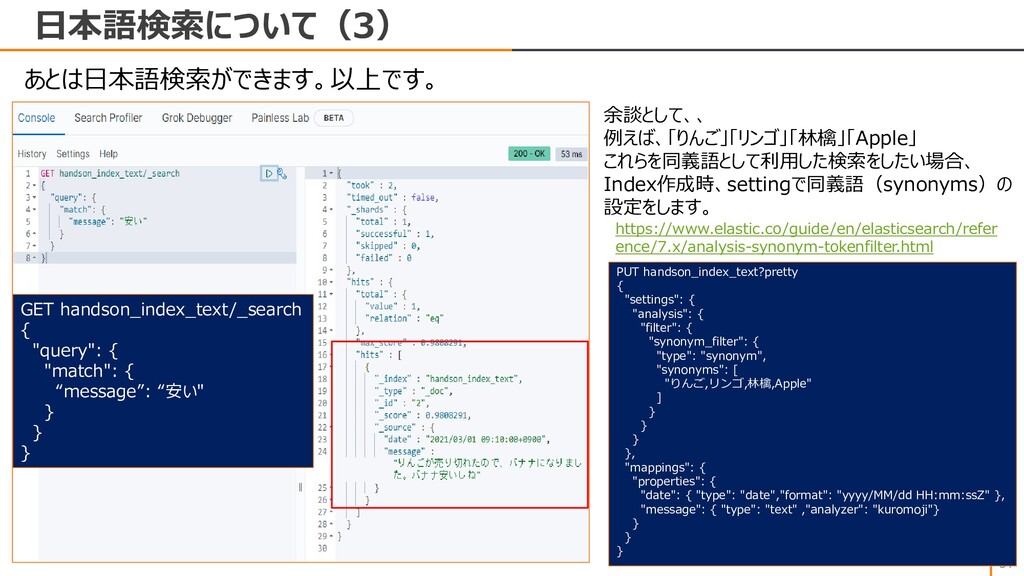
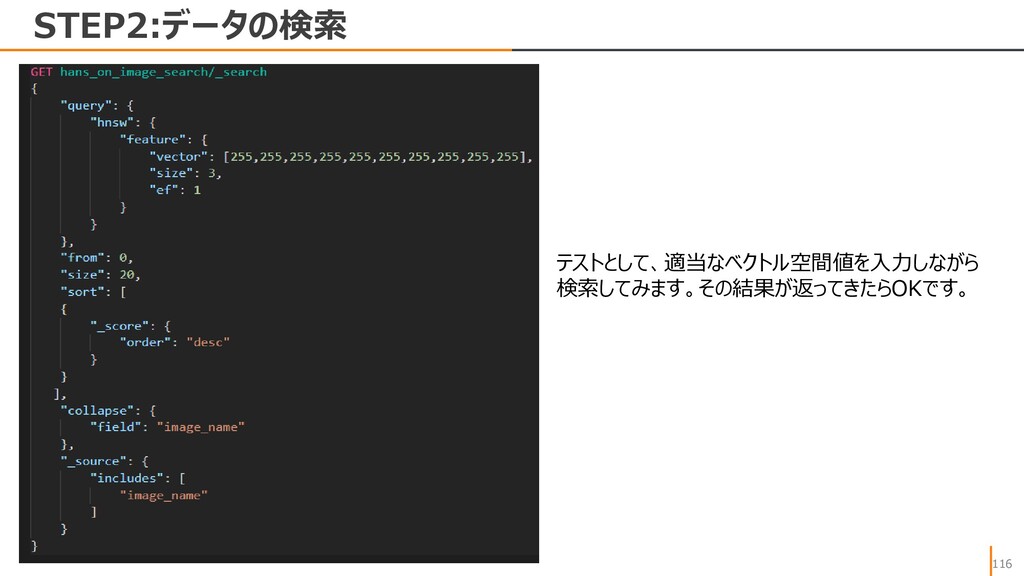
• size • from • sort, order • _source • match • match_phrase • bool query • must • should • must_not • range • Aggs などのクエリ機能がありますが、ひとまずはmatch、rangesを把握すればよいかと思います。


 ohiro18
 bcantrill
 kairim0
 munakata
 ueponx
 sansantech
 grimoh
 oracle4engineer
 athug
athug
 camiha
 oikon48
 moznion
 yut0naga1_fa
 techseoconnect
 rocio
rocio
 inesmontani
 tmiket
 axbom
axbom
 katiecoart
 lindahogenes
 jonyablonski
 kneath
 ryanjones
 apolaine