Upgrade to Pro — share decks privately, control downloads, hide ads and more …

Accelerating Titanium Development with CoffeeSc...

Accelerating Titanium Development with CoffeeScript, Compass, and Sass

Wynn Netherland

September 20, 2011

Transcript

165 slides
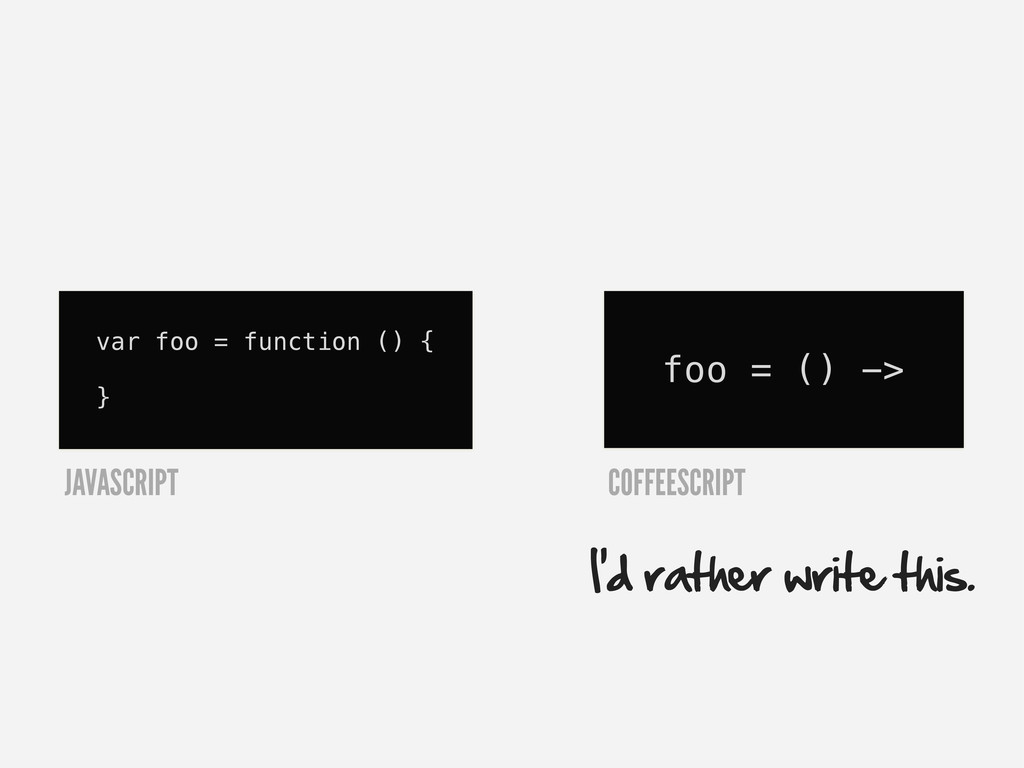
  1. var foo = function () { } foo = ()

    -> I’d rather write this. JAVASCRIPT COFFEESCRIPT
  2. var button = Titanium.UI.createButton({ title: 'I am a Button', height:

    40, width: 200, top: 10 }); button.addEventListener('click', function(e) { alert("Oooh, that tickles!"); }); JAVASCRIPT
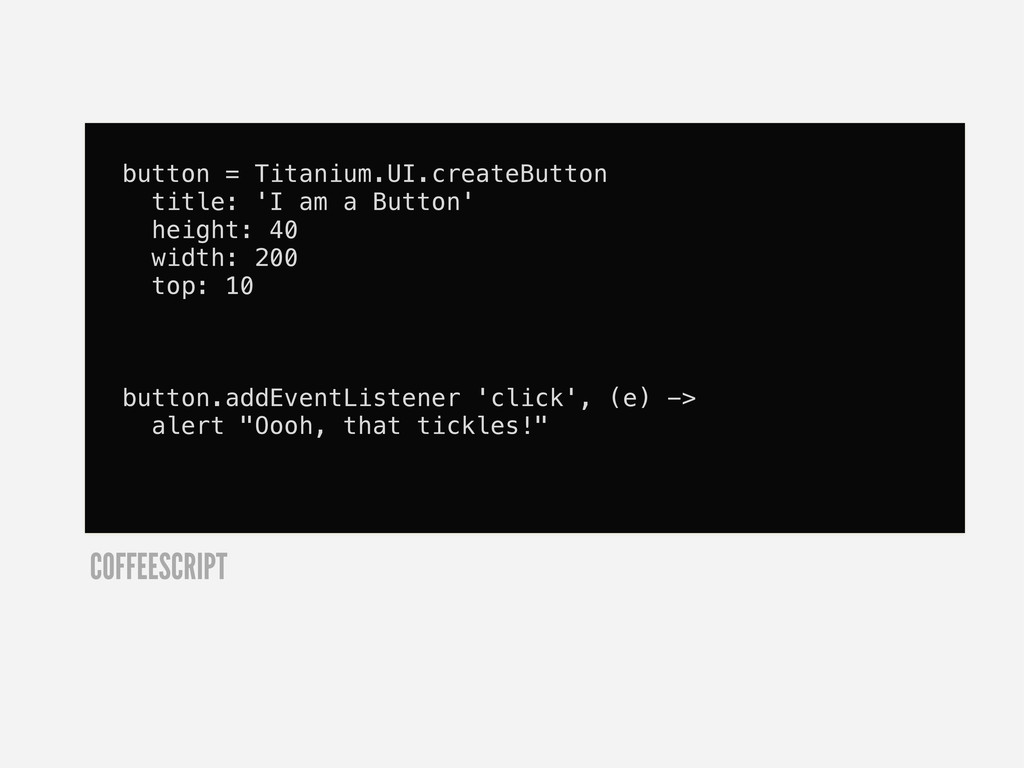
  3. button = Titanium.UI.createButton title: 'I am a Button' height: 40

    width: 200 top: 10 button.addEventListener 'click', (e) -> alert "Oooh, that tickles!" COFFEESCRIPT
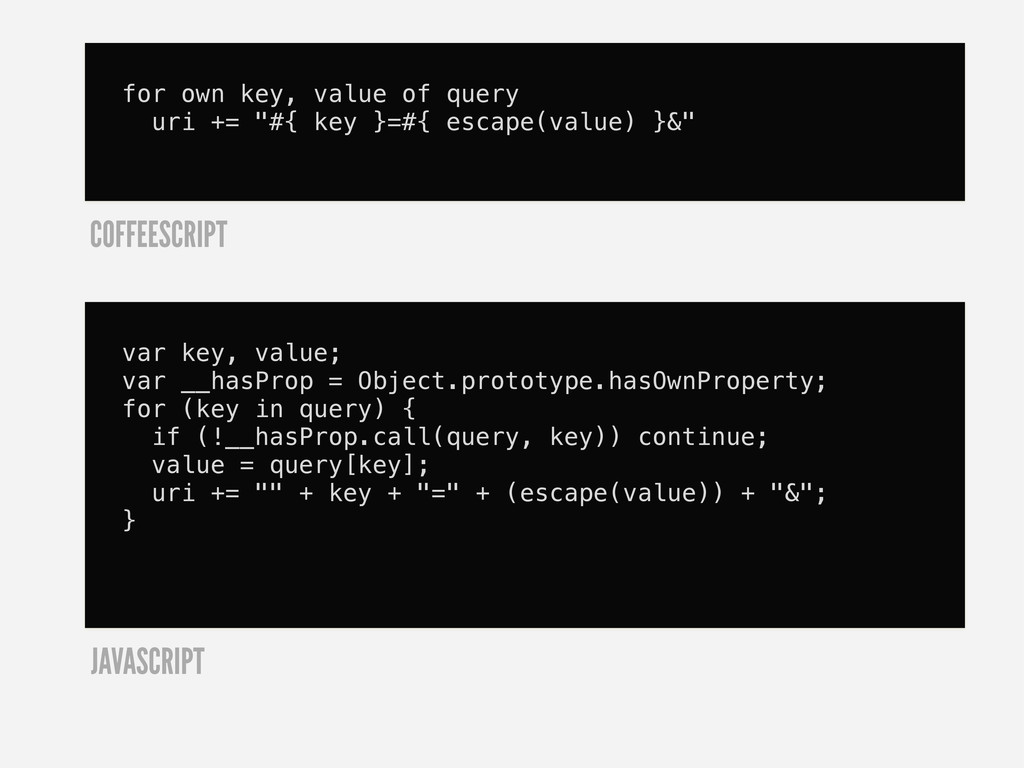
  4. for own key, value of query uri += "#{ key

    }=#{ escape(value) }&" COFFEESCRIPT var key, value; var __hasProp = Object.prototype.hasOwnProperty; for (key in query) { if (!__hasProp.call(query, key)) continue; value = query[key]; uri += "" + key + "=" + (escape(value)) + "&"; } JAVASCRIPT
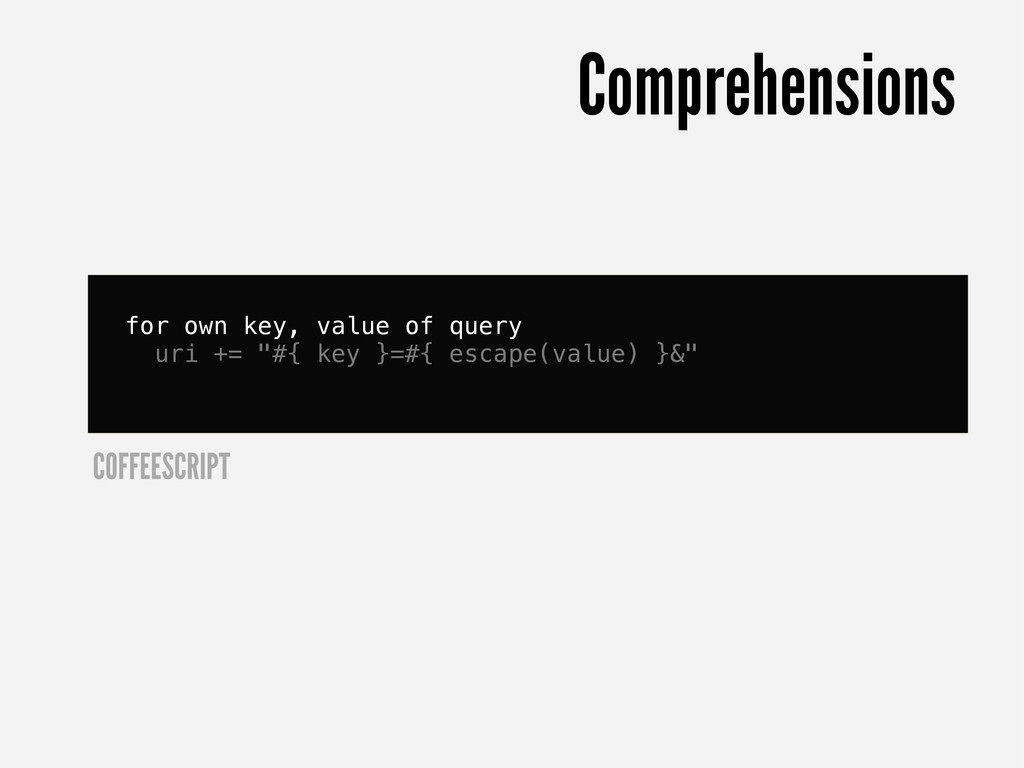
  5. for own key, value of query uri += "#{ key

    }=#{ escape(value) }&" COFFEESCRIPT Comprehensions
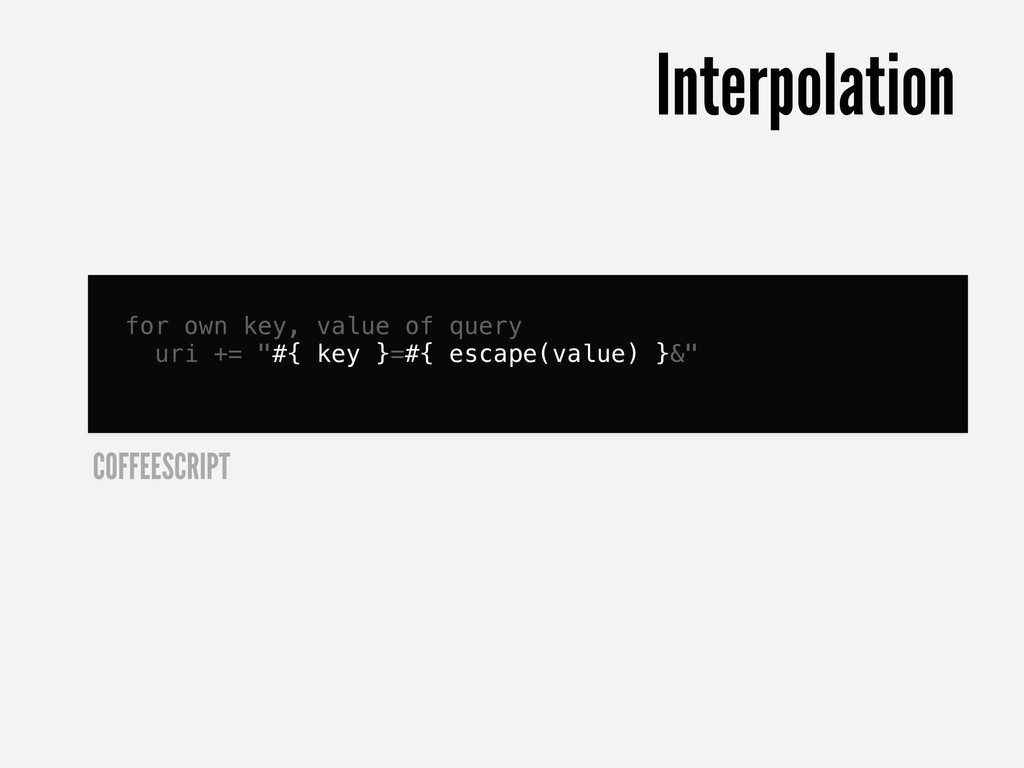
  6. for own key, value of query uri += "#{ key

    }=#{ escape(value) }&" COFFEESCRIPT Interpolation
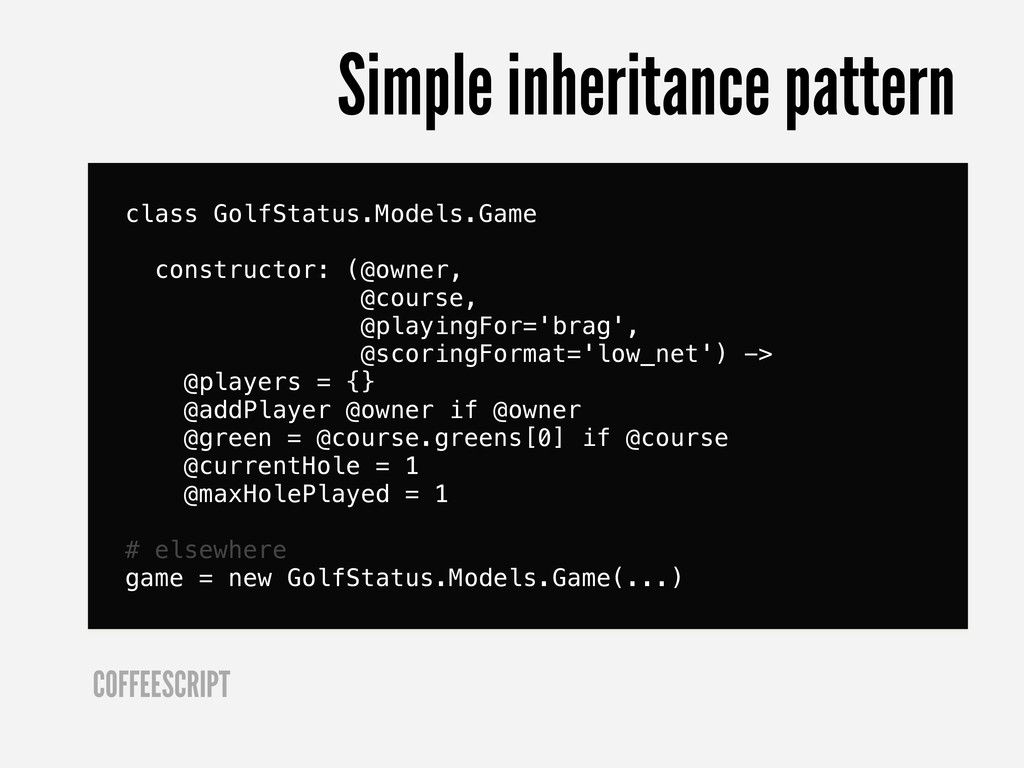
  7. class GolfStatus.Models.Game constructor: (@owner, @course, @playingFor='brag', @scoringFormat='low_net') -> @players =

    {} @addPlayer @owner if @owner @green = @course.greens[0] if @course @currentHole = 1 @maxHolePlayed = 1 # elsewhere game = new GolfStatus.Models.Game(...) COFFEESCRIPT Simple inheritance pattern
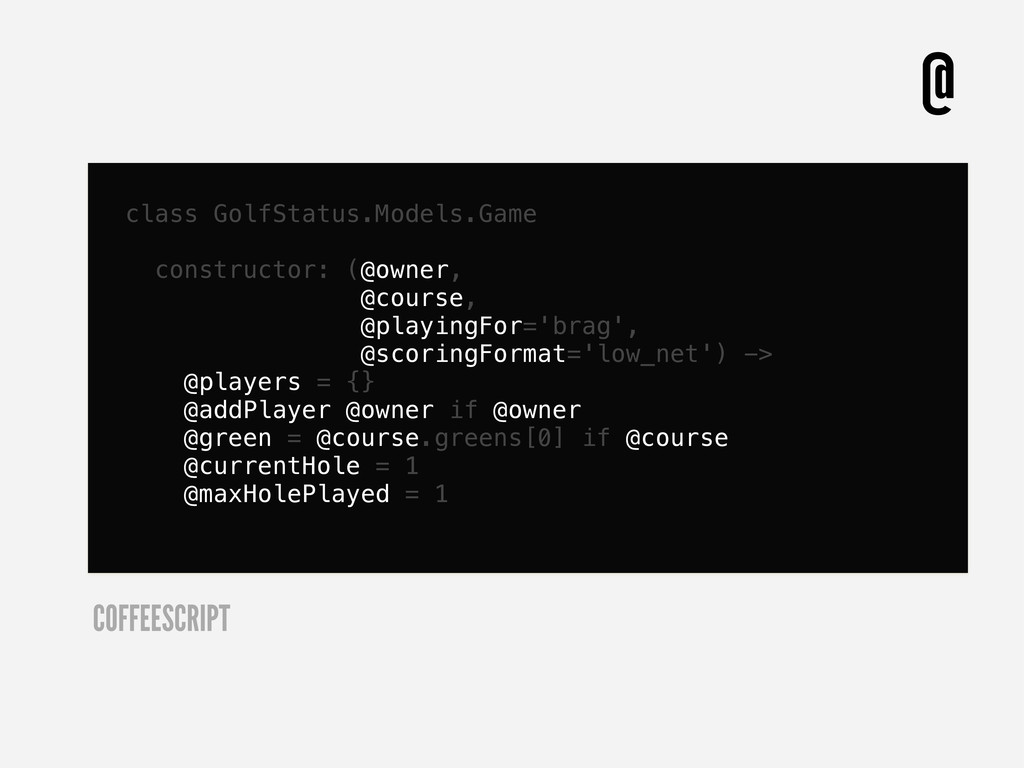
  8. class GolfStatus.Models.Game constructor: (@owner, @course, @playingFor='brag', @scoringFormat='low_net') -> @players =

    {} @addPlayer @owner if @owner @green = @course.greens[0] if @course @currentHole = 1 @maxHolePlayed = 1 COFFEESCRIPT @
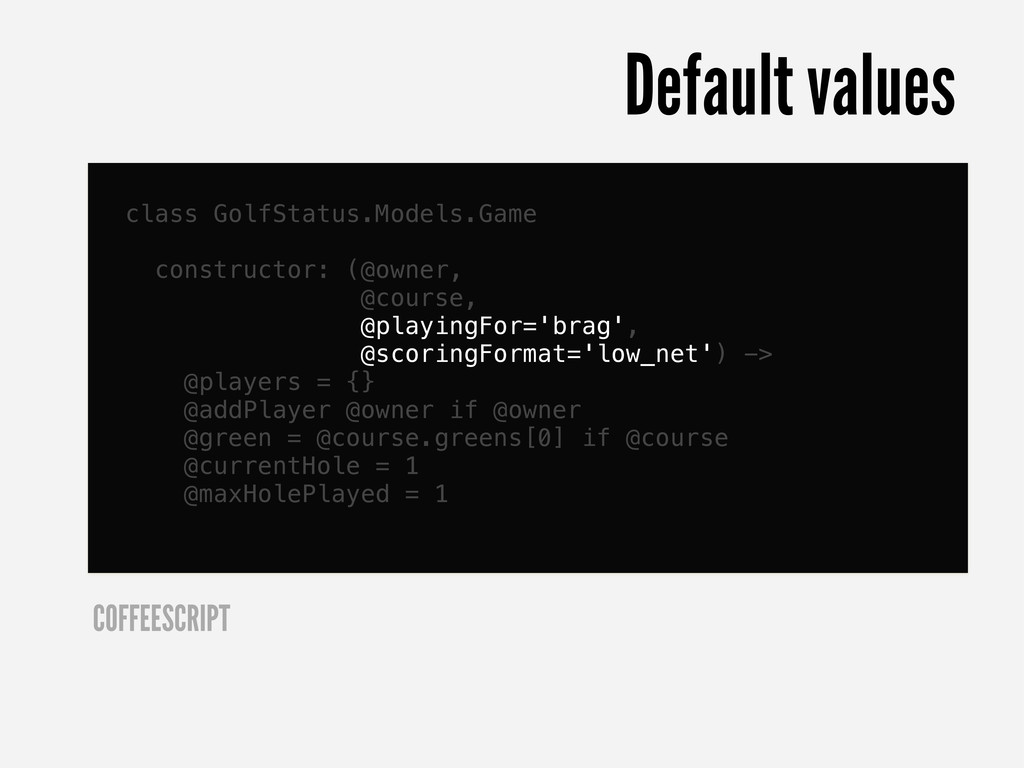
  9. class GolfStatus.Models.Game constructor: (@owner, @course, @playingFor='brag', @scoringFormat='low_net') -> @players =

    {} @addPlayer @owner if @owner @green = @course.greens[0] if @course @currentHole = 1 @maxHolePlayed = 1 COFFEESCRIPT Default values
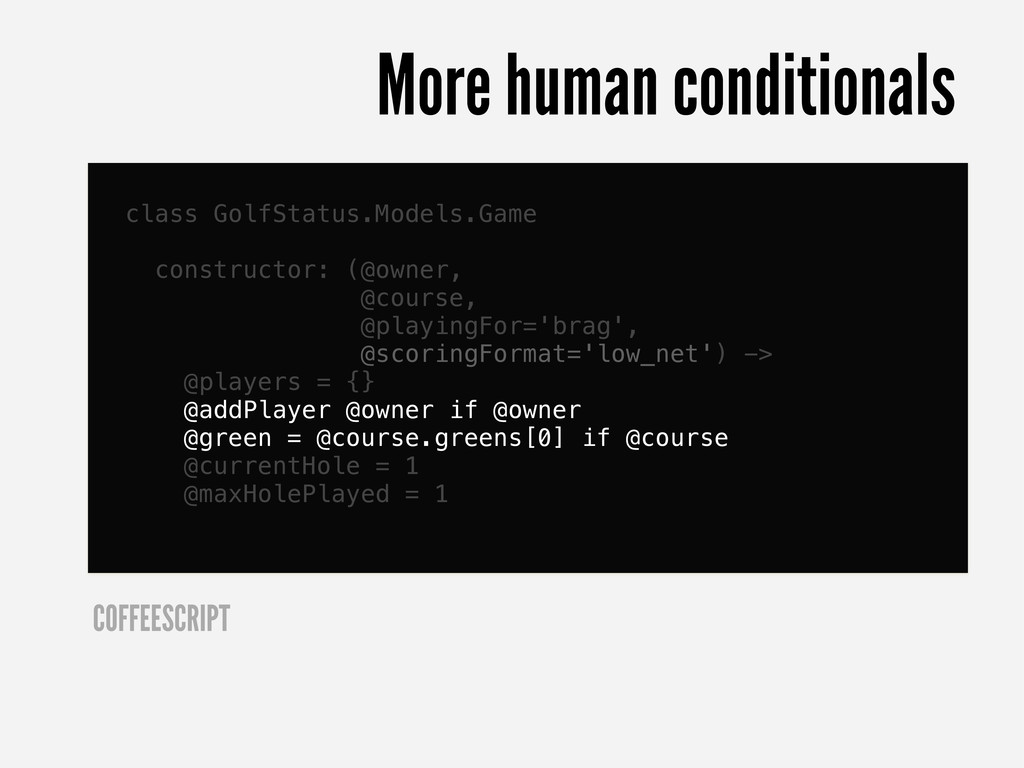
  10. class GolfStatus.Models.Game constructor: (@owner, @course, @playingFor='brag', @scoringFormat='low_net') -> @players =

    {} @addPlayer @owner if @owner @green = @course.greens[0] if @course @currentHole = 1 @maxHolePlayed = 1 COFFEESCRIPT More human conditionals
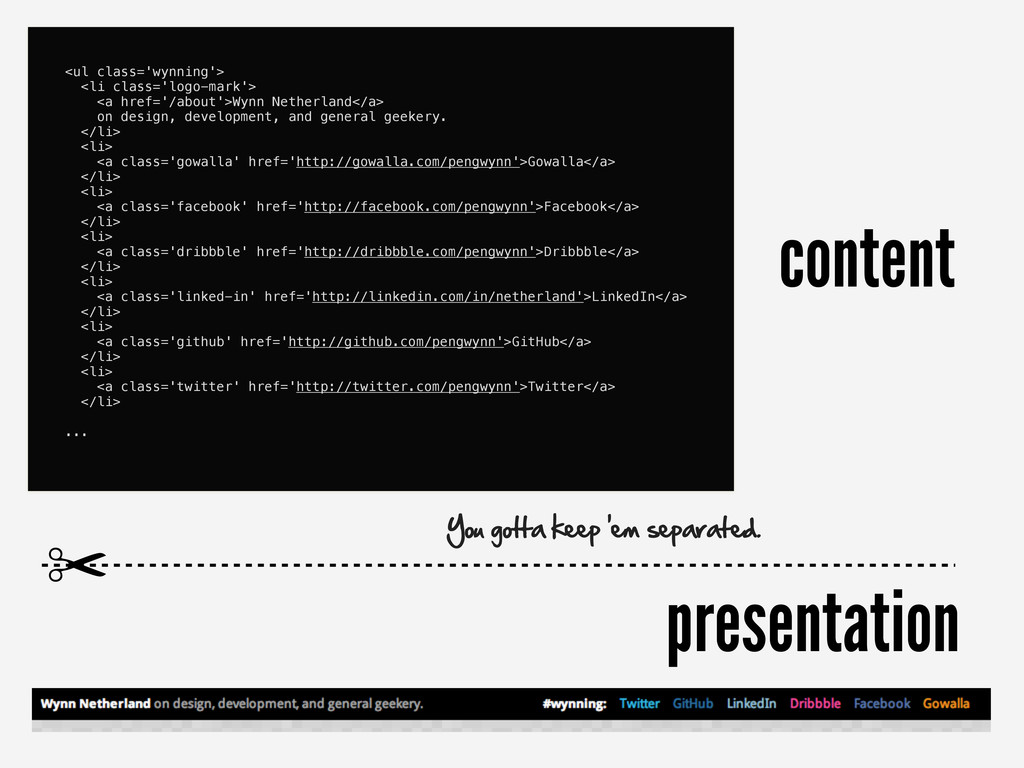
  11. content presentation <ul class='wynning'> <li class='logo-mark'> <a href='/about'>Wynn Netherland</a> on

    design, development, and general geekery. </li> <li> <a class='gowalla' href='http://gowalla.com/pengwynn'>Gowalla</a> </li> <li> <a class='facebook' href='http://facebook.com/pengwynn'>Facebook</a> </li> <li> <a class='dribbble' href='http://dribbble.com/pengwynn'>Dribbble</a> </li> <li> <a class='linked-in' href='http://linkedin.com/in/netherland'>LinkedIn</a> </li> <li> <a class='github' href='http://github.com/pengwynn'>GitHub</a> </li> <li> <a class='twitter' href='http://twitter.com/pengwynn'>Twitter</a> </li> ... ✂ You gotta keep 'em separated.
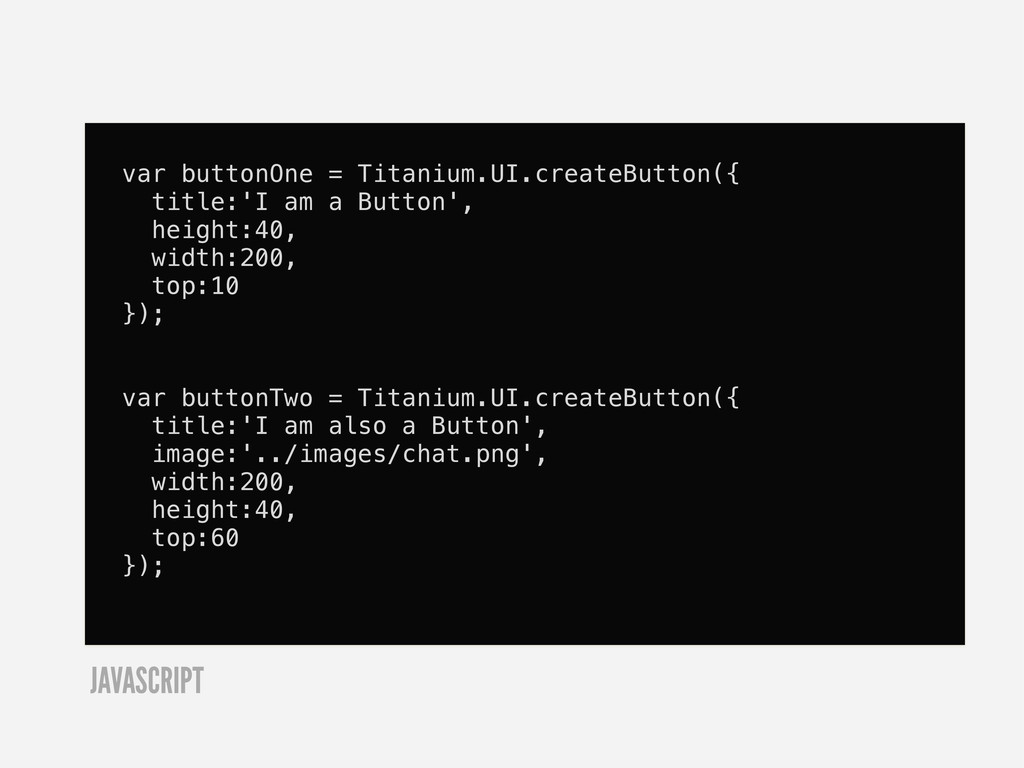
  12. var buttonOne = Titanium.UI.createButton({ title:'I am a Button', height:40, width:200,

    top:10 }); var buttonTwo = Titanium.UI.createButton({ title:'I am also a Button', image:'../images/chat.png', width:200, height:40, top:60 }); JAVASCRIPT
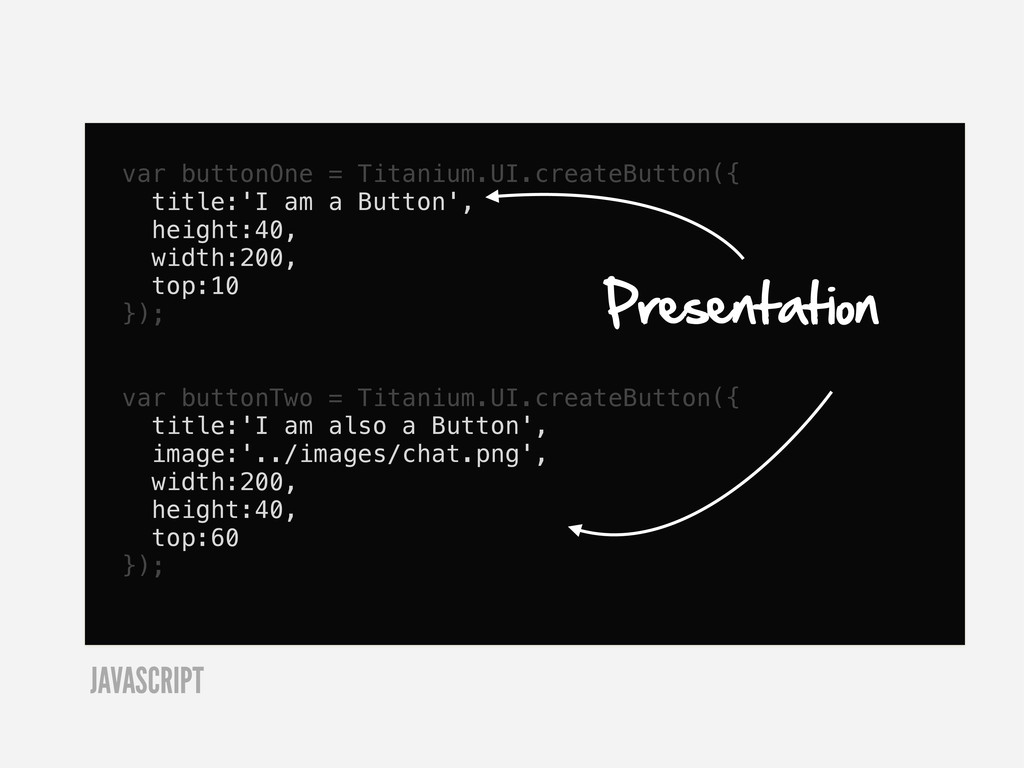
  13. var buttonOne = Titanium.UI.createButton({ title:'I am a Button', height:40, width:200,

    top:10 }); var buttonTwo = Titanium.UI.createButton({ title:'I am also a Button', image:'../images/chat.png', width:200, height:40, top:60 }); Presentation JAVASCRIPT
  14. #buttonOne { title:'I am a Button'; width:200; height:40; top:10 }

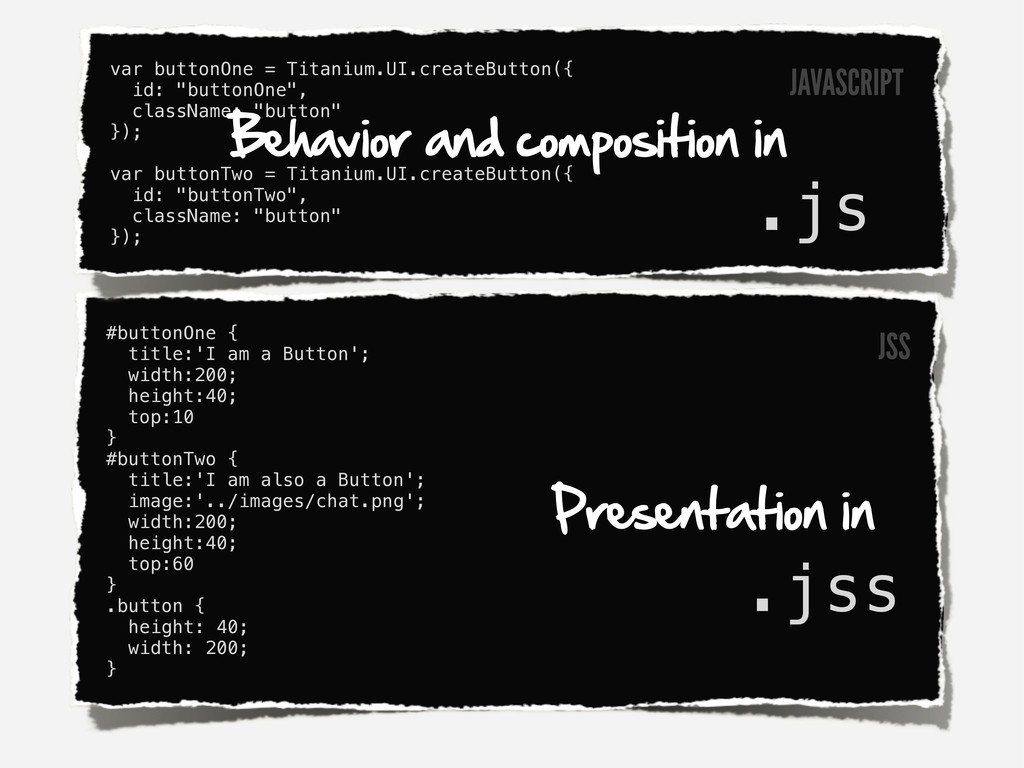
    #buttonTwo { title:'I am also a Button'; image:'../images/chat.png'; width:200; height:40; top:60 } .button { height: 40; width: 200; } var buttonOne = Titanium.UI.createButton({ id: "buttonOne", className: "button" }); var buttonTwo = Titanium.UI.createButton({ id: "buttonTwo", className: "button" }); Behavior and composition in Presentation in .js .jss JSS JAVASCRIPT
  15. #buttonOne { title:'I am a Button'; width:200; height:40; top:10 }

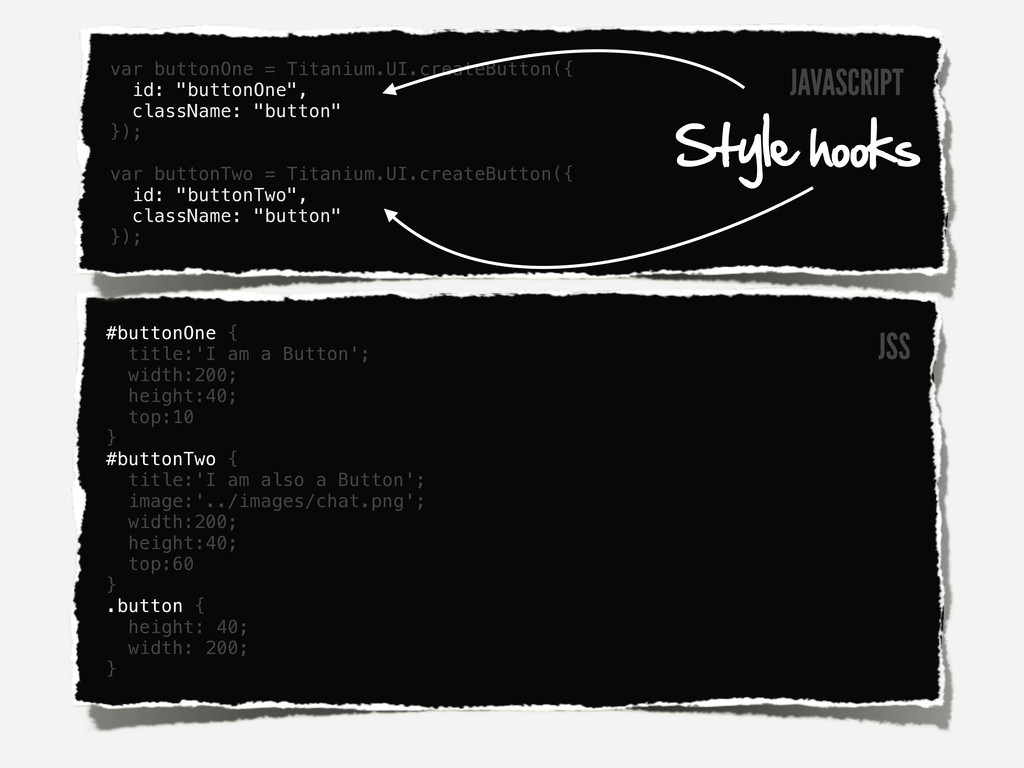
    #buttonTwo { title:'I am also a Button'; image:'../images/chat.png'; width:200; height:40; top:60 } .button { height: 40; width: 200; } var buttonOne = Titanium.UI.createButton({ id: "buttonOne", className: "button" }); var buttonTwo = Titanium.UI.createButton({ id: "buttonTwo", className: "button" }); Style hooks JAVASCRIPT JSS
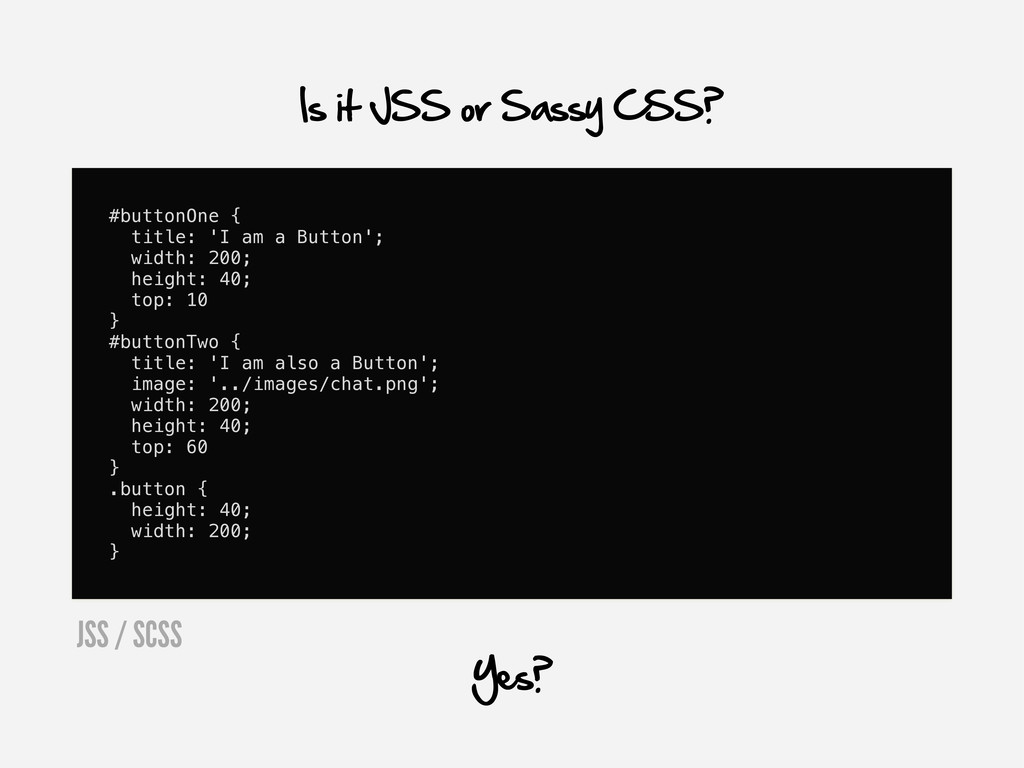
  16. #buttonOne { title: 'I am a Button'; width: 200; height:

    40; top: 10 } #buttonTwo { title: 'I am also a Button'; image: '../images/chat.png'; width: 200; height: 40; top: 60 } .button { height: 40; width: 200; } Is it JSS or Sassy CSS? Yes? JSS / SCSS
  17. #buttonOne title: 'I am a Button' width: 200 height: 40

    top: 10 #buttonTwo title: 'I am also a Button' image: '../images/chat.png' width: 200 height: 40 top: 60 .button height: 40 width: 200 I prefer Sass' original indented, whitespace aware syntax. SASS
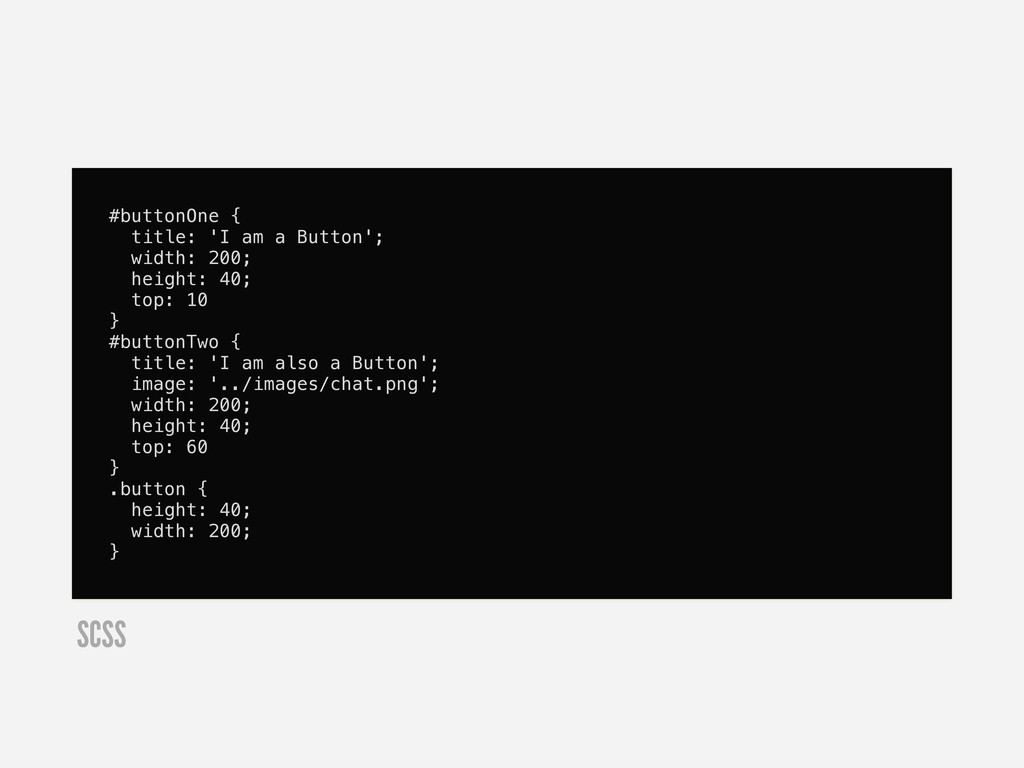
  18. #buttonOne { title: 'I am a Button'; width: 200; height:

    40; top: 10 } #buttonTwo { title: 'I am also a Button'; image: '../images/chat.png'; width: 200; height: 40; top: 60 } .button { height: 40; width: 200; } SCSS
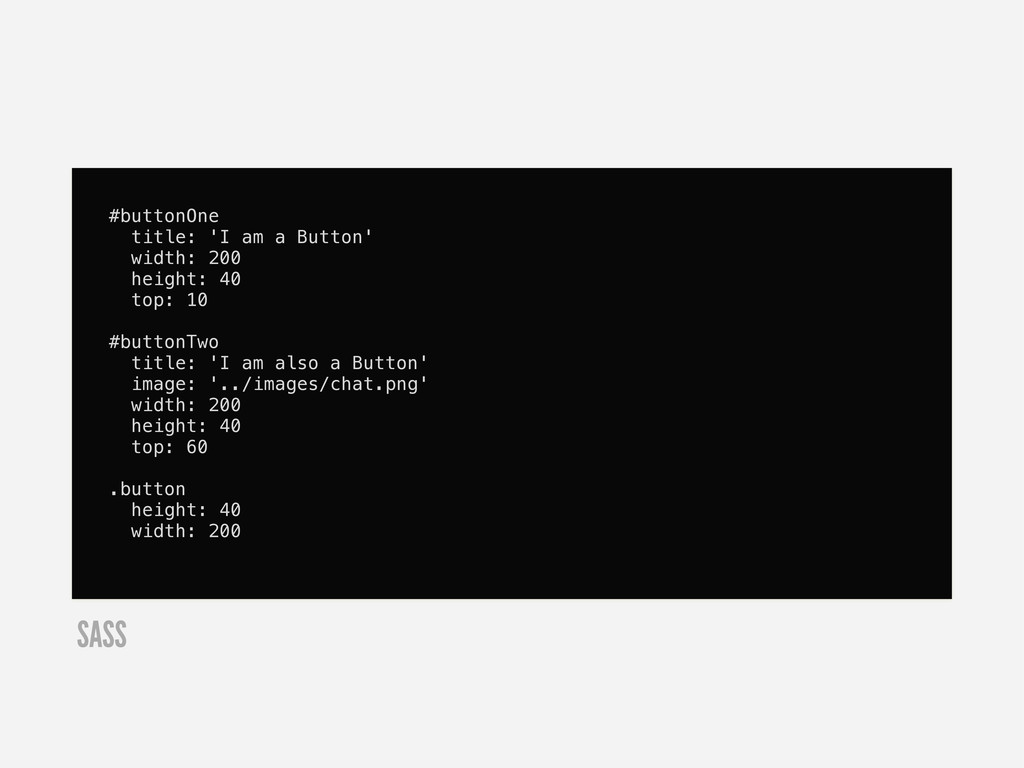
  19. #buttonOne title: 'I am a Button' width: 200 height: 40

    top: 10 #buttonTwo title: 'I am also a Button' image: '../images/chat.png' width: 200 height: 40 top: 60 .button height: 40 width: 200 SASS
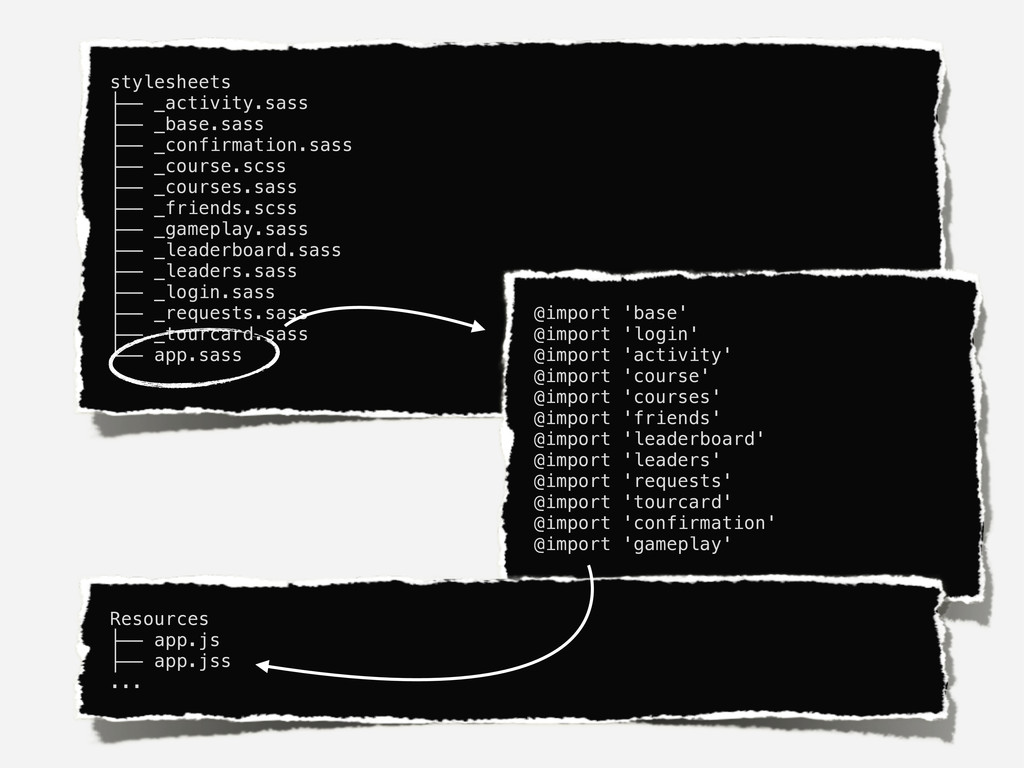
  20. stylesheets ├── _activity.sass ├── _base.sass ├── _confirmation.sass ├── _course.scss ├──

    _courses.sass ├── _friends.scss ├── _gameplay.sass ├── _leaderboard.sass ├── _leaders.sass ├── _login.sass ├── _requests.sass ├── _tourcard.sass └── app.sass @import 'base' @import 'login' @import 'activity' @import 'course' @import 'courses' @import 'friends' @import 'leaderboard' @import 'leaders' @import 'requests' @import 'tourcard' @import 'confirmation' @import 'gameplay' Resources ├── app.js ├── app.jss ...
  21. stylesheets ├── _activity.sass ├── _base.sass ├── _confirmation.sass ├── _course.scss ├──

    _courses.sass ├── _friends.scss ├── _gameplay.sass ├── _leaderboard.sass ├── _leaders.sass ├── _login.sass ├── _requests.sass ├── _tourcard.sass └── app.sass @import 'base' @import 'login' @import 'activity' @import 'course' @import 'courses' @import 'friends' @import 'leaderboard' @import 'leaders' @import 'requests' @import 'tourcard' @import 'confirmation' @import 'gameplay' Resources ├── app.js ├── app.jss ... Mix scss with sass if you're so inclined.
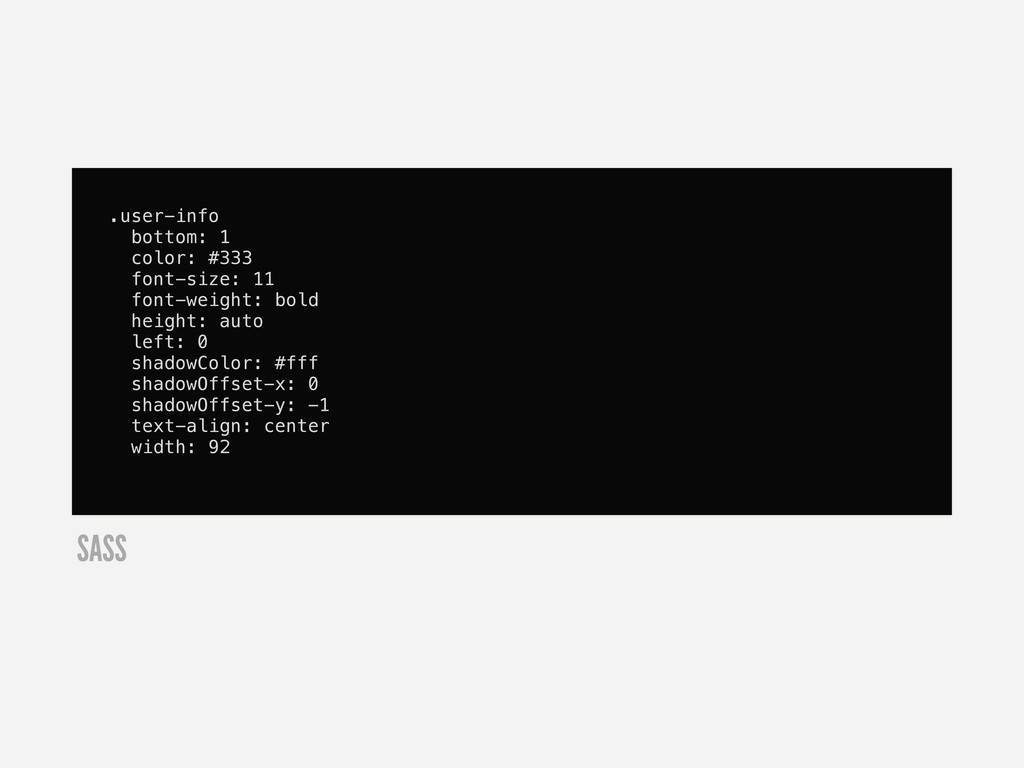
  22. .user-info bottom: 1 color: #333 font-size: 11 font-weight: bold height:

    auto left: 0 shadowColor: #fff shadowOffset-x: 0 shadowOffset-y: -1 text-align: center width: 92 SASS
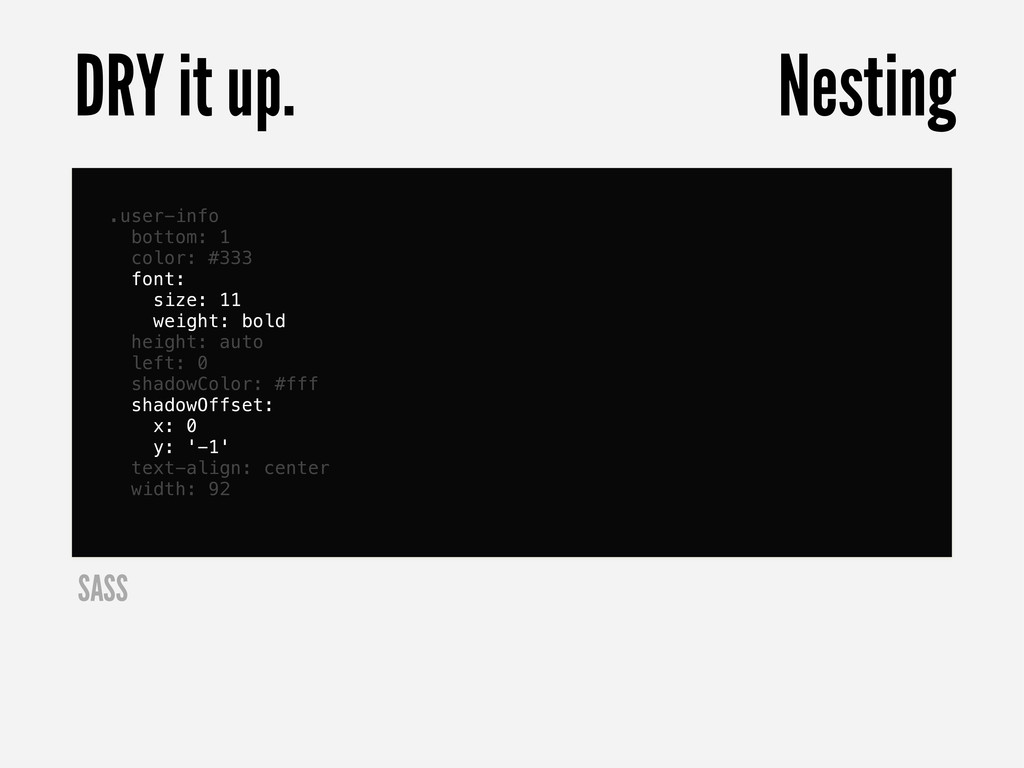
  23. .user-info bottom: 1 color: #333 font: size: 11 weight: bold

    height: auto left: 0 shadowColor: #fff shadowOffset: x: 0 y: '-1' text-align: center width: 92 DRY it up. Nesting SASS
  24. #buttonOne title: 'I am a Button' width: 200 height: 40

    top: 10 #buttonTwo title: 'I am also a Button' image: '../images/chat.png' width: 200 height: 40 top: 60 .button height: 40 width: 200 SASS
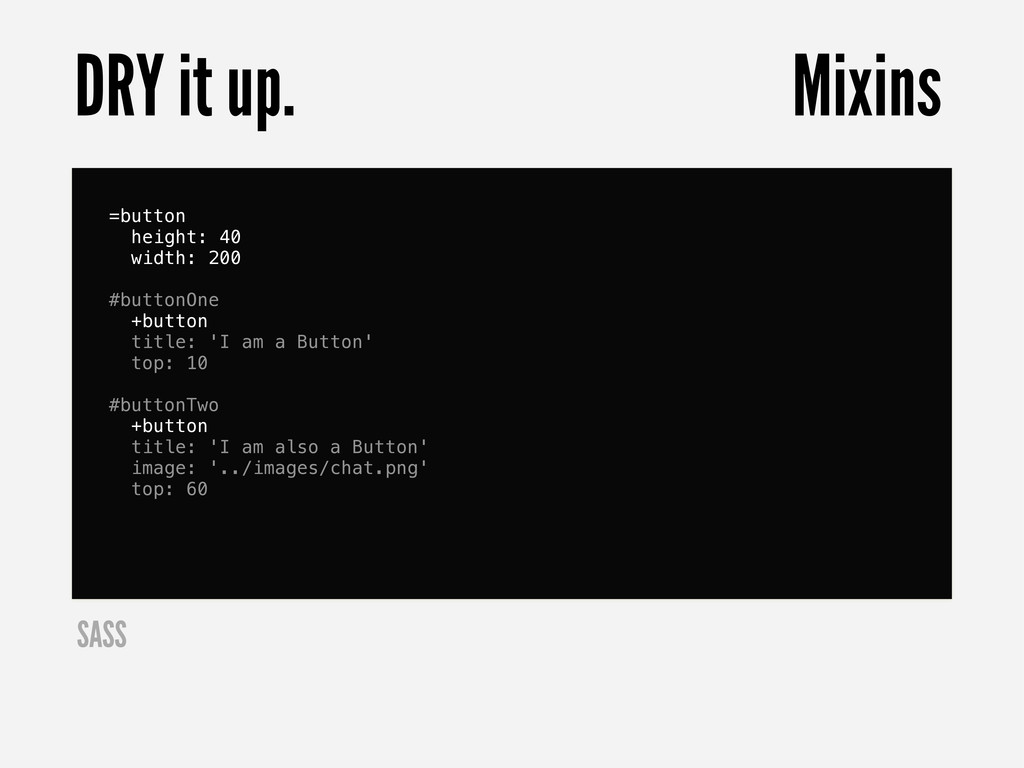
  25. =button height: 40 width: 200 #buttonOne +button title: 'I am

    a Button' top: 10 #buttonTwo +button title: 'I am also a Button' image: '../images/chat.png' top: 60 DRY it up. Mixins SASS
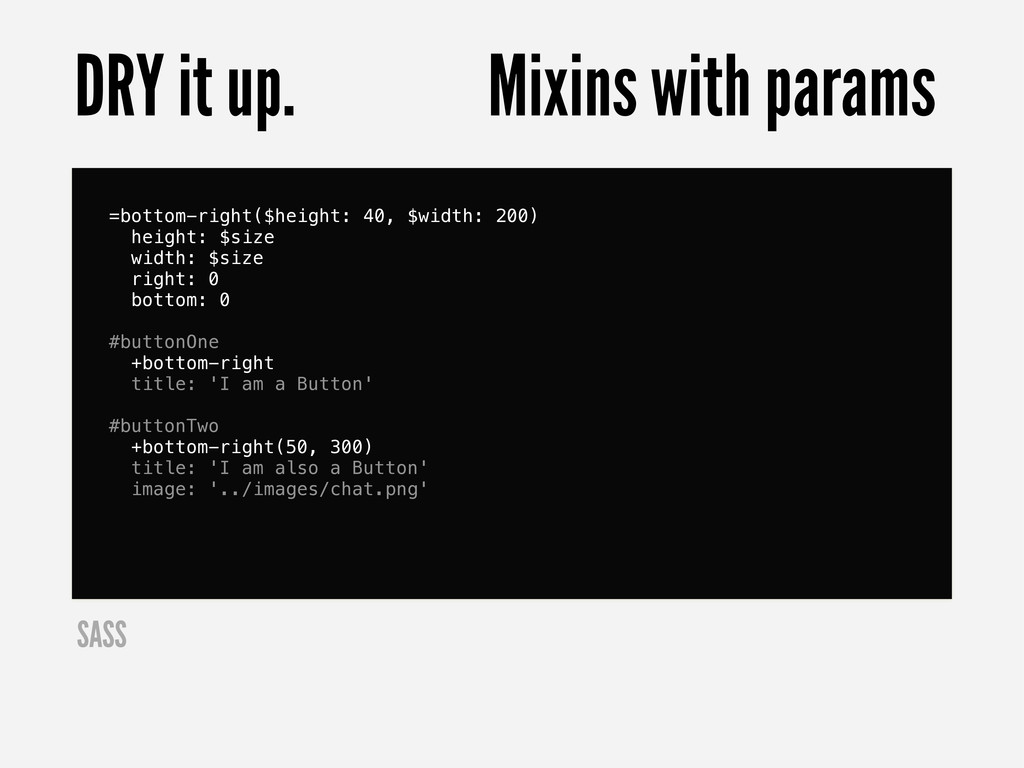
  26. =bottom-right($height: 40, $width: 200) height: $size width: $size right: 0

    bottom: 0 #buttonOne +bottom-right title: 'I am a Button' #buttonTwo +bottom-right(50, 300) title: 'I am also a Button' image: '../images/chat.png' DRY it up. Mixins with params SASS
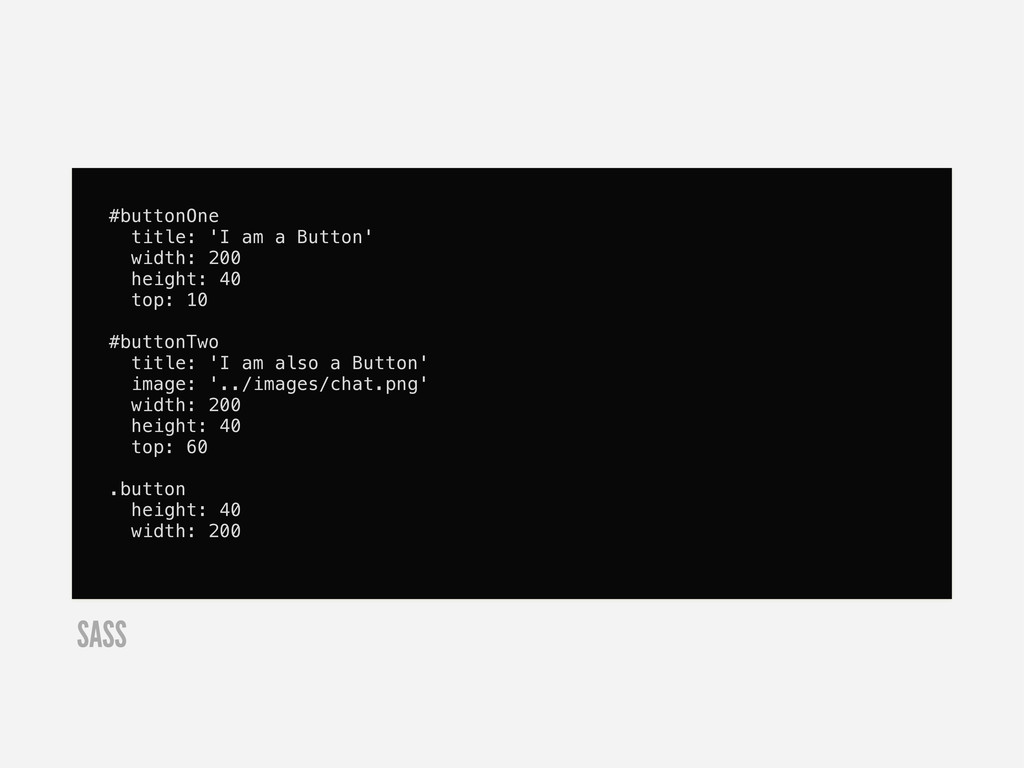
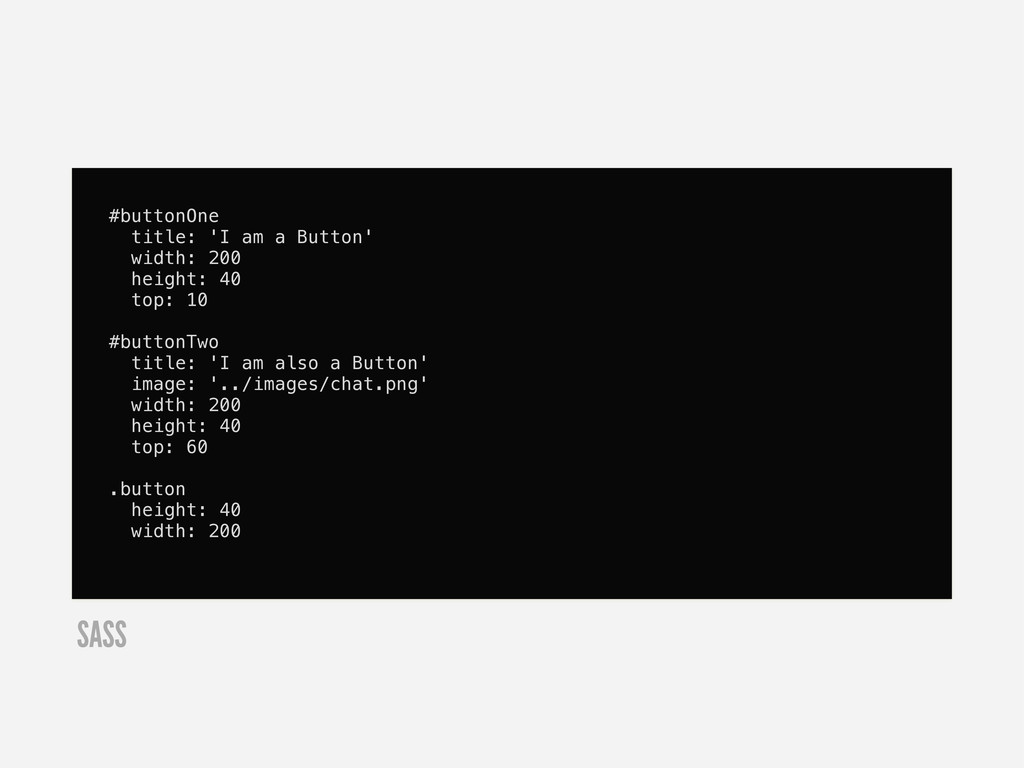
  27. #buttonOne title: 'I am a Button' width: 200 height: 40

    top: 10 #buttonTwo title: 'I am also a Button' image: '../images/chat.png' width: 200 height: 40 top: 60 .button height: 40 width: 200 SASS
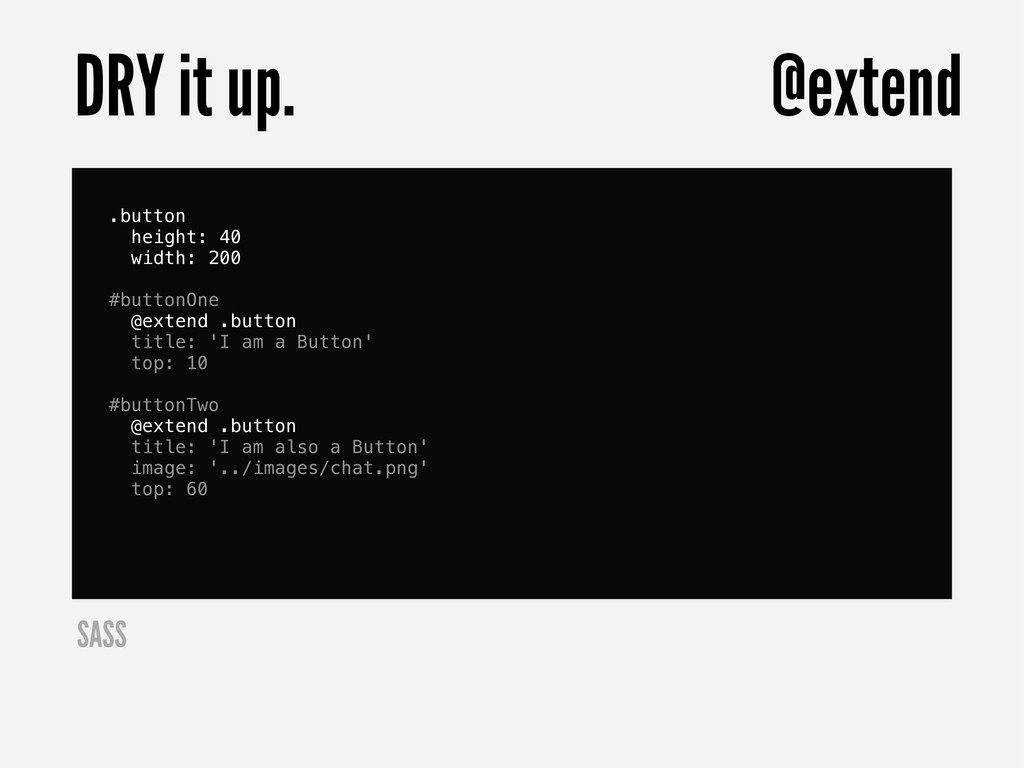
  28. .button height: 40 width: 200 #buttonOne @extend .button title: 'I

    am a Button' top: 10 #buttonTwo @extend .button title: 'I am also a Button' image: '../images/chat.png' top: 60 DRY it up. @extend SASS
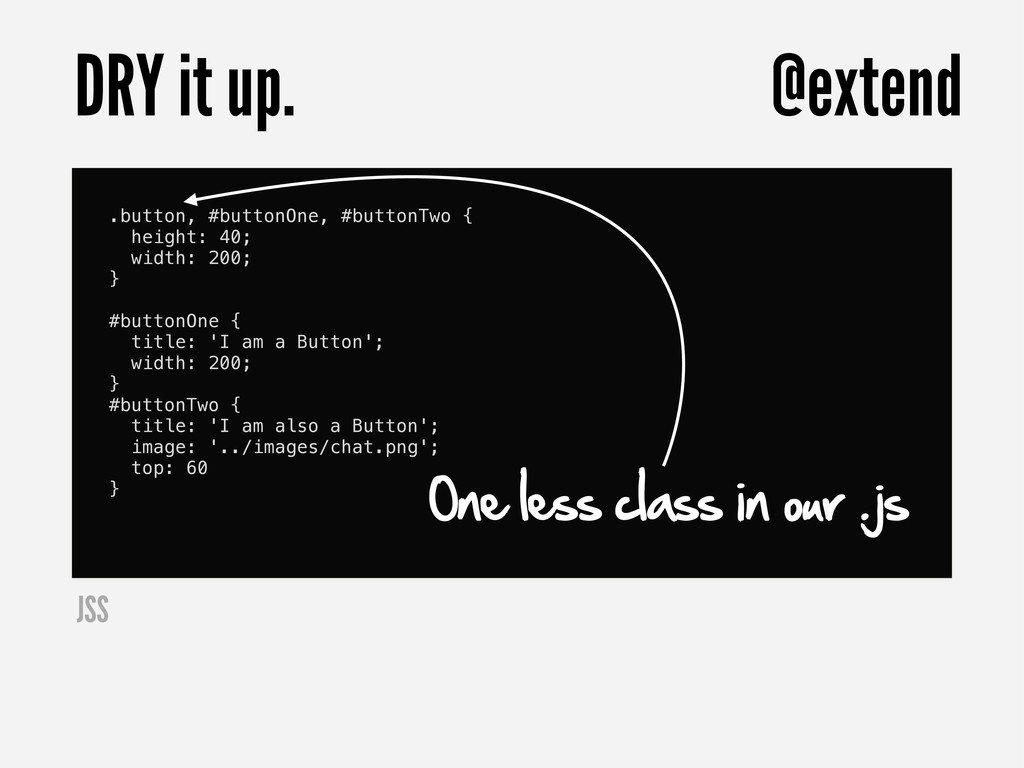
  29. .button, #buttonOne, #buttonTwo { height: 40; width: 200; } #buttonOne

    { title: 'I am a Button'; width: 200; } #buttonTwo { title: 'I am also a Button'; image: '../images/chat.png'; top: 60 } DRY it up. @extend One less class in our .js JSS
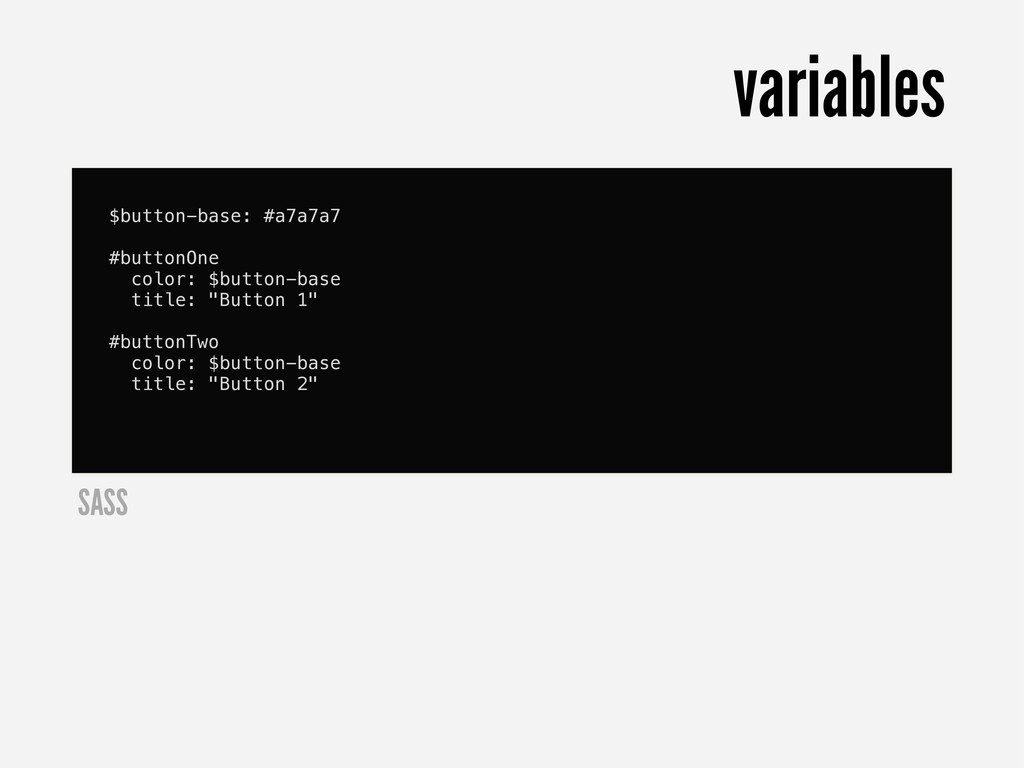
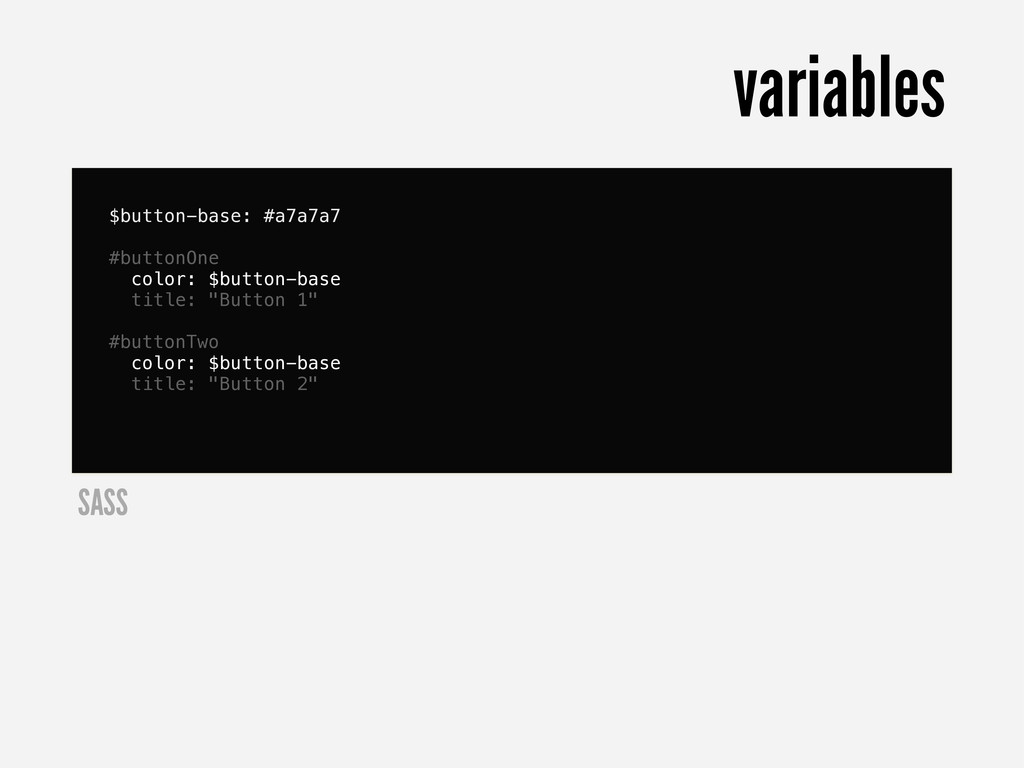
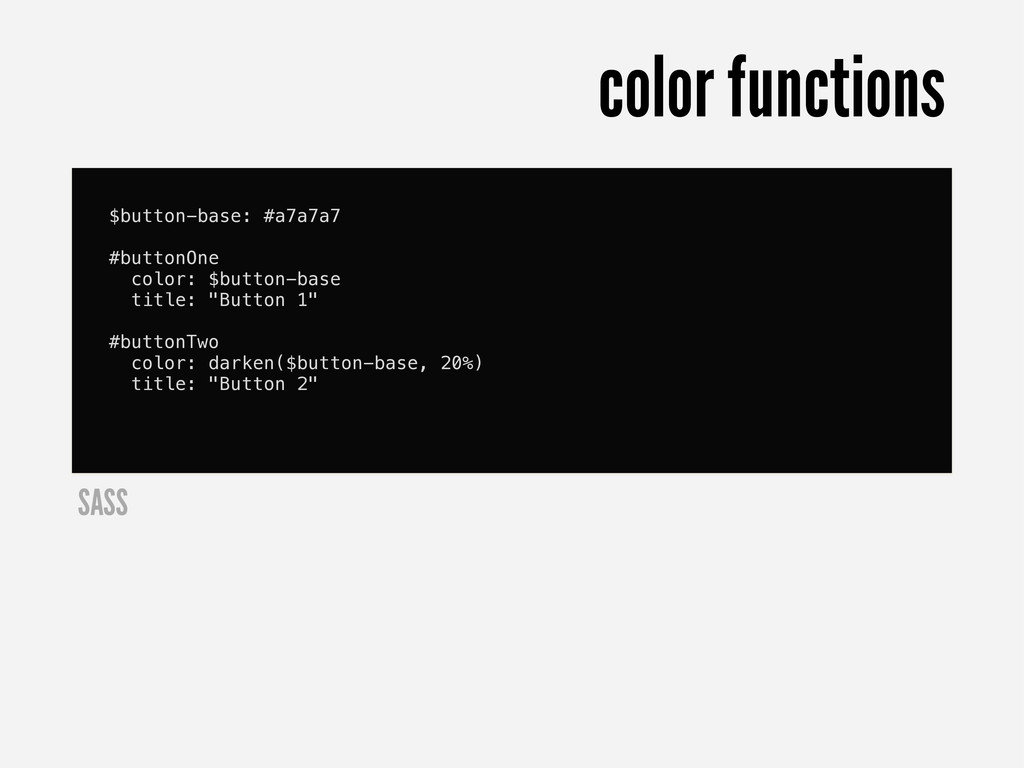
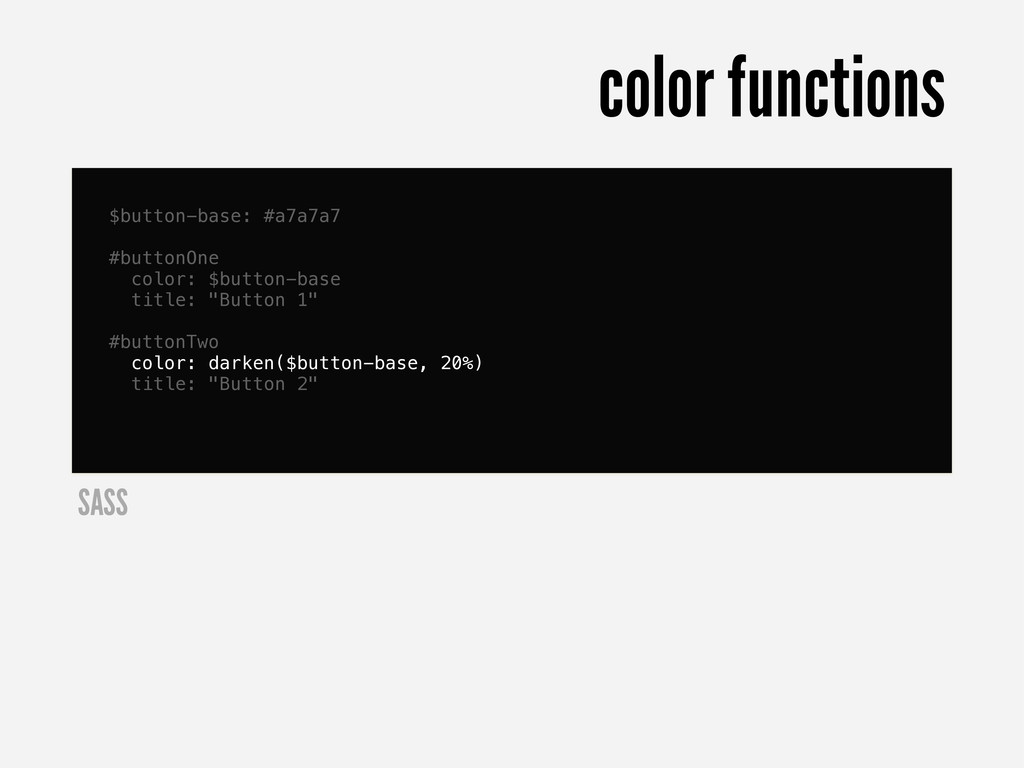
  30. $button-base: #a7a7a7 #buttonOne color: $button-base title: "Button 1" #buttonTwo color:

    darken($button-base, 20%) title: "Button 2" color functions SASS
  31. $button-base: #a7a7a7 #buttonOne color: $button-base title: "Button 1" #buttonTwo color:

    darken($button-base, 20%) title: "Button 2" color functions SASS
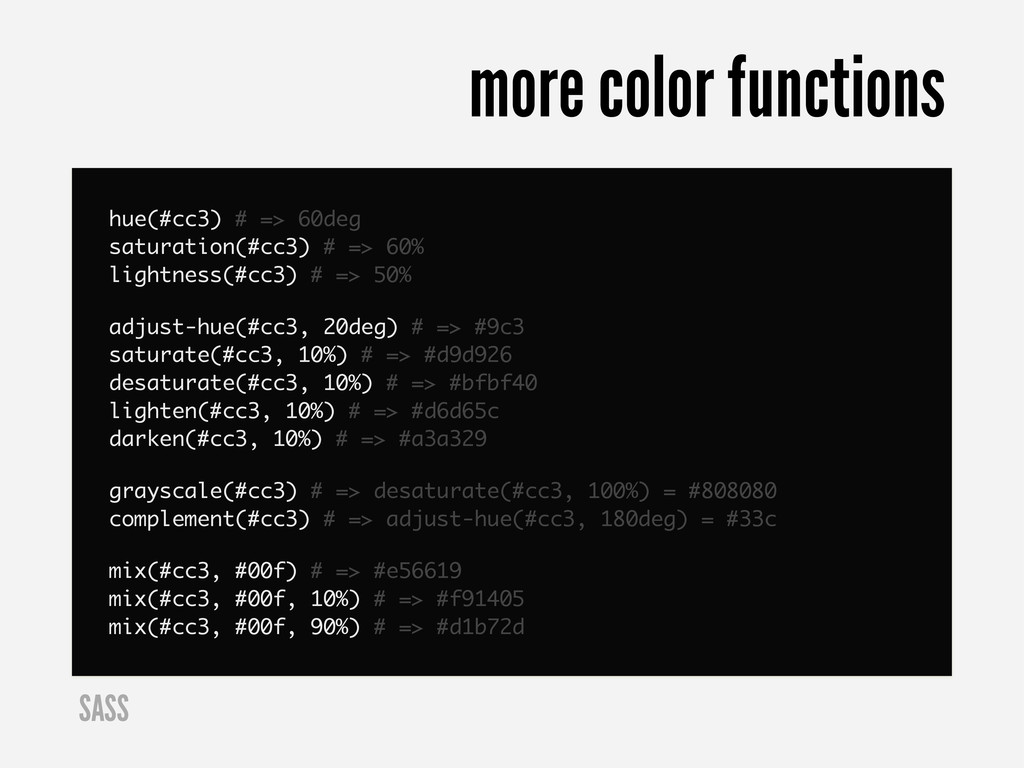
  32. hue(#cc3) # => 60deg saturation(#cc3) # => 60% lightness(#cc3) #

    => 50% adjust-hue(#cc3, 20deg) # => #9c3 saturate(#cc3, 10%) # => #d9d926 desaturate(#cc3, 10%) # => #bfbf40 lighten(#cc3, 10%) # => #d6d65c darken(#cc3, 10%) # => #a3a329 grayscale(#cc3) # => desaturate(#cc3, 100%) = #808080 complement(#cc3) # => adjust-hue(#cc3, 180deg) = #33c mix(#cc3, #00f) # => #e56619 mix(#cc3, #00f, 10%) # => #f91405 mix(#cc3, #00f, 90%) # => #d1b72d more color functions SASS
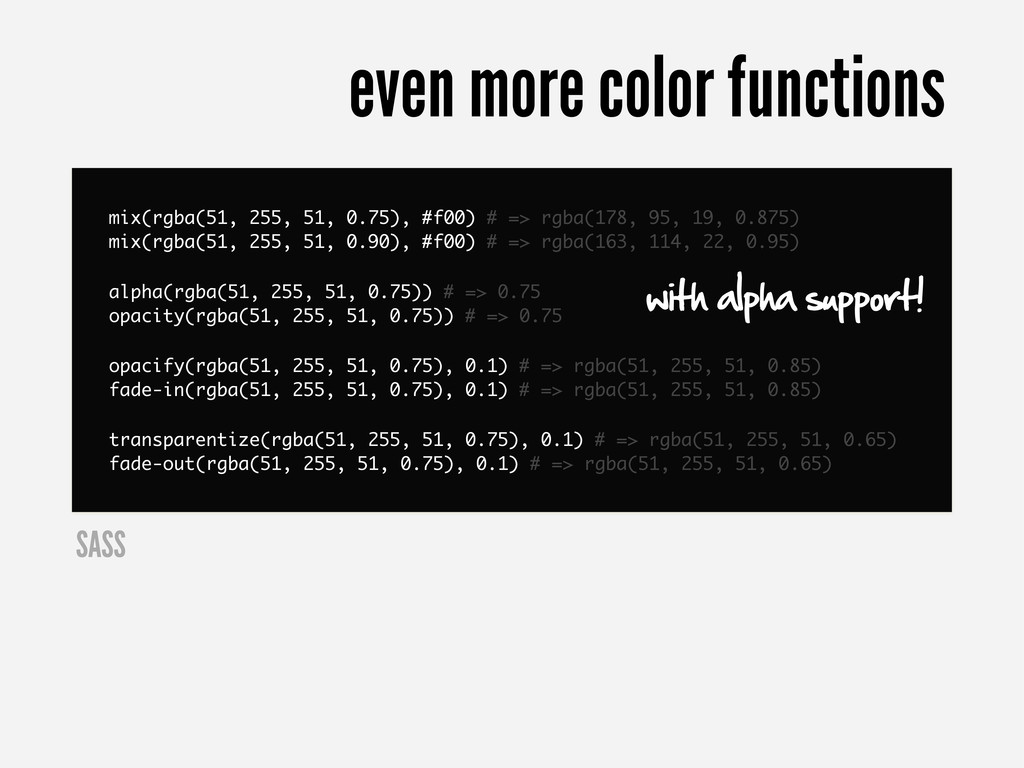
  33. mix(rgba(51, 255, 51, 0.75), #f00) # => rgba(178, 95, 19,

    0.875) mix(rgba(51, 255, 51, 0.90), #f00) # => rgba(163, 114, 22, 0.95) alpha(rgba(51, 255, 51, 0.75)) # => 0.75 opacity(rgba(51, 255, 51, 0.75)) # => 0.75 opacify(rgba(51, 255, 51, 0.75), 0.1) # => rgba(51, 255, 51, 0.85) fade-in(rgba(51, 255, 51, 0.75), 0.1) # => rgba(51, 255, 51, 0.85) transparentize(rgba(51, 255, 51, 0.75), 0.1) # => rgba(51, 255, 51, 0.65) fade-out(rgba(51, 255, 51, 0.75), 0.1) # => rgba(51, 255, 51, 0.65) even more color functions SASS with alpha support!
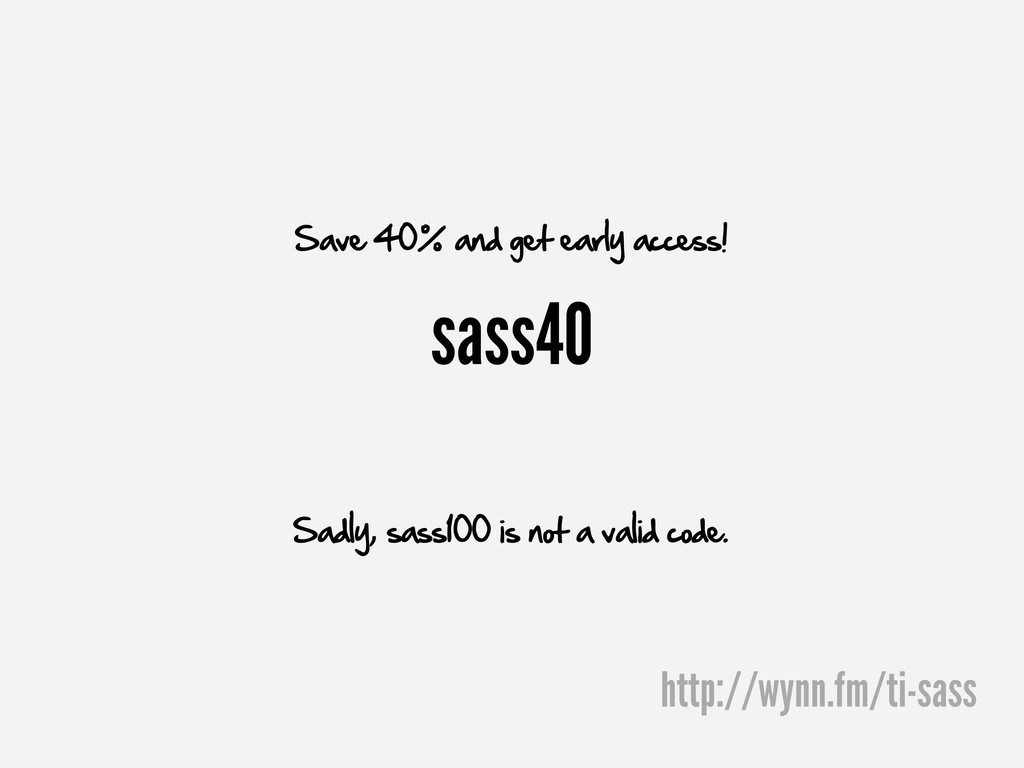
  34. sass40 Save 40% and get early access! Sadly, sass100 is

    not a valid code. http://wynn.fm/ti-sass
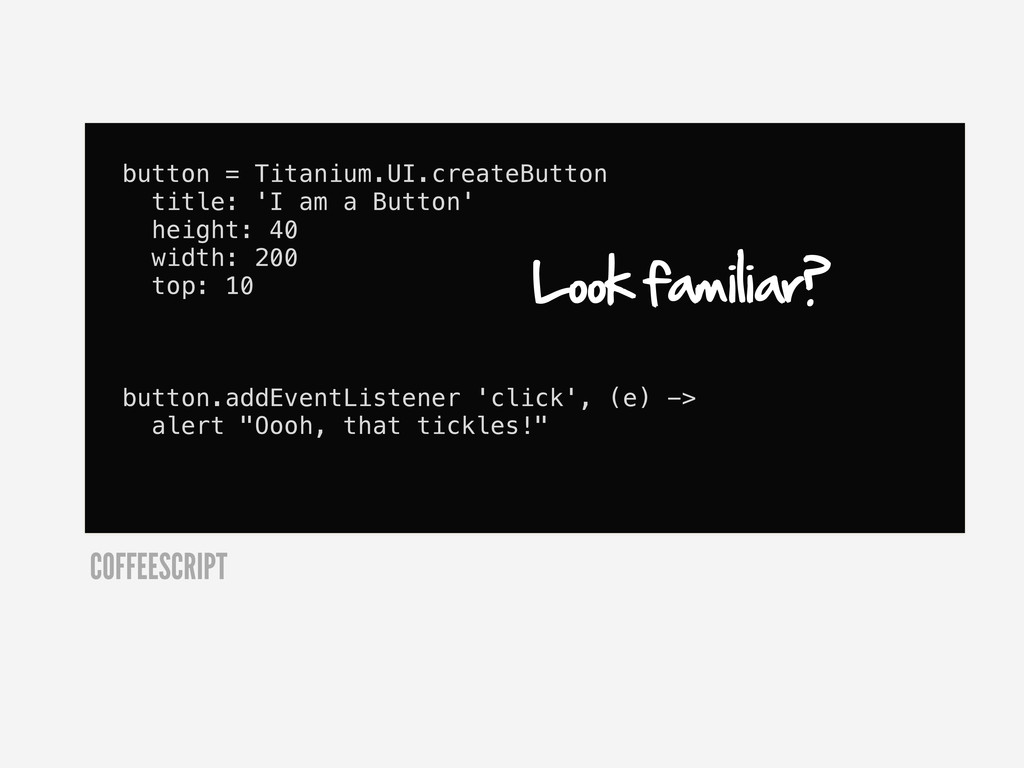
  35. button = Titanium.UI.createButton title: 'I am a Button' height: 40

    width: 200 top: 10 button.addEventListener 'click', (e) -> alert "Oooh, that tickles!" COFFEESCRIPT Look familiar?

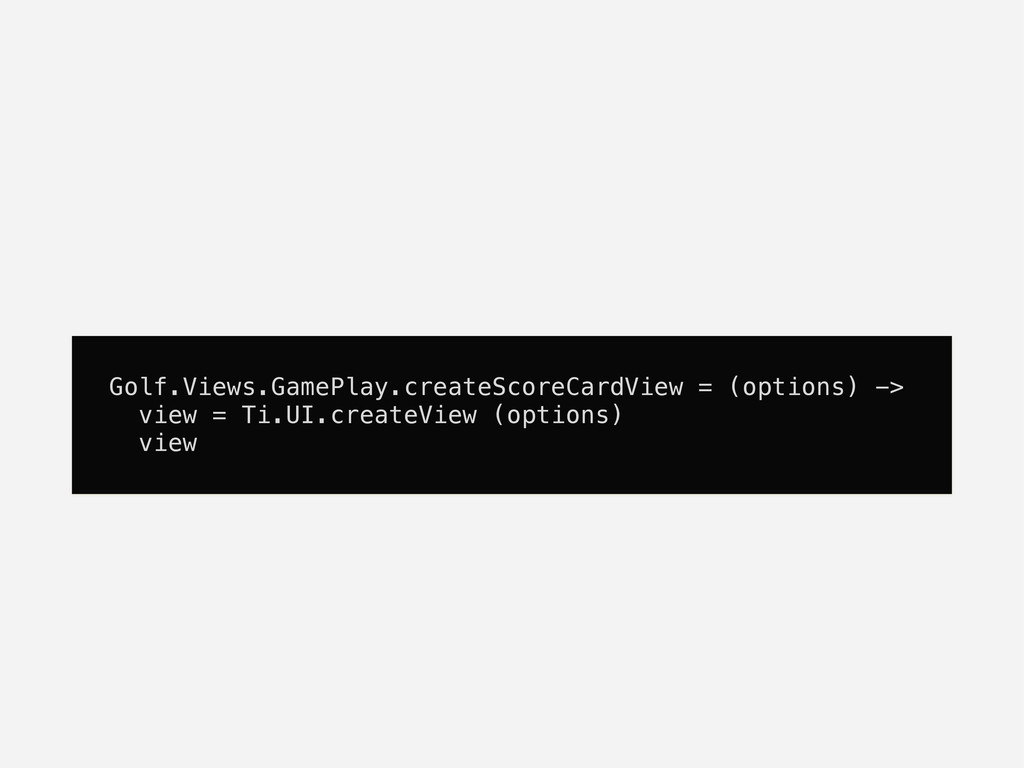
  36. MyApp.Views.createLoginWindow = (opts={}) -> window = Ti.UI.createWindow(opts) button = Titanium.UI.createButton

    title: 'I am a Button' height: 40 width: 200 top: 10 window.add button # methods say = (msg) -> alert(msg) # event handlers button.addEventListener 'click', -> say('hello') window COFFEESCRIPT
  37. MyApp.Views.createLoginWindow = (opts={}) -> window = Ti.UI.createWindow(opts) button = Titanium.UI.createButton

    title: 'I am a Button' height: 40 width: 200 top: 10 window.add button # methods say = (msg) -> alert(msg) # event handlers button.addEventListener 'click', -> say('hello') window Create the factory method in the appropriate namespace. COFFEESCRIPT
  38. MyApp.Views.createLoginWindow = (opts={}) -> window = Ti.UI.createWindow(opts) button = Titanium.UI.createButton

    title: 'I am a Button' height: 40 width: 200 top: 10 window.add button # methods say = (msg) -> alert(msg) # event handlers button.addEventListener 'click', -> say('hello') window Compose the view from Titanium types or others of your own COFFEESCRIPT
  39. MyApp.Views.createLoginWindow = (opts={}) -> window = Ti.UI.createWindow(opts) button = Titanium.UI.createButton

    title: 'I am a Button' height: 40 width: 200 top: 10 window.add button # methods say = (msg) -> alert(msg) # event handlers button.addEventListener 'click', -> say('hello') window Methods in familiar place COFFEESCRIPT
  40. MyApp.Views.createLoginWindow = (opts={}) -> window = Ti.UI.createWindow(opts) button = Titanium.UI.createButton

    title: 'I am a Button' height: 40 width: 200 top: 10 window.add button # methods say = (msg) -> alert(msg) # event handlers button.addEventListener 'click', -> say('hello') window And event handlers... COFFEESCRIPT
  41. MyApp.Views.createLoginWindow = (opts={}) -> window = Ti.UI.createWindow(opts) button = Titanium.UI.createButton

    title: 'I am a Button' height: 40 width: 200 top: 10 window.add button # methods say = (msg) -> alert(msg) # event handlers button.addEventListener 'click', -> say('hello') window Return your view COFFEESCRIPT
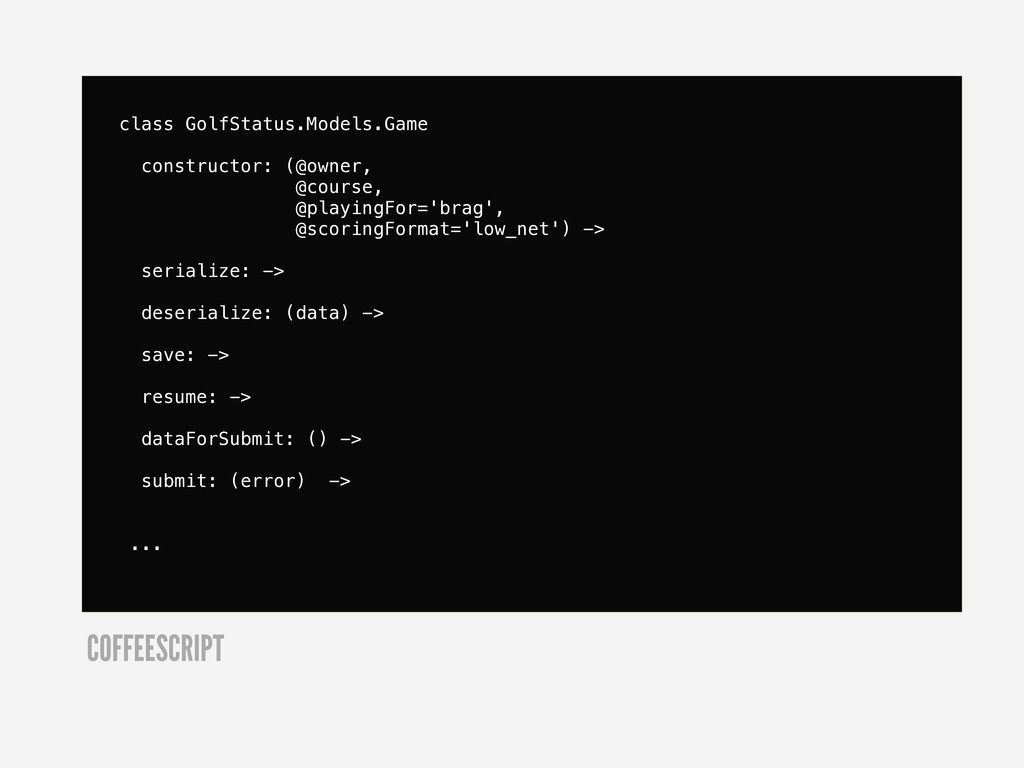
  42. class GolfStatus.Models.Game constructor: (@owner, @course, @playingFor='brag', @scoringFormat='low_net') -> serialize: ->

    deserialize: (data) -> save: -> resume: -> dataForSubmit: () -> submit: (error) -> ... COFFEESCRIPT
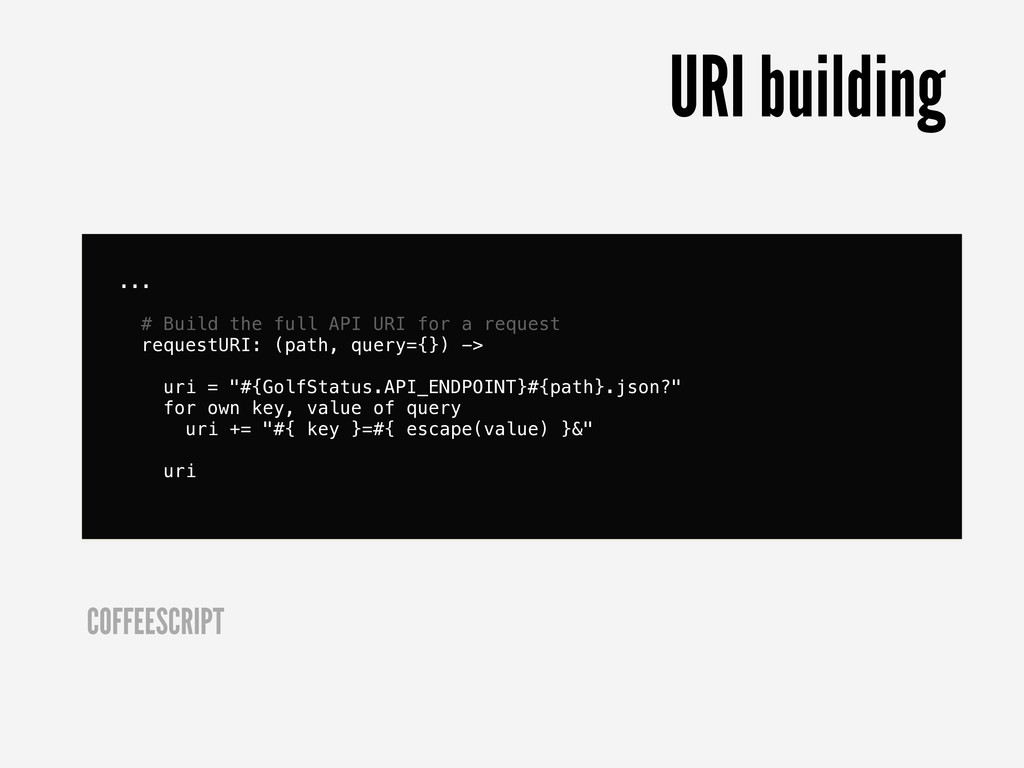
  43. ... # Build the full API URI for a request

    requestURI: (path, query={}) -> uri = "#{GolfStatus.API_ENDPOINT}#{path}.json?" for own key, value of query uri += "#{ key }=#{ escape(value) }&" uri COFFEESCRIPT URI building
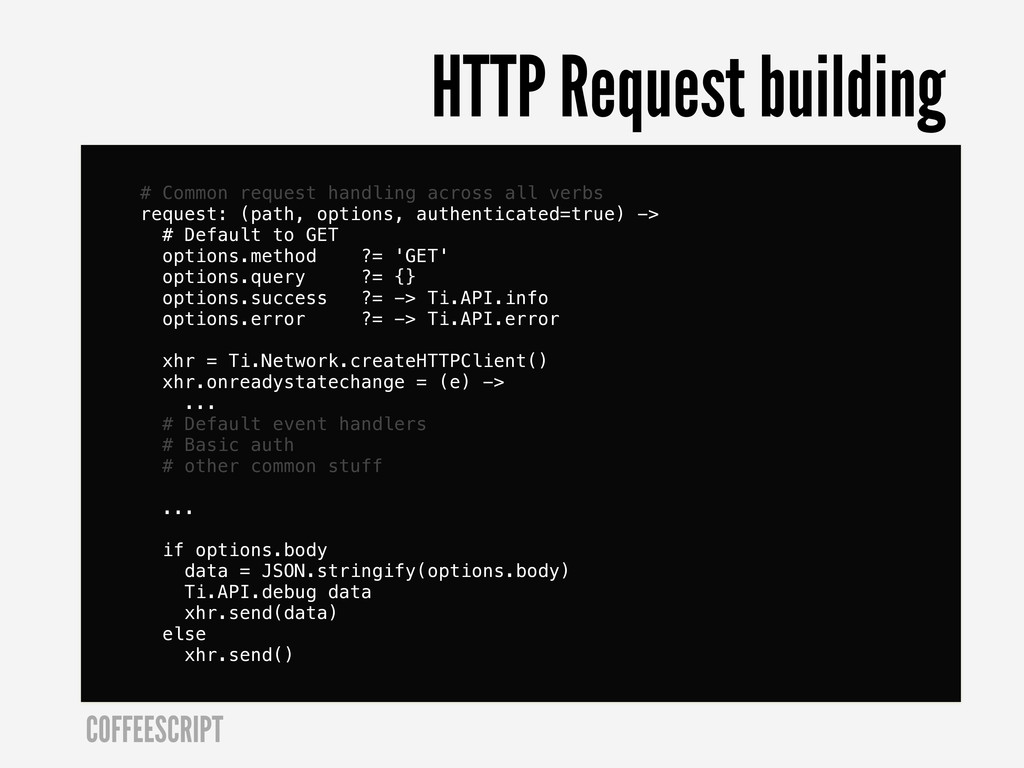
  44. # Common request handling across all verbs request: (path, options,

    authenticated=true) -> # Default to GET options.method ?= 'GET' options.query ?= {} options.success ?= -> Ti.API.info options.error ?= -> Ti.API.error xhr = Ti.Network.createHTTPClient() xhr.onreadystatechange = (e) -> ... # Default event handlers # Basic auth # other common stuff ... if options.body data = JSON.stringify(options.body) Ti.API.debug data xhr.send(data) else xhr.send() COFFEESCRIPT HTTP Request building
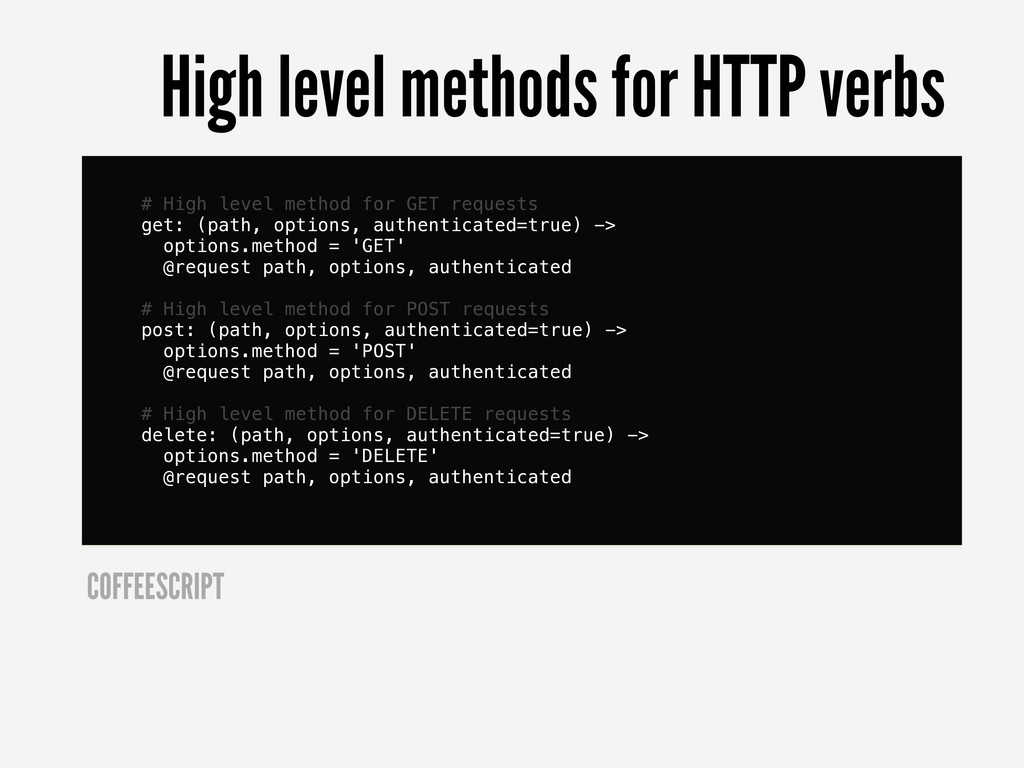
  45. # High level method for GET requests get: (path, options,

    authenticated=true) -> options.method = 'GET' @request path, options, authenticated # High level method for POST requests post: (path, options, authenticated=true) -> options.method = 'POST' @request path, options, authenticated # High level method for DELETE requests delete: (path, options, authenticated=true) -> options.method = 'DELETE' @request path, options, authenticated COFFEESCRIPT High level methods for HTTP verbs
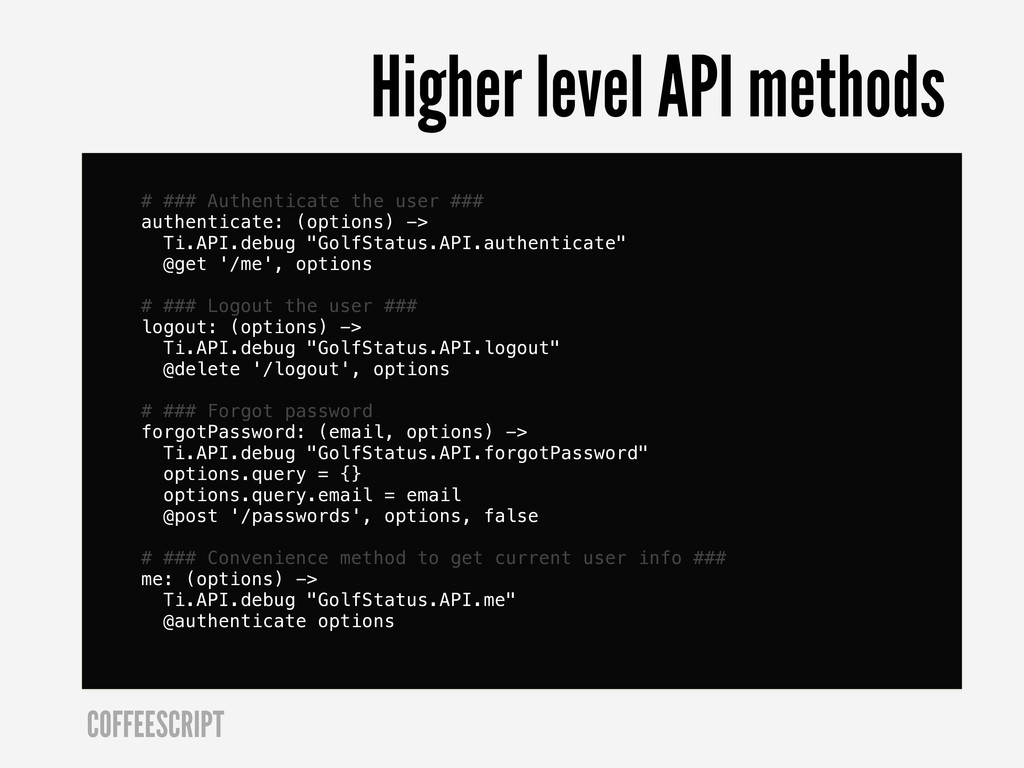
  46. # ### Authenticate the user ### authenticate: (options) -> Ti.API.debug

    "GolfStatus.API.authenticate" @get '/me', options # ### Logout the user ### logout: (options) -> Ti.API.debug "GolfStatus.API.logout" @delete '/logout', options # ### Forgot password forgotPassword: (email, options) -> Ti.API.debug "GolfStatus.API.forgotPassword" options.query = {} options.query.email = email @post '/passwords', options, false # ### Convenience method to get current user info ### me: (options) -> Ti.API.debug "GolfStatus.API.me" @authenticate options COFFEESCRIPT Higher level API methods
  47. . ├── Resources # Titanium root │ └── vendor #

    JavaScript frameworks ├── src # CoffeeScript root │ └── golf_status # App root │ ├── models │ └── views │ ├── account # App domains │ ├── activity │ ├── courses │ ├── leaderboard │ └── play └── stylesheets # Sass
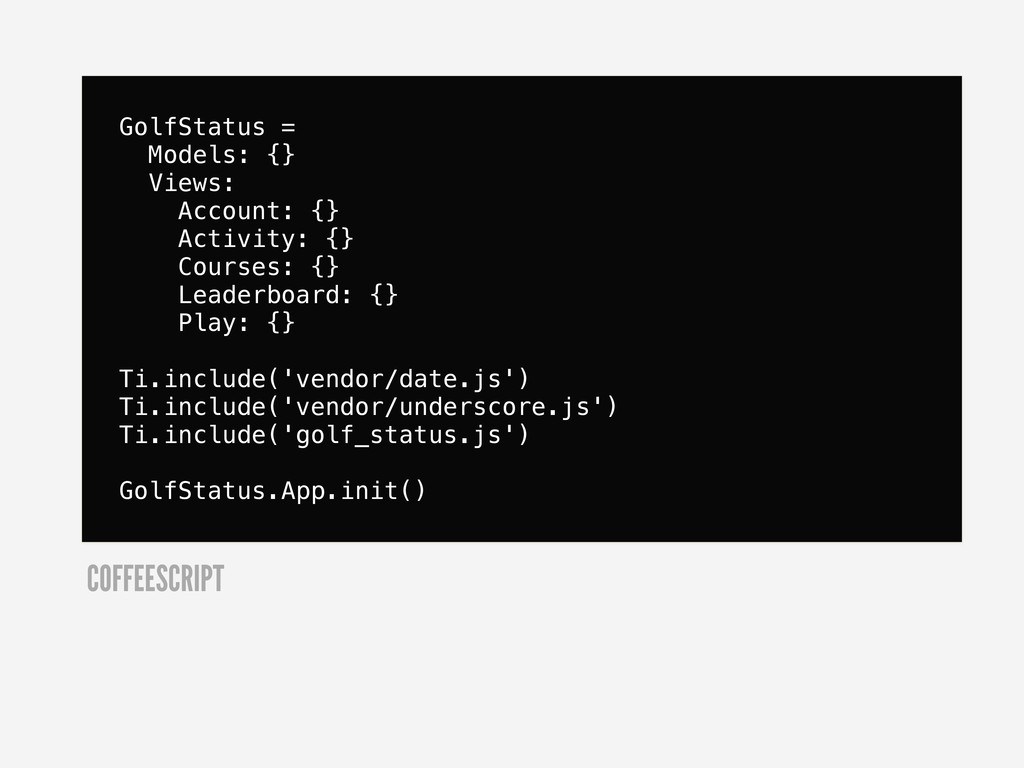
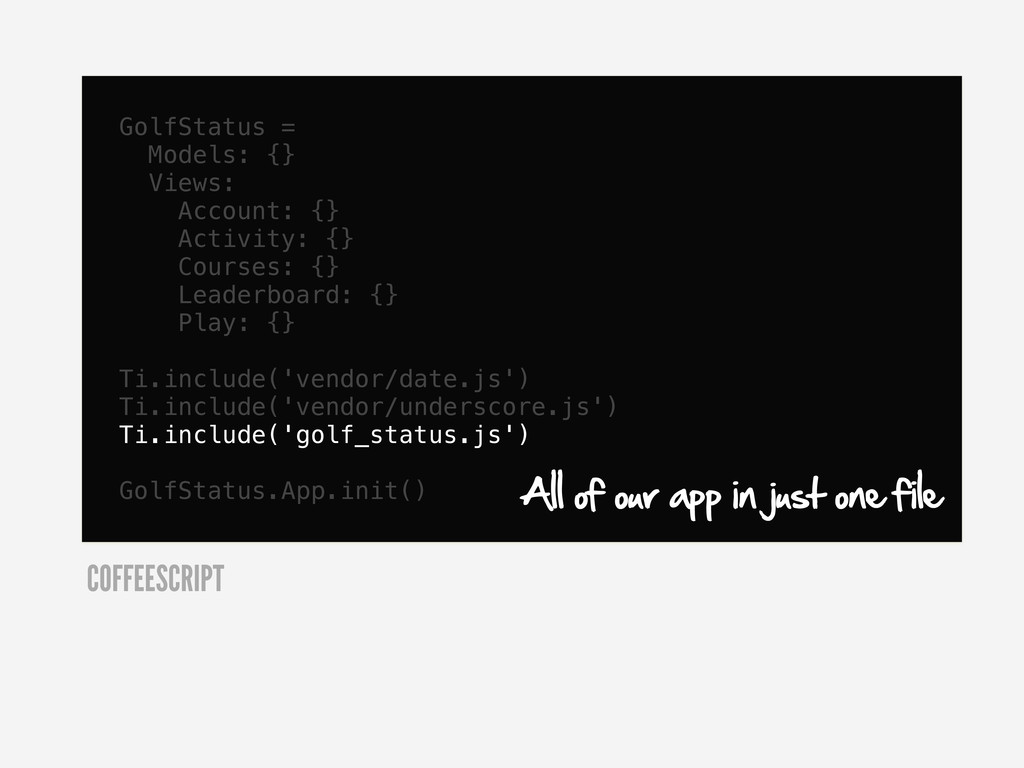
  48. GolfStatus = Models: {} Views: Account: {} Activity: {} Courses:

    {} Leaderboard: {} Play: {} Ti.include('vendor/date.js') Ti.include('vendor/underscore.js') Ti.include('golf_status.js') GolfStatus.App.init() COFFEESCRIPT
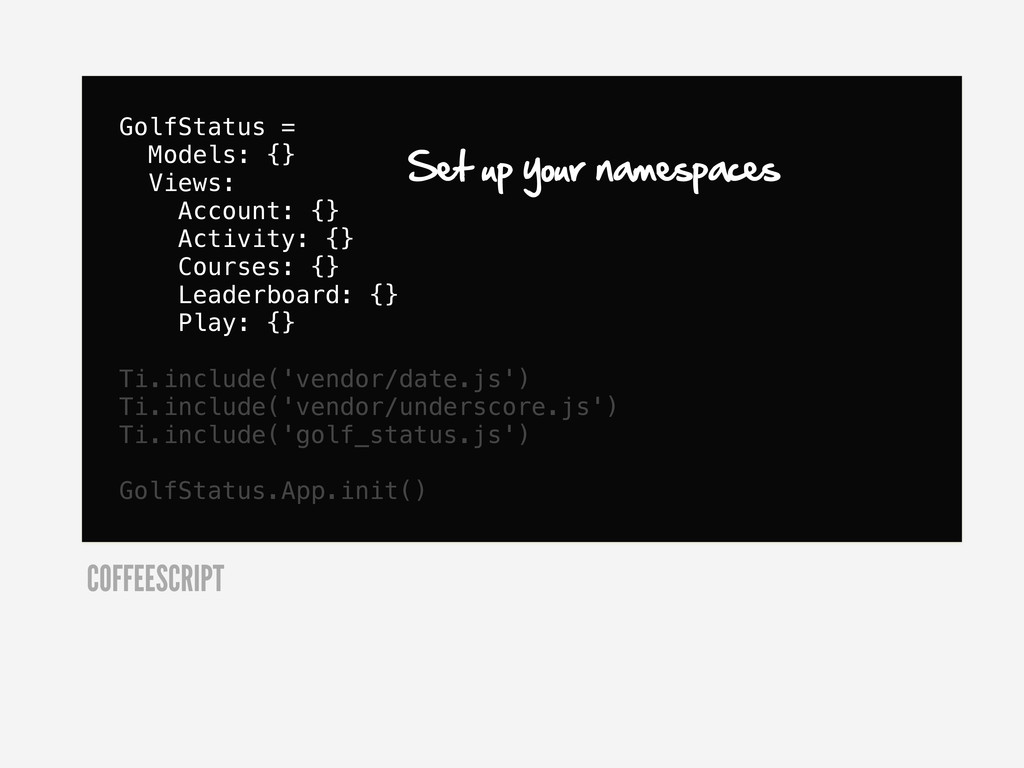
  49. GolfStatus = Models: {} Views: Account: {} Activity: {} Courses:

    {} Leaderboard: {} Play: {} Ti.include('vendor/date.js') Ti.include('vendor/underscore.js') Ti.include('golf_status.js') GolfStatus.App.init() COFFEESCRIPT Set up your namespaces
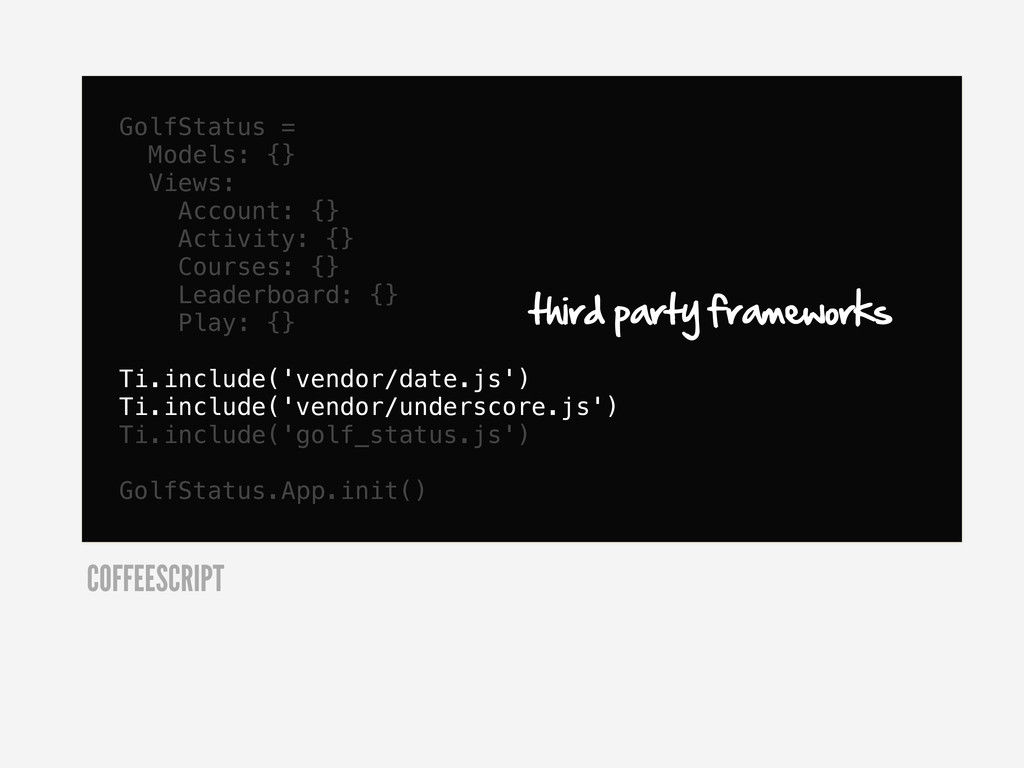
  50. GolfStatus = Models: {} Views: Account: {} Activity: {} Courses:

    {} Leaderboard: {} Play: {} Ti.include('vendor/date.js') Ti.include('vendor/underscore.js') Ti.include('golf_status.js') GolfStatus.App.init() COFFEESCRIPT third party frameworks
  51. GolfStatus = Models: {} Views: Account: {} Activity: {} Courses:

    {} Leaderboard: {} Play: {} Ti.include('vendor/date.js') Ti.include('vendor/underscore.js') Ti.include('golf_status.js') GolfStatus.App.init() COFFEESCRIPT All of our app in just one file
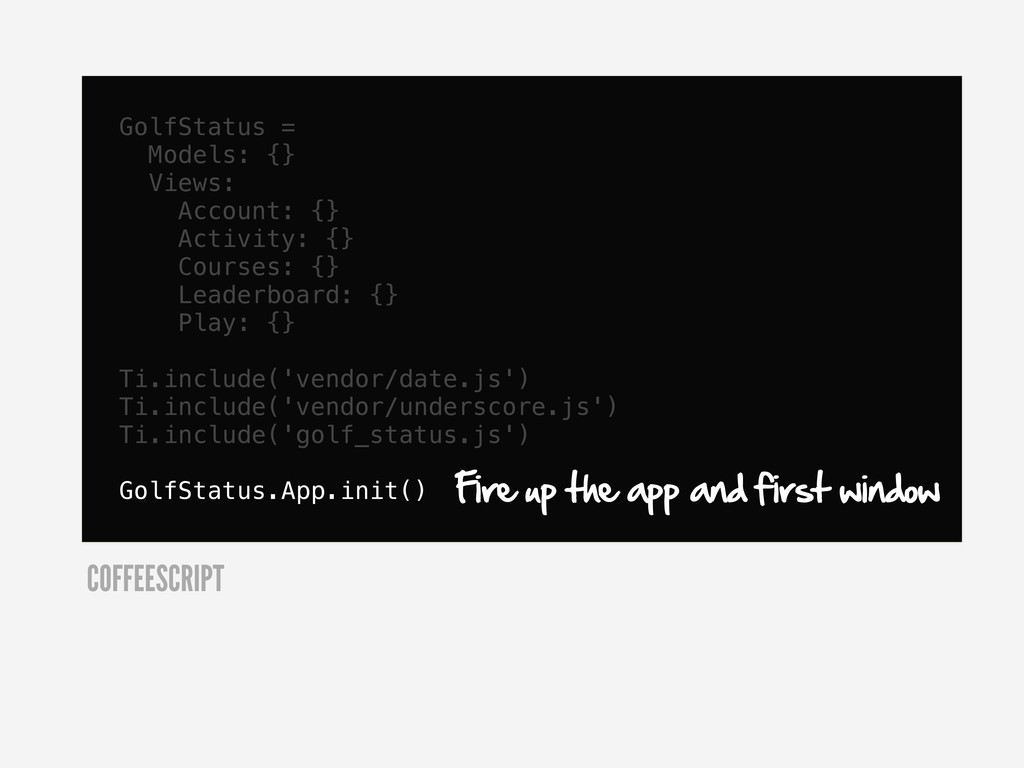
  52. GolfStatus = Models: {} Views: Account: {} Activity: {} Courses:

    {} Leaderboard: {} Play: {} Ti.include('vendor/date.js') Ti.include('vendor/underscore.js') Ti.include('golf_status.js') GolfStatus.App.init() COFFEESCRIPT Fire up the app and first window
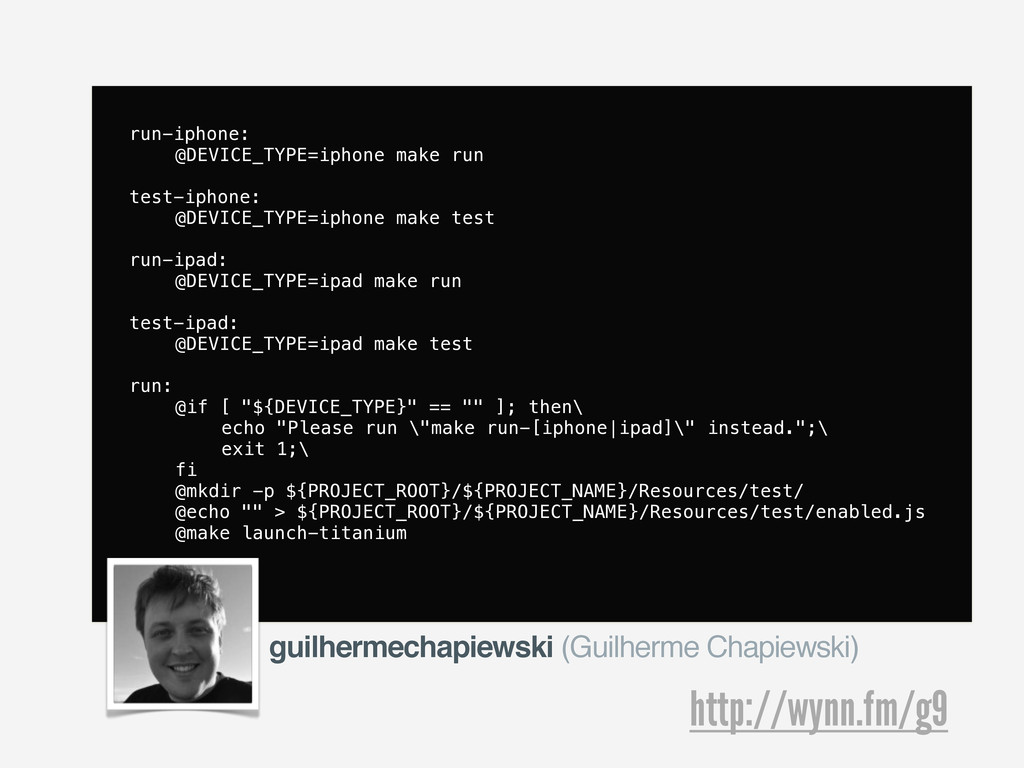
  53. run-iphone: & @DEVICE_TYPE=iphone make run test-iphone: & @DEVICE_TYPE=iphone make test

    run-ipad: & @DEVICE_TYPE=ipad make run test-ipad: & @DEVICE_TYPE=ipad make test run: & @if [ "${DEVICE_TYPE}" == "" ]; then\ & & echo "Please run \"make run-[iphone|ipad]\" instead.";\ & & exit 1;\ & fi & @mkdir -p ${PROJECT_ROOT}/${PROJECT_NAME}/Resources/test/ & @echo "" > ${PROJECT_ROOT}/${PROJECT_NAME}/Resources/test/enabled.js & @make launch-titanium http://wynn.fm/g9 guilhermechapiewski (Guilherme Chapiewski)
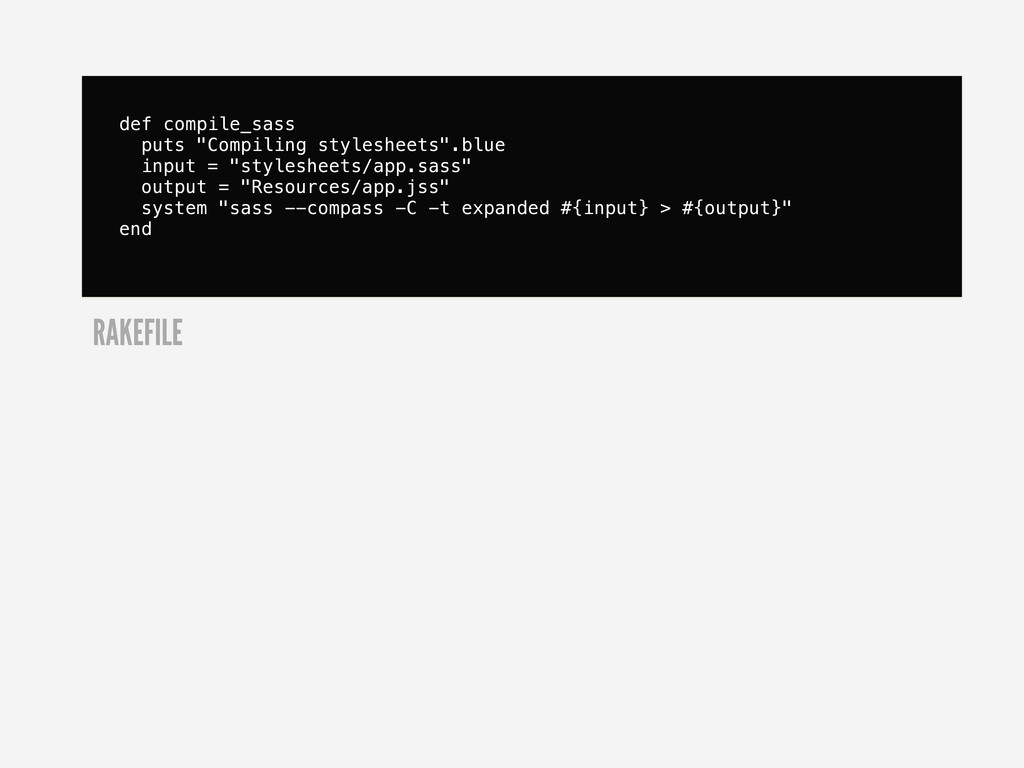
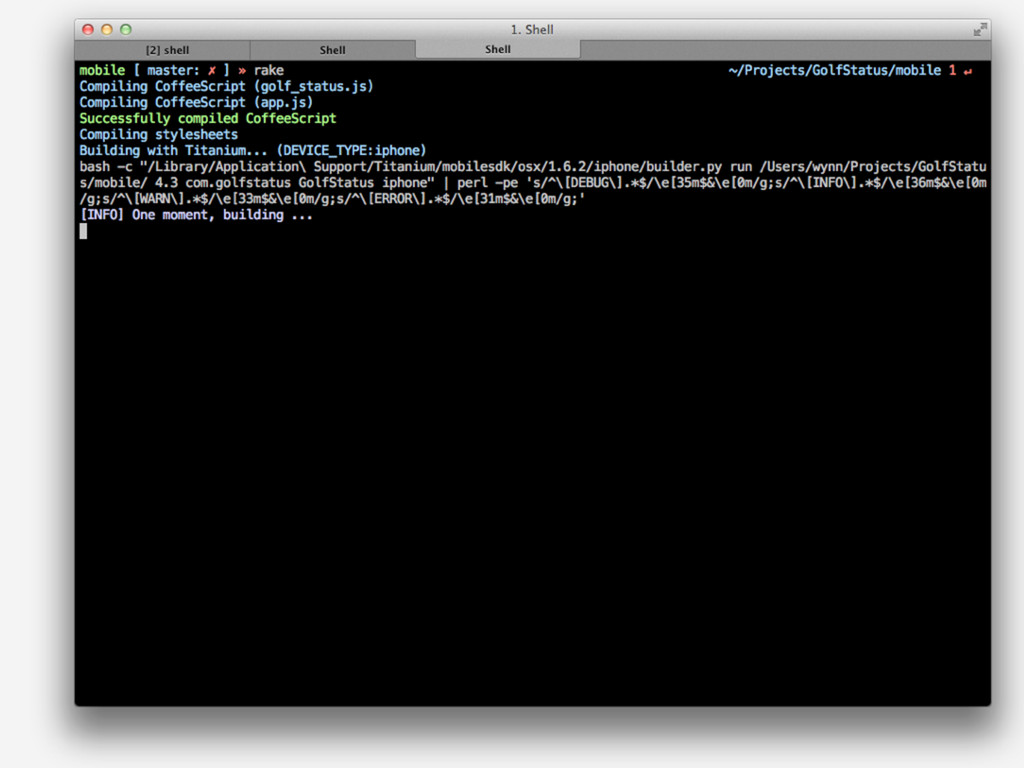
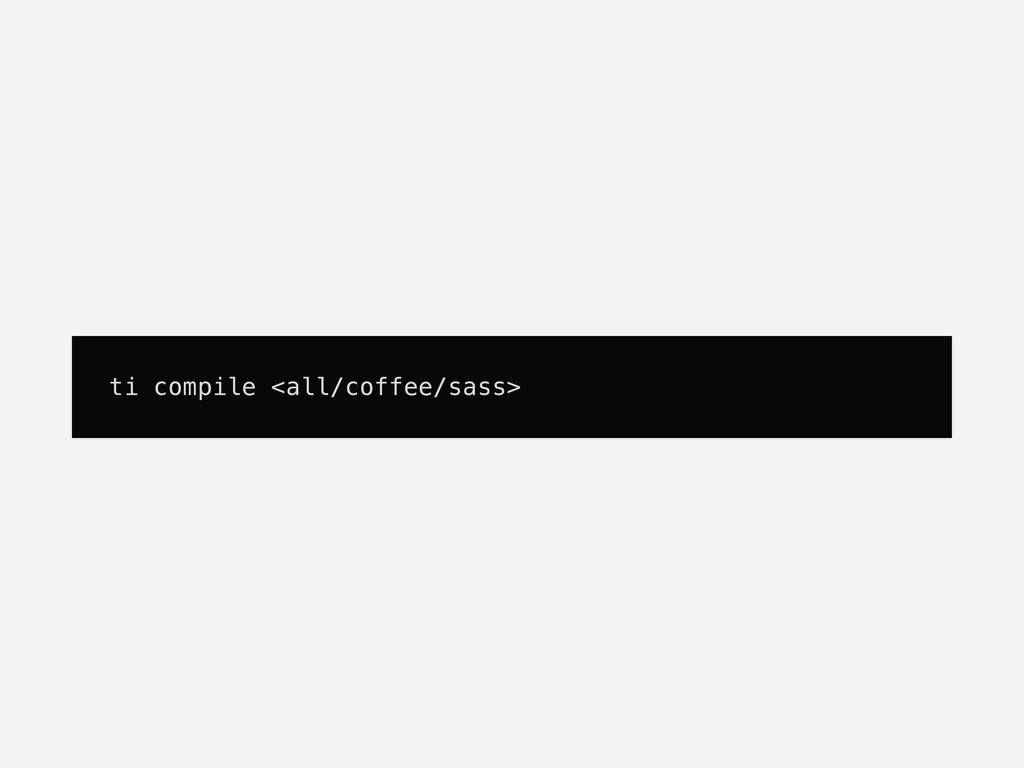
  54. def compile_sass puts "Compiling stylesheets".blue input = "stylesheets/app.sass" output =

    "Resources/app.jss" system "sass --compass -C -t expanded #{input} > #{output}" end RAKEFILE
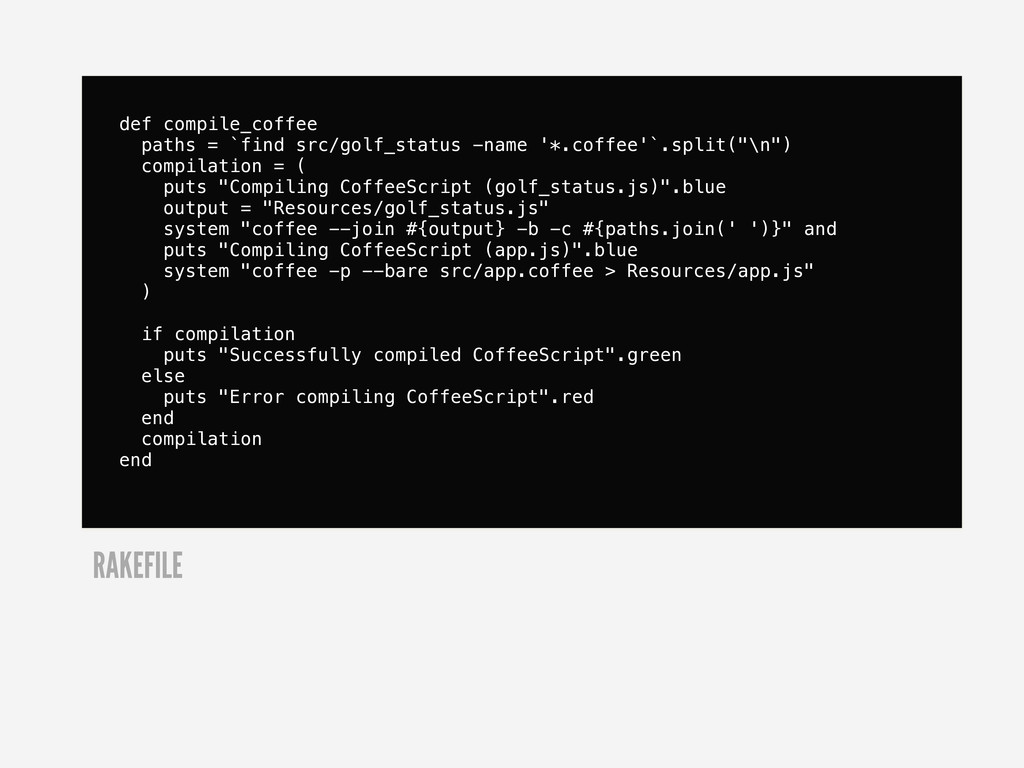
  55. def compile_coffee paths = `find src/golf_status -name '*.coffee'`.split("\n") compilation =

    ( puts "Compiling CoffeeScript (golf_status.js)".blue output = "Resources/golf_status.js" system "coffee --join #{output} -b -c #{paths.join(' ')}" and puts "Compiling CoffeeScript (app.js)".blue system "coffee -p --bare src/app.coffee > Resources/app.js" ) if compilation puts "Successfully compiled CoffeeScript".green else puts "Error compiling CoffeeScript".red end compilation end RAKEFILE
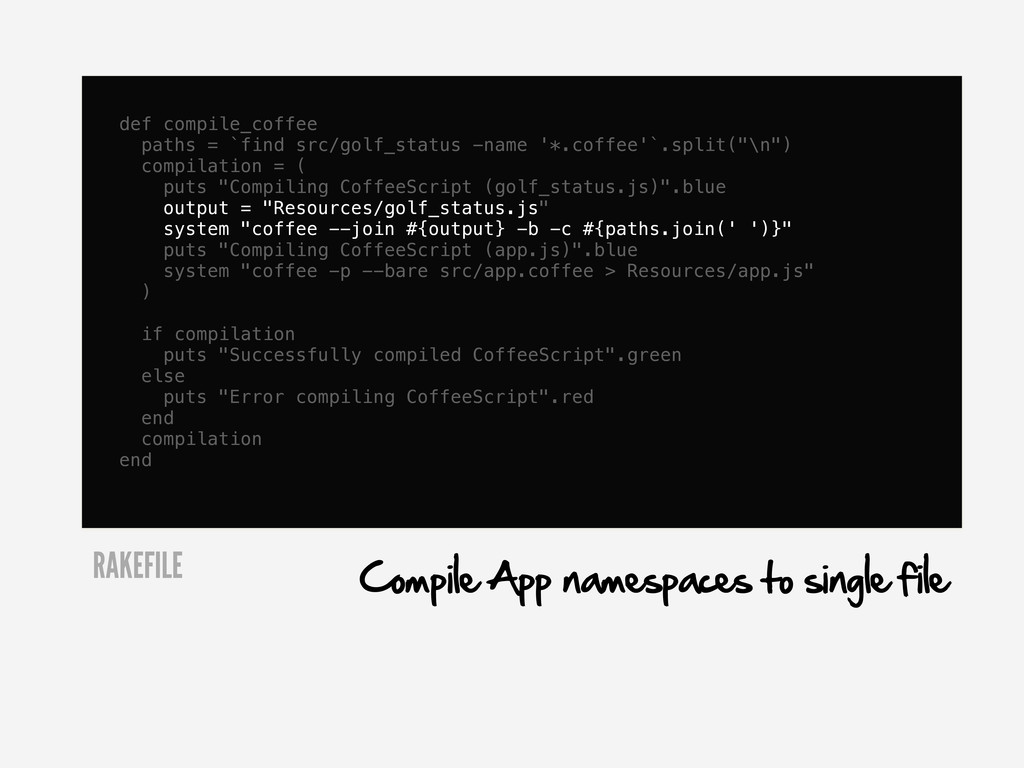
  56. def compile_coffee paths = `find src/golf_status -name '*.coffee'`.split("\n") compilation =

    ( puts "Compiling CoffeeScript (golf_status.js)".blue output = "Resources/golf_status.js" system "coffee --join #{output} -b -c #{paths.join(' ')}" puts "Compiling CoffeeScript (app.js)".blue system "coffee -p --bare src/app.coffee > Resources/app.js" ) if compilation puts "Successfully compiled CoffeeScript".green else puts "Error compiling CoffeeScript".red end compilation end RAKEFILE Compile App namespaces to single file
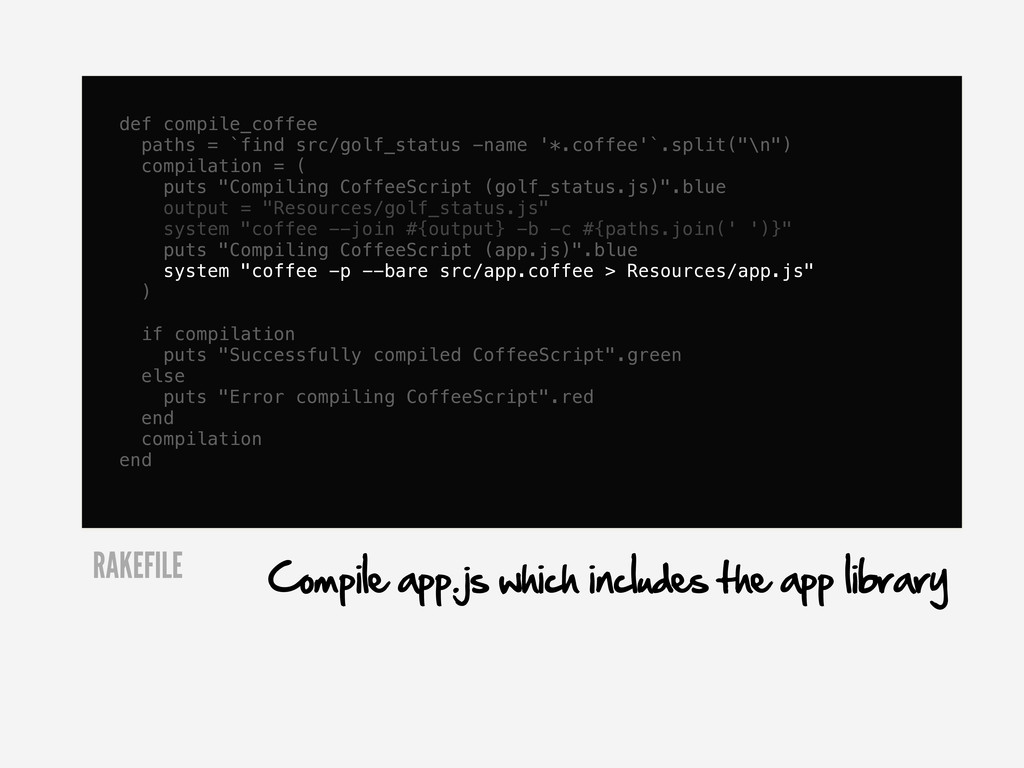
  57. def compile_coffee paths = `find src/golf_status -name '*.coffee'`.split("\n") compilation =

    ( puts "Compiling CoffeeScript (golf_status.js)".blue output = "Resources/golf_status.js" system "coffee --join #{output} -b -c #{paths.join(' ')}" puts "Compiling CoffeeScript (app.js)".blue system "coffee -p --bare src/app.coffee > Resources/app.js" ) if compilation puts "Successfully compiled CoffeeScript".green else puts "Error compiling CoffeeScript".red end compilation end RAKEFILE Compile app.js which includes the app library
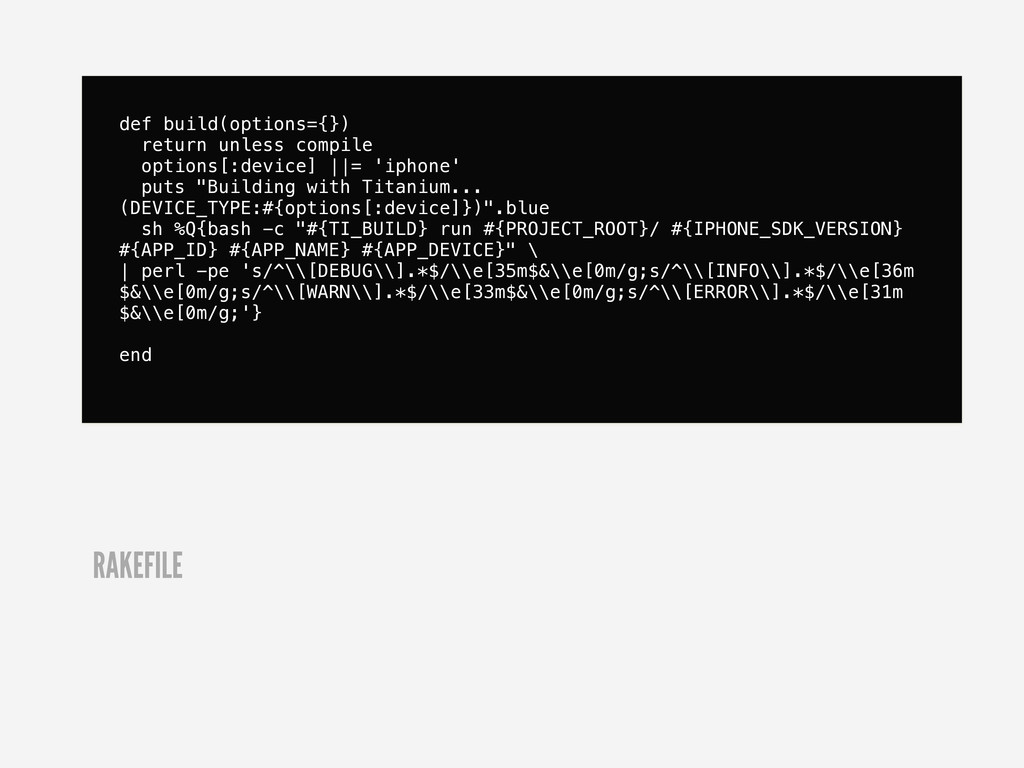
  58. def build(options={}) return unless compile options[:device] ||= 'iphone' puts "Building

    with Titanium... (DEVICE_TYPE:#{options[:device]})".blue sh %Q{bash -c "#{TI_BUILD} run #{PROJECT_ROOT}/ #{IPHONE_SDK_VERSION} #{APP_ID} #{APP_NAME} #{APP_DEVICE}" \ | perl -pe 's/^\\[DEBUG\\].*$/\\e[35m$&\\e[0m/g;s/^\\[INFO\\].*$/\\e[36m $&\\e[0m/g;s/^\\[WARN\\].*$/\\e[33m$&\\e[0m/g;s/^\\[ERROR\\].*$/\\e[31m $&\\e[0m/g;'} end RAKEFILE
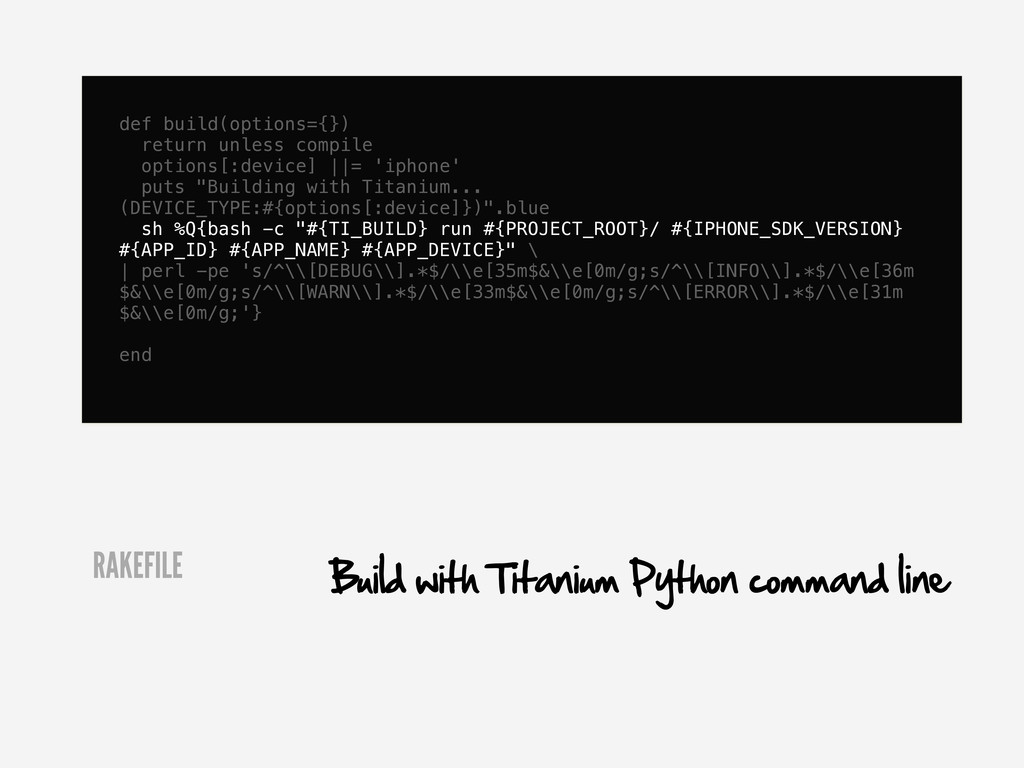
  59. def build(options={}) return unless compile options[:device] ||= 'iphone' puts "Building

    with Titanium... (DEVICE_TYPE:#{options[:device]})".blue sh %Q{bash -c "#{TI_BUILD} run #{PROJECT_ROOT}/ #{IPHONE_SDK_VERSION} #{APP_ID} #{APP_NAME} #{APP_DEVICE}" \ | perl -pe 's/^\\[DEBUG\\].*$/\\e[35m$&\\e[0m/g;s/^\\[INFO\\].*$/\\e[36m $&\\e[0m/g;s/^\\[WARN\\].*$/\\e[33m$&\\e[0m/g;s/^\\[ERROR\\].*$/\\e[31m $&\\e[0m/g;'} end RAKEFILE Build with Titanium Python command line
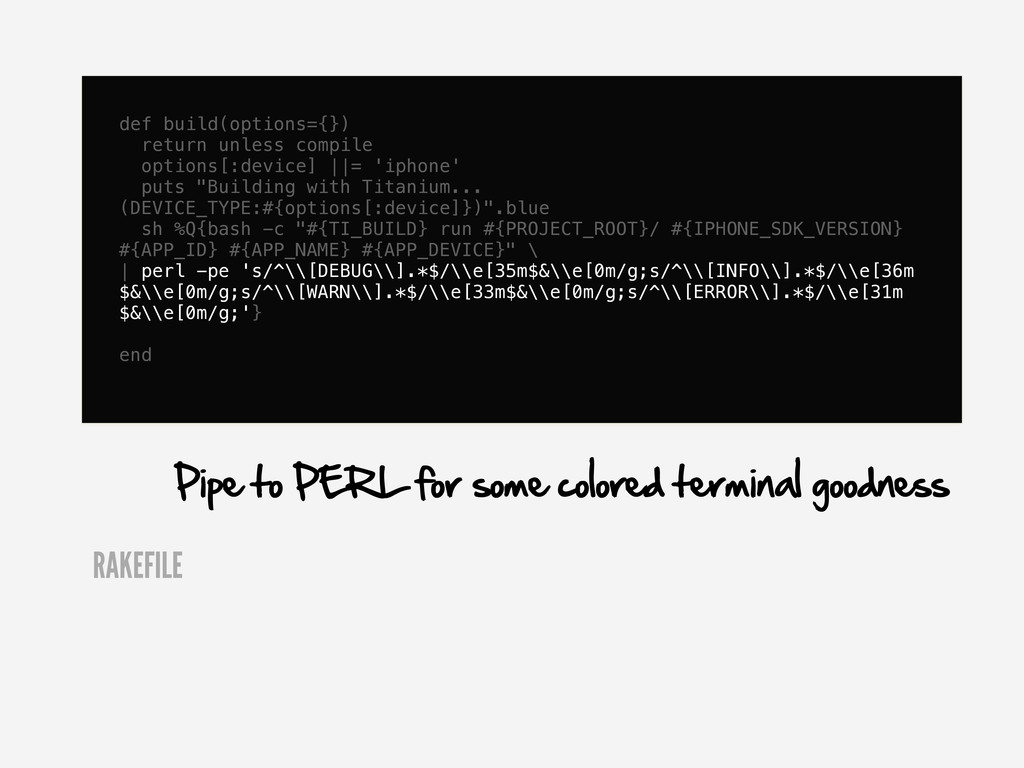
  60. def build(options={}) return unless compile options[:device] ||= 'iphone' puts "Building

    with Titanium... (DEVICE_TYPE:#{options[:device]})".blue sh %Q{bash -c "#{TI_BUILD} run #{PROJECT_ROOT}/ #{IPHONE_SDK_VERSION} #{APP_ID} #{APP_NAME} #{APP_DEVICE}" \ | perl -pe 's/^\\[DEBUG\\].*$/\\e[35m$&\\e[0m/g;s/^\\[INFO\\].*$/\\e[36m $&\\e[0m/g;s/^\\[WARN\\].*$/\\e[33m$&\\e[0m/g;s/^\\[ERROR\\].*$/\\e[31m $&\\e[0m/g;'} end RAKEFILE Pipe to PERL for some colored terminal goodness
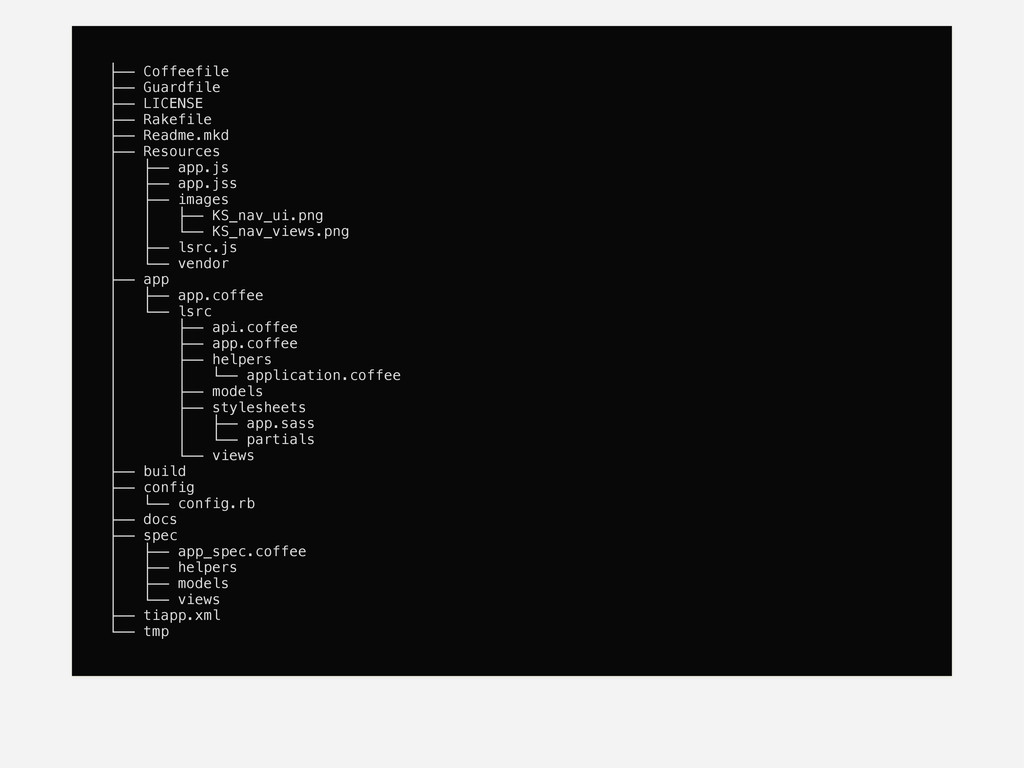
  61. ├── Coffeefile ├── Guardfile ├── LICENSE ├── Rakefile ├── Readme.mkd

    ├── Resources │ ├── app.js │ ├── app.jss │ ├── images │ │ ├── KS_nav_ui.png │ │ └── KS_nav_views.png │ ├── lsrc.js │ └── vendor ├── app │ ├── app.coffee │ └── lsrc │ ├── api.coffee │ ├── app.coffee │ ├── helpers │ │ └── application.coffee │ ├── models │ ├── stylesheets │ │ ├── app.sass │ │ └── partials │ └── views ├── build ├── config │ └── config.rb ├── docs ├── spec │ ├── app_spec.coffee │ ├── helpers │ ├── models │ └── views ├── tiapp.xml └── tmp
  62. XIB

More Decks by Wynn Netherland

Other Decks in Programming