at Red Hat. I write code. Active blogger http://whyjava.wordpress.com/ and https://openshift.redhat.com/community/blogs Written many technical articles on IBM DeveloperWorks, Developer.com, JavaLobby. Active speaker ~ Red Hat Developer Day, JUDCon, JBoss World, MongoDB events, etc. Passionate to learn new things. Twitter : shekhargulati
VIRTUALIZATION (RHEV) OPERATING SYSTEM (RHEL) APPLICATION PLATFORM (JBOSS, PHP, RUBY, ETC) APPLICATION Automated and Managed by the Public or Private Cloud Offering Managed and Controlled by Customer (IT, Dev, or User) IaaS PaaS SaaS Increased Control Increased Automation
Build an App: 1. Have Idea 2. Get Budget 3. Code 4. Test 5. Launch 6. Automatically Scale How to Build an App: 1. Have Idea 2. Get Budget 3. Submit VM Request request 4. Wait 5. Deploy framework/appserver 6. Deploy testing tools 7. Test testing tools 8. Code 9. Configure Prod VMs 10. Push to Prod 11. Launch 12. Request More Prod VMs to meet demand 13. Wait 14. Deploy app to new VMs 15. Etc. Today How to Build an App: 1. Have Idea 2. Get Budget 3. Submit hardware acquisition request 4. Wait 5. Get Hardware 6. Rack and Stack Hardware 7. Install Operating System 8. Install Operating System Patches/Fix-Packs 9. Create user Accounts 10. Deploy framework/appserver 11. Deploy testing tools 12. Test testing tools 13. Code 14. Configure Prod servers (and buy them if needed) 15. Push to Prod • Launch 1. Order more servers to meet demand 2. Wait… 3. Deploy new servers 4. Etc. Yesterday “The use of Platform-as-a-Service technologies will enable IT organizations to become more agile and more responsive to the business needs.” –Gartner*
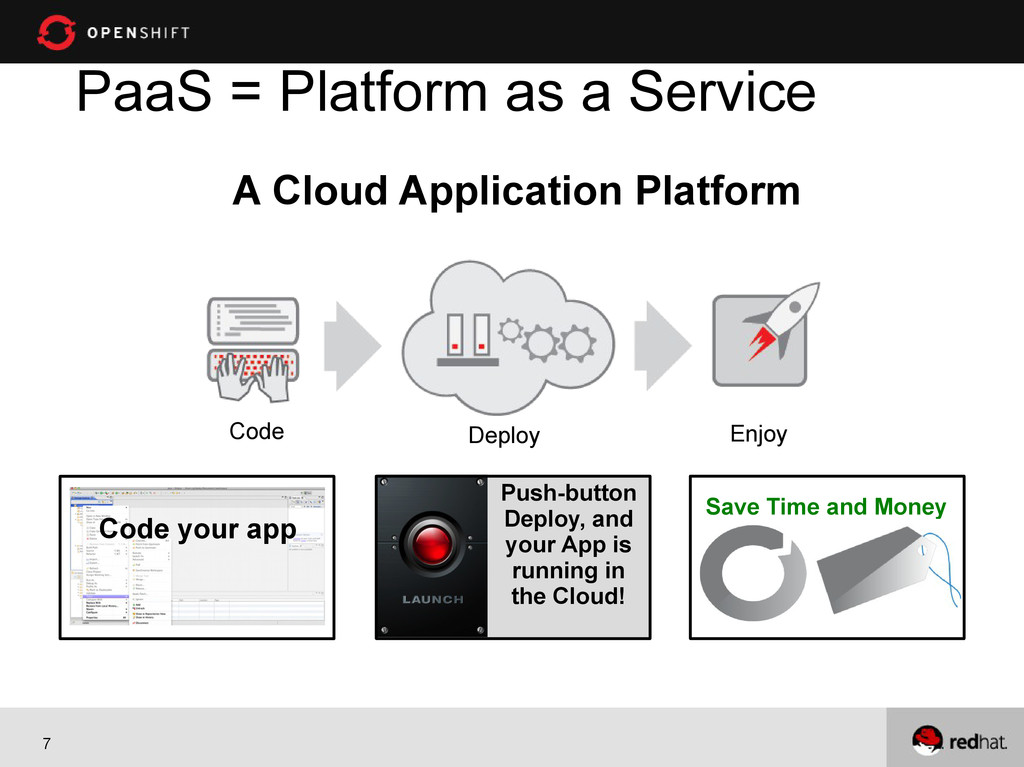
need for • Your Group, your Enterprise, your next great idea! • Big data, mobile, social • You code the application, We run it for you • Leverage the ease, scale and power of the Cloud Code Deploy Enjoy
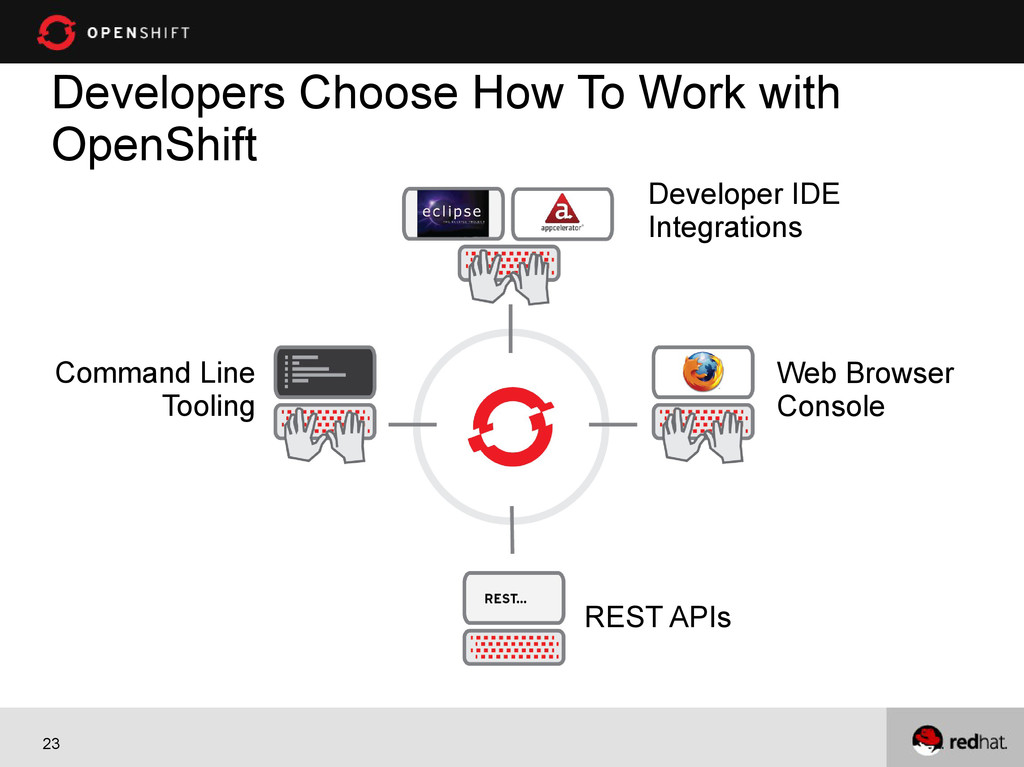
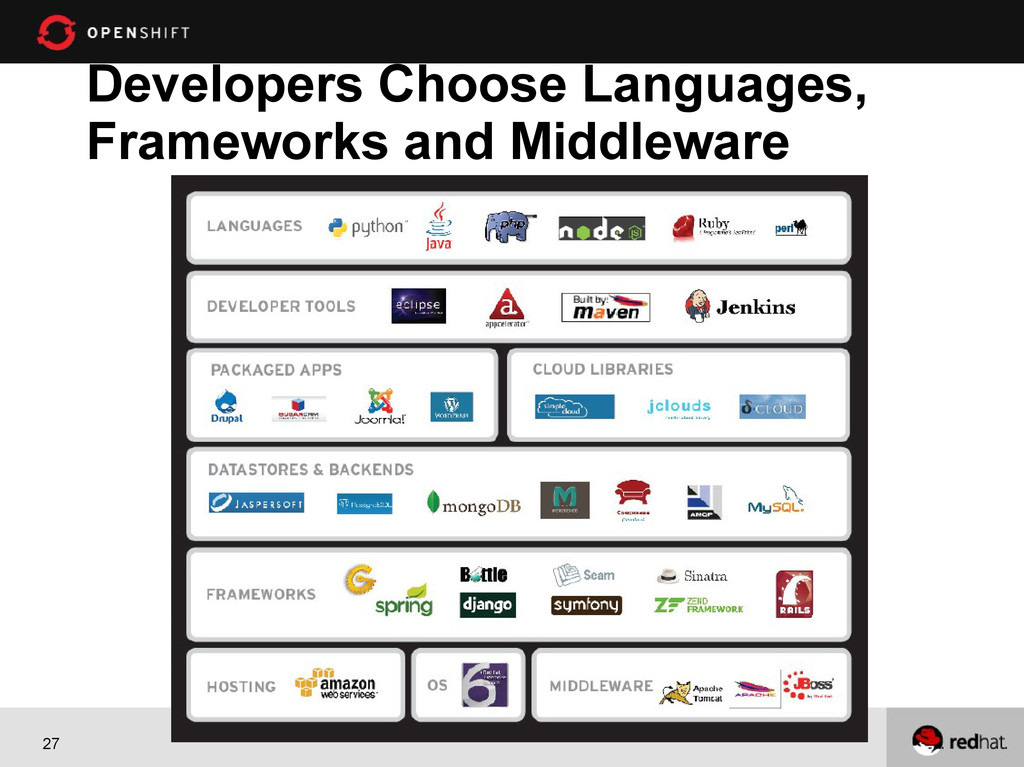
Red Hat technologies. Freedom. In OpenShift, work the way you want. Choice of Interface: Web Console, Command-line, or IDE Choice of Middleware: Java(EE6), Ruby, Node.js, PHP, Python, and Perl Choice of Cloud: Public, Private, or Hybrid Cloud Choice of Elasticity: Automatic application scaling when needed Openness. OpenShift’s open source software stack ensures application portability and No Lock-In.
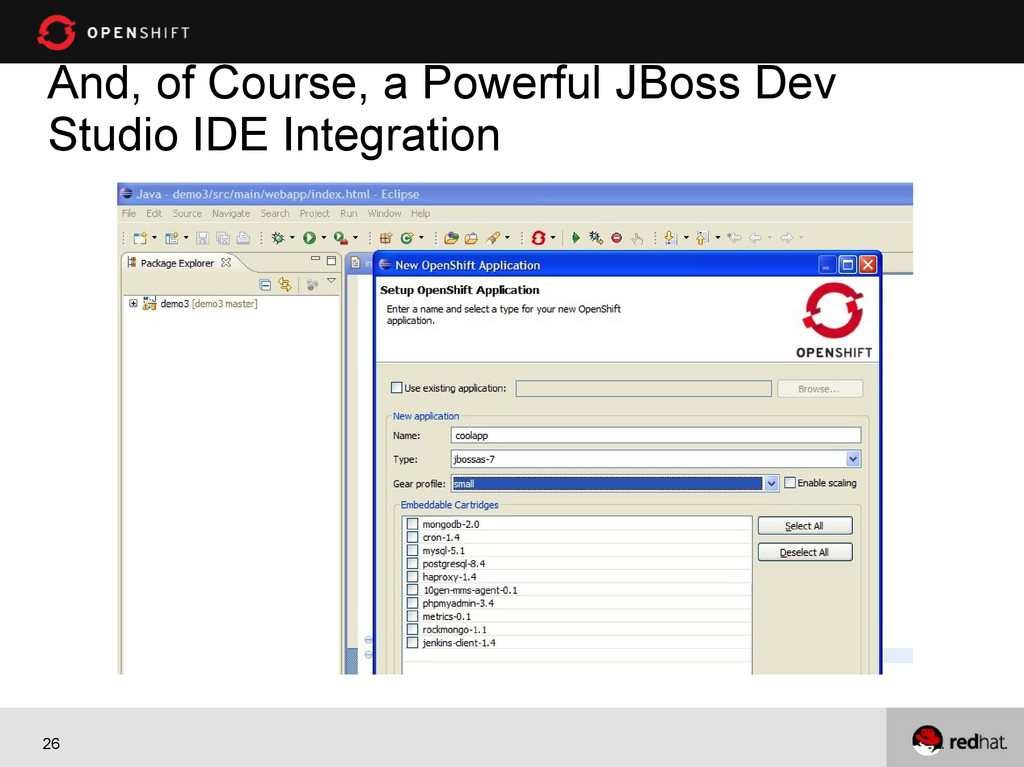
promo code https://openshift.redhat.com/app/account/new Install client tools Setup your account using rhc setup command Create an application using rhc app create command Add databases support using rhc cartridge command Add any other cartridge like Jenkins, databases client, etc Write code Push the code to OpenShift using git push
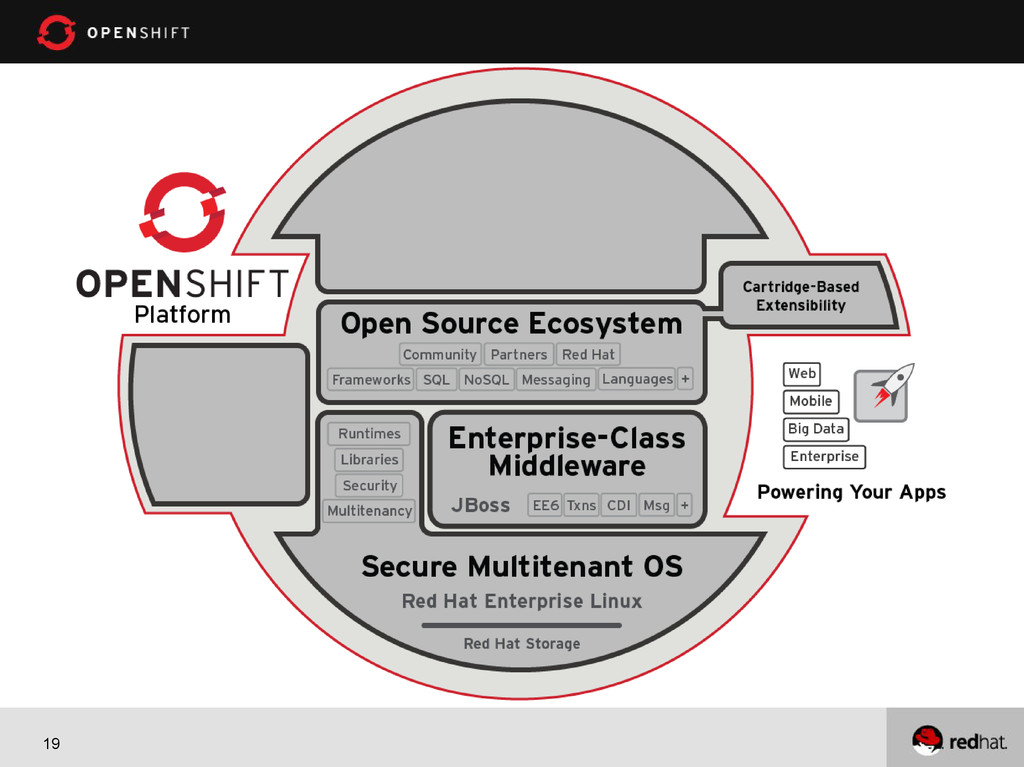
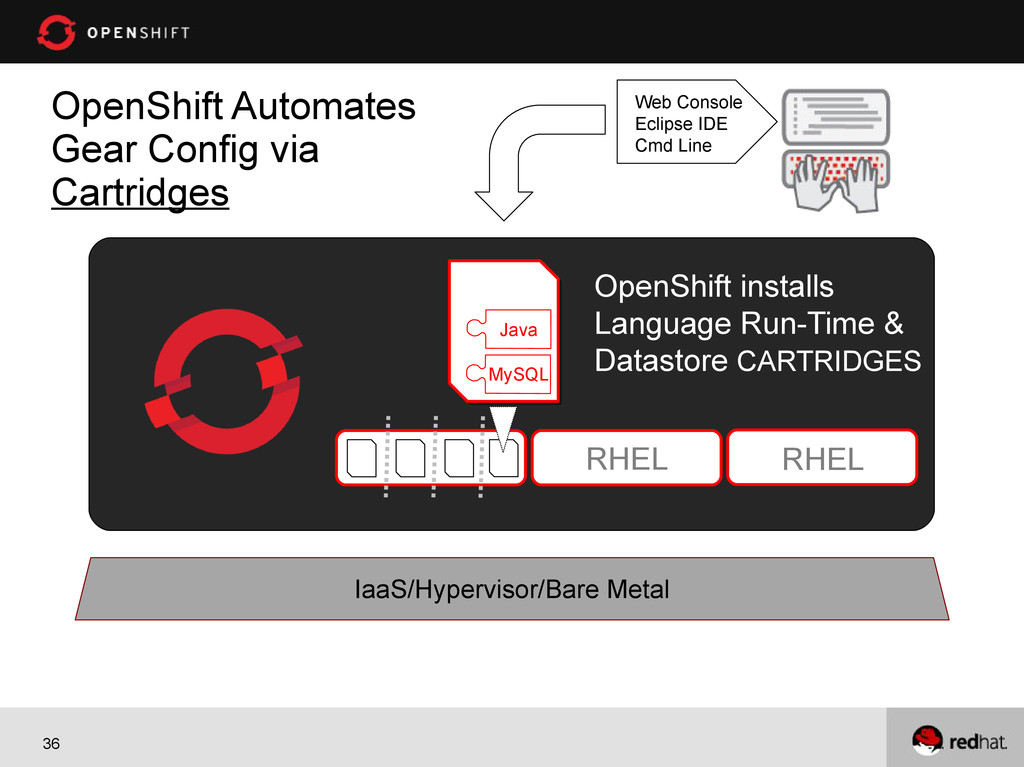
custom language, data-store, or middleware with DIY Cartridge. IaaS/Hypervisor/Bare Metal DIY Postgres Etc. Ruby Node.js PHP Java Mongo MySQL OpenShift Default Cartridges
Why? Because… • Existing infrastructure, software and services • Concerns about security or compliance • I just like running my own cloud And I want it open source!
on it, you need to know how it works • No lock-in • Build the features you need • Bugs are found and fixed faster (depends on project?) • Easier to grow and find skilled staff • Community ecosystem
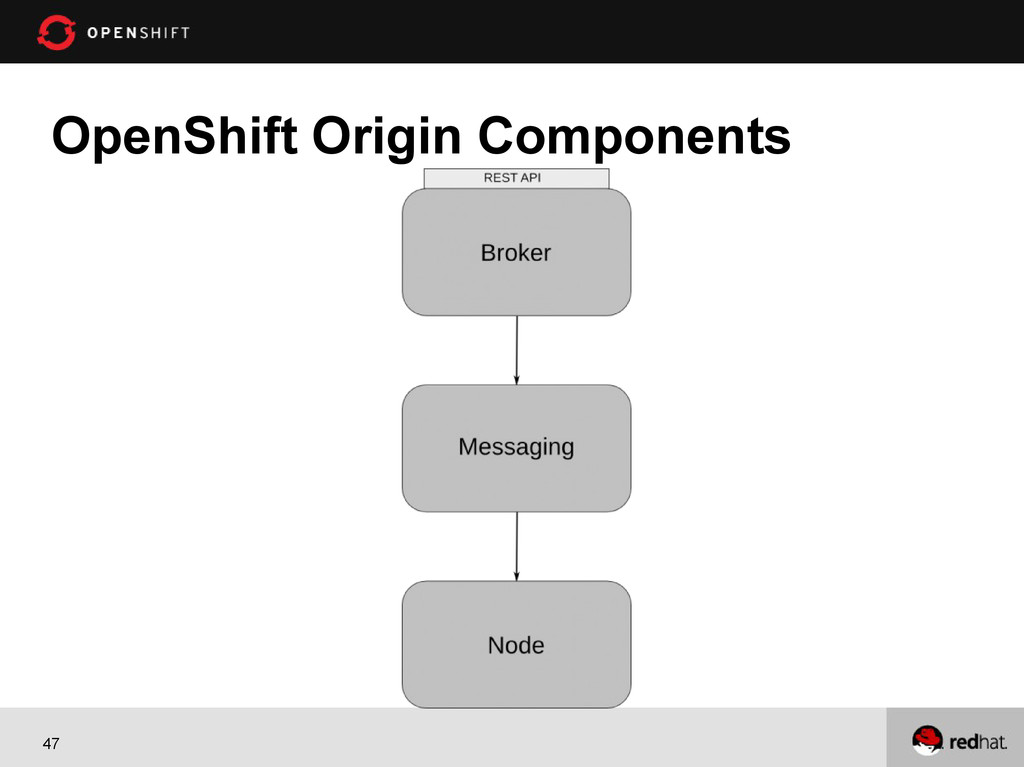
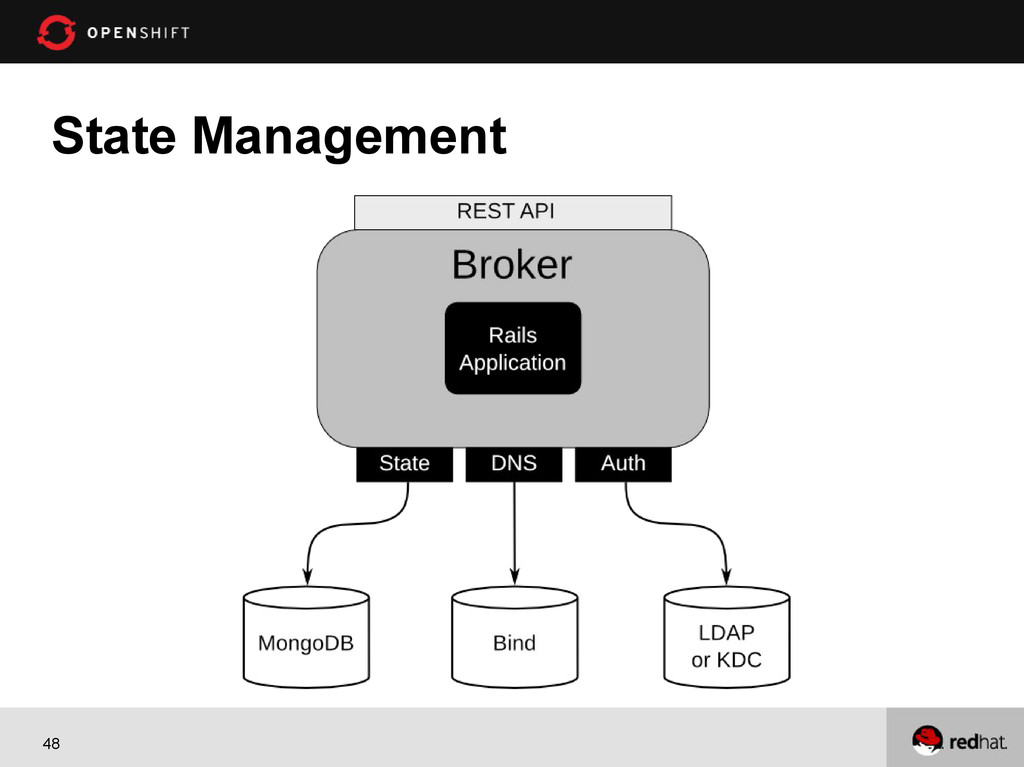
deploy and manage applications within the cloud. It provides disk space, CPU resources, memory, network connectivity, and an Apache or JBoss server. Depending on the type of application being deployed, a template file system layout is provided. It also manages a limited DNS for the application.


 shekhargulati
 a_suenami
 keitah
 110y
 takaha4k
 rfdnxbro
 kubell_hr
 amixedcolor
 knwoop
 jcabot
 koji_kawamura
 carta_engineering
 munakata
 chikuwait
 portentint
 csswizardry
 destraynor
 chriscoyier
 scottboms
 honzajavorek
 aleyda
 ks91
 rkendrick25
 uxyall
 nikkihalliwell