Share
Embed
JavaOne Russia -- Thinking Beyond RDBMS -- Building Polyglot Persistence Applications
Shekhar Gulati
May 02, 2013
Transcript
42 slides
-
WHO AM I? • Shekhar Gulati • OpenShift Developer Evangelist
at Red Hat • 8 years of software development experience • Learning JavaScript these days :) • Java / NoSQL/ Cloud • Loves to learn and try new technologies • Twitter Handle : shekhargulati • Github https://github.com/shekhargulati • Slides https://speakerdeck.com/shekhargulati -
ASSUMPTIONS • You want to learn how to use OpenShift
• You can write or read Java • You will ask questions -
There are no stupid questions only stupid answers. So ask
questions ASK QUESTIONS -
• Widely used and understood • Tested in real environments
• Efficient use of storage space if data normalized properly • Great tools support • ACID semantics • Incredibly flexible and powerful query language • Great framework support WHY RDBMS? -
• Complex object graphs does not map very well with
flat tables. • Difficult to evolve Schema with time. • Data constraints and JOINs can be expensive at runtime. • Difficult to scale horizontally. RDBMS LIMITATIONS -
• Schema-less • Rich documents • Eventual consistent • Fast
writes • Easy to scale horizontally to add processing power and storage • Tries to solve few practical use-cases NoSQL TO RESCUE -
Using multiple data storage technologies, chosen based upon the way
data is being used by individual applications or components of single application. Martin Fowler http://martinfowler.com/articles/nosql-intro.pdf POLYGLOT PERSISTENCE -
• OpenShift • MongoDB • MySQL • Java – Spring
framework , Spring Social, Spring MongoDB, Spring Security etc. • Searchify : Full-text Search as a Service • Git • Twitter Bootstrap • Backbone.js TECHNOLOGY CHOICES -
• Document Oriented database – JSON-style documents • Schema-less –
Each document is heterogeneous, and may have completely unique structure compared to other documents. • Fast and horizontally scalable • Rich query language MONGODB -
Database → Database Table → Collection Row → Document Index
→ Index MONGODB TERMINOLOGY MONGODB TERMINOLOGY -
• Easy to get running • Open Source • Active
community • Rich documents • Geospatial indexing • Writes are very fast. You can customize it using WriteConcern WHY MONGODB? -
22 What is it for? Find all the
MongoDB jobs near me – Proximity Queries Find all the MongoDB jobs within Colombo – Bounded Queries Find all the MongoDB job at this location – Exact Queries • Supports only two dimensional indexes. You can only have one geospatial index per collection. By default, 2d geospatial indexes assume longitude and latitude have boundaries of -180 inclusive and 180 non-inclusive (i.e. [-180, 180)) GEOSPATIAL INDEXING BASICS -
23 1) Put your coordinates into an array { loc
: [ 50 , 30 ] } //SUGGESTED OPTION { loc : { x : 50 , y : 30 } } { loc : { foo : 50 , y : 30 } } 1) { loc : { lon : 40.739037, lat: 73.992964 } } 2) Make a 2d index db.places.ensureIndex( { loc : "2d" } ) 3) If you use latitude and longitude as your coordinate system, always store longitude first. MongoDB’s 2d spherical index operators only recognize [ longitude, latitude] ordering. HOW TO MAKE IT WORK -
24 • When you create the index, MongoDB converts location
data to binary geohash values and calculates these values using the location data and the index’s location range • Geohashes have a precision that is determined by the number of bits in the hash. Default value 26 • More bits allow the index to provide results with greater precision • You can configure number of bits at index creation db.collection.ensureIndex( {<location field>: "2d"} , { bits: <bit precision> } ) GEOHASHES -
25 • MongoDB supports compound geospatial indexes. • the field
with location data is the first field db.jobs.ensureIndex( { location: "2d", skills: 1 } ) COMPOUND GEOSPATIAL INDEXES -
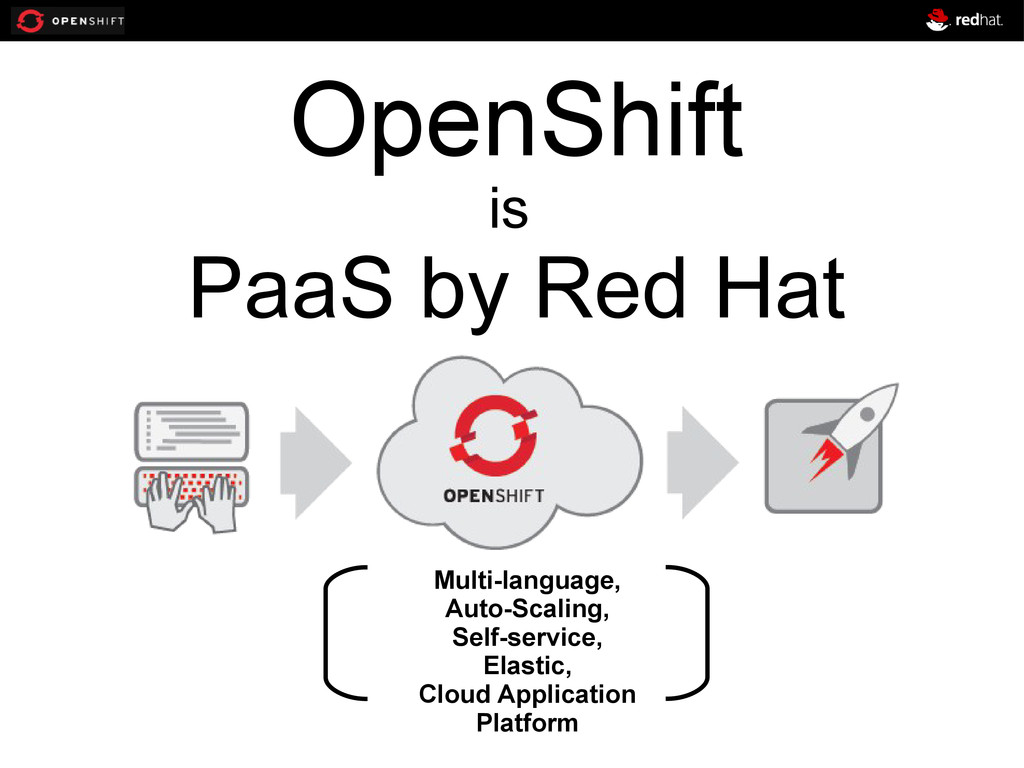
OpenShift is PaaS by Red Hat Multi-language, Auto-Scaling, Self-service, Elastic,
Cloud Application Platform -
origin Public Cloud Service On- premise or Private Cloud Software
Open Source Project FLAVORS OF OPENSHIFT -
• Supports MongoDB and PostgreSQL. Also supports MySQL • Multi-language
support. Supports Java, Node.js, Perl, Python, PHP and Ruby • Extensible via DIY • No need to learn anything new • Open source – OpenShift Origin • Scalable • FREE! WHY OPENSHIFT? -
Developer IDE Integrations Web Browser Console Command Line Tooling REST
APIs INTERACTIONS -
• OpenShift is free-as-in-beer & free-as-in-freedom • You get three
free gears, each with 512MB memory and 1GB of disk space. • Need more resources, just ask! • The catch is we are in developer preview right now WHAT DO I GET? -
34 ➢ Login to OpenShift web console ➢ Click on
“My Account” ➢ Namespace – javaoneru – Unique per user CREATING NAMESPACE -
35 Some terminology for today 1. Application – your web
code and any data store. Has to be on 1 or more gears 2. Gear – is like a server. It can have only 1 language for the web programming. 3. Cartridge – it adds a language, a data store, or other functionality 4. Git – used for version control and managing code between server and your development machine 5. Ssh – command line tool to connect to your gear -
36 Install Ruby 1.8.7 or greater Install Git Install rhc
OpenShift gem Refer to documentation INSTALLING CLIENT TOOLS -
37 rhc setup -l <openshift_login> -> creates namespace -> upload
ssh keys SETUP OPENSHIFT ENVIRONMENT -
38 $ rhc app create localjobs jbosseap mongodb-2.2 mysql-5.1 -s
$ git remote add upstream -m master git://github.com/shekhargulati/localjobs-scalable.git $ git pull -s recursive -X theirs upstream master $ rhc app show -a localjobs $ scp jobs-data.json <ssh url>:app-root/data $ rhc app ssh -a localjobs $ cd app-root/data $ mongoimport -d localjobs -c jobs --file jobs-data.json -u $OPENSHIFT_MONGODB_DB_USERNAME -p $OPENSHIFT_MONGODB_DB_PASSWORD -h $OPENSHIFT_MONGODB_DB_HOST -port $OPENSHIFT_MONGODB_DB_PORT DEMO : LOCALJOBS APP