Upgrade to Pro — share decks privately, control downloads, hide ads and more …

GPU sharing done right (SCaLE 23x)

GPU sharing done right (SCaLE 23x)

Multi-tenant Kubernetes with GPU sharing is a compelling model for AI infrastructure, but it requires careful design to balance performance with security. This session shows how to build a secure and scalable environment where multiple teams can run GPU workloads without compromising isolation or access control. We’ll cover open source options like KAI Scheduler and vCluster and demonstrate how to integrate external tools for secret management and dynamic access policies, all within an architecture that lets teams feel like they have their own cluster—while behind the scenes, resources are efficiently pooled and shared.

Avatar for Scott McAllister

Scott McAllister

March 07, 2026
Tweet

More Decks by Scott McAllister
Other Decks in Technology

Transcript

  1. ©2026 HASHICORP GPU sharing done right Staff Solutions Architect HashiCorp

    Adrian Todorov Principal Developer Advocate, Depot Scott McAllister
  2. GPU User User User User User Multi-Instance GPUs (MIG) GPU

    instance 0 GPU instance 1 GPU instance 2 GPU instance 3 GPU instance 4
  3. GPU User User User User User Multi-Instance GPUs (MIG) GPU

    instance 0 GPU instance 1 GPU instance 2 GPU instance 3 GPU instance 4
  4. GPU User User User User User Multi-Instance GPUs (MIG) GPU

    instance 0 GPU instance 1 GPU instance 2 GPU instance 3 GPU instance 4
  5. GPU User User User User User Multi-Instance GPUs (MIG) GPU

    instance 0 GPU instance 1 GPU instance 2 GPU instance 3 GPU instance 4
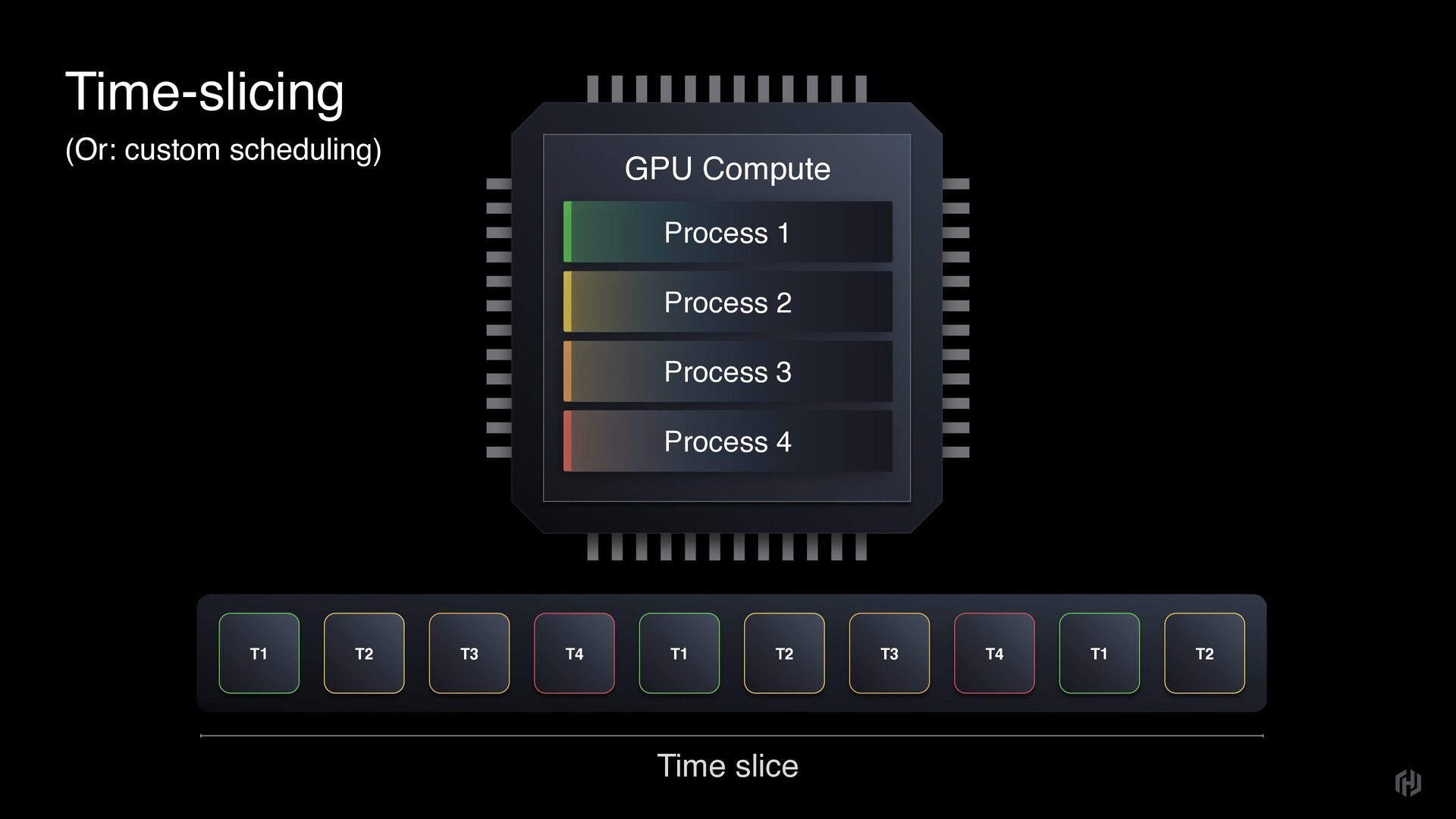
  6. Time-slicing (Or: custom scheduling) GPU Compute Process 1 Process 2

    Process 3 Process 4 T2 T3 T4 T1 T2 T3 T4 T1 T1 T2 Time slice
  7. Time-slicing (Or: custom scheduling) GPU Compute Process 1 Process 2

    Process 3 Process 4 T2 T3 T4 T1 T2 T3 T4 T1 T1 T2 Time slice
  8. Time-slicing (Or: custom scheduling) GPU Compute Process 1 Process 2

    Process 3 Process 4 T2 T3 T4 T1 T2 T3 T4 T1 T1 T2 Time slice
  9. Time-slicing (Or: custom scheduling) GPU Compute Process 1 Process 2

    Process 3 Process 4 T2 T3 T4 T1 T2 T3 T4 T1 T1 T2 Time slice
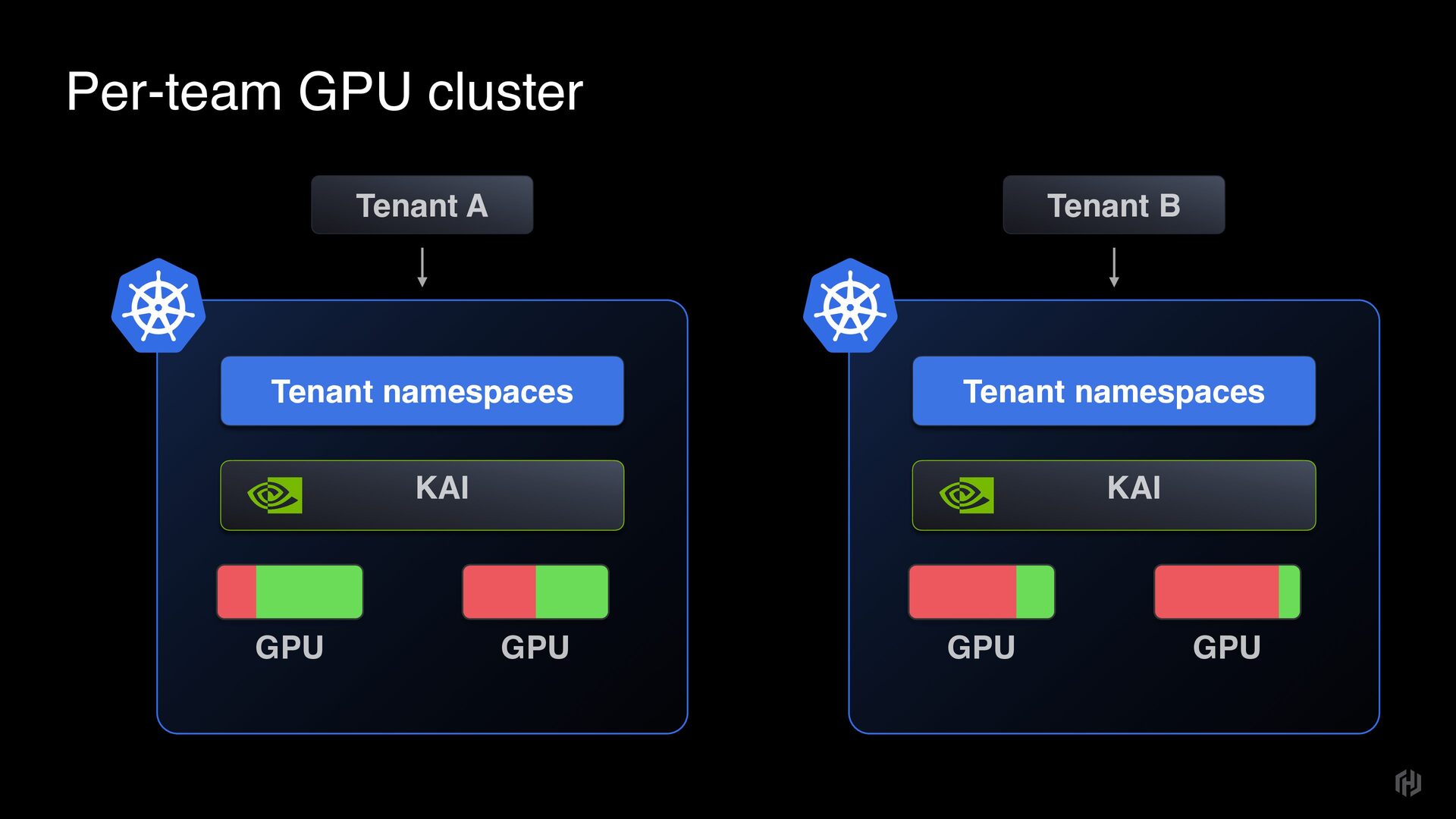
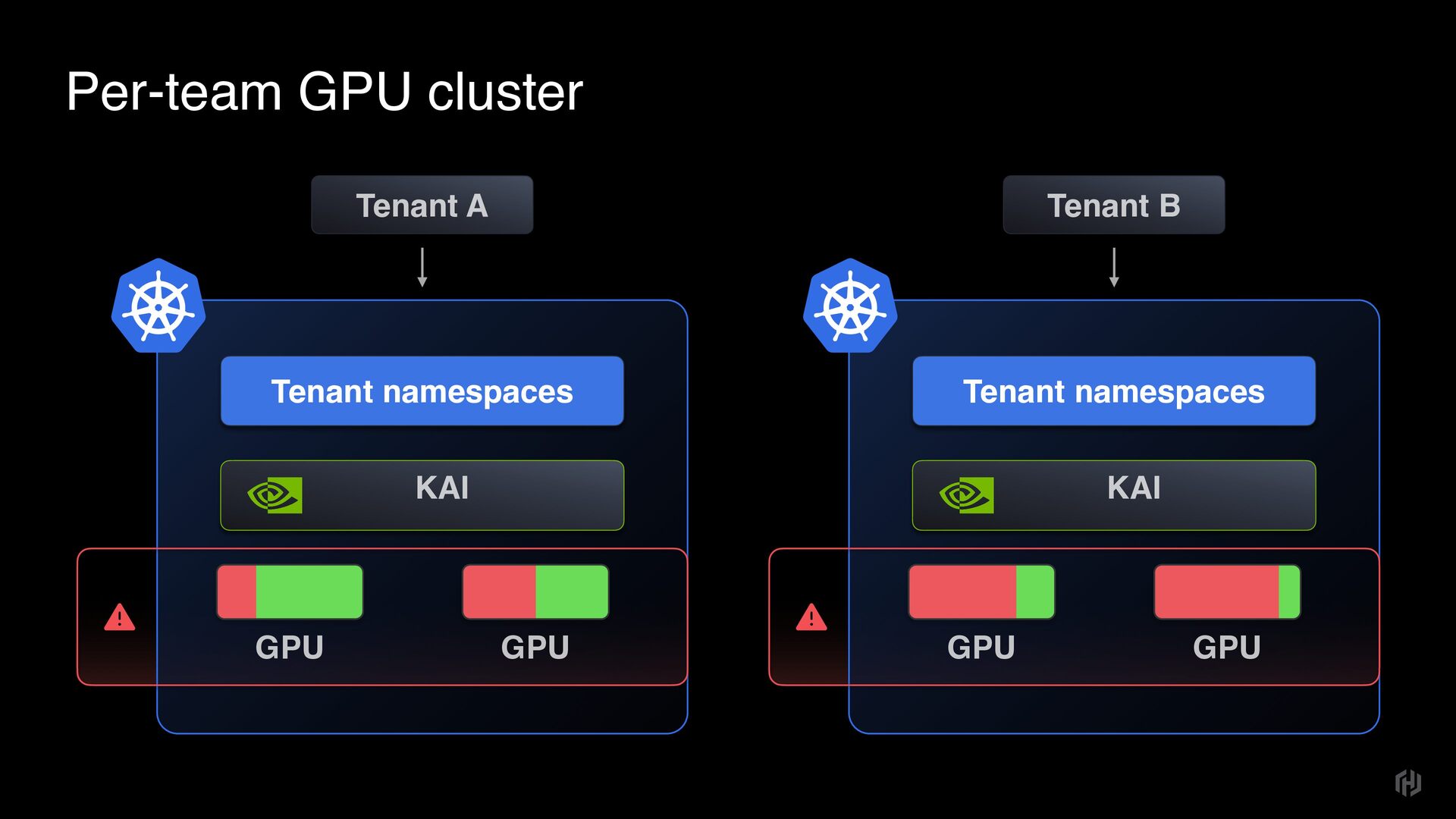
  10. Per-team GPU cluster Tenant namespaces GPU GPU KAI Tenant A

    Tenant namespaces GPU GPU KAI Tenant B
  11. Per-team GPU cluster Tenant namespaces GPU GPU KAI Tenant A

    Tenant namespaces GPU GPU KAI Tenant B
  12. Per-team GPU cluster Tenant namespaces GPU GPU KAI Tenant A

    Tenant namespaces GPU GPU KAI Tenant B
  13. pod-1 custom-resource Team-shared cluster deployment pod-1 custom- Data store Control

    vcluster syncer API server Namespace in virtual cluster Virtual 
 cluster context etcd Control Scheduler API server Control plane synced-pod-1 vcluster-pod Namespace in K8s K8s 
 cluster context vcluster-pod Tenant Connects to cluster API server Controls virtual cluster Admin Connects to K8s API server Controls K8s context
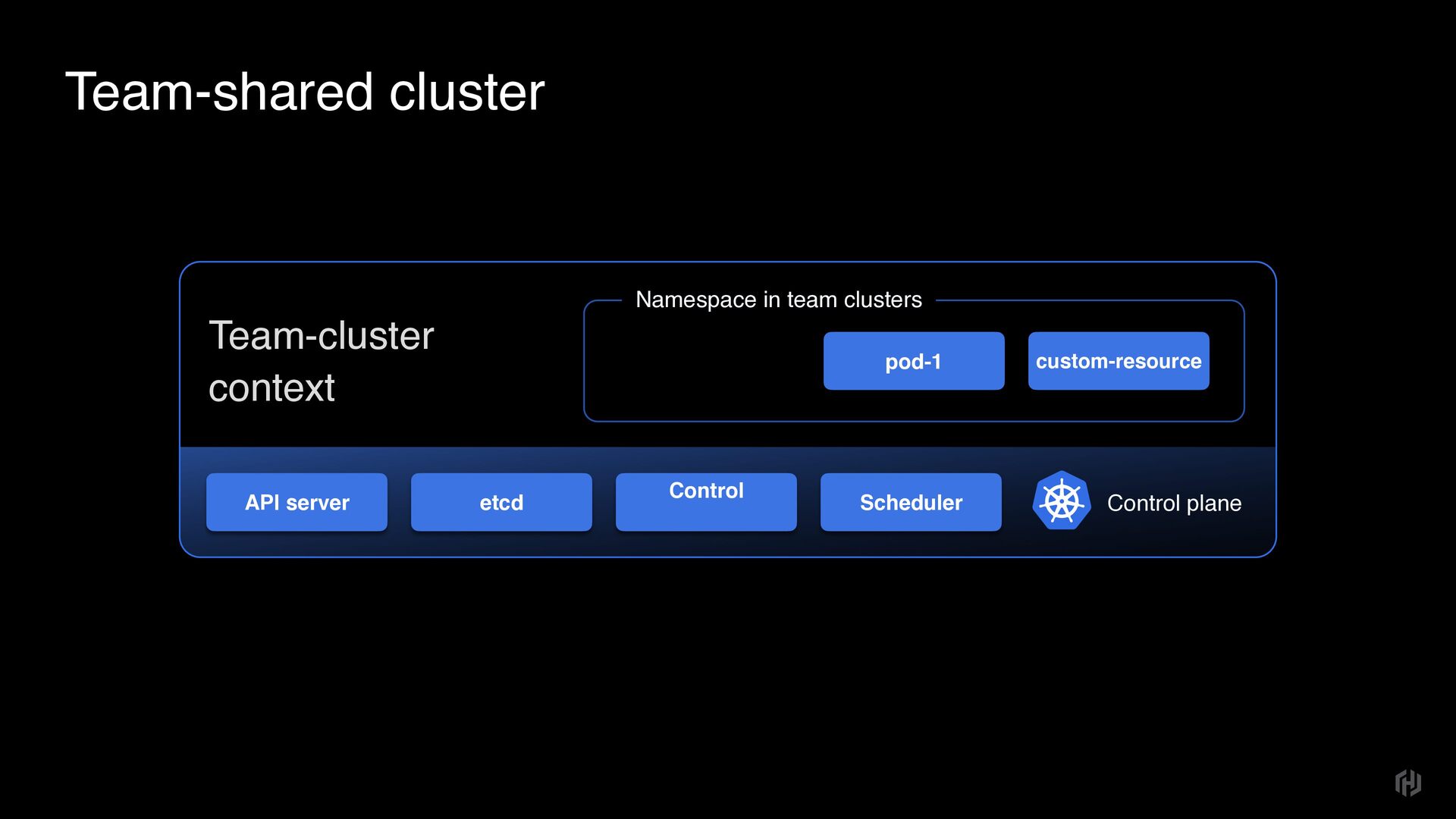
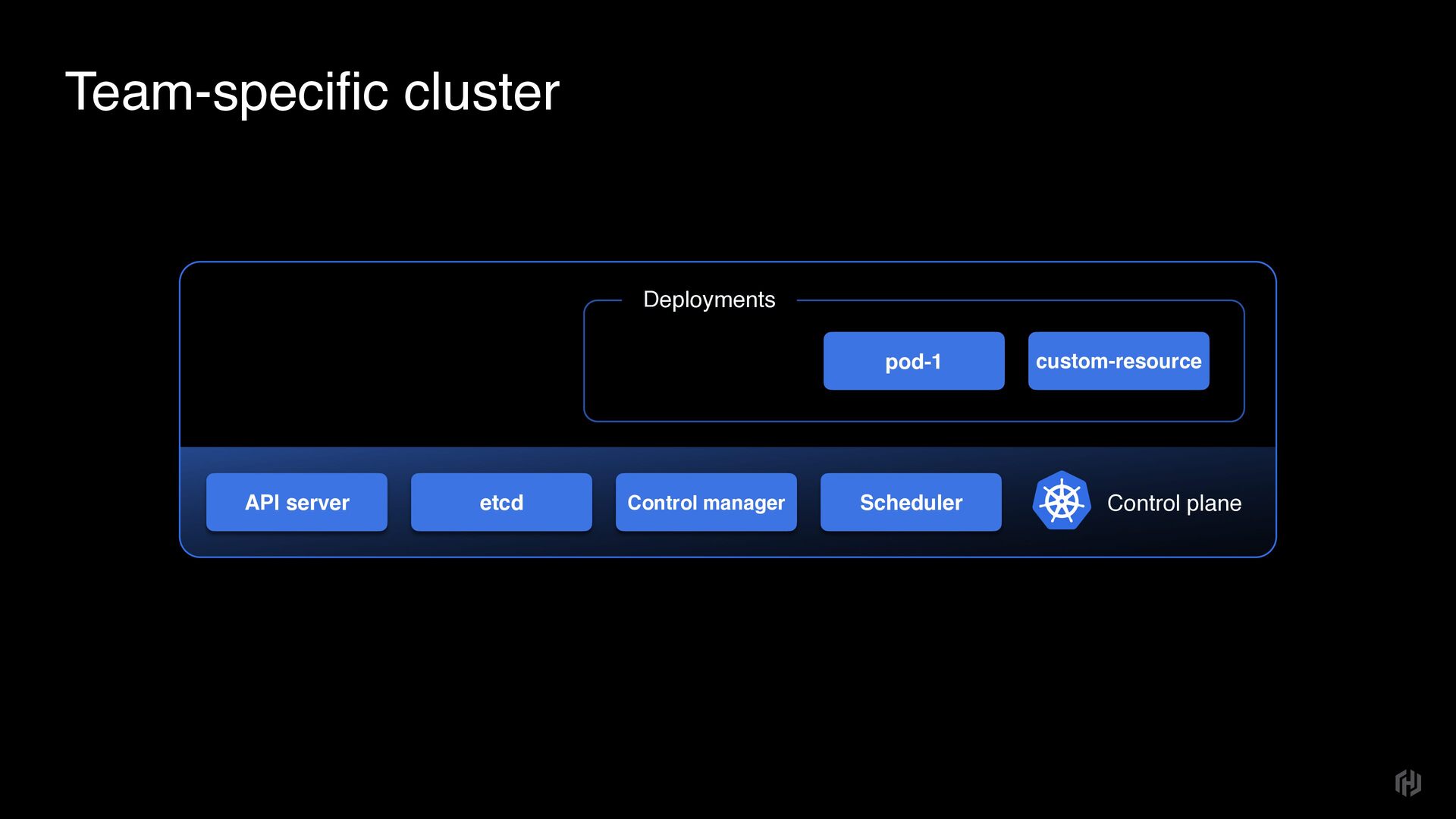
  14. Team-shared cluster etcd Control Scheduler API server Control plane pod-1

    Namespace in team clusters Team-cluster context custom-resource
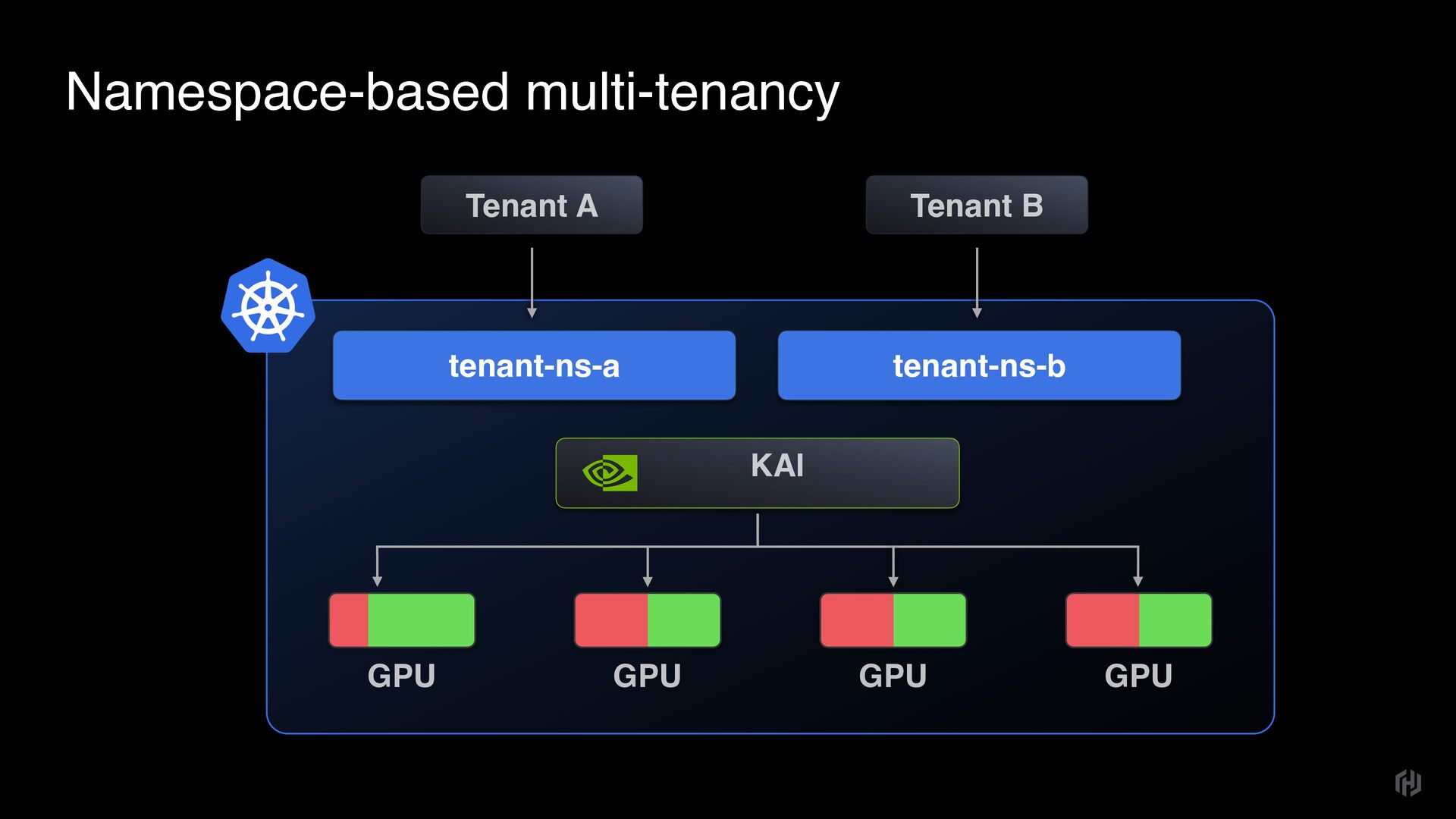
  15. Multi-tenant cluster Tenant A Tenant B tenant-a-proj-1 tenant-b-proj-1 Kubernetes cluster

    Other Operations vcluster-a vcluster-b DGX node DGX node DGX node DGX node
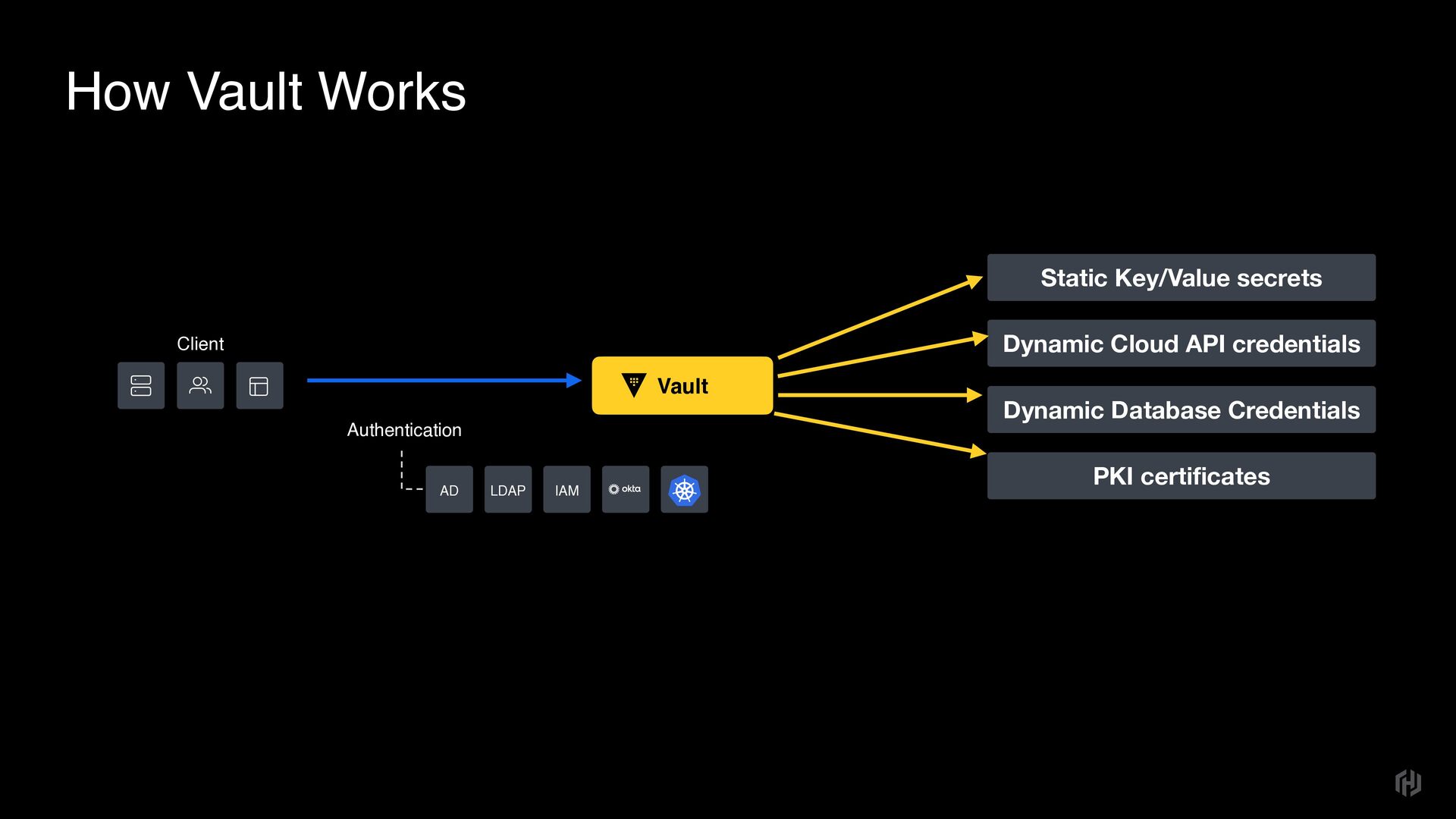
  16. How Vault Works Client Vault Authentication AD LDAP IAM Static

    Key/Value secrets Dynamic Cloud API credentials Dynamic Database Credentials PKI certificates
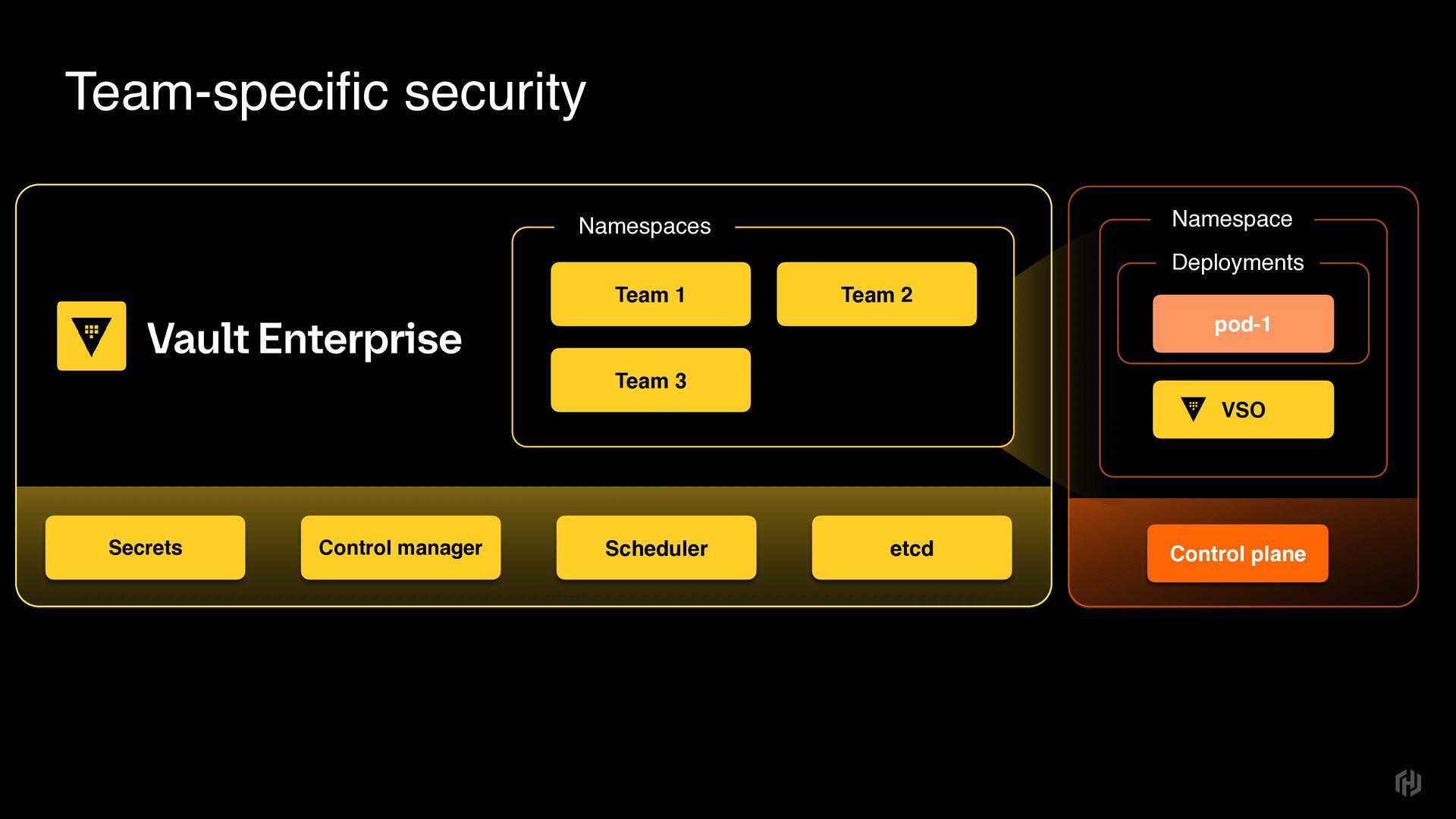
  17. Team-specific security etcd Control manager Scheduler Secrets Team 2 Namespaces

    Team 3 Team 1 Control plane Deployments VSO pod-1 Namespace
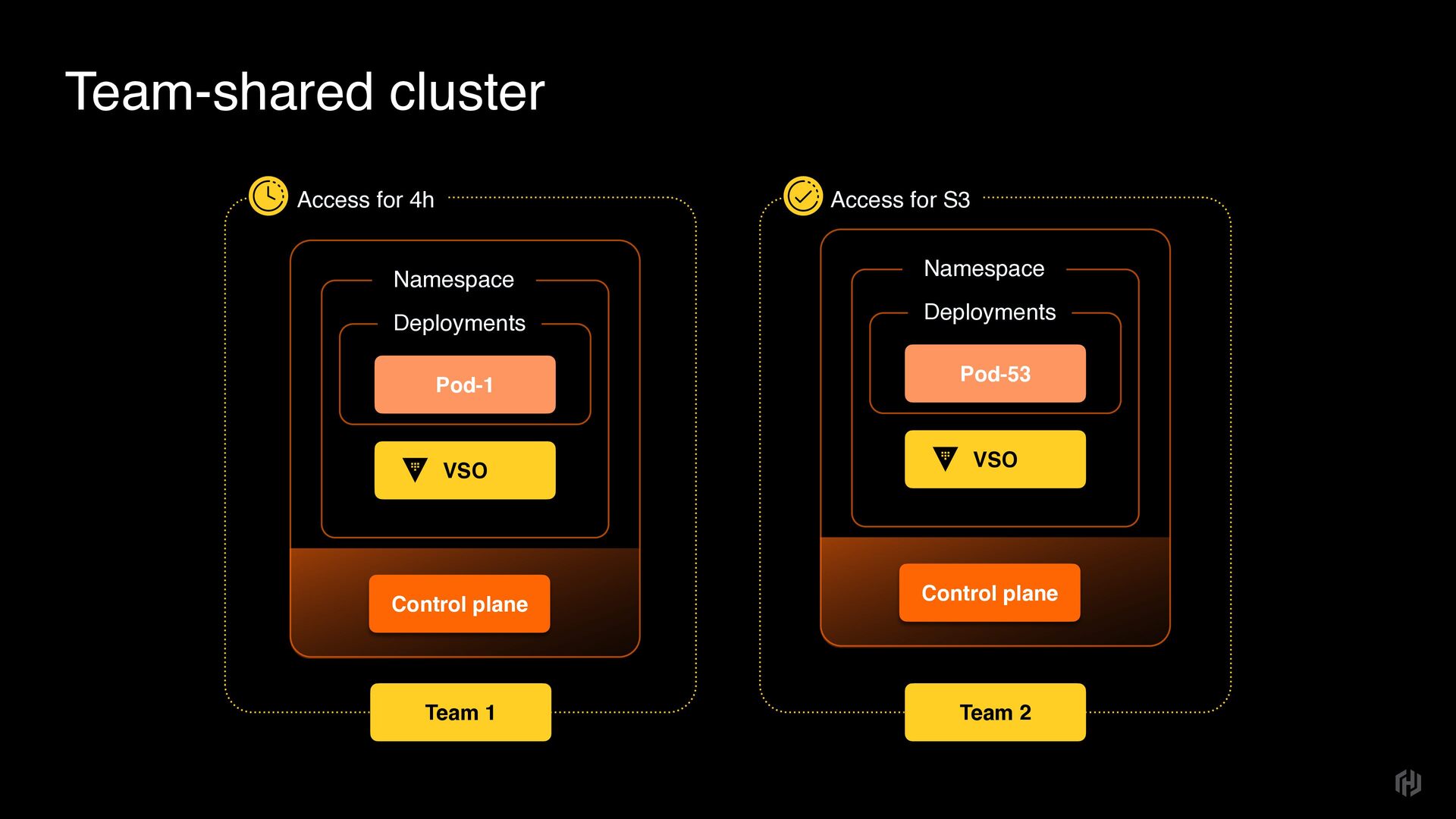
  18. Team-shared cluster Access for 4h Control plane Access for S3

    Team 1 Team 2 Deployments VSO Pod-53 Namespace Control plane Deployments VSO Pod-1 Namespace
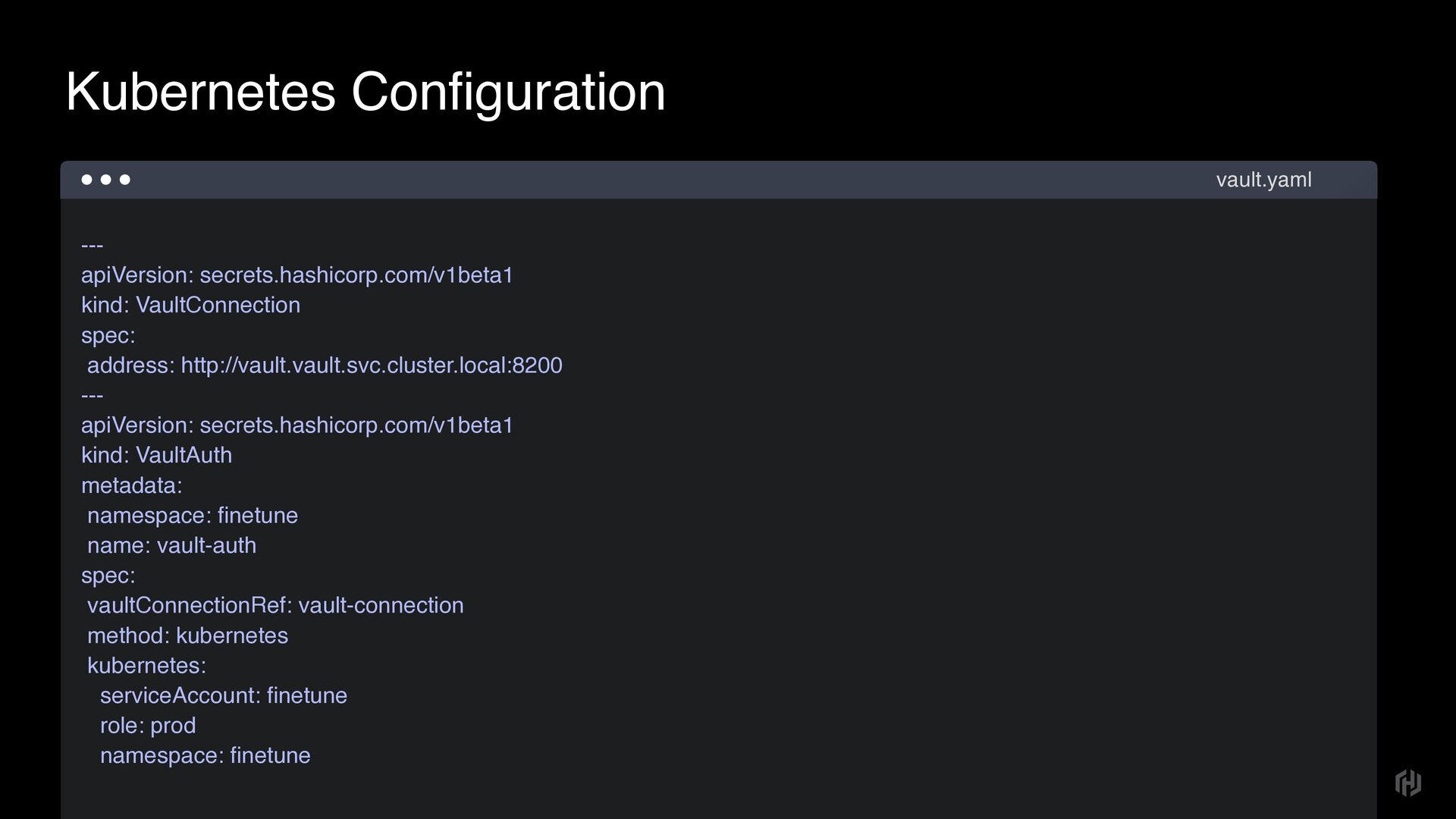
  19. --- apiVersion: secrets.hashicorp.com/v1beta1 kind: VaultConnection spec: address: http://vault.vault.svc.cluster.local:8200 --- apiVersion:

    secrets.hashicorp.com/v1beta1 kind: VaultAuth metadata: namespace: fi netune name: vault-auth spec: vaultConnectionRef: vault-connection method: kubernetes kubernetes: serviceAccount: fi netune role: prod namespace: fi netune Kubernetes Configuration vault.yaml
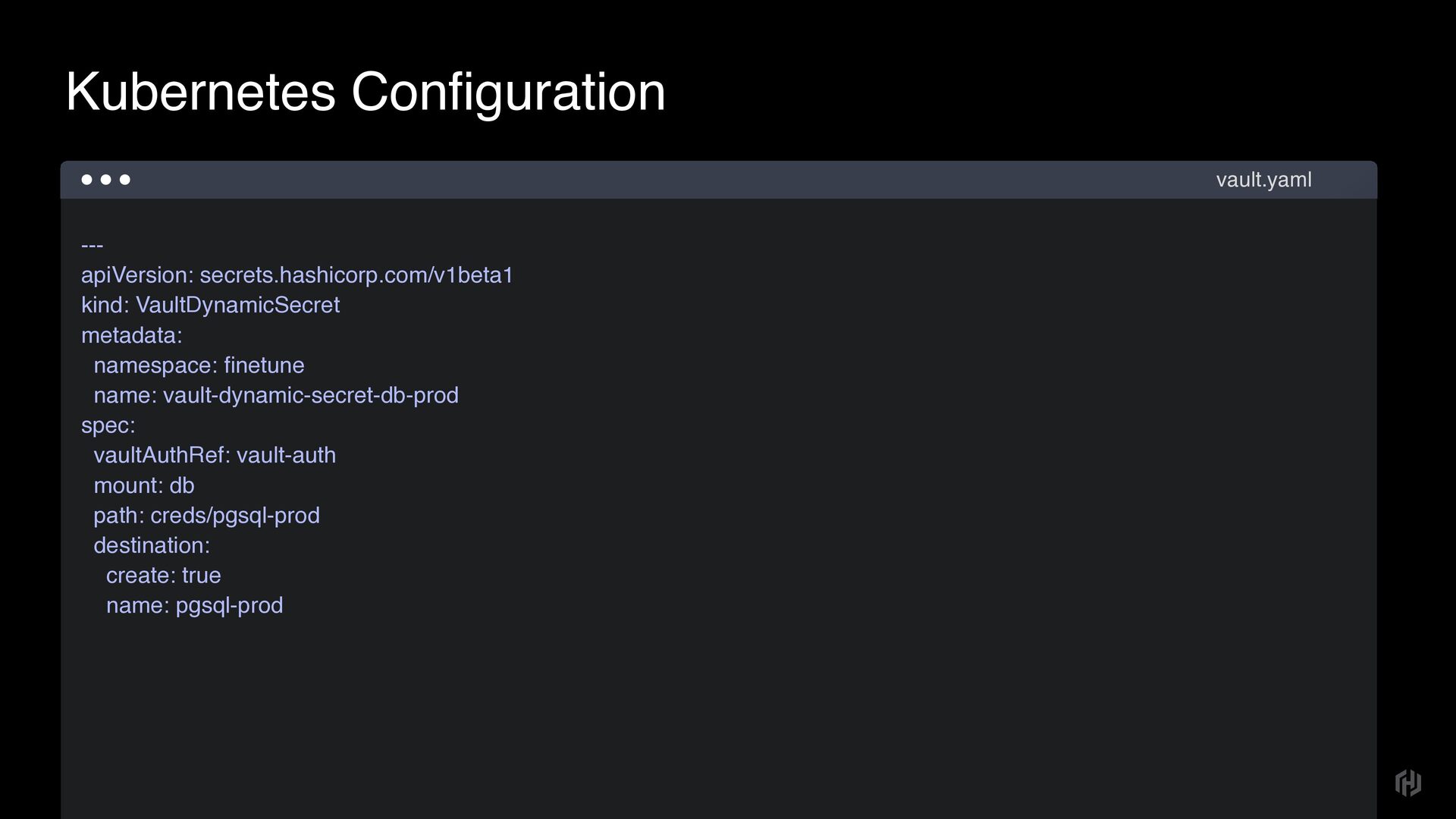
  20. --- apiVersion: secrets.hashicorp.com/v1beta1 kind: VaultDynamicSecret metadata: namespace: fi netune name:

    vault-dynamic-secret-db-prod spec: vaultAuthRef: vault-auth mount: db path: creds/pgsql-prod destination: create: true name: pgsql-prod Kubernetes Configuration vault.yaml
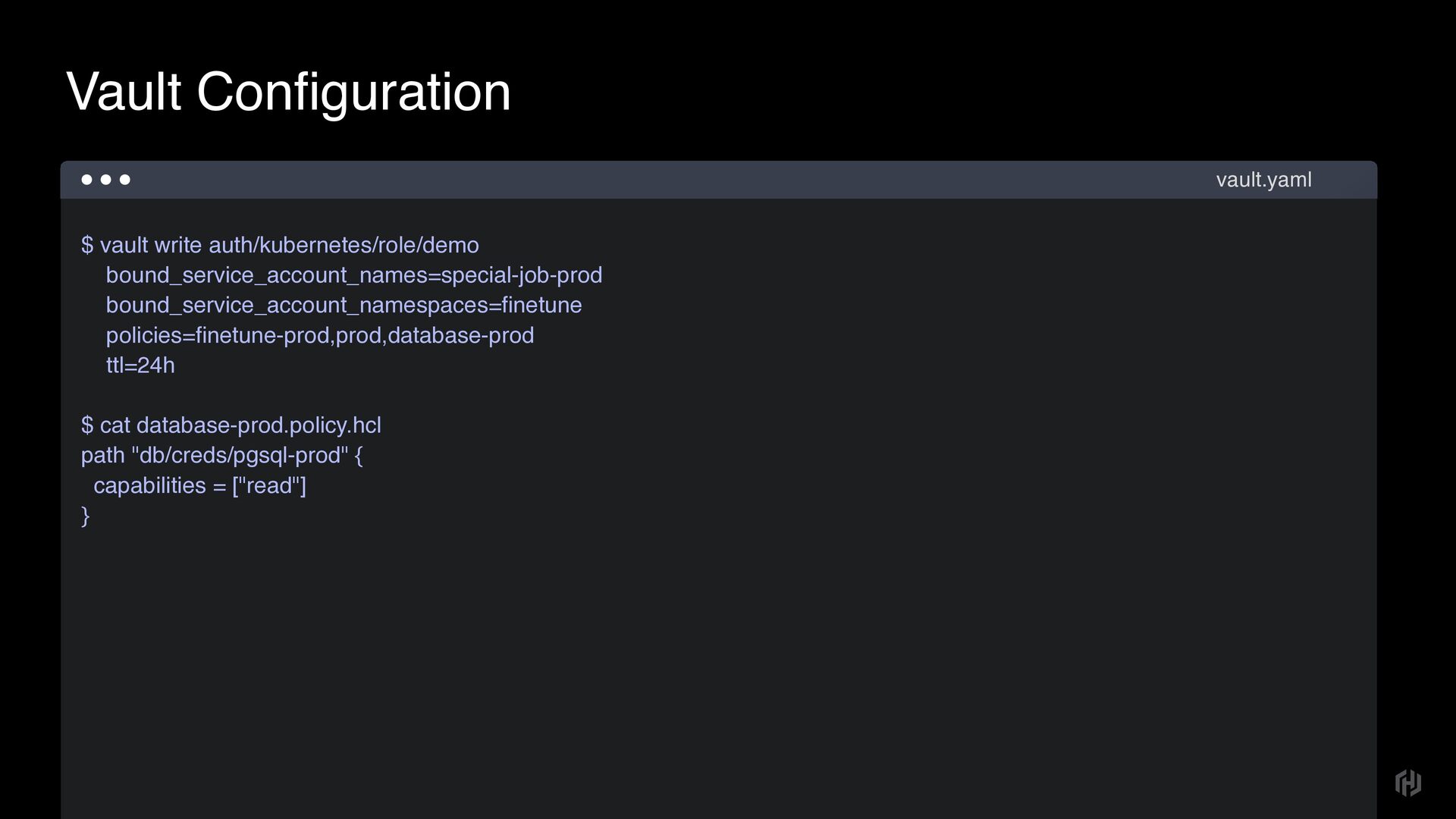
  21. $ vault write auth/kubernetes/role/demo bound_service_account_names=special-job-prod bound_service_account_namespaces= fi netune policies= fi

    netune-prod,prod,database-prod ttl=24h 
 $ cat database-prod.policy.hcl path "db/creds/pgsql-prod" { capabilities = ["read"] } Vault Configuration vault.yaml