5 Envato ‣ Founded in 2006. ‣ Paid > $500m USD to our content authors. ‣ > 300 staff worldwide. ‣ > 100 people in the Technology team, reporting to CTO.
7 Envato ‣ 4 Groups with 3-8 Software Engineering teams each. ‣ 23 Software Engineering teams in total: ‣ Every team is cross-functional (PO, UX, Frontend, Backend, DevOps.)
7 Envato ‣ 4 Groups with 3-8 Software Engineering teams each. ‣ 23 Software Engineering teams in total: ‣ Every team is cross-functional (PO, UX, Frontend, Backend, DevOps.) ‣ Every team has 4-8 Engineers.
7 Envato ‣ 4 Groups with 3-8 Software Engineering teams each. ‣ 23 Software Engineering teams in total: ‣ Every team is cross-functional (PO, UX, Frontend, Backend, DevOps.) ‣ Every team has 4-8 Engineers. ‣ Every team has a Engineering Team Lead.
7 Envato ‣ 4 Groups with 3-8 Software Engineering teams each. ‣ 23 Software Engineering teams in total: ‣ Every team is cross-functional (PO, UX, Frontend, Backend, DevOps.) ‣ Every team has 4-8 Engineers. ‣ Every team has a Engineering Team Lead. ‣ Every team has a Technical Lead (usually Team Lead or Senior Engineer.)
7 Envato ‣ 4 Groups with 3-8 Software Engineering teams each. ‣ 23 Software Engineering teams in total: ‣ Every team is cross-functional (PO, UX, Frontend, Backend, DevOps.) ‣ Every team has 4-8 Engineers. ‣ Every team has a Engineering Team Lead. ‣ Every team has a Technical Lead (usually Team Lead or Senior Engineer.) ‣ One job: answering “why did you do it that way?”
7 Envato ‣ 4 Groups with 3-8 Software Engineering teams each. ‣ 23 Software Engineering teams in total: ‣ Every team is cross-functional (PO, UX, Frontend, Backend, DevOps.) ‣ Every team has 4-8 Engineers. ‣ Every team has a Engineering Team Lead. ‣ Every team has a Technical Lead (usually Team Lead or Senior Engineer.) ‣ One job: answering “why did you do it that way?” ‣ 1 Software Architect. (Me!)
8 Envato ‣ No central control and command over technology decisions. ‣ Each team is autonomous and make their own decisions. ‣ Including technologies (languages, databases, etc).
8 Envato ‣ No central control and command over technology decisions. ‣ Each team is autonomous and make their own decisions. ‣ Including technologies (languages, databases, etc). ‣ Each team is accountable for their own decisions.
8 Envato ‣ No central control and command over technology decisions. ‣ Each team is autonomous and make their own decisions. ‣ Including technologies (languages, databases, etc). ‣ Each team is accountable for their own decisions. ‣ Each team owns systems.
8 Envato ‣ No central control and command over technology decisions. ‣ Each team is autonomous and make their own decisions. ‣ Including technologies (languages, databases, etc). ‣ Each team is accountable for their own decisions. ‣ Each team owns systems. ‣ Includes operational responsibility, budgets, etc.
8 Envato ‣ No central control and command over technology decisions. ‣ Each team is autonomous and make their own decisions. ‣ Including technologies (languages, databases, etc). ‣ Each team is accountable for their own decisions. ‣ Each team owns systems. ‣ Includes operational responsibility, budgets, etc. ‣ Every system must be owned by a team.
18 Envato’s Architecture Guild ‣ It’s a group that discusses and determines things (we'll get to what later). ‣ It's a sounding board for technical decisions.
18 Envato’s Architecture Guild ‣ It’s a group that discusses and determines things (we'll get to what later). ‣ It's a sounding board for technical decisions. ‣ It's a forum for share knowledge and learn from each other.
18 Envato’s Architecture Guild ‣ It’s a group that discusses and determines things (we'll get to what later). ‣ It's a sounding board for technical decisions. ‣ It's a forum for share knowledge and learn from each other. ‣ Anyone in the Technology team is welcome to participate.
18 Envato’s Architecture Guild ‣ It’s a group that discusses and determines things (we'll get to what later). ‣ It's a sounding board for technical decisions. ‣ It's a forum for share knowledge and learn from each other. ‣ Anyone in the Technology team is welcome to participate. ‣ Some participants are mandatory. (I get to decide who.)
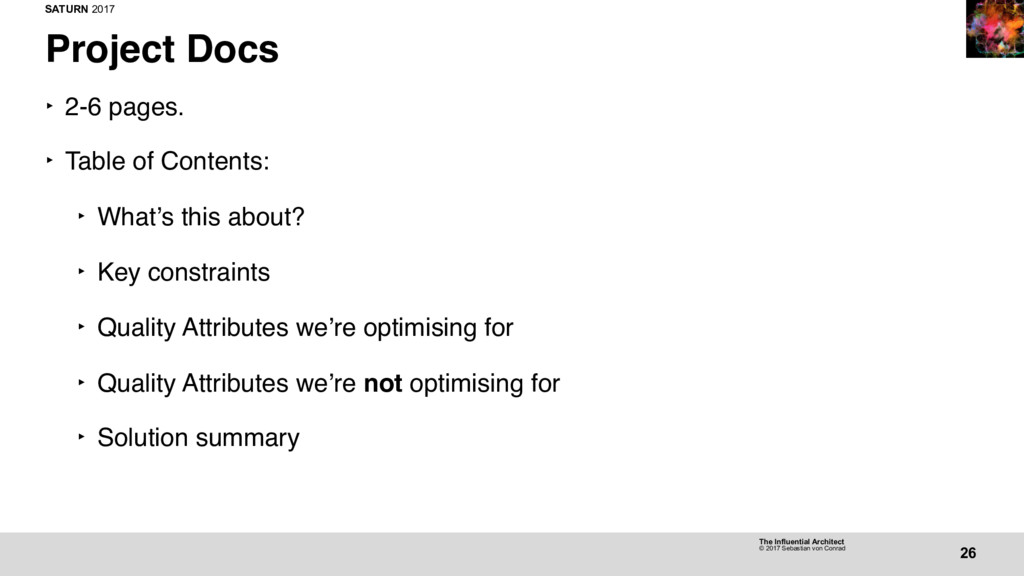
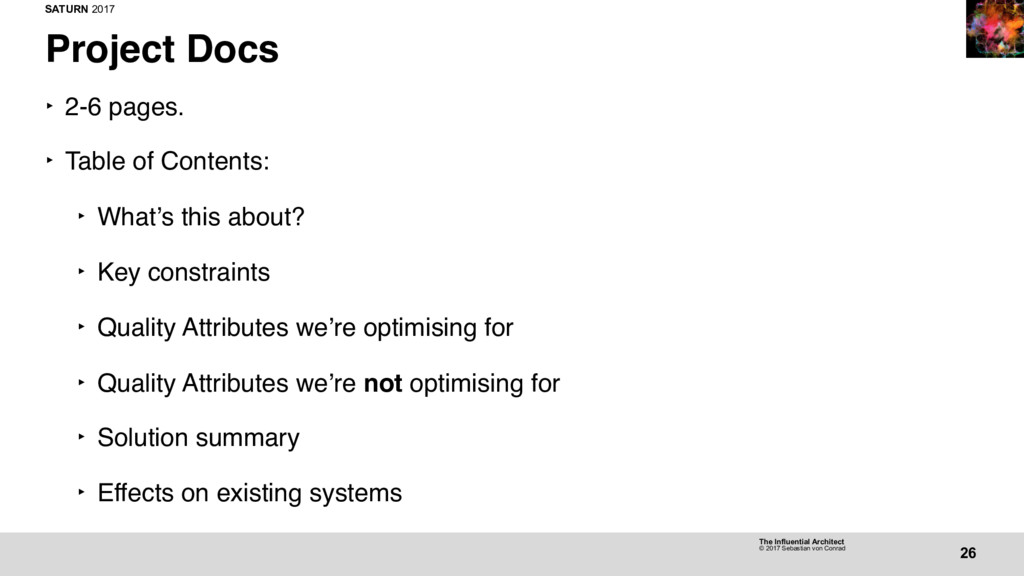
27 Project Docs ‣ Doesn’t take long to create—a few hours. ‣ Timing is everything. ‣ “Ghost writing” services offered. ‣ Interview team, write for them.
28 Architect as Bottleneck ‣ “Ghost writing” doesn’t scale. ‣ Team Lead: “I feel like you’re more ‘ghost’ than ‘writer’.” ‣ Doesn’t have to scale. ‣ Establish precedent.
28 Architect as Bottleneck ‣ “Ghost writing” doesn’t scale. ‣ Team Lead: “I feel like you’re more ‘ghost’ than ‘writer’.” ‣ Doesn’t have to scale. ‣ Establish precedent. ‣ Create templates.
28 Architect as Bottleneck ‣ “Ghost writing” doesn’t scale. ‣ Team Lead: “I feel like you’re more ‘ghost’ than ‘writer’.” ‣ Doesn’t have to scale. ‣ Establish precedent. ‣ Create templates. ‣ Share knowledge
28 Architect as Bottleneck ‣ “Ghost writing” doesn’t scale. ‣ Team Lead: “I feel like you’re more ‘ghost’ than ‘writer’.” ‣ Doesn’t have to scale. ‣ Establish precedent. ‣ Create templates. ‣ Share knowledge ‣ Make teams self-sufficient.
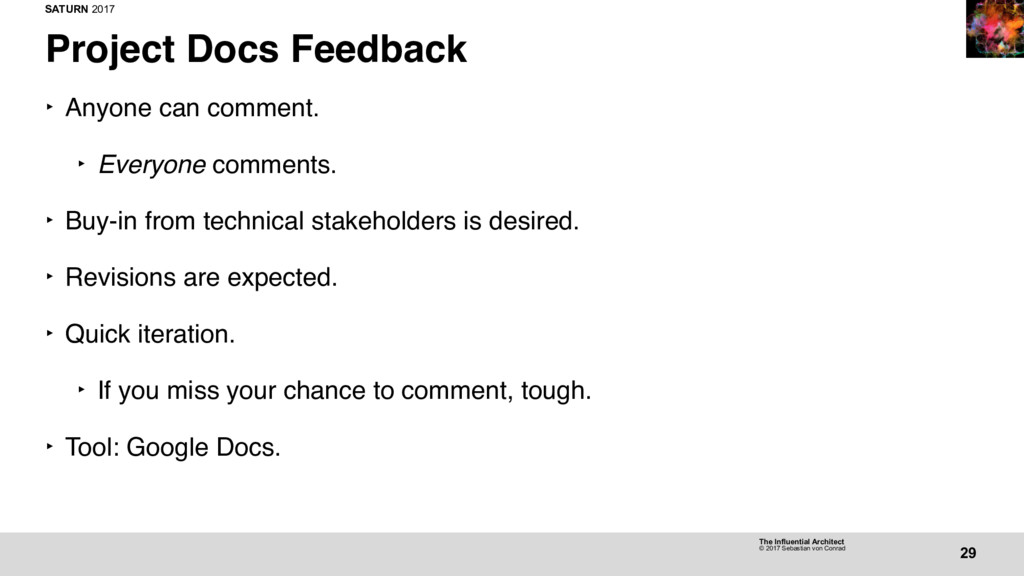
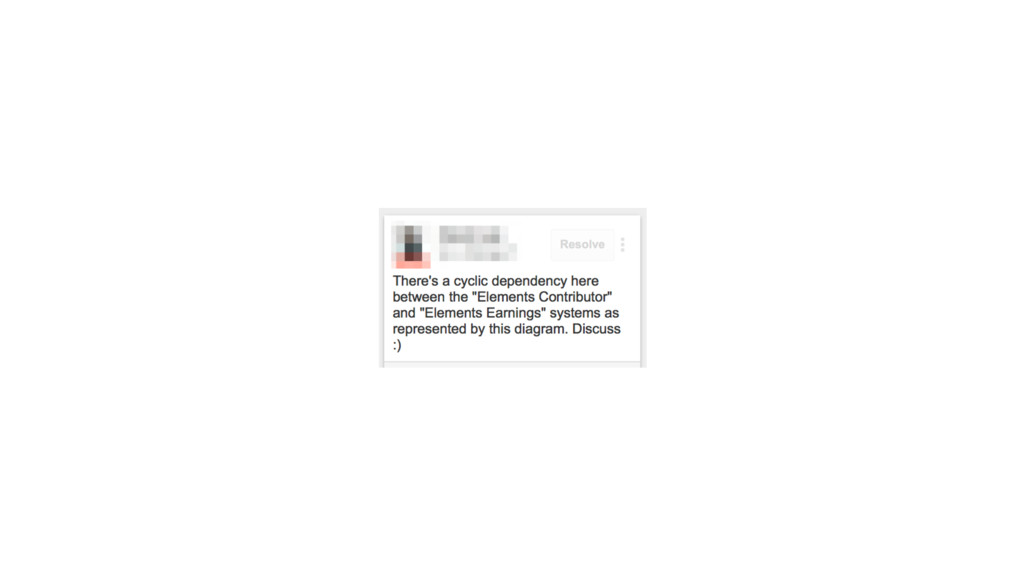
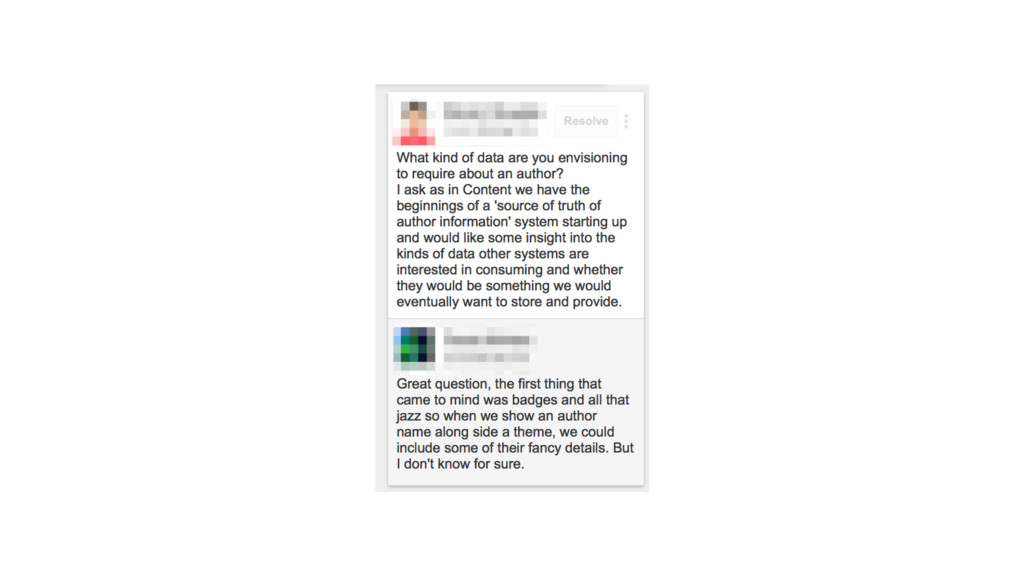
29 Project Docs Feedback ‣ Anyone can comment. ‣ Everyone comments. ‣ Buy-in from technical stakeholders is desired. ‣ Revisions are expected. ‣ Quick iteration. ‣ If you miss your chance to comment, tough.
29 Project Docs Feedback ‣ Anyone can comment. ‣ Everyone comments. ‣ Buy-in from technical stakeholders is desired. ‣ Revisions are expected. ‣ Quick iteration. ‣ If you miss your chance to comment, tough. ‣ Tool: Google Docs.
39 Light on the Hill ‣ A vision, not a roadmap. ‣ Our best guess of what the future looks like. ‣ Guides technical decision-making. ‣ Keeps teams honest: are we heading in the right direction?
39 Light on the Hill ‣ A vision, not a roadmap. ‣ Our best guess of what the future looks like. ‣ Guides technical decision-making. ‣ Keeps teams honest: are we heading in the right direction? ‣ If not (which is okay), at least we’re conscious of it and do it for the right reasons.
39 Light on the Hill ‣ A vision, not a roadmap. ‣ Our best guess of what the future looks like. ‣ Guides technical decision-making. ‣ Keeps teams honest: are we heading in the right direction? ‣ If not (which is okay), at least we’re conscious of it and do it for the right reasons. ‣ Each group has their own Light on the Hill.
39 Light on the Hill ‣ A vision, not a roadmap. ‣ Our best guess of what the future looks like. ‣ Guides technical decision-making. ‣ Keeps teams honest: are we heading in the right direction? ‣ If not (which is okay), at least we’re conscious of it and do it for the right reasons. ‣ Each group has their own Light on the Hill. ‣ The group’s Senior Engineering Manager (or their designated delegates) owns the Light on the Hill.
41 Expressing a Light on the Hill ‣ Initially, a big giant doc/diagram for each group. ‣ Yeah, that didn’t work. ‣ Hard to maintain: got out of date quickly.
41 Expressing a Light on the Hill ‣ Initially, a big giant doc/diagram for each group. ‣ Yeah, that didn’t work. ‣ Hard to maintain: got out of date quickly. ‣ Information overload.
41 Expressing a Light on the Hill ‣ Initially, a big giant doc/diagram for each group. ‣ Yeah, that didn’t work. ‣ Hard to maintain: got out of date quickly. ‣ Information overload. ‣ Difficult for technical folks, much less non-technical stakeholders, to wrap their heads around it.
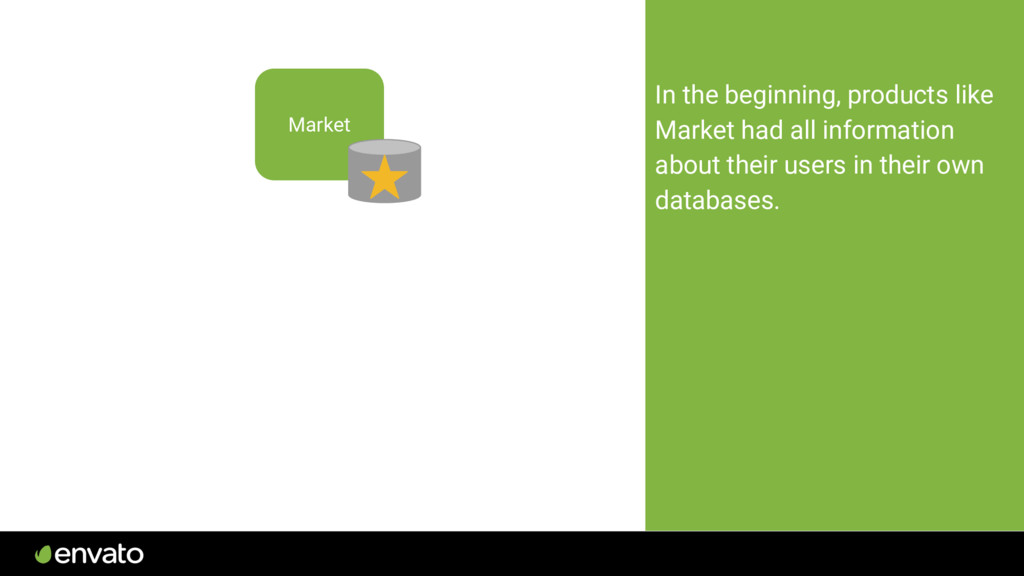
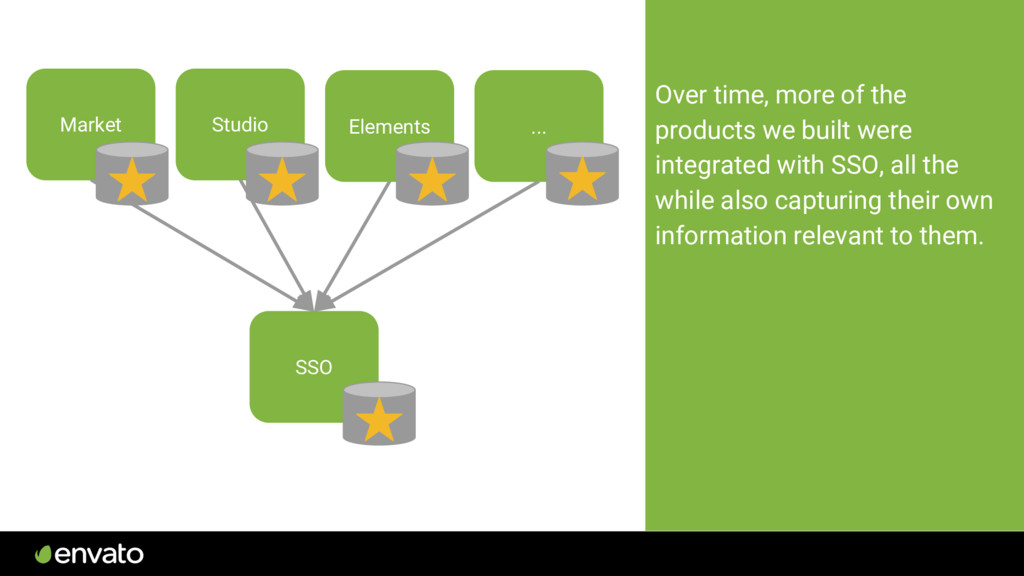
we would benefit from sharing user information between products. We built account.envato.com (SSO) to provide a unified sign up/in experience and share user information between products. Studio SSO
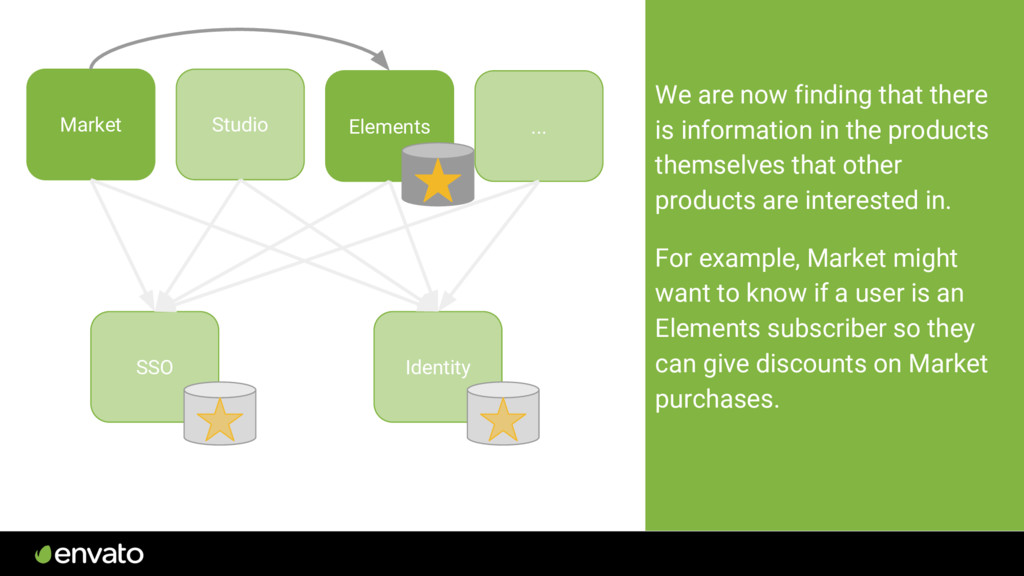
basic user details, such as billing details and tax information. We built a system called Identity to hold this information. Now, to get the information about users product wanted, they had to integrate with both Identity and SSO. Studio SSO Elements ... Identity
the products themselves that other products are interested in. For example, Market might want to know if a user is an Elements subscriber so they can give discounts on Market purchases. Studio SSO Elements ... Identity
systems each hold a different aspect of what we know about a user. Some of the systems that have key information are ones we haven’t built ourselves, like Zendesk or Discourse (our community forums). SSO Identity Elements Market Tuts+ Studio Zendesk Salesforce Discourse
giving products and systems the information they need is quickly becoming a problem. Lots of integration points and interdependencies makes systems harder to manage and change.
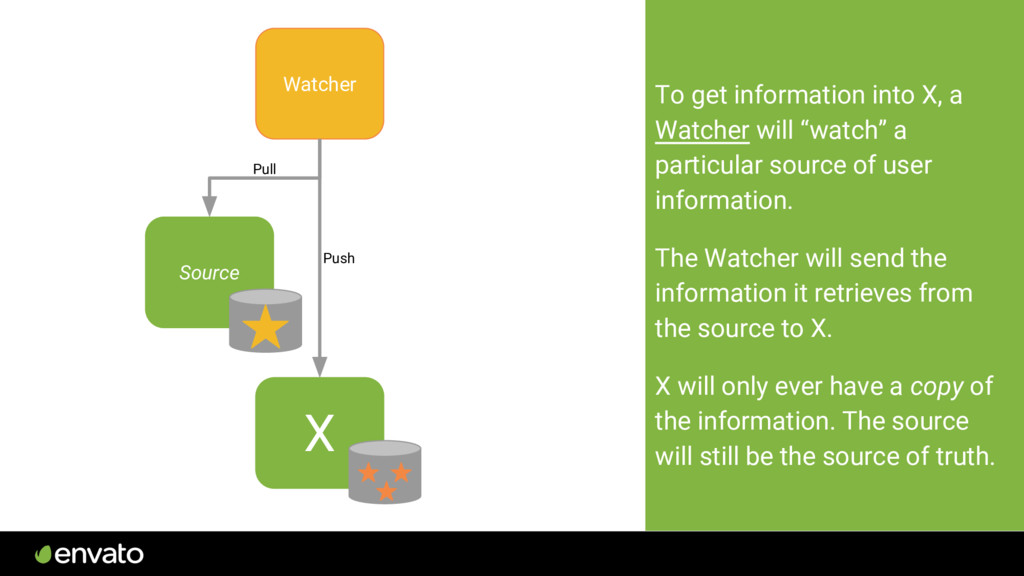
a particular source of user information. The Watcher will send the information it retrieves from the source to X. X will only ever have a copy of the information. The source will still be the source of truth. Watcher Source Pull Push
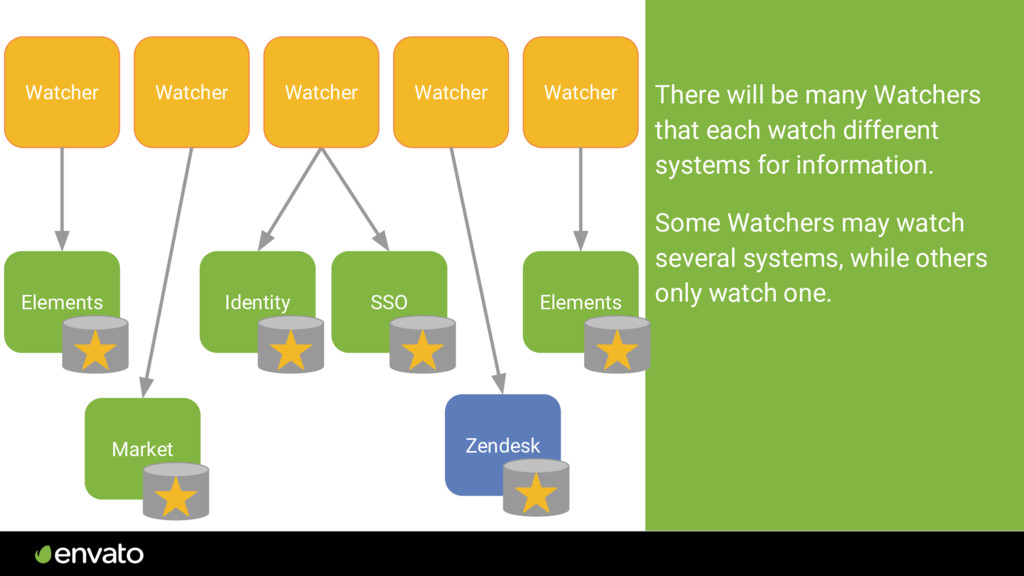
for information. Some Watchers may watch several systems, while others only watch one. SSO Identity Watcher Watcher Watcher Elements Market Watcher Watcher Elements Zendesk
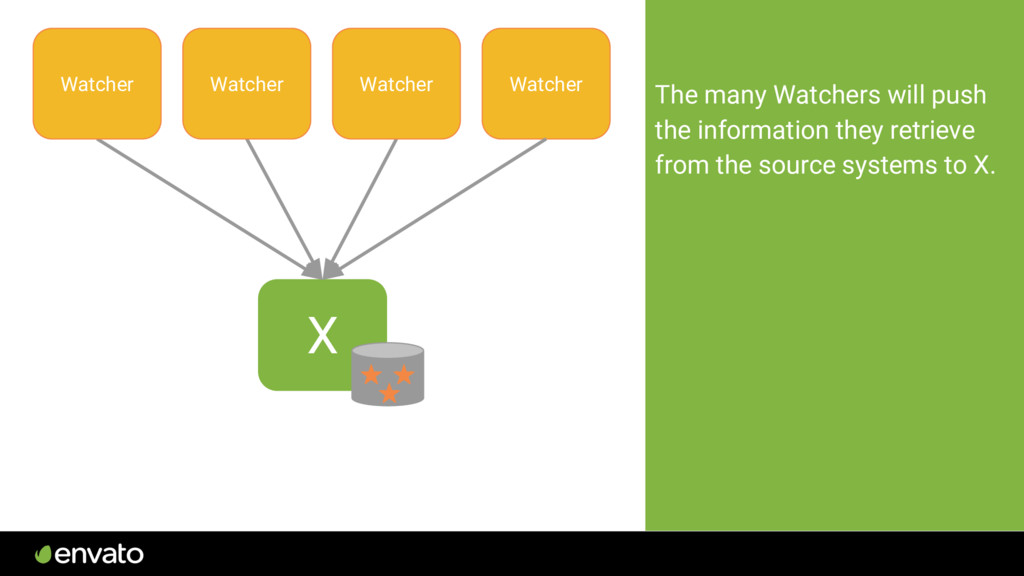
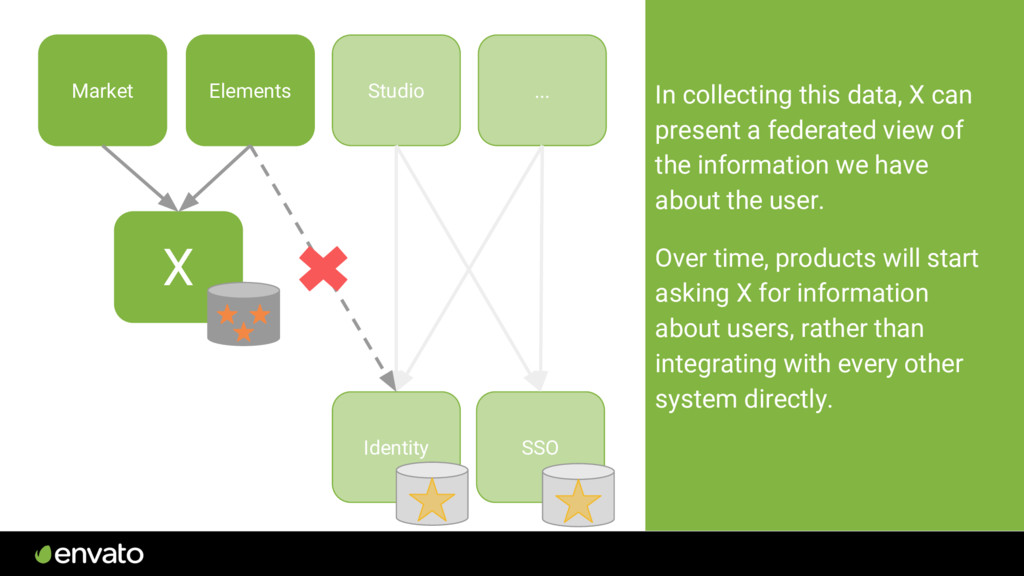
of the information we have about the user. Over time, products will start asking X for information about users, rather than integrating with every other system directly. Studio ... X Market Elements Identity SSO
64 Developing a Light on the Hill ‣ Workshop with selected participants: ‣ Key tech and product people from group. ‣ Stakeholders from other dependent groups.
64 Developing a Light on the Hill ‣ Workshop with selected participants: ‣ Key tech and product people from group. ‣ Stakeholders from other dependent groups. ‣ Senior stakeholders (e.g. CTO, CFO) if interested.
64 Developing a Light on the Hill ‣ Workshop with selected participants: ‣ Key tech and product people from group. ‣ Stakeholders from other dependent groups. ‣ Senior stakeholders (e.g. CTO, CFO) if interested. ‣ Outcome is a draft.
64 Developing a Light on the Hill ‣ Workshop with selected participants: ‣ Key tech and product people from group. ‣ Stakeholders from other dependent groups. ‣ Senior stakeholders (e.g. CTO, CFO) if interested. ‣ Outcome is a draft. ‣ Share with Architecture Guild for feedback, similar to Project Docs.
64 Developing a Light on the Hill ‣ Workshop with selected participants: ‣ Key tech and product people from group. ‣ Stakeholders from other dependent groups. ‣ Senior stakeholders (e.g. CTO, CFO) if interested. ‣ Outcome is a draft. ‣ Share with Architecture Guild for feedback, similar to Project Docs. ‣ Once ratified, share far and wide. (Demos, exec team meetings, etc.)
64 Developing a Light on the Hill ‣ Workshop with selected participants: ‣ Key tech and product people from group. ‣ Stakeholders from other dependent groups. ‣ Senior stakeholders (e.g. CTO, CFO) if interested. ‣ Outcome is a draft. ‣ Share with Architecture Guild for feedback, similar to Project Docs. ‣ Once ratified, share far and wide. (Demos, exec team meetings, etc.) ‣ Refer to them often.
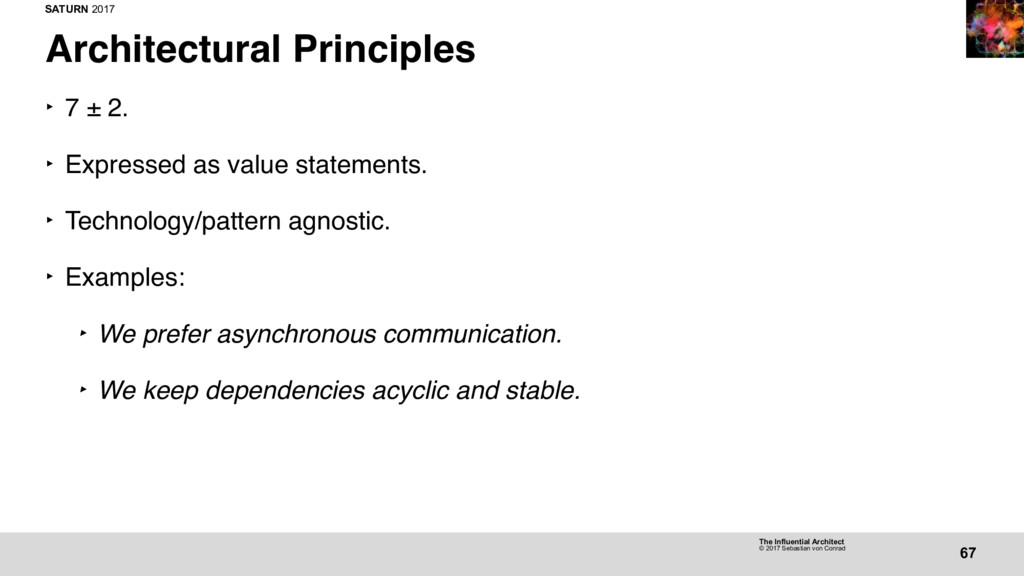
67 Architectural Principles ‣ 7 ± 2. ‣ Expressed as value statements. ‣ Technology/pattern agnostic. ‣ Examples: ‣ We prefer asynchronous communication. ‣ We keep dependencies acyclic and stable. ‣ We define Quality Attributes for systems and design with them in mind.
68 Architectural Principles ‣ They apply to everything technical decision we make. ‣ They are vehicles for accountability. ‣ Anyone is able to hold anyone else accountable to them.
69 Architectural Principles Process ‣ Anonymous suggestion box. ‣ Curation => first draft. ‣ Deep discussion on each one => Second draft => Third draft.
69 Architectural Principles Process ‣ Anonymous suggestion box. ‣ Curation => first draft. ‣ Deep discussion on each one => Second draft => Third draft. ‣ Buy-in was crucial.
69 Architectural Principles Process ‣ Anonymous suggestion box. ‣ Curation => first draft. ‣ Deep discussion on each one => Second draft => Third draft. ‣ Buy-in was crucial. ‣ Once finalised, published.
74 Sensible Defaults ‣ Off-the-shelf solutions to common problems. ‣ E.g. API Design, Authentication, Logging, 3rd Party Integration, Identifying and Handling Sensitive Data.
74 Sensible Defaults ‣ Off-the-shelf solutions to common problems. ‣ E.g. API Design, Authentication, Logging, 3rd Party Integration, Identifying and Handling Sensitive Data. ‣ Typically originates in practice, not theory.
74 Sensible Defaults ‣ Off-the-shelf solutions to common problems. ‣ E.g. API Design, Authentication, Logging, 3rd Party Integration, Identifying and Handling Sensitive Data. ‣ Typically originates in practice, not theory. ‣ Described as specifications.
74 Sensible Defaults ‣ Off-the-shelf solutions to common problems. ‣ E.g. API Design, Authentication, Logging, 3rd Party Integration, Identifying and Handling Sensitive Data. ‣ Typically originates in practice, not theory. ‣ Described as specifications. ‣ Specifications frequently lead to libraries.
74 Sensible Defaults ‣ Off-the-shelf solutions to common problems. ‣ E.g. API Design, Authentication, Logging, 3rd Party Integration, Identifying and Handling Sensitive Data. ‣ Typically originates in practice, not theory. ‣ Described as specifications. ‣ Specifications frequently lead to libraries. ‣ Includes why as well as what, or we may miss an opportunity to teach.
74 Sensible Defaults ‣ Off-the-shelf solutions to common problems. ‣ E.g. API Design, Authentication, Logging, 3rd Party Integration, Identifying and Handling Sensitive Data. ‣ Typically originates in practice, not theory. ‣ Described as specifications. ‣ Specifications frequently lead to libraries. ‣ Includes why as well as what, or we may miss an opportunity to teach. ‣ The why also enables the sensible default to be challenged.
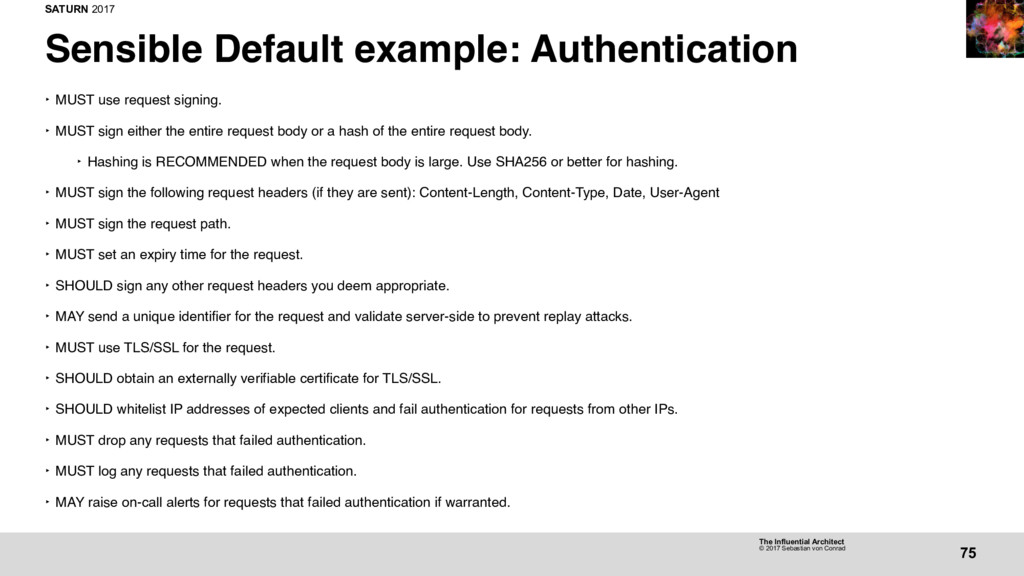
75 Sensible Default example: Authentication ‣ MUST use request signing. ‣ MUST sign either the entire request body or a hash of the entire request body. ‣ Hashing is RECOMMENDED when the request body is large. Use SHA256 or better for hashing. ‣ MUST sign the following request headers (if they are sent): Content-Length, Content-Type, Date, User-Agent ‣ MUST sign the request path. ‣ MUST set an expiry time for the request. ‣ SHOULD sign any other request headers you deem appropriate. ‣ MAY send a unique identifier for the request and validate server-side to prevent replay attacks. ‣ MUST use TLS/SSL for the request. ‣ SHOULD obtain an externally verifiable certificate for TLS/SSL. ‣ SHOULD whitelist IP addresses of expected clients and fail authentication for requests from other IPs. ‣ MUST drop any requests that failed authentication. ‣ MUST log any requests that failed authentication. ‣ MAY raise on-call alerts for requests that failed authentication if warranted.
76 Sensible Defaults ‣ Sensible Defaults are recommended, but never mandated. ‣ You’ll never get in trouble for using one. ‣ If you choose not to use one, you’ll be asked why.
76 Sensible Defaults ‣ Sensible Defaults are recommended, but never mandated. ‣ You’ll never get in trouble for using one. ‣ If you choose not to use one, you’ll be asked why. ‣ We don’t want to stymie innovation.
76 Sensible Defaults ‣ Sensible Defaults are recommended, but never mandated. ‣ You’ll never get in trouble for using one. ‣ If you choose not to use one, you’ll be asked why. ‣ We don’t want to stymie innovation. ‣ Have a better idea? Go for it!
76 Sensible Defaults ‣ Sensible Defaults are recommended, but never mandated. ‣ You’ll never get in trouble for using one. ‣ If you choose not to use one, you’ll be asked why. ‣ We don’t want to stymie innovation. ‣ Have a better idea? Go for it! ‣ We can update the default.
88 Strategic Design ‣ Understand business objectives and strategy. ‣ Weigh tradeoffs. ‣ The design has to be proportionate to the business value. ‣ Use the Strategic Design graph.


 vonconrad
 ichiki1023
 hirohasuyoutube
 hironobuiga
 yohyamasaki
 oracle4engineer
 nasuvitz
 aoto
aoto
 mrmtsu
 dtunkelang
 yoshiakiyamasaki
 taka_aki
 yama3133
 frankvandijk
 jonoalderson
 palkan
 cassininazir
 destraynor
 soudai
 rkendrick25
 akademiya2063
 tenderlove
 stuffmc
 thoeni