Upgrade to Pro
— share decks privately, control downloads, hide ads and more …
Speaker Deck
Sign up for free
Menu
Search
Features
All features
Private URLs
Password Protection
Custom URLS
Scheduled publishing
Remove Branding
Restrict embedding
Deck Collections
Notes
Features
All features
Private URLs
Password Protection
Custom URLS
Scheduled publishing
Remove Branding
Restrict embedding
Deck Collections
Notes
Explore
Featured decks
Featured speakers
Programming
Technology
Storyboards
Explore
Featured decks
Featured speakers
Programming
Technology
Storyboards
Pricing
Search
Sign in
Sign up for free
iOS開發者或許需要知道的一些網路與網頁前端知識及其combo技並如何在iOS13被摧毀又在i...
Search
YodaWang
December 12, 2019
Programming
370
1
Share
Embed
Copy iframe code
Copy JS code
Copy link
Start on current slide
iOS開發者或許需要知道的一些網路與網頁前端知識及其combo技並如何在iOS13被摧毀又在iOS13.3被修復
YodaWang
December 12, 2019
Other Decks in Programming
See All in Programming
R8 の設定見直しでアプリサイズ削減
andpad
0
220
GemmaをJevのように使ってみる / Use Gemma like Jev
kishida
5
820
當我們開始不讀 Code - AI Agent 時代,Code Review 與 Clean Code 還剩下什麼?
jame2408
1
290
[Dev Group Paris Octobre 26] Agentforce, SIforce, Claudeforce, Slackbot… on s'y retrouve ?
nabondance
0
120
Vue Fes Japan の “作る側”に関わってみて
naokihaba
0
170
AI時代のコードレビューは人に向けるな、仕組みに向けろ
texmeijin
5
3.7k
AI時代のTerminal環境を UNIX哲学で設計・運用する
yasunori0418
1
140
AWS CDKのカスタムリソースでContinuum(旧Security Agent)を実装した話 | Implementing Continuum (formerly Security Agent) via AWS CDK Custom Resource
akihisaikeda
2
160
Unity6 URPによる海底をテーマにしたVJシステムの解説 | Unity Shader 完全に理解した 勉強会
gam0022
0
370
Atomic Design, Enforced: Scaling Mobile Design Systems (next.app devCon / droidCon Berlin 2026)
steliosf
PRO
0
180
PumaからFalconに移行したRailsアプリケーションでの実践
falcon8823
0
190
エージェントを使い続けるためのメタワーク / Meta-work for keeping using the agent
rkaga
4
1.4k
Featured
See All Featured
What’s in a name? Adding method to the madness
productmarketing
PRO
24
4.2k
YesSQL, Process and Tooling at Scale
rocio
174
15k
State of Search Keynote: SEO is Dead Long Live SEO
ryanjones
0
320
Paper Plane
katiecoart
PRO
5
54k
Put a Button on it: Removing Barriers to Going Fast.
kastner
60
4.6k
How to Think Like a Performance Engineer
csswizardry
28
2.9k
Pawsitive SEO: Lessons from My Dog (and Many Mistakes) on Thriving as a Consultant in the Age of AI
davidcarrasco
0
260
Lightning talk: Run Django tests with GitHub Actions
sabderemane
0
300
Avoiding the “Bad Training, Faster” Trap in the Age of AI
tmiket
0
280
[RailsConf 2023] Rails as a piece of cake
palkan
59
7.1k
Facilitating Awesome Meetings
lara
57
7.2k
Claude Code どこまでも/ Claude Code Everywhere
nwiizo
68
59k
Transcript
在桌⾯建立捷徑 iOS開發者或許需要知道的⼀些網路與網⾴前端知識及其combo 技並如何在iOS13被摧毀⼜在iOS13.3被修復
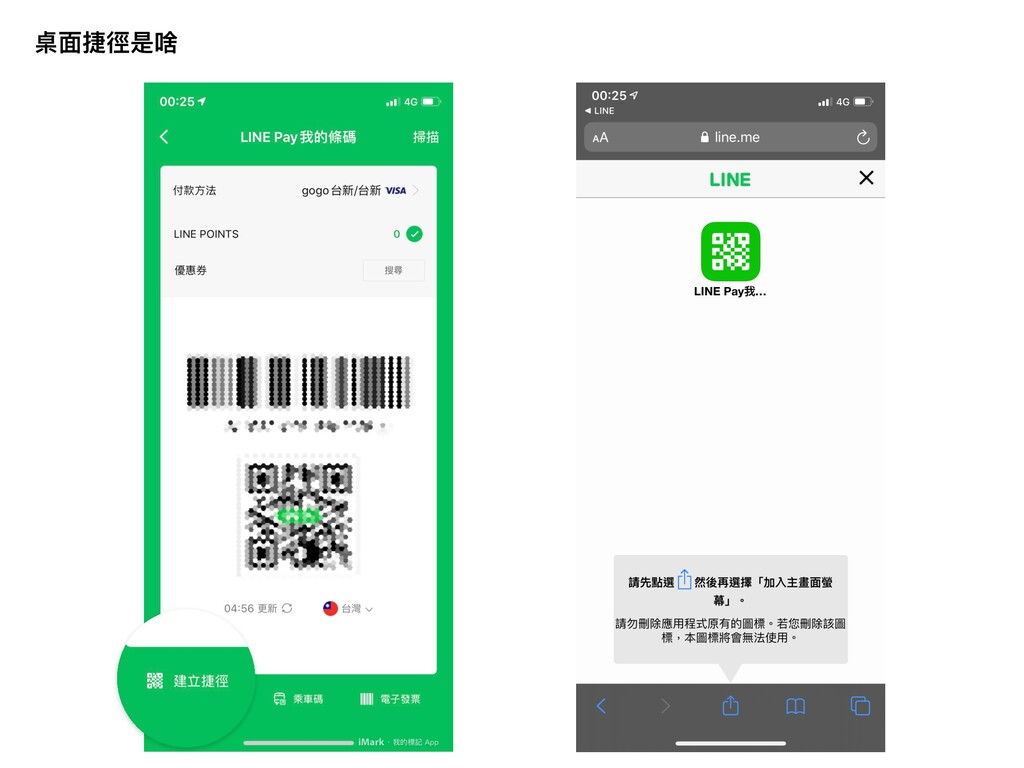
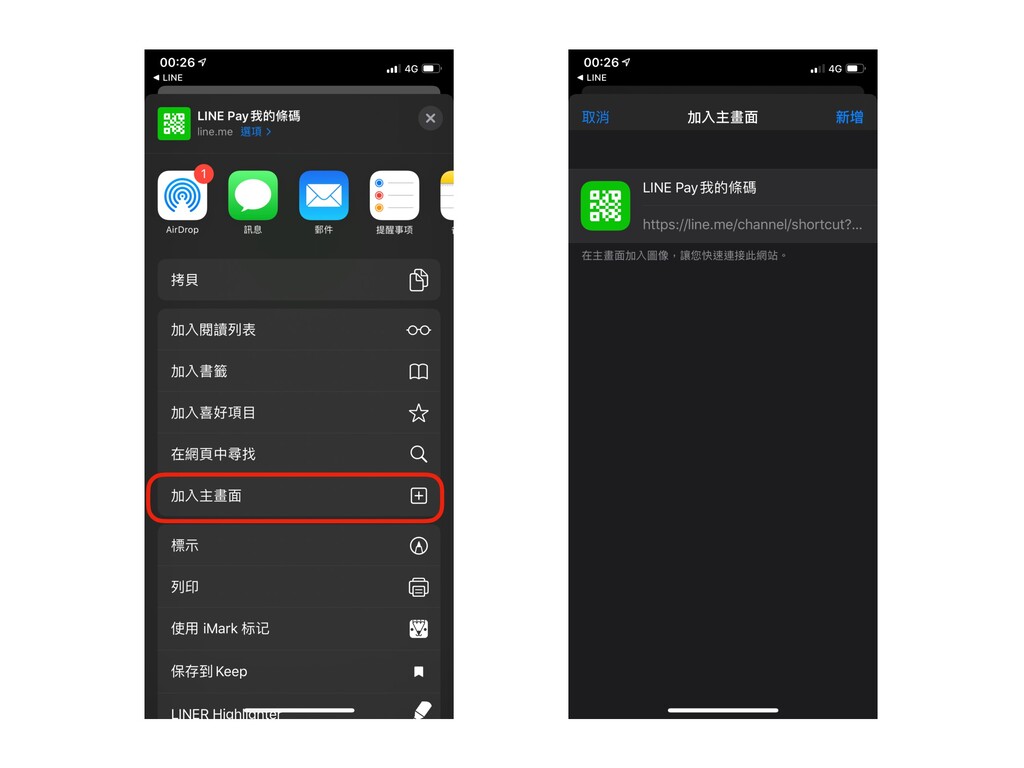
桌⾯捷徑是啥
None
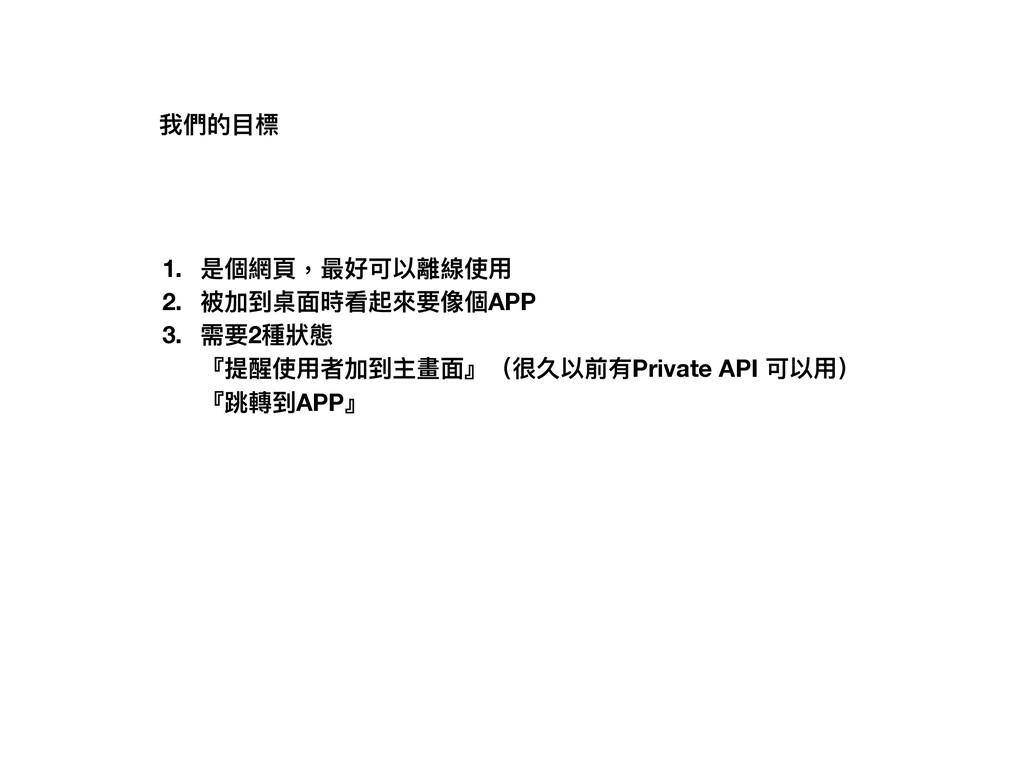
1. 是個網⾴,最好可以離線使⽤ 2. 被加到桌⾯時看起來要像個APP 3. 需要2種狀態 『提醒使⽤者加到主畫⾯』(很久以前有Private API 可以⽤)
『跳轉到APP』 我們的⽬標
跳轉到APP ‛ Deep Link 被加到桌⾯時看起來要像個APP ‛ ? 最好可以離線使⽤‛ ? 需要2種狀態‛
?
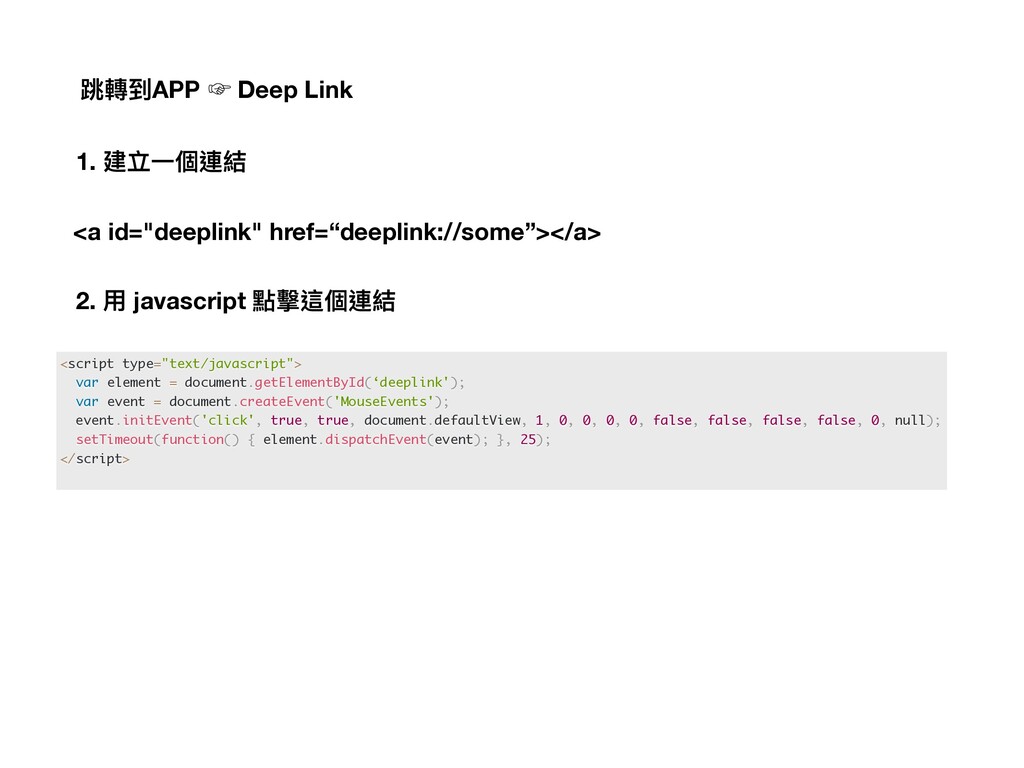
跳轉到APP ‛ Deep Link <a id="deeplink" href=“deeplink://some”></a> <script type="text/javascript"> var
element = document.getElementById(‘deeplink'); var event = document.createEvent('MouseEvents'); event.initEvent('click', true, true, document.defaultView, 1, 0, 0, 0, 0, false, false, false, false, 0, null); setTimeout(function() { element.dispatchEvent(event); }, 25); </script> 1. 建立⼀個連結 2. ⽤ javascript 點擊這個連結
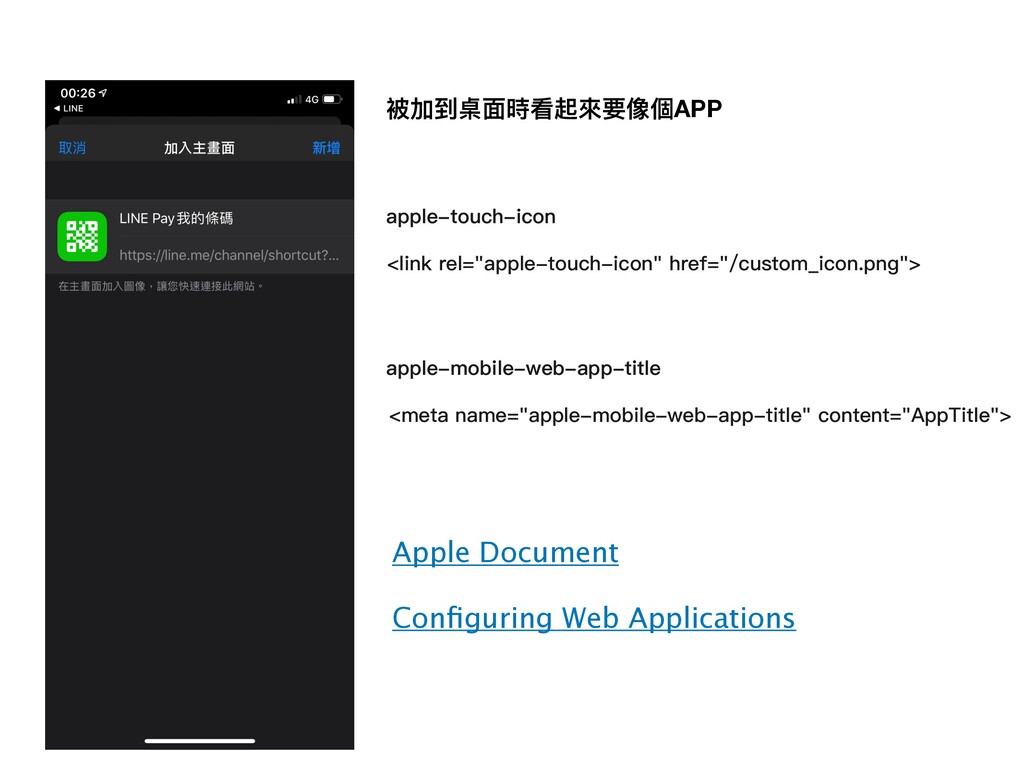
被加到桌⾯時看起來要像個APP <link rel="apple-touch-icon" href="/custom_icon.png"> apple-touch-icon Apple Document Configuring Web Applications
<meta name="apple-mobile-web-app-title" content="AppTitle"> apple-mobile-web-app-title
最好可以離線使⽤ Data URI data:[<mediatype>][;base64],<data> mediatype 為⼀ MIME type 字串,例如 JPEG
圖檔為「image/jpeg」,為非必要 參數,若省略的話,默認值為「text/plain;charset=US-ASCII」。 MIME type
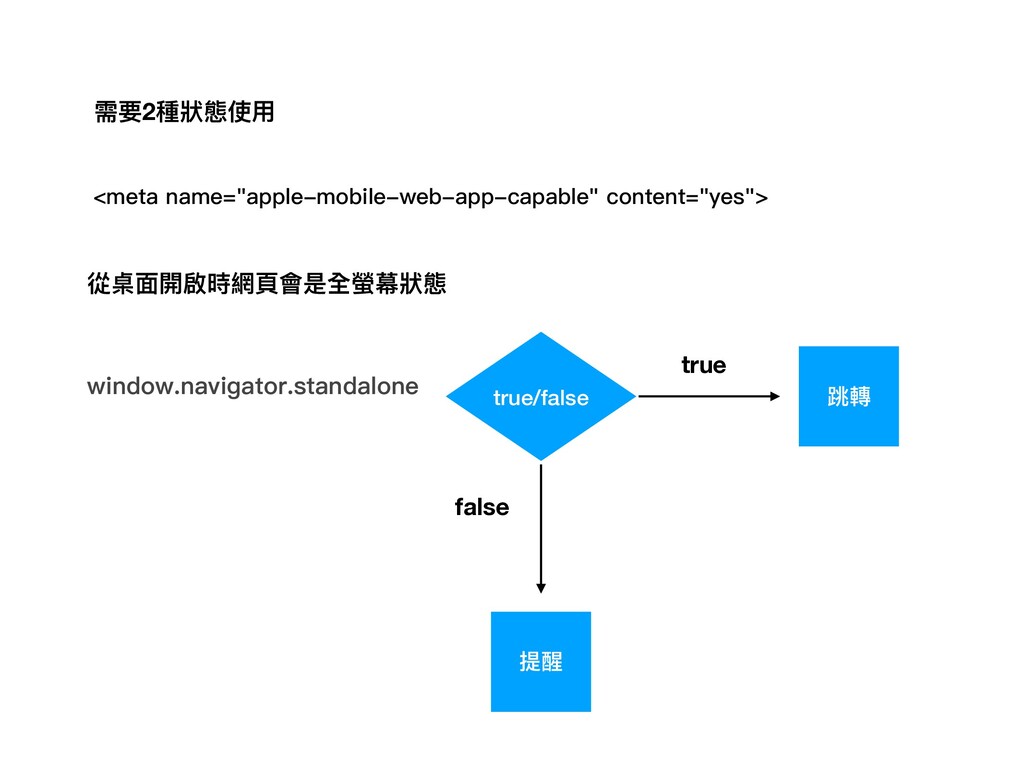
需要2種狀態使⽤ <meta name="apple-mobile-web-app-capable" content="yes"> window.navigator.standalone true/false true false 跳轉 提醒
從桌⾯開啟時網⾴會是全螢幕狀態
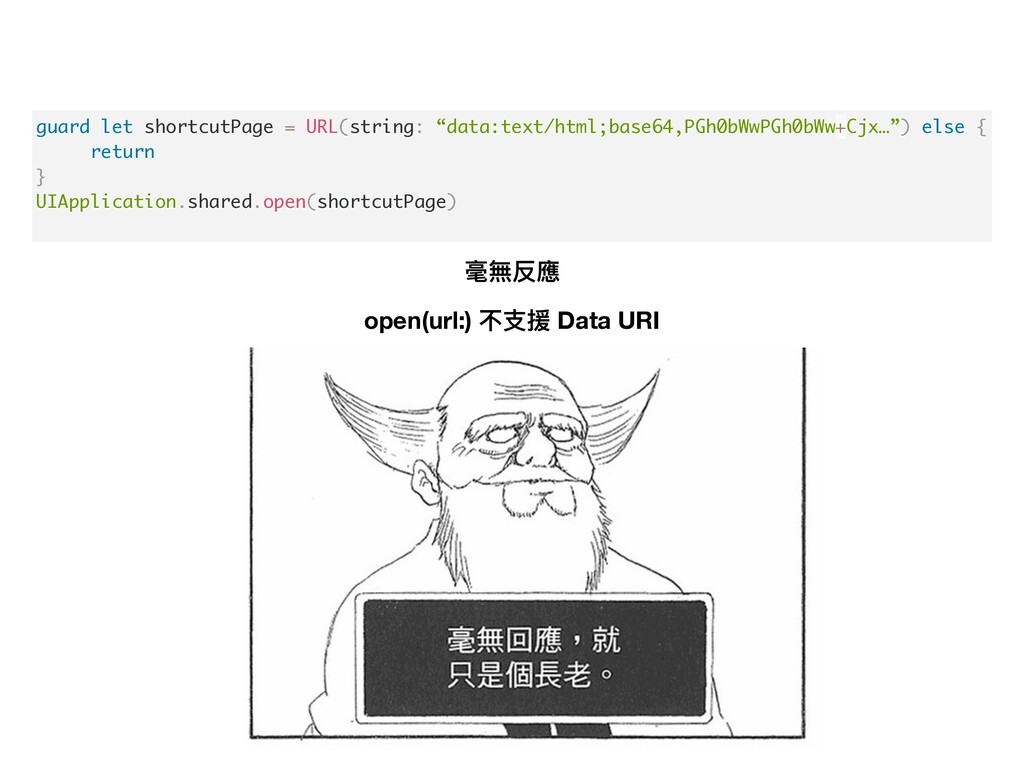
guard let shortcutPage = URL(string: “data:text/html;base64,PGh0bWwPGh0bWw+Cjx…”) else { return }
UIApplication.shared.open(shortcutPage) 毫無反應 open(url:) 不⽀援 Data URI
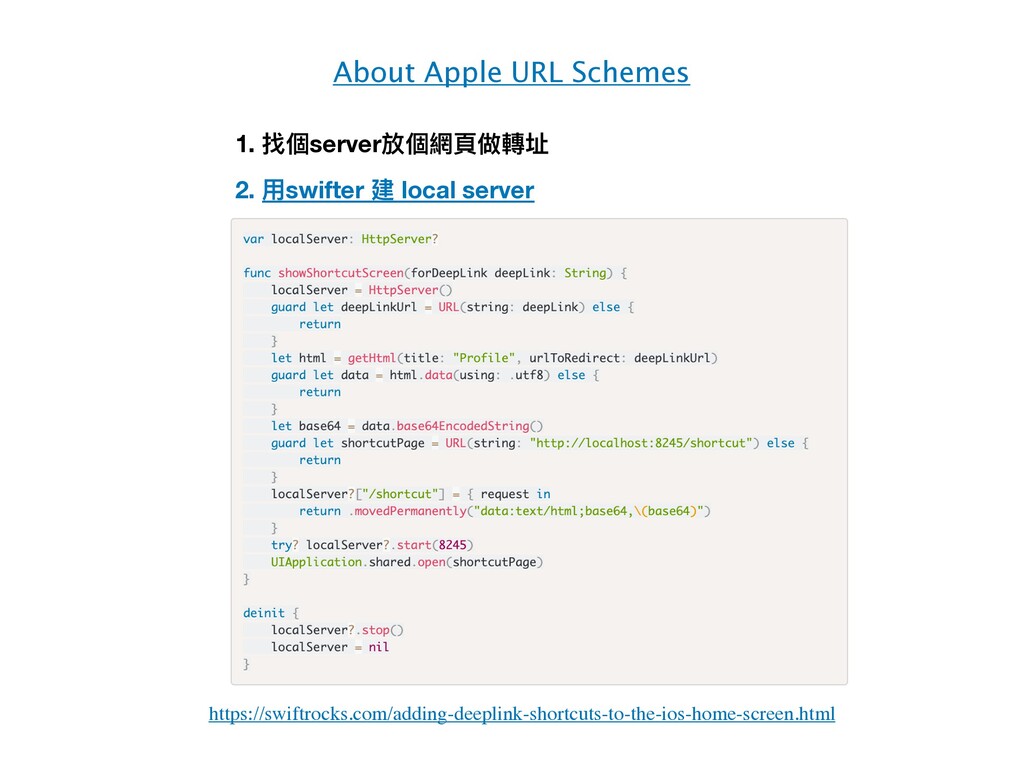
About Apple URL Schemes 1. 找個server放個網⾴做轉址 https://swiftrocks.com/adding-deeplink-shortcuts-to-the-ios-home-screen.html 2. ⽤swifter 建
local server
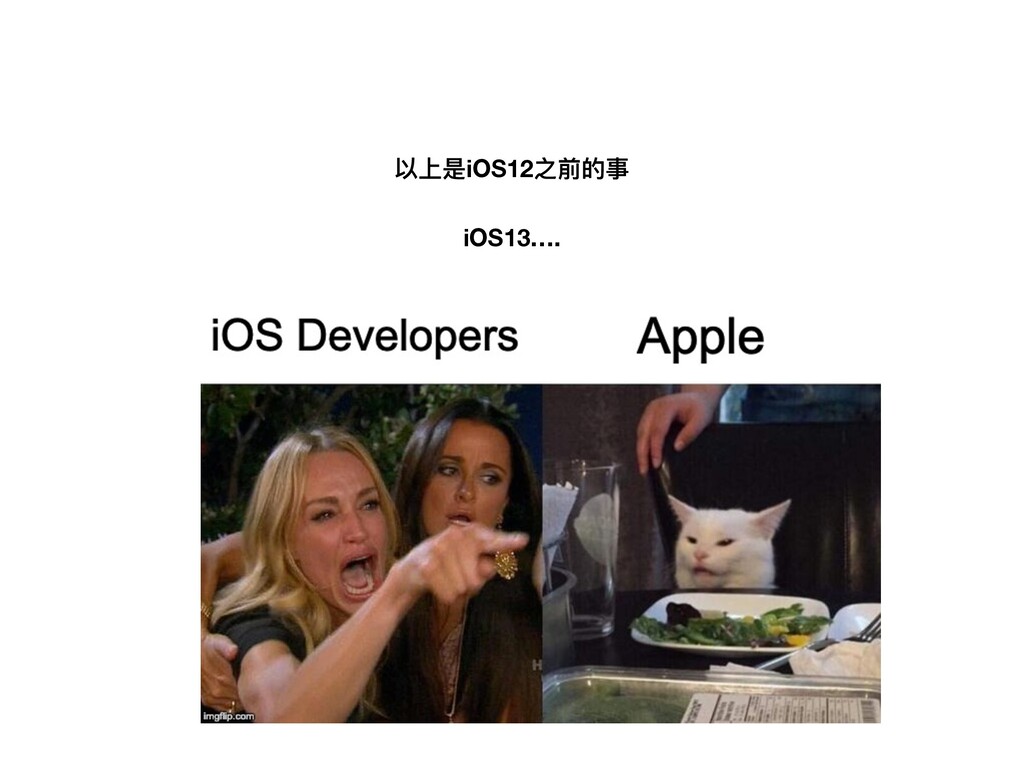
iOS13…. 以上是iOS12之前的事
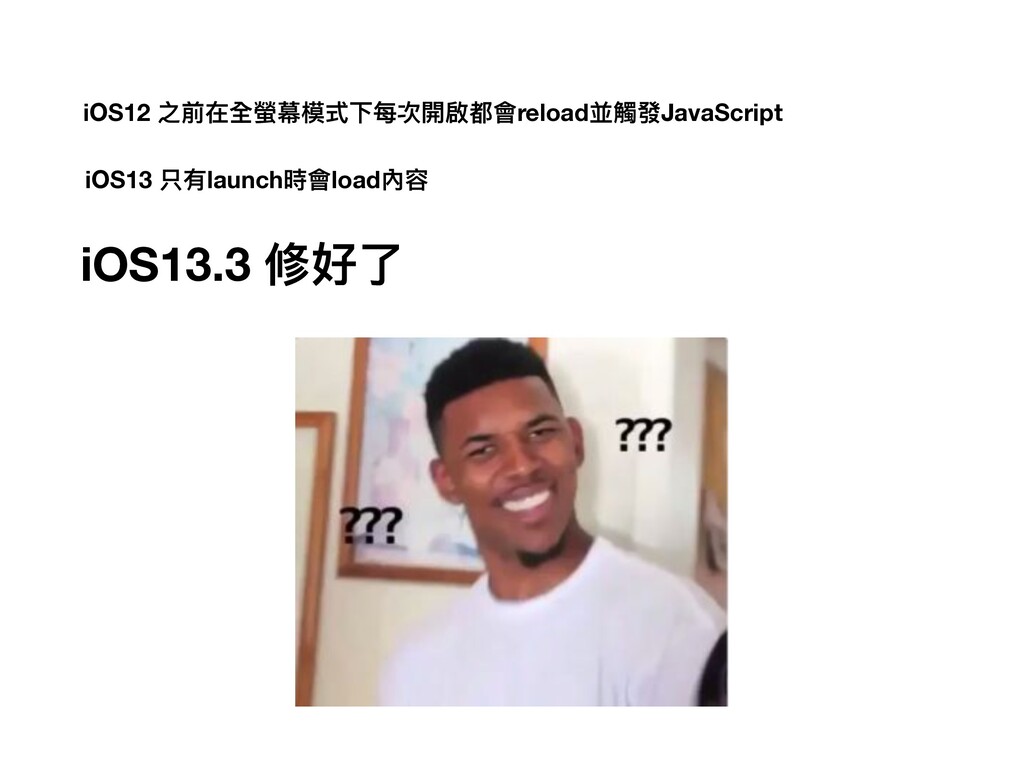
iOS12 之前在全螢幕模式下每次開啟都會reload並觸發JavaScript iOS13 只有launch時會load內容 iOS13.3 修好了
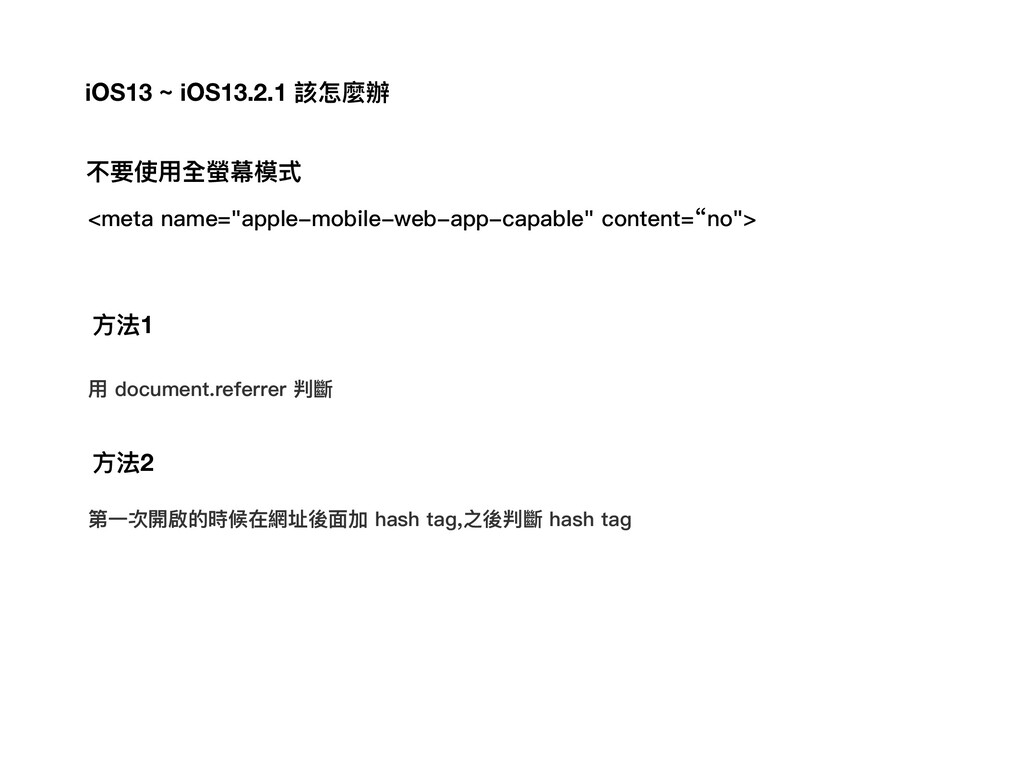
<meta name="apple-mobile-web-app-capable" content=“no"> ⽤ document.referrer 判斷 ⽅法1 ⽅法2 第⼀次開啟的時候在網址後⾯加 hash
tag,之後判斷 hash tag iOS13 ~ iOS13.2.1 該怎麼辦 不要使⽤全螢幕模式


 andpad
 kishida
 jame2408
 nabondance
 naokihaba
 texmeijin
 yasunori0418
 akihisaikeda
 gam0022
 steliosf
 falcon8823
 rkaga
rkaga
 productmarketing
 rocio
rocio
 ryanjones
 katiecoart
 kastner
 csswizardry
 davidcarrasco
 sabderemane
 tmiket
 palkan
 lara
lara
 nwiizo


![最好可以離線使⽤ Data URI data:[<mediatype>][;base64],<data> mediatype 為⼀ MIME type 字串,例如 JPEG](https://files.speakerdeck.com/presentations/c18c3badf1d9472c9c71bdb6e08be8d8/slide_7.jpg)