Running an EVPN Endpoint in a Kubernetes Cluste...
Sponsored
·
 Ship Features Fearlessly
Turn features on and off without deploys. Used by thousands of Ruby developers.
→
Ship Features Fearlessly
Turn features on and off without deploys. Used by thousands of Ruby developers.
→

Share
Embed
Running an EVPN Endpoint in a Kubernetes Cluster—On My Laptop!
In this session, I will share my journey in prototyping and implementing an EVPN termination solution using Kubernetes, all on a single laptop. Leveraging tools like Kind and Containerlab, we’ll start with a basic EVPN example and progressively build toward a more complex spine-leaf topology integrated with a Kubernetes cluster. Finally, I will present a live demo, showcasing the solution in action and proving how easy it is to test and implement complex network topologies with Containerlab and Kind.

Federico Paolinelli
February 03, 2025
Transcript
115 slides
-
Running an EVPN endpoint In a Kubernetes cluster (on my
laptop!) 1 Federico Paolinelli - Red Hat -
• Openshift Telco 5G Network team • Contributed to: ◦
KubeVirt ◦ SR-IOV Network Operator ◦ OVN-Kubernetes ◦ CNI plugins ◦ Kubernetes ◦ MetalLB ◦ FRR-K8s @fedepaol hachyderm.io/@fedepaol [email protected] About me 2 -
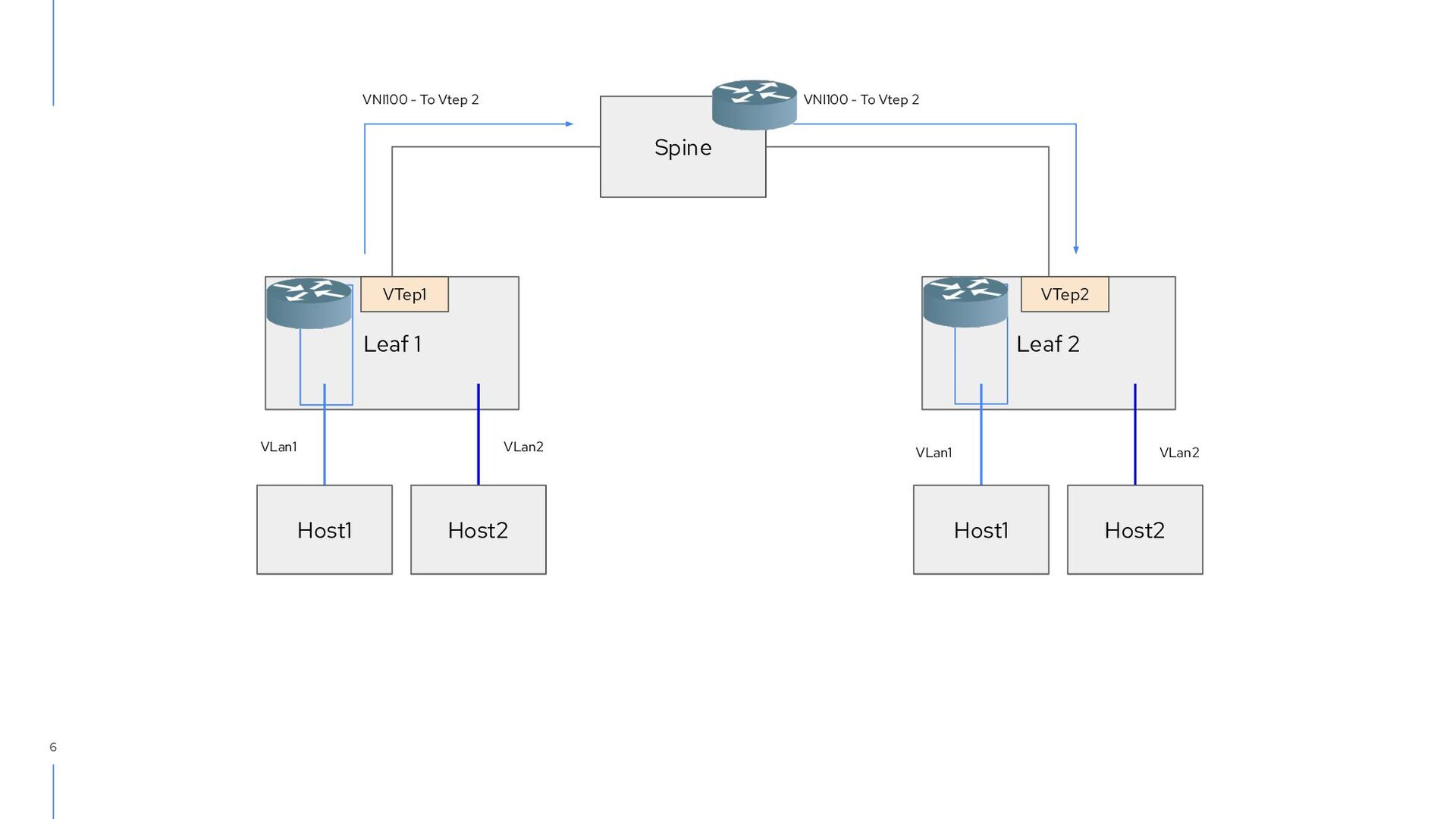
6 Spine Leaf 1 Host1 Host2 Leaf 2 Host1 Host2
VLan1 VLan2 VLan1 VLan2 VNI100 - To Vtep 2 VTep1 VTep2 VNI100 - To Vtep 2 -
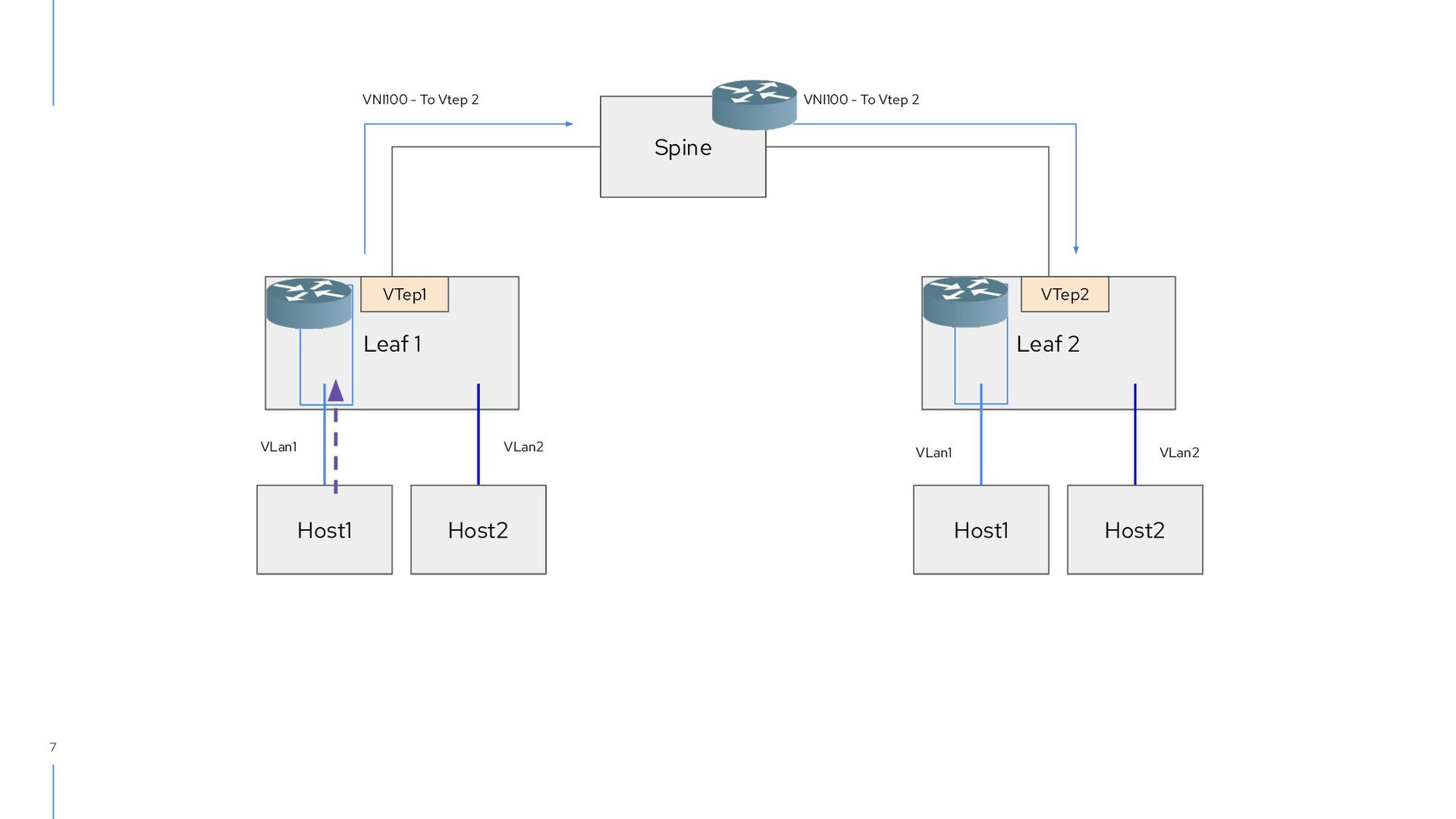
7 Spine Leaf 1 Host1 Host2 Leaf 2 Host1 Host2
VLan1 VLan2 VLan1 VLan2 VNI100 - To Vtep 2 VTep1 VTep2 VNI100 - To Vtep 2 -
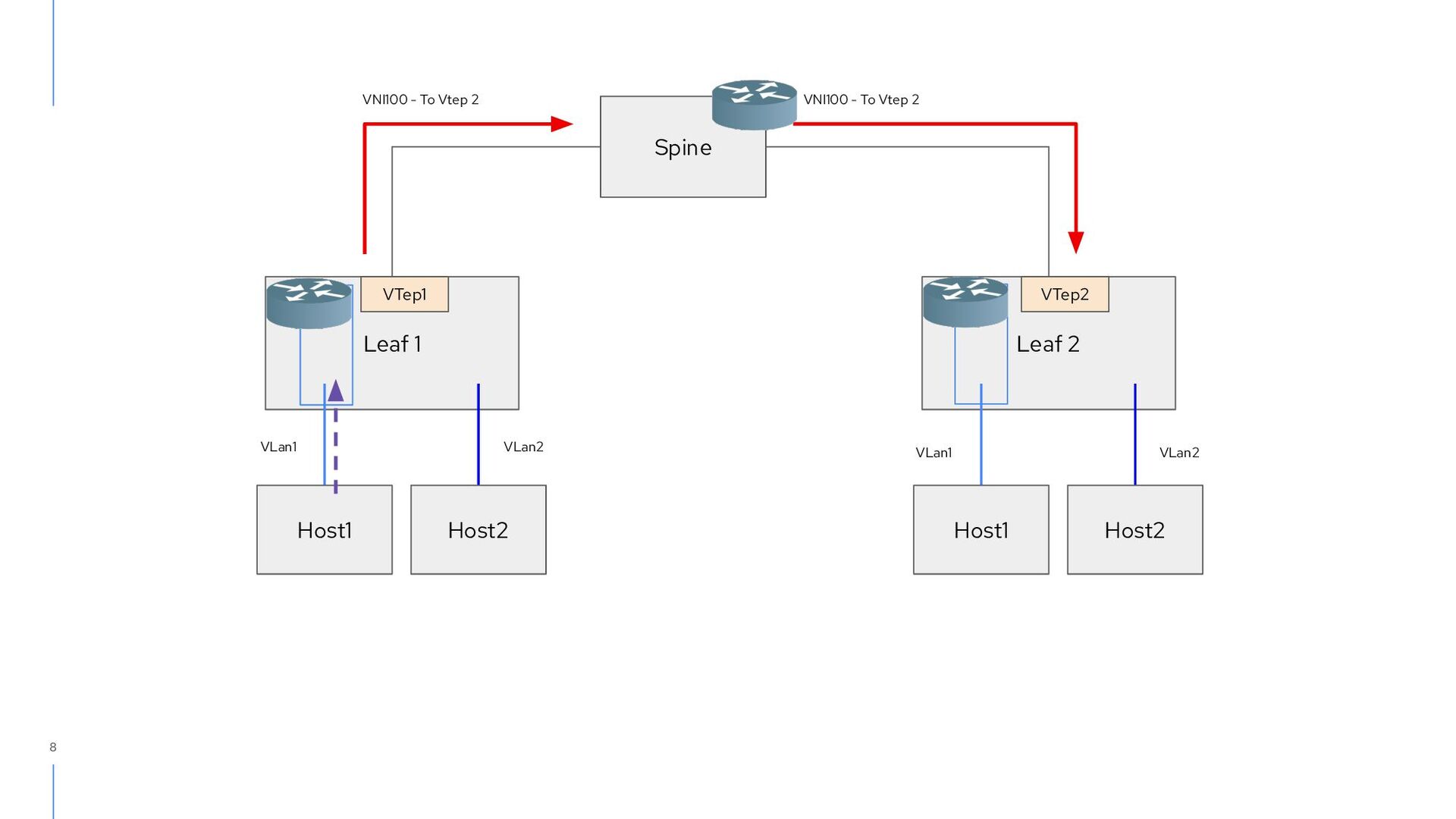
8 Spine Leaf 1 Host1 Host2 Leaf 2 Host1 Host2
VLan1 VLan2 VLan1 VLan2 VNI100 - To Vtep 2 VTep1 VTep2 VNI100 - To Vtep 2 -
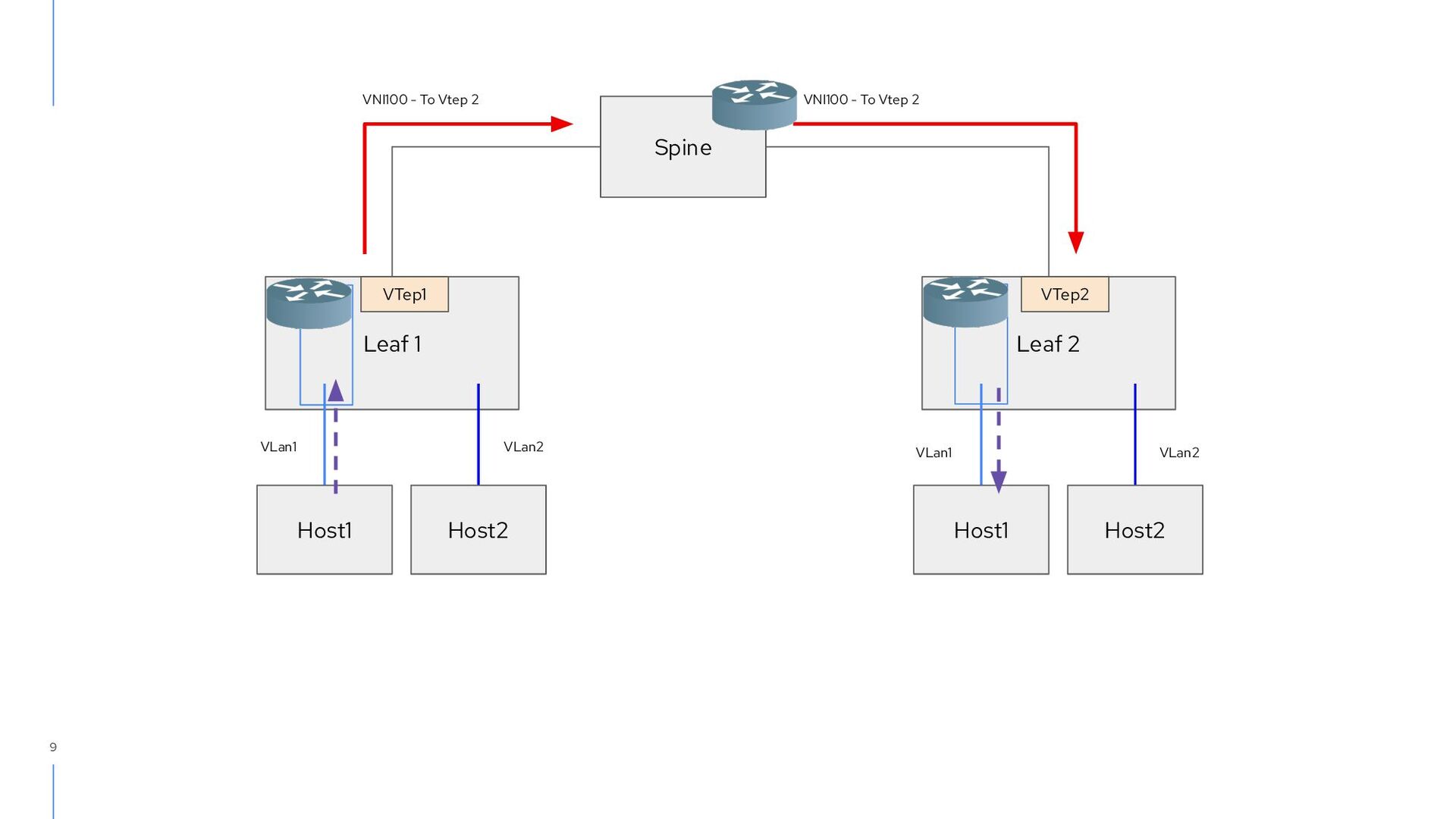
9 Spine Leaf 1 Host1 Host2 Leaf 2 Host1 Host2
VLan1 VLan2 VLan1 VLan2 VNI100 - To Vtep 2 VTep1 VTep2 VNI100 - To Vtep 2 -
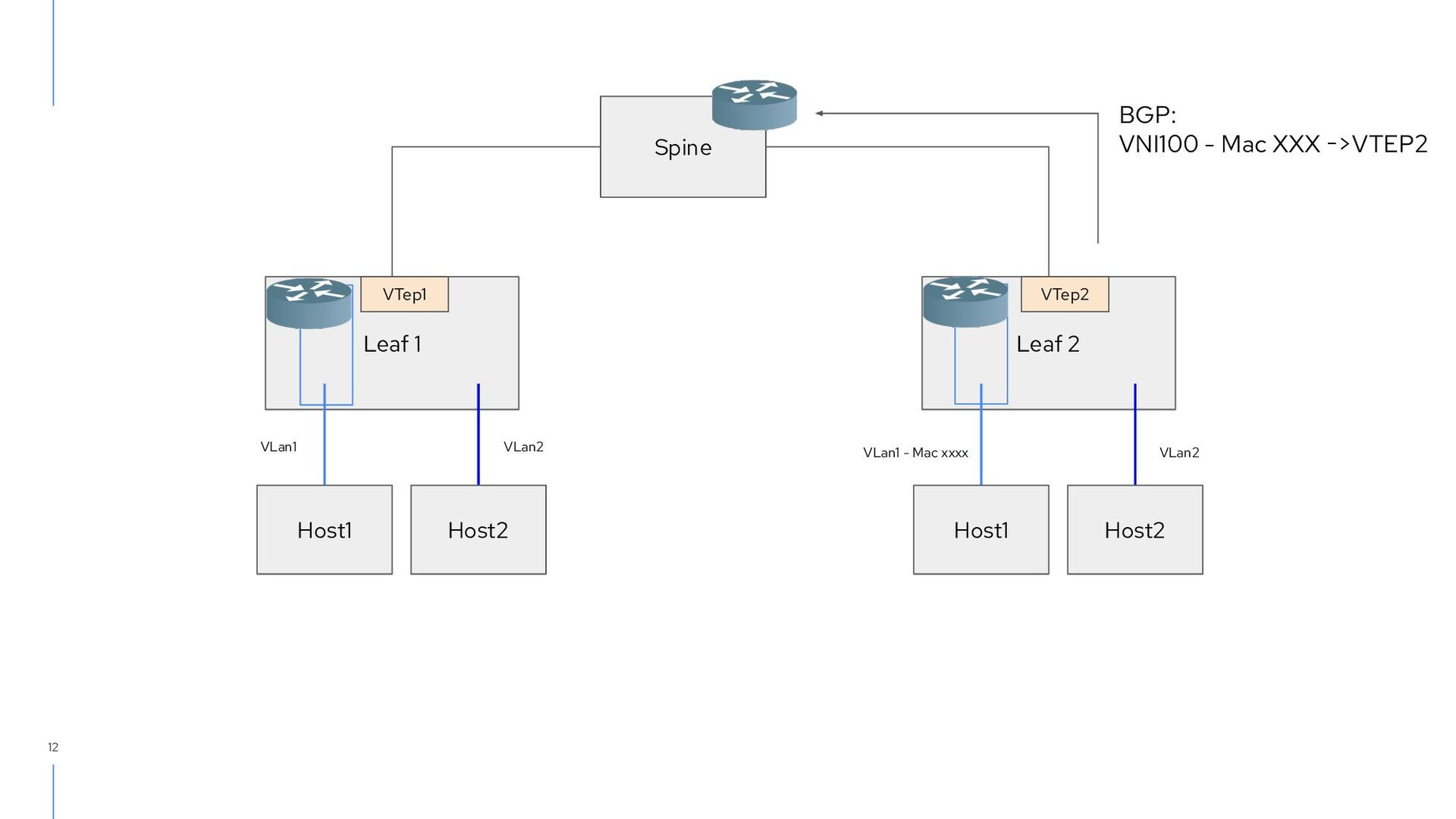
12 Spine Leaf 1 Host1 Host2 Leaf 2 Host1 Host2
VLan1 VLan2 VLan1 - Mac xxxx VLan2 VTep1 VTep2 BGP: VNI100 - Mac XXX ->VTEP2 -
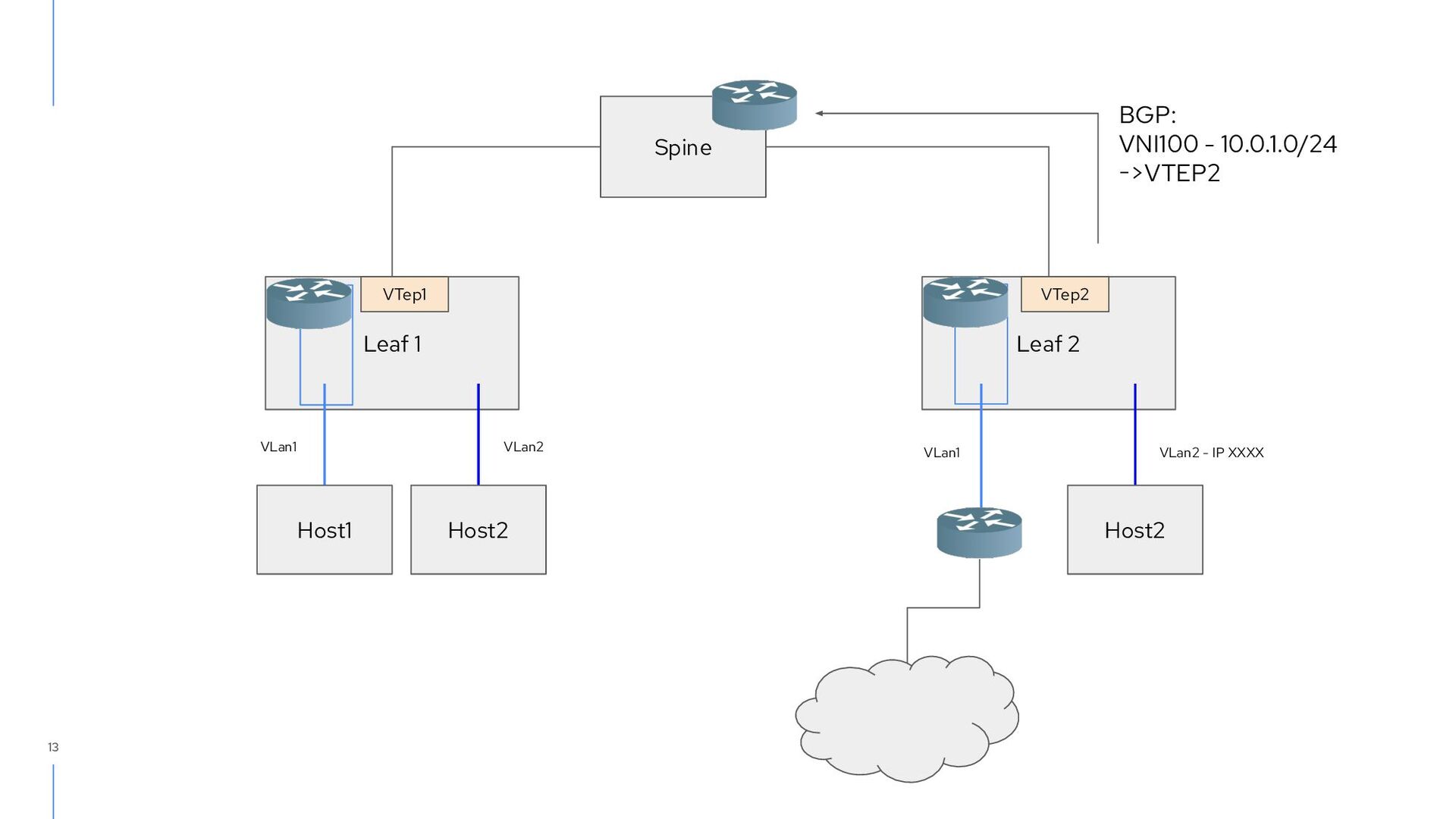
13 Spine Leaf 1 Host1 Host2 Leaf 2 Host2 VLan1
VLan2 VLan1 VLan2 - IP XXXX VTep1 VTep2 BGP: VNI100 - 10.0.1.0/24 ->VTEP2 -
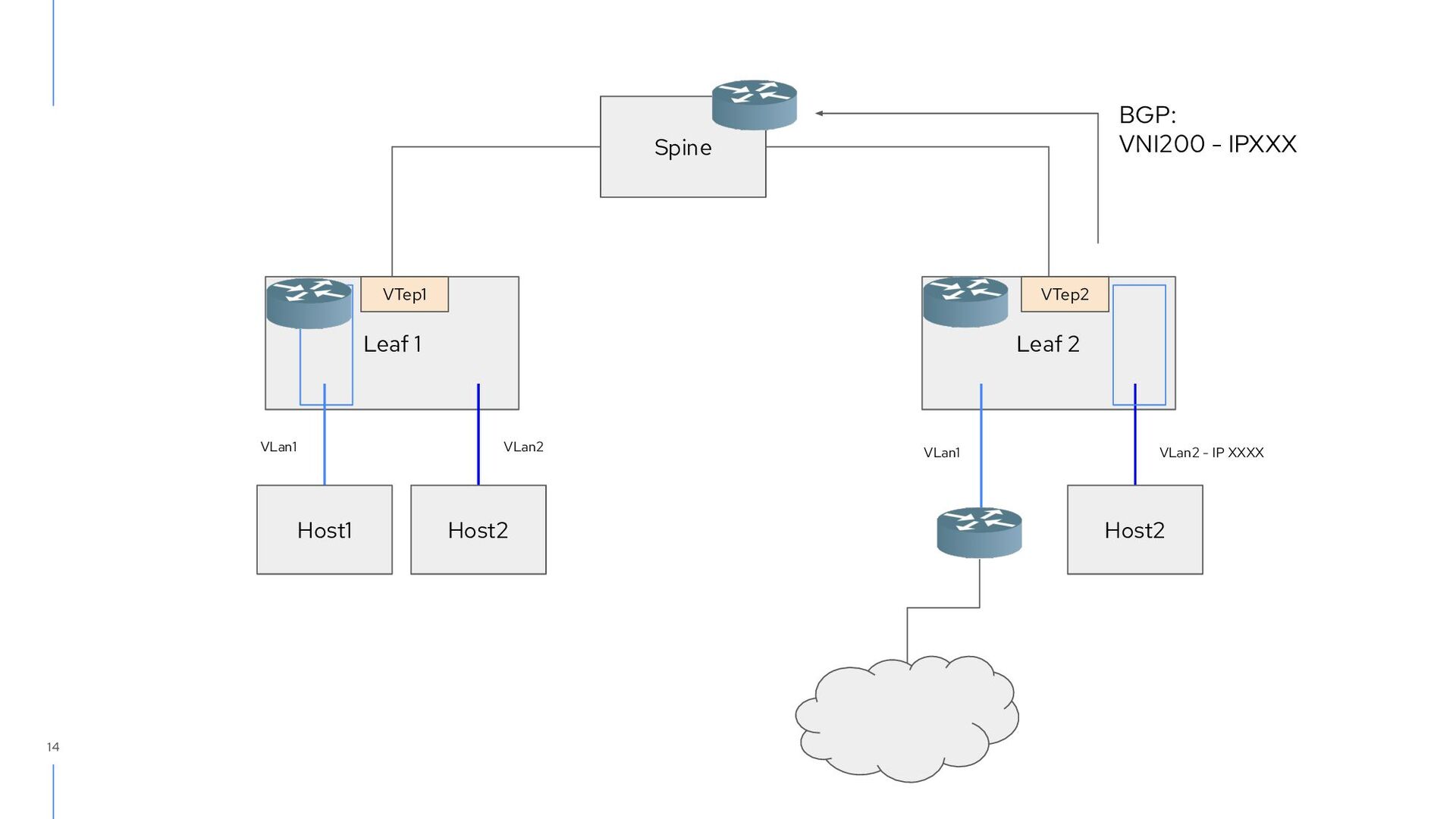
14 Spine Leaf 1 Host1 Host2 Leaf 2 Host2 VLan1
VLan2 VLan1 VLan2 - IP XXXX VTep1 VTep2 BGP: VNI200 - IPXXX -
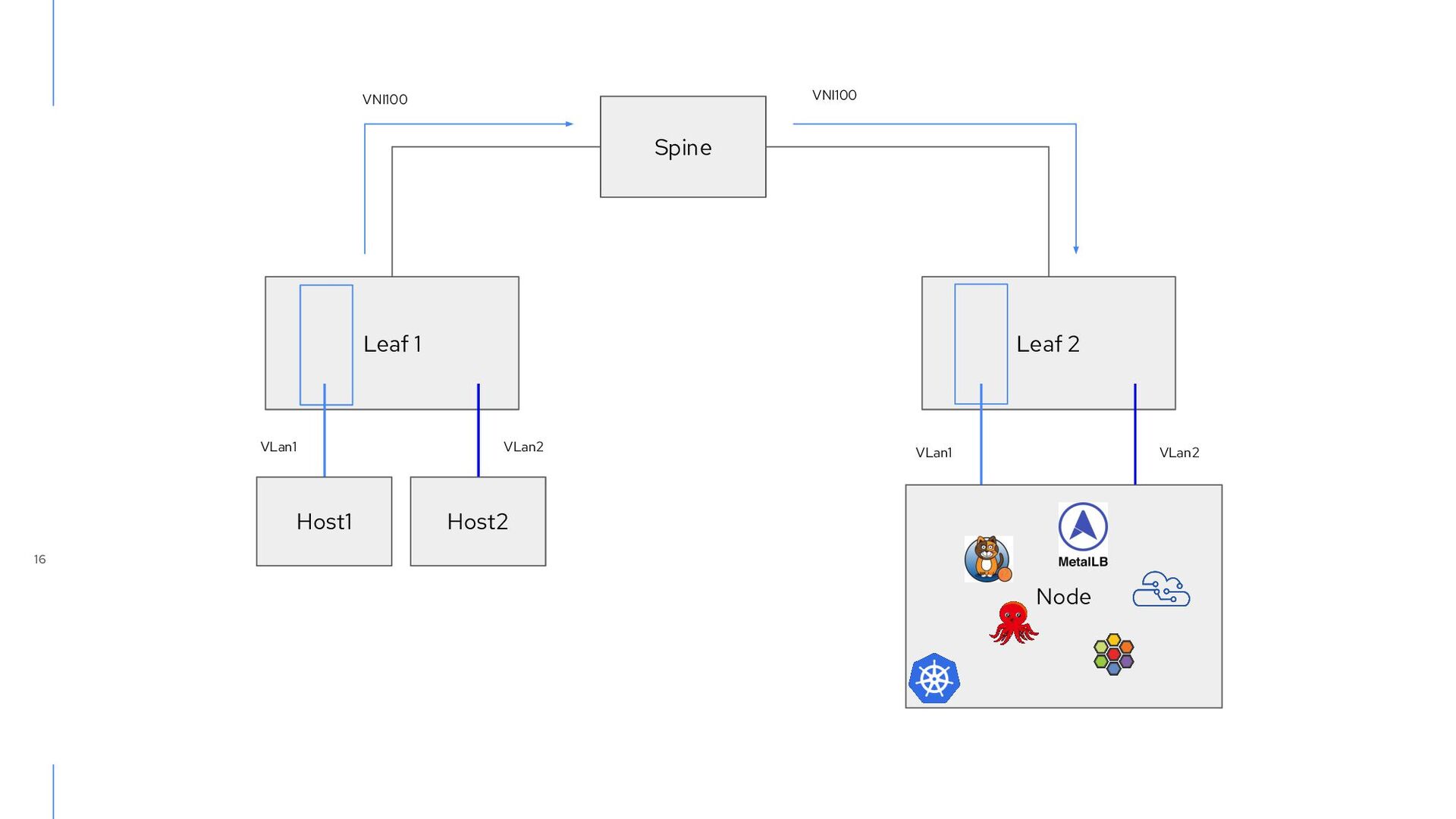
16 Spine Leaf 1 Leaf 2 Host1 Host2 VLan1 VLan2
VLan1 VLan2 VNI100 VNI100 Node -
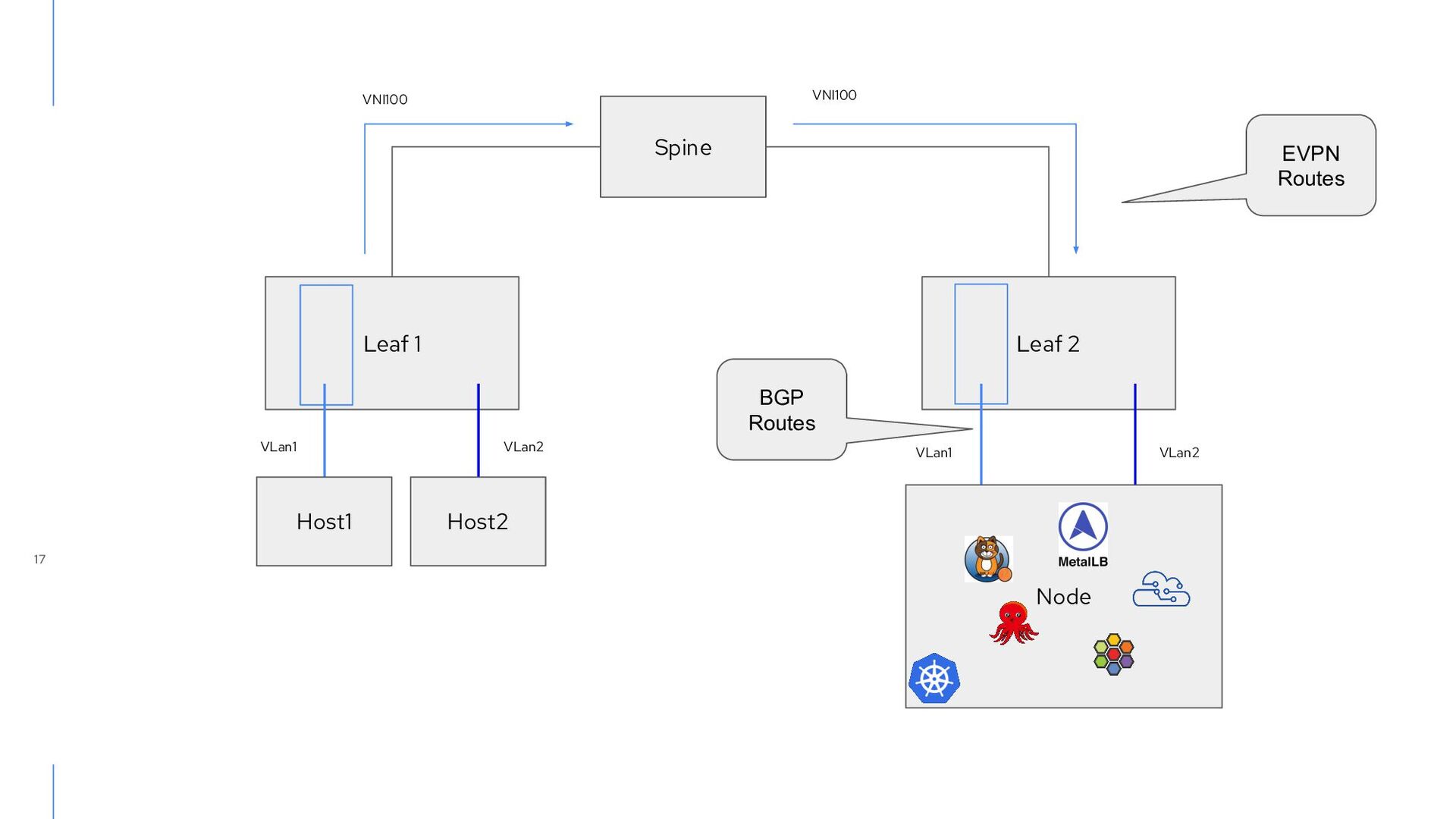
17 Spine Leaf 1 Leaf 2 Host1 Host2 VLan1 VLan2
VLan1 VLan2 VNI100 VNI100 Node BGP Routes EVPN Routes -
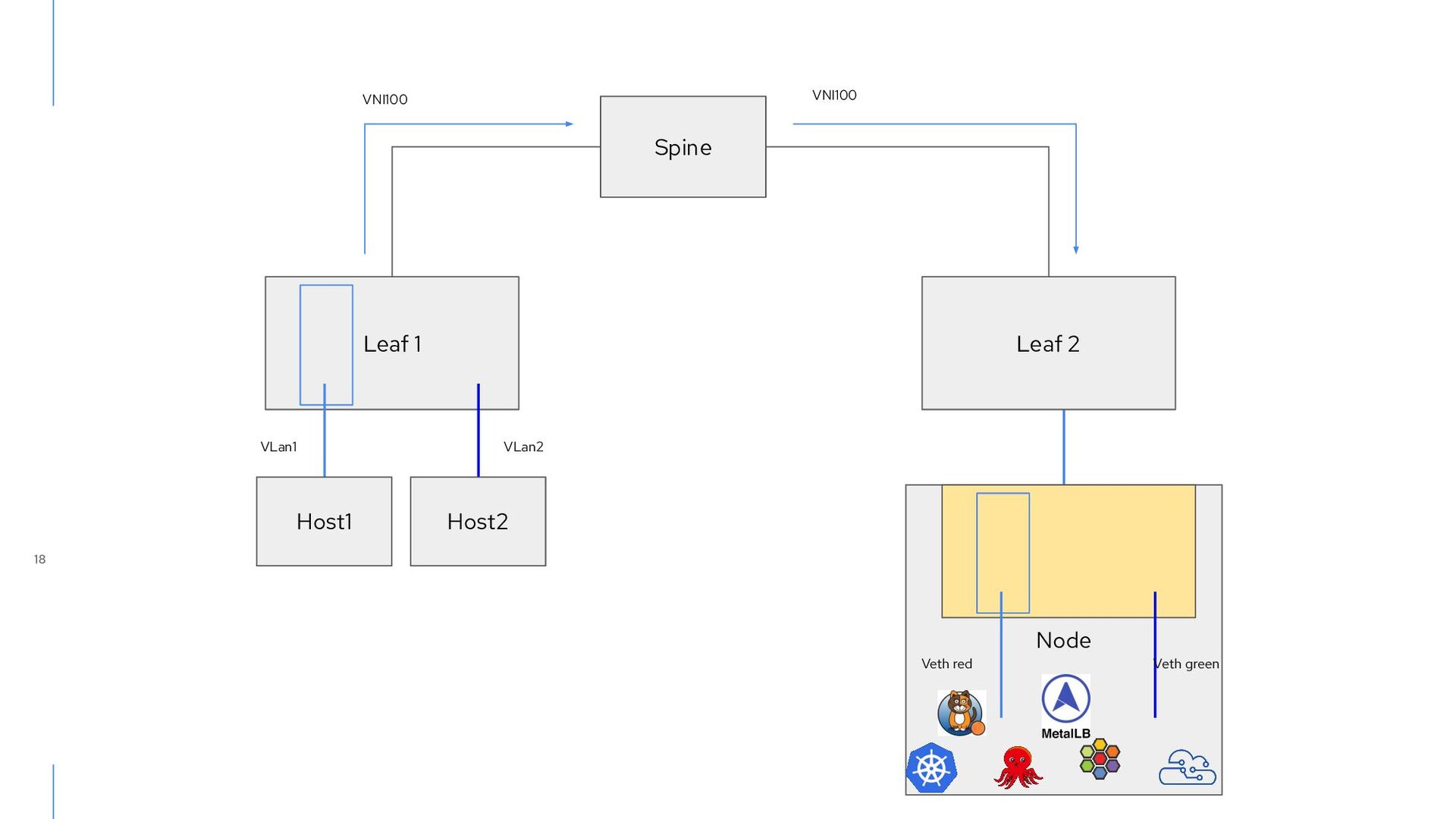
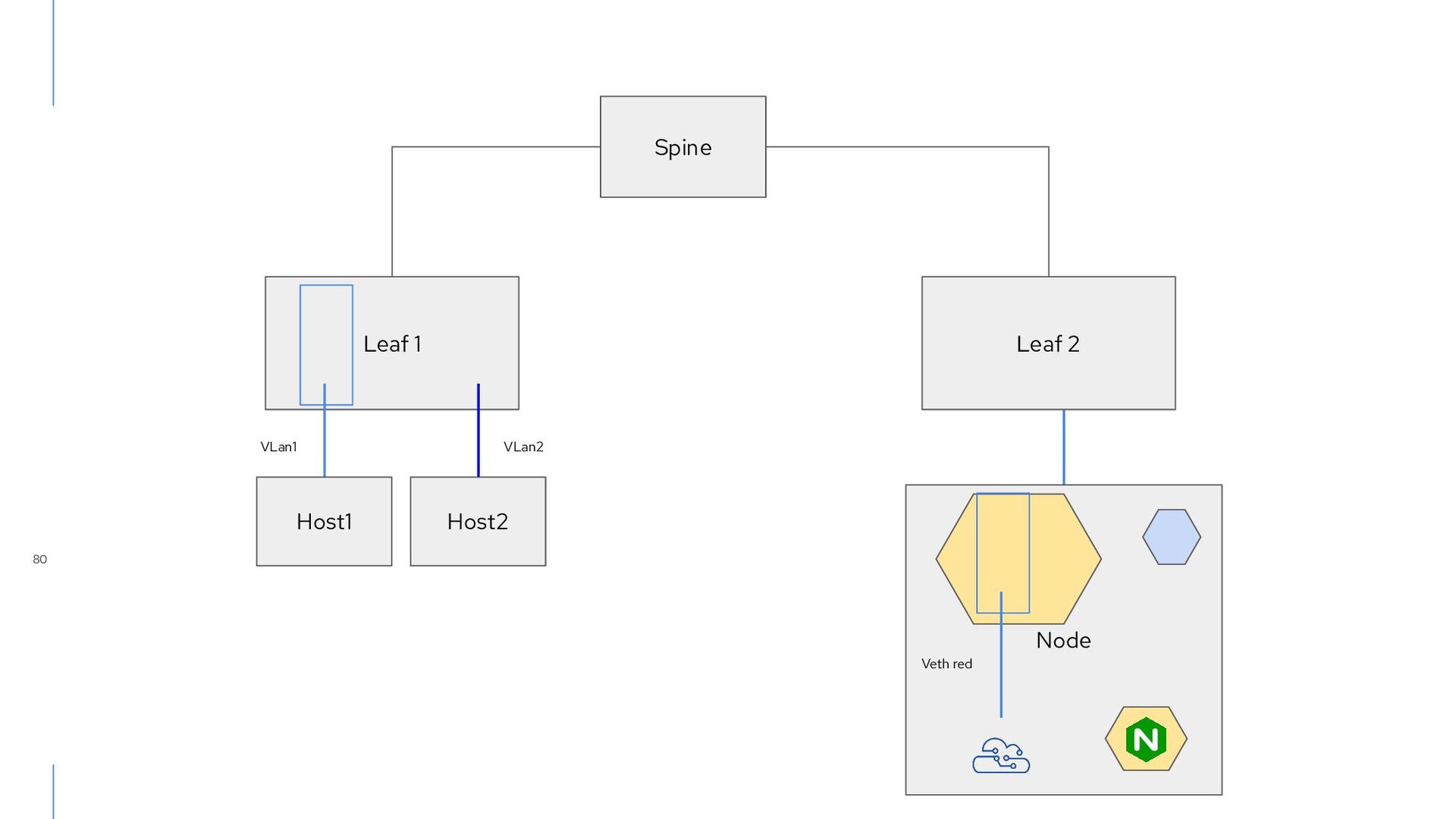
18 Spine Leaf 1 Host1 Host2 VLan1 VLan2 VNI100 VNI100
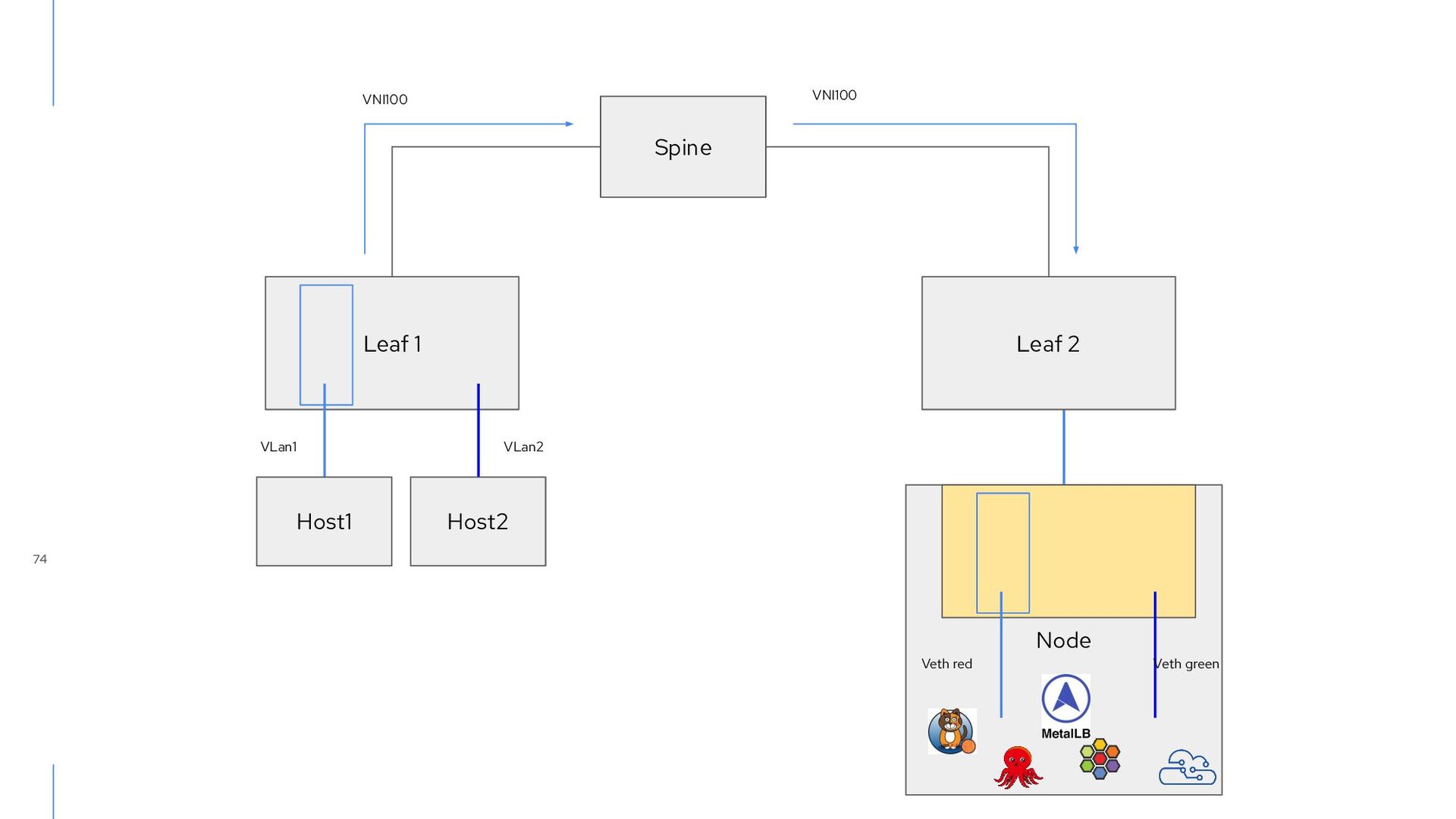
Node Leaf 2 Veth red Veth green -
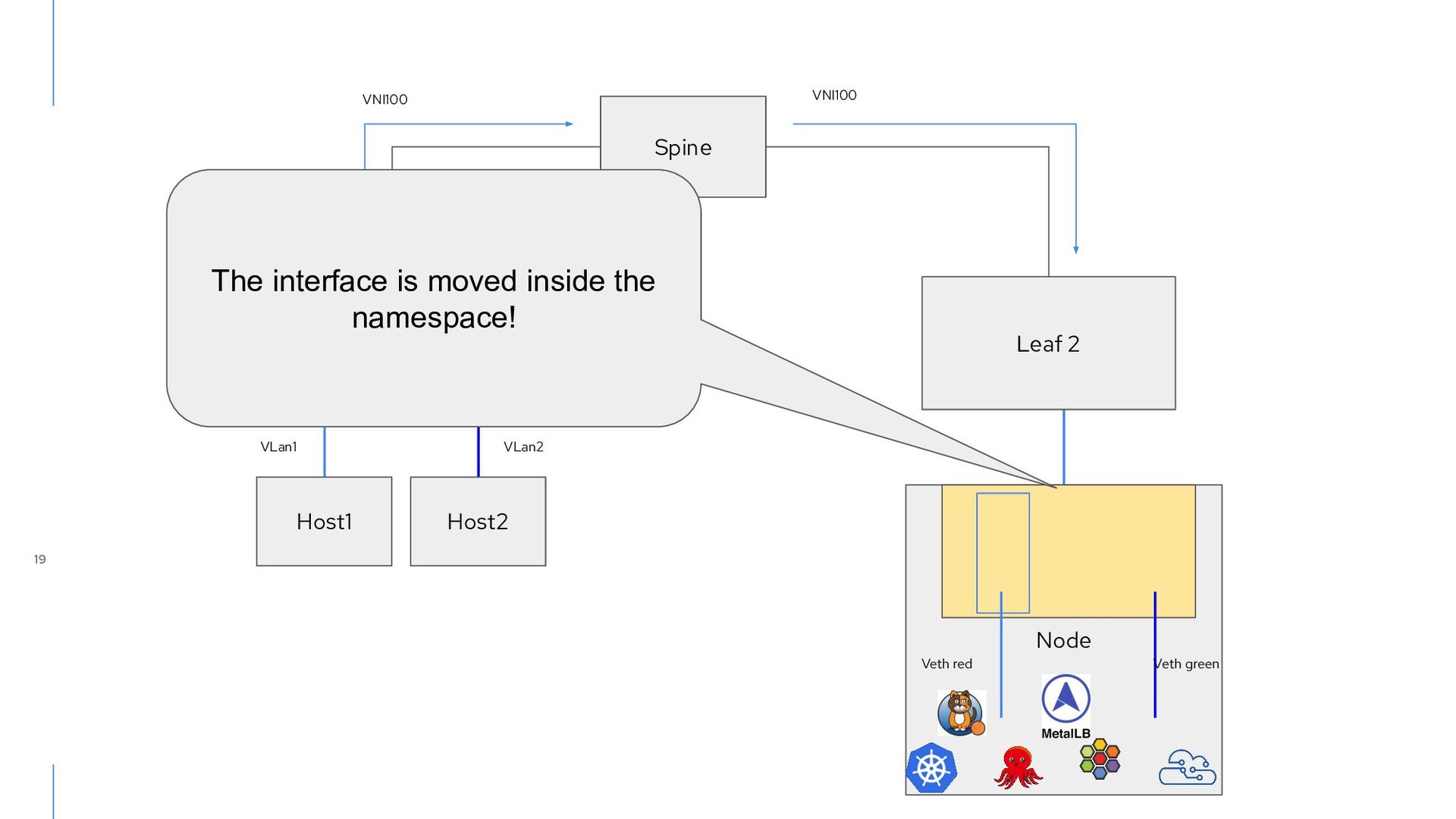
19 Spine Leaf 1 Host1 Host2 VLan1 VLan2 VNI100 VNI100
Node Leaf 2 Veth red Veth green The interface is moved inside the namespace! -
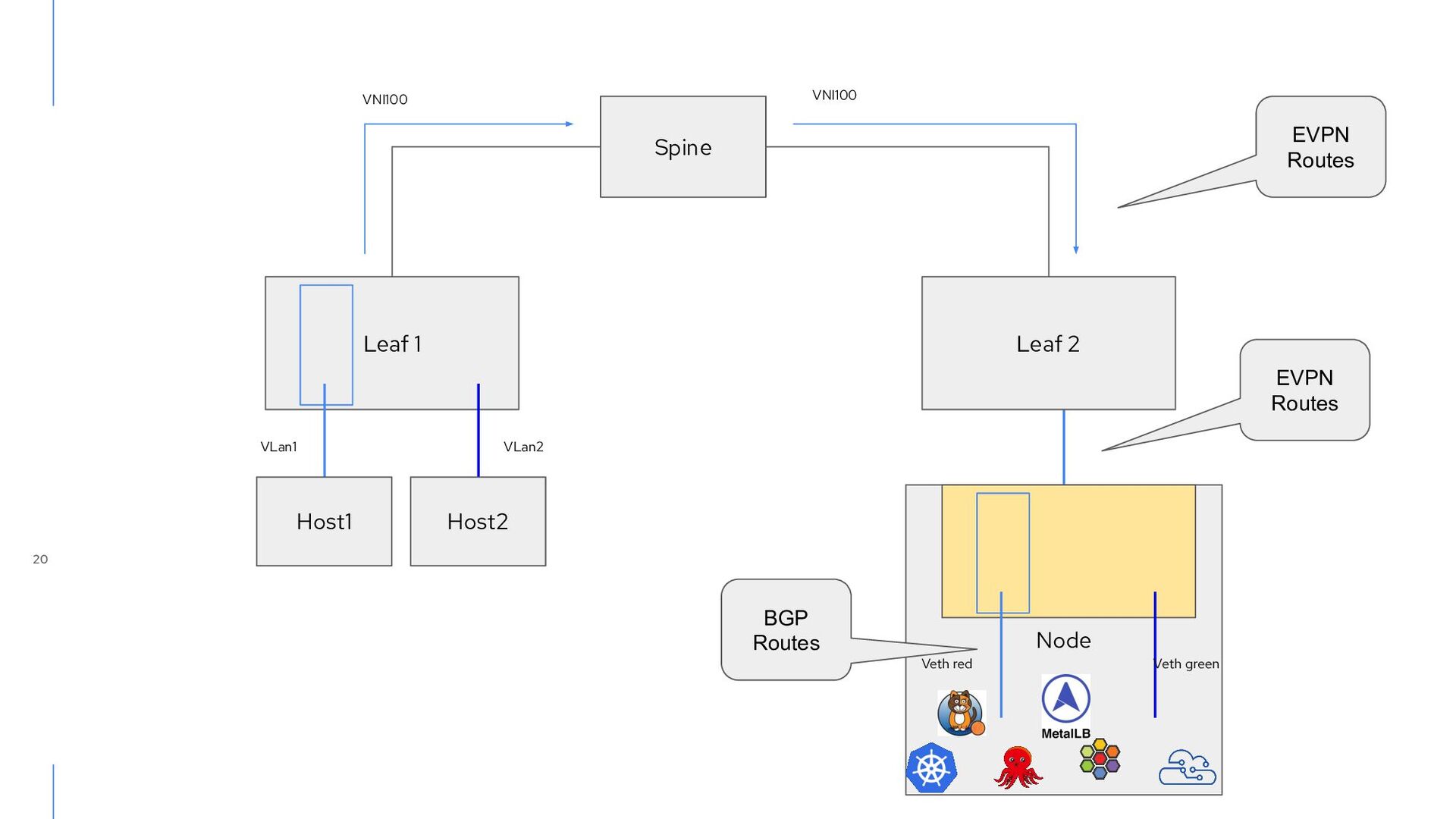
20 Spine Leaf 1 Host1 Host2 VLan1 VLan2 VNI100 VNI100
Node Leaf 2 Veth red Veth green BGP Routes EVPN Routes EVPN Routes -
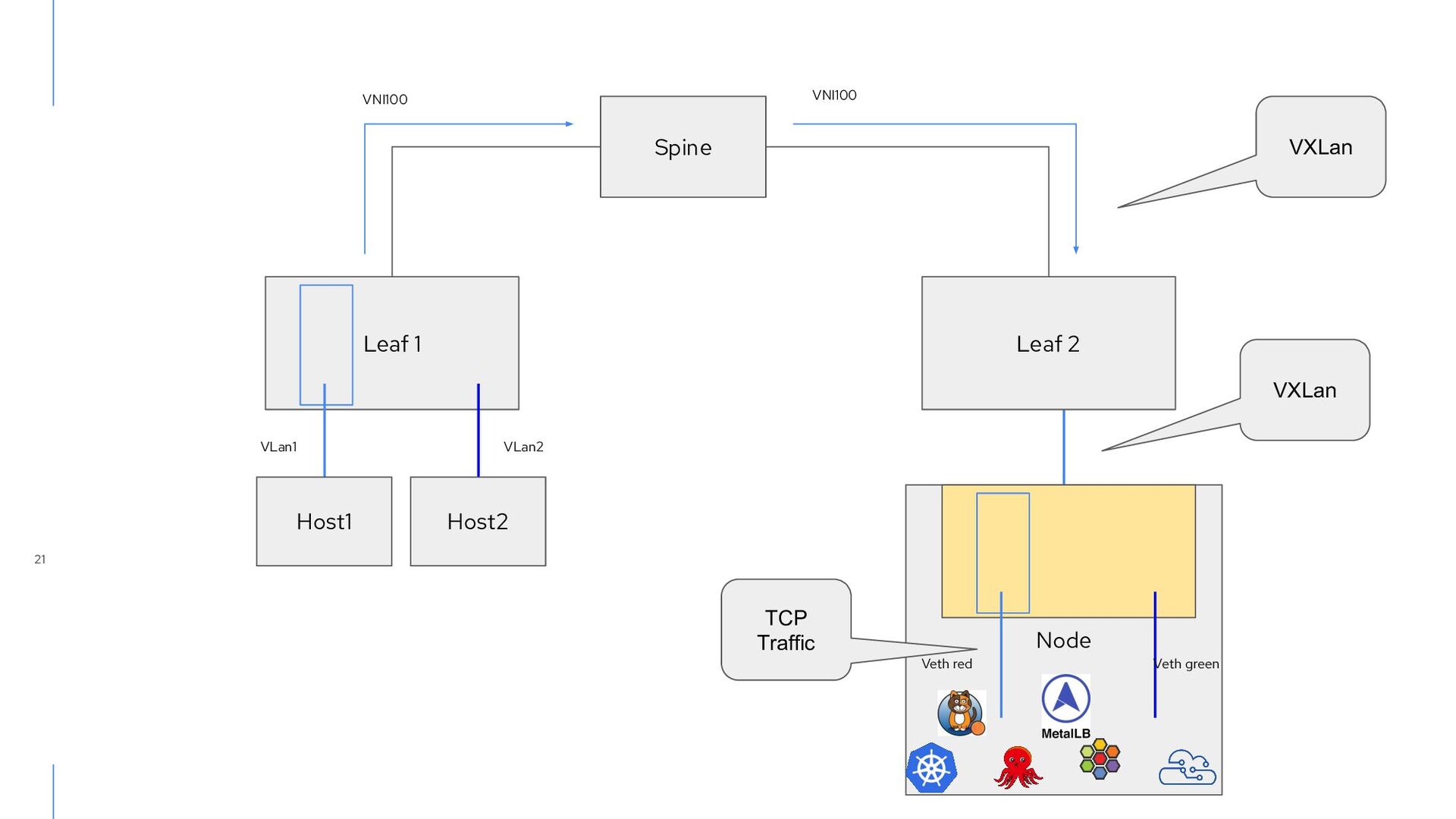
21 Spine Leaf 1 Host1 Host2 VLan1 VLan2 VNI100 VNI100
Node Leaf 2 Veth red Veth green TCP Traffic VXLan VXLan -
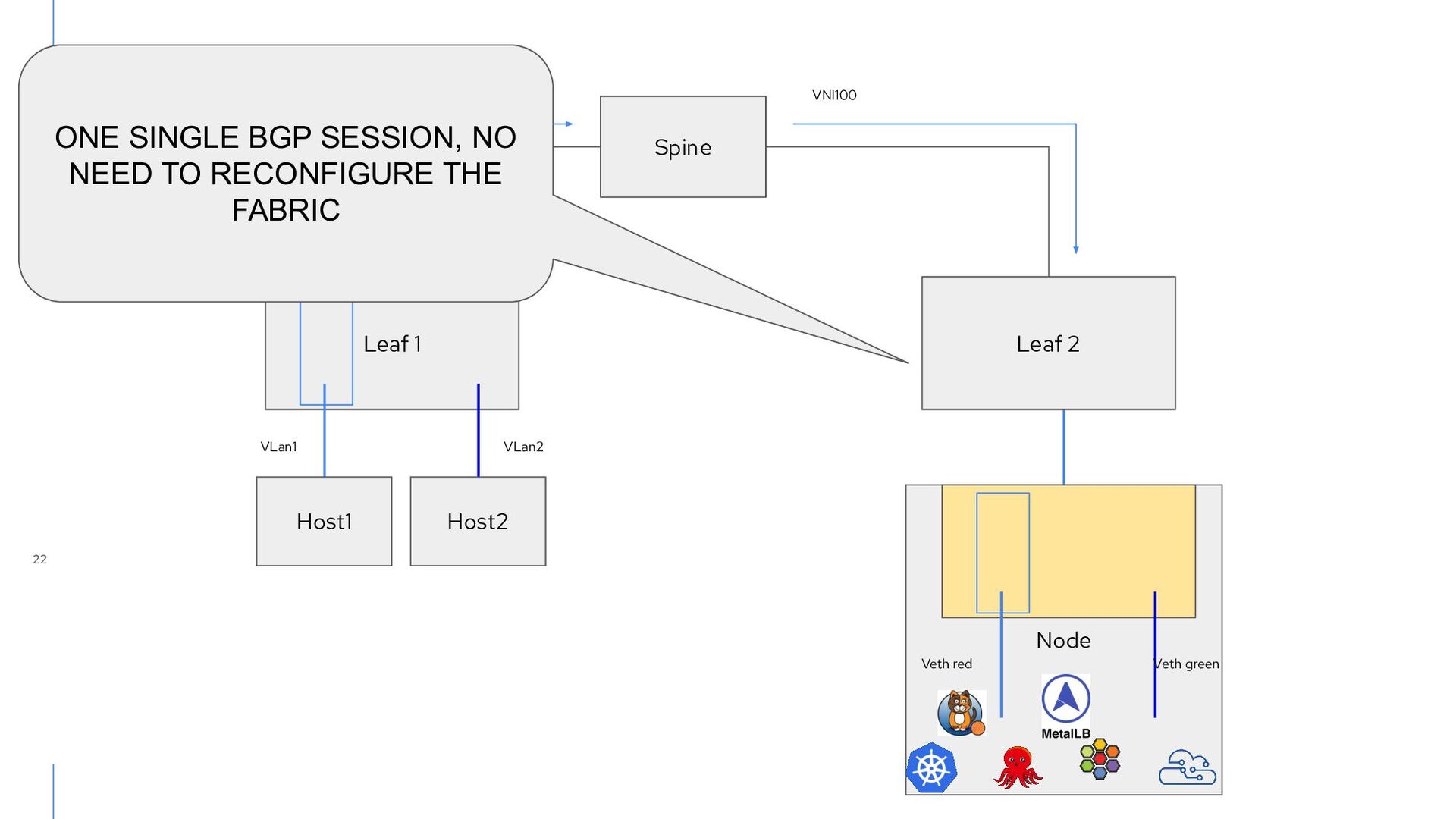
22 Spine Leaf 1 Host1 Host2 VLan1 VLan2 VNI100 VNI100
Node Leaf 2 Veth red Veth green ONE SINGLE BGP SESSION, NO NEED TO RECONFIGURE THE FABRIC -
FRRouting 27 FRRouting (FRR) is a free and open source
Internet routing protocol suite for Linux and Unix platforms. It implements BGP, OSPF, RIP, IS-IS, PIM, LDP, BFD, Babel, PBR, OpenFabric and VRRP, with alpha support for EIGRP and NHRP [...] FRR has its roots in the Quagga project. -
28 BGP-EVPN is the control plane for the transport of
Ethernet frames, regardless of whether those frames are bridged or routed [...] FRR learns about the system’s Linux network interface configuration from the kernel via Netlink, however it does not manage network interfaces directly. https://docs.frrouting.org/en/latest/evpn.html#evpn -
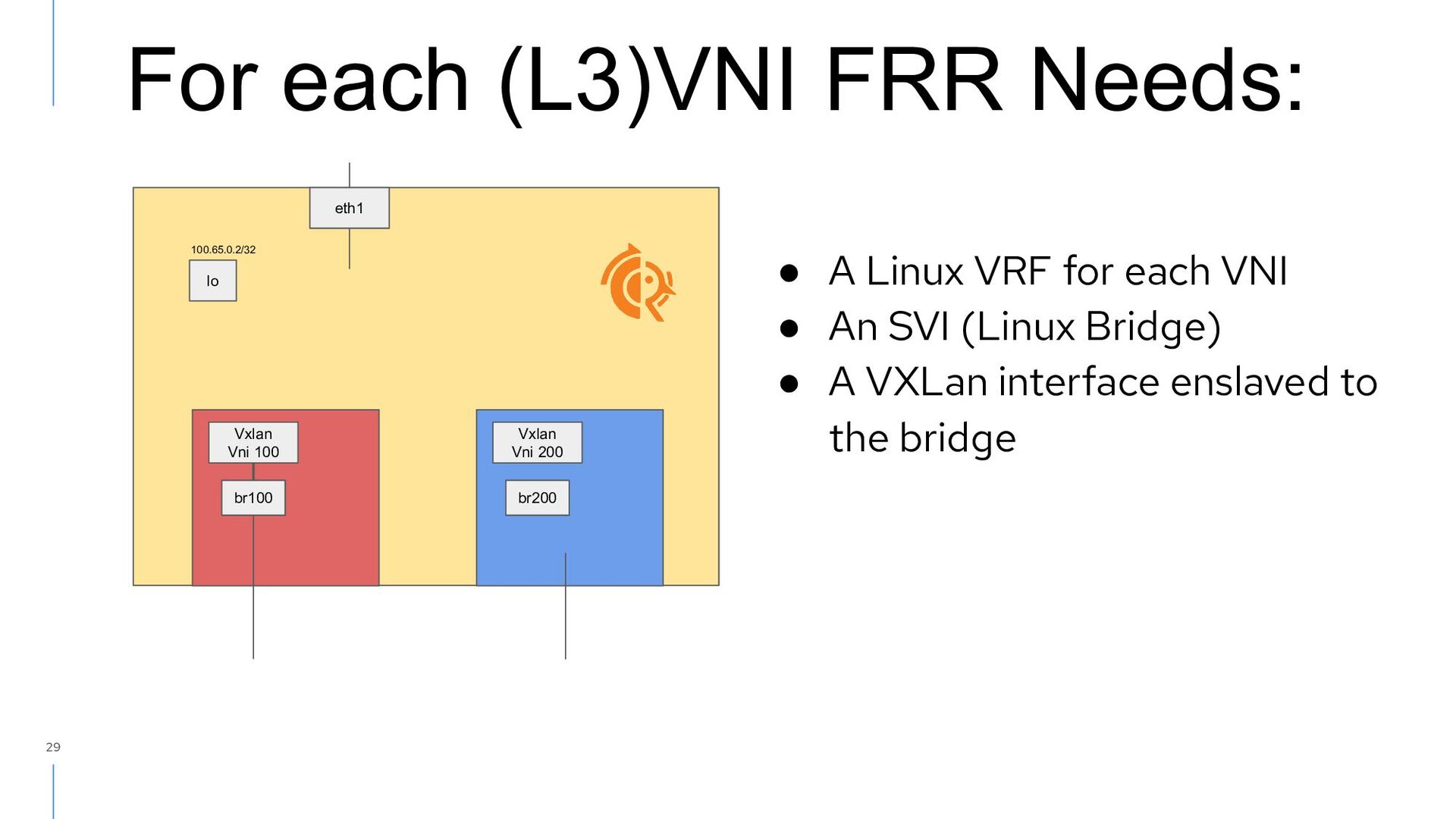
29 lo 100.65.0.2/32 Vxlan Vni 100 eth1 br100 Vxlan Vni
200 br200 • A Linux VRF for each VNI • An SVI (Linux Bridge) • A VXLan interface enslaved to the bridge For each (L3)VNI FRR Needs: -
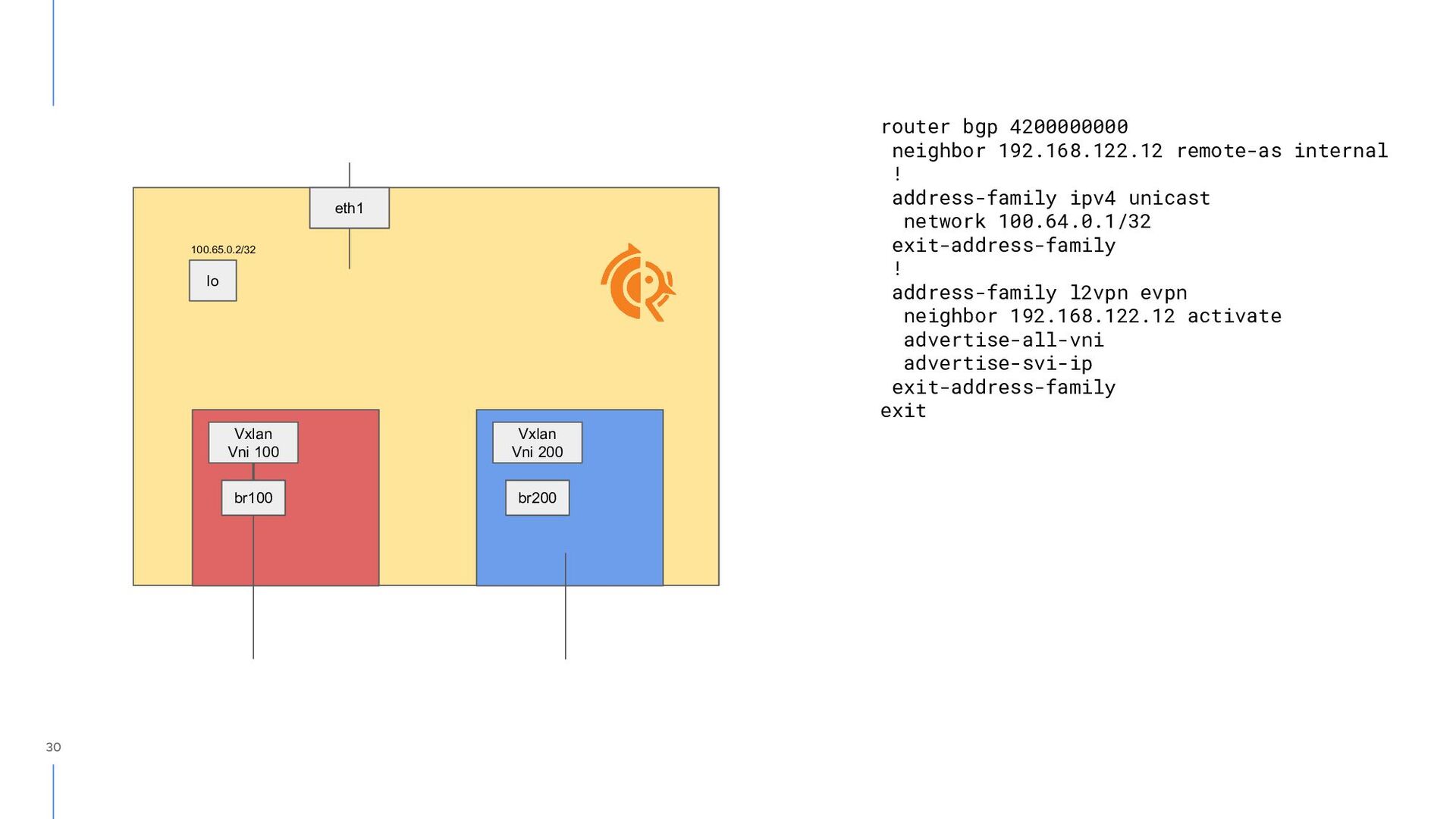
30 lo 100.65.0.2/32 Vxlan Vni 100 eth1 br100 Vxlan Vni
200 br200 router bgp 4200000000 neighbor 192.168.122.12 remote-as internal ! address-family ipv4 unicast network 100.64.0.1/32 exit-address-family ! address-family l2vpn evpn neighbor 192.168.122.12 activate advertise-all-vni advertise-svi-ip exit-address-family exit -
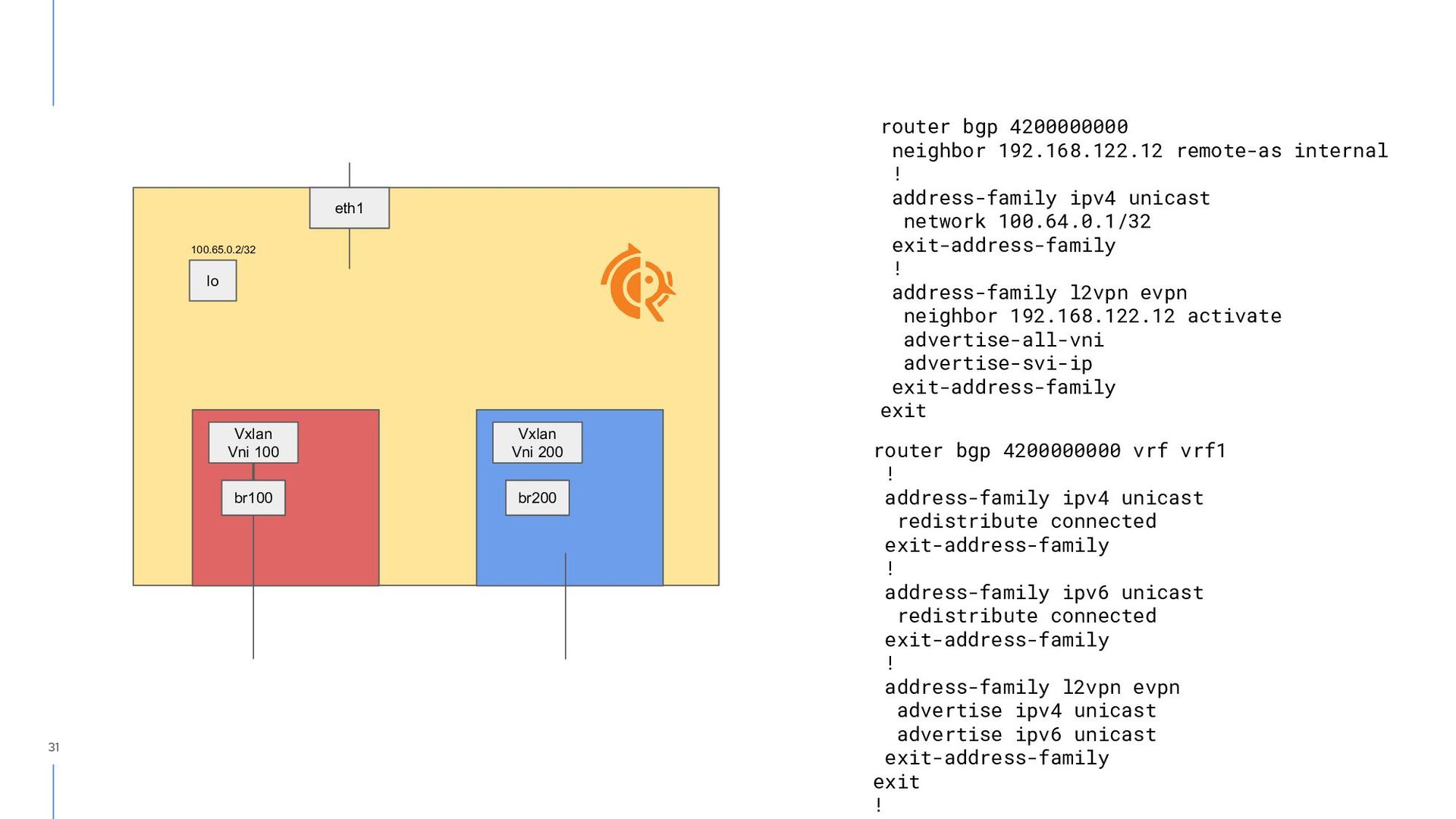
31 lo 100.65.0.2/32 Vxlan Vni 100 eth1 br100 Vxlan Vni
200 br200 router bgp 4200000000 vrf vrf1 ! address-family ipv4 unicast redistribute connected exit-address-family ! address-family ipv6 unicast redistribute connected exit-address-family ! address-family l2vpn evpn advertise ipv4 unicast advertise ipv6 unicast exit-address-family exit ! router bgp 4200000000 neighbor 192.168.122.12 remote-as internal ! address-family ipv4 unicast network 100.64.0.1/32 exit-address-family ! address-family l2vpn evpn neighbor 192.168.122.12 activate advertise-all-vni advertise-svi-ip exit-address-family exit -
ContainerLab 33 Containerlab provides a CLI for orchestrating and managing
container-based networking labs. It starts the containers, builds a virtual wiring between them to create lab topologies of users choice and manages labs lifecycle. https://containerlab.dev/ -
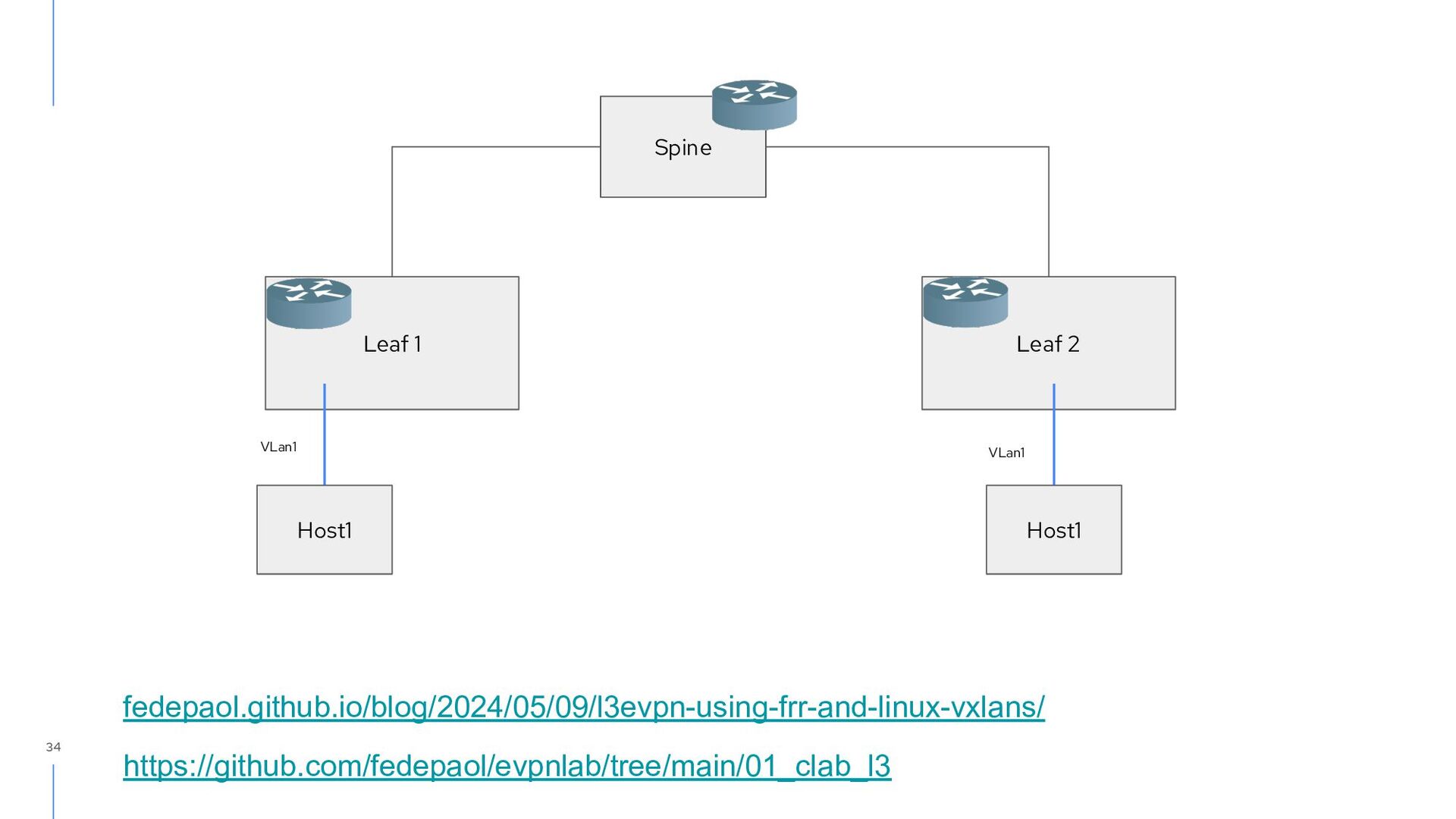
34 Spine Leaf 1 Host1 Leaf 2 Host1 VLan1 VLan1
https://github.com/fedepaol/evpnlab/tree/main/01_clab_l3 fedepaol.github.io/blog/2024/05/09/l3evpn-using-frr-and-linux-vxlans/ -
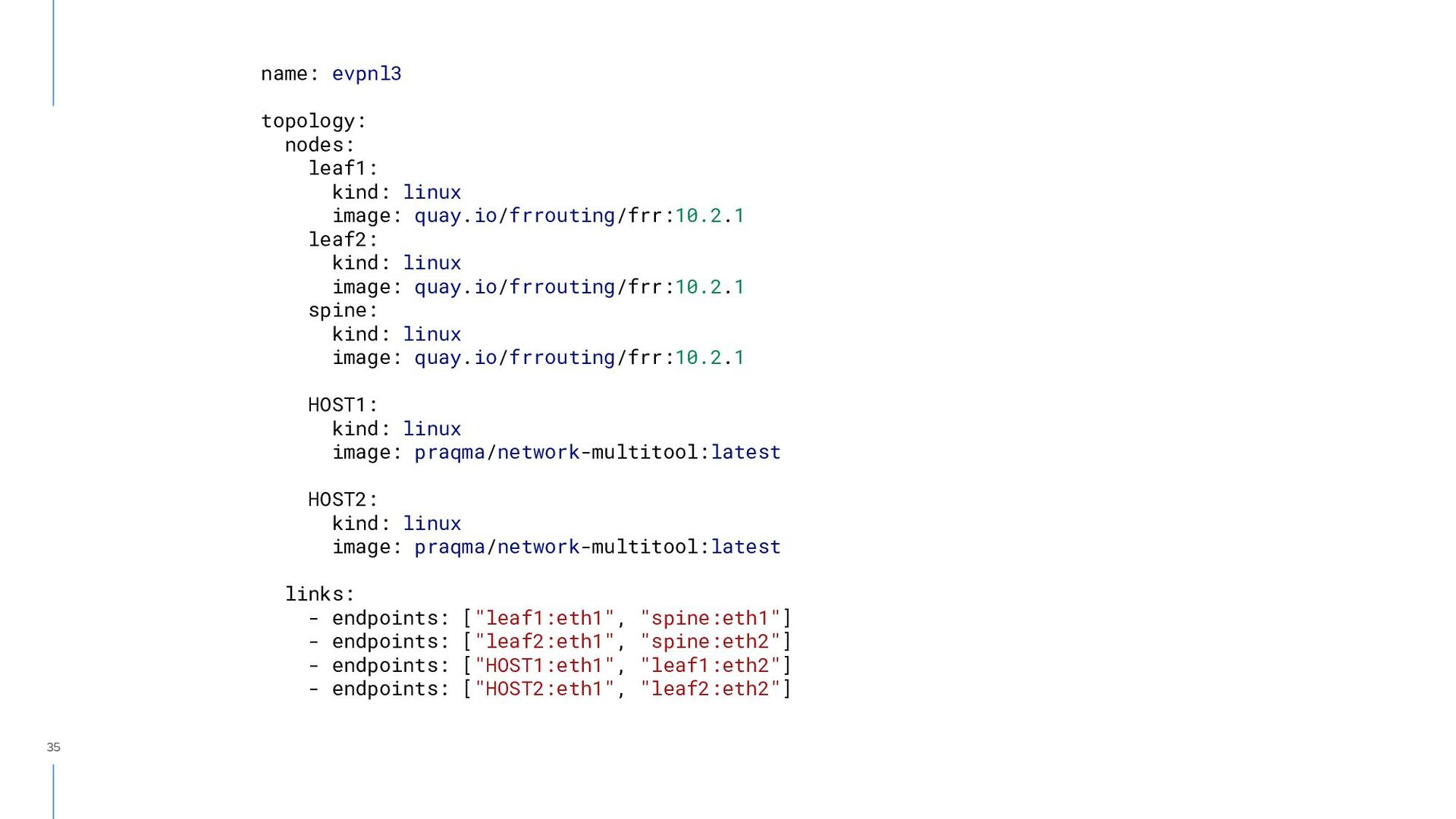
35 name: evpnl3 topology: nodes: leaf1: kind: linux image: quay.io/frrouting/frr:10.2.1
leaf2: kind: linux image: quay.io/frrouting/frr:10.2.1 spine: kind: linux image: quay.io/frrouting/frr:10.2.1 HOST1: kind: linux image: praqma/network-multitool:latest HOST2: kind: linux image: praqma/network-multitool:latest links: - endpoints: ["leaf1:eth1", "spine:eth1"] - endpoints: ["leaf2:eth1", "spine:eth2"] - endpoints: ["HOST1:eth1", "leaf1:eth2"] - endpoints: ["HOST2:eth1", "leaf2:eth2"] -
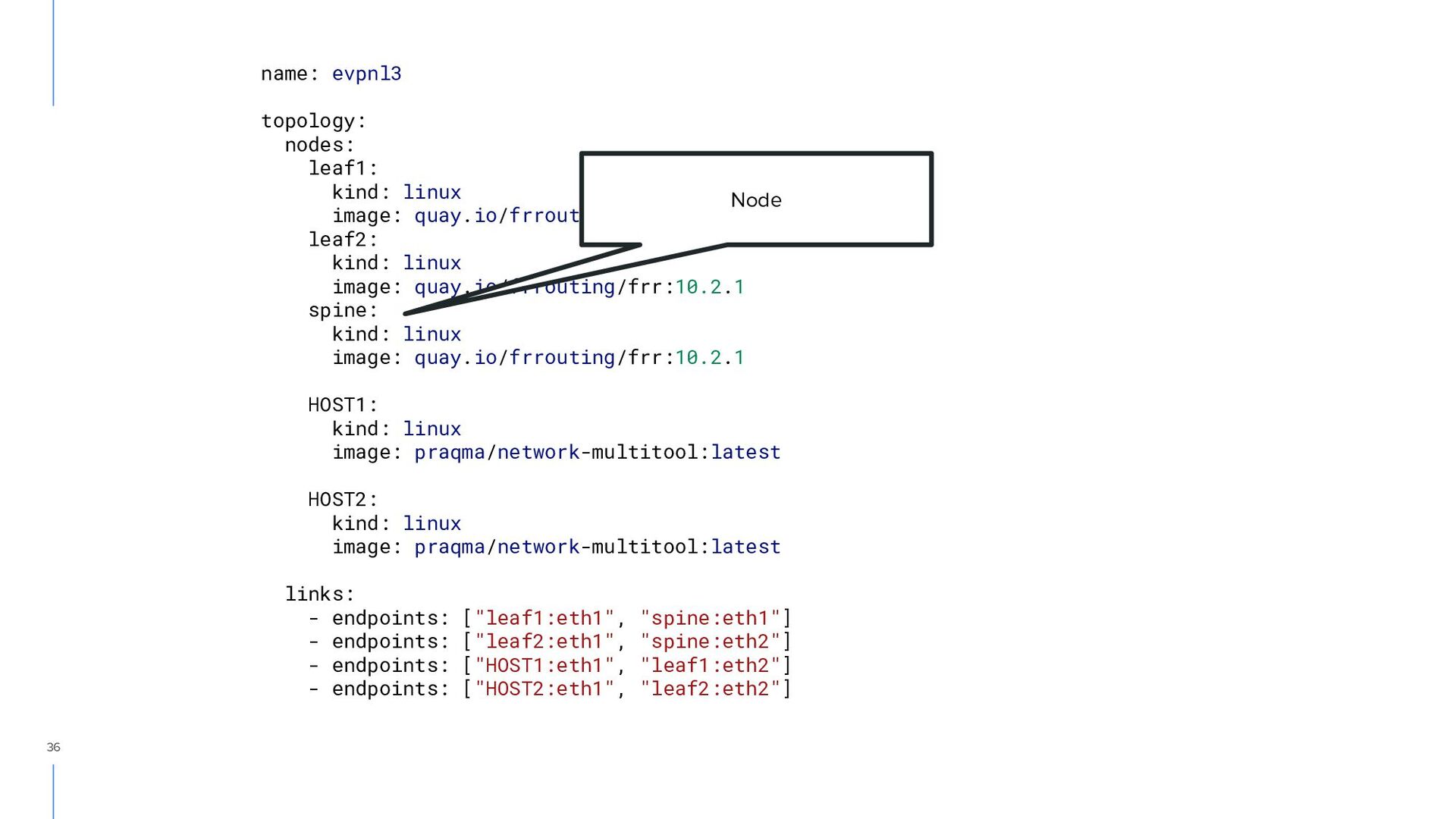
36 name: evpnl3 topology: nodes: leaf1: kind: linux image: quay.io/frrouting/frr:10.2.1
leaf2: kind: linux image: quay.io/frrouting/frr:10.2.1 spine: kind: linux image: quay.io/frrouting/frr:10.2.1 HOST1: kind: linux image: praqma/network-multitool:latest HOST2: kind: linux image: praqma/network-multitool:latest links: - endpoints: ["leaf1:eth1", "spine:eth1"] - endpoints: ["leaf2:eth1", "spine:eth2"] - endpoints: ["HOST1:eth1", "leaf1:eth2"] - endpoints: ["HOST2:eth1", "leaf2:eth2"] Node -
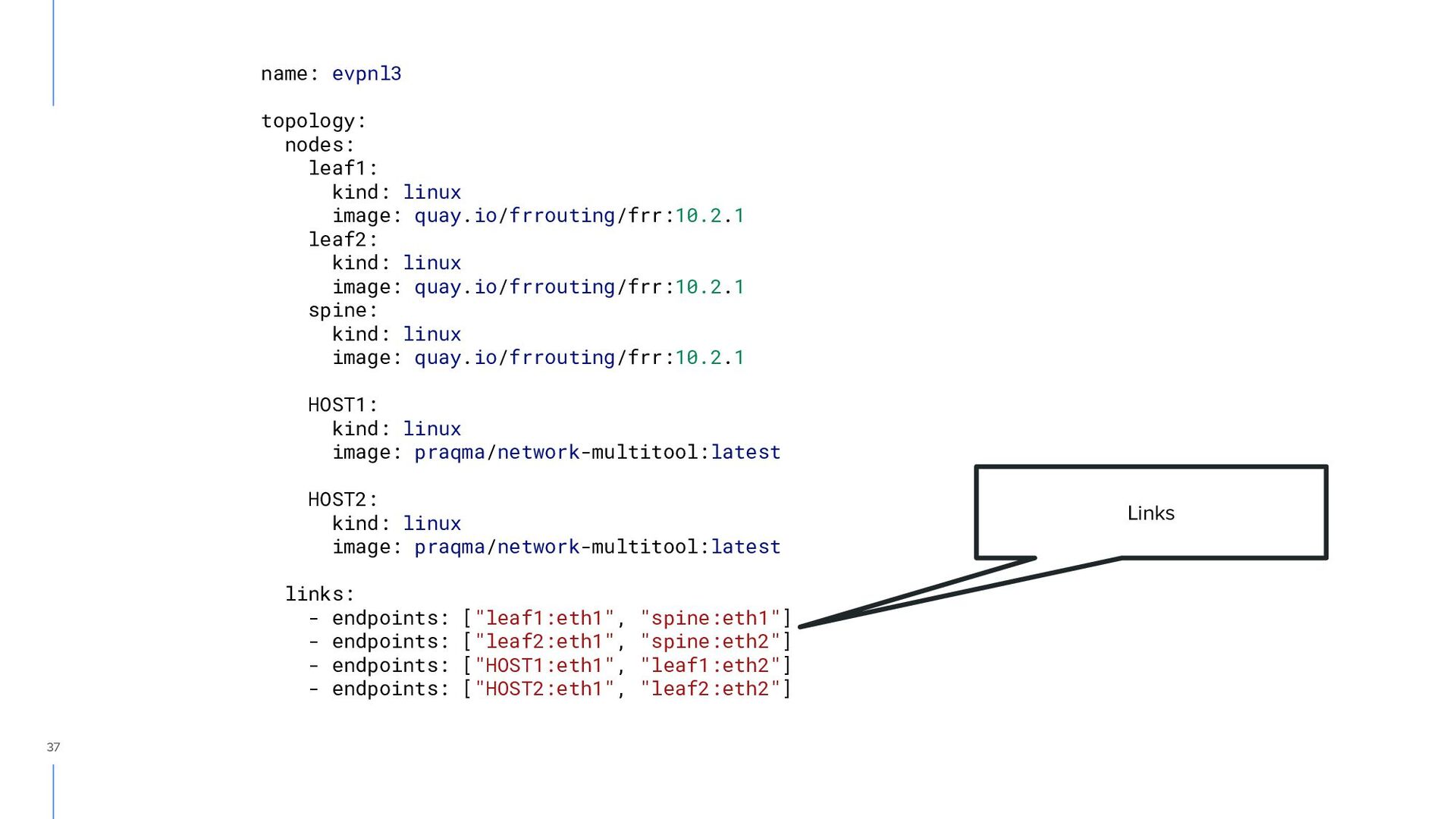
37 name: evpnl3 topology: nodes: leaf1: kind: linux image: quay.io/frrouting/frr:10.2.1
leaf2: kind: linux image: quay.io/frrouting/frr:10.2.1 spine: kind: linux image: quay.io/frrouting/frr:10.2.1 HOST1: kind: linux image: praqma/network-multitool:latest HOST2: kind: linux image: praqma/network-multitool:latest links: - endpoints: ["leaf1:eth1", "spine:eth1"] - endpoints: ["leaf2:eth1", "spine:eth2"] - endpoints: ["HOST1:eth1", "leaf1:eth2"] - endpoints: ["HOST2:eth1", "leaf2:eth2"] Links -
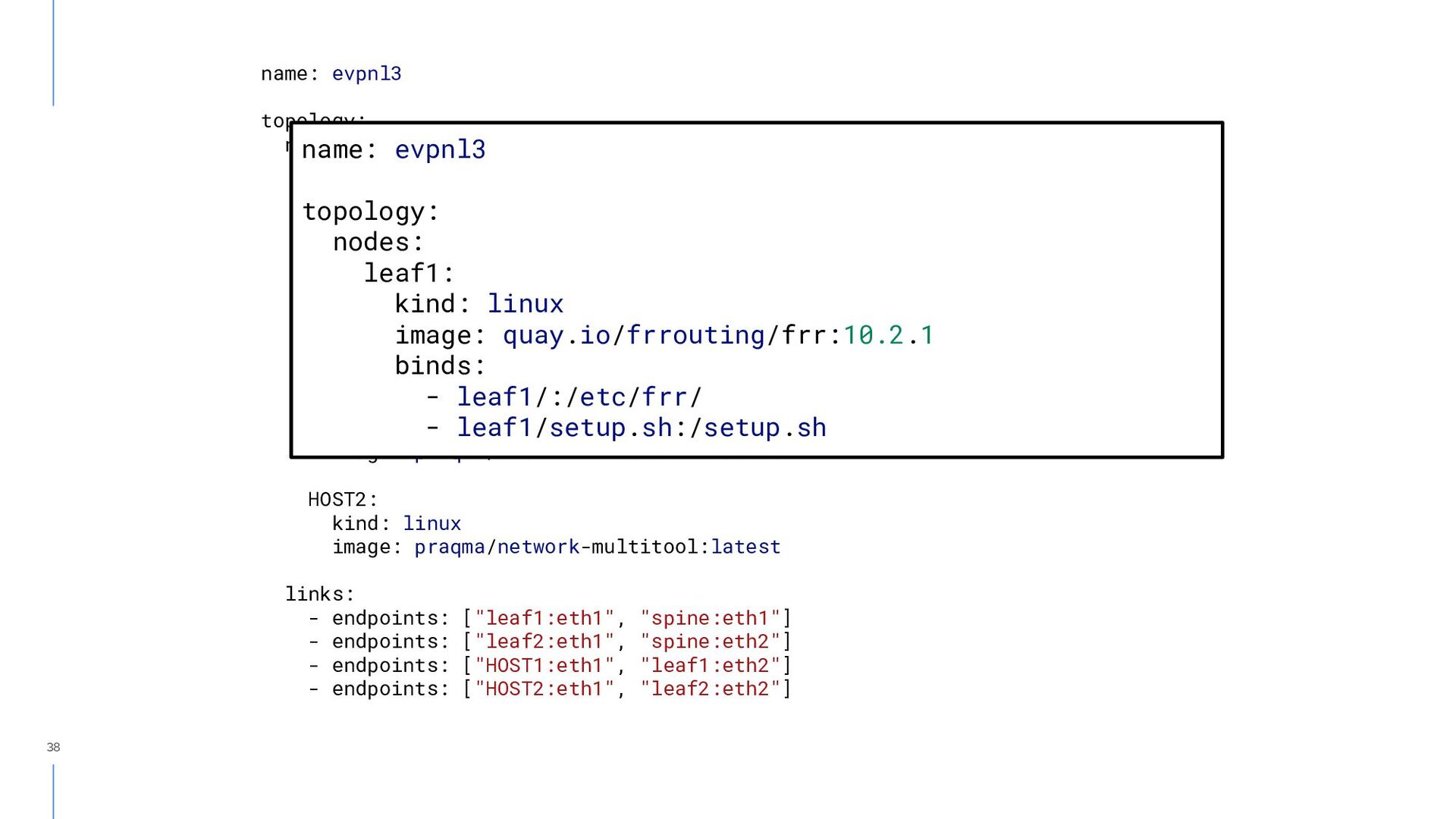
38 name: evpnl3 topology: nodes: leaf1: kind: linux image: quay.io/frrouting/frr:10.2.1
leaf2: kind: linux image: quay.io/frrouting/frr:10.2.1 spine: kind: linux image: quay.io/frrouting/frr:10.2.1 HOST1: kind: linux image: praqma/network-multitool:latest HOST2: kind: linux image: praqma/network-multitool:latest links: - endpoints: ["leaf1:eth1", "spine:eth1"] - endpoints: ["leaf2:eth1", "spine:eth2"] - endpoints: ["HOST1:eth1", "leaf1:eth2"] - endpoints: ["HOST2:eth1", "leaf2:eth2"] name: evpnl3 topology: nodes: leaf1: kind: linux image: quay.io/frrouting/frr:10.2.1 binds: - leaf1/:/etc/frr/ - leaf1/setup.sh:/setup.sh -
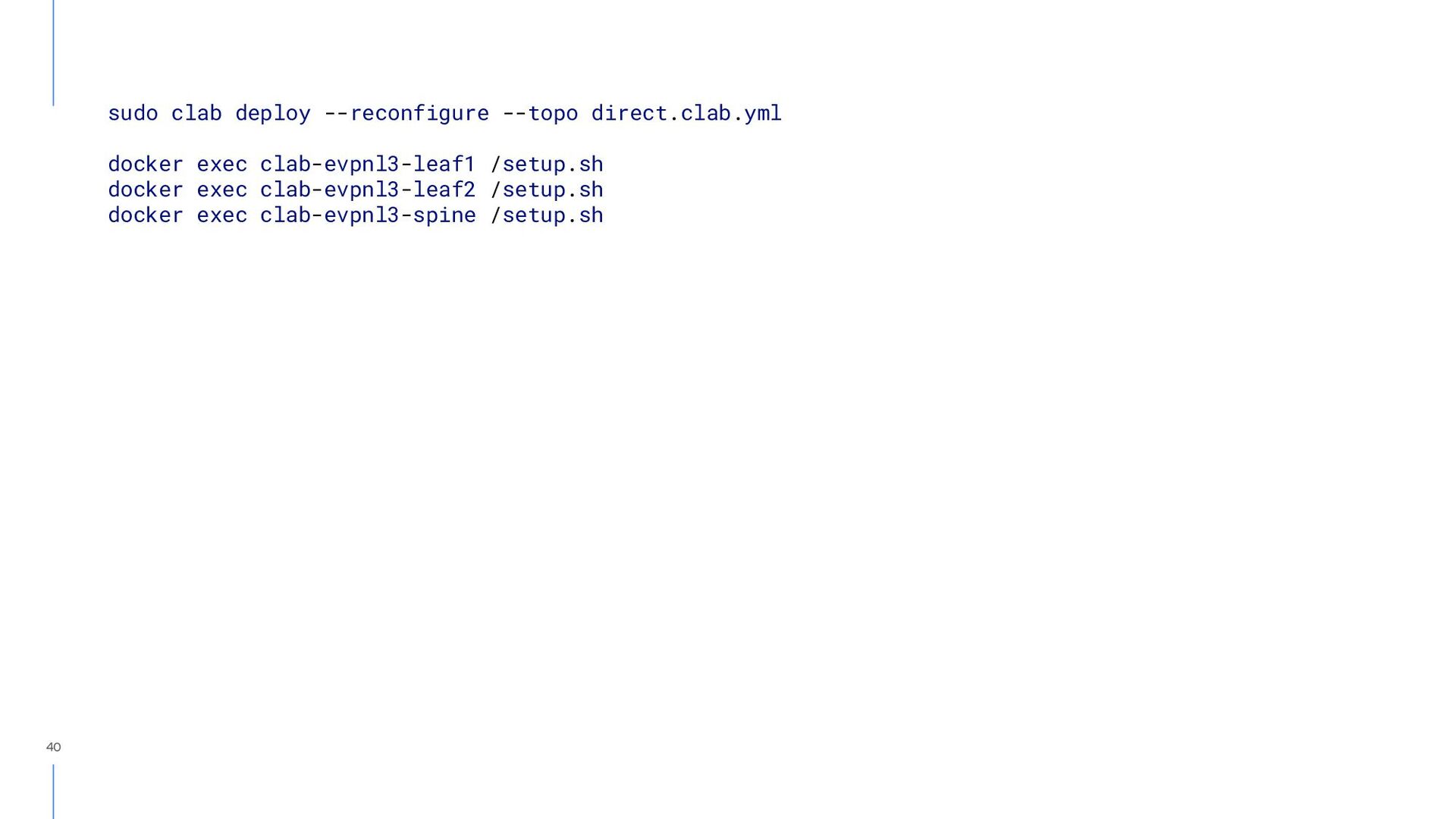
40 sudo clab deploy --reconfigure --topo direct.clab.yml docker exec clab-evpnl3-leaf1
/setup.sh docker exec clab-evpnl3-leaf2 /setup.sh docker exec clab-evpnl3-spine /setup.sh -
41 sudo clab deploy --reconfigure --topo direct.clab.yml docker exec clab-evpnl3-leaf1
/setup.sh docker exec clab-evpnl3-leaf2 /setup.sh docker exec clab-evpnl3-spine /setup.sh #!/bin/bash # # VTEP IP ip addr add 100.64.0.1/32 dev lo # Leaf - spine leg ip addr add 192.168.1.1/24 dev eth1 # L3 VRF ip link add red type vrf table 1100 # Leaf - host leg ip link set eth2 master red ip addr add 192.168.10.2/24 dev eth2 ip link set red up ip link add br100 type bridge ip link set br100 master red addrgenmode none ip link set br100 addr aa:bb:cc:00:00:65 ip link add vni100 type vxlan local 100.64.0.1 dstport 4789 id 100 nolearning ip link set vni100 master br100 addrgenmode none ip link set vni100 type bridge_slave neigh_suppress on learning off ip link set vni100 up ip link set br100 up lo 100.65.0.2/32 Vxlan Vni 100 eth1 br100 eth2 -
42 sudo clab deploy --reconfigure --topo direct.clab.yml docker exec clab-evpnl3-leaf1
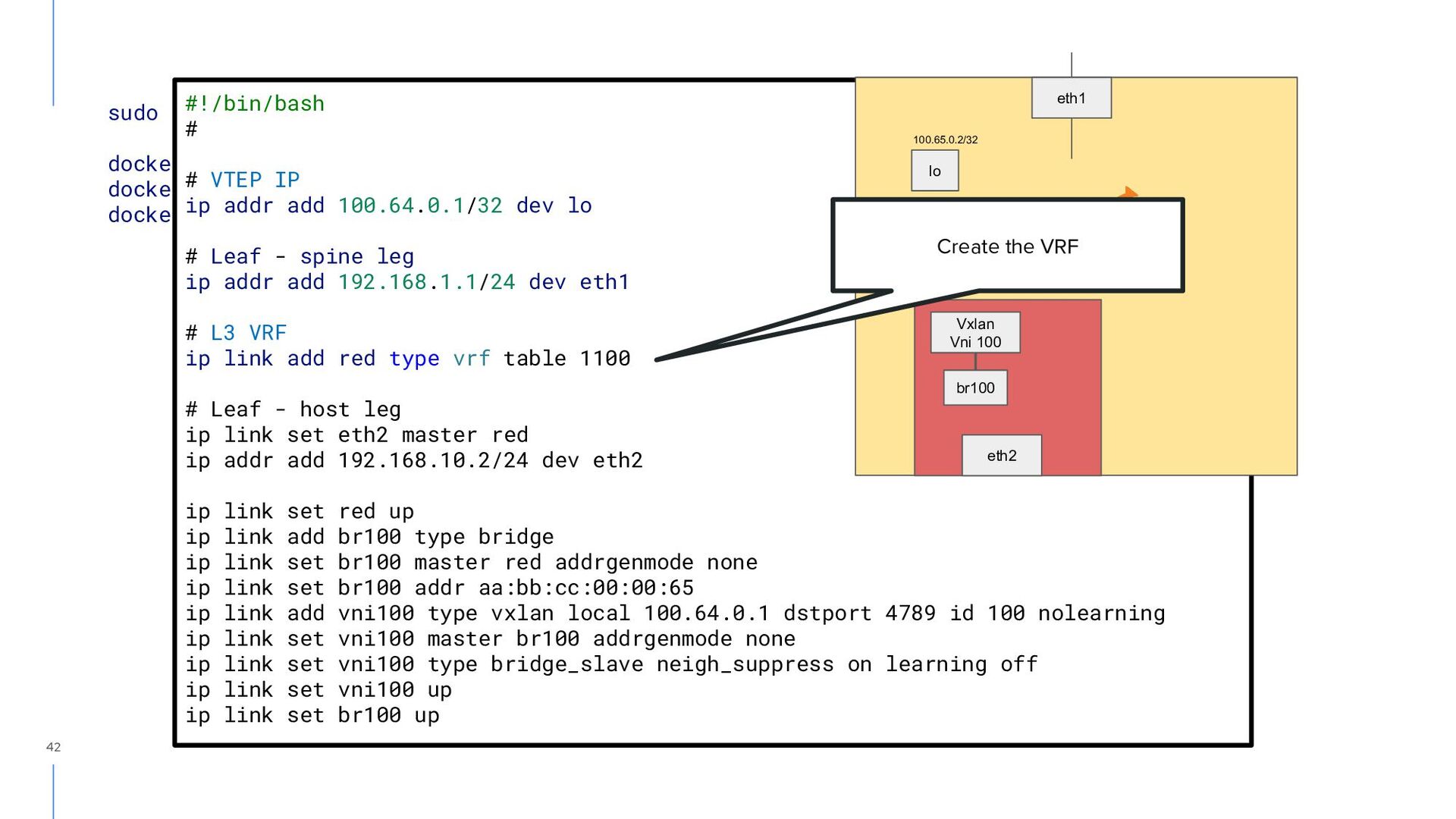
/setup.sh docker exec clab-evpnl3-leaf2 /setup.sh docker exec clab-evpnl3-spine /setup.sh #!/bin/bash # # VTEP IP ip addr add 100.64.0.1/32 dev lo # Leaf - spine leg ip addr add 192.168.1.1/24 dev eth1 # L3 VRF ip link add red type vrf table 1100 # Leaf - host leg ip link set eth2 master red ip addr add 192.168.10.2/24 dev eth2 ip link set red up ip link add br100 type bridge ip link set br100 master red addrgenmode none ip link set br100 addr aa:bb:cc:00:00:65 ip link add vni100 type vxlan local 100.64.0.1 dstport 4789 id 100 nolearning ip link set vni100 master br100 addrgenmode none ip link set vni100 type bridge_slave neigh_suppress on learning off ip link set vni100 up ip link set br100 up lo 100.65.0.2/32 Vxlan Vni 100 eth1 br100 eth2 Create the VRF -
43 sudo clab deploy --reconfigure --topo direct.clab.yml docker exec clab-evpnl3-leaf1
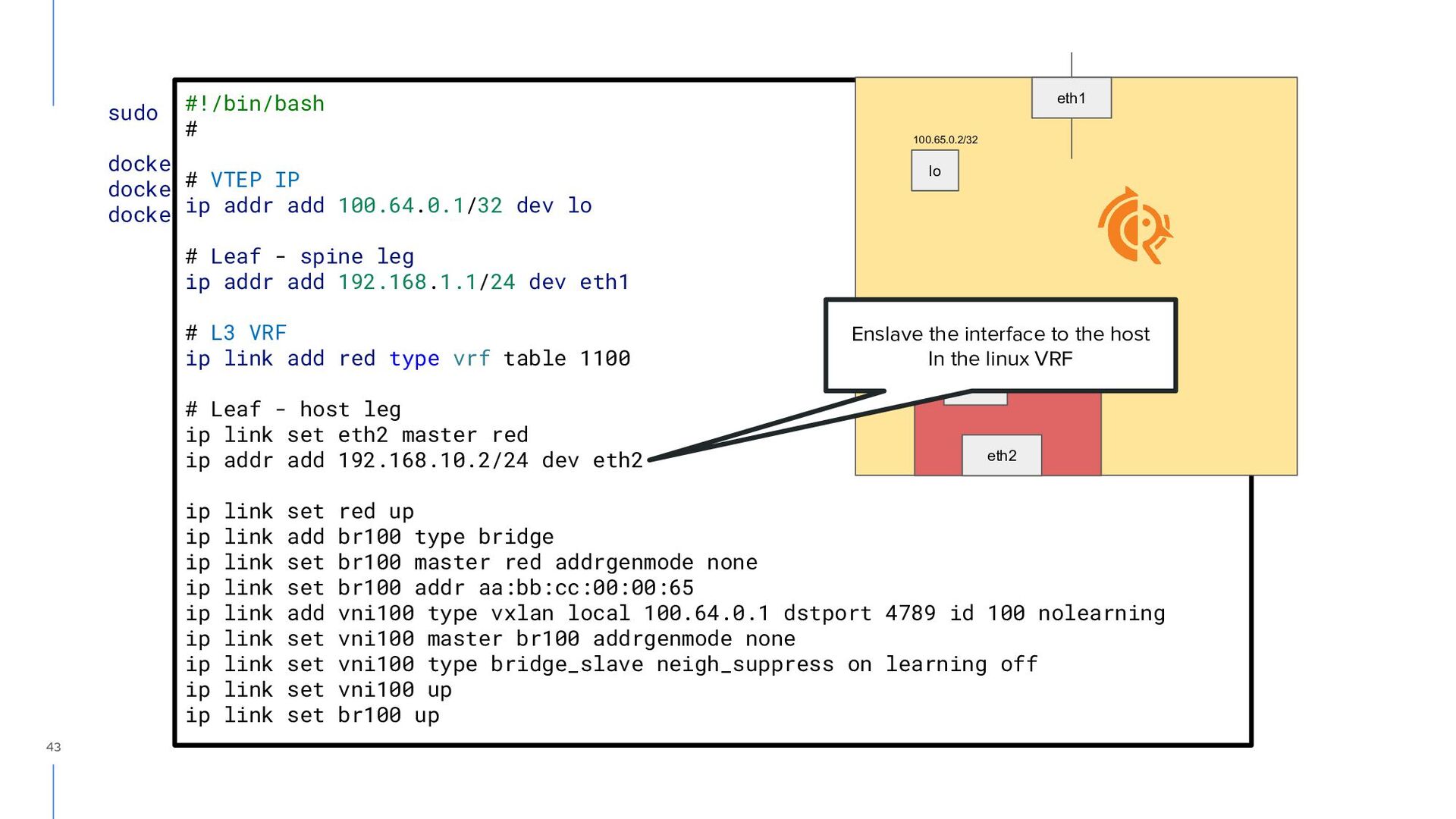
/setup.sh docker exec clab-evpnl3-leaf2 /setup.sh docker exec clab-evpnl3-spine /setup.sh #!/bin/bash # # VTEP IP ip addr add 100.64.0.1/32 dev lo # Leaf - spine leg ip addr add 192.168.1.1/24 dev eth1 # L3 VRF ip link add red type vrf table 1100 # Leaf - host leg ip link set eth2 master red ip addr add 192.168.10.2/24 dev eth2 ip link set red up ip link add br100 type bridge ip link set br100 master red addrgenmode none ip link set br100 addr aa:bb:cc:00:00:65 ip link add vni100 type vxlan local 100.64.0.1 dstport 4789 id 100 nolearning ip link set vni100 master br100 addrgenmode none ip link set vni100 type bridge_slave neigh_suppress on learning off ip link set vni100 up ip link set br100 up lo 100.65.0.2/32 Vxlan Vni 100 eth1 br100 eth2 Enslave the interface to the host In the linux VRF -
44 sudo clab deploy --reconfigure --topo direct.clab.yml docker exec clab-evpnl3-leaf1
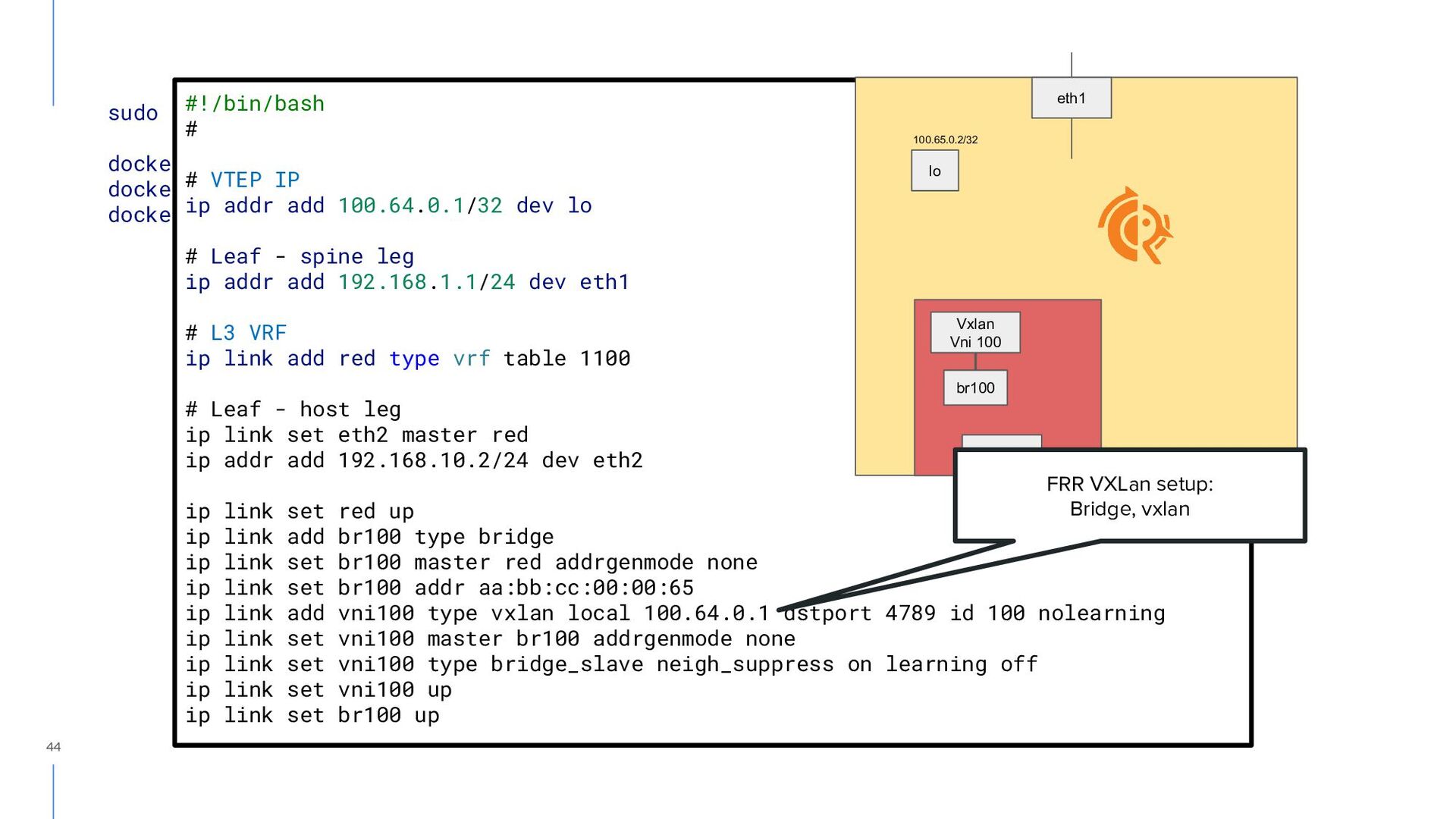
/setup.sh docker exec clab-evpnl3-leaf2 /setup.sh docker exec clab-evpnl3-spine /setup.sh #!/bin/bash # # VTEP IP ip addr add 100.64.0.1/32 dev lo # Leaf - spine leg ip addr add 192.168.1.1/24 dev eth1 # L3 VRF ip link add red type vrf table 1100 # Leaf - host leg ip link set eth2 master red ip addr add 192.168.10.2/24 dev eth2 ip link set red up ip link add br100 type bridge ip link set br100 master red addrgenmode none ip link set br100 addr aa:bb:cc:00:00:65 ip link add vni100 type vxlan local 100.64.0.1 dstport 4789 id 100 nolearning ip link set vni100 master br100 addrgenmode none ip link set vni100 type bridge_slave neigh_suppress on learning off ip link set vni100 up ip link set br100 up lo 100.65.0.2/32 Vxlan Vni 100 eth1 br100 eth2 FRR VXLan setup: Bridge, vxlan -
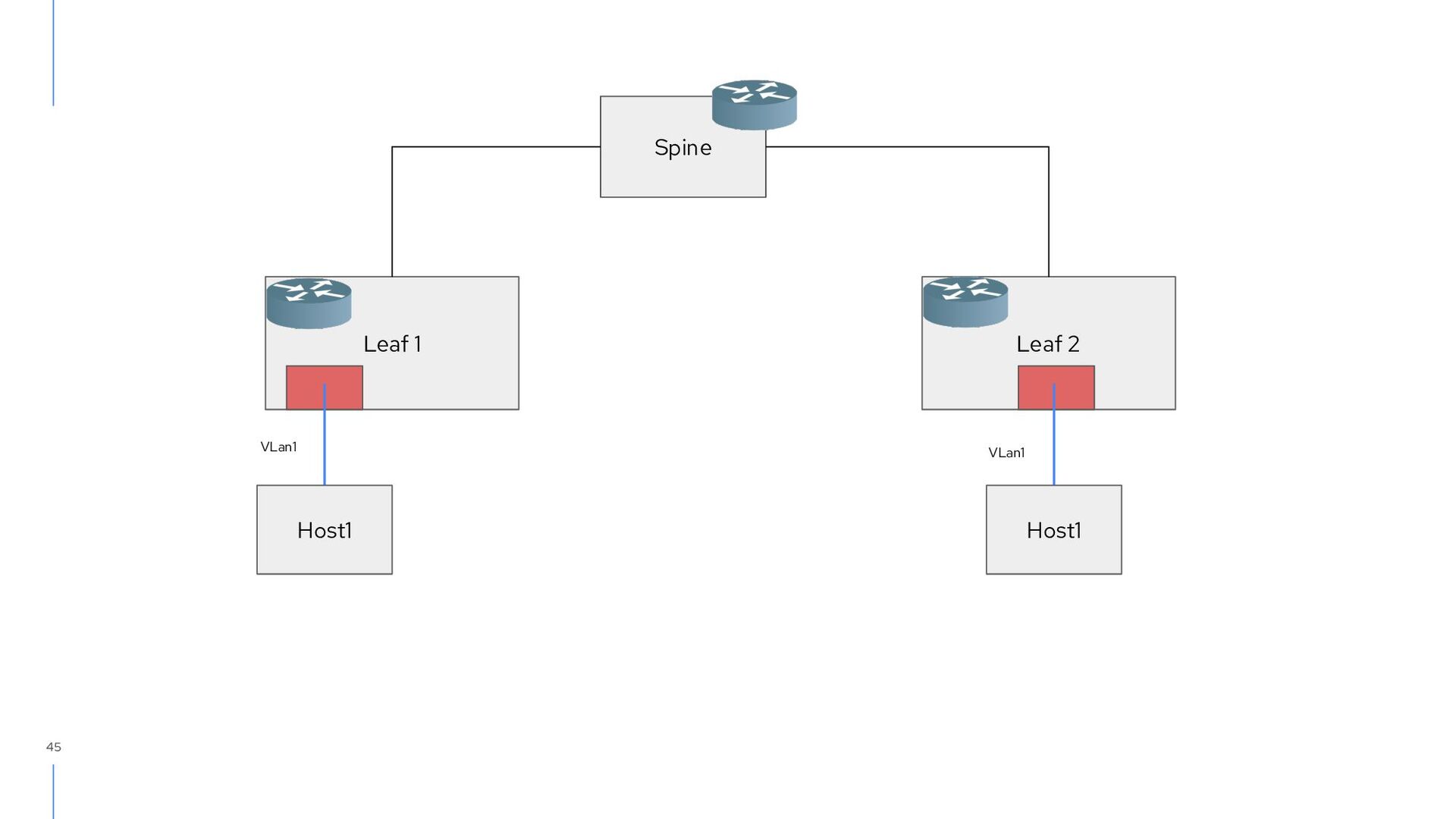
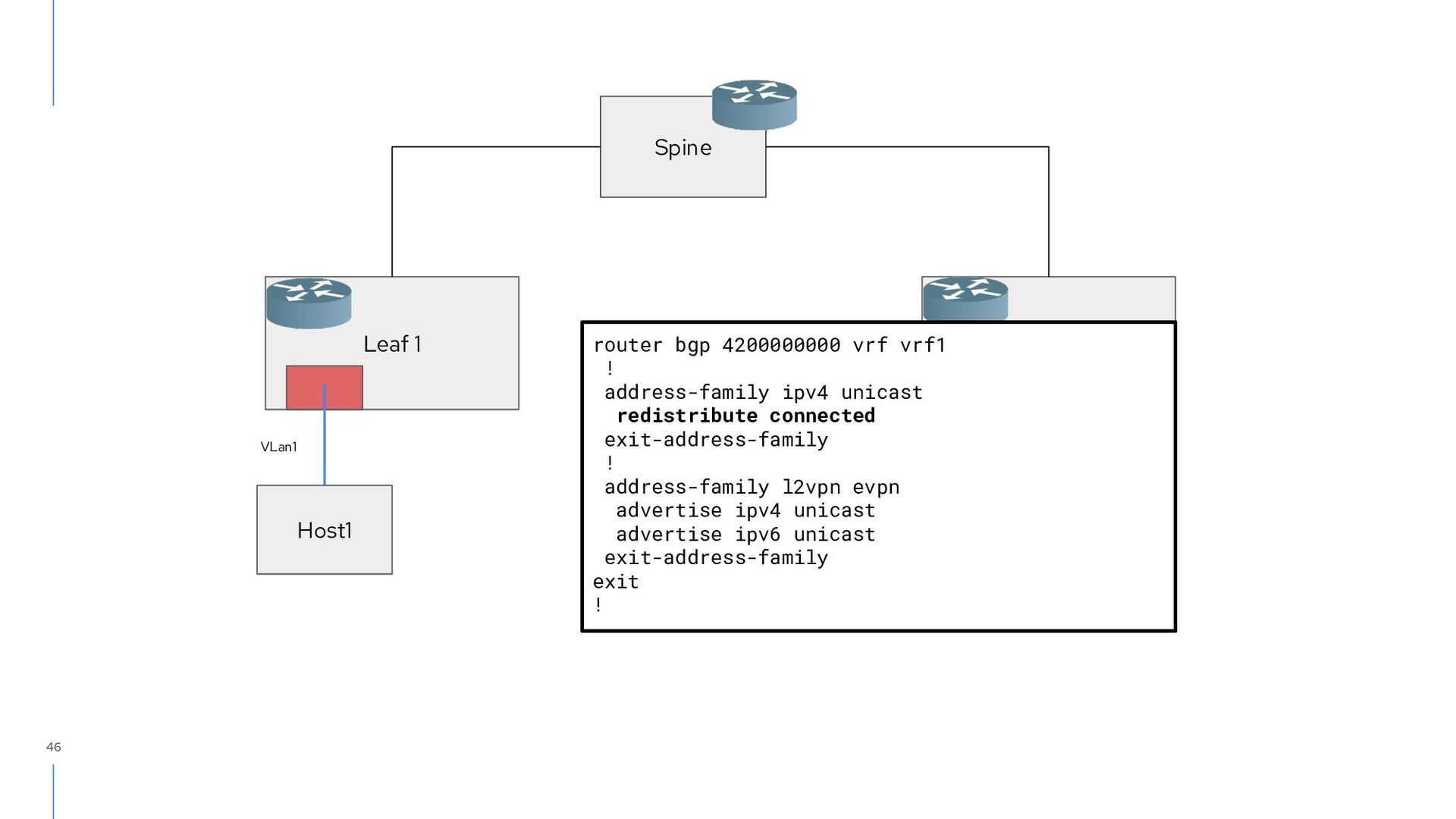
46 Spine Leaf 1 Host1 Leaf 2 Host1 VLan1 VLan1
router bgp 4200000000 vrf vrf1 ! address-family ipv4 unicast redistribute connected exit-address-family ! address-family l2vpn evpn advertise ipv4 unicast advertise ipv6 unicast exit-address-family exit ! -
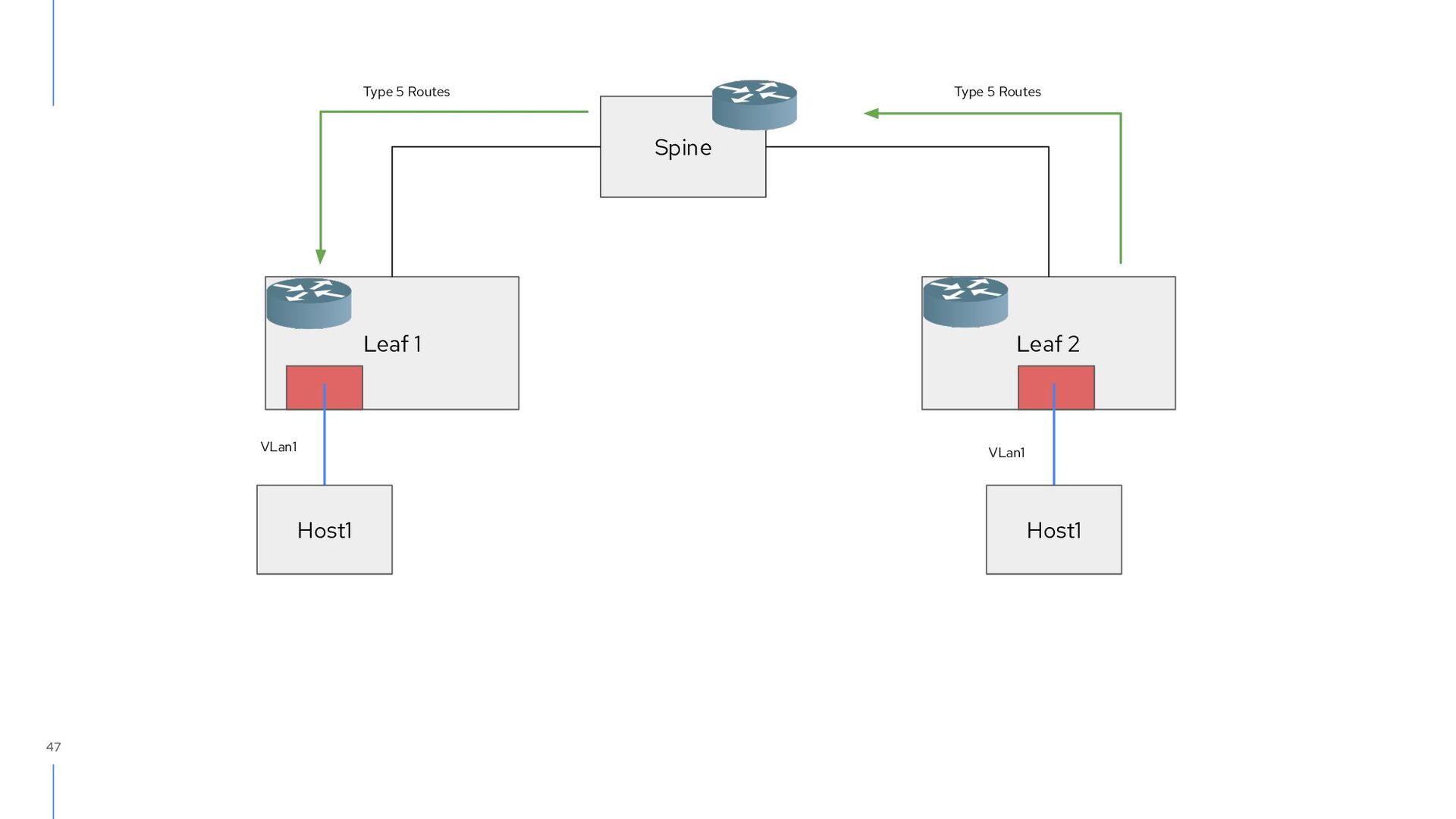
47 Spine Leaf 1 Host1 Leaf 2 Host1 VLan1 VLan1
Type 5 Routes Type 5 Routes -
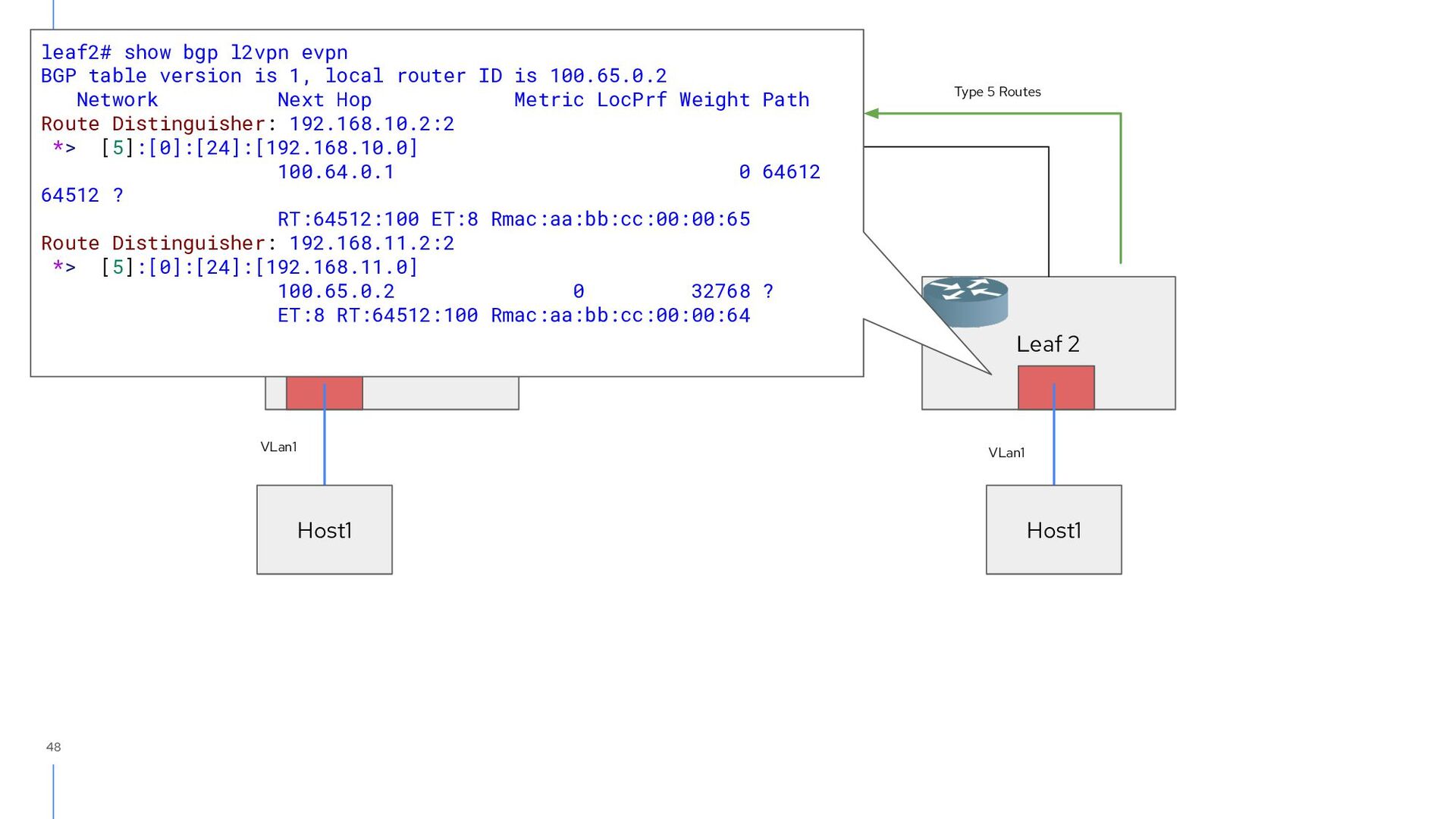
48 Spine Leaf 1 Host1 Leaf 2 Host1 VLan1 VLan1
Type 5 Routes Type 5 Routes leaf2# show bgp l2vpn evpn BGP table version is 1, local router ID is 100.65.0.2 Network Next Hop Metric LocPrf Weight Path Route Distinguisher: 192.168.10.2:2 *> [5]:[0]:[24]:[192.168.10.0] 100.64.0.1 0 64612 64512 ? RT:64512:100 ET:8 Rmac:aa:bb:cc:00:00:65 Route Distinguisher: 192.168.11.2:2 *> [5]:[0]:[24]:[192.168.11.0] 100.65.0.2 0 32768 ? ET:8 RT:64512:100 Rmac:aa:bb:cc:00:00:64 -
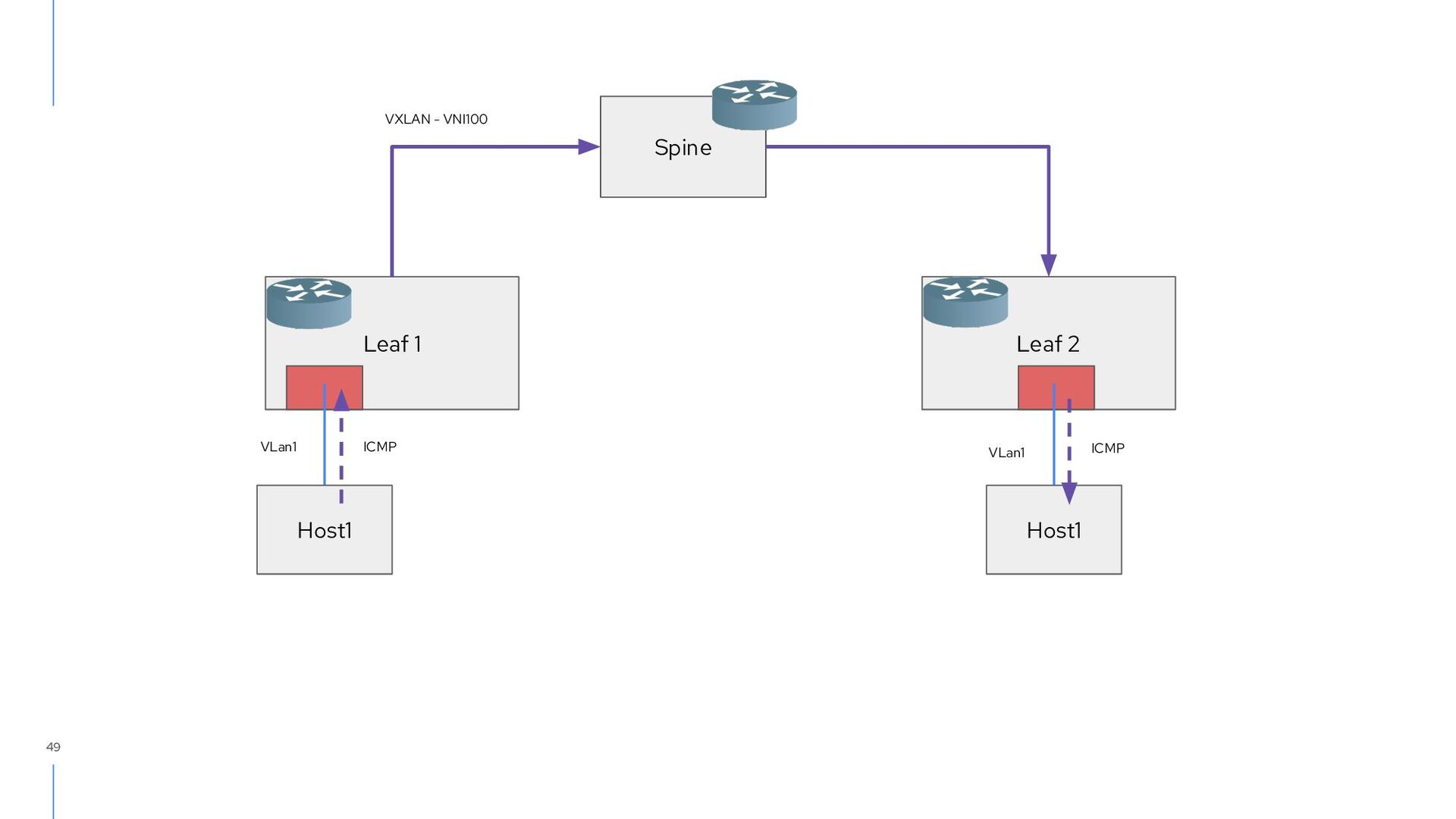
49 Spine Leaf 1 Host1 Leaf 2 Host1 VLan1 VLan1
VXLAN - VNI100 ICMP ICMP -
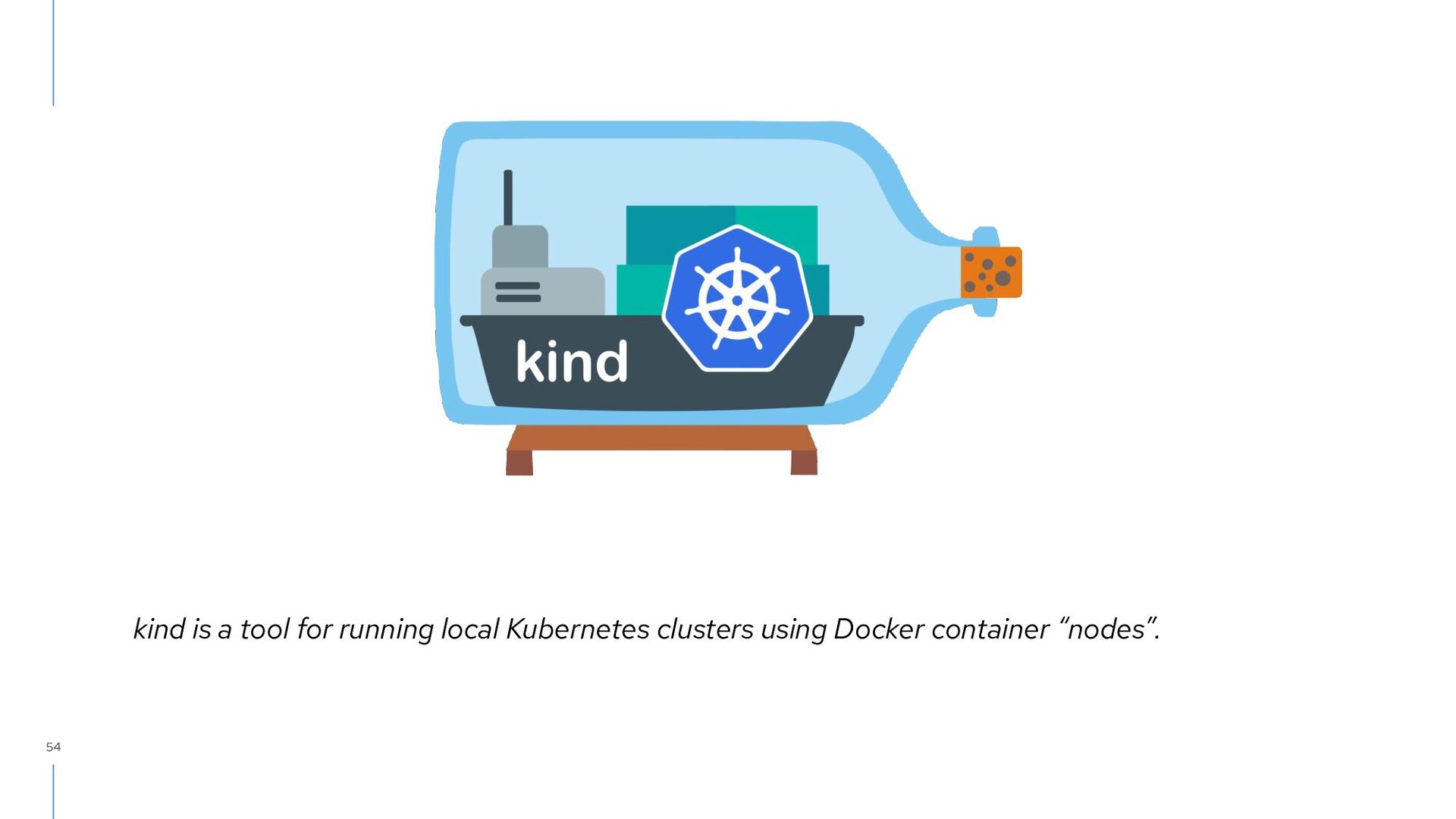
54 kind is a tool for running local Kubernetes clusters
using Docker container “nodes”. -
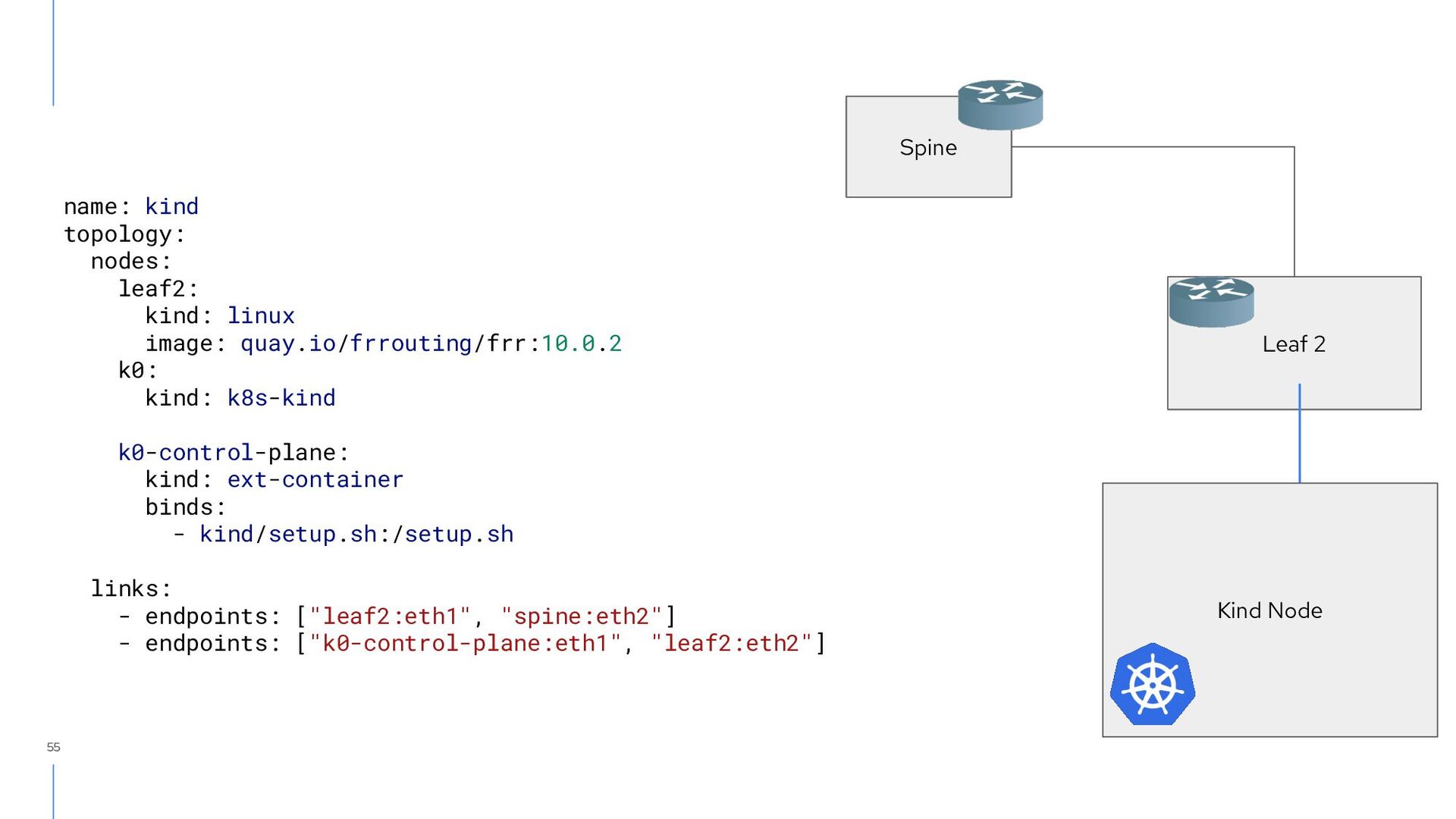
55 name: kind topology: nodes: leaf2: kind: linux image: quay.io/frrouting/frr:10.0.2
k0: kind: k8s-kind k0-control-plane: kind: ext-container binds: - kind/setup.sh:/setup.sh links: - endpoints: ["leaf2:eth1", "spine:eth2"] - endpoints: ["k0-control-plane:eth1", "leaf2:eth2"] Spine Leaf 2 Kind Node -
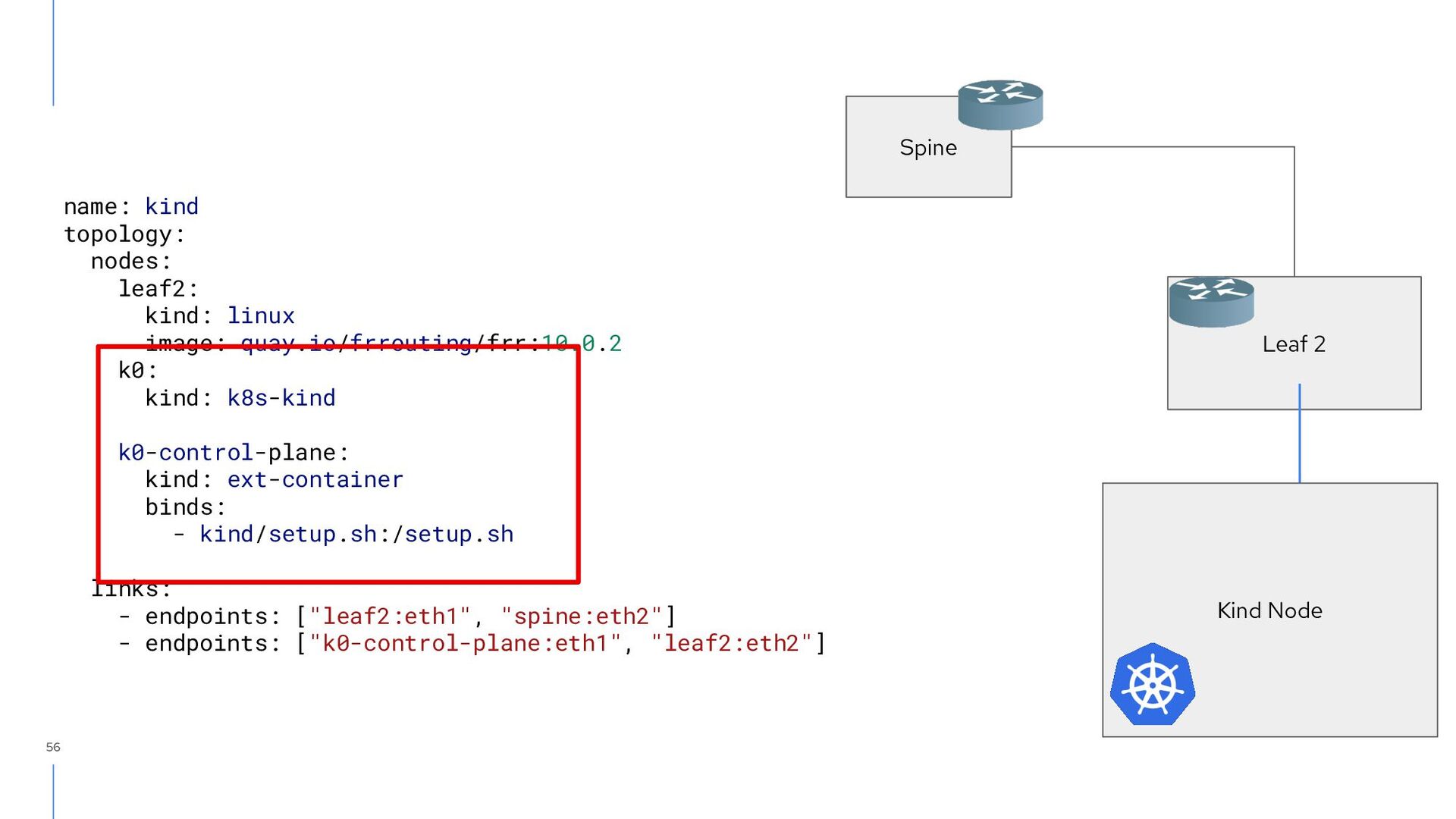
56 name: kind topology: nodes: leaf2: kind: linux image: quay.io/frrouting/frr:10.0.2
k0: kind: k8s-kind k0-control-plane: kind: ext-container binds: - kind/setup.sh:/setup.sh links: - endpoints: ["leaf2:eth1", "spine:eth2"] - endpoints: ["k0-control-plane:eth1", "leaf2:eth2"] Spine Leaf 2 Kind Node -
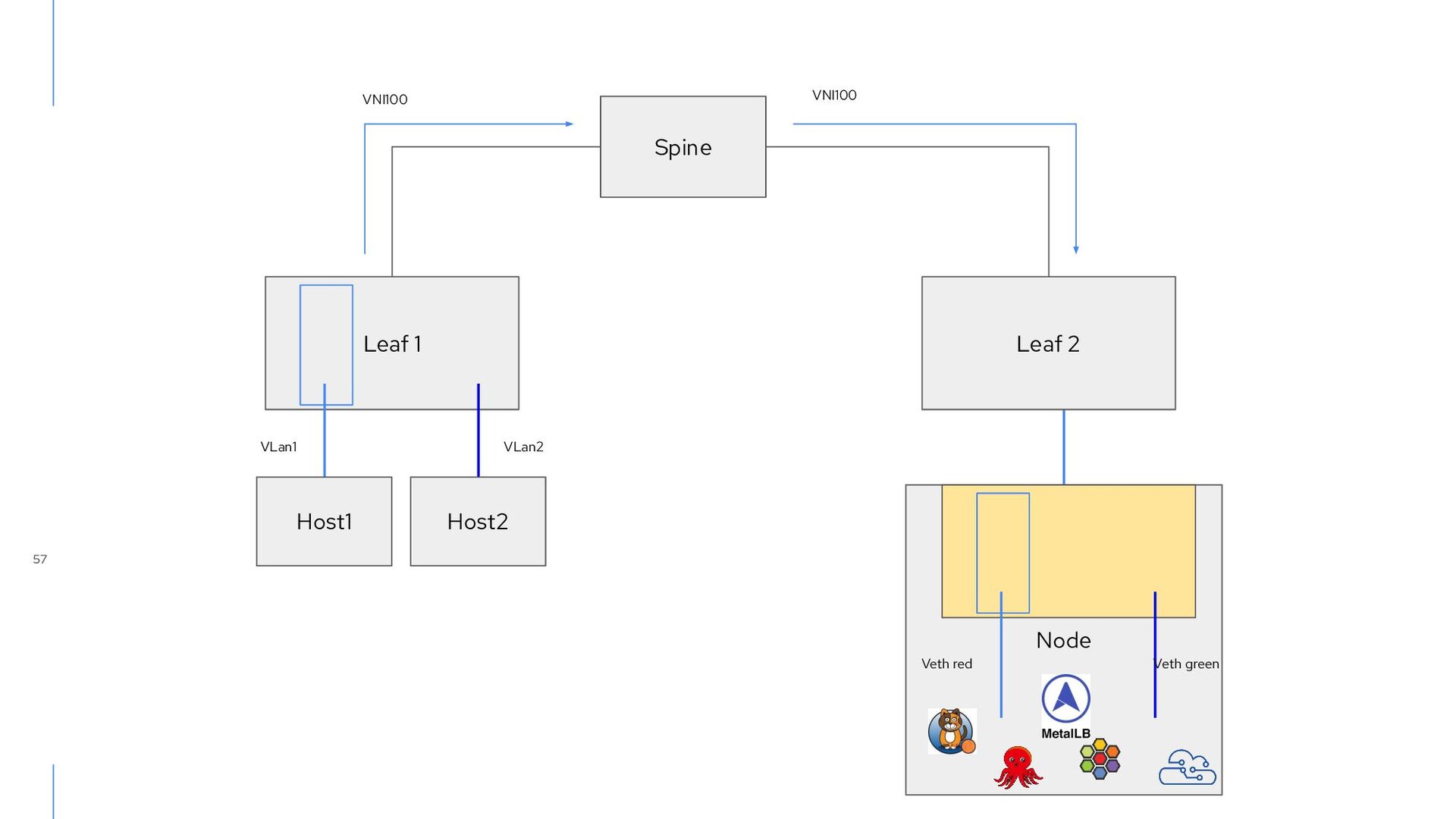
57 Spine Leaf 1 Host1 Host2 VLan1 VLan2 VNI100 VNI100
Node Leaf 2 Veth red Veth green -
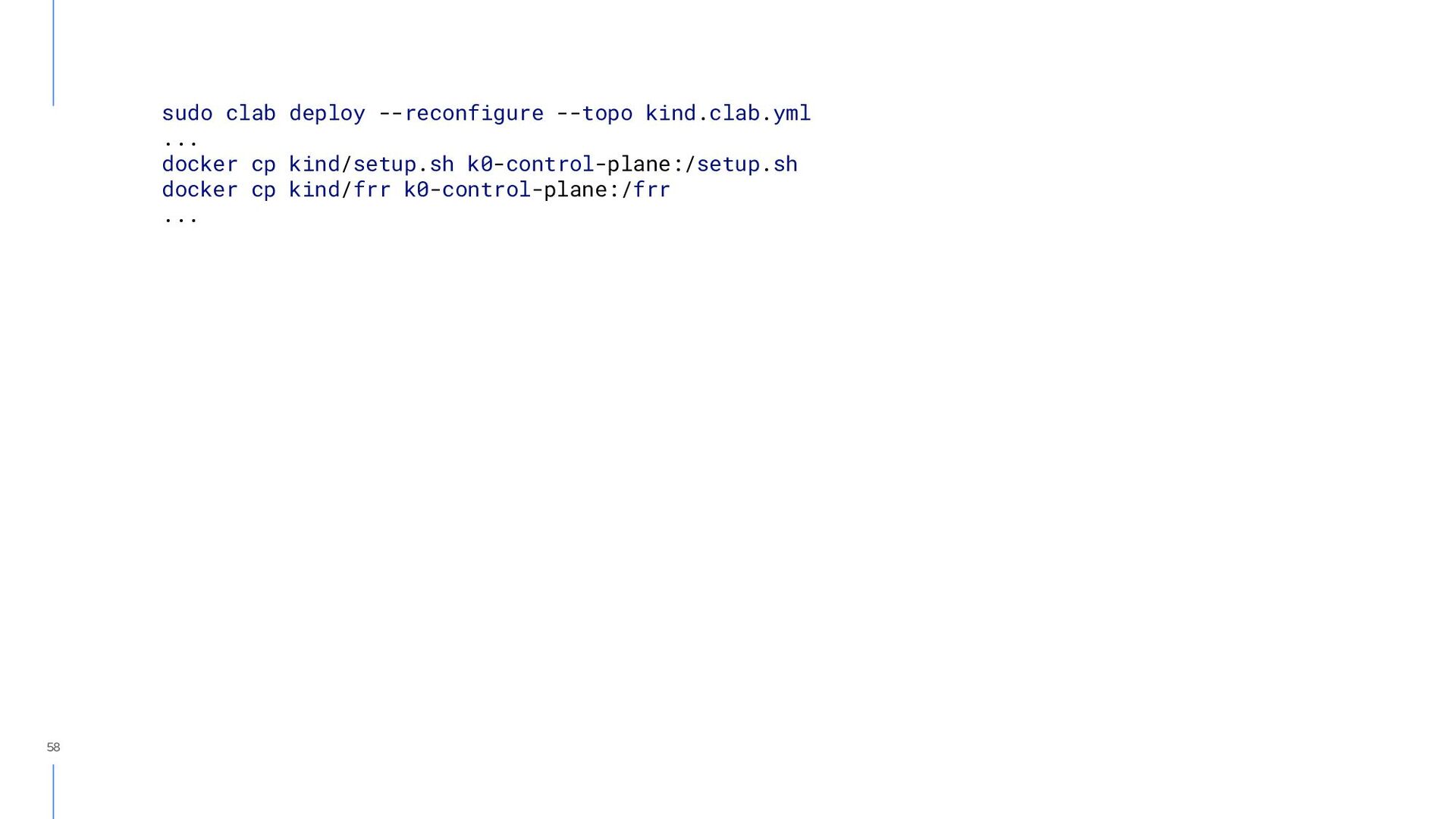
58 sudo clab deploy --reconfigure --topo kind.clab.yml ... docker cp
kind/setup.sh k0-control-plane:/setup.sh docker cp kind/frr k0-control-plane:/frr ... -
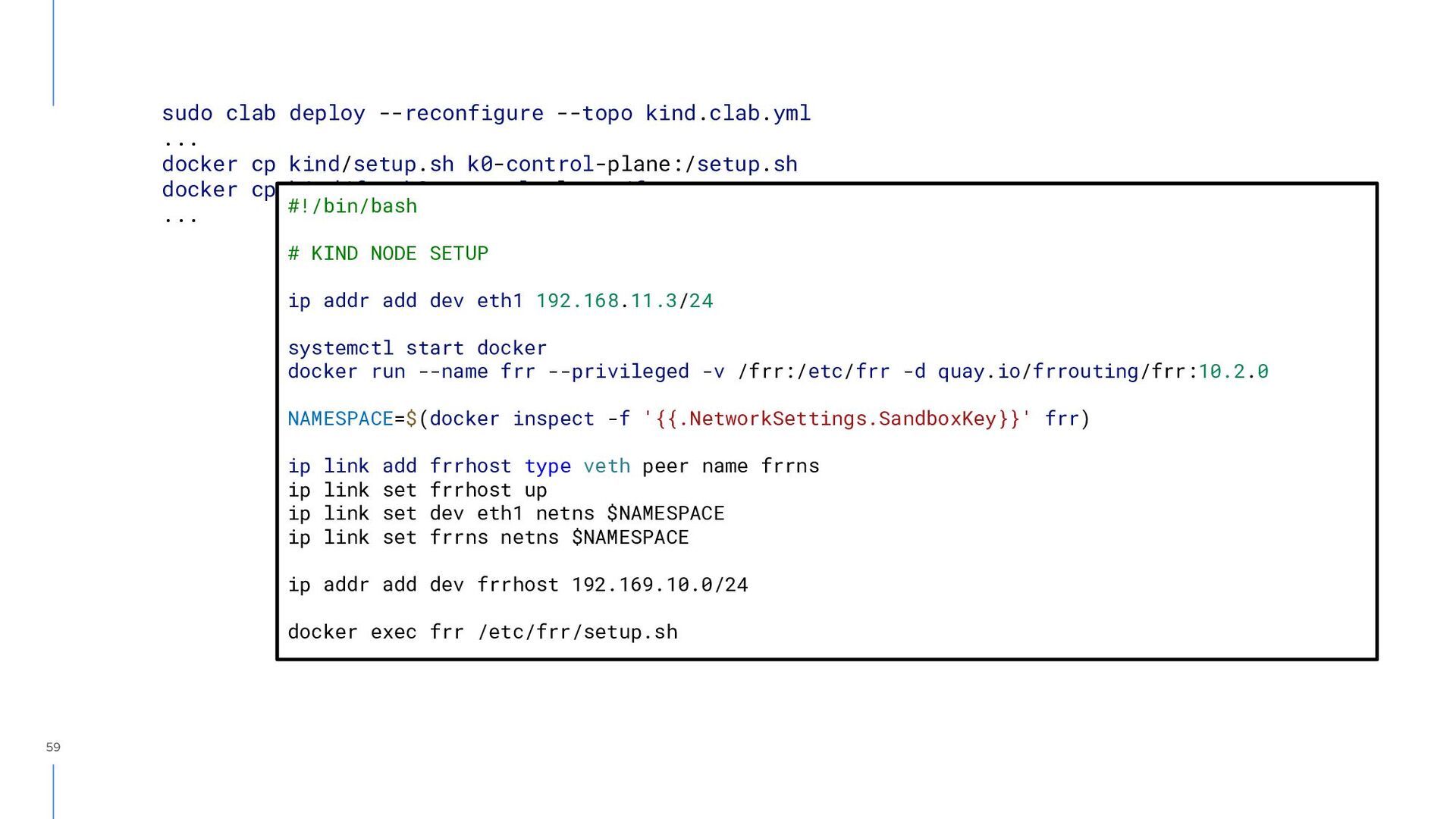
59 sudo clab deploy --reconfigure --topo kind.clab.yml ... docker cp
kind/setup.sh k0-control-plane:/setup.sh docker cp kind/frr k0-control-plane:/frr ... #!/bin/bash # KIND NODE SETUP ip addr add dev eth1 192.168.11.3/24 systemctl start docker docker run --name frr --privileged -v /frr:/etc/frr -d quay.io/frrouting/frr:10.2.0 NAMESPACE=$(docker inspect -f '{{.NetworkSettings.SandboxKey}}' frr) ip link add frrhost type veth peer name frrns ip link set frrhost up ip link set dev eth1 netns $NAMESPACE ip link set frrns netns $NAMESPACE ip addr add dev frrhost 192.169.10.0/24 docker exec frr /etc/frr/setup.sh -
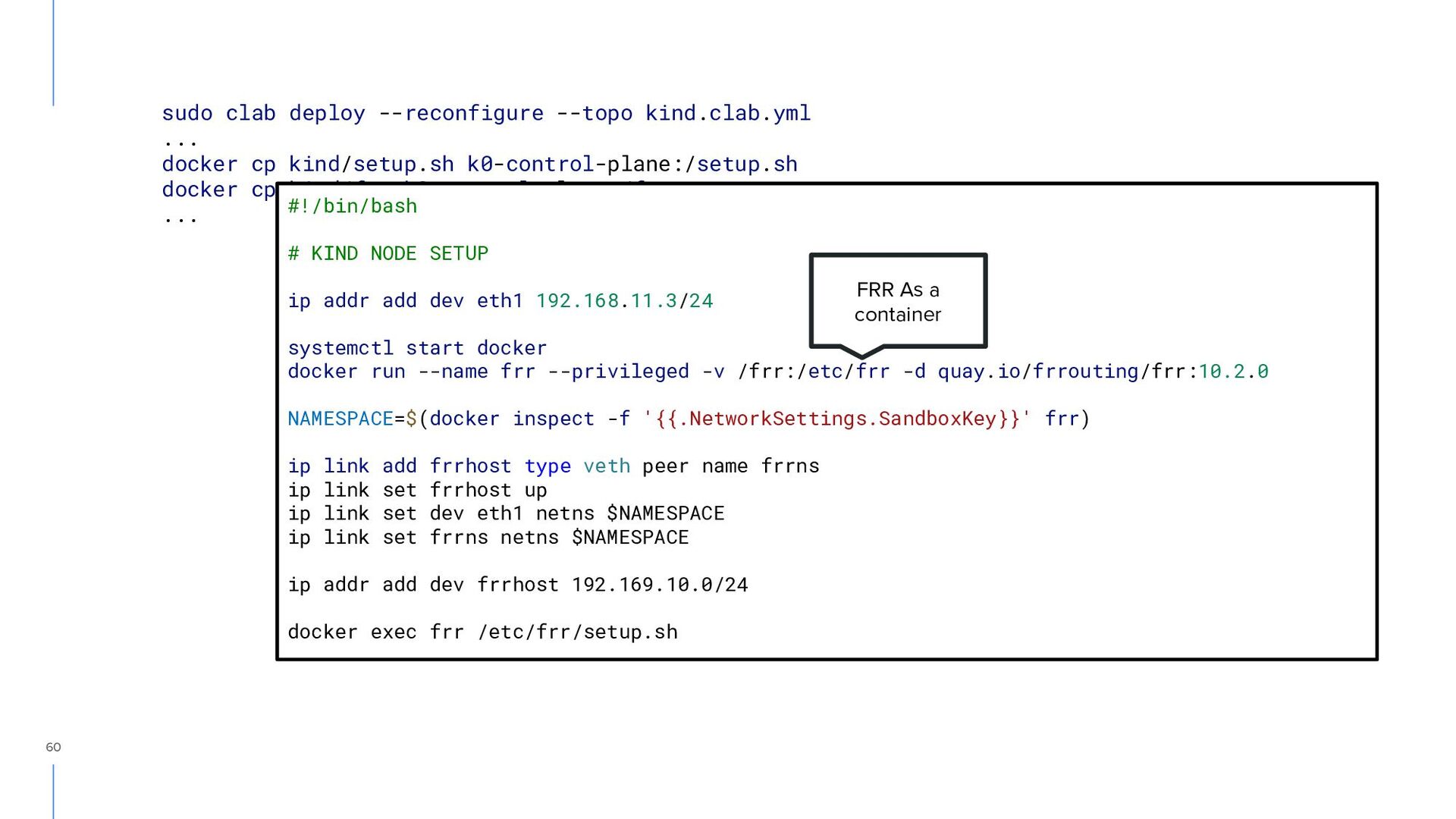
60 sudo clab deploy --reconfigure --topo kind.clab.yml ... docker cp
kind/setup.sh k0-control-plane:/setup.sh docker cp kind/frr k0-control-plane:/frr ... #!/bin/bash # KIND NODE SETUP ip addr add dev eth1 192.168.11.3/24 systemctl start docker docker run --name frr --privileged -v /frr:/etc/frr -d quay.io/frrouting/frr:10.2.0 NAMESPACE=$(docker inspect -f '{{.NetworkSettings.SandboxKey}}' frr) ip link add frrhost type veth peer name frrns ip link set frrhost up ip link set dev eth1 netns $NAMESPACE ip link set frrns netns $NAMESPACE ip addr add dev frrhost 192.169.10.0/24 docker exec frr /etc/frr/setup.sh FRR As a container -
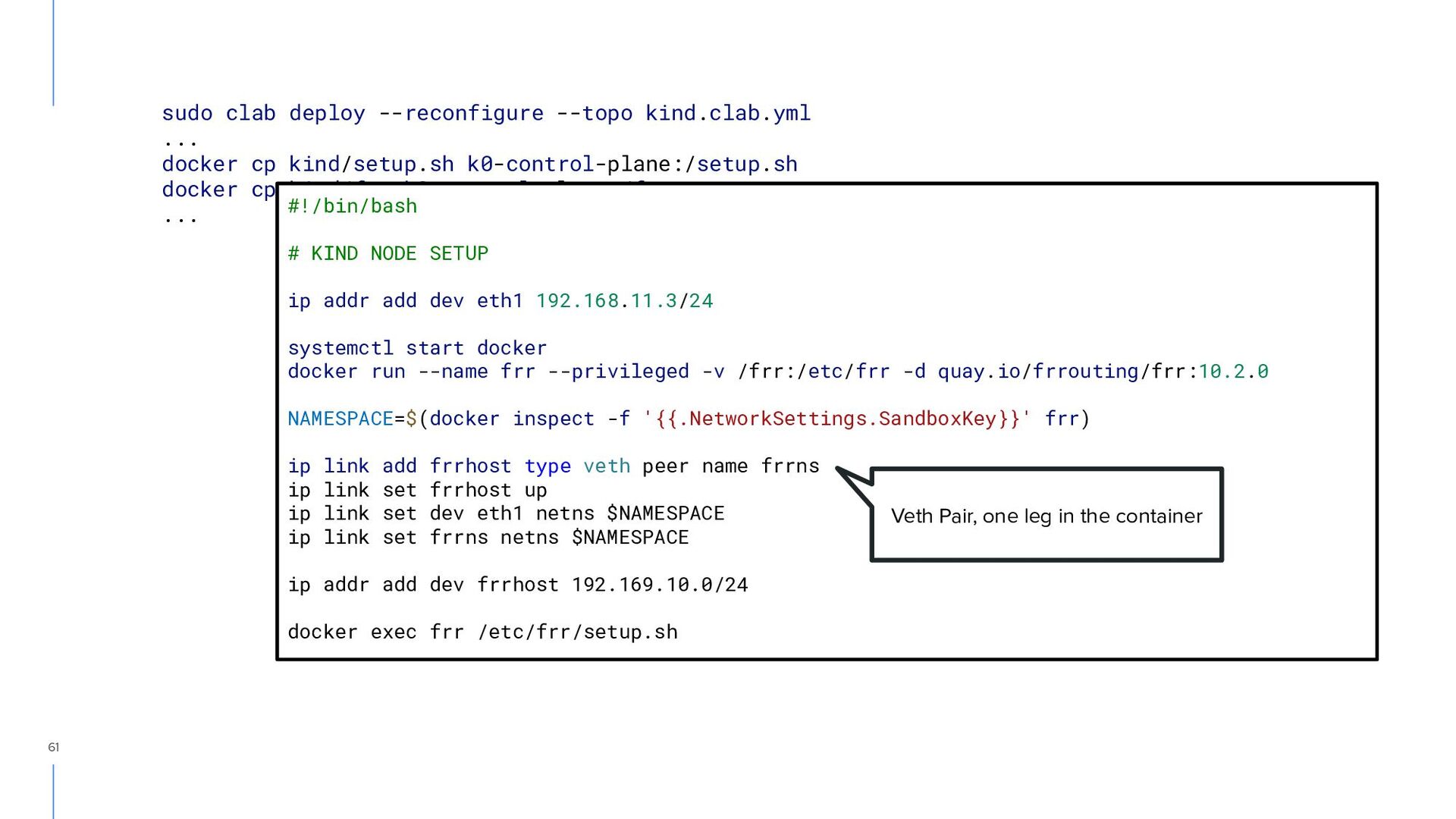
61 sudo clab deploy --reconfigure --topo kind.clab.yml ... docker cp
kind/setup.sh k0-control-plane:/setup.sh docker cp kind/frr k0-control-plane:/frr ... #!/bin/bash # KIND NODE SETUP ip addr add dev eth1 192.168.11.3/24 systemctl start docker docker run --name frr --privileged -v /frr:/etc/frr -d quay.io/frrouting/frr:10.2.0 NAMESPACE=$(docker inspect -f '{{.NetworkSettings.SandboxKey}}' frr) ip link add frrhost type veth peer name frrns ip link set frrhost up ip link set dev eth1 netns $NAMESPACE ip link set frrns netns $NAMESPACE ip addr add dev frrhost 192.169.10.0/24 docker exec frr /etc/frr/setup.sh Veth Pair, one leg in the container -
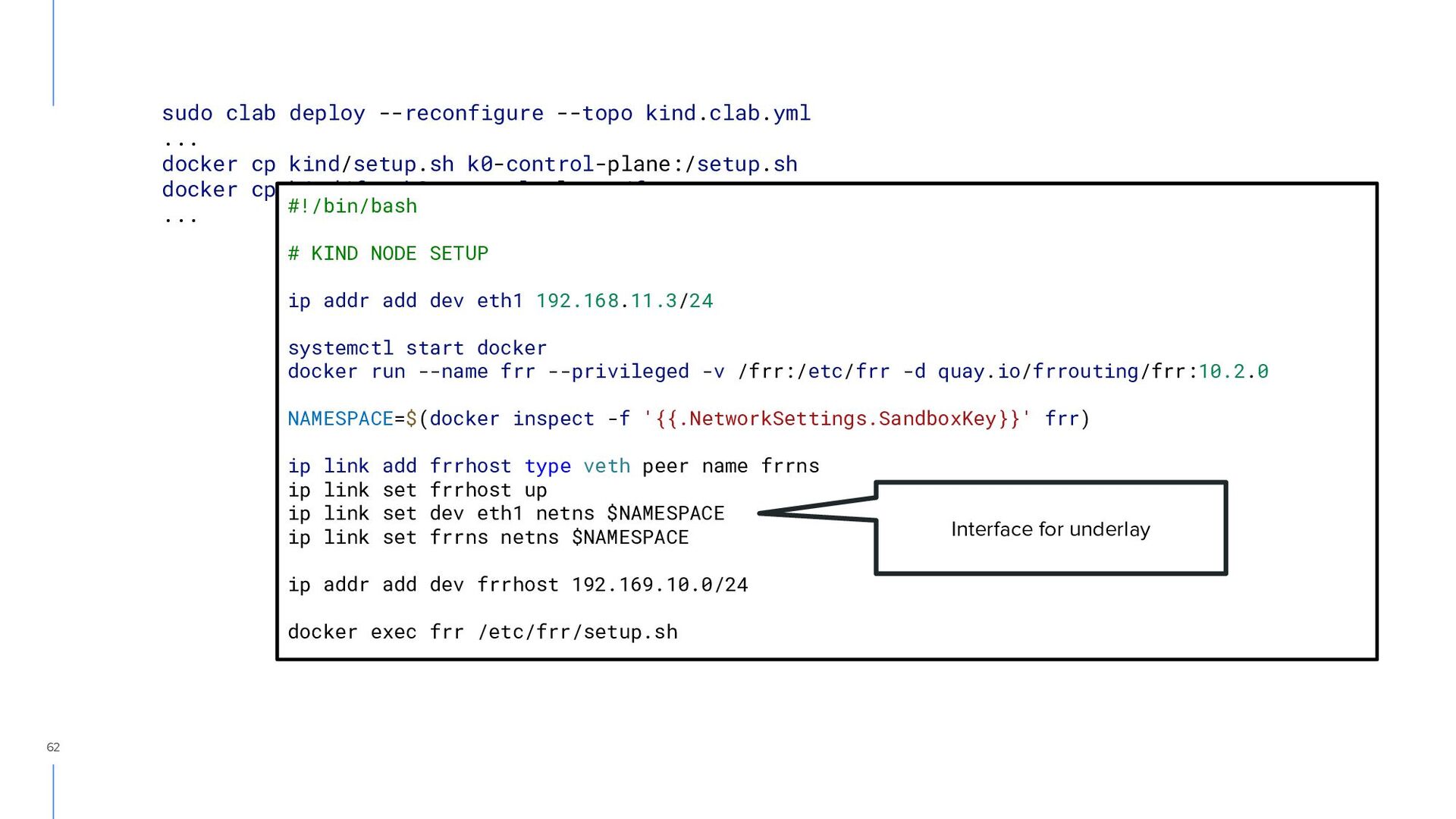
62 sudo clab deploy --reconfigure --topo kind.clab.yml ... docker cp
kind/setup.sh k0-control-plane:/setup.sh docker cp kind/frr k0-control-plane:/frr ... #!/bin/bash # KIND NODE SETUP ip addr add dev eth1 192.168.11.3/24 systemctl start docker docker run --name frr --privileged -v /frr:/etc/frr -d quay.io/frrouting/frr:10.2.0 NAMESPACE=$(docker inspect -f '{{.NetworkSettings.SandboxKey}}' frr) ip link add frrhost type veth peer name frrns ip link set frrhost up ip link set dev eth1 netns $NAMESPACE ip link set frrns netns $NAMESPACE ip addr add dev frrhost 192.169.10.0/24 docker exec frr /etc/frr/setup.sh Interface for underlay -
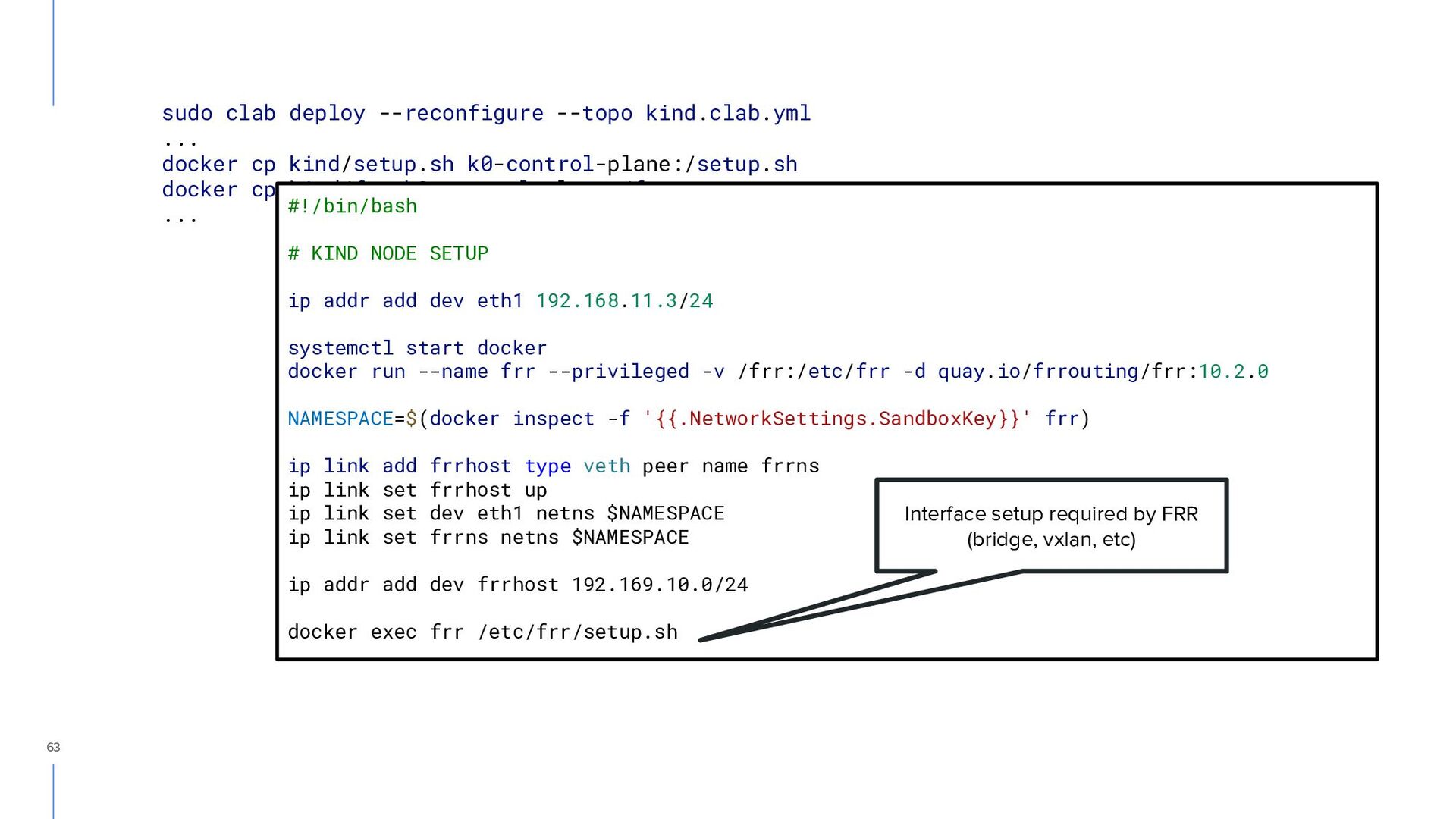
63 sudo clab deploy --reconfigure --topo kind.clab.yml ... docker cp
kind/setup.sh k0-control-plane:/setup.sh docker cp kind/frr k0-control-plane:/frr ... #!/bin/bash # KIND NODE SETUP ip addr add dev eth1 192.168.11.3/24 systemctl start docker docker run --name frr --privileged -v /frr:/etc/frr -d quay.io/frrouting/frr:10.2.0 NAMESPACE=$(docker inspect -f '{{.NetworkSettings.SandboxKey}}' frr) ip link add frrhost type veth peer name frrns ip link set frrhost up ip link set dev eth1 netns $NAMESPACE ip link set frrns netns $NAMESPACE ip addr add dev frrhost 192.169.10.0/24 docker exec frr /etc/frr/setup.sh Interface setup required by FRR (bridge, vxlan, etc) -
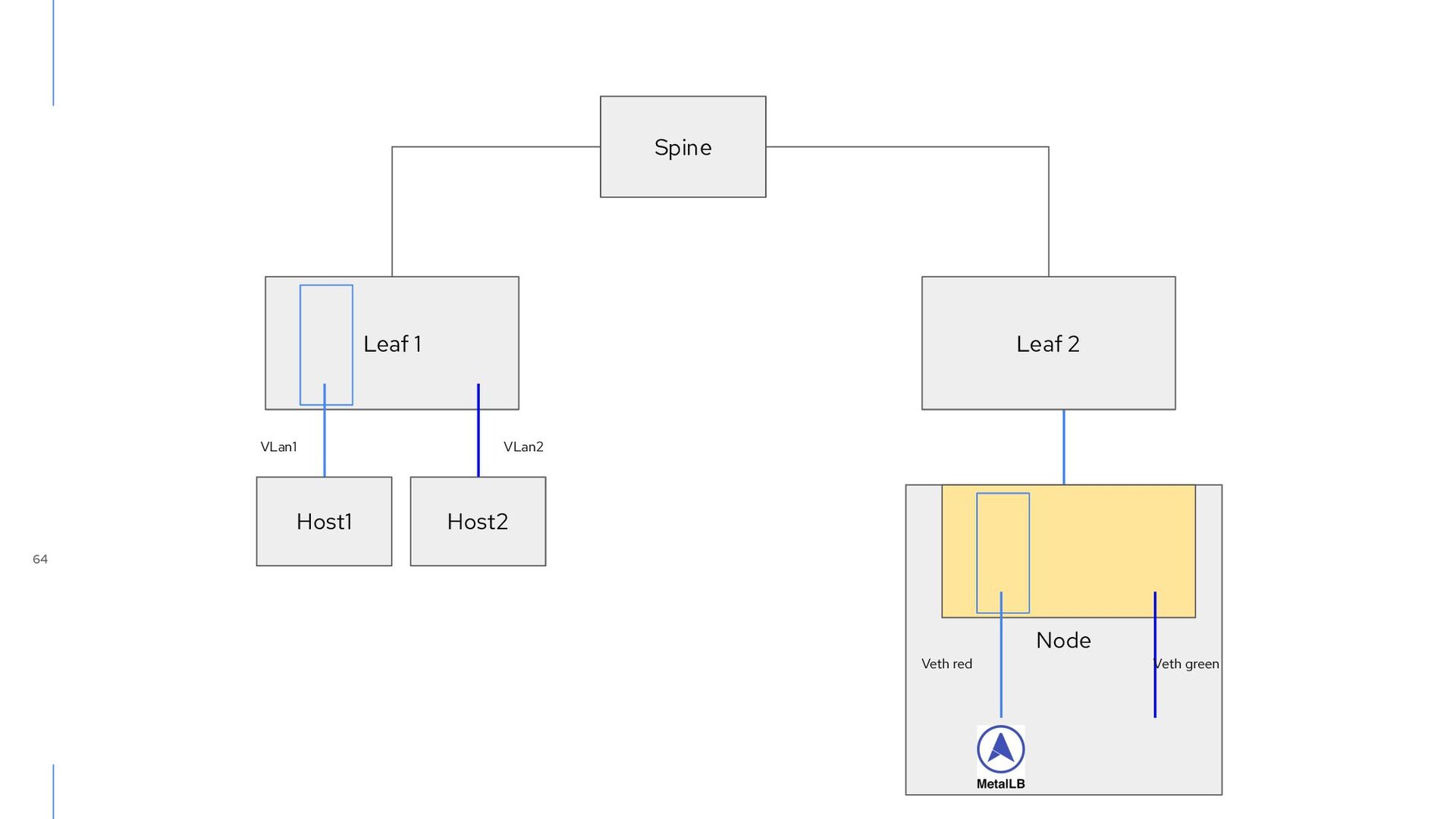
64 Spine Leaf 1 Host1 Host2 VLan1 VLan2 Node Leaf
2 Veth red Veth green -
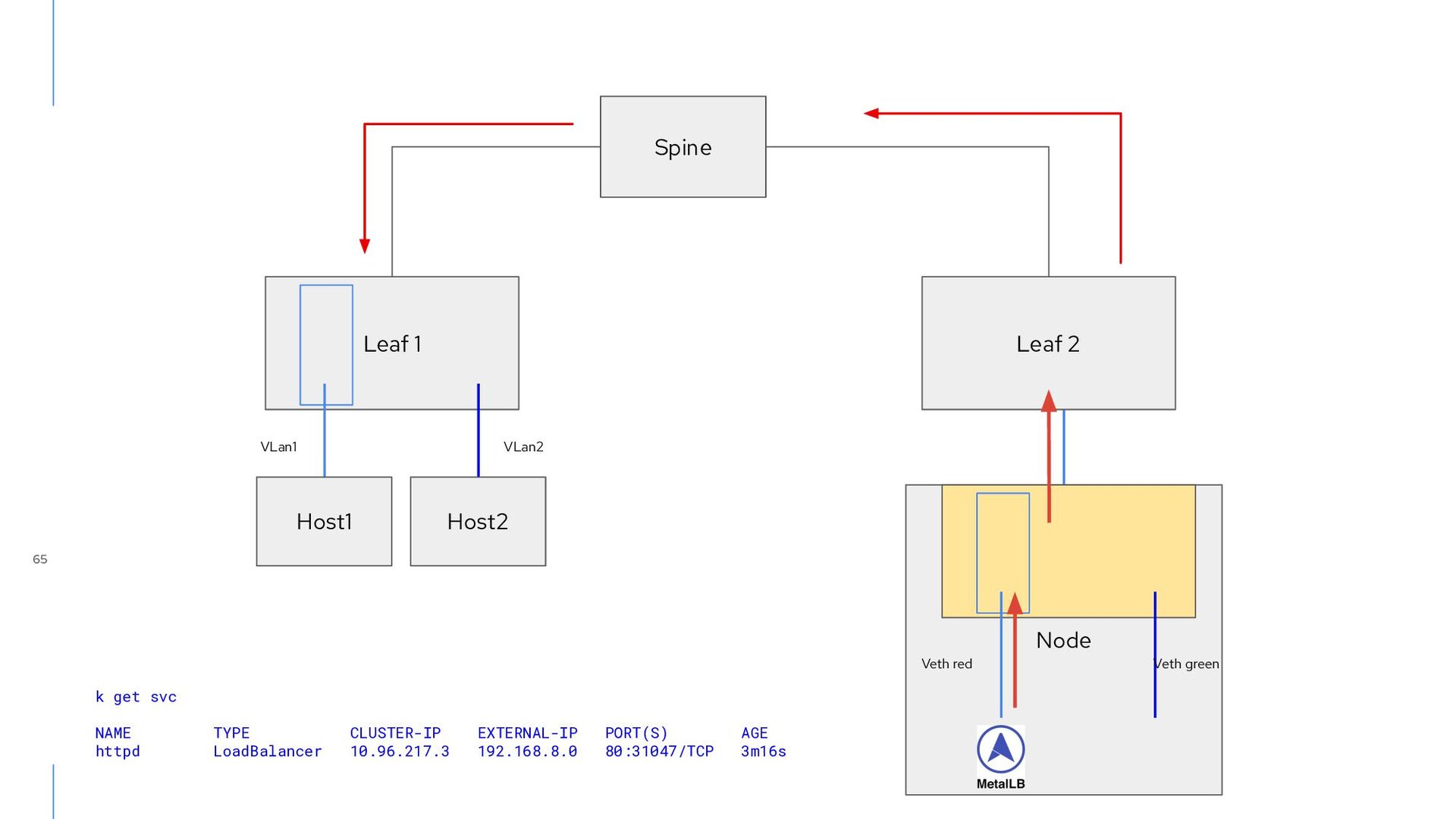
65 Spine Leaf 1 Host1 Host2 VLan1 VLan2 Node Leaf
2 Veth red Veth green k get svc NAME TYPE CLUSTER-IP EXTERNAL-IP PORT(S) AGE httpd LoadBalancer 10.96.217.3 192.168.8.0 80:31047/TCP 3m16s -
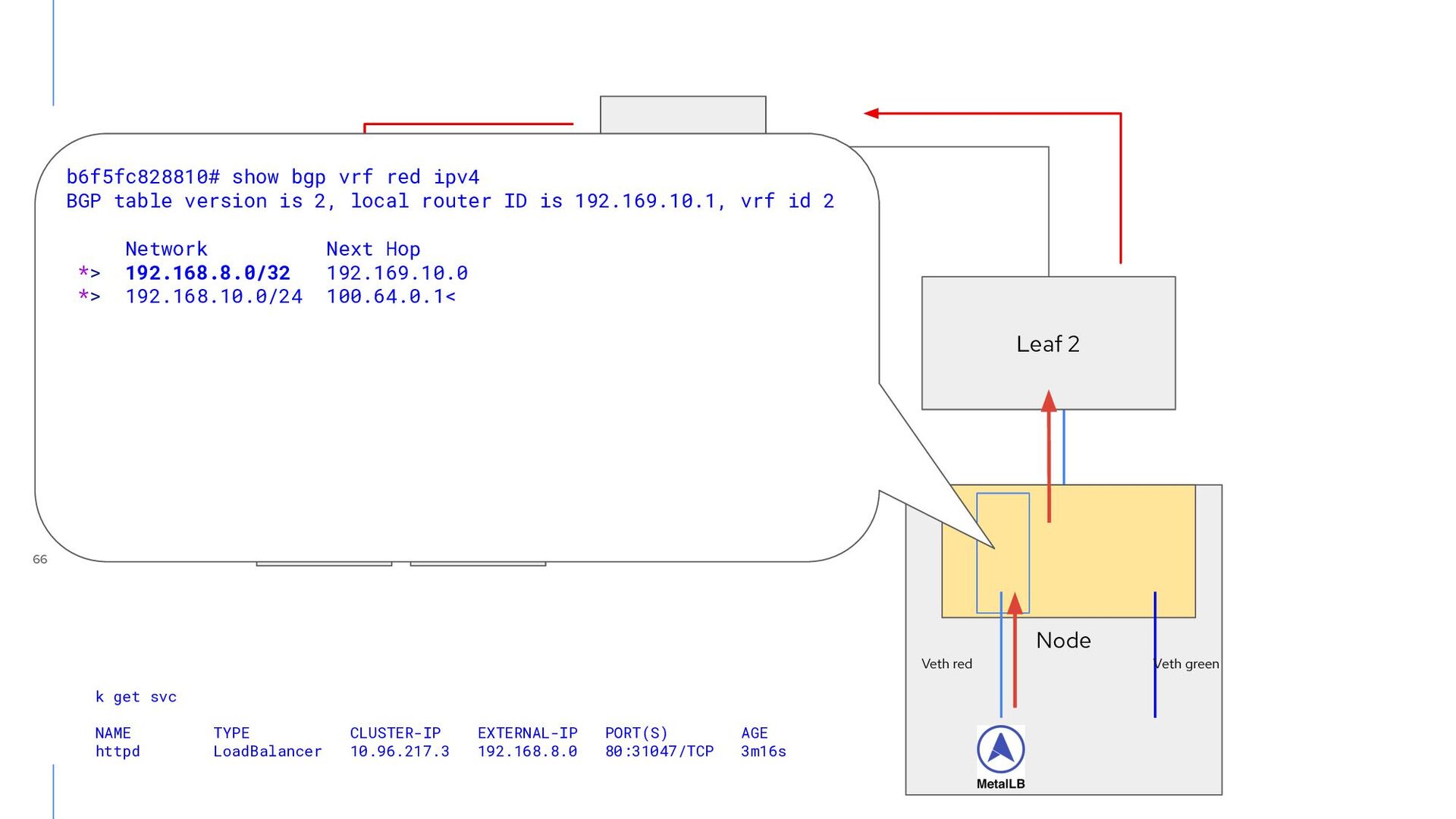
66 Spine Leaf 1 Host1 Host2 VLan1 VLan2 Node Leaf
2 Veth red Veth green k get svc NAME TYPE CLUSTER-IP EXTERNAL-IP PORT(S) AGE httpd LoadBalancer 10.96.217.3 192.168.8.0 80:31047/TCP 3m16s b6f5fc828810# show bgp vrf red ipv4 BGP table version is 2, local router ID is 192.169.10.1, vrf id 2 Network Next Hop *> 192.168.8.0/32 192.169.10.0 *> 192.168.10.0/24 100.64.0.1< -
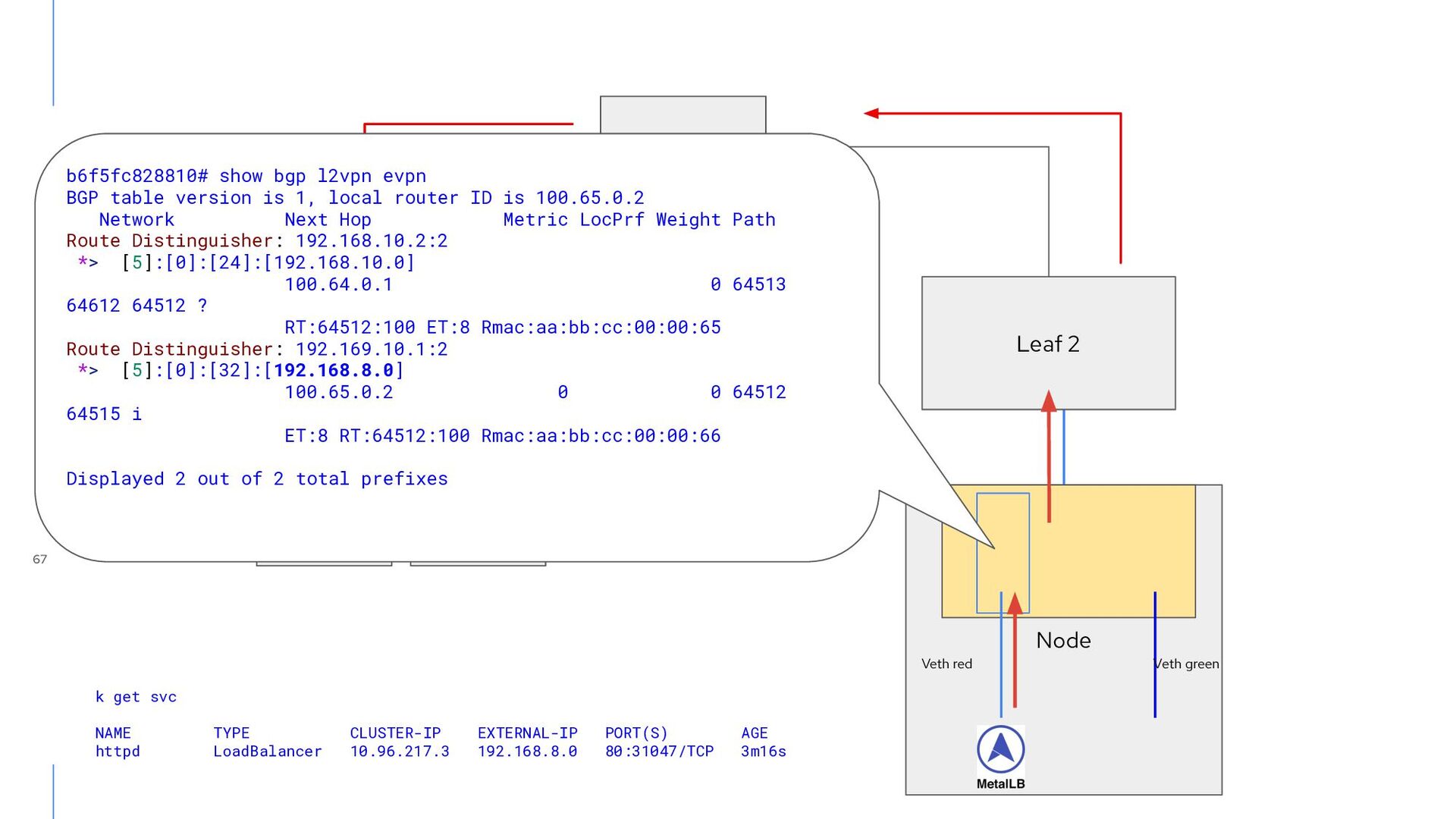
67 Spine Leaf 1 Host1 Host2 VLan1 VLan2 Node Leaf
2 Veth red Veth green k get svc NAME TYPE CLUSTER-IP EXTERNAL-IP PORT(S) AGE httpd LoadBalancer 10.96.217.3 192.168.8.0 80:31047/TCP 3m16s b6f5fc828810# show bgp l2vpn evpn BGP table version is 1, local router ID is 100.65.0.2 Network Next Hop Metric LocPrf Weight Path Route Distinguisher: 192.168.10.2:2 *> [5]:[0]:[24]:[192.168.10.0] 100.64.0.1 0 64513 64612 64512 ? RT:64512:100 ET:8 Rmac:aa:bb:cc:00:00:65 Route Distinguisher: 192.169.10.1:2 *> [5]:[0]:[32]:[192.168.8.0] 100.65.0.2 0 0 64512 64515 i ET:8 RT:64512:100 Rmac:aa:bb:cc:00:00:66 Displayed 2 out of 2 total prefixes -
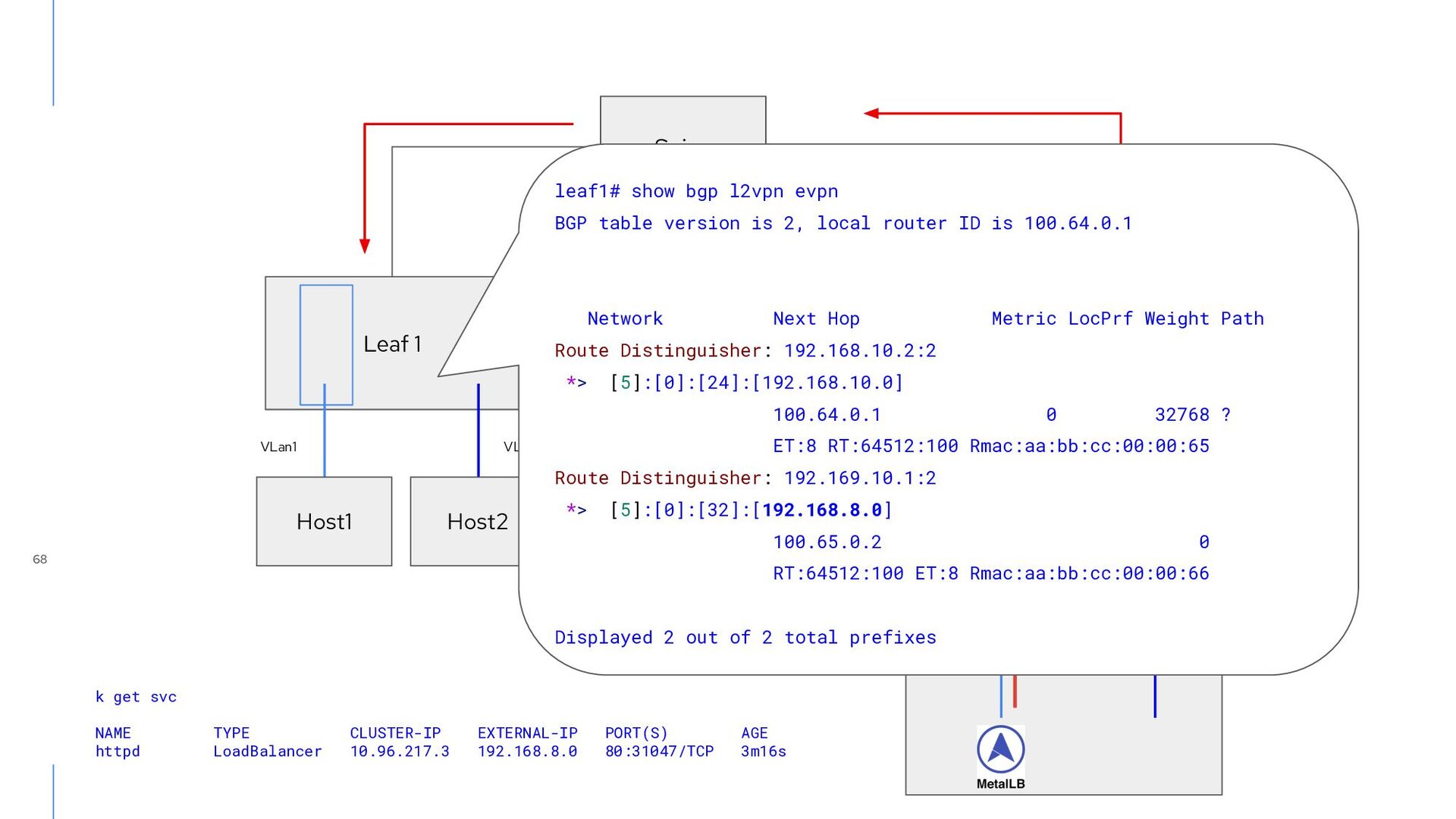
68 Spine Leaf 1 Host1 Host2 VLan1 VLan2 Node Leaf
2 Veth red Veth green k get svc NAME TYPE CLUSTER-IP EXTERNAL-IP PORT(S) AGE httpd LoadBalancer 10.96.217.3 192.168.8.0 80:31047/TCP 3m16s leaf1# show bgp l2vpn evpn BGP table version is 2, local router ID is 100.64.0.1 Network Next Hop Metric LocPrf Weight Path Route Distinguisher: 192.168.10.2:2 *> [5]:[0]:[24]:[192.168.10.0] 100.64.0.1 0 32768 ? ET:8 RT:64512:100 Rmac:aa:bb:cc:00:00:65 Route Distinguisher: 192.169.10.1:2 *> [5]:[0]:[32]:[192.168.8.0] 100.65.0.2 0 RT:64512:100 ET:8 Rmac:aa:bb:cc:00:00:66 Displayed 2 out of 2 total prefixes -
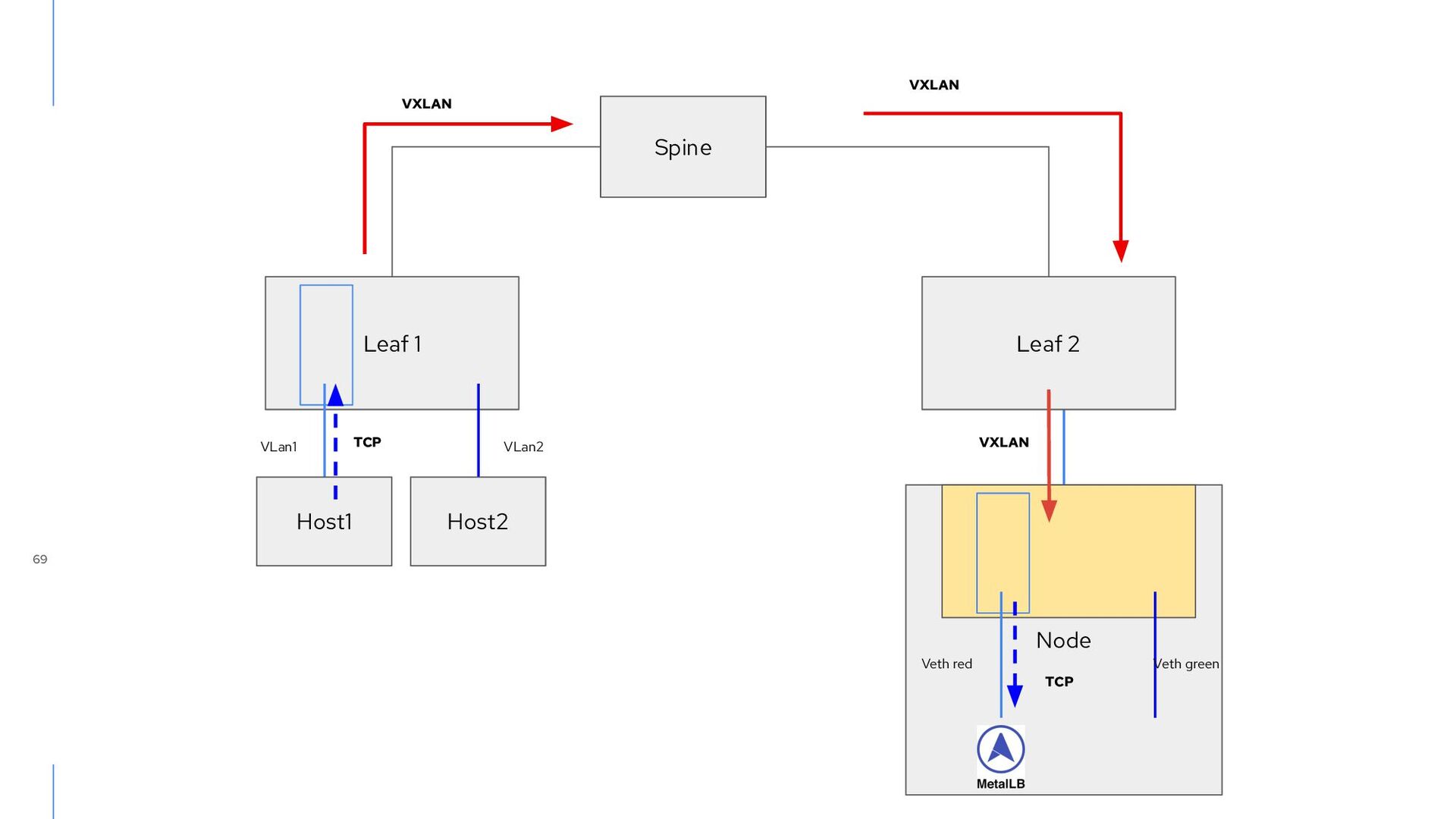
69 Spine Leaf 1 Host1 Host2 VLan1 VLan2 Node Leaf
2 Veth red Veth green TCP VXLAN VXLAN VXLAN TCP -
74 Spine Leaf 1 Host1 Host2 VLan1 VLan2 VNI100 VNI100
Node Leaf 2 Veth red Veth green -
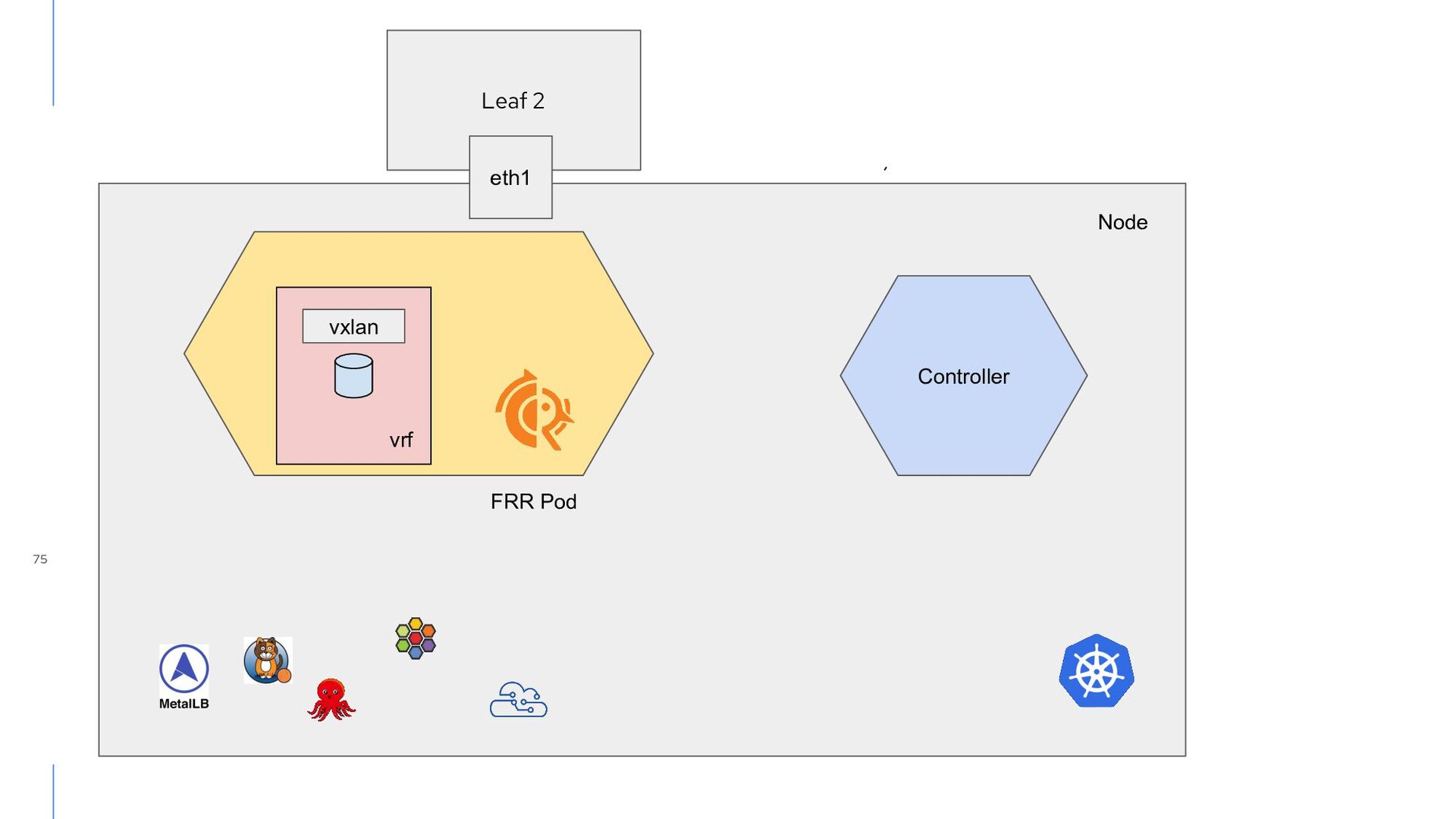
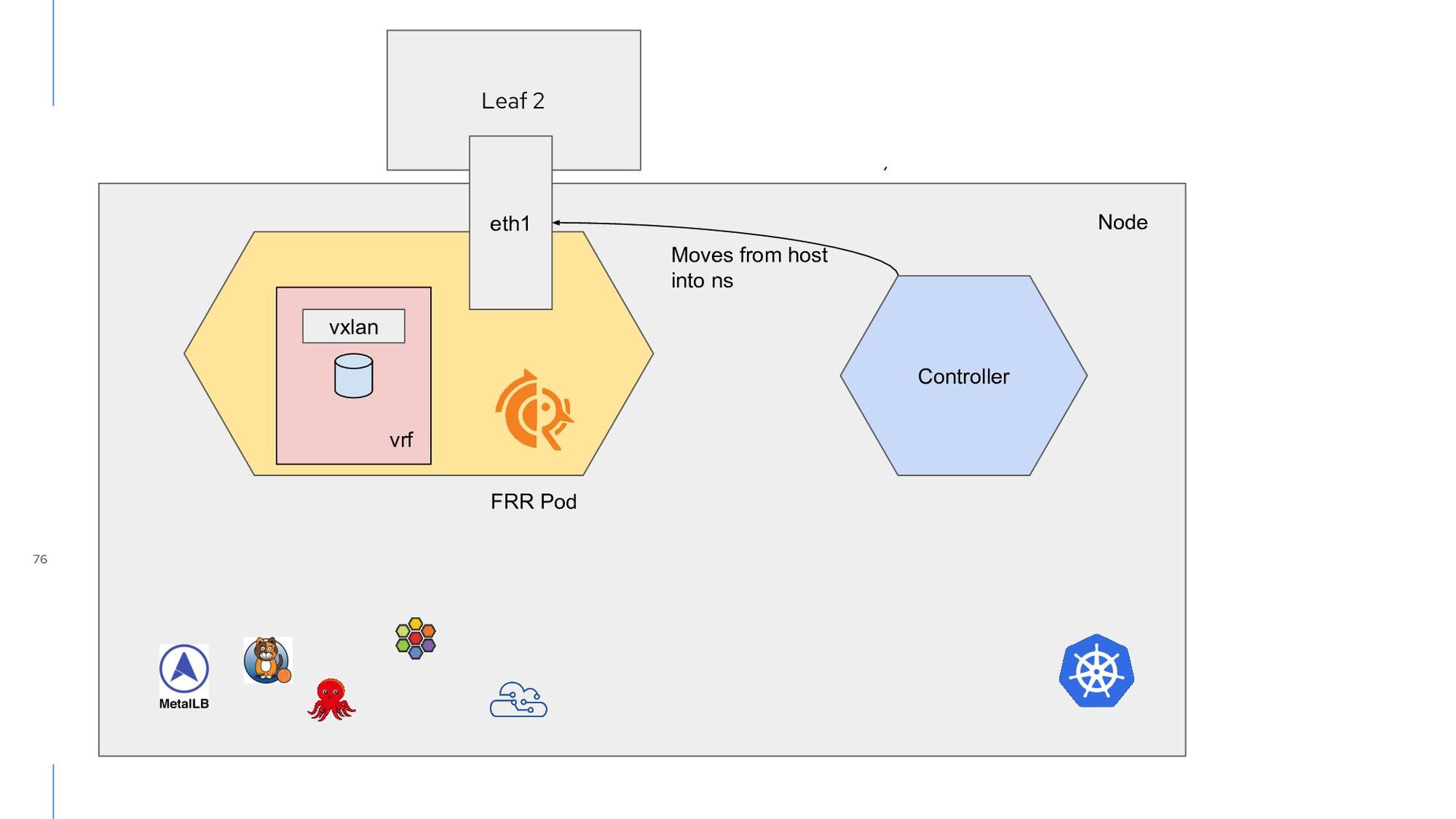
Leaf 2 76 eth1 vxlan vrf FRR Pod Moves from
host into ns Controller Node -
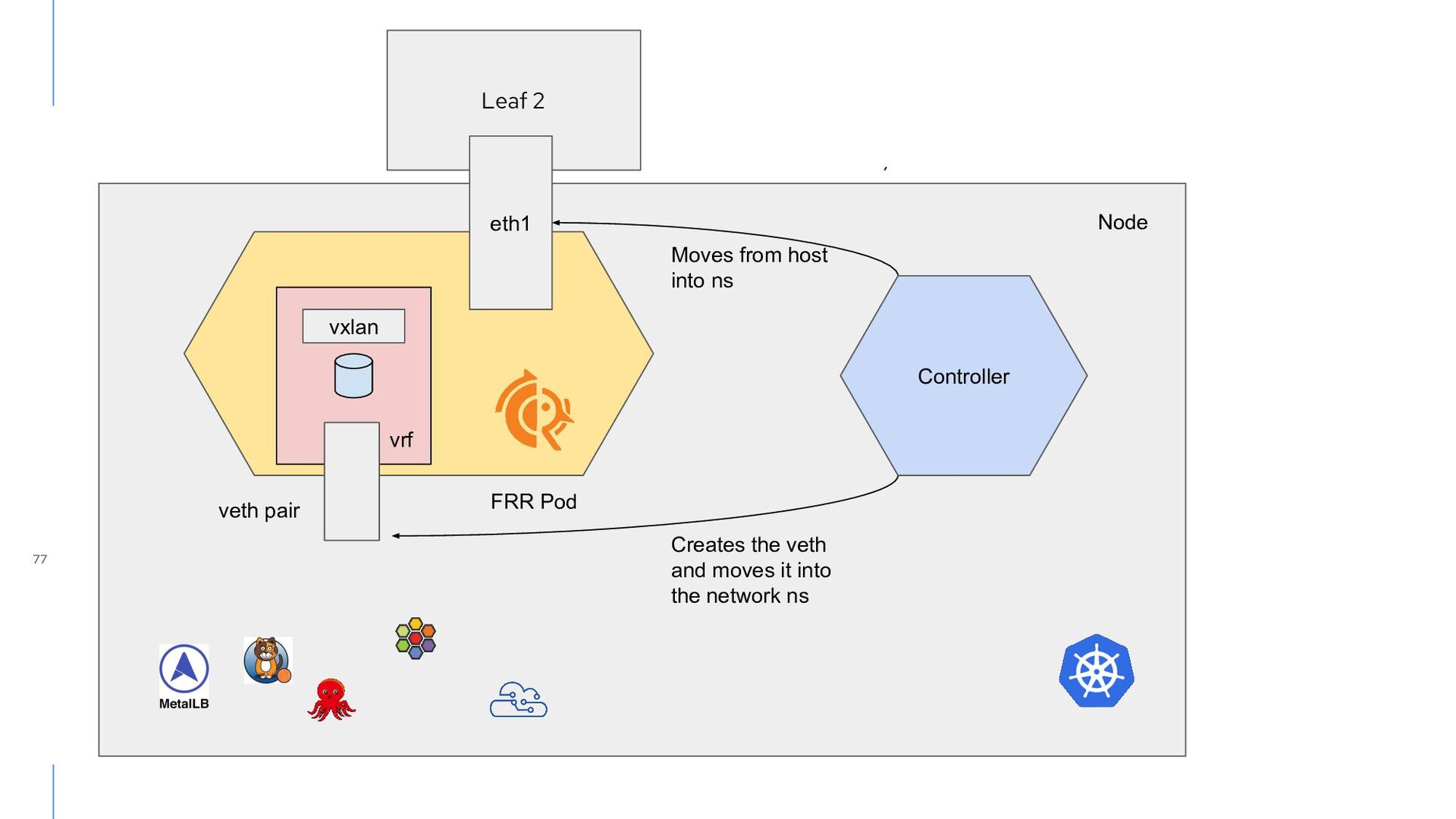
Leaf 2 77 eth1 vxlan veth pair vrf FRR Pod
Moves from host into ns Creates the veth and moves it into the network ns Controller Node -
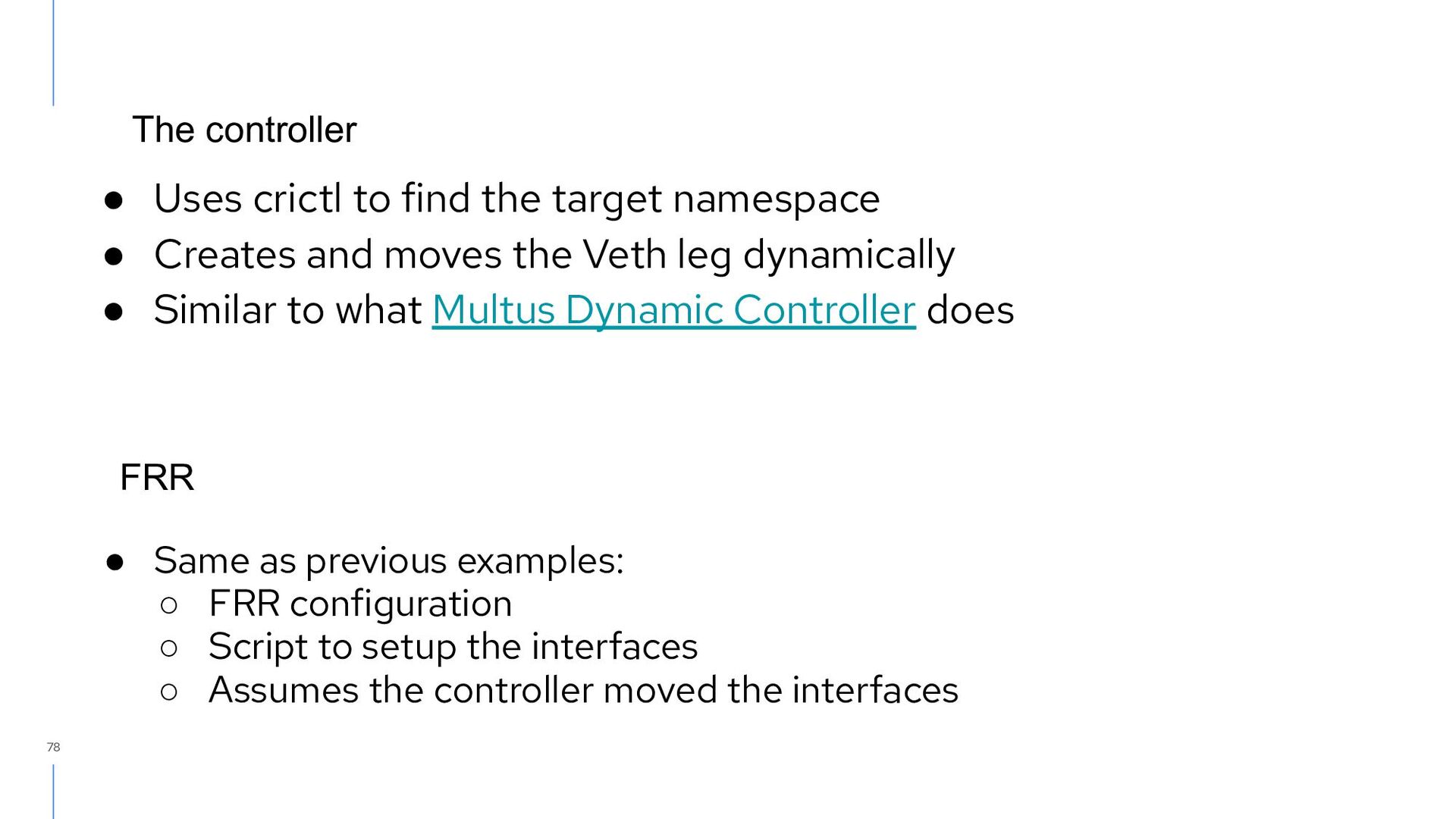
FRR 78 • Same as previous examples: ◦ FRR configuration
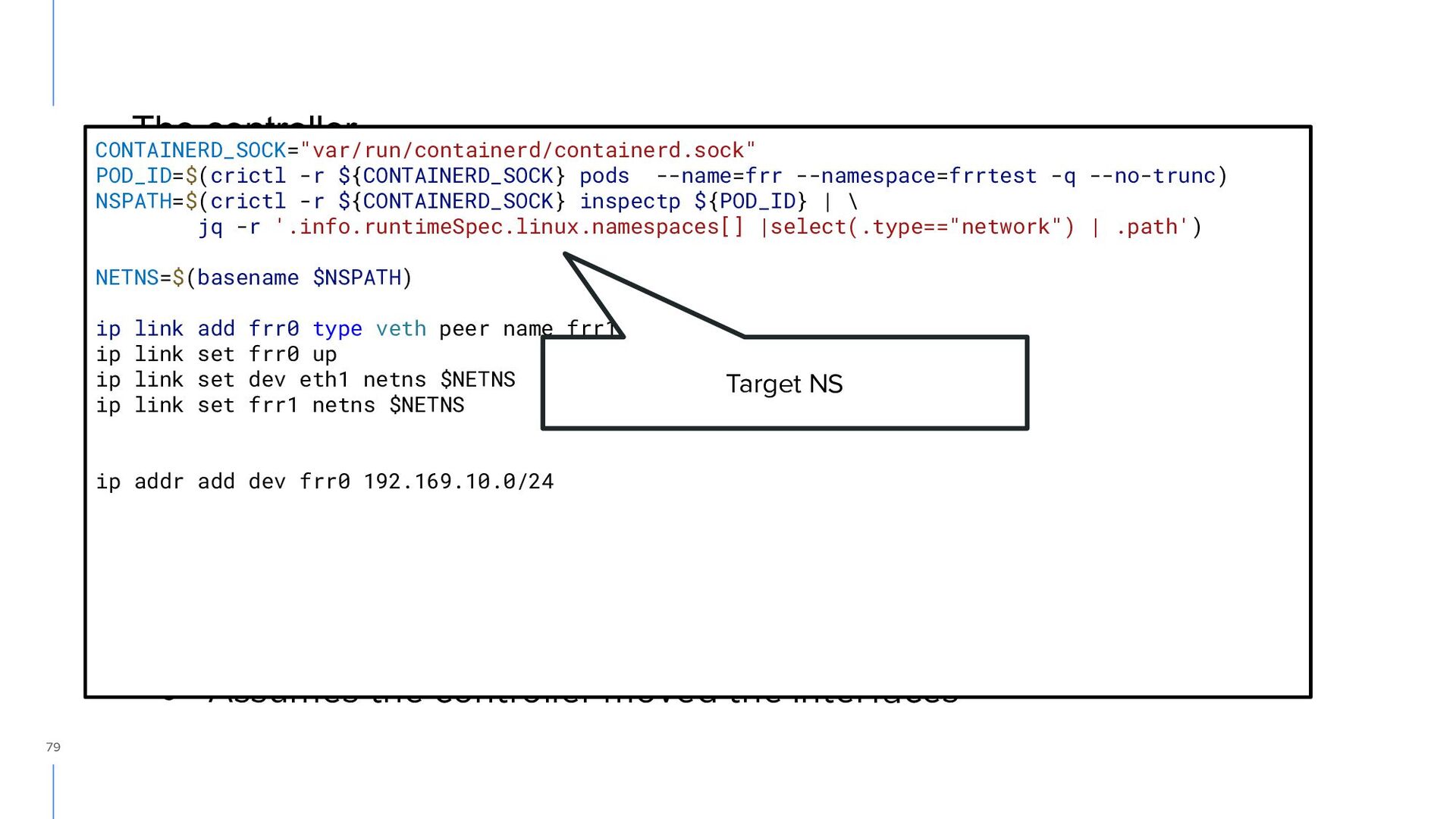
◦ Script to setup the interfaces ◦ Assumes the controller moved the interfaces The controller • Uses crictl to find the target namespace • Creates and moves the Veth leg dynamically • Similar to what Multus Dynamic Controller does -
FRR 79 • Same as previous examples: ◦ FRR configuration
◦ Script to setup the interfaces ◦ Assumes the controller moved the interfaces The controller • Uses crictl to find the target namespace • Creates and moves the Veth leg dynamically • Similar to what Multus Dynamic Controller does CONTAINERD_SOCK="var/run/containerd/containerd.sock" POD_ID=$(crictl -r ${CONTAINERD_SOCK} pods --name=frr --namespace=frrtest -q --no-trunc) NSPATH=$(crictl -r ${CONTAINERD_SOCK} inspectp ${POD_ID} | \ jq -r '.info.runtimeSpec.linux.namespaces[] |select(.type=="network") | .path') NETNS=$(basename $NSPATH) ip link add frr0 type veth peer name frr1 ip link set frr0 up ip link set dev eth1 netns $NETNS ip link set frr1 netns $NETNS ip addr add dev frr0 192.169.10.0/24 Target NS -
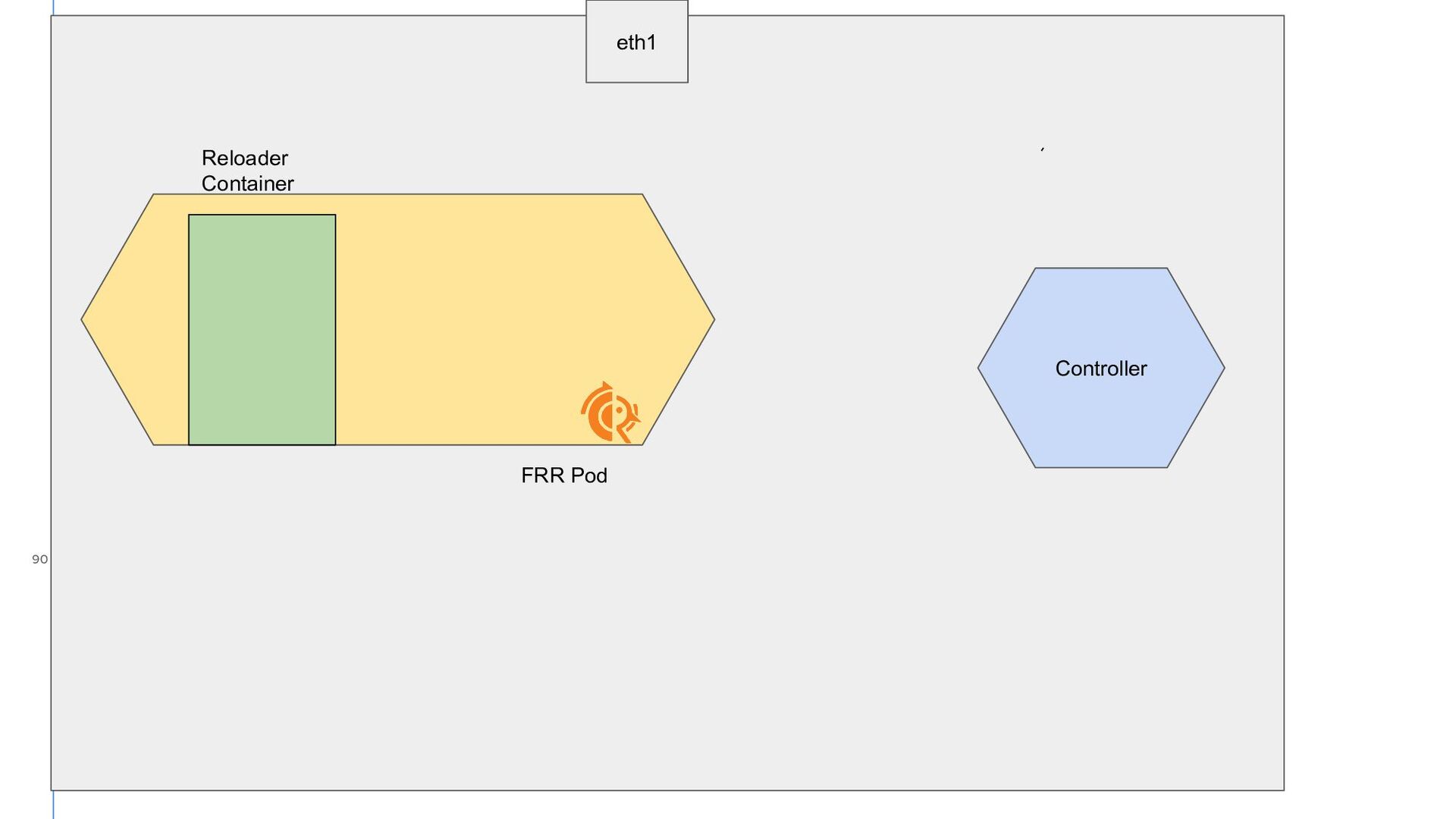
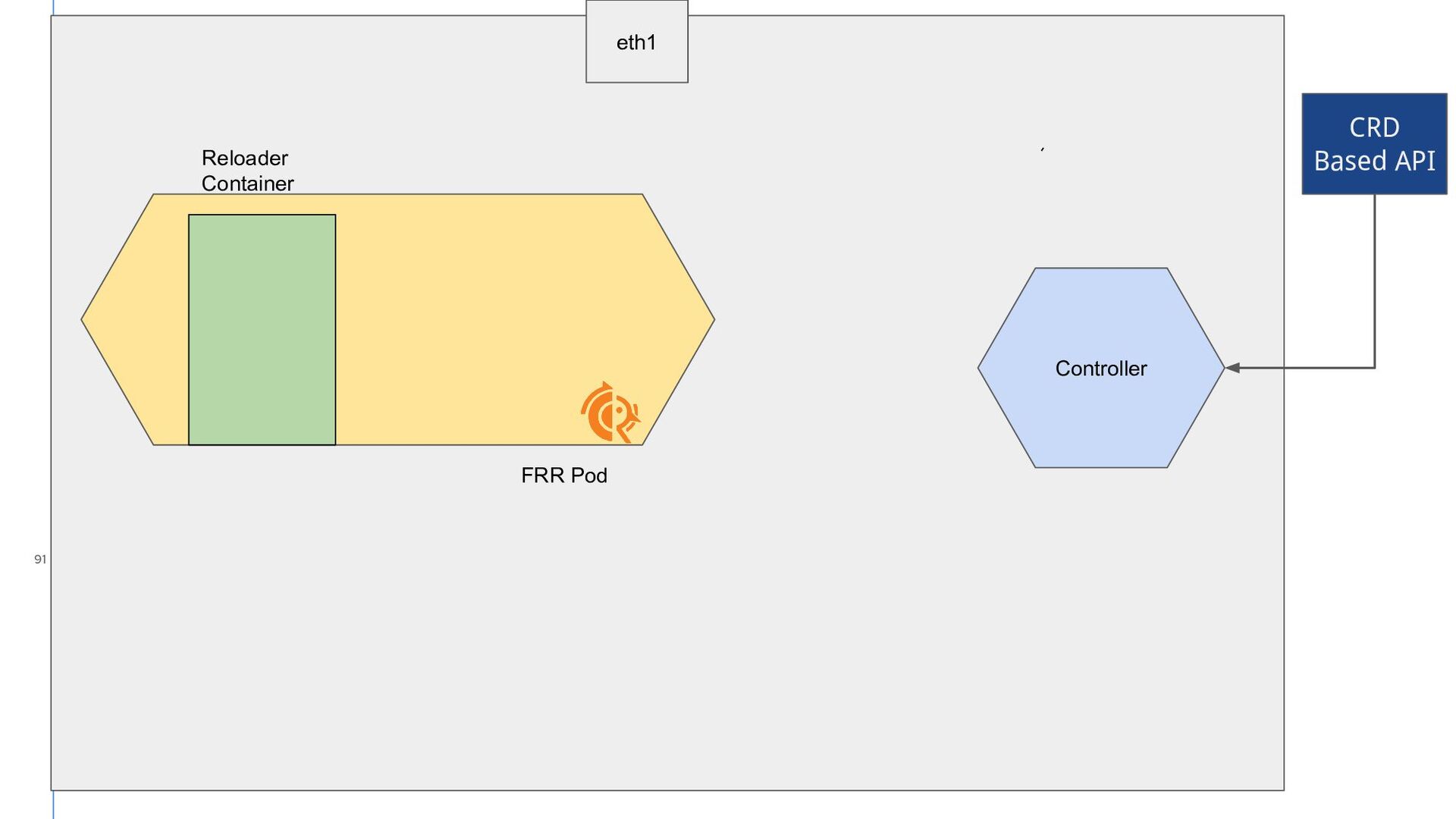
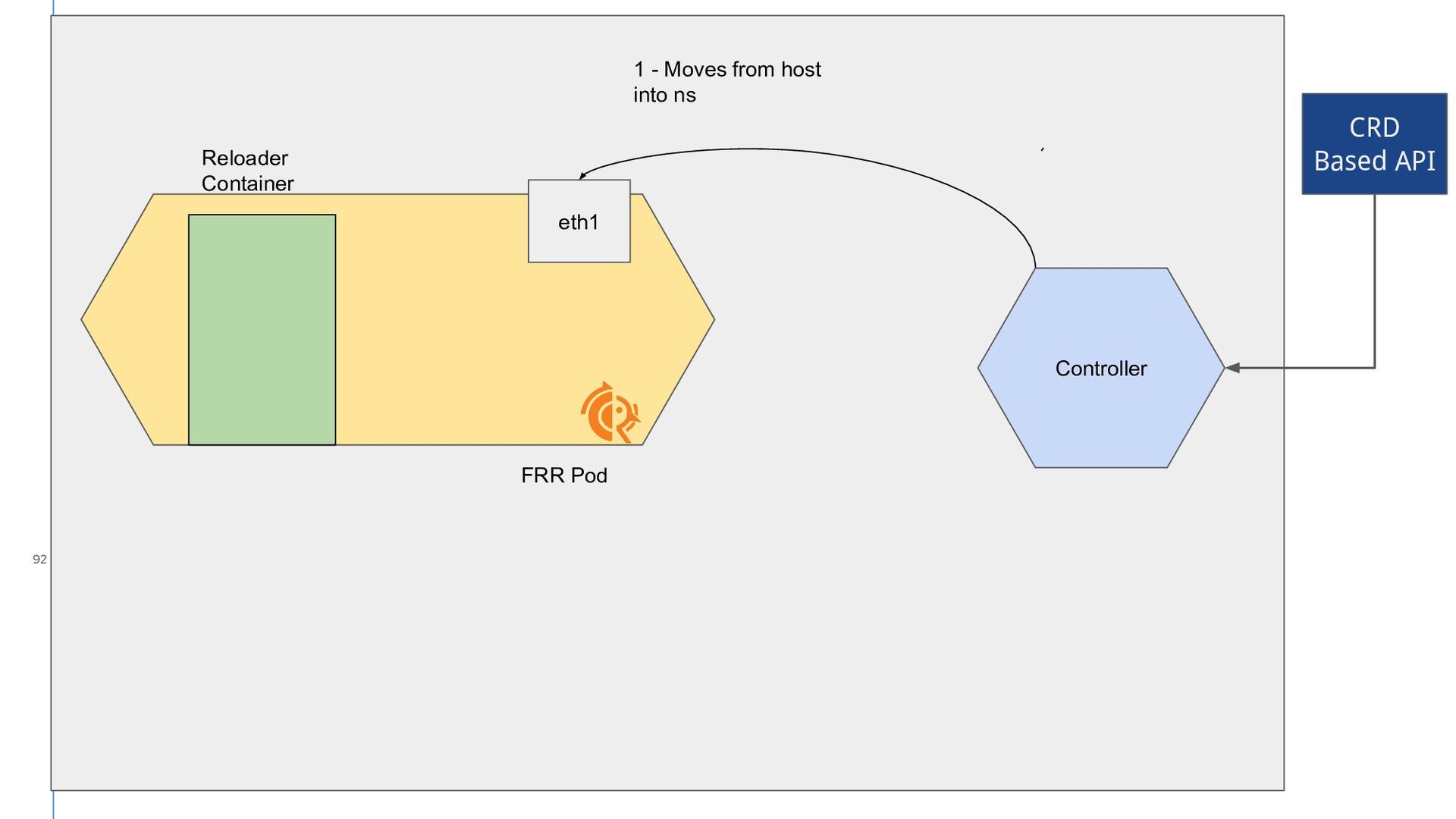
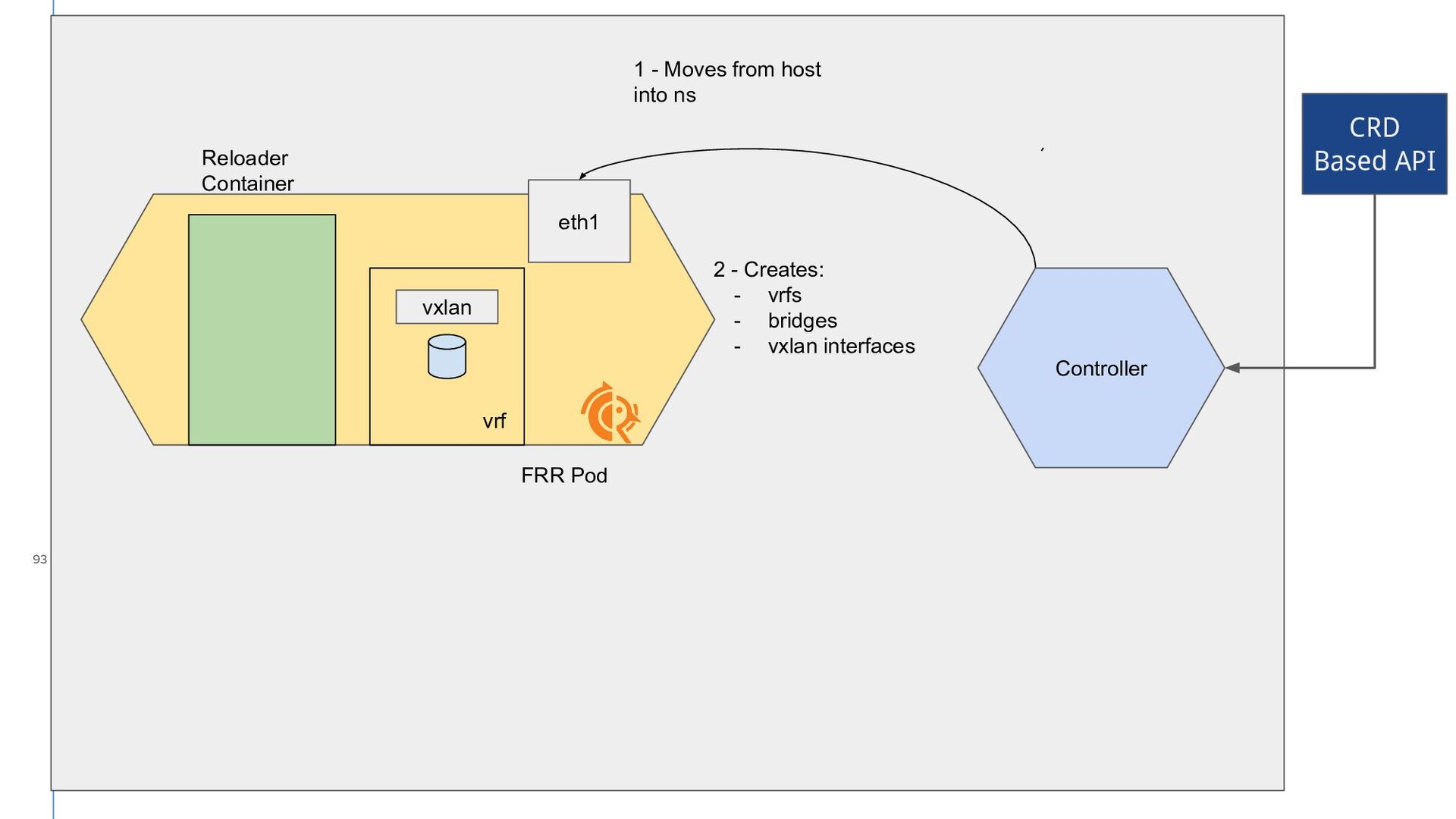
92 eth1 FRR Pod 1 - Moves from host into
ns Reloader Container Controller CRD Based API -
93 eth1 vxlan vrf FRR Pod 1 - Moves from
host into ns 2 - Creates: - vrfs - bridges - vxlan interfaces Reloader Container Controller CRD Based API -
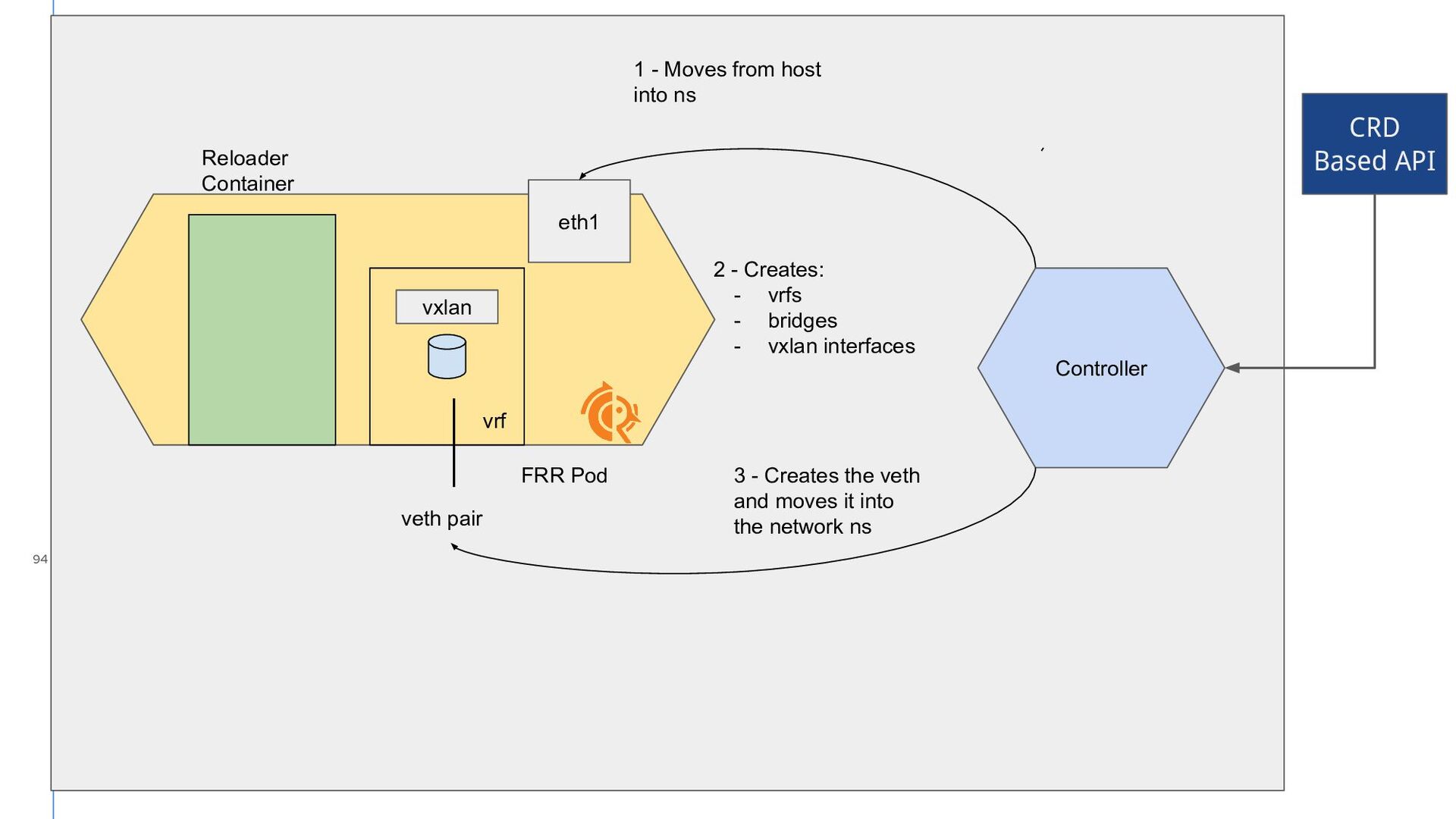
94 eth1 vxlan vrf FRR Pod 1 - Moves from
host into ns 2 - Creates: - vrfs - bridges - vxlan interfaces Reloader Container Controller CRD Based API veth pair 3 - Creates the veth and moves it into the network ns -
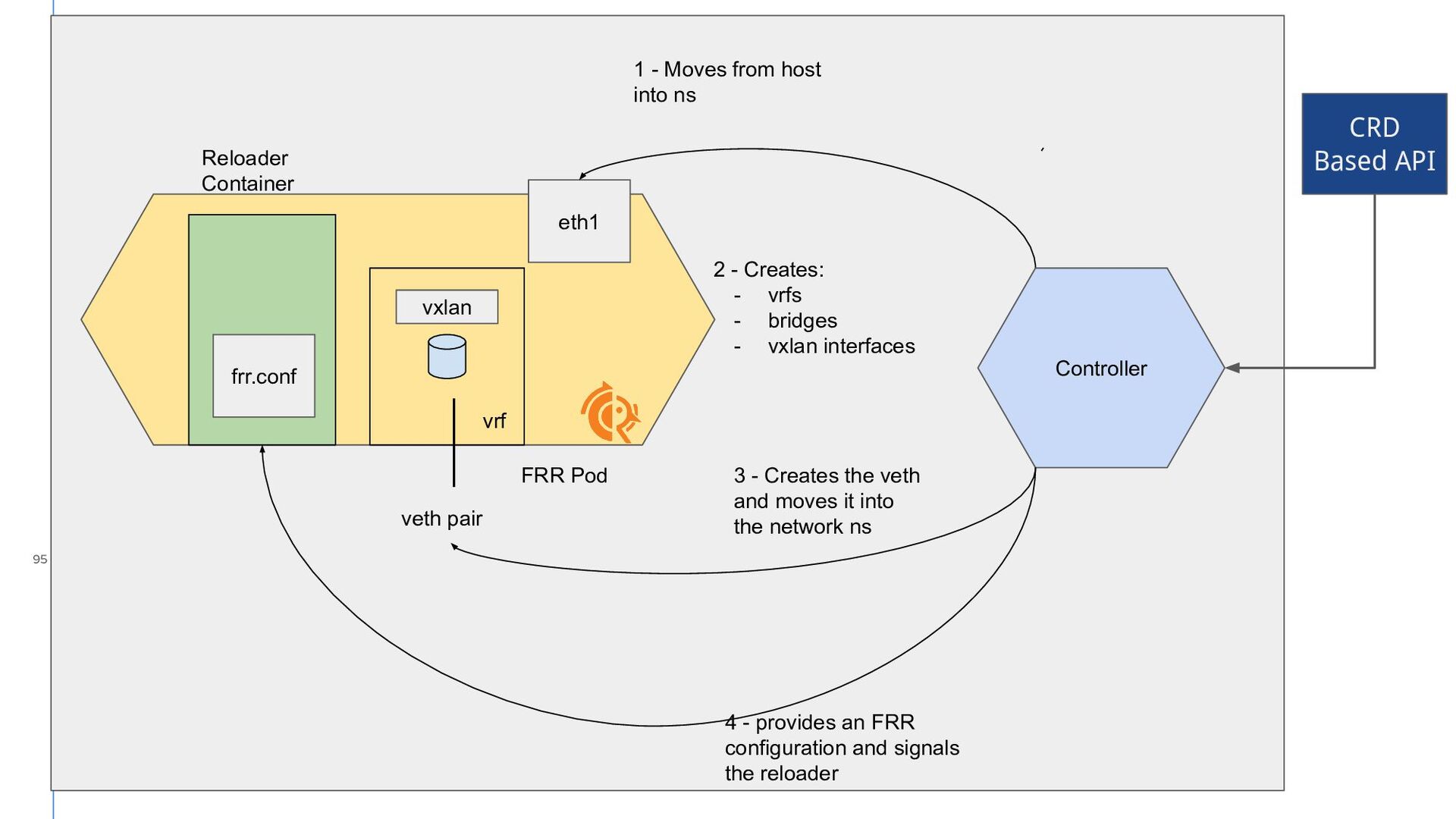
95 eth1 vxlan vrf FRR Pod 1 - Moves from
host into ns 2 - Creates: - vrfs - bridges - vxlan interfaces Reloader Container Controller CRD Based API veth pair 3 - Creates the veth and moves it into the network ns 4 - provides an FRR configuration and signals the reloader frr.conf -
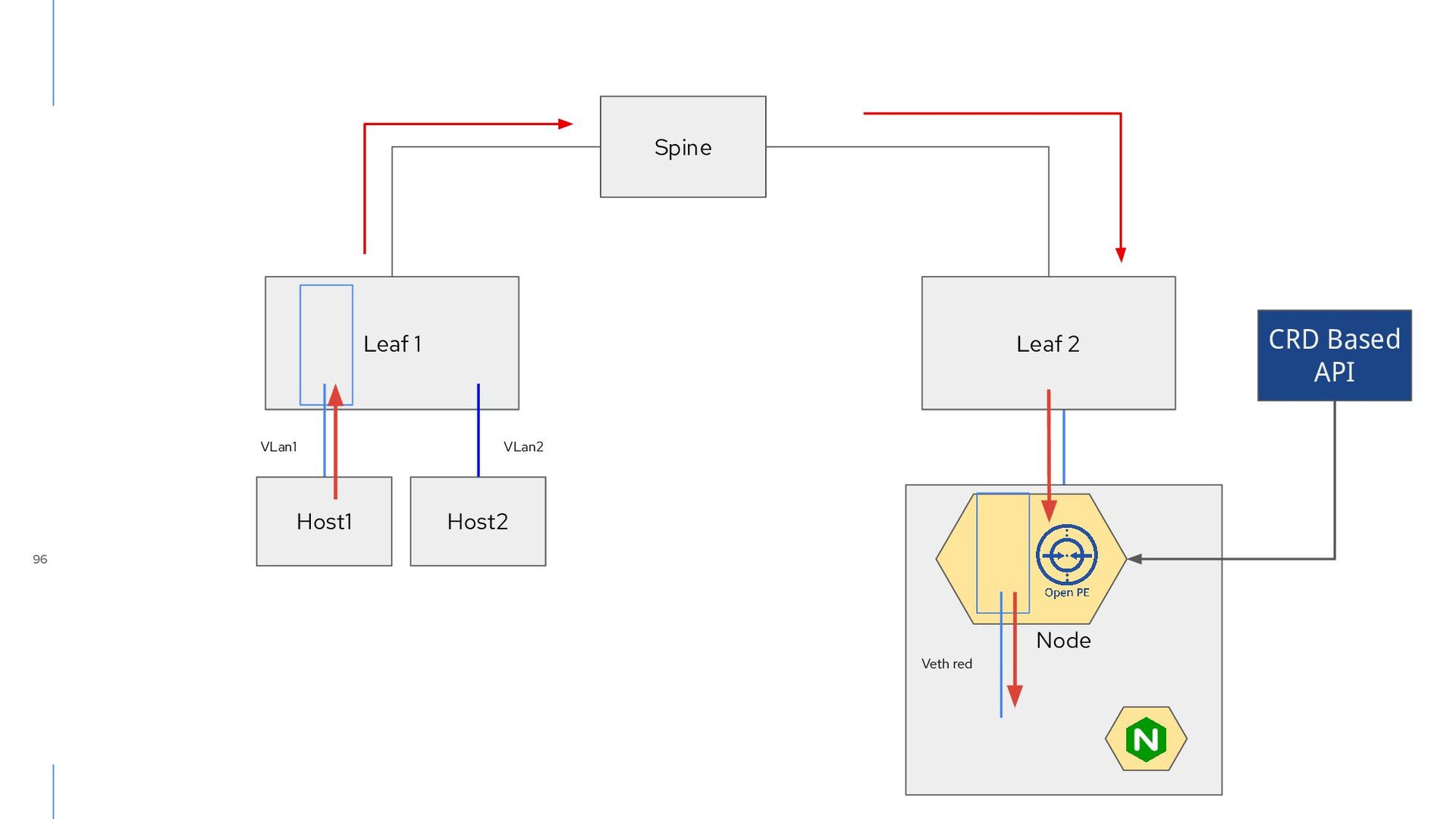
96 Spine Leaf 1 Host1 Host2 VLan1 VLan2 Node Leaf
2 Veth red CRD Based API -
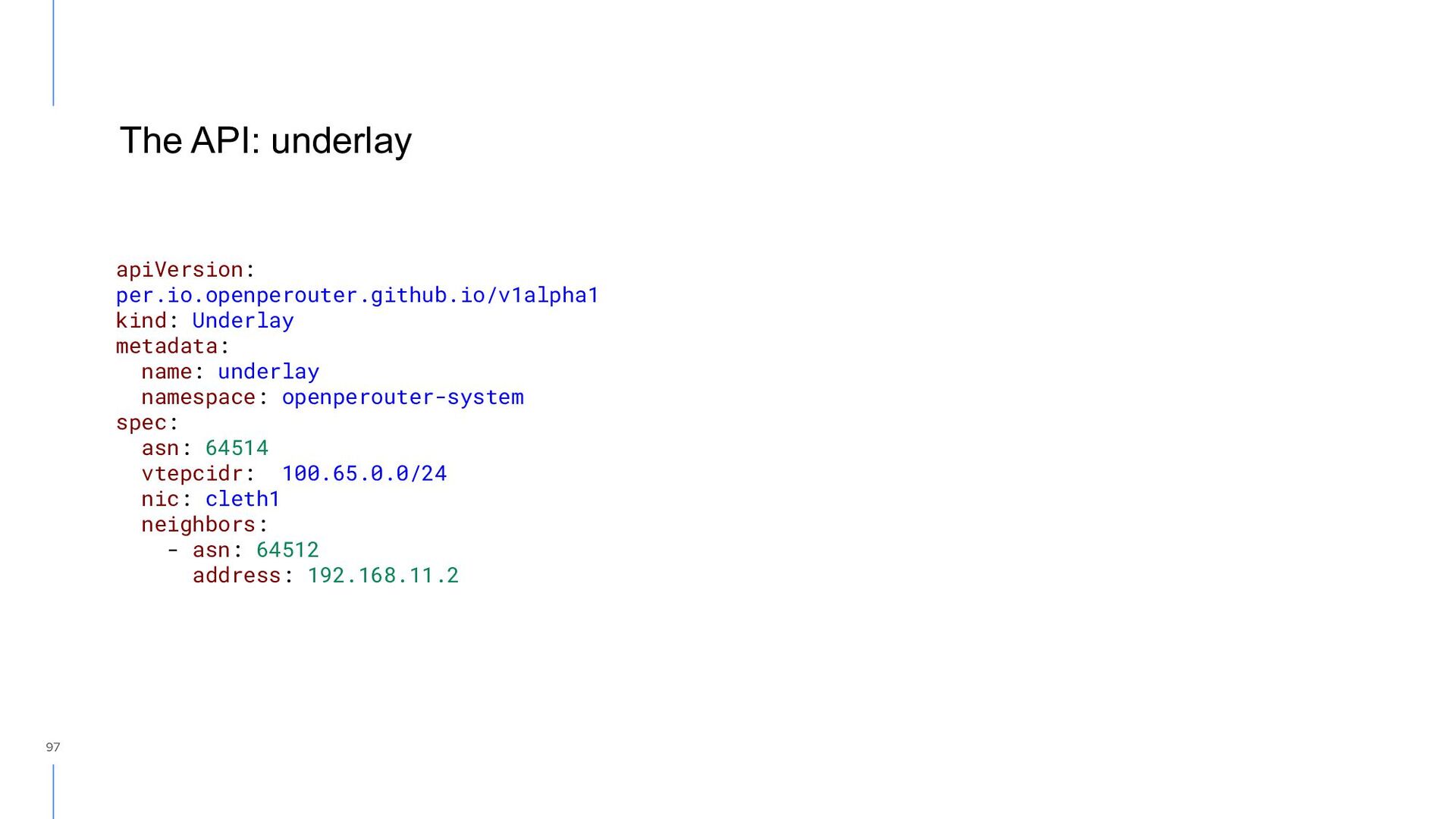
The API: underlay 97 apiVersion: per.io.openperouter.github.io/v1alpha1 kind: Underlay metadata: name:
underlay namespace: openperouter-system spec: asn: 64514 vtepcidr: 100.65.0.0/24 nic: cleth1 neighbors: - asn: 64512 address: 192.168.11.2 -
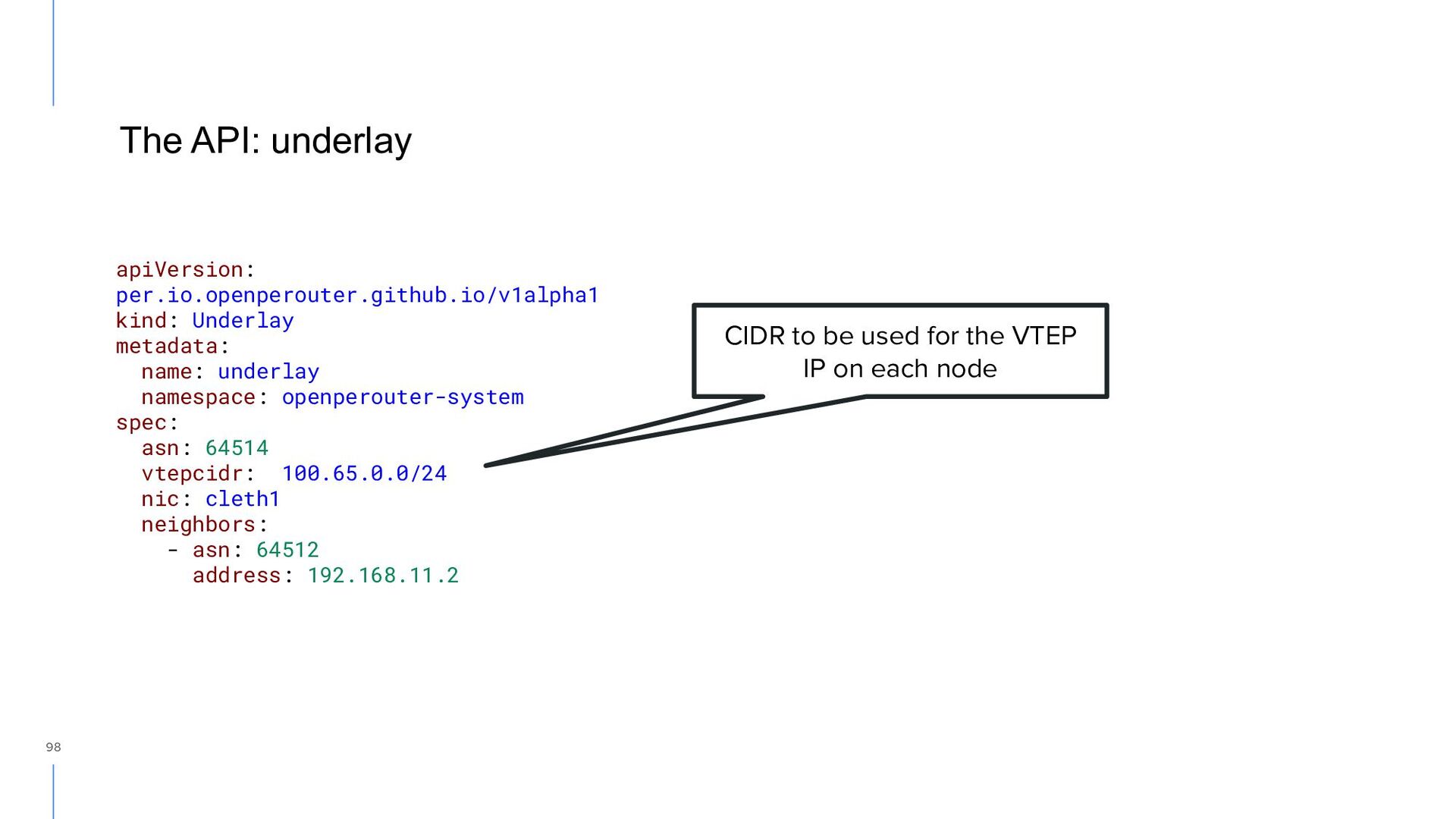
The API: underlay 98 apiVersion: per.io.openperouter.github.io/v1alpha1 kind: Underlay metadata: name:
underlay namespace: openperouter-system spec: asn: 64514 vtepcidr: 100.65.0.0/24 nic: cleth1 neighbors: - asn: 64512 address: 192.168.11.2 CIDR to be used for the VTEP IP on each node -
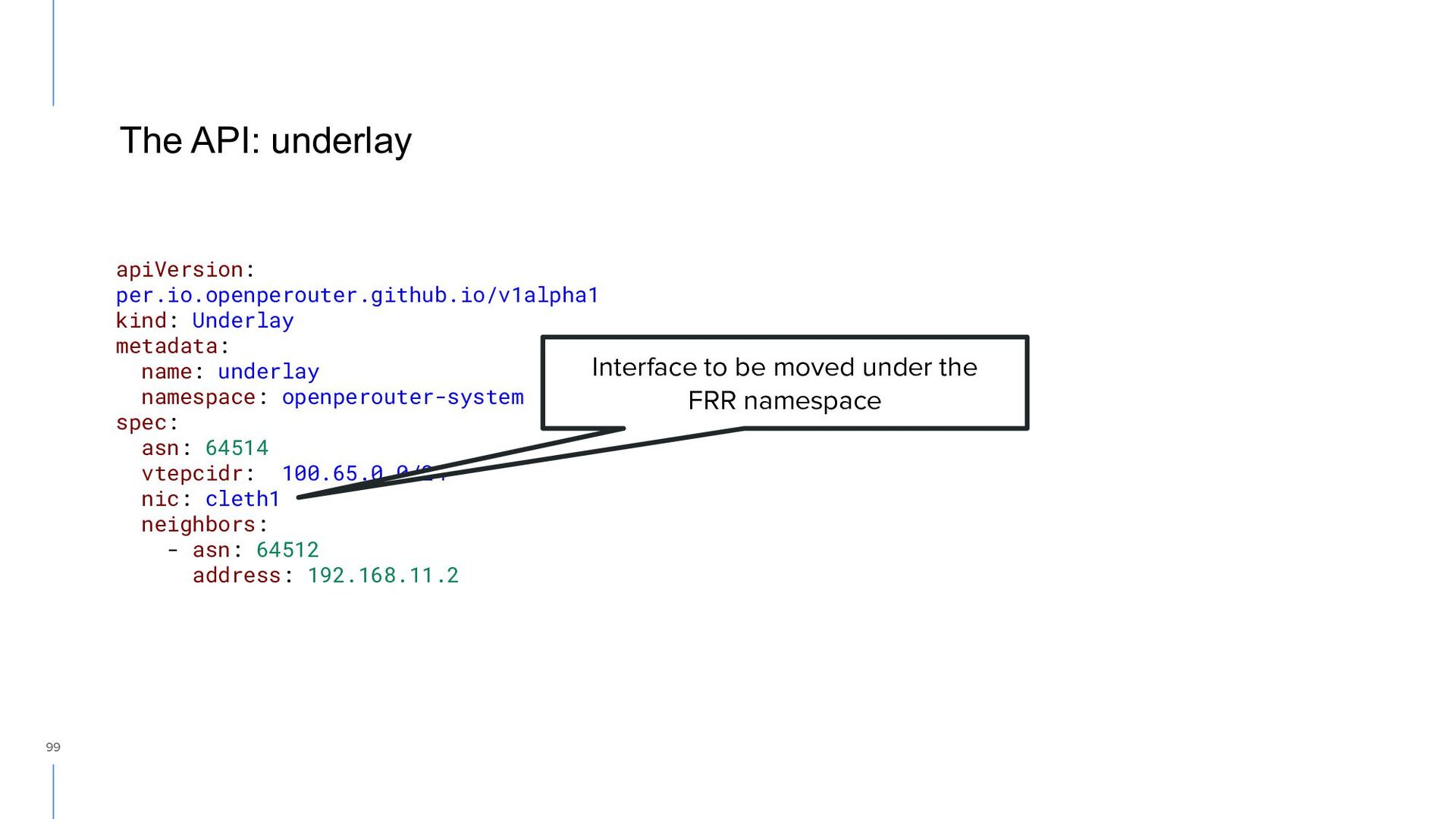
The API: underlay 99 apiVersion: per.io.openperouter.github.io/v1alpha1 kind: Underlay metadata: name:
underlay namespace: openperouter-system spec: asn: 64514 vtepcidr: 100.65.0.0/24 nic: cleth1 neighbors: - asn: 64512 address: 192.168.11.2 Interface to be moved under the FRR namespace -
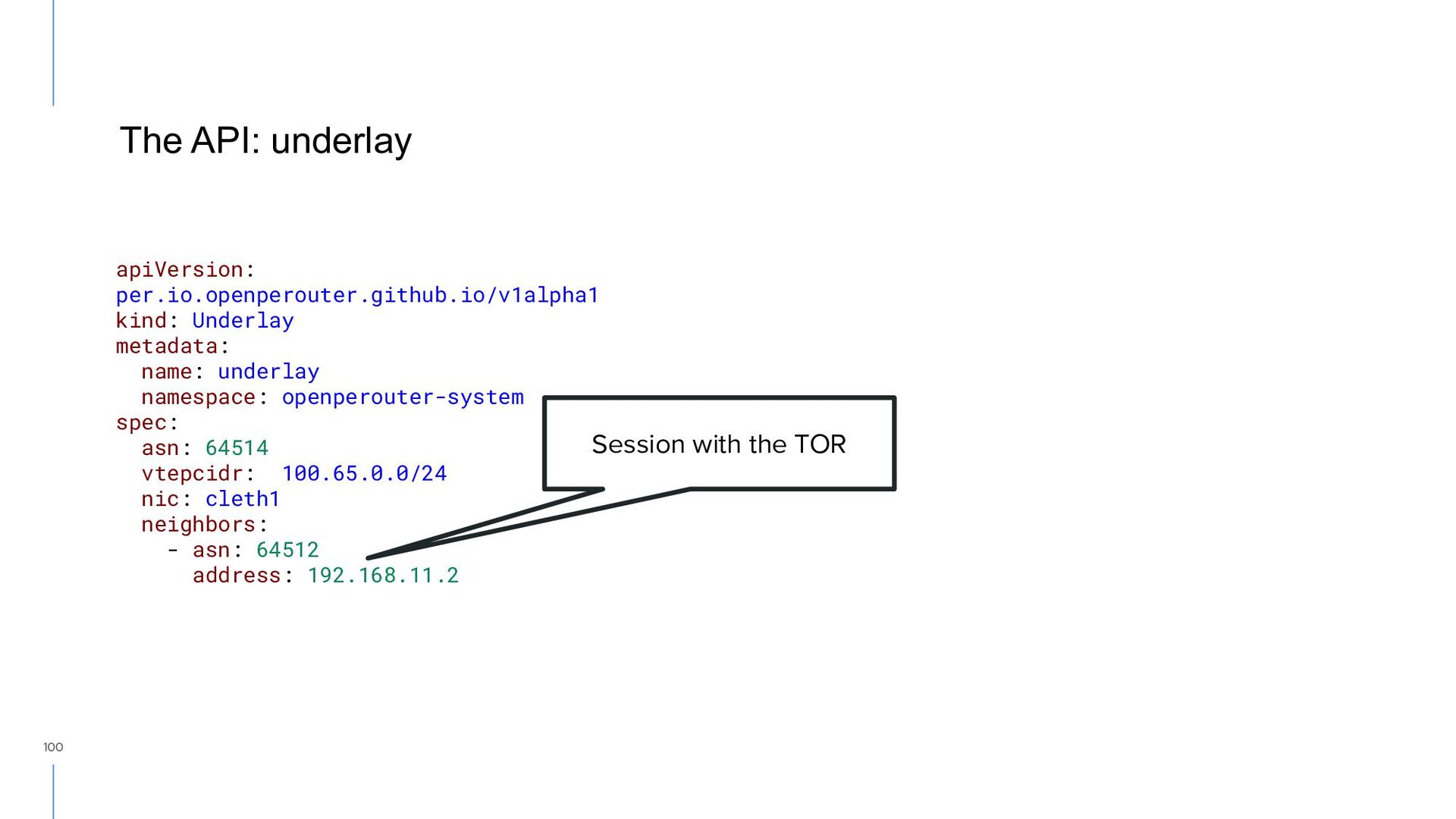
The API: underlay 100 apiVersion: per.io.openperouter.github.io/v1alpha1 kind: Underlay metadata: name:
underlay namespace: openperouter-system spec: asn: 64514 vtepcidr: 100.65.0.0/24 nic: cleth1 neighbors: - asn: 64512 address: 192.168.11.2 Session with the TOR -
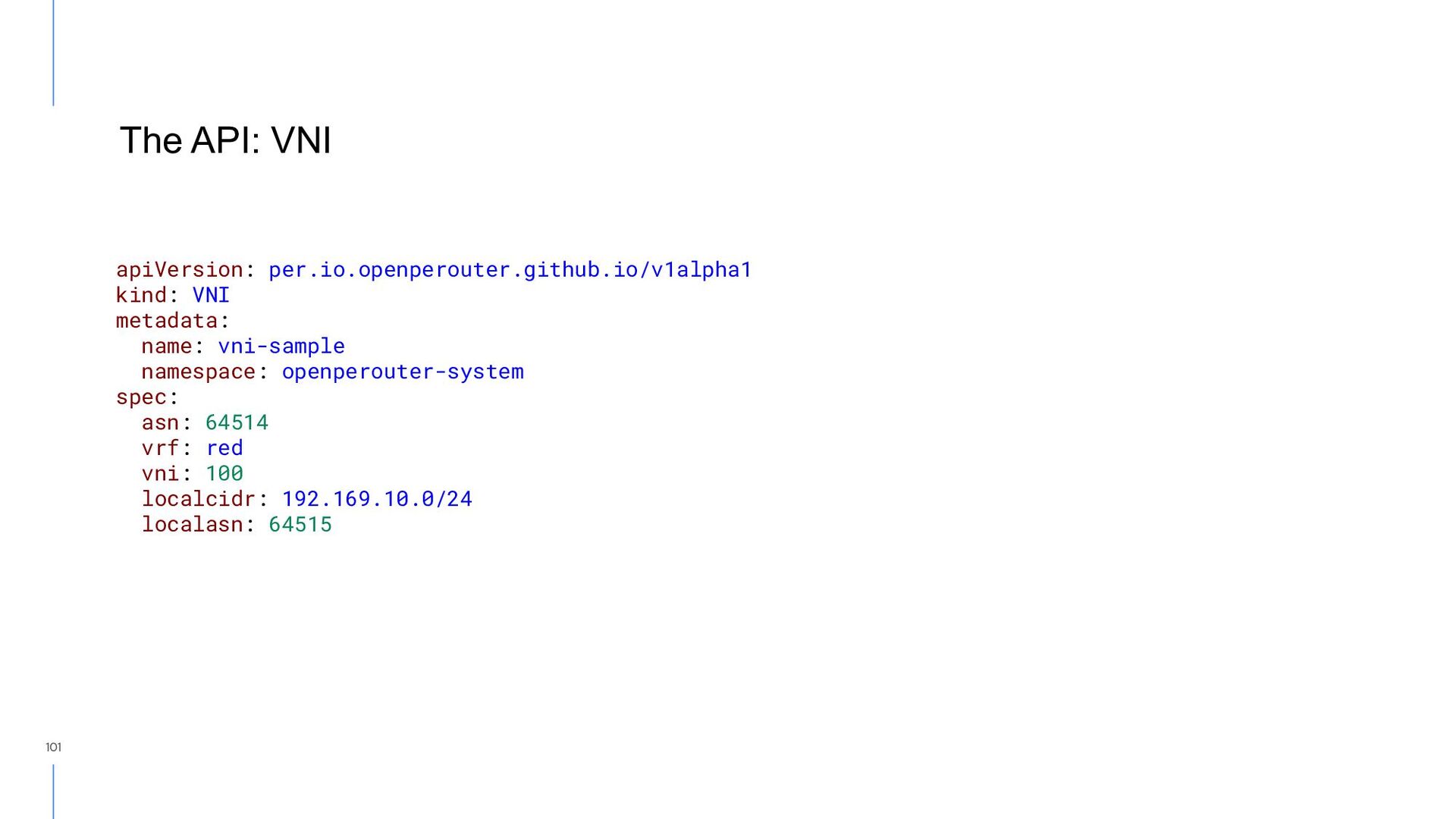
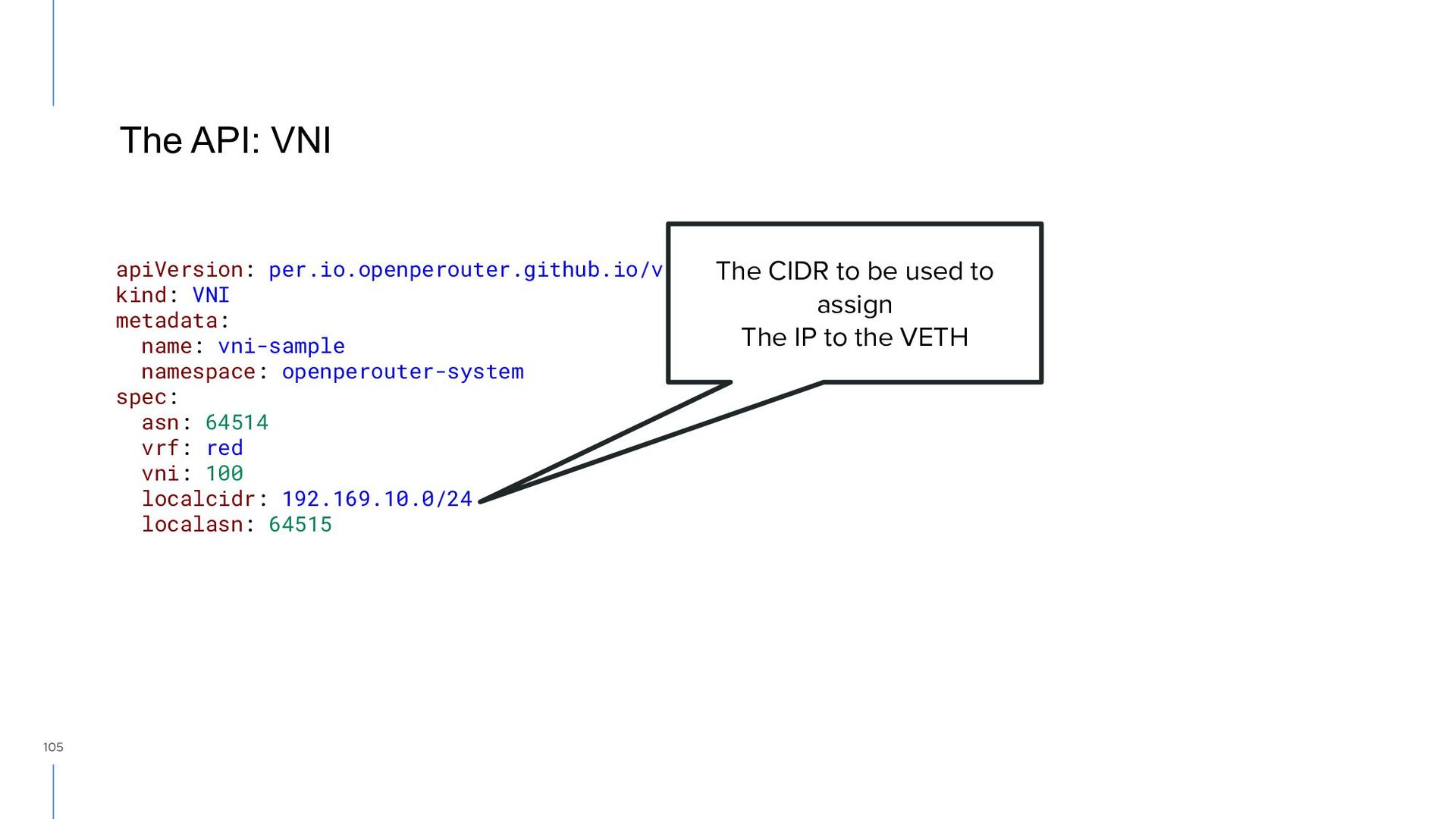
The API: VNI 101 apiVersion: per.io.openperouter.github.io/v1alpha1 kind: VNI metadata: name:
vni-sample namespace: openperouter-system spec: asn: 64514 vrf: red vni: 100 localcidr: 192.169.10.0/24 localasn: 64515 -
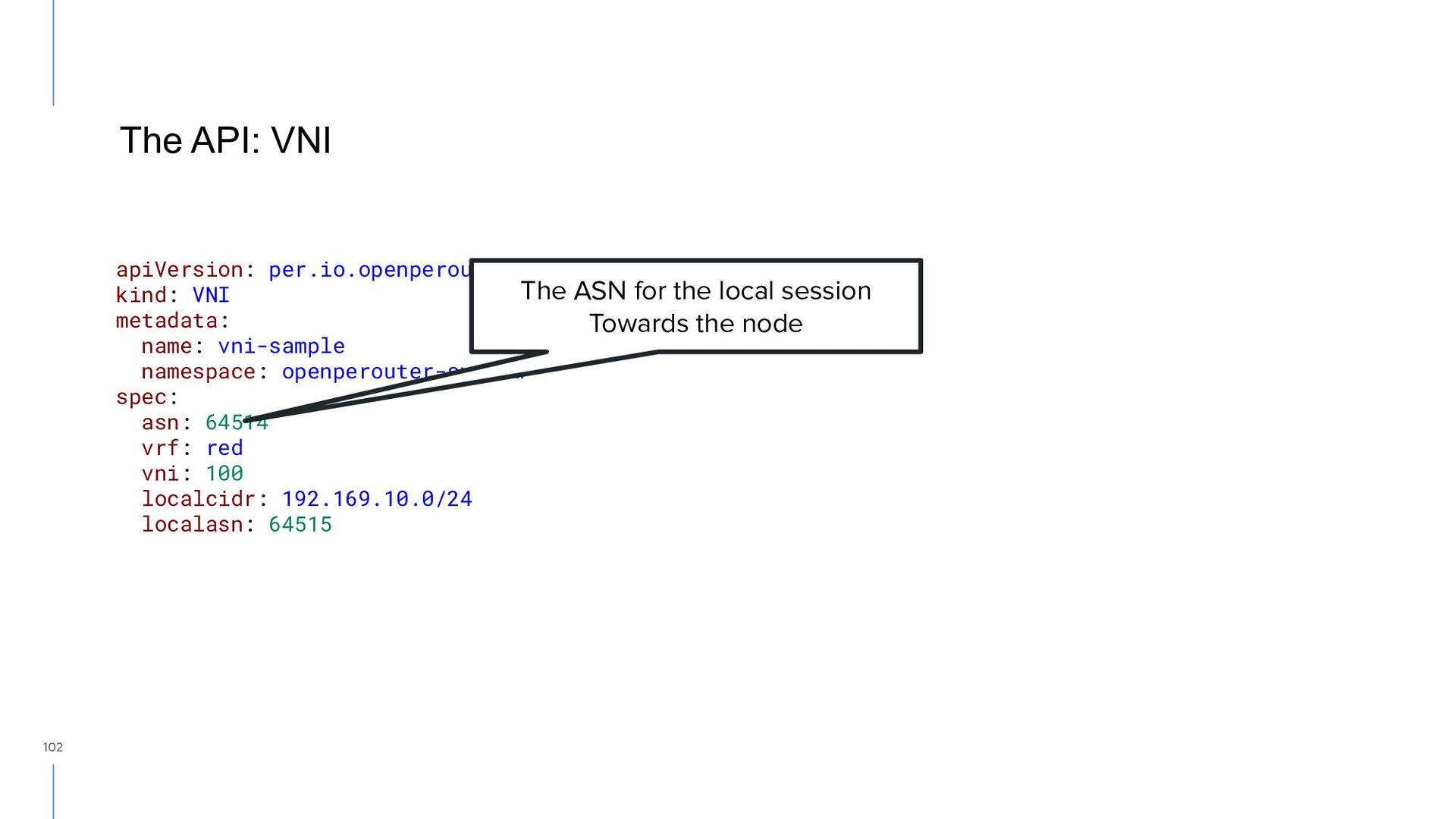
The API: VNI 102 apiVersion: per.io.openperouter.github.io/v1alpha1 kind: VNI metadata: name:
vni-sample namespace: openperouter-system spec: asn: 64514 vrf: red vni: 100 localcidr: 192.169.10.0/24 localasn: 64515 The ASN for the local session Towards the node -
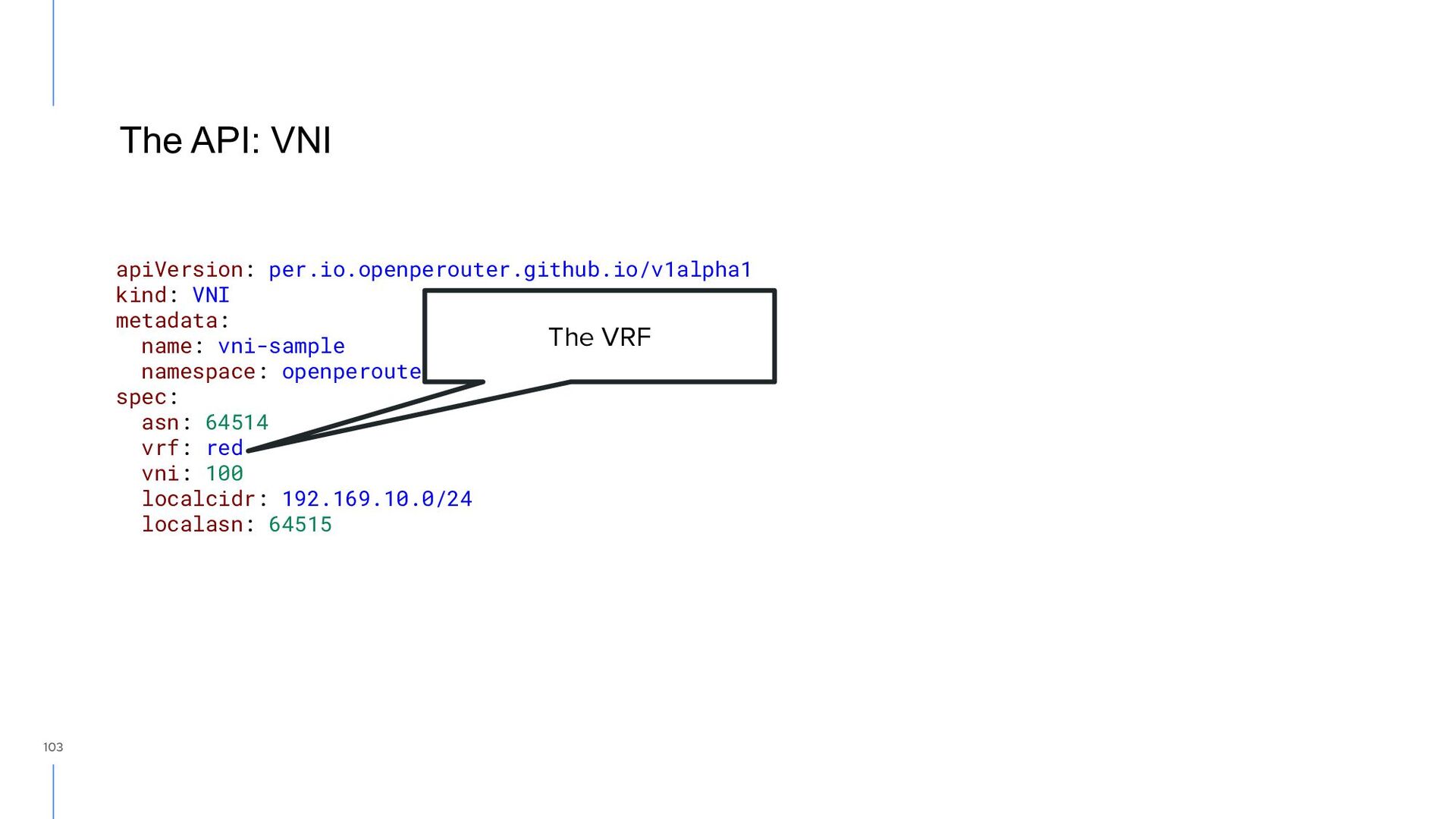
The API: VNI 103 apiVersion: per.io.openperouter.github.io/v1alpha1 kind: VNI metadata: name:
vni-sample namespace: openperouter-system spec: asn: 64514 vrf: red vni: 100 localcidr: 192.169.10.0/24 localasn: 64515 The VRF -
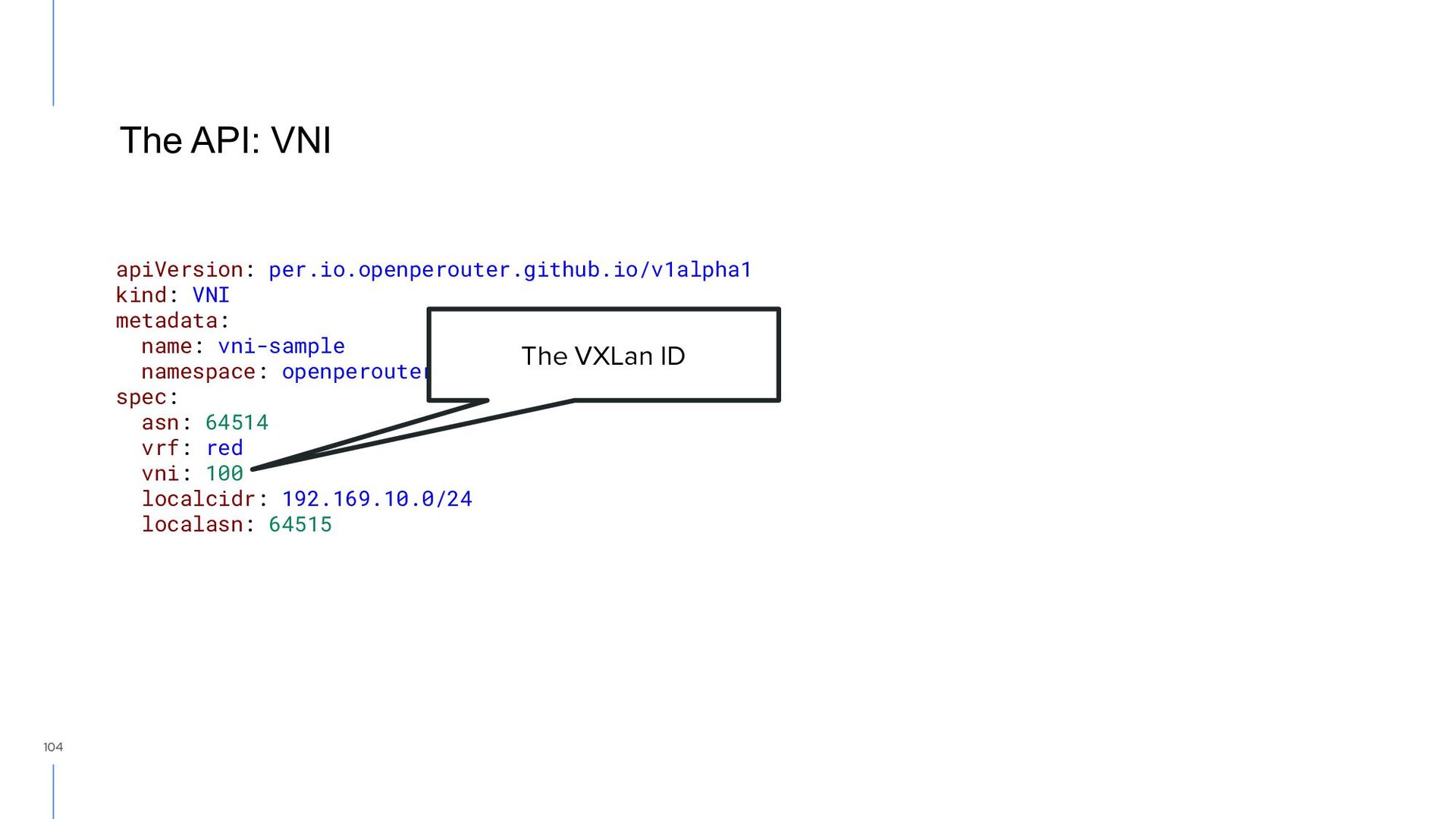
The API: VNI 104 apiVersion: per.io.openperouter.github.io/v1alpha1 kind: VNI metadata: name:
vni-sample namespace: openperouter-system spec: asn: 64514 vrf: red vni: 100 localcidr: 192.169.10.0/24 localasn: 64515 The VXLan ID -
The API: VNI 105 apiVersion: per.io.openperouter.github.io/v1alpha1 kind: VNI metadata: name:
vni-sample namespace: openperouter-system spec: asn: 64514 vrf: red vni: 100 localcidr: 192.169.10.0/24 localasn: 64515 The CIDR to be used to assign The IP to the VETH -
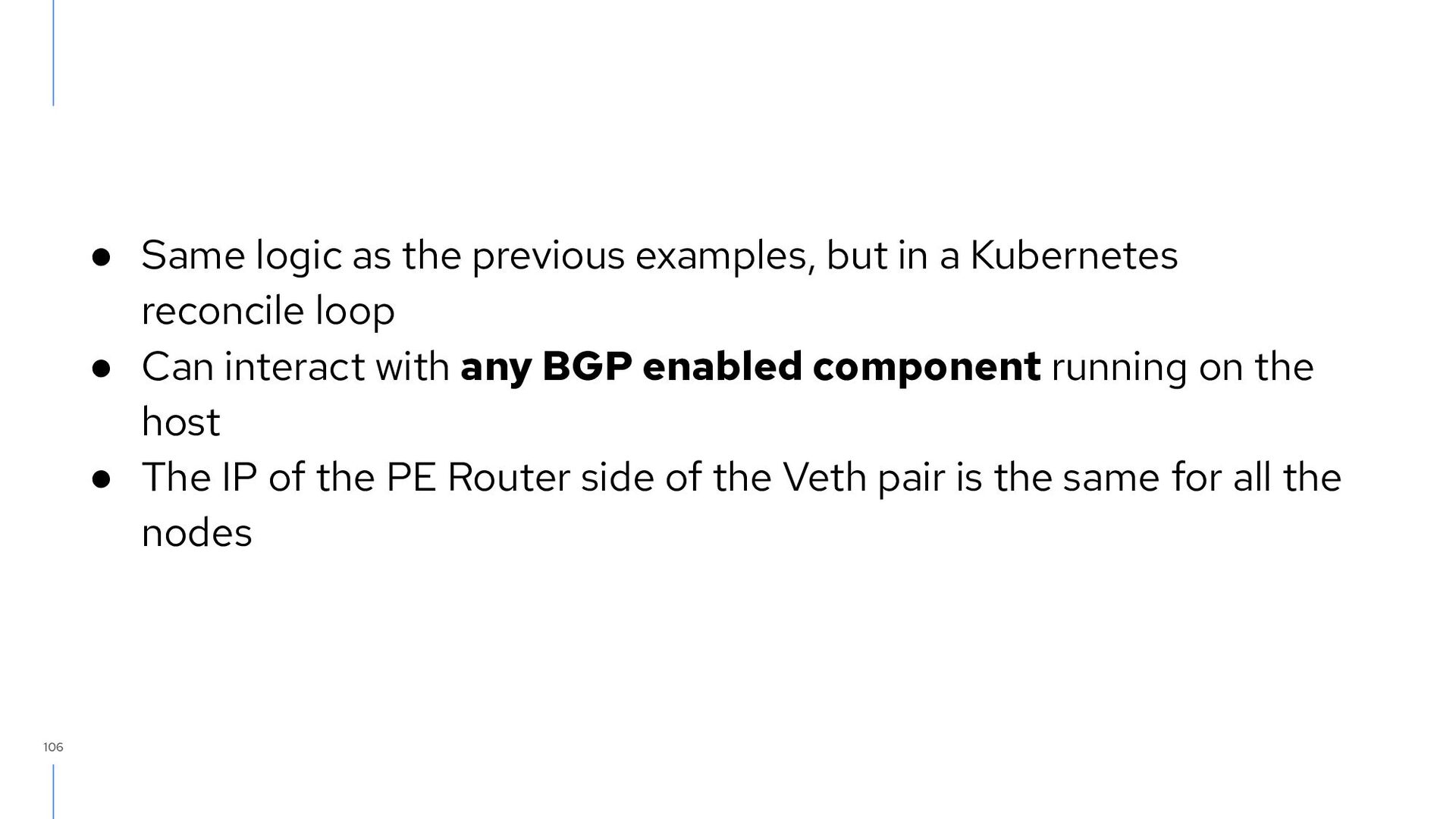
106 • Same logic as the previous examples, but in
a Kubernetes reconcile loop • Can interact with any BGP enabled component running on the host • The IP of the PE Router side of the Veth pair is the same for all the nodes -
107 • Same logic as the previous examples, but in
a Kubernetes reconcile loop • Can interact with any BGP enabled component running on the host • The IP of the PE Router side of the Veth pair is the same for all the nodes STILL VERY WIP! -
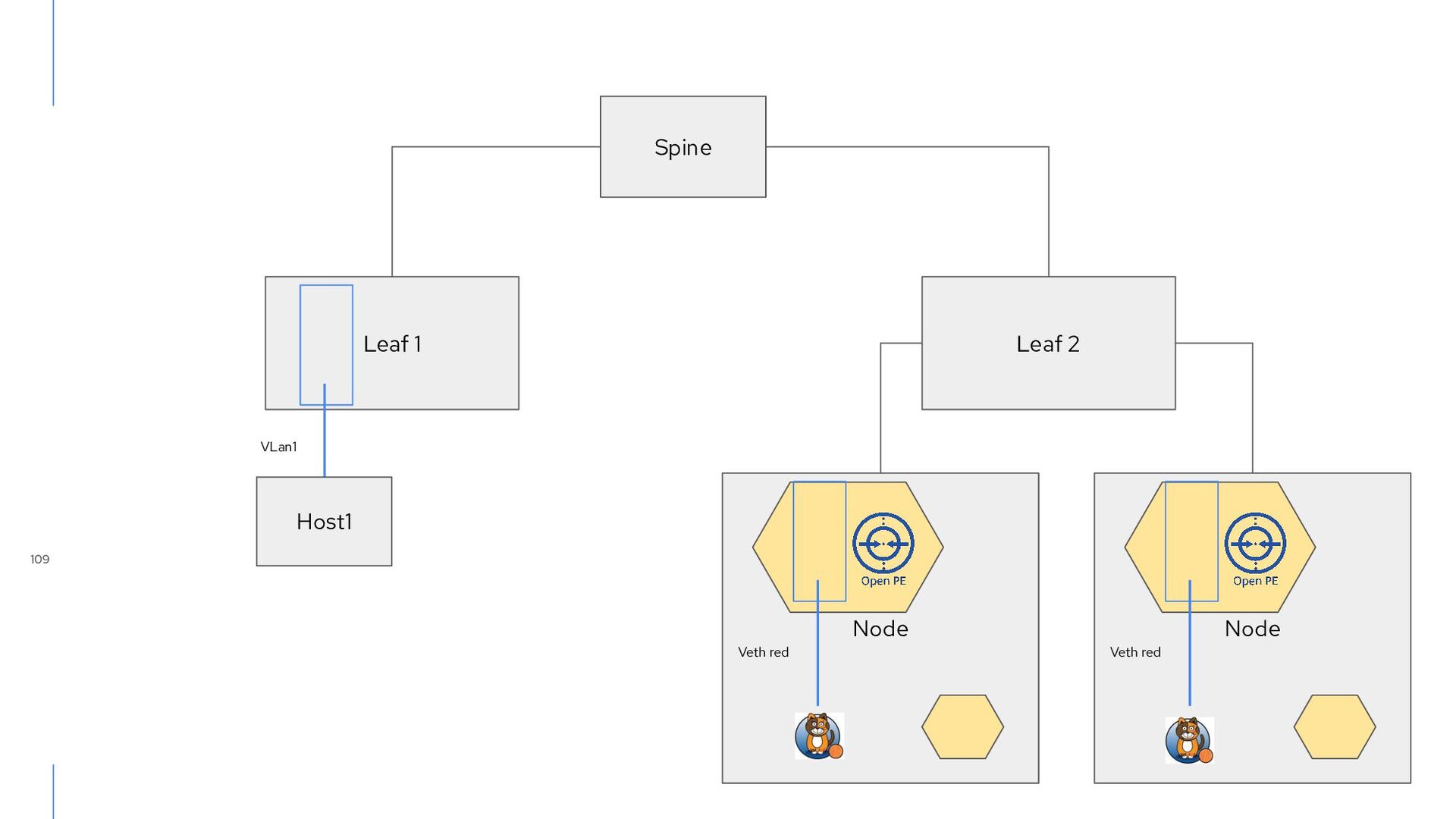
109 Spine Leaf 1 Host1 VLan1 Node Leaf 2 Veth
red Node Veth red -
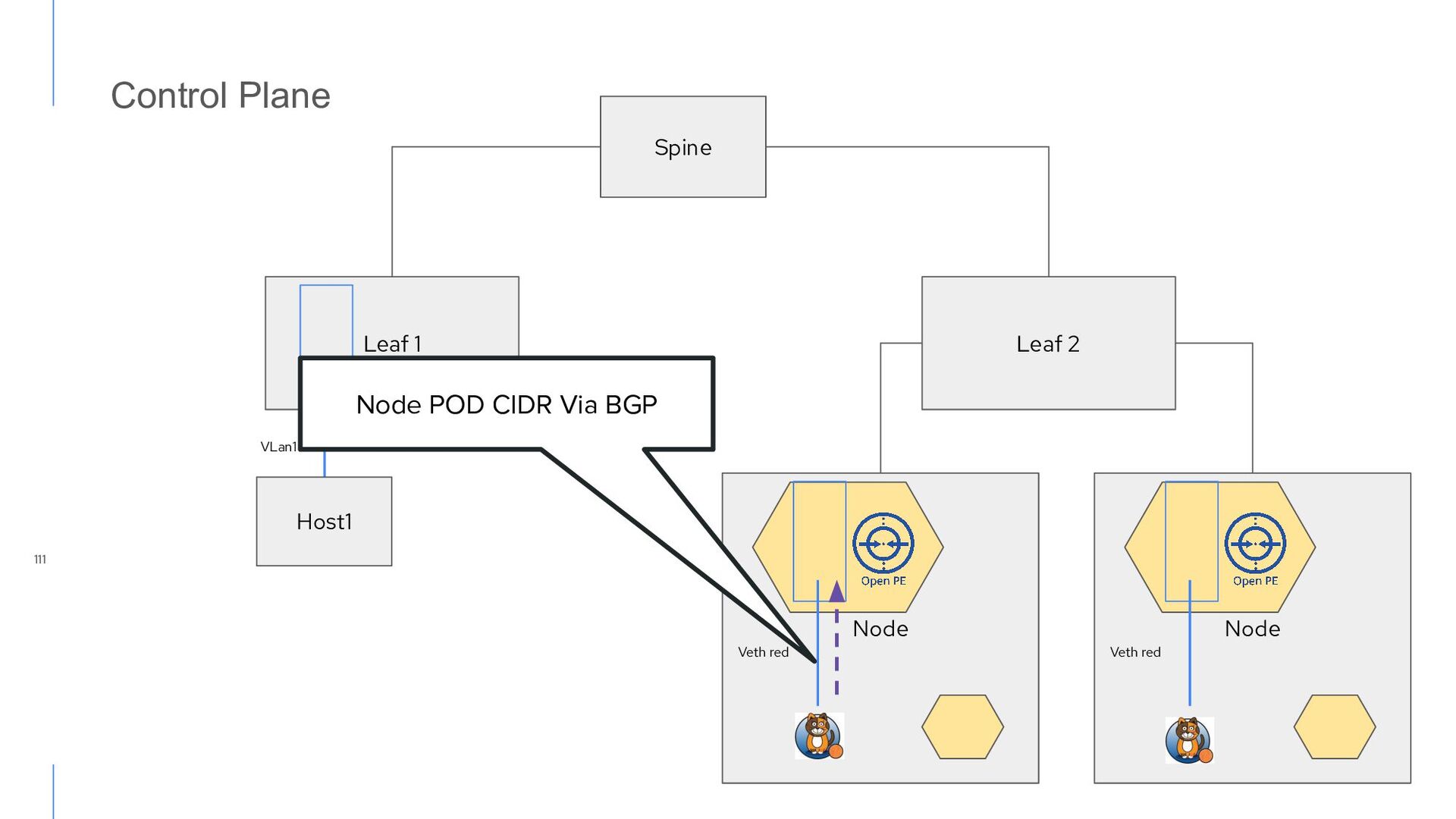
111 Spine Leaf 1 Host1 VLan1 Node Leaf 2 Veth
red Node Veth red Node POD CIDR Via BGP Control Plane -
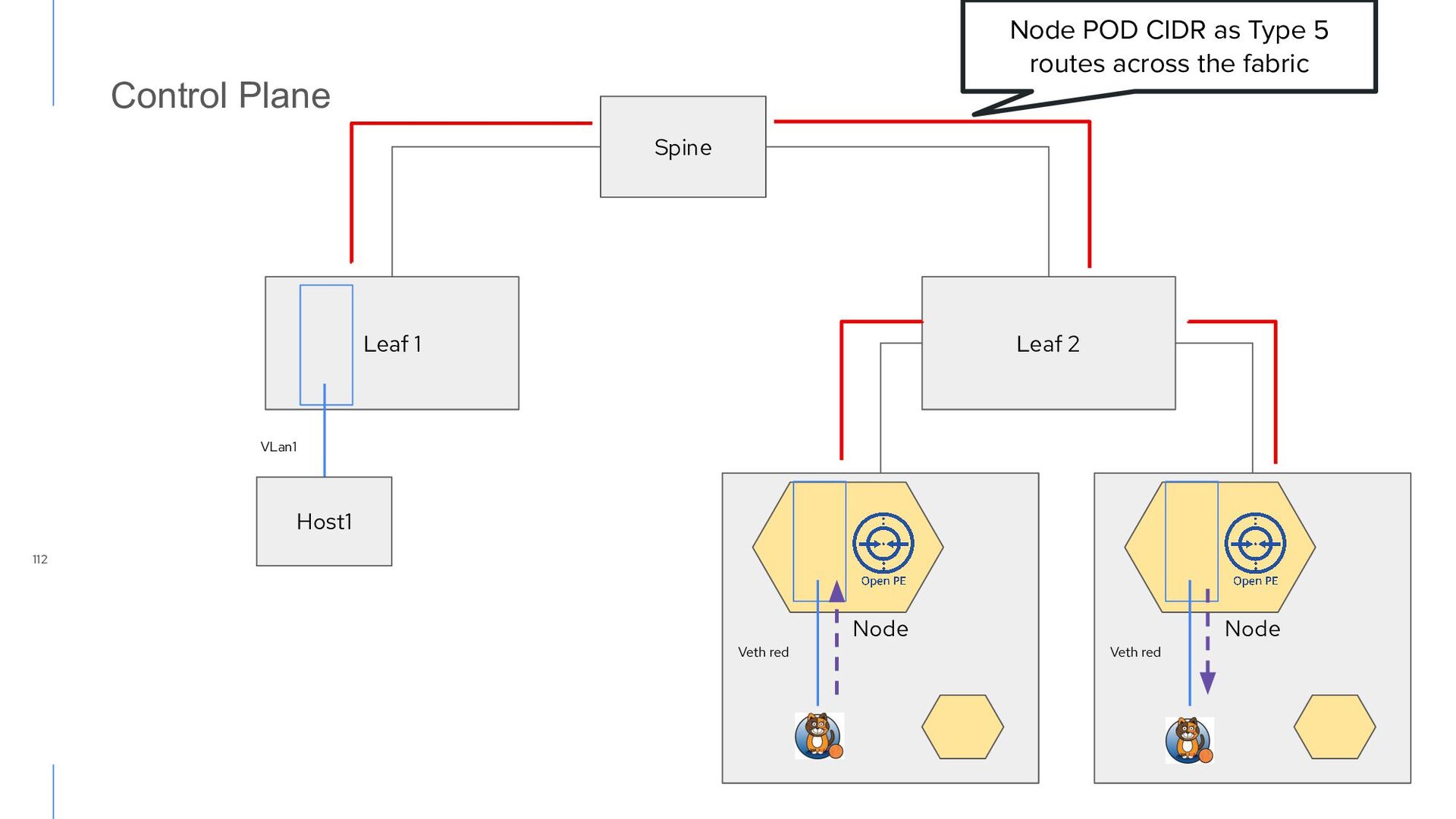
112 Spine Leaf 1 Host1 VLan1 Node Leaf 2 Veth
red Node Veth red Node POD CIDR as Type 5 routes across the fabric Control Plane -
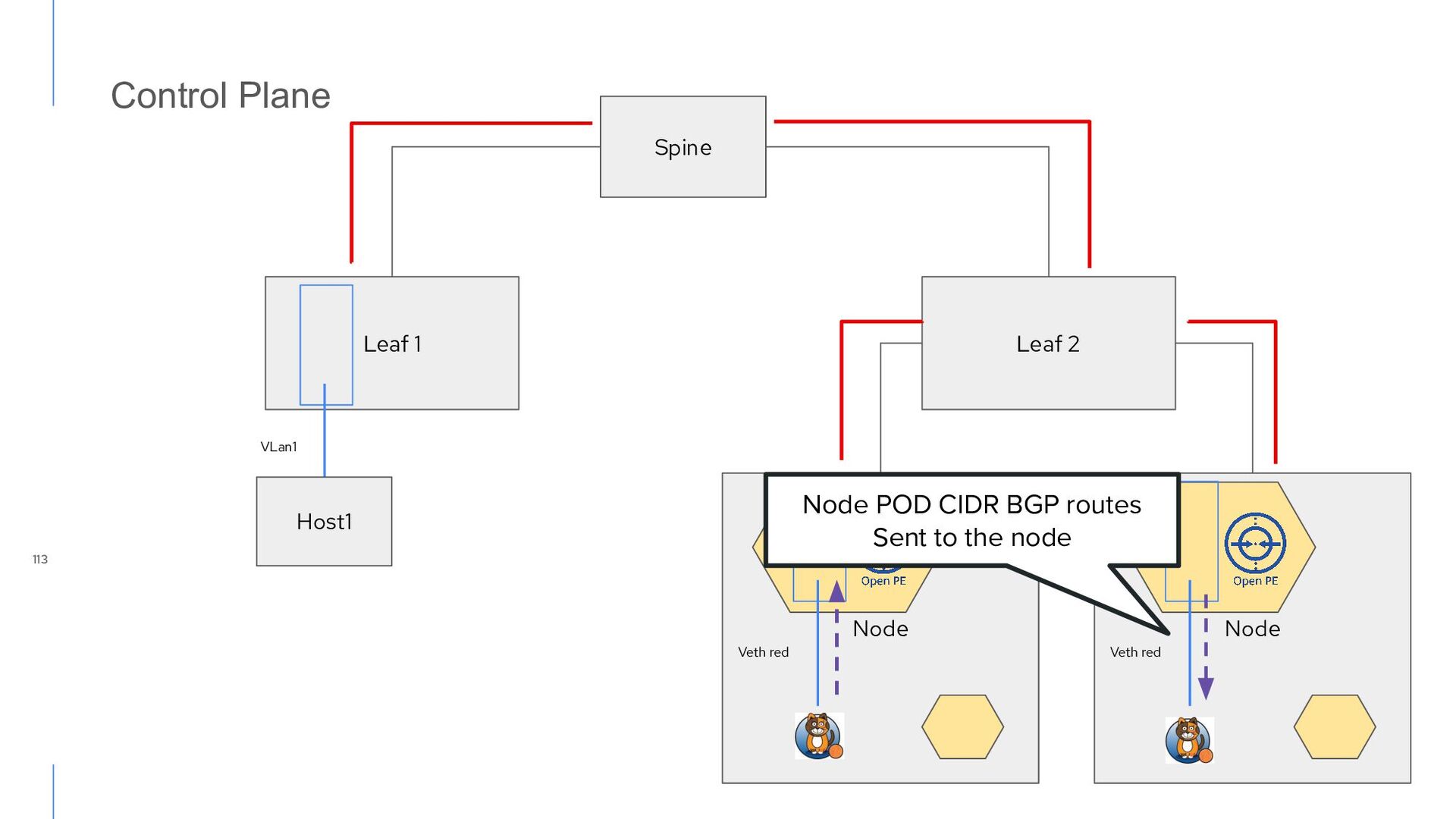
113 Spine Leaf 1 Host1 VLan1 Node Leaf 2 Veth
red Node Veth red Node POD CIDR BGP routes Sent to the node Control Plane -
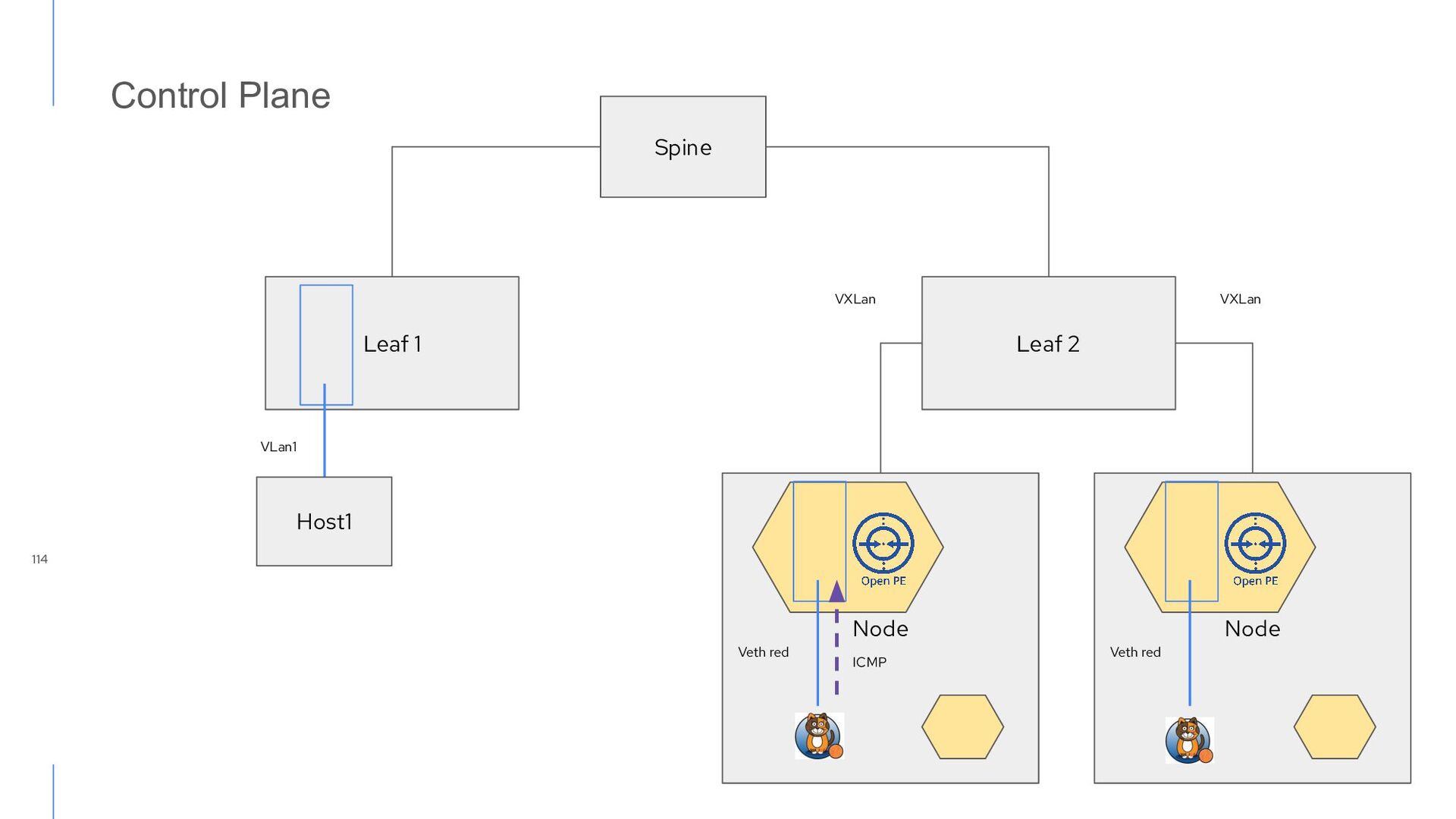
114 Spine Leaf 1 Host1 VLan1 Node Leaf 2 Veth
red Node Veth red ICMP VXLan VXLan Control Plane -
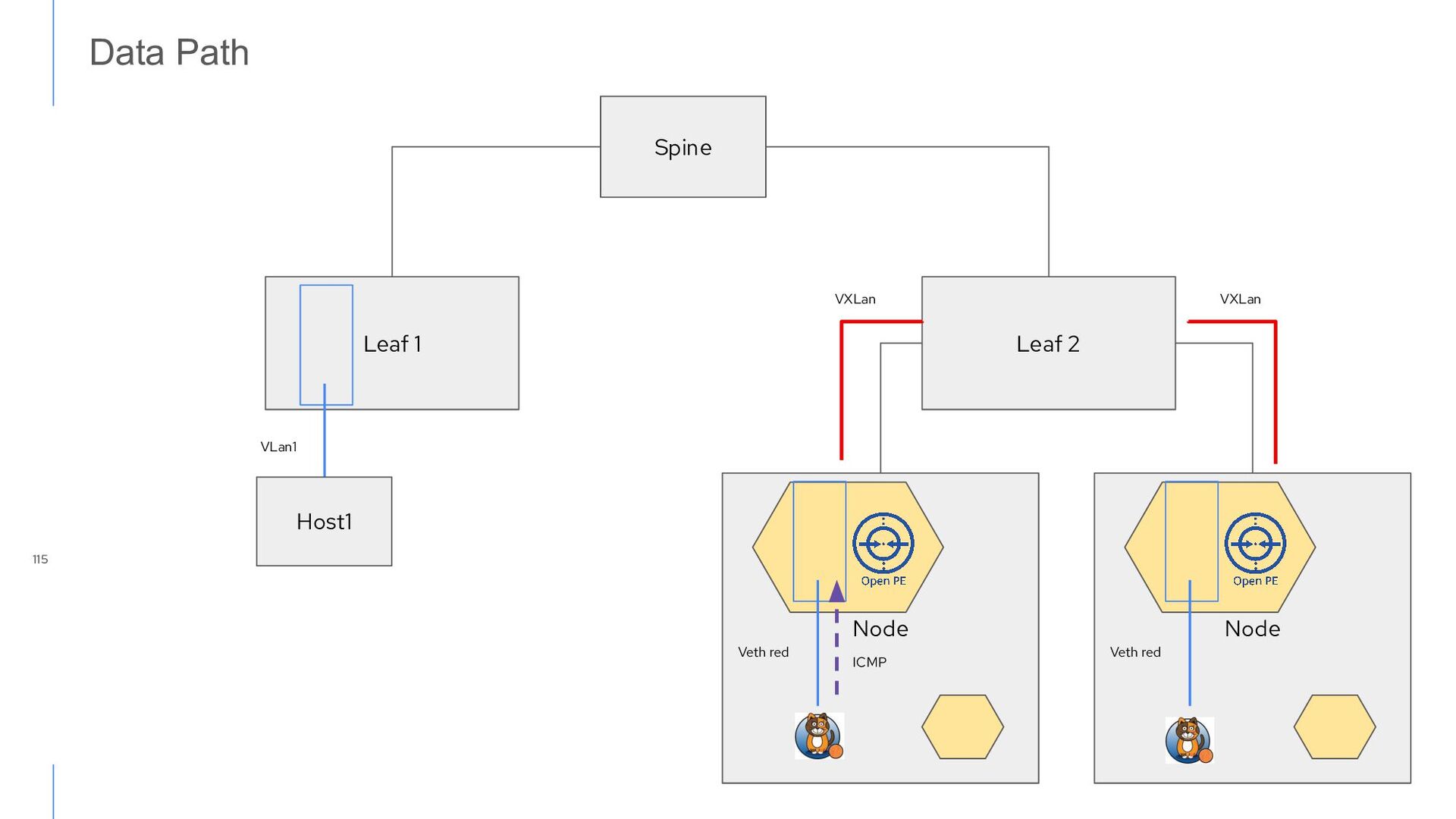
115 Spine Leaf 1 Host1 VLan1 Node Leaf 2 Veth
red Node Veth red ICMP VXLan VXLan Data Path -
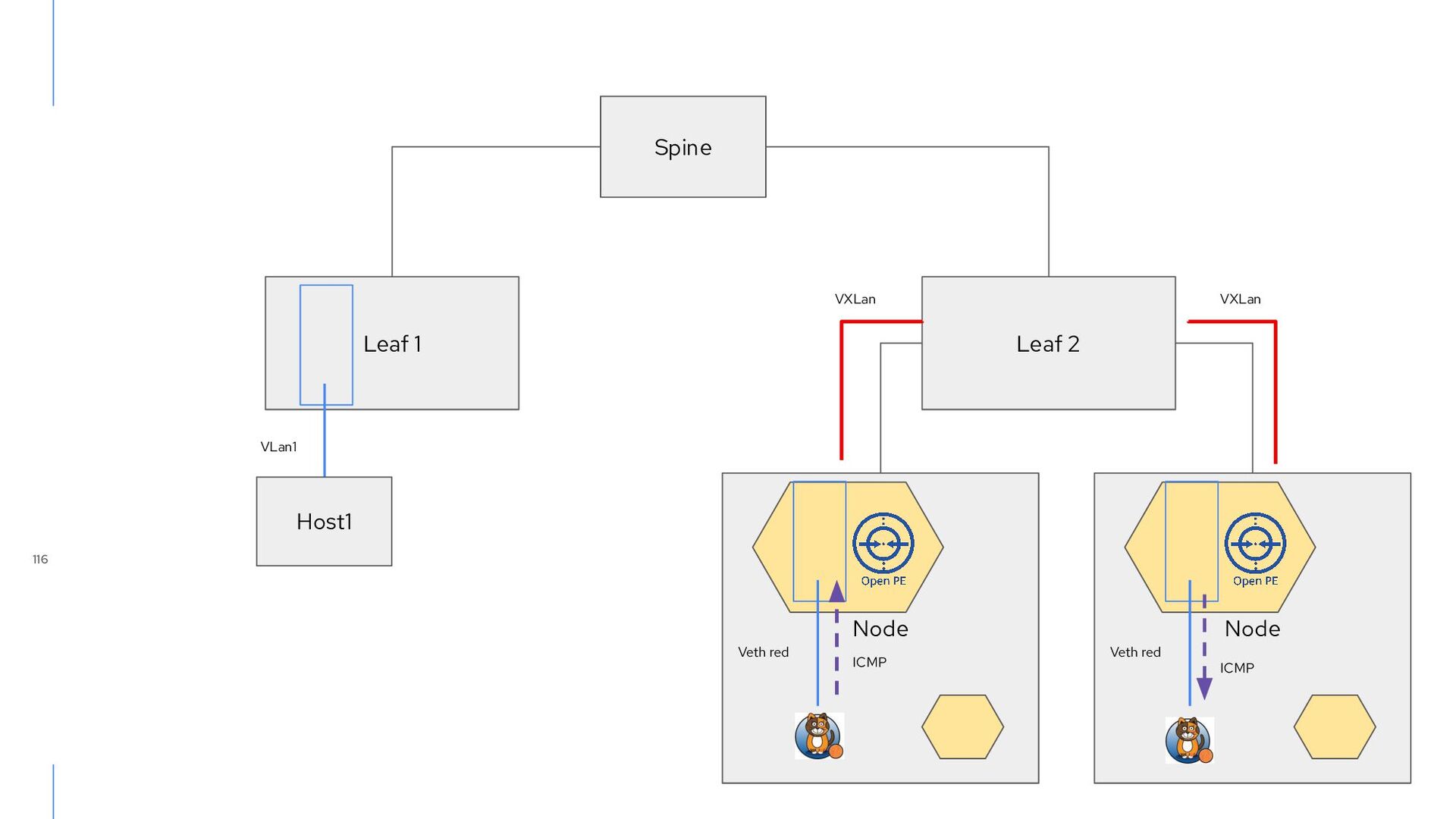
116 Spine Leaf 1 Host1 VLan1 Node Leaf 2 Veth
red Node Veth red ICMP ICMP VXLan VXLan -
122 • The architecture shown has one big limitation: we
need to sacrifice one interface • Can overcome by using a Vlan interface • What if we want EVPN connectivity at day 0? -
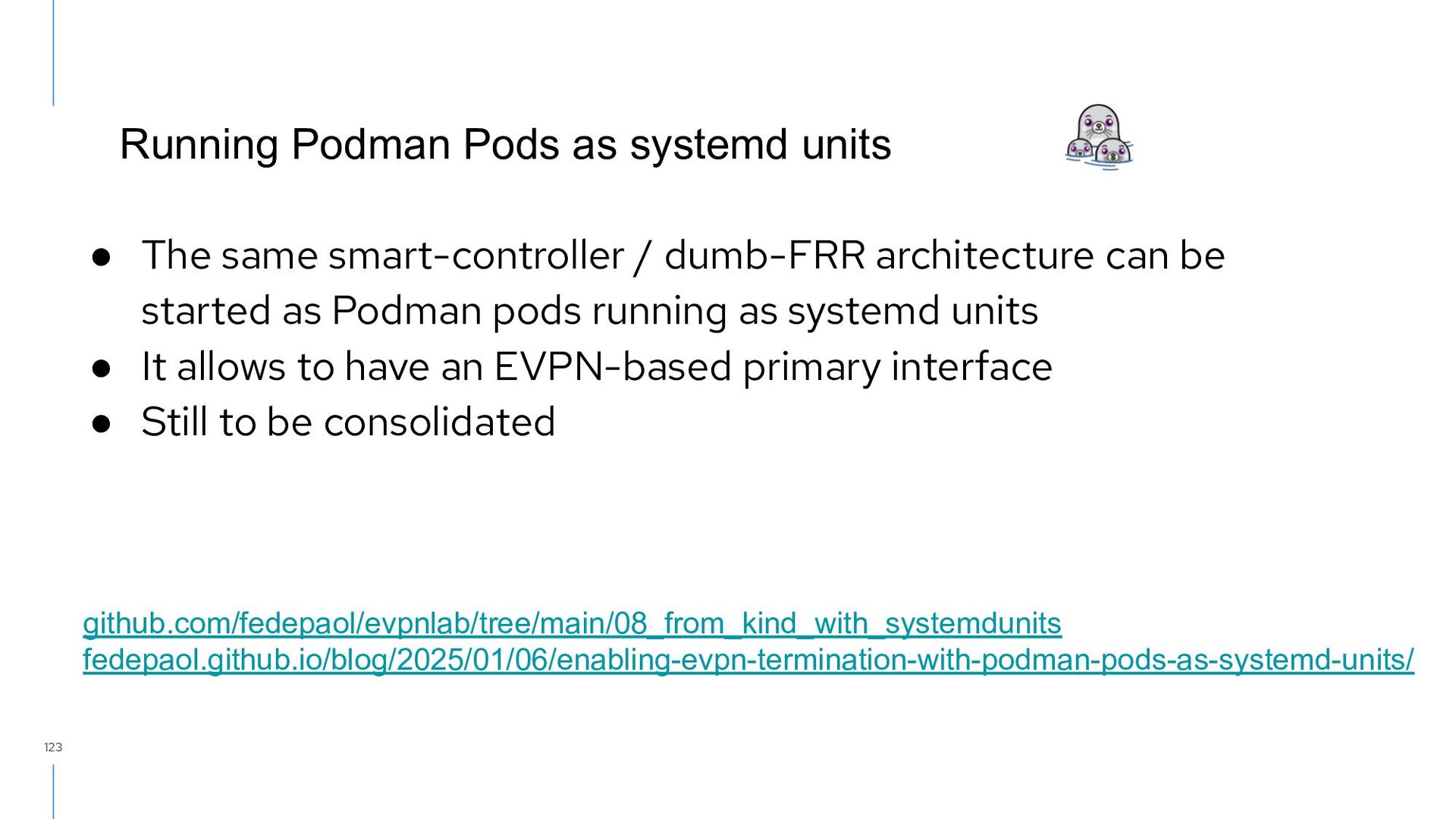
Running Podman Pods as systemd units 123 • The same
smart-controller / dumb-FRR architecture can be started as Podman pods running as systemd units • It allows to have an EVPN-based primary interface • Still to be consolidated github.com/fedepaol/evpnlab/tree/main/08_from_kind_with_systemdunits fedepaol.github.io/blog/2025/01/06/enabling-evpn-termination-with-podman-pods-as-systemd-units/ -
Resources 126 • FRR Routing docs at frrouting.org • ContainerLab
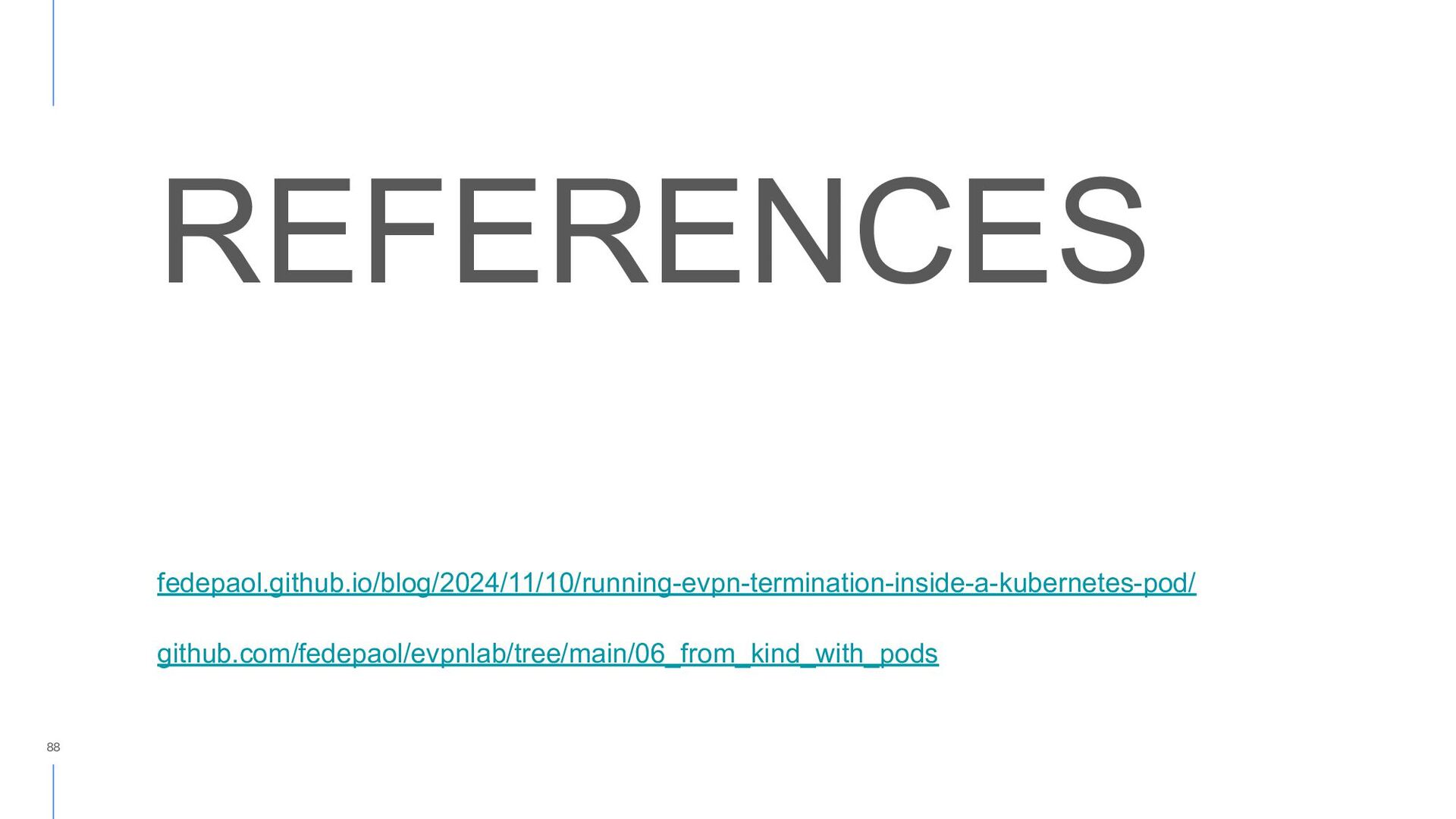
containerlab.dev • My EVPN Lab repo github.com/fedepaol/evpnlab/ • My personal Blog fedepaol.github.io/posts/ • OpenPERouter repo github.com/openperouter/openperouter • Das Schiff Network Operator github.com/telekom/das-schiff-network-operator
 fedepaol
 azukiazusa1
 ota1022
 maguroalternative
 koji_kawamura
 staka121
 jcabot
 yusuke427
 kubell_hr
 gokken
 takaha4k
 bengo4com
 junya_okura
 soudai
 portentint
 chriscoyier
 addyosmani
 helenjbeal
 swwweet
 marktimemedia
 axbom
 eileencodes
 kevinliebholz
 ammeep