Share
Embed
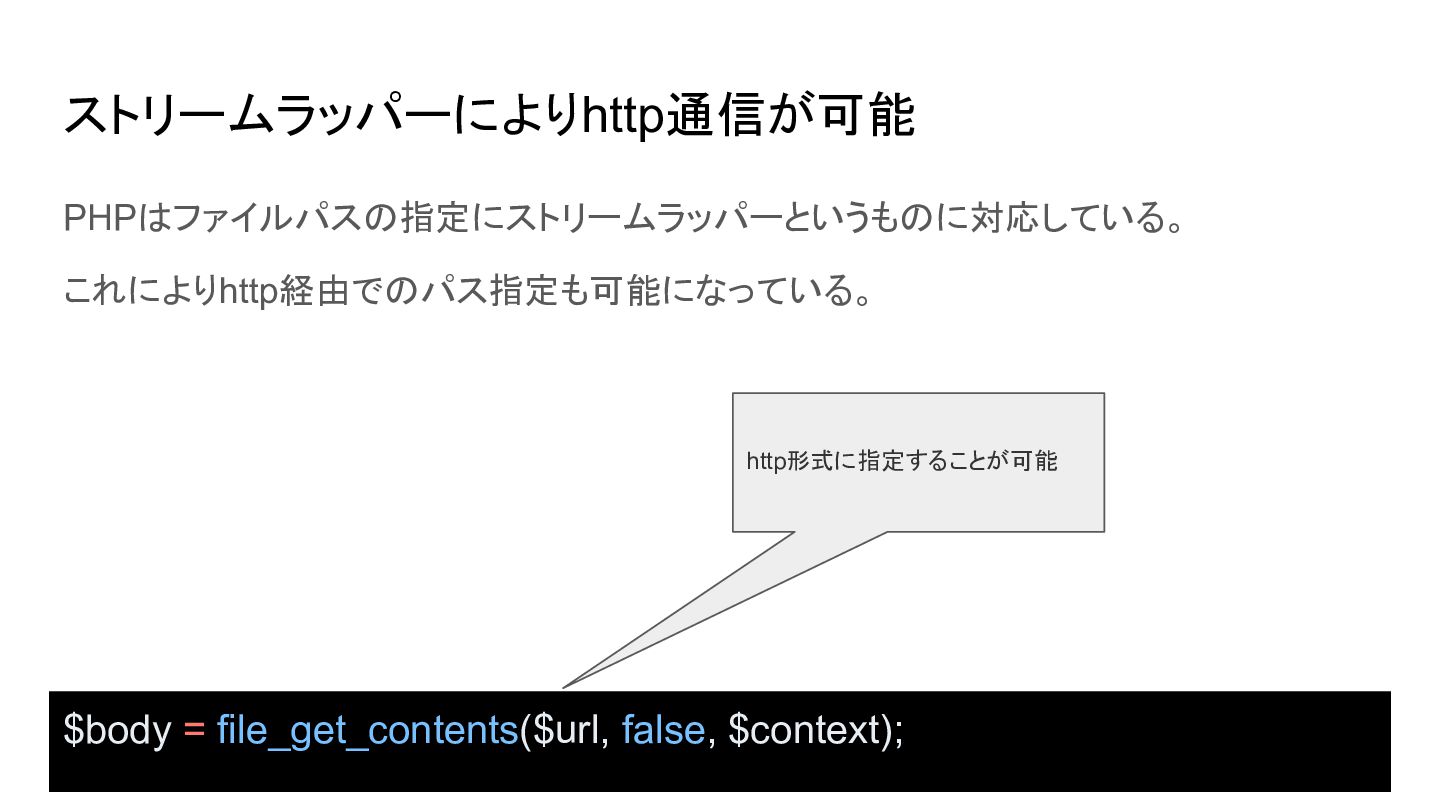
HTTP通信に使おうとすると実はめんどくさいfile_get_contents
PHPカンファレンス新潟2026の登壇資料です。
https://fortee.jp/phpconniigata-2026/proposal/603ce9bd-93ee-4988-89f6-6275e938dbee
マグロ隊長kinTV
November 14, 2026
Transcript
27 slides
-
HTTP通信する方法 $context = stream_context_create([ 'http' => [ 'method' => 'POST',
'header' => implode("\r\n", [ 'Content-Type: application/json', 'Authorization: Bearer secret-token', ]), 'content' => json_encode($data), 'timeout' => 3.0, 'ignore_errors' => true, ], ]); $body = file_get_contents($url, false, $context); -
HTTP通信する方法 $context = stream_context_create([ 'http' => [ 'method' => 'POST',
'header' => implode("\r\n", [ 'Content-Type: application/json', 'Authorization: Bearer secret-token', ]), 'content' => json_encode($data), 'timeout' => 3.0, http通信のための設定をカスタ ム 'ignore_errors' => true, ], ]); $body = file_get_contents($url, false, $context); httpリクエストを送る -
HTTP通信する方法 $context = stream_context_create([ 'http' => [ 'method' => 'POST',
'header' => implode("\r\n", [ 'Content-Type: application/json', 'Authorization: Bearer secret-token', ]), 'content' => json_encode($data), 'timeout' => 3.0, http通信のための設定をカスタ ム 'ignore_errors' => true, ], ]); $body = file_get_contents($url, false, $context); httpリクエストを送る -
HTTP通信する方法 $context = stream_context_create([ 'http' => [ 'method' => 'POST',
'header' => implode("\r\n", [ 'Content-Type: application/json', 'Authorization: Bearer secret-token', ]), 'content' => json_encode($data), 'timeout' => 3.0, http通信のための設定をカスタ ム 'ignore_errors' => true, ], ]); $body = file_get_contents($url, false, $context); httpリクエストを送る -
HTTP通信する方法 $context = stream_context_create([ 'http' => [ ]), 便利そうに見えるけど 落とし穴があります
'content' => json_encode($data), 'timeout' => 3.0, 'method' 'header' => 'POST', => implode("\r\n", [ 'Content-Type: application/json', 'Authorization: Bearer secret-token', http通信のための設定をカスタ ム 'ignore_errors' => true, ], ]); $body = file_get_contents($url, false, $context); httpリクエストを送る -
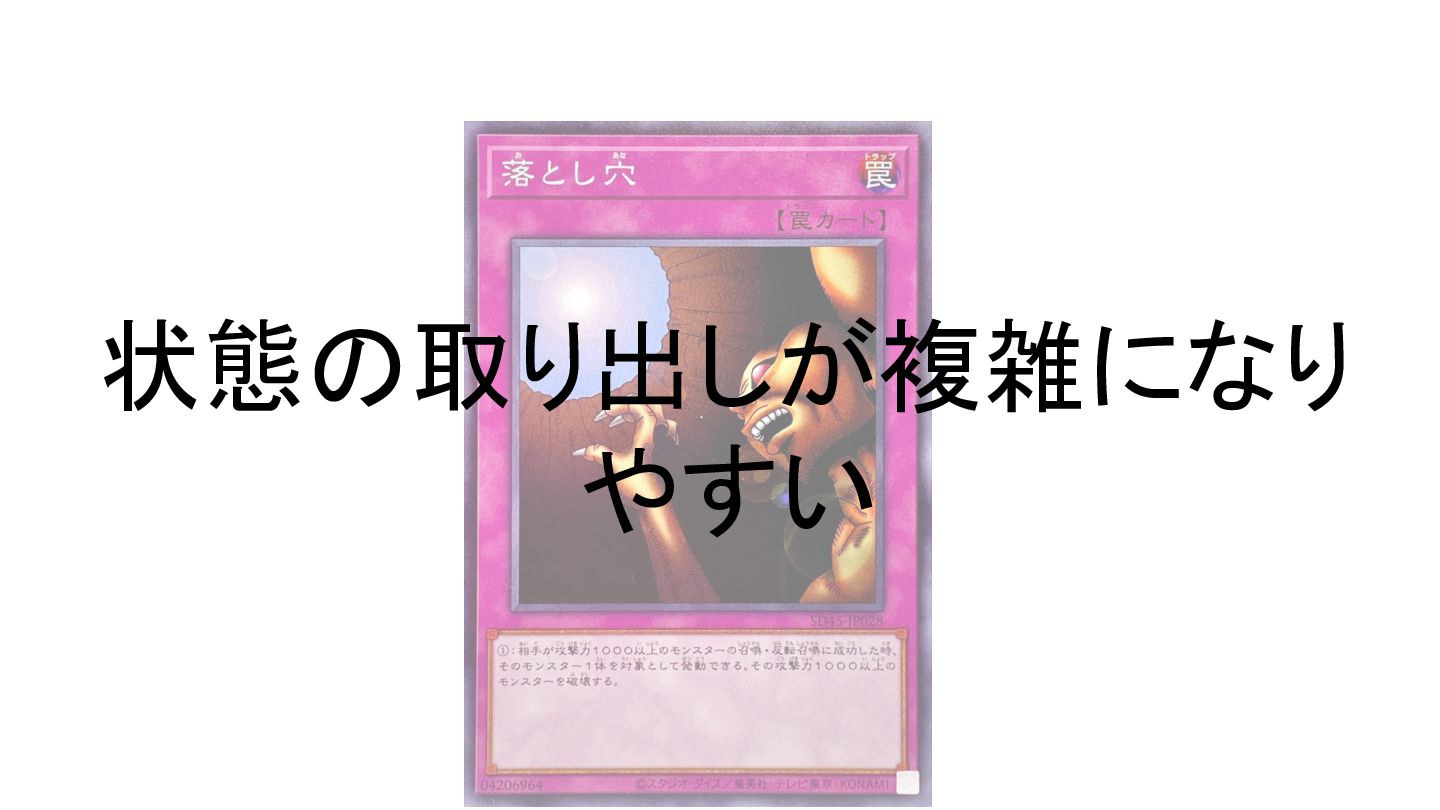
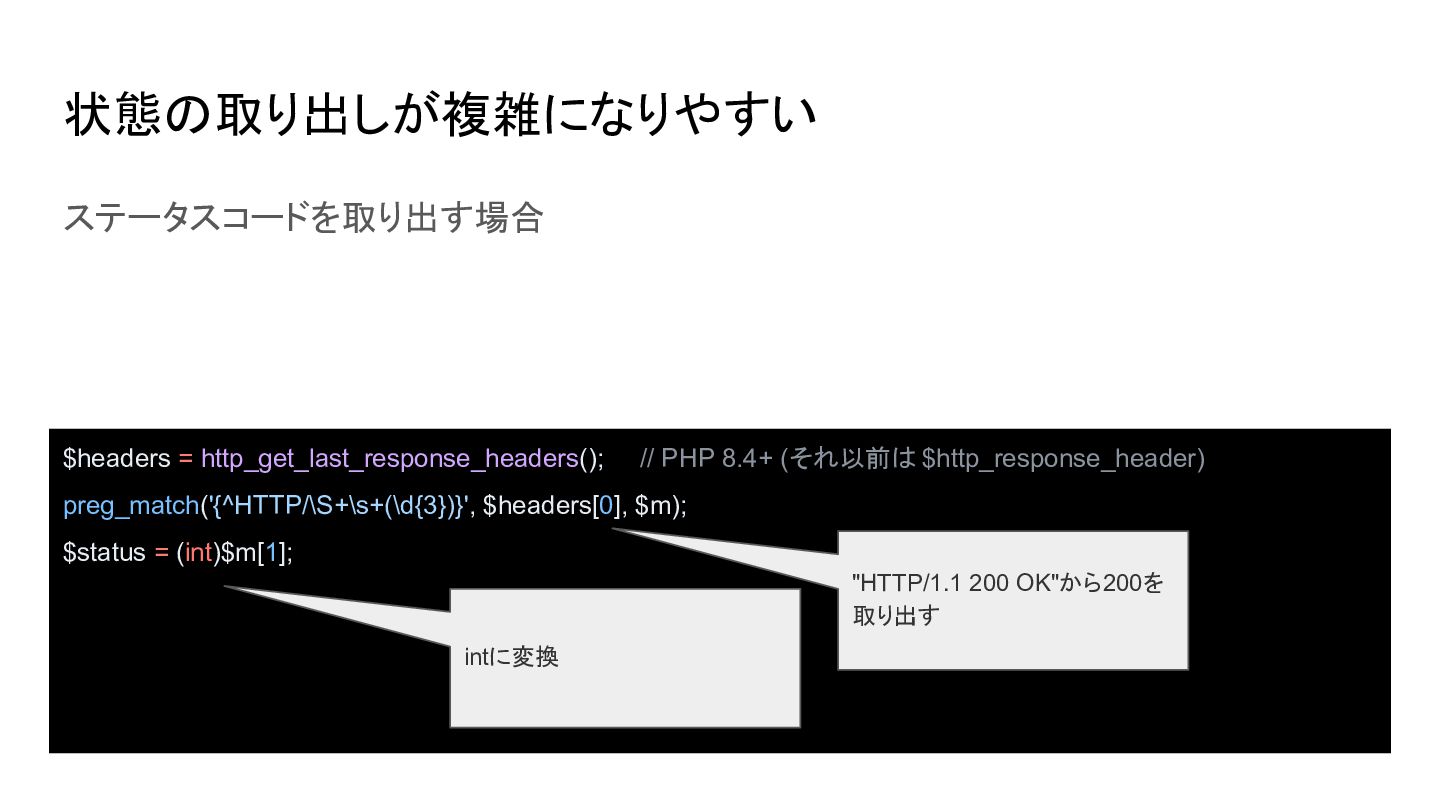
状態の取り出しが複雑になりやすい ステータスコードを取り出す場合 $headers = http_get_last_response_headers(); // PHP 8.4+ (それ以前は $http_response_header)
preg_match('{^HTTP/\S+\s+(\d{3})}', $headers[0], $m); $status = (int)$m[1]; "HTTP/1.1 200 OK"から200を 取り出す intに変換 -
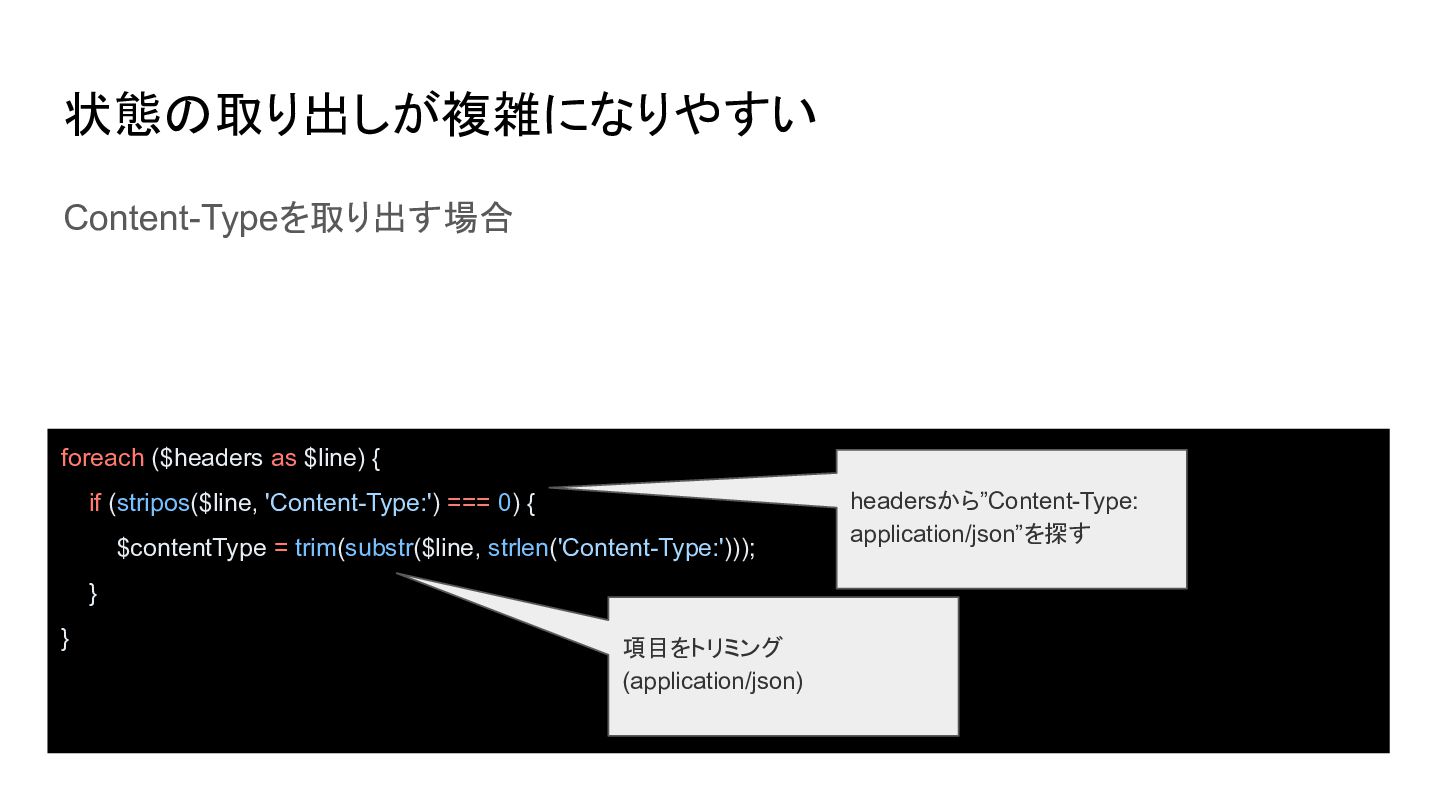
状態の取り出しが複雑になりやすい Content-Typeを取り出す場合 foreach ($headers as $line) { if (stripos($line, 'Content-Type:')
=== 0) { $contentType = trim(substr($line, strlen('Content-Type:'))); } } 項目をトリミング (application/json) headersから”Content-Type: application/json”を探す -
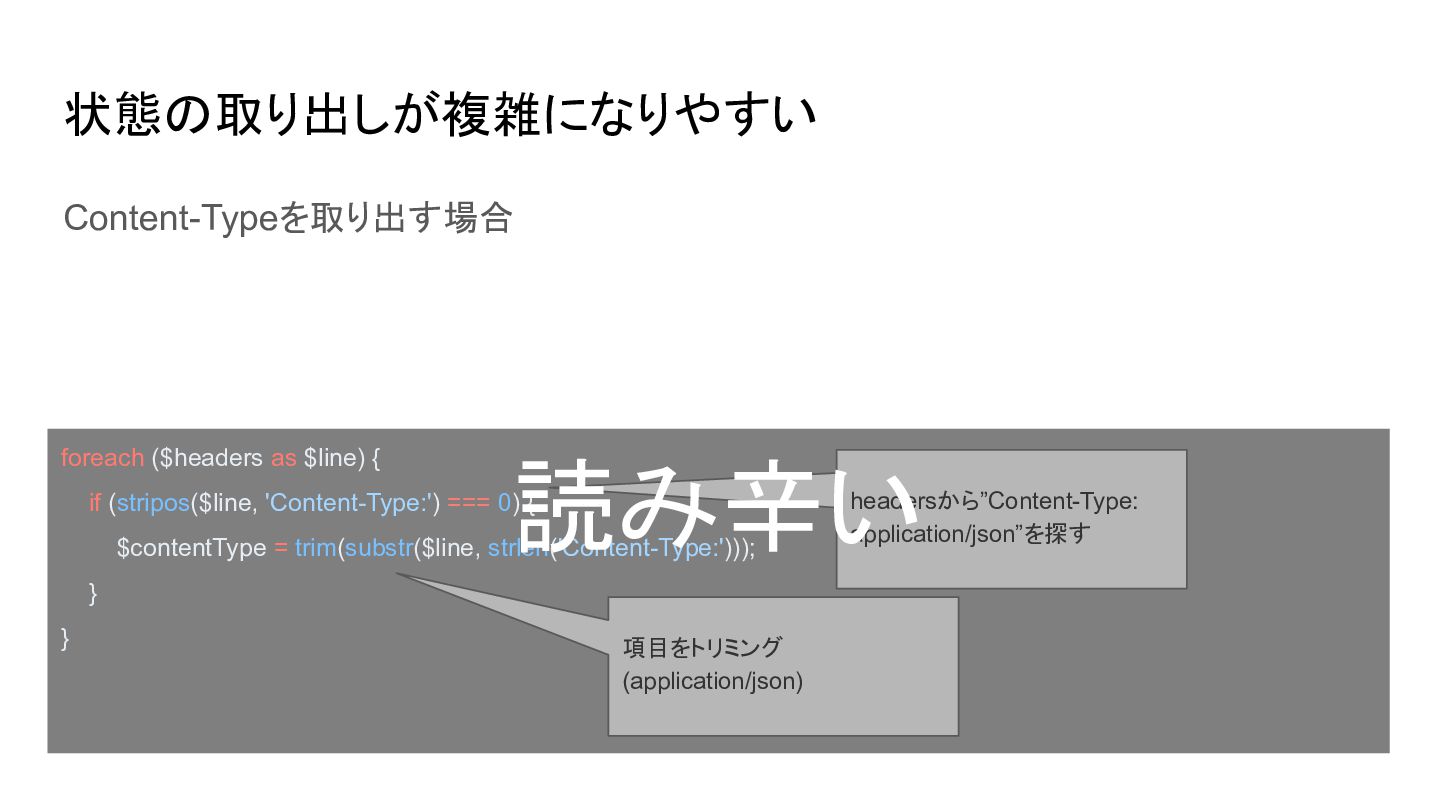
状態の取り出しが複雑になりやすい Content-Typeを取り出す場合 foreach ($headers as $line) { 読み辛い if (stripos($line,
'Content-Type:') === 0) { $contentType = trim(substr($line, strlen('Content-Type:'))); } } 項目をトリミング (application/json) headersから”Content-Type: application/json”を探す -
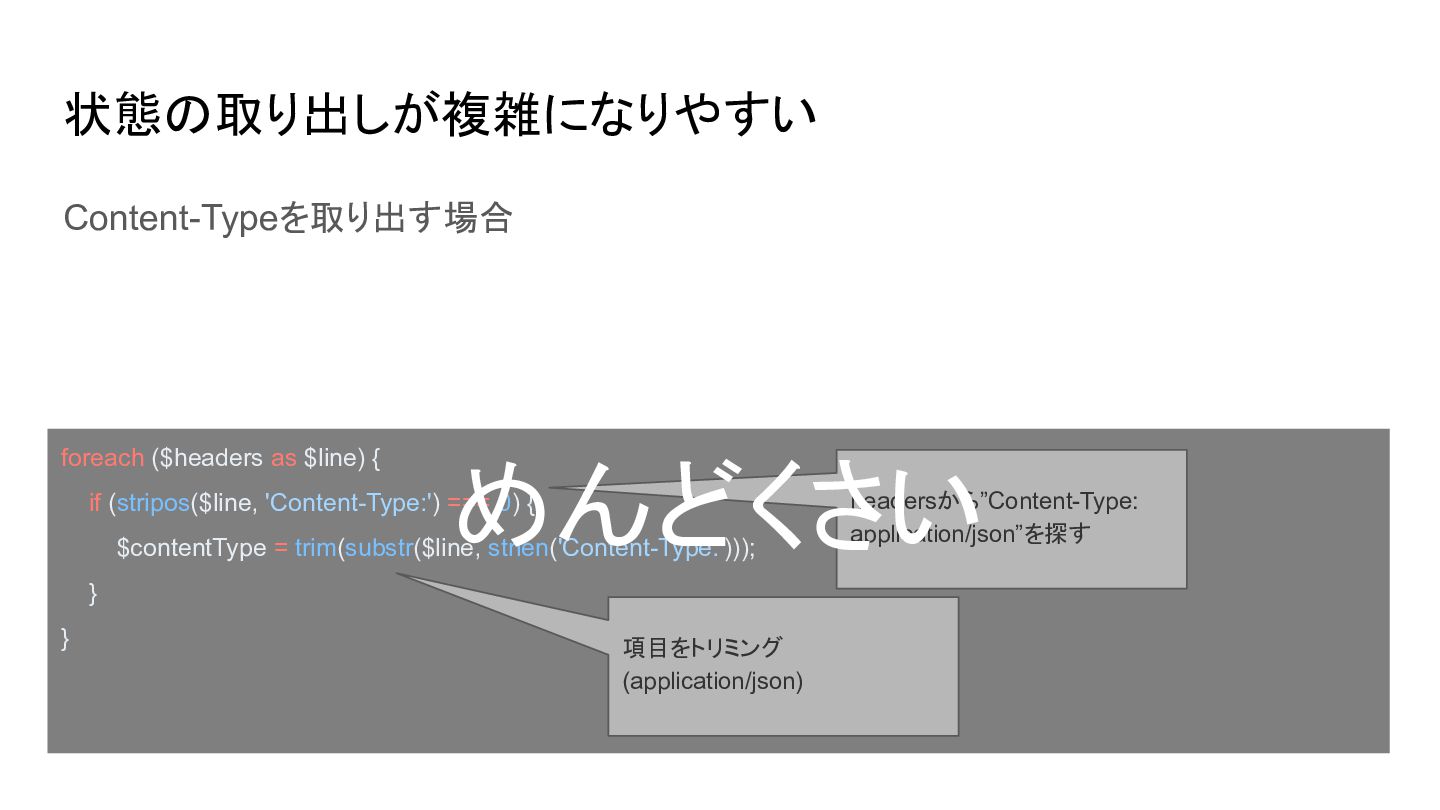
状態の取り出しが複雑になりやすい Content-Typeを取り出す場合 foreach ($headers as $line) { めんどくさい if (stripos($line,
'Content-Type:') === 0) { $contentType = trim(substr($line, strlen('Content-Type:'))); } } 項目をトリミング (application/json) headersから”Content-Type: application/json”を探す -
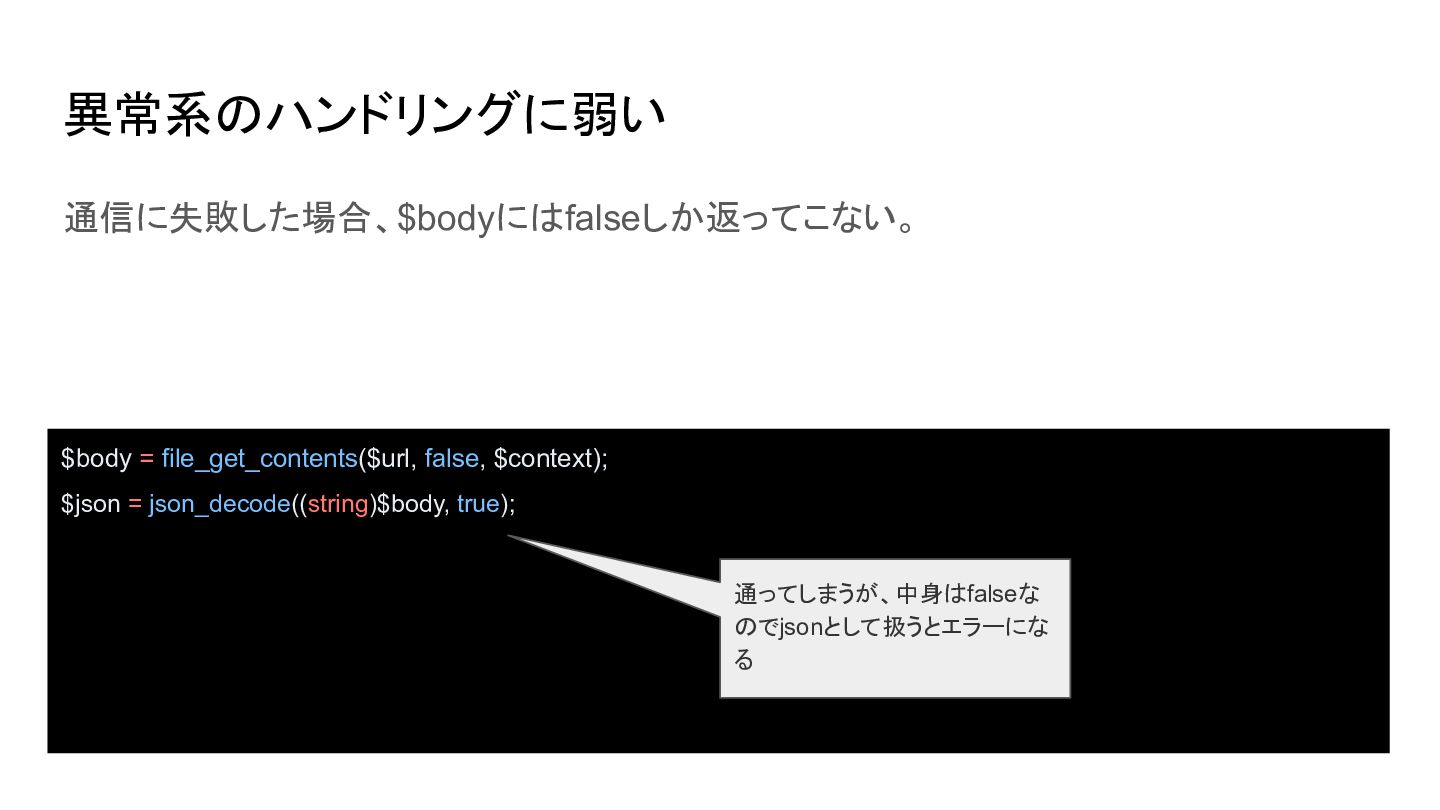
異常系のハンドリングに弱い 通信に失敗した場合、$bodyにはfalseしか返ってこない。 $body = file_get_contents($url, false, $context); $json = json_decode((string)$body,
true); 通ってしまうが、中身はfalseな のでjsonとして扱うとエラーにな る -
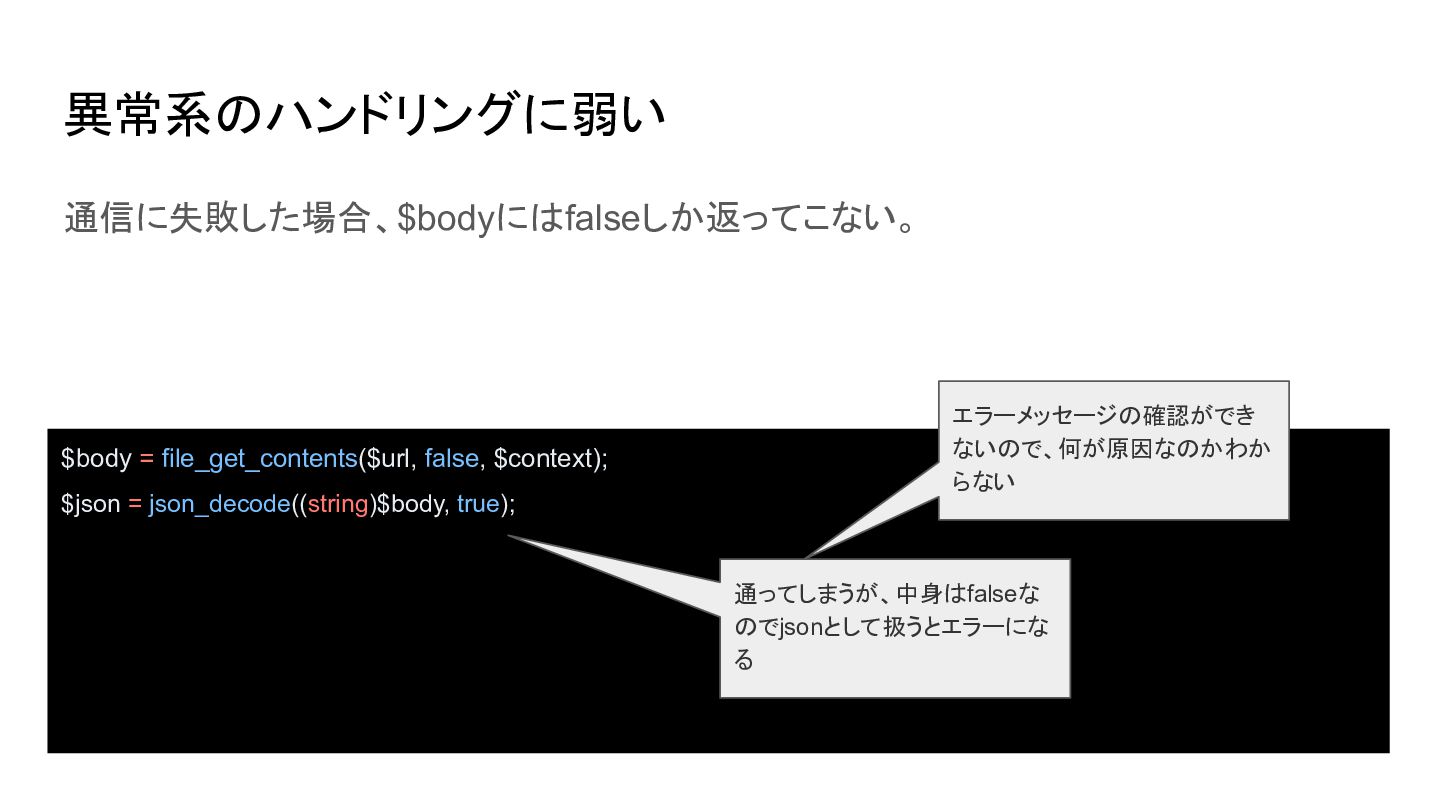
異常系のハンドリングに弱い 通信に失敗した場合、$bodyにはfalseしか返ってこない。 $body = file_get_contents($url, false, $context); エラーメッセージの確認ができ ないので、何が原因なのかわか らない
$json = json_decode((string)$body, true); 通ってしまうが、中身はfalseな のでjsonとして扱うとエラーにな る -
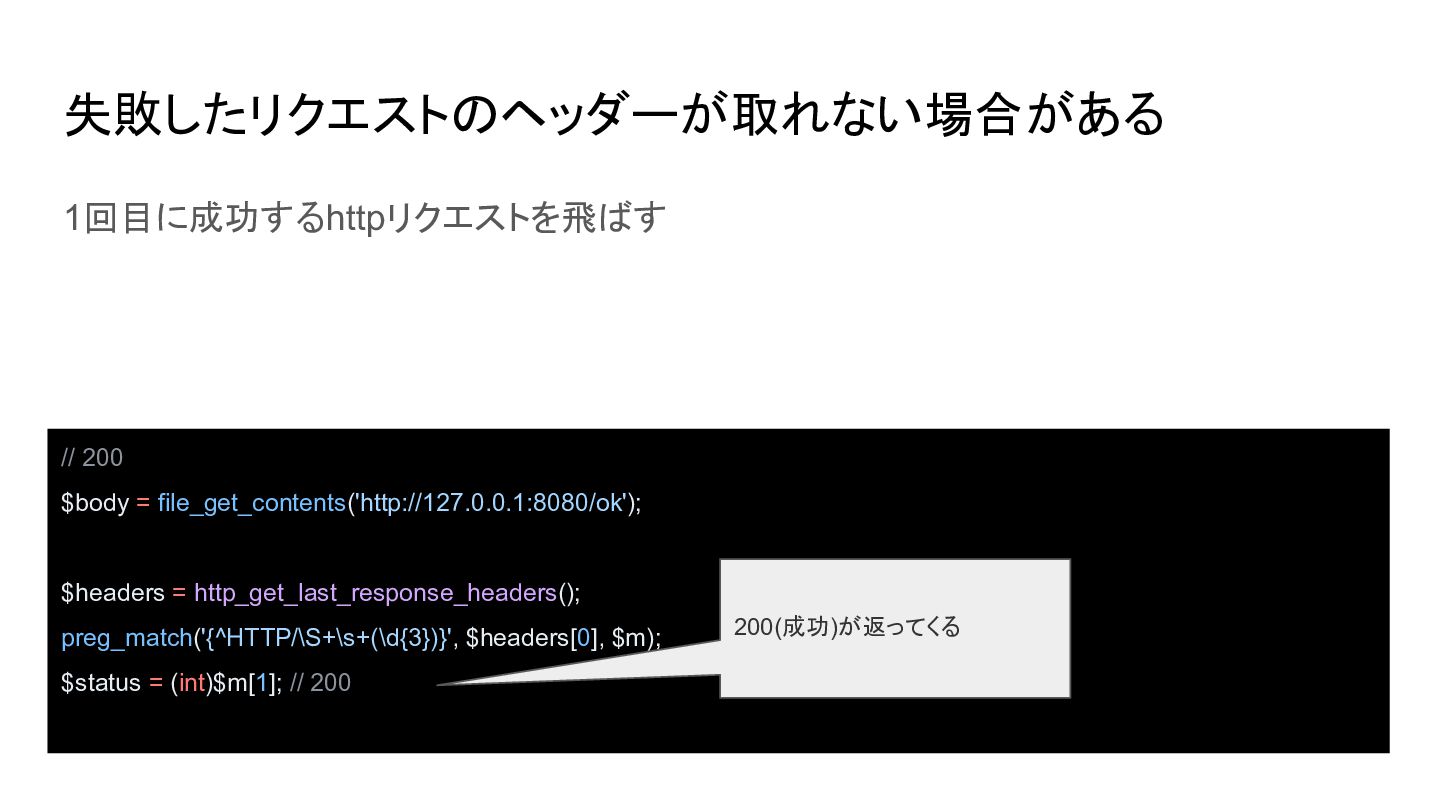
失敗したリクエストのヘッダーが取れない場合がある 1回目に成功するhttpリクエストを飛ばす // 200 $body = file_get_contents('http://127.0.0.1:8080/ok'); $headers = http_get_last_response_headers();
preg_match('{^HTTP/\S+\s+(\d{3})}', $headers[0], $m); $status = (int)$m[1]; // 200 200(成功)が返ってくる -
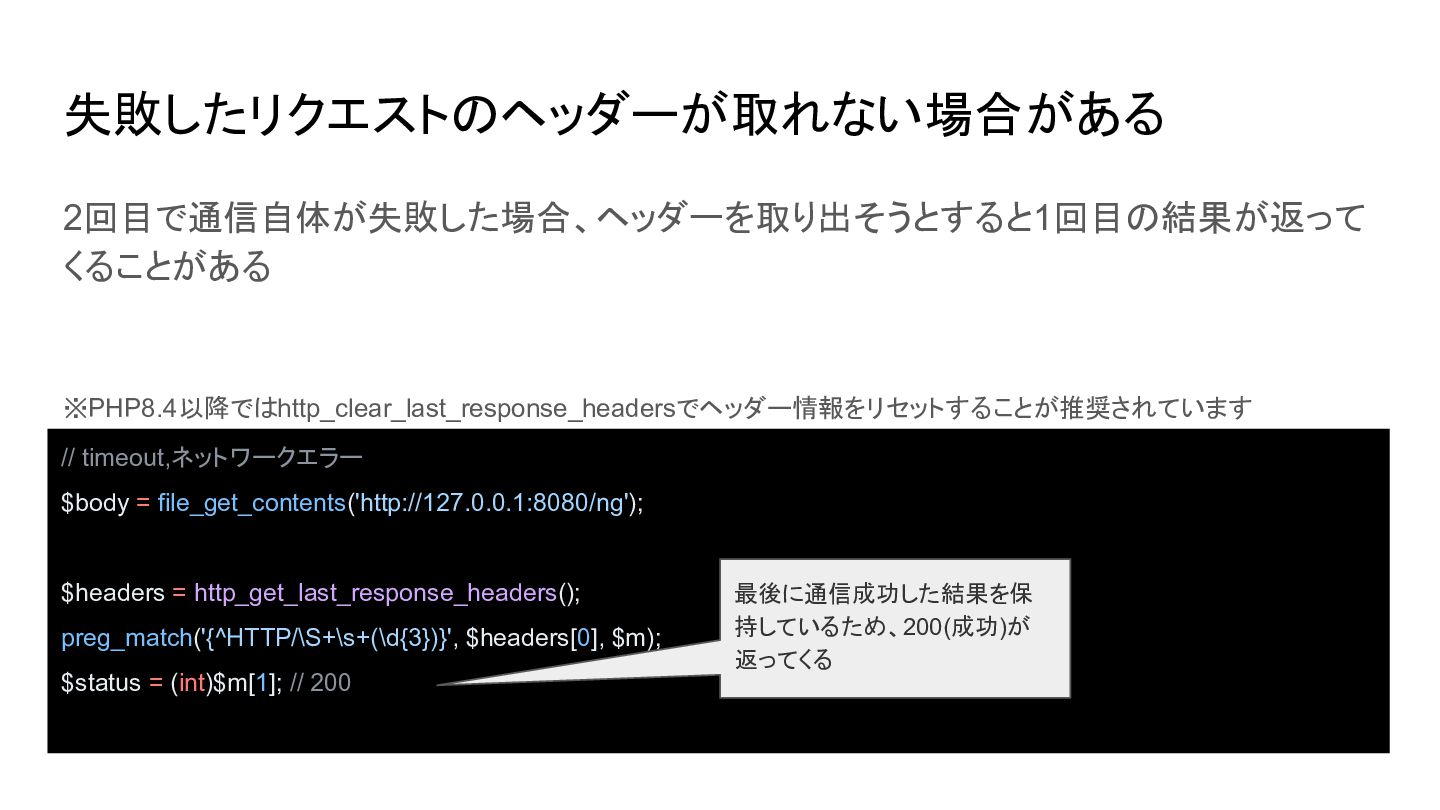
失敗したリクエストのヘッダーが取れない場合がある 2回目で通信自体が失敗した場合、ヘッダーを取り出そうとすると1回目の結果が返って くることがある ※PHP8.4以降ではhttp_clear_last_response_headersでヘッダー情報をリセットすることが推奨されています // timeout,ネットワークエラー $body = file_get_contents('http://127.0.0.1:8080/ng'); $headers
= http_get_last_response_headers(); preg_match('{^HTTP/\S+\s+(\d{3})}', $headers[0], $m); $status = (int)$m[1]; // 200 最後に通信成功した結果を保 持しているため、200(成功)が 返ってくる -
失敗したリクエストのヘッダーが取れない場合がある 2回目で通信自体が失敗した場合、ヘッダーを取り出そうとすると1回目の結果が返って くることがある ※PHP8.4以降ではhttp_clear_last_response_headersでヘッダー情報をリセットすることが推奨されています // timeout,ネットワークエラー $body = file_get_contents('http://127.0.0.1:8080/ng'); $headers
= http_get_last_response_headers(); preg_match('{^HTTP/\S+\s+(\d{3})}', $headers[0], $m); $status = (int)$m[1]; // 200 最後に通信成功した結果を保 持しているため、200(成功)が 返ってくる -
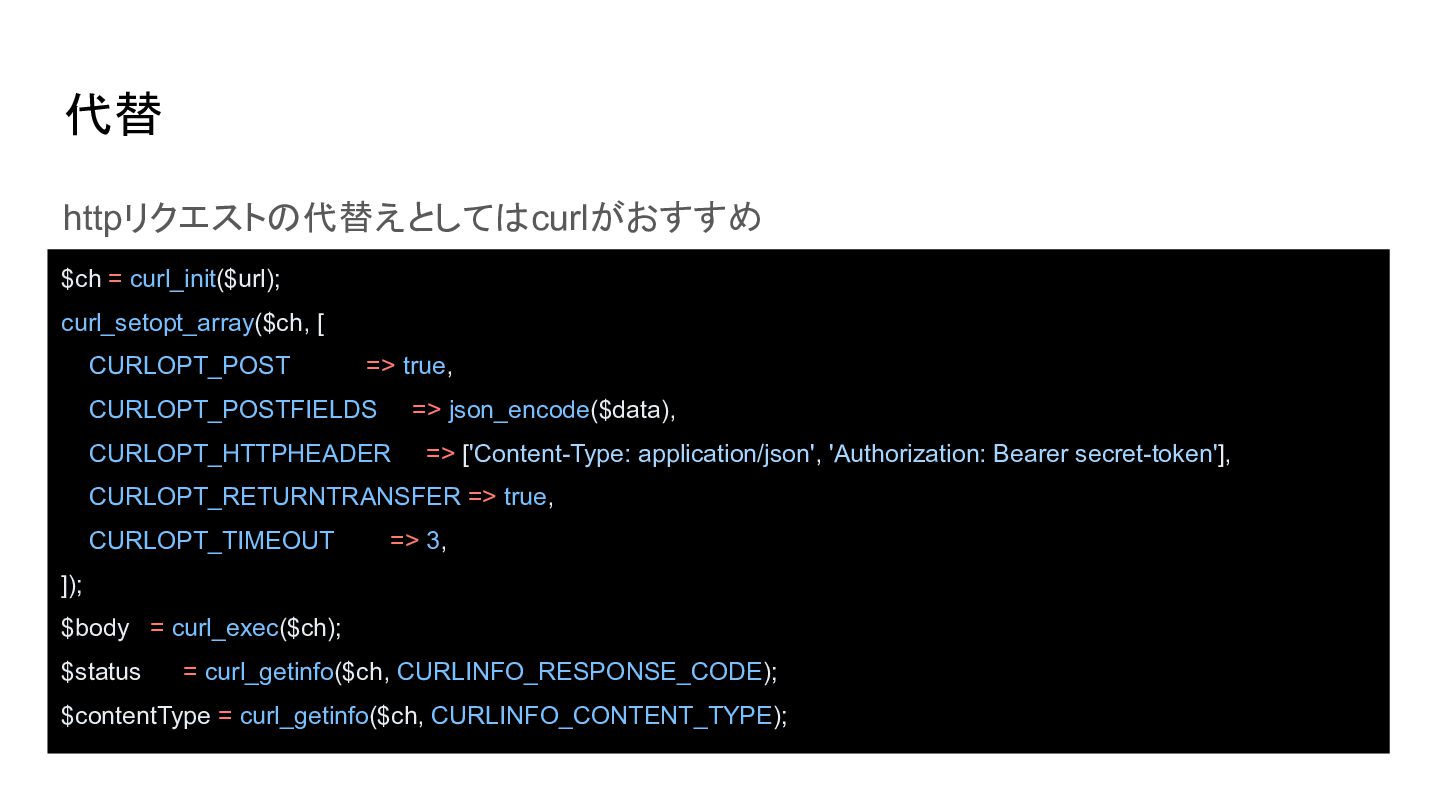
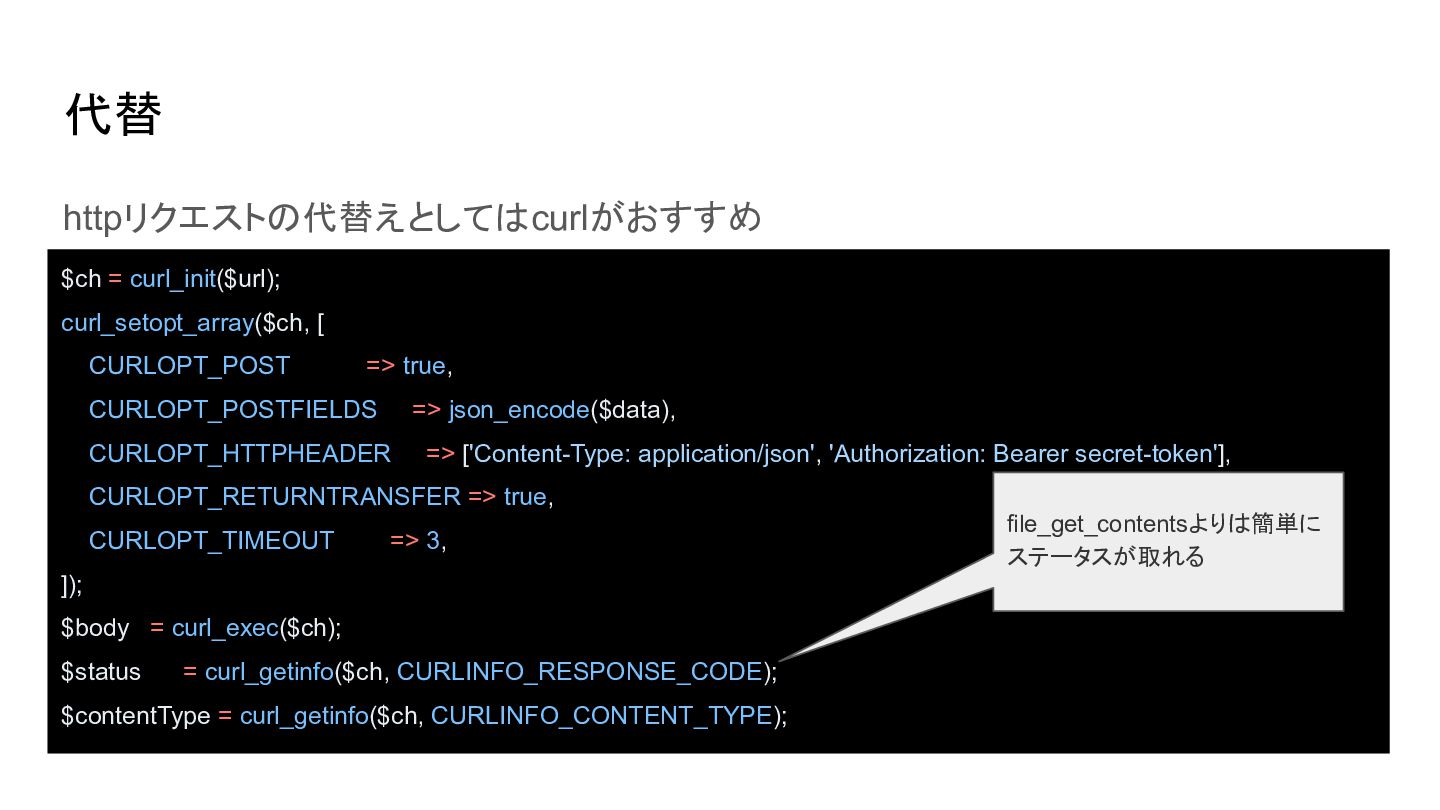
代替 httpリクエストの代替えとしてはcurlがおすすめ $ch = curl_init($url); curl_setopt_array($ch, [ CURLOPT_POST => true,
CURLOPT_POSTFIELDS => json_encode($data), CURLOPT_HTTPHEADER => ['Content-Type: application/json', 'Authorization: Bearer secret-token'], CURLOPT_RETURNTRANSFER => true, CURLOPT_TIMEOUT => 3, ]); $body = curl_exec($ch); $status = curl_getinfo($ch, CURLINFO_RESPONSE_CODE); $contentType = curl_getinfo($ch, CURLINFO_CONTENT_TYPE); -
代替 httpリクエストの代替えとしてはcurlがおすすめ $ch = curl_init($url); curl_setopt_array($ch, [ CURLOPT_POST => true,
CURLOPT_POSTFIELDS => json_encode($data), CURLOPT_HTTPHEADER => ['Content-Type: application/json', 'Authorization: Bearer secret-token'], CURLOPT_RETURNTRANSFER => true, CURLOPT_TIMEOUT => 3, ]); $body = curl_exec($ch); $status = curl_getinfo($ch, CURLINFO_RESPONSE_CODE); $contentType = curl_getinfo($ch, CURLINFO_CONTENT_TYPE); file_get_contentsよりは簡単に ステータスが取れる -
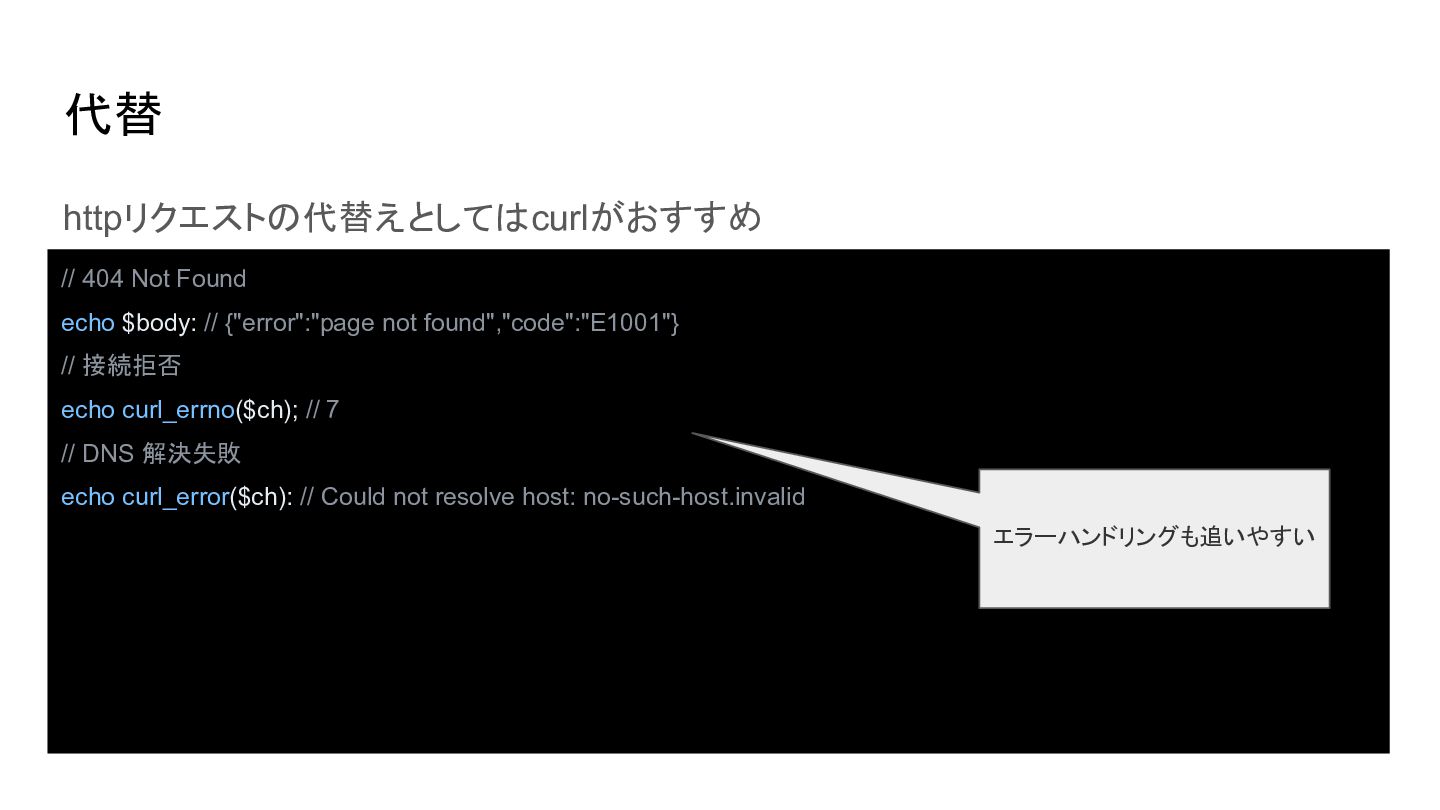
代替 httpリクエストの代替えとしてはcurlがおすすめ // 404 Not Found echo $body: // {"error":"page
not found","code":"E1001"} // 接続拒否 echo curl_errno($ch); // 7 // DNS 解決失敗 echo curl_error($ch): // Could not resolve host: no-such-host.invalid エラーハンドリングも追いやすい -
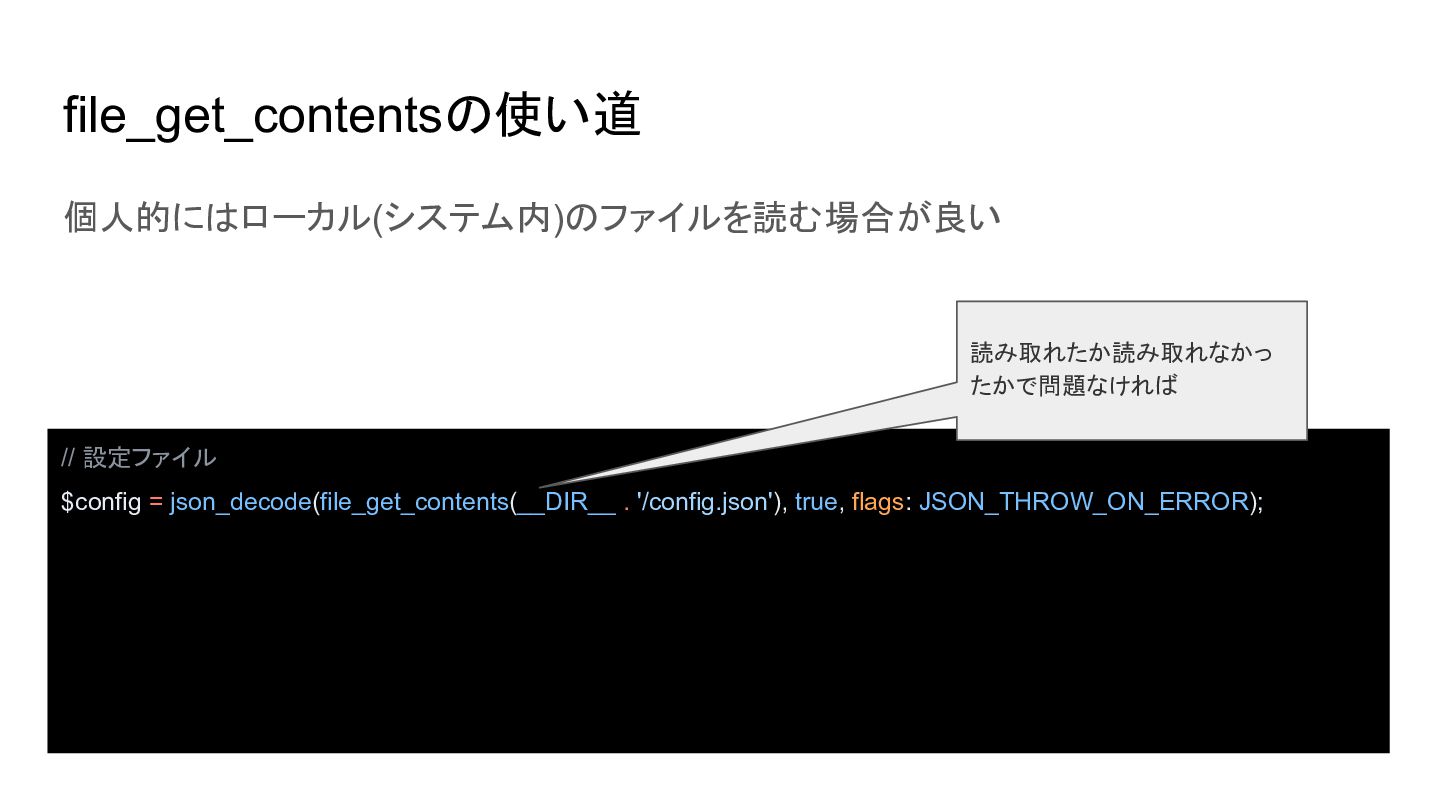
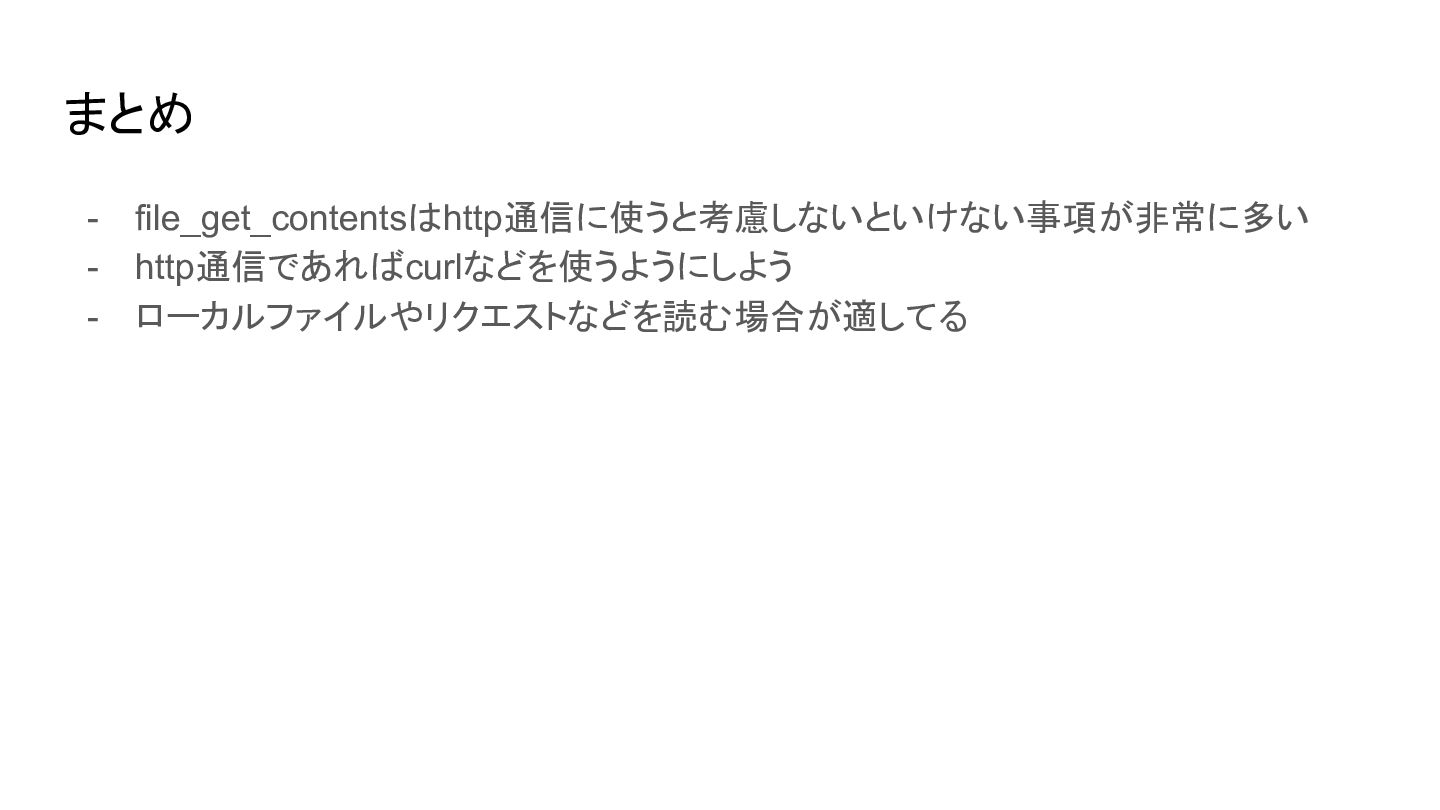
file_get_contentsの使い道 個人的にはローカル(システム内)のファイルを読む場合が良い 読み取れたか読み取れなかっ たかで問題なければ // 設定ファイル $config = json_decode(file_get_contents(__DIR__ .
'/config.json'), true, flags: JSON_THROW_ON_ERROR); -
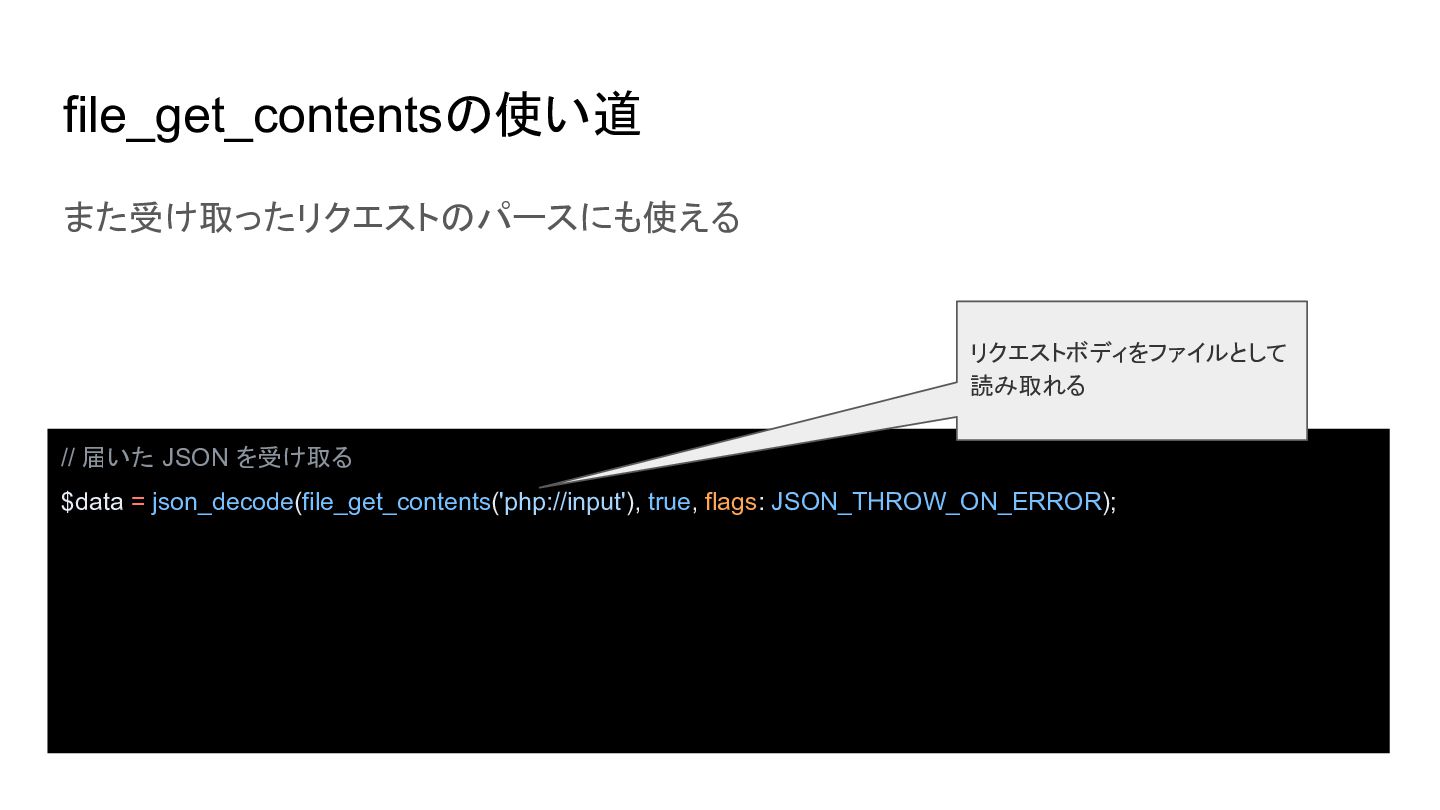
file_get_contentsの使い道 また受け取ったリクエストのパースにも使える リクエストボディをファイルとして 読み取れる // 届いた JSON を受け取る $data =
json_decode(file_get_contents('php://input'), true, flags: JSON_THROW_ON_ERROR);