Upgrade to Pro
— share decks privately, control downloads, hide ads and more …
Speaker Deck
Sign up for free
Menu
Search
Features
All features
Private URLs
Password Protection
Custom URLS
Scheduled publishing
Remove Branding
Restrict embedding
Deck Collections
Notes
Features
All features
Private URLs
Password Protection
Custom URLS
Scheduled publishing
Remove Branding
Restrict embedding
Deck Collections
Notes
Explore
Featured decks
Featured speakers
Programming
Technology
Storyboards
Explore
Featured decks
Featured speakers
Programming
Technology
Storyboards
Pricing
Search
Sign in
Sign up for free
Vuexで覚える状態管理
Search
arm4
December 25, 2017
Technology
780
0
Share
Embed
Copy iframe code
Copy JS code
Copy link
Start on current slide
Vuexで覚える状態管理
arm4
December 25, 2017
More Decks by arm4
See All by arm4
Google Data Studio 101
fromarm4
0
200
5 Points Of Customizing Vuetify
fromarm4
4
1.4k
about abstract component design using slots of Vue.js
fromarm4
4
1.6k
laravel_lt_party_with_mokumoku_3
fromarm4
0
430
Make it happen in realtime with Laravel Echo and Pusher
fromarm4
0
1.1k
Trying to write a code with Laravel+Vue+TypeScript
fromarm4
0
610
Create a Laravel notification via Slack when batch jobs are finished
fromarm4
0
900
solving frontend issues
fromarm4
1
1.8k
Popular Vue.js UI Frameworks in 2019
fromarm4
2
910
Other Decks in Technology
See All in Technology
freeeにおける AI を用いた ブラウザ動作確認の自動化の取り組み
freee
PRO
0
220
プロダクトが成長すると、 プロダクトマネージャーの仕事はどう変わるのか - 「まず作る」から「小さく学び、確かめながら進む」へ
sansantech
PRO
1
370
ガチで放置できるClaude Code実行環境の作り方.pdf
lamaglama39
5
9.8k
dbt Semantic Layerで進めるenechainのデータ民主化
akizhou
1
270
生成AI時代、PMは事業責任者に進化するともっと面白い〜PMだからこそ事業構造を動かせる時代に〜
kakehashi
PRO
0
870
企画を Software Factory-ready にする——開発が高速になったとき、PdMの仕事はどう変わったか
yachibit
1
270
スクラム祭り2026福井トラック_閉じたループから価値のスパイラルへ
kc_nakanishi
0
170
あなたのDartコードは丸見えかもしれない ~reFlutterで暴くFlutterアプリの中身と多層防御~
zozotech
PRO
0
180
2026-10-24 JAWS JAWS-UG 茨城 #18 IAM Policy Autopilotってなにさ。terraform planからIAM Policyつくれるの? / What's IAM Policy Autopilot
masasuzu
0
170
AIエージェント時代、Kaggleにどう取り組むか
takanao
1
190
LLM Content Moderationを支える評価・改善ループの実践
suikabar
2
360
推論基盤と Scale-Up Interconnect の現状と制約から俯瞰する技術動向
markunet
2
230
Featured
See All Featured
Making the Leap to Tech Lead
cromwellryan
135
10k
[Rails World 2023 - Day 1 Closing Keynote] - The Magic of Rails
eileencodes
38
3.1k
The Illustrated Guide to Node.js - THAT Conference 2024
reverentgeek
1
580
Abbi's Birthday
coloredviolet
4
10k
Un-Boring Meetings
codingconduct
0
460
Designing Experiences People Love
moore
143
24k
A Soul's Torment
seathinner
8
3.8k
How to train your dragon (web standard)
notwaldorf
96
6.9k
More Than Pixels: Becoming A User Experience Designer
marktimemedia
3
580
Become a Pro
speakerdeck
PRO
31
6.3k
How to Think Like a Performance Engineer
csswizardry
28
2.9k
The Illustrated Children's Guide to Kubernetes
chrisshort
51
53k
Transcript
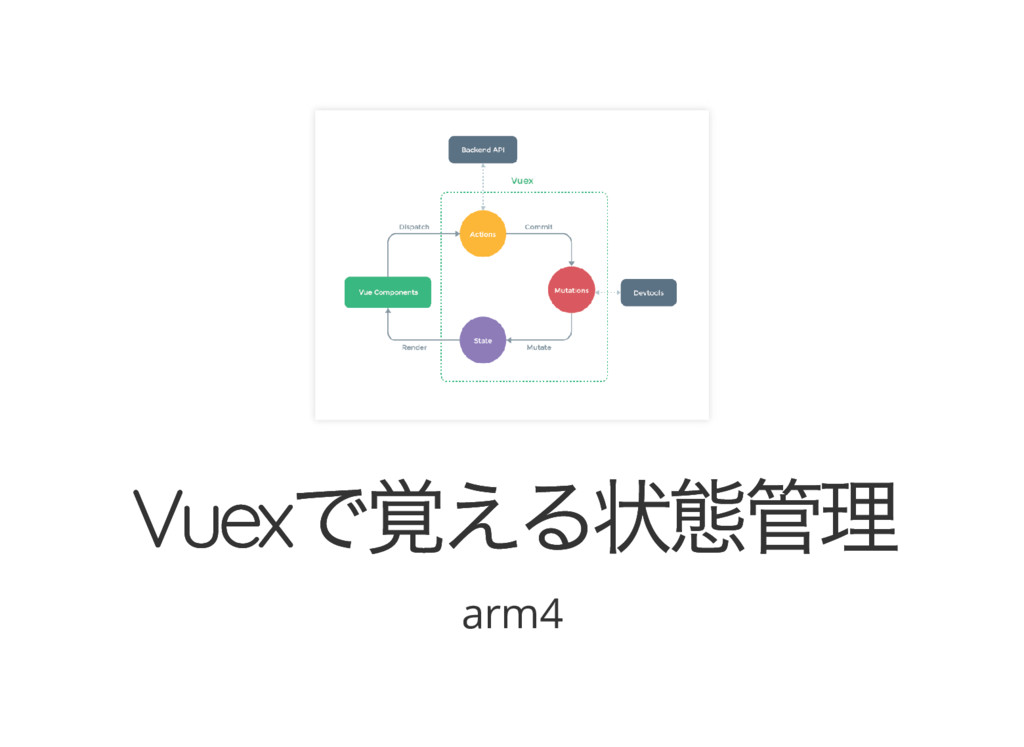
Vuex で覚える状態管理 Vuex で覚える状態管理 arm4
今日、話すこと 今日、話すこと Vuex って何? 既存プロジェクトではこうでした Vuex を使うとこうなるよ Laravel での導入手順 つまり状態管理って何?
その他
Vuex って何? Vuex って何?
と、説明に入るその前に、 コードから見ていきましょう! そうじゃないと説明が難しくて頭に入らないからね!
既存プロジェクトではこうで 既存プロジェクトではこうで した した
親から子へデータを渡す 親から子へデータを渡す 親から子へデータを渡す際はprops といって、親のコ ンポーネントにカスタム属性を設定し、 それを子コンポーネントに設定したprops オプション で受け取るという手法を使います。
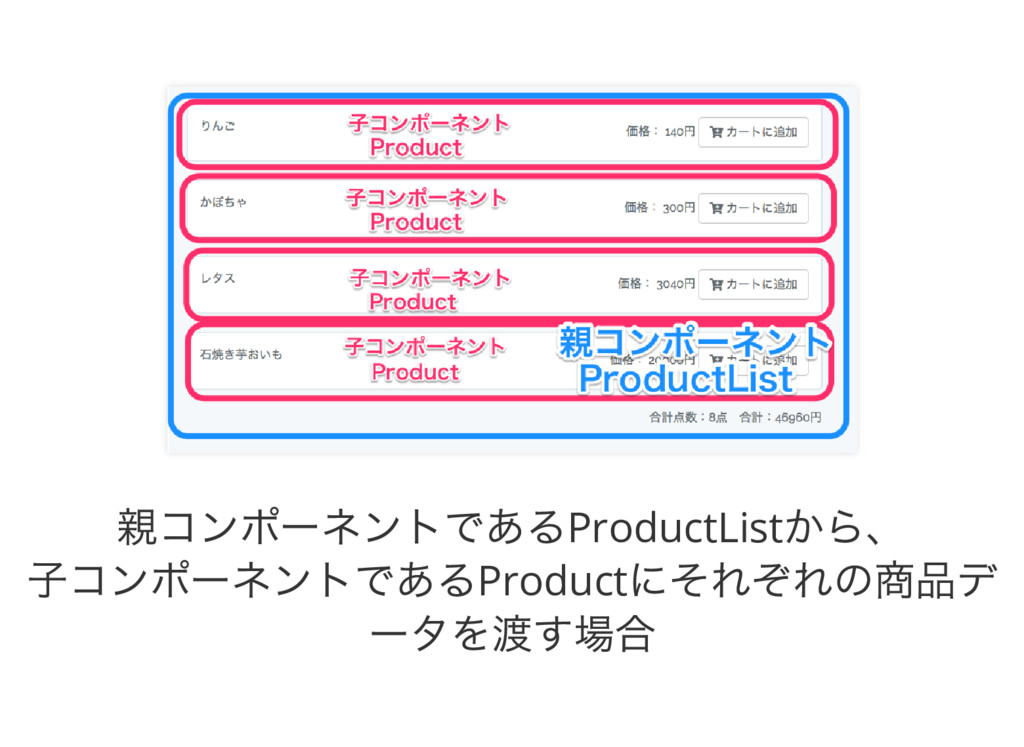
親コンポーネントであるProductList から、 子コンポーネントであるProduct にそれぞれの商品デ ータを渡す場合
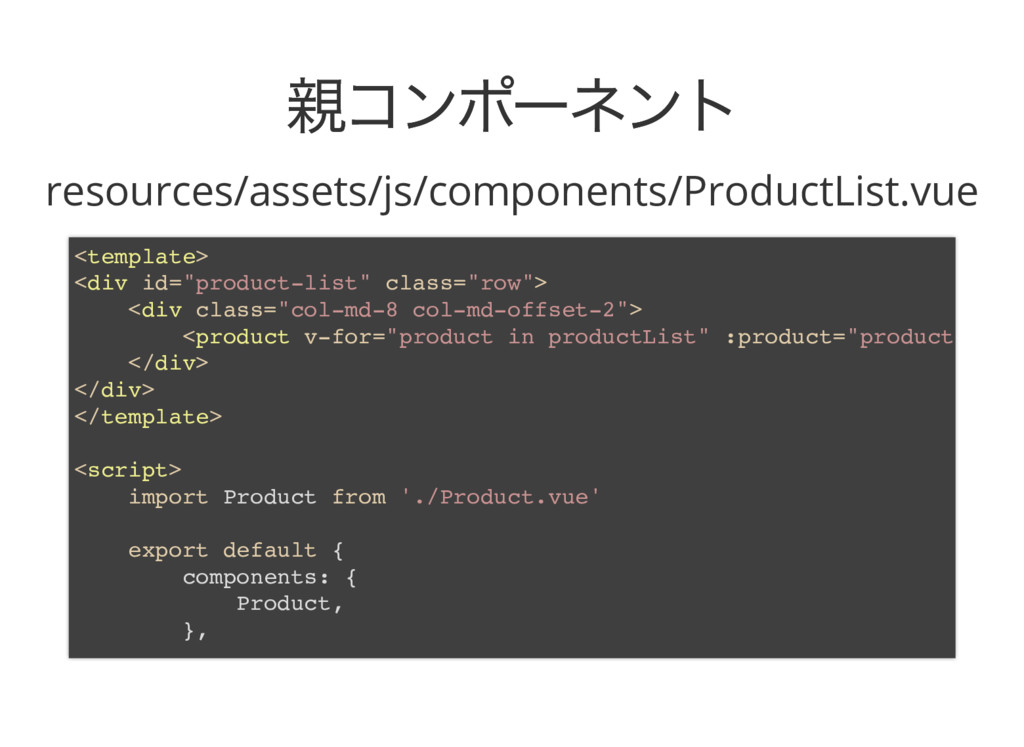
親コンポーネント 親コンポーネント resources/assets/js/components/ProductList.vue <template> <div id="product-list" class="row"> <div class="col-md-8 col-md-offset-2">
<product v-for="product in productList" :product="product </div> </div> </template> <script> import Product from './Product.vue' export default { components: { Product, },
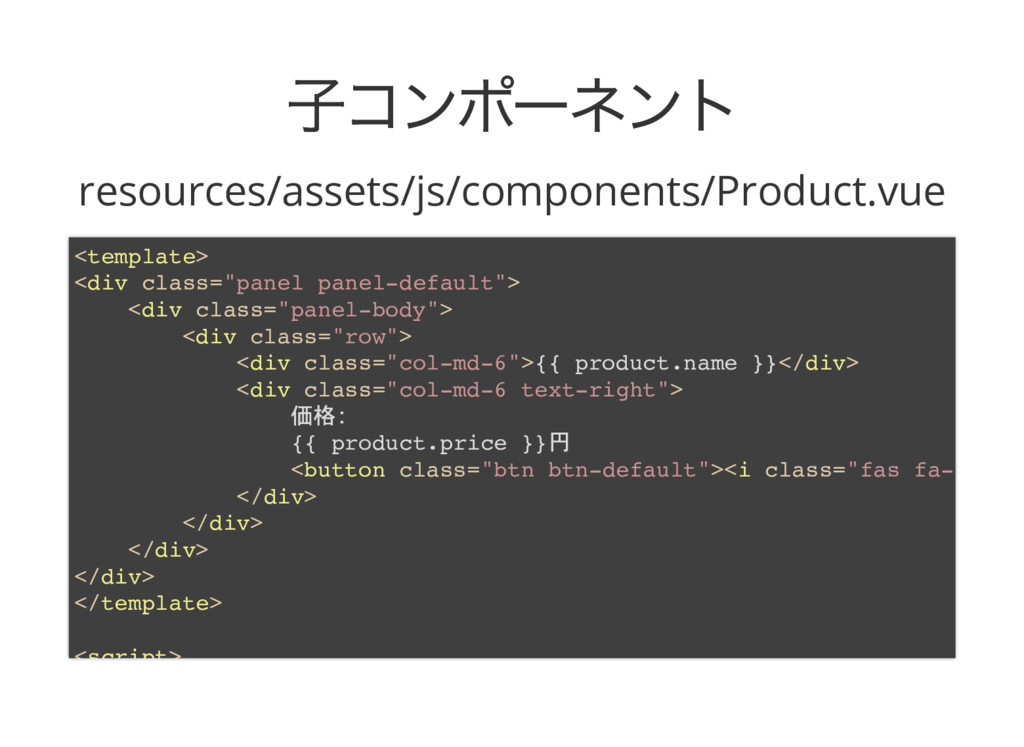
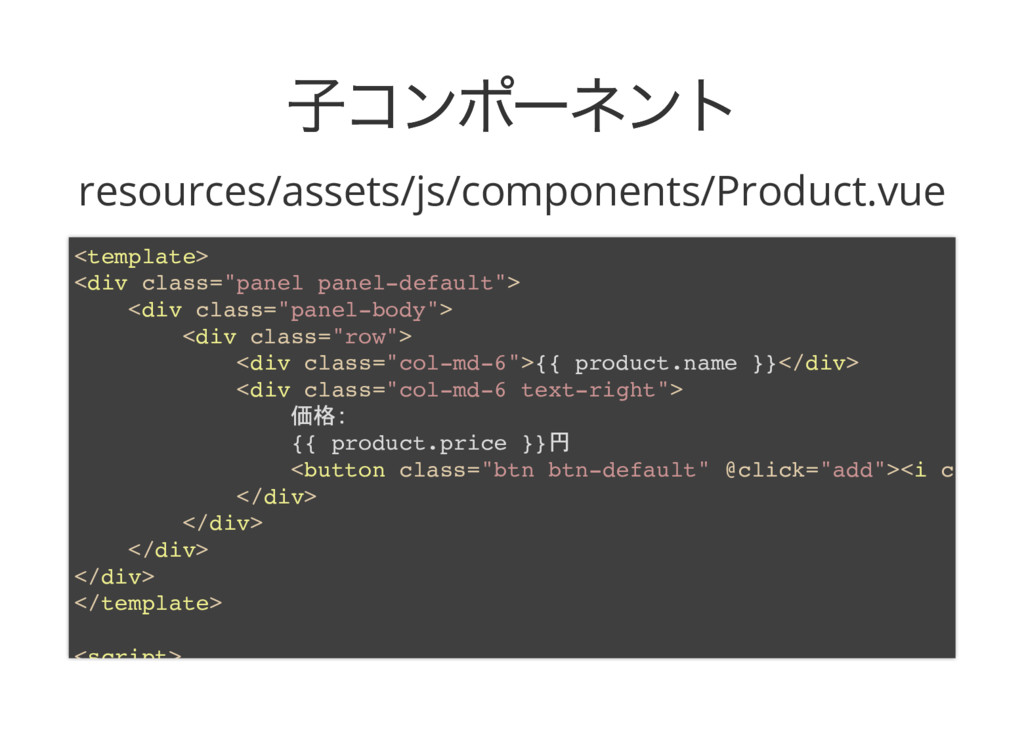
子コンポーネント 子コンポーネント resources/assets/js/components/Product.vue <template> <div class="panel panel-default"> <div class="panel-body"> <div
class="row"> <div class="col-md-6">{{ product.name }}</div> <div class="col-md-6 text-right"> 価格 {{ product.price }}円 <button class="btn btn-default"><i class="fas fa-c </div> </div> </div> </div> </template> <script>
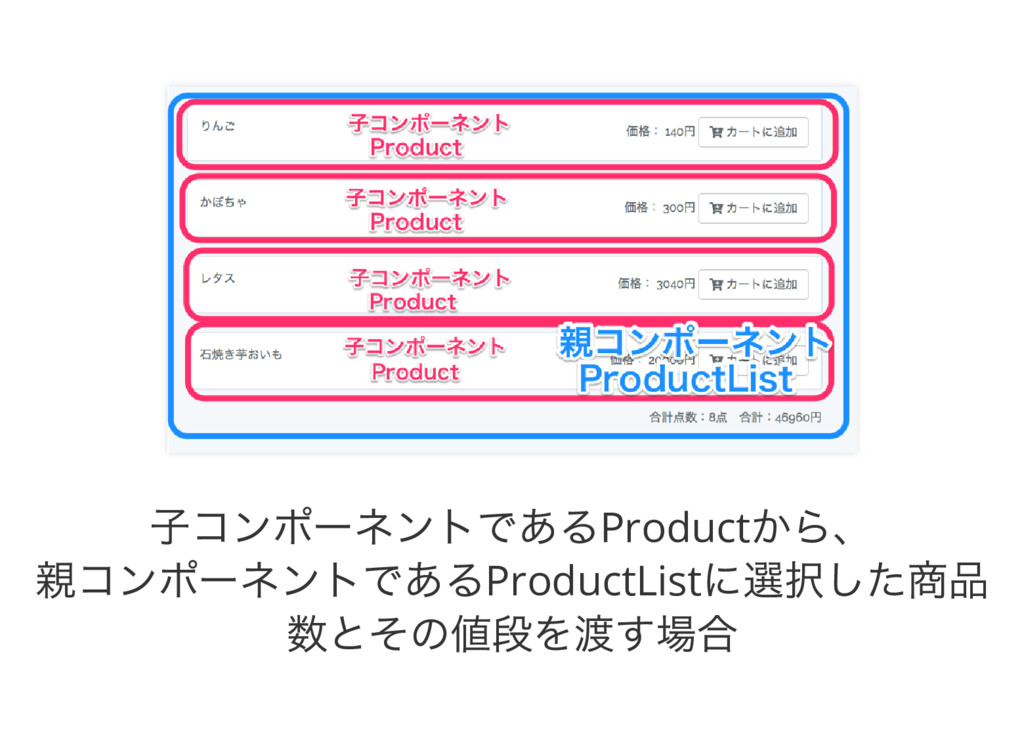
子から親へデータを渡す 子から親へデータを渡す 子から親へデータを渡す場合は、子で$emit を使いカ スタムイベントを発火させ、 親のテンプレート側の子コンポーネントのタグでv- on を使ってカスタムイベントをリッスンしデータを 渡す。
子コンポーネントであるProduct から、 親コンポーネントであるProductList に選択した商品 数とその値段を渡す場合
子コンポーネント 子コンポーネント resources/assets/js/components/Product.vue <template> <div class="panel panel-default"> <div class="panel-body"> <div
class="row"> <div class="col-md-6">{{ product.name }}</div> <div class="col-md-6 text-right"> 価格 {{ product.price }}円 <button class="btn btn-default" @click="add"><i c </div> </div> </div> </div> </template> <script>
親コンポーネント 親コンポーネント resources/assets/js/components/ProductList.vue <template> <div id="product-list" class="row"> <div class="col-md-8 col-md-offset-2">
<product v-for="product in productList" :product="product <div class="text-right">合計点数 {{ total.count }}点 合計 { </div> </div> </template> <script> import Product from './Product.vue' export default { components: { Product, }
親子じゃないコンポーネントにデータ 親子じゃないコンポーネントにデータ を渡す を渡す event bus という概念を使って、 グローバル領域にあるオブジェクトのインスタンスで イベントの発火を行い それをそれぞれのコンポーネントがリッスンすること
でデータをやりとりする。
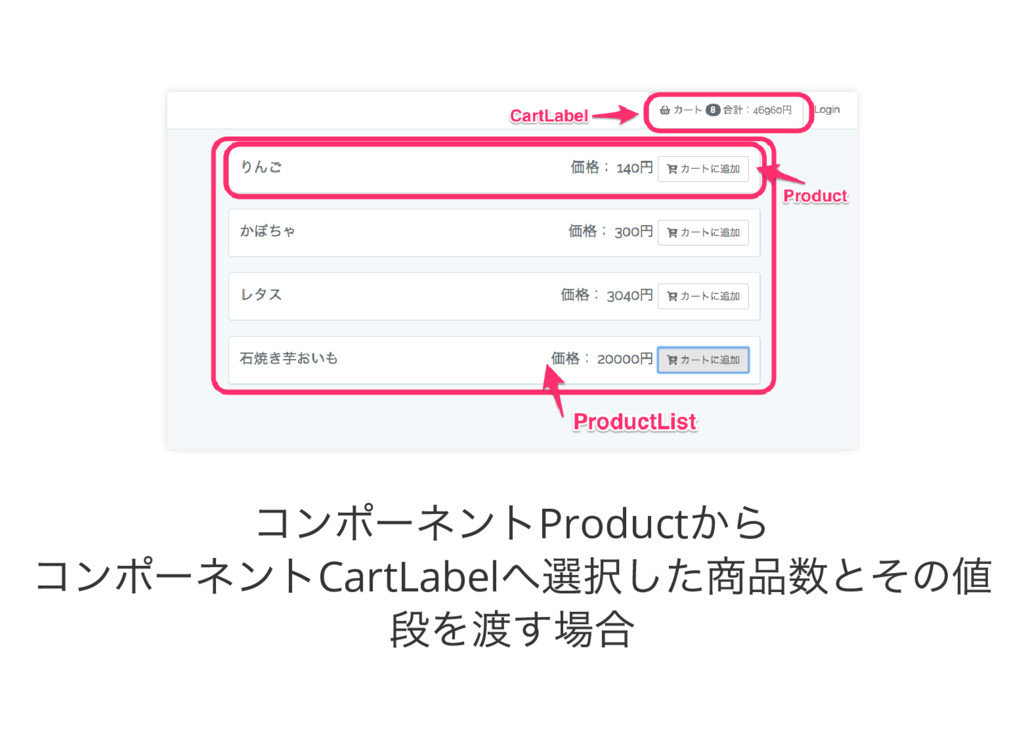
コンポーネントProduct から コンポーネントCartLabel へ選択した商品数とその値 段を渡す場合
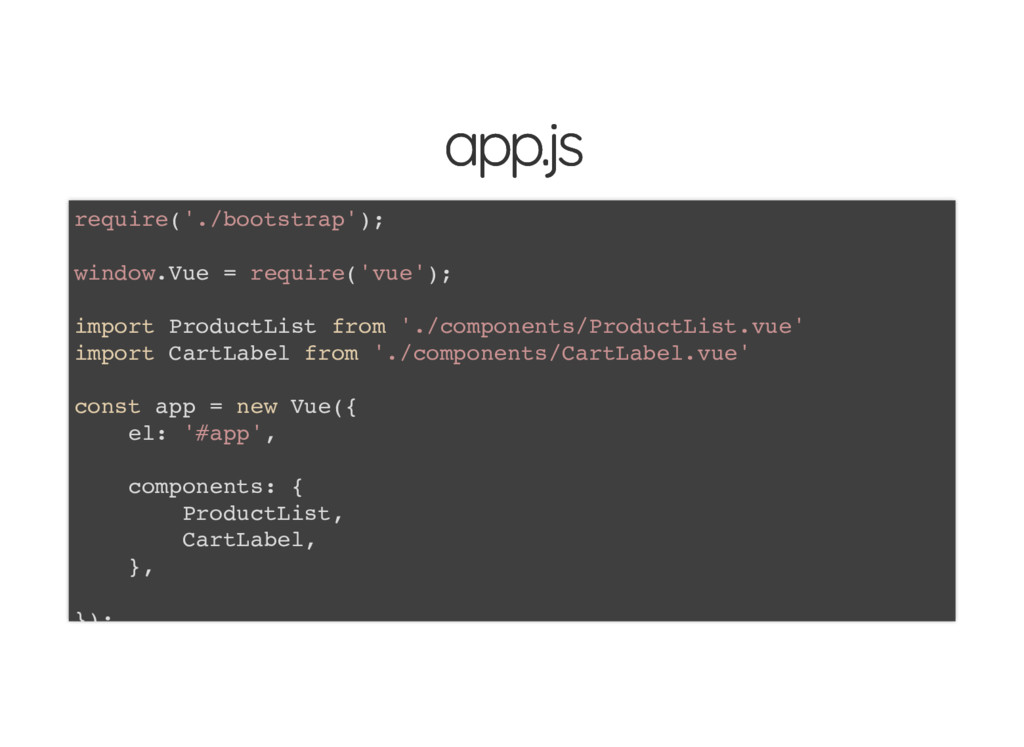
app.js app.js require('./bootstrap'); window.Vue = require('vue'); import ProductList from './components/ProductList.vue'
import CartLabel from './components/CartLabel.vue' const app = new Vue({ el: '#app', components: { ProductList, CartLabel, }, });
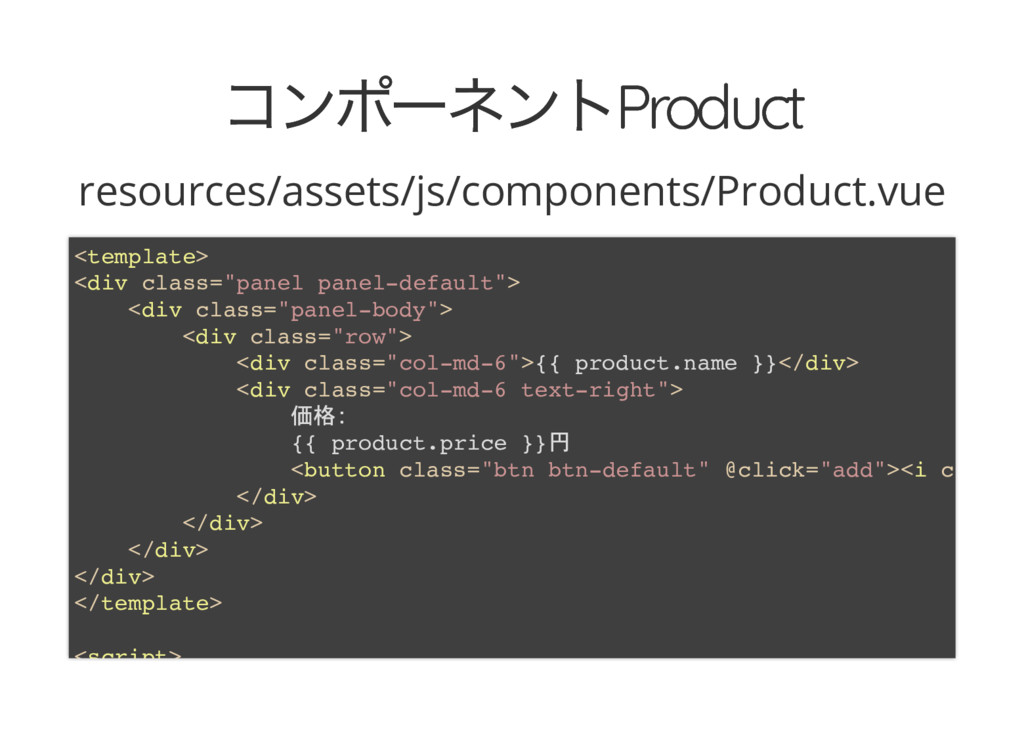
コンポーネントProduct コンポーネントProduct resources/assets/js/components/Product.vue <template> <div class="panel panel-default"> <div class="panel-body"> <div
class="row"> <div class="col-md-6">{{ product.name }}</div> <div class="col-md-6 text-right"> 価格 {{ product.price }}円 <button class="btn btn-default" @click="add"><i c </div> </div> </div> </div> </template> <script>
コンポーネントCartLabel コンポーネントCartLabel resources/assets/js/components/CartLabel.vue <template> <a class="btn btn-default" href="#"> <i class="fas
fa-shopping-cart"></i> <span class="badge b </a> </template> <script> export default { data() { return { count: 0, price: 0, } }, created() {
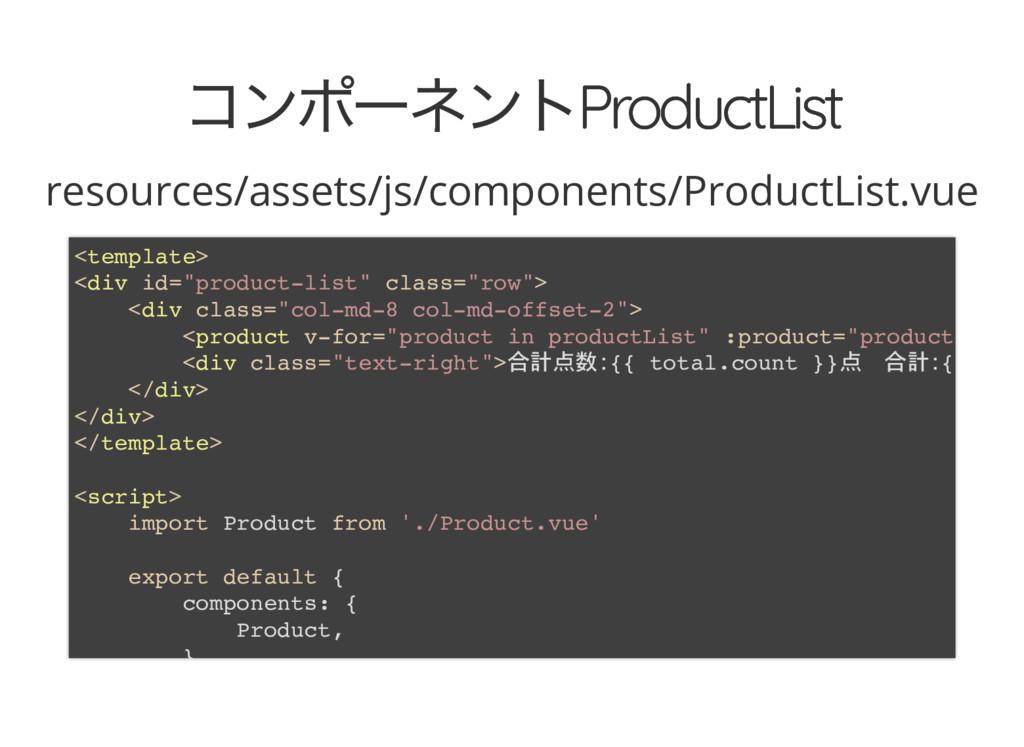
コンポーネントProductList コンポーネントProductList resources/assets/js/components/ProductList.vue <template> <div id="product-list" class="row"> <div class="col-md-8 col-md-offset-2">
<product v-for="product in productList" :product="product <div class="text-right">合計点数 {{ total.count }}点 合計 { </div> </div> </template> <script> import Product from './Product.vue' export default { components: { Product, }
▼それぞれのデータ受け渡しを理解するのに参考にな るページ https://kuroeveryday.blogspot.jp/2016/10/vuejs- components-emit-events.html
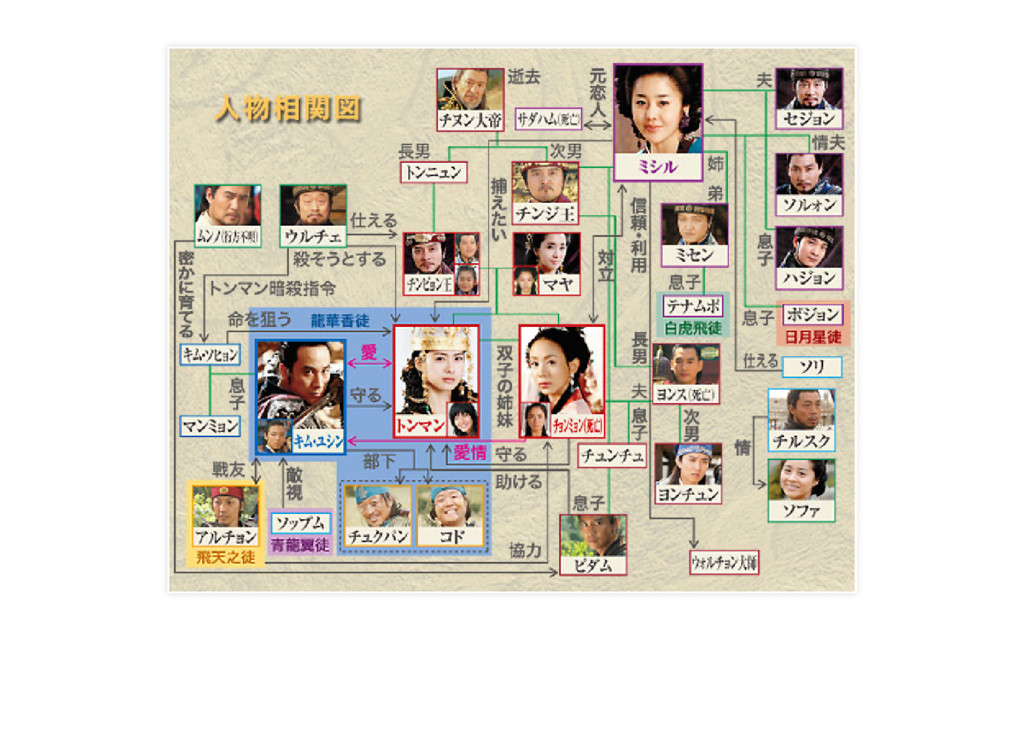
この程度のコンポーネント構造とイベント数であれ ば、そこまで複雑ではないし 「ボタン押したら2 つのコンポーネントにデータを渡 すのね」と覚えていられます。 が が このコンポーネント数が20 個になって、イベントが 15
個になったときのことを想像してみてください。
None
こうなります。
Vuex って何? Vuex って何?
戻ってきました。 いわゆるFlux フレームワークの1つで、 Vue.js で作成するアプリケーションの状態を管理する ためのフレームワーク。
Flux ? Flux ?
Facebook 社が提唱した設計思想。 矢印が一方向になることによって、デバッグがしやす くなりメンテナンス性が上がるという思想。
え? 逆に複雑そうじゃね?(小声)
あの図は偉い人用だから普通の人用に書き換えます
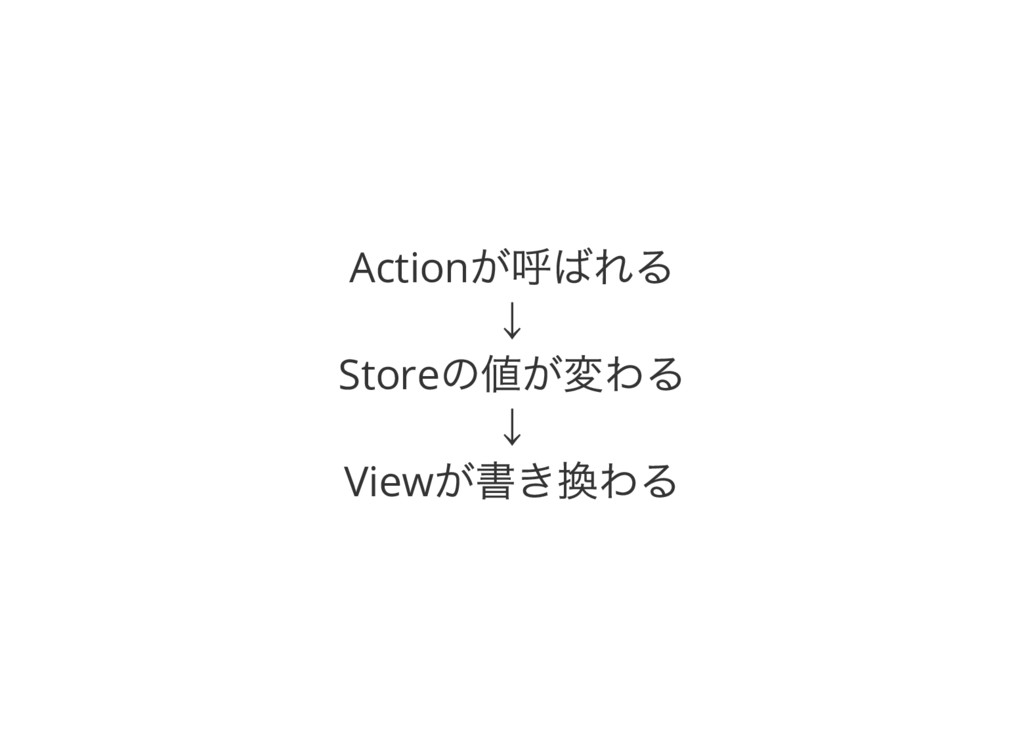
Action が呼ばれる ↓ Store の値が変わる ↓ View が書き換わる
Vuex 以外にもFlux フレームワークはた Vuex 以外にもFlux フレームワークはた くさんある くさんある Redux, Flux-utils,
MobX
では、なぜVuex なのか? では、なぜVuex なのか?
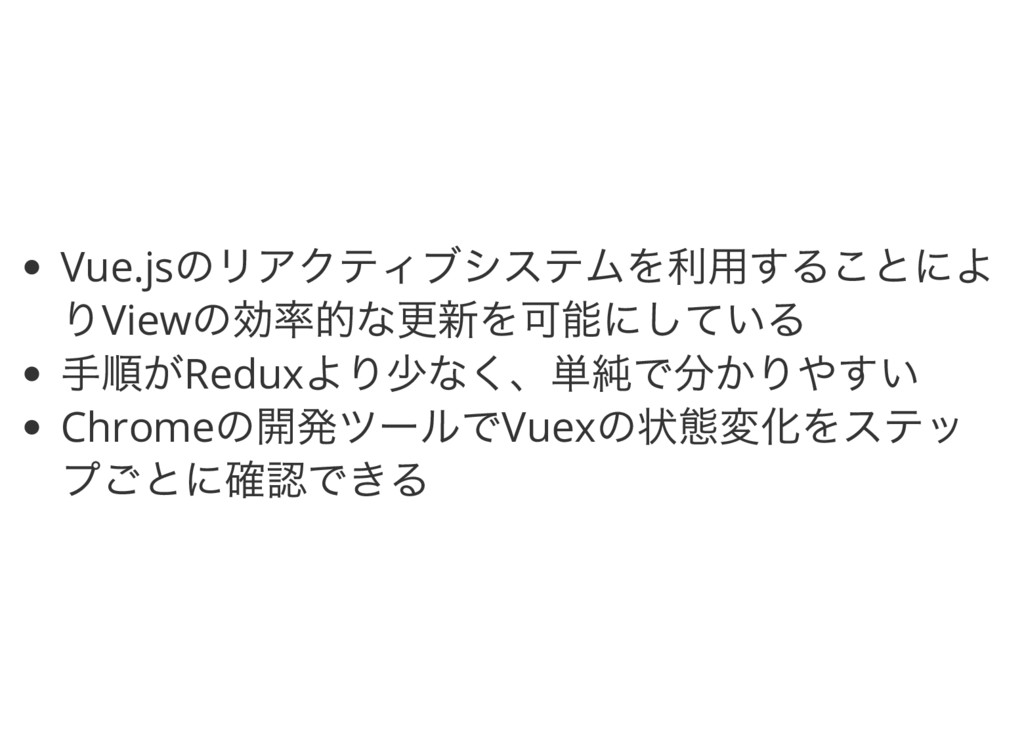
Vue.js のリアクティブシステムを利用することによ りView の効率的な更新を可能にしている 手順がRedux より少なく、単純で分かりやすい Chrome の開発ツールでVuex の状態変化をステッ プごとに確認できる
具体的に何がうれしいの? 具体的に何がうれしいの?
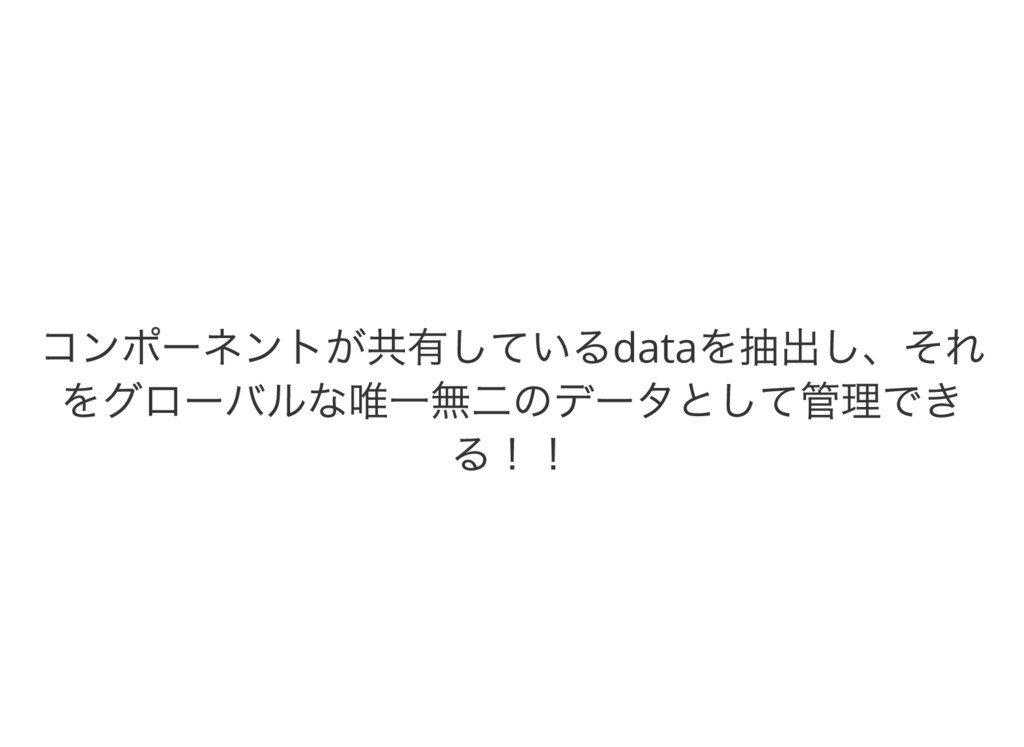
コンポーネントが共有しているdata を抽出し、それ をグローバルな唯一無二のデータとして管理でき る!!
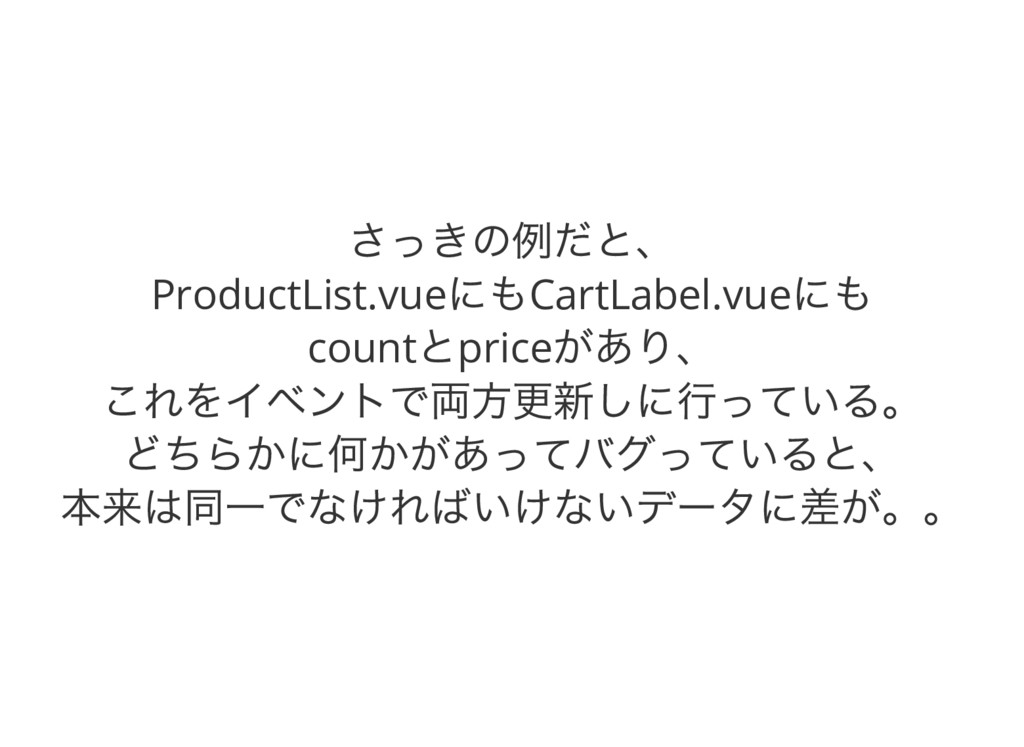
さっきの例だと、 ProductList.vue にもCartLabel.vue にも count とprice があり、 これをイベントで両方更新しに行っている。 どちらかに何かがあってバグっていると、 本来は同一でなければいけないデータに差が。。
要は、関係してるコンポーネ 要は、関係してるコンポーネ ントを覚えてないといけなく ントを覚えてないといけなく てバグりやすい てバグりやすい
グローバルな領域にあるcount とprice をそれぞれのコ ンポーネントが読みに行ったり、 変更したりすればいいじゃないの! そう思いませんか? そう思いませんか?
そう、つまりそれがVuex
Vuex を使うとこうなるよ Vuex を使うとこうなるよ
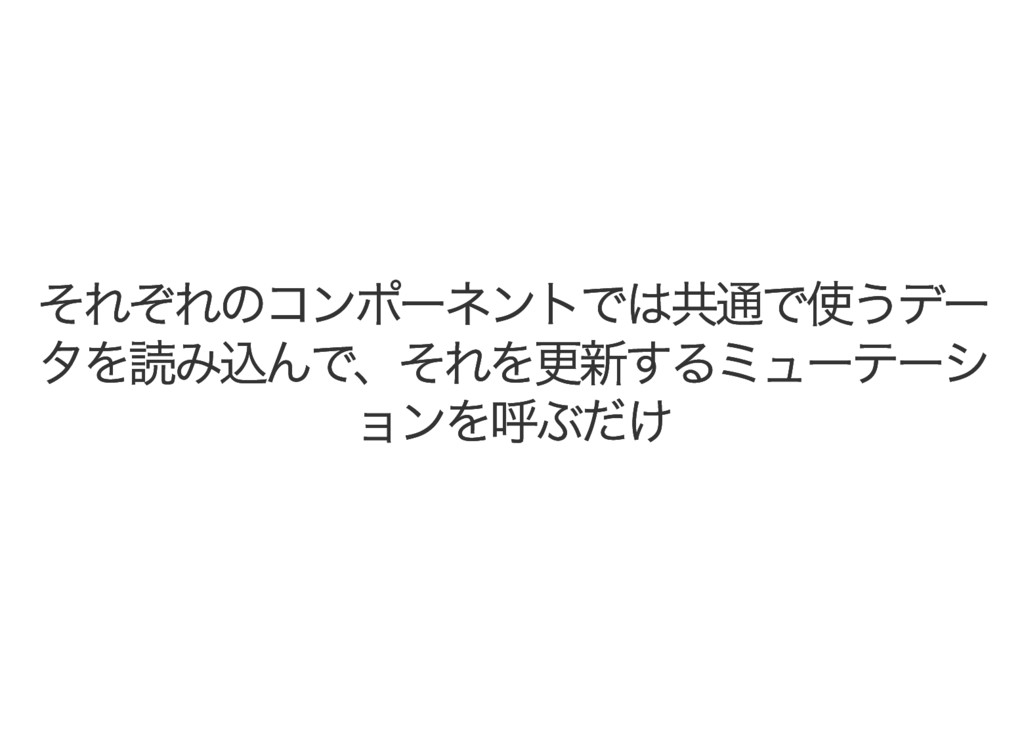
それぞれのコンポーネントでは共通で使うデー それぞれのコンポーネントでは共通で使うデー タを読み込んで、それを更新するミューテーシ タを読み込んで、それを更新するミューテーシ ョンを呼ぶだけ ョンを呼ぶだけ
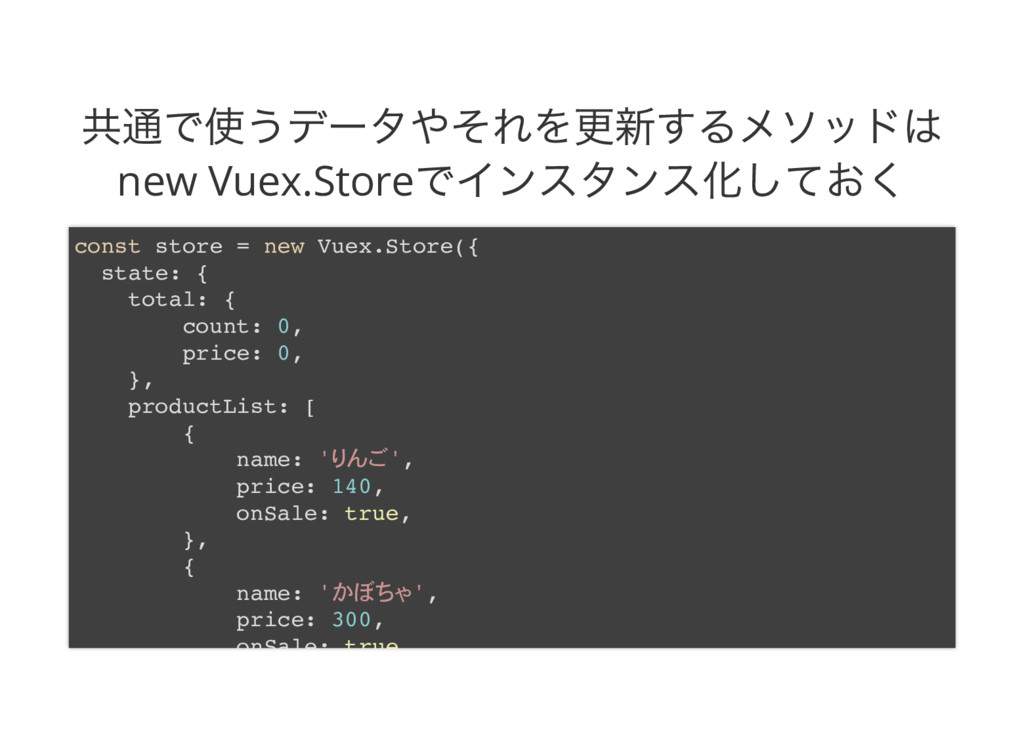
共通で使うデータやそれを更新するメソッドは new Vuex.Store でインスタンス化しておく const store = new Vuex.Store({ state:
{ total: { count: 0, price: 0, }, productList: [ { name: ' ', price: 140, onSale: true, }, { name: ' ', price: 300, onSale: true
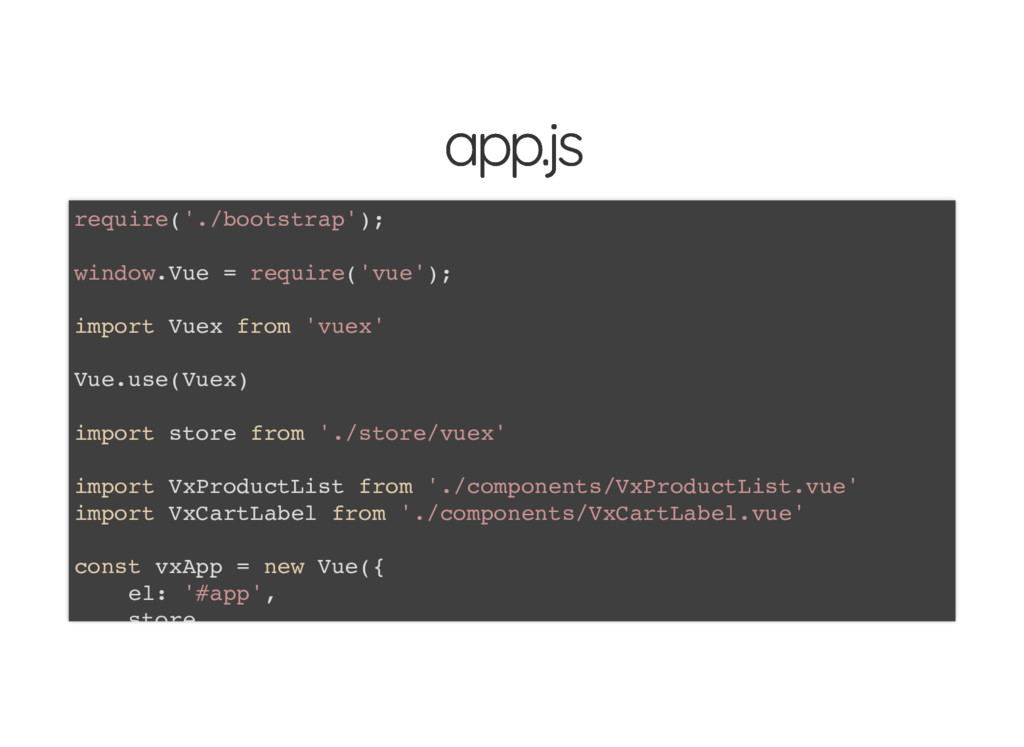
app.js app.js require('./bootstrap'); window.Vue = require('vue'); import Vuex from 'vuex'
Vue.use(Vuex) import store from './store/vuex' import VxProductList from './components/VxProductList.vue' import VxCartLabel from './components/VxCartLabel.vue' const vxApp = new Vue({ el: '#app', store
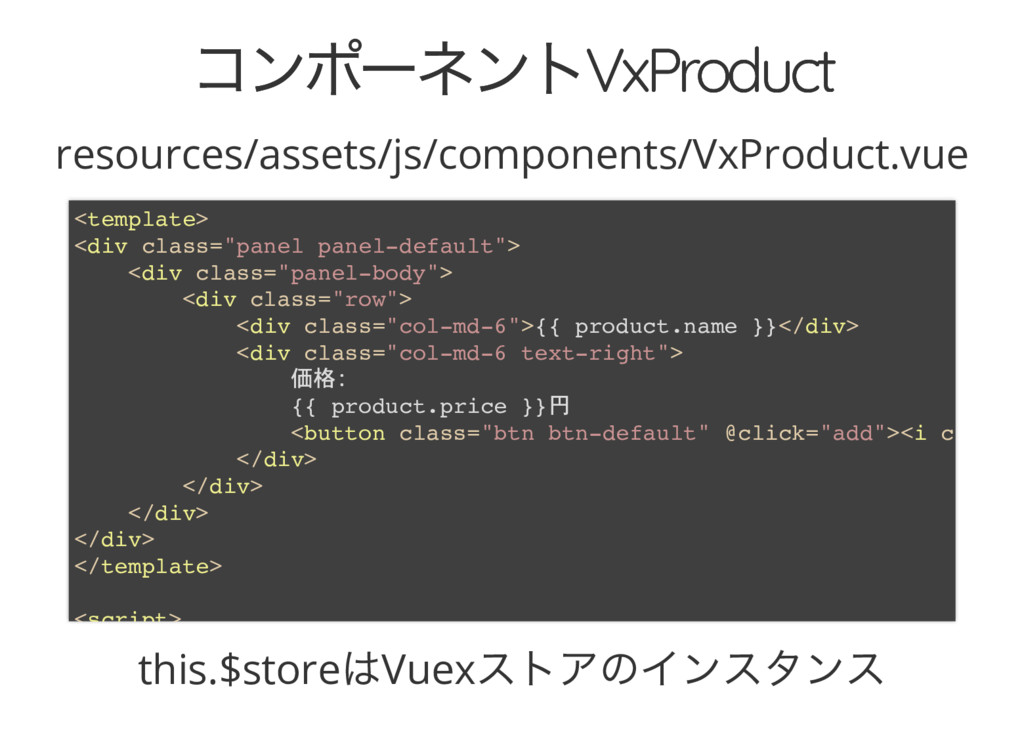
コンポーネントVxProduct コンポーネントVxProduct resources/assets/js/components/VxProduct.vue this.$store はVuex ストアのインスタンス <template> <div class="panel panel-default">
<div class="panel-body"> <div class="row"> <div class="col-md-6">{{ product.name }}</div> <div class="col-md-6 text-right"> 価格 {{ product.price }}円 <button class="btn btn-default" @click="add"><i c </div> </div> </div> </div> </template> <script>
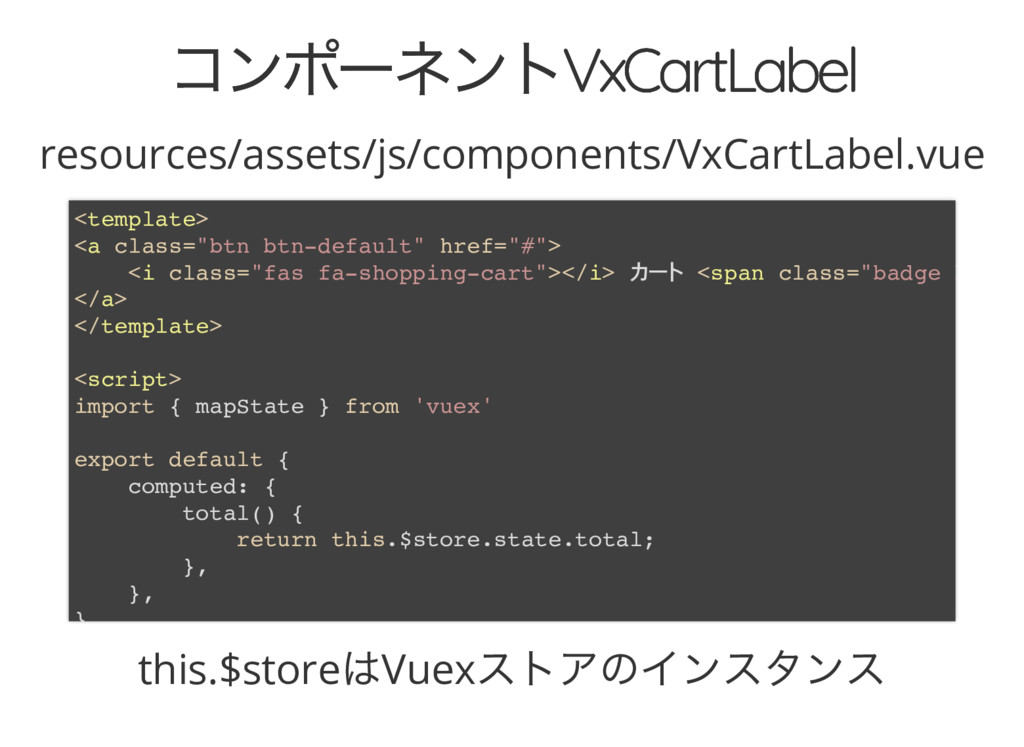
コンポーネントVxCartLabel コンポーネントVxCartLabel resources/assets/js/components/VxCartLabel.vue this.$store はVuex ストアのインスタンス <template> <a class="btn btn-default"
href="#"> <i class="fas fa-shopping-cart"></i> <span class="badge b </a> </template> <script> import { mapState } from 'vuex' export default { computed: { total() { return this.$store.state.total; }, }, }
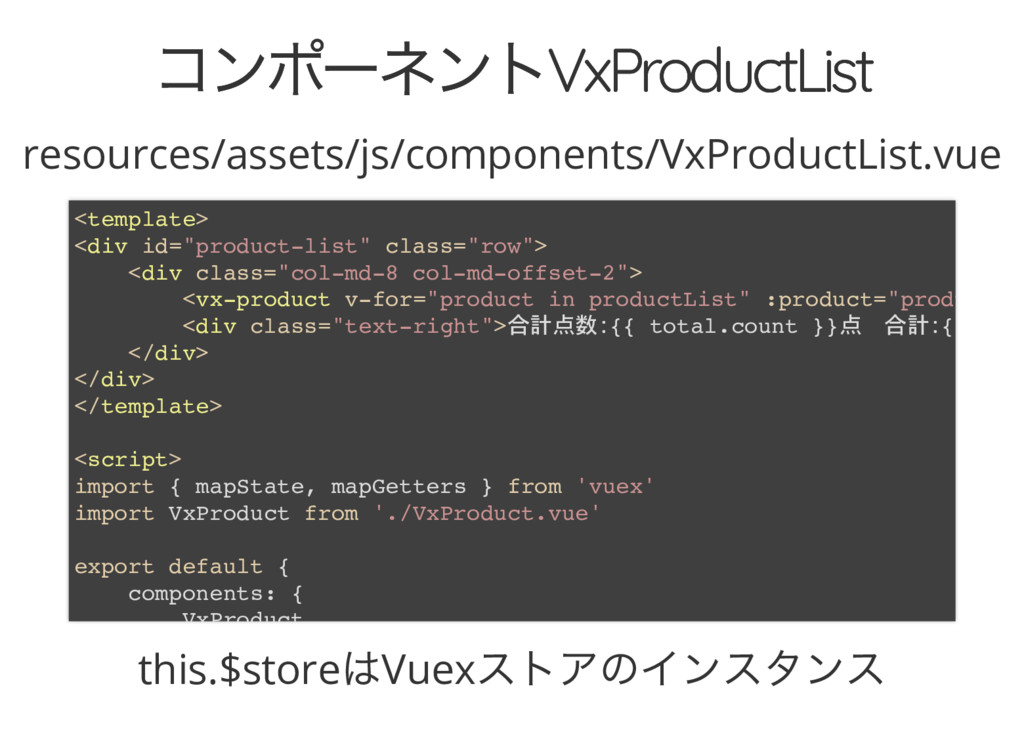
コンポーネントVxProductList コンポーネントVxProductList resources/assets/js/components/VxProductList.vue this.$store はVuex ストアのインスタンス <template> <div id="product-list" class="row">
<div class="col-md-8 col-md-offset-2"> <vx-product v-for="product in productList" :product="produ <div class="text-right">合計点数 {{ total.count }}点 合計 { </div> </div> </template> <script> import { mapState, mapGetters } from 'vuex' import VxProduct from './VxProduct.vue' export default { components: { VxProduct
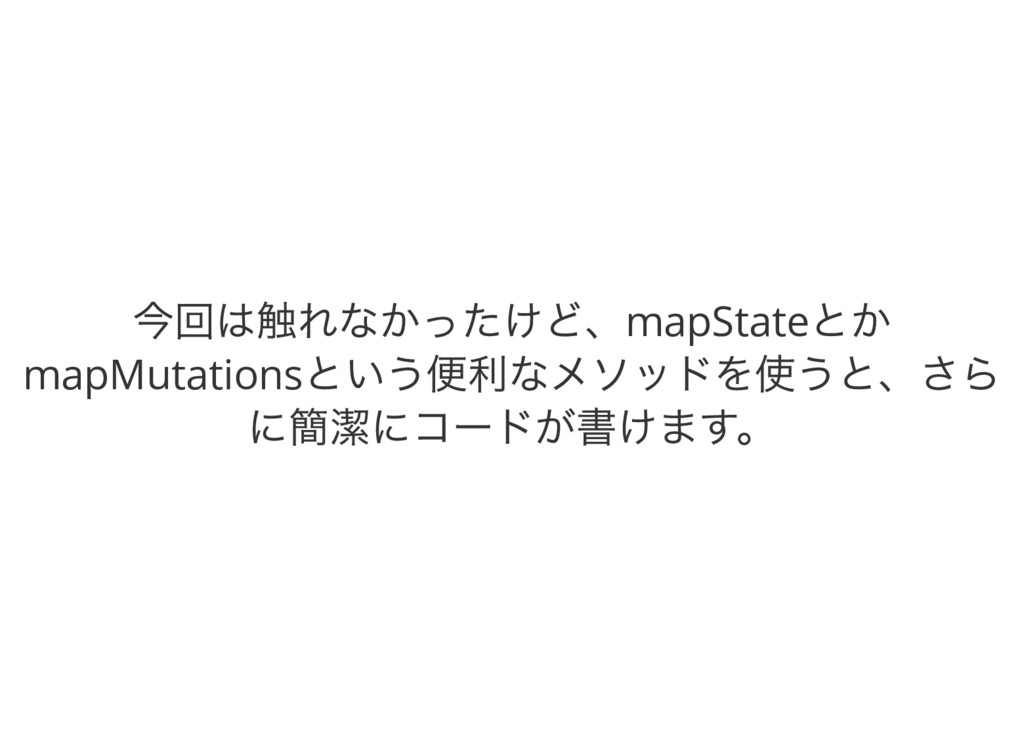
今回は触れなかったけど、mapState とか mapMutations という便利なメソッドを使うと、さら に簡潔にコードが書けます。
Laravel での導入手順 Laravel での導入手順
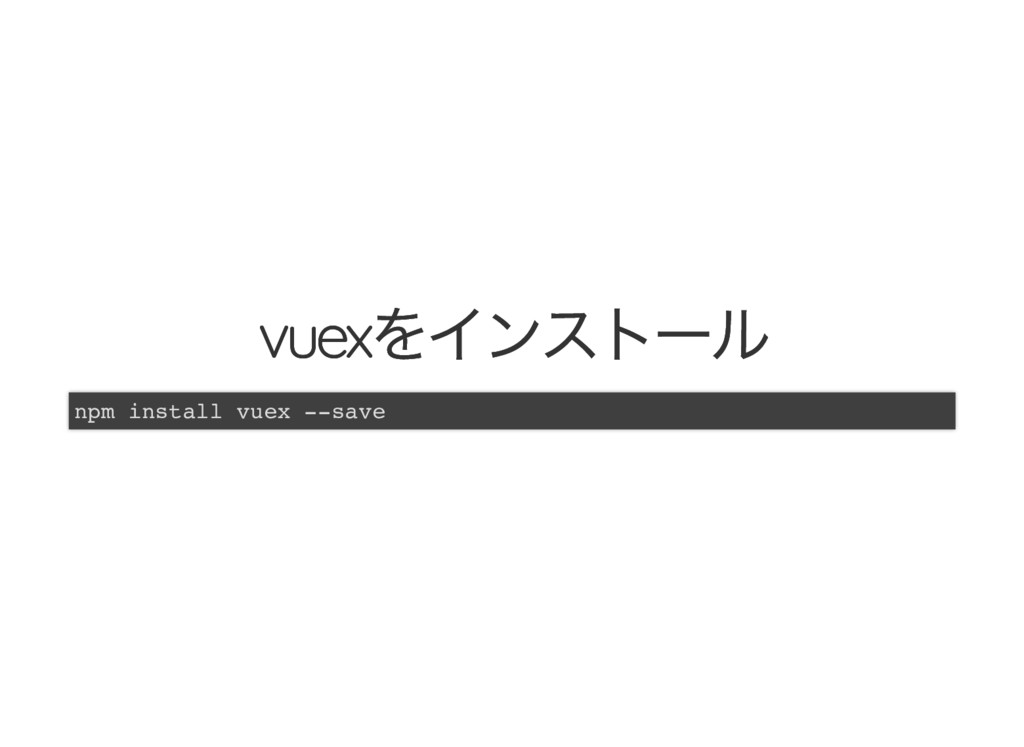
vuex をインストール vuex をインストール npm install vuex --save
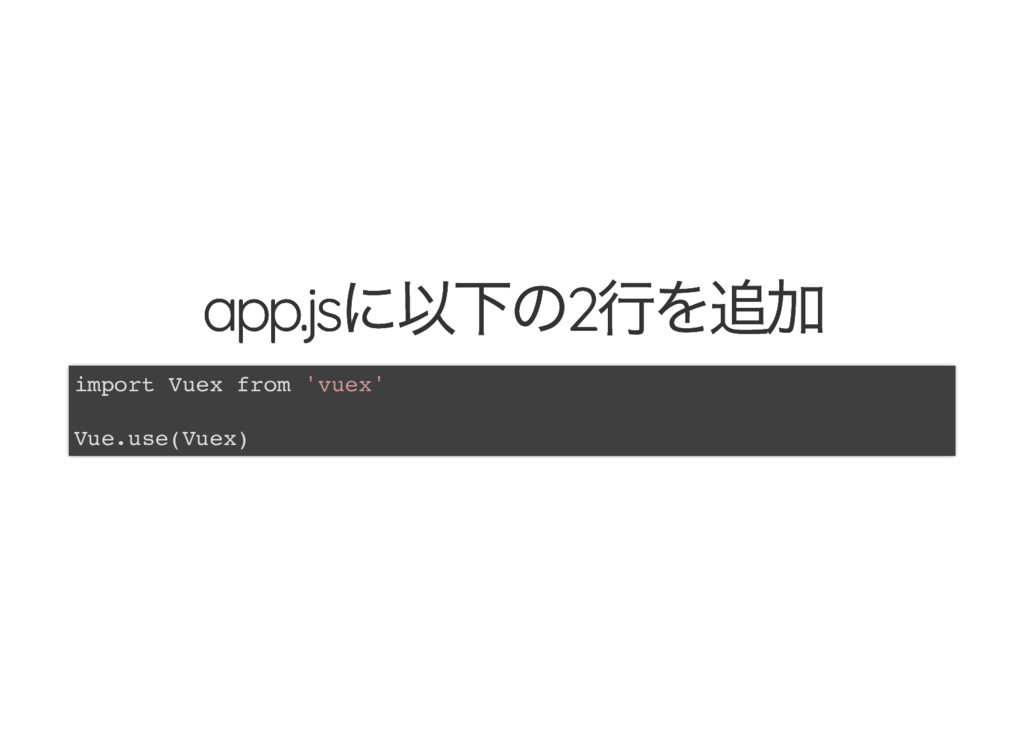
app.js に以下の2 行を追加 app.js に以下の2 行を追加 import Vuex from 'vuex'
Vue.use(Vuex)
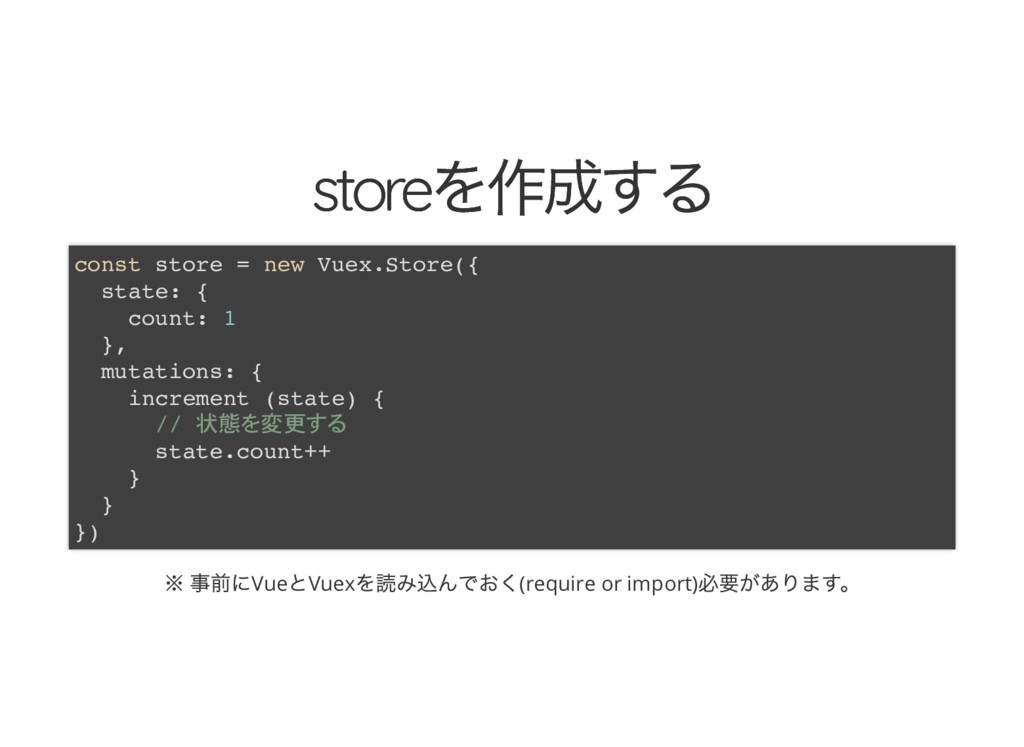
store を作成する store を作成する ※ 事前にVue とVuex を読み込んでおく(require or import)
必要があります。 const store = new Vuex.Store({ state: { count: 1 }, mutations: { increment (state) { // 状態 変更 state.count++ } } })
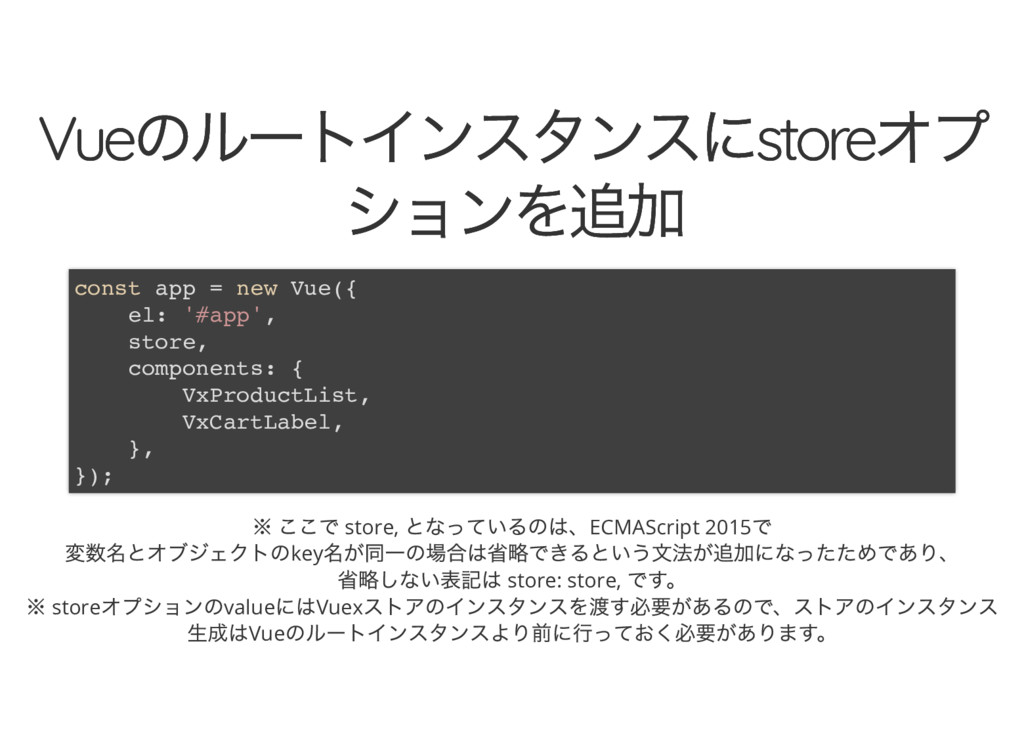
Vue のルートインスタンスにstore オプ Vue のルートインスタンスにstore オプ ションを追加 ションを追加 ※ ここで
store, となっているのは、ECMAScript 2015 で 変数名とオブジェクトのkey 名が同一の場合は省略できるという文法が追加になったためであり、 省略しない表記は store: store, です。 ※ store オプションのvalue にはVuex ストアのインスタンスを渡す必要があるので、ストアのインスタンス 生成はVue のルートインスタンスより前に行っておく必要があります。 const app = new Vue({ el: '#app', store, components: { VxProductList, VxCartLabel, }, });
要するに、簡単! 要するに、簡単!
つまり状態管理って何? つまり状態管理って何?
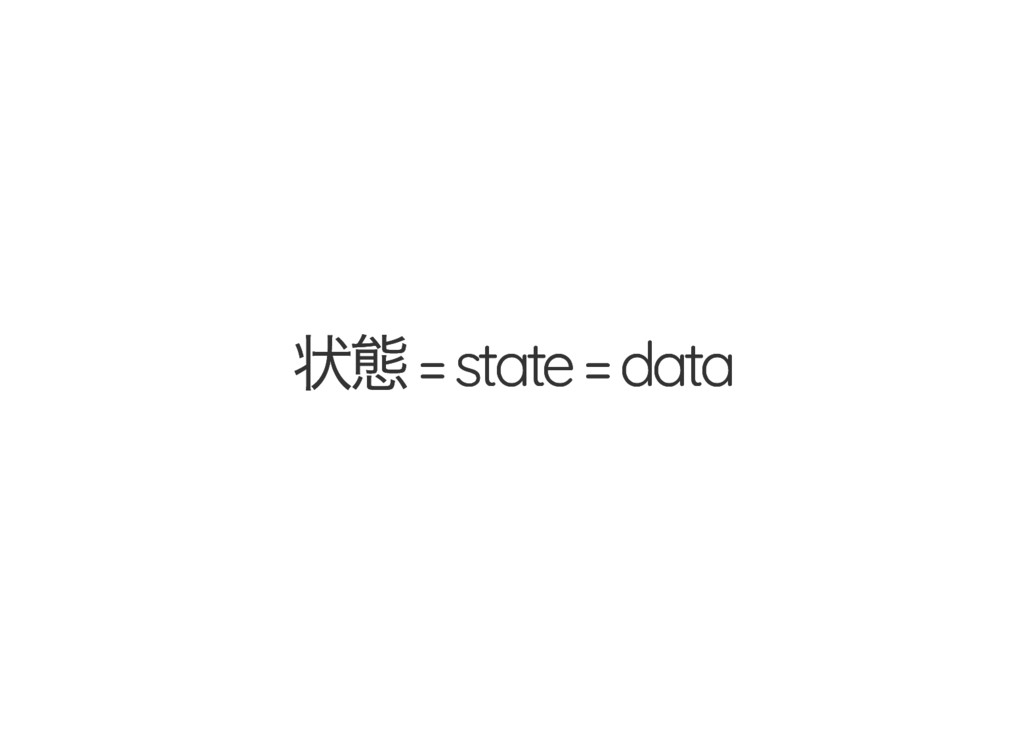
状態 = state = data 状態 = state = data
data をなぜstate と言い換えた? data をなぜstate と言い換えた?
data のとある状態を参照してるよ!ってこと
管理 = management = 整理してコントロール
今までdata の状態はいろんなコンポーネントに内包 されていて、それを変更するメソッドも分散しカオス っていました。
それを共通のストアで管理し、 一方向の流れでデータを変更していくことで整理整頓 された美しい世界を作る。
つまり、それが... That's 状態管理 That's 状態管理
【個人的な感想】 【個人的な感想】 js だろうが何だろうが、やっぱMVC が分かりやすいん じゃないそうなんじゃない? それに近づけたのがFlux なんじゃない? 違うの?そうでしょ?
その他 その他
▼公式ドキュメント(日本語訳版) https://vuex.vuejs.org/ja/
▼私が書いたLaravel+Vuex+Vue のサンプルコード ※ Vx のpre x ついてるコンポーネントのファイルがvuex 版 ※ assets/js/store
にjs をModule 化して分けて入れたり、mutations などのプロパティ別でファイルを分け て整理するとかするといいかもしれない。 https://github.com/fromarm4/vuex_study
▼Vuex を利用したVue アプリケーションのサンプル コードたち https://github.com/vuejs/vuex/tree/dev/examples
ご清聴ありがとうございまし ご清聴ありがとうございまし た! た!


 fromarm4
 freee
freee
 sansantech
.jpg) lamaglama39
lamaglama39
 akizhou
 kakehashi
 yachibit
 kc_nakanishi
 zozotech
 masasuzu
.jpg) takanao
takanao
 suikabar
 markunet
 cromwellryan
 eileencodes
 reverentgeek
 coloredviolet
 codingconduct
 moore
moore
 seathinner
 notwaldorf
 marktimemedia
 speakerdeck
 csswizardry
 chrisshort