Share
Embed
Forget the Storage Permission: Alternatives for sharing and collaborating
Talk from Big Android BBQ 2015 on avoiding the sledgehammer of the Storage permissions when there's a better way. Learn how FileProvider, GET_CONTENT, and the Storage Access Framework can help you share and collaborate on content across apps without unnecessary permissions.
Ian Lake
October 23, 2015
Transcript
30 slides
-
Forget the Storage permission Alternatives for sharing and collaborating Ian
Lake Developer Advocate, Google -
About me ~5 years of Android Development experience Previously at
Phunware, Facebook Developer Advocate at Google • Advanced Android Udacity Course • Android Development Patterns -
App Specific Storage Also App specific public obb directory, shared
across users App specific private ‘internal’ directories Context.getFileDir(), getCacheDir() App specific public ‘external’ directories Context.getExternalFilesDir(), getExternalFilesDirs() Context.getExternalCacheDir(), getExternalCacheDirs() Context.getExternalMediaDirs() -
Public storage User public ‘external’ storage directory Environment.getExternalStorageDirectory() Environment.getExternalStoragePublicDirectory(String) Other
users’ external storage - never accessible -
Do I need the storage permission? * Only for your
own app <API 19 API 19-22 API 23+ App Internal No No No App External Yes No* No* User External Yes Yes Yes -
Flags added to a startActivity/startService Intent Intent.FLAG_GRANT_READ_URI_PERMISSION Intent.FLAG_GRANT_WRITE_URI_PERMISSION Can be
programmatically granted/revoked Context.grantUriPermission() Context.revokeUriPermission() URI Based Permissions -
Sharing files between apps Using external storage: Requires sending app
have write storage Requires receiving app have read storage Won’t work across users (Android for Work) -
FileProvider Gives other apps access to files in getFilesDir(), getCacheDir(),
or getExternal*Dir() No storage permissions required for sender or receiver Sending a URI, not a file path -> URI based permissions -
Sender app with FileProvider // build.gradle defaultConfig { def filesAuthorityValue
= applicationId + ".files" // Now we can use ${filesAuthority} in our Manifest manifestPlaceholders = [filesAuthority: filesAuthorityValue] // Now we can use BuildConfig.FILES_AUTHORITY in our code buildConfigField "String", "FILES_AUTHORITY", "\"${filesAuthorityValue}\"" } -
Sender app with FileProvider <!-- AndroidManifest.xml --> <provider android:name="android.support.v4.content.FileProvider" android:authorities="${filesAuthority}"
android:exported="false" android:grantUriPermissions="true"> <meta-data android:name="android.support.FILE_PROVIDER_PATHS" android:resource="@xml/file_paths" /> </provider> -
<!-- res/xml/file_paths.xml --> <paths> <!-- new File(getFileDir(), “internal”) --> <files-path
name="private" path="internal/" /> <!-- new File(getCacheDir(), “images”) --> <cache-path name="image_cache" path="images/" /> <!-- getExternalFilesDir() --> <external-path name="external_files" path="files/" /> </paths> Sender app with FileProvider -
// Directory must be in file_paths.xml File imagePath = new
File(context.getFilesDir(), "internal"); File newFile = new File(imagePath, "not_usually_accessible.jpg"); Uri contentUri = FileProvider.getUriForFile(context, BuildConfig.FILES_AUTHORITY, newFile); // content://${files_authority}/private/not_usually_accessible.jpg Intent shareIntent = ShareCompat.IntentBuilder.from(activity) .setType("image/jpeg").setStream(contentUri).getIntent(); // Provide read access shareIntent.setData(contentUri); shareIntent.addFlags(Intent.FLAG_GRANT_READ_URI_PERMISSION); Sender app with FileProvider -
Uri uri = ShareCompat.IntentReader.from(activity).getStream(); Bitmap bitmap = null; try {
// Works with content://, file://, or android.resource:// URIs InputStream inputStream = getContentResolver().openInputStream(uri); bitmap = BitmapFactory.decodeStream(inputStream); } catch (FileNotFoundException e) { // Inform the user that things have gone horribly wrong } Receiving app -
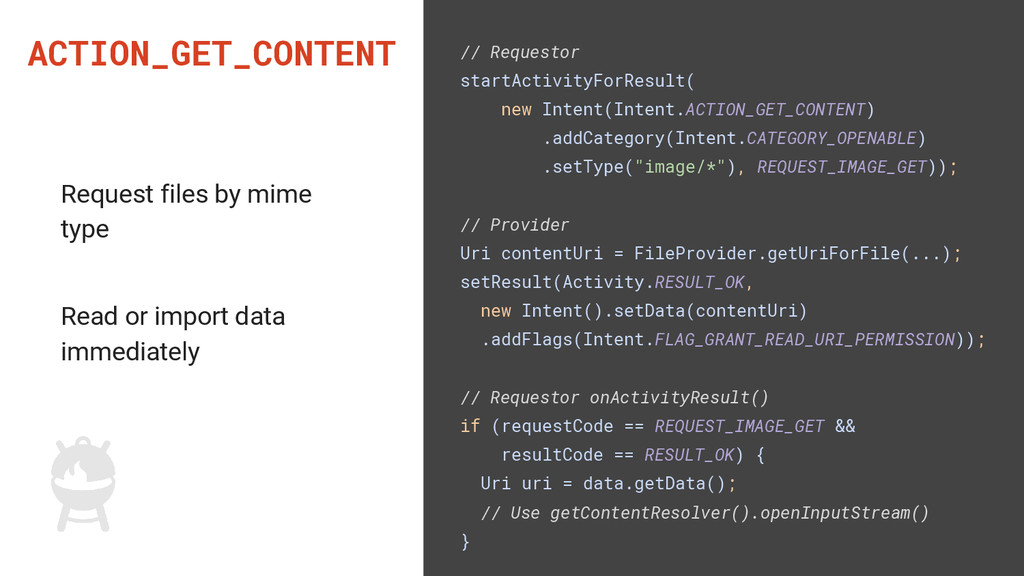
ACTION_GET_CONTENT // Requestor startActivityForResult( new Intent(Intent.ACTION_GET_CONTENT) .addCategory(Intent.CATEGORY_OPENABLE) .setType("image/*"), REQUEST_IMAGE_GET)); //
Provider Uri contentUri = FileProvider.getUriForFile(...); setResult(Activity.RESULT_OK, new Intent().setData(contentUri) .addFlags(Intent.FLAG_GRANT_READ_URI_PERMISSION)); // Requestor onActivityResult() if (requestCode == REQUEST_IMAGE_GET && resultCode == RESULT_OK) { Uri uri = data.getData(); // Use getContentResolver().openInputStream() } Request files by mime type Read or import data immediately -
ACTION_GET_CONTENT with multiple files // Requestor intent.putExtra(Intent.EXTRA_ALLOW_MULTIPLE, true); // Provider
ClipData clipData = ClipData.newRawUri(null, contentUri); clipData.addItem(new ClipData.Item(secondContentUri)); intent.setClipData(clipData); // FLAG_GRANT_READ_URI_PERMISSION now applies to all Uris in ClipData Added in API 18 -
ACTION_OPEN_DOCUMENT Part of the Storage Access Framework Basic API same
as ACTION_GET_CONTENT Additional APIs via DocumentContract Allows persistent access -
OPEN_DOCUMENT >= GET_CONTENT Request OPEN_DOCUMENT - Apps supporting OPEN_DOCUMENT Request
GET_CONTENT - Apps supporting GET_CONTENT - Apps supporting OPEN_DOCUMENT Disable your GET_CONTENT intent filter if you implement ACTION_OPEN_DOCUMENT -
DocumentProvider Resources Documentation: developer.android.com/guide/topics/providers/document-provider.html LocalStorage example: github.com/ianhanniballake/LocalStorage Jeff Sharkey’s Vault
example: android.googlesource.com/platform/development/+/master/samples/Vault -
Recap Storage Permission Accessing internal app specific storage no Accessing
external app specific storage maxSdkVersion="18" Sending files with ACTION_SEND no Receiving files no or maxSdkVersion="22" Requesting files with GET_CONTENT no or maxSdkVersion="22" Providing files via GET_CONTENT no Storage Access Framework no -
Make the Storage permission the exception Google Maps Permissions Documentation
https://developers.google.com/maps/documentation/android-api/config