in runtime systems • Java garbage collection • Runtime performance analysis • Full-stack debugging • Swift@IBM, bringing Swift to the cloud on Linux @ianpartridge @alfa
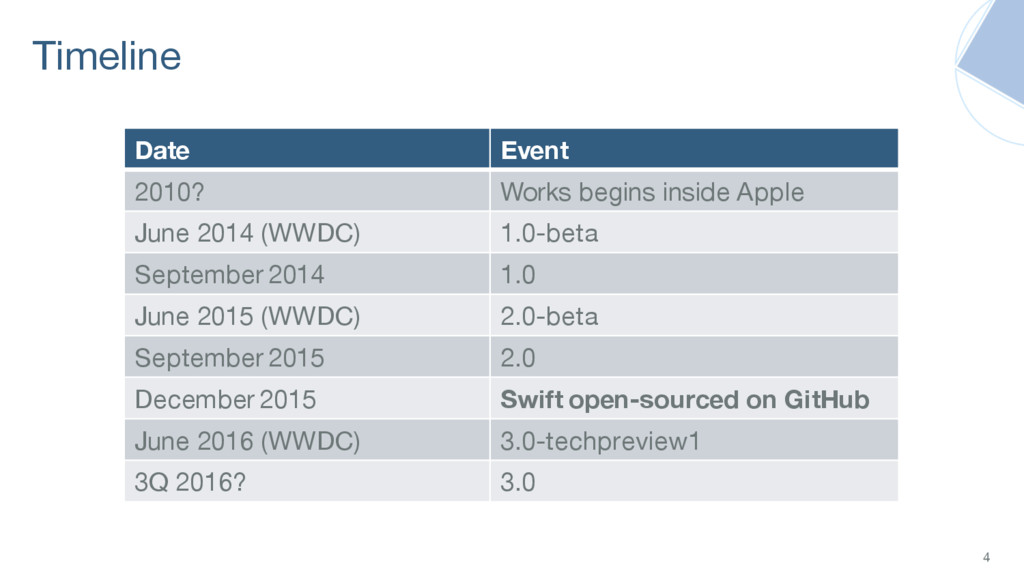
(WWDC) 1.0-beta September 2014 1.0 June 2015 (WWDC) 2.0-beta September 2015 2.0 December 2015 Swift open-sourced on GitHub June 2016 (WWDC) 3.0-techpreview1 3Q 2016? 3.0 4
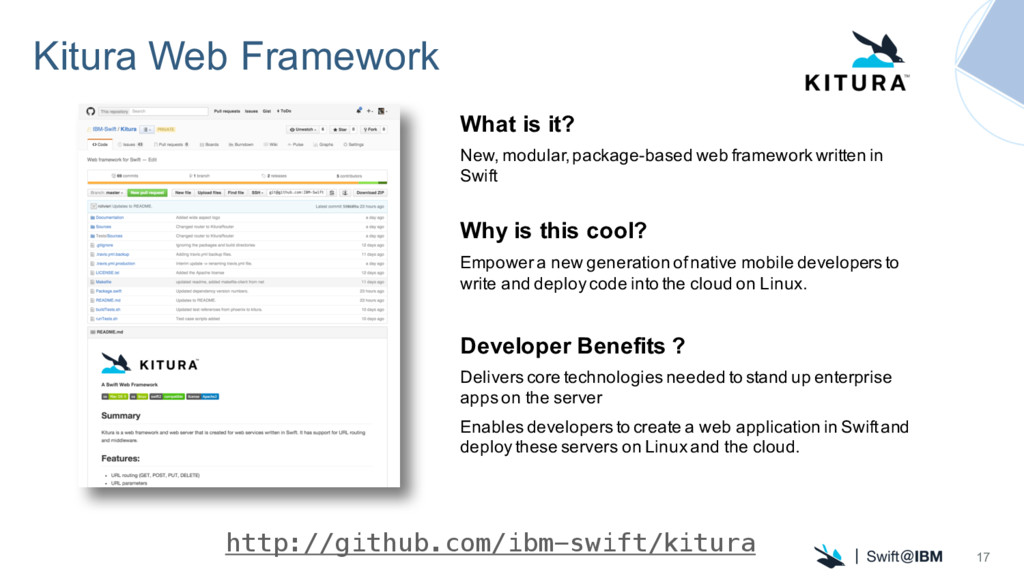
framework written in Swift Why is this cool? Empower a new generation of native mobile developers to write and deploy code into the cloud on Linux. Developer Benefits ? Delivers core technologies needed to stand up enterprise apps on the server Enables developers to create a web application in Swift and deploy these servers on Linux and the cloud. http://github.com/ibm-swift/kitura 17
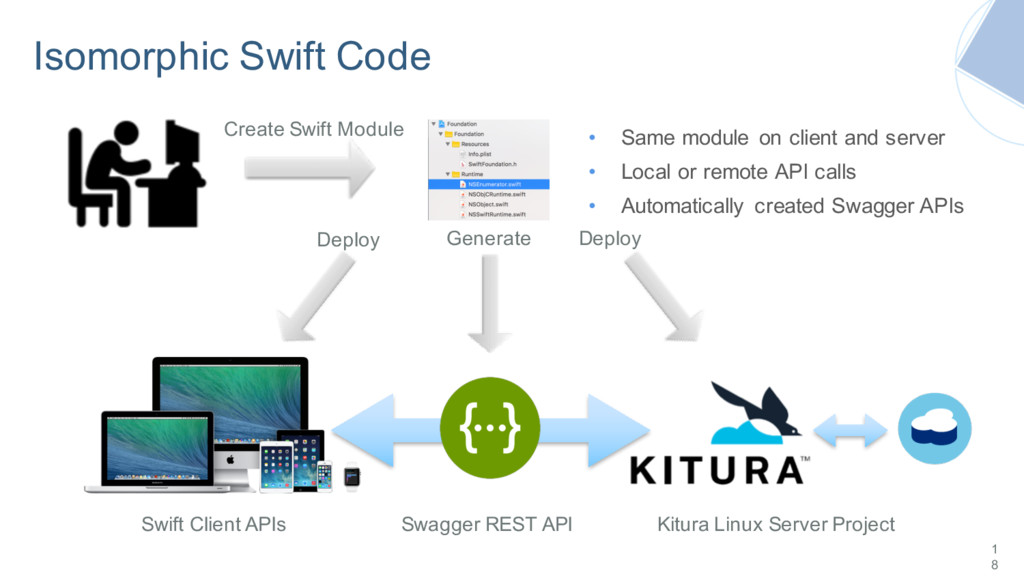
Client APIs Kitura Linux Server Project Swagger REST API Deploy Deploy • Same module on client and server • Local or remote API calls • Automatically created Swagger APIs
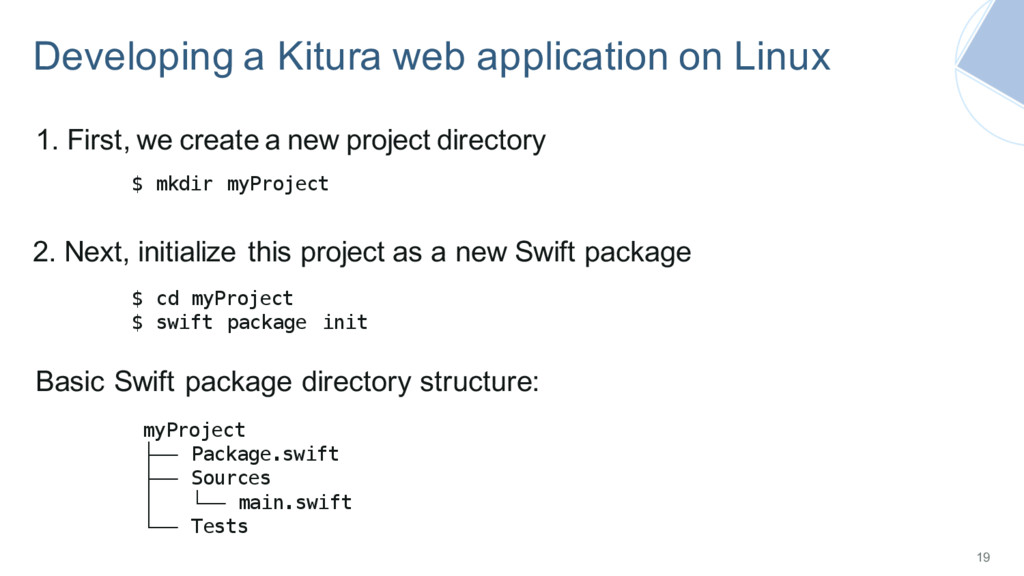
Package.swift ├── Sources │ └── main.swift └── Tests $ mkdir myProject 2. Next, initialize this project as a new Swift package 1. First, we create a new project directory $ cd myProject $ swift package init Basic Swift package directory structure:
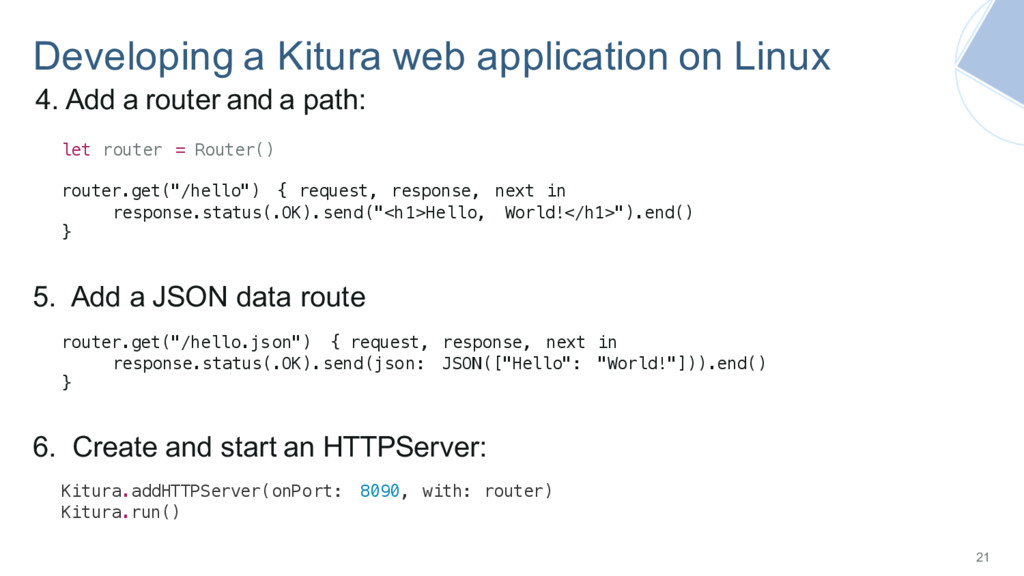
with: router) Kitura.run() let router = Router() router.get("/hello") { request, response, next in response.status(.OK).send("<h1>Hello, World!</h1>").end() } 6. Create and start an HTTPServer: 4. Add a router and a path: router.get("/hello.json") { request, response, next in response.status(.OK).send(json: JSON(["Hello": "World!"])).end() } 5. Add a JSON data route
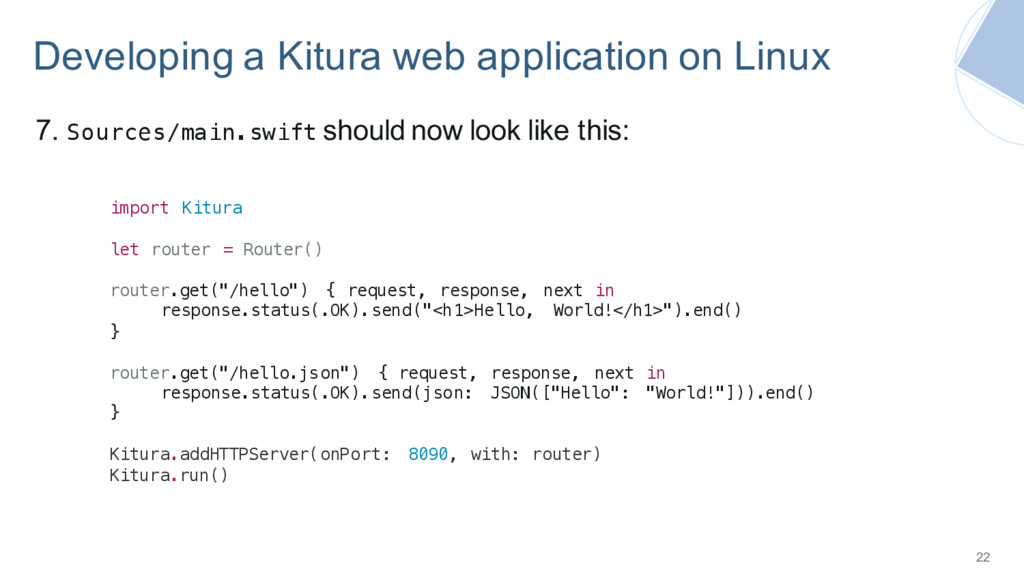
let router = Router() router.get("/hello") { request, response, next in response.status(.OK).send("<h1>Hello, World!</h1>").end() } router.get("/hello.json") { request, response, next in response.status(.OK).send(json: JSON(["Hello": "World!"])).end() } Kitura.addHTTPServer(onPort: 8090, with: router) Kitura.run() 7. Sources/main.swift should now look like this:
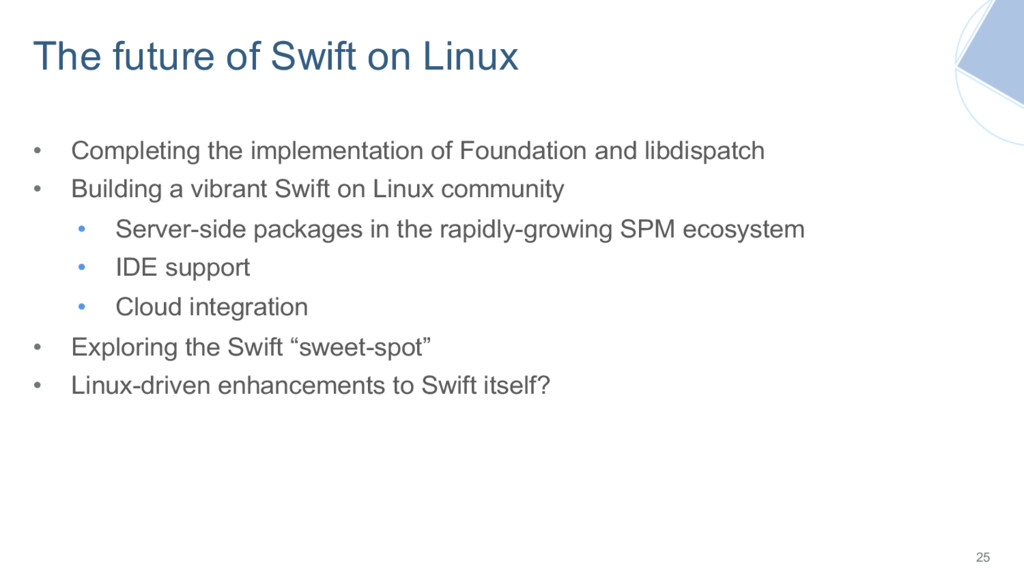
of Foundation and libdispatch • Building a vibrant Swift on Linux community • Server-side packages in the rapidly-growing SPM ecosystem • IDE support • Cloud integration • Exploring the Swift “sweet-spot” • Linux-driven enhancements to Swift itself? 25


 ianpartridge
 t0yohei
 yyh_gl
 ivargrimstad
 azihsoyn
 yosuke_furukawa
 sms_tech
 manfredsteyer
 tarao
 takehaya
 nearme_tech
 ickx
 simas
 cassininazir
 aemeredith
 bethany
 morganepeng
 auna
 productmarketing
 cargoodrich
 holman
 dougneiner
 reverentgeek
 aleyda
 destraynor