Upgrade to Pro — share decks privately, control downloads, hide ads and more …

計算させ、Web を見させる | Kiro と学ぶ Amazon Bedrock AgentC...

計算させ、Web を見させる | Kiro と学ぶ Amazon Bedrock AgentCore 05

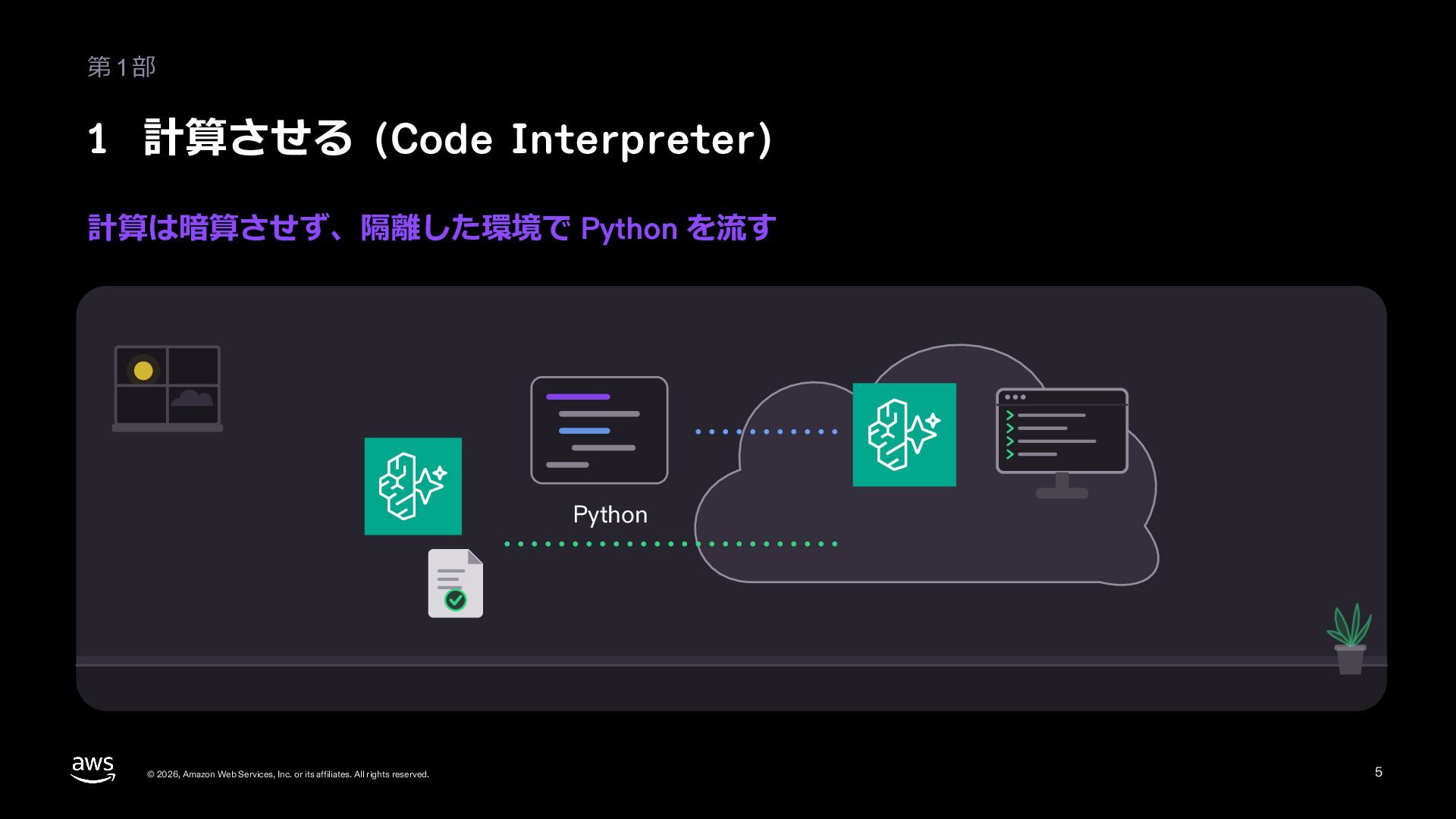
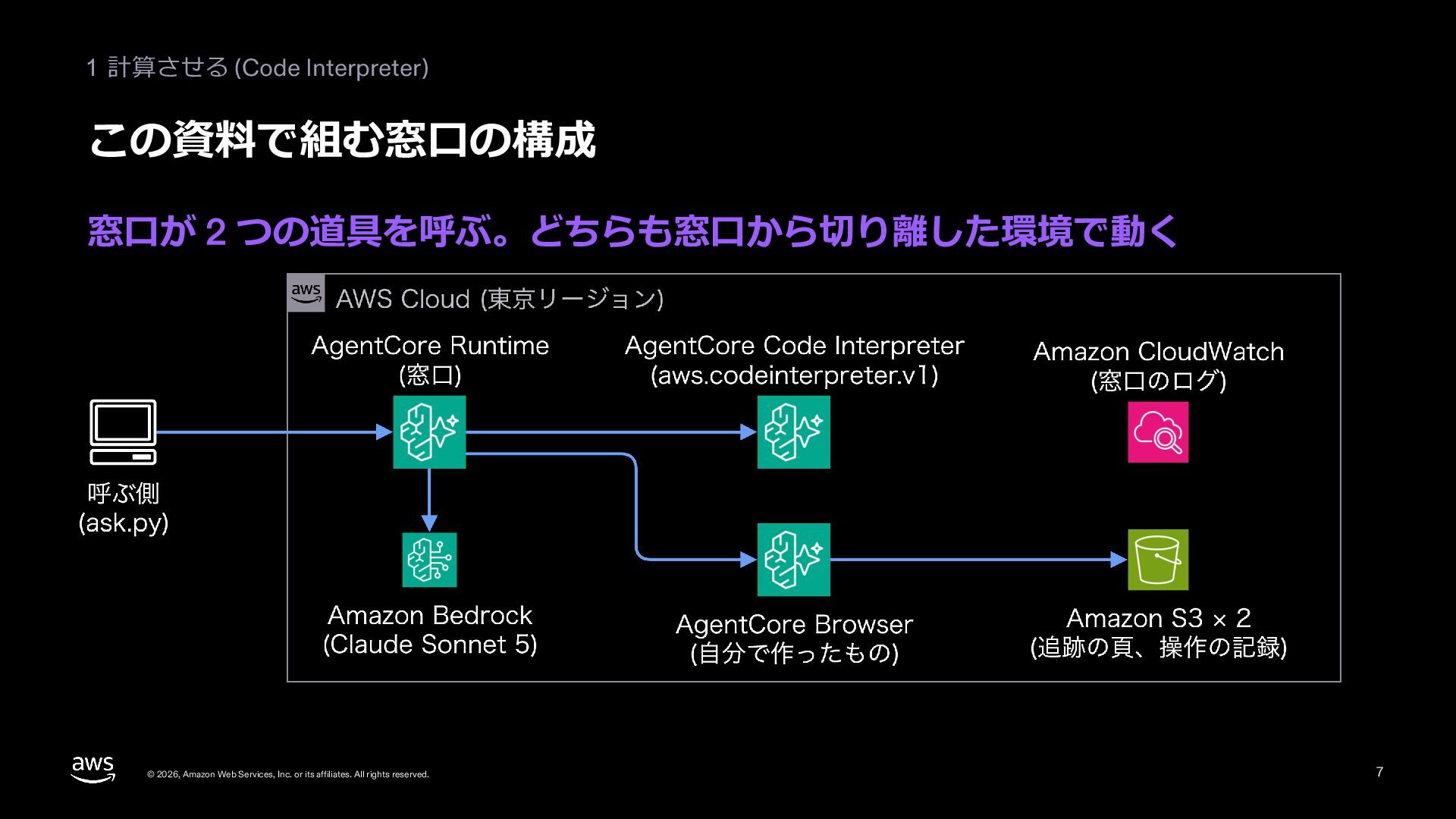
問い合わせ窓口のエージェントは、返品 12 件の返金の合計のような計算を暗算すると当てにならず、呼べる API の無い配送業者の追跡の頁も読めません。この資料では、窓口から切り離した環境 (sandbox) でコードを流す Amazon Bedrock AgentCore の Code Interpreter と、同じく切り離した環境でブラウザを動かす Browser の仕組みを、公式のアイコンの構成図と流れの図で説明します。セッションの Automation stream と Live View、人が操作を引き取る流れ、AgentCore Gateway (04) との使い分けも説明します。東京の Runtime に載せた窓口に 2 つの道具を足し、Code Interpreter で返金の合計と内訳を出すところ、流したコードのログ、Browser のセッションの 2 つの stream、追跡の頁に番号を入れて届く日を答えるところ、そのときの頁の画面、操作の記録を残した Amazon S3 のバケット、セッションの片付けを、本物の画面の大事な行で見せます。大きなファイルと長い計算、頁の読み方 (DOM と画面)、外から来る頁の指示と書かせたコードへの気を付け方、確かめは画面ではなく結果ですることも扱います。命令の全文は付録にあります。Level 300 (仕組み、設定の選び方、作り方)。シリーズ「Kiro と学ぶ Amazon Bedrock AgentCore」の 05 (作り込む) です。

Avatar for Riku INADA

Riku INADA PRO

November 11, 2026
More Decks by Riku INADA

Other Decks in Technology

Transcript

  1. Kiro と学ぶ Amazon Bedrock AgentCore 05 作り込む Level 300 計算させ、

    Web を⾒させる Code Interpreter と Browser 2026-11 時点 2026 年 11 ⽉ 稲⽥ ⼤陸 アマゾン ウェブ サービス ジャパン © 2026, Amazon Web Services, Inc. or its affiliates. All rights reserved. 05 Kiro + AgentCore 1
  2. はじめに ⾃⼰紹介 稲⽥ ⼤陸 いなだ りく (いなりく) アマゾン ウェブ サービス

    ジャパン合同会社 ソリューションアーキテクト 製造業のお客様を中⼼に⽀援 最近の取り組み AI 駆動開発ライフサイクルの推進 Kiro と AWS Amplify の情報発信 © 2026, Amazon Web Services, Inc. or its affiliates. All rights reserved. X @inada_riku Speaker Deck speakerdeck.com/inariku Zenn zenn.dev/inariku GitHub github.com/inariku 2
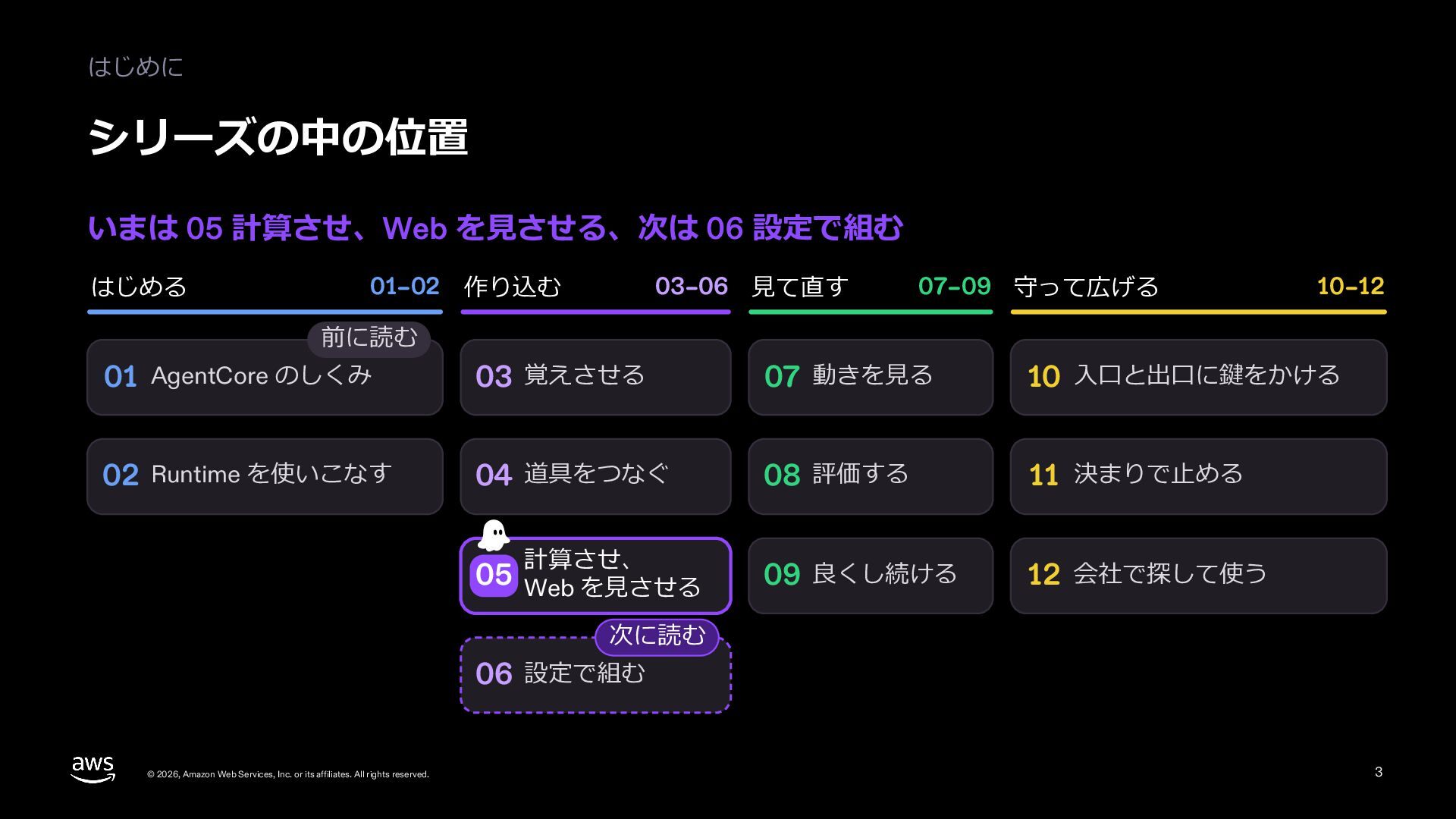
  3. はじめに シリーズの中の位置 いまは 05 計算させ、Web を⾒させる、次は 06 設定で組む はじめる 01–02

    作り込む 03–06 ⾒て直す 07–09 守って広げる 10–12 前に読む 01 AgentCore のしくみ 03 覚えさせる 07 動きを⾒る 10 ⼊⼝と出⼝に鍵をかける 02 Runtime を使いこなす 04 道具をつなぐ 08 評価する 11 決まりで⽌める 09 良くし続ける 12 会社で探して使う 計算させ、 05 Web を⾒させる 次に読む 06 設定で組む © 2026, Amazon Web Services, Inc. or its affiliates. All rights reserved. 3
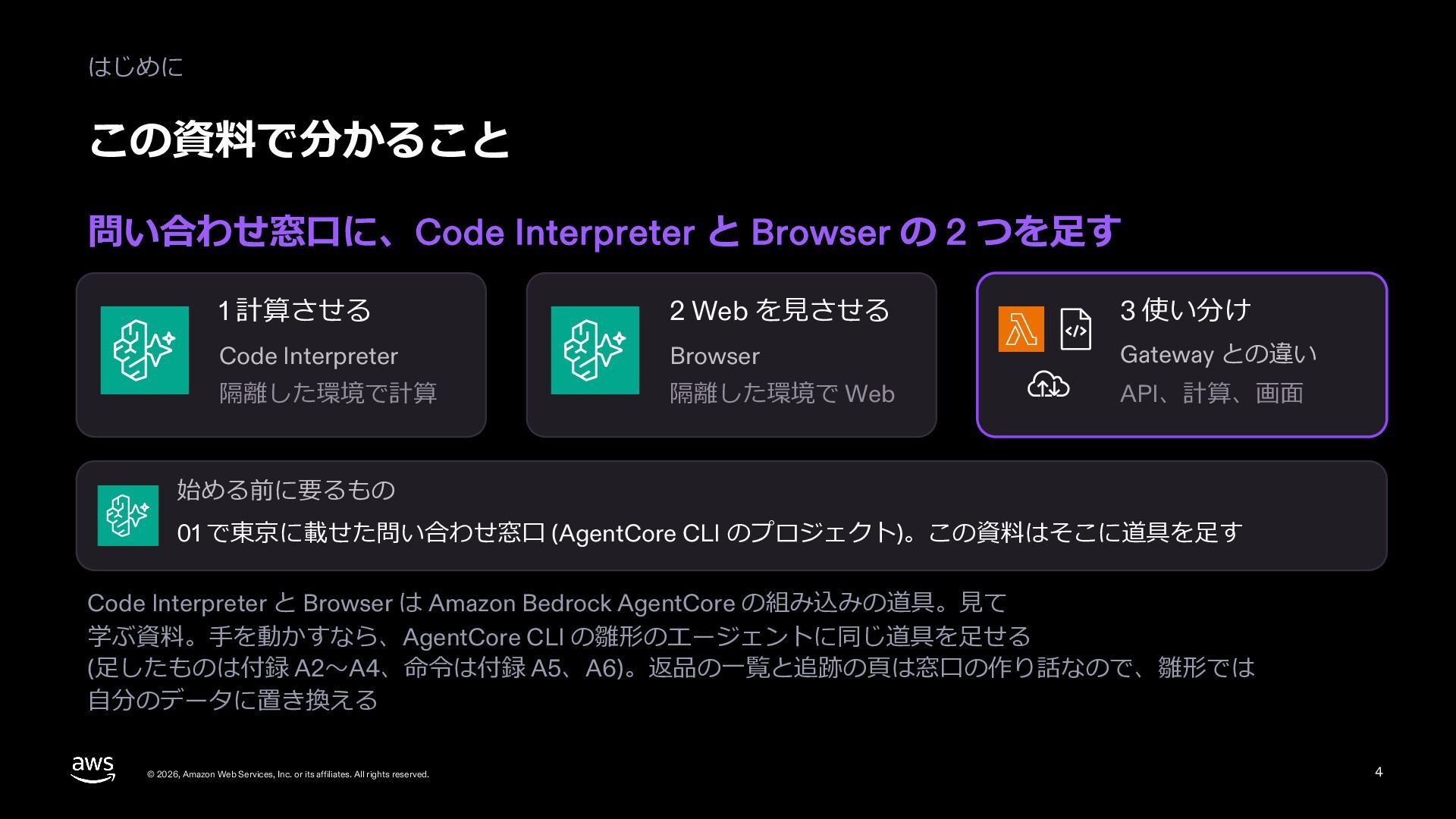
  4. はじめに この資料で分かること 問い合わせ窓⼝に、Code Interpreter と Browser の 2 つを⾜す 1

    計算させる 2 Web を⾒させる 3 使い分け Code Interpreter Browser Gateway との違い 隔離した環境で計算 隔離した環境で Web API、計算、画⾯ 始める前に要るもの 01 で東京に載せた問い合わせ窓⼝ (AgentCore CLI のプロジェクト)。この資料はそこに道具を⾜す Code Interpreter と Browser は Amazon Bedrock AgentCore の組み込みの道具。⾒て 学ぶ資料。⼿を動かすなら、AgentCore CLI の雛形のエージェントに同じ道具を⾜せる (⾜したものは付録 A2〜A4、命令は付録 A5、A6)。返品の⼀覧と追跡の⾴は窓⼝の作り話なので、雛形では ⾃分のデータに置き換える © 2026, Amazon Web Services, Inc. or its affiliates. All rights reserved. 4
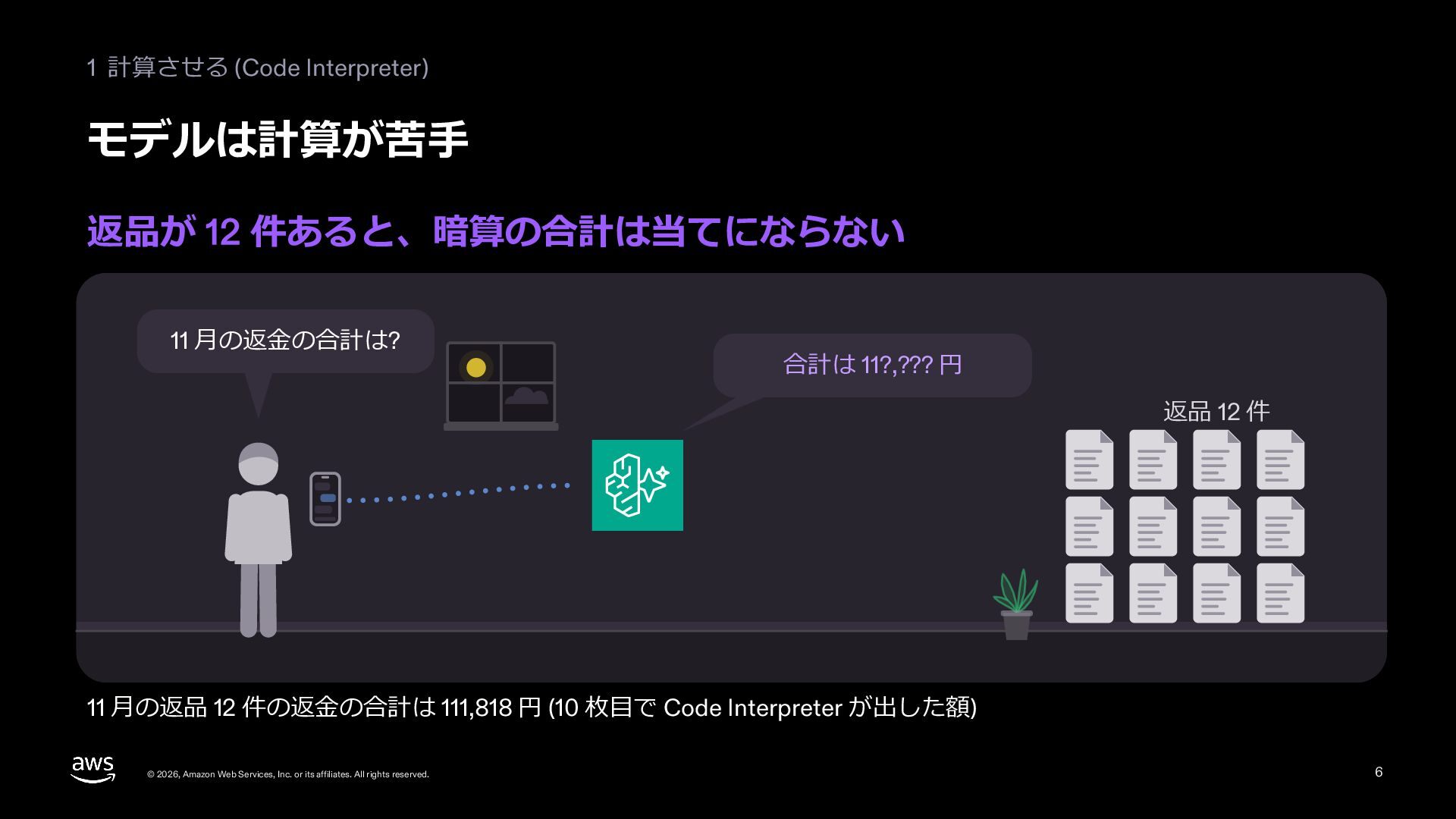
  5. 1 計算させる (Code Interpreter) モデルは計算が苦⼿ 返品が 12 件あると、暗算の合計は当てにならない 11 ⽉の返⾦の合計は?

    合計は 11?,??? 円 返品 12 件 11 ⽉の返品 12 件の返⾦の合計は 111,818 円 (10 枚⽬で Code Interpreter が出した額) © 2026, Amazon Web Services, Inc. or its affiliates. All rights reserved. 6
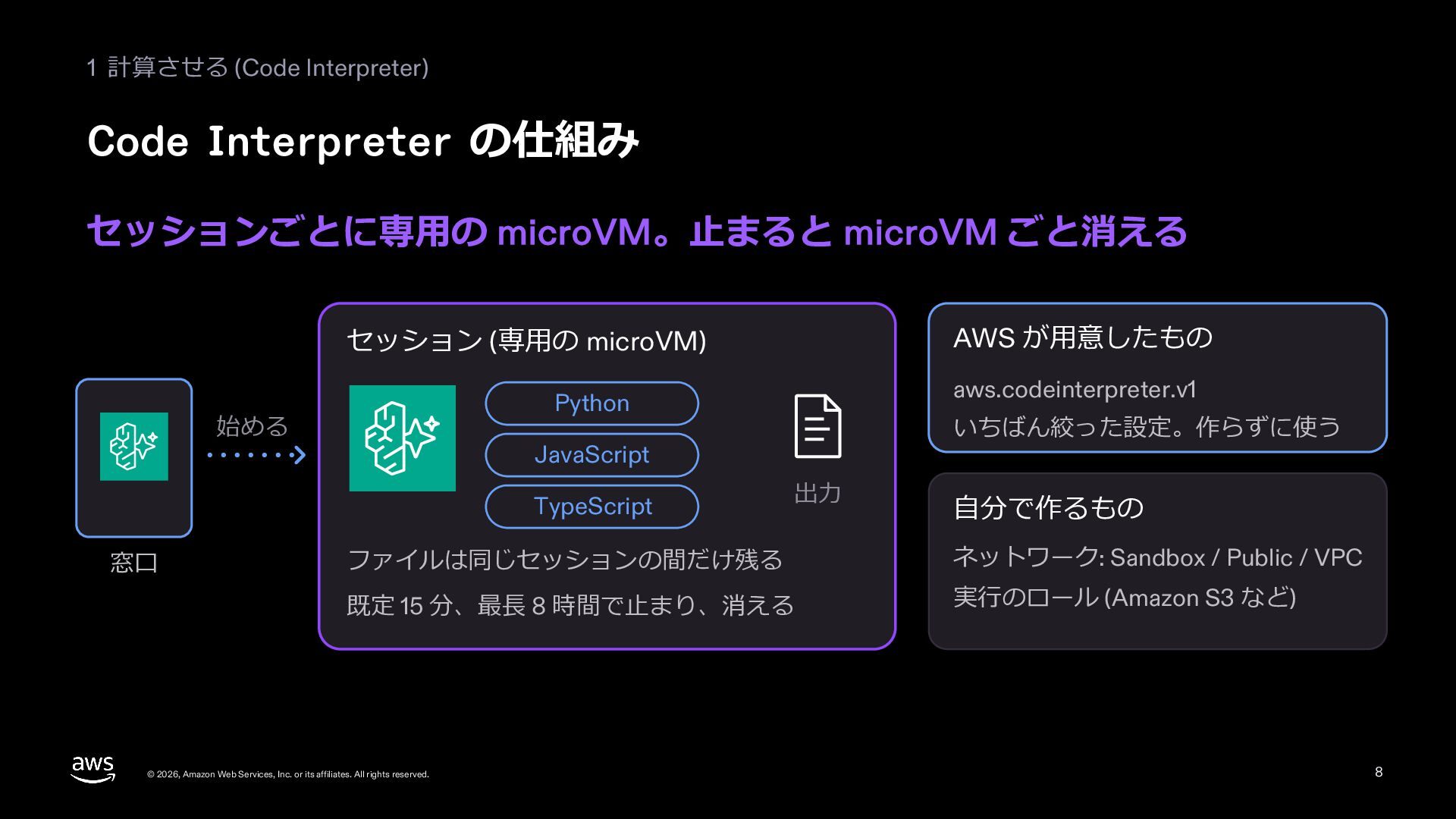
  6. 1 計算させる (Code Interpreter) Code Interpreter の仕組み セッションごとに専⽤の microVM。⽌まると microVM

    ごと消える AWS が⽤意したもの セッション (専⽤の microVM) 始める いちばん絞った設定。作らずに使う JavaScript TypeScript 窓⼝ aws.codeinterpreter.v1 Python 出⼒ ⾃分で作るもの ファイルは同じセッションの間だけ残る ネットワーク: Sandbox / Public / VPC 既定 15 分、最⻑ 8 時間で⽌まり、消える 実⾏のロール (Amazon S3 など) © 2026, Amazon Web Services, Inc. or its affiliates. All rights reserved. 8
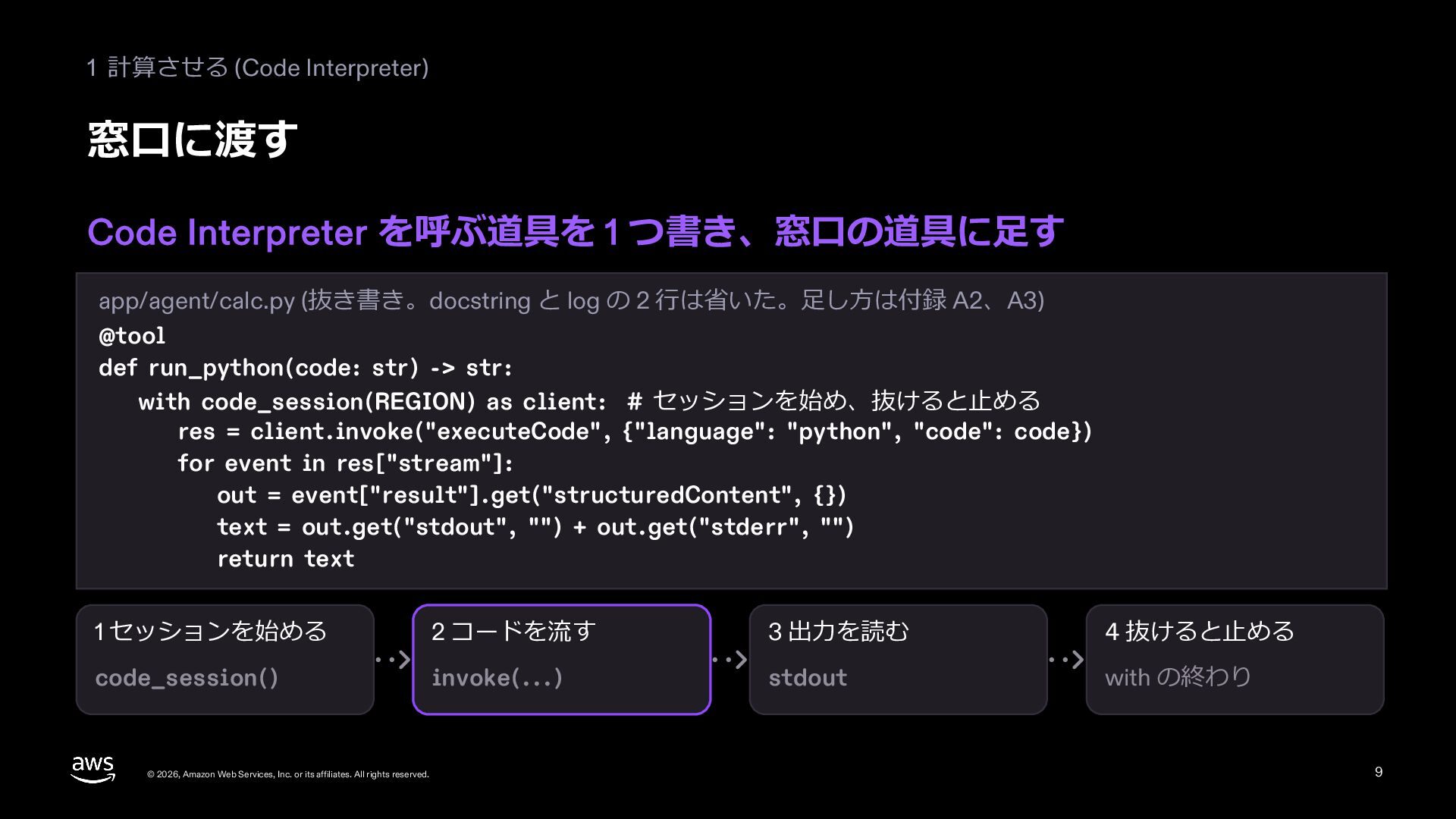
  7. 1 計算させる (Code Interpreter) 窓⼝に渡す Code Interpreter を呼ぶ道具を 1 つ書き、窓⼝の道具に⾜す

    app/agent/calc.py (抜き書き。docstring と log の 2 ⾏は省いた。⾜し⽅は付録 A2、A3) @tool def run_python(code: str) -> str: with code_session(REGION) as client: # セッションを始め、抜けると⽌める res = client.invoke("executeCode", {"language": "python", "code": code}) for event in res["stream"]: out = event["result"].get("structuredContent", {}) text = out.get("stdout", "") + out.get("stderr", "") return text 1 セッションを始める 2 コードを流す 3 出⼒を読む 4 抜けると⽌める code_session() invoke(...) stdout with の終わり © 2026, Amazon Web Services, Inc. or its affiliates. All rights reserved. 9
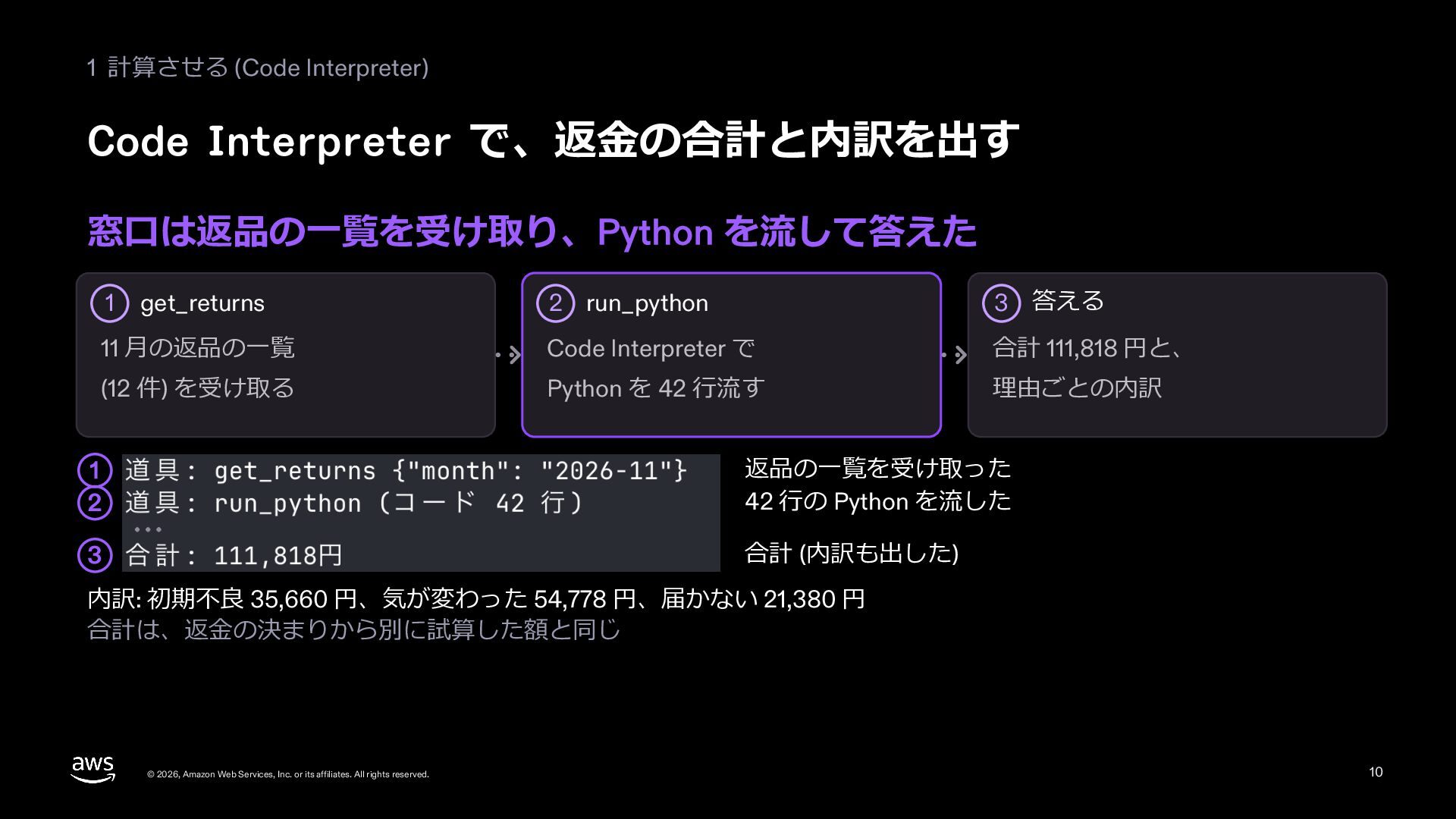
  8. 1 計算させる (Code Interpreter) Code Interpreter で、返⾦の合計と内訳を出す 窓⼝は返品の⼀覧を受け取り、Python を流して答えた 2

    run_python 3 答える 11 ⽉の返品の⼀覧 Code Interpreter で 合計 111,818 円と、 (12 件) を受け取る Python を 42 ⾏流す 理由ごとの内訳 1 get_returns 1 2 返品の⼀覧を受け取った 42 ⾏の Python を流した 3 合計 (内訳も出した) 内訳: 初期不良 35,660 円、気が変わった 54,778 円、届かない 21,380 円 合計は、返⾦の決まりから別に試算した額と同じ © 2026, Amazon Web Services, Inc. or its affiliates. All rights reserved. 10
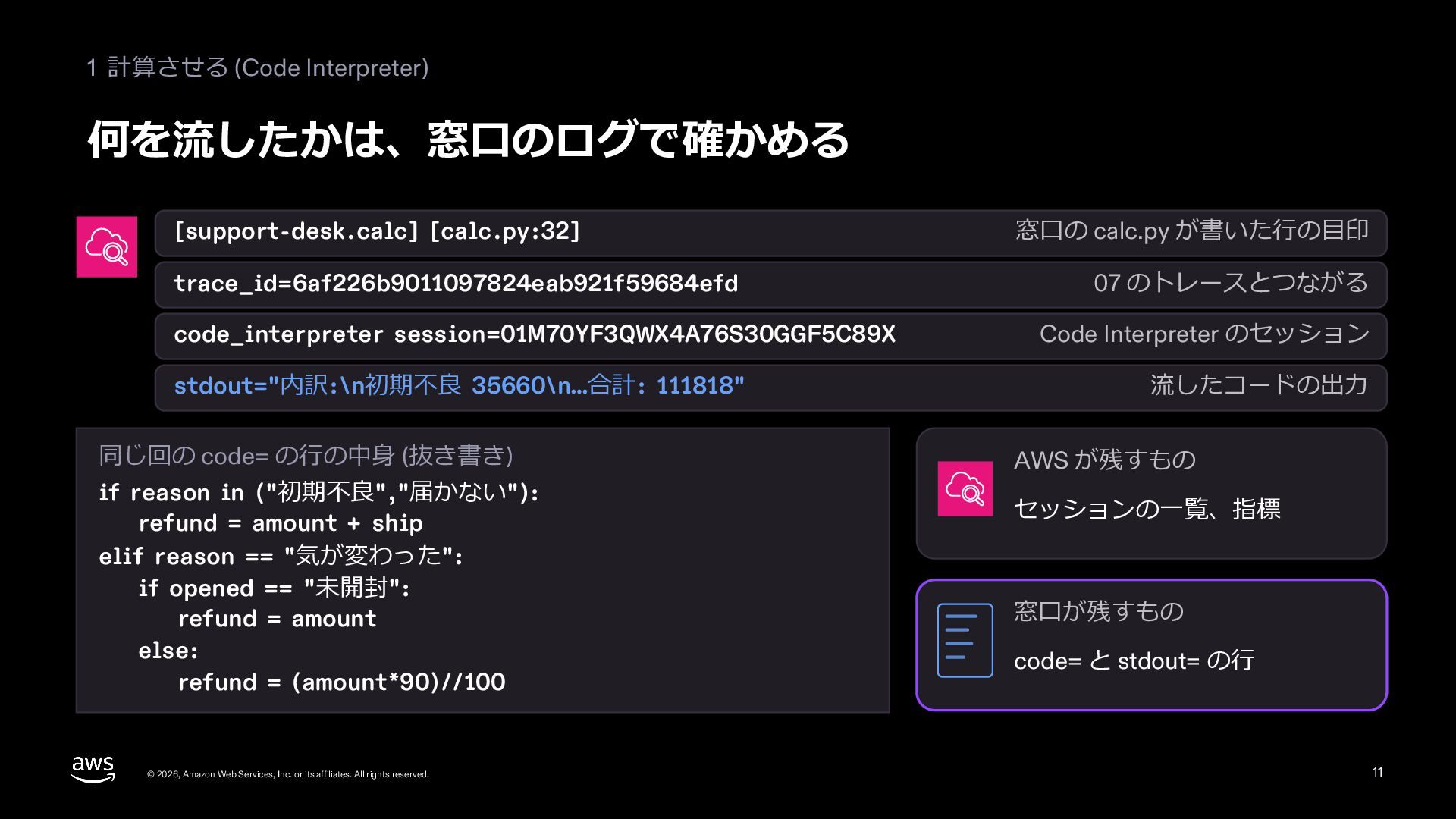
  9. 1 計算させる (Code Interpreter) 何を流したかは、窓⼝のログで確かめる [support-desk.calc] [calc.py:32] trace_id=6af226b9011097824eab921f59684efd code_interpreter session=01M70YF3QWX4A76S30GGF5C89X

    stdout="内訳:\n初期不良 35660\n…合計: 111818" 同じ回の code= の⾏の中⾝ (抜き書き) if reason in ("初期不良","届かない"): refund = amount + ship elif reason == "気が変わった": if opened == "未開封": refund = amount else: refund = (amount*90)//100 © 2026, Amazon Web Services, Inc. or its affiliates. All rights reserved. 窓⼝の calc.py が書いた⾏の⽬印 07 のトレースとつながる Code Interpreter のセッション 流したコードの出⼒ AWS が残すもの セッションの⼀覧、指標 窓⼝が残すもの code= と stdout= の⾏ 11
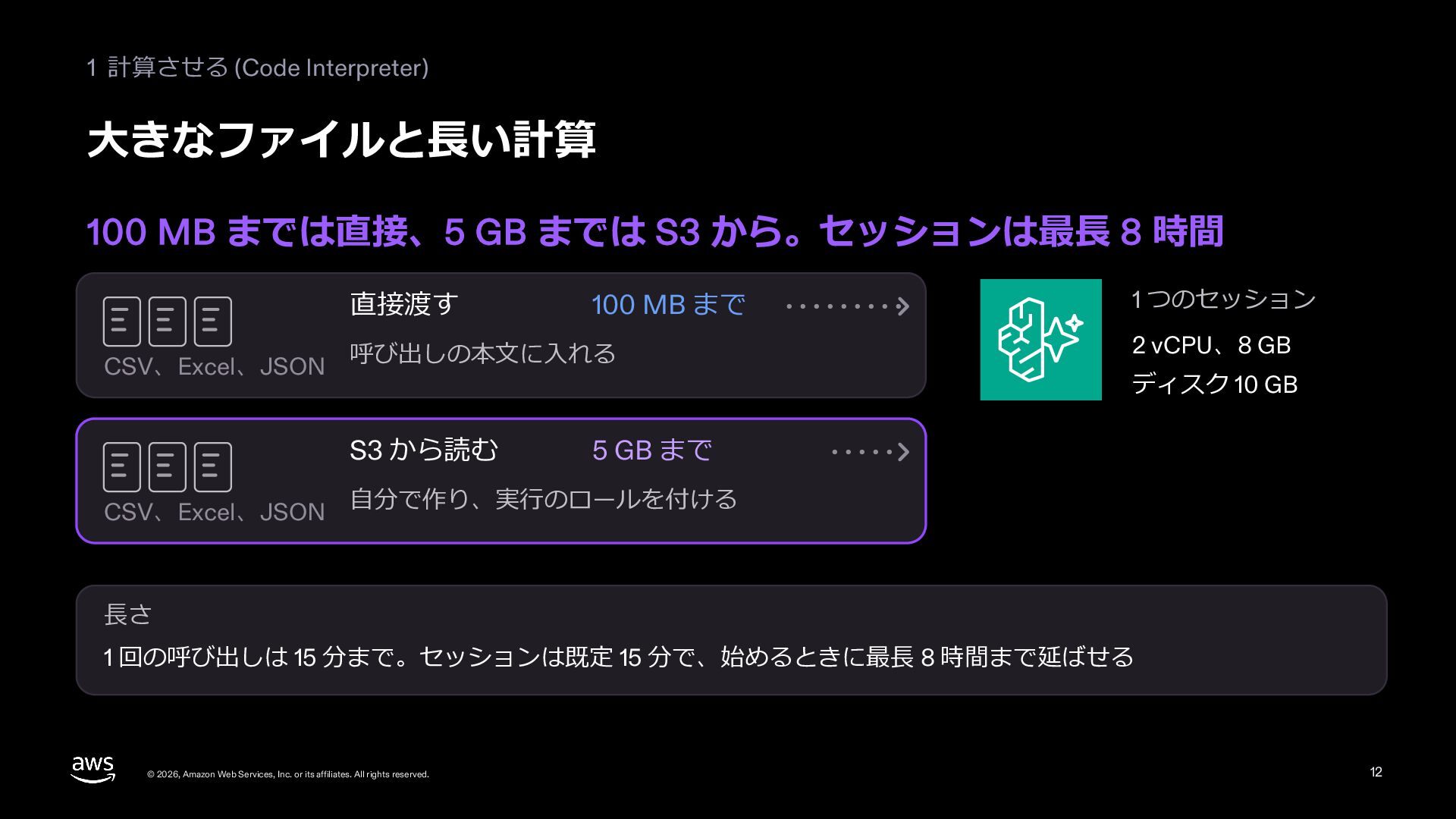
  10. 1 計算させる (Code Interpreter) ⼤きなファイルと⻑い計算 100 MB までは直接、5 GB までは

    S3 から。セッションは最⻑ 8 時間 直接渡す CSV、Excel、JSON 呼び出しの本⽂に⼊れる S3 から読む CSV、Excel、JSON 100 MB まで 1 つのセッション 2 vCPU、8 GB ディスク 10 GB 5 GB まで ⾃分で作り、実⾏のロールを付ける ⻑さ 1 回の呼び出しは 15 分まで。セッションは既定 15 分で、始めるときに最⻑ 8 時間まで延ばせる © 2026, Amazon Web Services, Inc. or its affiliates. All rights reserved. 12
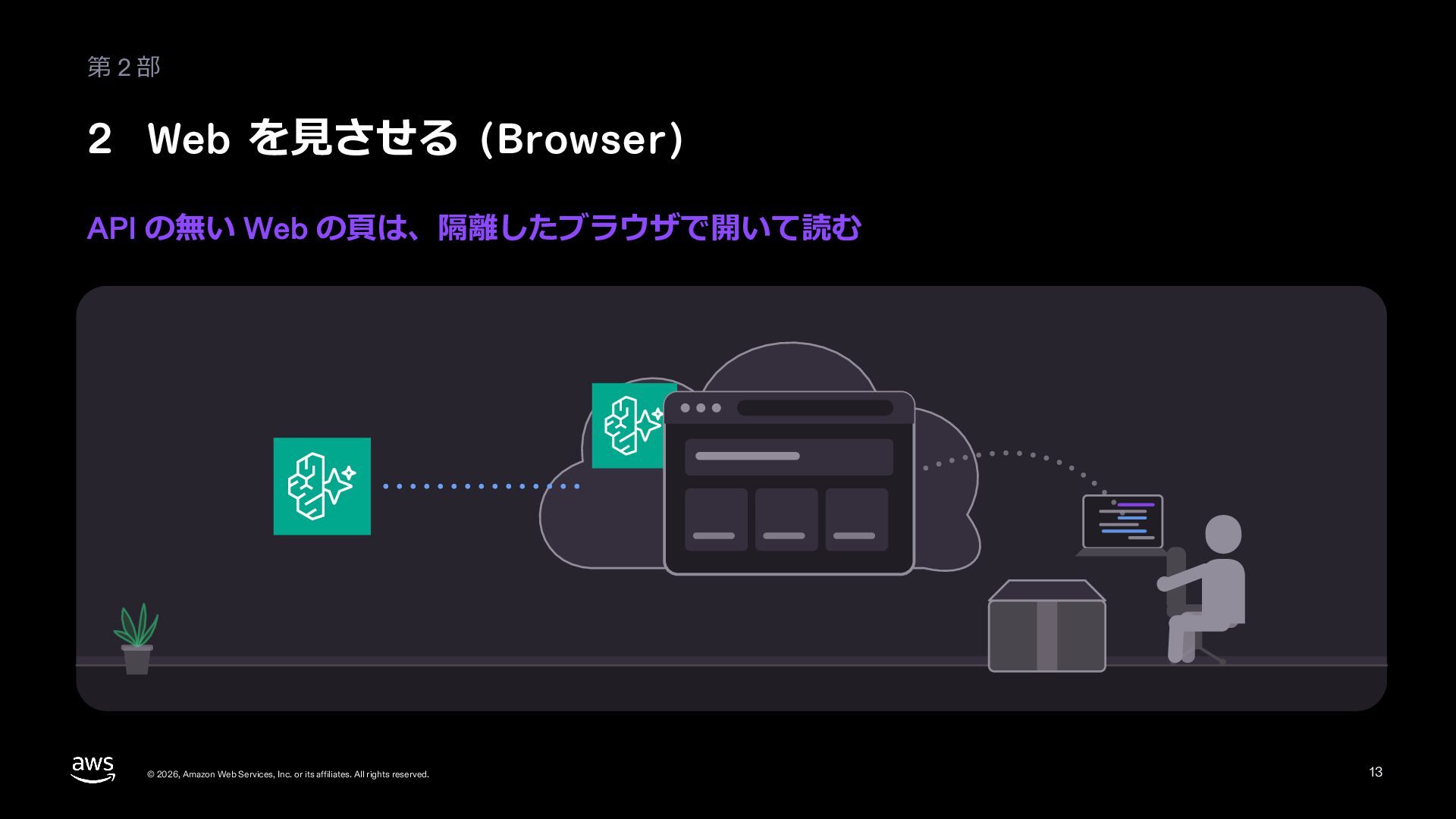
  11. 第2部 2 Web を⾒させる (Browser) API の無い Web の⾴は、隔離したブラウザで開いて読む ©

    2026, Amazon Web Services, Inc. or its affiliates. All rights reserved. 13
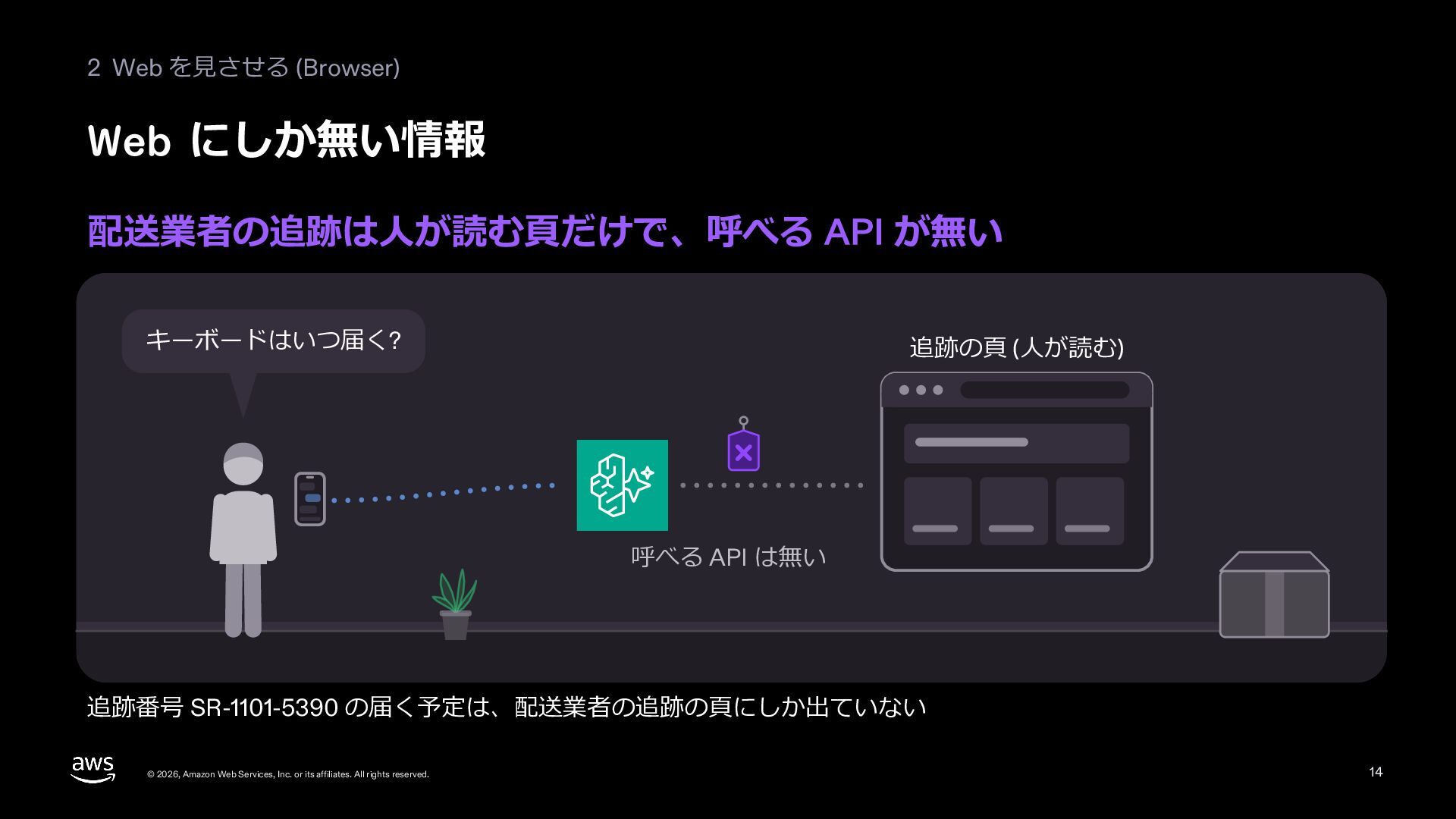
  12. 2 Web を⾒させる (Browser) Web にしか無い情報 配送業者の追跡は⼈が読む⾴だけで、呼べる API が無い キーボードはいつ届く?

    追跡の⾴ (⼈が読む) 呼べる API は無い 追跡番号 SR-1101-5390 の届く予定は、配送業者の追跡の⾴にしか出ていない © 2026, Amazon Web Services, Inc. or its affiliates. All rights reserved. 14
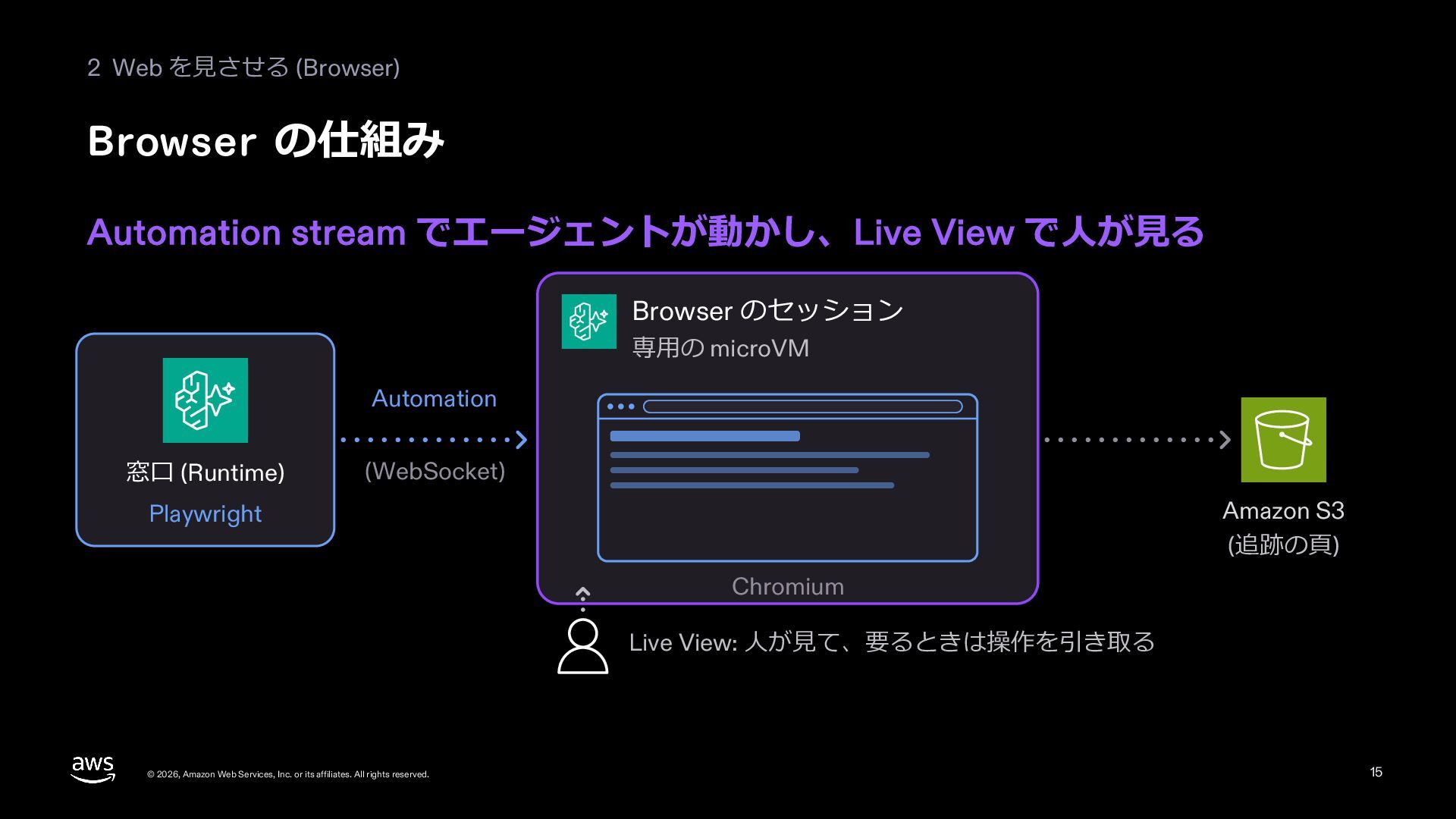
  13. 2 Web を⾒させる (Browser) Browser の仕組み Automation stream でエージェントが動かし、Live View

    で⼈が⾒る Browser のセッション 専⽤の microVM Automation 窓⼝ (Runtime) (WebSocket) Amazon S3 (追跡の⾴) Playwright Chromium Live View: ⼈が⾒て、要るときは操作を引き取る © 2026, Amazon Web Services, Inc. or its affiliates. All rights reserved. 15
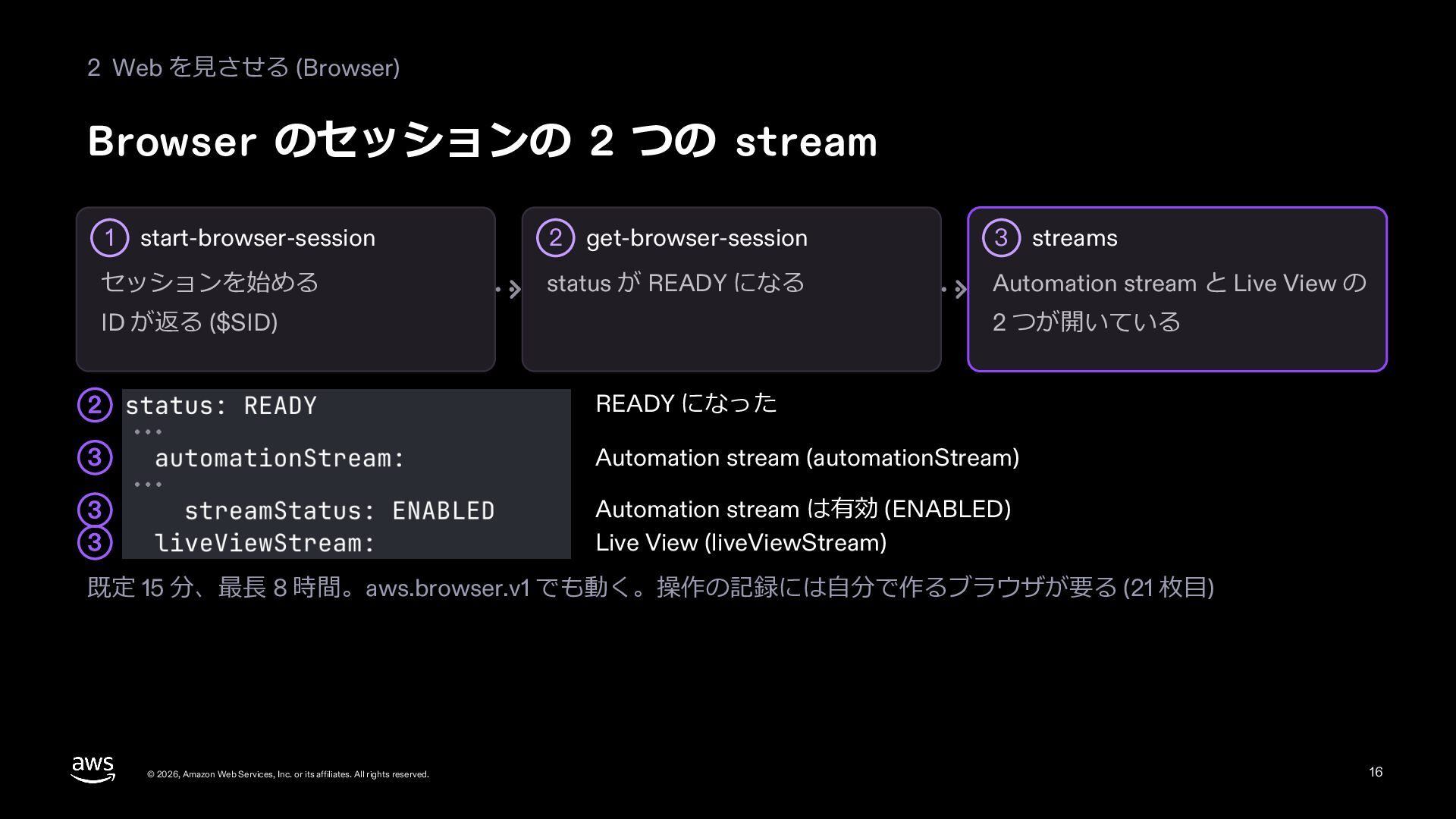
  14. 2 Web を⾒させる (Browser) Browser のセッションの 2 つの stream 1

    start-browser-session セッションを始める 2 get-browser-session 3 streams status が READY になる Automation stream と Live View の ID が返る ($SID) 2 つが開いている 2 READY になった 3 Automation stream (automationStream) 3 3 Automation stream は有効 (ENABLED) Live View (liveViewStream) 既定 15 分、最⻑ 8 時間。aws.browser.v1 でも動く。操作の記録には⾃分で作るブラウザが要る (21 枚⽬) © 2026, Amazon Web Services, Inc. or its affiliates. All rights reserved. 16
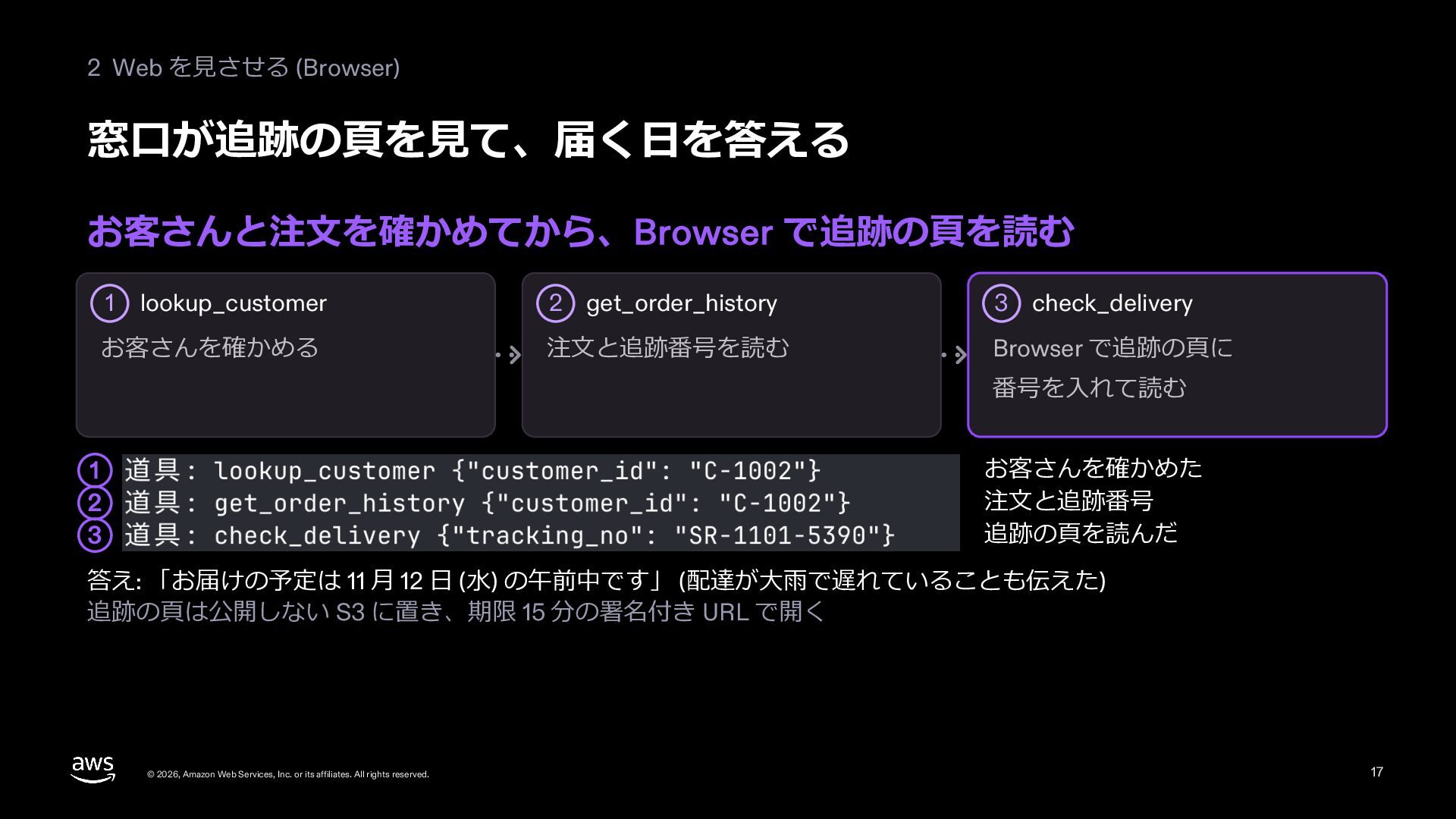
  15. 2 Web を⾒させる (Browser) 窓⼝が追跡の⾴を⾒て、届く⽇を答える お客さんと注⽂を確かめてから、Browser で追跡の⾴を読む lookup_customer 2 get_order_history

    3 check_delivery お客さんを確かめる 注⽂と追跡番号を読む Browser で追跡の⾴に 1 番号を⼊れて読む お客さんを確かめた 注⽂と追跡番号 追跡の⾴を読んだ 1 2 3 答え: 「お届けの予定は 11 ⽉ 12 ⽇ (⽔) の午前中です」 (配達が⼤⾬で遅れていることも伝えた) 追跡の⾴は公開しない S3 に置き、期限 15 分の署名付き URL で開く © 2026, Amazon Web Services, Inc. or its affiliates. All rights reserved. 17
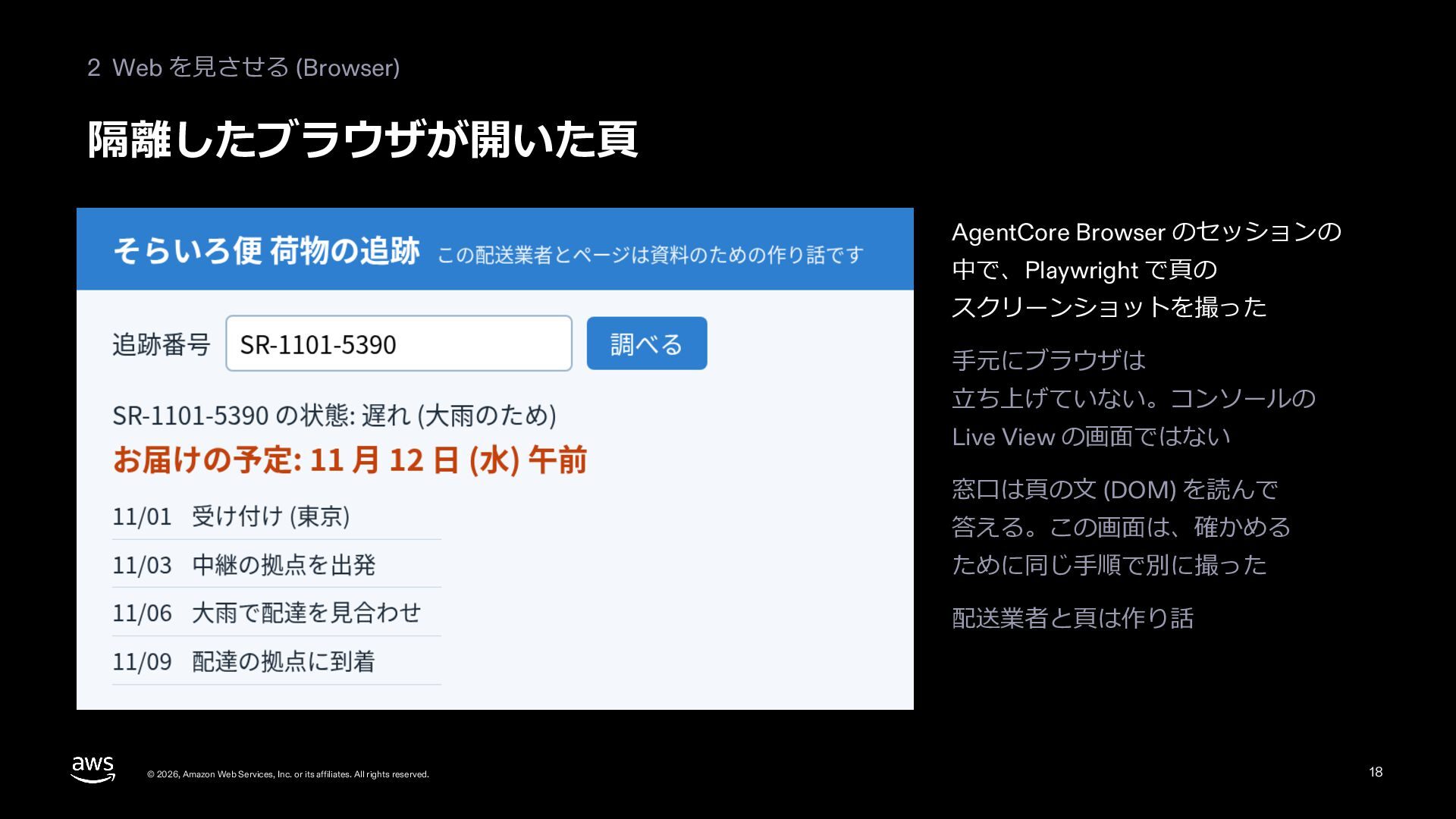
  16. 2 Web を⾒させる (Browser) 隔離したブラウザが開いた⾴ AgentCore Browser のセッションの 中で、Playwright で⾴の

    スクリーンショットを撮った ⼿元にブラウザは ⽴ち上げていない。コンソールの Live View の画⾯ではない 窓⼝は⾴の⽂ (DOM) を読んで 答える。この画⾯は、確かめる ために同じ⼿順で別に撮った 配送業者と⾴は作り話 © 2026, Amazon Web Services, Inc. or its affiliates. All rights reserved. 18
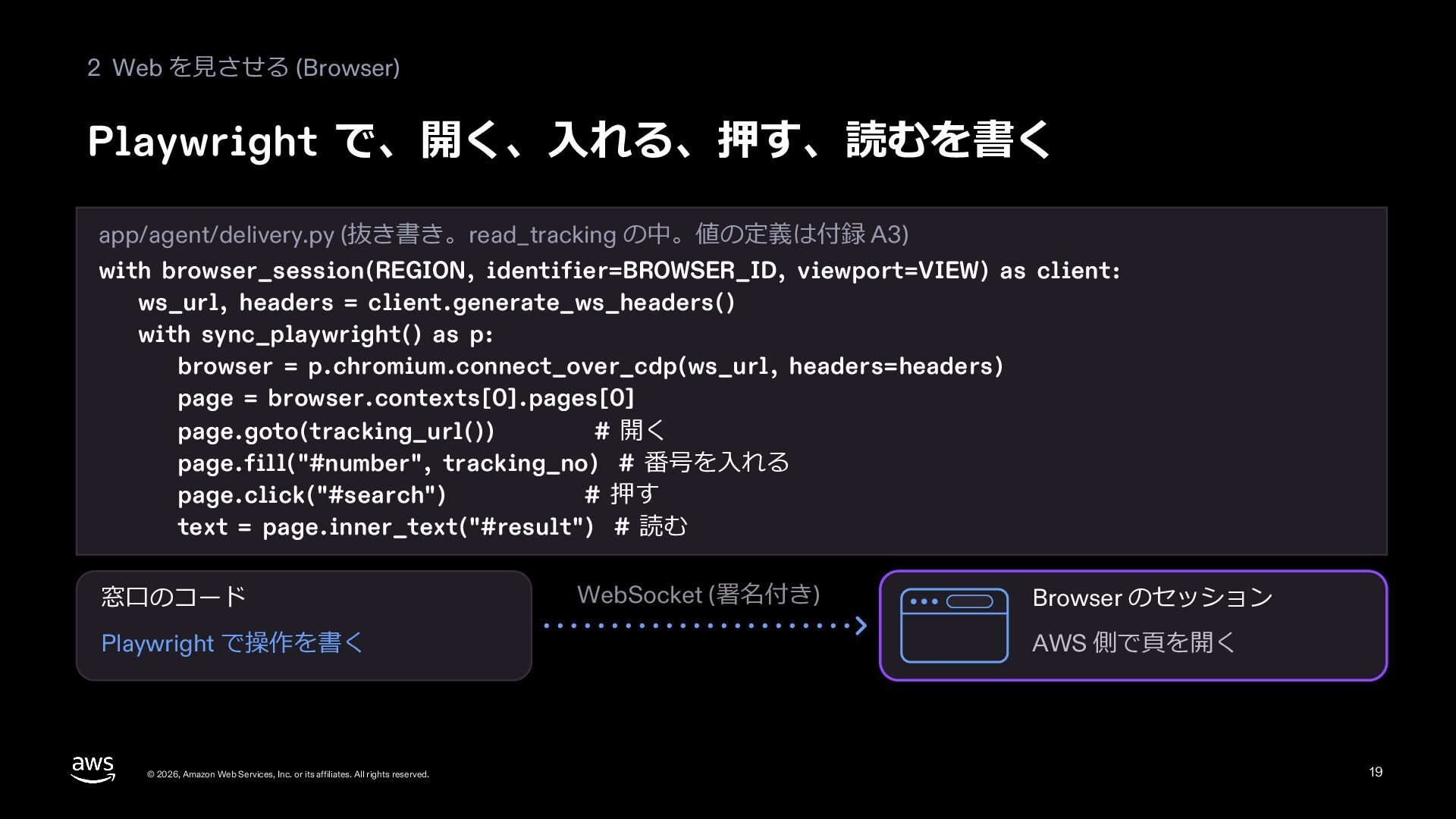
  17. 2 Web を⾒させる (Browser) Playwright で、開く、⼊れる、押す、読むを書く app/agent/delivery.py (抜き書き。read_tracking の中。値の定義は付録 A3)

    with browser_session(REGION, identifier=BROWSER_ID, viewport=VIEW) as client: ws_url, headers = client.generate_ws_headers() with sync_playwright() as p: browser = p.chromium.connect_over_cdp(ws_url, headers=headers) page = browser.contexts[0].pages[0] page.goto(tracking_url()) # 開く page.fill("#number", tracking_no) # 番号を⼊れる page.click("#search") # 押す text = page.inner_text("#result") # 読む 窓⼝のコード Playwright で操作を書く © 2026, Amazon Web Services, Inc. or its affiliates. All rights reserved. WebSocket (署名付き) Browser のセッション AWS 側で⾴を開く 19
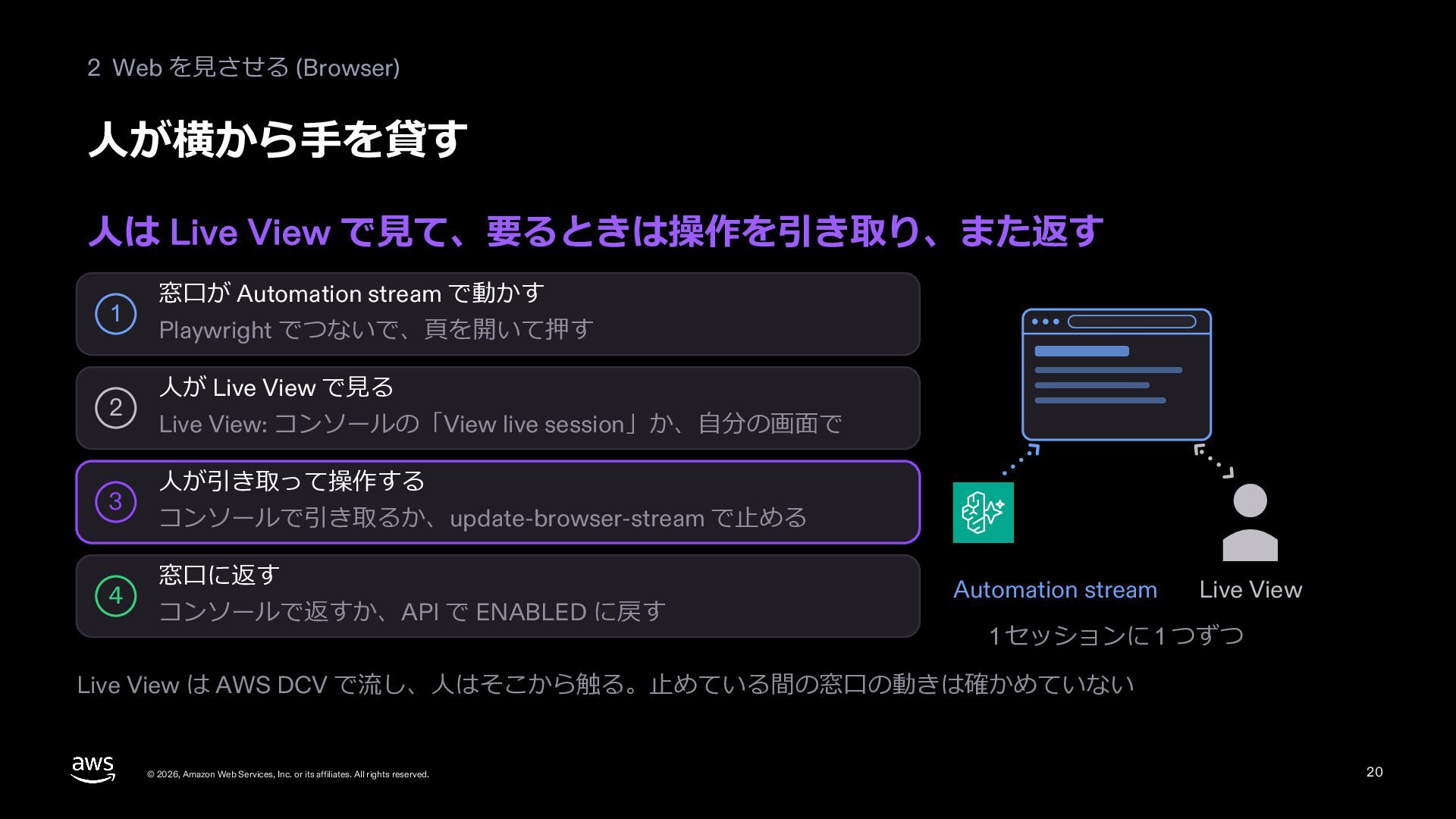
  18. 2 Web を⾒させる (Browser) ⼈が横から⼿を貸す ⼈は Live View で⾒て、要るときは操作を引き取り、また返す 1

    2 3 4 窓⼝が Automation stream で動かす Playwright でつないで、⾴を開いて押す ⼈が Live View で⾒る Live View: コンソールの「View live session」か、⾃分の画⾯で ⼈が引き取って操作する コンソールで引き取るか、update-browser-stream で⽌める 窓⼝に返す コンソールで返すか、API で ENABLED に戻す Automation stream Live View 1 セッションに 1 つずつ Live View は AWS DCV で流し、⼈はそこから触る。⽌めている間の窓⼝の動きは確かめていない © 2026, Amazon Web Services, Inc. or its affiliates. All rights reserved. 20
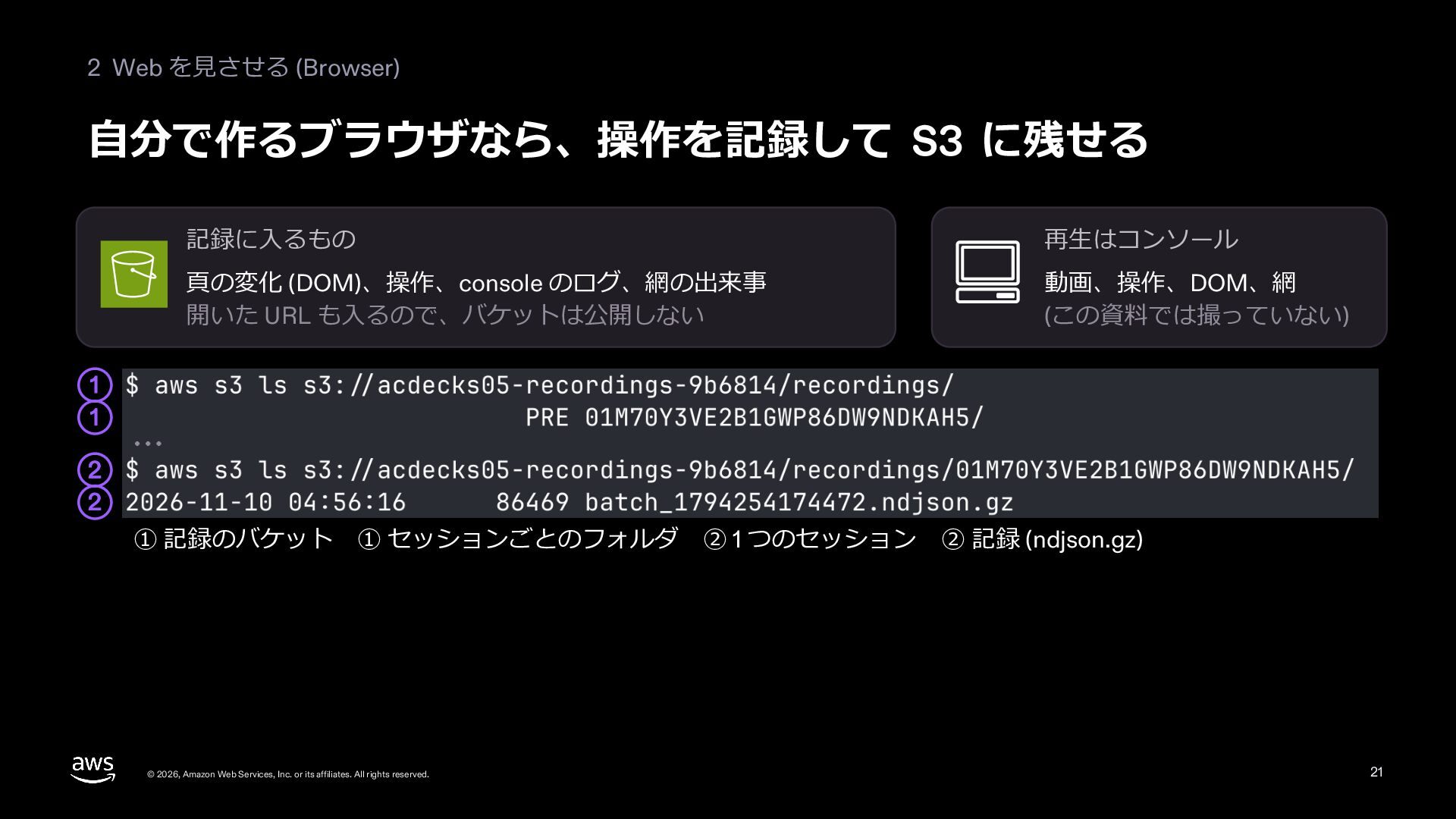
  19. 2 Web を⾒させる (Browser) ⾃分で作るブラウザなら、操作を記録して S3 に残せる 記録に⼊るもの 再⽣はコンソール ⾴の変化

    (DOM)、操作、console のログ、網の出来事 開いた URL も⼊るので、バケットは公開しない 動画、操作、DOM、網 (この資料では撮っていない) 1 1 2 2 ① 記録のバケット ① セッションごとのフォルダ © 2026, Amazon Web Services, Inc. or its affiliates. All rights reserved. ② 1 つのセッション ② 記録 (ndjson.gz) 21
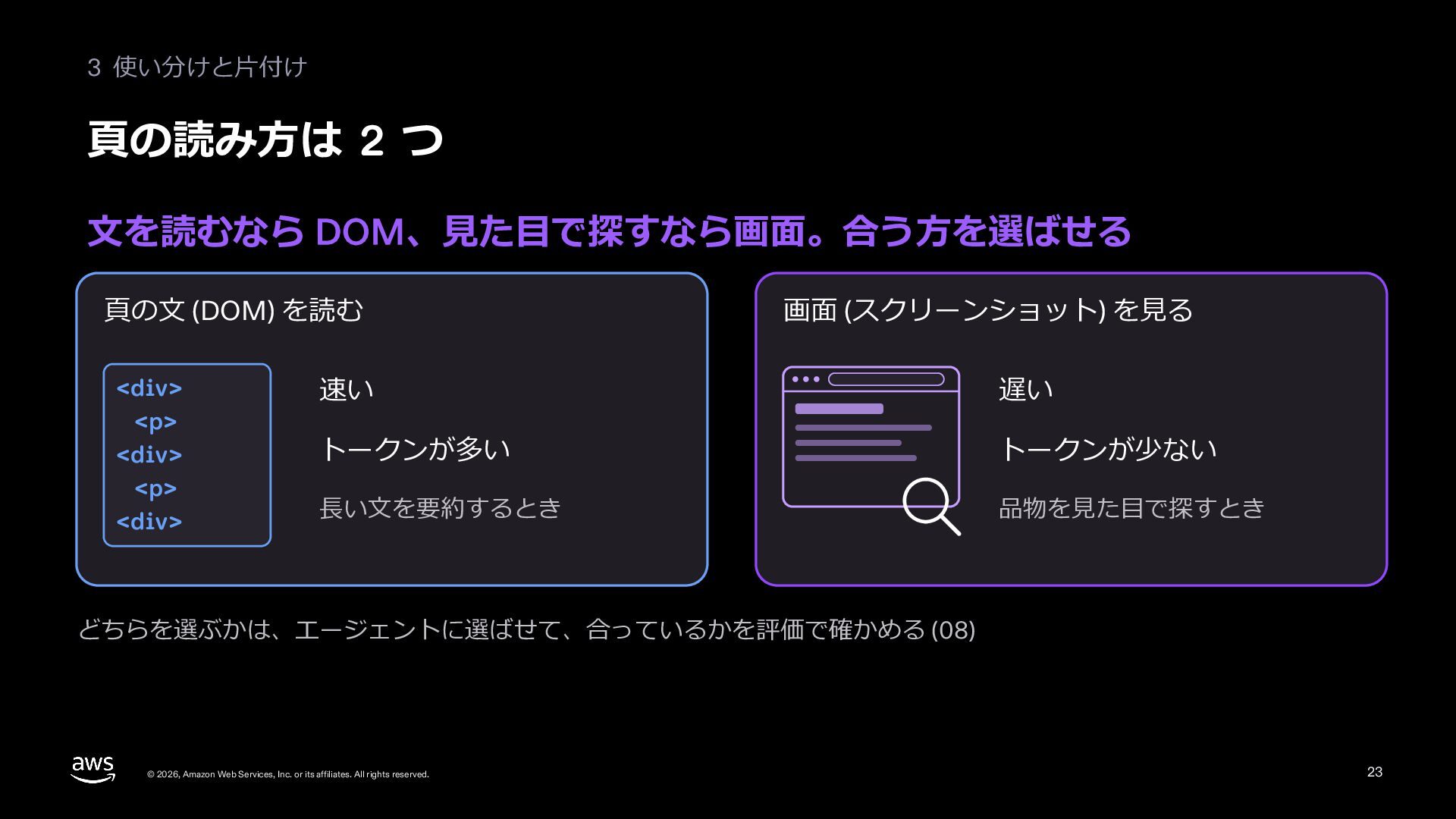
  20. 3 使い分けと⽚付け ⾴の読み⽅は 2 つ ⽂を読むなら DOM、⾒た⽬で探すなら画⾯。合う⽅を選ばせる ⾴の⽂ (DOM) を読む

    <div> <p> <div> <p> <div> 画⾯ (スクリーンショット) を⾒る 速い 遅い トークンが多い トークンが少ない ⻑い⽂を要約するとき 品物を⾒た⽬で探すとき どちらを選ぶかは、エージェントに選ばせて、合っているかを評価で確かめる (08) © 2026, Amazon Web Services, Inc. or its affiliates. All rights reserved. 23
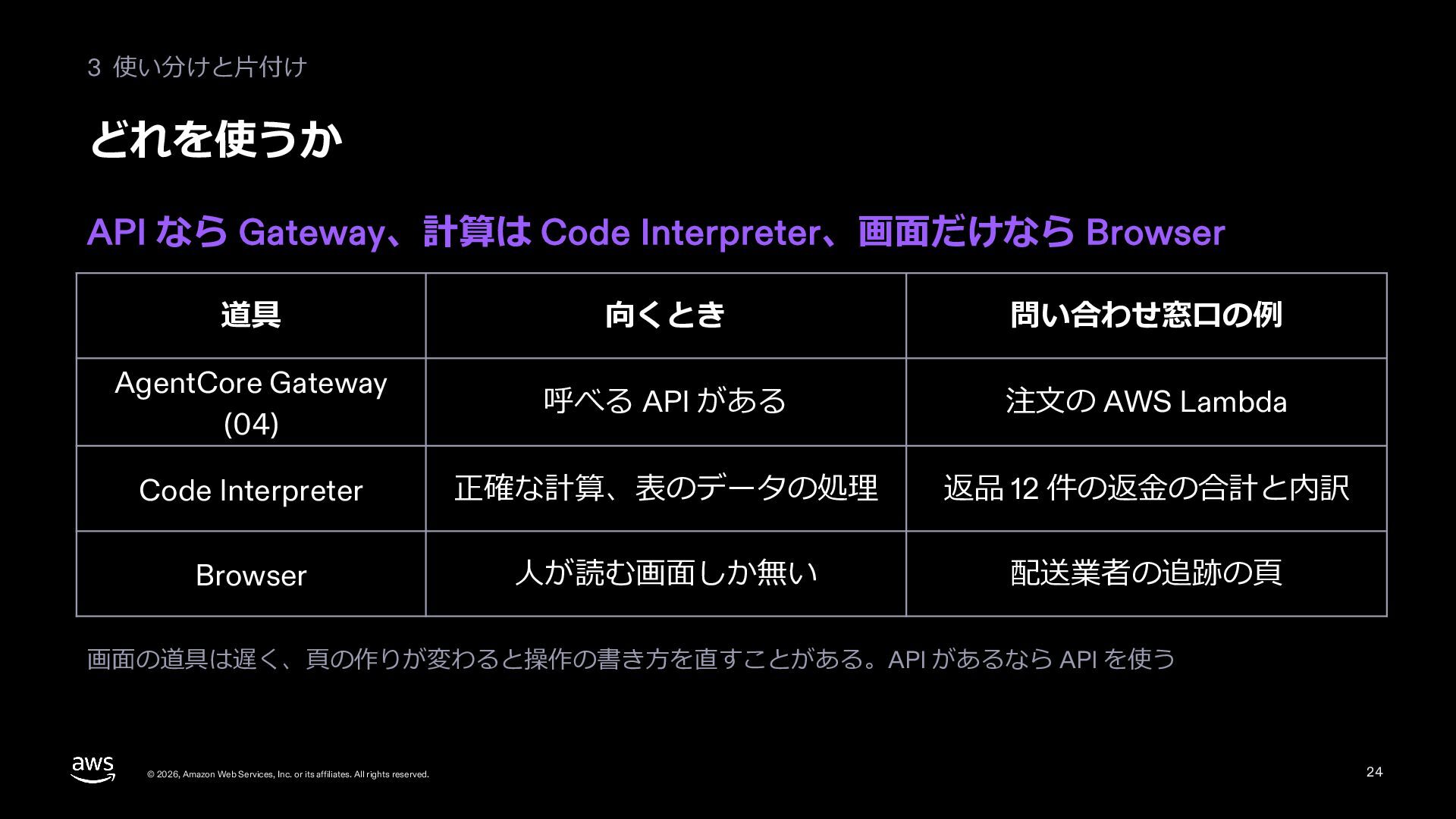
  21. 3 使い分けと⽚付け どれを使うか API なら Gateway、計算は Code Interpreter、画⾯だけなら Browser 道具

    向くとき 問い合わせ窓⼝の例 AgentCore Gateway (04) 呼べる API がある 注⽂の AWS Lambda Code Interpreter 正確な計算、表のデータの処理 返品 12 件の返⾦の合計と内訳 Browser ⼈が読む画⾯しか無い 配送業者の追跡の⾴ 画⾯の道具は遅く、⾴の作りが変わると操作の書き⽅を直すことがある。API があるなら API を使う © 2026, Amazon Web Services, Inc. or its affiliates. All rights reserved. 24
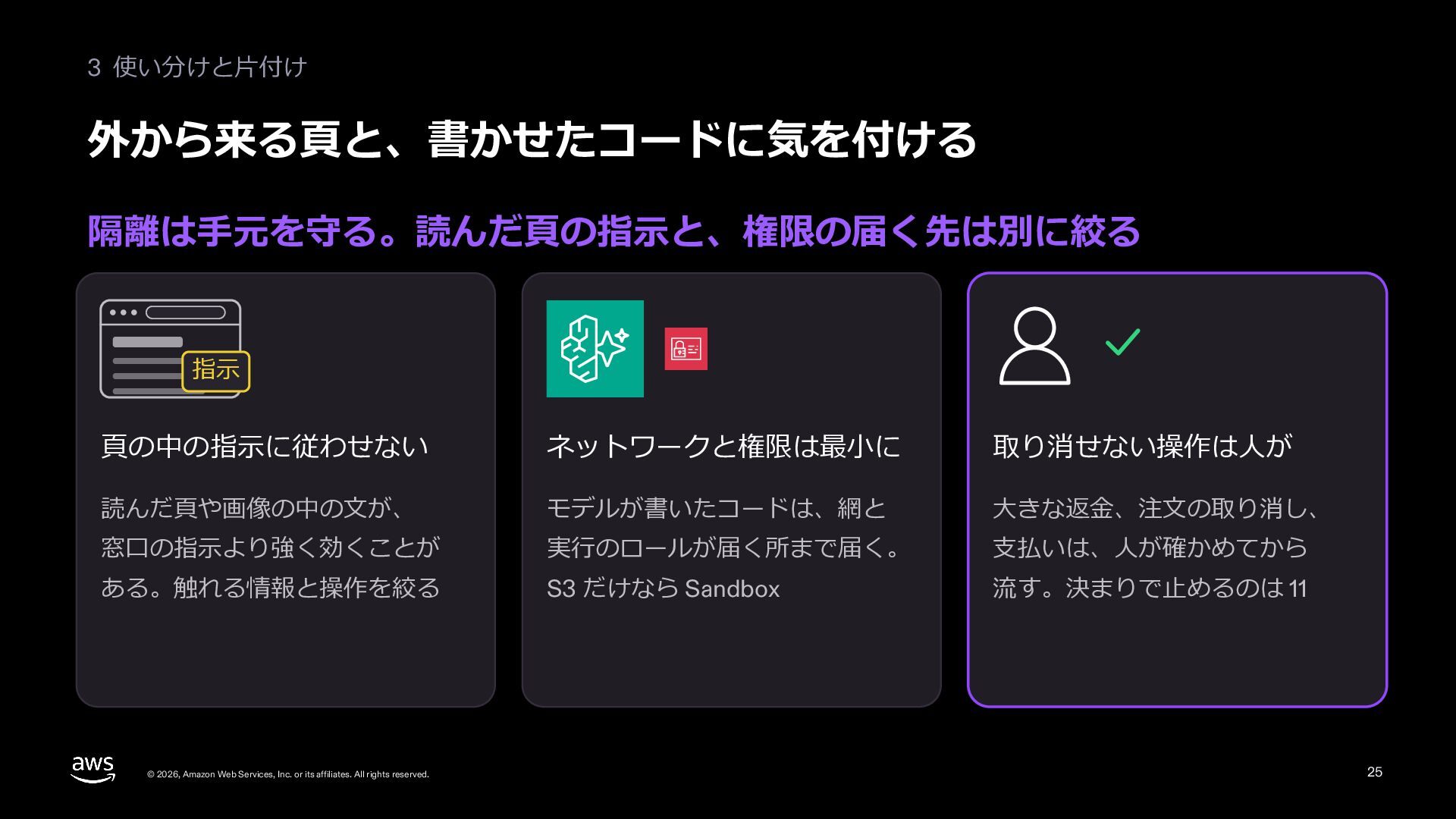
  22. 3 使い分けと⽚付け 外から来る⾴と、書かせたコードに気を付ける 隔離は⼿元を守る。読んだ⾴の指⽰と、権限の届く先は別に絞る 指⽰ ⾴の中の指⽰に従わせない ネットワークと権限は最⼩に 取り消せない操作は⼈が 読んだ⾴や画像の中の⽂が、 モデルが書いたコードは、網と

    ⼤きな返⾦、注⽂の取り消し、 窓⼝の指⽰より強く効くことが 実⾏のロールが届く所まで届く。 ⽀払いは、⼈が確かめてから ある。触れる情報と操作を絞る S3 だけなら Sandbox 流す。決まりで⽌めるのは 11 © 2026, Amazon Web Services, Inc. or its affiliates. All rights reserved. 25
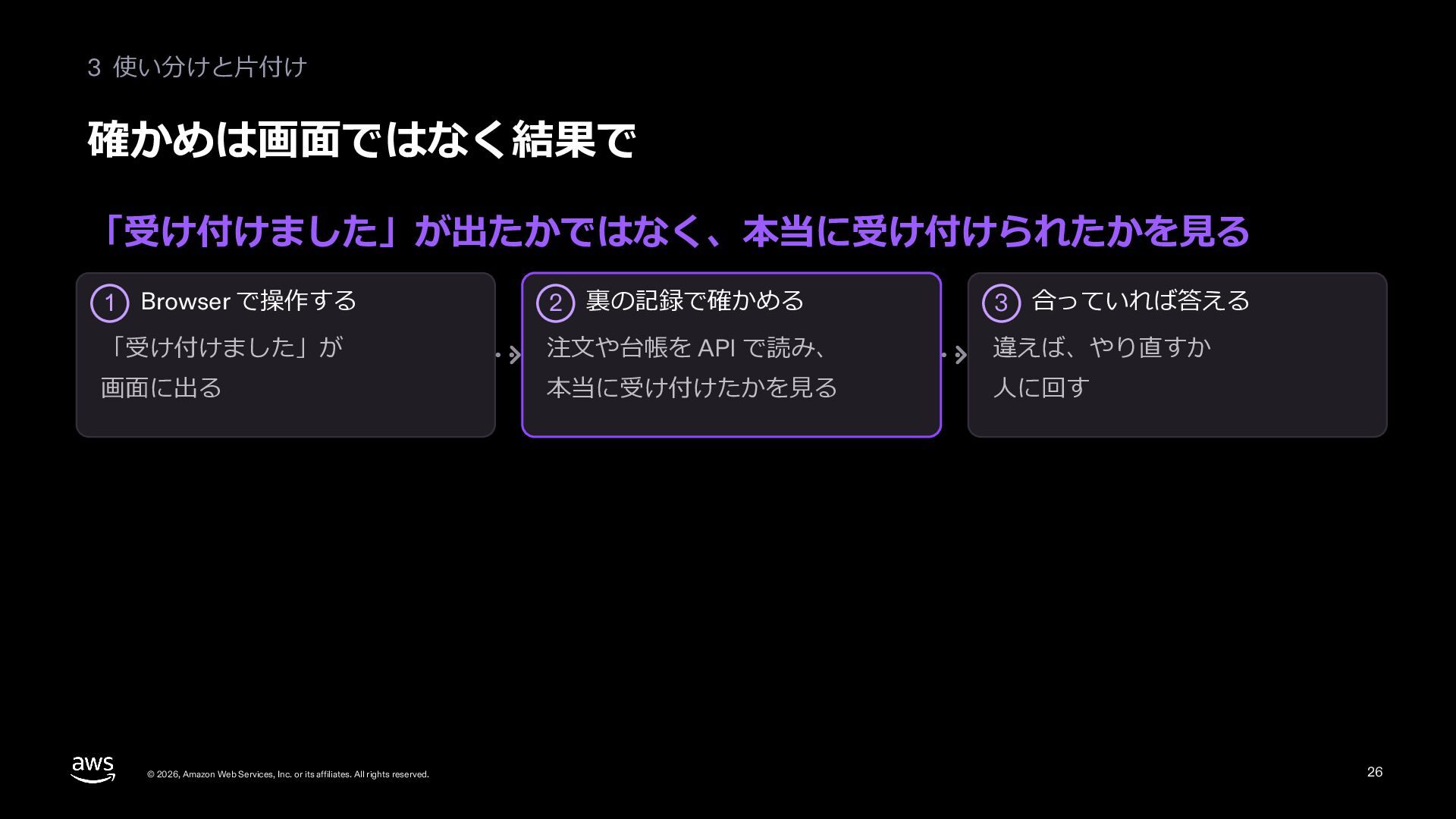
  23. 3 使い分けと⽚付け 確かめは画⾯ではなく結果で 「受け付けました」が出たかではなく、本当に受け付けられたかを⾒る 2 裏の記録で確かめる 3 合っていれば答える 「受け付けました」が 注⽂や台帳を

    API で読み、 違えば、やり直すか 画⾯に出る 本当に受け付けたかを⾒る ⼈に回す 1 Browser で操作する © 2026, Amazon Web Services, Inc. or its affiliates. All rights reserved. 26
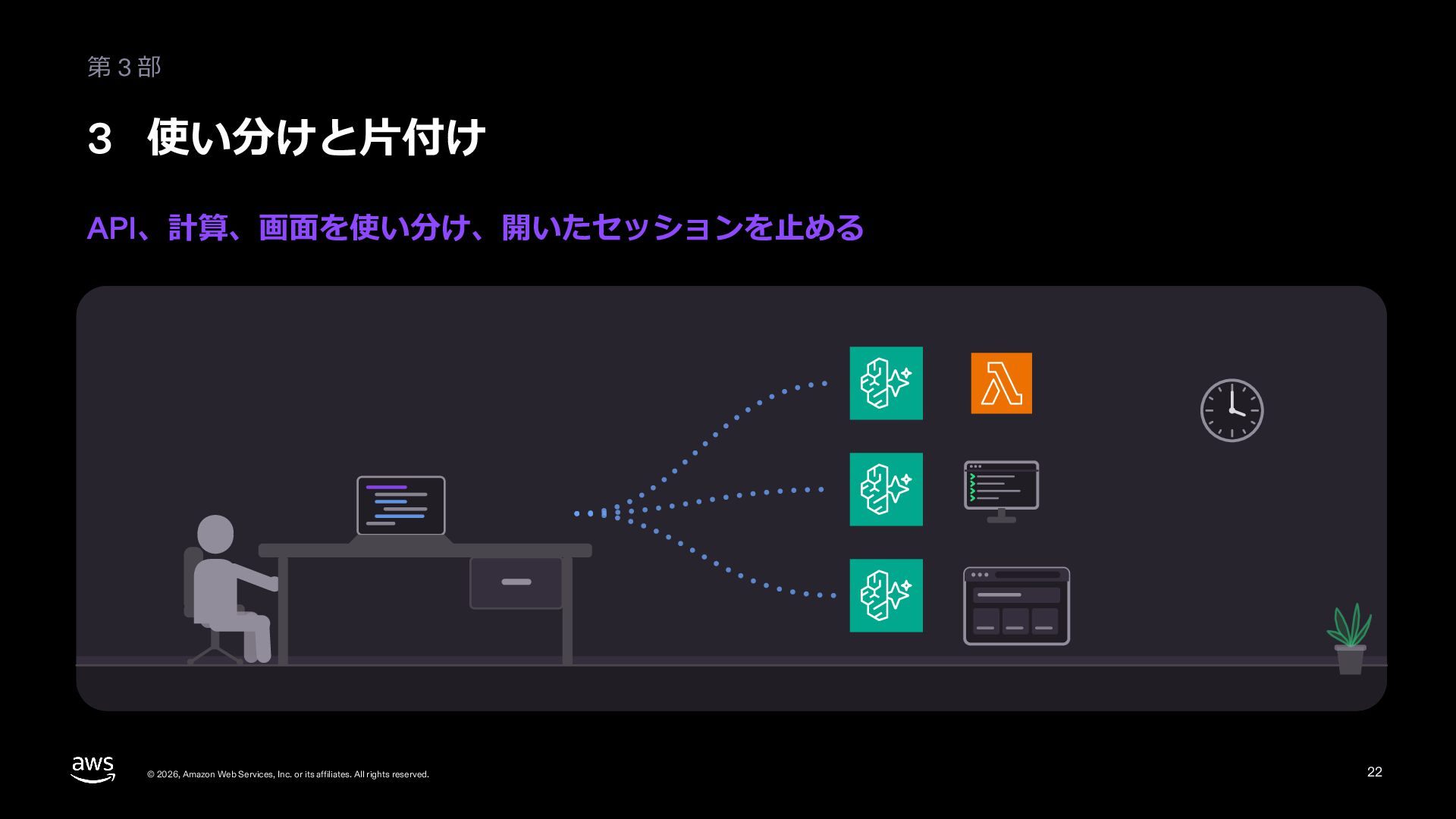
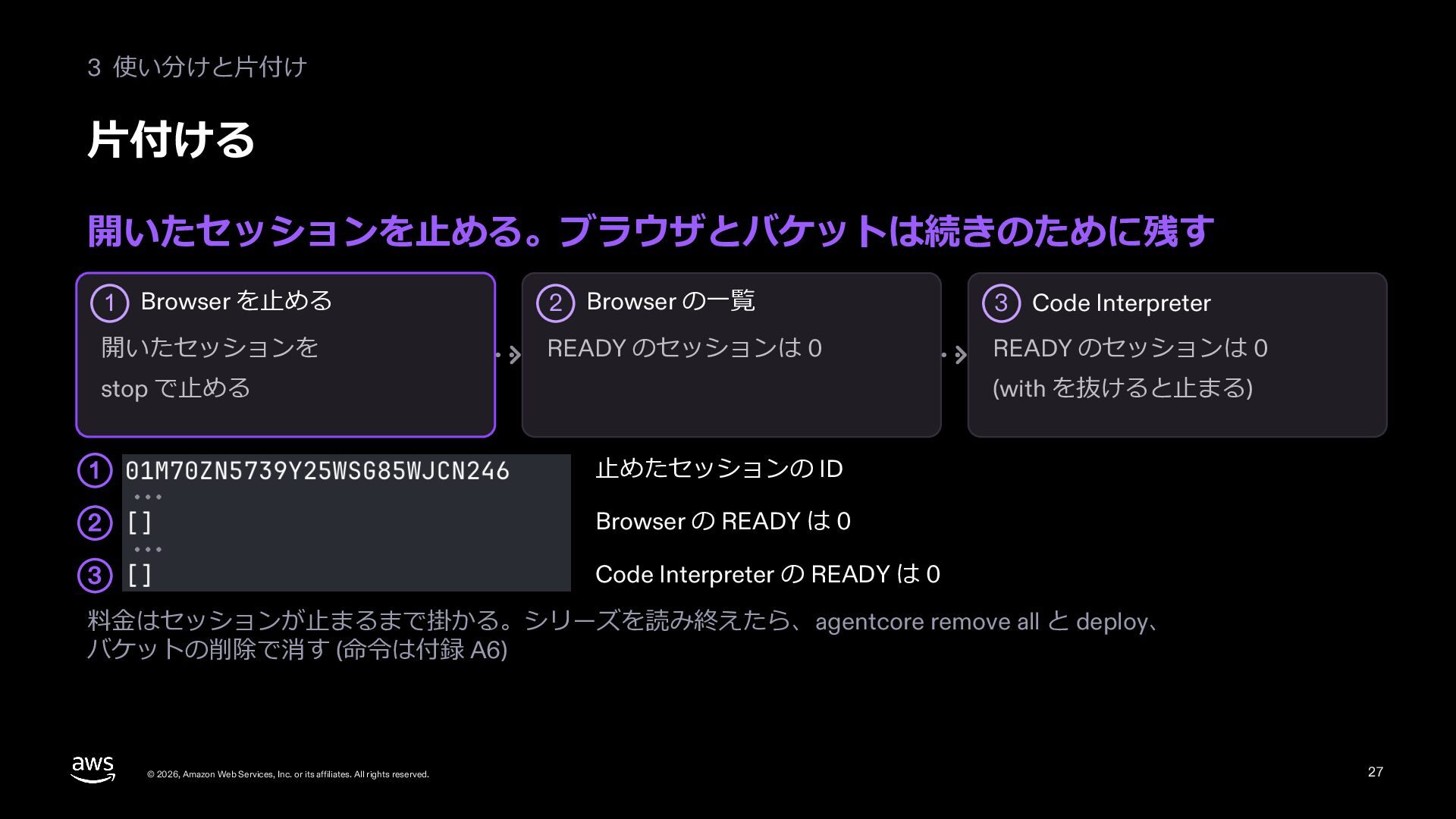
  24. 3 使い分けと⽚付け ⽚付ける 開いたセッションを⽌める。ブラウザとバケットは続きのために残す 1 Browser を⽌める 開いたセッションを 2 Browser

    の⼀覧 3 Code Interpreter READY のセッションは 0 READY のセッションは 0 stop で⽌める (with を抜けると⽌まる) 1 ⽌めたセッションの ID 2 Browser の READY は 0 3 Code Interpreter の READY は 0 料⾦はセッションが⽌まるまで掛かる。シリーズを読み終えたら、agentcore remove all と deploy、 バケットの削除で消す (命令は付録 A6) © 2026, Amazon Web Services, Inc. or its affiliates. All rights reserved. 27
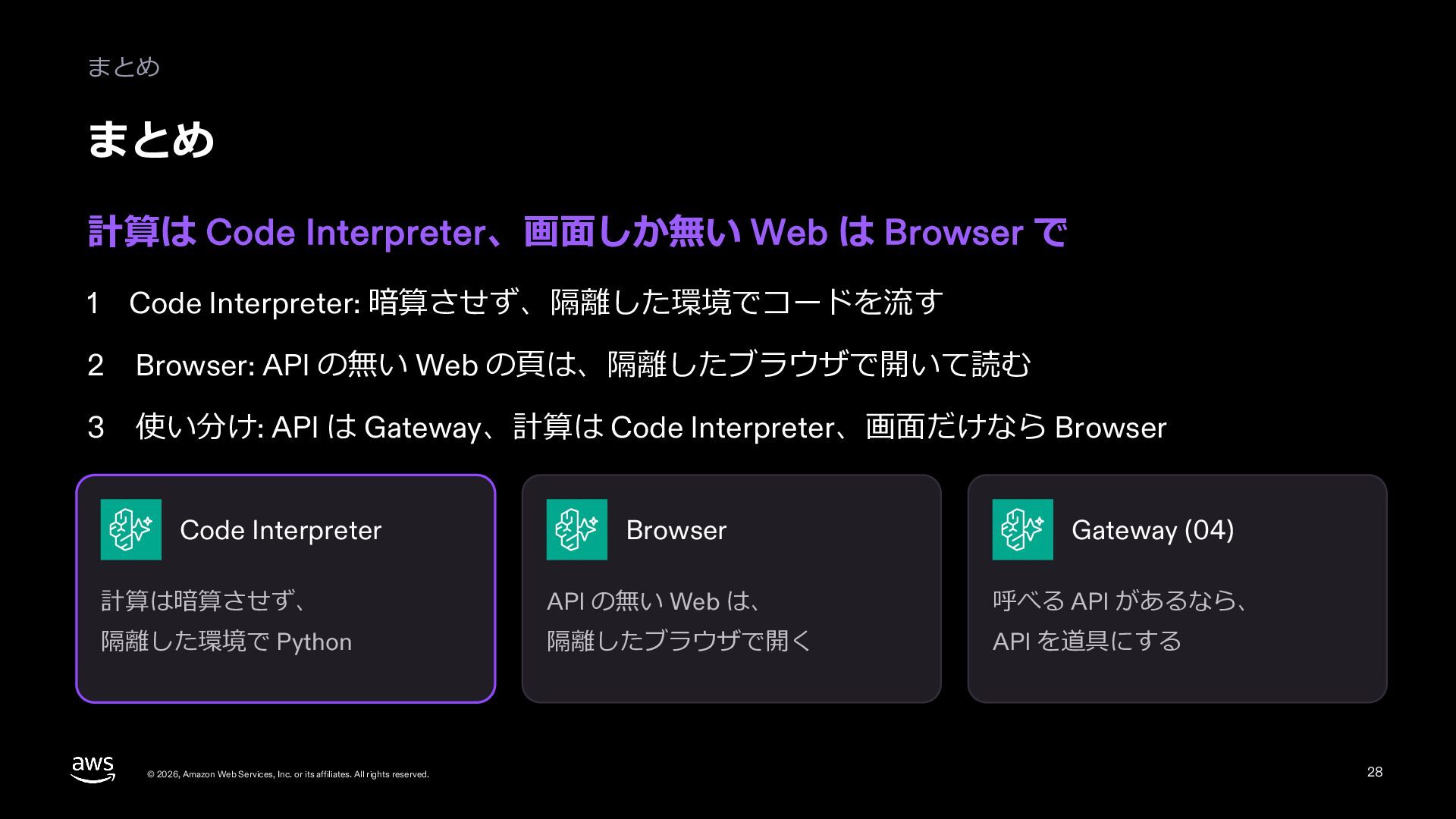
  25. まとめ まとめ 計算は Code Interpreter、画⾯しか無い Web は Browser で 1

    Code Interpreter: 暗算させず、隔離した環境でコードを流す 2 Browser: API の無い Web の⾴は、隔離したブラウザで開いて読む 3 使い分け: API は Gateway、計算は Code Interpreter、画⾯だけなら Browser Code Interpreter Browser Gateway (04) 計算は暗算させず、 API の無い Web は、 呼べる API があるなら、 隔離した環境で Python 隔離したブラウザで開く API を道具にする © 2026, Amazon Web Services, Inc. or its affiliates. All rights reserved. 28
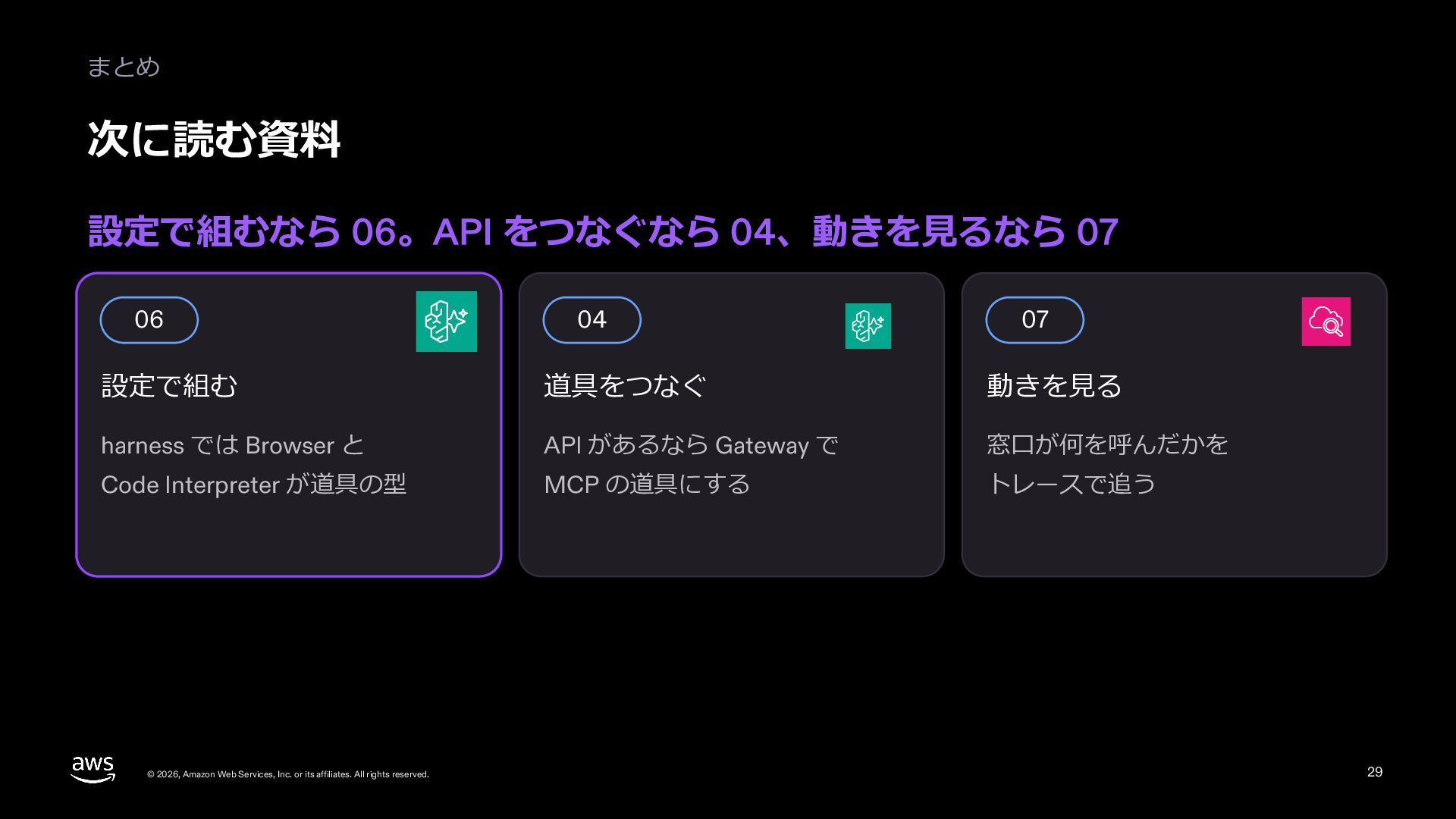
  26. まとめ 次に読む資料 設定で組むなら 06。API をつなぐなら 04、動きを⾒るなら 07 06 04 07

    設定で組む 道具をつなぐ 動きを⾒る harness では Browser と API があるなら Gateway で 窓⼝が何を呼んだかを Code Interpreter が道具の型 MCP の道具にする トレースで追う © 2026, Amazon Web Services, Inc. or its affiliates. All rights reserved. 29
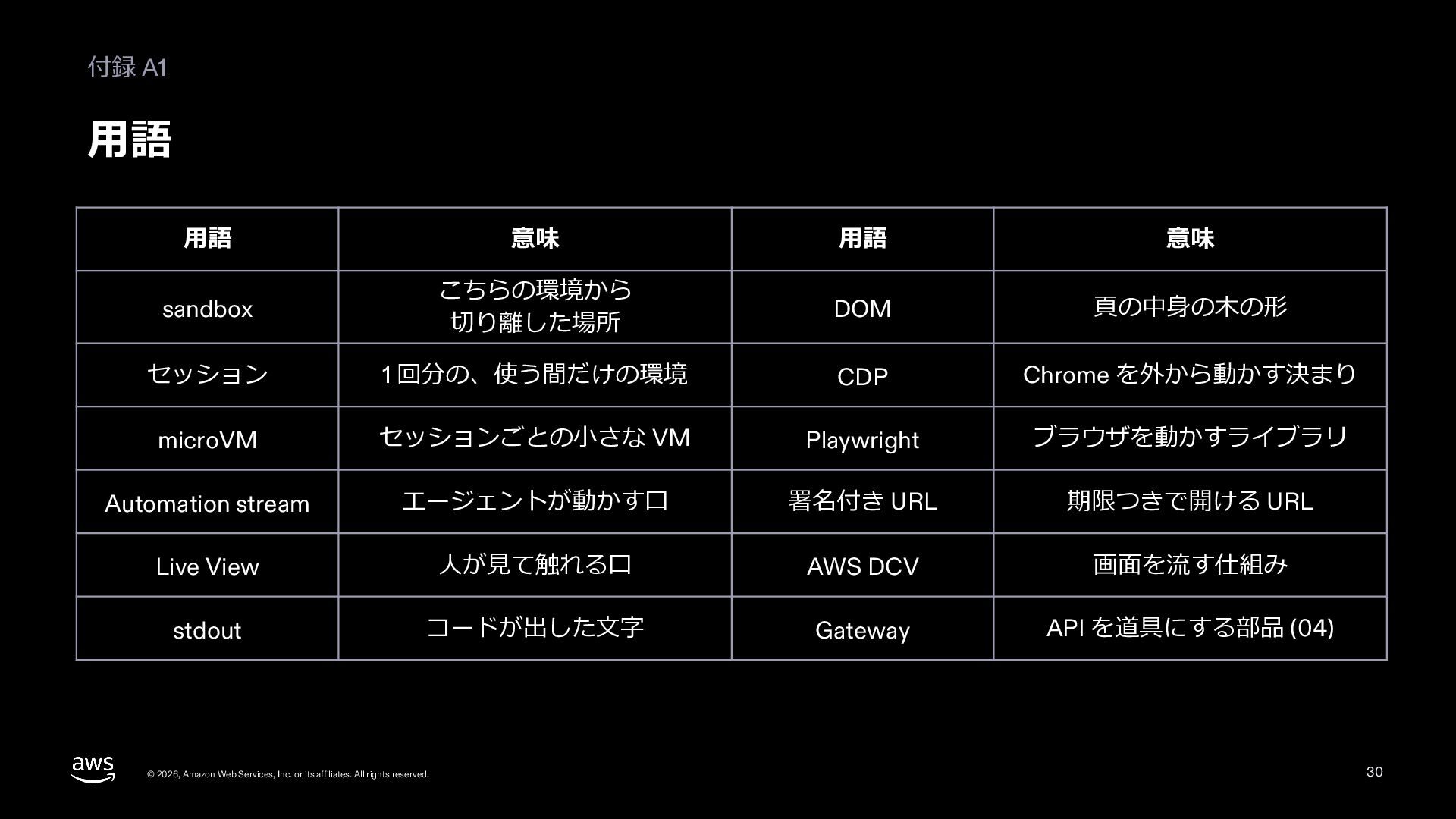
  27. 付録 A1 ⽤語 ⽤語 意味 ⽤語 意味 sandbox こちらの環境から 切り離した場所

    DOM ⾴の中⾝の⽊の形 セッション 1 回分の、使う間だけの環境 CDP Chrome を外から動かす決まり microVM セッションごとの⼩さな VM Playwright ブラウザを動かすライブラリ Automation stream エージェントが動かす⼝ 署名付き URL 期限つきで開ける URL Live View ⼈が⾒て触れる⼝ AWS DCV 画⾯を流す仕組み stdout コードが出した⽂字 Gateway API を道具にする部品 (04) © 2026, Amazon Web Services, Inc. or its affiliates. All rights reserved. 30
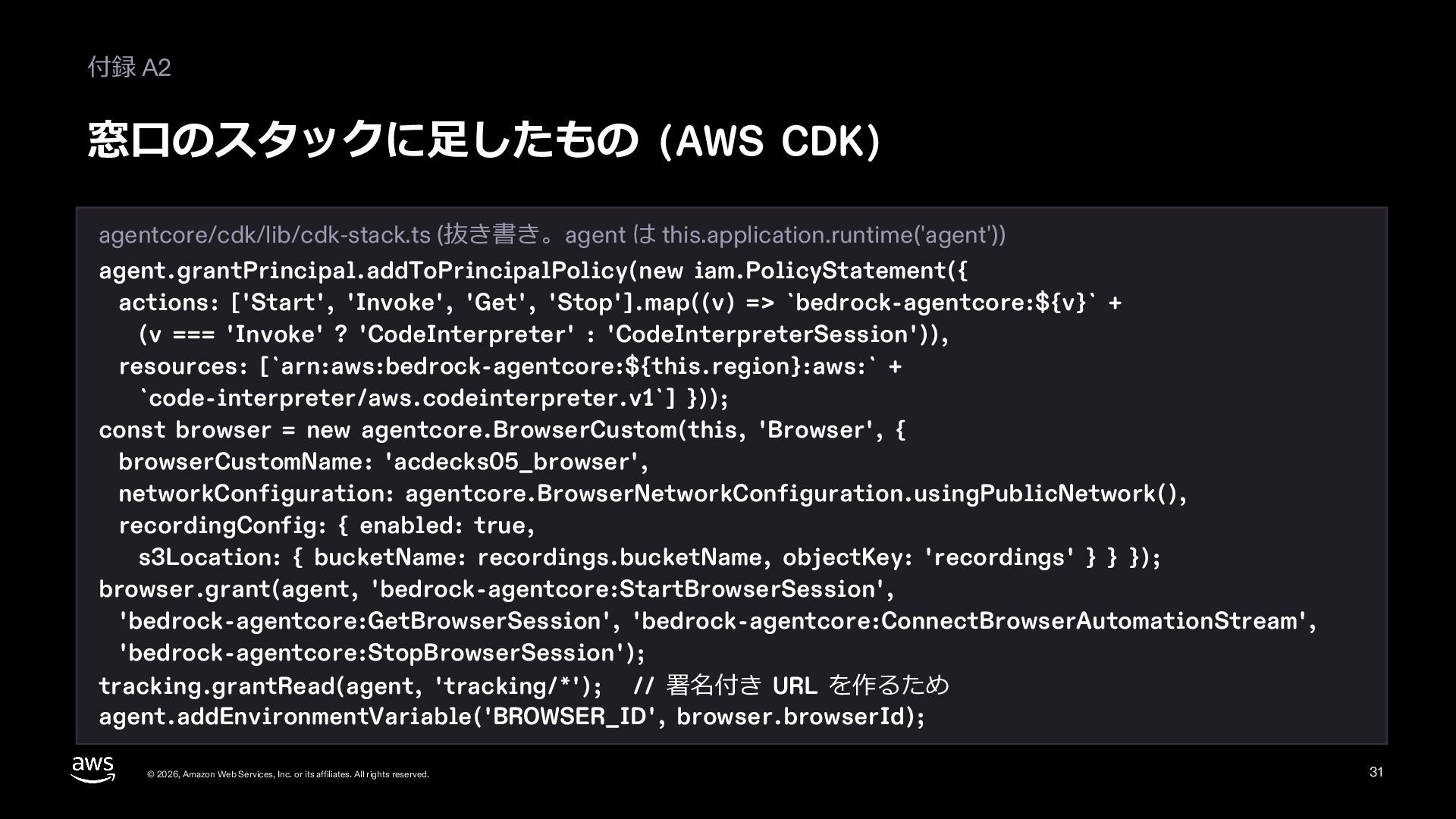
  28. 付録 A2 窓⼝のスタックに⾜したもの (AWS CDK) agentcore/cdk/lib/cdk-stack.ts (抜き書き。agent は this.application.runtime('agent')) agent.grantPrincipal.addToPrincipalPolicy(new

    iam.PolicyStatement({ actions: ['Start', 'Invoke', 'Get', 'Stop'].map((v) => `bedrock-agentcore:${v}` + (v === 'Invoke' ? 'CodeInterpreter' : 'CodeInterpreterSession')), resources: [`arn:aws:bedrock-agentcore:${this.region}:aws:` + `code-interpreter/aws.codeinterpreter.v1`] })); const browser = new agentcore.BrowserCustom(this, 'Browser', { browserCustomName: 'acdecks05_browser', networkConfiguration: agentcore.BrowserNetworkConfiguration.usingPublicNetwork(), recordingConfig: { enabled: true, s3Location: { bucketName: recordings.bucketName, objectKey: 'recordings' } } }); browser.grant(agent, 'bedrock-agentcore:StartBrowserSession', 'bedrock-agentcore:GetBrowserSession', 'bedrock-agentcore:ConnectBrowserAutomationStream', 'bedrock-agentcore:StopBrowserSession'); tracking.grantRead(agent, 'tracking/*'); // 署名付き URL を作るため agent.addEnvironmentVariable('BROWSER_ID', browser.browserId); © 2026, Amazon Web Services, Inc. or its affiliates. All rights reserved. 31
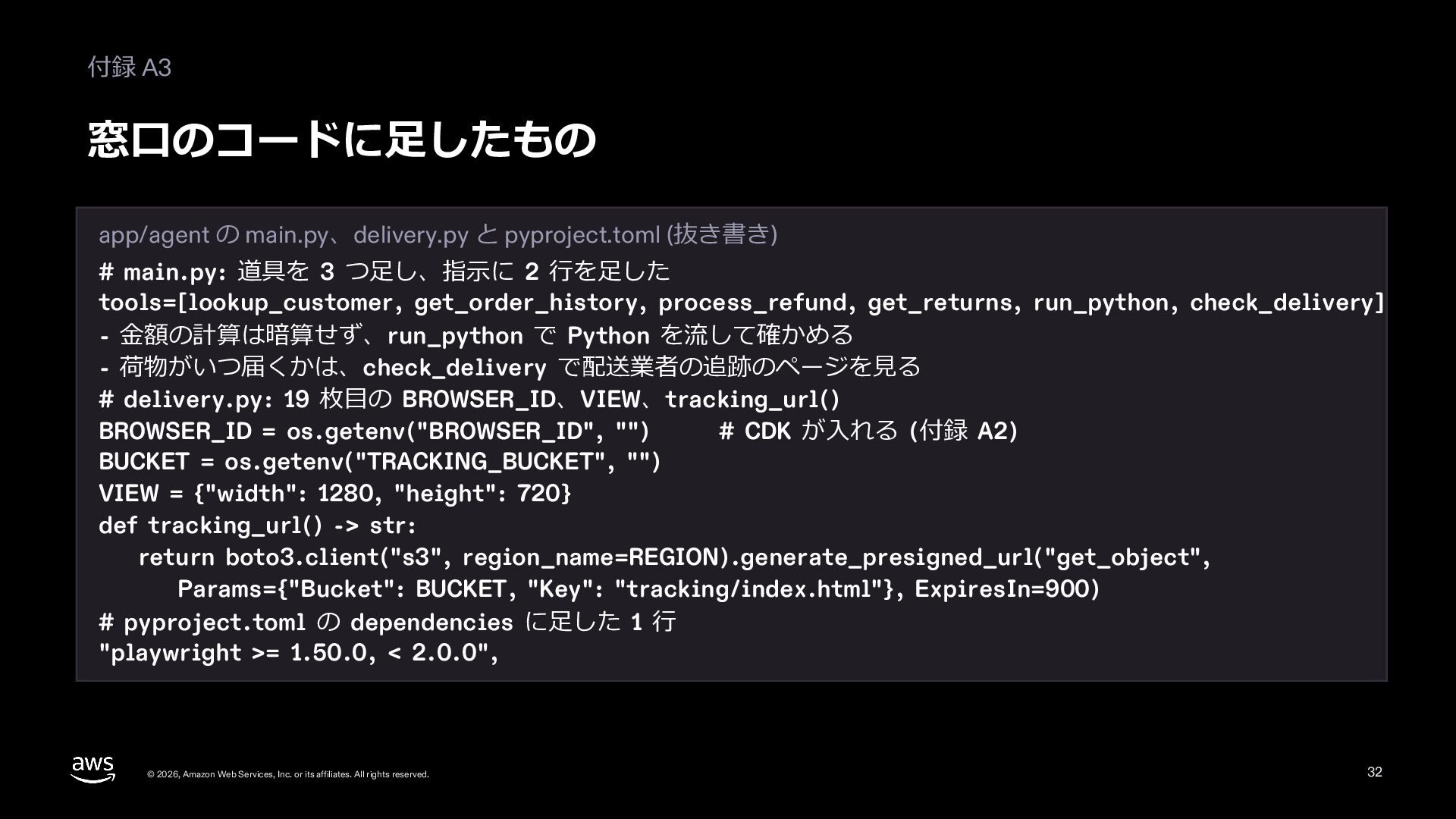
  29. 付録 A3 窓⼝のコードに⾜したもの app/agent の main.py、delivery.py と pyproject.toml (抜き書き) #

    main.py: 道具を 3 つ⾜し、指⽰に 2 ⾏を⾜した tools=[lookup_customer, get_order_history, process_refund, get_returns, run_python, check_delivery] - ⾦額の計算は暗算せず、run_python で Python を流して確かめる - 荷物がいつ届くかは、check_delivery で配送業者の追跡のページを⾒る # delivery.py: 19 枚⽬の BROWSER_ID、VIEW、tracking_url() BROWSER_ID = os.getenv("BROWSER_ID", "") # CDK が⼊れる (付録 A2) BUCKET = os.getenv("TRACKING_BUCKET", "") VIEW = {"width": 1280, "height": 720} def tracking_url() -> str: return boto3.client("s3", region_name=REGION).generate_presigned_url("get_object", Params={"Bucket": BUCKET, "Key": "tracking/index.html"}, ExpiresIn=900) # pyproject.toml の dependencies に⾜した 1 ⾏ "playwright >= 1.50.0, < 2.0.0", © 2026, Amazon Web Services, Inc. or its affiliates. All rights reserved. 32
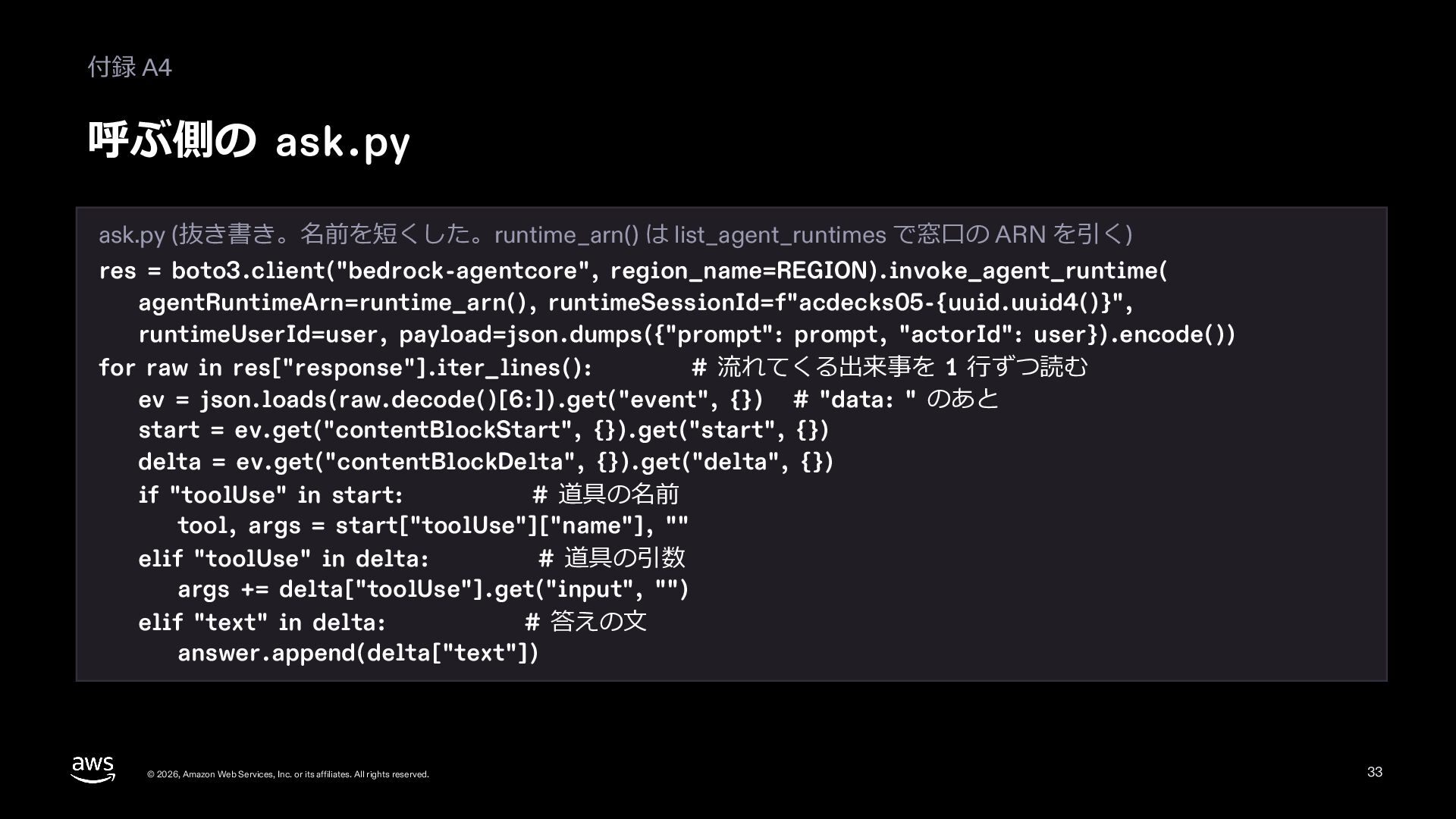
  30. 付録 A4 呼ぶ側の ask.py ask.py (抜き書き。名前を短くした。runtime_arn() は list_agent_runtimes で窓⼝の ARN

    を引く) res = boto3.client("bedrock-agentcore", region_name=REGION).invoke_agent_runtime( agentRuntimeArn=runtime_arn(), runtimeSessionId=f"acdecks05-{uuid.uuid4()}", runtimeUserId=user, payload=json.dumps({"prompt": prompt, "actorId": user}).encode()) for raw in res["response"].iter_lines(): # 流れてくる出来事を 1 ⾏ずつ読む ev = json.loads(raw.decode()[6:]).get("event", {}) # "data: " のあと start = ev.get("contentBlockStart", {}).get("start", {}) delta = ev.get("contentBlockDelta", {}).get("delta", {}) if "toolUse" in start: # 道具の名前 tool, args = start["toolUse"]["name"], "" elif "toolUse" in delta: # 道具の引数 args += delta["toolUse"].get("input", "") elif "text" in delta: # 答えの⽂ answer.append(delta["text"]) © 2026, Amazon Web Services, Inc. or its affiliates. All rights reserved. 33
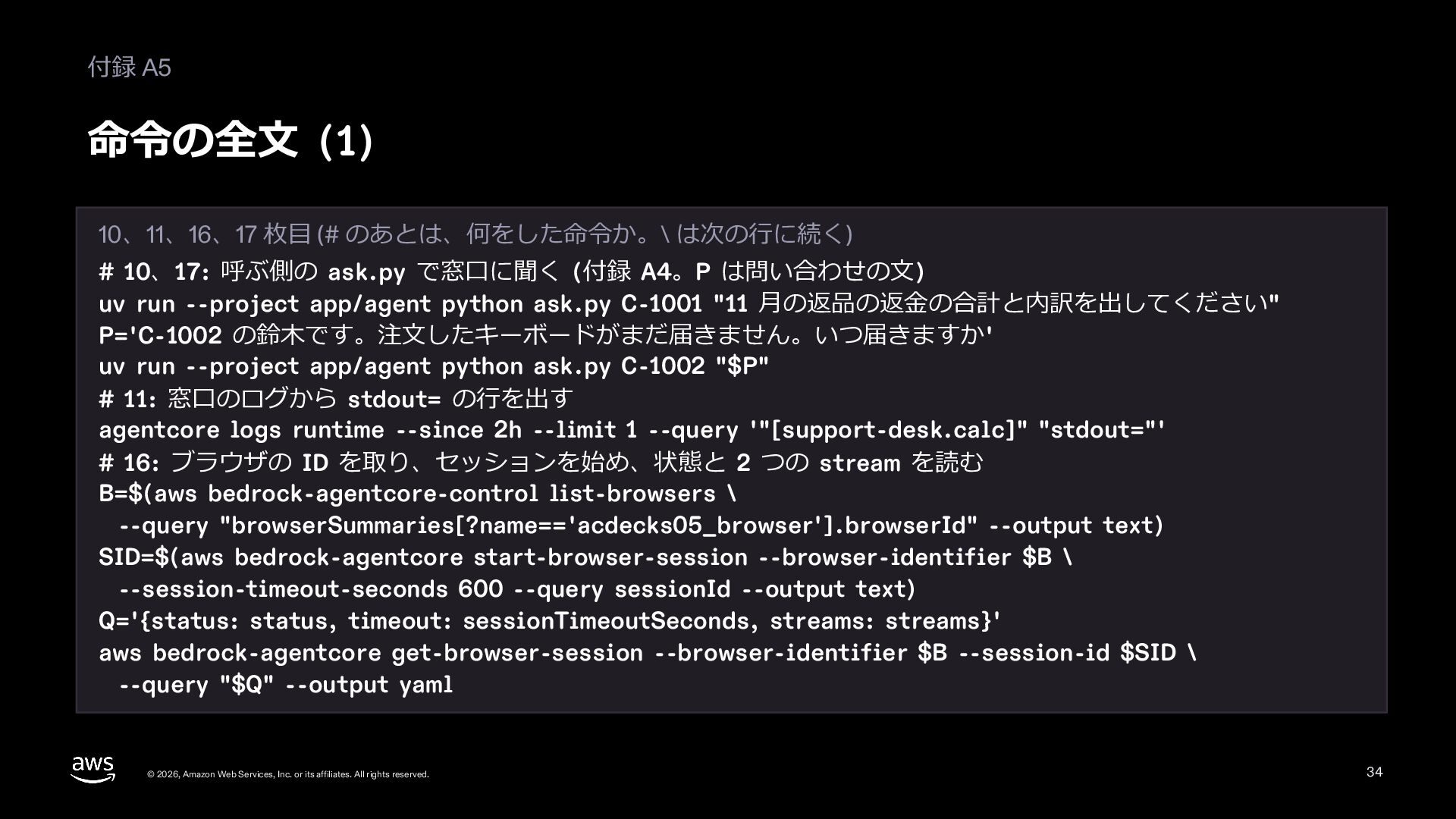
  31. 付録 A5 命令の全⽂ (1) 10、11、16、17 枚⽬ (# のあとは、何をした命令か。\ は次の⾏に続く) #

    10、17: 呼ぶ側の ask.py で窓⼝に聞く (付録 A4。P は問い合わせの⽂) uv run --project app/agent python ask.py C-1001 "11 ⽉の返品の返⾦の合計と内訳を出してください" P='C-1002 の鈴⽊です。注⽂したキーボードがまだ届きません。いつ届きますか' uv run --project app/agent python ask.py C-1002 "$P" # 11: 窓⼝のログから stdout= の⾏を出す agentcore logs runtime --since 2h --limit 1 --query '"[support-desk.calc]" "stdout="' # 16: ブラウザの ID を取り、セッションを始め、状態と 2 つの stream を読む B=$(aws bedrock-agentcore-control list-browsers \ --query "browserSummaries[?name=='acdecks05_browser'].browserId" --output text) SID=$(aws bedrock-agentcore start-browser-session --browser-identifier $B \ --session-timeout-seconds 600 --query sessionId --output text) Q='{status: status, timeout: sessionTimeoutSeconds, streams: streams}' aws bedrock-agentcore get-browser-session --browser-identifier $B --session-id $SID \ --query "$Q" --output yaml © 2026, Amazon Web Services, Inc. or its affiliates. All rights reserved. 34
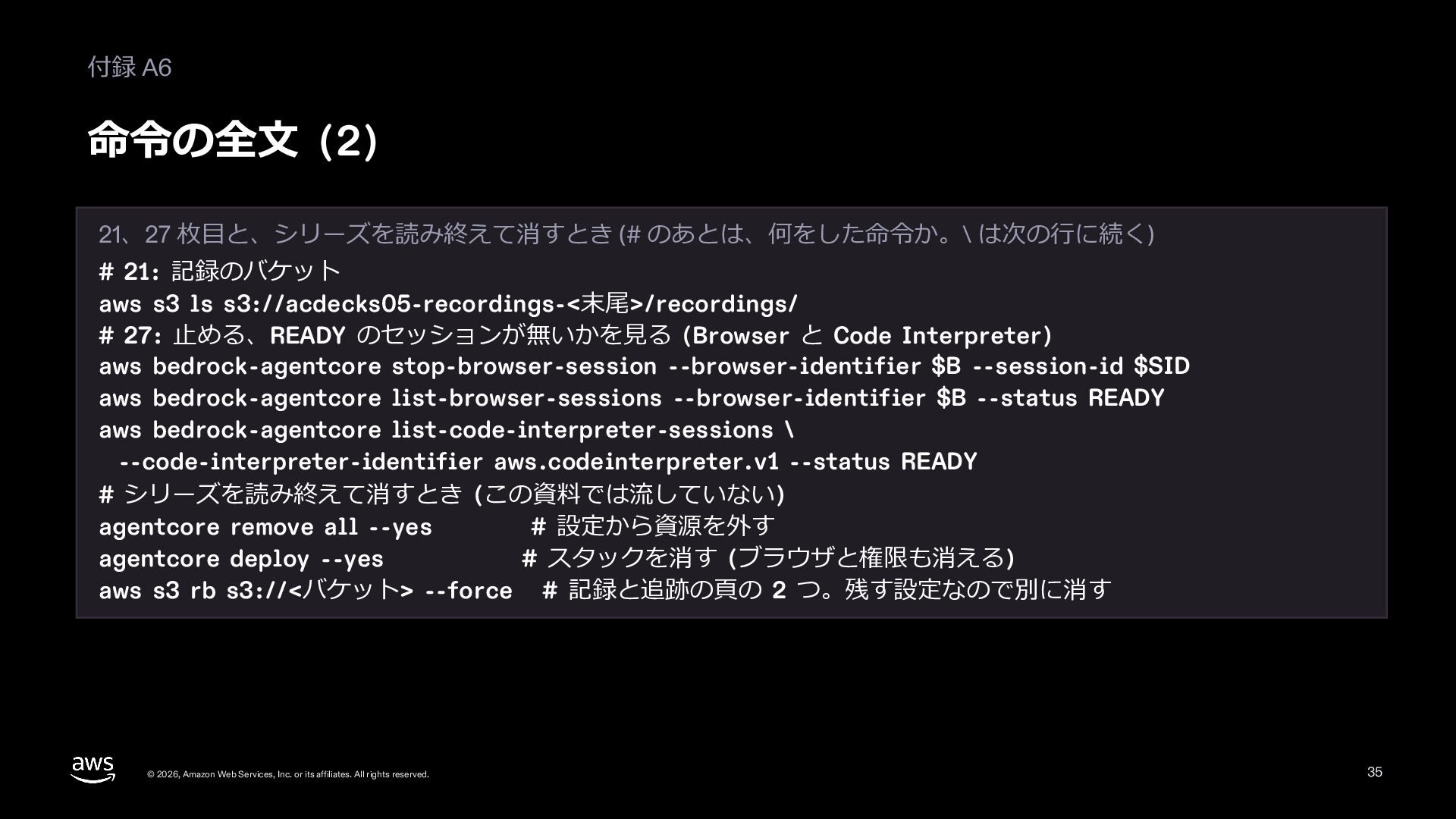
  32. 付録 A6 命令の全⽂ (2) 21、27 枚⽬と、シリーズを読み終えて消すとき (# のあとは、何をした命令か。\ は次の⾏に続く) #

    21: 記録のバケット aws s3 ls s3://acdecks05-recordings-<末尾>/recordings/ # 27: ⽌める、READY のセッションが無いかを⾒る (Browser と Code Interpreter) aws bedrock-agentcore stop-browser-session --browser-identifier $B --session-id $SID aws bedrock-agentcore list-browser-sessions --browser-identifier $B --status READY aws bedrock-agentcore list-code-interpreter-sessions \ --code-interpreter-identifier aws.codeinterpreter.v1 --status READY # シリーズを読み終えて消すとき (この資料では流していない) agentcore remove all --yes # 設定から資源を外す agentcore deploy --yes # スタックを消す (ブラウザと権限も消える) aws s3 rb s3://<バケット> --force # 記録と追跡の⾴の 2 つ。残す設定なので別に消す © 2026, Amazon Web Services, Inc. or its affiliates. All rights reserved. 35
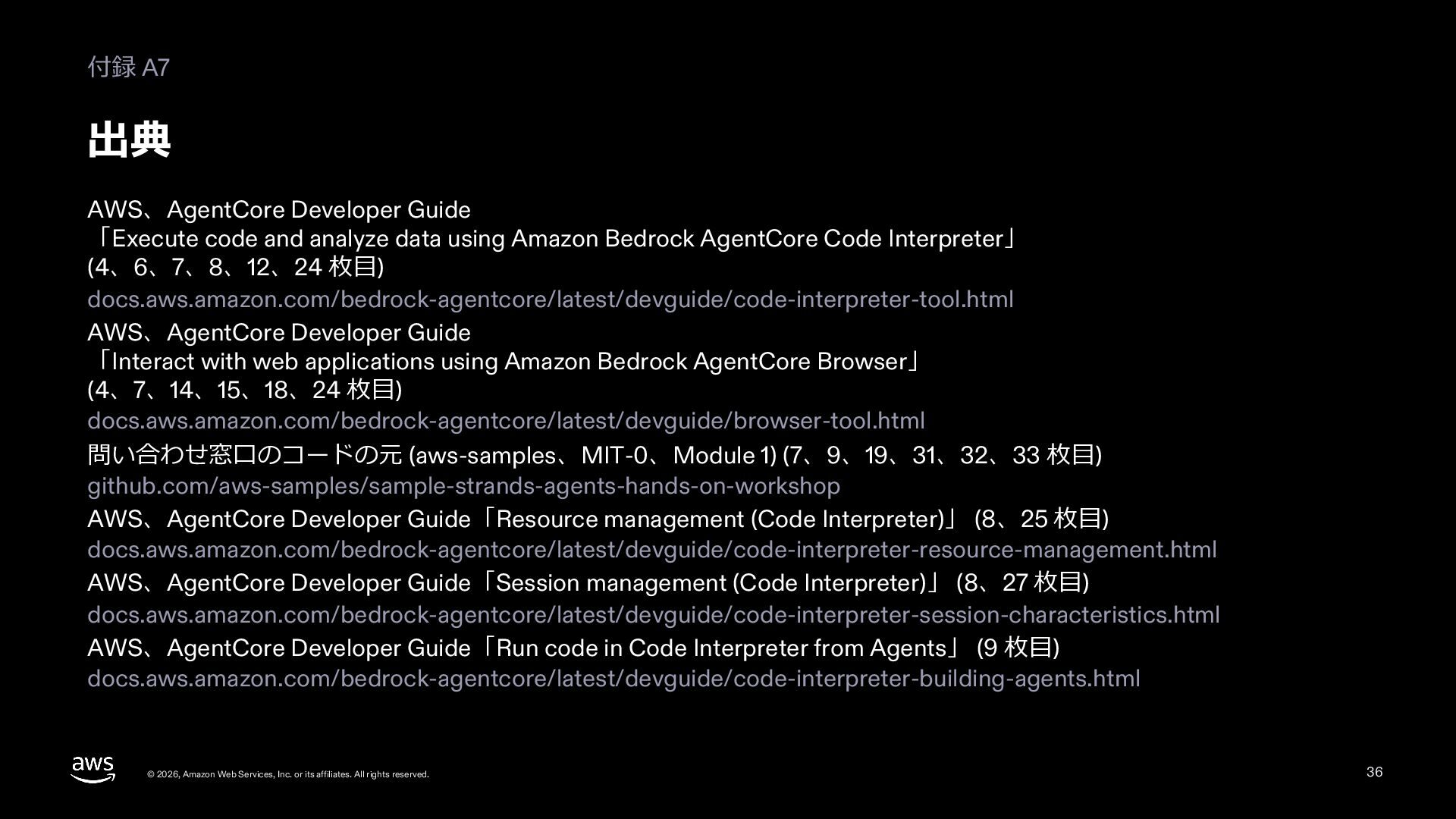
  33. 付録 A7 出典 AWS、AgentCore Developer Guide 「Execute code and analyze

    data using Amazon Bedrock AgentCore Code Interpreter」 (4、6、7、8、12、24 枚⽬) docs.aws.amazon.com/bedrock-agentcore/latest/devguide/code-interpreter-tool.html AWS、AgentCore Developer Guide 「Interact with web applications using Amazon Bedrock AgentCore Browser」 (4、7、14、15、18、24 枚⽬) docs.aws.amazon.com/bedrock-agentcore/latest/devguide/browser-tool.html 問い合わせ窓⼝のコードの元 (aws-samples、MIT-0、Module 1) (7、9、19、31、32、33 枚⽬) github.com/aws-samples/sample-strands-agents-hands-on-workshop AWS、AgentCore Developer Guide「Resource management (Code Interpreter)」 (8、25 枚⽬) docs.aws.amazon.com/bedrock-agentcore/latest/devguide/code-interpreter-resource-management.html AWS、AgentCore Developer Guide「Session management (Code Interpreter)」 (8、27 枚⽬) docs.aws.amazon.com/bedrock-agentcore/latest/devguide/code-interpreter-session-characteristics.html AWS、AgentCore Developer Guide「Run code in Code Interpreter from Agents」 (9 枚⽬) docs.aws.amazon.com/bedrock-agentcore/latest/devguide/code-interpreter-building-agents.html © 2026, Amazon Web Services, Inc. or its affiliates. All rights reserved. 36
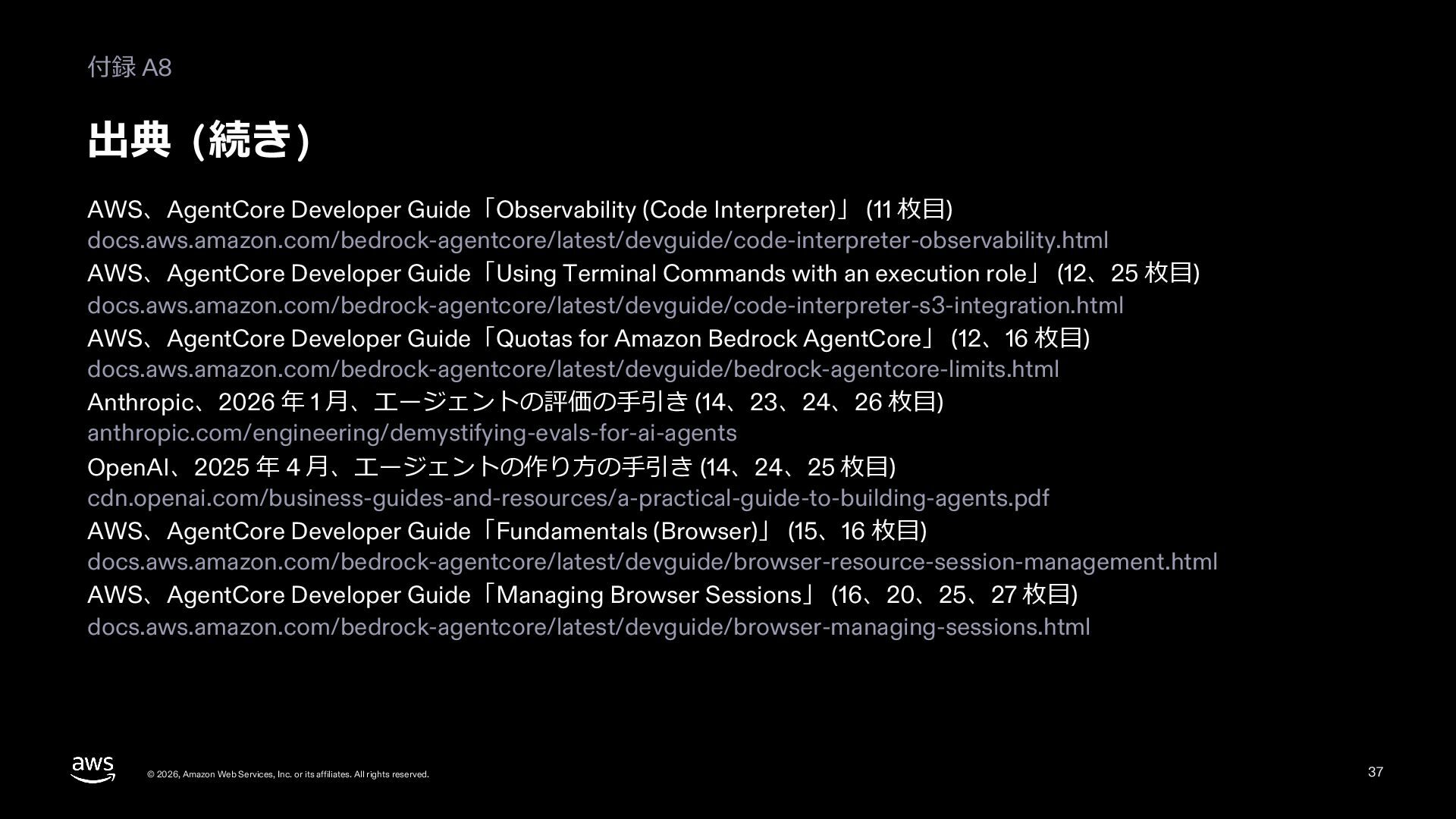
  34. 付録 A8 出典 (続き) AWS、AgentCore Developer Guide「Observability (Code Interpreter)」 (11

    枚⽬) docs.aws.amazon.com/bedrock-agentcore/latest/devguide/code-interpreter-observability.html AWS、AgentCore Developer Guide「Using Terminal Commands with an execution role」 (12、25 枚⽬) docs.aws.amazon.com/bedrock-agentcore/latest/devguide/code-interpreter-s3-integration.html AWS、AgentCore Developer Guide「Quotas for Amazon Bedrock AgentCore」 (12、16 枚⽬) docs.aws.amazon.com/bedrock-agentcore/latest/devguide/bedrock-agentcore-limits.html Anthropic、2026 年 1 ⽉、エージェントの評価の⼿引き (14、23、24、26 枚⽬) anthropic.com/engineering/demystifying-evals-for-ai-agents OpenAI、2025 年 4 ⽉、エージェントの作り⽅の⼿引き (14、24、25 枚⽬) cdn.openai.com/business-guides-and-resources/a-practical-guide-to-building-agents.pdf AWS、AgentCore Developer Guide「Fundamentals (Browser)」 (15、16 枚⽬) docs.aws.amazon.com/bedrock-agentcore/latest/devguide/browser-resource-session-management.html AWS、AgentCore Developer Guide「Managing Browser Sessions」 (16、20、25、27 枚⽬) docs.aws.amazon.com/bedrock-agentcore/latest/devguide/browser-managing-sessions.html © 2026, Amazon Web Services, Inc. or its affiliates. All rights reserved. 37
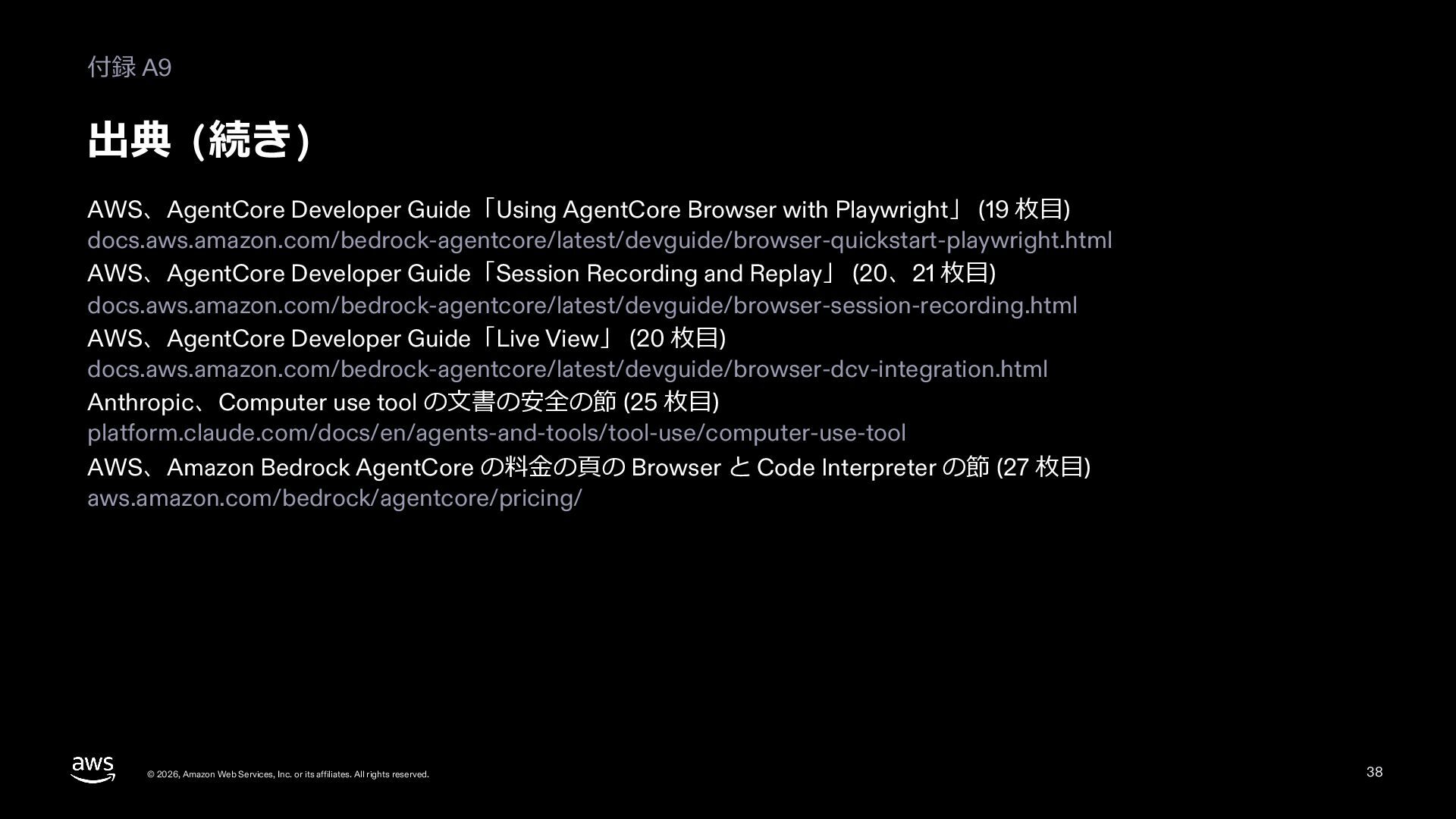
  35. 付録 A9 出典 (続き) AWS、AgentCore Developer Guide「Using AgentCore Browser with

    Playwright」 (19 枚⽬) docs.aws.amazon.com/bedrock-agentcore/latest/devguide/browser-quickstart-playwright.html AWS、AgentCore Developer Guide「Session Recording and Replay」 (20、21 枚⽬) docs.aws.amazon.com/bedrock-agentcore/latest/devguide/browser-session-recording.html AWS、AgentCore Developer Guide「Live View」 (20 枚⽬) docs.aws.amazon.com/bedrock-agentcore/latest/devguide/browser-dcv-integration.html Anthropic、Computer use tool の⽂書の安全の節 (25 枚⽬) platform.claude.com/docs/en/agents-and-tools/tool-use/computer-use-tool AWS、Amazon Bedrock AgentCore の料⾦の⾴の Browser と Code Interpreter の節 (27 枚⽬) aws.amazon.com/bedrock/agentcore/pricing/ © 2026, Amazon Web Services, Inc. or its affiliates. All rights reserved. 38