Upgrade to Pro
— share decks privately, control downloads, hide ads and more …
Speaker Deck
Sign up for free
Menu
Search
Features
All features
Private URLs
Password Protection
Custom URLS
Scheduled publishing
Remove Branding
Restrict embedding
Deck Collections
Notes
Features
All features
Private URLs
Password Protection
Custom URLS
Scheduled publishing
Remove Branding
Restrict embedding
Deck Collections
Notes
Explore
Featured decks
Featured speakers
Programming
Technology
Storyboards
Explore
Featured decks
Featured speakers
Programming
Technology
Storyboards
Pricing
Search
Sign in
Sign up for free
Backbone in Action
Search
大澤木小鐵
April 18, 2012
Programming
1.8k
14
Share
Embed
Copy iframe code
Copy JS code
Copy link
Start on current slide
Backbone in Action
Slide for JavaScript.TW Group.
大澤木小鐵
April 18, 2012
More Decks by 大澤木小鐵
See All by 大澤木小鐵
Effective Unit Testing
jaceju
3
670
JSConf Asia 2014 Sessions
jaceju
4
460
What happens in Laravel 4 bootstraping
jaceju
9
610
Deal with Laravel assets by Bower & Gulp
jaceju
30
2.1k
Leaning MVC By Example
jaceju
0
450
ng-conf_2014
jaceju
2
1.1k
The Power of JavaScript in JSConf.Asia 2013
jaceju
5
470
jQuery vs AngularJS, dochi?
jaceju
20
3.1k
Begining Composer
jaceju
24
5.5k
Other Decks in Programming
See All in Programming
パズルゲームの作り方 / how to make puzzle games
kaityo256
PRO
2
250
Are APIs Still Relevant in the AI Era?
soyuka
0
380
技術的負債を組織課題として解く-増えすぎたマイクロサービスとの戦い-
reimaru
1
2.6k
Streamlitで実現する自然言語データアプリ開発
ayumu_yamaguchi
1
330
iOS 27でニュースアプリはどう変わる!? 〜日経電子版の新機能対応と、開発事例から〜
lynnswap
7
13k
仕様駆動開発による爆速プロダクト開発 / Bakusoku Spec Driven Development
kobakei
0
150
Androidだけじゃない、DroidKaigiで広がった私の技術スタック
akkeylab
0
100
MVNOの申込からeSIM開通までをiOSアプリでつなぐ- 本人確認・MNP・通信事業者基盤をまたぐ実装
satotakeshi
0
510
フロントエンドUIフレームワークのこれまでとこれから
ssssota
5
3.1k
TiDB Cloudのカスタムコントローラーによるオートスケール対応
takaidohigasi
0
140
AgentCore CLI で進化した AWS での AI エージェントの作り方 : 必要な機能を必要な時に
icoxfog417
PRO
4
400
海上で動くGoサーバー: goroutineとchannelでさばく航行データストリーム
atsuki_seo
0
1k
Featured
See All Featured
How Fast Is Fast Enough? [PerfNow 2025]
tammyeverts
3
910
Reality Check: Gamification 10 Years Later
codingconduct
0
2.3k
Building a A Zero-Code AI SEO Workflow
portentint
PRO
0
750
Max Prin - Stacking Signals: How International SEO Comes Together (And Falls Apart)
techseoconnect
PRO
0
470
GraphQLとの向き合い方2022年版
quramy
50
15k
JAMstack: Web Apps at Ludicrous Speed - All Things Open 2022
reverentgeek
1
620
Practical Orchestrator
shlominoach
192
12k
Practical Tips for Bootstrapping Information Extraction Pipelines
honnibal
25
2.1k
Collaborative Software Design: How to facilitate domain modelling decisions
baasie
1
330
A designer walks into a library…
pauljervisheath
211
25k
JavaScript: Past, Present, and Future - NDC Porto 2020
reverentgeek
52
6.1k
Facilitating Awesome Meetings
lara
57
7.2k
Transcript
Backbone.js in Action 大澤木小鐵 @ JavaScript.TW Group
Backbone.js 簡介。 Backbone.js 開發基本要點。 如何整合 RequireJS 。 可能會出糗的 Live Demo
。 Agenda 不知道穿紅內褲會不會有保佑?
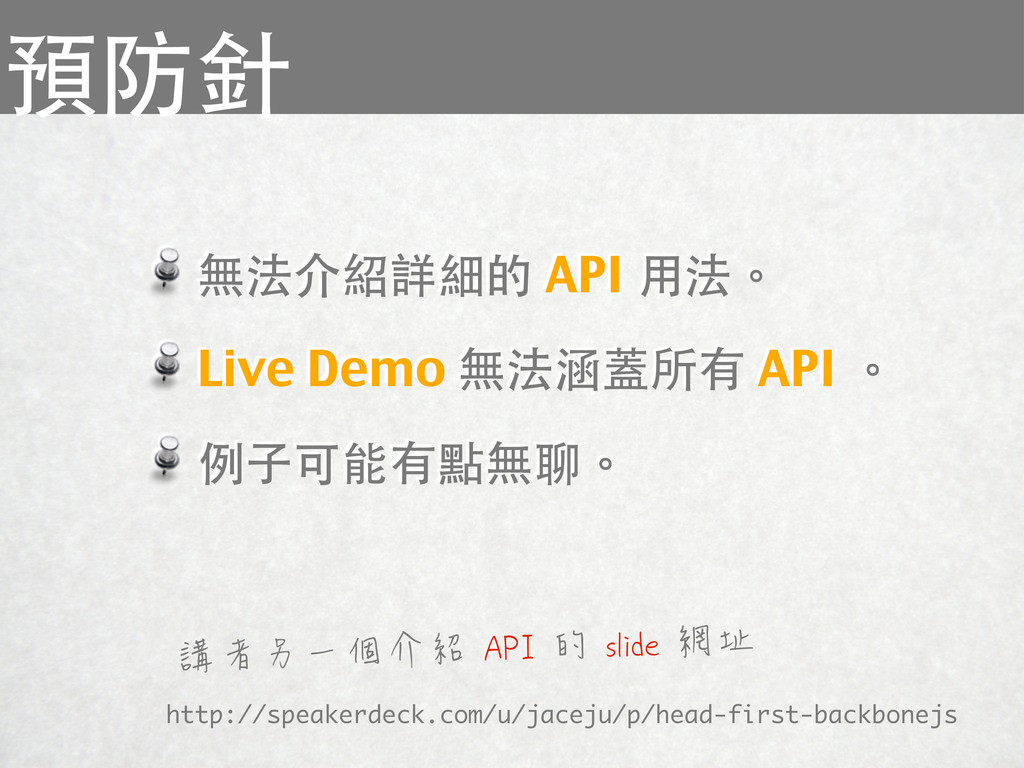
無法介紹詳細的 API 用法。 Live Demo 無法涵蓋所有 API 。 例子可能有點無聊。 預防針
http://speakerdeck.com/u/jaceju/p/head-first-backbonejs 講者另一個介紹 API 的 slide 網址
因為講者背骨 為什麼用
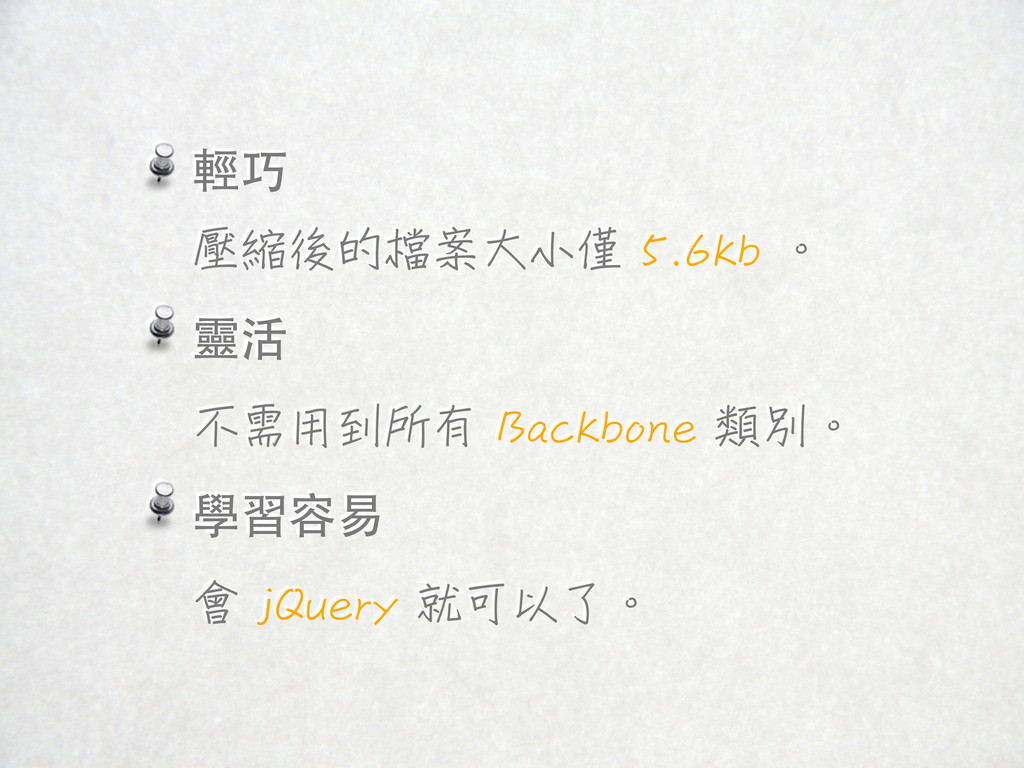
輕巧 壓縮後的檔案大小僅 5.6kb 。 靈活 不需用到所有 Backbone 類別。 學習容易 會
jQuery 就可以了。
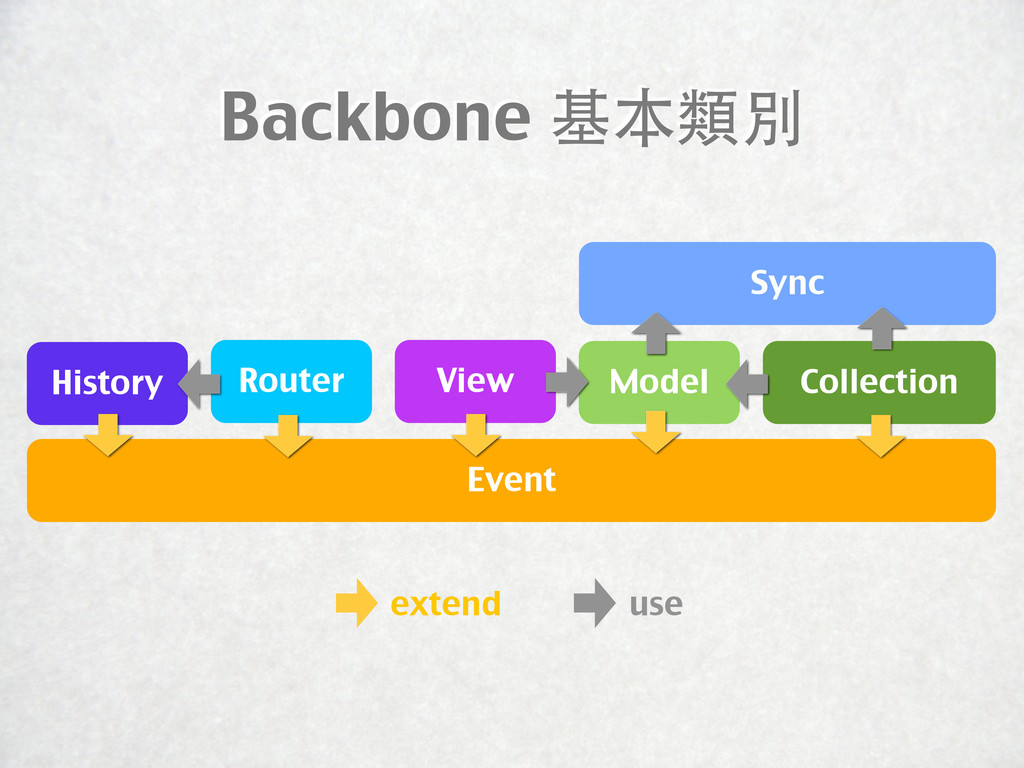
Backbone 基本類別 Sync View Event History extend use Router Model
Collection
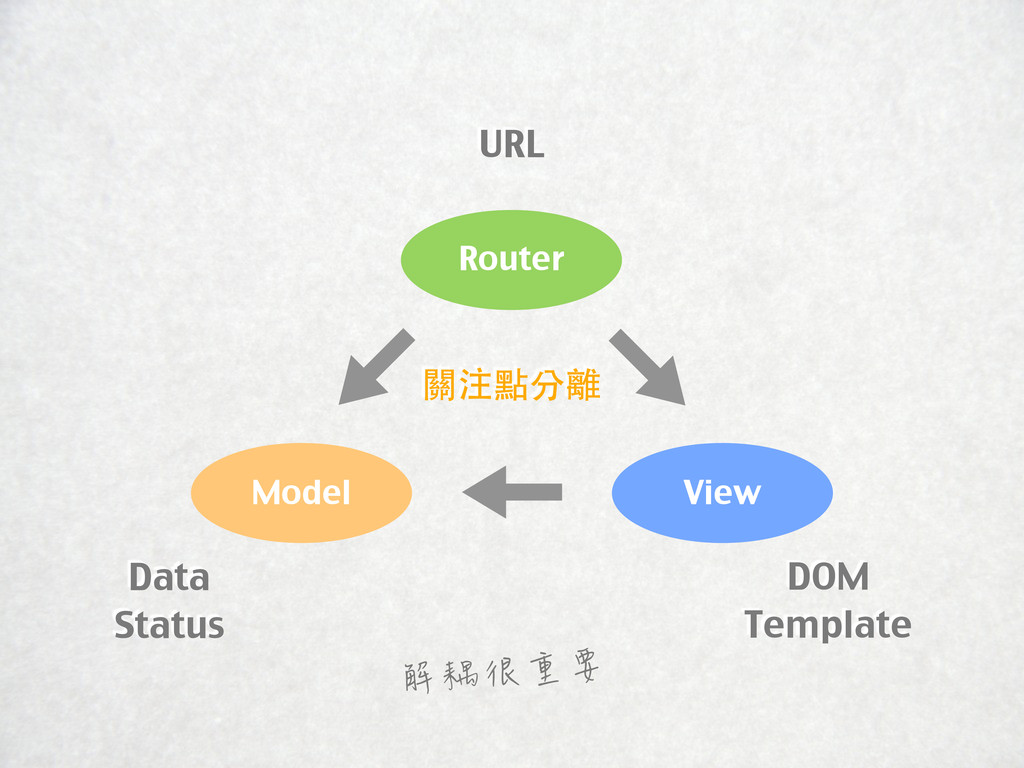
Model Router View URL Data Status DOM Template 關注點分離 解耦很重要
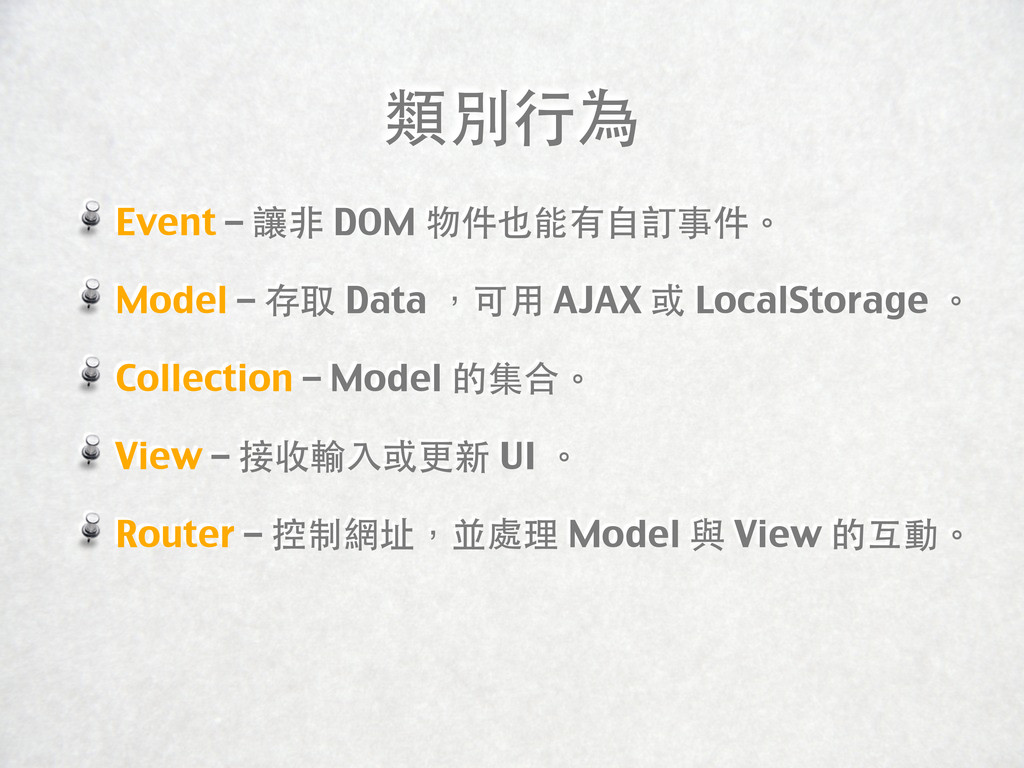
類別行為 Event – 讓非 DOM 物件也能有自訂事件。 Model – 存取 Data
,可用 AJAX 或 LocalStorage 。 Collection – Model 的集合。 View – 接收輸入或更新 UI 。 Router – 控制網址,並處理 Model 與 View 的互動。
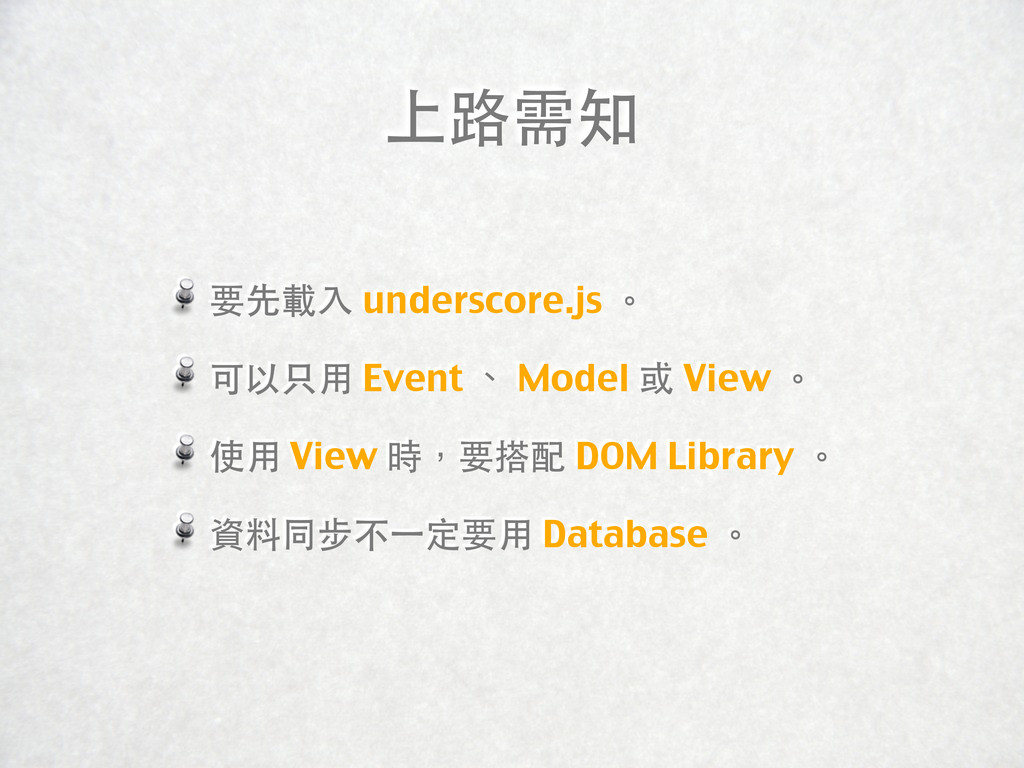
上路需知 要先載入 underscore.js 。 可以只用 Event 、 Model 或 View
。 使用 View 時,要搭配 DOM Library 。 資料同步不⼀一定要用 Database 。
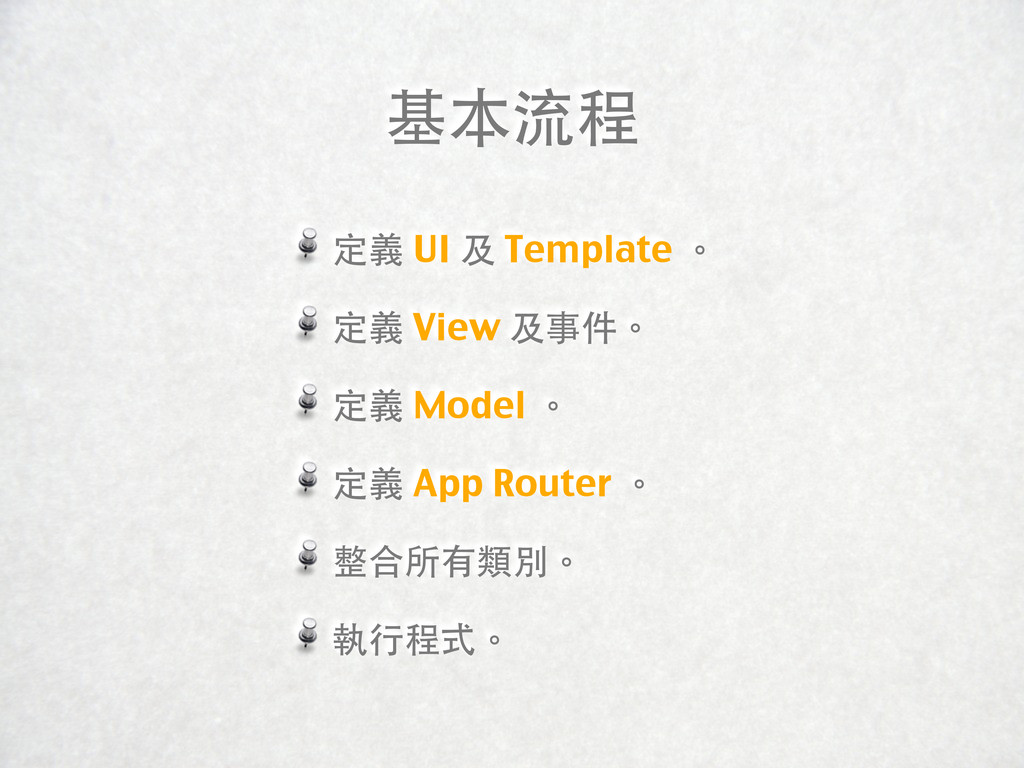
基本流程 定義 UI 及 Template 。 定義 View 及事件。 定義
Model 。 定義 App Router 。 整合所有類別。 執行程式。
程式碼 基本形式 不見得是最好的做法 要多看一些高手寫的範例
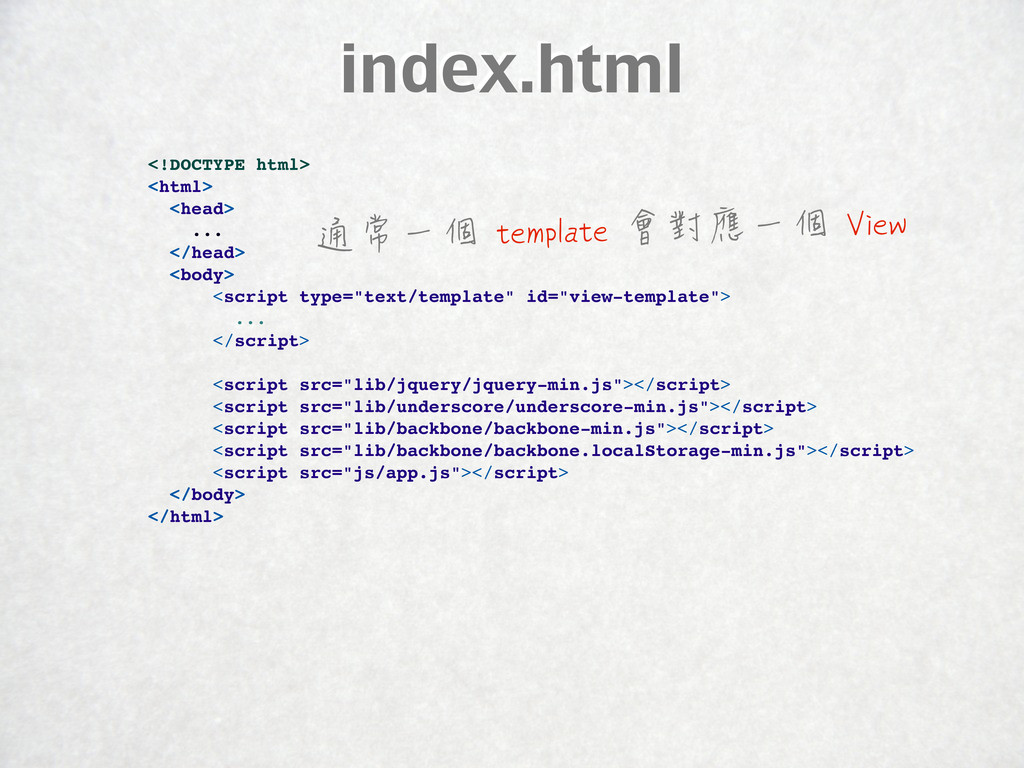
index.html <!DOCTYPE html> <html> <head> ... </head> <body> <script type="text/template"
id="view-template"> ... </script> <script src="lib/jquery/jquery-min.js"></script> <script src="lib/underscore/underscore-min.js"></script> <script src="lib/backbone/backbone-min.js"></script> <script src="lib/backbone/backbone.localStorage-min.js"></script> <script src="js/app.js"></script> </body> </html> 通常一個 template 會對應一個 View
Router var App = Backbone.Router.extend({ initialize: function () { },
routes: { '': 'home', 'hash1': 'action1', 'hash2/:id': 'action2' }, home: function () {}, action1: function () {}, action2: function (id) {} }); 記得要寫 routes ,這樣 Router 初始化時 才會建立 Backbone.history 物件 http://documentcloud.github.com/backbone/#Router
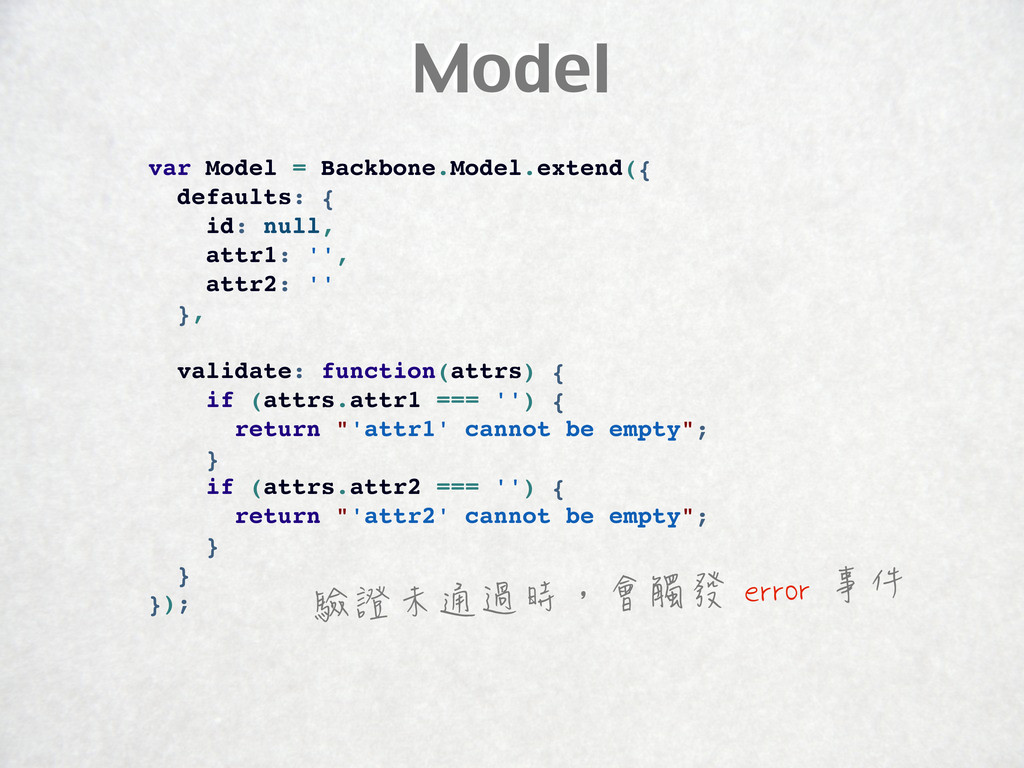
Model var Model = Backbone.Model.extend({ defaults: { id: null, attr1:
'', attr2: '' }, validate: function(attrs) { if (attrs.attr1 === '') { return "'attr1' cannot be empty"; } if (attrs.attr2 === '') { return "'attr2' cannot be empty"; } } }); 驗證未通過時,會觸發 error 事件
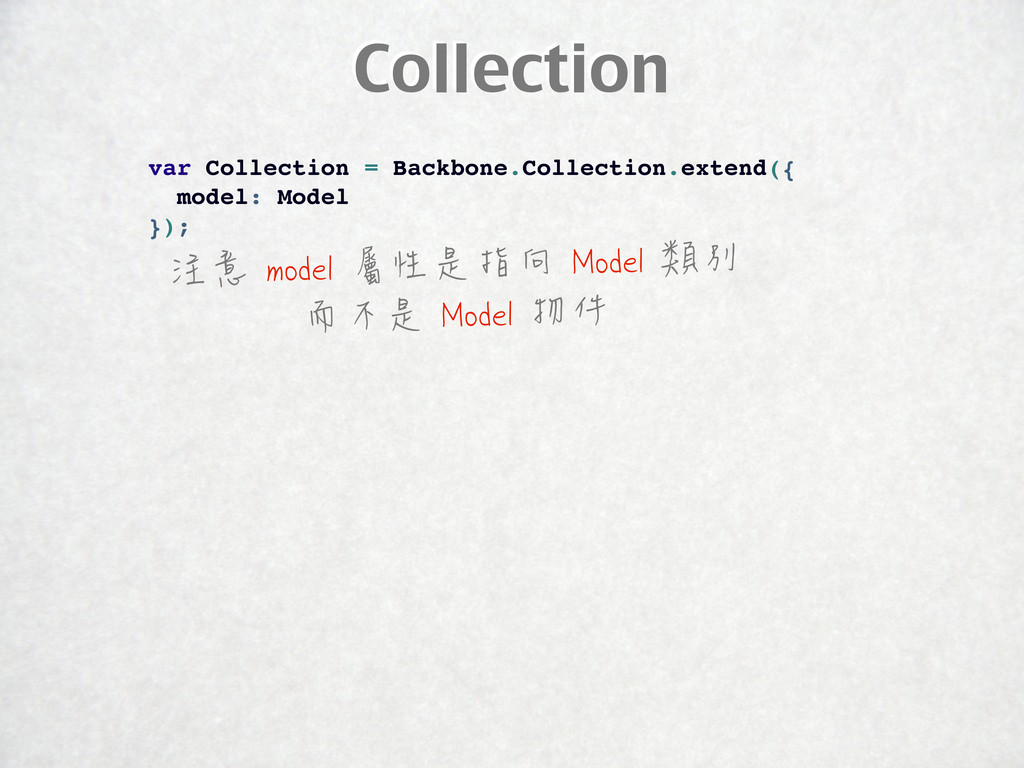
Collection var Collection = Backbone.Collection.extend({ model: Model }); 注意 model
屬性是指向 Model 類別 而不是 Model 物件
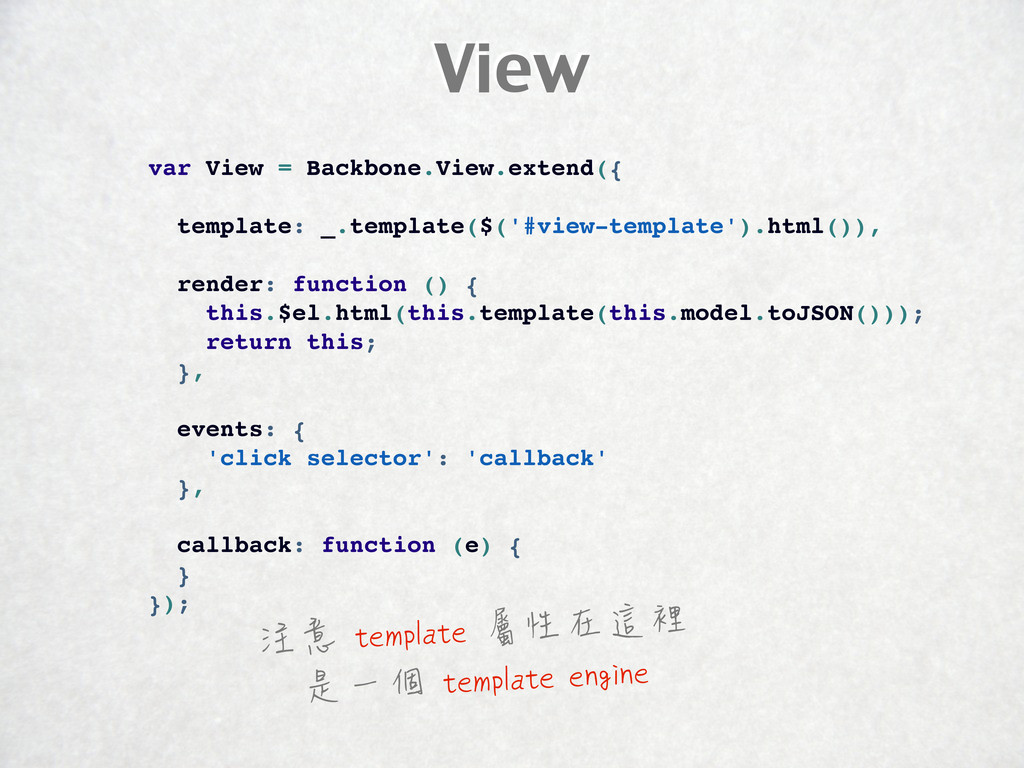
View var View = Backbone.View.extend({ template: _.template($('#view-template').html()), render: function ()
{ this.$el.html(this.template(this.model.toJSON())); return this; }, events: { 'click selector': 'callback' }, callback: function (e) { } }); 注意 template 屬性在這裡 是一個 template engine
初始化 Collection var App = Backbone.Router.extend({ collection: null, initialize: function
() { this.collection = new Collection(); this.collection.fetch(); }, // ... initialize 方法只會在應用程式開始時執行一次 所以初始化 collection 後的 fetch 方法也只會執行一次
整合 Model 與 View var App = Backbone.Router.extend({ // ...
action: function () { var model = new Model({ attr1: '', attr2: '', }); var view = new View({ model: model, collection: this.collection }); $('#container').empty().append(view.render().el); }, // ... 在 View 初始化時 在 model 或 collection 屬性 帶入對應的 model 或 collection 物件
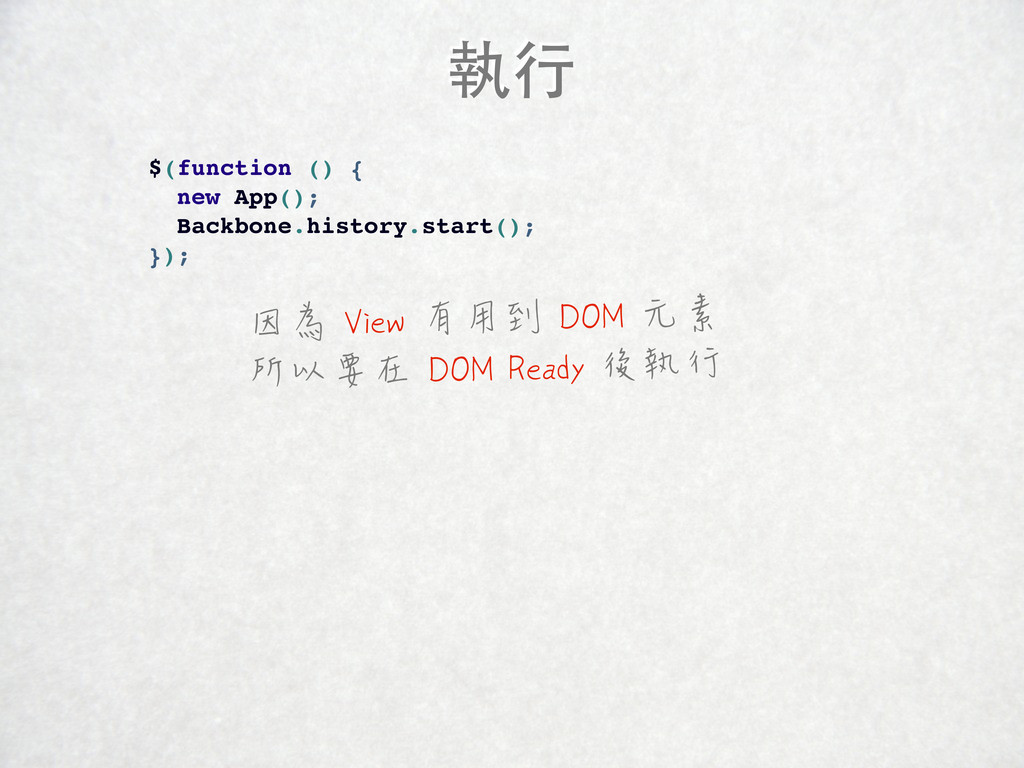
執行 $(function () { new App(); Backbone.history.start(); }); 因為 View
有用到 DOM 元素 所以要在 DOM Ready 後執行
RequireJS
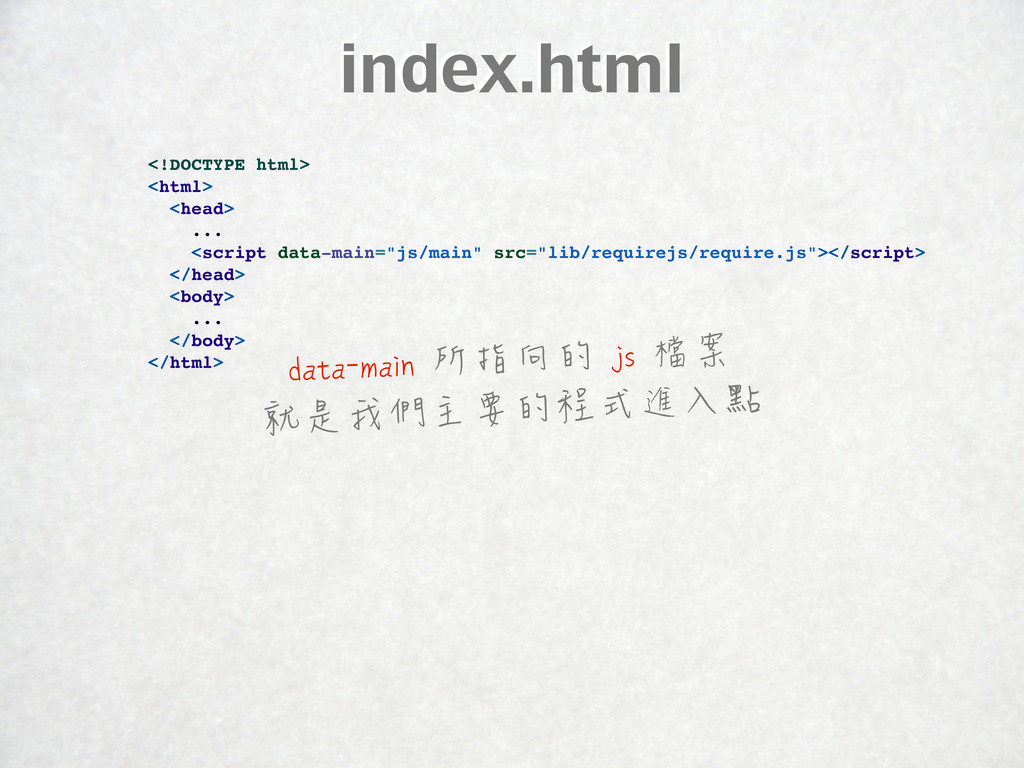
index.html <!DOCTYPE html> <html> <head> ... <script data-main="js/main" src="lib/requirejs/require.js"></script> </head>
<body> ... </body> </html> data-main 所指向的 js 檔案 就是我們主要的程式進入點
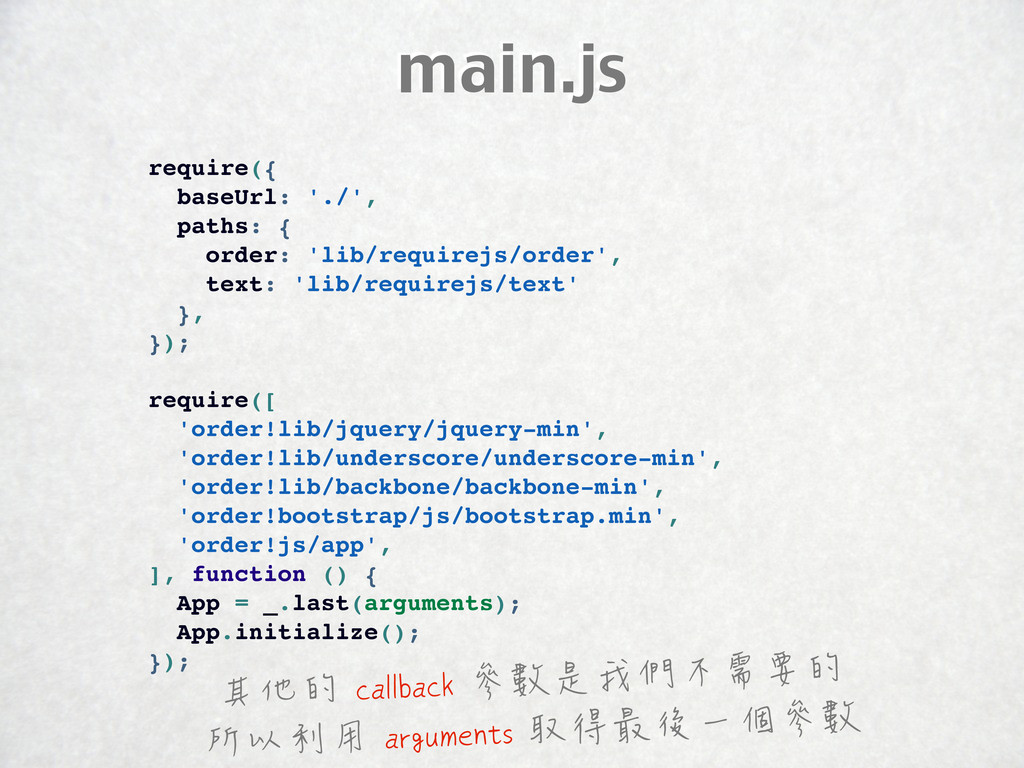
main.js require({ baseUrl: './', paths: { order: 'lib/requirejs/order', text: 'lib/requirejs/text'
}, }); require([ 'order!lib/jquery/jquery-min', 'order!lib/underscore/underscore-min', 'order!lib/backbone/backbone-min', 'order!bootstrap/js/bootstrap.min', 'order!js/app', ], function () { App = _.last(arguments); App.initialize(); }); 其他的 callback 參數是我們不需要的 所以利用 arguments 取得最後一個參數
app.js define([ 'js/router/Router' ], function (Router) { return { initialize:
function () { var router = new Router; Backbone.history.start(); } } }); 注意 callback 回傳的是 只包含一個 initialize 方法的物件
Router define([ 'js/model/Model', 'js/view/View', ], function (Model, View) { return
Backbone.Router.extend({ // ... }); }); Model 與 View 沒有載入順序的問題
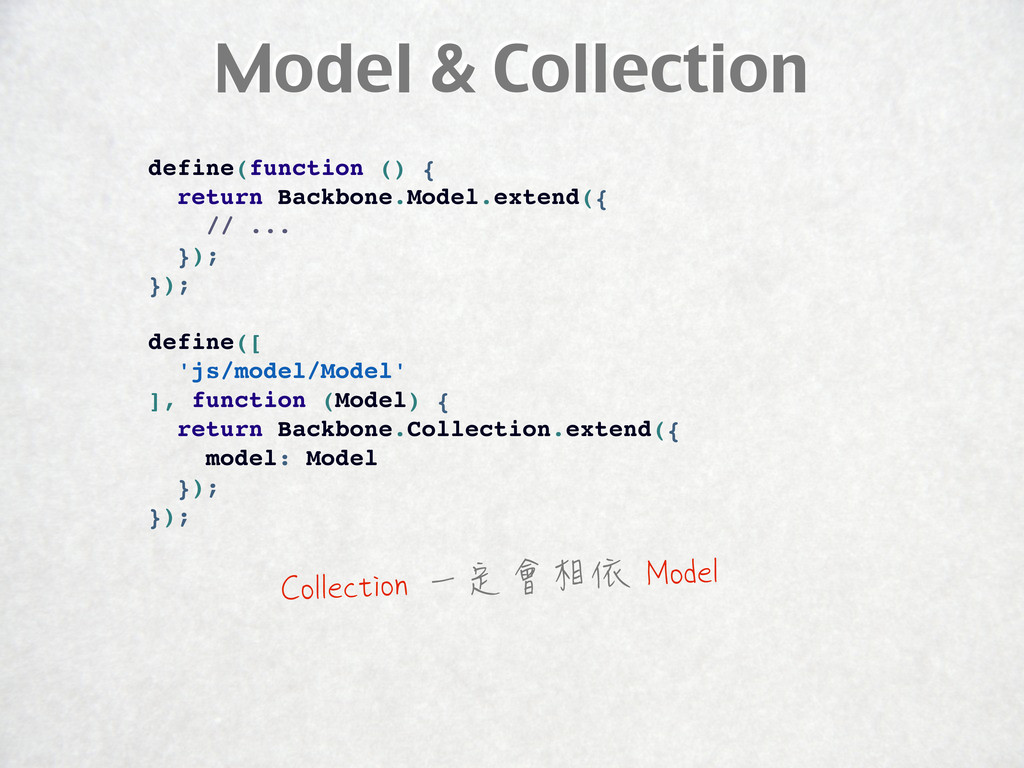
Model & Collection define(function () { return Backbone.Model.extend({ // ...
}); }); define([ 'js/model/Model' ], function (Model) { return Backbone.Collection.extend({ model: Model }); }); Collection 一定會相依 Model
Main View & SubView define([ 'text!template/sub.html' ], function (view_template) {
return Backbone.View.extend({ // ... }); }); define([ 'js/view/SubView', 'text!template/main.html', ], function (SubView, view_template) { return Backbone.View.extend({ // ... }); }); 改用 text plugin 載入 template 就不用在 index.html 使用 script 來包覆 template 而且可以在最佳化時把 template 變成內建字串
Live Demo https://github.com/jaceju/backbone_in_action 完整範例的網址
Q & A 沒有最好的 MV* Framework 只有適合專案使用的 MV* Framework


 jaceju
 kaityo256
 soyuka
 reimaru
 ayumu_yamaguchi
 lynnswap
 kobakei
 akkeylab
 satotakeshi
 ssssota
 takaidohigasi
 icoxfog417
 atsuki_seo
 tammyeverts
 codingconduct
 portentint
 techseoconnect
 quramy
 reverentgeek
 shlominoach
 honnibal
 baasie
 pauljervisheath
 lara
lara




![app.js define([ 'js/router/Router' ], function (Router) { return { initialize:](https://files.speakerdeck.com/presentations/4f8f74e749bc25002200566f/slide_22.jpg)
![Router define([ 'js/model/Model', 'js/view/View', ], function (Model, View) { return](https://files.speakerdeck.com/presentations/4f8f74e749bc25002200566f/slide_23.jpg)
![Main View & SubView define([ 'text!template/sub.html' ], function (view_template) {](https://files.speakerdeck.com/presentations/4f8f74e749bc25002200566f/slide_25.jpg)