Share
Embed
Retrofit - Droidcon NYC 2014
Retrofit is a open source library created by Square that transforms any HTTP API into declarative, type-safe java interface for consumption by your Android application.
The talk will start of a basic review of why Retrofit was created and what it has to offer, and then will dive deeper into some of the more advanced topics including type-safe error handling, custom GSON type adapters, and unit testing with a mock API implementation. Finally, we will discuss advanced strategies for deserializing dynamic models.
Jacob Tabak
September 21, 2014
Transcript
54 slides
-
Agenda • Time travel to get motivated • Dig in
with a quick example (Foursquare) • Discuss strategies for dynamic models (Reddit) • Talk about… testing -
The old way • Extend AsyncTask to make HTTP request
in background • Build the query string from array of NameValuePairs (12 lines) • Read InputStream into String (20 lines) • Parse JSON (75 lines) -
Why Retrofit? • Declarative style • Type safety • Single
source of truth • Separation of concerns • Boilerplate destruction ANNIHILATION -
Anatomy • Method “GET” • Path: “/venues/search” • Parameters: Location
• Response type: FoursquareResponse public interface FoursquareService { @GET("/venues/search") FoursquareResponse searchVenues( @Query("near") String location); } -
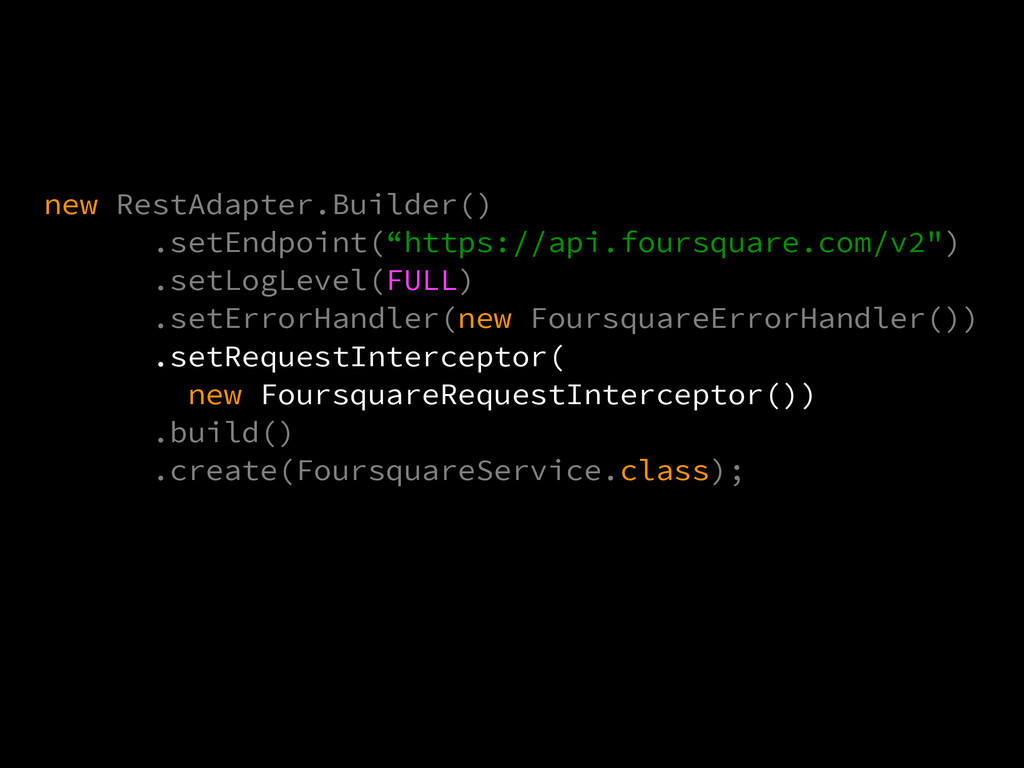
Building the Implementation RestAdapter is the heart of Retrofit new
RestAdapter.Builder() .setEndpoint("https://api.foursquare.com/v2") .build() .create(FoursquareService.class); Designed for simplicity, but easily customizable -
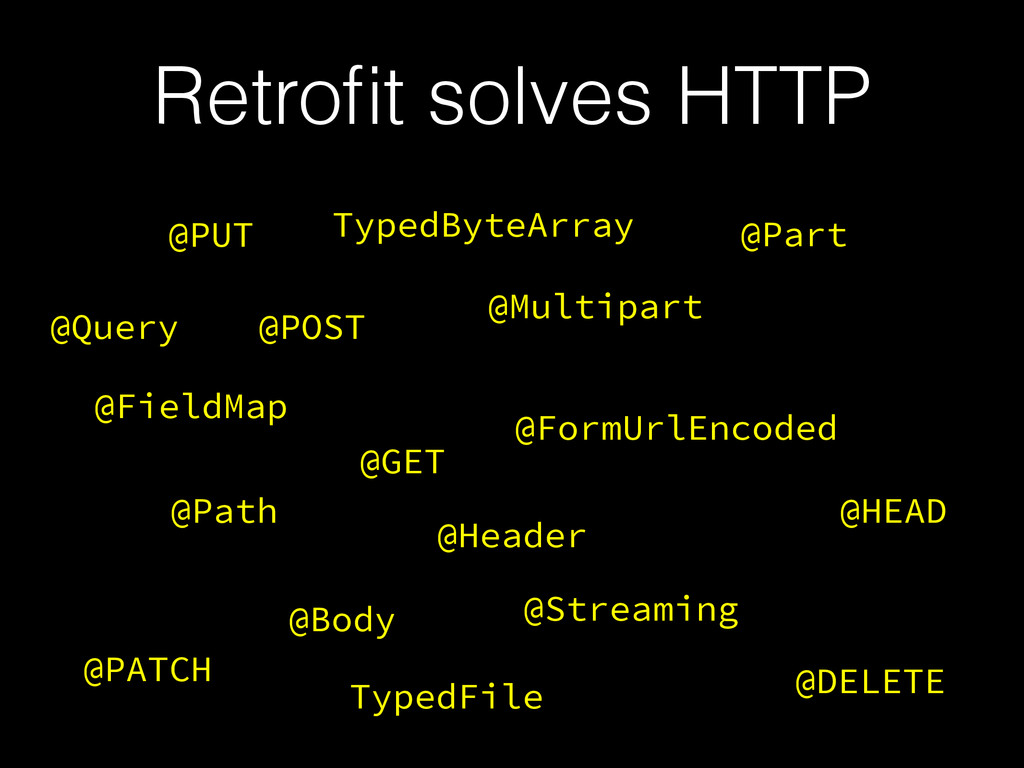
Retrofit solves HTTP @GET @POST @PUT @Query @Path @Body @Multipart
@Header @HEAD @Part @PATCH @Streaming @DELETE @FormUrlEncoded @FieldMap TypedFile TypedByteArray -
Logging • Default log writes to Log.d() • Log levels:
NONE, BASIC, HEADERS, HEADERS_AND_ARGS, FULL • Create a custom log -
Error Handling { "meta": { "code": 400, "errorType": "invalid_auth", "errorDetail":
"Missing access credentials. See https://developer.foursquare.com/docs/oauth.html for details." }, "response": {} } -
Error Handlers Now, access the error detail message with e.getMessage()
public class implements @Override } public Throwable handleError(RetrofitError cause) { // WARNING: null checks omitted FoursquareResponse response = (FoursquareResponse) cause.getBody(); return new FoursquareException( response.getMeta().getErrorDetail(), cause); } -
try { service.searchVenues("New York"); } catch (FoursquareException e) { new
AlertDialog.Builder(this) .setMessage(e.getMessage()) .setNeutralButton("OK", null) .show(); } -
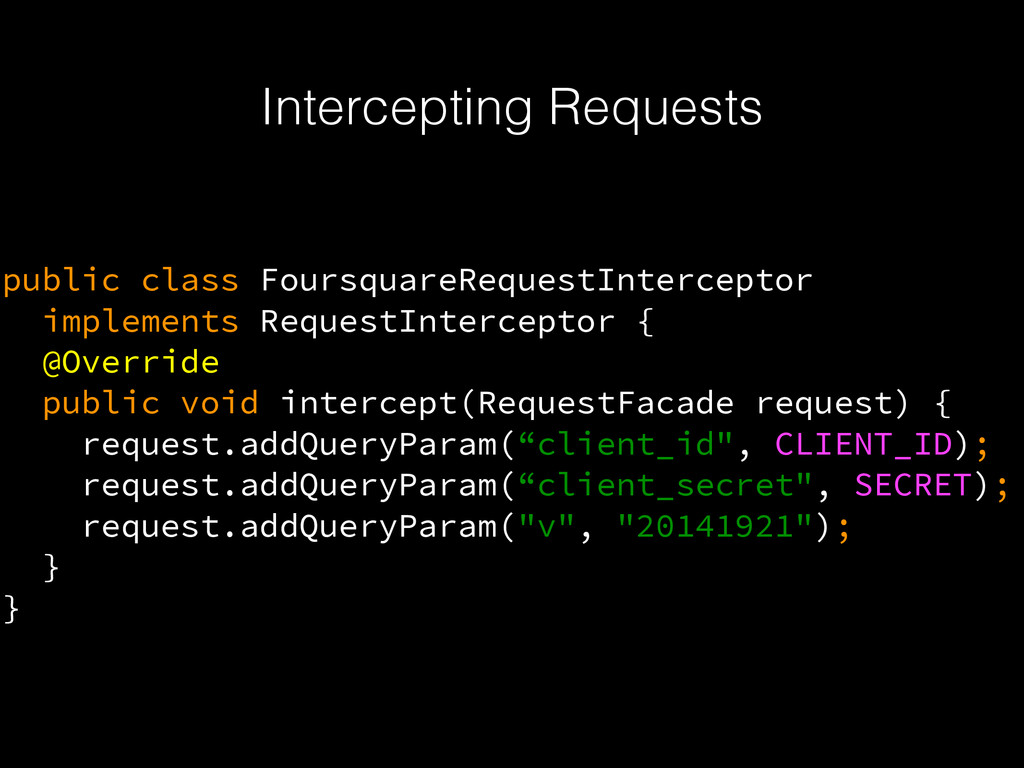
Intercepting Requests public class FoursquareRequestInterceptor implements RequestInterceptor { @Override public
void intercept(RequestFacade request) { request.addQueryParam(“client_id", CLIENT_ID); request.addQueryParam(“client_secret", SECRET); request.addQueryParam("v", "20141921"); } } -
Customizing HTTP CookieManager cookieManager = new CookieManager( new PersistentCookieStore(context), CookiePolicy.ACCEPT_ALL);
OkHttpClient okHttpClient = new OkHttpClient(); okHttpClient.setCookieHandler(cookieManager); Client client = new OkClient(okHttpClient); -
Converters • Converts between IO streams and Java objects •
Defaults to GSON, supports Jackson, Protobuf, SimpleXML, Wire • ig-json-parser support? • Use GSON 2.3 -
Gson gson = new GsonBuilder() .registerTypeAdapter(DateTime.class, new JsonDeserializer<DateTime>() { @Override
public DateTime deserialize(JsonElement, Type, JsonDeserializationContext) { return new DateTime(json.getAsLong() * 1000); } }) .create(); Converter converter = new GsonConverter(gson); -
new RestAdapter.Builder() .setEndpoint(“https://api.foursquare.com/v2") .setLogLevel(FULL) .setErrorHandler(new FoursquareErrorHandler()) .setRequestInterceptor( new FoursquareRequestInterceptor()) .setClient(client)
.setConverter(converter) .build() .create(FoursquareService.class); -
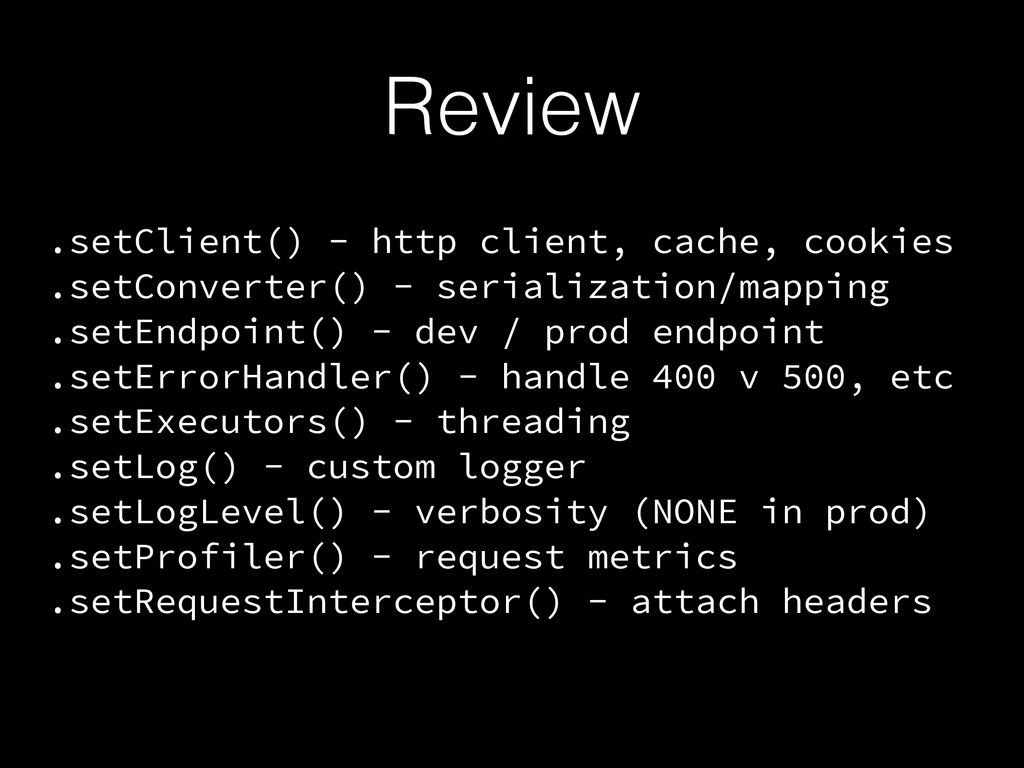
Review .setClient() - http client, cache, cookies .setConverter() - serialization/mapping
.setEndpoint() - dev / prod endpoint .setErrorHandler() - handle 400 v 500, etc .setExecutors() - threading .setLog() - custom logger .setLogLevel() - verbosity (NONE in prod) .setProfiler() - request metrics .setRequestInterceptor() - attach headers -
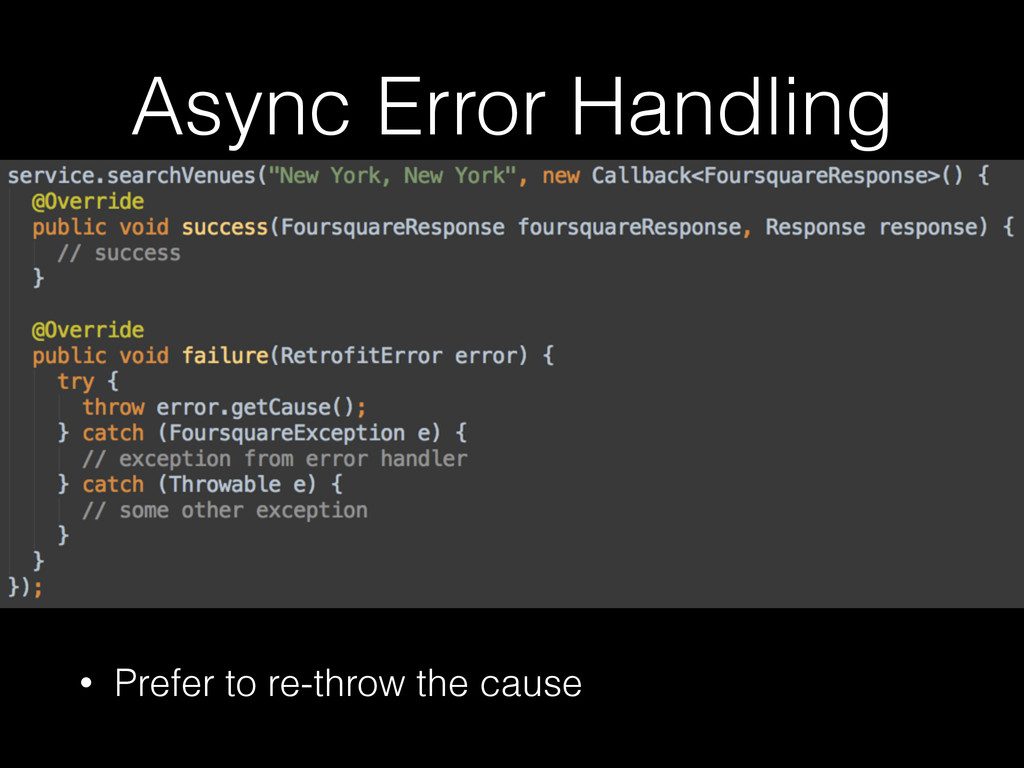
Async Retrofit • Examples so far have been synchronous •
To use async callbacks: • Must have void return type • Does not need to throw exception -
Basics { "id": 123, "numbers": [1, 2, 3], "active": true,
"location": { "city": "New York", "state": "New York", }, "greeting": "Hello" } class Model { int id; int[] numbers; boolean active; HashMap location; String greeting; } Model model = gson.fromJson(Model.class); String json = gson.toJson(model); -
Mapping to Collections { "id": 123, "numbers": [1, 2, 3],
"active": true, "location": { "city": "New York", "state": "New York", }, "greeting": "Hello" } class Model { int id; int[] numbers; List<Integer> numbers; boolean active; HashMap location; String greeting; } -
Nested models { "id": 123, "numbers": [1, 2, 3], "active":
true, "location": { "city": "New York", "state": "New York", }, "greeting": "Hello" } class Model { int id; List<Integer> numbers; boolean active; HashMap location; Location location; String greeting; } ! class Location { String city; String state; } -
Renaming Fields { "user_name": "michaelsmith", "average_score": 85.5, } ! class
User { @SerializedName(“user_name”) String userName; ! @SerializedName(“average_score”) Double averageScore; } -
Hiding fields from JSON Mark fields as transient to exclude
them from serialization. ! class User { String userName; ! Double averageScore; ! transient String localPreference; } -
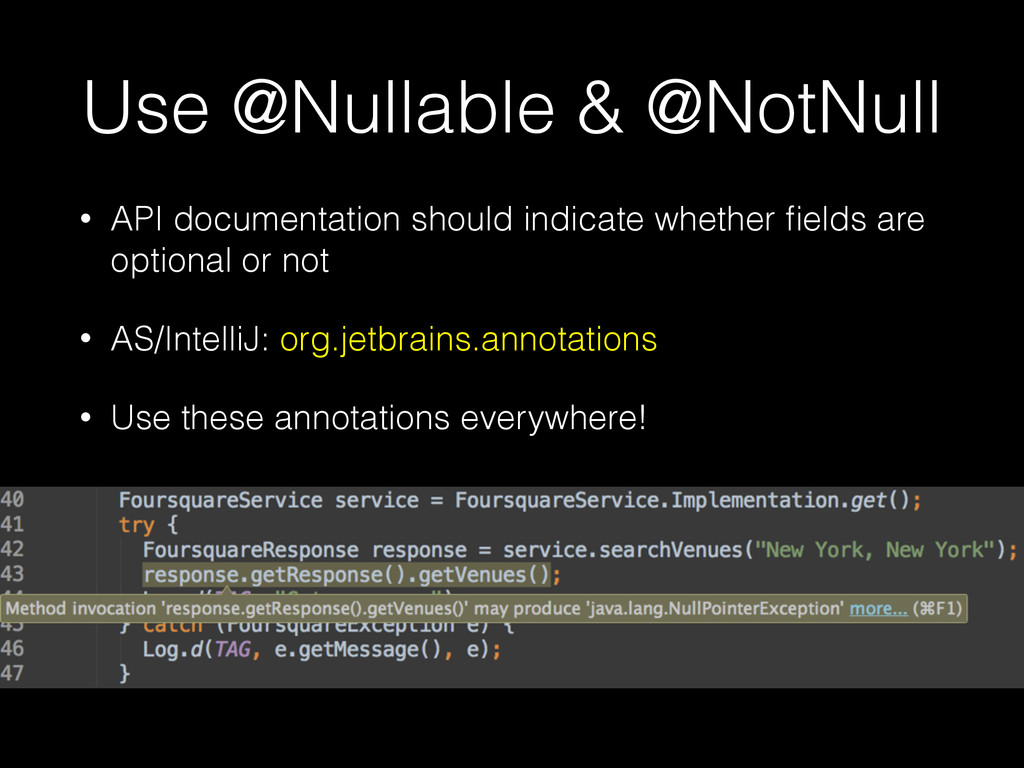
Use @Nullable & @NotNull • API documentation should indicate whether
fields are optional or not • AS/IntelliJ: org.jetbrains.annotations • Use these annotations everywhere! -
Abstract Models (Reddit) • Foursquare returns static JSON structure •
Some APIs define types dynamically… -
Abstract Models (Reddit) • Foursquare returns static JSON structure •
Some APIs define types dynamically… { kind: “comment”, data { author: “…”, body: “…”, replies: […] } } { kind: “link” data { author: “…” selftext: “….” permalink: “….” } } -
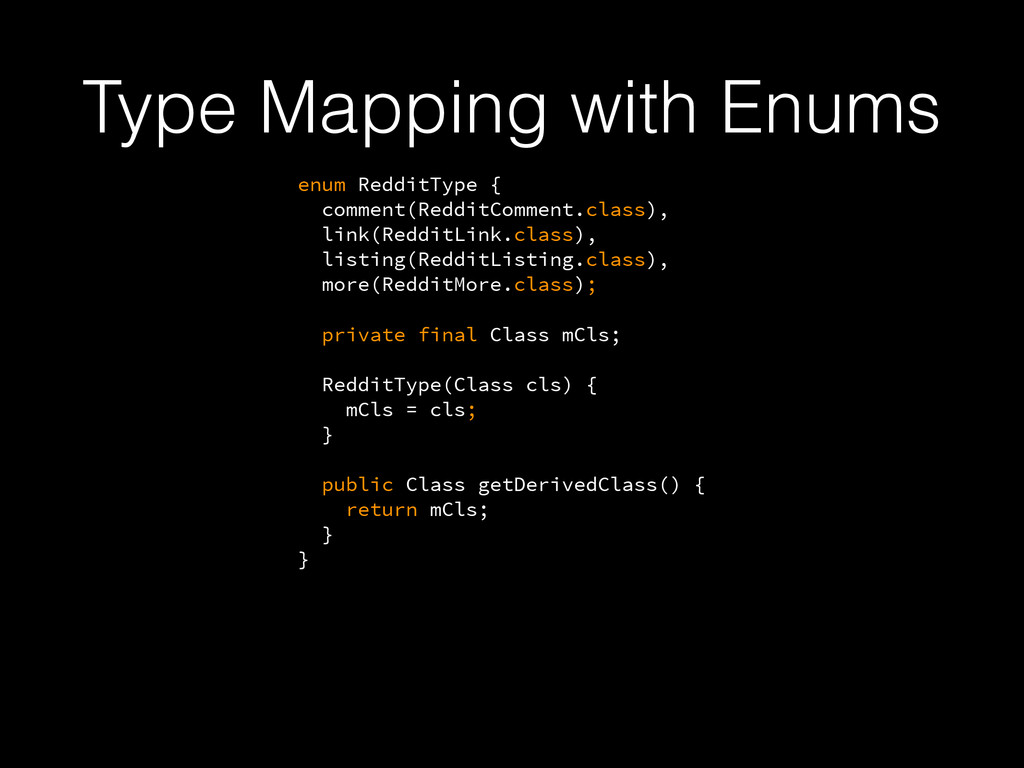
Type Mapping with Enums enum RedditType { comment(RedditComment.class), link(RedditLink.class), listing(RedditListing.class),
more(RedditMore.class); ! private final Class mCls; ! RedditType(Class cls) { mCls = cls; } ! public Class getDerivedClass() { return mCls; } } { kind: “link” data { author: “…” selftext: “….” permalink: “….” } } { kind: “comment”, data { author: “…”, body: “…”, replies: […] } } -
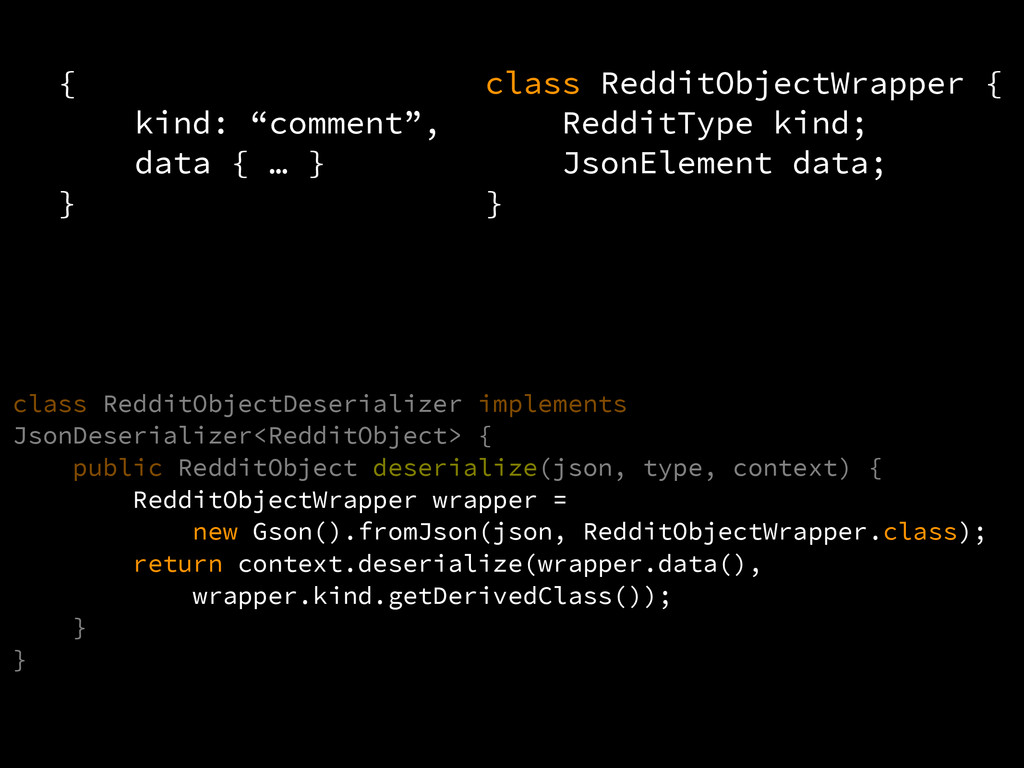
{ kind: “comment”, data { … } } class RedditObjectWrapper
{ RedditType kind; JsonElement data; } -
{ kind: “comment”, data { … } } class RedditObjectWrapper
{ RedditType kind; JsonElement data; } class RedditObjectDeserializer implements JsonDeserializer<RedditObject> { public RedditObject deserialize(json, type, context) { RedditObjectWrapper wrapper = new Gson().fromJson(json, RedditObjectWrapper.class); return context.deserialize(wrapper.data(), wrapper.kind.getDerivedClass()); } } -
• When developing against an existing API, write a test
for each API endpoint • Inject a SynchronousExecutor into RestAdapter.Builder for testing async methods Test-driven development -
• When developing against an existing API, write a test
for each API endpoint • Inject a SynchronousExecutor into RestAdapter.Builder for testing async methods public class SynchronousExecutor implements Executor { @Override public void execute(Runnable runnable) { runnable.run(); } } Test-driven development -
Unit Testing • Tests shouldn’t have external dependencies • Retrofit
API definition = java interface • Implement your own class to simulate response • See example in github -
Unit Testing • Tests shouldn’t have external dependencies • Retrofit
API definition = java interface • Implement your own class to simulate response • See example in github public interface FoursquareService { } public class MockService implements FoursquareService { } -
Testing conditional errors • Test network delay, variance, and errors
MockRestAdapter mockRestAdapter = MockRestAdapter.from(restAdapter); mockRestAdapter.setDelay(delayMs); mockRestAdapter.setVariancePercentage(variance); mockRestAdapter.setErrorPercentage(errorPct); • Settings work for both “live” and “mock” implementations • Can use AndroidMockValuePersistence to save these values to SharedPreferences and change them at runtime debugCompile 'com.squareup.retrofit:retrofit-mock:x.x.x' -
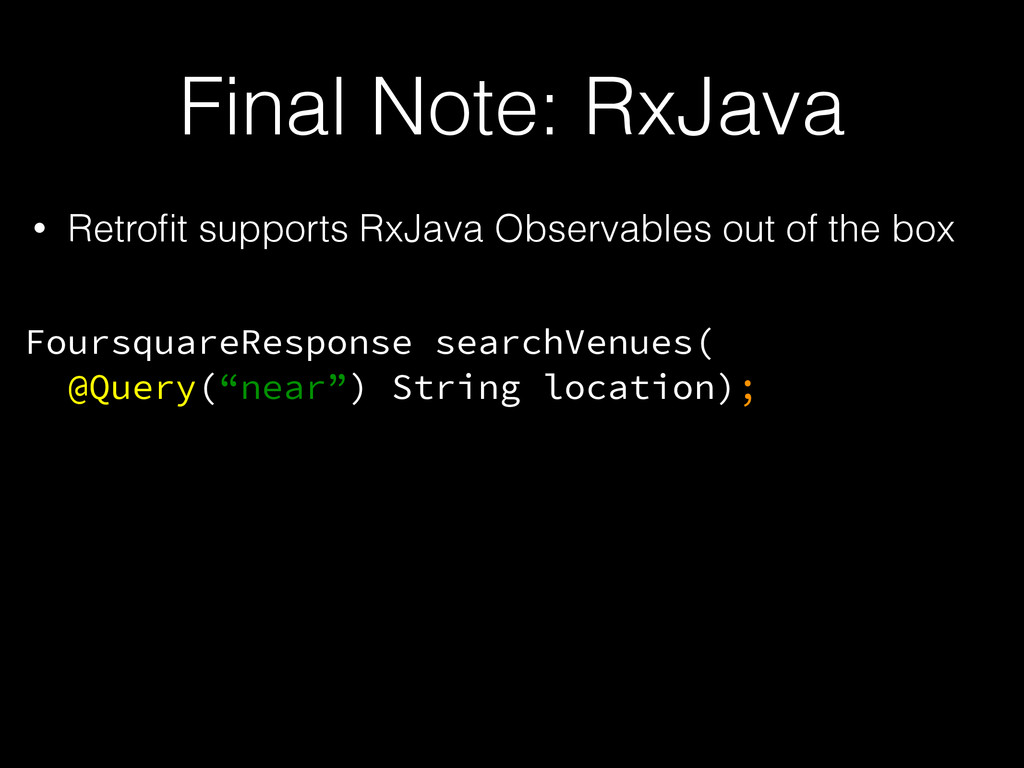
Final Note: RxJava • Retrofit supports RxJava Observables out of
the box FoursquareResponse searchVenues( @Query(“near”) String location); -
Final Note: RxJava • Retrofit supports RxJava Observables out of
the box FoursquareResponse searchVenues( @Query(“near”) String location); Observable<FoursquareResponse> searchVenues( @Query(“near”) String location);