Upgrade to Pro
— share decks privately, control downloads, hide ads and more …
Speaker Deck
Sign up for free
Menu
Search
Features
All features
Private URLs
Password Protection
Custom URLS
Scheduled publishing
Remove Branding
Restrict embedding
Deck Collections
Notes
Features
All features
Private URLs
Password Protection
Custom URLS
Scheduled publishing
Remove Branding
Restrict embedding
Deck Collections
Notes
Explore
Featured decks
Featured speakers
Programming
Technology
Storyboards
Explore
Featured decks
Featured speakers
Programming
Technology
Storyboards
Pricing
Search
Sign in
Sign up for free
Dynamic Interactions - Move fast then improve t...
Search
Sponsored
·
Ship Features Fearlessly
Turn features on and off without deploys. Used by thousands of Ruby developers.
→
Keir Bowden
January 05, 2026
Technology
78
0
Share
Embed
Copy iframe code
Copy JS code
Copy link
Start on current slide
Dynamic Interactions - Move fast then improve things
Slide deck from my French Touch Dreamin' 2025 talk on Dynamic Interactions in Salesforce.
Keir Bowden
January 05, 2026
More Decks by Keir Bowden
See All by Keir Bowden
Winter '27 for Developers
keirbowden
0
26
Avoiding Limits Breaches
keirbowden
0
82
Spring '26 for Developers
keirbowden
0
130
Spring '26 Release Webinar
keirbowden
0
60
Winter '26 for Developers
keirbowden
0
140
Winter '26 Release Webinar Deck
keirbowden
0
65
Summer '25 for Developers
keirbowden
0
72
Summer '25 Release Webinar
keirbowden
0
68
Release the Mutants and Validate your Tests
keirbowden
0
83
Other Decks in Technology
See All in Technology
古い指輪から広がった JAVA コミュニティ とのつながり
yamad
0
130
小規模OSSモデルは サイバーセキュリティ業務に どこまで使えるか
bbrbbq
0
150
DGX Spark でどこまでハッキングができるのか?
kash1064
3
1.4k
触りたくないデータに、どう触るか AI時代のRBACアクセスガバナンス
ivry_presentationmaterials
0
310
その Valkey 使いこなしていますか?
onk
PRO
5
1.8k
Getting Started with Google Antigravity
glaforge
0
350
CTO Night|NotionのAIエージェントとFDE
kzkhykw1991
0
290
SAENM ~Jupyterで残すPoCの試行錯誤、未来の自分と仲間を助ける記録!~
terapyon
0
170
顧客価値を追いかけたら、プライシングにたどり着いた
sansantech
PRO
2
300
トークン化預金DCJPYの取り組みと活用ユースケース
finengine
0
210
Active Record Connection Adaptersにおける長年の課題に再び取り組む
yahonda
0
390
sue445's proposals 2026
sue445
0
120
Featured
See All Featured
Navigating Weather and Climate Data
rabernat
0
560
Navigating Algorithm Shifts & AI Overviews - #SMXNext
aleyda
1
1.7k
Sam Torres - BigQuery for SEOs
techseoconnect
PRO
0
580
Git: the NoSQL Database
bkeepers
PRO
433
67k
The MySQL Ecosystem @ GitHub 2015
samlambert
251
13k
Reflections from 52 weeks, 52 projects
jeffersonlam
356
22k
The Hidden Cost of Media on the Web [PixelPalooza 2025]
tammyeverts
2
530
Agile Leadership in an Agile Organization
kimpetersen
PRO
0
290
Site-Speed That Sticks
csswizardry
13
1.6k
Navigating the Design Leadership Dip - Product Design Week Design Leaders+ Conference 2024
apolaine
2
480
Odyssey Design
rkendrick25
PRO
2
880
Scaling GitHub
holman
464
140k
Transcript
#FTD25 Dynamic Interactions Move fast then improve things Keir Bowden
•Independent Consultant •Salesforce MVP HoF •Certified Technical Architect Keir Bowden
(aka Bob Buzzard) •Golden Hoodie
Dynamic Interactions
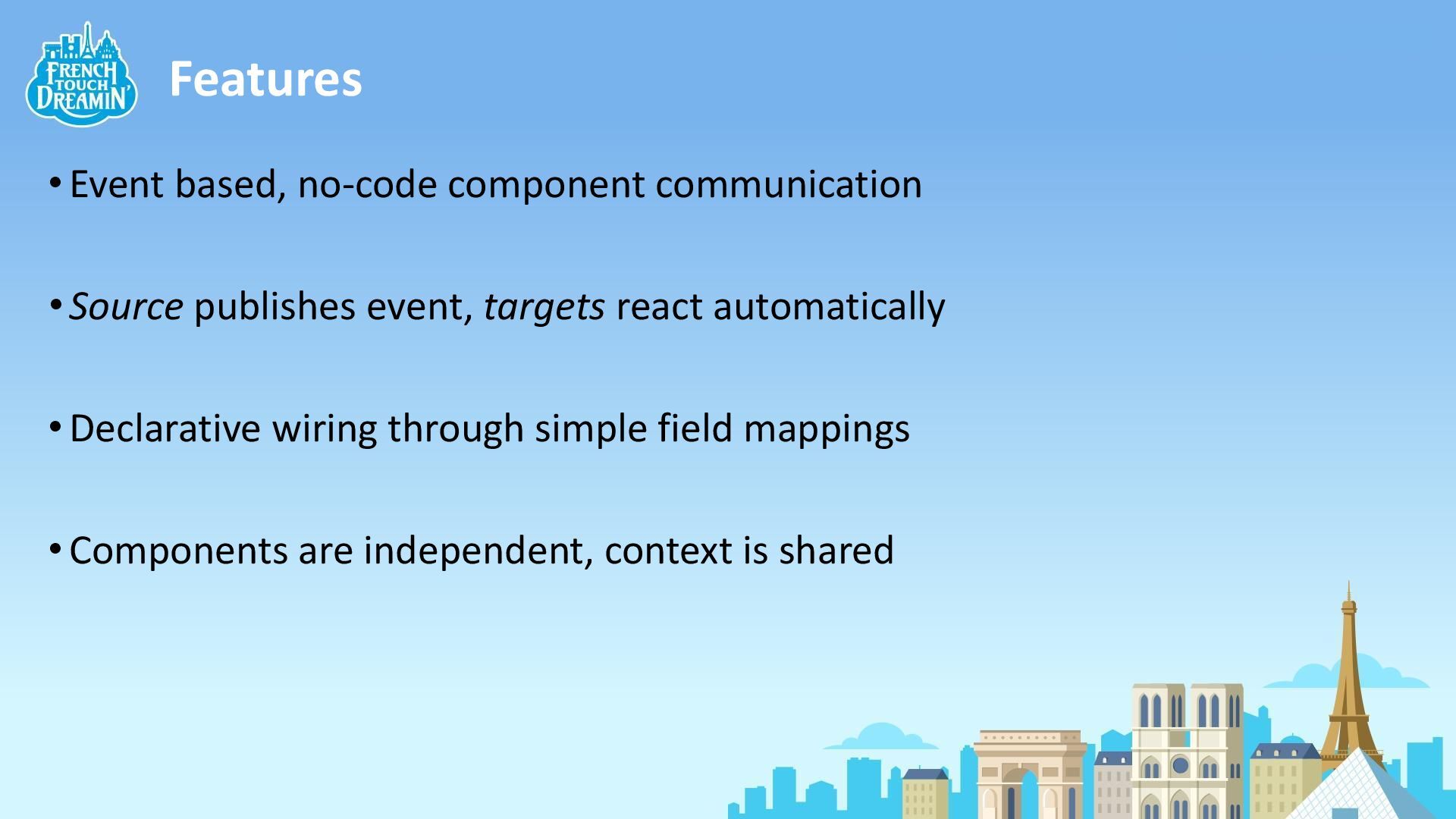
Features •Event based, no-code component communication •Source publishes event, targets
react automatically •Declarative wiring through simple field mappings •Components are independent, context is shared
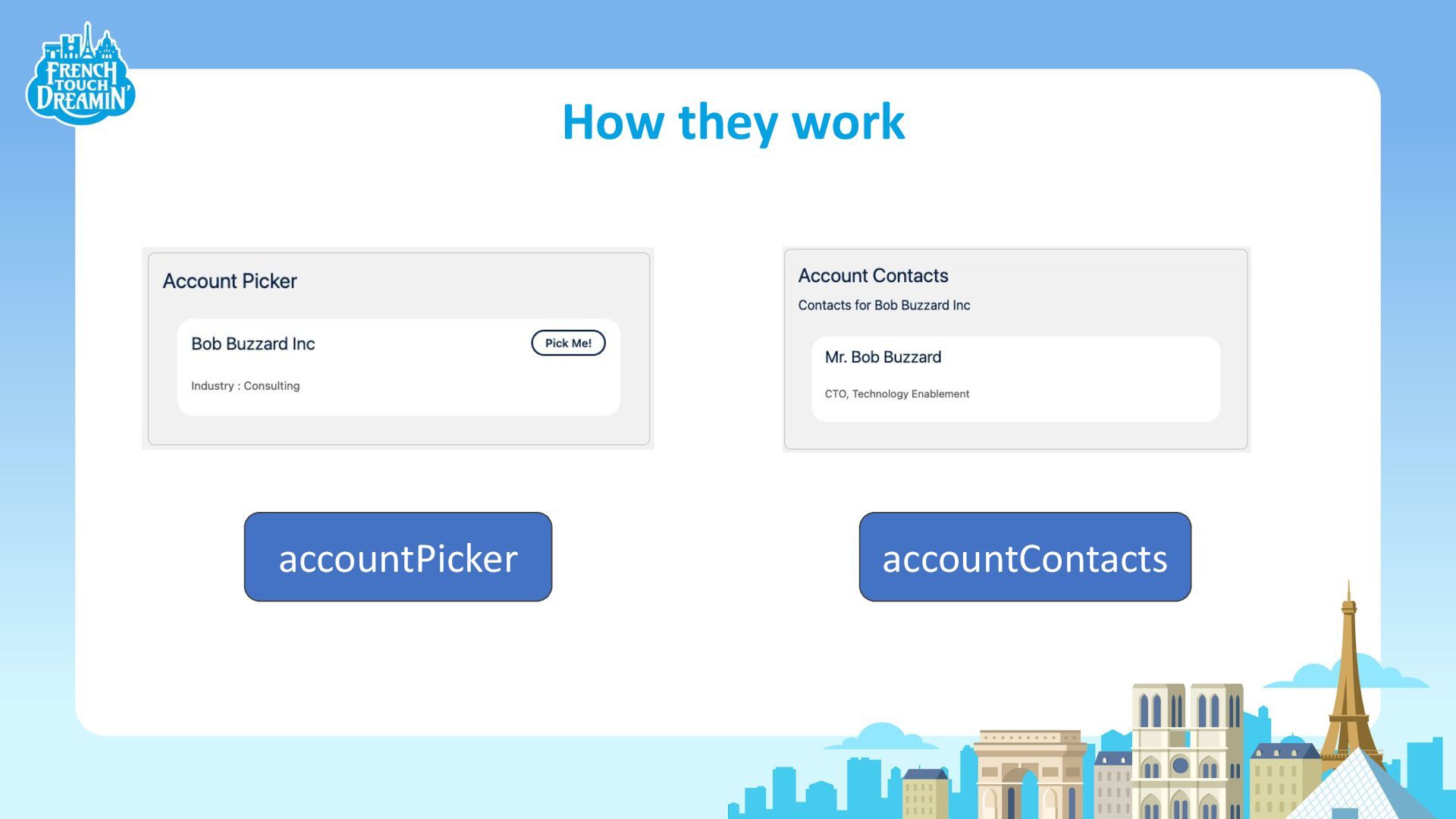
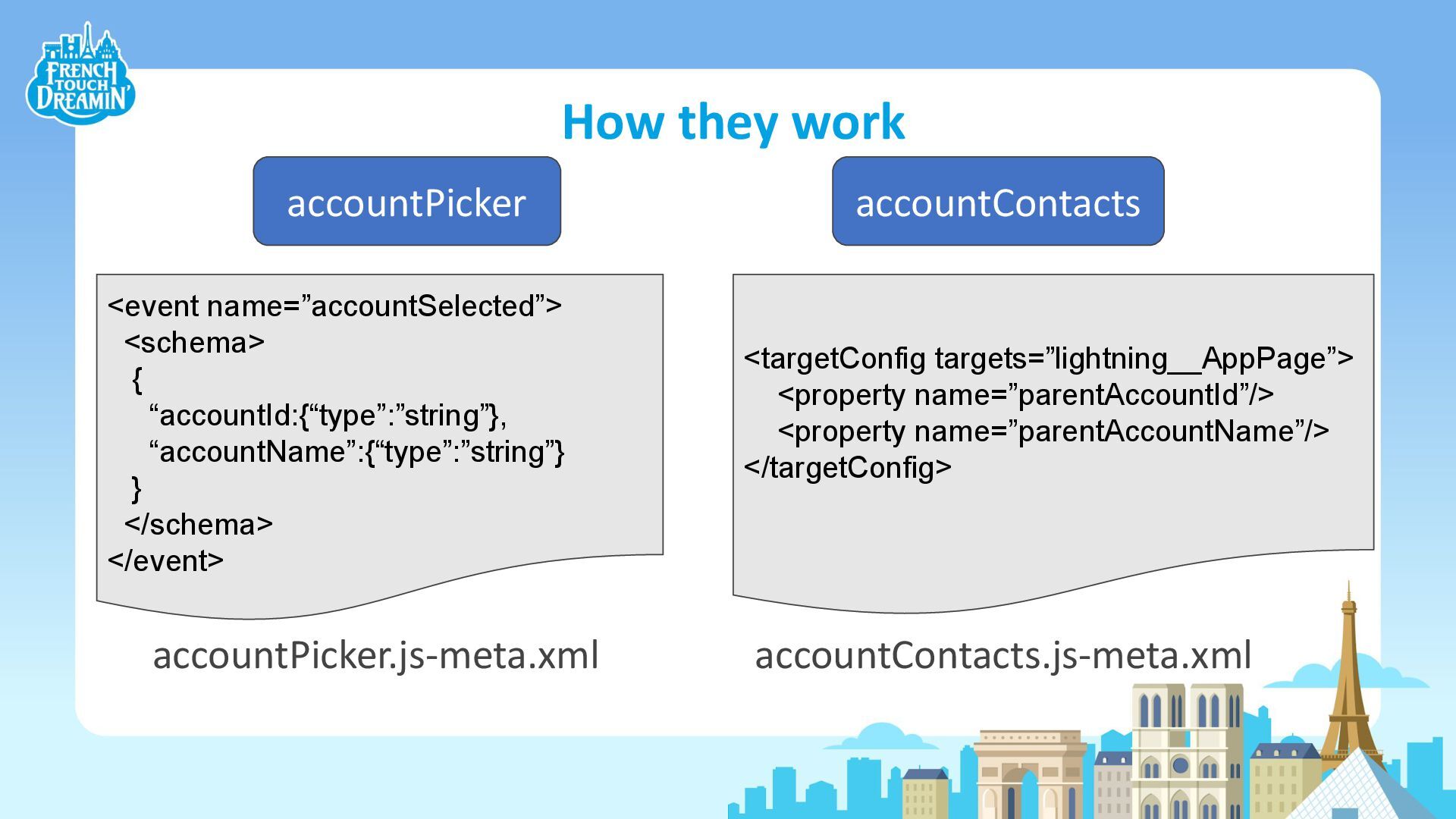
How they work accountPicker accountContacts
How they work <targetConfig targets=”lightning__AppPage”> <property name=”parentAccountId”/> <property name=”parentAccountName”/> </targetConfig>
accountPicker <event name=”accountSelected”> <schema> { “accountId:{“type”:”string”}, “accountName”:{“type”:”string”} } </schema> </event> accountPicker.js-meta.xml accountContacts accountContacts.js-meta.xml
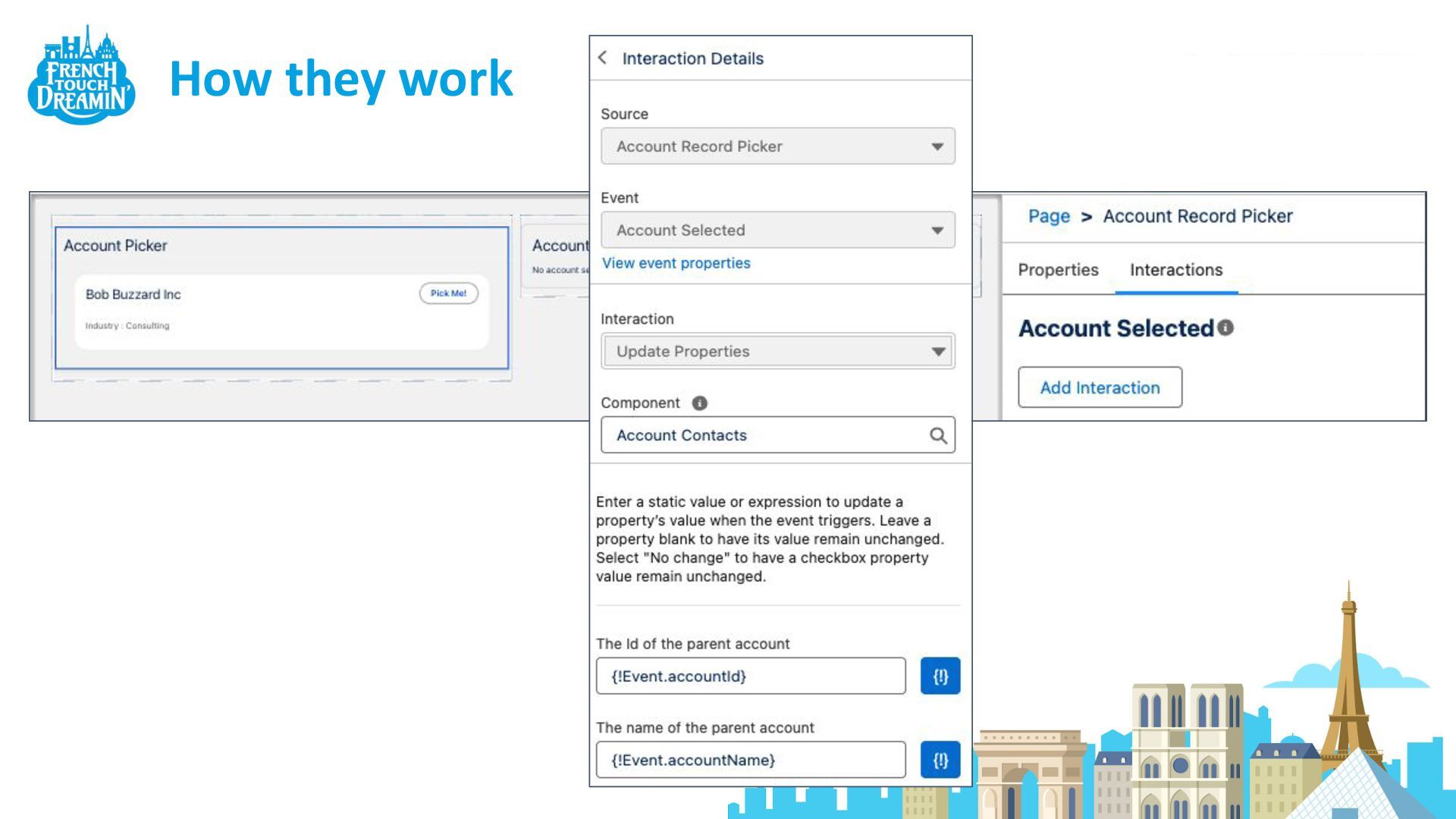
How they work
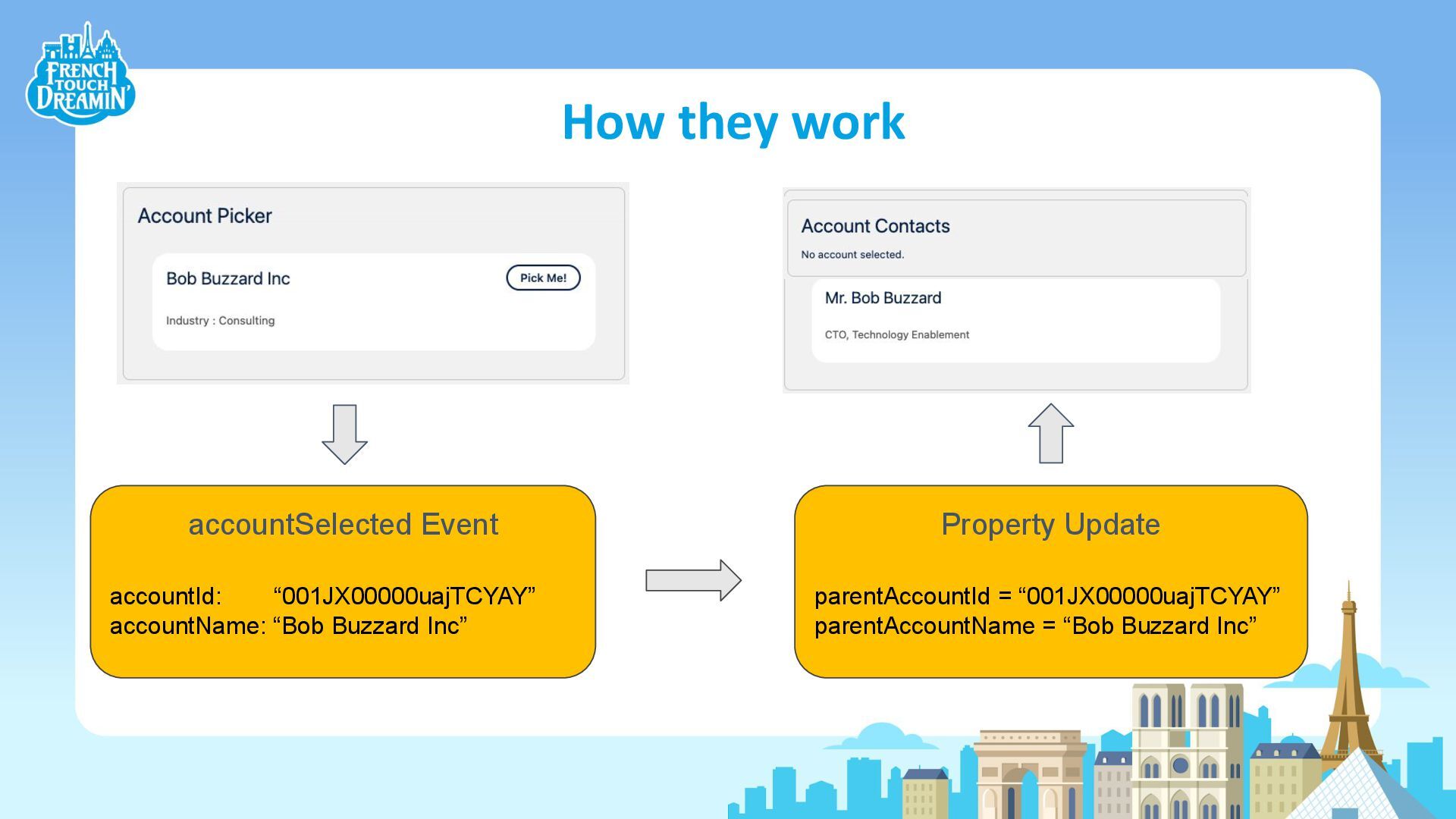
How they work accountSelected Event accountId: “001JX00000uajTCYAY” accountName: “Bob Buzzard
Inc” Property Update parentAccountId = “001JX00000uajTCYAY” parentAccountName = “Bob Buzzard Inc”
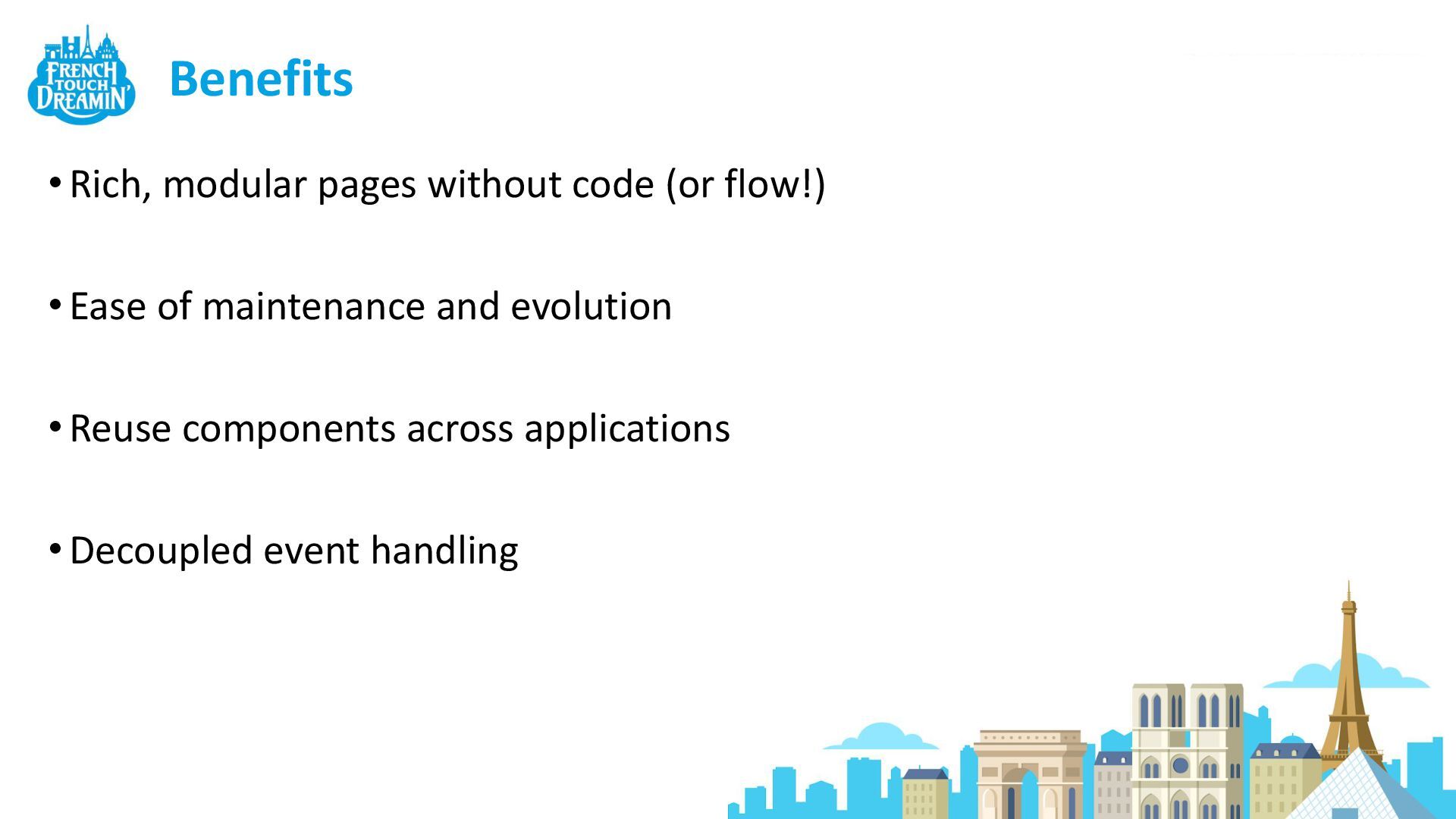
Benefits •Rich, modular pages without code (or flow!) •Ease of
maintenance and evolution •Reuse components across applications •Decoupled event handling
Use Case 1 - Move fast then improve things
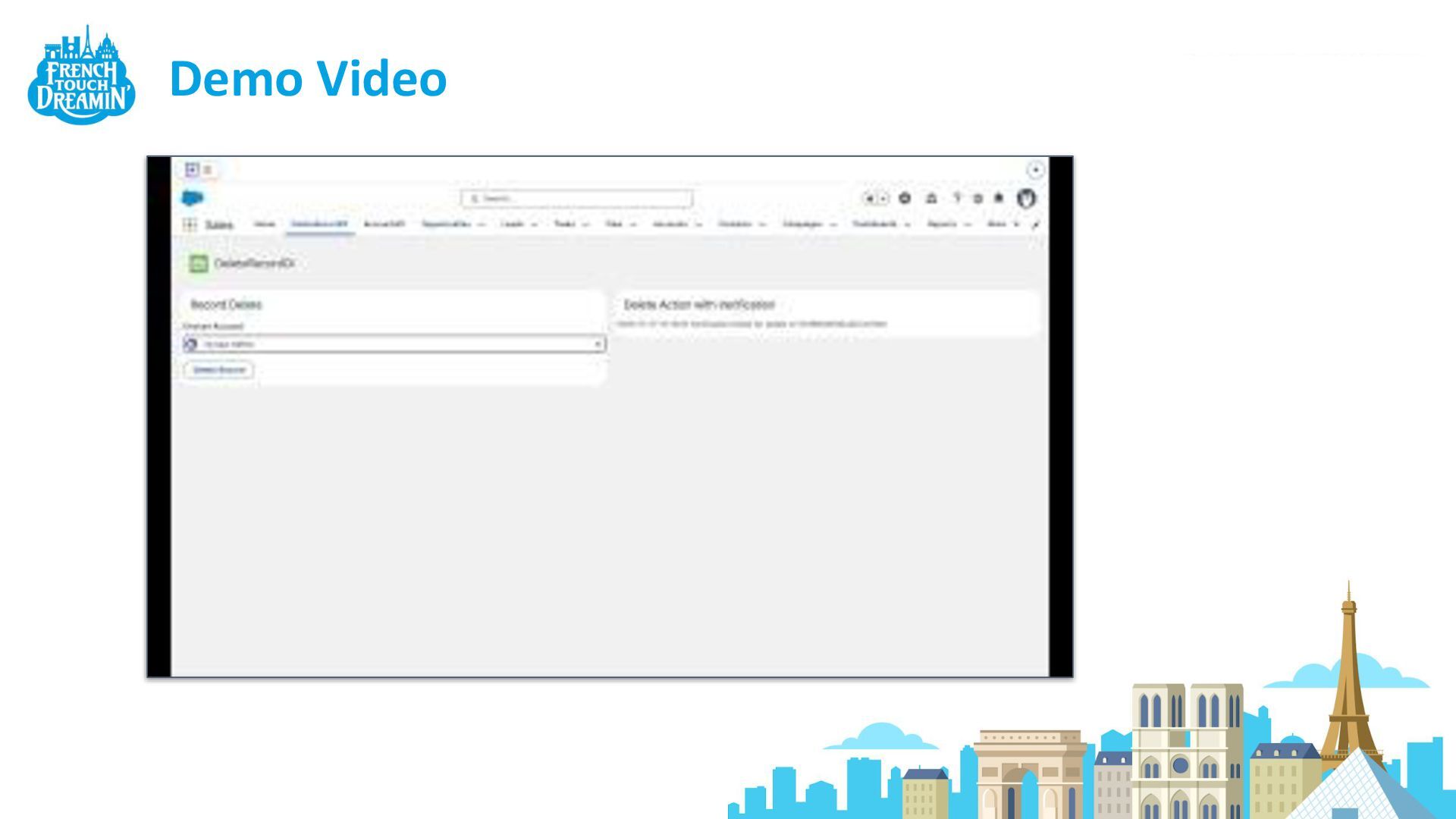
Demo Video
Use Case 2 - Composable Screens
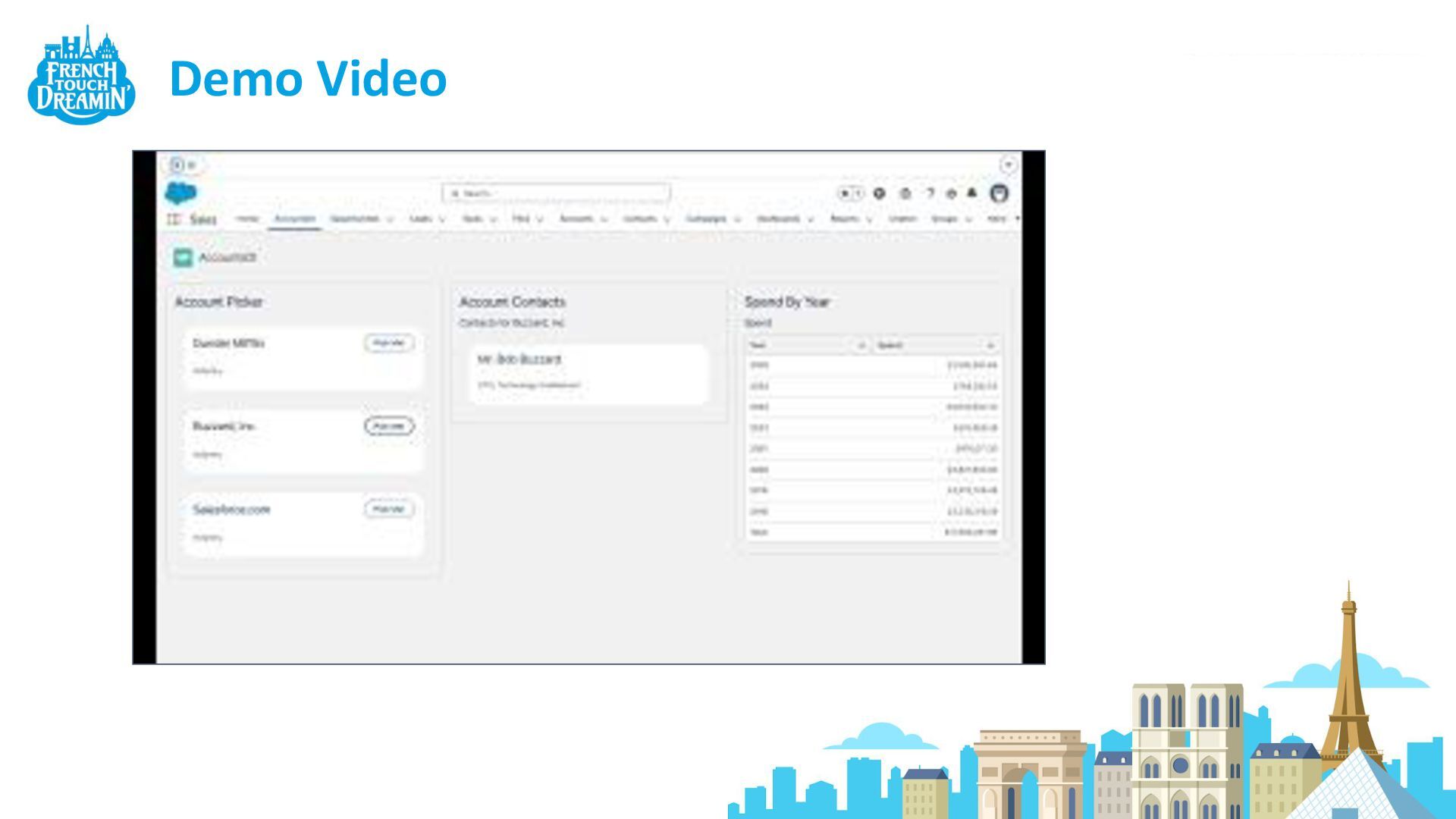
Demo Video
Use Case 3 - Event driven UI AKA - the
wheels come off
Demo Video
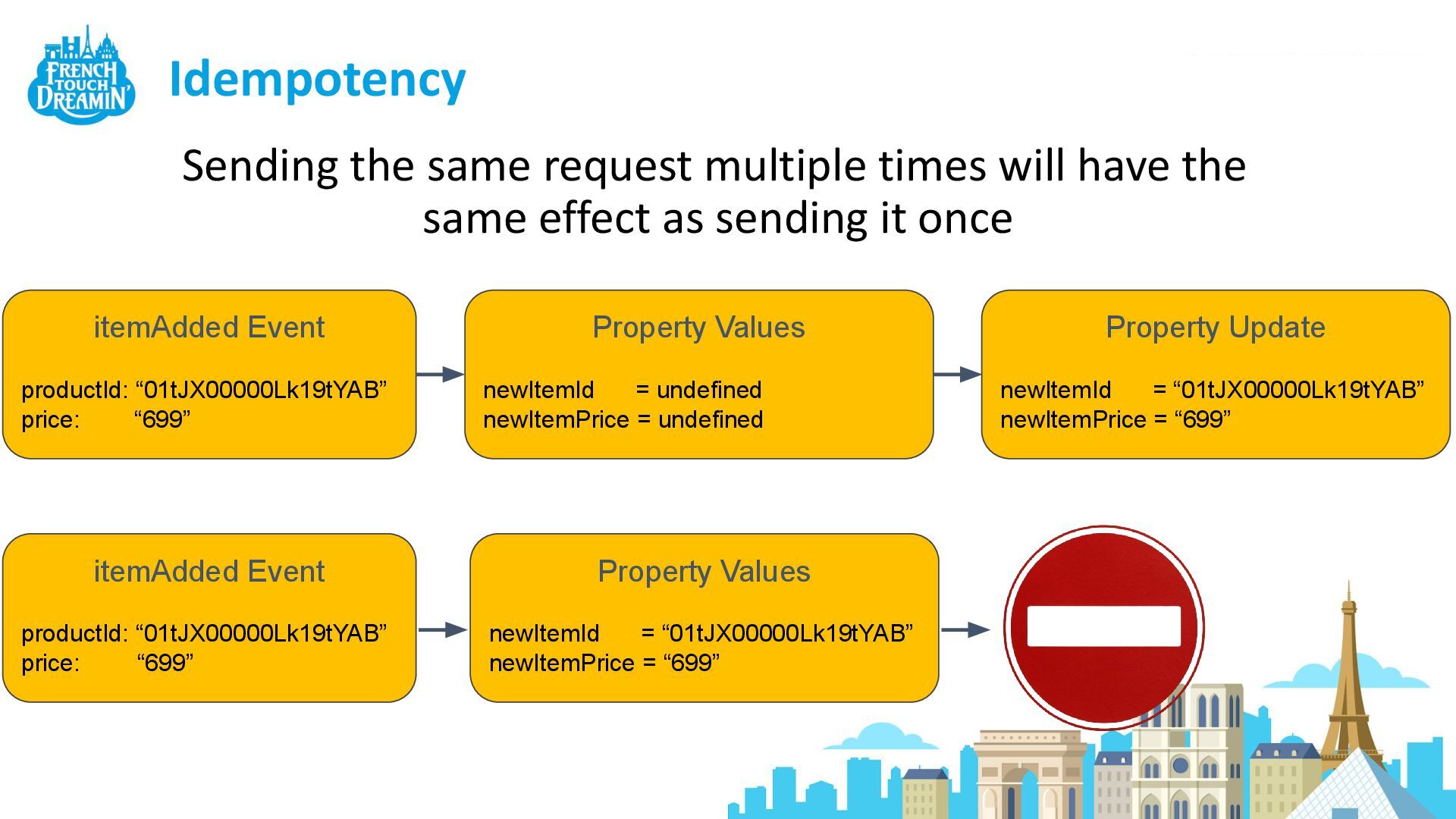
Idempotency Sending the same request multiple times will have the
same effect as sending it once itemAdded Event productId: “01tJX00000Lk19tYAB” price: “699” Property Update newItemId = “01tJX00000Lk19tYAB” newItemPrice = “699” Property Values newItemId = undefined newItemPrice = undefined Property Values newItemId = “01tJX00000Lk19tYAB” newItemPrice = “699” itemAdded Event productId: “01tJX00000Lk19tYAB” price: “699”
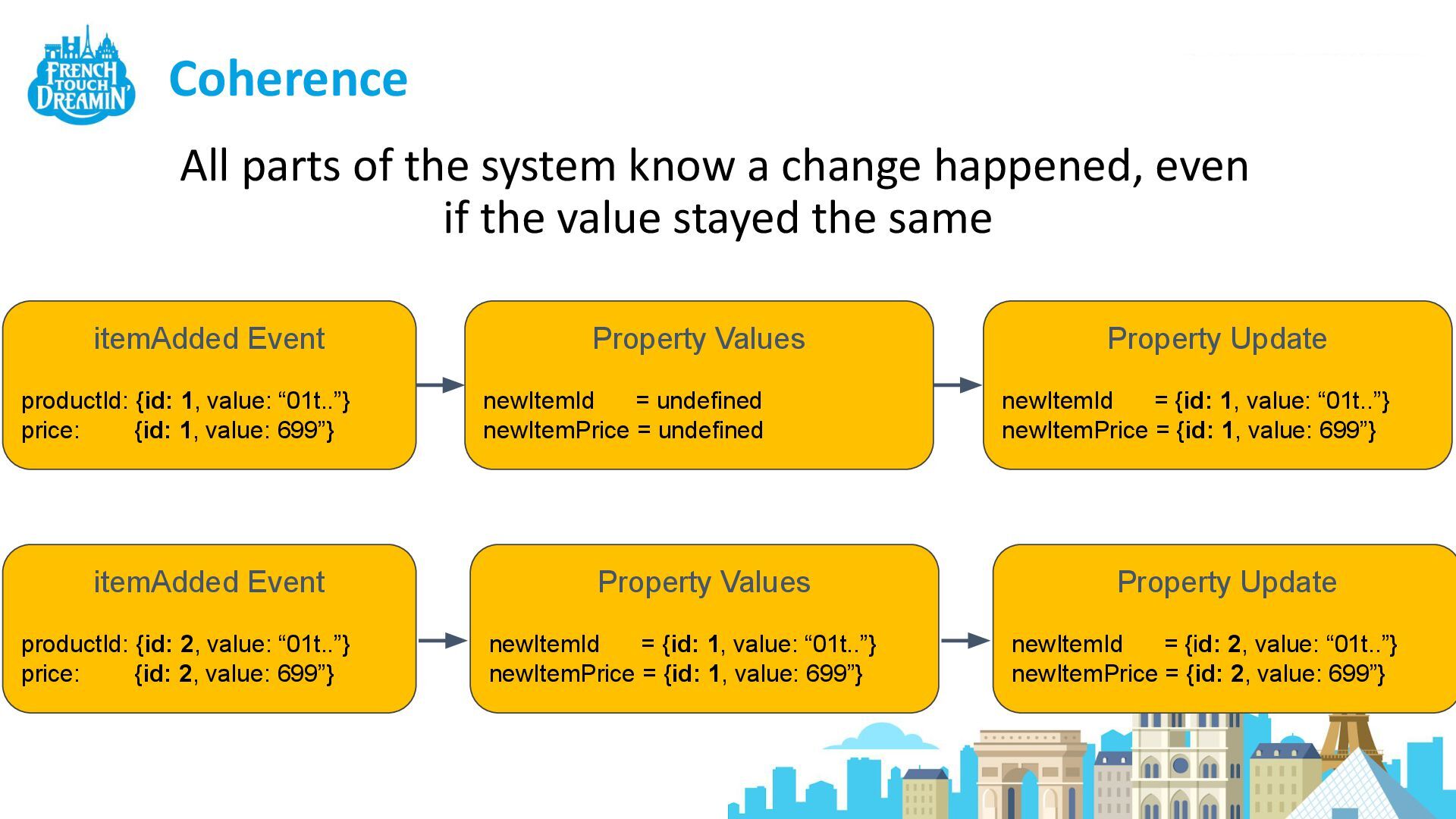
Coherence All parts of the system know a change happened,
even if the value stayed the same itemAdded Event productId: {id: 1, value: “01t..”} price: {id: 1, value: 699”} Property Update newItemId = {id: 1, value: “01t..”} newItemPrice = {id: 1, value: 699”} Property Values newItemId = undefined newItemPrice = undefined Property Values newItemId = {id: 1, value: “01t..”} newItemPrice = {id: 1, value: 699”} itemAdded Event productId: {id: 2, value: “01t..”} price: {id: 2, value: 699”} Property Update newItemId = {id: 2, value: “01t..”} newItemPrice = {id: 2, value: 699”}
Demo Video
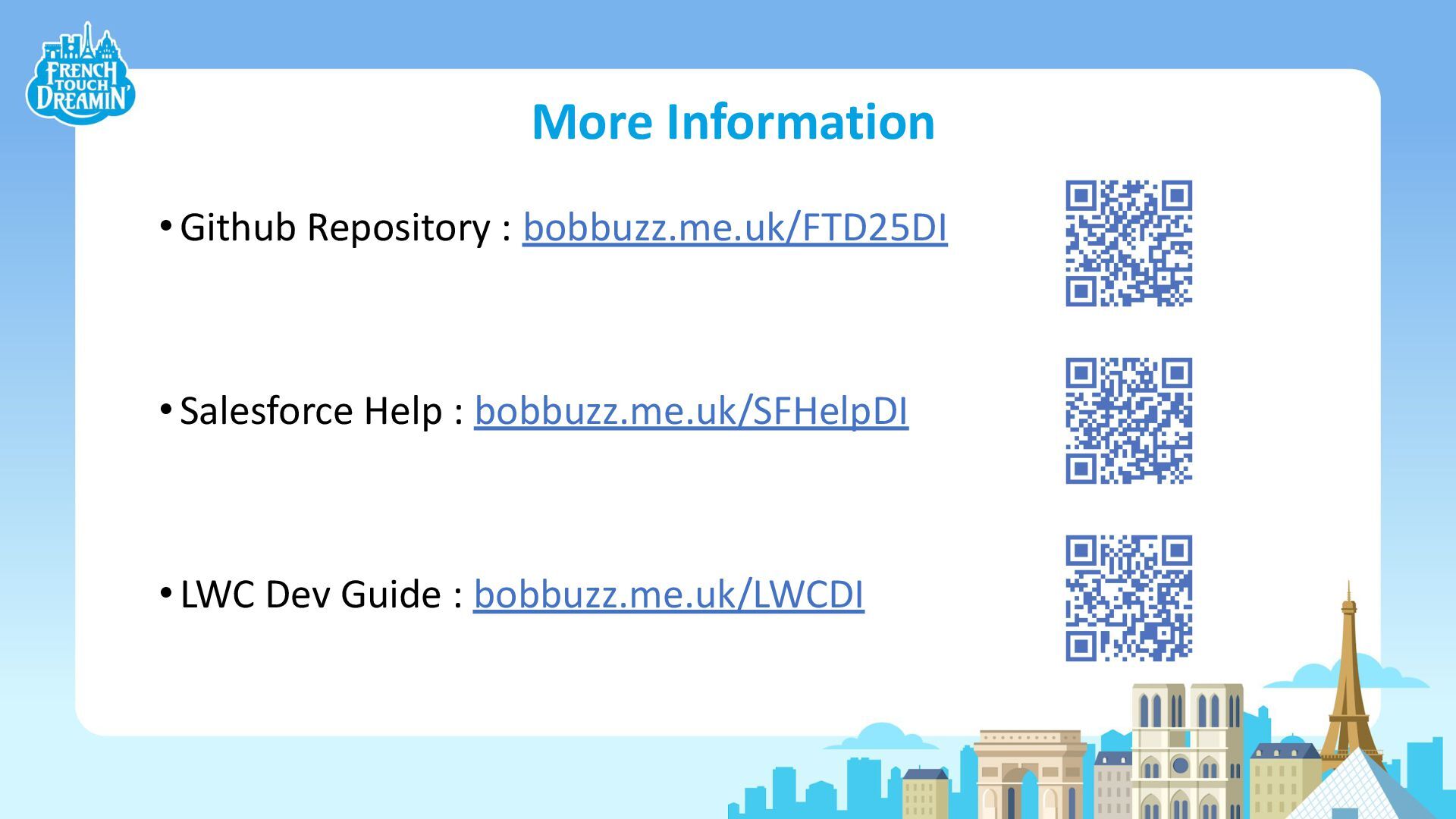
More Information •Github Repository : bobbuzz.me.uk/FTD25DI •Salesforce Help : bobbuzz.me.uk/SFHelpDI
•LWC Dev Guide : bobbuzz.me.uk/LWCDI
None


 keirbowden
.png) yamad
yamad
 bbrbbq
 kash1064
 ivry_presentationmaterials
 onk
onk
 glaforge
 kzkhykw1991
 terapyon
 sansantech
 finengine
 yahonda
 sue445
 rabernat
 aleyda
 techseoconnect
 bkeepers
 samlambert
 jeffersonlam
 tammyeverts
 kimpetersen
 csswizardry
 apolaine
 rkendrick25
 holman