Worked in all stages of data lifecycle for the past 14 years ▪ Built a couple of data science platforms from scratch ▪ Tracked cyber criminals through massively scaled data forensics ▪ Focusing on automation integration aspects now
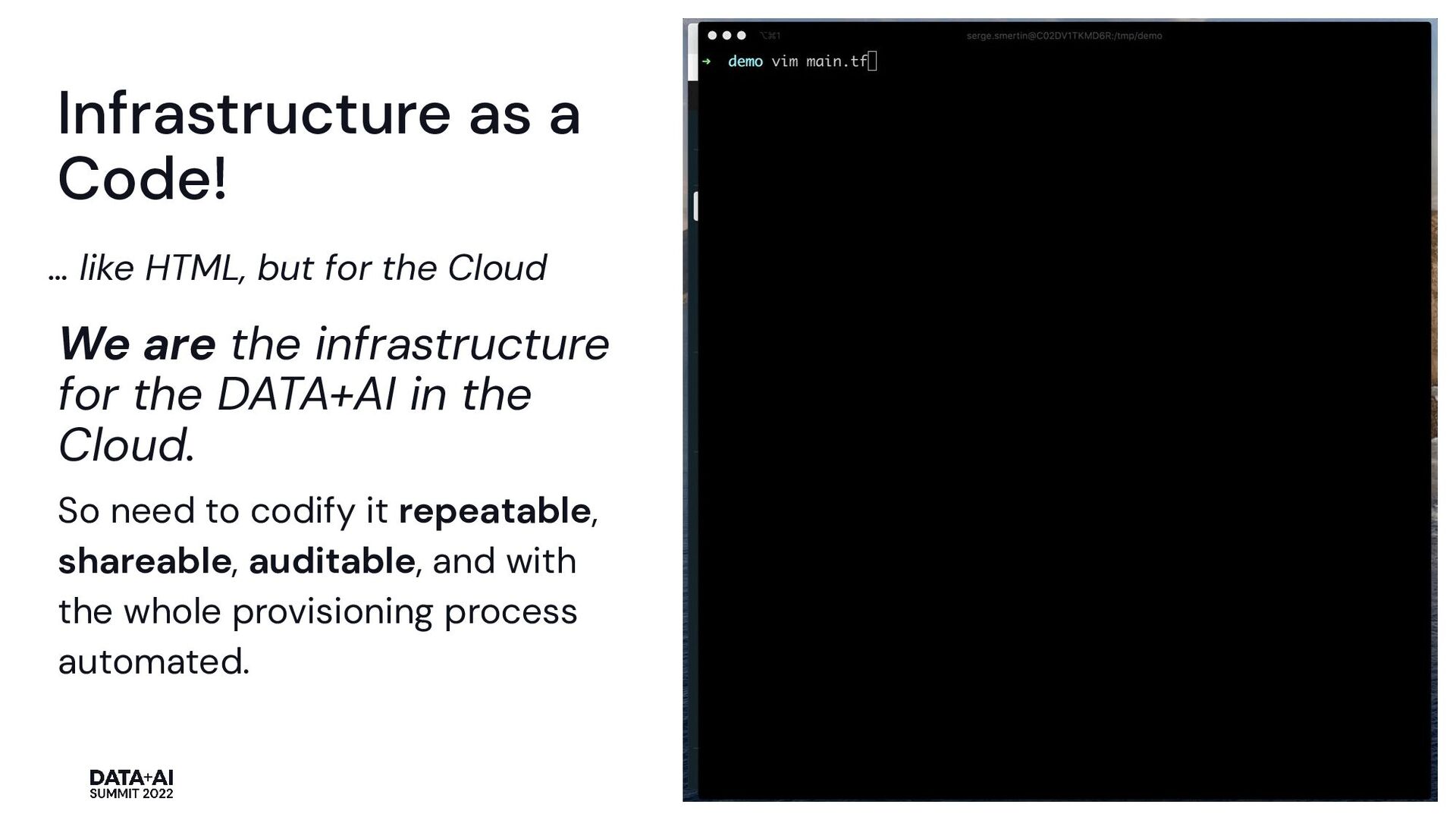
Cloud We are the infrastructure for the DATA+AI in the Cloud. So need to codify it repeatable, shareable, auditable, and with the whole provisioning process automated.
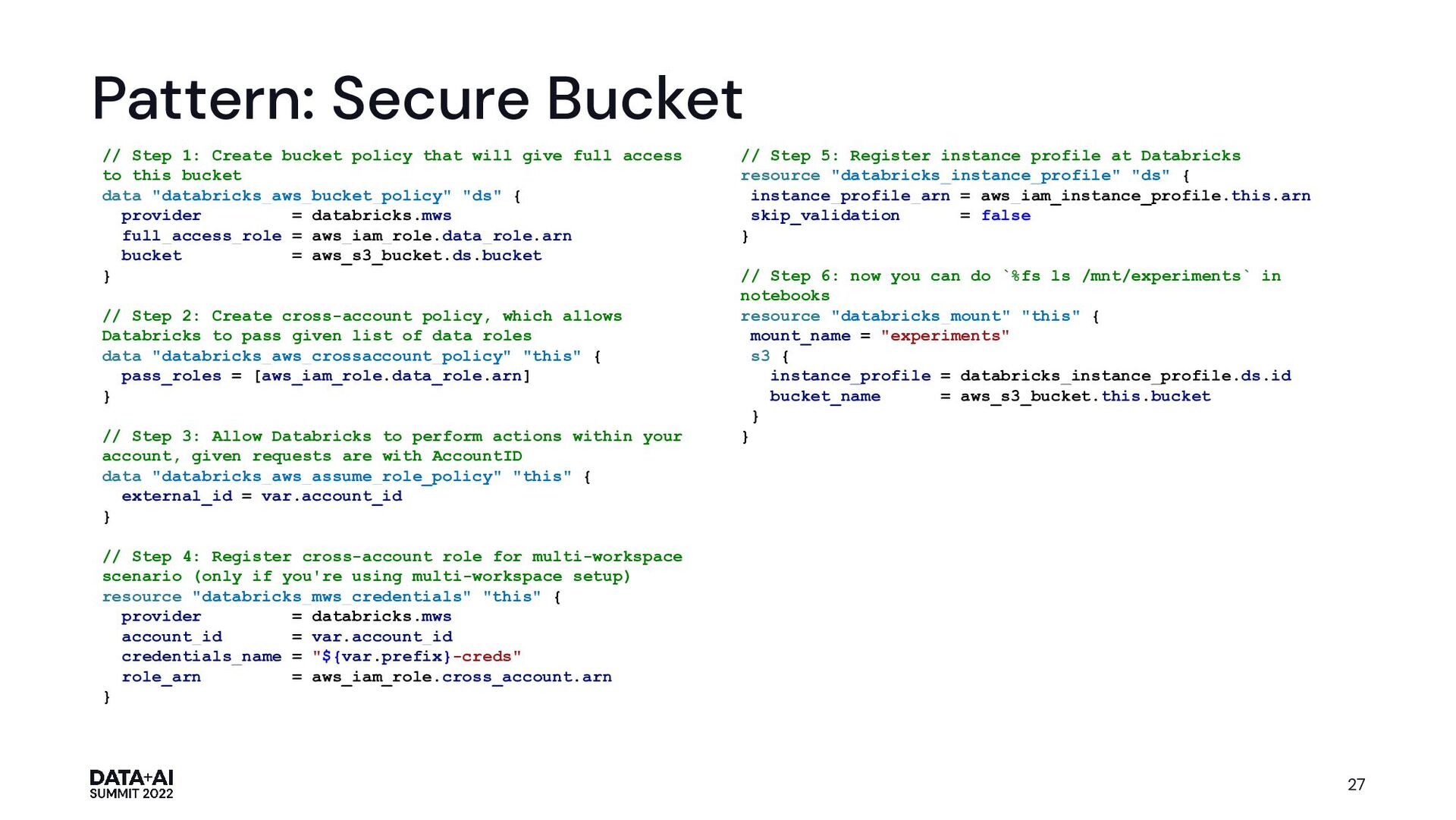
that will give full access to this bucket data "databricks_aws_bucket_policy" "ds" { provider = databricks.mws full_access_role = aws_iam_role.data_role.arn bucket = aws_s3_bucket.ds.bucket } // Step 2: Create cross-account policy, which allows Databricks to pass given list of data roles data "databricks_aws_crossaccount_policy" "this" { pass_roles = [aws_iam_role.data_role.arn] } // Step 3: Allow Databricks to perform actions within your account, given requests are with AccountID data "databricks_aws_assume_role_policy" "this" { external_id = var.account_id } // Step 4: Register cross-account role for multi-workspace scenario (only if you're using multi-workspace setup) resource "databricks_mws_credentials" "this" { provider = databricks.mws account_id = var.account_id credentials_name = "${var.prefix}-creds" role_arn = aws_iam_role.cross_account.arn } // Step 5: Register instance profile at Databricks resource "databricks_instance_profile" "ds" { instance_profile_arn = aws_iam_instance_profile.this.arn skip_validation = false } // Step 6: now you can do `%fs ls /mnt/experiments` in notebooks resource "databricks_mount" "this" { mount_name = "experiments" s3 { instance_profile = databricks_instance_profile.ds.id bucket_name = aws_s3_bucket.this.bucket } }
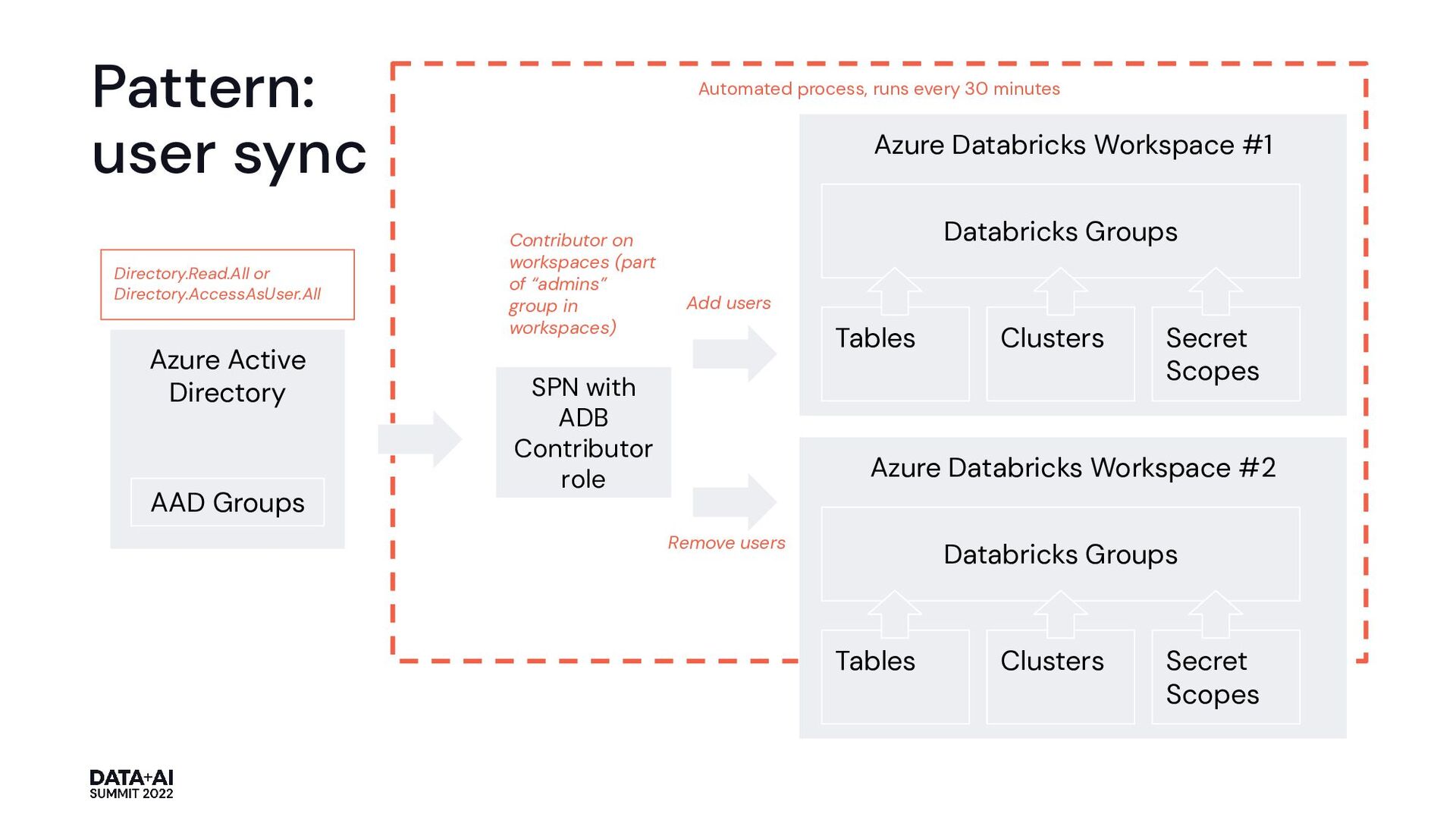
role Azure Databricks Workspace #1 Databricks Groups Tables Clusters Secret Scopes Azure Databricks Workspace #2 Databricks Groups Tables Clusters Secret Scopes Azure Active Directory AAD Groups Contributor on workspaces (part of “admins” group in workspaces) Add users Remove users Directory.Read.All or Directory.AccessAsUser.All Pattern: user sync
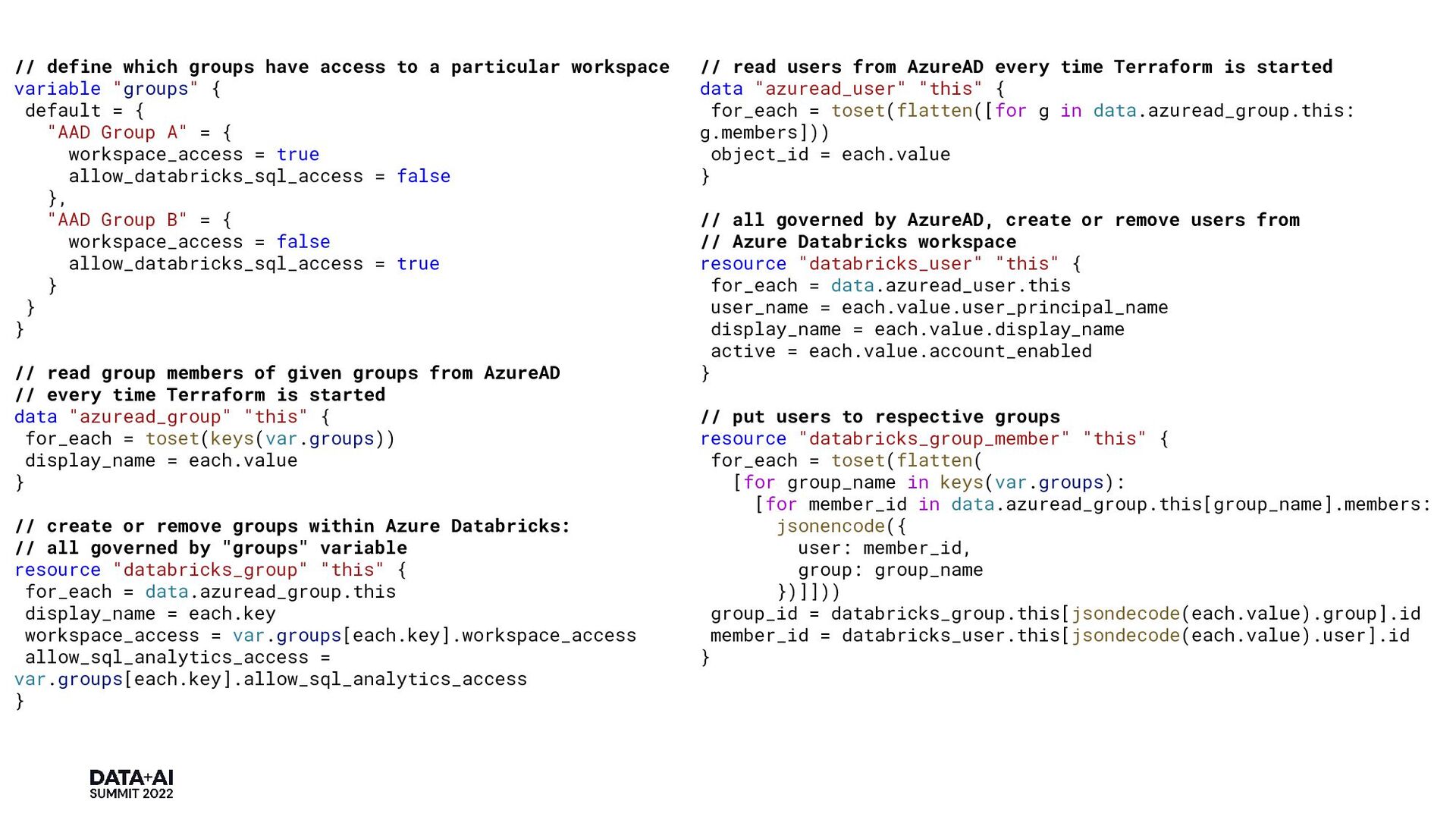
variable "groups" { default = { "AAD Group A" = { workspace_access = true allow_databricks_sql_access = false }, "AAD Group B" = { workspace_access = false allow_databricks_sql_access = true } } } // read group members of given groups from AzureAD // every time Terraform is started data "azuread_group" "this" { for_each = toset(keys(var.groups)) display_name = each.value } // create or remove groups within Azure Databricks: // all governed by "groups" variable resource "databricks_group" "this" { for_each = data.azuread_group.this display_name = each.key workspace_access = var.groups[each.key].workspace_access allow_sql_analytics_access = var.groups[each.key].allow_sql_analytics_access } // read users from AzureAD every time Terraform is started data "azuread_user" "this" { for_each = toset(flatten([for g in data.azuread_group.this: g.members])) object_id = each.value } // all governed by AzureAD, create or remove users from // Azure Databricks workspace resource "databricks_user" "this" { for_each = data.azuread_user.this user_name = each.value.user_principal_name display_name = each.value.display_name active = each.value.account_enabled } // put users to respective groups resource "databricks_group_member" "this" { for_each = toset(flatten( [for group_name in keys(var.groups): [for member_id in data.azuread_group.this[group_name].members: jsonencode({ user: member_id, group: group_name })]])) group_id = databricks_group.this[jsondecode(each.value).group].id member_id = databricks_user.this[jsondecode(each.value).user].id }
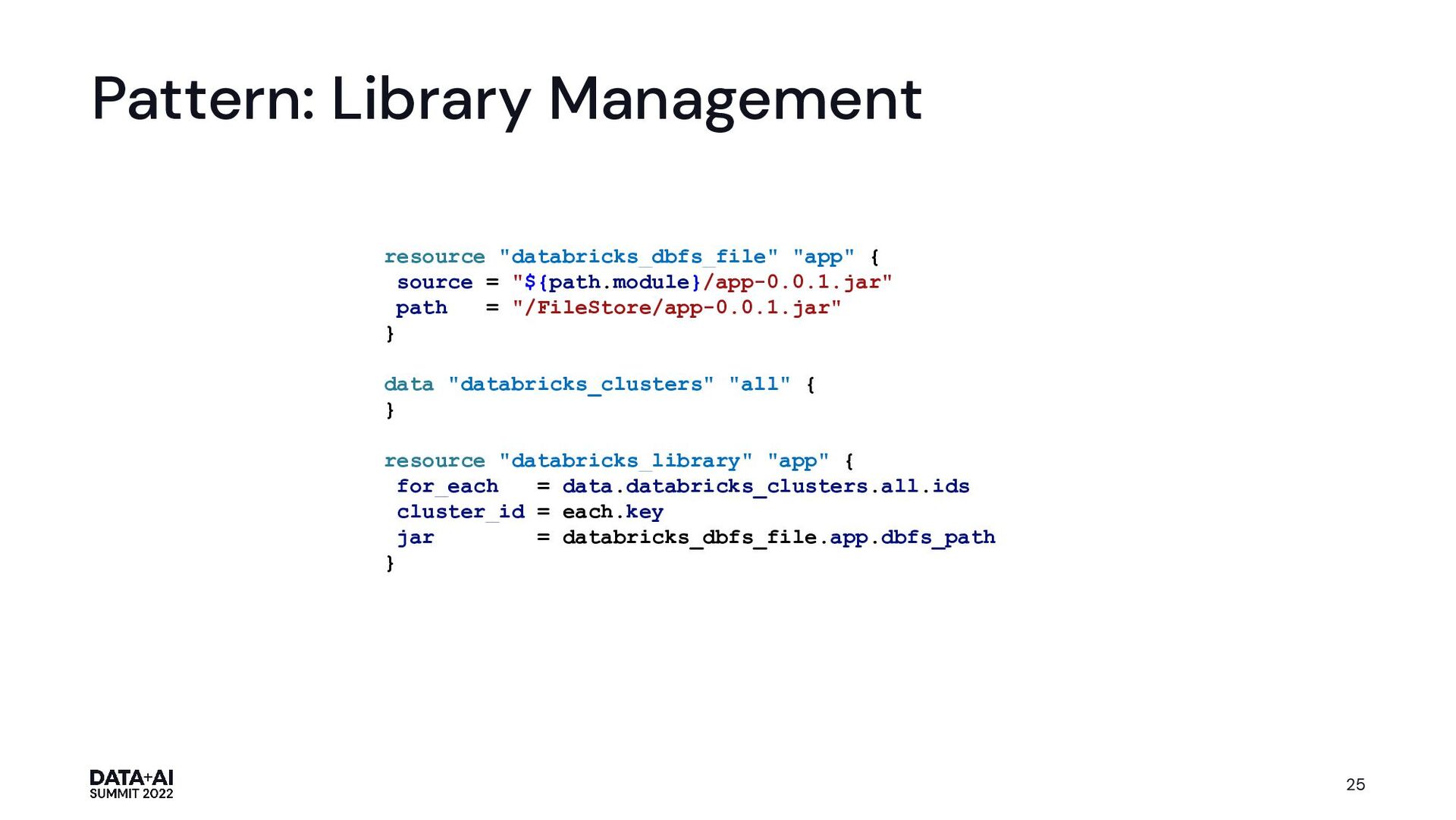
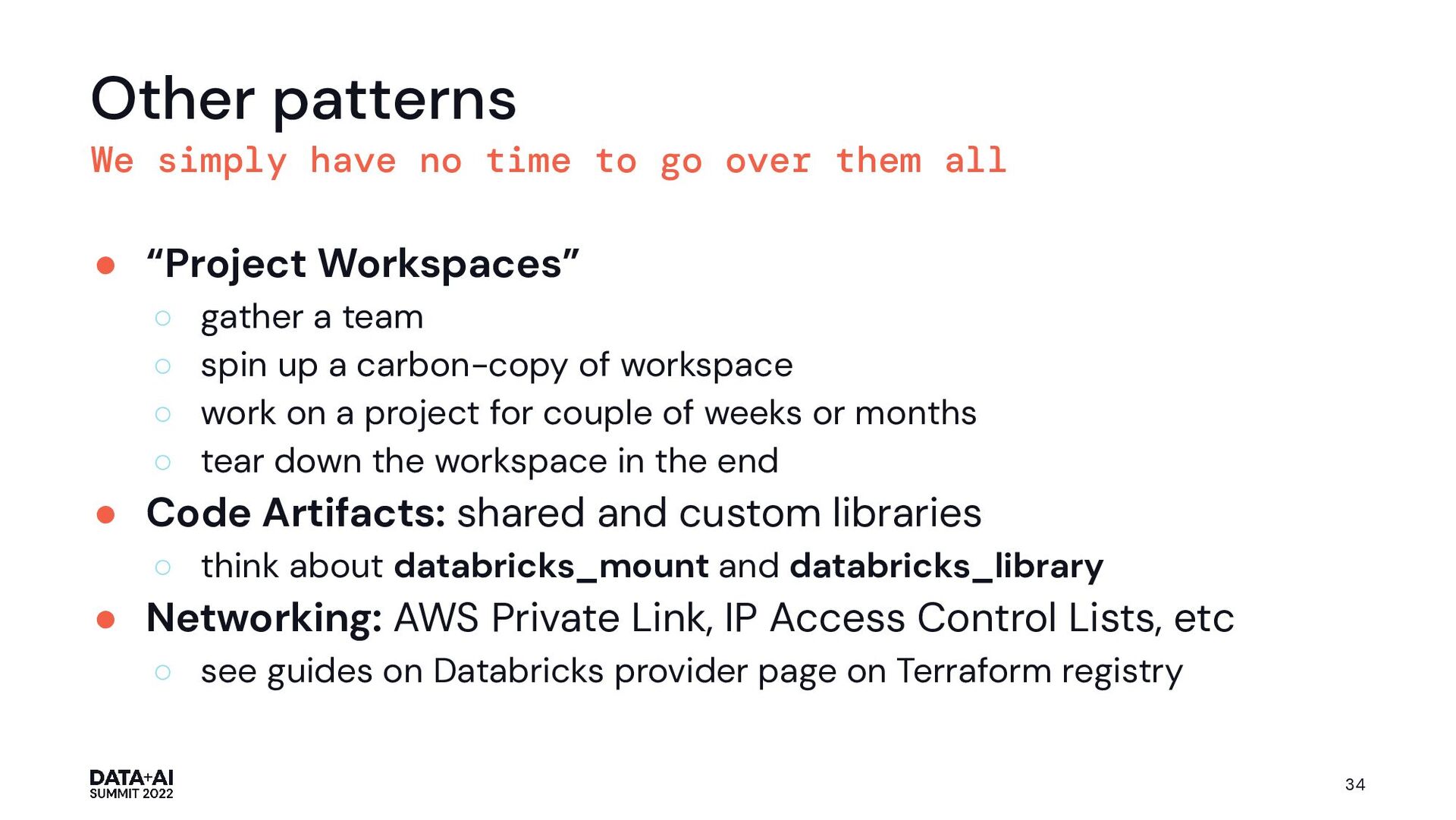
them all • “Project Workspaces” ◦ gather a team ◦ spin up a carbon-copy of workspace ◦ work on a project for couple of weeks or months ◦ tear down the workspace in the end • Code Artifacts: shared and custom libraries ◦ think about databricks_mount and databricks_library • Networking: AWS Private Link, IP Access Control Lists, etc ◦ see guides on Databricks provider page on Terraform registry 34


 nfx
nfx
 iwatsukayura
 kishida
 ___akari11
 tosite
 marcoroth
 eed3si9n
 uyuki234
 akihisaikeda
 jame2408
 yukiny
 yegor256
 syumai
 letsgokoyo
 smashingmag
 skoyamalab
 eileencodes
 tammyeverts
 katiecoart
 axbom
axbom
 jcasabona
 hannesfritz
 palkan
 marktimemedia