Share
Embed
No Play Services? No Worries!
Lots of our applications depends on the technical bricks provided by the Play Services such as Google Maps, the push notifications by Firebase or even the Play Store for deploying our apps all around the world.
What if you are building apps for a device that does not implement the Play Services. With this talk you will have a glimpse of the tools you can use to build your Android applications without the Play Services such as OpenStreetMap, OpenPush or alternative ways to deploy an APK.
Julien Salvi
December 14, 2020
Transcript
54 slides
-
Android addict since Froyo PAUG, Punk & IPA! You can
find me at @JulienSalvi Julien Salvi Senior Android Engineer @ aircall -
× Facing the No Play Services × Play Services alternative
tools × Code samples in action! -
Facing the No Play Services How you can end up
developing apps without the Play Services! × Supporting a larger set of devices × Build apps for devices that don’t have the Play Services (Huawei, Hardware for B2B… ) × Company’s choices × Trying something new, open-source… Let’s see how we can deal with it -
Facing the No Play Services Hi I’m Happy! Meet Happy!
Happy is a… happy developper! × Using good practices × Building apps with Kotlin × Testing his apps × Doing crazy animations! -
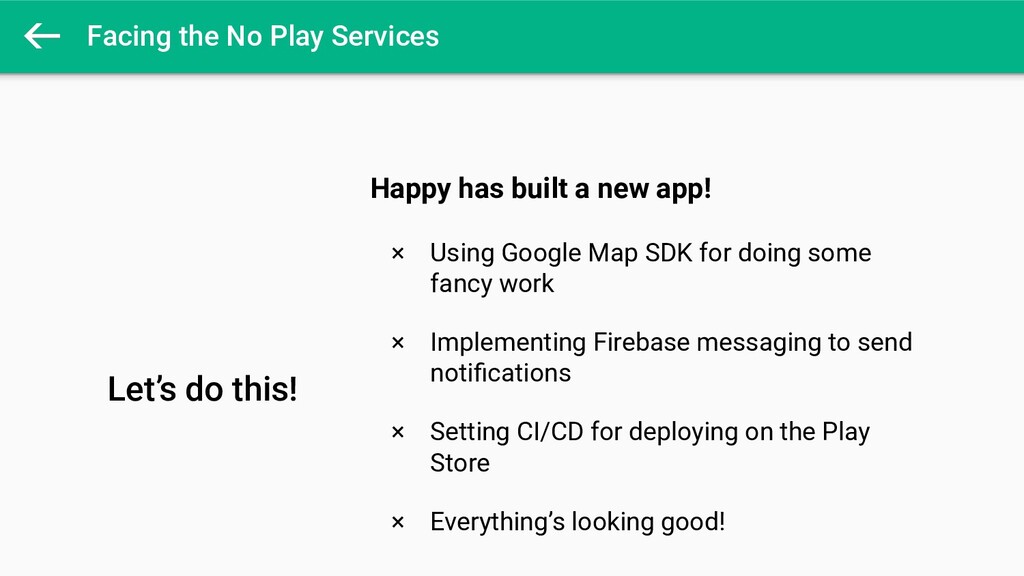
Facing the No Play Services Let’s do this! Happy has
built a new app! × Using Google Map SDK for doing some fancy work × Implementing Firebase messaging to send notifications × Setting CI/CD for deploying on the Play Store × Everything’s looking good! -
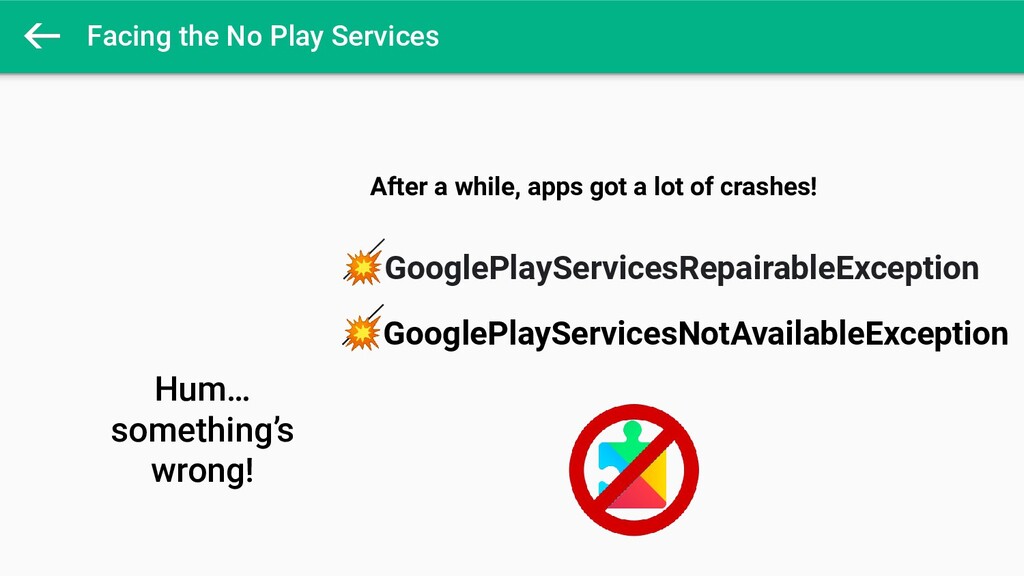
Facing the No Play Services Hum… something’s wrong! After a
while, apps got a lot of crashes! GooglePlayServicesRepairableException GooglePlayServicesNotAvailableException -
Facing the No Play Services OMG! Happy learns that the
application has been deployed on a lot of devices that don’t have the Play Services installed Sometimes because the app is distributed outside the Play Store or for B2B devices without the Play Services -
Facing the No Play Services Woop woop! But no worries
Happy! Let see what tools and libraries we can use for developing applications without using the Play Services -
Play Services alternative tools × Firestore × Storage × Crashlytics
× InAppMessaging Firebase libraries Now lots of Firebase libraries works without the Play Services × Database × Config × Authentication × ML libs × Ads × Push Messaging (FCM) -
Play Services alternative tools × FCM is tied up to
the Play Services for receiving messages × There are many alternatives for sending messages × Let’s see how Pushy, OpenPush or RabbitMQ can be a nice replacement tool! Push notifications -
Play Services alternative tools × Reliable push notification delivery service
× Cross-platform solution (Android, iOS…) × Free plan at first, then premium × Implementation very similar to FCM × Based on MQTT protocol Pushy -
Play Services alternative tools MQTT MQTT Broker publish subscribe Client
publish subscribe publish -
Play Services alternative tools override fun onCreate(savedInstanceState: Bundle?) { super.onCreate(savedInstanceState)
if (getToken() != null) { viewModel.registerPushy() } else { Pushy.listen(context) } } -
Play Services alternative tools scope.launch(Dispatchers.IO) { val token = Pushy.register(context)
// Save in the shared preferences for example saveToken() // send token to your backend sendToken() } -
Play Services alternative tools class InstallReceiver : BroadcastReceiver() { override
fun onReceive(context: Context, intent: Intent) { val msg = intent.getStringExtra("message") // Do amazing stuff here! (Notification, routing...) } } -
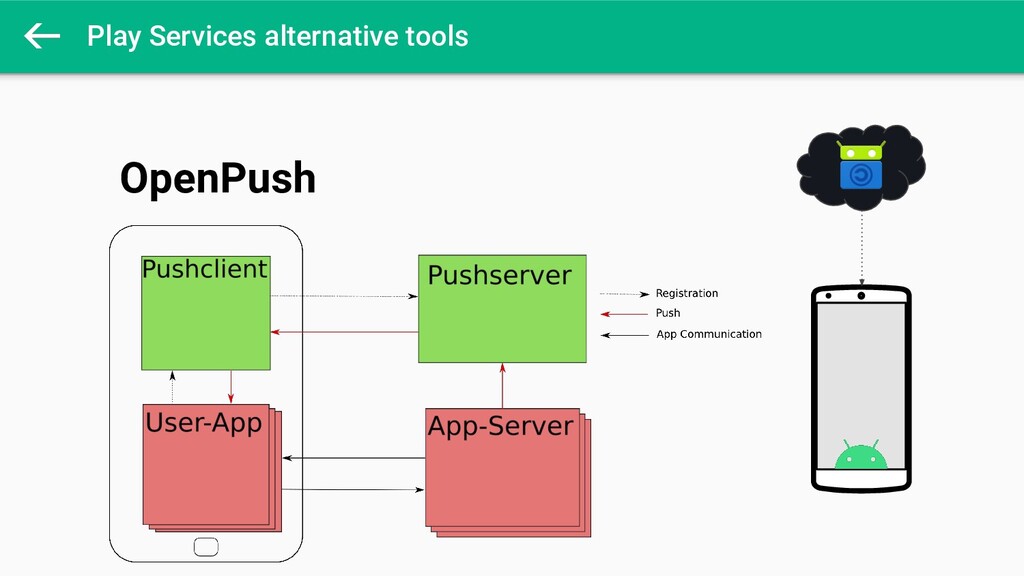
Play Services alternative tools × Open-source and free alternative to
FCM × Decentralized and self-hosted × No developer key required and the use is in control × A lot of code on server and client side × More complex than FCM or Pushy APIs OpenPush -
Play Services alternative tools OpenPush OpenPush - A Free, Decentralized
Push Messaging Framework for Android by Marcus Hoffmann https://f-droid.org/en/2020/02/03/openpush-talk.html -
Play Services alternative tools × An open-source message broker ×
Originally based on AMQP protocol but now support STOMP or MQTT × Receive AND send data × Might be a good solution if your application is on kiosk mode RabbitMQ for Android -
Play Services alternative tools RabbitMQ under the hood Consumer/ Subscriber
RabbitMQ Server subscribe publish publish subscribe Consumer/ Subscriber Exchange Exchange Queues Queues -
Play Services alternative tools // create and setup a connection
val factory = ConnectionFactory() factory.setUsername(config.getUsername()) factory.setPassword(config.getPassword()) factory.setVirtualHost(config.getVhost()) factory.setHost(config.getHost()) factory.setPort(config.getPort()) factory.setAutomaticRecoveryEnabled(true) -
Play Services alternative tools // store messages to be published
private val queue = LinkedBlockingDeque<String>() fun publishMessage(message: String) { try { queue.putLast(message) } catch (e: InterruptedException) { e.printStackTrace() } } -
Play Services alternative tools // Create publish channel val connection
= factory.newConnection() val channel = connection.createChannel() channel.confirmSelect() // Publish messages added to the queue transactionsQueue.add(Message(comment)) while (!transactionsQueue.isEmpty()) { val message = transactionsQueue.get() val exchange = "amqp.direct.app.messages" val routingKey = "comment_v1" channel.basicPublish(exchange, routingKey, null, message.getBytes()) channel.waitForConfirms() } -
Play Services alternative tools // Create subscriber/consumer val connection =
factory.newConnection() val channel = connection.createChannel() val q = channel.queueDeclare() channel.queueBind(q.getQueue(), "amqp.direct.app.messages", "chat") val consumer = QueueingConsumer(channel) channel.basicConsume(q.getQueue(), true, consumer) while (true) { val delivery = consumer.nextDelivery() val message = new String(delivery.getBody()) // Handle the data received } -
Maps × Starting with v3.0.0, Maps SDK is now a
standalone library × This SDK is still in BETA × Might not work in countries where Google services are blocked or limited Google Maps replacement... ... may be Google Maps itself! -
Maps × Free, open-source map and a collaborative map project
× Provides many features such as maps, routing, geocoding address but not as much as Google Map × Used by Facebook, Uber, Foursquare, Microsoft… × Loading map tiles is not smooth as Google Map × Adds a huge dependency to your application OpenStreetMap SDK -
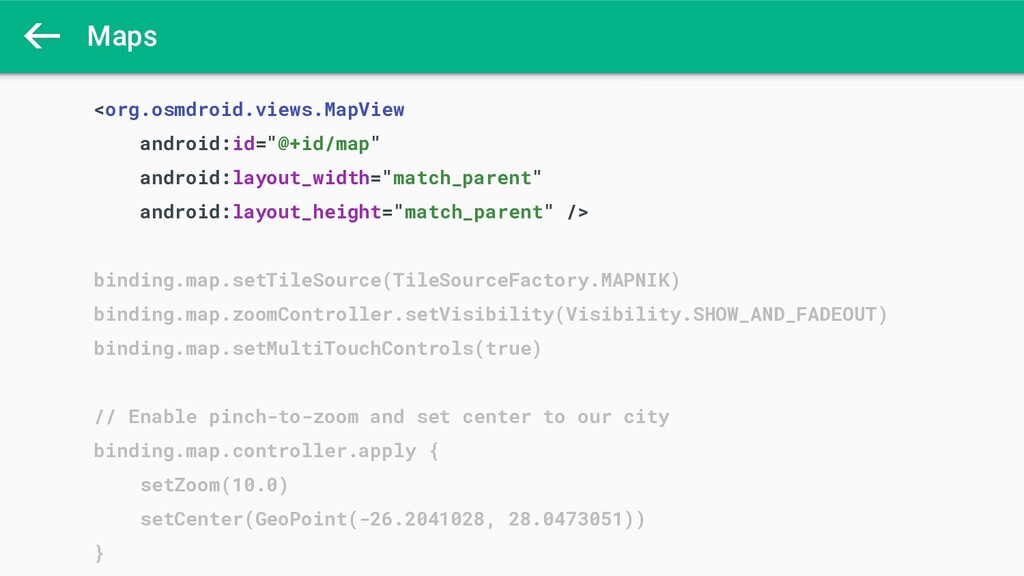
Maps <org.osmdroid.views.MapView android:id="@+id/map" android:layout_width="match_parent" android:layout_height="match_parent" /> binding.map.setTileSource(TileSourceFactory.MAPNIK) binding.map.zoomController.setVisibility(Visibility.SHOW_AND_FADEOUT) binding.map.setMultiTouchControls(true) //
Enable pinch-to-zoom and set center to our city binding.map.controller.apply { setZoom(10.0) setCenter(GeoPoint(-26.2041028, 28.0473051)) } -
Maps <org.osmdroid.views.MapView android:id="@+id/map" android:layout_width="match_parent" android:layout_height="match_parent" /> binding.map.setTileSource(TileSourceFactory.MAPNIK) binding.map.zoomController.setVisibility(Visibility.SHOW_AND_FADEOUT) binding.map.setMultiTouchControls(true) //
Enable pinch-to-zoom and set center to a given geopoint binding.map.controller.apply { setZoom(10.0) setCenter(GeoPoint(-26.2041028, 28.0473051)) } -
Maps × Map SDK since 2012 × Provides many features
such vector maps, navigation, 3D buildings... Free or paid plans depends on your needs × API very similar to Google Maps and good documentation so the migration can be very smooth × Adds a huge dependency to your application HERE map SDK -
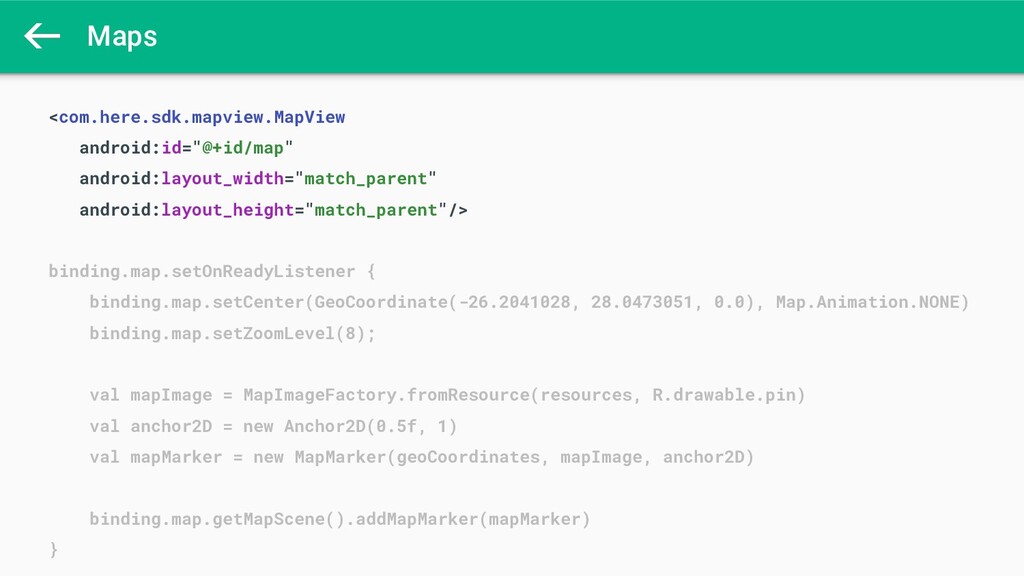
Maps <com.here.sdk.mapview.MapView android:id="@+id/map" android:layout_width="match_parent" android:layout_height="match_parent"/> binding.map.setOnReadyListener { binding.map.setCenter(GeoCoordinate(-26.2041028, 28.0473051, 0.0),
Map.Animation.NONE) binding.map.setZoomLevel(8); val mapImage = MapImageFactory.fromResource(resources, R.drawable.pin) val anchor2D = new Anchor2D(0.5f, 1) val mapMarker = new MapMarker(geoCoordinates, mapImage, anchor2D) binding.map.getMapScene().addMapMarker(mapMarker) } -
App distribution × F-Droid for distributing your free and open-source
applications to the market × Community maintained since 2010 × APK Mirror for common apps, very similar to the Play Store without all pain points F-Droid or APK Mirror -
App distribution × Build your own solution or use existing
solutions in the market (AppCenter, TinyMDM) × Mostly used for enterprise applications or B2B × Let see how we can build our own MDM Mobile Device Management -
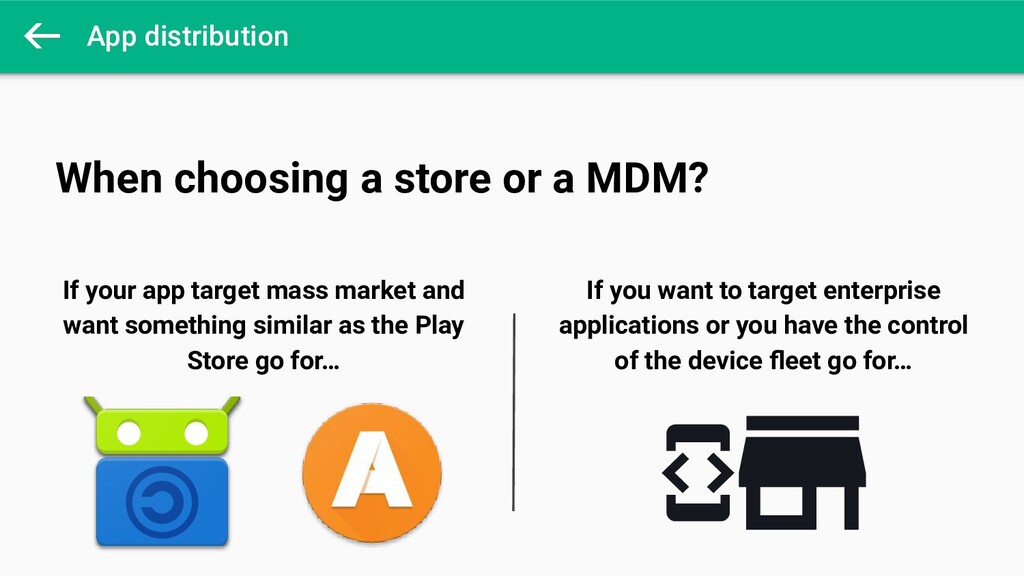
App distribution When choosing a store or a MDM? If
your app target mass market and want something similar as the Play Store go for… If you want to target enterprise applications or you have the control of the device fleet go for… -
App distribution MDM conception SDK Web Service Yes! Have a
new version? Download and install the new version Database Storage -
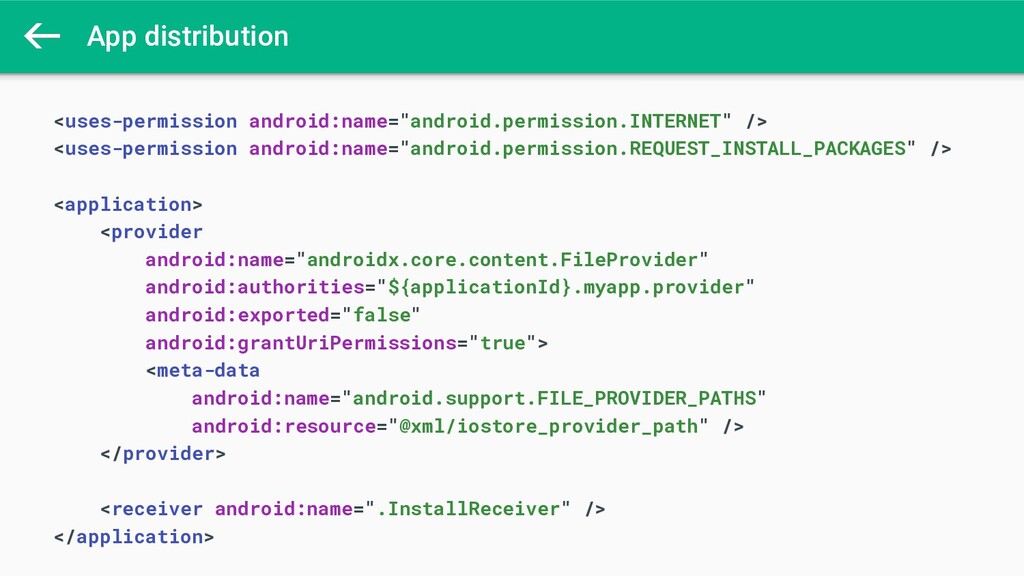
App distribution <uses-permission android:name="android.permission.INTERNET" /> <uses-permission android:name="android.permission.REQUEST_INSTALL_PACKAGES" /> <application> <provider
android:name="androidx.core.content.FileProvider" android:authorities="${applicationId}.myapp.provider" android:exported="false" android:grantUriPermissions="true"> <meta-data android:name="android.support.FILE_PROVIDER_PATHS" android:resource="@xml/iostore_provider_path" /> </provider> <receiver android:name=".InstallReceiver" /> </application> -
App distribution val packageInstaller = context.packageManager.packageInstaller val apkUri = uriFromFile(context,
file) context.contentResolver.openInputStream(apkUri)?.use { src -> val length = DocumentFile.fromSingleUri(context, apkUri)?.length() ?: -1 val params = PackageInstaller.SessionParams(PackageInstaller.SessionParams.MODE_FULL_INSTALL) val sessionId = packageInstaller.createSession(params) val session = packageInstaller.openSession(sessionId) session.openWrite("app", 0, length).use { dest -> src.copyTo(dest) session.fsync(dest) } val intent = Intent(context, InstallReceiver::class.java) val pendingIntent = PendingIntent.getBroadcast(context, INSTALL_CODE, intent, PendingIntent.FLAG_UPDATE_CURRENT) session.commit(pendingIntent.intentSender) session.close() } -
WebView × Developed and maintained by Firefox × Displaying web
content in an application or building your own browser × Standalone library, adding a huge dependency inside your application! × Standards compliant with an excellent support for modern web standards GeckoView -
WebView val session = GeckoSession().apply { progressDelegate = progressDelegate() settings.useTrackingProtection
= true } geckoRuntime = GeckoRuntime.create(requireContext()) session.open(geckoRuntime) binding.geckoView.setSession(session) session.loadUri("https://www.online.droidcon.com/speakers-apac/") -
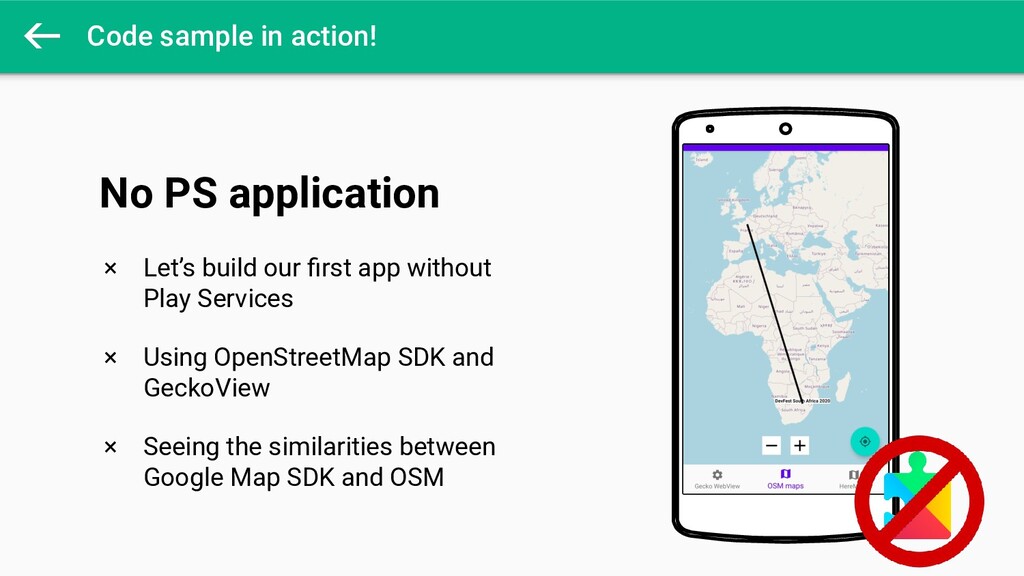
Code sample in action! × Let’s build our first app
without Play Services × Using OpenStreetMap SDK and GeckoView × Seeing the similarities between Google Map SDK and OSM No PS application