Share
Embed
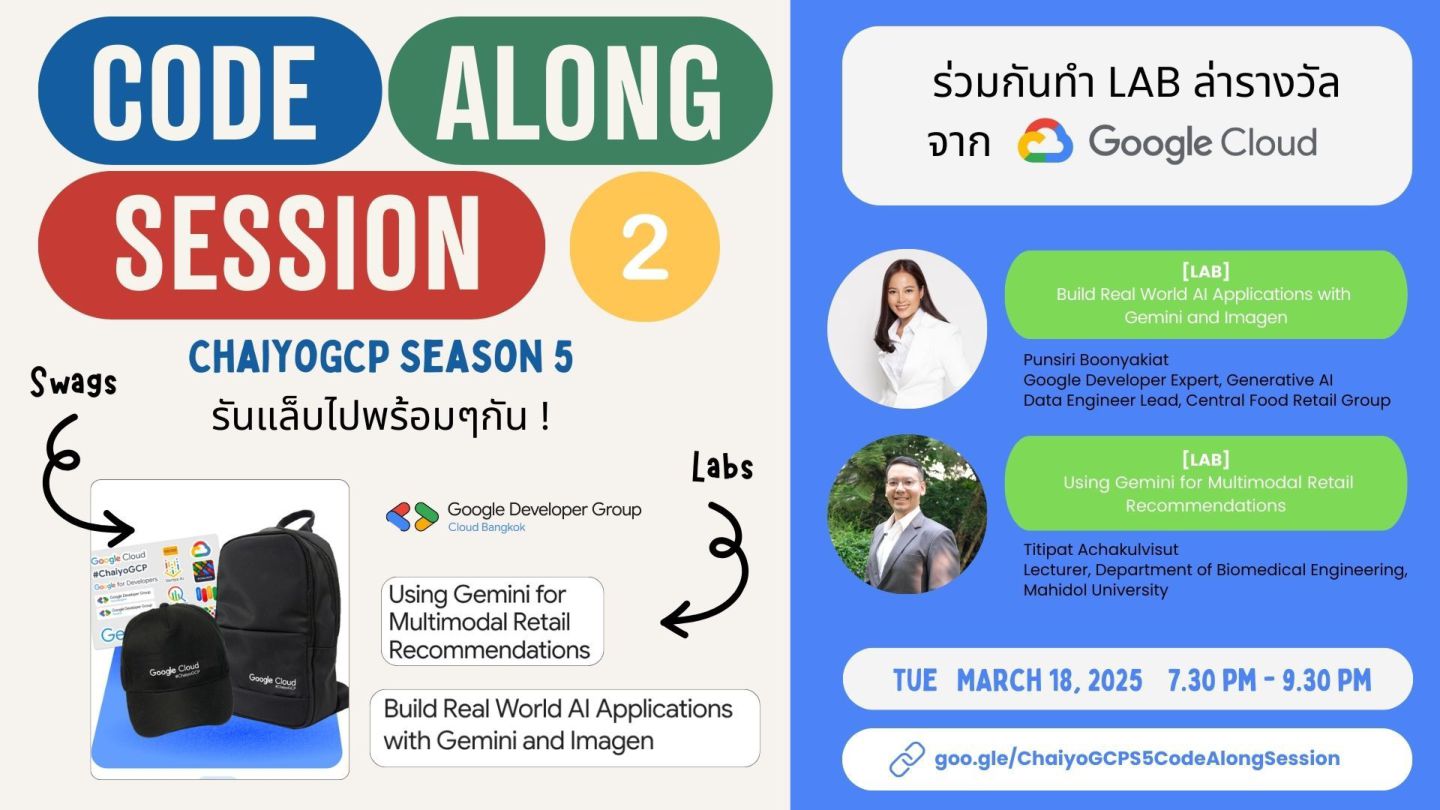
ChaiyoGCP#5 - CodeAlong Session#2 - Build Real World AI Applications with Gemini and Imagen
#ChaiyoGCP Season 5 is a Google Cloud Study Jam running from February 27 to March 29, 2025. I’m hosting two hands-on labs:
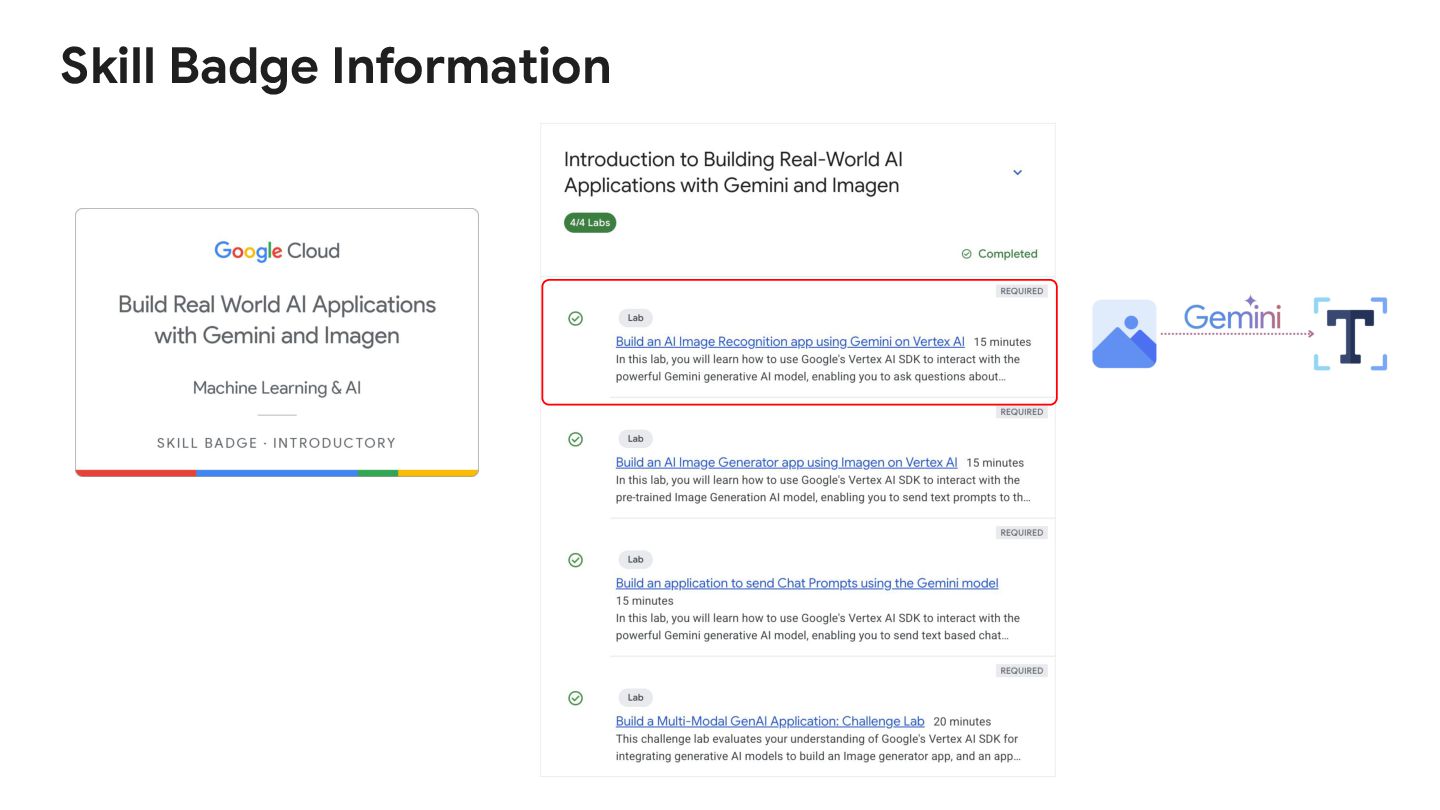
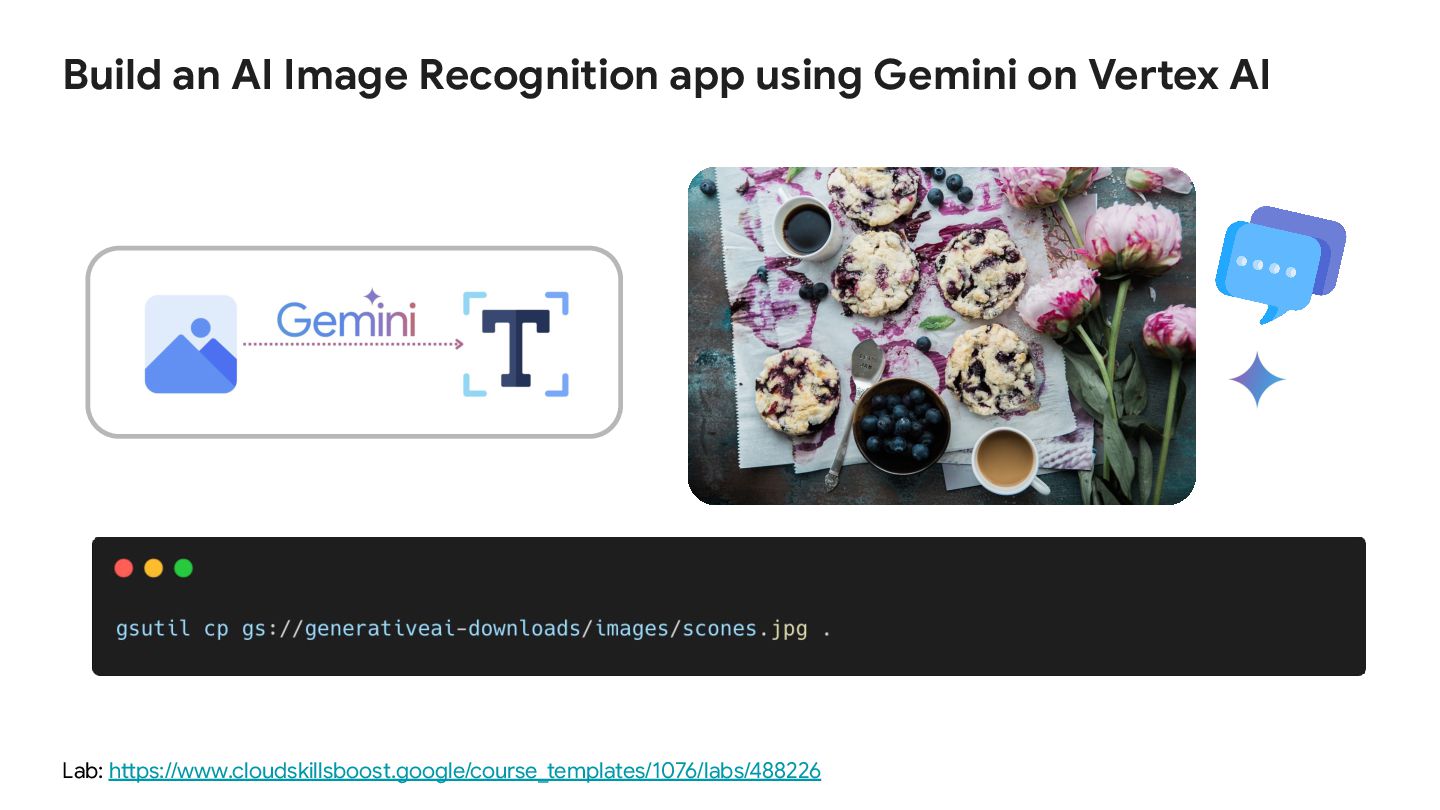
Building an AI Image Recognition App using Gemini on Vertex AI – showcasing Gemini’s multimodal capabilities by generating rich image descriptions.
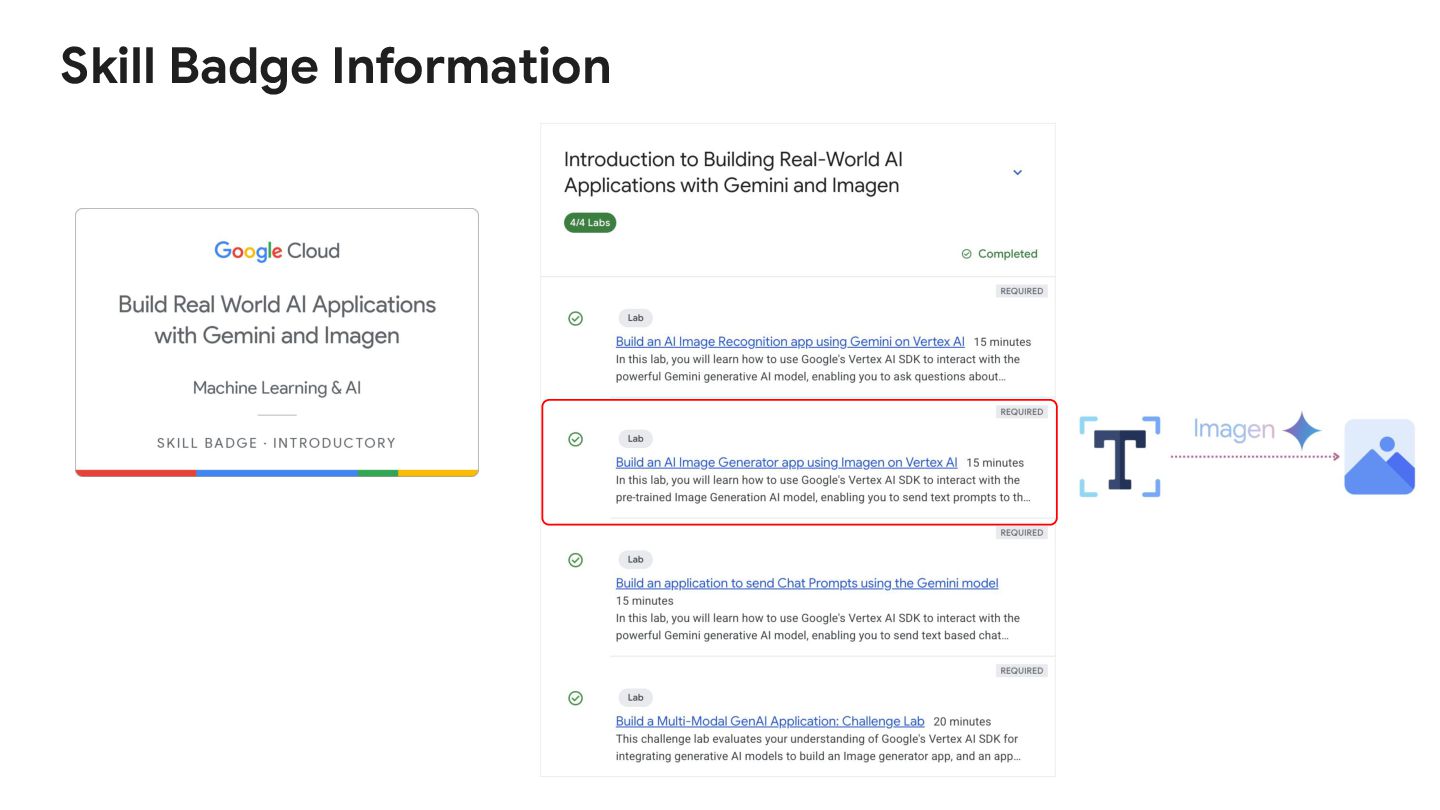
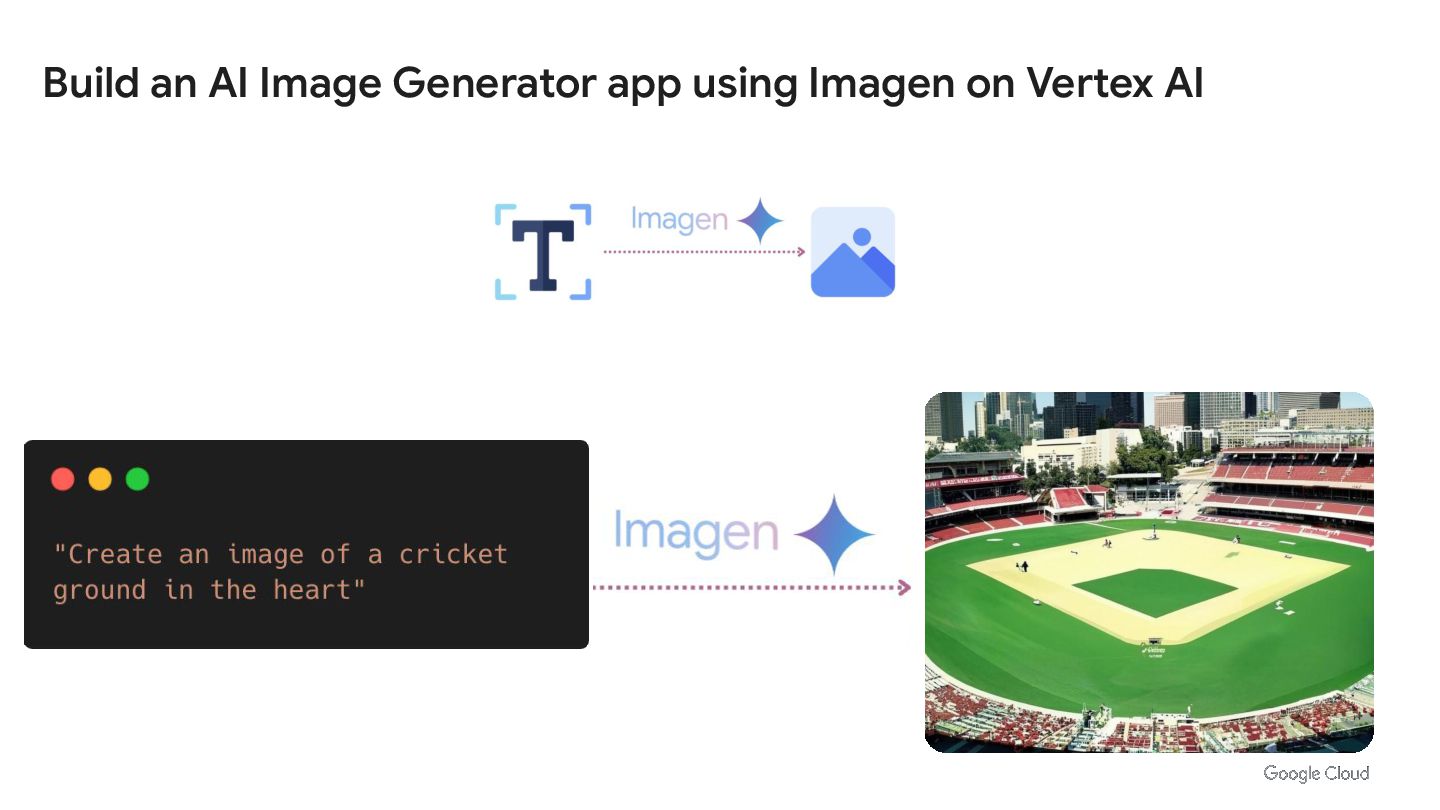
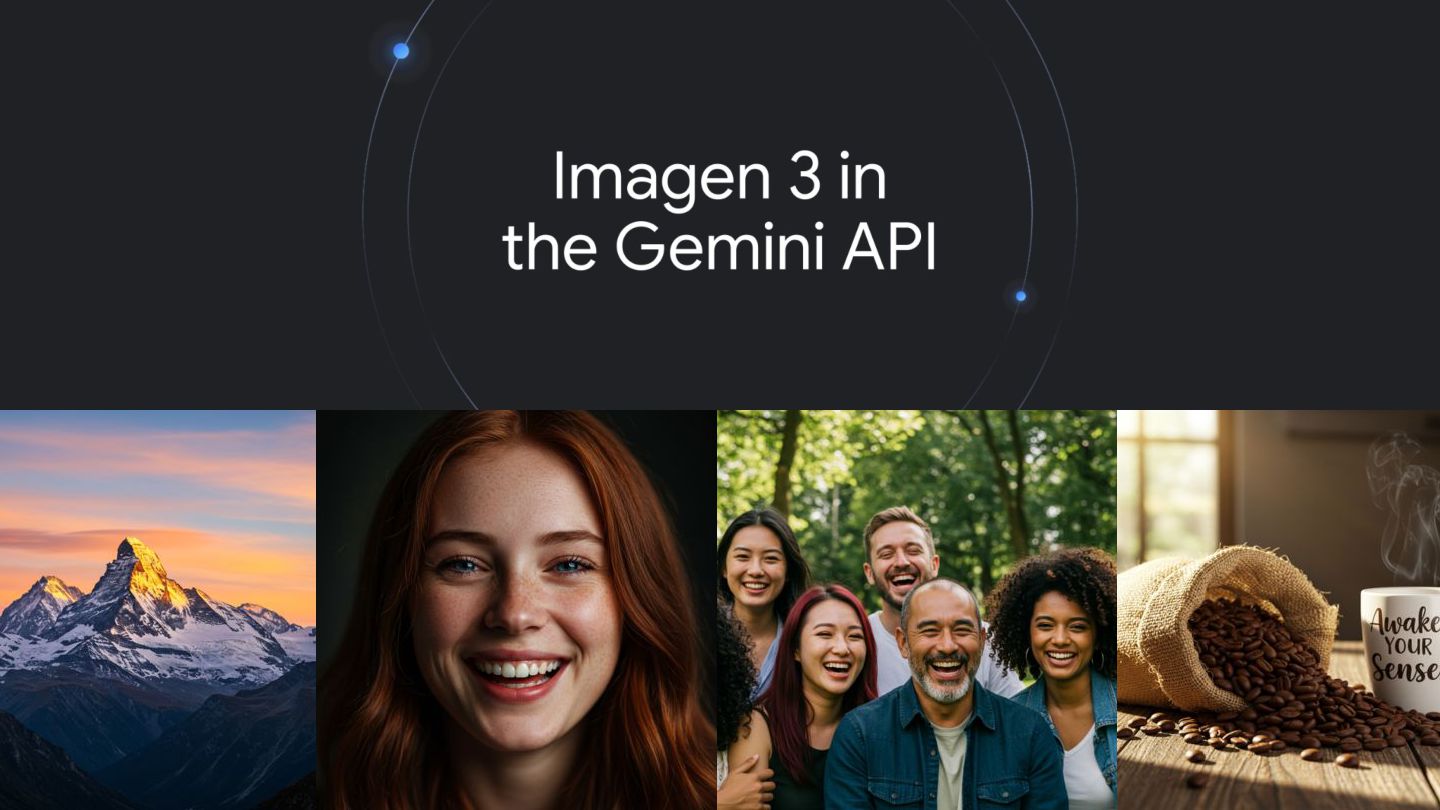
Building an AI Image Generator App using Imagen on Vertex AI – leveraging the latest Imagen 3 model to create high-quality images from text prompts.
Punsiri Boonyakiat
March 30, 2025
Transcript
55 slides
-
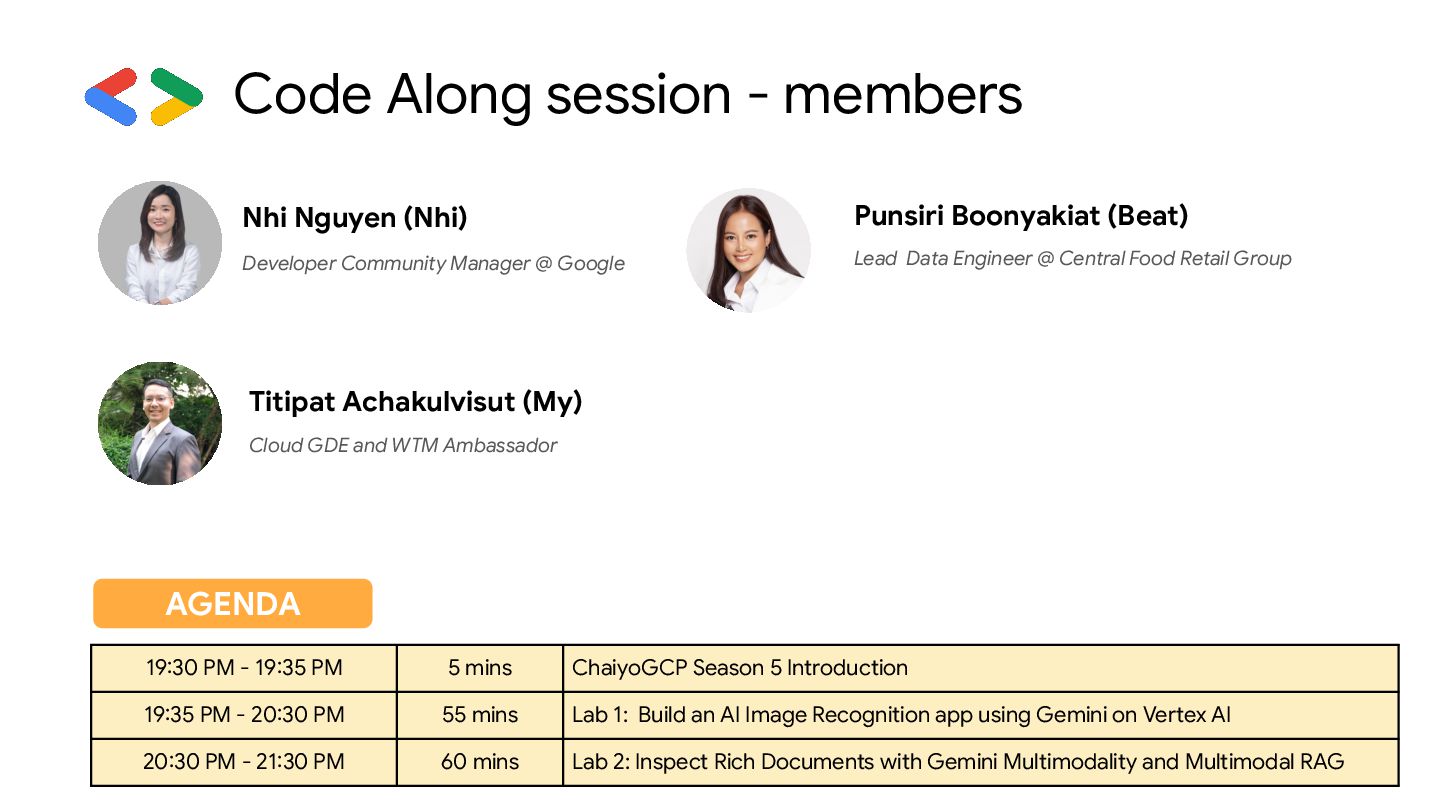
Code Along session - members Titipat Achakulvisut (My) Cloud GDE
and WTM Ambassador Punsiri Boonyakiat (Beat) Lead Data Engineer @ Central Food Retail Group Nhi Nguyen (Nhi) Developer Community Manager @ Google AGENDA 19:30 PM - 19:35 PM 5 mins ChaiyoGCP Season 5 Introduction 19:35 PM - 20:30 PM 55 mins Lab 1: Build an AI Image Recognition app using Gemini on Vertex AI 20:30 PM - 21:30 PM 60 mins Lab 2: Inspect Rich Documents with Gemini Multimodality and Multimodal RAG -
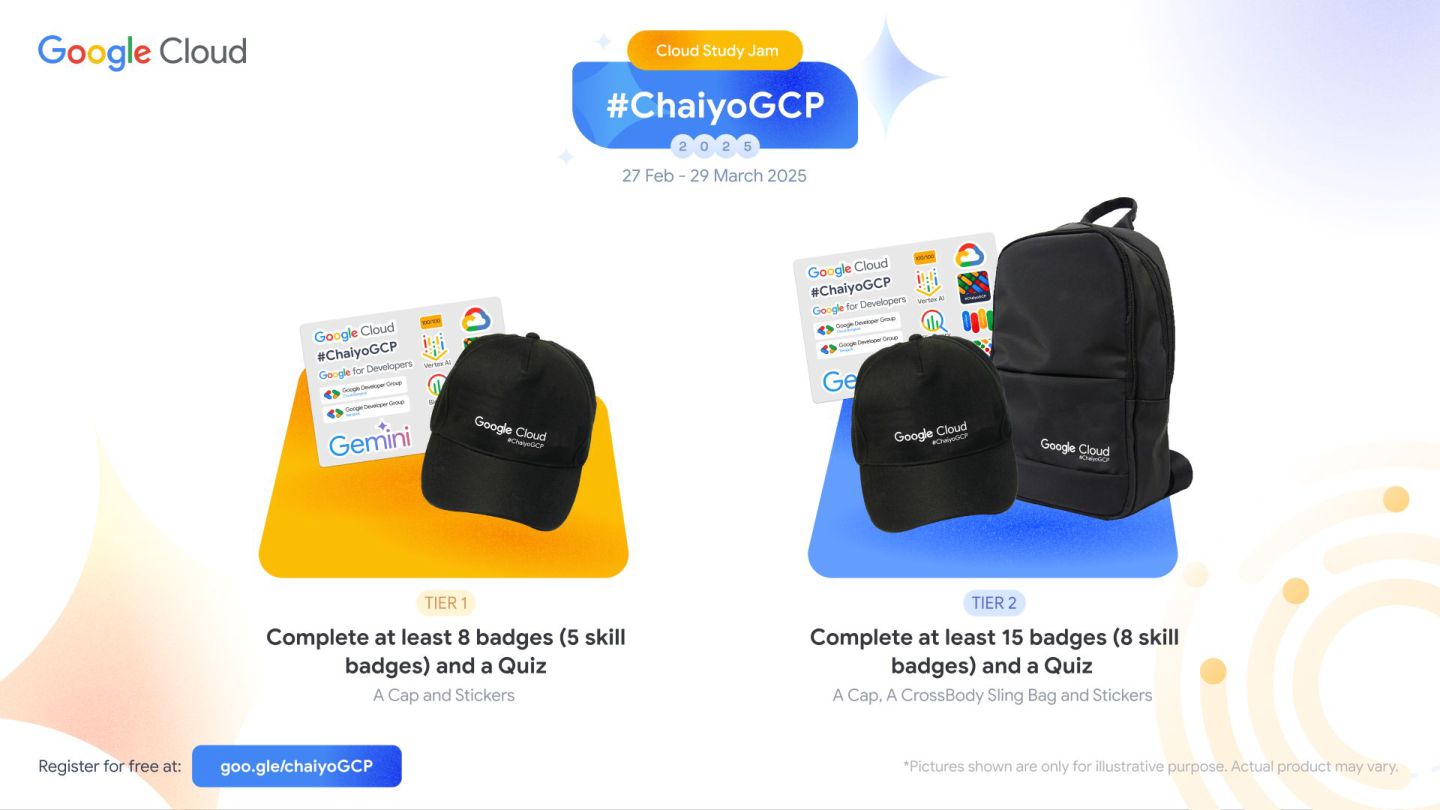
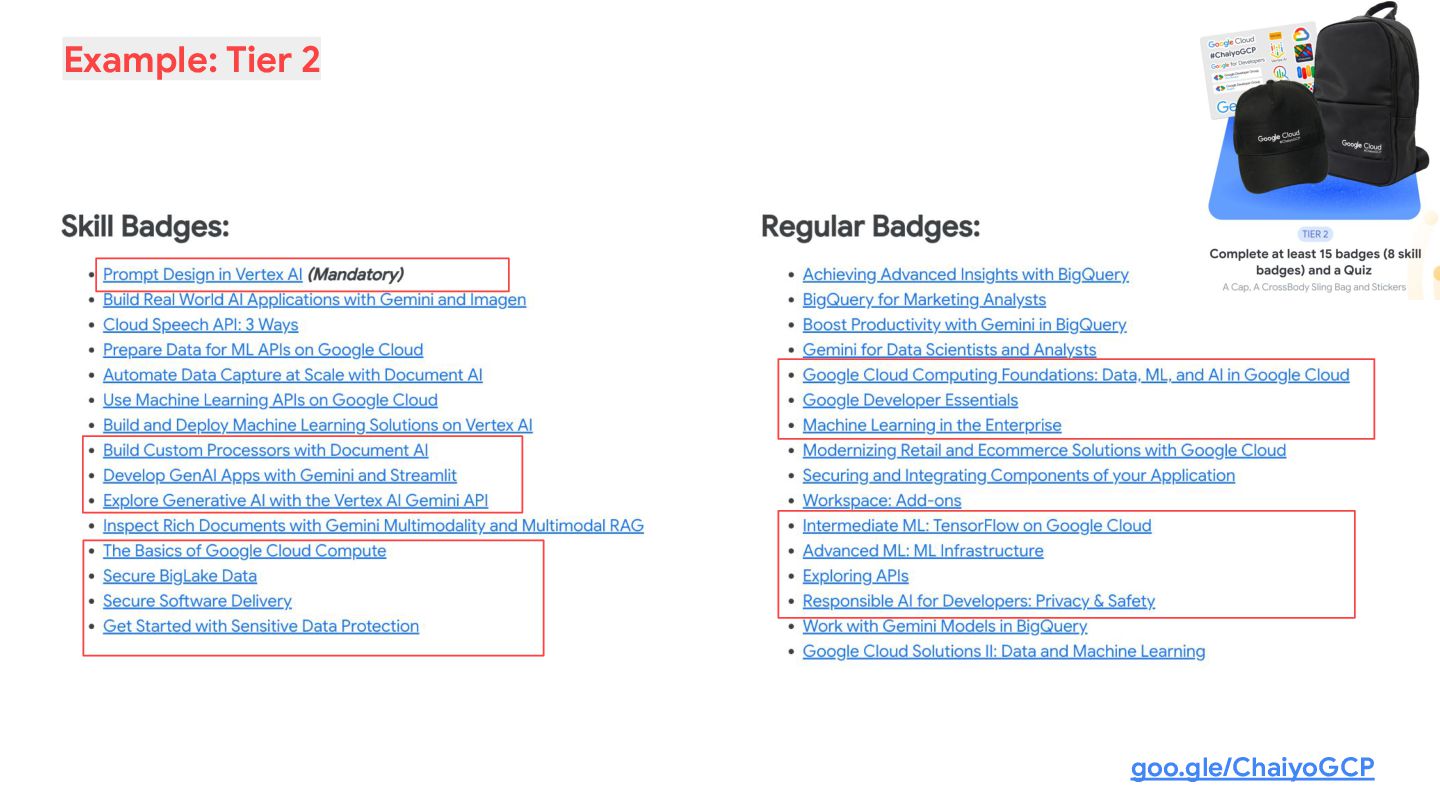
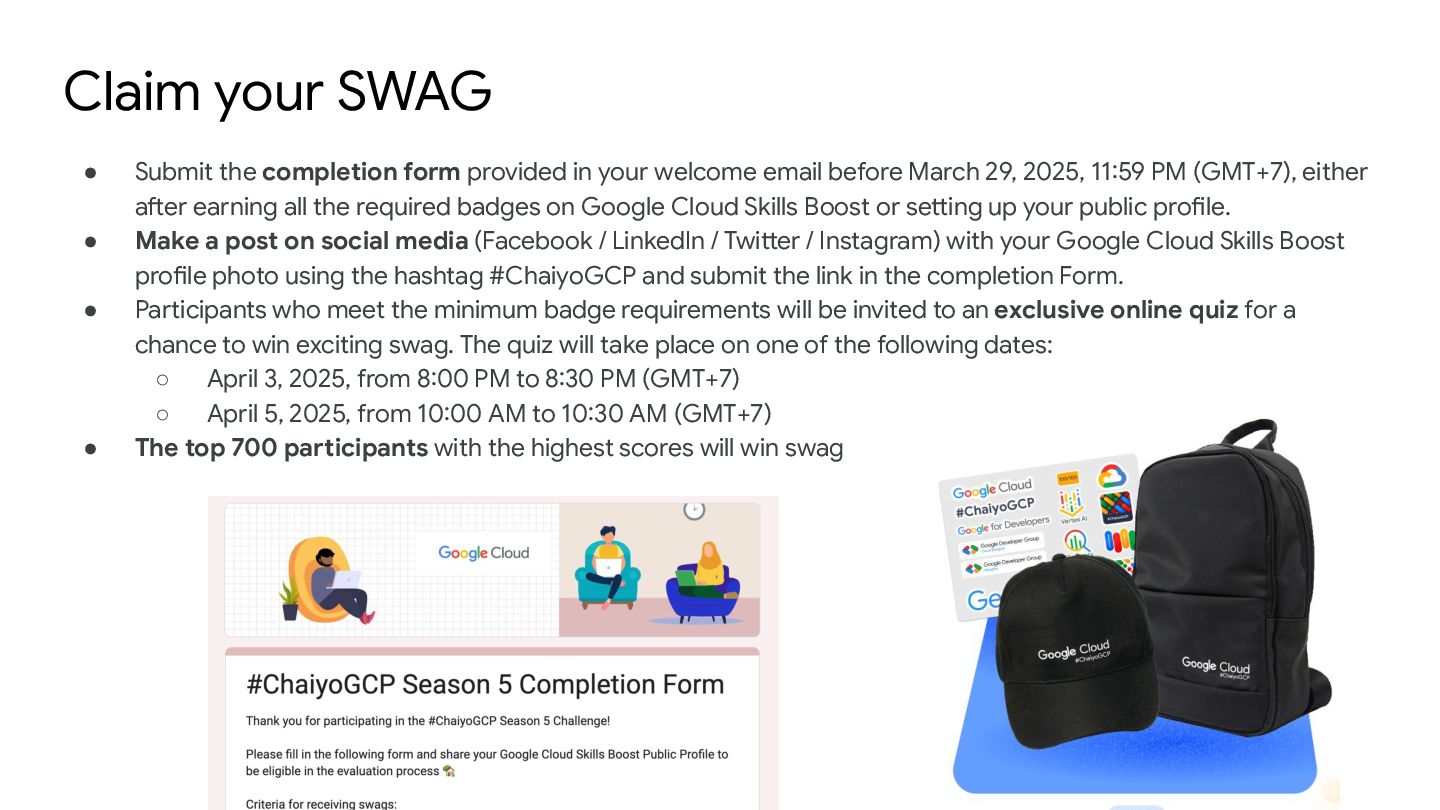
Claim your SWAG • Submit the completion form provided in
your welcome email before March 29, 2025, 11:59 PM (GMT+7), either after earning all the required badges on Google Cloud Skills Boost or setting up your public profile. • Make a post on social media (Facebook / LinkedIn / Twitter / Instagram) with your Google Cloud Skills Boost profile photo using the hashtag #ChaiyoGCP and submit the link in the completion Form. • Participants who meet the minimum badge requirements will be invited to an exclusive online quiz for a chance to win exciting swag. The quiz will take place on one of the following dates: ◦ April 3, 2025, from 8:00 PM to 8:30 PM (GMT+7) ◦ April 5, 2025, from 10:00 AM to 10:30 AM (GMT+7) • The top 700 participants with the highest scores will win swag -
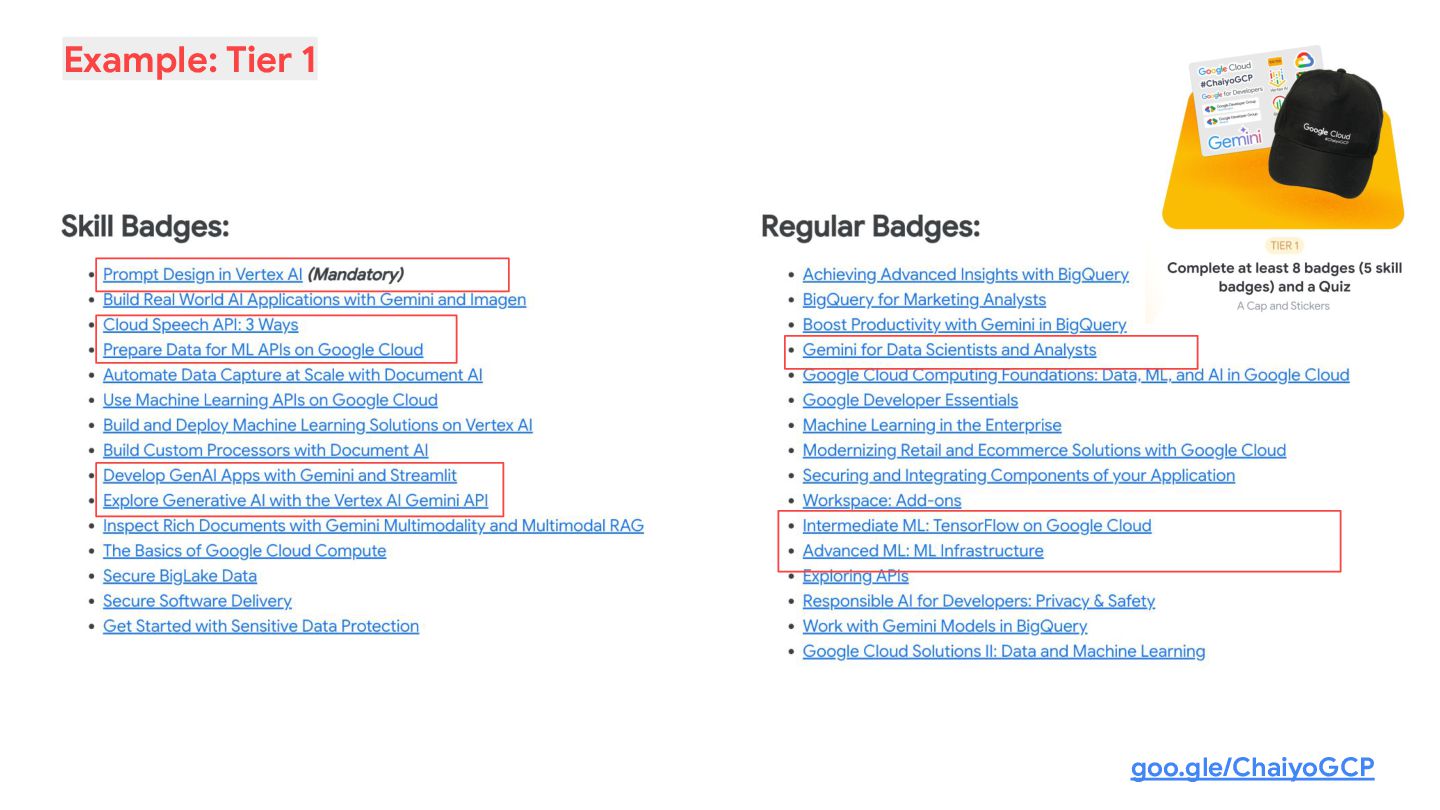
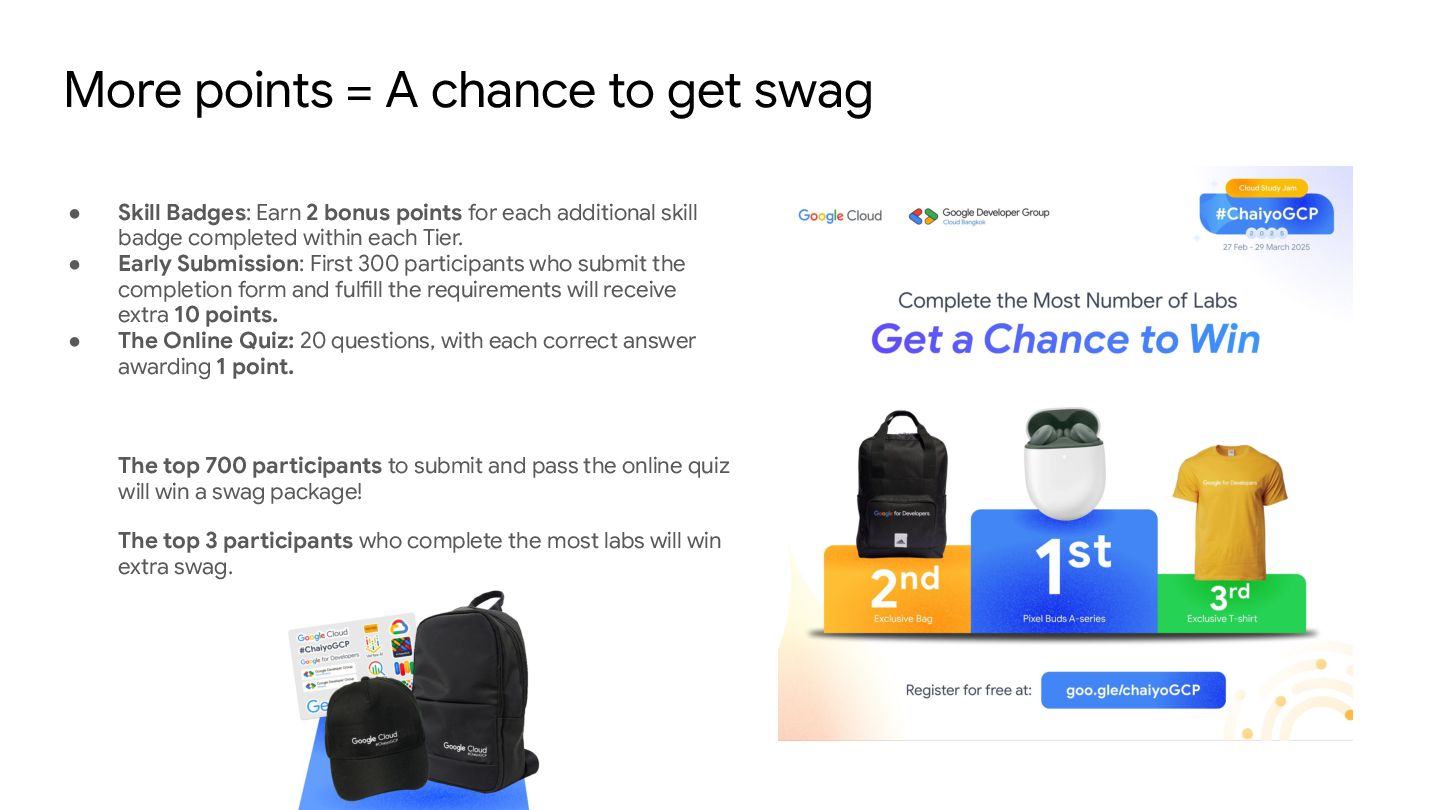
More points = A chance to get swag • Skill
Badges: Earn 2 bonus points for each additional skill badge completed within each Tier. • Early Submission: First 300 participants who submit the completion form and fulfill the requirements will receive extra 10 points. • The Online Quiz: 20 questions, with each correct answer awarding 1 point. The top 700 participants to submit and pass the online quiz will win a swag package! The top 3 participants who complete the most labs will win extra swag. -
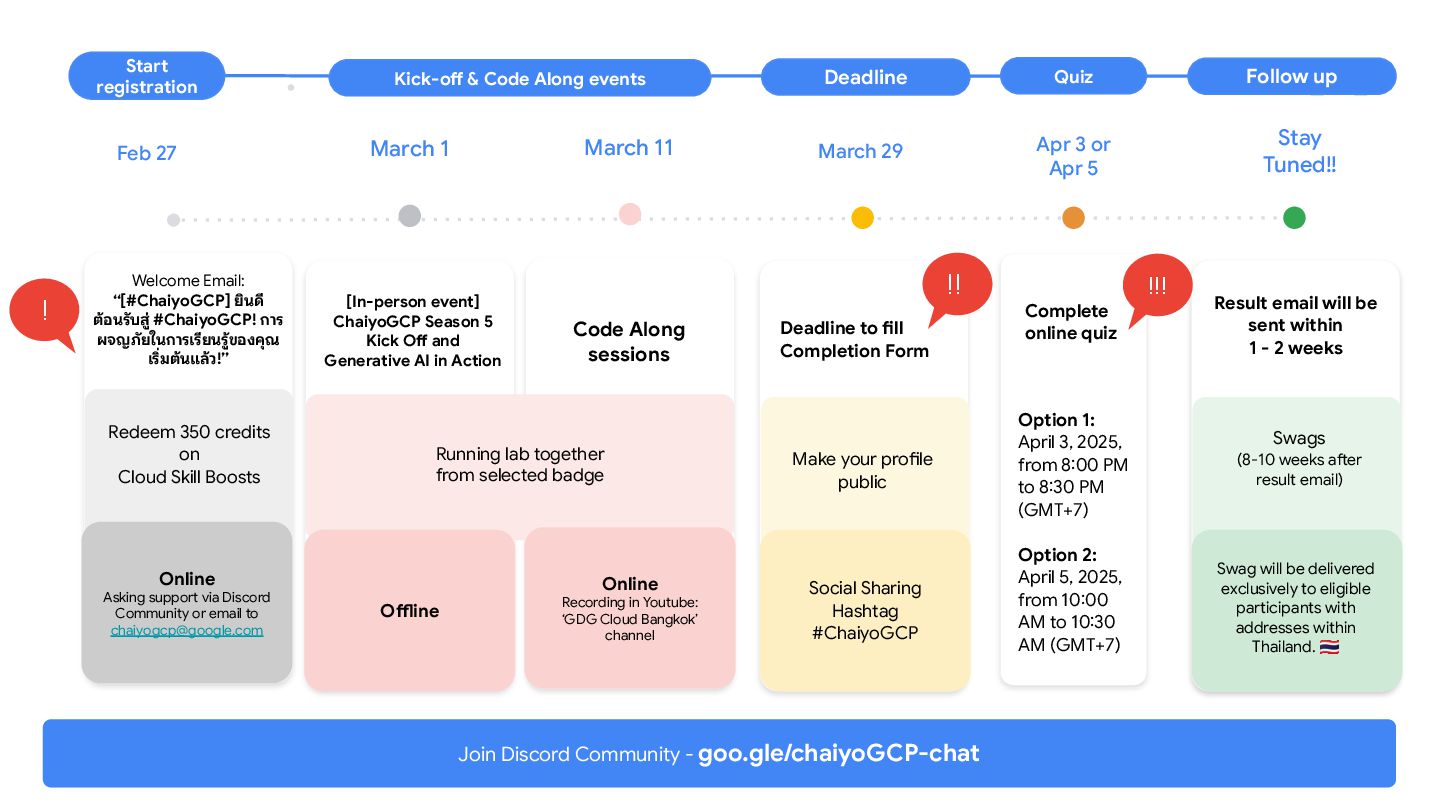
Option 1: April 3, 2025, from 8:00 PM to 8:30
PM (GMT+7) Option 2: April 5, 2025, from 10:00 AM to 10:30 AM (GMT+7) March Follow up Deadline Kick-off & Code Along events Online Asking support via Discord Community or email to [email protected] Online Recording in Youtube: ‘GDG Cloud Bangkok’ channel Social Sharing Hashtag #ChaiyoGCP Welcome Email: “[#ChaiyoGCP] ยินดี ต้อนรับสู่ #ChaiyoGCP! การ ผจญภัยในการเรียนรู้ของคุณ เริ่มต้นแล้ว!” Redeem 350 credits on Cloud Skill Boosts [In-person event] ChaiyoGCP Season 5 Kick Off and Generative AI in Action Code Along sessions Deadline to fill Completion Form Swags (8-10 weeks after result email) Make your profile public Swag will be delivered exclusively to eligible participants with addresses within Thailand. Result email will be sent within 1 - 2 weeks March 1 April March 11 March 29 Stay Tuned!! ! !! Running lab together from selected badge Join Discord Community - goo.gle/chaiyoGCP-chat Feb 27 Start registration Offline Quiz Apr 3 or Apr 5 Complete online quiz !!! -
Punsiri Boonyakiat (Beat) Lead Data Engineer @ Central Food Retail
Group [LAB] Build an AI Image Recognition app using Gemini on Vertex AI -
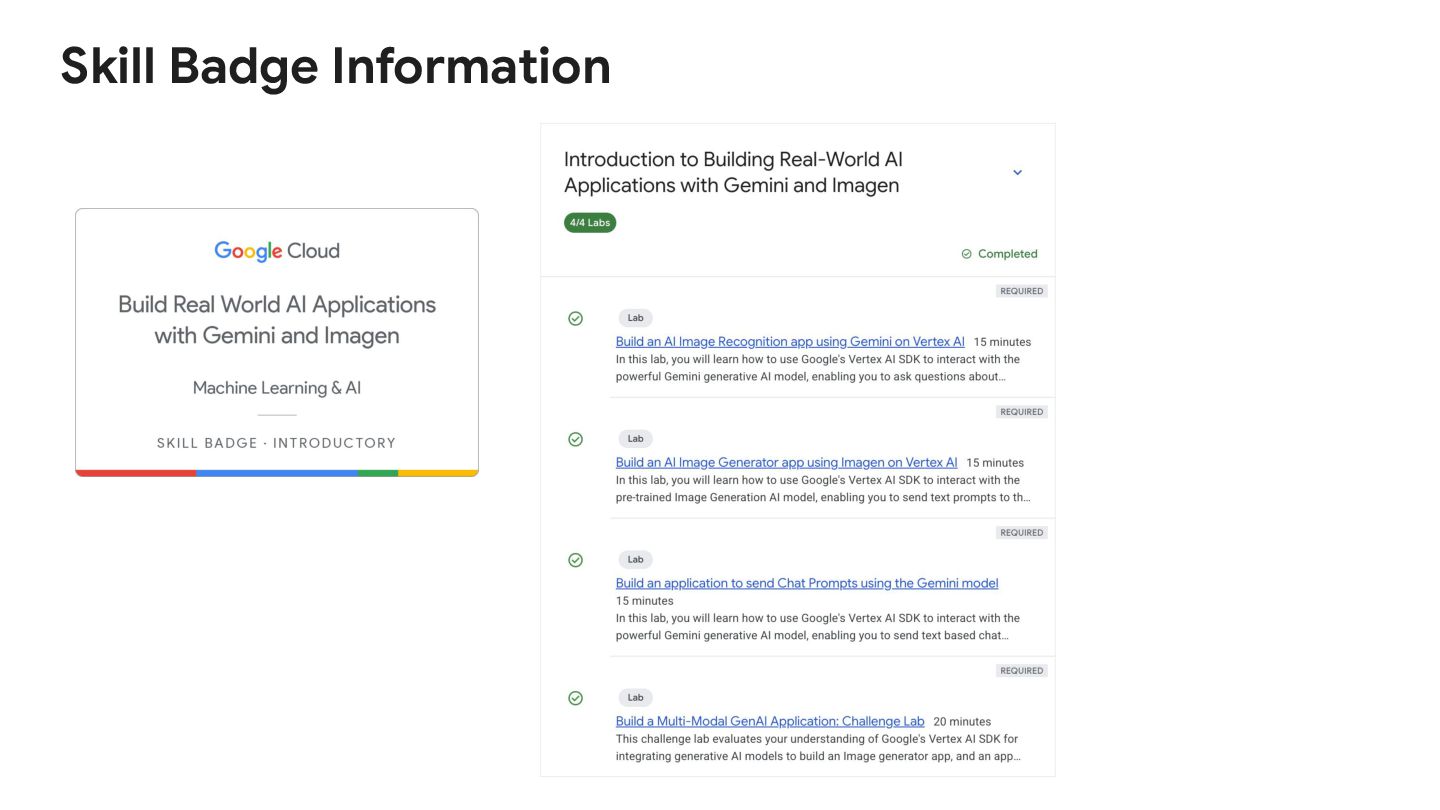
Build an AI Image Recognition app using Gemini on Vertex
AI https://www.cloudskillsboost.g oogle/course_templates/1076 -
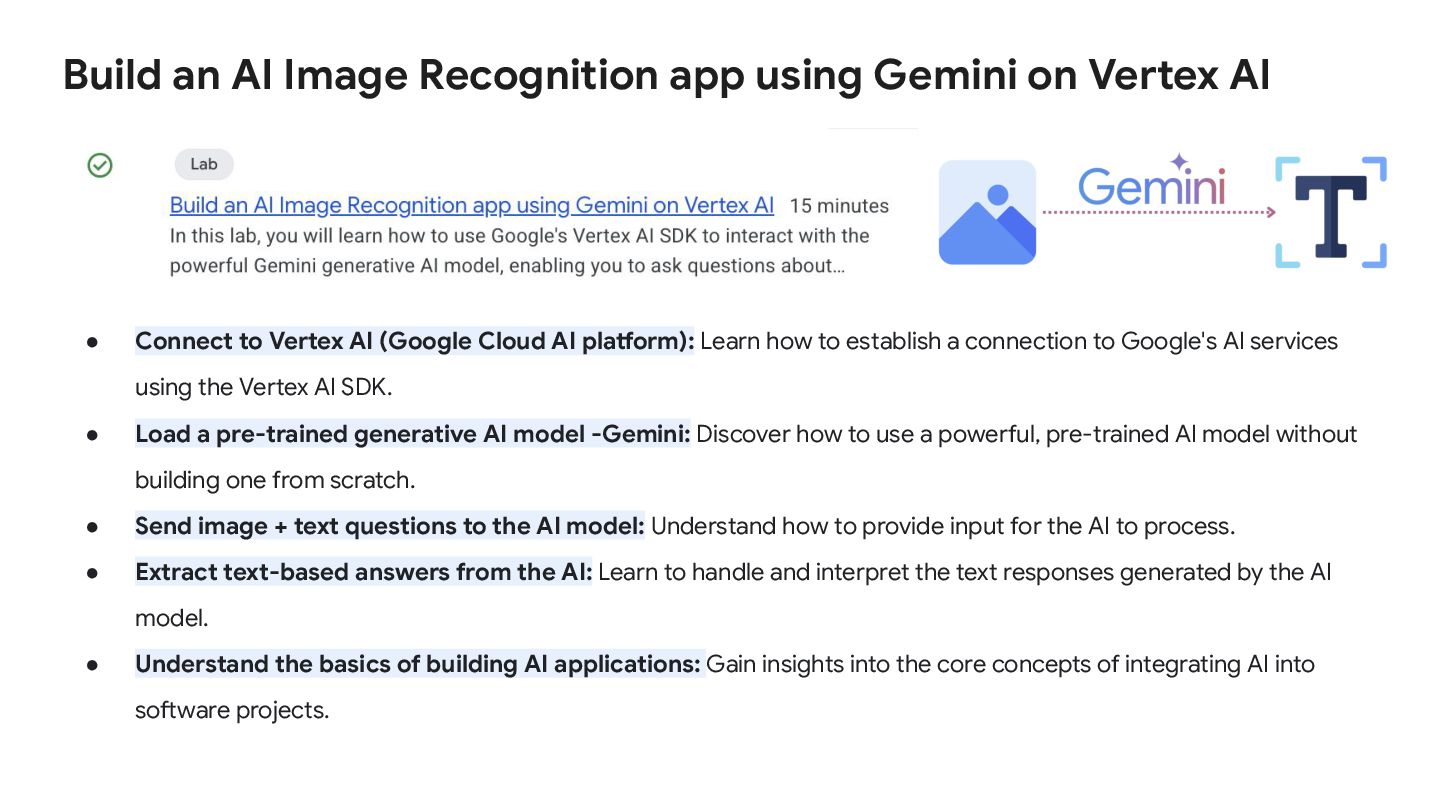
• Connect to Vertex AI (Google Cloud AI platform): Learn
how to establish a connection to Google's AI services using the Vertex AI SDK. • Load a pre-trained generative AI model -Gemini: Discover how to use a powerful, pre-trained AI model without building one from scratch. • Send image + text questions to the AI model: Understand how to provide input for the AI to process. • Extract text-based answers from the AI: Learn to handle and interpret the text responses generated by the AI model. • Understand the basics of building AI applications: Gain insights into the core concepts of integrating AI into software projects. Build an AI Image Recognition app using Gemini on Vertex AI -
Build an AI Image Recognition app using Gemini on Vertex
AI Lab: https://www.cloudskillsboost.google/course_templates/1076/labs/488226 -
Build an AI Image Recognition app using Gemini on Vertex
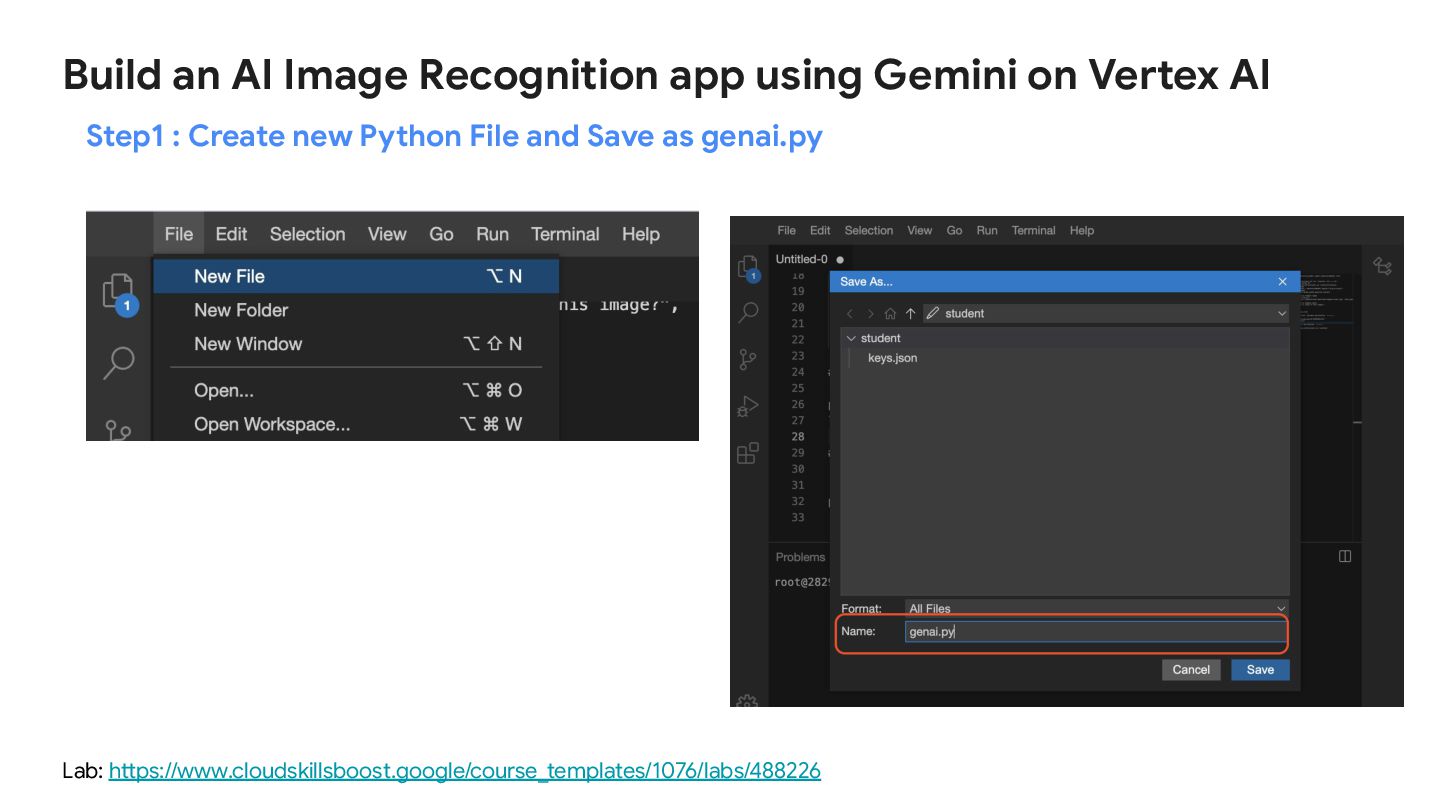
AI Lab: https://www.cloudskillsboost.google/course_templates/1076/labs/488226 Step1 : Create new Python File and Save as genai.py -
Build an AI Image Recognition app using Gemini on Vertex
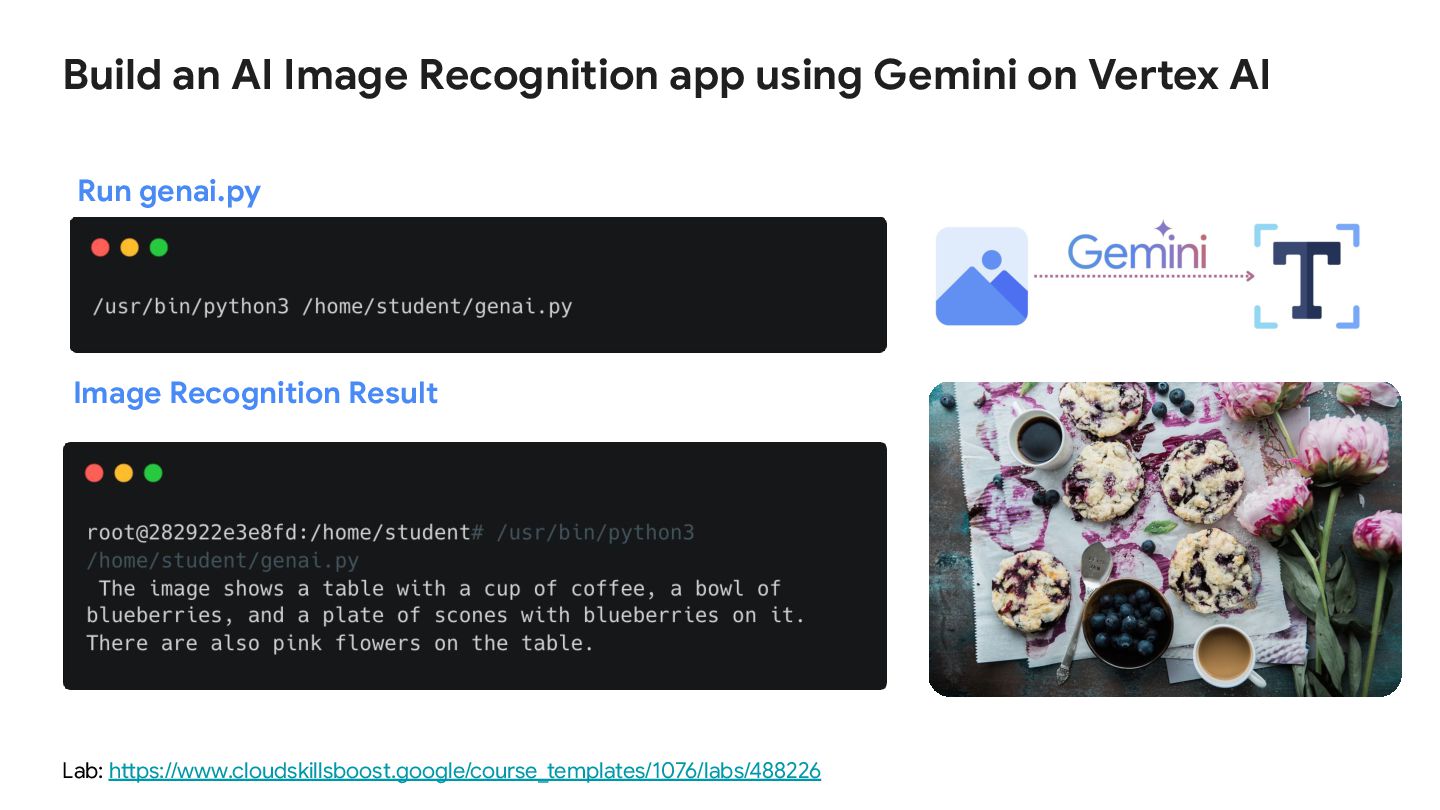
AI Lab: https://www.cloudskillsboost.google/course_templates/1076/labs/488226 Image Recognition Result Run genai.py -
Build an AI Image Recognition app using Gemini on Vertex
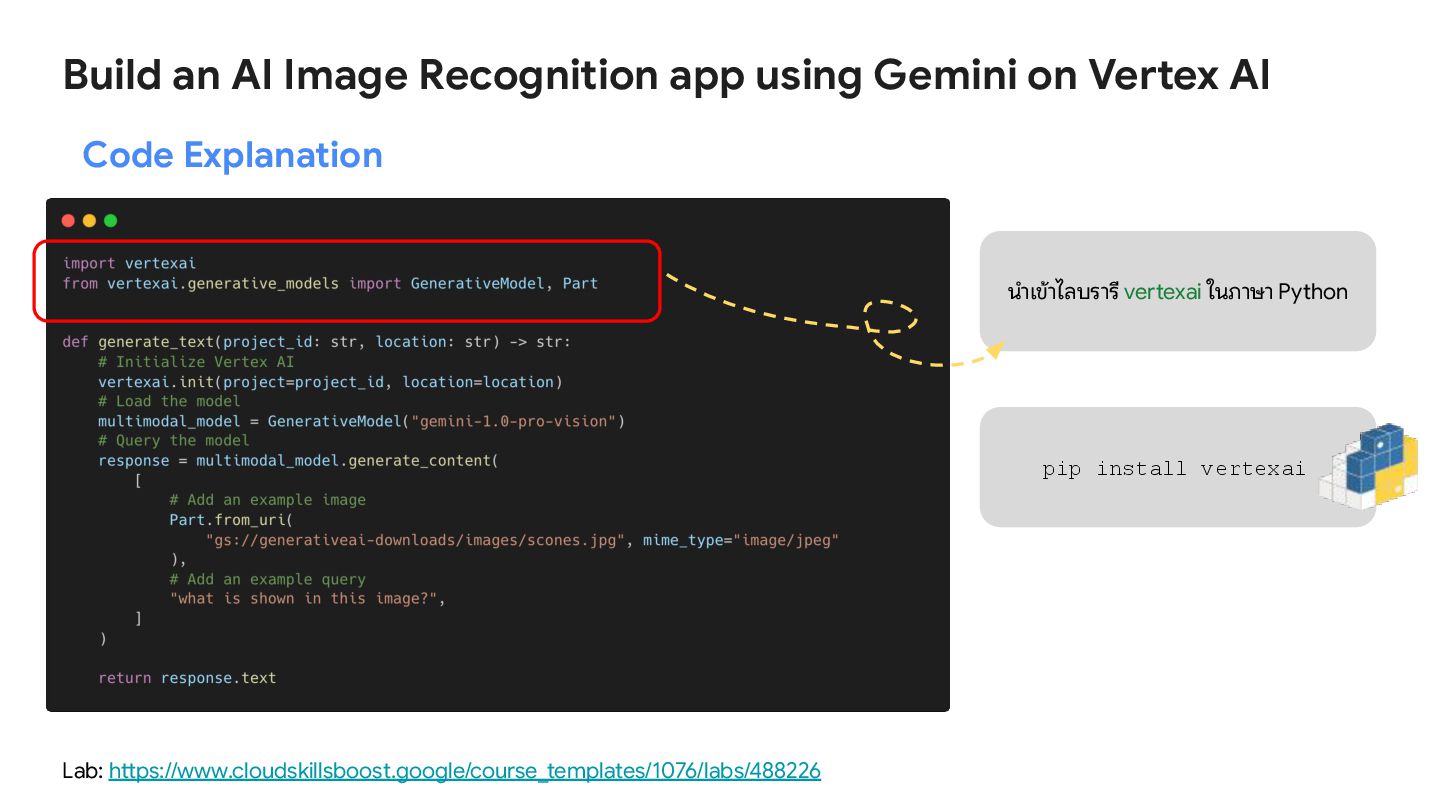
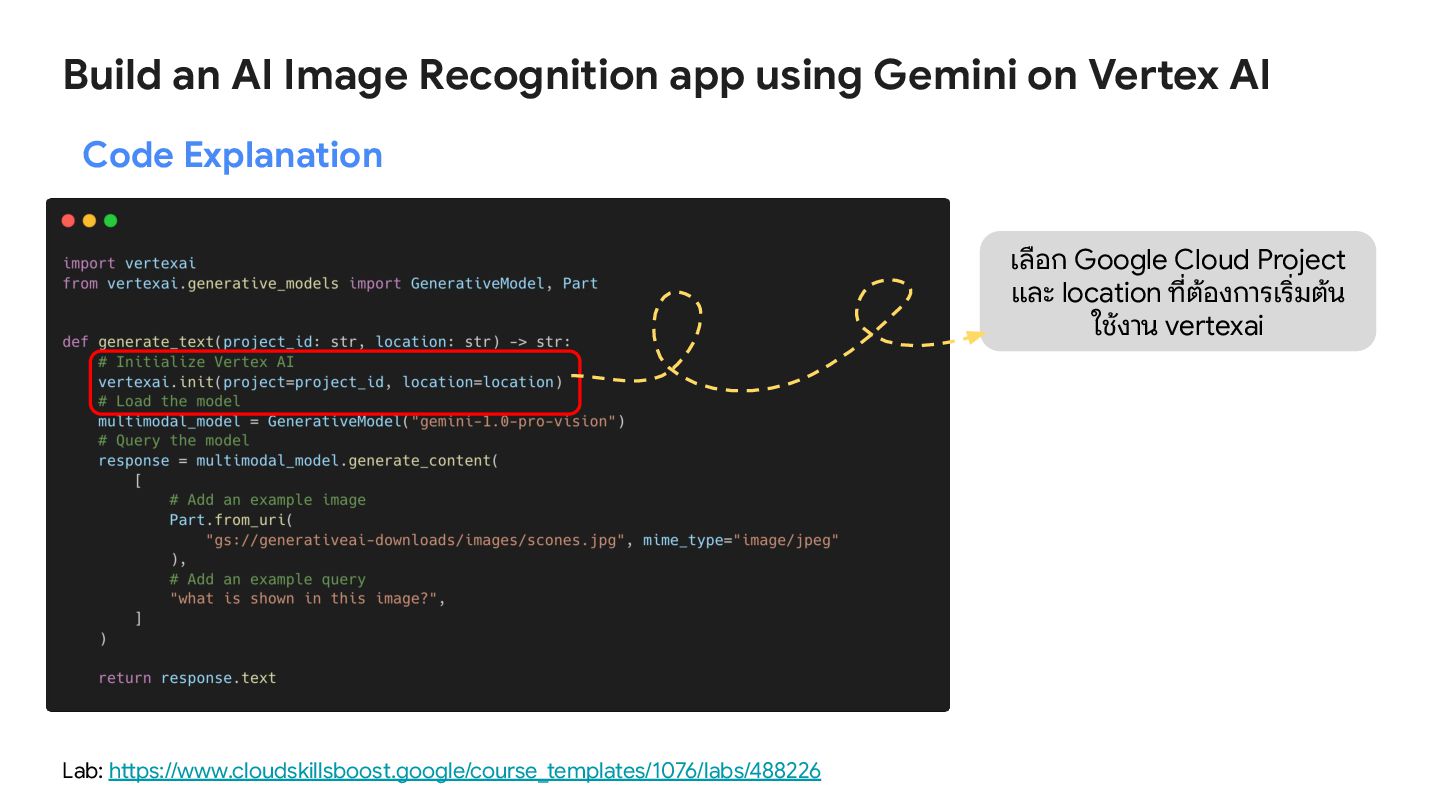
AI Lab: https://www.cloudskillsboost.google/course_templates/1076/labs/488226 Code Explanation นําเข้าไลบรารี vertexai ในภาษา Python pip install vertexai -
Build an AI Image Recognition app using Gemini on Vertex
AI Lab: https://www.cloudskillsboost.google/course_templates/1076/labs/488226 Code Explanation เลือก Google Cloud Project และ location ที่ต้องการเริ่มต้น ใช้งาน vertexai -
Build an AI Image Recognition app using Gemini on Vertex
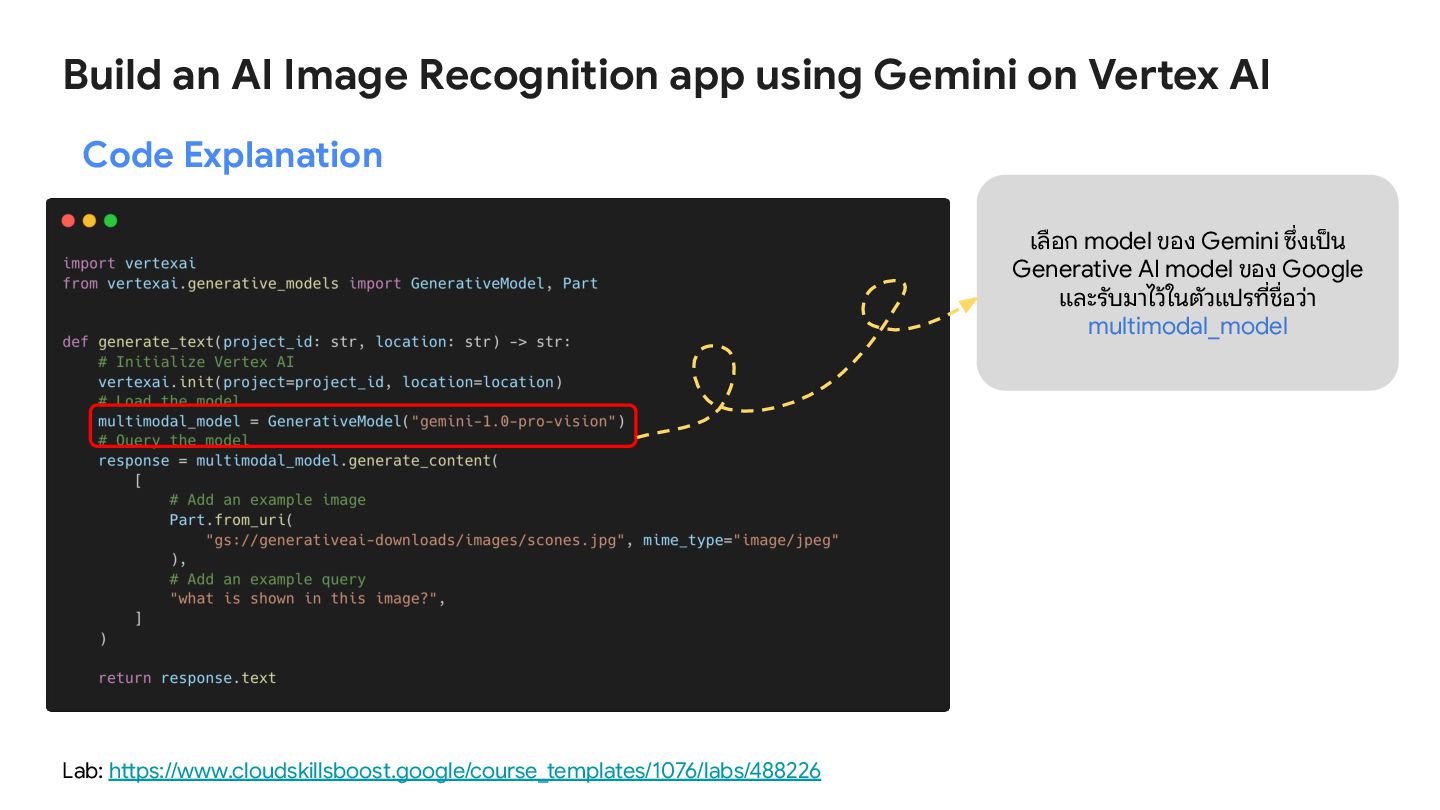
AI Lab: https://www.cloudskillsboost.google/course_templates/1076/labs/488226 Code Explanation เลือก model ของ Gemini ซึ่งเป็น Generative AI model ของ Google และรับมาไว้ในตัวแปรที่ชื่อว่า multimodal_model -
Build an AI Image Recognition app using Gemini on Vertex
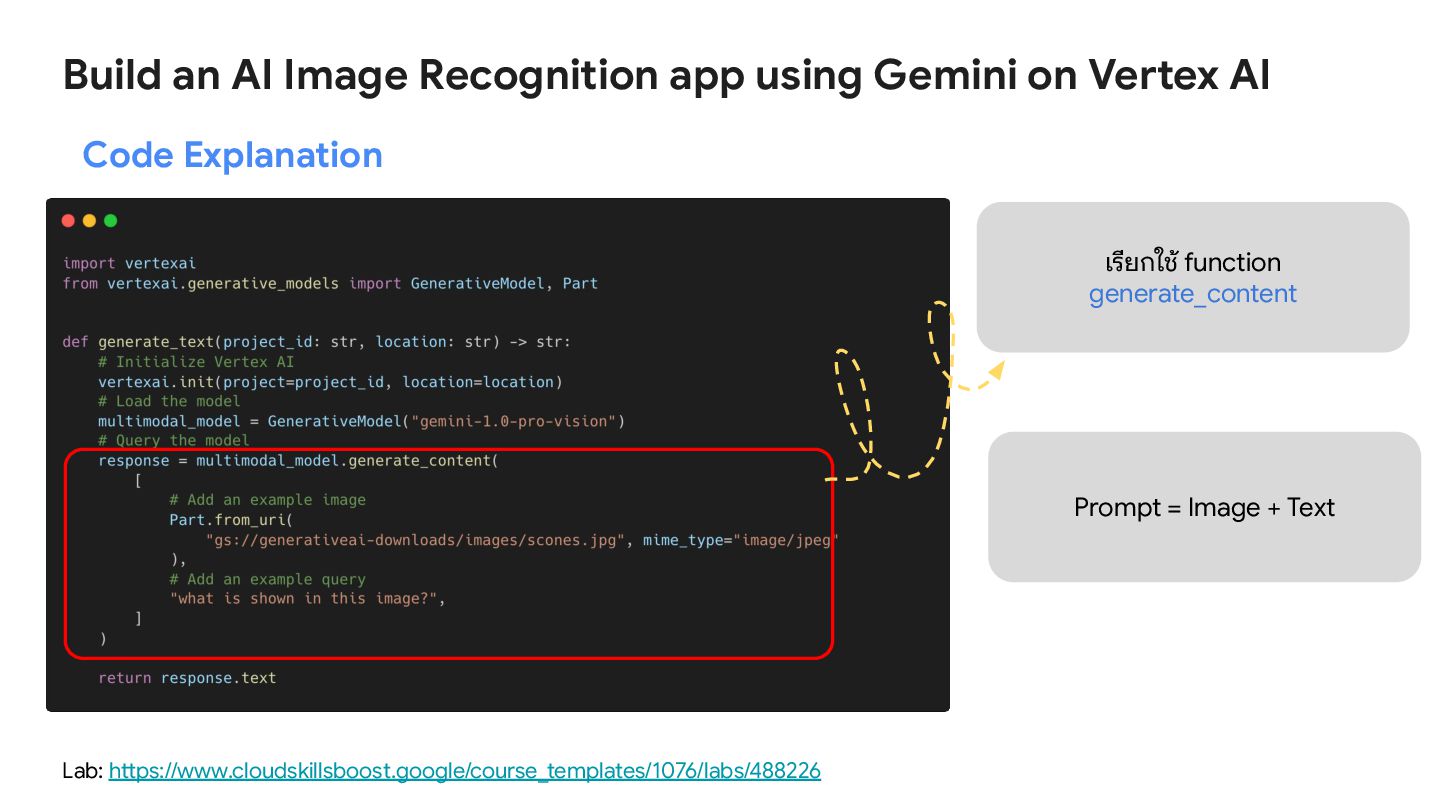
AI Lab: https://www.cloudskillsboost.google/course_templates/1076/labs/488226 Code Explanation เรียกใช้ function generate_content Prompt = Image + Text -
Build an AI Image Recognition app using Gemini on Vertex
AI Lab: https://www.cloudskillsboost.google/course_templates/1076/labs/488226 -
[Lab 2] Build an AI Image Generator app using Imagen
on Vertex AI -
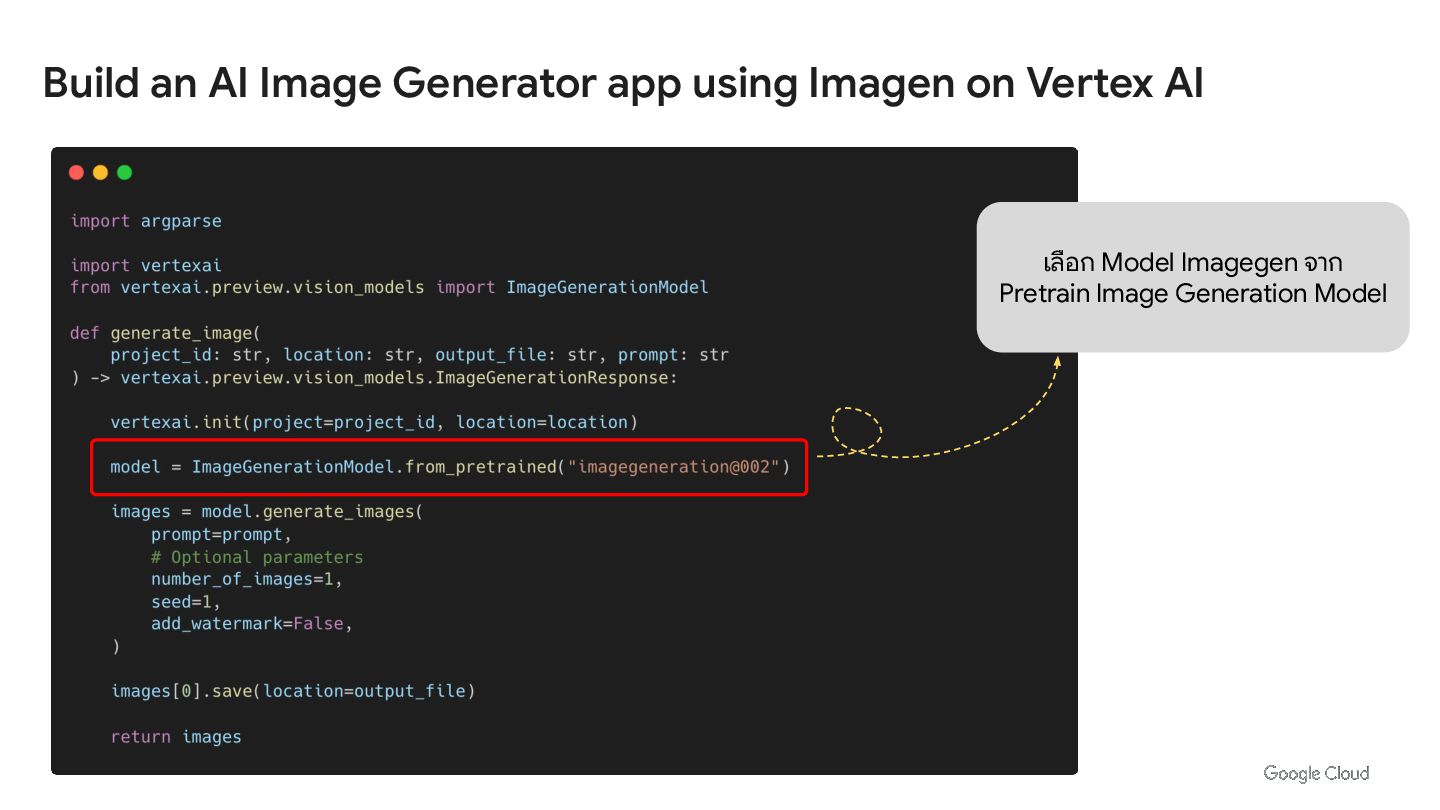
Build an AI Image Generator app using Imagen on Vertex
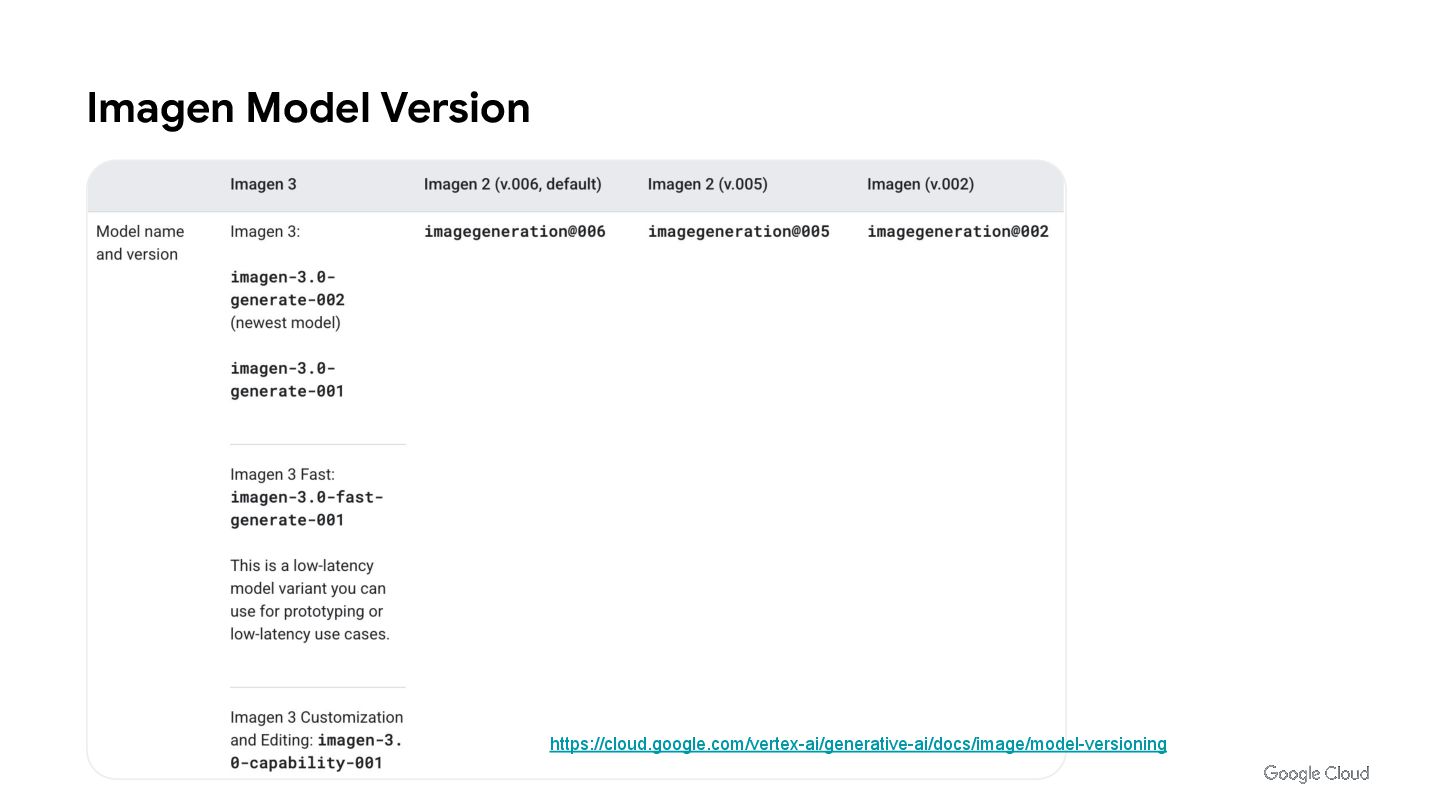
AI เลือก Model Imagegen จาก Pretrain Image Generation Model -
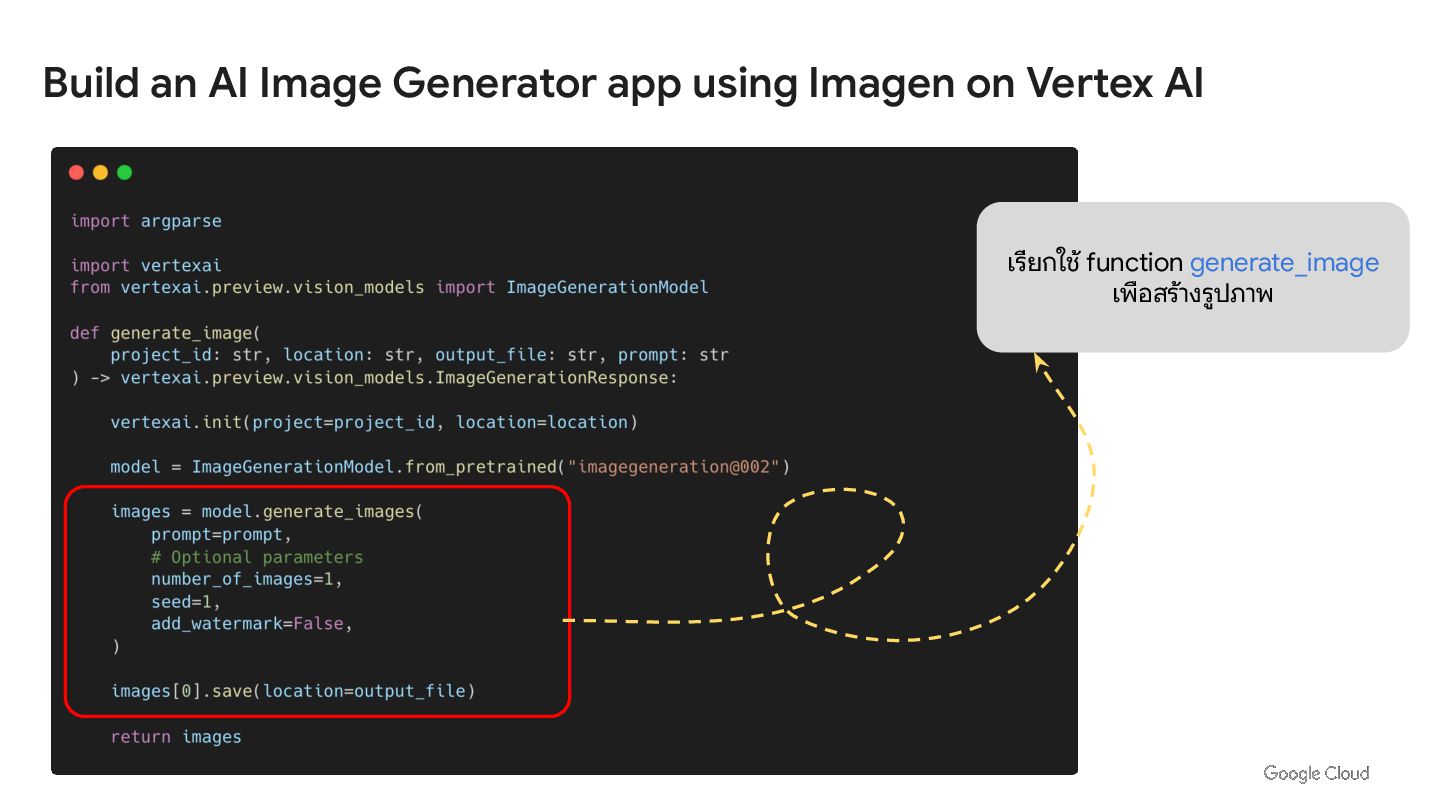
Build an AI Image Generator app using Imagen on Vertex
AI เรียกใช้ function generate_image เพือสร้างรูปภาพ -
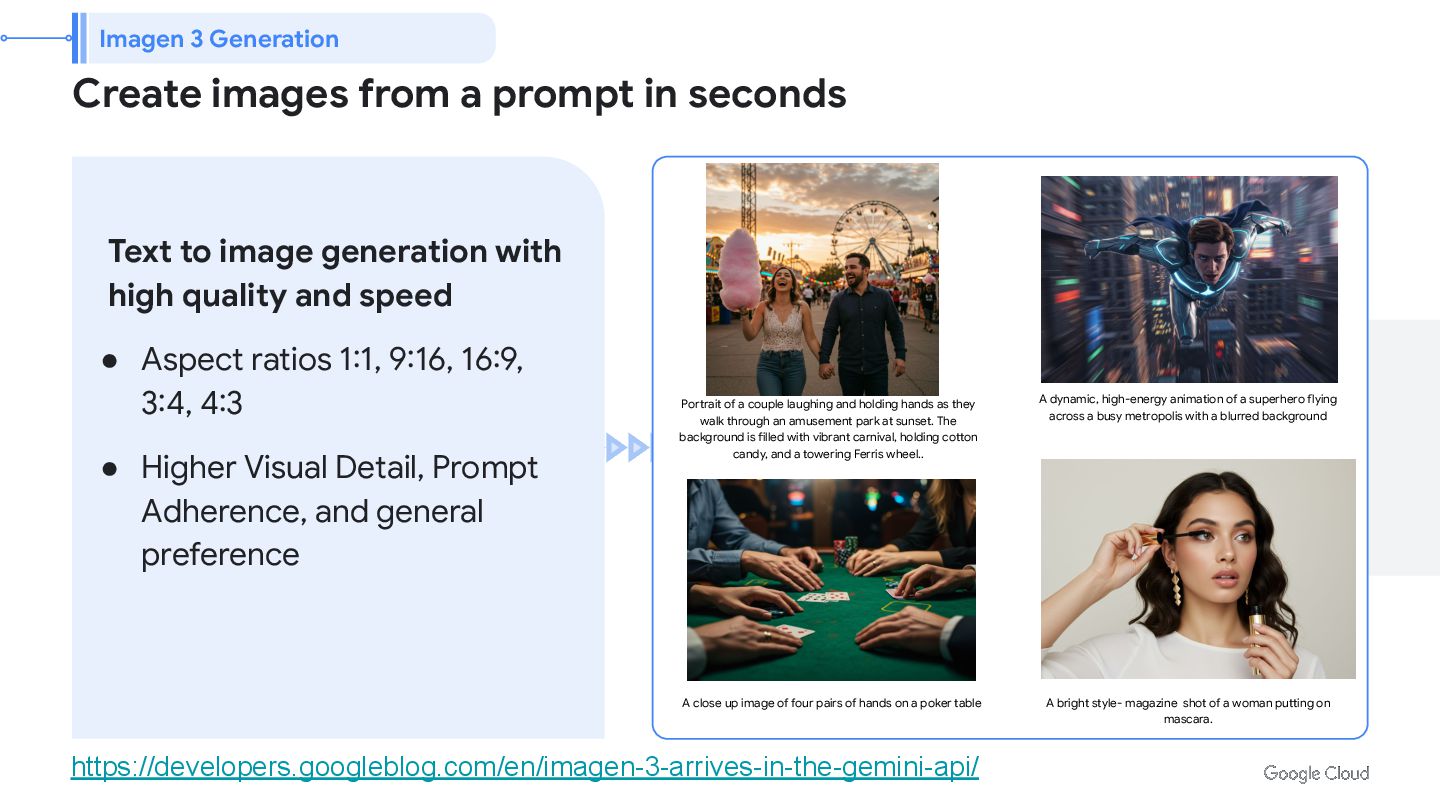
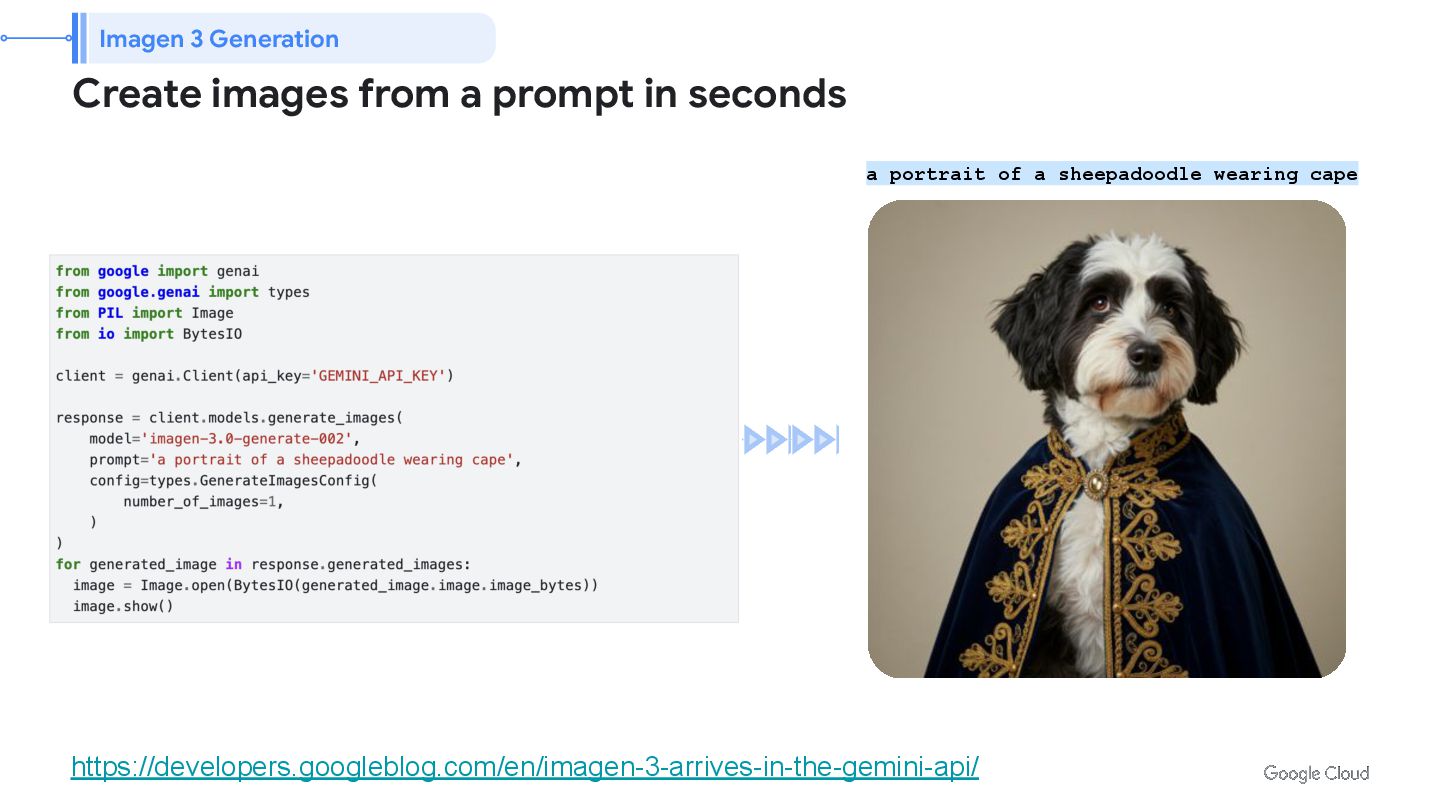
Create images from a prompt in seconds Text to image
generation with high quality and speed • Aspect ratios 1:1, 9:16, 16:9, 3:4, 4:3 • Higher Visual Detail, Prompt Adherence, and general preference Portrait of a couple laughing and holding hands as they walk through an amusement park at sunset. The background is filled with vibrant carnival, holding cotton candy, and a towering Ferris wheel.. A dynamic, high-energy animation of a superhero flying across a busy metropolis with a blurred background A close up image of four pairs of hands on a poker table A bright style- magazine shot of a woman putting on mascara. Imagen 3 Generation https://developers.googleblog.com/en/imagen-3-arrives-in-the-gemini-api/ -
Create images from a prompt in seconds A dynamic, high-energy
animation of a superhero flying across a busy metropolis with a blurred background Imagen 3 Generation https://developers.googleblog.com/en/imagen-3-arrives-in-the-gemini-api/ a portrait of a sheepadoodle wearing cape -
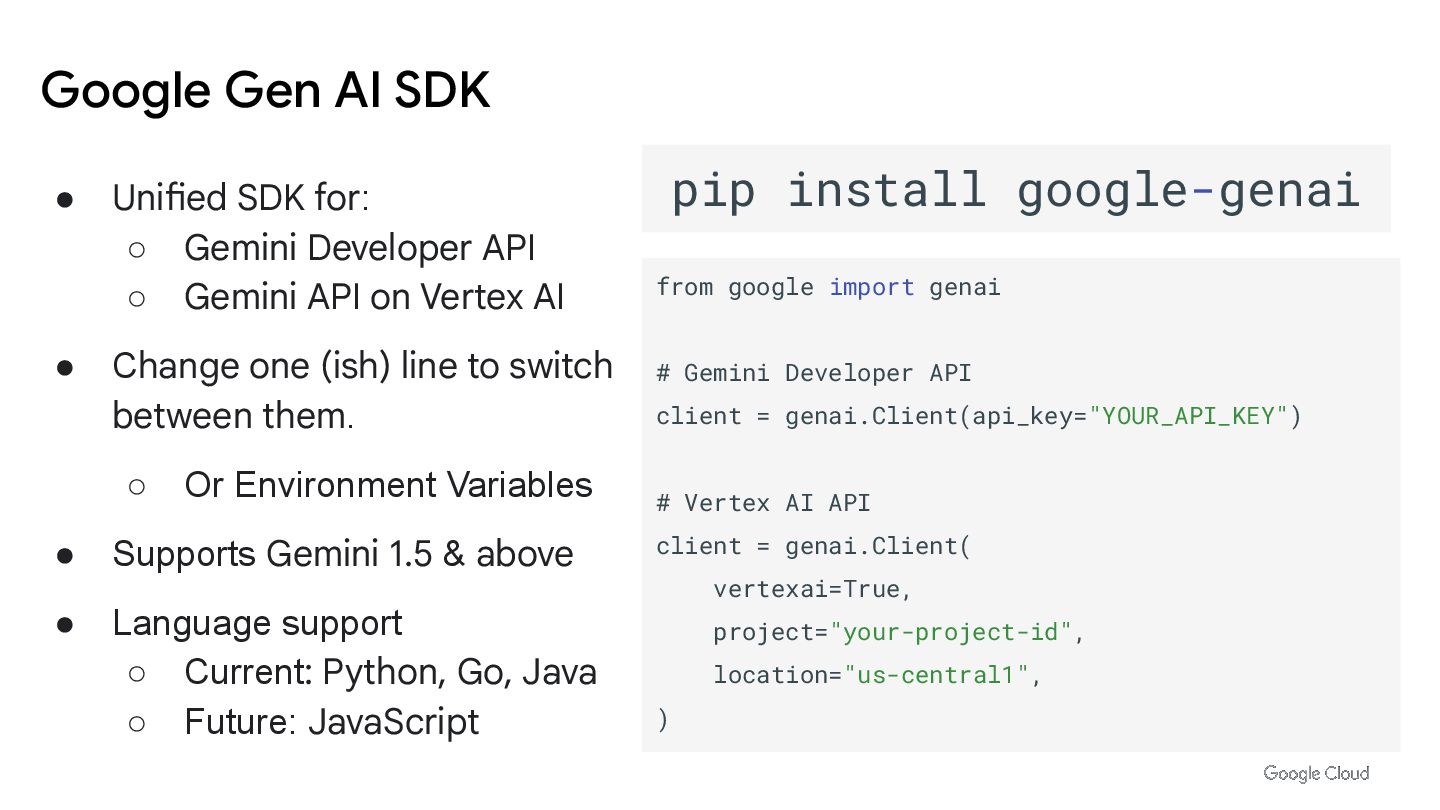
• Unified SDK for: ◦ Gemini Developer API ◦ Gemini
API on Vertex AI • Change one (ish) line to switch between them. ◦ Or Environment Variables • Supports Gemini 1.5 & above • Language support ◦ Current: Python, Go, Java ◦ Future: JavaScript pip install google-genai from google import genai # Gemini Developer API client = genai.Client(api_key="YOUR_API_KEY") # Vertex AI API client = genai.Client( vertexai=True, project="your-project-id", location="us-central1", ) Google Gen AI SDK -
Titipat Achakulvisut (My) Biomedical Engineering @ Mahidol University [LAB] Inspect
Rich Documents with Gemini Multimodality and Multimodal RAG -
Inspect Rich Documents with Gemini Multimodality and Multimodal RAG https://www.cloudskillsboost.g
oogle/course_templates/981 -
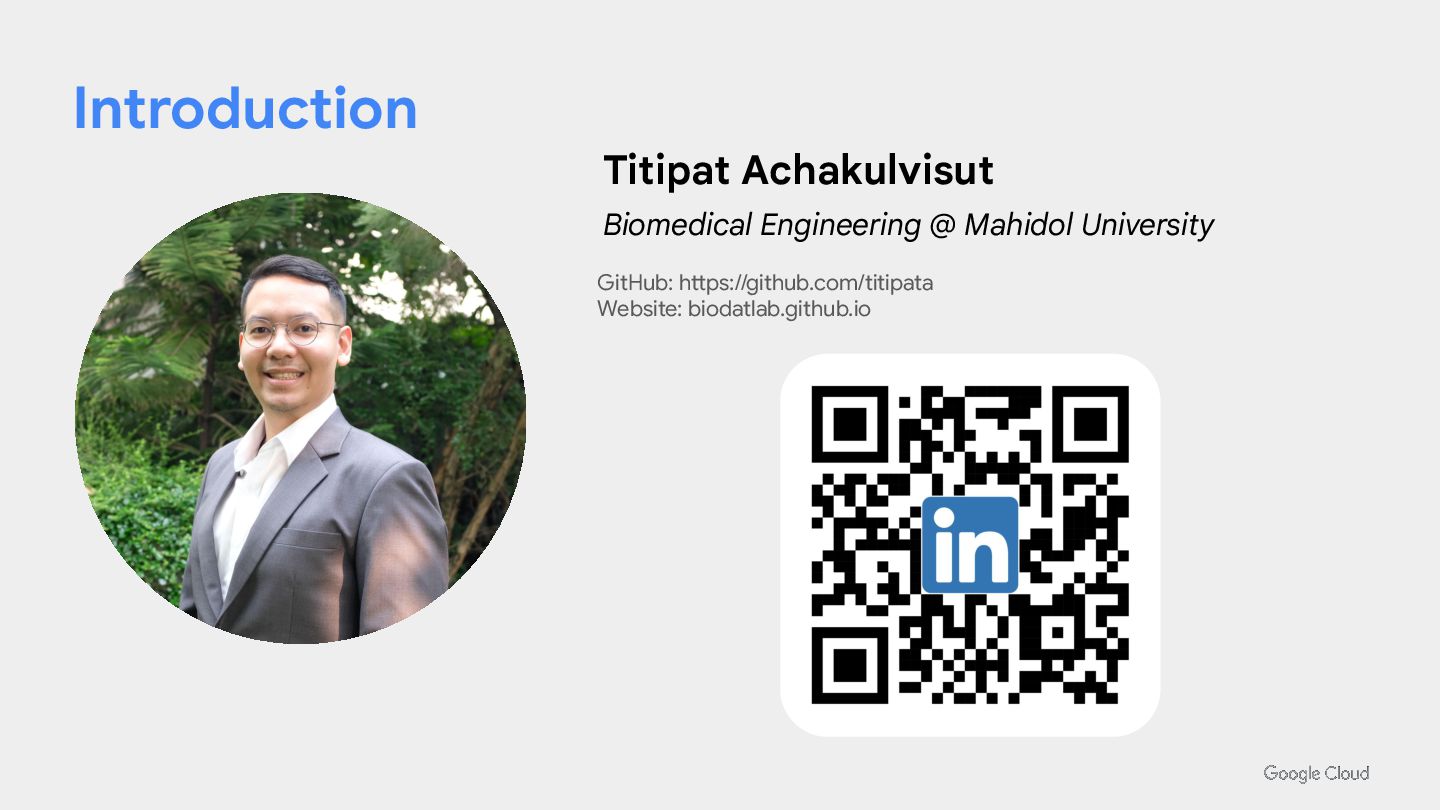
Introduction Titipat Achakulvisut Biomedical Engineering @ Mahidol University GitHub: https://github.com/titipata
Website: biodatlab.github.io -
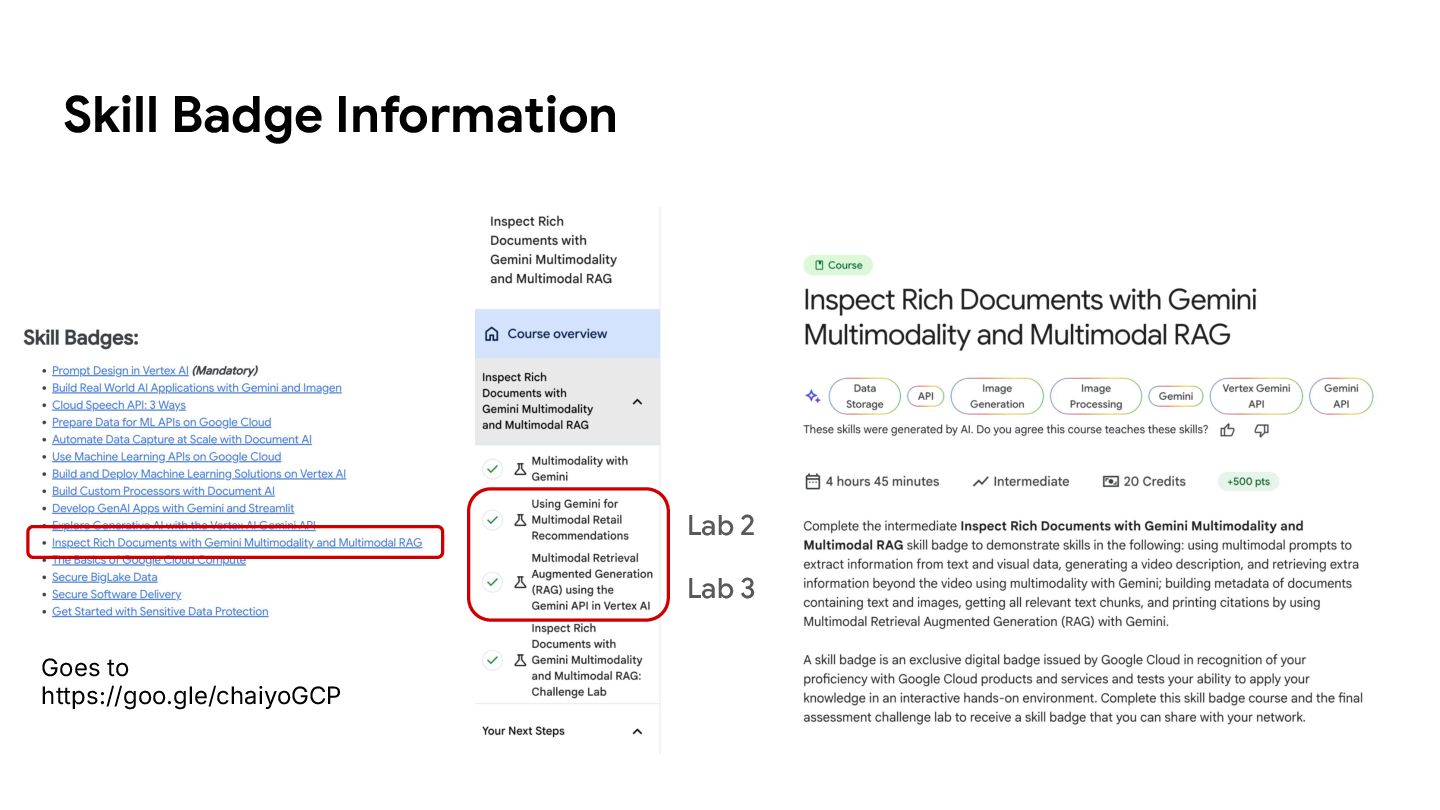
Inspect Rich Documents with Gemini Multimodality and Multimodal RAG •
Lab 2: Using Gemini for Multimodal Retail Recommendations • Lab 3: Multimodal Retrieval Augmented Generation (RAG) using the Gemini API in Vertex AI Titipat Achakulvisut Biomedical Engineering @ Mahidol University GitHub: titipata Website: biodatlab.github.io -
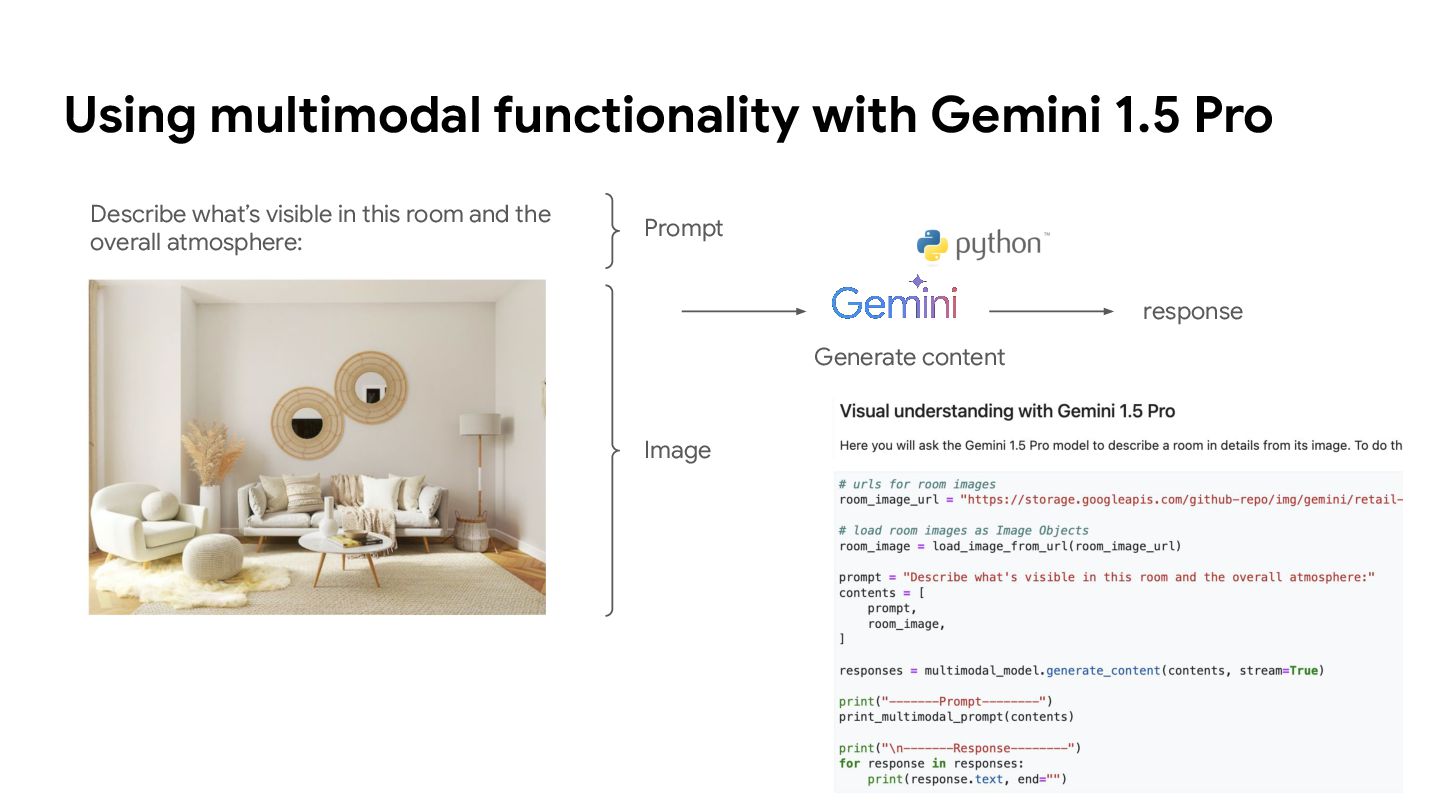
Using multimodal functionality with Gemini 1.5 Pro Describe what’s visible
in this room and the overall atmosphere: Prompt Image Generate content response -
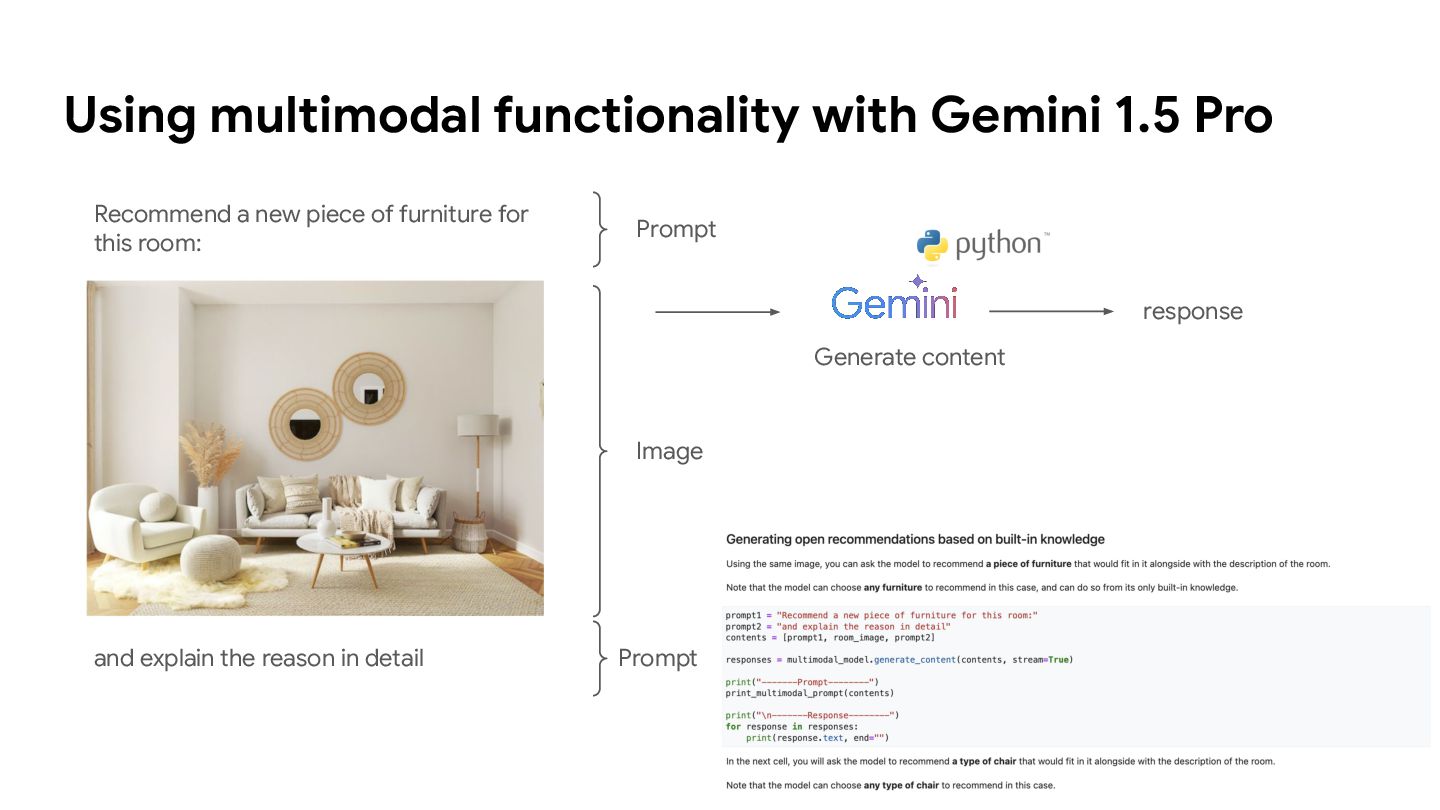
Using multimodal functionality with Gemini 1.5 Pro Recommend a new
piece of furniture for this room: Prompt Image and explain the reason in detail Prompt Generate content response -
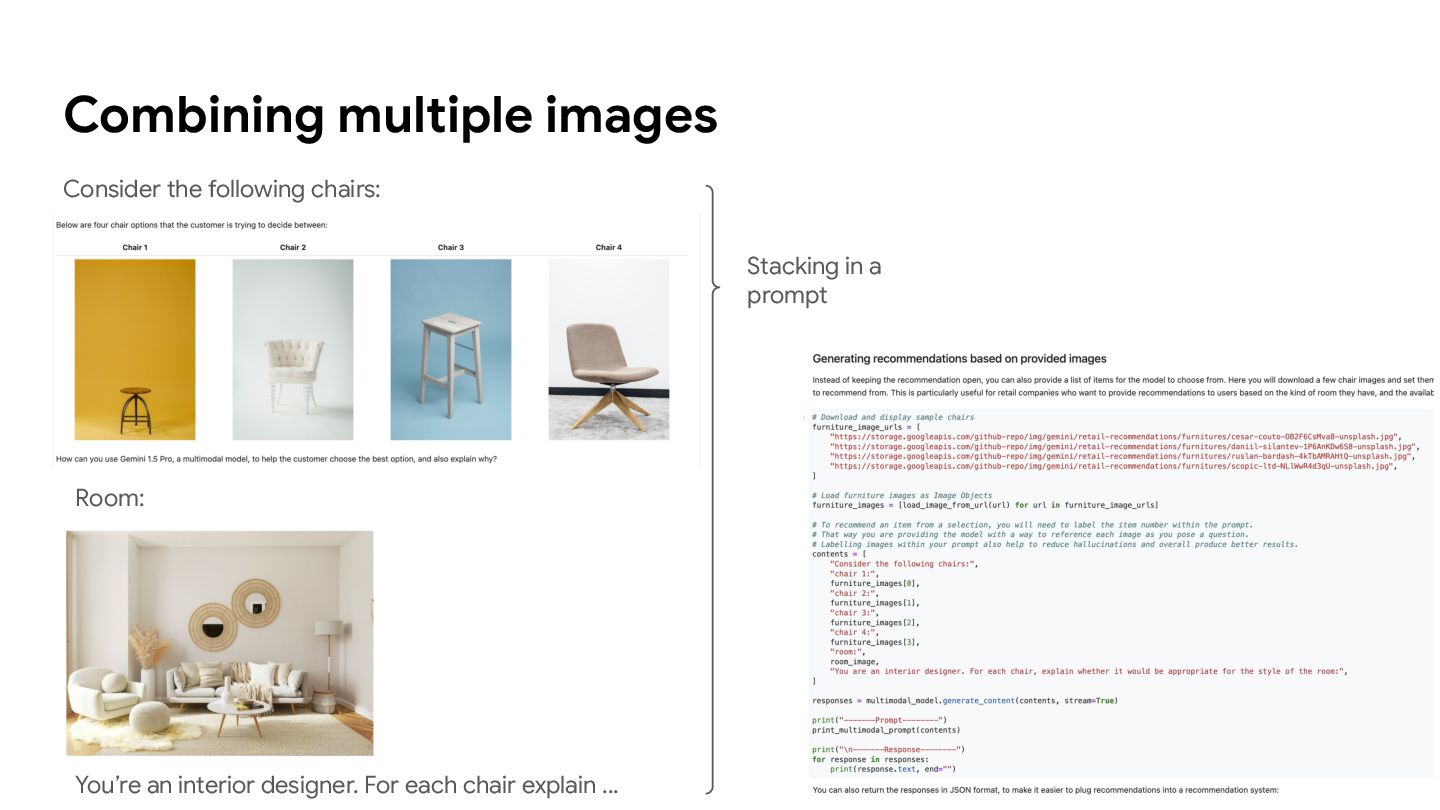
Combining multiple images Consider the following chairs: Room: You’re an
interior designer. For each chair explain … Stacking in a prompt -
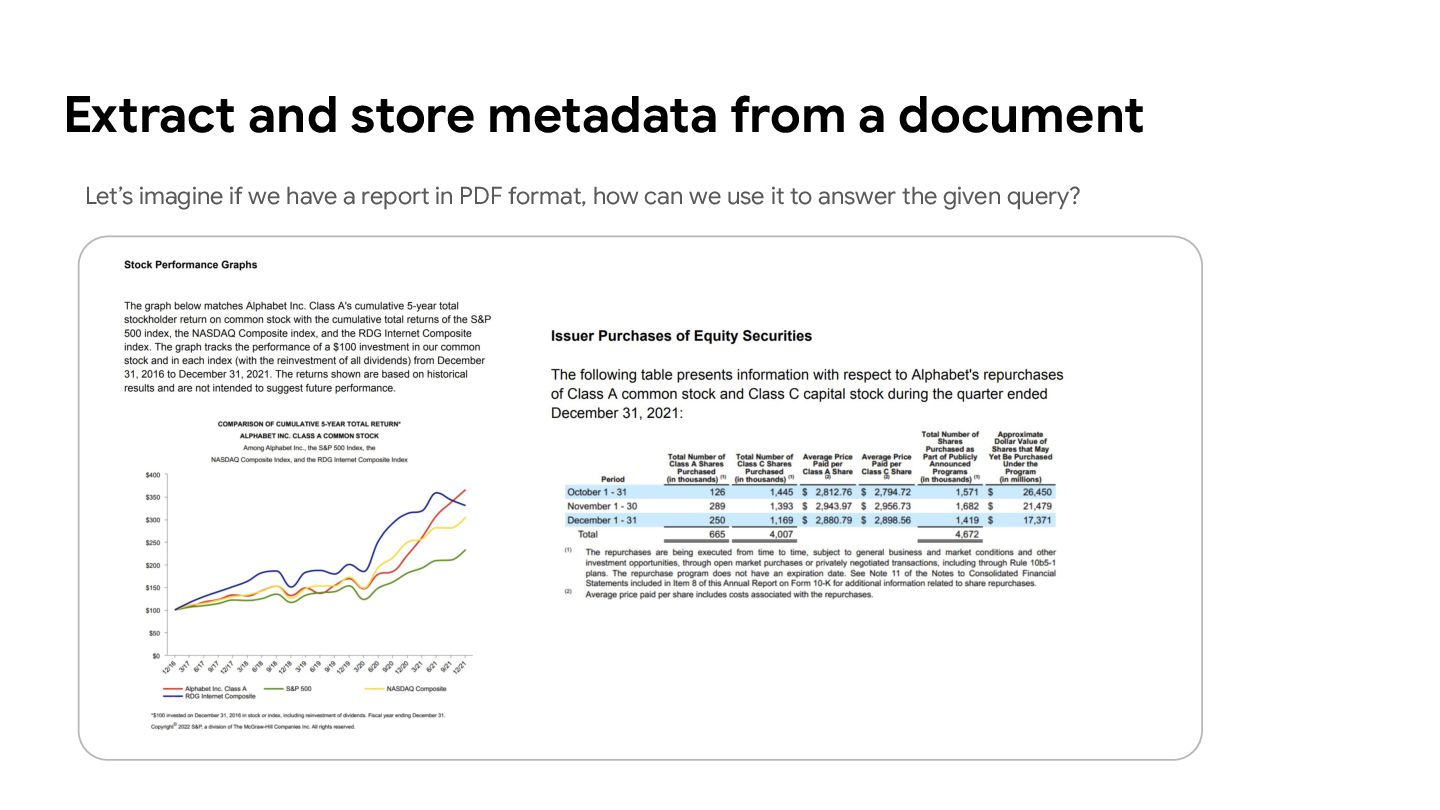
Let’s imagine if we have a report in PDF format,
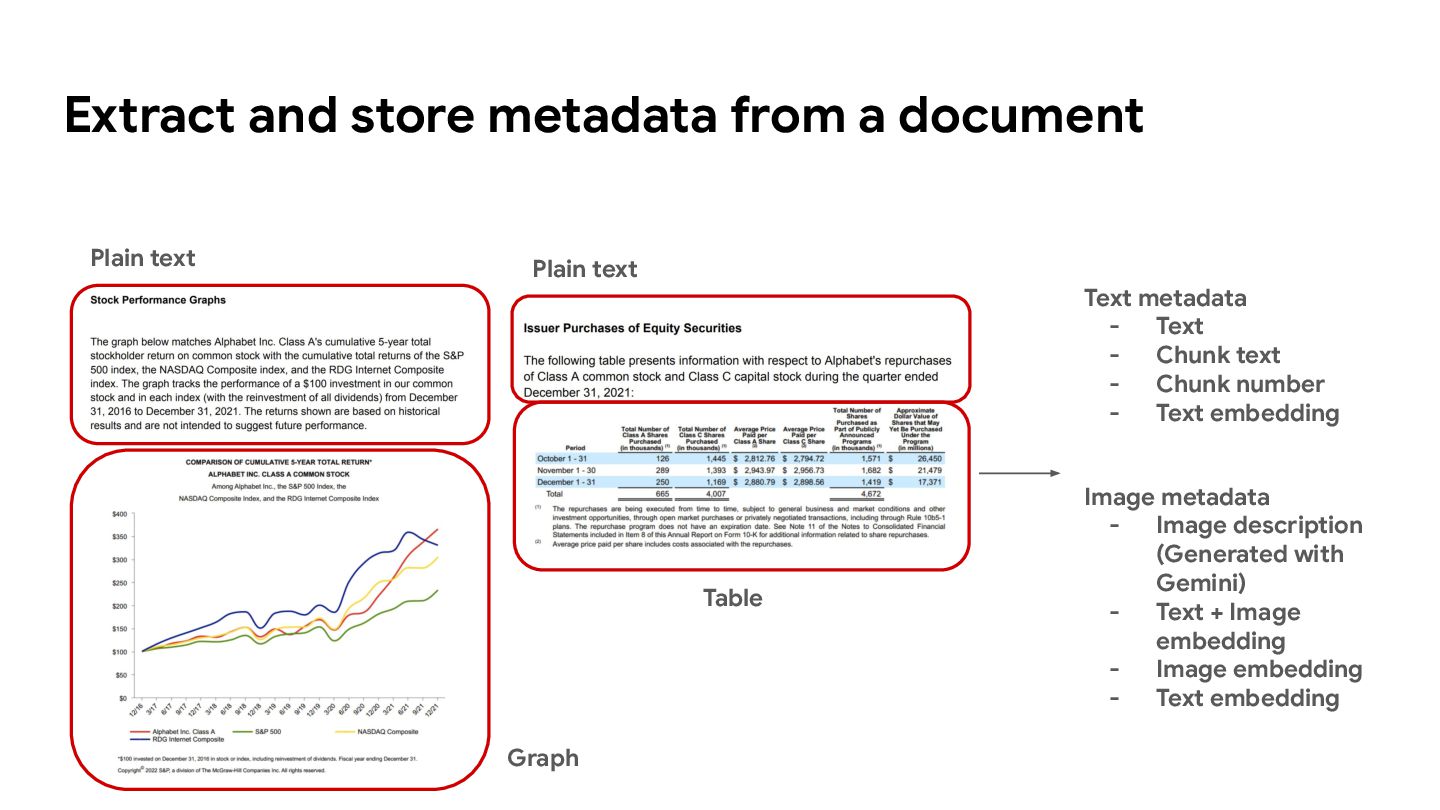
how can we use it to answer the given query? Extract and store metadata from a document -
Extract and store metadata from a document Plain text Graph
Table Text metadata - Text - Chunk text - Chunk number - Text embedding Image metadata - Image description (Generated with Gemini) - Text + Image embedding - Image embedding - Text embedding Plain text -
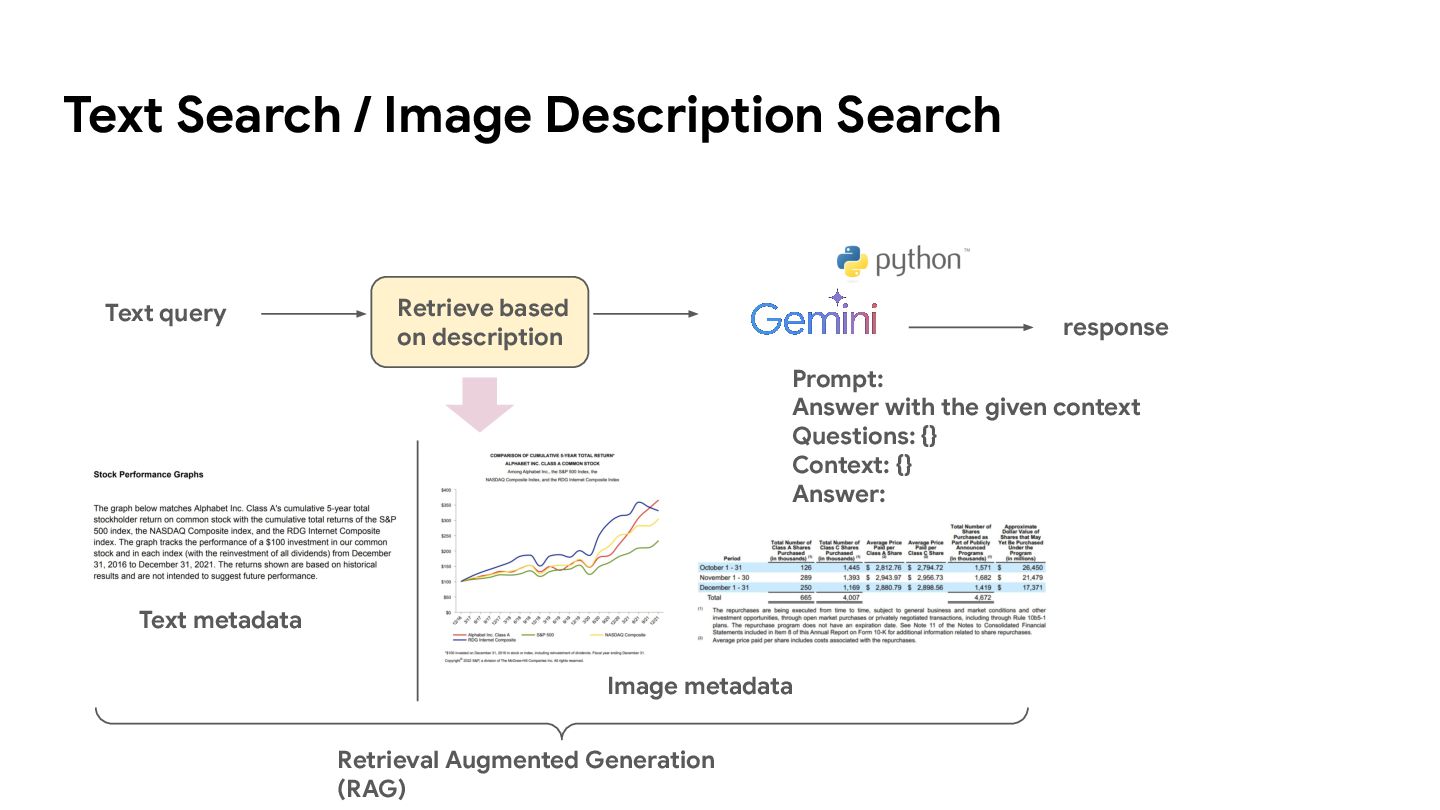
Text Search / Image Description Search Text query Retrieve based
on description response Text metadata Image metadata Prompt: Answer with the given context Questions: {} Context: {} Answer: Retrieval Augmented Generation (RAG) -
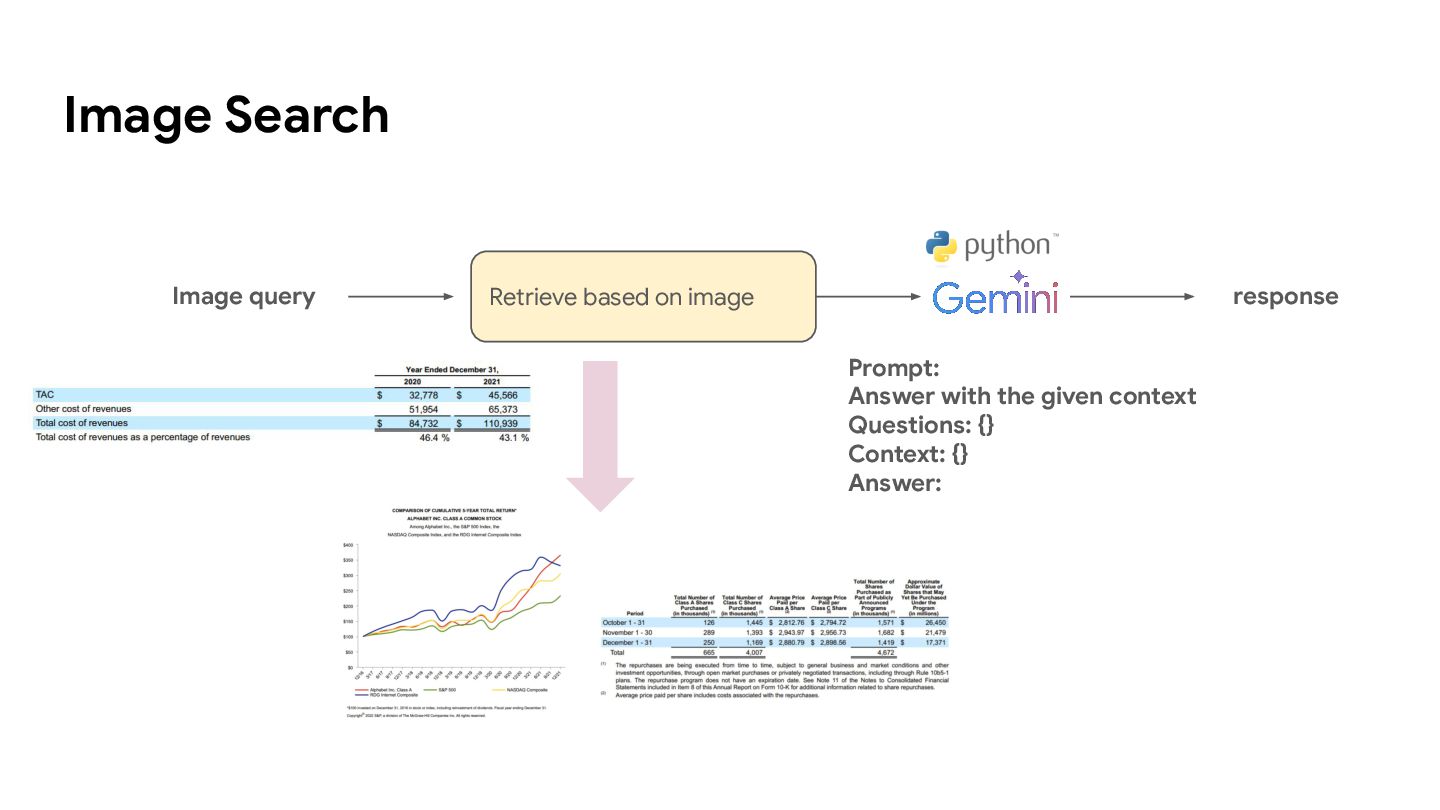
Image Search Retrieve based on image Image query response Prompt:
Answer with the given context Questions: {} Context: {} Answer: -
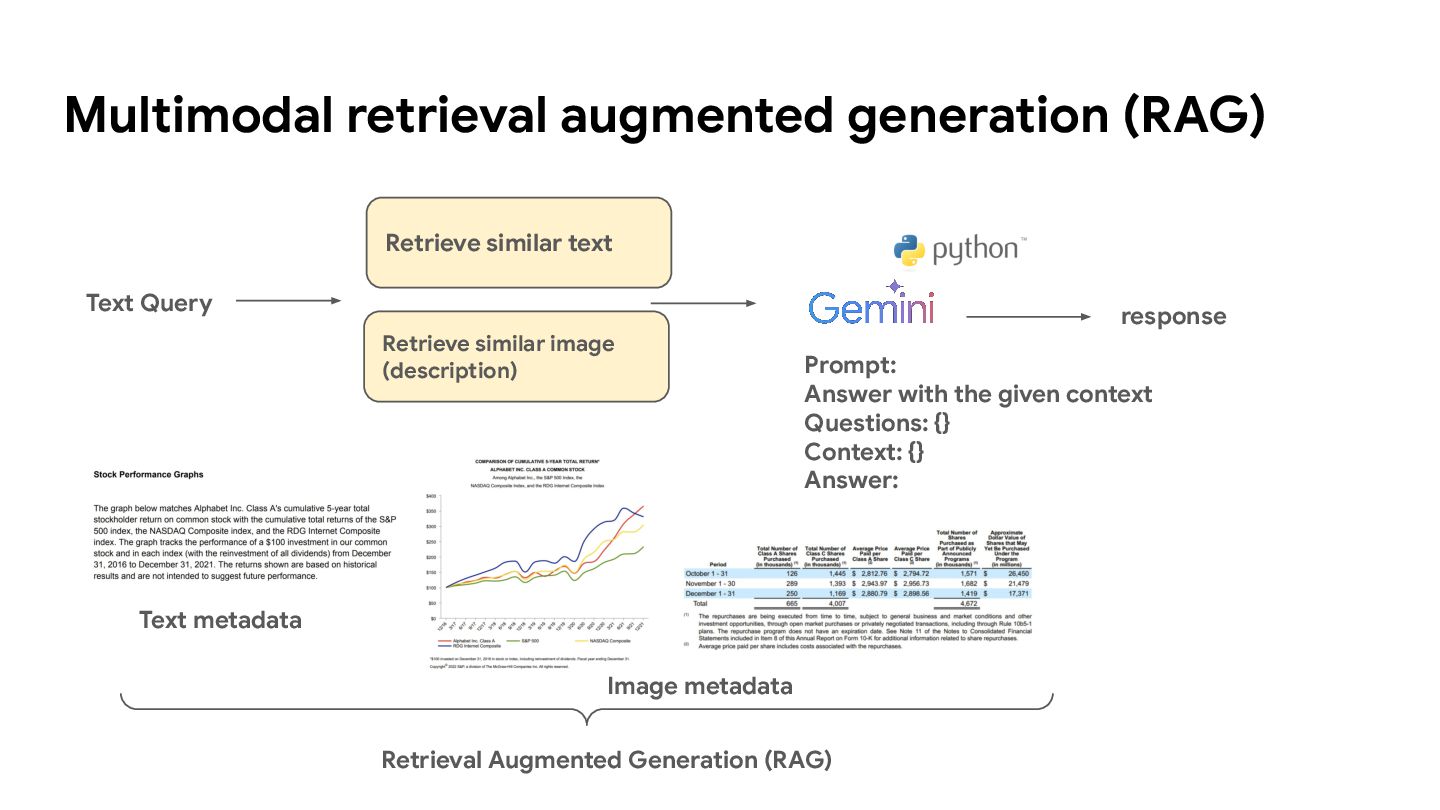
Multimodal retrieval augmented generation (RAG) Retrieve similar text Text Query
response Prompt: Answer with the given context Questions: {} Context: {} Answer: Retrieve similar image (description) Retrieval Augmented Generation (RAG) Text metadata Image metadata