Share
Embed
PyCon Ireland 2013: Creating Excel files with Python and XlsxWriter
(via http://python.ie/pycon/2013/talks/creating_excel_files_with_python_and_xlsxwriter/)
Speaker: John McNamara
XlsxWriter is a new Python module for creating Excel 2007+ XLSX files.
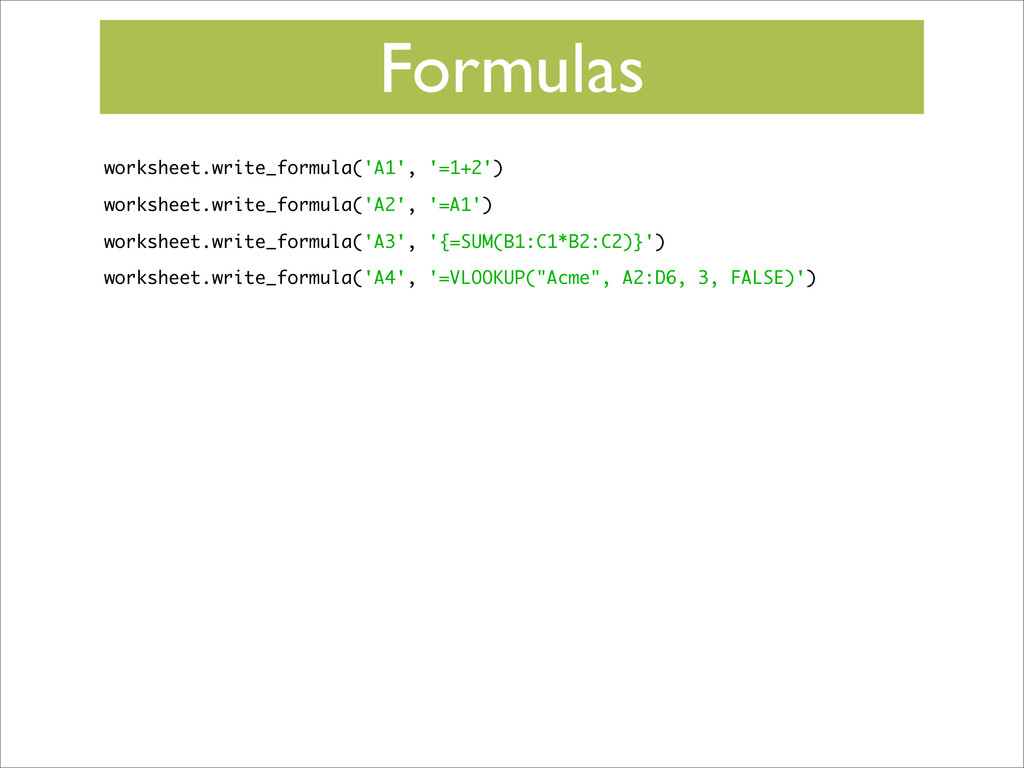
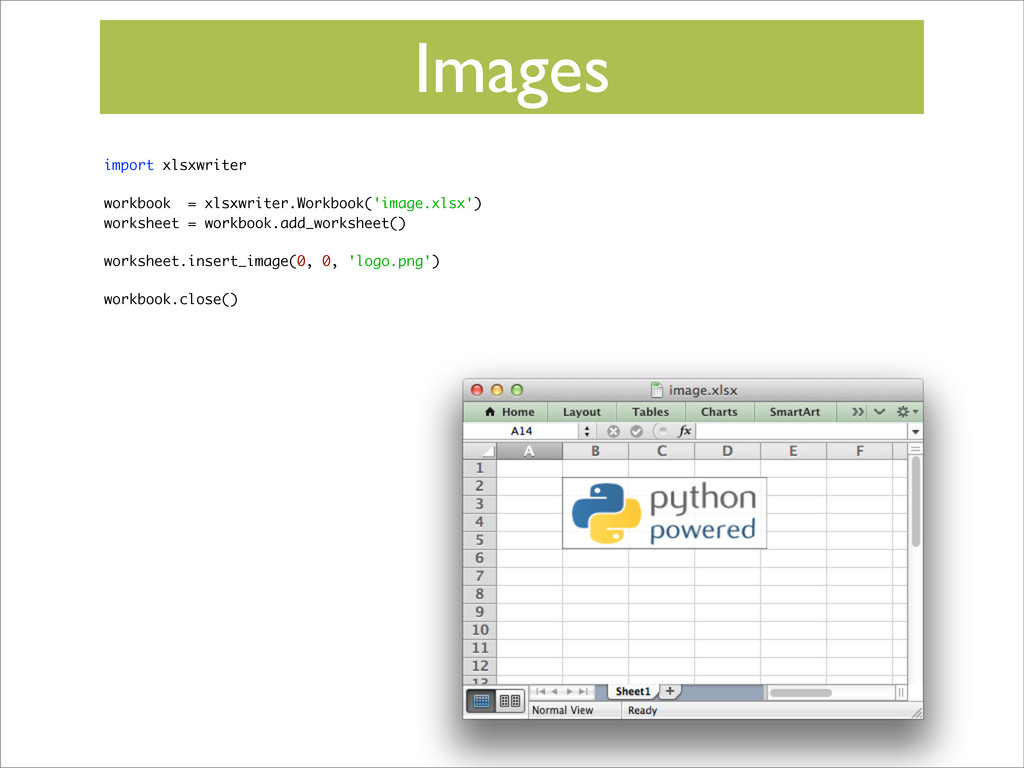
It supports a wide range of Excel features such as writing numbers, strings dates, formulas and hyperlinks, full cell formatting, charts, autofilters, tables, images, conditional formatting and much more. It uses standard modules and works with Python 2 and 3.
This talk will introduce the module and show how to quickly generate rich Excel reports.
The talk will also show alternative modules such as Xlwt and OpenPyXL.
See also:
https://xlsxwriter.readthedocs.org
https://github.com/jmcnamara/XlsxWriter
https://pypi.python.org/pypi/XlsxWriter
PyCon Ireland
October 13, 2013
Transcript
81 slides
-
Why Excel • Bosses like it • Useful as a
data source • More useful with formatting • Input/output source for Pandas • Can be misused: Excel as a database -
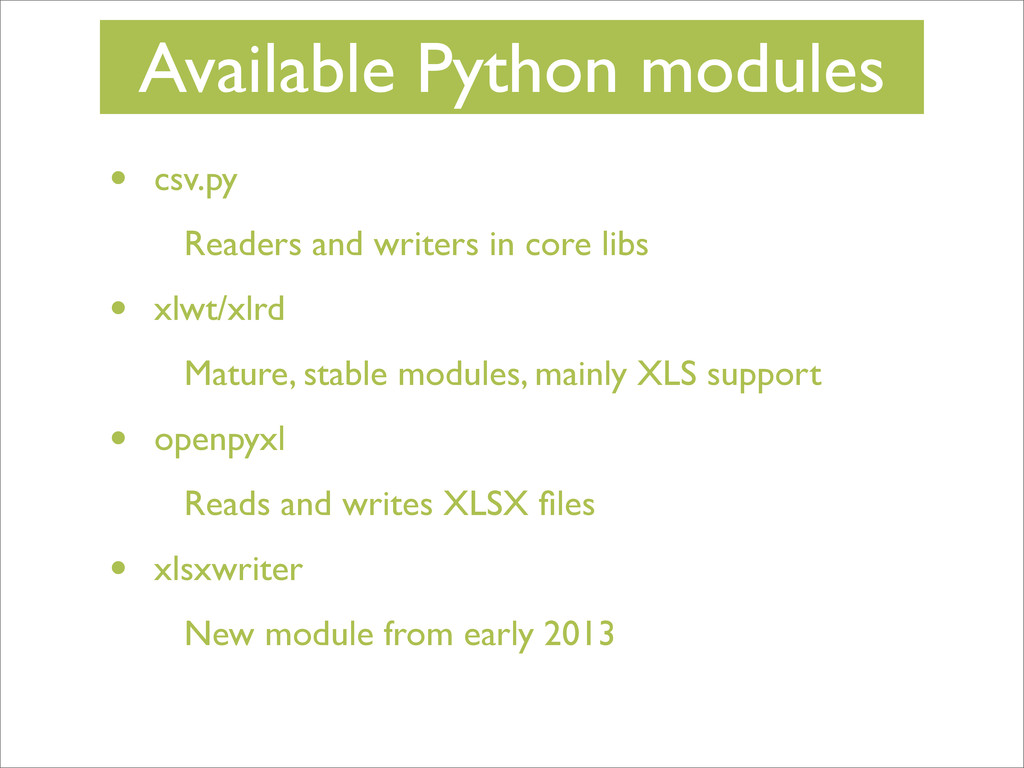
Available Python modules • csv.py Readers and writers in core
libs • xlwt/xlrd Mature, stable modules, mainly XLS support • openpyxl Reads and writes XLSX files • xlsxwriter New module from early 2013 -
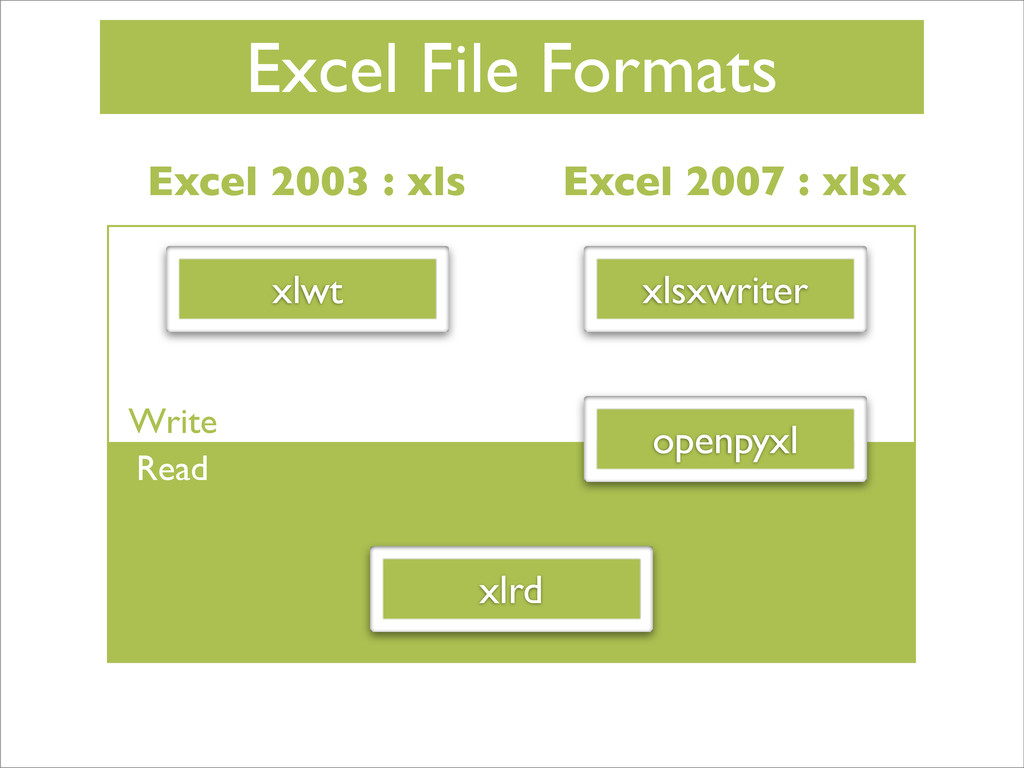
Excel 2003 : xls Excel 2007 : xlsx Excel File
Formats xlwt openpyxl xlsxwriter xlrd Read Write -
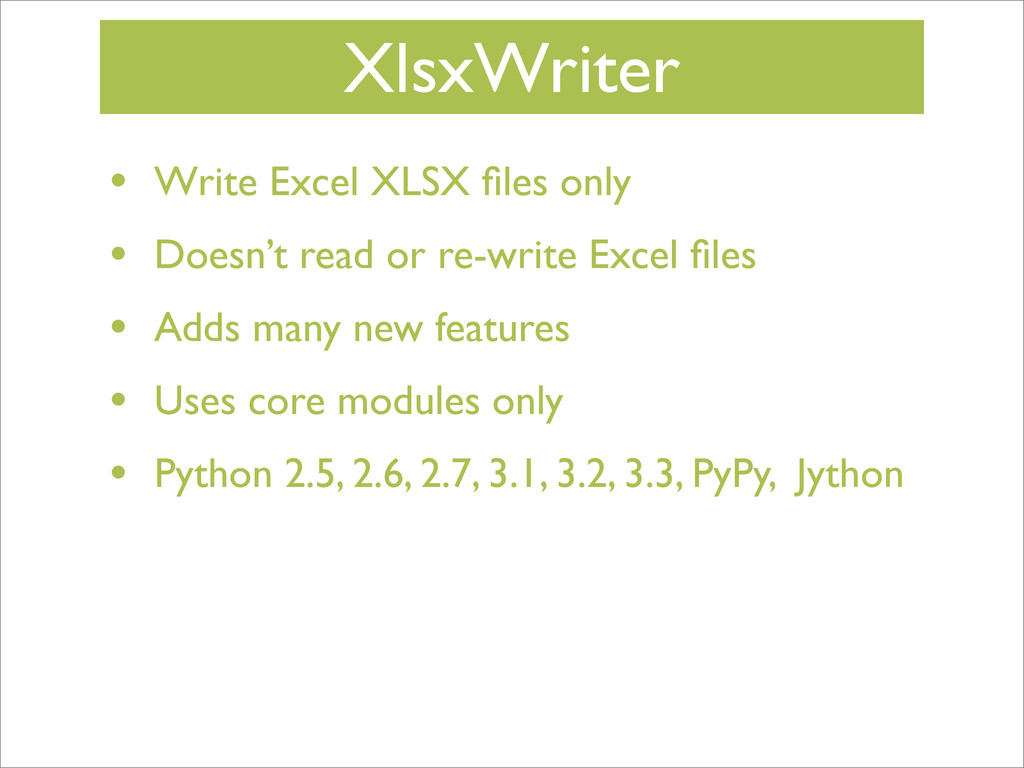
XlsxWriter • Write Excel XLSX files only • Doesn’t read
or re-write Excel files • Adds many new features • Uses core modules only • Python 2.5, 2.6, 2.7, 3.1, 3.2, 3.3, PyPy, Jython -
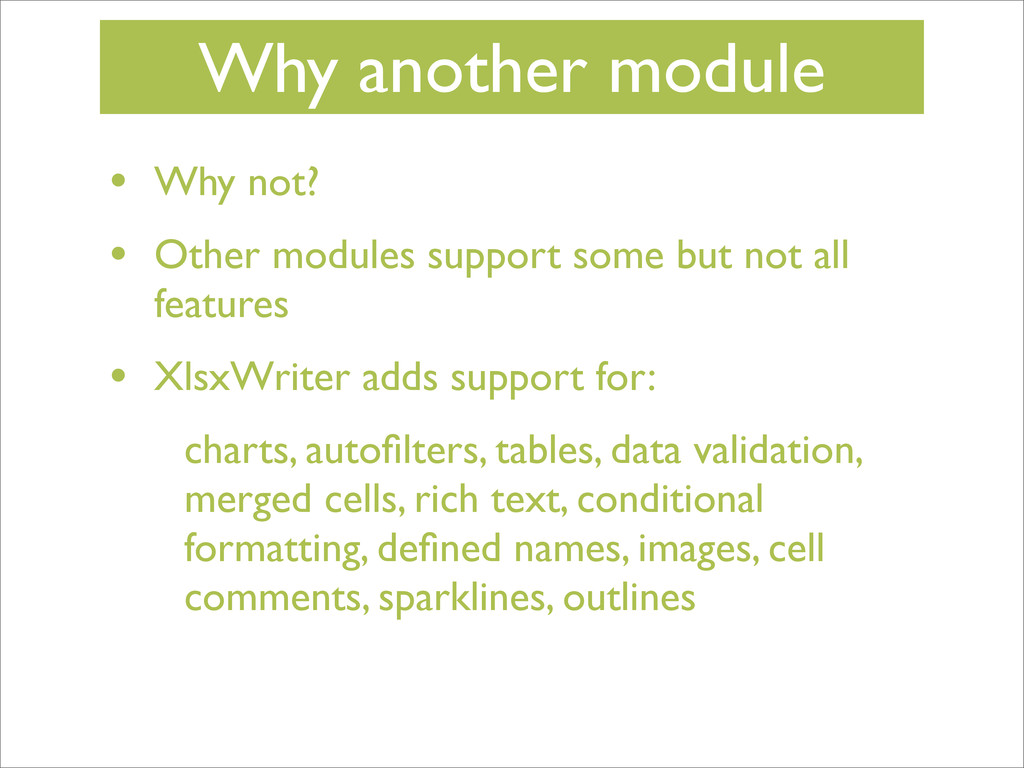
Why another module • Why not? • Other modules support
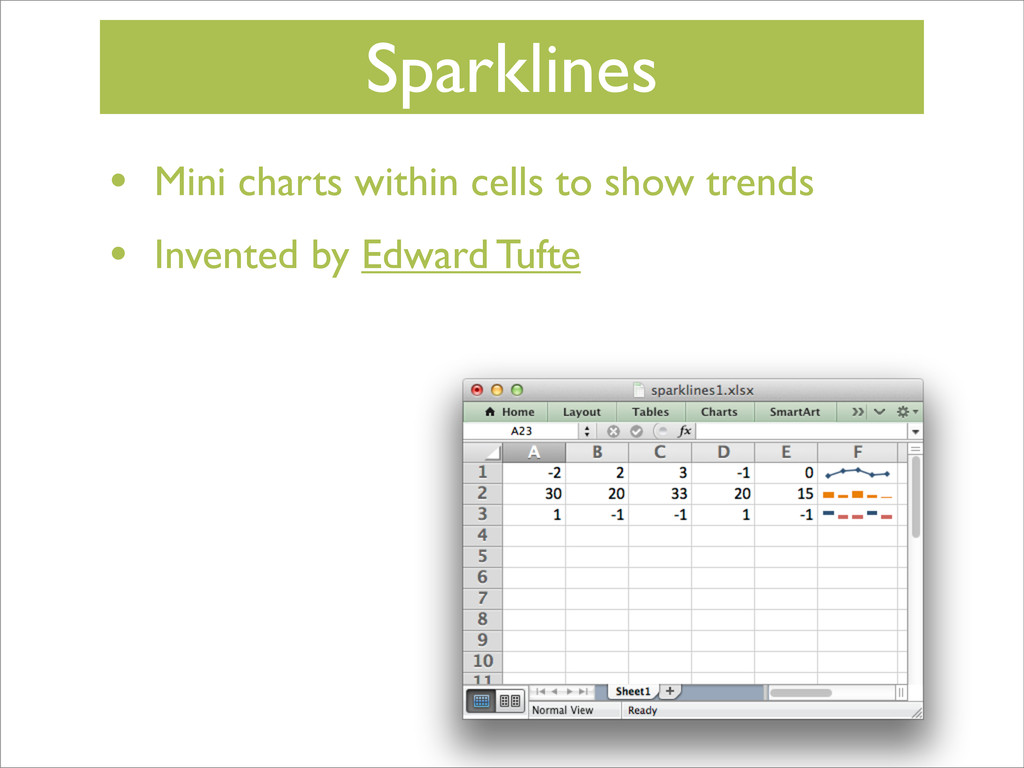
some but not all features • XlsxWriter adds support for: charts, autofilters, tables, data validation, merged cells, rich text, conditional formatting, defined names, images, cell comments, sparklines, outlines -
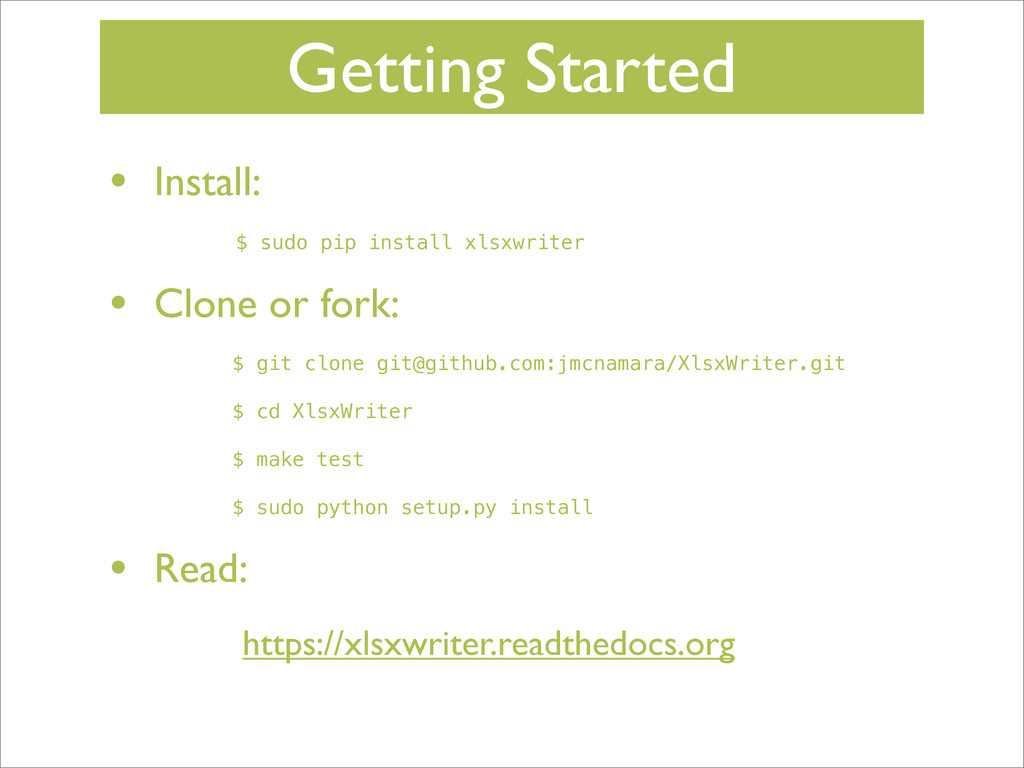
Getting Started • Install: $ sudo pip install xlsxwriter •
Clone or fork: $ git clone [email protected]:jmcnamara/XlsxWriter.git $ cd XlsxWriter $ make test $ sudo python setup.py install • Read: https://xlsxwriter.readthedocs.org -
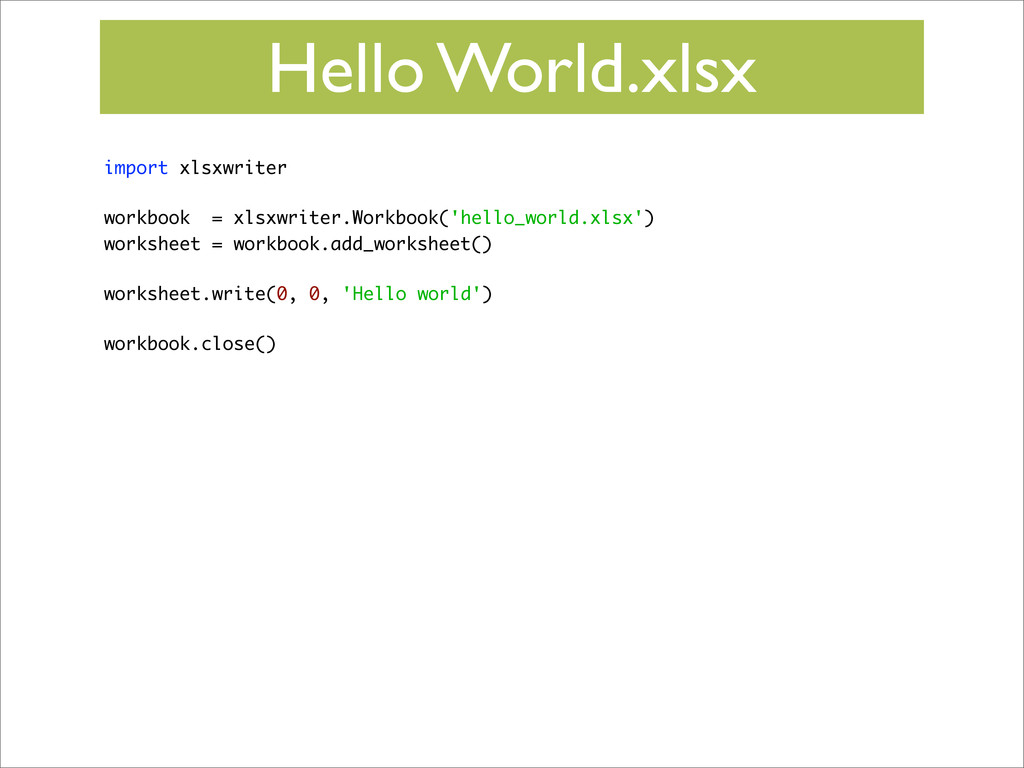
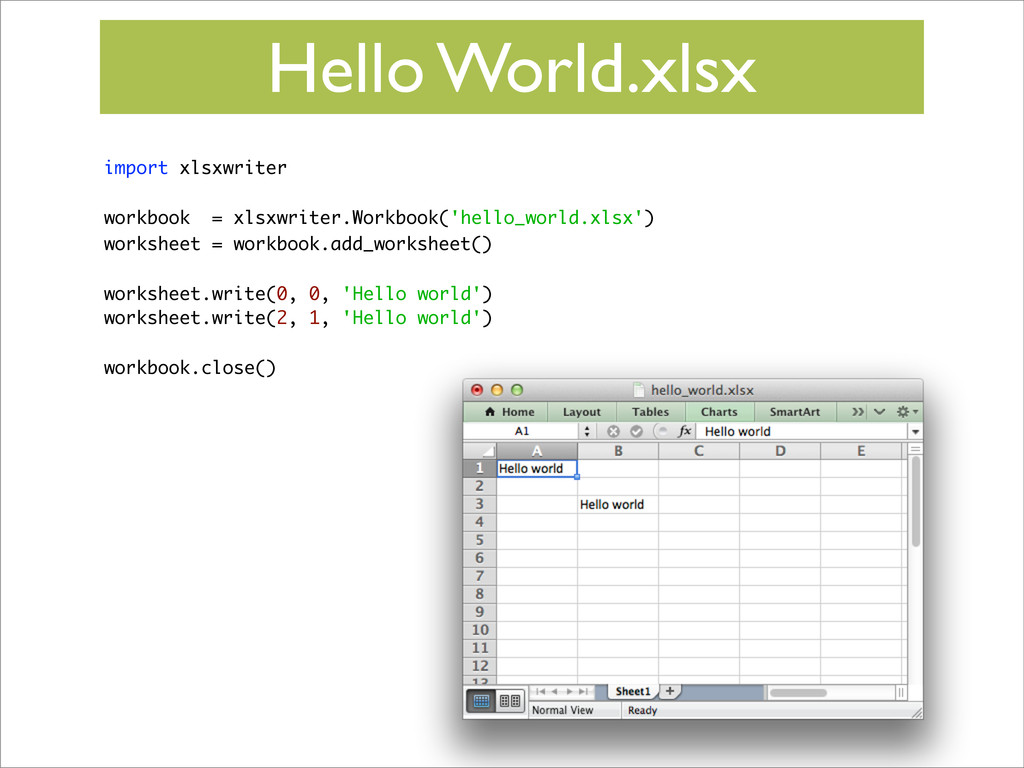
Hello World.xlsx import xlsxwriter workbook = xlsxwriter.Workbook('hello_world.xlsx') worksheet = workbook.add_worksheet()
worksheet.write(0, 0, 'Hello world') workbook.close() -
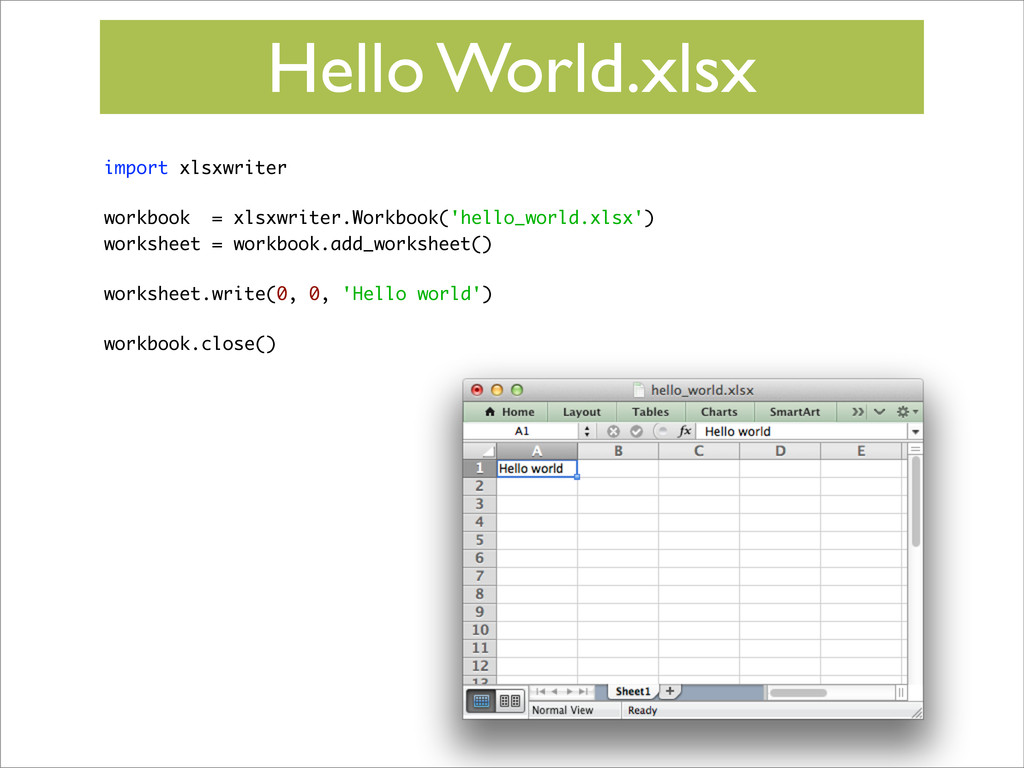
Hello World.xlsx import xlsxwriter workbook = xlsxwriter.Workbook('hello_world.xlsx') worksheet = workbook.add_worksheet()
worksheet.write(0, 0, 'Hello world') workbook.close() -
Hello World.xlsx import xlsxwriter workbook = xlsxwriter.Workbook('hello_world.xlsx') worksheet = workbook.add_worksheet()
worksheet.write(0, 0, 'Hello world') worksheet.write(2, 1, 'Hello world') workbook.close() -
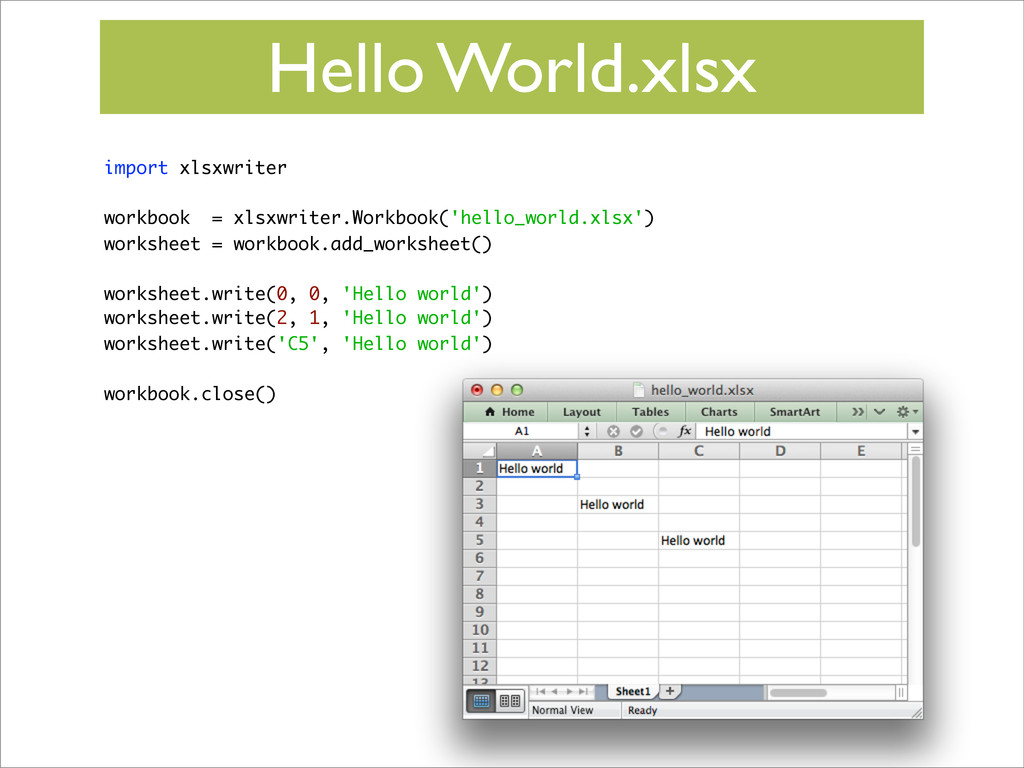
Hello World.xlsx import xlsxwriter workbook = xlsxwriter.Workbook('hello_world.xlsx') worksheet = workbook.add_worksheet()
worksheet.write(0, 0, 'Hello world') worksheet.write(2, 1, 'Hello world') worksheet.write('C5', 'Hello world') workbook.close() -
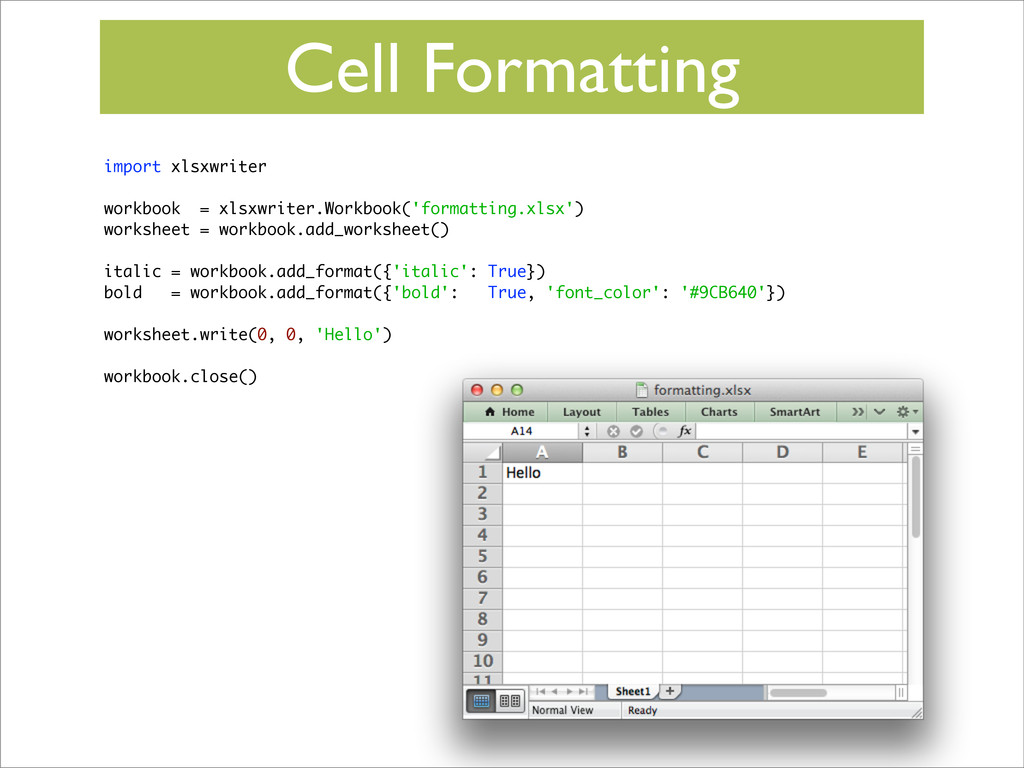
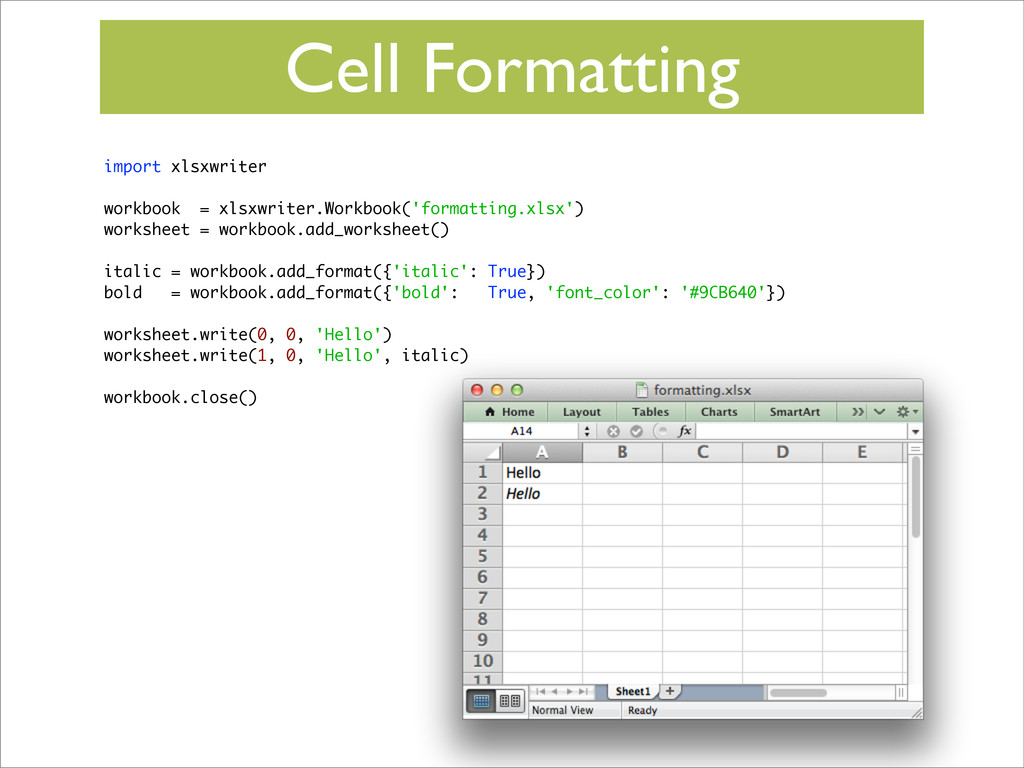
Cell Formatting import xlsxwriter workbook = xlsxwriter.Workbook('formatting.xlsx') worksheet = workbook.add_worksheet()
italic = workbook.add_format({'italic': True}) bold = workbook.add_format({'bold': True, 'font_color': '#9CB640'}) worksheet.write(0, 0, 'Hello') workbook.close() -
Cell Formatting import xlsxwriter workbook = xlsxwriter.Workbook('formatting.xlsx') worksheet = workbook.add_worksheet()
italic = workbook.add_format({'italic': True}) bold = workbook.add_format({'bold': True, 'font_color': '#9CB640'}) worksheet.write(0, 0, 'Hello') worksheet.write(1, 0, 'Hello', italic) workbook.close() -
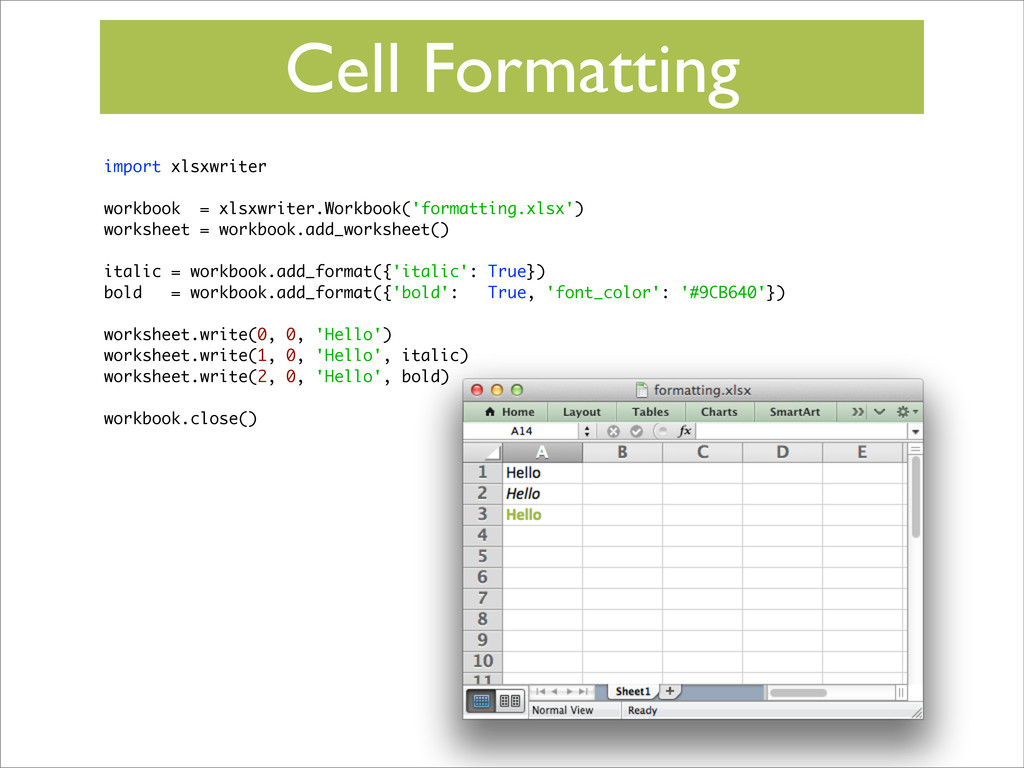
Cell Formatting import xlsxwriter workbook = xlsxwriter.Workbook('formatting.xlsx') worksheet = workbook.add_worksheet()
italic = workbook.add_format({'italic': True}) bold = workbook.add_format({'bold': True, 'font_color': '#9CB640'}) worksheet.write(0, 0, 'Hello') worksheet.write(1, 0, 'Hello', italic) worksheet.write(2, 0, 'Hello', bold) workbook.close() -
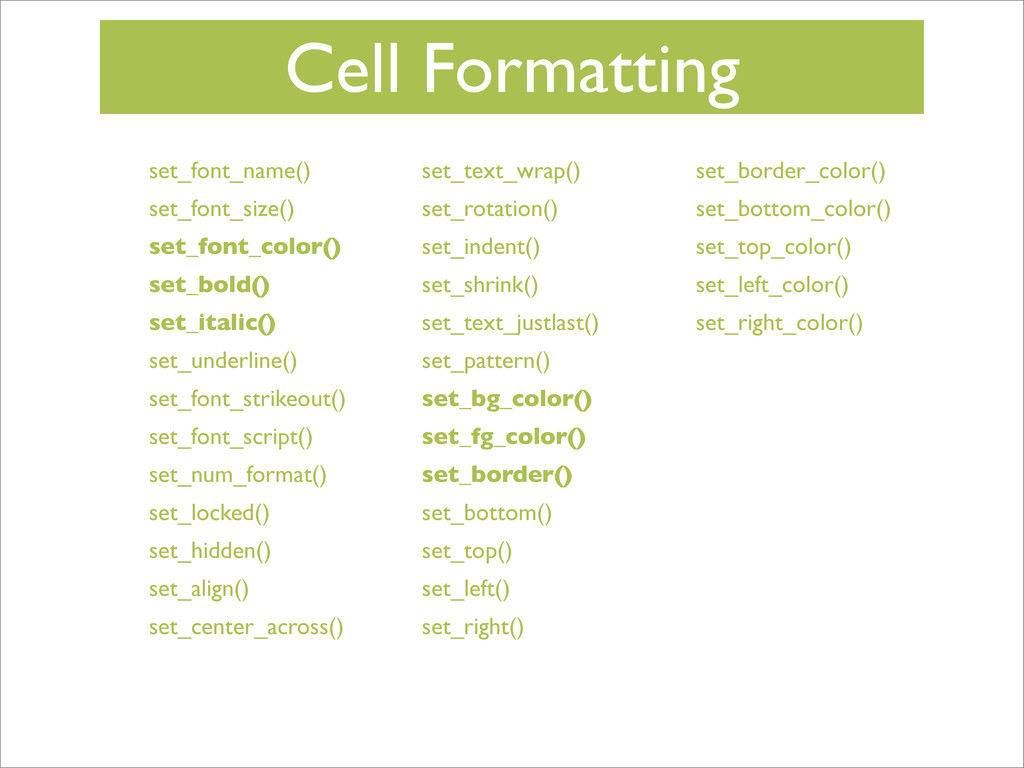
Cell Formatting set_font_name() set_font_size() set_font_color() set_bold() set_italic() set_underline() set_font_strikeout() set_font_script()
set_num_format() set_locked() set_hidden() set_align() set_center_across() set_text_wrap() set_rotation() set_indent() set_shrink() set_text_justlast() set_pattern() set_bg_color() set_fg_color() set_border() set_bottom() set_top() set_left() set_right() set_border_color() set_bottom_color() set_top_color() set_left_color() set_right_color() -
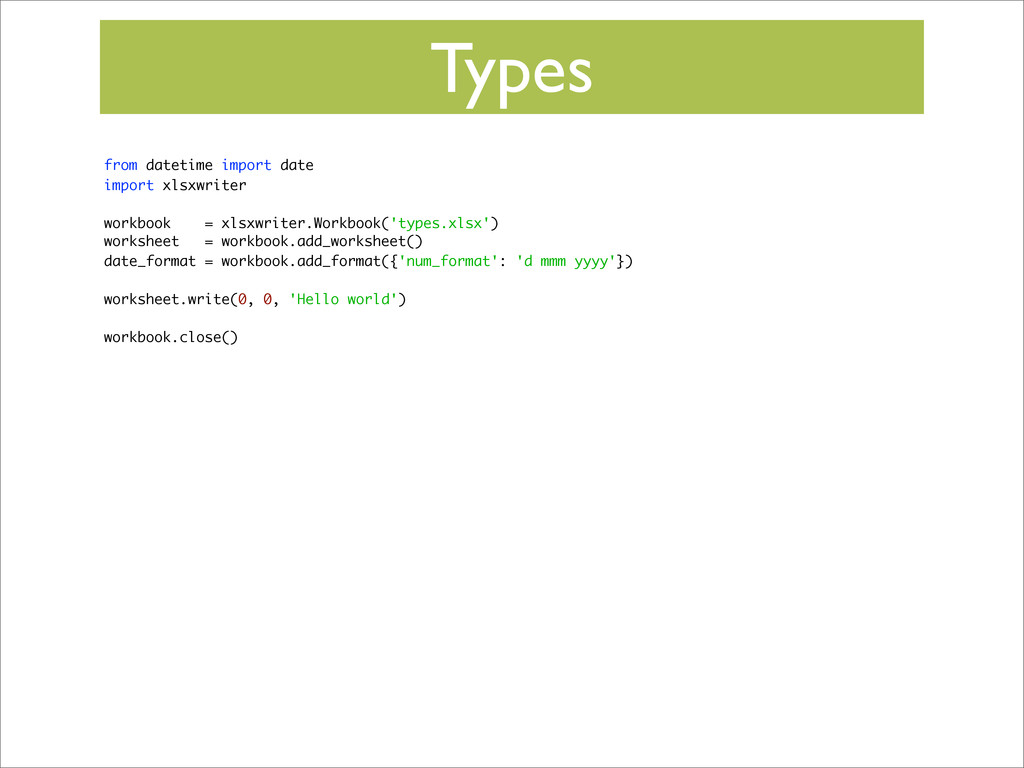
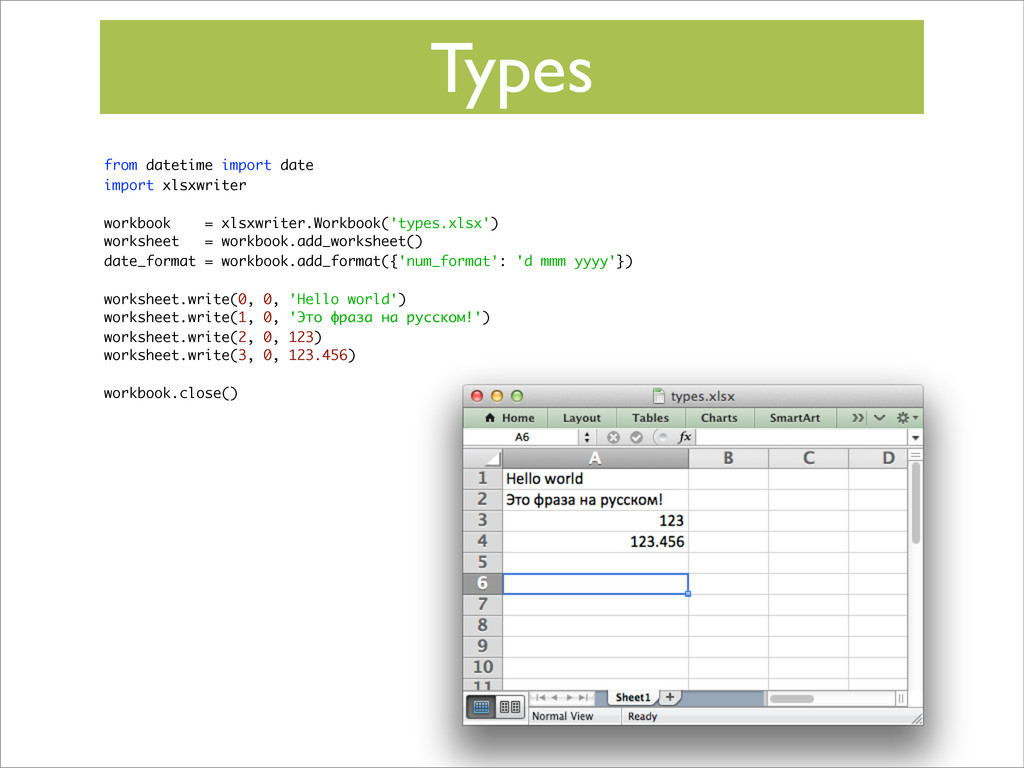
Types from datetime import date import xlsxwriter workbook = xlsxwriter.Workbook('types.xlsx')
worksheet = workbook.add_worksheet() date_format = workbook.add_format({'num_format': 'd mmm yyyy'}) worksheet.write(0, 0, 'Hello world') workbook.close() -
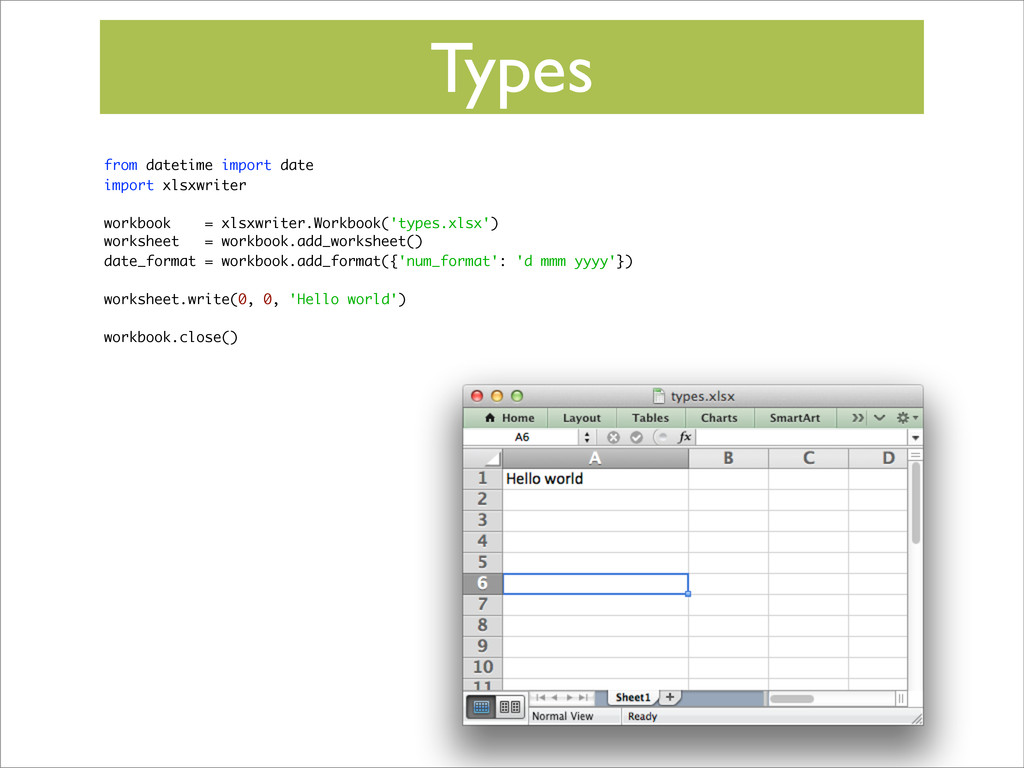
Types from datetime import date import xlsxwriter workbook = xlsxwriter.Workbook('types.xlsx')
worksheet = workbook.add_worksheet() date_format = workbook.add_format({'num_format': 'd mmm yyyy'}) worksheet.write(0, 0, 'Hello world') workbook.close() -
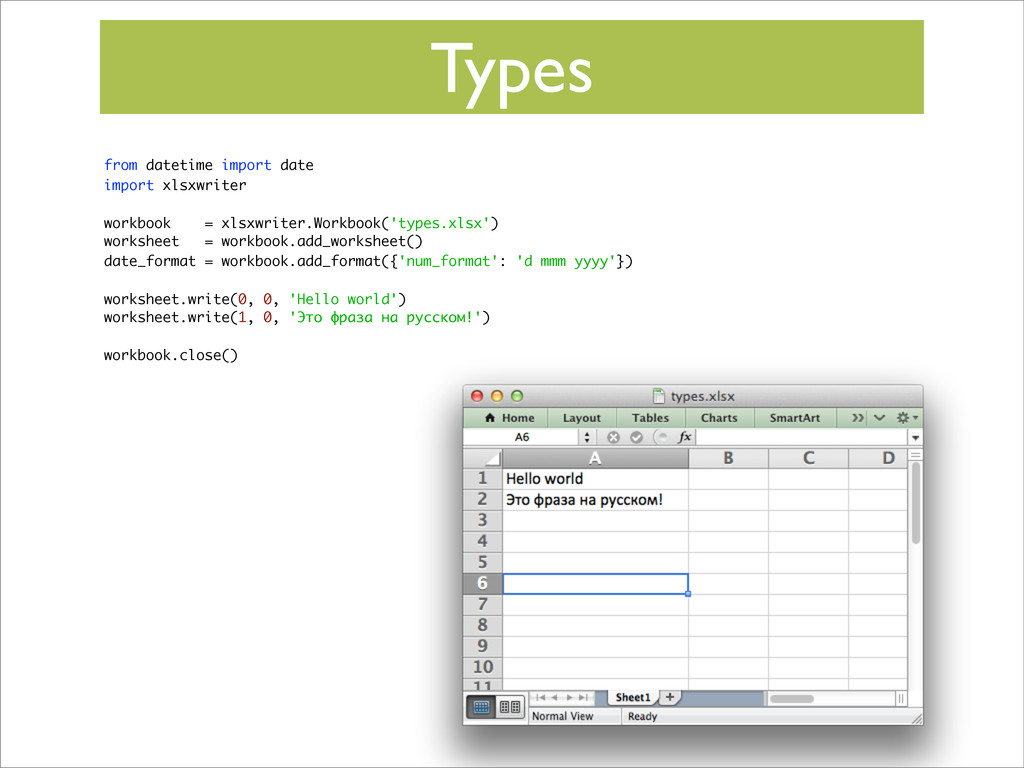
Types from datetime import date import xlsxwriter workbook = xlsxwriter.Workbook('types.xlsx')
worksheet = workbook.add_worksheet() date_format = workbook.add_format({'num_format': 'd mmm yyyy'}) worksheet.write(0, 0, 'Hello world') worksheet.write(1, 0, 'Это фраза на русском!') workbook.close() -
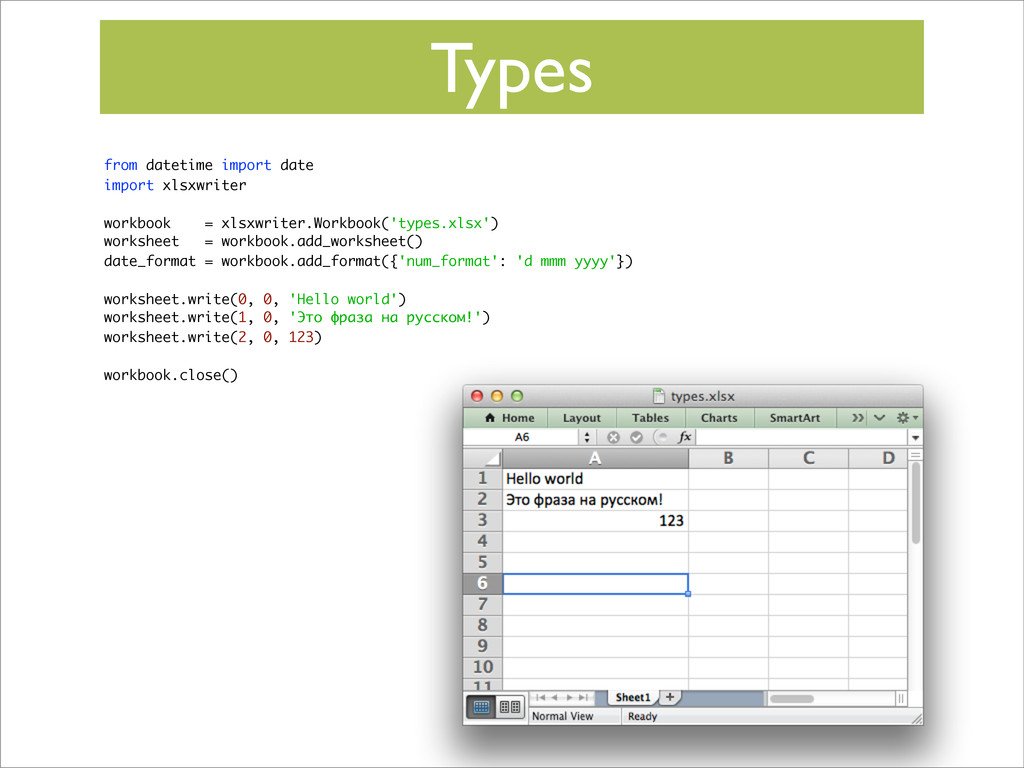
Types from datetime import date import xlsxwriter workbook = xlsxwriter.Workbook('types.xlsx')
worksheet = workbook.add_worksheet() date_format = workbook.add_format({'num_format': 'd mmm yyyy'}) worksheet.write(0, 0, 'Hello world') worksheet.write(1, 0, 'Это фраза на русском!') worksheet.write(2, 0, 123) workbook.close() -
Types from datetime import date import xlsxwriter workbook = xlsxwriter.Workbook('types.xlsx')
worksheet = workbook.add_worksheet() date_format = workbook.add_format({'num_format': 'd mmm yyyy'}) worksheet.write(0, 0, 'Hello world') worksheet.write(1, 0, 'Это фраза на русском!') worksheet.write(2, 0, 123) worksheet.write(3, 0, 123.456) workbook.close() -
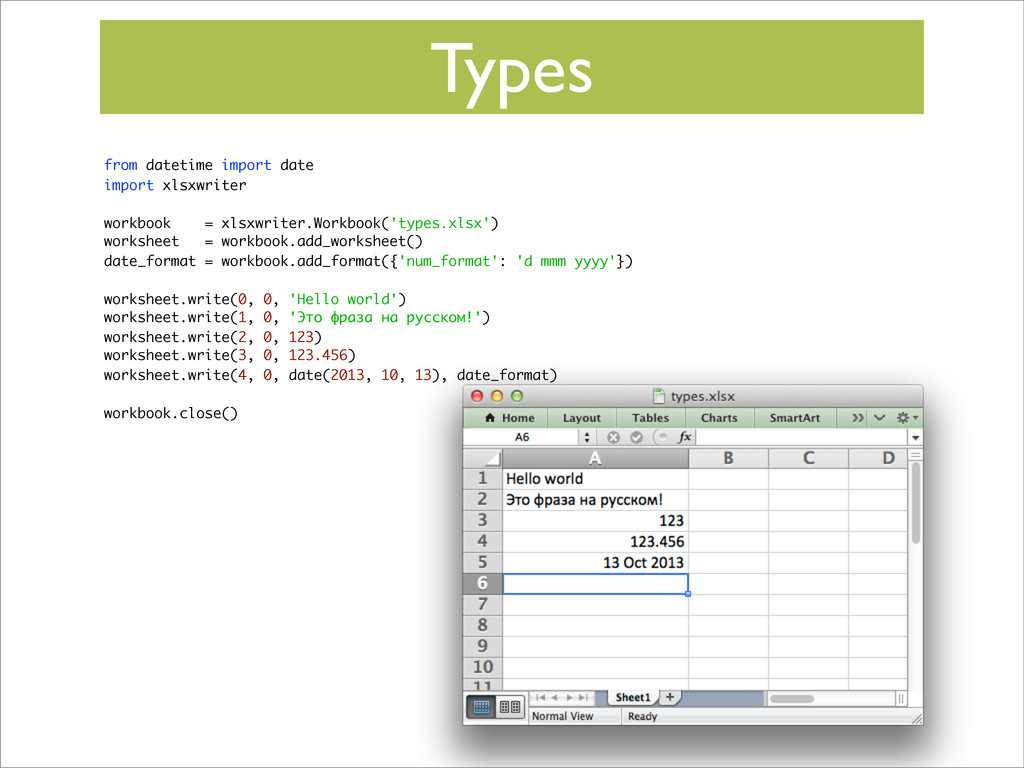
Types from datetime import date import xlsxwriter workbook = xlsxwriter.Workbook('types.xlsx')
worksheet = workbook.add_worksheet() date_format = workbook.add_format({'num_format': 'd mmm yyyy'}) worksheet.write(0, 0, 'Hello world') worksheet.write(1, 0, 'Это фраза на русском!') worksheet.write(2, 0, 123) worksheet.write(3, 0, 123.456) worksheet.write(4, 0, date(2013, 10, 13), date_format) workbook.close() -
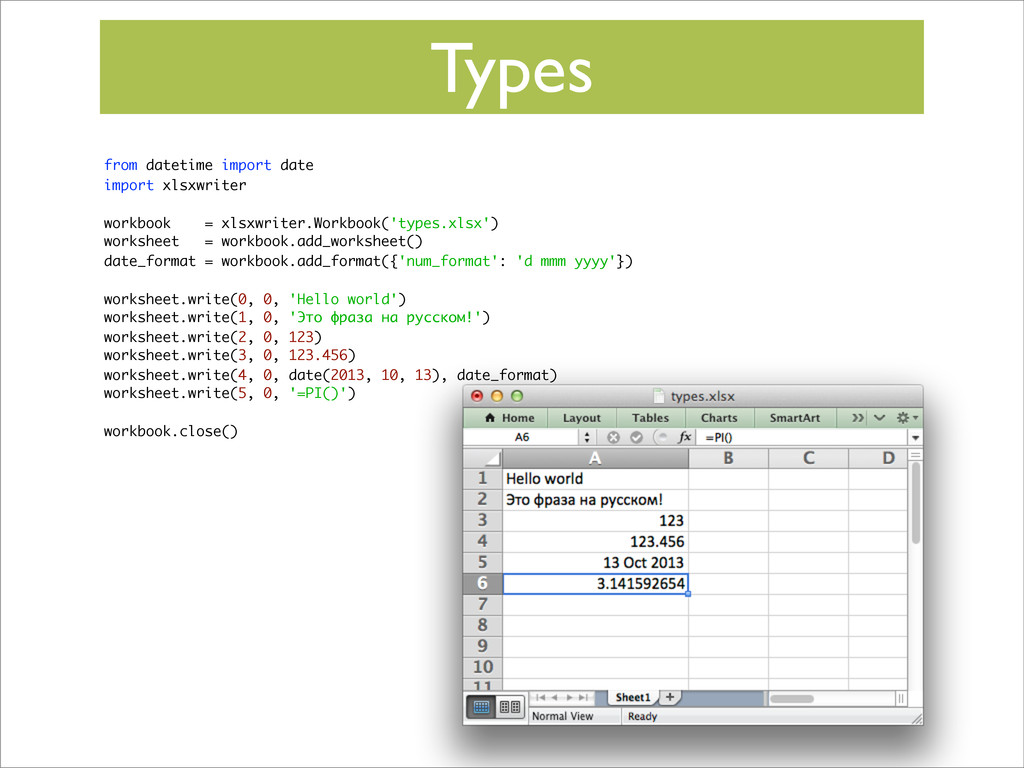
Types from datetime import date import xlsxwriter workbook = xlsxwriter.Workbook('types.xlsx')
worksheet = workbook.add_worksheet() date_format = workbook.add_format({'num_format': 'd mmm yyyy'}) worksheet.write(0, 0, 'Hello world') worksheet.write(1, 0, 'Это фраза на русском!') worksheet.write(2, 0, 123) worksheet.write(3, 0, 123.456) worksheet.write(4, 0, date(2013, 10, 13), date_format) worksheet.write(5, 0, '=PI()') workbook.close() -
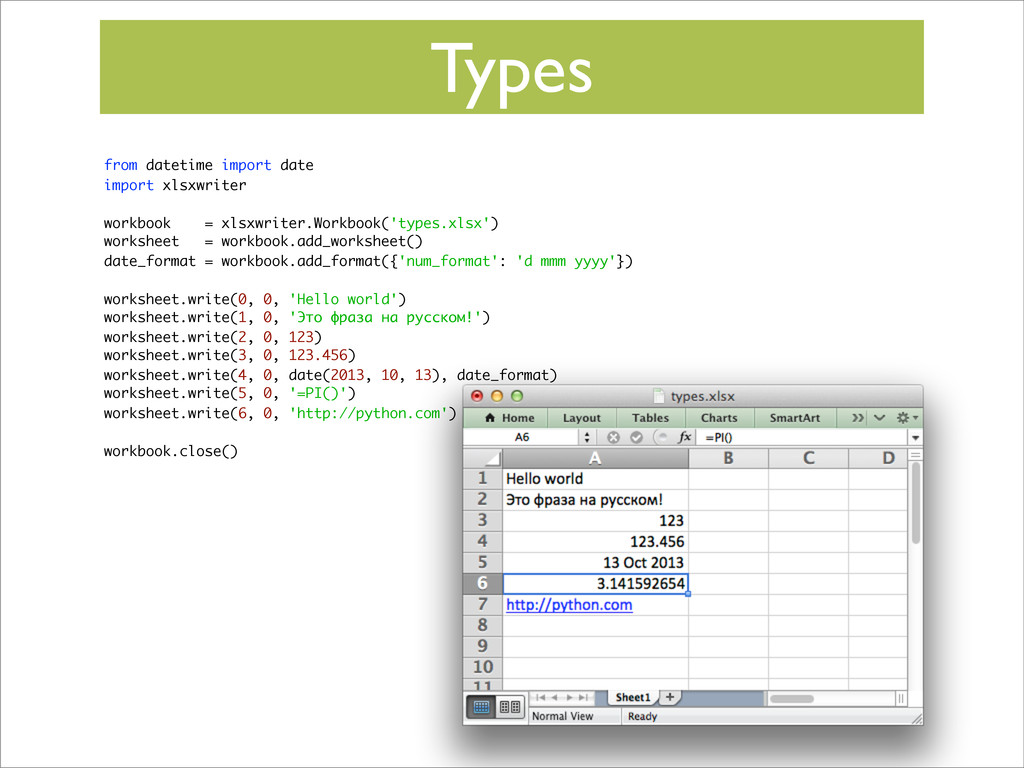
Types from datetime import date import xlsxwriter workbook = xlsxwriter.Workbook('types.xlsx')
worksheet = workbook.add_worksheet() date_format = workbook.add_format({'num_format': 'd mmm yyyy'}) worksheet.write(0, 0, 'Hello world') worksheet.write(1, 0, 'Это фраза на русском!') worksheet.write(2, 0, 123) worksheet.write(3, 0, 123.456) worksheet.write(4, 0, date(2013, 10, 13), date_format) worksheet.write(5, 0, '=PI()') worksheet.write(6, 0, 'http://python.com') workbook.close() -
Types from datetime import date import xlsxwriter workbook = xlsxwriter.Workbook('types.xlsx')
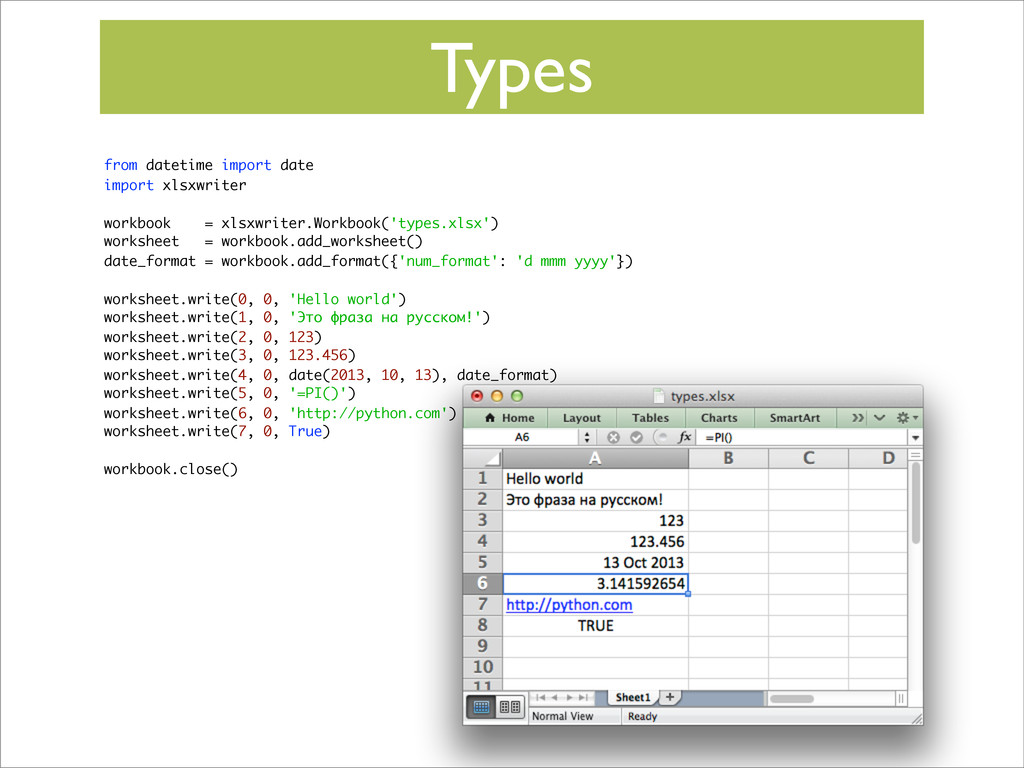
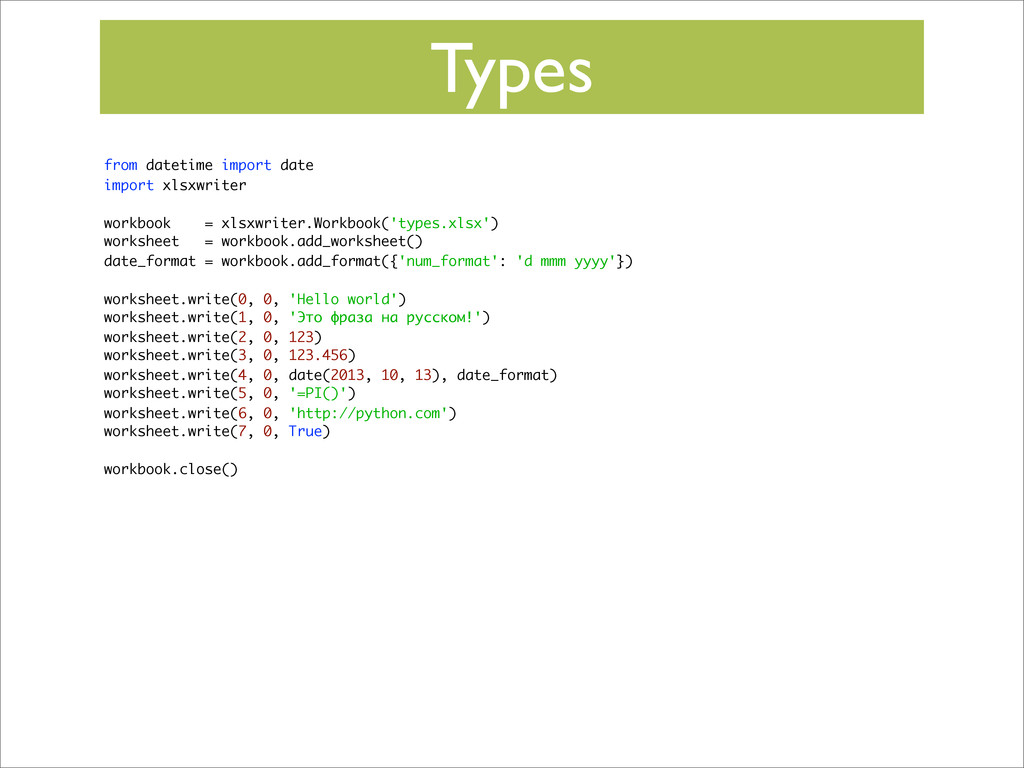
worksheet = workbook.add_worksheet() date_format = workbook.add_format({'num_format': 'd mmm yyyy'}) worksheet.write(0, 0, 'Hello world') worksheet.write(1, 0, 'Это фраза на русском!') worksheet.write(2, 0, 123) worksheet.write(3, 0, 123.456) worksheet.write(4, 0, date(2013, 10, 13), date_format) worksheet.write(5, 0, '=PI()') worksheet.write(6, 0, 'http://python.com') worksheet.write(7, 0, True) workbook.close() -
Types from datetime import date import xlsxwriter workbook = xlsxwriter.Workbook('types.xlsx')
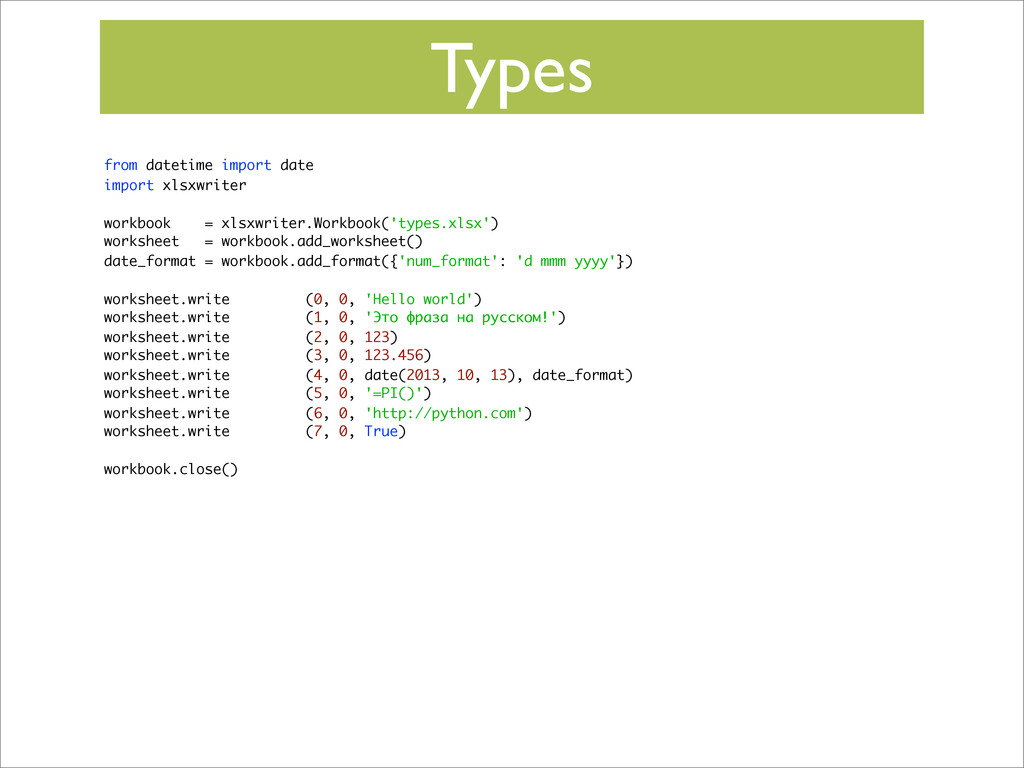
worksheet = workbook.add_worksheet() date_format = workbook.add_format({'num_format': 'd mmm yyyy'}) worksheet.write (0, 0, 'Hello world') worksheet.write (1, 0, 'Это фраза на русском!') worksheet.write (2, 0, 123) worksheet.write (3, 0, 123.456) worksheet.write (4, 0, date(2013, 10, 13), date_format) worksheet.write (5, 0, '=PI()') worksheet.write (6, 0, 'http://python.com') worksheet.write (7, 0, True) workbook.close() -
Types from datetime import date import xlsxwriter workbook = xlsxwriter.Workbook('types.xlsx')
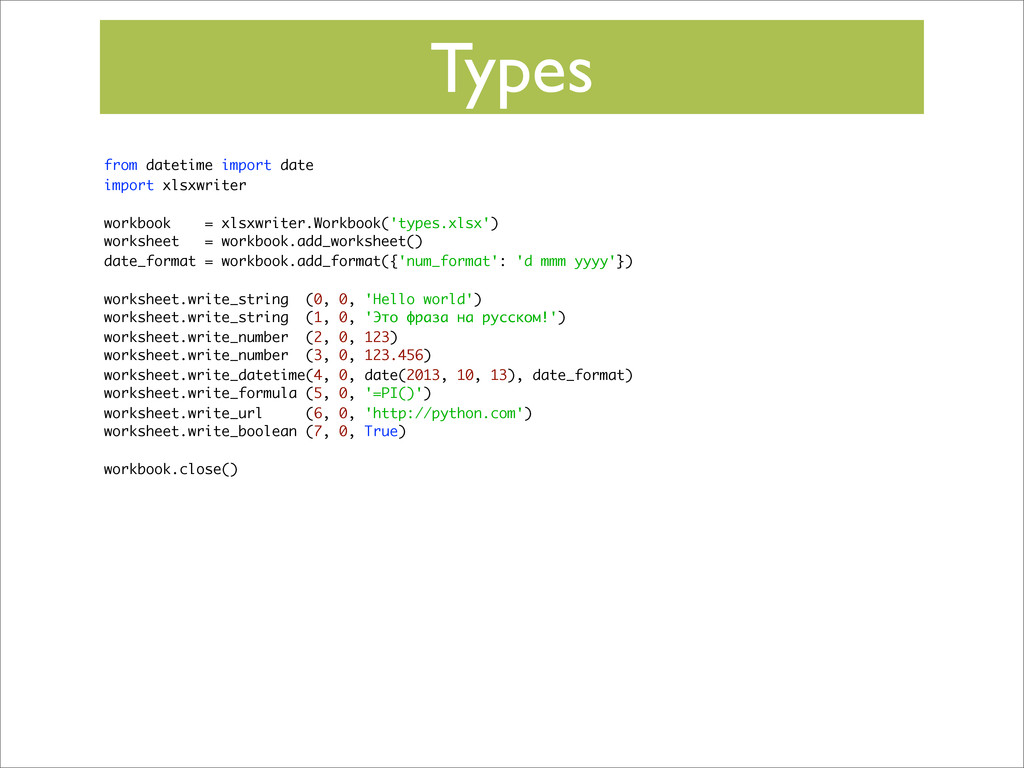
worksheet = workbook.add_worksheet() date_format = workbook.add_format({'num_format': 'd mmm yyyy'}) worksheet.write_string (0, 0, 'Hello world') worksheet.write_string (1, 0, 'Это фраза на русском!') worksheet.write_number (2, 0, 123) worksheet.write_number (3, 0, 123.456) worksheet.write_datetime(4, 0, date(2013, 10, 13), date_format) worksheet.write_formula (5, 0, '=PI()') worksheet.write_url (6, 0, 'http://python.com') worksheet.write_boolean (7, 0, True) workbook.close() -
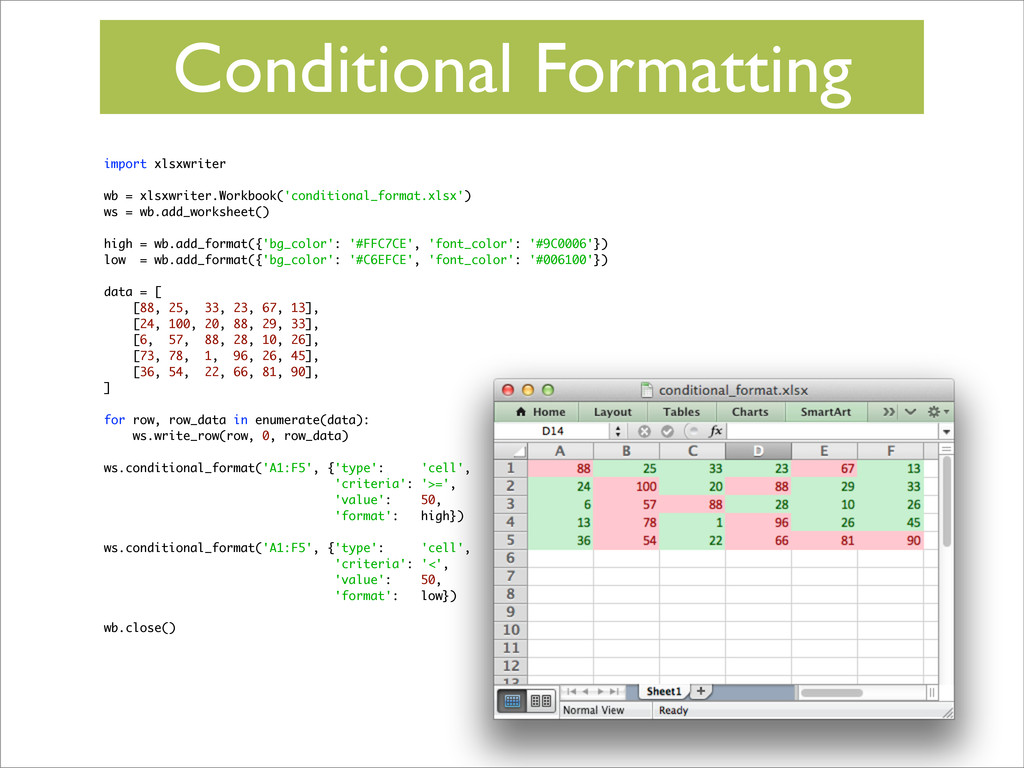
Conditional Formatting import xlsxwriter wb = xlsxwriter.Workbook('conditional_format.xlsx') ws = wb.add_worksheet()
high = wb.add_format({'bg_color': '#FFC7CE', 'font_color': '#9C0006'}) low = wb.add_format({'bg_color': '#C6EFCE', 'font_color': '#006100'}) data = [ [88, 25, 33, 23, 67, 13], [24, 100, 20, 88, 29, 33], [6, 57, 88, 28, 10, 26], [73, 78, 1, 96, 26, 45], [36, 54, 22, 66, 81, 90], ] for row, row_data in enumerate(data): ws.write_row(row, 0, row_data) ws.conditional_format('A1:F5', {'type': 'cell', 'criteria': '>=', 'value': 50, 'format': high}) ws.conditional_format('A1:F5', {'type': 'cell', 'criteria': '<', 'value': 50, 'format': low}) wb.close() -
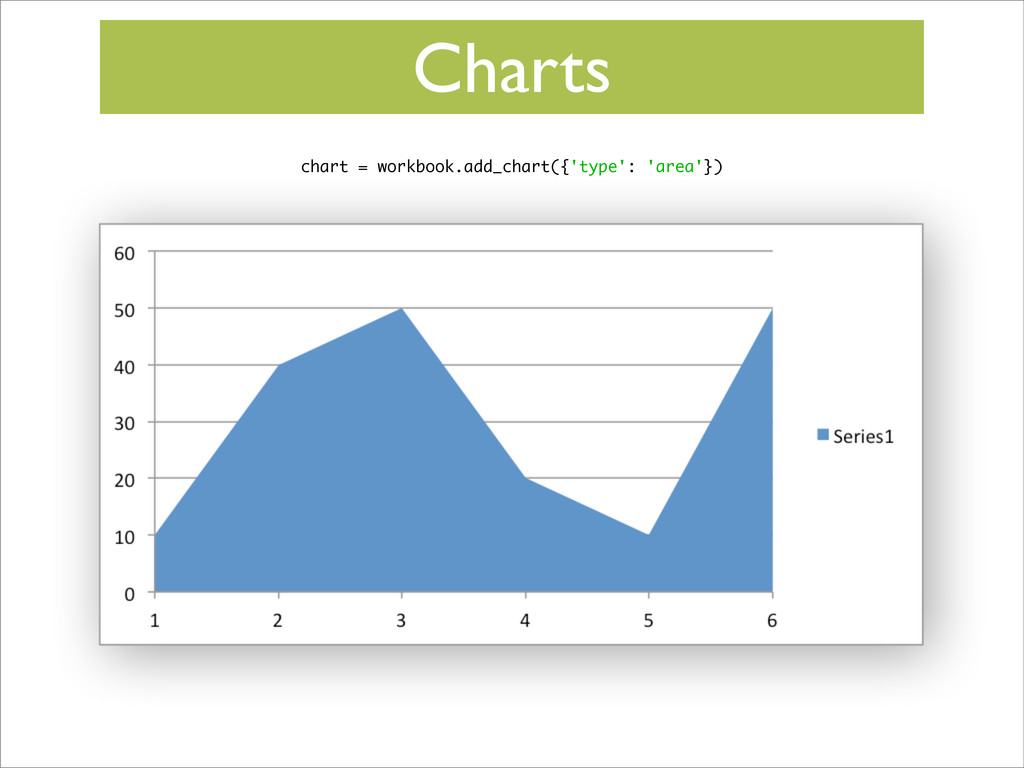
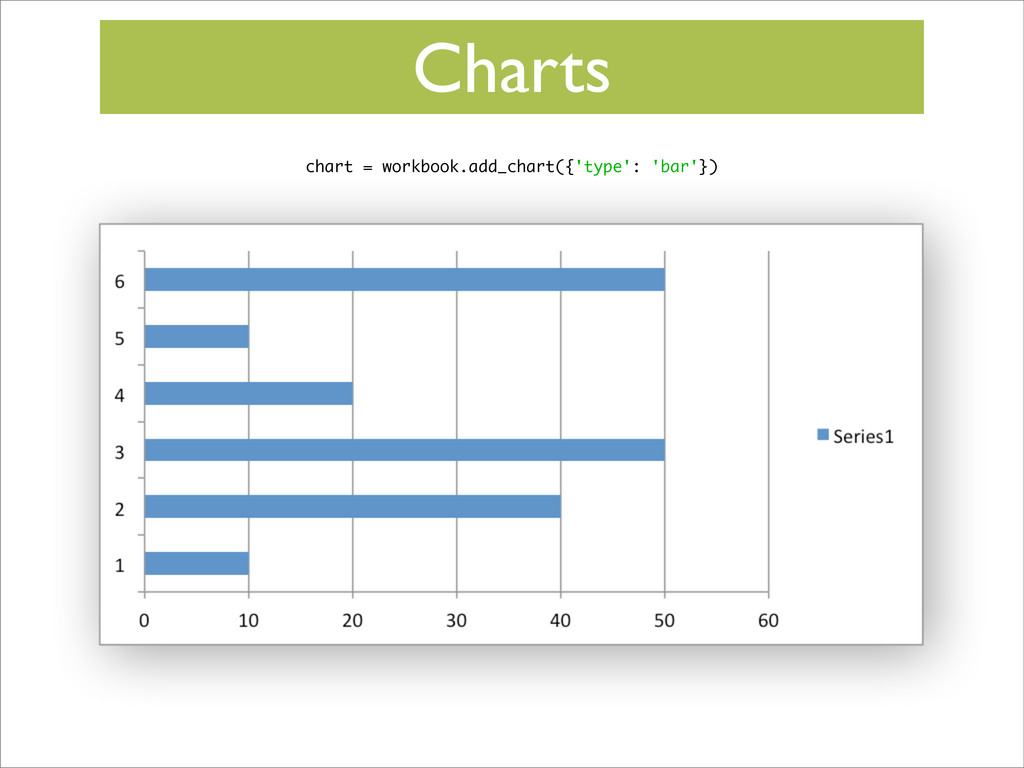
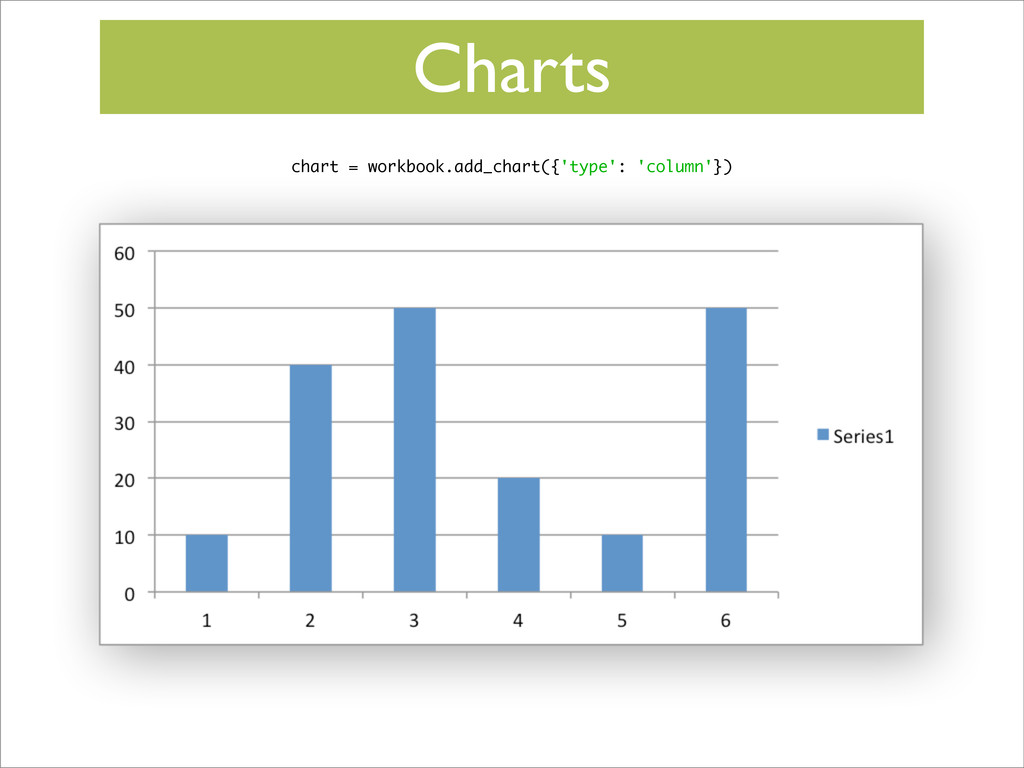
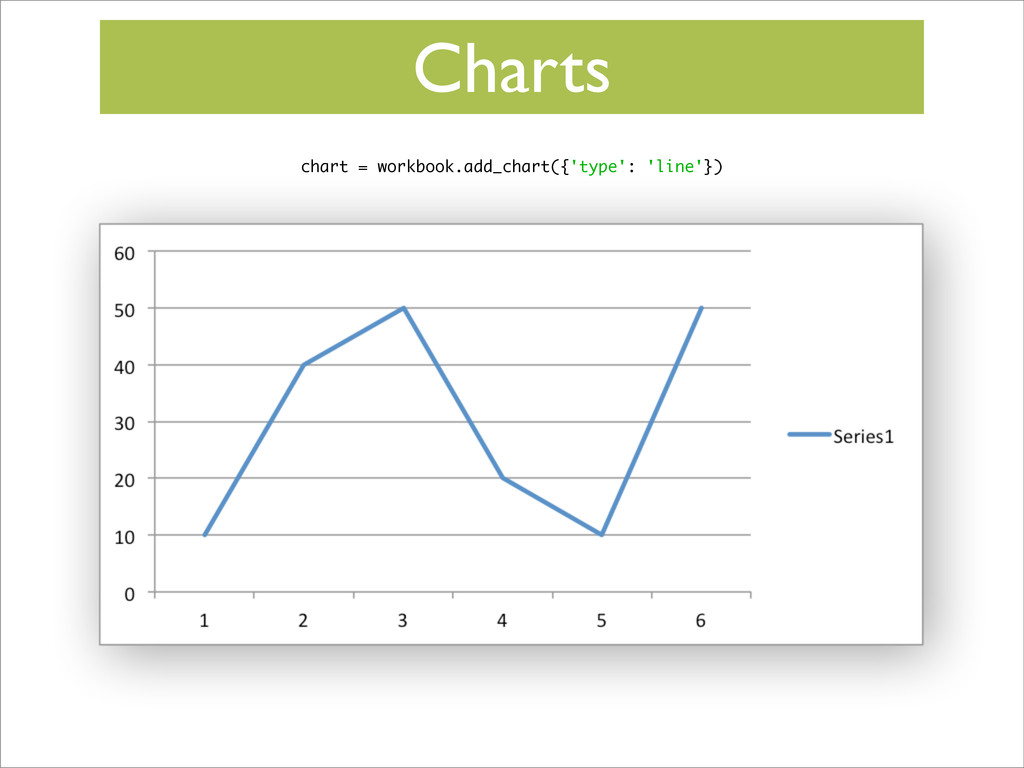
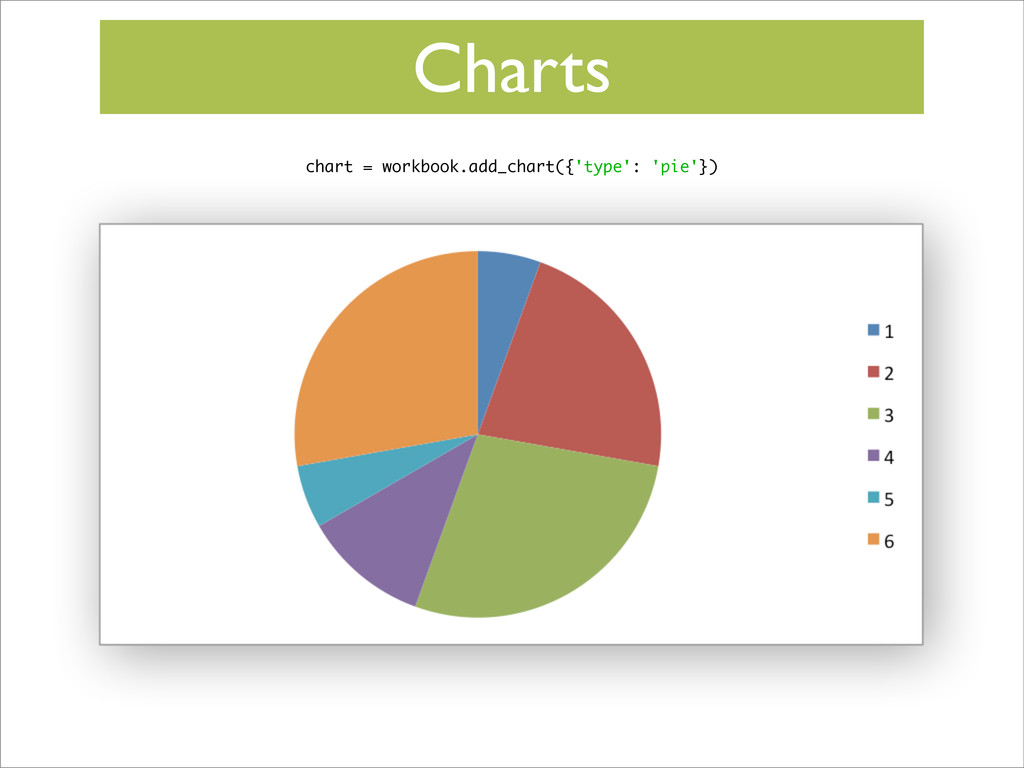
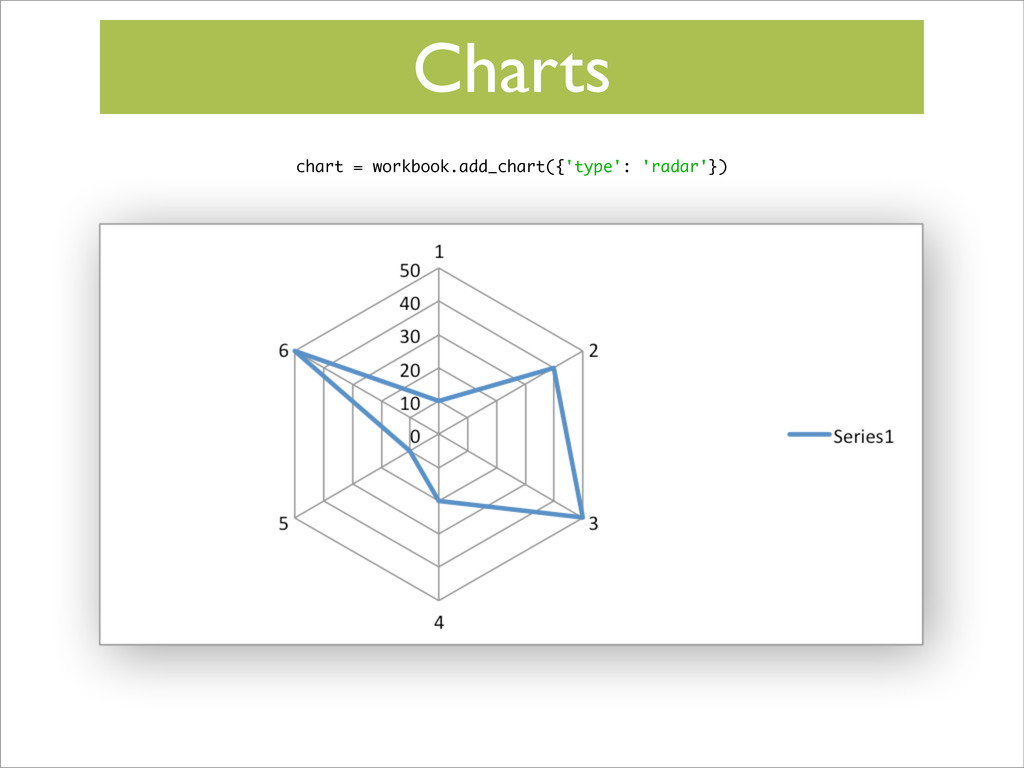
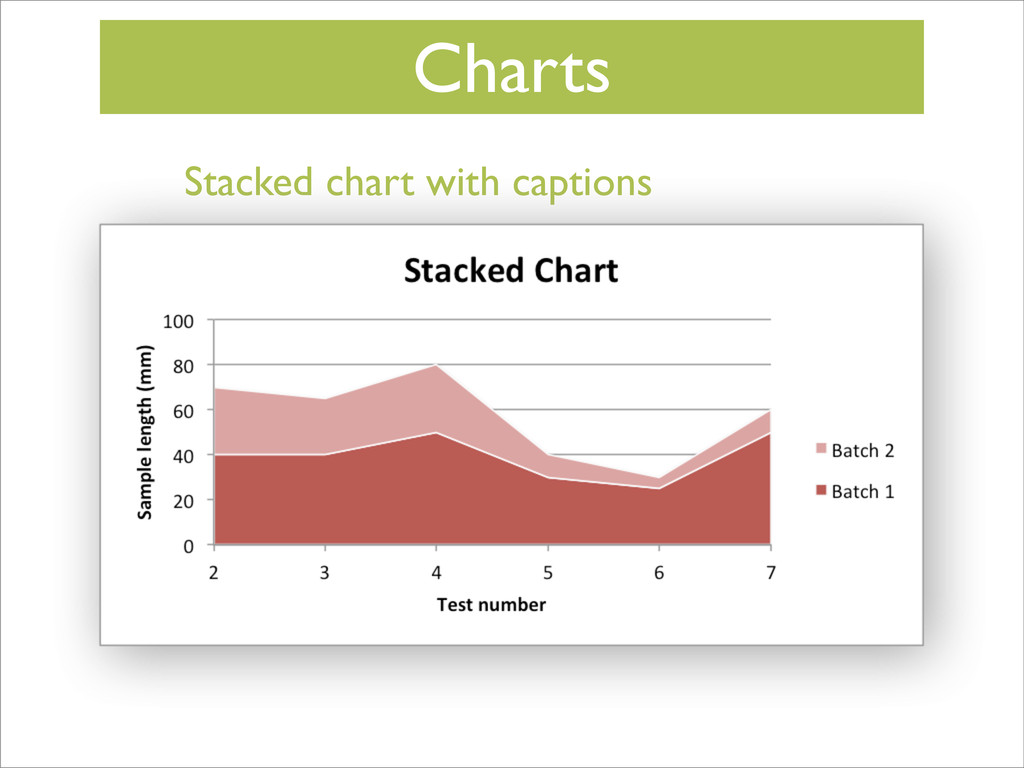
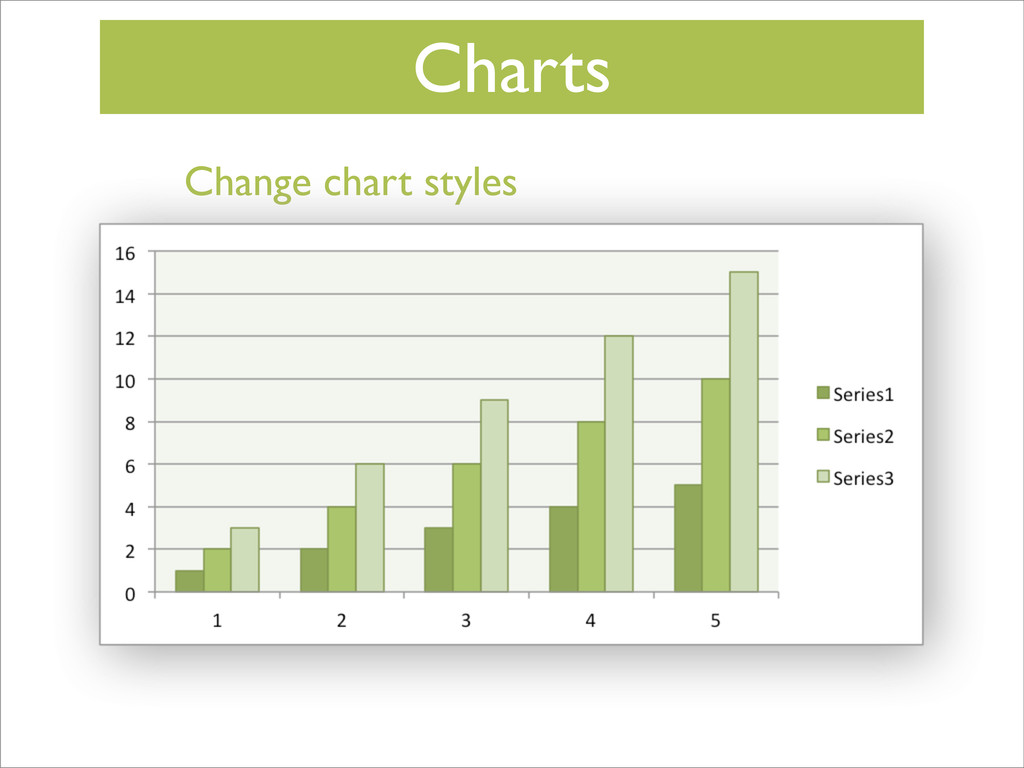
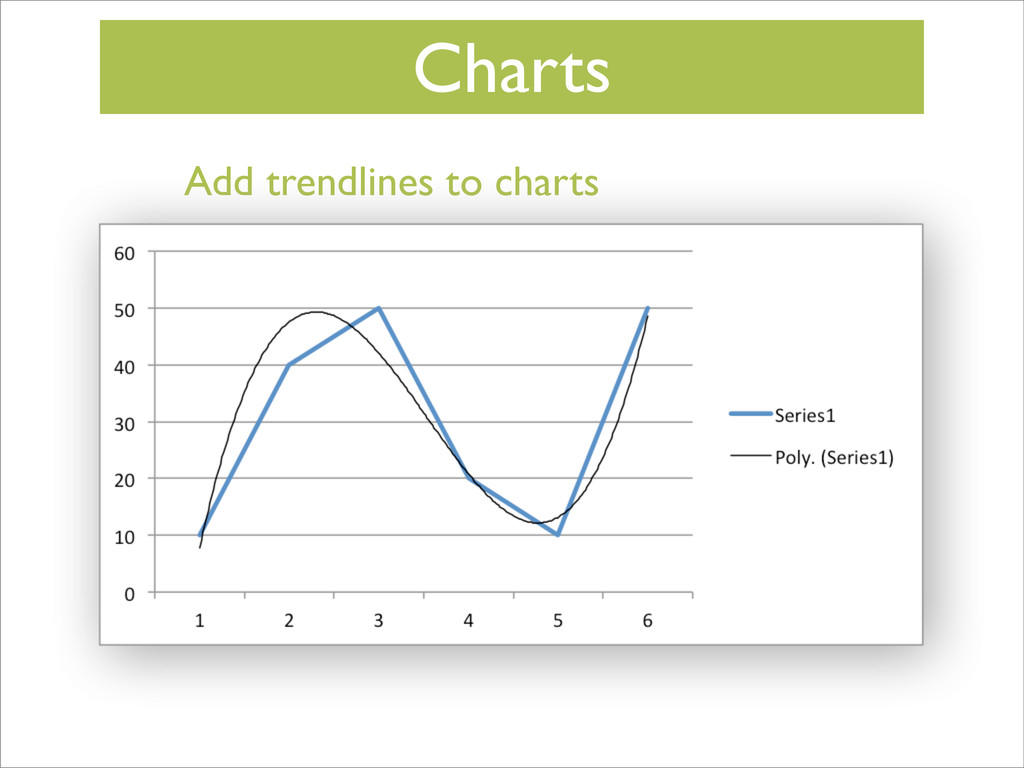
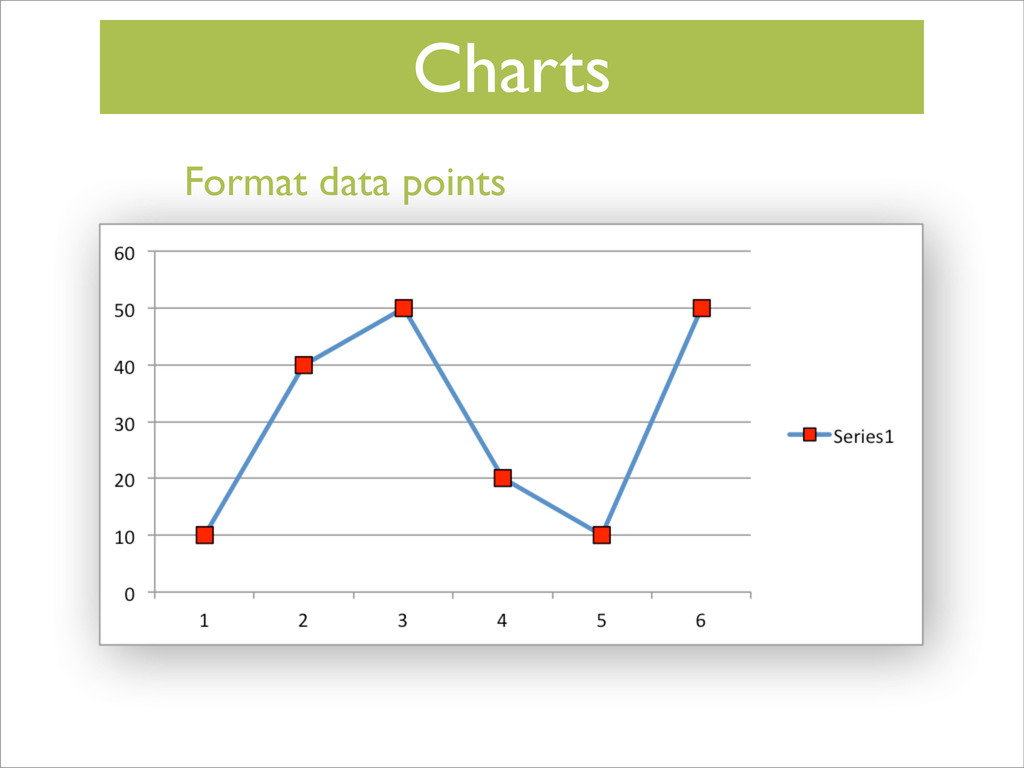
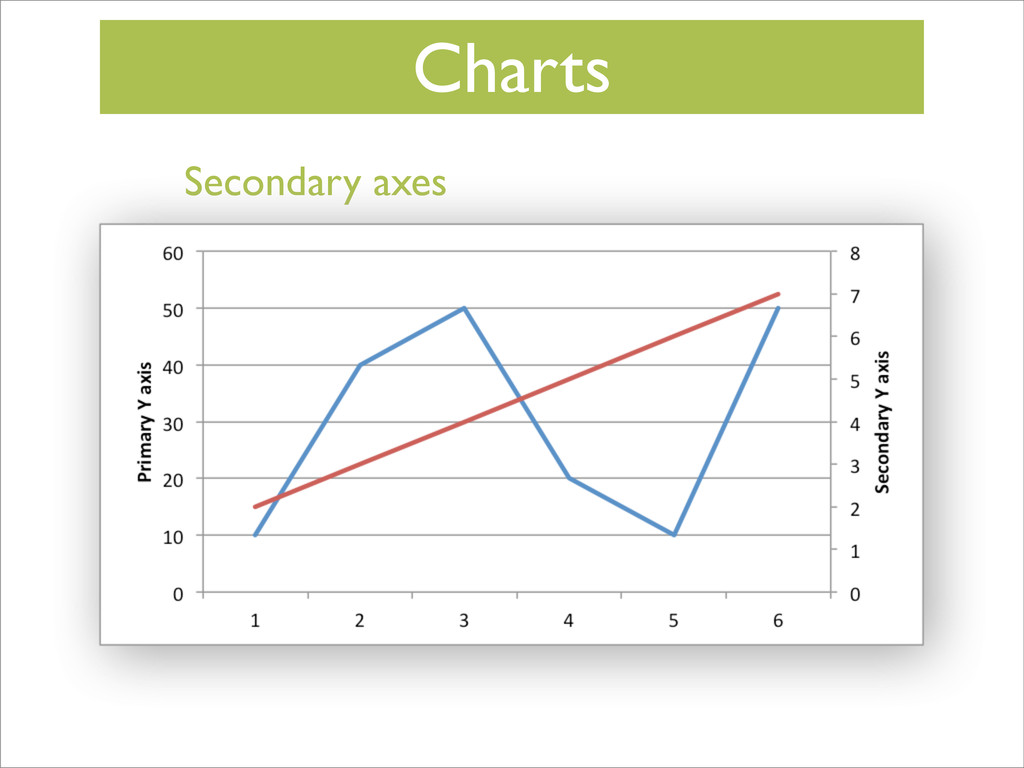
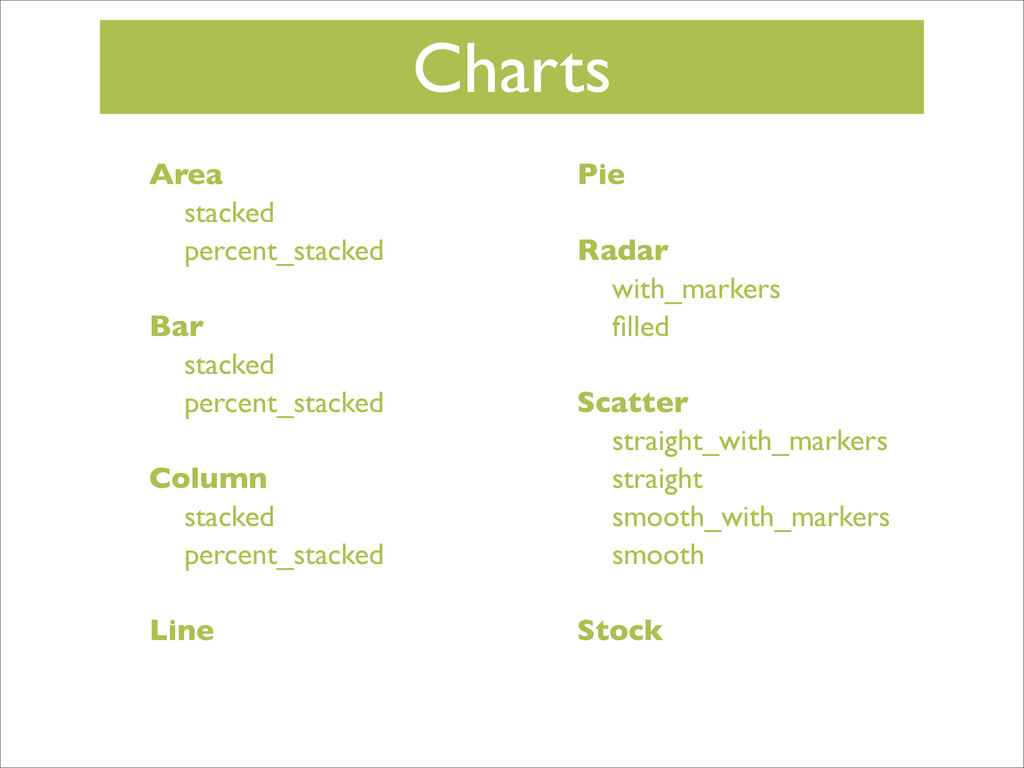
Charts Area stacked percent_stacked Bar stacked percent_stacked Column stacked percent_stacked
Line Pie Radar with_markers filled Scatter straight_with_markers straight smooth_with_markers smooth Stock -
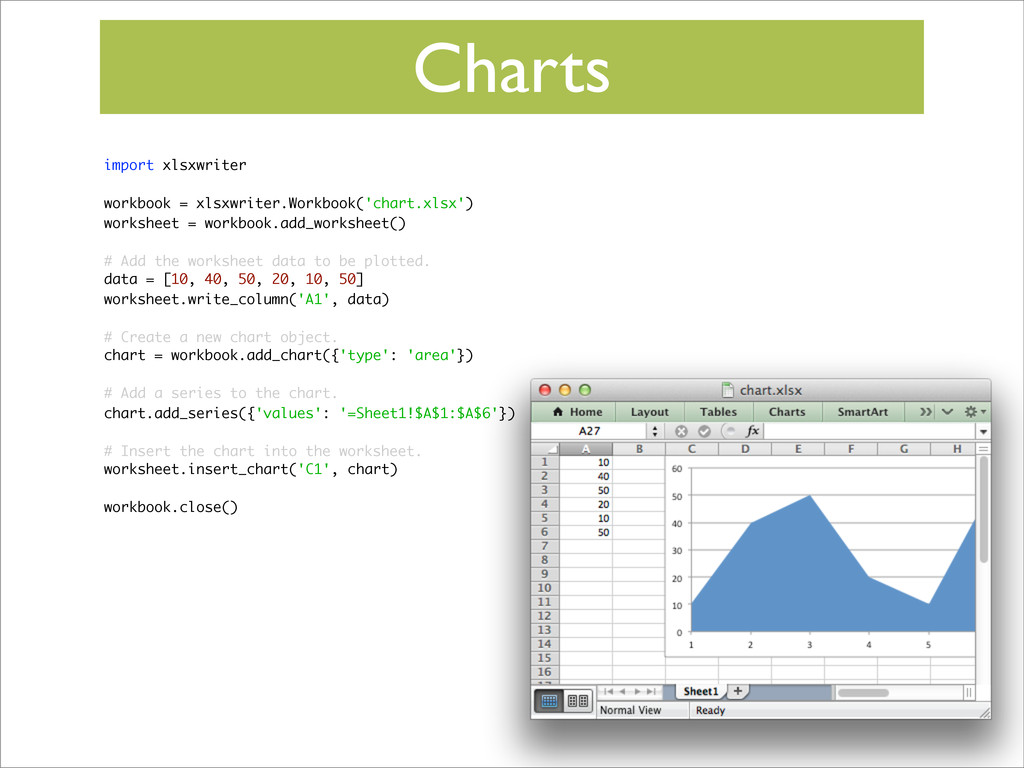
Charts import xlsxwriter workbook = xlsxwriter.Workbook('chart.xlsx') worksheet = workbook.add_worksheet() #
Add the worksheet data to be plotted. data = [10, 40, 50, 20, 10, 50] worksheet.write_column('A1', data) # Create a new chart object. chart = workbook.add_chart({'type': 'area'}) # Add a series to the chart. chart.add_series({'values': '=Sheet1!$A$1:$A$6'}) # Insert the chart into the worksheet. worksheet.insert_chart('C1', chart) workbook.close() -
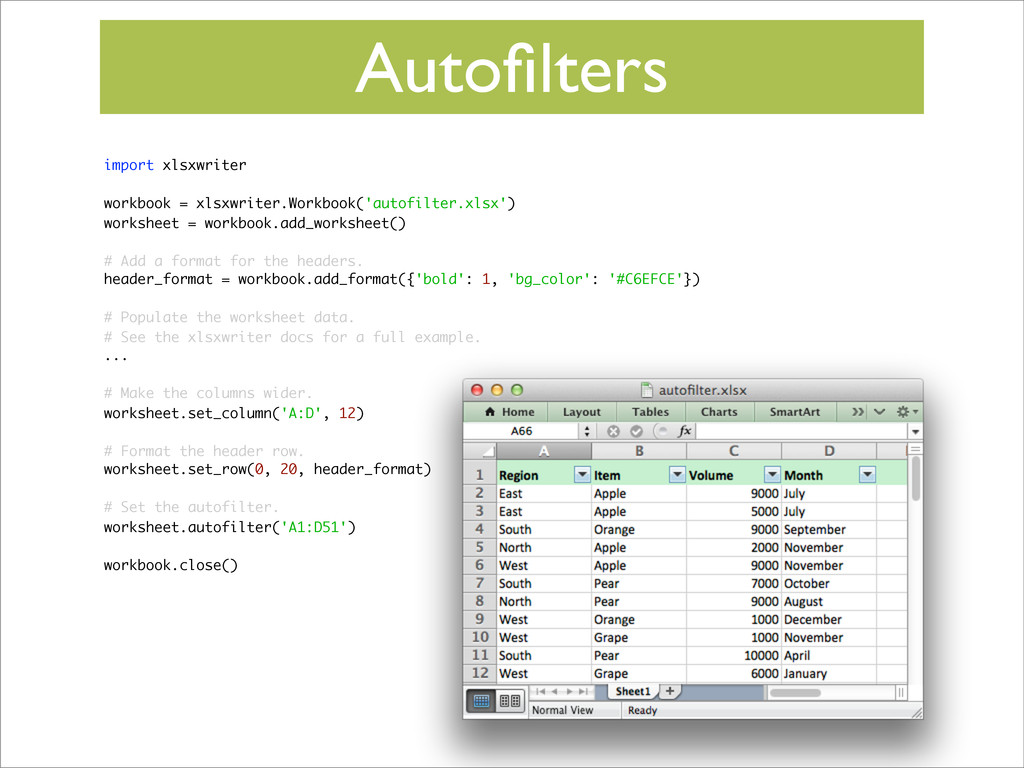
Autofilters import xlsxwriter workbook = xlsxwriter.Workbook('autofilter.xlsx') worksheet = workbook.add_worksheet() #
Add a format for the headers. header_format = workbook.add_format({'bold': 1, 'bg_color': '#C6EFCE'}) # Populate the worksheet data. # See the xlsxwriter docs for a full example. ... # Make the columns wider. worksheet.set_column('A:D', 12) # Format the header row. worksheet.set_row(0, 20, header_format) # Set the autofilter. worksheet.autofilter('A1:D51') workbook.close() -
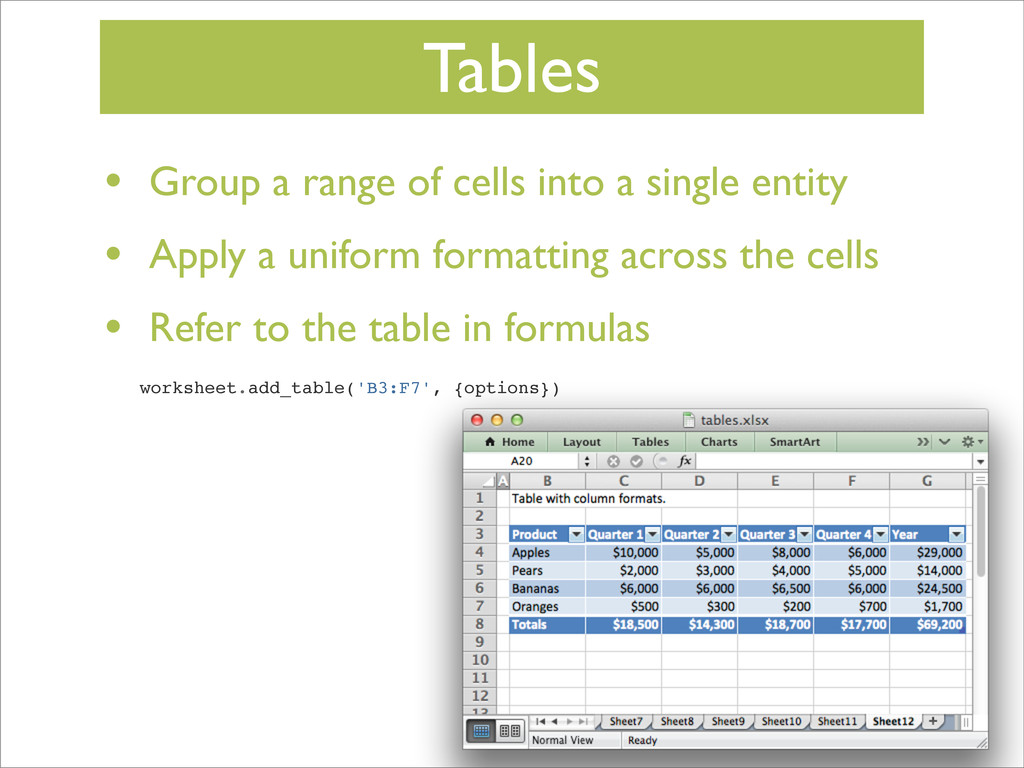
Tables • Group a range of cells into a single
entity • Apply a uniform formatting across the cells • Refer to the table in formulas worksheet.add_table('B3:F7', {options}) -
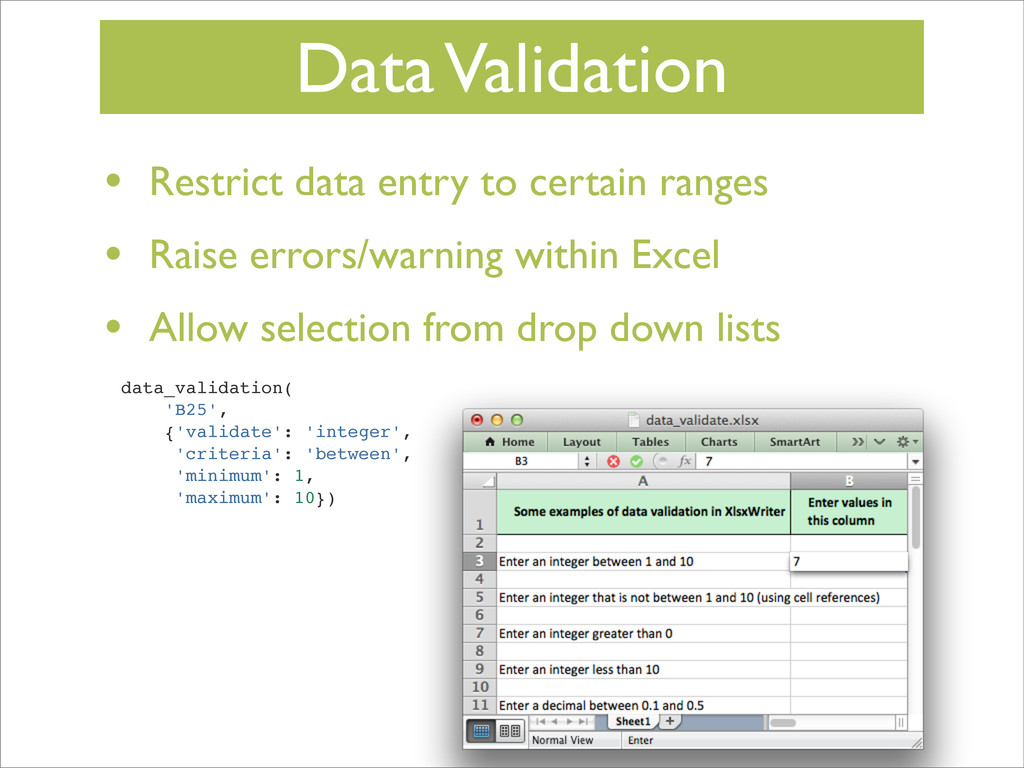
Data Validation • Restrict data entry to certain ranges •
Raise errors/warning within Excel • Allow selection from drop down lists data_validation( 'B25', {'validate': 'integer', 'criteria': 'between', 'minimum': 1, 'maximum': 10}) -
Sparklines • Mini charts within cells to show trends •
Invented by Edward Tufte -
Code All the Things! • Lots of features • Useful
when you need them • Ignore them when you don’t • Plenty of examples and documentation to get you started -
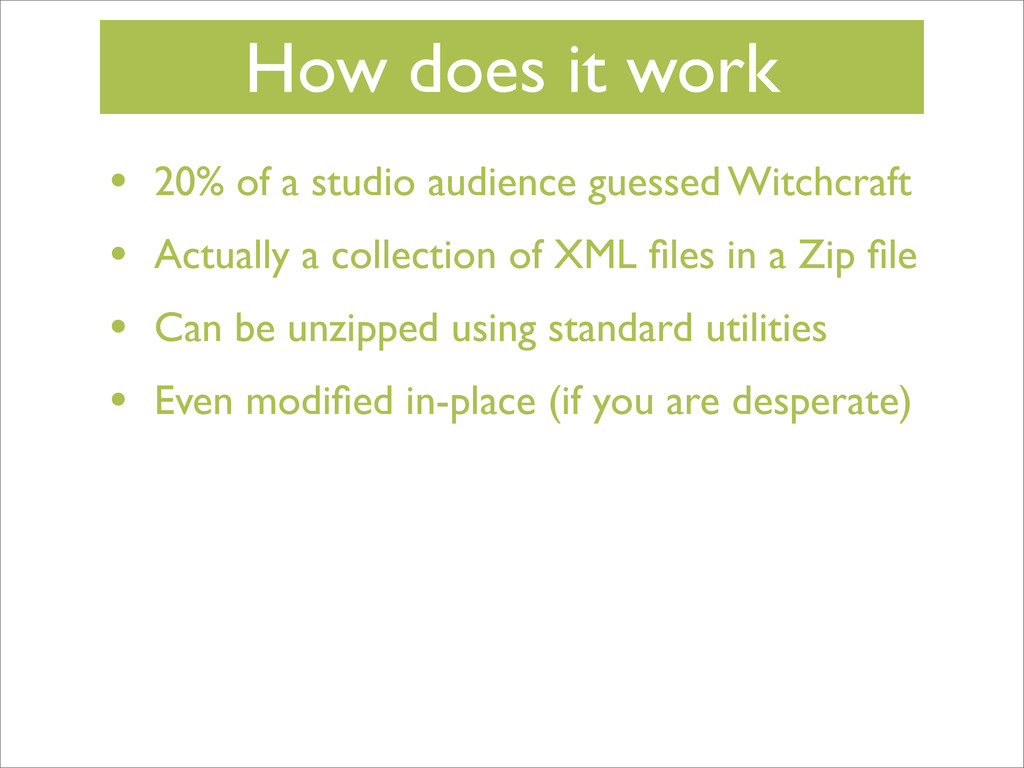
How does it work • 20% of a studio audience
guessed Witchcraft -
How does it work • 20% of a studio audience
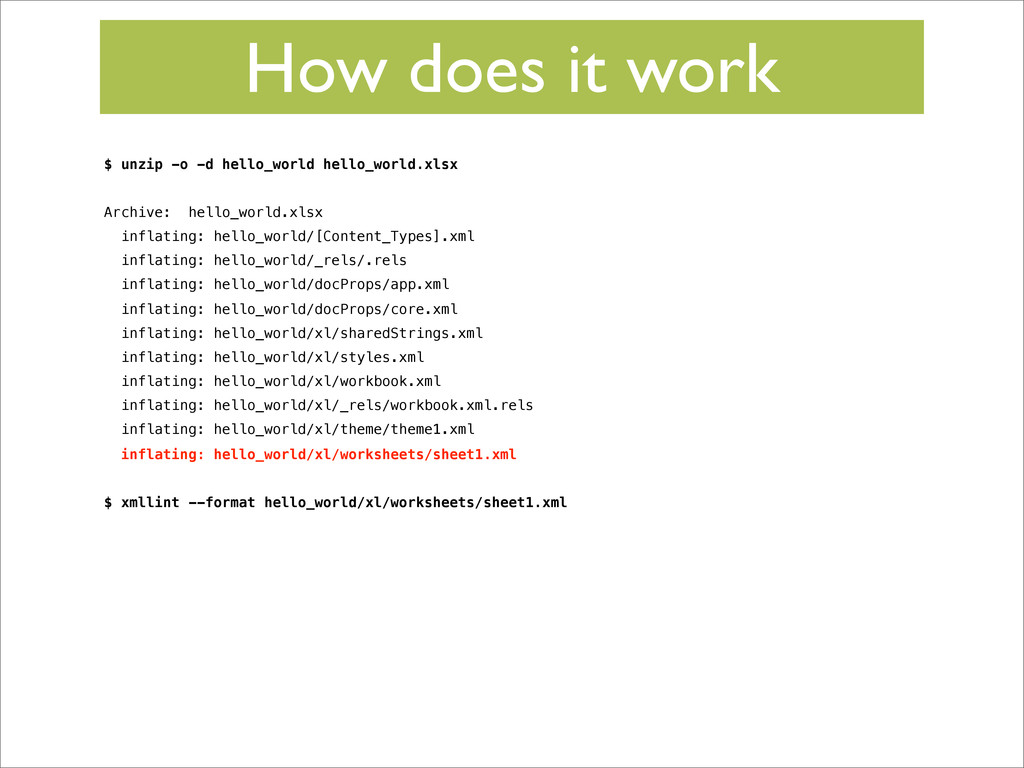
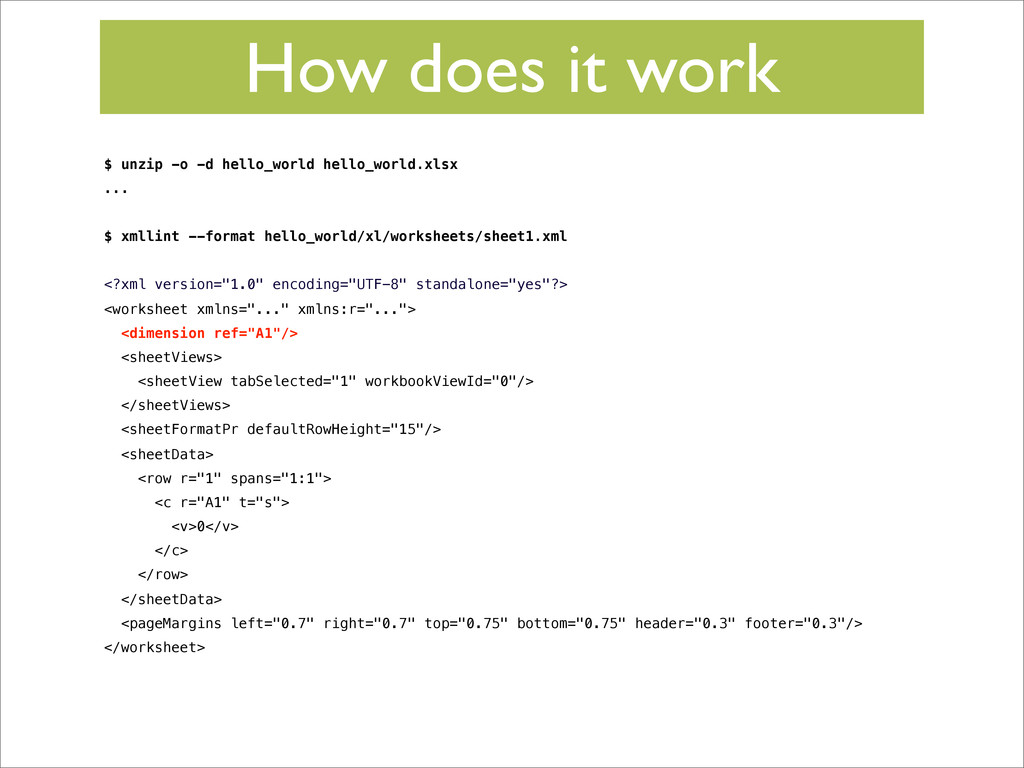
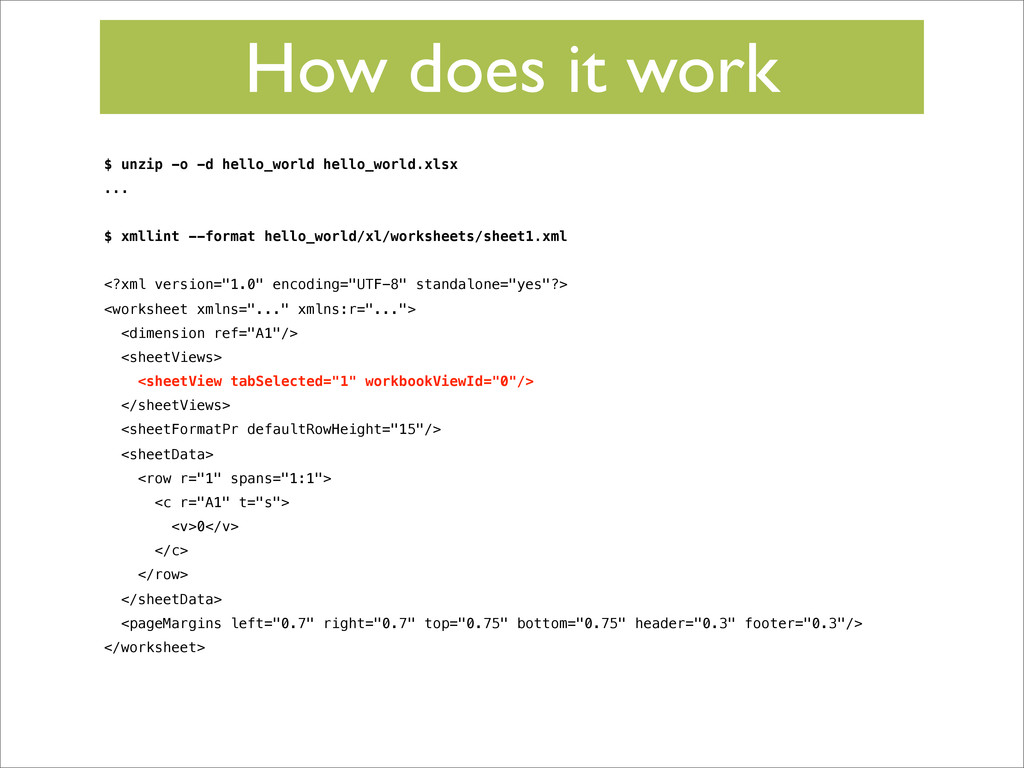
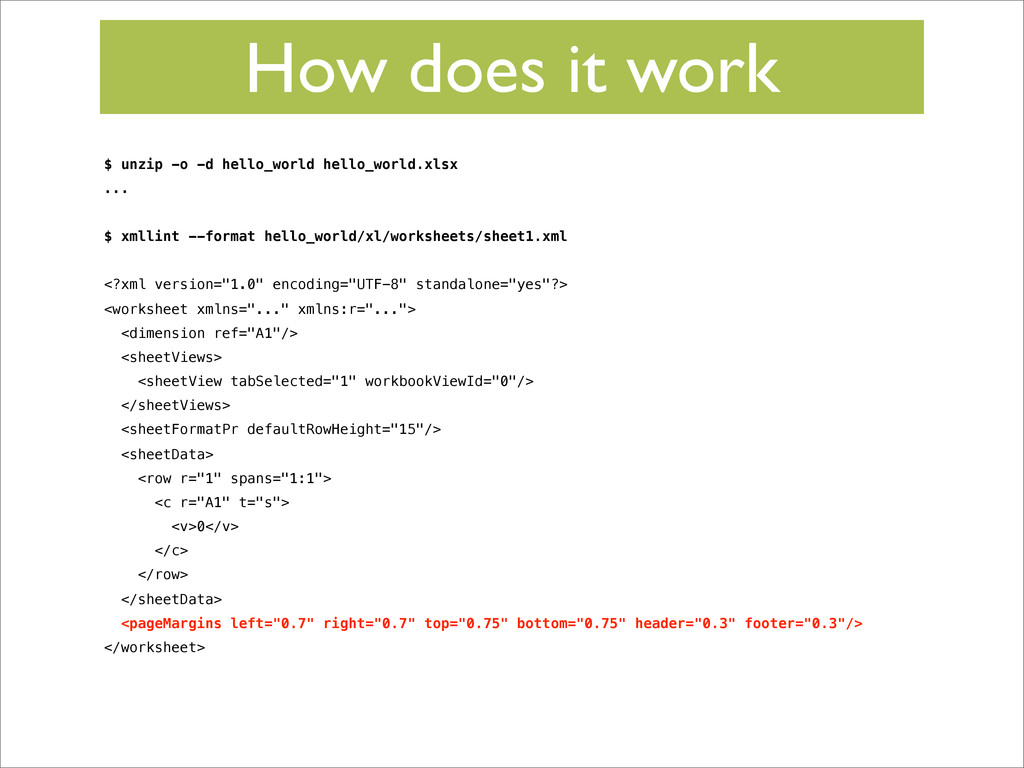
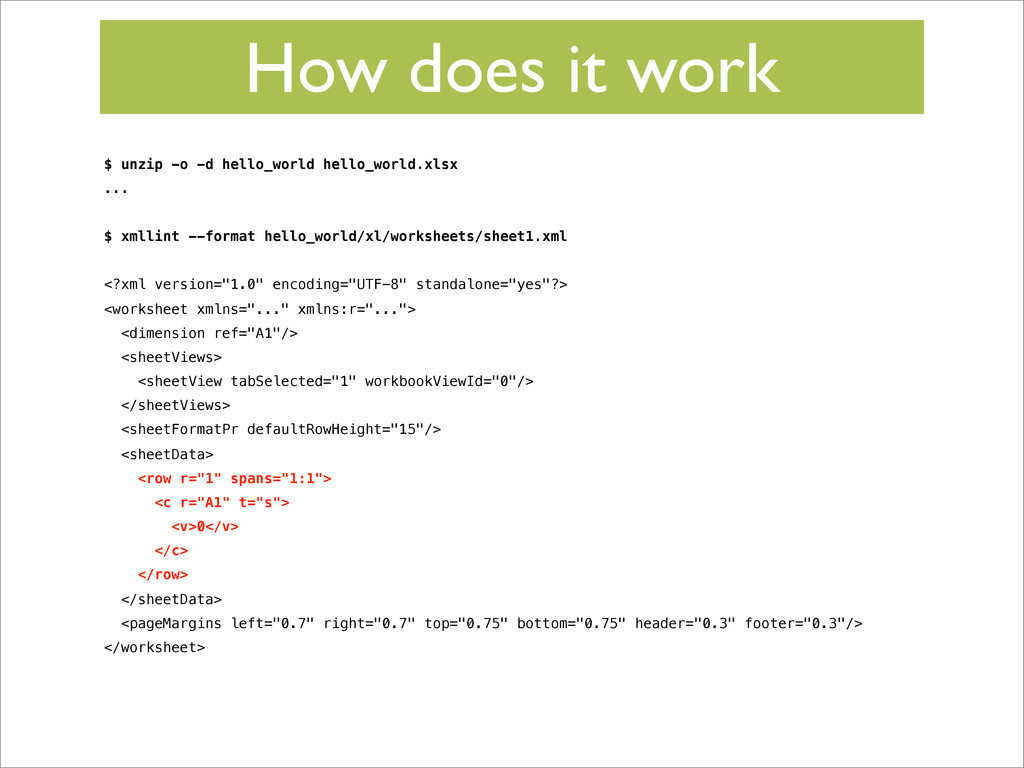
guessed Witchcraft • Actually a collection of XML files in a Zip file • Can be unzipped using standard utilities • Even modified in-place (if you are desperate) -
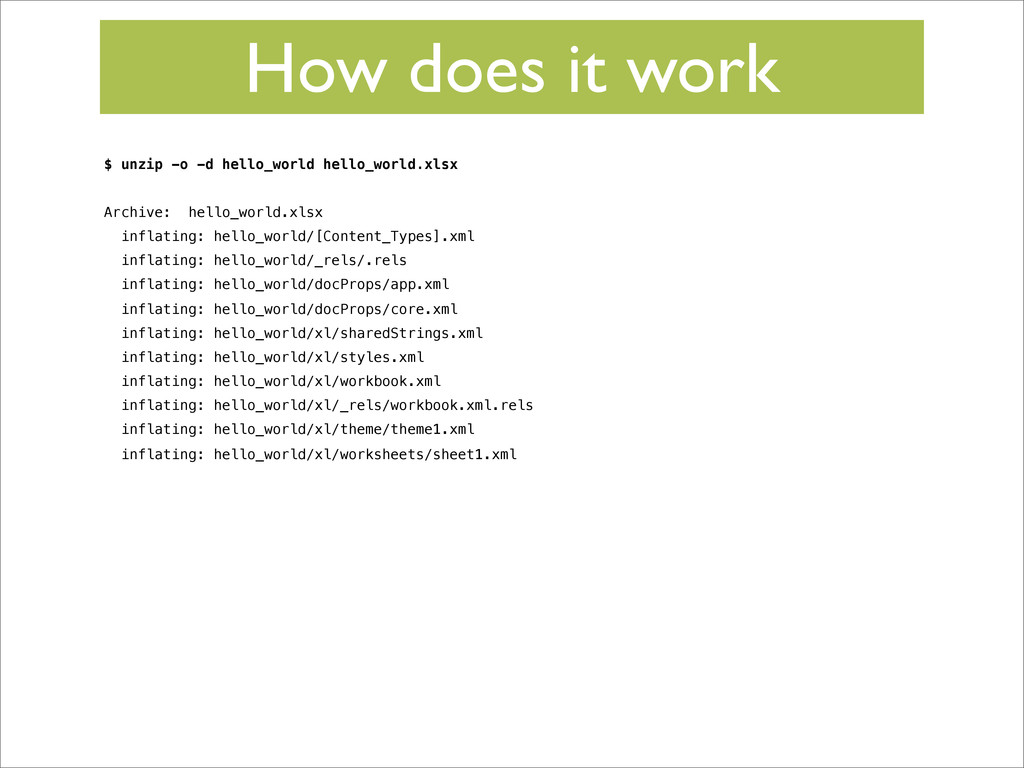
How does it work $ unzip -o -d hello_world hello_world.xlsx
Archive: hello_world.xlsx inflating: hello_world/[Content_Types].xml inflating: hello_world/_rels/.rels inflating: hello_world/docProps/app.xml inflating: hello_world/docProps/core.xml inflating: hello_world/xl/sharedStrings.xml inflating: hello_world/xl/styles.xml inflating: hello_world/xl/workbook.xml inflating: hello_world/xl/_rels/workbook.xml.rels inflating: hello_world/xl/theme/theme1.xml inflating: hello_world/xl/worksheets/sheet1.xml -
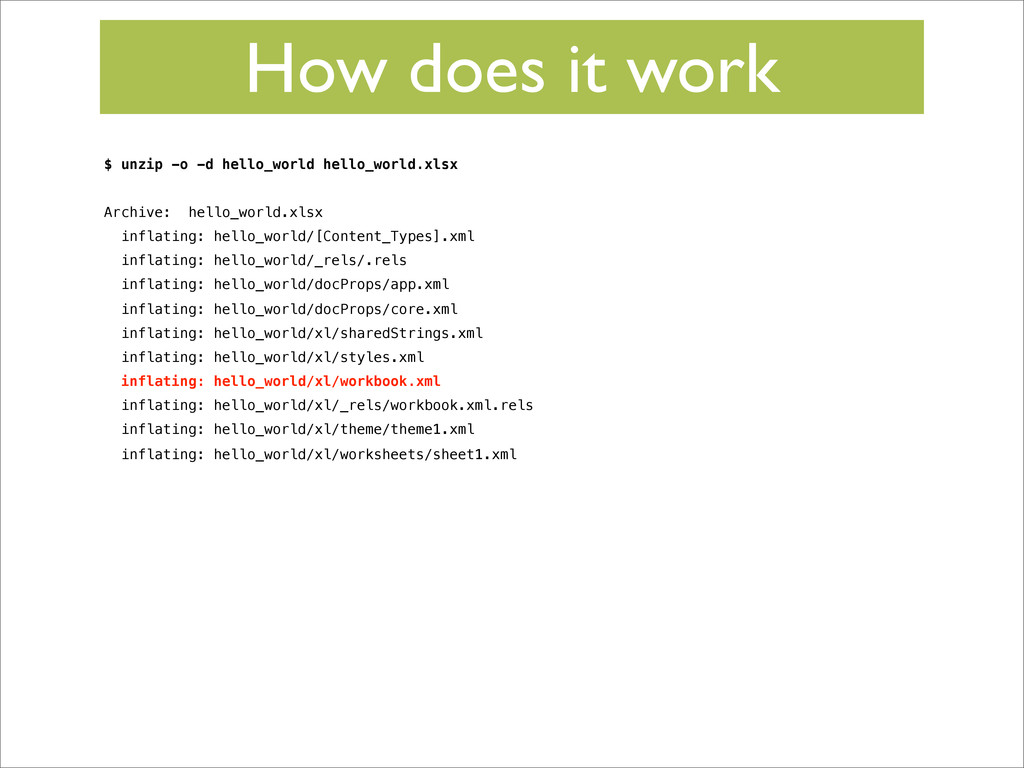
How does it work $ unzip -o -d hello_world hello_world.xlsx
Archive: hello_world.xlsx inflating: hello_world/[Content_Types].xml inflating: hello_world/_rels/.rels inflating: hello_world/docProps/app.xml inflating: hello_world/docProps/core.xml inflating: hello_world/xl/sharedStrings.xml inflating: hello_world/xl/styles.xml inflating: hello_world/xl/workbook.xml inflating: hello_world/xl/_rels/workbook.xml.rels inflating: hello_world/xl/theme/theme1.xml inflating: hello_world/xl/worksheets/sheet1.xml $ xmllint --format hello_world/xl/worksheets/sheet1.xml -
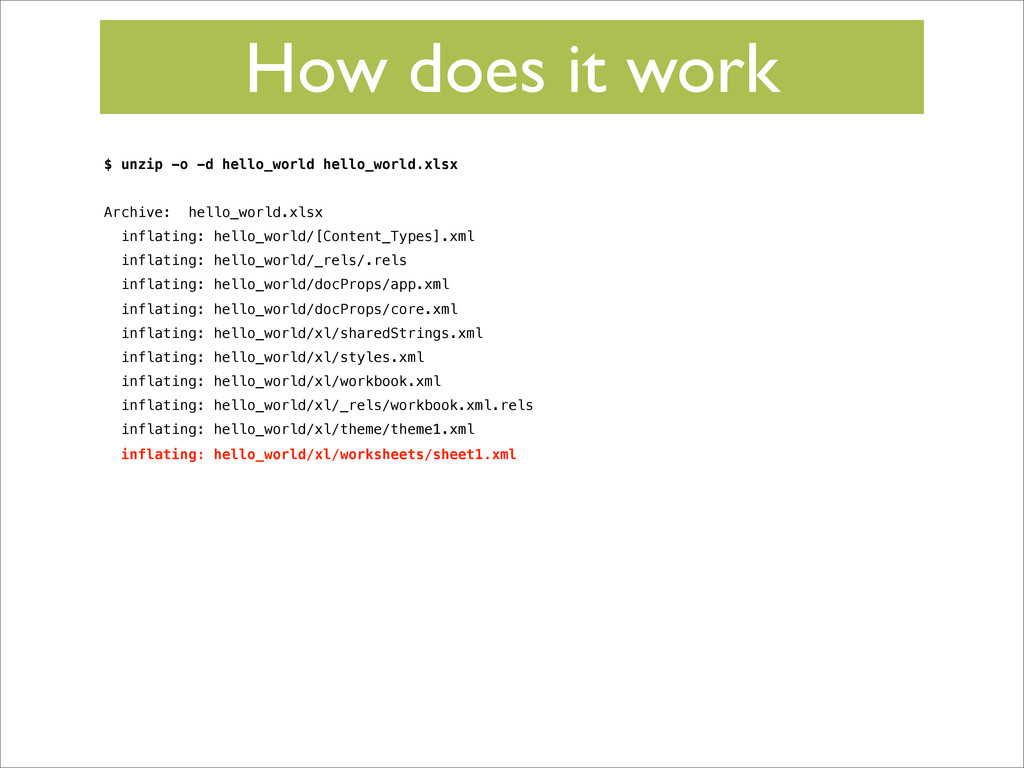
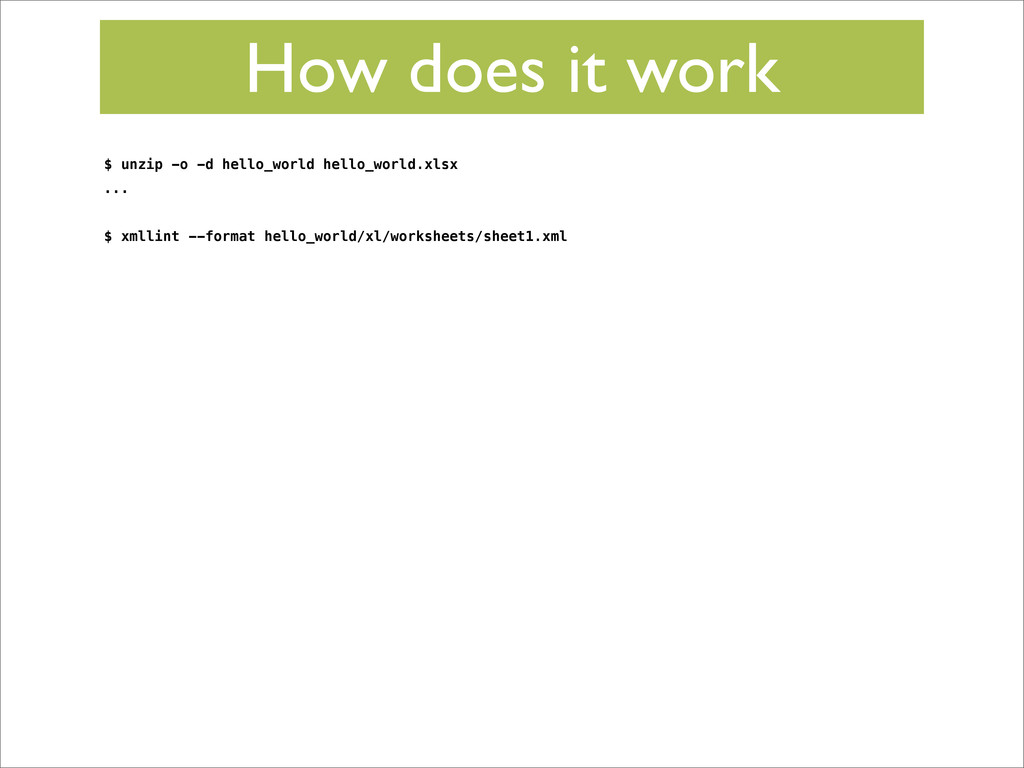
How does it work $ unzip -o -d hello_world hello_world.xlsx
... $ xmllint --format hello_world/xl/worksheets/sheet1.xml -
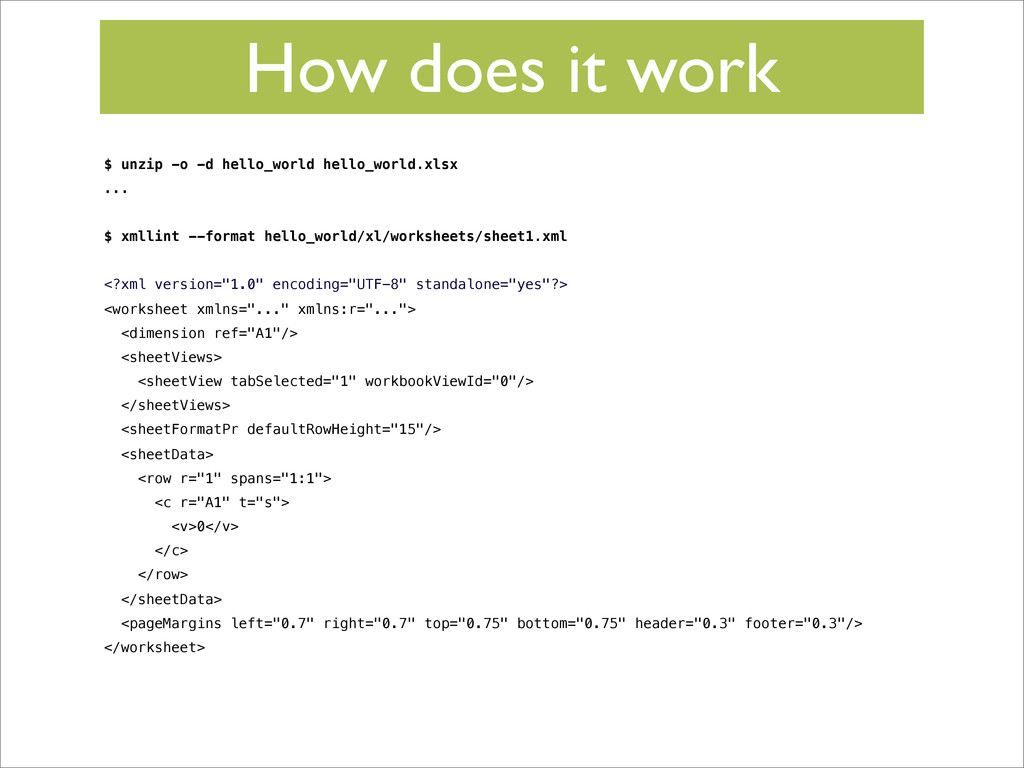
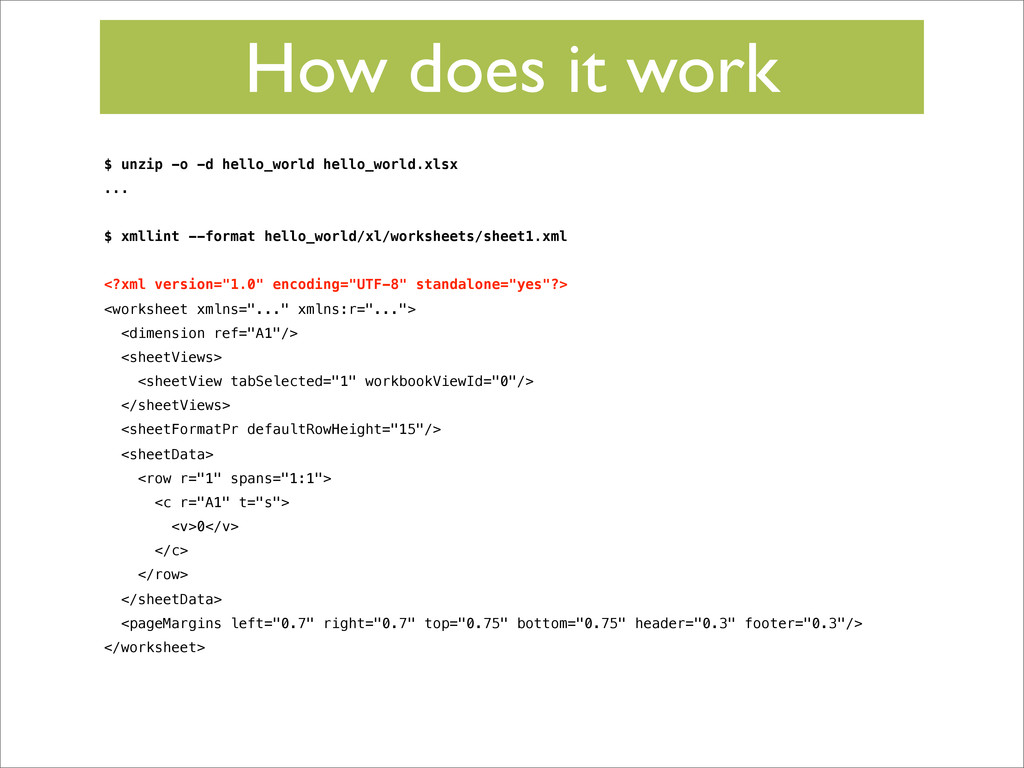
How does it work $ unzip -o -d hello_world hello_world.xlsx
... $ xmllint --format hello_world/xl/worksheets/sheet1.xml <?xml version="1.0" encoding="UTF-8" standalone="yes"?> <worksheet xmlns="..." xmlns:r="..."> <dimension ref="A1"/> <sheetViews> <sheetView tabSelected="1" workbookViewId="0"/> </sheetViews> <sheetFormatPr defaultRowHeight="15"/> <sheetData> <row r="1" spans="1:1"> <c r="A1" t="s"> <v>0</v> </c> </row> </sheetData> <pageMargins left="0.7" right="0.7" top="0.75" bottom="0.75" header="0.3" footer="0.3"/> </worksheet> -
How does it work • It works well • XlsxWriter
does the hard work so you don’t have to -
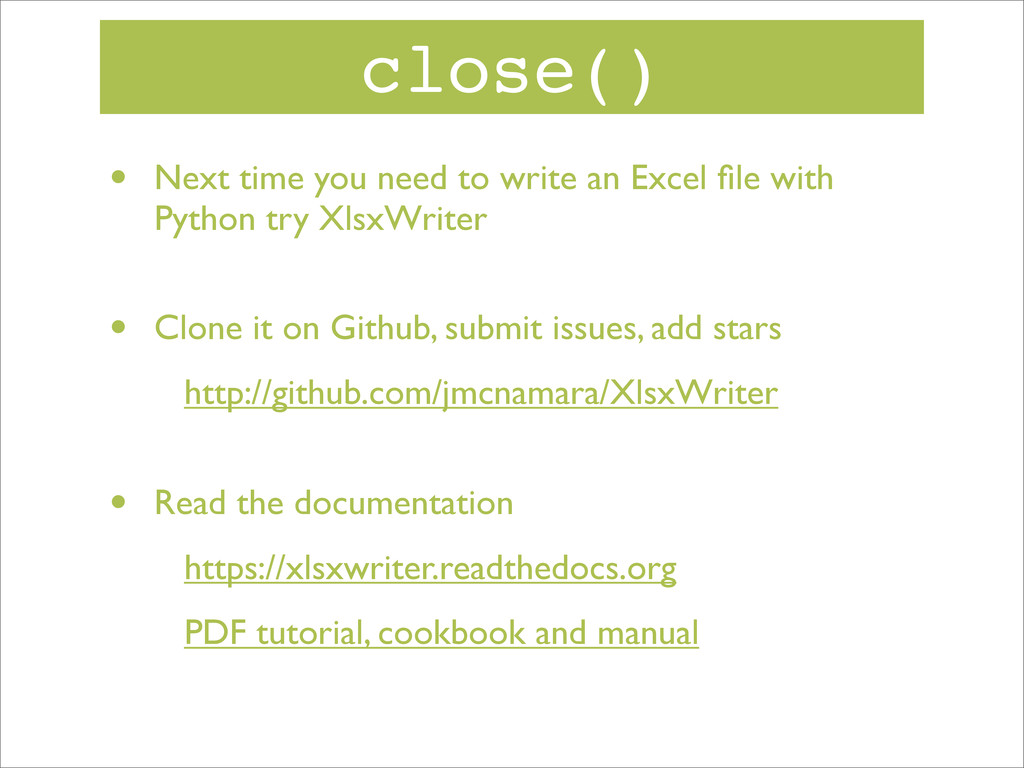
close() • Next time you need to write an Excel
file with Python try XlsxWriter • Clone it on Github, submit issues, add stars http://github.com/jmcnamara/XlsxWriter • Read the documentation https://xlsxwriter.readthedocs.org PDF tutorial, cookbook and manual