Upgrade to Pro
— share decks privately, control downloads, hide ads and more …
Speaker Deck
Sign up for free
Menu
Search
Features
All features
Private URLs
Password Protection
Custom URLS
Scheduled publishing
Remove Branding
Restrict embedding
Deck Collections
Notes
Features
All features
Private URLs
Password Protection
Custom URLS
Scheduled publishing
Remove Branding
Restrict embedding
Deck Collections
Notes
Explore
Featured decks
Featured speakers
Programming
Technology
Storyboards
Explore
Featured decks
Featured speakers
Programming
Technology
Storyboards
Pricing
Search
Sign in
Sign up for free
Dana DiTomaso- Using GA4 to Surface Technical S...
Search
Tech SEO Connect
PRO
December 12, 2025
Marketing & SEO
260
1
Share
Embed
Copy iframe code
Copy JS code
Copy link
Start on current slide
Dana DiTomaso- Using GA4 to Surface Technical SEO Issues In Real-Time
Tech SEO Connect
PRO
December 12, 2025
More Decks by Tech SEO Connect
See All by Tech SEO Connect
Krishna Madhavan - Beyond Blue Links: Freshness, Control, and Visibility
techseoconnect
PRO
0
320
Jori Ford - Beyond Googlebot: Evidence-Based Retrieval Experiments with AI Crawlers
techseoconnect
PRO
0
320
Jamie Indigo - Trashchat’s Guide to Black Boxes: Technical SEO Tactics for LLMs
techseoconnect
PRO
0
710
Alex Halliday - Should We Do This Yet? Clear Advice On 5 High-Impact Technical SEO Decisions
techseoconnect
PRO
0
280
Martha van Berkel - From Schema Markup to Knowledge Graphs: Powering AI with Connected Data
techseoconnect
PRO
0
310
Serge Bezborodov - AI Internal Linking for E-Commerce Websites
techseoconnect
PRO
0
310
Tyler Gargula - Decision Intelligence for Enterprise SEO
techseoconnect
PRO
0
300
Brie Anderson - From Guesswork to Growth: Building an SEO Strategy That Compounds
techseoconnect
PRO
0
260
Baruch Toledano - Behind the Scenes of Building Scalable Data Products for SEOs
techseoconnect
PRO
0
270
Other Decks in Marketing & SEO
See All in Marketing & SEO
Backlink Indexation Audit: A Technical FAQ on Ghost Links
speedyindexteam
PRO
0
170
The New Playbook For SEO/GEO Content in 2026
zjchahalis
0
720
Google reviews: The secret sauce for local visibility
greggifford
PRO
0
520
Profile Backlinks Not Indexed: The 8-Step Fix Checklist
speedyindexteam
PRO
1
1.5k
LLM & SEO Automation in 2026
marcogiordano96
0
1.2k
Ecommerce In the Age of AI Search: Shifts, Risks and Strategic Moves
aleyda
0
330
Why Tier 2 Backlinks Aren't Indexed: The Stall Map
speedyindexteam
PRO
1
1.2k
Ecommerce AI Search Trends & Wins: How to optimize the evidence-to-click layer across AI Search
aleyda
0
560
Free SEO Tools for Indexing Issues: A 2026 Field Manual
speedyindexteam
PRO
0
180
Customer Reviews: The Secret Superpower for Online Visibility
greggifford
PRO
1
120
How to Build an AI Skill for your SEO Workflow: A Sitebulb Webinar
graydotco
0
200
転職ドラフト ビールスポンサーのご紹介(きのこカンファレンス2026ver.)
tenshoku_draft
0
280
Featured
See All Featured
Reflections from 52 weeks, 52 projects
jeffersonlam
356
22k
The agentic SEO stack - context over prompts
schlessera
0
970
Highjacked: Video Game Concept Design
rkendrick25
PRO
1
480
Designing Powerful Visuals for Engaging Learning
tmiket
1
610
Tips & Tricks on How to Get Your First Job In Tech
honzajavorek
1
800
Put a Button on it: Removing Barriers to Going Fast.
kastner
60
4.6k
"I'm Feeling Lucky" - Building Great Search Experiences for Today's Users (#IAC19)
danielanewman
230
23k
Easily Structure & Communicate Ideas using Wireframe
afnizarnur
194
17k
Primal Persuasion: How to Engage the Brain for Learning That Lasts
tmiket
0
500
Redefining SEO in the New Era of Traffic Generation
szymonslowik
1
480
<Decoding/> the Language of Devs - We Love SEO 2024
nikkihalliwell
1
360
Fight the Zombie Pattern Library - RWD Summit 2016
marcelosomers
234
18k
Transcript
Using GA4 to Surface Technical SEO Issues in Real-Time Dana
DiTomaso Founder, Analytics Playbook
I don’t want to look for issues.
I want issues to come to me.
Use your website visitor experience as intel.
I’m using Google Tag Manager & GA4 but you can
use anything.
We’ll be creating events for common technical issues.
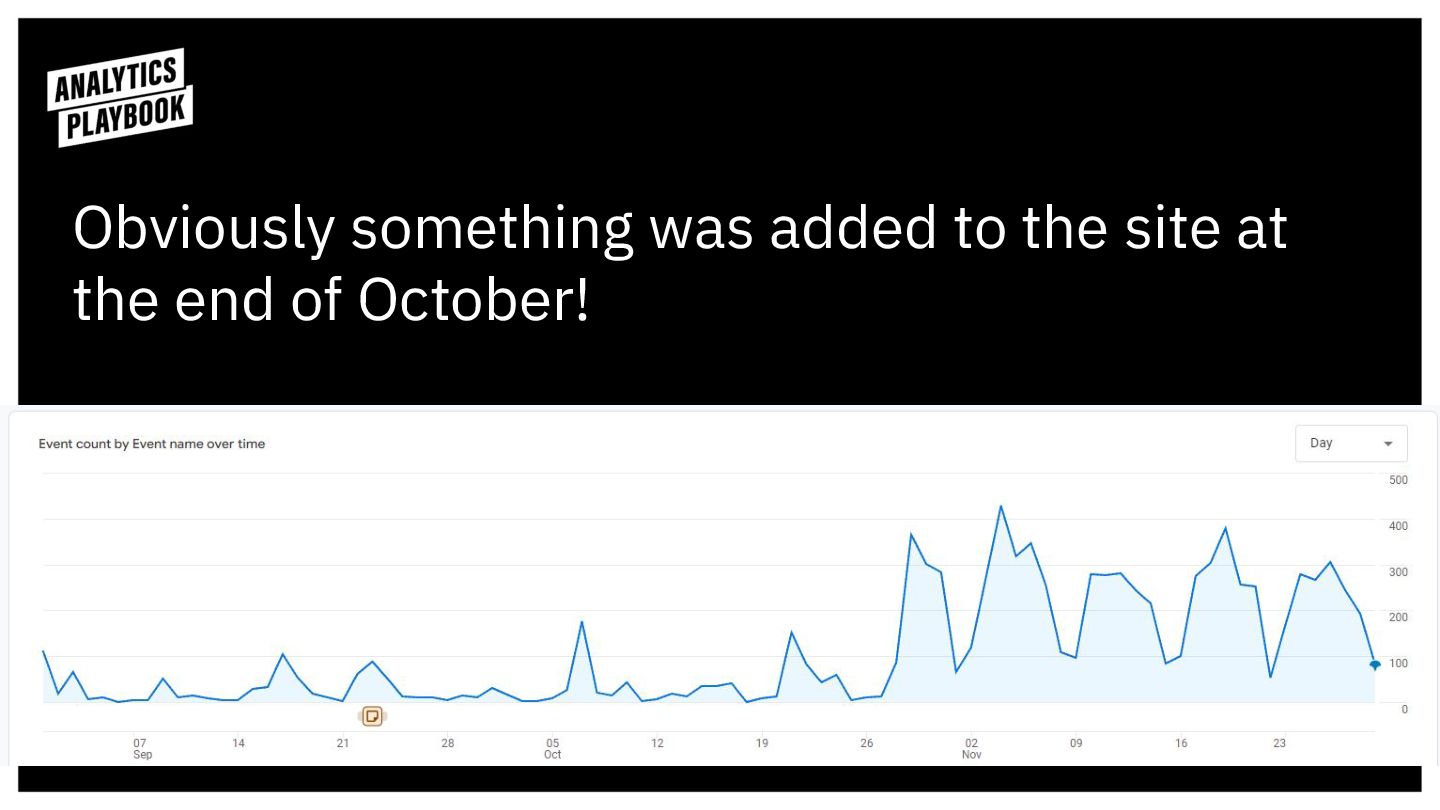
Events show trends.
Obviously something was added to the site at the end
of October!
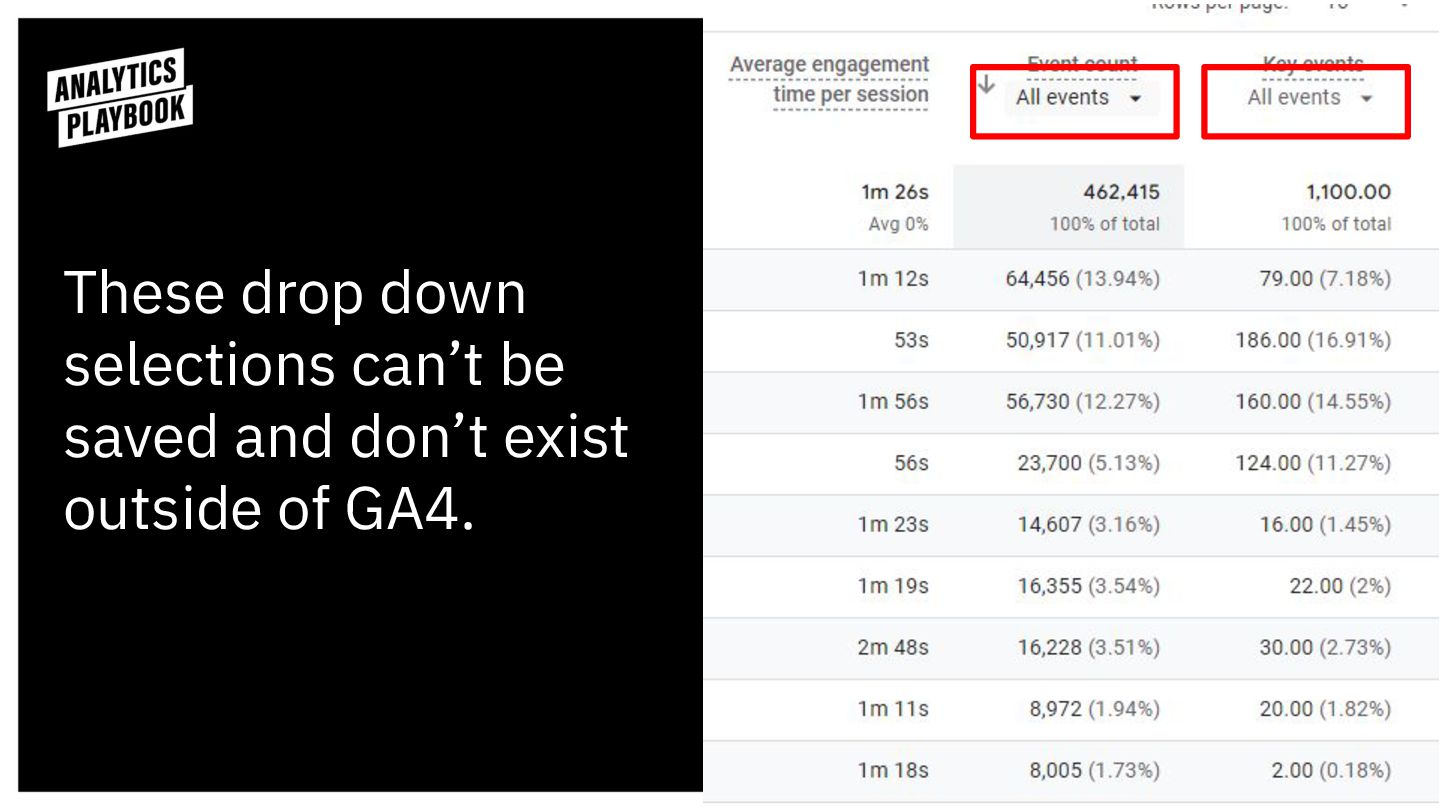
Events unlock count metrics.
These drop down selections can’t be saved and don’t exist
outside of GA4.
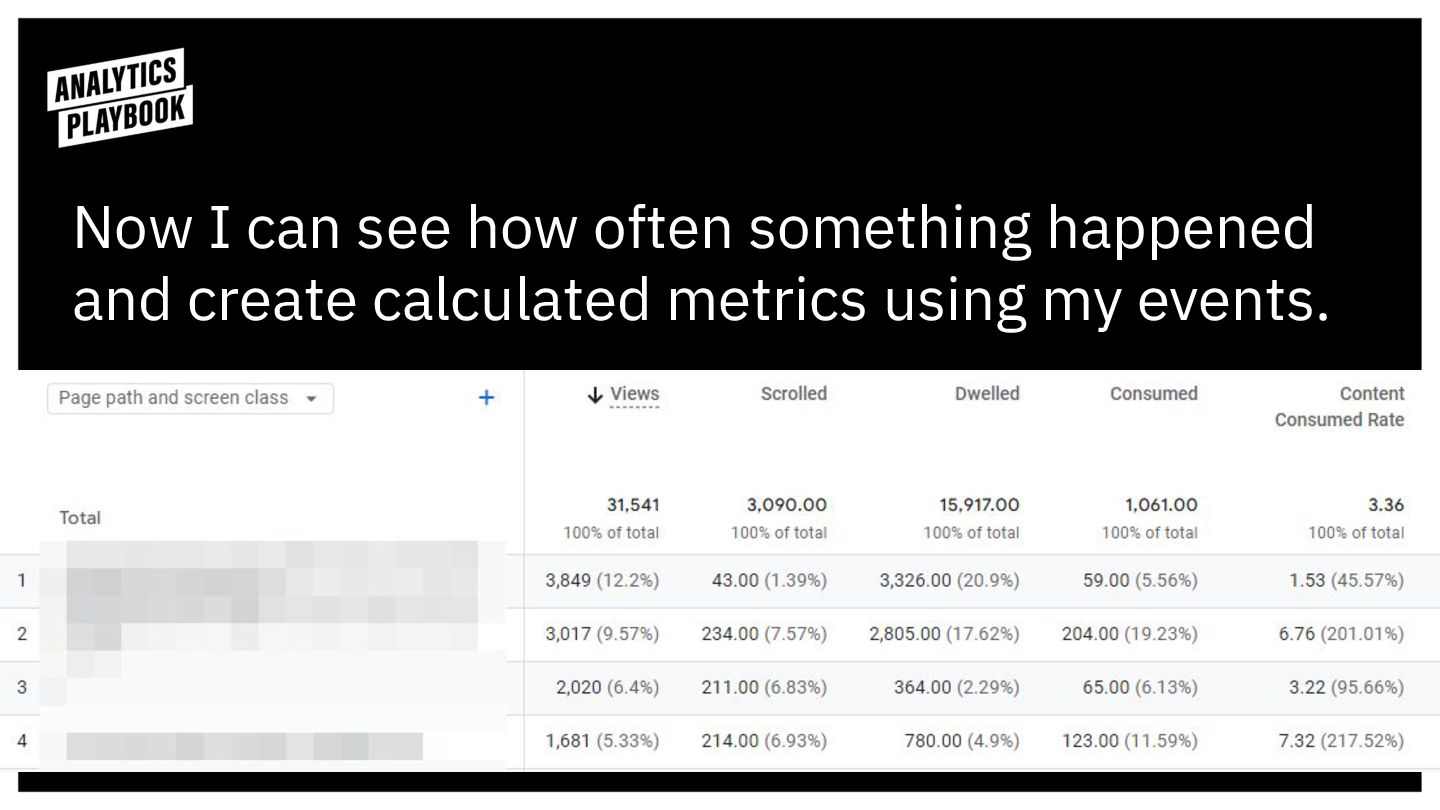
Now I can see how often something happened and create
calculated metrics using my events.
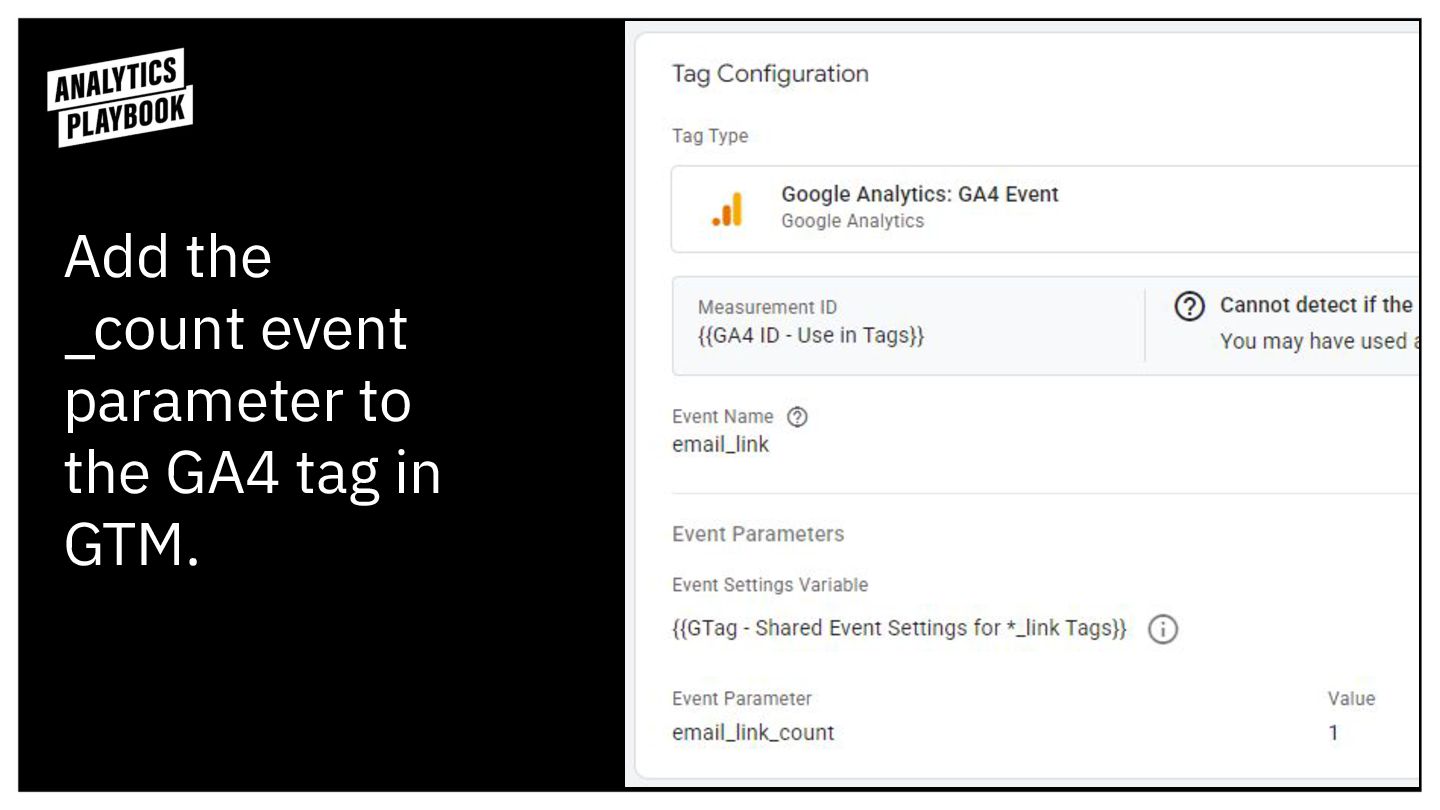
Add the _count event parameter to the GA4 tag in
GTM.
Then register your parameter in GA4 as a custom metric.
Let’s track some stuff!
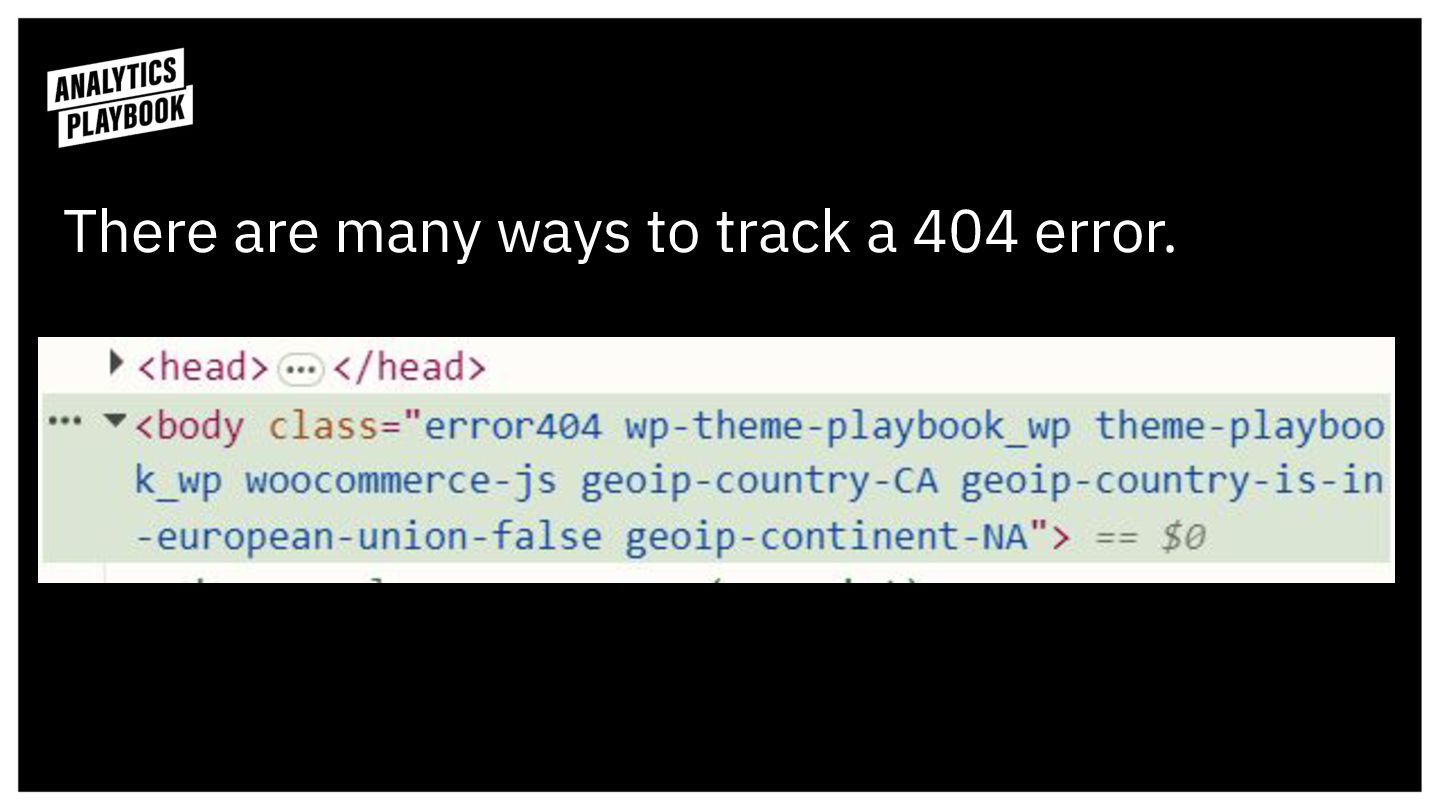
There are many ways to track a 404 error.
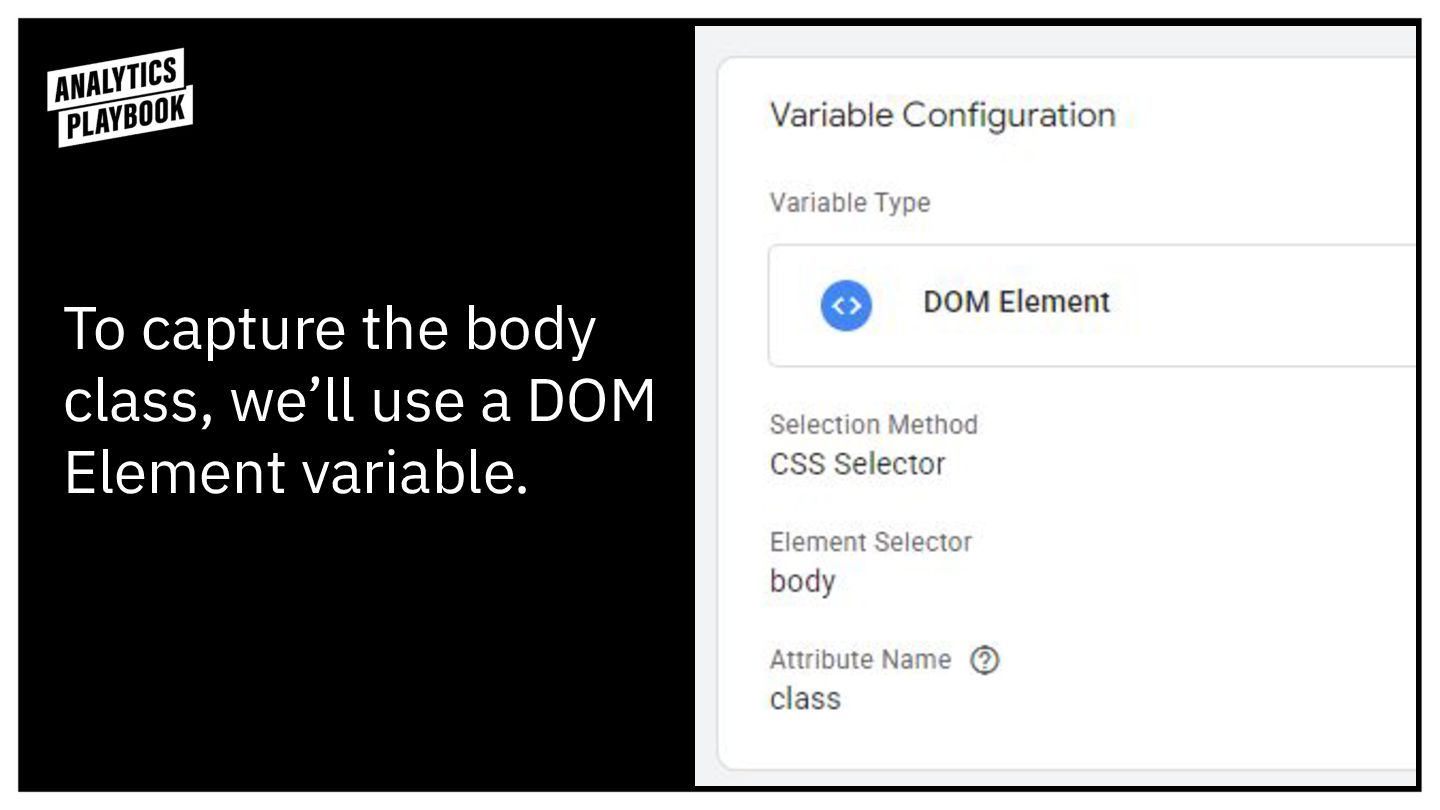
To capture the body class, we’ll use a DOM Element
variable.
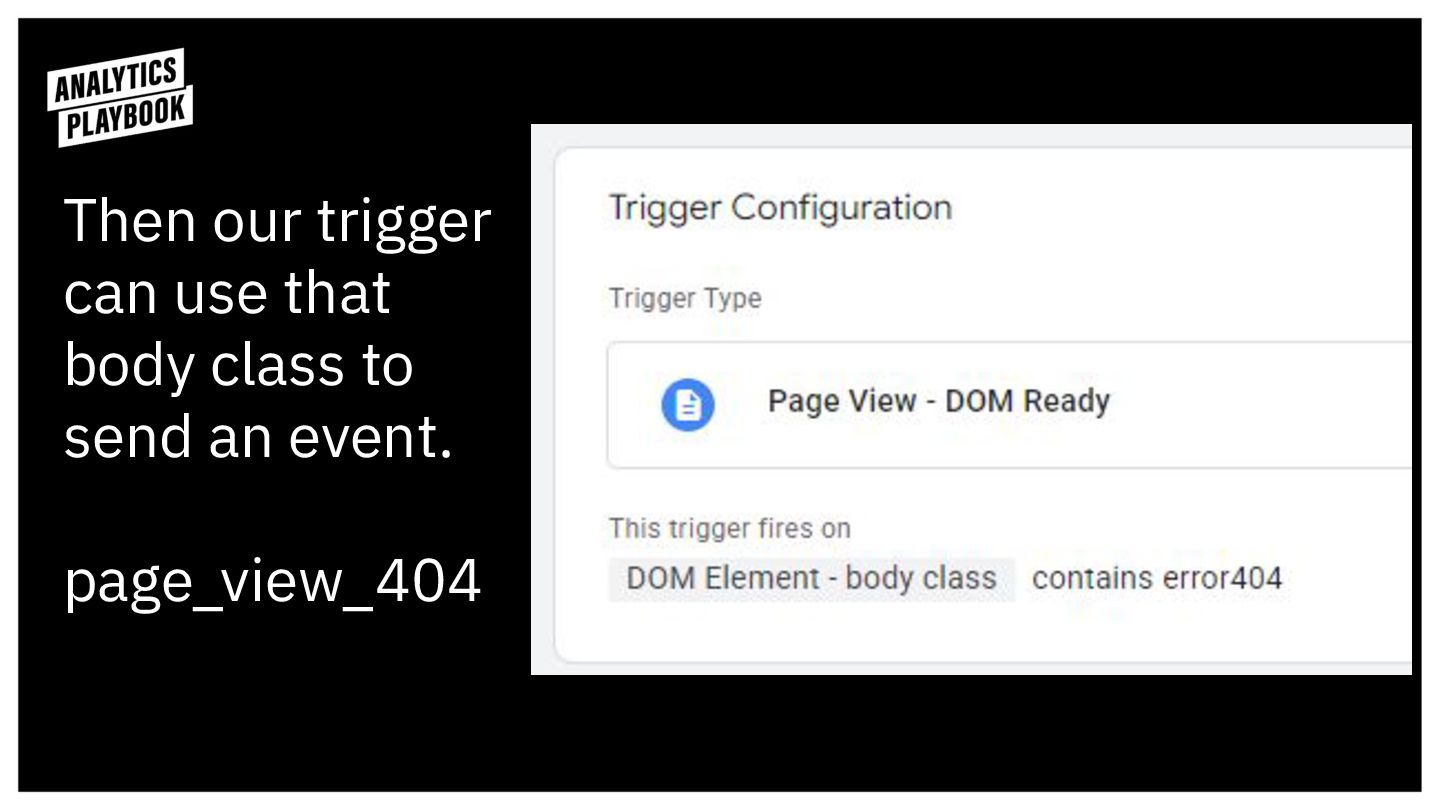
Then our trigger can use that body class to send
an event. page_view_404
Why page_view_404 and not 404_page_view?
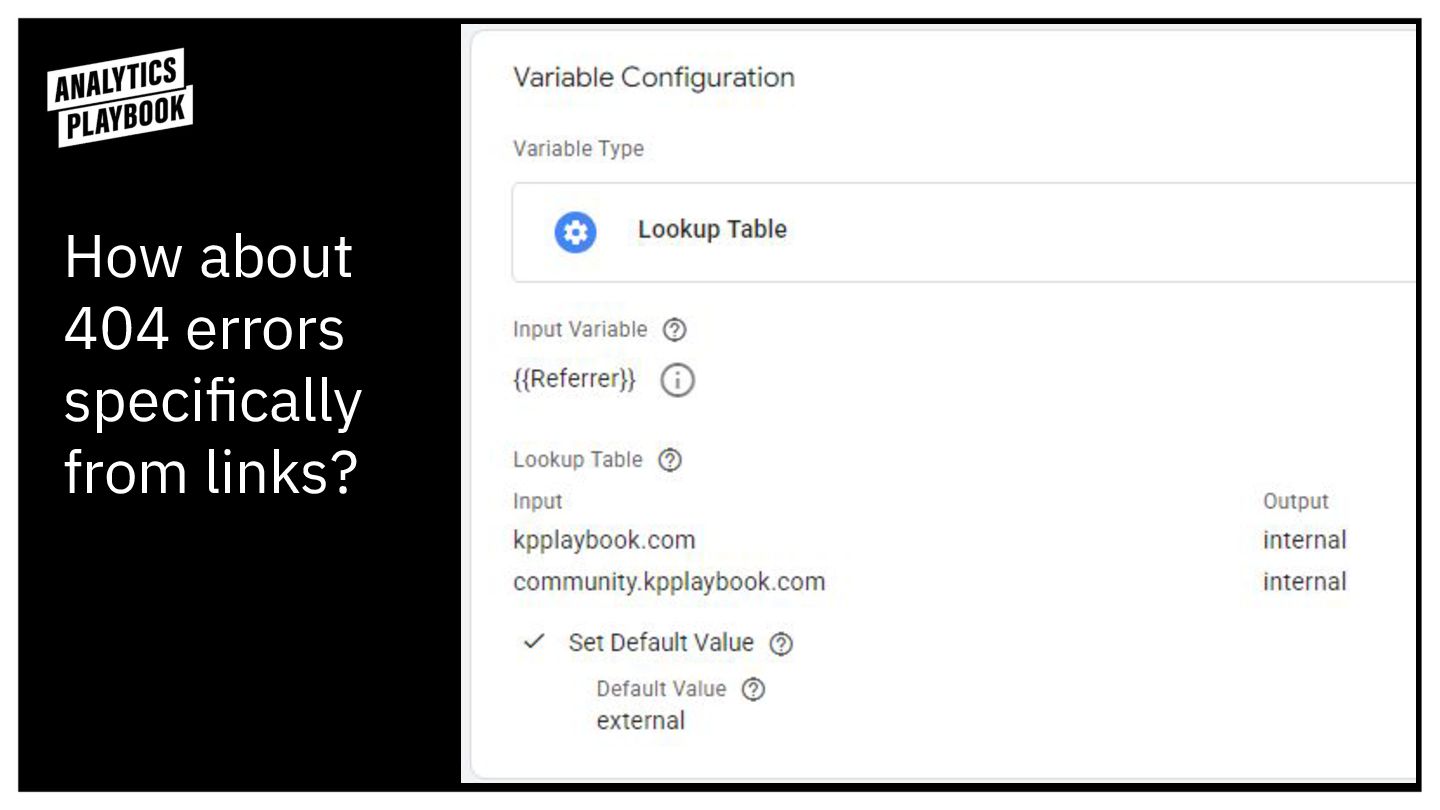
How about 404 errors specifically from links?
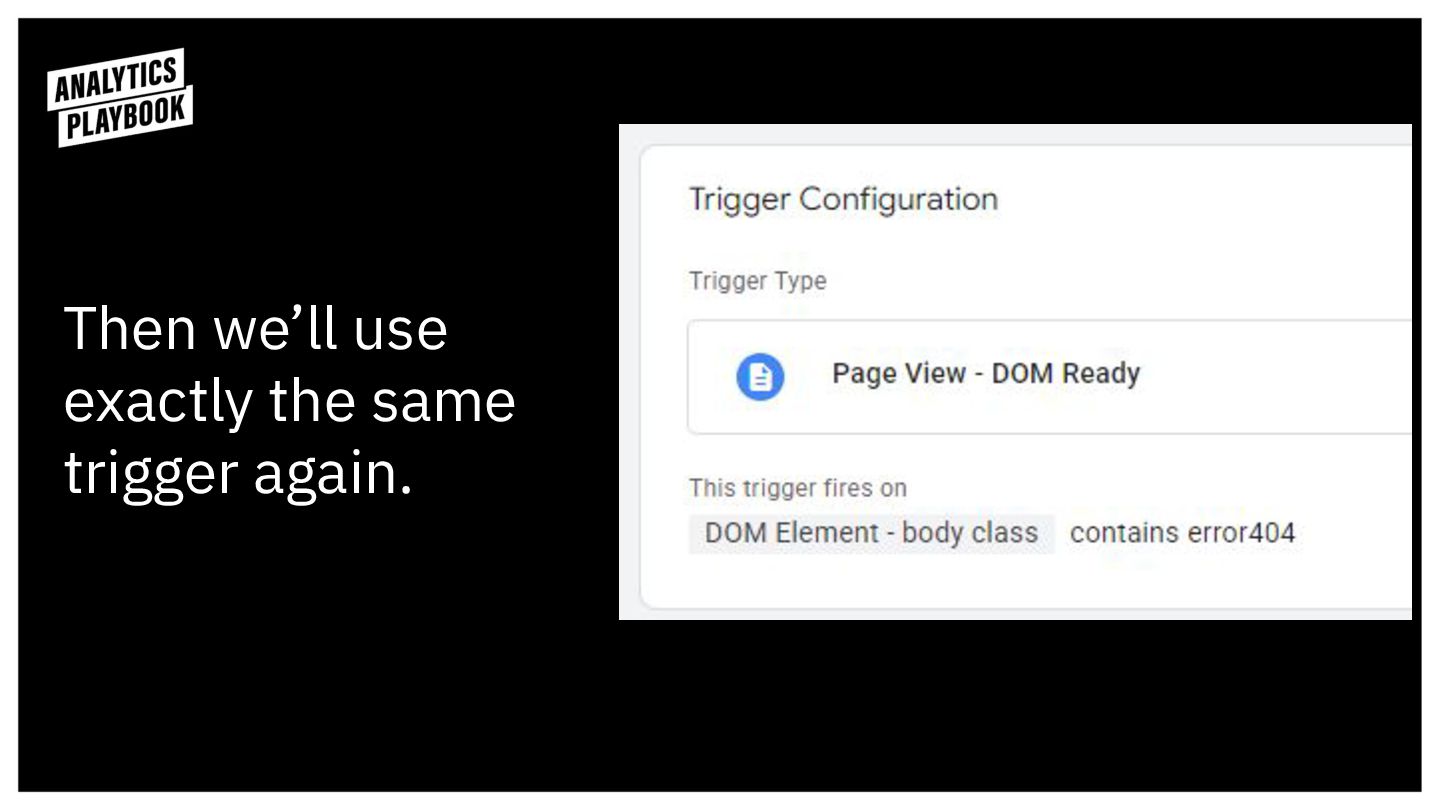
Then we’ll use exactly the same trigger again.
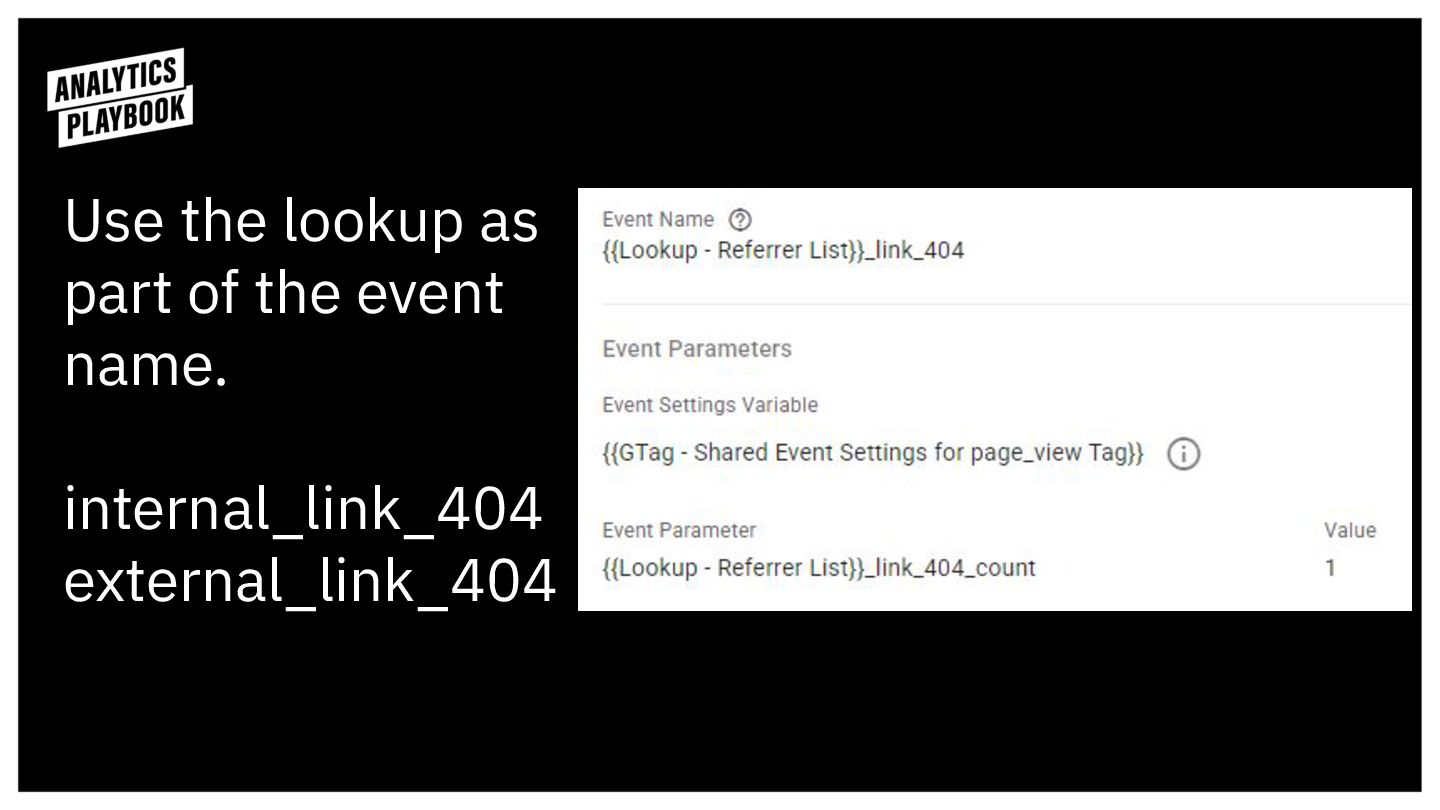
Use the lookup as part of the event name.
internal_link_404 external_link_404
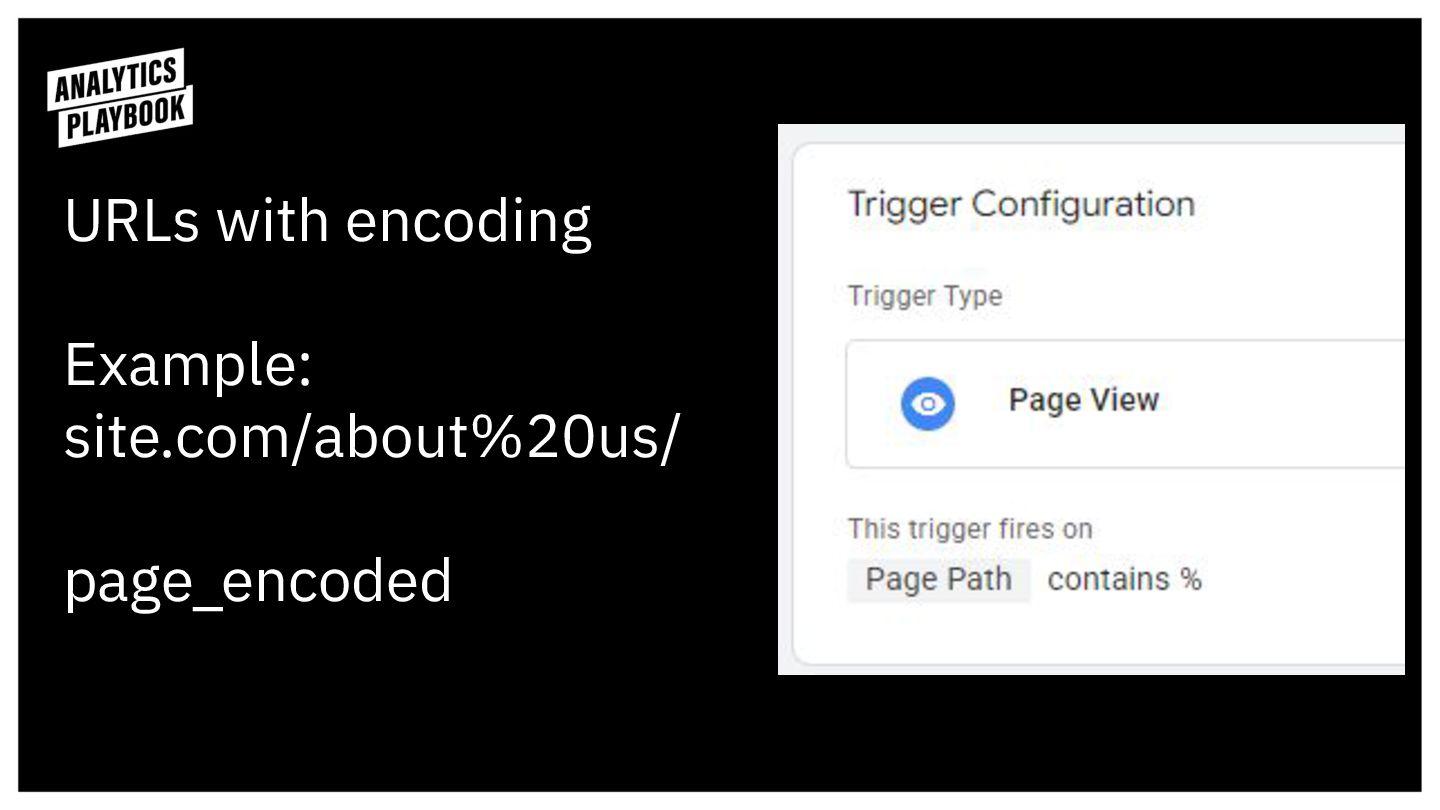
URLs with encoding Example: site.com/about%20us/ page_encoded
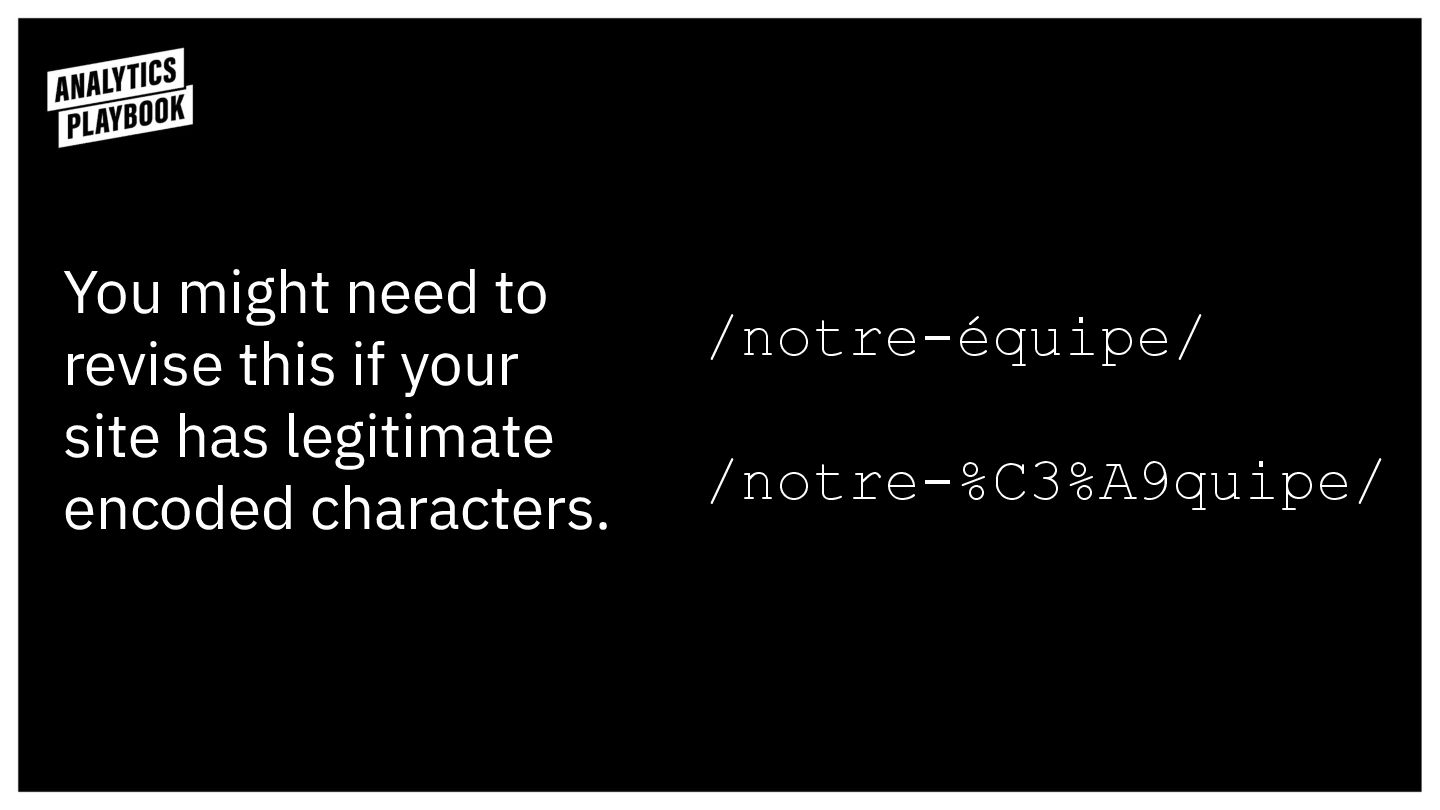
You might need to revise this if your site has
legitimate encoded characters. /notre-équipe/ /notre-%C3%A9quipe/
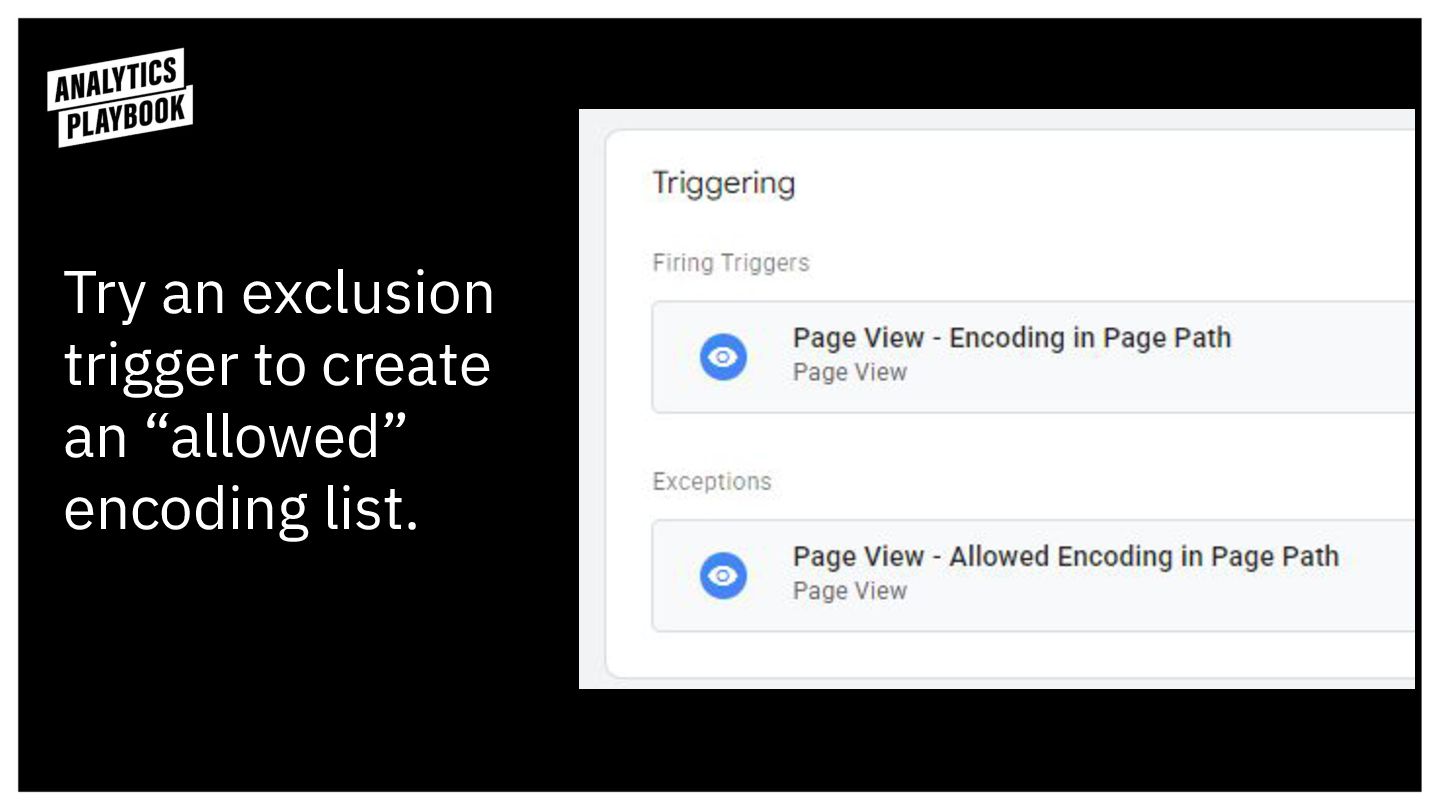
Try an exclusion trigger to create an “allowed” encoding list.
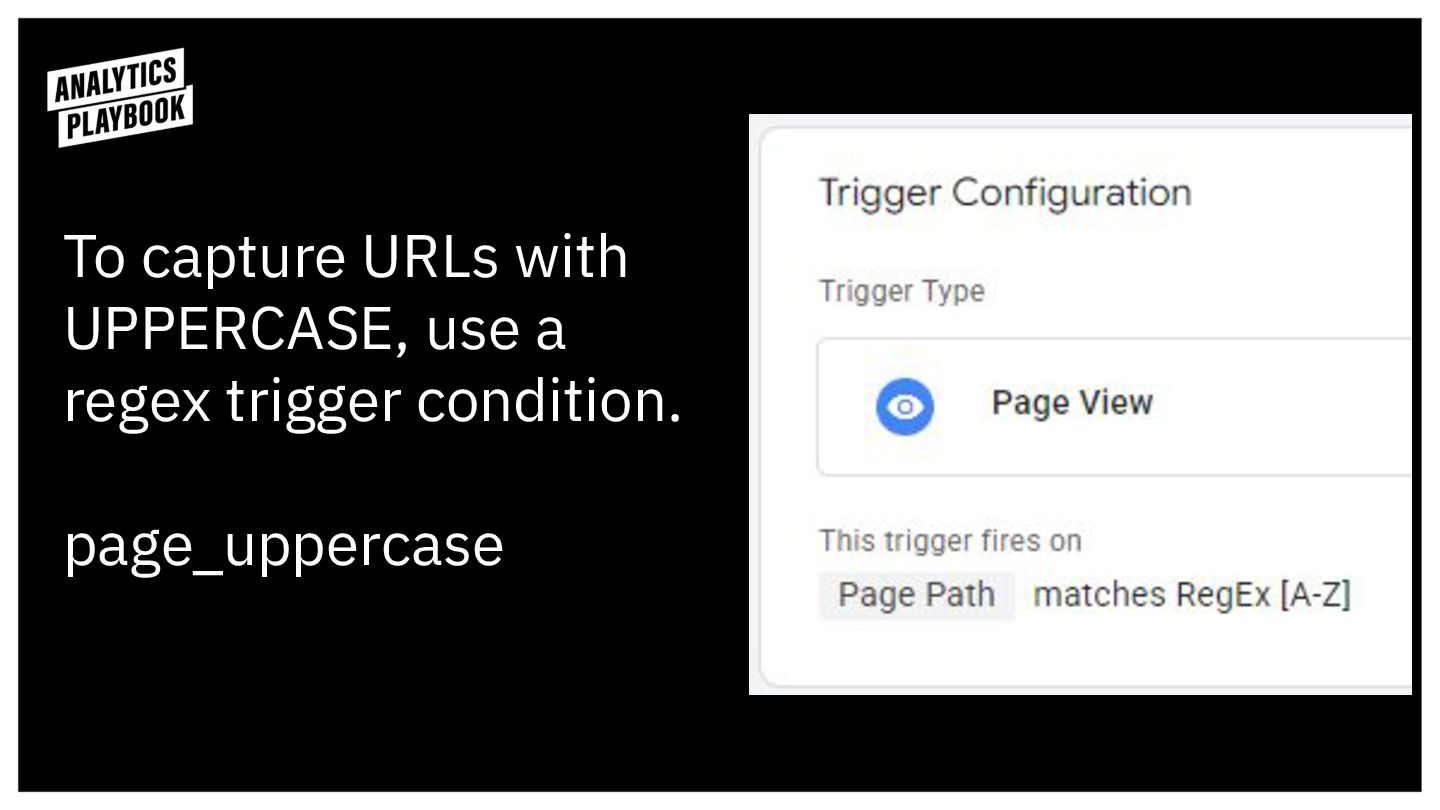
To capture URLs with UPPERCASE, use a regex trigger condition.
page_uppercase
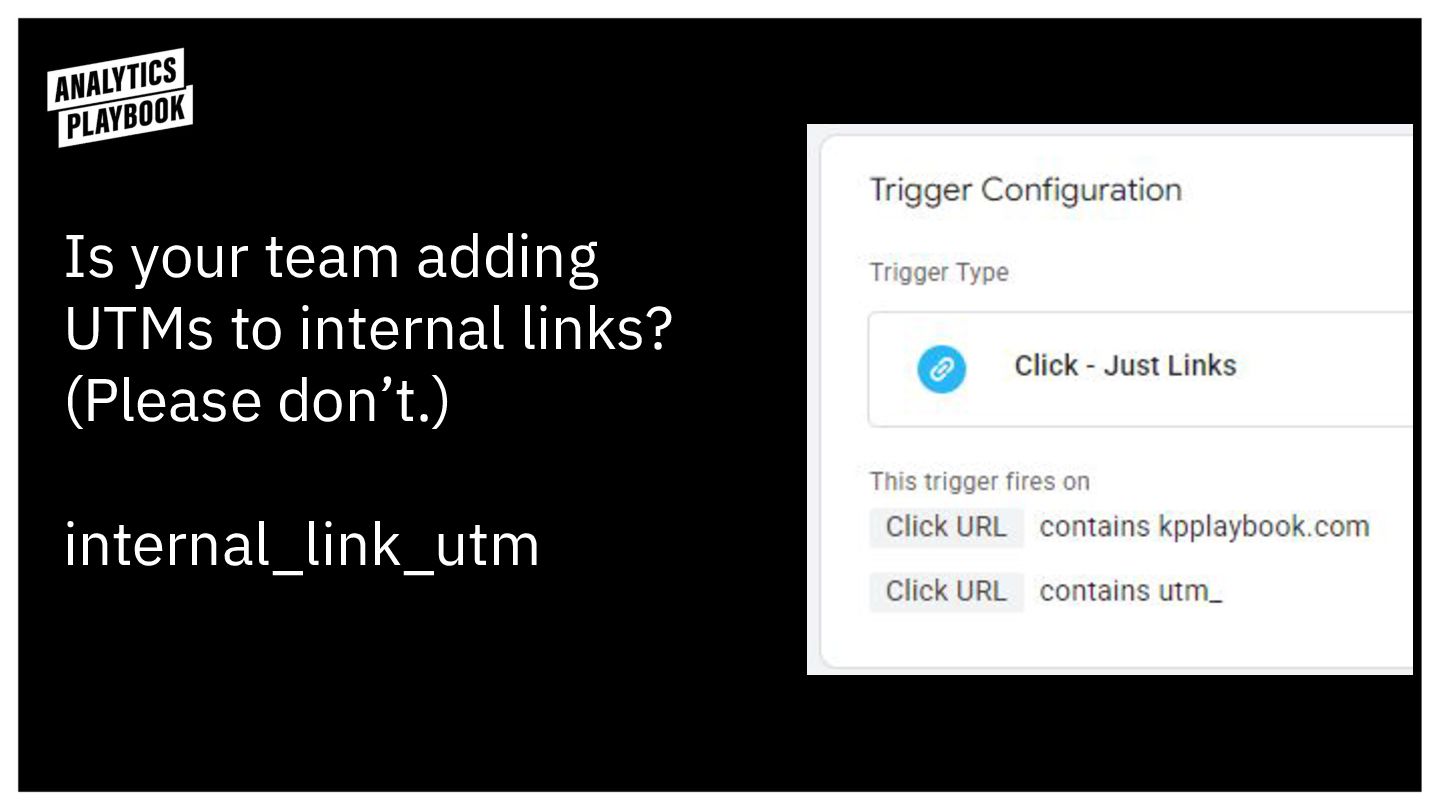
Is your team adding UTMs to internal links? (Please don’t.)
internal_link_utm
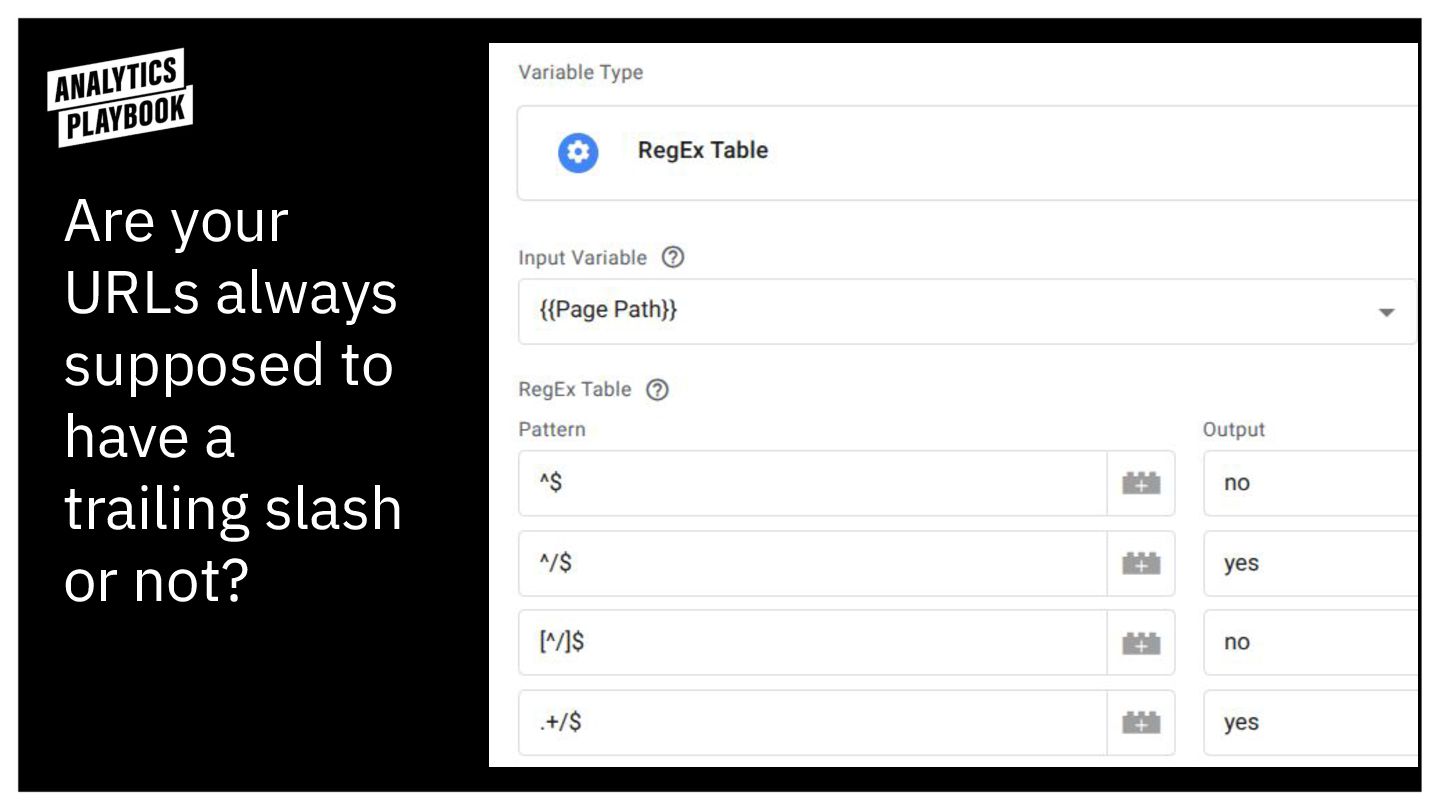
Are your URLs always supposed to have a trailing slash
or not?
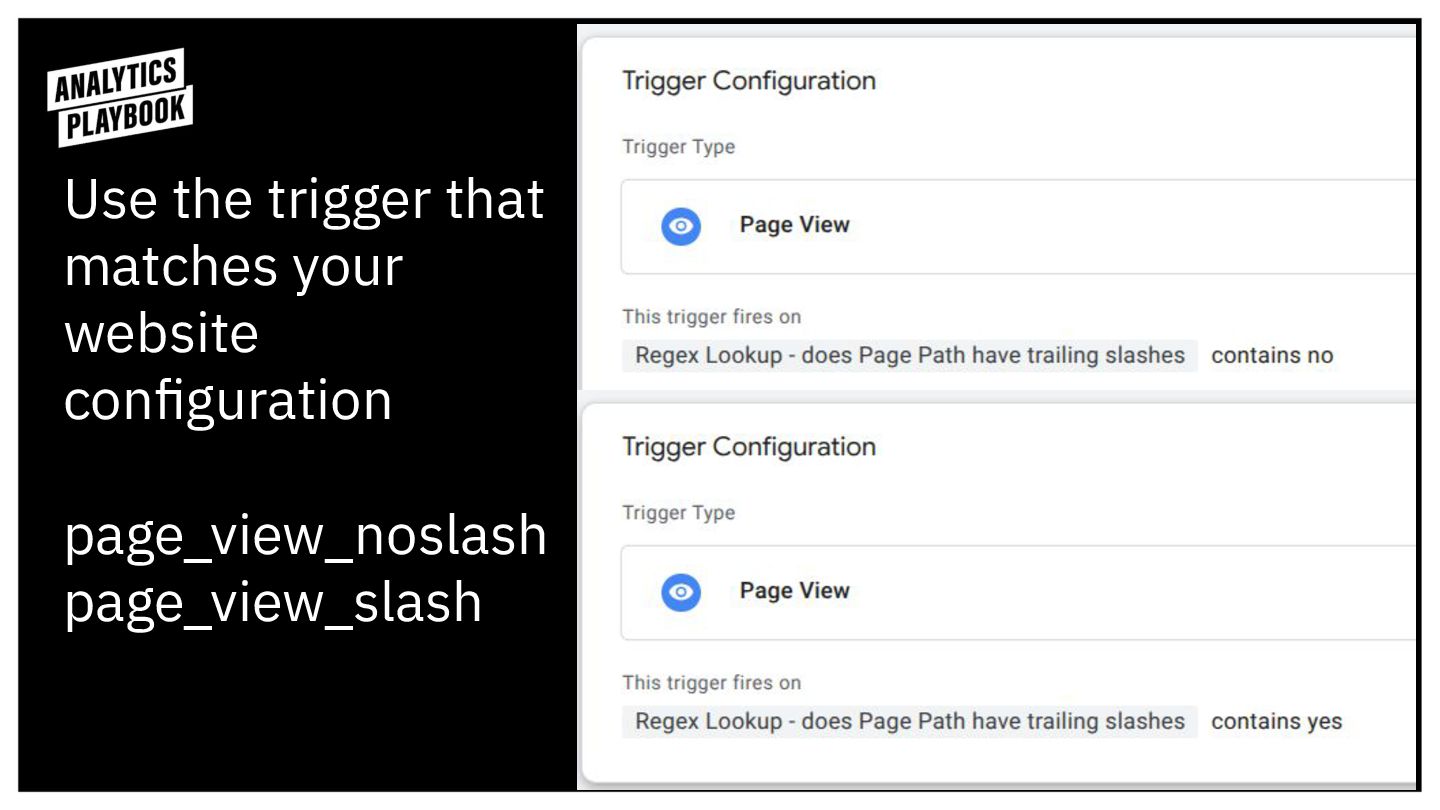
Use the trigger that matches your website configuration page_view_noslash
page_view_slash
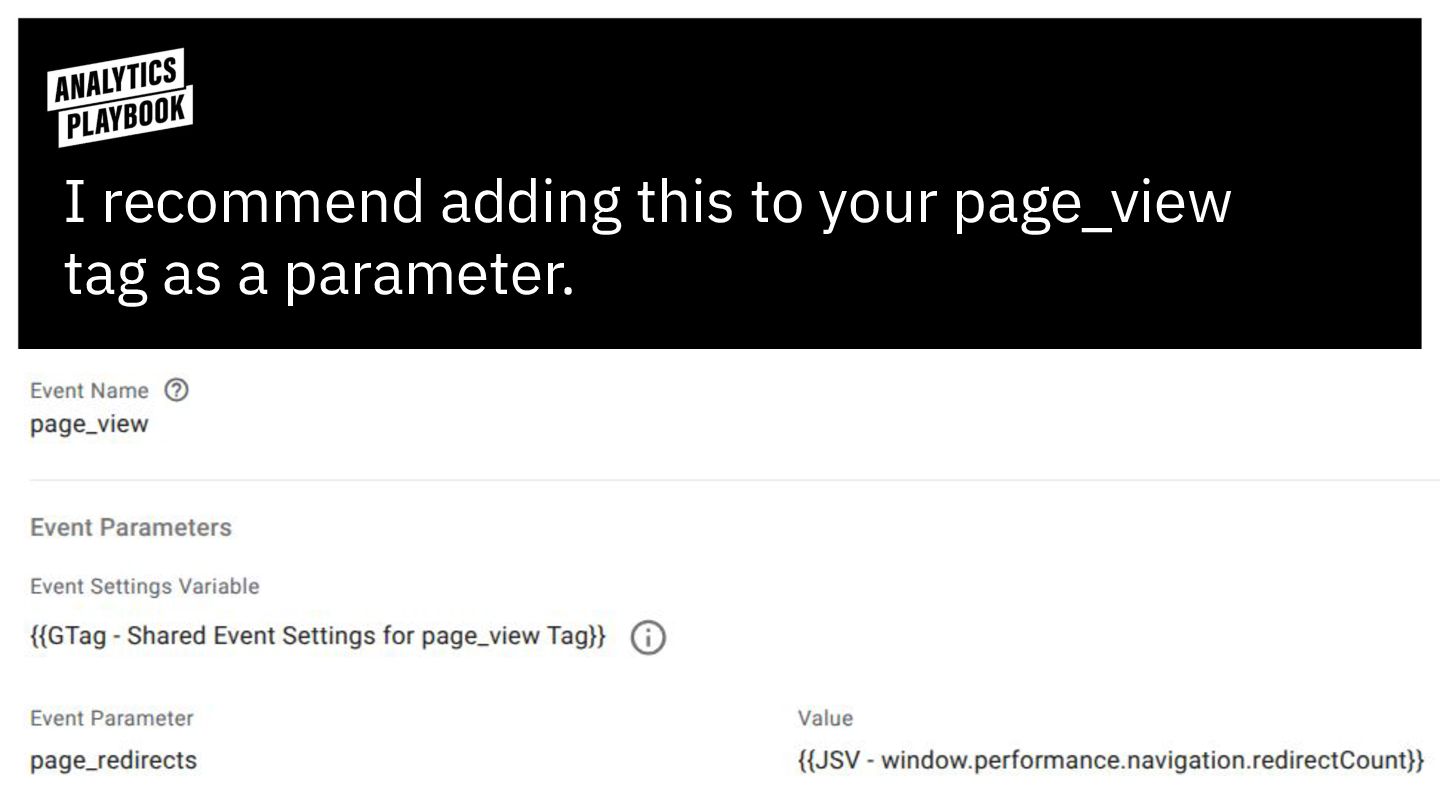
Were there redirects? Use this JavaScript Variable.
I recommend adding this to your page_view tag as a
parameter.
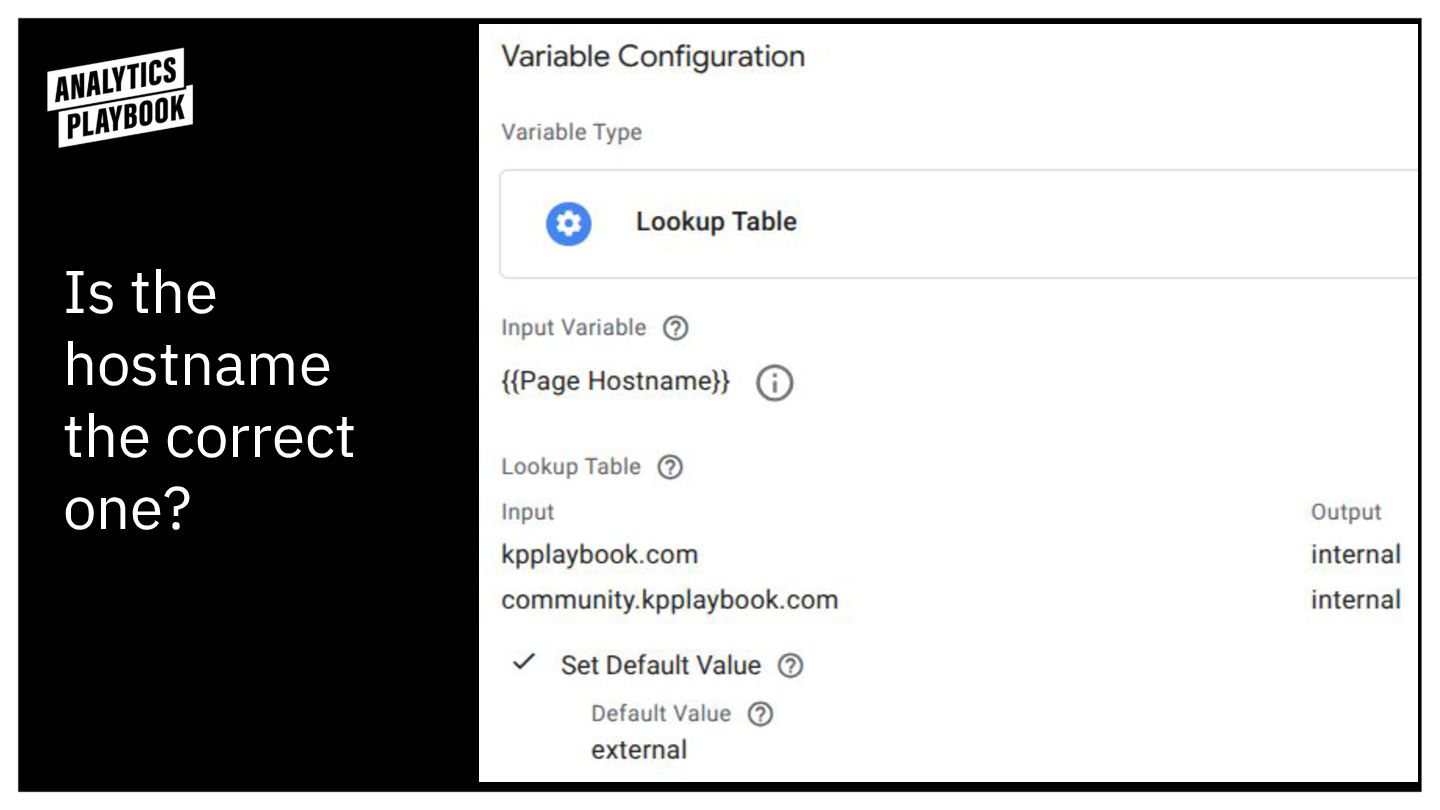
Is the hostname the correct one?
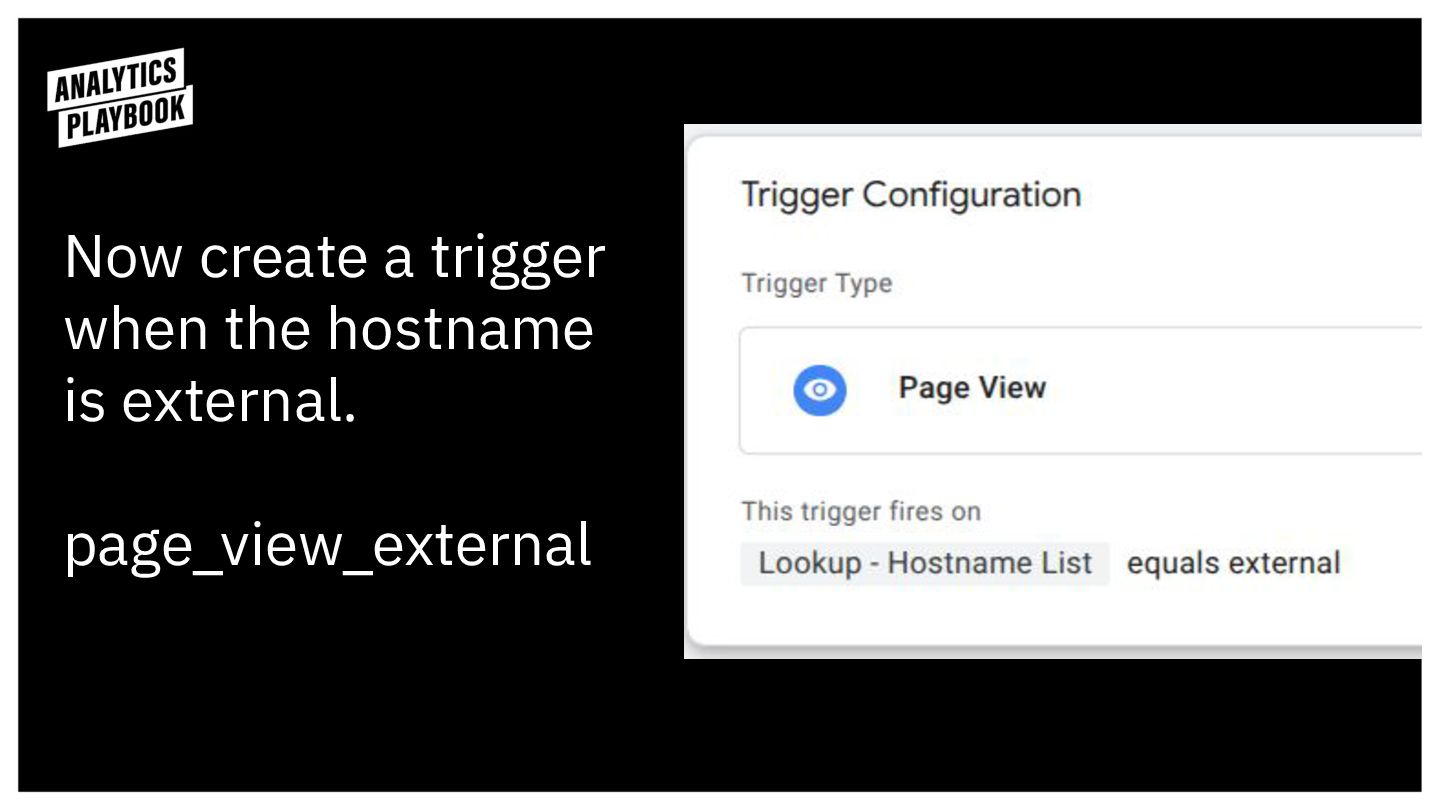
Now create a trigger when the hostname is external.
page_view_external
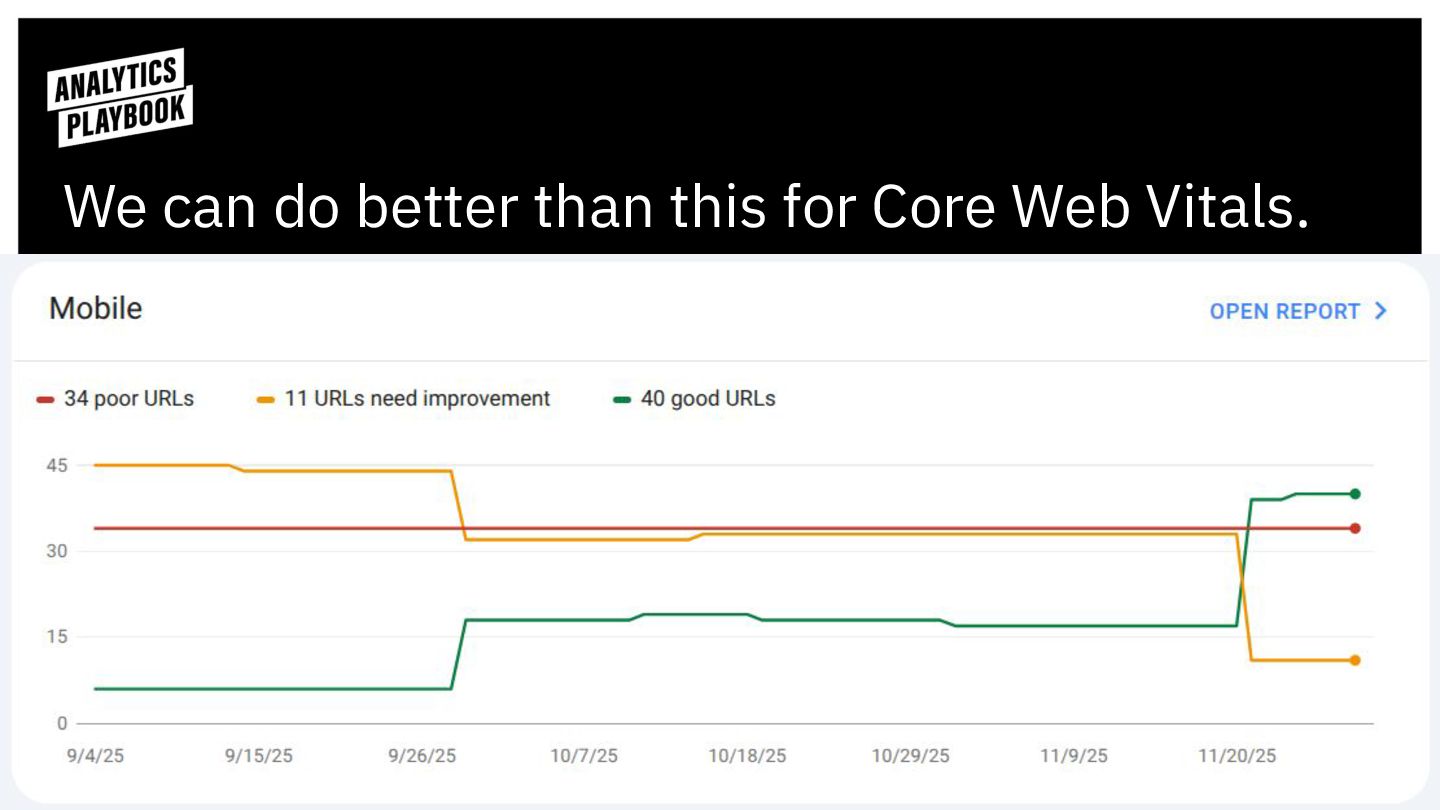
We can do better than this for Core Web Vitals.
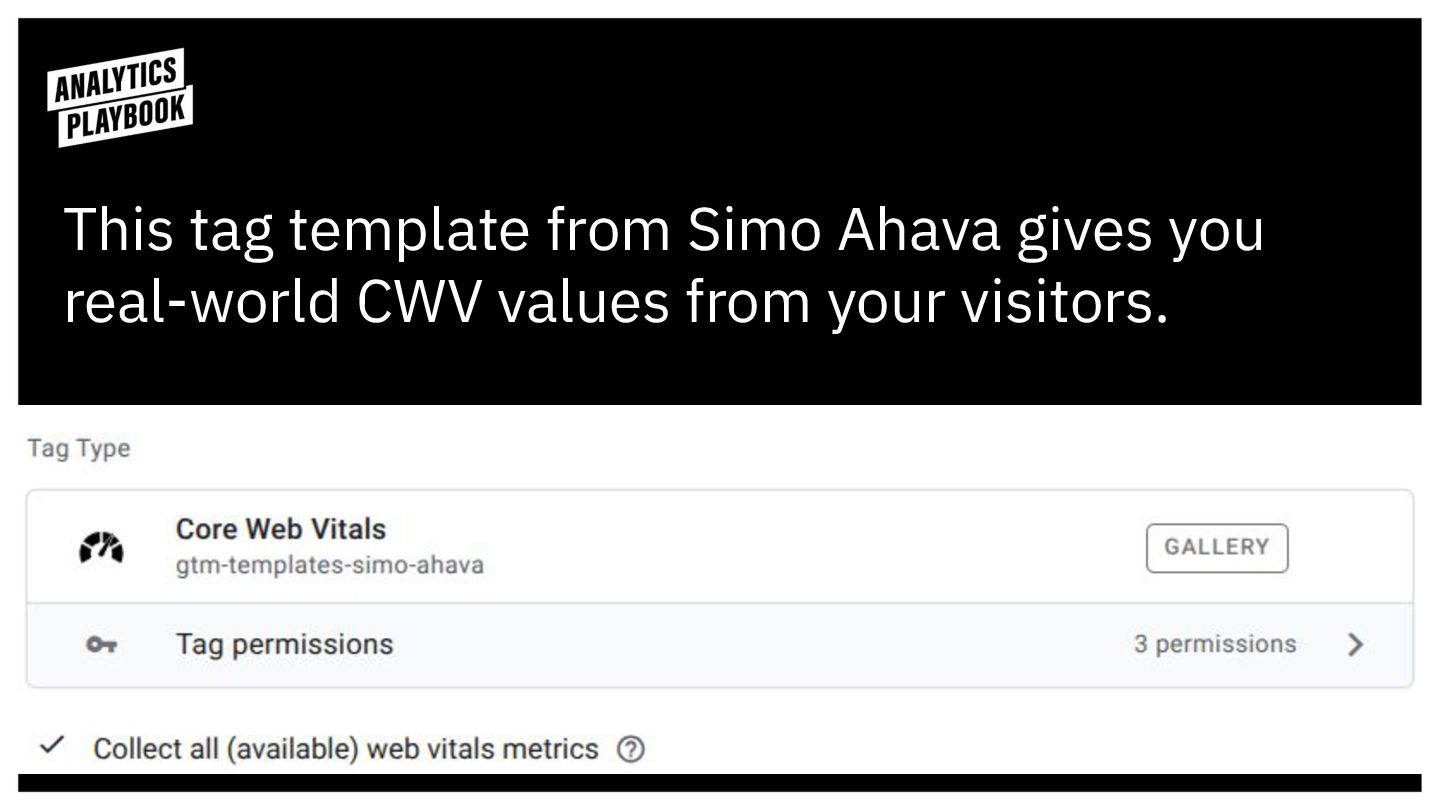
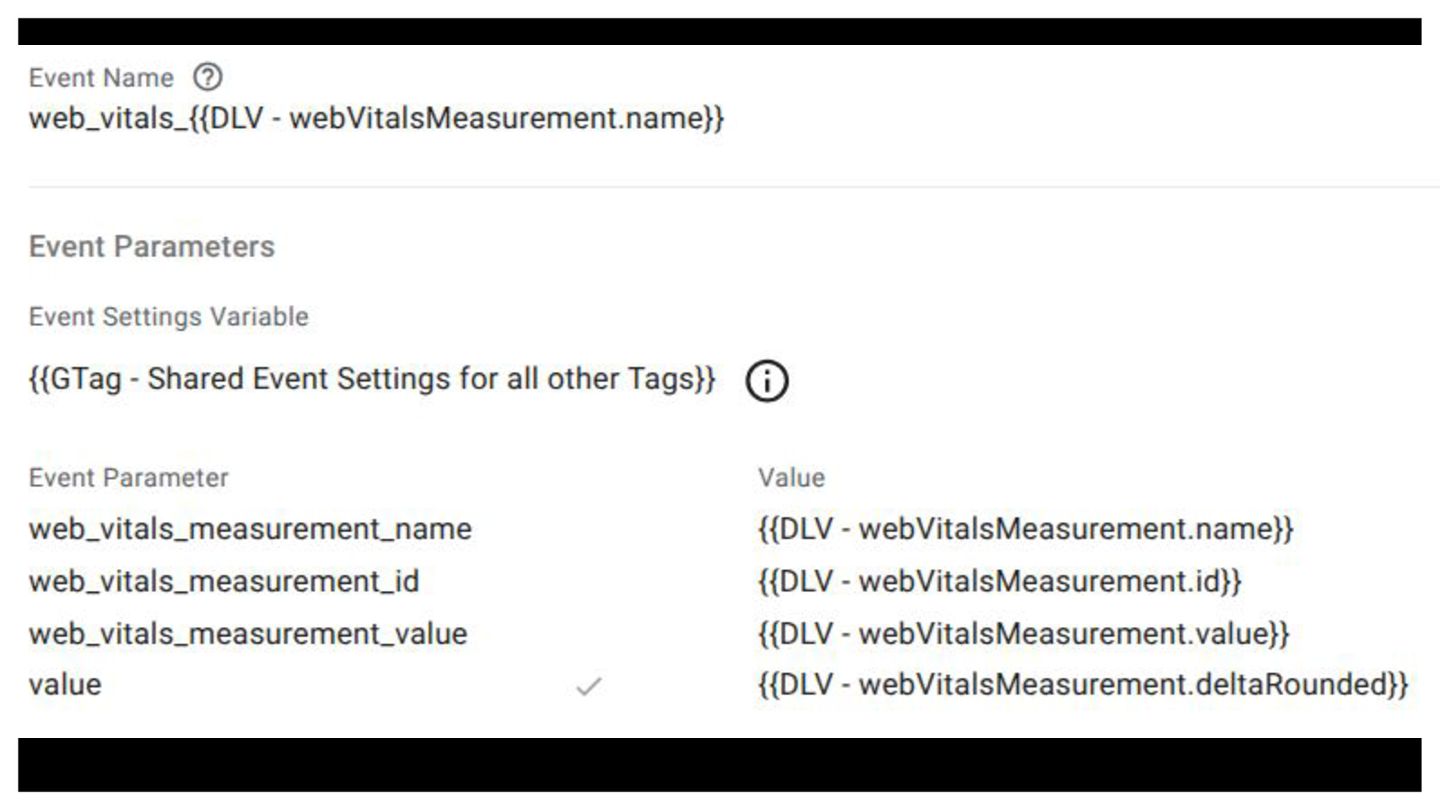
This tag template from Simo Ahava gives you real-world CWV
values from your visitors.
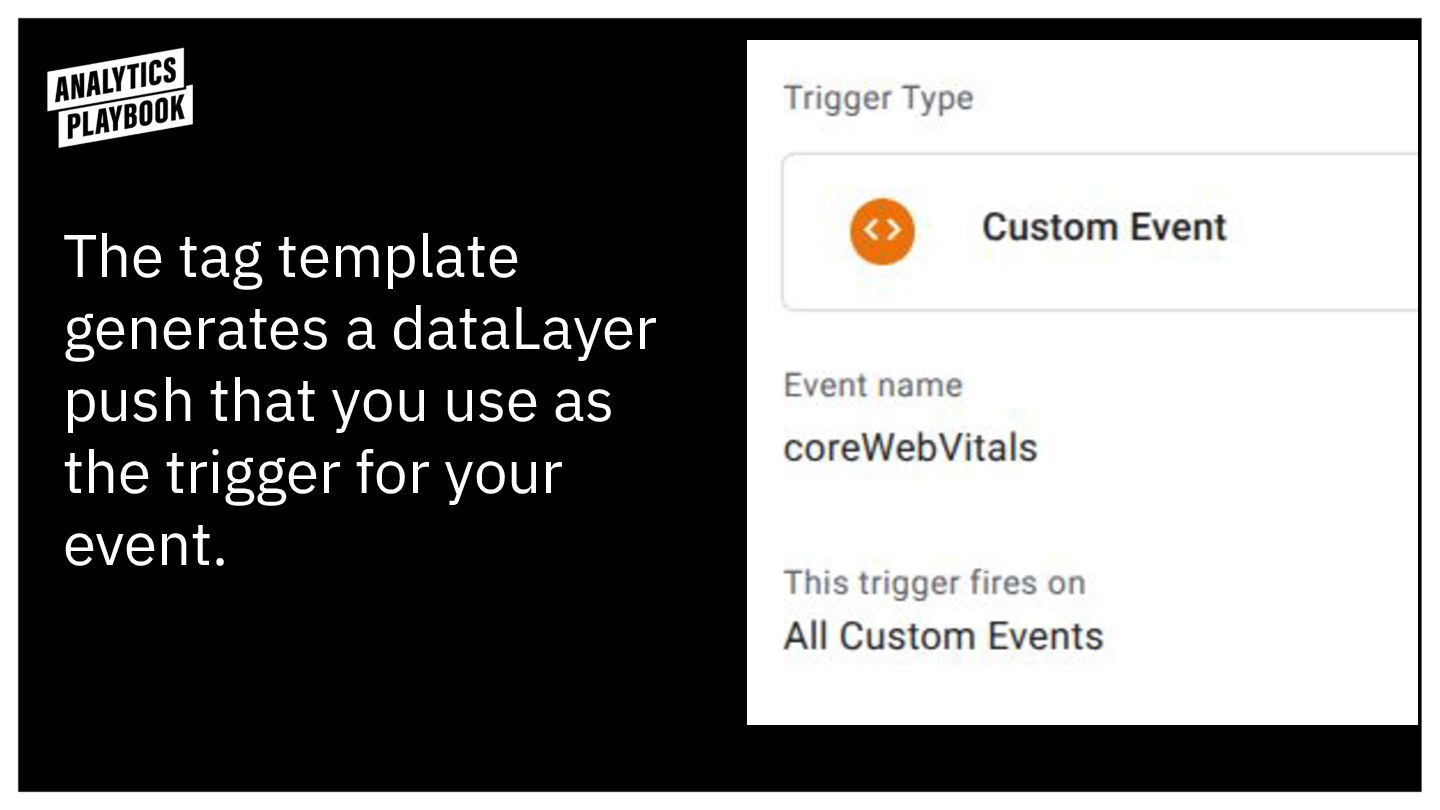
The tag template generates a dataLayer push that you use
as the trigger for your event.
None
If you’re capturing too many CWV values, try restricting the
trigger to only capture problem values.
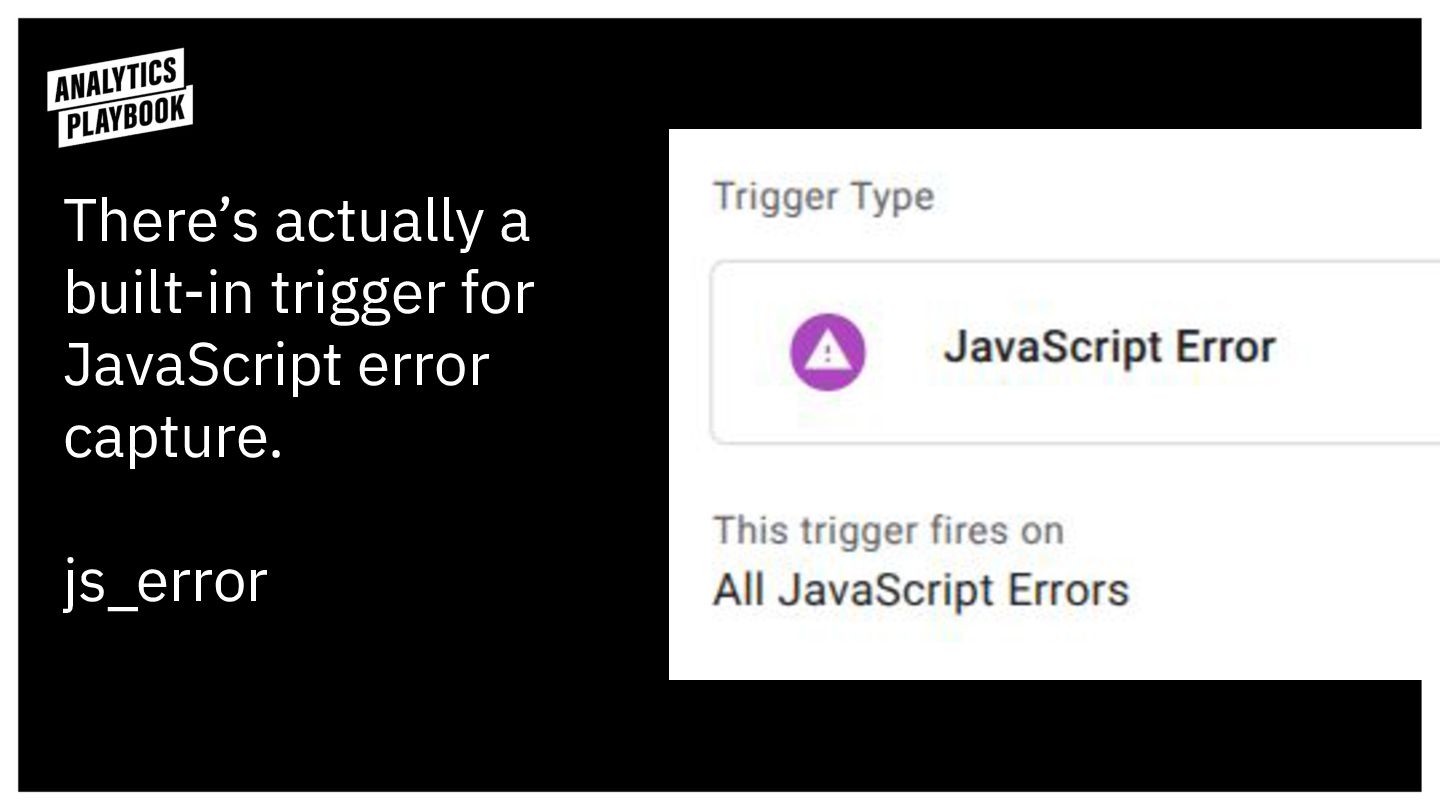
There’s actually a built-in trigger for JavaScript error capture.
js_error
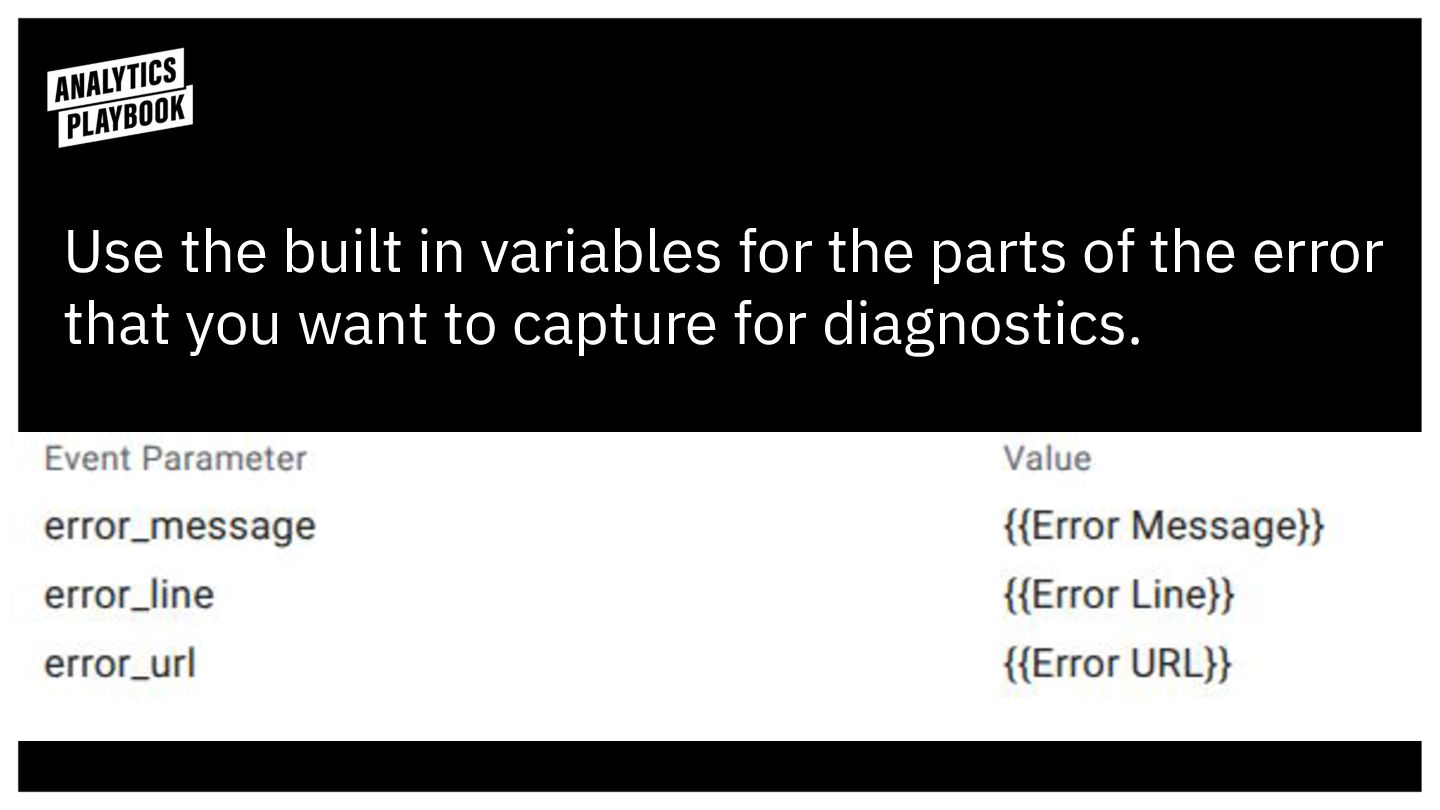
Use the built in variables for the parts of the
error that you want to capture for diagnostics.
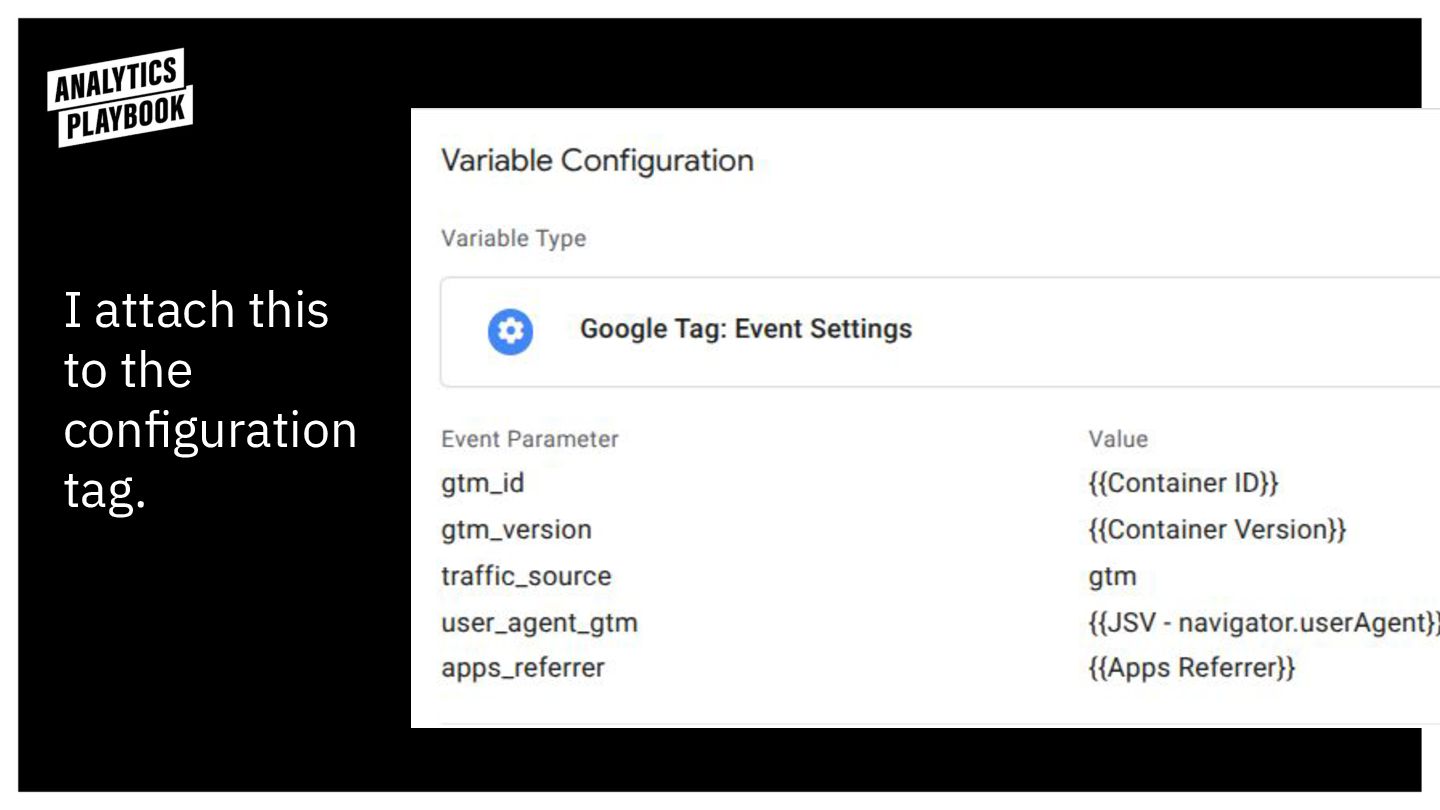
What’s the user agent? Use this JavaScript Variable.
I attach this to the configuration tag.
You can use the configuration tag for parameters that don’t
change during the session.
You might hit the 100 character limit with the User
Agent.
You might want to use a separate GA4.
Questions? Get in touch: linktr.ee/danaditomaso


 techseoconnect
 speedyindexteam
 zjchahalis
 greggifford
 marcogiordano96
 aleyda
 graydotco
 tenshoku_draft
 jeffersonlam
 schlessera
 rkendrick25
 tmiket
 honzajavorek
 kastner
 danielanewman
 afnizarnur
 szymonslowik
 nikkihalliwell
 marcelosomers