Upgrade to Pro
— share decks privately, control downloads, hide ads and more …
Speaker Deck
Sign up for free
Menu
Search
Features
All features
Private URLs
Password Protection
Custom URLS
Scheduled publishing
Remove Branding
Restrict embedding
Deck Collections
Notes
Features
All features
Private URLs
Password Protection
Custom URLS
Scheduled publishing
Remove Branding
Restrict embedding
Deck Collections
Notes
Explore
Featured decks
Featured speakers
Programming
Technology
Storyboards
Explore
Featured decks
Featured speakers
Programming
Technology
Storyboards
Pricing
Search
Sign in
Sign up for free
T3 Stack(応用編: Next Auth & SSRの実装紹介)
Search
Sponsored
·
Ship Features Fearlessly
Turn features on and off without deploys. Used by thousands of Ruby developers.
→
Yohei Iino
February 23, 2024
Technology
430
1
Share
Embed
Copy iframe code
Copy JS code
Copy link
Start on current slide
T3 Stack(応用編: Next Auth & SSRの実装紹介)
Yohei Iino
February 23, 2024
More Decks by Yohei Iino
See All by Yohei Iino
1年半放置したExpo製アプリを最新化してみた
wheatandcat
0
120
作成中のFlutterアプリの中間発表
wheatandcat
0
99
最近読んだ技術書を簡単紹介
wheatandcat
0
120
ユニバーサルリンク/アプリリンクを使ってQRコードでゲストログインできるようにする
wheatandcat
0
400
Firebase App Checkを実装したので紹介
wheatandcat
0
380
PlanetScaleの無料プランがなくなるので、NeonとTiDBを試してみた
wheatandcat
0
440
Flutter HooksとRiverpodの解説
wheatandcat
0
610
App Routerの紹介
wheatandcat
0
170
Flutter × GraphQLでアプリを作ってみる
wheatandcat
0
370
Other Decks in Technology
See All in Technology
その Valkey 使いこなしていますか?
onk
PRO
5
1.7k
アウトプット初心者、半年間のふりかえり
4o1sobblue
0
460
触りたくないデータに、どう触るか AI時代のRBACアクセスガバナンス
ivry_presentationmaterials
0
310
スプシの手作業からの解脱 ~更新はClaude Codeに、見せ方と使い方はGASアプリに任せる~
kentarofujii
0
170
CloudWatch Logsのコスト最適化:どこまでAIに任せてどこから人間が承認すべきか
yama3133
0
150
Kiro Crewで「みのるん式」仕事術やってみた
minorun365
PRO
3
960
Running Kotlin + Quarkus with Lambda
nealle
1
4.1k
AI導入は済んだ。次は統制を作り替える番だ_AI×開発組織 Summit 2026
techtekt
PRO
0
470
LLM Content Moderationを支える評価・改善ループの実践
suikabar
1
250
PagerDuty Tech Hub-鳴らすけれど、人は動かない
ezaki
0
190
トークン化預金DCJPYの取り組みと活用ユースケース
finengine
0
200
How to Design Configuration for Rails Applications
willnet
1
970
Featured
See All Featured
A Tale of Four Properties
chriscoyier
163
24k
The Art of Programming - Codeland 2020
erikaheidi
57
14k
Mozcon NYC 2025: Stop Losing SEO Traffic
samtorres
1
580
Collaborative Software Design: How to facilitate domain modelling decisions
baasie
1
340
How to Talk to Developers About Accessibility
jct
2
590
Rebuilding a faster, lazier Slack
samanthasiow
85
9.7k
Learning to Love Humans: Emotional Interface Design
aarron
275
41k
Leading Effective Engineering Teams in the AI Era
addyosmani
9
2.8k
For a Future-Friendly Web
brad_frost
184
10k
Navigating the Design Leadership Dip - Product Design Week Design Leaders+ Conference 2024
apolaine
2
480
Marketing Yourself as an Engineer | Alaka | Gurzu
gurzu
0
330
RailsConf & Balkan Ruby 2019: The Past, Present, and Future of Rails at GitHub
eileencodes
141
35k
Transcript
T3 Stack 応用編: Next Auth & SSRの実装紹介 Press Space for
next page
自己紹介 📝 飯野陽平(wheatandcat) 🏢 法人設立(合同会社UNICORN 代表社員) 💻 Work: シェアフル株式会社CTO 📚
Blog: https://www.wheatandcat.me/ 🛠 今までに作ったもの memoir ペペロミア MarkyLinky
T3 Stackとは? 最近、話題の Web アプリ開発のアーキテクチャ 以下の 3 つの思想に集点を当てて設計された技術スタック simplicity(簡潔さ) modularity(モジュール性)
full-stack typesafety(フルスタックの型安全) t3-appとしてコマンドラインツールも公開されている 全体の紹介は以前スライドを作成したので、そちらを参照 T3 Stack + Supabaseでアプリを作ってみる - Speaker Deck このスライドでは、T3 Stackの応用編として、Next AuthとSSR対応を紹介
Next Authとは? Next.jsアプリケーション専用に設計されたオープンソースの認証ライブラリ SSRや、React Server Components等のサーバーサイドでも認証が可能 様々な認証プロバイダーをサポート(Google、Facebookなど) 簡単な設定で認証が実装可能
Next Authで認証を実装 Google | NextAuth.js 各プロバイダーの設定は以下のように行う export const authOptions: NextAuthOptions
= { providers: [ DiscordProvider({ clientId: env.DISCORD_CLIENT_ID, clientSecret: env.DISCORD_CLIENT_SECRET, }), AppleProvider({ clientId: env.APPLE_ID, clientSecret: env.APPLE_SECRET, }), GoogleProvider({ clientId: env.GOOGLE_CLIENT_ID, clientSecret: env.GOOGLE_CLIENT_SECRET, }), ],
Next Authで認証を実装 Google | NextAuth.js 各プロバイダーの設定は以下のように行う DiscordProvider({ clientId: env.DISCORD_CLIENT_ID, clientSecret:
env.DISCORD_CLIENT_SECRET, }), export const authOptions: NextAuthOptions = { providers: [ AppleProvider({ clientId: env.APPLE_ID, clientSecret: env.APPLE_SECRET, }), GoogleProvider({ clientId: env.GOOGLE_CLIENT_ID, clientSecret: env.GOOGLE_CLIENT_SECRET, }), ],
Next Authで認証を実装 Google | NextAuth.js 各プロバイダーの設定は以下のように行う AppleProvider({ clientId: env.APPLE_ID, clientSecret:
env.APPLE_SECRET, }), export const authOptions: NextAuthOptions = { providers: [ DiscordProvider({ clientId: env.DISCORD_CLIENT_ID, clientSecret: env.DISCORD_CLIENT_SECRET, }), GoogleProvider({ clientId: env.GOOGLE_CLIENT_ID, clientSecret: env.GOOGLE_CLIENT_SECRET, }), ],
Next Authで認証を実装 Google | NextAuth.js 各プロバイダーの設定は以下のように行う export const authOptions: NextAuthOptions
= { providers: [ DiscordProvider({ clientId: env.DISCORD_CLIENT_ID, clientSecret: env.DISCORD_CLIENT_SECRET, }), AppleProvider({ clientId: env.APPLE_ID, clientSecret: env.APPLE_SECRET, }), GoogleProvider({ clientId: env.GOOGLE_CLIENT_ID, clientSecret: env.GOOGLE_CLIENT_SECRET, }), ],
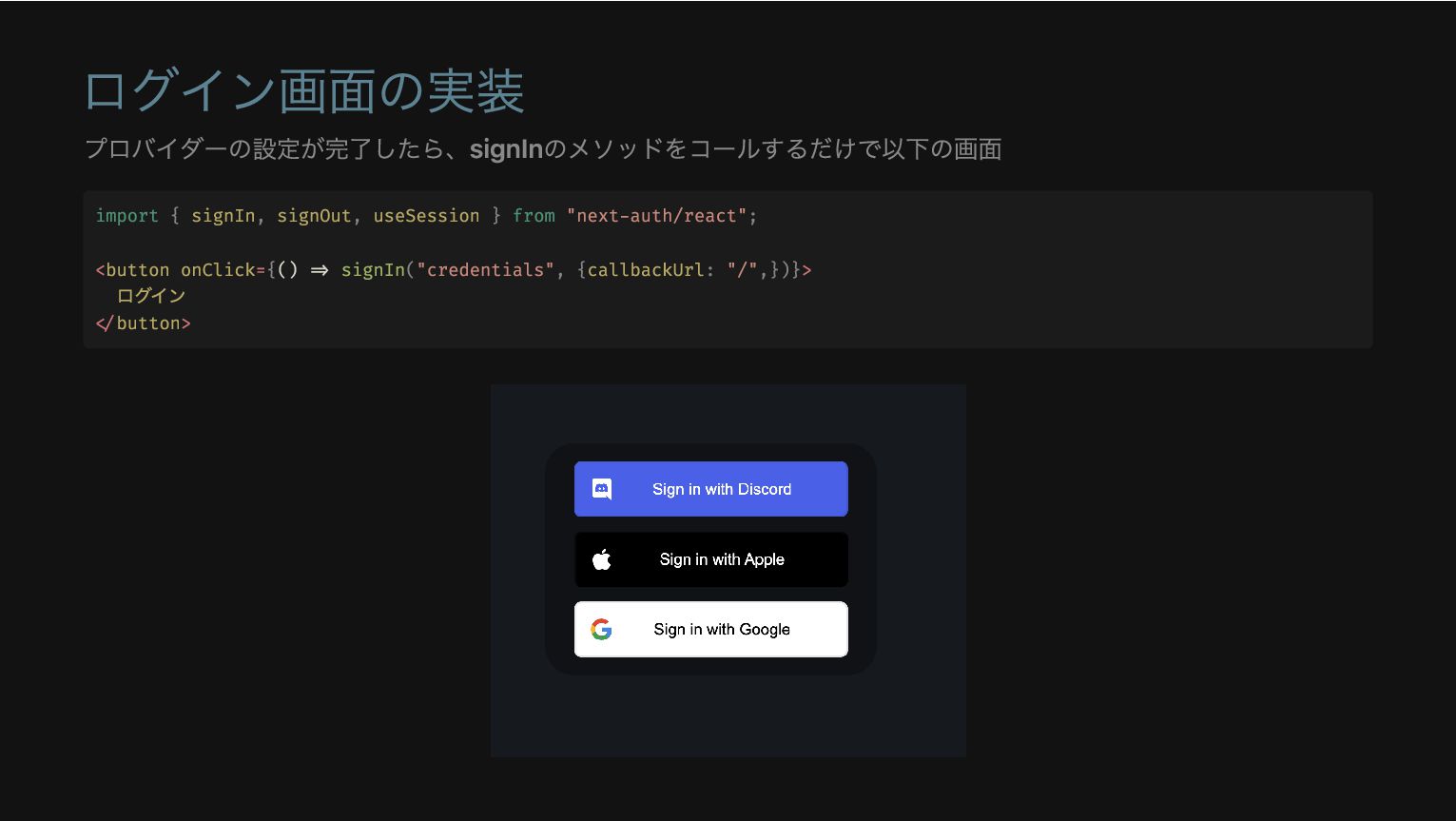
ログイン画面の実装 プロバイダーの設定が完了したら、signInのメソッドをコールするだけで以下の画面 import { signIn, signOut, useSession } from "next-auth/react";
<button onClick={() => signIn("credentials", {callbackUrl: "/",})}> ログイン </button>
ログイン画面のカスタマイズ ログイン画面をカスタマイズしたい場合は以下を追加することで可能 export const authOptions: NextAuthOptions = { pages: {
signIn: "/auth/signin", error: "/auth/signin", },
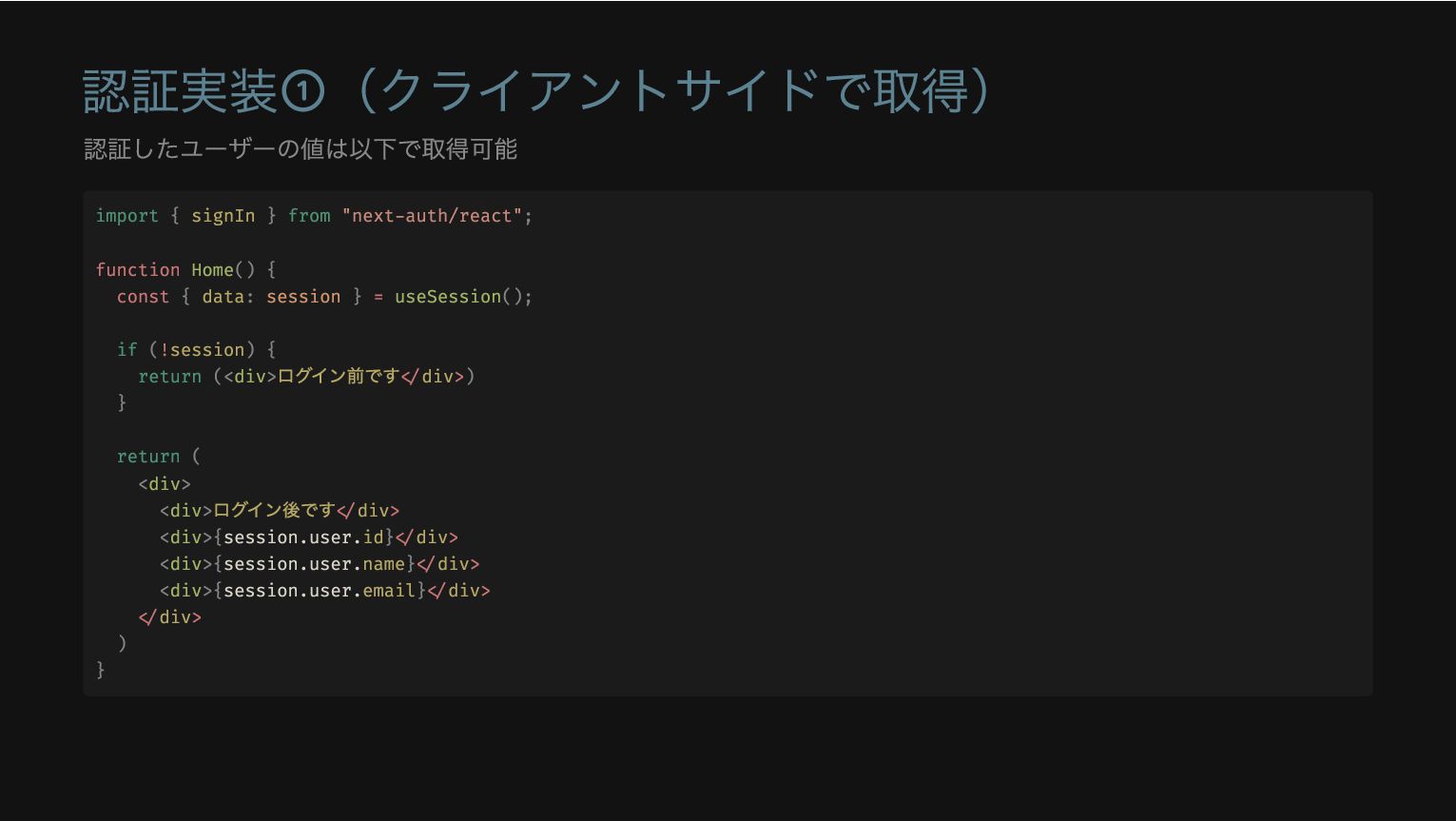
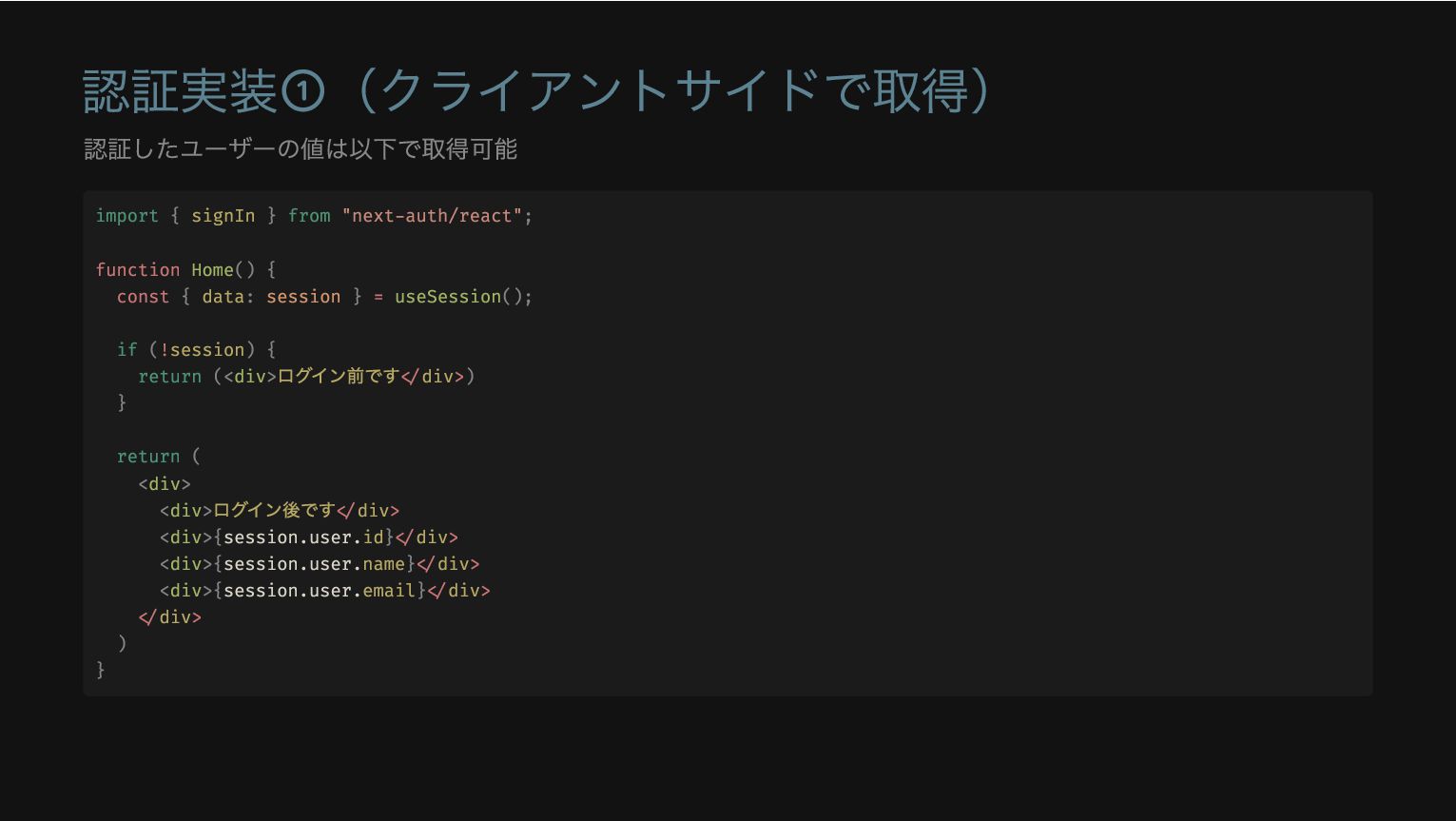
認証実装①(クライアントサイドで取得) 認証したユーザーの値は以下で取得可能 import { signIn } from "next-auth/react"; function Home()
{ const { data: session } = useSession(); if (!session) { return (<div> ログイン前です</div>) } return ( <div> <div> ログイン後です</div> <div>{session.user.id}</div> <div>{session.user.name}</div> <div>{session.user.email}</div> </div> ) }
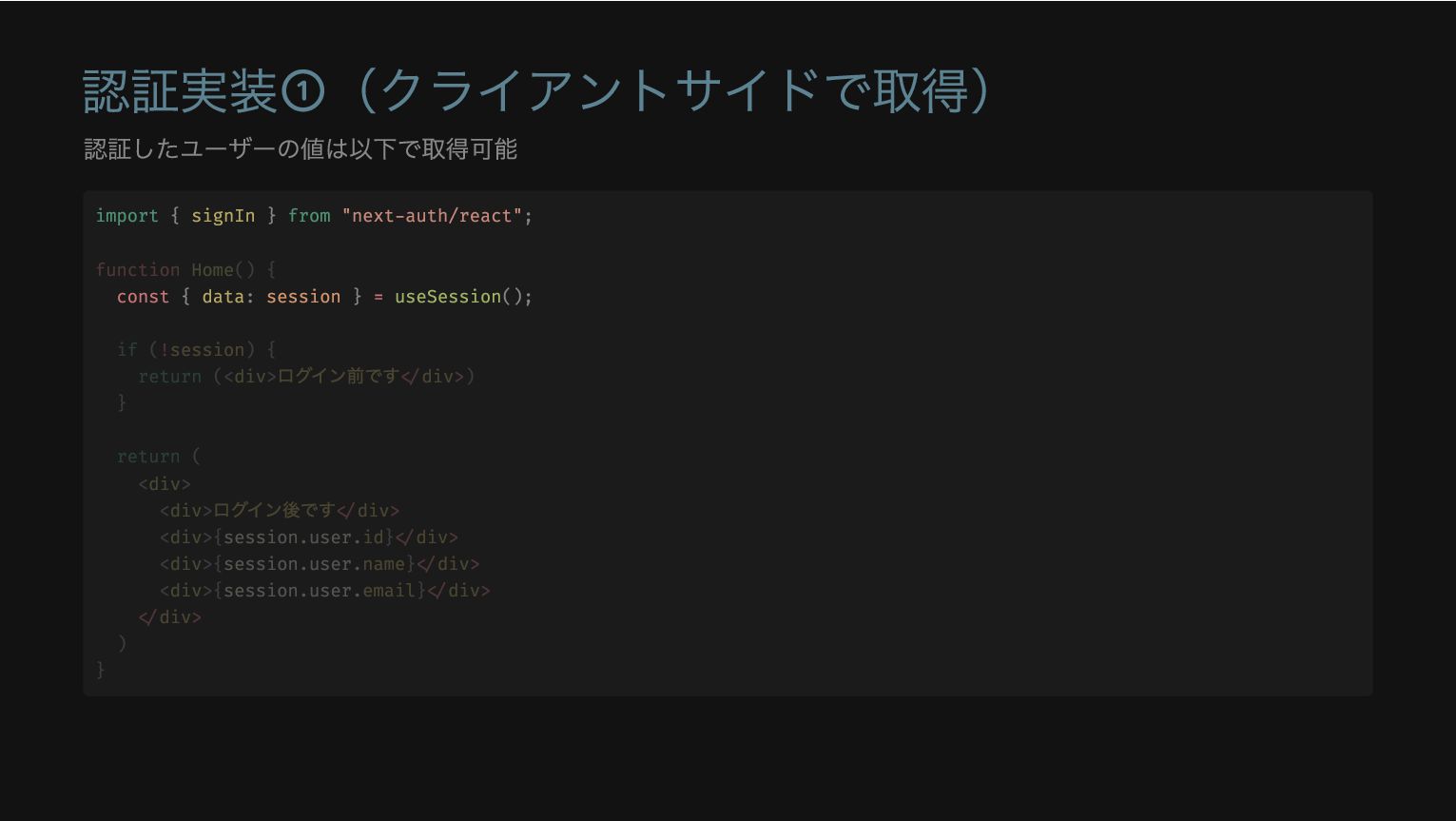
認証実装①(クライアントサイドで取得) 認証したユーザーの値は以下で取得可能 import { signIn } from "next-auth/react"; const {
data: session } = useSession(); function Home() { if (!session) { return (<div> ログイン前です</div>) } return ( <div> <div> ログイン後です</div> <div>{session.user.id}</div> <div>{session.user.name}</div> <div>{session.user.email}</div> </div> ) }
認証実装①(クライアントサイドで取得) 認証したユーザーの値は以下で取得可能 if (!session) { return (<div> ログイン前です</div>) } import
{ signIn } from "next-auth/react"; function Home() { const { data: session } = useSession(); return ( <div> <div> ログイン後です</div> <div>{session.user.id}</div> <div>{session.user.name}</div> <div>{session.user.email}</div> </div> ) }
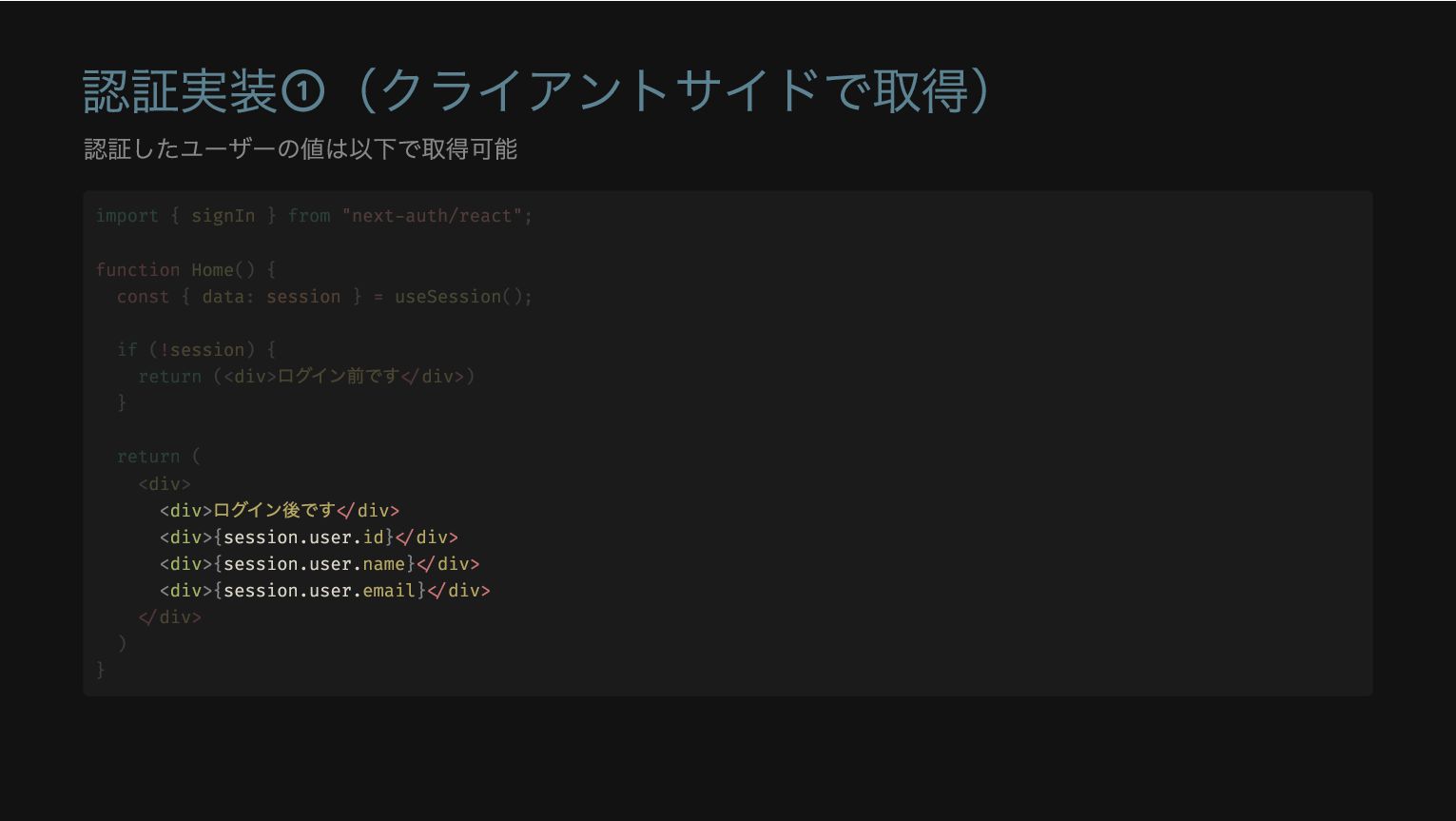
認証実装①(クライアントサイドで取得) 認証したユーザーの値は以下で取得可能 <div> ログイン後です</div> <div>{session.user.id}</div> <div>{session.user.name}</div> <div>{session.user.email}</div> import { signIn
} from "next-auth/react"; function Home() { const { data: session } = useSession(); if (!session) { return (<div> ログイン前です</div>) } return ( <div> </div> ) }
認証実装①(クライアントサイドで取得) 認証したユーザーの値は以下で取得可能 import { signIn } from "next-auth/react"; function Home()
{ const { data: session } = useSession(); if (!session) { return (<div> ログイン前です</div>) } return ( <div> <div> ログイン後です</div> <div>{session.user.id}</div> <div>{session.user.name}</div> <div>{session.user.email}</div> </div> ) }
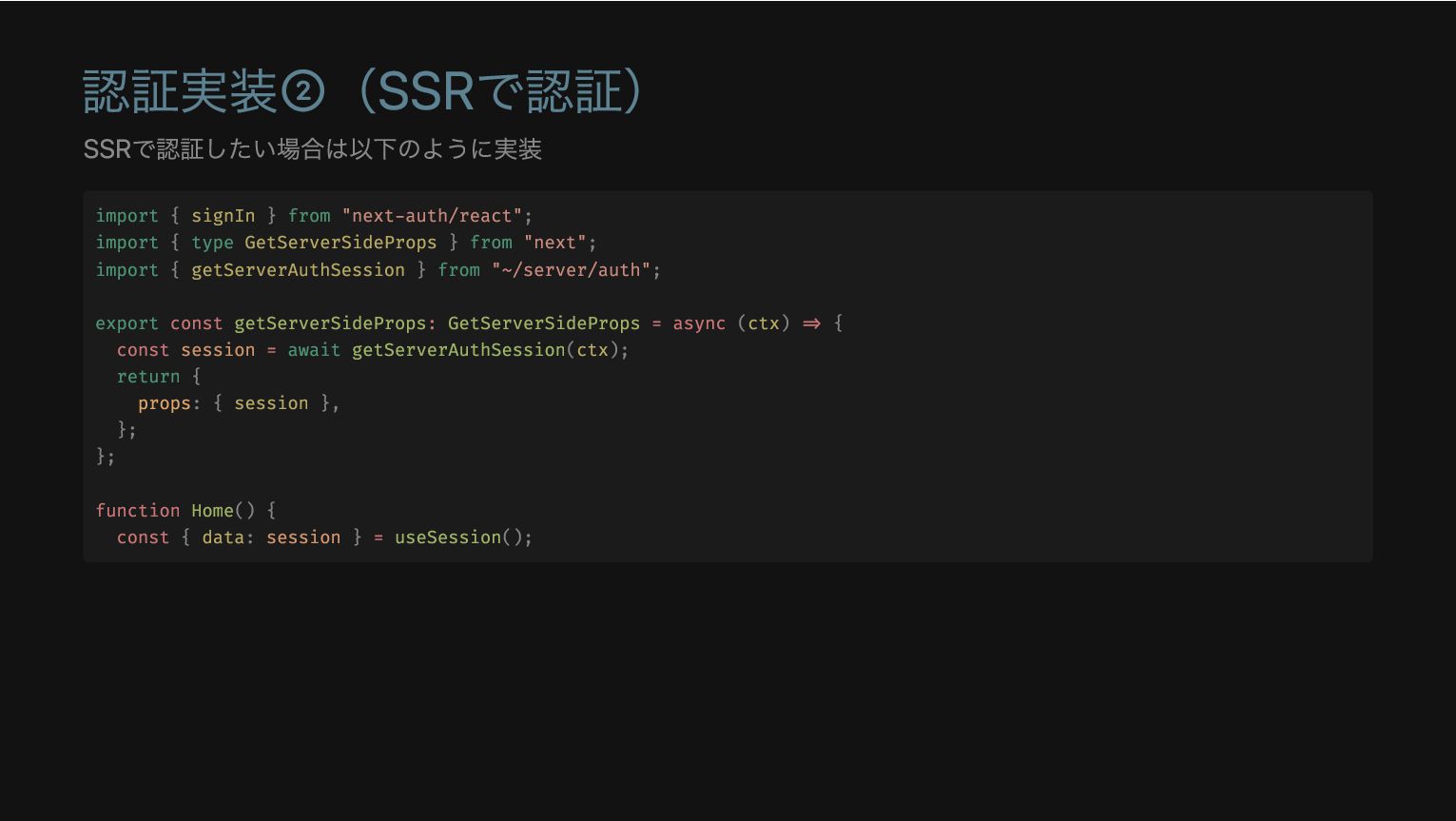
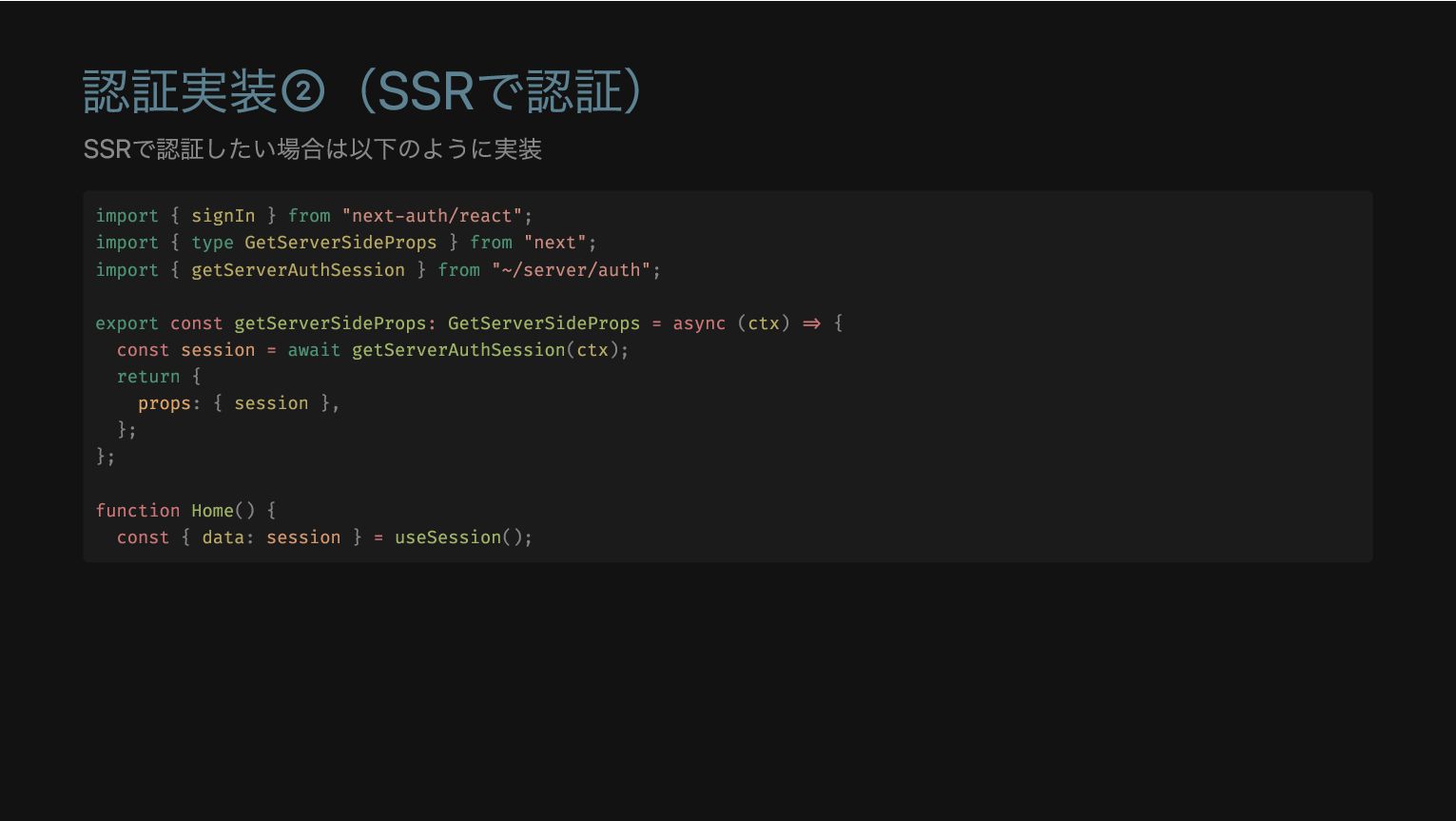
認証実装②(SSRで認証) SSRで認証したい場合は以下のように実装 import { signIn } from "next-auth/react"; import {
type GetServerSideProps } from "next"; import { getServerAuthSession } from "~/server/auth"; export const getServerSideProps: GetServerSideProps = async (ctx) => { const session = await getServerAuthSession(ctx); return { props: { session }, }; }; function Home() { const { data: session } = useSession();
認証実装②(SSRで認証) SSRで認証したい場合は以下のように実装 export const getServerSideProps: GetServerSideProps = async (ctx) =>
{ const session = await getServerAuthSession(ctx); return { props: { session }, }; }; import { signIn } from "next-auth/react"; import { type GetServerSideProps } from "next"; import { getServerAuthSession } from "~/server/auth"; function Home() { const { data: session } = useSession();
認証実装②(SSRで認証) SSRで認証したい場合は以下のように実装 const { data: session } = useSession(); import
{ signIn } from "next-auth/react"; import { type GetServerSideProps } from "next"; import { getServerAuthSession } from "~/server/auth"; export const getServerSideProps: GetServerSideProps = async (ctx) => { const session = await getServerAuthSession(ctx); return { props: { session }, }; }; function Home() {
認証実装②(SSRで認証) SSRで認証したい場合は以下のように実装 import { signIn } from "next-auth/react"; import {
type GetServerSideProps } from "next"; import { getServerAuthSession } from "~/server/auth"; export const getServerSideProps: GetServerSideProps = async (ctx) => { const session = await getServerAuthSession(ctx); return { props: { session }, }; }; function Home() { const { data: session } = useSession();
認証実装③(RSCで認証) RSCで認証したい場合は以下のように実装 現状はこれが最速の認証方法 import { getServerSession } from "next-auth/next" import
{ authOptions } from "~/server/auth"; export default async function Home() { const session = await getServerSession(authOptions)
認証実装③(RSCで認証) RSCで認証したい場合は以下のように実装 現状はこれが最速の認証方法 export default async function Home() { const
session = await getServerSession(authOptions) import { getServerSession } from "next-auth/next" import { authOptions } from "~/server/auth";
認証実装③(RSCで認証) RSCで認証したい場合は以下のように実装 現状はこれが最速の認証方法 import { getServerSession } from "next-auth/next" import
{ authOptions } from "~/server/auth"; export default async function Home() { const session = await getServerSession(authOptions)
tRPCでSSRを実装① T3 StackではtRPCでデータ取得を行っている SSRに対応するには、以下のoptionをtrueにするだけでOK 👌 import { createTRPCNext } from
"@trpc/next"; export const api = createTRPCNext<AppRouter>({ /** * Whether tRPC should await queries when server rendering pages. * * @see https://trpc.io/docs/nextjs#ssr-boolean-default-false */ ssr: true,
tRPCでSSRを実装① T3 StackではtRPCでデータ取得を行っている SSRに対応するには、以下のoptionをtrueにするだけでOK 👌 ssr: true, import { createTRPCNext
} from "@trpc/next"; export const api = createTRPCNext<AppRouter>({ /** * Whether tRPC should await queries when server rendering pages. * * @see https://trpc.io/docs/nextjs#ssr-boolean-default-false */
tRPCでSSRを実装② Server-Side Rendering | tRPC ssr:trueにするとtRPCでアクセスしている箇所をサーバーサイドでprefetchする挙動になる 以下のようなコードを実行した場合、クライアントサイドではキャッシュから取得するの動作になる function Schedule() {
const router = useRouter(); const { id } = router.query; const schedules = api.schedule.fetch.useQuery({ urlId: String(id) });
tRPCでSSRを実装② Server-Side Rendering | tRPC ssr:trueにするとtRPCでアクセスしている箇所をサーバーサイドでprefetchする挙動になる 以下のようなコードを実行した場合、クライアントサイドではキャッシュから取得するの動作になる const schedules =
api.schedule.fetch.useQuery({ urlId: String(id) }); function Schedule() { const router = useRouter(); const { id } = router.query;
tRPCでSSRを実装② Server-Side Rendering | tRPC ssr:trueにするとtRPCでアクセスしている箇所をサーバーサイドでprefetchする挙動になる 以下のようなコードを実行した場合、クライアントサイドではキャッシュから取得するの動作になる function Schedule() {
const router = useRouter(); const { id } = router.query; const schedules = api.schedule.fetch.useQuery({ urlId: String(id) });
補足: スライドで参照している開発物の紹介 Repository OOMAKA サービスURL OOMAKA | 年間スケジュール、まとめるなら SSRしている画面を軽くDEMO
まとめ T3 Stackを使うとSSR周りは、かなり楽 getServerSidePropsでゴニョゴニョする必要がなくなって開発が捗る Next Authは現状はNext.js専用だが、今後のロードマップで名前をAuthに変更して別フレームワークでも使 用可能になる予定
ご清聴ありがとうございました 🎉


 wheatandcat
 onk
onk
 4o1sobblue
 ivry_presentationmaterials
 kentarofujii
 yama3133
 minorun365
 nealle
 techtekt
 suikabar
 ezaki
ezaki
 finengine
 willnet
 chriscoyier
 erikaheidi
 samtorres
 baasie
 jct
jct
 samanthasiow
 aarron
 addyosmani
 brad_frost
 apolaine
 gurzu
gurzu
 eileencodes