Upgrade to Pro
— share decks privately, control downloads, hide ads and more …
Speaker Deck
Sign up for free
Menu
Search
Features
All features
Private URLs
Password Protection
Custom URLS
Scheduled publishing
Remove Branding
Restrict embedding
Deck Collections
Notes
Features
All features
Private URLs
Password Protection
Custom URLS
Scheduled publishing
Remove Branding
Restrict embedding
Deck Collections
Notes
Explore
Featured decks
Featured speakers
Programming
Technology
Storyboards
Explore
Featured decks
Featured speakers
Programming
Technology
Storyboards
Pricing
Search
Sign in
Sign up for free
Code Interpreter で、AIに安全に コードを書かせる。
Search
Sponsored
·
Ship Features Fearlessly
Turn features on and off without deploys. Used by thousands of Ruby developers.
→
yoko / Naoki Yokomachi
April 17, 2026
Technology
9.1k
0
Share
Embed
Copy iframe code
Copy JS code
Copy link
Start on current slide
Code Interpreter で、AIに安全に コードを書かせる。
yoko / Naoki Yokomachi
April 17, 2026
More Decks by yoko / Naoki Yokomachi
See All by yoko / Naoki Yokomachi
Two A's for Weekly Releases | 少人数チームが週1リリースを継続するためのPJのコンテキスト化とClaude Code活用開発フロー
yokomachi
1
48
正しさだけではプロジェクトは進まないから | Become an AI Agent Orchestration Engineer
yokomachi
1
34
Inside the collaboration paradox -AI駆動開発とアジャイル開発と60%と20%とハーネスと私-
yokomachi
1
230
Building a Personal AI Agent with Strands Agents × Amazon Bedrock AgentCore
yokomachi
1
54
Strands Agents × Amazon Bedrock AgentCoreで パーソナルAIエージェントを作ろう
yokomachi
3
430
身体を持ったパーソナルAIエージェントの 可能性を探る開発
yokomachi
1
230
AITuberKit+Bedrock AgentCoreで作る 3Dキャラクターエージェント
yokomachi
2
3.7k
ご飯食べながらエージェントが開発できる。そう、Agentic Engineeringならね。
yokomachi
1
490
"人"が頑張るAI駆動開発
yokomachi
1
980
Other Decks in Technology
See All in Technology
使いこなすために知っておきたい Azure SRE Agent アンチパターン
torumakabe
2
330
形式手法を使って仕様をコーディングしよう
mikanichinose
0
180
【データ横丁主催】AI Agentがコンテキストを使って仕事をした後、何が残るのか― 組織の経験を次の判断に引き継ぐ「Agent Memory」
shisyu_gaku
2
330
Deep Data Security 機能解説
oracle4engineer
PRO
2
690
SREでアラート疲れを 解決しよう!
kairim0
1
200
カンファレンスに参加した後の浮遊感とセルフケア
pauli
0
310
IoTデバイスを繋げるプロトコルMatterをAndroidで使用する方法
harutiro
0
120
AI駆動開発、viviONの1年 ── うまくいったこと・いかなかったこと
vivion
0
220
Datadog の学び方 - あるいは、オブザーバビリティを学ぶとは何か
mananyuki
1
420
転んだ話が背中を預ける理由になる / A_story_about_falling_down_gives_you_a_reason_to_watch_each_other_s_backs.pdf
pauli
3
210
並行性の問題を防げ!実践トランザクション入門
occhi
0
260
メルペイ 会計システム概要と歴史
mewuto
0
150
Featured
See All Featured
Speed Design
sergeychernyshev
33
2.1k
The Cost Of JavaScript in 2023
addyosmani
55
10k
From π to Pie charts
rasagy
1
390
Evolution of real-time – Irina Nazarova, EuRuKo, 2024
irinanazarova
9
1.6k
Leveraging Curiosity to Care for An Aging Population
cassininazir
1
520
VelocityConf: Rendering Performance Case Studies
addyosmani
331
25k
Technical Leadership for Architectural Decision Making
baasie
3
590
Building Flexible Design Systems
yeseniaperezcruz
330
41k
The Limits of Empathy - UXLibs8
cassininazir
1
700
Leveraging LLMs for student feedback in introductory data science courses - posit::conf(2025)
minecr
1
420
SEO Brein meetup: CTRL+C is not how to scale international SEO
lindahogenes
2
2.9k
Agile Leadership in an Agile Organization
kimpetersen
PRO
0
270
Transcript
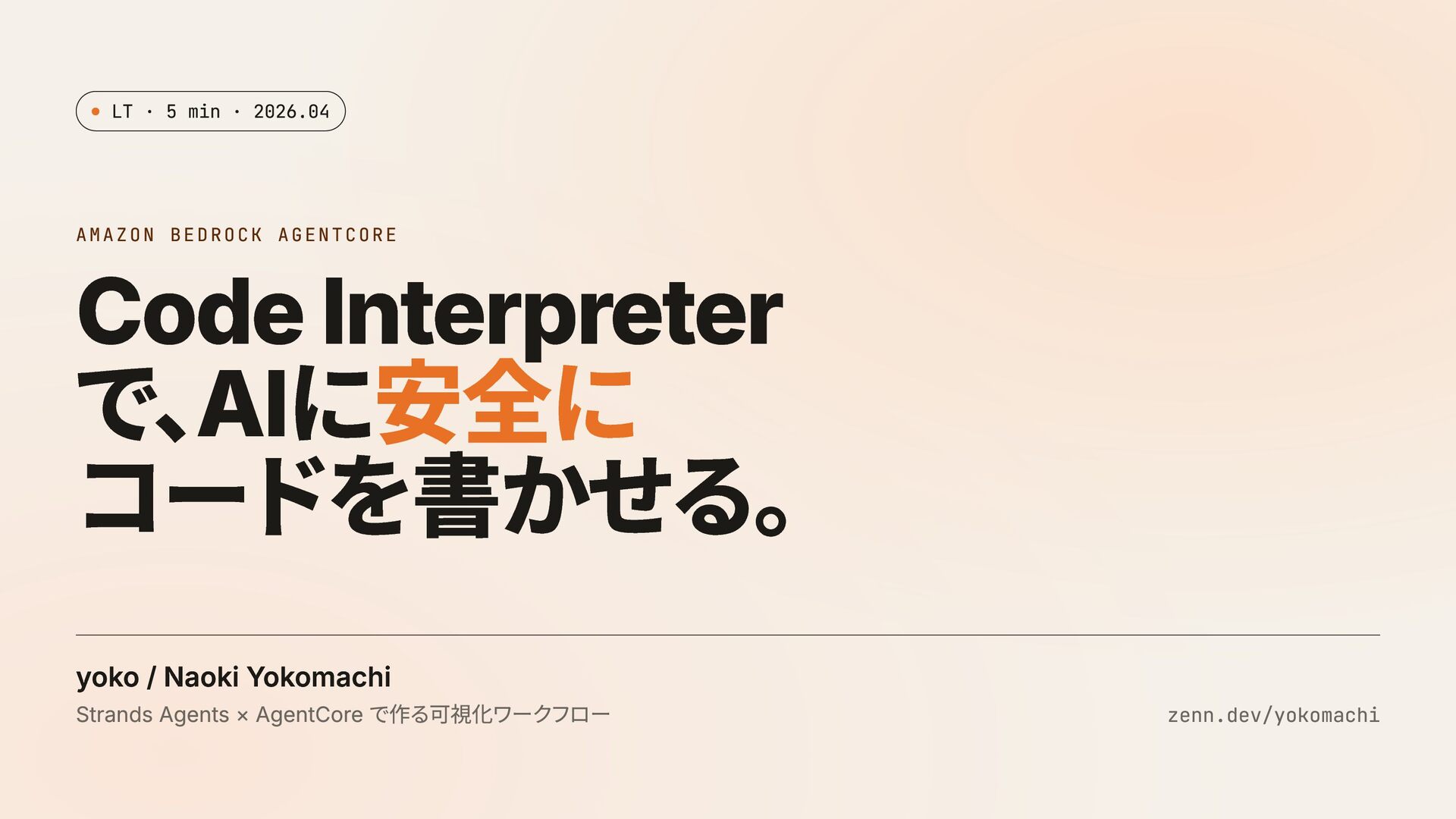
LT · 5 min · 2026.04 AMAZON BEDROCK AGENTCORE Code
Interpreter で、 AIに安全に コードを書かせる。 yoko / Naoki Yokomachi Strands Agents × AgentCore で作る可視化ワークフロー zenn.dev/yokomachi
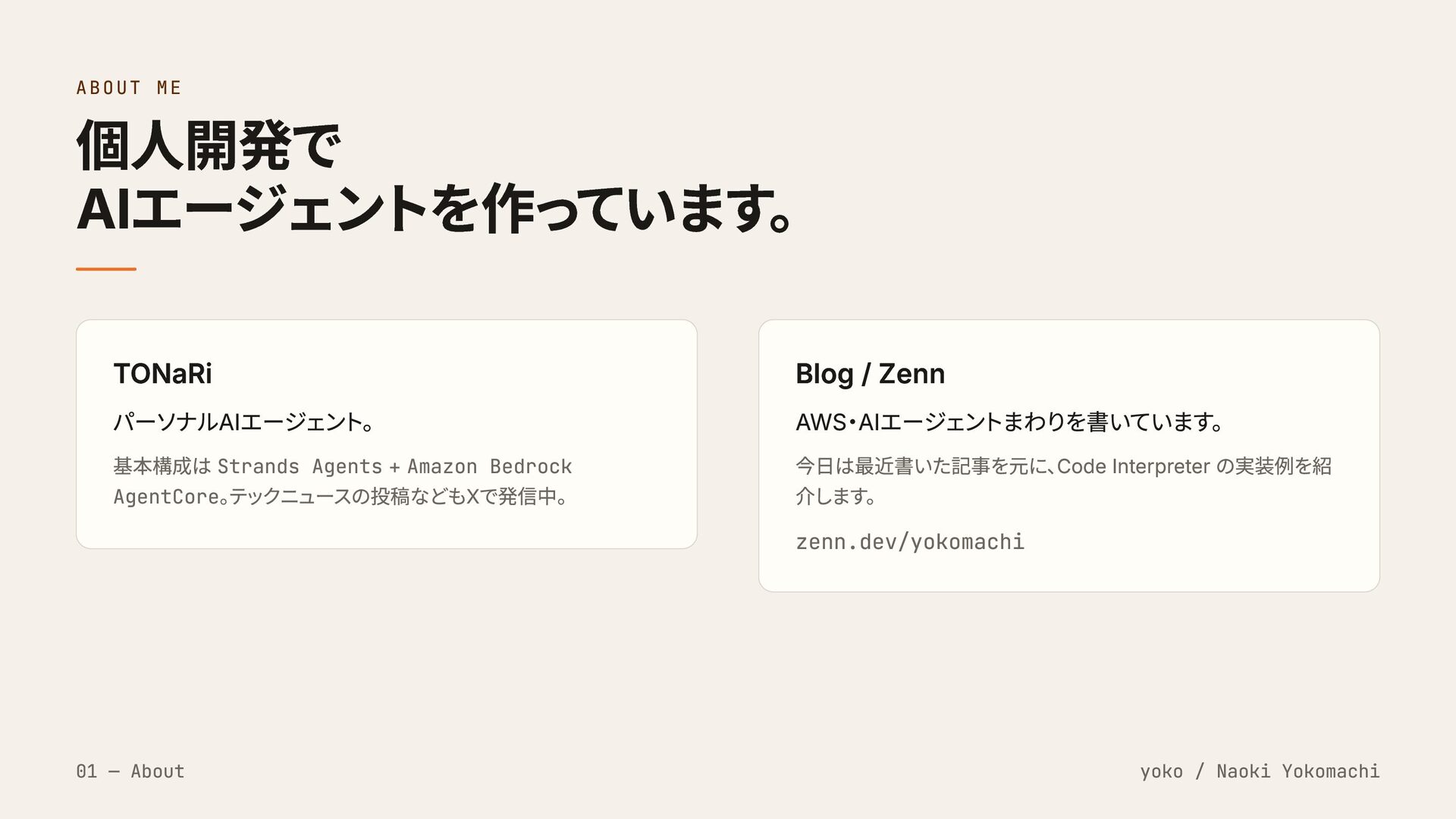
ABOUT ME 個人開発で AIエージェントを作っています。 TONaRi パーソナルAIエージェント。 基本構成は Strands Agents +
Amazon Bedrock AgentCore。 テックニュースの投稿などもXで発信中。 Blog / Zenn AWS・AIエージェントまわりを書いています。 今日は最近書いた記事を元に、 Code Interpreter の実装例を紹 介します。 zenn.dev/yokomachi 01 — About yoko / Naoki Yokomachi
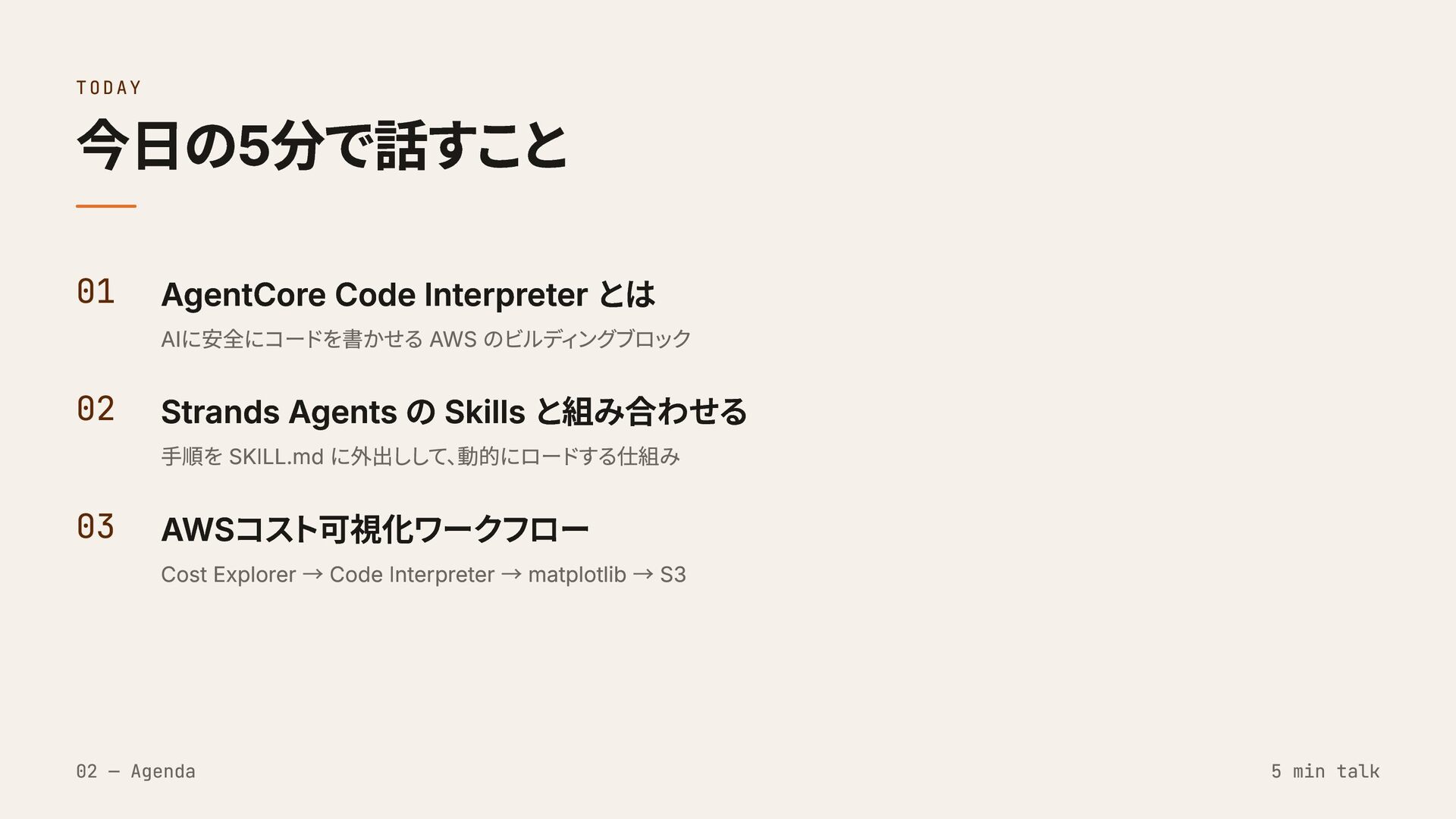
TODAY 今日の5分で話すこと 01 AgentCore Code Interpreter とは AIに安全にコードを書かせる AWS のビルディングブロック
02 Strands Agents の Skills と組み合わせる 手順を SKILL.md に外出しして、 動的にロードする仕組み 03 AWSコスト可視化ワークフロー Cost Explorer → Code Interpreter → matplotlib → S3 02 — Agenda 5 min talk
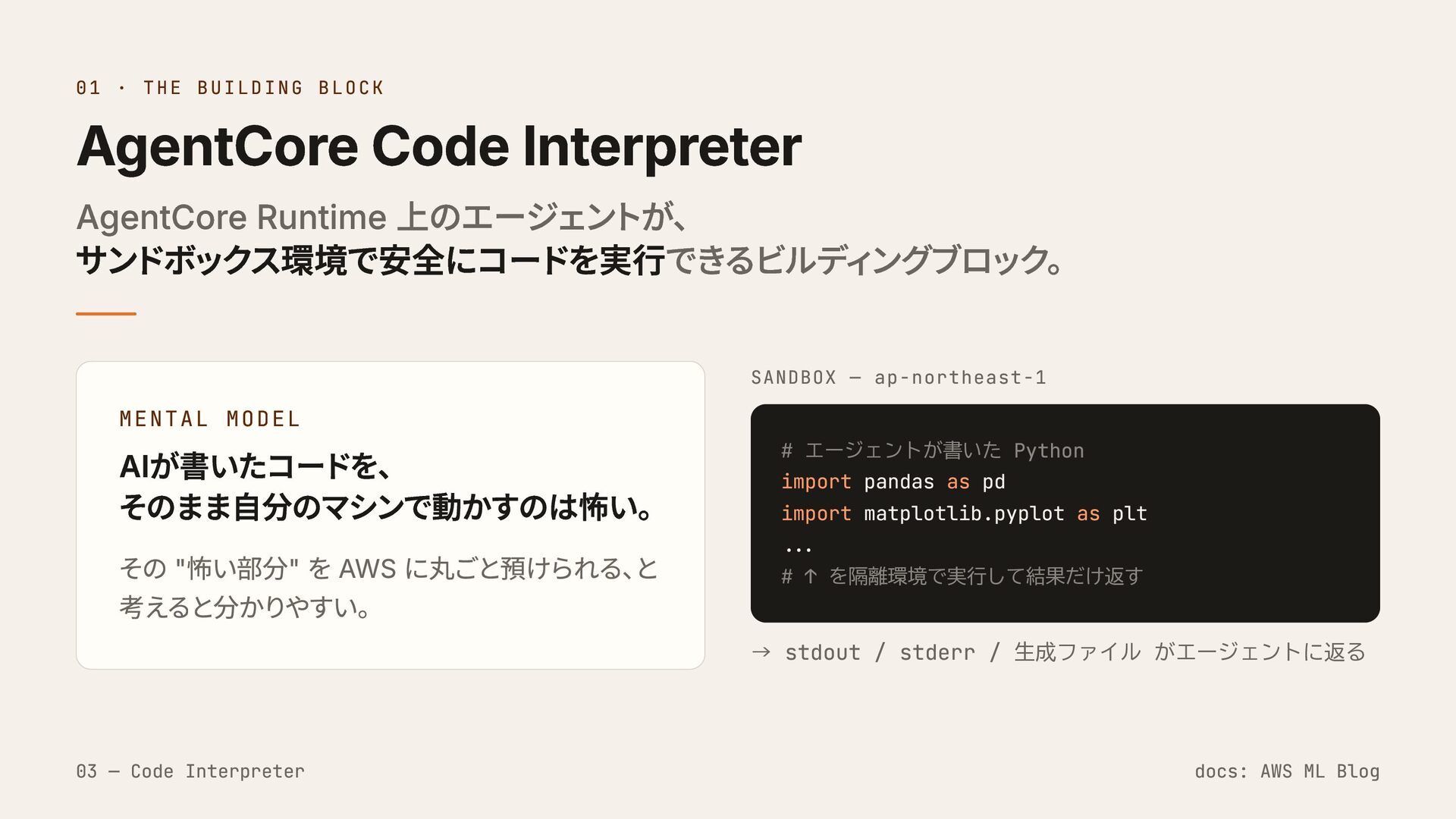
01 · THE BUILDING BLOCK AgentCore Code Interpreter AgentCore Runtime
上のエージェントが、 サンドボックス環境で安全にコードを実行できるビルディングブロック。 MENTAL MODEL AIが書いたコードを、 そのまま自分のマシンで動かすのは怖い。 その "怖い部分" を AWS に丸ごと預けられる、 と 考えると分かりやすい。 SANDBOX — ap-northeast-1 # エージェントが書いた Python import pandas as pd import matplotlib.pyplot as plt ... # ↑ を隔離環境で実行して結果だけ返す → stdout / stderr / 生成ファイル がエージェントに返る 03 — Code Interpreter docs: AWS ML Blog
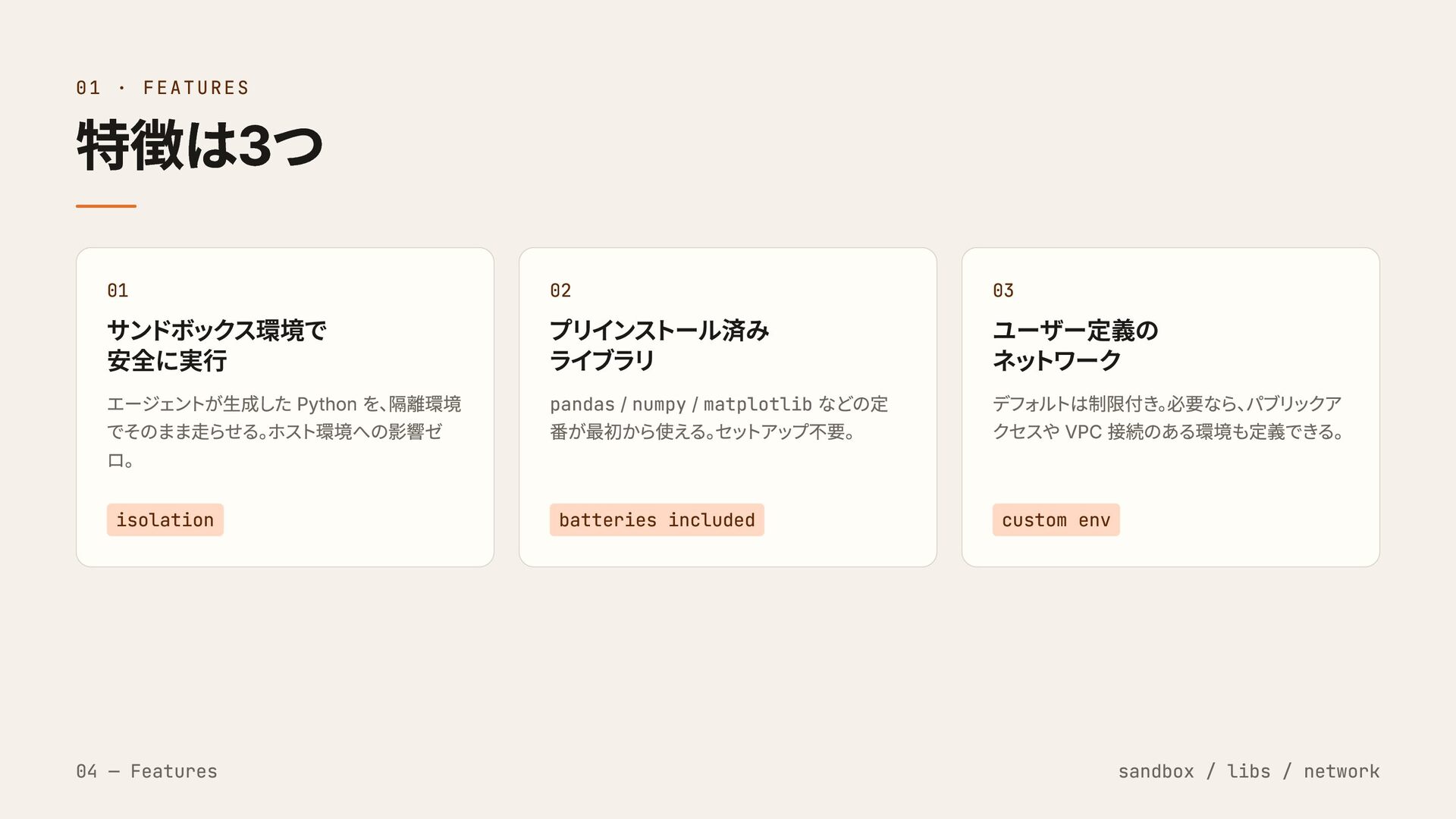
01 · FEATURES 特徴は3つ 01 サンドボックス環境で 安全に実行 エージェントが生成した Python を、
隔離環境 でそのまま走らせる。 ホスト環境への影響ゼ ロ。 isolation 02 プリインストール済み ライブラリ pandas / numpy / matplotlib などの定 番が最初から使える。 セットアップ不要。 batteries included 03 ユーザー定義の ネットワーク デフォルトは制限付き。 必要なら、 パブリックア クセスや VPC 接続のある環境も定義できる。 custom env 04 — Features sandbox / libs / network
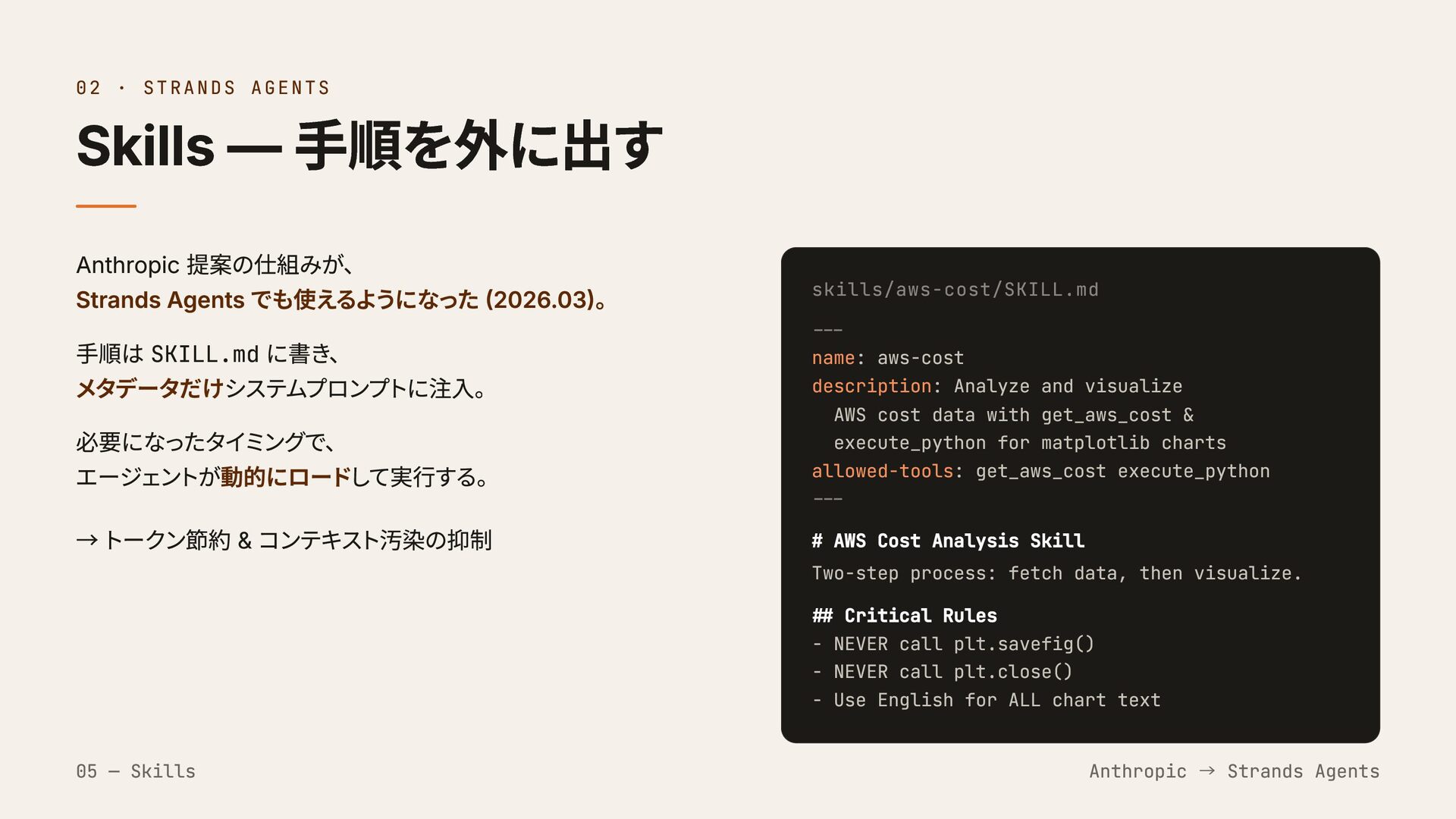
02 · STRANDS AGENTS Skills — 手順を外に出す Anthropic 提案の仕組みが、 Strands
Agents でも使えるようになった (2026.03)。 手順は SKILL.md に書き、 メタデータだけシステムプロンプトに注入。 必要になったタイミングで、 エージェントが動的にロードして実行する。 → トークン節約 & コンテキスト汚染の抑制 skills/aws-cost/SKILL.md --- name: aws-cost description: Analyze and visualize AWS cost data with get_aws_cost & execute_python for matplotlib charts allowed-tools: get_aws_cost execute_python --- # AWS Cost Analysis Skill Two-step process: fetch data, then visualize. ## Critical Rules - NEVER call plt.savefig() - NEVER call plt.close() - Use English for ALL chart text 05 — Skills Anthropic → Strands Agents
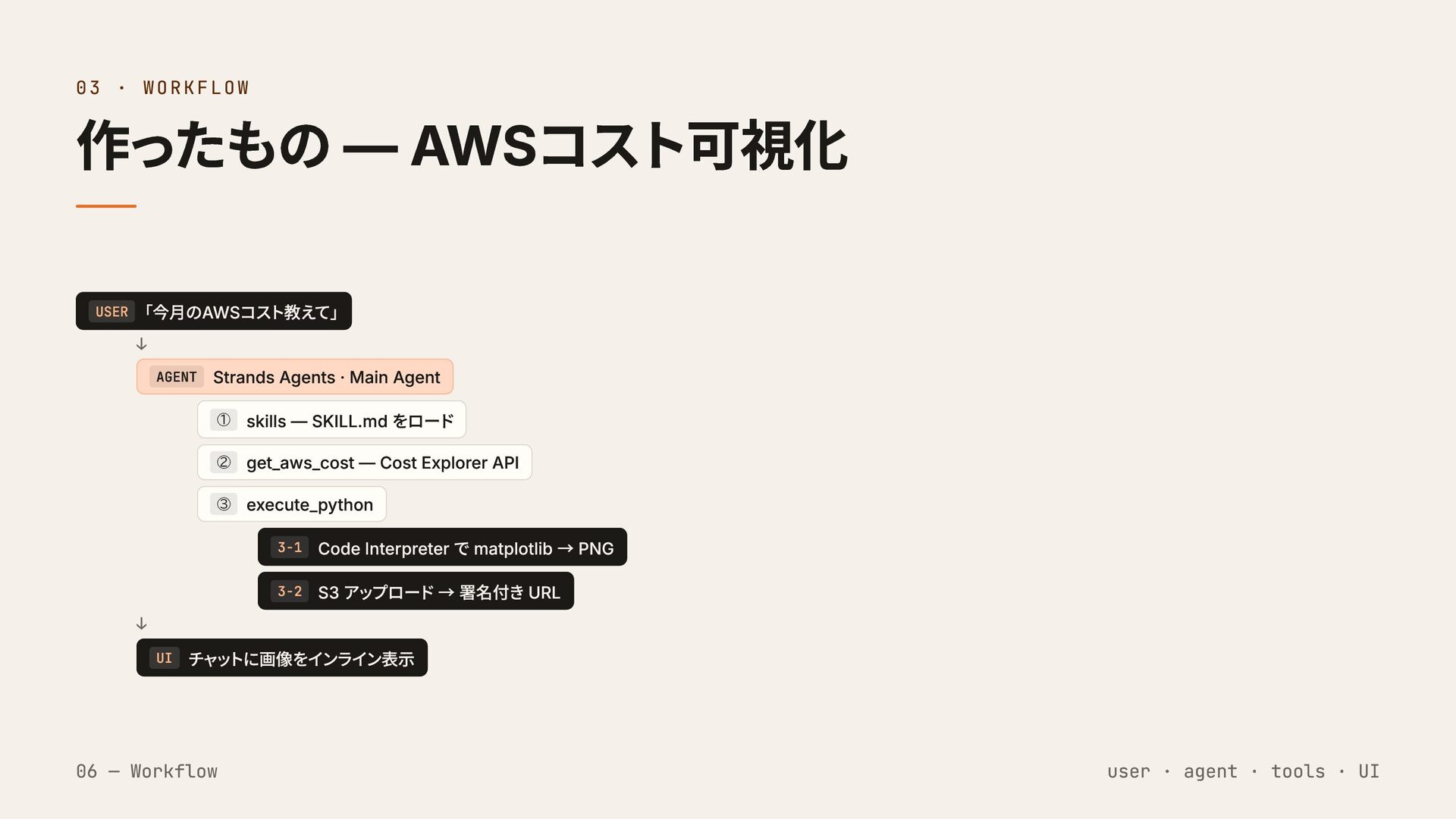
03 · WORKFLOW 作ったもの — AWSコスト可視化 USER 「今月のAWSコスト教えて」 ↓ AGENT
Strands Agents · Main Agent ① skills — SKILL.md をロード ② get_aws_cost — Cost Explorer API ③ execute_python 3-1 Code Interpreter で matplotlib → PNG 3-2 S3 アップロード → 署名付き URL ↓ UI チャットに画像をインライン表示 06 — Workflow user · agent · tools · UI
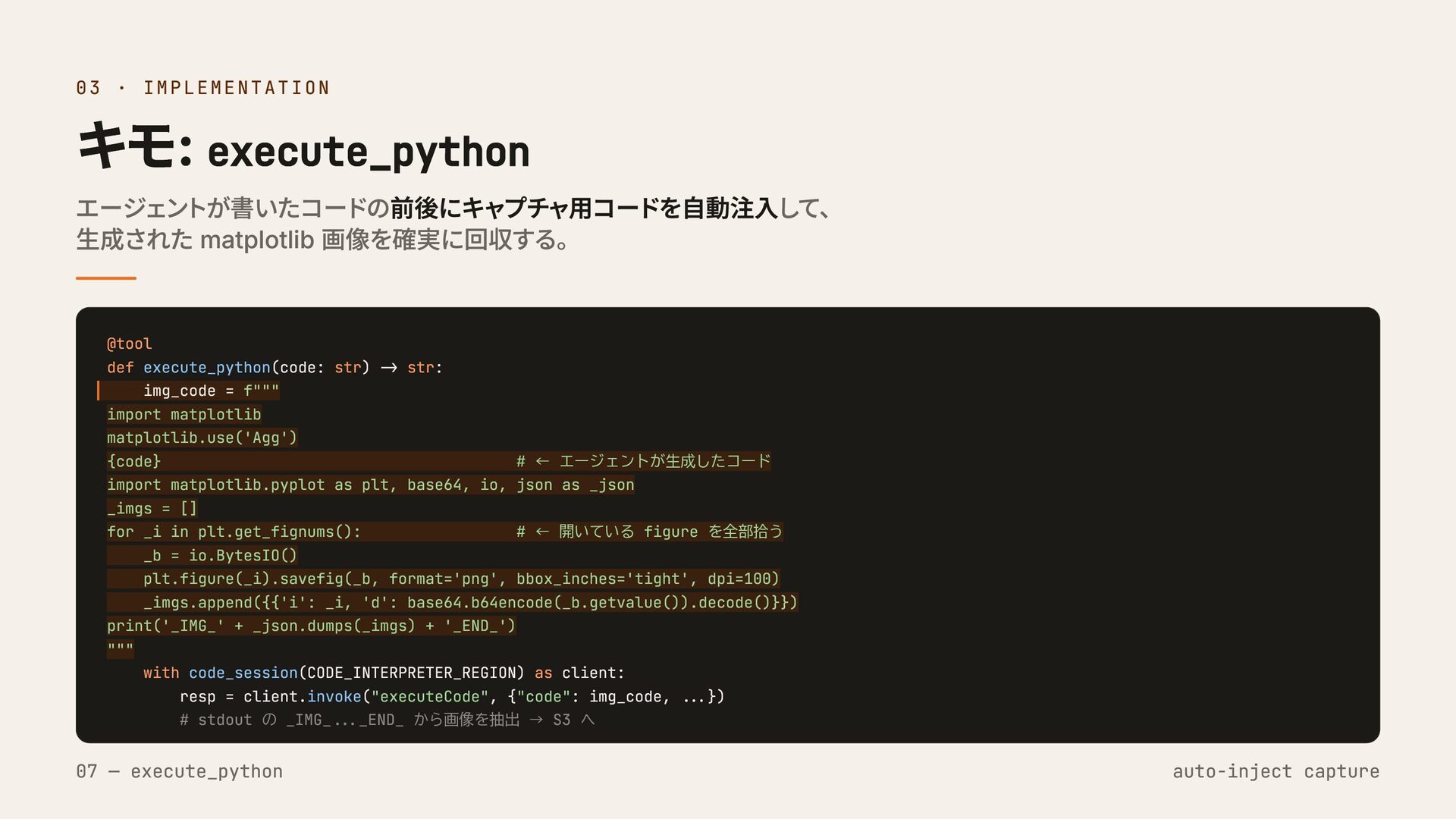
03 · IMPLEMENTATION キモ: execute_python エージェントが書いたコードの前後にキャプチャ用コードを自動注入して、 生成された matplotlib 画像を確実に回収する。 @tool
def execute_python(code: str) -> str: img_code = f""" import matplotlib matplotlib.use('Agg') {code} # ← エージェントが生成したコード import matplotlib.pyplot as plt, base64, io, json as _json _imgs = [] for _i in plt.get_fignums(): # ← 開いている figure を全部拾う _b = io.BytesIO() plt.figure(_i).savefig(_b, format='png', bbox_inches='tight', dpi=100) _imgs.append({{'i': _i, 'd': base64.b64encode(_b.getvalue()).decode()}}) print('_IMG_' + _json.dumps(_imgs) + '_END_') """ with code_session(CODE_INTERPRETER_REGION) as client: resp = client.invoke("executeCode", {"code": img_code, ...}) # stdout の _IMG_..._END_ から画像を抽出 → S3 へ 07 — execute_python auto-inject capture
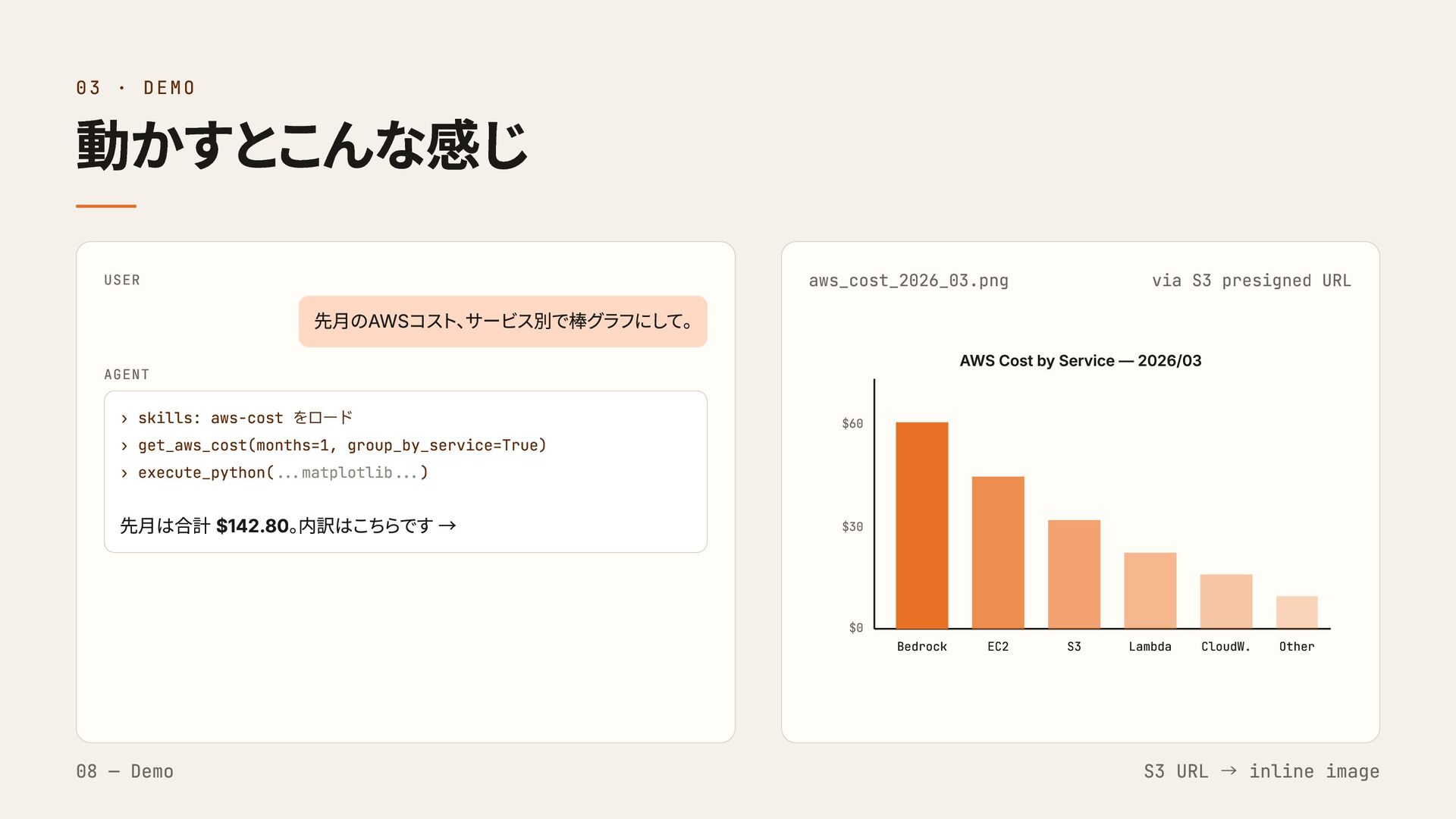
03 · DEMO 動かすとこんな感じ USER 先月のAWSコスト、 サービス別で棒グラフにして。 AGENT › skills:
aws-cost をロード › get_aws_cost(months=1, group_by_service=True) › execute_python(...matplotlib...) 先月は合計 $142.80。 内訳はこちらです → aws_cost_2026_03.png via S3 presigned URL $60 $30 $0 Bedrock EC2 S3 Lambda CloudW. Other AWS Cost by Service — 2026/03 08 — Demo S3 URL → inline image
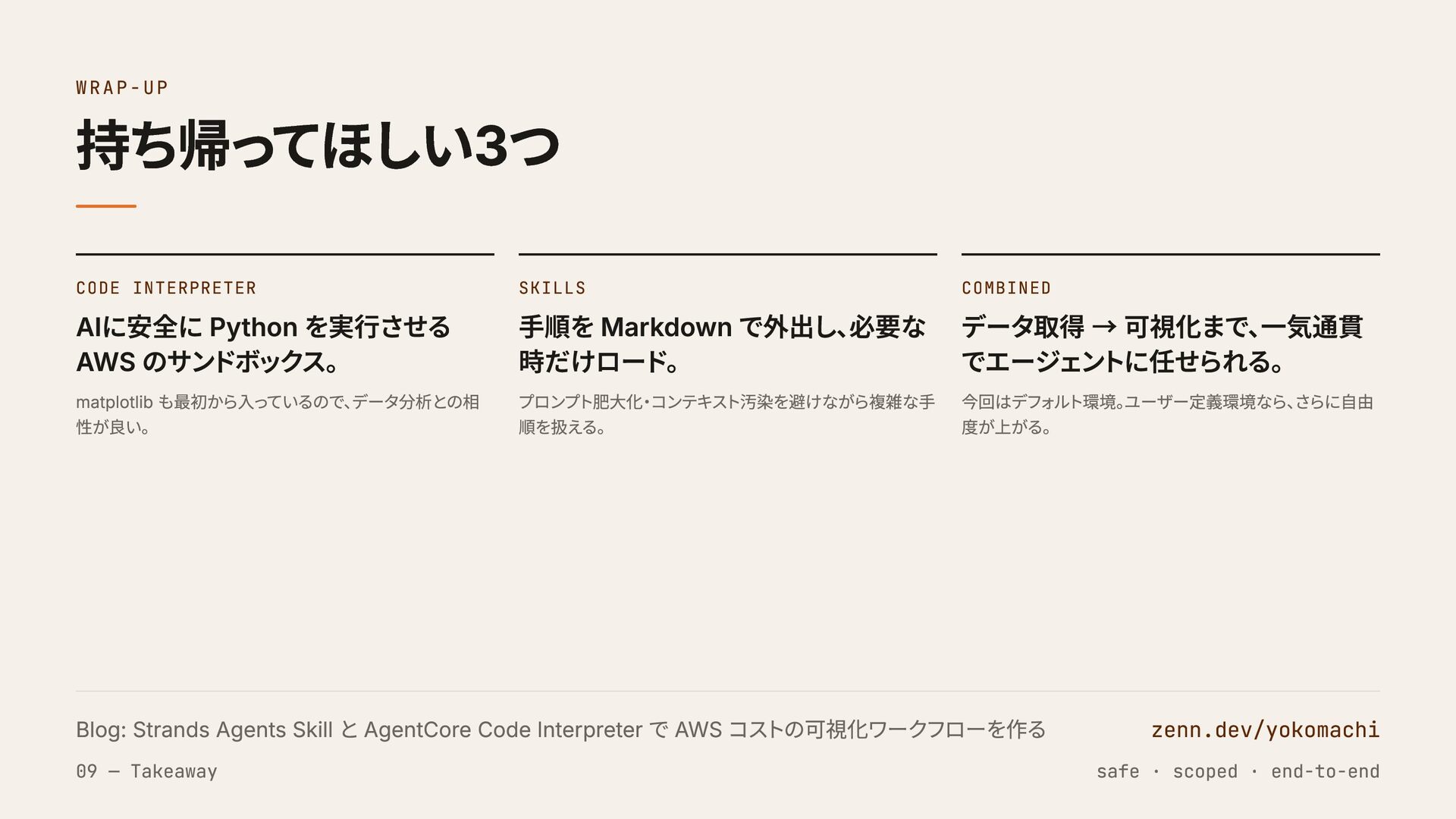
WRAP-UP 持ち帰ってほしい3つ CODE INTERPRETER AIに安全に Python を実行させる AWS のサンドボックス。 matplotlib
も最初から入っているので、 データ分析との相 性が良い。 SKILLS 手順を Markdown で外出し、 必要な 時だけロード。 プロンプト肥大化・コンテキスト汚染を避けながら複雑な手 順を扱える。 COMBINED データ取得 → 可視化まで、 一気通貫 でエージェントに任せられる。 今回はデフォルト環境。 ユーザー定義環境なら、 さらに自由 度が上がる。 Blog: Strands Agents Skill と AgentCore Code Interpreter で AWS コストの可視化ワークフローを作る zenn.dev/yokomachi 09 — Takeaway safe · scoped · end-to-end
END · THANK YOU ありがとう。 yoko / Naoki Yokomachi ·
zenn.dev/yokomachi · x.com/tonari_with


 yokomachi
 torumakabe
 mikanichinose
 shisyu_gaku
 oracle4engineer
 kairim0
 pauli
pauli
 harutiro
 vivion
 mananyuki
 occhi
occhi
 mewuto
 sergeychernyshev
 addyosmani
 rasagy
 irinanazarova
 cassininazir
 baasie
 yeseniaperezcruz
 minecr
 lindahogenes
 kimpetersen