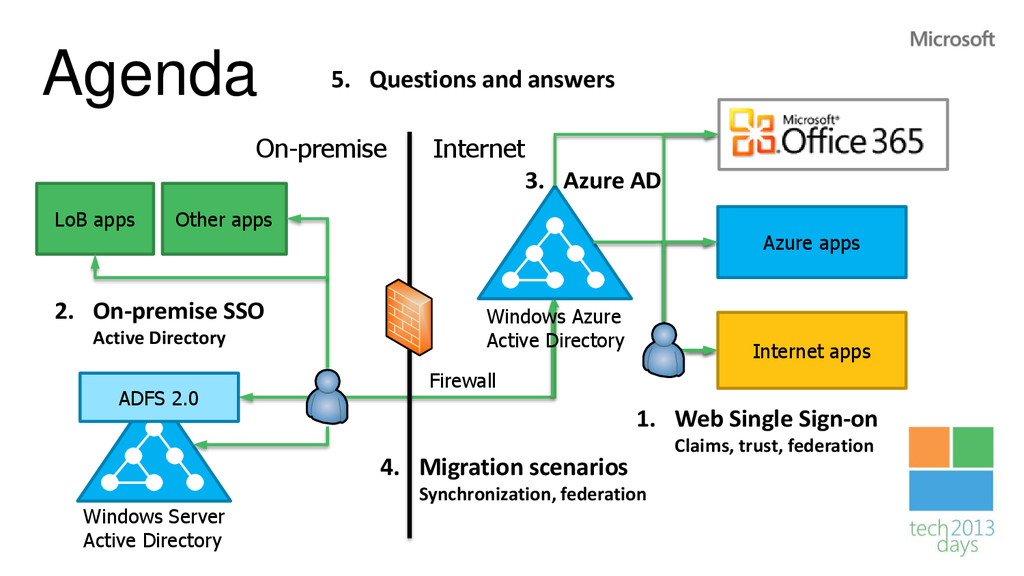
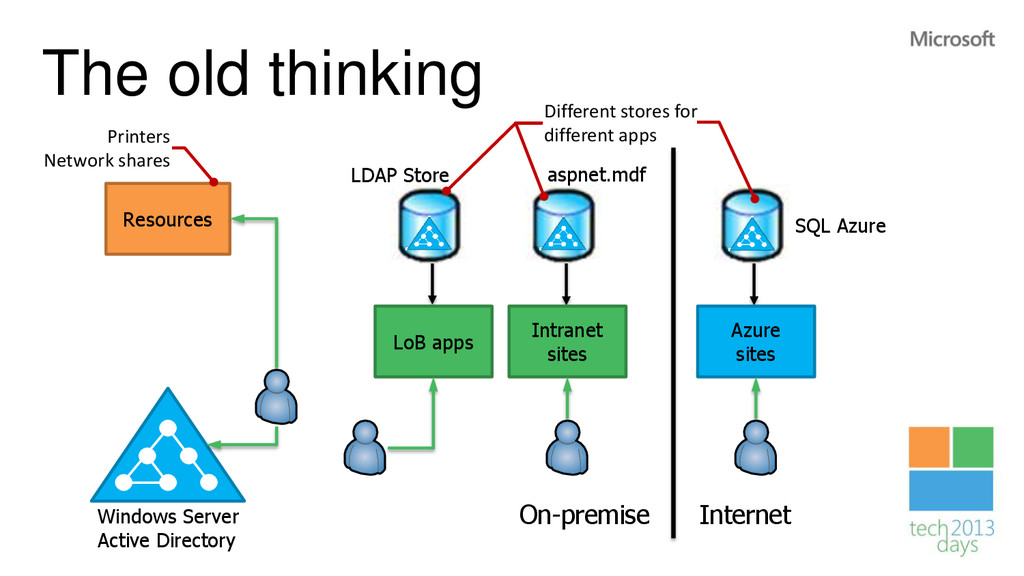
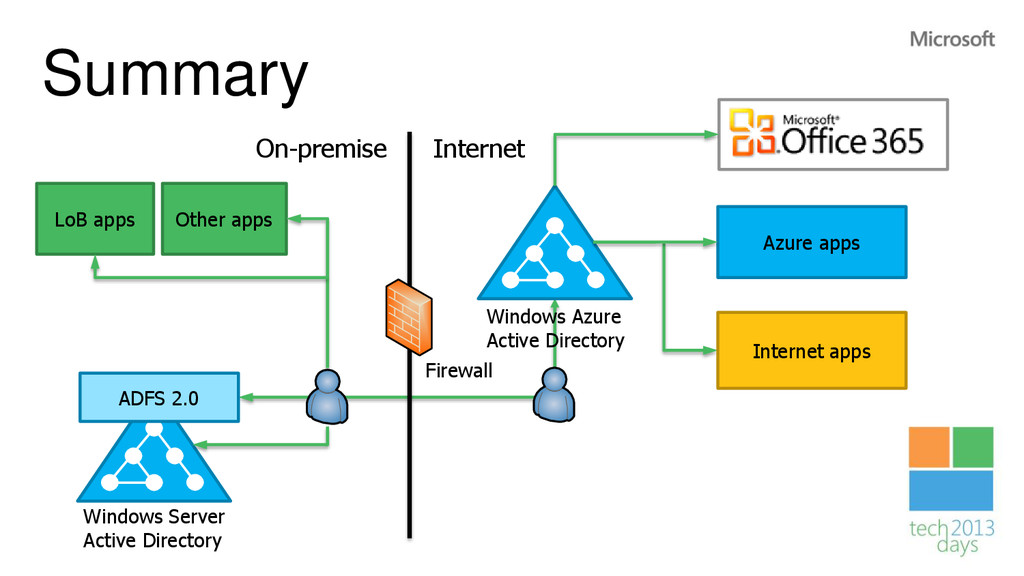
Active Directory LoB apps Windows Server Active Directory On-premise Internet Other apps 1. Web Single Sign-on Claims, trust, federation 2. On-premise SSO Active Directory 3. Azure AD 4. Migration scenarios Synchronization, federation 5. Questions and answers
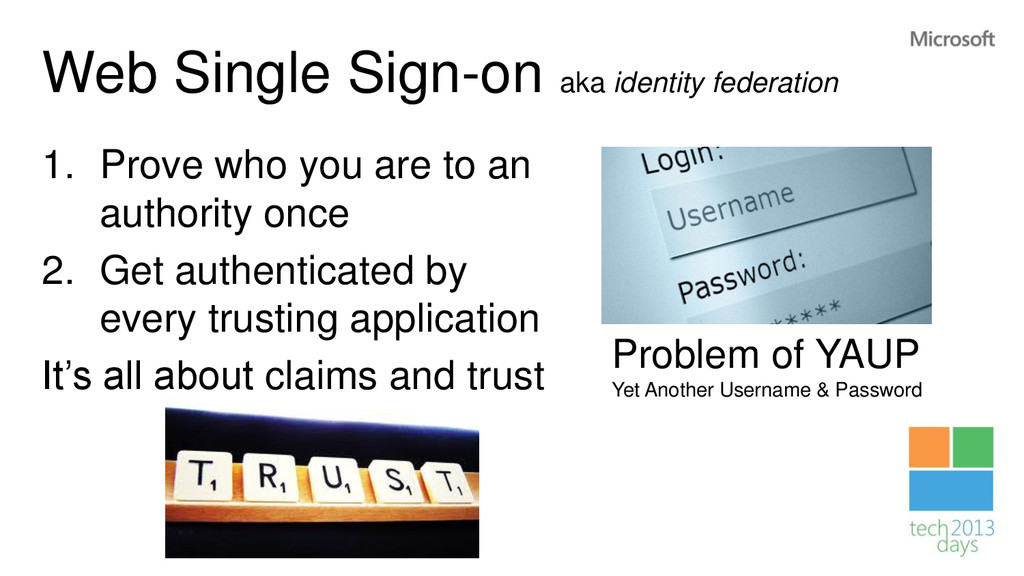
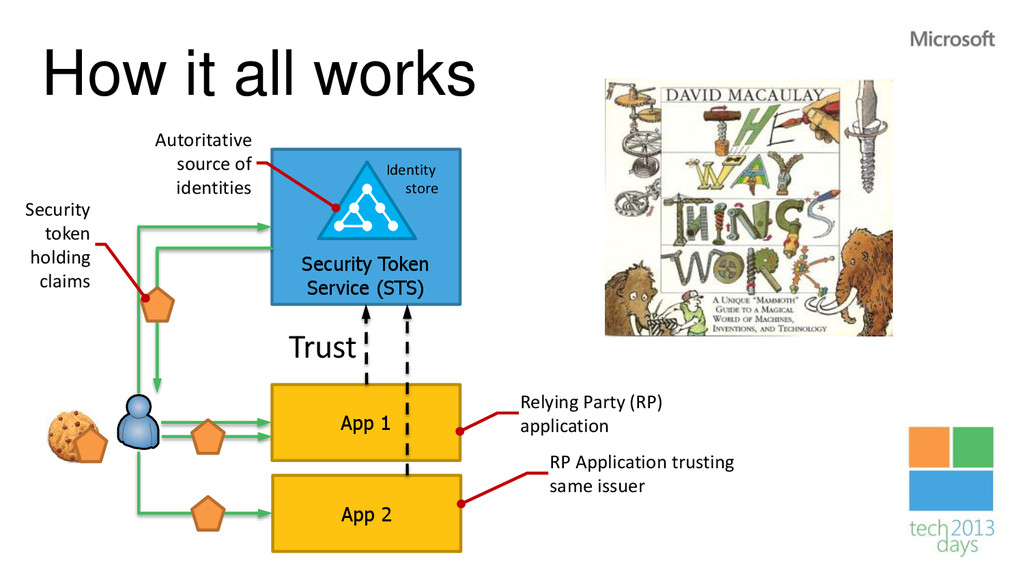
are to an authority once 2. Get authenticated by every trusting application It’s all about claims and trust Problem of YAUP Yet Another Username & Password
App 2 Identity store Trust Security token holding claims Autoritative source of identities RP Application trusting same issuer Relying Party (RP) application
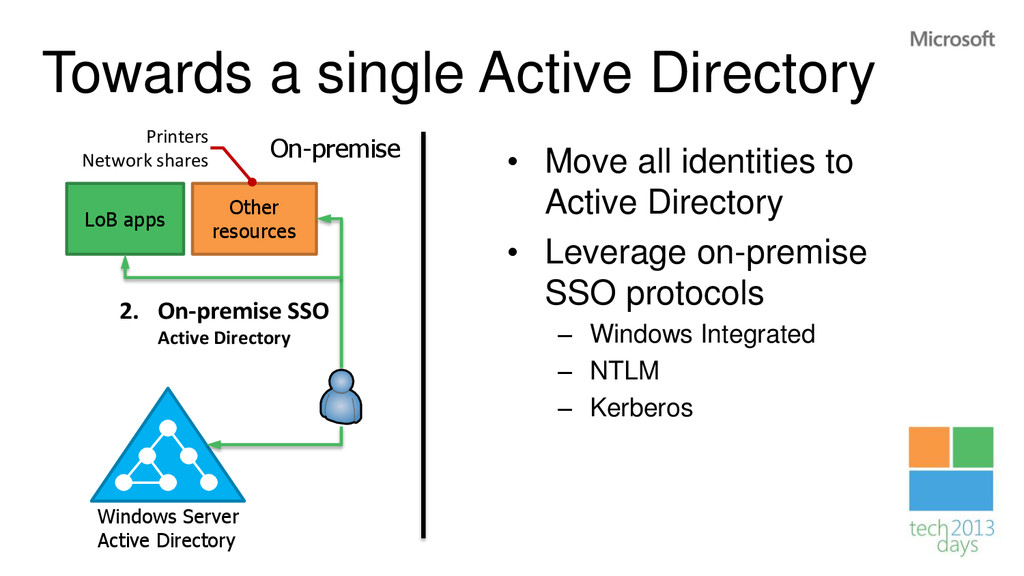
Active Directory • Leverage on-premise SSO protocols – Windows Integrated – NTLM – Kerberos LoB apps Windows Server Active Directory On-premise Other resources 2. On-premise SSO Active Directory Printers Network shares
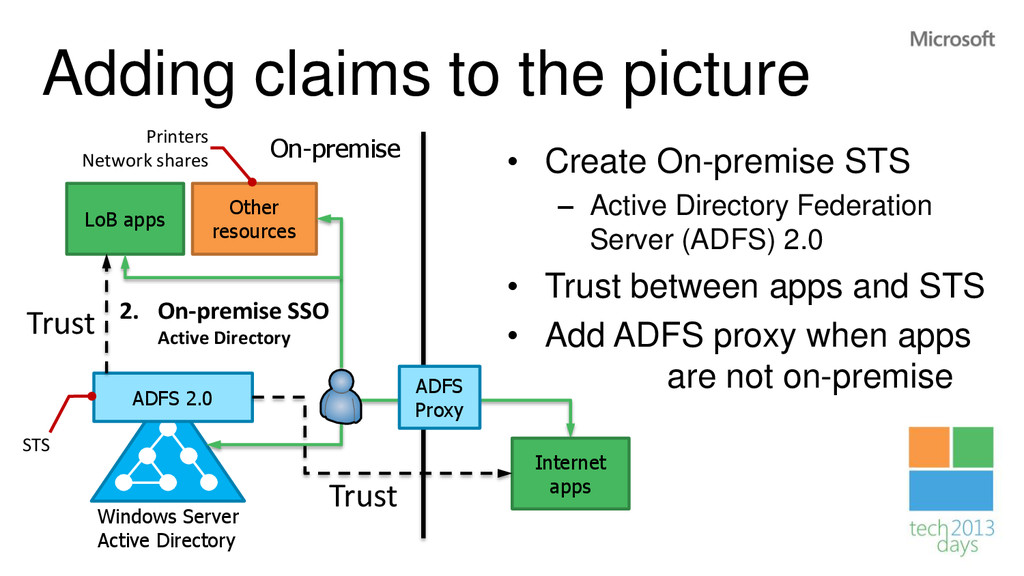
Active Directory Federation Server (ADFS) 2.0 • Trust between apps and STS • Add ADFS proxy when apps are not on-premise ADFS 2.0 LoB apps Windows Server Active Directory On-premise Other resources 2. On-premise SSO Active Directory Trust ADFS Proxy STS Printers Network shares Internet apps Trust
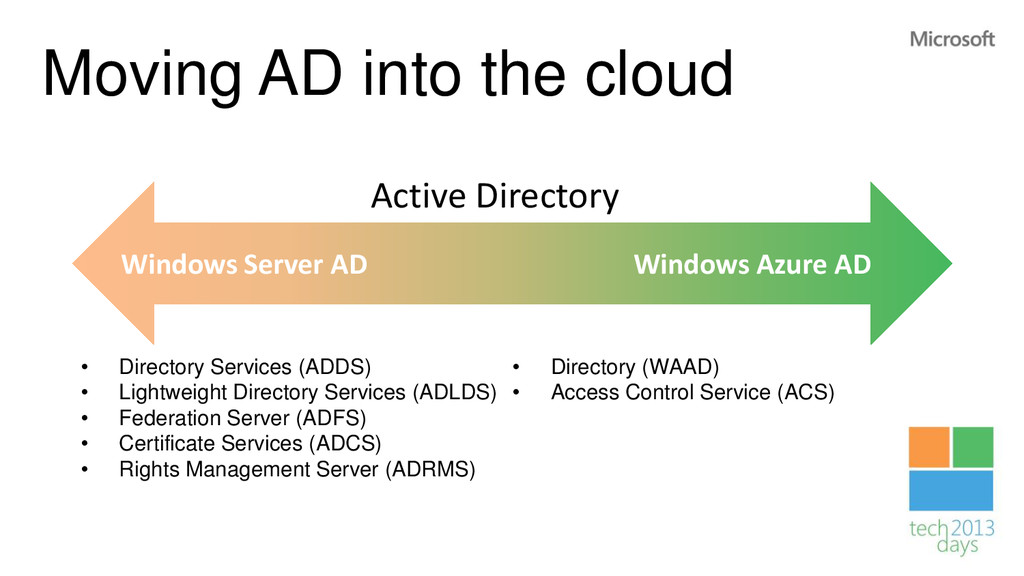
Lightweight Directory Services (ADLDS) • Federation Server (ADFS) • Certificate Services (ADCS) • Rights Management Server (ADRMS) • Directory (WAAD) • Access Control Service (ACS) Windows Server AD Windows Azure AD Active Directory
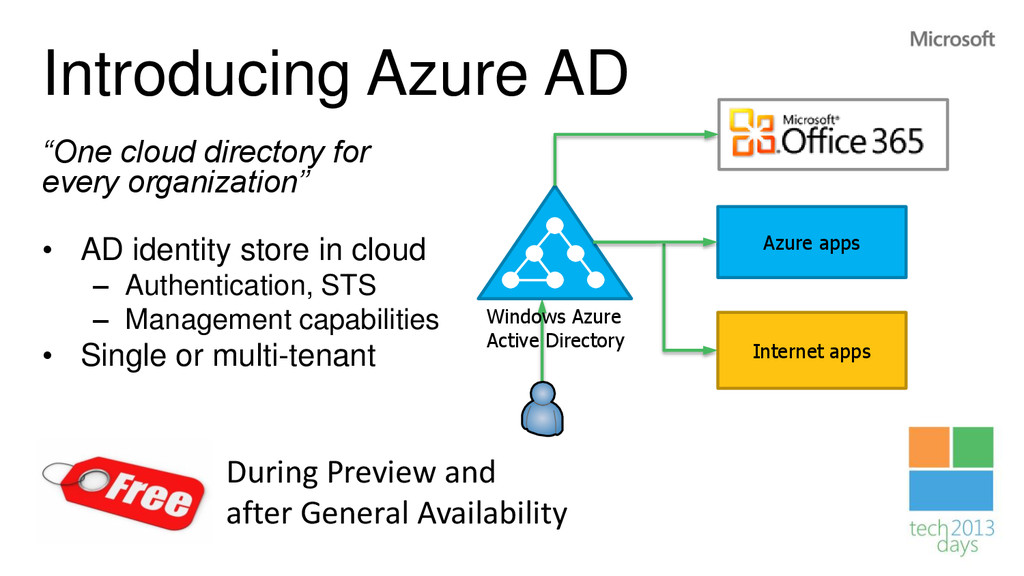
AD identity store in cloud – Authentication, STS – Management capabilities • Single or multi-tenant Azure apps Internet apps Windows Azure Active Directory During Preview and after General Availability
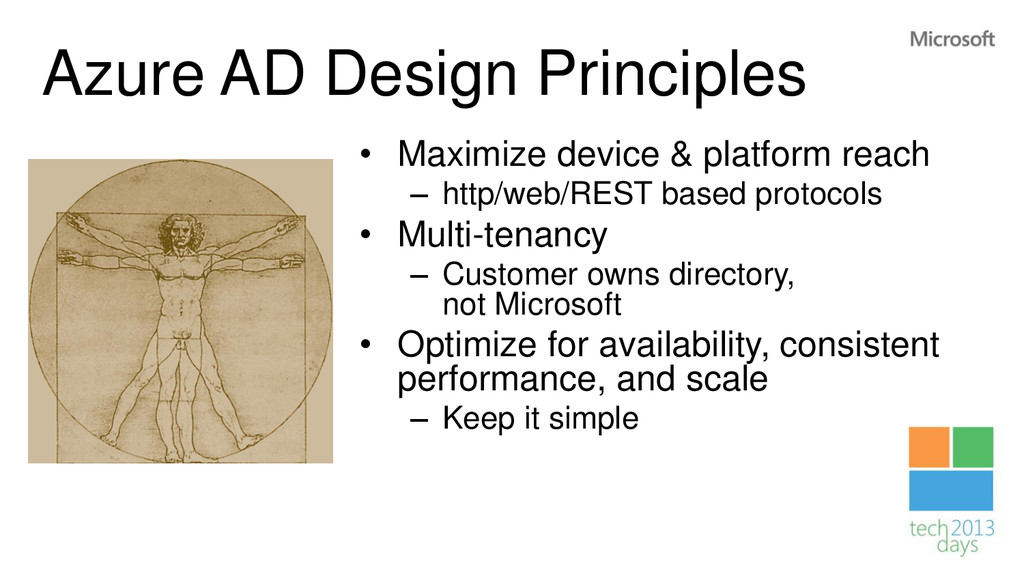
– http/web/REST based protocols • Multi-tenancy – Customer owns directory, not Microsoft • Optimize for availability, consistent performance, and scale – Keep it simple
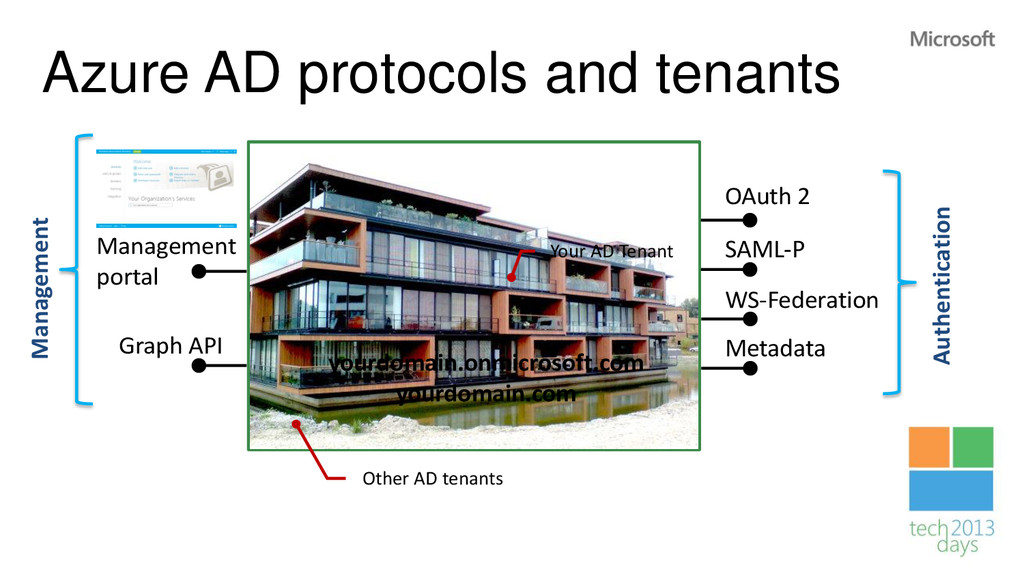
API OAuth 2 SAML-P WS-Federation Metadata yourdomain.onmicrosoft.com yourdomain.com Management portal Your AD Tenant Other AD tenants Authentication Management
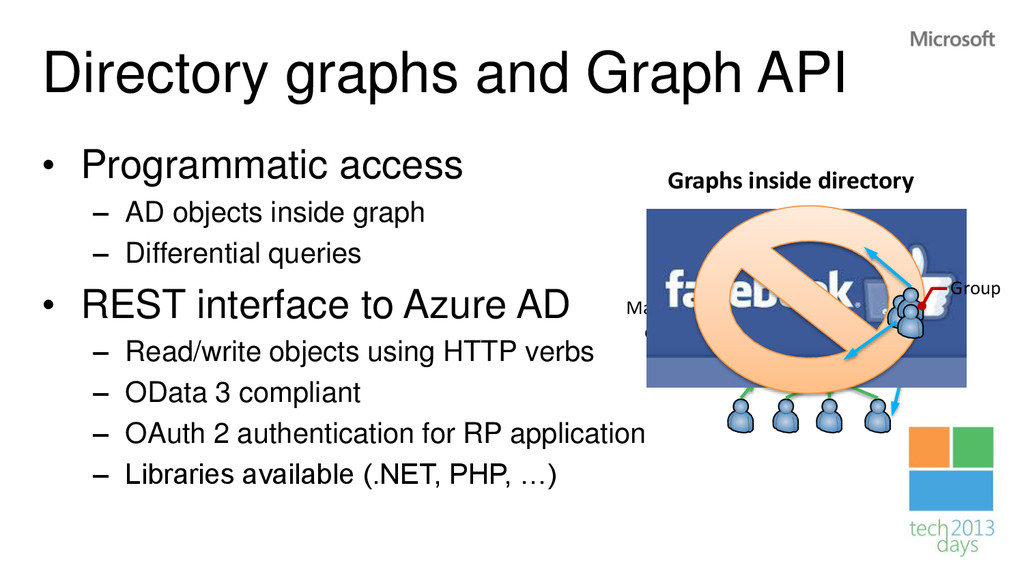
objects inside graph – Differential queries • REST interface to Azure AD – Read/write objects using HTTP verbs – OData 3 compliant – OAuth 2 authentication for RP application – Libraries available (.NET, PHP, …) The Boss Manager of One Graphs inside directory Group
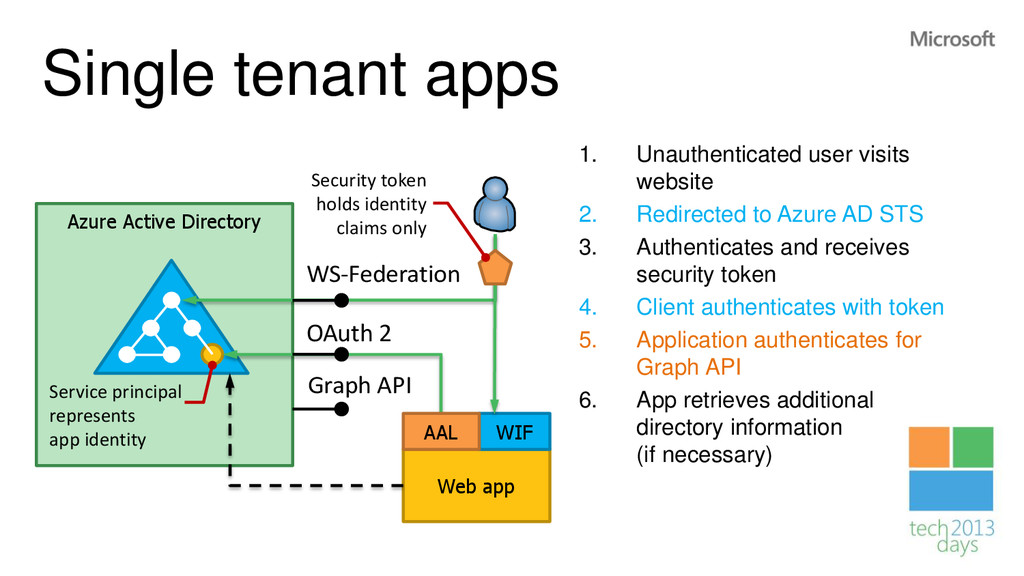
website 2. Redirected to Azure AD STS 3. Authenticates and receives security token 4. Client authenticates with token 5. Application authenticates for Graph API 6. App retrieves additional directory information (if necessary) Web app OAuth 2 WS-Federation WIF Security token holds identity claims only AAL Service principal represents app identity Graph API
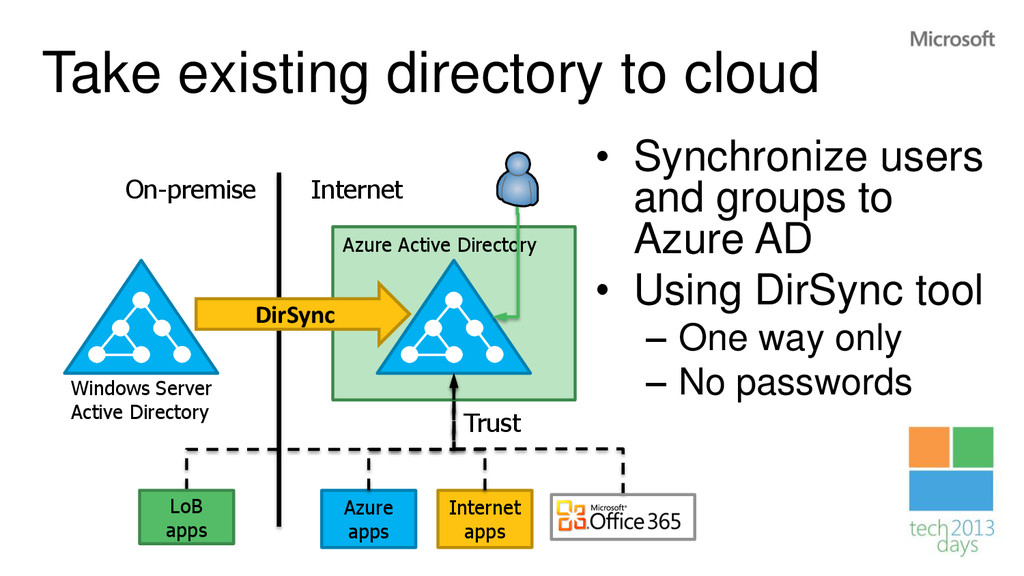
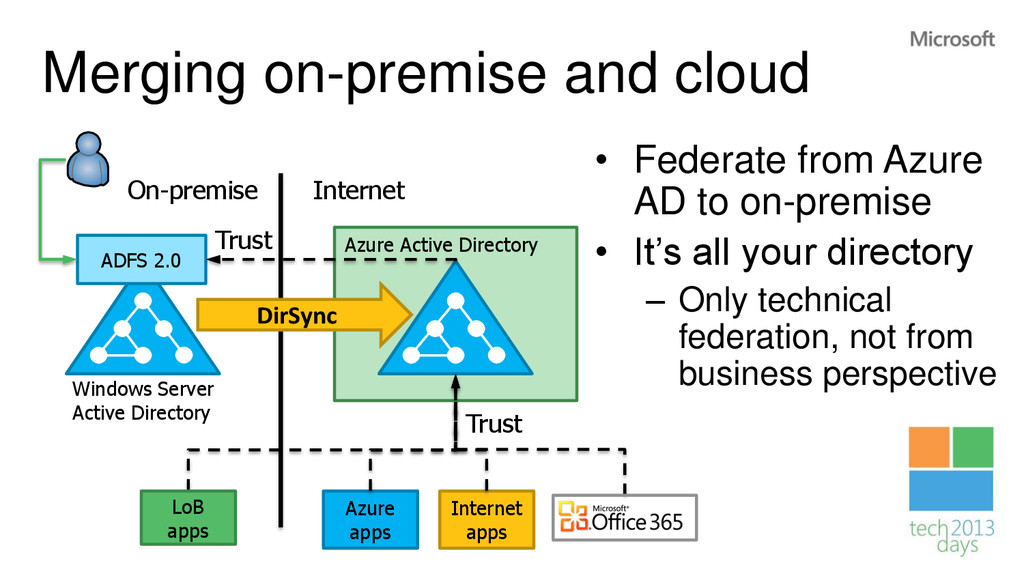
users and groups to Azure AD • Using DirSync tool – One way only – No passwords Windows Server Active Directory On-premise Internet DirSync Azure apps Internet apps LoB apps Trust
Azure AD to on-premise • It’s all your directory – Only technical federation, not from business perspective Windows Server Active Directory On-premise Internet DirSync Azure apps Internet apps LoB apps Trust ADFS 2.0 Trust
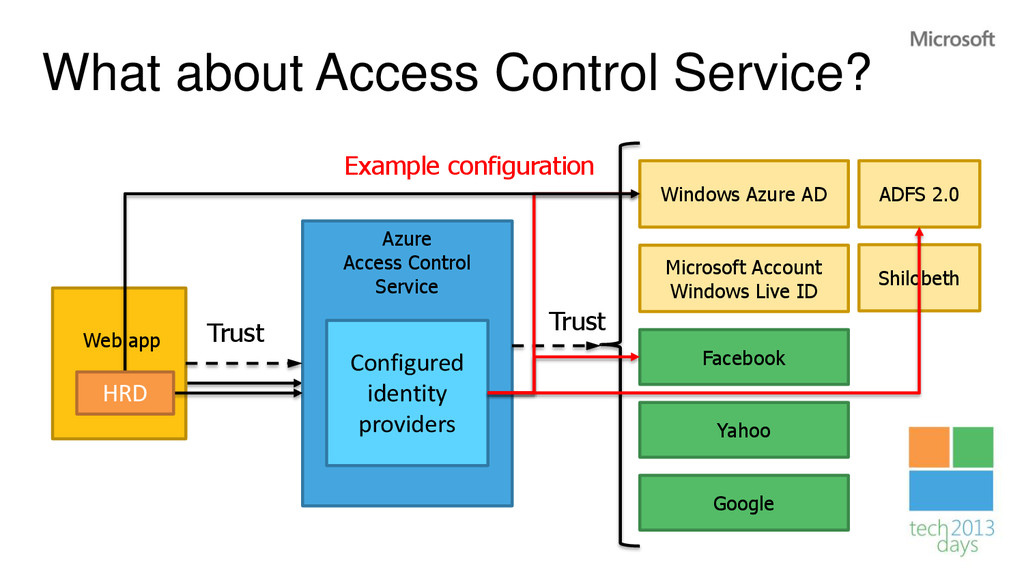
app Yahoo Microsoft Account Windows Live ID Facebook Trust Configured identity providers Google Windows Azure AD ADFS 2.0 Shilobeth Trust Example configuration HRD


 alexthissen
 sodainc
 nakamizu
 cclai999
 ivargrimstad
 seyfoyun
 optim
 mitohato14
 kishida
 hal_spidernight
 ktombow
 falcon8823
 yuta_onishi_97
 techseoconnect
 aleyda
 tanoku
 inesmontani
 chriscoyier
 wayneb77
 davidcarrasco
 addyosmani
 stuffmc
 greggifford
 thoeni
 mclloyd