Share
Embed
Introduction to OWIN
De Open Web Interface for .NET (OWIN) werd een anderhalf jaar geleden geintroduceerd en maakte zijn introductie in Web API 1.0.
Inmiddels is OWIN niet meer weg te denken uit ASP.NET. Deze sessie laat je kennis maken met de concepten van OWIN en de manier hoe het in ASP.NET Web API, MVC en andere frameworks wordt gebruikt, maar ook hoe je zelf uitbreidingen in de middleware implementeerd.
Alex Thissen
April 29, 2014
Transcript
29 slides
-
Laat ons weten wat u vindt van deze sessie! Vul
de evaluatie in via www.techdaysapp.nl en maak kans op een van de 20 prijzen*. Prijswinnaars worden bekend gemaakt via Twitter (#TechDaysNL). Gebruik hiervoor de code op uw badge. Let us know how you feel about this session! Give your feedback via www.techdaysapp.nl and possibly win one of the 20 prizes*. Winners will be announced via Twitter (#TechDaysNL). Use your personal code on your badge. * Over de uitslag kan niet worden gecorrespondeerd, prijzen zijn voorbeelden – All results are final, prizes are examples -
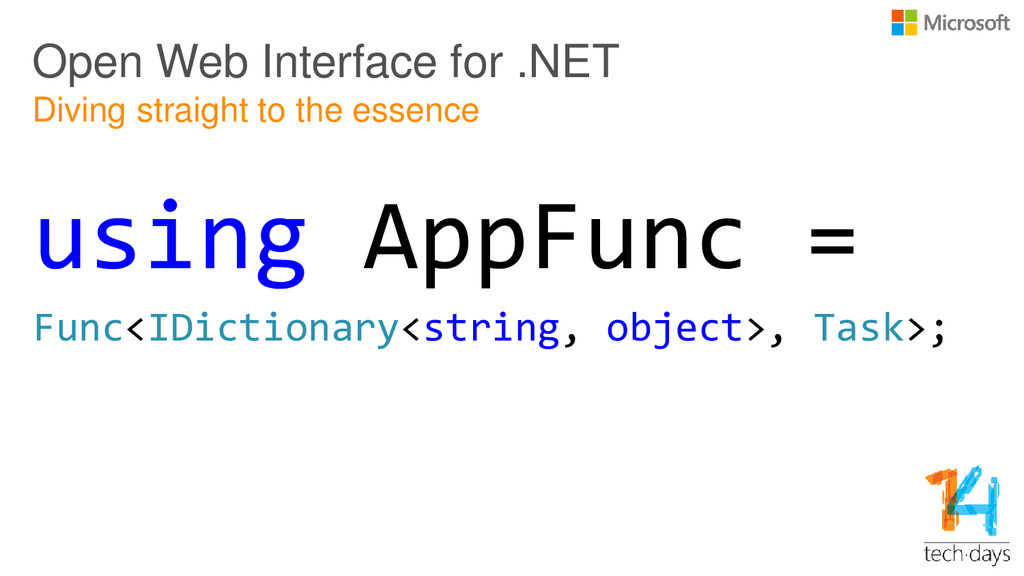
Open Web Interface for .NET Diving straight to the essence
using AppFunc = Func<IDictionary<string, object>, Task>; -
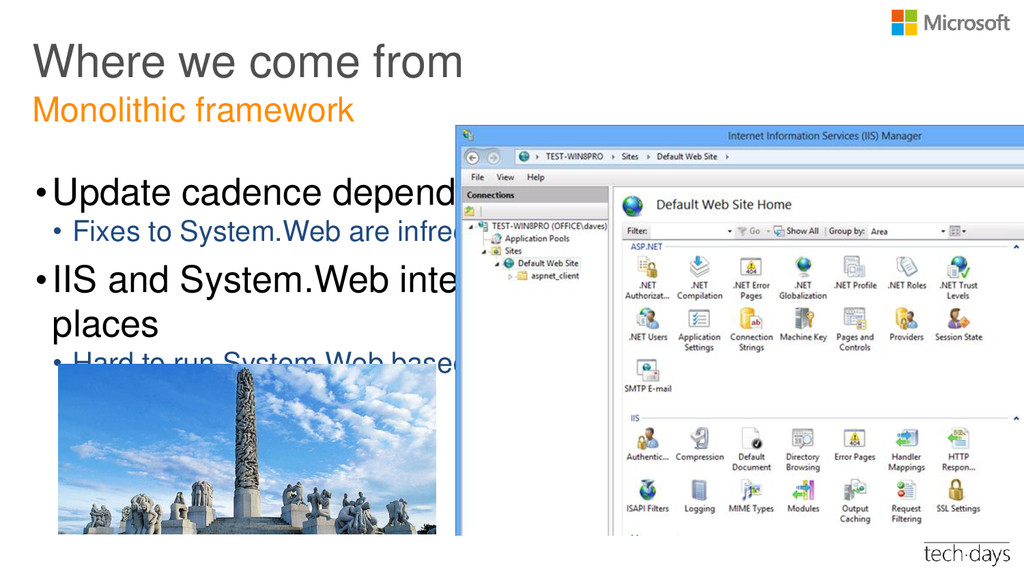
Where we come from •Update cadence depends on .NET FX
releases • Fixes to System.Web are infrequent if possible at all •IIS and System.Web interweaved in several places • Hard to run System.Web based apps without IIS Monolithic framework ASP.NET Web Forms + MVC IIS (Both Host and Server) -
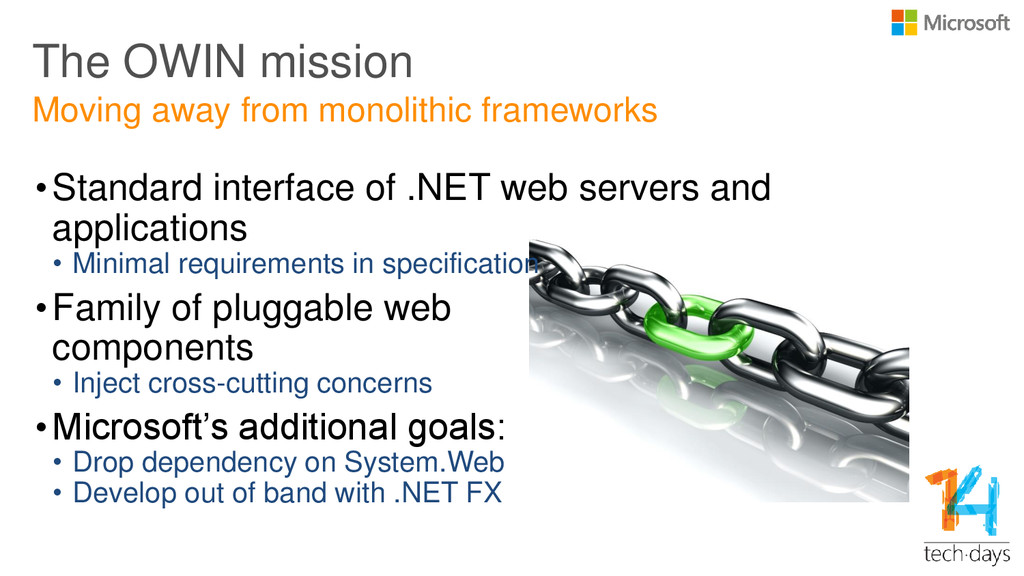
The OWIN mission •Standard interface of .NET web servers and
applications • Minimal requirements in specification •Family of pluggable web components • Inject cross-cutting concerns •Microsoft’s additional goals: • Drop dependency on System.Web • Develop out of band with .NET FX Moving away from monolithic frameworks -
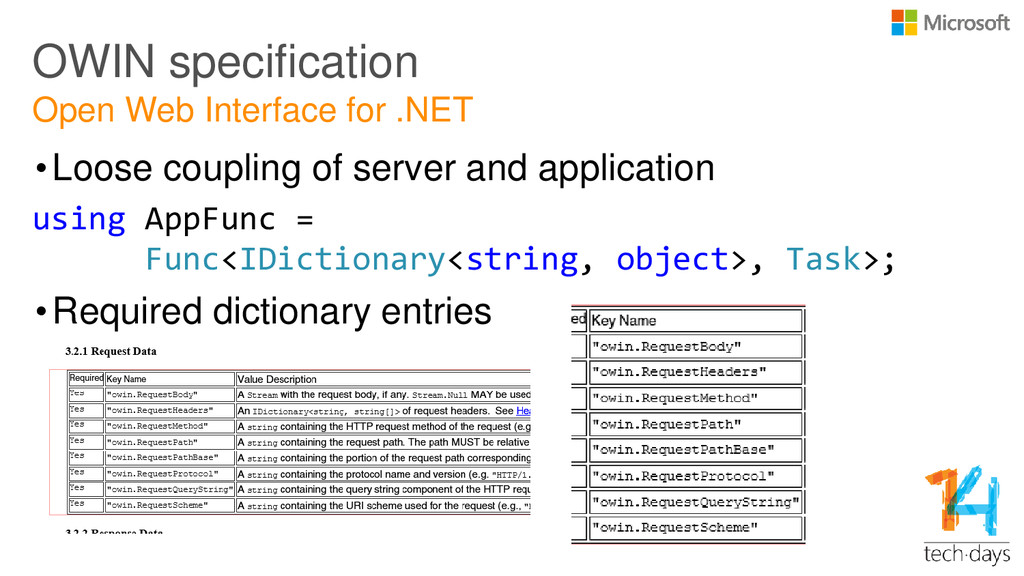
OWIN specification •Loose coupling of server and application using AppFunc
= Func<IDictionary<string, object>, Task>; •Required dictionary entries Open Web Interface for .NET -
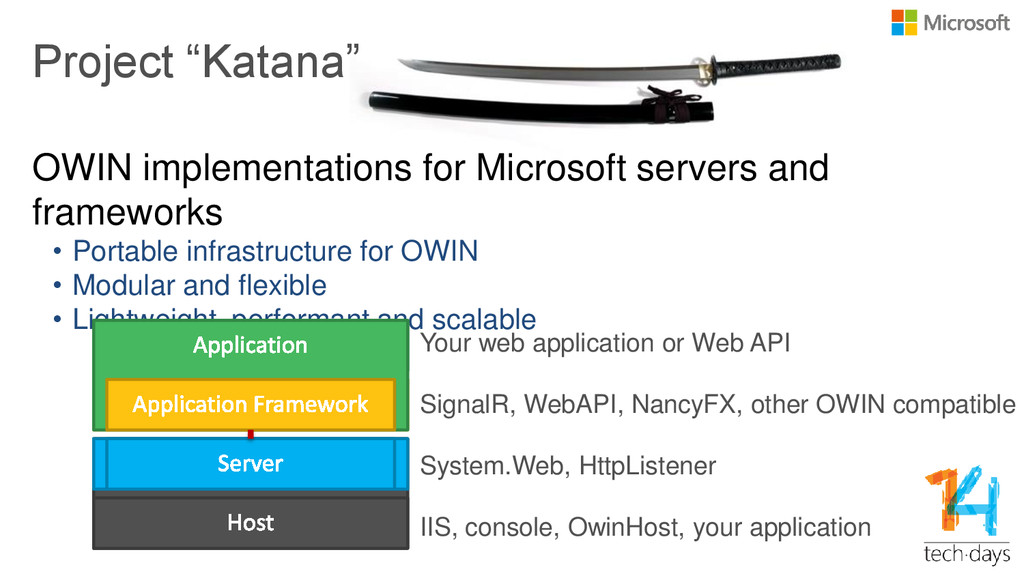
Project “Katana” OWIN implementations for Microsoft servers and frameworks •
Portable infrastructure for OWIN • Modular and flexible • Lightweight, performant and scalable Your web application or Web API SignalR, WebAPI, NancyFX, other OWIN compatible System.Web, HttpListener IIS, console, OwinHost, your application -
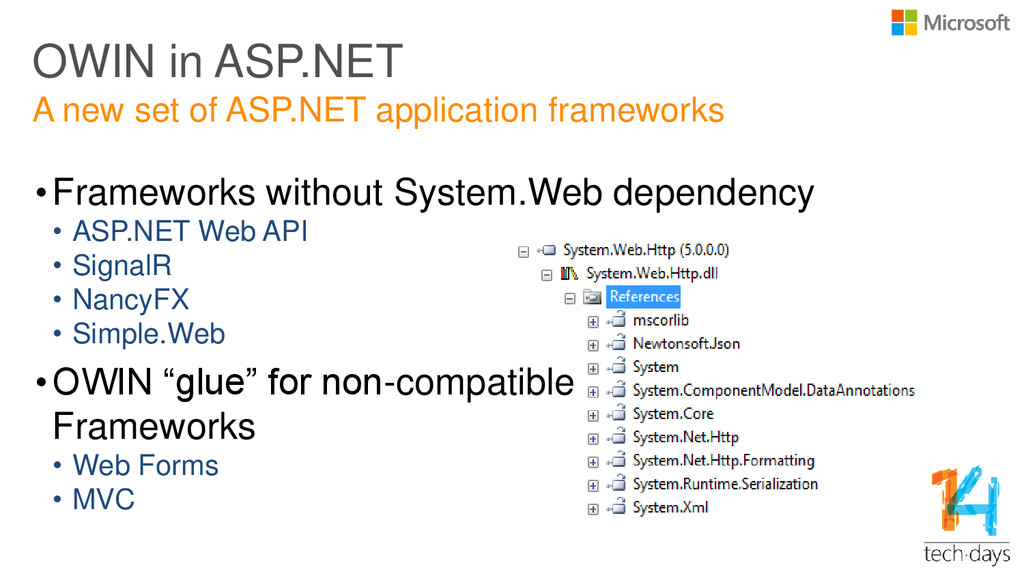
OWIN in ASP.NET •Frameworks without System.Web dependency • ASP.NET Web
API • SignalR • NancyFX • Simple.Web •OWIN “glue” for non-compatible Frameworks • Web Forms • MVC A new set of ASP.NET application frameworks -
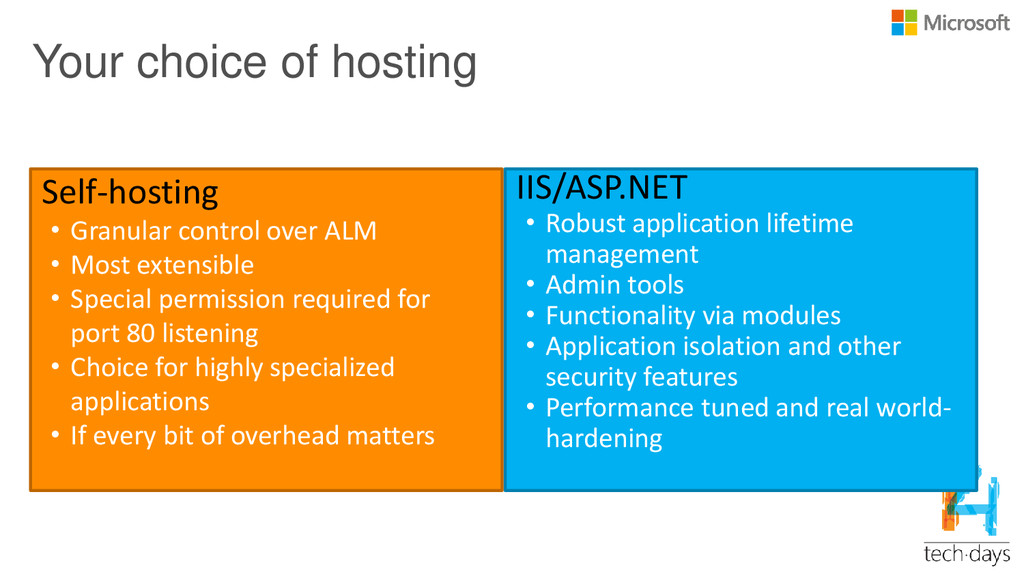
Your choice of hosting IIS/ASP.NET • Robust application lifetime management
• Admin tools • Functionality via modules • Application isolation and other security features • Performance tuned and real world- hardening Self-hosting • Granular control over ALM • Most extensible • Special permission required for port 80 listening • Choice for highly specialized applications • If every bit of overhead matters -
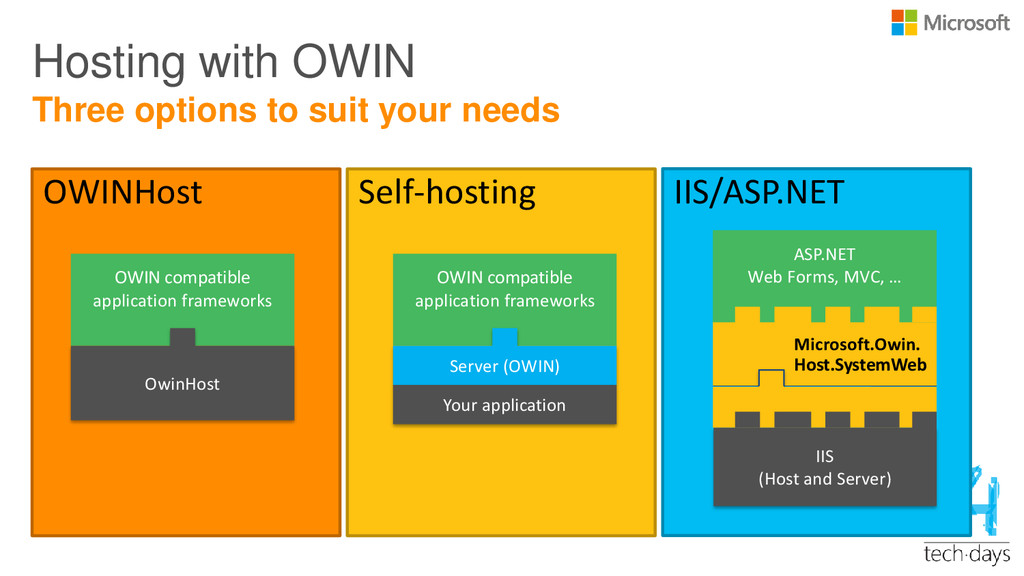
Self-hosting IIS/ASP.NET Hosting with OWIN OWINHost Three options to suit
your needs OWIN compatible application frameworks OwinHost OWIN compatible application frameworks Server (OWIN) Your application ASP.NET Web Forms, MVC, … IIS (Host and Server) Microsoft.Owin. Host.SystemWeb -
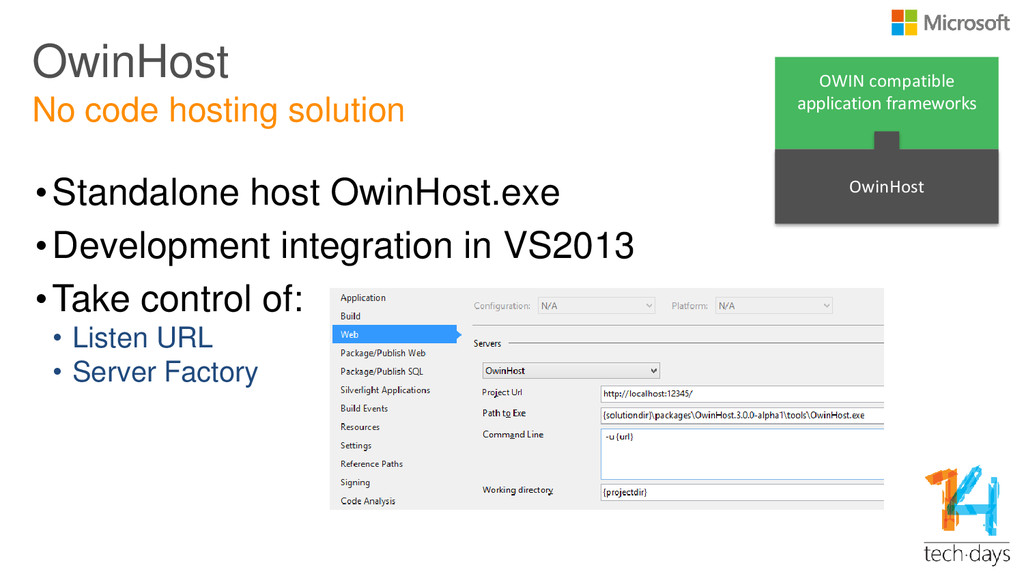
OwinHost •Standalone host OwinHost.exe •Development integration in VS2013 •Take control
of: • Listen URL • Server Factory No code hosting solution OWIN compatible application frameworks OwinHost -
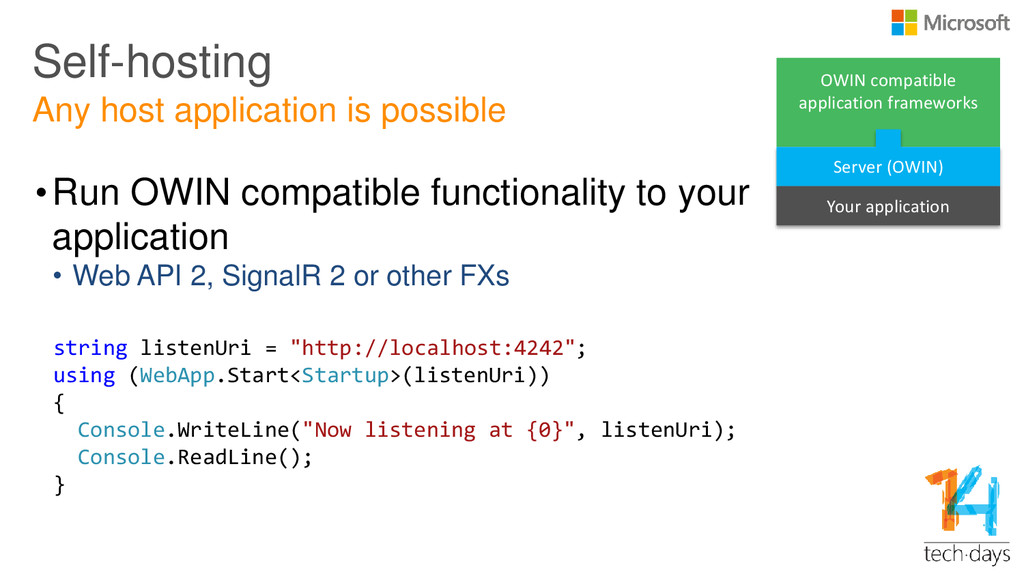
Self-hosting •Run OWIN compatible functionality to your application • Web
API 2, SignalR 2 or other FXs Any host application is possible string listenUri = "http://localhost:4242"; using (WebApp.Start<Startup>(listenUri)) { Console.WriteLine("Now listening at {0}", listenUri); Console.ReadLine(); } OWIN compatible application frameworks Server (OWIN) Your application -
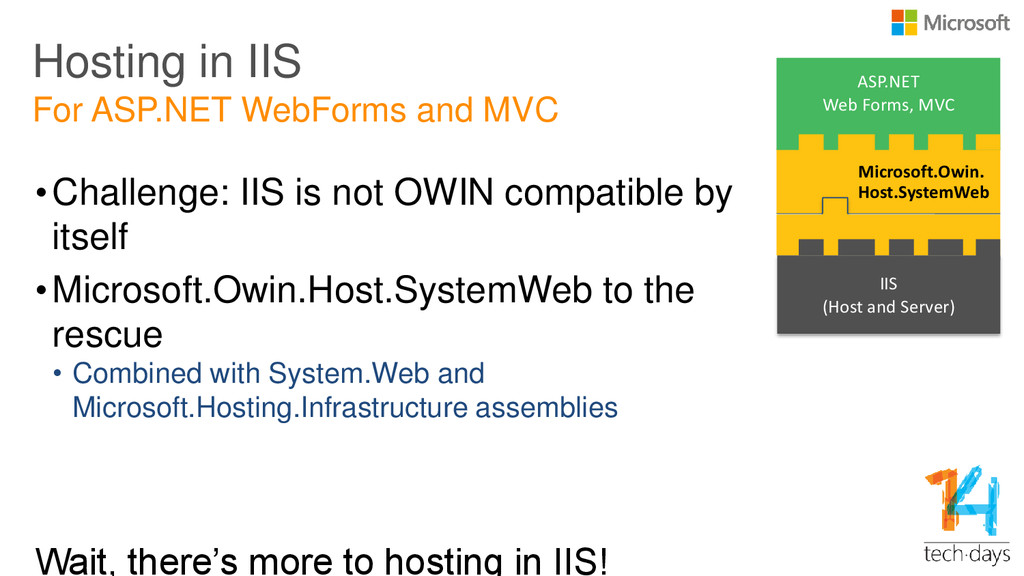
Hosting in IIS •Challenge: IIS is not OWIN compatible by
itself •Microsoft.Owin.Host.SystemWeb to the rescue • Combined with System.Web and Microsoft.Hosting.Infrastructure assemblies Wait, there’s more to hosting in IIS! For ASP.NET WebForms and MVC ASP.NET Web Forms, MVC IIS (Host and Server) Microsoft.Owin. Host.SystemWeb -
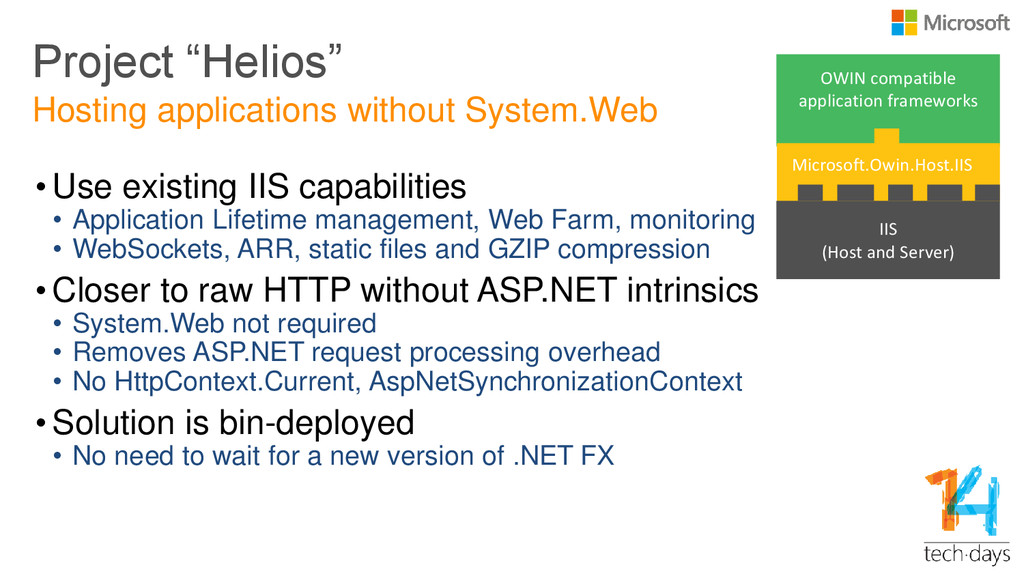
OWIN compatible application frameworks Project “Helios” • Use existing IIS
capabilities • Application Lifetime management, Web Farm, monitoring • WebSockets, ARR, static files and GZIP compression • Closer to raw HTTP without ASP.NET intrinsics • System.Web not required • Removes ASP.NET request processing overhead • No HttpContext.Current, AspNetSynchronizationContext • Solution is bin-deployed • No need to wait for a new version of .NET FX Hosting applications without System.Web IIS (Host and Server) Microsoft.Owin.Host.IIS -
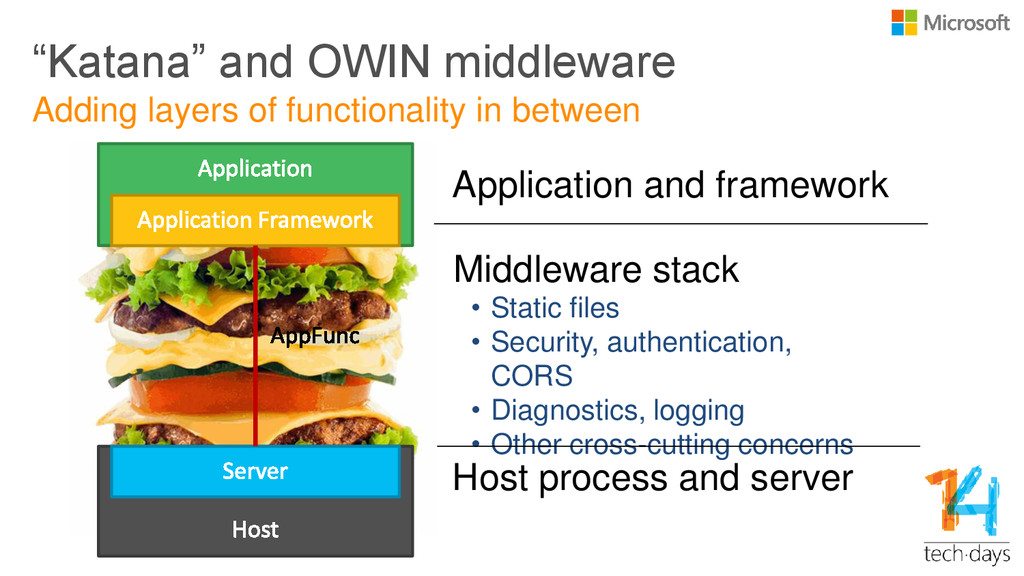
“Katana” and OWIN middleware Middleware stack • Static files •
Security, authentication, CORS • Diagnostics, logging • Other cross-cutting concerns Adding layers of functionality in between Host process and server Application and framework -
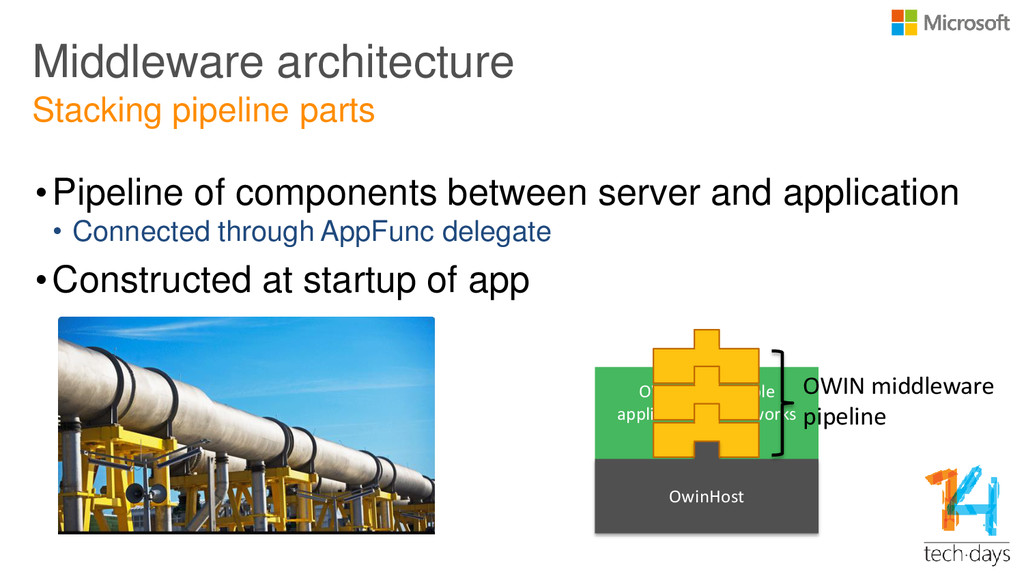
OWIN compatible application frameworks •Pipeline of components between server and
application • Connected through AppFunc delegate •Constructed at startup of app Middleware architecture Stacking pipeline parts OwinHost OWIN middleware pipeline -
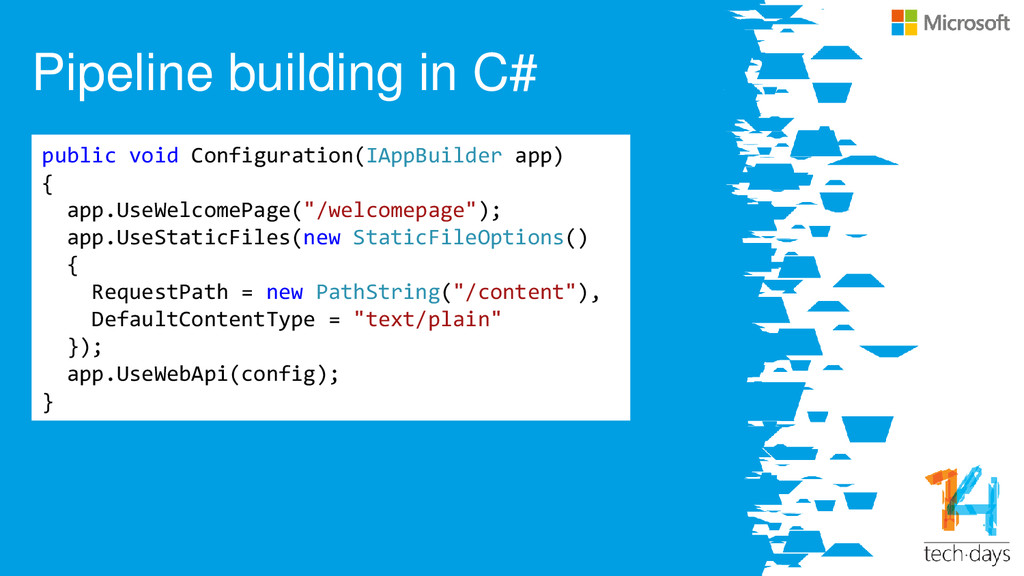
Pipeline building in C# public void Configuration(IAppBuilder app) { app.UseWelcomePage("/welcomepage");
app.UseStaticFiles(new StaticFileOptions() { RequestPath = new PathString("/content"), DefaultContentType = "text/plain" }); app.UseWebApi(config); } -
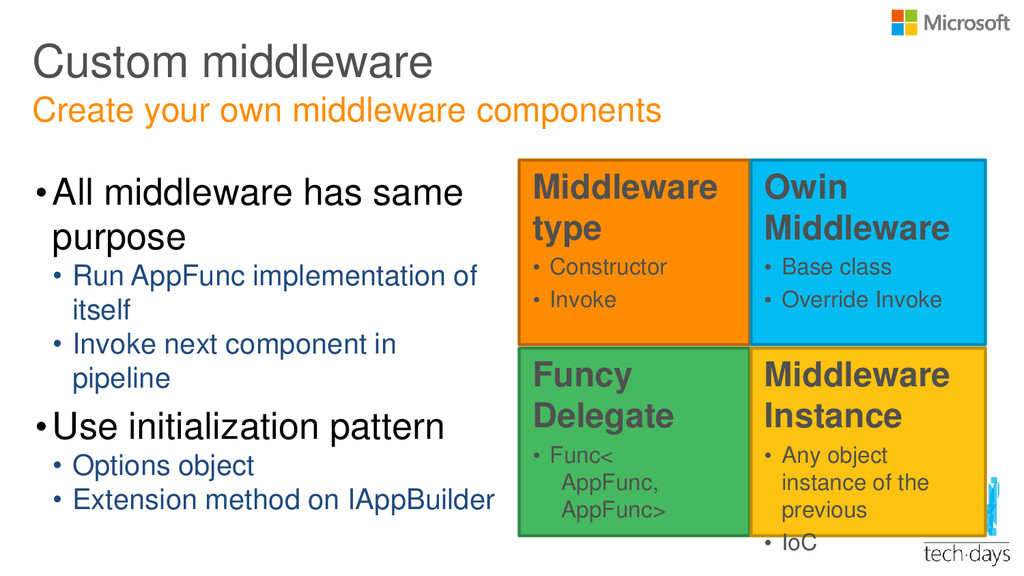
Custom middleware •All middleware has same purpose • Run AppFunc
implementation of itself • Invoke next component in pipeline •Use initialization pattern • Options object • Extension method on IAppBuilder Create your own middleware components Middleware type • Constructor • Invoke Owin Middleware • Base class • Override Invoke Funcy Delegate • Func< AppFunc, AppFunc> Middleware Instance • Any object instance of the previous • IoC -
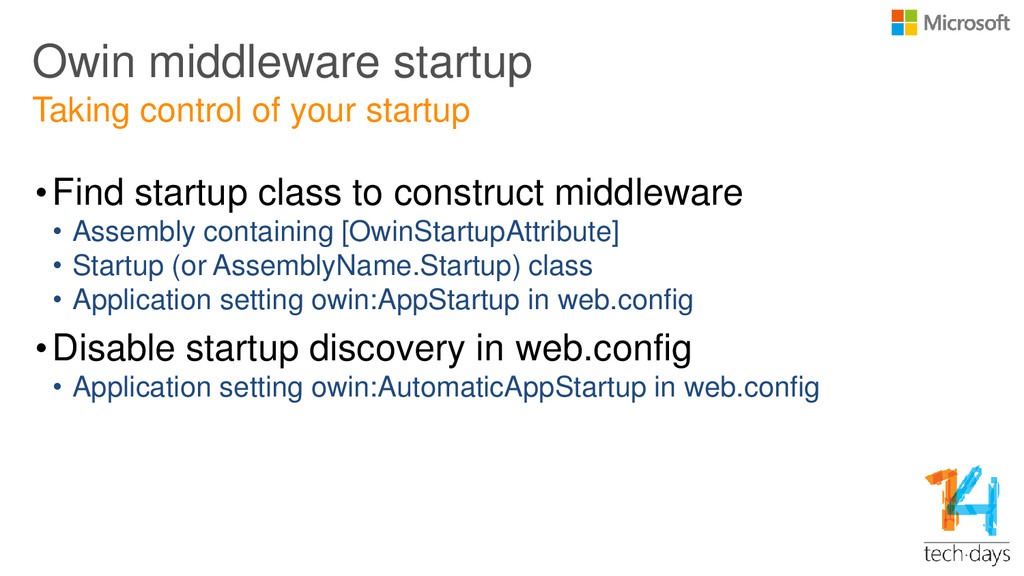
Owin middleware startup •Find startup class to construct middleware •
Assembly containing [OwinStartupAttribute] • Startup (or AssemblyName.Startup) class • Application setting owin:AppStartup in web.config •Disable startup discovery in web.config • Application setting owin:AutomaticAppStartup in web.config Taking control of your startup -
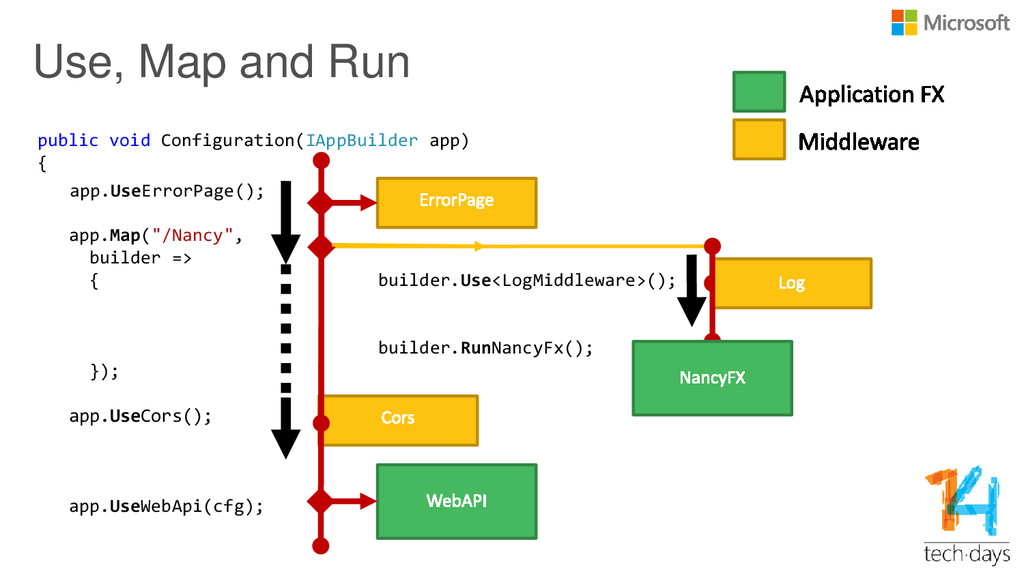
public void Configuration(IAppBuilder app) { app.Map("/Nancy", builder => { builder.Use<LogMiddleware>();
builder.RunNancyFx(); }); app.UseCors(); app.UseWebApi(cfg); Use, Map and Run app.UseErrorPage(); -
Summary OWIN brings: • a specification • a new hosting
and application model • a set of implementations of hosts and middleware • a framework for web app middleware • a lot of cool project names -
Laat ons weten wat u vindt van deze sessie! Vul
de evaluatie in via www.techdaysapp.nl en maak kans op een van de 20 prijzen*. Prijswinnaars worden bekend gemaakt via Twitter (#TechDaysNL). Gebruik hiervoor de code op uw badge. Let us know how you feel about this session! Give your feedback via www.techdaysapp.nl and possibly win one of the 20 prizes*. Winners will be announced via Twitter (#TechDaysNL). Use your personal code on your badge. * Over de uitslag kan niet worden gecorrespondeerd, prijzen zijn voorbeelden – All results are final, prizes are examples