Upgrade to Pro
— share decks privately, control downloads, hide ads and more …
Speaker Deck
Sign up for free
Menu
Search
Features
All features
Private URLs
Password Protection
Custom URLS
Scheduled publishing
Remove Branding
Restrict embedding
Deck Collections
Notes
Features
All features
Private URLs
Password Protection
Custom URLS
Scheduled publishing
Remove Branding
Restrict embedding
Deck Collections
Notes
Explore
Featured decks
Featured speakers
Programming
Technology
Storyboards
Explore
Featured decks
Featured speakers
Programming
Technology
Storyboards
Pricing
Search
Sign in
Sign up for free
AI JIMY - 登壇(実行編)
Search
HANACCHI
May 12, 2024
480
0
Share
Embed
Copy iframe code
Copy JS code
Copy link
Start on current slide
AI JIMY - 登壇(実行編)
20240514 AI JIMY - 登壇(実行編)
HANACCHI
May 12, 2024
More Decks by HANACCHI
See All by HANACCHI
どこかで誰かが見ていてくれる
hanacchi
0
68
単体試験の生産性向上と私
hanacchi
0
150
PowerAutomatefordesktopでの開発シーンで
hanacchi
0
35
ChatGPTにテストデータを作ってもらう
hanacchi
0
210
AI JIMYで数独
hanacchi
0
69
メール本文をどうやっつけるか
hanacchi
0
400
2024年のローコード界隈最新事情~業務担当者でもAI・生成AIを活用できる!~
hanacchi
0
480
AI JIMY - 登壇(インストール編)
hanacchi
0
560
AI JIMY - 登壇(設定編)
hanacchi
0
520
Featured
See All Featured
Designing Experiences People Love
moore
143
24k
How to make the Groovebox
asonas
2
2.5k
The Invisible Side of Design
smashingmag
301
52k
Pawsitive SEO: Lessons from My Dog (and Many Mistakes) on Thriving as a Consultant in the Age of AI
davidcarrasco
0
260
JavaScript: Past, Present, and Future - NDC Porto 2020
reverentgeek
52
6.1k
Scaling GitHub
holman
464
140k
Lightning Talk: Beautiful Slides for Beginners
inesmontani
PRO
2
730
Context Engineering - Making Every Token Count
addyosmani
9
1.2k
HU Berlin: Industrial-Strength Natural Language Processing with spaCy and Prodigy
inesmontani
PRO
0
750
Fantastic passwords and where to find them - at NoRuKo
philnash
53
4k
Un-Boring Meetings
codingconduct
0
450
Discover your Explorer Soul
emna__ayadi
2
1.3k
Transcript
https://aijimy.com/
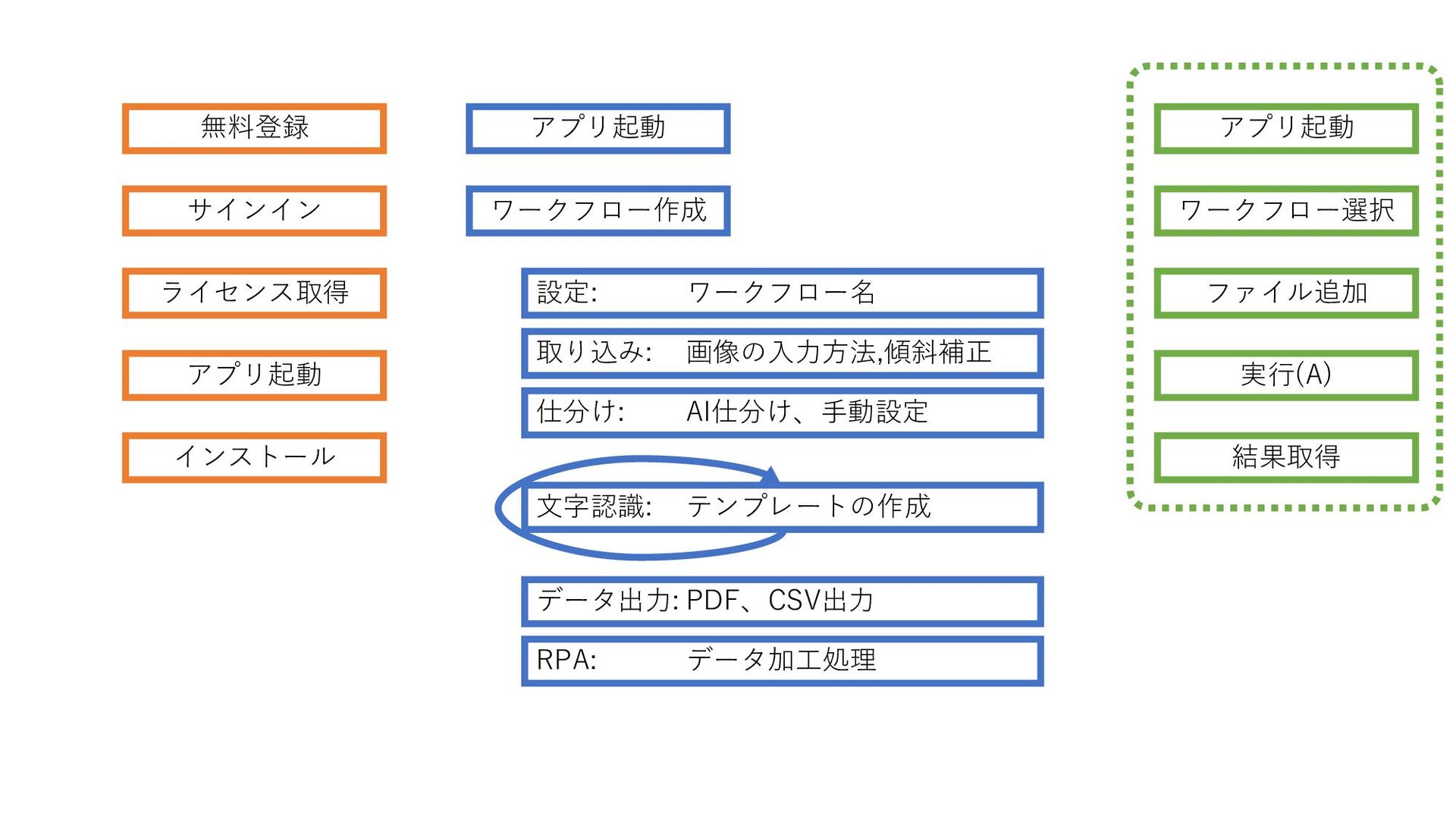
利用までの手順
無料登録 サインイン ライセンス取得 アプリ起動 インストール アプリ起動 ワークフロー作成 設定: ワークフロー名 取り込み:
画像の入力方法,傾斜補正 仕分け: AI仕分け、手動設定 文字認識: テンプレートの作成 データ出力: PDF、CSV出力 RPA: データ加工処理 アプリ起動 ワークフロー選択 実行(A) ファイル追加 結果取得
アプリ起動
None
実行の手順
初期表示
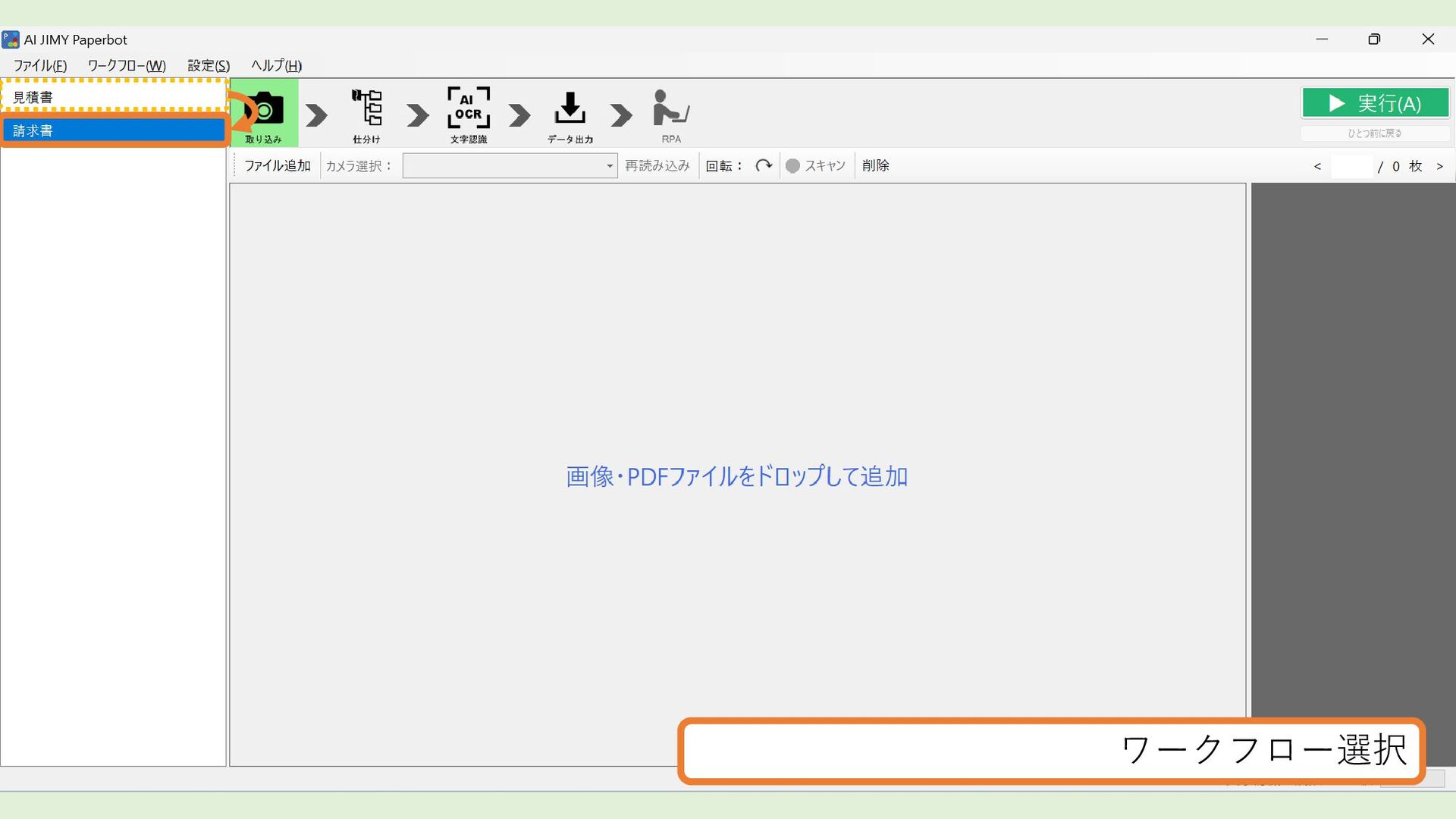
ワークフロー選択
ファイル追加
ファイル追加 - ファイルの選択(複数可能)
ファイル追加 - 対象ファイルの確認
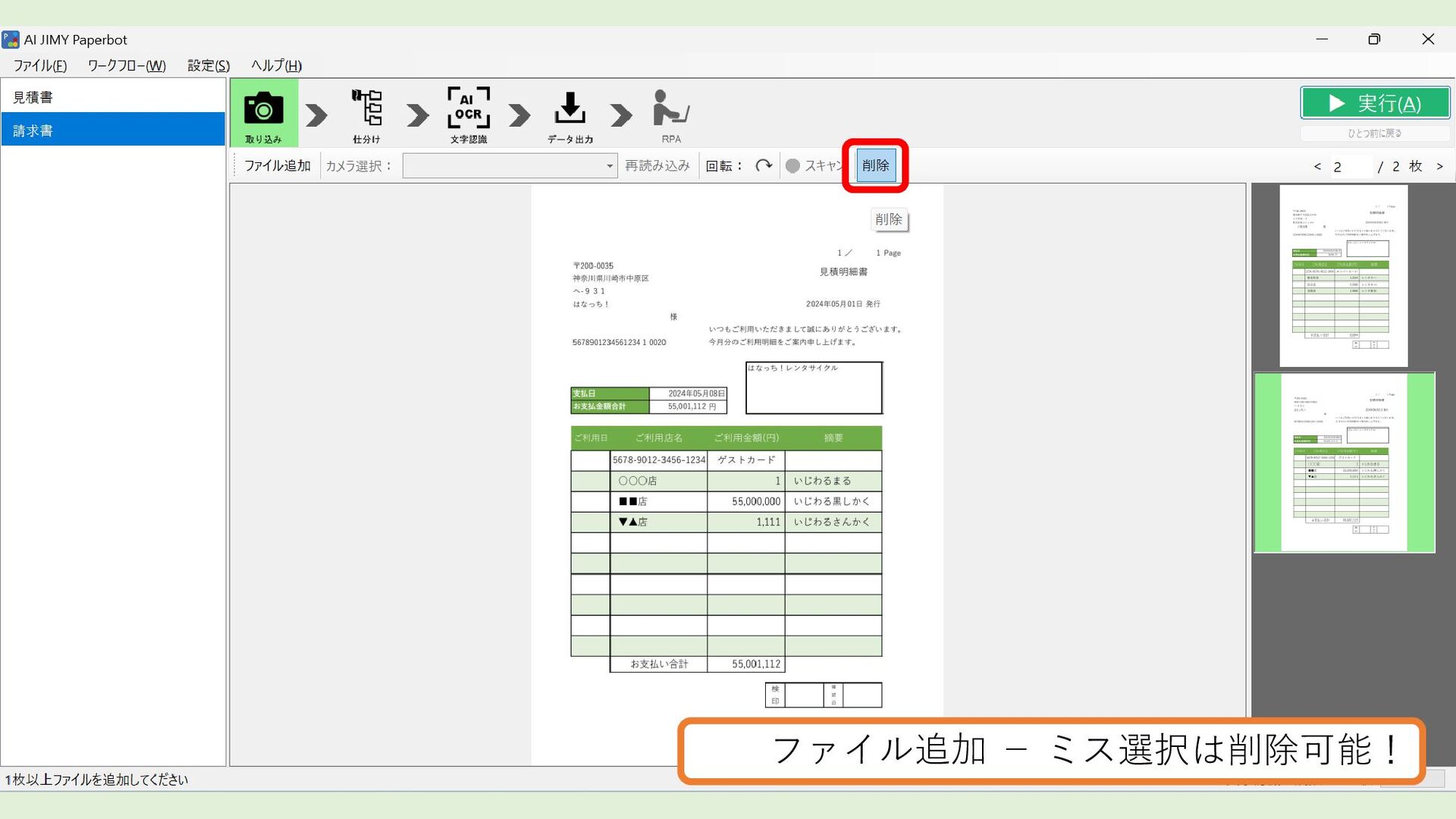
ファイル追加 - ミス選択は削除可能!
実行(A)
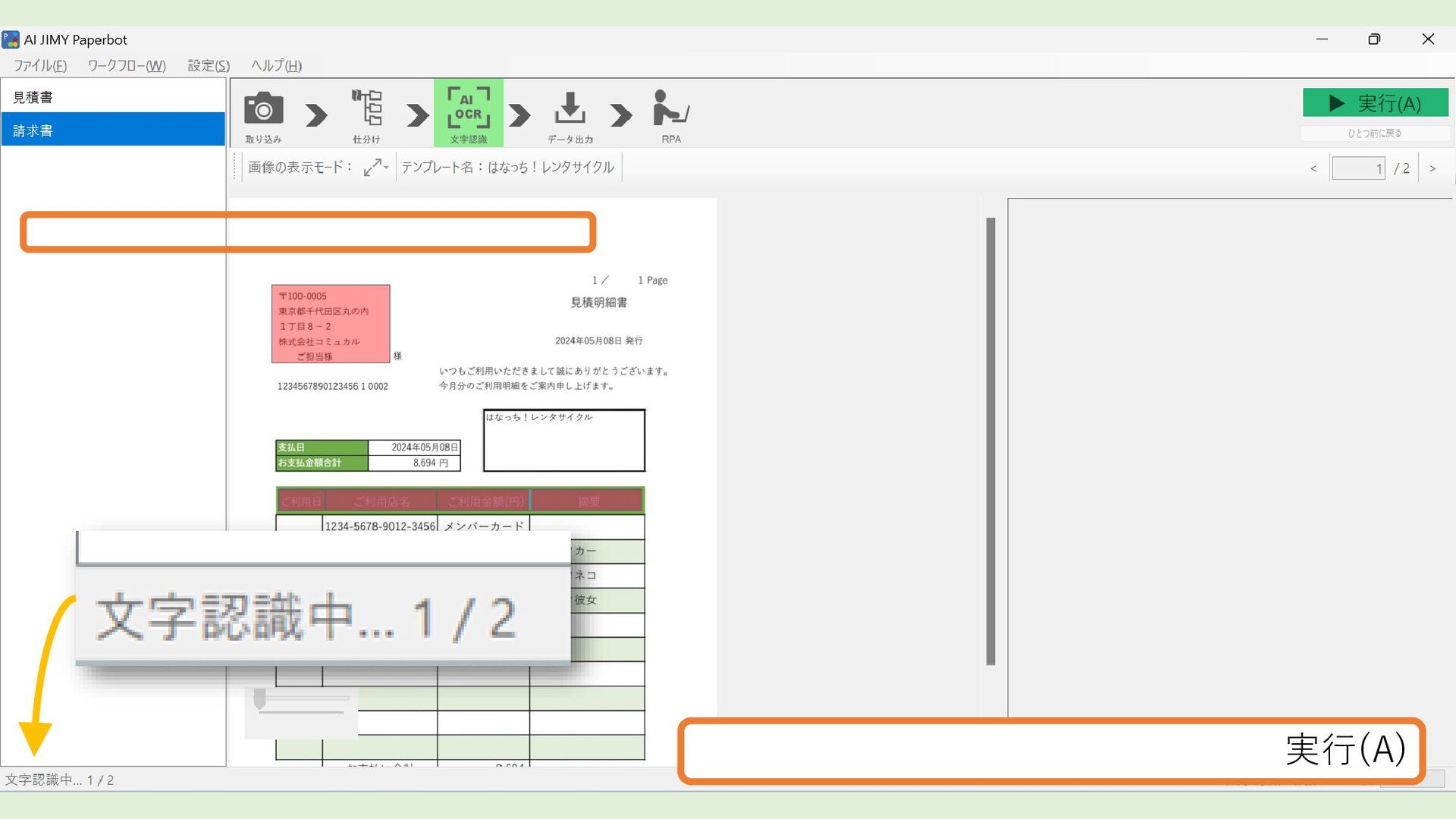
実行(A)
処理終了しました
終了後
結果取得
None
None
違うフォーマットが入っていた
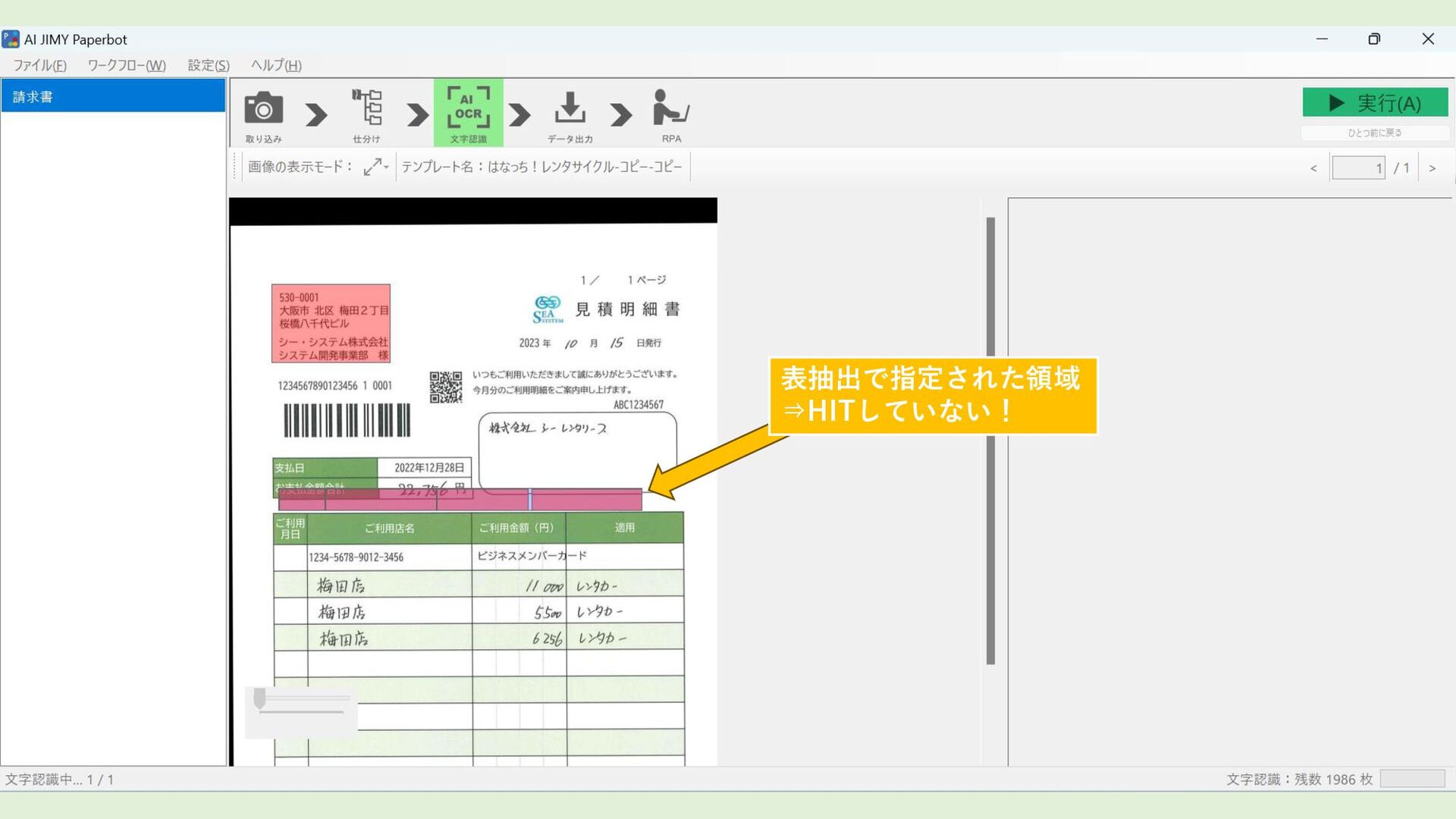
表抽出で指定された領域 ⇒HITしていない!
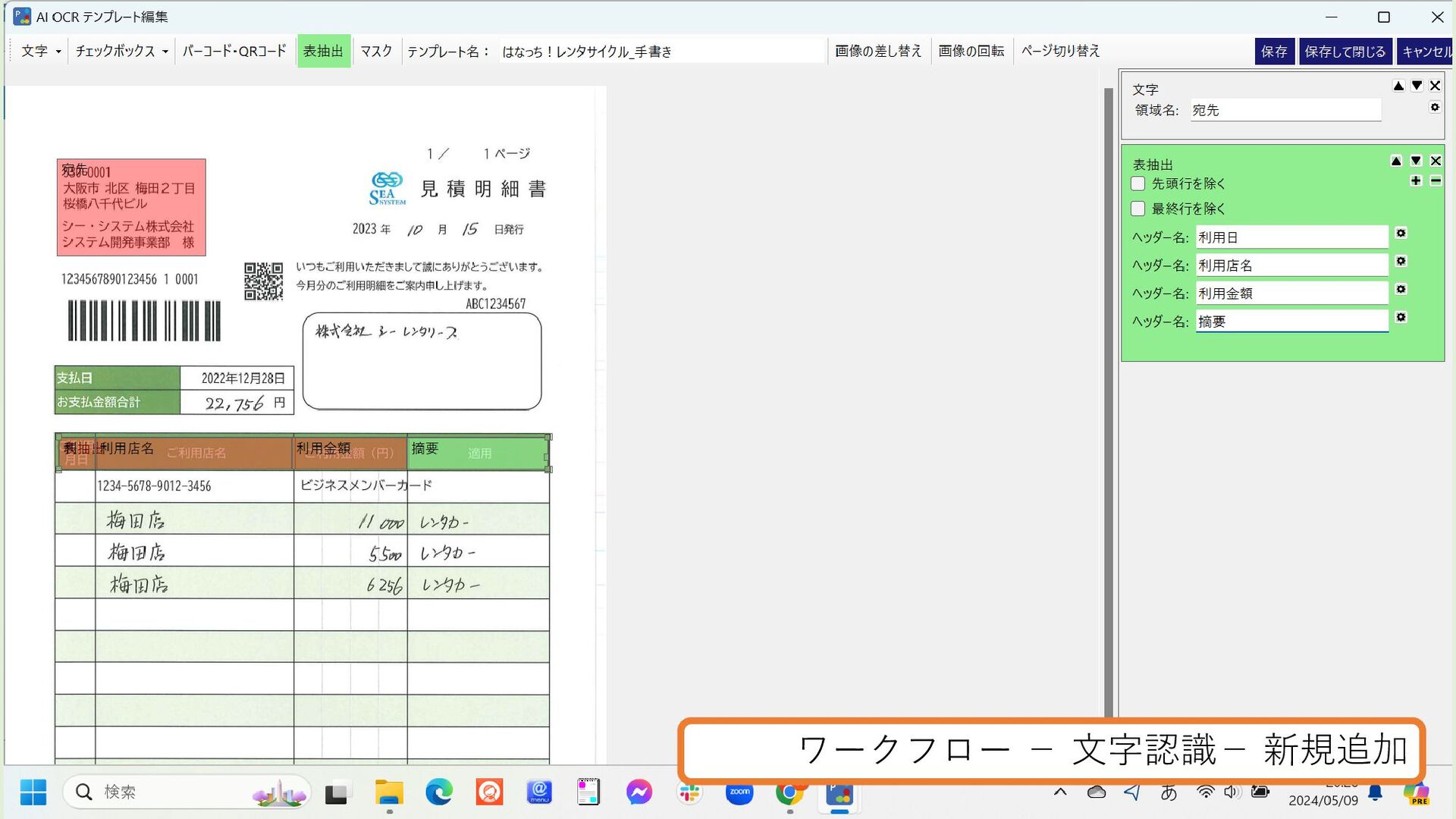
ワークフロー - 文字認識- 新規追加
ワークフロー に 複数テンプレート
実行(A)
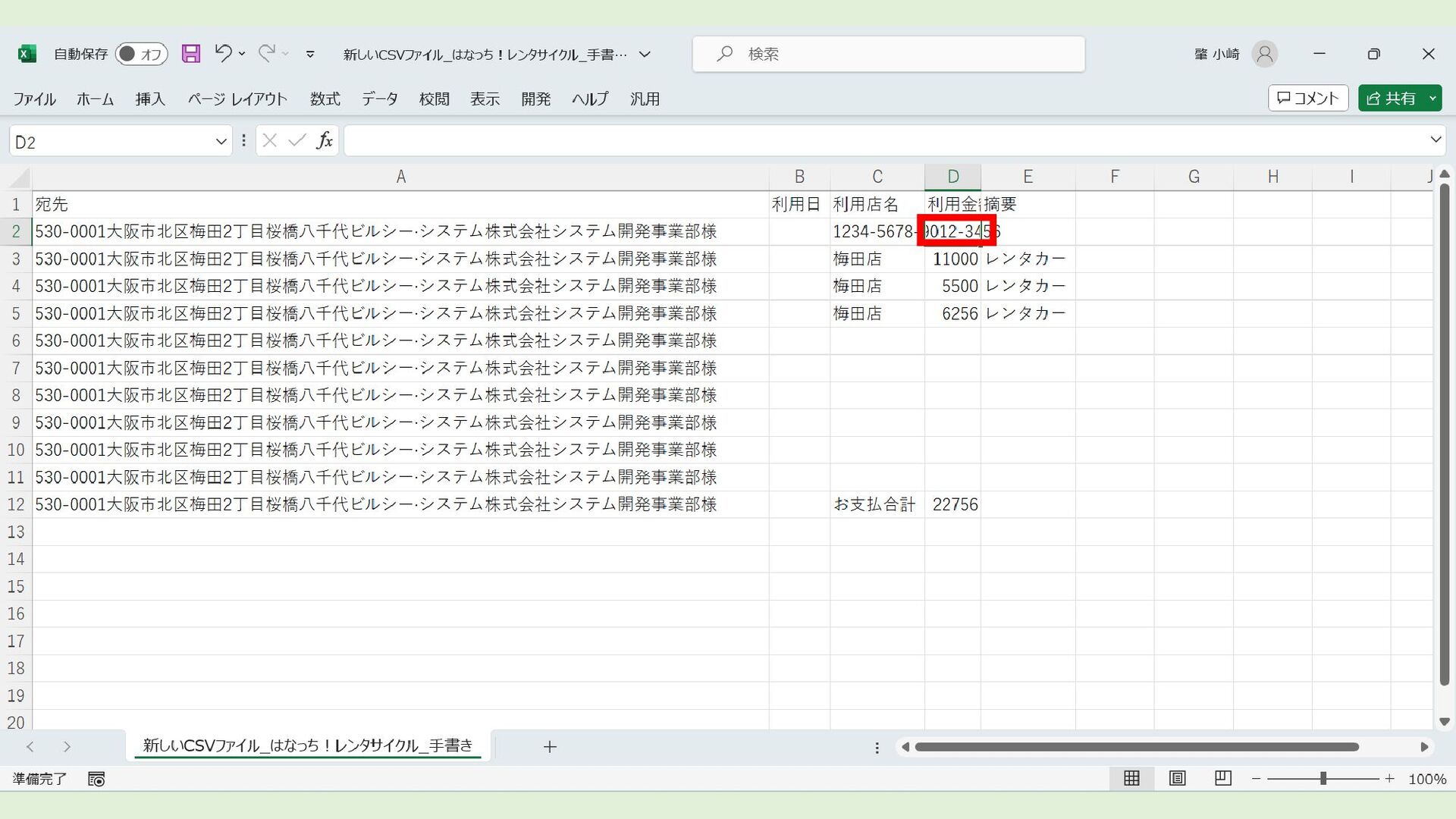
成功!(数字が”/”に!)⇒対策あり!
None
成功!(文字のヘッダー部が消えた)
None
None


 hanacchi
 moore
moore
 asonas
 smashingmag
 davidcarrasco
 reverentgeek
 holman
 inesmontani
 addyosmani
 philnash
 codingconduct
 emna__ayadi