Upgrade to Pro
— share decks privately, control downloads, hide ads and more …
Speaker Deck
Sign up for free
Menu
Search
Features
All features
Private URLs
Password Protection
Custom URLS
Scheduled publishing
Remove Branding
Restrict embedding
Deck Collections
Notes
Features
All features
Private URLs
Password Protection
Custom URLS
Scheduled publishing
Remove Branding
Restrict embedding
Deck Collections
Notes
Explore
Featured decks
Featured speakers
Programming
Technology
Storyboards
Explore
Featured decks
Featured speakers
Programming
Technology
Storyboards
Pricing
Search
Sign in
Sign up for free
How to Stylus 20251031
Search
Sponsored
·
Your Podcast. Everywhere. Effortlessly.
Share. Educate. Inspire. Entertain. You do you. We'll handle the rest.
→
hareyaka
February 10, 2026
How-to & DIY
190
0
Share
Embed
Copy iframe code
Copy JS code
Copy link
Start on current slide
How to Stylus 20251031
hareyaka
February 10, 2026
More Decks by hareyaka
See All by hareyaka
Bookmark Long Review 3 20251224
hareyakayuruyaka
0
32
Bookmark Long Review 4 20260121
hareyakayuruyaka
0
150
Raku Raku Notion 20260128
hareyakayuruyaka
1
710
Other Decks in How-to & DIY
See All in How-to & DIY
エッジAIでBBQの肉の焼き加減判定をやってみた #iotlt #seeed
n0bisuke2
2
400
Optional<Bar>うらばなし
ryomm
2
380
10分de名コミュ “最高の自分”を演じ憧れの同業者と渡り合う
subroh0508
1
690
ROSAというLLM使ったROSエージェントをおもちゃに実装してみた話
takeofuture
0
340
QGIS in Your Language
salamanderezo
1
240
ときメモは 運営が30年かけて “実プレイ”していた
mzryuka
0
160
多摩ニュータウンを、 味わう
aokiplayer
2
1k
5年間ぐらい、 スプリントレトロスペクティブは、 「+/Δ」しかしてないので、 あらためて良いのか悪いか考えてみる / Doing Plus Delta for about five years
camel_404
1
510
AIツール“三種の神器”ではじめる 自動運転AIチャレンジ
covao
0
150
生成AIは 『コードを書く』だけじゃない アーキテクチャ設計から環境構築まで——社内データ活用DXの全貌
punipuni_mint
0
240
おっきなガジェットの回線事情
2bo
1
250
What's the difference in taste between expensive and cheap mills? Measuring coffee particle size distribution using ImageJ
dogrunjp
0
890
Featured
See All Featured
Done Done
chrislema
187
17k
Prompt Engineering for Job Search
mfonobong
0
490
sira's awesome portfolio website redesign presentation
elsirapls
0
450
Build your cross-platform service in a week with App Engine
jlugia
234
19k
Building Better People: How to give real-time feedback that sticks.
wjessup
370
20k
A Soul's Torment
seathinner
8
3.7k
A brief & incomplete history of UX Design for the World Wide Web: 1989–2019
jct
2
530
Building Applications with DynamoDB
mza
96
7.2k
The Power of CSS Pseudo Elements
geoffreycrofte
82
6.6k
Responsive Adventures: Dirty Tricks From The Dark Corners of Front-End
smashingmag
254
22k
Scaling GitHub
holman
464
140k
Noah Learner - AI + Me: how we built a GSC Bulk Export data pipeline
techseoconnect
PRO
0
450
Transcript
Stylusの導入~Notionの画面を整理するまでの手順 チーム:ブックマーク(仮)
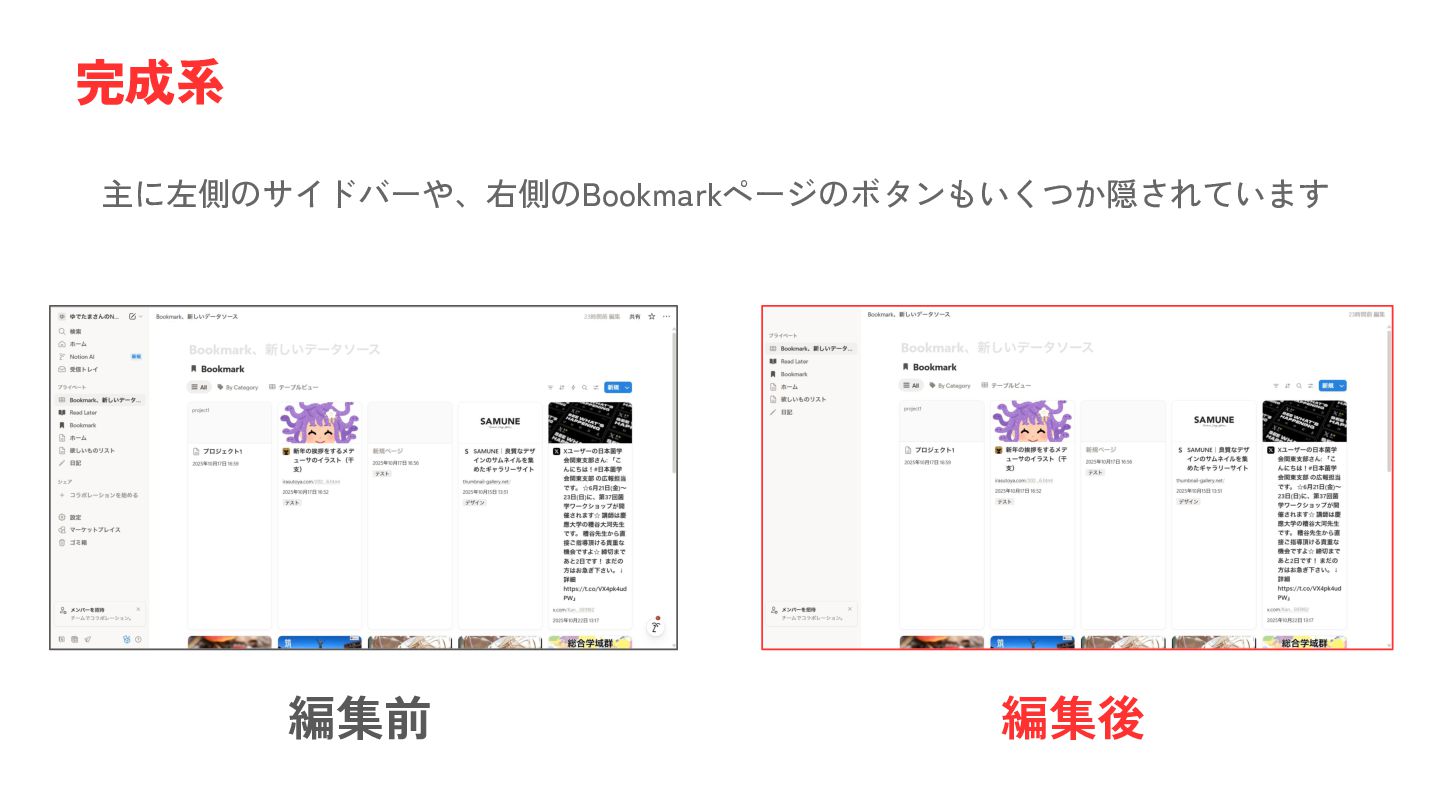
主に左側のサイドバーや、右側のBookmarkページのボタンもいくつか隠されています 完成系 編集前 編集後
「Notionのアカウント持ってるよ」 「アカウント持ってないけど登録してちょっと触ってみたいよ」 対象者 一緒にやってみてください 「アカウント持ってないです」 「Notionいじったりするの怖い…」 聞くだけでも大丈夫です
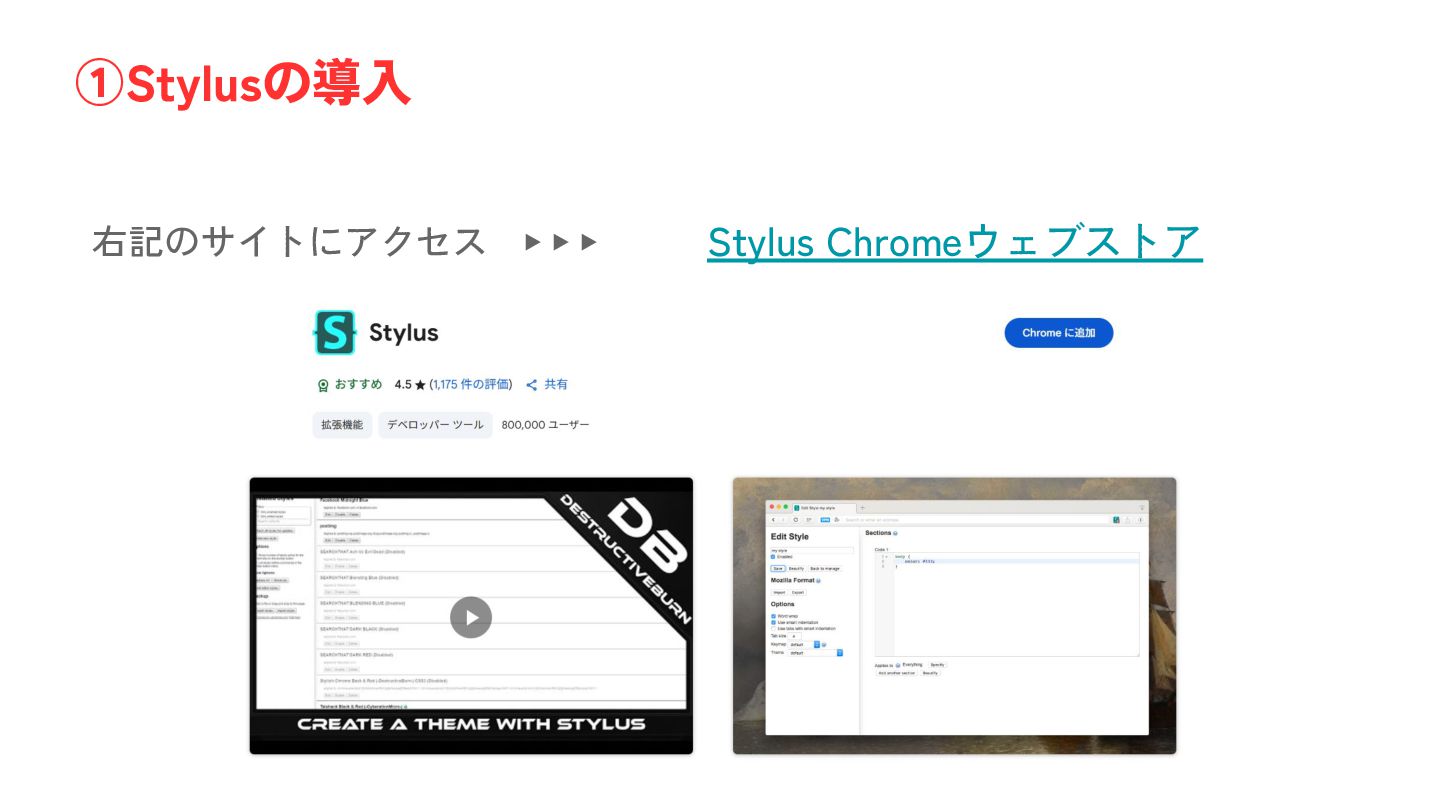
右記のサイトにアクセス ▶ ▶ ▶ Stylus Chromeウェブストア ①Stylusの導入
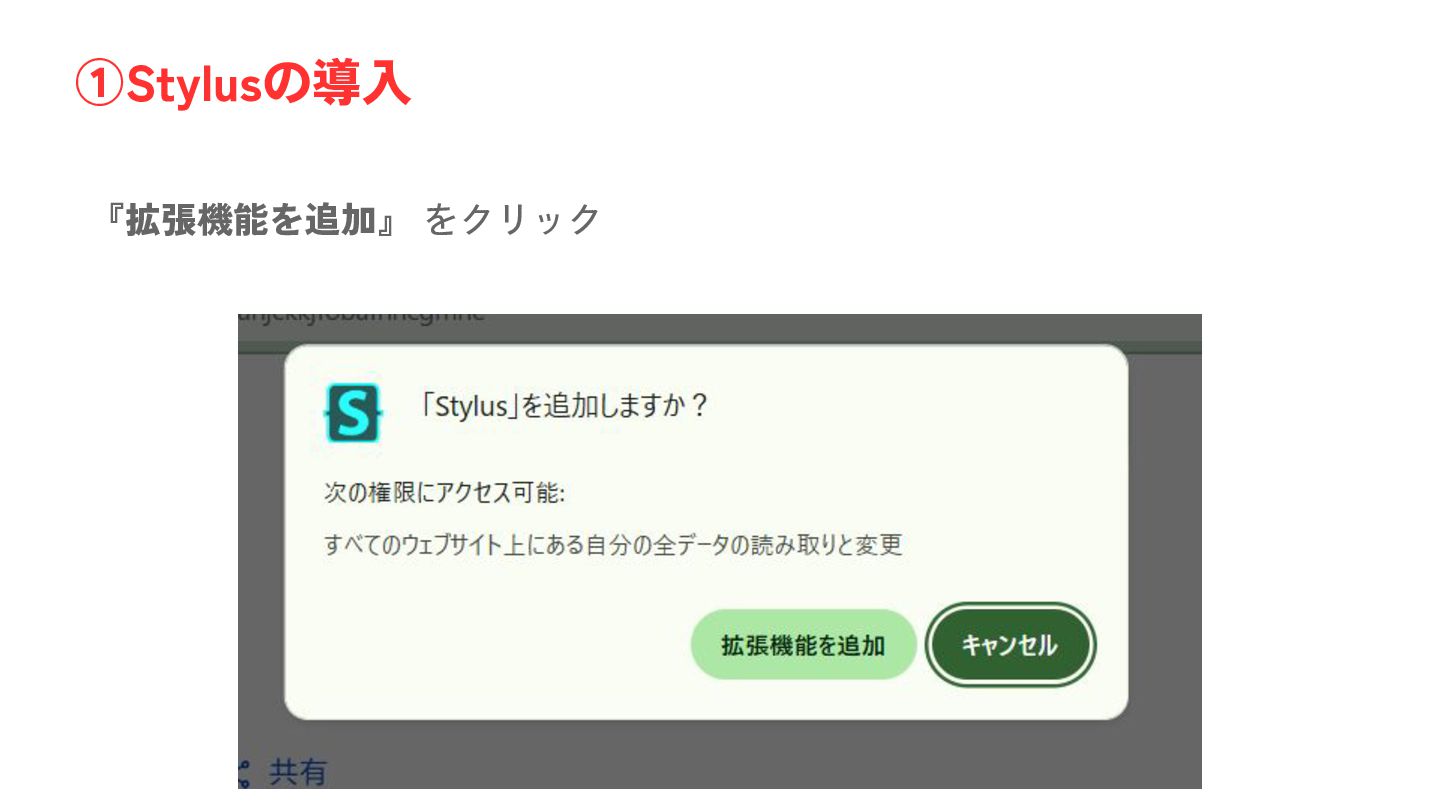
『拡張機能を追加』 をクリック ①Stylusの導入
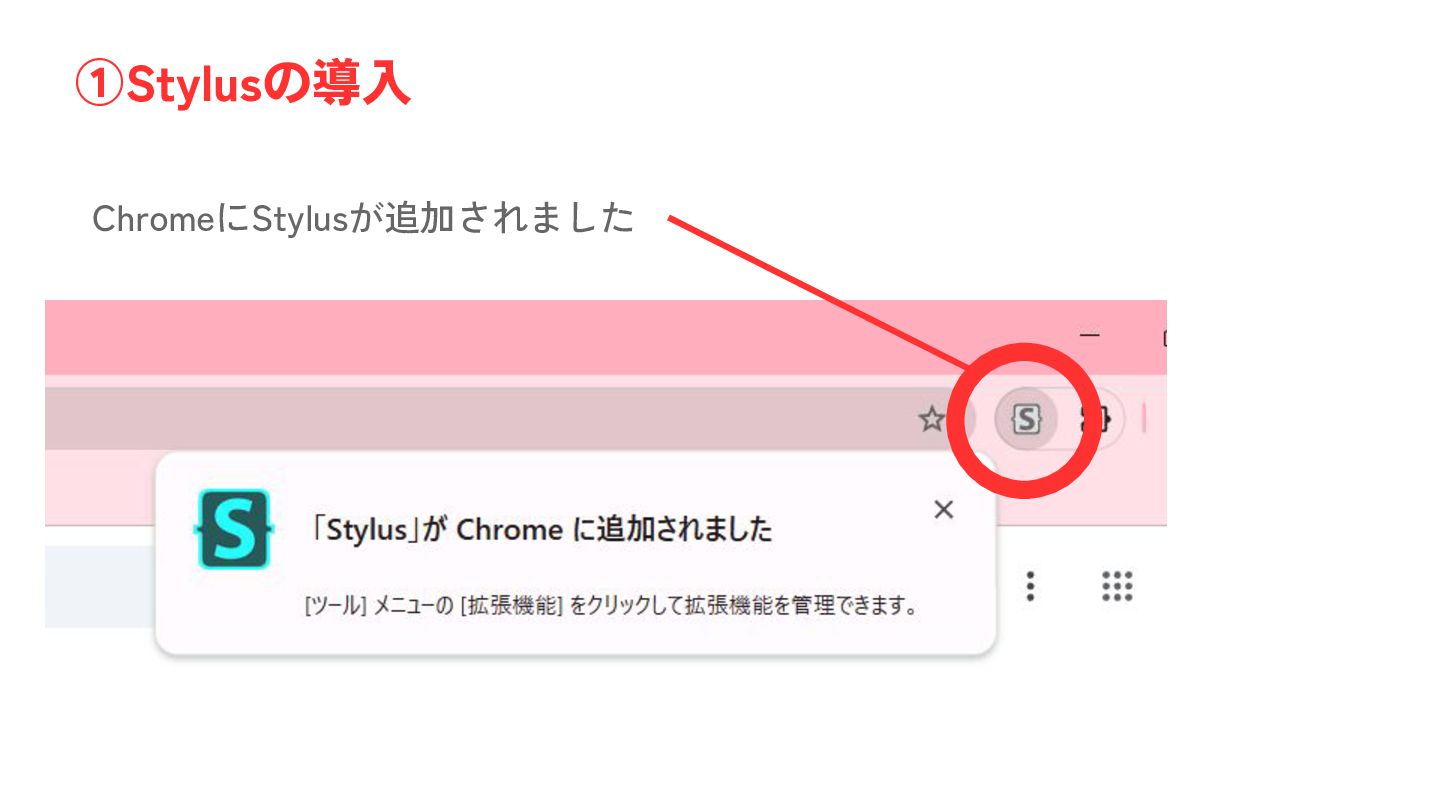
ChromeにStylusが追加されました ①Stylusの導入
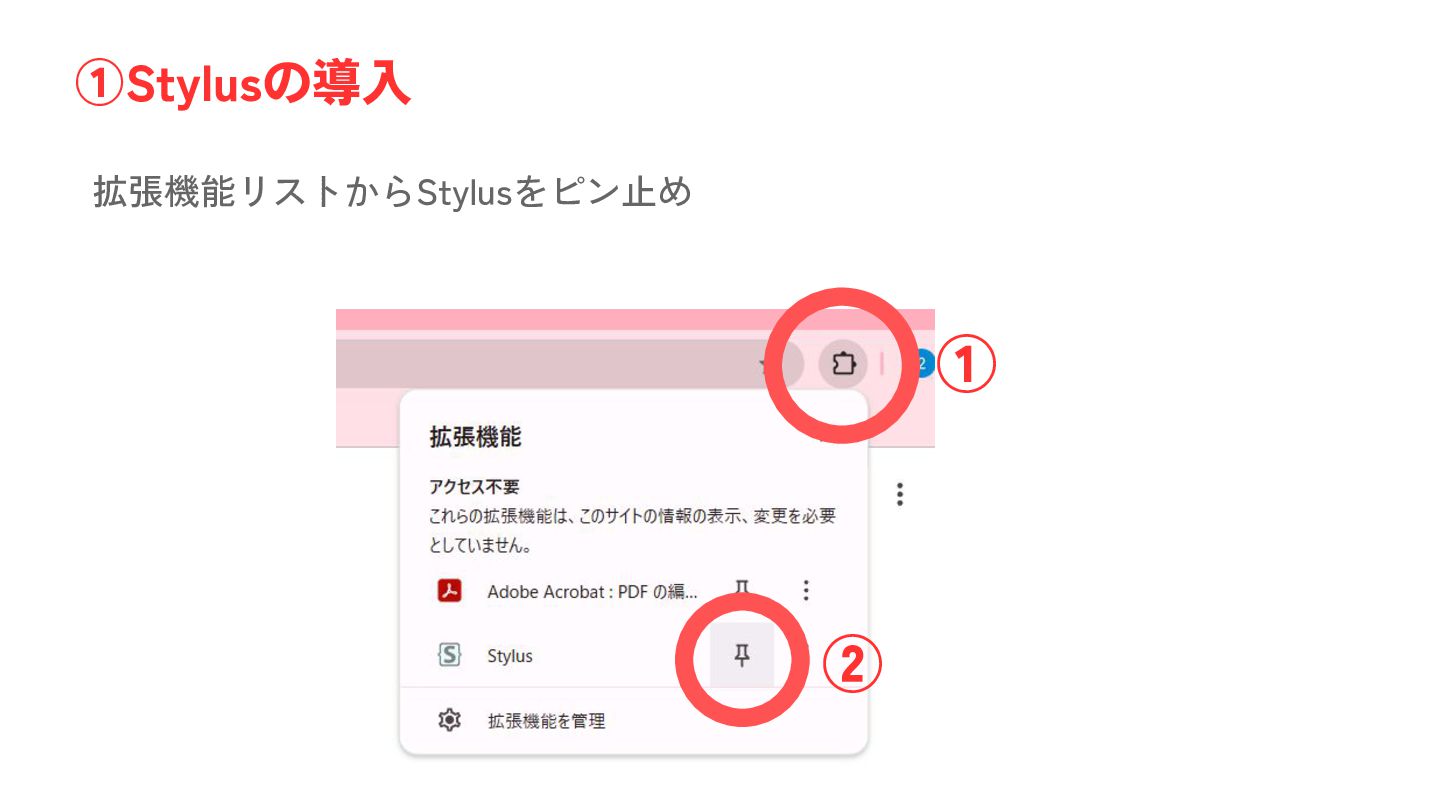
拡張機能リストからStylusをピン止め ①Stylusの導入 ① ②
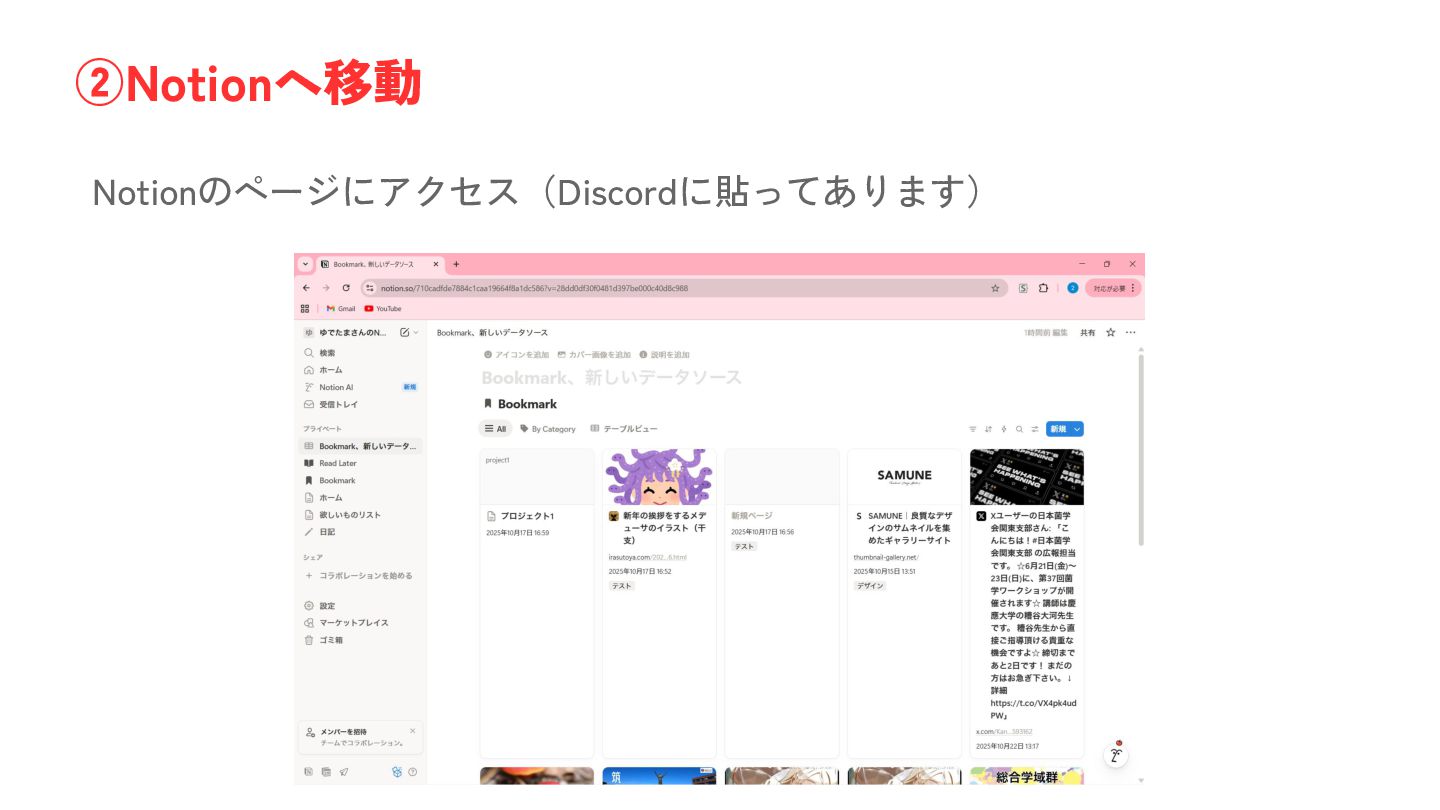
Notionのページにアクセス(Discordに貼ってあります) ②Notionへ移動
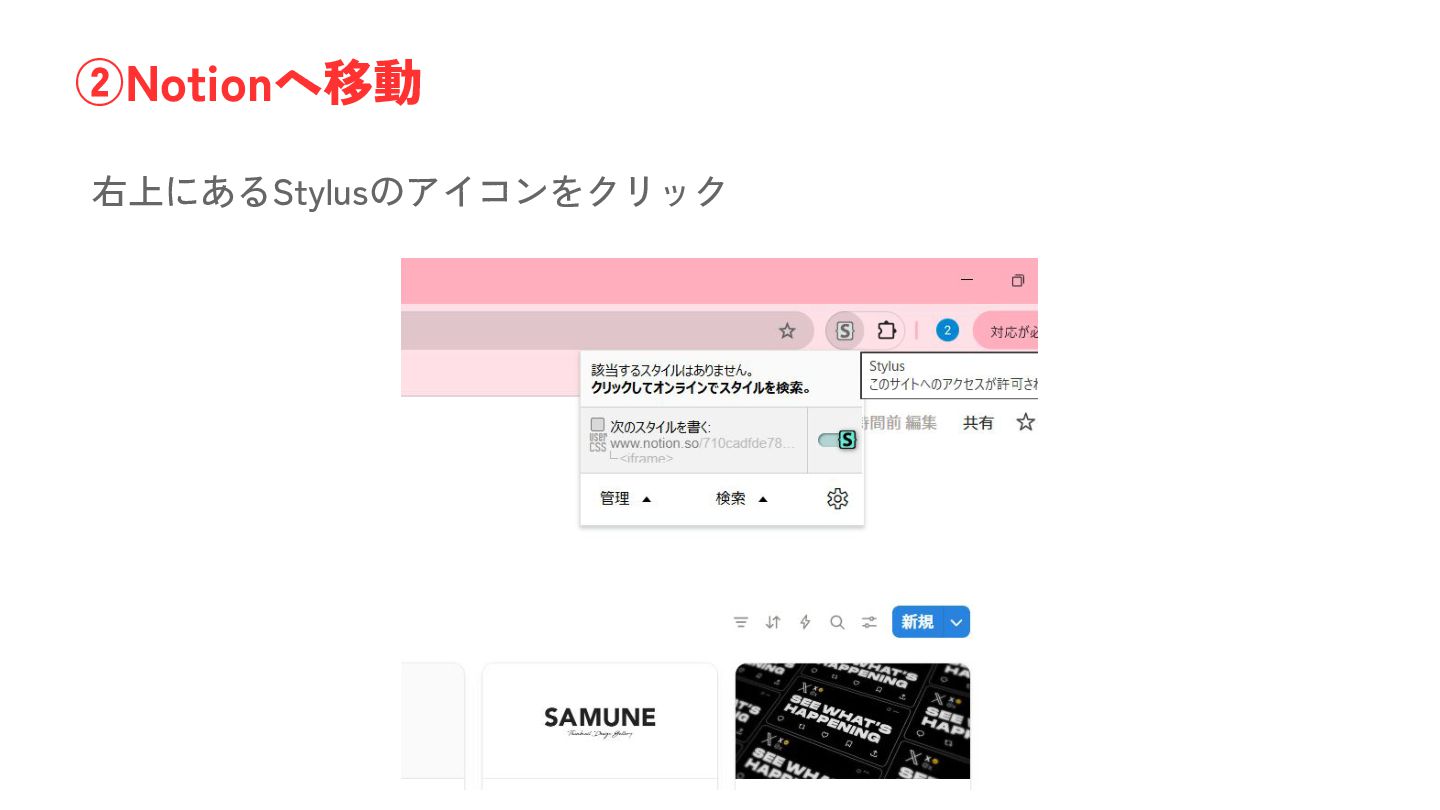
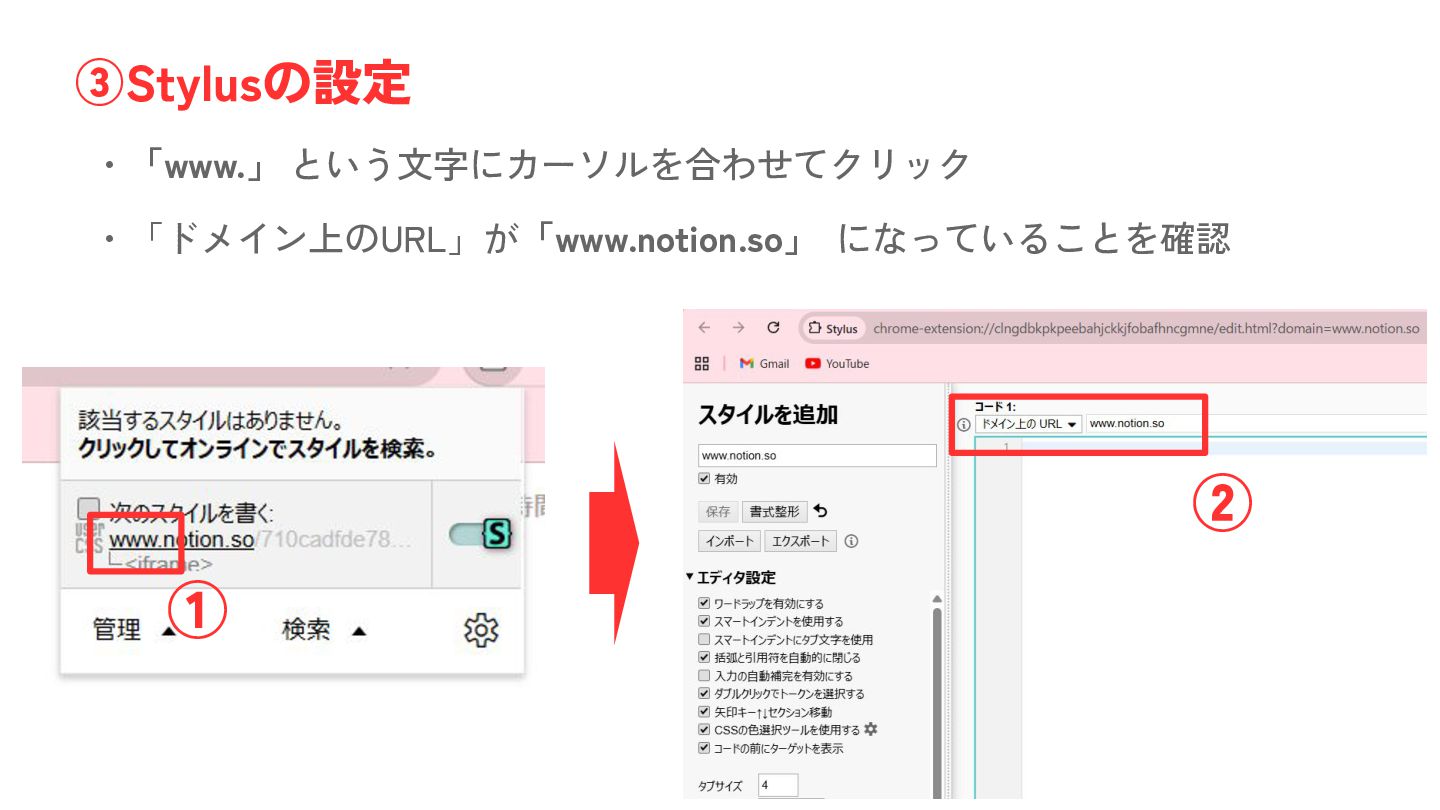
右上にあるStylusのアイコンをクリック ②Notionへ移動
・「www.」 という文字にカーソルを合わせてクリック ③Stylusの設定 ・「ドメイン上のURL」が「www.notion.so」 になっていることを確認 ① ②
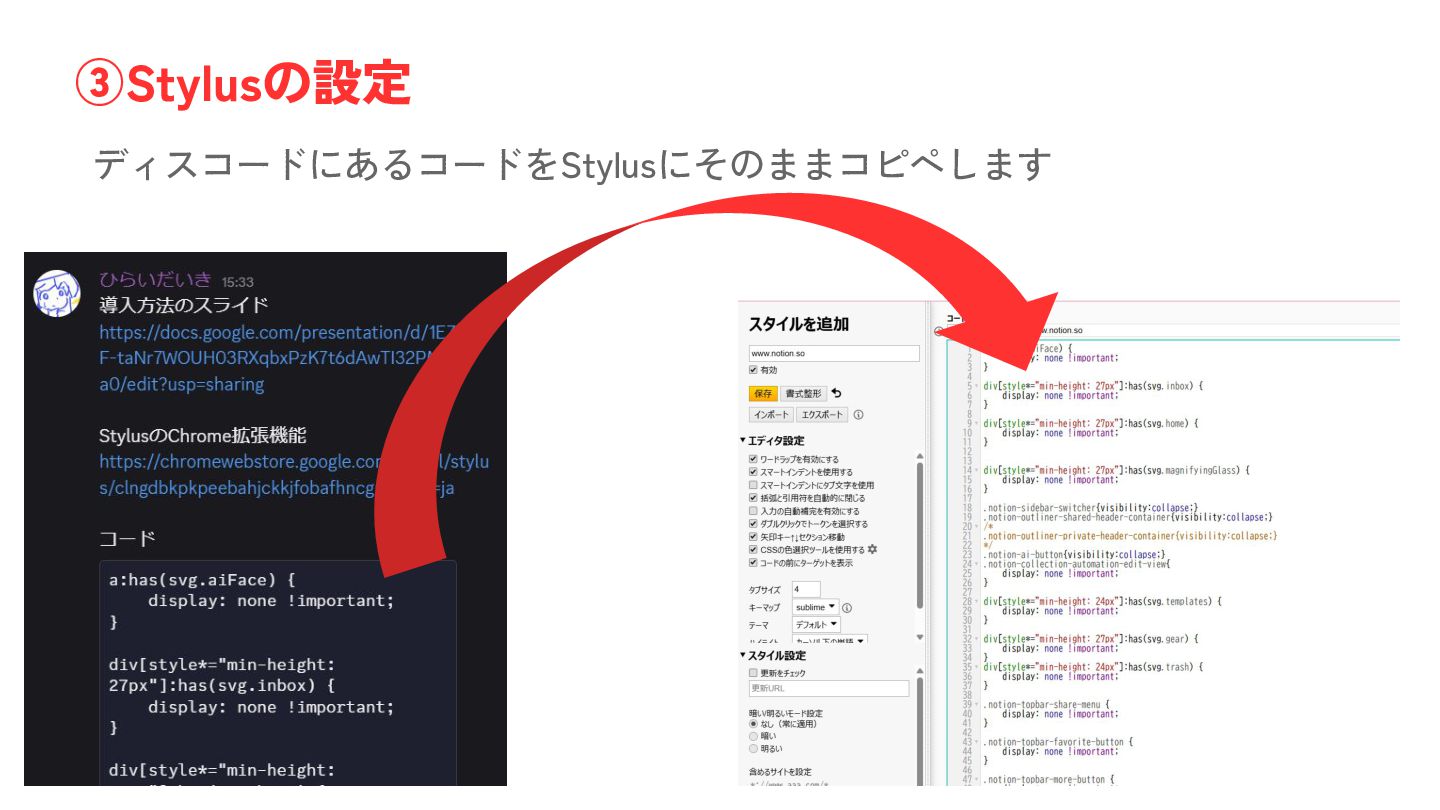
ディスコードにあるコードをStylusにそのままコピペします ③Stylusの設定
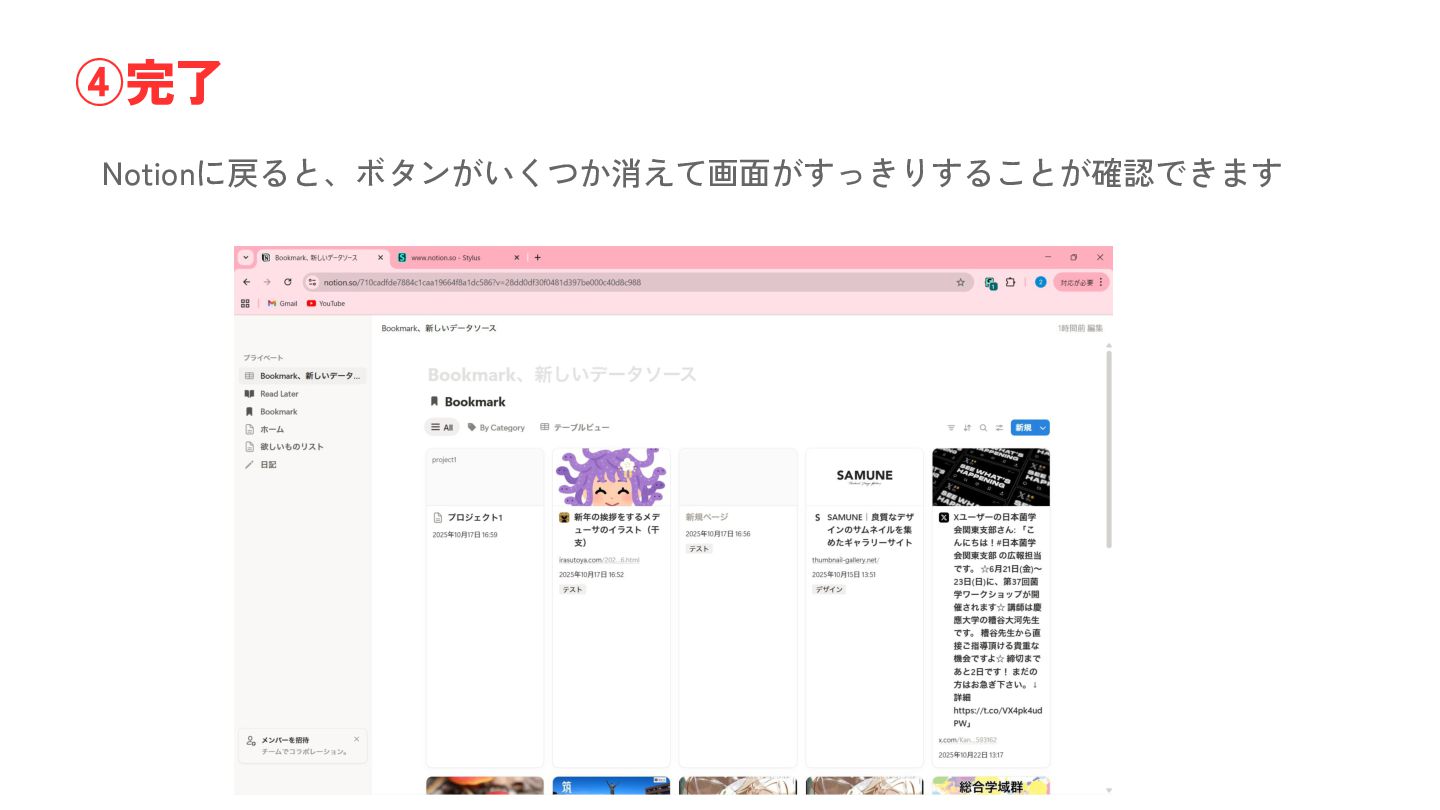
Notionに戻ると、ボタンがいくつか消えて画面がすっきりすることが確認できます ④完了
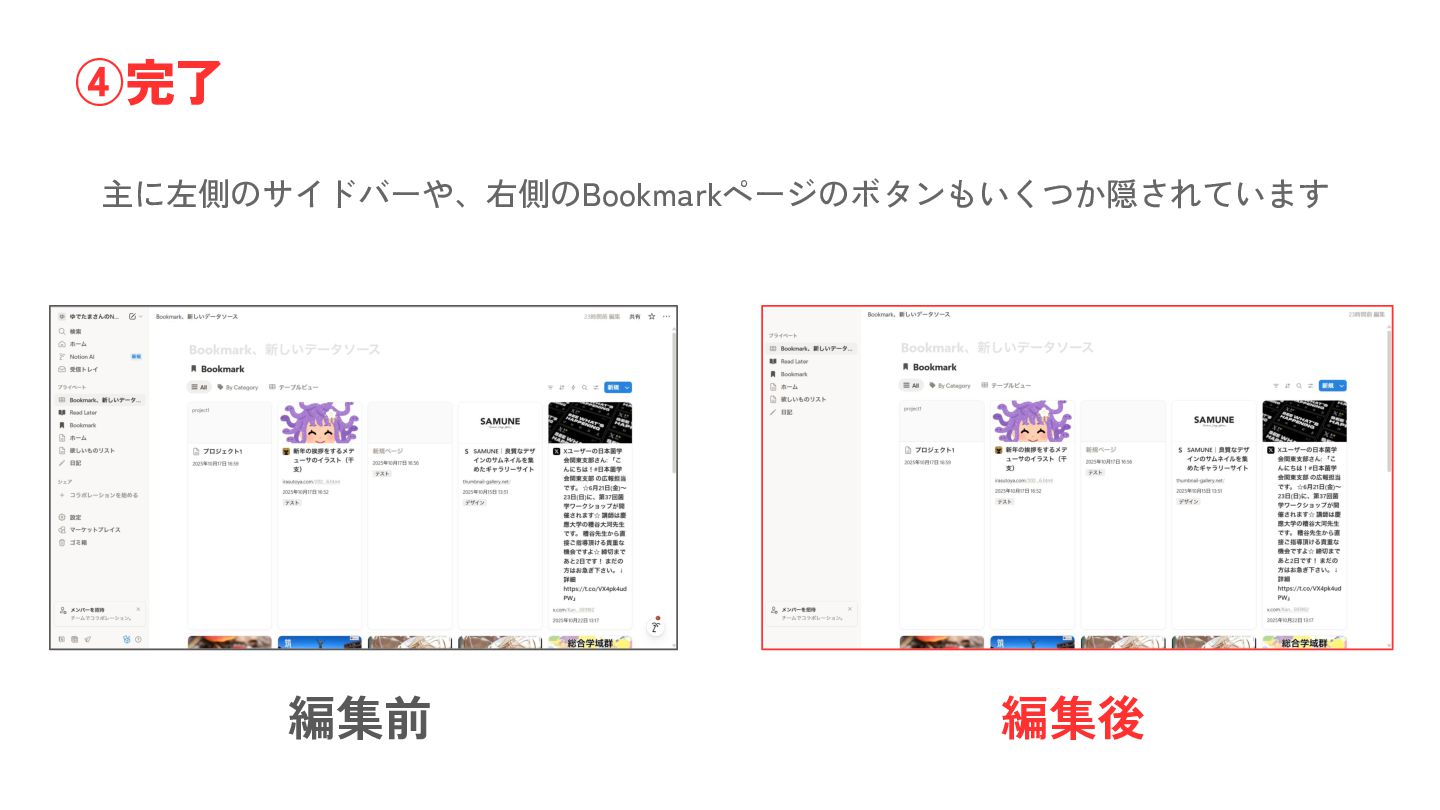
主に左側のサイドバーや、右側のBookmarkページのボタンもいくつか隠されています ④完了 編集前 編集後
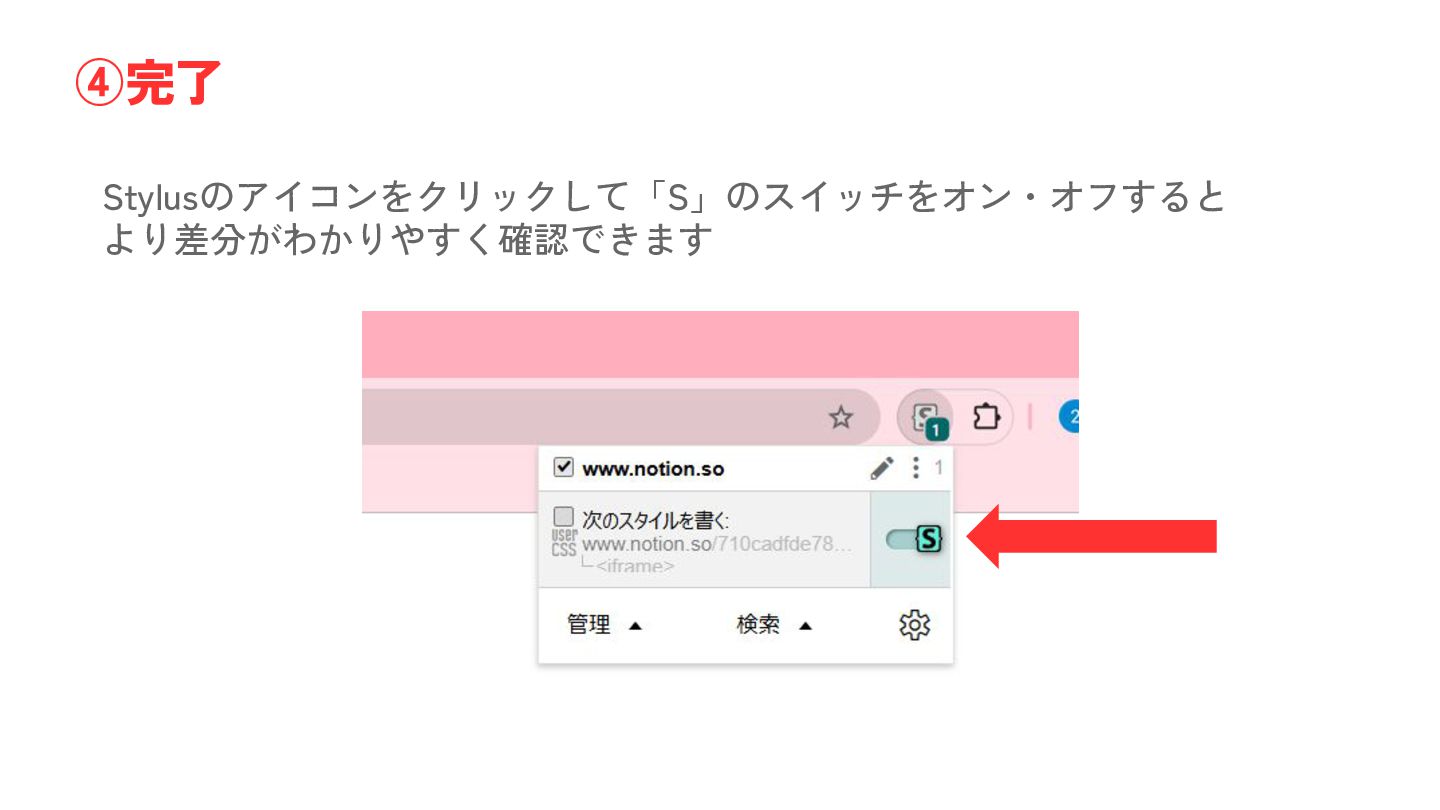
Stylusのアイコンをクリックして「S」のスイッチをオン・オフすると より差分がわかりやすく確認できます ④完了
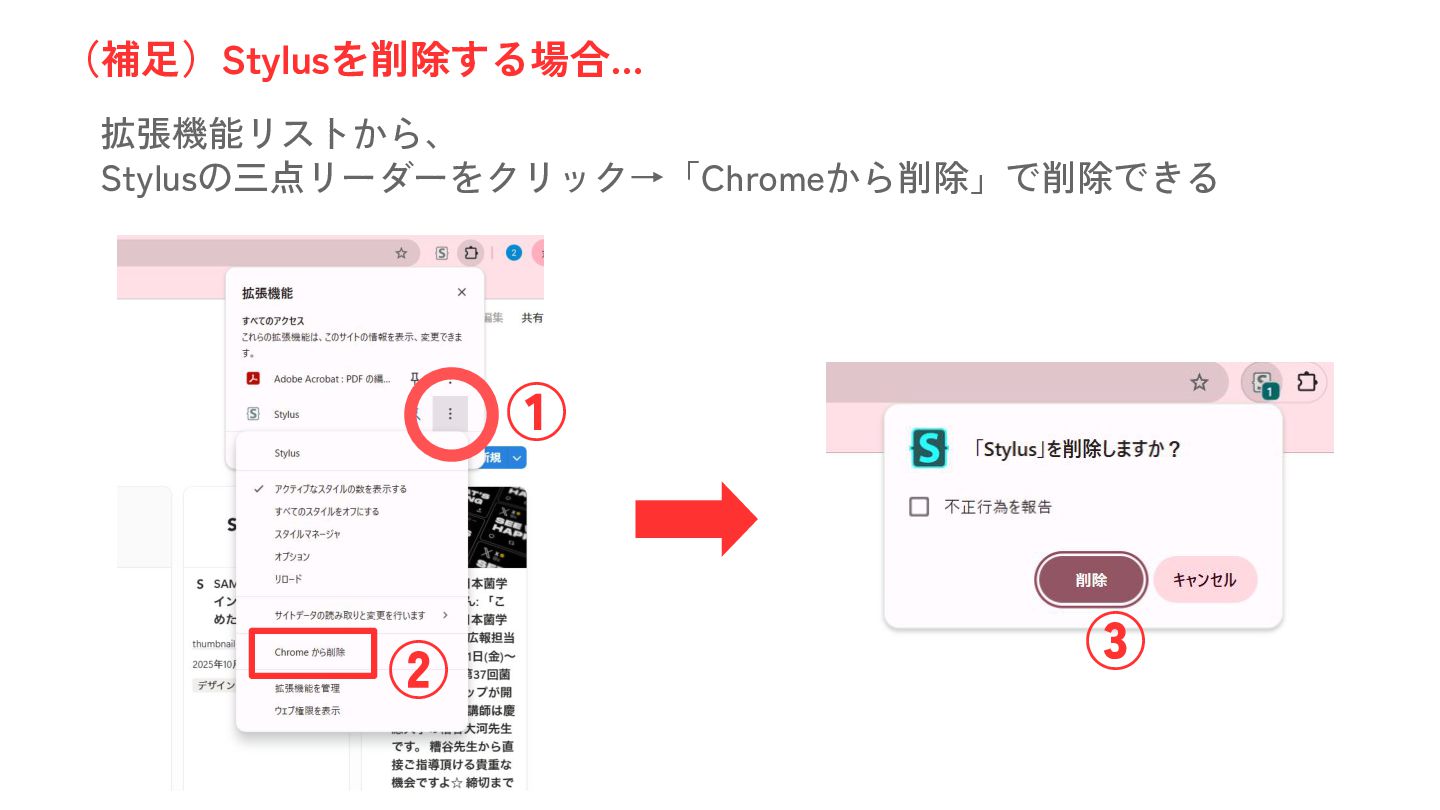
拡張機能リストから、 Stylusの三点リーダーをクリック→「Chromeから削除」で削除できる (補足)Stylusを削除する場合… ① ② ③


 hareyakayuruyaka
 n0bisuke2
 ryomm
ryomm
 subroh0508
 takeofuture
 salamanderezo
 mzryuka
 aokiplayer
 camel_404
 covao
covao
 punipuni_mint
 2bo
2bo
 dogrunjp
 chrislema
 mfonobong
 elsirapls
 jlugia
 wjessup
 seathinner
 jct
jct
 mza
mza
 geoffreycrofte
 smashingmag
 holman
 techseoconnect