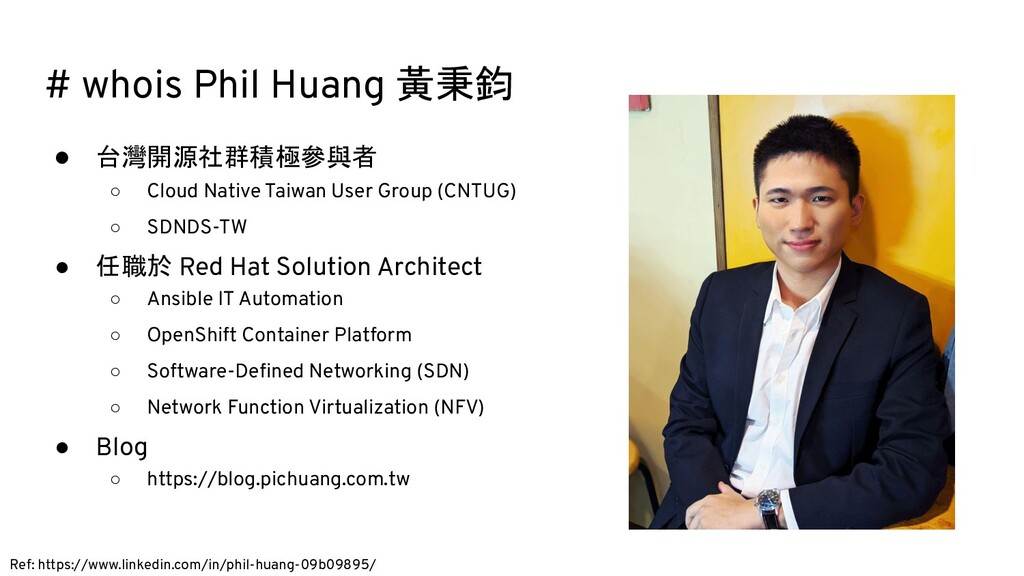
Taiwan User Group (CNTUG) ◦ SDNDS-TW • 任職於 Red Hat Solution Architect ◦ Ansible IT Automation ◦ OpenShift Container Platform ◦ Software-Defined Networking (SDN) ◦ Network Function Virtualization (NFV) • Blog ◦ https://blog.pichuang.com.tw Ref: https://www.linkedin.com/in/phil-huang-09b09895/
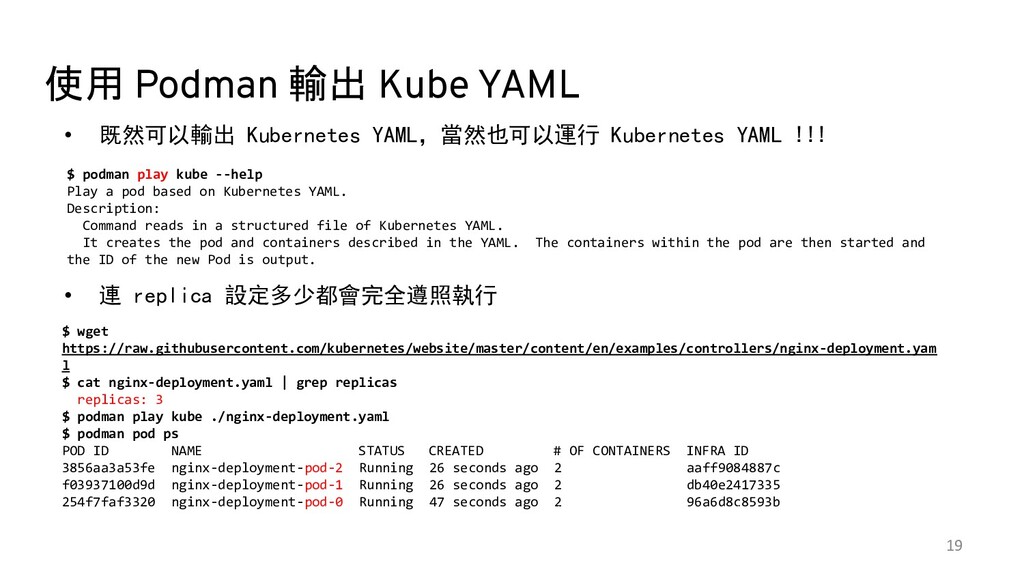
YAML !!! • 連 replica 設定多少都會完全遵照執行 19 $ podman play kube --help Play a pod based on Kubernetes YAML. Description: Command reads in a structured file of Kubernetes YAML. It creates the pod and containers described in the YAML. The containers within the pod are then started and the ID of the new Pod is output. $ wget https://raw.githubusercontent.com/kubernetes/website/master/content/en/examples/controllers/nginx-deployment.yam l $ cat nginx-deployment.yaml | grep replicas replicas: 3 $ podman play kube ./nginx-deployment.yaml $ podman pod ps POD ID NAME STATUS CREATED # OF CONTAINERS INFRA ID 3856aa3a53fe nginx-deployment-pod-2 Running 26 seconds ago 2 aaff9084887c f03937100d9d nginx-deployment-pod-1 Running 26 seconds ago 2 db40e2417335 254f7faf3320 nginx-deployment-pod-0 Running 47 seconds ago 2 96a6d8c8593b Ref: The podman play kube command now supports deployments https://www.redhat.com/sysadmin/podman-play-kube
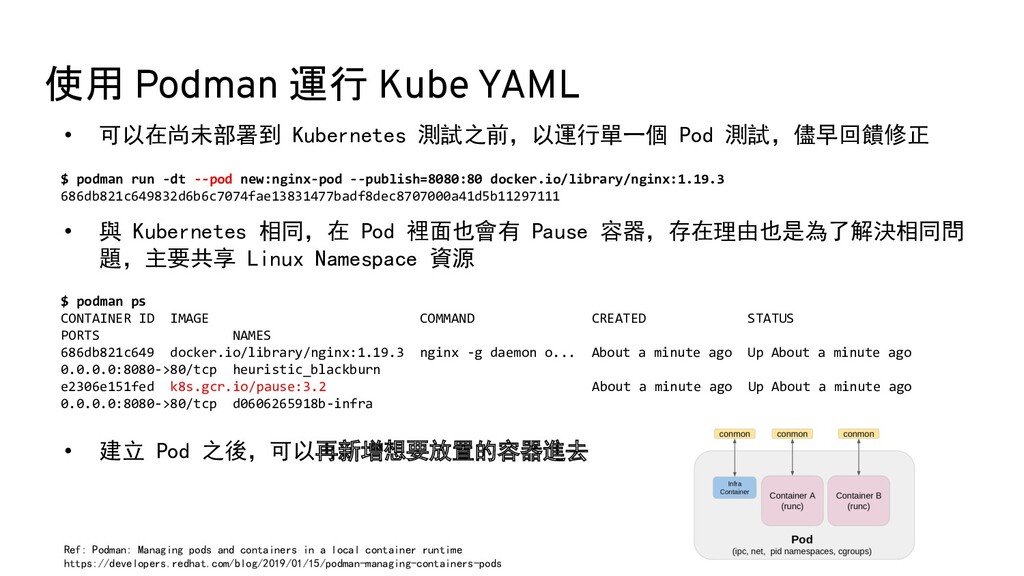
測試,儘早回饋修正 • 與 Kubernetes 相同,在 Pod 裡面也會有 Pause 容器,存在理由也是為了解決相同問 題,主要共享 Linux Namespace 資源 • 建立 Pod 之後,可以再新增想要放置的容器進去 $ podman run -dt --pod new:nginx-pod --publish=8080:80 docker.io/library/nginx:1.19.3 686db821c649832d6b6c7074fae13831477badf8dec8707000a41d5b11297111 $ podman ps CONTAINER ID IMAGE COMMAND CREATED STATUS PORTS NAMES 686db821c649 docker.io/library/nginx:1.19.3 nginx -g daemon o... About a minute ago Up About a minute ago 0.0.0.0:8080->80/tcp heuristic_blackburn e2306e151fed k8s.gcr.io/pause:3.2 About a minute ago Up About a minute ago 0.0.0.0:8080->80/tcp d0606265918b-infra Ref: Podman: Managing pods and containers in a local container runtime https://developers.redhat.com/blog/2019/01/15/podman-managing-containers-pods


 pichuang
 jtakeda
 yuuuuuuu168
 sh_fk2
 occhi
occhi
 masakiokuda
 maroon1st
 shisyu_gaku
 kakehashi
 yamahiro
 tsukuboshi
 ama_ch
 yahonda
 jct
jct
 jcasabona
 addyosmani
 mfonobong
 eileencodes
 pwiseman
 tenderlove
 signer
 jonoalderson
 codingconduct
 katarinadahlin
![Docker 與 Podman 同與不同 Phil Huang 黃秉鈞 <[email protected]> Red Hat](https://files.speakerdeck.com/presentations/dfa4d580b240415690cad1cd4e2c9847/slide_0.jpg)