Share
Embed
Transcript
25 slides
-
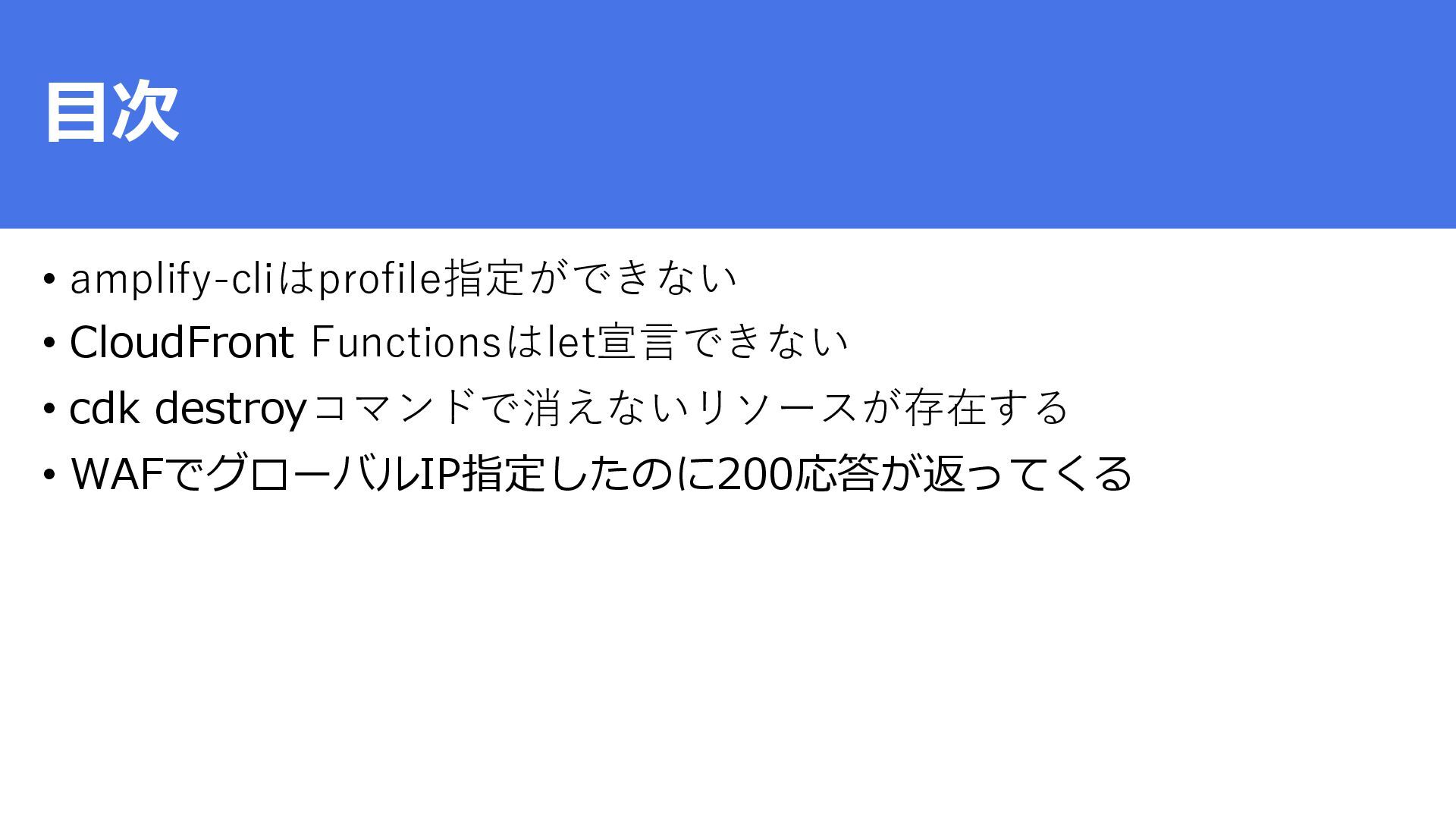
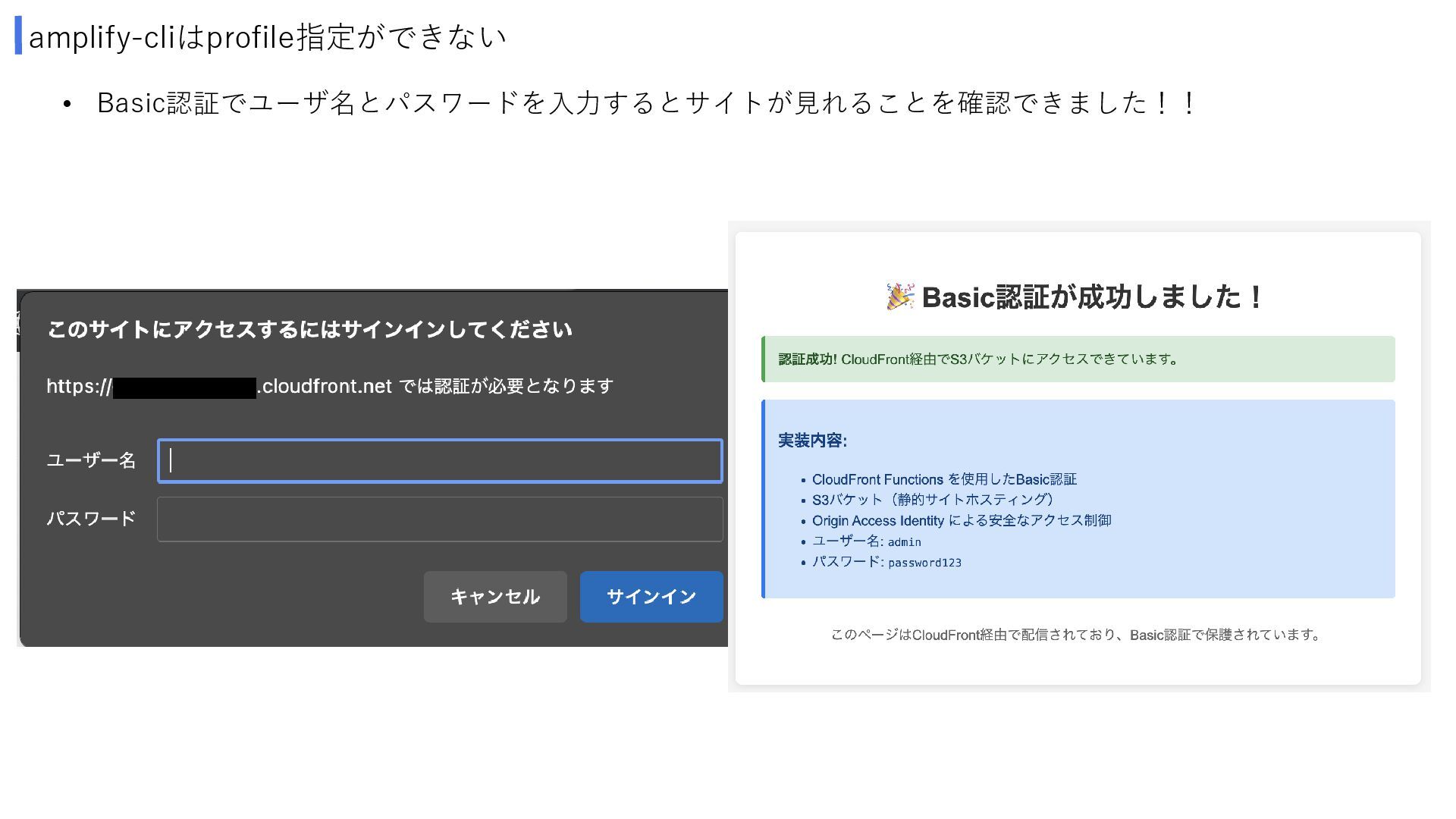
目次 • amplify-cliはprofile指定ができない • CloudFront Functionsはlet宣言できない • cdk destroyコマンドで消えないリソースが存在する •
WAFでグローバルIP指定したのに200応答が返ってくる -
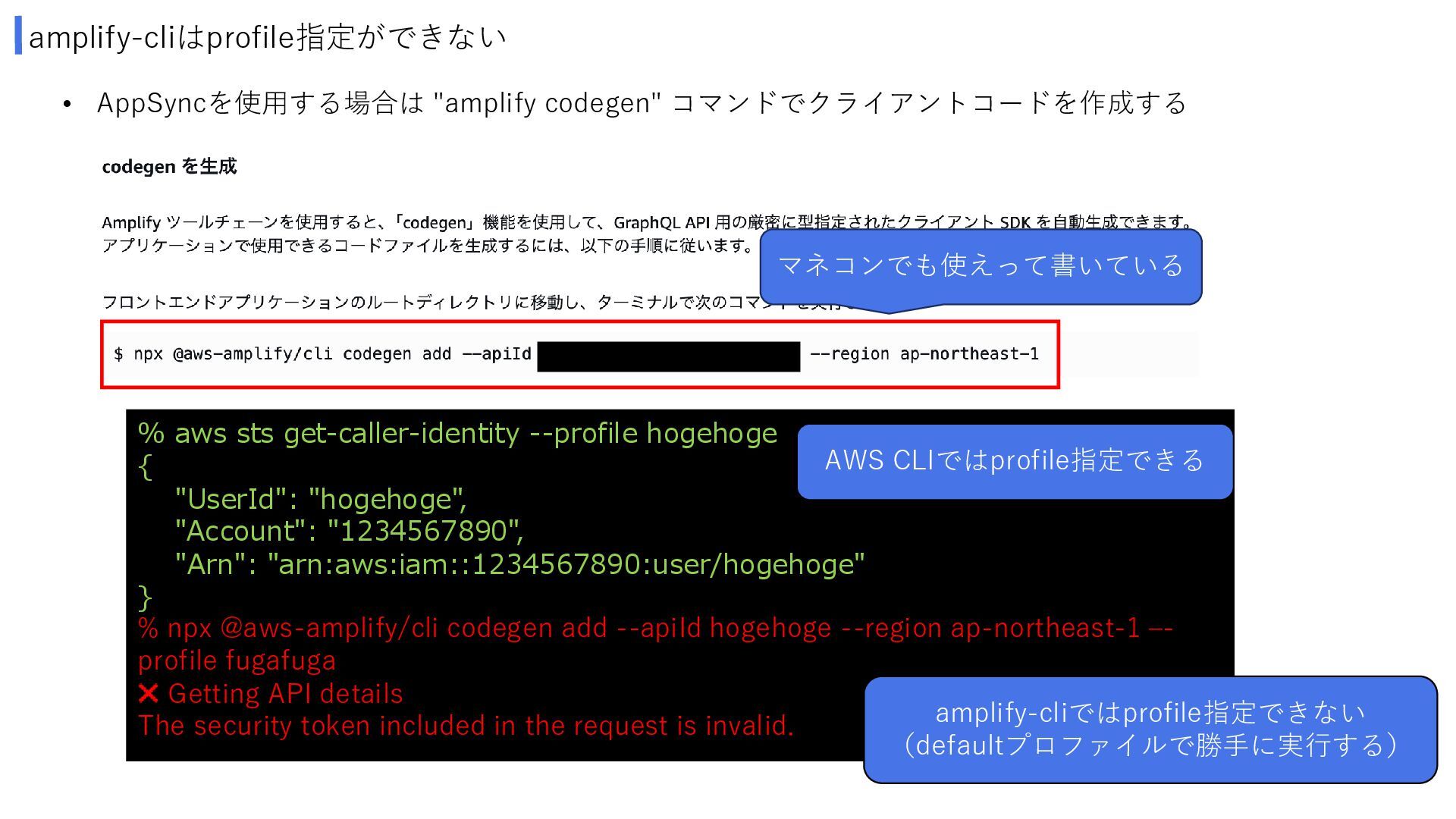
amplify-cliはprofile指定ができない • AppSyncを使用する場合は "amplify codegen" コマンドでクライアントコードを作成する % aws sts get-caller-identity
--profile hogehoge { "UserId": "hogehoge", "Account": "1234567890", "Arn": "arn:aws:iam::1234567890:user/hogehoge" } % npx @aws-amplify/cli codegen add --apiId hogehoge --region ap-northeast-1 –- profile fugafuga Getting API details The security token included in the request is invalid. AWS CLIではprofile指定できる amplify-cliではprofile指定できない (defaultプロファイルで勝手に実行する) マネコンでも使えって書いている -
amplify-cliはprofile指定ができない % cat ~/.aws/credentials [default] aws_access_key_id = xxxxxxxxxxxxxxxxxxx aws_secret_access_key =
xxxxxxxxxxxxxxxxxxx % export AWS_ACCESS_KEY_ID=xxxxxxxxxxxxxxxxxxx % export AWS_SECRET_ACCESS_KEYxxxxxxxxxxxxxxxxxxx % npx @aws-amplify/cli codegen add --apiId fugafuga --region ap-northeast-1 ? Choose the type of app that you're building javascript ? What javascript framework are you using react Getting API details ? Choose the code generation language target javascript ? Enter the file name pattern of graphql queries, mutations and subscriptions ...etc Generated GraphQL operations successfully and saved at src/graphql 環境変数 AWS_ACCESS_KEY_IDと AWS_SECRET_ACCESS_KEY を指定するとコマンドが通る • profile切り替えてamplify-cliを使用するにはどうしたら良いのか? -
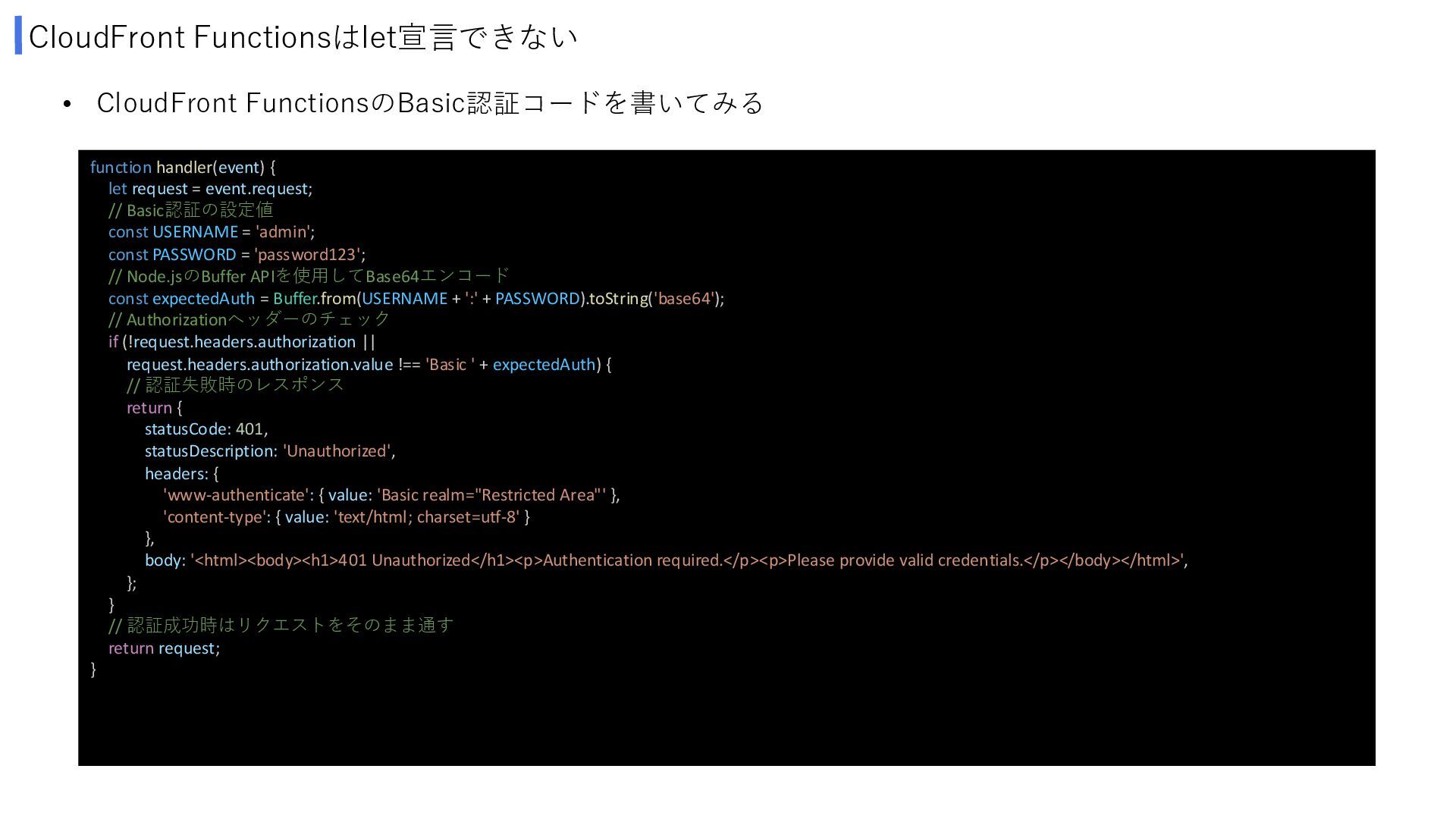
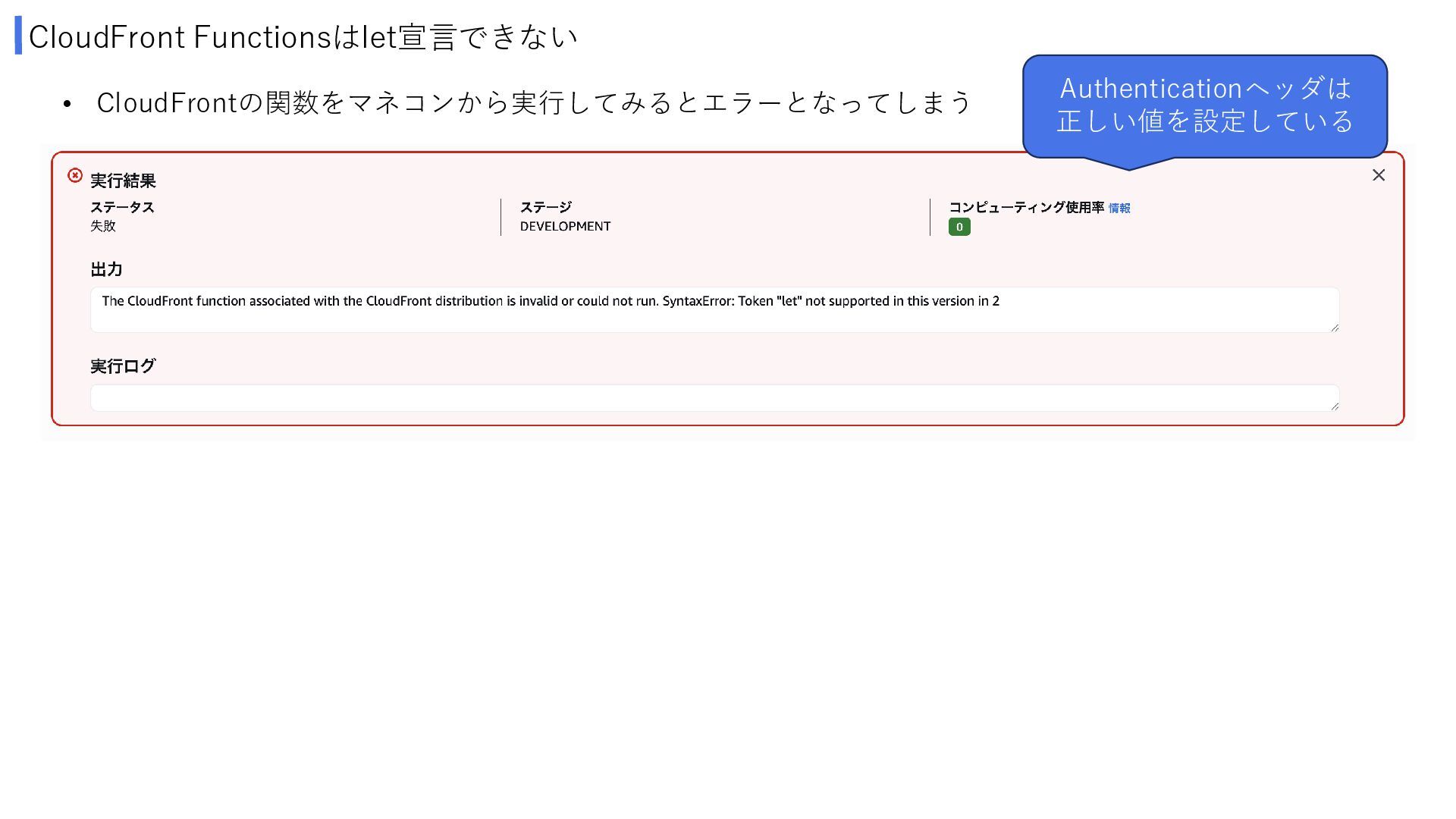
CloudFront Functionsはlet宣言できない • CloudFront FunctionsのBasic認証コードを書いてみる function handler(event) { let request
= event.request; // Basic認証の設定値 const USERNAME = 'admin'; const PASSWORD = 'password123'; // Node.jsのBuffer APIを使用してBase64エンコード const expectedAuth = Buffer.from(USERNAME + ':' + PASSWORD).toString('base64'); // Authorizationヘッダーのチェック if (!request.headers.authorization || request.headers.authorization.value !== 'Basic ' + expectedAuth) { // 認証失敗時のレスポンス return { statusCode: 401, statusDescription: 'Unauthorized', headers: { 'www-authenticate': { value: 'Basic realm="Restricted Area"' }, 'content-type': { value: 'text/html; charset=utf-8' } }, body: '<html><body><h1>401 Unauthorized</h1><p>Authentication required.</p><p>Please provide valid credentials.</p></body></html>', }; } // 認証成功時はリクエストをそのまま通す return request; } -
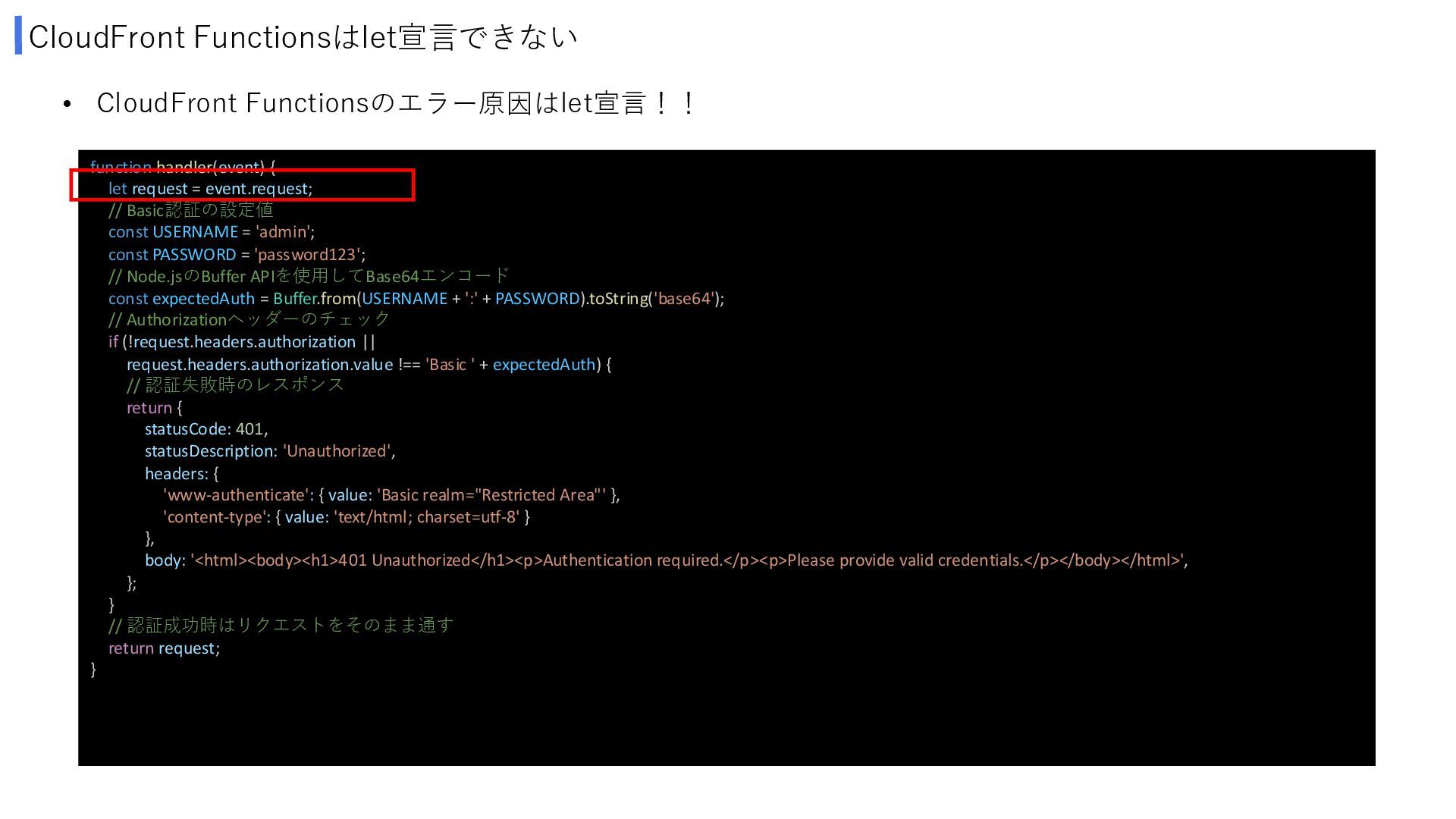
CloudFront Functionsはlet宣言できない • CloudFront Functionsのエラー原因はlet宣言!! function handler(event) { let request
= event.request; // Basic認証の設定値 const USERNAME = 'admin'; const PASSWORD = 'password123'; // Node.jsのBuffer APIを使用してBase64エンコード const expectedAuth = Buffer.from(USERNAME + ':' + PASSWORD).toString('base64'); // Authorizationヘッダーのチェック if (!request.headers.authorization || request.headers.authorization.value !== 'Basic ' + expectedAuth) { // 認証失敗時のレスポンス return { statusCode: 401, statusDescription: 'Unauthorized', headers: { 'www-authenticate': { value: 'Basic realm="Restricted Area"' }, 'content-type': { value: 'text/html; charset=utf-8' } }, body: '<html><body><h1>401 Unauthorized</h1><p>Authentication required.</p><p>Please provide valid credentials.</p></body></html>', }; } // 認証成功時はリクエストをそのまま通す return request; } -
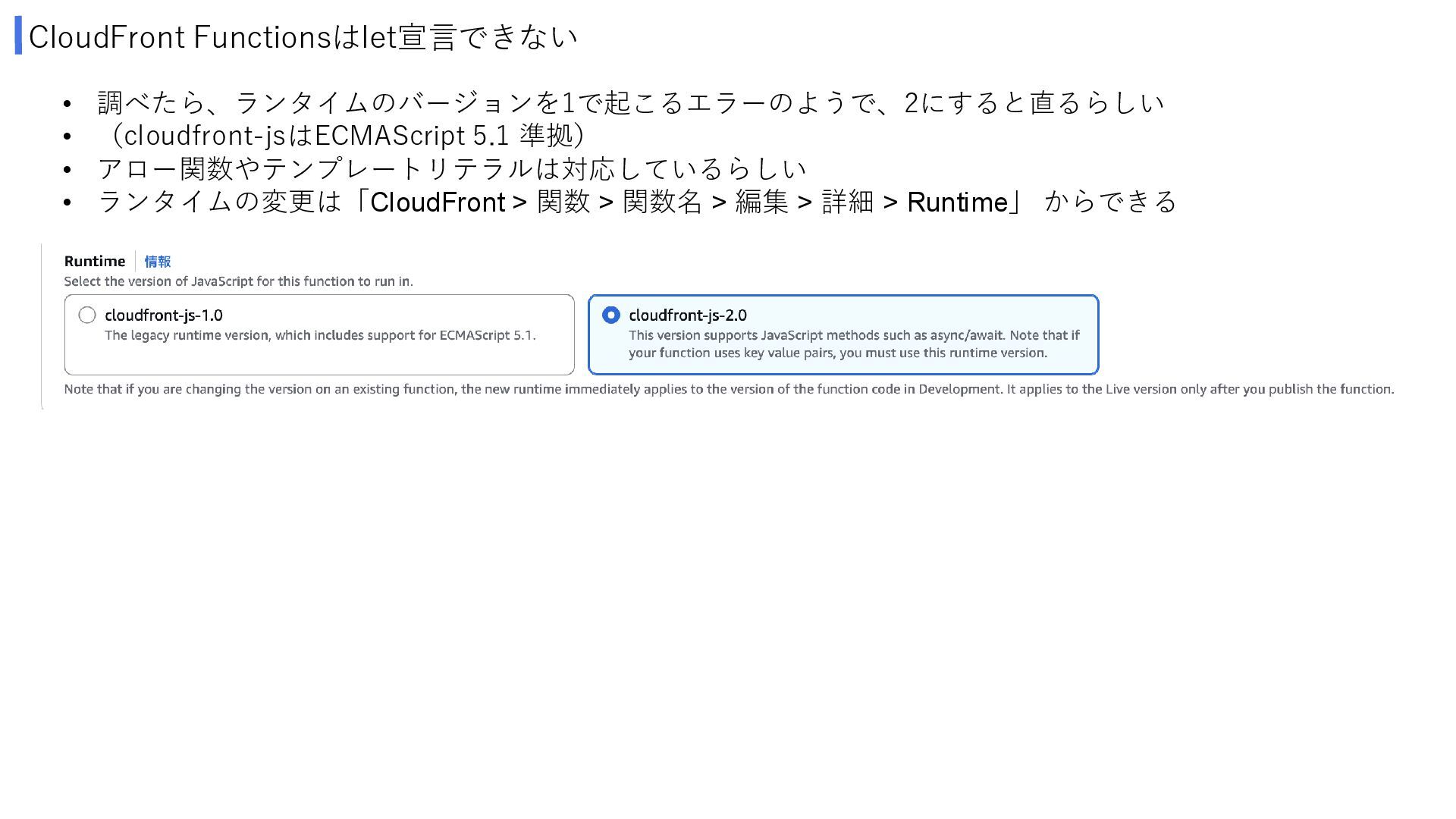
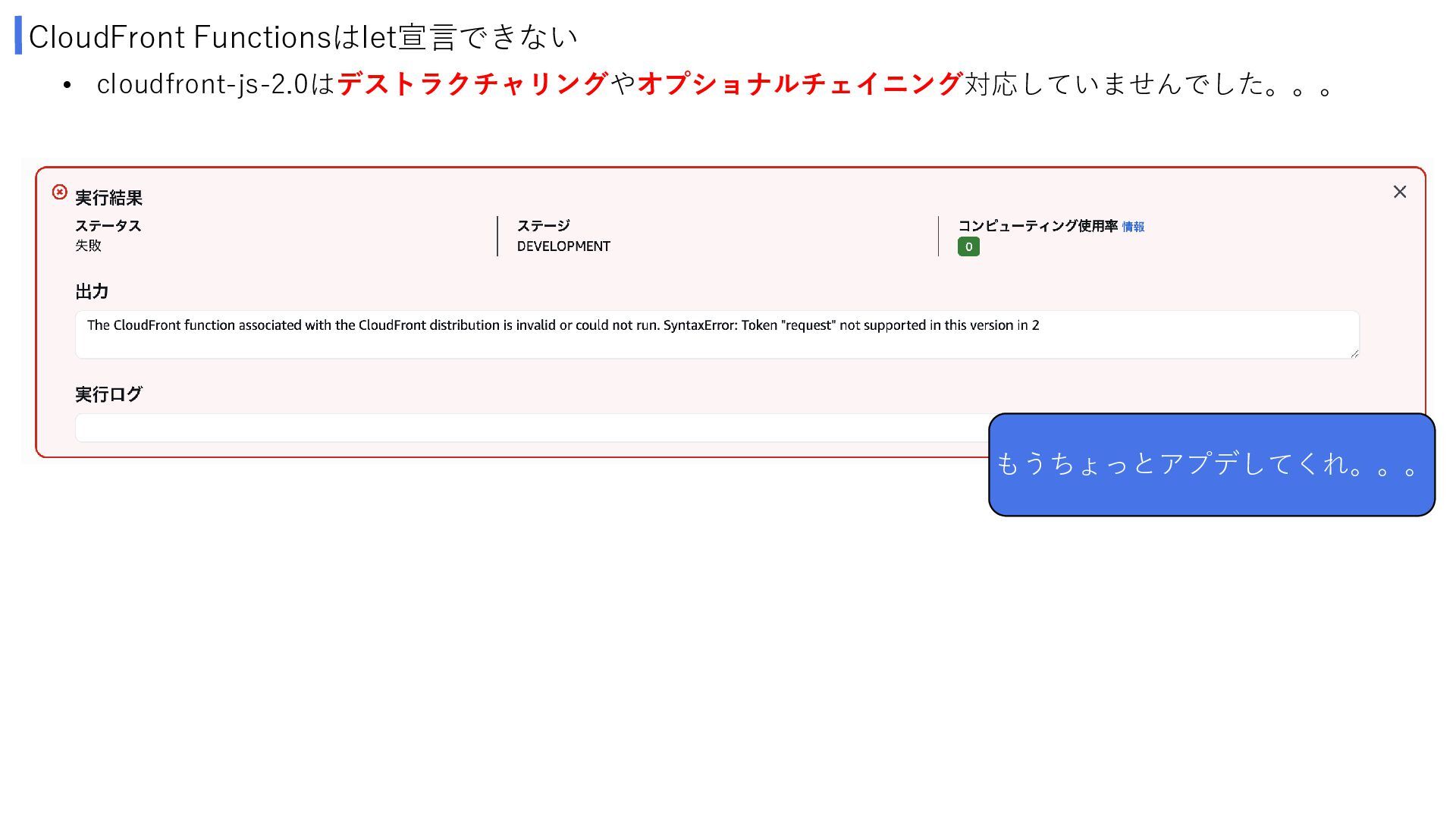
CloudFront Functionsはlet宣言できない • 調べたら、ランタイムのバージョンを1で起こるエラーのようで、2にすると直るらしい • (cloudfront-jsはECMAScript 5.1 準拠) • アロー関数やテンプレートリテラルは対応しているらしい
• ランタイムの変更は「CloudFront > 関数 > 関数名 > 編集 > 詳細 > Runtime」 からできる -
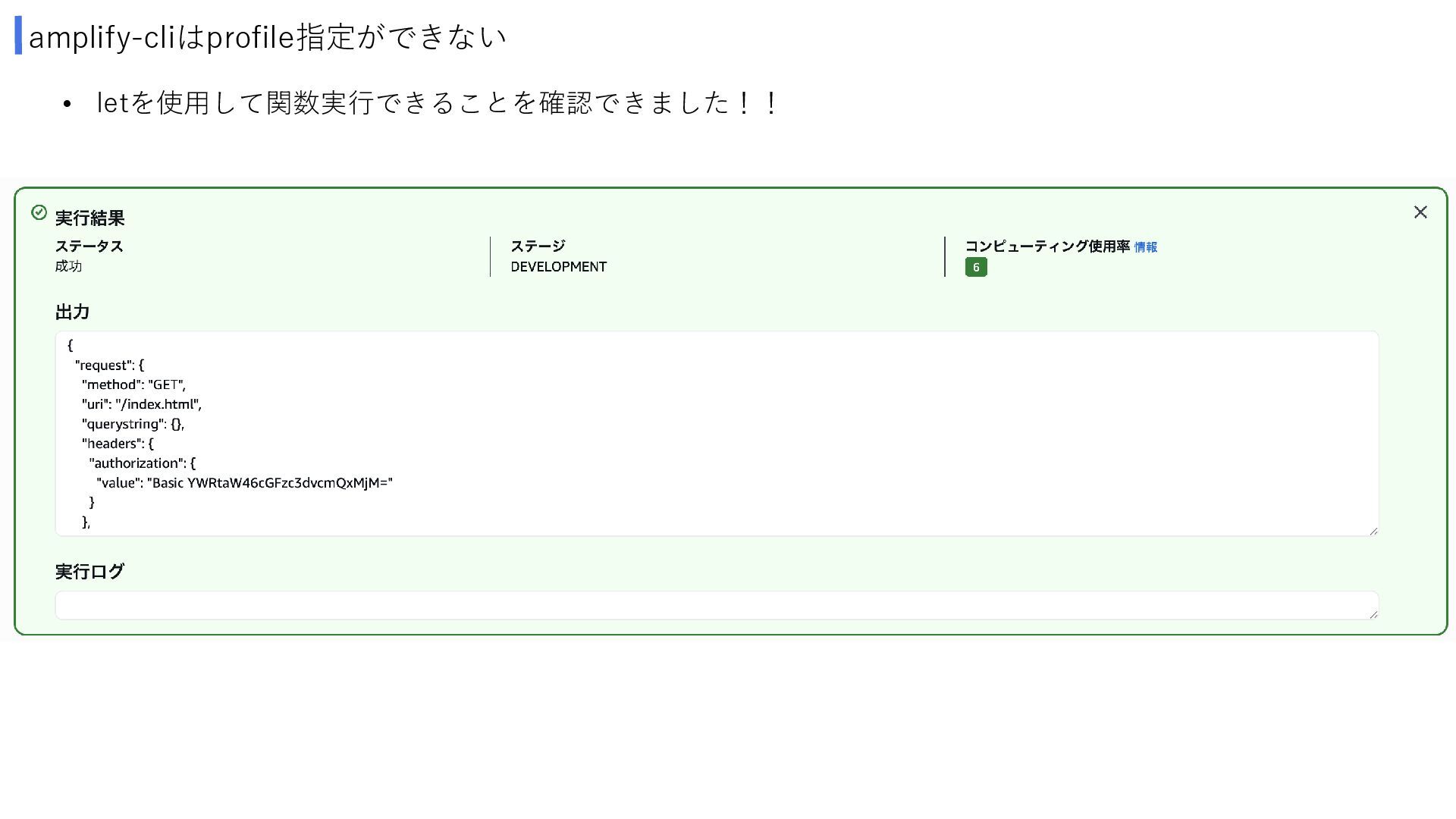
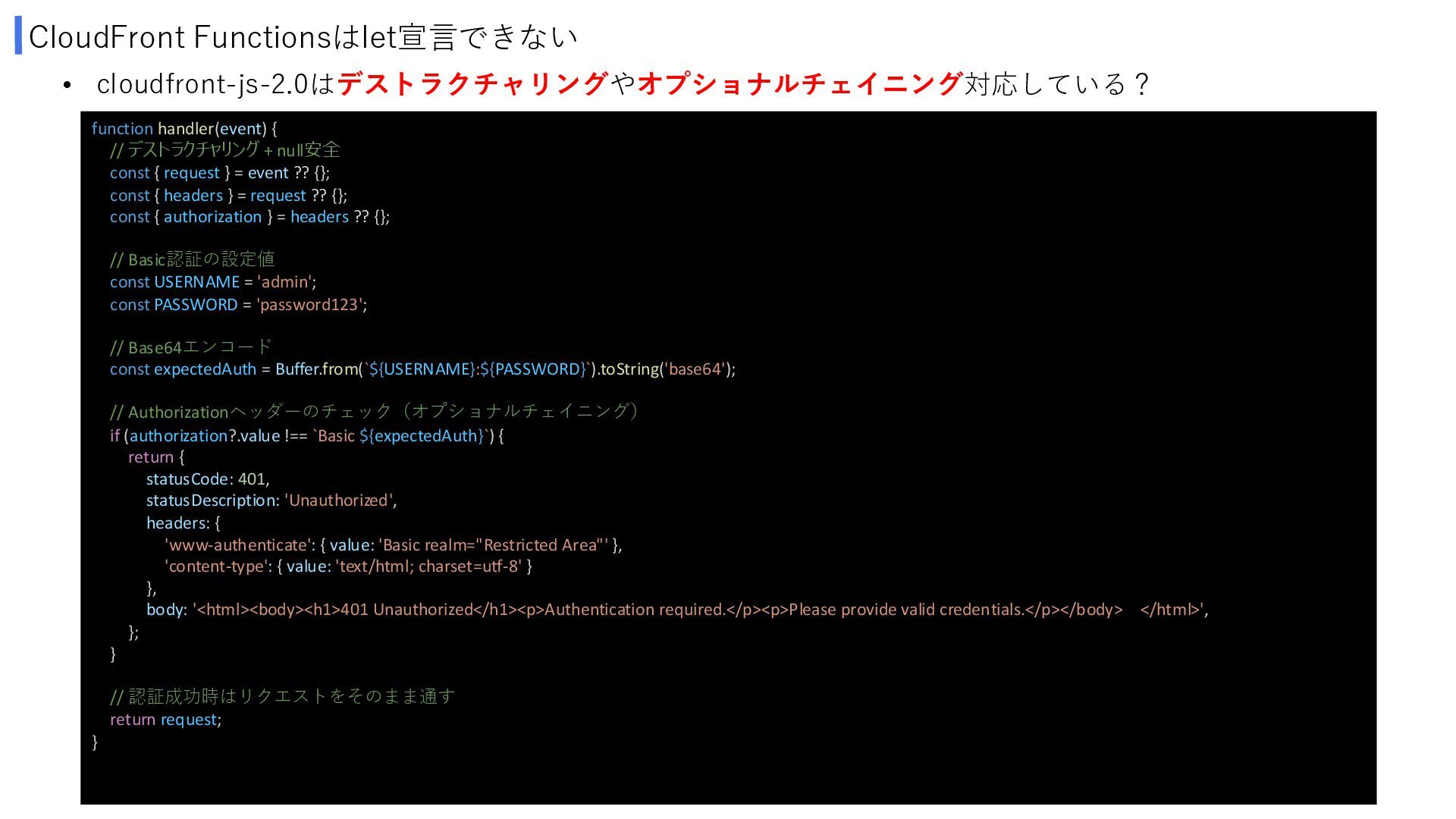
CloudFront Functionsはlet宣言できない function handler(event) { // デストラクチャリング + null安全 const
{ request } = event ?? {}; const { headers } = request ?? {}; const { authorization } = headers ?? {}; // Basic認証の設定値 const USERNAME = 'admin'; const PASSWORD = 'password123'; // Base64エンコード const expectedAuth = Buffer.from(`${USERNAME}:${PASSWORD}`).toString('base64'); // Authorizationヘッダーのチェック(オプショナルチェイニング) if (authorization?.value !== `Basic ${expectedAuth}`) { return { statusCode: 401, statusDescription: 'Unauthorized', headers: { 'www-authenticate': { value: 'Basic realm="Restricted Area"' }, 'content-type': { value: 'text/html; charset=utf-8' } }, body: '<html><body><h1>401 Unauthorized</h1><p>Authentication required.</p><p>Please provide valid credentials.</p></body> </html>', }; } // 認証成功時はリクエストをそのまま通す return request; } • cloudfront-js-2.0はデストラクチャリングやオプショナルチェイニング対応している? -
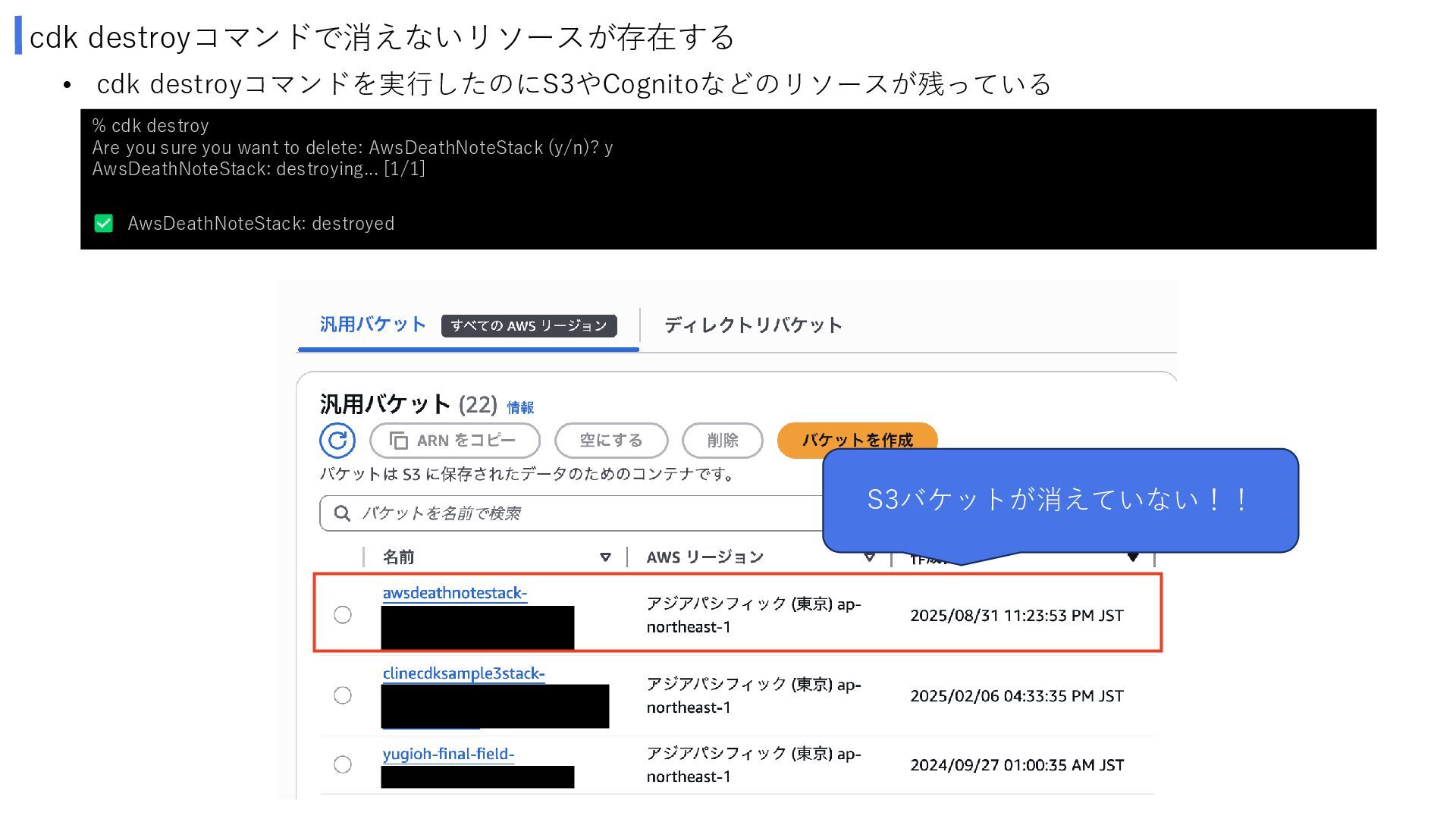
cdk destroyコマンドで消えないリソースが存在する • cdk destroyコマンドを実行したのにS3やCognitoなどのリソースが残っている % cdk destroy Are you
sure you want to delete: AwsDeathNoteStack (y/n)? y AwsDeathNoteStack: destroying... [1/1] AwsDeathNoteStack: destroyed S3バケットが消えていない!! -
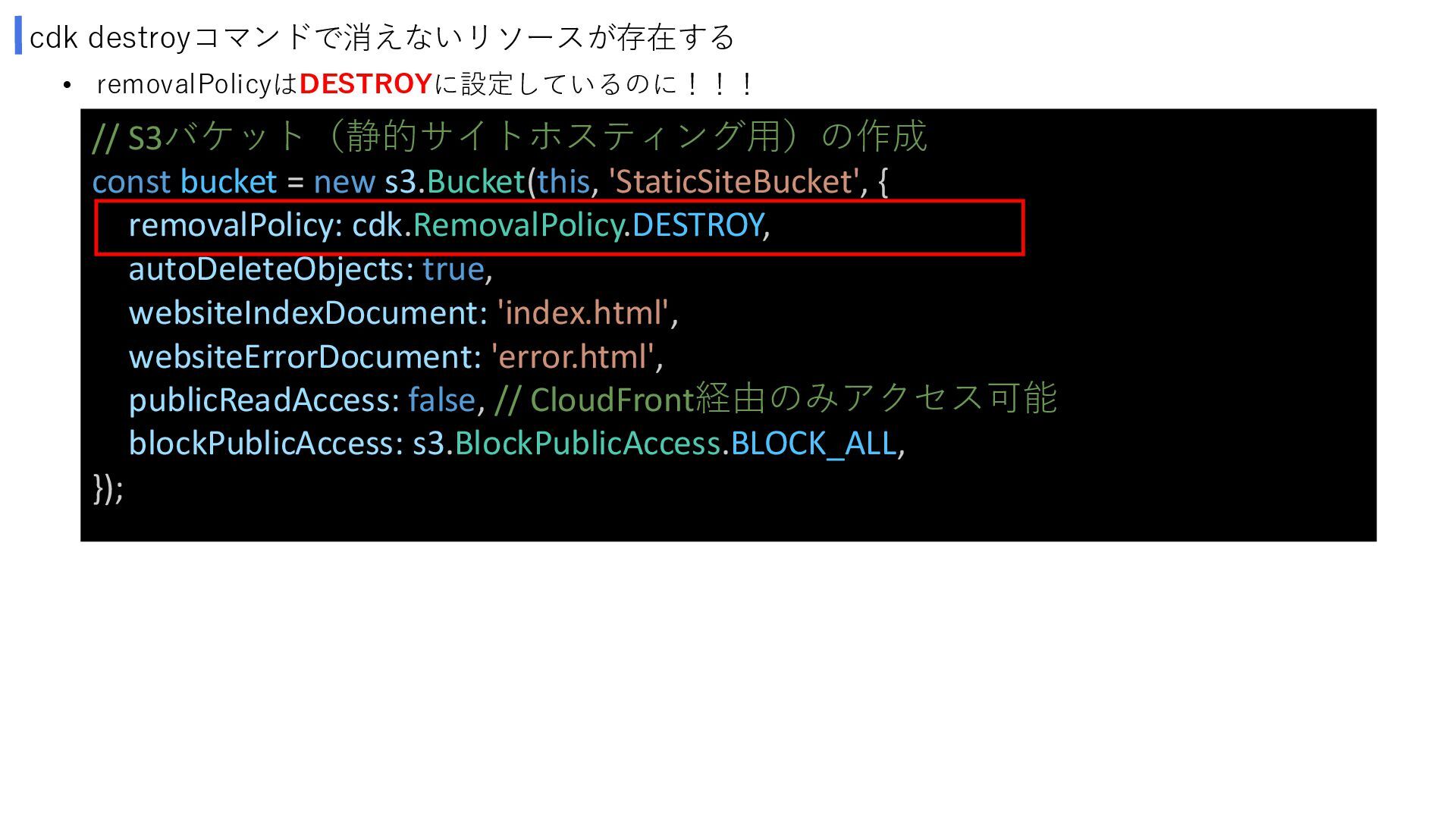
cdk destroyコマンドで消えないリソースが存在する • removalPolicyはDESTROYに設定しているのに!!! // S3バケット(静的サイトホスティング用)の作成 const bucket = new
s3.Bucket(this, 'StaticSiteBucket', { removalPolicy: cdk.RemovalPolicy.DESTROY, autoDeleteObjects: true, websiteIndexDocument: 'index.html', websiteErrorDocument: 'error.html', publicReadAccess: false, // CloudFront経由のみアクセス可能 blockPublicAccess: s3.BlockPublicAccess.BLOCK_ALL, }); -
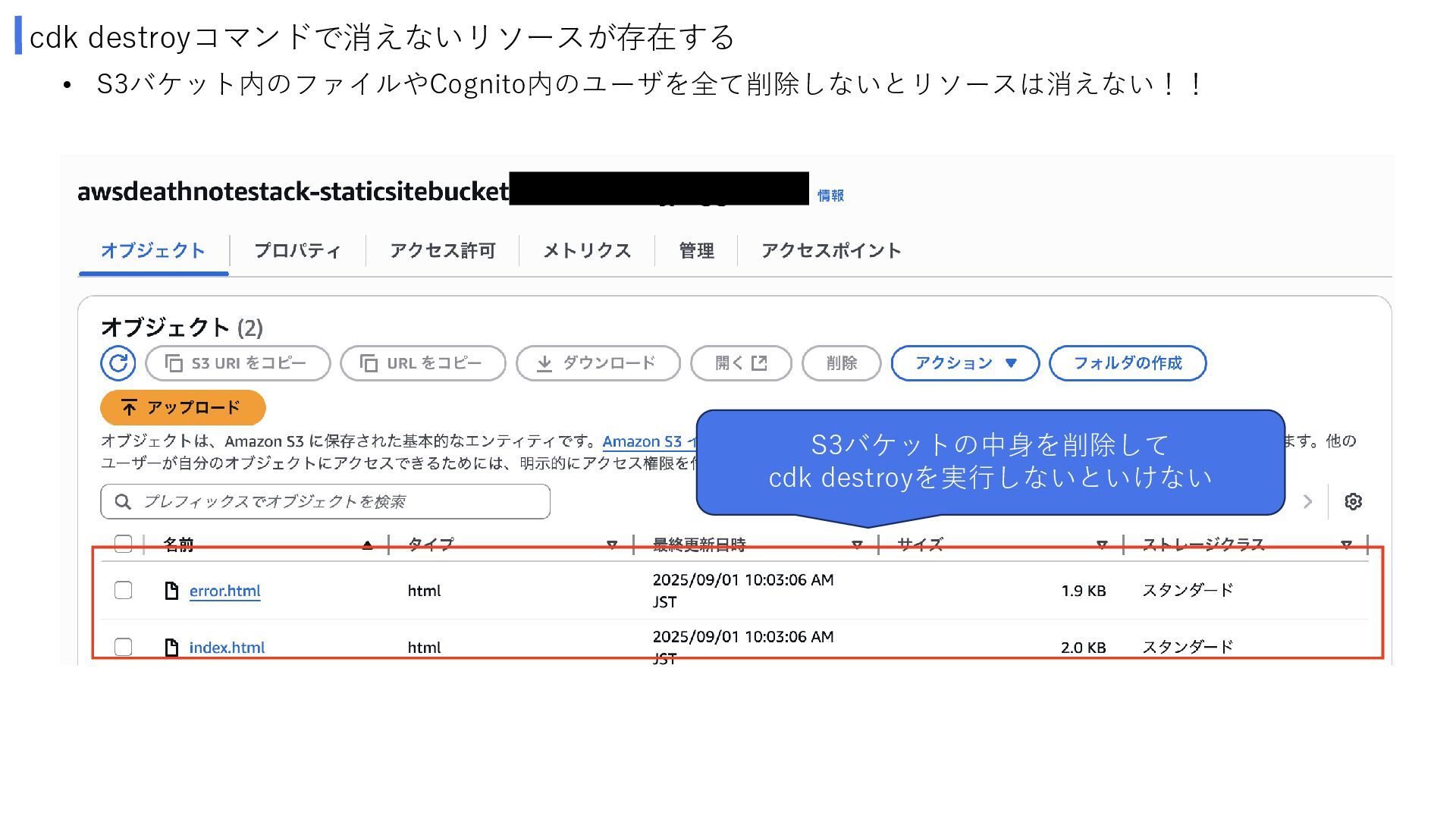
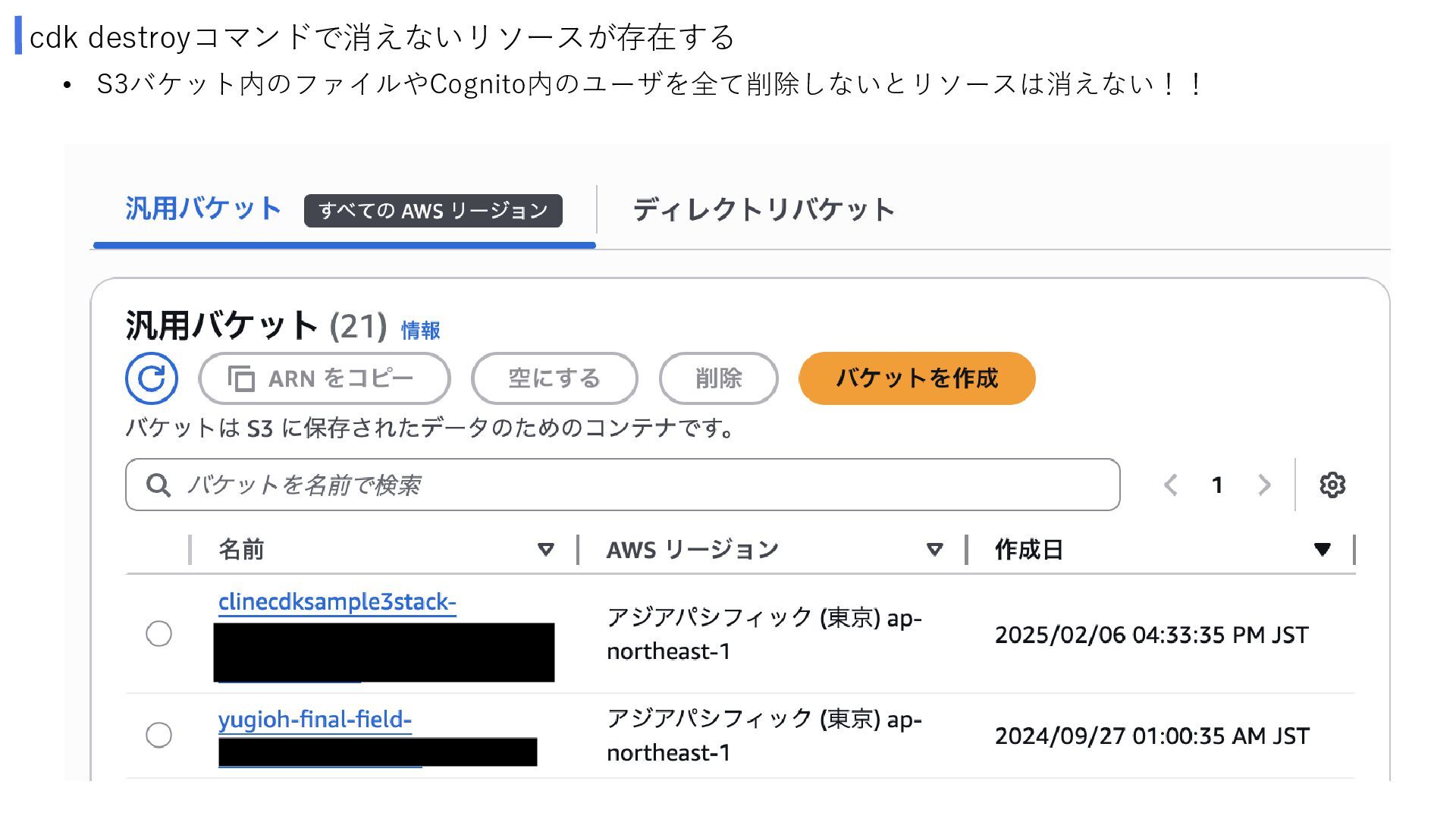
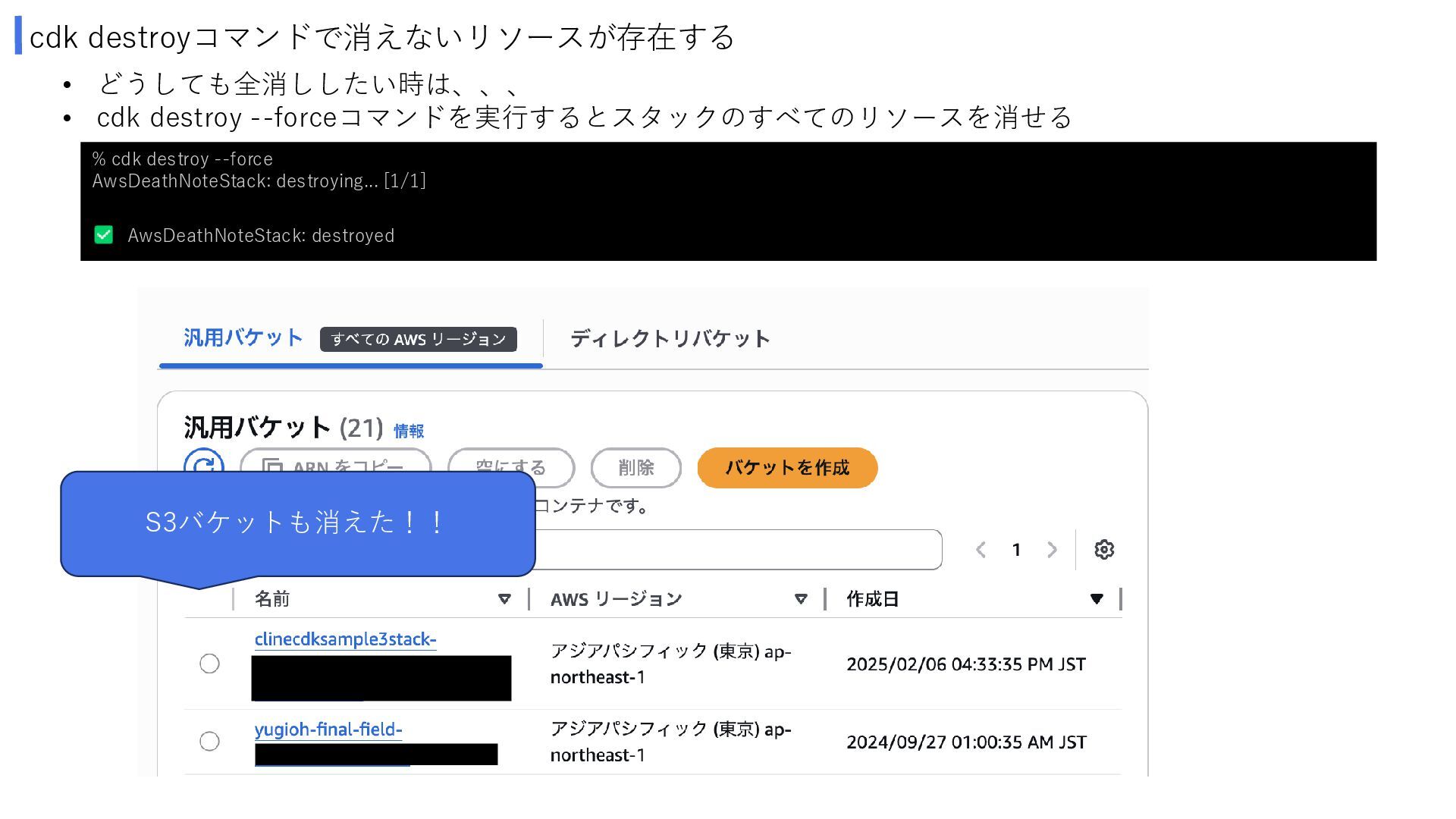
cdk destroyコマンドで消えないリソースが存在する • どうしても全消ししたい時は、、、 • cdk destroy --forceコマンドを実行するとスタックのすべてのリソースを消せる % cdk
destroy --force AwsDeathNoteStack: destroying... [1/1] AwsDeathNoteStack: destroyed S3バケットも消えた!!