Share
Embed
Learn you some `:ssl` for much security
Erlang/OTP's built-in 'ssl' application forms the basis of many client and server packages. Unfortunately it has quite a few quirks, potentially leading to weak security. This talk highlights the most important client and server settings for 'ssl' sockets, and how popular libraries build on them.
https://www.youtube.com/watch?v=0jzcPnsE4nQ
Bram Verburg
April 09, 2019
Transcript
41 slides
-
:httpc Part of :inets in Erlang/OTP standard library iex(1)> :httpc.request('https://elixir-lang.org')
** (exit) exited in: :gen_server.call(:httpc_manager, {:request, # ... ** (EXIT) no process: the process is not alive or there's no process currently associated with the given name, possibly because its application isn't started # ... iex(2)> :inets.start() :ok iex(3)> :ssl.start() :ok iex(4)> :httpc.request('https://elixir-lang.org') {:ok, {{'HTTP/1.1', 200, 'OK'}, # ... -
mix.exs Start :inets and :ssl automatically, include them in a
Release defmodule LearnYouSomeSsl.MixProject do use Mix.Project # ... # Run "mix help compile.app" to learn about applications. def application do [ extra_applications: [:logger, :inets, :ssl] ] end # ... end -
iex(6)> :httpc.request(:get, {'https://selfsigned.voltone.net', []}, ...(6)> [], []) {:ok, {{'HTTP/1.1', 200,
'OK'}, # ... Self-signed Request succeeds: it fails to fail! iex(5)> :httpc.request(:get, {'https://elixir-lang.org', []}, ...(5)> [], []) {:ok, {{'HTTP/1.1', 200, 'OK'}, # ... -
verify: :verify_peer Wait… what?!? iex(7)> :httpc.request(:get, {'https://selfsigned.voltone.net', []}, ...(7)> [ssl:
[verify: :verify_peer]], []) {:ok, {{'HTTP/1.1', 200, 'OK'}, # ... iex(8)> :httpc.request(:get, {'https://selfsigned.voltone.net', []}, ...(8)> [ssl: [verify: :verify_peer]], []) {:error, {:failed_connect, [ {:to_address, {'selfsigned.voltone.net', 443}}, {:inet, [:inet], {:options, {:cacertfile, []}}} ]}} ### Scratching my head for a minute... -
iex(7)> :httpc.request(:get, {'https://selfsigned.voltone.net', []}, ...(7)> [ssl: [verify: :verify_peer]], []) {:ok,
{{'HTTP/1.1', 200, 'OK'}, [ {'connection', 'keep-alive'}, {'date', 'Sun, 17 Mar 2019 09:12:21 GMT'}, # ... What happened? Need to add `Connection: close` header HTTP/1.1 connection keep-alive -
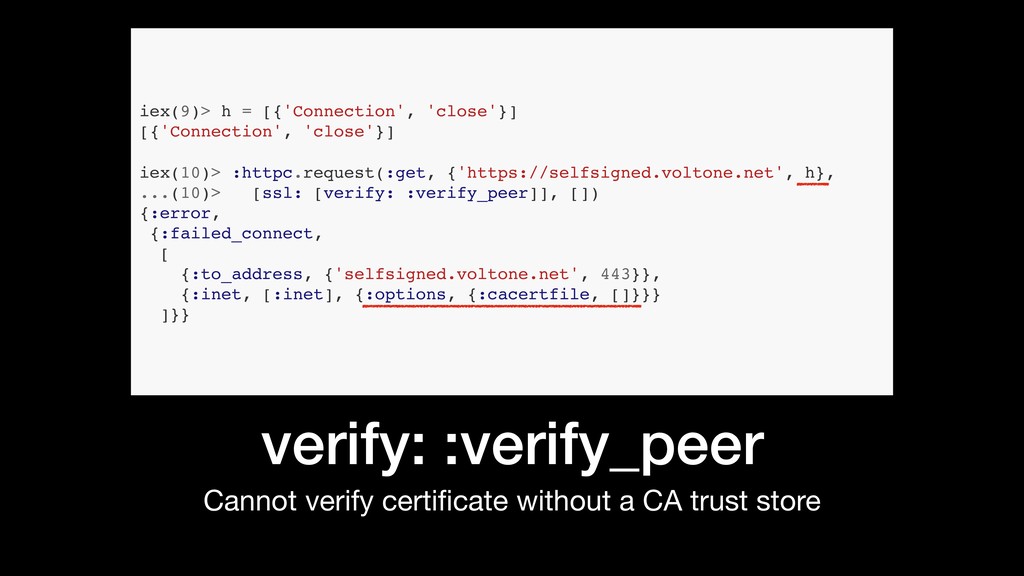
verify: :verify_peer Cannot verify certificate without a CA trust store
iex(9)> h = [{'Connection', 'close'}] [{'Connection', 'close'}] iex(10)> :httpc.request(:get, {'https://selfsigned.voltone.net', h}, ...(10)> [ssl: [verify: :verify_peer]], []) {:error, {:failed_connect, [ {:to_address, {'selfsigned.voltone.net', 443}}, {:inet, [:inet], {:options, {:cacertfile, []}}} ]}} -
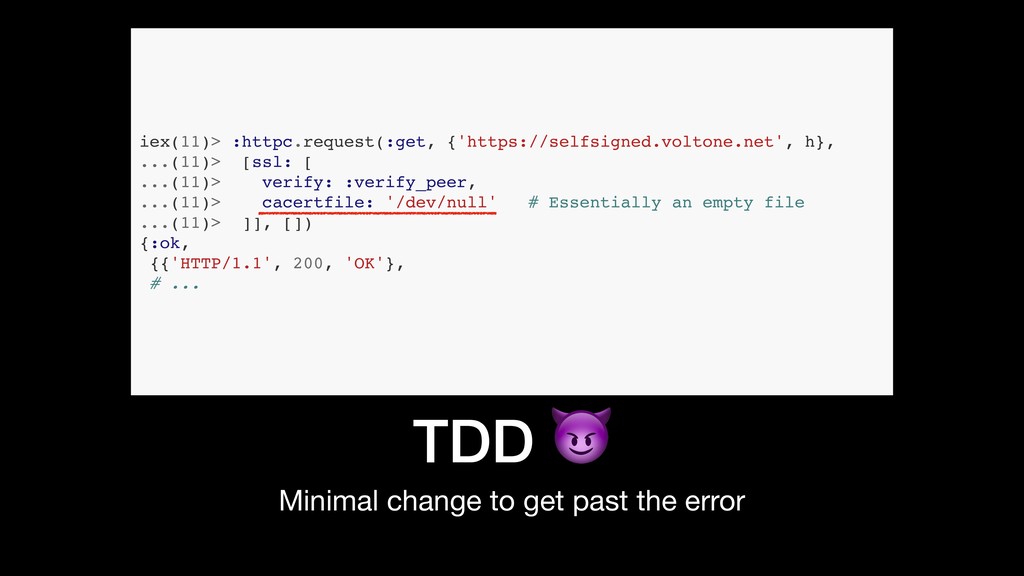
TDD Minimal change to get past the error iex(11)> :httpc.request(:get,
{'https://selfsigned.voltone.net', h}, ...(11)> [ssl: [ ...(11)> verify: :verify_peer, ...(11)> cacertfile: '/dev/null' # Essentially an empty file ...(11)> ]], []) {:ok, {{'HTTP/1.1', 200, 'OK'}, # ... -
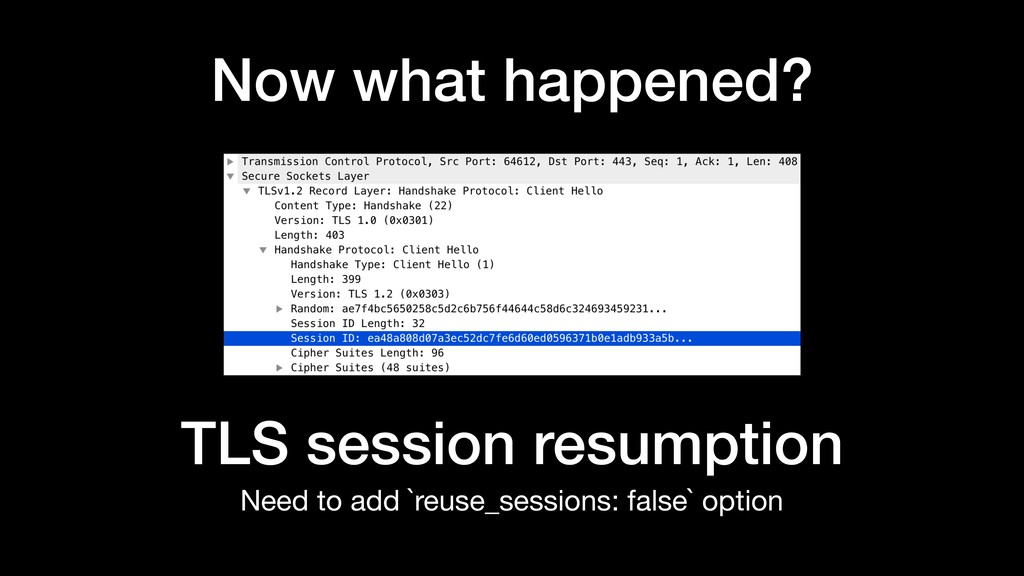
Now what happened? Need to add `reuse_sessions: false` option TLS
session resumption -
Consistency at last: fails every time Even with legitimate servers,
of course iex(12)> :httpc.request(:get, {'https://selfsigned.voltone.net', h}, ...(12)> [ssl: [ ...(12)> verify: :verify_peer, ...(12)> cacertfile: '/dev/null', ...(12)> reuse_sessions: false ...(12)> ]], []) {:error, {:failed_connect, [ {:to_address, {'selfsigned.voltone.net', 443}}, {:inet, [:inet], {:tls_alert, 'bad certificate'}} ]}} -
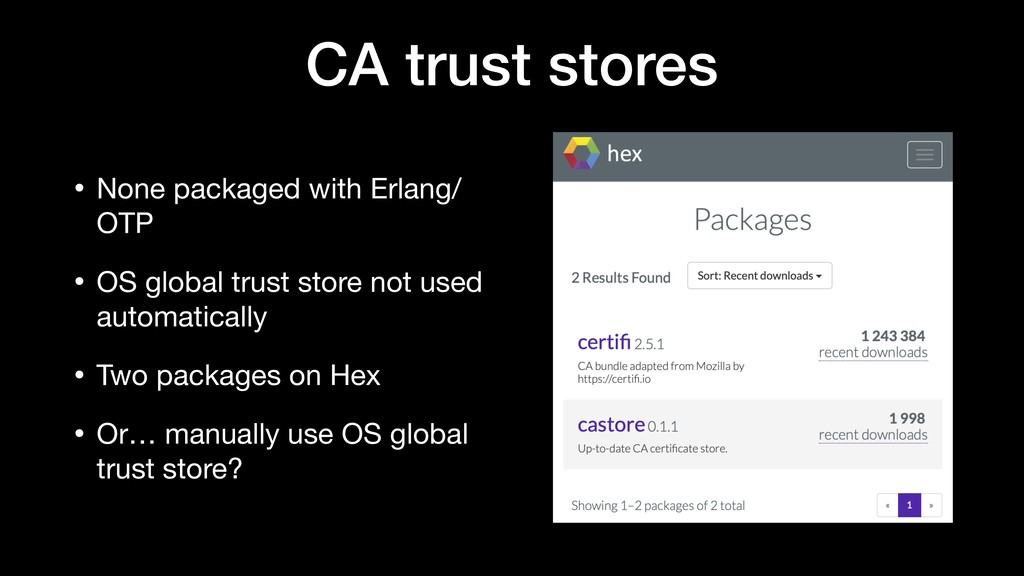
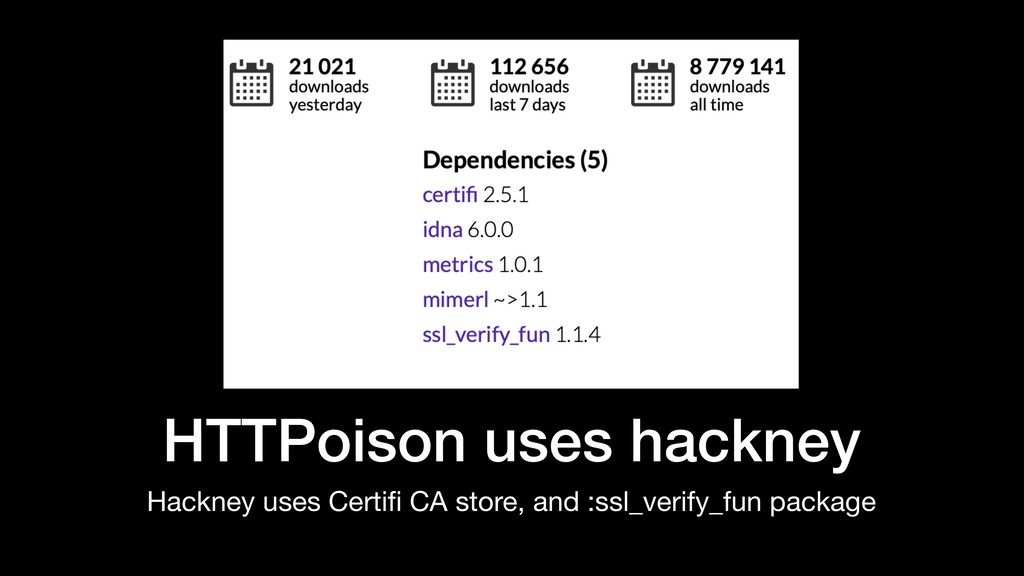
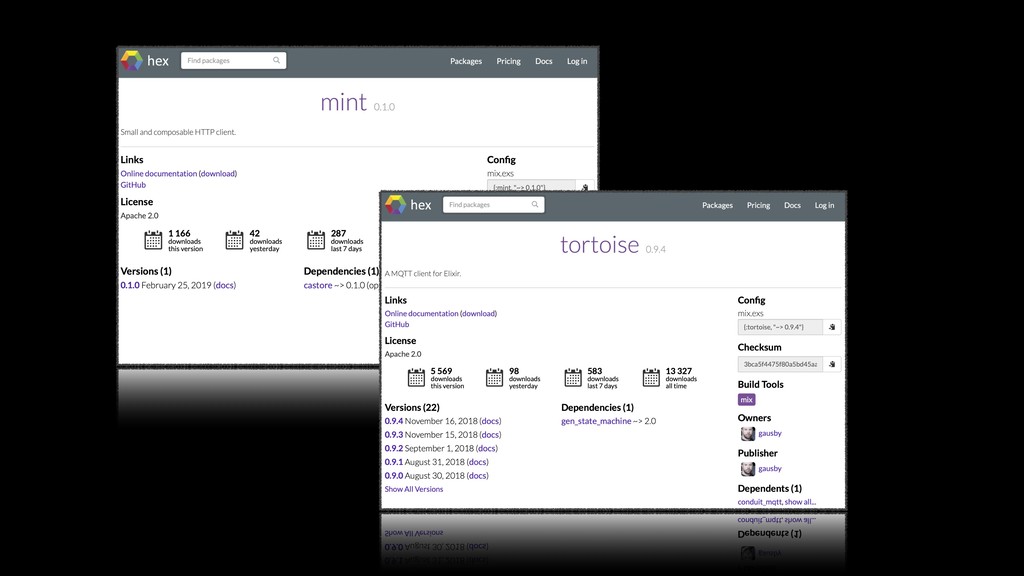
CA trust stores • None packaged with Erlang/ OTP •
OS global trust store not used automatically • Two packages on Hex • Or… manually use OS global trust store? -
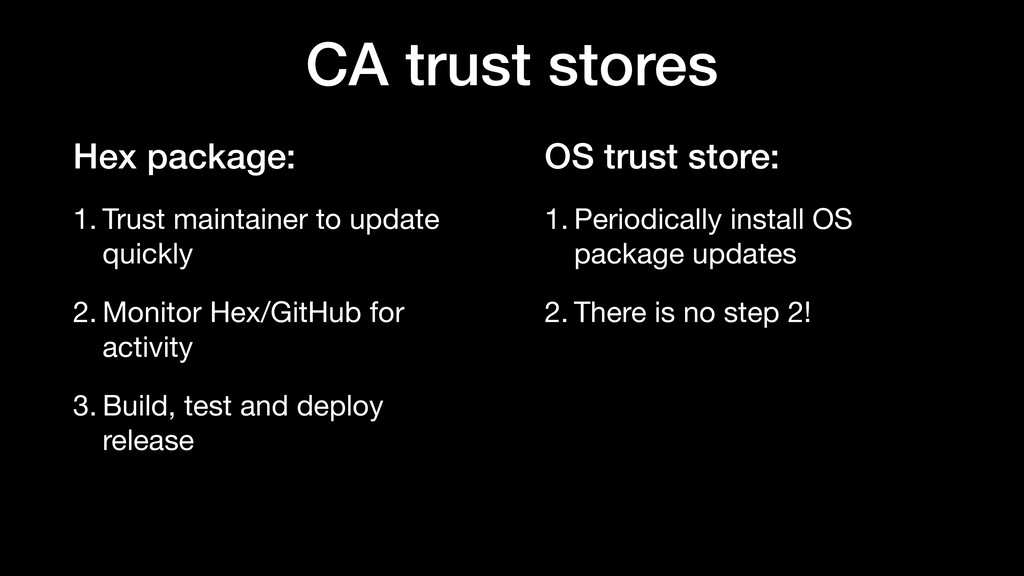
OS trust store: 1. Periodically install OS package updates 2.
There is no step 2! CA trust stores Hex package: 1. Trust maintainer to update quickly 2. Monitor Hex/GitHub for activity 3. Build, test and deploy release -
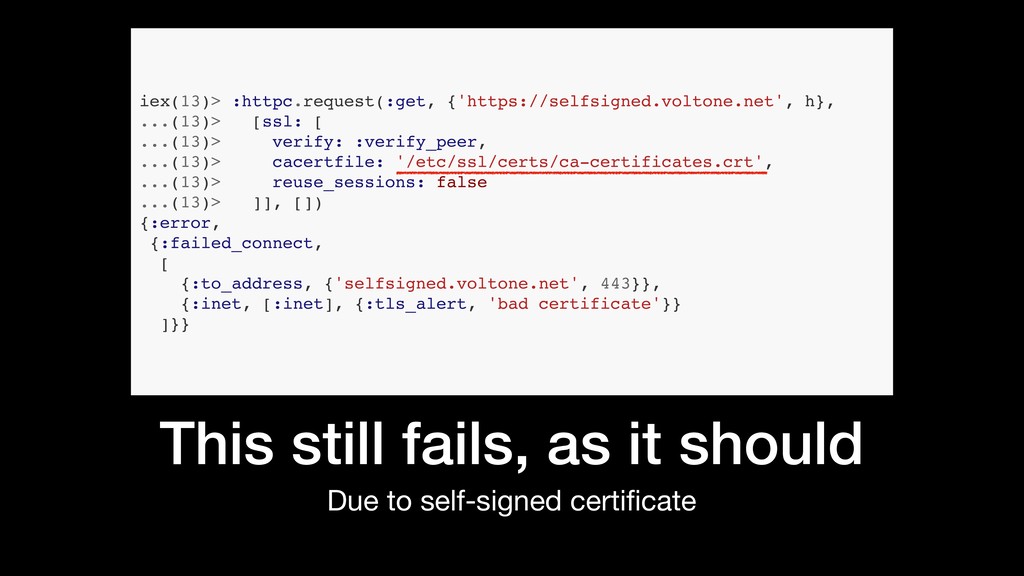
This still fails, as it should Due to self-signed certificate
iex(13)> :httpc.request(:get, {'https://selfsigned.voltone.net', h}, ...(13)> [ssl: [ ...(13)> verify: :verify_peer, ...(13)> cacertfile: '/etc/ssl/certs/ca-certificates.crt', ...(13)> reuse_sessions: false ...(13)> ]], []) {:error, {:failed_connect, [ {:to_address, {'selfsigned.voltone.net', 443}}, {:inet, [:inet], {:tls_alert, 'bad certificate'}} ]}} -
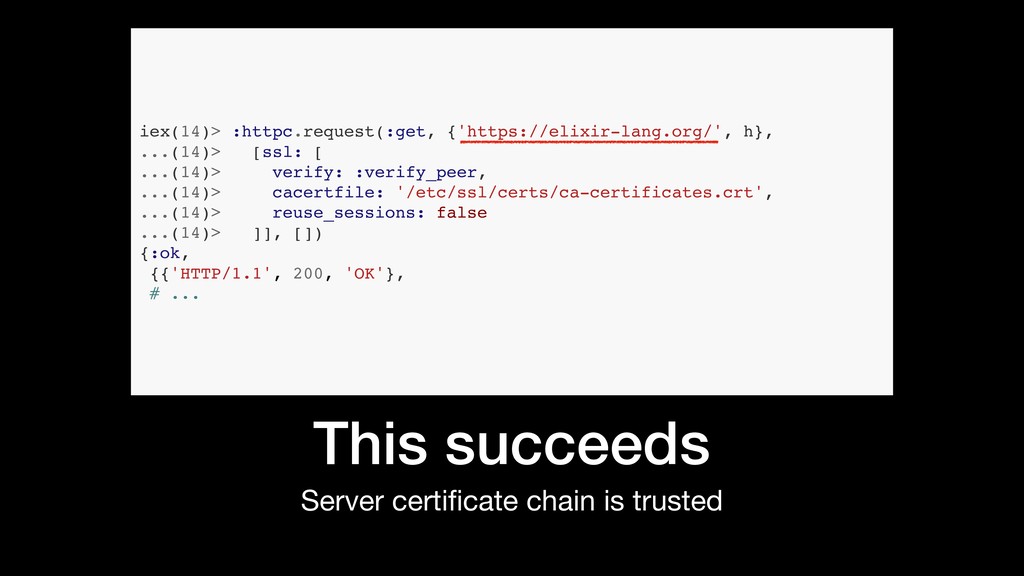
This succeeds Server certificate chain is trusted iex(14)> :httpc.request(:get, {'https://elixir-lang.org/',
h}, ...(14)> [ssl: [ ...(14)> verify: :verify_peer, ...(14)> cacertfile: '/etc/ssl/certs/ca-certificates.crt', ...(14)> reuse_sessions: false ...(14)> ]], []) {:ok, {{'HTTP/1.1', 200, 'OK'}, # ... -
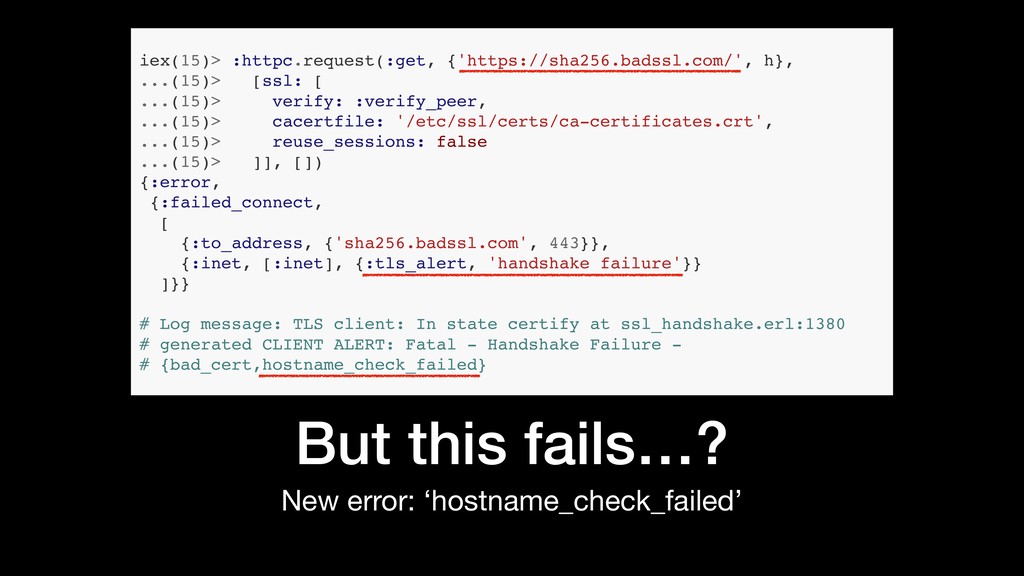
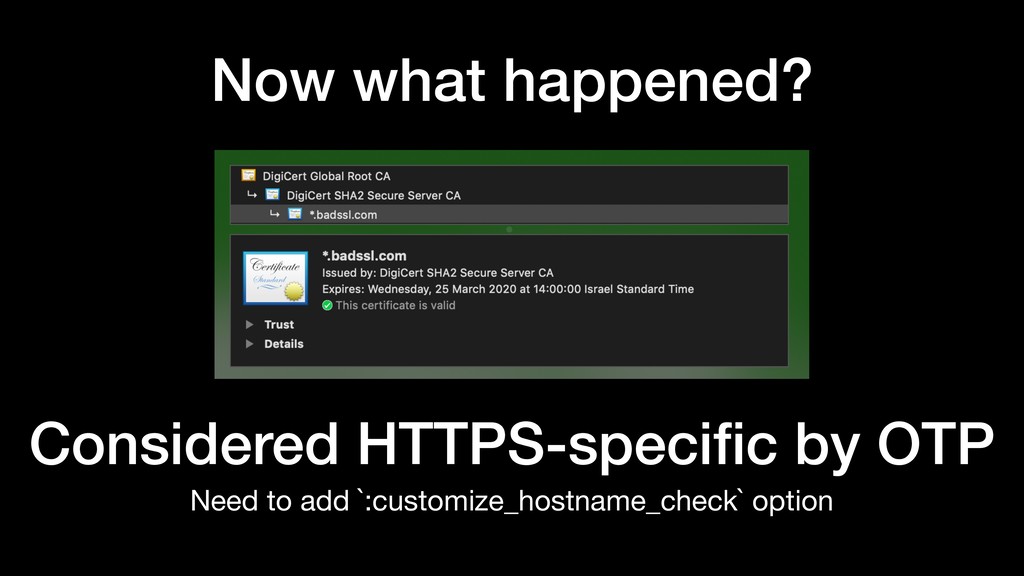
But this fails…? New error: ‘hostname_check_failed’ iex(15)> :httpc.request(:get, {'https://sha256.badssl.com/', h},
...(15)> [ssl: [ ...(15)> verify: :verify_peer, ...(15)> cacertfile: '/etc/ssl/certs/ca-certificates.crt', ...(15)> reuse_sessions: false ...(15)> ]], []) {:error, {:failed_connect, [ {:to_address, {'sha256.badssl.com', 443}}, {:inet, [:inet], {:tls_alert, 'handshake failure'}} ]}} # Log message: TLS client: In state certify at ssl_handshake.erl:1380 # generated CLIENT ALERT: Fatal - Handshake Failure - # {bad_cert,hostname_check_failed} -
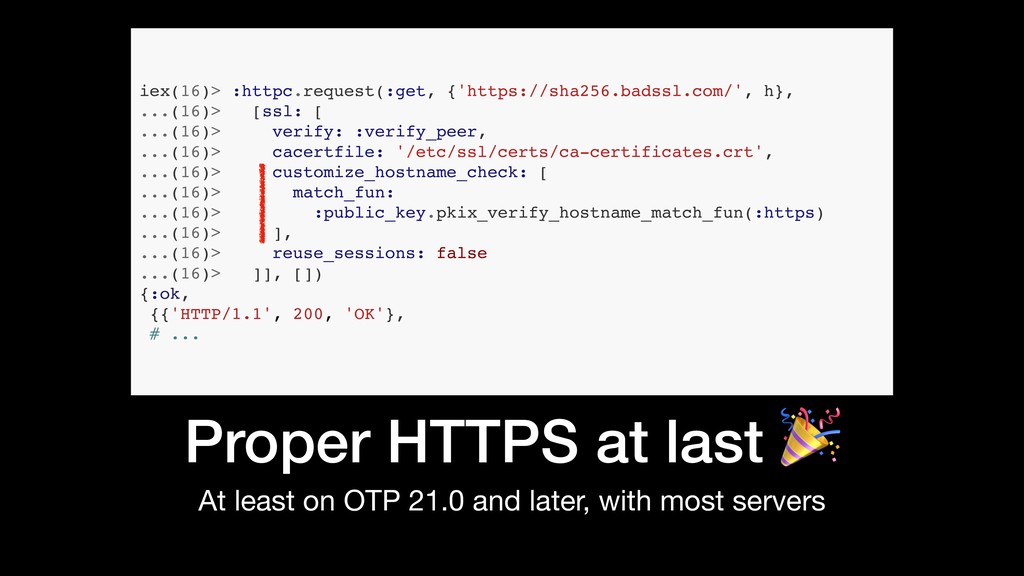
Proper HTTPS at last At least on OTP 21.0 and
later, with most servers iex(16)> :httpc.request(:get, {'https://sha256.badssl.com/', h}, ...(16)> [ssl: [ ...(16)> verify: :verify_peer, ...(16)> cacertfile: '/etc/ssl/certs/ca-certificates.crt', ...(16)> customize_hostname_check: [ ...(16)> match_fun: ...(16)> :public_key.pkix_verify_hostname_match_fun(:https) ...(16)> ], ...(16)> reuse_sessions: false ...(16)> ]], []) {:ok, {{'HTTP/1.1', 200, 'OK'}, # ... -
“ I know that! That’s why I use HTTPoison ”
— some of you -
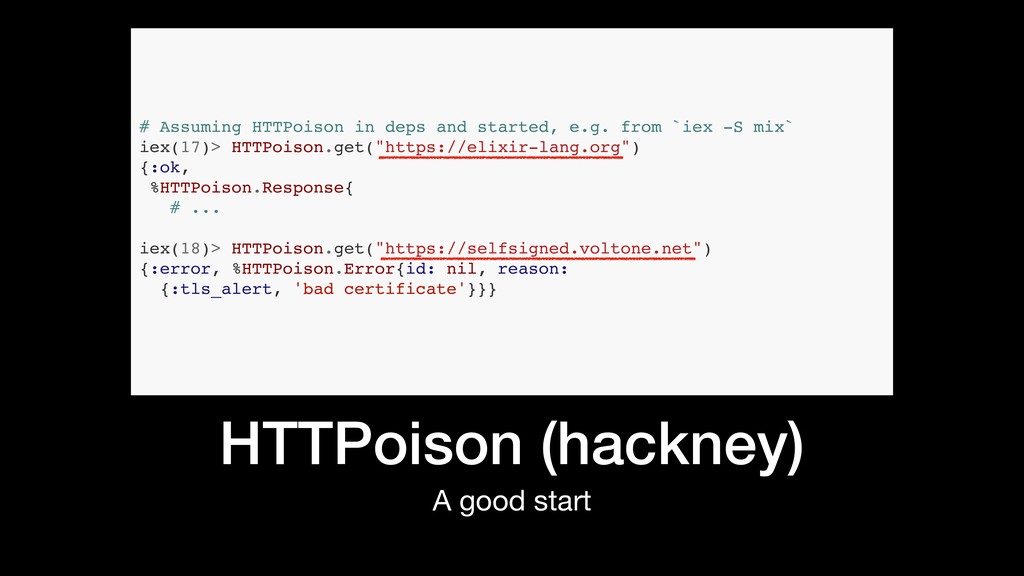
HTTPoison (hackney) A good start # Assuming HTTPoison in deps
and started, e.g. from `iex -S mix` iex(17)> HTTPoison.get("https://elixir-lang.org") {:ok, %HTTPoison.Response{ # ... iex(18)> HTTPoison.get("https://selfsigned.voltone.net") {:error, %HTTPoison.Error{id: nil, reason: {:tls_alert, 'bad certificate'}}} -

HTTPoison (hackney) But beware when overriding :ssl options! iex(19)> HTTPoison.get("https://selfsigned.voltone.net",
[], ...(19)> ssl: [ ...(19)> versions: [:"tlsv1.2"] ...(19)> ]) {:ok, %HTTPoison.Response{ # ... -
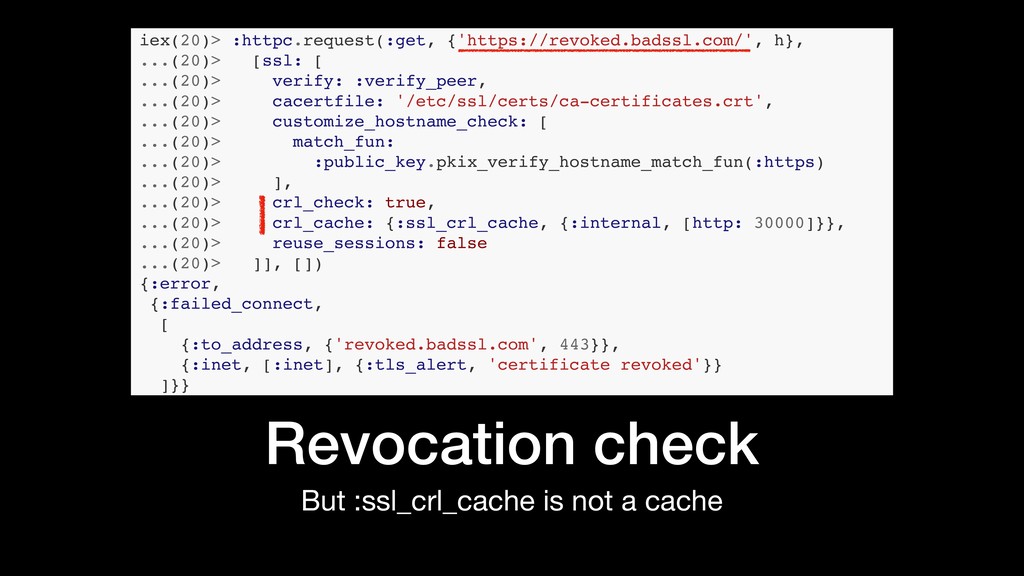
But :ssl_crl_cache is not a cache Revocation check iex(20)> :httpc.request(:get,
{'https://revoked.badssl.com/', h}, ...(20)> [ssl: [ ...(20)> verify: :verify_peer, ...(20)> cacertfile: '/etc/ssl/certs/ca-certificates.crt', ...(20)> customize_hostname_check: [ ...(20)> match_fun: ...(20)> :public_key.pkix_verify_hostname_match_fun(:https) ...(20)> ], ...(20)> crl_check: true, ...(20)> crl_cache: {:ssl_crl_cache, {:internal, [http: 30000]}}, ...(20)> reuse_sessions: false ...(20)> ]], []) {:error, {:failed_connect, [ {:to_address, {'revoked.badssl.com', 443}}, {:inet, [:inet], {:tls_alert, 'certificate revoked'}} ]}} -
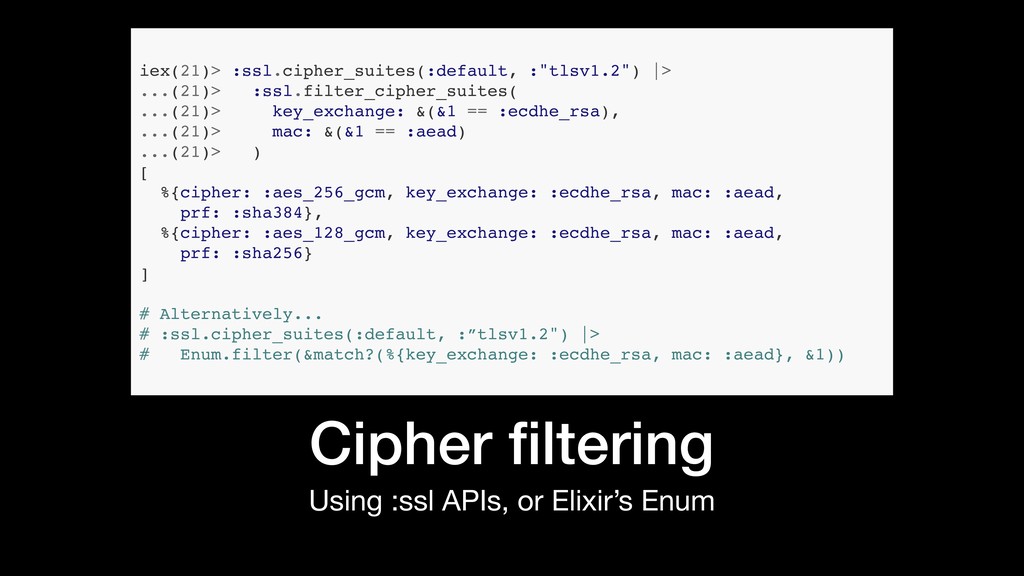
Using :ssl APIs, or Elixir’s Enum Cipher filtering iex(21)> :ssl.cipher_suites(:default,
:"tlsv1.2") |> ...(21)> :ssl.filter_cipher_suites( ...(21)> key_exchange: &(&1 == :ecdhe_rsa), ...(21)> mac: &(&1 == :aead) ...(21)> ) [ %{cipher: :aes_256_gcm, key_exchange: :ecdhe_rsa, mac: :aead, prf: :sha384}, %{cipher: :aes_128_gcm, key_exchange: :ecdhe_rsa, mac: :aead, prf: :sha256} ] # Alternatively... # :ssl.cipher_suites(:default, :”tlsv1.2") |> # Enum.filter(&match?(%{key_exchange: :ecdhe_rsa, mac: :aead}, &1)) -
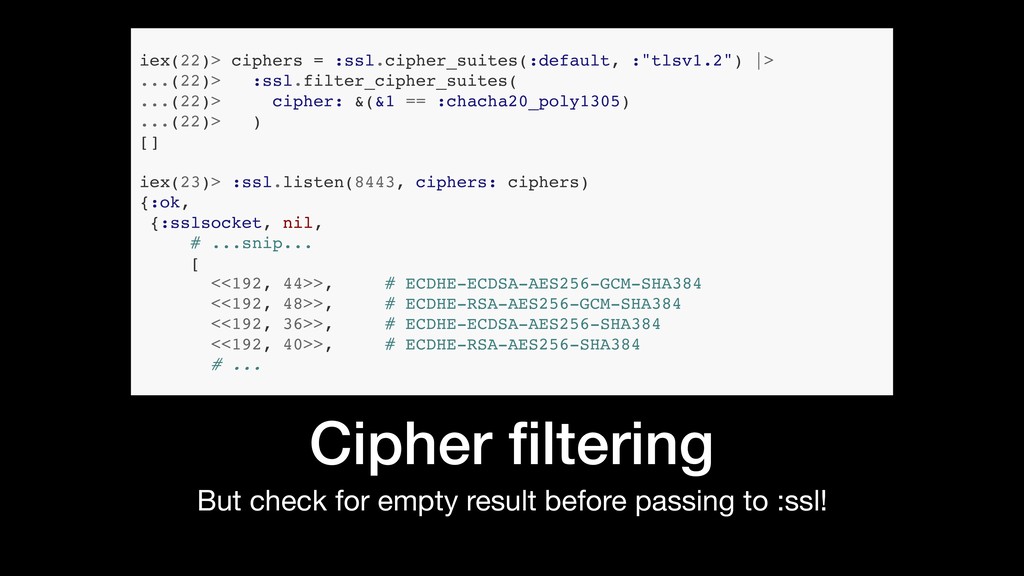
But check for empty result before passing to :ssl! Cipher
filtering iex(22)> ciphers = :ssl.cipher_suites(:default, :"tlsv1.2") |> ...(22)> :ssl.filter_cipher_suites( ...(22)> cipher: &(&1 == :chacha20_poly1305) ...(22)> ) [] iex(23)> :ssl.listen(8443, ciphers: ciphers) {:ok, {:sslsocket, nil, # ...snip... [ <<192, 44>>, # ECDHE-ECDSA-AES256-GCM-SHA384 <<192, 48>>, # ECDHE-RSA-AES256-GCM-SHA384 <<192, 36>>, # ECDHE-ECDSA-AES256-SHA384 <<192, 40>>, # ECDHE-RSA-AES256-SHA384 # ... -
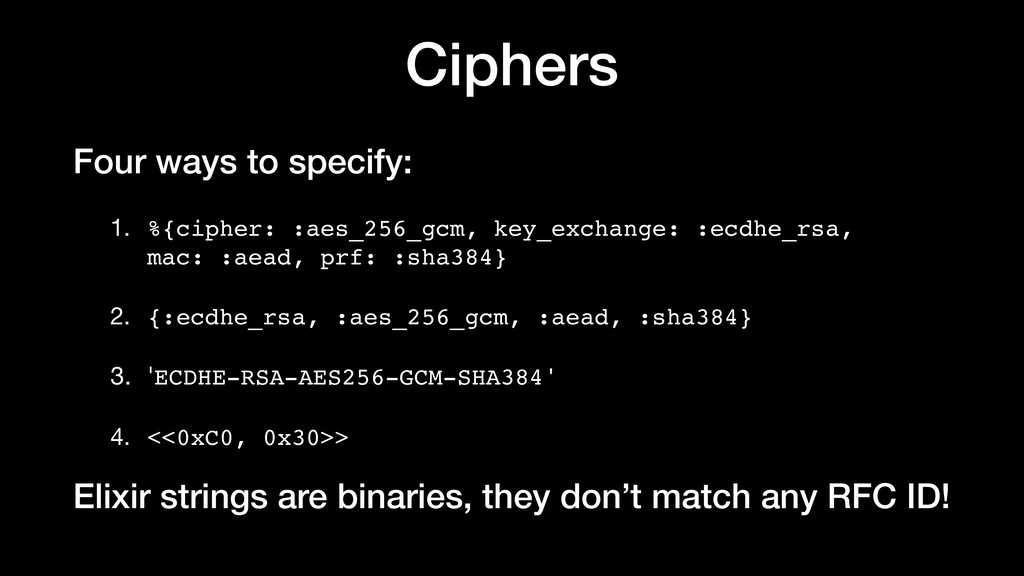
Ciphers Four ways to specify: 1. %{cipher: :aes_256_gcm, key_exchange: :ecdhe_rsa,
mac: :aead, prf: :sha384} 2. {:ecdhe_rsa, :aes_256_gcm, :aead, :sha384} 3. 'ECDHE-RSA-AES256-GCM-SHA384' 4. <<0xC0, 0x30>> Elixir strings are binaries, they don’t match any RFC ID! -
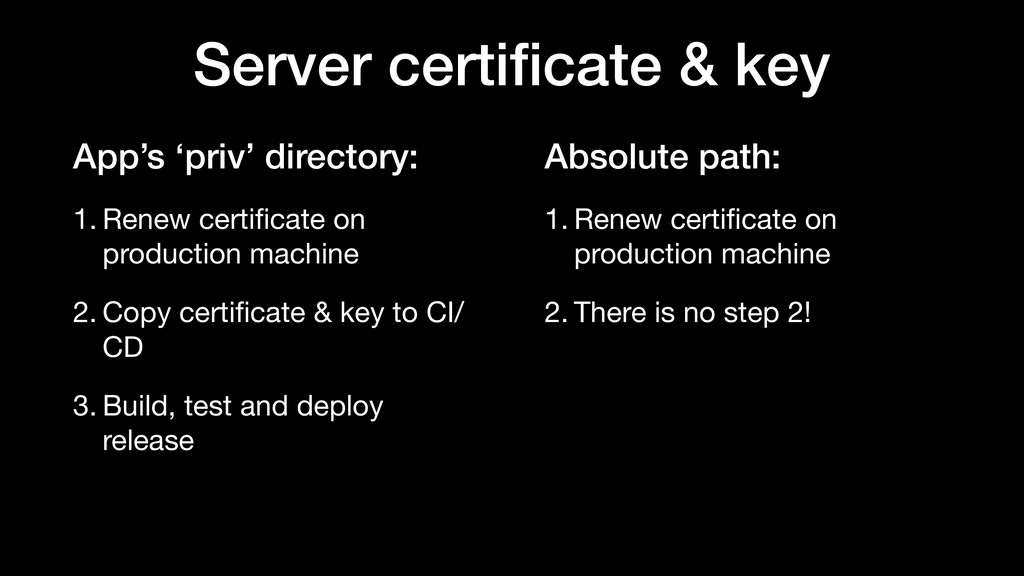
Absolute path: 1. Renew certificate on production machine 2. There
is no step 2! Server certificate & key App’s ‘priv’ directory: 1. Renew certificate on production machine 2. Copy certificate & key to CI/ CD 3. Build, test and deploy release -
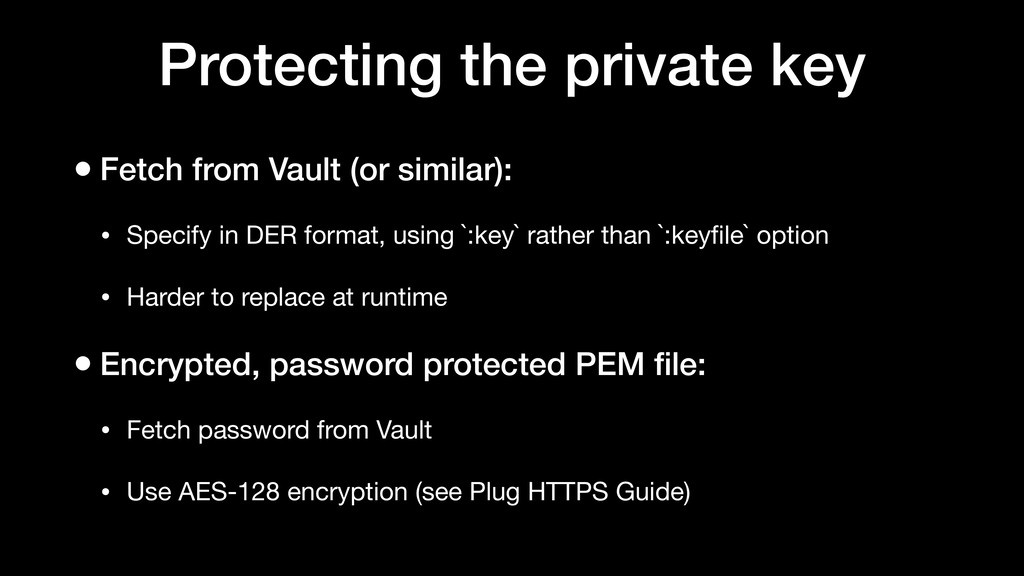
Protecting the private key • Fetch from Vault (or similar):
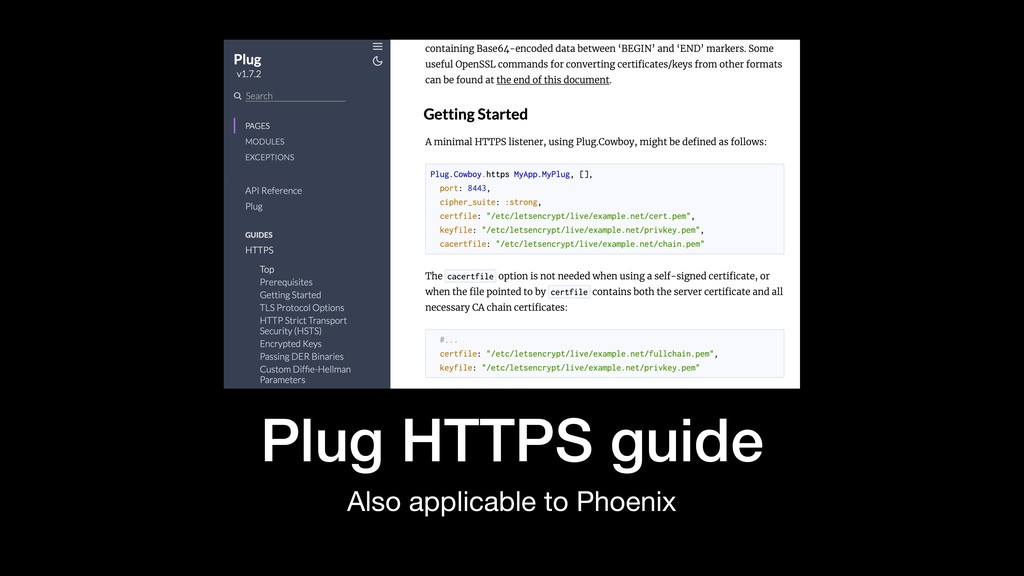
• Specify in DER format, using `:key` rather than `:keyfile` option • Harder to replace at runtime • Encrypted, password protected PEM file: • Fetch password from Vault • Use AES-128 encryption (see Plug HTTPS Guide) -
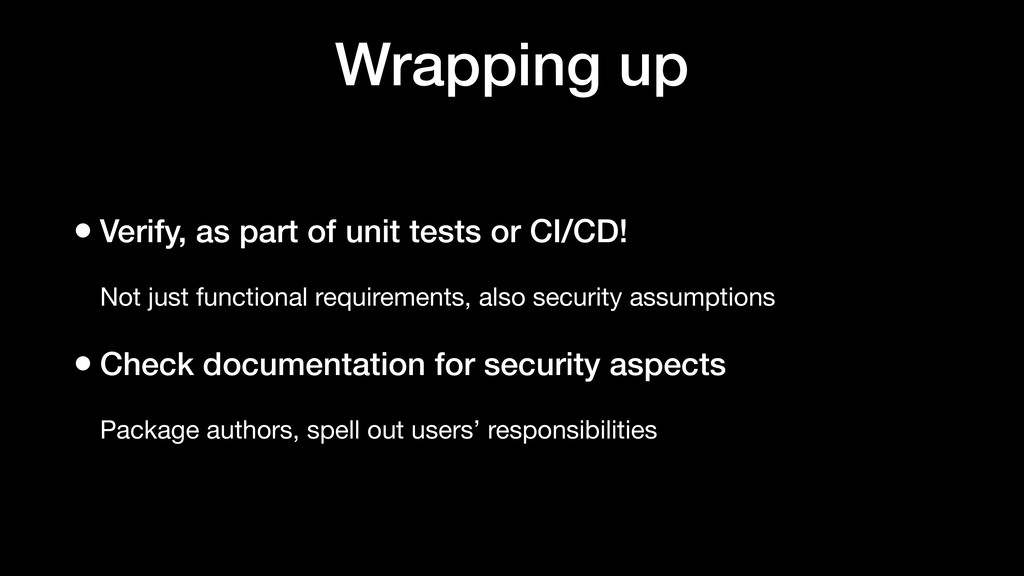
Wrapping up • Verify, as part of unit tests or
CI/CD! Not just functional requirements, also security assumptions • Check documentation for security aspects Package authors, spell out users’ responsibilities