Upgrade to Pro
— share decks privately, control downloads, hide ads and more …
Speaker Deck
Sign up for free
Menu
Search
Features
All features
Private URLs
Password Protection
Custom URLS
Scheduled publishing
Remove Branding
Restrict embedding
Deck Collections
Notes
Features
All features
Private URLs
Password Protection
Custom URLS
Scheduled publishing
Remove Branding
Restrict embedding
Deck Collections
Notes
Explore
Featured decks
Featured speakers
Programming
Technology
Storyboards
Explore
Featured decks
Featured speakers
Programming
Technology
Storyboards
Pricing
Search
Sign in
Sign up for free
How to stabilize UI tests using XCTest
Search
Akio Itaya
March 10, 2026
Programming
240
0
Share
Embed
Copy iframe code
Copy JS code
Copy link
Start on current slide
How to stabilize UI tests using XCTest
Ebisu.mobile #13 〜STORESのモバイルテストの現在地〜
https://hey.connpass.com/event/382942/
Akio Itaya
March 10, 2026
More Decks by Akio Itaya
See All by Akio Itaya
Androidだけじゃない、DroidKaigiで広がった私の技術スタック
akkeylab
0
130
iOSDCのペンライトを自動制御したい!
akkeylab
0
460
Building a Meta Ray-Ban display app
akkeylab
0
230
What If Your App Could Debug Itself?
akkeylab
0
110
Bringing Spatial Web to E-Commerce
akkeylab
0
120
Learn CPU architecture with Assembly
akkeylab
1
2.3k
Porting a visionOS App to Android XR
akkeylab
0
1.3k
How to handle 3D content on Android XR
akkeylab
0
280
Create a website using Spatial Web
akkeylab
0
450
Other Decks in Programming
See All in Programming
見えないものを探る要求要件定義に必要な基本的思考 / invisible-requirement-thinking
minodriven
15
8.6k
エージェントを使い続けるためのメタワーク / Meta-work for keeping using the agent
rkaga
1
340
オーケストレーション記述言語 Katari
yukikurage
0
110
コーディング自動化の次へ。人の介入をゼロにするファクトリーとサポートAIによる実践
timakin
5
4.1k
Long Living Tokens, Die, Die, Die! (or: The One Ring is Banned in Modern)
sylph01
0
330
ActionController meets Protocol Buffers
sorah
0
580
[Dev Group Paris Octobre 26] Agentforce, SIforce, Claudeforce, Slackbot… on s'y retrouve ?
nabondance
0
110
AIに “答え“を書かせるのを やめてみた
___akari11
0
120
気持ちぃ〜角丸 Squircle
ryu1013
0
320
[JA] Domain Modeling with Vanilla Rails: 「操作」から再考するRailsの設計論
yasaichi
3
550
パズルゲームの作り方 / how to make puzzle games
kaityo256
PRO
2
300
When benchmarks go bad - what I learned from measuring performance wrong
hollycummins
0
220
Featured
See All Featured
Making Projects Easy
brettharned
120
6.8k
Six Lessons from altMBA
skipperchong
29
4.5k
Git: the NoSQL Database
bkeepers
PRO
433
67k
brightonSEO & MeasureFest 2025 - Winning Strategies for Black Friday CRO & PPC - Christian Goodrich
cargoodrich
3
870
Impact Scores and Hybrid Strategies: The future of link building
tamaranovitovic
0
460
AI Search: Implications for SEO and How to Move Forward - #ShenzhenSEOConference
aleyda
1
1.4k
Done Done
chrislema
187
17k
Practical Tips for Bootstrapping Information Extraction Pipelines
honnibal
25
2.1k
Agile Leadership in an Agile Organization
kimpetersen
PRO
0
290
Believing is Seeing
oripsolob
1
250
How Software Deployment tools have changed in the past 20 years
geshan
2
35k
Navigating the Design Leadership Dip - Product Design Week Design Leaders+ Conference 2024
apolaine
2
480
Transcript
XCTestΛͬͨUIςετͷ҆ఆԽઓུ akkey / @AkkeyLab Ebisu.mobile #13
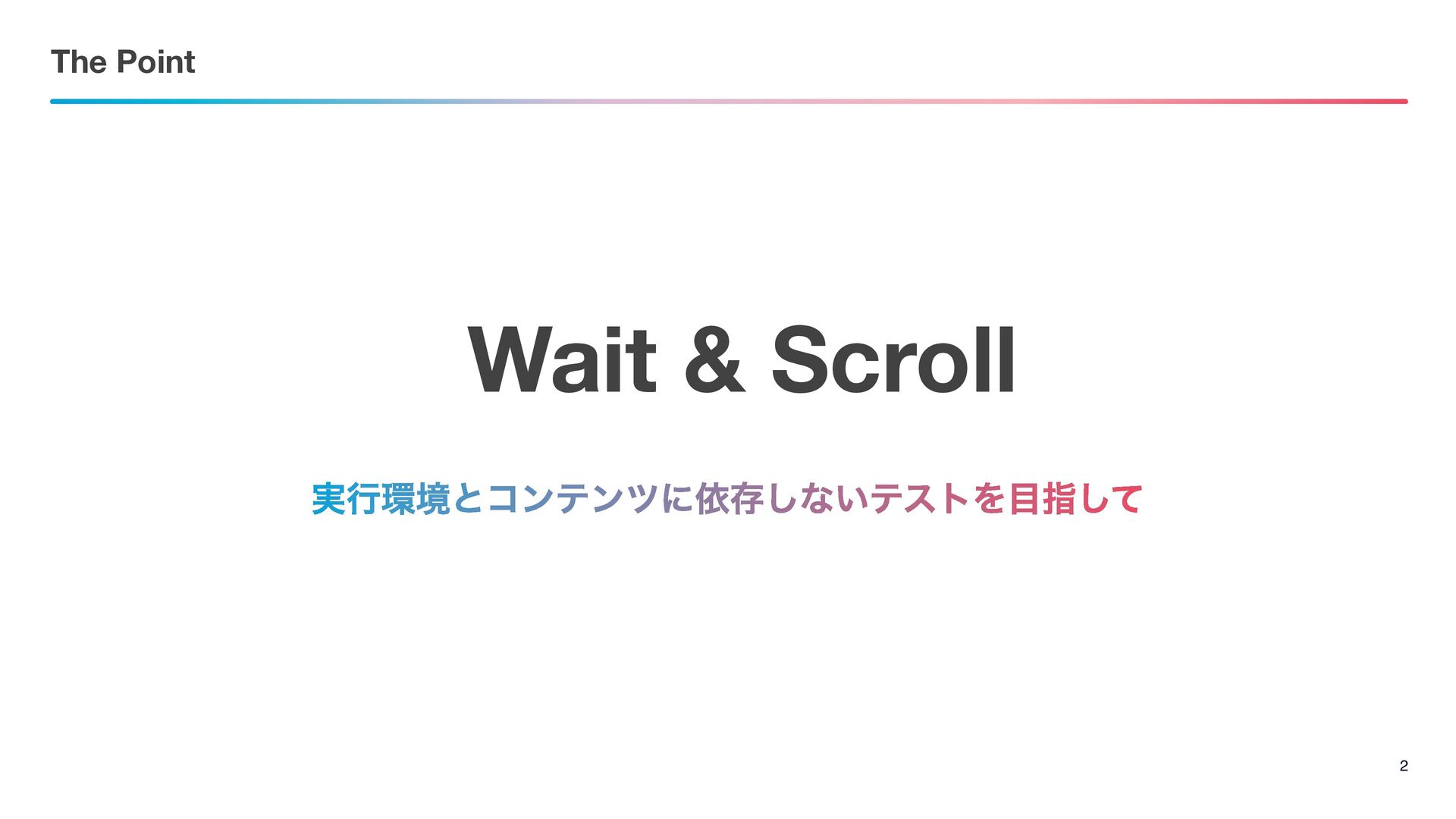
The Point 2 Wait & Scroll ࣮ߦڥͱίϯςϯπʹґଘ͠ͳ͍ςετΛࢦͯ͠
Wait
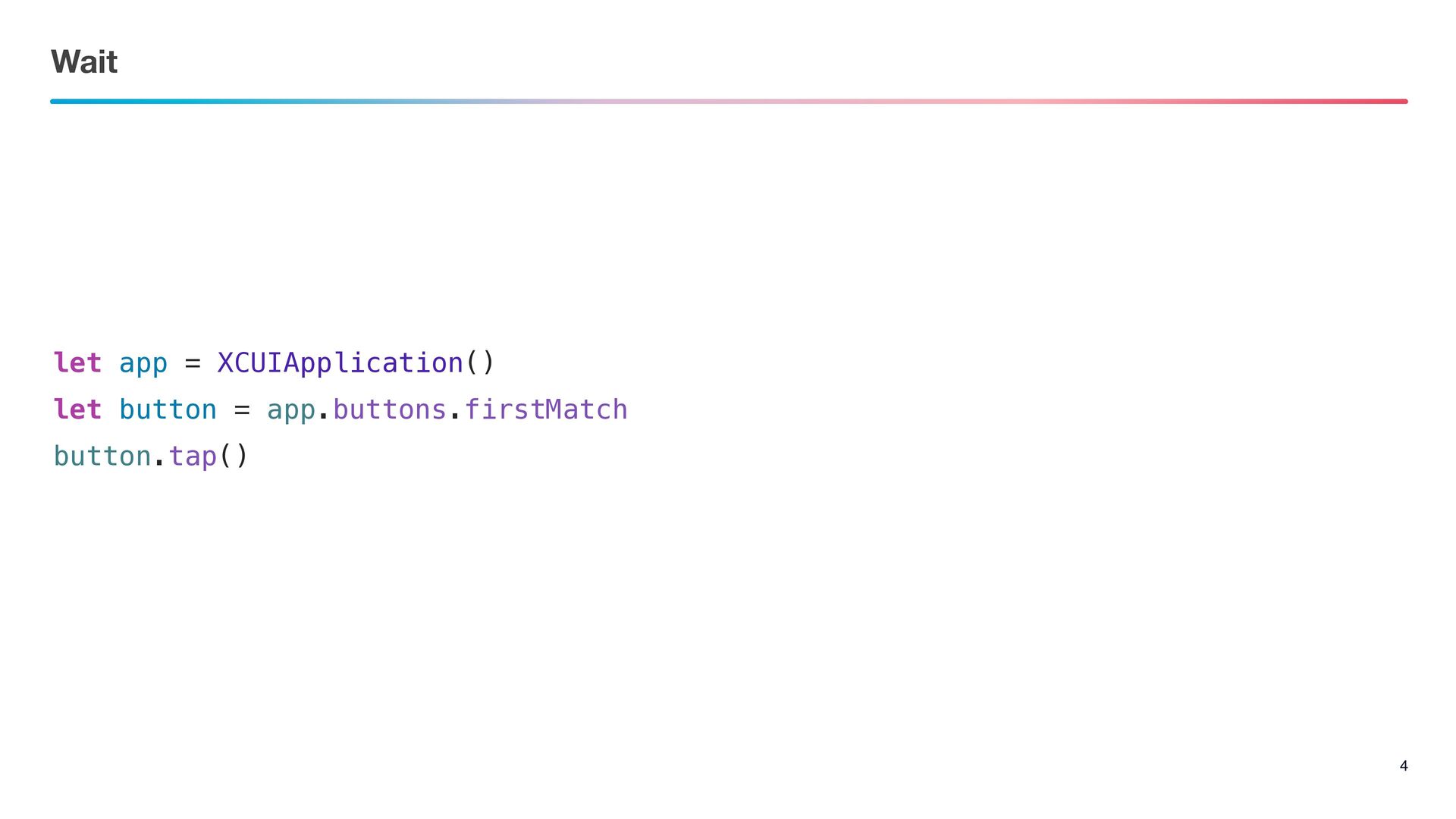
Wait 4 let app = XCUIApplication() let button = app.buttons.firstMatch
button.tap()
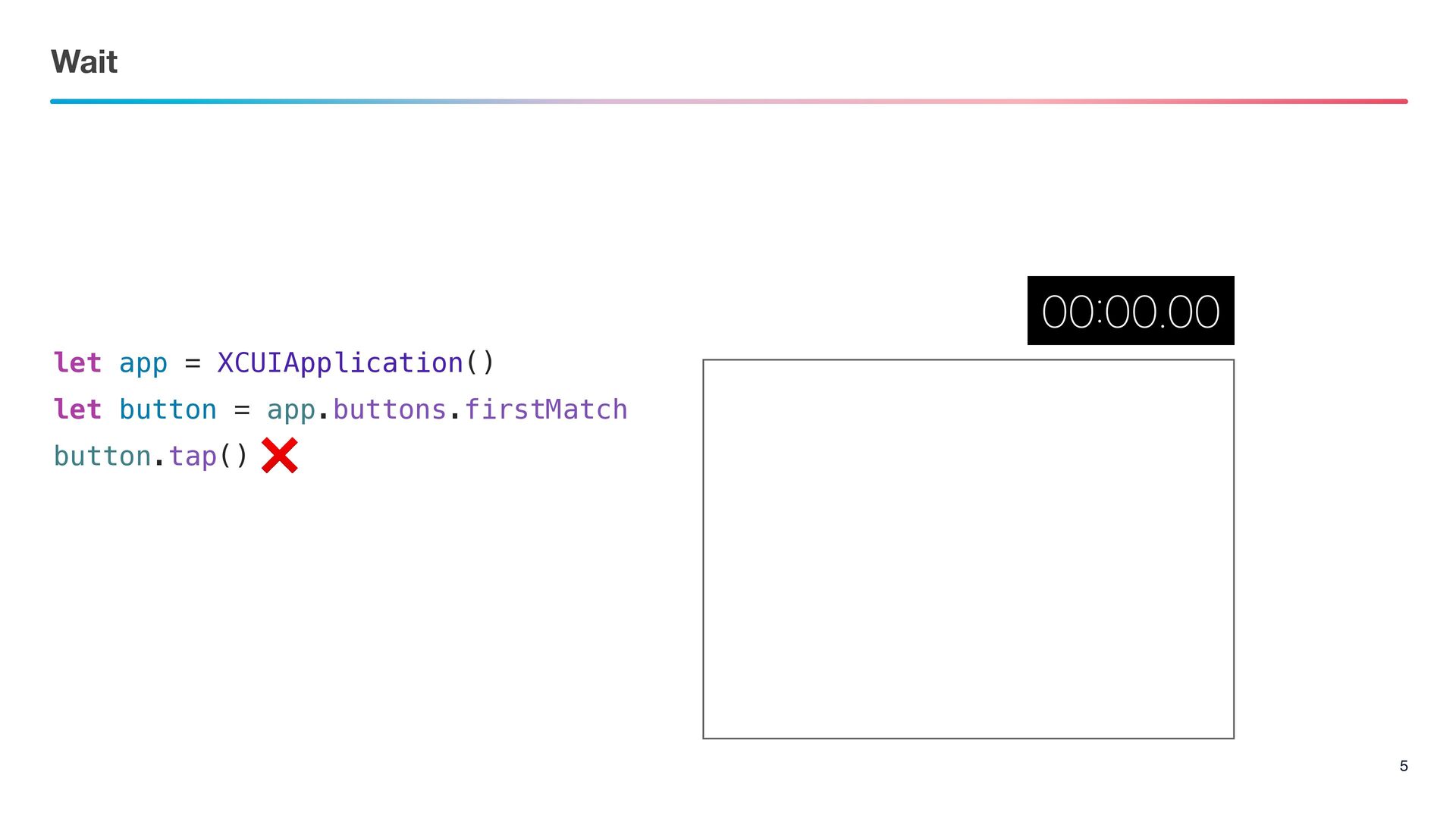
Wait 5 let app = XCUIApplication() let button = app.buttons.firstMatch
button.tap() ❌
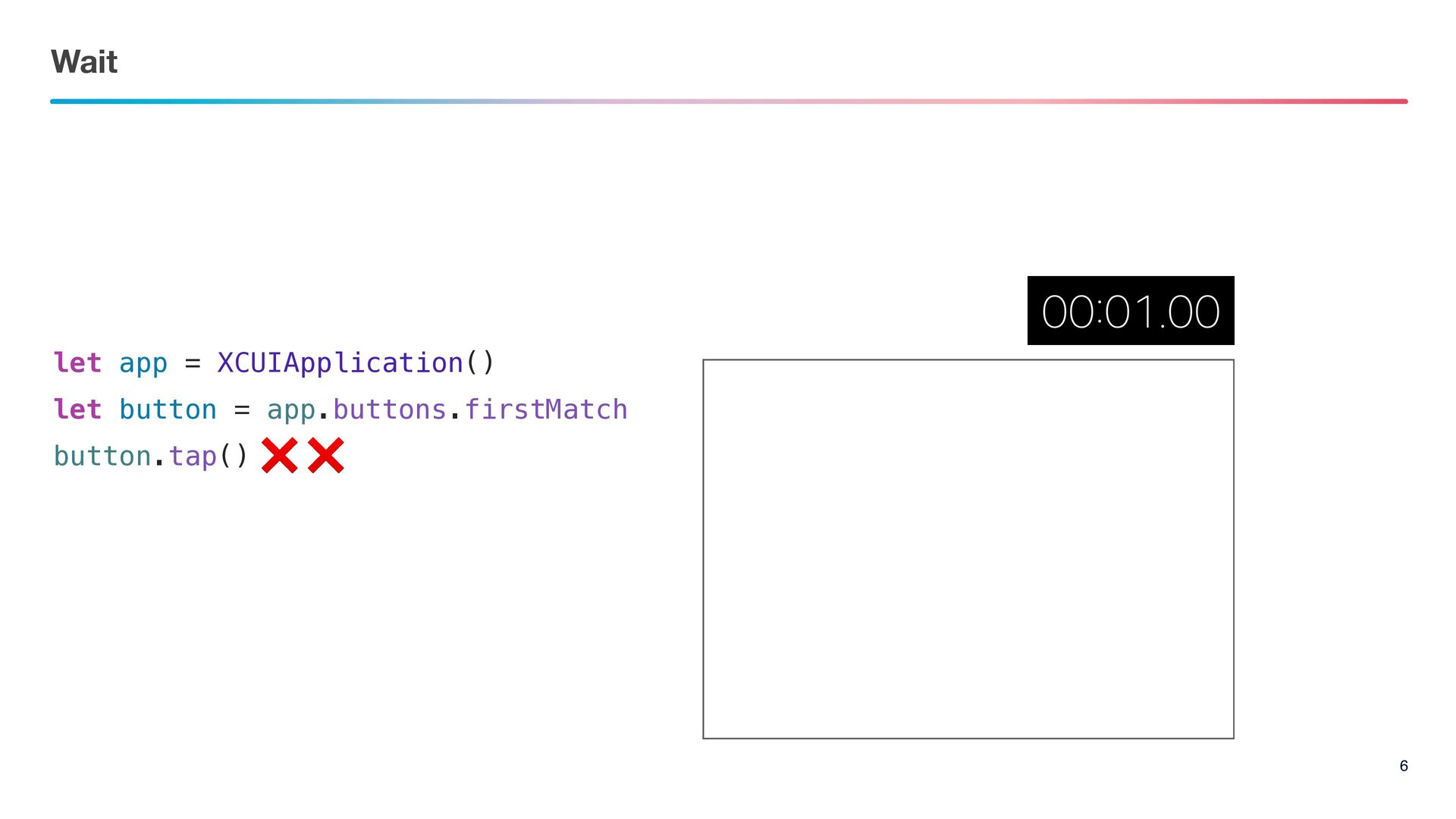
Wait 6 let app = XCUIApplication() let button = app.buttons.firstMatch
button.tap() ❌ ❌
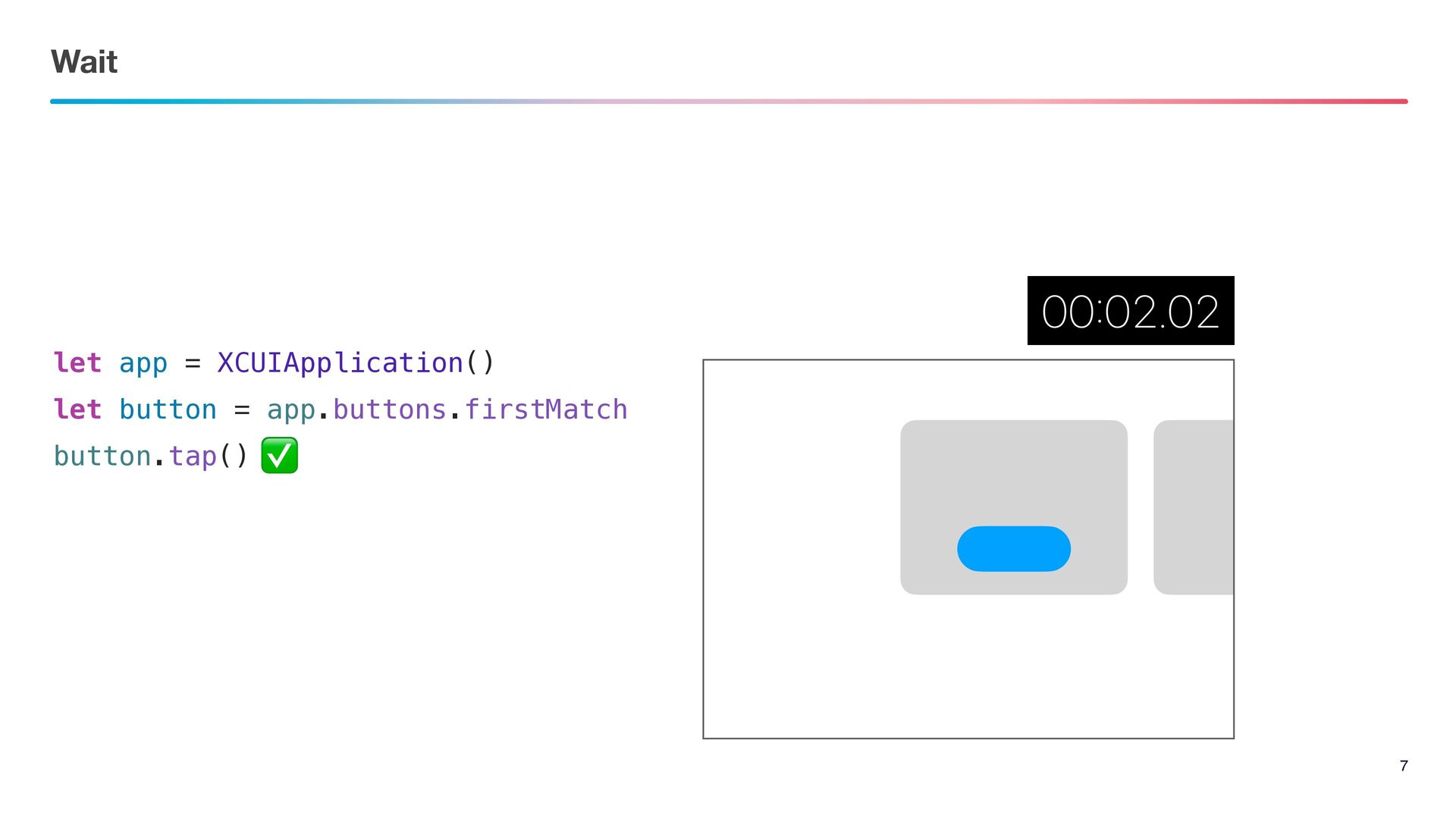
Wait 7 let app = XCUIApplication() let button = app.buttons.firstMatch
button.tap() ✅
Fix
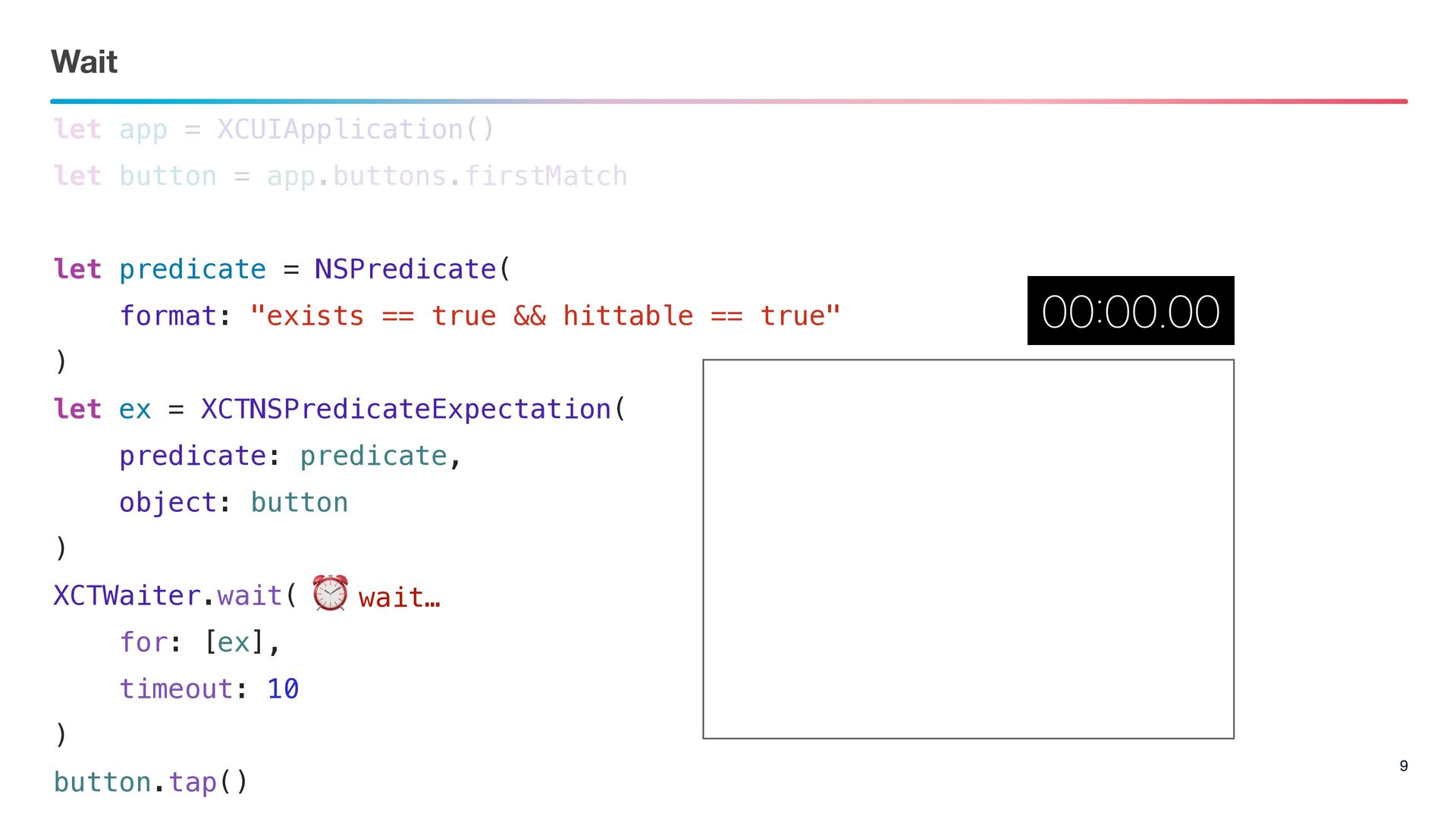
Wait 9 let app = XCUIApplication() let button = app.buttons.firstMatch
let predicate = NSPredicate( format: "exists == true && hittable == true" ) let ex = XCTNSPredicateExpectation( predicate: predicate, object: button ) XCTWaiter.wait( for: [ex], timeout: 10 ) button.tap() ⏰ wait…
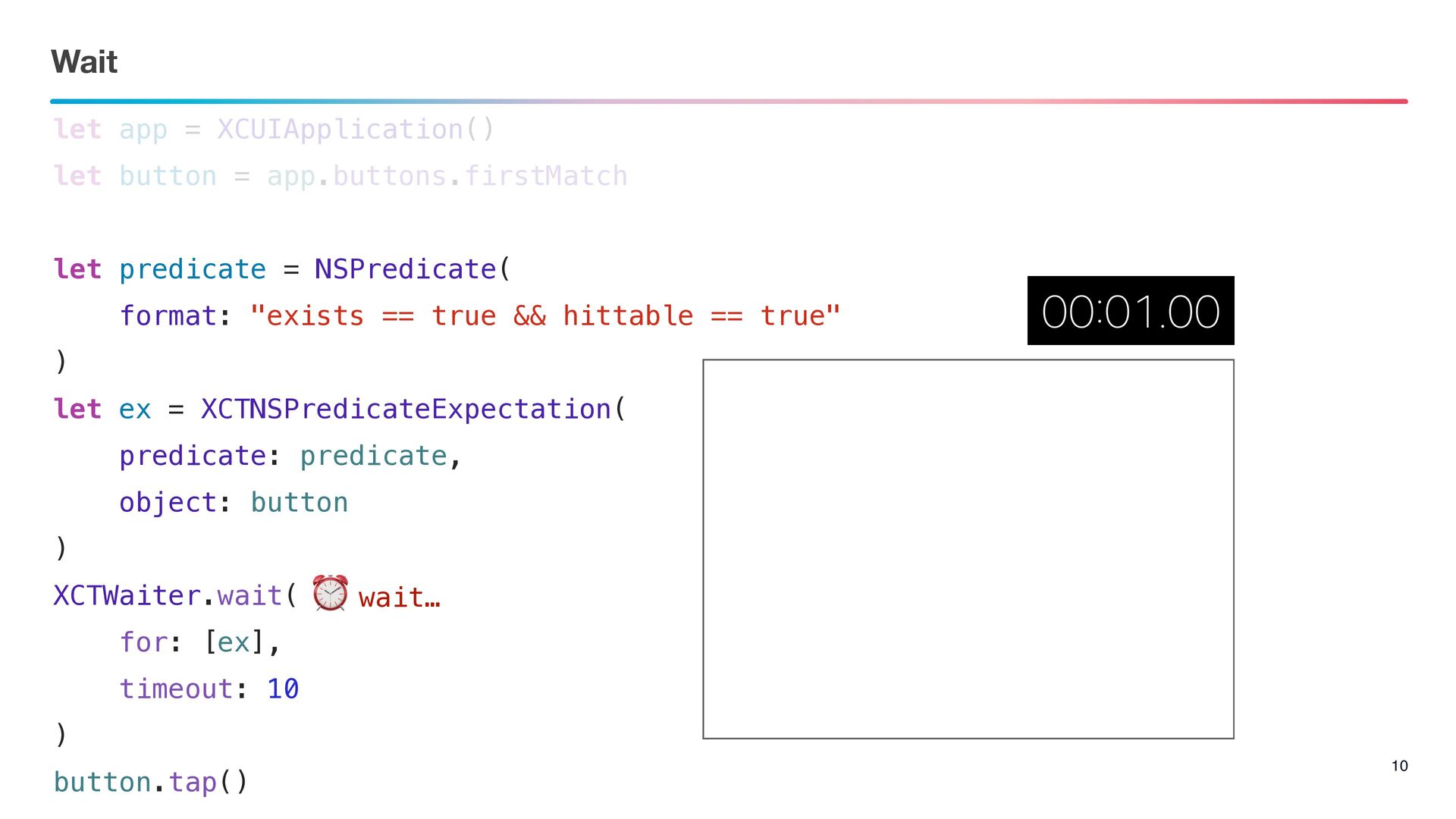
Wait 10 let app = XCUIApplication() let button = app.buttons.firstMatch
let predicate = NSPredicate( format: "exists == true && hittable == true" ) let ex = XCTNSPredicateExpectation( predicate: predicate, object: button ) XCTWaiter.wait( for: [ex], timeout: 10 ) button.tap() ⏰ wait…
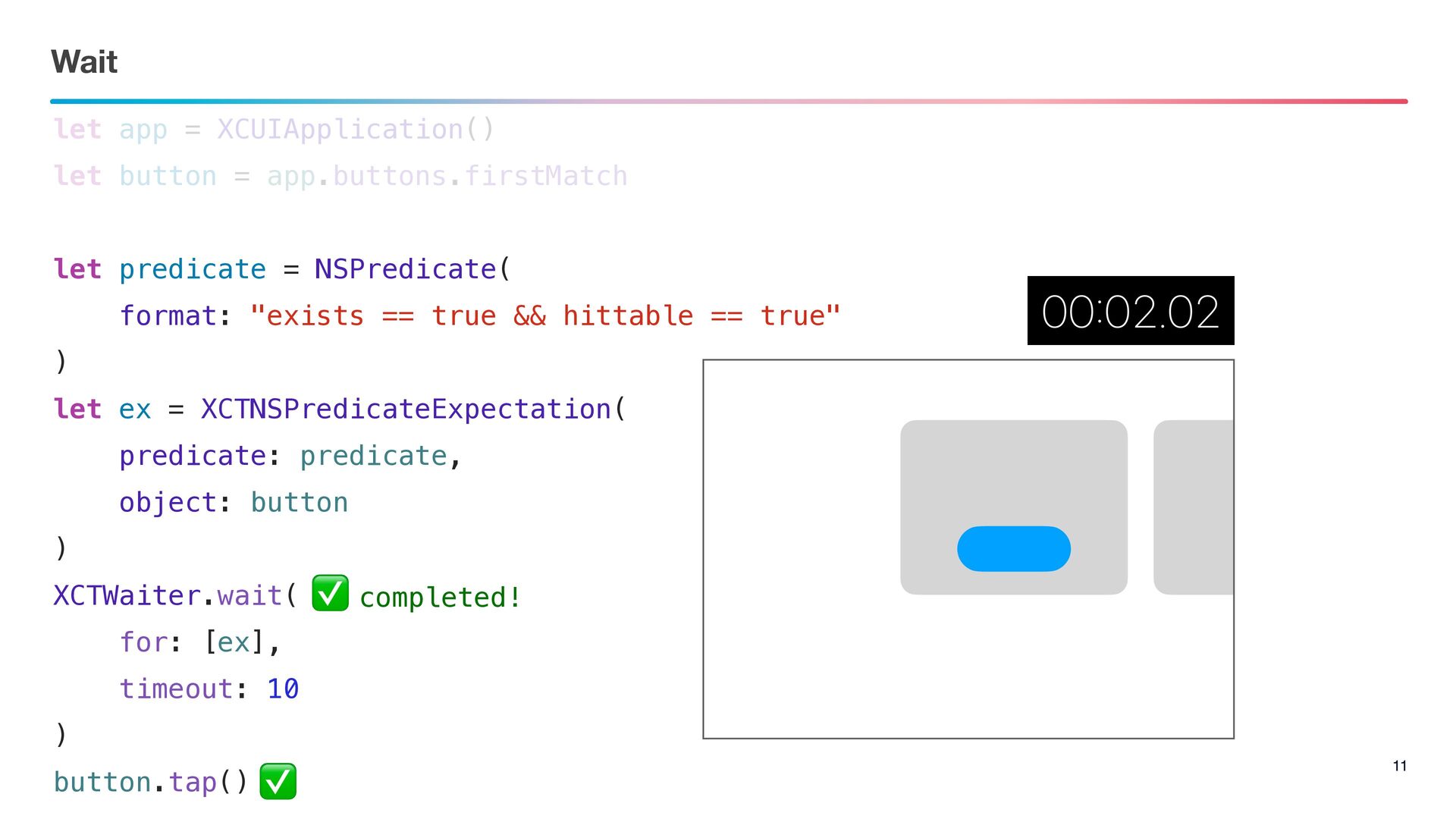
Wait 11 let app = XCUIApplication() let button = app.buttons.firstMatch
let predicate = NSPredicate( format: "exists == true && hittable == true" ) let ex = XCTNSPredicateExpectation( predicate: predicate, object: button ) XCTWaiter.wait( for: [ex], timeout: 10 ) button.tap() ✅ completed! ✅
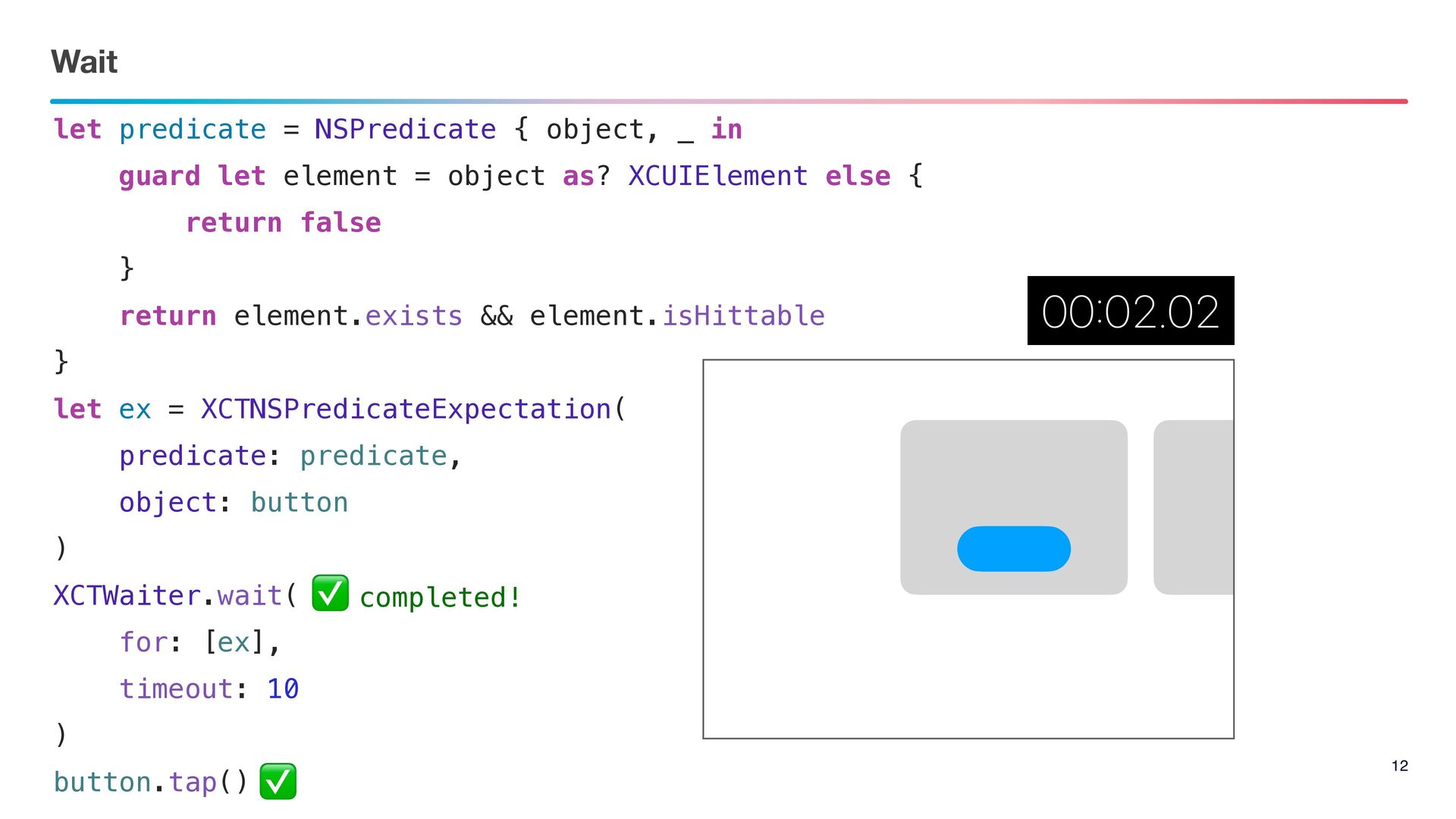
Wait 12 let predicate = NSPredicate { object, _ in
guard let element = object as? XCUIElement else { return false } return element.exists && element.isHittable } let ex = XCTNSPredicateExpectation( predicate: predicate, object: button ) XCTWaiter.wait( for: [ex], timeout: 10 ) button.tap() ✅ completed! ✅
Scroll
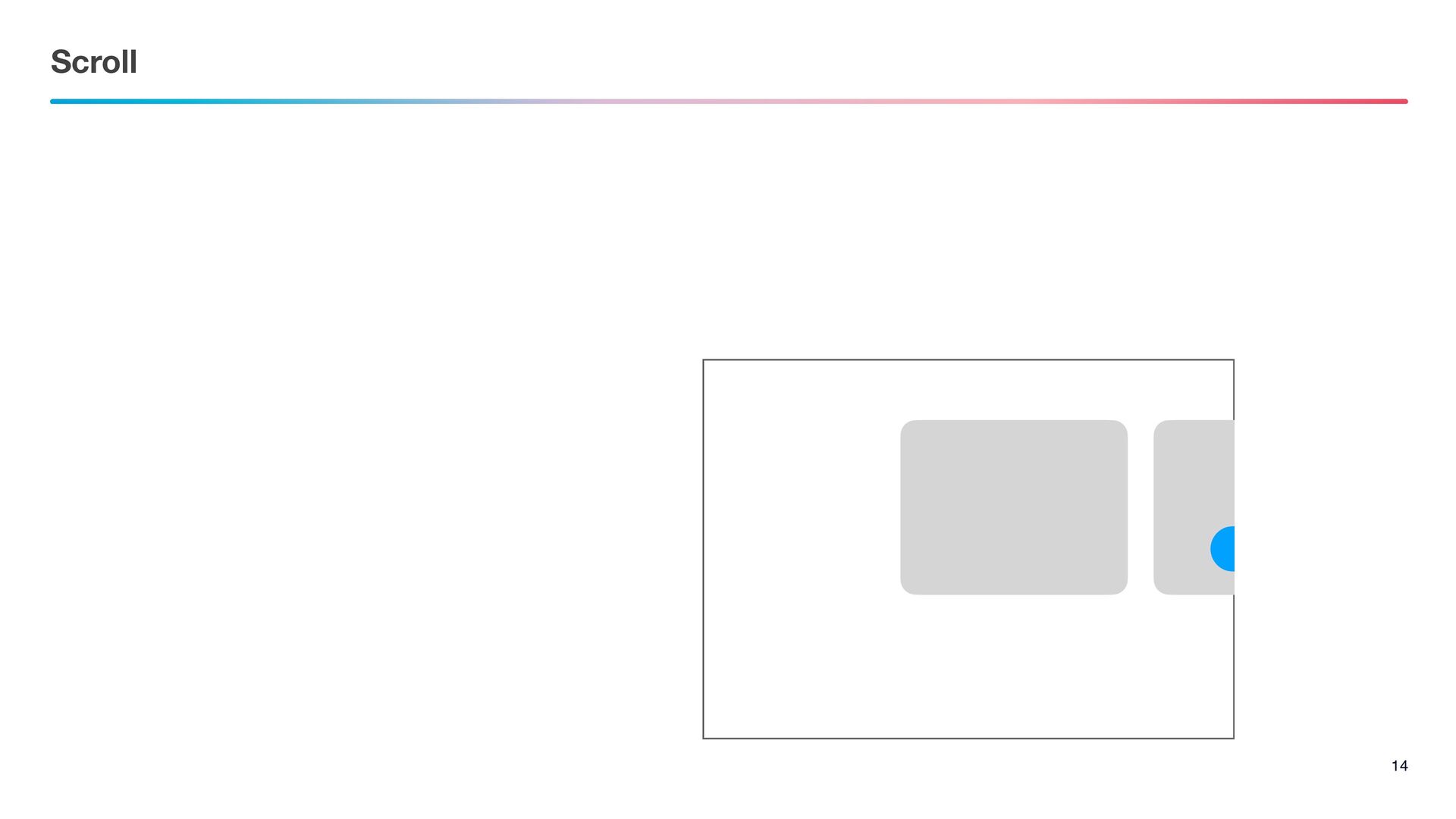
Scroll 14
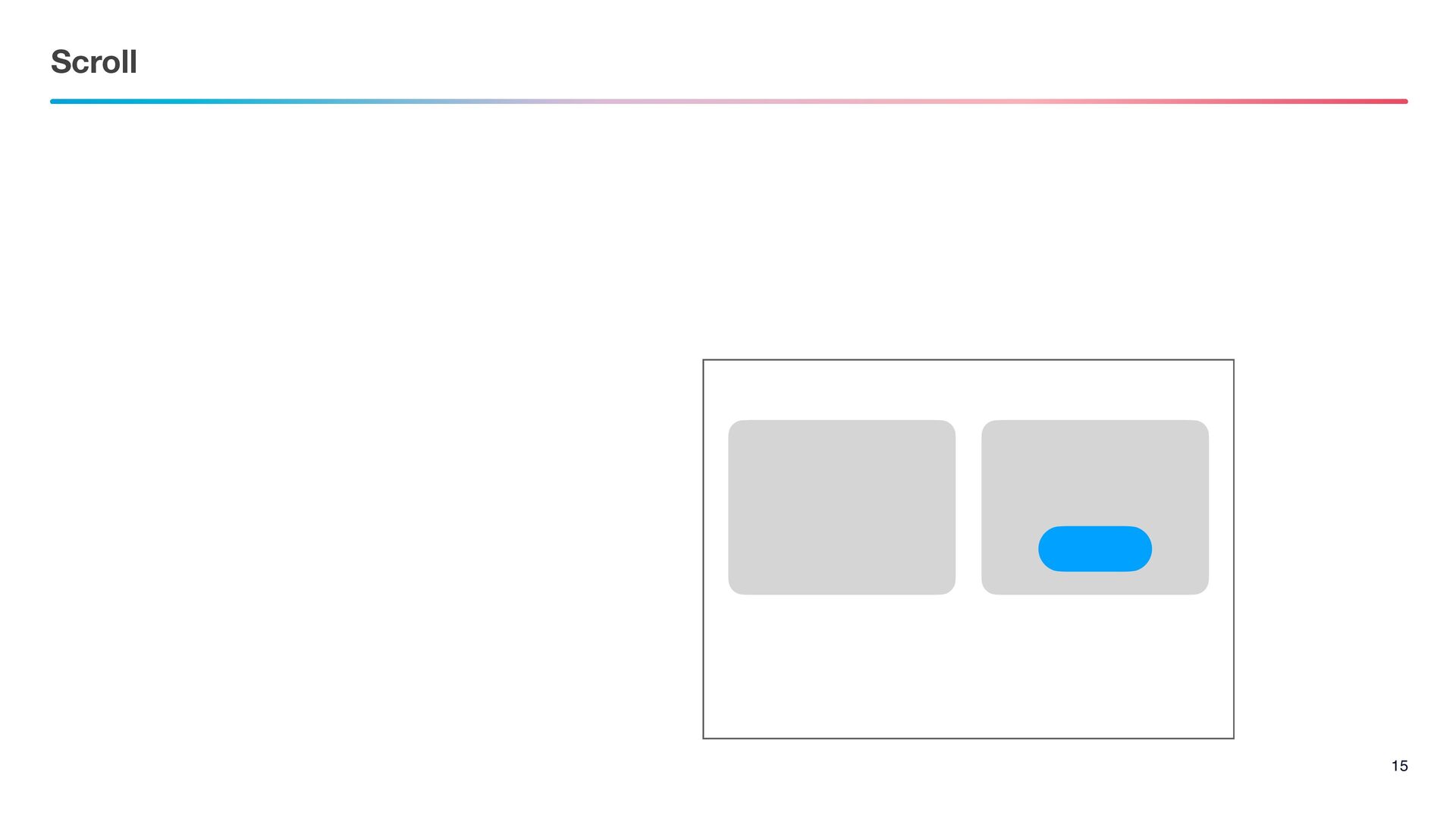
Scroll 15
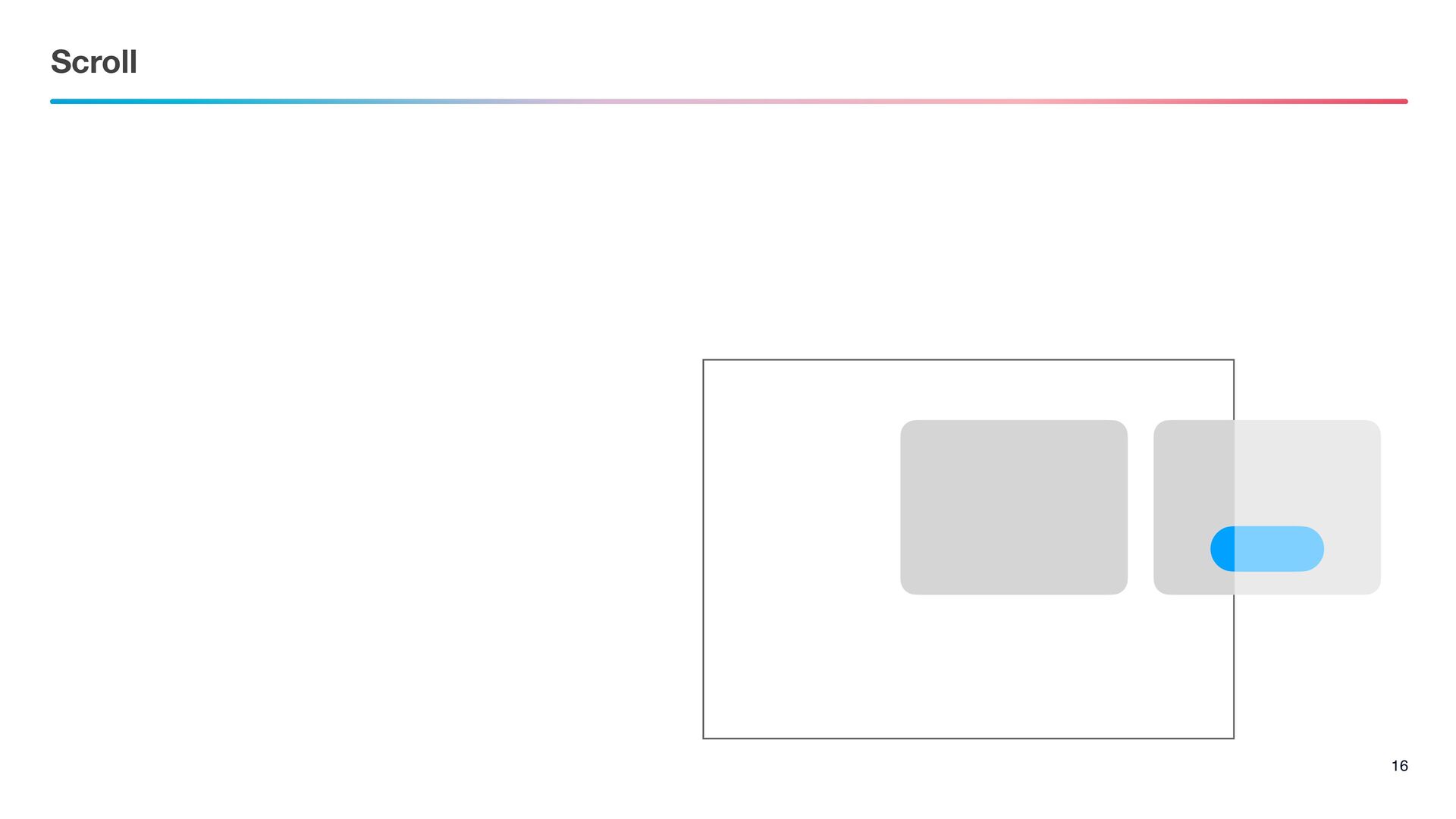
Scroll 16
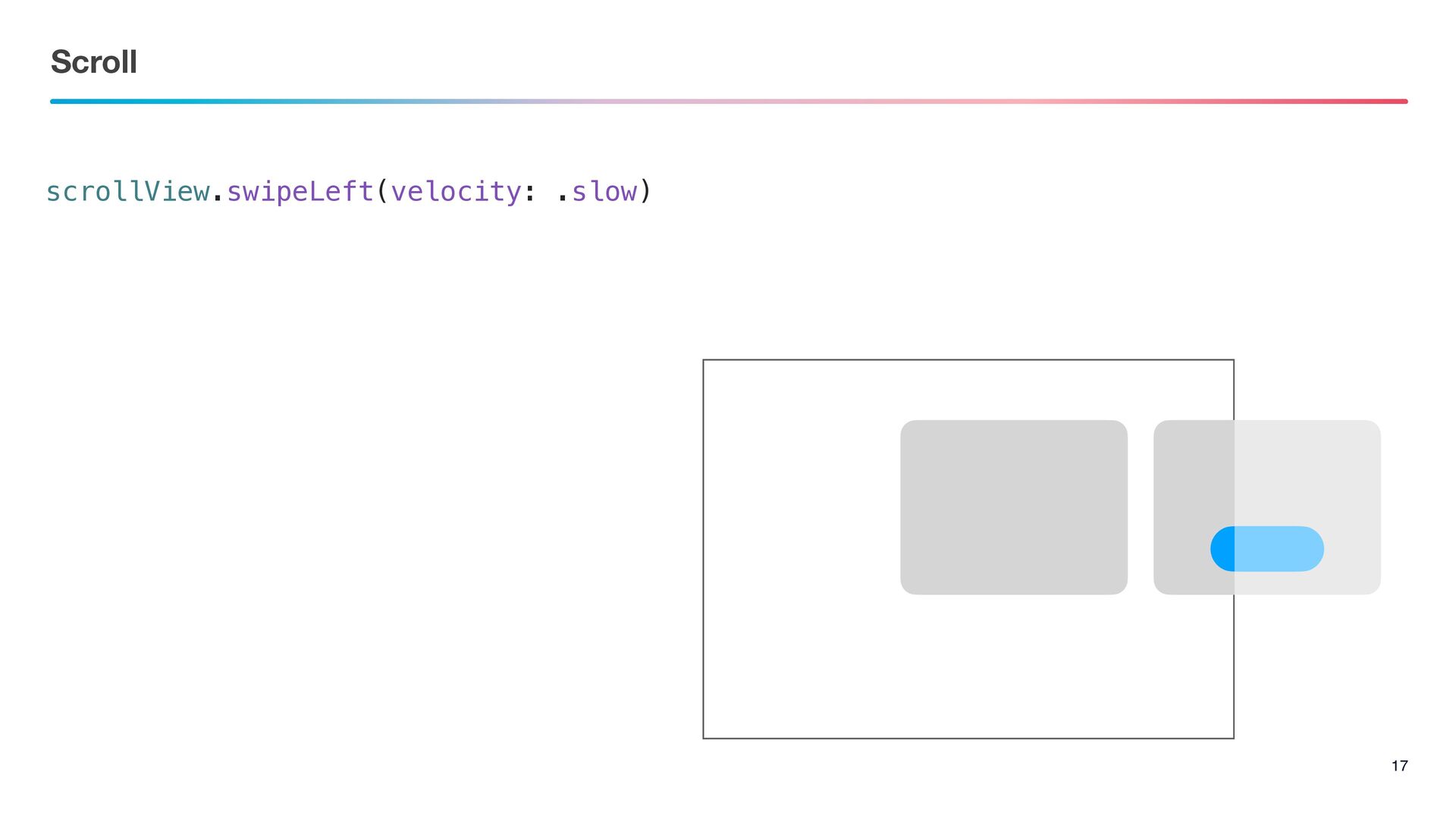
Scroll 17 scrollView.swipeLeft(velocity: .slow)
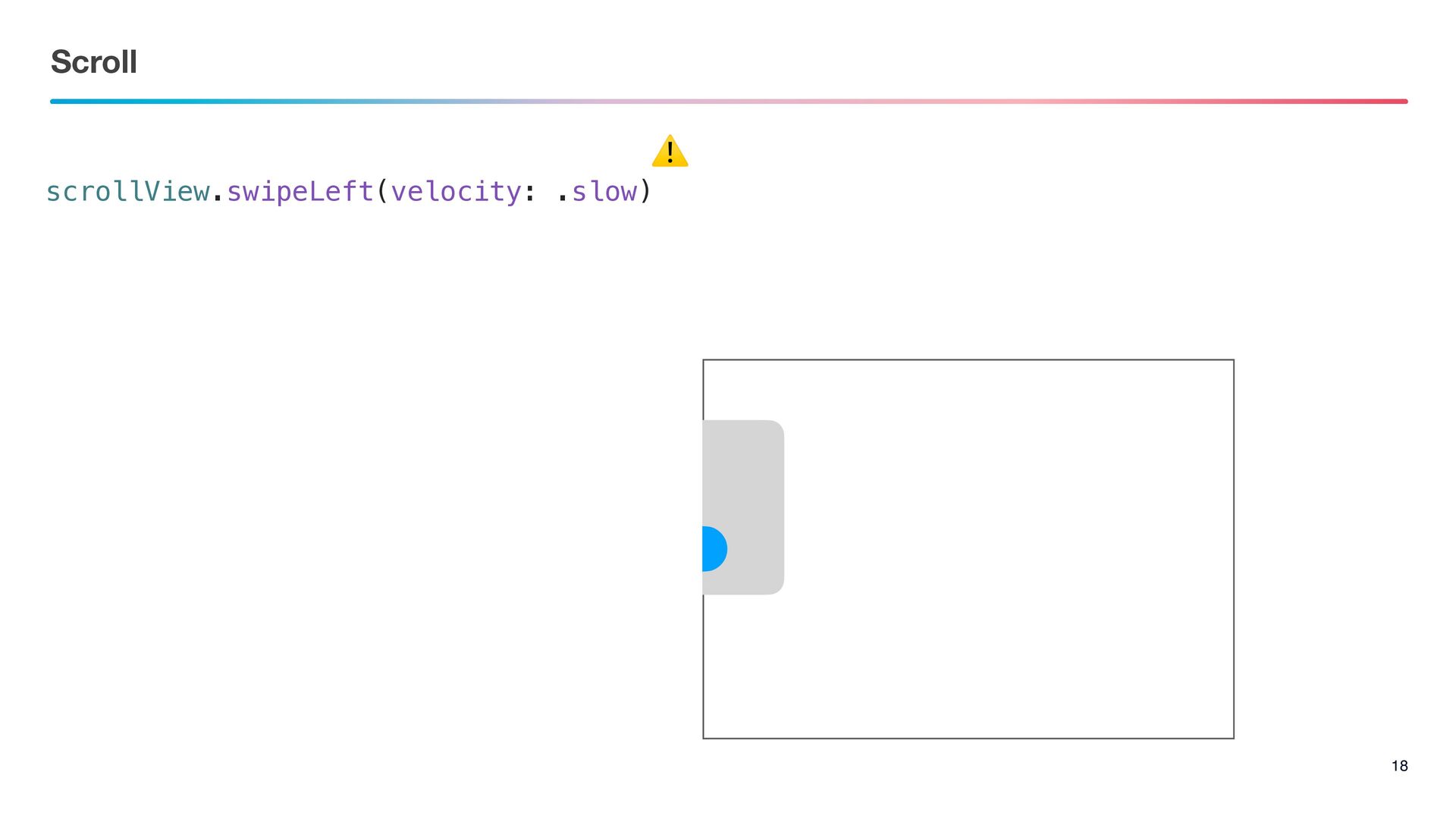
Scroll 18 scrollView.swipeLeft(velocity: .slow) ⚠
Fix
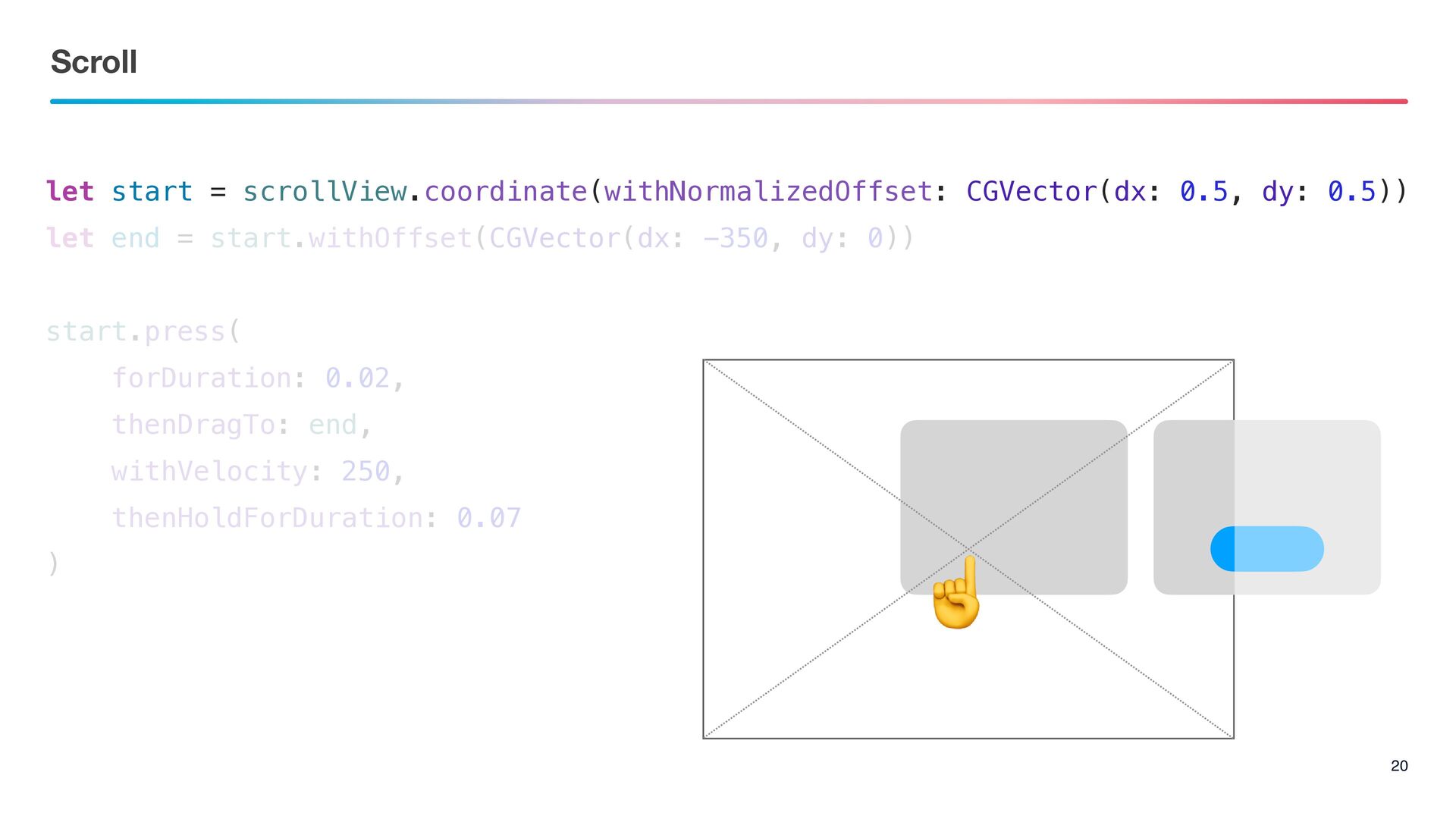
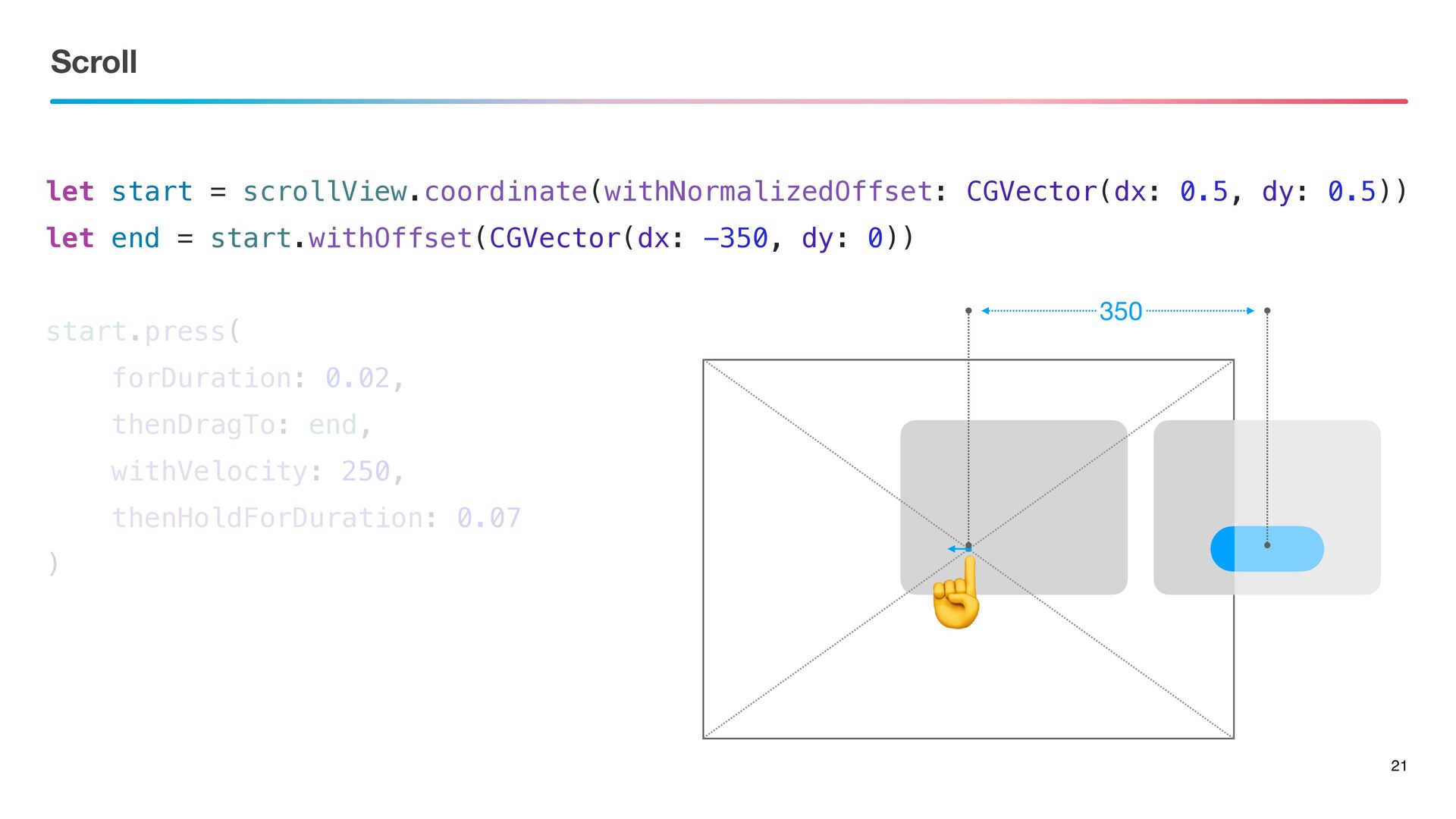
let start = scrollView.coordinate(withNormalizedOffset: CGVector(dx: 0.5, dy: 0.5)) let end
= start.withOffset(CGVector(dx: -350, dy: 0)) start.press( forDuration: 0.02, thenDragTo: end, withVelocity: 250, thenHoldForDuration: 0.07 ) Scroll 20 ☝
Scroll 21 let start = scrollView.coordinate(withNormalizedOffset: CGVector(dx: 0.5, dy: 0.5))
let end = start.withOffset(CGVector(dx: -350, dy: 0)) start.press( forDuration: 0.02, thenDragTo: end, withVelocity: 250, thenHoldForDuration: 0.07 ) 350 ☝
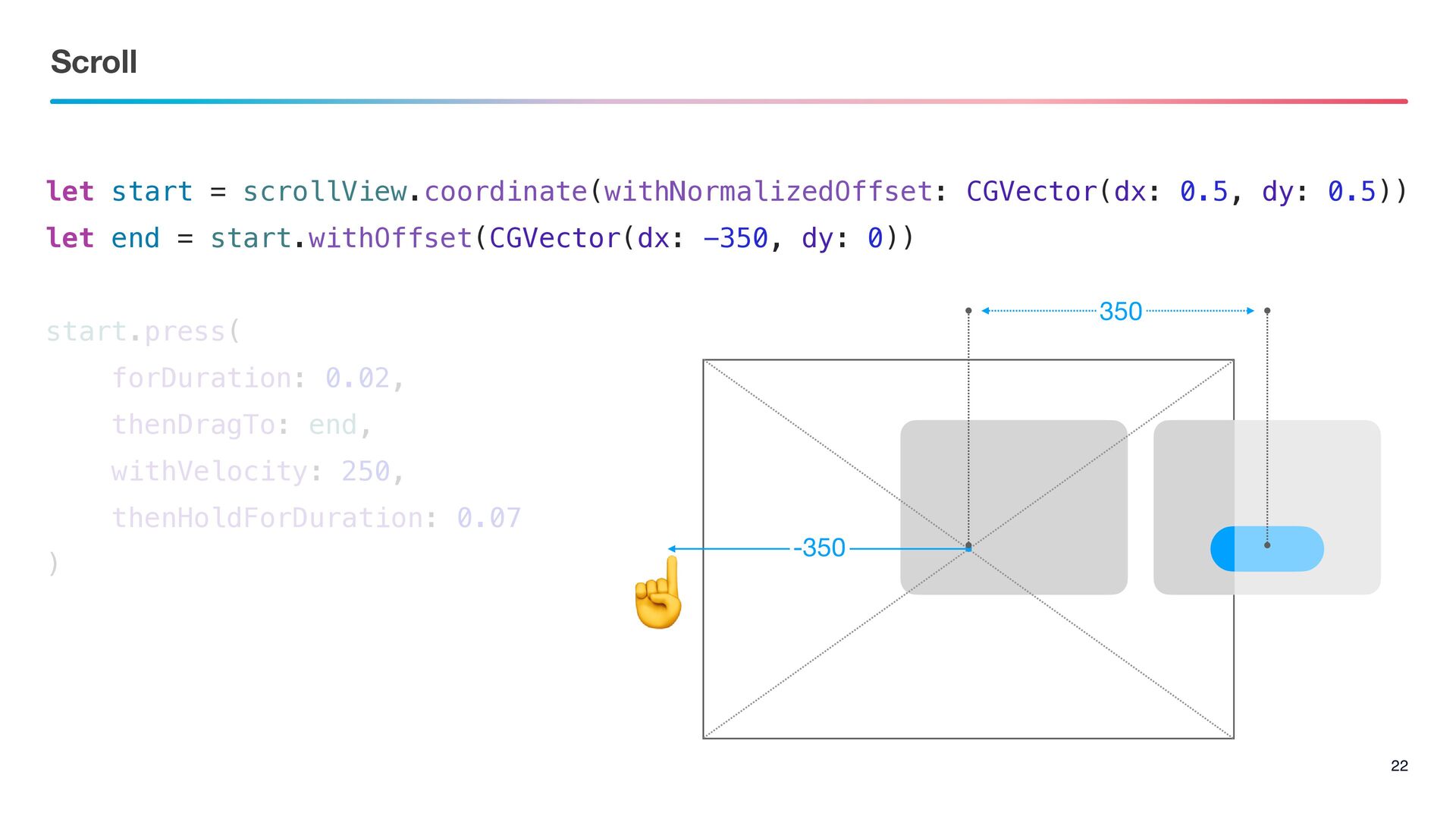
Scroll 22 let start = scrollView.coordinate(withNormalizedOffset: CGVector(dx: 0.5, dy: 0.5))
let end = start.withOffset(CGVector(dx: -350, dy: 0)) start.press( forDuration: 0.02, thenDragTo: end, withVelocity: 250, thenHoldForDuration: 0.07 ) ☝ 350 -350
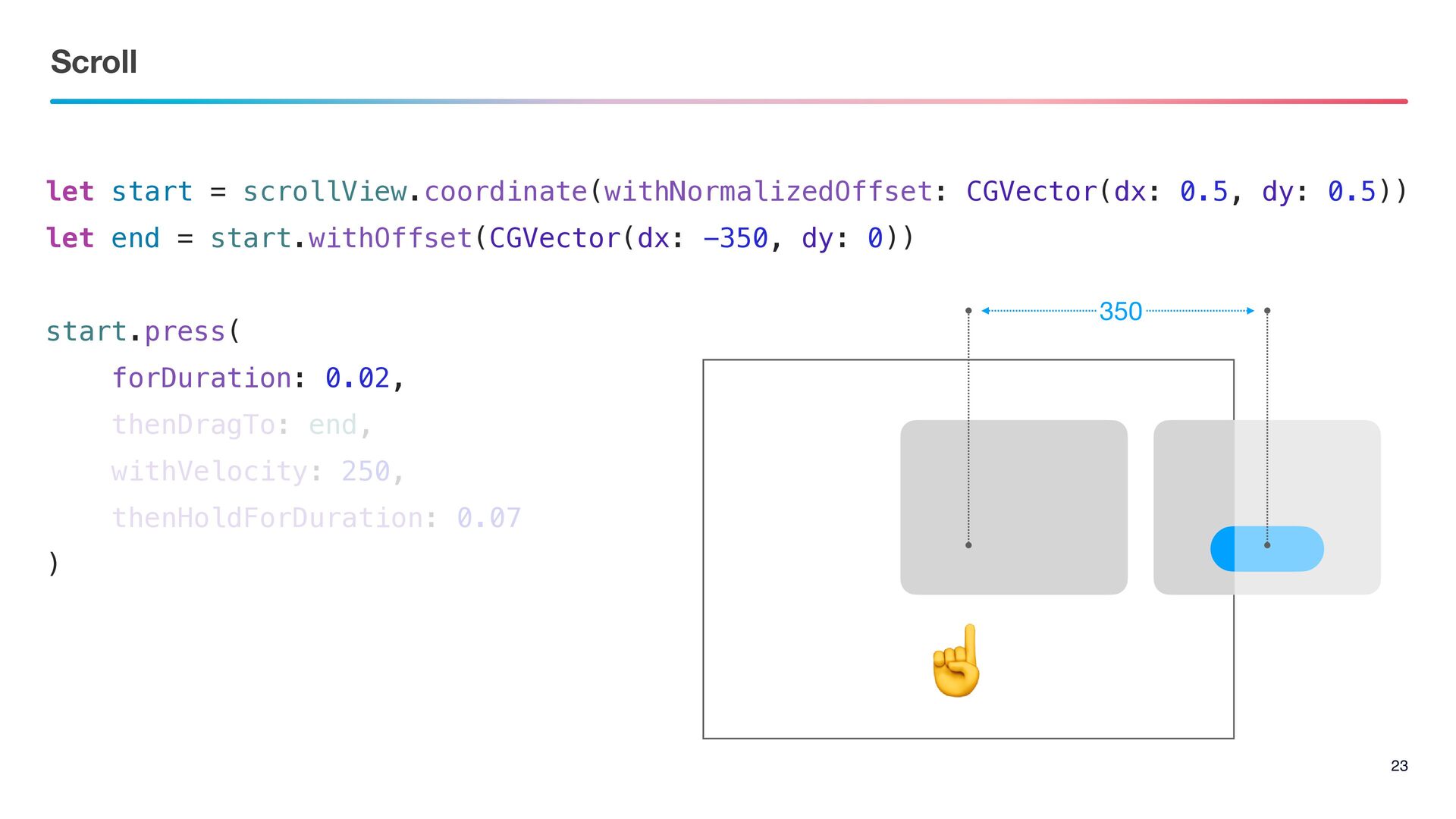
Scroll 23 let start = scrollView.coordinate(withNormalizedOffset: CGVector(dx: 0.5, dy: 0.5))
let end = start.withOffset(CGVector(dx: -350, dy: 0)) start.press( forDuration: 0.02, thenDragTo: end, withVelocity: 250, thenHoldForDuration: 0.07 ) 350 ☝
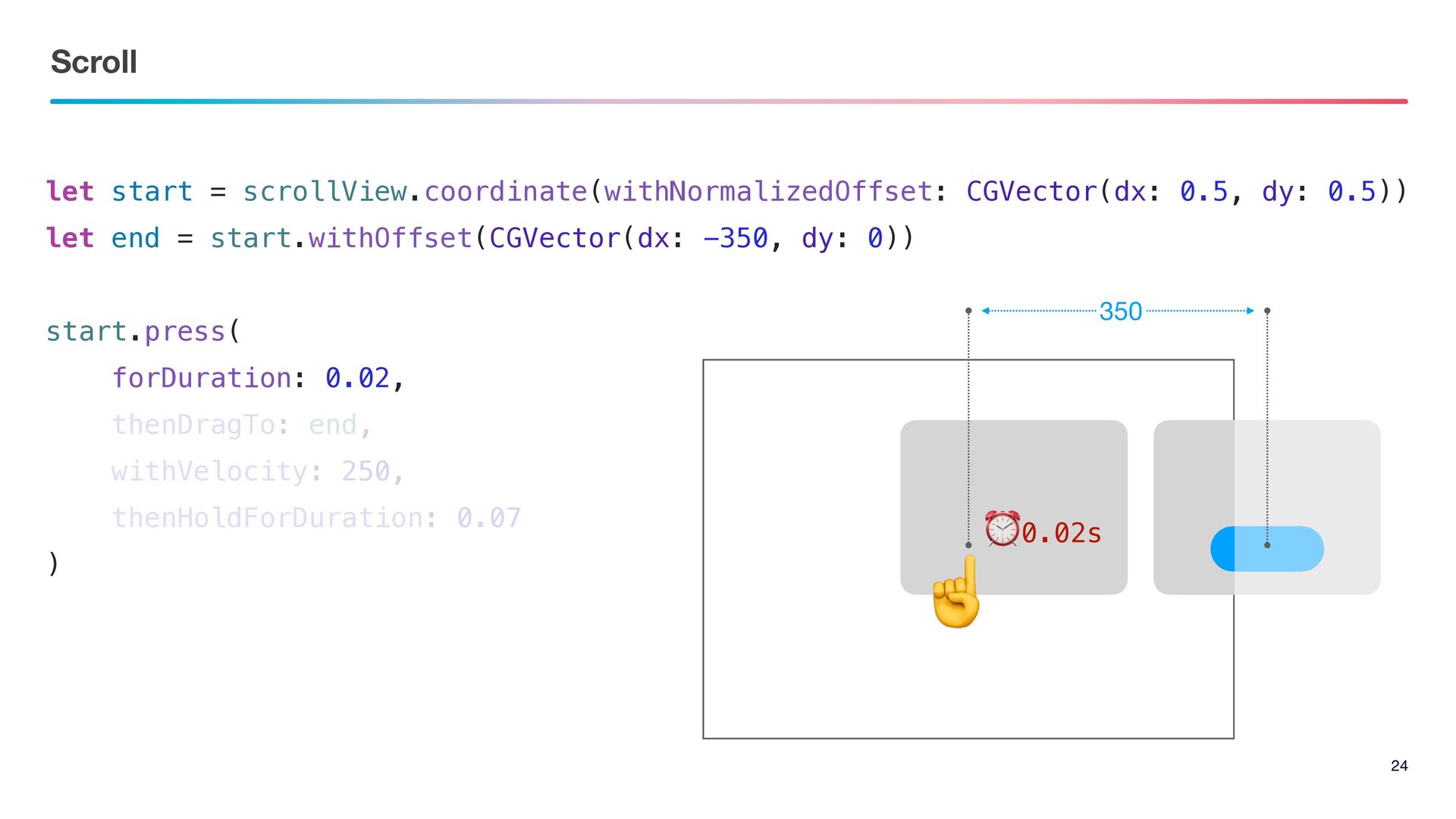
Scroll 24 let start = scrollView.coordinate(withNormalizedOffset: CGVector(dx: 0.5, dy: 0.5))
let end = start.withOffset(CGVector(dx: -350, dy: 0)) start.press( forDuration: 0.02, thenDragTo: end, withVelocity: 250, thenHoldForDuration: 0.07 ) 350 ☝ ⏰0.02s
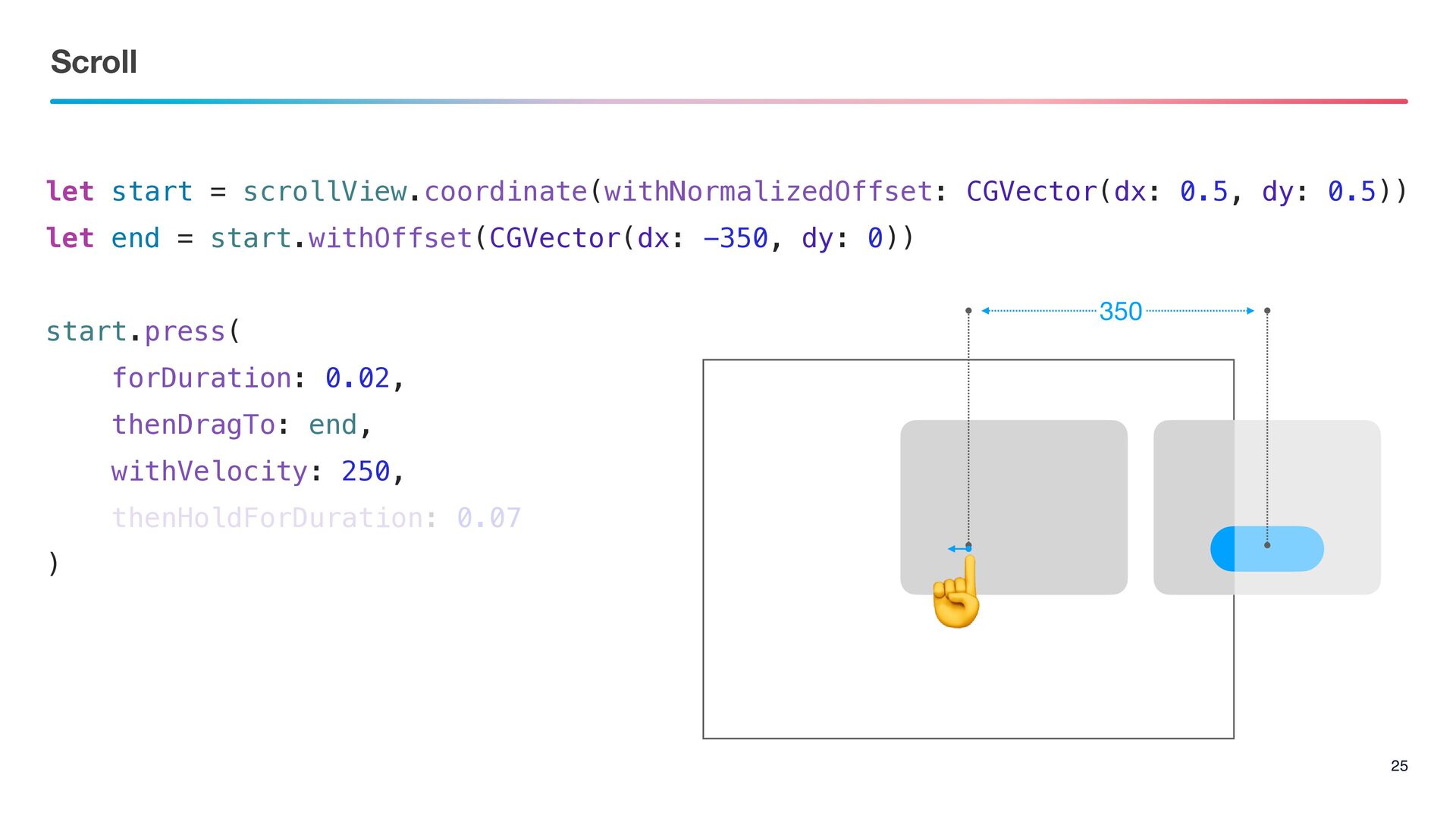
Scroll 25 let start = scrollView.coordinate(withNormalizedOffset: CGVector(dx: 0.5, dy: 0.5))
let end = start.withOffset(CGVector(dx: -350, dy: 0)) start.press( forDuration: 0.02, thenDragTo: end, withVelocity: 250, thenHoldForDuration: 0.07 ) 350 ☝
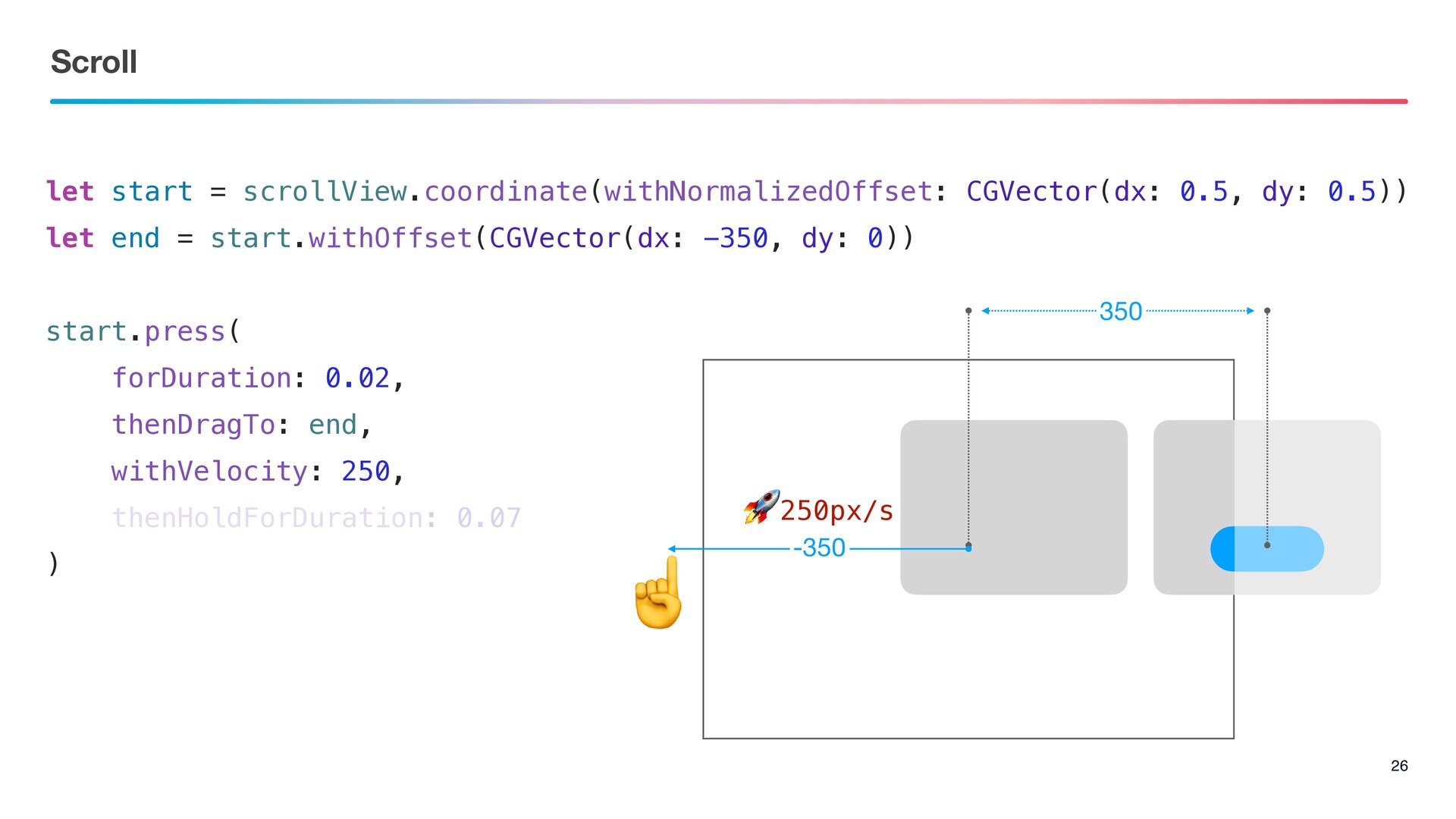
Scroll 26 let start = scrollView.coordinate(withNormalizedOffset: CGVector(dx: 0.5, dy: 0.5))
let end = start.withOffset(CGVector(dx: -350, dy: 0)) start.press( forDuration: 0.02, thenDragTo: end, withVelocity: 250, thenHoldForDuration: 0.07 ) 350 ☝ 🚀250px/s -350
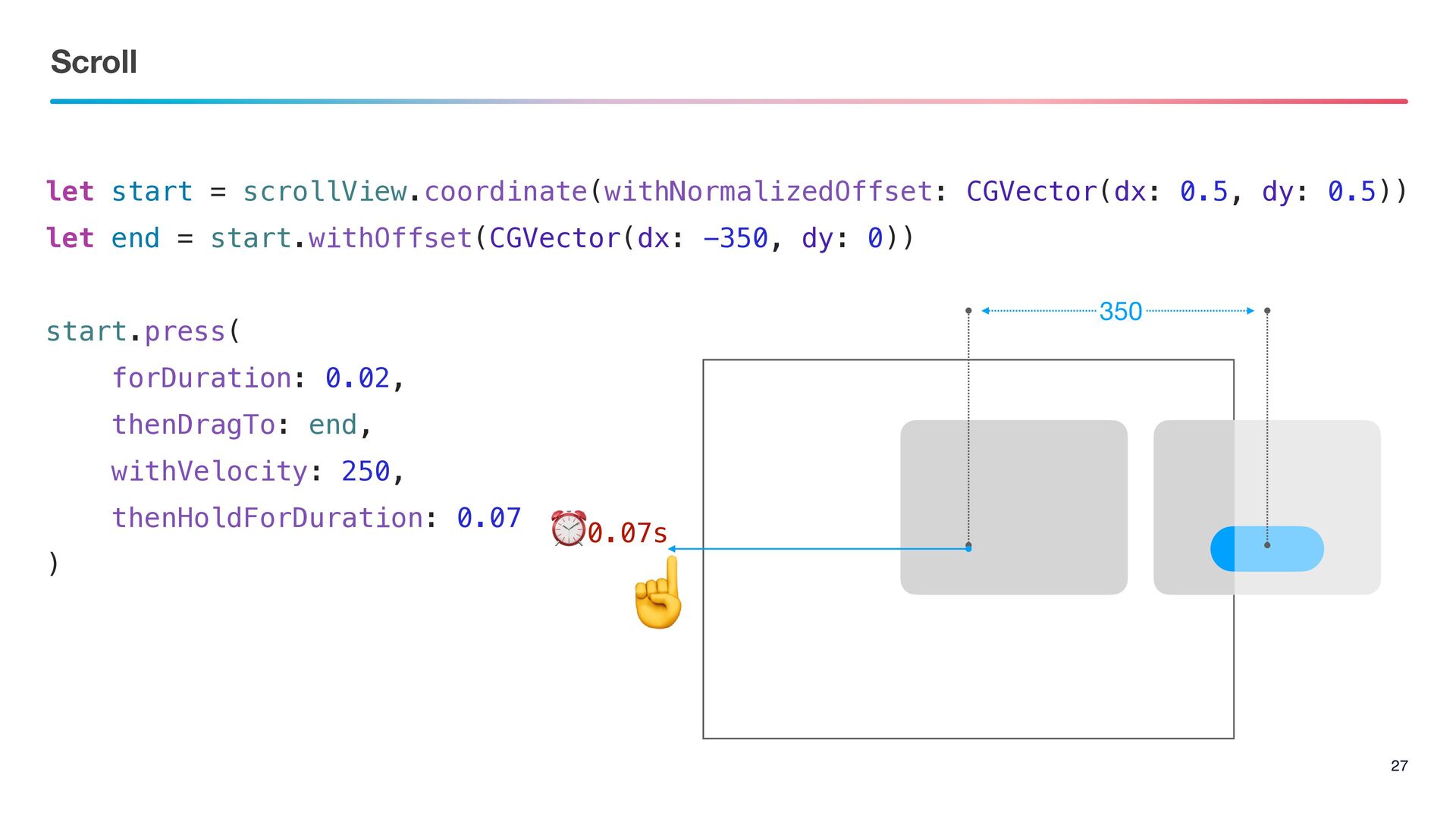
Scroll 27 let start = scrollView.coordinate(withNormalizedOffset: CGVector(dx: 0.5, dy: 0.5))
let end = start.withOffset(CGVector(dx: -350, dy: 0)) start.press( forDuration: 0.02, thenDragTo: end, withVelocity: 250, thenHoldForDuration: 0.07 ) 350 ☝ ⏰0.07s
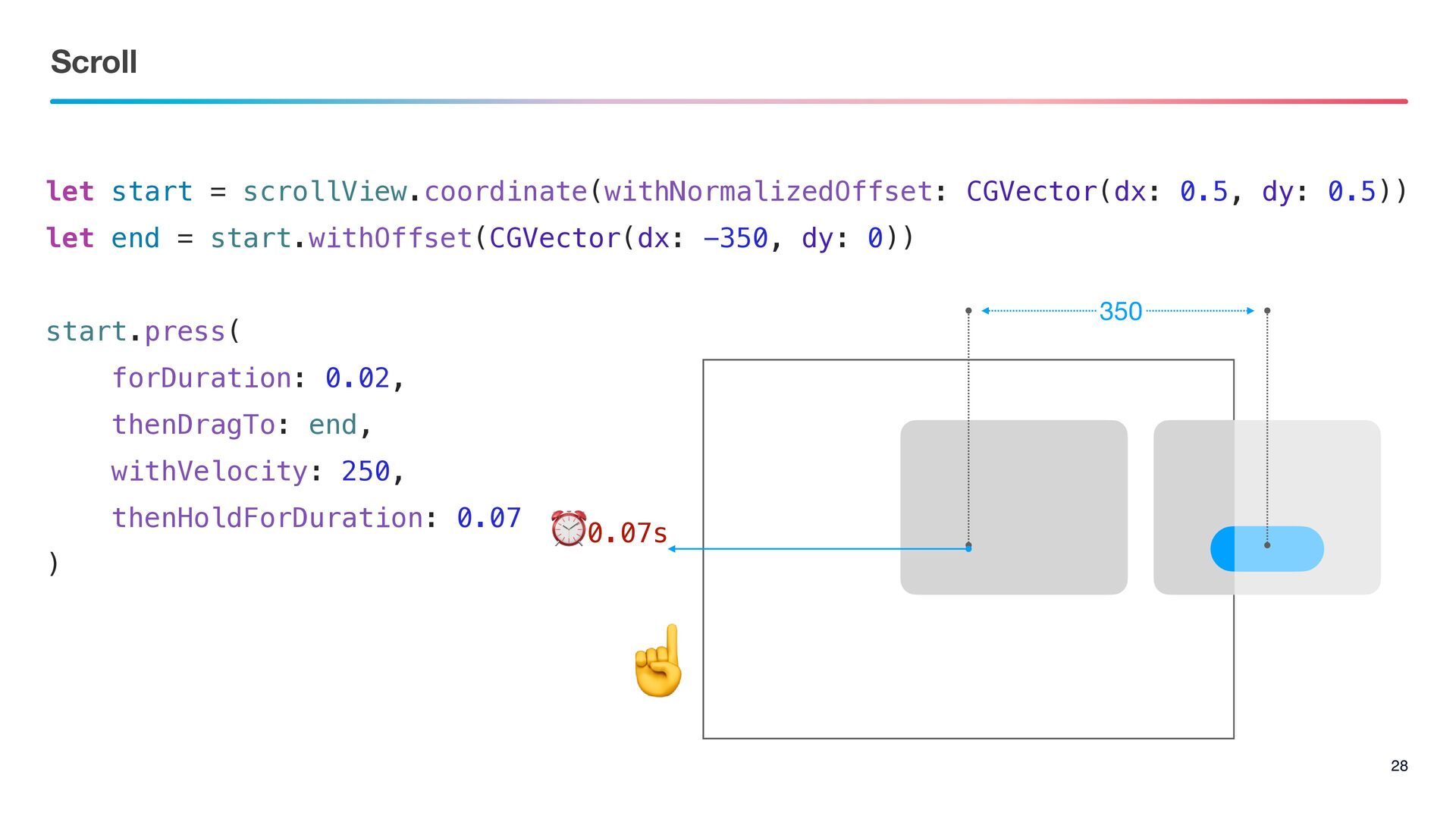
Scroll 28 let start = scrollView.coordinate(withNormalizedOffset: CGVector(dx: 0.5, dy: 0.5))
let end = start.withOffset(CGVector(dx: -350, dy: 0)) start.press( forDuration: 0.02, thenDragTo: end, withVelocity: 250, thenHoldForDuration: 0.07 ) 350 ⏰0.07s ☝
The Point 29 Wait & Scroll ࣮ߦڥͱίϯςϯπʹґଘ͠ͳ͍ςετΛࢦͯ͠
Thank you !!


 akkeylab
 minodriven
 rkaga
rkaga
 yukikurage
 timakin
 sylph01
 sorah
sorah
 nabondance
 ___akari11
 ryu1013
 yasaichi
 kaityo256
 hollycummins
 brettharned
 skipperchong
 bkeepers
.jpg) cargoodrich
cargoodrich
 tamaranovitovic
 aleyda
 chrislema
 honnibal
 kimpetersen
 oripsolob
 geshan
 apolaine