Upgrade to Pro
— share decks privately, control downloads, hide ads and more …
Speaker Deck
Sign up for free
Menu
Search
Features
All features
Private URLs
Password Protection
Custom URLS
Scheduled publishing
Remove Branding
Restrict embedding
Deck Collections
Notes
Features
All features
Private URLs
Password Protection
Custom URLS
Scheduled publishing
Remove Branding
Restrict embedding
Deck Collections
Notes
Explore
Featured decks
Featured speakers
Programming
Technology
Storyboards
Explore
Featured decks
Featured speakers
Programming
Technology
Storyboards
Pricing
Search
Sign in
Sign up for free
Tips and Tricks for Visual Studio 2010
Search
Alex Thissen
February 17, 2012
Programming
39
0
Share
Embed
Copy iframe code
Copy JS code
Copy link
Start on current slide
Tips and Tricks for Visual Studio 2010
Alex Thissen
February 17, 2012
More Decks by Alex Thissen
See All by Alex Thissen
Catching up with Windows Azure Active Directory
alexthissen
0
49
Introduction to OWIN
alexthissen
0
58
//build/ redux
alexthissen
0
65
Secure your apps with ASP.NET Identity
alexthissen
0
60
Microsoft SDL in practice
alexthissen
0
770
Visual Studio 2012 Tips and Tricks
alexthissen
0
120
Azure Active Directory and Web Single Signon
alexthissen
0
98
Claims-based Security for Web Apps using WIF 4.5
alexthissen
0
94
Visual Studio 2012 voor de VB.NET Web developer
alexthissen
0
43
Other Decks in Programming
See All in Programming
Event is what happens
moro
2
960
當我們開始不讀 Code - AI Agent 時代,Code Review 與 Clean Code 還剩下什麼?
jame2408
1
270
Jetpack Compose Mechanisms
skydoves
3
820
UnityでSystem.Net.WebSocketsなWebSocketサーバが動かないのでUnity Monoのコードを覗いてみた / about implementing websocket server with unity mono
drumath2237
1
610
R8 の設定見直しでアプリサイズ削減
andpad
0
220
Atomic Design, Enforced: Scaling Mobile Design Systems (next.app devCon / droidCon Berlin 2026)
steliosf
PRO
0
170
JAWS-UG 東京支部が始める、JAWS-UG支部コラボ / JAWS-UG lunchtime LT Collaboration
y0hgi
0
280
エージェントを使い続けるためのメタワーク / Meta-work for keeping using the agent
rkaga
1
280
IBM Bob でAI駆動開発『QC-Playbook』
ichirokano2
0
110
[JA] Domain Modeling with Vanilla Rails: 「操作」から再考するRailsの設計論
yasaichi
3
470
AI主導のプログラミング学習アプリを作ってみた
econanringo
0
180
Unity6 URPによる海底をテーマにしたVJシステムの解説 | Unity Shader 完全に理解した 勉強会
gam0022
0
370
Featured
See All Featured
Abbi's Birthday
coloredviolet
4
10k
Responsive Adventures: Dirty Tricks From The Dark Corners of Front-End
smashingmag
254
22k
HTML-Aware ERB: The Path to Reactive Rendering @ RubyCon 2026, Rimini, Italy
marcoroth
5
830
How to Build an AI Search Optimization Roadmap - Criteria and Steps to Take #SEOIRL
aleyda
1
2.2k
Side Projects
sachag
456
43k
Designing Dashboards & Data Visualisations in Web Apps
destraynor
232
55k
Visual Storytelling: How to be a Superhuman Communicator
reverentgeek
2
710
Hiding What from Whom? A Critical Review of the History of Programming languages for Music
tomoyanonymous
3
1.4k
Documentation Writing (for coders)
carmenintech
77
5.6k
Darren the Foodie - Storyboard
khoart
PRO
4
4k
First, design no harm
axbom
PRO
2
1.3k
Visualizing Your Data: Incorporating Mongo into Loggly Infrastructure
mongodb
50
10k
Transcript
None
None
Tips Tips Tips Even more tips … And then some
tips
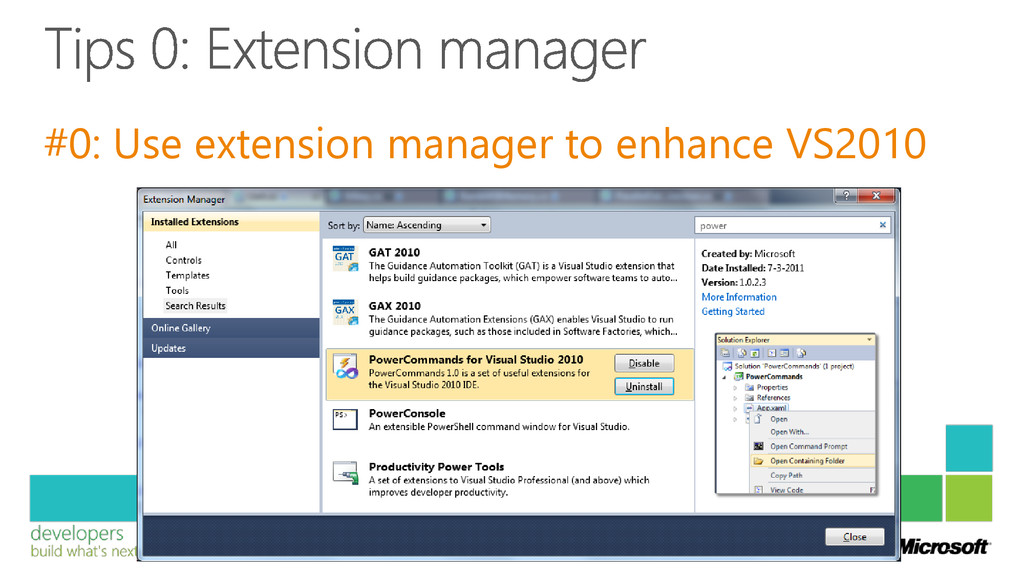
#0: Use extension manager to enhance VS2010
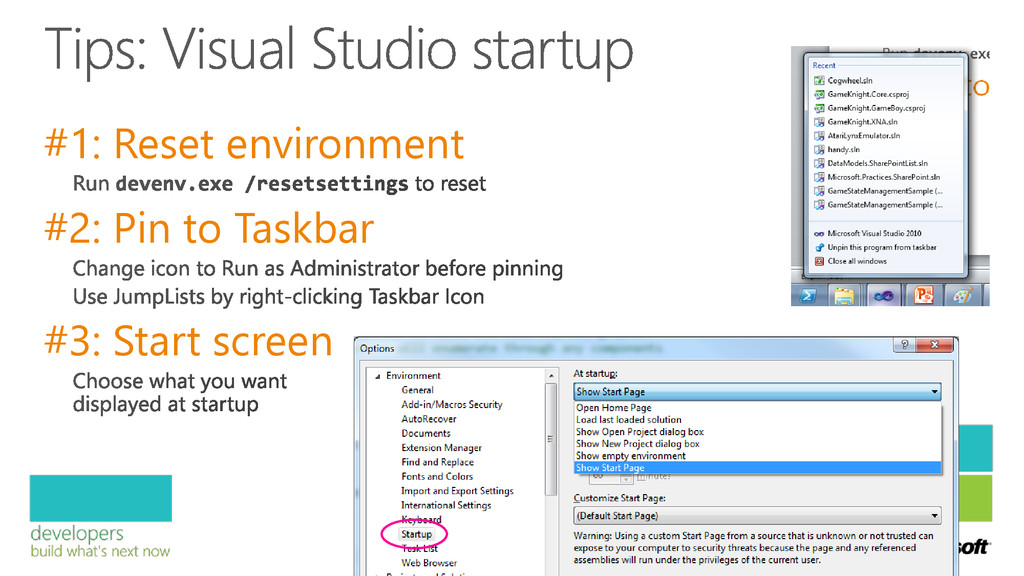
#1: Reset environment #2: Pin to Taskbar #3: Start screen
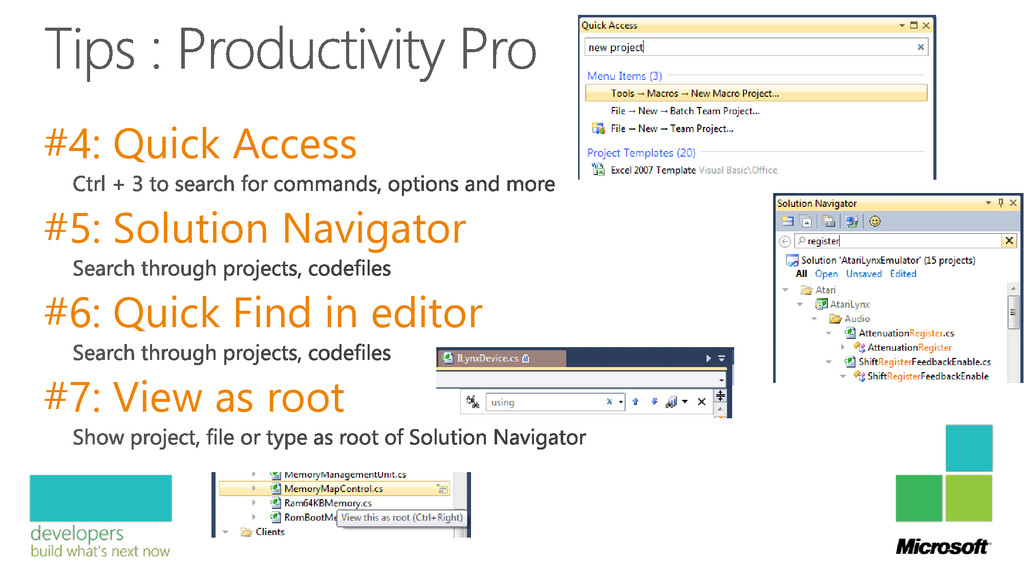
#4: Quick Access #5: Solution Navigator #6: Quick Find in
editor #7: View as root
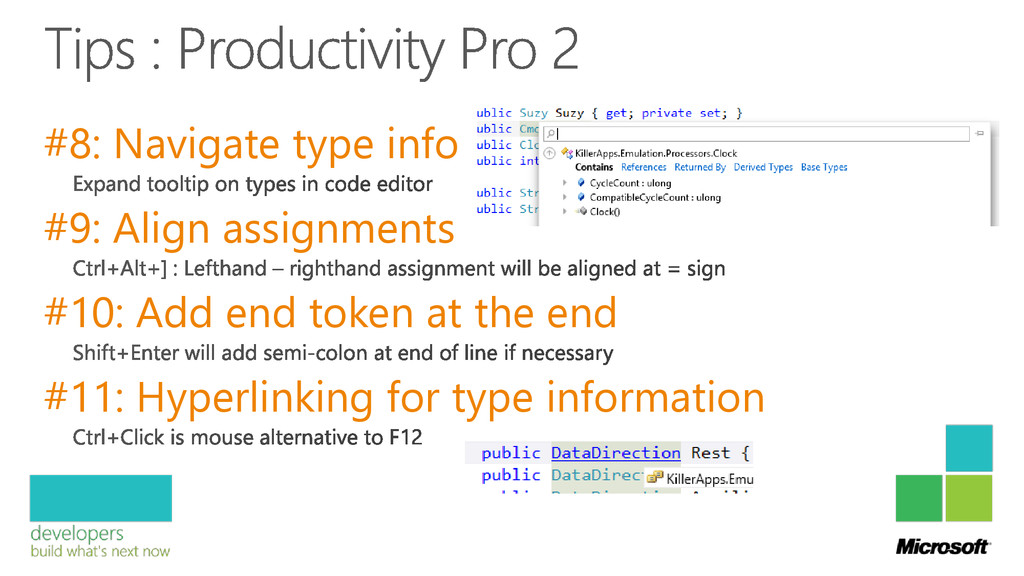
#8: Navigate type info #9: Align assignments #10: Add end
token at the end #11: Hyperlinking for type information
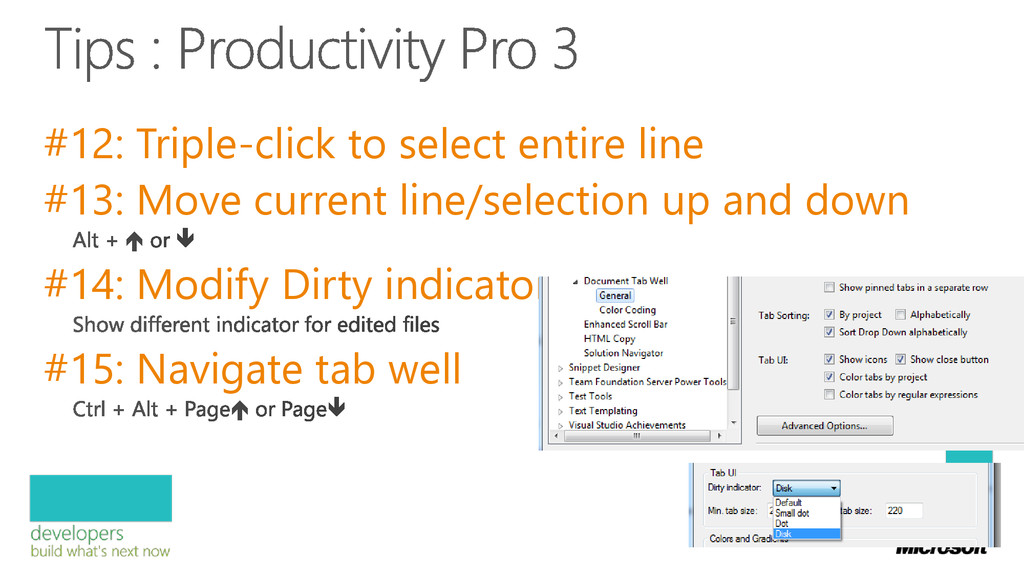
#12: Triple-click to select entire line #13: Move current line/selection
up and down #14: Modify Dirty indicator #15: Navigate tab well
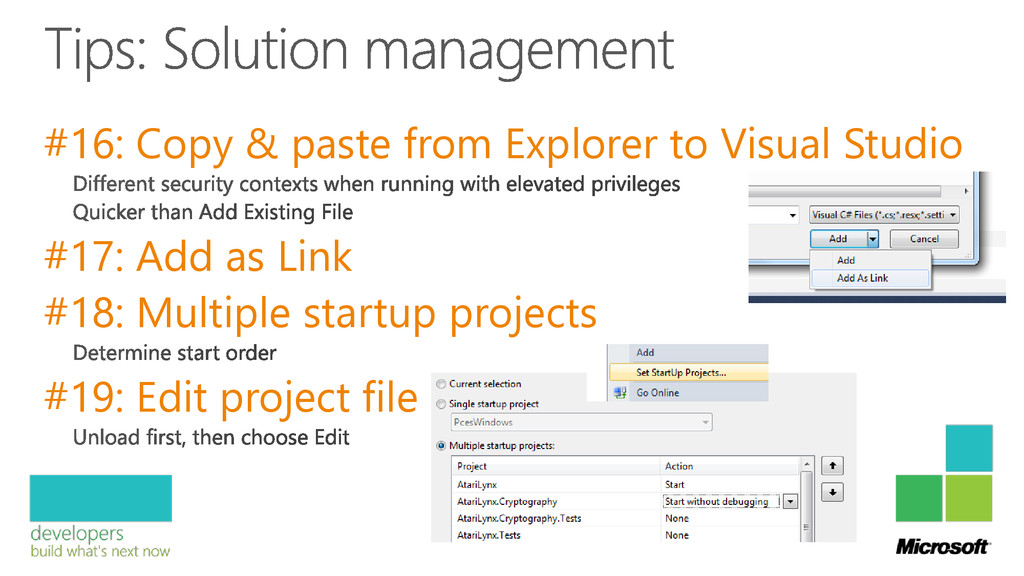
#16: Copy & paste from Explorer to Visual Studio #17:
Add as Link #18: Multiple startup projects #19: Edit project file
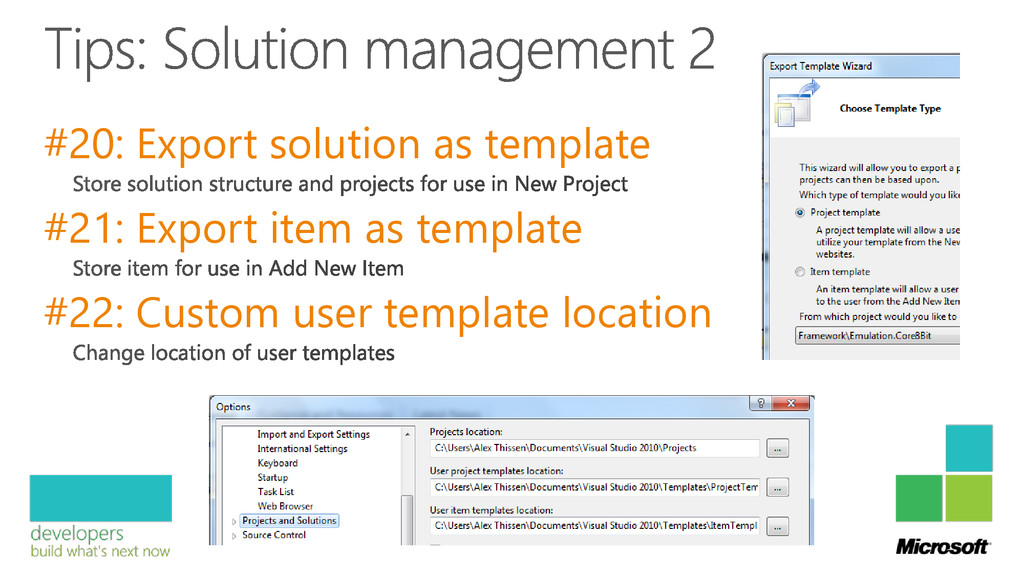
#20: Export solution as template #21: Export item as template
#22: Custom user template location
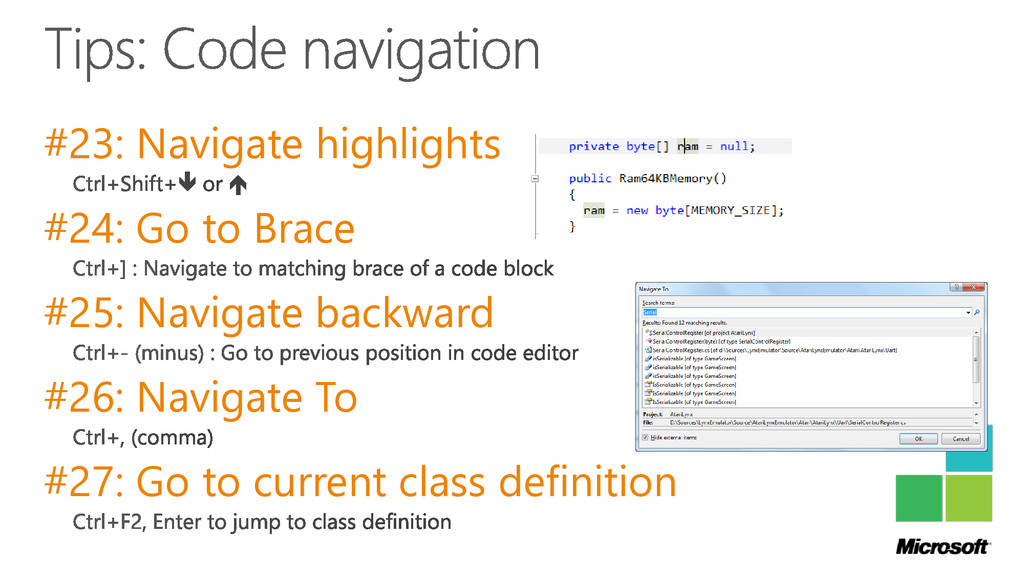
#23: Navigate highlights #24: Go to Brace #25: Navigate backward
#26: Navigate To #27: Go to current class definition
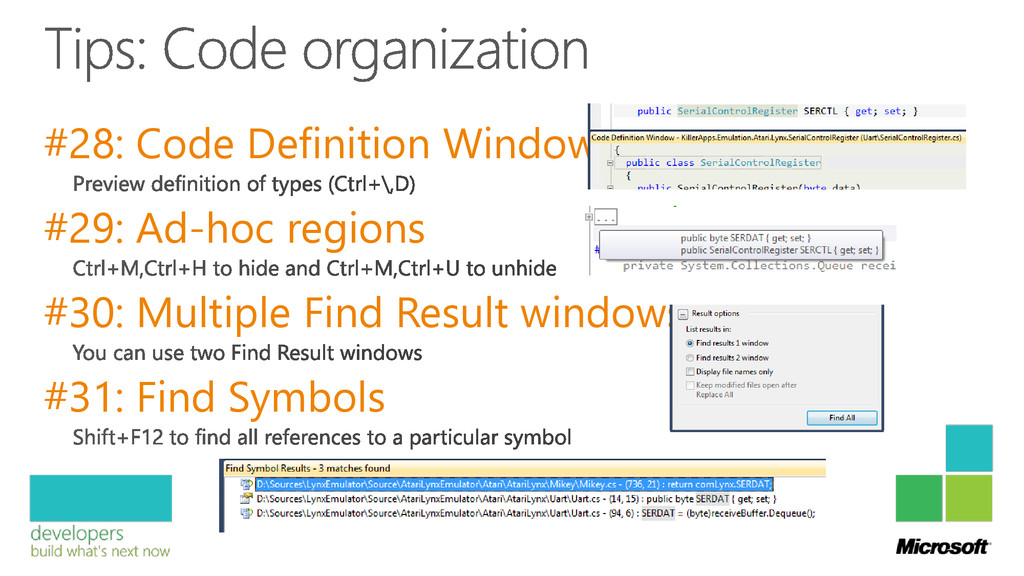
#28: Code Definition Window #29: Ad-hoc regions #30: Multiple Find
Result windows #31: Find Symbols
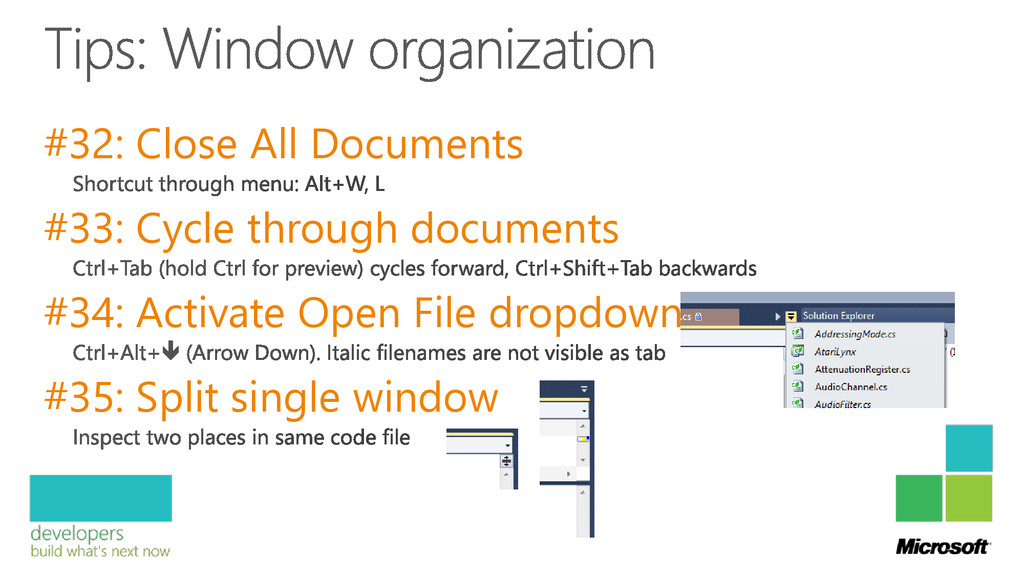
#32: Close All Documents #33: Cycle through documents #34: Activate
Open File dropdown #35: Split single window
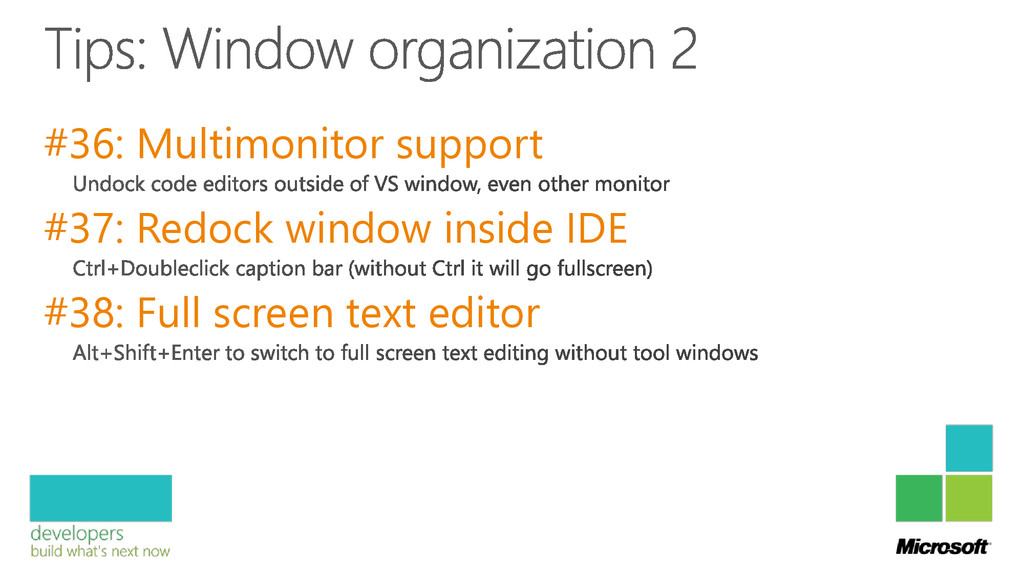
#36: Multimonitor support #37: Redock window inside IDE #38: Full
screen text editor
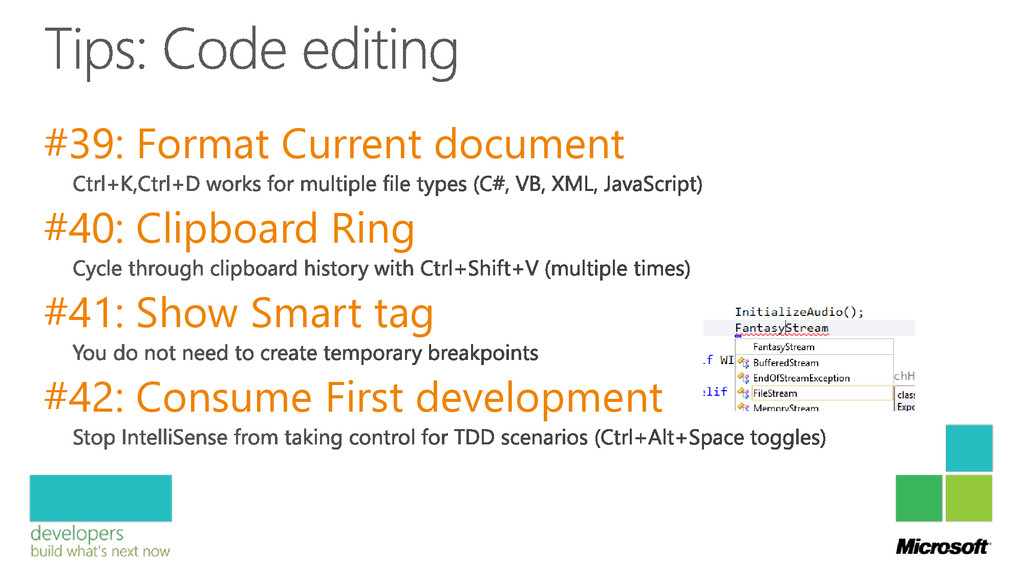
#39: Format Current document #40: Clipboard Ring #41: Show Smart
tag #42: Consume First development
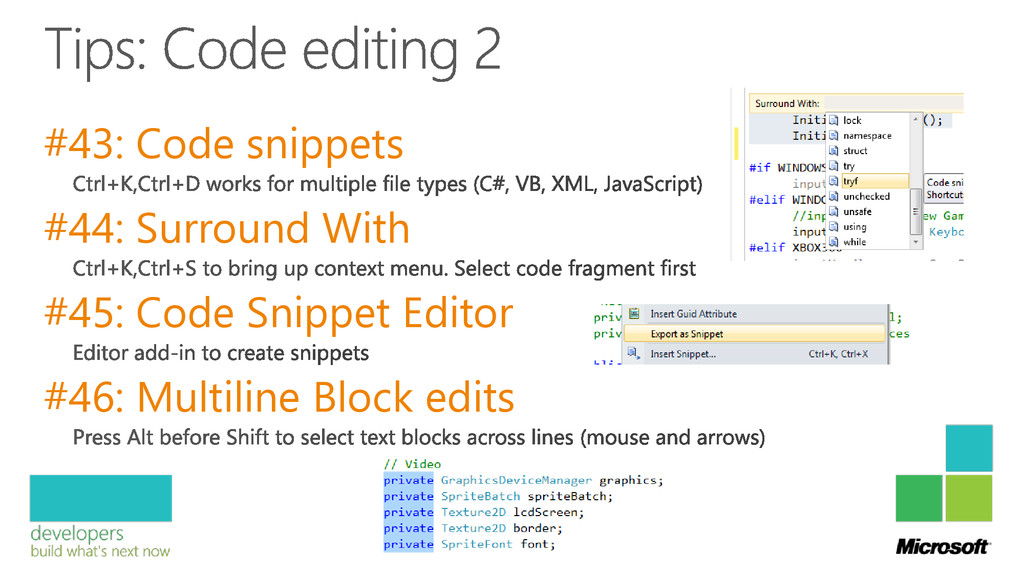
#43: Code snippets #44: Surround With #45: Code Snippet Editor
#46: Multiline Block edits
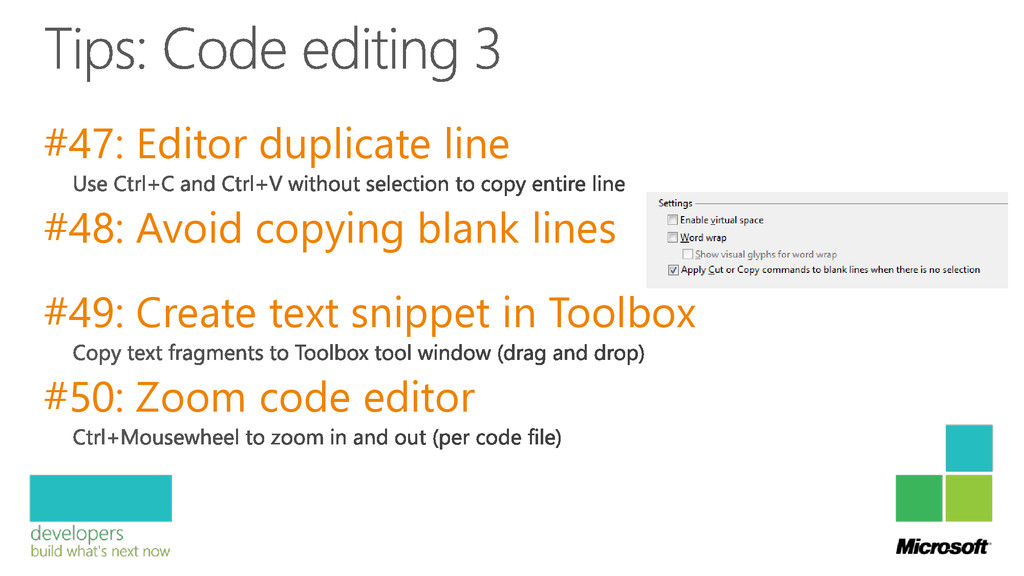
#47: Editor duplicate line #48: Avoid copying blank lines #49:
Create text snippet in Toolbox #50: Zoom code editor
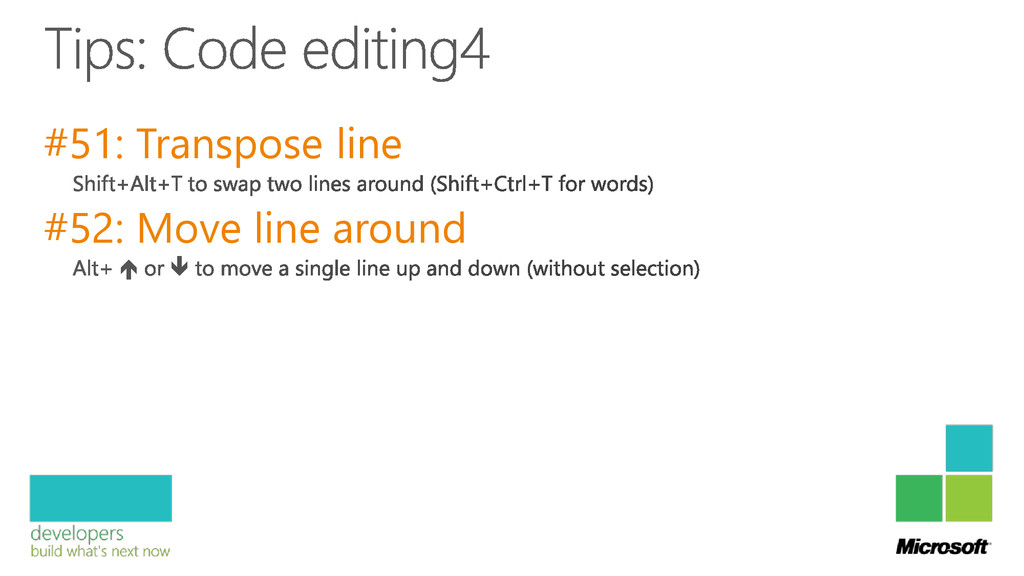
#51: Transpose line #52: Move line around
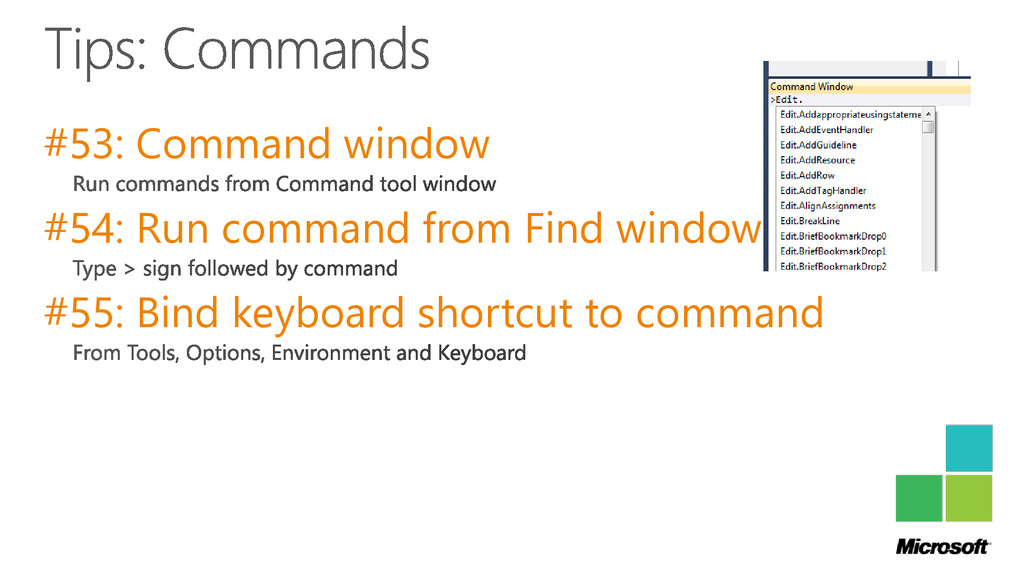
#53: Command window #54: Run command from Find window #55:
Bind keyboard shortcut to command
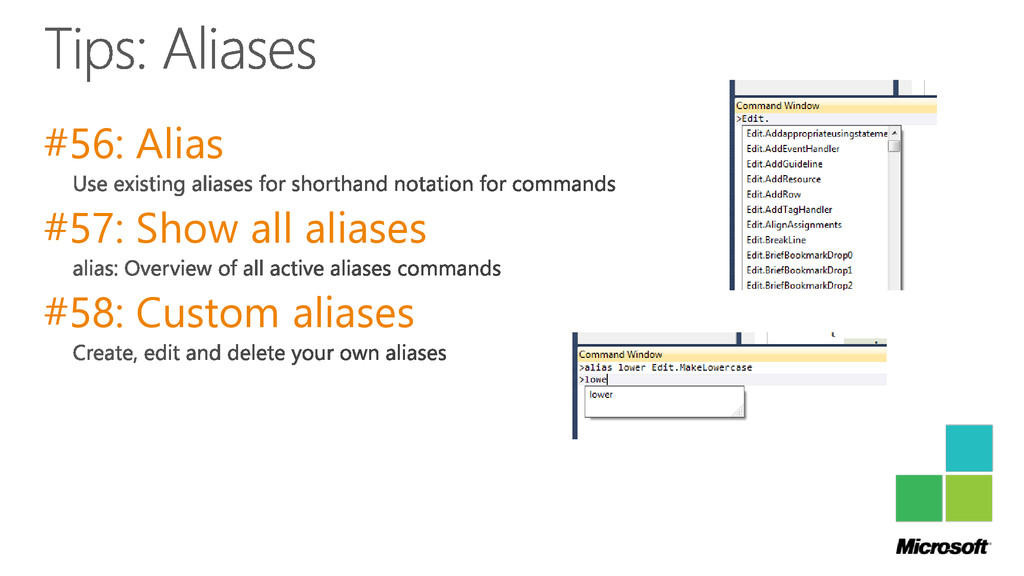
#56: Alias #57: Show all aliases #58: Custom aliases
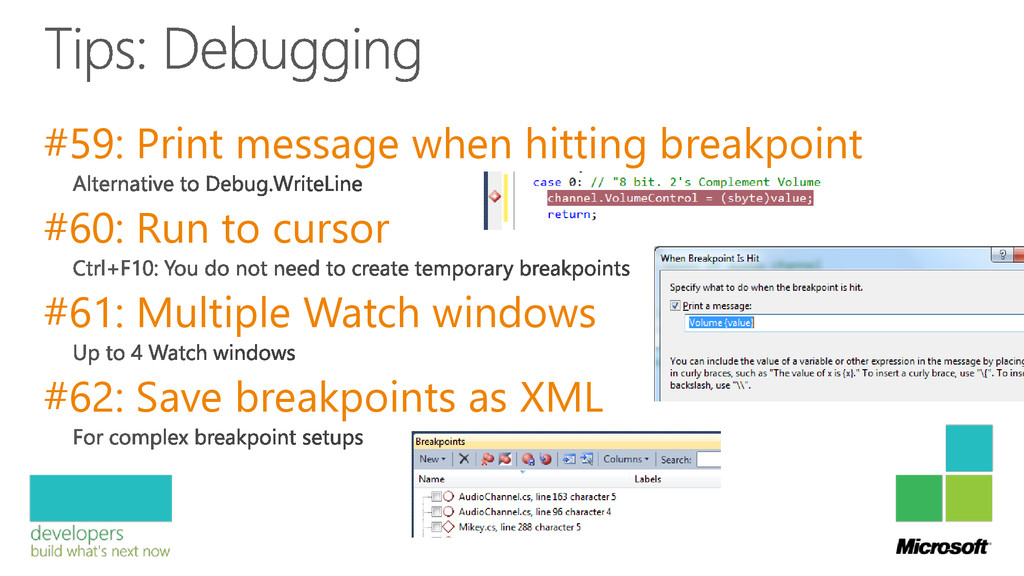
#59: Print message when hitting breakpoint #60: Run to cursor
#61: Multiple Watch windows #62: Save breakpoints as XML
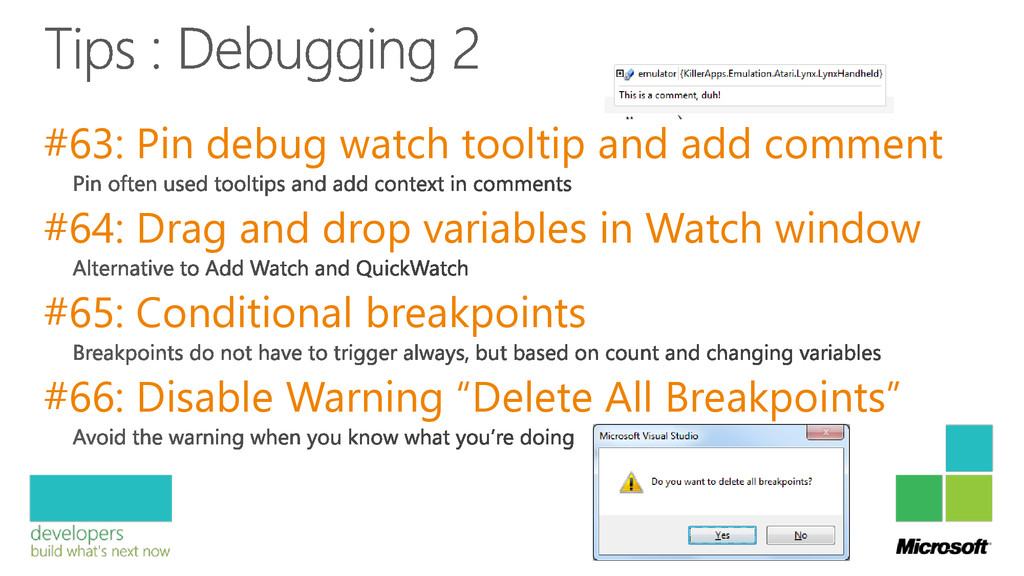
#63: Pin debug watch tooltip and add comment #64: Drag
and drop variables in Watch window #65: Conditional breakpoints #66: Disable Warning “Delete All Breakpoints”
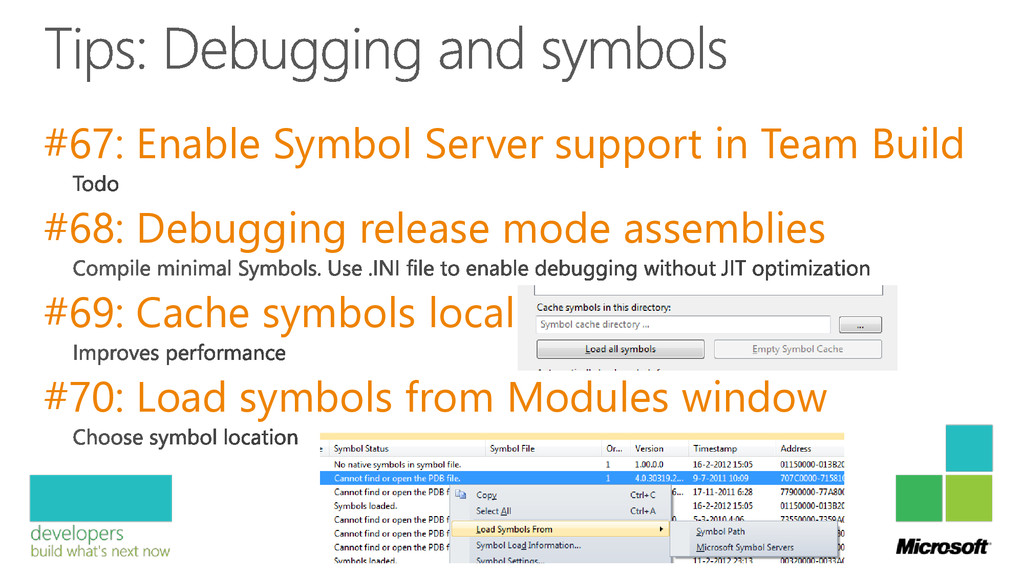
#67: Enable Symbol Server support in Team Build #68: Debugging
release mode assemblies #69: Cache symbols locally #70: Load symbols from Modules window
#71: $exception in Watch windows
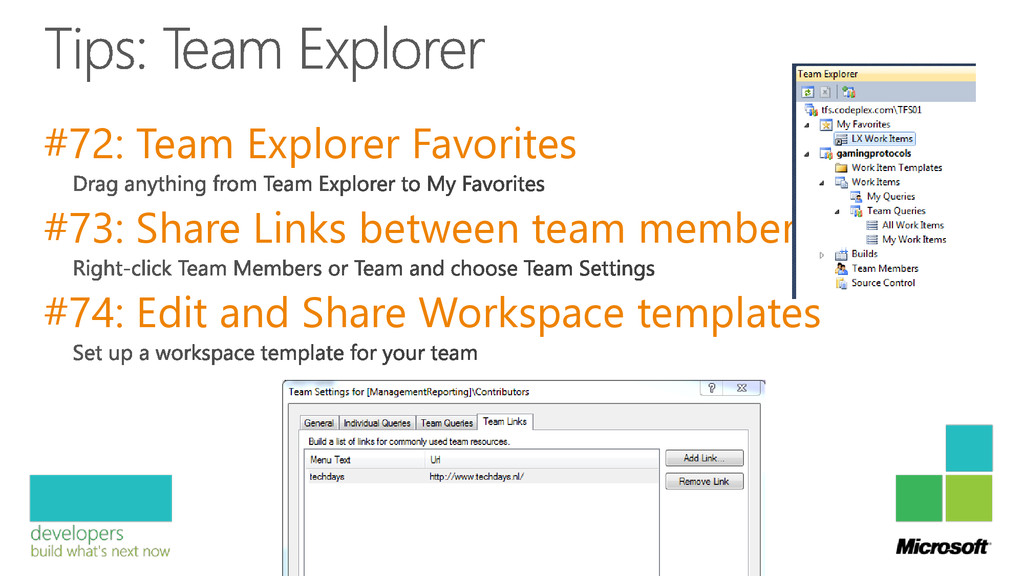
#72: Team Explorer Favorites #73: Share Links between team member
#74: Edit and Share Workspace templates
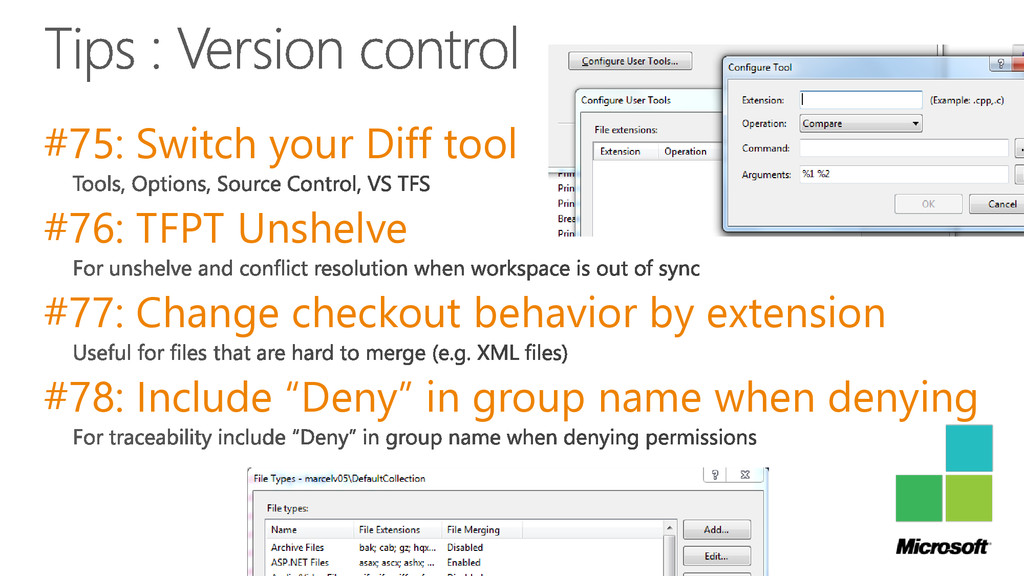
#75: Switch your Diff tool #76: TFPT Unshelve #77: Change
checkout behavior by extension #78: Include “Deny” in group name when denying
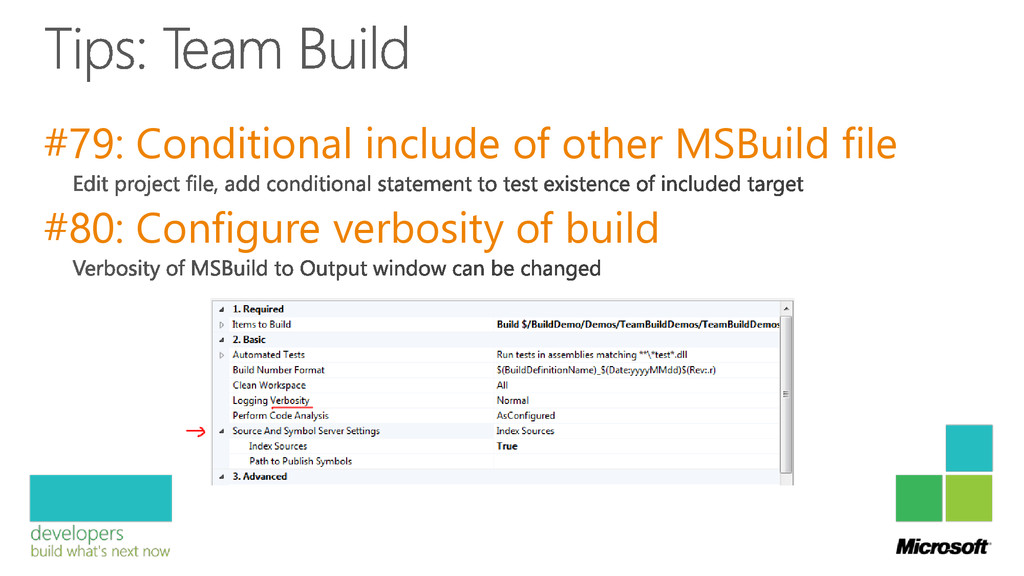
#79: Conditional include of other MSBuild file #80: Configure verbosity
of build
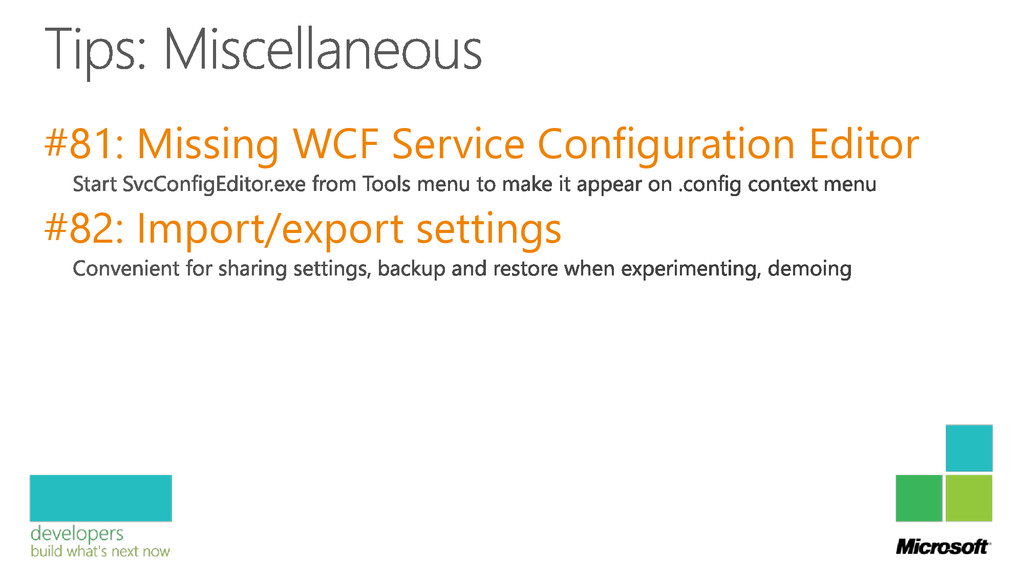
#81: Missing WCF Service Configuration Editor #82: Import/export settings
Tip: 18% recommended Remember the tips We set a new
record!! You can watch it again (slow motion)
None


 alexthissen
 moro
moro
 jame2408
 skydoves
 drumath2237
 andpad
 steliosf
 y0hgi
y0hgi
 rkaga
rkaga
 ichirokano2
 yasaichi
 econanringo
 gam0022
 coloredviolet
 smashingmag
 marcoroth
 aleyda
 sachag
 destraynor
 reverentgeek
 tomoyanonymous
 carmenintech
 khoart
 axbom
axbom
 mongodb