TanStack Vue Query と Pinia Colada から学ぶ非同期状態の型設計
Sponsored
·
 SiteGround - Reliable hosting with speed, security, and support you can count on.
→
SiteGround - Reliable hosting with speed, security, and support you can count on.
→

Share
Embed
TanStack Vue Query と Pinia Colada から学ぶ非同期状態の型設計
Vue Fes Japan 2026 セッション登壇資料
非同期状態の持ち方とcomposableの戻り値から、「型の絞り込み」と「分割代入」のトレードオフを考えるセッションです。

aoshi
October 26, 2026
Transcript
105 slides
-
このセッションのターゲット1 Vue の初級者 ~ 中級者で、もっと深く Vue を理解したい方 など Composition API
の基本知識があればOK! 私も 1 年程前に Vue を使い始めたので、同じ視点でお話ができると思います ref , reactive , computed -
このセッションのターゲット2 や Pinia Colada などの Vue 向け データフェッチライブラリを利用している方、導入を検討している方 TanStack Vue
Query 型の扱い方に少し注意点があるので、知っておくと役立つかもしれません -
このセッションのターゲット3 普段 React や Svelte など他のフレームワークを使っている方 自分の使っているフレームワークとの比較 Vue のキャッチアップ感覚でお聞きください 素の
TypeScript の話を含みます 今後の開発に活用しやすい部分もあると思います -
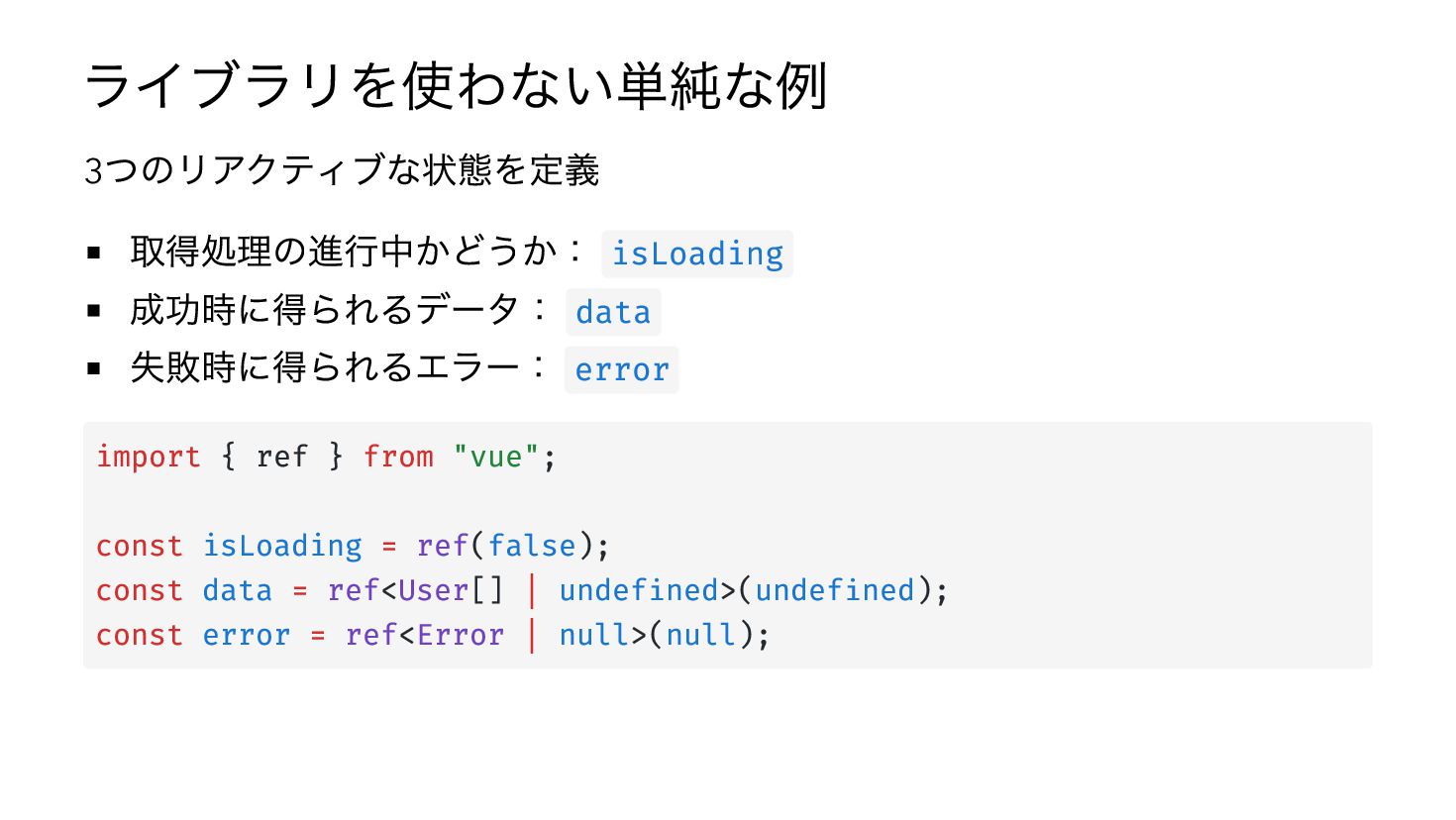
ライブラリを使わない単純な例 つのリアクティブな状態を定義 取得処理の進行中かどうか: isLoading 成功時に得られるデータ: data 失敗時に得られるエラー: error 3 import
{ ref } from "vue"; const isLoading = ref(false); const data = ref<User[] | undefined>(undefined); const error = ref<Error | null>(null); -
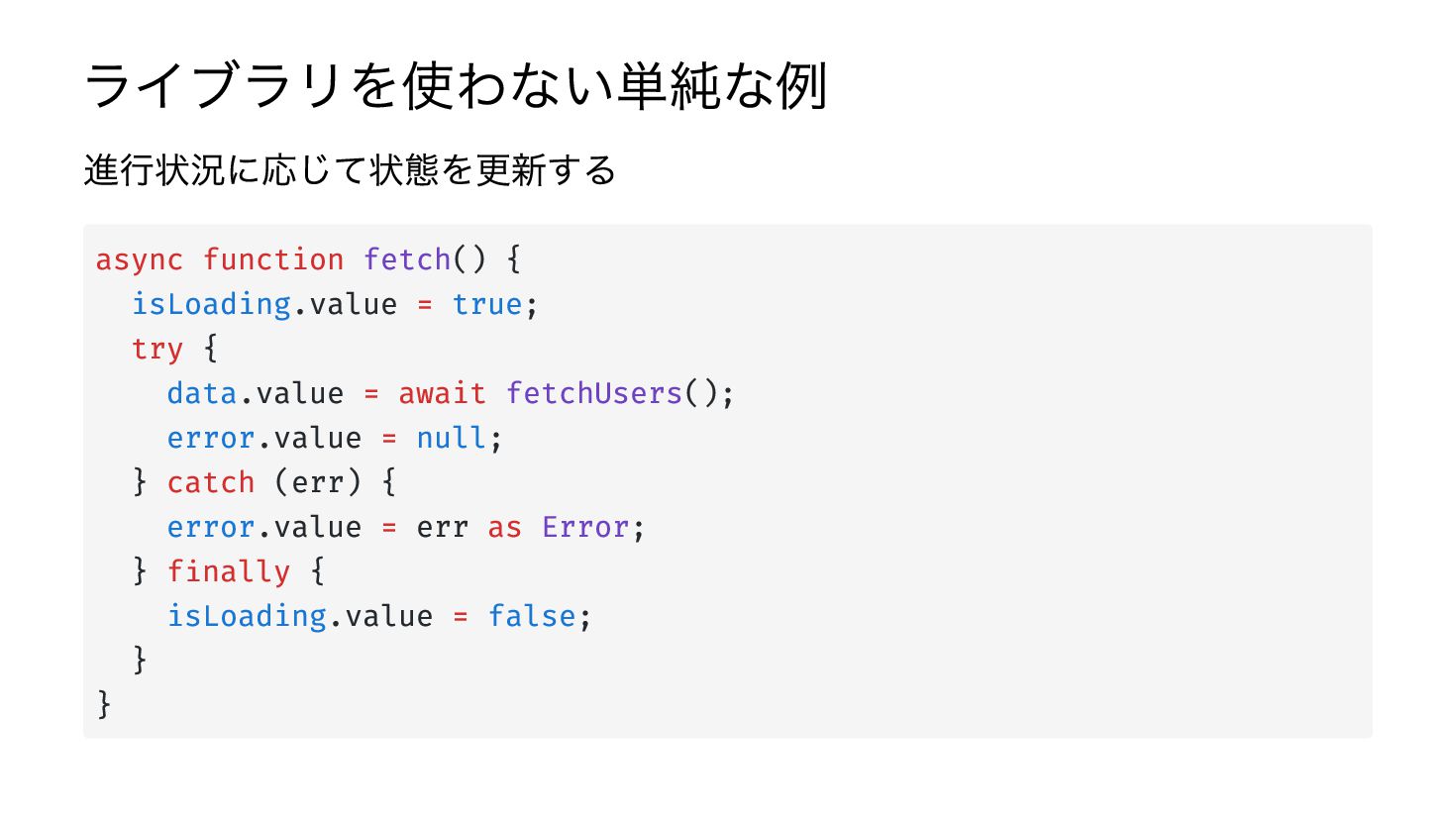
ライブラリを使わない単純な例 進行状況に応じて状態を更新する async function fetch() { isLoading.value = true; try
{ data.value = await fetchUsers(); error.value = null; } catch (err) { error.value = err as Error; } finally { isLoading.value = false; } } -
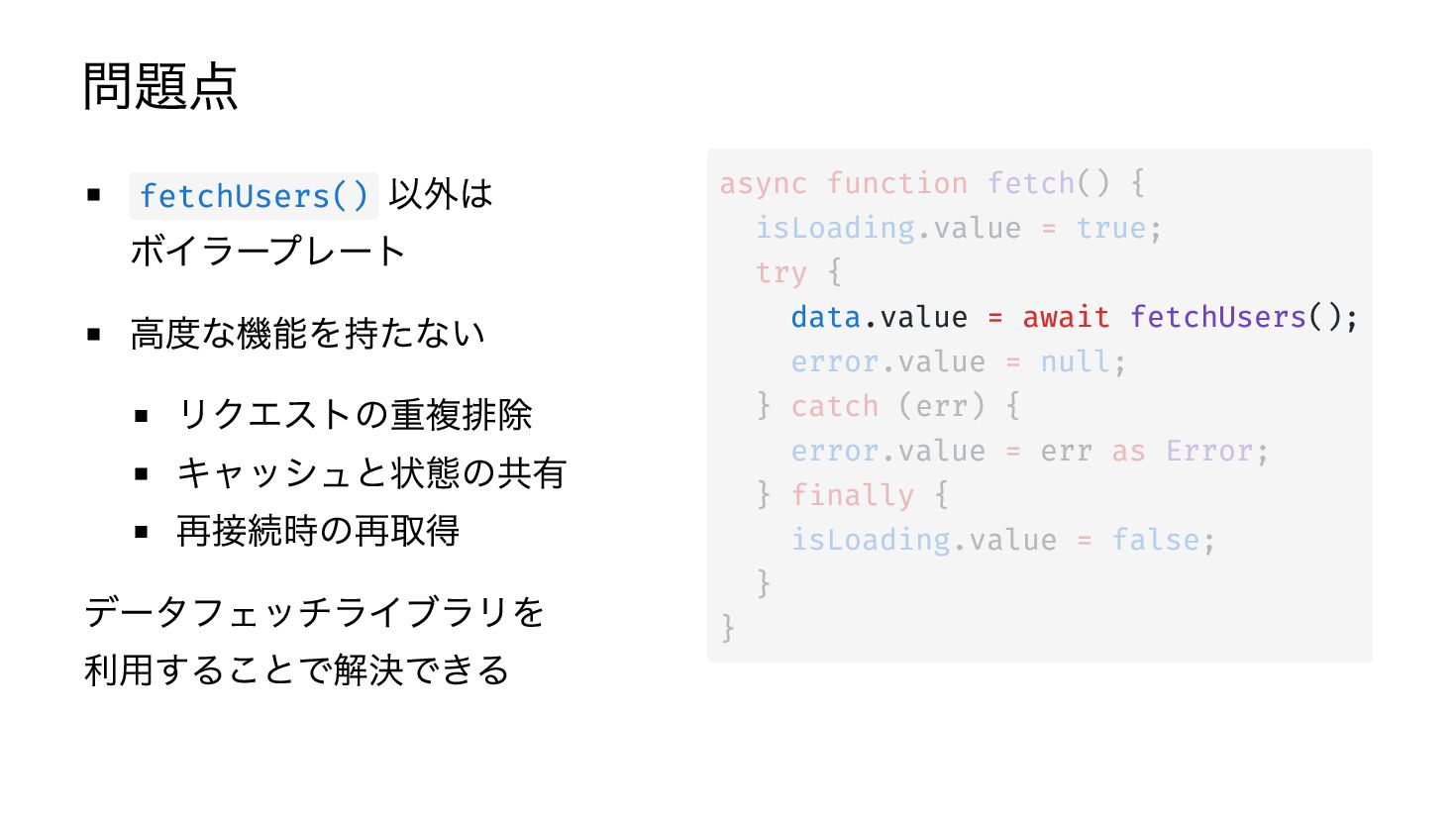
問題点 以外は ボイラープレート 高度な機能を持たない リクエストの重複排除 キャッシュと状態の共有 再接続時の再取得 データフェッチライブラリを 利用することで解決できる fetchUsers()
async function fetch() { isLoading.value = true; try { data.value = await fetchUsers(); error.value = null; } catch (err) { error.value = err as Error; } finally { isLoading.value = false; } } -
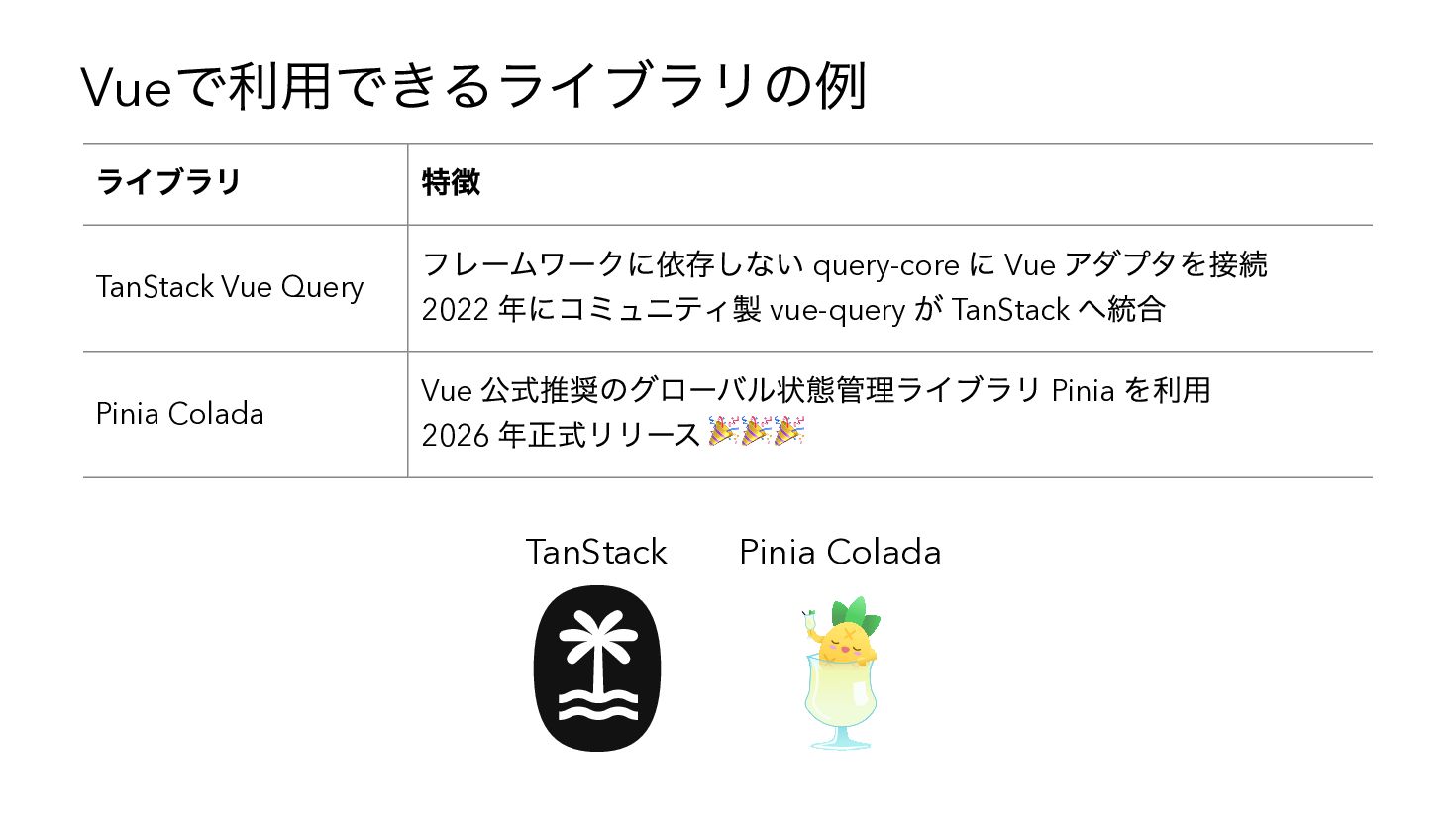
で利用できるライブラリの例 Vue ライブラリ TanStack Vue Query Pinia Colada 特徴 フレームワークに依存しない
query-core に Vue アダプタを接続 2022 年にコミュニティ製 vue-query が TanStack へ統合 Vue 公式推奨のグローバル状態管理ライブラリ Pinia を利用 2026 年正式リリース 🎉🎉🎉 TanStack Pinia Colada -
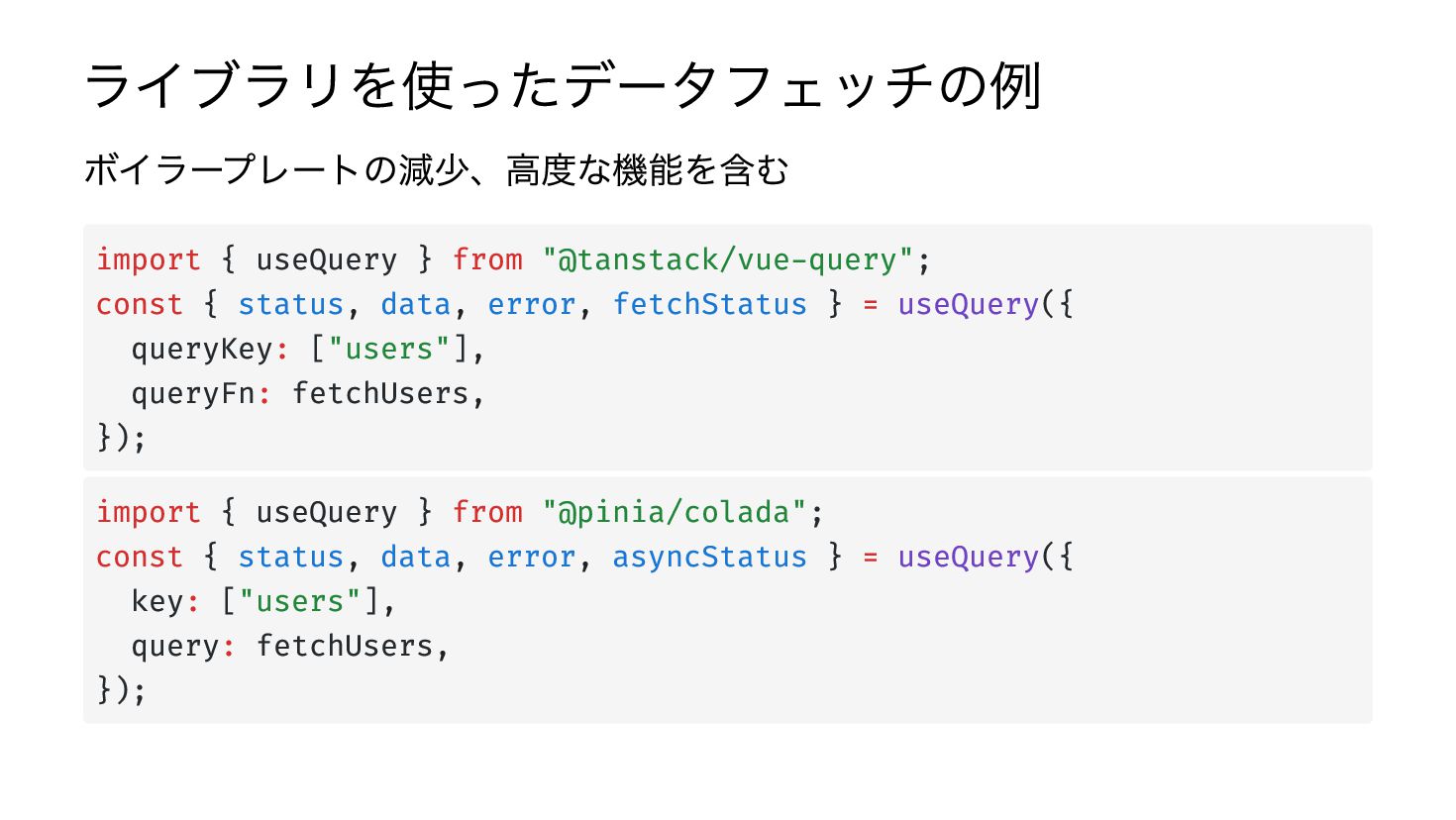
ライブラリを使ったデータフェッチの例 ボイラープレートの減少、高度な機能を含む import { useQuery } from "@tanstack/vue-query"; const {
status, data, error, fetchStatus } = useQuery({ queryKey: ["users"], queryFn: fetchUsers, }); import { useQuery } from "@pinia/colada"; const { status, data, error, asyncStatus } = useQuery({ key: ["users"], query: fetchUsers, }); -
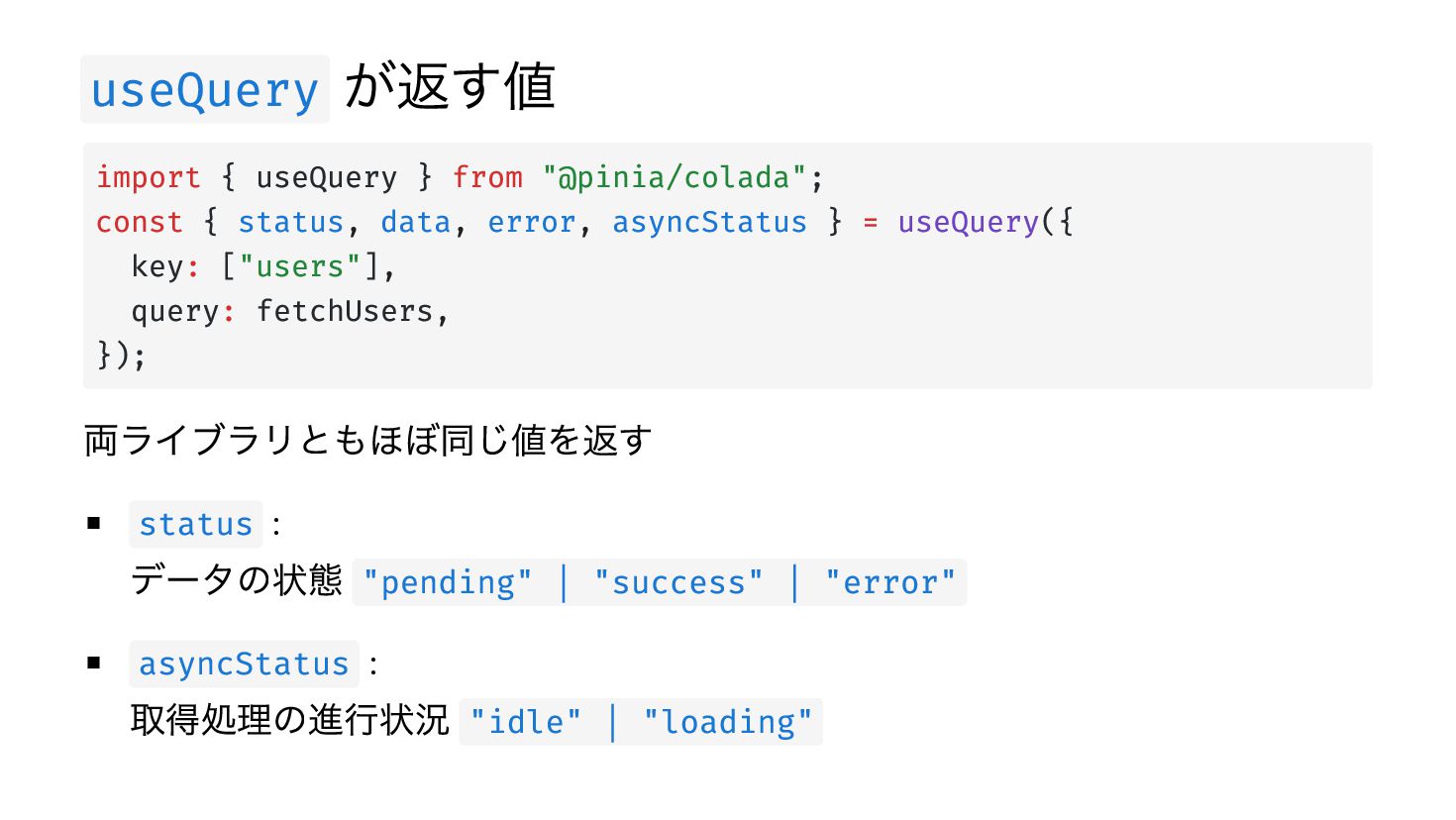
useQuery が返す値 import { useQuery } from "@pinia/colada"; const {
status, data, error, asyncStatus } = useQuery({ key: ["users"], query: fetchUsers, }); 両ライブラリともほぼ同じ値を返す status : データの状態 "pending" | "success" | "error" asyncStatus : 取得処理の進行状況 "idle" | "loading" -
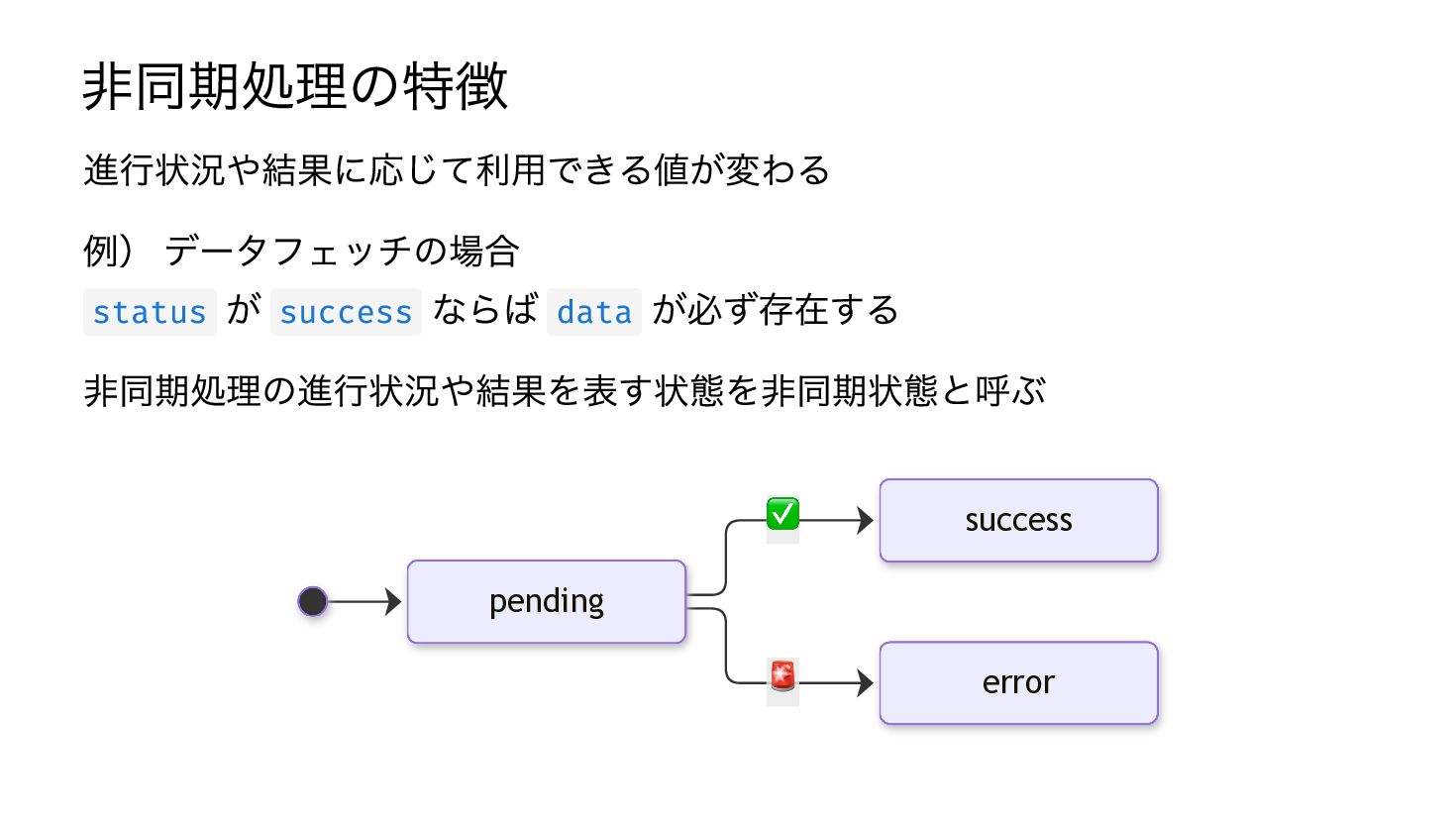
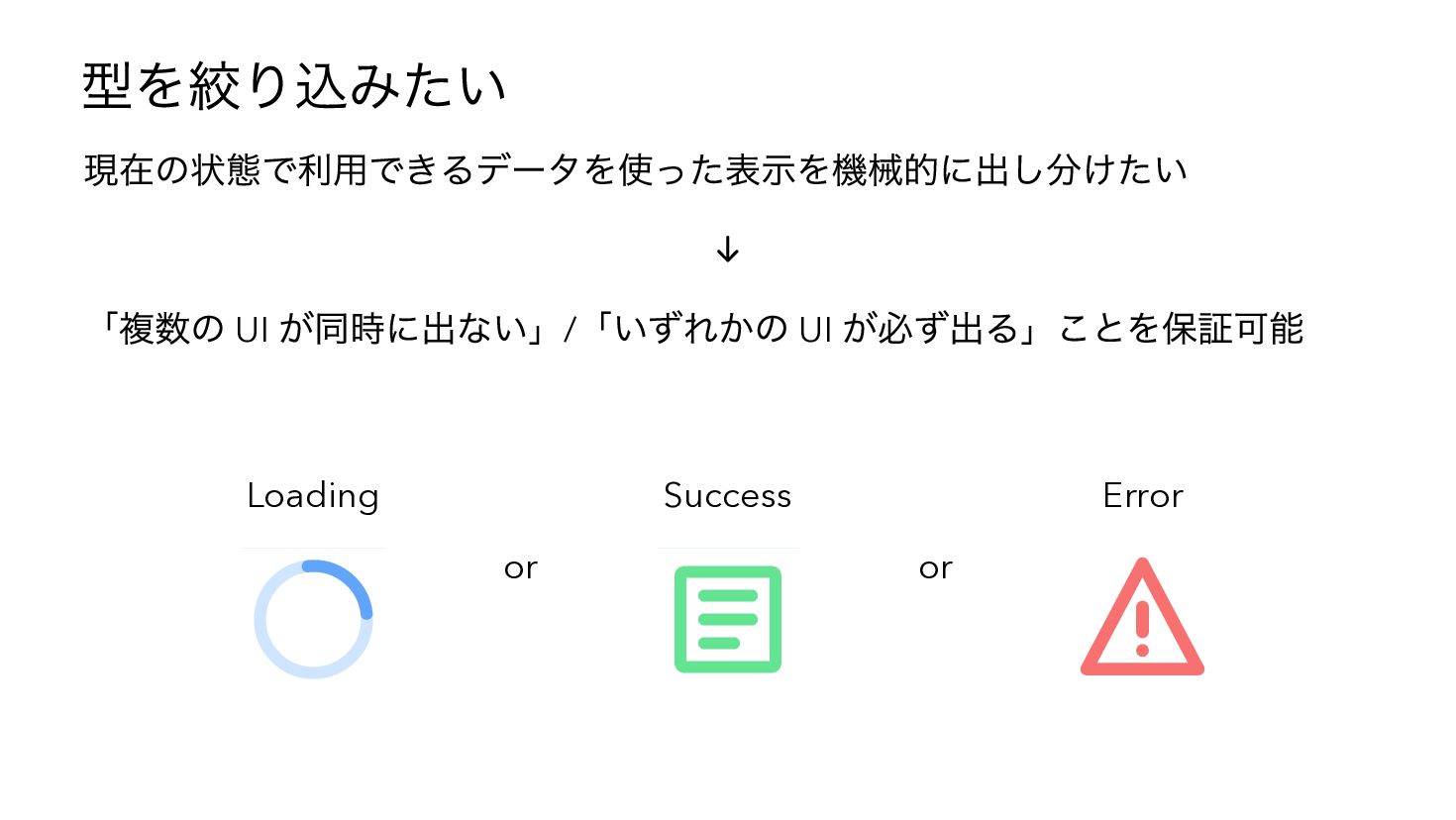
非同期処理の特徴 進行状況や結果に応じて利用できる値が変わる 例) データフェッチの場合 status が success ならば data が必ず存在する
非同期処理の進行状況や結果を表す状態を非同期状態と呼ぶ ✅ success 🚨 error pending -
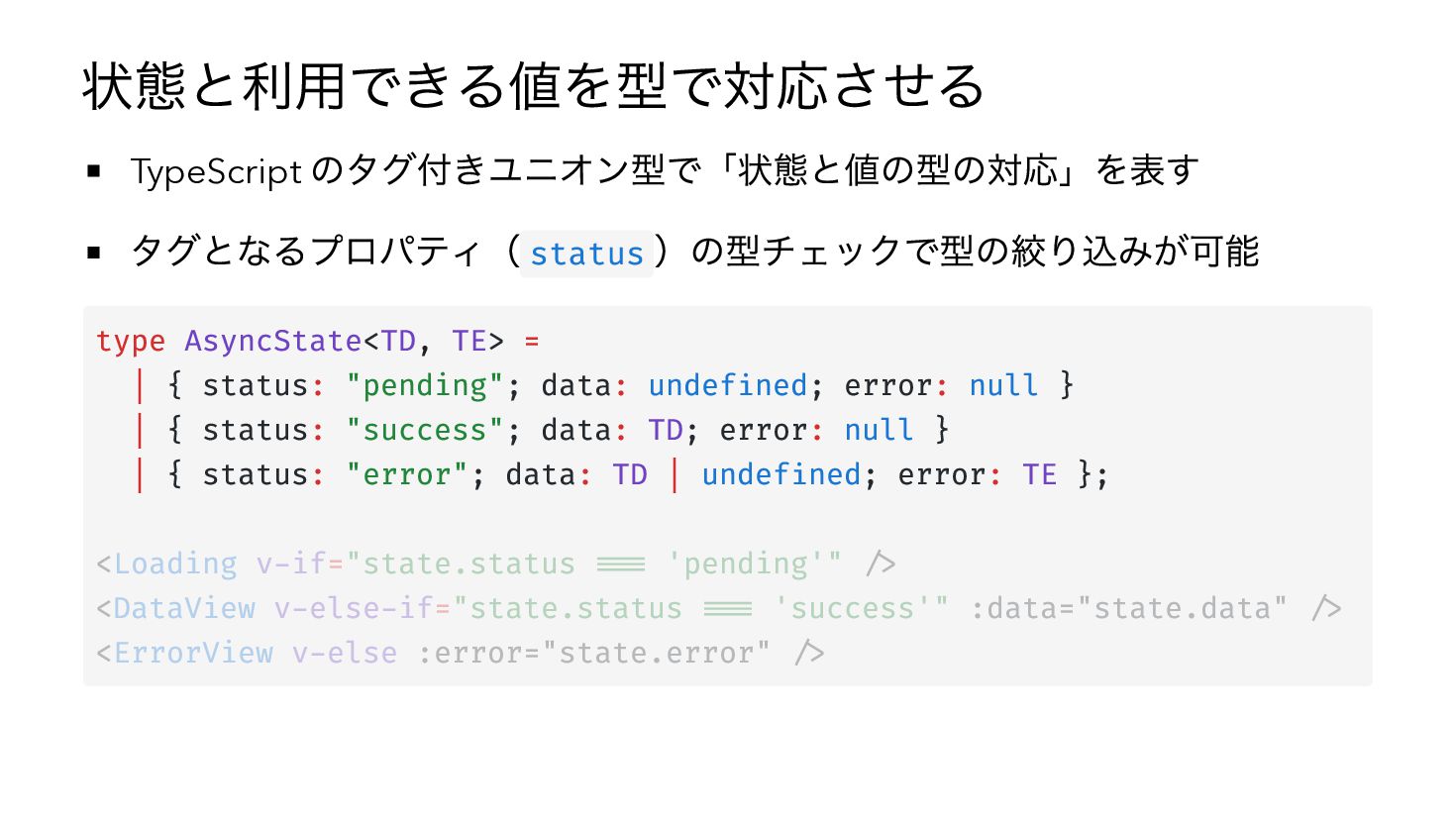
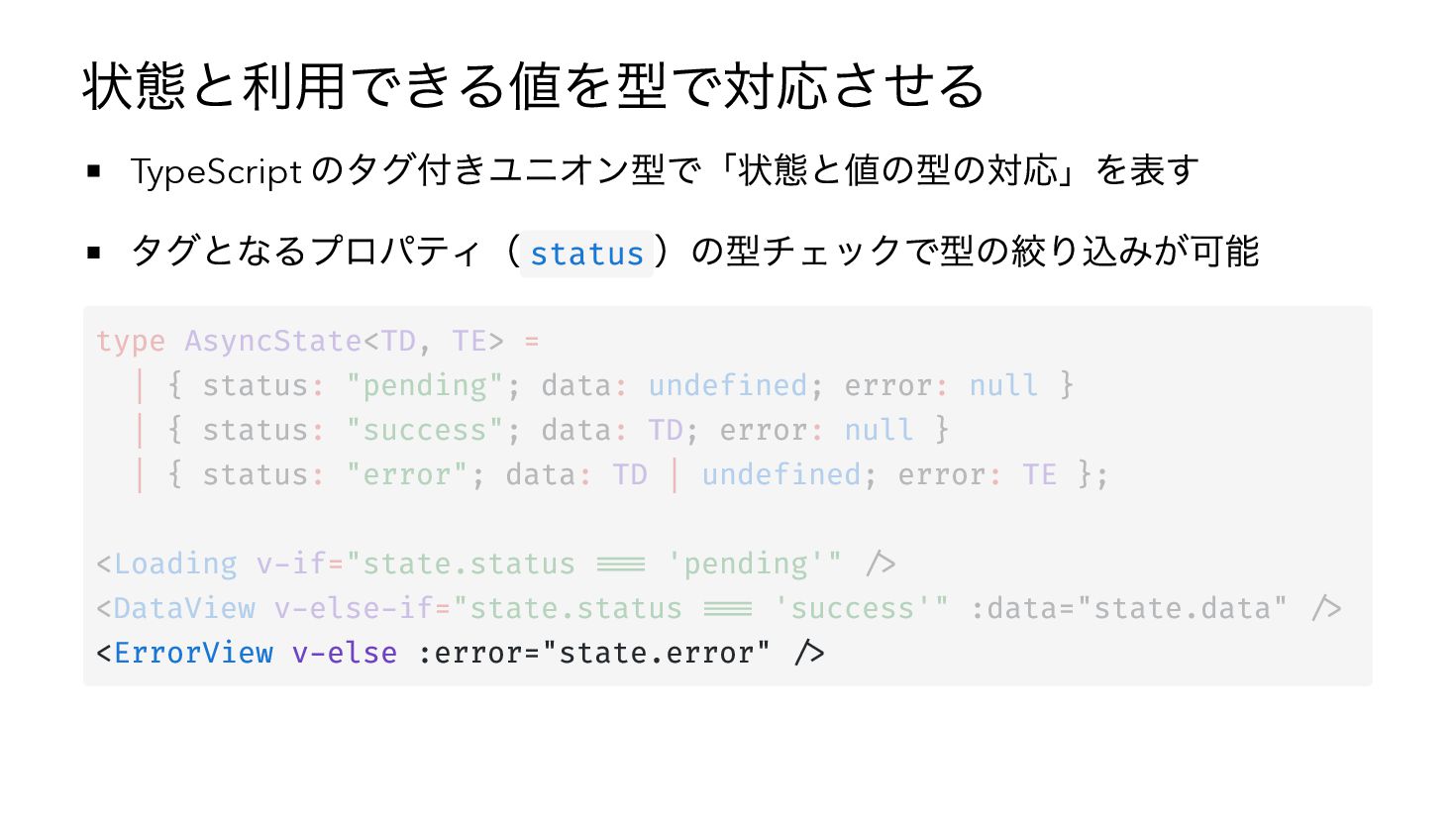
状態と利用できる値を型で対応させる のタグ付きユニオン型で「状態と値の型の対応」を表す タグとなるプロパティ( status )の型チェックで型の絞り込みが可能 TypeScript type AsyncState<TD, TE> =
| { status: "pending"; data: undefined; error: null } | { status: "success"; data: TD; error: null } | { status: "error"; data: TD | undefined; error: TE }; <Loading v-if="state.status === 'pending'" /> <DataView v-else-if="state.status === 'success'" :data="state.data" /> <ErrorView v-else :error="state.error" /> -
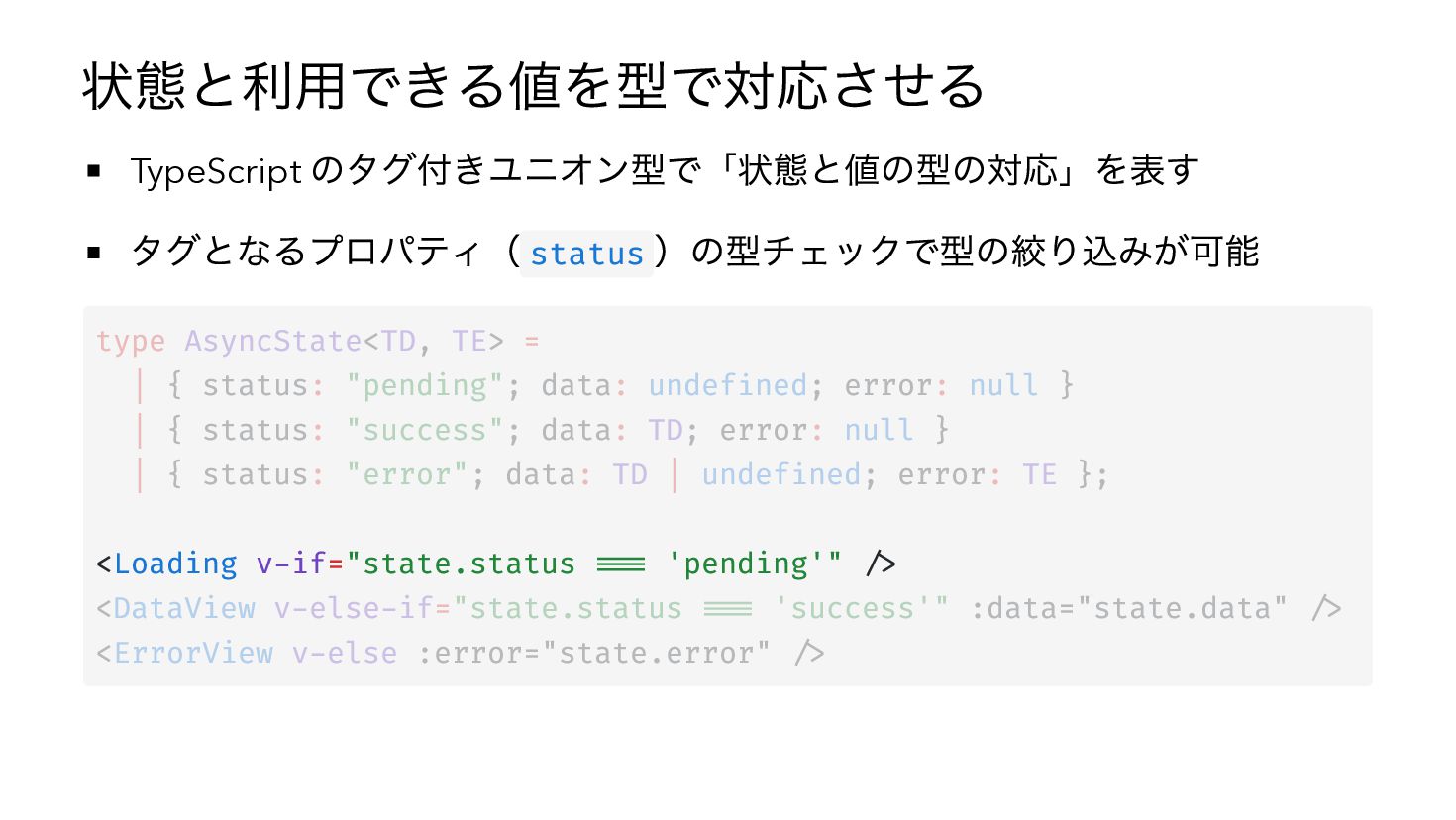
状態と利用できる値を型で対応させる のタグ付きユニオン型で「状態と値の型の対応」を表す タグとなるプロパティ( status )の型チェックで型の絞り込みが可能 TypeScript type AsyncState<TD, TE> =
| { status: "pending"; data: undefined; error: null } | { status: "success"; data: TD; error: null } | { status: "error"; data: TD | undefined; error: TE }; <Loading v-if="state.status === 'pending'" /> <DataView v-else-if="state.status === 'success'" :data="state.data" /> <ErrorView v-else :error="state.error" /> -
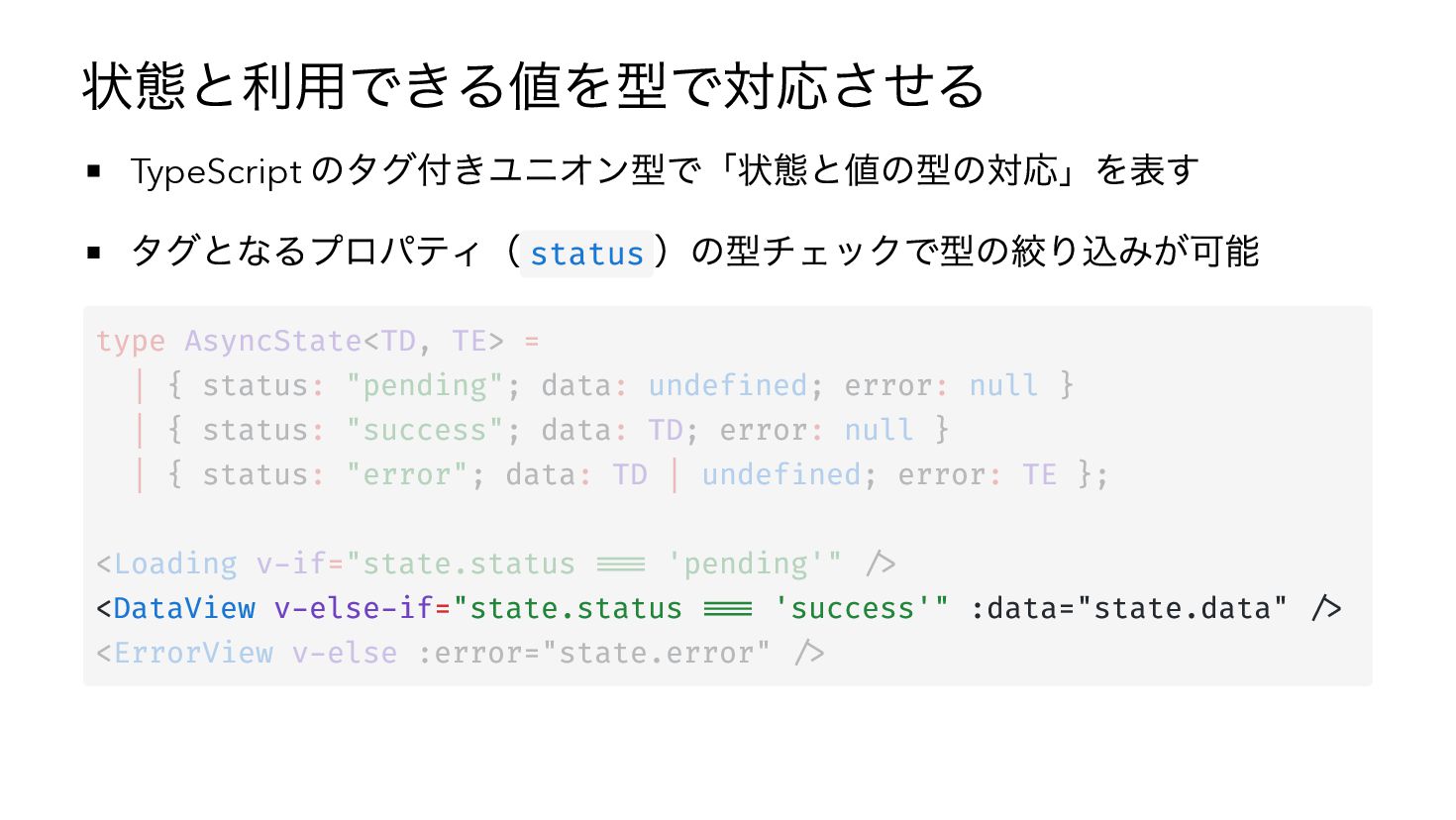
状態と利用できる値を型で対応させる のタグ付きユニオン型で「状態と値の型の対応」を表す タグとなるプロパティ( status )の型チェックで型の絞り込みが可能 TypeScript type AsyncState<TD, TE> =
| { status: "pending"; data: undefined; error: null } | { status: "success"; data: TD; error: null } | { status: "error"; data: TD | undefined; error: TE }; <Loading v-if="state.status === 'pending'" /> <DataView v-else-if="state.status === 'success'" :data="state.data" /> <ErrorView v-else :error="state.error" /> -
状態と利用できる値を型で対応させる のタグ付きユニオン型で「状態と値の型の対応」を表す タグとなるプロパティ( status )の型チェックで型の絞り込みが可能 TypeScript type AsyncState<TD, TE> =
| { status: "pending"; data: undefined; error: null } | { status: "success"; data: TD; error: null } | { status: "error"; data: TD | undefined; error: TE }; <Loading v-if="state.status === 'pending'" /> <DataView v-else-if="state.status === 'success'" :data="state.data" /> <ErrorView v-else :error="state.error" /> -
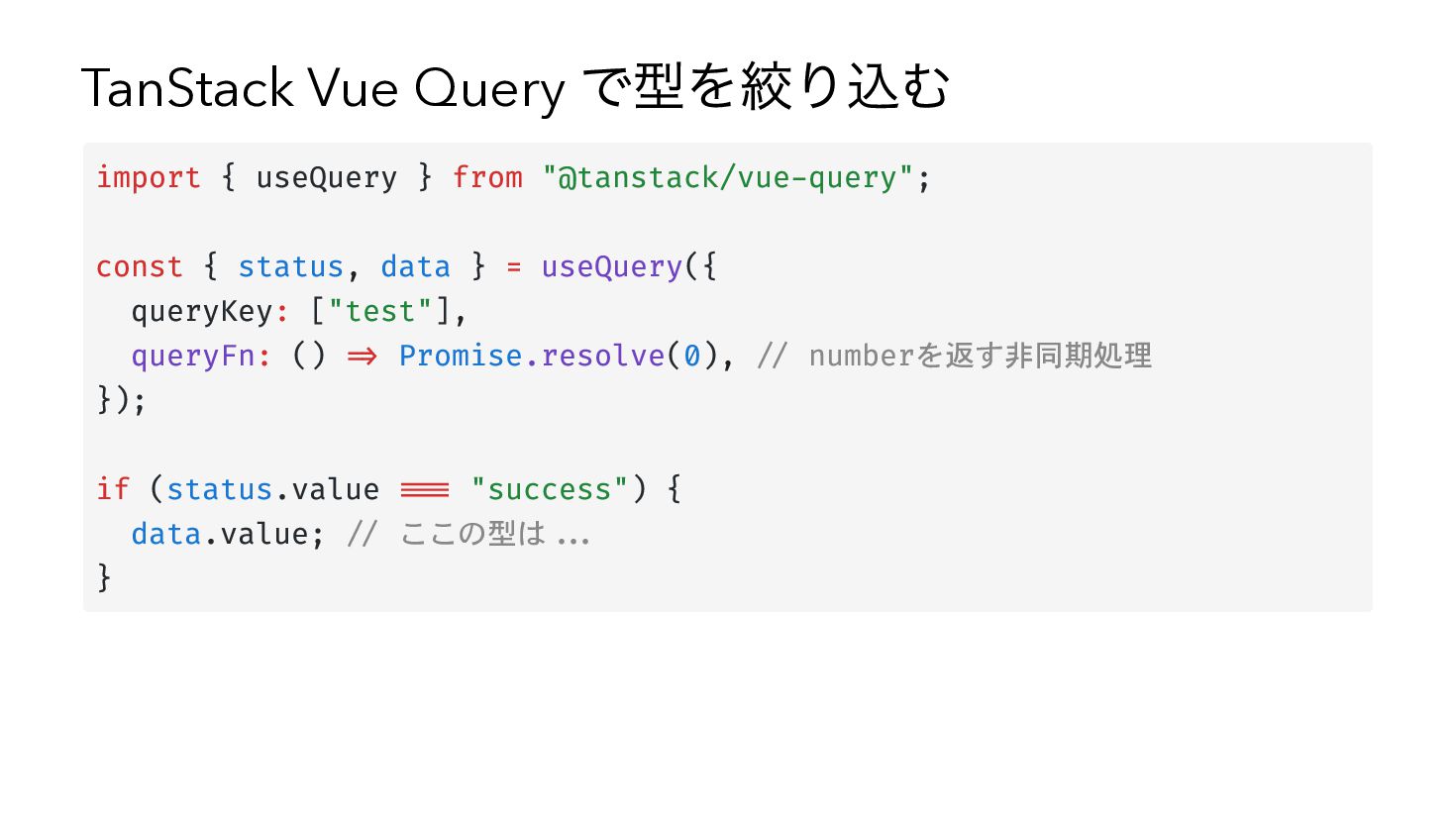
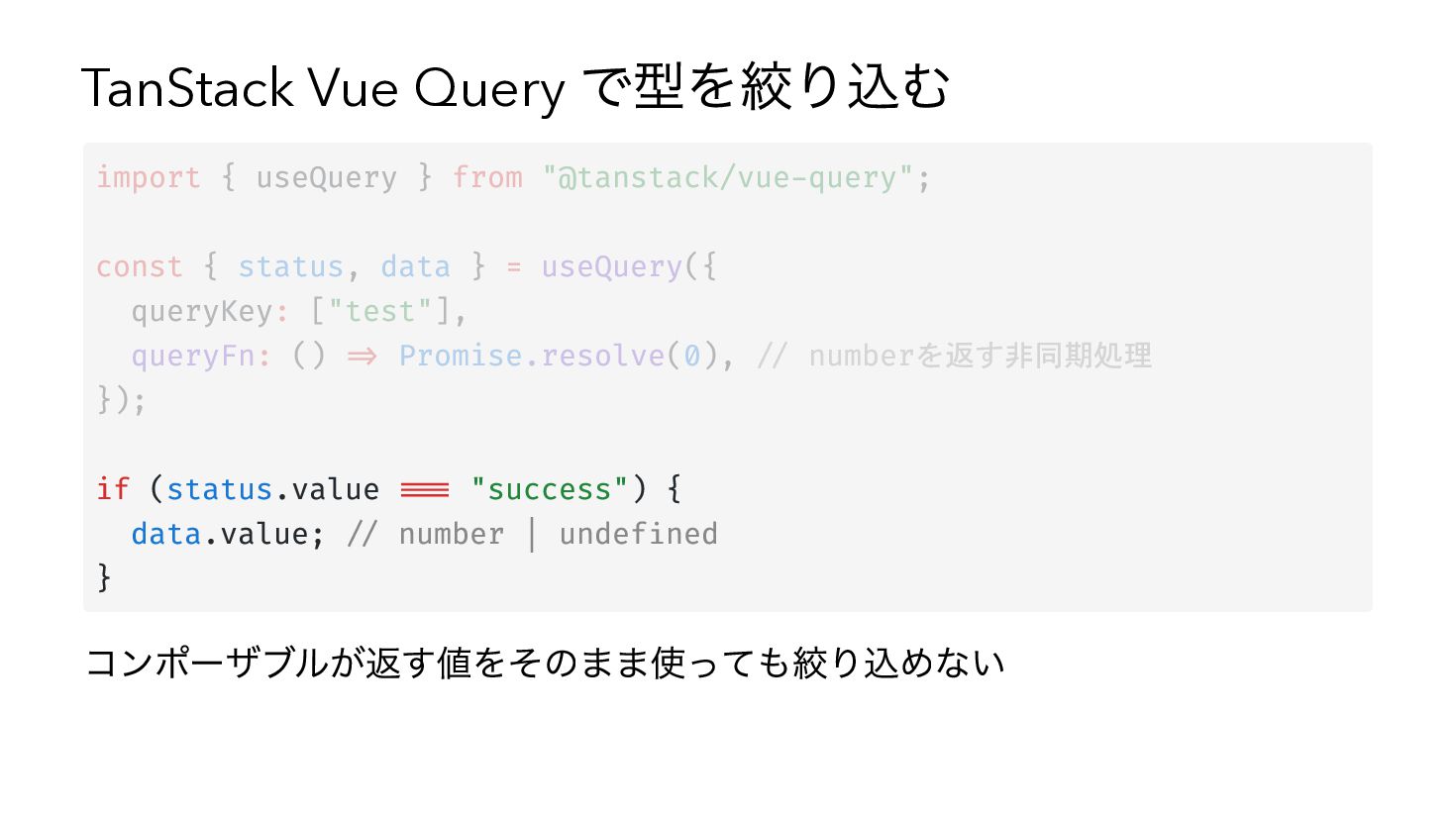
TanStack Vue Query で型を絞り込む import { useQuery } from "@tanstack/vue-query";
const { status, data } = useQuery({ queryKey: ["test"], queryFn: () => Promise.resolve(0), // numberを返す非同期処理 }); if (status.value === "success") { data.value; // ここの型は... } -
TanStack Vue Query で型を絞り込む import { useQuery } from "@tanstack/vue-query";
const { status, data } = useQuery({ queryKey: ["test"], queryFn: () => Promise.resolve(0), // numberを返す非同期処理 }); if (status.value === "success") { data.value; // ここの型は... } -
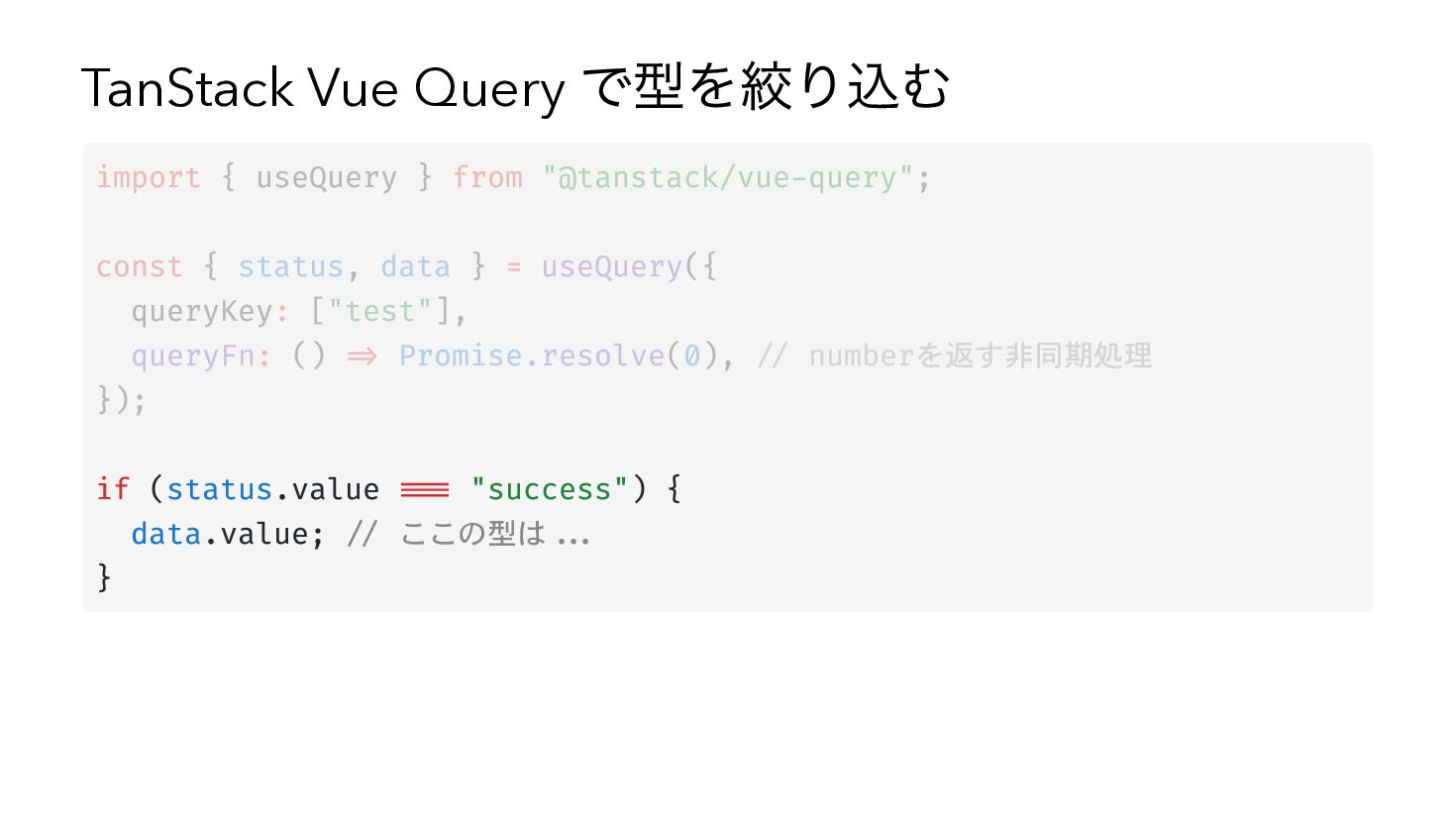
TanStack Vue Query で型を絞り込む import { useQuery } from "@tanstack/vue-query";
const { status, data } = useQuery({ queryKey: ["test"], queryFn: () => Promise.resolve(0), // numberを返す非同期処理 }); if (status.value === "success") { data.value; // number | undefined } コンポーザブルが返す値をそのまま使っても絞り込めない -
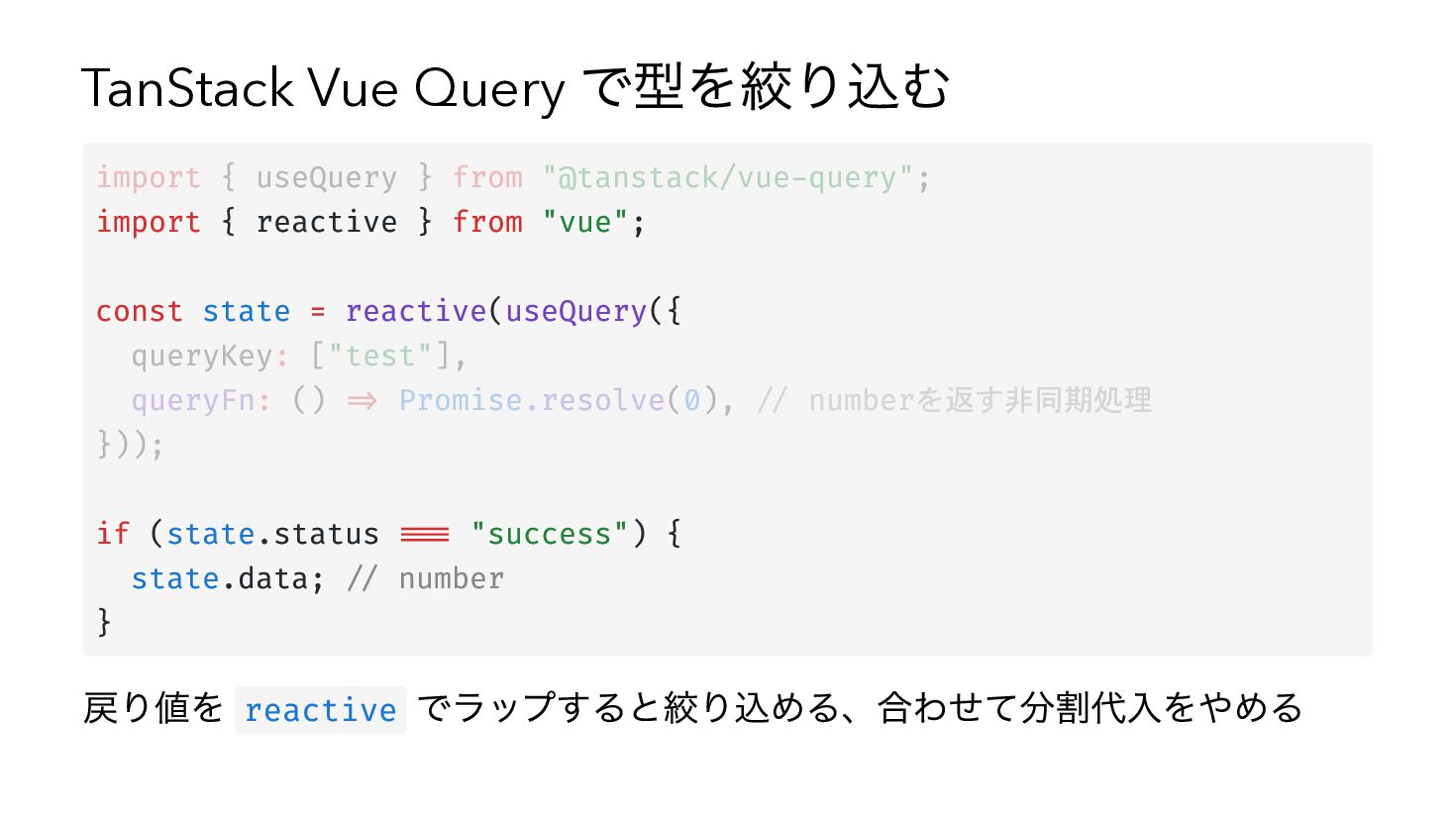
TanStack Vue Query で型を絞り込む import { useQuery } from "@tanstack/vue-query";
import { reactive } from "vue"; const state = reactive(useQuery({ queryKey: ["test"], queryFn: () => Promise.resolve(0), // numberを返す非同期処理 })); if (state.status === "success") { state.data; // number } 戻り値を reactive でラップすると絞り込める、合わせて分割代入をやめる -
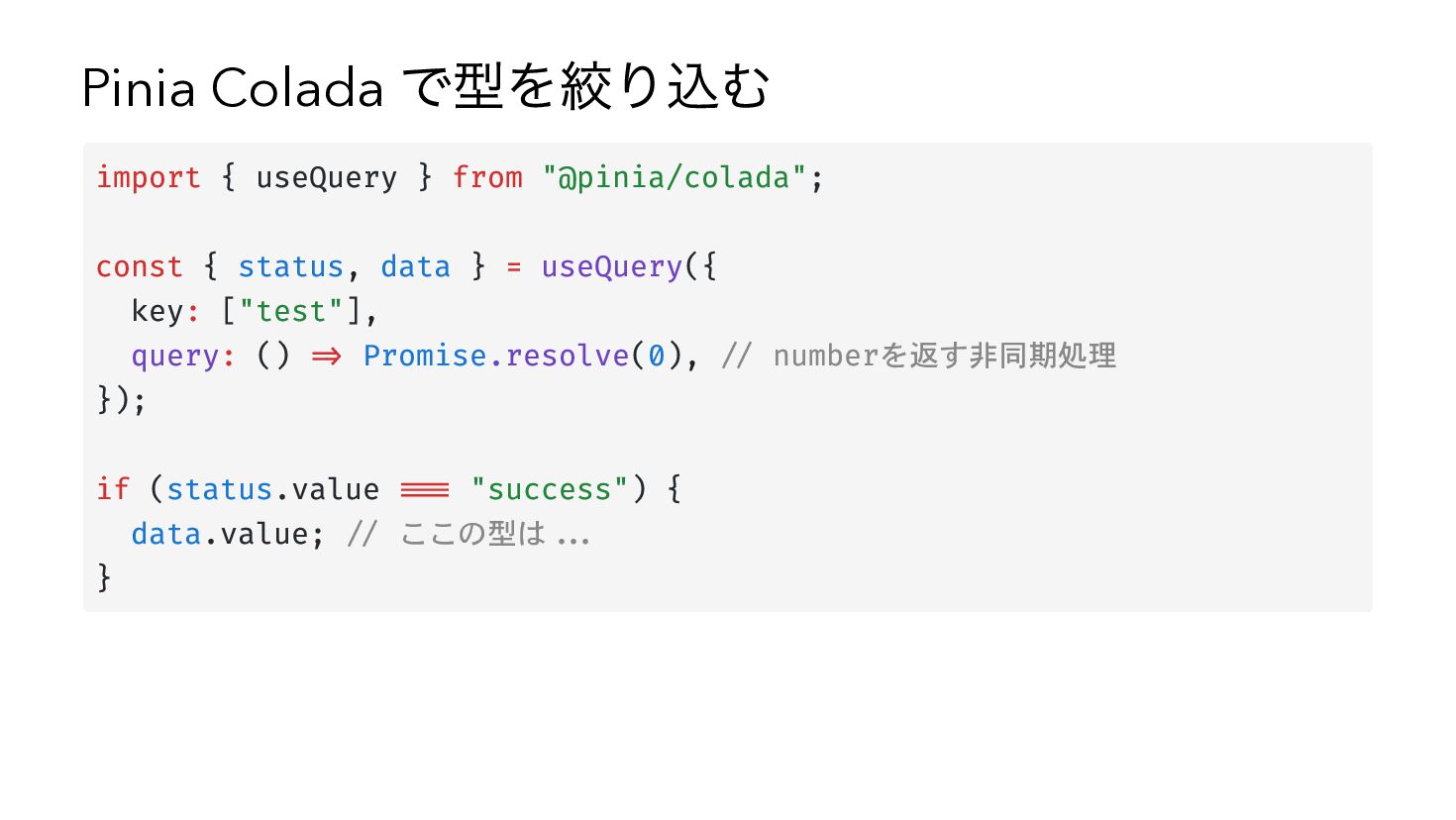
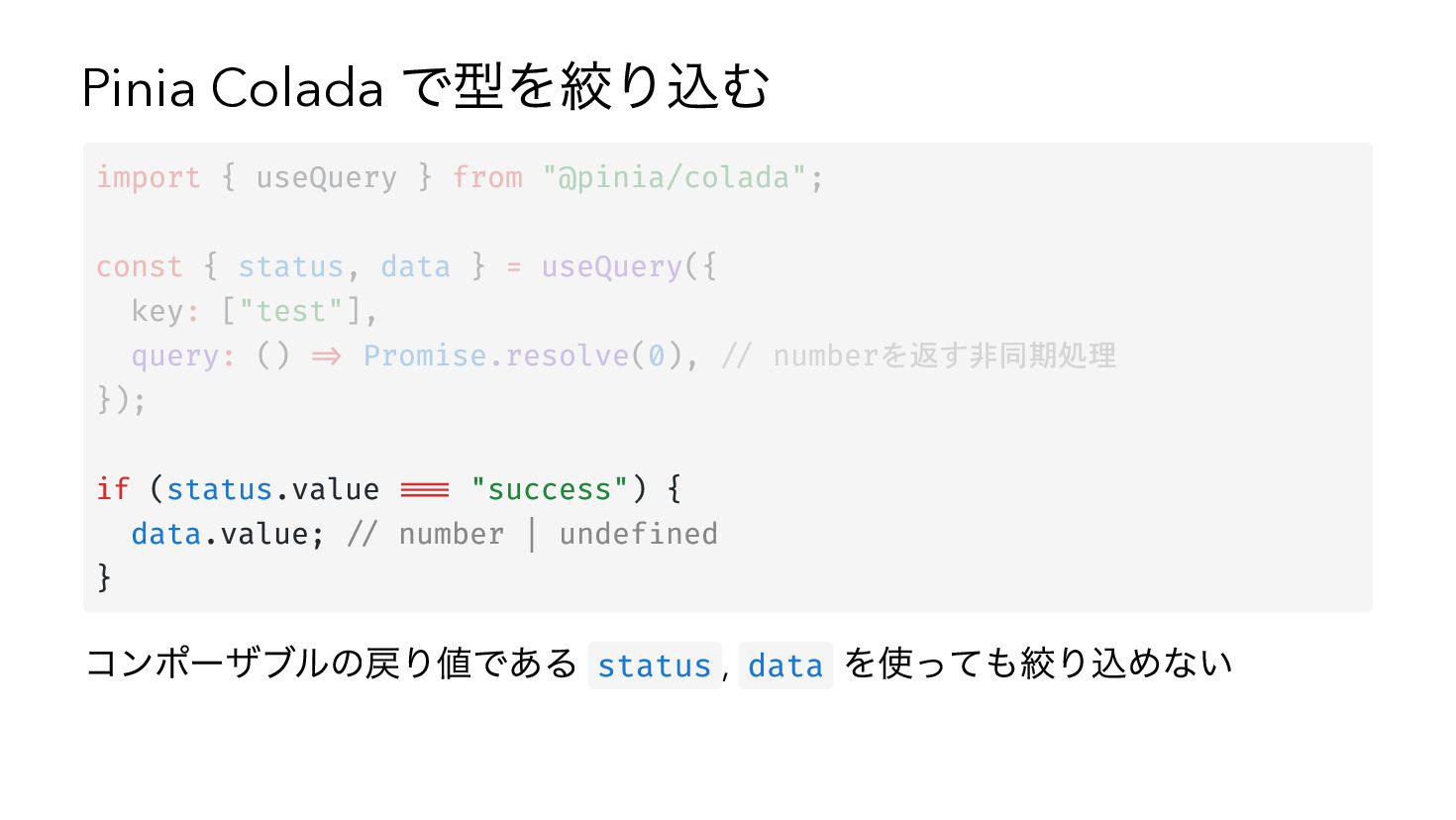
Pinia Colada で型を絞り込む import { useQuery } from "@pinia/colada"; const
{ status, data } = useQuery({ key: ["test"], query: () => Promise.resolve(0), // numberを返す非同期処理 }); if (status.value === "success") { data.value; // ここの型は... } -
Pinia Colada で型を絞り込む import { useQuery } from "@pinia/colada"; const
{ status, data } = useQuery({ key: ["test"], query: () => Promise.resolve(0), // numberを返す非同期処理 }); if (status.value === "success") { data.value; // ここの型は... } -
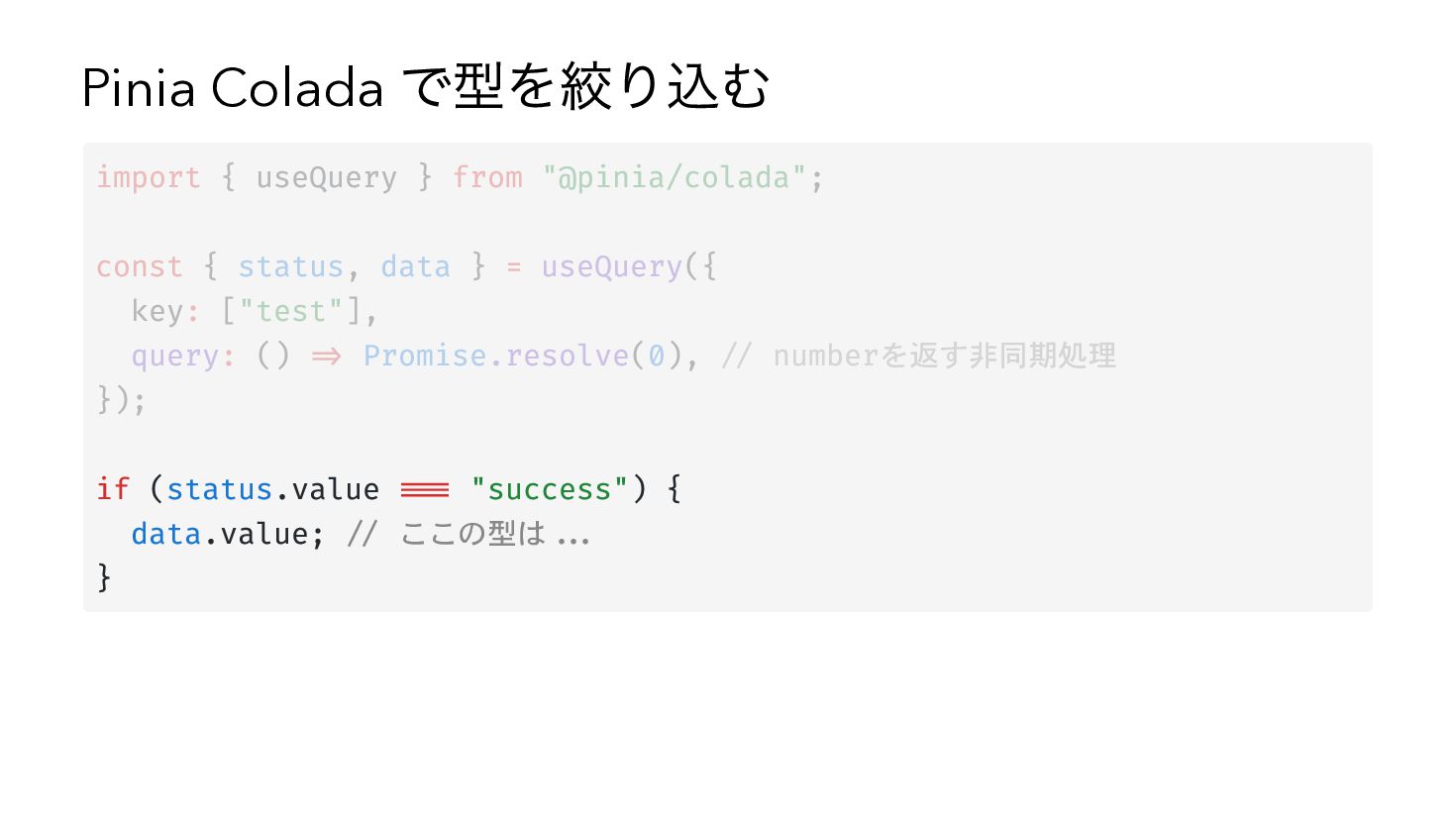
Pinia Colada で型を絞り込む import { useQuery } from "@pinia/colada"; const
{ status, data } = useQuery({ key: ["test"], query: () => Promise.resolve(0), // numberを返す非同期処理 }); if (status.value === "success") { data.value; // number | undefined } コンポーザブルの戻り値である status , data を使っても絞り込めない -
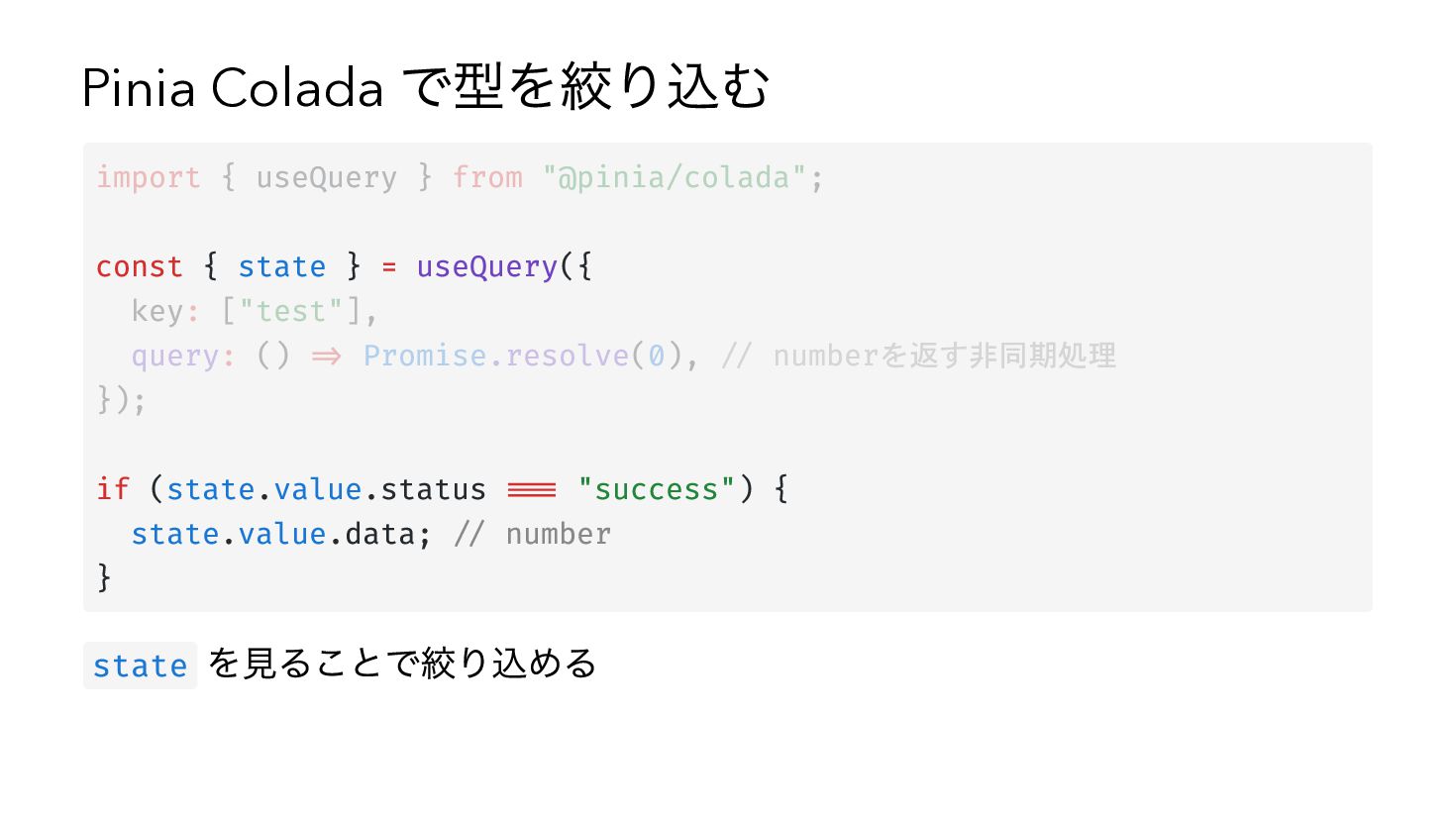
Pinia Colada で型を絞り込む import { useQuery } from "@pinia/colada"; const
{ state } = useQuery({ key: ["test"], query: () => Promise.resolve(0), // numberを返す非同期処理 }); if (state.value.status === "success") { state.value.data; // number } state を見ることで絞り込める -
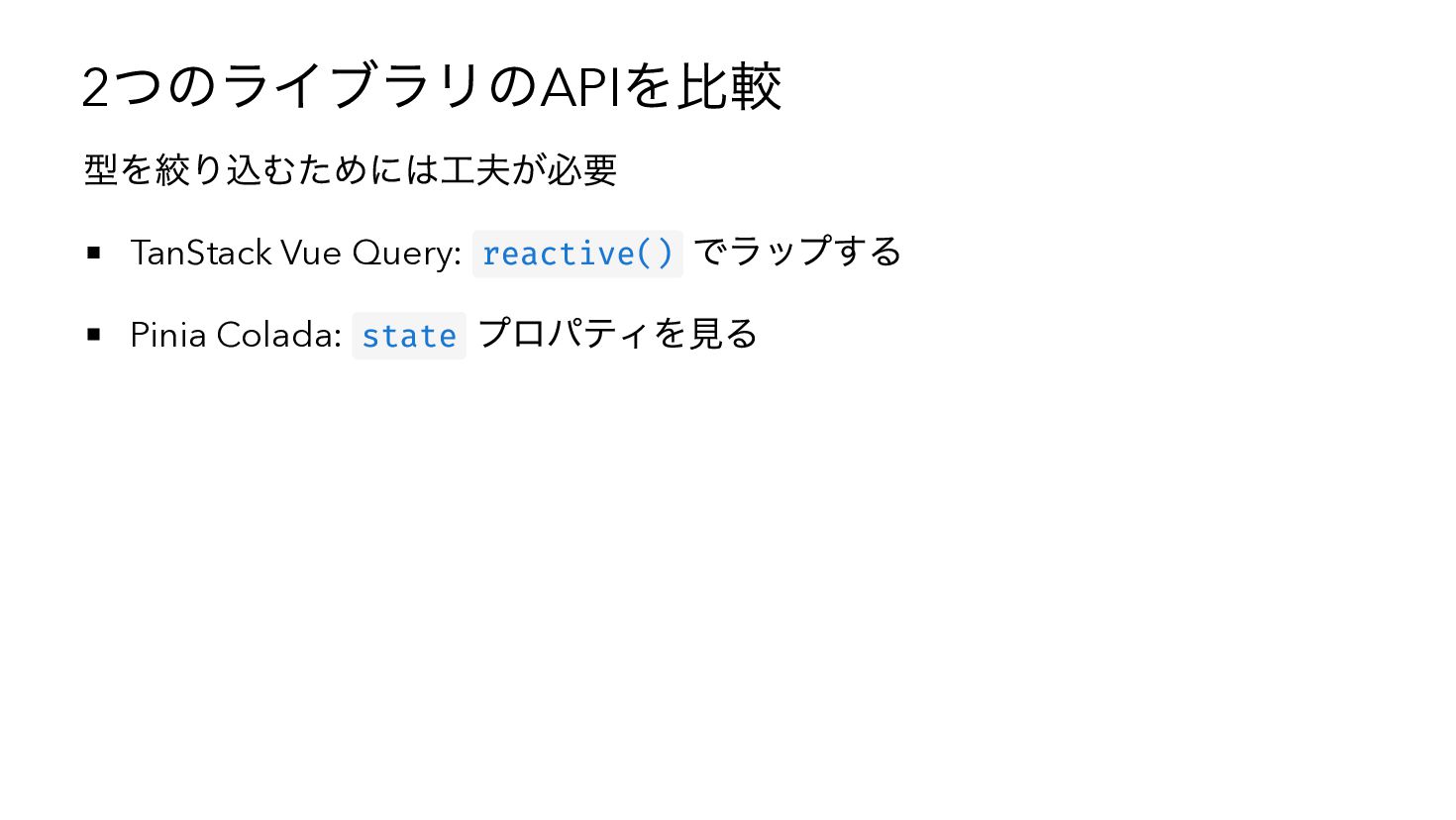
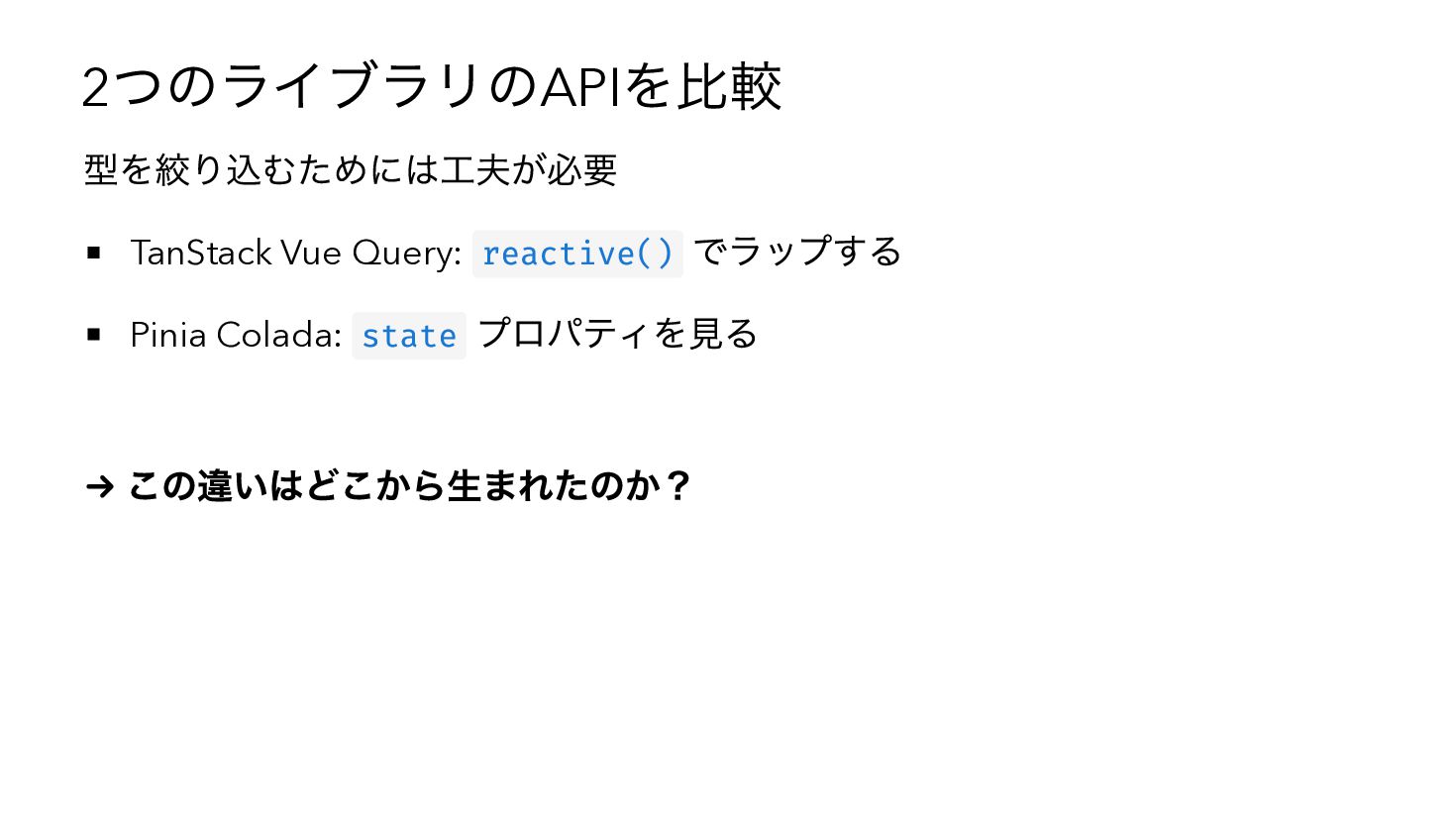
つのライブラリのAPIを比較 2 型を絞り込むためには工夫が必要 でラップする Pinia Colada: state プロパティを見る TanStack Vue
Query: reactive() → この違いはどこから生まれたのか? -
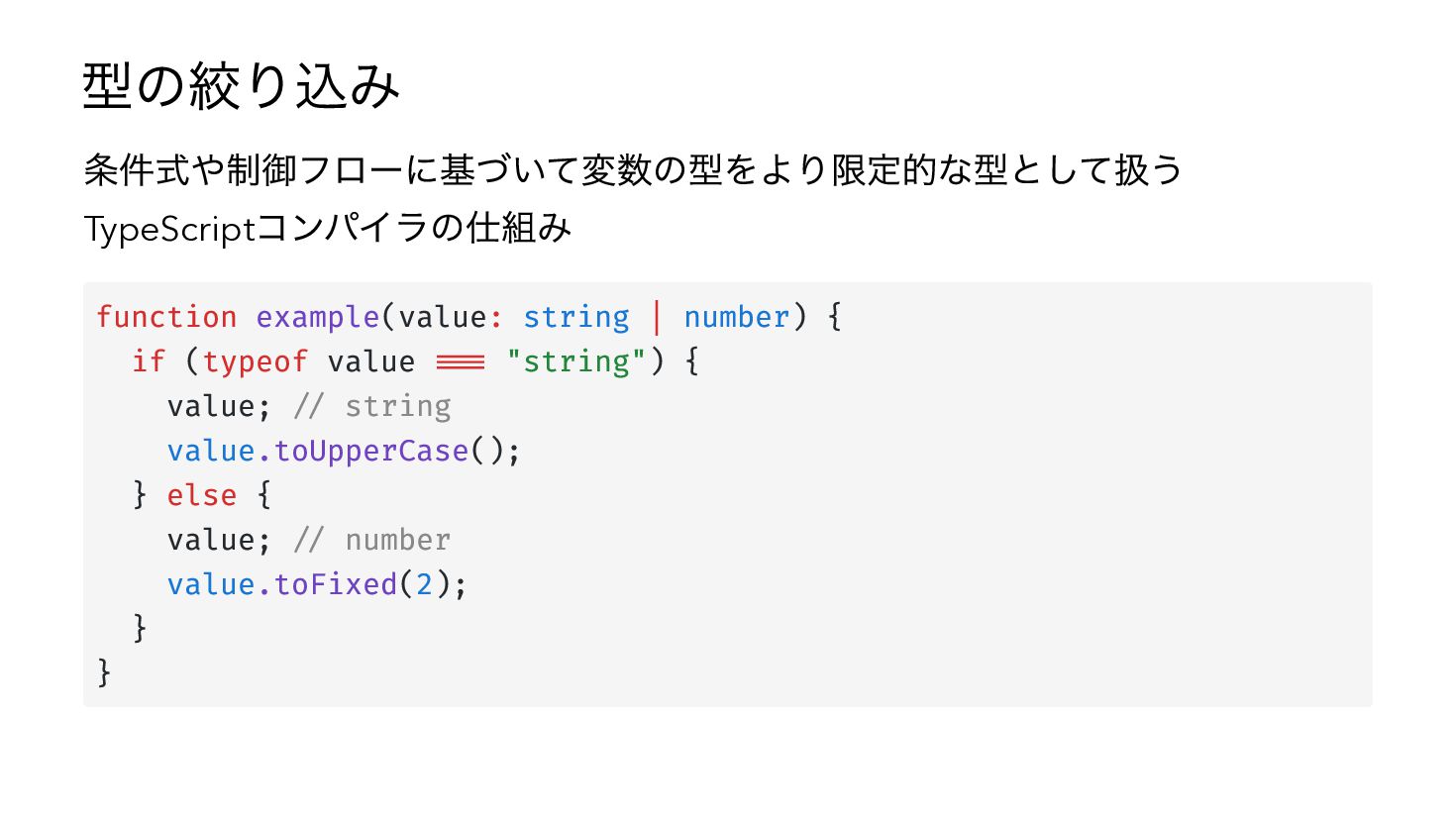
型の絞り込み 条件式や制御フローに基づいて変数の型をより限定的な型として扱う TypeScriptコンパイラの仕組み function example(value: string | number) { if
(typeof value === "string") { value; // string value.toUpperCase(); } else { value; // number value.toFixed(2); } } -
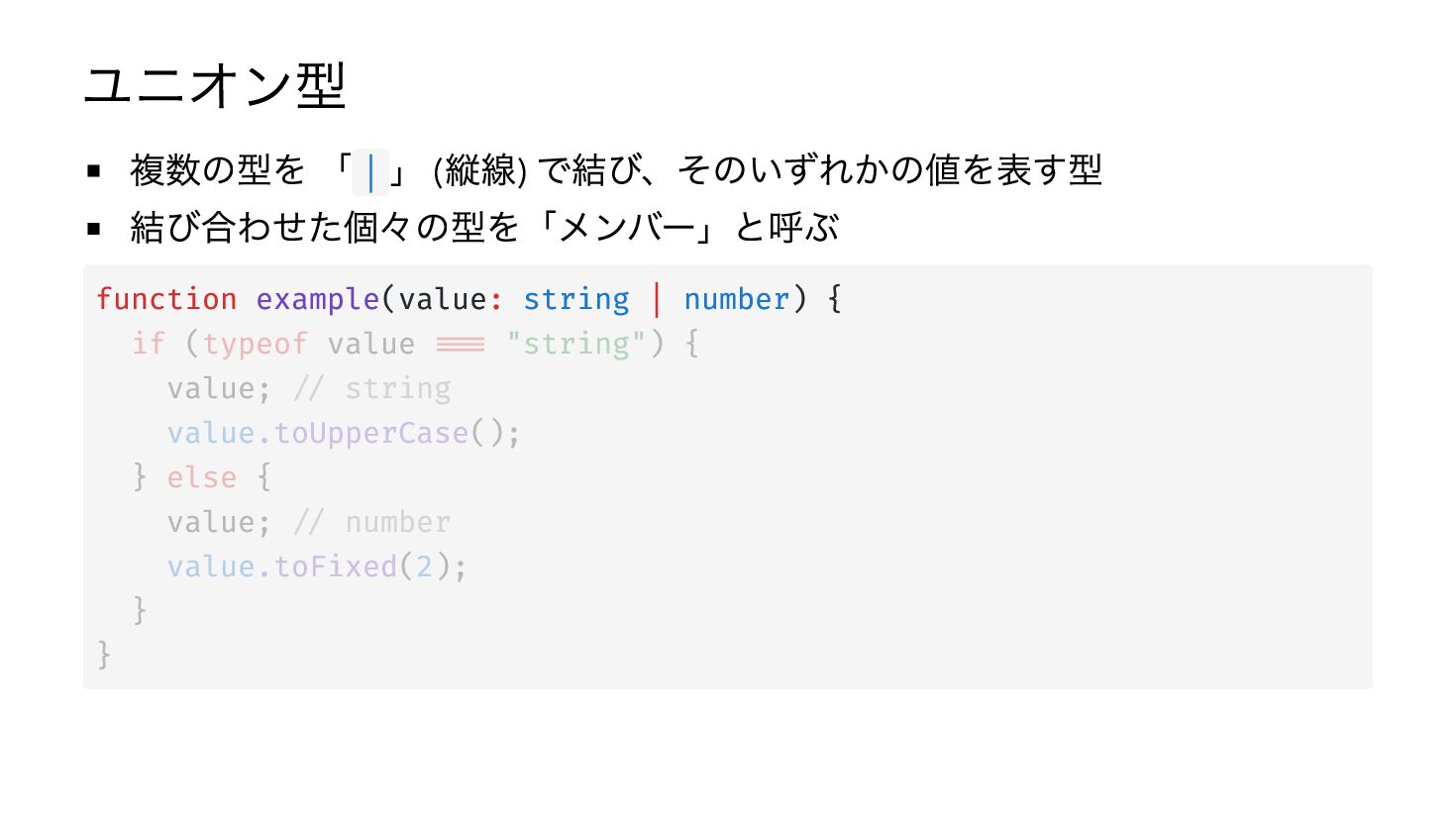
ユニオン型 複数の型を 「 | 」 (縦線) で結び、そのいずれかの値を表す型 結び合わせた個々の型を「メンバー」と呼ぶ function example(value:
string | number) { if (typeof value === "string") { value; // string value.toUpperCase(); } else { value; // number value.toFixed(2); } } -
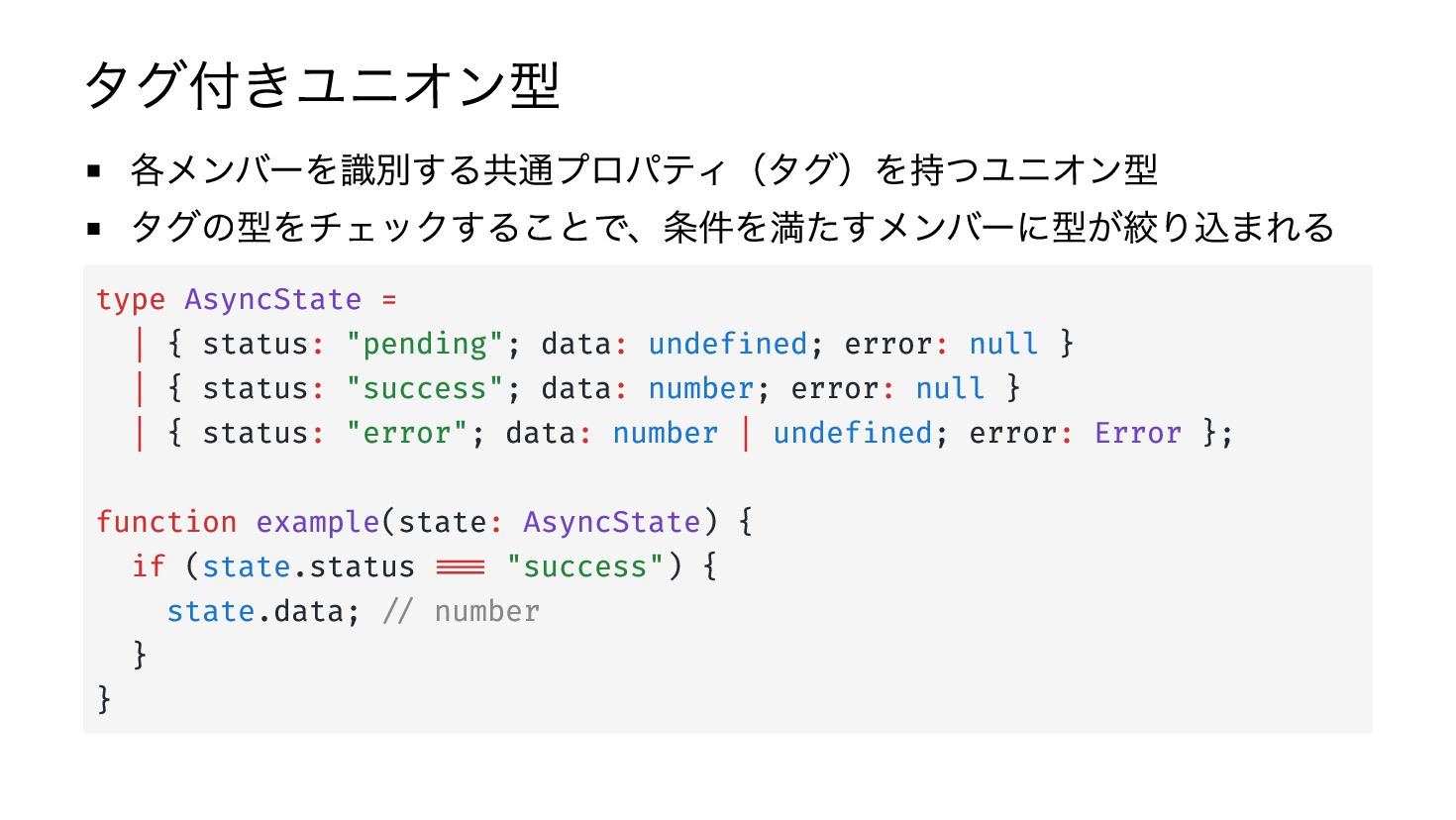
タグ付きユニオン型 各メンバーを識別する共通プロパティ(タグ)を持つユニオン型 タグの型をチェックすることで、条件を満たすメンバーに型が絞り込まれる type AsyncState = | { status: "pending";
data: undefined; error: null } | { status: "success"; data: number; error: null } | { status: "error"; data: number | undefined; error: Error }; function example(state: AsyncState) { if (state.status === "success") { state.data; // number } } -
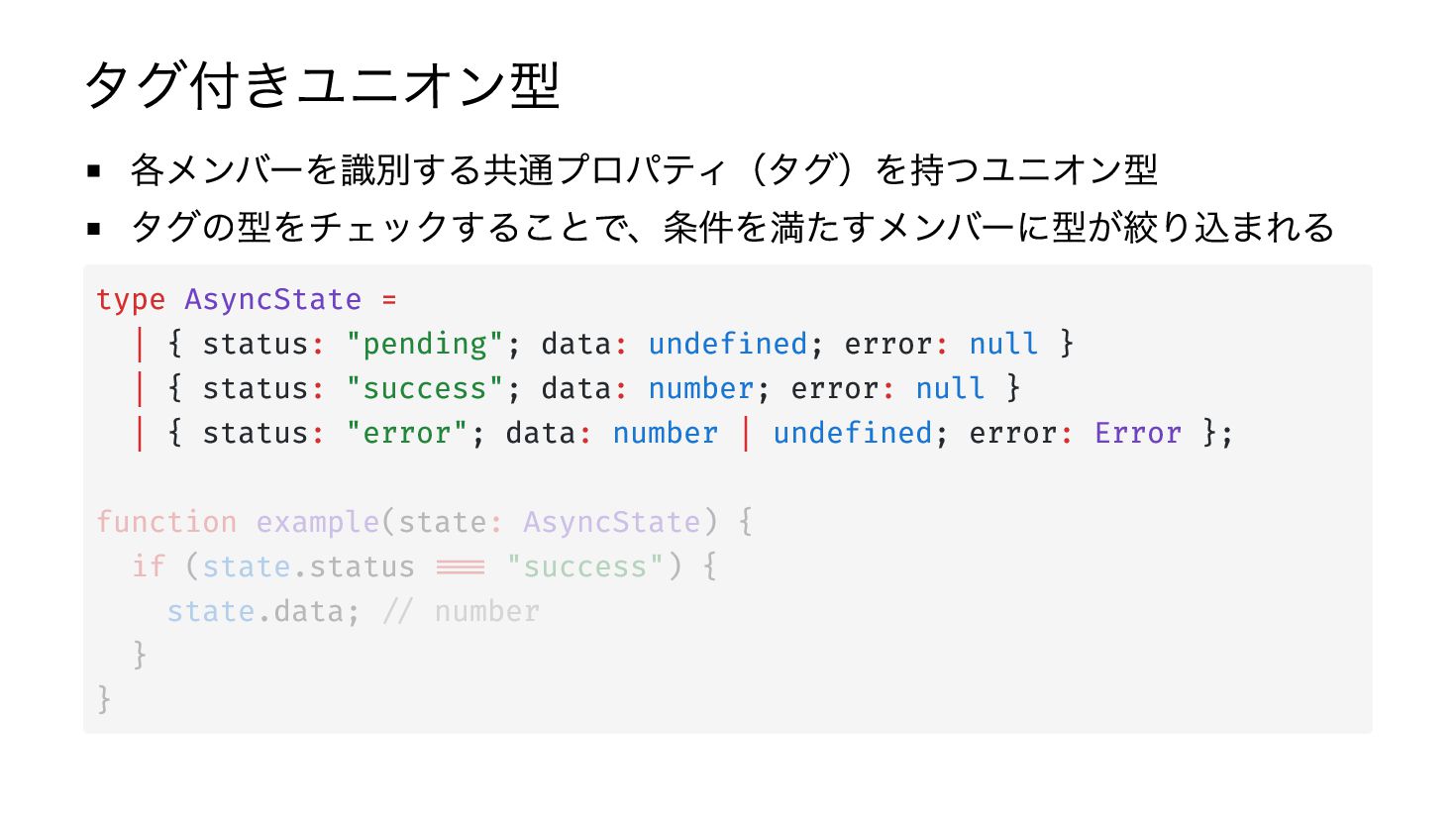
タグ付きユニオン型 各メンバーを識別する共通プロパティ(タグ)を持つユニオン型 タグの型をチェックすることで、条件を満たすメンバーに型が絞り込まれる type AsyncState = | { status: "pending";
data: undefined; error: null } | { status: "success"; data: number; error: null } | { status: "error"; data: number | undefined; error: Error }; function example(state: AsyncState) { if (state.status === "success") { state.data; // number } } -
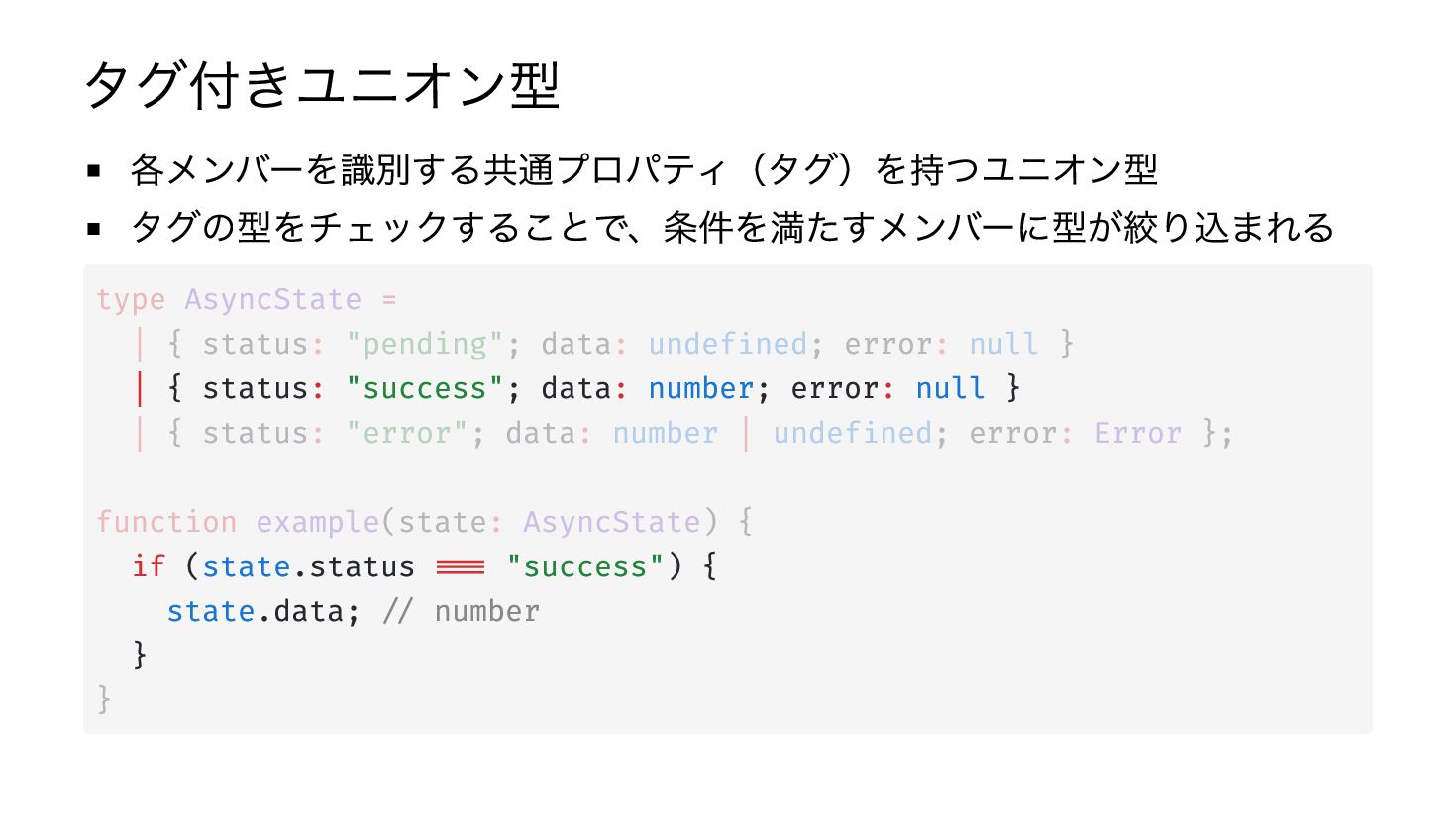
タグ付きユニオン型 各メンバーを識別する共通プロパティ(タグ)を持つユニオン型 タグの型をチェックすることで、条件を満たすメンバーに型が絞り込まれる type AsyncState = | { status: "pending";
data: undefined; error: null } | { status: "success"; data: number; error: null } | { status: "error"; data: number | undefined; error: Error }; function example(state: AsyncState) { if (state.status === "success") { state.data; // number } } -
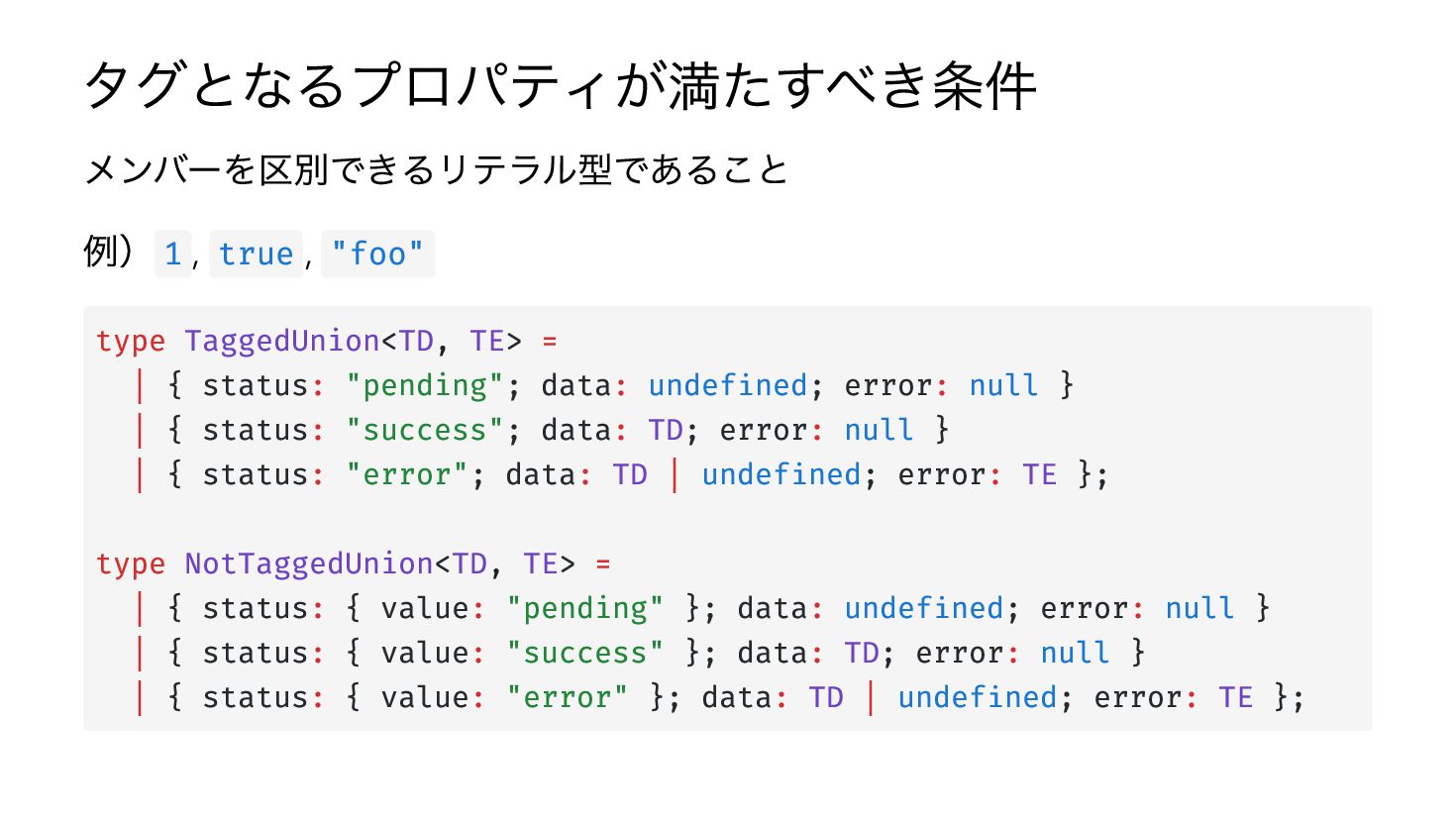
タグとなるプロパティが満たすべき条件 メンバーを区別できるリテラル型であること 例) 1 , true , "foo" type TaggedUnion<TD,
TE> = | { status: "pending"; data: undefined; error: null } | { status: "success"; data: TD; error: null } | { status: "error"; data: TD | undefined; error: TE }; type NotTaggedUnion<TD, TE> = | { status: { value: "pending" }; data: undefined; error: null } | { status: { value: "success" }; data: TD; error: null } | { status: { value: "error" }; data: TD | undefined; error: TE }; -
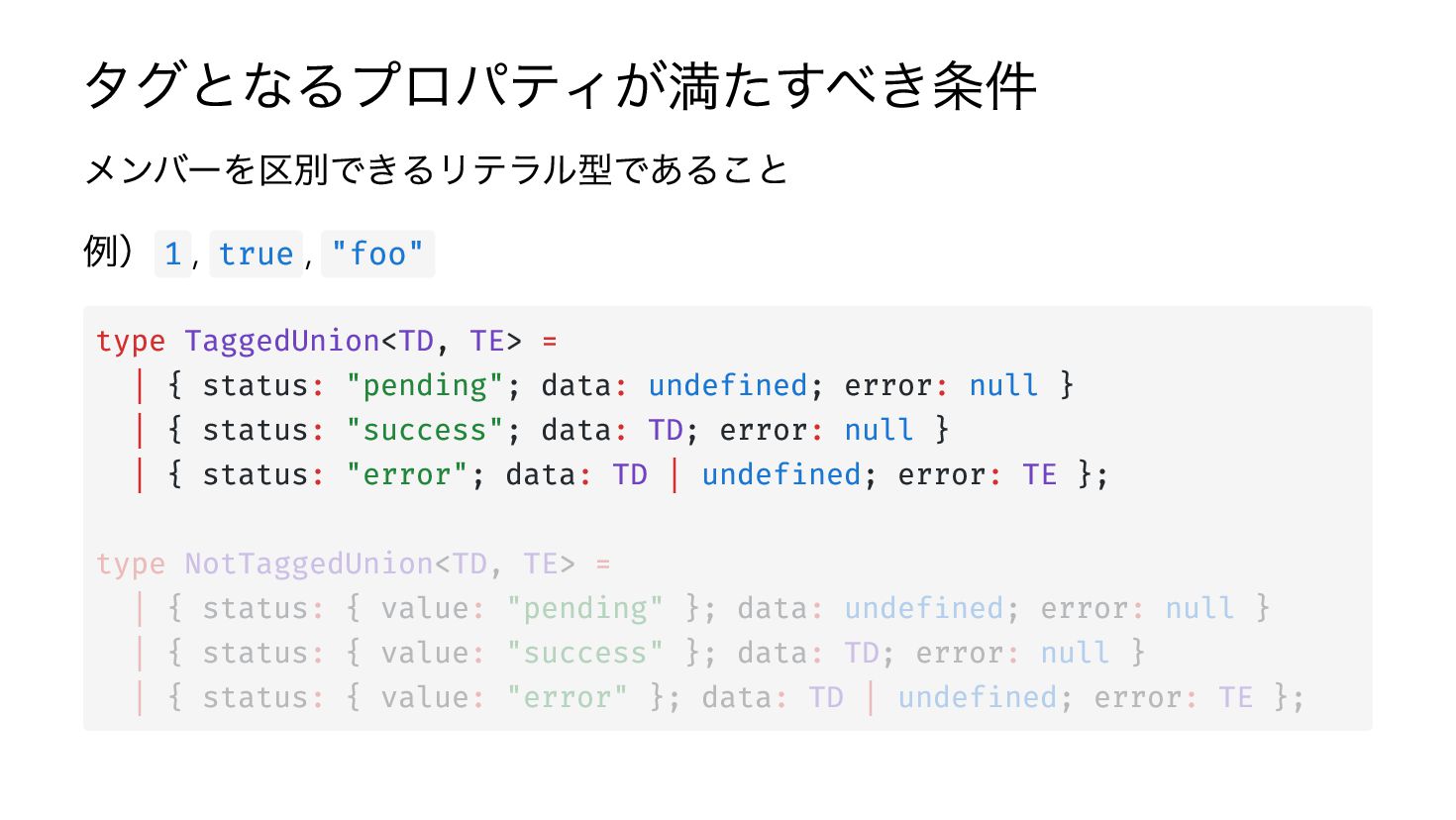
タグとなるプロパティが満たすべき条件 メンバーを区別できるリテラル型であること 例) 1 , true , "foo" type TaggedUnion<TD,
TE> = | { status: "pending"; data: undefined; error: null } | { status: "success"; data: TD; error: null } | { status: "error"; data: TD | undefined; error: TE }; type NotTaggedUnion<TD, TE> = | { status: { value: "pending" }; data: undefined; error: null } | { status: { value: "success" }; data: TD; error: null } | { status: { value: "error" }; data: TD | undefined; error: TE }; -
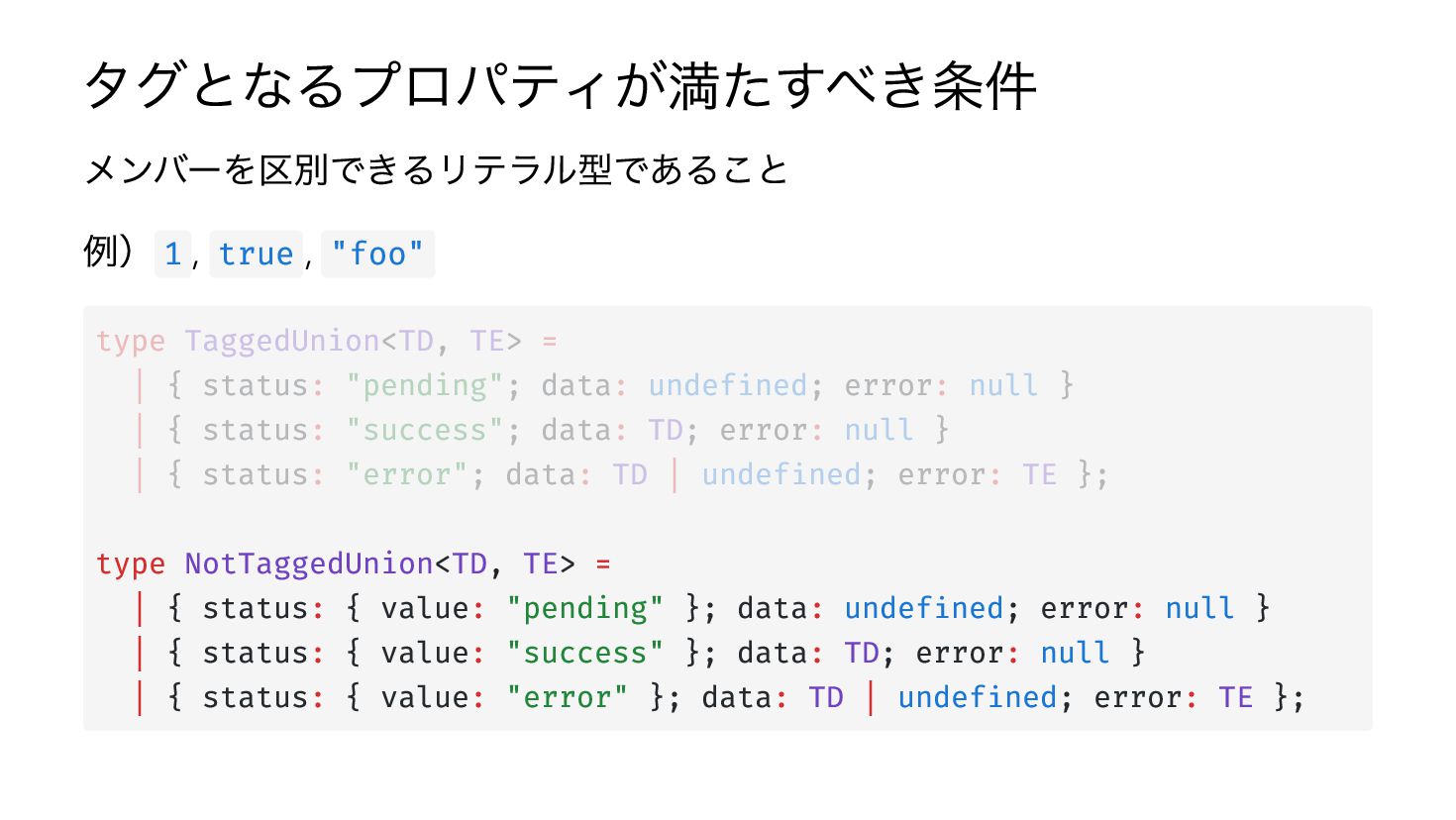
タグとなるプロパティが満たすべき条件 メンバーを区別できるリテラル型であること 例) 1 , true , "foo" type TaggedUnion<TD,
TE> = | { status: "pending"; data: undefined; error: null } | { status: "success"; data: TD; error: null } | { status: "error"; data: TD | undefined; error: TE }; type NotTaggedUnion<TD, TE> = | { status: { value: "pending" }; data: undefined; error: null } | { status: { value: "success" }; data: TD; error: null } | { status: { value: "error" }; data: TD | undefined; error: TE }; -
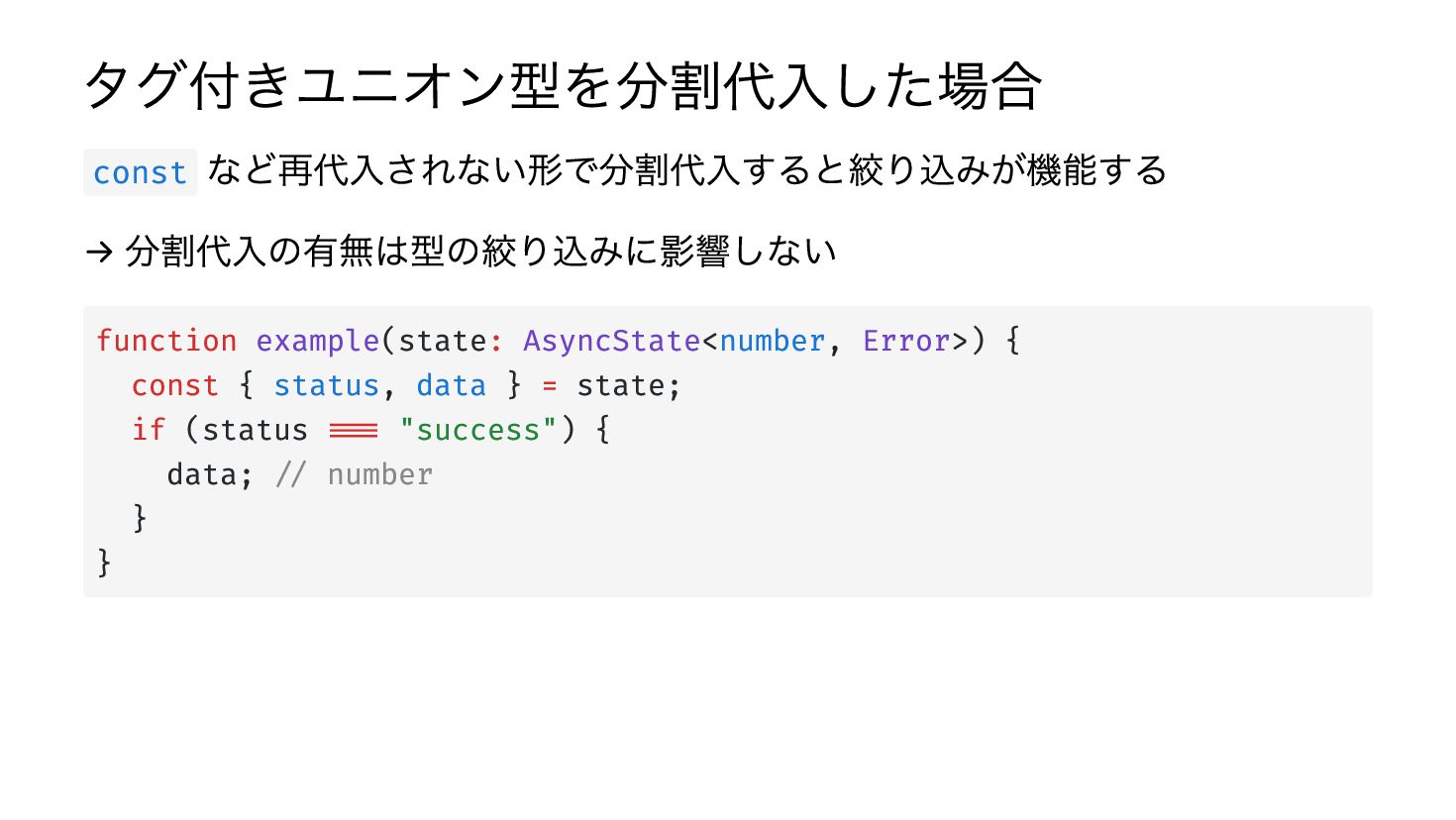
タグ付きユニオン型を分割代入した場合 など再代入されない形で分割代入すると絞り込みが機能する → 分割代入の有無は型の絞り込みに影響しない const function example(state: AsyncState<number, Error>) {
const { status, data } = state; if (status === "success") { data; // number } } -
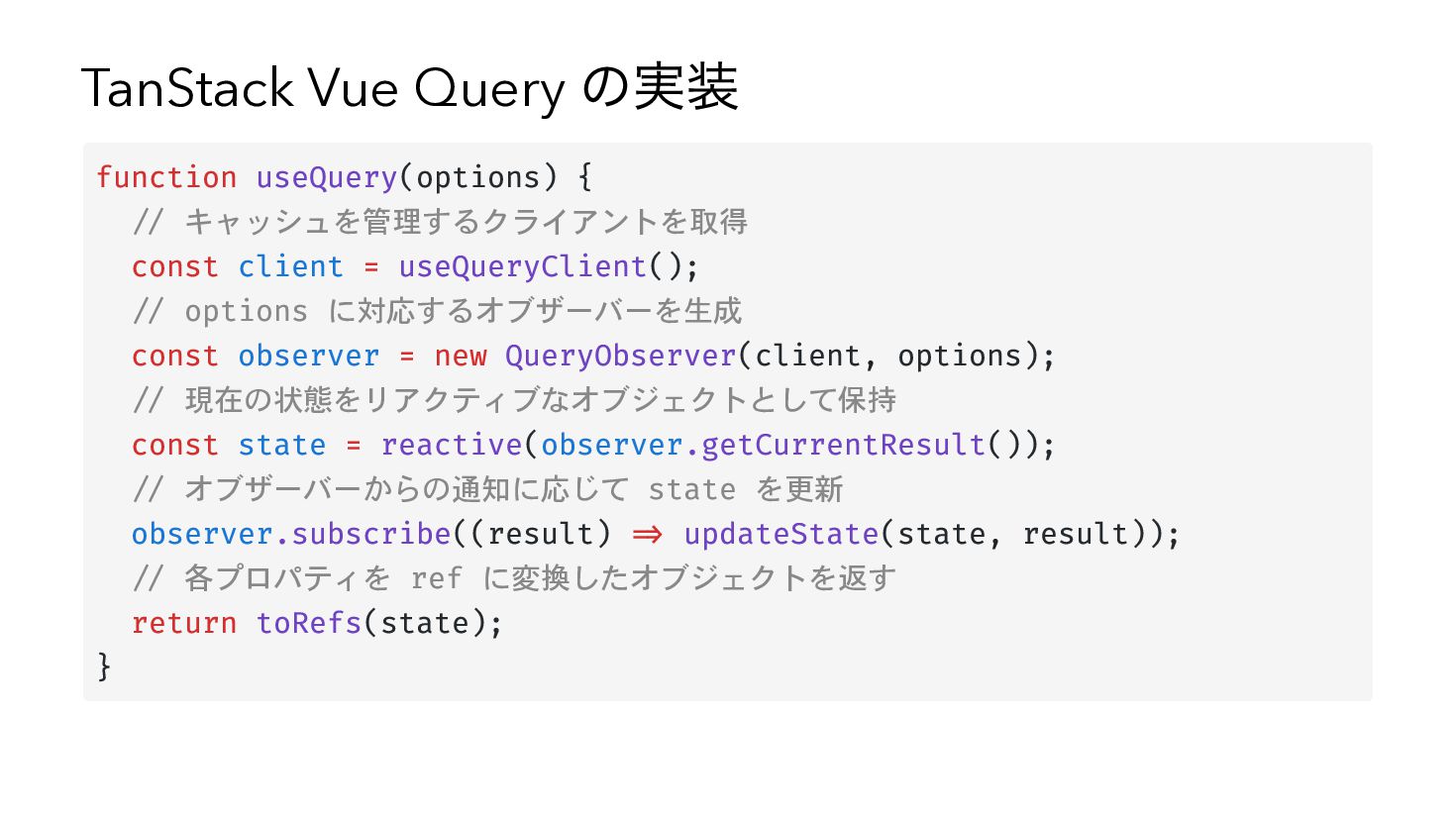
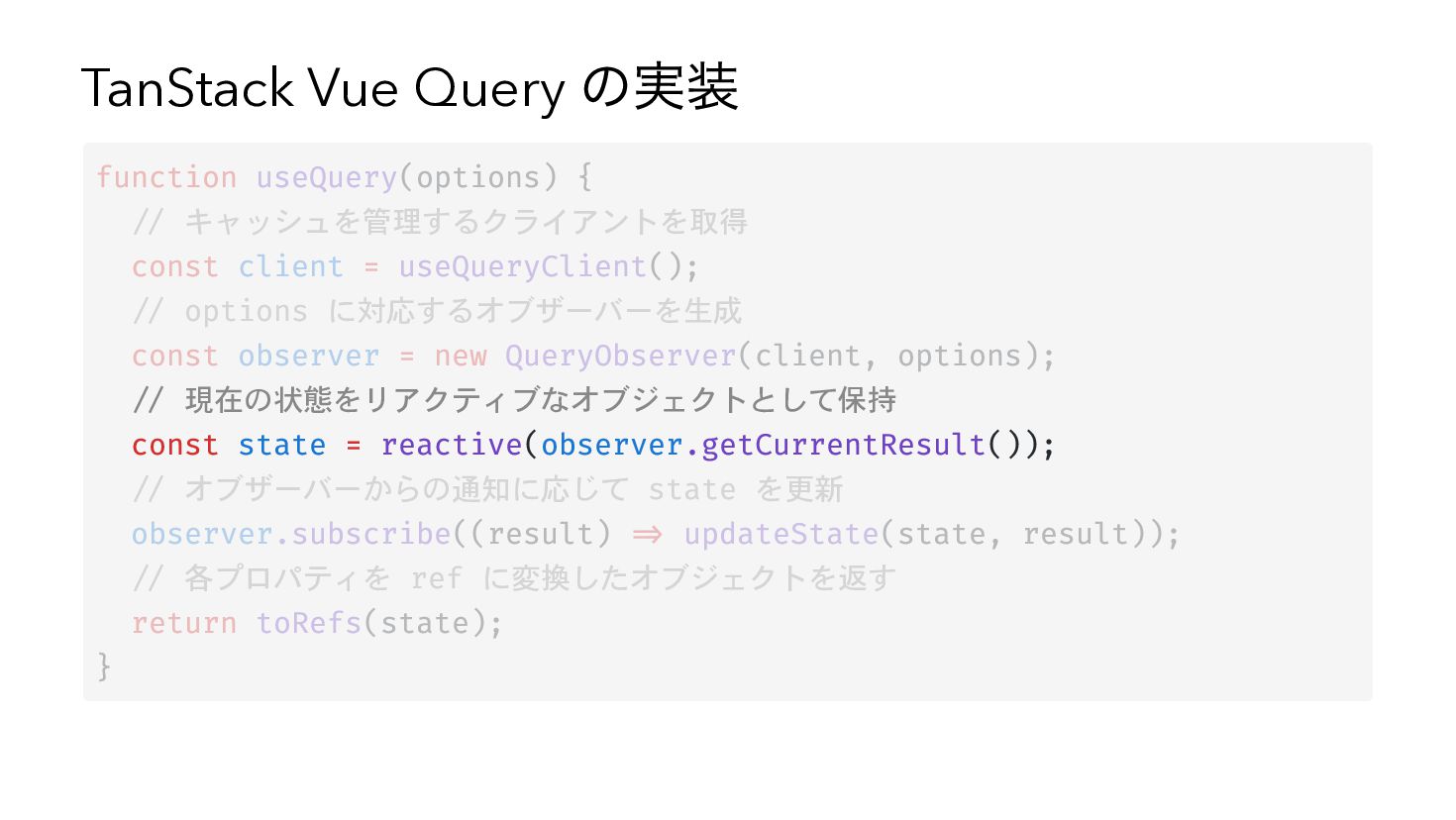
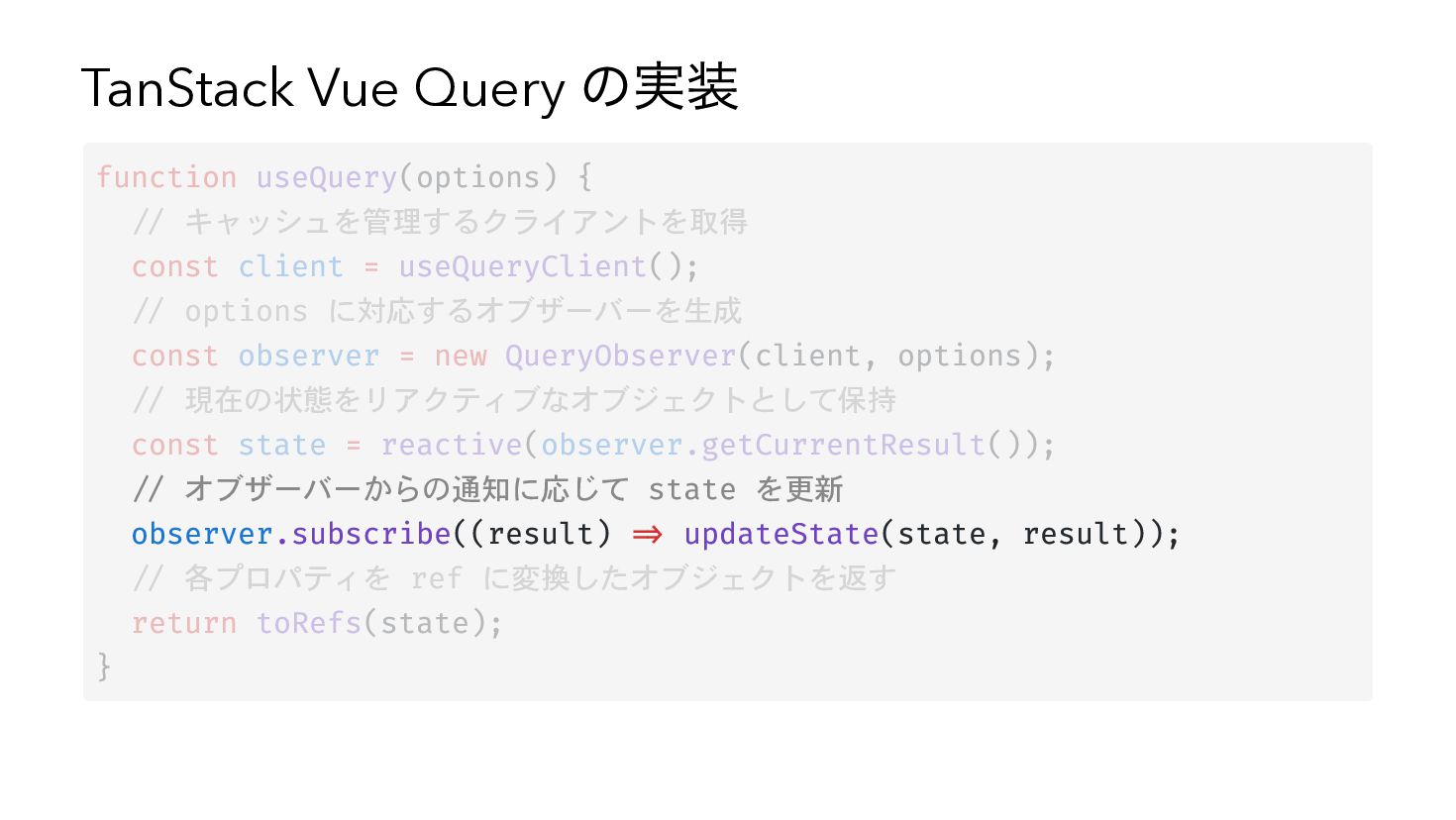
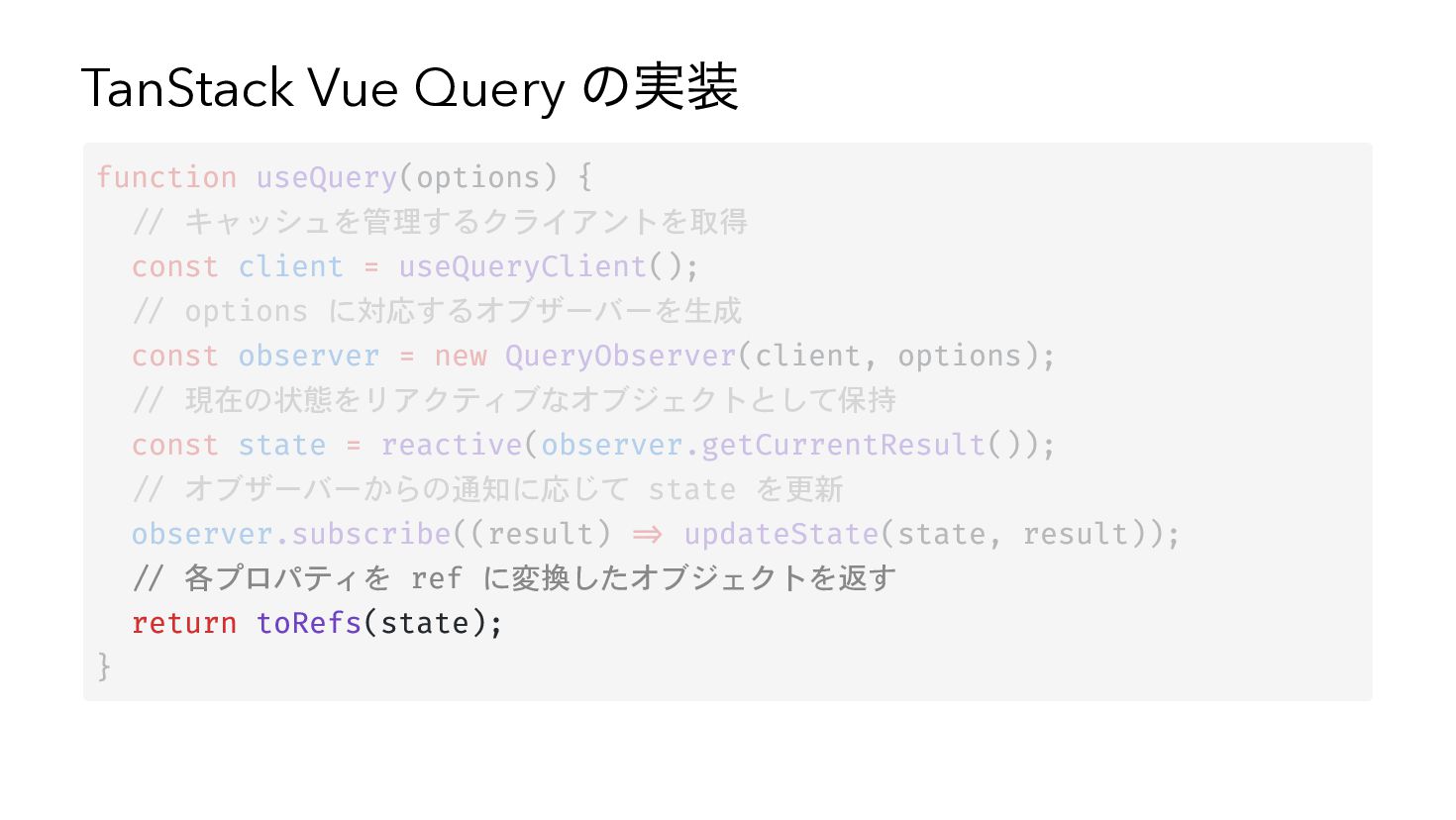
TanStack Vue Query の実装 function useQuery(options) { // キャッシュを管理するクライアントを取得 const
client = useQueryClient(); // options に対応するオブザーバーを生成 const observer = new QueryObserver(client, options); // 現在の状態をリアクティブなオブジェクトとして保持 const state = reactive(observer.getCurrentResult()); // オブザーバーからの通知に応じて state を更新 observer.subscribe((result) => updateState(state, result)); // 各プロパティを ref に変換したオブジェクトを返す return toRefs(state); } -
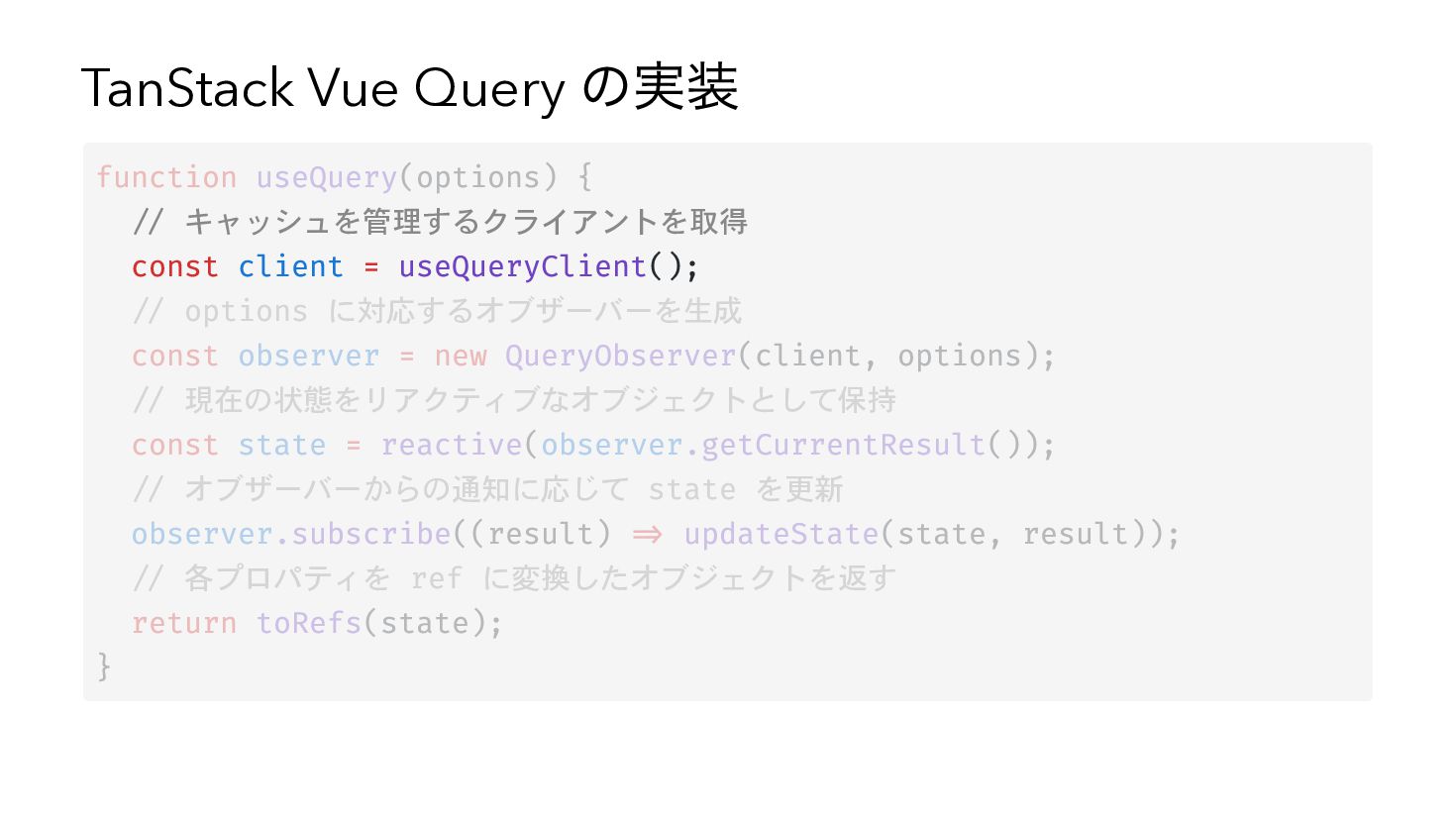
TanStack Vue Query の実装 function useQuery(options) { // キャッシュを管理するクライアントを取得 const
client = useQueryClient(); // options に対応するオブザーバーを生成 const observer = new QueryObserver(client, options); // 現在の状態をリアクティブなオブジェクトとして保持 const state = reactive(observer.getCurrentResult()); // オブザーバーからの通知に応じて state を更新 observer.subscribe((result) => updateState(state, result)); // 各プロパティを ref に変換したオブジェクトを返す return toRefs(state); } -
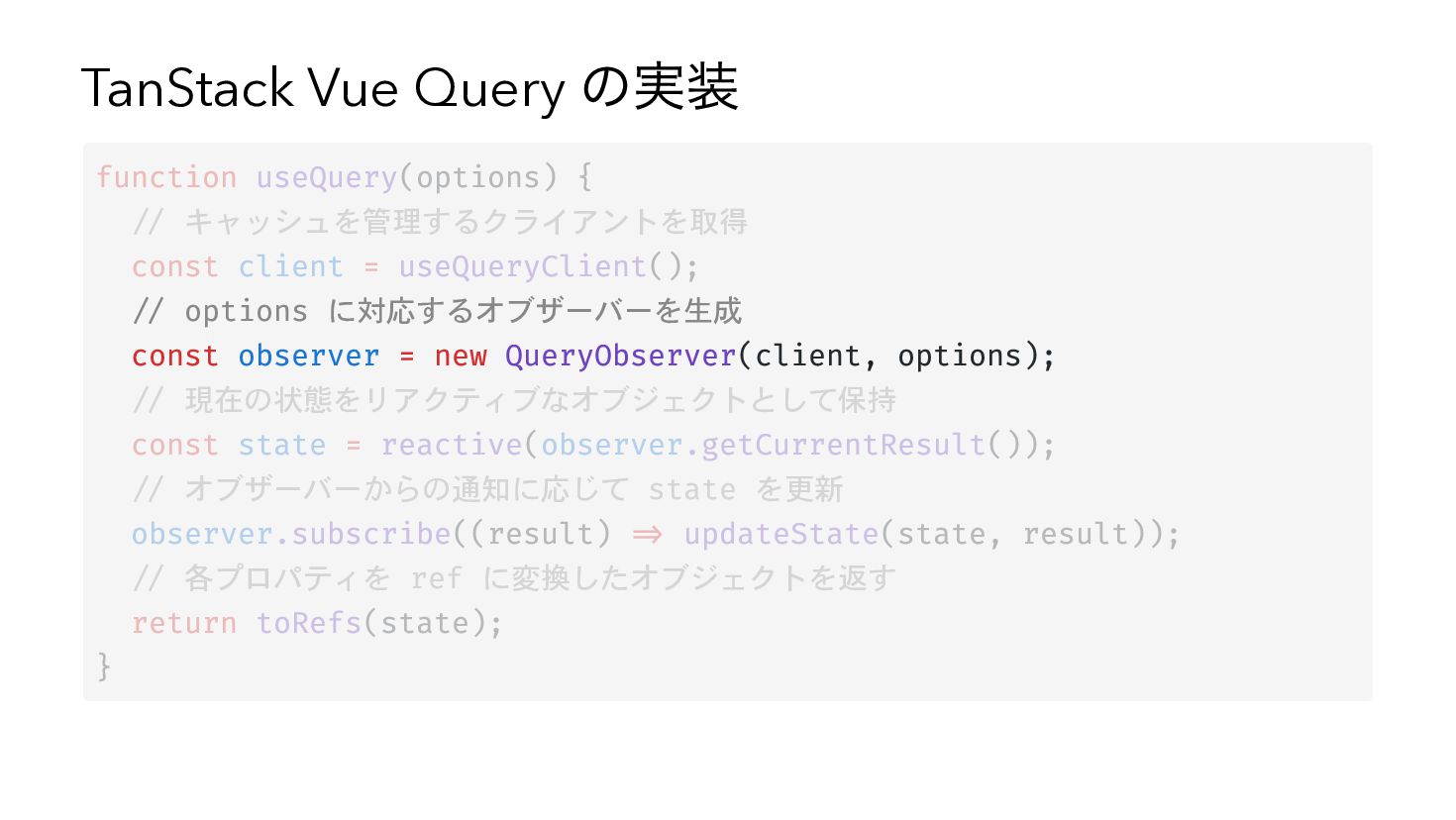
TanStack Vue Query の実装 function useQuery(options) { // キャッシュを管理するクライアントを取得 const
client = useQueryClient(); // options に対応するオブザーバーを生成 const observer = new QueryObserver(client, options); // 現在の状態をリアクティブなオブジェクトとして保持 const state = reactive(observer.getCurrentResult()); // オブザーバーからの通知に応じて state を更新 observer.subscribe((result) => updateState(state, result)); // 各プロパティを ref に変換したオブジェクトを返す return toRefs(state); } -
TanStack Vue Query の実装 function useQuery(options) { // キャッシュを管理するクライアントを取得 const
client = useQueryClient(); // options に対応するオブザーバーを生成 const observer = new QueryObserver(client, options); // 現在の状態をリアクティブなオブジェクトとして保持 const state = reactive(observer.getCurrentResult()); // オブザーバーからの通知に応じて state を更新 observer.subscribe((result) => updateState(state, result)); // 各プロパティを ref に変換したオブジェクトを返す return toRefs(state); } -
TanStack Vue Query の実装 function useQuery(options) { // キャッシュを管理するクライアントを取得 const
client = useQueryClient(); // options に対応するオブザーバーを生成 const observer = new QueryObserver(client, options); // 現在の状態をリアクティブなオブジェクトとして保持 const state = reactive(observer.getCurrentResult()); // オブザーバーからの通知に応じて state を更新 observer.subscribe((result) => updateState(state, result)); // 各プロパティを ref に変換したオブジェクトを返す return toRefs(state); } -
TanStack Vue Query の実装 function useQuery(options) { // キャッシュを管理するクライアントを取得 const
client = useQueryClient(); // options に対応するオブザーバーを生成 const observer = new QueryObserver(client, options); // 現在の状態をリアクティブなオブジェクトとして保持 const state = reactive(observer.getCurrentResult()); // オブザーバーからの通知に応じて state を更新 observer.subscribe((result) => updateState(state, result)); // 各プロパティを ref に変換したオブジェクトを返す return toRefs(state); } -
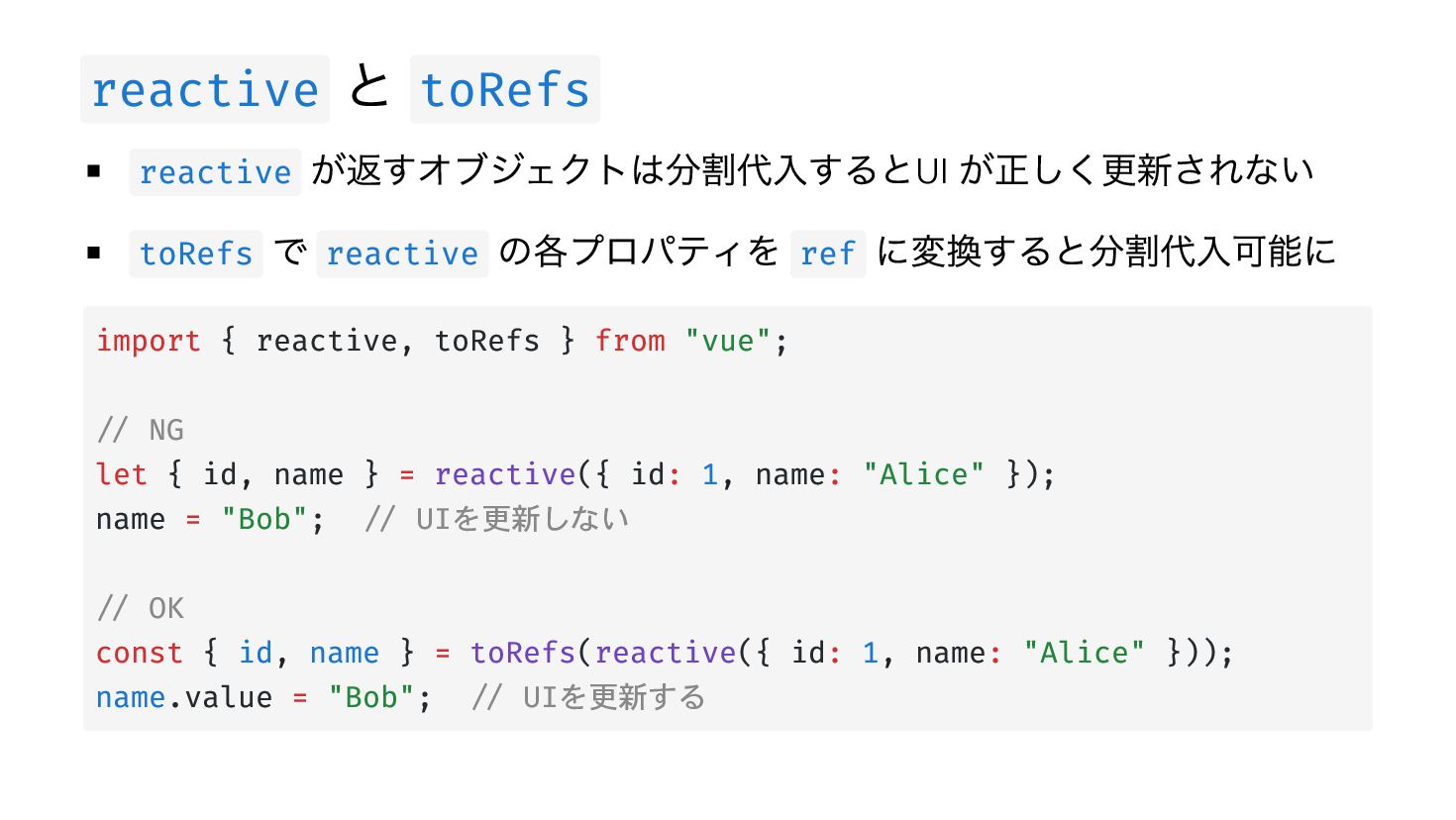
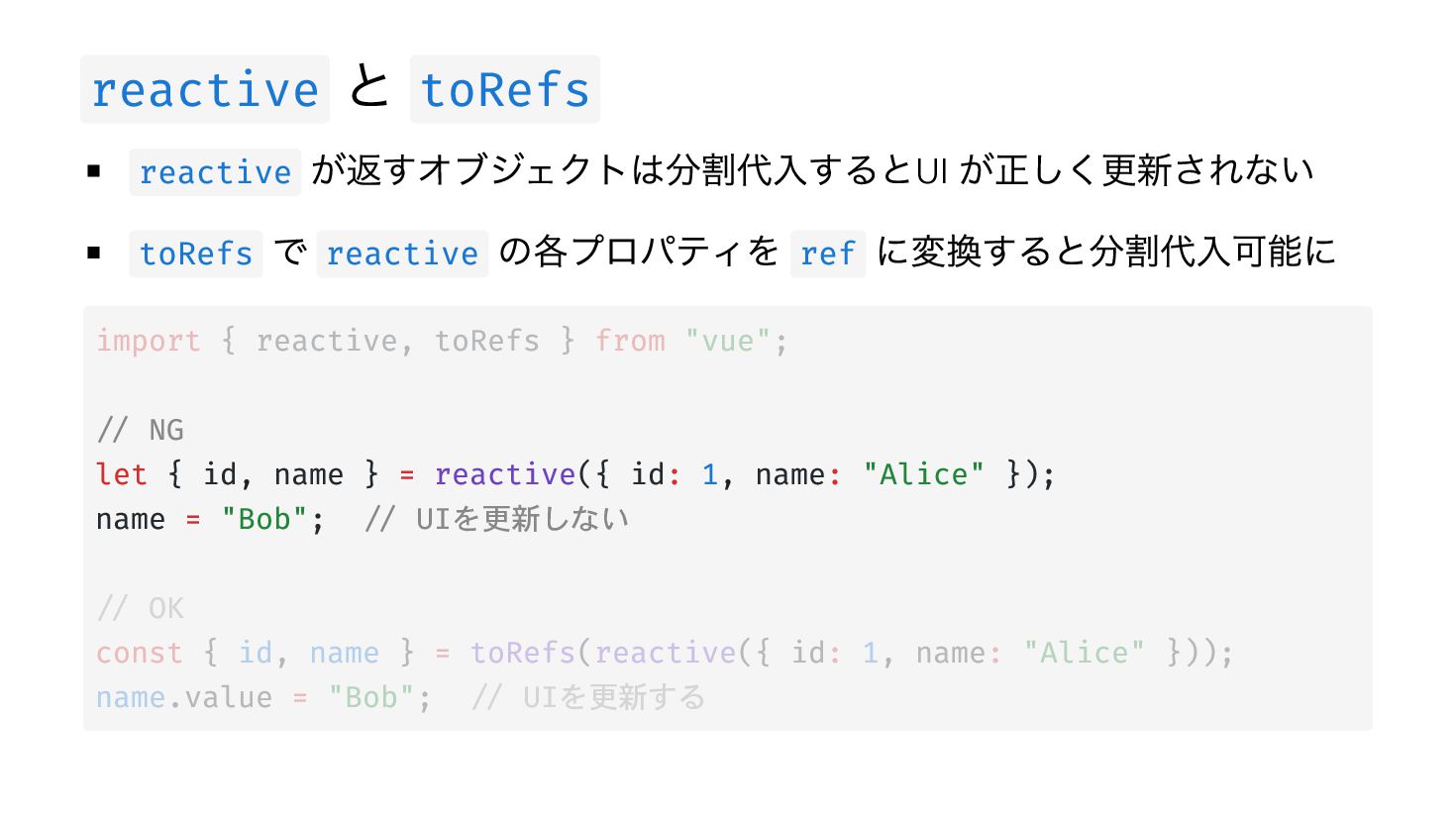
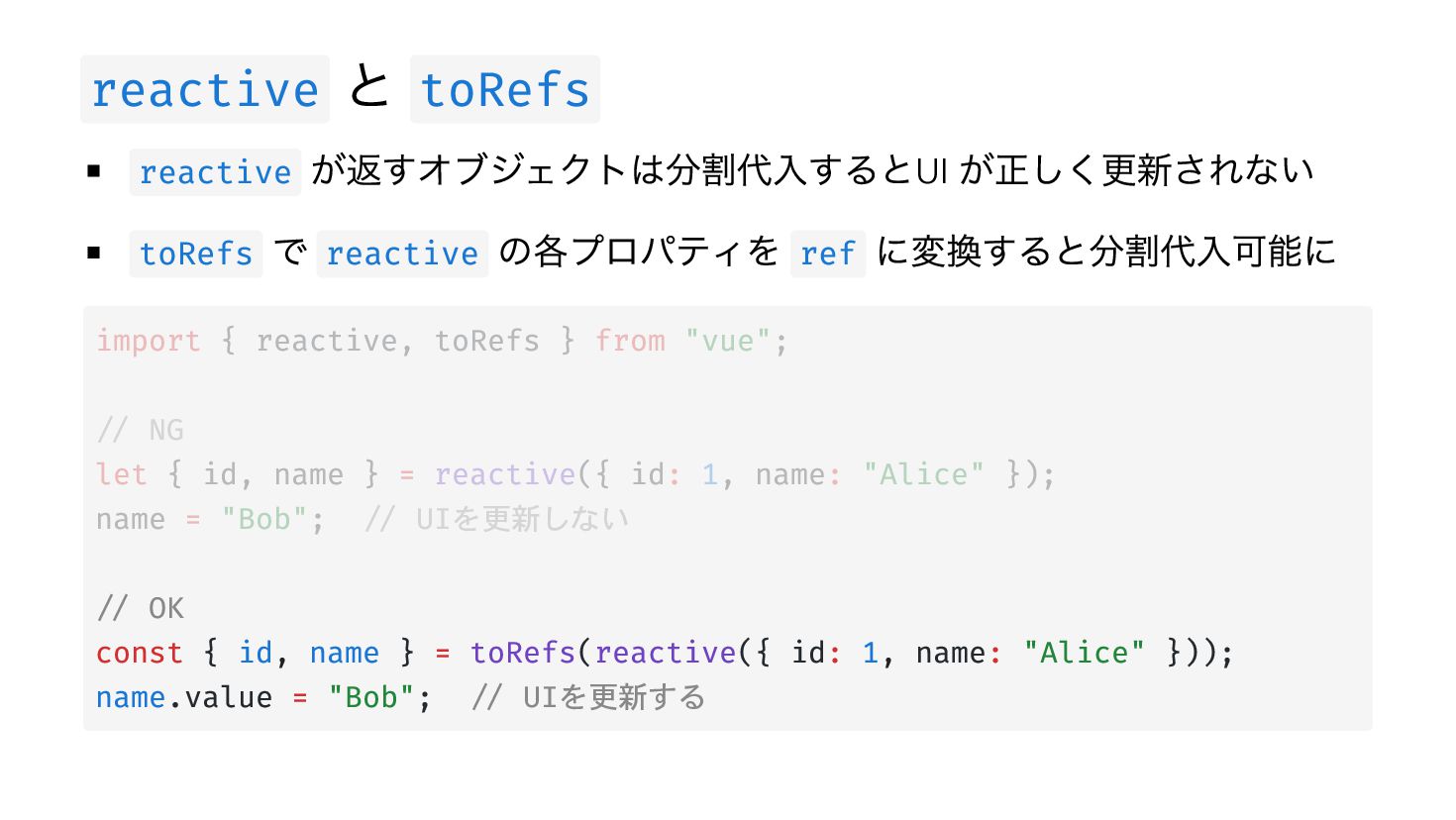
reactive と toRefs が返すオブジェクトは分割代入するとUI が正しく更新されない toRefs で reactive の各プロパティを ref
に変換すると分割代入可能に reactive import { reactive, toRefs } from "vue"; // NG let { id, name } = reactive({ id: 1, name: "Alice" }); name = "Bob"; // UIを更新しない // OK const { id, name } = toRefs(reactive({ id: 1, name: "Alice" })); name.value = "Bob"; // UIを更新する -
reactive と toRefs が返すオブジェクトは分割代入するとUI が正しく更新されない toRefs で reactive の各プロパティを ref
に変換すると分割代入可能に reactive import { reactive, toRefs } from "vue"; // NG let { id, name } = reactive({ id: 1, name: "Alice" }); name = "Bob"; // UIを更新しない // OK const { id, name } = toRefs(reactive({ id: 1, name: "Alice" })); name.value = "Bob"; // UIを更新する -
reactive と toRefs が返すオブジェクトは分割代入するとUI が正しく更新されない toRefs で reactive の各プロパティを ref
に変換すると分割代入可能に reactive import { reactive, toRefs } from "vue"; // NG let { id, name } = reactive({ id: 1, name: "Alice" }); name = "Bob"; // UIを更新しない // OK const { id, name } = toRefs(reactive({ id: 1, name: "Alice" })); name.value = "Bob"; // UIを更新する -
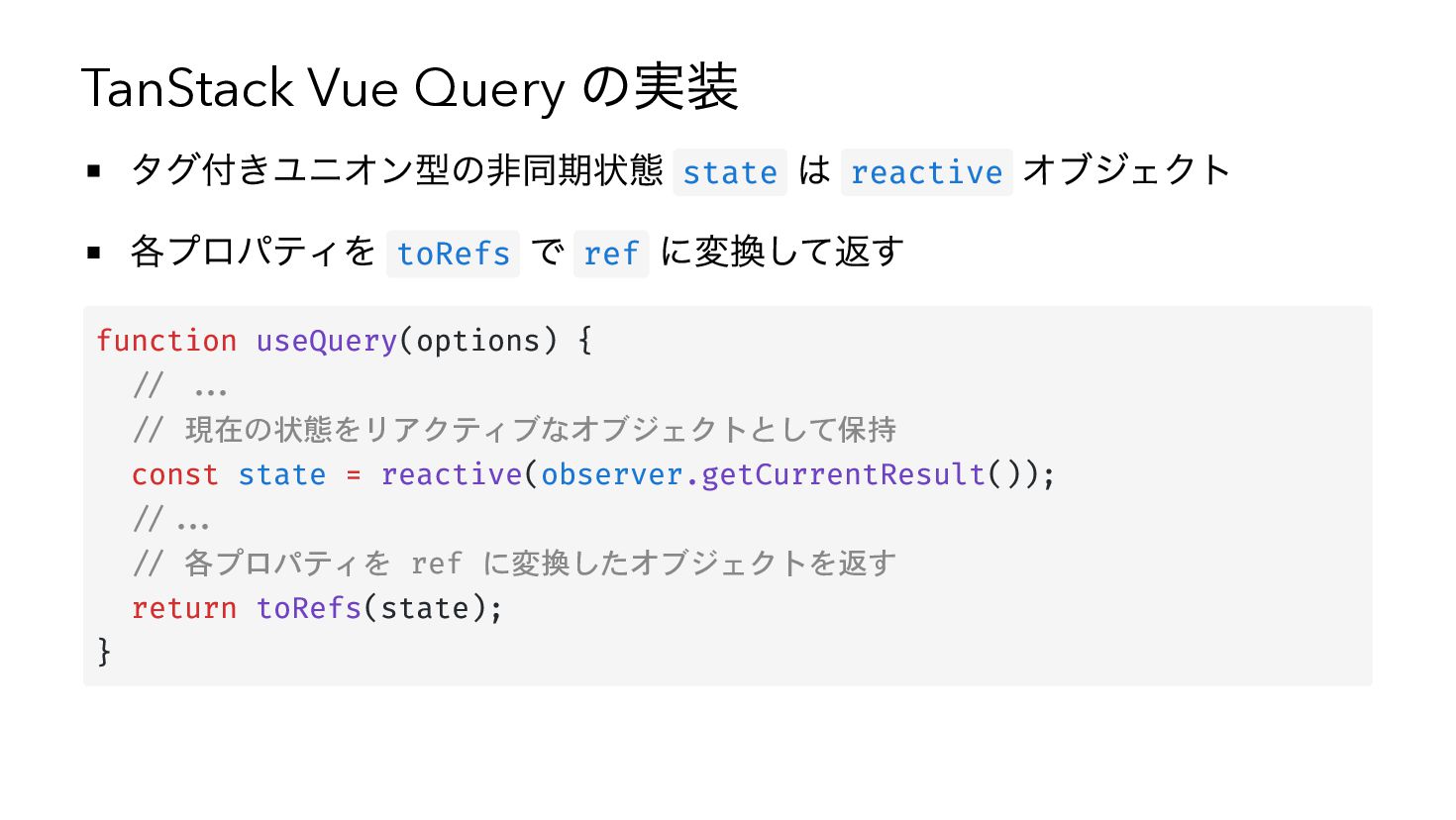
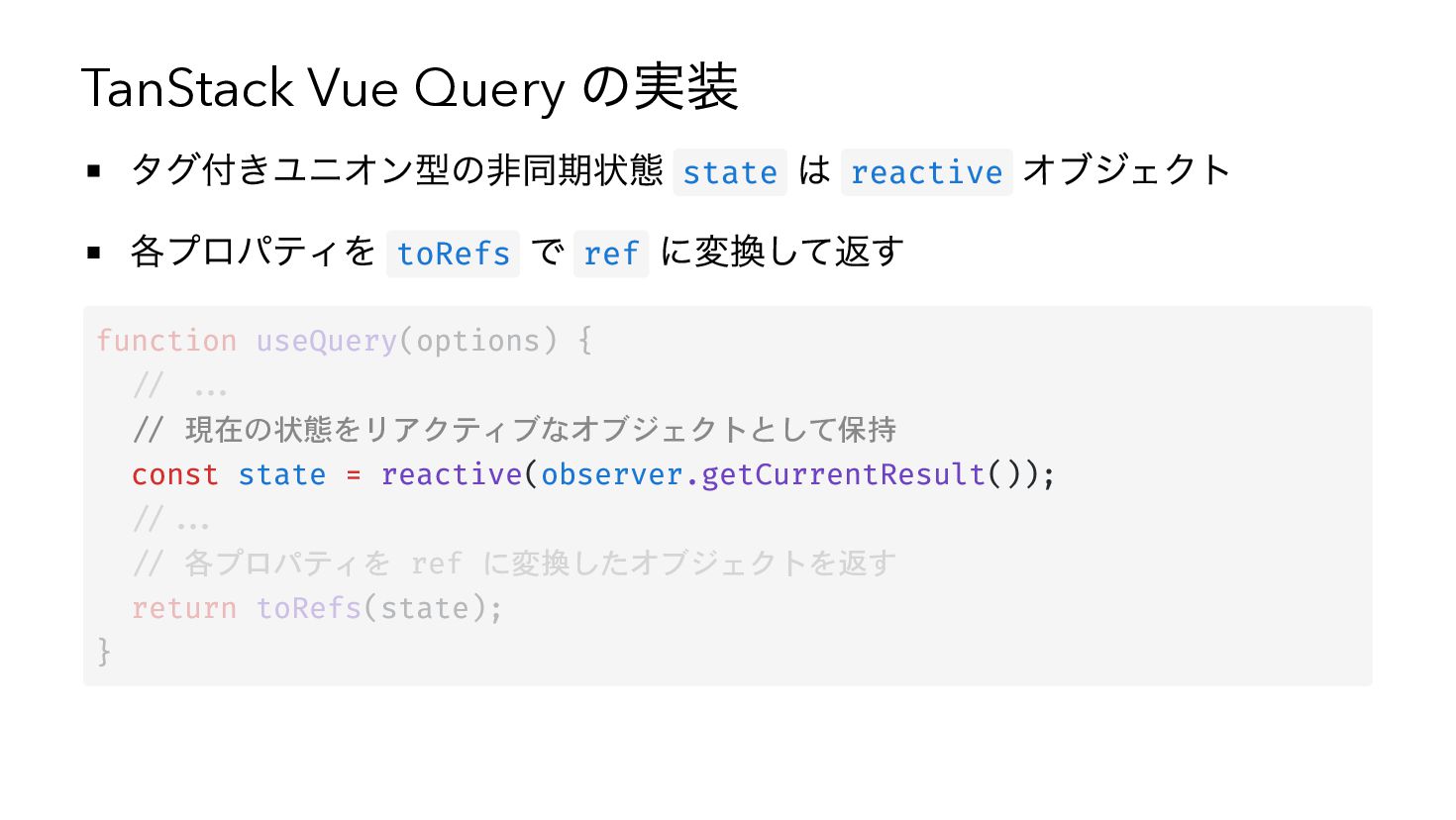
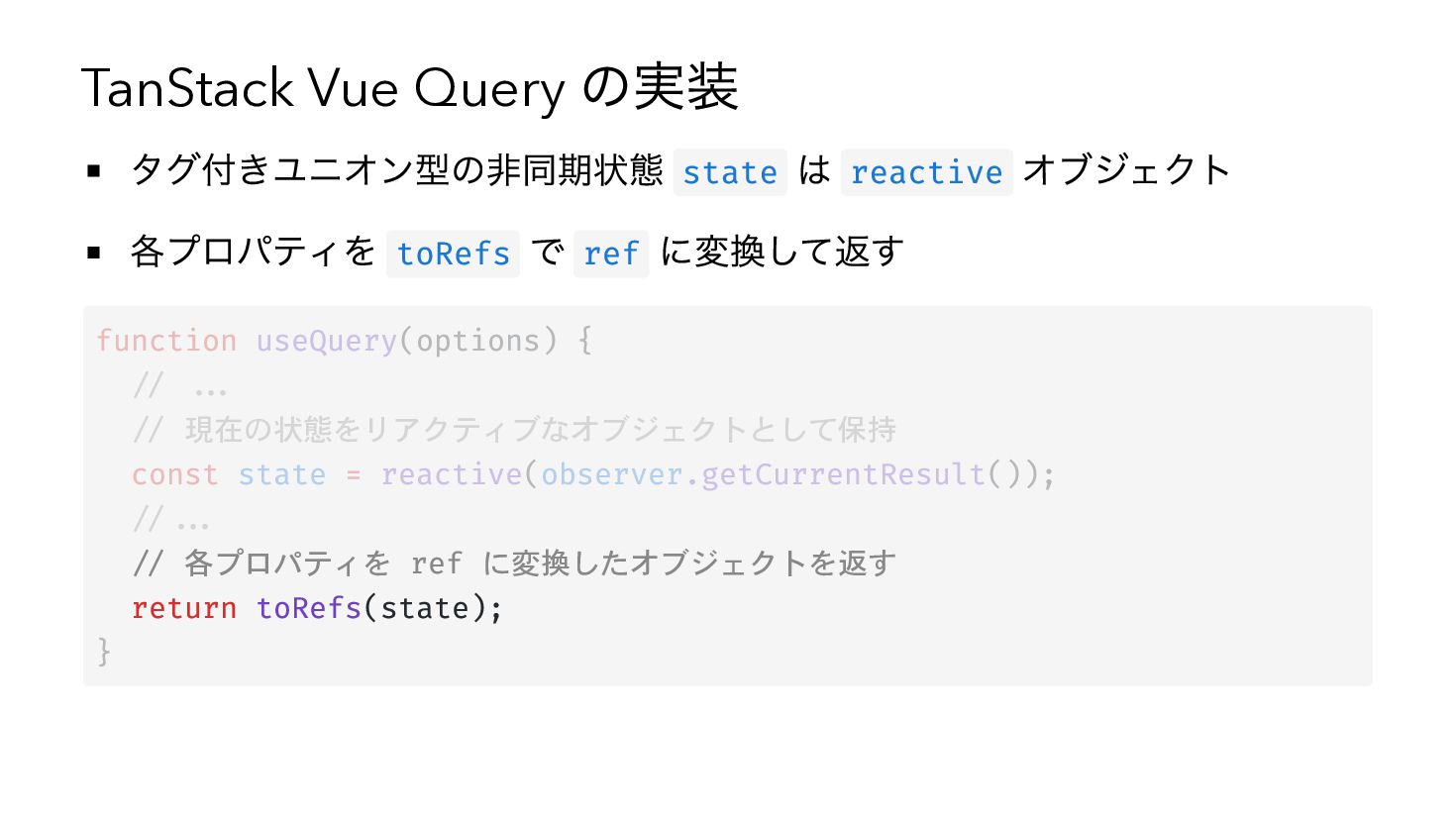
TanStack Vue Query の実装 タグ付きユニオン型の非同期状態 state は reactive オブジェクト 各プロパティを
toRefs で ref に変換して返す function useQuery(options) { // ... // 現在の状態をリアクティブなオブジェクトとして保持 const state = reactive(observer.getCurrentResult()); //... // 各プロパティを ref に変換したオブジェクトを返す return toRefs(state); } -
TanStack Vue Query の実装 タグ付きユニオン型の非同期状態 state は reactive オブジェクト 各プロパティを
toRefs で ref に変換して返す function useQuery(options) { // ... // 現在の状態をリアクティブなオブジェクトとして保持 const state = reactive(observer.getCurrentResult()); //... // 各プロパティを ref に変換したオブジェクトを返す return toRefs(state); } -
TanStack Vue Query の実装 タグ付きユニオン型の非同期状態 state は reactive オブジェクト 各プロパティを
toRefs で ref に変換して返す function useQuery(options) { // ... // 現在の状態をリアクティブなオブジェクトとして保持 const state = reactive(observer.getCurrentResult()); //... // 各プロパティを ref に変換したオブジェクトを返す return toRefs(state); } -
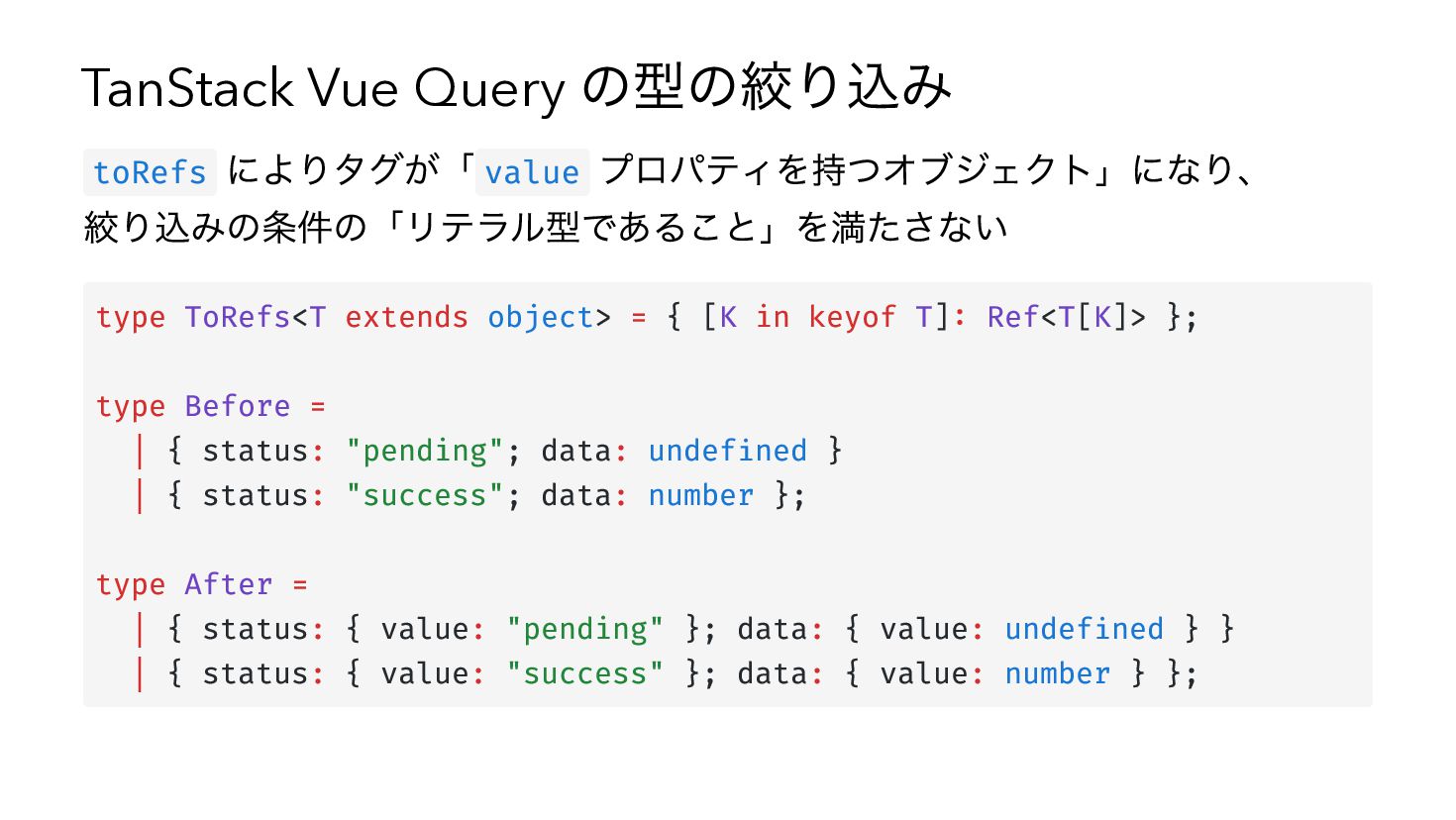
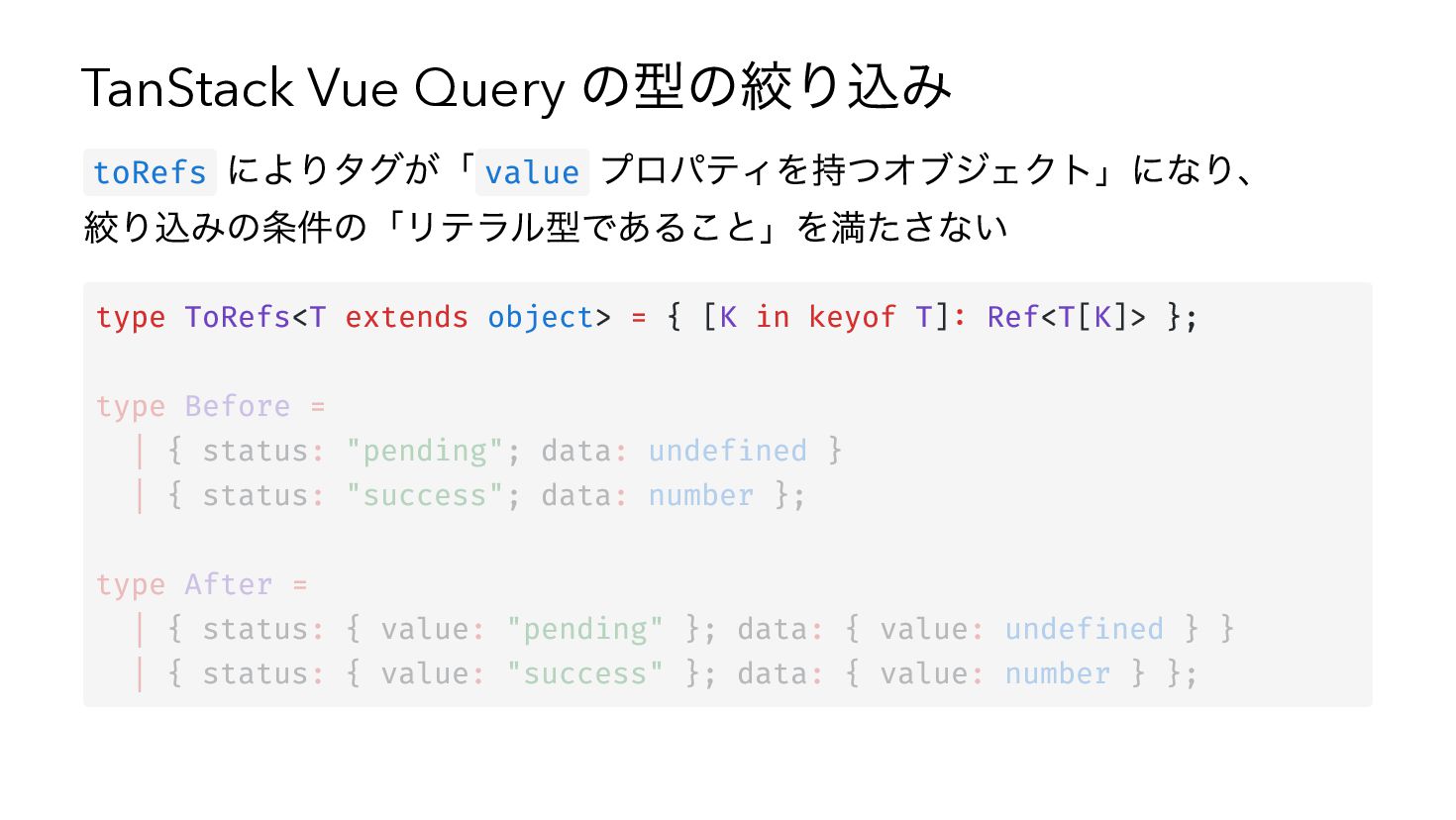
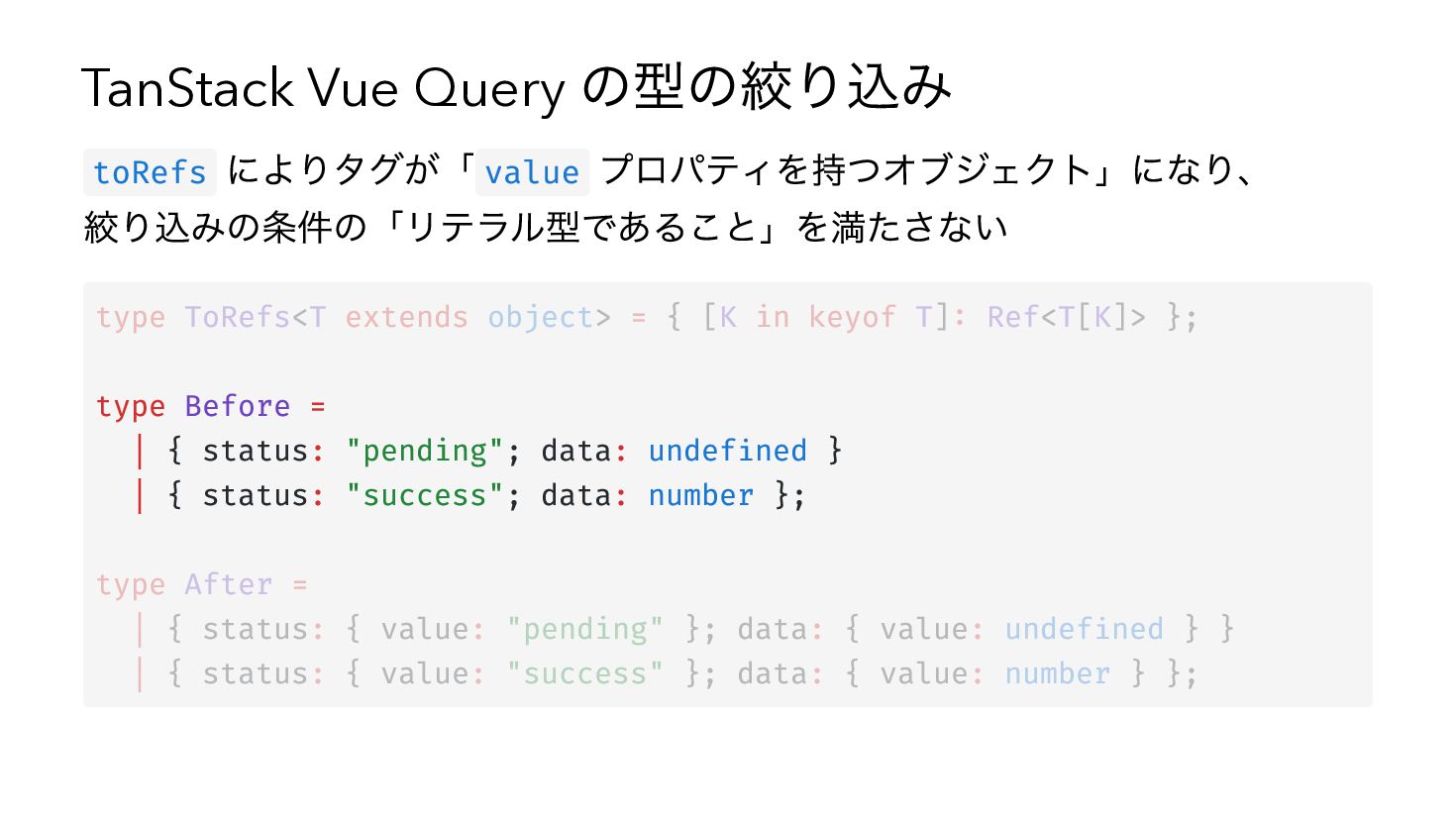
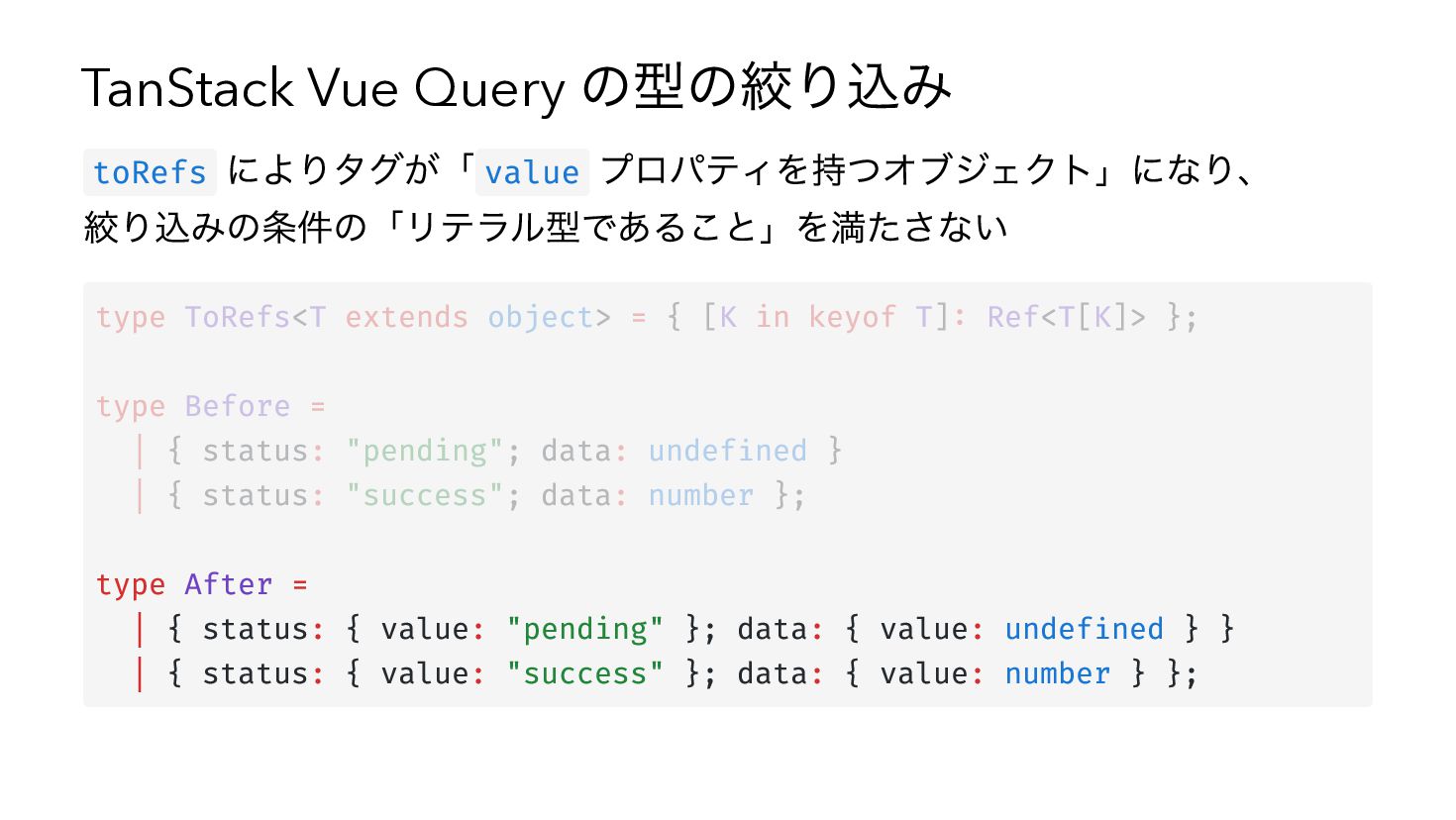
TanStack Vue Query の型の絞り込み によりタグが「 value プロパティを持つオブジェクト」になり、 絞り込みの条件の「リテラル型であること」を満たさない toRefs type
ToRefs<T extends object> = { [K in keyof T]: Ref<T[K]> }; type Before = | { status: "pending"; data: undefined } | { status: "success"; data: number }; type After = | { status: { value: "pending" }; data: { value: undefined } } | { status: { value: "success" }; data: { value: number } }; -
TanStack Vue Query の型の絞り込み によりタグが「 value プロパティを持つオブジェクト」になり、 絞り込みの条件の「リテラル型であること」を満たさない toRefs type
ToRefs<T extends object> = { [K in keyof T]: Ref<T[K]> }; type Before = | { status: "pending"; data: undefined } | { status: "success"; data: number }; type After = | { status: { value: "pending" }; data: { value: undefined } } | { status: { value: "success" }; data: { value: number } }; -
TanStack Vue Query の型の絞り込み によりタグが「 value プロパティを持つオブジェクト」になり、 絞り込みの条件の「リテラル型であること」を満たさない toRefs type
ToRefs<T extends object> = { [K in keyof T]: Ref<T[K]> }; type Before = | { status: "pending"; data: undefined } | { status: "success"; data: number }; type After = | { status: { value: "pending" }; data: { value: undefined } } | { status: { value: "success" }; data: { value: number } }; -
TanStack Vue Query の型の絞り込み によりタグが「 value プロパティを持つオブジェクト」になり、 絞り込みの条件の「リテラル型であること」を満たさない toRefs type
ToRefs<T extends object> = { [K in keyof T]: Ref<T[K]> }; type Before = | { status: "pending"; data: undefined } | { status: "success"; data: number }; type After = | { status: { value: "pending" }; data: { value: undefined } } | { status: { value: "success" }; data: { value: number } }; -
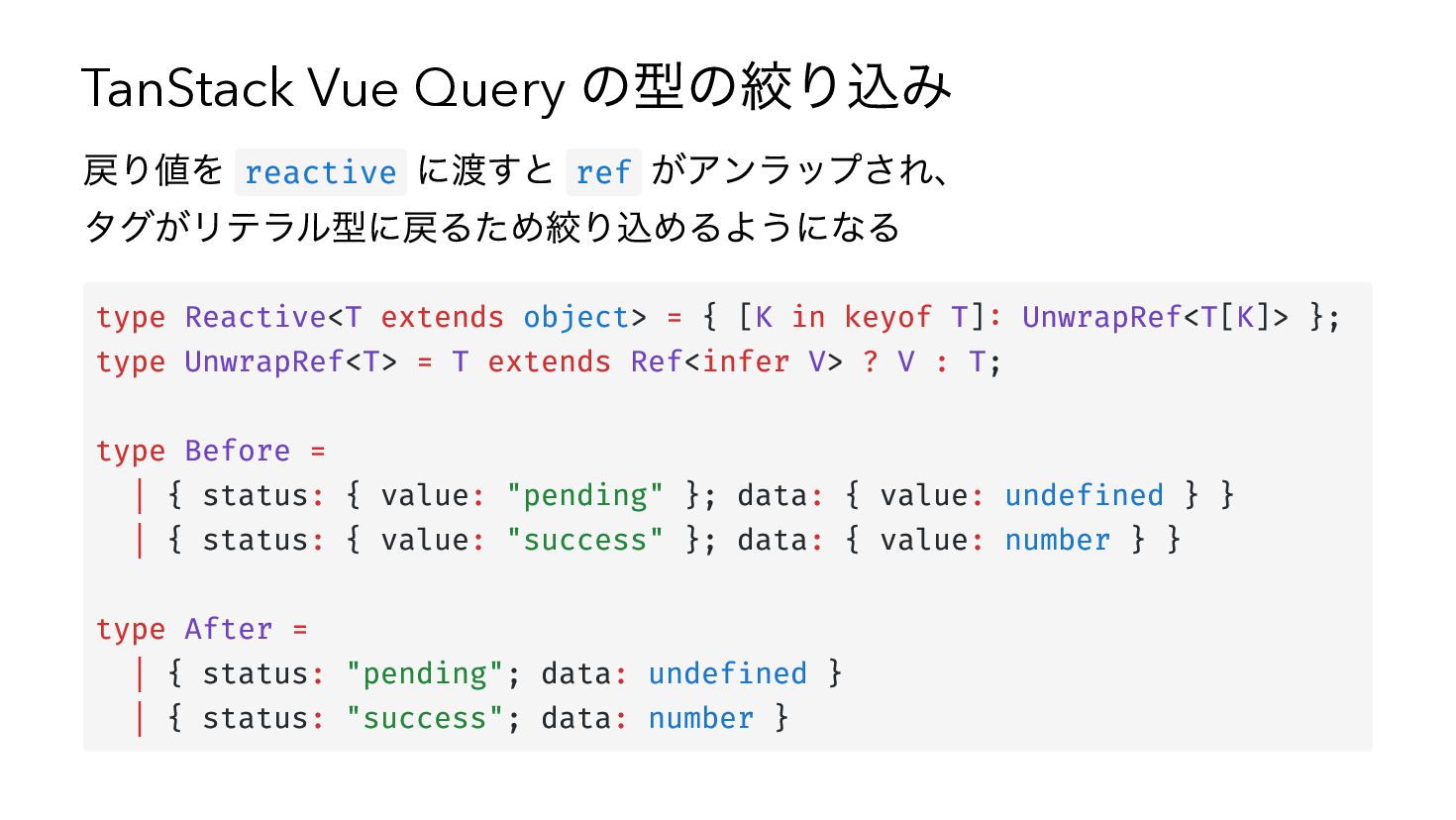
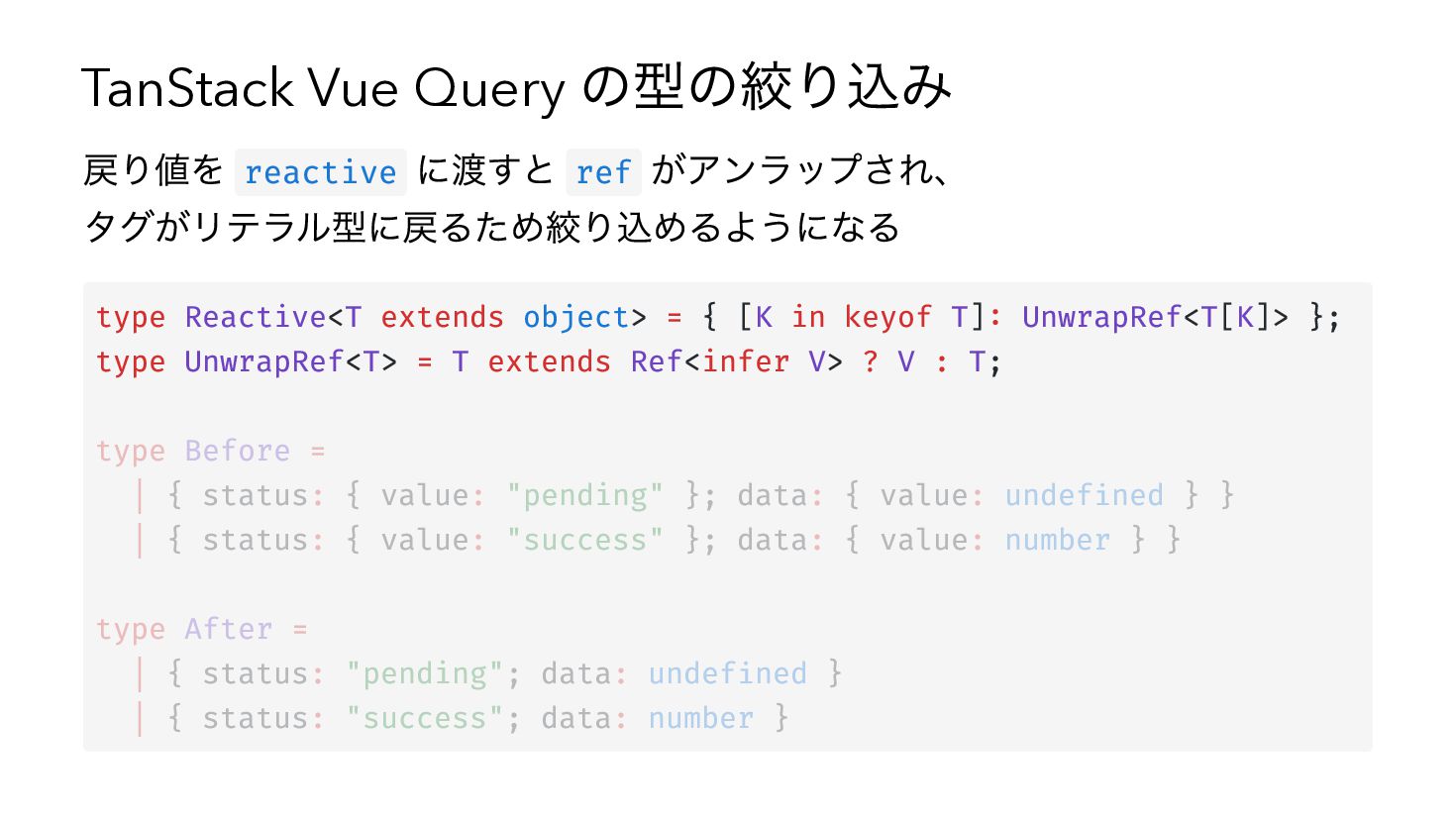
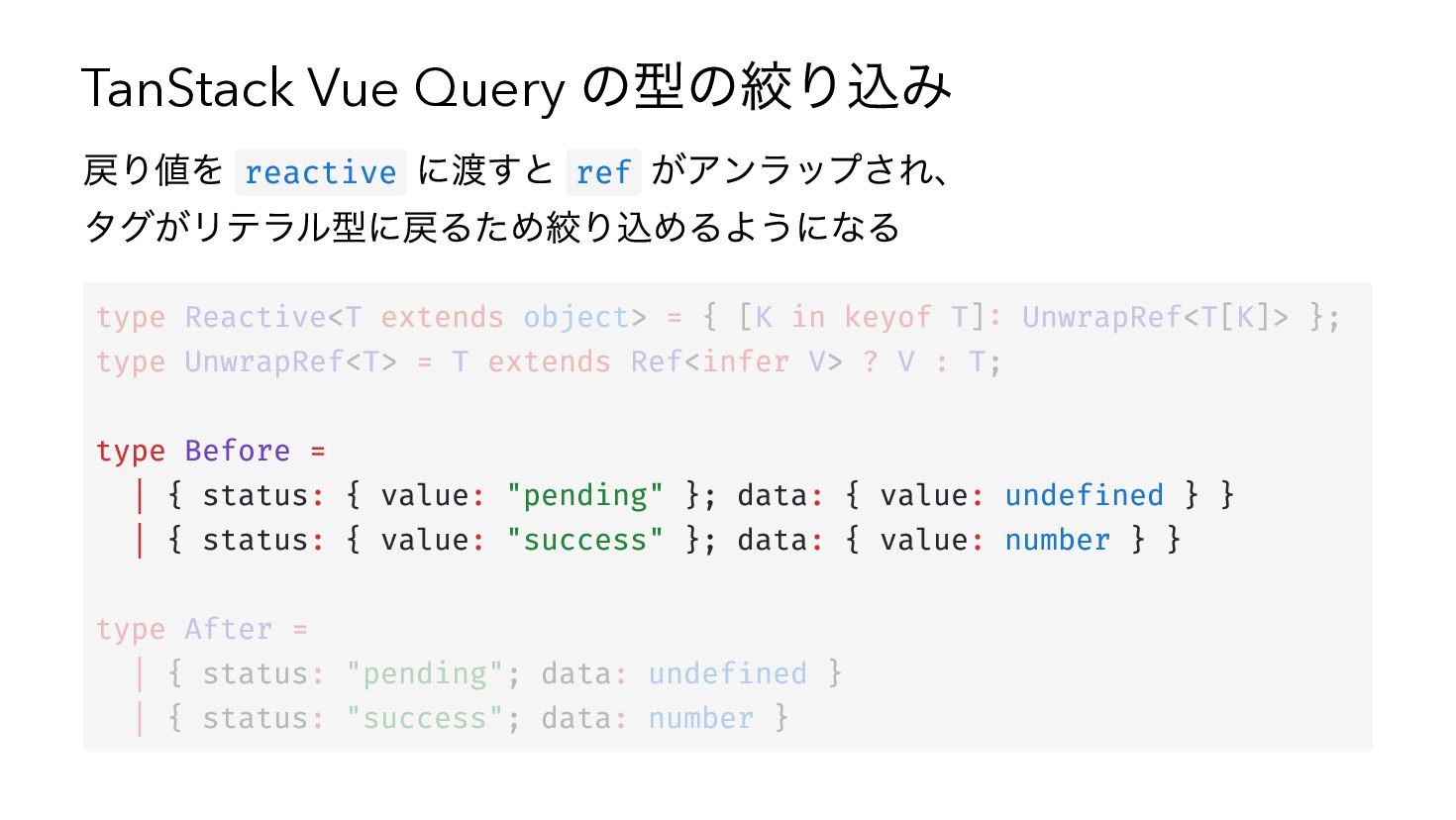
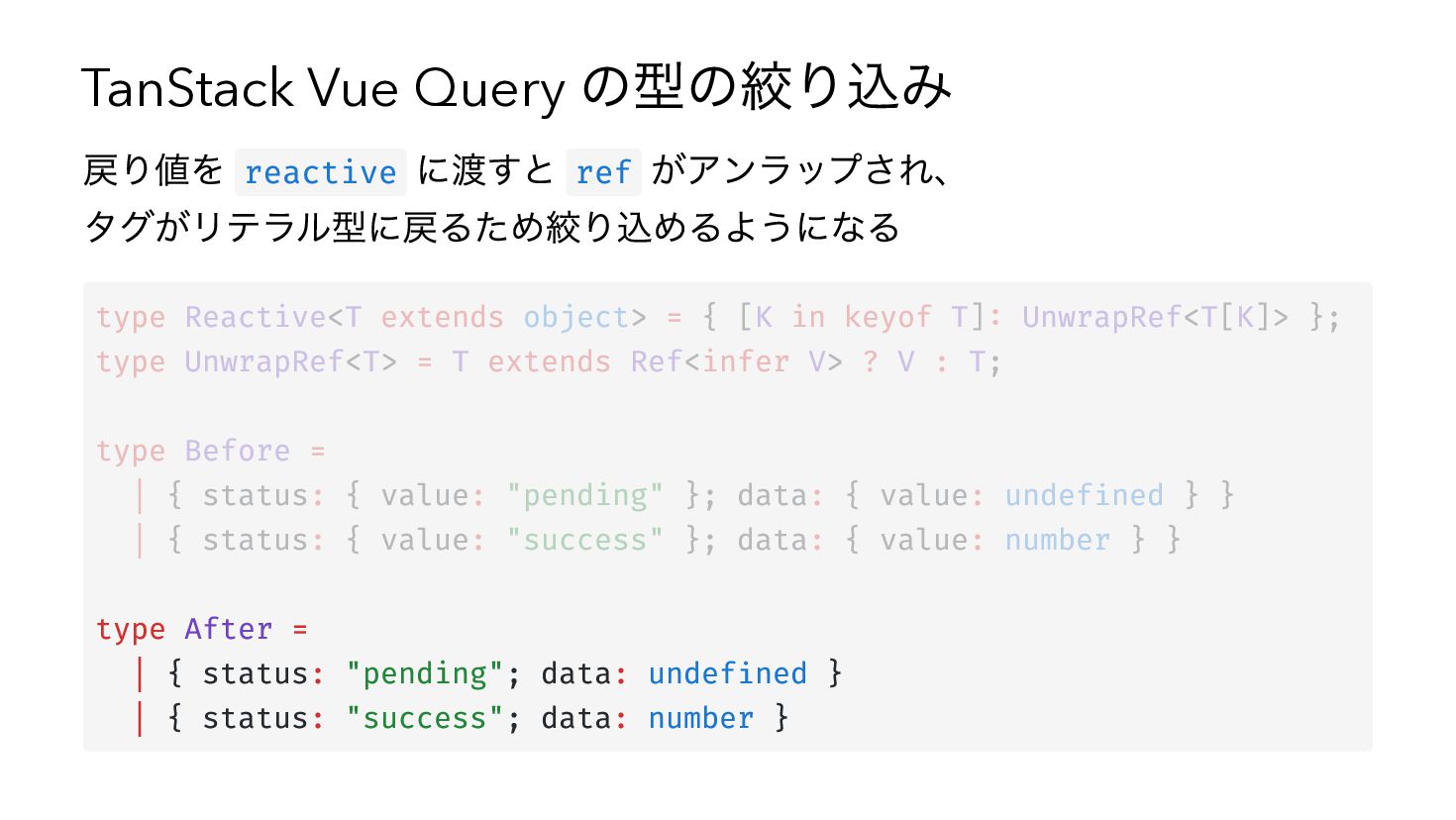
TanStack Vue Query の型の絞り込み 戻り値を reactive に渡すと ref がアンラップされ、 タグがリテラル型に戻るため絞り込めるようになる
type Reactive<T extends object> = { [K in keyof T]: UnwrapRef<T[K]> }; type UnwrapRef<T> = T extends Ref<infer V> ? V : T; type Before = | { status: { value: "pending" }; data: { value: undefined } } | { status: { value: "success" }; data: { value: number } } type After = | { status: "pending"; data: undefined } | { status: "success"; data: number } -
TanStack Vue Query の型の絞り込み 戻り値を reactive に渡すと ref がアンラップされ、 タグがリテラル型に戻るため絞り込めるようになる
type Reactive<T extends object> = { [K in keyof T]: UnwrapRef<T[K]> }; type UnwrapRef<T> = T extends Ref<infer V> ? V : T; type Before = | { status: { value: "pending" }; data: { value: undefined } } | { status: { value: "success" }; data: { value: number } } type After = | { status: "pending"; data: undefined } | { status: "success"; data: number } -
TanStack Vue Query の型の絞り込み 戻り値を reactive に渡すと ref がアンラップされ、 タグがリテラル型に戻るため絞り込めるようになる
type Reactive<T extends object> = { [K in keyof T]: UnwrapRef<T[K]> }; type UnwrapRef<T> = T extends Ref<infer V> ? V : T; type Before = | { status: { value: "pending" }; data: { value: undefined } } | { status: { value: "success" }; data: { value: number } } type After = | { status: "pending"; data: undefined } | { status: "success"; data: number } -
TanStack Vue Query の型の絞り込み 戻り値を reactive に渡すと ref がアンラップされ、 タグがリテラル型に戻るため絞り込めるようになる
type Reactive<T extends object> = { [K in keyof T]: UnwrapRef<T[K]> }; type UnwrapRef<T> = T extends Ref<infer V> ? V : T; type Before = | { status: { value: "pending" }; data: { value: undefined } } | { status: { value: "success" }; data: { value: number } } type After = | { status: "pending"; data: undefined } | { status: "success"; data: number } -
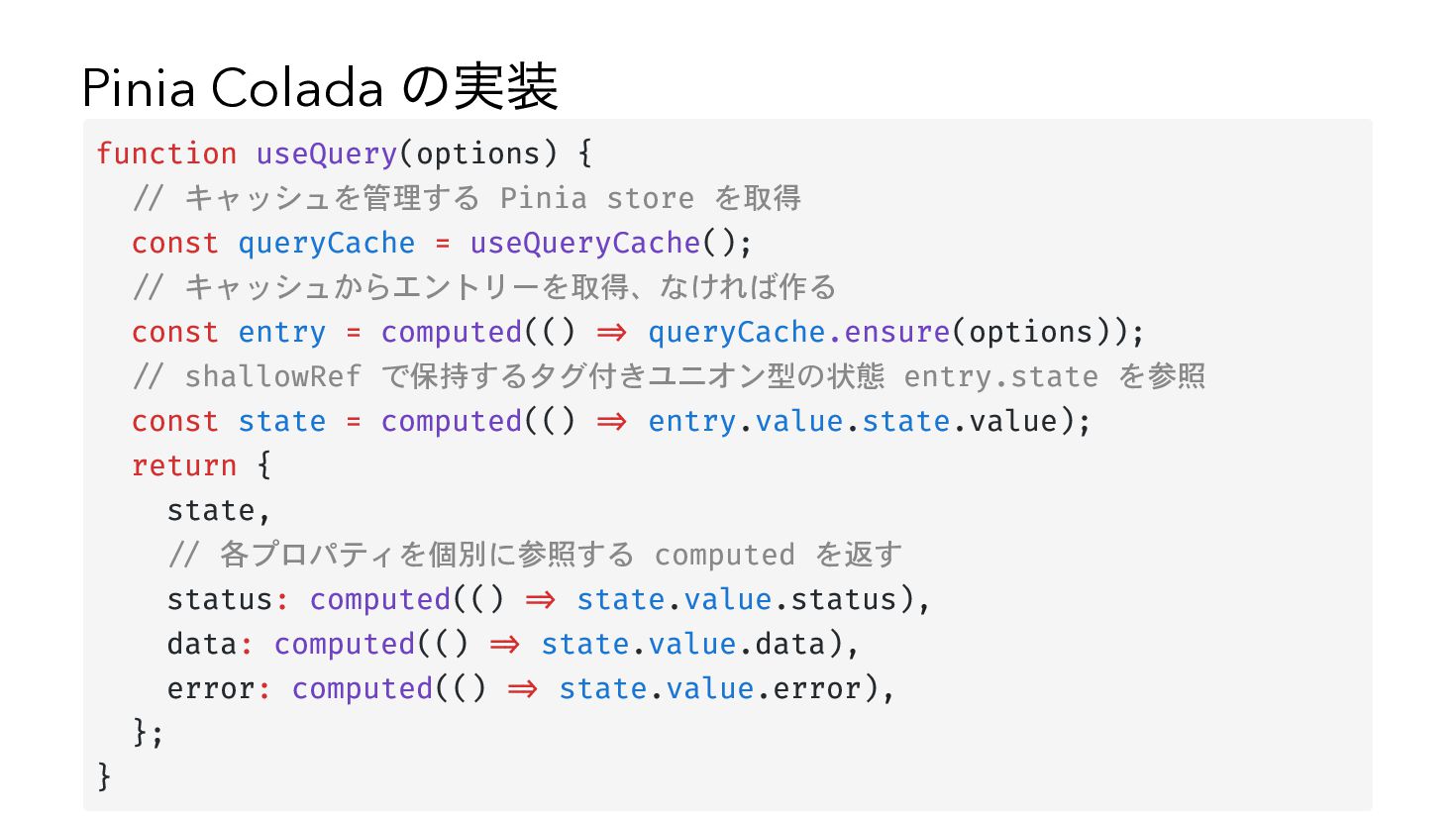
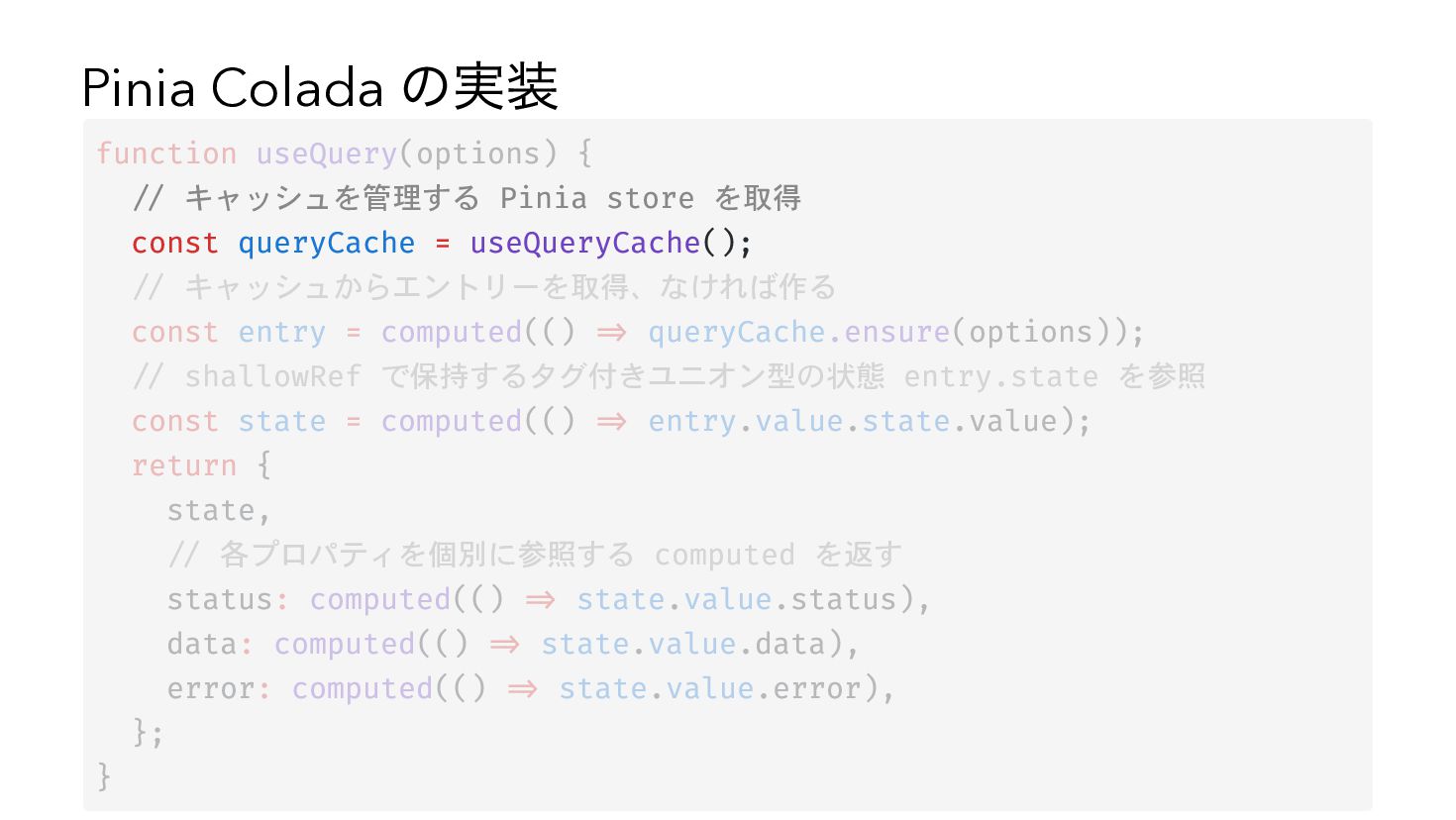
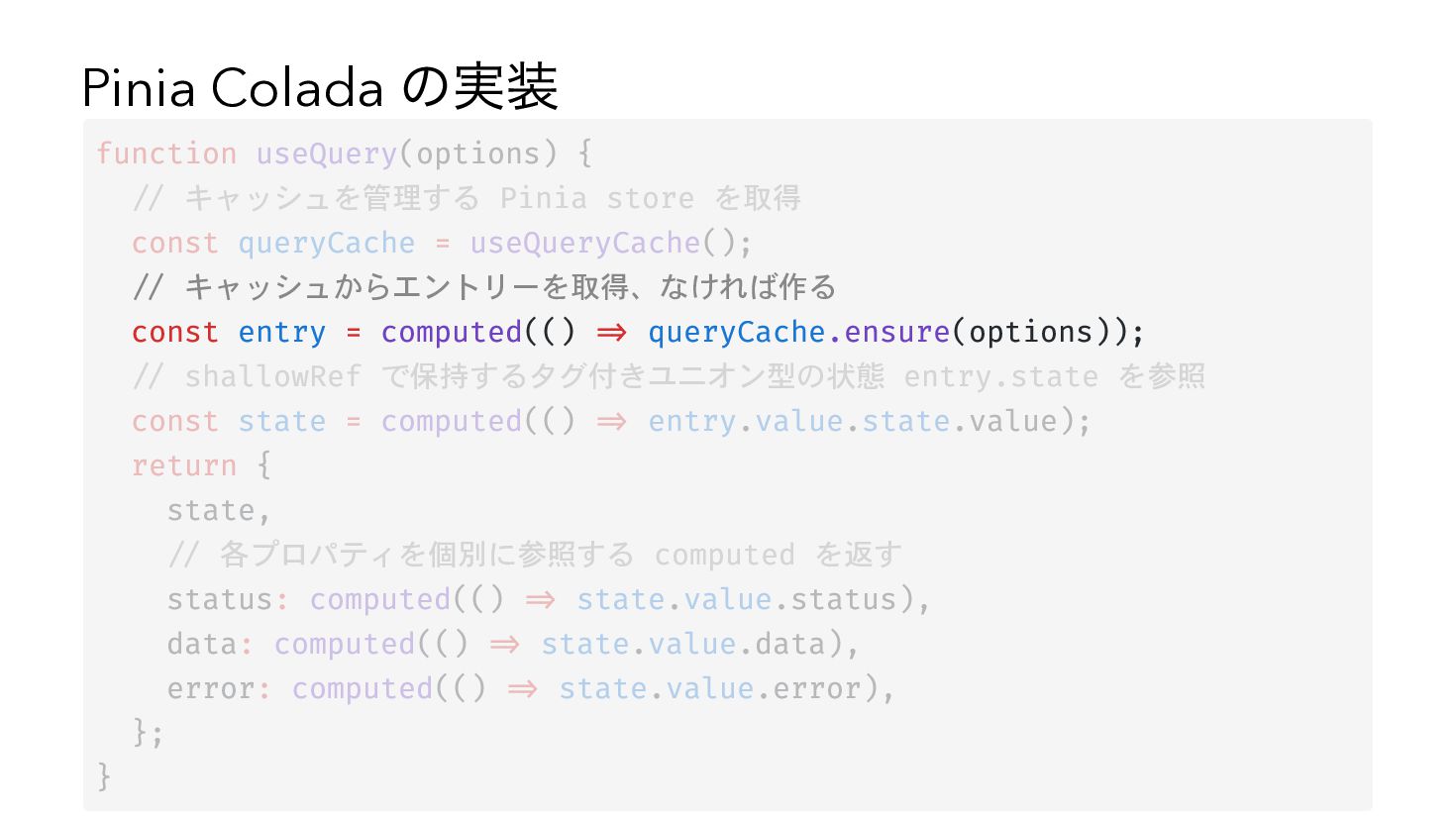
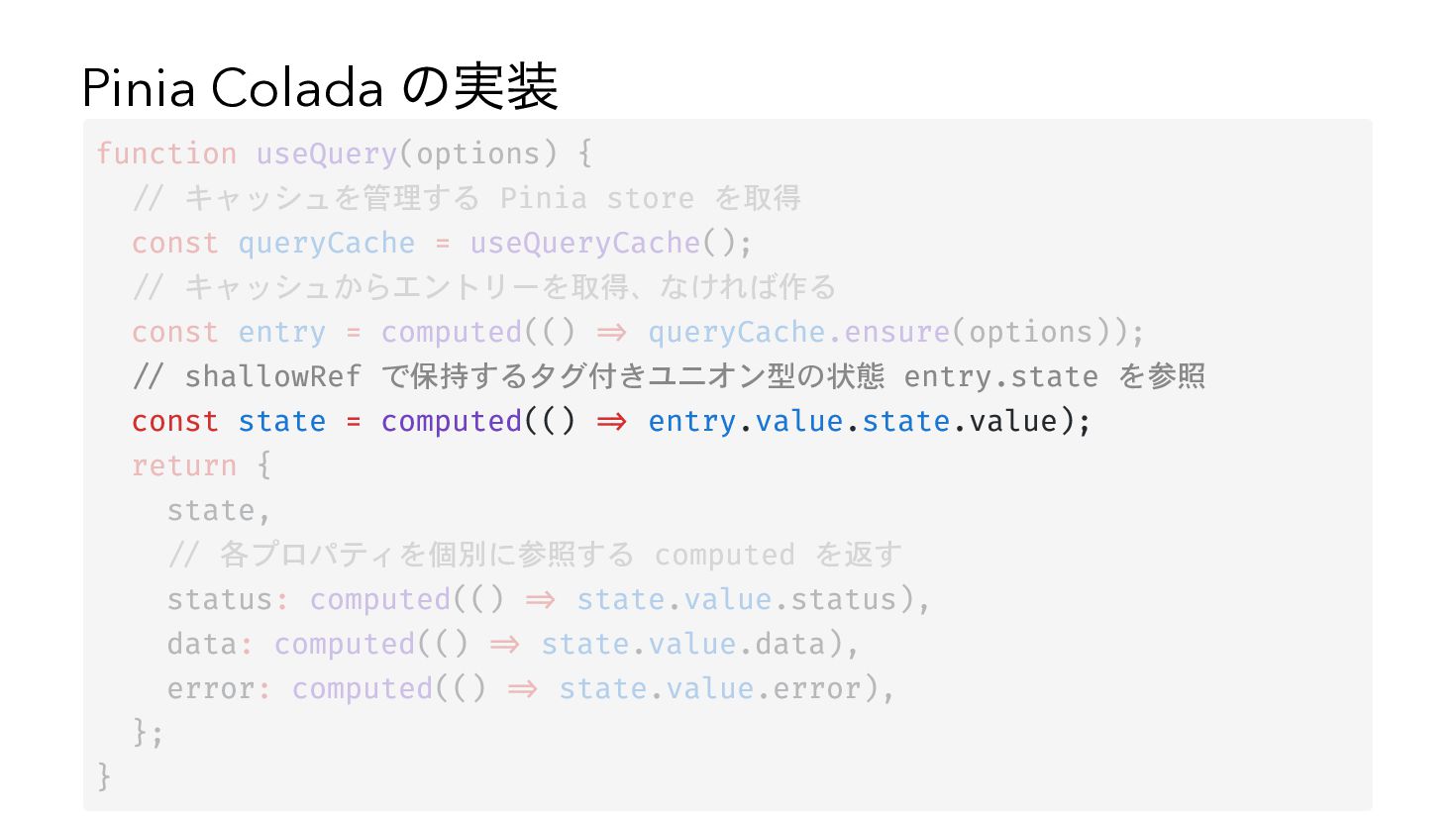
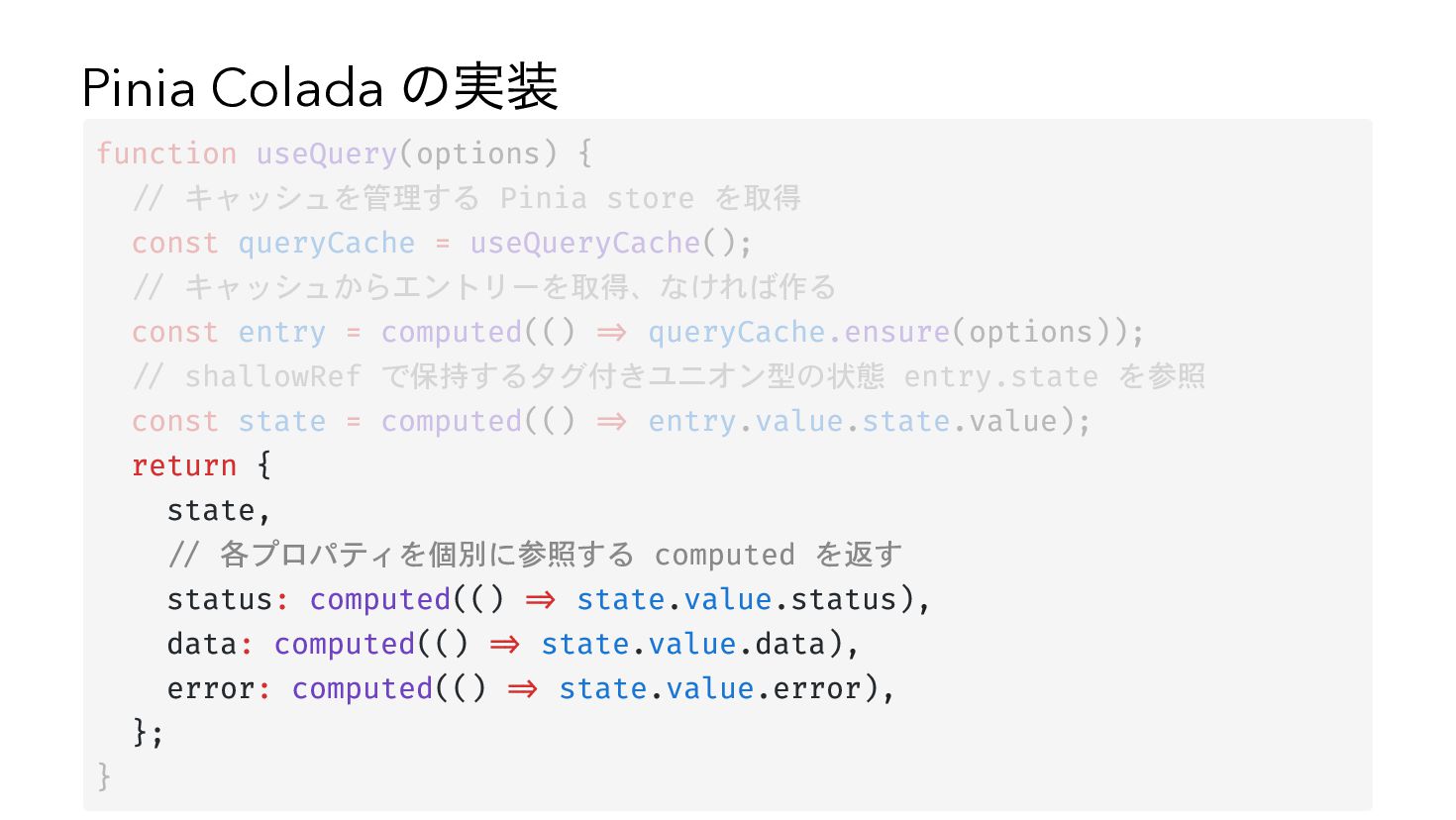
Pinia Colada の実装 function useQuery(options) { // キャッシュを管理する Pinia store
を取得 const queryCache = useQueryCache(); // キャッシュからエントリーを取得、なければ作る const entry = computed(() => queryCache.ensure(options)); // shallowRef で保持するタグ付きユニオン型の状態 entry.state を参照 const state = computed(() => entry.value.state.value); return { state, // 各プロパティを個別に参照する computed を返す status: computed(() => state.value.status), data: computed(() => state.value.data), error: computed(() => state.value.error), }; } -
Pinia Colada の実装 function useQuery(options) { // キャッシュを管理する Pinia store
を取得 const queryCache = useQueryCache(); // キャッシュからエントリーを取得、なければ作る const entry = computed(() => queryCache.ensure(options)); // shallowRef で保持するタグ付きユニオン型の状態 entry.state を参照 const state = computed(() => entry.value.state.value); return { state, // 各プロパティを個別に参照する computed を返す status: computed(() => state.value.status), data: computed(() => state.value.data), error: computed(() => state.value.error), }; } -
Pinia Colada の実装 function useQuery(options) { // キャッシュを管理する Pinia store
を取得 const queryCache = useQueryCache(); // キャッシュからエントリーを取得、なければ作る const entry = computed(() => queryCache.ensure(options)); // shallowRef で保持するタグ付きユニオン型の状態 entry.state を参照 const state = computed(() => entry.value.state.value); return { state, // 各プロパティを個別に参照する computed を返す status: computed(() => state.value.status), data: computed(() => state.value.data), error: computed(() => state.value.error), }; } -
Pinia Colada の実装 function useQuery(options) { // キャッシュを管理する Pinia store
を取得 const queryCache = useQueryCache(); // キャッシュからエントリーを取得、なければ作る const entry = computed(() => queryCache.ensure(options)); // shallowRef で保持するタグ付きユニオン型の状態 entry.state を参照 const state = computed(() => entry.value.state.value); return { state, // 各プロパティを個別に参照する computed を返す status: computed(() => state.value.status), data: computed(() => state.value.data), error: computed(() => state.value.error), }; } -
Pinia Colada の実装 function useQuery(options) { // キャッシュを管理する Pinia store
を取得 const queryCache = useQueryCache(); // キャッシュからエントリーを取得、なければ作る const entry = computed(() => queryCache.ensure(options)); // shallowRef で保持するタグ付きユニオン型の状態 entry.state を参照 const state = computed(() => entry.value.state.value); return { state, // 各プロパティを個別に参照する computed を返す status: computed(() => state.value.status), data: computed(() => state.value.data), error: computed(() => state.value.error), }; } -
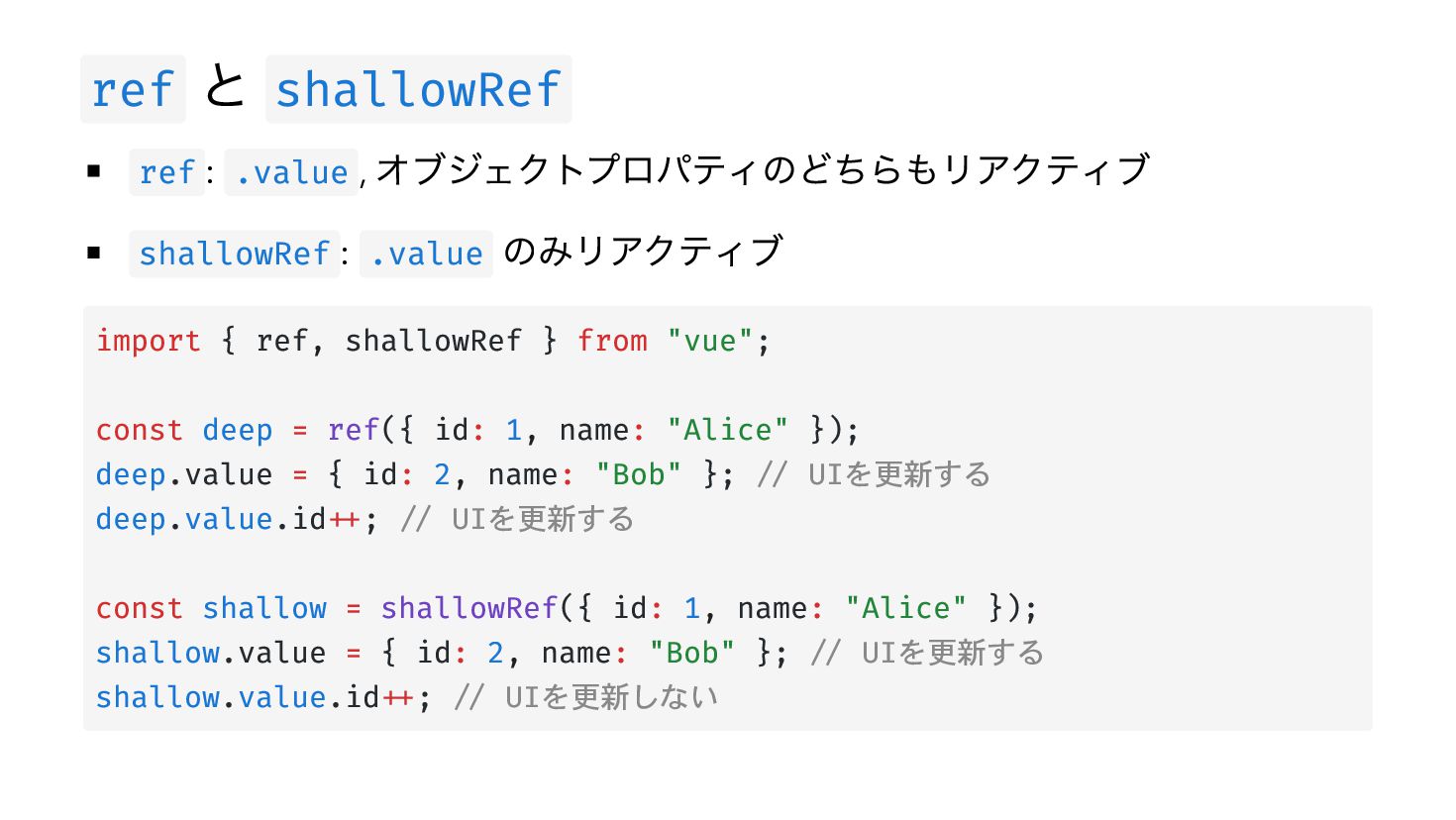
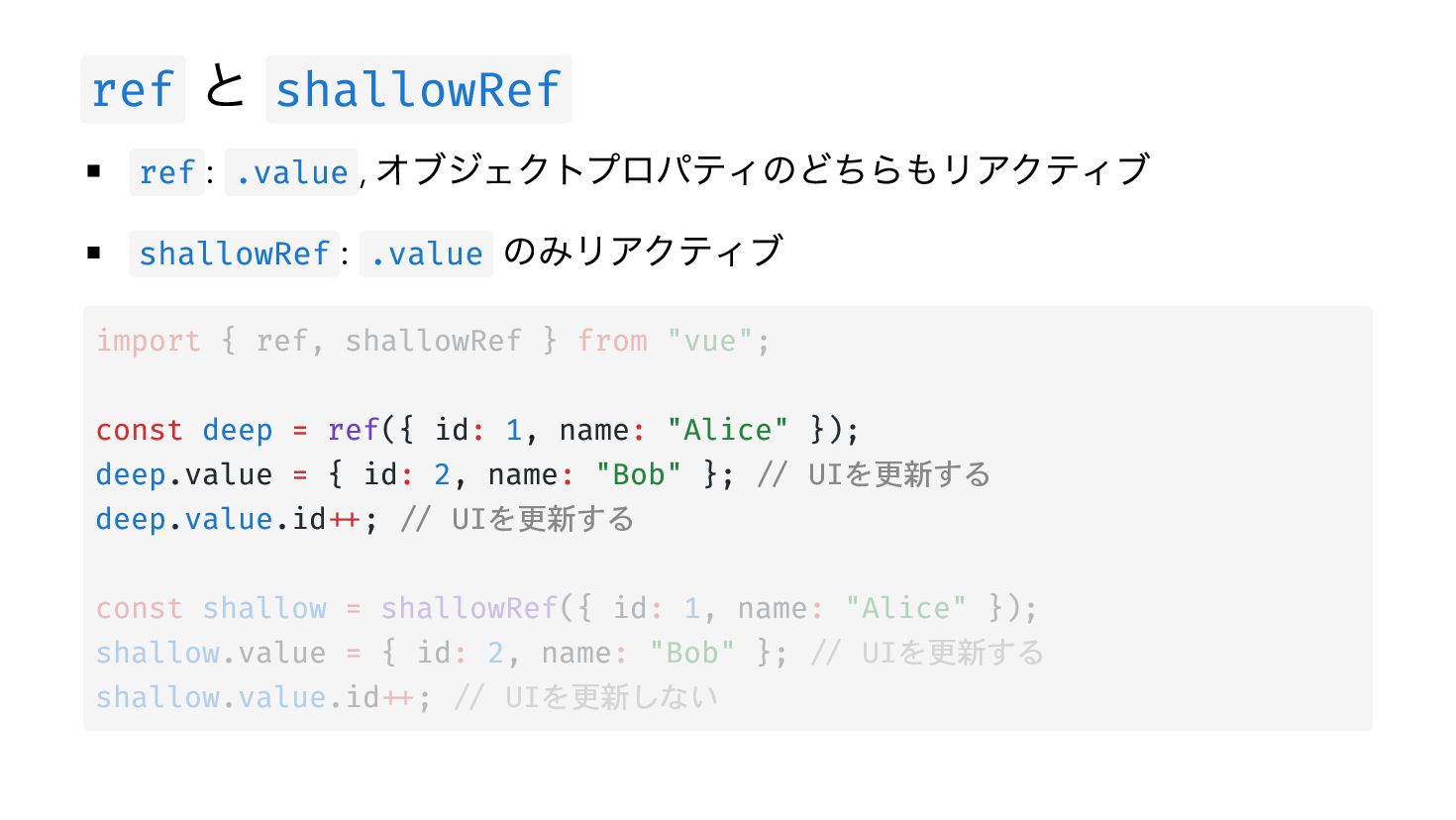
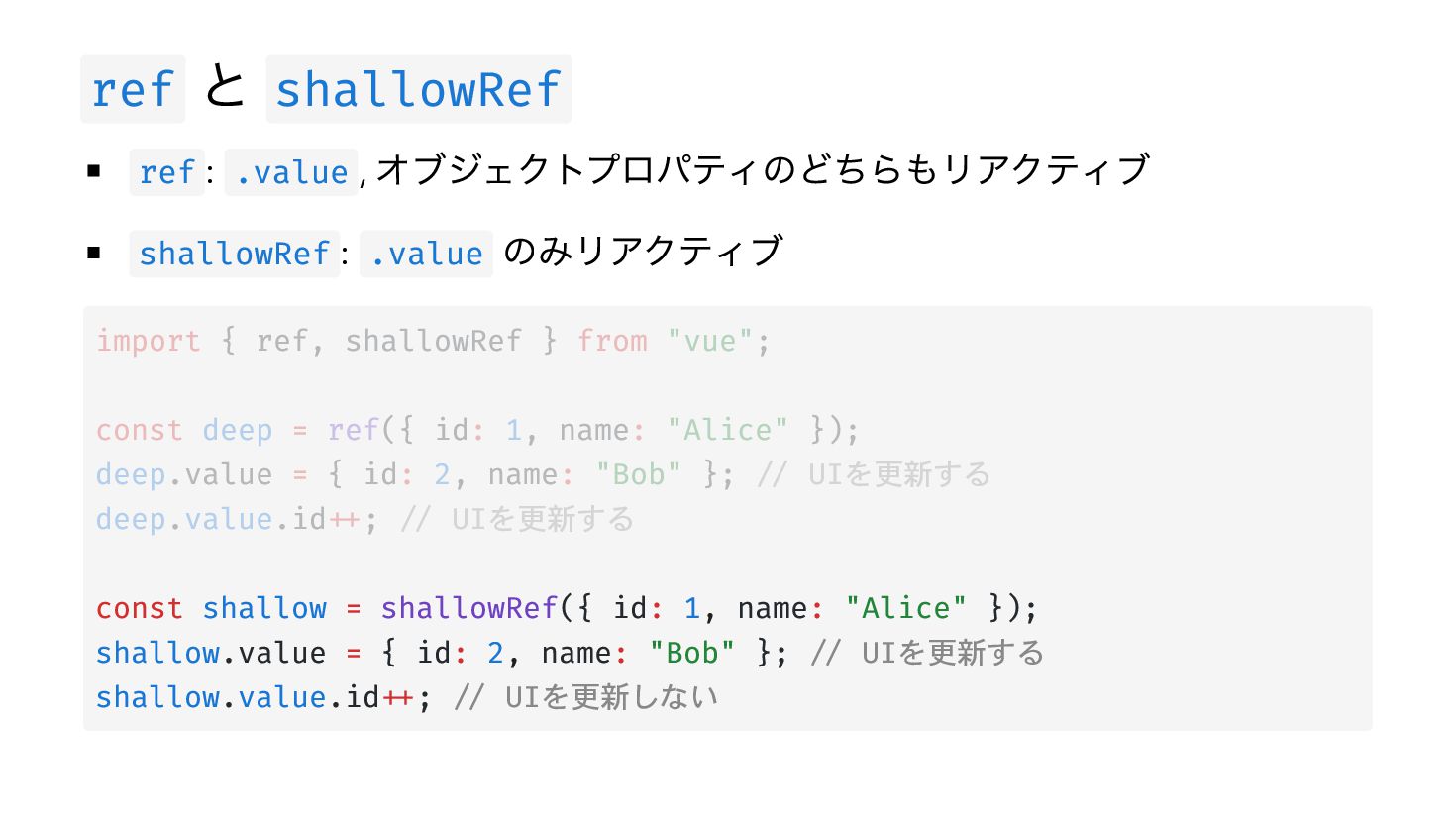
ref と shallowRef オブジェクトプロパティのどちらもリアクティブ shallowRef : .value のみリアクティブ ref :
.value , import { ref, shallowRef } from "vue"; const deep = ref({ id: 1, name: "Alice" }); deep.value = { id: 2, name: "Bob" }; // UIを更新する deep.value.id++; // UIを更新する const shallow = shallowRef({ id: 1, name: "Alice" }); shallow.value = { id: 2, name: "Bob" }; // UIを更新する shallow.value.id++; // UIを更新しない -
ref と shallowRef オブジェクトプロパティのどちらもリアクティブ shallowRef : .value のみリアクティブ ref :
.value , import { ref, shallowRef } from "vue"; const deep = ref({ id: 1, name: "Alice" }); deep.value = { id: 2, name: "Bob" }; // UIを更新する deep.value.id++; // UIを更新する const shallow = shallowRef({ id: 1, name: "Alice" }); shallow.value = { id: 2, name: "Bob" }; // UIを更新する shallow.value.id++; // UIを更新しない -
ref と shallowRef オブジェクトプロパティのどちらもリアクティブ shallowRef : .value のみリアクティブ ref :
.value , import { ref, shallowRef } from "vue"; const deep = ref({ id: 1, name: "Alice" }); deep.value = { id: 2, name: "Bob" }; // UIを更新する deep.value.id++; // UIを更新する const shallow = shallowRef({ id: 1, name: "Alice" }); shallow.value = { id: 2, name: "Bob" }; // UIを更新する shallow.value.id++; // UIを更新しない -
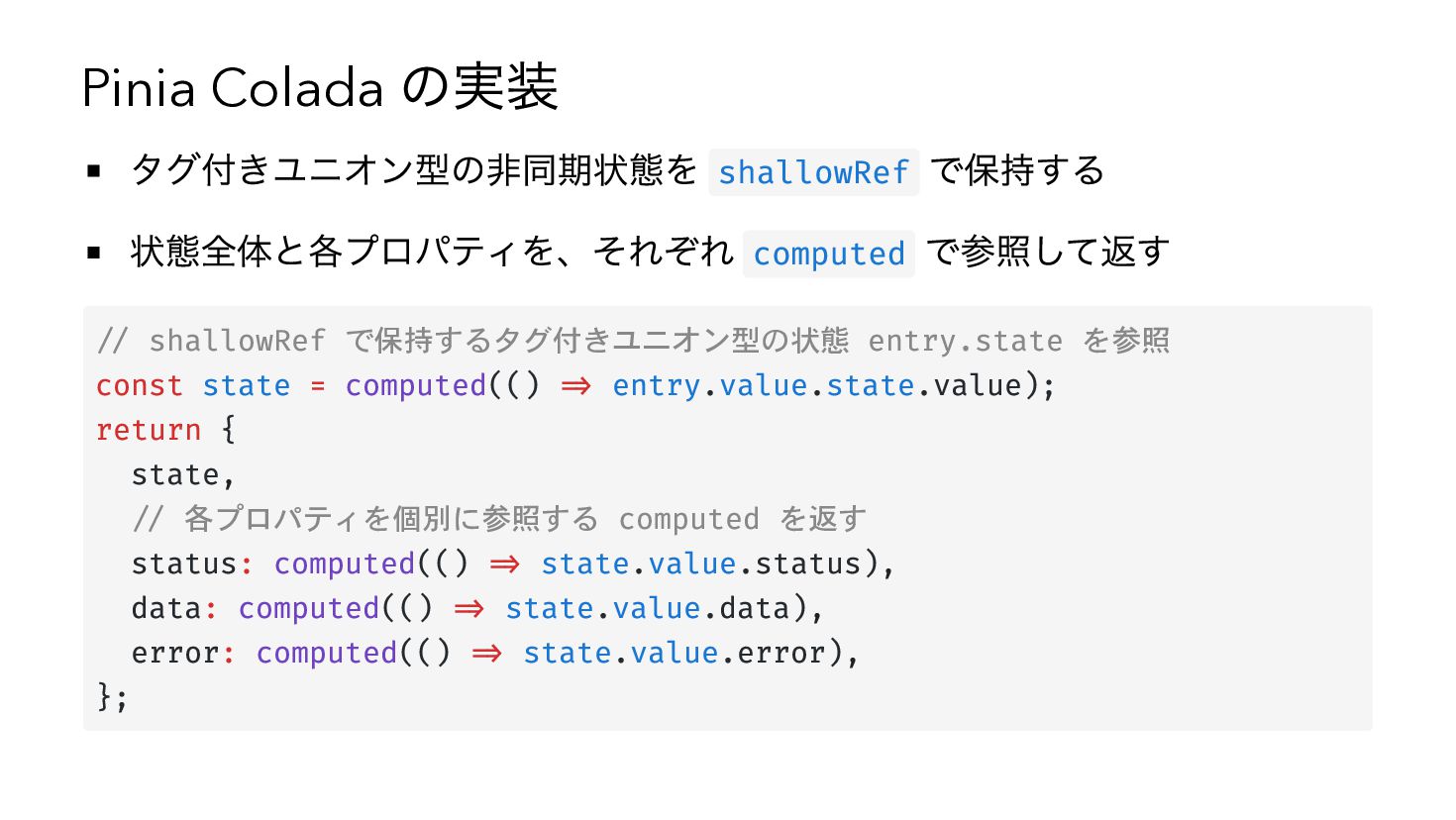
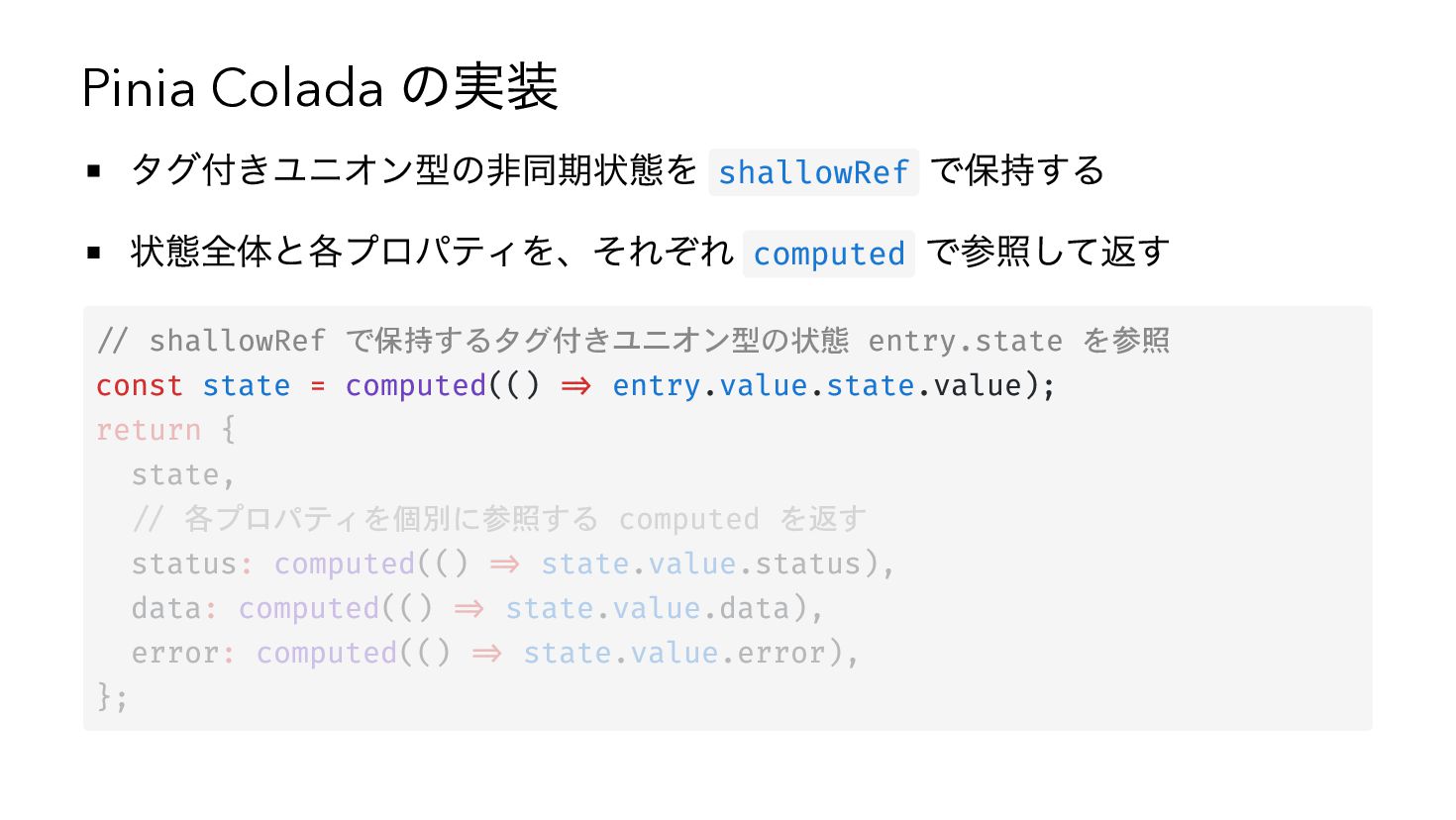
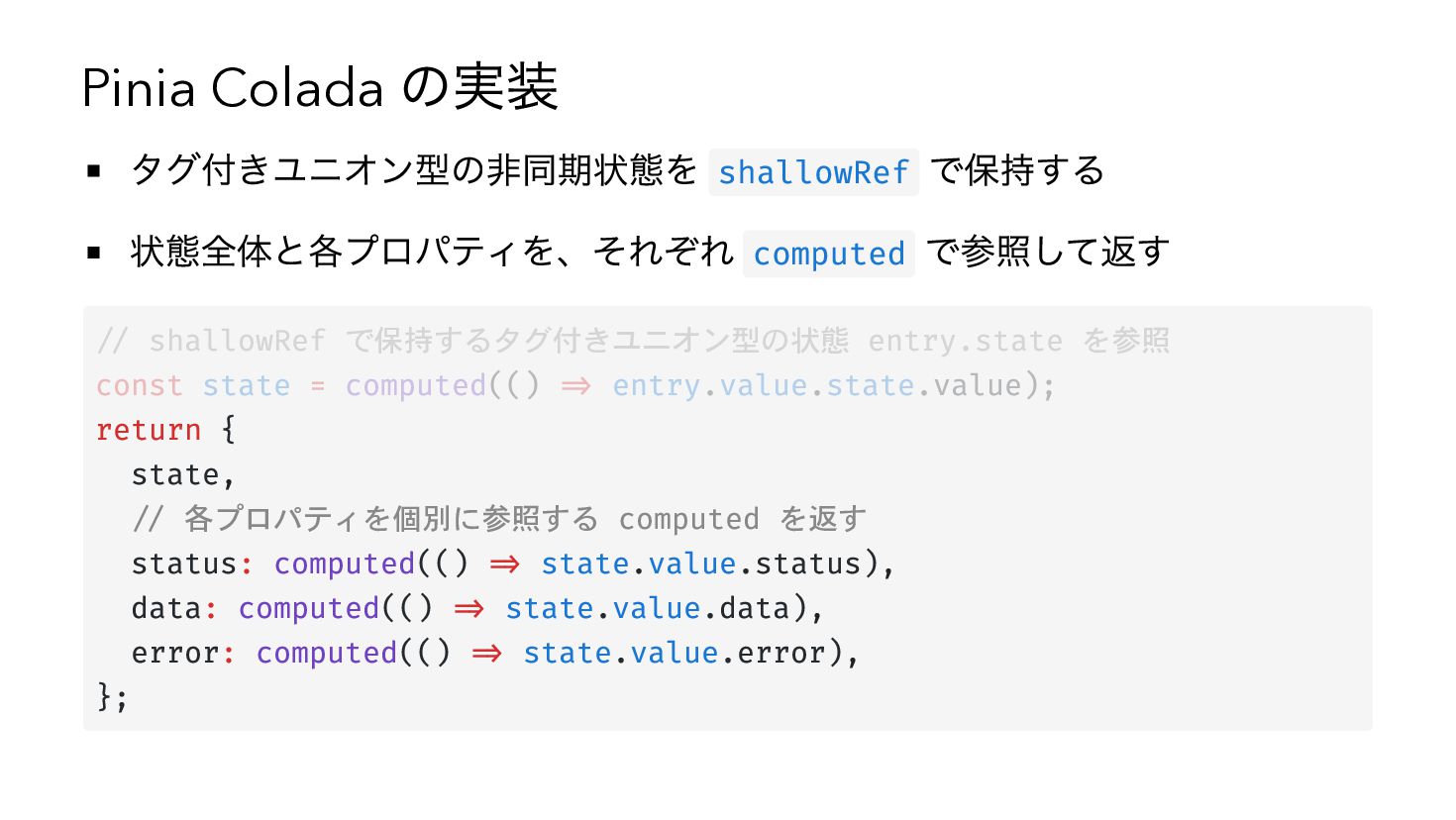
Pinia Colada の実装 タグ付きユニオン型の非同期状態を shallowRef で保持する 状態全体と各プロパティを、それぞれ computed で参照して返す //
shallowRef で保持するタグ付きユニオン型の状態 entry.state を参照 const state = computed(() => entry.value.state.value); return { state, // 各プロパティを個別に参照する computed を返す status: computed(() => state.value.status), data: computed(() => state.value.data), error: computed(() => state.value.error), }; -
Pinia Colada の実装 タグ付きユニオン型の非同期状態を shallowRef で保持する 状態全体と各プロパティを、それぞれ computed で参照して返す //
shallowRef で保持するタグ付きユニオン型の状態 entry.state を参照 const state = computed(() => entry.value.state.value); return { state, // 各プロパティを個別に参照する computed を返す status: computed(() => state.value.status), data: computed(() => state.value.data), error: computed(() => state.value.error), }; -
Pinia Colada の実装 タグ付きユニオン型の非同期状態を shallowRef で保持する 状態全体と各プロパティを、それぞれ computed で参照して返す //
shallowRef で保持するタグ付きユニオン型の状態 entry.state を参照 const state = computed(() => entry.value.state.value); return { state, // 各プロパティを個別に参照する computed を返す status: computed(() => state.value.status), data: computed(() => state.value.data), error: computed(() => state.value.error), }; -
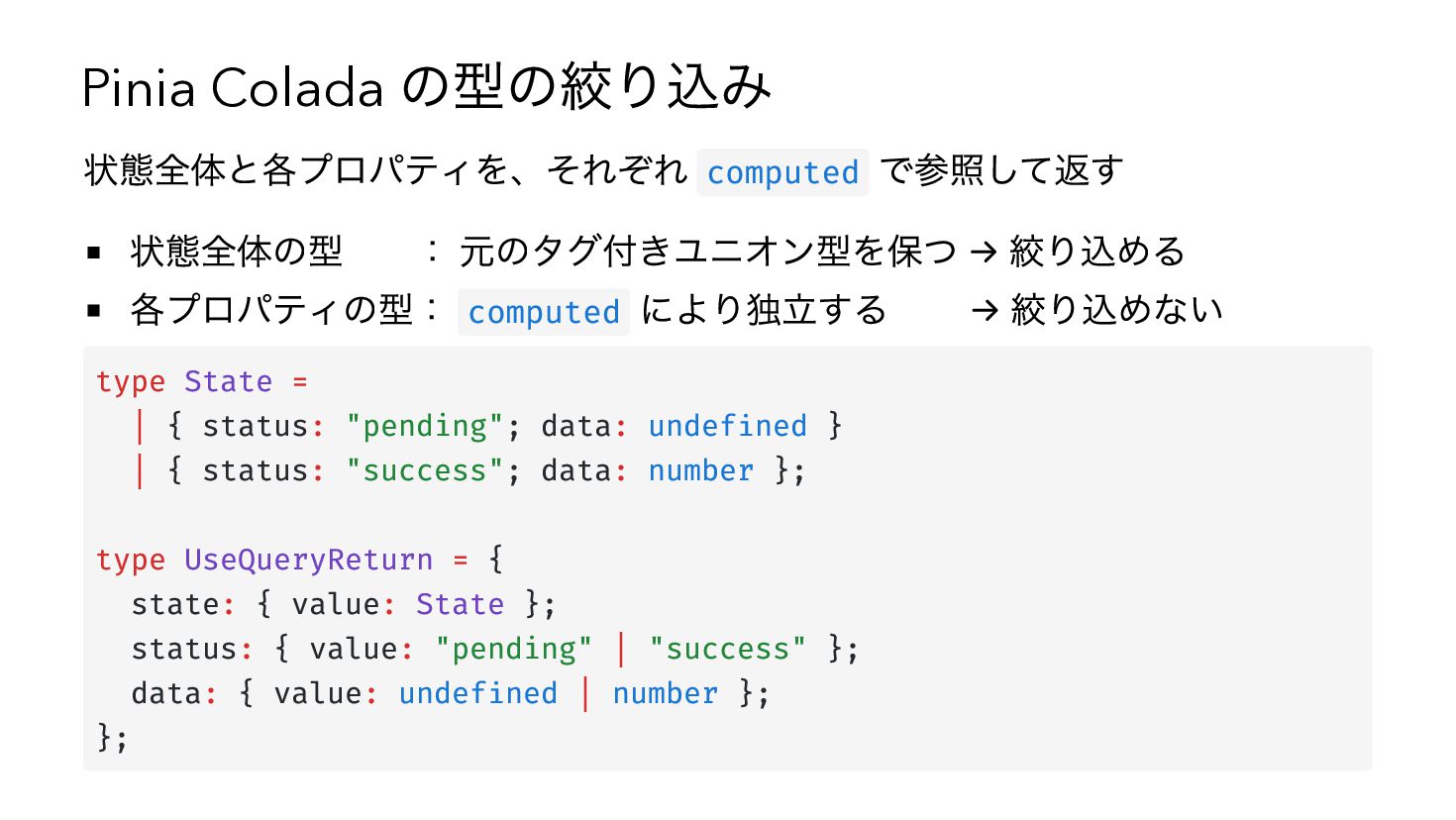
Pinia Colada の型の絞り込み 状態全体と各プロパティを、それぞれ computed で参照して返す 状態全体の型 : 元のタグ付きユニオン型を保つ →
絞り込める 各プロパティの型: computed により独立する → 絞り込めない type State = | { status: "pending"; data: undefined } | { status: "success"; data: number }; type UseQueryReturn = { state: { value: State }; status: { value: "pending" | "success" }; data: { value: undefined | number }; }; -
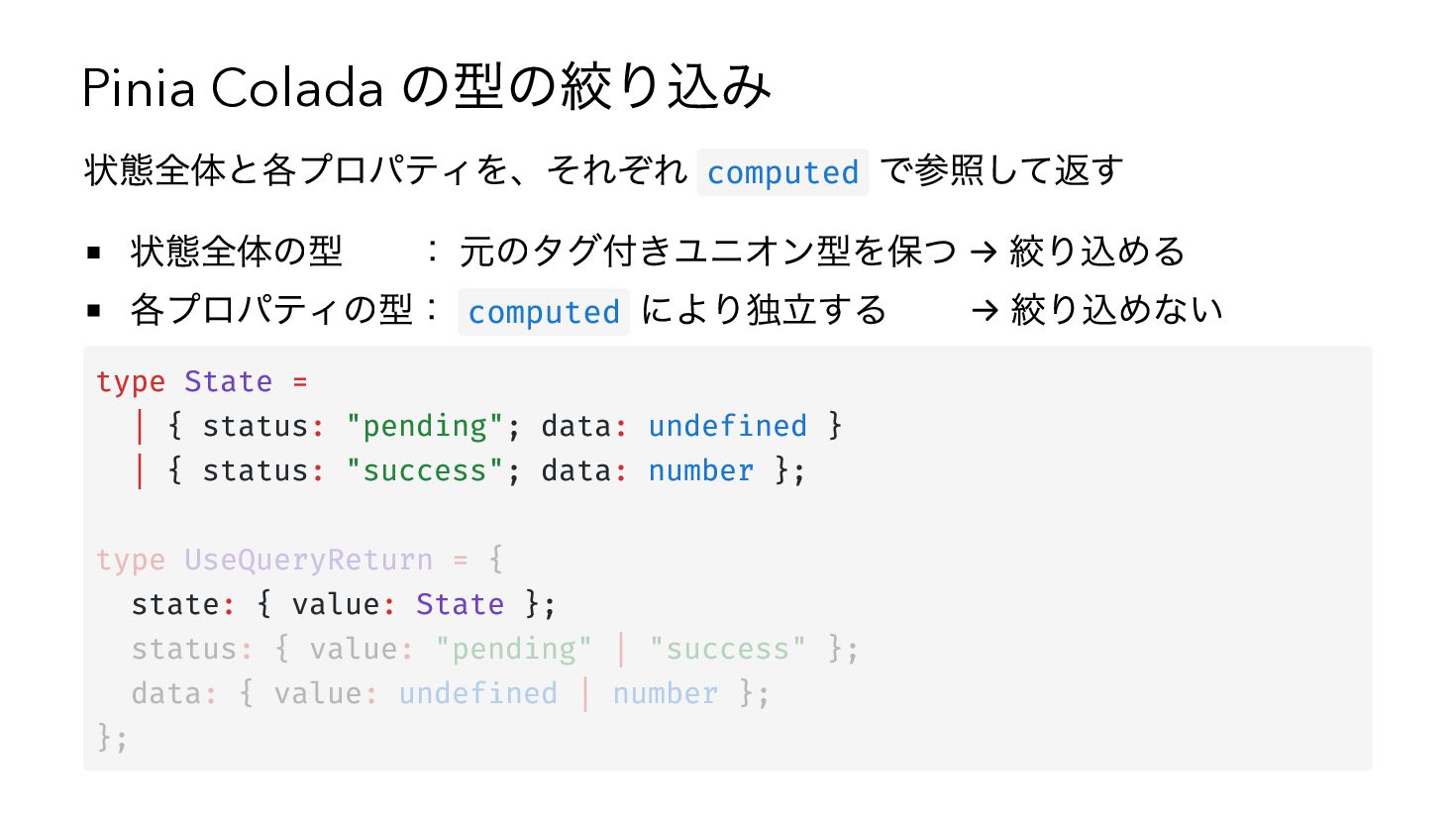
Pinia Colada の型の絞り込み 状態全体と各プロパティを、それぞれ computed で参照して返す 状態全体の型 : 元のタグ付きユニオン型を保つ →
絞り込める 各プロパティの型: computed により独立する → 絞り込めない type State = | { status: "pending"; data: undefined } | { status: "success"; data: number }; type UseQueryReturn = { state: { value: State }; status: { value: "pending" | "success" }; data: { value: undefined | number }; }; -
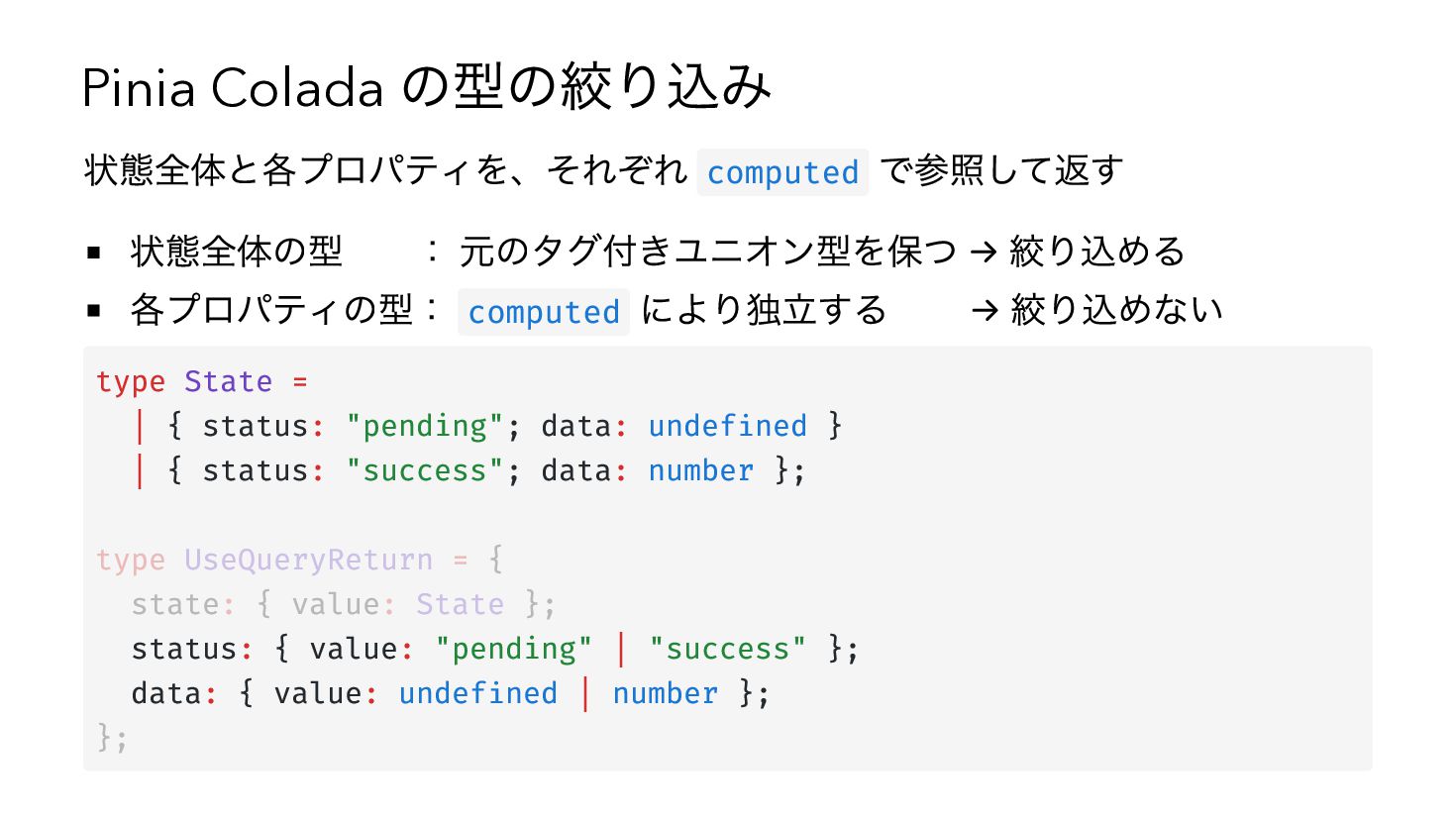
Pinia Colada の型の絞り込み 状態全体と各プロパティを、それぞれ computed で参照して返す 状態全体の型 : 元のタグ付きユニオン型を保つ →
絞り込める 各プロパティの型: computed により独立する → 絞り込めない type State = | { status: "pending"; data: undefined } | { status: "success"; data: number }; type UseQueryReturn = { state: { value: State }; status: { value: "pending" | "success" }; data: { value: undefined | number }; }; -
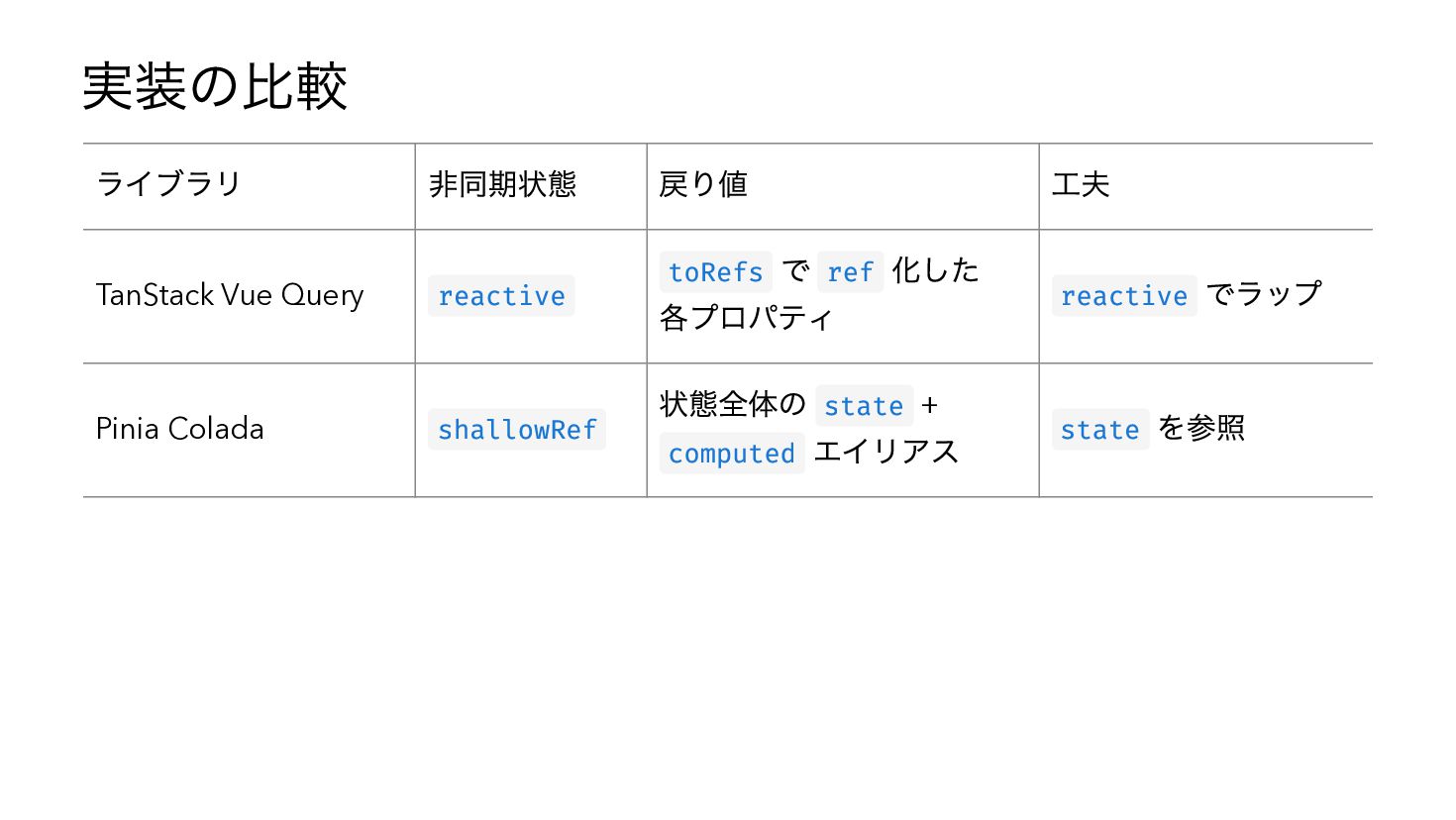
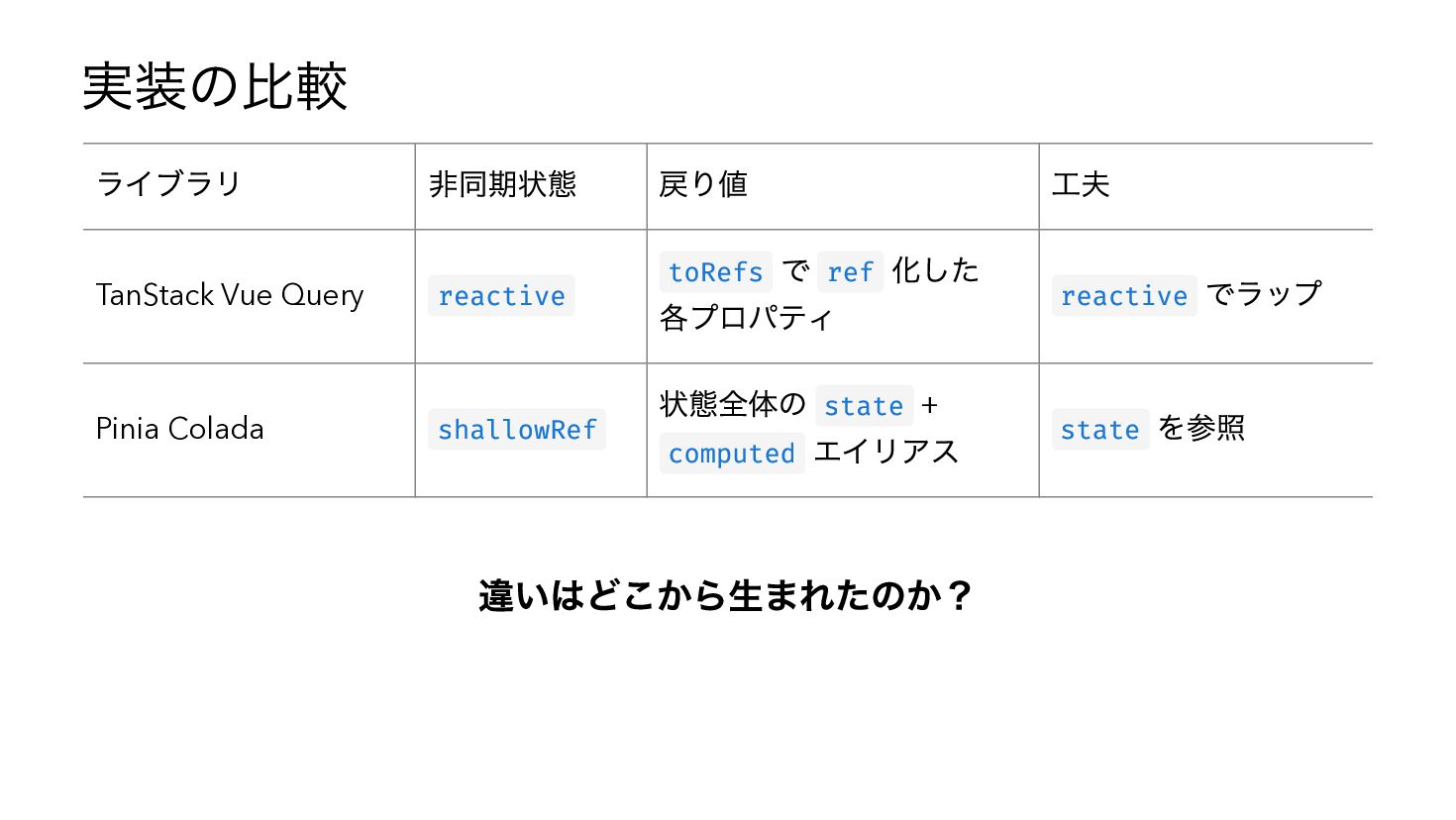
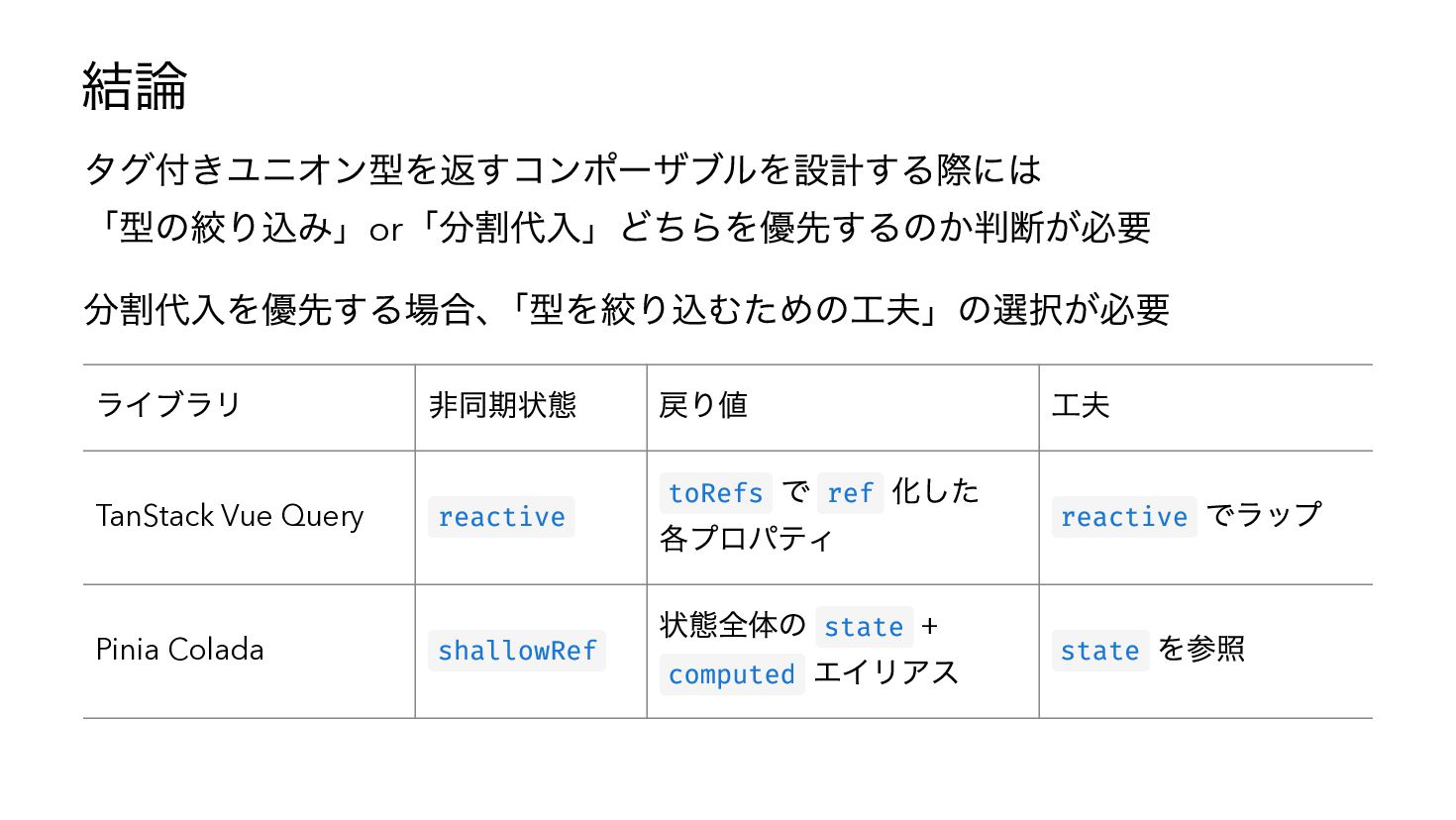
実装の比較 ライブラリ 非同期状態 TanStack Vue Query reactive Pinia Colada shallowRef
戻り値 で ref 化した 各プロパティ 状態全体の state + computed エイリアス toRefs 工夫 reactive state でラップ を参照 -
実装の比較 ライブラリ 非同期状態 TanStack Vue Query reactive Pinia Colada shallowRef
戻り値 で ref 化した 各プロパティ 状態全体の state + computed エイリアス toRefs 違いはどこから生まれたのか? 工夫 reactive state でラップ を参照 -
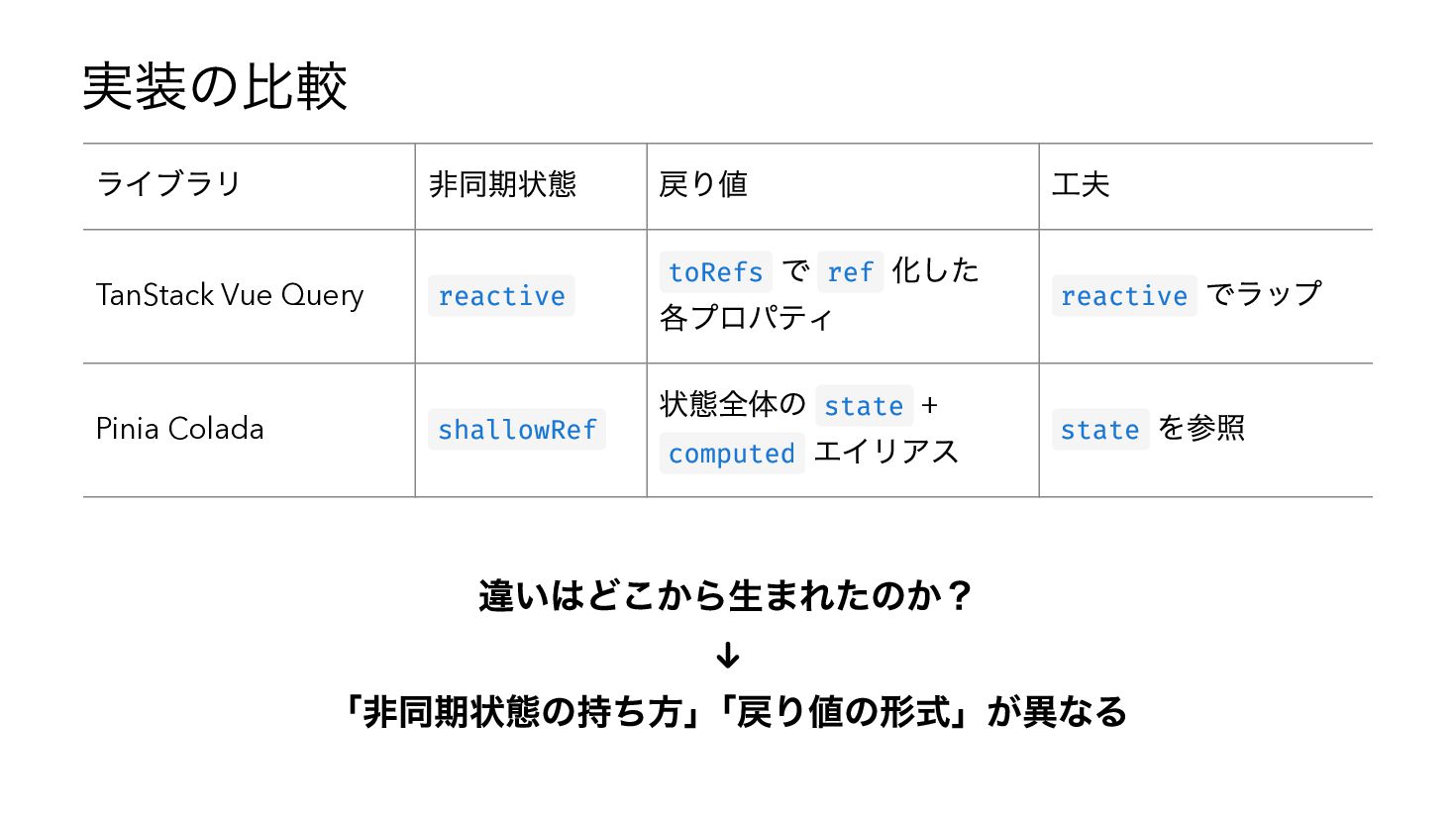
実装の比較 ライブラリ 非同期状態 TanStack Vue Query reactive Pinia Colada shallowRef
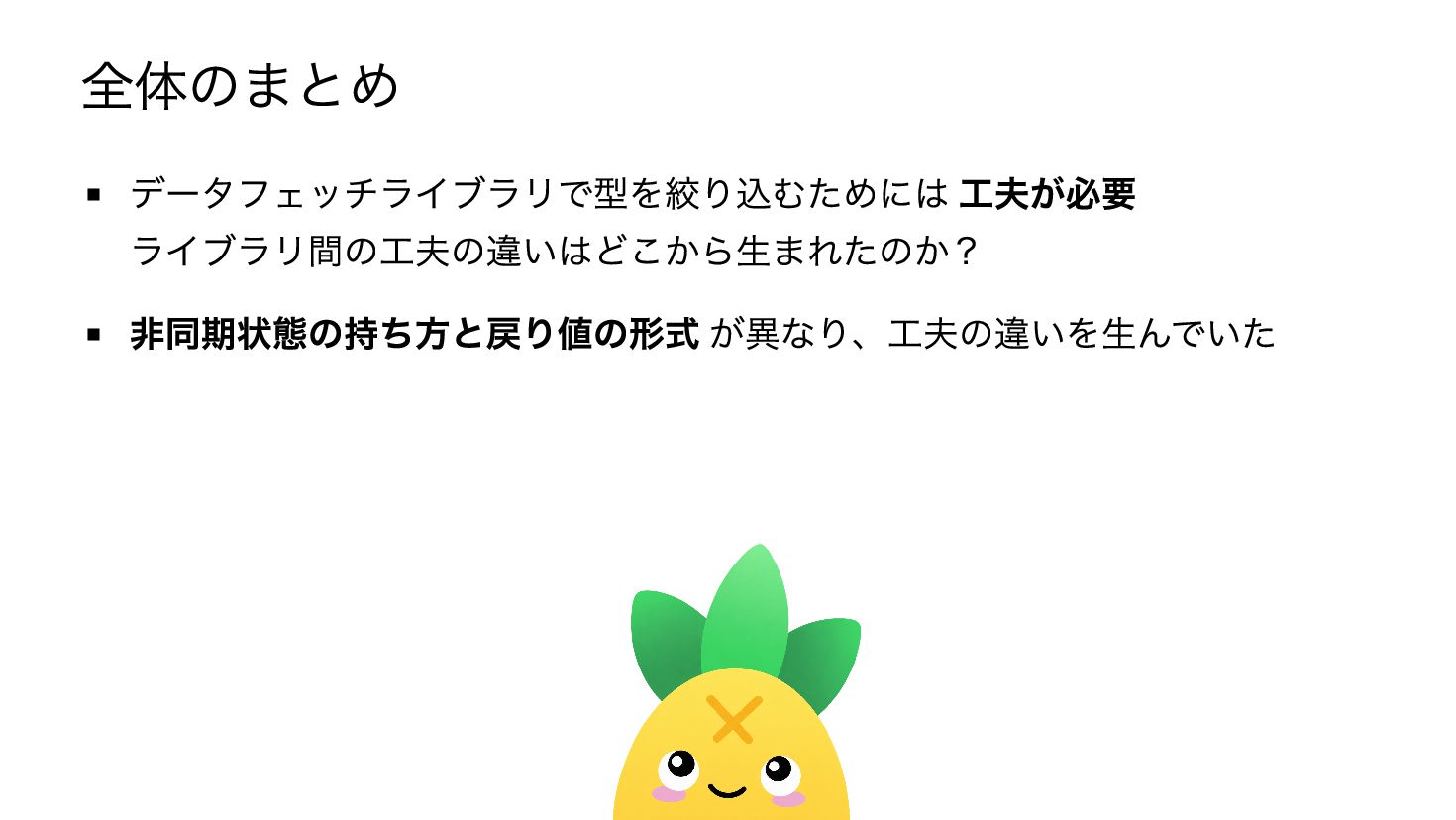
戻り値 で ref 化した 各プロパティ 状態全体の state + computed エイリアス toRefs 工夫 reactive state 違いはどこから生まれたのか? ↓ 「非同期状態の持ち方」「戻り値の形式」が異なる でラップ を参照 -
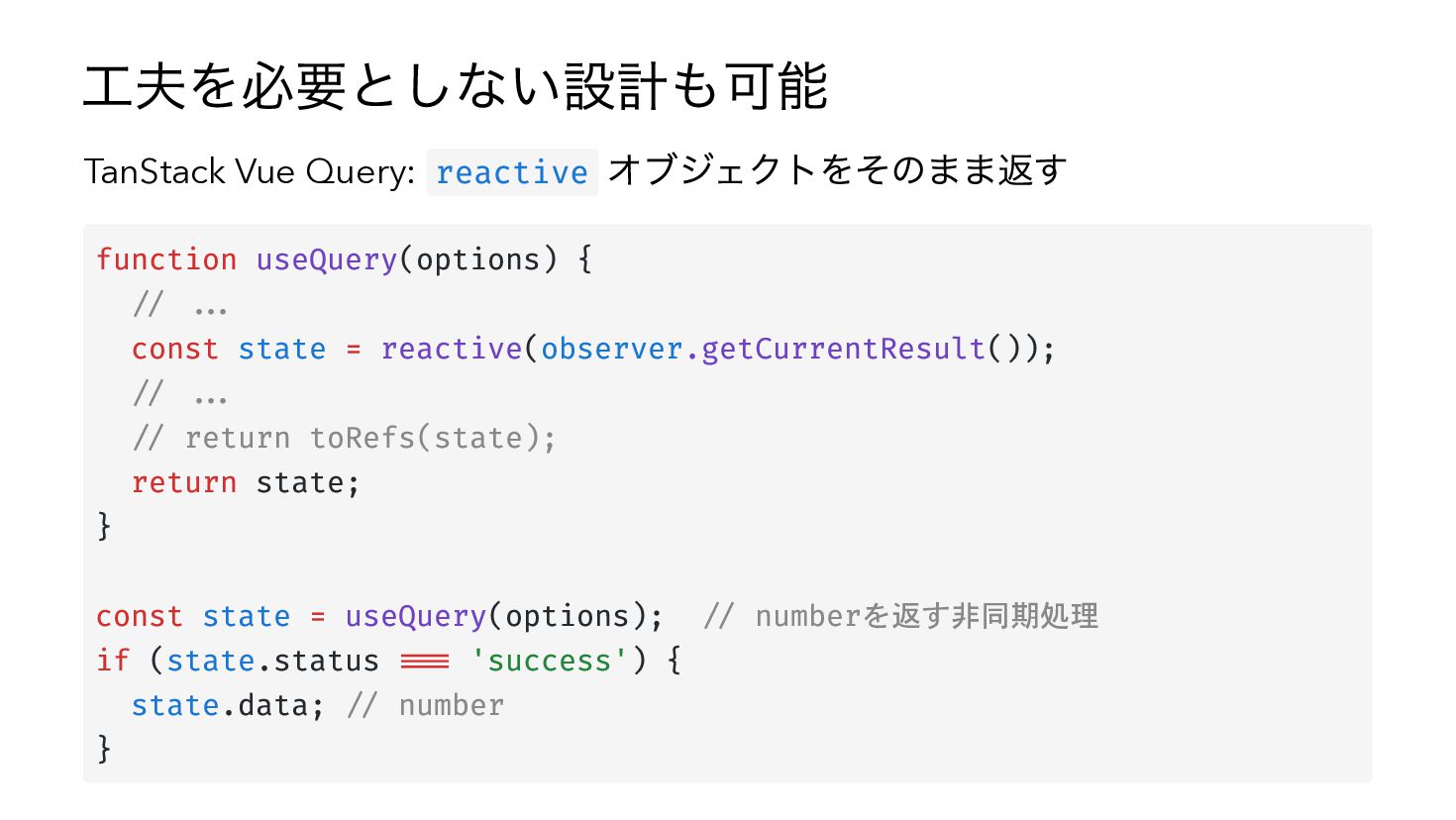
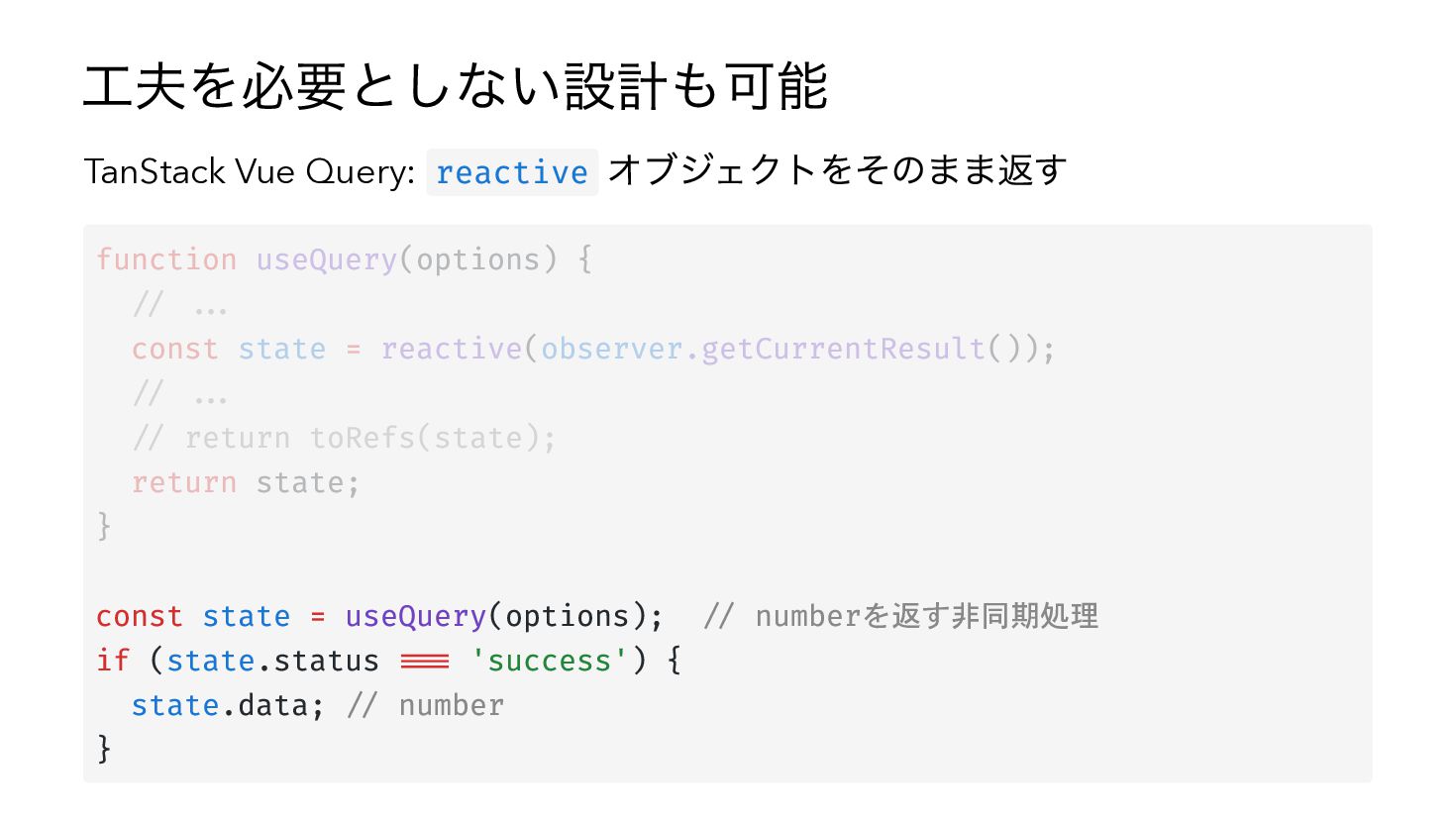
工夫を必要としない設計も可能 TanStack Vue Query: reactive オブジェクトをそのまま返す function useQuery(options) { //
... const state = reactive(observer.getCurrentResult()); // ... // return toRefs(state); return state; } const state = useQuery(options); // numberを返す非同期処理 if (state.status === 'success') { state.data; // number } -
工夫を必要としない設計も可能 TanStack Vue Query: reactive オブジェクトをそのまま返す function useQuery(options) { //
... const state = reactive(observer.getCurrentResult()); // ... // return toRefs(state); return state; } const state = useQuery(options); // numberを返す非同期処理 if (state.status === 'success') { state.data; // number } -
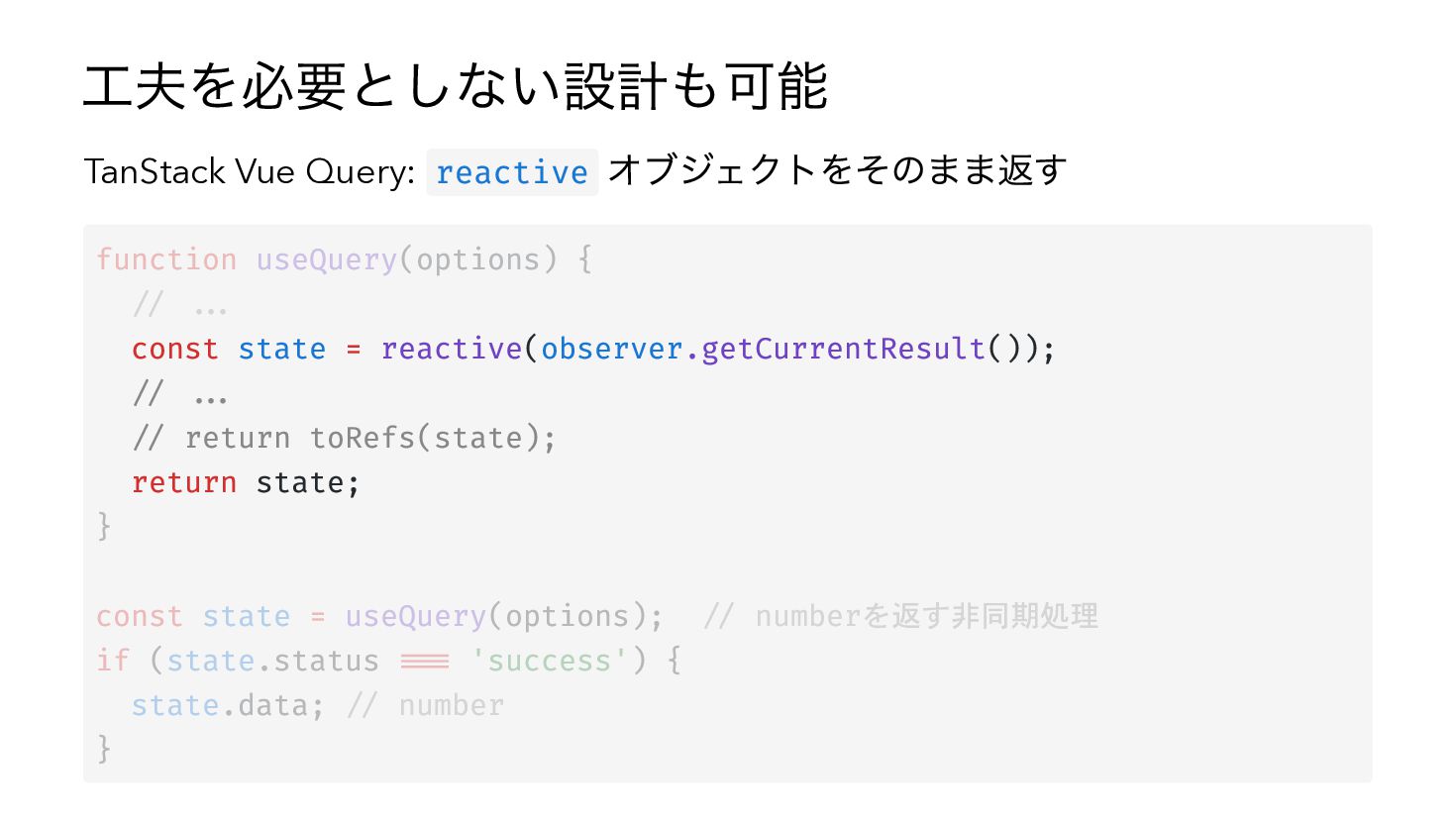
工夫を必要としない設計も可能 TanStack Vue Query: reactive オブジェクトをそのまま返す function useQuery(options) { //
... const state = reactive(observer.getCurrentResult()); // ... // return toRefs(state); return state; } const state = useQuery(options); // numberを返す非同期処理 if (state.status === 'success') { state.data; // number } -
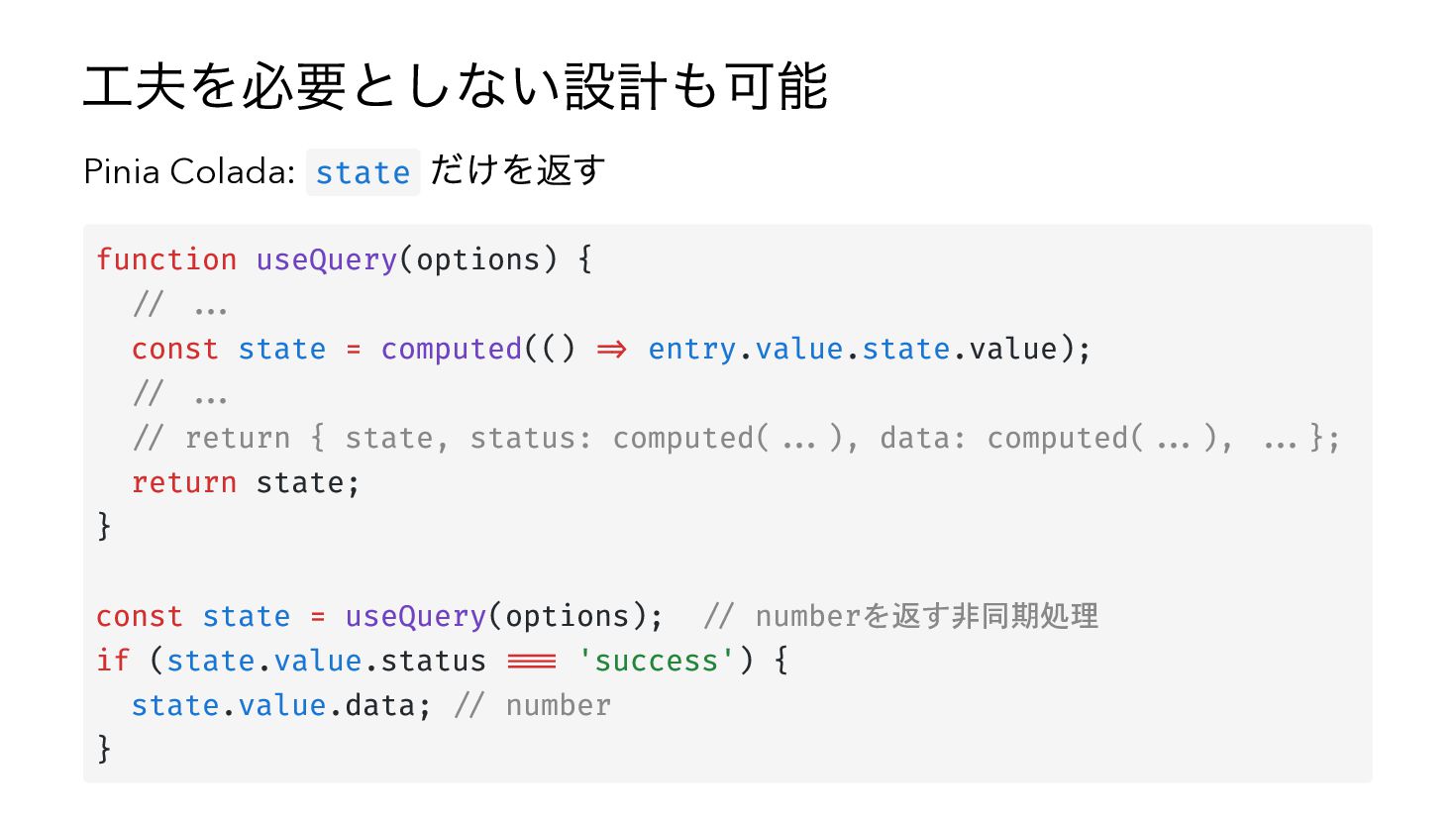
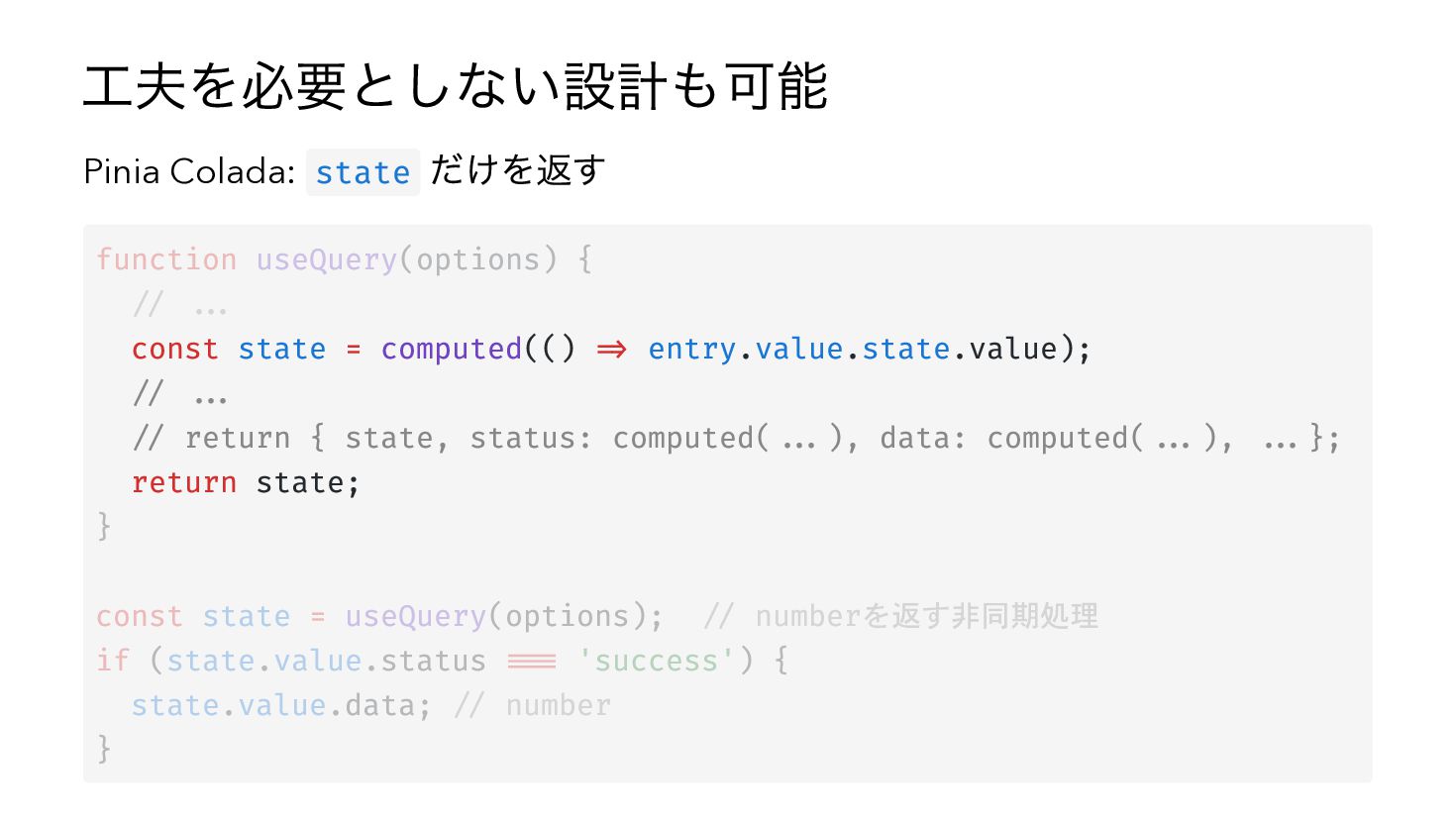
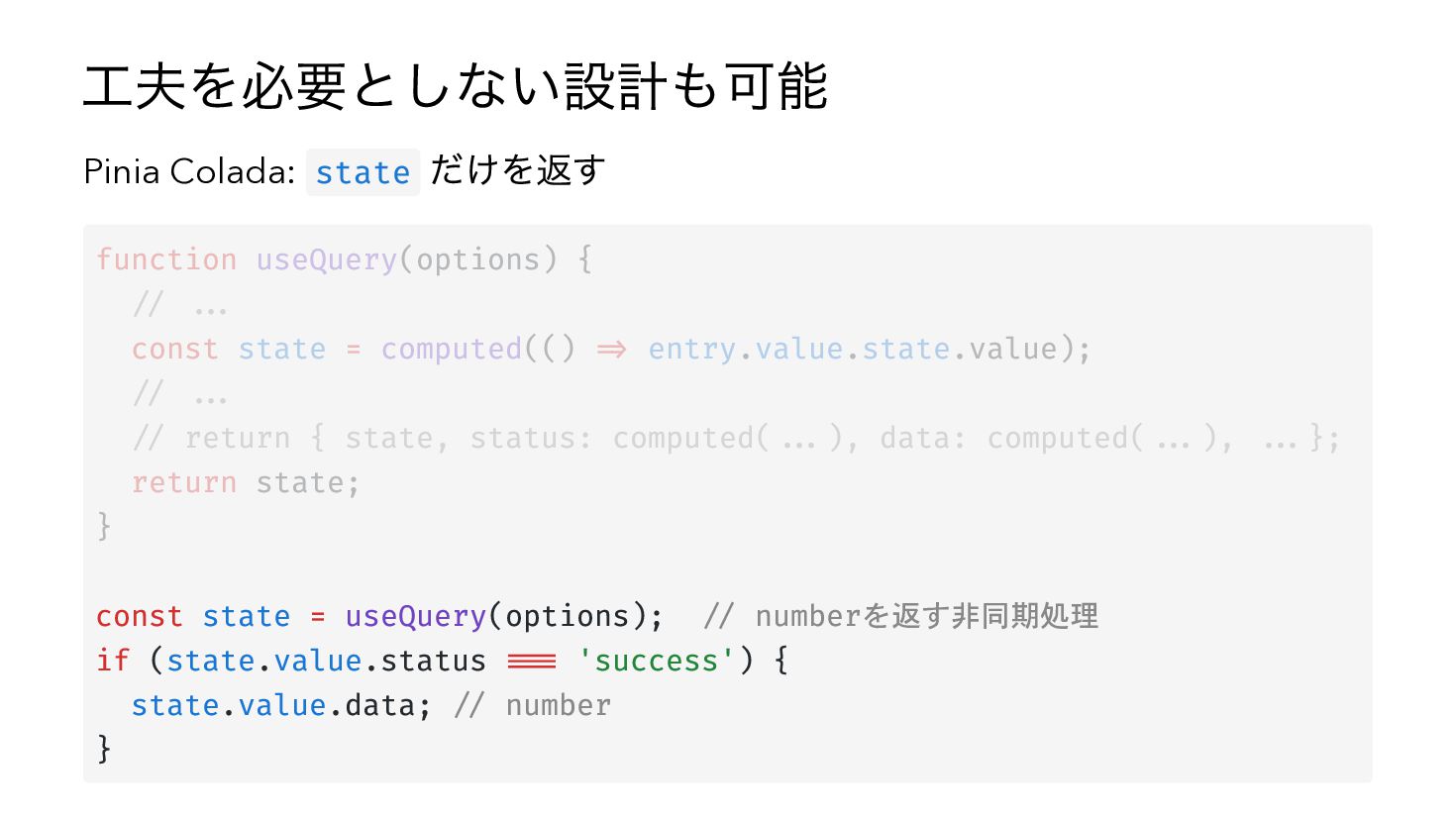
工夫を必要としない設計も可能 Pinia Colada: state だけを返す function useQuery(options) { // ...
const state = computed(() => entry.value.state.value); // ... // return { state, status: computed(...), data: computed(...), ...}; return state; } const state = useQuery(options); // numberを返す非同期処理 if (state.value.status === 'success') { state.value.data; // number } -
工夫を必要としない設計も可能 Pinia Colada: state だけを返す function useQuery(options) { // ...
const state = computed(() => entry.value.state.value); // ... // return { state, status: computed(...), data: computed(...), ...}; return state; } const state = useQuery(options); // numberを返す非同期処理 if (state.value.status === 'success') { state.value.data; // number } -
工夫を必要としない設計も可能 Pinia Colada: state だけを返す function useQuery(options) { // ...
const state = computed(() => entry.value.state.value); // ... // return { state, status: computed(...), data: computed(...), ...}; return state; } const state = useQuery(options); // numberを返す非同期処理 if (state.value.status === 'success') { state.value.data; // number } -
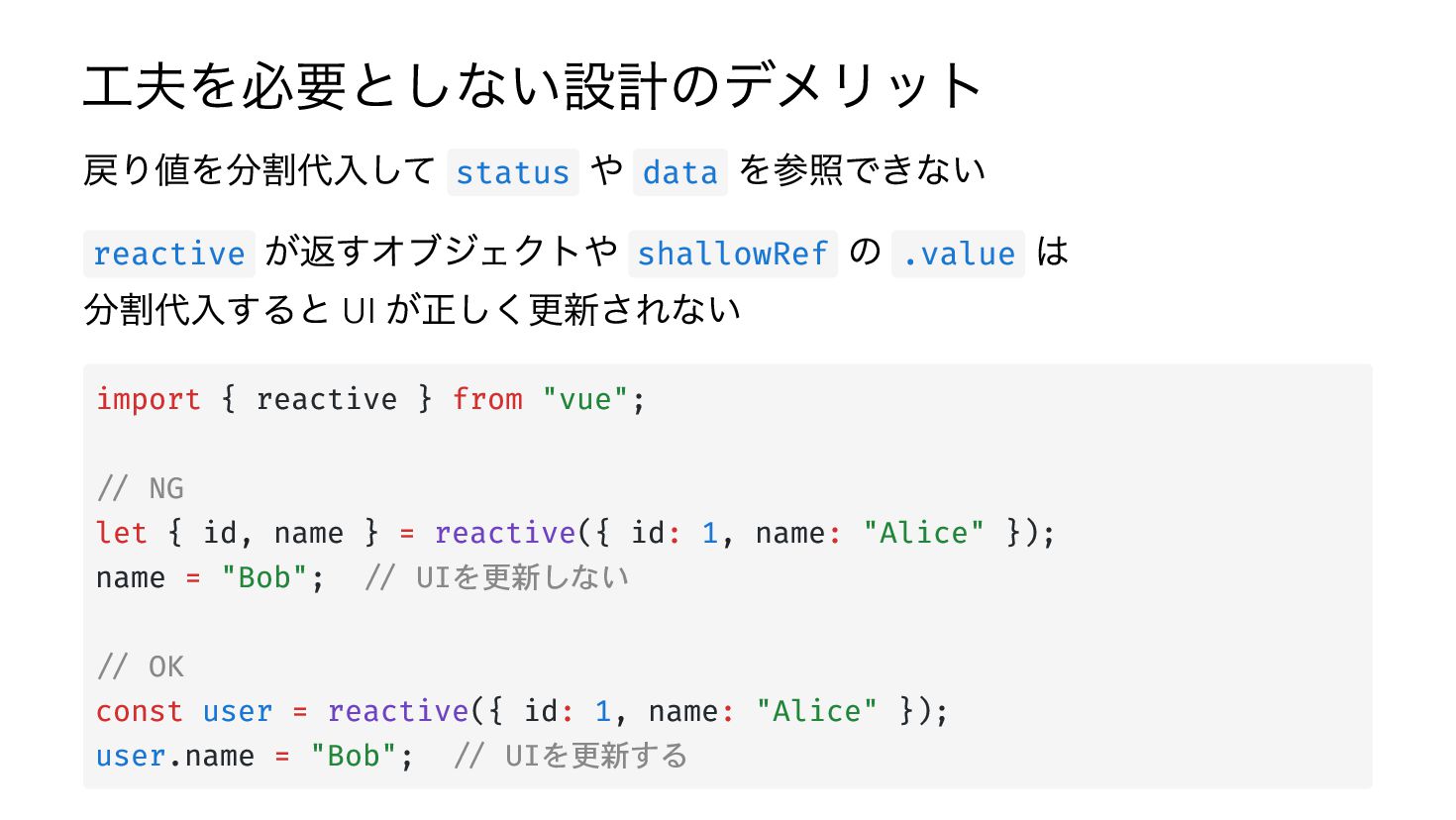
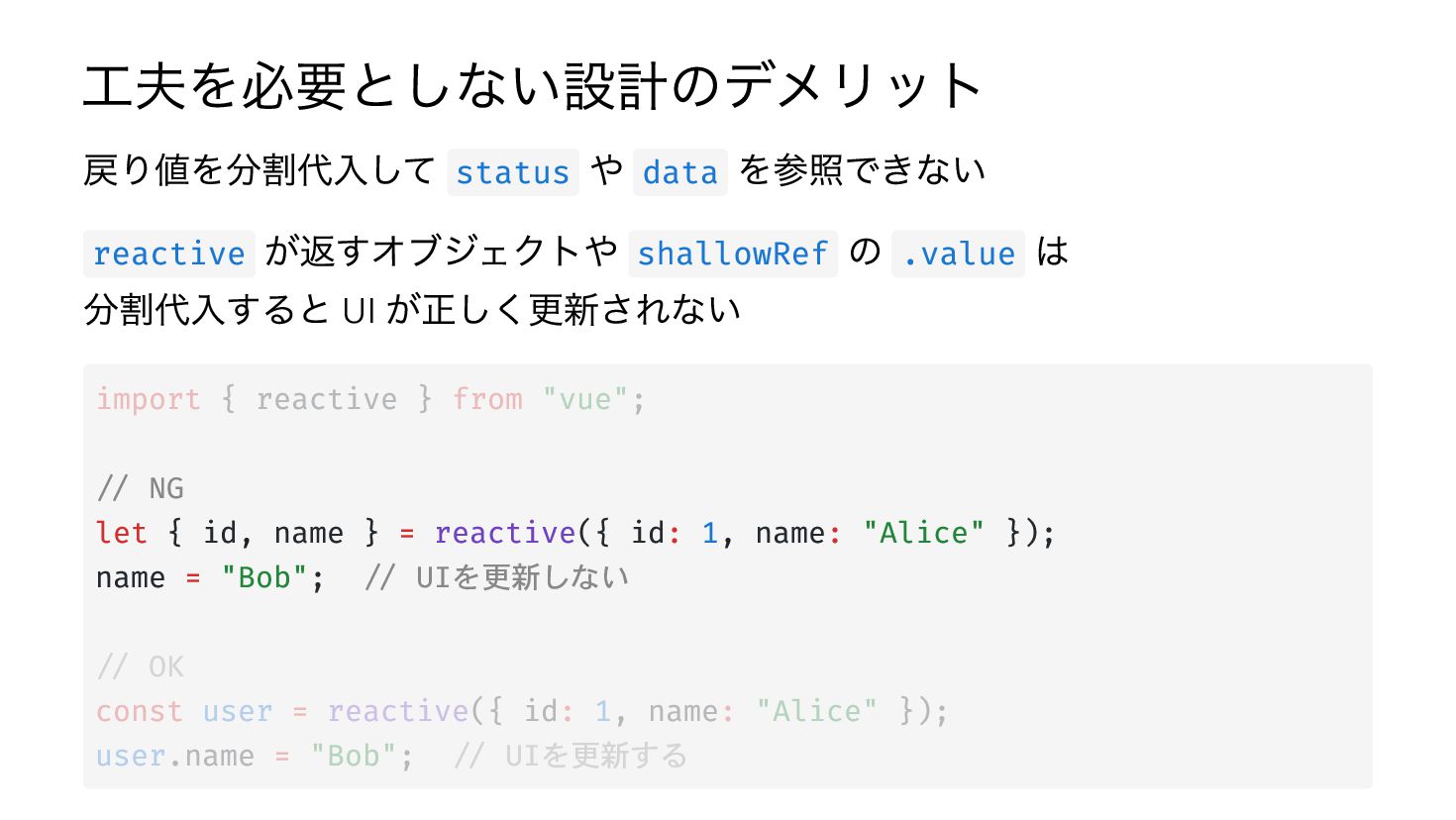
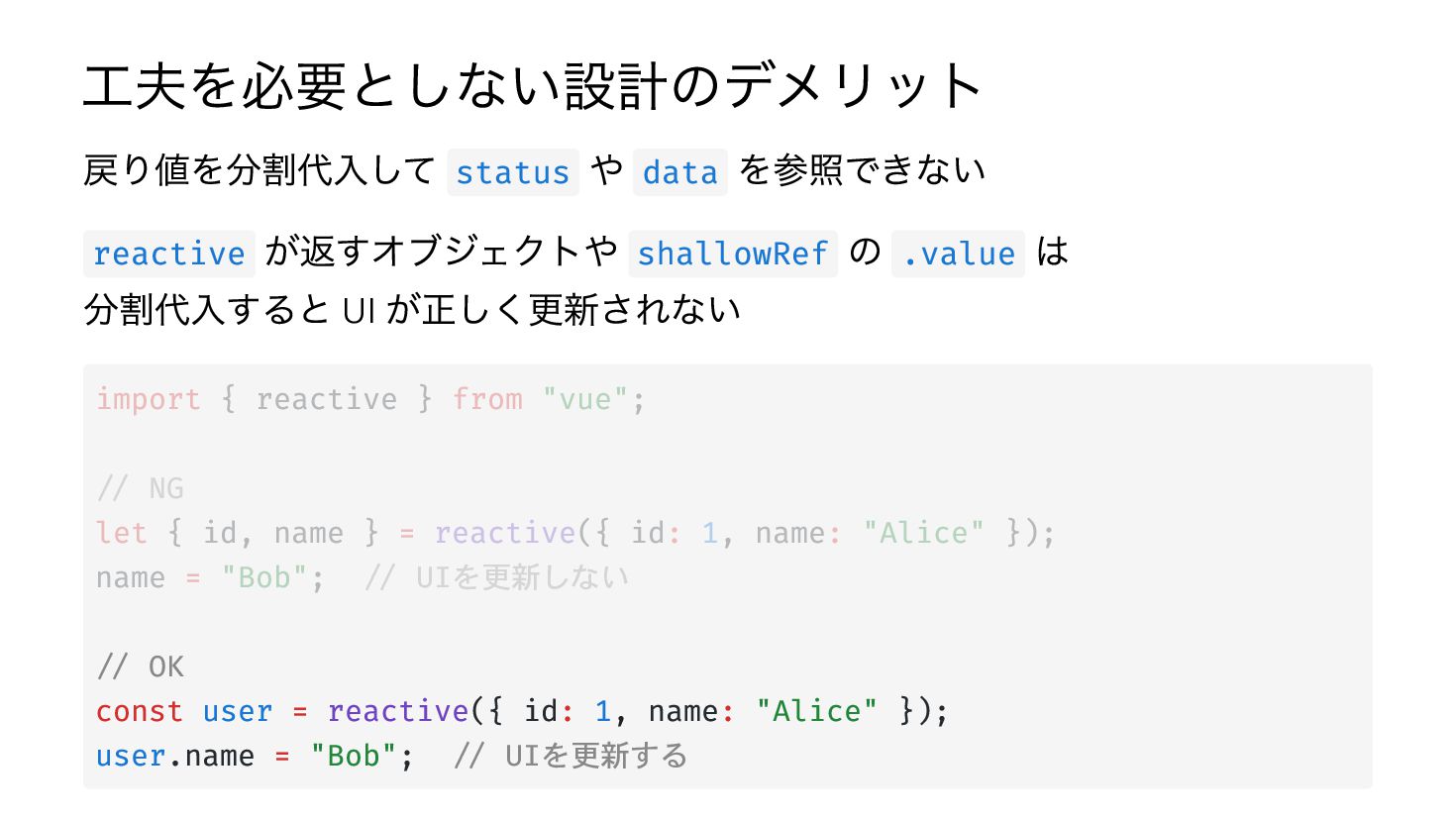
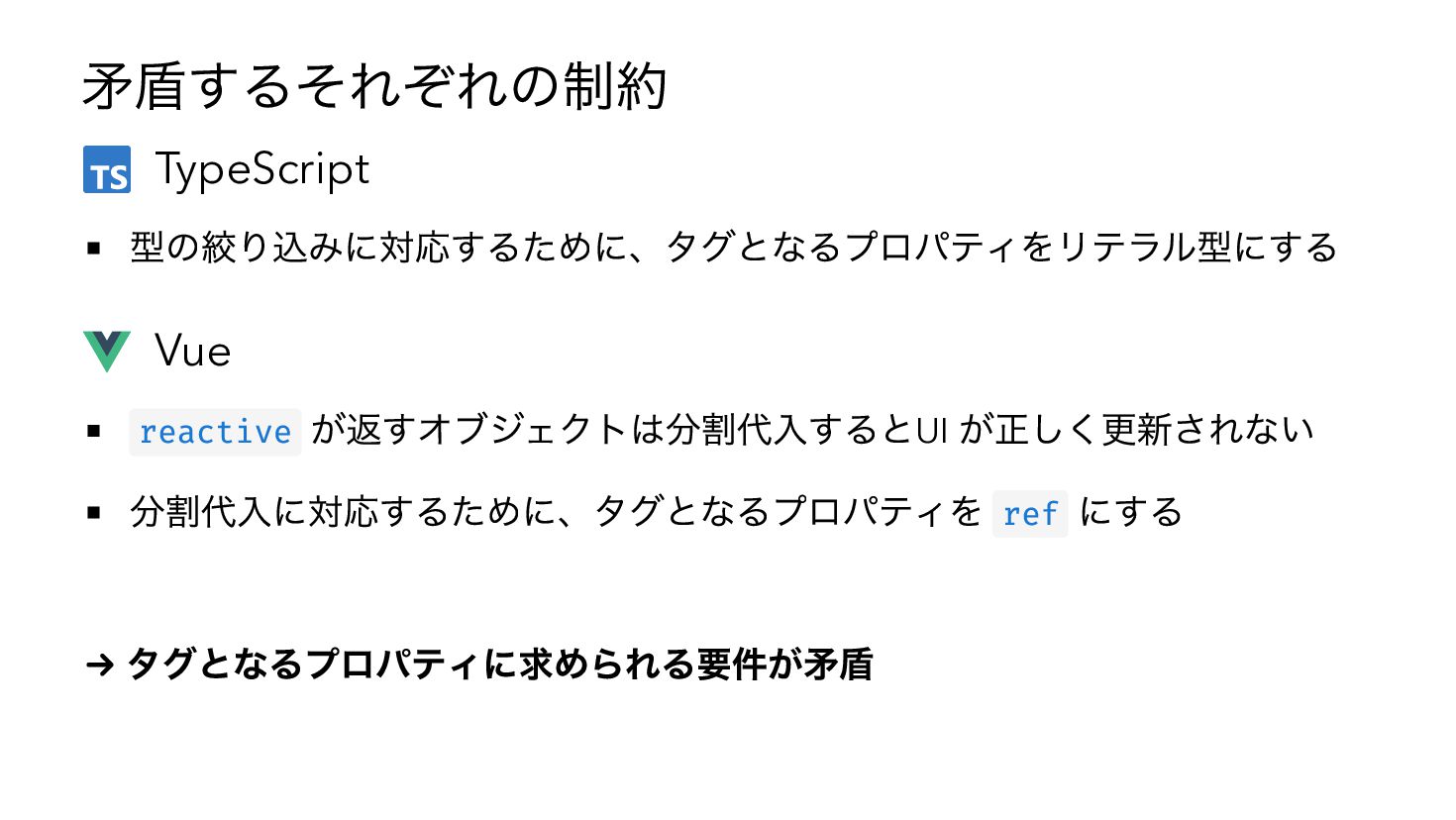
工夫を必要としない設計のデメリット 戻り値を分割代入して status や data を参照できない reactive が返すオブジェクトや shallowRef の
.value は 分割代入すると UI が正しく更新されない import { reactive } from "vue"; // NG let { id, name } = reactive({ id: 1, name: "Alice" }); name = "Bob"; // UIを更新しない // OK const user = reactive({ id: 1, name: "Alice" }); user.name = "Bob"; // UIを更新する -
工夫を必要としない設計のデメリット 戻り値を分割代入して status や data を参照できない reactive が返すオブジェクトや shallowRef の
.value は 分割代入すると UI が正しく更新されない import { reactive } from "vue"; // NG let { id, name } = reactive({ id: 1, name: "Alice" }); name = "Bob"; // UIを更新しない // OK const user = reactive({ id: 1, name: "Alice" }); user.name = "Bob"; // UIを更新する -
工夫を必要としない設計のデメリット 戻り値を分割代入して status や data を参照できない reactive が返すオブジェクトや shallowRef の
.value は 分割代入すると UI が正しく更新されない import { reactive } from "vue"; // NG let { id, name } = reactive({ id: 1, name: "Alice" }); name = "Bob"; // UIを更新しない // OK const user = reactive({ id: 1, name: "Alice" }); user.name = "Bob"; // UIを更新する -
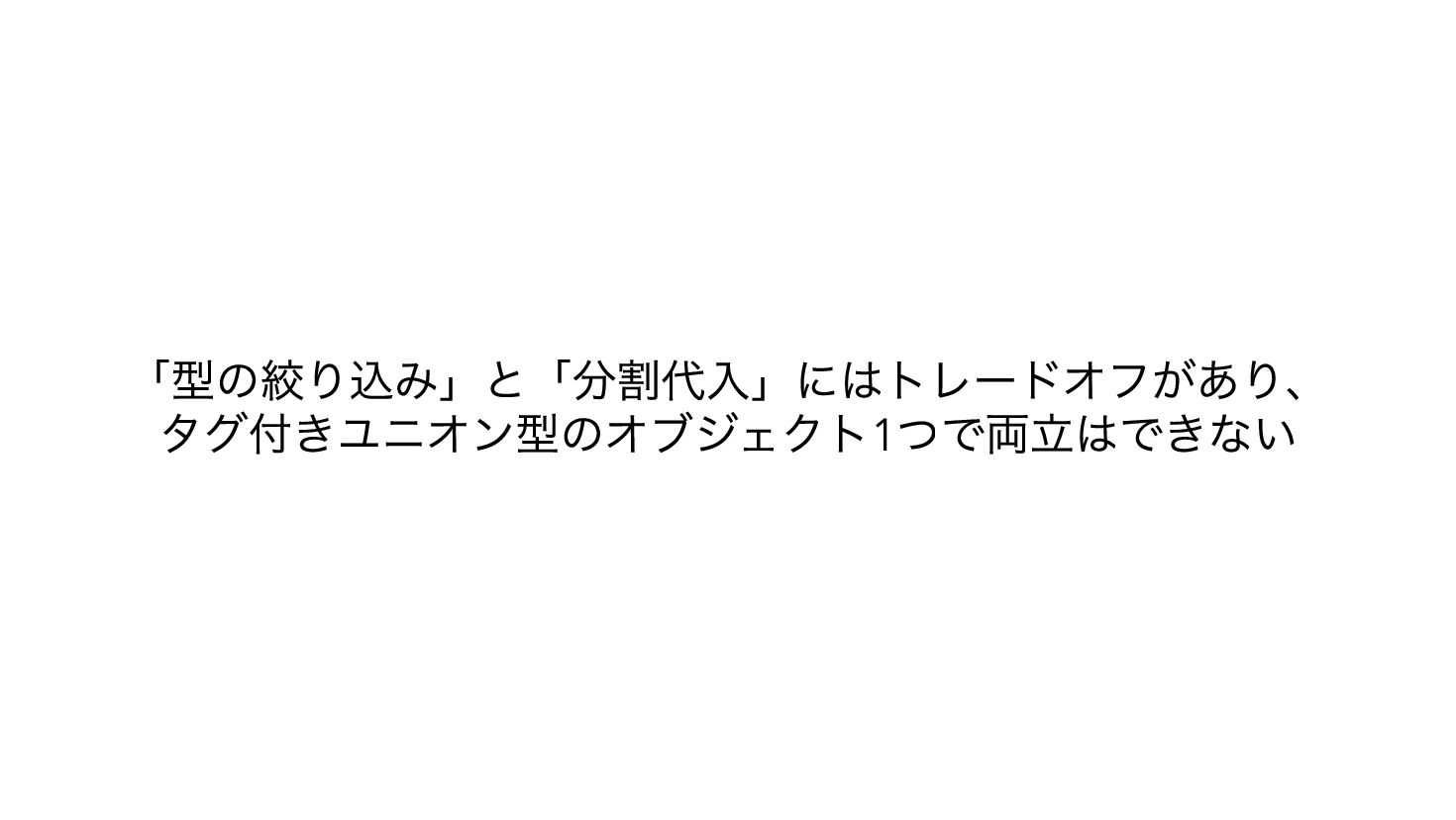
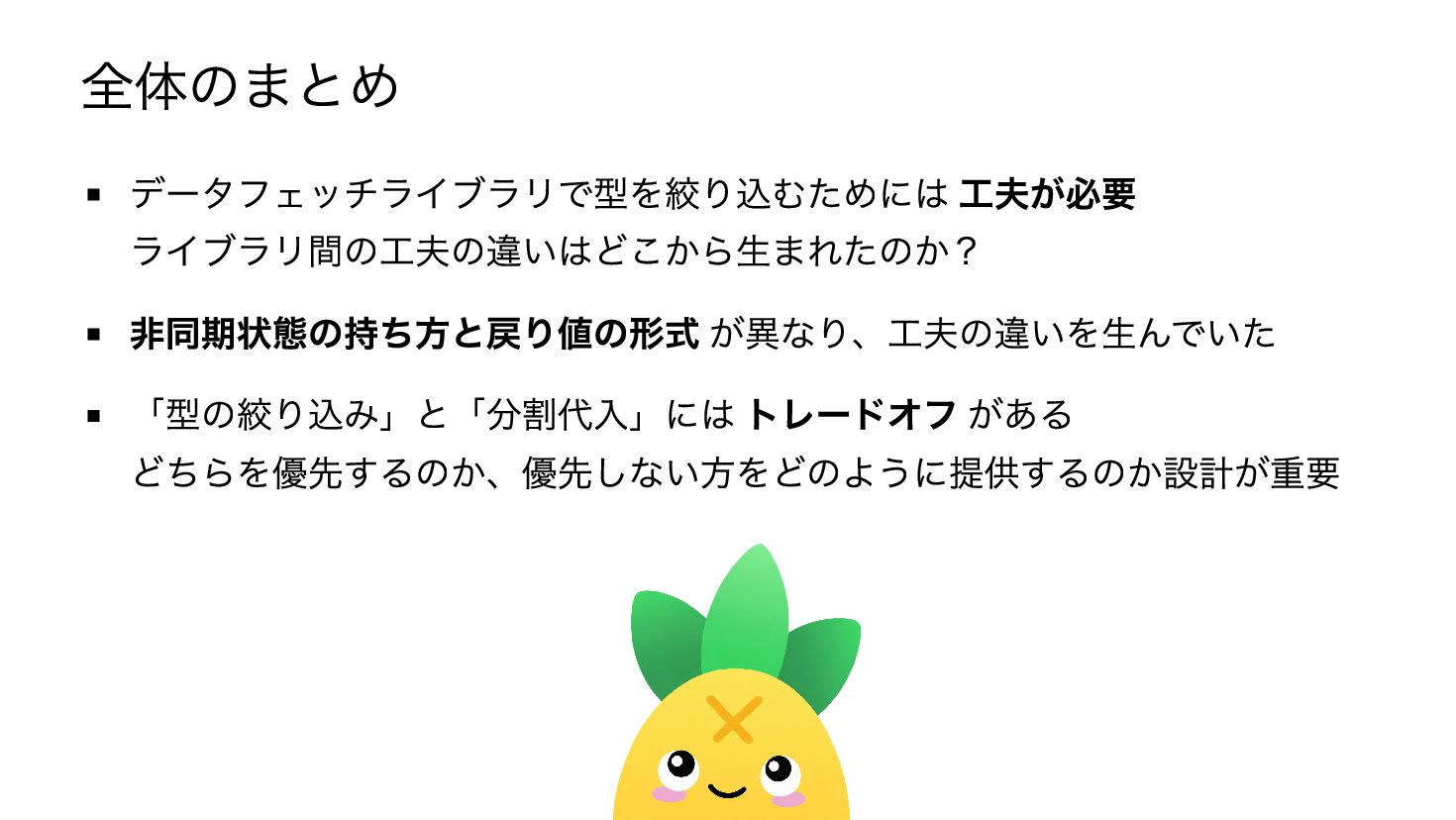
結論 タグ付きユニオン型を返すコンポーザブルを設計する際には 「型の絞り込み」or「分割代入」どちらを優先するのか判断が必要 分割代入を優先する場合、「型を絞り込むための工夫」の選択が必要 ライブラリ 非同期状態 TanStack Vue Query reactive
Pinia Colada shallowRef 戻り値 で ref 化した 各プロパティ 状態全体の state + computed エイリアス toRefs 工夫 reactive state でラップ を参照 -
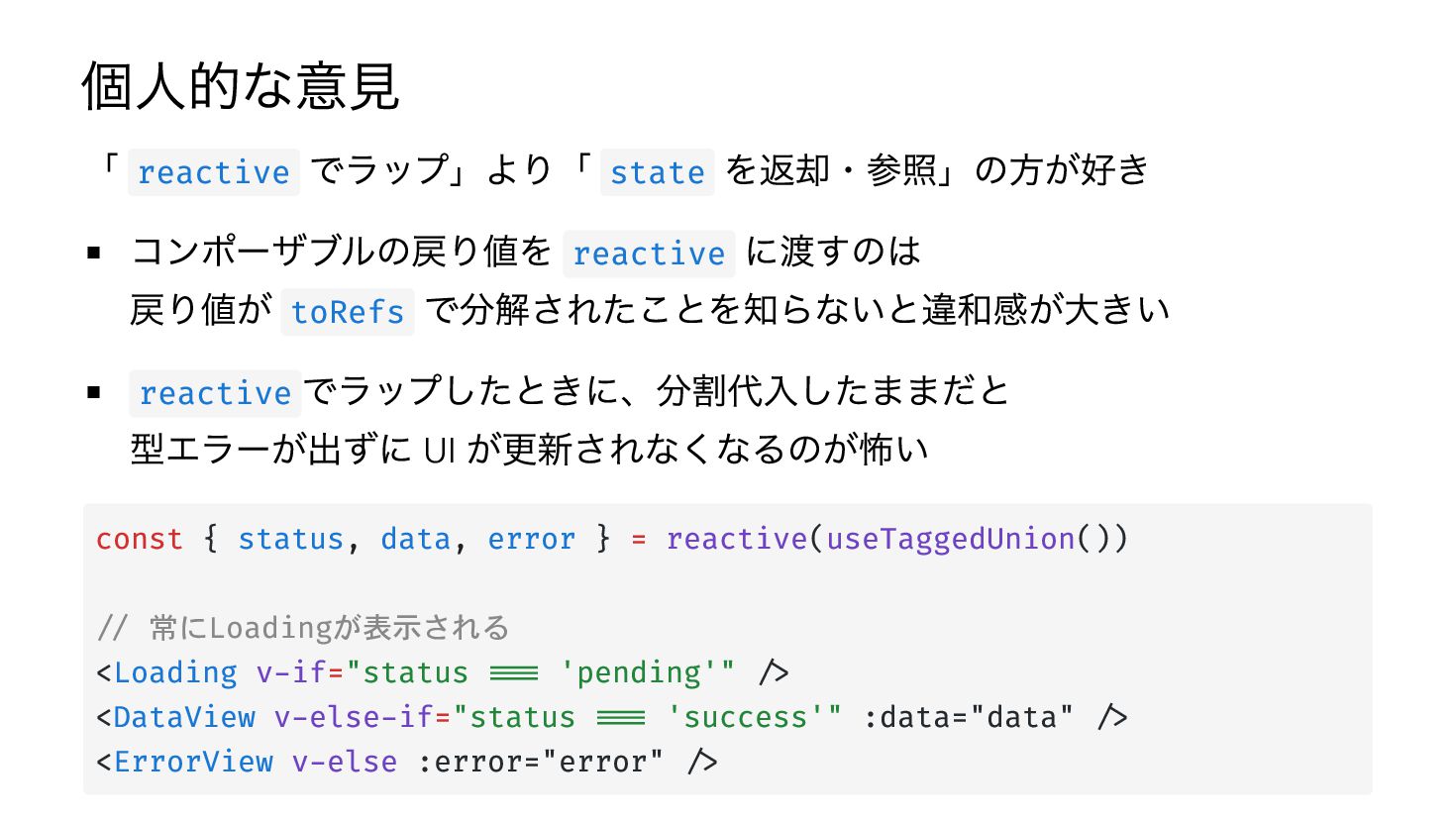
個人的な意見 「 reactive でラップ」より「 state を返却・参照」の方が好き コンポーザブルの戻り値を reactive に渡すのは 戻り値が
toRefs で分解されたことを知らないと違和感が大きい reactive でラップしたときに、分割代入したままだと 型エラーが出ずに UI が更新されなくなるのが怖い const { status, data, error } = reactive(useTaggedUnion()) // 常にLoadingが表示される <Loading v-if="status === 'pending'" /> <DataView v-else-if="status === 'success'" :data="data" /> <ErrorView v-else :error="error" />
 shogogg
 t0yohei
 ktombow
 koukimiura
 kitano_yuichi
 steliosf
 vivion
 shiita0903
 kinakomoti321
 ochtum
 jsoizo
 pvcresin
 sstephenson
 62gerente
 axbom
 keavy
 lara
 chriscoyier
 morganepeng
 swwweet
 ammeep
 elsirapls
 keithpitt
 jonoalderson