Share
Embed
Building Android and looking into the Android System
Building Android and looking into the Android System / Android “を”ビルドしてAndroid Systemを覗いてみよう
DroidKaigi 2022 Day1 (2022/10/05 14:20-14:45)
https://droidkaigi.jp/2022/timetable/364947
Kazuki Chigita
October 05, 2022
Transcript
109 slides
-
Building Android and looking into the Android System 5th October,
2022 Kazuki Chigita(@chigichan24) Android “を”ビルドして Android Systemを覗いてみよう -
Kazuki Chigita (@chigichan24) Android application developer at LINE Corporation DroidKaigi
2020 DroidKaigi 2021 Profile Past talks -
IceBreak Do you have any experience to build Android System
(AOSP)? Building custom Android image as work or private! I know AOSP but no experience to build I heard first time about AOSP -
IceBreak Do you have any experience to build Android System
(AOSP)? Building custom Android image as work or private! I know AOSP but no experience to build I heard first time about AOSP -
IceBreak Do you have any experience to build Android System
(AOSP)? Building custom Android image as work or private! I know AOSP but no experience to build I heard first time about AOSP -
IceBreak Do you have any experience to build Android System
(AOSP)? Building custom Android image as work or private! I know AOSP but no experience to build I heard first time about AOSP -
The color of navigation bar changes white to black Why
will I talk about this topic (background) -
Why will I talk about this topic (background) In the
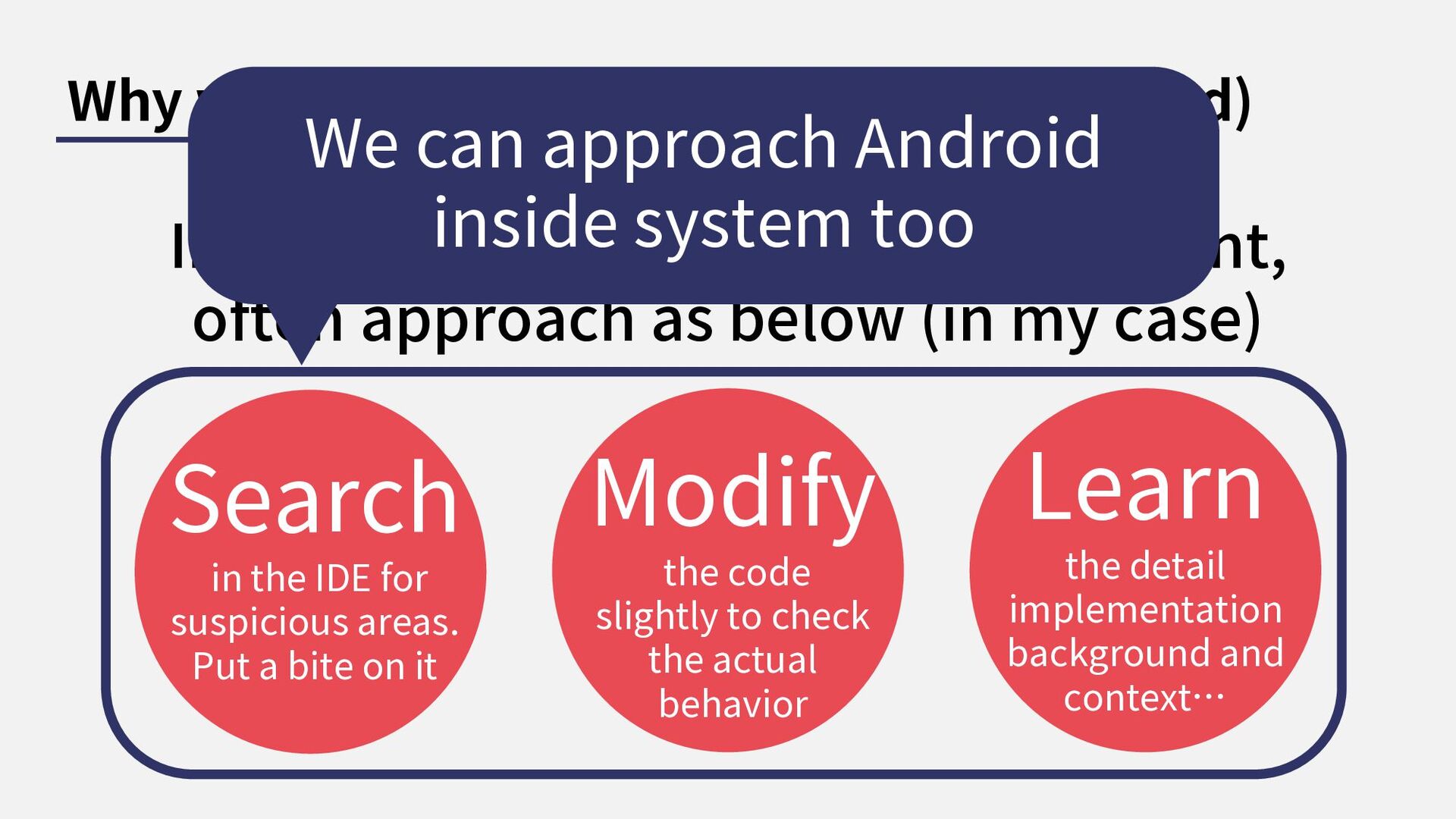
basic Android app development, often approach as below (in my case) Search in the IDE for suspicious areas. Put a bite on it Modify the code slightly to check the actual behavior Learn the detail implementation background and context… -
Why will I talk about this topic (background) In the
basic Android app development, often approach as below (in my case) Search in the IDE for suspicious areas. Put a bite on it Modify the code slightly to check the actual behavior Learn the detail implementation background and context… -
Why will I talk about this topic (background) In the
basic Android app development, often approach as below (in my case) Search in the IDE for suspicious areas. Put a bite on it Modify the code slightly to check the actual behavior Learn the detail implementation background and context… -
Why will I talk about this topic (background) In the
basic Android app development, often approach as below (in my case) Search in the IDE for suspicious areas. Put a bite on it Modify the code slightly to check the actual behavior Learn the detail implementation background and context… We can approach Android inside system too -
Table of Contents 1 2 3 What’s AOSP? Build the
Android System Deep dive into the Android -
More detail… You can get suitable and practical information on
these sessions. My Experience creating wearable IoT devices with Android AOSP 16:50-17:15 Online 15:40-16:05 Online Yoshinori Mukai Akira Kimura Day1 Day2 Extreme modification of the Android Framework to enable beamforming using 5-channel microphones -
Step to build Custom Android There’re so many similar/unmanaged documents.
We need to compare multiple documents . -
Step to build Custom Android Prepare build environment 1 Build
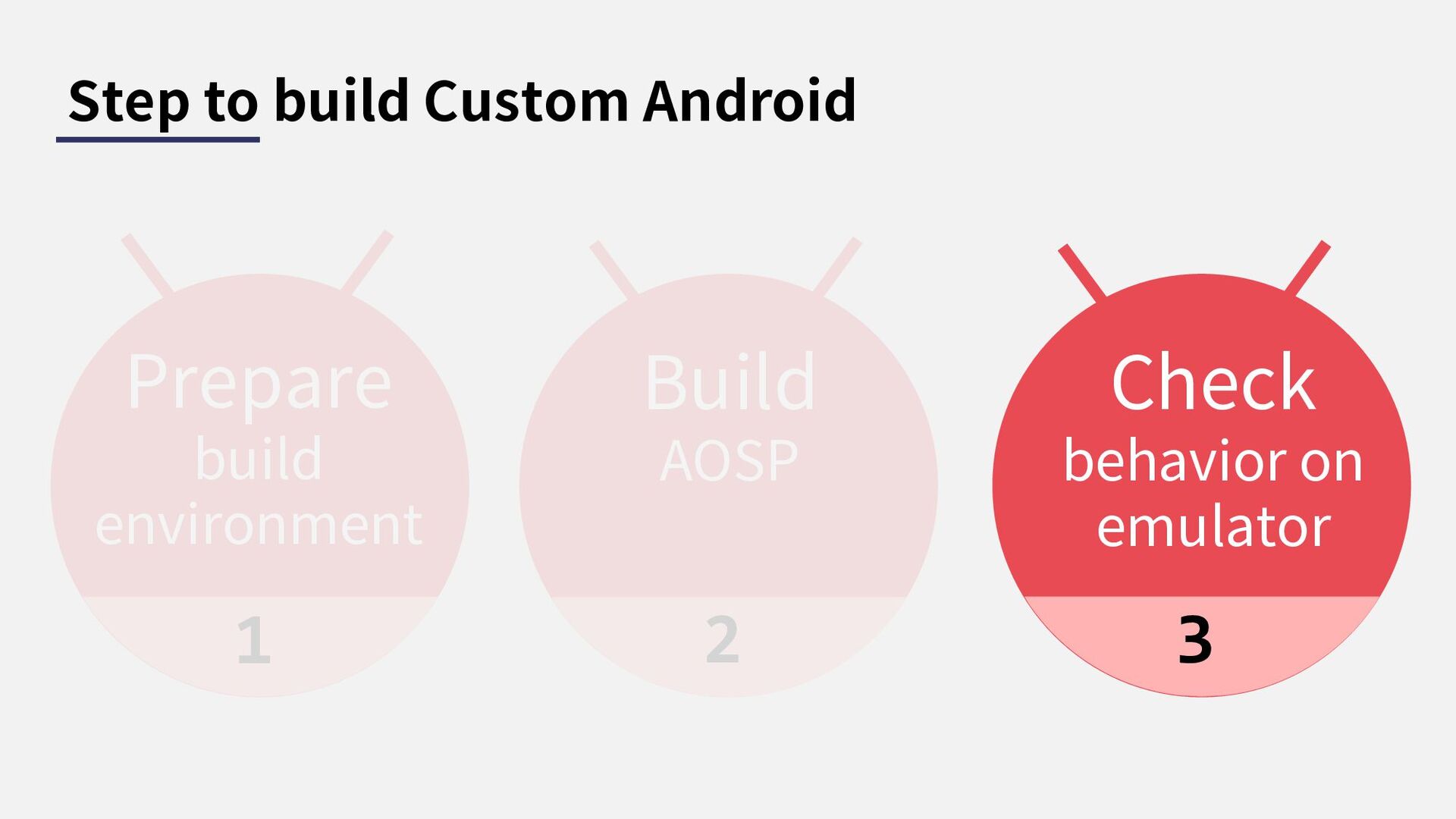
AOSP 2 Check behavior on emulator 3 -
Step to build Custom Android Prepare build environment 1 Build
AOSP 2 Check behavior on emulator 3 -
1. Prepare build environments https://source.android.com/docs/setup/start/requirements As of June 2021, Google
is using 72-core machines with 64 GB of RAM internally, which take about 40 minutes for a full build (and just a few minutes for incremental builds, depending on exactly which files were modified). By contrast, a 6-core machine with a similar amount of RAM takes 3 hours. Minimum requirements OS: ubuntu LTS ver / 64bit Storage: 250GiB RAM: 16GiB -
1. Prepare build environments We cannot build with macOS /
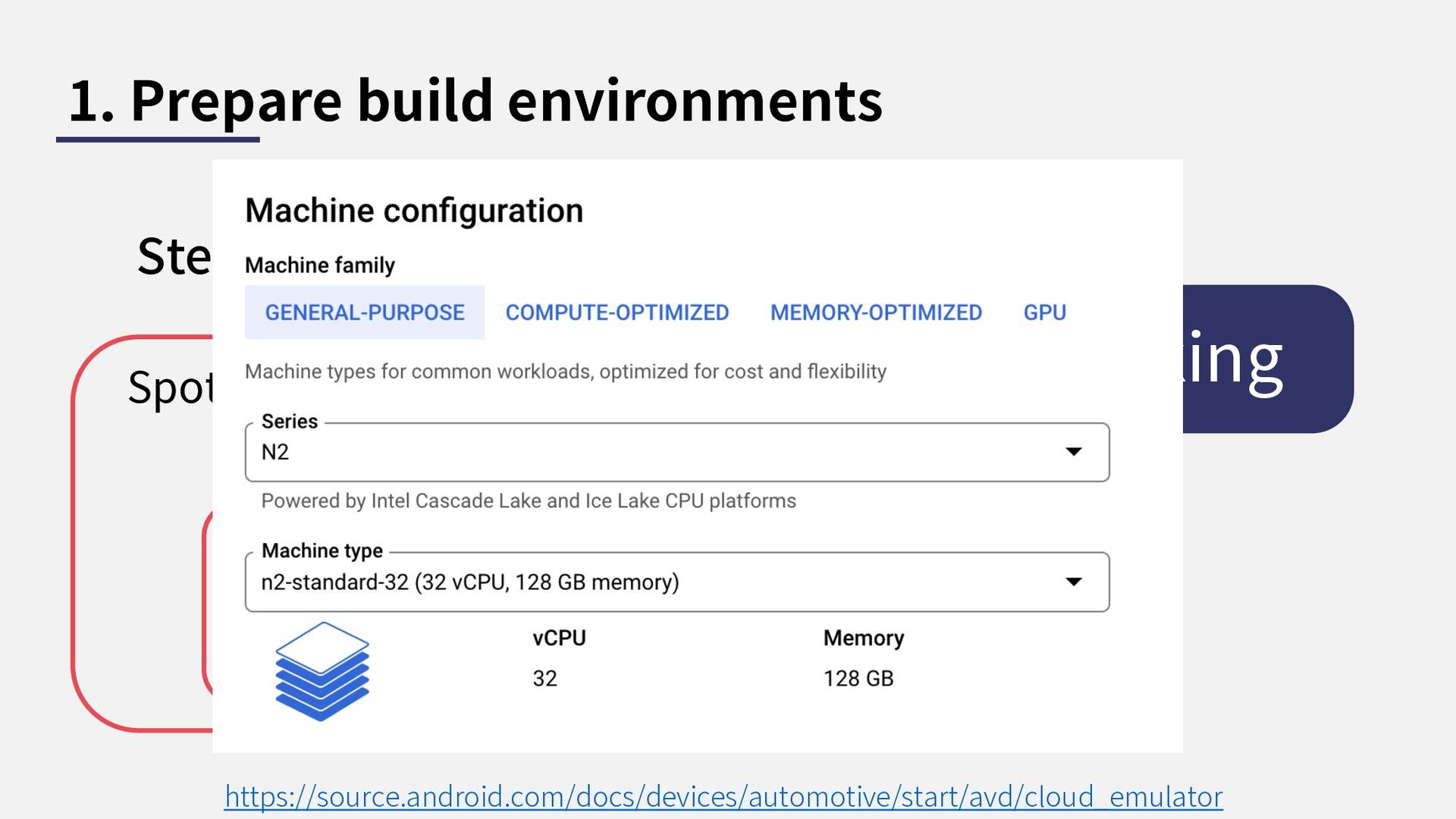
windows. Should we buy new high spec ubuntu machines? https://source.android.com/docs/setup/start/requirements OS: ubuntu 20.04 (64bit) Storage: 250GiB CPU: intel 32-core RAM: 128GiB Compose spot VM with this spec on GCP My recommendation -
1. Prepare build environments We cannot build with macOS /
windows. Should we buy new high spec ubuntu machines? https://source.android.com/docs/setup/start/requirements OS: ubuntu 20.04 (64bit) Storage: 250GiB CPU: intel 32-core RAM: 128GiB Compose spot VM with this spec on GCP My recommendation We can build on AWS too but there are some problem on emulation -
1. Prepare build environments Step1. Prepare VM instance on GCP
https://source.android.com/docs/devices/automotive/start/avd/cloud_emulator Nested Visualization allowed disk Spot Instance Needs for AVD working -
1. Prepare build environments Step1. Prepare VM instance on GCP
https://source.android.com/docs/devices/automotive/start/avd/cloud_emulator Nested Visualization allowed disk Spot Instance Needs for AVD working -
1. Prepare build environments Step1. Prepare VM instance on GCP
https://source.android.com/docs/devices/automotive/start/avd/cloud_emulator Nested Visualization allowed disk Spot Instance Needs for AVD working Needs for AVD working We can finish build around 1.5 hour with this pec -
Spot Instance 1. Prepare build environments Step1. Prepare VM instance
on GCP https://source.android.com/docs/devices/automotive/start/avd/cloud_emulator Nested Visualization allowed disk ← Needs for AVD working We can save cost 50-70% -
1. Prepare build environments Step2. Access via XRDP We can
access to instance via GUI with bit setting I recommend to XRDP tunnel through ssh since security reason -
1. Prepare build environments Step3. Clone AOSP source AOSP source
codes are managed by Repo https://gerrit.googlesource.com/git-repo/ https://source.android.com/docs/setup/create/repo https://source.android.com/docs/setup/download/downloading Repo complements Git by simplifying work across multiple repositories. -
$ sudo apt-get install git-core gnupg flex bison build-essential zip
curl zlib1g-dev gcc-multilib g++- multilib libc6-dev-i386 libncurses5 lib32ncurses5-dev x11proto-core-dev libx11-dev lib32z1-dev libgl1-mesa- dev libxml2-utils xsltproc unzip fontconfig repo $ curl https://storage.googleapis.com/git-repo- downloads/repo > ~/bin/repo && chmod a+x ~/bin/repo $ git config --global user.name John Doe $ git config --global user.email [email protected] $ repo init -u https://android.googlesource.com/platform/manifest $ repo sync -j32 -
$ sudo apt-get install git-core gnupg flex bison build-essential zip
curl zlib1g-dev gcc-multilib g++- multilib libc6-dev-i386 libncurses5 lib32ncurses5-dev x11proto-core-dev libx11-dev lib32z1-dev libgl1-mesa- dev libxml2-utils xsltproc unzip fontconfig repo $ curl https://storage.googleapis.com/git-repo- downloads/repo > ~/bin/repo && chmod a+x ~/bin/repo $ git config --global user.name John Doe $ git config --global user.email [email protected] $ repo init -u https://android.googlesource.com/platform/manifest $ repo sync -j32 Install required libs for building AOSP (2-3 min) -
$ sudo apt-get install git-core gnupg flex bison build-essential zip
curl zlib1g-dev gcc-multilib g++- multilib libc6-dev-i386 libncurses5 lib32ncurses5-dev x11proto-core-dev libx11-dev lib32z1-dev libgl1-mesa- dev libxml2-utils xsltproc unzip fontconfig repo $ curl https://storage.googleapis.com/git-repo- downloads/repo > ~/bin/repo && chmod a+x ~/bin/repo $ git config --global user.name John Doe $ git config --global user.email [email protected] $ repo init -u https://android.googlesource.com/platform/manifest $ repo sync -j32 Initial setup for repo (few seconds) -
$ sudo apt-get install git-core gnupg flex bison build-essential zip
curl zlib1g-dev gcc-multilib g++- multilib libc6-dev-i386 libncurses5 lib32ncurses5-dev x11proto-core-dev libx11-dev lib32z1-dev libgl1-mesa- dev libxml2-utils xsltproc unzip fontconfig repo $ curl https://storage.googleapis.com/git-repo- downloads/repo > ~/bin/repo && chmod a+x ~/bin/repo $ git config --global user.name John Doe $ git config --global user.email [email protected] $ repo init -u https://android.googlesource.com/platform/manifest $ repo sync -j32 Clone the AOSP codes (10 min) -
Step to build Custom Android Prepare build environment 1 Build
AOSP 2 Check behavior on emulator 3 -
2. Build Step2. lunch aosp_cf_x86_64_phone-userdebug Step3. m Step1. source build/envsetup.sh
https://android.googlesource.com/platform/build/+/refs/heads/master/envsetup.sh -
2. Build Step2. lunch aosp_cf_x86_64_phone-userdebug Step3. m Step1. source build/envsetup.sh
https://android.googlesource.com/platform/build/+/refs/heads/master/envsetup.sh Set up your environment for building Android devices by running the command -
2. Build Step2. lunch aosp_cf_x86_64_phone-userdebug Step3. m Step1. source build/envsetup.sh
https://android.googlesource.com/platform/build/+/refs/heads/master/envsetup.sh Pass the build build target -
2. Build Step2. lunch aosp_cf_x86_64_phone-userdebug Step3. m Step1. source build/envsetup.sh
https://android.googlesource.com/platform/build/+/refs/heads/master/envsetup.sh Pass the build build target base source type archite- cture target build variant -
2. Build Step2. lunch aosp_cf_x86_64_phone-userdebug Step3. m Step1. source build/envsetup.sh
https://android.googlesource.com/platform/build/+/refs/heads/master/envsetup.sh Pass the build build target base source type archite- cture target build variant Target Product -
$ lunch You're building on Linux Lunch menu .. Here
are the common combinations: 1. aosp_arm-eng ... 9. aosp_car_x86-userdebug ... 15. aosp_cf_x86_64_phone-userdebug ... 70. yukawa_sei510-userdebug Which would you like? [aosp_arm-eng] Pick from common choices above (e.g. 13) or specify your own (e.g. aosp_barbet-eng): -
$ lunch You're building on Linux Lunch menu .. Here
are the common combinations: 1. aosp_arm-eng ... 9. aosp_car_x86-userdebug ... 15. aosp_cf_x86_64_phone-userdebug ... 70. yukawa_sei510-userdebug Which would you like? [aosp_arm-eng] Pick from common choices above (e.g. 13) or specify your own (e.g. aosp_barbet-eng): We can select Android Auto build image too -
$ lunch aosp_cf_x86_64_phone-userdebug ============================================ PLATFORM_VERSION_CODENAME=UpsideDownCake PLATFORM_VERSION=UpsideDownCake TARGET_PRODUCT=aosp_cf_x86_64_phone TARGET_BUILD_VARIANT=userdebug TARGET_ARCH=x86_64 TARGET_ARCH_VARIANT=silvermont
TARGET_2ND_ARCH=x86 TARGET_2ND_ARCH_VARIANT=silvermont HOST_OS=linux HOST_OS_EXTRA=Linux-5.15.0-1017-gcp-x86_64-Ubuntu-20.04.5-LTS HOST_CROSS_OS=windows BUILD_ID=AOSP.MASTER The platform of current master branch is set as Android 14(U) -
2. Build Step2. lunch aosp_cf_x86_64_phone-userdebug Step3. m Step1. source build/envsetup.sh
https://android.googlesource.com/platform/build/+/refs/heads/master/envsetup.sh -
2. Build Step2. lunch aosp_cf_x86_64_phone-userdebug Step3. m Step1. source build/envsetup.sh
https://android.googlesource.com/platform/build/+/refs/heads/master/envsetup.sh It takes 1.5 - 2.0 hour -
Step to build Custom Android Prepare build environment 1 Build
AOSP 2 Check behavior on emulator 3 -
3. Check behavior on emulator 1 2 Goldfish (well-known AVD)
Cuttlefish (called as CVD) -
3. Check behavior on emulator 1 2 Goldfish (well-known AVD)
Cuttlefish (called as CVD) My recommendation -
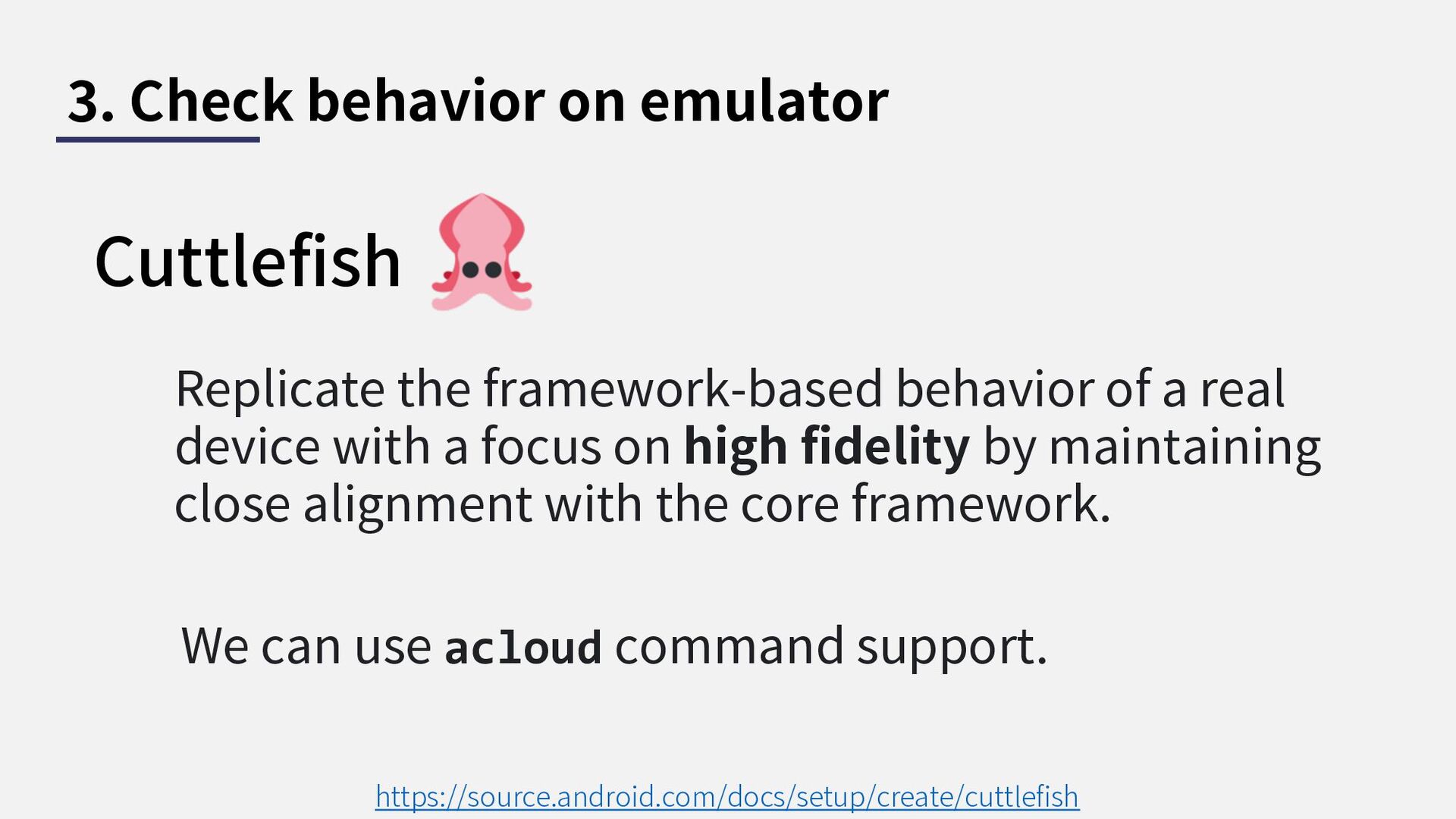
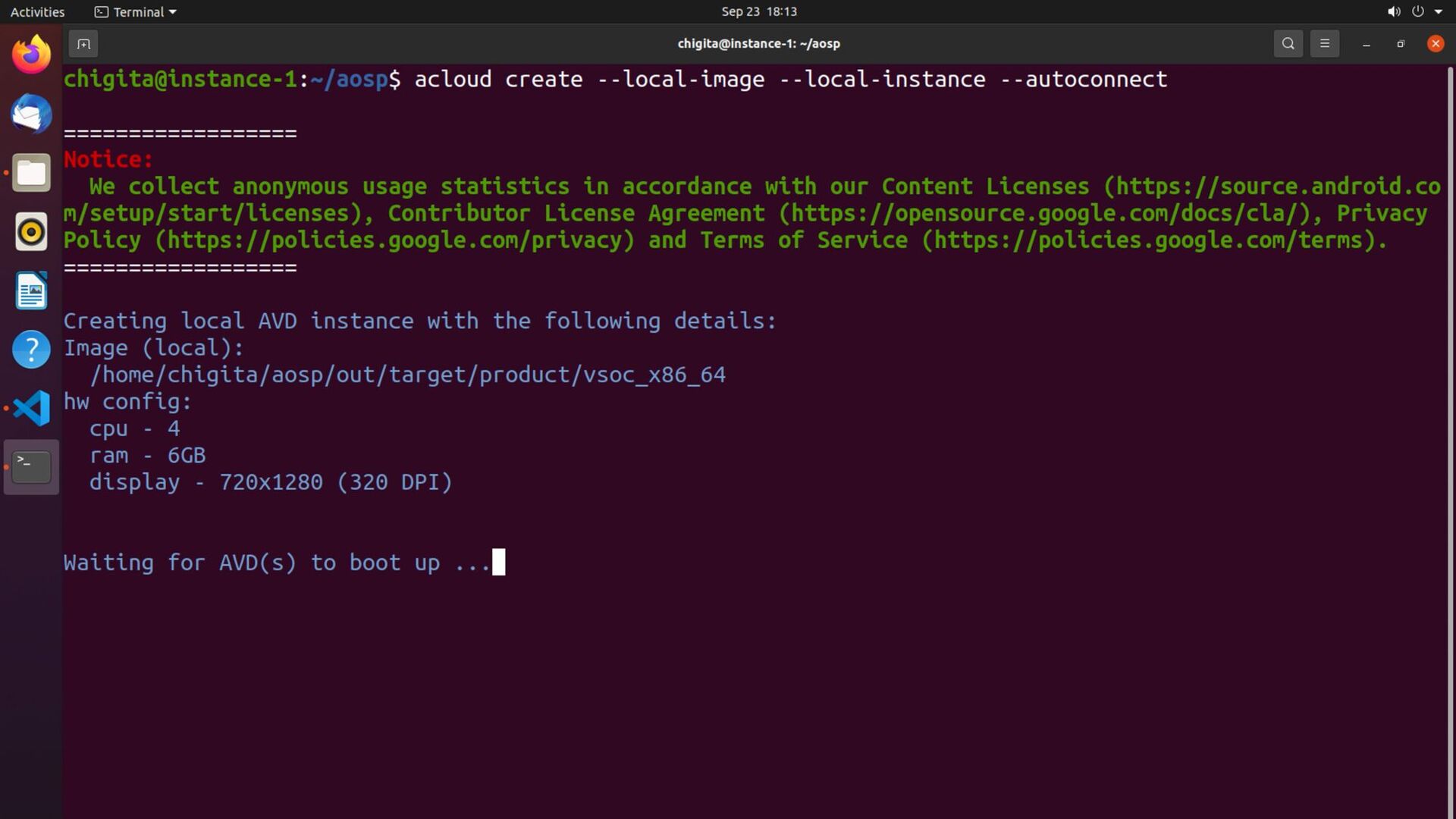
3. Check behavior on emulator Cuttlefish https://source.android.com/docs/setup/create/cuttlefish Replicate the framework-based
behavior of a real device with a focus on high fidelity by maintaining close alignment with the core framework. We can use acloud command support. -
3. Check behavior on emulator Cuttlefish https://source.android.com/docs/setup/create/cuttlefish Replicate the framework-based
behavior of a real device with a focus on high fidelity by maintaining close alignment with the core framework. We can use acloud command support. Almost same with physical device behavior except hardware-specific implementation -
3. Check behavior on emulator CVD related commands acloud https://android.googlesource.com/platform/tools/acloud/+/refs/heads/master/README.md
acloud Simple wrapper command for cvd launch Need to install chrome for launch emulator (It cannot launch with Firefox) -
Multi-tenancy allows for host machine to launch multiple virtual guest
devices with a single launch invocation. -
Step to build Custom Android Prepare build environment 1 Build
AOSP 2 Check behavior on emulator 3 -
Step to build Custom Android Prepare build environment 1 Build
AOSP 2 Check behavior on emulator 3 Now we can custamize Android -
The color of navigation bar changes white to black Why
will I talk about this topic (background) Reprint slide -
Search about navigation bar Navigation Bar SystemUI Application Status Bar
Power UI Volume UI Battery Meter UI etc… Search Modify Learn -
Search about navigation bar Navigation Bar SystemUI Application Status Bar
Power UI Volume UI Battery Meter UI etc… Search Modify Learn -
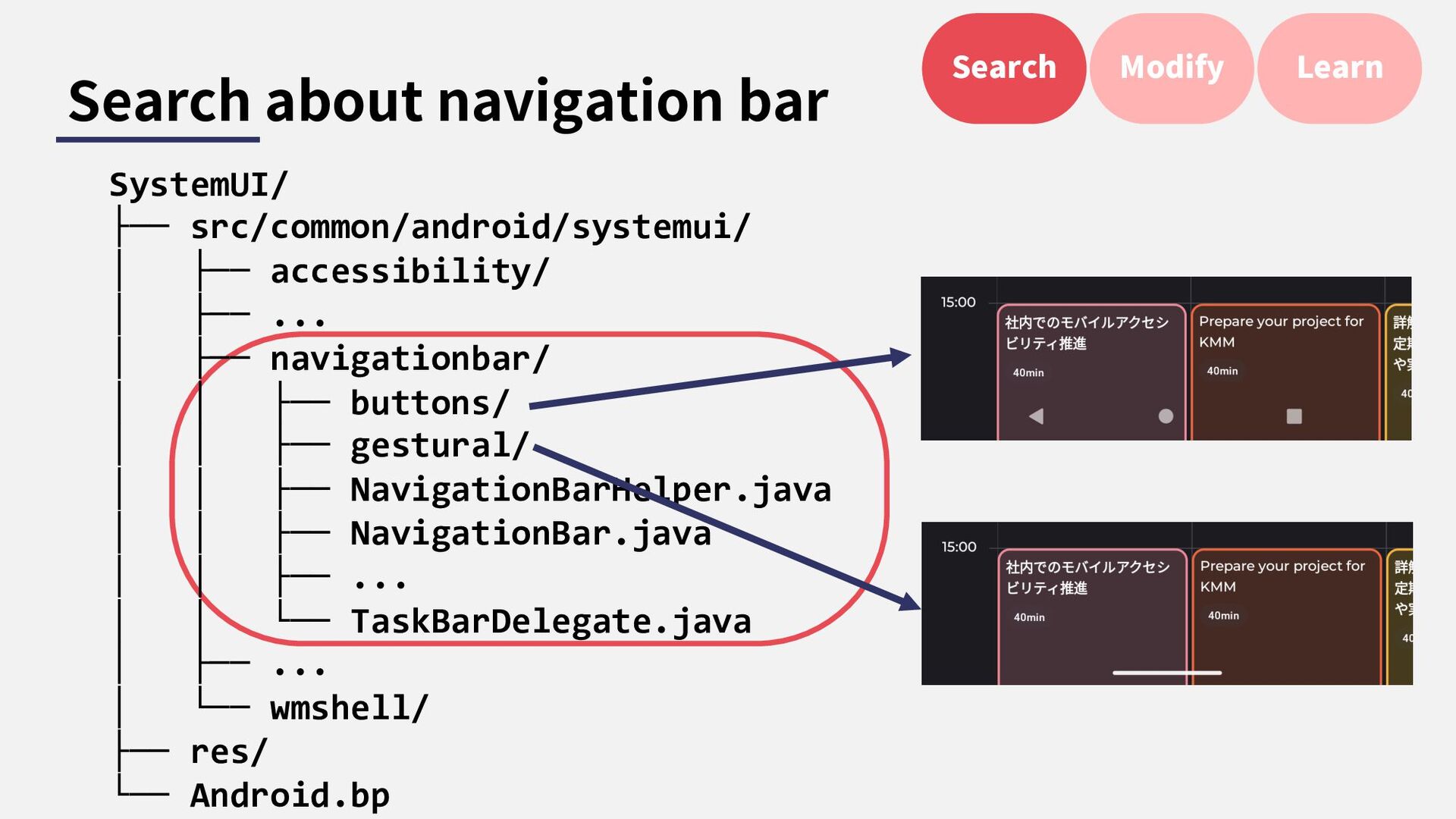
Search about navigation bar Search Modify Learn SystemUI/ ├── src/common/android/systemui/
│ ├── accessibility/ │ ├── ... │ ├── navigationbar/ │ │ ├── buttons/ │ │ ├── gestural/ │ │ ├── NavigationBarHelper.java │ │ ├── NavigationBar.java │ │ ├── ... │ │ └── TaskBarDelegate.java │ ├── ... │ └── wmshell/ ├── res/ └── Android.bp -
Search about navigation bar SystemUI/ ├── src/common/android/systemui/ │ ├── accessibility/
│ ├── ... │ ├── navigationbar/ │ │ ├── buttons/ │ │ ├── gestural/ │ │ ├── NavigationBarHelper.java │ │ ├── NavigationBar.java │ │ ├── ... │ │ └── TaskBarDelegate.java │ ├── ... │ └── wmshell/ ├── res/ └── Android.bp gestural/ seems related to gesture navigation bar Search Modify Learn -
Modify navigation bar NavigationHandle.java replace 2 to 10 makes thick
navigation bar? Search Modify Learn -
Modify navigation bar NavigationHandle.java this is just canvas so we
can draw bitmap too Search Modify Learn -
Learn navigation bar bahevior The color is generated by intensity
Search Modify Learn -
Learn navigation bar bahevior If the color is difference to
current one, update the color Search Modify Learn -
Learn navigation bar bahevior This listener receives values of Intensity?
Search Modify Learn -
Learn navigation bar bahevior !? Threshold of color change condition
is defined here Search Modify Learn -
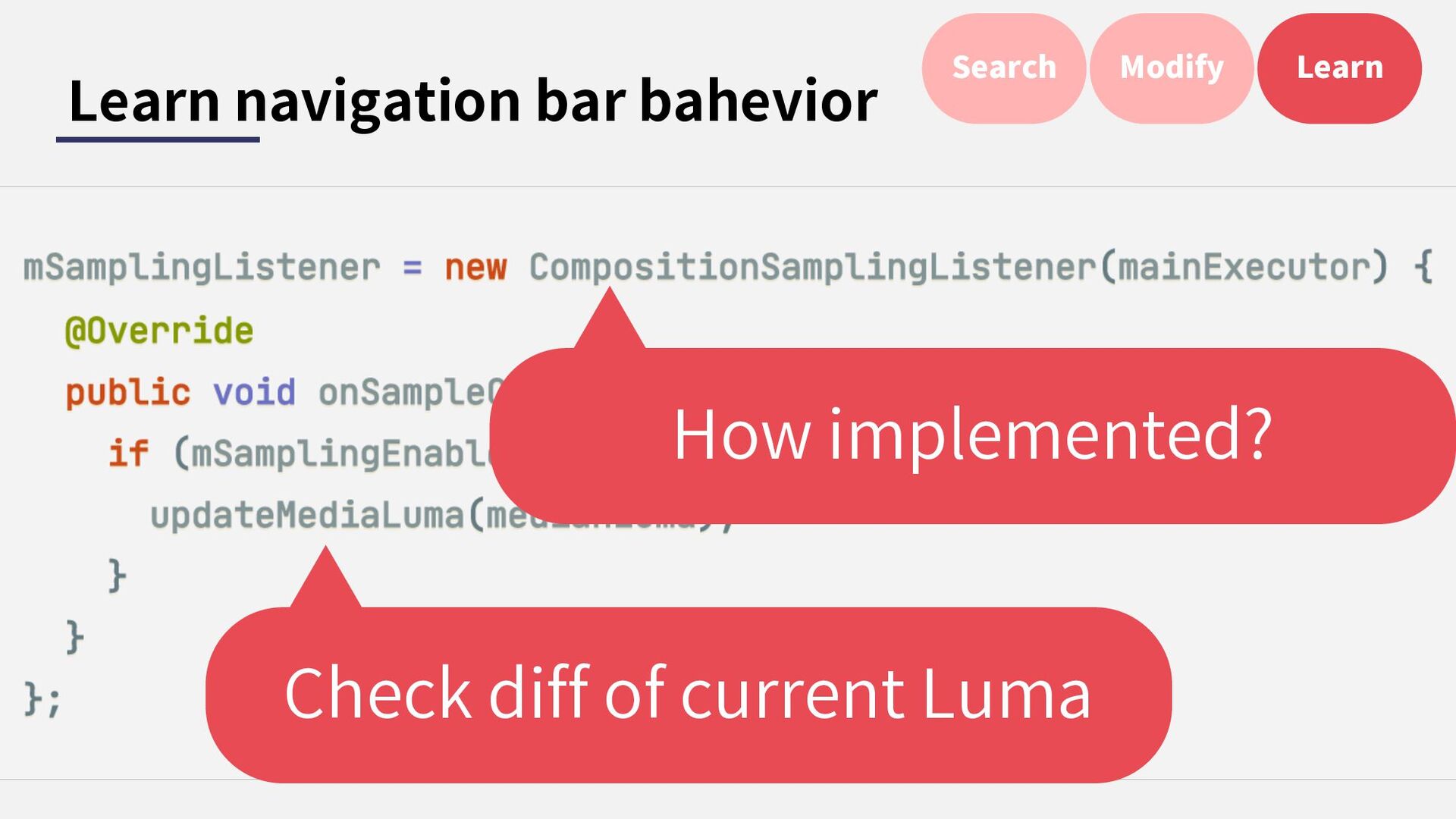
Learn navigation bar bahevior !? Threshold of color change condition
is defined here Search Modify Learn Check diff of current Luma -
Learn navigation bar bahevior !? Threshold of color change condition
is defined here Search Modify Learn Check diff of current Luma How implemented? -
Learn navigation bar bahevior Search Modify Learn compositionsampling listener.java android_view_Composition
SamplingListener.cpp RegionSamplingThread.cpp Bind via JNI -
Learn navigation bar bahevior Search Modify Learn NavigationHandle.java NavigationBar.java LightBarTransitions
Controller.java NavigationBar Transitions.java RegionSampling Helper.java -
Conclusion Building AOSP makes us more deeply understanding for the
Android System. In the appendix section, I added how resolved pitfall / error. Please refer when you build the AOSP. -
Thank you If you have any questions / comments, let’s
talk on ask the speaker booth. -
@Licensing The Android robot is reproduced or modified from work
created and shared by Google and used according to terms described in the Creative Commons 3.0 Attribution License. Twemoji. Copyright 2020 Twitter, Inc and other contributors Graphics licensed under CC-BY 4.0: https://creativecommons.org/licenses/by/4.0/ -
Bibliography(1) 1. https://source.android.com/ 2. https://source.android.com/docs/setup/build/downloading 3. https://source.android.com/docs/setup/start 4. https://source.android.com/docs/core/architecture 5.
https://source.android.com/docs/setup/start/requirements 6. https://source.android.com/docs/devices/automotive/start/avd/cloud_emulator 7. https://www.youtube.com/watch?v=eaPUdDkE91g 8. https://2net.co.uk/slides/aosp-aaos-meetup/2022-march-cuttlefish.pdf 9. https://cs.android.com/ 10. https://cs.android.com/android/platform/superproject/+/master:frameworks/ba se/packages/SystemUI/src/com/android/systemui/navigationbar/gestural/Navig ationHandle.java;bpv=0;bpt=0 11. https://android-developers.googleblog.com/2017/05/here-comes-treble- modular-base-for.html -
Bibliography(2) 12. https://android.googlesource.com/platform/tools/acloud/+/refs/heads/master/R EADME.md 13. https://source.android.com/docs/setup/download/downloading 14. https://source.android.com/docs/setup/start/initializing 15. https://source.android.com/docs/setup/build/known-issues
16. https://developer.android.com/studio/run/emulator-acceleration 17. https://source.android.com/docs/setup/create/cuttlefish 18. https://source.android.com/docs/setup/create/cuttlefish-ref-multi-tenancy 19. https://source.android.com/docs/setup/build -
Appendix Q. How to setup ubuntu-desktop env? A. sudo apt
update -y && sudo apt upgrade -y sudo adduser desktop_user sudo gpasswd -a desktop_user sudo sudo apt -y install ubuntu-desktop sudo apt install -y xrdp sudo sed -e 's/^new_cursors=true/new_cursors=false/g' -i /etc/xrdp/xrdp.ini -
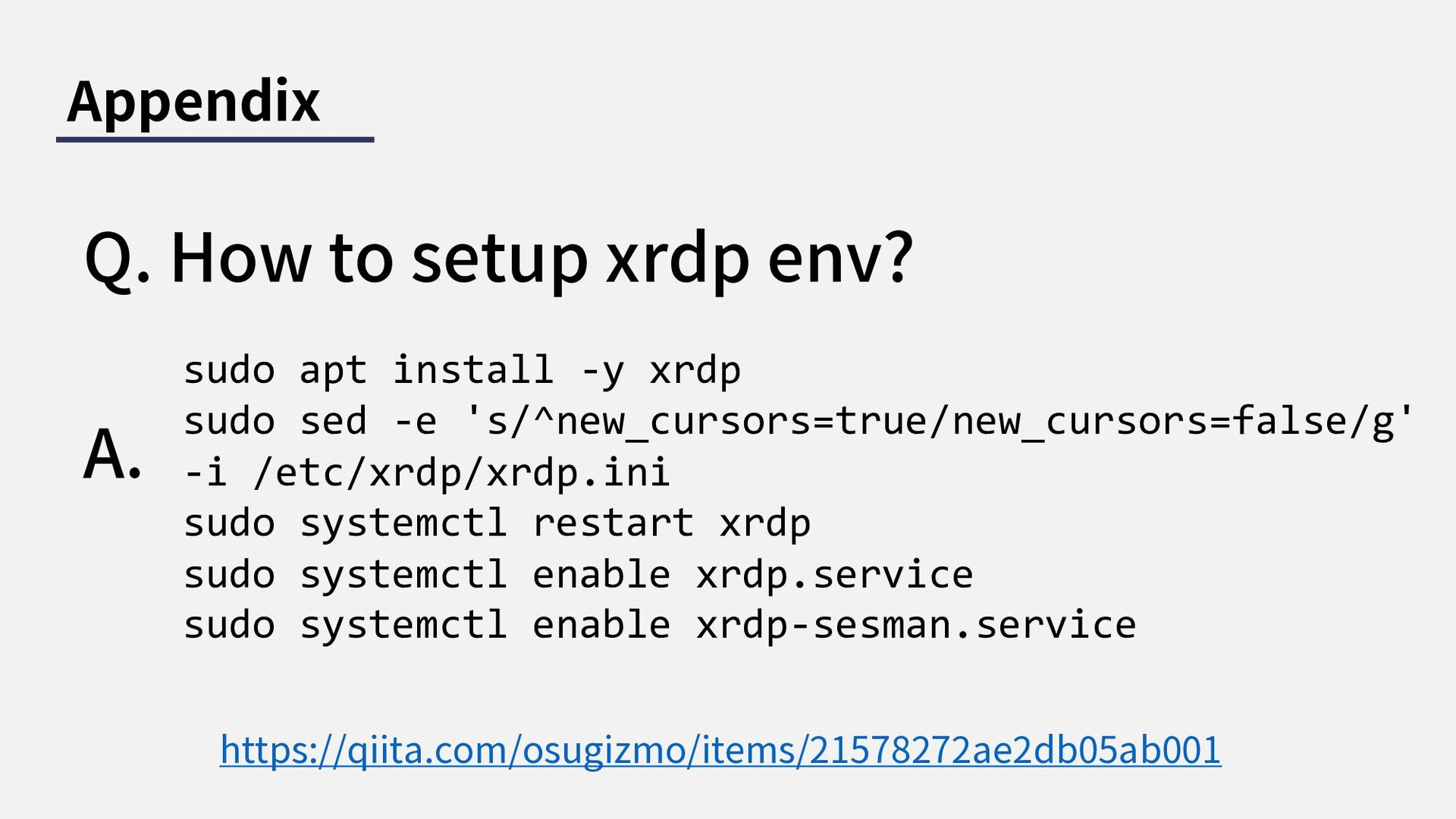
Appendix Q. How to setup xrdp env? A. sudo apt
install -y xrdp sudo sed -e 's/^new_cursors=true/new_cursors=false/g' -i /etc/xrdp/xrdp.ini sudo systemctl restart xrdp sudo systemctl enable xrdp.service sudo systemctl enable xrdp-sesman.service https://qiita.com/osugizmo/items/21578272ae2db05ab001 -
Appendix Q. Can we build on ubuntu on VMWare? A.
Yes. But it’s not recommended since we need high spec machine for building AOSP. -
Appendix Q. Can we build on WSL? A. Yes. I
didn’t try in my environment but I found the article that works on WSL2. -
Appendix Q. Can we build on AWS instance? A. Yes
but not recommended. We need to find machine spec that kvm(kernel- based virtual machine) works. It seems only bare metal instance. -
Appendix Q. Can we build on lower version ubuntu? A.
Yes but not recommended. It works fine that only focusing on build. But acloud / Cuttlefish is not work fine on ubuntu 18.04 below(in my case) -
Appendix Q. repo is not work correctly. A. Please confirm
your python version. If your python version is 2.x . It may fail some step. -
Appendix Q. repo sync is not finish A. Sometimes, it
stops 99% by network error. please try below command sysctl -w net.ipv4.tcp_window_scaling=0 https://source.android.com/docs/setup/build/known-issues -
Appendix Q. I’m not sure kvm works fine. A. You
should watch this page. https://developer.android.com/studi o/run/emulator-acceleration#vm- linux -
Appendix Q. Build is not finish successfully(1) A. Is there
enough space? You can check with df -Ph . At least 250GiB needs for build AOSP. -
Appendix Q. Build is not finish successfully(2) A. Did you
finish the pre-install step? We need to some libs for build. If the error message includes about yacc, the install is not finished yet. https://source.android.com/docs/setup/start/initializing -
Appendix Q. acloud setup is failing A. Please confirm your
ubuntu version is 20.04 or later. A. Please check kvm is correctly setup. -
Appendix Q. acloud instance is not launch A. Please set
chrome as default browser. It’s not work on FireFox which is default browser on Ubuntu.