Upgrade to Pro — share decks privately, control downloads, hide ads and more …

Smarter Angular mit Transformers.js & Prompt API

Smarter Angular mit Transformers.js & Prompt API

In diesem praxisorientierten Workshop lernen Sie, wie Sie Ihre Angular-basierten Apps mit modernen Generative-AI-Bibliotheken wie Transformers.js oder der neuen Prompt API smarter machen – und das offlinefähig und kostenlos.

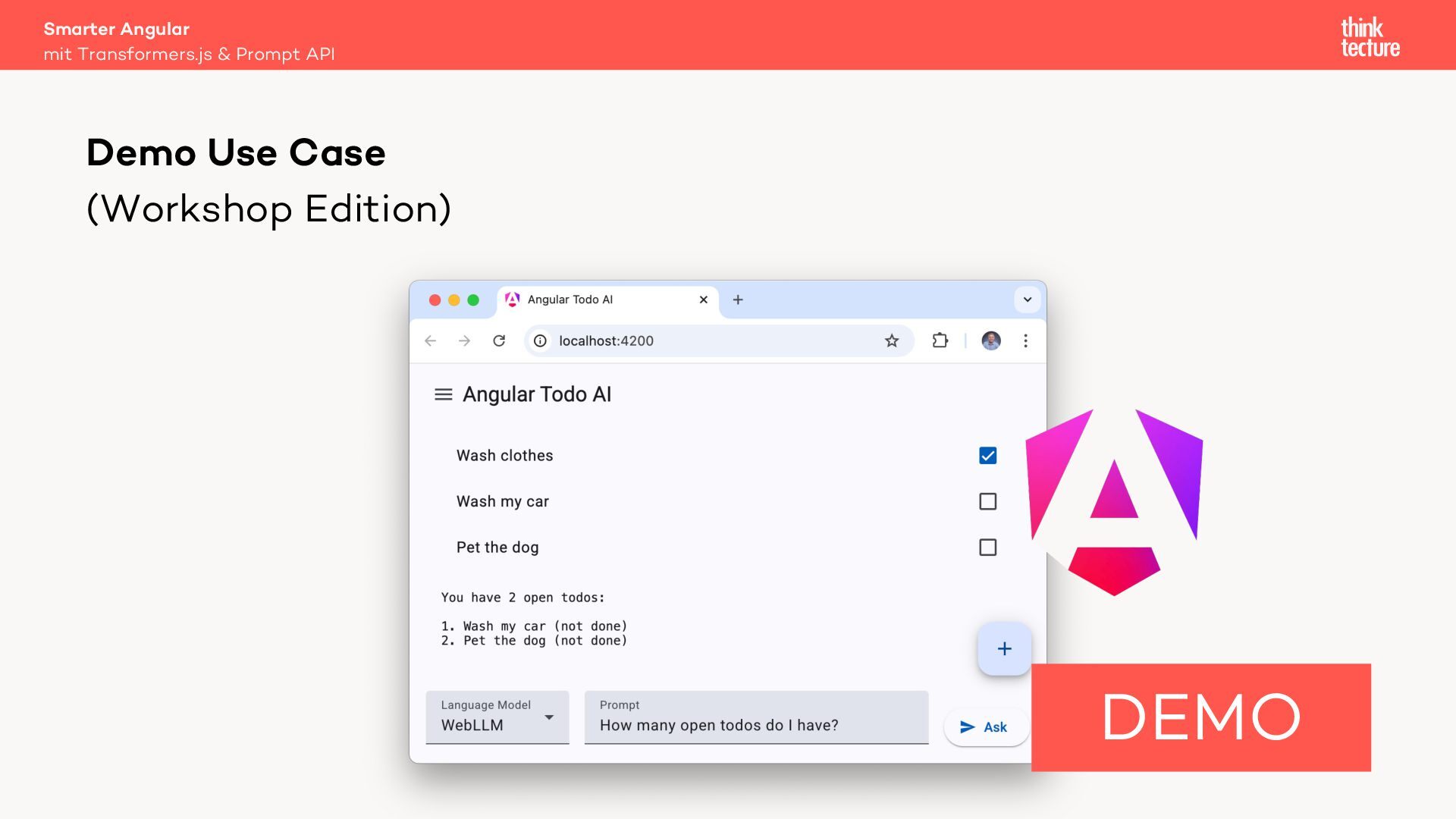
Anhand der Integration eines kontextsensitiven Chatbots in eine Todo-App erfahren Sie, wie Sie KI-Modelle im Browser betreiben und mittels WebAssembly, WebGPU oder WebNN performant auf Ihrer eigenen Hardware ausführen.

Sie erhalten einen Überblick über KI-Architekturen und lernen Best Practices für Prompt-Engineering kennen.

Avatar for Christian Liebel

Christian Liebel PRO

March 18, 2026
Tweet

More Decks by Christian Liebel

Other Decks in Programming

Transcript

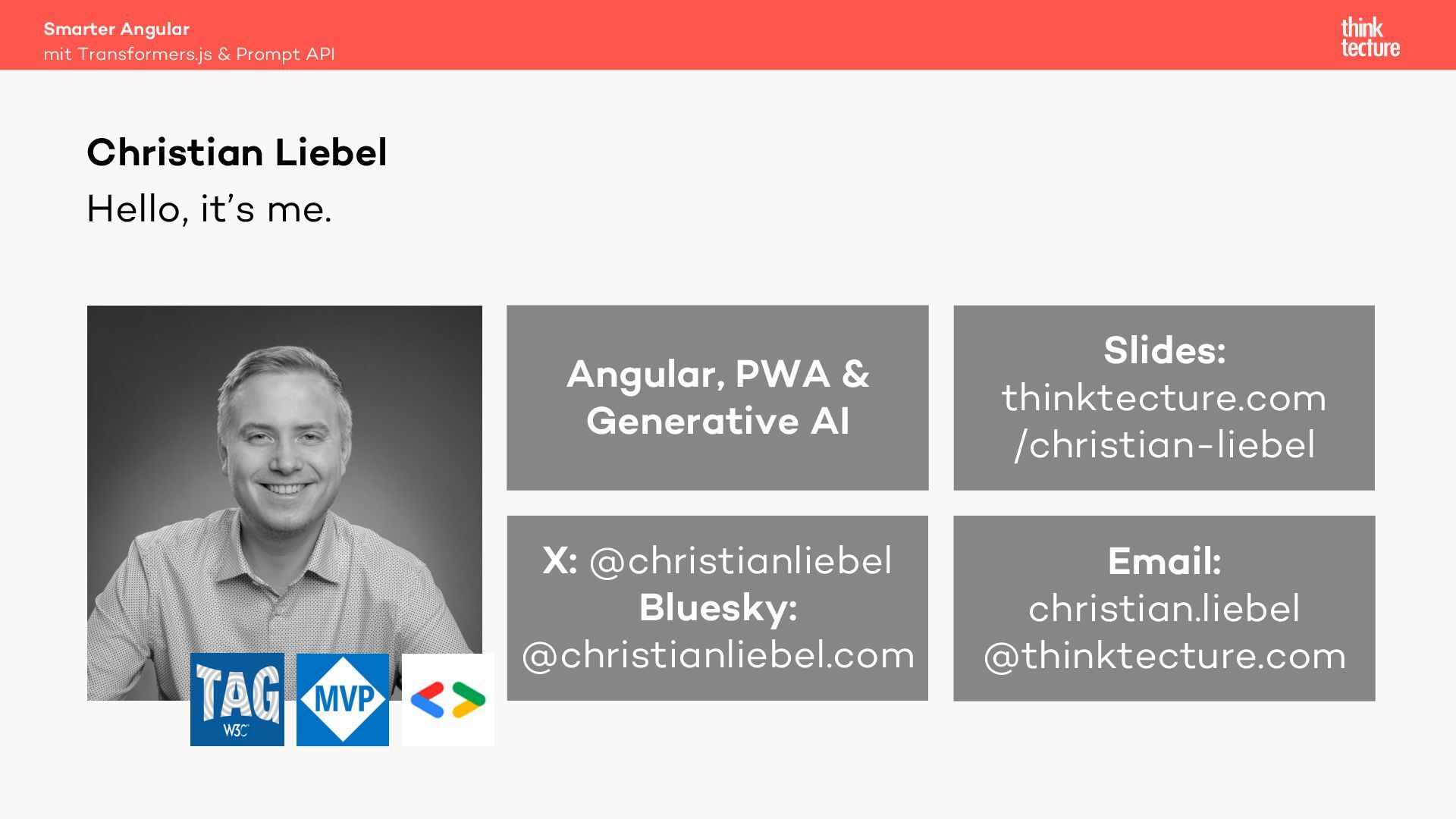
  1. Hello, it’s me. Smarter Angular mit Transformers.js & Prompt API

    Christian Liebel X: @christianliebel Bluesky: @christianliebel.com Email: christian.liebel @thinktecture.com Angular, PWA & Generative AI Slides: thinktecture.com /christian-liebel
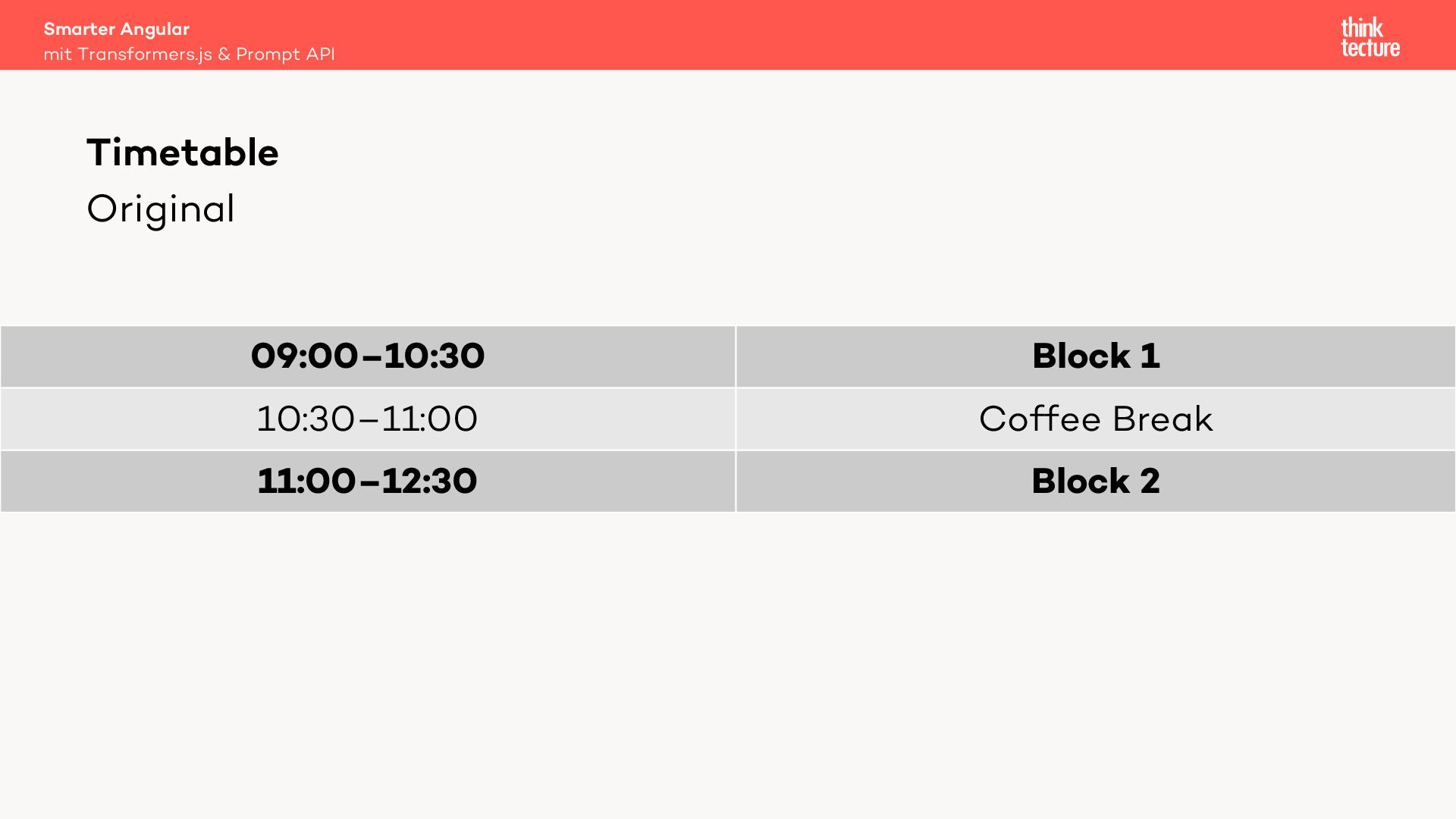
  2. Original 09:00–10:30 Block 1 10:30–11:00 Coffee Break 11:00–12:30 Block 2

    Smarter Angular mit Transformers.js & Prompt API Timetable
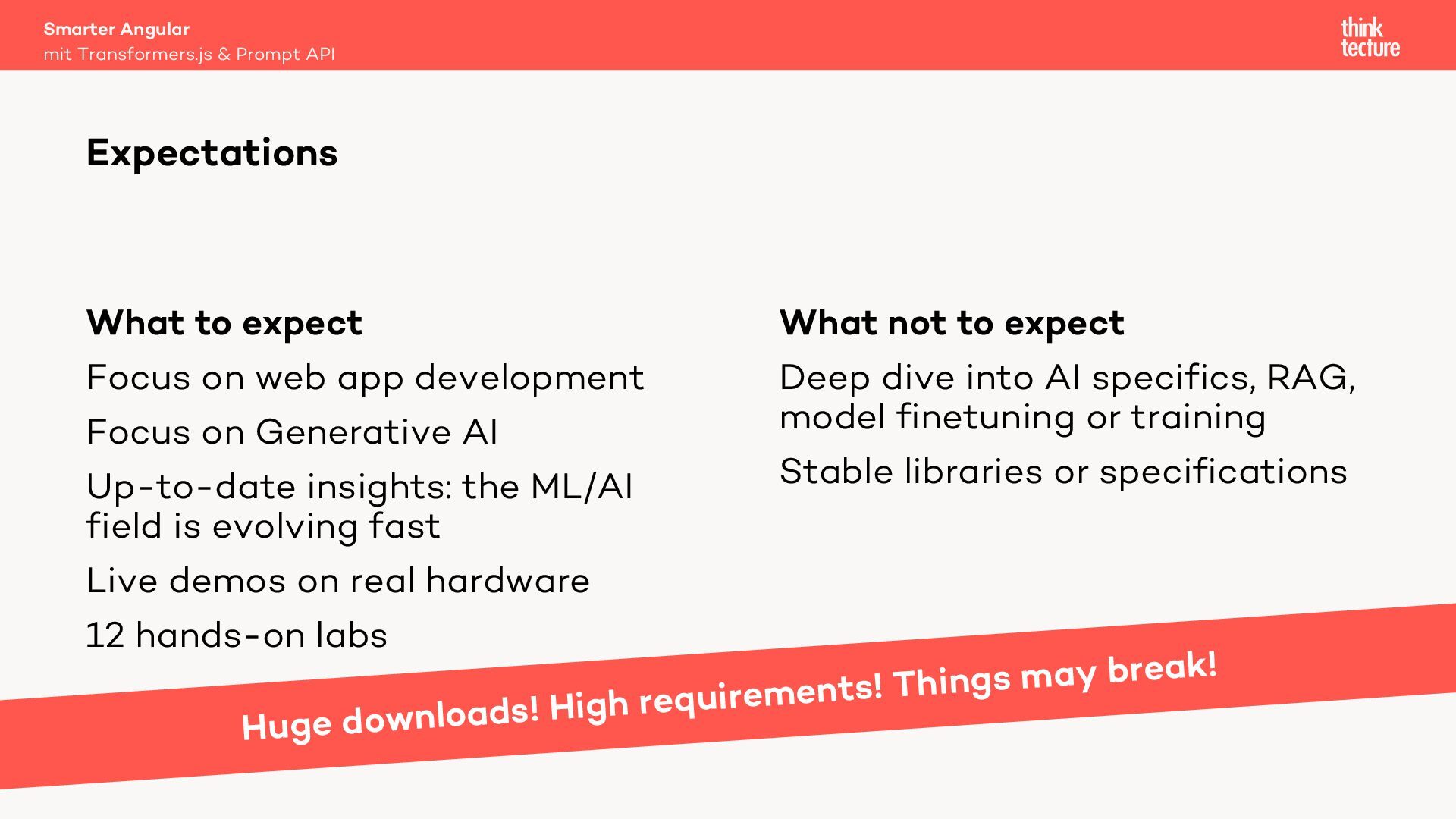
  3. What to expect Focus on web app development Focus on

    Generative AI Up-to-date insights: the ML/AI field is evolving fast Live demos on real hardware 12 hands-on labs What not to expect Deep dive into AI specifics, RAG, model finetuning or training Stable libraries or specifications Smarter Angular mit Transformers.js & Prompt API Expectations Huge downloads! High requirements! Things may break!
  4. Setup complete? (Node.js, Google Chrome, Editor, Git, macOS/Windows, 20 GB

    free disk space, 6 GB VRAM) Smarter Angular mit Transformers.js & Prompt API Setup
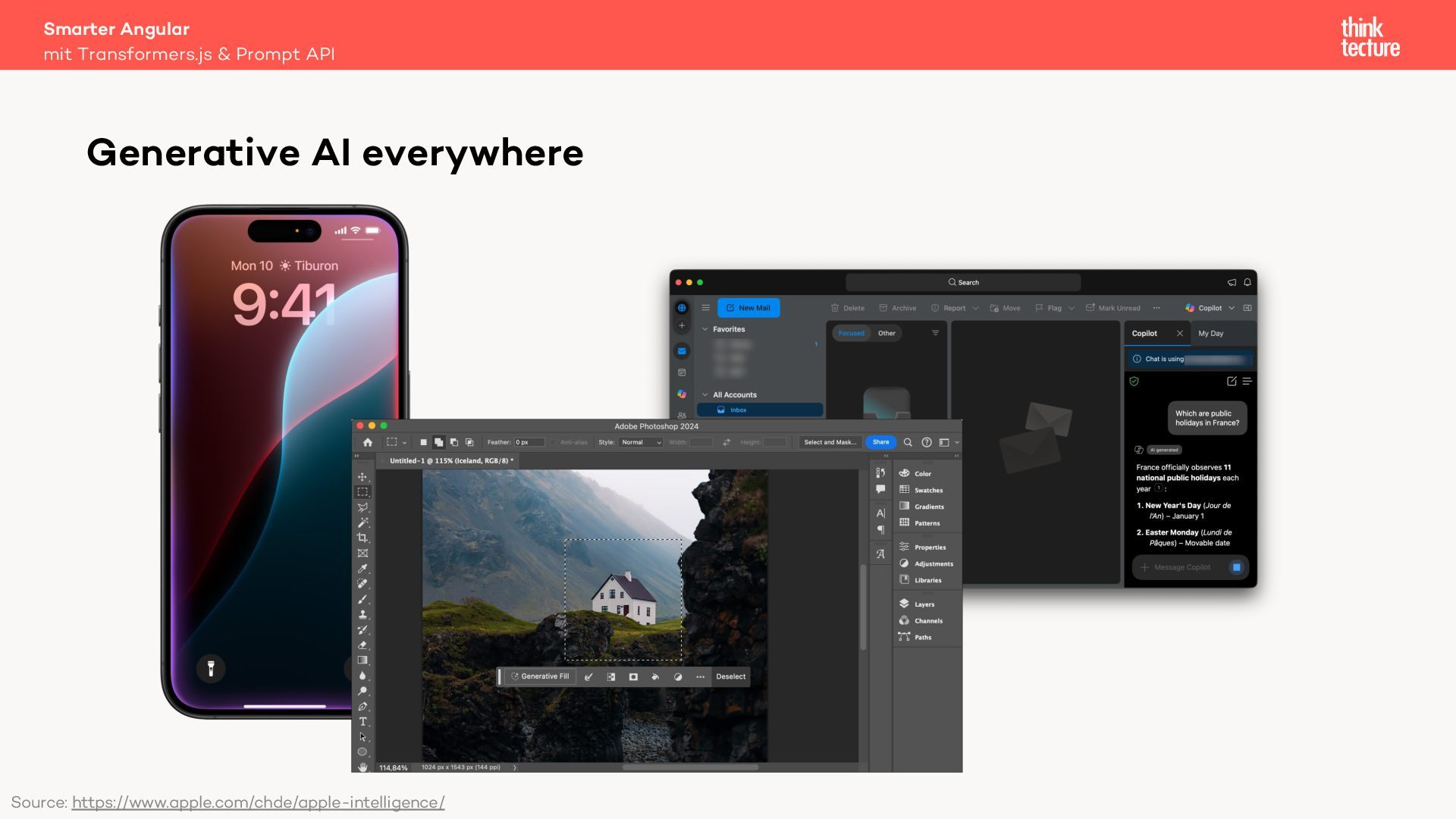
  5. Smarter Angular mit Transformers.js & Prompt API Generative AI everywhere

    Source: https://www.apple.com/chde/apple-intelligence/
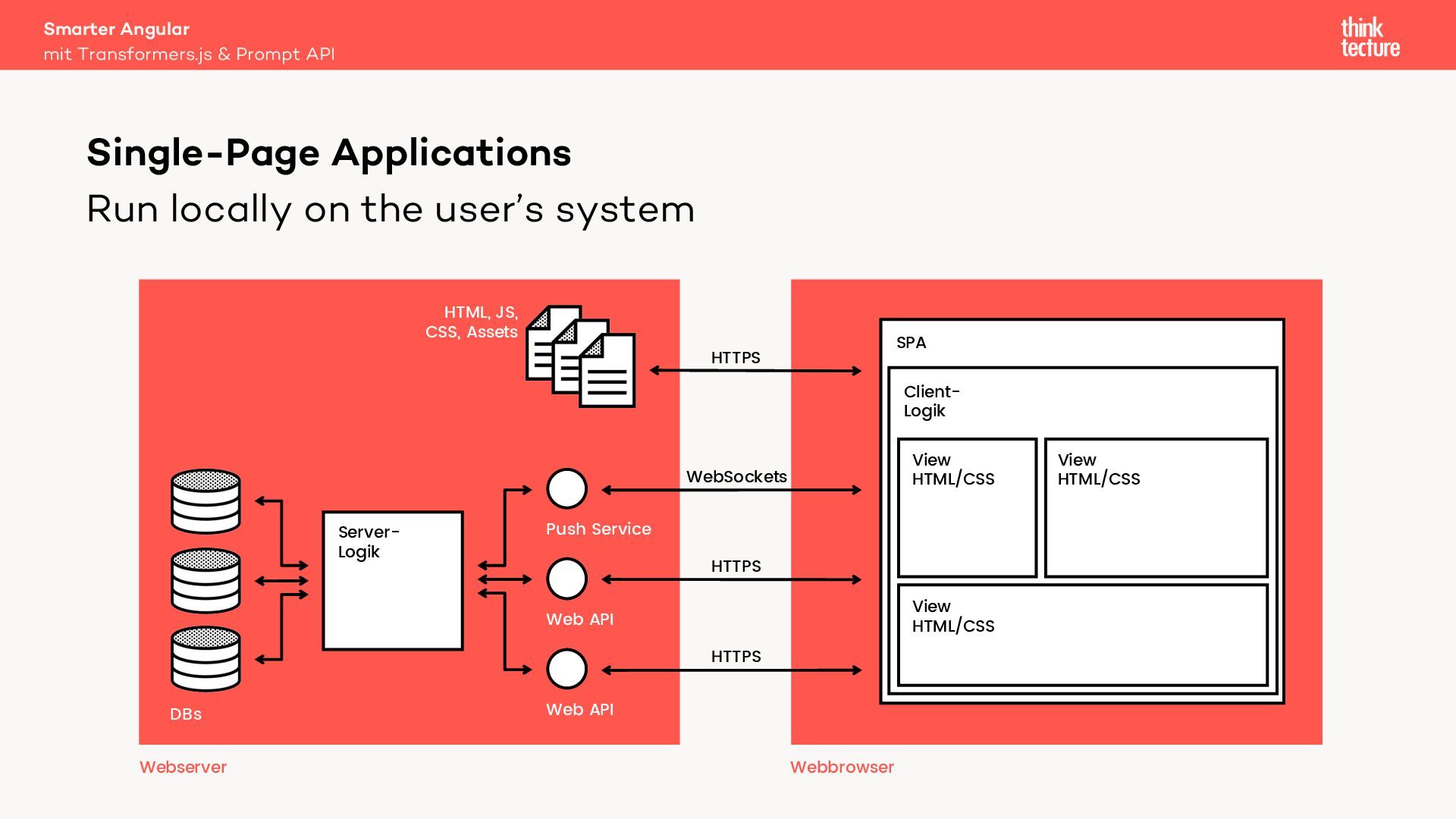
  6. Run locally on the user’s system Smarter Angular mit Transformers.js

    & Prompt API Single-Page Applications Server- Logik Web API Push Service Web API DBs HTML, JS, CSS, Assets Webserver Webbrowser SPA Client- Logik View HTML/CSS View HTML/CSS View HTML/CSS HTTPS WebSockets HTTPS HTTPS
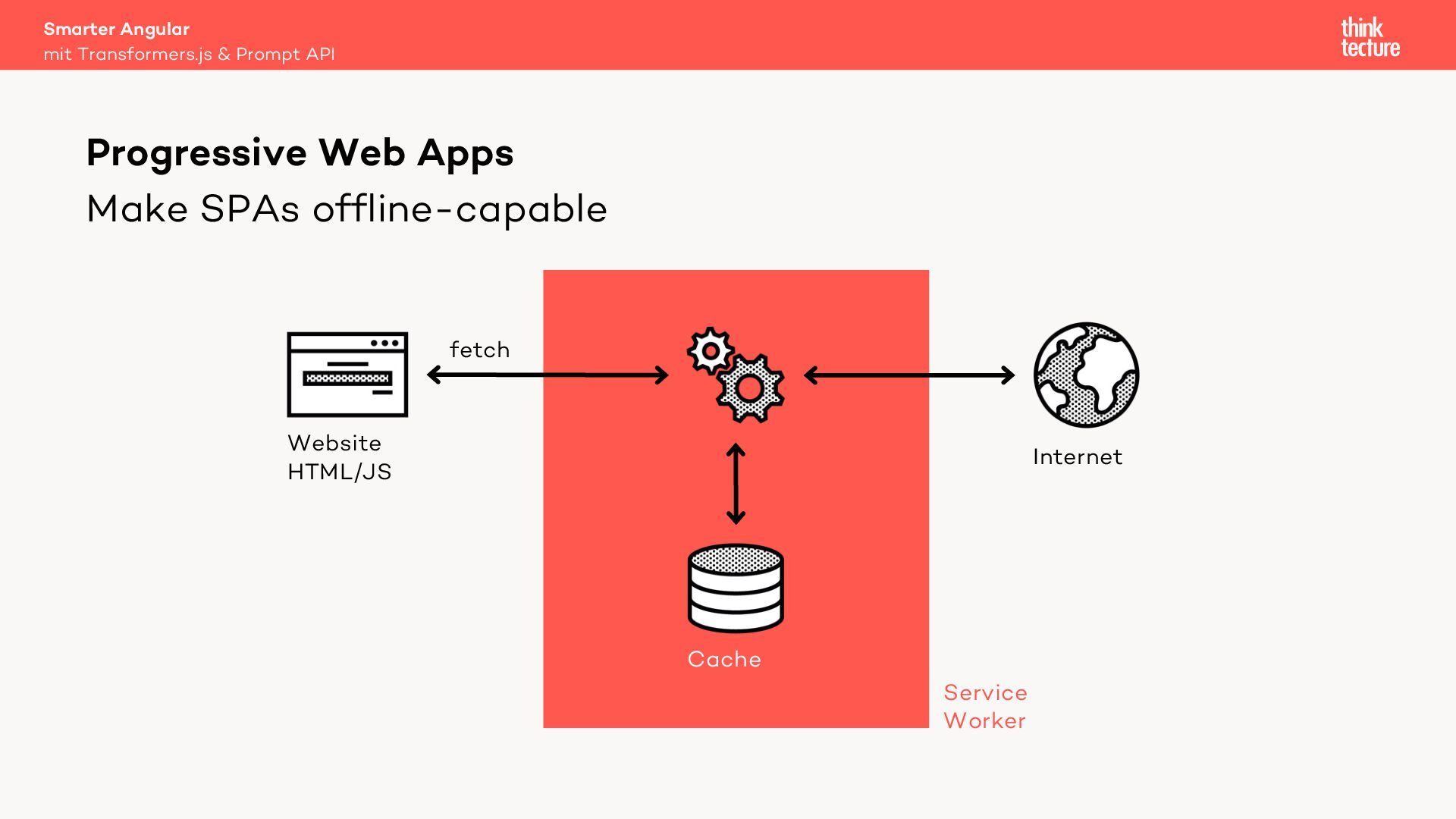
  7. Make SPAs offline-capable Smarter Angular mit Transformers.js & Prompt API

    Progressive Web Apps Service Worker Internet Website HTML/JS Cache fetch
  8. Overview Smarter Angular mit Transformers.js & Prompt API Generative AI

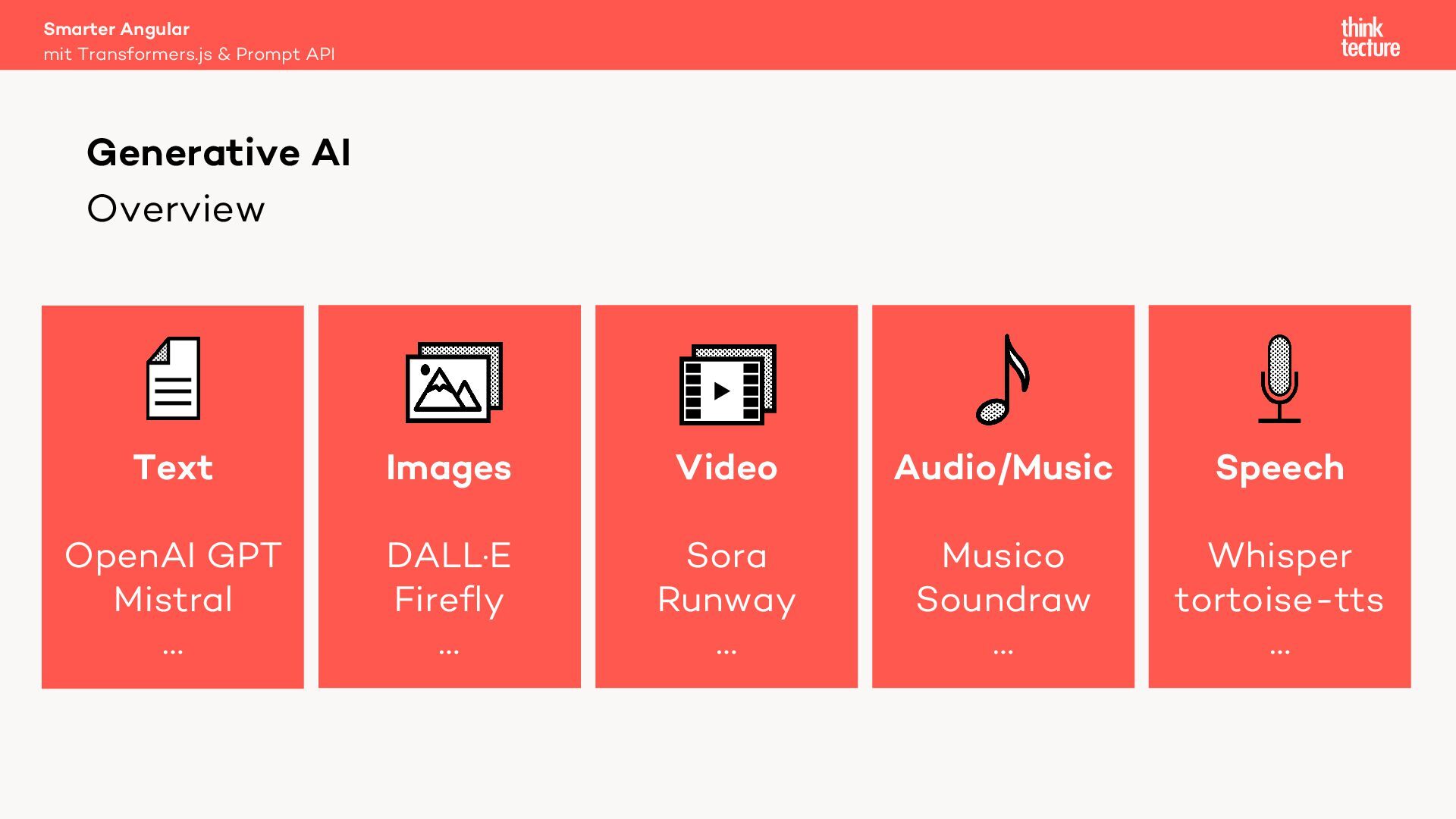
    Text OpenAI GPT Mistral … Audio/Music Musico Soundraw … Images DALL·E Firefly … Video Sora Runway … Speech Whisper tortoise-tts …
  9. Overview Smarter Angular mit Transformers.js & Prompt API Generative AI

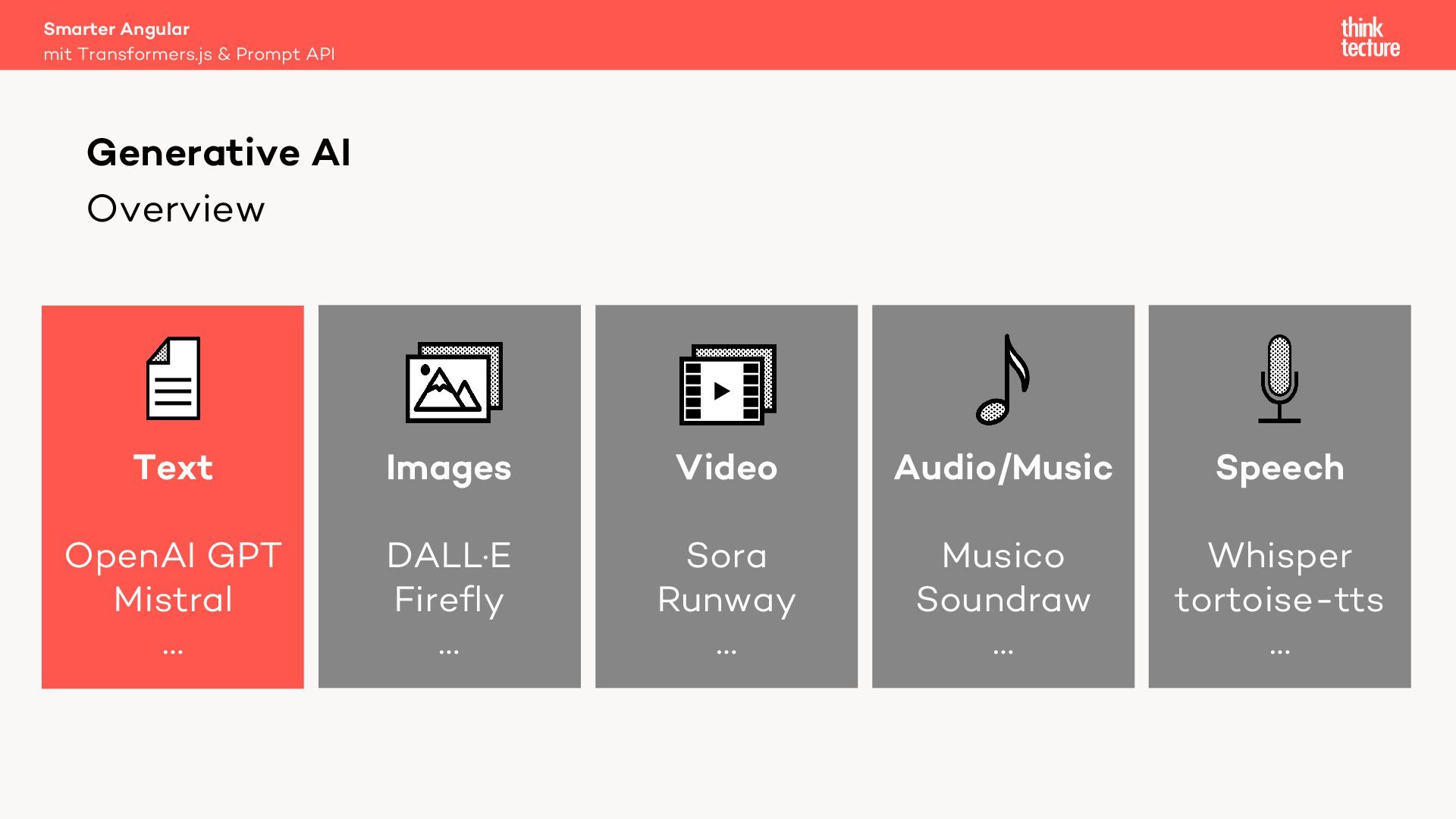
    Text OpenAI GPT Mistral … Audio/Music Musico Soundraw … Images DALL·E Firefly … Video Sora Runway … Speech Whisper tortoise-tts …
  10. Drawbacks Smarter Angular mit Transformers.js & Prompt API Generative AI

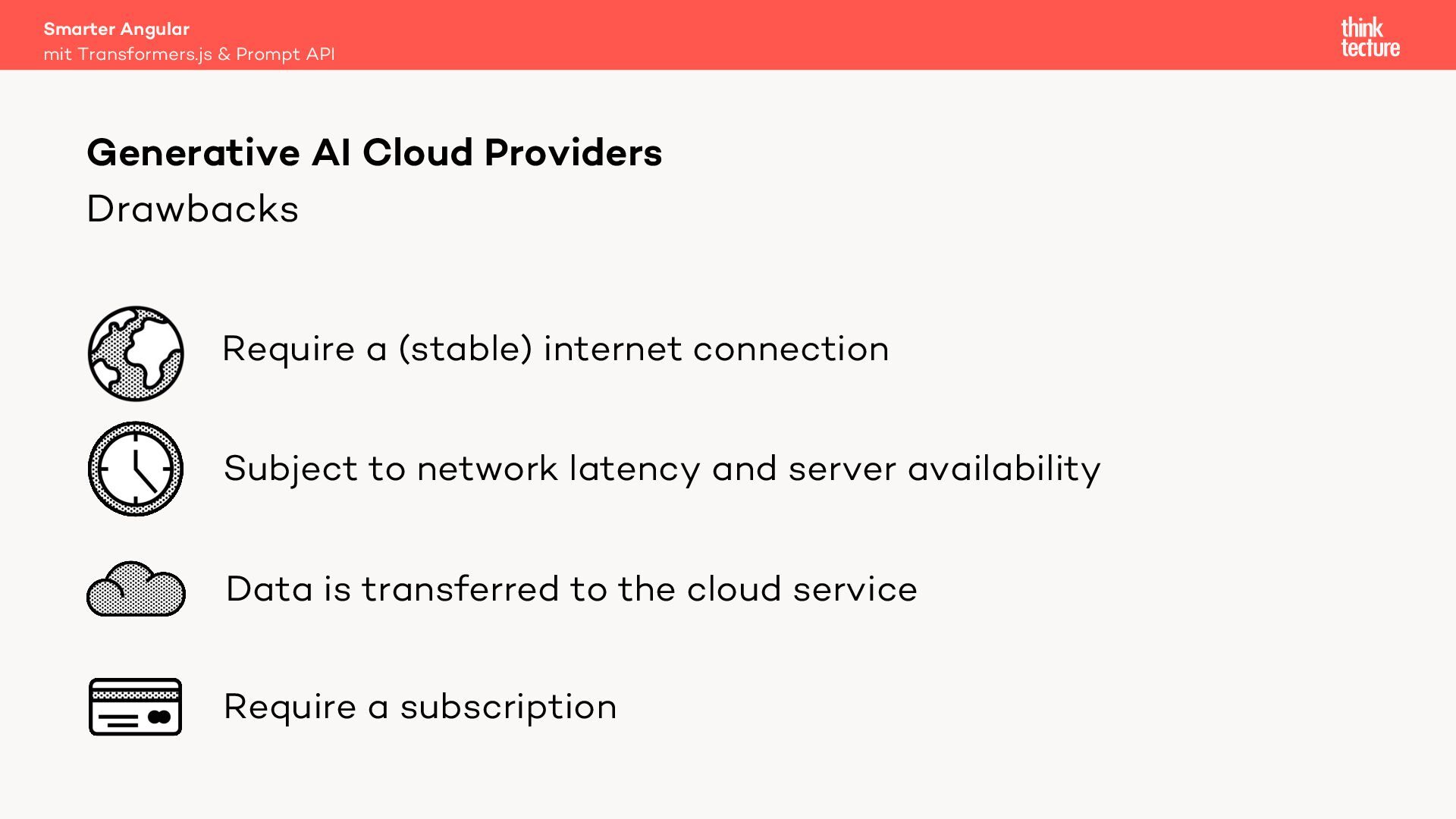
    Cloud Providers Require a (stable) internet connection Subject to network latency and server availability Data is transferred to the cloud service Require a subscription
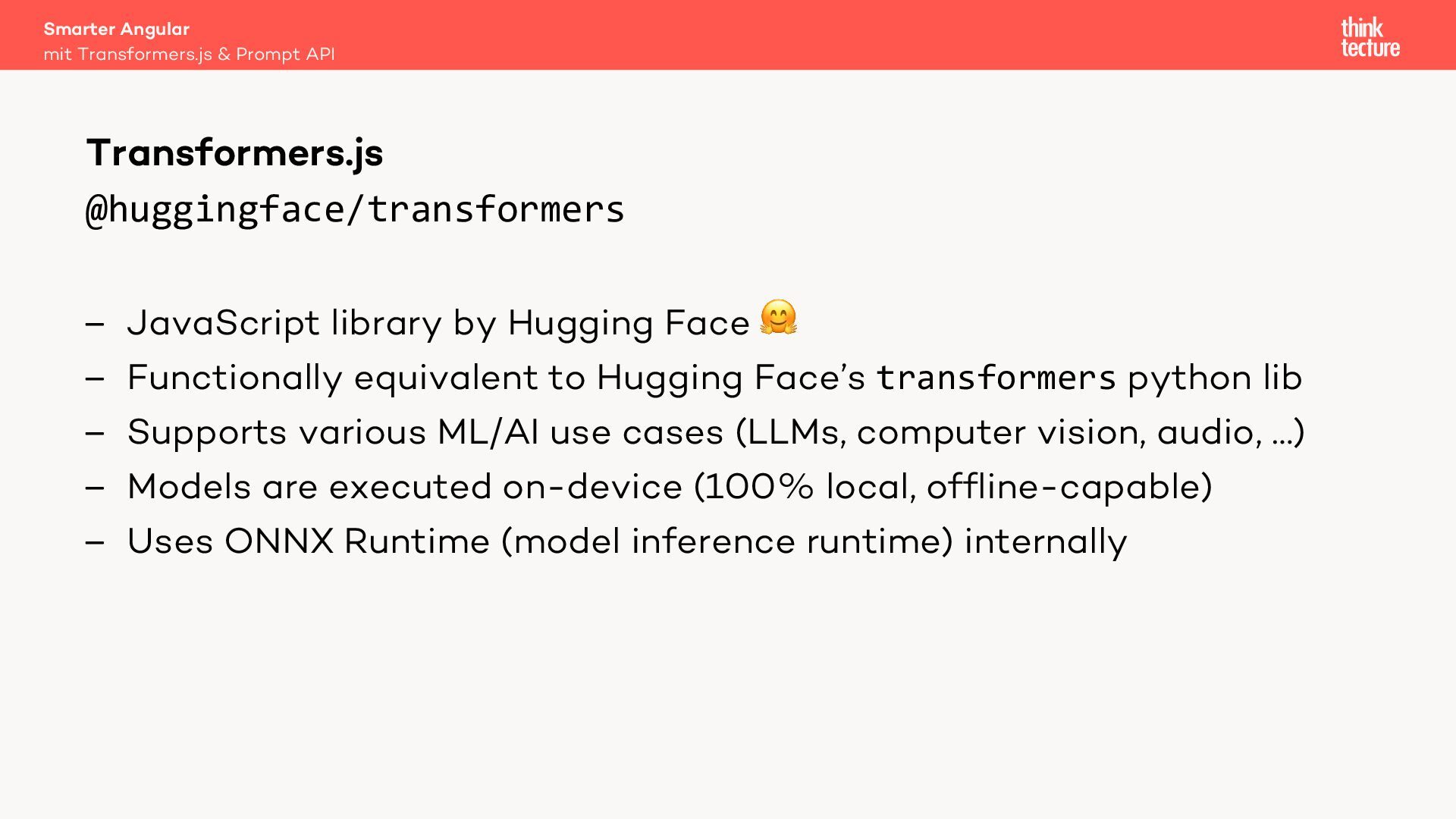
  11. @huggingface/transformers – JavaScript library by Hugging Face 🤗 – Functionally

    equivalent to Hugging Face’s transformers python lib – Supports various ML/AI use cases (LLMs, computer vision, audio, …) – Models are executed on-device (100% local, offline-capable) – Uses ONNX Runtime (model inference runtime) internally Smarter Angular mit Transformers.js & Prompt API Transformers.js
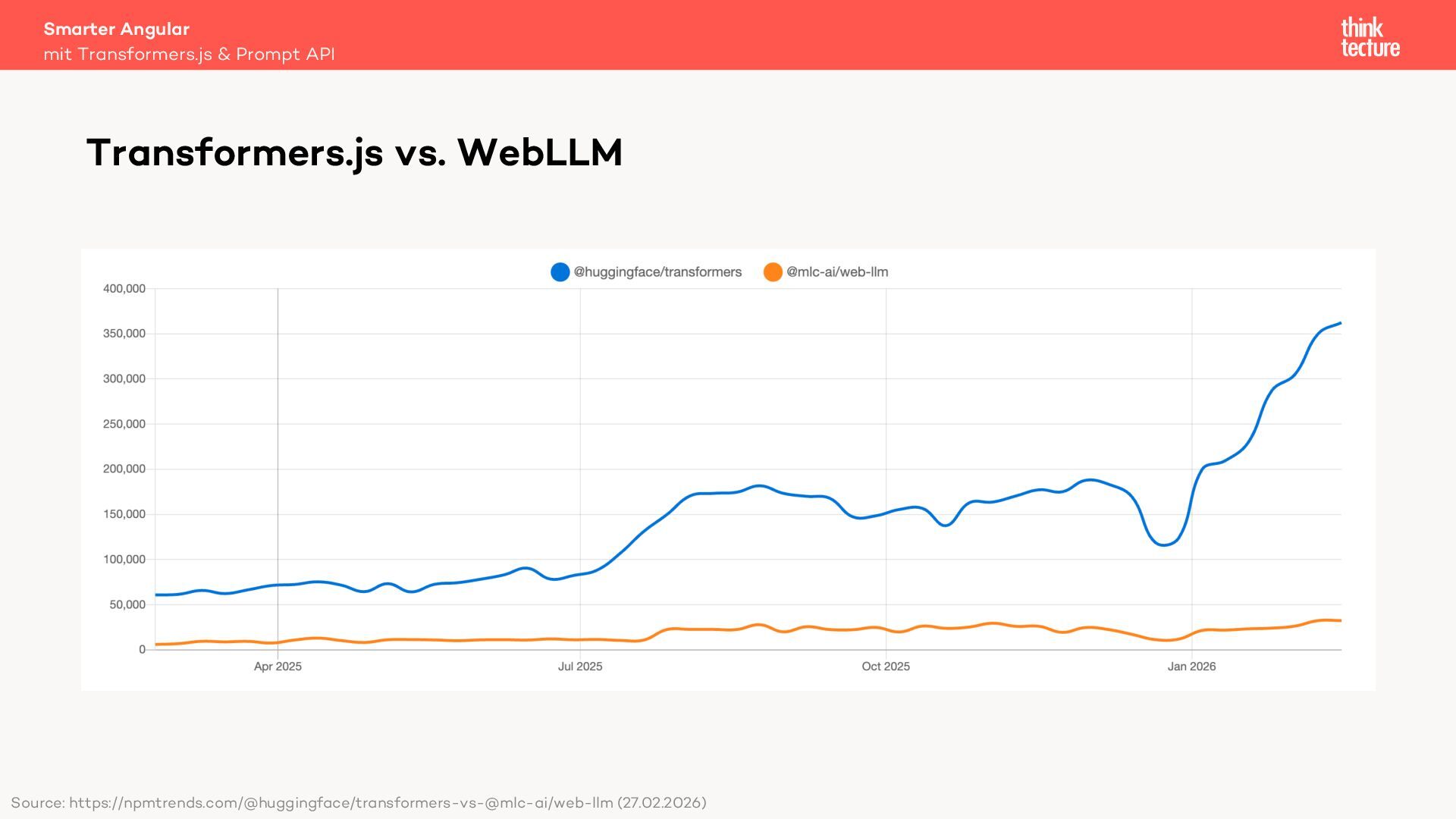
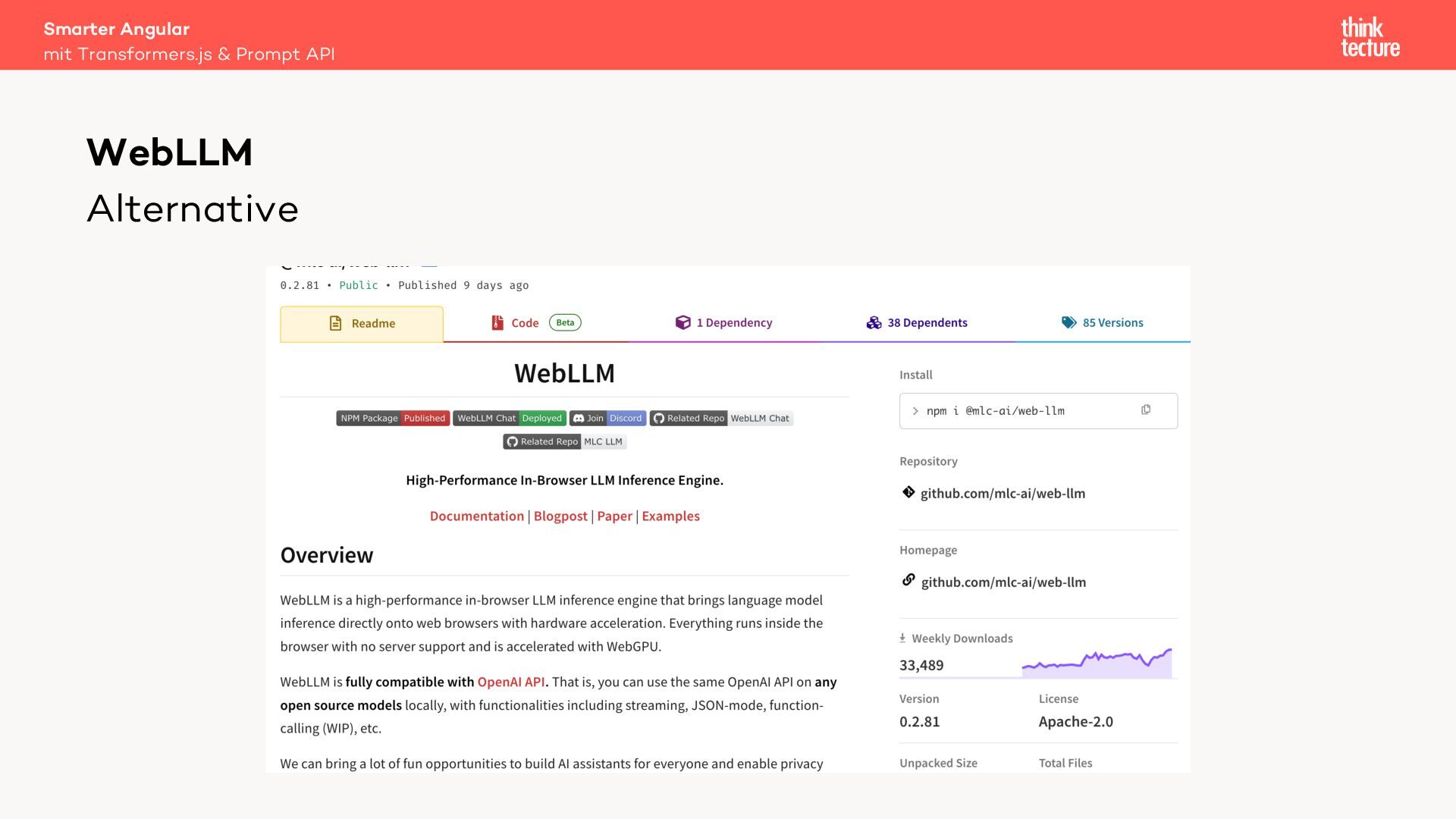
  12. Smarter Angular mit Transformers.js & Prompt API Transformers.js vs. WebLLM

    Source: https://npmtrends.com/@huggingface/transformers-vs-@mlc-ai/web-llm (27.02.2026)
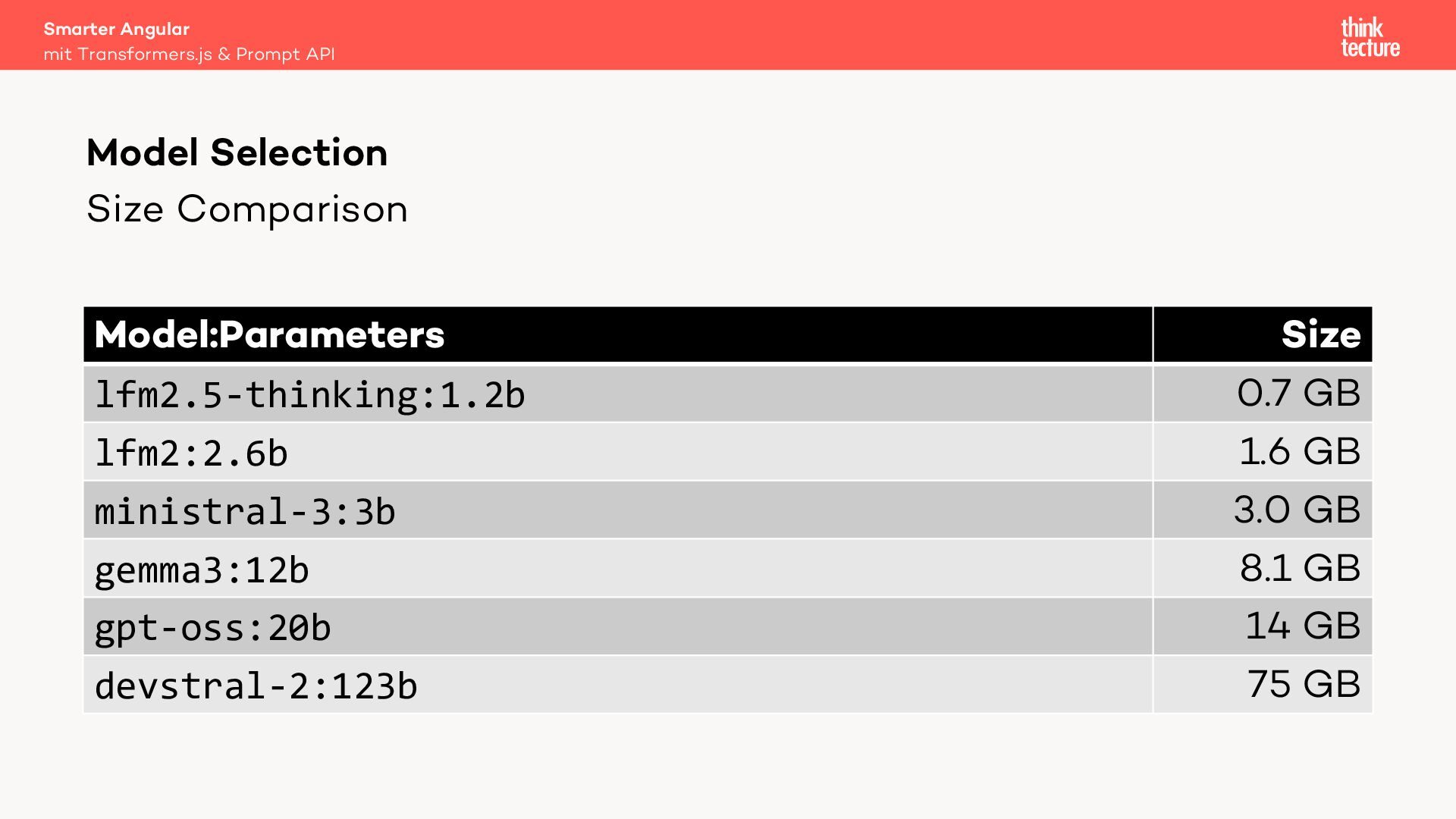
  13. Size Comparison Model:Parameters Size lfm2.5-thinking:1.2b 0.7 GB lfm2:2.6b 1.6 GB

    ministral-3:3b 3.0 GB gemma3:12b 8.1 GB gpt-oss:20b 14 GB devstral-2:123b 75 GB Smarter Angular mit Transformers.js & Prompt API Model Selection
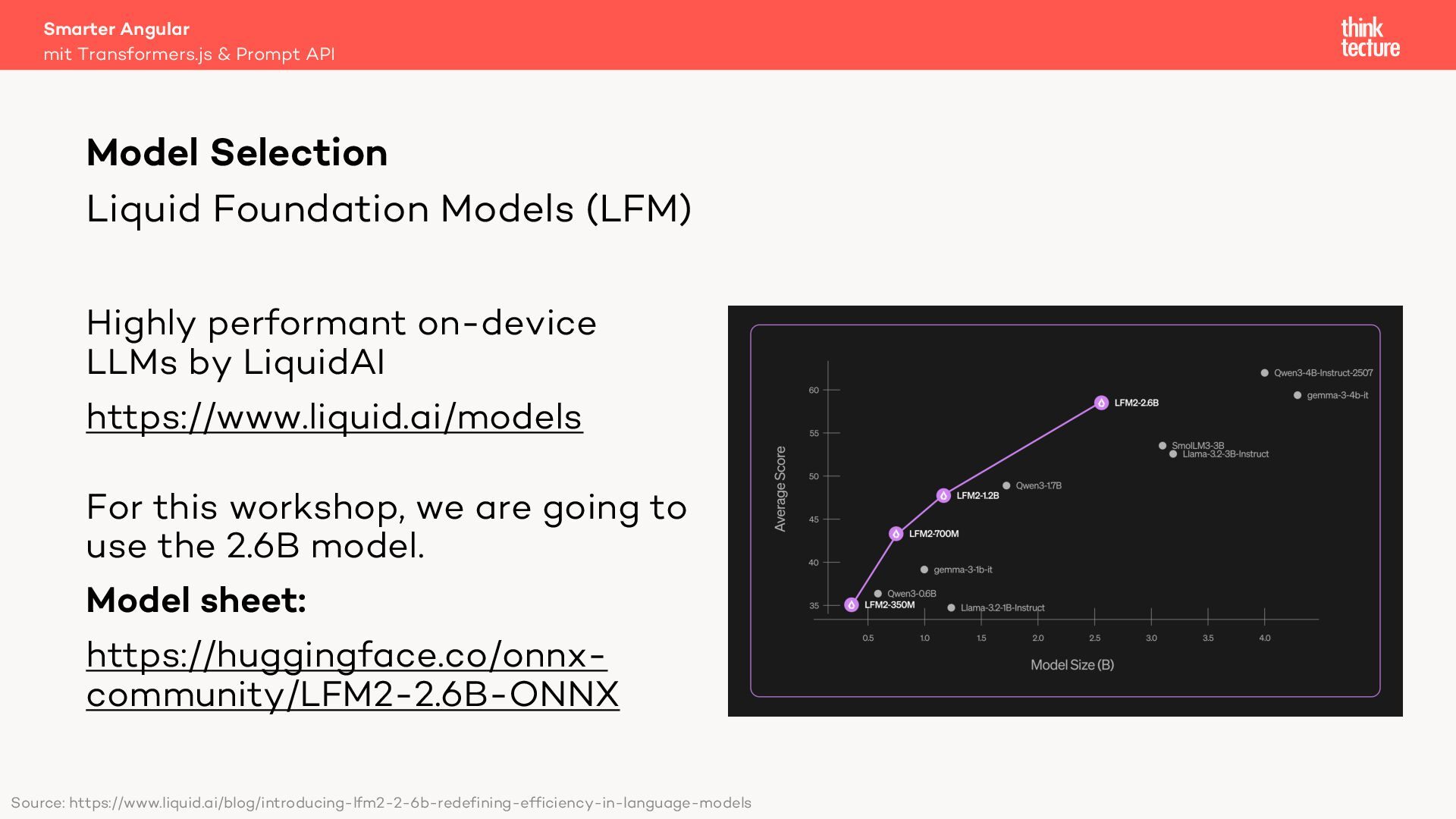
  14. Liquid Foundation Models (LFM) Highly performant on-device LLMs by LiquidAI

    https://www.liquid.ai/models For this workshop, we are going to use the 2.6B model. Model sheet: https://huggingface.co/onnx- community/LFM2-2.6B-ONNX Smarter Angular mit Transformers.js & Prompt API Model Selection Source: https://www.liquid.ai/blog/introducing-lfm2-2-6b-redefining-efficiency-in-language-models
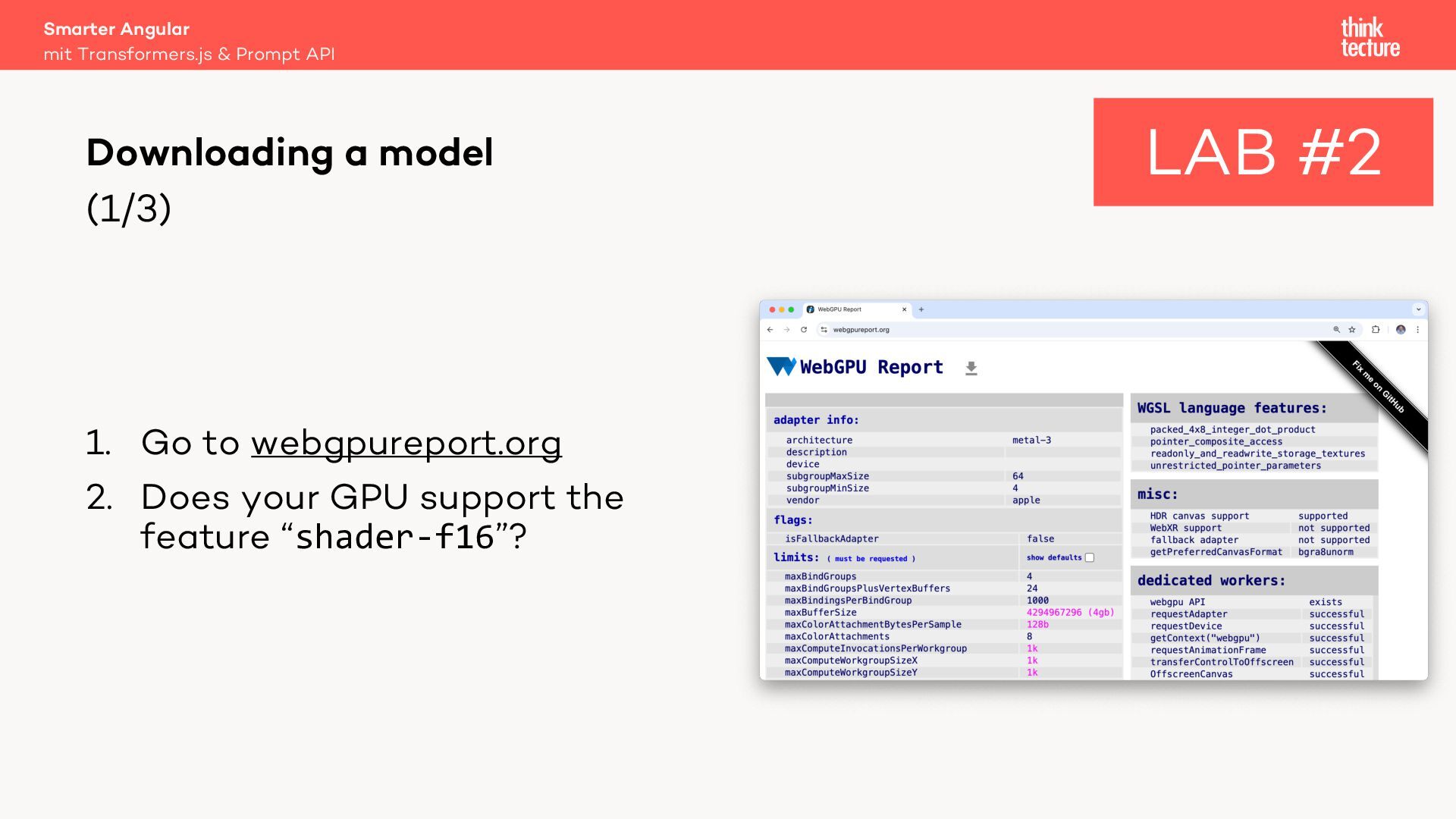
  15. (1/3) Smarter Angular mit Transformers.js & Prompt API Downloading a

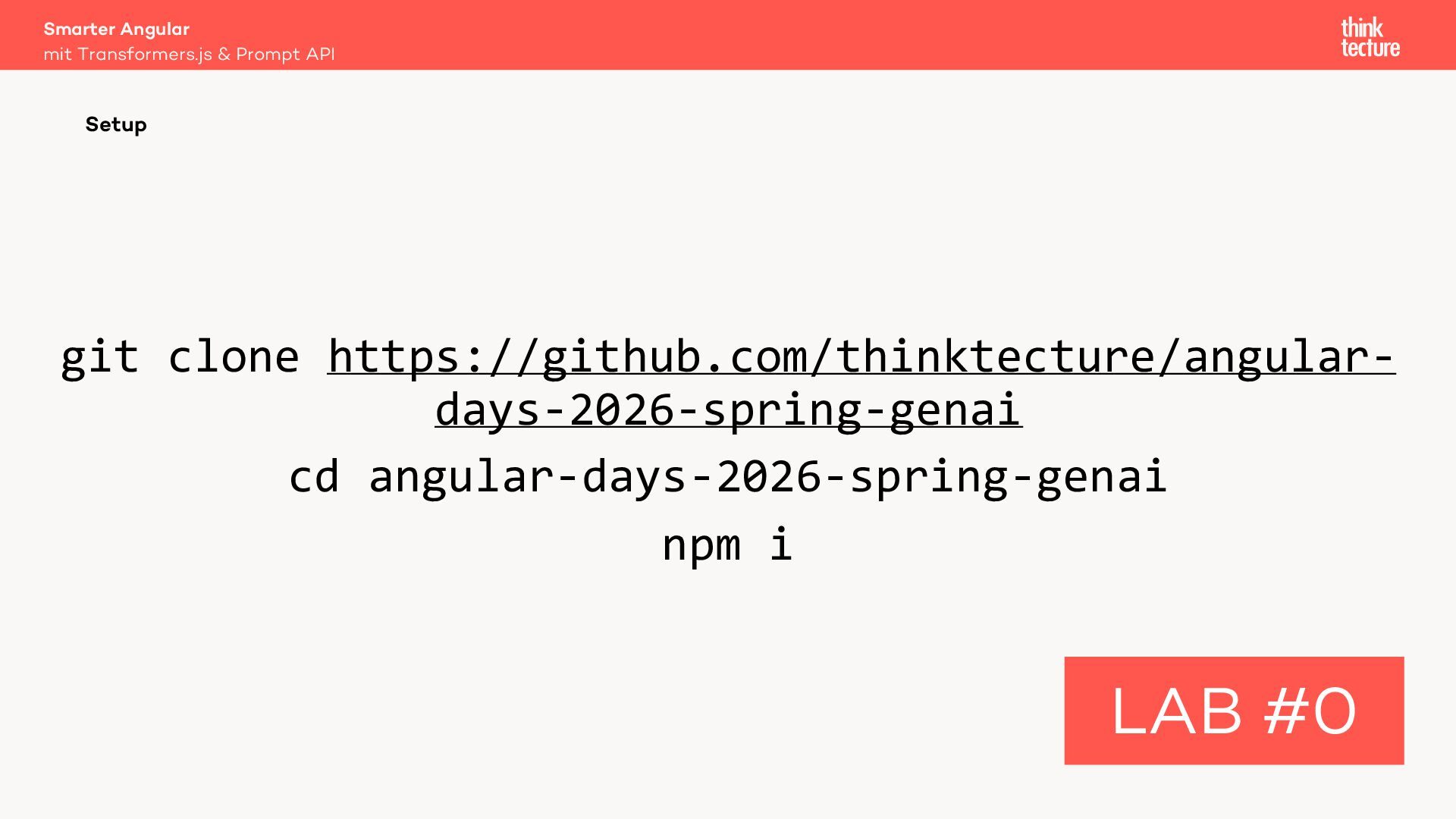
    model LAB #2 1. Go to webgpureport.org 2. Does your GPU support the feature “shader-f16”?
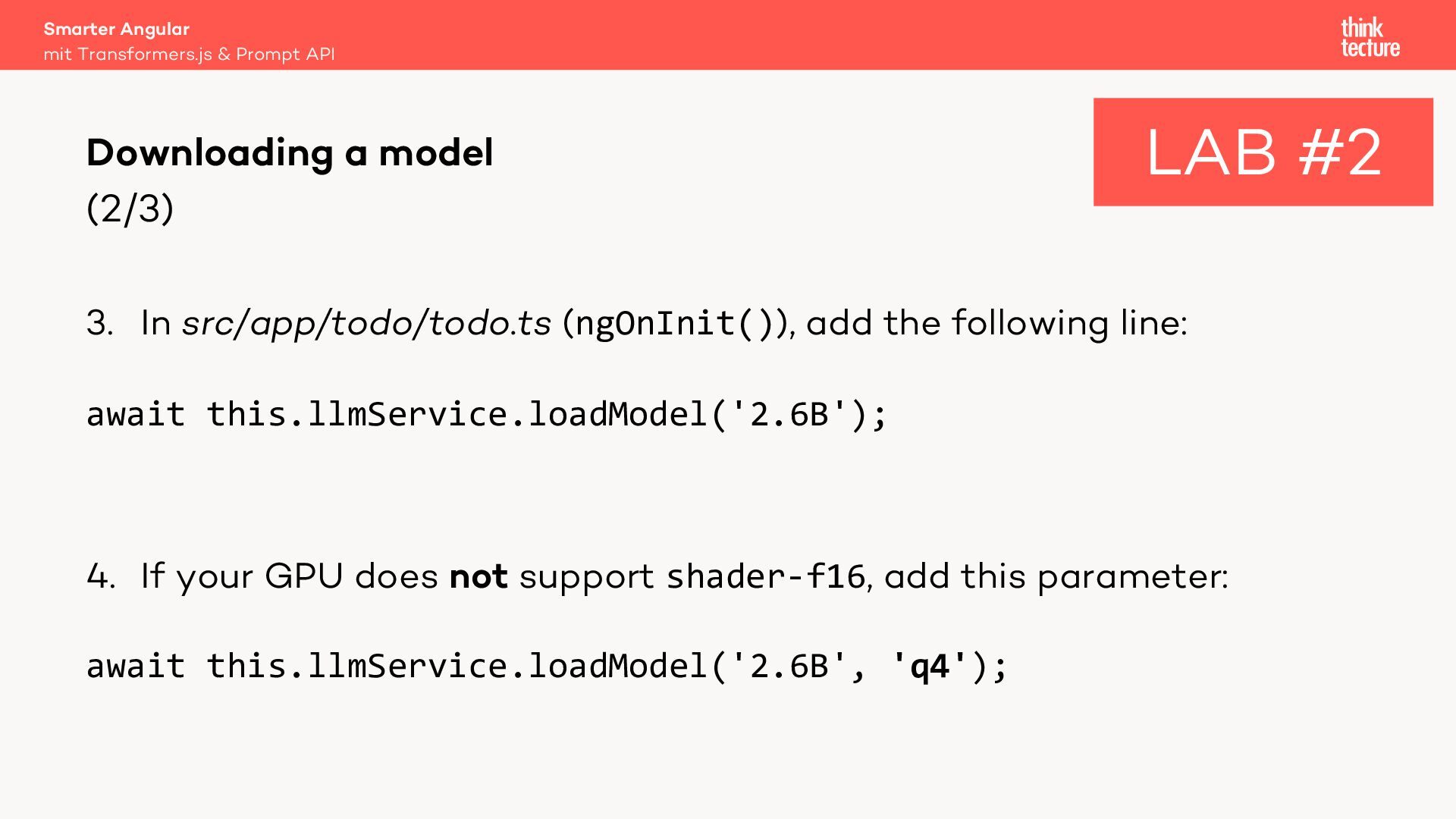
  16. (2/3) 3. In src/app/todo/todo.ts (ngOnInit()), add the following line: await

    this.llmService.loadModel('2.6B'); 4. If your GPU does not support shader-f16, add this parameter: await this.llmService.loadModel('2.6B', 'q4'); Smarter Angular mit Transformers.js & Prompt API Downloading a model LAB #2
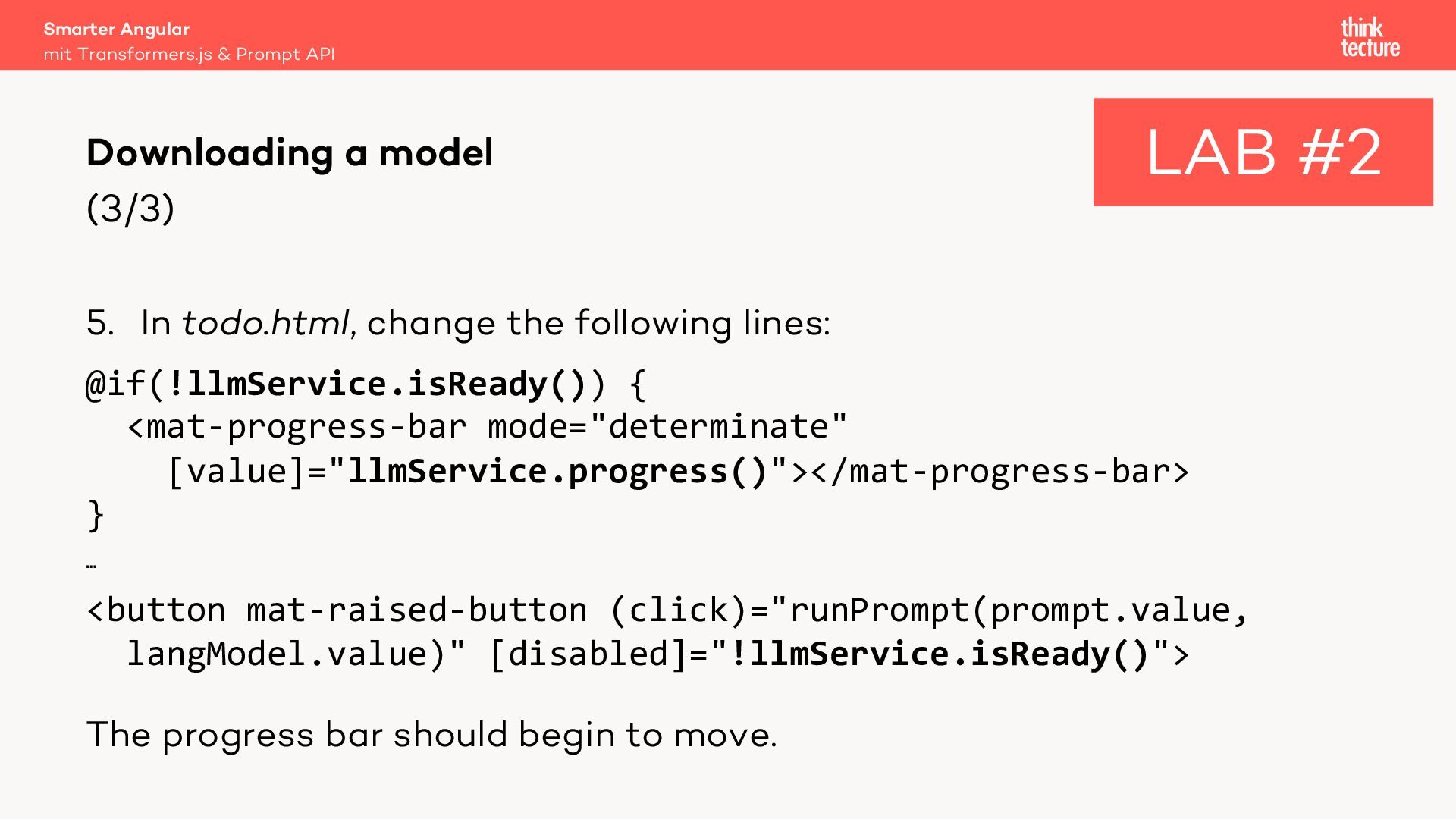
  17. (3/3) 5. In todo.html, change the following lines: @if(!llmService.isReady()) {

    <mat-progress-bar mode="determinate" [value]="llmService.progress()"></mat-progress-bar> } … <button mat-raised-button (click)="runPrompt(prompt.value, langModel.value)" [disabled]="!llmService.isReady()"> The progress bar should begin to move. Smarter Angular mit Transformers.js & Prompt API Downloading a model LAB #2
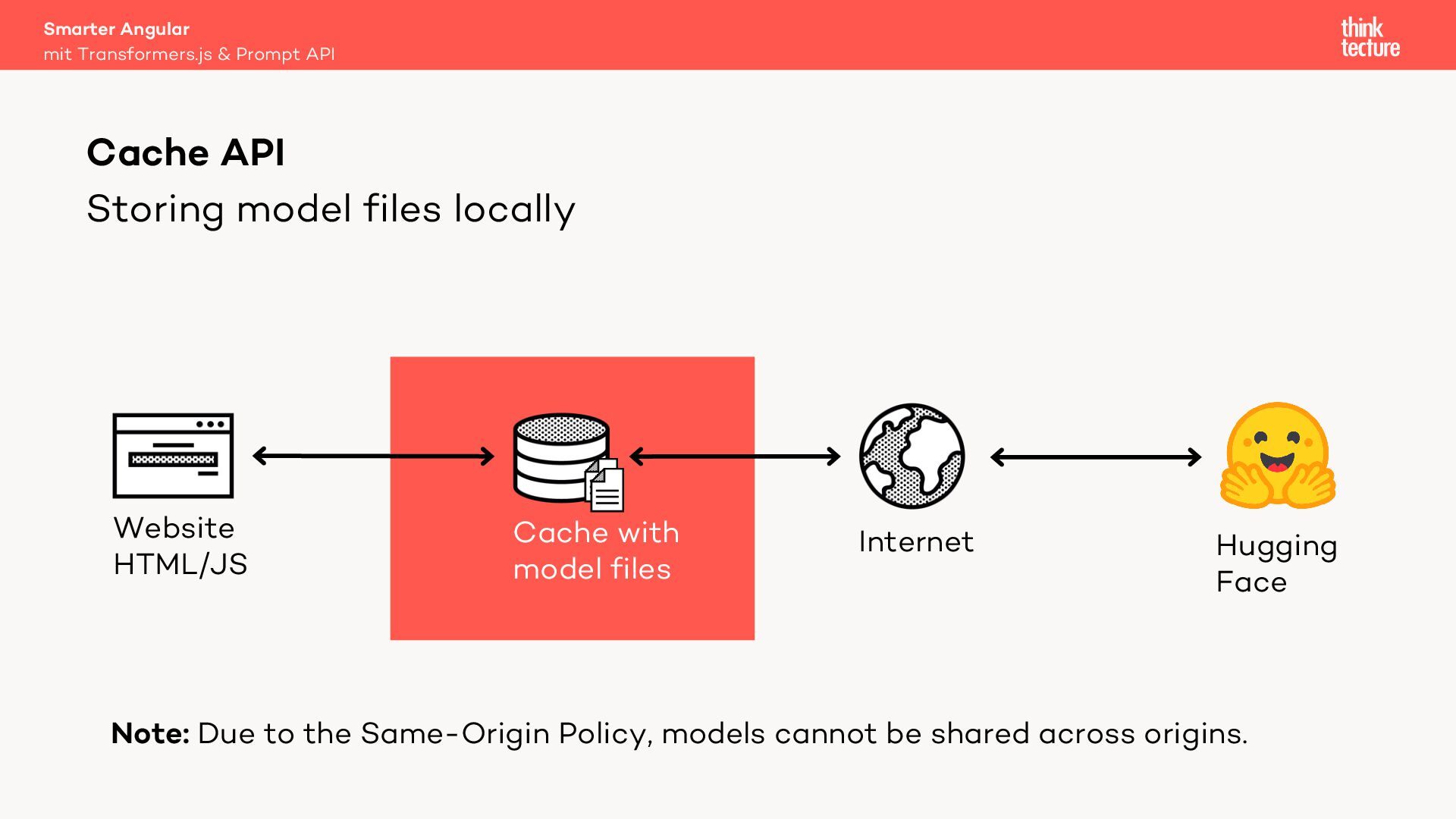
  18. Storing model files locally Smarter Angular mit Transformers.js & Prompt

    API Cache API Internet Website HTML/JS Cache with model files Hugging Face Note: Due to the Same-Origin Policy, models cannot be shared across origins.
  19. Smarter Angular mit Transformers.js & Prompt API WebAssembly (Wasm) –

    Bytecode for the web – Compile target for arbitrary languages – Can be faster than JavaScript – WebLLM uses a model- specific Wasm library to accelerate model computations
  20. Smarter Angular mit Transformers.js & Prompt API WebGPU – Grants

    low-level access to the Graphics Processing Unit (GPU) – Near native performance for machine learning applications – Supported by Chromium-based browsers on Windows and macOS from version 113, Safari 26, and Firefox 141 on Windows
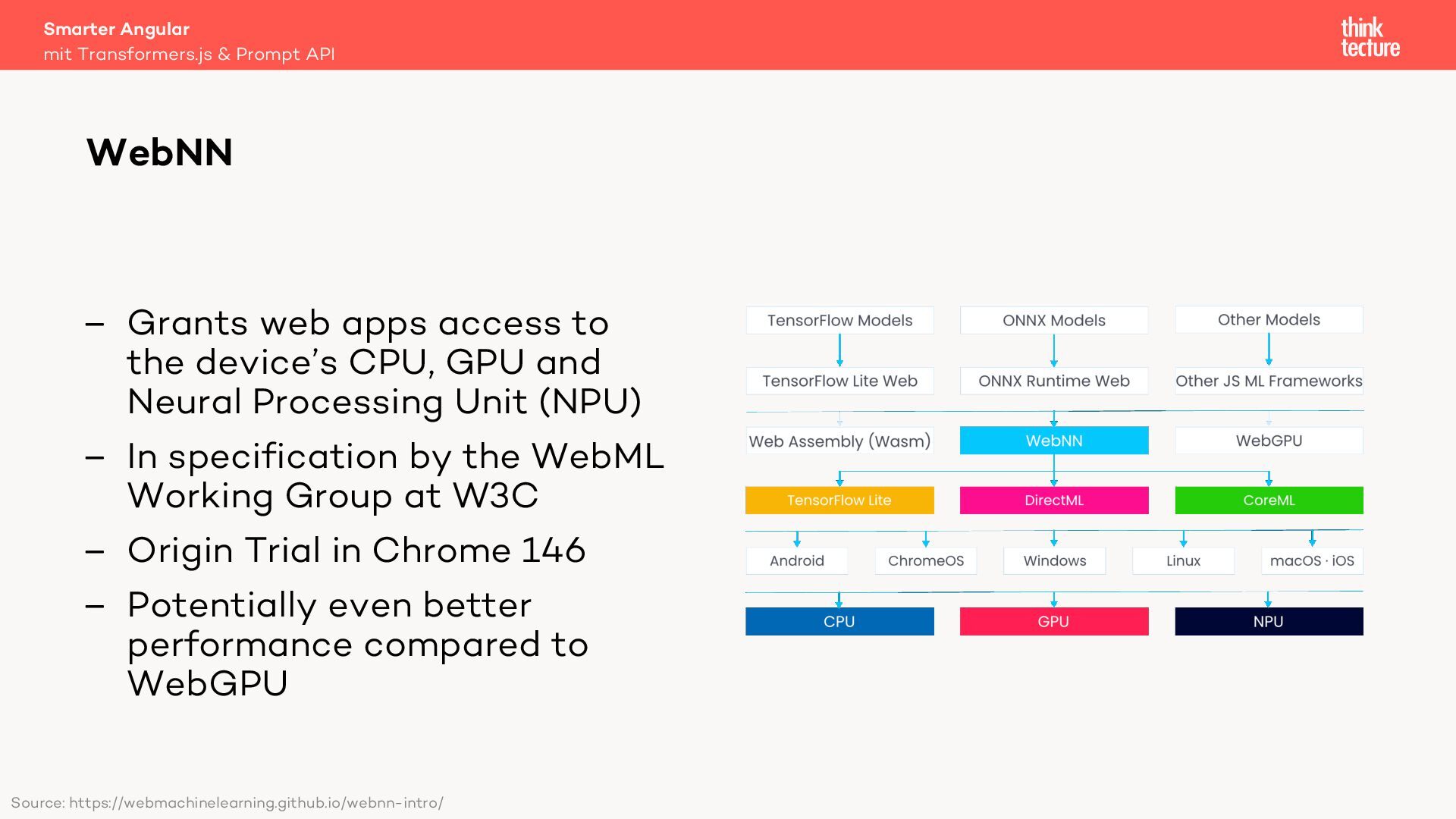
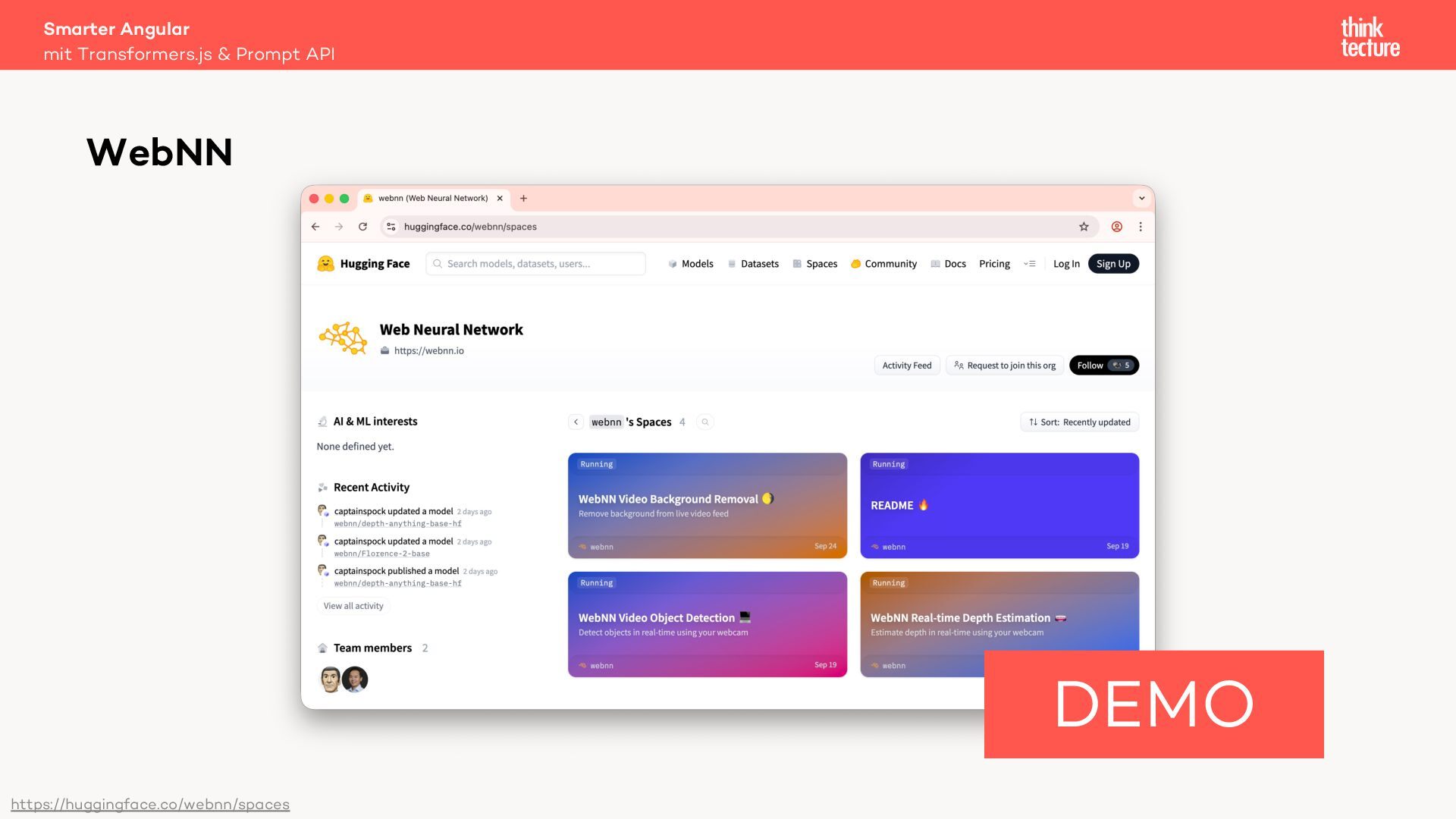
  21. – Grants web apps access to the device’s CPU, GPU

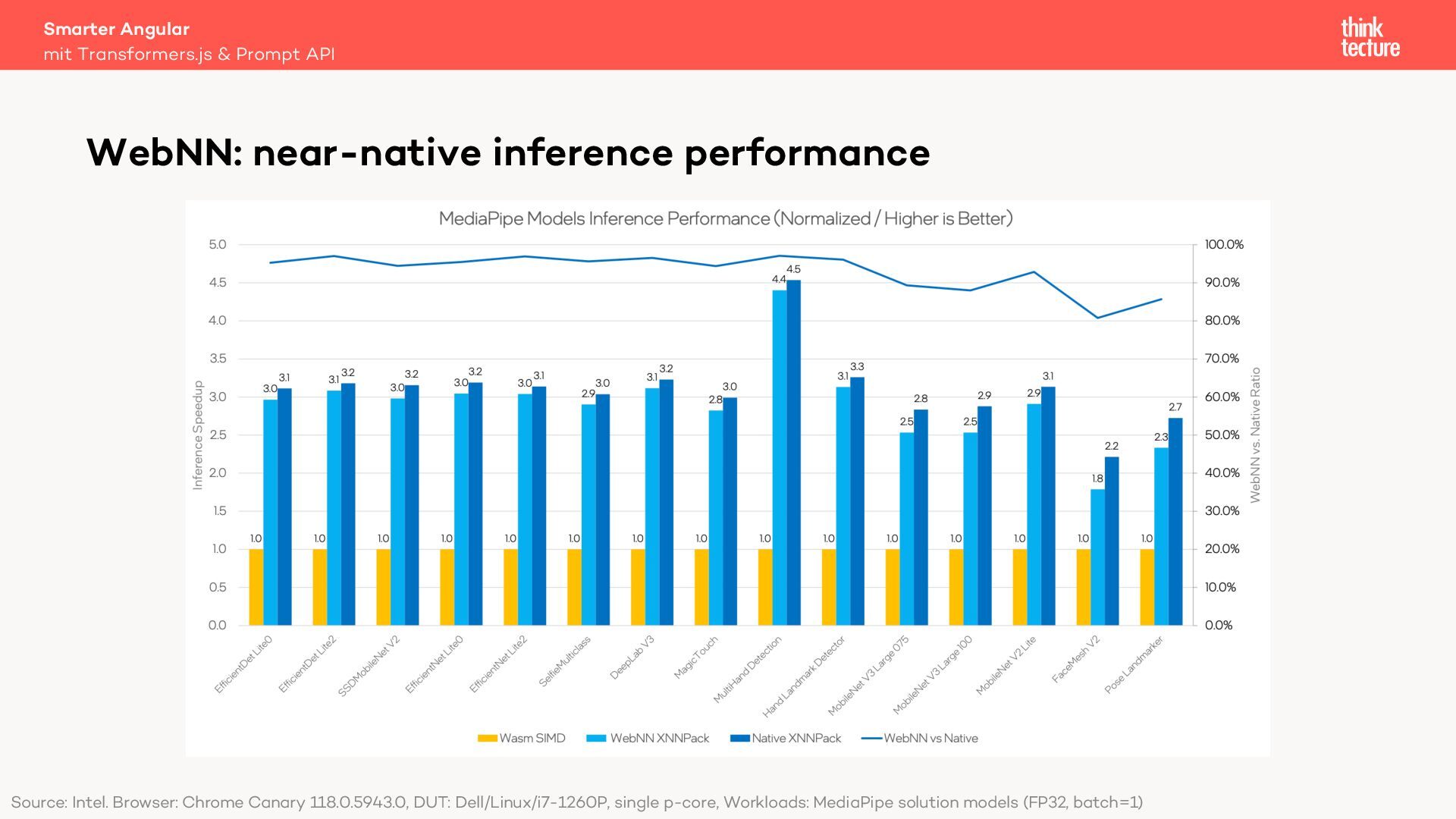
    and Neural Processing Unit (NPU) – In specification by the WebML Working Group at W3C – Origin Trial in Chrome 146 – Potentially even better performance compared to WebGPU Smarter Angular mit Transformers.js & Prompt API WebNN Source: https://webmachinelearning.github.io/webnn-intro/
  22. Smarter Angular mit Transformers.js & Prompt API WebNN: near-native inference

    performance Source: Intel. Browser: Chrome Canary 118.0.5943.0, DUT: Dell/Linux/i7-1260P, single p-core, Workloads: MediaPipe solution models (FP32, batch=1)
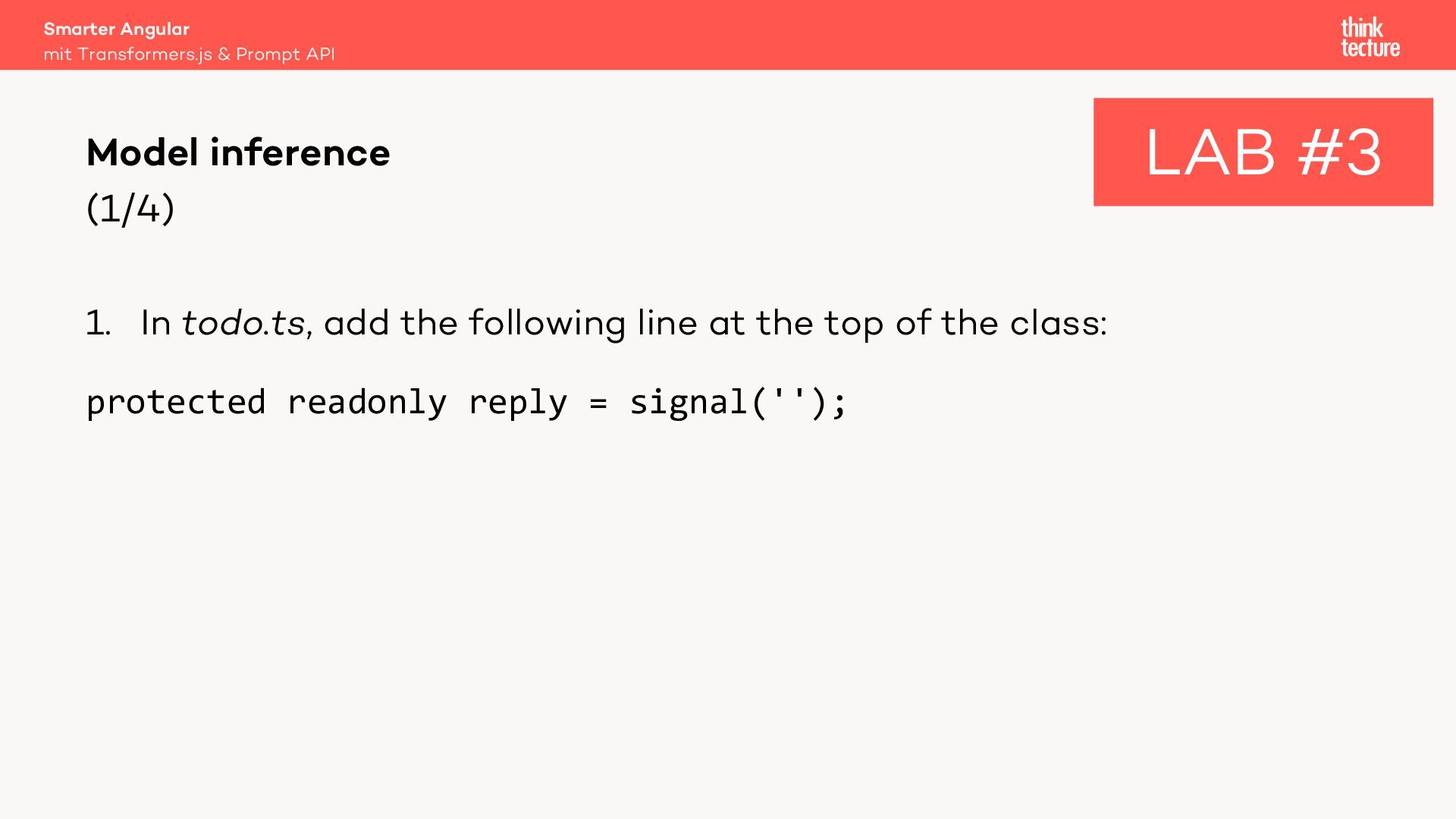
  23. (1/4) 1. In todo.ts, add the following line at the

    top of the class: protected readonly reply = signal(''); Smarter Angular mit Transformers.js & Prompt API Model inference LAB #3
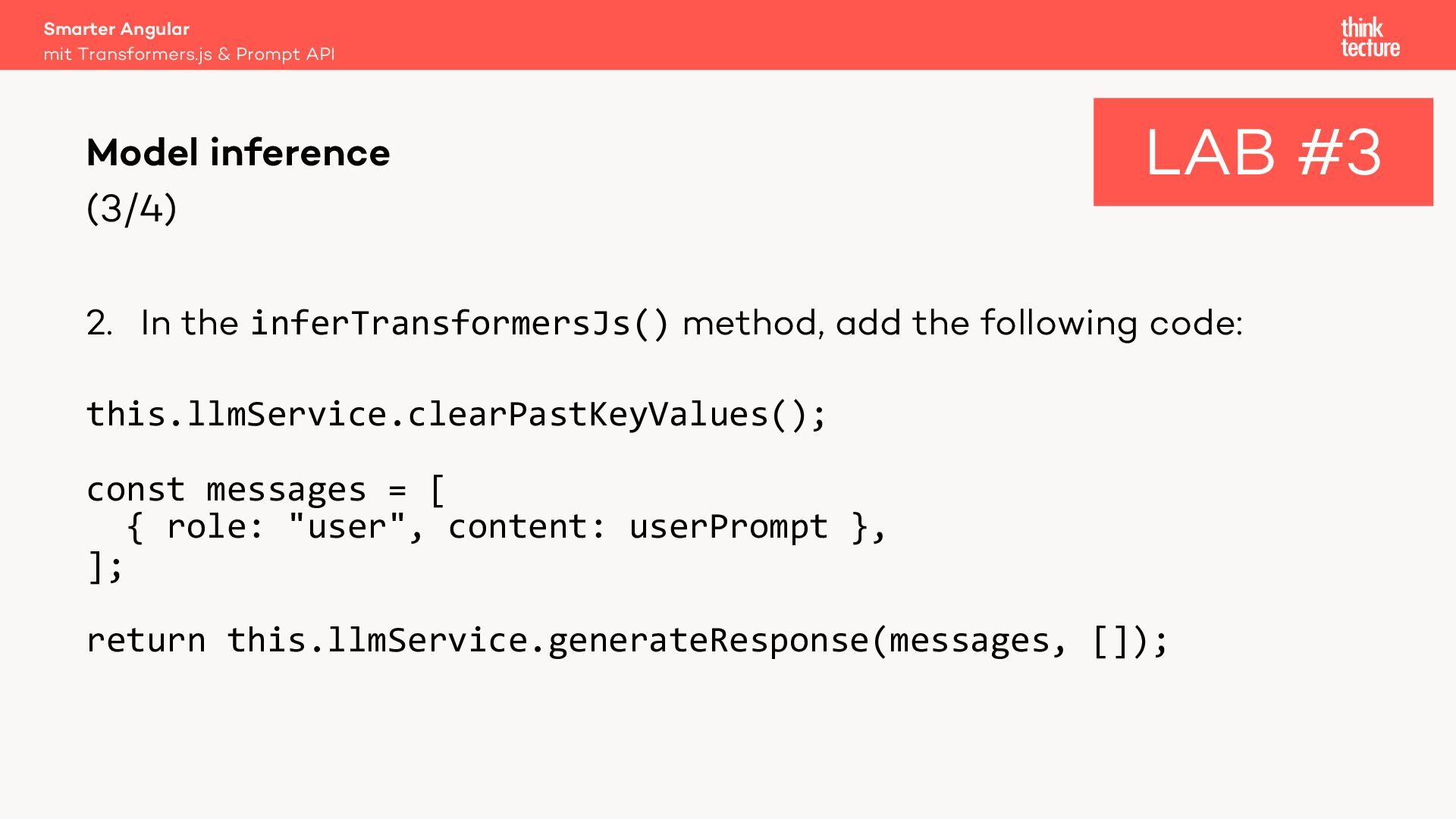
  24. (3/4) 2. In the inferTransformersJs() method, add the following code:

    this.llmService.clearPastKeyValues(); const messages = [ { role: "user", content: userPrompt }, ]; return this.llmService.generateResponse(messages, []); Smarter Angular mit Transformers.js & Prompt API Model inference LAB #3
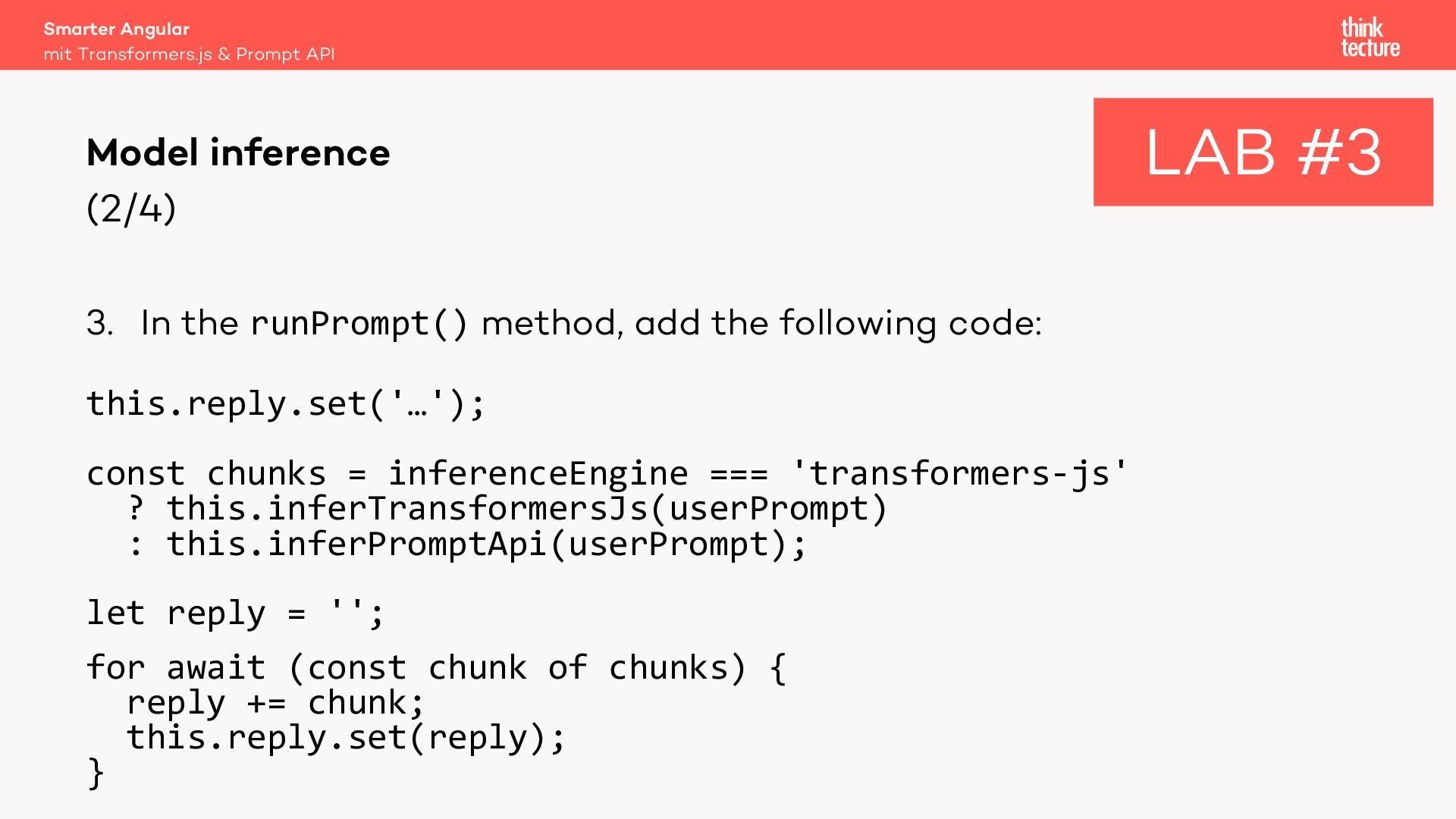
  25. (2/4) 3. In the runPrompt() method, add the following code:

    this.reply.set('…'); const chunks = inferenceEngine === 'transformers-js' ? this.inferTransformersJs(userPrompt) : this.inferPromptApi(userPrompt); let reply = ''; for await (const chunk of chunks) { reply += chunk; this.reply.set(reply); } Smarter Angular mit Transformers.js & Prompt API Model inference LAB #3
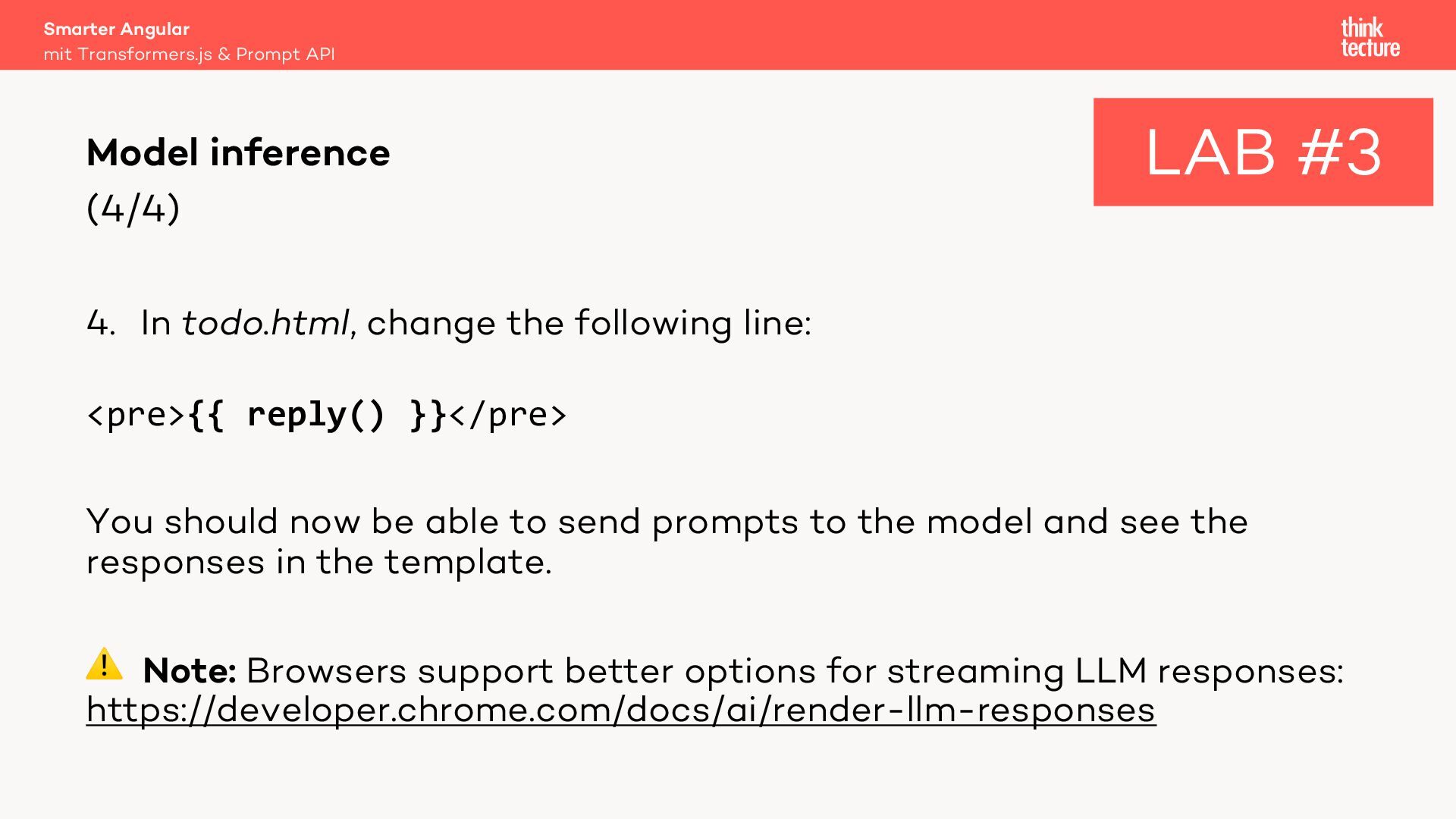
  26. (4/4) 4. In todo.html, change the following line: <pre>{{ reply()

    }}</pre> You should now be able to send prompts to the model and see the responses in the template. ⚠ Note: Browsers support better options for streaming LLM responses: https://developer.chrome.com/docs/ai/render-llm-responses Smarter Angular mit Transformers.js & Prompt API Model inference LAB #3
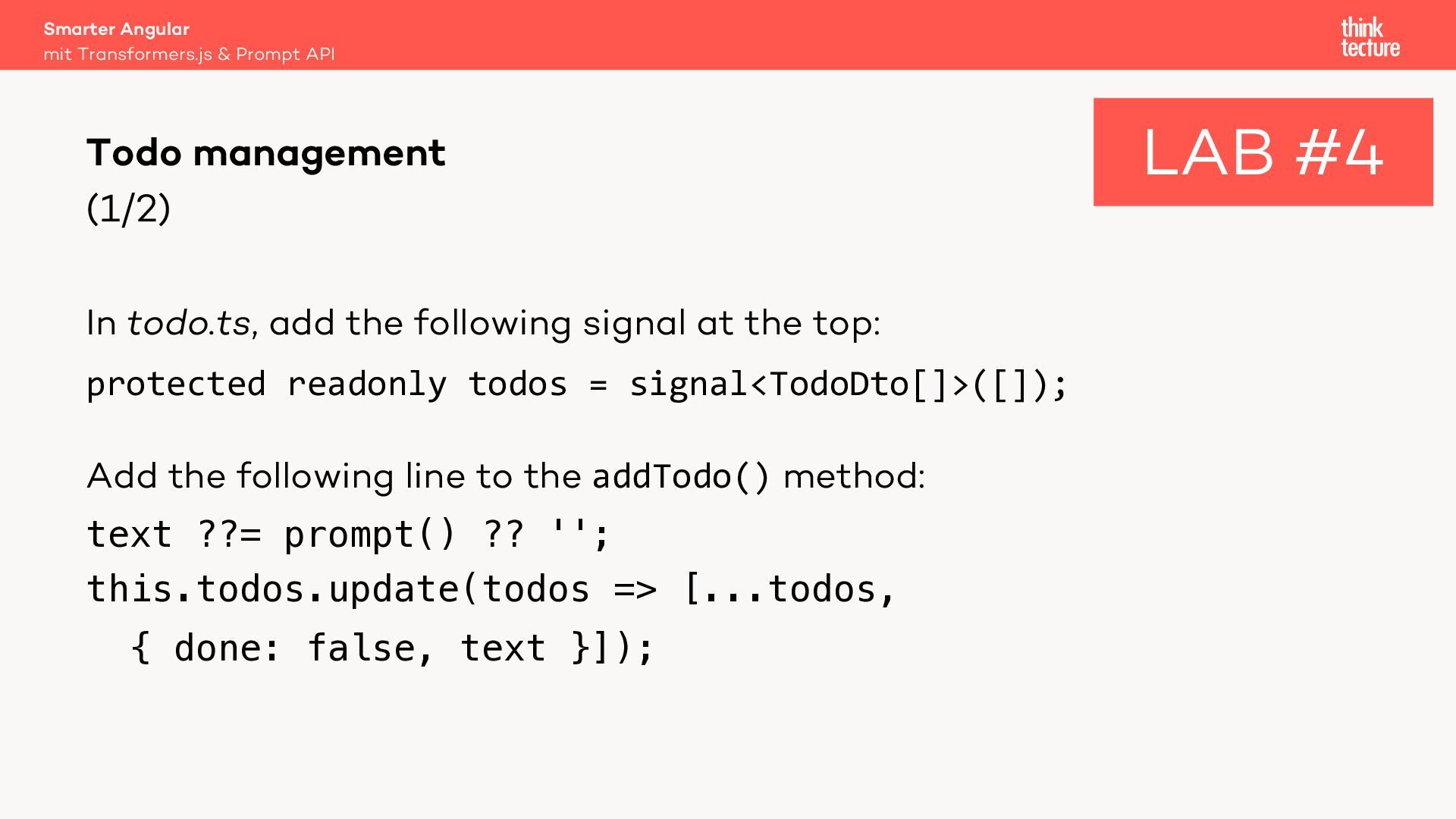
  27. (1/2) In todo.ts, add the following signal at the top:

    protected readonly todos = signal<TodoDto[]>([]); Add the following line to the addTodo() method: text ??= prompt() ?? ''; this.todos.update(todos => [...todos, { done: false, text }]); Smarter Angular mit Transformers.js & Prompt API Todo management LAB #4
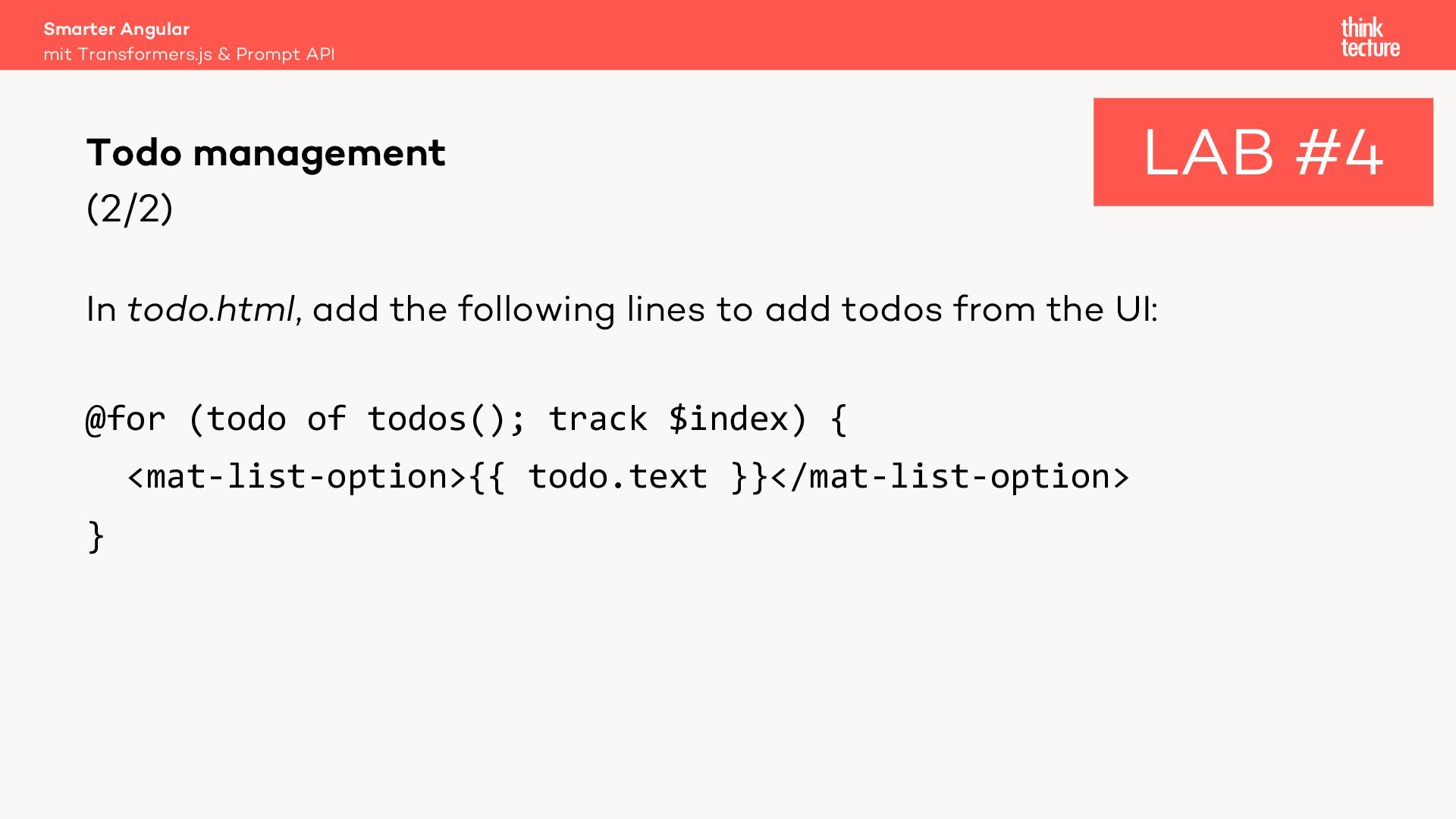
  28. (2/2) In todo.html, add the following lines to add todos

    from the UI: @for (todo of todos(); track $index) { <mat-list-option>{{ todo.text }}</mat-list-option> } Smarter Angular mit Transformers.js & Prompt API Todo management LAB #4
  29. @for (todo of todos(); track $index) { <mat-list-option [(selected)]="todo.done"> {{

    todo.text }} </mat-list-option> } ⚠ Boo! This pattern is not recommended. Instead, you should set the changed values on the signal. But this messes up with Angular Material… Smarter Angular mit Transformers.js & Prompt API Todo management (extended) LAB #5
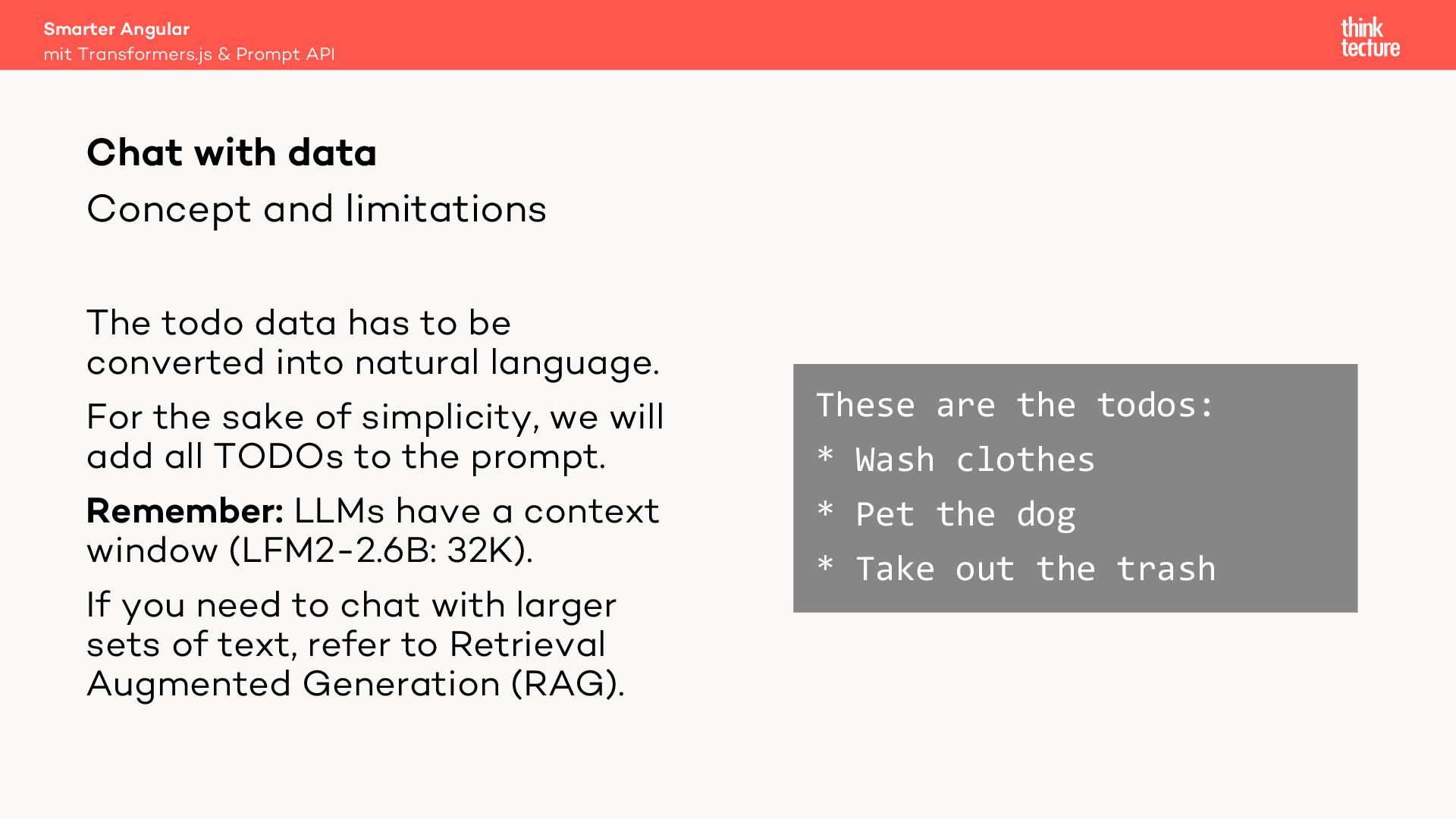
  30. Concept and limitations The todo data has to be converted

    into natural language. For the sake of simplicity, we will add all TODOs to the prompt. Remember: LLMs have a context window (LFM2-2.6B: 32K). If you need to chat with larger sets of text, refer to Retrieval Augmented Generation (RAG). These are the todos: * Wash clothes * Pet the dog * Take out the trash Smarter Angular mit Transformers.js & Prompt API Chat with data
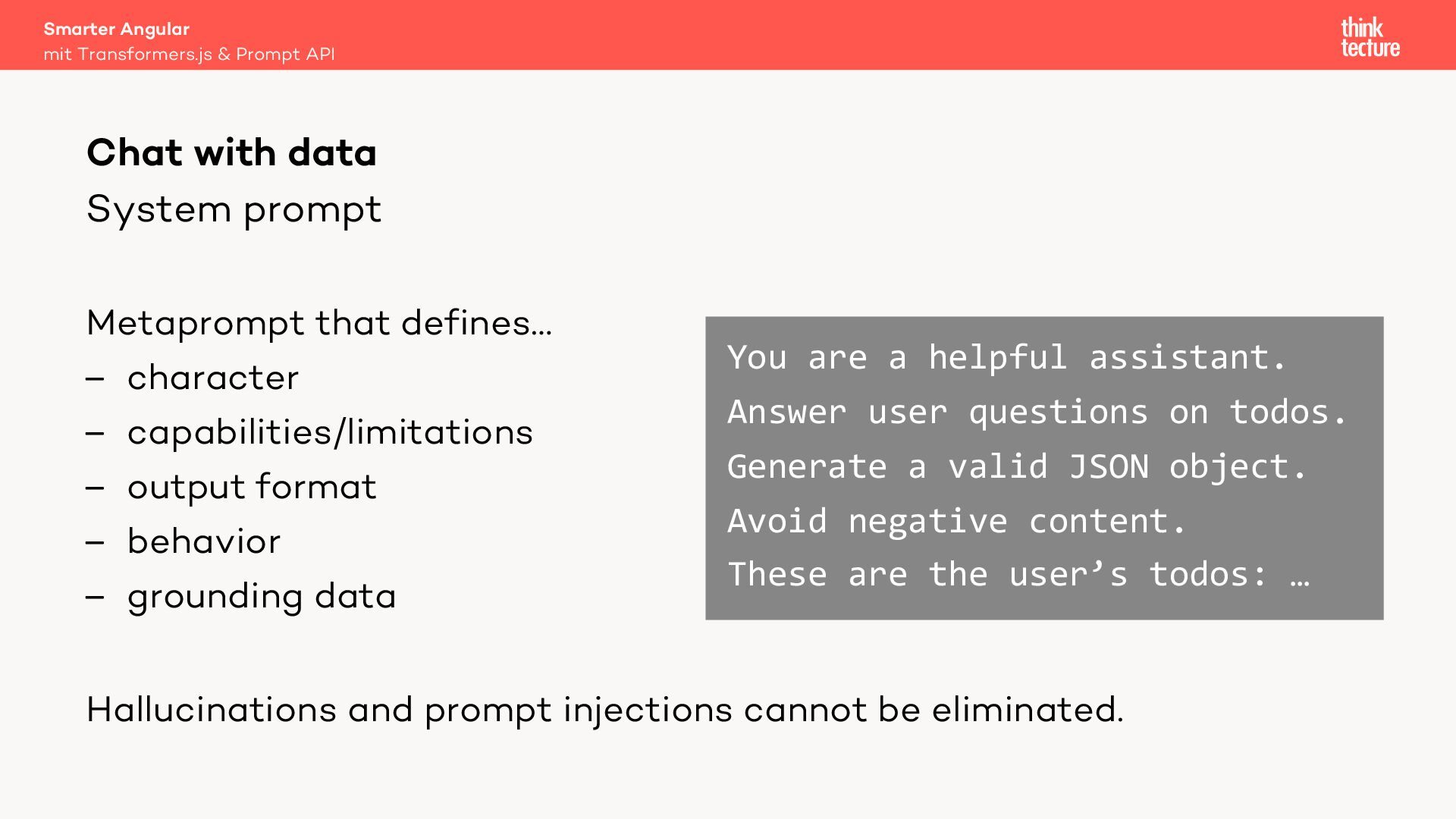
  31. System prompt Metaprompt that defines… – character – capabilities/limitations –

    output format – behavior – grounding data Hallucinations and prompt injections cannot be eliminated. You are a helpful assistant. Answer user questions on todos. Generate a valid JSON object. Avoid negative content. These are the user’s todos: … Smarter Angular mit Transformers.js & Prompt API Chat with data
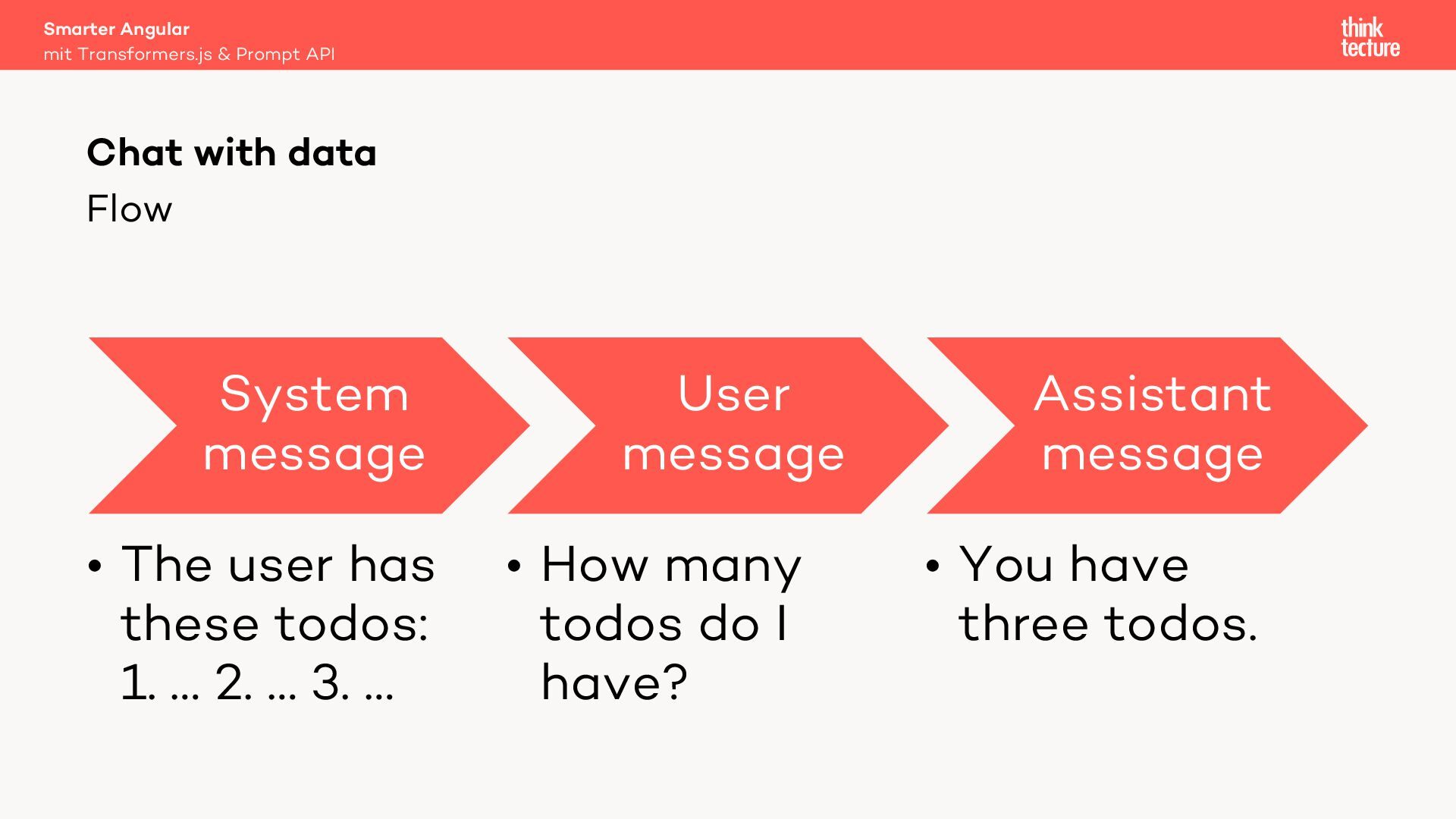
  32. Flow System message • The user has these todos: 1.

    … 2. … 3. … User message • How many todos do I have? Assistant message • You have three todos. Smarter Angular mit Transformers.js & Prompt API Chat with data
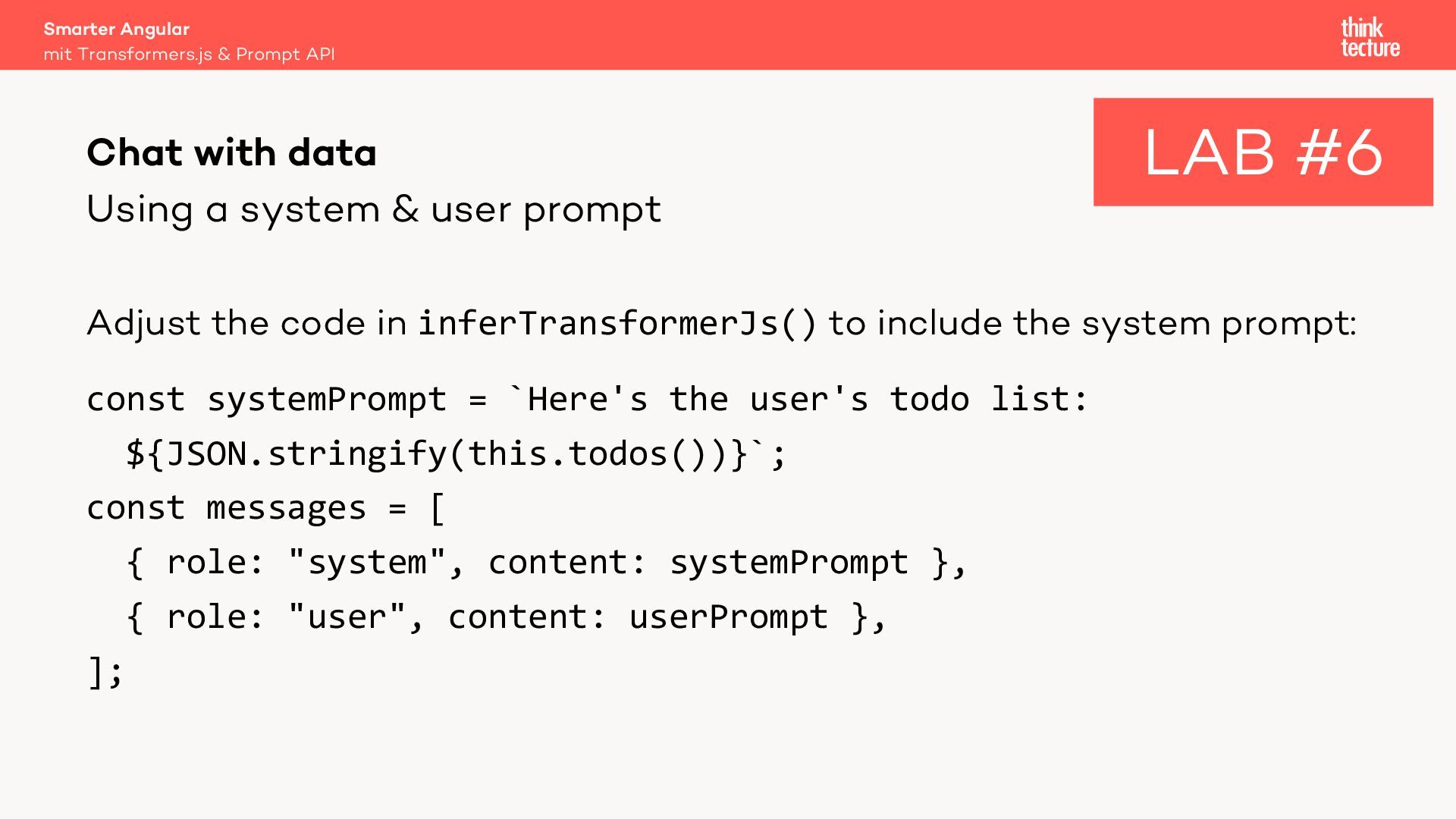
  33. Using a system & user prompt Adjust the code in

    inferTransformerJs() to include the system prompt: const systemPrompt = `Here's the user's todo list: ${JSON.stringify(this.todos())}`; const messages = [ { role: "system", content: systemPrompt }, { role: "user", content: userPrompt }, ]; Smarter Angular mit Transformers.js & Prompt API Chat with data LAB #6
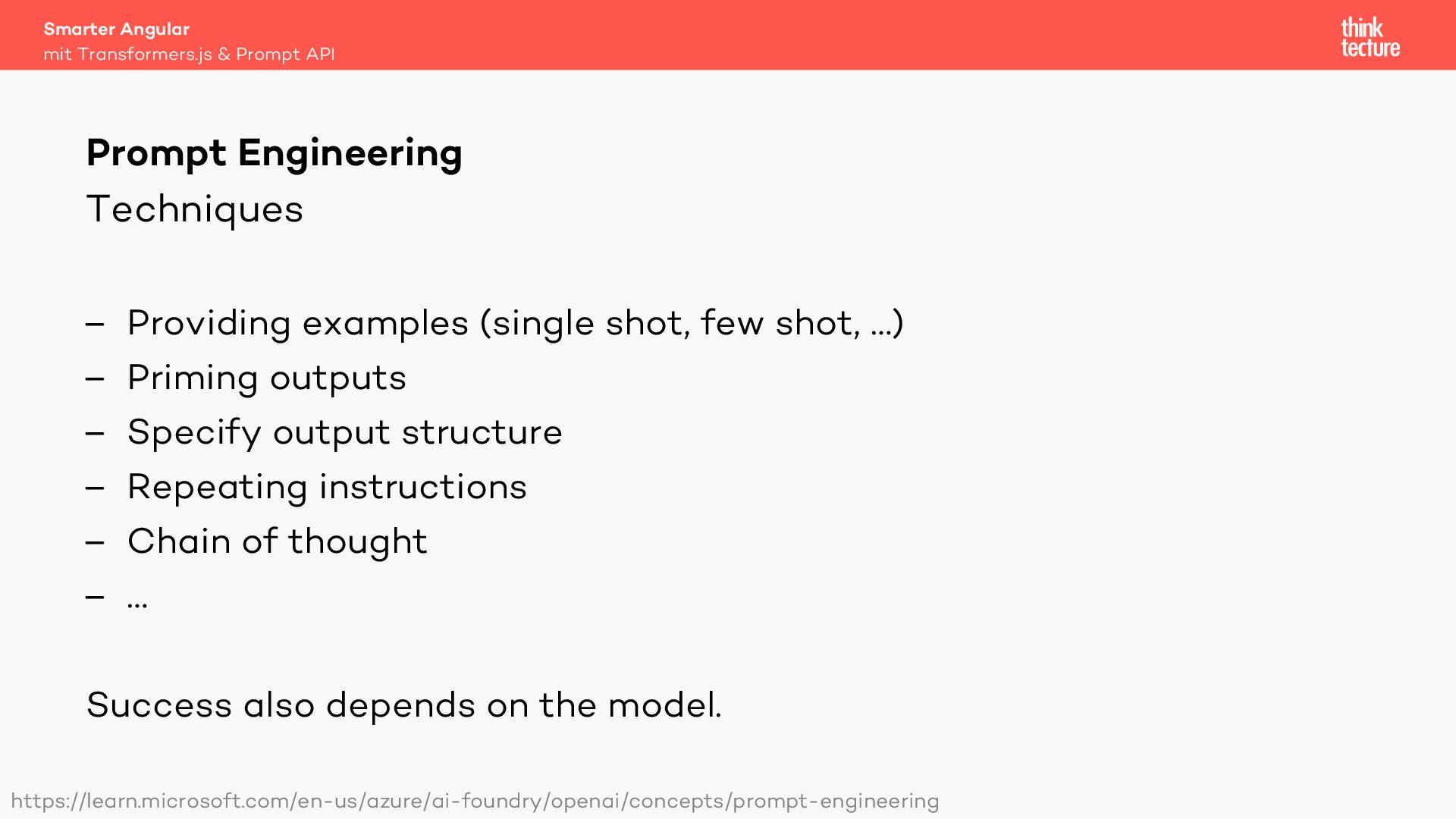
  34. Techniques – Providing examples (single shot, few shot, …) –

    Priming outputs – Specify output structure – Repeating instructions – Chain of thought – … Success also depends on the model. Smarter Angular mit Transformers.js & Prompt API Prompt Engineering https://learn.microsoft.com/en-us/azure/ai-foundry/openai/concepts/prompt-engineering
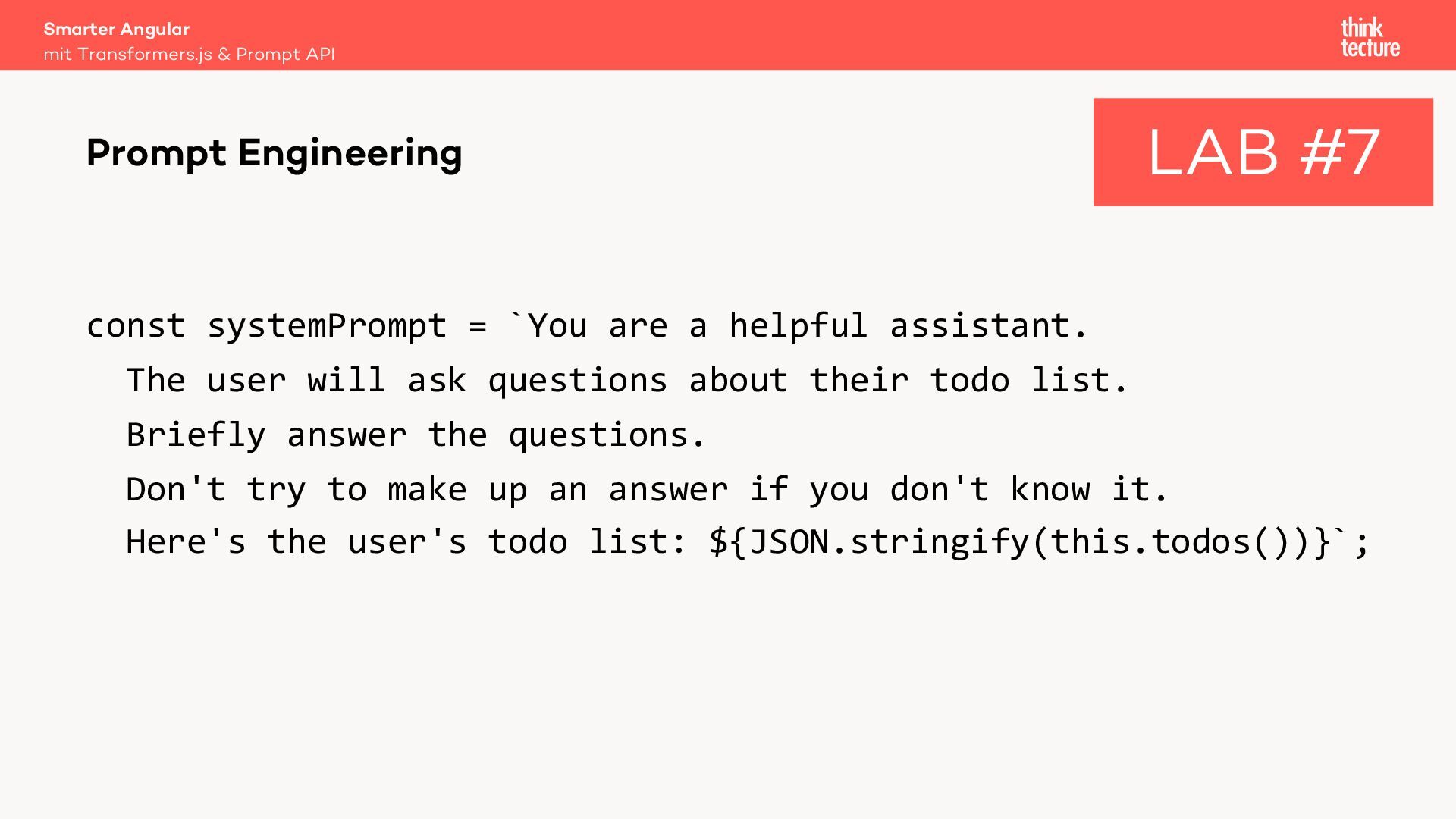
  35. const systemPrompt = `You are a helpful assistant. The user

    will ask questions about their todo list. Briefly answer the questions. Don't try to make up an answer if you don't know it. Here's the user's todo list: ${JSON.stringify(this.todos())}`; Smarter Angular mit Transformers.js & Prompt API Prompt Engineering LAB #7
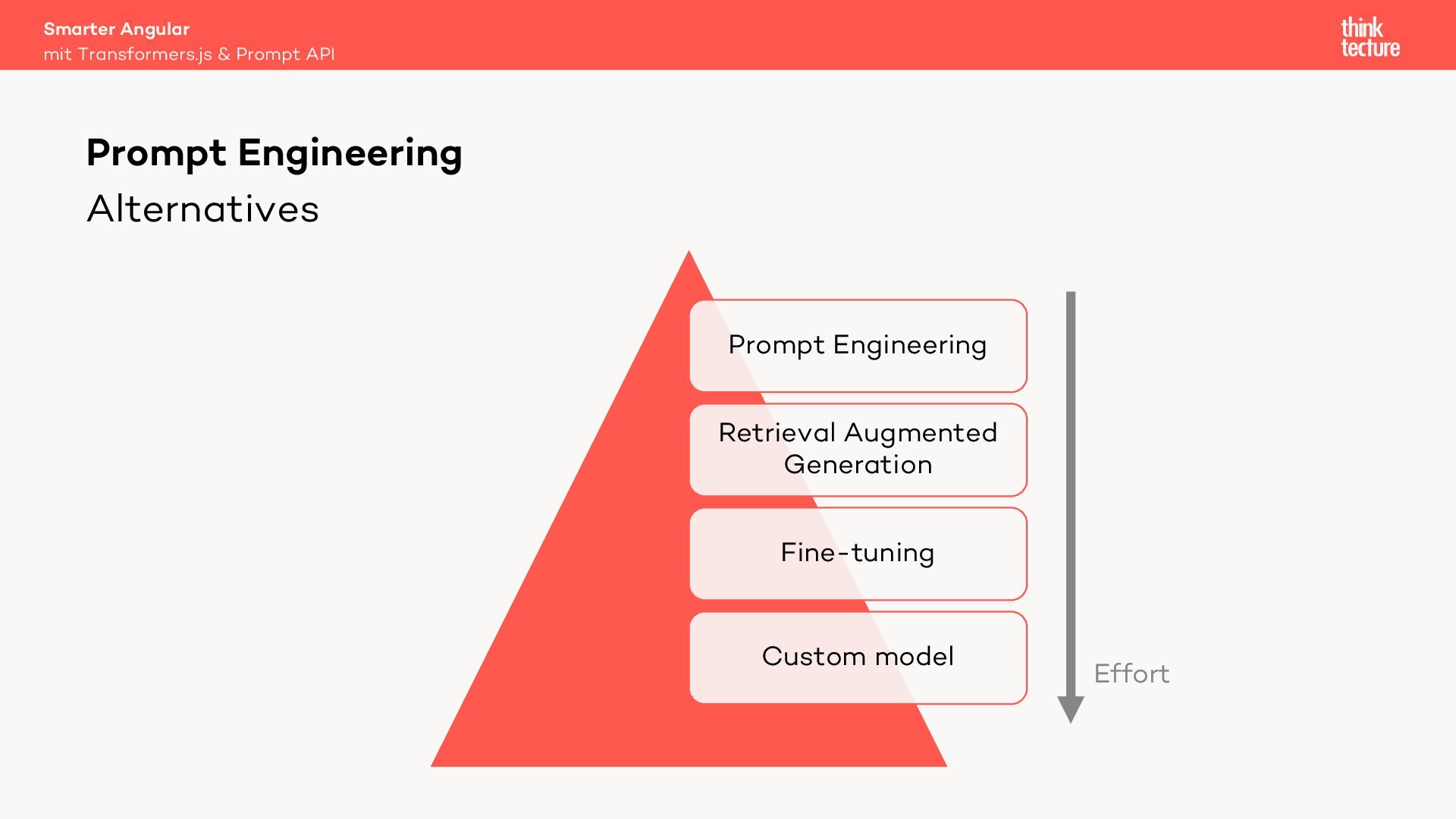
  36. Alternatives Prompt Engineering Retrieval Augmented Generation Fine-tuning Custom model Smarter

    Angular mit Transformers.js & Prompt API Prompt Engineering Effort
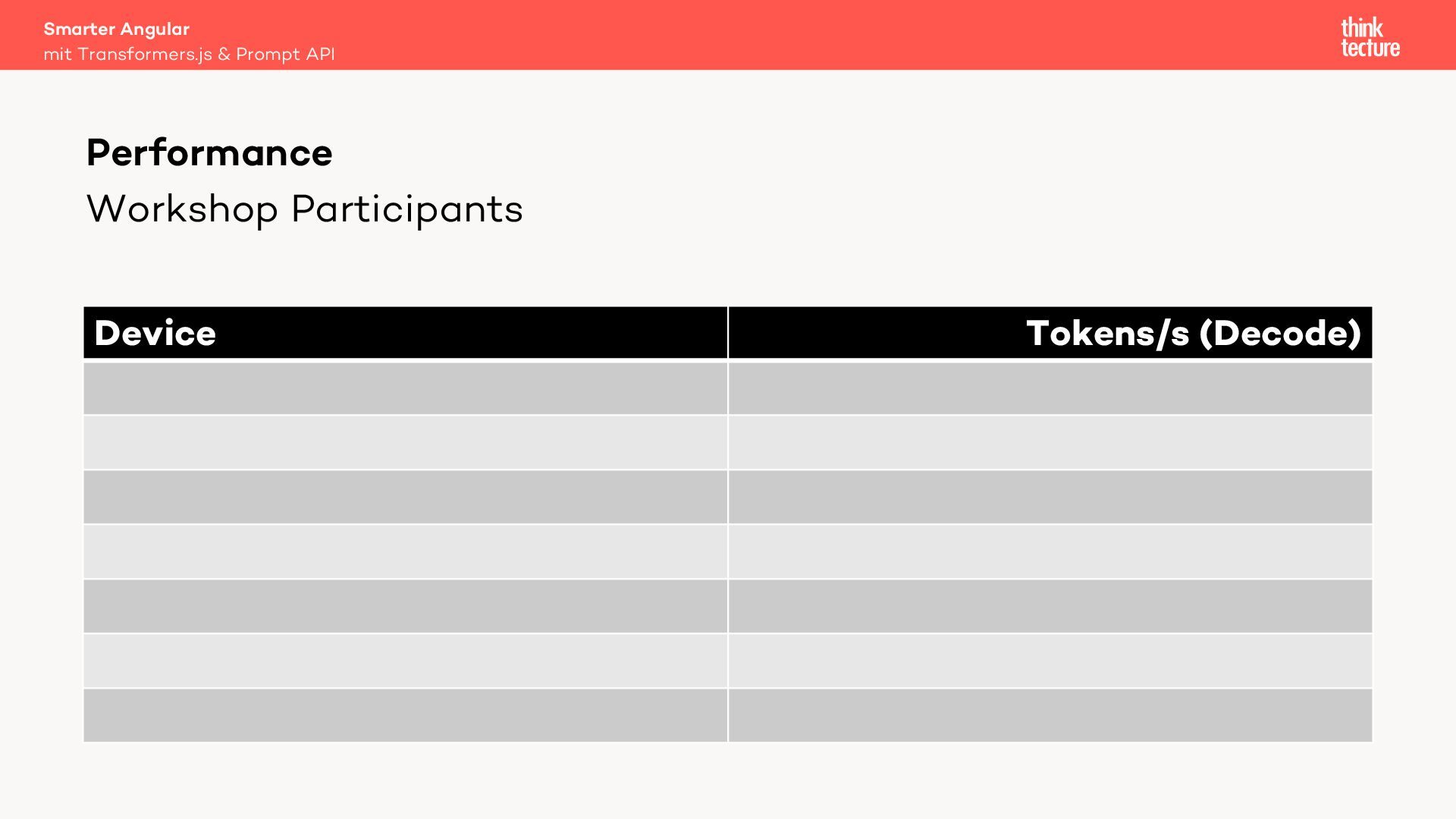
  37. Adjust todo.ts as follows: return this.llmService.generateResponse(messages, [], { measurePerformance: true,

    }); Ask a new question and check your console for performance statistics. Smarter Angular mit Transformers.js & Prompt API Performance LAB #8
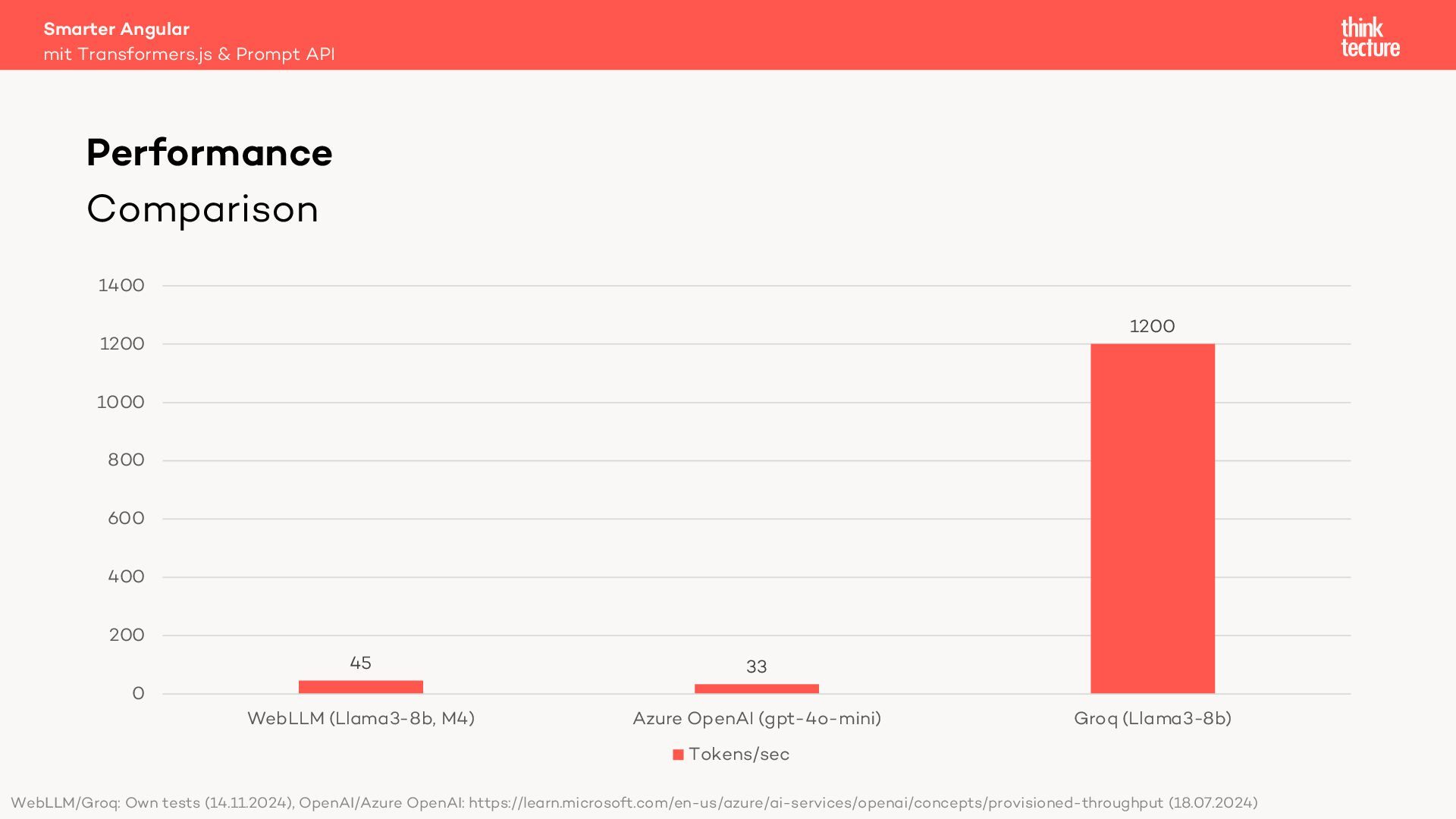
  38. Comparison 45 33 1200 0 200 400 600 800 1000

    1200 1400 WebLLM (Llama3-8b, M4) Azure OpenAI (gpt-4o-mini) Groq (Llama3-8b) Tokens/sec Smarter Angular mit Transformers.js & Prompt API Performance WebLLM/Groq: Own tests (14.11.2024), OpenAI/Azure OpenAI: https://learn.microsoft.com/en-us/azure/ai-services/openai/concepts/provisioned-throughput (18.07.2024)
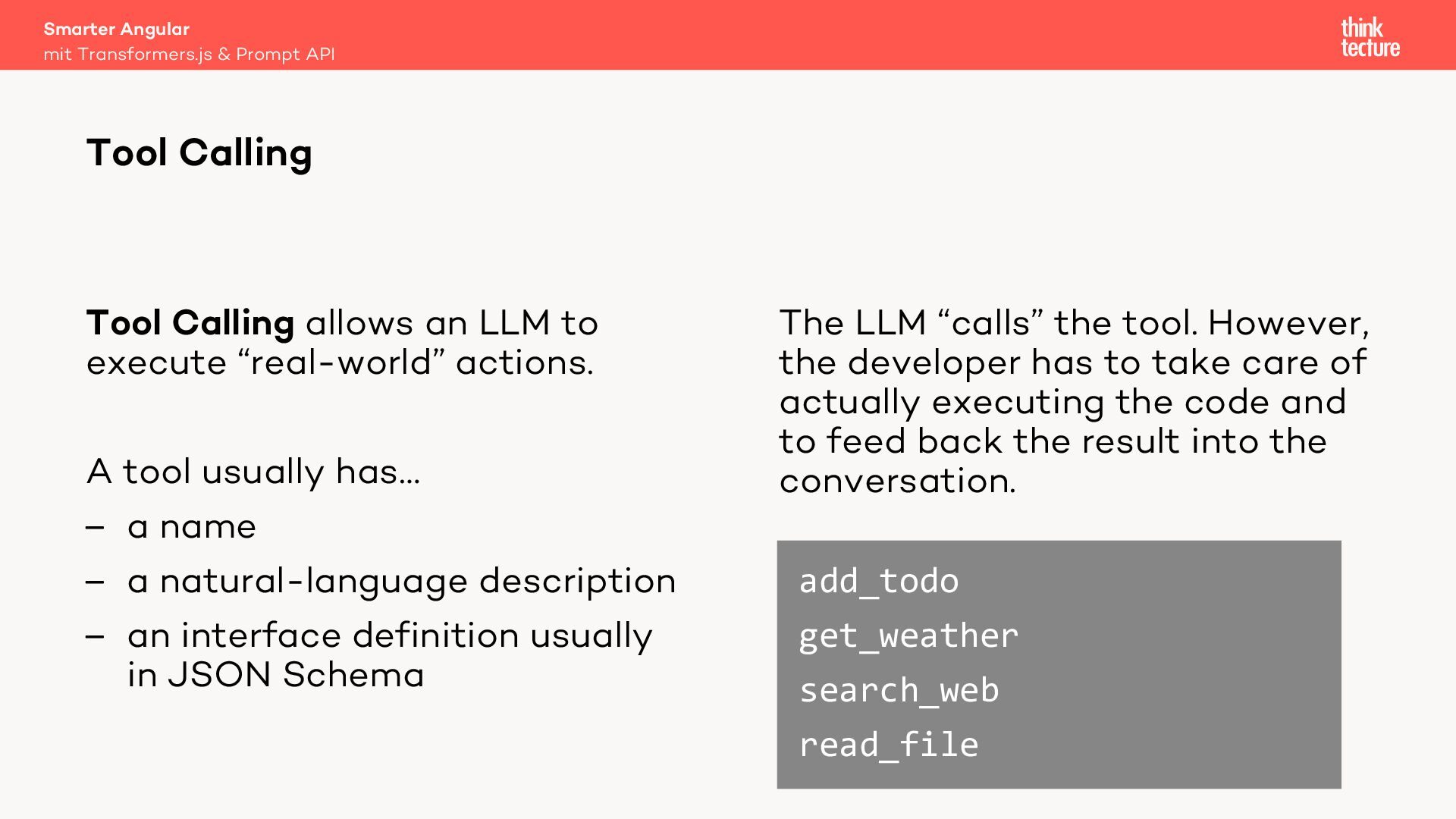
  39. The LLM “calls” the tool. However, the developer has to

    take care of actually executing the code and to feed back the result into the conversation. Tool Calling allows an LLM to execute “real-world” actions. A tool usually has… – a name – a natural-language description – an interface definition usually in JSON Schema add_todo get_weather search_web read_file Smarter Angular mit Transformers.js & Prompt API Tool Calling
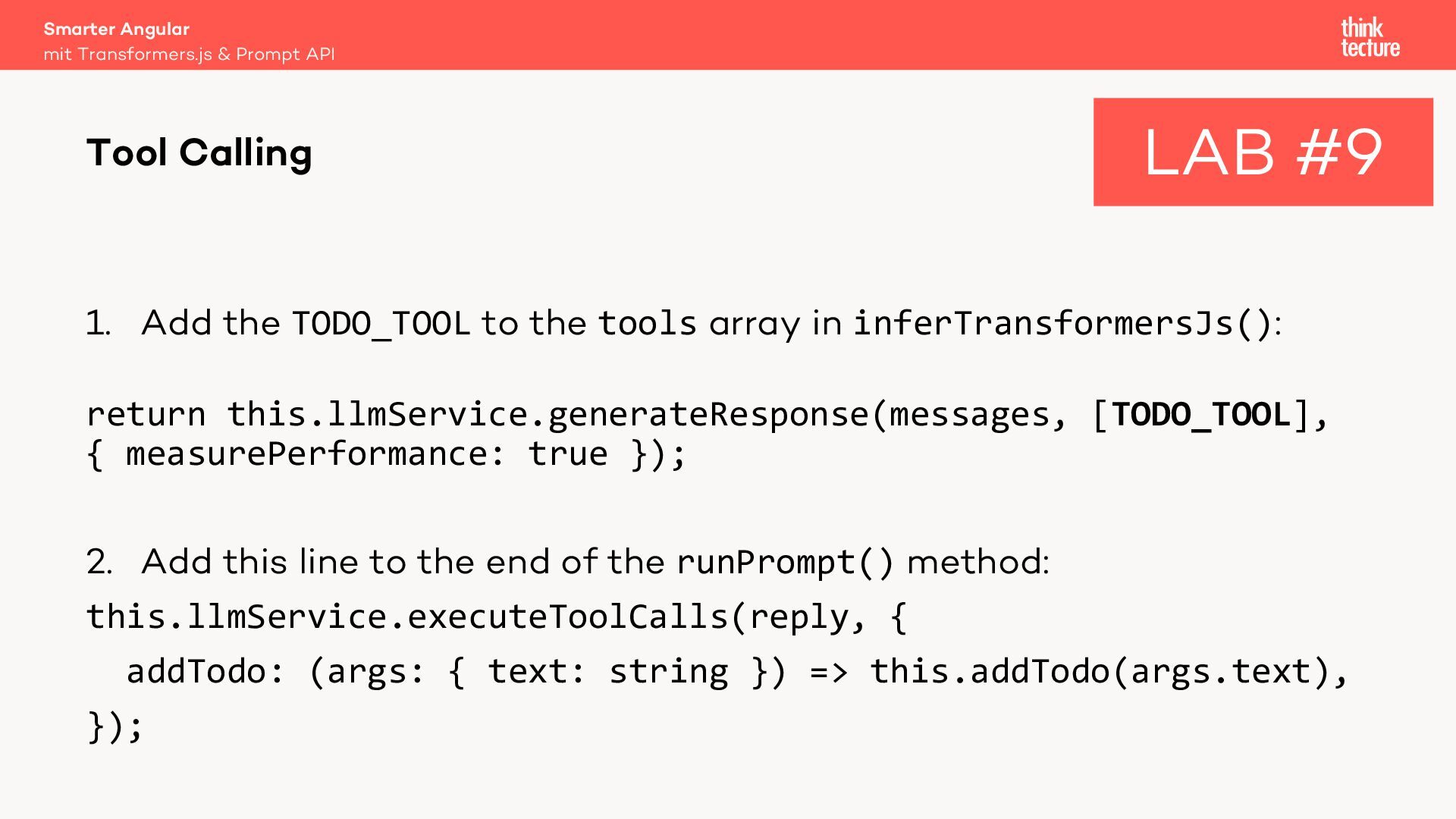
  40. 1. Add the TODO_TOOL to the tools array in inferTransformersJs():

    return this.llmService.generateResponse(messages, [TODO_TOOL], { measurePerformance: true }); 2. Add this line to the end of the runPrompt() method: this.llmService.executeToolCalls(reply, { addTodo: (args: { text: string }) => this.addTodo(args.text), }); Smarter Angular mit Transformers.js & Prompt API Tool Calling LAB #9
  41. Bring Your Own AI (BYOAI) – Libraries – WebLLM –

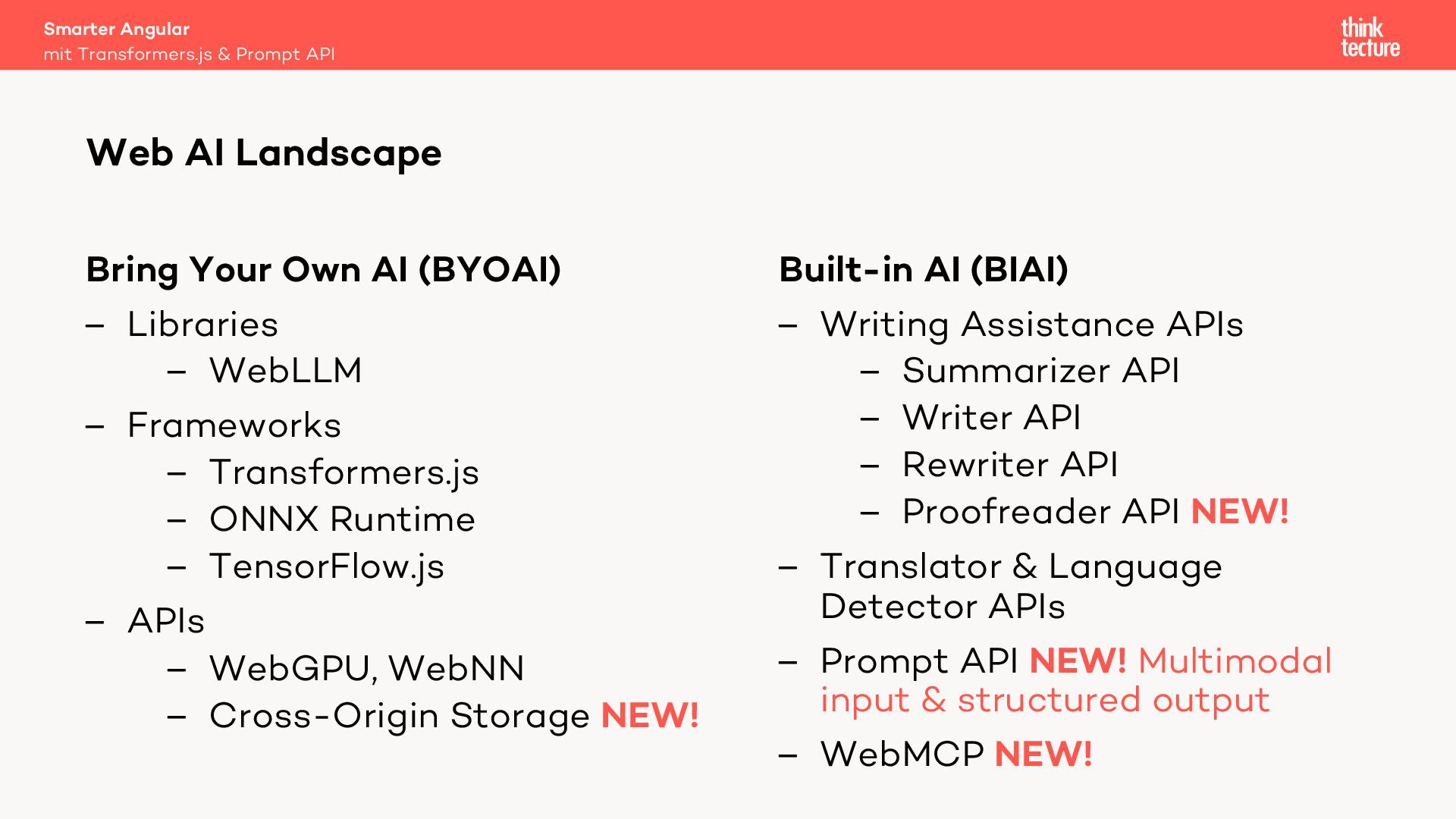
    Frameworks – Transformers.js – ONNX Runtime – TensorFlow.js – APIs – WebGPU, WebNN – Cross-Origin Storage NEW! Built-in AI (BIAI) – Writing Assistance APIs – Summarizer API – Writer API – Rewriter API – Proofreader API NEW! – Translator & Language Detector APIs – Prompt API NEW! Multimodal input & structured output – WebMCP NEW! Smarter Angular Web AI Landscape mit Transformers.js & Prompt API
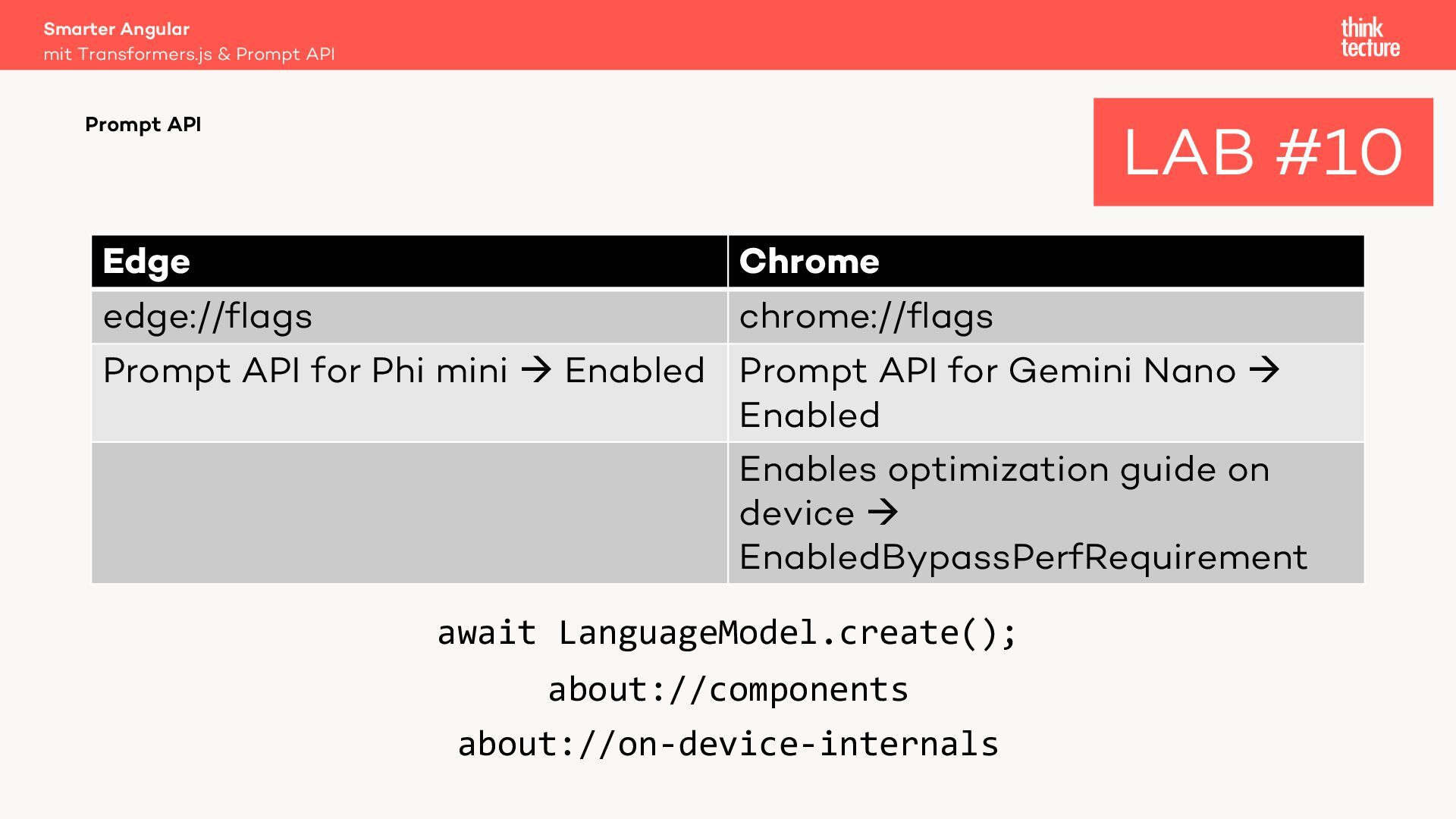
  42. await LanguageModel.create(); about://components about://on-device-internals Smarter Angular mit Transformers.js & Prompt

    API Prompt API LAB #10 Edge Chrome edge://flags chrome://flags Prompt API for Phi mini à Enabled Prompt API for Gemini Nano à Enabled Enables optimization guide on device à EnabledBypassPerfRequirement
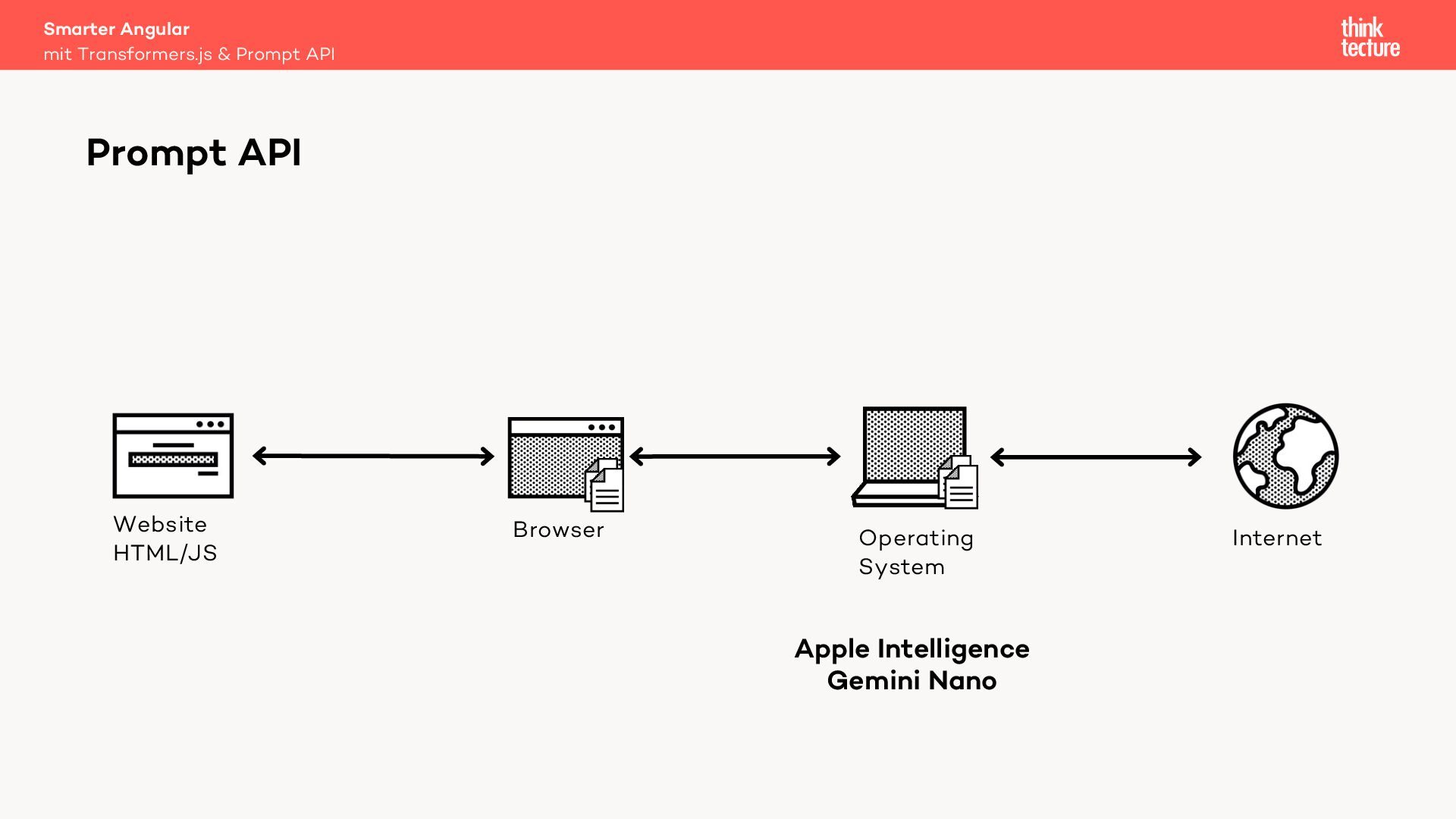
  43. Smarter Angular mit Transformers.js & Prompt API Prompt API Operating

    System Website HTML/JS Browser Internet Apple Intelligence Gemini Nano
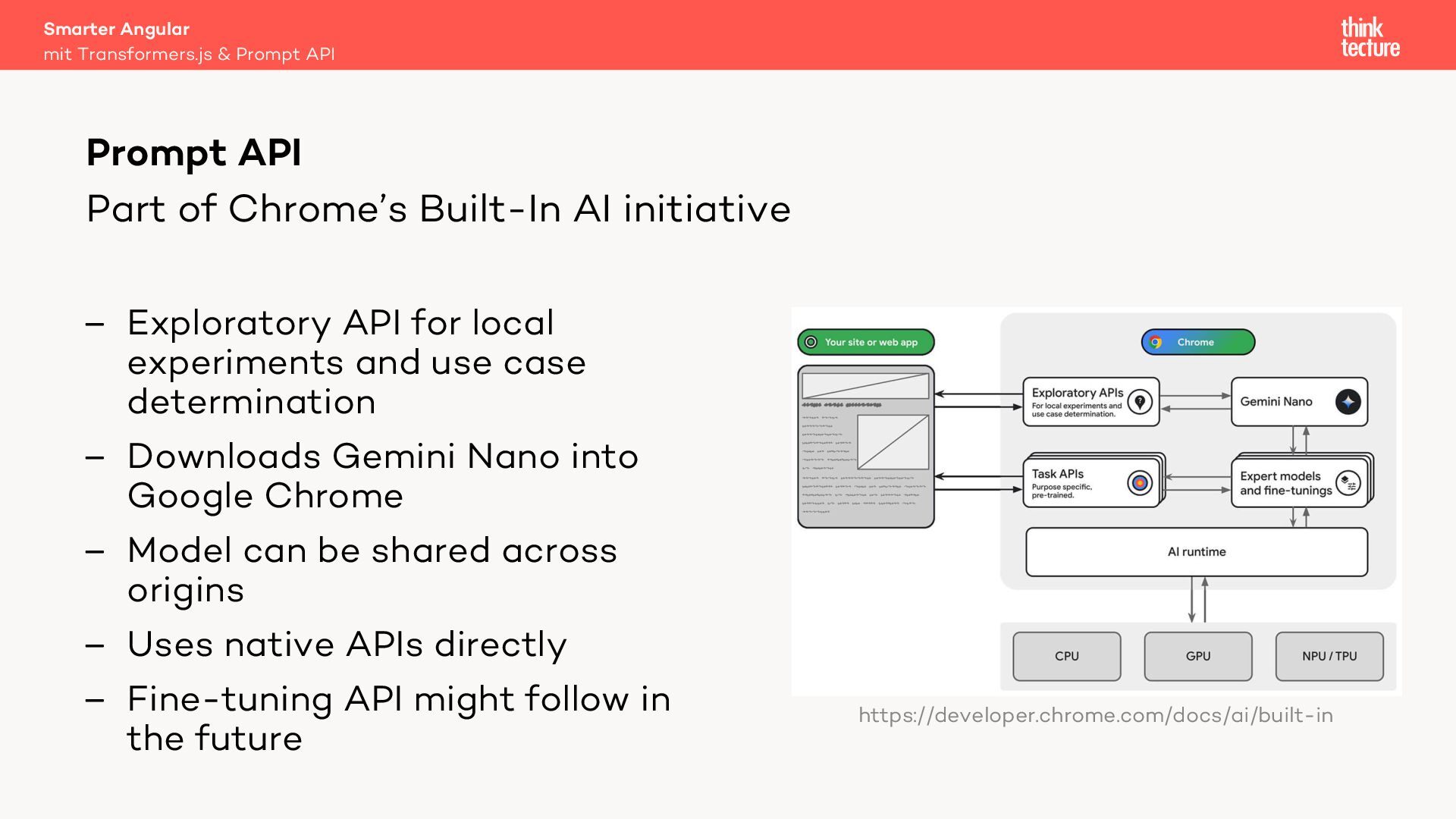
  44. Part of Chrome’s Built-In AI initiative – Exploratory API for

    local experiments and use case determination – Downloads Gemini Nano into Google Chrome – Model can be shared across origins – Uses native APIs directly – Fine-tuning API might follow in the future Smarter Angular mit Transformers.js & Prompt API Prompt API https://developer.chrome.com/docs/ai/built-in
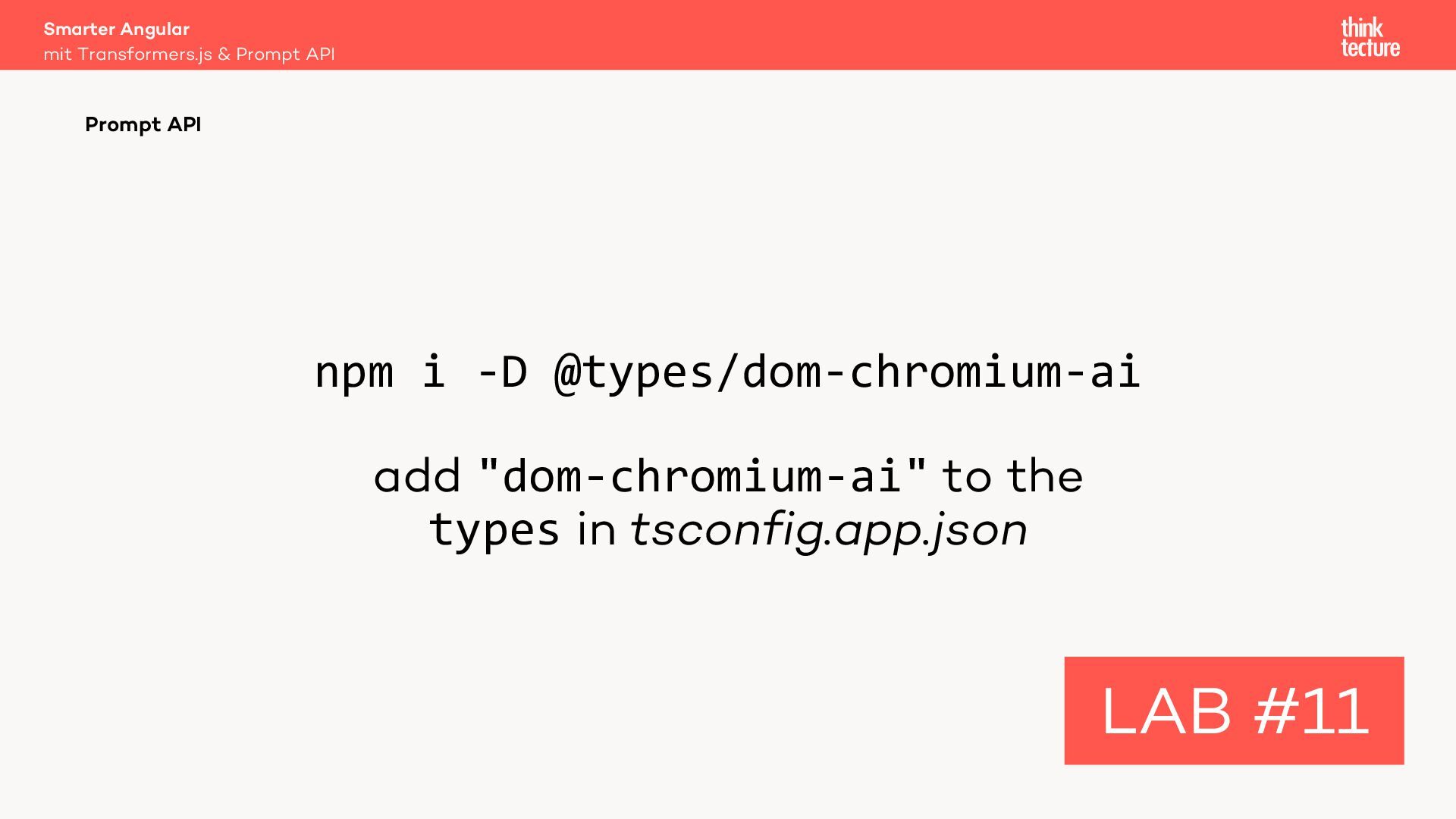
  45. npm i -D @types/dom-chromium-ai add "dom-chromium-ai" to the types in

    tsconfig.app.json Smarter Angular mit Transformers.js & Prompt API Prompt API LAB #11
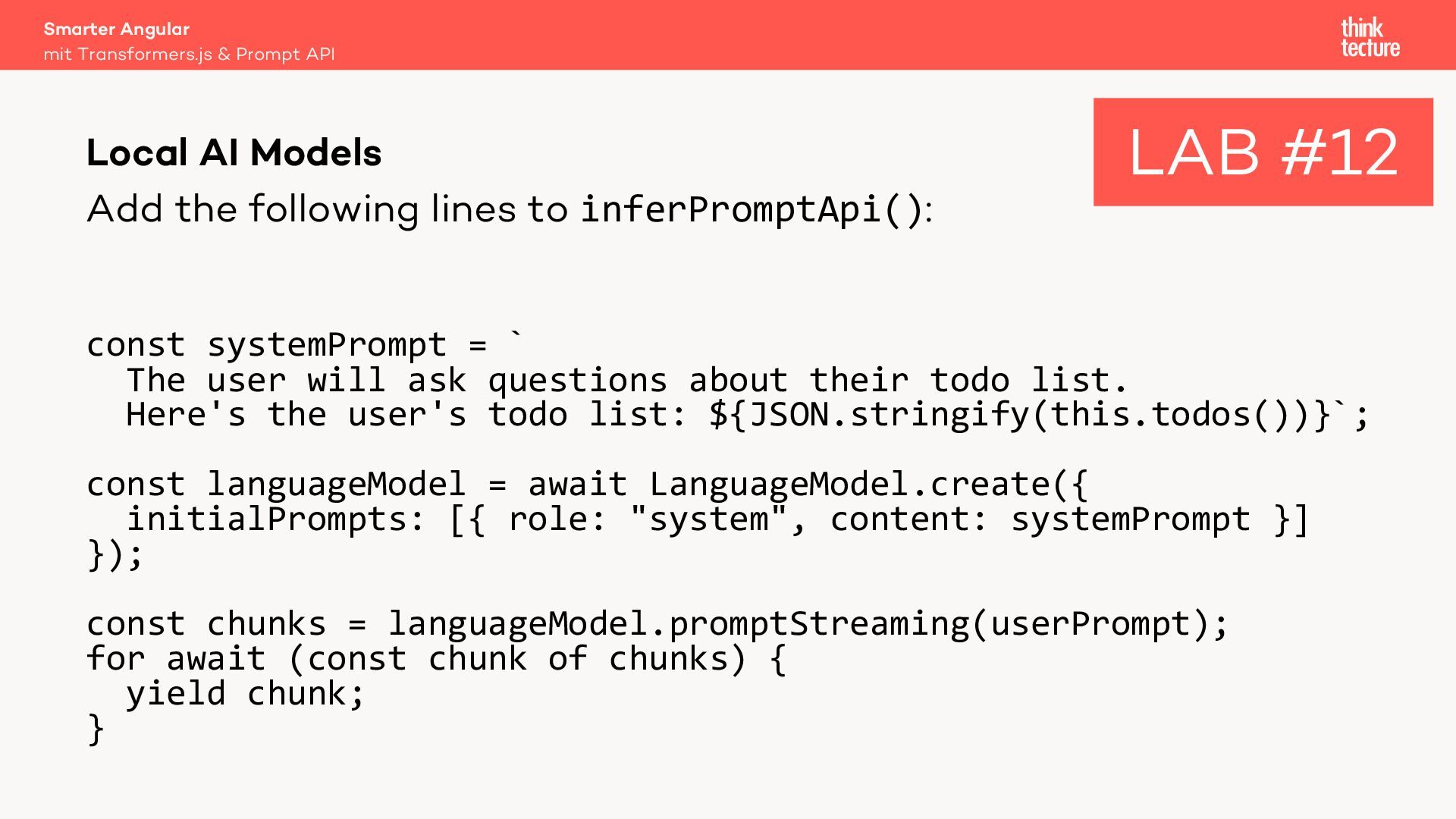
  46. Add the following lines to inferPromptApi(): const systemPrompt = `

    The user will ask questions about their todo list. Here's the user's todo list: ${JSON.stringify(this.todos())}`; const languageModel = await LanguageModel.create({ initialPrompts: [{ role: "system", content: systemPrompt }] }); const chunks = languageModel.promptStreaming(userPrompt); for await (const chunk of chunks) { yield chunk; } Smarter Angular mit Transformers.js & Prompt API Local AI Models LAB #12
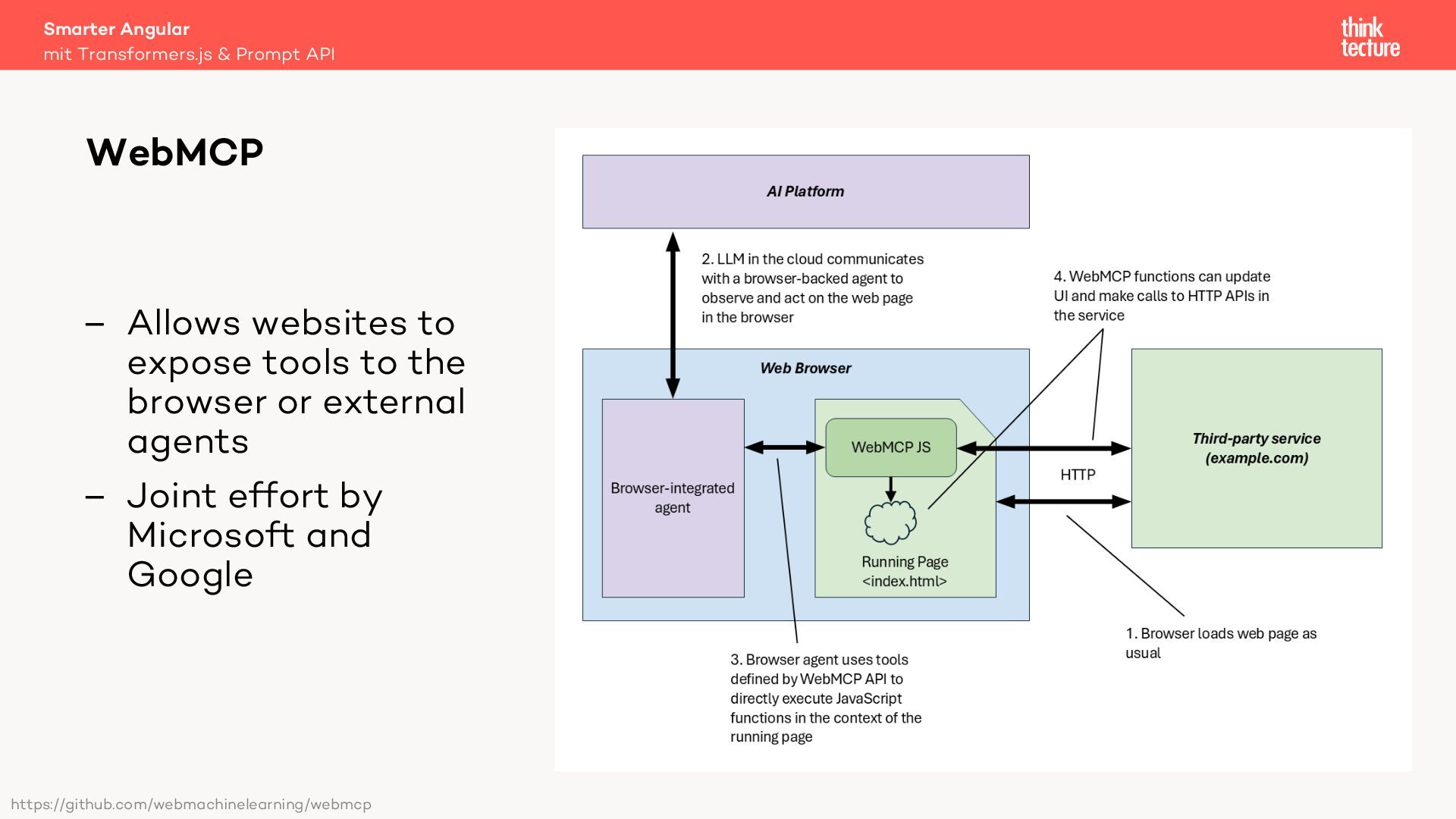
  47. Smarter Angular WebMCP – Allows websites to expose tools to

    the browser or external agents – Joint effort by Microsoft and Google https://github.com/webmachinelearning/webmcp mit Transformers.js & Prompt API
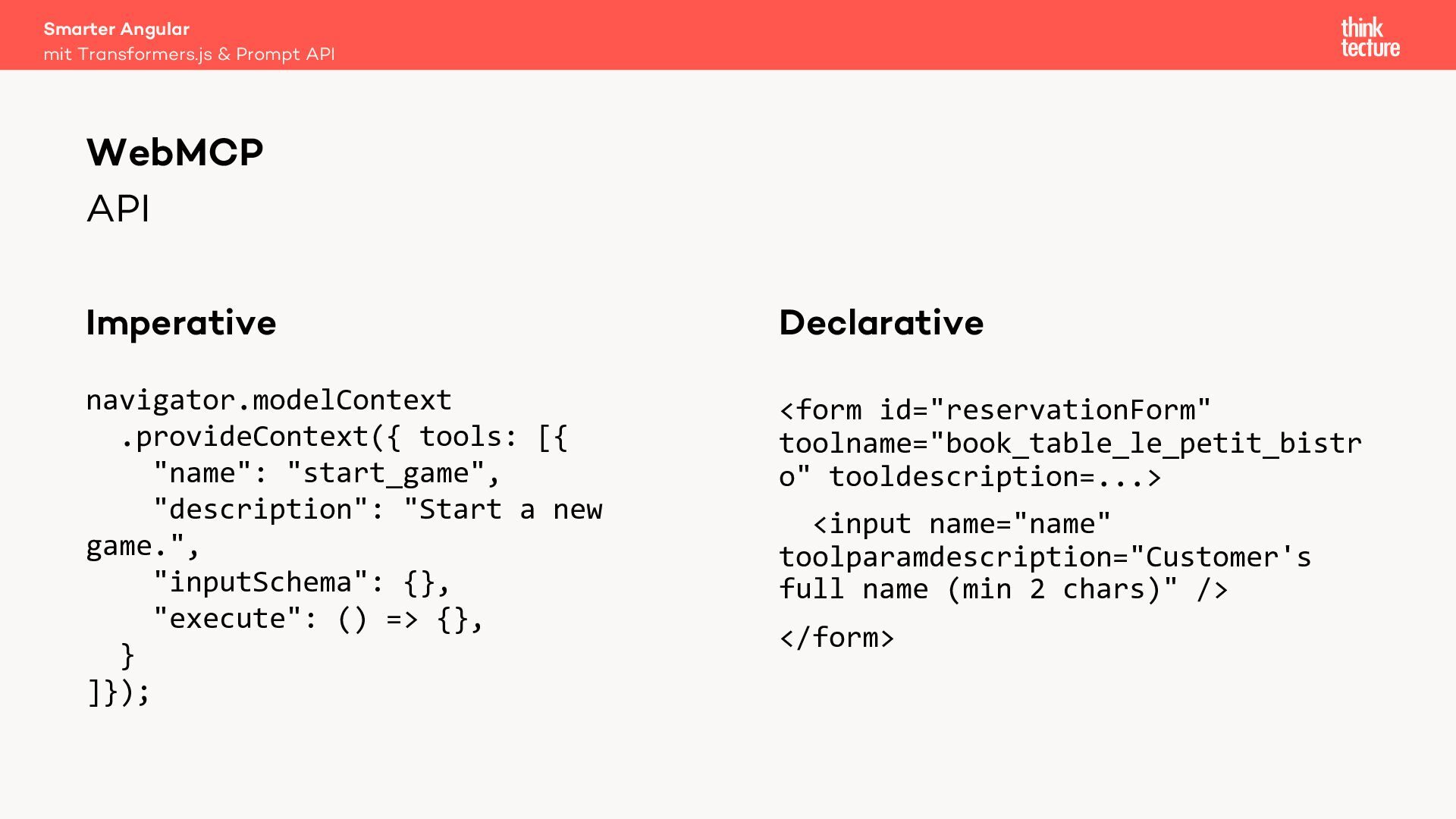
  48. API Imperative navigator.modelContext .provideContext({ tools: [{ "name": "start_game", "description": "Start

    a new game.", "inputSchema": {}, "execute": () => {}, } ]}); Declarative <form id="reservationForm" toolname="book_table_le_petit_bistr o" tooldescription=...> <input name="name" toolparamdescription="Customer's full name (min 2 chars)" /> </form> Smarter Angular mit Transformers.js & Prompt API WebMCP
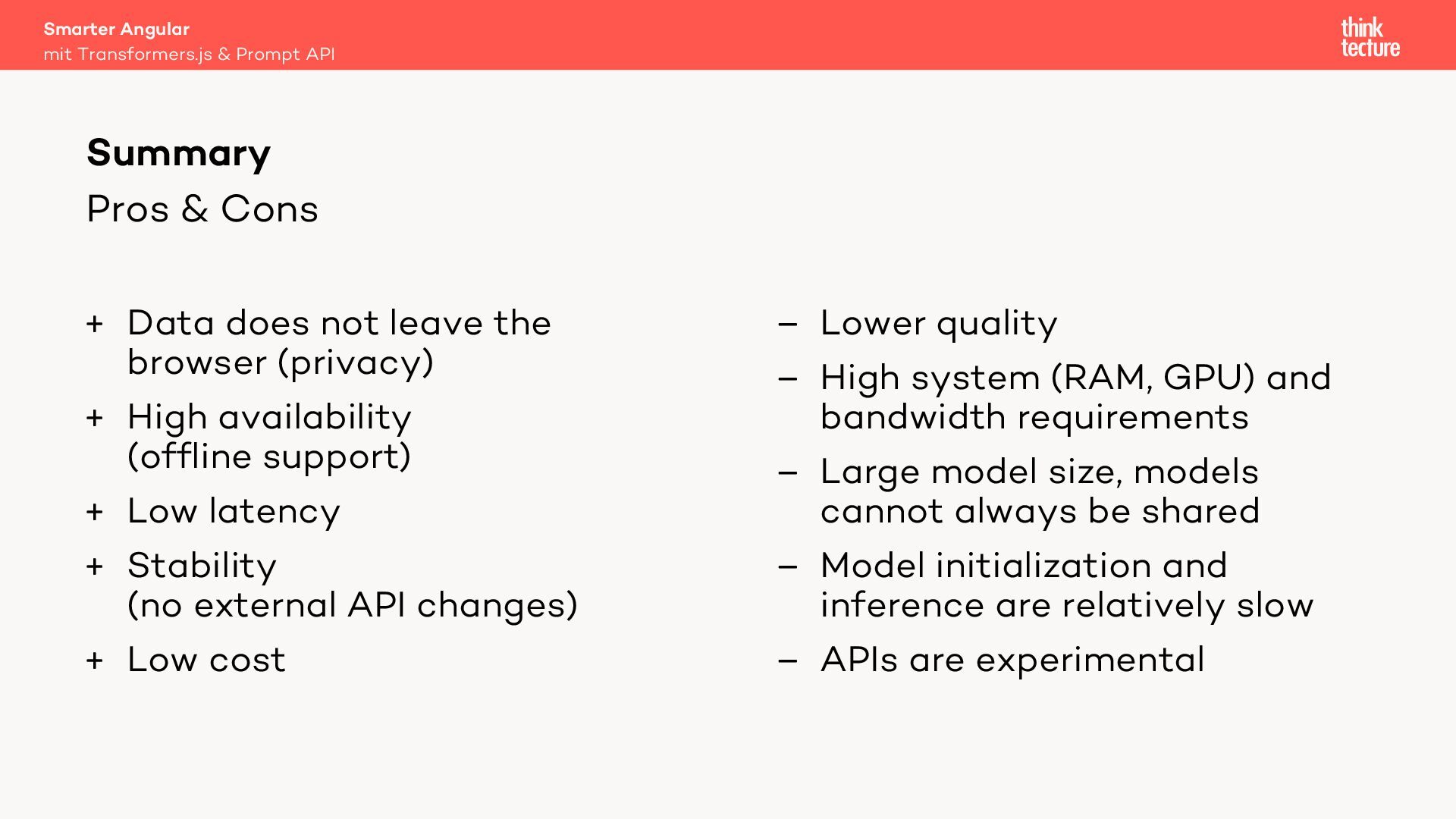
  49. Pros & Cons + Data does not leave the browser

    (privacy) + High availability (offline support) + Low latency + Stability (no external API changes) + Low cost – Lower quality – High system (RAM, GPU) and bandwidth requirements – Large model size, models cannot always be shared – Model initialization and inference are relatively slow – APIs are experimental Smarter Angular mit Transformers.js & Prompt API Summary
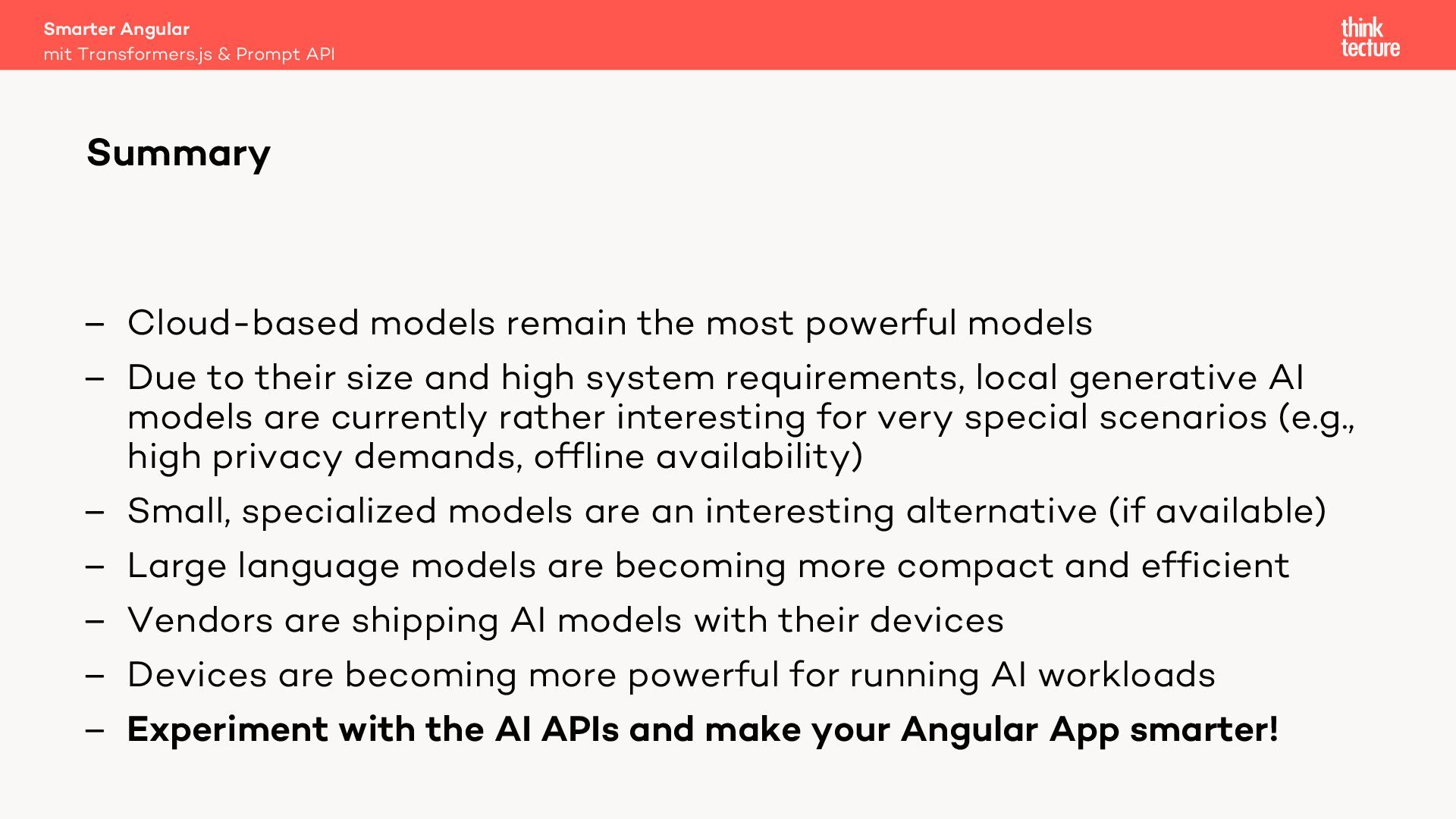
  50. – Cloud-based models remain the most powerful models – Due

    to their size and high system requirements, local generative AI models are currently rather interesting for very special scenarios (e.g., high privacy demands, offline availability) – Small, specialized models are an interesting alternative (if available) – Large language models are becoming more compact and efficient – Vendors are shipping AI models with their devices – Devices are becoming more powerful for running AI workloads – Experiment with the AI APIs and make your Angular App smarter! Smarter Angular mit Transformers.js & Prompt API Summary